#ue4-general
1 messages · Page 177 of 1
 plush yew
 honest vale
I like these streams when they wonder "come on, ask questions" and here I am "I DID IN THE FORUM THREAD PLEASE READ IT"
but no
:\
 quasi lake
Why is Paragon shuted down?
 weary basalt
Fortnite killed it
quasi lake
For what
 livid haven
Paragon wasn't hugely successful. Fortnite was.
quasi lake
So its server sucks?
livid haven
What? No.
 grim ore
Paragon costs money to run and it was making less than that. They didn't see it improving so they stopped it.
weary basalt
Which was sad cause it was an decent game from when i played it.
Not that i played it for long though
quasi lake
After careful consideration, and many difficult internal debates, we feel there isn’t a clear path for us to grow Paragon into a MOBA that retains enough players to be sustainable.
Epic promoted it so much
livid haven
In other words: It's not doing well financially and there's no obvious plan to fix that - meanwhile, Fortnite is doing well. In the absence of Fortnite, maybe it'd be worth dumping money in to Paragon to radically turn it around, but it's silly to make that gamble while you've got another wildly successful title you could be investing your resources in.
quasi lake
A shame
 iron belfry
I have a question. How do i get only the right part of an input and scale it to fit the whole input?
quasi lake
Change UV inputs maybe?
iron belfry
@quasi lake but how, is there a node for that? im fairly new with the tool
iron belfry
ok, that seems interesting, will look into it right now
 idle stump
If I want something to oscillate I can do sin(RunningTime), right? But I see some examples doing: sin(RunningTime + DeltaTime) - sin(RunningTime). What is the point of this extra step?
 elfin stream
The more I work with Unreal the more I lov eit.
@idle stump I think the RunningTime you are seeing is actually a variable they are using to track the progress of time.
So RunningTime + DeltaTime is adding the elapsed time since last tick to the running time
This allows it to grow to continue to advance the SIN function
idle stump
Yeah no I get that... like in Blueprint you can just use Game World Delta Time or whatever the node is called
But why adding the delta and the subtract the game running time?
then*
elfin stream
Delta will always be the time since the last tick or update I beleive, so this alone wont give you a smooth function.
Can you link the example you are referencing?
idle stump
I also saw this person doing it that way too: https://answers.unrealengine.com/questions/434890/unreal-engine-beginner-fmathsin.html
I just thought sin(RunningTime) alone was good enough. Wondering what the rest is for
elfin stream
Its normalizing for tick
So sometimes delta will be say 0.2 or .01 or what ever based on how long it takes the game to process everything and hit the next tick, or the frame rate of the server.
So doing that formula provides a consistent smooth movement regardless of the fps of the server.
or client or what ever
Its all very clearly explained in the 2nd link you gave..
 glossy flame
If RunningTime were updated before the sin call, that wouldn't be necessary. I'm really not quite sure why it isn't, to be honest, and I see your point @idle stump
elfin stream
Its assumed for the purpose of the examples that RunningTime = Time since game started
glossy flame
But, as it stands, the calculation occurs before RunningTime is updated with DeltaTime, and therefore it's necessary for it to be updated to the current frame
elfin stream
So its a standardized clock regardless of frames
idle stump
Yeah but RunningTime should be accounting for DeltaTime automatically.
glossy flame
Well, actually, it's because they're adding the location, not setting it. (technically they're setting it, but after adding it to the previous location)
idle stump
Hmm, I see they are actually incrementing RunningTime manually. I thought they were just getting it from the game engine
 worn granite
GetWorld() will have GameTimeInSeconds
GetWorld()->GetGameTimeInSeconds()
I think
idle stump
But assuming RunningTime is just like the Blueprint node Get Game Delta Seconds, then it should be handled automatically and be frame independent, right?
worn granite
Delta Seconds is DeltaTime
idle stump
@worn granite right that's the C++ equivalent
glossy flame
Personally, I think it would make sense to simply set the location based on the RunningTime variable, but the way they're doing the math is adding based on the previous location
worn granite
no, GameTime is not DeltaTime
glossy flame
If they were setting the position based on the running time, yeah, framerate is irrelevant, as a set like that would only depend on the delta being added to the running time, which it is
idle stump
Get Game Time in Seconds
glossy flame
Since the math is being done with an add from the previous position, however, taking into account the delta time within the sin is necessary
idle stump
"sin(GetWorld()->GetGameTimeInSeconds())" should be all that you need to account for DeltaTime, right?
 faint cedar
Anyone know how to set the volume for intro movies?
 elfin jacinth
I am not sure if it would impact intro movies but: https://docs.unrealengine.com/latest/INT/BlueprintAPI/Audio/Components/Audio/SetVolumeMultiplier/
Set Volume Multiplier
faint cedar
That's for audio components
elfin jacinth
 rocky portal
programming drunk iks omething else
game deving drunk
i dont know if this is a god idea
didnt eat dinner drank 2 of these badadss golden onkey bears
mnonkey
9.5%$ alcohol...insane..usually im a tank
not tonight
beers*
 tough quiver
Hello guys! I would like to ask you, what level of C++ do you believe a person must have in order to do changes into UE4 Rendering Pipeline? It's something that is crucial to my Project but i am new to UE4 and C++. Not in a hurry as well, i think there should be plenty of time to learn new stuff if required.
rocky portal
freaking high ass level
and an inteimiate kunderstanding of the engine
read th source code and hope you nnderstand
im not best person to answer right now but ask a more detailed/specific uqesiton and hope someone cna help
what you need might be easy but we dont know youre use case
your
tough quiver
Thank you! Really appreciate the insights. I think the end-goal for this Project might be DX12. I am not sure about the state of DX12 as of currently with UE4, but i believe it has been quite sometime since it was implemented. And on top of that, there might be a need to include optimizations for certain Hardware type. But as you have said, this might be something that requires a very high level knowledge. Not sure if it will be able to be done.
weary basalt
@tough quiver If your not familiar with C++ or programming in general you will have little chance of even comprehending the Rendering pipeline unfortunately.
tough quiver
@weary basalt That's unfortunate. Going to try my best to dive into C++ during this year of 2018. However, do you believe that what i have listed above it's something that can be done with UE4?
weary basalt
Anything can be done with UE4. It just requires alot of work and dedication.
tough quiver
This is awesome. Great News.
plush yew
Anyone here ever tried adding values to a TMap using the bulk property edit matrix?
Ok. Listen. I have a Spawner which creates cubes with random sizes. And I want to make a video about these random spawned cubes. When I use sequence recorder, I have to choose an actor. I tried choosing the Spawner as an Actor, but it doesn't get recorded. What should I do?
 leaden garnet
Is there an asset pack or something? I always see an environment similar to this in probably just about every new engine blog post.
honest vale
that's from Paragon I think
leaden garnet
Okay, thanks a lot.
 proud crest
yo
I'm tryna work on designing levels
but I can't get UT editor to work
my RAM keeps peaking
 celest merlin
how much RAM do you have?
proud crest
8 gigs but it's never.... not worked before
which is why this surprises me
it's usually been enough
celest merlin
are other appliucations using alot of RAM? Chrome can use quite a bit of RAM for example
proud crest
I want to know what extra processes I can end to make it work better
celest merlin
Well, any process you shut down will help
proud crest
here's the problem with ti
I don't know whether ending certain ones will fuck up my computer
I made a mistake...
honest vale
8 GB is not really enough
proud crest
I misclicked and ended Windows explorer
honest vale
especially when building lighting
proud crest
How do I increase it then?
honest vale
...online? Walk into a store?
proud crest
I'm lazy. Fuck it.
honest vale
then I can't recommend level design either if you're lazy 😛
proud crest
I put serious time and passion into level design in games like Halo and Timesplitters
honest vale
Halo came with a level editor?
 waxen panther
Where is the best place to ask newbie questions?
honest vale
here
waxen panther
Well, perfect! There's this rock thingy asset. If you use 2000 or more copies of that per one area, will that make that area unplayable or create some kind of heavy load?
honest vale
depends on the asset
honest vale
you could simply try benchmarking
waxen panther
How would I measure it?
waxen panther
I'm really newb. I'd assume I'd place, say, 400 of those and 40 and compare render times?
The main goal I have is not to accidentally put something together that ends up unusable.
I'd hate to use time on something that couldn't be used; it would feel like a waste.
 cerulean nova
is that a thing? = making for example a 8192x8192 texture and put multiple diffrent textures for objects into this one big texture ?
(multiple 2048x2048 textures)
cerulean nova
Interesting 🤔
 frank escarp
@floral pagoda it really is a great support right now
of course, hugely limited due to being half done
 floral pagoda
Totally
frank escarp
but for simple mesh export its great right now
better than fbx
quite a bit better
floral pagoda
Nice
Have they given an ETA when it will be finalized?
By ETA I mean engine version
 paper kernel
soon ™
floral pagoda
More than likely 😃
frank escarp
they say they will patch it with 4.19 lifecycle
i guess that will bring some more static mesh improvements
but animations/morphtargets maybe 4.20
Ok good to know thanks @frank escarp 😃
frank escarp
they need to have at least an "apply scale/location" and a "combine meshes" option
floral pagoda
Glad to see epic supporting Blender more 😄
frank escarp
with those 2, you can go really far
floral pagoda
^
frank escarp
right now it resets scale/rotation/location to 0,0,0 (and 1,1,1 scale)
so if you have the mesh scaled in blender it will re-escale it back
floral pagoda
ok
frank escarp
you need to do apply location/rotation/scale in blender
frank escarp
having textures in the format is also a godsend
its specially good with the substance designer/painter export
becouse it setups the material for you
and that way there is no room for error (like the fucking gamma or "wich channel is wich" issues)
finally khronos creating a legit format
unlike collada wich is trash
 sudden agate
Man, UE really needs local SkyLights...
 kindred viper
what are those?
frank escarp
@kindred viper world "cubemap/environment light"
 fluid stag
yes
I have a night scene with a large building that has a fully open interior, still do not know how to properly light it
 fair violet
@frank escarp doesn’t the Ambient cubemap do something similar?
Haven’t played around with it much
 queen arch
When I press the button on the umg it runs the script on the left and calls the script on the right. The script on the right sets a "Render target" to show what a "Scene capture component 2D" captures.
With another button on the umg, I can change the "selected camera" variable that is used on the script on the right.
Things work as expected when I change from camera 1 to camera 2 . But I can't get it to work to switch from camera 2 to camera 1.
The script fires on the camera (I have checked it) but it doesn't give the camera's view to the "Render target"
plush yew
What you're doing is setting both cameras to capture to the same render target
Is that what you want?
@queen arch
queen arch
Well, I will have hundreds of cameras in my game, so I do want to use the same bp and the same render target on all of them.
And I want to control which camera renders to the render target by using the "selected camera" variable
 flat pilot
hey guys, I was wondering how I could override the game mode to just being a camera without anything else ?
plush yew
What you would do is set all scene captures to use the same render target
So just do that in the default settings
And manually capture using the selected camera
So you can either call Capture or turn on Capture Every Frame
Just make sure you turn off Capture Every Frame for the previous camera
@flat pilot Create your own Game Mode and use an empty Pawn
plush yew
Is the Render Target not showing camera 1's view?
queen arch
Render target doesn't show camera 1's view, if it first has shown camera 2 view
but it does show camera 2 if i choose camera 1 first
plush yew
Screenshot how you're doing the captures
flat pilot
@plush yew what if I want it to be a specific camera ?
plush yew
I don't know your exact use case but you can use Set View Target with Blend in your Level Blueprint to change your camera view
queen arch
button calls specific camera to run capture
camera executes
The wire fires just on the instance of the camera called
plush yew
So... you didn't do anything I suggested?
plush yew
Do my method and rescreenshot and I might be able to see where you're going wrong
queen arch
ok, first step is go to the default settings and change target so that every camera targets the same render target, right?
queen arch
done and done!
plush yew
Now when you change Selected Camera, turn off Capture Every Frame for the previous camera
And turn it on for the new camera
 orchid aspen
Hello everyone! I'm excited to get back into Unreal Engine after a breif hiatus (since 4.12) I'm interested in messing with the new audio libraries for VR like steam audio and those things. Is there anything special I have to do to enable their usage? I remember in the 4.19 stream yesterday they said they arent quite final yet.
queen arch
ok that worked! thank you for your patience! ^_^
flat pilot
doesn't work 😦
plush yew
What's the intended behavior?
flat pilot
set the camera as the player's view
plush yew
What for?
flat pilot
so he can see what the camera sees ?
plush yew
Try putting like a 1 second delay before Set View Target and see if that helps
flat pilot
nop
plush yew
Unsure then. If there's any further info you think is relevant, post it
flat pilot
camera disappears when I hit play, Event BeginPlay doesn't trigger even in debug mode
plush yew
Well there's the problem 😅
flat pilot
what do I do then ?
well it works if I put a Tick event and set true to "allow tick event before begin play", but the question is why doesn't it ever begin ?
edit : had to re-create all gamemode classes, something in the default ones was messing with it
 sleek spear
anyone knows how i can try out the dynamic resolution in 4.19?
flat pilot
is there a way to edit details within a blueprint ?
I'd like to edit the x value of "fill screen amount"
 opal ocean
This is flooding my message log for some reason: PIE: UWidget::RemoveFromParent() called on '/Engine/Transient.VerticalBox_561' 561 started out as a 1, and climbed by 2 each time...
hm, well it flooded on my first test, now its not...
maybe I played before saving something?
 crisp fable
lol, i saw this as a thumbnail

These are a variety of one-handed mallets created for use in RPG/Survival games when upgrades or progressive versions of items are needed. The progression goes from wood, to stone, to metal, to crystal with four levels of material/meshes per type.
i thought someone put up a mailbox asset on the marketplace
 tender dome
hi, i want to make a small oil pit, very shallow, on the floor so that it could cause slipping and maybe catch fire. how can i create it?
 brisk osprey
you could use a ocean material as reference or something and have it black and turn up the roughness
tender dome
but how could i add that to the floor
brisk osprey
Use a box geo and add it on it
tender dome
okk
brisk osprey
https://www.fws.gov/mountain-prairie/contaminants/images/DSCF1280_000.JPG if you mean like this
 tender dome
not this deep but more like a small spill
brisk osprey
decals maybe ?
tender dome
any tutorials?
brisk osprey
A guide to using the Deferred Decal actor.
this is better
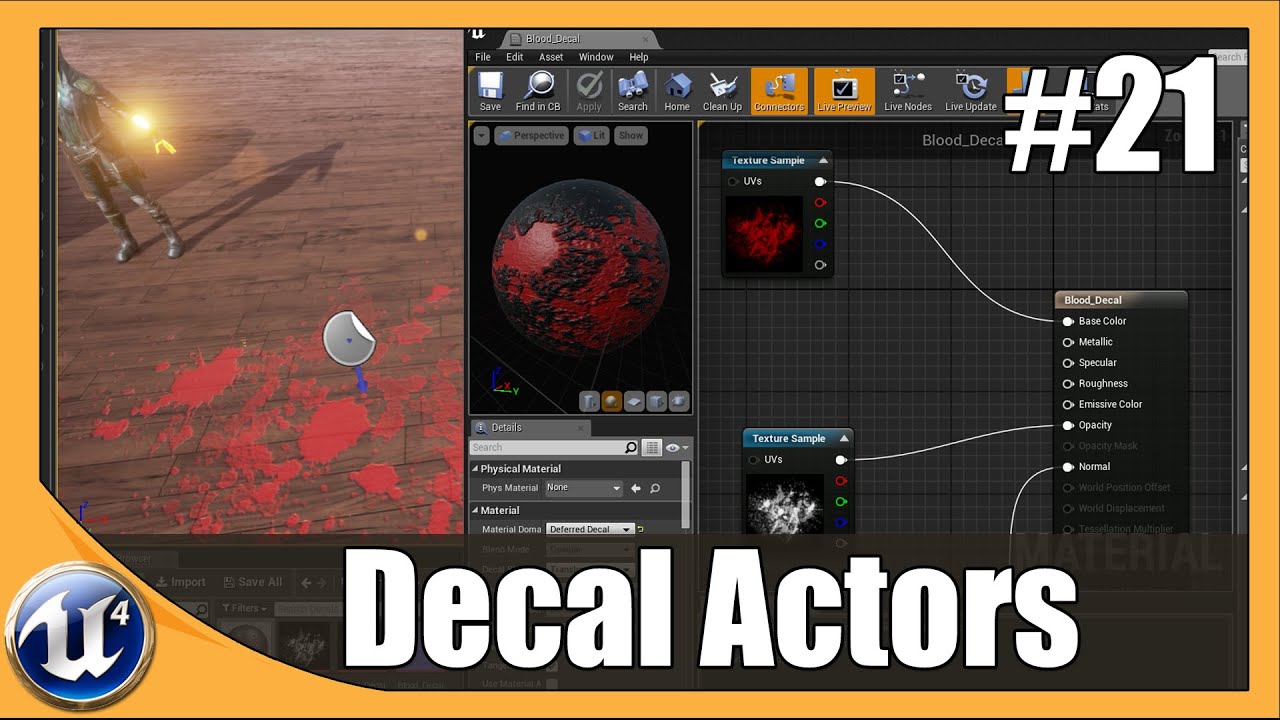
Unreal Engine 4 Beginner Tutorial Series - #21 Decals & Opacity Masks This is episode 21 of my unreal engine 4 beginner tutorial series, in today's episode w...
tender dome
thanx. ill look into it!!
also another question, can i create a blueprint of cylinder mesh which when i shoot at should blow up. static mesh or something else?
brisk osprey
yeah you can add a box or sphere trigger to it
and on the actor overlap make it trigger a explosion
tender dome
okk so these decals, can i interact with it like make it catch fire?
brisk osprey
or on actor hit forgat about that one
you can add a fire particle system over it and make it play on a trigger or interaction, could ofc be better way to do this! As im still a beginner aswell haha but a lot of pros here!
tender dome
okk. but for my 2nd question i just wanted to know that can i use static mesh for it or do i have to have something else for that?
tender dome
no, for blowing up a cylinder. can the cylinder be a static mesh?
brisk osprey
this might help you ? https://www.youtube.com/watch?v=6-ZwY4RDaPQ there is almost a tutorial for anything in unreal this days hehe 😄

Learn how to set up a basic Blueprint of an explosive barrel that takes damage from your bullets and goes boom! Follow Pub Games on Twitter at @PubGamesAU or...
tender dome
okk thanx
livid haven
Anyone else heard of Fade to Silence? Game made with Unreal, think it just became public in December.
Survival game with some light "Lovecraftian" horror stuff going on, but of base-building and colony management stuff.
Looks like the dev studio is relatively new - looks like their first "serious" game:
Most of the negative reviews seem to stem from people hitching or lagging, but I haven't experienced that myself.
They've got a neat dynamic snow trail system, not unlike (non-Unreal game) Prey for the Gods
flat pilot
generic art style, premium 30€, early access, generic trailer, boring and long gameplay trailer
livid haven
Well, I'm enjoying it, thankyou very much...
flat pilot
I'm not saying it's bad, I'm saying that their marketing is the worst
livid haven
I was impressed with what these guys have so far considering everything else they've done is 2D/2.5D and it looks like a chunk of it might be contracted/licensed stuff.
 mighty pelican
my project is not working, it says "The project is out of date", I start it without debugging, and nothing. Could somebody help me? manny thanks.
 mortal gale
 vital herald
#ue4-general hi
 cloud maple
I accidentally disabled the little viewport notification you get for unbuilt lighting by using the stat streaming command, what's the command to only bring back that stat?
 vast pine
is there a hot key when in simulate mod to click a selected actor ai to know where there path is
 mystic fjord
hello all i am having a problem with my character utilizing her morph targets

she does not gradually use it
 fierce tulip
if you want a bit more specific group of people, try #animation instead.
 cinder iron
No problem I'll help you here
A morph target uses a floating point value to go from -1 to 1 usually being 0 the center @mystic fjord
So when you previsualize it on the skeleton
You can see how it blends from one state to the other, right?
mystic fjord
Yes
cinder iron
Are you familiar with timelines?
cinder iron
You can set a timeline and execute it wherever you want, in that timeline you would create a curve
Which will have two variables
Time and Value
Lets say over 1 second it goes from 0 to 1 gradually
So on Update output of said timeline
You would attach the "set value for morph target" node (which name I cant remember exactly)
And into the value you would attach a lerp between -1 and 1
Being the alpha the floating point value your timeline returns
And thats it
mystic fjord
Oh man
cinder iron
Im lying on bed, no computer currently, but you can send a screenshot and I can guide you a bit if you have any question :)
cinder iron
Post here so others will see this and will learn aswell
mystic fjord
No problem
cinder iron
Thats the purpose of this discord :)
cinder iron
Ill be around 20 more minutes, it's a bit late over here 😴 😴
cinder iron
Your setup is quiet complicated for what it could be
Also that needs to be ticking if thats the case
With a timeline you would only execute that arbitrary code whenever you need
mystic fjord
as you can see, the morph target data comes from another app outside of ue4
cinder iron
I mean is as easy as the following
1 .- Figure out which morph target you want to move
2.- Each one could have defined a different curve as you like
3.- Be sure in what alpha value you are, you might want to play a reverse timeline if you are already on 1
I'm super sleepy, but I recommend you to structure this kind of code on events
And each event should manage one morph target
cinder iron
No problem if you still have this problem tomorrow ill be around
 cursive dirge
@mystic fjord that code tho, most of it repeat the exact same nodes
livid haven
Yeah. This is when you decide to write C++.
cursive dirge
well, even in BP, you could put them into function
livid haven
There's an off chance that could be turned into a function or macro but that depends on more of the graph that I can see.
cursive dirge
but something tells me that's overcomplicated still
livid haven
Writing data-driven logic is still overly verbose and problematic in BP.
cursive dirge
like, the whole thing could probably be ran through in a loop
livid haven
You'd need to loop through a map.
Or array of pairs.
Because the formatting of the first string isn't the same the second string, but often related.
channelFEAR maps to some one-off pattern that includes the word FEAR
channelDESIRE maps to a different one-off pattern that includes the word DESIRE.
mystic fjord
@livid haven thank you for explaining that
livid haven
👍
I don't know how awkward it'd be to do it in blueprints, but worth a shot.
Because what you have there is a maintenance nightmare.
mystic fjord
its nothing complicated really
what you say to the ai triggers each of those states you see above
rocky portal
how do you handle a case where you have 2 completely different things that you are handling as a UObject
but both of these things effectively do the same thing and have the same code
one is an ActorComponent and the other is a custom ObjectComponent that extends UObjects with compositional properties/functionality
flat pilot
Any idea how I could resize a UMG box in-game ?
 frosty copper
@mystic fjord that screenshot gave me spaghettii blueprint PTSD. 😂
 pseudo solstice
im starting to learn c++ now because the BP spaghetti is starting to scare me
 stoic moth
Is there a way to export the ID map from Substance painter but with alpha for easier selection in photoshop if the UV Islands ? please @ me
nvmd i think i'll render the UV tile from 3ds max and use that for masking in Photoshop
as there i have control over the alpha
 karmic pine
Do you think there would be any interest in a camera asset that allows people to set up static cameras within in their levels, that would auto switch to the camera for them based on a trigger. It would also allow the user to have the camera follow the player on a certain axis, or a combination of within in the defined trigger region?
plush yew
Since paragon is shutting down, do you think epic would hand over the assests to the community?
cinder iron
🤷
stoic moth
@plush yew there was a petition over reddit asking Epic to hand over the assets
look it up
plush yew
of course there is a petition on it XD.
was just wondering hopefully it happens if not it's whatever still have to make my own first game with my own assests.
cinder iron
If anything we would know in April/March
stoic moth
they but a lot of effort in it, i guess if they want to put it on ice then we don't get any asset or at most a small subset of them
plush yew
I mean they realeased full Infinity blade 3 assests, so i am thinking why not paragon.
stoic moth
it's sad that pubg basically fucked this game over and they shifted effort to fortnight imo
yeah the same
i once was reading about paragon that it pushed the team into reworking how networking works on UE4 for the better, now fortnight with 100 players is pushing the limits 😃
plush yew
I want to make mmo in the far future
stoic moth
and i want a Lambo 😃
plush yew
eh
stoic moth
overrated right ? 😄
plush yew
luxury sports car are eh
stoic moth
yeah
plush yew
I like working on cars
stoic moth
but i rather 'eh' in one of them rather than in my ford focus 2008 xD
plush yew
XD
stoic moth
also awesome nickname ... inspiring
plush yew
thanks
 floral heart
Use a VTOL jet for commuting. Eh.
plush yew
thats different
floral heart
You don't want a VTOL jet?
stoic moth
i for one am scared sh!tless of flying but being in control of the aircraft myself .... insert i guess i'll die meme 😃
i mean that''s my statement when i go flying commercial airlines, that i dont feel safe in the hands of others 😦
 tiny prawn
anyone using the character creator / zbrush / marvelous designer / iclone / 3dexchange / ue4 workflow?
tiny prawn
There's dicussions on answers.unrealengine.com that cover the minimum requirements
cursive dirge
this is for unreal stuff
cursive dirge
I guess this channel works if it's specifically about building computer for UE4 use
but lounge is still probably better
tiny prawn
Naw thats probably off topic
fierce tulip
imho you should ask computer-stuff on a computer building forum :p
 wary charm
I'm building a PC specifically for UE4. Here's the link: https://in.pcpartpicker.com/list/FCfBgL Anyone here use Ryzen for UE4?
If you guys think this isn't a good place to ask, I'll F right off
fierce tulip
keep it in lounge please.
wary charm
All right!
proud crest
I decided to start a tourney event in UT4
if anyone is interested
download the game
go through basic
then dm me with proof and a team roster
teams are in groups of 5
also give me a team name
plush yew
A what what
 fossil ore
Is there a way to bake the static mesh scale?
I've imported an object that is too big, I've scaled it down in UE4... Is there a way to bake that scale into the mesh ?
fair violet
@fossil ore you can reimport the mesh with the “uniform mesh scale” option in the mesh details panel to be set to whatever value you’d like
Then the scale will read (1,1,1) but you’ll have your new reduced scale
fair violet
There are visibility options when you right click a selected mesh in the viewport
Not sure of the names offhand
cursive dirge
there's that eye icon right next to the asset at least
fossil ore
"Show only selected"
Ah
Well, different programs have different names for those things
 slate cloud
nah
was working in 4.14
no sorry
wasn't there
but was working on 4.15
after 4.16 again broken........
yeah there is very much wrong with ortho
but i overcame all of the problems ....... except for now.....
fossil ore
last time I tried It was broken... mabye It was 4.15
cursive dirge
has ortho ever worked properly in ue4?
cursive dirge
or well, I don't remember it working properly even in unity ever
slate cloud
not properly no
but it was ok until now....... 😄
now needing a spot light i am doomed
jesus......
fossil ore
I said the same thing @cursive dirge
 drifting ocean
Anyone who has had issues with windows defender slowing down the editor who can share their settings with me? Can't seem to get it to leave UE4 alone
slate cloud
huh i actually dont have that problem 😃
why not just exclude ue from it DYJ?
Open WDSC->settings-> second last
fossil ore
What are the requirements of using SHIFT + END?
I have multiple props that I want to snap to the floor..
but the floor doesn't seem to be working?
slate cloud
dont you need to activate snap first?
fossil ore
Well, surface snapping snaps object... when I drag it by the white dot
drifting ocean
Yeah that's what I tried, added my project locations and the engine install location as exclusions, but it still lags the editor to hell occasionally
fossil ore
I want objects that are suspended in air to be located on the ground by one click
drifting ocean
a lot of other people reported the same issue, and they said it was Defender
slate cloud
ohhh mkey
drifting ocean
And killing it completely works for me, but that's not really optimal
slate cloud
ahhhh ok got you now DYJ then case is clear
but yeah putting it all down isn't an option.....
im sorry OP :S
fossil ore
:<
fossil ore
What is DYJ
slate cloud
exclude THE PROJECT FILES too
fossil ore
what
fossil ore
aaaaaaaaaa
slate cloud
ROFL
fossil ore
I'm blind
slate cloud
nah no problem m8
drifting ocean
Yeah, done that too
slate cloud
ahhh damn :S
Is the lightning in ortho maybe working with Forward Shader?? 😮
damn if i could get one of the staff to answer :S
but dont wanna disturbe them
slate cloud
Excuse me Nick, if you find a minute or two today please come back to me. Thank you sir@blissful reef
cursive dirge
Nick isn't exactly your guy on renderer questions
also, you shouldn't randomly bug epic staff here
slate cloud
i think anyone of the members could help me out pretty shure
and its not randomly belive me that....
fierce tulip
https://i.gyazo.com/4d2b40192124f63a3e8c498effef8cac.png thats a first

yea, you arent really allowed to bother them @slate cloud
and for some reason they always ask Nick hehe
drifting ocean
I've seen plenty of mesh import errors, but not that one
paper kernel
from what program did you export it from?
fierce tulip
max
paper kernel
🤔
fierce tulip
solved it by exporting and reimporting it O_o
paper kernel
yea I assume it was missing a root
fierce tulip
no clue why though
paper kernel
half-bit got stuck somewhere in the binary storage
running any overclocks on your machine?
fierce tulip
yea, but never had any issues with that
paper kernel
I've had like overclock related data corruption twice
fierce tulip
I rather blame max than my overclocking though
I did rather blatently combine it from a few meshes and a pro-optimizer. I bet it was some weird uv-reference from a non-existing vertex or so
paper kernel
blech, not feeling like re-doing my input-to-physics function
fierce tulip
who does :p
paper kernel
maybe if I procrastinated rest of the day I would guilt-trip myself tomorrow into doing it
and maybe this cmc would be done by the end of the month
cerulean nova
Does someone know a good place for seemless textures/materials for free?
paper kernel
isn't there like a photoshop plugin for that?
cursive dirge
"free"
fierce tulip
multiple.
but then youd still need to get a roughness/normal
paper kernel
I wonder where the unrealfest is gonna be at 🤔
fierce tulip
hehe @paper kernel the maxfile that had that mesh cant be opened anymore
thank god for autobacks
#just3dsMax things
paper kernel
🙃
 livid lotus
Can anyone help with or point me towards a good tutorial for weapon animation? I don't mean like reload animations. I have a bow and im trying to figure out how to get my char to pull the string back with him on pull back animation
 weary void
@silver crown can you show us in a gif please ?:P
 flat pilot
Any idea how I could make a UMG box resizable in-game ?
weary void
@silver crown that's trully awesome
Is that the same technology used to make waves on seas or earthquake ?
faint cedar
looks neat
 upbeat fern
hey guys, lil help, can you do unreal split screen on android ?
paper kernel
I would think so, but not really sure why you would do such
flat pilot
any idea on why it ignores the size override ?
edit : solved, had to switch from "fill screen" to "desired" on top right
mystic fjord
@cinder iron I tried the timeline method yesterday, but it doesn't really work out too well since my morph targets are in the umg
cinder iron
and what has that to do?
a timeline executes a curve in a time
so instead setting raw values like
"1" or "0"
you just play the timeline and let it do what it has to do
 glad vigil
does anyone know what to do when unreal editor crashes when loading your project? How can i force the editor to load so i can try and fix my project?
(crash hapened when pushing compile to compile my c++ classes)
glad vigil
crash log didnt have an error message just said didnt have debug symbol enabled to see stack trace
im trying to revert my c++ files now and see if i can rebuild them thruogh vscode
 glad vigil
is "MyGameEditor win64 Development" build the same thing as pushing compile inside of the unreal editor?
nice thanks Tsauken
 restive eagle
np, not sure about the compile, i would guess its not the same
cursive dirge
@signal umbra#4952 you need those editor symbols and then just launch the game through VS so it attached the debugger
you should get the callstack then when it crashes
 silver crown
@cursive dirge Wrong mention 😉
mystic fjord
@vorixo#7101 okay I'll try that again, thanks!
cursive dirge
oh crap
I just looked at the name and it still matched so didn't care to fix it
stupid discord
I still can't believe they can't handle tags properly
flat pilot
how do I make it output the vector2D value only when it execs ?
cursive dirge
@flat pilot be more specific, it already does that
@light lintel in general, it's better to avoid brushes if you can
as they don't perform as well as regular geometry
(that has nothing to do with the 2D aspect)
cursive dirge
@light lintel I know nothing about unreals cinematics
very little about animation either
flat pilot
why is it so hard to pass variables between blueprints
restive eagle
@flat pilot just learn how to refference properly and then you can pass whatever you want
while you are learning you can store most of the stuff inside character bp, since you can get that refference anywhere by using cast to + get player character
vital herald
Hi
flat pilot
Does someone know why the widget resets to 0;0 randomly when I make some changes in its event graph ?
it's driving me crazy
faint cedar
The widget BP component is finicky
That's as best an explanation as you can get
Try wrapping your widget in a size box
or check "draw at specific size"
flat pilot
everything is wrapped in a size box with min width and height
also this bp is ignored for some reason
faint cedar
Well, my best suggestion is to try and set the BP component to a new, barebones widget with just say a text in it or a panel, without any overrides or anything
see if it still resets to 0
if not, start re-adding your stuff until something causes it to happen
then you know what to avoid
flat pilot
unchecking "realtime" in the preview viewport seems to have fixed it
 whole sonnet
Anyone with a fast connection help me test something over steam a sec?
queen arch
ok poll time
who thinks that this indicates that the camera targets the player and no one else
whole sonnet
i got a 260mb packaged game i need someone to download, all it is is host and join buttons, i just need to try host server and see if you can find it and join
queen arch
and who thinks that this indicates that the camera target everyone else and not the player
whole sonnet
@queen arch I think the camera targets the other people and not the player, assuming the player(s) are the 'test subjects'?
whole sonnet
Maybe diffrent icons can help too
like whatever the camera is looking at, show an aiming reticle or camera icon perhaps,
flat pilot
does someone know how to use this ? there are no bp events tied to it, nor anything but cosmetics in its details
 lavish garden
suggest an unreal wiki page! 8D
 faint cedar
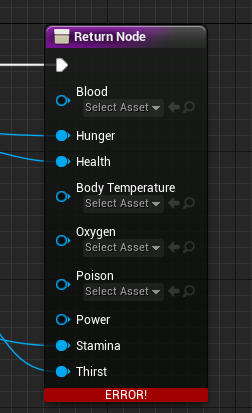
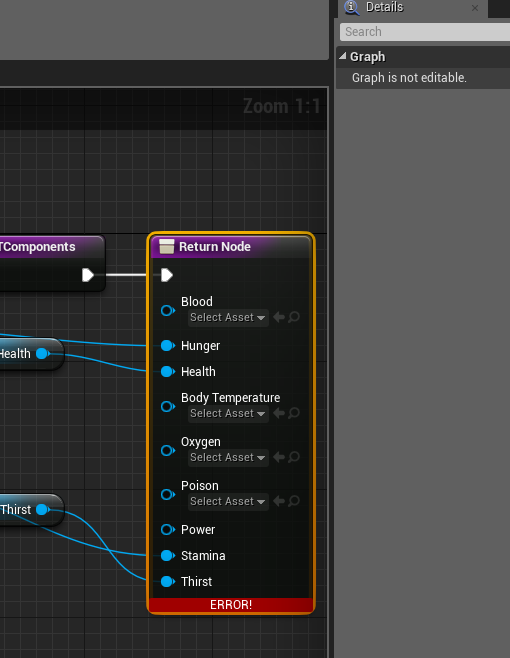
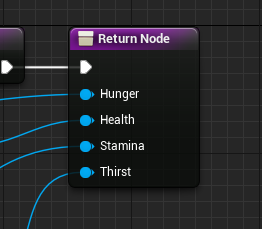
You can't remove return nodes
 gleaming shore
What is creating them, would it be a certain node?
silver crown
What's the function?
gleaming shore
Im not sure, its just a get components function
weary basalt
You cant edit an graph while your playing the game
gleaming shore
I wasnt, I thought the same thing but no it wasnt playing
silver crown
It's an override?
weary basalt
Click on the Function in the details panel, you should be able to see the Output parameters
gleaming shore
 silver crown
It's an override maybe
gleaming shore
Sorry, im really not sure I bought this from the market place to mess around with and learn some new stuff
silver crown
There's C++?
gleaming shore
Purely blueprint it says
gleaming shore
gleaming shore
So would the widget be setting the outputs?
silver crown
wat
gleaming shore
Yeah Im stupid don't mind me
silver crown
Blueprints that declare functions to define an interface between Blueprints.
Read all of that
Should be good after
gleaming shore
 silver crown
😃
gleaming shore
 gleaming shore
Yeah i expected this and more tbh
 timber slate
Hey i hope someone can help me with something really quickly. I modified the default BP_MotionController hand mesh to instead use a Oculus controller mesh. I'm trying to dinamically change the material so when the user presses a button the button glows. I created a material with flags that changes when the users presses the button. Something like this https://imgur.com/4bj5kmQ ( I changed it now to use RGB mask). I created the dynamic material inside BP_MotionController construction script, and in the events graph I used the controller to set the parameters when the user presses, and set it back when its released. (https://i.imgur.com/LGWIuXQ.jpg ). This does nothing. It only works when I enable input on Event Begin Play inside the blueprint, but this breaks everything else. The only thing the controller do is change the material. Is there a something I'm missing?
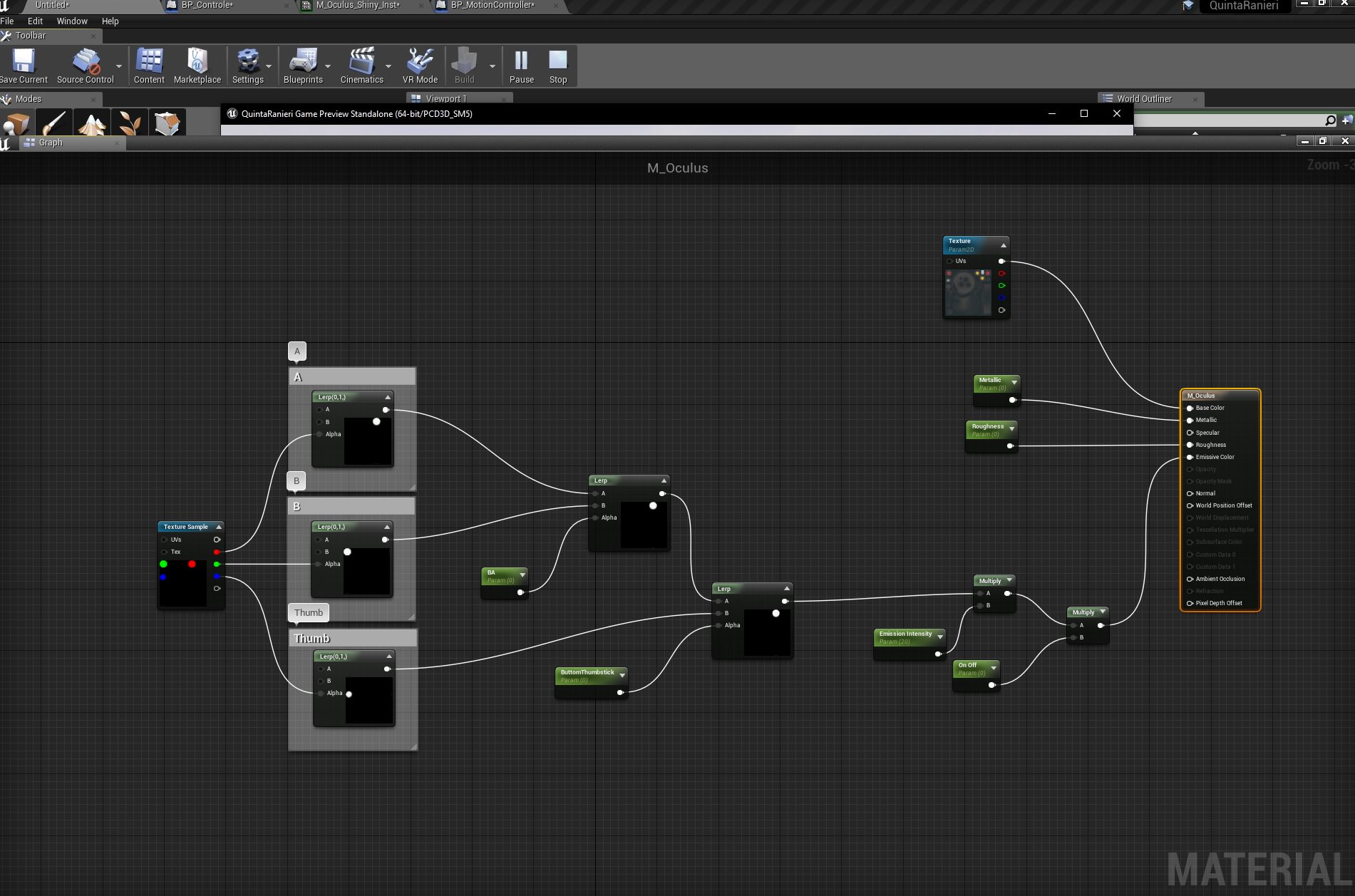

the second image is wrong* Im using it now inside the motion controller BP not in the controller blueprint that I had created
but I used the same process
silver crown
Add a breakpoint to see if your reach set scalar param
timber slate
It dindt even recognized the MotionController Facebutton input
flat pilot
why the fuck can't I get mouse and keyboard input on umg event graph
gleaming shore
Why is my texture streaming "over" with nothing in my level
glad vigil
Is there any advantage to using ApplyDamage() over making your own method? I'm having trouble understanding its purpose
weary basalt
Its just convenient because its already available and not only handles generic damage but also radial and point damage
glad vigil
so its more of just a standard interface you can use? I was wondering if maybe it goes with some library or something
gleaming shore
I have dragged some assets into my project and I missed the "import" button in ue4 how can import them?
 surreal skiff
would someone like to help me with a story based horror game im currently making
 brazen terrace
@gleaming shore what kind of assets? Drag and drop is a perfectly good method for import
gleaming shore
@brazen terrace I know, i meant i dragged them into my project folder in explorer but I missed the import button that ue4 gives you on start of the project
brazen terrace
Oh well the content browser has an import button. Should be able to hit it and grab your assets no problem
Not sure about the project start button you mean, but I rarely am importing assets
gleaming shore
Yeah, it was 4gb of assets so importing them manually was pretty much a no-go, I fixed it by renaming the folder anyway so ue4 thought it was new assets
brazen terrace
Ah i see, good call
gleaming shore
Anyone know how (maybe a plugin?) whatever assets isnt used in a game to not be packaged during packaging?
 random forum
So I renamed my Space_Map1 to Space_Map1_Copy to duplicated another level and experiment with cloning it for all the BluePrints referencing Space_Map1.... but now it says that there is already an asset named Space_Map1!??!?
gleaming shore
Assertion failed: Size > 0 && Size <= (GPakCache_MaxRequestSizeToLowerLevelKB * 1024) [File:D:\Build++UE4+Release-4.17+Compile\Sync\Engine\Source\Runtime\PakFile\Private\IPlatformFilePak.cpp] [Line: 1664]
KERNELBASE.dll!0x000000007752CBB2
UE4Game.exe!0x0000000001355210
UE4Game.exe!0x0000000001420DA2
Anyone have any ideas?
 wide marten
hey everyone
gleaming shore
LogWindows: LoadLibraryWithSearchPaths failed for file aqProf.dll. GetLastError=0
LogWindows: LoadLibraryWithSearchPaths failed for file VtuneApi.dll. GetLastError=0
LogWindows: LoadLibraryWithSearchPaths failed for file VtuneApi32e.dll. GetLastError=0
I think this is causing my packaged game to crash on launch, anyone seen this before?
 dawn linden
@gleaming shore It just looks like those Dlls aren't being correctly deployed in the packaging process. Are they from a plugin?
 vague spire
Hey, I know it's completewly unrealated to unreal, but is anyone here skilled with maya python?
vague spire
ah alright cheers
cursive dirge

polycount
We've set up a Polycount chat room[s] on the Discord service. Click the link here and you'll be taken there. This is a no-time limit invite.
 ember nexus
Hey I recently canceled an update of vs community and now it says I need to completly reinstall all packages.
any ideas what to do to avoid redownloading 18 GB?
it was a minor update from 15.5.2 to 15.5.6
 real bolt
How do you bring back the import dialog if you accidently ticked the "dont show again" thingy ?
fierce tulip
manually import
 honest raven
Guys could anyone help me a little bit how to solve this?
I want to be able to tell which section my degree is between
(-180 | 180)
cursive dirge
and how is this related to unreal?
honest raven
Hmm no idea where its realted to :/
cursive dirge
well, is it your homework?
honest raven
Noooo
cursive dirge
so what you need it for?
honest raven
Its for a select function
cursive dirge
what data you have
honest raven
For stop animation
I have my stop direction
And want to choose which Blendspace to use
cursive dirge
if you have a direction vector and the forward vector as shown in the image
just do dot product with both
honest raven
direction is just an anglee in my case
cursive dirge
if it's not negative, it's not facing backwards
honest raven
Hmm I see
cursive dirge
you can use dot product to test if two vectors are facing the same direction
honest raven
AH I see, fuck I should really learn more math 😦
Will try to play with dot product then
Then alot @cursive dirge
Thanks*
cursive dirge
np
paper kernel
uhm
I see log has some issues in 4.18
first time opened it today and memory usage is peaking at 12gigs
cleared log, went back from 4 to 12 again
gleaming shore
Is there a way to compress the .pak file even further? Ive tried some programs but because .pak is already compressed they do next to nothing
gleaming shore
@light lintel In the details panel of your light source you can uncheck "cast shadow"
Yes, go to your sunlight (not directional light) and play around with the intesity (you could also do it in post proccessing with exposure but would be more resource intensive)
plush yew
Anyone know how to create a world map which properly shows the player location
pseudo solstice
has anyone had experience w using an arduino + unreal?
not seeking specific help just curious on others thoughts/ideas
 wet grotto
@pseudo solstice Arduino with Unreal? Why?
wet grotto
Oh, good
pseudo solstice
for art projects
wet grotto
custom peripherals?
pseudo solstice
yea basically
wet grotto
pseudo solstice
epic thinks im creepy
wet grotto
same error
fossil ore
This is the first time I see Epic having problem with servers
pseudo solstice
yea its not usual
also i am almost positive i saw a plugin somewhere for arduino that supported up to 4.19 already
but maybe i was dreaming
 wispy sable
Welp, I'm glad it's not just me, 😦
fossil ore
Arduino ?
pseudo solstice
ya
fossil ore
what os that
fossil ore
servers are down
honest vale
oh okay
 inland epoch
ye make a dev only login -_-
random forum
Jesus Christ... servers down?
wet grotto
@random forum Yes 😦
random forum
Ah, thank Gaben I can access my project my double clicking on it in Windows Explorer!!!
wet grotto
I was replying to someone on AnswerHub and login servers went down
 shell jetty
like all auth is limited right now
wet grotto
maybe they're testing something, we need to have patience
fair violet
It’s likely the amount of people accessing the launcher from Fortnite
Happens around prime time every day
wet grotto
maybe ...
paper kernel
prime time US time, how come it affects EU users
fair violet
Been happening often since the surge in popularity, seems like they just gate new logins when many people are accessing it.
Maybe their master servers don’t have region based logins?
fair violet
Btw @wet grotto if you are ever down to make a tutorial on dedicated servers with steam, I think a bunch of people would be happy. I recognise your name from the old forum post about it
Seems like it’s still completely undocumented (populating dedicated server lists and joining them from steam)
wet grotto
I abandoned the engine code for Steam since there is a paid plugin, UWorks if I remember correctly
and Epic Games wants to have its own implementation of Steam in the engine
I don't know when they'll do this, but they said they'll do
I made it working in my game by overriding the Online Subsystem and accessing Steam functions as said in the Steam Dev docs
at first it's a bit complex to do, especially if you don't know how the engine code is built very well
I think some tutorials on how the engine is internally built and how to modify it would be very very useful, but they require an immense work
but it would be very interesting to know how the render, physics, networking and other stuff work
I know, but my code is very very bad, while UWorks seems working very well
me too, I abandoned working on games
aeronautics
maybe I'll go to university later
nope ahahahah
I do it for hobby
when you sell your game, you don't have secure earnings
it's everything a question mark
fair violet
@wet grotto thanks for the info!
wet grotto
you're welcome
 obsidian nimbus
for tests and stuff u can just join over IP
if ur gunna run dedicated servers u wont even need steam for joining
wet grotto
@obsidian nimbus yes, but if you want to distribute your game on Steam, you have to implement Steam API, especially if your game is multiplayer
wet grotto
anyway maybe in the future I'll make a tutorial on how to access Steam API on UE4 and implement Steam authentication in your game project without editing the engine, but the real problem is my English, that is very very bad
fair violet
@obsidian nimbus I’m taking about using 3rd party Amazon dedicated servers instead of listen servers with steam registering and populating the instances
wet grotto
especially in pronunciation 🤣
fair violet
Right now it’s easy enough to get a list of listen servers, but no docs at all on registering dedicated servers
wet grotto
@fair violet you have to call SteamUser() on listen servers and SteamGameServer() on dedicated
and then you have to call BeginAuthSession to authenticate the player
and EndAuthSession when player leaves
yes if you want to use achievements and other Steam stuff
fair violet
Very interesting, I need to properly look into it to understand how the server can reach out to steam and register itself
wet grotto
but achievements are already handled by the engine
@fair violet I suggest you to read OnlineSubsystem code
@light lintel yep, but you have to call them in game
fair violet
Will do thanks 😃 it’s been on my todo list for a while but still haven’t gotten to it in the hopes fresh docs will come up 😄
wet grotto
when the game calls an event on Steam API, Steam registers the achievement
@light lintel there are lots of tutorials on how to manage Steam achievements on UE4
gleaming shore
Im pretty sure you can do whatever you want before (as long as it works) the call event, you should save the coins in a variable which triggers when you go over 9 which would fire the event to steam to trigger the acheivement
wet grotto
to make a game you need a team, otherwise you'll spend a lot of time and you'll earn few moneys
but you need an expert team, which knows what to do
fair violet
With reasonable scope and dedication you can make a great game solo
But it’s rare as few have that amount of time and dedication
wet grotto
yep, but it'll take a lot of time
fair violet
It’s really the initial learning curve that takes time
Audio, graphics, modeling, lighting, composition, animation, coding etc
wet grotto
the hardest part is if you want to do complex things, for example a custom physics
fair violet
Once you know what you are doing, the actual creation doesn’t take the longest time
wet grotto
and if you don't know where to start and what to do to make complex things, try asking on AnswerHub and magically none will reply 🤣
personal experience
gleaming shore
Yeah, creation doesnt take long at all (in comparison) but you need to get the assets and mechanics down first which are by far the most time consuming
wet grotto
I learned to ask on AnswerHub for very complex things, or to not ask at all
gleaming shore
You should probably check out the unreal 2d sidescroller tutorial you'd be surprised how much you learn
wet grotto
for simple things when I was starting using UE4, people knew how to help me
gleaming shore
Do you press a button when you jump?
wet grotto
Character Movement is another interesting code
I was trying to make an unlaggy strafe jump system, but without success
movement replication and prediction is a litte complex
gleaming shore
Anyway if your jump doesnt work, and for example its an input button start right there, for example at the end of the exc line add a print text that says "jumped" so you know the input is actually working then work down the line from there
wet grotto
@light lintel things like that are easier
gleaming shore
Ah you could do float, then set jump?
fair violet
@wet grotto for the strafe jump have a look at UnrealTournaments code
setting saved moves etc
wet grotto
@fair violet not strafe jump like double pressing keys, but circular jump like in the old Quake 3
gleaming shore
Im fairly certain you can change in the character movement class thats inside your character blueprint
fair violet
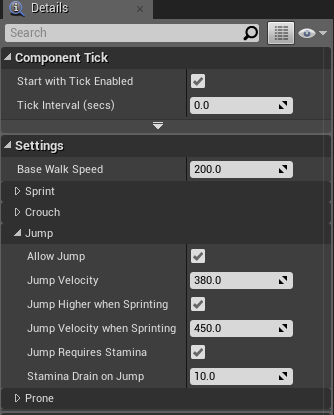
@light lintel you can change many of these parameters in the CharacterMovementComponent settings
gleaming shore
@light lintel https://i.gyazo.com/a6b2a1eae54f226ccfb58cb4e342fc7b.png
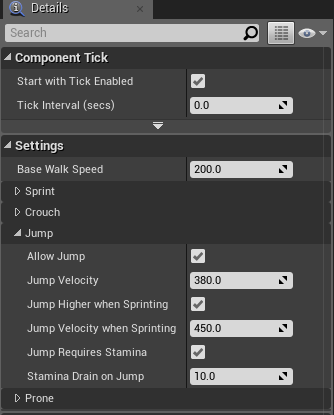
you will have that somewhere in your character blueprint
fair violet
You can also double click on your project to open it
gleaming shore
You dont need to login, just launch the editor
fair violet
You don’t need the launcher
gleaming shore
Like level sequences?
Yeah, well, you need to edit your skeletal mesh im pretty sure but ive barely messed with it
level sequences (which is what youd need to use) is really easy once you get the hang of it
plush yew
anyone know of a guide that could help im trying to create a simple hacking minigame inside of my game
 tropic pilot
guy's wtf, suddenly i can't see the box outlining on anything if i drag a post process volume out in the world i dont see the box outlining nor if i drag out my spline BP i dont see the splines any more why? :/
fair violet
@tropic pilot are you definitely not just in game mode (G), and did an editor restart fix it?
gleaming shore
Can someone give me more info on content cooking, i get the gist of it by reading the documentation but feel like theres more to it
 pulsar badge
Can someone help me i go to the painting to paint the terran but i dont see a + sign anywhere
to add a mertial
Material
And i have land right now but still down see +
gleaming shore
You need to create a landscape material with layer blend @pulsar badge
 timid shoal
Guys i wonder would it be Ok to use "Blueprint" level by Epic, as backround for mine commercial product animation ?
or would i have to get their aproval ?
gleaming shore
@timid shoal As far as im aware you can, everything on the market place (including stuff by Epic) is allowed to be used commercially
timid shoal
thank you ! tought so but wanted to double check 😃
gleaming shore
no probs
gleaming shore
You need to change the material
pulsar badge
how lol
gleaming shore
In the details tab scroll down and you should see material, click the little yellow magnifying glass and it will show it in content browser
timid shoal
i would sugest some Unreal 4 fundamentals youtube training for this 😃 Other wise evry question will lead to two others 😃
gleaming shore
Unreal has amazing stuff on their YouTube
pulsar badge
@gleaming shore is it Material Slots?
gleaming shore
Yes
pulsar badge
I want to keep everything but the color -.-
gleaming shore
Yeah this is how, click the yellow magnifying glass so it will locate the material in the content browser, then open it and screenshot me the material
pulsar badge
timid shoal
this its Instance you will prolly have to edit origin one the one most on left
gleaming shore
Ok i think the best way would be to edit the colors in photoshop via the texture
In the previous screenshot, what happens when you click material in the bottom left
pulsar badge
top one?
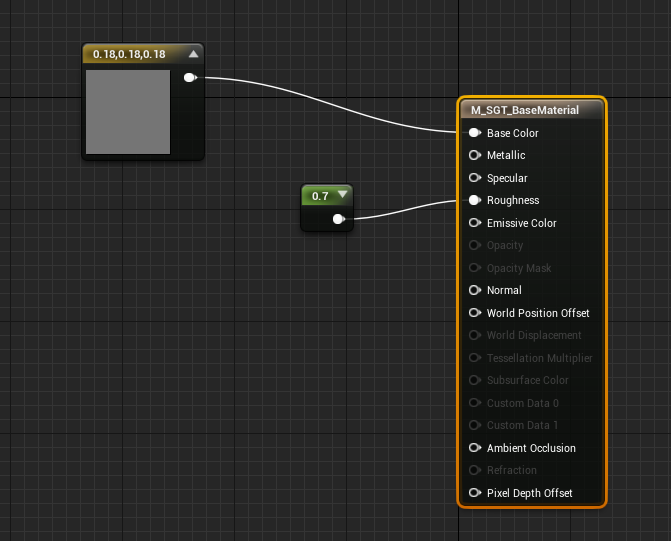



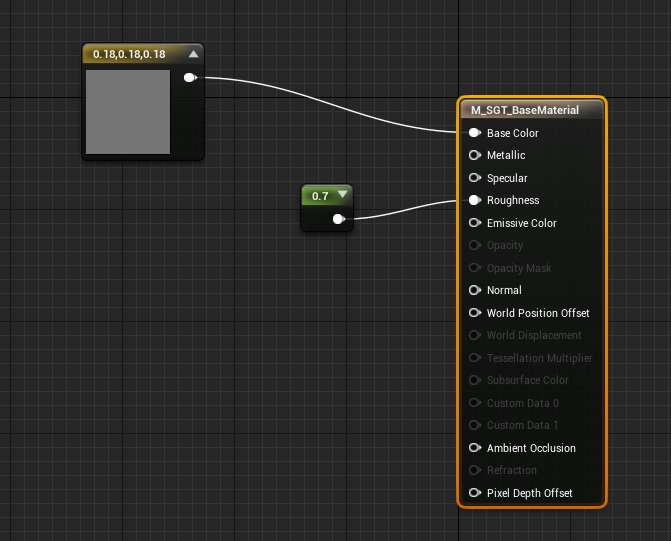 gleaming shore
screenshot me
gleaming shore
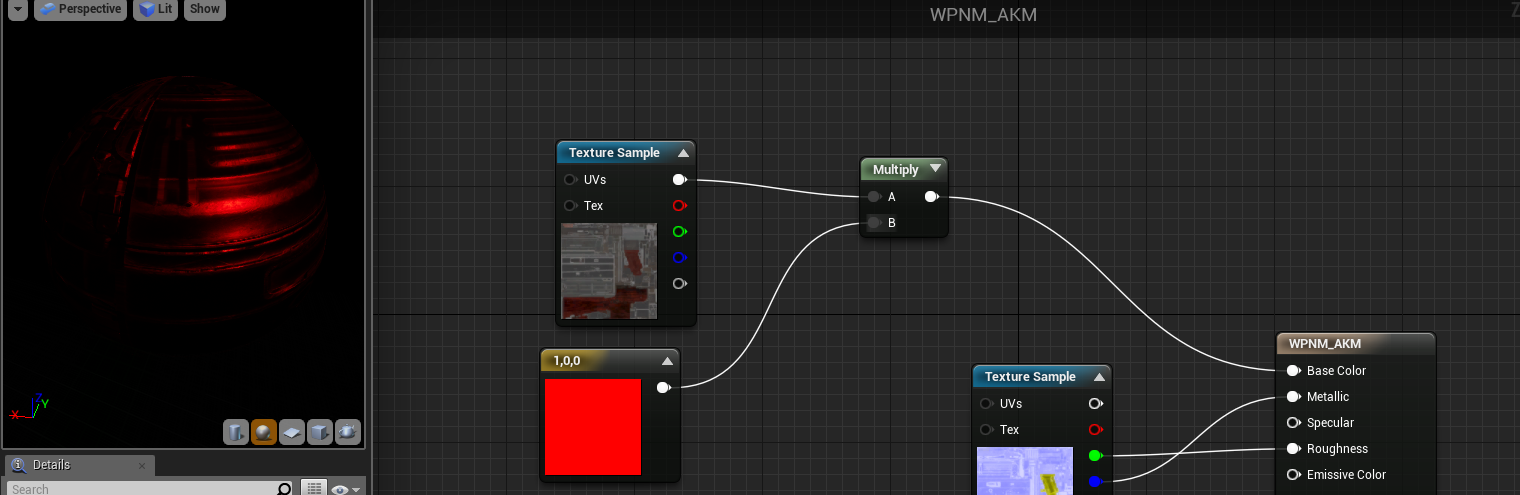
Lol, ok you could disconnect the basecolor pin (before you do make note of where it comes from) then add a multiply then a 3 constant
 pulsar badge
k
gleaming shore
Let me know how it goes
gleaming shore
Do you know where to start or?
gleaming shore
Ok do you see the main node, in the middle to the left where all the nodes connect to?
pulsar badge
the long one
?
gleaming shore
Yeah, brownish color
gleaming shore
Yeah, ok trace the base color line and make note where it comes from ok?
gleaming shore
by the looks of it its in the dead grass box?
gleaming shore
Ok now hold 3 and click and it will give you a const3
gleaming shore
press and hold the number 3 then click anywhere in the graph
gleaming shore
now right click and type "multiply" and click on multiply
pulsar badge
k done
 honest rune
wtf... a singleton class set in the editor gets initialized as soon as its compiled? what kinda dumb bullshit is that?
gleaming shore
now connect const3 to B on the multiply
pulsar badge
k done
gleaming shore
now multiply to Base Color
pulsar badge
done
gleaming shore
double click the const 3 and you should be able to change its color
But if it didnt go black, hmmm
gleaming shore
Work or no work?
pulsar badge
its not changing color
gleaming shore
double click the black and change to a bright color, say red and press ok
gleaming shore
is the const3 red?
gleaming shore
make sure the 2 sliders on right (inside the const3) are in the color and notin the black
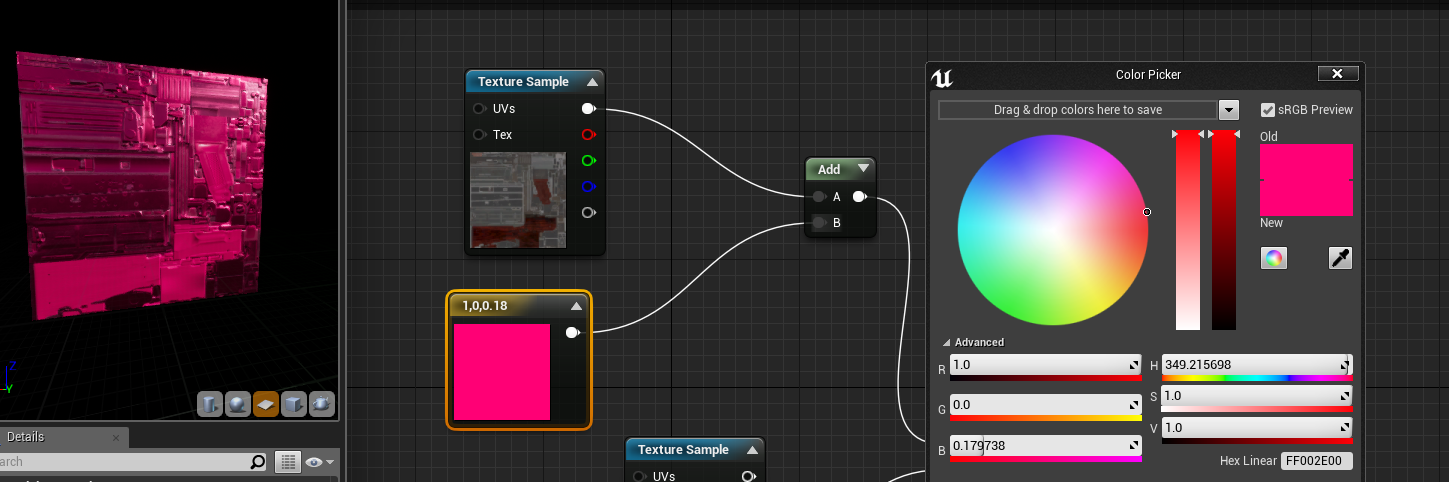
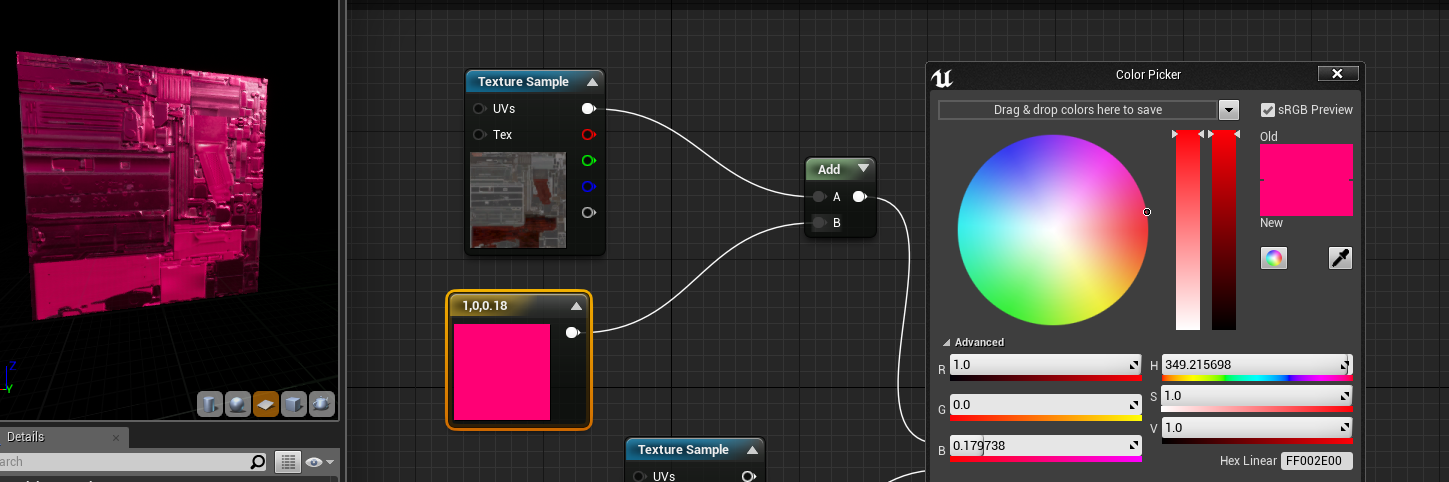
those 2 sliders next to the color circle will need to be slid out the black into the color
gleaming shore
Yeah i was going to tell you to change it in a minute but it atleast should show some color first
pulsar badge
Like I want top layer a bit more green
i put it red
lol
trying to make a desert map so im trying to get dead looking grass
gleaming shore
you may need to just edit the texture colours in photoshop
gleaming shore
tpb does
pulsar badge
tpd?
gleaming shore
send me your textures lol, ill do it for you
gleaming shore
Your grass folder you downloaded? it shouldve come with a texture folder
gleaming shore
Where did you get the grass from
gleaming shore
Go to your unreal projects folder (in windows) then you should see your content, locate the grass just like you would in ue4