Hey guys. I hope everyone has been having a wonderful weekend. So I'm at a crossroads at the moment. I'm gonna have to look into more details obviously but here is my situation. I'm playing around with making RTS/City builder prototypes and whatnot. One thing I've run across is some people keep their RTS on the 1 unreal unit scale while others scale them down. What I'm looking for from you guys is what are your opinions on the matter. I was going to keep everything scaled in unreal units because... simple.. However that would require the camera to be zoomed out to the damn moon (shadows, culldistances, level of detail) all become a concern then. So basically I'm curious about impacts I might be missing that would be huge hurdles if I scaled down everything to say... 50%
#ue4-general
1 messages · Page 121 of 1
 dire storm
@quiet ravine Where's your camera pawn controller BP and camerapawn
just post the BPs and I'll find your issue. I've already done that tutorial
@quiet ravine Also sometimes the bugs fix themselves in those tutorials because he fixes things in the next video or changes things up. I didn't run into your issue however. I'm looking at your videos now
 keen carbon
You have to be careful with it, having it full scale means more poly loading. If you’re rts maps are large, then I would save my count and scale back to reserve loading and ram. If the maps are small in nature than I would go full size to show detail.
dire storm
@keen carbon Yeah I was thinking about if I lower the scale I could still have purdy graphics though right? Like say Moba quality (heroes of the storm, Dota)? I do want larger worlds and I'm willing to make the sacrifices as it looks sharp. Anyone know offhand if most city building or large battle/rts scale everything down? I was assuming they did but I haven't researched it yet
I read quite a bit about simcity's method in 2013 a few months ago. Its still a little fuzzy but they did all kinds of tricks to get as much shit into their cities as possible like using billboard sims and building interiors which I thought was clever.
keen carbon
yeah, Heroes and dota use smaller polys and make up for it using great textures
dire storm
ultimately they bit the bullet though. Shitty engine, cities were small modules (alot of players hated it) and DRM plus nonstop server issues at launch, riddled with bugs and memory leaks and the cities never actually synced worth a shit as promised. Basically EA being EA and destroying franchises in the quest for a quick buck
keen carbon
as far as SimCity 2013, I know a few developers that worked on it. The were able to increase and decrease poly counts when you zoom in and out. essentially they had 3 different levels, when you zoom in it would show a high poly high detailed building, when you're mid zoomed, it would show a mid poly mid detail building, and when your all the way out it would show low poly low detail
this allowed it to save graphics processing and limit polys on the screen
dire storm
I still sunk hundreds of hours into the game.. but it was a sad affair. Almost like playing with your dead dog in the backyard. making it fetch the ball by dragging its carcass too and fro all the while crying and humming tunes pretending it wasn't dead 😦
keen carbon
yeah, I moved to cities skylines
dire storm
@keen carbon I loved how they did that. I watched all the "making of" for simcity. Brilliant developers. I was heart broken the game didn't live up to expectations. So many great features and things that were done very well.
The billboards always faced the camera
That was a cool trick I'm thinking about trying
keen carbon
They actually had fixes for all the complaints in there pipeline before it was even released
dire storm
So like the sims were just billboards placed on actors basically with little animations and they would run around always facing the player.
keen carbon
EA decided they didn't want to give people free updates and closed the project to make it moble
mobile
dire storm
Any of the developers start their own project or jump ship to Paradox?
keen carbon
some did, most were moved to different sections. they actually cut people before the game's release to work on Sims 4
dire storm
ugh
keen carbon
they also new they would need more server space on launch but were denied the extra funding, esentially killing the game.
EA also originally demanded the game be online only so you will want to buy the micro packs they kept making
dire storm
My dream game is basically a 50% sized simcity 2013 size cities set in a fantasy setting with cities that actually connect and share resourses. More cartoony, with less sims, a little rpg flavor sprinkled in and a larger world map. Just kinda going tutorial to tutorial and making a frankenstein prototype now. Then I'll go back and clean/fix it all up. Just trying to learn at the moment
I don't understand that. Why does EA cut the legs out from under themselves like that all the time
keen carbon
they needed a reason to close Maxis and integrate The Sims with the main company.
dire storm
I don't know why people buy EA games anymore. Even if its a good game if I notice it has EA attached to it I won't play it anymore. (sometimes I forget to look, I'll be honest)
keen carbon
Exactly, you forget to look
Gamers don't pay attention to the publishers. They pay attention to reviewers, commercials, E3, conventions, word of mouth.
dire storm
EA doesn't exactly get a good rep on the word of mouth front lol
keen carbon
They generally don't care where there game comes from, as long as it's a good game that will entertain them
dire storm
I mean half of youtube is "EA sucks, burn it with fire videos"
keen carbon
thats true, but look at some of there games. Dragon age, Battlefield, The Sims
these are good games that win awards, people will buy them no matter what EA does
dire storm
Dragon Age... I'm waiting for them to ruin that franchise. I didn't play the last one because I boycotted EA
keen carbon
but it was still a best seller, a hit success, and game of the year
because people don't think EA, they think, sweet! I can finally play Dragon Age
dire storm
I also gave up Mass Effect. The first 2 got me through military deployments. I had my issues with them but I LOVED them. The third one was like... WTF is this?... but I still enjoyed some of it. I forced myself to. However I knew better then to touch adromeda. I actually just waited for release day, made popcorn and just watched like 4 hours of reviewers shitting on it... Not very productive I know
keen carbon
me too, on both accounts
dire storm
I specifically was curious on how bad they would fuck up the dialogue and story. Because thats all the game was to me. Amazing characters, moral interactions and story. They did not dissapoint. The story is complete shit. There's better character/dialogue writing in the craigslist "Missed you in passing" section.
keen carbon
lol
but people bought the game
and I was dumb enough to buy the newest one before it even came out
https://gyazo.com/b7bb1b699130dc22f2fdb251155774cd damn this is taking forever...
 dire storm
There's no weight to it. Its all feels fake af. Every reviewer was crying about the story and bad characters (and 1 million game breaking bugs) and I'm sitting here next to michael with my bag of popcorn laughing "WTF did you expect was gonna happen". Didn't the embargo all reviews until after the game was released? Like what did you expect?!? If no one can see the game until after its for sale.... of course they are hiding that its a burning bag of shit. Yall got ding dong ditched by the neighborhood kids who are FAMOUS for ding dong ditching and yall sitting here scratching your heads screaming "How could they do this to me?! "
There's so many incredibly talented developers out there. absolutely amazing people with great skill far beyond what I will be able to achieve. I just don't understand how they let things get to that point.
millions and millions of dollars spent on making it purdy and all this fancy stuff. 15 bucks spent on storyline/script. The Michael Bay method
keen carbon
pretty much
dire storm
@keen carbon anywho I got off topic. Smaller scaled lower poly models are probably the route I should take.
keen carbon
yep
dire storm
I'm gonna leave my grass normal sized though... so it eats allt he buildings bwahahaha
keen carbon
XD
dire storm
I really like the style of Dota/HOTS. I want to go that route
keen carbon
Sounds like a plan man
 mint raptor
Anyone know why Unreal might be saying multiple roots or multiple objects with the same name despite maya not showing ethier of those things?
 plush yew
Am I allowed to advertise a game here
mint raptor
ok solved that problem but now I get failed to merge bones
oh that one may make sense since I got rid of some of the mesh, there is no mesh to bind to those bones
keen carbon
@plush yew #work-in-progress if it’s work in progress #game-jam-chat if it’s a jam game. Other wise it’s up to <@&213101288538374145> discretion.
 maiden swift
@keen carbon I think you meant to tag Both_, not Nonlin.
keen carbon
Lol thanks 😅
maiden swift
No worries. It happens. 🙂
@plush yew We generally don't allow advertising here. However, as Three Peak Studios pointed out: if it's a work in progress and you want feedback/critique, share it in #work-in-progress.
mint raptor
Unreal no longer seems to import the mesh from my FBX, why would that happen? I restarted it as well
ok, odd it will not show it but it will import it, but for another FBX it doesn't show it and it doesn't import it
Side note what would cause this ? https://gyazo.com/5096b68a9c452b3f676cca11baabb44f

 oak tulip
WOAH
mint raptor
Yeah lol
All I was trying to do in Maya was take the third person mesh and cut out some stuff to leave a first-person mesh basically just the arms and when I put it into unreal that's what I see when I try to retarget animations for it
keen carbon
It looks like the bones don’t connect properly
mint raptor
Oh the bones are fine
Look fine
The white is the mesh I'll make it a different color
keen carbon
What is it supposed to be
mint raptor
Arms
keen carbon
Huh.. 🤔
mint raptor
one moment just got back home
Hoping to iron out all context
actually
when I have no material it seems to reveal something to me
arms with material https://gyazo.com/365e3801fdb05913f70fb63c83630a0b

oops caught the bar but I the idea gets across
now if I remove materials
oh wait its not doing it now
well in any case
Above is arms no animation
This is arms with animations regargeted from another skeleton https://gyazo.com/7c34b0dcce9d53995f70257444be4cc7

this is how it should look https://gyazo.com/8019385d4ef05c59965747cdbf105c8f

this is retarget https://gyazo.com/98493824842bf6570591a89b785755c6


@keen carbon
keen carbon
The bones look out of sync in that animation
So your mesh is trying to be in multiple paces at once
mint raptor
So perhaps a poor Retarget setup?
everything is one to one, except for the root, which for some reason Maya exported out with an extra root
You think two roots is a problem?
keen carbon
Maybe, I don’t use maya
mint raptor
its odd that everything looks fine, but on retarget the IK's are off
mint raptor
I consider this progress https://gyazo.com/a0c759f07d0f71bd91c6c1793d4d0651

Maya 2018 defaults to exporting the FBX as FBX 2018 I switched it to 2016/2017 and it fixed a good portion of my issue
but still its wonky
at this pont it just seems like a rigging isue?
keen carbon
Well it’s a start in the right direction at least
 heady bridge
Is there anyone making an FPS?
 gentle ivy
I could not find a good template for something like Hotline Miami or Heat Signature or GTA 1/2. Something I call Top Down Action. Here is one: https://github.com/MJBrune/TopDownAction-UE4Template

TopDownAction-UE4Template - This is a UE4 template to create a top down action game such as Heat Signature or Hotline Miami.
 weary basalt
@heady bridge Im sure there is many people.
heady bridge
I was just having an issue with attaching gun to hand socket, I've tried everything, still have an issue
hoping someone would be able to help me
keen carbon
sounds like what @mint raptor is kind of having issues with
mint raptor
@heady bridge Ha welcome to my nightmare club
I have learned some tricks along the way though
Get Gyzo for rapid screenshots
heady bridge
thanks for the suggestion, I'll get that
mint raptor
@heady bridge I'm about to go to bed, but something to try if you haven't. Make sure your using Snap to Snap your weapon to the weaponsocket (so not World Or Relative) and rotate the WeaponSocket (which should be on the IK_Gun (left or right) if you are using Epics Rig). Rotate the gun till it seems like your rig would be holding it nautrally in the palm of his hand. Then run it or check preview out and see how it looks with your animation.
I'm sure different setups will call for different rules but if you haven't tried any of that out give it a shot.
mint raptor
Still here, what is your issue exactly and how are you doing things currently? @heady bridge
heady bridge
I have screenshots in #blueprint for what my setup looks like, but when I pick up my weapon, it goes to the base of the player, instead of the socket
mint raptor
Sounds like you are not attaching it to the correct socket
heady bridge
I copied and pasted the name into the socket name on the "Attach to component" node
 dusky dove
lol arcore steps are actually impossible
always some error
unity seems like the better option here lol
 ruby chasm
Quick q, I have an event tick that moves an object every frame on the X axis but if I rotate the object, it inverts the direction. How can I make sure it always moves in the same direction on the X axis relative to itself and not its rotation in the world?
 surreal viper
modify the absolute/world location
"relative to itself and not its rotation in the world" <- this sounds strange, I am not sure what you meant by this
relative to itself is pretty much the direction defined by the rotation actually
ruby chasm
My bad, I see where the confusion is
In 'world' coordinate space, I move the object +1 on the X axis per tick. If I rotate the object in-game, it'll shift its movement direction to try and always go +1 on the X axis
What I need is a local +1 on the X axis where the object can rotate in-game but the component itself still moves in the same direction
The problem is when I set it to Local instead of World, the component is nowhere to be found
surreal viper
the local coordinate system is defined by the rotation
if you have a local axis and you want to move an object along it, but you also want to rotate, you have to store the axis in world space, and use that later on
also make sure that if you modify the world location with a delta don't do
setworldlocation = getrelativelocation + delta <- this would explain your disappearing actor
plush yew
@ruby chasm I'm confused by what you need. Do you need to the component to move along the world X-axis or the X-axis of the actor it is attached to?
ruby chasm
X axis of the actor it's attached to
@plush yew
I ended up just setting it's loc without a smooth movement
It works fine but would've preferred something noticeably smooth
Just to clarify, if I DO set it's loc without moving it smoothly and enable Sweep, will it trigger an End Overlap?
ruby chasm
I've had problems with 'setting' positions in and out of trigger volumes where the overlap doesn't register because it didn't 'end', it was just teleported out
plush yew
Does SetRelativeLocation not work? You could try lerping the component to its resting position
surreal viper
that's weird, I never had that
even if I teleport out 😮
i have teleport fields, you have to be inside the volume to press the button to teleport, works pretty well
plush yew
IIRC non-root components don't collide?
plush yew
@ruby chasm If you need smooth movement, you can try using a Timeline to lerp between its original location and the target location
 devout gulch
Is Landscape geometry saved on disk, or is it generated at runtime ?
 wary wave
saved
well, a bit of A and B
the Z coords of each point are saved, more or less
landscape knows the origin and point intervals (XYZ), point knows it's Z offset
geometry itself is generated at runtime (and does things like simplify itself at run time depending on distance)
 frank escarp
landscape essentially stores a bunch of greyscale textures
for the different layers and similar
one of them is height, but then each layer is one i think
 scenic flower
I want to learn Classical Mechanics. For that, i want a quality tutorial of Advanced level. Any suggestion???
 leaden garnet
@scenic flower Could you specify a few more things? Like what game genre is it, RTS, TPS, FPS? Top Down Survival?
scenic flower
@leaden garnet Its Car racing
leaden garnet
Cant help ya with. I dont have much experience, sorry bout that.
wary wave
classical mechanics is genre independent
but I don't think you want a tutorial so much as a couple of text books
frank escarp
thats becouse you are sending a pointer
 digital anchor
oh ye i was sending a string instead of a FString
 sage wolf
Anyone know why a particular mesh won't be considered by the nav mesh?
It's the roof of a building as a separate mesh, all the other pieces work fine
It's not set to be ignored in the navigation system :3
Aah, I just unset "has navigation data" in the mesh, saved it, reset it, saved it, and bam
 livid haven
@digital anchor You want to send a string, not an FString, but you want to make sure you're giving it a TCHAR*
IE: *MyFString or TEXT("My Literal String")
digital anchor
ye
 mint ice
@plush yew sorry i lost my internet connection... have a lot of trouble with my provider at the moment.. I´m back but can´t write you private anymore.. 😄 so I´m back just call if you still have time
livid haven
I have no idea what you're talking about
So I Googled
And the answer is yes.
Very explicitly says you need to clone their Git repo.
Whether you really need all of the UE4 source or not, dunno. Going to take a guess that you do, since they branched the whole engine and didn't put up a repo of just the plugin.
dusky dove
the release of 4.18 will come with it though right?
livid haven
I don't know?
 empty adder
Is there a way to preload all assets in an asset pack? Its annoying i have to wait each time i drag out a new item
plush yew
Is it possible to focus on a component of a blueprint actor in the viewport? Using keyboard input F focuses on the root component of the blueprint
 next badger
@empty adder what You mean by asset pack? you could just put assets in ue4 project folder and they will be available
@plush yew no, afaik
plush yew
Hmmm, Shift+F would be a useful combination to focus on selected component
next badger
are you talking about main viewport right?
plush yew
Yes
Focus inside BP viewport would also be useful
Oh that actually works
So the logic is already there, would just have to exist within main viewport
next badger
in main VP there's no relation between the components tree and it's selection i think...yet possible to do, you could ask on Answers or Feedback forum for this feature
plush yew
Yeah I usually do a "feature request" answerhub post
I usually don't get answers though, and most of my requests are minor compared to bugs etc
But I guess it doesn't hurt 😃
 inland minnow
Trying to make a list of files saves so people can have several save slots. Seems like the only way to create a menu with meta data (created date, play time, etc) is two either:
-
Have a for loop do "DoesSaveFileExist" on auto gen'd names for 99 items (also would require two save files, data01 and meta01).
or -
When we save, also save a second file that is the directory of save files and their metadata.
-
is cleaner, but if that directory file becomes corrupted then all saves are gone
-
is slower but studier
anyone have opinions / alternatives ?
next badger
inland minnow
so if I go with something that just scans the folder, I imagine I still need two files per save right? I dont want to have to load the entire save file to just get some meta data for a menu
 grim ore
You could always have your save files numbered 0-whatever and just only allow them to create new ones not in any order. that should let you check to see if they exists in a loop, then pull the data out if needed, then create your ui?
but yes you would have to either load the save to get that meta data or create a separate save with it.
next badger
@grim ore ordering is always producing an issues, at leas in my experience
grim ore
do it the easy route and just go with 3 set save slots 😃 or 4.. some number other than a billion
next badger
@inland minnow yep, i prefer timestamps on the files itself or embedded in meta
or even in the name itself
time in milliseconds always unique
next badger
 grim ore
if 3 was good enough for Zelda 😛
next badger
@grim ore i remember the time of NES, SNES and Genesis...we had no saves ;_;
i've even melted one of the NES's PSU due to not turning it off for a week
 fathom heath
How does one use blueprints?
keen carbon
If you are just getting started with Blueprints, this provides a high-level overview of what they are and what they can do.
dire storm
That moment when you haven't played with BSP in a few weeks and completely brainfart and forget about the geometry editing tool...
dusky dove
if i use https://www.youtube.com/watch?v=abmzWUWxy1U guide for multiplayer would it work for phone/mobile?

In this video we take a look at the finished project and step through each of the features that will be covered in this series. We show our functional Main M...
 vast pine
i have a weird collision thing is it possible to umm get stuck with the mid half part of your capusle?
sanding on nothing here
https://youtu.be/V7nY0C1ZHCU might take it a bit to render it in better pixels
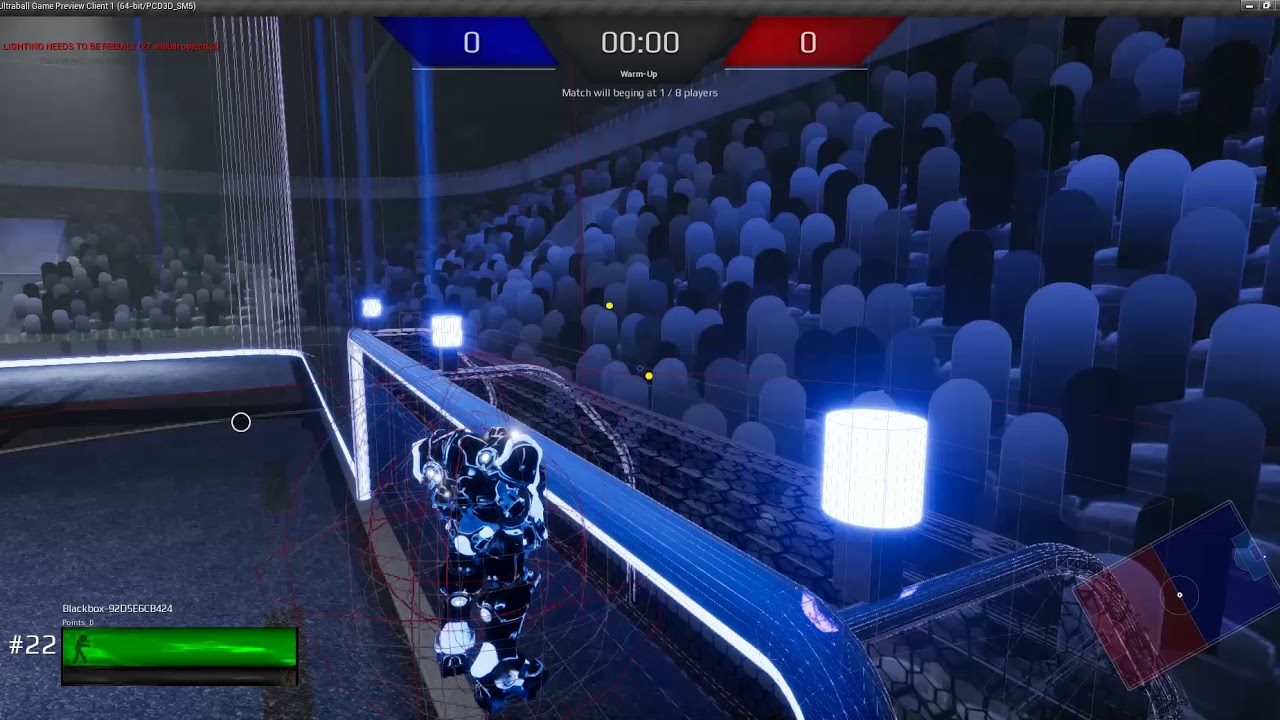
Somehow i can stand on a collision without actually getting on top
 uneven fractal
when your programming teacher doesn't appreciate being sent a 1gb unreal 4 file for a simple time stamp project
 ivory blaze
lol
Is there a support channel for motivation?
Tried to make a commitment to spend at least an hour a day learning UE4. I went hunting this weekend instead. :/
next badger
Japan is...not lost the hope yet...
 modern root
Any perforce wizards around know how, through using protections, you can give a group write access to everything BUT anything matching a folder name?
weary basalt
@modern root Have you looked at using Exclusionary Protections?
plush yew
@modern root You'd just put it in the typemap right? The matching part I'm not sure what you mean (are you making more folders on the fly where you want it toautomatically be read only?)
modern root
I'll dump what I asked on the P4 forums
Basically what I'm trying to do is allow access to a group of users to everything in a depot except folder(s) matching a specific name. I'd only like to give that permission to a different specific group.
e.g.
Group Developers can access everything in the Project depot except folders matching Console
Group ConsoleDevelopers (sub group of Developers) can access the Console folders
I've tried the following to no success. (see image)
Which is odd as the last line no access group Developers correctly overrides the original developers access to that specific stream.
But ideally im wanting it to work much like stream views where you can just do Folder/... and it will know if anything matches that name we will do X to it.
I'm wanting to restrict all users by default to not be able to access folders matching Console, not just developers, hence the wild card usage.
Any thoughts @plush yew and @weary basalt ?
plush yew
@modern root Access as in read/write? Or do you want to give read to all?
Am making dinner, will be back
modern root
Developers can read/write everything but Console Folder and (as you can see the in bottom section of the image) a certain stream
ConsoleDevelopers can read/write everything including console folder (the former should be solved by group inheritence)
@plush yew
No worries!
plush yew
@modern root Ah I've actually never dealt with that type of specific access... are there no good docs on it from p4/stackoverflow?
 honest vale
"LogMeshUtilities: Discarded distance field for Plane as mesh was not closed! Assign a two-sided material to fix."
would be helpful if it printed which mesh it is...
😄
 honest vale
fix what
modern root
@plush yew There are good docs on doing it for streams and depots but nothing obvious for particular folders but I found a way to do it
Appears to do all folders matching that name
//...Console/...
Makes sense as I think that's what stream view modifications actually end up like in p4v
 torn garnet
Does anyone know how to disable the new "Compilation Manager" from outside of UE4? I can't launch my project since migrating to 4.17.2 (from 4.16.3). I'm trying to see if that is the culprit.
honest vale
....
what the hell
marketplace seller account name can only contian ASCII characters?
fucking hell, unicode, why the fuck is it not used
 cloud cobalt
Welcome to every legal-ish thing ever
Well, every american one :=)
Couldn't enter my legal name on the Steam forms either
honest vale
they could at least store the real name, I'd forgive them for writing it in ascii since their keyboards probably don't have Å, Ä or Ö on them
surreal viper
gb my own real name then, I was happy to have you
I can't even blame my parents cause I have the non-ascii character in my family name
 feral echo
@surreal viper problems of 21 century lol
cloud cobalt
More like problems of the 20th that were solved a decade ago
surreal viper
that's how humanity solves a problem 😢
 floral heart
Unicode would've been so much easier if they left out the wingdings.
 worthy steppe
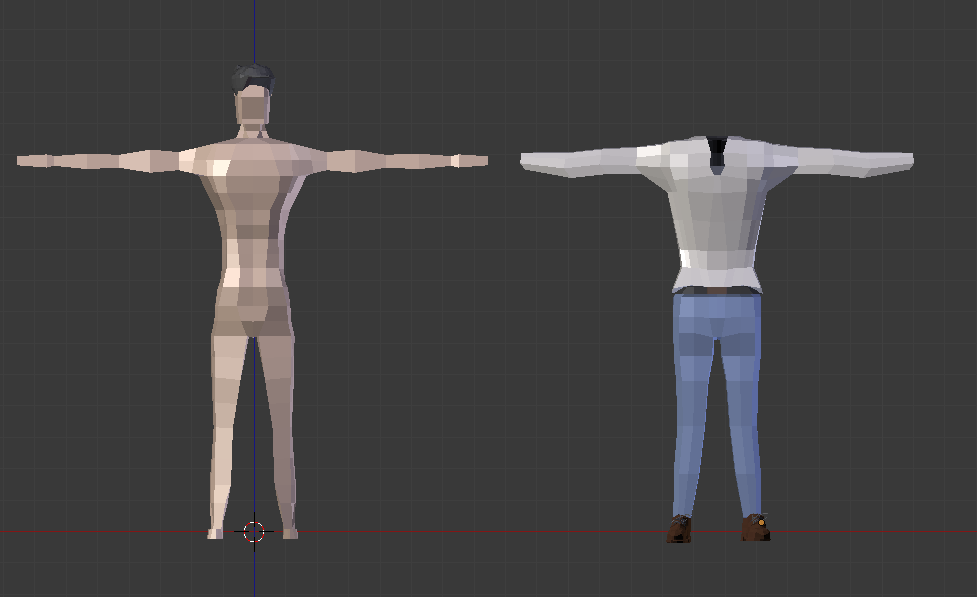
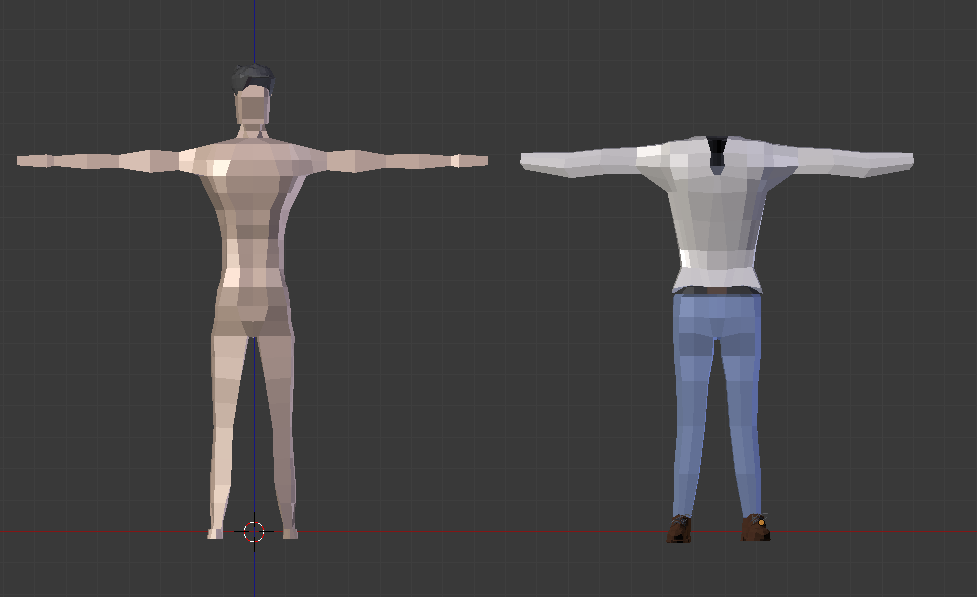
Hi guys i was wondering if someone could help , whats the best way to implement a clothing system in unreal .. Do i make the clothing seperate to the body or would it be better to create different parts for the model with different clothing ... https://i.gyazo.com/c3fc92e1a82dc573fc415b445ee9ba5e.png
 sudden agate
Depending how modular it should be:
Separate your Human in several parts:
Upper Body, Legs, Feet etc.
Clothing simply exchanges the mesh (instead of putting it ontop of the mesh)
The Sims > 2 does it this way
worthy steppe
so get rid of the faces not shown and pop the clothing on top then export piece by piece ?
or just the body parts?
 warm mountain
hey guys a small problem here
see I have this patch of grass but as seen the bottom parts aren't really getting much light
as it should in real life
due to reflected light usually leaves even the shaded parts of the grass at least somewhat luminated
and not pitch black
is this a material issue or a lighting issue?
devout gulch
@worthy steppe depends if you want to have cloth sim or not
you probabaly want to have it
one thing I didn't try though
can cloth simulation interact with skeletal mesh if they are not part of the same skeleton hierarchy, but are on the same component hierarchy ?
If so I would just rig simulated clothes to different skeleton, and just let it run simulation
 fair violet
@warm mountain play with your Skylight and SSS / Base Color / Post process AO balance
Takes a bit of back and forth tweaking to get a natural result
warm mountain
having another problem now
the shadows are very rough when I use a directional light
i'm not sure how to soften it I've check online and it suggest its due to map scalebility although it hasn't changed anything as I've tweaked
any tips oni t?
if I use a point light its just fine
but i'm going to need to use a directional light as it will be under the influence of the sun
 slow valley

Would you be interested in making a FPS game with a few other people. If YES please fill out this form if NOT please just leave this form please. Thoe I don't want to have any one left out I do need to set a requirement to that you need to have a basic understanding and CAN make a game, and that can at least a little English. We will be working on unreal engine 4 (ue4) and you will get your own role in the group/team, from character designer to programmer.
Hi
Could you check out this feed please
Thx
wary wave
...why?
cloud cobalt
@slow valley Best way to recruit people is usually to show a prototype
Show them that you're worth working with
 dawn apex
WHy is creating on empty map PlayerStartPIE2 after i press standalone play
is there a way to remove creating that PlayerStartPIE2 on start ??
grim ore
do you have a default pawn in your game mode?
 heavy yew
does anyone here know why i cant create a C++ project?
it spits out an error when i try, i have unreal for visual studio 2017.
leaden garnet
I'm glad that titanfall is on that list.
dawn apex
@grim ore yeah i fixed it anyways tnx
 glossy flame
@☈ed-Velvet Cake#2061 well, how do you think we'll be able to help without the error? :p
Welp, tags ¯_(ツ)_/¯
heavy yew
@glossy flame The project could not be compiled. Would you like to open it in Visual Studio?
glossy flame
That's just a generic 'couldn't be compiled' message...open it up in VS and get the actual compile errors
heavy yew
yeah uuh
wheni open it in visual studio it spits out another error
Could not edit the code editing IDE.
and nothing happsn
glossy flame
...did you try compiling it?
glossy flame
I mean within VS
heavy yew
how would i compile it in VS if i cant open VS
glossy flame
Oh, thought you meant UE4 by 'the editor'
 worn granite
That doesn't seem like an error VS would spit out. Do you have a .sln file in your project directory?
heavy yew
im confused
worn granite
Right click the uproject file that should be there and select generate project files
heavy yew
but i cant create a uproject file
worn granite
So its not there already?
heavy yew
my problem is that i cant create a project
worn granite
Alright we're gonna need a lot more detail on what you did
heavy yew
i tried to create a c++ project. thats all i did
 runic dock
Can I sell the forest in the marketplace?
I am not sure since the trees and stuff is from ue4
worn granite
with the current state of the marketplace, I don't see why you shouldn't try.
Go ask #fab
heavy yew
fine 😒 ill just use blueprints.
slow valley
@cloud cobalt I know I should have something to show them but neither do I a prototype nore do I have anything to show. I only have a few people and want to invite some others if they would like to make a high poly FPS game with a team. I am not recruiting anyone I am asking if they would LIKE to join as a “hey, we are making a game would like to join in on the fun”
 humble rivet
what do you guys use to reduce poly counts ?
I have preformance issues when I spawn more then 10 actors each have 25k poly, (also loads of other high poly static meshes
 grim sinew
The time tested method of just making a lower polygon model.
Or decimation master if I'm just doing an environment piece that doesn't need to deform or get destruction of any kind. Usually just make a lower polygon model though, like everyone else in the world.
 ionic sedge
If it's a static mesh you can just use the UE4 LOD thing.
plush yew
anyone know how to fix this (the red error)
ionic sedge
@humble rivet https://docs.unrealengine.com/latest/INT/Engine/Content/Types/StaticMeshes/HowTo/AutomaticLODGeneration/
How To use the Automatic LOD Generation system in UE4.
plush yew
@grim sinew not to familiar with ue4, mind explaining how to do so?
 plush yew
thanks lol
grim sinew
Generally though, if you want to fix an error - read the error. It tells you what to do.
humble rivet
@ionic sedge its not just static meshes but also spawnables in massive amount that need their poly reduced
My cannon balls are 1k poly each fully built there are about 100 of them up at any time.
humble rivet
static as well
humble rivet
LOD might go along way but its just a workaround no ?
I mean its for mobile so why not just do it right 😄
ionic sedge
Well if poly count is the problem it will help, but if it's something else it won't.
LOD is right.
humble rivet
ok then the next hurdle for today.
ionic sedge
It could also be draw calls, if that's the case you need to merge stuff together.

This session by Sr. Dev Rel Tech Artist Zak Parrish explores performance concerns for shipping games, focusing on how to track down problem areas on both the...
Check that out, that way you won't have to guess. 😛
humble rivet
AI behavior tree, my actors are walking... but when they see a target instead of stopping and attacking they try to move toward the next waypoint whilst doing their attack anim
ionic sedge
Ask in #gameplay-ai I guess.
humble rivet
#gameplay-ai = a graveyard
humble rivet
tbf almost wanted to use @ -everyone sometimes..
 tall pendant
doesn't work here anyways 😛
 pallid compass
My god that new epic video is so fucking good
humble rivet
what new vid are you refering to ?
pallid compass
paragon pipline
 wind steeple
I have a question that might be really stupid but I'd like to make sure: I'm planning on making a tiny game project for a charity organization. They are going to sell the game through their usual channels. I assume they then have to pay the usual 5% (according to the conditions stated on the UE website). There are ne special cases for charities, right?
pallid compass
ud have to email epic
but imo
u still have to pay the royality
as your using there stuff
humble rivet
ditto , but you can also 'buy out' the royality agreement (but really MAIL EPIC) for more info
wind steeple
Thanks, I'll ask them directly. That's what I thought, but I know it's different for Unity. That's why I wanted to make sure. 😄
 sour bough
anyone using nvme drives, it has real effect working on unrealengine compared to sata ssd ?
 south ridge
Well
 fierce tulip
you dont notice the difference as much as hdd > ssd, but its def a speed-up
south ridge
At some point the disk improvement doesn't matter, compiling the engine is CPU bound
If you want the fastest possible disk access time, consider getting more RAM and using a ramdisk 😛
pallid compass
The engine compiling is not really CPU bound imo
m.2 drives makes a massive difference to compile time
can do a full engine in like 10 mins
depending what one u build
south ridge
That means you have a good CPU with lots of threads
south ridge
Because mine sits on 100% CPU use and compiles only as fast as it can compile
south ridge
Dunno. Some i7
south ridge
I forgot the exact markings on it
humble rivet
@ionic sedge https://youtu.be/hcxetY8g_fs?t=31m01s (Tower defence game )
This session by Sr. Dev Rel Tech Artist Zak Parrish explores performance concerns for shipping games, focusing on how to track down problem areas on both the...
all of them is listed
sour bough
well I'm using a ssd (mx300) today I wonoder If I buy nvme, (then use the mx300 as cache for raid10 of HDD), but I don't compile the engine, except I will do c++ more and more
ionic sedge
?
sour bough
anyone playing with storage spaces ? 😄
pallid compass
u go in to 5k+ assets
sour bough
ok
pallid compass
god why did i put my onedrive on SSD its having to check 80gb
sour bough
I'm more cpu bottleneck anyway (6600/32GB)
sour bough
but I'm thinking about massive ressources/medias listing I'll store on HDD, I would cache with sdd
pallid compass
i7 7820HK at 4.5ghz with m.2 drives
its 2 cores less
but by god its faster
Man i really wann see how epic make there masks in substance painter
ionic sedge
Didn't they already show that? On the Substance youtube channel.

Explore the Substance pipeline and toolset for Paragon heroes with Epic Games' Brad Smith. https://www.allegorithmic.com/
Using Substance Painter with Unreal Engine 4 in Paragon’s workflow with Epic Games' Harrison Moore. https://www.allegorithmic.com/
ionic sedge
4.18 preview 4 is out btw and it's the last one, you should try to break stuff and report bugs. 😛
 mint sequoia
That's a pretty fast engine release at the rate they're going, 4.17 hasn't even been out that long
tall pendant
almost at UDK release speed 😄
 cursive dirge
frank escarp
cursive dirge
frank escarp
top kek
ionic sedge
Well the 4.18 features were frozen some time ago, so obviously anything that didn't make it back then would have to be 4.19 (or later). 😛
feral echo
did they finally hire more people
frank escarp
well, fortnite BR is a spectacular success
but it isnt monetized (yet)
honestly i dont know how they arent adding customization and skins right now
cant you customize characters in fortnite?
feral echo
I suppose they are, we just dont know yet
frank escarp
fortnite BR is burning through money really fast
due to servers
at 100 players per match, and a peak of half a million, you need 5000 servers
assuming they are amazon "cheap-ish" scalable servers, each of them is 40 dollars a month
i doubt its those, becouse im sure 100 players needs a hella beefy server
feral echo
they are paying it with the help of 5% from each pubg copy :d
frank escarp
battle royale is free
tall pendant
i doubt they dont have a custom license tho
frank escarp
and yeah, pubg has a license
its the same studio that made Tera
so they had ue3 license
if they had ue3 license, they have ue4 license
if you are bigger than a broke indie, its a no brainer
ill need to pay epic
DWVR has just made 10 thousand dollars on ps4
and given how this is going + euro release, its probably going to reach 20k
tall pendant
nice!
tall pendant
congrats @frank escarp
gentle ivy
congrats on DWVR
feral echo
so cheap??
frank escarp
@gentle ivy that cheap?
last time i heard, the minimum was around 50k
but it depends on the projects and the support you need
gentle ivy
I've heard that from other studios that we both worked at but went on to get cheaper numbers
frank escarp
someone like square probably has direct phone support and can bankroll epic for specific features
feral echo
direct phone support which still asks you to restart computer :d
gentle ivy
Eh that bankrolling is more or less who they have
it's a small industry and hell even I now can poke people about features here and there
but someone more senior than me of course has more contacts and can poke more people
gentle ivy
"bankroll" is a weird term
I feel like robo recall is more a part of a group who wanted to create a VR game
but I don't have a ton of info on it
 floral lion
Anyone experience with Movies under Project Settings ._. ? (for startup movies)
uneven fractal
is it just me or does unreal 4 have a serious memory leak issue?
uneven fractal
I leave projects open for days at a time so it might just be because of that
ionic sedge
Well if you find a reproducible thing you can report it. 😛
heavy yew
i cant find any specific catigory but for whatever reason the pitch on my FPS character's camera isnt working
i have determined that its the character itself that is not working because if i make the mouse up and down movement make the character look left and right it works and having the left and rightof the mouse make him look up and down doesent work.
 sinful umbra
Has anyone tried 4.18 with VS Code?
plush yew
 next badger
;_; PMs are completely broken on forums
 urban salmon
 crimson basalt
So... hello! I'm trying to learn Unreal Engine, and not having a lot of luck. I've been trying to follow the tutorials and documentation, but I don't feel like I'm making progress.
 ornate forge
what do you have problems with in particular?
crimson basalt
i'm struggling to internalize everything and develop good foundations for how to well, make games. I don't know how to ask the right questions yet.
i can handle the UI for the most part, and i understand the logic of blueprints and connection- it's all node based like maya's hypergraph, really. But I can't figure out what function to pick to decide what i want to do- or even what i should start with.
faceplams
this is how bad i am at unreal- I had been following a tutorial to make a pinball game
i apparently neglected to Save everything properly, so...
or, maybe it's in a different level...
oh, no there we go, found the level
right, the last thing i did was set up the ball to behave in a ball-like fashion
weary basalt
Try and think of it as you need to create every step for the computer to perform something for you. Start small with simple components. Take your pinball game for example. There are many parts that would make it up for which you could break down and build individually to bring it together into the full game.
crimson basalt
aye, as the tutorial describes.
weary basalt
Just keep watching and following on with tutorials. You wont become an master overnight. It takes time to grasp the fundamental concepts.
crimson basalt
aye.... I think what i really need is a second monitor, because tabbing between my tutorial video and my actual editor is driving me nuts
weary basalt
An sound investment if your serious about working efficiently
 empty storm
Is the the right channel to ask a particle question?
 rustic panther
what is 1 Mass Scale in real world units?
the Mass Scale is really the density of the object?
nvm, figured it out, it does this calculation for you under Physics -> MassInKG
crimson basalt
whooo, bumpers online (ish). Progress was made.
 vale halo
So, is it worth trying to create a full game as a programmer without an art budget? I quite like programming, and like to think I know quite a lot about it, however, building a full game people would actually want to play seems impossible in my situation (to me) 🤔 Anyone had experience in this situation? 😃
(Also, any tips on not creating a game that literally noone'll want to play? 😛 )
 thorny cipher
Yay no more spam ^_^
cloud cobalt
@vale halo You'll need some art, at some point
Even Minecraft has textures, sound, basic effects
The trick with indie games is how to make good games with less than the production value of say, Call of Duty
surreal viper
not creating a game that literally noone'll want to play is easy, all you have to do is to do nothing
frank escarp
@vale halo marketplace intensifies
also i try to keep a simple artstyle (for my next project) that i can do myself
and use proceduralism as much as possible to augment workflow
ruby chasm
I see this when I look up
It's centered if I look directly up and if I'm off by a little, this happens ^
It's only if I look straight up though, it starts to disappear the lower I go
What is it and why?
ruby chasm
Removing post process doesn't change anything
fierce tulip
<_< tomorrow during livestream they are going to show "complex vfx"
yet they released this today: https://www.youtube.com/watch?v=Vhsllsv53K0
which is exactly what they are going to show tomorrow.
redundant to the max yo

In this presentation, Sr. Dev Rel Tech Artist Alan Willard walks developers through the process of creating complex in-game effects using Blueprints, Particl...
sour bough
Will Unreal Editor works without problem on SLI based PC ?
sour bough
ok but no trouble ?
cloud cobalt
No trouble
cloud cobalt
Bien 😃
sour bough
La nouvelle Wii à l'air de bien marcher 😉
fierce tulip
4.15+ has sli support
cloud cobalt
It does ? Uh.
Still need to contact Nvidia first and get a profile thing and so on?
fierce tulip
not afaik, but I do remember it being a big thing when announced
the 4.15 release notes do mention that. might have changed though, iunno
pallid compass
from testing
it seams to use SLI 1070's fine
cant put a note on anything else tho
thats in 4.16.3
 hot ledge
any unreal engine 4 tutors to be paid here
fierce tulip
@hot ledge sounds like a job for #career-chat
hot ledge
Ok
 safe rose
Hmmm
I've always had C++ Symbols on, but just noticed I can't jump to definitions without it anymore from BP
Hmm, what's the point of having the installed Source then. pssh
 fiery harbor
@safe rose ?
safe rose
@fiery harbor What I mean is, I never knew I needed C++ Symbols to jump to Source Definitions. Yeah, I know.
I had always just assumed that I was jumping to Definitions from BP due to my installing "Source" with the Launcher build
Wait
Nvm, thought I didn't install source last night in my 4.18 isntall
fiery harbor
so you did it stall the source?
safe rose
@fiery harbor yup
in 4.18p4
But, it won't open up VS and take me to the definition 😭
fiery harbor
does vr preview work for you in 4.18?
fiery harbor
vive?
safe rose
Anyway, Reading C++ Symbols
pops up real quick
on bottom right
So, I guess this whole time it needed it for Code Definitions
bah
warm mountain
What would be more optimized? 15 meshes sharing the same 4kx4k diffuse map? or 15 meshes having each their own 512x512 map?
safe rose
@fiery harbor and it just works? I don't know. Yours doesn't?
warm mountain
was thinking of using a single material to color an entire set
fiery harbor
@safe rose how did your vive break?
frank escarp
@warm mountain the 4k map
warm mountain
gotcha
safe rose
@fiery harbor The connectors inside the HMD are fucked
warm mountain
alrighty
safe rose
I was putting it in and taking it out of a Pelican Case for transport
frank escarp
of course, they need to share the material too
safe rose
Going between home, school, GF's house
warm mountain
they are all grass but with different variations
safe rose
After 9 months, it said F You
frank escarp
in that case, an atlas texture is the best
frank escarp
all your different grass variations having the same material
safe rose
I know it's the connectors because if I twist it just right, it will work sometimes
frank escarp
that way they will instance a lot better
fiery harbor
@frank escarp sharing material doesn't mean it will be in 1 draw call. every material slot is 1 draw call.
fiery harbor
every mesh has 1 draw call even if they all have the same material
safe rose
But, then I'll have the stupid ass cord in front of the hmd cutting off my circulation to my brain as it wraps around my neck
frank escarp
@fiery harbor you can use actor merging to merge them manually, but im not sure if unreal automatically batches
unity does batch meshes if they are same material
safe rose
ActorMerging is really good though
fiery harbor
@safe rose have you tried replacing the cables?
you can easily disconnect them I think
vive is very modular
safe rose
@fiery harbor I haven't, but I don't think it's the cables themselves
It the connectors
so USB ports
USB/HDMI
truthfully, it's probably the HDMI
fiery harbor
don't see why the connectors should break
safe rose
?
After constant pulling out and pushing in?
Anything would break
These are cheap ass connectors
fiery harbor
are you talking about the connections that go into the PC?
safe rose
If you just wrap the cables around your HMD, you will definitely break something faster
No, I am talking about the connectors inside the HMD
fiery harbor
I never disconnected them even once
safe rose
where you plug in the other side
I know you don't
You don't move as often as I do/did
fiery harbor
yeah
fiery harbor
so you can probably open the vive and resolder the connectors?
safe rose
But the majority of people don't move around, so it's a given that they won't have the same issues
I could...
But, I feel like it would blow up in my face 😃
But anyway
I don't think that's the only issue
 paper kernel
I would ask HTC first, they might fix it for you
safe rose
I noticed heavy lag/latency
Nah they won't
This is a dev kit
And they are stingy when it comes to dev kits
Oculus just gave me one without much fuss
Kudos to Facebook
Only time I'll say that
It's not a huge deal. I've managed. But, I can't wait for the new Vives to come out
safe rose
I know
 limpid sandal
Is it a good practise for people to push out the actual logic, outside of the pawn/controller
I just delegate events to a control unit (building spacecraft racer)
Have a presenter for the UI on what's up (speed etc)
All the logic is into the control unit
Not sure whether I want to pass inside some pawn reference or make the pawn implement a callback
Probably the second one sounds best but a bit more work
 ashen brook
depends
usually every object should be responsible for its own stuff
but how you structure your objects depends
 trim trail
it would require repeating
trim trail
duplicating like 20 items with few clicks
safe rose
K
Then AFAIK, with how you want it, then no.
But. I am sure there is some plugin out there can do it
trim trail
oh yeah, plugin, worth checking i guess
plush yew
hey
cloud cobalt
@tulip bobcat That's a tricky question
UE4 can handle the rendering of such a game, sure
Whether a person can do a game that looks like A:I depends on the person
 tulip bobcat
Hmm... I wanted to have an Aliens game with a more Aliens look, as a contrast to Alien: Isolation's 1st Alien film look. But the graphics in Alien Isolation definitely could work for my game idea
 buoyant lake
wuddup everyone
cloud cobalt
@tulip bobcat The art direction can be done with UE4. Just pointing out a single level from A:I is months of work for a single person
buoyant lake
anybody know someone who's really good at animations
need some assets for a fighting game and most of the marketplace stuff is pretty butt
willing to invest in a dev that can deliver
tulip bobcat
Now, for the Alien AI In Alien: Isolation
How could I make it so it's still pretty smart, but works in a more combat style horror game
Like if the player kills a Xenomorph, the other Xenomorph enemies still learn from the behaviors of the player
And have new behaviors added
Like if a Xenomorph is killed by being shot to many times the Xenomorph begins to dodge the shots and jump on and off walls and such to avoid being hit, making it a harder target to hit
 ornate hamlet
what was the feature called that allowed for editing multiple items in the content browser at the same time?
Something grid?
Like changing the compression setting of 50 textures at once
cloud cobalt
Right click -> Asset actions -> Bulk edit with property matrix
ornate hamlet
Ahhh it was matrix not grid... I remembered it wrong
Thanks a lot
tulip bobcat
I suggested my Video Game Design Teacher to Unreal Engine
Maybe it'll be able to be taught here
Who knows
cloud cobalt
@tulip bobcat If you're into adaptative AI, it can be easy to do. If your enemy has 3 different tactics, you can assign a ranking to each, like 1 to 5.
5 is "effective, likely to use" and 1 is "not effective, shouldn't use often"
Every time you attack the player, pick one, and then rate it
tulip bobcat
So what about A:I Xenomorph AI? How is that done
I was told that it has set behaviors that unlock throughout the game
And if a player uses a tactic often the Behavior unlocks faster
cloud cobalt
You'd have to ask that to the person who did the AI on that game.
tulip bobcat
Like if a player uses the flamethrower a lot the alien doesn't run away from the fire as much
cloud cobalt
Try what I was suggesting.
tulip bobcat
Ok
 light thunder
Is this where I would come for GPU profiling help? Or level design/graphics? I'm having a lot of trouble with a very unoptimized scene, I've watched a few livestreams but still have questions
cloud cobalt
Sure
plush yew
Ask away
light thunder
Thanks - I have a huge scene that I built before while learning to work with UE4
standby I'll give a flyby link
Please check a look at https://youtu.be/aWJSfgGsmgY (birds eye glance)
And https://youtu.be/07-rLDdBaJI early scenario glance
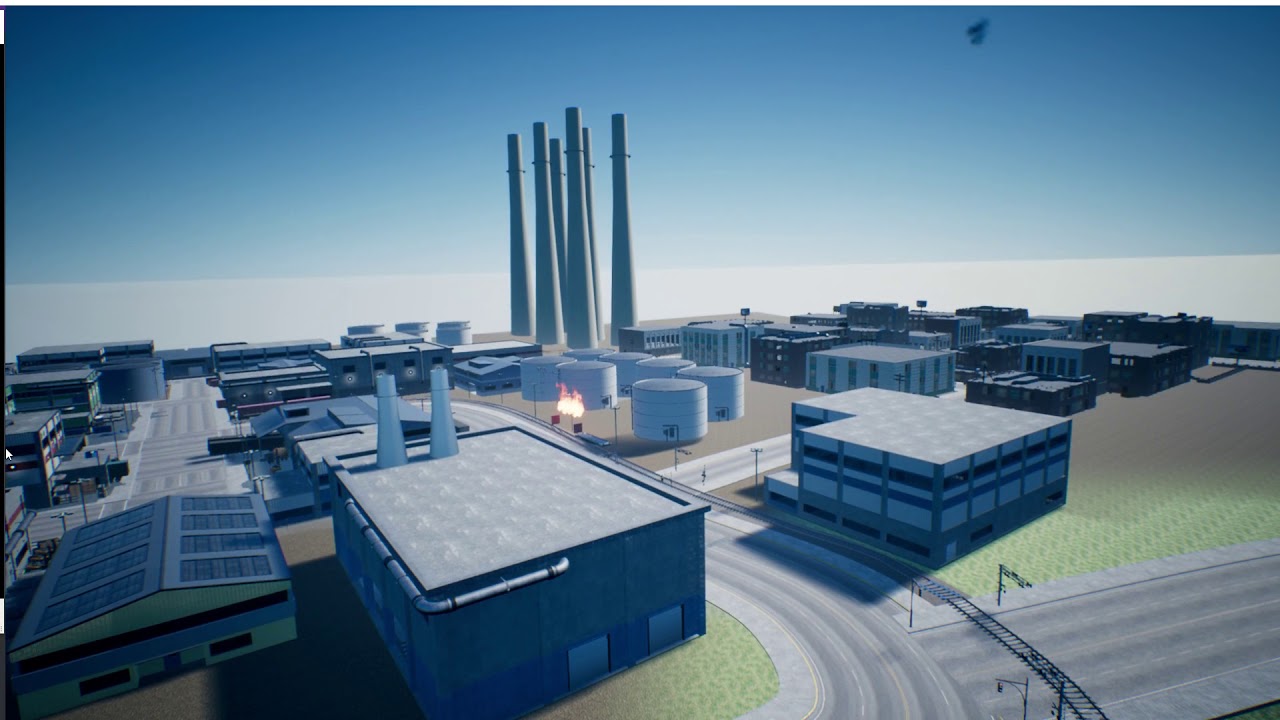

shadow casting has been disable, I will give a picture of the profiler here
vast pine
Any recommendations for a flavor of Linux to install to test dedicated server builds?
light thunder
GPU Profile shot
I COULD just start over and build slowly but I think I would learn more by correcting these mistakes
Even if this will take more time, I'm likely to learn more
plush yew
@light thunder The translucency stuff is probably coming from your foliage. Could be a lot of overdraw and they might not be getting culled. Do they have LODs?
light thunder
cull distance is min 0 max 0 ...that might be an issue
cast shadows both dynamic and static so that is a problem
 light thunder
ohh thank you I hadn't seen that @trim trail
trim trail
this channel does nice ue4 videos
light thunder
Should I turn on density scaling too, that makes sense so I could play with low vs. epic settings and it would affect foliage then I guess?
@plush yew I don't see LOD settings on the foliage
plush yew
I don't know anything about the density scaling so I can't help you there.
Definitely play with the cull settings, if nothing is getting culled then it's very expensive
Open up one of your tree meshes and go to the LOD Sections
light thunder
what is a good distance? 1000?
plush yew
There's no good distance, it's just a trade off between performance and visuals
light thunder
2 LOD, small prop
plush yew
Unreal can generate LODs for you but they don't work that great on foliage IMO
light thunder
I'm slightly confused about the min vs max distance...shouldn't there be just one distance, the distance it gets culled at?
plush yew
You'd be better off creating your own LODs or using SpeedTree for the trees as they automatically generate LODs
light thunder
@plush yew These were Polypixel assets I "think" they have included LOD's
plush yew
Ah okay, they might be sufficient then. The culling settings should help a lot
I can't remember what the min and max do, I'll have to look into it
trim trail
my guess is
these min and max make a falloff
area where foliage gets gradually reduced
light thunder
Ah, I think the minimum can make it dissappear when you get CLOSER.... normally you would probably want this to be zero but I could see there might be cases when that stuff would get in the way (like tree branches or something that annoyingly obscures view)
Okay, my transluency is still really high (and shadow depths is high too)
Also, the scene has a huge amount of static meshes, I'm assuming there is no culling on those
trim trail
do meshes have lod's?
light thunder
could I just select all static mesh and set the cull distance just to test
plush yew
I don't see why not
You can try playing around with the number of shadow cascades your directional light uses
Directional Light>Cascaded Shadow Maps>Num Dynamic Shadow Cascades
Lower values are faster but your shadows won't be as crisp
light thunder
Directional Light Settings
plush yew
Yup so just adjust Num Dynamic Shadow Cascades
Also, you generally don't want your meshes to have multiple materials
So if you are doing that, that's something to consider
light thunder
See, I'm doing something REALLY wrong ...because there was NO difference
I actually just deleted the directional light in the entire scene
undid, and there is virtually NO difference
ionic sedge
Try r.screenpercentage 10
light thunder
what is that supposed to do?
ionic sedge
Render at 10% resolution.
plush yew
How big is your project? If it's not too big, I can take a look at it
light thunder
Gpu profiler with the r.screen solution (I added light back but it's gone from here)
tommy it's huge as I have a bunch of unused assets still tied into it
ionic sedge
If it got better it's GPU, if not it's something else (like draw calls).
ionic sedge
Try stat scenerendering
light thunder
did it cut anything off? let me know I'll take again
I'm not sure exactly how to expand that however
that's the VR window so I (using Vive) I'm not sure how to make it bigger just yet
light thunder
now we are getting somewhere... look at how well it runs in new editor window
I can't make this bigger but I think you can see
sudden agate
When I want to create a Structure to make Items combinable (Item A + Item B = Item C)
Where should I store the Result and Checks?
Item A + Item B = Item B + Item A
My first thought was to introduce an interface
However, that means that Item A and Item B need to implement the interface the exact same way...
I could decouple the Combine Results from the Items and can store them in a DataTable, too.
What do you suggest
plush yew
@light thunder The reason it runs better in editor because it only has to render one image. In VR it has to render two images
light thunder
I thought stereo instancing helped balance that hit though
plush yew
I don't really know much about VR. Correct me if I'm wrong but you can't really get around the need to render two images. After all, it's how depth works
gentle ivy
The only savings I've heard of with that is attempting to use 90% of the first render to speed up the second render
but thats theory not in engine
frank escarp
@gentle ivy not in theory
oculus did it
they did 2 different techniques
mostly for mobile vr where overdraw is king
one of them essentially renders the world as 1 camera instead of 2 past a certain distance
so instead of rendering 2 cameras, it renders 3.
it renders the close field for left and right eye
and then all the environment past 3 or so meters with the 3rd camera
and then composites
ue4 has support for this
another one they did, a bit fancier, is to reproject the first eye into the second
and then render in the "gaps" that the reproject leaves
frank escarp
the reprojection one is for unity
but that one is weird as hell
i think it uses stencil buffer
and of course reflections wouldnt be properly stereot
the "render far stuff in monoscopic" is brilliant

In the quest for faster Gear VR performance, Oculus has explored monoscopic rendering, where close-up content is stereoscopic ...
gentle ivy
nice thank you 😄
frank escarp
its on ue4 lol
gentle ivy
yeah
frank escarp
now that i see that
gentle ivy
I've not messed with it too much
gentle ivy
lol
gentle ivy
ah ya
frank escarp
its currently running slow
gentle ivy
that makes sense
frank escarp
too many drawcalls
gentle ivy
gear totally not a viable hardware platform :/
frank escarp
ive already optimized culling to be incredibly aggresive
gentle ivy
like so little power
gentle ivy
let me know what sort of boosts in perf you see
 quaint hull
Hey guys I got a big question here idk if I should ask it in another sub, I'm working on some prototyping for a top down game, and I'm wondering how do we manage to fake a jump in a 2d rendered world while playing in 3d?
I'm using some tiles from other games to test things, if I have something like this how would I jump in the right direction? using a standard jump makes you jump vertically on Z because it's top down orthographic I'm not going to move according to the fake depth pixel art
ashen brook
Evening folks!
@quaint hull good question. I don't know much of anything about 2d game techniques, but the folks in #paper-2d might be able to help
quaint hull
oh yea that might be the right sub thanks
limpid sandal
So basically no way to set a pawns speed unless you have some kind of UPrimitive, a USkeletalMeshComponent is fine I guess?
(I want gravity)
pallid compass
did anyone watch the umm texturing pipline video?
 timber relic
Owl?
next badger

Free website themes & skins created by the Stylish community on Userstyles.org
 opal coral
I successfully compiled code, crashed instantly, and now my project crashes every time I try to start it. have (backupped) and reverted all changed assets, still crashes. help ;/
next badger
@opal coral delete all the temp files
DerivedDataCache\
Intermediate\
not sure about Saved\
opal coral
@next badger deleted Intermediate and Saved, didn't have/find DervedDataCache. still crashes
next badger
@opal coral is it c++ ?
next badger
@opal coral delete binaries too
@opal coral once you reopen ue4 should mention that binaries not compiled and offer to do that
opal coral
@next badger thanks, the last one did the trick 👍
 jaunty spade
could someone help me with a leaning issue I'm having. I basically have a Blend Space for the leaning that I feed the inputaxis value of the lean input to and interpolate the value from -1(left lean) 0(idle) 1(right lean). If I'm leaning far left or far right and hold the opposite direction the value fights itself and i get this really slow animation. Anyone have any ideas how to fix this? here's a gif of the issue happening https://gyazo.com/2461e8e662b010ff9a0d3a989caab643


 brittle tapir
Will need to see your input code 😉
what the variable you printed exactly? is the blendspace using that 1-to-1 ?
pallid compass
mfw cant figure out how to fill a layer in substance with plain colour
pallid compass
anyone here use substance?
pallid compass
god im gonna fucking scream
for no reason
at all
maya wont render some faces when baking in turtle
everything renders fine
faces vanish when baking texture id
what.jpg
plush yew
Hello
 livid bison
sooo
jaunty spade
sorry @brittle tapir the value printed out is the InputAxis and that is fed to the blend space
livid bison
any fix for this?
jaunty spade
@brittle tapir the blendspace has interpolation on it of 3 which im guessing is where the issue comes into play
grim ore
@livid bison Looks like a game, ship it!
warm mountain
hey guys when we package a game to be ready to play
does it also compress the file size of all the textures, meshes,blueprints that we use?
I'm about 20% done with modelling the assets
but at their highest resolution they are bordering close to 9 gb
I'm kinda worried the game will end up being 50 gb for a game that is say maybe 20% the size of Rise of Tomb Raider in terms of assets
grim ore
Toss your model into an empty app and package it, see what happens.
for the most part it will do it's best to pak it yes but if your looking at 50gb for a small game you might want to adjust your source assets a bit.
weary basalt
Size on disk is an important factor to consider. The engine can only compress so much.
warm mountain
hmm
i do notice
most of the size is coming from the texture files
quite a number of these assets will be seen close u
up*
crimson basalt
there's a shortcut that lets you snap an object to the nearest thign beneeath it
but i can't rmeember it
safe rose
END
crimson basalt
thank you!
crimson basalt
drat. Editor crashed
 half mango
hey guys anyone know of any places to download free materials?
or they all cost money? i've bought a few packs so far but just wondering in case im missing free ones too
weary basalt
If you need some free to use assets, try taking an look at the InfinityBlade assets that Epic released for free on the Marketplace.
They are full of game ready assets that can be used completely through any product you build with Unreal Engine 4.
dire storm
Ughhhh I'm following along the RTS tutorials and every blueprint has a variable "ControllerRef" of object ref CameraPawn. Idk it might just be me but isn't there a better way then constantly calling the ref everywhere?
weary basalt
@dire storm What are you trying to achieve exactly?
dire storm
Right now he's making these menus that pop up when you click on the building and the camera lerps to the building. I mean, I get it. But is it worth making a function for get controller reference => get controller pawn. Haven't tested yet if it would work. I think he made one before like 10 episodes back but I think he forgot to use it lol
weary basalt
Sure
dire storm

We continue working on our "Hud's" or actually menus, for our buildings and extend their functionality to lerp (interpolate) and transition from the cameras ...
I'm looking up a timestamp for it
weary basalt
If you constantly find yourself reusing an particular grouping of nodes, you can always condense them into an Function or an Macro.
dire storm
at 22 minutes 10 seconds he makes the cameracontroller reference again. So its a variable in pretty much every single blueprint. I thought BPs shared variables which is why you have to cast? idk I get confused sometimes even after I look stuff up 😦
like you can call functions that are made in other BPs
I mean the guy is like a 15 year programmer or something of the like so he has signifcantly better understanding of the subject matter. I just don't get some things and I'm pushing the I believe button
There is zero chance I could figure this out on my own in under 2/3 months so I mean I'm using it as a great learning tool. So much material to process and it gets overwhelming
weary basalt
He doesnt exactly "need" to be doing it the way he has done it. Personally, i wouldnt do it that way, he is missing some fundamental stuff there the way he is creating the Widgets and throwing around references to the Controller. Other Actors need an reference to another object in order to call functions that exist on that Object, this is why he creates the CameraControllerRef on the Widget, so that he can call functions on it from within the Widget.
Imagine it this way.
2 people meet
They are strangers and they obviously wont know each others names.
You ask this person their name. You cannot ask that person their name without being in direct contact with them.
This is similar to how references and functions work.
An Object (one of the people) calls an function on another Object (the other person) to ask it some information (Its name perhaps)
You need an reference to that object in order to get information from it (or equally important, to modify data on that object)
dire storm
Thanks. How would you do it differently. I'm compiling all the RTS projects/blueprints and going through them 1 at a time so I have a kinda master library to learn how to implement the mechanics.
weary basalt
He doesnt make any use of the OwningPlayer reference when creating Widgets, this is extremely useful for usecases such as what he is doing with CameraControllerRef, if he was passing in the correct OwningPlayer the Widget itself would be able to determine what the CameraControllerRef is without the need to pass in extra data like he is doing.
dire storm
That makes sense. I do understand that. I just wasn't sure if could be made into like a global variable or some kinda function and just pulled that way easier? Does it have a significant impact on performance at all? I mean most of this stuff is only getting called when you click on objects/actors
I noticed that about the owning player. I'm not familiar yet with how it works though.
weary basalt
All Widgets exist just for the Player that created those Widgets, the OwningPlayer reference is just an easy and convinent way for the Widget to get an reference to the PlayerController that has created it.
Essentially he is basically creating more work for himself in an sense.
dire storm
So it makes sense to grab the camera controller and set it up as a variable in every BP that will use it so you can call the pawn from it. I get it. Just feels like something is off to me like there is a better way.
weary basalt
If he just plugged the ControllerRef variable into the OwningPlayer on the ConstructionProxy_BP Actor then there would be no need for the Widget to hold the CameraControllerRef variable as it would be the same value as the OwningPlayer
dire storm
ahhh okay
I'm writing that down
Once I'm done with the project I'm going to make a duplicate that I can toy with and break/optimize
I got sad when I did a stress test of the current project and my FPS dumpstered to 50 once I had 40ish NPCs running around with pretty basic AI building the buildings
I know you can nativize? or whatever its called. I'll probably have to do the AI in C++ so that learning project is on my table. I want as many little minions running around enjoying the sim life as I can.
weary basalt
UE4 is not exactly ideal for RTS games, it is fundamentally designed for Shooters.
Nativization can help with performance, but if your underlying code is not optimised then it can only do so much.
Profiling will help you identify problem areas which is what you should tackle first.
dire storm
Wasn't HaloWars done in unreal?
weary basalt
Pretty sure it was an inhouse engine
dire storm
I mean it makes sense why everyone uses unity 😉 I like working with unreal so far. Just trying to learn the engine
As long as it "can" be optimized down the road I'm willing to stick it out. Gotta pick up C++ anyways at some point
I've been playing around with the profiler a little bit. Watched a few videos on it but I'm gonna wait till I finish these tutorials before I dig into that and more about debugging stuff.
weary basalt
Unity has clear advantages in the Mobile space over Unreal in my opinion. I worked with Unity for an few years and im glad ive gotten out of the Mobile App development world, i did not enjoy it. Unreal has much more to offer than Unity in my opinion.
dire storm
basically I'm just trying to learn "how do I implement game mechanics" stage right now in my dev journey
weary basalt
If you are new to Game development just keep persisting, watch as many tutorials as you can. Dont be afraid to try new things, if an project isnt working out the way you wanted or envisioned dont hesitate to start something new.
dire storm
I have a few ideas of some games I would like to make. I enjoy making the small mini game type stuff too. I know thats what I'm supposed to be doing first. I completed a few tutorials on making a basic space shooter, pinball game, udemy kinda stuff but I was finding my mind completely off topic the whole time. I was interested in the stuff I could re-use but the whole time I was thinking about wanting to get my feet wet in RTS/god games.
After the countless hours I've poored into simcity style games and civ games, stellaris, ect ect I want to make my own. I know its a huge undertaking but I figure I'm going back to school. Looking at my options for that as well but my free time is gonna be spent tinkering with this. I like games like banished, and that pixel game where you build up your grandfathers farm... idk why I can't think of the damn name rightnow
I wanna say harvest moon but its not that
weary basalt
Stardew Valley
dire storm
thank you
I had just opened google lol
drives me nuts when I forget
the basic idea is a small city builder where you manage villages that connect together in a stylized setting. you can rotate back and forth from different towns
@weary basalt What kinda projects do you like to work on?
weary basalt
Most of the work ive been doing recently has been on Shooters, im an huge fan of Strategy games but i like building Shooters.
dire storm
anything in particular?
I have some shooter ideas too. Well 1st/3rd person kinda like gears of war camera
I've always wondered why there aren't more environmental traps in FPS games. Really seems like a missed opportunity unless its a cost thing triggering too many events or something.
weary basalt
It would need to fit with the pace of the game. Alot of factors would go into the decision to making that type of an mechanic.