#ue4-general
1 messages · Page 91 of 1
 livid haven
 patent forge
i still have the follow up to that
livid haven
Oh, it's an open source game.
Don't be surprised if it's entirely custom - no real engine, just directly using APIs, maybe some middleware.
patent forge
yeah, and that would be hard to understand to me
i was thinking on "deforming the cube" by building the cube with 1000 small cubes, and alter the position of those small cubes so that the big thing is what i needed it to be
livid haven
The procedural mesh approach might work, as was mentioned.
A custom shader could also work.
And potentially you can directly affect the mesh component's transform, applying a skew matrix, but I don't know how the engine will deal with that.
I have my suspicions with regards to how the engine will handle having a transform matrix for a component/an actor that is not orthonormal.
livid haven
Morph targets could work, but you're going to have to author content very, very specifically for that.
You won't be able to have arbitrary meshes be affected by it.
 kind pumice
yeah it wouldn't be dynamic/procedural at all. you'd have to make both shapes as you want them and blend between the two
tricky!
I just threw this up if anyone feels like commenting - https://www.reddit.com/r/unrealengine/comments/6q06op/help_nvidia_volumetric_lighting_vs_vxgi/

reddit
Hello! I'm trying to figure out which of the two lighting solutions are best for my prototype and I'm not really seeing a comparison of the two...
patent forge
i would need the color and the shape of the thing to depend on the velocity between the char and the thing
the thing would stop to have plane surfaces
kind pumice
sheesh, that sounds like an endeavor!
patent forge
with the aproac of representing a cube with 1000 cubes it should be easy
the only problem is that the cube should be easier to manage in c++, something i dont know much:P
 tall sage
So I think I got my answer, but to be sure:
It is not possible to change the HUDClass outside GameMode constructor, right?
tall sage
oh?
livid haven
APlayerController is given the HUD class to spawn in ClientSetHUD
tall sage
Oh, I saw something like this yes.
livid haven
So technically you can specify, for a given player controller, a different HUD type to spawn and use.
tall sage
Ok I see.
It would be a little dirty in my case.
I will restrict myselft to one HUD
and just set visible or not the parts I need.
More reasonable.
livid haven
Probably for the best. I'd advise having a relatively dumb HUD that just spawns a UMG widget.
And that UMG widget would contain all of your actual HUD UI.
Oh, hold on
InitializeHUDForPlayer
In AGameModeBase
You can totally override that (well, override the _Implementation version)
livid haven
NP
tall sage
UBoxTriggerComponent ?
 tawny brook
blueprint?
livid haven
Would you not see them all listed under Volumes in the level editor?
tawny brook
well
Ok, so my goal is..
When a player walks into a specific area
It keeps line tracing when they move
then when they are looking at the correct actor type
It will have a dialog saying "Press E to interact"
Make sense?
livid haven
Pretty simple, yeah.
tawny brook
Ok
livid haven
But I wouldn't be using the level volumes for that.
livid haven
Same difference.
livid haven
Better off having some kind of "usable" actor component and being able to specify what other primitive components correspond to that usable component within the actor.
tawny brook
?
livid haven
Then, when you're tracing, you can check if the actor you hit has a usable component. If it does, check if any of the components you hit are in the list of primitive components that the usable component is associated with.
If so, show the usable prompt.
Have an event dispatch on the primitive component for "OnUse", the actor that has the usable component can then bind to that event dispatcher and do whatever custom "use" behavior it wants.
Bam. Fantastically reusable and open-ended usable object system.
tawny brook
I don't know how to do that
 worn granite
That's very true but I think a bit past Latouth's level
livid haven
I can run through it relatively quickly.
Create a blueprint, choose "actor component" as the parent class. Name it "UsableComponent".
In that blueprint, add an Event Dispatcher called "On Use"
tawny brook
Done that so far
livid haven
Give it 1 input parameter, have it be of type "UsableComponent".
tawny brook
Reference?
tawny brook
alright, im still following
livid haven
Give it an event or function, doesn't matter which, called "Use"
livid haven
The blueprint for Usable Component.
The function or event called Use will merely trigger/broadcast the OnUse event dispatcher, passing "self" as the "Used Component"
livid haven
Screenshot?
tawny brook
oh, i was calling itself 😛
cuz "on use" came up with "use"
which is the function name 😛
livid haven
Gotcha.
tawny brook
 livid haven
You can also just click and drag on the event dispatcher, in to the grapg for Use
Yep
Now, sorry to backtrack for a moment, but you'll probably want this:
You should probably add, to both the event/function and the event dispatcher, an input parameter of type Pawn and name it "User Pawn"
And in Use, you just want to connect that input to that same input pin on Call On Use
Good so far?
tawny brook
No
livid haven
What's up?
livid haven
Right.
livid haven
Oh, just try compling again
Or right click the node and... there's some kind of refresh option in the menu.
worn granite
wait you run your own host for images?
 tawny brook
2 buttons Ctrl + Prnt Scn
worn granite
tawny brook
😄
livid haven
If all of this seems weird, it'll make more sense as we assemble the rest of the parts.
 worn granite
sure it does
worn granite
I'm not running it, but it counts
tawny brook
worn granite
annnnnnnnd derailed. yus!
kind pumice
lol
livid haven
Alright, so, now you want to add a variable to this blueprint, an array of Primitive Component references.
tawny brook
Done
livid haven
Just named it "Collidable Primitives" or some such.
Really, there's two way you can go about this - I'm doing the slightly more customizable way where a single actor can actually have multiple usable parts.
Because why not.
Anyways, so. Make that variable publically visible.
tawny brook
Instance editable?
livid haven
Uh... show me the UI for it. I'm working blind here.

 worn granite
On topic though: why do you need an array of components?
livid haven
Just more versatile.
If you happen to have multiple, like... handles or something. I don't know.
The usual example I use is...
worn granite
Howso? You have to hook up the events anyway
if anything the array is busywork
I guess you're going to use a find index and switch on that?
tawny brook
🤣
livid haven
But if you wanted to have those two knobs (all the innuendo) be the things you have to look at to interact with it, you could.
tawny brook
well
just looking at the actor should be fine
but ill need it to support 2 actors
just looking at the door is fine
livid haven
Okay, we can special case that so you can avoid needing to specify all the primitives.
Not sure what you mean about 2 actors.
worn granite
The way I'd have done this, actually, is different.
tawny brook
 worn granite
I'd have done this with collision channels
livid haven
You can do that too, probably how I'd do it too.
worn granite
Have interact be a collision channel, and if a comp blocks it, call the actor itself and pass the component blocking
livid haven
But, this was the most blueprint simple way to do it.
worn granite
Then you don't have to worry about tangled components
livid haven
You'd still want a component to make it easy to reuse on any kind of actor, though.
tawny brook
well
livid haven
@worn granite We can special case no components in the array to mean any component.
worn granite
Anyway, carry on
tawny brook
my current setup is literally
livid haven
Or even add a bool that explicitly does that behavior.
tawny brook
"Oh you pressed E? lets linetrace infront of you.. "
 livid haven
What you want to do is... where you're doing the tracing, you want to take the Hit Actor, look at any and all of their Usable Component components, and then check if the Hit Component is any of that component's "Collidable Primitives" or whatever you called that array.
If it is, then call that Usable Component's Use method and pass yourself as the Using Actor.
livid haven
- Take the hit actor, get all of its components that are of type
Usable Component
livid haven
I don't know if there's a handy dandy "Get All Components Of Type From Actor" node. That'd be great if there is.
livid haven
Probably. I know there is in C++
worn granite
GetComponentsOfClass maybe
livid haven
Dunno what it is in BP.
worn granite
Then you'd do this with collision
livid haven
?
worn granite
And just call an event on the actor and pass the hit component
livid haven
You're looking for the Usable Components to see if an object is usable.
You only want to find the usable ones first.
tawny brook
o
worn granite
You can also subclass UsableComponent
livid haven
That too, but this logic will work the same either way.
tawny brook
 livid haven
Also, I'm just trying to give you a decent working solution for simple stuff and, hopefully, you understand it enough afterwards to tweak it as you wish.
Perfect.
Now, foreach on that output.
That will loop over all usables. 99% of the time, you'll probably only have one. Like I said, this particular setup is just versatile, in case.
tawny brook
2*
livid haven
It's not much more complicated to make it more versatile.
tawny brook
I have 2 currently
my previous way..
line trace > hit actor > cast to first actor if fails try casting to other actor
livid haven
You won't need to do that at all anymore. 😃
One line trace, you check if the actor has any usable components and if it does... that's the next part.
So, in this for each loop.
You want to take the usable component and, here's where we can do a few different things.
(And @worn granite, we can still do the collision channel thing anyways)
tawny brook
the array element?
worn granite
Yeah, you aren't restricted to just one method
worn granite
you can layer or compose multiple methods
worn granite
(still think the array is pointless used like this)
livid haven
You can look at the usable component's "collidable components" array and, if it's empty, you could treat that as meaning "any component on this actor counts as trying to use this usable component"
So
If Usable Component's Collidable Primitives Length (or is it Num?) is 0, Branch
tawny brook
i called is collidable primitives fyi
livid haven
Coo'
tawny brook
its length btw
livid haven
Neat. In C++ it's Num, because fuck consistency.
 tawny brook
"OHHHH" ^
worn granite
O(i c)
livid haven
Yeah, give me a minute Placeholder, you'll see where I'm going.
worn granite
Thought this array was on the actor
tawny brook
no?
worn granite
not so
livid haven
So, if true, you can just call Use on the Usable Component.
tawny brook

 livid haven
So, you call DISREGARDUse on it. Wire up the Hit Actor as the User Pawn. Cast to Pawn. You can make it a "pure" cast if you right click on the Cast node.
Er, wait wait wait no
I'm being dumb.
Crossed all that out.
livid haven
Yeah, but not the issue. Just the wrong thing altogether.
Where is this logic? In your pawn? In your player controller?
tawny brook
in my PlayerChar Character class
livid haven
Okay. Hook up "self" to "User Pawn"
We're just passing along that we are the one using this usable component, so that it can pass that along the way.
livid haven
So, y'know, if you used a medical station or something, the medical station blueprint will receive that info and be able to heal.
Now, in the false case...
 plush yew
Please welcome @plush yew to the community! :beers:
tawny brook
welcome
livid haven
You want to take the Collidable Primitives array and check if it Contains Hit Component.
plush yew
Danke!
tawny brook
Like this sion?
livid haven
If it does, then you can do the same thing as the true case - you just call Use on the Usable Component and pass self as the User Pawn.
tawny brook
 livid haven
Yep
plush yew
I'm new to the Unreal Engine dev experience, so i don't really know much.
But I model and rig stuff for animation.
livid haven
@tawny brook, what's it looking like once you've got all that done?
 livid haven
Yep
Though, for cleanliness of the graph, you could just connect that bottom True case to that top True case.
But keep it this way anyways
tawny brook
;/
livid haven
Because... if you really wanted... down the line...
livid haven
... you could pass along which component was hit by the trace, in case the usable actor wants to know that for some reason./
Like, say, if it wanted to play a particle effect there or something. I don't know, just saying.
tawny brook
well i want to be able to cast to the component that was hit
livid haven
Not yet.
tawny brook
 livid haven
Yep. Good enough.
So, now, let's open a blueprint for a thing you want to be able to use, yeah?
tawny brook
ok, i have 2 😄
livid haven
Go for it, open one of them.
You'll do mostly the same in both.
And this is the easy part. This is the part that shows why we did all that setup.
In your actor blueprint, add a Usable Component to it.
livid haven
tawny brook
why isn't it?
livid haven
Kind of open ended
plush yew
rip
plush yew
I don't read the top.
tawny brook
😄
livid haven
No biggie.
plush yew
Not really funny tbh.
livid haven
Nothing to stress over.
#ue4-general is pretty open ended.
There are plenty of more specific channels
livid haven
I don't hang out in #blueprint because I generally don't want to deal with them.
And I'm basically explaining how to do a system I would otherwise write in C++, but in BP, since they're more familiar with it
Also, this is about as easy to do in either place, so... 🤷
Anyways, so.
Open up one of your actors you want to be usable.
Plop a Usable Component in there.
Select it
And I believe, in the details panel, you should be able to see an "Events" category? I think you can see some green buttons there, one for "On Use", and click it.
Tell me if not.
Not sure if it'll give you this handy stuff in BP land...
livid haven
Cool. Click the "On Use" one
tawny brook
already done
livid haven
That will automatically create an event, in the actor, that will be called any time that Usable Component triggers its On Use event dispatcher.
Now you can do whatever you want there.
Whatever it means for that actor to be used, do it there, in response to that event.
 livid haven
Oh
Your line trace could potentially hit nothing, obviously.
In which case, you shouldn't be trying to get Hit Actor's components, because there is not Hit Actor.
livid haven
So, you should fix that, but it's non-fatal.
Just, y'know, clean that up eventually for cleanliness sake and your own sanity.
Otherwise, how we looking?
tawny brook
well
tawny brook
It's not doing the print string im doing
inside the box's On Use usable component
i have it just "Print string" saying a msg
so i know its working
but its not calling that
livid haven
You can toss breakpoints in various places.
You can toss one in Usable Component's Use method
You can toss one in the actor blueprint's event that's hooked to that usable component's On Use event dispatcher.
tawny brook
idk how to use breakpoints
livid haven
Press F9 when you have a node selected.
Also, dear gods, you poor soul.
Working without breakpoints like it's the stone age, that's miserable.
tawny brook
😄
worn granite
tawny brook
^ not being called m8
livid haven
Anyways, you put a breakpoint. When the game tries to execute that node, it will "break" (pause, but not in the game sense)
So you can see how it got there somewhat, potentially look at what some variable values are.
worn granite
'potentially'
livid haven
Alright, well..
tawny brook
"You can toss one in the actor blueprint's event that's hooked to that usable component's On Use event dispatcher."
?
livid haven
You want to add me on Hangouts real quick and screenshare?
tawny brook
sure
livid haven
Over DM real quick.
livid haven
All worked out.
tawny brook
😉
plush yew
Please welcome @magic hornet to the community! :beers:
 vital drift
Stupid question, but what's the difference Textures and Materials with 3d models
vital drift
no
 safe rose
Actually doesn't even matter.
Textures come from one of two sources. Either from the Modeling DCC itself or a "Texturing DCC" like Substance or Quixel or even Photoshop
vital drift
ok
safe rose
Materials in UE4
A) Don't do anything, and you can just plug them straight in
B) Take them, and you can do more wonders
livid haven
A texture is an image. A material is sort of a tiny script that describes how geometry should be displayed.
safe rose
Then you would apply the Material to any object you want
That's kind of the super simple explanation
livid haven
So a material for a 3D object might take in a "diffuse" texture that describes what color the geometry is.
vital drift
Alright
safe rose
But, there's a lot more to it than just that really
There are plenty of docs on it
Image assets used in Materials to apply to surfaces or drawn on-screen by the HUD.
Controlling the appearance of surfaces in the world using shaders.
That's your best source of information
livid haven
While it might take in a "normal map" texture that actually describes how the surface of the object should be offset so that it can create the impression of depth or bumps that aren't actually present in the geometry.
vital drift
So basically, a 3d model can be imported into UE4 with a texture, but in order to use a material, it haves to be through UE4
safe rose
Well, materials are only found in UE4
You use the textures imported
And input them into the Material you create
Or, you can use Substance Plugin
If you have Substance
And it will create one for you
livid haven
I don't think there's any support for importing some other 3D content creation tool's materials in to UE4.
safe rose
But that's a bit out of scope at the moment
livid haven
You'd have to recreate the same effect, but in UE4 with its material.
safe rose
That's not true
You can import Maya materials into UE4
when you export it from Maya or any other DCC
livid haven
For most stuff it's going to be simple though. Diffuse map, normal map, maybe a specular map.
safe rose
However, those are "textures"
And to properly use them in UE4, you will have to add them into a Material
livid haven
Plugging each of those in, in a material, is trivial.
vital drift
So like I have a 3d model of a glossy red car, the texture would be like a 3d map of the car but of the color, but to add the glossy effect to it, I'll have to use UE4
safe rose
The problem is how everything is named 😉
Sure
There is already stuff set for Cars
In UE4 Materials
livid haven
Sort of. In a sense, the diffuse texture will be like you took the surface of the car and flattened it out on to a 2D canvas.
vital drift
Well that was a expample of what I'm trying to figure out
safe rose
@vital drift TBH, you would be better served by going to #graphics and getting more help from actual experts in Game Art
livid haven
The glossy effect, too, can be that, except instead of color it would use color to signify some other value.
safe rose
Poorly named channel but the best we got right now
@vital drift How much Game Art experience do you have?
livid haven
The "glossy" effect can refer to the "specularity" of the material.
If there's a consistent amount of specularity, you might just use a single number in the material.
vital drift
@safe rose I got little to none, I'm right now trying to learn this stuff
livid haven
But if it's different in different places, you would basically have a 2D image, a texture, that has those numbers for each pixel, mapping to the surface of the car.
safe rose
@vital drift Let's see if I can point you to any solid tutorials
It'll be better to learn from Game Art experts, not wannabes 😉
Although I did go to an Art School 😉
vital drift
XD @worn granite nice
livid haven
I actually have @safe rose blocked, but I sometimes choose to read his messages to see if he's just passive agressively trying to undermine what I'm saying.
Which, he usually is if we're both involved.
worn granite
Now, now. lets all be nice. There's room here for all 3 of us
safe rose
lol
vital drift
@worn granite you mean 4 of us
livid haven
But, fortunately, I've been doing this since I was about 12, professionally since I was 20, and doing this kind of stuff was actually my job on Smite for Hi-Rez for two years.
safe rose

Treehouse Blog
A game asset is a character or an object that's meant to appear in a video game. Here's the asset workflow I use for modeling 3D scene props.

Treehouse Blog
Every game asset tells a story, and much of it comes from the wear and dirt in each texture map. In this post, I'll describe my approach to texture mapping.
tawny brook
cough #blueprint
vital drift
Now 5 of us
safe rose
@vital drift http://wiki.polycount.com/wiki/Texturing
tawny brook
How do i sort an array using a variable? 😃
safe rose
PolyCount stuff will get you in the right direction tbh
It's a lot of crap to take it though
So, just take it slow
worn granite
use C++
safe rose
C++ for Game Art..lol
vital drift
XD
worn granite
yeah
vital drift
YES C++ for coding the image
worn granite
You have complete control!
vital drift
XD
tawny brook
complete control?
livid haven
Straight forward example here: A diffuse map and a normal map for a humanoid character. Looks kind of like a gross, unwrapped version of a person, because it is. Those would be textures. A material would take both of these and use them to decide what color it is, including using the normal map to "fake" what angle the light is hitting the surface at:
http://pre05.deviantart.net/3fa3/th/pre/f/2012/062/a/f/arness_of_rokkin_diffuse_and_normal_maps_by_simpleslave-d4rmt03.png
 tawny brook
Can i take out all the green of my texture?
worn granite
over the image, yes
tawny brook
didnt think so 😄
worn granite
sure can!
vital drift
Just code an entire 3d model including materials and texturing
livid haven
Shit, you can do that with materials, @tawny brook.
vital drift
no need for blender
tawny brook
Sion 😄
 floral heart
Coding 'materials' would be kind of iffy. You'd need to code up (technical term) the scripting language and interpreter.
tawny brook
Sion, just an FYI
tawny brook
When the line trace hits nothing.. it gives me an error ;/
"Accessed None trying to read property CallFunc_BreakHitResult_HitActor"
floral heart
And then there was shadertoy...
livid haven
That's the part where you need to not trying to use HitActor if a) you didn't hit anything or b) HitActor is null for some reason.
@vital drift Materials, on the other hand, are more like code, but most workflows have you create them visually. https://docs.unrealengine.com/latest/images/Engine/Rendering/Materials/IntroductionToMaterials/WoodFloor.jpg

These are not blueprints. They look very similar because they're a node-based or graph-based system.
You can see in that example that it's taking a texture, a 2d image that describes the color of the surface, and using it to specify the diffuse color. For the normals (meaning the "direction of"/pointing out of the surface), it uses a separate normal map texture.
And for it's metallicness and roughness, it just has one consistent value that doesn't vary across the surface.
vital drift
ok
livid haven
That's the high level overview of textures vs materials.
The links you've been given all look like good reading material (ba-dum-tish)
 south ridge
Weeeeell
You want roughness to vary over the surface of texture
Metallicity is constant, but roughness variation makes ~pretty~
worn granite
lol but he's describing the example
livid haven
You can, yeah, but I'm just giving a contextual example.
worn granite
not best practice
livid haven
Right
worn granite
so many hands to raise a child
livid haven
No one had linked an image of what a material looks like, so I figured I'd paste an image I found of a very, very simple one.
floral heart
Blender has its own version of materials (as do many other apps). At least textures are treated pretty much the same everywhere.
livid haven
Aye, mentioned that above. It's pretty much always some kind of visual tool, a node graph system.
Though some version of D3D had an "Effect" system that was basically materials, but it was really just a system for specifying all your different shaders along the pipeline in one file.
Probably deprecated these days. It really was more of a higher-level utility to make putting the raw components together easier.
Yeah, D3D Effects were basically what materials are, right down to having pipeline state set in them, not just the actual shader code. That's basically materials, but written in code form rather than visually.
tawny brook
 plush yew
Please welcome @plush yew to the community! :beers:
safe rose
plush yew
Please welcome @dry shore to the community! :beers:
plush yew
Please welcome @mystic jasper to the community! :beers:
 mystic jasper
Thanks 😄
 azure prairie
Random Question (hopefully not too n00by) - I've got a custom compiled version of the engine (at this point i'm just adding console support) that I want the rest of the team to use - how can i distribute this?
(when we just copy the Binaries directory, it appears to be searching the path it was originally compiled in for the various dependencies and so it's crashing)
 wary wave
you want version control
generally speaking, most people will stick the whole thing in source control, and each developer will either compile their own version or use the version as-is
azure prairie
Sure - but even if i check it in, then artists etc. would need to build that version and that doesn't seem right? (and if we check in built binaries - that means that everyone's checkout will have to be in the same path?)
kind pumice
anyone good with nvidia volumetric light? if I enable wireframe debug mode - I get no wireframes even though everything appears to be setup correctly on the lightsource and post process volume
opening the example project works fine - volumetric light shows up and works
seems like a project setting or something I'm missing
wary wave
there are guides to setting up source control for UE4 (usually for perforce) - but if they have the source and it remains unchanged, then UE4 shouldn't try to recompile anything
it's paths shouldn't be absolute, they should be relative, so I'm not sure what you're doing
azure prairie
Hmm. I must be doing something wrong with the build. I’ve got some time to figure out what’s up. Thanks for the advice!
wary wave
no problem
worn granite
@azure prairie can you not reference the dependancies with a relative path?
Then the location of the project root won't matter
So long as the structure is the same
azure prairie
Sure - but i would have assumed the engine/editor built that way from Github by default. To be clear - i'm checking out the entire source from github and then building it - which I need to do for some things I need to add.
ambershee said it shouldn't build that way (and I agree) so I might be setting it up wrong somehow.
worn granite
ah
So your non-programmers can open other ue4 editors (launcher) but not source built?
azure prairie
correct
Even another programmer can't open the engine build - we can get around this in the obvious way (programmers build) but for artists/designers, this seems less than ideal
wary wave
even if designers etc are out of date, the editor itself should detect that it is, and build itself automatically
either way though, I'm not sure what the problem is, in my experience you just source control the entire thing, exclude certain files, and it 'just works' :/
azure prairie
For the record i'm doing this: https://docs.unrealengine.com/latest/INT/Programming/Development/BuildingUnrealEngine/ and using it's output (and yes, there's a good reason I have to do this)
Compiling Unreal Engine from source.
worn granite
Well not sure of any obvious errors- can you show us the error text?
I know you say it seems to be trying to load from a particular path
azure prairie
I'm getting a NPE on line 238 of ICUInternationalization.cpp
worn granite
Are the engine binaries distributed along with the game binaries?
azure prairie
I'm just trying to fire up the editor, we haven't even gotten to loading the project up.
worn granite
Pretty dumb question, yeah. Still though
 austere spear
Anyone else has the problem that if they change the GameMode Override in the World Settings and run the game, that the editor crashes? I currently have an override in there that I would like to set to NONE (because of the general maps & modes settings)
HEre
livid haven
Whoa there, @azure prairie, what's up?
ICUInternationalization.cpp? What's going on?
I'm likely the person you're looking for. What's the error exactly?
(Reading up and getting some context now.)
azure prairie
Let me just fire up the other machine and get you some exact errors
livid haven
ICU is the third party library for internationalization (supporting multiple languages/currencies/etc)
Only a few things I can think of that would cause you to crash when we're trying to interact with it
azure prairie
Background: Compile from source (because we need console) and I want to just check in the built binaries if i can. I've built it fine (and it deploys to console etc) on my workstation, but if I copy it to another workstation - it's not working.
(and by not working i mean - the UE4 editor doesn't start)
livid haven
Checking in binaries in to source control is usually a no-no, I've got to warn.
Saving them in a network directory so that non-programmers can copy them down, though, is pretty typical.
UnrealGameSync can help automate that really nicely, but requires some upfront work.
azure prairie
I’d rather put in a few gig of binaries rather than the entire engine source if I can avoid it. For this project we’re unlikely to modify unreal so just having an annotation as to what engine a given version of the code is using and driving the build system from that is likely fine.
(And then storing the built binaries on a network share)
livid haven
Absolutely, just advising against putting the built binaries in to a source control system.
So, before you get that info to me, I'm going to start suspecting that the either the ICU DLLs are missing OR the ICU data files are missing.
Both of which are 100% critical to starting up.
azure prairie
Yup. So what I’ve done is built it, and then zipped the entire Binaries directory.
livid haven
Ah, there it is
azure prairie
Okay, what have I messed up? 😃
livid haven
Well, not sure exactly how you were trying to get UE4 on this other machine, but you're definitely missing critical files.
So how exactly did you go about getting UE4 + your project on to this other machine?
IIRC, the UE4 GitHub doesn't store most of the built binaries for third party stuff and those are instead downloaded during the setup.bat or some such.
azure prairie
I built it, and then zipped the entire <Git root>/Engine/Binaries dir
Copy that zip to new machine, extract some where and then run Win64/UE4Editor.exe
livid haven
Oh, hell no that's not going to work.
azure prairie
😄
livid haven
You've got tons of other binary files, both those that are built from code and also plain old data, that are critical.
You're better off copying everything other than...
Copy all the folders within Engine other than these:
Build, DerivedDataCache, Intermediate, Shaders (KEEP SHADERS), Saved, Source...
The Plugins folder will require more special handling - inside of it, you shouldn't copy Source or Intermediate.
Also, I lied, keep Shaders, I think.
azure prairie
kk. thanks 😃
livid haven
I think that should do it.
azure prairie
could i just do a recursive find for things that are not in Build,DerivedDataCache, Intermediate and Source and compress those things?
(i.e also not include Plugins/2D/Paper2D/Intermediate etc.)
livid haven
Probably. No promises.
azure prairie
I'll give that a burl
azure prairie
yeah, looks like i do
livid haven
It contains some not-so-Build-y things.
 tawdry quail
are there big entry barriers to develop for switch?
wary wave
Getting access to the SDK
azure prairie
@livid haven have crafted an apropriate find command to zip all the things. Will know in a few minutes if it worked
 cloud cobalt
@tawdry quail Yeah getting the devkit basically
plush yew
Please welcome @forest ginkgo to the community! :beers:
Please welcome @forest ginkgo to the community! :beers:
tawdry quail
thanx for tha info
 tame stag
Hey guys, i made a shipped game package yesterday for further testing and today i had a fatal error.. After that Fatal error the savegame was kind of broken i think. It didn't load the PlayerName at next launch. Does anyone has a clue whats happening there? Or some tips what to do now?`
plush yew
Please welcome @tender pivot to the community! :beers:
 next badger
How to access Object Library from BP ?
plush yew
Please welcome @coarse tangle to the community! :beers:
plush yew
Hey guys. Does anyone know if there's an option to disable the blue highlight when using the paint tool? I find it really hard to work with.
Please welcome @viral stream to the community! :beers:
plush yew
Please welcome @vagrant glen to the community! :beers:
livid haven
@next badger Object library... Isn't that ancient and deprecated as all hell?
next badger
@livid haven it is old, but, is there any other way to store objects?
livid haven
Uh...? I don't really have context for that.
You create them somewhere during runtime, right? So just keep pointers to them in an array property?
next badger
@livid haven no, i need to iterate through static meshes
livid haven
Oh, just need to keep a list of assets?
next badger
@livid haven yep, so i could randomly pick of one of them
livid haven
I think the new asset bundle stuff could help. Asset registry too.
But, seems like you merely want a list of assets made and saved at design/editor time.
That could be accomplished with a UDataAsset derived type.
next badger
@livid haven You offering me to write my own data storage class? when there's one already?
livid haven
Sure.
Here you go
class UMyStaticMeshListDataAsset : public UDataAsset
{
    GENERATED_BODY()
public:
    UPROPERTY(EditAnywhere, BlueprintReadOnly)
    TArray<UStaticMesh*> StaticMeshes;
};```😛
Compile, right click in content browser, select data asset, and select this type. Viola.
next badger
@livid haven looking good, how to edit one in Editor?
next badger
@livid haven no such class exist 😛
livid haven
?
Not sure what I'm looking for in that image.
I see your header and the type you made.
next badger
UDataAsset class doesn't exist in ue4
livid haven
Mostly in that I'd have to pull out my phone and do the two factor authentication and sign in to KeePass2 to get my 128 digit password after typing in my pass phrase to unlock my password library and...
And it's not new, by any means.
I don't know that it was in 4.0, but it may well have been.
Are you getting a build error or are just having trouble finding it?
next badger
i probably need to check the sources
livid haven
Z:\Development\SheevokUE4\DynamicWorkspace\Engine\Source\Runtime\Engine\Classes\Engine\DataAsset.h
cloud cobalt
It is in 4.17
I tried it yesterday
Also that class has been used in my code since at least May 2015, and Github doesn't allow me to see before that
Was definitely in the engine in 2014
next badger
oh, ok, it's intellisense
livid haven
Kill it with fire.
cloud cobalt
The change from one to another is really incredible, though VAX doesn't work well with Slate
For everything else, it is really incredibly better
livid haven
(Nothing works well with Slate.)
cloud cobalt
I do ¯_(ツ)_/¯
next badger
Umm, iirc VAX doesn't work with Slate at all
cloud cobalt
It kinda works, but sometimes the autocompletion breaks down
 half mango
i can't open old project in UE
it just opens a new scene
:S
i rly don;'t understand this save and load syste,
half mango
4.16.2
i can see the project thumbnail
my stuff was there
i click it, nothing
just the default
this is weird af cus similar thing happening to my blender
had to recover a file i saved
cloud cobalt
Well, time to use version control to recover a previous version
half mango
i'm not sure what that is
cloud cobalt
Git or Perforce
Tools that track changes and allow you to roll back any change
Obviously that only works when you use it before losing work
 knotty falcon
Having an argument with someone over base content (A shitty Steam game using it and its legality). Sorry to annoy you but can someone on the Epic staff confirm that users can sell games that contain the default Unreal 4 assets (Third-Person character etc) as long as its a game on Unreal 4.
cloud cobalt
Yes you can
cloud cobalt
Obviously, people shouldn't do it - It's lame, and these assets are so annoyingly recognizeable that the game would be destroyed in reviews as a lazy attempt
Just like games with mostly marketplace assets
 frank escarp
no one has spotted the infinity blade asset packs in my game
cloud cobalt
But that's allowed
I do use some marketplace assets too 😃
Everyone does, it's okay - you just need to be reasonable about it
cloud cobalt
Not here x)
frank escarp
common as fuck
the seller of that pack must be rolling in the $$$
becouse ive seen it in many, many games
if its a indie game and sfici, chances are that it uses that
knotty falcon
I'm not using them haha I didnt learn Blender for nothing. As much as it felt like a "a friend of mine" quesiton, no I was legitimatly asking because I was arguing with a friend over a Steam game. I know you can but I wanted an Epic employee to reply so I could just rub it in his face. Basically just me being petty
cloud cobalt
You can find Epic employeed say it everywhere on the forums
knotty falcon
Yeah I've got about 7 of them screenshot
cloud cobalt
They do have a real job though so they may not have the time for that here
But as someone working commercially with the engine, yeah, that's completely okay
wary wave
I'll quite merrily pilfer basic assets like rocks and foliage, and nature / noise textures xD
they'll generally get edited to fit into the game though, and not be so recogniseable
cloud cobalt
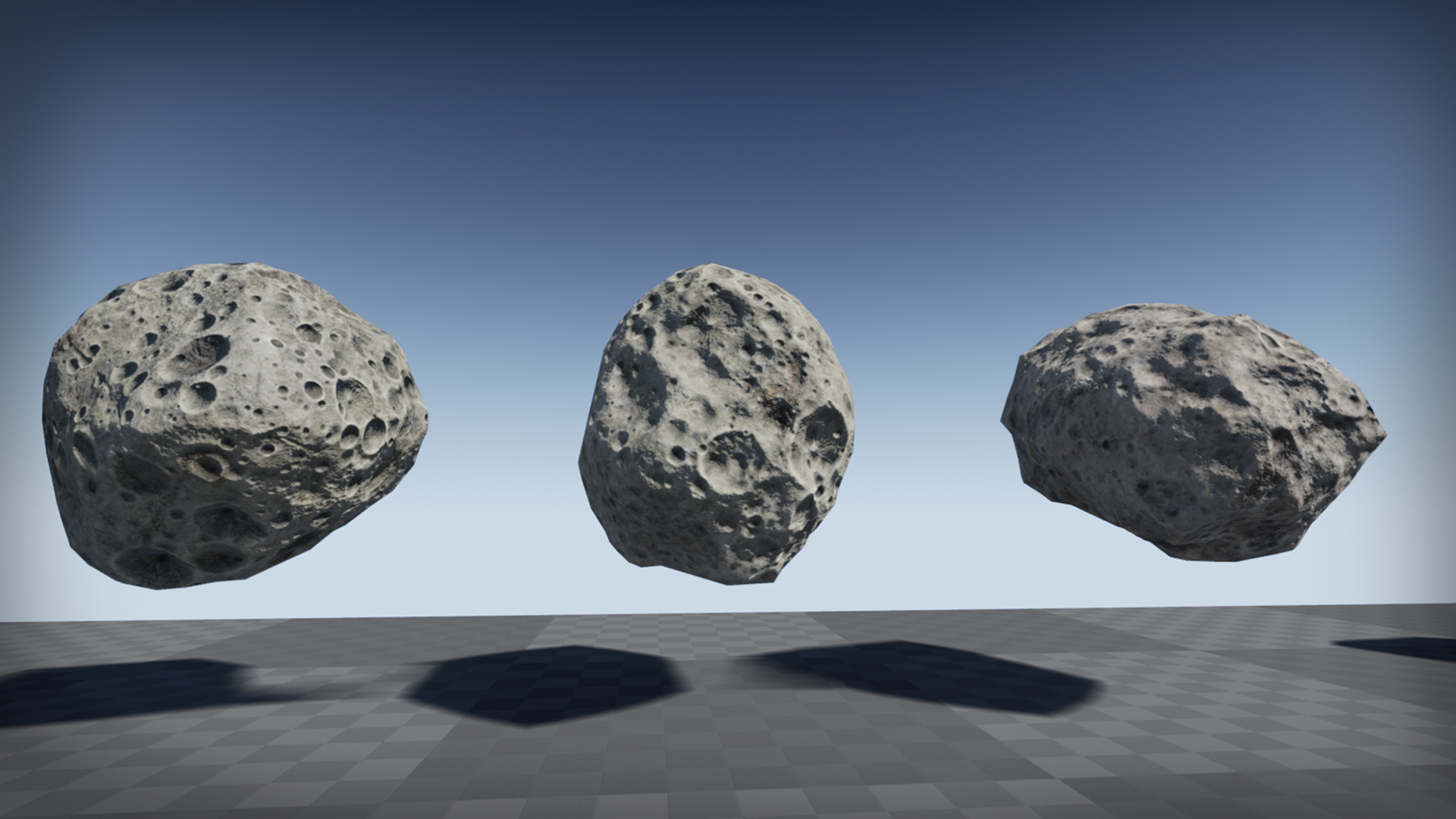
Yeah, personally I bought these https://cdn1.epicgames.com/ue/item/Asteroids_Screenshot_02-1920x1080-b2e88e38f7bb1933572392b19ea27c2a.png and they look like this in the final game http://helium-rain.com/download_data/backgrounds/Adena.jpg


Pretty sure even UE4 devs wouldn't be like "oh, that's this asset pack from the marketplace"
knotty falcon
The best ones are when you notice your own assets and code in games
which is really common in that other "U" engine
 languid shard
@knotty falcon Unigine ? 😂
knotty falcon
sure, lol
cloud cobalt
Obviously UbiArt
frank escarp
im sure unity biggest cash cow is the store
much more than the unity licenses themselves
plush yew
I asked this earlier but had to nip out:
Does anyone know if there's an option to disable the blue highlight when using the paint tool? I find it really hard to work with.
Please welcome @plush yew to the community! :beers:
Also, I can't wrap my head around the particle system, even though I've made countless effects in Unity. I eventually found where to set the emitter bounds (very strange you have to click in the blank space and not on the emitter section), but no matter what I set, I'm stuck with all the particles in one spot in the level (in the particle editor I can see that the bounds have increased)
knotty falcon
pump up spread on certain axis?
plush yew
I can't find anywhere to set a spread value
and what's the point in setting the bounds if that isn't used for the emission shape?
(ignoring the fact it has a random material assigned right now)
surely the particles should spawn within the blue bounds?
Please welcome @carmine lava to the community! :beers:
Please welcome @inner elk to the community! :beers:
 toxic vale
Is it possible to make a car go from 1-200 in like 5 seconds in current unreal engine? Without using velocity multiplier
plush yew
Please welcome @dawn silo to the community! :beers:
Please welcome @naive glade to the community! :beers:
plush yew
Please welcome @stray marsh to the community! :beers:
tawny brook
Anyone have experience with Event Actor Begin Cursor over?
 sterile cairn
Does anyone know how to do an additive only version of a blendspace? I'm trying to get look at working as it would effect more than just the head. Right now it overrides any movement that the head is already doing.
An "Add Additive" turns the mesh into something from a horor movie.
plush yew
Please welcome @gleaming thicket to the community! :beers:
plush yew
Please welcome @quiet ravine to the community! :beers:
Please welcome @mellow kelp to the community! :beers:
 velvet fern
is there a way to break array other than foreach?
velvet fern
i have an array of materials and i want to assign each of the items to a "set material" function
plush yew
Please welcome @silver carbon to the community! :beers:
velvet fern
this is how i'm doing it right now
i set Mat 1 - 3 individually in another blueprint
it would be a bit tidier if i send an array instead
the UI buttons change an object's material
if i add a foreach loop, i need something to fire it
 glossy flame
You need something to fire a "set material" either way, I'm not really seeing the issue here
I don't really see the point of an array here though
You're using three separate nodes
If you do know the array at editor-time you can use "get" with an index, but that kinda defeats the point of the array in the first place
velvet fern
i see
thanks. i'll leave it as it is
i was also trying to make this more abstract so i can have multiple objects that have different numbers of materials
 grim ore
wow that Kia Stinger looks awesome, I would love to see that in person
safe rose
Heh
They definitely picked the cream of the crop projects
Not sure how anyone can compete against the all-mighty Wiktor
The other two, don't know how they are, so it's nice to see someone new
plush yew
Please welcome @uncut moss to the community! :beers:
Please welcome @worldly silo to the community! :beers:
plush yew
what git clients ppl using around here? im having so much trouble with git & ssh. speeds cant get past 70kBps...
thee only good result i got was with tortoise+plink for 110kBps.....
plush yew
Please welcome @plush yew to the community! :beers:
Please welcome @fair ibex to the community! :beers:
 pale warren
Hi.
How I should spawn blueprint actors from C++ with unknown type?
I have this:
//class interface just for example
class IBaseItem
{
}

class ItemOne : public IBaseItem
class ItemTwo : public IBaseItem

//Then I creating child BP base on ItemOne or ItemTwo and now I could cast it to IBaseItem but how I should cast It back to ItemOne or ItemTwo and spawn on Level?
Please welcome @median bronze to the community! :beers:
pale warren
Hi Evenios)
 buoyant echo
Hello~
 median bronze
waves
i wish i could sneak into square enix japan and look into the project files they used making dragon quest XI i bet it was cool! turned out nice so far from what i played
plush yew
Please welcome @coarse cradle to the community! :beers:
median bronze
ok now i gotta figure out how to turn this moba elf charecter from a top down mouse clicky controlled one to a wasd /gamepad controlled one. lol fun
 coarse cradle
so this chat is essentially a place to ask questions about ue4?
median bronze
was only 5 bucks tho :-p
 ashen brook
@coarse cradle yep, exactly.
plush yew
Please welcome @ornate dew to the community! :beers:
safe rose
@plush yew sourcetree has been my main for a few years now. But there are other goods one out there.
 frank void
blueprint or cpp for ui?
coarse cradle
preference
frank void
k
median bronze
you know when they update unreal they should bother to update the websites documentation too
trying to create a new charecter and its telling me to look at the Components Window in the bluepritns section.........dont see such window
https://docs.unrealengine.com/latest/INT/Gameplay/HowTo/CharacterMovement/Blueprints/Setup_1/index.html kinda makes this whole tutorial useless then
Here we will set up our character and create some assets that we will need later in this guide.
there should be an option to report out of date doccumention on the website easily too should be right on the page..
better yet if it showed the date the page was last updated too...
oh "The Blueprint Editor Modes were removed in 4.7" yay?
well thanks for not updating the page!
 modern root
What? The component window exists, for what ever reason it might not have opened. You can open it through Window -> Components..
median bronze
i see no such option...
modern root
Are you in the blueprint itself?
median bronze
yup?
plush yew
Please welcome @south lion to the community! :beers:
median bronze
animation blueprint? thats what the docemation said to create?
modern root
median bronze
oh wait
i think i skipped step
d'oh
missed the bit about blueprint CLASS
guess i should go back to school :-p
skeletons animation blueprints, blueprint classes. oh so much lol
ok back on track now :-p lol thanks
modern root
No problem 😃
 pale remnant
Do you think buillding a world of lowpoly mixed with photo realistic stuff would be good?
coarse cradle
whats a good program I could use to make animations? or is there a way for me to create it through ue4?
plush yew
Please welcome @tropic ginkgo to the community! :beers:
 bleak copper
@pale warren You need to know the type of the blueprint actor when you spawn it.
Otherwise you wouldn't know what to store.
coarse cradle
is there a way to make a variabhle global?
trying to access a variable from another blueprint
bleak copper
You can treat a child like its parent... which only looks at part of the spawned object... but you can't change an object's definition after it spawns.
 fallow heath
Does anyone here know the best place to put the functions for saving and loading savegames? I'm kinda leaning towards GameInstance but I'm not quite sure.
bleak copper
@coarse cradle Uhm... you can't define any data as static that I know of. That said, you could create an actor, spawn only one of them early in your game's life, and use "get actor by class" to get a reference to it. From there, it's basically a global variable.
buoyant echo
Some <@&213101288538374145> should check up on #animation thread. Although it seems to have died out.
bleak copper
Also, I use Blender for animations. You can do SOME animation stuff in UE4... but mostly recording machinima or messing with actor properties (location, rotation, etc.). Skeletal animations are an exteranl program thing.
fallow heath
@coarse cradle The only thing that I know of that is truely global and not destroyed between maps is GameInstance, put your variable in there.
coarse cradle
yeah im testing that out rn
ive tried googling around to see what the use of gameinstance is but havent really gotten agrip, can someone simplify it a bit on here?
fallow heath
GameInstance is always there from when you fire the game up to when you exit
so you put data and functions there that you always want access to even between levels
Right now I'm putting my savegame handling shit there so I can load and save settings whenever.
AFAIK, every other base class doesn't carry over between maps, so all the variables in your PlayerController or GameMode or whatever will be set to default if you change maps
coarse cradle
I see, that makes sense, thanks, but is that the only use of it @fallow heath ?
fallow heath
@coarse cradle @coarse cradle Yeah as far as i can see, but it's really useful.
coarse cradle
I see, thanks a lot
plush yew
Please welcome @lofty imp to the community! :beers:
coarse cradle
hmmmm
getting cast errors now
trying to get the "distance total" variable from gameinstance but the cast fails
am I putting it in correctly?
nvm i didnt set my gameinstance in project settings
tame stag
can i save multiple variables like, playername, highscore, etc in only one savegame slot?
plush yew
Please welcome @azure saffron to the community! :beers:
fallow heath
@tame stag Yeah, you make a structure containing all the data you want and then create a savegame object from that structure
 keen birch
@coarse cradle To figure stuff like that out faster, just hook up a print statement to "Cast Failed "
Because surprisingly often the issue isn't what you think it is
 paper glacier
hey guys, how do I compile unreal from source and ignore mobile platforms and vr?
plush yew
Please welcome @normal ferry to the community! :beers:
plush yew
Please welcome @gentle plume to the community! :beers:
plush yew
Please welcome @vivid geode to the community! :beers:
 stark lynx
I'm guessing there isn't a way to make an infinite ocean with swimmable water, right? I mean, i've got the plane, but how do i make infinite water?
does everyone fake it somehow with a large cube and artificial boundary?
plush yew
Please welcome @hushed wren to the community! :beers:
 hushed wren
o/
 fossil ore
Does anyone know an addon that helps you with grouping stuff?
Like, I've seen an addon on marketplace once (the guy was grouping animals together) , but I can't find it anymore.
 final owl
o/
plush yew
Please welcome @plush yew to the community! :beers:
Please welcome @short moat to the community! :beers:
 inner elk
Hello. New here. Wanted to say hi.
plush yew
what happened to UE in the past few versions, or what changed, because now all my cubemaps are importing wrong. its adding lines inside the cubemap http://i.imgur.com/kWIHoIE.jpg
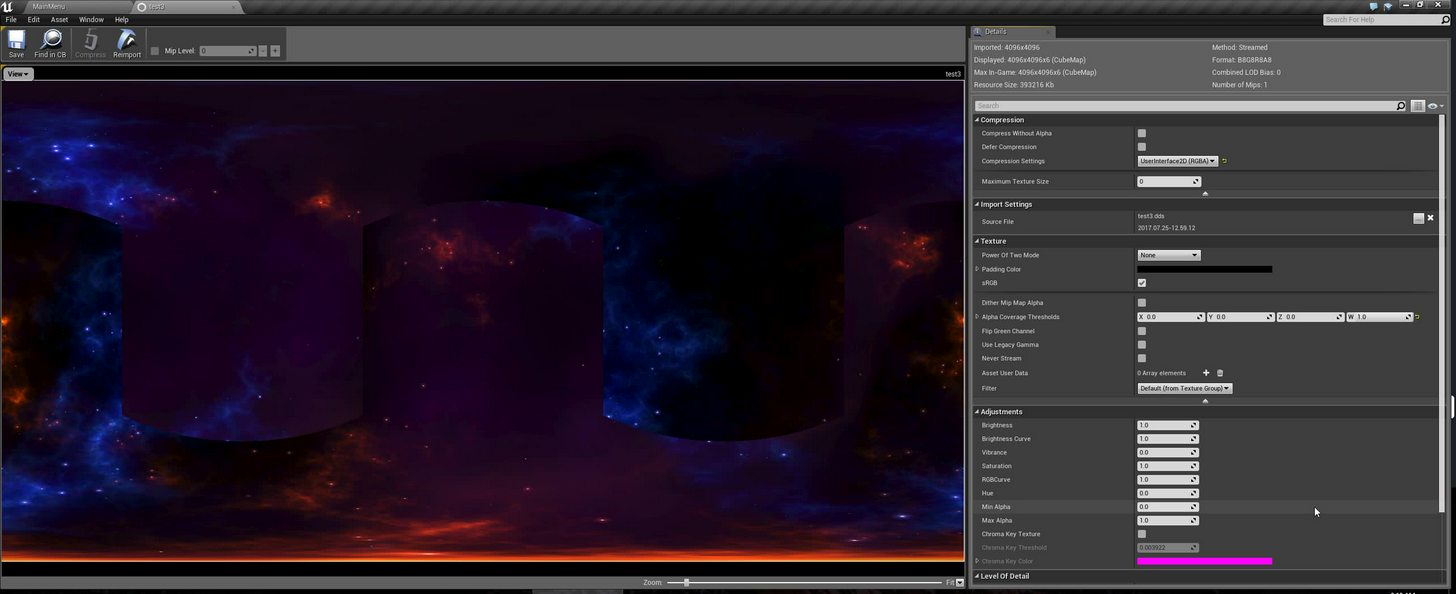 frank escarp
those are the settings in mine
check the different settings
its a 1k cubemap and its fucking 50 megabytes
plush yew
i opened my project i made back in 4.14 and it worked fine.
even with your settings its not removing the lines, somehow its not importing right anymore
frank escarp
i dont remember my export settings so i cant help you with those
 whole quarry
When I add a Add Particle System Component in the Construction Script, I can set its location and scale, but Rotation doesn't work.. Is this normal behaviour?
 glacial pollen
is there a documentation page anywhere on static vs stationary vs movable? I need more information about what they mean,to decide what's right for my map tile meshes
 storm venture
If I create a game using assets I made in the free 3dsmax student version, do i have to remake everything in the paid version?
can i just get the paid version and import them and reexport?
buoyant echo
@ashen brook ty for checking in 😃
 kindred viper
@storm venture technically FBX is open source so once it's saved in the file, you can re-export it in any app that supports it and it "cleans" the license issues.
storm venture
@kindred viper that seems surprisingly easy, so why would someone pay for full versions of things like max?
tawny brook
Does player state get destroyed upon death?
Like will the values save if I respawn a person after it dies?
kindred viper
@storm venture I have asked myself the same question. I guess it's a case of corporate morality in the sense that as a business you want to be legit in case of litigation. An individual has less to worry about that because the legal costs and return wouldn't be worth Autodesk's time unless you were earning a large amount of cash. Fear is another. Would you want to work for a couple of years on a game, making assets, only to get a cease and desist and all your money earned confiscated?
ashen brook
@buoyant echo no problem. Didn't see an immediate need for action, but it's always a shame when people can't stay civil
buoyant echo
Agreed. Hence why I suggested giving it an eye. ❤
ashen brook
As a general PSA, please everyone feel free to ping <@&213101288538374145> if you see a discussion going south, or people not behaving like reasonable adults in any channel. We try to keep on top of everything of course, but there's not enough of us and your help bringing problematic things to our attention makes a difference!
 paper kernel
but do we have an actual age limitation 🤔
not to discriminate, all ages are welcome to the world of game development
ashen brook
hehe, of course they are. What I meant with that is to play nice with others 😉
paper kernel
blergh, my project is not progressing at all, second time re-writing everything 😢
because of engine bugs
kindred viper
*features
paper kernel
^right
tried to migrate one actor, just to find out it had references to every asset in the project
kindred viper
yeah that happens
paper kernel
🤷
and it turns out, BP can only copy-paste certain amount
I think someone should look into that
kindred viper
The problem is usually dependencies within the BP. If you reference something, the migration tool will know you need it in your new location. Otherwise you lose references when you get there and if the class doesn't exist, it will break execution flow. Which is never good and sometimes a pain to debug. In those situations I just copy/paste and hope. But ultimately you are locked into the dependencies of what you use within the file.
paper kernel
I wonder, does casting to certain class create dependancy?
kindred viper
yep as you would generally cast to it to access it's functions/variables and then your logic is dependent on that
paper kernel
so there's no way around it really
unless you create custom BP node just for the cast
or modify baseclass
kindred viper
this used to be an issue for me and made me look into created a truly dynamic cast node with error checking but at the time I really didn't have time to investigate the K2_Node stuff required. I don't think Epic would think it was a good idea either otherwise they would have done it already. I mean you can do this in C++ but creating the dynamic node outputs needs some work.
the issue being for me, at the time, was that I was always referencing a huge player pawn and it would drag so many assets with it, I would be replacing things I didn't want to
paper kernel
🤔 I should make a custom actor cast node too
 tender sigil
any recommendation of camera tutorials?
paper kernel
probably not many apart from basic third person tutorials
kindred viper
depends what kind of camera tutorial you want. There is info about everything really but implementation is everything
paper kernel
beauty is in the eye of beholder - kinda thing
tender sigil
Nvm i didn't know you could key frames camera i'll learn through trail and error i kinda already know key framing
 inland crypt
A quick Google about UE4 showing the text AntiMalware Scanners Impacting two executables below the links. Is this something weird am I getting or is it showing for everyone. It needs to be fixed if it is showing the same message for all
kindred viper
One of the first things I did was exclude UE4 from my antivirus. No way im making some code and having the AV delete it silently.
inland crypt
I tried it in mobile it still showing the same even after deleting antivirus from mobile
 weary hull
I have no mobile anti virus
 gleaming thicket
has anyone tried making a minecraft clone?
weary hull
nop,I couldn't get anywhere near as good as minecraft
gleaming thicket
how much coding work does one need to do
for general stuff i mean not minecraft
weary hull
not sure, probably a fair bit of blueprint or c++ for a decent game
kindred viper
@gleaming thicket there was a minecraft clone prototype made in UE4. You can find it if you google. I think John Alcatraz did it iirc
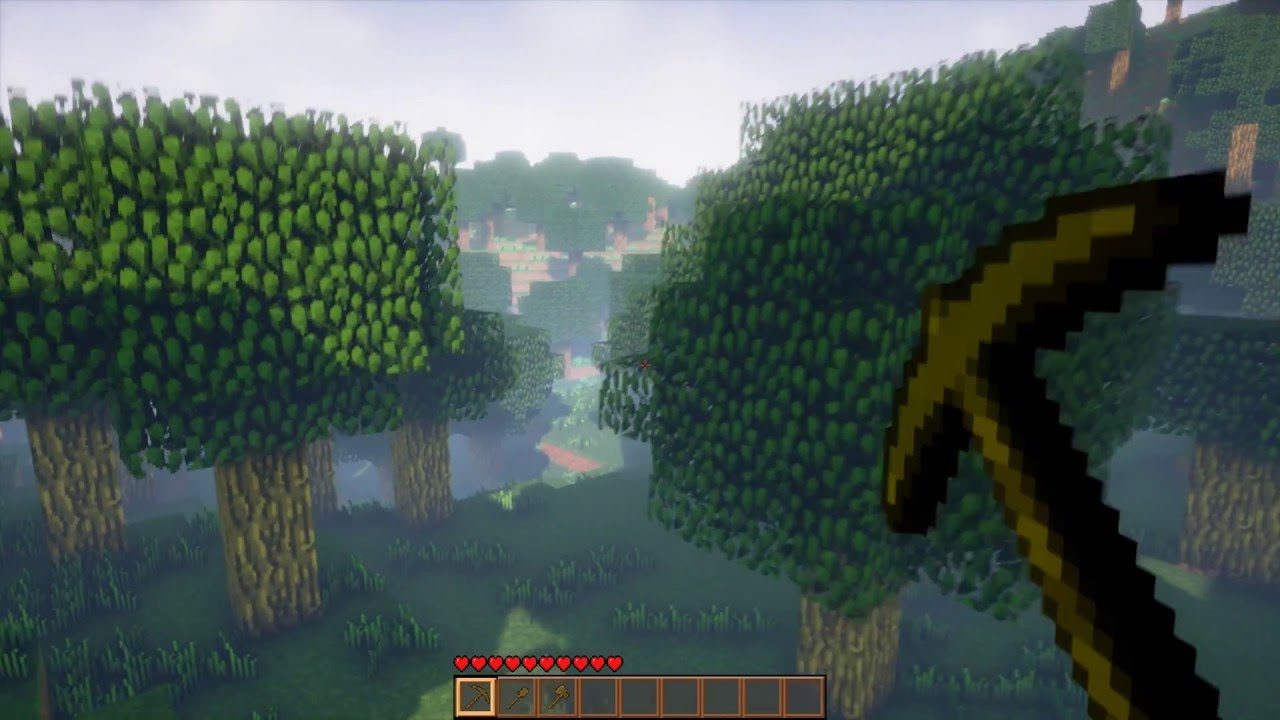
You can read more about it here: https://forums.unrealengine.com/showthread.php?102870-I-ve-created-an-Infinite-Voxel-World-similar-to-Minecraft Here you hav...
 cursive dirge
 inner mountain
Hey, everyone!
Stupid question: what is default InputMode and which options it has?
tawny brook
does anyone have a successful Docker build of their dedicated server?
plush yew
Please welcome @thorny kayak to the community! :beers:
 thorny kayak
Hello errbody
plush yew
Please welcome @tranquil bone to the community! :beers:
tender sigil
HEllo @tranquil bone and @thorny kayak
plush yew
Please welcome @indigo veldt to the community! :beers:
Please welcome @unique elbow to the community! :beers:
Please welcome @brave kelp to the community! :beers:
plush yew
Please welcome @flat socket to the community! :beers:
plush yew
Please welcome @plush yew to the community! :beers:
plush yew
Please welcome @compact sorrel to the community! :beers:
Please welcome @uneven zinc to the community! :beers:
plush yew
Please welcome @crisp ore to the community! :beers:
 crisp ore
Can someone help me?
south ridge
Sure
 night tide
So in blender if I want to move something I would press G (for grab) and then I can move my mouse which then moves the object. Is there a way to do something similar in UE4?
crisp ore
So i need to make one of these.. But i dont know what it is
In UE4, click on the object and then press R for movements. Click and hold the white ball in the middle to move is freely, or drag the arrows to move it those ways
@night tide
I mea W
 vast pine
They dragged off the output of something and typed !
crisp ore
THANK YOU!
vast pine
For checking if something does not equal something
 slim mica
night tide
slim mica
night tide
ah yea, I knew about those hot keys. However I just thought that there might be a better way instead of clicking and draging. Matter of fact I ended up finding an answer on a hotkey sheet. Ctrl + LMB + Drag does the X axis, Ctrl +RMB+Drag does the Y and Ctrl+LMB+RMB+Drag does the Z. But thanks for the advice anyway @crisp ore
crisp ore
Oh i didn't know abut those. I like the hotkeys ^^
coarse cradle
how do i make a better looking scoreboard?
or hud
looks like this but I want like a nice rectangular frame or something around it and im not sure how to apply the texture under the text
crisp ore
Google a simple tutorial
There are a lot of well done guides on the UE4 forums and on youtube
night tide
@coarse cradle You could always add a box and an image behind it
plush yew
Please welcome @unique gate to the community! :beers:
coarse cradle
@night tide do you know how I could display the image BEFORE the text or something? so like the first layer is going to be the score and the second layer is going to be the rectangular frame
night tide
Hmm give me a sec to test it out
@coarse cradle Oh, so after a quick test. I would put a "Border" on the UMG Canvas, then put your text as a child of that "Border"
you can then change the borders colours on the right side menu under the "Apperance" tab and in "Brush Color"
HOWEVER, I do not know if this is the best way to do this. Im still new
you can even change the texts colour inside the Borders "Content" tab
plush yew
Please welcome @silver crown to the community! :beers:
coarse cradle
@night tide alright ill do some testing with this, thanks
 grim juniper



 night tide
how!?
night tide
Does anyone know where I could find the old unreal tutorials? There used to be one involving proc gen meshes. In the tutorial they show how to use the construction event to make dynamic mesh and the example they use is a pole that you could drag the side out and it would make a wall that way.
night tide
nvm i found what i was looking for inside th Content Example map. But im surpised it doesn't seem to be a documented example.
buoyant echo
What Substance developer tool is usually used, painter, designer, etc?
Going to try learning it.
bleak copper
Uh... depends on what you're talking about.