#ue4-general
1 messages · Page 36 of 1
 spare kernel
 quick grove
it is right for building lighting to sit on 0% for a while ??
i can see the green thing in corner pulsing so it's doing stuff just can't remeber if it being on % for a while is it doing stuff
 echo horizon
Hello guys I'm new to unreal engine,I installed unreal engine 4.27 version because of my laptop spec.my job is cinematography,I want to learn unreal engine for mainly previsualisation & lighting possibilities I can try out with as much as realistic as possible without crashing my laptop.so my doute is how can I learn it, please don't say see yt ue4 tutorial because they are saying to many things which are complex for me, I dont want to create too much detail things like texture, reflection like that I just simply able to change objects if a object is non reflective then change it to reflective kind of.mainly why I need is I want to see how reflections & spill works also what are contains I may face that why I ask so please guide me how can I learn it
 compact pulsar
Hey! I'm a creative professional with expertise in:
3D Art
Modeling (characters, props, environments)
Rigging & Animation
Texturing & Rendering
Web & UI/UX Design
Professional website design and user experience solutions
Let's collaborate!
DM me for 3D art or web design projects!
 slender egret
Hey everyone, I have a plane with a Media Texture on it playing a video. This is all working but when I hit play, the media stops. Im sure it's a simple fix but I can't figure it out! Thanks for any help.
 midnight vector
Is there a means to limit the number of cores used by UATHelper, as can be done for UBT? I build on the same system I work from and when it reaches the packaging step, UATHelper seemingly ignores BuildConfiguration.xml and spawns 16 processes for all 16 threads I have. This causes Windows to repeatedly hitch (cursor lags, audio stutters, etc.) until it is done which is very irritating.
 tough thicket
slender egret
Hey everyone, I have a plane with a Media Texture on it playing a video. This is...
tough thicket
slender egret
Hey everyone, I have a plane with a Media Texture on it playing a video. This is...
uh
tough thicket
i use Open Source node and it works fine with multiple clips even on timelines
 oak swan
Trying to package an UE4 game to mobile, but when I do I get this Error, not sure what I need to do

 rancid kayak
Hi, Need Favour. New In unreal devolopment. i have 4.20 ue i want to learn how to drive bike and related.
Please Inbox The Detail. [ I cant pay money so paid worker please stay away ]
compact pulsar
hey guys are you looking for a professional ui ux designer kindly send me a dm
 rancid kayak
No one Here To Help..?
 hidden osprey
What does drive bike and related even mean that makes no sense
Also ue5 is probably better than ue4 now
 brittle solstice
i think we should change the tag name to be sr6 with gold s sign
 grave osprey
switching UE 4.19 to 4.27.2 resulting failed to open project

searching google and discord doesnt give answer
 hasty epoch
grave osprey
switching UE 4.19 to 4.27.2 resulting failed to open project
hasty epoch
grave osprey
switching UE 4.19 to 4.27.2 resulting failed to open project
I didn't even change the version, and I can't open the project. I uninstalled the engine and wanted to reinstall it. But Epic won't let me install it. This has been happening since the new update.
And for some reason, the launcher lags terribly when I install Unreal. No, it's definitely not my internet or my computer.
 trail saddle
grave osprey
switching UE 4.19 to 4.27.2 resulting failed to open project
trail saddle
grave osprey
switching UE 4.19 to 4.27.2 resulting failed to open project
Did you follow this conversion process?
https://dev.epicgames.com/documentation/en-us/unreal-engine/updating-projects-to-newer-versions-of-unreal-engine
As a note, many years ago Epic said that the best method of upgrading the engine version for a project, is doing conversions incrementally from one version to the next. Jumping from 4.19 all the way up to 4.27 may very well be causing the issue.
It will take some extra time but converting it from 4.19 > 4.20 > 4.21 and so on till you get to 4.27 should be the stable route of converting you project.

Epic Games Developer
Learn how to update projects to a newer version of Unreal Engine.
grave osprey
... WHAT THE FUCK

its not like i have time and storage space to install all engine version
grave osprey
hasty epoch
And for some reason, the launcher lags terribly when I install Unreal. No, it's ...
i am glad its not my issue at least
back then its normal
😭
trail saddle
It is a painful process. I've done it before.
grave osprey
so if i make asset from create project then apply 4.27 version no issue then ?
trail saddle
Was the project for a single asset you are making?
With what I wrote, that incremental process is what is ideal for a bigger projects. If you are making an asset, doing that may not be necessary.
grave osprey
trail saddle
Was the project for a single asset you are making?
With what I wrote, that inc...
its complete project
otherwise the asset not work
for now i can only open project via launcher
for some reason
trail saddle
So it's a complete game? For converting your project, did you right click on the Unreal project file > click on Switch Unreal version, and then choose the version?
Also, depending on what your project consists of, migrating from 4.19 to a fresh 4.27 project could work. Say if it's all 3D models and textures instead of a full game.
trail saddle
Okay
grave osprey
i wanna test again tommorow
today just too much of pain
i cant just click the project but i can load project from launcher
trail saddle
Is it loading properly from the launcher?
grave osprey
yes
i camt double click the project to enter
but i can enter via launcher
i scared if i get another problem later if i download 4.27 again
the error happen after i finished download 4.27 then change version of the game files to 4.27
trail saddle
I do believe if you change the version like that, you have to rebuild the visual studio project files.

Not remembering 100% since I haven't done that in so long
grave osprey
generate visual studio from project files generate other error like C++ something
next time i make next project from 4.27 instead of 4.19
it said the project does not have source code. you need to add C++ source files tp the project from editor before you generate object
trail saddle
Interestingly, 4.19 was the first version of Unreal I worked with back when it was release.
grave osprey
if i ise generate visual studio lroj files
trail saddle
Yeah, I had that error come up for one of the projects I tried that on just before I told you about it.
trail saddle
I'm doing a test real quick on a copied project of mine
I just recreated the problem you had.
 cold vine
oak swan
Trying to package an UE4 game to mobile, but when I do I get this Error, not sur...
cold vine
oak swan
Trying to package an UE4 game to mobile, but when I do I get this Error, not sur...
Are you on 4.27 plus branch ?
trail saddle
grave osprey
so what happen
Same thing that you described. I changed the version of the project, fails to open, and can't generate the project files.
Not sure yet, but I'm trying something out. Give me a moment.
grave osprey
 i hope its fixable
trail saddle
grave osprey
<:crying:1316599219188011038> i hope its fixable
With that test project, It was at a point where I had to open 4.27 1st, then select the project from there to open. Could not even open it from the project list from the library.
I migrated everything over to a fresh project, and the problem with opening the project now exists with the fresh migrated version. I can open each project if I open 4.27 1st
trail saddle
I have no real fix from that test. I can open the project but only If I open the engine 1st, and then select to project.
trail saddle
grave osprey
i guess its UE fault in this one
It may very well be. I'm starting to think your conversion may not be breaking it.
I have a ton of old UE4 projects. I can't open them from their folder either.
trail saddle
I'm not having the issue with UE5 projects...
trail saddle
grave osprey
so its UE4 issue <:lurkin:1316599475447402550>
Okay, I have a partial solution. It fixed opening UE4 projects from project folders, but not from epic games launcher.
grave osprey
u mean shortcut ?
 trail saddle
and that's what the fix is for 🙂
trail saddle
Answer coming. I noticed the unreal symbol looked like UE5, and so it seems like it's trying to open UE4 with UE5
grave osprey
i dont use ue5
trail saddle
I right-clicked on the UE4 project file, choose the app, and reconnected it with UE 4.27, as the default app.
trail saddle
Okay, when you open the install folder which would say 4.19. You will find the exe by clicking on
Engine > Binaries > Win64 > UE4Editor (near the top)
grave osprey
found it. now waiting
trail saddle
after setting that to the new default app, I've been able to open any UE4 projects that I tried opening from their project folder, including different versions of UE4
grave osprey
its working 🥳
grave osprey
trail saddle
after setting that to the new default app, I've been able to open any UE4 projec...
thanks for the help
trail saddle
Welcome, I'm glad I was able to figure that out. Mine were broken too and didn't know
oak swan
cold vine
Are you on 4.27 plus branch ?
I'm on 4.27, not sure what you mean by branch
 reef lava
UE4 is now broken for most projects thanks to some random issue someone, somewhere is responsible for I and many others are apparently having now. Does anyone know what is actually going on here?
For many projects, I am going to read what you guys were discussing above to see if that helps.

I thought it was my engine that was the problem but turns out its a widespread current issue for anyone using UE4 rn. I can reproduce this on nearly every PC I own. Projects only open when using the launcher. I have to open the engine version then choose the project from there to open these projects. So far it occurs on engine versions; 4.26.2 and 4.27.2 (launcher versions).
So the default app works, issue with that is it will set every .uproject to run on that specified editor. Breaking all other project shortcuts that aren't that version of UE4. Open with also works but that means you have to do that every time you want to open a project from a shortcut so - extra bs you have to do to open the project. No idea why some work and most do not. Edit: I think it may only be C++ projects that work? I have thoroughly tested this yet but it seems that the two projects I have opened so far that were C++ projects have opened with no issues. But I could be entirely wrong about this as it's only two projects.
cold vine
oak swan
I'm on 4.27, not sure what you mean by branch
I presume you're on launcher based version
 oak token
cold vine
I presume you're on launcher based version
oak token
cold vine
I presume you're on launcher based version
are non-launcher based ones not having the issue by any chance?
 toxic berry
guys, has the "Generate visual studio project files" thing broken for anyone after the latest windows update?
 lilac zinc
reef lava
UE4 is now broken for most projects thanks to some random issue someone, somewhe...
lilac zinc
reef lava
UE4 is now broken for most projects thanks to some random issue someone, somewhe...
Same thing just started happening to me today
grave osprey
toxic berry
guys, has the "Generate visual studio project files" thing broken for anyone aft...
UE4 issue ?
toxic berry
reef lava
I thought it was my engine that was the problem but turns out its a widespread c...
did you recently update windows 11?
reef lava
toxic berry
did you recently update windows 11?
Nope, I don't think it has anything to do with Windows though tbh. Epic has been messing with the launcher a bit this week and it appears so far that the main issue is with launcher versions of editors. I haven't tried any source versions yet but I probably will later just to check.
lilac zinc
reef lava
Nope, I don't think it has anything to do with Windows though tbh. Epic has been...
Mine don't open even if I click on the project file
oak swan
cold vine
I presume you're on launcher based version
Not sure I mean I am opening my game project with no issue and able to package a Windows version, just my issue is trying to port the game to Android, cause of that error
 fierce hazel
toxic berry
reef lava
Nope, I don't think it has anything to do with Windows though tbh. Epic has been...
fierce hazel
toxic berry
reef lava
Nope, I don't think it has anything to do with Windows though tbh. Epic has been...
ah ok, alright
bcoz this started happening right after I restarted my PC
oak token
reef lava
Nope, I don't think it has anything to do with Windows though tbh. Epic has been...
hello, did the source version work?
cold vine
oak token
are non-launcher based ones not having the issue by any chance?
I don't know about launcher based. I have tried 4.27 plus and have no issues with droid builds. Good part is SDK config is 5.6 based (assign manually)
lilac zinc
Looks like new projects made in 4.27 from the launcher load up. but all the old ones are dead/fail to launch.
for me anyway, seems like not everyone is having the exact same problem.
toxic berry
lilac zinc
Looks like new projects made in 4.27 from the launcher load up. but all the old ...
you need to open unreal engine and then select the project from there for it to work properly
lilac zinc
toxic berry
you need to open unreal engine and then select the project from there for it to ...
I'll give it a shot
 obsidian veldt
Hey. I'm having a weird issue where all of my unreal projects gives me this error whenever I try to open them. Literally all of them do this. I can't open any of my projects. I mean, I can, but I have to actually launch Unreal Engine by itself, and open the projects that way. If I try to open them through the Epic Games Launcher, or even if I try going into the project folder and use the .exe to open it, it gives me this error. I tried uninstalling and reinstalling the launcher, uninstalling and reinstalling Unreal Engine, nothing. I guess on the one hand it's not that big a deal since I still have at least one way of opening the projects, which is a relief because that means there isn't anything wrong with the project files themselves, but on the other hand I'm just very confused why this is even happening to begin with. Any help and insight would be appreciated. Thank you.

Wait a minute, are a bunch of people having the same issue?
toxic berry
reef lava
For many projects, I am going to read what you guys were discussing above to see...
look at this
obsidian veldt
What in the heck did they do to break it this badly? That's crazy.
toxic berry
dude, I wasted so much time figuring this out
I uninstalled all UE versions + epic games launcher
even deleted registry keys and all local files and stuff
only to find out this is epic's fault 😭
obsidian veldt
Are people letting them know this is going on? Cause if it's a widespread issue, surely they'll start working on a fix for it.
I'm just glad it's nothing to do with my project specifically honestly. I was worried I might've like corrupted it or something.
I have back ups saved on other hard drives, but still. Doesn't make it any less scary. 😛
toxic berry
obsidian veldt
I'm just glad it's nothing to do with my project specifically honestly. I was wo...
yeah same, this scared the crap out of me lmao
toxic berry
obsidian veldt
I have back ups saved on other hard drives, but still. Doesn't make it any less ...
fr man
cold vine
✨Opening via Unreal Editor works fine ✨
toxic berry
"generate visual studio project files" also fails
need to do it through the terminal sadly
oak swan
Man trying to port my game to Android and I keep getting this Error and having trouble figuring out what I need to do to fix it

 stuck pecan
Can anyone recommend me some nice cel shaders? So many options and so many tutorials each with a shortcoming though ...
oak token
hi guys im trying to compile and build UE4 from source due to this but im getting this issue:

 dreamy moth
Me and the team I'm working for are also fully locked out of using UE4, we have the "Failed to Launch Editor" error and we can't regenerate project files either
Only one team member is able to open it, and he is the only one that never opens the epic games launcher, so he hasn't downloaded the latest update for it
dreamy moth
We found two work-arounds, but one of them requires that you have someone with the project that hasn't opened Epic Games Launcher.
Workaround 1:
- Open UE4 without choosing a project
- Once opened, pick the project from the list
- If it asks for rebuild, press Yes.
- If it says you must rebuild from source, try workaround 2.
Workaround 2:
Requires someone with access to the project, who hasn't got the latest Epic Games Launcher update.
- That other person must regenerate project files and perform a rebuild.
- Zip and send "Binaries" and "intermediate" to to those that need it.
- Delete your "Binaries" and "Intermediate", add the ones you downloaded.
- Perform the steps listed under Workaround 1.
toxic berry
dreamy moth
**We found two work-arounds, but one of them requires that you have someone with...
even if you have downloaded the epic games launcher update, dw
you can still generate the project files through the terminal (cmd)
toxic berry
dreamy moth
**We found two work-arounds, but one of them requires that you have someone with...
"D:\Epic Games\UE_4.27\Engine\Binaries\DotNET\UnrealBuildTool.exe" -projectfiles -project="PATH_TO_YOUR_UPROJECT_FILE" -game
toxic berry
toxic berry
"D:\Epic Games\UE_4.27\Engine\Binaries\DotNET\UnrealBuildTool.exe" -projectfiles...
change the pathto the unrealbuildtool.exe according to your install location, and use the correct path to your ".UPROJECT" file
then run this in the command prompt
this will generate the sln file for you, regardless of whether you have downloaded the update or not
hope this helps :)
(ps: this will only generate the .sln file for ya, you'll need to build from your IDE after that ofc)
 whole sparrow
Hey everyone, a bunch of us got the same error - AutomationBuildTool.exe missing. We were using a custom 4.27 meta fork. Here's another solution we found in the forums:
Basically, uninstall both Epic Launcher and Epic Online Services then install speicifcally 18.8.1, and do not let it update to the newest. Then, your project should work again.

Epic Developer Community Forums
So, I’ve been working in UE 4.27 and 4.26, but I have also older versions installed. Been all working great for years. Today morning opened the projects, everything worked. Didn’t restart PC, left it idling for an hour. Came back, tried to launch 4.27 project - got an error: When I launch the engine from the Launcher, and then browse ...
 digital eagle
Since the last update, I can no longer open my Unreal Engine 4 projects in the Epic Games Launcher. I get a "Failed to Launch Editor" error. I always have to launch Unreal Engine itself and then open the project. Does anyone know what's going on?
 nova compass
digital eagle
Since the last update, I can no longer open my Unreal Engine 4 projects in the E...
nova compass
digital eagle
Since the last update, I can no longer open my Unreal Engine 4 projects in the E...
I think there was an update in Epic launcher which delivered (deliberately?) broken UnrealVersionSelector.exe and/or UBT. Now my custom engine build doen't want to assign new compiled editor version to the project, also MSBuild is found at the wrong path due to me moving vs22 installation to other drive.
As can be seen in the switch version log, it tries to find UBT under DotNET/UnrealBuildTool/UnrealBuildTool.exe directory, which doesn't exist in UE4
Running: E:\programs\vs22\MSBuild\Current\Bin\MSBuild.exe /nologo /verbosity:quiet "E:/ue/ue-4.27-html5-es3-mob/Engine/Source/Programs/UnrealBuildTool/UnrealBuildTool.csproj" /property:Configuration=Development /property:Platform=AnyCPU
Missing E:/ue/ue-4.27-html5-es3-mob/Engine/Binaries/DotNET/UnrealBuildTool/UnrealBuildTool.exe after build```

Also on the forums: https://forums.unrealengine.com/t/unrealversionselector-exe-no-longer-works-with-ue4/2672673/2

https://forums.unrealengine.com/t/epic-broke-unreal-engine-4-failed-to-launch-editor-on-nearly-all-ue4-projects/2672917/17
Epic Developer Community Forums
Hey! Thanks for the information you shared. We’ve been having the same issue since yesterday night, I guess after an Epic Launcher or Unreal update. We fixed it by renaming the “UE4Editor.exe” to “UnrealEditor.exe” in our Program Files\Epic Games\UE_4.23\Engine\Binaries\Win64. It looks like the update broke the link between UnrealVer...

Epic Developer Community Forums
Found a temporary solution by downloading an older version of the launcher from Softonic, but I agree, Epic NEEDS to know about this.
 radiant dagger
oak swan
Man trying to port my game to Android and I keep getting this Error and having t...
radiant dagger
oak swan
Man trying to port my game to Android and I keep getting this Error and having t...
Plugin issue
oak token
I see some users recommending downloading the 18.8.1 Epic Games installer version from Softonic, is there any other sources where we could download this installer ver?
oak swan
radiant dagger
Plugin issue
What plugin and how to fix it though?
oak swan
I restarted my PC I got that Launch Error as well with UE4 projects
 glad orchid
nova compass
I think there was an update in Epic launcher which delivered (deliberately?) bro...
glad orchid
nova compass
I think there was an update in Epic launcher which delivered (deliberately?) bro...
just run this to generate your sln for now
E:\GitUnrealEngine\Engine\Build\BatchFiles\GenerateProjectFiles.bat “D:\MyProject\MyProject.uproject”

Should fix you up temporarily until epic works out whatever jacked up the "unreal engine" pointer
UE4 is "magically" setup to look for UE5 Editor.exe and UnrealBuildTool directory structure
since the launcher update
but there are ways around this via cmd
call the UE4Editor.exe followed by your uproject from cmd and create your own bat shorcut
same thing with the generateproject files.bat ... create your own instead of relying on the right click context
hopes this helps guys 🫡
Luckly at least the engine "association" for the uproject registry still works as expected
just nothing else does
glad orchid
dreamy moth
**We found two work-arounds, but one of them requires that you have someone with...
👆
Look right above this
you don't need to go through all that
Just run the above cmd in cmd prompt
glad orchid
Also remember if you run into building for dev or shipping you can also call "buildcookrun" and pass parameters from cmd line also
 lyric eagle
I hope they fix this soon, can't even package my blueprint game.
grave osprey
for people want to fix failed to launch editor. open with unreal engine with black U icon
you can find it on files with UE version
or launch UE the open project
glad orchid
Opening the project is only half the battle
unfortunately 🤦♂️
you'll need to rely on cmd prompt for most build functions, compilation, generate sln etc until epic resolves
digital eagle
glad orchid
Opening the project is only half the battle
Imagine what would happen if that happened with UE5, it would probably take them an hour to fix it. All hell would break loose. Well, they can all stick with UE5, I'm staying on UE4 forever.
toxic berry
digital eagle
Imagine what would happen if that happened with UE5, it would probably take them...
UE4 all the way ✊✊
 formal phoenix
Hey everyone! 👋 I’m Teslim – I’m really into indie games and helping devs get their projects in front of the right players. I’m not here to sell anything, just excited to learn, share, and see what creative projects people are building. If you’re working on something story-driven or indie, I’d love to check it out sometime!
glad orchid
toxic berry
UE4 all the way ✊✊
It's a stable battle tested engine for sure
an awesome renderer and hardware is only catching up fully take advantage of it
throw RTXGI/DDGI on top and its pretty freaking breathtaking at insaine performance/quality balance
so yeah ❤️🔥 UE4
Can pretty much supersample and getter better performance than UE5 at 550p upscaled 🤣
 analog spade
Hey, just wanted to check since I've been using an older version the launcher for the last few days.
Have they fixed the UE4 launcher issue yet? Can I safely updated the Epic Launcher?
 upbeat turret
analog spade
Hey, just wanted to check since I've been using an older version the launcher fo...
upbeat turret
analog spade
Hey, just wanted to check since I've been using an older version the launcher fo...
Not yet
Did getting an old launcher fix all your issues temp?
analog spade
upbeat turret
Not yet
Did getting an old launcher fix all your issues temp?
Yup, I was able to re-download UE4 (something I couldn't do with the current version) and all my projects work fine.
Got the older version from Softonic.
I've been putting my PC to sleep instead of shutting it down for the past few days to prevent the update from installing on start.
Gonna keep doing so until I get the all-clear.
 safe saddle
they fixed it yay
lyric eagle
still not working for me
oak swan
This just happened last night, but Unreal 4 and not sure what I can do. I guess maybe Unreal 4 is loading cause eventually things work but only for a bit and then it goes back to this issue.
lyric eagle
oak swan
This just happened last night, but Unreal 4 and not sure what I can do. I guess ...
Try shutting down Discord, it worked for me this morning.
oak swan
Interesting
lyric eagle
Did it work?
oak swan
lyric eagle
Did it work?
Yeah surprisly it did, so some weird issue with discord, luckily using the web browser version of Discord doesn't cause a issue, but annoying that an app I used to talk with people that work on my projects is now causing issues with me using Unreal
upbeat turret
safe saddle
they fixed it yay
Does this mean you have a new launcher?
grave osprey
what the best UE 4 version
 ebon marlin
I miss UE4. I just booted up 4.25 and am getting 1000 FPS in a blank level, the most I could achieve in a UE5 project (with all the UE5 tech turned off) was only about 350 FPS
grave osprey
oh
glad orchid

Forum Post 1 - https://forums.unrealengine.com/t/epic-broke-unreal-engine-4-failed-to-launch-editor-on-nearly-all-ue4-projects/2672917
Forum Post 2 - https://forums.unrealengine.com/t/unreal-egnine-4-all-of-them-stopped-working-failed-to-launch-editor/2672744
Reddit Thread - https://www.reddit.com/r/unrealengine/comments/1orbizr/failed_to_launch...
Just an update on the Launcher status to share for peeps popping in wondering what is going on with UE4
digital eagle
I think we should send some emails, I don't think Epic Games even knows about this. Or they simply don't care enough
digital eagle
ebon marlin
I miss UE4. I just booted up 4.25 and am getting 1000 FPS in a blank level, the ...
That's one of the reasons I'm sticking with UE4. Not only that, but UE5 is twice the file size of UE4. On top of that, I find the new UI design more confusing because the colors all look far too similar; it gives me a headache. And thanks to UE5, Unreal Engine has gotten a really bad reputation in general, since almost every UE5 game released is extremely underperforming, because A) they don't know how to optimize it properly, and B) the engine demands significantly more resources anyway. Aside from the fact that they've improved the FAB Marketplace, I really miss the old one. At least you could write a decent review there. I assume that they've made very few sales on the Marketplace due to the whole transition.
 toxic lily
Any word on a potential fix for the failed to load issue?
Also has anyone using 4.27 had any issues with perforce because of this?
I haven’t but wanna make sure there’s nothing I should look out for. A bit scared to touch anything atm lmao
grave osprey
toxic lily
Any word on a potential fix for the failed to load issue?
Also has anyone using...
open with from 4.27 files
UE exe that black background
or open 4.27 from launcher. then, load project there
lyric eagle
Yeah these things work but you still can't package the game. I have a game set to release on steam at the end of the month, UE4 has been broken for a week now and still no word from epic, so stressful!
lyric eagle
Yep, it's been 9 days. I don't think they did this on purpose but they sure aren't hurrying to fix it.
digital eagle
I'm currently having the problem that UE4 won't even start anymore, and I have several UE4 editors running in the task manager that I can't close, which has never happened to me before. The only solution is to completely restart the PC. Epic Games has really ruined UE4.
 odd swan
Can I avoid these problems by using UE4 source?
 slender arch
I have an issue where I use the telepot function on my 3D top down character and when he teleports he can't move?? why is this??
I really need to fix it, this is for my school project
grave osprey
is UE4.27 problem fixed yet ?
 clever pawn
I wanted to ask how common are crashes, sometimes I open my project and it just crashes, then the next attempt it works fine. (v4.27.2)
 grave osprey
it happens
 plush yew
Does anyone know how to unpack a UE4.23 game, LifeIsStrange remastered in my case and unpack the Uasset and modify the Tga or Dds correctly and then Repack it back into a uasset and into a pak? Its the, for example (LISM_P.pak) type modded file Anyone?
 burnt cosmos
plush yew
Does anyone know how to unpack a UE4.23 game, LifeIsStrange remastered in my cas...
burnt cosmos
plush yew
Does anyone know how to unpack a UE4.23 game, LifeIsStrange remastered in my cas...
i am game developer
plush yew
burnt cosmos
i am game developer
so you can help?
plush yew
burnt cosmos
how much can u pay for ur task?
Wdym?
burnt cosmos
plush yew
Wdym?
i do ur task , and u pay for my working
 oak patio
burnt cosmos
i do ur task , and u pay for my working
oak patio
burnt cosmos
i do ur task , and u pay for my working
this isn't the place to pick up paid contracts unsolicited, please read the #rules
oak patio
plush yew
Does anyone know how to unpack a UE4.23 game, LifeIsStrange remastered in my cas...
unfortunately we don't allow unsupported modding discussions here. Your best option is going to be finding a modding community for unreal engine games, there's plenty of em out there 🙂
burnt cosmos
oak patio
unfortunately we don't allow unsupported modding discussions here. Your best opt...
thank u
grave osprey
do UE fix failed to open project yet ?
 strong nest
Anyone heard of a recent framerate killer when switching between levels in editor? Anytime I load any level, it has a good chance of getting stuck at 7 frames per second. ChatGPT says something about Swap Chain problems but has no solution.
 brittle gulch
Hey guys! Do you guys have this issue with obs when you use window capture, it shows the tooltip only sometimes when you hover something instead of showing the full window at all times

This is ridiculous XD
brittle gulch
Hey! I recorded a short video to show you the bug in action cause it's hard to describe.
 wooden sand
glad orchid
just run this to generate your sln for now
wooden sand
glad orchid
just run this to generate your sln for now
Thanks!
wooden sand
brittle gulch
Hey! I recorded a short video to show you the bug in action cause it's hard to d...
Hey, this topic might help: https://forums.unrealengine.com/t/editor-bug-with-tooltips-and-menu-showing-full-screen/144521/3
Epic Developer Community Forums
hey there! I’m having the same issue, did you get to fix it?
brittle gulch
wooden sand
Hey, this topic might help: https://forums.unrealengine.com/t/editor-bug-with-to...
Thanks, I'll see if it helps
dreamy moth
strong nest
Anyone heard of a recent framerate killer when switching between levels in edito...
That one is not recent, me and my partner have been suffering from it for years hehe
brittle gulch
Hey! Is there a way to find what BP is printing on the screen?
It seems like I've unchecked the option print to log because there's nothing in the log. And the string is numerical only so I can't search by what it's saying
oak patio
brittle gulch
Hey! Is there a way to find what BP is printing on the screen?
It seems like I'v...
BP.BlamePrintString 1 should work
 nova depot
digital eagle
That's one of the reasons I'm sticking with UE4. Not only that, but UE5 is twice...
nova depot
digital eagle
That's one of the reasons I'm sticking with UE4. Not only that, but UE5 is twice...
Text user reviews are back on FAB now.
 primal condor
Is ue4.27 still relevant I just downloaded it

 soft kernel
primal condor
Is ue4.27 still relevant I just downloaded it
soft kernel
primal condor
Is ue4.27 still relevant I just downloaded it
sure, it's not cutting edge, but you can do tons of stuff with it too.
there are a bunch of great plugins on the Marketplace for UE 4, which will speed up your workflow.
couple examples:
Pivot Tool: https://www.fab.com/listings/848d64ea-188d-494a-962f-21ed56955bc2
ProInstance Tool: https://www.fab.com/listings/68d92f15-d5c0-4f9b-8c09-64f3065030d6
Freezer: https://www.fab.com/listings/d7beb9a7-fe89-4f1b-aa59-cc87983ce2a8
Multi Objects Renaming Tool: https://www.fab.com/listings/c82ac6ec-34d1-48b3-ad18-f841fc652f94
primal condor
soft kernel
sure, it's not cutting edge, but you can do tons of stuff with it too.
there ar...
Thanks I'll look into these
Is there a way to get pixel art textures working, and how should o go about placing foilage and assets on terrain
soft kernel
primal condor
Is there a way to get pixel art textures working, and how should o go about plac...
never used pixel art, I suggest just searching on yt, there are tutorials for UE about almost anything.
Also, for creating a Landscape.
here is some beginner tutorial, I've timestamped the Landscape section: https://youtu.be/_a6kcSP8R1Y?si=78vP9RpE7Hx_pKY0&t=7473
oak patio
honestly for a beginner there is little to no reason to lock yourself into an older engine version
soft kernel
that's true too
which UE 5 version would you recommend ? (being the most stable ? )
5.2, 5.3, etc. ?
oak patio
eh, they've all got their downsides. personally I'd probably go for 5.6, i personally try to keep 1 minor version behind.
it would either be that or 5.3 for me
primal condor
oak patio
honestly for a beginner there is little to no reason to lock yourself into an ol...
Mostly doing it cuz the performance seems to be better than ue5 when I looked at it
oak patio
by default sure, that's not the case if you put some work into optimization
ue5 is more performance intensive because it has newer features, those newer features are going to be more costly.
you can turn them off, as well as a lot of other features.
read the top pin, and check this out if you're more serious about it https://blog.daftsoftware.com/unreal-perf-maxing
primal condor
I'll compare both, I still don't like all those effects like the TAA stuff since it just looked bad in the ue5 games I have
(The finals)
primal condor
Eh I'll take my chances
 stray pewter
wish you could select the amount of bloat before creating the project. I assume most people don't need all the fancy perf hog features in UE5.
 zealous bone
does anyone know how i can make a object be placed using the mouse position
?
i have been trying for the last 1 and a half hours
soft kernel
zealous bone
i have been trying for the last 1 and a half hours
- put object in scene.
- go to the world outliner, right-click on your object --> "Snap Object to View"
- in case, slightly move your camera / mouse afterwards, to see the object in its new position
 stuck pecan
Tryna remake a bouncy ball game for assignment. Collisions behave erraticaly, sometimes the ball will get stuck in the platform, other times it will bounce away correctly. Any tips?
zealous bone
i am no specialist but i will probably try to make the ball’s collision box a bit bigger or put another slightly smaller one inside the normal collision box to be less likely for ir to pass through walls
or maybe just make the ball a bit slower
zealous bone
but by using a slightly smaller hitbox to detect when the ball gets stuck inside a plataform and apply a force in the y vector maybe it can make the ball get stuck less times
stuck pecan
These two nodes will sometimes return a -1 if the player resizes the window to a smaller size.

 bleak root
 uneven bear
jesus f christ. I just went back to 4.26 and it is just heaven. EVERYTHING is faster. especially physics.
and all normal people things are included and not hidden in weird places
stuck pecan
uneven bear
jesus f christ. I just went back to 4.26 and it is just heaven. EVERYTHING is fa...
Anything crucial for games that 4.27 has that 4.26 doesn't have?
uneven bear
from top of my head, not really. Maybe some arvr stuff and small optimizations in compression of some assets. Mainly came from 5.4 back to 4.26 from a long pause without touching 4.26.
stuck pecan
Hmm, I'd like to run some tests, unfortunately I'm in the middle of my first solo project with 4.27. Downgrading to 4.26 to test would probably be a huge hassle.
I'm crazy for legacy stuff. I'm so disappointed with UE5 I don't want to touch it anytime soon.
uneven bear
Amen to you brother/sister/whatever.
stuck pecan
uneven bear
Amen to you brother/sister/whatever.
You know what it's a Sunday, I think I'm gonna have a little fun trying to downgrade a 4.27 project to 4.26
stuck pecan
I'm not 100% satisfied with my current performance cus I'm using volumetric fog and I must put the cvars really low to get the project above 60fps. I'm tryna remake some 2d flash games with a 3D look but I'd like to play them in 1080p60fps
But first I gotta find a way to set the scalability group settings since I implemented a quality switch button in the game. The default settings crank up the volumetric fog cvars in Maximum lagging the game
I'm not sure how that is done, it's in some sort of .ini file isn't it?
stuck pecan
uneven bear
I think there is a plugin for bp downgrader no?
Don't know, I'm gonna research it
uneven bear
you could also just run a manager bp or something like that and execute r.volumetricfog.xxx whatever you need if you know what cvars are affecting your performance.
stuck pecan
uneven bear
you could also just run a manager bp or something like that and execute r.volume...
Do you know where can I find important cvars list to downgrade in order to get max performance?
uneven bear
kinda wild that es3.1 supports v.fog 😄 But i guess its ok.
i looked at the list, its not many. Interesting ones prolly the grid ones with size and scales and then pixel thingys
r.VolumetricFog.GridPixelSize could be one
and also the gridsize..
stuck pecan
No more thousands of deprecated plugins. Everything is cross compatible, no version stress, maximum performance for lightweight ports, maximum graphics for AAA ports.
uneven bear
atleast you have 4.2xx 😄
if you can also code a bit with c++ things get more manageable
 neon bough
because unreal is modular, and you can turn off what you don't need. Also a million won't get you far
thats max. 10 devs for a year (can't math today...)
 spice ruin
People have already made versions of unreal that compile to sub-100mb.
Why not find one of those?
stuck pecan
spice ruin
Why not find one of those?
I wish I could. I have no idea where one of those would be.
Have you seen any recently? Pls share 
Oh, totally forgot about the Github Forks. The only issue is clicking one by one and trying out via luck?

 cunning swan
Hi I have a doubt about unreal FChunkDownloader plugin, lets say I have a widget A and widget B, both of which references texture T, if I make chunk of A and B, will T be downloaded twice or how does that work considering if I want to download and mount pak files selectively instead of all at the beginning.
spice ruin
stuck pecan
Have you seen any recently? Pls share <a:sparkle:1093405401401278464>
Sadly I've only heard about them. Never used one myself!
stuck pecan
The finished node from timeline nodes seems to be bugged in 4.27. It executes twice or more for no reason, I had to use a bool to enforce it runs only once.
 analog spade
So, hypothetically, say I wanted to mess around with fluids in UE4, just mess around, so I don't wanna spend money on this.
What are my options? From a cursory look, doesn't seem like I have any.
stuck pecan
analog spade
So, hypothetically, say I wanted to mess around with fluids in UE4, just mess ar...
Do you mean you don't want to buy plugins and want free alternatives to playing around with fluids?
If that's what you meant, then your options are tutorial hunting. Not like it would be different with plugin hunting anyway.
I've seen an awesome jello material last week, I'm 100% sure you can find a nice fluid shader on youtube.
analog spade
stuck pecan
I've seen an awesome jello material last week, I'm 100% sure you can find a nice...
Haven't considered shaders, I'll look into it, thanks.
 analog ridge
Ahh lovely

 tacit knoll
Hey, I'm currently trying to load in a skeletal mesh with some cloth physics, it's working but there's a noticeable lag spike whenever the character loads. I've tried spawning the skeletal mesh component through the construction script, and I've tried having an instance of the mesh in the world when the character loads in. It seems to only affect skeletal meshes that use cloth physics.
Any ideas on what I can try?
stuck pecan
tacit knoll
Hey, I'm currently trying to load in a skeletal mesh with some cloth physics, it...
Could be so many things... Start with the simplest explanations, mesh is too complex, too many polys, simulation quality too high, check shader complexity with F5...
I've no experience with traditional cloth physics, but I did use Kawaii physics last year, it could be more performant for you.
tacit knoll
Thanks, I'm not the one who set up the cloth physics, just trying to figure out some hitching in the game really. These are the stats for the item I was specifically testing with. Basically an armour piece with some draped cloth attached.
 stuck pecan
tacit knoll
Thanks, I'm not the one who set up the cloth physics, just trying to figure out ...
stuck pecan
tacit knoll
Thanks, I'm not the one who set up the cloth physics, just trying to figure out ...
Just 232 vertices being simulated and 4 bones? Doesn't sound like a lot
tacit knoll
Yeah, I'm using Optick Profiler so I know it's this mesh in particular that spikes, taking about 40ms to initialize.

Unfortunately it doesn't show where the lag is happening beyond just setting the mesh.
stuck pecan
tacit knoll
Yeah, I'm using Optick Profiler so I know it's this mesh in particular that spik...
Might not be the simulated drape but the other rest of the mesh. The 3d artist might've left too many polys in the other parts of the model, the textures could be too high res, the shader complexity might be costly in some of the materials.
Try importing this same mesh as a static one, try importing just the simulated part of the character with the armor and the drape without the body to isolate the culprit.
tacit knoll
I'll try it but it's not the only mesh with the problem, and it seems to be anything with cloth physics.
 hasty prawn
Hello. Sounds like you have a nice skill set. Check out the Job Board section to hopefully find some work. You can go here to post your own advertisement. https://discord.com/channels/187217643009212416/780560026220625950
 quasi sage
 quasi canyon
 tranquil crown
Hi, is it possible to control the size via blueprint?
 neon bough
search your editor installation and in the binaries directory there should be something like UnrealEditor-Windows
rightclick it and you should be able to make a create desktop shortcut somewhere in the contextmenu
 nimble axle
Is there a particular reason why ue4 is suddenly looking for UnrealBuildTool in DotNET/UnrealBuildTool/ instead of the DotNET root folder? Is there any way to fix this?
I'm familiar with how to use it through terminal but I'm confused what I did to cause the change in the first place.
I do have a ue5 installation, is that the problem?
Ah. Its an epic launcher problem. Thank you, Epic.
I'm seeing this is from november though, I wasn't having issues until last week.
Anyone else?
nimble axle
Had to make my own .bat file to generate projects as a workaround to running in terminal.
Does UnrealVersionSelector.exe from Epic Games Launcher use a hardcoded MSBuild path?
 harsh storm
Does anyone know how to mod UE4 games and their pak/sig files?
oak patio
modding games that don't ship a build of unreal as a mod kit is against the rules for discussing here. You're better off in an unreal modding discord 🙂
 regal coral
Hi, is there any way to package/publish a html5 game as a static web page?
I'm using the ver. 4.23.1.
nimble axle
regal coral
Hi, is there any way to package/publish a html5 game as a static web page?
I'm u...
As far as I know when you package for html5 it does generate static assets you can just upload to a web server, no?
regal coral
thx for reply, I will try it later!
regal coral
Zip the package folder and upload it to the itch.io
no need to modify too much
works fine
 serene flame
hey! can anyone here help me with a true first-person system? the camera component is attached to the "head" bone of my character mesh. my animations have a headbob effect baked-in, but I also want to have an option where the players can turn headbob off in the settings. can anybody tell me how I can do that..?
I've been told I should use the "Transform Modify (Bone)" node for this and fix a value (in order to stop the headbob) for the bone in the animation blueprint but it doesn't seem to work correctly. any help would be greatly appreciated.
spice ruin
Personally, I'd remove the headbob from the main animation and then apply it as a montage based on whether headbob is on.
Or maybe you can do something with raw bone rotation in the anim bp to cancel it out?
serene flame
spice ruin
Personally, I'd remove the headbob from the main animation and then apply it as ...
I mean even if I remove it, the animation's movement itself would still affect the camera
serene flame
spice ruin
Or maybe you can do something with raw bone rotation in the anim bp to cancel it...
hm can u elaborate?
spice ruin
serene flame
hm can u elaborate?
Remove the head bone rotation as the last step in your anim bp. Or something. It's not the best way.
spice ruin
serene flame
I mean even if I remove it, the animation's movement itself would still affect t...
Why would it affect the camera if the headbob was entirely removed?
serene flame
spice ruin
Why would it affect the camera if the headbob was entirely removed?
The camera is still attached to the "head" bone, the animation of the character will still have effect on the camera
the only difference would be the built-in headbob effect would be gone
but it'd still have the movement caused by the animation itself
serene flame
spice ruin
Remove the head bone rotation as the last step in your anim bp. Or something. It...
hm I'll try
spice ruin
serene flame
but it'd still have the movement caused by the animation itself
It's not a true fp camera if you aren't moving with your body...
spice ruin
The simple answer there would be not to attach it to your skeleton at all.
serene flame
Idk how to explain it- 😭
spice ruin
Just give it a static offset from the root bone and be done with it.
serene flame
spice ruin
The simple answer there would be not to attach it to your skeleton at all.
hm but if I don't do that there seems to be an issue when the player is holding an item and looking up and down
the hand doesn't follow correctly, the cam's rotation
spice ruin
Welcome to the issues with true fp cameras.
serene flame
spice ruin
Welcome to the issues with true fp cameras.
do you know any fixes? xd
 honest dust
Hello, Ive been trying to have delay nodes inside of a macro (which is in a macro library based on object) and I cannot get them in for some reason, but also, I have a template that has a macro library ALSO based on object but it somehow has a delay node?? (screenshot attached) but for some reason the delay node has a "world context object". I also searched online and people say you can only have delay nodes in macro libraries that are based on actor, but then if thats true then how does this delay node even exist in the object based macro library? Its pretty confusing and I would like some help

 surreal edge
serene flame
hey! can anyone here help me with a true first-person system? the camera compone...
surreal edge
serene flame
hey! can anyone here help me with a true first-person system? the camera compone...
Move headbob from baked anims to procedural/preset camera shakes.
More control and provides an easy global toggle/killswitch.
serene flame
even if I remove the headbob , like I previously stated, the animation of the character itself will still make the camera have a bob
as the camera is attached to head socket of the mesh
surreal edge
Fair
serene flame
yeah
I'm thinking of just detaching the camera from the head bone, and for the aim offset situation I'm just trying to recreate the same method used in RE7 & RE8 by CAPCOM, they make the hand follow an offset relative to the camera using TwoBoneIK
far from perfect rn as it's just for testing, I'll improve upon this system and see where things go ig
surreal edge
How about you use a virtual socket like a scene component and make the camera inherit it's rotation only during item inspect
Does that make sense in this context?
serene flame
what does item inspect have to do with it lol
 regal mulch
honest dust
Hello, Ive been trying to have delay nodes inside of a macro (which is in a macr...
regal mulch
honest dust
Hello, Ive been trying to have delay nodes inside of a macro (which is in a macr...
The AActor requirement comes from the World Context Object. The node requires a UWorld internally. AActors are guaranteed to have a UWorld. Generic UObjects don't. Functions and Nodes that require a WorldContextObject (a UObject that the user supplies to retrieve a UWorld from) usually hide the pin if "self/this" is known to provide a UWorld. In the image above, it's inside something that is not based on an AActor, so you gotta supply something as a WorldContextObject, like some AActor instance, UAcrorComponent, etc. "self" in this case refers to the Macro Object, which is strange it would lead to a valid UWorld.
honest dust
regal mulch
The AActor requirement comes from the World Context Object. The node requires a ...
I actually found out how to have delay nodes in object based macro libraries and that’s by going into the level blueprint, grabbing a delay node, collapsing that node, copying the collapsed node into your macro, and then uncollapsing the node, then for the world context object you get a reference to self.
analog spade
Hey, is there really no way for me to get a widget with rounded corners in UE4?
analog spade
I guess I'll do it myself then.
spice ruin
analog spade
Hey, is there really no way for me to get a widget with rounded corners in UE4?
You can use a border with a rounded background texture. However, all widgets are rectangular.
analog spade
Already made a rectangular PNG and used that as a background.
Man, this is the only UE5 feature that I wish was in UE4 so far, pretty good.
 hoary granite
 finite bison
mmmmmmm
 serene flame
hey y'all! I need some help with my project: basically, there's a SpringArm attached to my Camera, and there's an object (A lighter mesh) attached to the SpringArm. Camera Rotation Lag is enabled on the SpringArm. Now the entire intent of this setup is to have a lighter mesh attached to the camera and follow the camera; staying on the same position on the screen, and the purpose of the rotation lag is to make it sway a bit instead of it being stiff, now, when I play in the editor or the PIE window mode, everything works as intended, but the second I play on Standalone mode or in a packaged build, the lighter mesh jitters around. Another thing I noticed was this only happens when I move the camera with the mouse, everything works fine when using controller. When I tried disabling the Rotation Lag, that fixes it but I mean I need the sway, that's the whole purpose of using the SpringArm, I also tried increasing the Rotation Lag Amount, but it still has jitter and it appears more stiff so that's even worse. Is there any fix for this pls?
serene flame
serene flame
hey y'all! I need some help with my project: basically, there's a SpringArm atta...
Nvm I fixed it
 lethal bronze
hello,I want to use UNREAL 4.27.2 to do this Robot act game, some one could follow with me please?
I have all assets we need
 woven schooner
'
 brittle gulch
Hey! How would you go about breaking things in the environment like light poles, street signs, etc... like in GTA?
I tried with doing the following on hit event, what do you think?

The problem I notice is that I can't really make the light pole "fly away" when I hit it, it kinds of stops my car first, then it falls down.
 obtuse stump
Ccleaner deleted some stuff from my project.. now how to I restore that second thing? I'm pretty sure the first one can be fixed by reimporting the asset

 fossil socket
obtuse stump
Ccleaner deleted some stuff from my project.. now how to I restore that second t...
fossil socket
obtuse stump
Ccleaner deleted some stuff from my project.. now how to I restore that second t...
ccleaner is basically low quality shovelware, so I would suggest uninstalling it. since the second is from an engine plugin, you can likely restore it by verifying your engine installation from the epic launcher
obtuse stump
fossil socket
ccleaner is basically low quality shovelware, so I would suggest uninstalling it...
But I uninstalled and reinstalled the engine completely. How is it failing to load it ?
 winter shadow
Hi, is it safe to store my ddc on a hard drive? Is there any performance/loading downsides?
spice ruin
Safe, sure. Performant? Probably not.
 open vigil
@lucid cliff where are these assets from?🤔 they remind me too much of Naruto Shinobi Striker and Naruto Storm
 open vigil
also the sound effects @lucid cliff
 restive ingot
my Unreal Engine keeps crashing with this error message, can anyone tell my why?

Something about the graphics RHI, I switched to 12 and Vulkan and the issue still happens
clever pawn
bruh, unreal gives my pc a freaking heart beat, like literally, even if I close the engine my pc still stops every now and then
this is so weird, it doesn't happen if I don't open the engine
I think I should reinstall the engine

spice ruin
You might be running out of memory and it's swapping things to the swap file.
 wheat canyon
Hello everyone
clever pawn
spice ruin
You might be running out of memory and it's swapping things to the swap file.
16GB of RAM, that can't be
Even so, the lag spikes persists after closing the engine, and resolves after restarting
spice ruin
16GM of ram is very low if you mean you're using the editor.
clever pawn
Perhaps
But even so, apart from having 2500 meshes in my game and like idk 1Mil tris (didnt optimise yet)
That's about it
But still, its weird that it persists across the whole pc, even after closing the engine
It doesn't always happen, it's a weird bug
spice ruin
Like I said, if it's a swap file issue, it will take time to sort that out, even after you close the editor.
Have you checked it's not just running invisibly in the background?
clever pawn
spice ruin
Have you checked it's not just running invisibly in the background?
Didn't check task manager, good idea actually.
 dire zealot
clever pawn
16GB of RAM, that can't be
dire zealot
clever pawn
16GB of RAM, that can't be
16gb is not enough anymore for developing in unreal its a big engine
clever pawn
I don't really see how that is my problem
I used to have 8 gigs and I was completely fine
dire zealot
with the same amount of assets in your scene?
clever pawn
Maybe 32gigs for ue5 is a standard, but for UE4 different story (depends but still)
The title of this chanell is ue4 general
dire zealot
it's possible that it's something you added to the project in the meanwhile
clever pawn
No, pretty sure it's across the whole engine
dire zealot
but if your project is the same, then it should give the same results
clever pawn
But maybe it is, although I dont really see anything that could cause this
dire zealot
if it also happens in an empty scene then your install might be a bit wonky
if reinstalling doesn't fix it try updating drivers or even reinstalling windows
 edgy holly
Hey, do you know how long branch 4.27-plus will be developed?
neon bough
they still maintain 4.27?!
 worldly trout
nope
 strong lake
restive ingot
my Unreal Engine keeps crashing with this error message, can anyone tell my why?
strong lake
restive ingot
my Unreal Engine keeps crashing with this error message, can anyone tell my why?
Getting debugger symbols should help you fin the issue 😄
 mental horizon
hello guys, im using UE4.27 and im in need of functional PS controller support, there are plugins for ue5, but i cant use those cuz im stuck in 4.27, and the only one that i notice requires 5k to access it?, if anyone has any solution, please do tell me, thanks in advance.
winter shadow
Does anyone else notice that draw time is significantly worse on windows compared to linux? 0.3 ms on linux compared to 0.8ms on windows. Is there any way to get the time down to linux level?
 edgy flicker
can someone help me out with something?
neon bough

 dire zealot
I vote no
edgy flicker
cuz i'm trying to figure out transition rules for left, right and backward movement for my state machine.
neon bough
that's something you should ask in #animation since the system behind it hasn't changed much and whatever advice you get there should also apply to UE4
edgy flicker
thx u
 marsh pier
Maybe its the radius/angle
grave osprey
nope. it doesnt show
oak token
hi guys, no idea what channel to post this in at this point but i need some help here; I have a control rig project copied from git, in the animbp when I copy the control rig node with it's exposed pins, it works fine. but when I break those pins (like a vector into into 3 floats) in the node itself, and copypaste the node, it crashes
Here's the error shown, ive no idea how to resolve this. help
Assertion failed: NumNewPins == InNewPins.Num() [File:D:/Build/++UE4/Sync/Engine/Source/Editor/BlueprintGraph/Private/K2Node.cpp] [Line: 1109]
 clever pawn
what's a command to hide warning and/or printed strings during gameplay?
I need this for my debug panels so they appear on top and are not obstructed by anything
 clever pawn
DisableAllScreenMessages
analog spade
Quick question, probably a stupid one too, does "Scale spawn count" parameter work on spawn rate?
Like, this specific emitter is a ribbon, I was wondering if this reduces the spawnrate as the player gets farther away, or is it just for other stuff like big bursts of particles.
I don't see a difference, I assume it's due to the nature of the emitter itself being a ribbon, but maybe I'm wrong?
I just wanna make sure.
 analog spade
Also, emitters are not rewakaening when player enters the max culling range.
Is this ALSO because it's a ribbon?
 analog spade
I decided to use the actor component culling distance parameter instead, it seems to be working, and IS improving my performance, but is that weird?
It doesn't feel right, like this is not how I should be doing it?

 worthy hamlet
Does visual studio 2022 supports with ue4.27?
analog spade
worthy hamlet
Does visual studio 2022 supports with ue4.27?
Yes.
That's what I'm using.
worthy hamlet
analog spade
Yes.
That's what I'm using.
But why it says 2019 version needed?
analog spade
worthy hamlet
But why it says 2019 version needed?
Says that for me as well, but VS2022 does work for me, there is a weird issue I encounter sometimes with my C++ project, but I don't know if it's caused by VS or the Epic launcher.
Point is, 2022 DOES work, but if you haven't installed Visual Studio yet, install the 2019 version just in case.
worthy hamlet
analog spade
Says that for me as well, but VS2022 does work for me, there is a weird issue I ...
Does it necessary to sign the account of visual studio?
analog spade
worthy hamlet
Does it necessary to sign the account of visual studio?
Nope, I'm not logged into mine either.
 regal mulch
Hey, this is an unofficial UE Discord Server. None of us can fix those servers.
spice ruin
He already left.
stuck pecan
If using Unreal for 2 years and not getting anywhere with it to the point of calling it a waste, then switching to Unity will not make things better either
dire zealot
spice ruin
He already left.
join server
FIX YER SHIT
leave
chad move
stuck pecan
Now that I think about it this is weird cus I reinstalled 4.27 yesterday trough Epic launcher. 0 issues
dire zealot
its probably something local to him
spice ruin
stuck pecan
If using Unreal for 2 years and not getting anywhere with it to the point of cal...
Indeed. Why are they still using 4.27 as well? That's far more than 2 years old.
clever pawn
wait what, you can't install UE4 from epic games?
hmmm, I mean if the options still here then they ain't broke shi

my engine of choice fr fr <3
clever pawn
nevermind I hate it

 sullen star
hey so im looking for some advice about removing multiplayer from project is there any tutorials or forums about the removal of multiplayer systems from and project at all? would be awesome
 placid dirge
Does anyone here have experience making a nice driving model in UE4? I'm using the "Drivable Cars" pack on FAB and it was good to start with but now I'm wanting to upgrade because the driving physics of those vehicles are not very nice and they start to glitch and lag sometimes. Would be willing to pay someone who has time to walk me through setting up something better.
quick grove
in UE 4.26 editor I've generated landscape tiles for my landscape but it's not created the landscape actor and assigned it within all the Landscape proxys, is there a way to do this after the fact or not ?
 serene spade
Hi I'm new and need to use unreal engine, the only issue is that the size of it is way too large and I'm not sure if my PC can handle it. Is there a version of UE4.27 that doesn't have support for nintendo, xbox, playstation, and VR,
and basically anything that is unrelated to a 3D multiplayer game for windows? I'd like a debloated version of it if that is even possible. Sorry if this is a silly question :,D
analog spade
serene spade
Hi I'm new and need to use unreal engine, the only issue is that the size of it ...
Unreal 4 isn't that heavy, espcially not compared to 5 anyway, if you got 20GBs on your hard drive you can install it, if you don't have 20Gbs, uh...you'll have to clear that space I'm afraid.
You can debloat the project you're working on but removing certain plugins but not the engine itself I'm afraid.
spice ruin
serene spade
Hi I'm new and need to use unreal engine, the only issue is that the size of it ...
When you run the setup.bat file you can exclude platforms.
If you're compiling from source.
If you're using hte launcher, there may be options (like not installing debugging symbols)
 dapper rose
Best way to learn Unreal Engines C++ I understand basics, but best to learn it. Would the documentation be adiquite?
stuck pecan
dapper rose
Best way to learn Unreal Engines C++ I understand basics, but best to learn it. ...
Docs + Yt Tutorials + Forums + ChatGPT/Gemini + Udemy Courses + Courses in General
You can ask gemini or chatgpt to seek the Unreal Forums + Docs on how to do something and it's likely to get it right.
And the most important, practice exactly the type of stuff you want to create. No point in learning everything about c++ and advanced unreal concepts when your game will probably not need those.
Oh, and don't waste time doing with C++ things that are as performant and much quicker to create using Blueprints.
 oblique scarab
serene spade
Hi I'm new and need to use unreal engine, the only issue is that the size of it ...
oblique scarab
serene spade
Hi I'm new and need to use unreal engine, the only issue is that the size of it ...
you can install or uninstall platform features independently. this is in korean but it says target platform android / ios / linux / tvos and i have all of them unchecked since i only need support for windows and mac for my game project on launch

you can program ue5's renderer to behave like ue4's using the project settings so i recommend you do that instead of just get 4.27 esp if youre a beginner , youll be able to find more up to date tutorials / ready to use assets etc for 5 than 4
clicking on the down triangle next to launch will let you install or uninstall specific parts of the engine

 distant junco
hi guys, for some reason when i run my packaged game with Unreal 4.27 it shows a black screen, widgets appears but it seems like that lights don't work at all, i tried rebuilding lights multiple times but didn't work, what could be the issue?
marsh pier
Have you tried running the game as standalone from editor and seeing if it works
stuck pecan
oblique scarab
you can program ue5's renderer to behave like ue4's using the project settings s...
For some reason I don't believe this. Even if all ue5 features are disabled, I still feel like UE5 performance is still slower than 4.
oblique scarab
stuck pecan
For some reason I don't believe this. Even if all ue5 features are disabled, I s...
ue5 has a newer architecture that is unfortunately more cpu / ram / vram intensive. not that it's bad or anything as it enables some of the newer features but it is something to note
when it comes to gpu performance it really depends on the content, on some projects 5 will run faster than 4 by default, on some projects the opposite
both engines are just optimized differently with different goals / target hardware in mind but in general i would recommend going with 5 for anyone starting out in 2026 then scaling down per project if need be
analog ridge
Gng is perforce good for a collaborative gamedev project
dire zealot
most projects seem to use p4v in unreal
analog ridge
Ok
 lament spoke
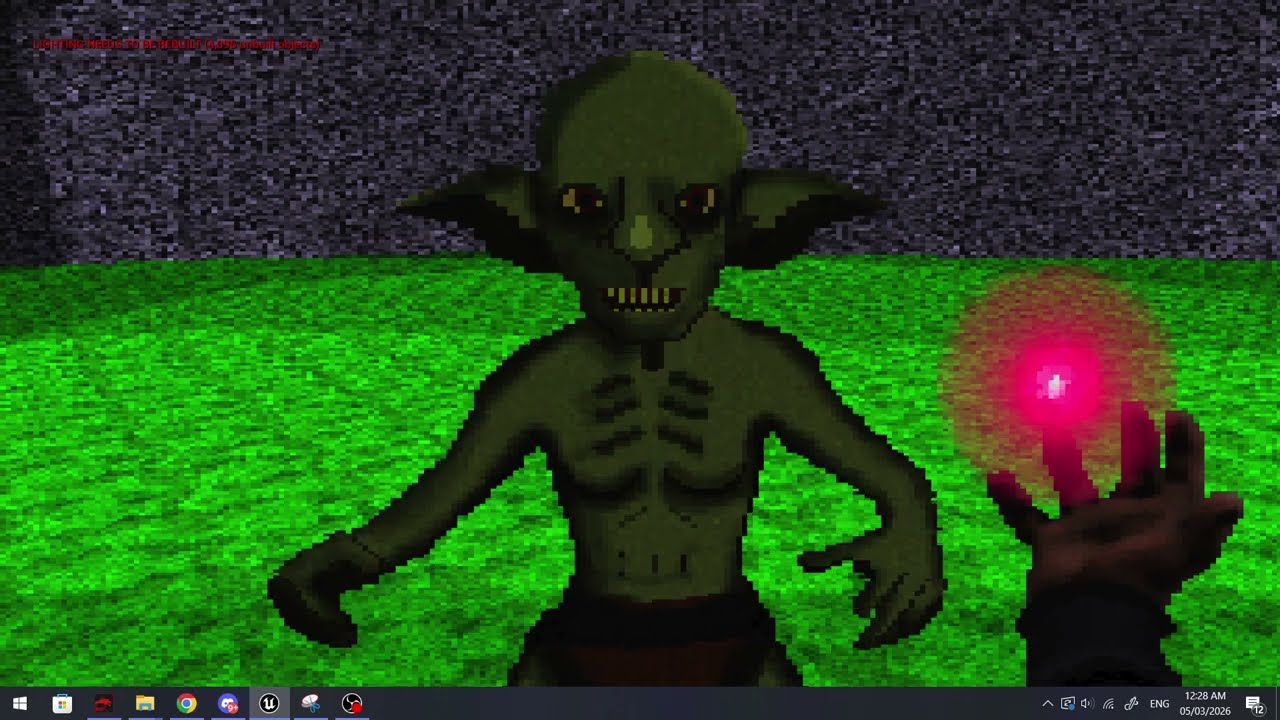
I just wanted to share this thing I've been working hard on for about a month now, most of it is making the sprites because I've never done art before but hey :D
https://youtu.be/s4eOD7rQQRQ
 jade surge
lament spoke
I just wanted to share this thing I've been working hard on for about a month no...
jade surge
lament spoke
I just wanted to share this thing I've been working hard on for about a month no...
a game like this in 2025? Impressive af tbh, these days engines don't seem to support this type of style/graphics
lament spoke
jade surge
a game like this in 2025? Impressive af tbh, these days engines don't seem to su...
Thank you! This is the current progress
https://youtu.be/pjytQFik6Hw
 jade surge
lament spoke
Thank you! This is the current progress
https://youtu.be/pjytQFik6Hw
jade surge
lament spoke
Thank you! This is the current progress
https://youtu.be/pjytQFik6Hw
in love with the art style, wow. is it like a school project or just hobby?
lament spoke
jade surge
in love with the art style, wow. is it like a school project or just hobby?
Just a hobby, I've got a few plans for it but I'm really struggling with making a level, I think after the first one I'll be ok because it'll go more enclosed and dungeon like eventually
I've made a lot of progress with building cliffs and rock faces so it's going ok

 regal marsh
Is using UE4 for new projects a good idea?
I basically don't need any new feature released in UE5
lament spoke
regal marsh
Is using UE4 for new projects a good idea?
Why not? Use the engine you want to use and if you don't need what UE5 has, don't waste the processing power for your customers
oblique scarab
regal marsh
Is using UE4 for new projects a good idea?
if you’re a beginner get ue5 and turn off all the new features, if youre experienced get 4.27
oblique scarab
lament spoke
I've made a lot of progress with building cliffs and rock faces so it's going ok
windows maze wallpaper art style lol
 fresh shore
Whats your guys' best advice for moving an entire project from one Hard drive to the other? My current one is corrupted and damged so I need to move my project onto the other drive
I dont want anything to break😭😭
 wise trail
fresh shore
Whats your guys' best advice for moving an entire project from one Hard drive to...
wise trail
fresh shore
Whats your guys' best advice for moving an entire project from one Hard drive to...
Use a cloning software unlike Windows File Explorer they typically won't freeze if they hit a bad sector.
They skip and continue with the rest of the file.
This is one of the free options I'd recommend maybe looking in how to use it first to make sure you don't muck anything up. https://www.gnu.org/software/ddrescue/
fresh shore
wise trail
Use a cloning software unlike Windows File Explorer they typically won't freeze ...
I appreciate that answer. I think I was worrying too much about it. I thought moving the entire project to another hard drive would cause bigger issues 😂
wise trail
Gl!
 thorn violet
has anyone managed to run mode=generateClangDatabase on linux for ue4? i need it for clang compile_commands.json all my ways and alternatives produce impure copies
thorn violet
update I had successfully overcome this issue, i might make a youtube video about it and post it here
 open cargo
got a question... does NDK r22b work good with android ASTC compression in ue4.27?
open cargo
open cargo
got a question... does NDK r22b work good with android ASTC compression in ue4.2...
wait it actually works perfectly
quick grove
out of interest is there a thing in UE 4 as an addon manager or is there just an asset manager ??
 untold grotto
um guys can someone or team can help me with godot project but for free pls because its fan game
wise trail
Have you tried the Godot community discord?
 latent stream
Hey Im trying to extract these sprites, gotten from sonic mania. As you can see the sprites are not aligned in a proper way for the auto function to work. I recall there is a way to manually drag a box around the images and extract them into indivual PNGs. But I cant remember how to do it. Could someone help me please?
 lament spoke
latent stream
Hey Im trying to extract these sprites, gotten from sonic mania. As you can see...
lament spoke
latent stream
Hey Im trying to extract these sprites, gotten from sonic mania. As you can see...
This might be useful :)
https://youtu.be/UiMUTf2kCSs
https://youtu.be/QelIkAtih0g
Get my 12 hour course on how to make 2D games with Unreal Engine:
https://tinyurl.com/Ultimate2D
Support the channel on Patreon:
https://www.patreon.com/CobraCode
In this video we'll look at the best workflow with sprite sheets using Paper 2D. This will allow us to import them through a json file and create all flipbooks with the click of a si...
Get Early Access to all 10 episodes on Patreon:
https://www.patreon.com/CobraCode
Get my 12 hour course on how to make 2D games with Unreal Engine:
https://tinyurl.com/Ultimate2D
Check out the Paper 2D Basics Playlist:
https://www.youtube.com/playlist?list=PLEHVxFO1I6ekaCoG3JBR4m3qbhOpPO7V8
In this episode of Paper 2D Basics we'll have a look...
 idle quartz
Hey, does anyone happen to have the Ninja Character Plugin (by Xaklse) for UE4.27? It's pretty much impossible to get it the normal way now
 chrome tinsel
Is unreal 4.27.2 still holds up cuz i want to make action RPG game ngl i chose this Verizon cuz performance better than ue5 so is it worth it
 digital basalt
chrome tinsel
Is unreal 4.27.2 still holds up cuz i want to make action RPG game ngl i chose t...
digital basalt
chrome tinsel
Is unreal 4.27.2 still holds up cuz i want to make action RPG game ngl i chose t...
There's some updated forks of 4.27 plus. I don't see a reason to go away from it yet. Iirc consoles opened back up access to publish on 4.
winter shadow
i would try the Vite fork(https://github.com/GapingPixel/UnrealEngineVite-PhysX) it is based off of the rtx branch but they merge 4.27 plus there too
lament spoke
Uh can anyone help me figure out why my previews and stuff are suddenly all broken for this model?
It's fine in the viewport


It was all fine like 2 hours ago, I opened my project and its invisible now
analog spade
Quick question.
Am I the only one who can't generate project files unless I reload an older version of the Epic launcher?
This started to happen after than one issue where we couldn't open UE4 projects, they did fix that one, but now there's this issue.
analog spade
Just me? That's a good sign, means this is a me issue and not an Epic issue.
 sullen harness
oblique scarab
ue5 has a newer architecture that is unfortunately more cpu / ram / vram intensi...
sullen harness
oblique scarab
ue5 has a newer architecture that is unfortunately more cpu / ram / vram intensi...
Full offense, why are you in the UE4 channel telling everyone to use EU5? Seems kind of stupid
oblique scarab
sullen harness
Full offense, why are you in the UE4 channel telling everyone to use EU5? Seems ...
no offense, but what a power move to ping me just to claim there is a fifth european union then leave the server
oblique scarab
does the girl in cam support metahuman rig and nanite skeletal mesh? if yes i join if no i report
restive ingot
<@&213101288538374145>
oak patio
Nah this server isn't really for modding
Unless the game ships an official mod kit (which you're still better off elsewhere for help for), and bl3 doesn't
 pseudo trellis
oak patio
Nah this server isn't really for modding
pseudo trellis
oak patio
Nah this server isn't really for modding
❌
 sudden wind
pseudo trellis
how do u know jack
sudden wind
pseudo trellis
how do u know jack
Who's jack
pseudo trellis
sudden wind
Who's jack
check mutuals
pseudo trellis
whats that
sudden wind
pseudo trellis
whats that
A discord server with a bunch of weirdos
pseudo trellis
ik him from sea of thieves, like hes in cheat community
sudden wind
Oh yeah he's in a lot of those
pseudo trellis
sudden wind
A discord server with a bunch of weirdos
inv
 worn frost
Discussing tools for PC mods is OK if they're permitted by the game's creators. In this case they are not.
wise trail
The devs don't support modding that title.
 noble tapir
Check your DM
analog spade
Hey my font list is empty all of a sudden, realized this trying to set up some rich text data tables, only way I managed to get the Roboto font is by copying it from this regular text widget, if I clear this field, I'm unable to select it again because the list is empty for some reason.
Any idea why this is happening?

Just remembered, I have to show engine content.
 winged kraken
Hello guys, I’m adeola. 3d Character and props artist. Great to be here ✨
 cold sentinel
how can i check overlapping ui elemtns via widget blueprint
cold sentinel
ii fixed it
 vocal raptor
Is there a way to populate primary data asset in editor programmatically?
 tough cloak
hello, does anyone know what's happening. I dowloaded some assets but cant export them to UE4, the image does not show up aswell
 tough cloak
i think my bridge is broken I download the assets but when I go to the files it did not download the model and textures
analog ridge
have to plug the hand to the grip, seems like its tougher than what i thought it would be... can someone help??


 elfin gate
hi i have a question
if i add the player character without animation and i want to add animation aftewards do i need to rimport?
analog ridge
elfin gate
hi i have a question
if i add the player character without animation and i want ...
no, just bind to the skeleton
elfin gate
analog ridge
no, just bind to the skeleton
so like when i want to add new animation i that skeleton i just do it like that?
analog ridge
elfin gate
so like when i want to add new animation i that skeleton i just do it like that?
yeah its like the skeleton is imported into unreal when you import the base mesh
but you need to reimport only when you modify the mesh
and simple non-skeletal mods are just oneclick reimported
i hope it helped...
now its my turnn to
get help
elfin gate
oki doki lemme see
- first step is like add the skeleton you gonna use
- step 2 .... ye im loss
cuz like idk each time there a new animation if there a way to add or it really just rimport
analog ridge
elfin gate
cuz like idk each time there a new animation if there a way to add or it really ...
wait
drag your stuff
into the editor
then there comes a window
there you click skel mesh drop down
there skeleton
elfin gate
gotcha
elfin gate
gotcha
 mental escarp
Has anyone ever seen this? I'm trying to assist a remote developer whose UE4 editor is halting his computer every hour or so, and there's not much to go on.

 wind elk
Hello. Is it possible to get help here for Unreal Engine?
spice ruin
That's the entire point of the server!
wind elk
spice ruin
That's the entire point of the server!
Thanks
 gray meadow
I saw a branch Ue4.27-plus, does it support Apple Silicon?
 hybrid radish
Looking into making a mod/host for stray that inserts into the renderer (DX12) and adds newer and more stable RT/GI and DLSS functions/hooks so I can DLSS with NVIDIA app. If anyone know much about UE4 (I bet yall do) and this sounds cool, I'd love to discuss if this is possible or if its a dumb idea (or even if itd actually improve RT performance)
I would probably have to make it WITH UE, right? as ChatGPT says:
"Why matching the exact UE4 version helps
UE4 internals change constantly between versions:
render graph layout
shader bindings
RT pass structure
memory layouts
class offsets
console variable names
descriptor heap management
DX12 abstraction layers"
idk if any of that is bogus or not but I don't know what version Stray used 🤷
Anyone?
I gtg, ping me so I can come back tomorrow
GN
vocal raptor
<@&213101288538374145>
hybrid radish
what am i looking at
 inner musk
Hello/ Bonjour, Est ce que je peux aider pour quoi que ce soit? I can help you for sometimes? I just want to help and learn. Je veux juste aider et m'améliorer.
 shrewd swallow
Does anyone remember a material function (I think) that would take long thin geo and render it as a rounded cylinder? Wasn’t perfect but held up surprisingly well. I remember using it but cannot for the life of me find it. I believe it came with the engine and wasn’t custom. Anyone remember the name?
worldly trout
shrewd swallow
Does anyone remember a material function (I think) that would take long thin geo...
spline thicken
great MF
shrewd swallow
worldly trout
spline thicken
Omg. Thank you. It was driving me crazy. Haha. Much appreciated!!
wind elk
Hi guys I have a question. I build the Unreal Engine 4.23.1 with Visual Studio 2017 and made it possible to open cooked assets but the materials are untextured. What do I do here? Is there a workaround with this?

 hot gazelle
Good evening
wind elk
Is it possible to edit the UE4 Source Code to make it possible to view cooked uasset materials and shaders?
 fresh lily
Hi, i just joined the server and mainly because i was searching if somebody happened to have a copy/backup of this free foliage starter kit made by user fighter5347, this is due to the fact the original google drive link has been left locked and the original poster has deleted all of his media, so getting a clear download to the kit is almost impossible,


 weary basalt
fresh lily
Hi, i just joined the server and mainly because i was searching if somebody happ...
weary basalt
fresh lily
Hi, i just joined the server and mainly because i was searching if somebody happ...
Mate, that was posted over 10 years ago...
This Discord Server didnt even exist then.
You really are looking for a needle in a haystack.
fresh lily
weary basalt
You really are looking for a needle in a haystack.
yep thats just my life,
still thx for the answer, ill just keep looking somewhere else,
stuck pecan
fresh lily
still thx for the answer, ill just keep looking somewhere else,
Good luck. But is it really worth the chase though?
There's gotta be several other options of foliage kits available
fresh lily
stuck pecan
There's gotta be several other options of foliage kits available
im specifically looking for this one for archival purposes
thats actually something ive been doing for the past days, both of these packs you see here for example, i have recovered them as they are currently now gone and unavailable as well,

 stuck pecan
Seems like you're on a quest to find hidden gold, or to put it better. Good luck finding your silver 😜
fresh lily
stuck pecan
Seems like you're on a quest to find hidden gold, or to put it better. Good luck...
thx, fun fact that i was very lucky to get the speedtree models, because no joke, when i got them, 3-4 days later i went to go into the site that holded them to show them to a friend, and when i entered the site i found out the site had been taken down,
actual perfect timing
stuck pecan
Are you archiving specifically for 4.7 or 4.27 serves you as well?
fresh lily
stuck pecan
Are you archiving specifically for 4.7 or 4.27 serves you as well?
really for any
stuck pecan
You might find hidden stuff on Telegram as well, people tend to archive this sort of in there.
Since I know some 3D modelling and exporting I'd rather archive .blends and .fbx then export them to Unreal. This way you won't be version locked.
 sinful condor
fresh lily
Hi, i just joined the server and mainly because i was searching if somebody happ...
sinful condor
fresh lily
Hi, i just joined the server and mainly because i was searching if somebody happ...
I swear ive seen all of the assets from this pack used in a game i played that cam out recently. Perhaps i could use umodel to extract them?
I could check again real quick
Im not for sure if it was an exact match
fresh lily
sinful condor
I swear ive seen all of the assets from this pack used in a game i played that c...
i know a few games that used them, but my objective is the original "vegetation_pack" rar file which had the example project and all the customizable materials, which allowed you to change colors, add snow, etc
sinful condor
fresh lily
i know a few games that used them, but my objective is the original "vegetation_...
Ahh ok
Where will you upload the archived files?
When you do find them
fresh lily
sinful condor
Where will you upload the archived files?
ill share them around discord, but prolly mainly in archive org
sinful condor
Ill try to look around on the web for the pack
Ive found rare asset packs and games in the past
Sometimes it took weeks, but i usually found what i was looking for
fresh lily
sinful condor
Sometimes it took weeks, but i usually found what i was looking for
i wish you luck
my most recent attempt at recovering has been attempting to contact anybody privately who had the pack and showcased it,
ive left comments & messages in all kind of places, and just cross my fingers someone comes up,
stuck pecan
fresh lily
ive left comments & messages in all kind of places, and just cross my fingers so...
Have you tried his links?
 fresh lily
stuck pecan
Have you tried his links?
fresh lily
stuck pecan
Have you tried his links?
all his facebook's are locked, the rapidshare & forums links dont work anymore and his caede channel dont have any videos or any other kind of socials attatched,
he had a twitter account but it has been deleted,
to mention that contacting him is impossible as his last activity (atleast in his ue forums account) was in 2019
 vital badge
<@&213101288538374145>
 narrow hearth
Hello every one
clever pawn
Hello one
 valid raven
posted a job in the freelance channel if anyone is willing to save me from the pain of implementing animations. i've suffered enough.
i've been trying for months but my brain can't get to a point where it's not struggling.
enough is enough i need to make different kinds of progress
 ancient bronze
Hello, Your game deserves more than average assets.
I create high-quality 3D models and animations that are optimized, immersive, and ready for production.
Characters, environments, props, creatures, animations built to fit your game vision perfectly.

 steady eagle
is there a way to use distance matching in ue4 , i mean Animation Locomotion Library ?
 prisma condor
valid raven
posted a job in the freelance channel if anyone is willing to save me from the p...
prisma condor
valid raven
posted a job in the freelance channel if anyone is willing to save me from the p...
What do you need help with?
valid raven
prisma condor
What do you need help with?
Sorry I found someone already lol
 night kayak
I tried ue4 fps tutorial but the charactor doesn't work


it doesn't even show the log-massage
so maybe the charactor itself is not initiated?
but I wrote the code and I put BPs in default as the tutorial says
im using 4.27.2 btw
 wraith dune
night kayak
pls
wraith dune
night kayak
pls
Edit → Project Settings → Maps & Modes
Default GameMode -> Default Pawn Class must be your FPS character BP
Also Window → World Settings GameMode Override Set it to your FPS GameMode.
wraith dune
night kayak
I need a help
Open your Character Blueprint. Check: Compile button & Save
If there is even one compile error, the character may silently fail.
Or Open the Character BP -> In Details: Pawn → Auto Possess Player -> Set: Player 0
wraith dune
In the level,make sure there is a PlayerStart,not inside floor,not blocked
night kayak
wraith dune
In the level,make sure there is a PlayerStart,not inside floor,not blocked
the debugmassage itself is not shown
 wraith dune
If the character spawns but cannot move,go to ->Edit → Project Settings → Input
Check:Axis Mappings
You should have:MoveForward
W = +1
S = -1
MoveRight
D = +1
A = -1
Turn
Mouse X
LookUp
Mouse Y
Without these,
the character exists but cannot move.
night kayak
its not if the charactor moves or not
night kayak
night kayak
the debugmassage itself is not shown

there is supposed to be "We are using FPSCharacter." but its not
wraith dune
MyCharacter.h
#pragma once
#include "CoreMinimal.h"
#include "GameFramework/Character.h"
#include "MyCharacter.generated.h"
UCLASS()
class SUBLIMATION_API AMyCharacter : public ACharacter
{
GENERATED_BODY()
public:
AMyCharacter();
protected:
virtual void BeginPlay() override;
public:
virtual void Tick(float DeltaTime) override;
virtual void SetupPlayerInputComponent(class UInputComponent* PlayerInputComponent) override;

void MoveForward(float Value);

void MoveRight(float Value);
};
MyCharacter.cpp
#include "MyCharacter.h"
AMyCharacter::AMyCharacter()
{
PrimaryActorTick.bCanEverTick = true;
}
void AMyCharacter::BeginPlay()
{
Super::BeginPlay();
GEngine->AddOnScreenDebugMessage(-1, 5.f, FColor::Red, TEXT("We are using FPSCharacter."));
}
void AMyCharacter::Tick(float DeltaTime)
{
Super::Tick(DeltaTime);
}
void AMyCharacter::SetupPlayerInputComponent(UInputComponent* PlayerInputComponent)
{
Super::SetupPlayerInputComponent(PlayerInputComponent);
PlayerInputComponent->BindAxis("MoveForward", this, &AMyCharacter::MoveForward);

PlayerInputComponent->BindAxis("MoveRight", this, &AMyCharacter::MoveRight);
}
void AMyCharacter::MoveForward(float Value)
{
AddMovementInput(GetActorForwardVector(), Value);
}
void AMyCharacter::MoveRight(float Value)
{
AddMovementInput(GetActorRightVector(), Value);
}
night kayak
wraith dune
MyCharacter.h
#pragma once
#include "CoreMinimal.h"
#include "GameFramework/Ch...
I copied and pasted it then I follow the tutorial eventhough the textmassage wasn't shown
 novel kernel
Ummm... Is this Server for UE4??

 unreal cove
I believe so
night kayak
wraith dune
MyCharacter.h
#pragma once
#include "CoreMinimal.h"
#include "GameFramework/Ch...
I still cant figure out if its a bug or I just didnt do it properly
 cold mural
Hello everyone
I am looking for someone who can convert a model file from fbx to pak format
if you can do pls dm
I am willing to pay for it
 whole wedge
cold mural
Hello everyone
I am looking for someone who can convert a model file from fbx t...
whole wedge
cold mural
Hello everyone
I am looking for someone who can convert a model file from fbx t...
Yes am available for this lets discuss more in DM
clever pawn
Looks legit 
 polar hawk
 fierce tulip
 rain storm
Allar is a human mmo
 velvet fern
Nice, yet another general channel besides lounge & introductions
 limpid phoenix
I was just about to say something to that effect...
 south ridge
limpid phoenix
south ridge
limpid phoenix
I assume it's general talk about UE4, I think it's unnessicary
 astral pond
i need help in unity... xD
 cursive dirge
this is like #lounge but without constant gif spam
at least, I hope so
channel order is messed up though
or is it meant to be first as it's generic channel? all other #ue- channels are sorted alphabetically
I have few questions about UE4 profiler though
been playing with c++ debugging now
is there any way to just pick the stat from group on left bar and do a search on that on event list?
it seems pretty unintuitive to need to type the exact search word to find it
 maiden swift
@cursive dirge Yeah, the order is intentional. I wanted it to be at the top of the ue- list.
cursive dirge
ah ok
maiden swift
I figured it would make sense to come first since it's a general starting point for UE4 support.
cursive dirge
yeh, I guess it makes sense
 vale halo
When you change something I guess
Or are you willing to compile shaders without a reason 😛
 vale silo
I lost power when shaders were compiling
now I load the project, switch to ES2 preview and nothing happens (no shaders compiling)
vale silo
so even changing stuff doesn't trigger recompile
vale halo
Hm
Tried deleting the intermediate file? (be sure to make a bacup before attempting anything btw)
Or derrived cache files (not sure which ones they are)
Basically the files the engine may have hurt/corrupted while attempting to do stuff
vale silo
aye, will try
 hollow dune
Can you not create a static member variable inside of a class derived from UObject? I get strange compiler errors talking about type not recognized
cursive dirge
well, wiping intermediate and saved folders is pretty safe
they aren't even sent into version control
unless you specifically want that
I delete mine all the time :p
basically because UE4 gets really buggy when something goes wrong there
my recent annoyances have been BP debugging freezes
the whole thing frozes, debugging, editor, nothing but close from taskbar gets it to respond
if I close and restart the editor, same thing happens right away if I try to debug again
if I wipe intermediate folder, everything works again for a while
when I started with ue4 c++, and used hotreloading, it was common that things just got really corrupted, had to reset all generated files too
so that has pretty much grown a habit for me, to just wipe those two folders first thing is anything goes wrong :p it still cures the issue in 1 times out of 10
nothing is more annoying than hunting some random weirdness for hours when it's some corruption on cached/generated files...
 frozen magnet
@hollow dune is it a uproperty? Because those can't be static.
hollow dune
@frozen magnet Nope, defined without the property.
no matter what the type is, anything declared static returns a compiler error
frozen magnet
Are you initializing the static member outside the class declaration?
hollow dune
declaring it inside the class, initializing it in the source file
outside of the class
frozen magnet
What's the error you're getting?
hollow dune
let me get the exact error for you
Unrecognized type 'static' - type must be a UCLASS, USTRUCT or UENUM
frozen magnet
Where in the class declaration are you declaring this static member?
hollow dune
It's within the GameInstance custom class
frozen magnet
And you're sure you don't have a uproperty macro above it?
hollow dune
100%, it's whats making me scratch my head like crazy
frozen magnet
If you comment out that member (and any usage) does the error go away?
hollow dune
Since the type is a class, would it help to define it as static class NAME* varName
yes the error only exists with that line
frozen magnet
Are you able to post the header snippet? You can omit irrelevant parts (though keeping whatever is declared above/below the member would also help).
hollow dune
ok so it seems that adding class prior to the type is working
but I've been told that in C++ if it works but you don't know why, thats a bug lol
and right now I don't
frozen magnet
Ah. Didn't seem like type resolving error, but maybe the header tool obscured it or something
hollow dune
Thanks for all your help matey, I appreciate it massively
frozen magnet
Well if the type of the member wasn't declared/included in the translation unit you're using it in then it would be unable to resolve the type.
And np, glad it's working
 ashen brook
Huh... since when does Detail Lighting no longer show shadows or vertex lighting? Something's broken here
 weary hull
 cerulean sequoia
works fine on my end
weird, restart the editor maybe... there are many things that get magically fixed with a restart
 knotty brook
Anyone know how to get unreal front end to force a rebuild of lightmaps during cooking
cerulean sequoia
wasn't there an option for that
build all maps before cooking or something
or was that UE3?
knotty brook
yeah i can't seem to find it
 tiny island
Odd request: Would someone who's working with Unreal on a Mac (preferrably 4.12+) be able to send me their output of which mono and mono --version?
tiny island
I'm incredibly jealous if literally no one here has to deal with OSX.
plush yew
use it at work, but not for unreal stuff
 rough kite
I'm on a Macbookpro almost all day what do you need?
And check out my friends showing off their VR-15 Vive gun at HTC today... https://twitter.com/htcvive/status/776899389134544896
 plush yew
That is a cool project 😄 making shooter games feel really immersive
rough kite
ya it's a sweet game, perfect fricking controller for VR too. It feels really good holding it and looking down the scope in VR
plush yew
@polar hawk found that mmo thread you mentioned, I like how the Thread starter is always responsible for "Write the GDD" + "GUI Design"
not making the gui, just the design of it
 woven cliff
guys
is this doable in unreal engine 4?
https://www.youtube.com/watch?v=f7wP5qMGrNE
 limpid phoenix
I don't see why not, with actual Matterport data, not sure.
woven cliff
@limpid phoenix so if i have a scene done in unreal engine or vray, i can give it that kind of controler?
limpid phoenix
It would require some heavy programming to get that kind of control, but yeah, you could do it.
woven cliff
@limpid phoenix thanks for clearing things up for me bro!
limpid phoenix
Not sure how clear I made it but you're welcome 😄
woven cliff
@limpid phoenix do u know anyone made it before in ue4?
well it's kinda thinking out loud 😄
limpid phoenix
No I haven't, but these controls aren't outside the bounds of what basic RPG or RTS games already do.
woven cliff
@limpid phoenix ok cool, i will dig deep till i no longer see the light of the sun 😄 thanks for your time 😃
limpid phoenix
@woven cliff of course, no problem man, happy to help when I can.
 wet grotto
anyone having memory problems on 4.13?
for example "has stopped working" when on heavy load?
woven cliff
@wet grotto I had that while building a kinda off big scene, on 32 gb ram,
i got it fixed by increasing my page file (+50 gb ) at first i didn't have any , now i have no memory issue
u don't have to waste a 50 gb on pagefile but i just have alot of space so i didn't wanna bother testing, if that was the issue anyway
wet grotto
(y)
sometimes UnrealFrontend or UnrealEditor are getting frozen
and sometimes my packaged game too
woven cliff
oh i think as long as ur memory usage doesnt go up then u have another issue, srry i didn't get it at first 😄
velvet fern
using ue4 reminded me of when i used computers in the 90s where you hit hardware limitations pretty frequently
ashen brook
@woven cliff I built something EXACTLY like that for a client
minus the photogrammetry part
so yeah, it's very well possible. Was a pretty short contract
Funny, I see now where they got the inspiration 😄
woven cliff
@ashen brook thanks for replying back, so u made a controller like that, inside a scene u made in unreal ? but it is not possible to do something like that using 360 photoes from vray ?
ashen brook
If anything I would use a photogrammetric reconstruction of the space
which you'll need especially for the dollhouse view
no idea off the top of my head how you'd do it with 360 photos
 dusty mantle
What would cause the Default Pawn class box to become shaded out in the Game Modes Section in World Settings? I'm trying to change the default pawn for that project but not sure how.
All the variables in the Selected Game Mode category are shaded actually
Do I just use RendertoTexture_Game? That allows me to access those variables so Im going with that for now.
ashen brook
you may be trying to adjust the settings of a C++ gamemode class
instead, make a BP subclass of that gamemode and adjust its defaults
You can set the default gamemode in the project settings btw
-> Maps & Modes

 safe shoal
@hollow dune unfortunately mobile package errors are a fucking nightmare. Thing I would suggest are clearing out temporary files (seriously), deleting the intermediatte, binaries and what you can in the Build folders too.
Also, if you have any plugins disabled, re-enable them. Doesn't seem to like packaging minus some plugins, not sure what the specific ones are but Gear VR is one of them.
hollow dune
@safe shoal i tried it already. This is going to be a bloody pain lol
Make a game for droid, finish game, learn i cant build the game due to error
safe shoal
Tip with mobile is to package often
The smallest thing can break it, and half the time it'll just decided to stop packaging all on it's own.
Until Epic makes a mobile game (probably never), a lot of the development pipeline issues won't be fixed 😦
Most of mine and @tough jungle chat history is whinging about random mobile dev issues haha
safe shoal
Try packaing out a completely empty project, if that works, the problem is with the project. If it doesn't, the problem could be with either your android SDK install or engine install
cursive dirge
I'd start by disabling all external stuff at first
well, yeah, templates should build
@hollow dune ^
hollow dune
@cursive dirge aye matey, it's a custom plugin, SQLite3 one that was forked from a previous github version of it which was supposed to be cross compatible, i guess ill start this arse ache
cursive dirge
sqlite may be crossplatform but it doesn't mean it'll package nicely with unreal
hollow dune
If this has an issue I don't know how I'll handle it yet
 cerulean sequoia
Uh lol
hollow dune
@cursive dirge @safe shoal Any idea where I begin with this to find out whats the problem? I've tested a blank project and also blank with the only plugin I use, both are fine, next part would be this bombshell of a source code to work out the issue but can I not get any feedback from the tools to determine what it could even be
dusty mantle
@ashen brook Thanks, and yes I'm trying to set the settings of the game mode but theyre greyed out and im also working with C++ project but doing everything with blueprints.. Just to see whats different from the third person C++ new project and the blueprint third person and see if things are different which it seems they are.. so you are correct. Ill give that a shot.. Im wet behind the ears with UE so im still exploring it. I made blueprints before but I dont think i made a subclass one before. So looking forward to trying this out. Also the Project Settings Map Modes are also greyed out. So im thinking this is because its a C++ project and if i started out with creating a blueprint third person.. they probably wouldnt be greyed out, yes?
I also experienced a crash everytime I try to make a duplicate of the blueprint Projectile which I migrated from a blueprint first person shooter project
cursive dirge
@hollow dune no idea, I don't even do mobiledev..
vale halo
Could anyone quickly tell me the location of the default cube in unreal? 😉
dusty mantle
@vale halo not sure what you mean by that.. you mean like the Modes Tab -> Basic -> Cube?
vale halo
Yeah that one
But I wanna reference it in cpp
By path
aka I wanna try and do something in the construction script but it wont work, having suspision its due to not having the cube
dusty mantle
Whats the difference between the Basic-> Sphere Static Mesh and StarterContents/Shapes/Shape-Sphere Static Mesh?
dusty mantle
@vale halo the question im asking now might answer it.. StarterContent/Shapes/Shape_Cube ?
vale halo
I'll see if that works, ty 😃
dusty mantle
Yeah im asking that now .. if the Basic Cube/Sphere is the same as the StarterContent/Shapes/Shape_Cube/Sphere
dragged out into the scene.. theyre the same size but different materials... but have the same variables in their settings
im wanting to know which one do i use to construct a Moon in my game...
ashen brook
@dusty mantle Yeah, I'm pretty sure if you use a blueprint gamemode class you can change the default classes everywhere
plush yew
@hollow dune No not worked with android, but I am sitting an a quite bad macbook air, not made for gaming and optimal for mobile so I could boot up ue4 and try to help you figure out whatever you need help with figuring out
I am also a master googler 😛
plush yew
haha
hollow dune
This is my plea for help
plush yew
Ok checking it out
hollow dune
If you could help I would be eternally grateful
 feral dirge
No promises
hollow dune
Thanks fellas, I seriously owe you both a beer for helping
hollow dune
I'll buy you two the bloody bar just for helping or trying to help
feral dirge
Can you pastebin your UnrealBuildTool-2016.09.17-18.22.16.txt and the actual UE4 output log
(not the saved one, the live one)
hollow dune
Where will it be located may I ask? saved folder?
plush yew
@hollow dune Are you using any plugins perchance, just a questiong to try to probe the situation
hollow dune
I'm using a plugin but I've tried it without it, fine, with it, fine, (on a blank project)
plush yew
ok is your project a BP project or code project?
feral dirge
Reading this it sounds like there's some C++ in there
Also to be on the safe side
"IMPORTANT DO NOT TOUCH"
hollow dune
It's primarily C++
feral dirge
Try to remove spaces
feral dirge
It doesn't like spaces
hollow dune
ill try to compile the live version, not the testing version, same thing just different location
im sure its the same
feral dirge
Yeah I'm more versed to reading the output log from ue4
The prefixes on this log is sending me for a spin for some reason 😛
hollow dune
this is what I get on the live version
the SDK locations are all confirmed correct
feral dirge
Hm...#
"UATHelper: Packaging (Android (All)): UnrealBuildTool: Performing full C++ include scan (no include cache file)
UATHelper: Packaging (Android (All)): UnrealBuildTool: Performing 1 actions (4 in parallel)
UATHelper: Packaging (Android (All)): UnrealBuildTool: [1/1] clang++.exe IWillSurviveClicker-armv7-es2.so
UATHelper: Packaging (Android (All)): UnrealBuildTool:
UATHelper: Packaging (Android (All)): UnrealBuildTool: Unhandled Exception: "
That's when it goes from being happy
to being sad
feral dirge
Nah that's normal about there
hollow dune
before causing the exceptionm
plush yew
Are you creating the HUD in c++ also?
hollow dune
the widgets derive from the parent classes yes which are C++
plush yew
Yeah no issue, I was thinking it could take some time changing everything
hollow dune
this is the error given
basically the same
man, I finish a game and find out i can't build it, this is a nightmare lmao
first game, endless time on it
plush yew
Can you change traget platform to Desktop and cook too see if you get a more descriptive log
to windows pc
hollow dune
ok matey
UATHelper: Packaging (Windows (64-bit)): xgConsole:
UATHelper: Packaging (Windows (64-bit)): xgConsole: Error executing C:\Program Files (x86)\Microsoft Visual Studio 14.0\VC\bin\amd64\link.exe (tool returned code: 1181)```I get this on win64 build
ill retry with a clean slate
plush yew
Ok good, seems you got some more information from the window build
hollow dune
aye clean slate was the same, ```LINK : fatal error LNK1181: cannot open input file 'libsndfile-1.lib'
Error executing C:\Program Files (x86)\Microsoft Visual Studio 14.0\VC\bin\amd64\link.exe (tool returned code: 1181)
---------------------- Done ----------------------
Rebuild All: 0 succeeded, 1 failed, 0 skipped
@feral dirge
hollow dune
I followed this for the installation of the SDKs
How to install different Android SDKs, set environment variables, and work with texture formats.
plush yew
Are you getting any hints from this linking issue with the lib @feral dirge
hollow dune
Is there a way I can force more details out of the compiler ?
@plush yew http://www.mega-nerd.com/libsndfile/
Erik de Castro Lopo (erikd AT mega-nerd DOT com)
The libsndfile Home Page
I noticed this is the library
cl : Command line warning D9002 : ignoring unknown option '-x'
cl : Command line warning D9024 : unrecognized source file type 'c', object file assumed
cl : Command line warning D9027 : source file 'c' ignored
sqlite3.c
and this is what the plugin uses
but..
it worked on a blank project with plugin included
feral dirge
Back sorry
plush yew
Brb 15-20 minutes, my girlfirend want me to call her, but I'll be back soon
hollow dune
ok matey and wb
feral dirge
unreal-sqlite3 that plugin is causing weird behaviour
Seems to be an error that is causing AutomationTool to tell the engine it's failed
hollow dune
the plugin uses the .c file from the official website since there isn't a cpp file
and makes mention of it, it seems
I've found the lib that it complains about, unsure where I would place this for VS to automatically use
though there is a dll
plush yew
@hollow dune
feral dirge
@plush yew
vale silo
Has anyone experienced Editor constantly freezing in 4.13 ?
feral dirge
@vale silo Yes, yes, yes
plush yew
I have SQLite3 working. Im new to c++ and it was not very easy. I am sure its not harder than any other library but as a new guy to all this.. it took some effort to figure out.
This is how my directories look like (you can have it organized however you want):
\ThirdParty\sqlite\Libraries\sqlite3.obj this i compiled myself
\ThirdParty\sqlite\Includes all .c and .h files here
This is what i have in my build.cs:
string ThirdPartyPath = Path.GetFullPath(Path.Combine(ModulePath, "../../ThirdParty/"));
string LibrariesPath = Path.Combine(ThirdPartyPath, "sqlite", "Libraries");
PublicAdditionalLibraries.Add(Path.Combine(LibrariesPath, "sqlite3.obj"));
PublicIncludePaths.Add(Path.Combine(ThirdPartyPath, "sqlite", "Includes"));
I hope it helps
Edit: To clarify i downloaded sqlite3 source code and compiled it. I dont know what "SQLiteSupport" is. Is SQLite supposed to be included in UE4??
hollow dune
I'm here, just trying all i can do
plush yew
I found this
feral dirge
Wait what does SQLite do?
Does it do what VaRest can do?
Because I can confirm VaRest works on Mobile
hollow dune
Sqlite is just for local databases
feral dirge
Ah, shit :/
vale silo
How about using pastebin for walls of text?
hollow dune
this is the specific version I used
feral dirge
That guy looks angry
hollow dune
must be a vet programmer
plush yew
He looks sneaky
hollow dune
or worked for ubisoft
plush yew
😛
hollow dune
funny thing is, despite that his fork works great, I can't seem to find his build.cs that includes his .lib but if it works in the editor he must do it somehow
My apologies, it was this fork

GitHub
unreal-sqlite3 - Unreal SQLite3 Plugin with SQLite3 source included to avoid ThirdParty integration or precompile
plush yew
I feel like when you visit the docs for a given Node that there should be a link to the C++ version
because you google a function and the first result is always the BP version
so at least you'd be able to go back and forth between the versions of that function
 dapper granite
is there a reason a rifle is considered a "skeletal mesh", I'm trying tutorials and it wants a "skeletal mesh" rifle
 thick ridge
Many times there animations for rifles that requires a skeletal mesh
hollow dune
@plush yew This is one thing that pushed me away from BPs, apart from most of the official tutorials being BP based, I have to go through extra effort to find the C++ version, not even a link on the wiki to it's counterpart