#ue4-general
1 messages · Page 23 of 1
 plush yew
If the video is the bottom one, he has his as an "array" type which is a variable that holds multiple values
idk what your symbol is.
I also assume you know how to check if it's the same "type"
 gray oxide
plush yew
If the video is the bottom one, he has his as an "array" type which is a variabl...
gray oxide
plush yew
If the video is the bottom one, he has his as an "array" type which is a variabl...
if i change it to an array it also changes the left symbol
which im assuming is the "type"
im getting this error and i have no idea how to fix
Blueprint Runtime Error: "Accessed None trying to read property Char2". Blueprint: 2DSideScrollerExampleMap Function: Execute Ubergraph 2DSide Scroller Example Map Graph: EventGraph Node: SetActorLocation


sorry for image dump
Blueprint Runtime Error: "Accessed None trying to read property Char2". Blueprint: 2DSideScrollerExampleMap Function: Execute Ubergraph 2DSide Scroller Example Map Graph: EventGraph Node: Set FieldOfView
this too
same error different node
plush yew
This is my variables for a script I wrote.
First is an array (9 boxes symbol) of type "ambient sound."
The next two are single variables of type boolean.

 plush yew
gray oxide
Blueprint Runtime Error: "Accessed None trying to read property Char2". Blueprin...
plush yew
gray oxide
Blueprint Runtime Error: "Accessed None trying to read property Char2". Blueprin...
You have a variable.
This variable is a "reference."
This variable has no value assigned to the reference.
So in English...
You are capable of having children.
You have no children.
Someone asks you to show your children to them.
How do you show your children?
gray oxide
oh
plush yew
 gray oxide
i have char1 on the level map but char2 isnt on there
plush yew
ye
gray oxide
but i have a bp that spawns char2 from inside char1
 gray oxide
alright tysm
plush yew
no problem @gray oxide
It'll help you a lot to go through a programming course. Codecademy is really good.
Just do C++ or Java and you'll have a pretty good understanding of what things are if you are not a programmer.
and codecademy is free.
gray oxide
plush yew
no problem <@285234018872721420>
It'll help you a lot to go through a programm...
I'm currently learning Python and I have an extremely limited knowledge on Java
plush yew
Python is good for logic, but Blueprints do do a lot of C++ kinds of things.
You might be okay with Python, but since python doesn't require you to specify types and so on, you might be missing a few minor things.
up to you.
 faint wagon
hey guys
i got a small problem
i have programed a door but on the first time it is used in the active level viewport it glitches out a bit
after that in that one instance it is fine but whenever its restarted it glitches for the first use again
faint wagon
i will post a video in a second
just testing if it does it on more than one door in a single instant
k it does it for each one
this is the glitch thats happening
 grim ore
that doesnt look like glitching, that looks like your settings your first time opening rotation to open not closed. show your code
 real heath
Yep initial code state doesn't match visual state
plush yew
How do you guys make an event activate only after another one before it got activated, i have a room with two events, when the player enters and reaches the farthest corner of the room an event will happen, and when he's exiting the room another one will happen, yet i don't want the latter to trigger when first entering the room given how the collision box is in the door way

 oak patio
plush yew
How do you guys make an event activate only after another one before it got acti...
oak patio
plush yew
How do you guys make an event activate only after another one before it got acti...
use a boolean. Event one checks if a boolean is true. it won't be, so it doesn't fire. Event 2 happens and sets the boolean to true. Event 1 checks again, boolean is true so it executes.
you could also have event 2 be responsible for spawning event 1's trigger
or have a manager object that controls which events execute when
 agile bluff
Jumped in because im a little perplexed.
I've heard at some point Unreal Engine has some sort of systems for character Teams (player is team 0, enemies team 1)
Ive tried researching around but im just finding unreal docs that dont really lead to anything?
The question is, does Unreal Engine already have some sort of system for character teams?
Obviously I can just make it myself, but id rather know for sure if Unreal already does any of this (which im leaning towards it does but am not finding anything about it)
 fast zealot
plush yew
Python is good for logic, but Blueprints do do a lot of C++ kinds of things.
Y...
fast zealot
plush yew
Python is good for logic, but Blueprints do do a lot of C++ kinds of things.
Y...
Python Dev's can't be real
 copper bobcat
agile bluff
Jumped in because im a little perplexed.
I've heard at some point Unreal Engine...
copper bobcat
agile bluff
Jumped in because im a little perplexed.
I've heard at some point Unreal Engine...
You can use gameplay tags
https://docs.unrealengine.com/4.26/en-US/ProgrammingAndScripting/Tags/
Gameplay Tags can be used to identify, categorize, match, and filter objects.
 glacial spoke
Hi, I would like to create a 3d game on Unreal Ingine 4, but my knowledge in programming is not enough, the game is about the 3rd year, where Navalny seized power, but then the main character wakes up, our main hero is a super soldier of the USSR and he decides to overthrow Alexei, the project positions itself as a serious project, I'm looking for a programmer.
faint wagon
grim ore
that doesnt look like glitching, that looks like your settings your first time o...


first one is the door and the second is the player
 spice ruin
agile bluff
Obviously I can just make it myself, but id rather know for sure if Unreal alrea...
spice ruin
agile bluff
Obviously I can just make it myself, but id rather know for sure if Unreal alrea...
The AI system has a response/team thing. Not sure if that's the old or newer ai system, though.
Or if there's even a difference.
faint wagon
faint wagon
i think i have fixed the issue but i cant close the door after its been opened anymore
spice ruin
agile bluff
Obviously I can just make it myself, but id rather know for sure if Unreal alrea...
There's OnlineGameMatchesInterface.h or GenericTeamAgentInterface.h for the team stuff in the engine. Not sure there's much else.
Rolling your own team stuff is extremely simple, though.
faint wagon
faint wagon
i think i have fixed the issue but i cant close the door after its been opened a...
turns out if i try and make the door rotate 100 degrees it wont work properly
plush yew
oak patio
use a boolean. Event one checks if a boolean is true. it won't be, so it doesn't...
Ah ok, and is this option available in event dispatchers?
oak patio
plush yew
Ah ok, and is this option available in event dispatchers?
Sure. Event 1 has Boolean false, but is bound to Event 2 dispatcher. Event 2 triggers the dispatcher. Event 1 sets it's Boolean to false
 next wadi
Hey! this might be a very beginner question but how do I use this function in a different blueprint? I have a function in "Hitbox Actor BP" that I wanna use in "MocapAnimBP" and for the life of me I cant figure out how

 plush yew
oak patio
Sure. Event 1 has Boolean false, but is bound to Event 2 dispatcher. Event 2 tri...
plush yew
oak patio
Sure. Event 1 has Boolean false, but is bound to Event 2 dispatcher. Event 2 tri...
Alright I'll try it out thx a lot
faint wagon
faint wagon
turns out if i try and make the door rotate 100 degrees it wont work properly
i fixed it
 vocal warren
hi
anybody knows how to make a chracter with cubic capsule component?
oak patio
vocal warren
hi
anybody knows how to make a chracter with cubic capsule component?
Cubic capsule component?
spice ruin
I think he wants to use a box instead of a capsule.
vocal warren
spice ruin
I think he wants to use a box instead of a capsule.
👍🏻
vocal warren
Is there anyway else?
Like smalling that capsule and making my shape with collision to block? (I tried it and didn't work)
oak patio
No
If you want custom collision for movement, you're gonna need to write your own movement component, or buy one off the marketplace
vocal warren
oak patio
If you want custom collision for movement, you're gonna need to write your own m...
Also I tried that but it was little buggy...
oak patio
Well in fairness that's an issue with your code
vocal warren
Can u tell one of they're name on marketplace?
I want to make a human fall flat like thing but with a simple cube
oak patio

Unreal Engine
Save hundreds of hours of work with this innovative locomotion framework which completely replaces Unreal's built-in character movement with a much more comprehensive and easier-to-use alternative - no C++ required.
vocal warren
oak patio
https://www.unrealengine.com/marketplace/en-US/product/general-movement-componen...
Thx
Does it work with physics?
oak patio
No idea
vocal warren
I mean like a car that is 25% on the floor and 75% in the air and it's gonna fall but in my opinion it's a fucking cube
vocal warren
vocal warren
I mean like a car that is 25% on the floor and 75% in the air and it's gonna fal...
That Cube is the chracter
 verbal jay
hello everyone!
i am trying to deploy an AR application on an iPhone. The build succeeds, the deploy process doesn’t. I get the following error:
LogPlayLevel: Error: [DD] ... Error: Failed to connect to bundle ‘com.md.imageacquisition’
Unreal Engine 4.26.2 running on MBP Pro 19
iPhone SE - iOS 15.5
Xcode 14.2
I only have a free apple developer account since this project just an experiment for a scool project and I dont want to publish it.
Can anyone help me with this issue? Thanks 🙂
 edgy parrot

Does any one know how to fix and remove this distortion above my meshes i only see those in android build but in ios it looks fine
 frigid gate
Hi I'm trying to learn UE and I just ran into a problem where when trying to play in the editor I have no character and can't move. I've tried spawning a character and using "play from here" and also using auto possess but neither worked. I was following a tutorial on yt at the time but I set the stuff like gamemode and player controller back to default and it still doesn't work. :((
frigid gate
nvm apparently I had the wrong settings. I had it set to GameState instead of GameStateBase and changing that fixed it
 frozen tinsel
is worth use ue4 and not use ue5?
there are a lot of difference?
or you can do the same?
spice ruin
Ue4 isn't going to receive any more updates. No features of hug fixes. Ue5 has a ton of new stuff already.
 silver quest
a lot of the blueprint stuff are similar but ue5 has stuff like lumen and (uhh that one thing with triangles)
which im pretty sure ue4 doesnt have
spice ruin
Nanite.
silver quest
that's the one
plush yew
i did this to make a music play when an enemy is near me, it works fine yet i keep getting this error


 thin tendon
plush yew
i did this to make a music play when an enemy is near me, it works fine yet i ke...
thin tendon
plush yew
i did this to make a music play when an enemy is near me, it works fine yet i ke...
You don't need to set the timer every time you call the event. You can also fix your null error by adding an is valid node after your get actor of class.
plush yew
thin tendon
You don't need to set the timer every time you call the event. You can also fix ...
i did this instead of using eventick cuz ive read its more efficient
oak patio
plush yew
i did this instead of using eventick cuz ive read its more efficient
But you misunderstand how it works. It can indeed be more efficient. But you don't set the timer each time it's event is called
plush yew
oak patio
But you misunderstand how it works. It can indeed be more efficient. But you don...
what should i do then?
oak patio
Remove the call to the set timer in the timer's event
plush yew
oak patio
Remove the call to the set timer in the timer's event
and ?
plush yew
oak patio
And?
so it becomes like this?
 oak patio
By using an is valid node
oak patio
plush yew
so it becomes like this?
No
You're now not calling the timer's event, but still calling set timer
You want the red wire, not the white wire going back up to call the timer
plush yew
oak patio
You want the red wire, not the white wire going back up to call the timer
oh ok i got it like this
plush yew
oak patio
No
 oak patio
Yep but now your event timer isn't doing anything. On begin play you set a timer. Then execute some code.
But then you have a looping timer to just get an actor by class. Doing nothing else
You should really step away and learn referencing and blueprints because something in your understanding of BP is fatally flawed
frozen tinsel
is worth learn unreal engine 4 in 2023 , because unreal engine 5 my pc didnt run , but the unreal engine 4 yes , its worth?
 fierce tulip
most of the things you learn with ue4 are transferable to ue5
@frozen tinsel though dont crosspost the same question next time, its against the rules and can get you striked, worst case banned.
frozen tinsel
fierce tulip
most of the things you learn with ue4 are transferable to ue5
so , its worth?
fierce tulip
yea, dont let it stop you :)
sure UE5 has some new features, but --besides maybe cascade-- most things are def. transferable
frozen tinsel
fierce tulip
yea, dont let it stop you :)
Because what do you think would be more worth learning in 2023, unity, or unreal engine 4, I would like to learn and I don't know which of the two to choose
or its the same?
fierce tulip
that I cant choose for you.
I'd say try both and follow some getting started tutorials with both. then decide :)
frozen tinsel
mm im going to try unreal engine 4
so idk if i can run it xD
if i say you my specs you can say?
or you dont know?
fierce tulip
one sec
frozen tinsel
ok
fierce tulip
Minimum and recommended hardware specifications and necessary software for developing with Unreal Engine.
frozen tinsel
the ram recommended is 8gb?
 neon wedge
I'd say get more ram. Unreal uses alot.
Plus if your going to watch youtube/discord while using UE4 you'll need the extra ram
fierce tulip
the more ram, the better.
and if you can run UE off an ssd, even better.
you can run on lower than 8gb ram, ive seen people do it, and for just learning its generally fine.
frozen tinsel
fierce tulip
you can run on lower than 8gb ram, ive seen people do it, and for just learning ...
so if i want to do a game , i cant?
fierce tulip
you could, but dont expect to do AAA quality visuals. but that goes for unity as well
frozen tinsel
fierce tulip
you could, but dont expect to do AAA quality visuals. but that goes for unity as...
and i can do a game with , good graphics? , no elden ring graphics but , good graphics
frozen tinsel
frozen tinsel
and i can do a game with , good graphics? , no elden ring graphics but , good gr...
graphics like genshin impact , this style
fierce tulip
start with learning first :)
do some getting started tutorials, some "your first game in ue" tutorials and such
take it from there.
frozen tinsel
So i can do this graphic Style?
fierce tulip
eventually, with enough experience, sure.
frozen tinsel
Okey , with 8 GB RAM im good to make good simple games in ue4?
fierce tulip
yuz!
fierce tulip
i'd start with bp's :)
frozen tinsel
Ok so how i learn , searching a Guy making a Game and copy or look tutorials
Because if i search , all people use unreal engine 5
fierce tulip
check the pinned messages in this channel
frozen tinsel
fierce tulip
check the pinned messages in this channel
There are lots
What pinned you say?
fierce tulip
pick the getting started ones me thinks.
< afk
 bleak zodiac
when i first started the unreal engine, didn't make a game, just learning at learn.unreal and documentation, until today, i still doing tutorial at epic developer site 🙂
 sage coral
Is it possible or is there a setting to only have dynamic shadows only on the player?
 shy spoke
How to solve the issue of Unreal Engine not print logs to screen after launching VR Preview mode and then launching normal mode.😩
 fiery blaze
Hello out there! I have a question! My team and I are using tortoisesvn for our game and we recently hit the max on storage space. Does anyone here know how to upgrade the storage on this? Any help would be appreciated!
 pure niche
bros, any ideas what might be causing camera jerking in a .001 Timer Event for rlerp z-locked rotating player character? control rotation disabled, xyz inheritance also disabled
 dark axle
Hello guys, may I ask for guide or assistance on UE 4.27.2 pixel streaming voice chat?
real heath
fiery blaze
Hello out there! I have a question! My team and I are using tortoisesvn for our ...
svn has no storage limit, your server where you host it might though, so you'll need to check where you are hosting it. Also your local drive may be full since SVN tends to cache some stuff locally. I think theres a "clean up" command or soemthing. can't remember now, been a while since i used SVN
but #source-control might be a better place to ask more in depth questions
 peak hare
Is it okay to have a delay node on an event I fire every 5 s? The delay is of 60s and then I fire a function. Im just wondering if the delay will actually be respected or the delay will just get retriggered with every fire of the event. Or instead I will have multiple 'delays' running concurrently.
 odd swan
peak hare
Is it okay to have a delay node on an event I fire every 5 s? The delay is of 60...
odd swan
peak hare
Is it okay to have a delay node on an event I fire every 5 s? The delay is of 60...
both are possible, check out the “retriggerable delay” node
oak patio
peak hare
Is it okay to have a delay node on an event I fire every 5 s? The delay is of 60...
Just use timers at that point
copper bobcat
pure niche
bros, any ideas what might be causing camera jerking in a .001 Timer Event for r...
Use Tick
 frosty topaz
when i try to build lighting, all i get is an error message. i click it and it just sez lighting needs to be rebuilt.
 neon wedge
try adding a lightmass importance volume https://docs.unrealengine.com/4.27/en-US/RenderingAndGraphics/Lightmass/Basics/#:~:text=The Lightmass Importance Volume controls,lighting at a lower quality.
It might work

High level introduction to Lightmass.
frosty topaz
i have 2 in my city already. i added 2 new asset packs to my city now my lighting wont build.
pure niche
copper bobcat
Use Tick
thanks, this seems to have fixed it!
 forest lake
Can anyone help me with an UE4 Prerequisite (x64) setup fatal error please?
fierce tulip
@forest lake next time, please dont post these on the slackers feedback channel, its for feedback. hehe.
 spare trench
from where I can learn to read output logs?
forest lake
fierce tulip
<@199839116970426368> next time, please dont post these on the slackers feedback...
Slackers feedback? I thought this was UE4-General?
fierce tulip
you posted it in #969360633386655744 as well, which I removed
forest lake
fierce tulip
you posted it in <#969360633386655744> as well, which I removed
Shall I repost it in the general feedback?
Lobby - Feedback?
fierce tulip
no, here was fine
forest lake
fierce tulip
no, here was fine
Ah okay, thank you. I shall wait for someone to help me
neon wedge
Anyone have tips of camera shake? Trying to use it to add juice for hits.
It's either too little to be noticeable, or way to distracting. I cant seem to get it right
copper bobcat
neon wedge
Anyone have tips of camera shake? Trying to use it to add juice for hits.
It's e...
Play different camera shakes based on the amount of damage.
real heath
Yep, and have different shakes for different types of hits. More horizontal panning for side strikes, more vertical panning for hits on the head etc
Don't go crazy doing vertical, horizontal and rolling all at once
neon wedge
Thanks for the responses.
Do you use a low frequency and high amplitude?
real heath
Depends on what you are going for and what kind of hit. Frequency affects how quickly it moves back and forth. Amplitude is how much it moves.
I'd have a fairly quick fade out though
neon wedge
Alright I think i got it.
spare trench
once I got logs when my game crashes, how do I fix it
(im a beginner)
 orchid bobcat
spare trench
once I got logs when my game crashes, how do I fix it
(im a beginner)
orchid bobcat
spare trench
once I got logs when my game crashes, how do I fix it
(im a beginner)
Open your logs, find any warnings / errors and fix them
spare trench
orchid bobcat
Open your logs, find any warnings / errors and fix them
lol I am working on blueprints and I dont know to code
so how will I fix it?
 slender frost
This is a first... opened up project (working last night) and everything looks like this: - seems to be project specific across multiple maps

for reference this is how it should look (copied from older project) Never seen this before, faces flipped and everything washed out?
 vocal warren
Is there any content pack for multi player heist game/open world/coop game
?
In marketplace*
 tame marsh
Those money bags better have comically large dollar signs on them
oak patio
If ya want help, you are gonna need to show us and tell us what you did :)

 faint wagon
its slightly lighter
 slender egret

Hey, anybody know of any good assets for ocean waves? Large, whitecap waves? From what I can see the marketplace only has a few assets of this sort, which all seem to be very expensive and very cpu intensive.. Im surprised there aren't particle packs with more waves?
Any ideas?
Gif Related, type of effect I'd like
But like not just shoreline, ocean waves as well
oak patio
Yeah... About that...
We don't really have one
oak patio
faint wagon
it looks like this
That's not glowing?
The other one just appears to have lowered roughness and a light on it
oak patio
faint wagon
how do i increase roughness
In the material
It's just not really that needed
Epic Dev community. Primarily learning an object oriented language made it very easy to pick up
The epic Dev community
faint wagon
oak patio
In the material
Thanks
oak patio
?
Do you want good advice or not
The epic Dev community portals are made by the person responsible for the best BP API reference we have
I don't think you get how large companies work. It's not one team on two keyboards making fortnite and unreal engine educational content at the same time
(especially when then $10 course is gonna be full of bad practice :P)
Eh he's alright if you want to get into the art side more.
But the first hour in unreal engine course is your best bet
grim ore
4.27
it's the latest released version
do you have a reason to use the older ones? if not, the latest one has the most features
oak patio
Are you just trolling.
You seem to ask advice. Question it, then immediately disregard it.
If you don't wanna take people's advice seriously why bother asking the question
plush yew
Heya everyone!
 rare hawk
💀
 junior holly
does anyone knows where this is ?
 copper bobcat
junior holly
does anyone knows where this is ?
copper bobcat
junior holly
does anyone knows where this is ?
This feature is for UE5
faint wagon
oak patio
In the material
the doors are a little lighter than the non blueprint ones
slender egret
Hey everyone quick question:
On Play In Editor, the game loads and begins and then I'm brought into the level at a point I never set as a begin play point, without any control or anything. My game is third person so normally I'd just be behind my character wherever I begin Play In Editor. Any ideas?
It's like on Play In Editor, my player character isn't being inhabited.
faint wagon
oak patio
That's not glowing?

 robust lintel
faint wagon
robust lintel
faint wagon
batim fangame? 😳
faint wagon
yea
robust lintel
nice
bleak zodiac
when is finish?
robust lintel
Anyway, i need help. I was packaging my game yesterday, it took 40 minutes (important later), and it failed. I have NO IDEA how to read the output log, like, it's 500 lines of messages where i don't even know what i'm looking for. Today i tried it again, this time it took around 40 SECONDS before that package failed (huh???) and idk what to do.
heres the log btw
 quaint oak
hey im working on a racing game and was wondering, do any of you know how to change the friction scale of a cars tyre in game? i want to set it up so that when you press a buttonto drift, the friction scale will be set to something very low
slender egret
robust lintel
heres the log btw
Have you watched some walkthroughs on proper packaging?
slender egret
quaint oak
hey im working on a racing game and was wondering, do any of you know how to cha...
It should be in the vehicle movement component in your blueprint
If you select vehicle movement there should be somewhere you can adjust the friction. All you need to do is assign an input key that adjusts the friction on pressed, and returns it to default on released.
slender egret
slender egret
On Play In Editor, the game loads and begins and then I'm brought into the level...
If anyone has any help for my question above, that'd be appreciated.
robust lintel
slender egret
Have you watched some walkthroughs on proper packaging?
nope. i propbly should...
slender egret
robust lintel
nope. i propbly should...
Yes you definitely should, it's more complicated than just exporting. There should be plenty of good videos on youtube
There's certain settings you need to enable or disable etc.etc.
junior holly
copper bobcat
This feature is for UE5
Okay, but I can't find it though 😂
slender egret
junior holly
Okay, but I can't find it though 😂
You're using UE5?
 warped heart
slender egret
On Play In Editor, the game loads and begins and then I'm brought into the level...
warped heart
slender egret
On Play In Editor, the game loads and begins and then I'm brought into the level...
Do you load game on start? Or no saves yet just starting at player start object?
slender egret
junior holly
Okay, but I can't find it though 😂
If you're using UE5, ask in the UE5 general since that's not a feature of UE4
warped heart
And are you loading in the right level or is editor starting you on another level?
junior holly
slender egret
If you're using UE5, ask in the UE5 general since that's not a feature of UE4
Sure man
slender egret
warped heart
Do you load game on start? Or no saves yet just starting at player start object...
Starting at player start object. Always works normally, but I just dropped my "boat" into the level which can be possessed. But only on an interaction input
slender egret
warped heart
And are you loading in the right level or is editor starting you on another leve...
Loading on the right level
slender egret
junior holly
Sure man
Best of luck
warped heart
Ok is it now spawning you at your boat? I think I see what you got going on hm
junior holly
slender egret
Best of luck
I know
slender egret
I am spawning but on game start, I'm stuck on a fixed camera positioned at a completely different area
it's as if I'm inheriting my Dynamic Sky object, because that's the exact location the "random" camera view is at
But obviously I have no movement inputs etc.
warped heart
Do you have anything setting your inputs to the boat?
If so I'd test disable the red bp to start the boat and see if I regain the player. If that works I'd know the boat needs configured a bit more to only grab Camera and such on interact
slender egret
When I do interact with the boat, my player controller possesses it and I can control it. On interact again, it unpossess and repossesses my original player character
slender egret
warped heart
If so I'd test disable the red bp to start the boat and see if I regain the play...
The red bp?
warped heart
Event begin play
Custom event etc
slender egret
Oh no so I mean on spawn I don't see my character at all. My world is very large, Im spawning like 10km away
I can't see the boat or anything Im very far from it
warped heart
Right so I'm assuming you added something to a viewport and it's fighting your player
slender egret
warped heart
Right so I'm assuming you added something to a viewport and it's fighting your p...
Yeah I believe it's the boat, it must be
RIP
warped heart
Wich you say you added the boat so disconnect its starting code bps
Don't delete just to test if all goes back to normal then you know the boat is pre maturely activating something
slender egret
But also it DID work, but when I drove the boat too far on my map it like disconnected from my player character camera and like just switched to a static camera view
it's hard to explain
slender egret
warped heart
Don't delete just to test if all goes back to normal then you know the boat is p...
kk thanks
warped heart
I getcha wishing all the luck I know bugs can really kick my buns sometimes 🍀
slender egret
warped heart
I getcha wishing all the luck I know bugs can really kick my buns sometimes 🍀
Haha yep thanks. Itll get figured out!
Whenever I run into a big bug I think of it as life seeing how badly I want my cool game to exist

but it works for me : ))))))))
copper bobcat
junior holly
Okay, but I can't find it though 😂
 junior holly
Thank man I appreciate your help
junior holly
copper bobcat

 heady quartz
 warped heart
heady quartz
warped heart
heady quartz
It be like that sometimes
faint wagon
sorry if its a stupid question but whenever i use this as a decal its just a white block

i think its a problem with the material
here is a screenshot of the material blueprint if that helps
 robust lintel
Help, i still have issues with packaging. I watched a tutorial, but i need help with what went wrong. These are the main issues i see:
UATHelper: Packaging (Windows (64-bit)): LogInit: Display: LogCook: Warning: Unable to find package for cooking /Game/Loading
UATHelper: Packaging (Windows (64-bit)): ERROR: Cook failed.
PackagingResults: Error: Unknown Cook Failure
Log:
 little star
hi guys! So yes, I have tried to look it up on google like the starter pack, but with no luck. When I shoot a line trace there should be a string printed when it overlaps with the sphere collision as it has the same tag the trace is looking for. But it dosen't do that, any help?
little star
little star
hi guys! So yes, I have tried to look it up on google like the starter pack, but...
 faint wagon
is it possible to add a animated material from blender to ue4
 delicate depot
I mean
if you can get HLSL code out of blender material, you could use it as custom shader code in UE
you would need to make some modifications and you would need some understanding of hlsl but it would work
faint wagon
ok
oak patio
delicate depot
if you can get HLSL code out of blender material, you could use it as custom sha...
blender runs on opengl so uses GLSL
delicate depot
Should be mostly trivial to translate, but as I said, requires understanding of shader languages. Very unpractical
 azure shore
god is there any way to not make the damn errors screen flash up in front of everything every time I end a playtest, I fix whatever errors I can but some are just useless warnings that literally dont matter I dont CARE its so stressful
something needs to be simulating physics to add impulse? OK, I GET IT, AND IT DONT CARE, IT DIDNT AFFECT ANYTHING
 tame echo
Hey there
I'm in a team making a top down hack n slash game
However, we're running into a couple issues for rotating the actor with mouse aiming
There is this slight offset of sorts. Like the character will look slightly more to the right or left of where they click
dark axle
Is there another vivoxCore that I can use cause this one is out

 gritty sable
Please vote for a new #control-rig channel!
#1098080043923681310 message
 barren pagoda
#control-rig
 tame marsh
faint wagon
Is it possible to add this kind of material to ue4
tame marsh
faint wagon
Is it possible to add this kind of material to ue4
sure why not
Dunno what your exact use case or implementation is
But it can be efficiently done with a reflective material and manipulating a normal map
faint wagon
It’s meant to be animated and slightly lumpy
real heath
Yes, look at water material tutorials for examples of animating normal maps to create that bumpy effect
 wind mantle
Is it possible to flag a FunctionalTest actors "PrettyName"? Just like I can set the PrettyName when I run BEGIN_DEFINE_SPEC...? Would be nice to be able to catagorize tests into their own catalogs

I want to have it like ^ but from a FunctionalTest inside unreal engine blueprint
 alpine sleet
How can I select the new location of UE without having to reinstall?
I mean, I have Unreal Engine 4.27 installed but I moved the folders and now epic doesn't recognize it, how can I make epic recognize the actual version?
 unreal finch
Hey I'm doing a portal and I want it to open progressibly. I've done this but it doenst work :
 faint wagon
real heath
Yes, look at water material tutorials for examples of animating normal maps to c...
faint wagon
real heath
Yes, look at water material tutorials for examples of animating normal maps to c...
Did it
 oak patio
thought i recognized that art style!
 torn egret
faint wagon
Did it
torn egret
faint wagon
Did it
this looks decent, congrats
plush yew
I'm using UE Viewer/Umodel, and I'm having some problems. Is there someone who can help me?
oak patio
plush yew
I'm using UE Viewer/Umodel, and I'm having some problems. Is there someone who c...
we dont help with underground modding tools
 mellow crystal
I have a question may sound stupid but how do I generate rsa keys for my ue 4.18 game
they need to be same length as these ones
rsa.privateexp=0x210c4361b98f55fbae6ec532a1cf9561
rsa.modulus=0x00fb6e771ee5510cf344e38936aebac7bb
rsa.publicexp=0x10001
cause when I use any bigger they fail so Idk how to generate ones the same size
alpine sleet
alpine sleet
I mean, I have Unreal Engine 4.27 installed but I moved the folders and now epic...
Can someone help me please?
Ping when reply.
oak patio
alpine sleet
Ping when reply.
take a look in #1098302809377620008
 bronze tendon
Aloha all. Stranger here. I am curious about the possibility of decompiling (and modding and recompiling) an abandoned Unreal Engine 4 game. Does anyone have experience doing this, or have knowledge of the tools that one might use to accomplish that if it's possible?
oak patio
bronze tendon
Aloha all. Stranger here. I am curious about the possibility of decompiling (and...
if someone did, it wouldnt be discussable here, as such techniques are also applicable to ripping non abandoned games
bronze tendon
Ah fair doh.
 glacial wyvern
I cant get this plugin to package properly, anyone know a fix?

 calm maple
If anyone know how to replace the FPS mannequin arms with another model while keeping the animation the same please let me know.
Ive tried retargeting but whenever I try to I don’t get the option to use the mannequin arm skeleton
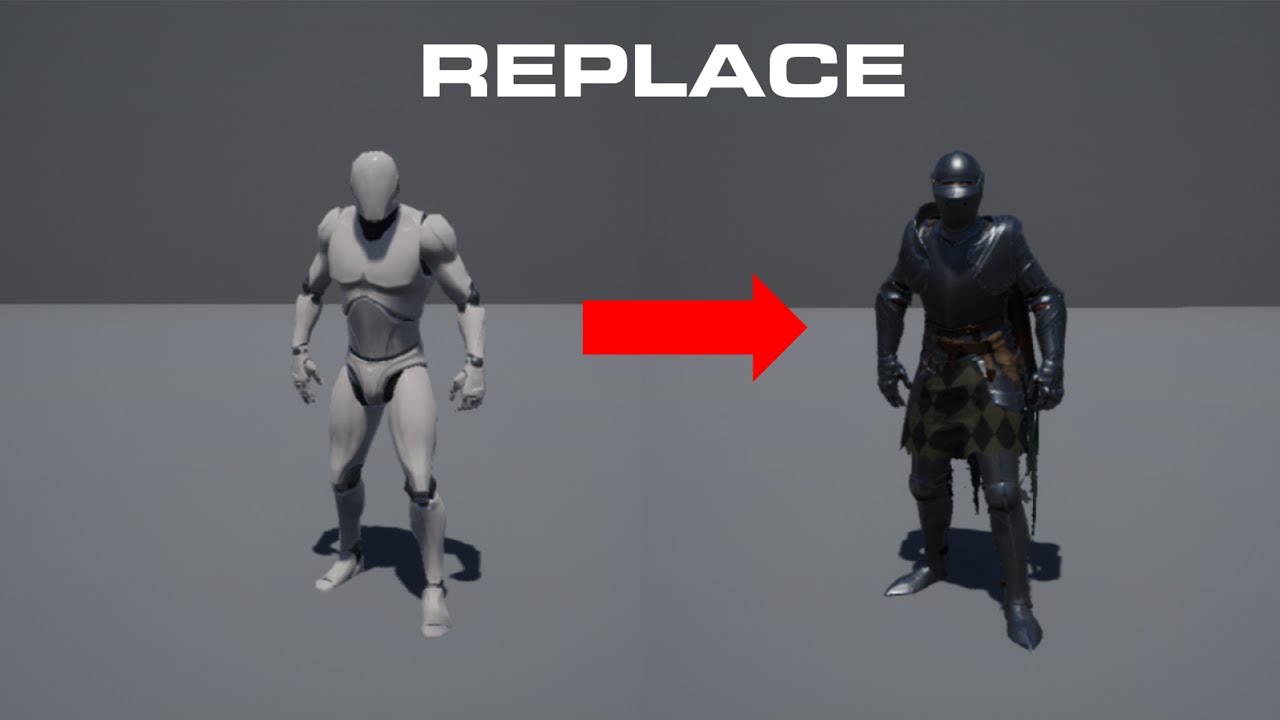
In this tutorial I go over how to replace the unreal engine 4 mannequin with another character that is also rigged to the unreal engine 4 character and go over how to import animations from the unreal engine market place to these characters.
👉Learn How To Make Full Games From Start To Finish At https://www.uiscodev.com/courses
Other Links :
🖐J...
Similar to this but with just the arms
In the fps template
faint wagon
What would be the best way to make multiple doors from one blueprint
oak patio
Have a door_base. This door contains everything common to all doors.
Then each unique door can subclass it
And implement it's own behaviour
azure shore
tame echo
There is this slight offset of sorts. Like the character will look slightly more...
does it get your cursor location in world space
is it more offset the closer the cursor is to the edge of the screen
slender egret
Any good tutorials for making a drivable boat? To work with the unreal water system. Thanks!
faint wagon
oak patio
Have a door_base. This door contains everything common to all doors.
Then each ...
How would I do all this
oak patio
Learn about object orientation.
faint wagon
K thanks!
oak patio
It will be a the same.
A blueprint project means you can only use blueprint.
A c++ project means you can use both
 runic fern
hi , is it possible to pack a dedicated server using Launcher Version ?
grim ore
no
oak patio
plush yew
so is there any Unreal Engine developer here?
yes there's lots. People can't help you with an issue if you don't tell them what it is.
plush yew
oak patio
yes there's lots. People can't help you with an issue if you don't tell them wha...
i have got a challenge by my friends
to make a game in UE
i never touched UE in my entire life
and i need someone to guide me
oak patio
there's plenty of tutorials online. I reccomend starting with the epic dev community, where they have lots on pathways for different things
if you want 1-1 help you are free to post to the job board to hire a tutor. But that will cost ya
plush yew
ok
so you dont understand my situation
my friends didnt challenge me to make a game in either UE 4 or UE5
Its UE 3
 idle fulcrum
Can you help me pls? I can's render prerecorded sequence in UE4.27
I captured CineCamera movement using ViveTrackers. In sequence it plays fine, but in render it jumps to another position.
oak patio
then download ue4 or ue5, theyre free
plush yew
oak patio
then download ue4 or ue5, theyre free
thats not part of the challenge
oak patio
ah ym bad i misread
then look at the udk documentation
there might be some guides online
idle fulcrum
The one on the right is positioned correctly, but it jumps to position of the left camera.

Even the sequencer shows incorrect position
 plush yew
so i need help with adding UE3 in epic games launcher
oak patio
plush yew
so i need help with adding UE3 in epic games launcher
you don't. You download the installer.
read the documentation i sent you
plush yew
oak patio
you don't. You download the installer.
read the documentation i sent you
i have already downloaded the engine
rare hawk
plush yew
i have already downloaded the engine
then why do you need it added in Epic games launcher? U cant
plush yew
Well to access project files and stuff
rare hawk
Why would you need the launcher for that? its just a shortcut. U can always open Projects directly from the engine or file explorer
plush yew
Look
I have no idea about UE
And I have no idea about UE3
I am just a simple Unity Developmer
rare hawk
then read the documentation he sent
oak patio
thats because it's old.
unless the challenge has some kind of significant reward i wouldn't say it's worth it
you're setting yourself up for not only a hard challenging transitioning with no knowledge of any unreal engine version, but to top it off you're picking one of the less user friendly versions
plush yew
They are gonna do 2 things
First take away my girl
Secondly take my 2 systems from me
My ps4 and the psp
I can't let this happen
oak patio
for sure.
Those are some awful friends though lol. Friends dont do that
unless this is a really odd friendship dynamic that i don't understand :P
https://youtu.be/tb9zkYr9sf4
also found this, not sure how good it is tbh, and i have a feeling you'll be mostly on your own for this one
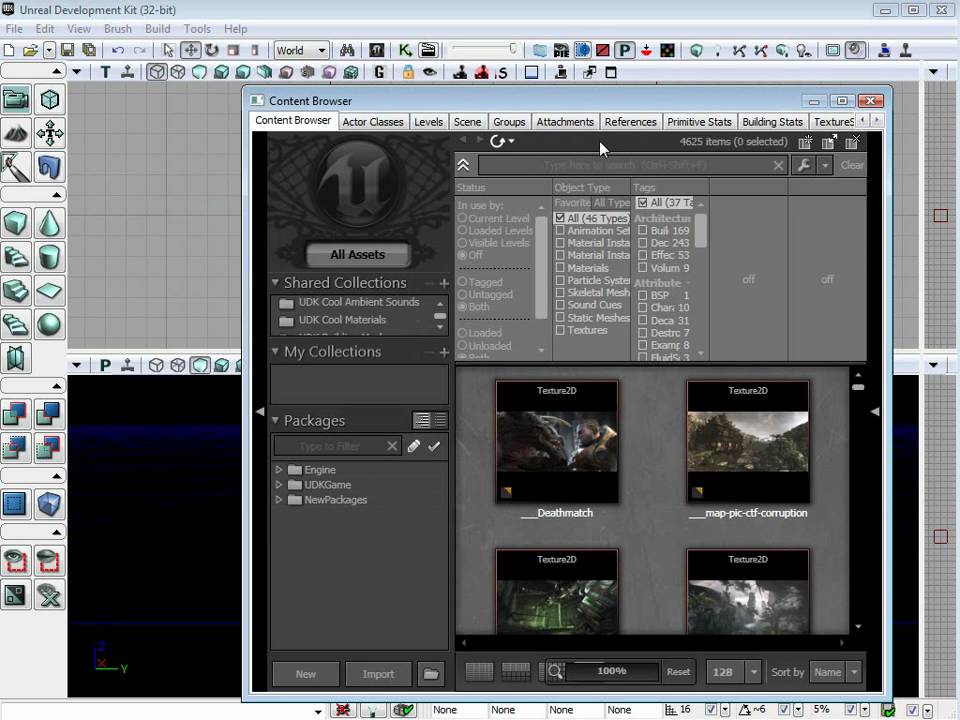
http://www.worldofleveldesign.com/udk11dayleveldesign/
UDK Basics covers the most essential tools and functions you need to know to get started with UDK. You'll be able to quickly jump into UDK and begin feeling comfortable using the most commonly used functions.
In UDK Basics Part 1/3 you'll learn:
- UDK Download and Installation
- Folder ...
idle fulcrum
idle fulcrum
The one on the right is positioned correctly, but it jumps to position of the le...
It's more like 4.27 either take recorder didn't record LensFile attached to CineCamera, or sequencer doesn't open it when rendering video.
plush yew
oak patio
https://youtu.be/tb9zkYr9sf4
also found this, not sure how good it is tbh, and i...
The UI seems to be a bit different
And looks more compact
It's pretty much same
I wish I could get a few UE3 Devs
I love the engine by now
I have not discover programming part of this engine yet
plush yew
Hey guys after enabling ray tracing support and relaunching unreal it keeps crashing during shader comp, i even installed new drivers and didnt fix it, is there anyway i can disable this option without launching unreal? because i cant turn it off before it crashes
Or not...
Apparently it just works on like the 7th relaunch
Technology isn't it something?
 fathom kindle
Hi guys does anyone know how to solve this error when it comes to packaging LogCookDisplay: Forcing save package because was already requeued once. I tried to pacakage a character and every time i try to package a character I get this error.
 rose zenith
hey, does anyone know what is making my animation do this? https://youtu.be/gHO0JPrrMUc

the problem i am having is at the end of the vid, where the animation is like rotated 90 deg. Also, i am using @RyanLaley yt playlist fireteam and am on chapter1 part4: reloading.
 austere swan
Think Palette cycling could be possible in UE?
warped heart
Looks to be working from first person may not look as nice
warped heart
Yeah the reload looks good whats your issue with it just the clipping from the players point of view?
austere swan
oak patio
You're gonna have to explain what that is

Color cycling was born out of hardware restrictions but out of it came some beautiful artworks that characterized the 80s and 90s. In this video we will learn more about how this effect was produced and experience first hand the beautiful artwork created with it.
Links discussed in the video:
GameHut:
www.youtube.com/gamehut
Mark Ferrari Art...
rose zenith
warped heart
Yeah the reload looks good whats your issue with it just the clipping from the p...
i thought so too, but if i move the camera back, so i can see the arms, they move much more than they should
austere swan
Basically a old trick that changes colors to give off as animation to save memory and not use much frames basically @oak patio
rose zenith
i can tell by looking at how the shoolders move
they rotate much more than the 3rd person ones
warped heart
I havent made my melee combat yet if you get that part figured out give me a ping even even my fireballs have alittle bit of weird clipping myte just need to adjust the camera more
fathom kindle
austere swan
Basically a old trick that changes colors to give off as animation to save memor...
How will this help me to package my character because I am unable to package my character due to this problem LogCookDisplay: Forcing save package because was already requeued once.
austere swan
Sorry, wrong ping
rose zenith
that and also, in the 3rd person animation, the gun still points forward, but in the first person, it points way off to the right
austere swan
Trying to make a custom Player with First person and 3rd person mode shift while having a quake like movement
basically
 ember plover
Yo guys quick question, if im gonna have a cape for my character, do i need to have bones on the cape/mesh??
Or do i just go straight to the simulation thingy
oak patio
austere swan
Basically a old trick that changes colors to give off as animation to save memor...
It is definitely going to be possible
 weak urchin
Quick question, I have some skeletal meshes that are creating what looks like weird shadows behind the character when the player moves. What are they, what causes them and how do I get rid of these? Thanks.

 analog ridge
rose zenith
hey, does anyone know what is making my animation do this? https://youtu.be/gHO0...
analog ridge
rose zenith
hey, does anyone know what is making my animation do this? https://youtu.be/gHO0...
Bro, the skeleton to which you are rebinding this should have the equal properties
Like the head body etc are missing in the FPS temp
So ue4 is going crazy
And also I think using the tps temp is much better
 dapper oak
ive got a physics constraint setup between two object in my player and im wanting to attach one of those constrained objects to another object during run time. My thinking is that the attached object will still be affected by its physics constraint and affect its new parent object aswell but the physics constraint seems to get removed upon attachment. Is there any way of keeping the constraint when attaching the object?
 ocean oyster
Does anyone have any experience working with MINDMAKER?
It is unreal Engine plugin for reinforcement learning
faint wagon
i need a bit of help with decals

 warped elbow
Hey guys I tried importing my animation from Maya to UE4 using USD importer and my mesh came out like this, The texture is fine but for some reason there are these holes or black spots on his face. does anyone know how to fix this?
 thin tendon
You can limit the amount of cores unreal has access to in your task manager. This will lower CPU use. Just be mindful things will take a lot longer.
thin tendon
faint wagon
I can't really see what you mean from your screenshot. But have you tried adjusting the position of the decal on the surface. The depth the surface appears in the decal can affect how transparent the decal appears.
thin tendon
Not really. More like things take more time. things like; loading and unloading or baking. Pretty much everything.
 radiant crow
Sorry if this isnt the place to ask, I'm not really sure where to go for questions related to modding.
I am trying to extract a UE4.25 game and I have UnrealPak from that engine version and the AES keys, but I am having trouble actually making unrealpak use the key. I have a Crypto.json with the key specified inside. do I need to use -encryptionini to point to the json?
thin tendon
radiant crow
Sorry if this isnt the place to ask, I'm not really sure where to go for questio...
Usually questions about modding aren't answered here. You are better of asking in a modding forum.
radiant crow
thin tendon
Usually questions about modding aren't answered here. You are better of asking i...
alright thanks for the heads up👍
faint wagon
Is there anything for basic blueprints like a plug-in that adds basic stuff
dapper oak
why would setting bWeldSimulatedBodies to false in attachment transform rules cause the attachment to fail?
oak patio
faint wagon
Is there anything for basic blueprints like a plug-in that adds basic stuff
The basic stuff is already in there. Define what you want by basic stuff
faint wagon
Like enemy movement and stuff like that
I’m pretty sure I have heard of a plug-in that helps with it
oak patio
Enemy movement is built in

 lusty carbon
I have a very annoying problem! I export my asset from blender to UE4 but the UV index flips in UE when UV0 becomes blender's UV 1
Swapping them in Blender and exporting doesn't work
any ideas?
 valid patio
Hi
I'm searching for a team (2D artist) where do you think I can find this kind of man?
It's going to be 2d-paper game
plush yew
Heya peeps x Hope everyone is doing well
plush yew
valid patio
I'm searching for a team (2D artist) where do you think I can find this kind of ...
Not an artist here but I would love to talk to about this game. Im interested in doing something similar so Id love to learn from you
oak patio
valid patio
I'm searching for a team (2D artist) where do you think I can find this kind of ...
You would post to the job board or look there to find a team
peak hare
what happens with max of int array if there are two indices both of which have a maximum valued int at that index? What index is returned? Is it random?
 fickle sundial
hey i have a problem with packaging my game, What channel would i get help
peak hare
packaging
 humble walrus
hello, can i ask an end user q here?
thin tendon
@valid patio In the channels section look at the "Job Board" drop down. It has channels like #salary-jobs #freelance-jobs .
thin tendon
ember plover
help ;-;
You need to be more specific then random screenshot and "help". otherwise we don't know the issue.
thin tendon
humble walrus
hello, can i ask an end user q here?
yes or you can try one of the more specific channels for a more specialised response.
humble walrus
its about a command line argument
I'm playing a ue4 game and i'd like to know what command line argument i can input to increase the frame rate limit (assuming that the engine has a general command for this, im not entirely sure how it works behind the scenes)
i found t.MaxFps from searcing google but i decided to ask here just to be sure, i have no idea if that's a valid command line argument
the game in question has a box where you can input any command line argument you want:
 thin tendon
lusty carbon
any ideas?
thin tendon
lusty carbon
any ideas?
I haven't heard of UVs getting swapped like that. Maybe check your import settings. It could depend on which channel is being used as the lightmap
thin tendon
humble walrus
its about a command line argument
Typically modding and configuration questions don't get answered here. But as a quick answer yes t.maxFPS <desired FPS number> is the argument to set FPS cap through command.
humble walrus
alright, thank you. i couldnt find any other place to ask such a question so yeah
apologies
thin tendon
peak hare
what happens with max of int array if there are two indices both of which have a...
What do you mean by 2 indices both with the max value? There will only be one index at the end of your array.
humble walrus
humble walrus
alright, thank you. i couldnt find any other place to ask such a question so yea...
alright so, seems like it didnt do anything. After entering t.maxFPS 90 in the box its still at 62 fps.
maybe this game doesnt allow such modifications
maybe i need to pass it as an argument of another command line flag?
like -exec="t.maxfps 90" or something?
thin tendon
humble walrus
alright so, seems like it didnt do anything. After entering `t.maxFPS 90` in the...
Could depend on how they set up the command input. Another option is try a config file. And check vsync to
humble walrus
yeah i found engine.ini in my appdata folder but im not entirely sure what to put there
plush yew
Anybody know how to have a widget animation slow down in relation to the global time dilatation?
Using UE4.27


 ember plover
thin tendon
You need to be more specific then random screenshot and "help". otherwise we don...
ember plover
thin tendon
You need to be more specific then random screenshot and "help". otherwise we don...
the weapon socket is too huge and even if i did try to scale it down, it's either too big or just 0 ;-;
also does the weapon socket and mesh usually this far from each other is this gonna be a problem?
 thin tendon
ember plover
also does the weapon socket and mesh usually this far from each other is this go...
thin tendon
ember plover
also does the weapon socket and mesh usually this far from each other is this go...
I have never seen that before. Might be an issue related to that specific bone. Have you tried moving the socket to a larger bone?
valid patio
thin tendon
<@462847922330140692> In the channels section look at the "Job Board" drop down....
Thanks all
 old bolt
Hello, I would like to ask if with this GPU: Radeon Rx 570 and the correct settings I should be able to create a fairly large open world with good fps, I have tried a bit with some tutorials and as soon as I add trees, grass, etc, it becomes unplayable, i get about 10 fps, im thinking that maybe my pc not good enough for what i want to make
thin tendon
old bolt
Hello, I would like to ask if with this GPU: Radeon Rx 570 and the correct setti...
Being a 4gb card. You probably could by turning stuff down,going low poly and having a heavy focus on performance. But obviously when it comes to development the bigger the card the easier it is going to be for you.
old bolt
thin tendon
Being a 4gb card. You probably could by turning stuff down,going low poly and ha...
I wanted to try to create something like skyrim, with realistic graphics. From what you said, I guess it's practically impossible, right?
thin tendon
old bolt
I wanted to try to create something like skyrim, with realistic graphics. From w...
Not impossible just a lot of work and a little difficult.
old bolt
thin tendon
Not impossible just a lot of work and a little difficult.
with my setup?
thin tendon
old bolt
with my setup?
I don't know your setup. But its like this even an experienced developer would find that difficult.
old bolt
thin tendon
I don't know your setup. But its like this even an experienced developer would f...
I was referring to if it is possible to create something like this with a GPU like mine, I think so from your first answer, but just to confirm
thin tendon
old bolt
I was referring to if it is possible to create something like this with a GPU li...
Technically yes but I would recommend a larger card
old bolt
thin tendon
Technically yes but I would recommend a larger card
perfect i will keep trying then at least to practice, til i can afford a good GPU, tysm!
oak patio
Even 8GB vram can hurt with such projects
valid patio
thin tendon
<@462847922330140692> In the channels section look at the "Job Board" drop down....
How do I offer a job?
thin tendon
valid patio
How do I offer a job?
#instructions this is the one you want
 vocal inlet
guys im making a ue4 simple game for my college, i imported the zombie character from Virtus Channel and doesn't show any physics tab here
 copper bobcat
vocal inlet
guys im making a ue4 simple game for my college, i imported the zombie character...
copper bobcat
vocal inlet
guys im making a ue4 simple game for my college, i imported the zombie character...
You need to create the physics asset
Right-click on the skeletal mesh and there should be an option to create it
vocal inlet
copper bobcat
You need to create the physics asset
Right-click on the skeletal mesh and there ...
but i alr made this '-
sorry if my english is not that good its cause im brazillian :/
copper bobcat
vocal inlet
but i alr made this '-
Open the skeletal mesh and set the physics asset
You can find the Physics category in the Asset Details panel
vocal inlet
i selected here is ok?
 copper bobcat
vocal inlet
i selected here is ok?
copper bobcat
vocal inlet
i selected here is ok?
Yes
vocal inlet
is not showing alr but if i made this its ok
copper bobcat
vocal inlet
is not showing alr but if i made this its ok
Save it, and re-open the skeletal mesh, but it should be OK, you can open the physics asset separately
vocal inlet
yeah, ty man
valid patio
thin tendon
<#780559951663857724> this is the one you want
Thank you
vocal inlet
guys isnt showing the disable movement

@copper bobcat you can help me?
i need to make the flying ragdoll stop flying
i try to use set colision is enabled with no colision and capsule target
copper bobcat
vocal inlet
i need to make the flying ragdoll stop flying
Before enabling physics simulation set the mesh collision profile to PhysicsActor
vocal inlet
how
after target mesh ? and what
@copper bobcat you mean Set Collision Profile Name?
copper bobcat
vocal inlet
<@810853382193545227> you mean Set Collision Profile Name?
Yes
vocal inlet
copper bobcat
Yes
if so it didn't work
 copper bobcat
vocal inlet
if so it didn't work
copper bobcat
vocal inlet
if so it didn't work
Is ragdoll not working?
vocal inlet
is flying
copper bobcat
vocal inlet
is flying
Try this
 vocal inlet
copper bobcat
Try this
vocal inlet
copper bobcat
Try this
i made this but dont wrong

ca i send all this node
in your pv?
copper bobcat
vocal inlet
in your pv?
Yes
 void osprey
hey! did you find a solution to optimized it ?
 valid raven
anyone have a clue as to what's happening here? I have a parent i'm using for all inventory items, a child for creatures, and a child of that for the specific creatures that go in the inventory.
the specific creature is data only for now, but i do plan on adding code to it later, at some point. yet after i set the settings and compile then save, then close out of it and reopen, it's entirely blank
i believe it's because it's readdata only, i was wondering if there's a setting i can disable to fix that?
grim ore
go up to window and reopen the windows that closed or try resetting to the default layout. see if it comes back
valid raven
grim ore
go up to window and reopen the windows that closed or try resetting to the defau...
class defaults let me navigate back to it, thank you so much!

 brazen egret
How would you go with making a scoreboard seperated into two parts for team 1 and team 2?
 hasty mortar
void osprey
hey! did you find a solution to optimized it ?
hasty mortar
void osprey
hey! did you find a solution to optimized it ?
I was planning to further investigate this but haven't yet. I did find this https://forums.unrealengine.com/t/large-builddata-files/88750/4. Reducing that parameter seems to have a big impact!
 tall pewter
Very broad question from a newbie. Is it optimal to have one actor manage multiple actors on tick vs those multiple actors each managing themselves on tick? I'm creating a bullet hell game and am currently working on damage text. There can be 100's of damage texts occuring at a moment, and I'm wondering if its worth it to have a BP_Damage_Text_Orchestrator that ticks and scales/moves/fades all damage text each tick vs having each damage text object individually ticking to scale/move/fade itself. Is this sort of optimization worth it or am I just moving the workload around unnecessarily?
 sharp canopy
Hi everyone! I'm a newbie as well with a question:
Looking at blueprints my understanding is that there are a lot of very specific elements, each useful for their own very specific function. As a newcomer, the only way around that seems to be to memorize what each (of the hundreds?) element does.
So the question is: is there a list of the most useful/common blueprint elements somewhere?
just to filter them a bit and start in a bit less daunting way
thanks!
oak patio
sharp canopy
Hi everyone! I'm a newbie as well with a question:
Looking at blueprints my unde...
the only way around that seems to be to memorize what each (of the hundreds?) element does.
Short answer is you won't be able to, nor is it advisable.
Most of them are self explanatory, and should you need further explanation, use MathewW's channel.
For example if you are making a system to launch a projectile from A to B, and it must land at B, a quick look at SuggestProjectileVelocity would reveal that it takes in a start and end, and gives you a velocity
your best way to start learning is to just jump in
otherwise you waste your time. There are built in functions of bp that i havent used, nor will i probably ever use, and by the time i do, i'd probably just look at the source to see what it does.
oak patio
tall pewter
Very broad question from a newbie. Is it optimal to have one actor manage multip...
It is very worth it, manager objects are very common and extremely useful.
sharp canopy
oak patio
> the only way around that seems to be to memorize what each (of the hundreds?) ...
Thank you very much for you answer, it makes a lot of sense.
My problem is that (maybe a bit because of the language barrier) i would never search for "projectile" if i needed to move a bullet, i'd probably search for "movement" or "bullet". As stupid as it sounds, that's currently my biggest barrier 😆 That said i'll just dive in like you suggest, so again thanks a bunch!
oak patio
sharp canopy
Thank you very much for you answer, it makes a lot of sense.
My problem is that ...
That will come as you grow familiar with not only game dev terms but with engine terminology. They aren't called bullets, as more than bullets can be projectiles, it could be a grenade, or a car being launched.
sharp canopy
is that UE-specific terminology, or is it used in a more general way across engines?
 dire oriole
Hey guys!
Does anyone know why UE4 might be crashing on me whenever I try to save an animation sequence?
I keep running into this crash and I really need to find a fix for it. I am working on some previz in unreal and am working on an animation sequence with a bunch of characters and animations. I've been working on this project for a while without many issues.
Recently however, I have been getting consistent crashes when working on sequences. It occurs whenever I try to save the sequence or if it auto-saves. It doesn't happen every time I try to save, but I would say 90% of the time.
Has anyone had a similar issue and found a solution?
I’m in desperate need of a fix….
 shrewd barn
hi how did you fix it?
oak patio
sharp canopy
is that UE-specific terminology, or is it used in a more general way across engi...
It's real world terminology. Projectile motion in physics is not just a game thing or an unreal thing.
If you throw something at someone, it's a projectile, if you shoot a bullet, projectile, a rock pinging off towards something, projectile
 harsh tiger
I've made this texture atlas in photoshop. But when I import to ue4, I get a black square in the middle. Does anyone know why?

 oak patio
shrewd barn
hi how did you fix it?
oak patio
shrewd barn
hi how did you fix it?
im gonna guess that they might not remember, as it was 5 years ago :P
in fact theyre not even in the server anymore
shrewd barn
oak patio
im gonna guess that they might not remember, as it was 5 years ago :P
remind yourself 😄
 ancient obsidian
Hey. Anyone knows how to set some default command line arguments when packaging a game? I tried Project Launcher's "Additional Command Line Parameters", and the hint says exactly what I want to hear, but it does nothing.
 river crypt
Haya folks, not sure if this is the right channel but I've tried to make a build recently but i keep getting this error and I'm unsure what exactly it means. If anyone can help me out i would greatly appreciate it!

 velvet pilot
Is there a newer git repo of ut4 engine or oficial is last?
I mean abandoned unreal tournament in ue4
 narrow badger


 idle forge
would anyone be able to help me create a platform block that appears and disappears on a loop?
 dawn gull
Is there a way I can change the tolerance at which the player can walk over a bump?
Nevermind should have looked before I asked. Step height variable in the character movement comp
oak patio
narrow badger
This isn't a self promo channel
plush yew
how do i check if an enemy is already spawned in the level? is there a node for that?
I have an actor with an overlap event that spawns an enemy and assigns patrol points for it, each copy of this event has its own patrol points, this works fine, however I'm trying to make it so that when the enemy has already been spawned in another event of this type, the patrol points will simply get replaced, for this latter part i just clear the array that contains the patrol points and assign new ones, yet idk how to verify if the enemy has already been spawned to do so
thin tendon
plush yew
I have an actor with an overlap event that spawns an enemy and assigns patrol po...
When your enemy is spawned you can just save it to an array of spawn actors and then check if it is valid. For your player just save a reference on begin play or shortly after begin play then also do a valid check for that.
thin tendon
river crypt
Haya folks, not sure if this is the right channel but I've tried to make a build...
There isn't really a channel just for generic errors. But you will find the guys in #cpp the most helpful for this stuff. But typically errors tell you what the problem is.
thin tendon
ancient obsidian
Hey. Anyone knows how to set some default command line arguments when packaging ...
Have you tried editing the engine config file like they did at this link? https://forums.unrealengine.com/t/adding-console-commands-to-ini-files/267859

Epic Developer Community Forums
Hi, I have a couple of console commands that I use to improve the Temporal AA: r.TemporalAACurrentFrameWeight 0.2 r.TemporalAASamples 4 r.Tonemapper.Sharpen 0.8 I’d like the project to start with these (and compile with them) every time instead of having to input them into the console. Can I place them into one of the engine configs, or perh...
 oblique tangle
Does anyone know if it's possible to bake lighting info to a texture in UE4? Or is that something I'd have to do out of engine
 stable granite
Hi, will unreal engine have an update for Android API 33 ans SDK 30 to meet play store apps requirements ?
thin tendon
stable granite
Hi, will unreal engine have an update for Android API 33 ans SDK 30 to meet play...
It is unlikely that UE4 will receive any updates now there is a new engine version.
stable granite
But UE5 use SDK 25 and Google play store will use SDK 30
 ebon geode
Google Play Store with their annoying required updates really blows my mind >_<
Please don't tell me that Unreal is lacking behind. I have an App I want to revive and it was removed because it didn't meet new sdk requirements. If I can't just build it again by changing target sdk level that would suck.
harsh tiger
https://gyazo.com/8822da4da15d7835319d6ccad1ef76e8 Does anyone know what's causing this? If I package the project and run on quest 2 it looks perfectly fine

 quasi lotus
Where do I go in this discord to ask questions?
about ue4
ive got semi transparency on this rock, tryna fix it so its not transparent and need help.
 frigid gate
Does anyone know why importing a csv into unreal gives me a data table with nothing but default values for the struct?
frigid gate
nvm think I figured it out.
robust lintel
I need help. I have a hydraulic lift class that extends to a certin length. It is configurable with 3 parameters - an object that activates it, the default height and the activation height. OnBeginPlay sets the lift to a default height. When activated, it moves to the activation height. The lift can start at height 0 and move to height 4, or move from 3 to 1, but the heights have a limit of 5. My problem is that so far i've been using Timelines for this, but they keep returning Infinite Loop error. Is there a better way?
oak patio
quasi lotus
ive got semi transparency on this rock, tryna fix it so its not transparent and ...
Change the material to be opaque
quasi lotus
How do I fix this? I was messing around with animations on an empty rig and the motion of the animation sent my character flying
 plush yew
thin tendon
When your enemy is spawned you can just save it to an array of spawn actors and ...
plush yew
thin tendon
When your enemy is spawned you can just save it to an array of spawn actors and ...
you mean i check for if valid after i spawn him not at the beginning of the event?
thin tendon
plush yew
you mean i check for if valid after i spawn him not at the beginning of the even...
When you go to use the reference to the player. Just check first if it is valid.
plush yew
thin tendon
When you go to use the reference to the player. Just check first if it is valid.
no i mean for the enemy
cuz i dont want him to spawn twice when i overlap with the event
if it's been already spawned i just need it to switch the patrol points
thin tendon
plush yew
no i mean for the enemy
Sorry I had to read back through. Without seeing what your code looks like. Its like this. Your issue is you need to keep track of the AI you spawned? Now you could store this information on the actor you use to spawn or create another actor to handle this info. Kind of like population control. When you spawn the AI. You store a reference to it. This way as you need to you can check if it is still valid. Do this if it is still valid. Do that if it is not. Make sense?
plush yew
 plush yew
thin tendon
Sorry I had to read back through. Without seeing what your code looks like. Its ...
plush yew
thin tendon
Sorry I had to read back through. Without seeing what your code looks like. Its ...
i did this but the patrol points aren't getting updated
the enemy doesn't get spawned again so i guess it knows it's already been spawned now
thin tendon
plush yew
the enemy doesn't get spawned again so i guess it knows it's already been spawne...
Well you can use a technique called breadcrumbing. Its a technique where programmers will leave a trail of alerts to notify when a bit of code hits a certain point. In this case you would put in print string commands. That for example say " AI is valid skip spawn" , "AI is not valid, spawning new AI". The idea is you will figure out where your problem is by knowing how far your code reads.
plush yew
thin tendon
Well you can use a technique called breadcrumbing. Its a technique where program...
hmm great idea
i'll try it out and see
plush yew
thin tendon
Well you can use a technique called breadcrumbing. Its a technique where program...
thanks a lot
 slate lintel
I'm having a weird issue packaging projects. I am just trying to package the default 3rd person template, but when I package and run it, it uses substantially more resources then when I run it in the editor.
This is really weird to me and I just want my packaged game to run the same way it does in the editor
 mortal jacinth
 frigid gate
anyone know anything about marching cubes? I feel like I'm getting closer but I'm not really sure how to fix this

 floral heart
Isn't marching cubes just checking each corner of the voxel and selecting which cube to place there? Either the checking is wrong or the selection.
frigid gate
idrk how to check the corners. I think I'm supposed the sample a scalar field or sumthn but I have no idea how that works
lusty carbon
Hey! I have an issue with BP. The meshes in the BP have overridden lightmap res but it won't propagate to the level. Any trick to update? Pressing Compile dosen't fix it.


Actually seems like it's only a visualization thing that hasn't updated. the lightmap is still overridden
spice ruin
Your game?
 rigid mesa
I am having an issue with the viewport in Unreal 4 where should i make my post?
The situation is It seems like the viewport is locked or something. I cannot select any of the actors. I can select them from the World Outliner, but not from the viewport. I have restarted Unreal multiple times. I even checked different saves for the same project and get the same problem. Opening up a new project does allow me to use the viewport as intended. Do not really want to redo my whole project from scratch tho.
Any help would be greatly appreciated
grim ore
maybe show what happens when you click on something? I assume you tried this in a new map with say just the floor in that same project?
rigid mesa
I just opened a new level and it seems i can place things but cannot move them at all
I have 4 saves for this one project and all of them have this "locked" viewport
I was able to select only a BP but not any brush actors

but still cannot move the object
if I try clicking on any brush, nothing happens.
grim ore
try changing your viewport settings in the top right, like disabling snapping to make sure thats not it. also you appear to have another settings next to rotation I have not seen before that is on
rigid mesa
the one next to rotation says 2D, allows you to work in 2D mode. never used it
unchecked snapping and did not do anything
I don't know if this is normal or not but the buttons at the top right grey out when i move away and brighten when i get close?
grim ore
you didnt change your near clip plane did you?
rigid mesa
was at 10 had the issue, changed it to 0 still have the issue
grim ore
the issue is at 0
it should be on 10 and you have to restart to let it apply
well, an issue can be at 0, it should stay at 10 but it wont apply till a restart
rigid mesa
i did that yesterday, will try again before I reinstall unreal
grim ore
if you can make a new project and it works, then reinstalling probably wont help since this is project related
rigid mesa
i am just trying everything so I dont have to rebuild the whole thing from scratch
grim ore
yep set near clip plane back to 10 and restart the project and see what happens. It also looks like you have game mode on since all your icons are hidden?
rigid mesa
near plane did not fix it, changed back to 10 and restarted everything
game mode? which icons are you referring to?
rigid mesa
that is a small BP powerup
BP is the only thing i can select. and then i cannot do anything but scale them, no movement nothing
grim ore
usually there is an icon in the viewport showing its a blueprint, which I dont see thats why I was mentioning game mode
and I guess its called game view lol
 rigid mesa
oh didn't know sorry. game mode is off tho
grim ore
might have to consider migrating all of the project to another new project since you said new projects work fine
rigid mesa
how do i do that?
grim ore
you can select your map for example, right click, asset actions, migrate and then choose a new project
rigid mesa
i can look it up. if that is the best solution and make it so i do not have to rebuild the whole thing.. i am game
grim ore
its hard to give any more ideas since we cant see more of the project, the one screenshot doesnt really show anything
rigid mesa
lol, i understand but that is exactly what I am looking at. I can take a screen of the whole window

attempting to click on any brush yields nothing
grim ore
if you open up the map that came with that template, then select the player character, can it move?
rigid mesa
clicking on a BP is selectable but cannot move actor

this map, I made. I placed all the blocks and I can still "play" the game
If I hit play i can play all the way through where i have completed so far.
grim ore
yep so, the map that came with the template, is it broke as well?
grim ore
it should be in the 2dSideScrollerBP folder under Maps
rigid mesa
nope it is broken, and i think i over wrote it

that one opens up with a "BP background" selected and cannot select anything else
grim ore
looks like you did. ok can you manually move them in the details panel? click on an actor, and drag left or right on one of the values. you can mouse over and drag the X left or right for example
 grim ore
I would say make sure under settings these match

but, that shouldnt let you stop the moving part just selecting
the last I could think of is you locked them but.. that would be weird. you can select all of them, right click in the outliner, and go down to check

if that was the case, moving over the arrows would show a NO icon
grim ore
that makes no sense since I saw it in the screenshot lol
rigid mesa
still have no idea how it got that way.. but.. if it works i am happy
grim ore
yep, super duper weird
rigid mesa
omg i can work again lol
Thanks so much
unless maybe since i checked those boxes it did a refresh of the viewport and fixed it?
grim ore
maybe, definitely weird
 sleek fable
Guys can someone tell me how to add more points to spline mesh actor, I'm literally lost
The issue is I don't know if everyone have that problem, I created a blueprint actor for my project that works as a spline tool, when hold Alt and move around a spline point and now it started working, strange
 crimson vale
i have a console command to give the player an item, how should i write UClass*?
 crimson vale
sleek fable
The issue is I don't know if everyone have that problem, I created a blueprint a...
crimson vale
sleek fable
The issue is I don't know if everyone have that problem, I created a blueprint a...
yeah that's how you add a point, hold alt and move it
sleek fable
crimson vale
yeah that's how you add a point, hold alt and move it
Yeah but if you drag and place spline mesh actor directly in the level you cannot add more points to the spline mesh, honestly creating a BP Actor for it makes it more procedural and useful but thanks anyways everyone have great day or night 
crimson vale
yes you can
sleek fable
I couldn't man
crimson vale
just select the spline inside the actor while it's on the level and then add a point
sleek fable
I'm using 4.26.2
crimson vale

then you can click on a point and hold alt
it works the same way on ue 4.26 and ue5 don't worry
sleek fable
It works in this no problem what I mean is

It can work we're together on that no problem
But my project don't let me
crimson vale
sleek fable
But my project don't let me
add a point to the spline bp ?
sleek fable
Nope adding point to the Spline Mesh Actor directly in the level, not as a bp actor
BP actor is fine
crimson vale
you can select the individual points?
sleek fable
crimson vale
oh okay
looks like it'sn ot possible to add points to a spline mesh actor
however you can make a bp_spline with a spline component and use it instead

Epic Developer Community Forums
nah does not work, this actor is virtualy useless
sleek fable
@crimson vale yup I created a bp actor for using spline now everything is fine, thanks for the effort btw have a good one 

 rich hornet
quasi lotus
how do i fix this?
rich hornet
quasi lotus
how do i fix this?
strictly speaking that's not an error, it's a warning the AnimMontage class has put into console to give you an idea of what's going on under the hood.
it's warning you that your currently playing Montage (called bossyatk) is meant to be used with one skeleton asset (skeletons on characters, is what a Montage animates..) and is currently being used with a different skeleton
the one it intends to be used iwth is called SK_Manneqiun_UE4_WithWeapon_Skeleton.
the one it is currently running on and throwing this warning into console is called
SK_UE5_Skeleton
the guy who wrote the code to make Montages work, put this warning in.. problaby because it makes your montage work unpredicatably
use your bossyatk montage with the correct skeleton asset (probably the correct character too) and it'll go away
sage coral
Just had a general question, With the life of steam support for windows 7 ending and already having my first game project in a stable spot to continue on Im afraid to upgrade the system when needed as I have heard horror stories of it corrupting data from some applications which at this point in development I cant have happen, I have already went to making a backup of my game but its clearly going to be necessary to upgrade the OS, In the current state of windows will it be safe to do so?
rich hornet
sage coral
Just had a general question, With the life of steam support for windows 7 ending...
you have a full backup of your game code & assets?
upgrading windows is a reasonably common thing to do, i can't forsee any particular problems
your hardware is stable? and windows 10 will likely support all the hardware you have
sage coral
I copied the whole games folder from the ue4 projects to a external ssd
sage coral
rich hornet
you have a full backup of your game code & assets?
Good to know and thank you for letting me know 🙂 messing with the os of the pc is always scary for me as if it fails I dont have a fall back plan for now that is so the ssd is the safe guard
rich hornet
sage coral
Good to know and thank you for letting me know 🙂 messing with the os of the pc ...
read up the instructions step-by-step on upgrading windows before you do it and think about what you might need
if you want to be extra-extra-safe you could download a copy of the windows repair imaage thing (i forget its name) onto a usb stick
sage coral
running on a windows 7 elite book laptop with the windows 10 media tool to detect the pcs code
rich hornet
so fi the install goes wrong you can fix it
but hosntely it's rare in my personal experience, for problems in an upgrade
sage coral
Iv only ever had it fail once and this was because I think I messed up when windows 10 first came out I really didnt like it and tried to call it back to windows 7 since than I only really messed with windows 7 and installed 10 on friends pcs that needed it cause it was free at the time
rich hornet
if you know 7, 10 should feel familiar
when you get to the "other side" of your install journey, run O&O ShutUp10 and turn off the options you dont like
sage coral
does windows 10 affect anything between defered and forward shading? I currently use Forward as it runs faster and I can fake alot of the nice details so you really dont even see a difference in my opinion other than fps speeds
rich hornet
it doesn't change anything unreal-related, to my knowledge
definitely not forward and deferred shading
sage coral
Perfect 😄 My biggest concern was compatibility issues
sage coral
@rich hornet At 75% on the download so I guess I will see you all on the other side of the OS world as long as everything goes well, Thanks for the help and advice tho its very much appreciated 🙂
rich hornet
i didnt do much, you did the backup (the important part), gl!
surprised and not surprised that win7 is already end-of-line for support lol
sage coral
@rich hornet You helped reasure me 🙂
And I agree Im surpirsed its already at the end of its life esspecially cause its still a popular OS among devs with its already large list of pre existing programs and compatibility with them
I do feel in time the windows 7 community will make mods to make it more or less like windows 10 but as windows 7 but in the time that would happen I still need to move forward as a dev and cant be held back by an OS
sage coral
@rich hornet Update worked and game runs fine without issues, thanks for the reassurance in time I was going to run into the windows update anways so better to get it out of the way now that to wait incase is causes issues in the future. 🙂
rich hornet
glad it worked out, im going to dip soon so good luck with whatever's next for you
 young crag
 dapper oak
so i just tried packaging my plugin and it gave me this ERROR: Visual Studio 2017 must be installed in order to build this target. I have VS 2022 installed and i really dont want to have to install another version just to package something... Is there a fix
 misty vessel
afaik you need to have a certain version of VS for a certain engine version, so it it's asking for 17 you need that one installed 😬
dapper oak
misty vessel
afaik you need to have a certain version of VS for a certain engine version, so ...
damn im using 4.27.2 and running everything else with vs22... maybe its just a specific pack i dont have but ill have a play around
misty vessel
Maybe you can figure it out :) This was afaik
 prime tulip
Hello. I'm trying to show a paper sprite on a scenecapture2D render but it doesn't show up 😦 Anyone know why?
 scenic fox
hello can anyone send me a zip of this plugin https://www.unrealengine.com/marketplace/en-US/product/power-ik?sessionInvalidated=true im using the source version of ue4 and cannot install the plugin to the engine

Unreal Engine
Power IK is a full-body IK solver with built-in ground alignment.
 full bobcat
@frosty trail I Apologise for the voice issue while we are on chat but that was because of my internet connection issue can we have a vc atleast once ???
 stuck lion
Uhm quick question: What is this (white line thingy) and how do I get rid of it? I can not click inside the window anymore and my controls do nothing since it appears.
 stuck lion
Uhm quick question: What is this (white line thingy) and how do I get rid of it?...
stuck lion
stuck lion
Uhm quick question: What is this (white line thingy) and how do I get rid of it?...
https://forums.unrealengine.com/t/how-to-remove-white-lines-from-the-screen/454239
This helped, I did reset layout also. I did not know this is a thing. I got plenty of warnings in console too!


Epic Developer Community Forums
 rocky swan
currently trying to add a C++ class to my group's project (which they made as a blueprint project), i successfully added a new c++ class, but it errors out when compiling saying that it can't include CloudChunkSourceStatistics.cpp because it doesnt exist (i checked the path,, it does exist), i tried adding the path to the include list in visual studio and that didnt work either
 ornate hornet
Hi, what's wrong with my glass material (Blender). Not visible in UE... Any ideas?

 sage coral
Having a weird issue where my third person character spawns outside of the car when they are placed inside it, Tried turning off collisions for both the player and the car in the scene but I get the same results, Need it more for just a cinematic but to also use the third person character as this loads the players cosmetics
oak patio
ornate hornet
Hi, what's wrong with my glass material (Blender). Not visible in UE... Any idea...
Blender materials aren't translatable.
Solid colours and basic textures are fine. Anything with nodes ain't going over
Because they're 2 different shader languages
sage coral
ornate hornet
Hi, what's wrong with my glass material (Blender). Not visible in UE... Any idea...
Just look up a simple glass material tutorial on youtube, from the look of it you already have the glass and metal assigned to 2 different materials, just go into the mesh and change the material to the new glass material once you have made it and it should look fine and glass like

Hey guys, in today's Unreal Engine tutorial I'm going to be showing you how to create a basic glass material for your game to put on static meshes as a window, lamp, etc, or any form of glass you want.
Unreal Engine 4 Tutorials Playlist: https://www.youtube.com/playlist?list=PLQN3U_-lMANOnnjfvEEVeAPE8mfrGr_VH
Blender Tutorials Playlist: https:...
 prime vortex
anyone know what the TextureLOD OptionalLOD feature does? I can't find any documentation or mention of it online
 round salmon
So, I am officially making the move from blueprints, to C++, wish me luck, anyone have any advice? How challenging is C++ to learn, especially since im quite familiar with Blueprints?
 lofty rampart
It shares a great deal with blueprints, once you figure out how to connect them together it's not bad
round salmon
I was hoping it would be something like that, im more so crossing my fingers that its going to be something that will try to work WITH me rather than AGAINST me
lofty rampart
Well, at first it works against you until you figure out a few key things and it kinda falls into place
round salmon
Im a quick learner, here's hoping I can get this down in no time maybe
Wish me luck haha, Visual Studio is installing
faint wagon
also how would i make this door match

its just really off compared to the non-blueprint textures
 spare trench
can Some one help me out
graphic scalability setting can be changed on dekstop but not in mobile
sharp canopy
Is there a way to move the UE5 installation between hard drives? Or do i need to download it all again?
warped elbow
Is there a way to remove the words on my viewport? It covers a lot of the scene
 copper bobcat
faint wagon
what kind of blueprint would a save station be
copper bobcat
faint wagon
what kind of blueprint would a save station be
Actor
copper bobcat
warped elbow
Is there a way to remove the words on my viewport? It covers a lot of the scene
DisableAllScreenMessages
EnableAllScreenMessages
faint wagon
copper bobcat
Actor
k thanks!
copper bobcat
faint wagon
Check the render section of the mesh component
faint wagon
how do i do that
copper bobcat
faint wagon
Is this door an actor?
faint wagon
yea
copper bobcat
faint wagon
yea
Open the blueprint class and in the component panel at the top left you can select the mesh component
copper bobcat
faint wagon
now what?
Check the Rendering section, maybe you modified something before
faint wagon
this?
 copper bobcat
faint wagon
this?
copper bobcat
faint wagon
this?
Yes
faint wagon
What do I do to it
All it says is visible and hidden in game
i found the stuff but its kinda confusing
it somewhat glows in the dark
how would i fix that
 warped elbow
copper bobcat
``DisableAllScreenMessages``
``EnableAllScreenMessages``
warped elbow
copper bobcat
``DisableAllScreenMessages``
``EnableAllScreenMessages``
thanks so much king
copper bobcat
faint wagon
how would i fix that
Ask your question here ➡️ #lighting
faint wagon
K thanks!
 normal reef
hi! I wonder is there's a way to setup DDC folder per project? The way it works now is common folder for all the projects I have
copper bobcat
normal reef
hi! I wonder is there's a way to setup DDC folder per project? The way it works ...
I don't know if that is possible or not, but you can create symbolic links between folders in Windows with the mklink command
normal reef
copper bobcat
I don't know if that is possible or not, but you can create symbolic links betwe...
thanks but how it can help? there's no separate folders for projects in common ddc folder. i have 1,2,3 etc. folders for everything
copper bobcat
normal reef
thanks but how it can help? there's no separate folders for projects in common d...
I thought your storage is full and that is why you want to move some of the folders, I use this method to solve my storage problem
warped elbow
Hey Im trying to render a cinematic and the words Preview keeps showing anyone know a fix? I know how to turn in off in the viewport but for some reason is still shows in the rendering
 grim ore
the preview text is based on light maps. You need to either build your lightmaps, or change your lighting to now use them (movable)
warped elbow
grim ore
the preview text is based on light maps. You need to either build your lightmap...
is there a way to just turn the preview words off? Im new to unreal and just wanna render my animation without the words on the assets.
grim ore
for the render? not likely. fix the problem
warped elbow
ah i see thanks ill do that
 raw mica
Hey, just wondering if anyone knows how to make the engine run better in multi user editing, there is me and one other working on a project that we have not long started and it seems to crash for no reason, every time we save or try to play the level it just crashed and there is barely anything in the world, i have done it on unreal engine 4.7 before and i had no issues but this time i have done it on unreal 5.1 and i cant do anything really
oak patio
raw mica
Hey, just wondering if anyone knows how to make the engine run better in multi u...
Just use source control. Multi user editing is a bugfest
 autumn flame
Multi user editing was built to run under source control anyways, so good idea to have it no matter what
And wasn't it mostly made for LAN anyways?
autumn flame
Yup, feel that
 upbeat igloo
Hey, anyone know why this happens every time I try to load in a water body river?
 upbeat igloo
is there a way to actually add it without it actually messing up the landscape
cause i've been trying to for the past hour 😭
autumn flame
It's bound to landmass, so only way would be with your own spline and just use its mat, unless there was a way for it to not affect landscape, i think there was a toggle or something
quasi lotus
I want to effectively duplicate a manny skeleton, but when I do it comes out blank like so. Is there a way to effectively do this?
 lofty rampart
Just because the thumbnail is blank doesn't mean it didn't work
plush yew
i have a pickup parent class with an "item name" string variable, i want the children of this class to have their own names and that name to be displayed in a pickup prompt, currently i have it like this yet it's not showing the name of the children items

 crude vale
using ue4 just for modding can I delete some files insde the engine folders or is going to break?
crude vale
well evrything get reounded automaticly
dapper oak
anyone had issues with 4.27.2 where after like 10 minutes (maybe even less) it just stops letting you right click and type for blueprint nodes. Its really annoying needing to reopen my project everytime and if anyone has a fix id really appreciate it!
bleak zodiac
not a moment, restart is only sollution, previously didn't have that issue, it happend after Nvdia updates 😅
faint wagon
how would i make it so that when i interact with this it plays the animation and plays audio but when the audio stops the animation stops
dapper oak
bleak zodiac
not a moment, restart is only sollution, previously didn't have that issue, it h...
leave it to nvidia to break something
faint wagon
how would i get an object to have an idle animation
warped elbow
Hey so the controls on my vieport disappered and idk how to toggle that 4 viewports view. anyone know how to fix this?
 oak patio
faint wagon
how would i get an object to have an idle animation
oak patio
faint wagon
how would i get an object to have an idle animation
Have an idle state in an anim bp
spare trench
starter movies are working on editor but when pakaged to android, it only shows black screen then opens the game, plz help me fix it
faint wagon
how would i make dripping water particles
 marble rapids
Can anyone help me with animation
 neon badger
Hey all, I'm currently working on a small project for college and I'm in the process of making the UI - The problem I'm having is i want to change part of a static text widget based on a variable
For instance - "Cake Pieces Found: 0/3" -> "Cake Pieces Found: 1/3"
But I'm unsure how to go about it, and my friend is under the impression you can't, and need to make a separate text box
Any help would be great thanks
grim ore
so you want that text to change?
assuming you have one widget that says "Cake Pieces Found: 0/3" and you want it to change, you would change it completely to get your result. No reason to have more than 1 if you dont want, you can, or you can just use 1
A Textblock Widget holds text, that text can be whatever you want. You can create the text as needed and change it as needed, look at the Format Text node for an easy way to do what you want
gray oxide


for some reason whenever i run my game the 2nd character is spawning but it is invisible
grim ore
eject out while playing in editor and try and find them, maybe its not where you expect it to be or its rotated
neon badger
grim ore
assuming you have one widget that says "Cake Pieces Found: 0/3" and you want it ...
I managed to do it! I found a way to do something similar online using the append node and adapted it, thanks for your response though I probably would have left it otherwise
 grim ore
yep append works as well, I just like format text since it makes it "prettier" to read to a coder
gray oxide
grim ore
eject out while playing in editor and try and find them, maybe its not where you...
how?
grim ore
its one of the buttons on the toolbar when you are playing, you can use shift-f1 to get the mouse cursor then the eject is the last one I think? looks like an eject button
neon badger
grim ore
yep append works as well, I just like format text since it makes it "prettier" t...
Honestly I had a look at the node beforehand and was a little daunted by the mention of string tables and such - I'll definitely check it out at a later date when I have more time though 👍
grim ore
super weird, it shouldnt be like that. It should be you make the input "Cake Pieces Found: {Pieces}/3" and then it would update and add a new pin called "Pieces" you would just plug your value into
neon badger
🤦♀️ I'm dumb, i looked at the drop down instead of pluggin the variable into it
grim ore
im guessing you might have looked at the localization stuff
neon badger
One last thing before i head off for the night, is there a place to report bugs for UE4? Me and my friend have been getting a similar UI bug where things like the menu shown would appear for a fraction of a second then disappear - the only way to fix it is to restart UE4
 neon badger
grim ore
im guessing you might have looked at the localization stuff
neon badger
grim ore
im guessing you might have looked at the localization stuff
Yup 😅
 grim ore
@neon badgerthe forums or answer hub, but if its 4.27 there are no further updates coming so any bugs wont get fixed
and I think that menu issue is a known one but its usually not the engines fault, its a driver issue or overlay software like msi afterburner causing it
neon badger
Ah alrighty, thank you
I'll have a look at my drivers and such - Just a bit weird because it only starts after it's been open a while
I'd use UE5 if i could but the college needs to upgrade the PC's before we're allowed to
 tacit rapids
Hi, I'm trying to vertex paint all meshes to same value. There is bigger map so I set brush size to max so it could be done quickly, but problem is its painting all vertices, even those who are no in "line of sight" (vertices that are at the bottom connected to floor, floor vertecies that are covered with mesh included). Is there way to exclude those vertecies from painting ?
 plush yew
Anyone have an idea on how i might make a pickup widget display the model of the item like this? I already done the pick up widget and it displays the item name but idk how to display the model of the item in it
 faint wagon
how would i add animations to an object and loop it or have it so its an interactable animation
 red sedge
Can someone please help me to fix this error?
 marble rapids
Can someone help me#
oak patio
marble rapids
Can someone help me#
its hard to help you if you never tell us what's wrong
marble rapids
oak patio
its hard to help you if you never tell us what's wrong
character becomes like this after i do animation

animation is trigged by the C key
 pallid knoll
I'm having an issue with packaging my game, it works fine in the preview but when it's packaged the game doesn't work correctly
neon badger
pallid knoll
I'm having an issue with packaging my game, it works fine in the preview but whe...
What things specifically? And have you got any 'In-development' nodes
Also, does anyone know how to disable direct line-of-sight requirement for particle systems showing? If i go to the side of my shrine, it'll stop showing

 autumn flame
neon badger
Also, does anyone know how to disable direct line-of-sight requirement for parti...
autumn flame
neon badger
Also, does anyone know how to disable direct line-of-sight requirement for parti...
Occlusion culling probs
Check visibility bounds of emitter?
 rich crystal
plush yew
Anyone have an idea on how i might make a pickup widget display the model of the...
rich crystal
plush yew
Anyone have an idea on how i might make a pickup widget display the model of the...
my first idea would be to attach an empty static mesh component or scene component in front of the camera, then have it display a mesh at that local location programmatically
vocal inlet
guys i installed advanced village pack map for testing and when i use my weapon have a fog how can i remove that? obs.: in the camera before play too

 hardy oak
vocal inlet
guys i installed advanced village pack map for testing and when i use my weapon ...
hardy oak
vocal inlet
guys i installed advanced village pack map for testing and when i use my weapon ...
Is this not just exponential height fog? In the world outliner you can adjust its settings or remove it.
brazen egret
how does ue4 installed from source code repo differ from the normal installation (epic games store)?
except from being able to use dedicated servers
tame marsh
 covert verge
Anyone who is familiar with Camera Anim's?
covert verge
Anyone who is familiar with Camera Anim's?
Yeah sup?
covert verge
@tame marsh Basically, Ive recorded a sequence with the track recorder with a flight model I've made since I found splines to be a bit finicky for my project. I am now looking for a way to get the position data from sequence and have another object follow that as an animation.
tame marsh
You want that as a sort of constraint?
I'm not that familiar with sequences that much, maybe try asking in #cinematics
I was hoping it was going ti be an easy question 😅
covert verge
No problem 🙂 those guys probably know whats up with animation haha
But thanks for giving it a shot!
tame marsh
No problem, good luck!
 dark bough
Does anybody know why upon HLOD generation, in a multilevel open world project, the engine randomly deletes the proxy meshes it has created? This issue has stopped our entire team's production 😖
I have more info to give if anybody is interested in helping, it's much appreciated
 drifting geode
is there a way to automatically transfer all the settings made on runtime to the editors/outliners paramaters? there is "keep simulation changes" but its kind of tedious with multiple actors...
faint wagon
how would i make dripping water particles and spraying water particles
 supple gyro
Hello!
Can anyone explain to me the difference between these two nodes? I'm having trouble finding clear explanations on the internet
 spare trench
how can I open a level by loading all material and assets properly then open it. (im not using level streaming)
just like valorant, all material loads properly one by one without giving load to cpu suddenly
brazen egret
why the hell does unreal recompile shaders every couple minutes
im using the ue4 source version
vocal inlet
hardy oak
Is this not just exponential height fog? In the world outliner you can adjust it...
but this map doesn't have any exponential heigh fog '- just a atmospheric fog but if i change the fog radius doesn't change nothing then i delete and change nothing too '-
thin tendon
supple gyro
Hello!
Can anyone explain to me the difference between these two nodes? I'm havi...
My understanding of it is this. "Set Current Language" sets the current language (for localization) within your game. "Set Current Language and Locale" Does the same thing but additionally sets the locale (for internationalization). Which means it also changes the language settings within the editor or the engine once the game is published (Not just your app/ game).
thin tendon
vocal inlet
but this map doesn't have any exponential heigh fog '- just a atmospheric fog bu...
Could be a post process or some camera setting.
thin tendon
faint wagon
how would i make dripping water particles and spraying water particles
Using the particle system like in this video should do it for you. https://www.youtube.com/watch?v=ZzTsZWkXScQ&ab_channel=Realtime3DNowYoshi
An updated version to the waterfall tutorial on request of a patron with step to step follow guide.
Water Texture File - https://drive.google.com/file/d/0Bz5Qf8WvxsuxeXJVblFhaWgtRDQ/view?usp=sharing&resourcekey=0-96LeXTAufW7CngvCGwQRXw
Sounds - Freesounds.org
Project File available to Patrons - https://www.patreon.com/Realtime3D
marble rapids
Can someone help me with a quick issue
I think im missing something very easy to spot


When i replace my static mesh with the Cone, i cant overlap and it adds coins to my HUD. It works with the cone but not my custom static mesh
grim ore
your coin has no collision, which that screenshot tells you, so how should the overlap work?
marble rapids
Yeh just realized that now
Im trying to add
But its still saying 0 collision prims
grim ore
how are you trying to add? and did you save
grim ore
maybe show your static mesh editor, but adding collision and saving should work.
marble rapids

 grim ore
no
thats not adding collision, or adding a collision primitive
the collision menu at the top has options to add collision primitives, like a box
marble rapids
BRUH
I FOUND IT

💀
i was so confused the whole time
ok moment of truth now
works
gg
ty
 glad relic
Hi guys, just a quick question on some needed help:
At the end of this line of code, I want it to right click on the mouse, once. Any idea on how to do it?
Thank you for the help :) feel like it should be easy to do?
 vocal inlet
guys i set this line of nodes but when i start my game in second image doesn't show the mouse cursor. Can you guys help me ;-;


 trim belfry
Is that battlefield 1?
 fervent bay
vocal inlet
guys i set this line of nodes but when i start my game in second image doesn't s...
fervent bay
vocal inlet
guys i set this line of nodes but when i start my game in second image doesn't s...
I guess you also need to call "set input mode UI only" or something like that
 arctic drum
Anyone have any clue why this would happen?
The player skeletal mesh is using the physics asset of another car, so it has collisions since it isn’t falling through the floor, but this weird shit is happening.
vocal inlet
fervent bay
I guess you also need to call "set input mode UI only" or something like that
but i call that in the first print
faint wagon
thin tendon
Using the particle system like in this video should do it for you. https://www.y...
Thanks!
 vagrant harness
im kinda new to unreal
i was just wondering how do i move a capsule collider?

it only shows the transform
brazen egret
Does anyone know why the color picker window gets automatically destroyed but only in the env light mixer?
brazen egret
vagrant harness
i was just wondering how do i move a capsule collider?
i dont think you can move it because it's probably a root of the blueprint
yeah
im sure that's the reason
if you want to move the collider you would have to change the root
but i think a better way would be to just adjust the model you have there
vagrant harness
brazen egret
but i think a better way would be to just adjust the model you have there
the issue is the collider is below the Z so its making the mesh look like its hovering
oak patio
vagrant harness
the issue is the collider is below the Z so its making the mesh look like its ho...
so move the mesh downwards
to be at the bottom of the capsule
brazen egret
Exactly
 rare hawk
vagrant harness
the issue is the collider is below the Z so its making the mesh look like its ho...
rare hawk
vagrant harness
the issue is the collider is below the Z so its making the mesh look like its ho...
That shouldnt be an issue, its at 0 by default and u cant move the collider. Maybe check your mesh collision instead
 tepid raptor
has anyone gotten UE4 to work with PhysX 5?
 distant crescent
vagrant harness
distant crescent
vagrant harness
Capybara!!!!
vagrant harness
distant crescent
Capybara!!!!
indeed
vagrant harness
rare hawk
That shouldnt be an issue, its at 0 by default and u cant move the collider. May...
il give it a go
distant crescent
vagrant harness
Ok I pull up
vagrant harness
 raw mica
hey, so im trying to make a vr game atm and cant get the mesh to be throwable and fall to the ground with physics, i coppied the default unreal throwable cube and changed the static mesh to one of mine but it just falls through the floor


 grim ore
does your static mesh have collision on it? not the presets, not the settings, but actual collision primitives?


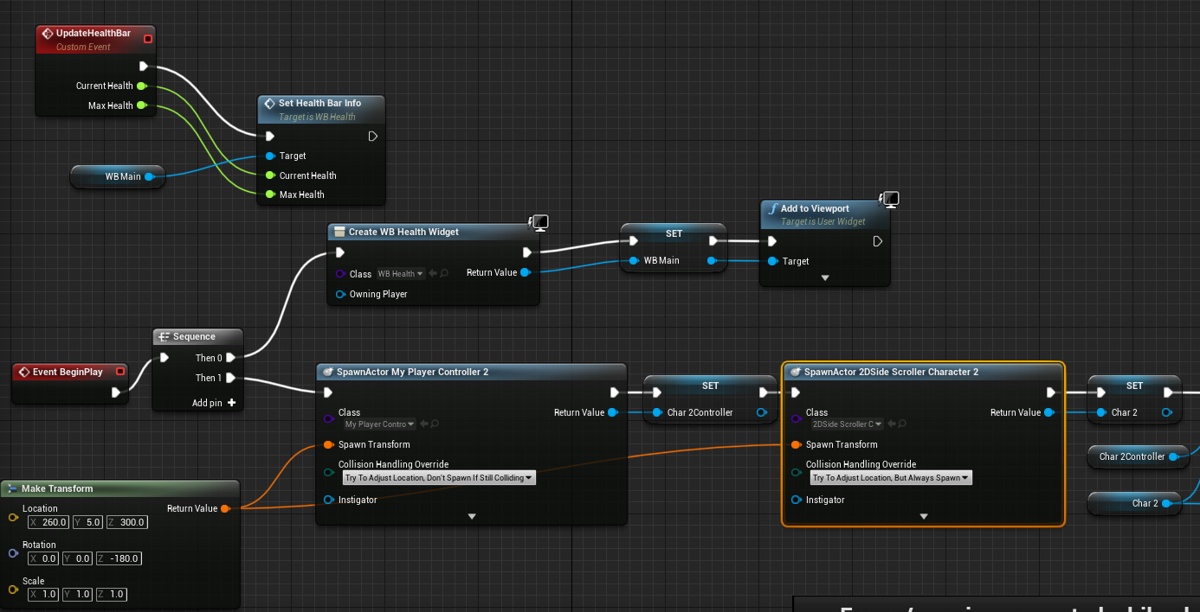
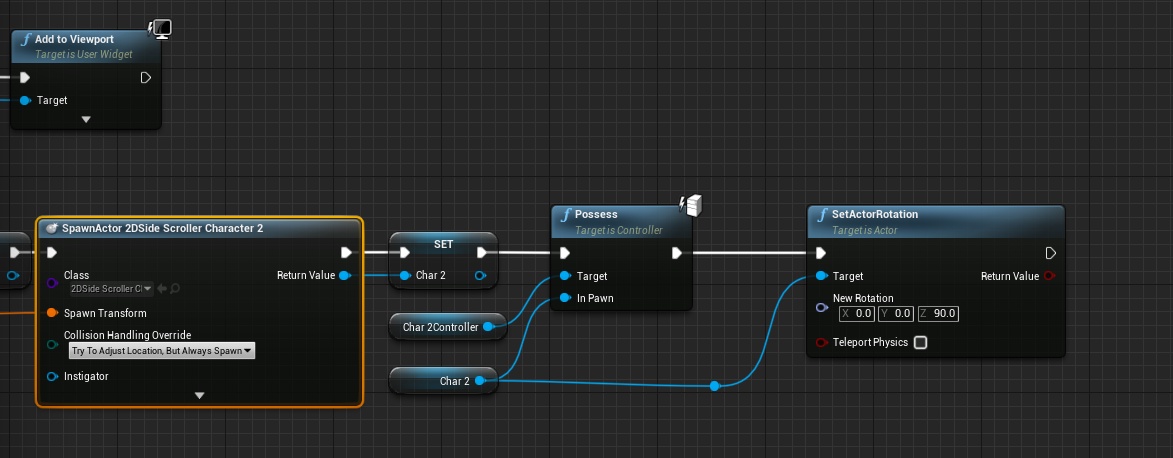 brazen egret
Does anyone know the reason for this?
