#ue4-general
1 messages · Page 22 of 1
 thin tendon
 dreamy wasp
its why im stuck. I thrown off all the ballast I can. Now I'm down to throwing over the passengers.
I am literally finding 0.0015ms, and removing it.
And then still seeing 100ms of stall wait sleep
thin tendon
dreamy wasp
I am literally finding 0.0015ms, and removing it.
I found 2 interesting links

Epic Developer Community Forums
Hi all ! Please help me to interpret my CPU profiling…what “CPU stall - wait for event” means in terms of performance? and how to improve it? My game is really laggy because of this thing …and my blueprints only use 3.3ms … how can I actually improve my performance? What am I doing so wrong? please help
reddit
2 votes and 6 comments so far on Reddit
dreamy wasp
like I said. not much info. most is people asking questions, and someone telling them to check out the crappy Unreal page, which has everything listed with the term as the definition. like 'Self" - A term referring to self. "wait" - when the CPU is waiting.
in the profiler, the best thing to click is Inclusive. It lists out everything, and you cna even find funtions, and events that you called, and it will tell you the times called, and the ms it took to complete.
Problem is.... it's like stacking legos to build a tall pillar. I got like 8 0.0001ms things that need to be done in order, and everything is waiting for those.
so you would not be looking for a 8ms event. You need to find the thread, and figure out how all those things are draining the cpu

like this. Things start on the bottom, and go up.
So TickTime is waiting for all 7 of those other things to finish, before it does it's thing.
 woeful wedge
Is there a help somewhere how to map all Steam Deck buttons in UE4?
 tranquil ruin
Hello, I'm newbie on UE4 and i want to change the mannequin of my project is it possible without redoing the set animation for that?
 plush yew
And if I create such a FPS limit in the Level Blueprint of the main menu, it will work on all other maps and everywhere in general, or only on the map where I created this logic?

 oak patio
Game user settings applies everywhere
I think you need to apply the settings afterwards though
Don't quite remember
 oak patio
your normals are reversed
 random pike
oak patio
your normals are reversed
random pike
oak patio
your normals are reversed
how do i unreverse em then
 tender bobcat
does anyone know why the engine version button in the launcher gets greyed out? tried some old fixes but none work

 umbral gate
Does unreal have the ability to manipulate frames sent to the monitor? For example say I purchase a 240hz monitor and render my game at 120hz. Can I send a solid black screen for example every other frame using unreal? I would like to tell unreal to say double each frame and apply a blur to the odd frames. It would not have to render twice but just use the last render if that makes sense, Can Unreal manipulate stuff like that ?
random pike
random pike
like
whenever i go to a angle and shit
it just doesnt want to show up correctly
dreamy wasp
tranquil ruin
Hello, I'm newbie on UE4 and i want to change the mannequin of my project is it ...
yeah. use the same skeletoon on the new mesh, and all the animation should be useable. you can also assign the animations a different skeletion. You can find these step by step on YT.
 heady quartz
am I tweaking?
 real heath
heady quartz
am I tweaking?
real heath
heady quartz
am I tweaking?
is it the same unreal version? maybe copy just a few objects, maybe theres one that's invalid that is causing them all to stop
 harsh ginkgo
has anyone encountered the problem of no languages other than English in "Create localized asset" and know how to solve it? I found several "solutions" but none of them work for me. I have languages added in Localization dashboard, compiled them, manually added a folder with the right name to L10N but still only English.

 late wraith
Anyone know why migrating a level with a blueprint in grabs my entire project to migrate with it. Is there any way of limiting the dependency or references. ? Thanks.
tranquil ruin
dreamy wasp
yeah. use the same skeletoon on the new mesh, and all the animation should be us...
I see. Can you give me a example reference? Since i'm hardly find a applicable one in my end. Thank you
 hallow dove
hi there, I currently using pixel streaming and i have a ui widget button that will call a javascript function to redirect the user to a link in a new tab, this is done by window.open, it has been working fine but until recently it has stopped working for ios safari due to “block pop-ups”. I was wondering if there is a way around this or is it just best to have an alert message saying they the have block pop ups enabled
 sage coral
When playing games what corner of the screen do you guys think the UI looks the best in?
 sage coral
heady quartz
am I tweaking?
sage coral
heady quartz
am I tweaking?
Thats really strange cause I do that now for making more maps or grabbing an item that I liked placed in my other map with its loc/scale. Its really strange its not copying any of the info over even being in the same editor window.
 pallid olive
hi was wondering for rpg style game, should the weapon be a mesh component or a variable
 plucky shale
🎉
 solid quest
what template should i pick up to make a top down 2d type game on unreal?
 ripe carbon
This question applies to both UE4 and 5. What's the best way to make a program with more than one language option? Like, if I made a widget that opens at the beginning and the player chooses one of two languages, then the program would pass the data on to the game's maps by means of an enumerator variable. I'm not sure what's the best way to approach that, though.
oak patio
sage coral
When playing games what corner of the screen do you guys think the UI looks the ...
the bottom left
oak patio
ripe carbon
This question applies to both UE4 and 5. What's the best way to make a program w...
unreal's built in localization
ripe carbon
oak patio
unreal's built in localization
I’m able to type in more than one language. But what I mean is having the program display messages in one of two languages, depending on whether the player chooses English or Japanese in a widget.
oak patio
yes
that is what the localization does
it doesnt generate the language for you
it just lets you change the text of a text var based on the language
 hybrid rose
I'm trying to make a dungeon level/map for a Project at college and want it to be similar to dark and darker, does anyone have any suggestions on how I should make it (building Wise)? Idk whether to make it piece by piece or just make a full map on blender. (Or a different way).
oak patio
hybrid rose
I'm trying to make a dungeon level/map for a Project at college and want it to b...
piece by piece
make yourself a modular kit
hybrid rose
oak patio
make yourself a modular kit
Whats a madular kit? like a Tile set but 3d?
oak patio
kind of
you make a wall, a floor, a wall with a doorway, a corner wall, a wall with a window, etc, etc
hybrid rose
oak patio
you make a wall, a floor, a wall with a doorway, a corner wall, a wall with a wi...
Ah ok, Thx for the help!
 lean flume
I seem to have locked myself out of all the panels in a blueprint I'm working on for a tutorial. I think I did it with a hotkey but I'm not sure. Any advice to fix it?
looks like this

 pearl coyote
hi, how are you guys? I'm having trouble creating a parkour system in blueprints could someone help me?
and what would be a chat to ask for help?
lean flume
I'm pretty sure my issue is that I was simulating 😄
ripe carbon
oak patio
unreal's built in localization
How do I set the game up to show dialogue in only the chosen language in the same program? That is, my program opens with a widget that allows the player to choose to play in English or Japanese. So how do I use the answer and enumerator to carry the data to other maps and widgets?
 jade surge
for some reason my editor doesn't make these sounds anymore, I miss them :'(
 patent stone
 crisp marsh
the sound of my nightmares
crisp marsh
the sound of my nightmares
sounds good😆
 finite flame
hello mates, i've got a question about rpc. how should i move an actor on a server, by giving input on a client? i succeeded moving the actor in server side and confirmed that it blocks character's movement, but trying the same input does nothing on a client side.
thanks in advance!
 marsh loom
Hey, quick question. My mouse axis binds are not working until i press any of the mouse buttons. Seems multiple forum posts about this but no solution so far.
 smoky flume
Anyone familiar with Unreal Insights for memory profiling? Trying to find a way to launch it within the editor rather than using Additional Launch Parameters in Editor Preferences -> Level Editor - Play ignore me! Figured something out
 latent verge
Ehi folks! Do you know how to move lights for animations? I'm making a video where lights move all the time and I can't understand why UE5 doesn't have the "position" keyframe for lights. To resolve this issue, I'm moving the model and the camera, but you can understand how limited is this method. Any solution? Thank you!
oak patio
ripe carbon
How do I set the game up to show dialogue in only the chosen language in the sam...

Epic Developer Community
Learn to use the Unreal Engine localization system in-depth.
 teal basin
does anyone know why the tree disappears here, it probably has something to do with the lod
 timid olive
could somebody tell me how to get my scene back, I closed Unreal Engine 4.27 and this is what happened
 zinc topaz
Should i transfer from ue4 4.27 to 5.1/2?
real heath
zinc topaz
Should i transfer from ue4 4.27 to 5.1/2?
That's a big fat "depends". How far into the project are you? How much work is it to upgrade and how much will break in upgrading? Are you limited by 4.27? Will the project benefit from lumen or nanite or anything ue5 introduced?
random pike

ok so, i copied and pasted the regular 3rd person shit
onto a ninja character
for controls y'know
and it didnt work
how do i fix this
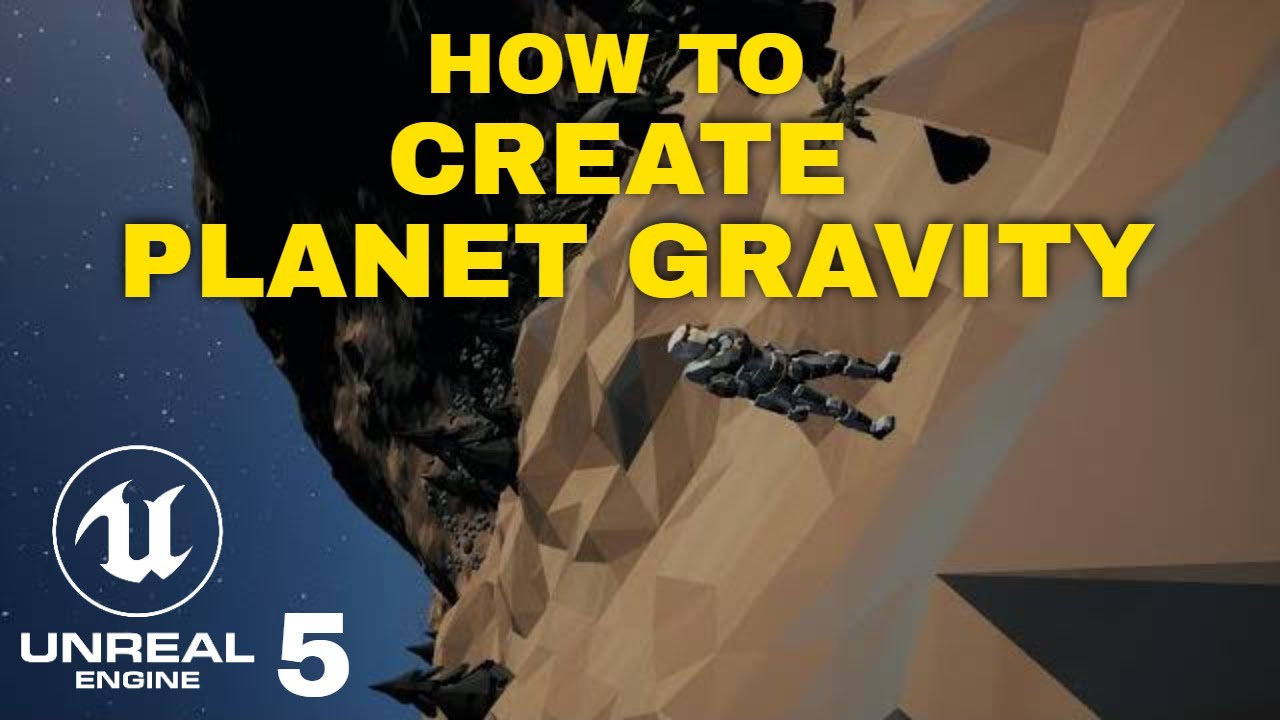
This video covers how to create planet gravity inside of Unreal Engine 4. We will use the Ninja Character Plugin to achieve this.
Troubleshooting
If your character is falling when they are on anything but the top of a planet then assume the gravity isn't being applied.
- Make sure your Sphere Collision component is big enough to surround the e...
i followed this
why isnt it working?
anyone help?
 obsidian kestrel
Hello. I am trying to learn C++ in Unreal Engine from Udemy and I tried to download files tat I need but when I tried to open the project and try to rebuild project, it gave me this error. I really need help at this point.

 copper bobcat
random pike
copper bobcat
random pike
You need to put the codes in the character class not in the game mode
copper bobcat
obsidian kestrel
Hello. I am trying to learn C++ in Unreal Engine from Udemy and I tried to downl...
Open your project in Visual Studio and rebuild it
obsidian kestrel
Thank you I'll try it when I arrive home
 spare trench
Hey I have a 4 wheeled vehicle, I want to increase its pickup speed because it catches its top speed very late. I tried changing the value of torque, rpm, gear ratio but nothing worked. What can I do to increase the initial speed of the vehicle??
 wide crag
spare trench
Hey I have a 4 wheeled vehicle, I want to increase its pickup speed because it c...
wide crag
spare trench
Hey I have a 4 wheeled vehicle, I want to increase its pickup speed because it c...
what kind of vehicle is this...? custom asset?
spare trench
wide crag
what kind of vehicle is this...? custom asset?
yeah I imported a vehicle from blender, Im using vehicle movement component.
spare trench
does anyone have Idea how to do it?
 harsh field
Is there somebody that might be able to point me to a place where i can find a tutorial on how to install older engine versions? And maybe some recommendations on which might run semi smooth on my :
Intel(R) Core(TM) i7-7700HQ CPU ram 32 gig ddr3 Nvidia geforce 1060 6gig
and i did manage to install the 5.1 and i do have a option for installing 5.0 but i think with my dated setup maybe i better look for an older version :p
thanks in advance!
harsh field
i'm guessing i need to remove ue 5 first before beeing able to install ue4?
 viral python
harsh field
i'm guessing i need to remove ue 5 first before beeing able to install ue4?
viral python
harsh field
i'm guessing i need to remove ue 5 first before beeing able to install ue4?
No, you can have both installed as long as they are in different locations I think you'll be fine. I've got 4.2, 5.1, and 5.2 installed
harsh field
got it on the top right it only asked for installing 5.0 or 5.1 but first needed to go to library click on the + in the engine version and then i was able to choose older versions
but thanks for confirming both where possible else i would have unstalled it for sure 😅
 runic fern
hello guys i have a problem in VR scenes when i Open level from main menu the Navmesh dissapearing player cant move anyone got this issue before how to fix ?
 rose flicker
I need some advice or help from you how to stream skeletal animation from UE4 on the first computer to the second computer that receives skeletal animation in UE4 in Real-Time like Maya Live Link or MotionBuilder Live Link. The first computer is used for MOCAP and it streams skeletal animation data from UE4 to the second computer in UE4 as a VR production system. I appreciate any help to solve this issue.
 sturdy lynx
I am trying to play my packaged game and I keep getting this error when I try to open it then the game closes before it even opens.

Can anyone help me I tried duplicating the project and repackaging but it always shows this (Im using ue4.27)
spare trench
My game crashes a lot of time while switch betwee levels or restarting it on mobile. Any optamized way to it?
hybrid rose
Is this a good layout for a dungeon?

 trim belfry
hybrid rose
Is this a good layout for a dungeon?
trim belfry
hybrid rose
Is this a good layout for a dungeon?
No. You have way too many connections between the rooms and some of your rooms are stupidly big
Usually for dungeon stuff you might look into using wave collapse to generate them so you don't end up with these sorts of weird problems and if you did they would be ezpz to fix
hybrid rose
ok 👌
hybrid rose
trim belfry
No. You have way too many connections between the rooms and some of your rooms a...
I am trying to resemble something like this but my procedural dungeon maker is being weird.
 trim belfry
The one in the picture probably had a bunch of people design and revise it. Copying a dungeon doesn't make sense since almost all of them are designed specifically for the game they are for. If you don't understand how dungeons work you are going to end up with convoluted mess of hallway spaghetti like you had
hybrid rose
trim belfry
The one in the picture probably had a bunch of people design and revise it. Copy...
So what would you recommend doing then? I have looked at using wave collapse but I'm getting a similar result.
trim belfry
Get good basically. Study how dungeons are made and how they work. Find out what they do and what you want from your dungeon. I suspect that your results with wave collapse are probably because of your misunderstanding of how dungeons work, or how wave collapse works. Study, make, iterate
hybrid rose
trim belfry
Get good basically. Study how dungeons are made and how they work. Find out what...
ok man 🧙♂️
 fierce tulip
@hybrid rose check this out, its an extensive analysis on dungeons from Zelda, Dark souls, metroid, and others
https://www.youtube.com/playlist?list=PLc38fcMFcV_ul4D6OChdWhsNsYY3NA5B2

YouTube
A game-by-game analysis of non-linear level design in games like Zelda, Dark Souls, and Metroid
I'd start with the oldest video. Mark uses some charts that keep updating, else it gets a bit confusing.
hybrid rose
fierce tulip
<@624333178986954772> check this out, its an extensive analysis on dungeons from...
Thanks man, I’ll check it out!
Been looking for tutorials but I was struggling to find any good ones so this is perfect.
wide crag
hybrid rose
Been looking for tutorials but I was struggling to find any good ones so this is...
https://watabou.itch.io/one-page-dungeon refresh for new
 hybrid rose
wide crag
https://watabou.itch.io/one-page-dungeon refresh for new
hybrid rose
wide crag
https://watabou.itch.io/one-page-dungeon refresh for new
Thank you 🙏
 timid vortex
Hey friends
Is there any one that got any experience with the game ability system (GAS) for UE4?
 valid inlet
hello quick question - is there a way to add some bounciness to Physics Constraints? The one I have set up works pretty well but when the object connected to the end falls down it is very rigid instead of having any bounce
 echo walrus
Hi. Because I have pretty weak pc and I want to use Unreal Engine, I have to use version 4.27.2. So I have to compile it myself. I ran Setup.sh. Output was
**********  SUCCESS ****************```
Setup successful.
Then, I ran GenerateProjectFiles.sh and output was

```Attempting to set up UE4 pretty printers for gdb (existing UE4Printers.py, if any, will be overwritten)...
    updated UE4Printers.py
    found necessary entries in ~/.gdbinit file, not changing it.

Setting up Unreal Engine 4 project files...

Fixing inconsistent case in filenames.
Setting up Mono
./../../../Source/Programs/UnrealBuildTool/UnrealBuildTool.csproj: error : /home/student/UnrealEngine-4.27.2-release/Engine/Source/Programs/UnrealBuildTool/UnrealBuildTool.csproj: Input string was not in a correct format.
Cannot open assembly './../../../Binaries/DotNET/UnrealBuildTool.exe': File or folder does not exist.```
What should I do?/What I did wrong?Ok, thanks

 sage coral
Just a quick question, I dont plan on using many displacement textures but was curious do the displacements actually physically make more verts on the mesh the mat is placed on or is it all camera trickery?
real heath
If using tessellation, yes it creates more tris. If using wpo, it just moves the existing tris. If using POM, it’s trickery
 tranquil pumice
does anyone know how to record UE with OBS? Recording main window with UE is simple, but opening new ones like for example blueprint does not record :/
Sure, I can always capture whole desktop, but I would rather not record taskbar
 digital crystal
Did anyone posted HTML5 game using ue 4.23.1 in itch? I was facing some issues.
 stray smelt
How do you get true fullscreen from editor? F11 still gives me the top application border
New Editor Window also doesn't work
Standalone game + launch parameter works
wide crag
stray smelt
How do you get true fullscreen from editor? F11 still gives me the top applicati...
if you want to play in fullscreen then it's Launch Standalone. If you just want fullscreen screenshots, use the Hi-Res Screenshot function from the menu in the top left
spare trench
Hey, I have a button on many widgets when I click it, it opens main menu.
I use same blueprint code for these button to open main menu.
Means I just copy paste the blueprint code for these button.
Is there any optamized way which would conzume less memory?
(I tried blueprint interface but i cant connect target of the inferface with the on clicking event)
 fast zealot
Anyone got a sample game built with ue4.26.2 along with debug symbols for Android arm64 (64bit)
 grave isle
Why doesn’t this work
 main bluff
where do I go for someone to help troubleshoot packaging error for unreal 4.27 for ios?
is there a specific channel for this?
fierce tulip
#packaging probably
 sand heron
Hello im totally new and want to ask someone who has experience in making games to suggest me a good ROADMAP for learning C++ in order to make games in UE.
I will be so thankful for any links/courses/mentoring/coaches etc.
Just YOUR WAY to teach NOOB for his good start
thin tendon
sand heron
Hello im totally new and want to ask someone who has experience in making games ...
This guy has some good tutorials to get you started. https://youtu.be/s_NCxSH9ZG0

Welcome to our C++ tutorial series. This Primer course is here for those who have no experience in programming in C++ and wish to start learning before tackling it in Unreal Engine 5.
In Part 1 we introduce C++ and go through the basic Hello World application and explain what we are seeing here.
SUPPORT ME
Patreon I https://www.patreon.com/rya...
 azure shore
does anyone know of a specific console command that spawns a player? I have a distinct memory of accidentally spawning a copy of the player in a game, and it made it splitscreen, but havent been able to find that ever since
searched through the whole commands list couldnt find it
yeah I dont expect anyone to know this
 rapid wyvern
Is there any way to adjust the brightness of multiple textures at once, sort of like an adjustment layer in Photoshop?

Like, I'm interested in brightening or adjusting the contrast of every one of those maps in the material slots, but doing it one by one seems suboptimal if I have a whole bunch.
dreamy wasp
QUESTION: Is there a way to have different AI enemies use different Nav Mesh settings?
I know I can set jump height, step up angle, etc, but I'm talking about where certain enemies can walk over hot areas, and others can not. I tried just putting a Blocker, there, but the AI will just walk into it, and get stuck, unless I check EffectsNavigation, but then all AI will go around it.
 gentle carbon
Does anyone know why my mesh would do this?😅

 pine remnant
i need a tutorial on adding menus please, and camerca control
 coarse jetty
i really need help with this, does anybody know why is this happening?
monitors:
- 1 hp z32 (3840x2160)
- 1 hp z27 (1920x1080)
Widows 11 pro insider review
example in obs
pine remnant
coarse jetty
i really need help with this, does anybody know why is this happening?
monitors...
yes, your scalability might be set to high, trying lowering it.
coarse jetty
pine remnant
yes, your scalability might be set to high, trying lowering it.
which scalability? 4k monitor low from 150% to 125%? i left all the recomended options... and if i do this the windows have a different scale depending on the monitor and it bothers me
 placid reef
Hi, i am new to unreal made some project with couple diferrent free assets. problem i have that all the assets are in own folder. example: tree001 have in content/something1/mesh/ and in content/something2/mesh/ yet both are different looking trees and i wish to move them in content/mesh/ both but to not owerwrite one with another but to have them both and to keep there dependencies to a textures because populated on the level already. Offcourse not with the same name. is there some plugin or a way to automate that to not need to do migrate every single asset one by one?
 tame marsh
So what do I do when building a project in Visual Studio is succesful but launching the UProject file still says that some plugins need to be rebuilt and it fails
Ah right, even if the UProject launcher builder quickly closes, there should be logs..
Ah, someone's been messing up our P4 source control
||it was me||
 agile sigil
Hi everyone, I want to confirm something about the substance to UE plugin. Is there a way to utilize blend node from substance in unreal by having it combining two or more texture inside unreal?
This is my current setup and giving the input an image did not change the material, so I wonder if there's something wrong with the one I make
 plush yew
anyone know of a good free alternative to substance painter
also should i choose blueprints or c++, is there any downside to either?
 autumn flame
plush yew
also should i choose blueprints or c++, is there any downside to either?
autumn flame
plush yew
also should i choose blueprints or c++, is there any downside to either?

How to determine whether or not you should be using Blueprints or C++.
oak patio
plush yew
anyone know of a good free alternative to substance painter
Armor paint is free if you build it from source. You can use quixel mixer too but imo its meh
Other than that, i'd just save up the money, and get a steam perpetual license or something, if you don't want to be tied down by another adobe subscription
plush yew
i dont have any adobe subscriptions , also whats a steam perpetual licence
oak patio
on steam you can get a perpetual license for substance painter
you only get updates for that year, but i prefer it to a subscription
tame marsh
Those are still available? I thought Adobe put the kibosh on that
oak patio
thankfully no
plush yew
lol
 plush yew
grave isle
Why doesn’t this work
plush yew
grave isle
Why doesn’t this work
r/screenshotsarehard moment
tame marsh
plush yew
r/screenshotsarehard moment
Screen2Gif has a permanent spot in my swiss army knife set of digital tools
A lot less to fiddle with than OBS for those quick captures
plush yew
gyazo
plush yew
autumn flame
https://www.youtube.com/watch?v=flEtQBPtBTc
what is the profiler
autumn flame
plush yew
what is the profiler
You can use console commands for random dumps or just use Unreal Insights or any other working profiling software
tame marsh
plush yew
gyazo
does gyazo still require you to upload to their own servers
Though when I tried it out, being able to copy-paste images into your message was unheard of
plush yew
tame marsh
Though when I tried it out, being able to copy-paste images into your message wa...
 willow solstice
Any idea why opening unrealpak.exe crashes immediately? I can't get run commands without opening it
sage coral
Had a question that I wanted your guys input on, I have been having a slight creative block with figuring out how to spruce up the textures and stuff for the hospital, it looks nice in the photos but it really doesnt scream I'm a hospital on an island resort to me, I really wanna make the look more appealing and unique insted of just flat textures, I do plan on adding door sings and such but I'm just really not feeling the wall and floor textures, if anyones got any suggestions or even example photos they find online or have its greatly appreciated. I have the level itself more or less fully built even with some special secret surprises and hidden levels around and thouse I like they way they look but because the hospital is such a big part for the intro/demo I wanna make it look more like a nice well kept hospital on the upper floors and as you decent to the lower floors it's just drenched in blood and gore to ease the player into the madness, but as I said the walls dont feel very hospital like I feel more like I'm in a office/mental institution lol

 devout perch
sage coral
Had a question that I wanted your guys input on, I have been having a slight cre...
devout perch
sage coral
Had a question that I wanted your guys input on, I have been having a slight cre...
Fun little palm trees, other plants. Also if it want it to be like a hospital, consider a more industrial white/mint green colour scheme
wide crag
sage coral
windows.
sage coral
devout perch
Fun little palm trees, other plants. Also if it want it to be like a hospital, c...
You were so right thank you so much I think I was trying to over complicate the textures before I went for more simple ones and Id say its looking more like a hospital that it was before 😄

@wide crag Windows exsist the camera was just facing more the mid section of the hospital 😄
 real heath
pallid olive
for array to get first index i need to minus one ??
real heath
pallid olive
for array to get first index i need to minus one ??
Yes. Arrays are start at 0. You can think of it like an offset. The array points to somewhere, and you want to access the item at index zero you are accessing somewhere + 0. It's the first slot.
pallid olive
i have some items in the array like 0 is empty 1 item 2 another item, but i need to minus one to get the 0 index ?
Boris if i have a structure in a game mode and use the same structure in the character, does this receive acces none ?
structure ingamemode is default value
devout perch
sage coral
You were so right thank you so much I think I was trying to over complicate the ...
Haha no worries.
Glad I could help
plush yew
can someone tell me why my skeleton isn't importing correctly and not letting me use my own bone names


greyed out

and they dont bend either
sage coral
How can I change My baked shadow res from 512 to 1024?
I was looking for it in the settings but I feel like Im going in circles
dreamy wasp
there should be in the light map.
dreamy wasp
sage coral
How can I change My baked shadow res from 512 to 1024?
You can set the lightmap in the Mesh, or set it in the BP under Over LightMap Res. you can also set a default in the project settings.
And only static meshes will bake. The crap-colored are dynamic meshes, and will get their lighting during the game.
sage coral
That's prob why I couldnt find it in the settings I was typing in shadows insted of lightmap lol
 queen rivet
I am working on sniper rifle shooting system. How can I add delay after shooting 1 shot?
oak patio
queen rivet
I am working on sniper rifle shooting system. How can I add delay after shooting...
Exactly as you described. Use a boolean to signify if you are able to shoot, check it before you shoot, shoot, set it to false, then after your cooldown, set it back to true
queen rivet
I think I did as you said but while shooting first shot, it is taking delay as well. I want to add delay after a shot, not before. I think I did something wrong here @oak patio
 oak patio
queen rivet
I think I did as you said but while shooting first shot, it is taking delay as w...
oak patio
queen rivet
I think I did as you said but while shooting first shot, it is taking delay as w...
Nowhere there are you checking if you're allowed to shoot again
queen rivet
how can I check? where do I check? would you mind explaining? @oak patio
oak patio
queen rivet
how can I check? where do I check? would you mind explaining? <@4623534591112642...
You check with a branch before you shoot
plush yew
Greetings everyone, how can i keep gameplay tags after a character respawns? I followed this tutorial and added a simple respawn system , yet when the bots respawn they don't attack each other because they lost the gameplay tags for teams, i tried setting the tag at event begin play but to no avail, the way i have it setup is there's multiple child bps of the bot like in this video, and each one is assigned a team color

In this series we are creating Deathmatch Bot AI characters for the player to fight against. We are aiming for interesting natural like movements using the EQS system.
In Part 12 we return to add teams to our Bots so they will attack only those on different teams.
You can download the starter project from this following link on Patreon: https:...
queen rivet
oak patio
You check with a branch before you shoot
So I need to create branch and get boolean "can shoot" and set it to true to shoot function? Sorry I am just a beginner so I am having a hard time. Can you explain in detail of what and where booleans need to added by looking at my above screenshot. @oak patio
oak patio
queen rivet
So I need to create branch and get boolean "can shoot" and set it to true to sho...
Unfortunately I cannot. I do not have the time
queen rivet
oak patio
Unfortunately I cannot. I do not have the time
you can reply here whenever you are free
 rotund sorrel
How can i make unloaded actors still react to an event they should be subscribed to?
thin tendon
rotund sorrel
How can i make unloaded actors still react to an event they should be subscribed...
I am pretty confident if they are unloaded you can't make them do anything as they are not loaded into active memory.
thin tendon
plush yew
Greetings everyone, how can i keep gameplay tags after a character respawns? I f...
If you assign tags in the blueprint in the editor instead of at runtime, then they will keep those tags.
rotund sorrel
thin tendon
I am pretty confident if they are unloaded you can't make them do anything as th...
Ok so maybe i should store the event somewhere. Then on begin play of the actor, check if the event has been fired while it was unloaded and do the stuff there
plush yew
thin tendon
If you assign tags in the blueprint in the editor instead of at runtime, then th...
I've put them in the event begin play yet to no avail, the cast for the tags is done to the parent bluprint btw if that helps
thin tendon
plush yew
I've put them in the event begin play yet to no avail, the cast for the tags is ...
You misunderstand mate. You aren't going to add them with code in the blueprint begin play. Open your blueprint in the editor go to the details tab. Search for tags. Then add the tags manually.
thin tendon
rotund sorrel
Ok so maybe i should store the event somewhere. Then on begin play of the actor,...
yeah I kind of get what you are saying and that is the general idea. Save the information you need when you despawn your actor. Then retrieve the information again later when you need it.
plush yew
thin tendon
You misunderstand mate. You aren't going to add them with code in the blueprint...
I'll try it when i get home, thanks a lot
dreamy wasp
rotund sorrel
Ok so maybe i should store the event somewhere. Then on begin play of the actor,...
Create a Game Instance. It lasts as long as the game has been loaded, even through level changes, death, etc.
It is also very light to dump to, and take stuff from it, unlike a save.
I normally put stuff in there, then when the player dies, I dump it all into the save: distance traveled, enemies killed, obstacles avoided, unlocks, etc. For unlocks or events, you can just have an array of Bools, or even s struct.
You'll see videos on the gameInstance for having music play across levels.
 full bobcat
finally UE4 😅
 plush yew
thin tendon
You misunderstand mate. You aren't going to add them with code in the blueprint...
plush yew
thin tendon
You misunderstand mate. You aren't going to add them with code in the blueprint...
I did what you suggested but it's the same problem 😔
full bobcat
ERROR: Platform Linux is not a valid platform to build. Check that the SDK is installed properly.
i'm getting this error while building engine from source on arch linux
 cloud plover
Anyone have a clue how I can fix this? The arms are rotated 180 degrees wrong way, but the spine is following the AimOffset correctly.

If I increase the blend depth, the arms go in the correct position, but the aimoffset no longer has any effect
 weary ember
in this component blueprint, i'm looking to add types of actors to an array, and then check if the owning actor of the component is one of those types. How do you go about creating a list of types to iterate over? I don't wanna create objects of those types
 quartz pebble
Is there a way for me to rename my project without breaking it because I just tried it and it wont let me package the game
real heath
weary ember
in this component blueprint, i'm looking to add types of actors to an array, and...
You'll need to choose a base class, like lets say actors, and when you choose the Actor type for the array it'll give 3 options, you want to choose Class Reference
or whatever it's called, should be the bottom one in the list of 3
You could equally choose a scenecomponent or actor component as the base class
weary ember
oh shit i posted this in ue5 general too and got an answer. Should've deleted. Thank you though!
real heath
oof, and that's why you don't crosspost kids
weary ember
!
real heath
quartz pebble
Is there a way for me to rename my project without breaking it because I just tr...
It's a very tedious process. Most people settle on just renaming in the project settings, without renaming the uproject or modules
Plenty of games have "ShooterGame" in the title bar or game files for that reason
Even valorant
quartz pebble
yea but when I package it and try to rename it then it breaks the game so I want to be able to have a different name show up in the packaged version
real heath
yes. So your options are: undo the rename and only change the name field in the settings window, which should change most user visible names. But to properly rename means a long process of renaming something, opening the project, seeing whats broken, updating that reference, closing the project, opening again, see whats broken. Then the same with packaging. It's a VERY LONG and error prone process
most people don't deem it worth it
IF you insist on renaming it deeply, you can post specific errors. But you should look into things like CoreRedirects to help renaming stuff
changing it only through the settings window will not break anything
quartz pebble
ok so in project settings it says Project name, if I change it there will the name appreare in the packaged version?
real heath
in MOST places. You'll probably still see some references
atleast give it a try and then see if the remainign things are really that much of a concern
quartz pebble
Yea renaming is a must do cause for now it is appearing as teast
Its not even spelled right
real heath
Ok, so try to see just the project settings and see what references are left
quartz pebble
ok thanks for your help, Im packaging it now and will let you know if it works
quartz pebble
so ya it's not working and the packaged versions are breaking so thanks for your help i'm just gonna have to figure this out later
 earnest prawn
Has anyone here implemented HWID bans in their game? Interested to hear anything about how it was done
wide crag
real heath
yes. So your options are: undo the rename and only change the name field in the ...
I wonder if it's possible to Migrate the entire Content folder into a different project (with the desired name)
real heath
wide crag
I wonder if it's possible to Migrate the entire Content folder into a different ...
That may worked, depends on a few factors though. including whether it's a source project. Give it a try.
rotund sorrel
It's very annoiyng to spawn actors at runtime since you cannot set all their properties in editor like actors that are already there. To avoid this, is there a way to put them still in editor but make them "inactive" until they would have been "spawned"?i'm talking about ai characters, so they shouldn't run any logic until "spawned" and shouldn't be visible/collide of course
 proud narwhal
Is an "Instance" just mean that it's a reference to a blueprint?
 oak patio
earnest prawn
Has anyone here implemented HWID bans in their game? Interested to hear anything...
oak patio
earnest prawn
Has anyone here implemented HWID bans in their game? Interested to hear anything...
It's not worth it imo. HWID bans just inconvenience regular players that get false banned, and anyone actually worth being HWID banned, knows how to spoof it
wide crag
rotund sorrel
It's very annoiyng to spawn actors at runtime since you cannot set all their pro...
the Object Pooling pattern allows you to set this up. Have your characters exist in the world at some inaccessible location (below the map) and set their properties as you wish, and never actually "kill" or "spawn" them
 sturdy smelt
earnest prawn
Has anyone here implemented HWID bans in their game? Interested to hear anything...
sturdy smelt
earnest prawn
Has anyone here implemented HWID bans in their game? Interested to hear anything...
Well , if u get Serials or the UID of the Hardware of like the Importants part, it should be Easy i think, and ofc the Check should be very Clean, because if u make an Mistake u get False Banns, but theres everytime an Way to Spoof or Bypass aswell , so prob wasted Energy.
tame marsh
wide crag
the Object Pooling pattern allows you to set this up. Have your characters exist...
Just like the corpse room in Skyrim games, only that one is for dead characters
 tacit rapids
Hi I have got gamemode airsim. I would like to add Replay Spectator Player Controller. But I cant edit, add anything in Selected GameMode. What im missing ?


 spice ruin
Is your game mode a c++ class?
 fair meteor
Suppose I build a game in a 32x32 landscape with 10 tiers of cave underneath the map. Just in terms of level design, what are the most important things to know for optimization? Would I still render things with netcull even though its single player?
 wind mantle
Is it possible to trigger widget (button) onclick without clicking on it? Let's say I have a test that should automate some UI configuration and I want to validate that the result has the correct configuration after the buttons has been triggered.
sturdy smelt
wind mantle
Is it possible to trigger widget (button) onclick without clicking on it? Let's ...
Why not just an Custom Event with FAKEONCLICK, and trigger how u want?
tacit rapids
spice ruin
Is your game mode a c++ class?
Yes
spice ruin
That's why.
 hasty epoch
Hello. I'm trying to do a localization test. But I'm having trouble. Does anyone know what to do?

 hasty epoch
Switching is not working. If it works, it only works once.
tacit rapids
spice ruin
That's why.
And can I change that ? Like write another row and recompile plugin
sturdy smelt
hasty epoch
Switching is not working. If it works, it only works once.
i remember in the Past u need an C ++ Code and an Blueprint Function Libary for that .
spice ruin
tacit rapids
And can I change that ? Like write another row and recompile plugin
Create a bp from your game mode and use the BP.
tacit rapids
spice ruin
Create a bp from your game mode and use the BP.
Its not my gamemode. Its plugin gamemode
 spare pilot
How to Disable Building static mesh render data, i rename filex and ue always building
 split tundra
I had worked on my project this morning, everything was fine, I pushed the changes in my repo and went on with my day until I had opened it about an hour ago to see this pop up, out of the blue. I've been trying to fix it to no vail. I don't know what's going on, I've tried validating data, verifying UE4's installation, disabling and enabling the CommonUI plugin, yet nothing works. The funny part is, none of the mentioned things are referenced in "DemonDatabase"... I can manage to reload data and the project works, but as soon as I quit the engine and reopen the project, the same errors pop up.
 plush yew
should i use ue4 or ue5? which one is better for game development for a indie
oak patio
plush yew
should i use ue4 or ue5? which one is better for game development for a indie
No reason to stick with 4
 edgy parrot
hey
i have scene that have only 2 react light and a little bit of other meshes the scene looks great in pc view but when i switch to ios preview the lights presets get changed and the scene start to look bad, so any one know how i can make the scene in ios look like the pc ? (in any cost i don`t care about the performence)
 heady ridge
how similar is UE4 and UE5? If I'm new, can I start learning UE4 and then switch to UE5 later on?
oak patio
heady ridge
how similar is UE4 and UE5? If I'm new, can I start learning UE4 and then switch...
Just start with 5
 toxic wagon
I have a project on 4.26 and I want to merge some of the assets to UE4.25, can I just copy the relevant .uassets?
 errant dagger
hi! did you find what was cause such behavior?
 night birch
errant dagger
hi! did you find what was cause such behavior?
night birch
errant dagger
hi! did you find what was cause such behavior?
I certainly did, but I don't remember what was it
night birch
errant dagger
hi! did you find what was cause such behavior?
I think I knwo
This was the error log from rider

Here you have the object, and its name
 errant dagger
night birch
Here you have the object, and its name
errant dagger
night birch
Here you have the object, and its name
was UTransfrerManagerConfiguraton your custom C++ added to ROOT ?
night birch
errant dagger
was `UTransfrerManagerConfiguraton ` your custom C++ added to ROOT ?
I don't remember what was causing the crash
Btu from the screen I see it was some blueprint
What is UTransferManagerConfiguraton?
Google doesn't see it
errant dagger
night birch
I don't remember what was causing the crash
ok , thanks , will dig it more.
 sage bane
Hello!
split tundra
split tundra
I had worked on my project this morning, everything was fine, I pushed the chang...
Apparently 3 of my assets (which use CommonUI) seem to be corrupted. I don't know what to do, I've literally tried everything. They work as long as I reload them, but as soon as I restart the editor, they get corrupted back again. Also when I reload them, even though they work, a message saying "Failed to load parentclass" appears. Also by trying to delete one particular asset among these 3, I get the following error: "One or more assets were partially consolidated, yet still cannot be deleted for some reason. It is highly recommended that you restart the editor without saving any of the assets or packages."
I've already searched through the Discord but nothing helped sadly
It was literally working fine the morning before \:
real heath
split tundra
Apparently 3 of my assets (which use CommonUI) seem to be corrupted. I don't kno...
Have you got c++ in this project? Do you use hotreload?
Compile with the editor closed
split tundra
real heath
Have you got c++ in this project? Do you use hotreload?
I do use C++, and nope, never hotreloaded
It was working fine the morning before, I pushed my changes to the repo and when I opened the project back in the afternoon, I was greeted by the image I posted before
real heath
Ensure your plugin is still enabled and also verify the engine through launcher
split tundra
The thing is, even if I delete my local copy and redownload from repo, it doesn't work anyway.
Also, I've tried copying the corrupted files (which actually happen to work after reloading, which means the local copy does indeed work) in another blank project and I get no error at all there
It appears as if something's wrong with the project iself
split tundra
real heath
Ensure your plugin is still enabled and also verify the engine through launcher
Already did this as well
real heath
Alright well then open the log and read it thoroughly before those failed to load messages come up
Log usually reveals more
split tundra
Other than that I get the following:
[2023.03.31-08.41.43:155][ 0]LogDerivedDataCache: FDerivedDataBackendGraph: Pak pak cache file <ProjectDir>/DerivedDataCache/DDC.ddp not found, will not use a pak cache.
[2023.03.31-08.41.43:155][ 0]LogDerivedDataCache: Unable to find inner node Pak for hierarchical cache Hierarchy.
[2023.03.31-08.41.43:155][ 0]LogDerivedDataCache: FDerivedDataBackendGraph: CompressedPak pak cache file <ProjectDir>/DerivedDataCache/Compressed.ddp not found, will not use a pak cache.
[2023.03.31-08.41.43:155][ 0]LogDerivedDataCache: Unable to find inner node CompressedPak for hierarchical cache Hierarchy.
[2023.03.31-08.41.43:171][ 0]LogDerivedDataCache: Display: Pak cache opened for reading ../../../Engine/DerivedDataCache/Compressed.ddp.
[2023.03.31-08.41.43:172][ 0]LogDerivedDataCache: FDerivedDataBackendGraph: EnterprisePak pak cache file ../../../Enterprise/DerivedDataCache/Compressed.ddp not found, will not use a pak cache.
[2023.03.31-08.41.43:172][ 0]LogDerivedDataCache: Unable to find inner node EnterprisePak for hierarchical cache Hierarchy.
Which happens before the uassets errors
Also, in the log it does say the files failed to be loaded, but also that they cannot be found, which's odd because they're there, they do appear in the content browser
And also I get this as well:
[2023.03.31-08.41.45:603][ 0]LogLinker: Warning: CreateExport: Failed to load Parent for BlueprintGeneratedClass /Game/3D_Test/BattleSystemScrollingTextStyle.BattleSystemScrollingTextStyle_C
[2023.03.31-08.41.45:603][ 0]LogLinker: Warning: Unable to load Default__BattleSystemScrollingTextStyle_C with outer Package /Game/3D_Test/BattleSystemScrollingTextStyle because its class does not exist
[2023.03.31-08.41.45:605][ 0]LogLinker: Warning: CreateExport: Failed to load Parent for BlueprintGeneratedClass /Game/UserInterface/BattleLogMarquee.BattleLogMarquee_C
[2023.03.31-08.41.45:605][ 0]LogLinker: Warning: Unable to load Default__BattleLogMarquee_C with outer Package /Game/UserInterface/BattleLogMarquee because its class does not exist
The ScrollingTextStyle's and Marquee's parent classes are both from CommonUI.
This as well is strange because I've got other BPs that derive from the aforementioned BPs' parents and they do work
split tundra
real heath
Compile with the editor closed
I've also already tried to compile yet again to no vail
wind mantle
How can I setup a structure using . instead of the tests using the path? The current path looks like this...
Project.Functional Test./Game/Functional_Tests/Animal... etc I want it to be
Project.Functional Test.Animal......
 plush yew
oak patio
No reason to stick with 4
plush yew
oak patio
No reason to stick with 4
I enjoy 4, it feels snappier and faster than 5, it also feels more fun to use overall
 stray sapphire
hello, is this still relevant with UE5 ? or can we access state machines/ states from c++ ? thanks for answers
 green phoenix
is there a way to apply the culling systems to affect blueprints in scene?
I've managed to get it working on a static mesh, but not bps
split tundra
split tundra
The thing is, even if I delete my local copy and redownload from repo, it doesn'...
I just tried to delete and remake the corrupted files, under different names, yet once the editor restarts the same errors show up, now referencing the newly created assets that replaced the "corrupted" assets. I'm completely clueless
 snow dirge
Hello everyone! First of all nice to meet you. I’m VED, multidisciplinary Italian artist.
I have some problems with the Vertex Color node in Unreal.
I exported an alembic from Houdini with some attributes, especially the "Cd" node, which I also used in Cinema 4D as a vertex map (mask) to mix two procedural materials made with Octane. on Cinema 4D the map works correctly, but when I import the alembic into Unreal the Vertex Color node doesn't work and makes my mesh completely black.
I tried exporting the alembic file by changing a few parameters: I promoted the Cd attribute from points to vertices but it didn't work, I tried generating an UV mapping (flatten) and removing unecessary attributes but it still didn't work!
the animation works in viewport, and other native software materials work correctly, so I don't understand what I'm doing wrong. I've followed a few video tutorials in the hope of solving it but nothing... it doesn't work.
this is my first time using Unreal. I've been commissioned to do artwork for a holographic project. It doesn't matter wich program you use to create the mesh, but it is important to import it into Unreal to fit in the holographic space. the version is 4.27.
hope you can help me!
oak patio
plush yew
I enjoy 4, it feels snappier and faster than 5, it also feels more fun to use ov...
Why did you ask the question if you already decided lol
spare trench
can some one help me with the selection,spawn and respawn system of vehicle please!!
I am stuck at this point at my game project because I can respawn the player I have select
this is how I take the value of the selected vehicle in the variable named "Vehicle" which is present in car_instance .

this is how I spawn the selected vehicle into the level in LevelBlueprint

but here is the main problem where I want to respawn the selected player when the vehicle gets destroy. I dont know how I will attach that Vehicle variable to the restart player node.
 cloud plover
toxic wagon
I have a project on 4.26 and I want to merge some of the assets to UE4.25, can I...
cloud plover
toxic wagon
I have a project on 4.26 and I want to merge some of the assets to UE4.25, can I...
Why not just migrate the files from the editor?
toxic wagon
cloud plover
Why not just migrate the files from the editor?
I only wanted to do specific files + references and wasn’t sure if a partial migration was a thing
split tundra
split tundra
I just tried to delete and remake the corrupted files, under different names, ye...
Not even reinstalling UE4 worked \:
cloud plover
toxic wagon
I only wanted to do specific files + references and wasn’t sure if a partial mig...
My guess is that things most likely will break if you just copy the .uasset files. If you right click an asset in the content drawer and click "migrate" you can select what to bring over and not
 gleaming lotus
The most bizzare thing is happening here:
One of the niagara system particles is showing up in the localisation window. There's no flag for marking it as non-localised. Anyone have a clue how to prevent localisation?

 sand edge
hey how do i parent a niagara emitter to a specific bone in a skeletal mesh
 normal breach
hey y'all!
I'm trying to disable gravity when loading sublevels, I call
    const UWorld* World = WorldContext->World();
    if(World)
    {
        AWorldSettings* MyWorldSetting=World->GetWorldSettings();
        if(MyWorldSetting)
        {
            MyWorldSetting->bGlobalGravitySet=!bIsGravityEnabled;
        }
    } ```
But doesn't seem to do anything. Also, I tried manually setting the Override World Gravity checkmark here but that too seems to not be doing shit.
Does anyone know why is that and/or how can I disable gravity for a whole world temporarily?
 rancid flame
Hi everybody. I am having a problem to understand the process of localisation.
In the localisation dashboard I can have more than one game target.
So I want to have one game target per Level of my game, to have it easier managing the textloads.
How, and where can I set the game target to be used in the current level ?
I once changed the name of my actual game target and it wasnt used anymore …
Anybody has experience with this ?
kind regards
stucki
spare trench
spare trench
can some one help me with the selection,spawn and respawn system of vehicle plea...
Can someone help me?
rancid flame

 astral stratus
i am facing a issue in macos
Showing All Messages
unable to spawn process '/Users/macbookpro/Downloads/UnrealEngine-4.27/Engine/Build/BatchFiles/Mac/XcodeBuild.sh' (No such file or directory)
even i checked the directory is existing .
 iron rune
does anyone know if theres an option to disable collision/physics on playerstart?
i have a water map and wherever i place the playerstart is where the water level will be and i want them to be separate things. could anyone help
astral stratus
Showing Recent Issues
Command CodeSign failed with a nonzero exit code even this error too in another setup even
i setup the certificate and profile corretly
split tundra
What might be a possible cause for certain blueprints to lose their parent class on startup?
 grizzled phoenix
I'm at a serious loss guys. I've been importing skeletal meshes for days for a modular character and now for some reason the name of the head bone has gotten a 1 at the end, something none of the other did and it's from the same work file. So can't do a proper merge with the ue4 skeleton because it's missing the head bone because the name is not the same. Halp!
rotund sorrel
What can i use to visually differentiate actors in editor (of the same class) based on wether i set a property to true or false in editor?
 oak yew
Anyone know how I can debug this error: LogglTFForUE4Ed: Error: The class Is not supported! DataTable I've literally no idea what class it's on about, or where it is, I have a lot of data tables and this has seamingly randomly started popping up.. It absolutely floods my output log whenever I have a data table up (any, doesn't matter which)
real heath
oak yew
Anyone know how I can debug this error: `LogglTFForUE4Ed: Error: The class Is no...

GitHub
GitHub is where people build software. More than 100 million people use GitHub to discover, fork, and contribute to over 330 million projects.
I started by searching the plugin source for that error. Seems it's trying to check if it can reimport
does your datatable struct have a gltf related field? or are there a bunch of hard references to static meshes?
real heath
oak yew
There is one table that has thousands of static mesh entries yeah
Well that error exists in this function: bool UglTFReimportFactory::CanReimport(UObject* Obj, TArray<FString>& OutFilenames) which to me says it's checking if a mesh is able to be reimported. So probably it's running against every static mesh as the table loads them
you might be able to fix that by changing to soft references
or, modify the source to not logspam that
or you can even just turn off that log category in your config files
oak yew
i think that link really helped
I remember trying GLTF like 3 months ago or something but stuck to FBX, not sure why my UE has started bringing that error up, maybe an issue from a crash, but I do have that projects plugin installed.
real heath
yeah, if you aren't using that plugin on this project, disable it
oak yew
That has sorted it, removed! 😄 thank you so much for finding that
real heath
np
 lament basin
can you export metahuman ue5 to ue4? thanks
trim belfry
real heath
https://github.com/search?q=repo%3Acode4game%2FglTFForUE4%20The%20class%20Is%20n...
Let me github that for you
 violet turret
@hollow trench Hey what's up buddy?
 thick prawn
Hi, I'm trying to open an old project and when I click the project file (because i don't have it in the unreal's vault) it says "Failed to Launch editor". I'm not sure what to do, I'm afraid is because i don't have the proper version of the project installed or any plugins, but I don't know how to see in which version was it done and its plugins, is there any way to know it?
Thank you so much ^^
copper bobcat
thick prawn
Hi, I'm trying to open an old project and when I click the project file (because...
Open the .uproject file and check the EngineAssociation
thick prawn
copper bobcat
Open the .uproject file and check the ``EngineAssociation``
How can I check that? ^^'
copper bobcat
thick prawn
How can I check that? ^^'
In the project folder you can find the .uproject file
 thick prawn
Oh, got it, thanks ^^
However I have that version installed, any thoughts of what can be the error of "Failed to Launch editor"?
copper bobcat
thick prawn
Oh, got it, thanks ^^
However I have that version installed, any thoughts of wha...
For the first step, you should verify Unreal Engine files
In Epic Games Launcher, select the engine version and verify it
 flint sleet
Why does my model look weird when i export it and open it in blender?

 spare trench
can I give my forum link to get solution?

Epic Developer Community Forums
I spawn the vehicle into the level by this blueprint node where vehicle variable contains the selected vehicle from main menu. Here is the main problem, how can I respawn the selected vehicle as I have no parameter to connect the vehicle variable.
 weary breach
Hello guys maybe someone of you had similar problem, my mouse is bugged for "some time" on top of slider, as you can see on gif firstly my mouse is just default mouse i have to click some time( sometimes its less sometimes its more) untill it changed to Cursor slider any idea why? https://i.imgur.com/a8opq7q.gif
This is probably some random setting i change cause it works perfectly when i migrate the project to other empty one, but cant find which one it was ;/
 frozen ridge
Whats the best engine to start learning for a project? ue4 or 5?
weary breach
Well if you just starting take UE5 and find some videos yt there are many of usefull
frozen ridge
so ue5 is more nooby friendly?
weary breach
there are many of improvements in ue5, but if you just starting ue5 in my opinion will be the best choice. You can easly find some yt videos about comparison and pros/cons
frozen ridge
cool, ty
 topaz arch
hi guys, any recommendations for quick cleanup (deleting unused assets,materials, meshes, etc) of project
 ember plover
hey im planning on putting a character with a coat from blender to unreal, i read that for the cloth simulation to work you just need to weight paint it, but does it still need any bones for the rig??


 solar valve
not totally sure what channel to put this in, but how can i make my confetti (left) in lit mode look like unlit mode (right)?


i've noticed this with a few other things but some sort of post processing is making everything look totally blurry, even with motion blur off. i'm totally missing something and im super new to ue4, so i'm not sure where to look..
text also becomes super blurry and unreadable from just a small distance but im not sure if that's just my monitor or something
tame marsh
You can adjust the confetti's material to be unlit
lemme check how

Epic Developer Community Forums
Did you just try the unlit material type?
autumn flame
solar valve
i've noticed this with a few other things but some sort of post processing is ma...
Blurriness could be ghosting from TAA
solar valve
how do i edit that?
solar valve
tame marsh
You can adjust the confetti's material to be unlit
prefer it lit
autumn flame
There's some settings around that may help, look into TAA cvars, don't remember much since currently using TSR
Depends if you use forward of deferred too
In forward you have MSAA
There'a FXAA too for both but let's ignore its existance
You can visualize velocity passes with a command that i always forget, lol
ShowFlag.VisualizeMotionBlur 1
autumn flame
solar valve
prefer it lit
It may already look okay but the ghosting would be making it look awful btw
 surreal cloak
Been anoyed recently because I want to master UE, and cant figure out a path to get there.
Where is the starting point?
And does the starting point exist in the real world?
Yes theres youtube videos, but wheres the in-person / lecture oriented courses?
Look at all these studios making ground breaking results in UE... the studios are made up of indivisuals. All the skill is just an agregation of indivisual skills.
Where are these people going to learn this stuff?
(Theres no way they just browse the docs and bindge youtube)
 grim ore
why is there no way?
and there are live training available around the world for Unreal Engine if you look for it, there is an authorized instructor program that epic has
surreal cloak
grim ore
and there are live training available around the world for Unreal Engine if you ...
Are these classes held anyhwere near massachucets?
(Usa)
grim ore
I couldnt say for sure, but https://www.unrealengine.com/en-US/training-partners is a good start along with other section under Learn at the top
 raven escarp
Should i delete autosaves and the caches and temporary files in the project files before packaging?
grim ore
it wont package those
raven escarp
I was just wondering as an asset i deleted showed in the output log procrss
While packaging
And it failed
 harsh tiger
Hi, in this UE forum post I can see this node in the top left. Does anyone know what it's called please?
 grim ore
thats just a scalar, a single value. its just a very small value @harsh tiger sorry it looks like a vector 2
i didnt notice the comma
harsh tiger
grim ore
thats just a ~~scalar, a single value~~. its just a very small value <@18660057...
Any idea how I can replicate it? Including the E just removes it
grim ore
but it looks like that due to being in scientific notation
looks like it just might be 2050,2050
harsh tiger

Genius!
The next task is to figure out what "level" is. As it's no longer present in UE5
 grim ore
its not even in a recent version of 4, I want to say that was mipmap level
harsh tiger
grim ore
its not even in a recent version of 4, I want to say that was mipmap level
I'm using a texture atlas, but I'm getting a bit of bleeding from the next texture. From the research I've done it's mipmap related, but no success just yet
grim ore
you need to adjust the texture itself to stop that
harsh tiger
grim ore
you need to adjust the texture itself to stop that
everything is mapped to 64x64, wouldn't changing that mean it won't fit into the 1024x1024 texture?
grim ore
no its a setting on the texture itself in the editor
try changing the filter on that texture to nearest
 harsh tiger
WOW
that fixed it!
Thank you so much
I've tried so many different types of shaders in the past hour. When my first one was fine with that change 😅
sand edge
Hey i have a camera in a BP in my scene how do i set that to be the camera i get when i play?
grim ore
set view target with blend
sand edge
grim ore
set view target with blend
how?
grim ore
you use the blueprint node, set view target with blend
or if your using a pawn, you can set it as the possessed by default in it's properties
sage coral
Need a little help I have 3 progress bars 2 work using the same method however the one for the growth refuses to go up for some reason. Im assuming its because Im spawning the actor in and the variable is not on the bp itself. Bescailyl without over complicating my text here, I have a simple plant growing system I created and eveything works fine except the growth bar never seems to get a value.


Thouse 2 are in the same BP and this one is in the plant that spawns in from spawn actor from class

 hallow void
Hello
Yesterday I met a weird issue, can someone tell me if it's normal?
I moved a folder inside the Unreal Engine, it was a 3 GB folder, and the process not only took 2 hours and a half, but afterwards the whole PC was so slow it was unusable, even ctrl+alt+del took more than 2 minutes to respond, and it's not even the first time it happens
My specs are i7 10th gen, GTX 1650, 16GB RAM and I run Unreal Engine 4.27
Is this normal?
Should likely note that I had VS open at the same time, which caused identical issues when I worked with C++ in UE5
Also, I apologize in advance if I won't be able to send any screenshots or won't respond for a hour or two, I am away from my PC at the moment
fierce tulip
moving a massive folder can be slow yea, as it also potentially needs to redirect files to their corresponding referenced content.
hallow void
I can see that well, but I'm puzzled by how much it impacts the overall performance of the PC
After completion of the process the whole machine is unusable unless I turn it off, which is a challenge since the OS itself starts to lag
 sudden zinc
manny
cloud plover
Is it common practice to swap out animBPs during runtime for swapping weapons?
hallow void
cloud plover
Is it common practice to swap out animBPs during runtime for swapping weapons?
Wait, you can do that?!
I thought you couldn't
cloud plover
hallow void
I thought you couldn't
You can, but I'm not sure its the way you're supposed to do it 😂
hallow void
I think it's indeed how you do it, specially if you are like me and you want to make your game moddable or at least easily modifiable, so you have to avoid hardcoding as much as possible
Or you can do it another way and include a character/arms mesh in the weapon actor, so that each time you equip a weapon you show the character/arms mesh attached to that specific weapon
It feels stupid tho
Old games used to do it I think
Take UT or COD WaW
ADDENDUM: I googled and the multiple Anim BPs is indeed the way to go
fair meteor
I have a trap blueprint, and I have a trigger box blueprint. I want to make a blueprint of a room, and put the trap/trigger box in the room blueprint. I can simply use a spawn point.
How do i bind the trap to the trigger box after spawning?
 pallid portal
basic question i think
how can i make the text selectable and you can copy it just like discord's texts?
i want the players to be able to select and copy text but nothing i can find to work
 scenic lodge
anyone know how i would add a trigger event that makes a text render count up by one when the trigger event platform is stepped onto
 modest trench
think about it in smaller pieces first
first focus on just showing some text, then calling... something after pressing the platform
scenic lodge
i wouldnt really know since im fairly new to ue4
hmm
seems easy enough but i know i would probably fail
do you have any tutorial online?
modest trench
 <
<
also unreal's official learn stuff is great for beginners
FWIW any unreal 5 stuff will... mostly apply to UE4, there is little difference

Epic Developer Community
This course from the Epic Online Learning team will introduce you to Unreal Engine 5 and the editor used to work within it. We’ll look at the Launcher, ...
scenic lodge
thanks
 ebon osprey
A quick question, that hopefully someone can point me in the right direction for a solution.
UE4 / Steam Deck - On-Screen Keyboard
Does anyone have any good pointers or ways to trigger and pop up the on-screen keyboard on the Steam Deck for a text input box in UMG when selected with a controller? Is there a console command or is it an API hook with steamworks? Any pointers / further reading would be appreciated!
Getting so many different articles on Google I'm feeling a bit info-overload.
 wicked linden
If I'm using EOS (Epic online services) for matchmaking and voice chat, will players in my game have to have an epic games account and log into it?
autumn flame
No
 mint raptor
I'm now getting this in UE5 but it is in VectorVMLegacy.h line 207, I add a vector array to a niagara FX and now I have it
 faint wagon
where do i ask for help
sage coral
Just a little pro tip I wanted to share for everyone, If you are having problems with code, blueprint, or anything else another team member recently introduced me to ChatGPT (Its Free powered by OpenAI) its a really cool AI Text bot
as an example you can tell it to
"Help me make a inventory system in ue4 blueprint"
and it will give you a step by step guide that it generates, You can also elaborate on the code by asking it to change vaules and to be more specific with what you want from the system. Just thought this was a really neat and useful tool thats been helping me out alot and I wanted to share I figured someone else can also get a use out of it 🙂
faint wagon
i need help scaling materials because it isnt displaying correctly
sage coral
@faint wagon Do something like this in your material and than make an inst of it so you can scale the size with the tilesize peram
 faint wagon
sage coral
<@793510378008870926> Do something like this in your material and than make an i...
faint wagon
sage coral
<@793510378008870926> Do something like this in your material and than make an i...
o-o
can i have a full screenshot to see how it all goes
sage coral
If its a texture that only shows on the floor only use the Z if its one that you need to see on all sides use XYZ and if only on the walls use XY
sage coral

ignore the crossed out reds you wont need thouse, they were extra nodes I was playing with
faint wagon
k
sage coral
using this method youll have to make sure your texture you use are seamless other than that all should tile fine 😄
If you want a more precise roughness just do the same for the base color minus adding the multiply with the color node thats just to change the base colors color across muti meshes
faint wagon
what is that color thing at the top
sage coral
To make an inst right click the material and click create material inst than apply this to the obj you need the tex to tile on from here open the inst and play with the tile size
faint wagon
i cant find it
sage coral
hold 3 and click
faint wagon
does the color matter?
sage coral
Not really its more for just chaning the base color if you are using a white base to change the base color across multi objs
to make a param hold 1 and click same way you did to make the color
for these values Right click them after making them and set their value to something other than 0
also give them a name example TileSize
the names will reflect in the inst so you can easily identify what the vaules change
faint wagon
where it says texture object do i put the material texture
and how do i add the tilesize thing
sage coral
get a texture object by right clicking in some free space and place your texture in the details pannel on the left
sage coral
faint wagon
and how do i add the tilesize thing
to make a param hold 1 and click same way you did to make the color
It should be green and not yellow
Right click the green block and click make Paramiter and give it a name and set its base value to 100
Than hook that green block into texturesize for both the world alligned texture and the world alligned normal if your texture uses a normal
faint wagon
how do i get roughness
sage coral
Same as making the tilesize Param
keep this value only between 0-1
as a base I reccomend keeping this at 0.5 and changing it in your inst to your liking
faint wagon
it didnt work
its just black and isnt textured
nvm
fixed it
how would i scale it
sage coral
Use the inst and change the value of the tile size in the inst and the value should change as long as the mesh you are using is assigned the Inst material
sage coral
right click the material you made anc click create material inst. Its basically a child class of the material that loads faster than the normal material and will save on your preformance
faint wagon
it doesnt work
faint wagon
how would i make a melee weapon
like how would it do damage and how do i make it show on your screen
like this
 oak patio
faint wagon
like how would it do damage and how do i make it show on your screen
oak patio
faint wagon
like how would it do damage and how do i make it show on your screen
You make it appear by spawning and attaching it. You make it swing by making animations for the character. You make it deal damage by any method you want, overlapping the enemy, a short line trace etc, and then using unreals damage system
faint wagon
oak patio
You make it appear by spawning and attaching it. You make it swing by making ani...
i have no clue how to do any of that
oak patio
Then I'd suggest looking into each of the areas specified
sage coral
@faint wagon Id recommend getting to know the engine a little better cause it will get a little complicated later on when you need to do things such as line traces and AI if you plan on having AI.
As for things such as having one arm youll need a 3d modeling program such as blender to edit the mesh you want to take an arm off of
To get better antiquated with ue4 I recommend checking this video playlist out also dont be afraid to follow along and copy what she does thats why shes made the video to help teach new users

In this episode, we'll cover how to make and open a new project, how to move around in 3D space (it's really fundamental to everything you'll learn later!) and how to navigate UE4's editor to find what you need.
Get Unreal Engine 4 here!
https://www.unrealengine.com/en-US/get-now
Music:
L e a v e s by Sachko - https://soundcloud.com/sachkobe...
She explains things in detail that are easy to understand and to follow along
faint wagon
Ok thanks!
sage coral
faint wagon
Ok thanks!
Np 🙂
faint wagon
Also how would I give back the arms if I deleted them in a first person one
sage coral
@faint wagon When you get better antiquated with everything I also suggest checking this guys channel out he has alot of useful tutorials to help you get a base for your project also dont be afraid to explore around on you tube alot of helpful resources are on there 🙂

YouTube
SUPPORT ME
Patreon I https://www.patreon.com/ryanlaley
Buy Me a Coffee I buymeacoffee.com/RyanLaley
Donations I paypal.me/ryanlaley
PRIVATE 1-2-1 SESSIONS
Email me at support@ryanlaley.com for more information and rates, or visit http://www.ryanlaley.com/learn-games-development/
JOIN THE COMMUNITY
Discord I https://discord.gg/TcPtCBp
FOLLOW M...
What youll be looking for in the future to reattach stuff is modular character building
faint wagon
K
sage coral
Look for something like a dismemeberment system as reference
faint wagon
Thanks!
 round light
hey everyone, if i wanted to remove only one random actor from the world, instead of all the actors of that class, what might i need to alter in this code?

 molten lava
is there a way to connect model bone angle and camera, for example, to make player model point flashlight where you look
 sterile badger
round light
hey everyone, if i wanted to remove only one random actor from the world, instea...
sterile badger
round light
hey everyone, if i wanted to remove only one random actor from the world, instea...
Use Random Array Item, connect out actors pin to Random Array Item nodes input pin, then connect it's output pin to destroy actor.
https://docs.unrealengine.com/4.27/en-US/BlueprintAPI/Utilities/Array/RandomArrayItem/
Random Array Item
 little star
hey guys, I need some quick help: How do I make it so that my line trace can detect box collisions? At the moment the trace just goes through the box and hits the actor behind it, any help would be much appreciated 😉
harsh tiger
I just opened my project and I'm getting a weird visual glitch. Restarting the project didn't fix it. Does anyone know what it is? Thank you https://gyazo.com/d96929c02abdf7599716aa53c8a69e8c
 copper bobcat
little star
hey guys, I need some quick help: How do I make it so that my line trace can det...
copper bobcat
little star
hey guys, I need some quick help: How do I make it so that my line trace can det...
Box collision should block that trace channel
oak patio
 tribal hornet
best assets for make car game ?
tribal hornet
best assets for make car game ?
any assets
honestly though
most car assets aren't suitable as theyre branded
i havent seen many gam ready cars that dont have a logo on them
for such a game you're going to have to make a lot of your own assets, unless its some low poly racer type scenario
heady ridge
sage coral
<@793510378008870926> Id recommend getting to know the engine a little better ca...
by AI you mean enemies, NPCs and stuff?
round light
sterile badger
Use Random Array Item, connect out actors pin to Random Array Item nodes input p...
this sounds like the ticket, trying now
 neon wedge
whoa unreal acknowledged paper 2d exists on their yt chanenl
spare trench
when I switch from one level to another or even restart the current level, game crashes on my android mobile. What could be a solution?
 ocean pumice
hi how can i get better DPI in high res screenshot in ue4
tame marsh
ocean pumice
hi how can i get better DPI in high res screenshot in ue4
shoot higher resolution?
tame marsh
Haha, sorry
For a longer answer, DPI is relatively meaningless actually
Do you require to export an image to be printed which is generally at 200DPI?
You'll have to work backwards starting from your required DPI and target image size
So say, you need to print an image at 10x15 inches at 200DPI
You would need to capture an image at 2000x3000px
Digitally, a 2000x3000px image at 200DPI is virtually identical to one at 72DPI
It's just at 200DPI, it's a 10x15inch image and at 72DPI it's 27.78x41.67inch
@ocean pumice
ocean pumice
ok i understand thanks a lot for this detailed explanation
it's just that my screenshot looks blurry in the end eventhough i put 200 scale screenpercentage + 3 in highresolution screenshot
maybe it has to do with some of my settings in the project ?
tame marsh
Is it possible a post process effect is affecting the image?
tame marsh
Care to share a small snippet of the image? Try to keep it in png if possible
or just the image if it isn't sensitive
tame marsh
ocean pumice
ok i understand thanks a lot for this detailed explanation
no problem, all it took was digging up traumatic memories from my days at the art academy
split tundra
There's this weird thing going on in one of my Widget BPs where a CommonText just straighout disappears from the Widget, breaking the BP and everything it references. I can simply right-click onto it to Reload it and it works fine, so the file is actually working, it's as if the CommonUI Plugin isn't loaded yet before this BP is being created or something. I've got other BPs in which I'm using CommonUI but they do work fine.
split tundra
@faint wagon That's an UE5-only feature
split tundra
Blender or any other 3D modeling software
faint wagon
also how would i add textures
split tundra
Apply a material to an object
faint wagon
k
neon wedge
whew almost broke my project 😢
tame marsh
neon wedge
whew almost broke my project 😢
a rite of passage
 warped heart
neon wedge
whew almost broke my project 😢
warped heart
neon wedge
whew almost broke my project 😢
The daily process 
faint wagon
how do i open the place actors menu
grim ore
Window -> Place Actors
faint wagon
my decals arent showing
nvm
how would i get this image to show correctly as a material
 spice ruin
Texture sample -> connect to baser colour.
 silver hearth
does anyone know how to move the depth mask? I'm just trying to take high resolution screenshots without the sky and mountains and such but i dont know how to move the transparency wall

 strange mist
Hi, why my AO texture exported from substance painter is showing wrong in UE4? this is combined ao-roughness-metallic texture


 latent sonnet
I'm trying to change the behavior of AI base on an Enum state but it only runs the default state. Am I doing something wrong?


 swift jay
hello i really need help please someone
oak patio
swift jay
hello i really need help please someone
No one is gonna be able to help you unless you explain your issue
swift jay
ah sorry someone already did on the call
forgot about the msg
@oak patio actually
is there a way to export a project and give it to another computer so you can develop it on the other computer
like so it comes out in editor mode
and not as a game
thin tendon
swift jay
is there a way to export a project and give it to another computer so you can de...
You are wanting source control. Ask your questions here #source-control
dreamy wasp
So I'm digging around to optimize my game, and Isearch in the Details panel 'opti'
And I see a button for 'generate optimized blueprint component Data'
I can find no information on line about this.
the little helper that shows up says "Weather to cook additional data to speed up spawn events at runtime"
anyone ever use this? know what it actually does?
 unique yacht
Does anyone know if you can bind mouse buttons with keys? Like for example "ctrl + mwheel up"
 quiet marsh
any one have a clue why the spline mesh deforms like this ?

 forest valve
You can give me your documentation (books, courses) for ue 4.27?
 undone bough
anyone know how to get rich text to wrap properly when it comes to inline images?

each inline image has a 'space' between them, but its like it ignores the space from the text to the inline image to the next inline image.
undone bough
🦗
plush yew
How do i change a pawn's walk speed during an event?
oak patio
plush yew
How do i change a pawn's walk speed during an event?
change the max walk speed
plush yew
Yeah ik but how do i do that with an ai moveto node? Sry im new to unreal
oak patio
you don't. you change the max walk speed in the movement component.
plush yew
oak patio
change the max walk speed
 oak patio
you really shouldnt be using the level blueprint for this
plush yew
oak patio
you really shouldnt be using the level blueprint for this
Aren't events supposed to happen in the level blueprint ?
oak patio
no
they can, but they don't have to
any actor can have events
tutorial creators use the level blueprint often because they're lazy and it means they don't have to teach proper referencing
plush yew
Well this event is basically the player walks to a dead end and when he overlaps with a triggee the ai comes running to where he is
Yet the trigger is automatically registered in the level blueprint
oak patio
yeah that could be done absolutely anywhere, the level blueprint is not a good fit for such a method.
undone bough
level blueprint comes in handing for triggering event things like... say ... your on your menu and you want your widget to swap cameras... you can setup a simple level event that your widget can use to swap between cameras in the level without having to do casts, bpi calls etcs.
plush yew
Oh ok, and what about gameplay events? Like spawning an enemy when you enter a room or smthing
undone bough
triggers, overlap volumes, there are several different methods to do that.
like your example above, i'd just use a overlap actor that triggers a npc to move from point a to point b.
plush yew
Yeah but when i click addonoverlap event for triggers they're automatically registered in the level blueprint, that's why i thought it's the appropriate place for them
undone bough
so i figured out my issue with the richtext box and it not wrapping for the images, but i haven't found a solution for it. from testing it appears that for wrapping the richtext box is ignoring spaces, so the 'space' thats inbetween the images is ignored and they are treated as one long string of text.
undone bough
plush yew
Yeah but when i click addonoverlap event for triggers they're automatically regi...
yeah if you put a trigger in the world it will but if you make a blueprint -add a trigger / overlap object to it, then add the overlap event inside that blueprint, it will add it to the blueprint not the level blueprint.
plush yew
Oh i got it now, so for every event i make a blueprint and put its code and triggers right?
 valid raven
hey all, i want to make a menu that lets me change control of the 2 characters, i want to know how i might do that entirely in the widget (apart from loading up the widget itself in the character)


i plan on having a lot of different switchable characters in the future, but i think if i can get switching between 2 then that's a solid start
the end game is making the menu in-world (as like a screen to walk up to) and accessing the player's inventory to choose characters they'll use for a 1v1 battle
so like they have 300 characters in their inventory (just an example)
they select 6 to use in the battle
and then furthermore select 1 to possess. if it dies they lose that one and choose one of the 5
that's the end goal
so ideally if anyone knows of a good method to maybe create an actor, possess it, then delete the previous actor
ok i have an idea but i have a question about it. if i have a parent "character" and i have a child of that parent, if i cast to the parent (when targeting the child) will it be a success?
wait why am i asking that's a quick test
spice ruin
Yes.
A object can be used in any place where any objects its class or any of its parent classes are needed.
Polymorphism at work.
valid raven
gotcha that's helpful so when changing characters i can cast to the parent which will have basic information (most importantly the code to create then possess a new character, then delete itself)
thanks a ton that saves a lot of headache
and as long as all playable characters are children of the parent they'll all be able to do that
 steel pasture
Wots going on here ?
 obtuse stump
Do you know how to make proper screenshots for steam page? On unreal it doesn't let me choose the size of the screenshot so I have to take it and then resize it only which stretches everything and is so bad. Do you have any special trick?
grim ore
https://docs.unrealengine.com/5.1/en-US/taking-screenshots-in-unreal-engine/ , you can specify the size using a command
or you overshoot the screenshot and then crop to the correct size (not resize)
valid raven
hey guys! i have a mechanic i want to create which i really liked from ultrakill. the terminal. it's not a HUD menu, but you can left click and even scroll wheel.
it pulls up a different visual when you're looking at the screen (finger rise) which I wanna do but isn't crucial
also just making a menu of any sort not inside the HUD and instead on a "screen"
it also switches menus depending on what you click on (i assume it creates a new widget and loads it)
and lets you use the scroll wheel (which will not be used for anything) or the scroll bar to scroll by left click dragging.
i assume this uses a trace which i have no knowledge of how to use tbh, but i want to make something which uses most of the mechanics:
a screen that's in the game world that you can navigate by left clicking buttons which loads up different screens such as a main menu, a list of items, and an options tab.
i feel like it would be hard to search up a tutorial saying something like "how to make an interactable screen in ue4" and that is why i am asking here for maybe an existing tutorial or some help on putting a widget on a surface in the game world that you can interact with
it'd be nice if i could also have a 3D effect with the text and buttons like they have, but i think i could achieve that just with 2 layers
 mental horizon
so am having this problem that, i dont have screen space reflections on my project even tho, on my post process volume, i have it turn ON, any idea whats going on?https://streamable.com/20e3r5

 late girder
Is there a way to search (in this case in a widget) more specifically? For example, I'm trying to search only buttons, not any other type and not the entire hierarchy.

 tidal lance
can anyone help me with importing an fbx from maya to unreal?
 surreal eagle

trying to learn how to combine megastructures with space for movement options. doing a lot of experimenting in #unrealengine for my #arenashooter /#boomershooter (movement shooter to be more accurate) but hey, this is progress! maybe eventually you'll be able to play with your friends on a map like this,but this is likely going to be a section o...
How do I improve upon this
 rancid meteor
Hello
How i can mod a unreal engine game
I want to edit the umaps and clean them
To remove as many roadblocks and obstacles to foam freely in the vr maps
 merry stone
why are there 4 controllers?
cloud plover
Can anyone help me out with a decent formula for damage falloff with linetrace?
Math is not my strong side... 😅
spice ruin
Linear falloff?
oak patio
rancid meteor
To remove as many roadblocks and obstacles to foam freely in the vr maps
We won't help with modding here. Best off asking in the community for said game
cloud plover
spice ruin
Linear falloff?
Yeah, linear falloff is fine!
spice ruin
cloud plover
Yeah, linear falloff is fine!
((MaxDistance-DistanceToTarget)/MaxDistance)*Damage.
Assuming you want the falloff to start at 0 distance.
cloud plover
And what if I wanted the falloff to start at 2000 units?
spice ruin
<= 2000 units, 1. > 2000 units, use the forumla but take 2000 off the max distance and distance to target.
((MaxDistance-MinDistance-Max(DistanceToTarget-MinDistance,0))/(MaxDistance-MinDistance))*Damage.
Something like that.
cloud plover
Like this?
 spice ruin
((MaxDistance-MinDistance-Max(DistanceToTarget-MinDistance,0))/(MaxDistance-MinD...
spice ruin
spice ruin
((MaxDistance-MinDistance-Max(DistanceToTarget-MinDistance,0))/(MaxDistance-MinD...
^ 😛
cloud plover
Thank you!
rancid meteor
oak patio
We won't help with modding here. Best off asking in the community for said game
why not?
oak patio
rancid meteor
why not?
It's not our area of specialty, as different games have different implementations.
Not to mention most games don't officially support it, so it's not something allowed here
spice ruin
Depends at what stage you are in your project's lifecycle.
plush yew
Pretty early
spice ruin
Probably best to use ue5 then.
 worn minnow
I'm trying to get into modding, but am brand new to everything. I want to make a background music mod, but all the music files are titled as numbers. I'm trying to export them so I can listen, but whenever I export any sound file, they don't appear. But when I export a visual file, it appears in the UE export folder.
 oak patio
worn minnow
I'm trying to get into modding, but am brand new to everything. I want to make a...
oak patio
worn minnow
I'm trying to get into modding, but am brand new to everything. I want to make a...
ask in the community for your game, we dont do modding here
 still pivot
hi, i try for some hours to merge this 7 seperate meshes (on the left) to one mesh (like on the rigth side the SK_military_chr). anyone can help / guide me how to do that? i need the 7 ones as a skeletal mesh, not as a blueprint

i use the UE4.27
valid raven
hey i wanna make an item that will have no visuals in the game world (it will be an icon in the inventory and store some variables)
what object/file type would be good for storing data?
it will be instanced (so that multiple of the same file can exist with different variable values)
it will store floats, maybe some strings, a texture variable and an object variable.
It will not have functionality itself.
tidal lance
when I click the play button how do I make that display my animation
 peak hare
 cloud plover
Hey how can I make a "bullet drop" with linetrace? I'm trying to make a new linetrace from the "trace end" location that drops a bit in Z height for every iteration
But what do I set as the end location of the new trace?
real heath
cloud plover
But what do I set as the end location of the new trace?
You can fake it if you want and just drop the z by some amount, or you can go physically accurate and look up the ballistic trajectory equations.
cloud plover
real heath
You can fake it if you want and just drop the z by some amount, or you can go ph...
Found a node "Predict projectile path by TraceChannel" that works great for this
real heath
That'll do it
 rain gale
uhhh i have a question when im on unreal 4 editor the graphics is 70 fps
but when i build the game its 1 fps when i run the compiled game
anyone encounter this issue?
 nimble ibex
i have a question
how can i add (something like endl;) but with print string and with blueprints
 marble shoal
Im having a stupid issue with creating an aim offset. I followed the Official guide here! https://docs.unrealengine.com/4.27/en-US/AnimatingObjects/SkeletalMeshAnimation/AnimHowTo/AimOffset/ But Im getting the wrong results and I have troubleshooted the hell out of this. I am creating the aim rotation from the AI controller because its for AI BOTS , But they are keep aiming in the wrong directions or opposite to to where I am. Here is my setup. from the ai controller. the animation BP,



Using an Aim Offset, a character aims a weapon in the direction of your mouse or controller.
 mighty jetty
Hello guys
I have a situation
I have a really simple character controlled by AI, flying from one checkpoint ot the next one
But if i increase the distance between the character and the floor it ignores the AI behavior tree where it finds the checkpoints and just fly towards a random location
¿any ideas what might be happening?

Like this it works like a charm
but this messes it up
 tidal lance
how can I achieve a good depth of field effect
not sure if im using it wrong but this isnt doing much
 plush yew
my enemy ai has a random roam custom event, and i want to call it after this move to node, i think it should be done by casting to the enemy ai bp but idk what to put in the object wildcard
 oak patio
plush yew
my enemy ai has a random roam custom event, and i want to call it after this mov...
oak patio
plush yew
my enemy ai has a random roam custom event, and i want to call it after this mov...
when casting, the object is always a reference to the thing you are casting to. which shouldnt be necessary, since you have a reference from the spawn ai node.
but learn behaviour trees. It's what ai is meant to run on for stuff like this
plush yew
oak patio
when casting, the object is always a reference to the thing you are casting to. ...
yeah you're right i changed the method and assigned an array containing waypoint references for the ai to go to, and it works fine when i manually assign the waypoints when i place the ai, but i want to change the waypoints during events where i spawn the ai, so i created an event bp that has an array which contains waypoint references, and i want to set the waypoints in the ai bp to the ones in the event bp, i did this , is this correct?
 oak patio
plush yew
yeah you're right i changed the method and assigned an array containing waypoint...
oak patio
plush yew
yeah you're right i changed the method and assigned an array containing waypoint...
test it. if it works then it works.
plush yew
oak patio
test it. if it works then it works.
yes its working correctly finally
thank you
plush yew
oak patio
test it. if it works then it works.
one more question , how do i set the ai walkspeed during an event?
oak patio
set it's max walkspeed
plush yew
 plush yew
oak patio
set it's max walkspeed
plush yew
oak patio
set it's max walkspeed
yes im doing it like this yet the speed isn't changing
mighty jetty
plush yew
yes im doing it like this yet the speed isn't changing
You are casting to enemy AI, not to the pawn controlled by that AI
Try this:
From the cast to enemi AI "as enemy AI" node drag a "Get controlled pawn" and from there use the SET max speed
 upbeat spruce
Why does GetComponentBounds return {0,0,0} on an HISM component that has instances?
Is there any way to get the bounds of the HISM instance?
 plush yew
mighty jetty
You are casting to enemy AI, not to the pawn controlled by that AI
plush yew
mighty jetty
You are casting to enemy AI, not to the pawn controlled by that AI
The pawn is named enemy ai
 brazen haven
hi guys, anyone know about charactermovement
    UPROPERTY(VisibleAnywhere, BlueprintReadOnly, Category = "Movement", meta = (AllowPrivateAccess = "true"))
class UCharacterMovementComponent* CharacterMovementComponent;```does this seem right
 frosty wolf
how the hell can i remove transparency from a multilineditabletextbox
umbral gate
Help! So I have a problem where the default VR project crashes when doing anything. Im forced to convert the fps template to VR and everything works great except for 15fps on a 3090. The Vr template gets 200fps. I was advised to copy and paste the render setting between the projects to get 200fps in the fps project for Vr, and it works great...
Long story short the solution makes everything look worse. Which one of these settings are the culprit so I can discard the rest? What settings should I keep and what settings can I discard?
fierce tulip
@umbral gate could you please post it into a pastebin and then link it here?
that'd be appreciated
sage coral
Not sure what setting I changed but for some odd reason my standalone player now snaps to the top left of the screen when starting
 kindred barn
Hi everyone, I am making a game where I want to do an action based off the mouse's input (as a curve, not x and y values). Similar to:
https://forums.unrealengine.com/t/track-mouse-movement/768823
Would I make an array of x and y values and get the curve of them, then make that determine the arc of the animation?
Or translate the mouse to a world location (to get current mouse x, y, and z), and then compare that with the future x,y,z value to get the curve from there?
 mellow crystal
I have a question may sound stupid but how do I generate rsa keys for my ue 4.18 game
 split delta
hey, would someone be able to give me a hand in feedback vc? needing some help with textures
plush yew
How do i change the walk speed in a behavior tree from an event bp?
oak patio
plush yew
How do i change the walk speed in a behavior tree from an event bp?
try what you did before, but increase the value a bit more. I'm betting it is changing, it's just not that noticable given the default is 600
plush yew
Nah I've put it at 20000 and it didn't change
oak patio
but in your example last night, (sorry for the lack of response by the way, it was rather late for me :P) you changed it as the next thing after the ai had spawned. meaning you had no baseline to compare it to
plush yew
oak patio
but in your example last night, (sorry for the lack of response by the way, it w...
I think its bcz the behavior tree takes priority
Nah it's cool thanks a lot
oak patio
nah its defo not that, it still moves via the movement component...
I've changed speed like that before and it works fine
could you show me your current setup?
plush yew
oak patio
could you show me your current setup?
here
 oak patio
i thought you said you were using a behaviour tree?
and also are you expecting that speed to change while the ai is moving?
plush yew
oak patio
i thought you said you were using a behaviour tree?
yes im using the behavior tree for the patrols, but this is supposed to be an event where you'd walk down a hallway with a dead end and when you reach the dead end the ai will come running at you
plush yew
oak patio
and also are you expecting that speed to change while the ai is moving?
no just as he spawns i want him to come running straight at the player
oak patio
i think you're getting your wires crossed here.
You say you want to change the speed in the behaviour tree. but you want the speed to change when he spawns, which it does.
plush yew
yeah i said that because i think the behavior tree is taking priority lol
oak patio
it isn't
your code is doing what you've told it to. the ai spawns, then it's speed changes, then it moves to the player.
no where in there is anything to do with a behaviour tree or patrols
plush yew
oak patio
your code is doing what you've told it to. the ai spawns, then it's speed change...
then why is the ai still at the same speed😔
is there smthing wrong with the cast?
oak patio
check. drag off the cast failed bit and print string
grim ore
make this easy, in the enemy blueprint on tick have it print their current max walk speed
just do a simple "is it working" check
oak patio
^
if that value doesn't change then its either changing the wrong one, or something down that line is failing
plush yew
grim ore
just do a simple "is it working" check
the cast to the enemy bp is working however the speed isn't changing
oak patio
so the speed isn't updating it's value?
plush yew
yep its still the default one
oak patio
i take it you found that out from what mathewW said?
plush yew
yeah it was a good idea
oak patio
do you get any errors when quitting play session?
plush yew
not at all
grim ore
set the max walk speed in the begin play for that enemy AI, see if that works.
 cedar kernel
its ue 5 tho
cedar kernel
grim ore
set the max walk speed in the begin play for that enemy AI, see if that works.
wait u work at epic!
plush yew
grim ore
set the max walk speed in the begin play for that enemy AI, see if that works.
it doesn't
btw i have this behavior tree service to change the walking speed

i think i should change it here instead of in the enemy bp
oak patio
that would have been handy to know
grim ore
yep so your overwriting the walk speed every tick in the AI...
plush yew
my bad sry😆
oak patio
thats why your speed isnt changing. because as soon as you spawn it, you change it's speed to that variable every frame
oak patio
rather than setting the speed every frame, you could just have something that updates it once when called
alternatively change that max walk speed variable
plush yew
oak patio
alternatively change that max walk speed variable
i think that would be done using a cast to the service changing the walk speed right?
what object wildcard would i need to put in the cast?
oak patio
your object wildcard is always the thing youre casting to
always
i would opt for option 1 though, creating something you call to change the speed
much cleaner
and you arent setting it unnecessarily every frame
plush yew
oak patio
i would opt for option 1 though, creating something you call to change the speed
so a custom event instead of the event receive tick ai right?
oak patio
yeah
plush yew
 plush yew
oak patio
yeah
plush yew
oak patio
yeah
i changed the service to this and the ai stopped moving completely lool
 turbid osprey
Hello,I've been debugging and looking online for info on this error and have not found much, could anyone point me in the right direction?
LogPhysics: Warning: PopulatePhysXGeometryAndTransform(Convex): ConvexElem is missing ConvexMesh
LogPhysics: Warning: ForeachShape(Convex): ScaledElem[833] invalid
 fiery swift
Hey, kind of a dumb question, but how do i downgrade ue5 to ue4 lol
cedar kernel
fiery swift
Hey, kind of a dumb question, but how do i downgrade ue5 to ue4 lol
i dont think u can
cedar kernel
fiery swift
Hey, kind of a dumb question, but how do i downgrade ue5 to ue4 lol
i tried to do it because lumen is weird for my game but i wasnt able to figure it out and i ended up just disabling lumen
fiery swift
Yeah i read you can disable lumen and a couple more things to run like ue4
I guess I'll just try to download ue4 directly then, just haven't found it yet
cedar kernel
wait
@fiery swift try uninstalling ue5 and install the latest ue4 and do the open with and select ue4s unrealeditor-windows.exe
that might work but the new ue5 features would prob be removed
cedar kernel
fiery swift
Yeah I don't care about ue5 really, my machine can't handle it
what machine do u have
cedar kernel
fiery swift
I'll try, thanks
yea ofc!
cedar kernel
fiery swift
Yeah I don't care about ue5 really, my machine can't handle it
i got ue5 workiing fine on my reallllllllllly low end laptop
 outer moss
can anyone share youtube channels that create UE content for Android Platform?
 dusk helm
Hello,everyone! I’ve got one small question. I am making a vr scene. I dont have reflections on the floor from the environment. Is it vr limitation? Thank you! If I ask it in a inppropriate channel, I’m sorry.
 shell quest
hey can other people use a project where i have paid plugins without paying for them or downloading them
?
 verbal trail
do we have something for shaders because i have problems with a shader
valid raven
can i store a texture as a variable in any way shape or form? I want an item that can be instanced and then referenced that stores stats (integer variables) a class reference to what will be the player character, and a texture to reference when making a button to click on it
 high plume
valid raven
can i store a texture as a variable in any way shape or form? I want an item tha...
high plume
valid raven
can i store a texture as a variable in any way shape or form? I want an item tha...
If I understand correctly, you want to store one texture in a variable ? You can use the variable type "Texture 2D"
valid raven
high plume
If I understand correctly, you want to store one texture in a variable ? You can...
i'll check it out later, thank you
 coarse vector
Is there a difference between using in-engine version control tool for git vs externally using git (or github desktop)?
real heath
coarse vector
Is there a difference between using in-engine version control tool for git vs ex...
functionally? no. If it doesn't error out, anything you update or check in will be fine. But workflow wise, yes theres a difference.
Personally i'd use a mix. I use P4, but same deal.
It's convenient to see status, checkout, and check in stuff from the editor, so use the internal integration
But sometimes you want to close the editor, and check in your latest work, pull down latest changes etc. Here using an external tool is essential
coarse vector
real heath
functionally? no. If it doesn't error out, anything you update or check in will ...
Oh ok thats nice to know.
tame marsh
The in-editor interface also allows you to diff Blueprint changes which is nice
real heath
yes, that's a huge advantage too
 hollow falcon
Anyone know how to fix the 'stuck in 18% initialising' thing when opening a project? I've seen it mentioned a couple of times on the forums and it seem to be something to do with shaders. I left it alone and went to bed and it's still stuck on 18% almost 10 hours later.
 past sedge
hii
past sedge
helloo, I'm not very experienced in Unreal. I have a problem, can someone help me T-T this is a texture I made, and this is how it looks like before I import it onto Unreal

When I get it onto Unreal and hit play, the texture gets darker and loses quality like you see in this screenshot

how do I fix this
 rare hawk
past sedge
When I get it onto Unreal and hit play, the texture gets darker and loses qualit...
rare hawk
past sedge
When I get it onto Unreal and hit play, the texture gets darker and loses qualit...
disable mips, change compression settings to something higher quality and check if there is a color space mismatch
coarse vector
tame marsh
The in-editor interface also allows you to diff Blueprint changes which is nice
what does that do?
tame marsh
coarse vector
what does that do?
https://www.unrealengine.com/en-US/blog/diffing-unreal-assets
It lets you compare two versions of a Blueprint and see where you screwed up you made changes
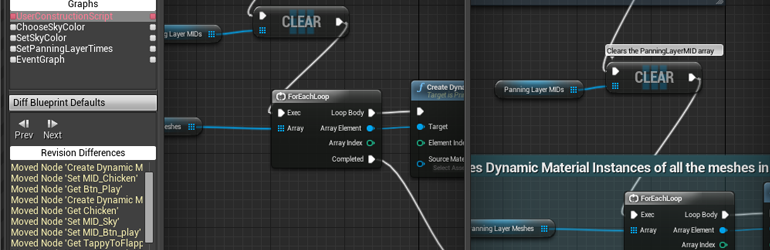
Unreal Engine
So, source control is awesome, and you should be using it! One of the benefits of source control is being able to look at previous versions of files and compare or ‘diff’ them to see how things have changed. However, regular diff tools don’t work very well on binary files like Unreal .uasset packages. We’ve got you covered with support for expor...
past sedge
rare hawk
disable mips, change compression settings to something higher quality and check ...
thanks
coarse vector
tame marsh
https://www.unrealengine.com/en-US/blog/diffing-unreal-assets
It lets you compa...
Thanks
obtuse stump
Do you know how it's the exact name of the sound effect from sekiro when he kills someone and he slits their throats? Throat slit sound effect? Blood splash?
https://www.youtube.com/watch?v=VtA_gd59KcQ&t=42s
Like here at 2.20

if you wanna buy the game
https://amzn.to/2YgpEDT
Thanks For Watching!
Hope You Enjoy!
Sub:https://www.youtube.com/channel/UCyAfXOOPwvOW_ejkcZJWdAQ
Also You Can Support me On Patreon
https://www.patreon.com/hotopgaming
neon wedge
why do people hate print screen so much?
i see it all the time on the reddit
autumn flame
What
fierce tulip
/IhatePrinters reddit? :p
neon wedge
"Guys i have a problem with unreal"
Image of monitor from a phone camera
spice ruin
Saw one with a legitimate reason for that. His work PC was on a network without convenient discord access 😛
tame marsh
Taking photo's of a government screen with your phone? that sounds eerily familiar
like every single headline in the papers
 glacial wyvern
Is there a way to apply a texture settings to selected textures?
spice ruin
Select them all and use the property matrix? You'd need to change them all at the same time, not copy from one to another.
 barren pagoda
Two star games inspired me to continue unreal engine, I got UE4 like a year before
Anyways my phone is 1%
Bye
glacial wyvern
is there a way to have this as an editable variable?

like you can do with this

i cant set the variable

 rotund lance
Hello, i have a question, i would appreciate it if someone could answer it, thanks.
With a spline mesh i can achieve a curve like the one on the left. I can roll, twist and curve it however i want. But i wonder, is there a way for me to apply other types of deformations to the spline mesh? For example, could i achieve the same result as the one on the right? What i mean is, is it possible to deform a spline mesh in a way that the mesh is curved around the forward axis of the spline?
The image i gave is just an example of what i want to achieve. I know i could just create a mesh that has that kind of deformation, but i want to know if it is possible to do it throughout the spline mesh within unreal.
The only idea i have is if there exists any way to apply vertex transforms within unreal, which i guess must be possible but i dont know how it is done in unreal, like, whats the name of whatever functions i would need to call to be able to apply shearing and stuff like that. Tho i dont really know if this idea i have is even what i would exactly what.
 plush yew
Heya everyone! Lovely to be here. I just wanted to ask for a bit of help and guidance.
Im a second year university student and Im planning ahead for my third year project and for what I want to create independently. Im looking to create a Paper Mario-style turn based RPG and Im looking for some help and guidance getting started. Ive been struggling looking for tutorials and guidance online so I wanted to join here and ask if thats okay? So far the only thing I really found was a $75 "Heres the whole thing" pack on marketplace and thats not really what Im wanting. I want to be able to work on and create the mechanics and evrrything to do with it but, as said, I just need some help starting out.
If anyone can offer help, guidances, some tutorials etc. I would appreciate it so much. I really wanna start creating and learning about what I want to make so I thought asking here would be a fantastic first step
round light
can anyone help me here? im trying to have this widget update on the price set within an actor blueprint but it always seems to return the first actors price i.e. index 0

 odd swan
round light
can anyone help me here? im trying to have this widget update on the price set w...
odd swan
round light
can anyone help me here? im trying to have this widget update on the price set w...
because you’re using “get all actors of class”…you need a reference to the specific actor you’re dealing with, this is getting all of them
round light
fixed it a bit but getting an error
round light
odd swan
because you’re using “get all actors of class”…you need a reference to the speci...
here i set in door bp a reference to the widget and made a variable in the widget for the price and on tick update the price of the hud based on the door

and it works but i get this error
 odd swan
round light
and it works but i get this error
odd swan
round light
and it works but i get this error
that’s because the interacthud variable hasn’t been set so it doesn’t know what the target should be
round light
beautiful, back to error free
created the widget and hud on begin play, before it was only when you entered a box collision
so it was being called later
replaced that with the reference node
odd swan
round light
beautiful, back to error free
and that doesn’t seem like something that will be changing very often, i’d suggest finding a way to handle it without tick
round light
odd swan
and that doesn’t seem like something that will be changing very often, i’d sugge...
tried a custom event but it was odd

actually works a lot better now
i think before i had my delay before the set and it was switching prices back and forth every .2secs
odd swan
glad to hear it 
round light
thanks for the insight, i really appreciate it
knew i was just missing something simple
odd swan
you’re very welcome
 dark axle
Hi, I have some issue about converting the (projectname.uproject), when I try to switch version then build it in the VS it went error (see the screen shot), how to resolve this?

 earnest prawn
Pretty specific question but is it not possible to create a C++ class in UE 4.16 and previous inheriting from type PrimaryDataAsset? I want to do this as I need it to create certain mods for older UE games
dark axle
earnest prawn
Pretty specific question but is it not possible to create a C++ class in UE 4.16...
So meaning its a high chance for build to error after switching versions right?
earnest prawn
dark axle
So meaning its a high chance for build to error after switching versions right?
No, I'm using it a game built with UE 4.16
dark axle
earnest prawn
No, I'm using it a game built with UE 4.16
Ahh I see
 desert widget
Hey peeps, I cant see unreal engine 4 version to install anywhere any solutions?
 real heath
desert widget
Hey peeps, I cant see unreal engine 4 version to install anywhere any solutions?
real heath
desert widget
Hey peeps, I cant see unreal engine 4 version to install anywhere any solutions?
Hit that little down arrow next to 5.1.1
 torpid hinge
Good morning, does anyone in here have any experience animating a dodge/roll and then importing it into UE4? My issue is (I believe) I am rotating my root bone 360 degrees over the course of the animation, and this is fine but when the animation finishes, the idle animation root bone has a rotation of X=0 instead of X=360 and so it "snaps" back and causes artifacts when it goes from roll animation to idle animation (even though the ending frame and beginning frame look the same, the root bone has been rotated 360 degrees). But how am I supposed to do a roll without rotating my character? Or how can I "reset" my bone rotation without having UE4 interpolate a movement from it? Or is there another way I am missing?
damn, I tried GPT4 and one of the things it suggested was messing with Blend Out montage settings and setting the value very low seems to work fine 🤔 😆 🍻
 vague snow
am i high or did ue5-general channel suddenly disappeare?
neon wedge
Click on the "general tab".
There's a option to hide if there no new posts
vague snow
neon wedge
Click on the "general tab".
There's a option to hide if there no new posts
thanks a bunch
desert widget
real heath
Hit that little down arrow next to 5.1.1
it onlu shows unreal engine version 5, I don't see any other version
real heath
It should list every version ever. Did you press the correct arrow? The triangle thing right next to the number
 vocal rune
desert widget
it onlu shows unreal engine version 5, I don't see any other version
vocal rune
desert widget
it onlu shows unreal engine version 5, I don't see any other version
its the plus button, right to the Engine Versions
 merry pine
Sup y'all, I'm having some performance issues with UE4. Whenever I hover over a folder, try opening one or when using dropdown menus, my PC just starts lagging and my audio from other apps goes all robotic and stuff. In TM I'm seeing lag spikes when hovering over folders alone, which is extremely concerning. I've set the editor scalability to the lowest option but that doesn't seem to be helping out a great ton.
I have 16 gigs of ram and a ryzen 7 5700x. I'm running UE and the project off of a hard drive because I have more space on that.
if anyone has any ideas, feel free to ping me
 analog ridge
Bruhs I use ue4 but am not sure how to make an event graph for death, or a function for it. Currently I have my computer off, but please help if possible on DM tomorrow afternoon (consider IST).
analog ridge
merry pine
Sup y'all, I'm having some performance issues with UE4. Whenever I hover over a ...
Just a second, please tell me which ue4 version u use.
merry pine
uhh 4.26
merry pine
what? 
analog ridge
Which game are u working on?
merry pine
how's that relevant, it's just a project
merry pine
nah, I doubt it's even graphics related
analog ridge
It might be
merry pine
CPU usage spikes every time I:
- hover over a file or folder in the content browser
- try opening a folder
- open one of the navigation dropdowns and hover over buttons
analog ridge
My computer is half the performance of urs
merry pine
I don't know what else causes the spikes because I wasn't patient enough to test more stuff
analog ridge
Just reduce that lighting quality
That might help
It worked for me as well
And more importantly, CLOSE CHROME IN BACKGROUND
merry pine
analog ridge
My computer is half the performance of urs
I've always had performance issues
my CPU is idling on 200k handles and my ram is idling on 13 gigs
that idling includes webstorm usage because I have it opened atm
merry pine
analog ridge
Just reduce that lighting quality
from where though
merry pine
analog ridge
Are you on computer
obviously, what else would I be using for UE...
merry pine
uhhh I gotta close some stuff first
merry pine
if you're leading me to change the engine scalability, I did that and it didn't help
merry pine
one min
analog ridge
Take ur time
merry pine
ok so you need a pic of what?
this?

as you can see, large usage spikes when opening folders and stuff

the blueprint editor itself seems to be working fine...
analog ridge
That build part
merry pine
seems like it's primarily a content browser / navigation issue
merry pine
the build button or the dropdown besides it?
merry pine
 analog ridge
I'll DM you tom
merry pine
dm me for what
analog ridge
Cuz I have to devise a cure and my computer is off
merry pine
what? 💀
merry pine
merry pine
Sup y'all, I'm having some performance issues with UE4. Whenever I hover over a ...
ok so turns out any overlay causes CPU and GPU usage spikes
and I mean any overlay inside the main UE window
tooltips, file info, etc.
additional windows for blueprint editing and stuff work butter smooth, but any overlay inside the main window lags out my pc
analog ridge
yeah im back on comp
plush yew
I am trying to make a decal that is just the letter C.
I have created a PNG with GIMP and assured it had a transparent background including when I exported it.

I made a material in this fashion following the following youtube video:
https://www.youtube.com/watch?v=BOKlG0i4Lh0

I even removed the UV Coordinates node.

It just isn't showing up at all.
analog ridge
Seems like beamng drive

 gray oxide


