I am having a issue where the AI is following the player but not attacking the player after spawn. When I put AI bp in map without spawning, the AI works perfectly well but after spawning AI is not attacking player. There are two halves in behavior tree where in first half AI is instructed to follow around the players and in second half, AI is instructed to attack. First half is working but second half is not working.
#ue4-general
1 messages · Page 21 of 1
 queen rivet
 still tulip
Anyone know who wrote the UE documentation?
It's all over the place and short
Nevermind found my answer on /r/unrealengine from 3 years ago
 low breach
Hello guys! I'm looking for some help with putting 2 textures on one material!
Could anyone here help? I will post a picture and explain further if someone replies 🙂
 rugged dawn
low breach
Hello guys! I'm looking for some help with putting 2 textures on one material!
...
rugged dawn
low breach
Hello guys! I'm looking for some help with putting 2 textures on one material!
...
What exactly do you mean? You want to blend between the two in an unreal material?
low breach
rugged dawn
What exactly do you mean? You want to blend between the two in an unreal materia...
Check #materials dude
rugged dawn
btw, if there is any other suggestions on how I could get rid of this weirdly baked spot? xP

 real heath
This is baked lighting? Are your lightmap uvs properly created with enough spacing? Does it improve if you increase the lightmap resolution for that mesh?
rugged dawn
The table is a megascans asset, uv resolution already set to 2048 and UV map looks fine. asset also looks fine when opening the mesh in UE
 real heath
The lightmap usually uses a second uv set
If it doesn't have that it might be auto generating one. If the lightmap res is already set to 2048, what is your lightmap quality set to? Maybe bump that up a level
rugged dawn
Generate UVs is turned off so I for sure only have one lightmap. What do you mean with lightmap quality? Cant seem to find that setting
 real heath
rugged dawn
Generate UVs is turned off so I for sure only have one lightmap. What do you mea...
real heath
rugged dawn
Generate UVs is turned off so I for sure only have one lightmap. What do you mea...
It's in the build menu
You can build as preview, low, medium, high and production
rugged dawn
Oh, thats set to production already
but in all quality levels the spot is showing
I've been editing lights, the meshes and other settings for 2 days with no positive result :/
real heath
You placed a flat plane above the table to see if it catches that shadow?
rugged dawn
No, I'll give it a try
real heath
Yeah I'd just try stuff like that to narrow down if it's only catching in certain meshes, if the plane does catch it, maybe keep moving it up and up till it reveals what it's coming off?
queen rivet
I am having a issue where the AI is following the player but not attacking the player after spawn. When I put AI bp in map without spawning, the AI works perfectly well but after spawning AI is not attacking player. There are two halves in behavior tree where in first half AI is instructed to follow around the players and in second half, AI is instructed to attack. First half is working but second half is not working.
 oak patio
queen rivet
I am having a issue where the AI is following the player but not attacking the p...
oak patio
queen rivet
I am having a issue where the AI is following the player but not attacking the p...
Please don't crosspost
 woven perch
Is there an easy was to see the actual actor instanced name rather than the display name during runtime in editor?
rugged dawn
So it seems to dissapear as I move the plane up but there is no lights near, except from the candles


 real heath
rugged dawn
So it seems to dissapear as I move the plane up but there is no lights near, exc...
real heath
rugged dawn
So it seems to dissapear as I move the plane up but there is no lights near, exc...
Does it only happen with baked shadows? If you kick it to realtime only lighting does it go away? Have you viewed your scenes global distance field?
rugged dawn
I think it does, this is the mesh distance field. on the right the global one


not sure how the global one is supposed to look?
 dreamy wasp
You will spend the 1 month coding, and getting something to work, then you will spend 6 months getting it on steam.
You need $100 deposit per game on steam, so don't think it's free, and games only sell if they are good.
Remember there are 300+ titles released on steam each week.
Go to CGtrader and search free assets.
Do not spend a lot of time on the assets, since you only have a month to code.
gameplay is #1, not a cool mesh or FX
 oak yew
Does anyone know a better way to get true random in UE4? For example "GetRandomPointInNavigableRadius" is not random and will always spit out the same pattern, I'm looking for a way to get something more random.
 thin tendon
oak yew
Does anyone know a better way to get true random in UE4? For example "GetRandomP...
thin tendon
oak yew
Does anyone know a better way to get true random in UE4? For example "GetRandomP...
When telling a computer to get random it can often be very mechanical and produce the same results repeatedly. It comes down to how the get random was programmed. What you can do is add a second stage of randomness. So for example. Get random point in radius. Then - random amount on the x axis.
oak yew
@thin tendon Thanks that was a good idea, if I simulate too quickly it does pick the same ones, so I guess time is involved, but it's a lot more random than before. Maybe it uses all inputs as a seed. In UE5 it's a lot better and more random but I can't use UE5 😦
Damn now it's still returning the exact same coordinates, it's like UE is caching them or something..

Each block is me clicking "Play" in editor...
real heath
oak yew
Not sure this exists, but it's what I'd do. Look for a node called "srand" or Set Random Seed or something, and then seed it with the current time (not game time, actual time)
rugged dawn
So, ive decided to switch to fully dynamic lighting but the mesh distance field is ignoring the inside mesh of my book. Any fixes? Thanks in advance

 oak yew
real heath
Not sure this exists, but it's what I'd do. Look for a node called "srand" or Se...
oak yew
real heath
Not sure this exists, but it's what I'd do. Look for a node called "srand" or Se...
Couldn't find a node like that, there is some for Streams, but requires an int.

Even this isn't random... 😩
 static viper
oak yew
Even this isn't random... 😩
static viper
oak yew
Even this isn't random... 😩
what do you mean
 spice ruin
 oak yew
static viper
what do you mean
oak yew
static viper
what do you mean

This is the index printed, every 0.5s each time i click play
oak yew
Yeah, im trying to figure out how to get around that or change the seed.
static viper
stop.
oak yew
Might have to go C++
static viper
i need to see more code and the contents of the array.
oak yew
It's an array of strings.
static viper
no thats not strings.
those are names.
so you have tried random integer?
do random int in range
type in 0 and a length
and then use the get node instead.
spice ruin
length - 1 surely
oak yew
int does same.
spice ruin

Explanation of random streams and how to use them in Blueprints.
You can init your own random stream

 spice ruin
I did this the other day and just converted the current datetime tick value to uint32.
oak yew
Modifying the Initial Seed
To set the Initial Seed property directly on the variable
this actually doesn't work, but you can set it with a BP after.
but then i have a hard coded Seed
so it doesn't become random? right?
spice ruin
Within a Blueprint graph, you can also set the Initial Seed to a specific value or a new random value.
oak yew
if i set seed to a random int... then the initial random int has a fixed seed.
spice ruin
spice ruin
> Within a Blueprint graph, you can also set the Initial Seed to a specific valu...
If the random value is based on a set seed, is it truly random?!
It'll just generate the same random seed every time!
oak yew
Yeah
thin tendon
What if you create a function or macro for generating your own random numbers? Just use multiple layers of randomness to increase the chances of a different result.
oak yew


@thin tendon if i do that in BP i suspect it'll always be the same.
I think i might have to go to C++ or check if it's a specific issue in 4.27.2
static viper
this is really really strange
this should absolutly not be like this
there is something really really wrong
and i used 4.27 extensively
thin tendon
I agree you expect to see some repetition but not like that.
spice ruin
oak yew
Yeah
This is why I like the datetime system. It's guaranteed to be a new seed each time it's set.
Unless you have hyper speed
static viper
spice ruin
This is why I like the datetime system. It's guaranteed to be a new seed each ti...
yee thats how the computer usually does it
he could in theory code such a thing
you can get datetime in unreal
oak yew
i tried a brand new blank project and it happens
datetime sounds interesting, there a BP node?
static viper
try ue5 too
static viper
oak yew
datetime sounds interesting, there a BP node?
yee
its just a node called get date
i think
spice ruin
You'd need to convert it to an int
static viper
spice ruin
You'd need to convert it to an int
thats easy
its already in int
you just need to combine it
spice ruin
There's a "get ticks" method in c++ that returns an int64. Take the bottom half of that and you've got your uint32 for the seed.
static viper
spice ruin
There's a "get ticks" method in c++ that returns an int64. Take the bottom half ...
thts a smart idea too
delta time passed
spice ruin
How that translates to bp, I don't know.
Delta time passed will always be the same on the first tick.
static viper
then wait a frame
oak yew
I think we might have success 😮

the 1st big number is millisecond
passed into Set Random Stream Seed
oak yew
yeah i can add more was a test, i am thinking how i can hack this into GetRandomPointInNavigableRadius
maybe i can offset the origin slightly, unless that node takes the current RandomSeed
thin tendon
oak yew
yeah i can add more was a test, i am thinking how i can hack this into GetRandom...
maybe you could. get random 0-360. Line trace from player to the distance you want at that angle. And use that point to generate the random point in radius kind of thing.
oak yew
That could be a good idea, do some line trace, though my map is quite large and I'll need this for random NPCs walking about so im not sure how to know if it's within the navmesh

lololol i mean it works but it's a bit nuts, i'd need to set a base radius per map which is np
oak yew
@static viper @spice ruin @thin tendon Thank you guys for helping me, super appreciated! 🥳
dreamy wasp
oak yew
Does anyone know a better way to get true random in UE4? For example "GetRandomP...
A lot of people use get gametime, to get the random number.
I have used get random int in range, but many time it will put out 5 5 5 5 5 16 2 82 5 5 5 5. It just seems to get hooked on
one number, even though you are asking for 0-100.
What I do is have a second variable that remembers that last number.
So if it selects 5, it checks it against the last number selected. Bool If Rand=OldRand then pipe it back into the random int, if it does not then set OldRand=Rand, and proceed with your code.
spice ruin
You could use something that gives every number in the range before repeating. I have no idea what they're called, but an example is the mersenne twister.
dreamy wasp
If you really want things to have a lot of variety....
You can have an array. Select random int in range 0-(get array length), and when something is selected you can delete it from the array, making the array 1 size smaller. You can let the arry burn out, or you can restart the array after a certain number of choices. this would make it so you have a different outcome, and no repeats.
dreamy wasp
spice ruin
You could use something that gives every number in the range before repeating. I...
🤨
Reading my mind?
oak yew
dreamy wasp
A lot of people use get gametime, to get the random number.
I have used get rand...
Didn't know about GameTime, might feed that in as well as another RNG seed
I've managed to get variation now with the seed and time, and it works with GetRandomReachablePoint which is a lot better for bigger maps (in my exp)
 hybrid light
Hello, I'd like to ask for your help, please. I'm just getting my hands on UE4. It's silly, but I'd love to know how to change a character's mesh without breaking the rig and animations already present. For example, I went through the "Reimport base mesh > Reimport content > Geometry" on my character's skeleton mesh. However, I only have half of my animations that work well with the new mesh. I thank the person who could help me.
 bleak locust
exporting my project soon. anything i should know before i export?
 light thunder
can someone please tell me wth is wrong with this path? StartupObjects=/Game/IncidentCommand/FullScenario/IC_EditorUtilityObject.IC_EditorUtilityObject
I've tried for like half an hour to figure out the godamn syntax
 patent tusk
Hello im using a zombie animation pack with my AI zombie enemies. I have a Blend space 1D with a simple Idle, walk, Run animations, but i dont know why the walk animation does a rare movement and the character slides to the sides, I dont know how to fix it, I try to enable or disable root motion but nothing happen, can someone help me pls?
I want the character to not move the root with the animation, and I disable the root motion and nothing happens, I dont know if its the animation or the model.
 west merlin
Looks like the animation only has a forwards and not an angled forward animation sort of.
Anyone have any ideas for physics settings to make vehicles that function like PUBG? Players can't move the vehicles by walking in to them, but the vehicle punts players when it hits them without messing with the trajectory of the vehicle
 frozen grail
patent tusk
Hello im using a zombie animation pack with my AI zombie enemies. I have a Blend...
frozen grail
patent tusk
Hello im using a zombie animation pack with my AI zombie enemies. I have a Blend...
you may want to also enable "Force Root Lock" while you disable "EnableRootMotion". hope this helps! video example:
https://youtu.be/ja-C9VcNyKw?t=220

Hey everyone! Today we're looking at the Layer Blend Per Bone function inside the Anim Graph. This cool little thing allows us to play animations only on certain parts of the body whilst leaving other parts unchanged. This is extremely useful for separating animations between the top and bottom half of your characters so they can do things while...
 wet berry
Has anyone else seen a bug in 4.27 where the BP context menu stops rendering?
It's still there, I can see it if my mouse is hovering over the text box
But if my mouse is anywhere else it doesn't render
Restarting editor resolves, but it's annoying to have to do that like once an hour
or once every 10 minutes
 fickle maple
When I turn on MSAA, my level turns black with some weird ghosting, does anybody know why?

 digital anchor
fickle maple
When I turn on MSAA, my level turns black with some weird ghosting, does anybody...
digital anchor
fickle maple
When I turn on MSAA, my level turns black with some weird ghosting, does anybody...
are you using the forward renderer?
MSAA is not compatible with deferred
fickle maple
digital anchor
are you using the forward renderer?
yes, i'm using forward renderer, my project is in VR
 peak oxide
Is there a Console Command to open the content browser?
 true ridge
Is there a way to forcibly delete an end user's Saved/Config files in their AppData folder? Basically treat the game like a fresh install even if there are older config files available.
patent tusk
west merlin
Looks like the animation only has a forwards and not an angled forward animation...
Yeah, do you mean I need a normal Blend Space, not a 1D?
patent tusk
frozen grail
you may want to also *enable* "Force Root Lock" while you *disable* "EnableRootM...
I tried to disable the root motion in the walk animation and force root lock and do the same thing, It could be because its a character controlled by IA?
 rain badger
Could/Should I put my casts in the construction script?
spice ruin
Depends on the cast. Casts are free unless they load a class that isn't already loaded.
 pure slate
patent tusk
I tried to disable the root motion in the walk animation and force root lock and...
pure slate
patent tusk
I tried to disable the root motion in the walk animation and force root lock and...
To me it looks like the movement speed is a little too fast for the pacing of the animation, and the "sliding sideways slightly" is a forward walk anim playing while the pawn is rotating to face the player.
spice ruin
If what you're casting to is already in your map, is your game mode or player controller or whatever, you're fine.
rain badger
So the Game Instance would be fine too, right?
spice ruin
Correct
patent tusk
pure slate
To me it looks like the movement speed is a little too fast for the pacing of th...
I think you are right with the speed, but the Zombie is moving to a patrol point all the time its not trying to face the player with the code i got right now
rugged dawn
Hi guys, Im rendering a sequence where the camera is pretty much just zooming in and for some reason at a certain frame the camera jitters back and continues zooming from there with some weird focal length and focus adjustments. Anyone can help? I dont have a keyframe at exactly this frame


I have keyframes for aperature and focal length, however disabling those also doesnt seem to do the trick
and when scrolling over my sequence, this glitch doesnt show in the viewport
patent tusk
Someone can help a good way use root motion to an IA character? Using a Blend spaces with turn and forward left and right animation?
dreamy wasp
patent tusk
Hello im using a zombie animation pack with my AI zombie enemies. I have a Blend...
Some of those animations are not synced. Meaning they don't line up exactly.
When the Blend 2d or 3d blends the animations it does not know exactly what you want. It just blends. If the feet are not timed the same it will cause floating. Like if the walk is a 24 frame walk cycle, and the run is a 15 frame run cycle, they will not match, and will look strange if blended slowly.
no animations can exactly match the floor. People sometimes lock the feet on the ground, with a script, to make them stick better. but that is more complex than I can do.
dreamy wasp
rain badger
So the Game Instance would be fine too, right?
Casting has a cost, so don't do it a lot. if you have a ball that casts to the game instance, it's best not to have it also cast to the box, if you can help it. If the Box is already putting info into the game instanc, just have the ball look there. Too many cast are bad. It's worse than tick.
Get a variable and use the veiable instead of casting each time you want something. Cast once.
patent tusk
dreamy wasp
Some of those animations are not synced. Meaning they don't line up exactly.
Wh...
But if i delete the run animation form the blend, it looks the same, do you know what I mean?
patent tusk
dreamy wasp
Some of those animations are not synced. Meaning they don't line up exactly.
Wh...
This is my blend only Idle and walk and it does this strange move

 blissful steeple
what is the command to keep nearby actors and texture loaded when they are behind me ?
when i look left or right, there are always npcs loading, or textures like rocks, ground etc
ue4
 steel pasture
patent tusk
This is my blend only Idle and walk and it does this strange move
steel pasture
patent tusk
This is my blend only Idle and walk and it does this strange move
Cuz its zombie animation free one :)
 glacial wyvern
any ideas on why set flipbook isnt working here?

the printout is giving me the correct values but the flipbooks never change
glacial wyvern
The same setup works in a paper character blueprint class but not for a regualr actor
 neon wedge
Any specifics?
spice ruin
Any assets you can pretty much use as you like.
Stuff in Editor or Developer directories are a no-go.
That's just what the EULA says.
You can't distribute them.
Or anything that uses them.
 icy egret
Hi I need help
I added my custom template project, then my Launcher is filled by default templates.
how to hide them??

 grim ore
@icy egrethttps://forums.unrealengine.com/t/solution-how-to-change-unreal-projects-folder/652142 this has the folder and file you can edit that should have that directory listed, you should be able to remove it from there with the launcher closed then restart it
icy egret
grim ore
<@298714232571166722><https://forums.unrealengine.com/t/solution-how-to-change-u...
Thanks, it works!
 forest valve
Hi! Now, still exist more jobs for ue 4.27?
bleak locust
man why tf ue4 compiling shaders for 5 hours now and not even finish 😭
 autumn flame
Could be either your specs or some over complicated shader calculation that takes ages
bleak locust
2 hours later and still not done 😭
 opal osprey
Holy moly guy

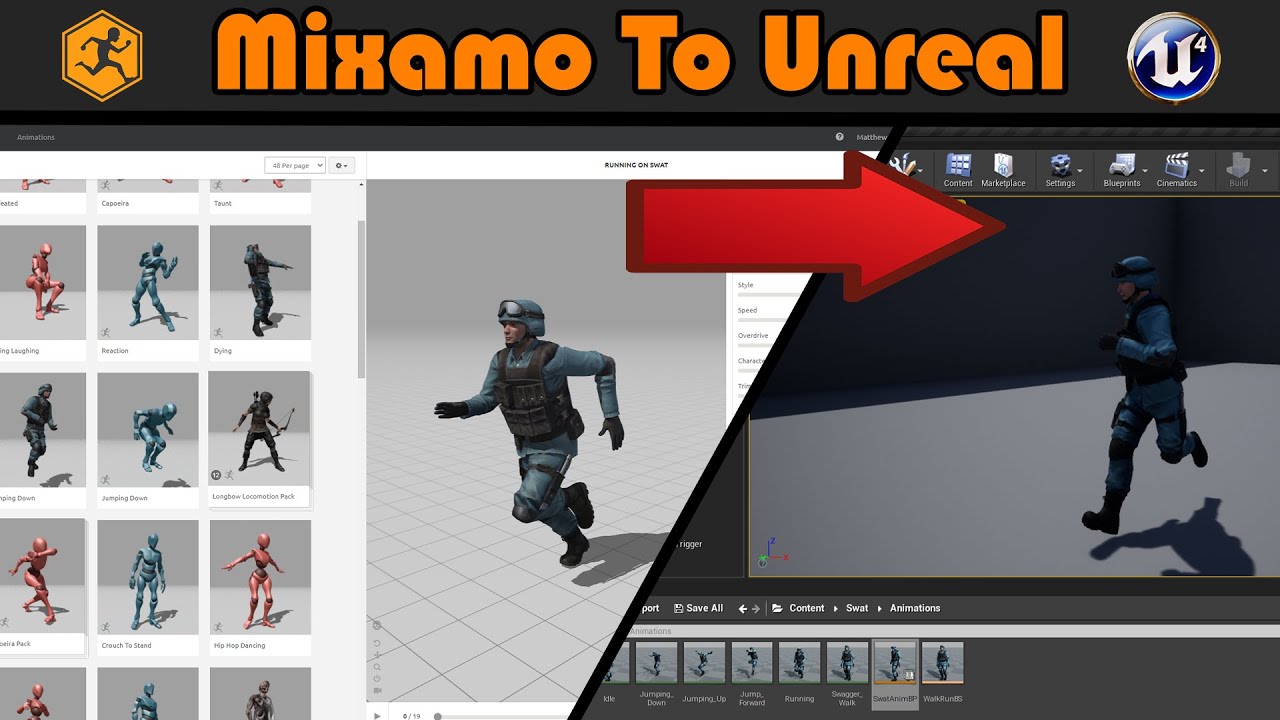
Hey guys, in today's video, I'm going to be showing you how to download a character and animations from mixamo, and import these into Unreal Engine 4. Mixamo is full of loads of great, free, and copyright free characters and animations for you to use in your games.
Mixamo: https://www.mixamo.com/#/
How To Make An Animation Blueprint: https://yo...
opal osprey
opal osprey
Holy moly guy
So guys I wanna imort from mexamo animation for Unreal engine character
But I get error:
FAILED TO MERGE BONES:
This could happen if significant hierarchical changes have been made e.g. inserting a bone between nodes. Would you like to regenerate the Skeleton from this mesh?
WARNING: THIS MAY INVALIDATE OR REQUIRE RECOMPRESSION OF
ANIMATION DATA.
I think I may use blender or Mixamo_Converter
But what is the right way to do it?
 shrewd geyser
is there any way I can select animations, how would I select variables using select

 plush yew
hey guys not sure if this an unreal or a blender question but exporting my blender model into unreal gives it a single box collision, is there a way I can automatically add a collision from blender or is this all done unreal?
oak patio
plush yew
hey guys not sure if this an unreal or a blender question but exporting my blend...
Yes look at the UE docs on collision. You can block it out with primitives in blender
plush yew
thanks
 obtuse stump
Why I receive the message "navmesh need to be rebuilt" if I don't have any navmesh?
 frigid mauve
Hey! I had spline with meshes (see. picture). And I wanna divide it runtime into cells. I kinda find solution - to use decals with square shapes (but still can't implement it). Is it the easiest solution?
The numbers of meshes and decals are not the same

 split delta
does she feel threatening to you guys yet?

 thin tendon
Anyone else had issues with blueprints in world not updating? I have a house blueprint. Made a couple changes to the bathroom. But all the instances of that BP in my world did not update after the saved changes.
 dusky token
I just want to use C++ to make custom nodes
oak patio
dusky token
I just want to use C++ to make custom nodes
Well it's a good job you can do that then
 mystic grail
I have just opened up the robo recall mod tools in a unreal engine 4.16 project and a lot of the static mesh actors appear to be read only. I am trying to break the project apart to learn how it was done. Does anyone know how to get them out of this read only state so i can open the 3d meshes and their materials ?

I have tried
- Right clicking on a mesh in the world outliner (no options to change state)
- Opened the folder containing the .uaasset to see if i need to user windows explorer to change read only state
- Right click on the asset in the viewport and convert actors to static mesh (this helps as i can now open up the mesh but i still cannot get into the material instances inside the mesh)
- Rich click on the mesh in the content browser and choose edit (does nothing)
the mod kit is downloaded from the epic games store

Very cool if no one has checked it out ( for VR ) although I am seeing a lot of the blueprint logic is outdated. Still useful though in a lot of ways.
dusky token
oak patio
Well it's a good job you can do that then
lol oops I deleted my question but only the first part
oak patio
dusky token
lol oops I deleted my question but only the first part
Lol that makes a lot more sense 😅
pure slate
You'll want to look into AIPerception or Pawn Sensing
plush yew
How do I get the reflections in my water material like so?

I tried spot light, I tried point light, I tried making metalic from 1 to 2 in shader
turning roughness from .3 to .1 made right side more "real" but left is not reflecting on water
plush yew
I resolved my problem.
||I said fk it, I don't care anymore||
And it was as simple as that.
Static lights cannot do this?
building lighting
specular scale is on 1
huh... the other one is stationary for what is already refelct
u might be a god

I luv u
I resolved my problem.
||Harlist told me to change light type||
And it was as simple as that.
I'm actually wide smiling irl
YAY
oak patio
Sounds like bad lightmaps
 blissful steeple
r.Streaming.LimitPoolSizeToVRAM
If enabled, the texture pool size will be limited to how much GPU memory is available.
and if disabled ?
can i make streaming use my ram ?
 rain pebble
Could anyone help with this error? I have photos of the code thst it says the error is in


Ik it's a mess
 onyx gyro
Now HOW long yall think is going to take?!!!!!!!!!
 real heath
How many cores you got?
 bleak zodiac
onyx gyro
Now HOW long yall think is going to take?!!!!!!!!!
bleak zodiac
onyx gyro
Now HOW long yall think is going to take?!!!!!!!!!
hm
 flat gyro
How would I render something over everything. Like how guns are rendered in cod games, don't want the item clipping
 wide crag
onyx gyro
Now HOW long yall think is going to take?!!!!!!!!!
wide crag
onyx gyro
Now HOW long yall think is going to take?!!!!!!!!!
there's a similar order of magnitude of shaders in the CitySample project, took about 2 min for me.
 haughty roost
Hi, anybdy knows how to access an array used in a shader uniform ?
I add to PathTracing.usf the follow input array:
float4 a[32];
I define it in the file PathTracing.cpp as follow:
SHADER_PARAMETER_ARRAY(FVector4, a, [32])
But accessing it within the shader is strange and causes compiling errors.
It doesn't allow to access it as elements of float4, but it only allows to access 4 elements of float.
float c = a[0].y;  \\ Error: vector swizzle 'y' is out of bounds

float c = a[0];    \\ returns the value I would expect to have from [0].x

float c = a[3]     \\ returns the value I would expect to have from a[0].z

float c = a[5]     \\ Error: vector element index '5' is out of bounds
Unknown() Address = 0x10a66b347 (filename not found) [in UE4Editor-Core.dylib]
Unknown() Address = 0x10a7ced40 (filename not found) [in UE4Editor-Core.dylib]
Unknown() Address = 0x10a8cdaa9 (filename not found) [in UE4Editor-Core.dylib]
Unknown() Address = 0x114a8f88a (filename not found) [in UE4Editor-Engine.dylib]
Unknown() Address = 0x114a7834a (filename not found) [in UE4Editor-Engine.dylib]
Unknown() Address = 0x114a7657b (filename not found) [in UE4Editor-Engine.dylib]
Unknown() Address = 0x114a7cdb3 (filename not found) [in UE4Editor-Engine.dylib]
Unknown() Address = 0x114a89d80 (filename not found) [in UE4Editor-Engine.dylib]
Unknown() Address = 0x114a8ce16 (filename not found) [in UE4Editor-Engine.dylib]
Unknown() Address = 0x100b33221 (filename not found) [in UE4Editor]
Unknown() Address = 0x100b2a3bd (filename not found) [in UE4Editor]
Unknown() Address = 0x100b4487f (filename not found) [in UE4Editor]
Unknown() Address = 0x10a7cdf41 (filename not found) [in UE4Editor-Core.dylib]
Unknown() Address = 0x7ff80a1f63bc (filename not found) [in Foundation]
Unknown() Address = 0x7ff80938d259 (filename not found) [in libsystem_pthread.dylib]
Unknown() Address = 0x7ff809388c7b (filename not found) [in libsystem_pthread.dylib]```
whats wrong with my app  im on m1 macwitht hat, you're downloading the room
 tacit stirrup
Is there any way to force these .uassets to load? They were made with UE 4.21.2 but I can't move them from project to project even though they are the same version, they also don't load in the original project anymore! Log attached below.
 dense gale
Not sure where to put this. I work alone and i'm not skilled in graphics. Is it worth to get Reallusion Character Creator for UE4 game? looks nice.
 magic oriole
Does anyone know if Line Trace by Channel (Complex Collision) works on skeletal meshes? I only seem to register hits when I turn the 'use complex collision' off.
 mortal kayak
Did you fix that?
 abstract lava
can somebody please helpme fix a issue imhaving with a file ive been up2 days trying to fix it . im just a artist and not savvy withthis stuff . i think someone who knows how to use ue will be able to do it with ease
when i try to run from4.26 it says the plugin was designed for 4.27 (i think the other guy changed the version of the plugin from 4.26 to 4.27 ) but when i launch on 4.27 it tells me to rebuild it manually from the source . when i try to rebuild same thing but again i dont reeally know what im doing
 dark axle
how do you make sure that a variable is being passed to an event before it runs?
to expound on this, how do you make sure that an event that is being run on the server receives a value from the client before it runs?
autumn flame
abstract lava
when i try to run from4.26 it says the plugin was designed for 4.27 (i think the...
Tried to run it on 4.26 anyways before he changed just the version number?
autumn flame
dark axle
how do you make sure that a variable is being passed to an event before it runs?...
You just pass the variable through the function?
Look into the job board
dreamy wasp
Can anyone recommend a publisher, they liked working with?
currently, I am getting 'offers' from these 'pay-per-click' type places that offer X amount of views, live streams, influencers, reviews, etc, for XXX amount of cash. Not interested in throwing money into the void.
autumn flame
dreamy wasp
Can anyone recommend a publisher, they liked working with?
currently, I am getti...
I imagine if your game grabs enough initial attention or the right attention proper publishers will contact you about deals
Keep in mind they will want a revenue share starting minimum 20% and max 40-50% depending on relationship
We got such deals and they contacted us, so
dreamy wasp
autumn flame
I imagine if your game grabs enough initial attention or the right attention pro...
that sounds a little backwards.
Like.. to get an agent, you already need to be in a movie.
One of the main jobs of a publisher is to promote and advertise your game. That's why they get a percentage.
thin tendon
A couple of planes would work. Or even just go into blender and make a custom face the size and shape you want.
autumn flame
dreamy wasp
that sounds a little backwards.
Like.. to get an agent, you already need to be ...
There's so many games that the market is saturated, gotta stand out
dreamy wasp
Take them into the scene and place them where you want.
If you want them as a unit, you can stack them in the level, or you can create a blueprint with all the stuff in it...
or.. you can place them in the level, then select them all , and right click and Merge Mesh.
This will make them all one mesh, and you can select if you want the materials merged, or kept seporate.
but then you cant just move a pillow somewhere else. its all one mesh, then.
thin tendon
You could also put them into blender and combine them into one mesh then import that newly created single mesh
dreamy wasp
search 'ue4 merge actors'
thin tendon

The Motion Tree
It's crucial to learn how to merge meshes in Blender efficiently. So let's learn it with correct steps, which makes workflow a lot easier.
You just select the two meshes you want and press ctrl + j
 fierce tulip
question was posted in multiple channels.
Bit annoying to have the same answers in multiple channels as well.
 azure shore
I need to make a big change to my player blueprint (making it physics based, tested this all on a copy of it first) but I know this will be irreversible, what can I do to be safe? I can create a backup of the project but thats gonna take a week and sap the whole houses wifi
 nimble flame
Hi guys, so I downloaded the linux cross-compiler tools related to UE4.25, and I am trying to package for linux but it throws up this error: "UATHelper: Packaging (Linux): ERROR: Missing precompiled manifest for 'D3D11RHI'. This module was most likely not flagged for being included in a precompiled build - set 'PrecompileForTargets = PrecompileTargetsType.Any;' in D3D11RHI.build.cs to override." I tried actually editing that .cs file but it said it was read only, and surely D3D11RHI is irrelevant for linux as it refers to windows only. For reference, my windows packaged version comes out completely fine with no errors! Any one able to help?
 hidden dew
Needs a tonne of optimisation but shows promise.
About 1 million grass instances, each able to move and rotate independently, to follow the shape-changing surface they're on.
HISM for the instances. All translations and rotations done in material. Data fed to the material via texture, updated on the render thread.
Bit proud since I hadn't heard of ISMs, or render thread stuff, and didn't know how to do material transformation when I began trying. 😄
 thin tendon
There isn't any way of knowing in advance unless stated by the seller. If you learn a little blender, then it won't matter because you can just change things to how you want them.
 calm crow
Anyone know how to have MRQ only rendering in MRQ windows (and not mirroring viewport (dedoubeling gpu drawcalls) at the same time) ?
oak patio
by the way, crossposting aint allowed, it makes the conversations confusing when its continuing everywhere.
please only post in one channel
azure shore
and this is why people get drowned out more than they already would
 steady tree
im kinda confused - any Idea on why are the shadows missing when I open the level via open level function ( stationary directional light ) on moveable meshes/sprites but not if I just open the level
its the same in a packaged build - if the map is loaded on default = shadows, if loaded per ,,open level,, shadows missing
steady tree
works with a stationary spotlight - but not with stationary directional light  ( Huh? )
steady tree
steady tree
works with a stationary spotlight - but not with stationary directional light <:...
okay that didnt fixed it either
 tall osprey
hey anyone know how to fix my issue, so I'm trying to get the player to always face the enemy. I've tried it in the player blueprint, level blueprint both get the same outcome, When I do it in reverse the enemy rotates to follow me but when I do it for the character to face enemy the player doesnt rotate towards the enemy only the camera does
 dreamy wasp
tall osprey
hey anyone know how to fix my issue, so I'm trying to get the player to always f...
dreamy wasp
tall osprey
hey anyone know how to fix my issue, so I'm trying to get the player to always f...
You may be overriding the code, with your Axis Inputs.
Check how your character is rotating during normal play. this may be affecting your 'forced' rotation toward the Enemy.
thin tendon
tall osprey
hey anyone know how to fix my issue, so I'm trying to get the player to always f...
Try getting your player character casting it to your "Character Blueprint" then setting the rotation.
dark axle
Hi guys, I have a problem and let me know on how to resolve this issue
 dreamy wasp
dark axle
Hi guys, I have a problem and let me know on how to resolve this issue
dreamy wasp
dark axle
Hi guys, I have a problem and let me know on how to resolve this issue
Next time wear suntan lotion.
dark axle
dreamy wasp
Next time wear suntan lotion.
Hahahaha
dreamy wasp
also your head is missing. Might want to bring that along.
but if you are talking about why your thong is on your thighs, then you need to recheck your mesh UVs.
Looks like it's not map properly. I'd suggest taking into blender, but if you bought that model, it should already be properly mapped.
dark axle
dreamy wasp
but if you are talking about why your thong is on your thighs, then you need to ...
Actually I'm talking about why my character is loading this instead of the loaded one
dreamy wasp
Not sure what the loaded one is. Many time its just forgetting to assign the correct model.
Recheck. I had issue like this, and it always turned up to be something stupid
dark axle
dreamy wasp
Not sure what the loaded one is. Many time its just forgetting to assign the cor...
Got it
thanks
 pine pecan
I remember there was simple bp node like "get angular velocity". But i can't find it now. There is physics angular velocity but it works with physics only. Anybody help to find it?
dreamy wasp
pine pecan
I remember there was simple bp node like "get angular velocity". But i can't fin...
Just right click, it should show up. Easier if you are pulling from a OnHit ImpactNormal, or something similar, but it shows on anything if you rightClick and click []Context Sensitive.
QUESTION: Animation Budget Allocator <---------------- Anyone every used this?
The documentation is lacking, and I don't see much info, but it seems like something people would really want to use.

System for constraining the time taken for animation data by dynamically throttling Skeletal Mesh Component ticking.
Was wondering if there was a way to modify Certain AnimBPs. Like.. If I think Character X is more important than his 50 minions, can I make his anim NOT degrade while their's does?
 upper wadi
Any recommendation for which softwear to use? Im new to this and am looking for smt un whichc i can build gungeon like games?
 dusty quest
Hey guys I would use EOS to making my gamification system. Any feedback about it ? Is it worth to use it rather than our own database ?
 leaden berry
Hello. Anyone know a fix for this?

 coarse jetty
its seem like you are trying to spawn an invalid class or something related
 sleek fable
Hi there guys I'm currently trying to bake and use the metallic & roughness maps in only Base Color buffer of the material. I tried also baking normal map into base color and it worked. And this is the outcome of the metallic & roughness but it does seem a little bit off. Is anyone tried this method before
(First image is standart PBR)


 lime musk
Hi, does ue4 support MacBook M1 chips?
blissful steeple
what is the best AI art generator ? if there are more than 1
 distant crescent
blissful steeple
what is the best AI art generator ? if there are more than 1
distant crescent
blissful steeple
what is the best AI art generator ? if there are more than 1
Ai generator for what?
spice ruin
There's a load.
blissful steeple
art
distant crescent
Ah
blissful steeple
so i can write something, and it draws it
spice ruin
Stable diffusion is pretty easy to set up.
distant crescent
Jasper art
blissful steeple
Stable Diffusio Online Demo. FREE forever. Create beautiful art using stable diffusion ONLINE
distant crescent
blissful steeple
https://stablediffusionweb.com/ this ?
I suggest jasper art
distant crescent
Idk then
blissful steeple
i dont want to pay, im poor, i just want to have fun like with chat gpt
usuually ends in the error "to many requests"...but thats an excuse to not answer what i ask, cause im bugging it every time
i never tried the art generating ones, just want a free one to see how to make it draw something its not allowed
hehehee
 distant crescent
Omg lol 😆 😂
 tawny shard
is there a way to scale bone sphere in viewport? I mean this one
 distant crescent
R
plush yew
Without modifying the engine, is there a known way to stop reflections from flickering?
I'm deep in development with 4.25.0 and really don't want to change engine versions because I don't want stuff to break.
 dense forge
The easiest way is duplicate the material. Then in your new material to your base color add a multiply node and plug whatever you have coming and also a Color node by clicking 3 + left click.
wide crag
 peak hare
In your original material, make the color input a variable, then you can create material instances based on this material and vary their colors as you wish.
 fair meteor
If I share project files with a colleague, but he dosnt have the plugin installed to his engine, will this break things?
wide crag
fair meteor
If I share project files with a colleague, but he dosnt have the plugin installe...
probably.
 tidal flicker
hi, could anyone with ue4 please try to rotate your thirdpersoncharacter if its the default mannequin and tell me if its rotated in the correct way?

i think this might be a bug with 5.1 if so
even on a default project this is the result for me
 hollow falcon
Can anyone help with a save question? I've been manually saving my game as I work over the last 4 hours. The editor crashed and reloaded an autosave of the game, but it's much older than the manual saves I've done today and half the work is missing. I know how to load an autosave of the game. But where do I find the manual saves? There isn't a Backup folder in the Documents > Unreal Projects > Project > Saved folder or anything that sounds like the equivalent.
 magic radish
Hello, I'm having trouble to solve what seems trivial problem. SO basically is the mechanic of the RTS game where input mode is set to game and UI. I want the behavior where when I hovering over environment I have one type of cursor (simple cursor move to location) and when I hover over HUD UI elements i want different type of cursor. I know that I can make every HUD UI derived class from base widget class which would on hover notify the system. Just wondering if there is some cleaner solution with Get Hit Result Under Cursor for Objects or Get Hit Result Under Cursor for Channels!?
Thanks in advance
 upbeat spruce
Hello, does unreal do multi-threaded draw call submission?
Say I have 500 Actors with multiple skeletal meshes each with 100 draw calls it's giving me 10 FPS.
Is there a way to submit draw calls parallelly on multiple threads? I noticed that there were only a few busy threadss (4).
upbeat spruce
why does the editor sometimes give this greyed out selection where when i press del nothing happens unless i reselect them and they are no longer greyed out???


 normal breach
hey y'all, is there any way to move a component from one actor to another?
Alternatively, is there any way to make an actor skip the "UpdateComponentToWorld" for certain components? I already tried setting them as not visible and disabling any collision (they don't have any).
distant crescent
why do people still use ue4?
wide crag
distant crescent
why do people still use ue4?
stable.
distant crescent
ue5 is stableish
normal breach
distant crescent
why do people still use ue4?
migrating engines in large projects is a no-go
distant crescent
true
thin tendon
distant crescent
why do people still use ue4?
Well for some of us its better to finish a half done game in a stable engine then it is to migrate to a new one.
If your project is far enough along there is no reason to go to ue5
 spare trench
something strainge happening with my unreal engine, I have main menu where there are 2 buttons that creates new widget respective to there purpose. When we click first button, we can select different character through spawning them from clicking the buttons, when I come back to main menu and go to 2nd button and then exit from that widget too, Im no longer able to spawn characters in 1st button's widget.
please help
light thunder
spare trench
something strainge happening with my unreal engine, I have main menu where there...
Watch the video on Blueprint communication you are not keeping track of your references
 digital lynx
hello sorry if you've heard this question like 1000 times but i wanted to ask a while ago i asked what was a good resource to learn ue4/5 and i got given learn.unreal.com and it was great but i never ended up using it because i got busy with other stuff and never did any game dev in the end well now it doesn't exist anymore or at least it just redirects me to forums but its all about ue5 and it really doesn't seem as organized can someone tell me what i can do or if the new site is still the best options what are some of the courses i should watch first so i can favourite them if thats still a thing?
 pallid olive
hello guys, after building VS manually i received 2 errors one is:
Severity Code Description Project File Line Suppression State
Error MSB3073 The command ""C:\Program Files\Epic Games\UE_4.27\Engine\Build\BatchFiles\Build.bat" xxxEditor Win64 Development -Project="C:\Users\xxx\Documents\Unreal Projects\xxx\xxx.uproject" -WaitMutex -FromMsBuild" exited with code 6. Stealth C:\Program Files (x86)\Microsoft Visual Studio\2019\Community\MSBuild\Microsoft\VC\v160\Microsoft.MakeFile.Targets 45
-after adding a plugin i received this error
familiar to anyone ?
digital lynx
digital lynx
hello sorry if you've heard this question like 1000 times but i wanted to ask a ...
nothing?
digital lynx
thats what i was talking about having only ue5 stuff and not being that organized anymore
so now i can't find all the old guides
oak patio
in fairness if you're starting out, theres no reason to use ue4
go for ue5
you arent in the middle of a large scale project so just go for ue5
digital lynx
i don't know it got more optimized since 5.1 but my goofy aah 1050ti can't run ue5
even disabling global lighting and the new features i still get a lot less performance then ue4
when editing or playing a compiled game
 craggy shard
Anyone Familiar with using Voxel Landscapes?
I've got kind of a scenario and am clueless on how to go about debugging and fixing it.
tbh i'm also not even sure where to place the question, theres alot of channels on this disc lol
 tame marsh
craggy shard
tbh i'm also not even sure where to place the question, theres alot of channels ...
tame marsh
craggy shard
tbh i'm also not even sure where to place the question, theres alot of channels ...
just post it
we generally don't bite here
craggy shard
When I'm in the editor the whole map looks great! but when I compile it anything made with the Voxel Plugin isn't loaded in. I'm using a Landscape as-well as a Voxel Landscape and trying to make a solid map instead of having to switch levels so to speak. Here's some screenshots for reference.
This is how its supposed to look Via ingame thru the editor

this is what it looks like ingame

The voxel landscape [cave] with the regular landscape on top I used a visibility mask to cut a hole into the landscape in order for the player to go through it when playing


the missing voxel landscape only happens when the game is compiled its the strangest thing
 red sinew
https://gyazo.com/b3ad7d4bcced42f902de9149e3f13693 Uhhhh does anyone know why this is happening???

it's like it zooms in, and the camera goes crazy fast if i right click and move it
digital anchor
red sinew
https://gyazo.com/b3ad7d4bcced42f902de9149e3f13693 Uhhhh does anyone know why th...
do you have a controller connected
happens when my R2 is stuck
craggy shard
any suggestions?
queen rivet
I am working on creating a suicide bomb which explodes and destroys other players within certain radius. The problem is when the sphere radius collides with a wall or other objects then none of the actors are destroyed. However it works perfectly well when there is not a wall or other objects within radius. How do I make it destroy every players in radius even when there is a wall or other objects within spheretrace radius?

 copper bobcat
craggy shard
When I'm in the editor the whole map looks great! but when I compile it anything...
copper bobcat
craggy shard
When I'm in the editor the whole map looks great! but when I compile it anything...
You need to ask your question in the Voxel Plugin server.
copper bobcat
queen rivet
I am working on creating a suicide bomb which explodes and destroys other player...
Use Multi Sphere Trace By Channel
You don't need the sphere trace, just use the Apply Radial Damage
 void flower
Hello, using the branch Unreal 4.27-plus the Pico 4 SDK's plugins doesn't compile at all, what can I do?
abstract lava
can someone help me with something really simple and quick
abstract lava
how can i move the chest back into place , when i try to move it it moves everything with it , it didnt do this before i changed the sprite

@queen rivet
copper bobcat
abstract lava
how can i move the chest back into place , when i try to move it it moves everyt...
Other components are probably attached to the chest, which is why they follow the chest
abstract lava
im very noob .. so how can i move the chest back ? :/
wide crag
abstract lava
how can i move the chest back into place , when i try to move it it moves everyt...
is this inside a blueprint? might want to check that the other parts aren't parented under the part you're moving, otherwise they'll inherit transforms
abstract lava
pretty sure the other parts are parented under that part , so how would i change that then ?
@wide crag
wide crag
abstract lava
pretty sure the other parts are parented under that part , so how would i change...
you can drag the subcomponents to the same root as everything else, so
└── Root/
    └── Body/
        ├── Head
        └── Leg
becomes
└── Root/
    ├── Body
    ├── Head
    └── Leg
as an example, your context may vary
 wide crag
abstract lava
wide crag
abstract lava
some standard rigging practices apply when it comes to part hierarchy. e.g. the "root" of a character is usually the chest, with the limbs and head parented to it. some setups have the legs as root instead, since it's closest to the ground.
it depends on what actions your character is likely to perform, and how each part moves relative to the others. the chest, being the most central component, moves the least
abstract lava
i feel so dumb 😐
wide crag
that's what learning is like, knowing that you're less dumb than yesterday helps
but the more you learn, the more you realize there is to learn
abstract lava
true ty . so i dont understand how to make it so i can move this piece still ..
wide crag
you can move it, just rearrange the other parts afterwards
plush yew
Hello. I have a Particle System that runs to infinity. How can I make it appear smoothly and then disappear after 3 seconds? I played with the Lifetime parameter, but my Particle crashes after that.
 abstract lava
tysm @wide crag it worked , thanks fer helping me learn 🙂
queen rivet
where can I download free low quality particle systems?
 raw forum
Hi. Help me guys. how to compare in multiplayer players by points, so that when a player approaches another player and has more points, he can kill the player with less points ?
abstract lava
@wide crag
wide crag
see where your sprites' pivots are located. if you're using body as root then you shouldn't need to move the leg sprite independently, just animate the frames
abstract lava
i dont understand :/ is it because the animation if off center ?
wide crag
could be, yeah
abstract lava
that was it , thank you again . my last problem is i cannot seem to change the fps , i remember i found a place i changed it earlier but cannot remember how to get there . but this one doesnt change it @wide crag

i need to adjust that with the movement speed
wide crag
I don't have a lot of experience with 2D animation in UE, try #animation
abstract lava
alright thank you for everything
 solar pumice
Does anyone know how to enable LODs for textures or how to improve textures for standalone VR
spice ruin
LODs are automatic
autumn flame
As long as you don't have NoMips selected
Or if you are using TAs, residency can be finicky
 novel quail
can I change Max Shader Compexity from 2000 to 5000 or etc.? or what is the suggested count?
 abstract lava
can anyone explain to me why my sprites getting cut off at the knee there ? the animation has its knee you can see in the smaller one to the right
 abstract lava
figured it out . pivot point bug just had to change from center center to center right back to center center . now i just need help changing the fps of my animations as im moving
 proven mauve
Does anyone have any good literature about how plugin configuration works?
So I understand there is essentially a "stack" of configs (ignoring windows/android configs atm:
- Base*.ini (defined by engine)
- Default*.init (defined in project)
- *.ini (saved in save-game, not for editing)
Can anyone explain how this works for plugins? There are two things I want to do in my plugin:
- Contribute custom settings (i.e.,
MyPlugin.ini) - Contribute base/engine/lightmass settings (i.e.,
DefaultGame.ini)
For (1) I'm fairly certain I can define a BaseMyPlugin.ini) and then let any project using my plugin override that using DefaultMyPlugin.ini, but I'm a bit more confused how (2) works.
If I define Plugins/MyPlugin/Config/DefaultGame.ini, how is that read in the config stack, if at all? The docs for configs has a hierarchy diagram, but it doesn't include plugins.
abstract lava
@proven mauve long shot but have you tried chatgpt
proven mauve
Erm
 surreal vine
Does anyhone how to make objects go towards you, actors
abstract lava
proven mauve
Erm
you would be suprised ... you can ask it a lot of tuff and get really technical answers ..
proven mauve
abstract lava
you would be suprised ... you can ask it a lot of tuff and get really technical ...
Yeah but I can also ask people.
No matter, I will just go read the engine code..
abstract lava
you can also ask chat gpt LOL ok guy
surreal vine
Does anybody know how to make a jedi pull of objects? Like how to make just one object go towards you on a press of button?
like god of war axe
 misty vessel
Please use these instructions from #instructions to correctly post a job offer to the right channel: https://manny.unrealslackers.org/job-board/posting-a-job/
@naive venture
abstract lava
still need help with my 2d platformer frames per second with the sprites
 north juniper
Hi! I have this issue where if I try to export a android game it brings me an error that says "Couldn't find 32-bit or 64-bit versions of the Android toolchain with NDKROOT" If anyone knows how to fix this issue that would be very helpful.
oak patio
abstract lava
you can also ask chat gpt LOL ok guy
Chat gpt is word prediction. Not someone with experience. Not to mention the rate it gets highly technical things wrong, doesn't make it a useful source to rely on.
 cedar pawn
Hey everyone online ! I have worked with Maya, Max, and just started working on Unreal Engine 4.27 on mac. I am trying to generate a build for VR with the VR template that ships with UE 4.27. I am having error on "Deploying content on Android" stage saying Build Failed with the error java.lang.NoClassDefFoundError: Could not initialize class org.codehaus.groovy.vmplugin.v7.Java7 Can anybody suggest what to do with this case ? I have followed the exact procedure mentioned at the UE docs for installing all android related stuff. Please mention if anybody knows the answer to this as over stack overflow I couldnt find anything useful. Thanks in advance
plush yew
abstract lava
still need help with my 2d platformer frames per second with the sprites
Ask chatGPT then! 🤷
abstract lava
plush yew
Ask chatGPT then! 🤷
didnt work for my problem , thanks for not being helpful when suggesting chat gpt was a helpful suggestion and dude wanted to be rude just like you for no good reason lol . why so salty ?
abstract lava
oak patio
Chat gpt is word prediction. Not someone with experience. Not to mention the rat...
it was a suggestion and its a lot mroe than word prediction lol!
oak patio
abstract lava
it was a suggestion and its a lot mroe than word prediction lol!
It isn't. Chatgpt is a word prediction engine. It doesn't know anything. It just predicts what words respond best.
abstract lava
dont comment if youre just going to be salty and not talk about unreal engine related things . it was a genuine suggestion and i even said it may be a long shot
oak patio
Based on interactions through the internet
abstract lava
it can code
oak patio
It can't code. It can guess that what syntax relates to the problem, based on similar interactions scraped from around the internet
abstract lava
it can do a lot more than predict words , and i recommend you watch a video on gpt 4
anyways this is for unreal engine conversations
oak patio
abstract lava
it can do a lot more than predict words , and i recommend you watch a video on g...
No matter how much you deny it, it is still a word prediction engine with no knowledge of it's own
abstract lava
im not denying word prediction lmao it does a lot mroe thanjust predict words my guy a simple google could tell you that . have a nice day
plush yew
It really doesn't. Have a nice day as well!
oak patio
Yes indeed have a nice day. But it's true
It's why it tells you to do silly things like connect getters to execution pins.
It doesn't know what a blueprint is, it doesn't know how they work, it just knows how other people have talked about and used them online, and it makes its best guess.
abstract lava
meh i dont care that youre both wrong , stay ignorant and salty . dont talk to me unless you want to help with my issue with unrealengine im having . . i was makign a genuine suggestion to someone cause there was no help on at the time . dont ask me why youre wrong go educate yourself or better yet ask chat gpt lol
 🥴
🥴
 cedar pawn
I hope my question gets answered by anyone ie human or ChatGPT
come on, we dont have to debate over that
abstract lava
i apologize that me suggesting chat gpt to someone lead to that and your help needed getting pushed up lol
cedar pawn
no apology needed, just ending needed which I think already got provided 🙂
abstract lava
i sent you something that may or may not help
wide crag
@abstract lava

could've just asked it, yknow
I work at a company that generates synthetic data for training AI models, I think you shouldn't immediately think about dissing a point like that without more understanding into how that particular technology works
oak patio
wide crag
could've just asked it, yknow
It's almost like language prediction, or word prediction!
I didn't see the point in arguing further when you Google got and it says "GPT is a language prediction model..."
abstract lava
now you say "its almost like " lol
oak patio
Just because it tells you what blueprints are doesn't mean it knows.
That would require sentience
abstract lava
yeah thats why you read more than a few sentences on google and dont make assumptions
wide crag
oak patio
It's almost like language prediction, or word prediction!
I didn't see the poin...
there's not really a need for sarcasm here, I think just getting to the point is better when trying to demonstrate something factual
oak patio
abstract lava
now you say "its almost like " lol
That was sarcasm. It is language prediction
oak patio
wide crag
there's not really a need for sarcasm here, I think just getting to the point is...
Very true. Wholly unnecessary
My apologies there
wide crag
in any case, it's important to understand what ChatGPT can and can't do, and when you should look at things with a more critical eye
abstract lava
funny cause this is for helping people and chat gpt helped someone you guys ignored asking for help to flame me cause i made a suggestion to help someone when there was no help online
wide crag
and the most important thing - humans made it. Humans are flawed. Don't expect AI to be that much more.
oak patio
abstract lava
funny cause this is for helping people and chat gpt helped someone you guys igno...
Help which they didn't want, and you were snarky about when they said they want to talk to people about
abstract lava
not true were dming , snarky ? read your last comment again lmao
oak patio
Im not gonna give help if I don't know, but I am gonna raise an issue when people give dubious help.
Chatgpt ain't great with fairly unique problems.
abstract lava
youre just mdcause its gonna tale your job sad boi
oak patio
I'm really not. I recognize how to use a tool, and the weaknesses of said tool
abstract lava
then why be salty over me suggesting sonmone to use a tool , youre redundant
anyways im out . still need help btw
oak patio
The tool you offered in that circumstance is akin to bashing a nail in with a car battery.
It might work, probably not well. But there's certainly better ways of doing so
abstract lava
it works great , assumptions hints ass you dont know till you try it lmao you read a few sentences on google , read about gpt 4 or watch a video and youre gonna be really salty lolllll
oak patio
And I ain't salty at all.
All I said intially is that chatgpt wouldn't be too much help there, as it is inaccurate in highly specific scenarios. Spoken from experience.
Then this spiraled into how it isn't word prediction, when it quite literally is.
I really didn't want to restart this but here we are
cedar pawn
lets rename this channel to something like ChatGPT or not what do you people say ?
wide crag
cedar pawn
Hey everyone online ! I have worked with Maya, Max, and just started working on ...
it seems like you have an issue with a missing Class definition in Java
I don't use Java so I don't think I can be much help beyond that
wide crag
abstract lava
it works great , assumptions hints ass you dont know till you try it lmao you re...
the danger in learning from an unreliable source is that at some point you're going to pass down bad practices and cause problems for someone. Snowball effects.
oak patio
cedar pawn
Hey everyone online ! I have worked with Maya, Max, and just started working on ...
Fixed. The JDK folder must be Java Development Kit (64bit) 8 Update 151 to match a prerequisite of Gradle 5.4.1 used by UE4.25.
Not sure if this will be any use to you
Seems like a common issue thiugh
wide crag
Everyone I know who uses ChatGPT are capable enough to think critically and fix any errors it creates. You don't seem like such a person, unfortunately.
cedar pawn
thanks for mentioning the jdk , but I installed the jdk from the script that ships with unreal so I dont think that could be the cause
oak patio
I quite like chatgpt. It's great at explaining code. And really useful as a high level overview. In my experience getting it to debug or solve complex issues are beyond its scope ATM.
Excited for what it brings in the future
oak patio
cedar pawn
thanks for mentioning the jdk , but I installed the jdk from the script that shi...
Try it anyway, given it's a common issue for ue4 apparently, it may be worth a double check
cedar pawn
and yes I installed old gradle as well which unreal 4.27 uses, but still same error
oak patio
If you have already tried, disregard the message
cedar pawn
can you share a link from where you got that, that might help me even more ?
oak patio
https://www.reddit.com/r/unrealengine/comments/v6hr86/ue5_packaging_for_android_error_could_not/
This Reddit comment may also prove useful, alternate solution
reddit
2 votes and 6 comments so far on Reddit
cedar pawn
let me try, though it reads ue5
wide crag
cedar pawn
let me try, though it reads ue5
the solution doesn't seem to specifically target UE5, could work for you
oak patio
The thread for the original one I posted. Doesn't appear to be anything else useful there, but feel free to have a scout

Epic Developer Community Forums
Same problem here. I tried JDK13, JDK14, Gradle6.4, Gradle6.2, Gradle Older versions, everything keeps failing.
cedar pawn
thanks
oak patio
4.25 but in theory the error shouldn't be tied to the version
In practice though it's anyone's guess 😅
cedar pawn
makes sense
wide crag
"To fix it, I finally ended up building a new keystore using the command line keytool (run as Administrator) using the Java keytool located in the Platforms -Android SDK Java directory setting. In my case: C:/Program Files/Android/Android Studio/jre. This is NOT the usual Java directory. Instead, it is the Android Studio java."
It's directory-related, and macOS handles files slightly differently
cedar pawn
thanks I will check it out.
wide crag
oak patio
I quite like chatgpt. It's great at explaining code. And really useful as a high...
In fairness, if Epic could get their shit together and actually keep updated, useful documentation easy to find...
oak patio
wide crag
In fairness, if Epic could get their shit together and actually keep updated, us...
Oh yeah. If we had unity level docs for unreal I would cry happy tears
Had to do some unity for uni projects and it was a breeze to pick up. Tells you everything with extensive examples
Not just
Here is a function it takes these parameters and outputs this.
How do you use it?
Lmao don't ask me. What am I? Some sort of documentation?
wide crag
oak patio
Oh yeah. If we had unity level docs for unreal I would cry happy tears
just the other day I had one of these moments
 oak patio
Or even better in the engine code, helpful comments like
// a co-routine
Hi! I have this issue where if I try to export a android game it brings me an error that says "Couldn't find 32-bit or 64-bit versions of the Android toolchain with NDKROOT" If anyone knows how to fix this issue that would be very helpful.
 dusky schooner
Hi guys, need some advice as I can’t seem to find the right material to learn from 😪
I want to be able to create a 3d block based on the form of a 2d spline in play mode in which I can then move around and run different interactions with it.
Could anyone guide me to some tutorials or have experience with this ?
wide crag
dusky schooner
Hi guys, need some advice as I can’t seem to find the right material to learn fr...
sounds like you're trying to generate procedural meshes at runtime
dusky schooner
wide crag
sounds like you're trying to generate procedural meshes at runtime
Yeah, creating a simple procedural zone ideally by drawing a line on the floor and then extruding up a certain height to create the 3d form of zone
wide crag
at a guess, you can get the hit position result of a linetrace at some time intervals, store in array and build a spline from that
plush yew
I have a Particle System that runs to infinity. How can I make it appear smoothly and then disappear after 3 seconds? I played with the Lifetime parameter, but my Particle crashes after that. I don't understand, is it hard for you to help?
 dusky schooner
wide crag
at a guess, you can get the hit position result of a linetrace at some time inte...
dusky schooner
wide crag
at a guess, you can get the hit position result of a linetrace at some time inte...
Do you know if there is a tutorial for something like this?
dusky schooner
Awesome thanks mate. The extrusion part is gonna be the tricky bit for me I think
fierce tulip
plush yew
I have a Particle System that runs to infinity. How can I make it appear smoothl...
required module > make sure it loops one time
then play with the lifetime. save occasionally.
plush yew
fierce tulip
required module > make sure it loops one time
then play with the lifetime. save ...
 plush yew
fierce tulip
required module > make sure it loops one time
then play with the lifetime. save ...
plush yew
fierce tulip
required module > make sure it loops one time
then play with the lifetime. save ...
When I set Lifetime to 3, the particle disappears abruptly, and I want it to disappear smoothly.
 peak hare
Hi guys, in the absence of a 'coneoverlapactors' node like the 'sphereoverlapcomponents' node, I just added a cone component to my actor with overlap enabled. However I will actually need to check the overlaps of this cone only occasionally. I have some questions about overlap:
- Would I perform the equivalent of an overlap check by having tick disabled by default, then when I want to check overlaps I enable tick temporarily until i am sure there is at least one 'updateoverlaps' check, and perform a 'componentoverlapactors' check, then disable tick again after? If so, what's the overhead of having a non-ticking component with overlaps enabled?
- Would I instead need to do the above rather by enabling/disabling the component (or both doing this and the tick method together?)? If so, would this be more or less efficient in terms of overhead than the above method?
wide crag
plush yew
When I set Lifetime to 3, the particle disappears abruptly, and I want it to dis...
animate color/alpha over life to fade out?
plush yew
wide crag
animate color/alpha over life to fade out?
I have a particle Lifetime lasts for 3 seconds. In Color Over Life -> Alpha Over Life I set these parameters, but as the particle disappeared sharply and appeared sharply, and continues to do so.
 wide crag
plush yew
I have a particle Lifetime lasts for 3 seconds. In Color Over Life -> Alpha Over...
wide crag
plush yew
I have a particle Lifetime lasts for 3 seconds. In Color Over Life -> Alpha Over...
arguably one of the worse ways to view an animation curve
plush yew
wide crag
arguably one of the worse ways to view an animation curve
What's the right way to make a particle appear and disappear smoothly?
wide crag
plush yew
What's the right way to make a particle appear and disappear smoothly?
Your second point's In Val should be 1, and Out Val should be 0
https://docs.unrealengine.com/4.27/en-US/Basics/Distributions/ You want your Alpha value to ease out to 0 at the end of the lifetime
plush yew
wide crag
Your second point's In Val should be 1, and Out Val should be 0
Thank you. The particle started to disappear, but how do I make it start to come out smoothly?
wide crag
plush yew
Thank you. The particle started to disappear, but how do I make it start to come...
You might want a third point, in that case:
pt0 - In:0 Out:0
pt1 - In:<something like .1> Out:1
pt2 - In:1 Out:0
Fade from 0 alpha to 1, then back to 0.
plush yew
wide crag
You might want a third point, in that case:
pt0 - In:0 Out:0
pt1 - In:<something...
Now I have it displayed, but how do I make it disappear after 3 seconds? If I add two more dots, and set the parameters that I set for the smooth disappearance, then I break the particle at all
plush yew
wide crag
You might want a third point, in that case:
pt0 - In:0 Out:0
pt1 - In:<something...
I guess I should just create two partials for appearing and disappearing.
I did the same for the smooth appearance, but this partikl appears sharply, and continues to do so, and it ignores this curve
 wide crag
plush yew
I guess I should just create two partials for appearing and disappearing.
I did ...
wide crag
plush yew
I guess I should just create two partials for appearing and disappearing.
I did ...
your second point's In Val is too high. It should be between the points before and after it
 plush yew
wide crag
your second point's In Val is too high. It should be between the points before a...
plush yew
wide crag
your second point's In Val is too high. It should be between the points before a...
I did what you said, but as it appeared abruptly, it still appears.
 dreamy wasp
QUESTION about Save files:
I noticed... I have a save with an array. The array is length 5.
It holds the guns that are unlocked. All bools.
I added 2 more guns, so the array is now 7, but it gives me errors when I save, because the earlier save only has length 5.
This is my problem: I can personally delete my save file under unreal/project/Saves/Save01
...but... People who download my game are not going to want all their stuff deleted whenever there is an update.
How do I do this for their save files to match the new array length?
Should I be using 'set array elem' with the [] Size to fit checked? Will that work on a save file?
dreamy wasp
Followup Question: If []Size To Fit works with an Array, will it work with an Struct Array?
hidden dew
Looking at Custom Primitive Data for materials, and considering it against Material Instance Dynamic with material parameters... :
The difference is that CPD has the advantage of storing data on the primitives themselves rather than with the Material Instance, which lowers the number of draw calls for similarly placed geometry in your Levels (such as walls, floors, or other duplicated geometry).
Can anyone explain how the MID could have more draw calls? I don't really get how it works.
For example, I have a MID with 2 texture parameters and 1 scalar parameter. All 3 are updated from C++.
Now I want to add a couple more scalars.
Should that scalar parameter I already have be a Custom Primitive? Should the new ones be? Does it make any difference in this case? Etc.
real heath
hidden dew
Looking at Custom Primitive Data for materials, and considering it against Mater...
I think that's saying you can use the 1 material instance as you are getting information directly from the primitive. Without using CPD you would need a MI for each variation
Changing MI is relatively cheap (certainly cheaper than changing an actual material), but still a draw call and breaks batching, so avoiding them where possible is good.
hidden dew
Hmm.
But what about a HISM component, where every instance in the HISM uses the same MID?
I update parameters in that MID, but every instance uses it and (as I understand) all instances always have exactly the same values.
That's still 1, uh, draw call right? Even if the code is changing some of the parameters in that MID every tick
How do you make a MID that forces 2 draw calls?
Like, if I have 2 doors in a level that use a MID, what would make that require 2 draw calls?
upbeat spruce
running the game with nvidia nsight gives 40 FPS compared to 17 FPS without it 🥴
abstract lava
im having a issue , im using unreal engine 4.27 im makign a 2d platformer that is sprite based . the characters body consists of multiple animations (head, chest, left arm, right arm , legs) when i change the frames and play rate i want to do it for each animation individually , how cani do this ?? if i add a modular body comp blueprint to each individual body part will that work ? if not what will ?
blissful steeple
GPU Creators : "Hey we released our new most powerfull gpu today"
Game Creators : "Good, very good, now give it to use so we can make the next games demand more than it can take/give...muahuahuahauhauhaua...."
~marketing scheme
 bleak glen
why this happens , it only happens on that specific project only
blissful steeple
au.SetAudioChannelCount
Changes the audio channel count. Maximum value is clamped to the MaxChannelCount used to initialize the audio engine.
0: Disable, >0: Number entered is the new channel count
au.SetAudioChannelScaleCount
Changes the audio channel count by percentage.
Default depends on channels available in system. Can be changed by adding different value.
How do i know how many channels i have in system ?
 gaunt raptor
sheesh
 proud narwhal
If I am getting Lightmap UV overlaps despite telling it to generate new UVs, should I just increase the size of the UV?
 prime tulip
Does anyone know how to fix the insane GPU fan blowing in packaged builds? Every single game or project I make in Unreal has user's GPU's blowing like they're about to enter the stratosphere. What is up with that anyway? I get that it's probably to do with too much FPS. But why don't I have this in other games where I get 150+ fps? What is different about Unreal that this happens? This has been bugging me for years now and would really love some info on this.
It's not like it's a big issue or anything, hence why only now I was like aight let's investigate this. But it's quite annoying to always hear your PC get super loud whenever I launch one of my projects. I can barely hear my music at times 😅
prime tulip
I tried that already, my ingame fps is capped at 60 but still my GPU makes a lot of noise until I close the game
fierce tulip
proud narwhal
If I am getting Lightmap UV overlaps despite telling it to generate new UVs, sho...
if there are parts of the uv that are mirrored or overlapping themselves, the autogenerator can generate what it wants.
it cant re-unwrap those, so you'll need to do that yourself in a dcc
spice ruin
prime tulip
I tried that already, my ingame fps is capped at 60 but still my GPU makes a lot...
Try 10? 🙂
abstract lava
when you own a asset are you allowed to trade a copy of it ? or if not the origonal version can you trade it if altered ? considering trying to trade some expensive assets i have like for networking for some help with my game
plush yew
How do I make particles appear smoothly in the Niagara System? I added a Niagara Emitter to the NS, and in that Emitter I converted Lifetime to Float Curve and put the values in reverse, but now I can't see the NE
cedar pawn
abstract lava
when you own a asset are you allowed to trade a copy of it ? or if not the origo...
probably not. since it comes with the license of usage and not for re-selling. thats what I know, some expert might know better
oak patio
abstract lava
when you own a asset are you allowed to trade a copy of it ? or if not the origo...
Very license specific. Read the license for said assets. Some allow redistribution, some don't, some do if criteria is met.
If you don't know the license of the assets, or they were obtained via ue marketplace, then I wouldn't.
cedar pawn
yeah but most of the cases like 99% they wouldn't allow, otherwise one person would buy and share with the whole world for free 🙂
oak patio
Very true.
 latent sonnet
How can I stop my game from freezing when loading a new level through BP? I am making an endless runner and need my levels to be loaded seamlessly.
 spice ruin
Use async loading?
 jade surge
I'm pretty sure that's not how seamless runners are made, not the simple ones anyway
jade surge
Couldn't type it because I was in an apex games, but iirc seamless runners just teleport the tiles infront of the player, the player doesn't even move, they just play a running animation. The world moves toward the player instead
latent sonnet
jade surge
Couldn't type it because I was in an apex games, but iirc seamless runners just ...
Even if I were to use the method of an in-place character, I believe I would have the same issue. My “tiles” are more like “chunks”. They’re full levels that get loaded the player reaches the loading box
When the player hits the loading box, the game freezes for a bit to load the next level
That’s the part I’m trying to smooth out
jade surge
As he said you can async that, but im pretty sure the landscape in the world is just an actor that can be moved
So you should in theory be able to teleport the Landscape and then spawn new foliage
I dont think constantly loading a new sub level is a good idea
Not to mention the further you go from 0,0,0 in unreal the lagging things get
Atleast that's what I was told, I never tested that theory
If that's true then an endless runner with a character running straight will not be efficient as the world is not unlimited?
@latent sonnet
My knowledge on this stuff is limited so hopefully I'm not emberassing myself. Although I do believe the information I'm giving is accurate
plush yew
does anyone know how to disable tonemapper
on any ue4 game thats offline
without console
wide crag
prime tulip
I tried that already, my ingame fps is capped at 60 but still my GPU makes a lot...
the entire Unreal Editor's interface relies on GPU to render every single thing you see on screen. Menu, dropdowns, the Details Panel, everything. That's why just having the Editor open gets your GPU's fan going. If you have 3D viewport panel in view as well, all the more.
wide crag
abstract lava
when you own a asset are you allowed to trade a copy of it ? or if not the origo...
Can I buy something you made, then sell it to 10 other people for more money than I paid you? Sounds like the question you're asking.
 pseudo wave
Anyone bored want to help me plan something out? Can I use unreal engine 4 and create a multiplayer 2d top down game and export it to html5 still and use it on my website? What do I need to get started other then 4.23.1?
 chilly glacier
When you sell on steam, do you have to pay sales tax on your revenue or does steam take care of that?
obtuse stump
Do you know how to take a high resolution screenshot but with a format that I decide? (Example 600x800) need the for my steam page
 static cradle
Hey! I need help for my personal project 🙂
I was working on a file when all of a sudden my camera stopped working. It just wont move. I need help. I didnt change anything in the code so i dont think posting code would help. Pls do suggest any issues which might be causing this.
oak patio
pseudo wave
Anyone bored want to help me plan something out? Can I use unreal engine 4 and ...
honestly, use unity for that.
oak patio
chilly glacier
When you sell on steam, do you have to pay sales tax on your revenue or does ste...
steam might take care of tax for you
its really dependent on many factos
reccomend reading their page on it
bleak glen
how can i change the scale [not length] of this gizmoz , i want it to be like very thin like other 3d softwares

 pine remnant
can anyone link me a basic tutorial series covering mantinee actors and cameras
real heath
Matinee is ooooold, might struggle to find info on that now. Sequencer is the replacement. Should have plenty of guides on the unreal dev portal and youtube
pine remnant
im using 4.27
real heath
So use sequencer
pine remnant
does 4.27 use suquencer or mantie
real heath
Sequencer has been around since like 4.15 or something
pine remnant
i have no idea what sequencer is. can you link me a tutorial? its the 1st i heard of it
what is the unreal dev portal?
real heath

Learn about Level Sequences and the primary features of the Sequencer Editor.
pine remnant
i couldnt find a decent matinee tutorial on youtube
real heath
pine remnant
what is the unreal dev portal?
It's this. https://dev.epicgames.com/community/

Epic Developer Community
The Epic Developer Community offers announcements, tutorials, showcase projects, forums and learning materials. Read about the latest developments.
If you go to learn on the side there's a bunch of epic created video courses
real heath
pine remnant
i couldnt find a decent matinee tutorial on youtube
That's cos it's old
 verbal trail
what is the best way to learn ue4 game dev as a beginner with no blueprint skills
wide crag
verbal trail
what is the best way to learn ue4 game dev as a beginner with no blueprint skill...
make a simple game, following a tutorial online that you can understand easily. share your WIP and get feedback on it, use your own judgement if criticism is applicable to what you're trying to achieve/learn.
ask lots of questions, but keep in mind that unless you're paying someone, they're not obliged to help you.
verbal trail
wide crag
make a simple game, following a tutorial online that you can understand easily. ...
thanks for the tip
pseudo wave
https://arc4de.com/game/Arc4de.html. how do I fix this? I installed ue 4.23.1 and exported a simple top down onto my server but can't go any farther. Was I supposed to do something more then just upload the files?
peak hare
I have a question about delay node
Let's say some client has dial up connection and is running on 5 fps
I have a delay node of 0.05 secs
Will the delay instead have as minimum the tick rate of the client?
real heath
Yes it will fire on the next frame. I believe it will fire multiple times per frame if it's a looping timer
tame marsh
peak hare
I have a question about delay node
Let's say some client has dial up connection ...
wow, you just gave me a flashback to multiplayer gaming in the early 2000s when people tried hosting Rainbow Six: Rogue Spear servers on their dial-up
real heath
tame marsh
wow, you just gave me a flashback to multiplayer gaming in the early 2000s when ...
Wow! Now that's a flashback. God damn that was a sick game
tame marsh
Killhouse forever
I remember that you had to find servers on MSN Gaming for some weird reason, and you learned to join servers that flaunted their T1 connection
peak hare
thank you. no it is not a looping timer. just a delay node.
 round bay
Any ideas why the torch in the background of my render is all red? The firepit renders fine but the particles for the back torch are just all red.

 peak hare
does 'isoverlappingactors' require 'generateoverlapevents' to be true?
basically I'm trying to figure out a way to get a cone shaped overlap trace, one way is to enable/disable overlaps on a cone component the fly (I do not want the overhead of it having overlaps on permanently), but it is not robust because if I do enable overlaps and then check overlaps on the next node, I think the component first needs to tick, but there is no guarantee of a tick between nodes. So I add a delay, but this feels bad if moving at high speed as sometimes the overlap isn't detected.
pseudo wave
Can anyone help me make a game in html5 with unreal 4? Can't use unity or 5. Pc is old also. Getting errors when I goto the game in the browser. https://arc4de.com/game/Arc4de.html
static cradle
static cradle
Hey! I need help for my personal project 🙂
I was working on a file when all of ...
.
latent sonnet
jade surge
As he said you can async that, but im pretty sure the landscape in the world is...
There's no landscape or foliage in my project at all, so that's not really the issue. The chunks are made up of Actors and Meshes. I believe you are correct about moving further from 0,0,0 however it's a small project so I'm not concerned about it atm. As for Async loading, I'm not really familiar with it. As far as I can tell, I can't load my levels through blueprints at a specific location with it which I need
latent sonnet
My chunks look like this for example

Each one is different and the box at the end loads the next one while a box further down unloads the previous one
I need the next level to load at the end every time
blissful steeple
do i need to have a 86gb file of City Sample in program data / epic / etc and also where i create the project ?
jade surge
latent sonnet
My chunks look like this for example
What im saying is spawn all of them immediately, and then teleport them to instead.
Instead of loading and unloading, just teleport the chunk to its next desired location
abstract lava
cedar pawn
probably not. since it comes with the license of usage and not for re-selling. t...
thanks for answering my question 🙂
plush yew
is there a node that return true or false if a client is in editor or not
abstract lava
wide crag
Can I buy something you made, then sell it to 10 other people for more money tha...
nope not at all maybe you shud read it better xD
real heath
abstract lava
nope not at all maybe you shud read it better xD
no, trading assets is not allowed. For more information read the Epic Content License agreement. It refers to this as "content pooling". The only time this is somewhat allowed is when a "business" (company or individual) has purchased an asset, and shares it with developers for the limited purpose of working on a company project. The contractors and employees are not allowed to use these assets on other projects.
You are also not able to make and sell a derivative work in source form, only as part of a published project like a game or film
 kind sage
Is there something like Hammer's brush editing for Unreal, or is there a 3D editor that does?
real heath
kind sage
Is there something like Hammer's brush editing for Unreal, or is there a 3D edit...
don't know anything about hammer, but theres the cubegrid thing in UE5, or theres this https://www.unrealengine.com/marketplace/en-US/product/blockout-tools-plugin

Unreal Engine
A lightweight set of tools to quickly block out levels.
 tulip helm
Anyone know how they do breakable objects in Fortnite?
Do they just switch out the static object with a fractured version of itself that has physics applied?
Tried googling methods and it doesn't seem like it's changed in the last few years. (I'm not the best googler...)
 brittle needle
Hello. I am modding for a skateboard game called session. There is a cloth physics mod for it. I make assets for the mod and have a question. At the moment i am making some sweatpants for it. The pants are having some laces with a cylindrical form? Is it possible to cloth paint the laces without losing the cylindrical form of the laces? The pants aren’t solid so there is no problem with that. I am using blender for creating the mesh and ue4 for the physics and export to the game.
oak patio
brittle needle
Hello. I am modding for a skateboard game called session. There is a cloth physi...
As with any modding question you are better off asking in your respective modding communities
pine remnant
hi. i need help, i tried makign a title screen for my game based on this https://www.youtube.com/watch?v=vWg23nEH5qk video, but my title screen is black and it goes to the first person shooter start content, how do i fix htis?

All the functionality required for you to whip up your own main menus! Unreal Engine 5 Compatible!
★ Come join the Team Beard Discord: https://discord.com/invite/hhv4qBs ★
⚜️Check out my Marketplace Asset ⚜️
🗡️ Mele 🗡️ https://www.unrealengine.com/marketplace/en-US/product/flexible-combat-system
🏹 Ranged - https://www.unrealengine.com/mark...
 devout hollow
proper way to detach after attaching like so?
PickupActor->AttachToComponent(Cast<USceneComponent>(MeshComponentRef), FAttachmentTransformRules::KeepWorldTransform, FName(TEXT("BiteSocket")));
copper bobcat
pine remnant
hi. i need help, i tried makign a title screen for my game based on this https:...
You need to create a new level for the main menu + a custom game mode
copper bobcat
devout hollow
PickupActor->AttachToComponent(Cast<USceneComponent>(MeshComponentRef), FAttachm...
PickupActor->DetachFromActor(FDetachmentTransformRules::KeepWorldTransform);
hey guys, got next to some maps, Map build Data Register; its bigger in size then the actuel map, is it save to remove or prevent from creating one
fierce tulip
tulip helm
Anyone know how they do breakable objects in Fortnite?
Do they just **switch o...
they showed their approach off --sorta-- with the 5.1 release.

Unreal Engine
In this blog, we’ll look at some of the Unreal Engine 5.1 features that benefited from being put through their paces in ‘Fortnite Battle Royale’ Chapter 4.
spare trench
Hey , Im making a mobile game on unreal engine 4, should I enable forward rendering for good performance or should keep it default?
 supple totem
hey all, sometimes I get a delay in editor whenever I do an action. like a connect a node and editor freezes for a couple seconds, or I move a node and editor freezes. My PC is pretty fast and I'm not multitasking. It kind of feels like some weird slate bug but I'm not sure
anyways was wondering if anyone has had this issue. thanks
pseudo wave
How do I export to html and have it actually work on my website with ue4?
 sterile basin
Is UE4 still relevant for development?
 tacit pilot
hello guys. Can anyone tell me why i dont have button - Plugins - when i klick on edit menu? Or how can I enable it? Have 4.27 ver and windows 10. TY
pine pecan
Is there anybody who use "magic nodes"? It seems that gives possibility to write a code right into BPs.
How well does it work? Have you any problem with that?
 oak patio
pine pecan
Is there anybody who use "magic nodes"? It seems that gives possibility to write...
oak patio
pine pecan
Is there anybody who use "magic nodes"? It seems that gives possibility to write...
that looks awful. why not just write the c++ and get the node normally
that gives absolutely no benefit other than making already hard to read blueprints, worse
pine pecan
oak patio
that looks awful. why not just write the c++ and get the node normally
Easy to say. I'm still beginner at c++. And it looks like good starting point for entrance and deeping into the coding.
oak patio
well i mean you're still writing pretty much the same c++ code
its just less convenient
pine pecan
oak patio
well i mean you're still writing pretty much the same c++ code
I hate visual studio. It's bulky and uncomfortable.
pine pecan
what kind of?
oak patio
use rider's experimental version, or ive heard you can even get vscode to play nicely
even though i don't reccomend it
 sly minnow
Where could be the best channel section to ask questions about UE4 UI made with Blueprint?
oak patio
sly minnow
Where could be the best channel section to ask questions about UE4 UI made with ...
#umg ?
sly minnow
oak patio
<#221799467689574410> ?
Do you mean Modular game plugin channel?
sly minnow
oak patio
The UI channel
Ahh I found it thanks👍
 still sapphire
is anybody skilled with working with horse animations and implementing them into keys? specifically a jumping animation
 sage coral
Quick question how can I append my float time so it shows 00 insted of just 0 Basically I just need it to render the extra number
For better context I need to figure out how to have double numbers like the middle at all times
 real heath
sage coral
Quick question how can I append my float time so it shows 00 insted of just 0 Ba...
real heath
sage coral
Quick question how can I append my float time so it shows 00 insted of just 0 Ba...
Let me introduce you to the greatest JavaScript library of all time: left-pad
Left Pad
static viper
pine pecan
Is there anybody who use "magic nodes"? It seems that gives possibility to write...
that is cool 😮
wide crag
use template objects?
 lyric hound
wide crag
https://discord.com/channels/187217643009212416/1054845218723209226
lyric hound
wide crag
https://discord.com/channels/187217643009212416/1054845218723209226
Thanks
 fathom kindle
Hi guys I started to use UE4 and so I am already getting used to the interface. I am Interested In Blueprints. Does anyone know how to make your character rotate 180 degrees if I press a button.
 short mesa
[UE 4.27] Is the Variant Manager plugin broken in UE4?
I only get an empty window when I click Window -> Variant Manager
Nvm it works when creating a LevelVariantSet asset and double clicking it
 static cradle
Hey! I need help for my personal project 🙂
I was working on a file when all of a sudden my camera stopped working. It just wont move. I need help. I didnt change anything in the code so i dont think posting code would help. Pls do suggest any issues which might be causing this.
coarse jetty
static cradle
Hey! I need help for my personal project 🙂
I was working on a file when all of ...
check if the pawn is spawnning correctly and the input works
coarse jetty
you can also try to delete intermediate and saved folder and restart the project
static cradle
i did that several times (for other reasons)
coarse jetty
which camera setup is
static cradle
that should've fixed it
coarse jetty
you have a pawn, or just a camera for rendering, xDD we cant help with this few info
 coarse jetty
ok so mouse input is not working, debug your inputs and validate that pawn is correctly possesed, go check point by point slowly and be secure about all
static cradle
umm ok
i will post it here
should i ping u?
or would that be annoying?
ok
i created a function instead of add controller yaw input
and logged the value to see if it is actually changing

@coarse jetty
the values r changin between -1 and 2
but no difference in the direction of the camera
what can i do now?
ok
i also logged the control rotation of the controller
seems that the controller rotation is 0

so ig we can conclude here that the code is addding the yaw but the controllers rotation doesnt change?
how do i fix it?
@coarse jetty
coarse jetty
eing xD
coarse jetty
dont know man, i use blueprints input. Create another project and try to recreate from scratch or search the unreal engine templates for reference
static cradle
sounds like a lot of effort 😅
what if i just....
change the camera movement to blueprints
if it works...then
🥳
hey
would u mind showing me how to recreate the code in blueprints?
😅
idk how
all the tuts in yt r way too complex and all i want is a simple camera dude
coarse jetty
just create a third person template and see how is everything setted up

 lean meteor
Can anyone please point me in the direction of someone that can make me some low poly cloths for a low poly character?
 opaque seal
static cradle
opaque seal
static cradle
what's your problem? maybe i can help you :)
static cradle
opaque seal
what's your problem? maybe i can help you :)
I cant get the movement to work 😦
I sleep now its 11 pm here but help me tomorrow please
sage coral
Not sure whats happening with my paricles for some reason they disapear when I get too close but are fine when far away, they arnt set on GPU so idk why its doing this unless its just the scale I have set
Nvm Figured it out had to check the set fixed bounds and switch back to gpu sprites
 steel marsh
Hi everyone, im a complete beginner on Unreal Engine, only have some basic knowledge of Unity3D. Im currently trying for a position as a Junior Game Programmer in a small company. And i only have a few days to present a small project that feels a bit daunting when i have so little time between a full time job and im currently moving houses too.
I was wondering if there is anyone who is willing to teach me and tutor me in the next few days, and possibly talking about a pay for the time taken from you.
P.S. Sorry if this isnt the right place to ask this, it seemd like a resonable channel to do so
spice ruin
2 days isn't enough time to really care any kind of project, especially as a junior.
Unless you're literally going to give them a reskinned copy of Lyra
steel marsh
the project in question is just adding some features to the "Shooter Game" example Unreal gives everyone
that have to work well online too
even if it took me 5 days it would be fine
spice ruin
I'd suggest either reading #instructions or applying for jobs you actually have the relevant experience for and/or at a time when you have the time to study.
Unreal, Unity, and Godot have some similar design patterns, but there are a few things that set UE4 apart. We'll look at the range of Actor and ActorComponent classes available in Unreal, and we'll explore a few different ways to put them together.
Sample project: https://github.com/awforsythe/Touchy/
00:00 - Introduction
00:48 - Basic game ob...
steel marsh
Yeah, seems like a fair feedback. Its just that these occasions are very few and far in between where i live
spice ruin
Laura's (Mostly) Unreal Blog
A small collection of things that I wish I was told when I jumped ship.
steel marsh
thanks for the various resources, ill give them a through look
opaque seal
static cradle
in this picture everything is good
but does your input have required values and keys? i mean did you provide your mouse keys to your input axis?
 weak fractal
can anyone help me import one tilemap to another one?
i cant figure out how
i jus want one tilemap from another project into our main one
 spark leaf
Fairly unimportant question, but it would massively ease my suffering if someone could explain...
What does the "2P" stand for, in "Mesh2P" on the FirstPersonCharacter Blueprint from the FirstPersonTemplate project?
Its driving me insane! 😄
 trim silo
Launching my packaged game on steam

getting this error
game works after pressing OK
but anyone knows how to fix this and why is this suddenly happening?
real heath
sounds like that lumin plugin has an issue. do you need it? disable it. If not, go into your packaging settings and chance it to include the EngineDebugMaterials directory
trim silo
it's disabled
 flat dawn
I just tried installing a specific unreal engine version from source using setup.bat. Perhaps I misunderstood how installing it this way works. How can I access my installation now that it has finished, is there something else I'm missing or failed to do properly?
flat dawn
spark leaf
Fairly unimportant question, but it would massively ease my suffering if someone...
I'd imagine "Player 2".
spark leaf
flat dawn
I'd imagine "Player 2".
..but it isn't? Its just a character, with a second mesh on it?
flat dawn
spark leaf
..but it isn't? Its just a character, with a second mesh on it?
Perhaps it means 2nd person then, as in 2nd person view. So what you'd see if you were looking at the model as another actor in the scene?
spark leaf
flat dawn
Perhaps it means 2nd person then, as in 2nd person view. So what you'd see if yo...
hmmm, maybe... kinda weird, and wish there was a little note in the comments! 🙂
I actually posted about this back in 2021... lol.. thats how long its bothered me 😄
flat dawn
Well hopefully one day you find a definitive answer to it.
spark leaf
flat dawn
Well hopefully one day you find a definitive answer to it.
hehe, until then, I'll see you again, same time, same place, in two years.... 😄
real heath
trim silo
it's disabled
well it doesn't think it is. Cos it's including classes from it
trim silo
i've cleared intermediate, binaries and build folders, i've rebuilt the project
and it still happens
and i have no idea why
it used to be fine before
and now it started appearing
real heath
last i checked lumin had more than 1 plugin, are you sure they are all disabled?
real heath
trim silo
i've cleared intermediate, binaries and build folders, i've rebuilt the project
also clear saved, theres a staging directory there. Also check "full rebuild" in the packaging settings
flat dawn
I'm trying to get 4.18.3 up and running on my system. I couldn't find the specific version in need I the epic games launcher. I have tried to install from source through github but I am having problems. I've ran setup.bat and generate project files but the file I need to apparently build this thing isn't showing up. according to https://docs.unrealengine.com/4.27/en-US/ProductionPipelines/DevelopmentSetup/BuildingUnrealEngine/ I need to run UE4.sln in visual studio, but it isn't being generated with the batch file for creating project files. Unless i've misunderstood some instructions there seems to be a problem. Can anyone give me some pointers as to what I'm doing wrong here? All I really am trying to do is get Unreal Enginge version 4.18.3 running on my system.
Compiling Unreal Engine from source.
wide crag
flat dawn
I'm trying to get 4.18.3 up and running on my system. I couldn't find the specif...
you can't find 4.18.3 in the launcher...? are you sure?

 wide crag
what version is your launcher? go to settings
real heath
flat dawn
what the.......
wheres all the patched versions?
agreed, check launcher version
flat dawn
I'd assumed they were removed with the release of the new unreal 5 or something.
I guess this isn't normal then?
wide crag
definitely not
real heath
no.... they were most definitely not removed
flat dawn
Where does it tell my launcher version? I'm in settings.
real heath
 real heath
flat dawn
Where does it tell my launcher version? I'm in settings.
real heath
flat dawn
Where does it tell my launcher version? I'm in settings.
down the bottom

 wide crag
🤯
real heath
strange. Maybe install 4.18.0 and it'll magically be .3
flat dawn
real heath
strange. Maybe install 4.18.0 and it'll magically be .3
Well i'll certainly try that if you think that's a better idea then trying to install from github. I'm just trying to make sure I do this right is all.
I'd sure like to know why my menu is missing install options though.
real heath
flat dawn
Well i'll certainly try that if you think that's a better idea then trying to in...
i mean, sure you can install from github, but it's hard mode if you don't actually need/want source version.
to be clear: there are absolutely good reasons to use the source version, but for some people and projects it's overkill
flat dawn
Like I said, all I am trying to do is get the right version for this project. I don't particularly care how I go about it. Whatever is the most efficient way to get the proper thing I need. I just keep running into roadblocks for what I assumed should be a fairly simple thing.
flat dawn
real heath
strange. Maybe install 4.18.0 and it'll magically be .3

Bruh
it actually did it
wtf
No idea why it didn't show the patch versions for me but I clicked to install 4.18.0 and sure enough it turned into 4.18.3
Hopefully there's no more issues but I guess sometimes the most braindead solution really is what you need. I was stuck in the mindset of "oh there's no way this could be right" and yet here it is.
Thanks man
real heath
flat dawn
Hopefully there's no more issues but I guess sometimes the most braindead soluti...
Welcome to unreal
 pearl cedar
Does anyone know if it's possible to edit visibility collision in editor? I want to remove the window frame from the visibility collision so that AI sight doesn't get blocked by the cross section.
The only way I can think of right now is to separate it into two meshes but this seems tedious


 little edge
Hi Guys .... Does anyone know how to custimize(Resize or use an image) for the slider handle in widgets ? ... I'm trying to make a custom volume slider ... thanks !
pallid olive
hi guys, got some animation which the Z import translation is a bit off, how can this be adjust, is the only solution to import the animation for pre setting the z translation offset ?
 hasty mortar
Hi guys, is it normal dat our builtData files are very large? The largest being 750mb. The levels in our game are arena sized (no crazy open world stuff).
 brave shard
guys do you know a way to write math expressions in unreal engine?
im having a hard time finding the right font for it
do u have any experience with this?
latent sonnet
I'm trying to get an Enum State to change based on animation but, despite the notify being on frame one, the change is always delayed. Anyway to make it more accurate?

 wide crag
brave shard
guys do you know a way to write math expressions in unreal engine?
wide crag
brave shard
guys do you know a way to write math expressions in unreal engine?
where are you trying to write these expressions?
 low trail

 full bobcat
Caught signal 11 Segmentation fault

libUE4Editor-Core.so!FUnixPlatformStackWalk::CaptureStackBackTrace(unsigned long long*, unsigned int, void*) [/home/v/UnrealEngine-4.27/Engine/Source/Runtime/Core/Private/Unix/UnixPlatformStackWalk.cpp:693]
libUE4Editor-Core.so!FGenericPlatformStackWalk::StackWalkAndDump(char*, unsigned long, int, void*) [/home/v/UnrealEngine-4.27/Engine/Source/Runtime/Core/Private/GenericPlatform/GenericPlatformStackWalk.cpp:191]
libUE4Editor-Core.so!FUnixCrashContext::CaptureStackTrace() [/home/v/UnrealEngine-4.27/Engine/Source/Runtime/Core/Private/Unix/UnixPlatformCrashContext.cpp:291]
libUE4Editor-UnixCommonStartup.so!CommonUnixCrashHandler(FGenericCrashContext const&) [/home/v/UnrealEngine-4.27/Engine/Source/Runtime/Unix/UnixCommonStartup/Private/UnixCommonStartup.cpp:35]
libUE4Editor-Core.so!PlatformCrashHandler(int, siginfo_t*, void*) [/home/v/UnrealEngine-4.27/Engine/Source/Runtime/Core/Private/Unix/UnixPlatformCrashContext.cpp:853]
libc.so.6!UnknownFunction(0x4251f)
hey guys ! im getting this crash what does this means??/
wide crag
full bobcat
hey guys ! im getting this crash what does this means??/
segfault means you're trying to access a memory location out of allocated memory. ways to fix: load fewer things, reduce the complexity of things being loaded, allocate more memory, check garbage collector is clearing space properly, use design patterns like object pooling to reduce memory fragmentation...
full bobcat
Thanks this crash I only got once
I created the widget in begin play and save it to a global UserWidget variable and in game over method I'm adding the widget to viewport
So I guess here is the problem
wide crag
full bobcat
I created the widget in begin play and save it to a global UserWidget variable a...
you can probably have the widget present at all times but hidden when not needed, instead of creating it?
full bobcat
okay so its not a problem
 crisp ingot
Does anyone know how to fetch highscore from savegame instance and create a leaderboard using PLAYFAB
 tacit knoll
I'm having some kind of issue with my game not using the computer's full potential. I'm wondering if anyone can help.
I've set it to high performance on hardware-accelerated GPU scheduling, and I've set Nvidia's power management mode to maximum performance. When I try to run the build of the game using an RTX 3090, I'm getting ~60FPS with around 60% CPU, 50% memory and 30% GPU according to Task Manager.
I'd like to have the game use more resources in exchange for better performance, does anyone have any tips on achieving that?
real heath
tacit knoll
I'm having some kind of issue with my game not using the computer's full potenti...
Is it vsync? r.vsync 0 in console
tacit knoll
Unfortunately it isn't clamping, the FPS floats around 60FPS, sometimes higher, sometimes lower. In the splash screen with very little going on it'll hit over 150.
What's bizarre is that some people with lower spec PCs are getting equal or better performance, which is why I think it may be something to do with the game not using what it can get.
proven mauve
Does anyone have any good resources for plugin config files?
The docs clearly state to define data in: [PluginName]/Config/Default[PluginName].ini, but that just straight doesn't work.
The only thing that works, is [PluginName]/Configs/Game.ini, which is unpleasant because it overrides the DefaultGame.ini in the project settings.
Additionally, the ., !, and + syntax isn't working as I expect; if I define testValue in project config, and then re-define it as +testValue in the plugins Game.ini, the test-value overrides, even though the + should filter that out.
Messing with - and ! in the DefaultGame.ini also doesn't work as expected, since it seems as soon as Game.ini exists (in a plugin), the project config no longer really works.
spice ruin
I'm using Default[PluginName].ini and it works fine.
You're removing the [ and ] right?
plush yew
hello everyone. It's written in assignment to submit Win64 Build of the game with a working executable in UE4? Which one is it debug or shipping client or server?
 charred bramble
spark leaf
I actually posted about this back in 2021... lol.. thats how long its bothered m...
charred bramble
spark leaf
I actually posted about this back in 2021... lol.. thats how long its bothered m...
Yeah also thought it was something like 2nd Perspective or 2nd Person or something in those lines.
brave shard
wide crag
where are you trying to write these expressions?
sorry, i dont think i explained correctly. ive tried in many ways but i cant find a way to write in text math experssions ( with math symbols and all)
 south quest
Hi. Im pretty new to Unreal so Im still trying to get familiar with everything (literally just started yesterday). I was wondering if anyone knew off the top of their head why whenever I press the play button, I start the game from my where I last was when editing the scene, instead of playing as and starting at the location of the player I've made. The player is essentially just an unmoving, invisible actor in the scene I can collide with because of this issue, because I guess im not actually playing as the "player actor". I've created a GameMode blueprint that I have selected to use in the world settings, and have set the default pawn to the player I made. Are there any steps I might be missing anyone can think of?
oak patio
If you do the game mode step you don't need to place the character in the world, just a player start
south quest
Ohh, that makes sense! I guess I misunderstood how game modes work. Thank you for letting me know
oak patio
No problem
dreamy wasp
I'm looking for help from anyone who is willing. I have an issue with UE4.27 that is killing me.
I have chopped everything I could, but I still have this pulsing in the CPU, that I can not find/fix.
I have uploaded the information here:
https://ufile.io/f/gu40h
There is the Statistics panel image, size map, a video of the playthough with VRfps, and a file for the profiler (session frontend) where you can look at all the information. I am at a complete loss at how to fix this.
Please help.


Browse files uploaded to UE4 PulseProblem securely with ufile.io
full bobcat
Caught signal 11 Segmentation fault

libUE4Editor-UMG.so!UUserWidget::AddToViewport(int) [/home/v/UnrealEngine-4.27/Engine/Source/Runtime/UMG/Private/UserWidget.cpp:889]
libUE4Editor-Engine.so!AActor::TickActor(float, ELevelTick, FActorTickFunction&) [/home/v/UnrealEngine-4.27/Engine/Source/Runtime/Engine/Private/Actor.cpp:1090]
libUE4Editor-Engine.so!FActorTickFunction::ExecuteTick(float, ELevelTick, ENamedThreads::Type, TRefCountPtr<FGraphEvent> const&) [/home/v/UnrealEngine-4.27/Engine/Source/Runtime/Engine/Private/Actor.cpp:172]
libUE4Editor-Engine.so!FTickFunctionTask::DoTask(ENamedThreads::Type, TRefCountPtr<FGraphEvent> const&) [/home/v/UnrealEngine-4.27/Engine/Source/Runtime/Engine/Private/TickTaskManager.cpp:284]
libUE4Editor-Engine.so!TGraphTask<FTickFunctionTask>::ExecuteTask(TArray<FBaseGraphTask*, TSizedDefaultAllocator<32> >&, ENamedThreads::Type) [/home/v/UnrealEngine-4.27/Engine/Source/Runtime/Core/Public/Async/TaskGraphInterfaces.h:886]
libUE4Editor-Core.so!FNamedTaskThread::ProcessTasksNamedThread(int, bool) [/home/v/UnrealEngine-4.27/Engine/Source/Runtime/Core/Private/Async/TaskGraph.cpp:710]
hey guys im getting this error randomly
sometimes it works and sometimes it won't
 primal copper
Can I somehow see in the World Outliner to which socket an actor has been attached to runtime?
 thorn wave
Hey.
Can anyone please tell me how I can implement Goolge License Verification Library in my Unreal Engine project? Or is there any method that I can use in my UE4 project to verify whether the user has purchase the app or not?
oak patio
thorn wave
Hey.
Can anyone please tell me how I can implement Goolge License Verification L...
Please don't be one of those that makes a singleplayer game and needs internet connection because "How will we know if you stole it"
thorn wave
It's for my clients project.
oak patio
well that makes a lot more sense 😓
I take it this is for a mobile project? @thorn wave
thorn wave
Yes it's an Android project.
oak patio
thorn wave
Yes it's an Android project.
Unfortunately I can't find much online about it, you see, I only know where to direct with steam verification sadly.
I hope someone else can potentially help you with your issue
 feral estuary
Hi! Is it possible to run a game made with ue4 on some cloud solution that has no gpu (because cloud gpu is expensive)?
Or is there a way i can force ue4 game to use CPU for graphics?
oak patio
a cpu can only do graphics if it has an apu
if youre server in question doesnt use an apu (very likely to not), as i dont think any EPYC or Xeon CPU's have igpu's, then no
the real question is why this is required to be deployed on a server with graphics
feral estuary
i asked chat gpt and it claims the following
@oak patio
To run a UE4 game using the CPU to handle graphics, you can try the following steps:
Open the game's configuration file. This file is typically named "Engine.ini" or "GameUserSettings.ini" and can usually be found in the game's installation folder.
Add the following lines to the configuration file:
[/Script/Engine.RendererSettings]
r.UseSoftwareRendering=True
Save the configuration file and launch the game.
i don't know if this is relevnt
feral estuary
so it's not correct?
oak patio
No. If the server doesn't have a GPU or igpu it can't do grpahics
I would still like to know why a server is required
feral estuary
it's complicated
i don't want to deal with dedicated servers, so i'm making a session based multiplyer game
but i still want to have a couple of instances which "emulate" dedicated servers in the same executable, and i want to host them on a cloud solution
but cloud with gpu is expensive, while cpu is cheap
not sure if you get it, doesn't matter tho
basically i want to host a session based game and leave it perpetually running on a cloud
on a cloud server
the problem is most cloud solutions with gpu are mega expenive. so i wither need a cloud server that uses some cheap gpu/apu...or force ue4 game to use cpu for graphics
does that make any sense? @oak patio
oak patio
it does, and your solution doesn't sound like a good idea
if you dont want to deal with dedicated servers, dont make a game that requires them is the best advice
feral estuary
our team already has a similar solution deployed on our private servers, and it's working flawlessly. now we're searching for a good cloud solution to scale
spice ruin
I don't get the difference between a headless dedicated server and a "server" that's just your regular game running on a machine in the cloud.
You're just wasting cycles on rendering when you don't need to.
Whether it works "flawlessly" or not isn't the point.
 bleak stone
For a game where you die with one shot and can dodge is it better to make the enemy shoot by raytracing or projectiles?
oak patio
bleak stone
For a game where you die with one shot and can dodge is it better to make the en...
you can't really dodge an attack with a raytrace
its instant
unless you mean that kind of dodge where the attack just has a percentage chance to be ignored
which i personally think is a cop out
bleak stone
So better using projectiles?
dreamy wasp
bleak stone
So better using projectiles?
You can raytrace, and let the enemy know it's being targeted, and have them randomly move away from the trace. this is done in several games. This way the play needs to be fast about targeting, and shooting.
If you want to be a dk to the player, have the projectile slower, and have the enemy move out of the way, only when the trigger is pulled by the player. boxing games used this method in the past.
if you are talking about the enemy shooting at the player, then a ray trace is instant, and the player is instantly dead, unless its a dice game (like X-Com) where there is a percentage chance to dodge. But if you want the player to be able to move out of the way, then either have a slow projectile, or a flash, or laser pointer hit the player just before the enemy fires. Helldivers does this well. check the high tech aliens. they have a sniper alien.
thin tendon
bleak stone
For a game where you die with one shot and can dodge is it better to make the en...
Depends on the level of realism you want and the needs of your game. A super realistic game would use projectiles with simulated weights and physics for accurate bullet drop. A line trace with a particle spawner is cool if you don't need that realism. Physical Projectiles are also good for game with slow moving projectiles like arrows or fireballs.
bleak stone
Nah, i want it non realistic
Enemy shoot bullet and the bullet just goes stright until it finds a wall
The thing is, my game is kind of like a shooter rougr like so the player only has a life and when he gets shoot its game over, so he will need to dodge the bullets of the enemy
 hybrid rose
Im running into a problem in Unreal engine 4.27, Im using a auto dungeon generator with these to meshes I have made on blender but when it puts the walls and floors down my UE goes super slow with my GPU at 100 percentage. Can anyone help me out?
thin tendon
bleak stone
Nah, i want it non realistic
My advice is that if you are expecting your players to be able to dodge bullets. You may want to use slow moving projectiles.
hybrid rose
Im new to UE
bleak stone
How slow is "slow" exactly?
thin tendon
bleak stone
How slow is "slow" exactly?
That is up to you really. Slow enough they can be dodged but fast enough to be a challenge
thin tendon
hybrid rose
Im running into a problem in Unreal engine 4.27, Im using a auto dungeon generat...
Obviously the more you have the more it is going to cost. So you want to start looking at performance optimisation and profiling. Things like LODs, poly counts shader complexity etc.
hybrid rose
ok, Ill try and find some videos on yt. Thx!
dreamy wasp
bleak stone
How slow is "slow" exactly?
Slow. like under 500 max speed.
bleak stone
That's...really slow
dreamy wasp
hybrid rose
ok, Ill try and find some videos on yt. Thx!
yt is the best for that. You might want to look up instance mesh.
hybrid rose
Instance Mesh?
dreamy wasp
bleak stone
That's...really slow
slow enough to dodge., but fast enough to make them get hit, if they dont.
hybrid rose
Sorry Idk anything about this stuff
thin tendon
hybrid rose
Instance Mesh?
It is going to be a bunch of stuff mate. Instancing can help a bit. But it is only 1 thing on a massive to do list.
dreamy wasp
hybrid rose
Instance Mesh?
yeah. Instanced mesh. those will make your game run smoother because its just one draw call. but you can't have them as the whole level, because that would be a huge draw call.
Low poly. small textures. look at LOD for texture as well as mesh.
Spawning, tick, high poly count, are all killers for fps
hybrid rose
ok 👌
spice ruin
Not really...
thin tendon
hybrid rose
Sorry Idk anything about this stuff
The trick is to go in with a less is more mindset. Do I need this model to be 100k triangles? What is the most I can reduce it and keep it looking nice? Do I need that part of the level loaded right now?
hybrid rose
I wanted to do a dungeon crawler for my college flinal but With all of this I dont think ill have enough time.
hybrid rose
Ok, thanks for the help! @dreamy wasp @thin tendon
dreamy wasp
thin tendon
The trick is to go in with a less is more mindset. Do I need this model to be 10...
hey slim
are you any good at profiling? I'm having an issue with a pulse, in my game. I can't figure where it's coming from.
thin tendon
dreamy wasp
are you any good at profiling? I'm having an issue with a pulse, in my game. I c...
I'm still kind of average. I get by with basic understanding and google.
dreamy wasp
I can't find much info on the profilers
thin tendon
What is the issue though?
dreamy wasp

I'm down to no dropped frames, and I keep lowering the Green, but I can't get the orange to get any lower
When I profile, it tells me I got Sht Tone of Stall wait sleep
which means it's waiting for something to get done, but I can't figure out what.
thin tendon
dreamy wasp
Yeah I seen this question before and didn't answer because I wasn't familiar with what you were using to collect the info. I usually just use the editor visualisers to figure stuff out.
dreamy wasp
This thing is fpsVR.
thin tendon
But re-projection sounds like it is having to render something multiple times.
 dreamy wasp
thin tendon
But re-projection sounds like it is having to render something multiple times.
dreamy wasp
thin tendon
But re-projection sounds like it is having to render something multiple times.
lol. nope. thats not what it means.
Thats a VR thing. it means it is faking a frame.
Instead of rendering a frame, it fakes it, to fill in the gap. If it can't do that in time, it drops the frame intirely.
Best is low re-projection and no drops. 20% is fine. 50% is bad-ish. 60%+ is not acceptable.
I'm down to about 30-40%
thin tendon
So why would it need to fake a frame then?
dreamy wasp
in VR people get sick if the fps drops below 90fps.
thin tendon
So its faking frames when the frame rate drops?
dreamy wasp
yes.
If it feels it can't render the propper frame, it render the next frame, then blends frame 1 and 3 to give you frame 2
thin tendon
ok so then the easy solution is to not focus on the reprojection figure. But all the improvements you can make to increase the frame rate. To eliminate the need for faked frames.
dreamy wasp
The drop is when it passes by frame 2, before frame 3 can be rendered.
dreamy wasp
thin tendon
ok so then the easy solution is to not focus on the reprojection figure. But all...
yes. you want the frames to be as easy to render as possible. So I do very lo poly, so there are less triangles to gather. I do low texture so there is faster load time, I do no shadows so, no shadow pass, and I do fully-rough so there is no reflections.

You can check my tirangles. I chop and Chop
thin tendon
dreamy wasp
yes. you want the frames to be as easy to render as possible. So I do very lo po...
Also to depending on the style of game. You can use motion blur to hide bad performance a little.
dreamy wasp
motion blur is bad in VR.
its why people like 120+
There is a selector called Round-Robin that helps. It renders a single eye at a time. Left right left right, instead of both eyes every frame
You can also turn off the spectaor render, but I don't know how to do that. So no 3rd render