#ue4-general
1 messages · Page 17 of 1
 drowsy snow
 verbal pulsar
Thank you
 uncut crow
hey , ive been trying to find a website in america to buy a
1080 ti , but seems like i cant find the card on Amazon or Best buy , ebay but i dont trust it much , is there any other platforms to buy that card on thats safe
drowsy snow
uncut crow
hey , ive been trying to find a website in america to buy a
1080 ti , but seems...
drowsy snow
 timid trellis
How do i fix texture repetition in my landscape?
timid trellis
How do i fix texture repetition in my landscape?
Detail texturing is one way to hide it.
timid trellis
no clue what that is
is there a simple way to fix it?
I downloaded unreal yesterday I'm very new
drowsy snow
timid trellis
no clue what that is

Full Blog Post with Videos and Notes: https://www.worldofleveldesign.com/categories/ue4/landscape-macro-tiling-variation.php
Here is how to solve obvious texture tiling on landscapes. Where your textures look good up-close, near the player but then it tiles very noticeably far away.
Get the "UE4 Landscape Essentials" Tutorial Course: https://w...
 narrow badger
I have cinematic before level start, but when the player spawns, it can move but the viewport is stuck at the cine camera. how can i fix this and what could be causing it?
 fringe solar
Hello everyone, I was coding using Blueprints only then I pressed Compile without saving
then this crash showed up, and every time I open the project I face that crash
so now I can't open the project anymore

 true ridge
Does UE4 have any built-in way of formatting "You found a/an {Item}!" based on the item name? eg: output "An old watch" or "A new watch."
 spice ruin
Formatting text? Sure. Use FText::Format or the Format node
There must be the option for a/an in there too.
Though it seems not.
It's not just a case of "does it start with a vowel?" either. You can specify your own formatting options using:
Argument modifiers provide a way to pre-process an argument before it gets added to the formatted string. Argument modifiers are extensible. You create an argument modifier by implementing the ITextFormatArgumentModifier interface, and registering a factory function for a given keyword (see FTextFormatter::RegisterTextArgumentModifier).
This page covers all necessary information about localizing text, including text literals, text formatting, text generation, string tables, and other topics.
Though it might just be easier to specify the article yourself on your object.
 opaque seal
hello guys i create a actor class with cpp but it has some errors and i dont know how to fix someone can help me?
 spice ruin
- #cpp 2) don't screenshot code, copy+paste.
And 3) Never use the errors/"problems"? window. Try to compile and look directly at the output tab.
drowsy snow
spice ruin
1) <#221799439008923648> 2) don't screenshot code, copy+paste.
It's even worse than screenshoting: taking photo of the screen with phone camera
 plush yew
almost as worse as trying to make vsc working with unreal engine
 regal bear
[File:C:/Engine/UnrealEngine-4.27/Engine/Source/Runtime/RenderCore/Private/RenderingThread.cpp] [Line: 902]
can someone help fix this please build error
regal bear
sorry
spice ruin
You will need to provide more detail too. 🙂
drowsy snow
plush yew
almost as worse as trying to make vsc working with unreal engine
*Notepad++
 hollow glacier
I noticed UE4.27.2 -> void AHUD::DrawText(FString const& Text, FLinearColor Color, float ScreenX, float ScreenY, UFont* Font, float Scale, bool bScalePosition) can't render Chinese characters anymore, this used to work just fine, I read the text from DataTable and load it into an TArray <FString> , now I get some weird symbols on PC and nothing at all on android phone

 delicate depot
hollow glacier
I noticed UE4.27.2 -> void AHUD::DrawText(FString const& Text, FLinearColor Colo...
delicate depot
hollow glacier
I noticed UE4.27.2 -> void AHUD::DrawText(FString const& Text, FLinearColor Colo...
sounds like a font issue rather than code issue, make sure the font used by the text supports chinese characters
if you're unsure, I suggest just importing a known chinese-supporting font and testing with that
drowsy snow
Or use Sub Font Family to assign different fonts for certain unicode range
 misty nacelle
what is this blueprint name? im a lil new to unreal and im copying from a tutorial although i dont know the name of this

im just trying to place the random array thng
 plush yew
misty nacelle
what is this blueprint name? im a lil new to unreal and im copying from a tutori...
plush yew
misty nacelle
what is this blueprint name? im a lil new to unreal and im copying from a tutori...
random array item
misty nacelle
appreciate it
 hardy thistle
honestly, is there any nice HTML/CSS/possibly JS ui library that isnt coherent game face, and doesn't cost a arm and a leg?
drowsy snow
hardy thistle
honestly, is there any nice HTML/CSS/possibly JS ui library that isnt coherent g...
Just use UMG/Slate.
You could use a bit of webdev principle when laying out your widget, like using containers (e.g. Vertical/Horizontal Box, Grid Panel, etc.)
Though on that note, I'm not sure if web browser is retained mode, in contrast to Slate/UMG being immediate mode
hardy thistle
drowsy snow
Though on that note, I'm not sure if web browser is retained mode, in contrast t...
retained, and the difference between the modes isnt really that important to us, but the workflow of slate/umg i personally hate. i could just suck it up as ive been doing the past few months with slate, but i really want to see what options i have when it comes to ui
drowsy snow
hardy thistle
retained, and the difference between the modes isnt really that important to us,...
If you don't want to pay for web browser GUI, then you gotta deal with Slate/UMG, no matter how you hate it.
You'll have easier time passing data around from Slate/UMG to the game code, and vice versa
hardy thistle
your 100% right about that
 hidden dew
HNY from the future for those still in 2022 🙂
 sage coral
Anyone know of any good Blueprint inventory tutorials with crafting that are simple but sort of work like the old Style Resident Evils?
Simple things like using items and equipping items.
I found a few on youtube but just curious what everyone elses experience is on it


 raw oak
Don't split a struct; use make and break struct. Drag off -> make structure -> it will allow you to hide unused pins
fringe solar
 ancient copper
hey does anybody know how to fix this error in als?
ancient copper
hey does anybody know how to fix this error in als?
set simulatephysics to true
 neon plaza
I'm making a procedurally generated dungeon and I'm having some issues with a dynamic navmesh being very CPU intensive
The whole dungeon is generated on level start, so I just need a navmesh generated once at the start - does anyone know if this is possible? 
Or maybe even just lowering the rate at which a dynamic navmesh is updated?
 pallid olive
hello, has someone a tip how to make character (ai)I rotate 360degree with blueprints
 rotund sorrel
What do you do when you want to add some assets from a marketplace packet(the "add to your project" button kind), but do not want to bloat your project adding all of them?
 autumn cape
i got this problem when i launch c++ project (windows SDK is already installed)
 hollow glacier
@delicate depotYeah thanks dude, it was a font issue, I had no Chinese font in my project, and in the previous UE versions it automatically chose the engine default font to render Chinese. After I imported a new font now it all works fine again. Thanks!!!
Happy New Year ! 🥳
delicate depot
hollow glacier
<@905031563299917875>Yeah thanks dude, it was a font issue, I had no Chinese fon...
No worries, glad you solved the problem!
plush yew
Hello.
Does anyone know what's going on?


I tried everything, reversed the normals, etc.
I even tried removing the opacity node (the model requires it for the feathers).
The FBX file is fine. It must be something from Unreal.
 drowsy snow
plush yew
I even tried removing the opacity node (the model requires it for the feathers).
drowsy snow
plush yew
I even tried removing the opacity node (the model requires it for the feathers).
Why not use Masked blend mode?
Translucent blend mode cause sorting problems
plush yew
Thanks dude!
The model was imported like that by default lmao.
(If we talk about materials).
 neon grove
why is simulation generates hit events so slow?
 spark steeple
This may sound really stupid, but I'm kinda new to using UE so I was wondering if I could get some help with the player model I made?
I designed a model for the playable character for a game I'm working on as a University Project, but when put into Unreal it uploaded every single individual mesh as a separate model, is this intentional, and I now have to rebuild the model again, or is there a way to upload the entire model all linked together?

I'm also new to blender so I may also have just saved the file incorrectly 😭
 normal reef
anyone here makes UI?
drowsy snow
spark steeple
This may sound really stupid, but I'm kinda new to using UE so I was wondering i...
Make sure you have the mesh assigned and parented to the rig/armature, and you include both the rig/armature and the meshes when exporting
spark steeple
I got it all linked up and imported correctly but now it looks really weird when in unreal
This is what the character looks like in Blender (It's rotated 90 degrees because when I imported it into Unreal it started at a 90 degree angle for some reason)

and this is what unreal gives me 😭
 drowsy snow
You're likely having the wrong export settings in Blender
 thin tendon
spark steeple
This is what the character looks like in Blender (It's rotated 90 degrees becaus...
thin tendon
spark steeple
This is what the character looks like in Blender (It's rotated 90 degrees becaus...
There is a setting when importing that forces a forward X axis. This is the one you will probably want to play with to fix your rotated issue.
thin tendon
spark steeple
This may sound really stupid, but I'm kinda new to using UE so I was wondering i...
The most obvious answer based on the information you gave.Your hierarchy tree in blender probably has each part of the body saved as its own mesh object. If you join them all in blender first (so there is only one mesh) and then import it, this will fix your issue. This is only ideal if you are not wanting to do modular characters. If you are combining them in a blueprint works better.
thin tendon
neon plaza
I'm making a procedurally generated dungeon and I'm having some issues with a dy...
I think this might be what you are looking for https://www.youtube.com/watch?v=UpbaCHTcNPA&t=129s&ab_channel=TeslaDev

In this tutorial we have a simple AI character moving from point A to B. Before he gets to point B, we will block him off and he will automatically figure out a way to get to point B. We do this by making use of the Rebuild at Runtime feature for Nav Mesh's.
 wary gyro
I'm getting clipping issues when putting the Y scale on a skeletal mesh to negative? How can I fix this?
 snow kelp
Hi all. Hope everyone’s well. I need some help in regards to ambient sounds in UE4. I have a busy city ambient sound that i have placed all over my game map. I use blueprints to change between day and night sfx easily. The problem occurs when I turn loop on for the ambient sound component. It cuts in the end and restarts the sound which seems annoying. I have tried using fade in fade out function in the event graph of my blueprint. But it doesnt seem to work properly or maybe my implementation isn’t correct. Any help would be appreciated. I just need the sound to fade out smoothly and then restart nicely without cutting in the end and taking a second to restart again. Thanks
thin tendon
snow kelp
Hi all. Hope everyone’s well. I need some help in regards to ambient sounds in U...
Try using a timeline to adjust the volume
snow kelp
thin tendon
Try using a timeline to adjust the volume
That seems like a nice idea.
spark steeple
thin tendon
The most obvious answer based on the information you gave.Your hierarchy tree in...
This worked for that model! Thank you!
I am facing another issue now though, the other model I wanted to import is translucent in blender but it comes out as a solid colour in Unreal


Sorry, I know I'm being annoying but I am genuinely completely clueless when it comes to making this stuff work 😭
thin tendon
spark steeple
This worked for that model! Thank you!
You are fine mate. It will be something to do with your material set up. There is an option you can use that says "Use Nodes" Switching that off will show a solid colour. If you need to make it reflect or anything like that you will have to find the problem in your material
 night birch
I've been given the project to check, but it was created completely in blueprint, and when I want to open it, it gives me error and can't generate intermediate file. Project doesn't contain or rely on any plugin, so why is it crying about it. Other plugins associated with this version of unreal doesn't suffer such problems

 lone flame
Does anyone here know how to follow this tutorial part 6:10 -> but in 4.27 ?
I'm about to create EUW for a control rig, but can't find directions further on this topic.

Epic Developer Community
A tutorial to show how to use Editor Utility Widgets to create a Character Picker for animating a Control Rig in Sequencer.
 torn egret
lone flame
Does anyone here know how to follow this tutorial part 6:10 -> but in 4.27 ?
ht...
torn egret
lone flame
Does anyone here know how to follow this tutorial part 6:10 -> but in 4.27 ?
ht...
I think you either have to implement your own, or find another way of creating control rigs. This is a UE5 thing
lone flame
torn egret
I think you either have to implement your own, or find another way of creating c...
Actually, I found it pretty nicely through Metahuman sample project!
Took some effort to recreate some variables and pinning in, but now I got it working 🦾
torn egret
oh yeah totally forgot it was a thing with metahuman
lone flame
Yup. And I forgot to note that it needed a sequencer scripting plugin enabled. Otherwise couple binding nodes would be missing.
pallid olive
hi anyone an idea how to turn ai 180degree with a timeline ?
 haughty falcon
 pallid olive
Large actor receives a pre-shadow and will cause an extreme performance hit unless bCastDynamicShadow is set to false. ignore this ?
 snow osprey
I edited an animation on Unreal Engine, but when I export it & re-import the fbx, the changes that I've made are gone. Do you know how to fix this?
 plush yew
To migrate my cpp classes into a new project I just copy and paste the .h and .cpp files to the source of my new project and select generated visual studio project files then run it from VS right?
raw oak
snow osprey
I edited an animation on Unreal Engine, but when I export it & re-import the fbx...
Unreal enigne adds layers to the animation that offset it, but doesnt actually change the file
plush yew
Hi. It may sound a bit stupid, but the turtle does not change its material with these nodes while the rest does.
Any solution?
(I previously checked the materials shown in the screenshot and there are no errors).

 snow osprey
raw oak
Unreal enigne adds layers to the animation that offset it, but doesnt actually c...
snow osprey
raw oak
Unreal enigne adds layers to the animation that offset it, but doesnt actually c...
Thank you, do you know how to do it? I can pay
plush yew
snow osprey
Thank you, do you know how to do it? I can pay
I think he means that it only adds those changes within the engine, but not to the file itself.
pallid olive
Can any material be used on a static mesh
 pseudo basalt
spark steeple
This is what the character looks like in Blender (It's rotated 90 degrees becaus...
pseudo basalt
spark steeple
This is what the character looks like in Blender (It's rotated 90 degrees becaus...
Let me see your materials in blender
You cant have any empty
Everything needs to be assigned to an existing texture
spark steeple
I've fixed it now, Ty though! :)
pseudo basalt
oh ok
spark steeple
Yeah the eyes weren't assigned any materials haha
 rare hawk
Does anyone know if you can record and export sequencer at runtime? I want to make a "demo recorder" that lets people record their own animations and export them as fbx from a shipping build.
Would this be possible? And has anyone ever tried something similar?
 real heath
look into nvidia shadowplay highlights, and whatever the amd equivalent is
drowsy snow
rare hawk
Does anyone know if you can record and export sequencer at runtime? I want to ma...
If you're using more recent Windows 10 versions or Windows 11, you can use built in Windows Xbox DVR, it's fairly low on overhead and works on any GPU
Can be called with  + Alt + R by default ( + G to show the Game bar and making sure it registers the app)
rare hawk
drowsy snow
If you're using more recent Windows 10 versions or Windows 11, you can use built...
oh nono I think my bad english f'd up the question😅
I was asking about recording sequencer animation during runtime
and exporting it as .fbx file for later use in 3d app
drowsy snow
Yes, with Take Recorder, but can only be done in editor
 drowsy snow
rare hawk
oh <a:FeelsSadgeMan:773567535814541353>
drowsy snow
rare hawk
oh <a:FeelsSadgeMan:773567535814541353>
You can only use it with Play in Editor, but not when playing in Standalone process.
rare hawk
drowsy snow
You can only use it with Play in Editor, but not when playing in Standalone proc...
https://www.youtube.com/watch?v=9kPAAfhpqw0 yea I have seen this video about activating it from player, but I guess Take recorder its probably not part of a shipping build anyways :/
drowsy snow
So yeah, it's impossible, and no games with replay system even bother to export as FBX. At best just rendering the frames into video file
IIRC Fortnite's replay system doesn't support rendering to video file, but GTA V can do it.
In theory it's the matter of rendering each frame of the clip in fixed frame rate into image file, and then invoke encoder to stitch them together into a video file.
 queen rivet
Does anyone know how to fix this issue? Whenever I crouch, the character starts floating in air. I have tried watching youtube tutorials to fix this issue but none of the video have helped me.
thin tendon
queen rivet
Does anyone know how to fix this issue? Whenever I crouch, the character starts ...
The issue is your character animates in place. Also it lifts its legs up rather then moving its body down. I would change to a better animation or move the character down a little.
queen rivet
I tried moving character down from crouch animation as suggested by yt tutorials but that didn't work. I will try using other crouch animation.
rare hawk
queen rivet
Does anyone know how to fix this issue? Whenever I crouch, the character starts ...
your characters root height stays the same, its a problem of the animation. You can move the whole mesh down to the bottom of the capsule during the animation to compensate for it I guess, but it probably wont keep the feet still
thin tendon
queen rivet
I tried moving character down from crouch animation as suggested by yt tutorials...
I would remake the animation to move the player down rather then the legs up. That would be the ideal situation. Also adding some IK to it will help with looking like he is accurately walking over stuff
queen rivet
rare hawk
your characters root height stays the same, its a problem of the animation. You ...
can you elaborate how to move the whole mesh down to the bottom of the capsule during animation?
queen rivet
thin tendon
I would remake the animation to move the player down rather then the legs up. Th...
I will try remaking using new crouch animations
rare hawk
queen rivet
can you elaborate how to move the whole mesh down to the bottom of the capsule d...
in ur case it would probably be pretty simple, as the feet teleport up, you add relative transform on the character mesh, and move it -15 units or somezthing
queen rivet
rare hawk
in ur case it would probably be pretty simple, as the feet teleport up, you add ...
how can I add relative transform on the character mesh?😅
 glacial laurel
How can you make it so a static mesh cannot penetrate into an object?
 oak patio
glacial laurel
How can you make it so a static mesh cannot penetrate into an object?
oak patio
glacial laurel
How can you make it so a static mesh cannot penetrate into an object?
Make its collision block all
glacial laurel
oak patio
Make its collision block all
still going through it =\
oak patio
glacial laurel
still going through it =\
Then your other object either overlaps everything or one or both objects have no collision primitives
glacial laurel
oak patio
Then your other object either overlaps everything or one or both objects have no...
I actually never thought of that, it may overlap everything. Let me check
glacial laurel
oak patio
Then your other object either overlaps everything or one or both objects have no...
hey brother, in Unreal Engine 4 I am watching a video of a guy who did EXACTLY what I need to do. He calls it a Stencil Cutout. Do you know what that means?
oak patio
glacial laurel
hey brother, in Unreal Engine 4 I am watching a video of a guy who did EXACTLY w...
Unfortunately not
 earnest basin
How do I fix some corruption Cannot open include file: Foo.generated.h: No such file?
I tried restoring a bak that worked, but still getting that issue. Tried rebuilding, regenerating sln goodies, and some other misc desperations.
Any clue what I can delete/regen/do to potentially fix this?
plush yew
Anybody know what a class dictate a Skelmesh move to the crosshair vector?
example: if i look up, my skelmesh from 3rd view will look up too

 fierce tulip
button at top "show/hide unused connectors"
 civic cobalt
damn thanks!
 slim raptor
Hey, I need to add a couple of human characters to add to a project (my first time doing this). What's a good tool for simple character creation that has easy output to UE4? Daz3D or something?
slim raptor
fierce tulip
daz will give you loads of headaches imho
yeah so i see
is metahuman's output suitable for a mobile endpoint though? this is gonna be running on an ipad ultimately
fierce tulip
it does have Lod's that push it to somewhat mobile territory.
You might want to look at some of the characters on the marketplace as well.
but mobile def. puts daz out of the running
fierce tulip
yea, highly unoptimized 10+ drawcalls for at least a few 10k polygon characters.
prolly more
slim raptor
😕
ok imma browse the marketplace, i need some white dudes in lab coats basically, doesnt feel too unique.
fierce tulip
i feel like its that "throw guy out of window" meme.
ceo: how can we improve daz?
"optimize for gamedev"
- Guy gets thrown out of window.
fierce tulip
good luck
 boreal crown
Hi my editor is running super slowly. It seems it chugs when it needs to load a lot of objs, however my disk, memory, gpu, and cpu use are all under 25%. Is there something I’m missing?
Afaik I don’t have any software conflicts. I’ve got McAfee (it’s for work so I can’t shut it off)
slim raptor
boreal crown
Hi my editor is running super slowly. It seems it chugs when it needs to load a ...
how much ram on your system?
boreal crown
@slim raptor 64Gb
 meager stone
You can also do a blueprint utility widget or a python script: 1) get all attached actors of the selected one in your level, 2) filter the ones that have "static mesh components" 3) for each one with "static mesh components" get all corresponding static meshes.
 ashen jackal
If I want to apply epgic market animations that associate with default character, How to apply that animation to my character?
Should I bring those bones and attach to my character or just retargeting Animation?
Which way I should go?
pallid olive

anyone an idea was it has collor diference
i checked the lights nothing wrong with it
 wet flame
Hey! I'll try to explain it as best as I can, but I'm not well versed in C## or the Unreal engine yet, so forgive any mistakes.
Long story short: I am trying to fix a third person option for a game that isn't mine at all, there's something extremely confusing going on that I doubt I can really fix
BUT I found a way to fix the issue regardless.
Essentially the projectiles that are shot go towards the reticle, which is in the hud, which is in the camera, right? If the camera is behind the player, the shots will go behind the player sometimes.
So, moving the camera to the front of the player, where the gun is, fixes this
Fair enough, but the issue is that it's also the camera, and if I do that, it's not third person. Anyone can think of any way I can approach that? I tried messing with the FOV but that's not really gonna work
Essentially I need a way to move the camera as an object, but not the view itself. Is it even possible or am I just on a crazy journey? Is there like some effect I can apply that does that? Again, FOV doesn't work, more of a fish eye effect than anything
Also, it's in Unreal 3. So there's that
oak patio
wet flame
Hey! I'll try to explain it as best as I can, but I'm not well versed in C## or ...
Well we aren't really gonna be able to help with ue3
wet flame
Yeah, I saw there's no ue3 chat, but some people told me to at least try my luck here so. But aagain, maybe there's some effecct I can just apply that doesn't really rely on the engine itself
drowsy snow
wet flame
Yeah, I saw there's no ue3 chat, but some people told me to at least try my luck...
Yeah, those people are wrong, UE3 / UDK has long since unobtainable, and we don't condone underground modding.
 drowsy snow
 nimble ibex
By chance, do you have blueprint nativization enabled?
nimble ibex
nah

 idle shard
Hiya everyone, glad@to finally find a discord
I have a issue which prob is something I am over looking but it’s driving me crazy, any help would@be@greatly appreciated,
So my issue is when I hit play my character shows two guns, (left@one) shouldn’t be there, I can’t find where that comes from, any ideas how to find out where it is so I can delete it, or@uncheck something

 buoyant eagle
idle shard
I have a issue which prob is something I am over looking but it’s driving me cra...
buoyant eagle
idle shard
I have a issue which prob is something I am over looking but it’s driving me cra...
idk probably better to use godot that could help you a lot with it
drowsy snow
idle shard

How to take a screenshot on your smartphone, tablet, notebook or desktop computer
 young crag
Somebody know how to increase hair opacity ???? Unreal engine 4 . Thank you

 vocal viper
hi, is there any a way to pause video taken through StreamMediaSource ?
 dreamy wasp
I'm playing with a class project. Doing a tower defense.
I created an enemy spawner, and the enemies have been dumbed down to the very basic I could do. Spawn, get location of base, then AiMoveTo (location).
I'm using and Ai Controller, BlackBoard, and Behaviour Tree, but as soon as I get more than 8 enemies the GameStat goes from 8ms to 12ms. Even when I have like 30 enemies, it creeps to 15-20ms.
Is there a way to have the AiController (or some crowd controller) shuffle through them, instead of them all thinking at the same time?
I have 1 material per unit, low poly, no shadows, so it looks like it's the tick that is killing my fps. Ways around this? Tick slower just makes their movement choppy.
I've seen Niarga demos, but it does not seem to allow individual deaths/attacks for each enemy.
I'm using 4.27
night birch
Is there a way to add .pak to already packaged game, e.g. mount it at runtime?
Lets assume I created a level and I want to use it in another project, so I package it and copy .pak file to another project. How should I handle it, so it could work and use 2 paks?
drowsy snow
night birch
Is there a way to add .pak to already packaged game, e.g. mount it at runtime?
...
If it's your own project, you can look up ways on deploying patch/DLC
night birch
drowsy snow
If it's your own project, you can look up ways on deploying patch/DLC
The thing is, I want to be able to load levels from some other projects, and I don't want to use mods, dlc's etc. anything that would involve opening and modifying my project.
This source stated that "Mount .pak file: I just need to put additional .pak file to WindowNoEditor/[Project_Name]/Content/Paks/ folder (assumed that you package for window), game engine will auto mount that .pak file."
https://stackoverflow.com/questions/54290544/unreal-engine-4-what-is-correct-way-to-pak-files-load-mount-them-and-load-asse
But, when I put pak from one of the projects into another, project's content/paks, and tried to open the level, it failed

Stack Overflow
I want to do this:
Create and package original game. Then I want to create additional PAK files with new meshes/sounds/animations and blueprints based on blueprint in the original game. Original g...
 eager bison
young crag
Somebody know how to increase hair opacity ???? Unreal engine 4 . Thank you
eager bison
young crag
Somebody know how to increase hair opacity ???? Unreal engine 4 . Thank you
U can use the power node to increase or decrease black strength of your hair card
rotund sorrel
is there a way to copy some actors in a scene from a project to an other?the one to paste them in doesn't have the assets so maybe it can prompt a migration of the needed assets?
fierce tulip
copy/paste the actors you want into a new level, then migrate the level. open level in other project, then paste them into the scene.
rotund sorrel
fierce tulip
copy/paste the actors you want into a new level, then migrate the level. open le...
migrate the level seems fast, didn't think about that!btw you can directly copy assets from a project scene to another, it just ignores the one you don't have in the project
fierce tulip
I know, but suggesting to migrate content trough an empty level, so it brings along all the references.

 rough tusk
Does anyone know where the Add Favourites Expressions go in the MAterial Editor?
 fallow hornet
is there something like the sampler info utility from maya in ue4
thin tendon
pallid olive
Without seeing anything else about your level or what is in it you probably won't get an accurate answer. Could be a bunch of stuff. Best guess I got without context is maybe a reflection sphere
pallid olive
Hi slimwaffle the level consist of basic stuff when a new default level is created. Directional light is set to cast shadow to false but this circle annoy my eyes
oak patio
pallid olive
anyone an idea why i got this light circle in the level
By any chance is that where your reflection capture ends?
thin tendon
that was my thinking as well
oak patio
I had something similar in my game. Same colour floor and everything lol
thin tendon
you can just hide actors to check
oak patio
Maybe doesn't really help the process
pallid olive
Okee thanks will do
oak patio
We don't know where your reflection capture is so you're gonna have to look
pallid olive
Okee will check reflection
fierce tulip
rough tusk
Does anyone know where the Add Favourites Expressions go in the MAterial Editor?
https://i.gyazo.com/93a6d43cc785c4e762d270e8e1783f3c.png
need to close and open the mat editor for them to show up, but its not really useable imho, since adding material functions just adds an empty mat function (does not have any setups assigned to it)

imho its easier to see if you can add a keyboard shortcut to em trough editor settings / ini files
 waxen parcel
Hi! I'm export rigged model from blender with "Armature" root object(screenshot №1). When I import to ue4/ue5, there's root bone is "Hips" (screenshot №2). If I rename "Armature" to "Armature1" (screenshot №3) - when i import it to unreal, there's root bone is "Armature1"(screenshot №4). Maybe somebody know how to import rigged model to unreal with root bone name - "Armature" without creating another bone, just use root object "Armature" from blender? (attached export blender and import unreal settings in screenshots №5 and №6).
 pallid olive
oak patio
By any chance is that where your reflection capture ends?
pallid olive
oak patio
By any chance is that where your reflection capture ends?
it was indeed reflection capture
 timber minnow
Hi does anyone know why the foliage i place isn't affecting the navmesh ( ue 4.27 )
the foliage has blockall as collision preset , and custom navigable geometry set to yes
 pallid olive
ow wow, i have some levels created and all have navmeshbound volume in one level they move and the other level they dont
anyone an idea why this is occuring ?
 broken vigil
Anyone know a fix for this? (imported from blender)
Below its fine however for some reason that happens from up top


 eager kraken

Why does my project have a random variable for player controller and main characater?
And the variable type is object
and it cannot be deleted
pallid olive
why if you duplicate a level does editor creator a actor object from level
lvl actor says Parentclass levelscriptactor
is this normale ?
eager kraken
spice ruin
Projects don't really have variables in the blueprint editor.
Yea, I am checking if it was a bug or something. Because I already have my main character and player controller referenced, but for some reason, a new object with those name pop up.
pallid olive
hi laura curious the npc in some levels doesnt move, 1 level it does and 2 is doesnt in all of them there is a navmesh volume, any idea why they are not moving ?
you pinged me first xd
no dont be my excuse
spice ruin
Such cheek
pallid olive
but curious why they doesnt move anymore
before closing down the pc it worked fine in all levels
in all level the navmesh is placed correctly
with breakpoint it does fire but the npc doesnt walk, has this to do with navmesh ?
 jade wadi
Hey guys, i am having some crazy black artefacts on my model ... any idea why they appeared??
 jade wadi
they keep poping up every where....

 flint vigil
Hi I've created scope using SceneCaptureComponent2D and render target, then I've created material with reder target as emissive color. My question is how can I change Texture Render Target 2D size with blueprints?
 fathom kindle
Hi there again I have a question if anyone ask should I move to UE4. Is it possible to transfer all my environments i made within UDK into UE4. Any Information would be appreciated thank you.
drowsy snow
No, but you don't need to be online to setup source control in your project
GitHub is just one of many Git repo hosting sites - you can just install Git terminal and create local Git repo for your project.
There's no harm nor waste setting up Git repo for your project.
Even if you're solo, you never know when you'll need reverting from prior commits
You can enable it in Unreal Editor and pretend you never had it enabled.
fathom kindle
UE4 dead Uhh well thats something I didn't know.
real heath
fathom kindle
UE4 dead Uhh well thats something I didn't know.
Hasn't been an update to ue4 in like 12 months and never will be again. Only reason to be using ue4 now is if you have an existing project
fathom kindle
real heath
Hasn't been an update to ue4 in like 12 months and never will be again. Only rea...
Ah I see okay Thank you
drowsy snow
Yeah, effectively you have no reason to use UE4 for starting out, and you can scale UE5 down for lowspec
fathom kindle
drowsy snow
Yeah, effectively you have no reason to use UE4 for starting out, and you can sc...
Does UE5 even work On a R7 570
drowsy snow
It can run on intel potato even
Run at all, yes.
Bearable, barely.
But you can disable fancy rendering features and roll with it.
fathom kindle
Okay Too bad I can't Import all That Kismet I did In UDK
drowsy snow
Man, you're old 😛
I mean, if you can ship your project with UDK and have people played it, stick with it until it is done. But damn, UDK has long gone, no longer downloadable.
fathom kindle
drowsy snow
I mean, if you can ship your project with UDK and have people played it, stick w...
Alright then looks I stick with UDK for now. There is still a way to download UDK from what I snooped around while ago.
drowsy snow
fathom kindle
Alright then looks I stick with UDK for now. There is still a way to download UD...
When did you started working on the project? before 2015?
At least back then UDK was the free option until UE4 went free
fathom kindle
It was at the near the end somewhat of 2022.
drowsy snow
...and you use UDK just because of lowspec assumption, got it.
fathom kindle
drowsy snow
...and you use UDK just because of lowspec assumption, got it.
Yep
My old computer could barely run UE4
drowsy snow
I mean, feel free to stick with UDK until the end, but UE4.27 can run on potatoes and you can scale it down for lowend hardware/mobile. The options are there, but you just need to put some effort to do so.
For one, starting with Scalable 2D/3D settings. Use forward rendering instead of deferred. Put the scalability down to Low/Medium. Don't use too much dynamic lighting. Be mindful about your materials.
Once you get the combinations, you can get UE4/UE5 more friendly to old/lowspec hardware.
fathom kindle
I think i should be fine performance wise on a R7 570
drowsy snow
I used to use UE4 on an Intel potato from 2015, so I got worse specs than you did.
And also UE5.1 for a while before I got better hardware
fathom kindle
drowsy snow
I used to use UE4 on an Intel potato from 2015, so I got worse specs than you di...
Worse spec than I did. my old computer was an Intel HD
drowsy snow
My potato would still no match for your computer.
You get the point, UE4/UE5 is scalable if you want to put the effort. Fortnite is still expected to run in lowspec and mobile after all.
But I digress, who am I to judge.
It's just not worth it starting new project with UDK in 2022. It's fine if you have old project from 2015 or earlier and wanted to continue where you left off after all those years.
fathom kindle
drowsy snow
It's just not worth it starting new project with UDK in 2022. It's fine if you h...
Alright then
That sums it up perfectly.
 vast totem
The best way I could think to make my arcade game levels is slapping a bunch of planes in an empty level. It looks really wonky and the math is terrible hence none of the pieces fitting together smoothly. Whats the "correct" way to do this? I wanted to use cube grid but that's only in UE5, not 4; how did people do things in 4 without cube grid :0?

 cobalt scaffold
I'm having trouble setting up AnalyticsMulticast... as per documentation I put in defaultengine.ini:
[Analytics]
ProviderModuleName=AnalyticsMulticast
ProviderModuleNames=FileLogging
seems to not be working, but if I use:
ProviderModuleName=FileLogging
I can see the created file, but I would like to get this working with multiple providers.. any ideas?
 peak hare
How do I perform a sphere trace that is actually just a single sphere? Even if I set the start and end location the same on sphere trace, the engine still seems to force some distance between the locations to make the trace cylindrical
 upbeat spruce
hello, are physics materials efficient for use in an mmo
drowsy snow
upbeat spruce
hello, are physics materials efficient for use in an mmo
Physical materials practically costs nothing, it's just a bunch of parameters that physics and your game code interacts with
upbeat spruce
drowsy snow
Physical materials practically costs nothing, it's just a bunch of parameters th...
thank you so! my team is hesitating because of performance concerns but the best thing to do is to just test
 dire zealot
(no)


 grim ore
run the game and watch that blueprint and see what happens, that looks ok
we dont actually know if that anim is playing which is why you have to test, also blending in and out can skip notifies so keep that in mind
also also, printscreen
idle shard
Sorry I’m iPad to laptop lol
I guess my question is tutorial shows drop,insert,load, in red , mine isn’t, isn’t that the issue
grim ore
your not using the same version of the engine they are
pallid olive
hello, quick question, my npc doesnt walk anymore even tho there is navmeshbound volume in the level, anyone an idea ?
i tried to remove the navmesh and added new volume, also build navmash path but no positive outcome
 orchid sonnet
Press . or ' (or whatever the AI key debug I forget) is and see what's happening to the npc?
pallid olive
orchid sonnet
Press . or ' (or whatever the AI key debug I forget) is and see what's happening...
hey, i dont use blackboard for the ai logic, most are written with aimoveto
the logic is fired, only 70% of the levels the ai doesnt move anymore
oak patio
pallid olive
hello, quick question, my npc doesnt walk anymore even tho there is navmeshbound...
is it getting a reachable point?
is it possessed by an ai controller?
pallid olive
yes ofcourse, it move in some world but somehow after closing down the pc next time it doesnt move anymore 😅
oak patio
it says it only happens in some levels which makes me think its a controller issue
pallid olive

ai cntrller is set
brother +1 i tried to remove the navmeshbound volume and readd into the world, also build path both didnt help
xD
found it, Navmesh has also recastNavmesh which is the brains of navmesh, deleted the recast and readded now it works again
oak patio
Glad you found a solution
pallid olive
thx brother your amezing
oak patio
I didn't do anything but I shall I accept the credit :P
 deep coral
does anyone know any tutorials on how to make ranged enemies in c++? I cant find anything
plush yew
Hello.
How do I make it look less white?
 wary gyro
I set the Y axis scale on my skeletal mesh to a negative number, and now it’s only visible from certain angles? I’ve only seen 1 post about this on the forum, and it’s unanswered
 keen hearth
wary gyro
I set the Y axis scale on my skeletal mesh to a negative number, and now it’s on...
keen hearth
wary gyro
I set the Y axis scale on my skeletal mesh to a negative number, and now it’s on...
Just a blind guess, how about component bounds? Maybe increase the bounds scale?
wary gyro
keen hearth
Just a blind guess, how about component bounds? Maybe increase the bounds scale?
Is it possible to change that in a blueprint?
keen hearth
wary gyro
Is it possible to change that in a blueprint?
Setting on the skel mesh component c:

(UE5 screenshot but it's the same in UE4)
wary gyro
keen hearth
Setting on the skel mesh component c:
Holy shit man that actually worked
thank you
I've had that issue for days😅
keen hearth
wary gyro
I've had that issue for days😅
Dont even mention it, gives me ptsd. Also wasted days on it the first time I had this xD
 heady cape
Hey, I got this error when launching my UE4 game, any help?

 sonic wraith
how to make car dent on collision in ue4? please help me@@
 stoic stag
anyone care to help me solve the problem i have for eyes in #materials ? ty
 devout badger
Hey I was wondering if anyone knows anything about extracted blueprints from a .pak file using a sdk extractor
real heath
devout badger
Hey I was wondering if anyone knows anything about extracted blueprints from a ....
that stuffs not really discussed around here i'm afraid
devout badger
About what those stars mean

I am a mod creator for a game and basically we have to extract all the assets and recreate them
real heath
That's a pointer and that's c++, not blueprint
real heath
devout badger
I am a mod creator for a game and basically we have to extract all the assets an...
Again, unofficial modding isn't really supported around here. #rules
devout badger
What is unofficial
real heath
an official SDK with officially supported or released tools
as in: not extracting assets and recreating code
devout badger
Well the game hydroneer doesn't have mod creation support but does have mod support
And it's support by the creator
The does support workshop mods but this is how the modding for the game is done
Alright so besides that thank for letting me know it's a pointer I will have to do some research into that
sage coral
Anyone know why this happens? No matter how many times I recomplie the material it always does this for my blended landscape, works fine as it complies when it finishes it goes back to this

 potent mantle
Hello! I just finished the Udemy UE4 Blueprint course 2 days ago. I wanted to create a full game from the Mars Marine project but it seems I wanted to start fresh. Where and how can I generate some ideas for creating small games? Would love to make 2 small games for my friends before March ends (personal goal), preferably 1 game each month. Always suffering from brain fog and wanted to finally make games after 2 years of just being stuck in tutorial hell. Thank you for your advice!
 exotic turret
@potent mantle you can make a simple hide and seek game if you are thinking of multiplayer games or you can make an space shooter too cause space shooters are one of the most entertaining game genre and just remember one thing: It should be entertaining and fun rather than complex . 😊
 wooden heath
how integrate facebookSDK with unreal 4 (OnlineSubsytemFacebook)plugin?
 mortal cedar
Does anyone know what I need to add to my git so that folder colours are backed up?
 drowsy snow
devout badger
And it's support by the creator
drowsy snow
devout badger
And it's support by the creator
The developers not minding about it doesn't necessarily mean it's fine to ask here. Underground modding methods are applicable to other games even if the developers are not consenting to that.
 honest vale
sage coral
Anyone know why this happens? No matter how many times I recomplie the material ...
honest vale
sage coral
Anyone know why this happens? No matter how many times I recomplie the material ...
too many textures on the landscape component
simplify your layers
or use shared texture samplers
 ebon dagger
Sorry to necro such an old comment - but what did you end up doing about this for your server settings? I'm going down this exact path at the moment...
 trim belfry
ebon dagger
Sorry to necro such an old comment - but what did you end up doing about this fo...
trim belfry
ebon dagger
Sorry to necro such an old comment - but what did you end up doing about this fo...
UDeveloperSettings
ebon dagger
ok thanks - i was looking into that
 regal hollow
Hey, wondering if anyone knew of a good tutorial to create a terrain similar to animal crossings or dinkum?
 plush yew
sage coral
Anyone know why this happens? No matter how many times I recomplie the material ...
plush yew
sage coral
Anyone know why this happens? No matter how many times I recomplie the material ...
You're using too many texture samplers. Make sure they are all set to 'shared wrap' and if that doesn't suffice you have to reduce painted landscape layers or switch to RVT.
 charred bramble
Hello guys! 👋
I posted this on the lighting channel with no luck so I am hoping someone might have experienced something similar here.
Does anyone ever experienced this kind of artifact on their assets?
I am suspecting something that has to do with lighting or shadow sampling? or perhaps something in the skylight settings? (when I erase the skylight the artifact goes away...)
(My lighting is completely dynamic in this scene.)
When I move the camera this sometimes fades away.. 🤔
Thanks in advance! 🙏 ✨


 rich girder
Hi guys. Can you help me please. I'm trying to install UE4 in a Mac Monterey 12.4. I'm instally the Epic Games Launcher, but when I try to open it, it never opens and it just closes the window immediately, I'm not even able to see it first. I've been looking around for solutions but none have worked. Does someone knows what's going on?
Cool! Yeah, I'll do that 👍
 alpine basin
Hello Unreal Slackers!
Right now, I'm trying to add a weapon switch system. I have two weapons; one for projectiles, and one that ray-casts. I have absolutely no idea how to swap the weapons though. They are seperate Blueprints. I'm pretty new. I tried with a Event BeginPlay sequence to spawn the weapon, assign mesh, and attach, but then the gun's firing logic isn't there because its not the actual gun. So is there any way I can spawn the actual guns?
Projectile Gun:

Raycast Gun:

and my attempt to create the guns, which isn't the real gun

I want to be able to flip between the two guns with mouse wheel, for example, and just have them flip like that
sage coral
Anyone know why my normal map for my player is doing this? it does not look or act like this in blender and looks how I want it to
 sage coral
Miht have figured it out seemes like it had something to do with Tangent Space Normals being checked
sage coral
For the most part the normal seems fixed but for some reason o parts like the arms its really bright
 sage coral
Not sure Not 100% sure what I did to fix it but ended up changing the import settings to import normals and tangents and turned back on tangant normals and it worked so I guess if youre having a similar issue try that it fixed my issue
 old peak
Streamed a short tutorial on the process I used to create a dynamic level select menu that adds all levels in a given directory.

Powered by Restream https://restream.io
A short tutorial on creating a dynamic level select system.
keen hearth
alpine basin
Hello Unreal Slackers!
Right now, I'm trying to add a weapon switch system. I h...
Tbh I'd do it quite a bit differently, PM me for ideas for implementation, I'll avoid walltexts here
fierce tulip
old peak
Streamed a short tutorial on the process I used to create a dynamic level select...
you might want to post this in #1054845249945616404 instead :)
 steel pasture
fierce tulip
you might want to post this in <#1054845249945616404> instead :)
steel pasture
fierce tulip
you might want to post this in <#1054845249945616404> instead :)
i wanna ask something can i ask ?
real heath
People flick through the channels every few minutes. Just ask a question and wait patiently. People will respond if they know the answer
steel pasture
real heath
People flick through the channels every few minutes. Just ask a question and wai...
ok so
i was saying
how to change widget ui with character like if we have a different multiple character system so one character have already one UI widget but i want to change the to a other widget in other character but in game
without pressing any esc
pallid olive
anyone know how to acomplish dynamic timeline, for example actor is placed in world 1 in location x50 y0 z0 in world 2 x-500 y100 z50 is it possible to make one time line for this actor across different levels
 left marsh
ok so quick question: what would be in Unreal Engine the best way to store level information the same way you do in MAPINFO for GZDoom? I'm talking level name, next level, enemy count, level music, etc
keen hearth
left marsh
ok so quick question: what would be in Unreal Engine the best way to store level...
data table?
 oak patio
pallid olive
is this the correct way ?
oak patio
pallid olive
is this the correct way ?
You need to cache that initial location.
Each frame of that lerp it will call it.
pallid olive
hey brother, what do you mean with cache it ?
oak patio
pallid olive
hey brother, what do you mean with cache it ?
Store it in a variable
Pure nodes get called every time around, so it's constantly lerping from current location to desired location every frame, rather than it's starting location
pallid olive
initial location is the world location of the actor ?
oak patio
Yes. Store that in a variable before the lerp is called

 oak patio
no problem
left marsh
keen hearth
data table?
yeah like a data table, would be useful for intermission screen a la DOOM or to know what level to load after exiting one
oak patio
left marsh
yeah like a data table, would be useful for intermission screen a la DOOM or to ...
then use a data table
oak patio
pallid olive
thanks again Brother ❤️
just remember when lerping you want to move between x position and y position
if you use getactor location it means that you may always be trying to move somewhere new, as it gets called every time the thing it's connected to is
say frame 0 is x0 to x600
frame 1 might be x1 to x601
frame 2 might be x2.3 to x602.3
when you store the start and end points in a variable it prevents this from happening
pallid olive
true never thought of that, it made sense after u helped haha
old peak
fierce tulip
you might want to post this in <#1054845249945616404> instead :)
Ah my bad, did scroll through but didn't see the channel ^^
fierce tulip
no worries :)
 nimble atlas
Hi guys, i am trying to change skeletal meshes in runtime for example the helmet or the hair of my character but it acts strange, any suggestion why?
 mellow crystal
where can I download 4.13.1 of ue4
Do you know where to find the github cause I cant find it
 magic helm
So, if I want to port my game to Linux (and Mac) as well as Windows, is it as simple as selecting the 'Port for Linux (and Mac)' option, or is there more to it?
pallid olive
hi laura where is your previous avatar 😳
can a AAA game be made of cube meshes and different materials ?
mellow crystal
How do I make it so my ue4 generates uexp files as well and not just uasset
deep coral
Does anyone know any tutorials for enemies that shoot projectiles in c++? I literally cannot find anything
the only ones i can find are for bp only
 patent cobalt
deep coral
Does anyone know any tutorials for enemies that shoot projectiles in c++? I lite...
patent cobalt
deep coral
Does anyone know any tutorials for enemies that shoot projectiles in c++? I lite...
Look up Shooter Game in the documentation
deep coral
I think I've already done that, if it's the same one youre talking about it only shows you how to set up the playher character which I dont need
deep coral
patent cobalt
Look up Shooter Game in the documentation
nvm i think I've found what you mean, thank you!
 knotty elbow
Hi everyone 👋
sage coral
Had a cool idea that I think UE should incorporate at somepoint.
Alot of users have issues with normal maps so I thought what if UE had an option to calculate and blend the seams in the engine and save new time users the headache
drowsy snow
mellow crystal
where can I download 4.13.1 of ue4
Surely this is for reverse engineering a game.
Nobody wants to use older version of UE4 unless it's for either existing projects, or reverse engineering a game
oak patio
Or the unaware trying to follow a tutorial in that version
sage coral
Sadly prob true lol
More for new dev with ue5
could be a nice option for the future
my bad lol
oh wanted to give a small tip if anyone using something to calculate the head movement in-game with your animgraph make sure your master mesh's physics are override to use the fullbody physics or it will freak out and lock up
 raven knoll
looking for some assistance with installing a plugin to the engine. I have the files, placed them into the Plugins folder (both in the engine folder and project folder) but it fails to build and errors out after telling me i need to build from source. I try to build from source and it says i cant since I dont have any c++ in the project
wary gyro
raven knoll
looking for some assistance with installing a plugin to the engine. I have the f...
Make sure you have Visual Studio installed, even if you’re not gonna use C++
charred bramble
Thank you so much! I will look into that! 🙂
drowsy snow
raven knoll
looking for some assistance with installing a plugin to the engine. I have the f...
You need to have at least a C++ class in your project to make it a UE C++ project. That way project level plugins can compile
 midnight flint
hi everyone, it may be very dumb question, but i would like to know how to get a position, that includes an x coordinate of the 1st actor, y coordinate of the 2nd actor and z coordinate of the 3rd actor
drowsy snow
midnight flint
hi everyone, it may be very dumb question, but i would like to know how to get a...
Just get actor location from all three of them, but break the struct pin (or get the member, if you're in C++)
midnight flint
drowsy snow
Just get actor location from all three of them, but break the struct pin (or get...
is there some kind of a node in blueprints, that lets me 'assemble' a vector
drowsy snow
midnight flint
is there some kind of a node in blueprints, that lets me 'assemble' a vector
Make Vector
midnight flint
drowsy snow
Make Vector
alright thanks man
you can also get coordinates from a vector using "break vector" node
very cool
 gloomy iris
is UE4.27 the most stable version of UE?
 rain badger
I've got a rich text being displayed to the player typed out like a typewriter.
Rich Text is being used so I can have different highlights of words to convey different things.
The problem is that having while it's getting typed onto the screen, its including the characters around the highlighted word until it finishes typing it, and then converting it to the highlighted text and removing the characters around it.
Does anyone know how I can still get it to type the text out and type out the highlighted words with it but without the widget typing out '<highlight> </>' around it?
drowsy snow
gloomy iris
is UE4.27 the most stable version of UE?
It is the last version of UE4
 short cipher
I'm trying to package a completed game with UE4, but it's not going well at all. I want you to help me.
The build fails due to [cook failed]. What should I do about this issue?
 drowsy snow
short cipher
I'm trying to package a completed game with UE4, but it's not going well at all....
drowsy snow
short cipher
I'm trying to package a completed game with UE4, but it's not going well at all....

Epic Developer Community Forums
“Content” Folder - Try to “Fix Up Redirectors” for this whole folder
short cipher
Is this [cook failed] caused by an asset marked as too old? After checking, more than 500 lines of too old assets are displayed
Anyway, let's try fixing the redirector. thank you. But I still don't think this will work. I'll keep trying
drowsy snow
I'm afraid I never encountered such issue with my assets...
short cipher
I recently moved a lot of files so this might be the cause
drowsy snow
Yeah, fixing up redirectors should fix the issue
short cipher
thanks!
I am building a work to submit for a job at a game company. I'm looking for someone to test play with, would you be interested? I would appreciate it if you could draw your impressions by tomorrow
drowsy snow
short cipher
I am building a work to submit for a job at a game company. I'm looking for some...
I'm bottlenecked on data plan until tomorrow at 00:00 (GMT+7), so if it's > 2GB I can't test it. 
If it's less then that I could test it for you (and talk about it on DM)
short cipher
Probably more than 20GB. . .
It's a large-scale game like Dark Souls. . .
drowsy snow
short cipher
Probably more than 20GB. . .
It's a large-scale game like Dark Souls. . .
Perhaps you can cut it down to one level? You don't need to pack in much content for vertical slice demo
Or maybe just one boss battle with small parts of the dungeons before it to show the regular enemy interactions
short cipher
There are three bosses, but only one dungeon. We are limiting the map when building
Nothing changed. . . why

The asset called CADVol, which is displayed as too old, is a garbage asset that was imported from UE5 but could not be used. I'll try to delete and build again
pallid olive
hello guys, i have a spotlight attach to a npc, only issue is that the spotlight goes trough meshes, is there a way to halt this ?
drowsy snow
short cipher
The asset called CADVol, which is displayed as too old, is a garbage asset that ...
Ah, that's why...
drowsy snow
short cipher
There are three bosses, but only one dungeon. We are limiting the map when build...
There should be setting to package only used asset for the map, can't remember which.
My project's old build was around less than 1 GB for a whole dungeon with little enemies, though I have since lost that one (and redo the code from scratch) 
short cipher
I'm looking forward to see how much the capacity will be reduced
sage coral
Is there a command to change the split screen layout from vertical to horizontal? I know its in the map and mode settings but I wanted to give the player the choice if possible.
 oblique stream
What are some easy ways to get more fps for a small project? Running a 1050 and get about 5fps when turning off a light, so seems any suggestions around that could go a long way.
Also anything else on by default that sucks for down worth disabling?
drowsy snow
short cipher
Probably more than 20GB. . .
It's a large-scale game like Dark Souls. . .
Oh, right, I'm also working on action JRPG project with similar gameplay, sword play and third person shooter element, though it's more leaning towards Final Fantasy
Yours is very cool looking already 
drowsy snow
oblique stream
What are some easy ways to get more fps for a small project? Running a 1050 and ...
Depends on the offending thread
oblique stream
drowsy snow
Depends on the offending thread
The lights thread lol.. jk. Is this thread reference pertaining to the profiler or insights or something?
drowsy snow
oblique stream
The lights thread lol.. jk. Is this thread reference pertaining to the profiler ...
Well, you can start with stat unit (or stat unitgraph) to start the elimination process. If Game thread take the most hit, then Unreal Insight to see the CPU thread. If GPU or Draw take the hit, then use GPU profiler.
On that note, Play in Standalone will tremendously help less skewing the stats from editor overhead
oblique stream
Ah wow thank you for those tips 💙
pallid olive
anyone idea how to set the screen not splitting when opening actor, with eventgraph in bottem and viewport in top
spark steeple
Is there anywhere I could go to get free public use models for a bathroom?
I have an assignment for uni due in in 12 hours and the people who had the bathroom models on their branch of the game have ghosted us this last week 😭
real heath
spark steeple
I have an assignment for uni due in in 12 hours and the people who had the bathr...
Probably some of the twinmotion stuff on the ue marketplace will do
spark steeple
TYSM!
real heath
spark steeple
I have an assignment for uni due in in 12 hours and the people who had the bathr...

Unreal Engine
From developer Giant Sparrow Games and publisher Annapurna Interactive, Edith Finch: Edie’s Room is a collection of high quality meshes, textures and materials from the 2017 release, “What Remains of Edith Finch”.
spark steeple
I did just find that, sent it to my lecturer just now just to make sure its okay to use, tysm for your help!
real heath
No probs
 magic quarry
I'm watching a tutorial and when he does a comment it does both a comment and a "note" at the same time, is there a setting I need to change to do that?

And when he zooms out the "note" comments get enlarged and are visible
Mine stay like this

Is there a setting to change that?
spark steeple
spark steeple
I have an assignment for uni due in in 12 hours and the people who had the bathr...
I'm not even joking, as soon as I began making the effort to do what they'd done they responded to tell me they've done it all and the game will be done in like an hour 😭
short cipher
Everything worked fine in the editor, but when packaged, the save data part is full of bugs.
By creating up to three save data with different slot names, it was possible to create by loading different data. However, when packaged, for some reason, no matter which data is read, one data is read, and only one data can be created. When I checked the file, I found that three slot files have been created, but it's very strange.
Also, even if the data is deleted by delete slot, it does not disappear for some reason.
The processing is completely different between the two types after the editor and after packaging, but does anyone know the mechanism?
old peak
fierce tulip
no worries :)
messed up first post in #1054845249945616404 but wasn't able to delete, third down, you able to clean that up for me? ty in advance
oh wait nevermind I could, just not familiar with the layout.
fierce tulip
got it sorted?
 fiery basalt
I want to make a topdown game where you manage a city and units sort of like how you would in civ 6, just without turn based gameplay and without tiling. Where would I start? I currently have a blank project open, without even a functioning topdown camera.
old peak
fierce tulip
got it sorted?
yeah ^^
old peak
fiery basalt
I want to make a topdown game where you manage a city and units sort of like how...
what I would probably do is something along the lines of start a top down shooter template, delete the character, use that as the camera to move around, from there set up your grid and turn based system, there are a few tutorials around on it I believe.
at least that would be my lazy / quick approach, alternatively watch a few tutorials on creating an RTS camera.
This looks fairly decent and has 3 parts.
https://www.youtube.com/watch?v=5bhOQKHDE_M

Support the channel through donations. Crypto accepted!
PayPal: https://paypal.me/reidschannel?locale.x=en_US
Patreon: https://www.patreon.com/reidschannel
Bitcoin: 1JFwWHr4X6uAeoZadukzqKjzFBj3Qjy7Sk
Ethereum: 0x2B2Bc108F1Cc0fF899959dEF3226637787d8C3dE
Dogecoin: DNQ33YnhpWoTBokBNVkZP5ub8KTLkpyjpv
Join our community discord!
Discord: https://dis...
From there you would just make your units smaller and build buildings on the tiles as well. Can mix in an RTS tutorial to learn some of that.
rotund sorrel
Anyone knows how to make re7-like first person interaction?i mean that instead of specifically aiming items and pressing E, icons appear on near on-screen interactable items, then if in range the nearest one(both distance and aim i guess) will have the "E" on it
drowsy snow
rotund sorrel
Anyone knows how to make re7-like first person interaction?i mean that instead o...
A simple collision overlap setup will do
 rose cloak
Hello everyone.
I have a Wheeled Vehicle Pawn and a StaticMeshActor.
I want the Vechile to fire Hit Event when hitting the SMA.
How would such collision setup look like ?
 rough knoll
rose cloak
Hello everyone.
I have a Wheeled Vehicle Pawn and a StaticMeshActor.
I want the ...
rough knoll
rose cloak
Hello everyone.
I have a Wheeled Vehicle Pawn and a StaticMeshActor.
I want the ...
i'd probably use a collision box around the static mesh actor and trigger the event when it overlaps rather than using hit events
rose cloak
rough knoll
i'd probably use a collision box around the static mesh actor and trigger the ev...
The thing is that I have made a plugin component, that I can attach to any vehicle regardless of size.
Using collision boxes would require size setup for each vehicle.
rough knoll
rose cloak
The thing is that I have made a plugin component, that I can attach to any vehic...
how so? if we put a collision box around a mannequin, any vehicle which overlaps that box is gonna trigger an event
rose cloak
rough knoll
how so? if we put a collision box around a mannequin, any vehicle which overlaps...
so you want me to place collision boxes on all other actors on the map ?
rough knoll
hm yeah that may be out of scope
there is a hit event

i assume you'd throw that in your vehicle master blueprint
rose cloak
I have 1 vehicle where the hit event fires correctly.
But when I transfer the collision settings then I cant get it to fire correctly.
But again, I am not used to work with collisions. Thats why I ask here
rough knoll
rose cloak
I have 1 vehicle where the hit event fires correctly.
But when I transfer the c...
wdym
does it error or just not work at all
rose cloak
This is the setup from the working vehicle. It fires the Event correctly.

 rough knoll
rose cloak
This is the setup from the working vehicle. It fires the Event correctly.
rough knoll
rose cloak
This is the setup from the working vehicle. It fires the Event correctly.
and in the non-working vehicles that print string doesn't fire?
rose cloak
This is the Non working vehicle.
Both vechicles fires when Player Pawn hits vechicle. OK
Working vehicke fires also when hitting static mesh actors on map, which I want the non working to do as well. But I cant figure what setting I have missed.

 rough knoll
rose cloak
This is the Non working vehicle.
Both vechicles fires when Player Pawn hits vech...
rough knoll
rose cloak
This is the Non working vehicle.
Both vechicles fires when Player Pawn hits vech...
well the difference i see immediately is the use of an event dispatcher rather than just the "event hit" event
i'm not entirely sure why that would change anything, but it is a difference
rose cloak
The reason for using the event dispather is because it is a plugin/component.
But it does fire when player pawn hit the vehicles.
sage coral
Why does my ui stay full screen when playing splitscreen? insted of going to the players window?
rough knoll
rose cloak
The reason for using the event dispather is because it is a plugin/component.
B...
is the component attached to the vehicle?
or player
magic helm
Is there a page that has the mapping terms for every controller so I can make sure my game is mapped and working for every controller?
rose cloak
rough knoll
is the component attached to the vehicle?
attached to the vechicle. Hang on write the setup.
Working vehicle have the Hit Event in its BP. That works.
Non working vehicle have a component added which holds the same code.
The difference is as you saw, the use of binded event since a component dont have Hit event itself.
The component does fires, but only when pawn touched vehicle.
The component should fire when vehicle touches static meshes in the world, according to the collision setup.
rough knoll
yeah i'm not entirely sure. If you have the hit event in a blueprint working, what i'd do is have all of your vehicles be a child of a master vehicle class and put that hit event in the master blueprint
rose cloak
rough knoll
yeah i'm not entirely sure. If you have the hit event in a blueprint working, wh...
thats one way to do it, but I need to have this as a component so it is not an option.
rough knoll
rose cloak
thats one way to do it, but I need to have this as a component so it is not an o...
not too sure. Tried to simulate your problem by making a component and adding it to my player, but it fires when i run into stuff.
rose cloak
rough knoll
not too sure. Tried to simulate your problem by making a component and adding it...
Finally I found a difference!
On the working vehicle it is playerpawn.collisioncylinder that is other actor.
On the non working, is the only playerpawn.
That is a start for further digging
rough knoll
rose cloak
Finally I found a difference!
On the working vehicle it is playerpawn.collisionc...
maybe you could try this then?
 rose cloak
rough knoll
maybe you could try this then?
rose cloak
rough knoll
maybe you could try this then?
Well I thought I had something, But I have plugged the Print node in the Other Comp instead of Other Actor. That way it showed playerpawn.collisioncylinder.
The component is attached to the vehicle like this:
VehicleBP
StaticMesh
Camera
Etc
MyComponent
GetOwner of MyComponent returns the owner, which is the VehicleBP.
VehicleBP have the Hit Event and Bind Event connects the component to listen to the Hit Event.
It seems to me that all this works fine.
But somehow the Hit Event responds differently.
It does respond to some hits, and others gets ignored which leads me to collision setup? But I can figure what or where.
rose cloak
rough knoll
maybe you could try this then?
I think I may have found the reason. I hope so.
Left vehicle is the one not working. Right vehicle works.
So it could be related to collisions on the mesh I guess
 rough knoll
rose cloak
I think I may have found the reason. I hope so.
Left vehicle is the one not work...
rough knoll
rose cloak
I think I may have found the reason. I hope so.
Left vehicle is the one not work...
try and use the working mesh on the non working vehicle
maybe itll work
if it does you've found your issue
rose cloak
It works 🥳 THANKS Jayleaf. It was driving me mad. @rough knoll
rough knoll
glad you finally found the issue
rose cloak
a very helpful cat
 cobalt cipher
I downloaded a model from a game, and want to put that inside another game. how do I do that with ue4?
I can share my screen if you need me to
drowsy snow
cobalt cipher
I downloaded a model from a game, and want to put that inside another game. how ...
Look up modding forums for the games in question.
cobalt cipher
yeah I have the forum, but unless I'm not understanding it, this isn't really helping unfortunately
drowsy snow
cobalt cipher
yeah I have the forum, but unless I'm not understanding it, this isn't really he...
Tough luck trying to get help with UE4 games without the official editor.
This isn't the forum, so look up other forums on Google
cobalt cipher
which rule
drowsy snow
cobalt cipher
which rule
- Don't encourage or facilitate piracy. This includes sharing/promoting/requesting pirated goods or methods for acquiring them. Discussing tools for PC mods is OK if they're permitted by the game's creators. Discussing the broader topic of piracy and its implications is permitted.
By "permitted by the game's creator", it means having the official mod kit/project files
fiery basalt
old peak
what I would probably do is something along the lines of start a top down shoote...
I don’t know if you missed it but I clearly said without turn based gameplay and without tiling
old peak
fiery basalt
I don’t know if you missed it but I clearly said without turn based gameplay and...
well I guess I missed that part and just read civ6 ( forget how the civs play )
Still you can always adapt whatever systems to your own needs.
fiery basalt
Yeah it’s alright
 odd swan
after disabling shadows on the level’s light source, characters stop casting shadows on the ground…but there are still very dark shadows on the character itself, which change dynamically when it’s rotated. What am I missing that I can’t seem to disable these?
sage coral
odd swan
after disabling shadows on the level’s light source, characters stop casting sha...
Turn cast shadows off on Sky Light and change shadow intensity to anything below 1 for transparent shadows
sage coral
odd swan
after disabling shadows on the level’s light source, characters stop casting sha...

New tutorial over how to soften shadows that are to dark. Hope it helps you to correct the shadows in your videos. This will give you a few nice tips to make your scenes look better shadow wise! Enjoy!
 sudden vault
How to fix
Primary and secondary in control rig is there a way I can know which Axis value is?
x y z
nimble atlas
Hi guys, i am trying to change skeletal meshes in runtime for example the helmet or the hair of my character but it acts strange, any suggestion why?
Do i need to restart the animation of all parts?

 thin tendon
nimble atlas
Hi guys, i am trying to change skeletal meshes in runtime for example the helmet...
thin tendon
nimble atlas
Hi guys, i am trying to change skeletal meshes in runtime for example the helmet...
It kind of looks like you have your head and body using the same animation but at different times during the animation.
nimble atlas
thin tendon
It kind of looks like you have your head and body using the same animation but a...
yup, iam trying to change the skeletal meshed during runtime and that's what happens, any idea how to sync their animations?
thin tendon
nimble atlas
yup, iam trying to change the skeletal meshed during runtime and that's what hap...
Well when telling the head to use and play an animation you could try first getting the animation time from the body and start it at the same time. Or you could just tell the body and head to both start from the start at the same time to synch up.
 trim silo
nope it's a single landscape
nimble atlas
thin tendon
Well when telling the head to use and play an animation you could try first gett...
interesting, do you remember the nodes?
thin tendon
trim silo
nope it's a single landscape
That is weird that you would even get a seam on a single landscap. Usually tiled landscapes don't do that. Maybe try re-importing it.
thin tendon
nimble atlas
interesting, do you remember the nodes?
Not off the top of my head but in my first example you probably want something like this. https://docs.unrealengine.com/4.26/en-US/BlueprintAPI/UserInterface/Animation/GetAnimationCurrentTime/
Get Animation Current Time
nimble atlas
thin tendon
That is weird that you would even get a seam on a single landscap. Usually tiled...
thanks man!
 rustic kayak
Hello, im having a major issue.
I've lost a bunch of my materials in some folders.
-I try to rename a folder
-It creates a duplicate of itself
-I tried to delete the original folder but it didn't let me
- I exited the engine cuz I thought it was a bug and resetting would work
- I came back and all the materials and texture maps were missing in the content browser, but were still in the windows files
- I checked the autosave but the autosave only contained the texture map files and none of the material asset files
Been trying a lot of things but nothing works, I really need urgent help, it's a desperate situation. Thanks!
magic quarry
Were you using Source Control?
rotund sorrel
How would you organize levels for a relatively small connected metroidvania-like (so neither linear nor open world) game?would you lay down everything on a single level?would you use level streaming?would you switch to UE5 world partition?
thin tendon
rotund sorrel
How would you organize levels for a relatively small connected metroidvania-like...
Side scroller?
rotund sorrel
thin tendon
Side scroller?
No sry, 3D
Something like the old resident evils where you would often backtrack and could travel from every point of the map to every other ones while you unlock it
thin tendon
rotund sorrel
No sry, 3D
So with linear styled games like that. You can just load a new level each time you reach a door.
rotund sorrel
But how small would you split levels?
Is it worth to make every corridor or room in its own level?
thin tendon
Well again depends on your needs but typically no right
rotund sorrel
Also i assume you are suggesting streaming volumes,are they still uses nowadays?
thin tendon
If you got 30km of tunnel you probs want sub levels. If you got just a dozen rooms probs not needed
thin tendon
rotund sorrel
Also i assume you are suggesting streaming volumes,are they still uses nowadays?
Yeah I am referring to level streaming. In ue4 it is very effective when used right.
rotund sorrel
thin tendon
Yeah I am referring to level streaming. In ue4 it is very effective when used ri...
Thank you!if you worked on such linear games, how many levels roughly did you end up using for the whole game?Was it common to just lay down everything in a single one?
thin tendon
rotund sorrel
Thank you!if you worked on such linear games, how many levels roughly did you en...
I haven't built a linear game. But these things are typically as much as you need to get the results you want. For example. I was recently working on a map. The ram use was really high. So I cut the usage to one tenth of what it was. But I added 256 sub levels to break it up.
rotund sorrel
thin tendon
I haven't built a linear game. But these things are typically as much as you nee...
That's a lot lol!thx again
 lament ledge


This is insanely helpful
Discord compression
Click the thing that opens the image in your browser
 distant tree
cowabunga my dudes
anyone be able to inform me as to why merging these shapes results in only textures and spheres?

in UE5 this was no issue, but here i'm not left with oiperable meshes
update**
the mesh is intact, but offset heavily.. is this normal?
 rotund sorrel
how to see in the outliner on the right only the actors placed of a specific sublevel(not persistent level or the others)?
raw oak
distant tree
the mesh is intact, but offset heavily.. is this normal?
Use the modeling tool to adjust the pivot
 haughty steppe
How to show classes marked as Deprecated in content browser in the editor?
 ancient spindle
Does anyone know how to dock the "modes" to the left like in this screenshot? Also see how the painting options are up and down instead of sideways across the top
 sage coral
What would be the best way to go about having the camera right when the player spawns to do a 360 spin before controlling the player? I have noticed a significant FPS boost after I have spun my camera around fully and than the FPS runs fine
sage coral
Is it possible to have AI walk on walls and ceilings?
 grizzled wasp
Easiest way to achieve this in ue4? Or is it not possible with Unreal's geometry. I have more experience with source sdk: https://www.youtube.com/watch?v=JokhfnsTyzY

A very simple way to create perfect caves, with some knowledge of displacements and subdivision. The tutorial will show you how to create your very own tunnels and caves. And smooth out those rough ditches! Thanks Noesis interactive for this great tip on subdivision.
 weak urchin
Can anyone help me with this issue? I have functions for setting the display type (full screen, etc.) and resolutions to the options supported by my display but when i go to set the resolutions the PIE window just cuts off instead of resizing like it should. What am i supposed to do about this?


 lilac depot
Hey everyone, does any one knows how to fix the ue4.27.2 bug where the interface sometimes disappear when right clicking making me restart the engine to make it work again ?
real heath
lilac depot
Hey everyone, does any one knows how to fix the ue4.27.2 bug where the interface...
nvidia card? long standing bug. If you look in the pinned messages of this channel theres an Nvidia help article with a .reg file to download and run
do that, restart, shouldn't be an issue anymore
keyword is overlay
lilac depot
okay thx
 pallid meadow
real heath
nvidia card? long standing bug. If you look in the pinned messages of this chann...
pallid meadow
real heath
nvidia card? long standing bug. If you look in the pinned messages of this chann...
even in ue5 that .reg file fixed the issue for me all these years later. SMH.
real heath
Gotta be honest i've never seen it in ue5, i kinda assumed it was fixed, but then again, i run that reg file cos i still have 4.x projects lol
drowsy snow
weak urchin
Can anyone help me with this issue? I have functions for setting the display typ...
Test it in standalone instead.
Just testing in new window isn't exactly reliable
sage coral
Does ue4 have a method where anything the camera doesnt see isnt rendered? I'm trying to optimize my game now that most of the features are in the game closest Iv been able to do something like this is LODs but that doesnt get the job done 100% and Iv seen this method used in things like Dead by daylight
drowsy snow
grizzled wasp
Easiest way to achieve this in ue4? Or is it not possible with Unreal's geometry...
Pretty much similar with the engine's BSP brushes
drowsy snow
sage coral
Does ue4 have a method where anything the camera doesnt see isnt rendered? I'm t...
Yes, and it's on by default.
sage coral
So I'll pob need to look into other ways of optimization
drowsy snow
Make sure your level meshes aren't whole single static mesh, it uses the bounds to cull something out of sight
The more modular it is, the better
sage coral
Some reason my biggest fps drop seems to be the modular houses Iv made, game also has random gen so Iv made the houses themselves into blueprints and made the house inside the actor bp. I'm not sure if it's the brick material but for some reason it seems to be the biggest impact. I'm using the brick material from ue4 starter assets but that maybe to demanding so I'm going to try just making the house have a plane material now to see if that helps at all.
Each wall is only 8 verts a plane duped on both sides. I know I can use two sided sign but I want to give that illusion of thickness to the walls aswell
real heath
sage coral
Some reason my biggest fps drop seems to be the modular houses Iv made, game als...
make sure to explore all the profiling tools before you go to far down a path which ends up not saving anything. Heaps of good resources in the pinned messages in #profiling
 dull bolt
might be a dumb question, but if you have a version of UE4 installed, you can uninstall it and later reinstall it a different time, right? lol
i have 4.26 on my pc but have to uninstall it to free up some space, but i want to get it back in a month or so when i get my new pc
drowsy snow
dull bolt
might be a dumb question, but if you have a version of UE4 installed, you can un...
Yes.
You can grab all versions of UE4/UE5 at any time
Even as far back as UE4.0
dull bolt
ok cool
im assuming your vault stuff will stay too? and can be redownloaded at a later time as well
drowsy snow
Yes.
dull bolt
alright 👍
sage coral
What's the best way to get rid of the Over Texture Streaming Pool ? I have a single 4k texture for the skin and only since I have added that does this show up.
Does it need to be a VT texture I'm still unsure what the difference is between the two
Would another good way to optimize my game to be to lower the textures in the LOD? For example say the mesh is at its final LOD would making the texture for example from 4K to 512 help the fps?
Wasnt sure if I needed to do this because if Mipmapping or not
drowsy snow
sage coral
What's the best way to get rid of the Over Texture Streaming Pool ? I have a sin...
4K textures uses a LOT of VRAM.
The idea of virtual texturing is to split it in chunks on the fly and load in parts that are necessary to render
sage coral
So VT texturing is prob the way to go for 4k skin textures?
So I'm assuming it's not the amount of AI I have currently that causing my fps drop it's because they all have 4k textures and because that 4k texture is a regular texture and not a VT texture that 4k texture is never going away when at a certain distance causing the slow downs even when I am LODing the mesh down to almost nothing at a screen space of 0.05
drowsy snow
sage coral
So VT texturing is prob the way to go for 4k skin textures?
Do you even really need 4K textures for the skin?
sage coral
That's honestly what I was just wondering myself
drowsy snow
I mean, you can trick it with detail texturing without taxing so much on the GPU.
sage coral
Prob the better option
drowsy snow
MetaHuman with 2K textures looked genuinely good already
sage coral
I'm baking my own procedural textures in blender cause I'm using Make Human not Meta Human. I havent tried Meta out yet but I should look into it
This is how my personal skin shader looks in blender. I made it this way to make Customization of textures easier

I Should be able to achieve the same sort of detail if I follow ue4s skin tutorial in their docs
And make the textures only 2k instead of 4k
drowsy snow
sage coral
This is how my personal skin shader looks in blender. I made it this way to make...
Ouch, I had nightmares with Make Human models lmao
sage coral
Lol, yah they are not the easiest to work with but once you get a workflow going they pay off. Getting the scene to work with ue4 is a nightmare lol but I found a way to get them into the game properly using send2ue4
Makehuman can look pretty nice as long as you change everything up and can get it to not look so uncanny
The whole things a custom character tho the mesh was generated with makehuman and I have fixed it up in blender. The defaults of make human are not great
The models it gives are decently low poly but realistic which is why I chose it for preformance
And makehuman is commercial free so I can sell my game with it. I'll still of course credit them for helping me get such a big jump on the games characters
drowsy snow
FWIW I'd rather mix MetaHuman with something from iClone or hiring 3D artist to work on the body
MakeHuman stuff felt like something coming out of janky early 2000s CG, and considering they don't really do much on it, it shows
sage coral
It's kinda part of the charm to my game it's a horror that's a homage to the 2000s
That's why I also have changed the skin shader the one it comes with isnt the best and it's all in how you set it up tbh
drowsy snow
sage coral
It's kinda part of the charm to my game it's a horror that's a homage to the 20...
And you decided to use 4K textures, when PS2 games at the time is averaging for 128^2
sage coral
I realised I didnt even sent the correct screenshot.
And I'm kinda doin my own thing its experimental and it's more for the gore of the game but 2k textures actually is working much better
sage coral
Found the real issue with my FPS its the AI
grizzled wasp
drowsy snow
Pretty much similar with the engine's BSP brushes
Yeah but how would you do that though, I've been looking and seems like you can't?
rotund sorrel
sage coral
Found the real issue with my FPS its the AI
How did you discover that?
sage coral
Just by turning things on an off, Deleted all the AIs in the map and ran the level and the FPS jumped way up
 robust lintel
Is it possible that if i have multiple classes that are input buttons of different types (button, lever, timed button...) and different outputs (doors, lifts...) that i can run a function that will bind that if a button actor is activated, door actors, that are linked to said button will open? This doesn't work...


cant link object cast to Bind.
 lusty sluice
I've downloaded the EuropeanHornbeam Megascans pack, but I'm not in need of LOD 0 and 1 since they are very heavy, is there quick way for me to remove this and have LOD 2 as my LOD 0?
rotund sorrel
Is there a way to visually(in editor) see what's been currently culled and what's rendering according to the player current view?
keen hearth
rotund sorrel
Is there a way to visually(in editor) see what's been currently culled and what'...
idk if you can visualize culled objects, but you can play around with the "freezerendering" command to move around while the culling is kept frozen
rotund sorrel
keen hearth
idk if you can visualize culled objects, but you can play around with the "freez...
Interesting! does it work in play?
keen hearth
rotund sorrel
Interesting! does it work in play?
I think it works in dev builds, but I'd need confirmation c:
distant tree
Heyy guys, sorry for all take and no give at the moment, but could somebody explaion why i cannot change the pivot for this mesh?
 fierce tulip
generally the pivot is located at the 0/0/0 location of the 3d application its made in.
distant tree
i made this in UE4
the coloured axis you see si the 0.0.0 pivot center, but my mesh is immovable
pallid olive
hello, got a question about pawn sensing, got 2 actors one works fine and made a duplicate of and changed the mesh of 2nd actor, one does detect pawn sensing the other dont, wounder how to fix this
using the inbuild fuction on see pawn (pawnSensing)
but was curious why on the 2nd actor the function is not triggerd :/
 boreal crown
I’ve got an issue where when I click around in my UI in game the hovered style will stick and not go away. Is there a fix for this?
rotund sorrel
rotund sorrel
Is there a way to visually(in editor) see what's been currently culled and what'...
Btw r.visualizeOccludedPrimitives 1 should do the trick
dreamy wasp
hey folks. QUESTION:
I am spawning a lot of enemies in a randomly generated map (lots of obsticles).
So now I am getting " Spawn Actor failed because of collision ..."
I have "Try to Adjust Location, Don't spawn if still colliding" checked in the Spawn.
Is there a way to adjust how far away from the desired spawn location it will search for a clear spot?
Or if there is a way to set up .... say... 4 spawn points, and have it check if one is blocked, so don't spawn there.
Or... If it does adjust and decided that is cant spawn in that location, let me know, so I can randomly chose another location?
I see a blue output for SpawnActorofType, bt I'm not sure what to output to see if the spawn failed?
 narrow zealot
Hey. Quick question. I was messing around in Orthographic view and accidentally pressed Shift+F, and now the grid is gone. Don't quite know how to get it back. The Grid is checked in the "Show" tab


 fluid herald
plush yew
fluid herald
plush yew
.
fierce tulip
ancient spindle
Please post this in #1054845120236757103 instead.
 gentle ridge
i have this UI that displays active quest on my HUD. it is a scroll box and lines of text are added to it based on how many objectives the quest has. but i cant figure out a way to wrap the text in the scroll even tho wrap text option is ticked on the second text block in the text widget(UI_ActiveQuestEntry).
if i use only 1 text box in UI_ActiveQuestEntry then it wraps. but if i add 2 text blocks, it doesnt.
there are multiple images so attaching imgur link with a bit more detail on each image : https://imgur.com/a/qDpgpl3

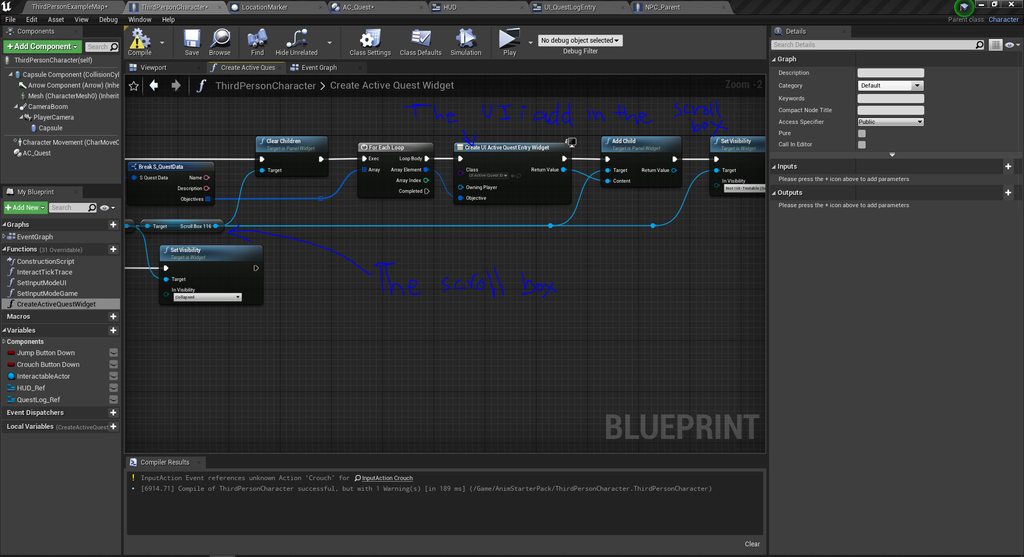 old peak
You could try adding a container for it to contain it while it wraps, like an image or button, a button might be advantageous for future use to shortcut into your journal.
sage coral
Insted of Culling how can I turn an entire modular meshs LOD down for example a house to only be a box from really far away or use a custom LOD for it?
dreamy wasp
so I'm trying to wok with lots of AI enemies.
I found that if I set the CrowdManager to 200 Max Agents, I'm good for only 5 waves of enemies.
---I never have more than 20 enemies on screen at once.
When I last enemy is killed the next wave starts, so why does setting the MaxAgents to a higher number allow for more waves?
It seems to remember (or hold in memory) the dead enemies.
Is there a way to clear this?
I can set my Crowd Manager to 200k, but I'm worried that there is junk clogging up the works.
old peak
sage coral
Insted of Culling how can I turn an entire modular meshs LOD down for example a...
How To Create and Use LODs.
 pastel laurel
Hey guys and gals

Odd question, I want the engine to accept this model, with the incomplete verts, but it just culls them and imports a box only
Is there a way to force it to do this?
old peak
pastel laurel
if I recall there are a multitude of options when importing a mesh, I don't have anything to hand that would be comparable to check with though.
pastel laurel
old peak
if I recall there are a multitude of options when importing a mesh, I don't have...
I'll have a detailed looksy, but if I just import a line, just two connected verts, it complains theres no poly and just outright refuses to import at all
Theres remove degenerates, but thats for a whole poly thats flattened to a line, it doesnt help with... i dunno... Lines? orphaned verts? I dunno what you call this
incomplete tris?
old peak
pastel laurel
I'll have a detailed looksy, but if I just import a line, just two connected ver...
Not sure if it is any form of a solution, but you could spoof it and use a plane to achieve that.
Definitely an odd situation you have here.
 pastel laurel
old peak
Not sure if it is any form of a solution, but you could spoof it and use a plane...
pastel laurel
old peak
Not sure if it is any form of a solution, but you could spoof it and use a plane...
Thanks for the idea! I realized I could possibly do this, but it seems really silly to draw so much extra stuff when like.. really I just want a line haha
Like, is that how linetrace draws? Because it can totally do it, so why cant verts do this in wireframe? The engine just doesnt want to accept that I actually want the extras haha
polys only club. Theres gotta be a way
 old peak
From a quick google and little read around, it seems UE4 has some specifics / particulars to the way it arranges vertices that might not allow for it, I definitely can't find anything on disabling the feature. Hopefully someone else can offer more advice.
pastel laurel
old peak
From a quick google and little read around, it seems UE4 has some specifics / pa...
Wanna get fucken weird? Based on a quick test, panes, no. But triangles flattened into a line? Well thats just fine


 old peak
pastel laurel
Wanna get fucken weird? Based on a quick test, panes, no. But triangles flatten...
old peak
pastel laurel
Wanna get fucken weird? Based on a quick test, panes, no. But triangles flatten...
huh, you would have to take a look at the procedures it uses when importing a mesh to know for sure, but there must be some requirements that aren't being met.
robust lintel
Help i enabeled raytracing in my project and now when i open it it's stuck at Initialising 45%
 floral birch
Very quick question: Does anyone know where 'Support long paths' is in Unreal Engine 4.19.2? I'm having a lot of trouble finding it :/
 tidal solstice
why does the water not shown in the sequencer but does show in the camera perspective ?
 drowsy snow
tidal solstice
why does the water not shown in the sequencer but does show in the camera perspe...
drowsy snow
tidal solstice
why does the water not shown in the sequencer but does show in the camera perspe...
Camera Cut thumbnail doesn't really matter, ignore it.
pallid olive
hello, is there something for overlap events to be actived when other actor is visisble for capsule, for example is static mesh is between them so the overlap is not actived
tidal solstice
drowsy snow
Camera Cut thumbnail doesn't really matter, ignore it.
but it is also ingame after build
 pallid olive
is there something similiar for player sensing instant of ai sensing ?
 pallid olive
Hi laura, but can player character also use some of the ai system or do i need to make custom line trace?
but is that only for ai controller ?
thank u
also visa versa ?
i see, because the sight perception blocks other hit so if ai stands behind static mesh it doesnt trigger until it hits the ai but it doenst work with pawn sensing component
 neon wedge
How can I have camera track 2 actors.
Like in smash bros, where camera gets close if two characters are close, but zooms out when they move further away.
 worthy forge
I'm making an Endless Runner mobile game with a street like this BUT each lane will be different colors...does this require making the floor tile setup different and have to be separate lanes put side-by-side
 tidal solstice
but it is also ingame after build
tidal solstice
tidal solstice
but it is also ingame after build
?
 safe comet
I'm really new to using ue and i've got a physics engine coded in python and i wanted to know if i could use it in ue4 to make an object move ?
So i should rather learn the ins and outs of blueprint and try to remake everything in ue4 directly?
I'm trying to make a glider simulator and i knew unreal from name as a graphics engine so i thought i could use it as such
So then is there any way of rewriting my code in unreal ?
Yeah makes sense alright
And you also suggest i should move to ue5?
I've heard some say that there isn't a more stable version than a dead one
Alright then
Thx for the advices
 jolly jungle
What is unreal engine support like on linux
magic helm
the 'right click to drag the viewport' in ue4 is driving me insane.
is there a way to change it????
it always just clicks on something and opens up the right-click menu when i'm just trying to navigate around the map.
okay, nevermind, just discovered i can use the arrow keys.
magic helm
still need to use it to turn though. :(
old peak
neon wedge
How can I have camera track 2 actors.
Like in smash bros, where camera gets clos...
follow one character left, the other right and then when both are exceeding certain distances apart from one another move the camera away from the characters, then work in all the other angles/directions.
robust lintel
How do i make this 3d widget actor less... reflective......
 neon wedge
old peak
follow one character left, the other right and then when both are exceeding cert...
neon wedge
old peak
follow one character left, the other right and then when both are exceeding cert...
Is there a way determing where they are on screen?
old peak
neon wedge
Is there a way determing where they are on screen?
well you would have to determine that by getting their coordinates and adjusting the camera accordingly.
robust lintel
When player reaches finnish (yellow cylinder), they are displayed this widget and input changes to UI only. This causes the player to be stuck with the last input and continues to walk foward. How do i prevent that?
 drowsy snow
robust lintel
When player reaches finnish (yellow cylinder), they are displayed this widget an...
drowsy snow
robust lintel
When player reaches finnish (yellow cylinder), they are displayed this widget an...
Finland is now a yellow cylinder? Who would've thought, all this time...
Anyway, disable your character's movement mode or gate the movement code before changing input mode
sage coral
Question when you are streaming a level and you have an AI and you unload a stream level can that AI if it saw you go into that streaming level be able to follow you into that level even after you have unloaded the previous level?
old peak
sage coral
Question when you are streaming a level and you have an AI and you unload a stre...
Not too familiar with level streaming, but I suspect you will need to setup some form of state manager / handler for that, hopefully someone else can offer more advice on the matter though.
 tribal monolith
sage coral
Question when you are streaming a level and you have an AI and you unload a stre...
tribal monolith
sage coral
Question when you are streaming a level and you have an AI and you unload a stre...
If you spawned that AI in, then it would exist in the persistent level, so even if you unloaded the streaming level you spawned it in, it would still exist, however if the new streaming level you load in has no landscape/ground in the same place where the unloaded level was, then the AI would just fall and fall and fall, unless of course you had some sort of landscape or ground in the persistent level. So depending on how you have your levels setup, it is do-able.
 rigid yacht
Is there a way I can make a static mesh move from behind a corner like a jump scare with a box trigger
W/out it being a BP or SKm
sage coral
tribal monolith
If you spawned that AI in, then it would exist in the persistent level, so even ...
So I should add something like a simple plane to all my submaps that load because I am using the cubemap fake interior/exterior trick to save on performance so youll never truly see the outside of a submap so that plane will help to keep my AI from falling
I keep my main map separate from the persistent map and just have lighting and stuff on it but prob the best idea is to place all the AI onto my main map and than to move them to the persistent map, the real level is always loaded on begin play and if the AI are loaded on the persistent than the main streaming level is called the AI wont be affected from my understanding cause they will be on the persistent map
tribal monolith
sage coral
I keep my main map separate from the persistent map and just have lighting and s...
As an example, I also have a persistent level which only contains lighting and no landscape/ground. I have sublevels which contain their own landscape. Instead of placing the AI on the sublevel (like i would a building or foliage etc), I spawn them in once the level is loaded (spawn actor of class) and when doing this they are actually part of the persistent level and not the sublevel even though that's where i've spawned them. This means that they will always exist even when the sublevels are unloaded as they actually exist in the persistent. Now it would be a matter of finding the best way to move them to the new sublevel when it's loaded, then once done you could unload the other sublevel. If your all your sublevels however occupied the same space, you could load your new level, and as long as there is now ground under the AIs feet you could then unload the other level and all would be good, the AI will just keep doing what it was doing.
rare hawk
Anyone know a setup to use multiple animations for turn-in place? I have 8 animations, turning in 45 degree increments. All resources online only show how to do Turn-in-place with either 90degree or 45 degree turn anim
how can I use all of the turn animations together, for the best result?
floral birch
I need help with my Unreal Engine project (4.19) where I'm getting the following error:
UATHelper: Cooking (Windows): LogInit: Display: CookResults: Error: Couldn't save package, filename is too long
The thing is, I have longpaths enabled on my group policy editor on my computer and I can't find an option in either the editor or the project settings to enable long names. Does anyone know how to fix this so I can cook my project?
Is there really no option at all to support long filenames? It's not under a weird name or unusual setting?
That really sucks but I appreciate the advice, thank you. If I just move the project folder, I can just import it into the UE hub without any hiccups, right?
You know how you open the epic launcher for epic games and you see all of your projects for different engines and games you've made? Is there an option to import project files?
That's a huge help, thank you so much and I know that's an odd question but I really appreciate you helping me with that :)
sage coral
Is it possible to save the state of a streamed level? I tried following the save level state tutorial on youtube but it doesnt work because it only reads the persistent level
Unless its as simple as just saving the entire map
Would doing so also save the submaps and stuff inside?
upbeat spruce
hello, does a sublevel's game mode affect a persistent's game mode?
pallid olive
got it, just add it in the directory folder
 static viper
pallid olive
what is unknow extention.ueasset mean
static viper
pallid olive
what is unknow extention.ueasset mean
can you show 😮
some screenshots
where did you get an uasset from
pallid olive
asked someone from marketplace
 compact mulch
Hello,is there anyone know how to convert quaternion from ue4 to unity?(I want to use the characters in ue4 to control the characters in unity to do the same action,i tried many ways,but failed)
 versed spindle
hi i'm trying to play with the atlas editor and change these values on the grappling hook into something. I've tweaked a bunch of them in several different blueprints and i'm trying to replicate an effect where the grappling hook connects to it's target, and it's rubber banded me half way towards the target before i begin to reel or input direction. can anyone explain these terms to me more properly so i can figure it out?

 devout yarrow
Does anyone know how to make a struct that has subtabs, similar to the way that the PostProcess volumes are laid out? Do I need to have a nested set of structs for each subtab or is there a way to keep it as one struct?
 sage coral
How can I save a streamed level?
An example to help understand and simplify what I'm trying to do.
The game works like an arcade game you play through the map and after is over the entire map resets. I want to do this is submaps so you can save the entire sub map itself when exiting and loading that saved sub map when entering
Does save current level save submaps or just the persistent level?
plush yew
is there a reason for UE4 to stay on top? It doesn't allow me to open the task bar and switch to another window without minimizing it first
sage coral
Is there a way to get the current loaded submaps name?
 crystal ruin
Guys I have project in unreal engine 4,26 can I upgrade it straight to UE5.1 or I need to upgrade to 4,27 then 5 then 5.1????
real heath
crystal ruin
Guys I have project in unreal engine 4,26 can I upgrade it straight to UE5.1 or...
you SHOULD be able to update straight to 5.1. the more engine versions the more chance there is for some more problems, but it generally works fine.
crystal ruin
@real heath have u ever done it before I want an insight from somone did it
real heath
I've upgraded a few projects. The problems you may encounter depends heavily on your project though. One persons experience won't necessarily match anothers
crystal ruin
Mine has blueprints and levels
AI but I don't have like open world map or landscape justs small
Levels
Filled with AI
And Player
real heath
crystal ruin
Mine has blueprints and levels
That's one of the easier cases to upgrade. But always there's nodes that have changed etc that will need some small changes in BP and sometimes materials
Just take a backup before you start, and you should be golden
crystal ruin
@real heath would u mind walk me through it ? Just in a nutshell tell me what do I need to do in simple steps how to upgrade from 4,26 to use5
real heath
You load the project in the new engine. Load your levels, read the output log for errors. open your blueprints and hit compile, make sure no errors. Hit play, make sure no errors. Visually inspect the scene and make sure it looks correct
crystal ruin
@real heath before u continue
real heath
If you have a node that has been replaced it will error on compile and highlight the node. You just find the new version of that mode and swap it out
crystal ruin
Do I need to migrate it normally????? To ue5
Like I open my project in Ue4
Hit migrate?
real heath
crystal ruin
Do I need to migrate it normally????? To ue5
Right click the uproject and choose Switch Engine Version
real heath
crystal ruin
Hit migrate?
No, you are upgrading project, not migrating
crystal ruin
OK OK
Got it
Where this upgrade tap? In epic launcher in library?
Or inside my project settings after I open it
real heath
crystal ruin
Where this upgrade tap? In epic launcher in library?
The uproject file in your project directory, skip the launcher for this step
real heath
Again, take a backup before doing anything
crystal ruin
OK done
real heath
crystal ruin
Then?
Right click the uproject file
crystal ruin
Got it
I see it now
Omg wait
I almost fkk it up
I don't have backup
😢
Let me back it up real wuick
But do Continue pls @real heath what else
real heath
I'm not walking you through the entire process, sorry. I've given you the high level steps above
real heath
Yep. And take the time to read the output log as some errors may not be immediately obvious
crystal ruin
💯 


haughty steppe
Where to translate culture name for UKismetInternationalizationLibrary::GetCultureDisplayName(true) ? For example I want to have "草に触れに行く" instead of "Japanese"
I dont see such option in the localization dashboard
drowsy snow
haughty steppe
Where to translate culture name for `UKismetInternationalizationLibrary::GetCult...
For in game menu?
haughty steppe
drowsy snow
For in game menu?
for UKismetInternationalizationLibrary::GetCultureDisplayName(true) to return
but yeah, final goal is to use in game menus
sage coral
Is it possible to load players into separate maps?
Say one player is inside a level it being a house and the other player is on the outside map of the house
And could something like this work with splitscreen?
crystal ruin
@real heath sorry for ping but am getting this error

When I try to upgrade
I really don't understand log stuff
real heath
read the 2 log files mentioned. My guess is you have plugins that it's trying to recompile for the newer version. You'll need to install visual studio or get a new version of those plugins
crystal ruin
@real heath do I need to update them inside the project??
At my older version project
real heath
I don't know. IF they are project plugins yeah i'd guess so
crystal ruin
How about visual
Studio
Sry if I ask too many questions
I am very new to this process
I just don't know where to download
sage coral
If I switch over to the simple open level as to streaming the level how can I set where the player will spawn instead of being at 0.0.0?
sage coral
For some reason this is only returning as none for the index variable

 spice kelp
Hey I have this flag I want to hang by those two red Xs
how can I anchor it to those points. As is, it just falls to the ground
 spice kelp
fellas im losing my mind
 buoyant fossil
Hi does anyone have any ideas of making a split screen for a multiplayer online(not local split screen) game.? Like A Way Out
plush yew
https://i.postimg.cc/tRkDyy6L/2023-01-12-2.png what can I change to make it run faster? 6fps fullscreen
 real heath
plush yew
https://i.postimg.cc/tRkDyy6L/2023-01-12-2.png what can I change to make it run ...
real heath
plush yew
https://i.postimg.cc/tRkDyy6L/2023-01-12-2.png what can I change to make it run ...
You're going to have to profile to find out what is taking all the time. Check the pinned messages in #profiling to find out more
dreamy wasp
Anyone know what this means, or what causes it?
It just started showing up, and I can't figure out what's causing it.
Warning: FLatenActionManager : : ProcessLatentActions : CallbackTarget is none
sage coral
How can I spawn a playerStart when the level begins depending on the location of an object?
I also need to somehow set the player start tag of that playerstart
This is what I have attempted but it still spawns my player back to the 0 PlayerStart. This works perfectly fine if the player start is already on the map, However I am using a random gen on a building so I need to be able to change where the spawn points are each time, The spawnpoints are also attached to a Blueprint prefab I have made but this doesnt seem to work cause the load level does not read the player starts on the prefab
thin tendon
sage coral
How can I spawn a playerStart when the level begins depending on the location of...
For the first question. You just want to set the spawn location before anything else loads. One way might be use the level blueprint and make it the first thing you do.
thin tendon
sage coral
I also need to somehow set the player start tag of that playerstart
To the second question. Just get actor tags and then set actor tags
sage coral
Forgot to send the photo of my code

The internal spawn points of the inside map work perfectly its trying to come out of the map and because the points are attached to the house itself its just not reading the player start tag on the blueprint actor for some reason
thin tendon
sage coral
This is what I have attempted but it still spawns my player back to the 0 Player...
So I could be wrong here but I am pretty sure the order of things goes. Level then player spawn. Then all your begin play nodes etc. So you need to find the correct order of things and adjust the location before the spawn. One way to do this is to not have a spawn. And create one after the level has been loaded.
sage coral
thin tendon
So I could be wrong here but I am pretty sure the order of things goes. Level th...
So I tested this by spawning in a Rock instead of a player start and it works fine just for some reason its still not reading the player tag and sending me to the main start spawn
thin tendon
sage coral
So I tested this by spawning in a Rock instead of a player start and it works fi...
Right so. Basically you want to load the level first. Then determine the spawn point location you want. Then create a spawn point at this location. And after spawning the player. You want to get a reference to that player. Then alter the tag. In that order should work for you.
Another way to go though and what I personally do. I spawn at 0,0,0. Create a black box around the player to act as a loading screen and hold the player in place. Then once I have the desired location. I set the player to the new location and remove the loading box. Its a bit hacky but it works
sage coral
@thin tendon I think I may have gotten it working, the player starts I were spawning were somehow being set to moveable which was break the level travel more or less ghost spawning it, so it would say it was there when it really wansnt. Ah gotta love bugs lol Thank you for the help tho! Im gonna try and add a few more points to see if its fully working and will let you know 🙂
@thin tendon Seems to be working perfectly now Thanks again for the help its greatly appreciated 🙂
 swift cloak
Guys, what program would you recommend to use to create maps and character models for the game
thin tendon
swift cloak
Guys, what program would you recommend to use to create maps and character model...
Characters - blender or meta human. Maps - just the engine sculpting tools and maybe gimp or adobe if using a height-map
swift cloak
thin tendon
Characters - blender or meta human. Maps - just the engine sculpting tools and m...
I meant houses and other stuff
still use blender?
thin tendon
swift cloak
still use blender?
yeah I do and would
swift cloak
ty
rotund sorrel
Probably very common problem: i want to make sure the player enters a trigger (that does something ONCE) but he can traverse multiple paths and so i must sure he triggers regardless of the path he takes. How do i make it "distributed"?
pallid olive
hello why use blackboard and ai perception instead of pawn sensing if both use AiMoveTo node ?
its deprecated and no futures will be added, but for the functions it does the work
thin tendon
pallid olive
its deprecated and no futures will be added, but for the functions it does the w...
If you are worried about things no longer being supported it is probably wise to build on the new engine ue5
pallid olive
that has nothing to do with ai perception or pawn sensing
so what u suggest is pawn sensing is not bad at all
thin tendon
You were the one talking about things being deprecated. If things no longer being supported is an issue. Then my previous advice stands. If you intend to finish out your project in ue4 both work perfectly fine. Blackboard is just a little cleaner to work with.
 dusk gull
how can I get my project settings to save?
dusk gull
didnt change it, the real problem is that I cant package arm64

an

I have asked there already
yeah
drowsy snow
 quartz marsh
Hey anyone know a tutorial to make a 3d character for fps game?
quartz marsh
Hey anyone know a tutorial to make a 3d character for fps game?
Just look up one for your 3D software of choice
dusk gull
well ask the community of the 3d modeling software you use @quartz marsh
 dark venture
How can I prevent my attack animation being interrupted by damage animation when I take damage?
drowsy snow
dark venture
How can I prevent my attack animation being interrupted by damage animation when...
By putting a check on receive damage event before playing the animation
But IMHO you can make Souls-like mechanic with that, since the enemies have the full rights to cancel player actions, but not the other way around
dark venture
Thanks a lot
drowsy snow
Enemies in Soulslike games have 0% pain chance
Oh right, pain chance
It's the idea where someone randomly interrupted by the pain animation
crystal ruin
i installed visual studio and changed my project version to ue5
when this done nothing happen

and when i try to open the project this shows me
 pallid olive
Hello for upperbode blendmode is common to use Pelvis01 bone but how can i use lowerbody instead
Only to use the feet instead of the upperbody
 arctic hazel
 drowsy snow
crystal ruin
drowsy snow
crystal ruin
- Don't crosspost, continue it on #ue5-general
- Provide more context to ease on everyone troubleshooting it
crystal ruin
My issue was in between ue4 and 5 that's why I posted in both hopefully somone in both gone through it
drowsy snow
crystal ruin
My issue was in between ue4 and 5 that's why I posted in both hopefully somone i...
Except #rules does not agree with it
crystal ruin
drowsy snow
Except <#809148428922781737> does not agree with it
got it
robust lintel
Is it possible that if multiple actors have Event Dispatchers binded to the same Event, that the event can read which of the actors called the event?

 upbeat hemlock
Hello!!!
upbeat hemlock
I have an issue with player start.When put it in my level says bad size always & my fps player don't move.How can i fix it?
drowsy snow
upbeat hemlock
I have an issue with player start.When put it in my level says bad size always &...
Make sure the player start capsule isn't colliding with something else
thin tendon
upbeat hemlock
I have an issue with player start.When put it in my level says bad size always &...
Lifting your capsule slightly up off your ground will sometimes fix this
plush yew
what is going on? UE4 is stuck loading my project at 39% and 100% CPU usage
shader compiler worker 25% cpu
drowsy snow
plush yew
what is going on? UE4 is stuck loading my project at 39% and 100% CPU usage
Given that you have weaker CPU, it'll take long.
Compiling shader is CPU heavy, you could speed it up a bit by increasing priority of ShaderCompileWorker processes in Task Manager, but not as much as getting powerful multicore CPU
grizzled wasp
Has anyone had this? I can't see my move widget/gizmo. Really not sure what to do have been googling it. I'm in 4.21 it just started suddenly and now cant move anything

 plush yew
if I update UE4 do I have to compile all shaders again?
my version is one year outdated more or less
thin tendon
grizzled wasp
Has anyone had this? I can't see my move widget/gizmo. Really not sure what to d...
Top menu bar - Quick Settings- Show Transform Widget
thin tendon
plush yew
if I update UE4 do I have to compile all shaders again?
You shouldn't have to. But there is no harm in running a back up. Then giving it a try.
plush yew
for some reason it's compiling 6k shaders
finally loaded but still 6k shaders left to compile
drowsy snow
plush yew
if I update UE4 do I have to compile all shaders again?
Yes
Also changing certain project settings
robust lintel
Help, for some reson this level has super brightness. Other levels don't. The only light source is a lamp but it works fine in other levels.

Other level outside and from inside

 sage coral
Is there a way to turn on and off a static light? My current one with stationary/moveable works fine but Im trying to optimize performance
Oh nvm I should be able to just turn off cast shadows on the light
Is there a way to prevent this tho. Even with cast shadows on it still does this
 sage coral
The walls are thick they just have planes covering the top and bottoms, Maybe adding thouse will help fix it?
Its a cube Im not sure how much more thick you can get for that as a wall
Turning off the spec should help
I wanted to more or less make a 1:1 scale of a house with the games dimentions
well I should say mocking a 1:1
The house lights dont use cast shadows so turning the spec off like you said should work
sage coral
@worldly trout If I do something like put thicker walls with the simple cube in ue4 than I bake the lighting than remove the thicker cubes after will the lighting not bleed?
Worst case scenario I can make the walls 2 sided I know this wont get rid of 100% bleed but might minimize it
Ah that makes sense
Unless there is a way to turn off static lighting and turn it back on?
I have something like a light switch with a light attached to it in the blueprints.
Normal static lighting works perfectly, some reason Though when I bake it the lights always stay on they are physically baked in unless like I said there is a way to turn them off or lerp the baked lighting
@worldly trout Honestly I think my best bet is to just go with not having it cast shadows to save performance and using other props for the inside of the house to hide the light bleed
Thank you for your help and advice tho 🙂
 mild raptor
think you tagged the wrong person
drowsy snow
pls don't crosspost unless redirected
mild raptor
huh
sage coral
mild raptor
think you tagged the wrong person
Oh I did my bad
mild raptor
lol
sage coral
Both the green backgrounds is what messed me up I didnt fully look at them and the H and the M look pretty similar when not looking directly at them lol
@worldly trout Would the thicker meshes have to visually be visible for the lighting to render?
The more I think about it I dont even think my questions possible anyways
The mesh would have to be there and not hidden in game in order for the lighting to render properly
mild raptor
drowsy snow
pls don't crosspost unless redirected
how did i
i posted an unreal engine 4 related thing
in here
sage coral
@worldly trout It was the Attenuation Radius of the Lights Alls fixed now, Thanks again for the help 🙂
oak patio
mild raptor
how did i
\if you post the same issue to more than one channel, its crossposting
 signal flower
I love my UE
getting "infinite loop" errors. turned on a breakpoint on 1000 loop iterations. code works perfectly and I dont get the error...
oak patio
bps dont like large for loops
thats not just your ue
large for loops really are best handled in c++
especially if theyre doing complex operations
signal flower
oak patio
bps dont like large for loops
I mean my code is wrong somewhere, thats why I get infinite loop error
my while loop should in theory be 18 iterations max (min 1). not 1000, lol
drowsy snow
signal flower
I mean my code is wrong somewhere, thats why I get infinite loop error
my `while...
> in theory
signal flower
drowsy snow
\> in theory
well
in theory 6+6+6=18
and in 7x7x7 cube path max distance may be 18 steps max
drowsy snow
signal flower
well
in theory 6+6+6=18
and in 7x7x7 cube path max distance may be 18 steps max
Unfortunately this isn't theoretical part in a computer science class.
signal flower
Id really like to understand what you mean...
now Im just getting "Im not gonna collaborate any further" errors, nice
return me back to when it pointed at blueprint part at least...
 rare hawk
how can I get the localSpace transform of a bone in AnimBP node?

there is GetLocalSpaceTransform but it takes some weird reference to the pins on the node, I want to point it directly to a bone
 chrome dock
I want the enemy to sense his collision and follow the character.
but sense a collision and follow it, but there's no action, and I don't know how to speed it up.
please help me
drowsy snow
chrome dock
but sense a collision and follow it, but there's no action, and I don't know how...
Can you post the code again here?