I should have removed the one over here though, so I could have pinned the one in materials.
Having said that, you'll need a transformvector after all the rotaboutaxis nodes, else it wont take local rotation into account.
and "manually" as in just rotating the actor itself in the world, and not the any values you are passing onto the mesh trough variables.
#ue4-general
1 messages · Page 16 of 1
 fierce tulip
 hidden dew
Oh I see... An issue of which space its happening in right?
Well, the transform it's happening in anyway. I'm pretty sure I get what you're saying... thanks, never thought of that
fierce tulip
hidden dew
Oh I see... An issue of which space its happening in right?
yes
 plush yew
Using a niagara particle, I want the particle to appear for few seconds and then stop, how can I make this. Making the particle infinite then making it visibile to invisible cuts the end off. How do I make it appear and then stop and let the particles clear (i hope this makes sense)
 sage coral
Hi Im using FSR 1.0 everything works expect it looks like my player models when they move for some reason are not AAed anyone know if there is a way to fix this?
Like theres a weird ghosting effect going on around the player like this

 wary gyro
How could I do that SetRelativeRotation to each of the items in the Part Array? They're all getting the same Rotation value since it's doing it to the whole array

 spice ruin
for each
Bear in mind that each time Random is used, it will return a different value. If you want them to have the same value, store the result first.
 spice ruin
Create a local variable and set it to the output of random and then use that random for your yaw input.
Other than that, looks solid.
wary gyro
spice ruin
Create a local variable and set it to the output of random and then use that ran...
Am I missing something? It still giving every object in the array the same rotation value
 spice ruin
Yeah.
wary gyro
spice ruin
Yeah.
hm, still doesn't seem to be working
spice ruin
Are you sure your arrays actually have the values you think they do?
wary gyro
spice ruin
Are you sure your arrays actually have the values you think they do?
Ah shit. I just realized I'm executing this function before adding the parts to the array
Thank you
spice ruin
Lol. Oops!
 latent sonnet
Great to hear man. Ideally you woild be able to transfer scoring, and other elements between level, which will require some third party element like the game inctance, but that depends on what game you are making. finding you own solutions is the best way to learn regardless.
 dreamy wasp
Using the Nav Invoker, I am able to have the nav mesh thinking only about what is near my character.
but.....
It does not stop the AI enemies from thinking. Is there a way to shut them off, in a branch? How can I tell the character they are no longer inside the nav Area?
I found that once they are out of the nav Area, they constantly do movement calls, and fails (because they can not reach the player). They look like they are turned off, but in fact, they are using more CPU, when out of bounds.
 thin tendon
dreamy wasp
Using the Nav Invoker, I am able to have the nav mesh thinking only about what i...
thin tendon
dreamy wasp
Using the Nav Invoker, I am able to have the nav mesh thinking only about what i...
In your behaviour tree or code. Just add a distance check to the player. If it exceeds the distance tell your AI to just sit idle and not move.
dreamy wasp
yeah, but then, again, that is a constant tick.
thin tendon
Just slow the timer down on the function so it ticks less often and its not a performance issue.
dreamy wasp
seems correct, on paper, but if all 50 enemies are calling every one second, then there is a steady hitch in the game play every second.
thin tendon
50 enemies are going to be running 50 sets of code anyway. 1 extra line isn't that big of an issue
dreamy wasp
Its why I have a sphere around each enemy that detects the player, but now I also need to move the nav mesh around, because the player travels so far.
Now, once the nav is away from them, even though they are not touched by the player, they are doing movement calls.
the spere does an overlap check, then brings them to life
thin tendon
Just make a variable shouldmove? set to false by default. On overlap set to true on end overlap set false.
dreamy wasp
its just a school project, i was doing an infinite runner, but i wanted to add enemy spheres that atack.
yeah.
thin tendon
Its not a big issue you just got to tell it when to move and when not to move
dreamy wasp
yeah. it was working fine before i started moving the nav mesh around.
I have to recheck my code. see where the move is being called.
Slimwaffle is a cool name btw.
thin tendon
Thanks mate. What I do for my AI is I created a population control actor to handle this. Loops over a list of AI. So that way I can check things against a list of entities instead of looping over the world.
thin tendon
dreamy wasp
...
The basic idea. Spawn or kill enemies add or remove them to a list. This way if I need to check all my enemies. I already have a list of enemies without having to get references to them all again.
dreamy wasp
so is the list in the level blueprint, game mode, or you have a single actor that everyone is casting to?
thin tendon
Nah I created a single actor to handle it. For me the main motivation was. If the enemy is x distance from the player. remove it and add new ones. So I can have a dynamically filled world. But only have a small amount of actors spawned at once.
dreamy wasp
are you useing event dispatchers to tell them to die?
thin tendon
There isn't any need because I just destroy them by accessing them from my list
dreamy wasp
thanks. will look into it. need to run.
 true ridge
Is there a way to hide the actor billboard (the white sphere you see when placing an empty actor on the map) without setting EditorBillboardScale to 0? I want to remove the sphere, but I don't want to hide any child billboards.
 vast totem
when i simulate physics, the camera stop following my actor, any ideas?
 drowsy snow
true ridge
Is there a way to hide the actor billboard (the white sphere you see when placin...
drowsy snow
true ridge
Is there a way to hide the actor billboard (the white sphere you see when placin...
Just press G to enter Game View, it won't be visible in runtime anyway
true ridge
drowsy snow
Just press G to enter Game View, it won't be visible in runtime anyway
Unfortunately that also hides collision boxes and other details.
dreamy wasp
looking at action mapings.
Is there a way to do "on release"?
All the mappings i see are 'on press'
spice ruin
replace IE_Pressed with IE_Released?
dreamy wasp
My guess youa re talking about C++
I dont see that in the Input setting menu
there is only a check box for Ctrl, Alt, Cmd
OMG... I'm blind...... ugg... sorry...
It in the action itself. The node has Pressed and released outputs
spice ruin
🙂
 timid cloak
Hey, sorry to bother, but I've been into Unreal Engine 4 for 1 year, and this has never happened to me. I try to package my game, and it opens https://docs.unrealengine.com/4.27/en-US/SharingAndReleasing. Is there any way to remove this thing, since I can't package with it. Thanks
EDIT: I fixed it and if anyone has this error, just reinstall Visual Studio (no matter which version), since there are missing files that prevent it from packaging the project
 unique knot
Hey, silly math question, but how can I get a vector velocity from rotation and speed?
 real heath
Rotation.getforwardvector * speed
unique knot
Of course.
real heath
Could be .getxvector, I forget
unique knot
Thanks Boris, you cleared my brain fart
real heath
Lol np
 stable bane
How do i download UE4 via epic games launcher ? i can't find it there
 stark talon
@shy nacelle You tried to help me with the flickering issue some days ago.
So far i wasn't able to solve the problem.
But i created a small simple project that shows the problem.
Its just the unit blueprint with the WPO movement, and the update of the position (to correct the bounds).
you are my last hope
Could you please take a look?
I also tried posting on the Unreal forum and still no luck
It would be so good if i could make this work
I tried one frame earlier and after. I also recorded the positions, and tried different last positions.
I will convert it to UE5
Also. The flickering doesnt happen if im zoomed in on the unit. so the position is 100% correct
Its that white flash
yes. the position is 100% correct when updating
its just that there is a white flash flickering in that frame
that only happens when zoomed out
i will show you on video

you can see that zooming in the position is updating 100% correct and there is no flash
the units are moving in the wpo
but when they go above some meters in the wpo, i update their position
the units disappearing?
ignore that
drowsy snow
ICYMI, "Horu wizardry" in question:
https://www.youtube.com/watch?v=QVlw_SD8G7k
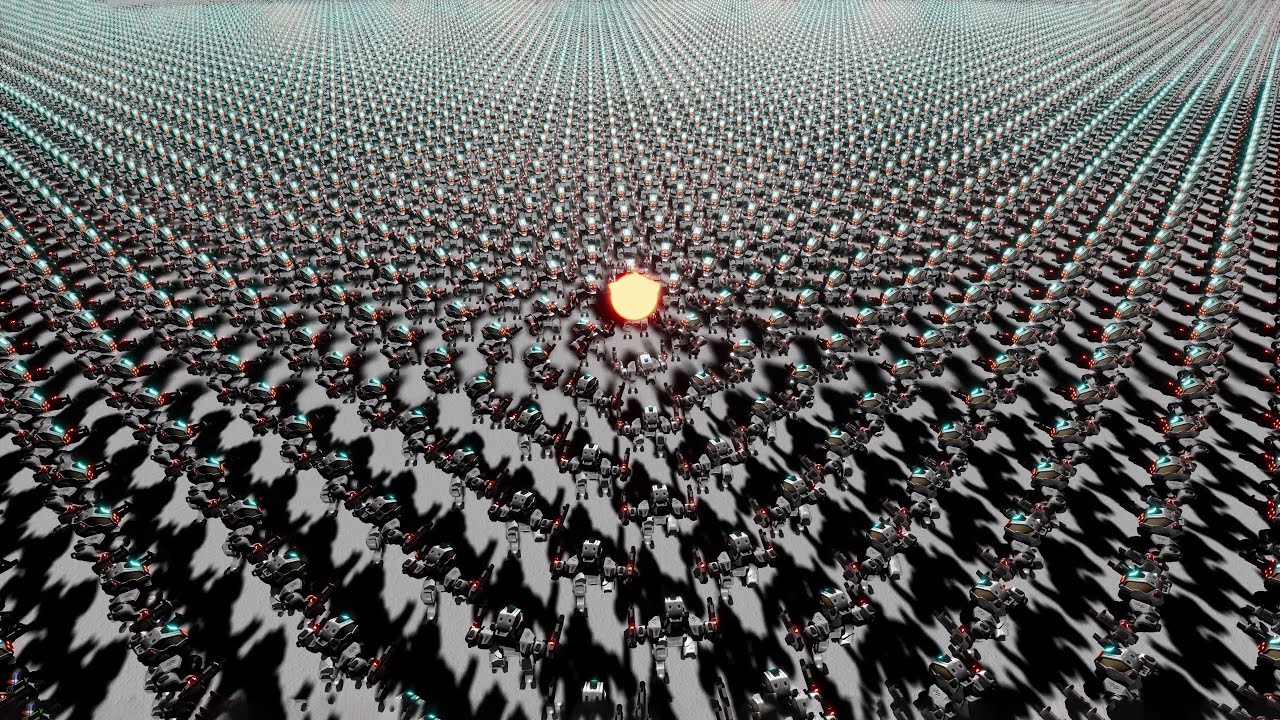
Made an instanced skeletal mesh renderer in UE4 that can render up to a million units. Animations, bone transforms and skinning all calculated on the GPU. Fully custom DirectX 12 rendering tech built in UE4.
stark talon
that is fine
im okay with everything except the flash/flickering
the units disappearing in the corner of the screen is ok
i can just increase the times they update
okay will try there
plush yew
how can i make my niagra particle appear then disapear only for a short moment, right now if I do visibility it will cut off suddenly but i want the particles to keep flowing after it turns off (i hope this makes sense)
drowsy snow
plush yew
how can i make my niagra particle appear then disapear only for a short moment, ...
Is it a GPU Compute particle?
plush yew
I am unsure what that means
 slim gyro
Hey folks! new here!
just wanted to ask a little something:
Can i open a game project extracted from an Unreal Engine 4.16 game and run it in UE 4.27?
I tried that but... it actually gave me some errors and crashed out
spice ruin
Potentially? You could try upgrading it, but it's likely to fail.
You might have more luck upgrading 1 version at a time.
drowsy snow
slim gyro
Hey folks! new here!
just wanted to ask a little something:
Can i open a game pr...
Your chances of getting it work is low, and you could violate EULA for reversing existing game.
slim gyro
spice ruin
Potentially? You could try upgrading it, but it's likely to fail.
Upgrading what? look there's a game we made long time ago with my friend, but now we need some stuff in it but we're having issues restoring them
spice ruin
"Restoring" ?
drowsy snow
slim gyro
Upgrading what? look there's a game we made long time ago with my friend, but no...
Then that's a lesson for you to keep backups.
spice ruin
Do you have cooked assets and you want to "uncook" them and go from 4.16 to 4.27?
slim gyro
spice ruin
"Restoring" ?
i mean extracting some of the models from the game that r now deleted from our PCs ya know :')
spice ruin
Yeah, that's not something that's supported here... or even legal.
slim gyro
spice ruin
Do you have cooked assets and you want to "uncook" them and go from 4.16 to 4.27...
Well i think so, i'm talking about the .pak files
spice ruin
Reverse engineering games is against the rules here. Even if you own them.
slim gyro
drowsy snow
Then that's a lesson for you to keep backups.
Ik ik but i saw some videos showing it's possible, so maybe we're gonna clean this mess :')
 neon bough
if you watched a video about it, you should know what to do
slim gyro
spice ruin
Reverse engineering games is against the rules here. Even if you own them.
Ooh! umm.. okay then
neon bough
also, considering the little chance that you really are author of the pak... make backups
slim gyro
neon bough
if you watched a video about it, you should know what to do
yeah but they were actually doing it with their game made in the same version of the UE
neon bough
then do it with the same version...
slim gyro
ok ok got it, let's just end this conversation up i guess
 marble iris
 sudden vault
How to fix this when I press play it only starts as a viewer
sudden vault
How to fix this when I press play it only starts as a viewer
crossposting isn't allowed
 spring abyss
Heyyyyy My Client Player Cannot Move properly , and jitters while jumping only in mobile preview
Why?
stark talon
How do i disable frustum culling for a specific actor?
I need the red meshes to still be rendered

 neon grove
how can i save/load a save game into the game folder where the executable is and not the user save files?
or put the save file in the content folder itself?
 quaint torrent
does anyone know how to disable this popup? i have 17k more normal maps to import and this stupid fucking popup is slowing my computer to a crawl.
 neon grove
quaint torrent
does anyone know how to disable this popup? i have 17k more normal maps to impor...
neon grove
quaint torrent
does anyone know how to disable this popup? i have 17k more normal maps to impor...
why would you have 17000 normal maps??
quaint torrent
because i have a lot of textures that need normal maps lmao
neon grove
what sort of game needs 17000 textures?
dont you reuse some of them?
quaint torrent
most arent even getting cooked its pretty much just huge packs being used to reference one or two things for no real reason (im not the lead here)
trust me i realize how fuckin dumb it is lol
drowsy snow
quaint torrent
does anyone know how to disable this popup? i have 17k more normal maps to impor...
Alternatively you could import them bit by bit
quaint torrent
yeah just dug through all the settings and realized thats probably the only way to go, thanks
 silk flare
imagine if Unreal had Blender-style modifiers
array, simple deform, mirror, ...
I know there's a plugin that's supposed to do this but I'm not sure if it's actually out on the market
spice ruin
A plugin, you say?!
silk flare
lemme find it

Epic Developer Community Forums
Hi everyone! A couple of months ago I started working on deformating meshes with the material editor and I wanted to show the progress done. I’m still not sure what I’m going to do with it so I would love to recieve feedback from the community. By now I have: The Bend modifier, you can customize the amount of bending and direction, pictures b...
this
I'm afraid it's dead tho
 proud abyss
could any one explain why at certain angles, my mesh disapears? same pose and no clipping, turn around and the arms poke right through


all good ^^^ was a displacement issue in the material
plush yew
hello I just edited this on my fire function but why after doing this fire is being 1 shot? it was auto shoot when it was only input fire. please someone help me
 drowsy snow
plush yew
hello I just edited this on my fire function but why after doing this fire is be...
drowsy snow
plush yew
hello I just edited this on my fire function but why after doing this fire is be...
Not sure what is this supposed to imply
plush yew
drowsy snow
Not sure what is this supposed to imply
I created a button for firing
so is the button pressed and released function is here
 real rain
Hi, I was wondering if it's possible to disable step down but not step up?
I have a fast character, I want them to enter falling state if they run over a hill for instance, rather than latching to the ground
@plush yew are you looking for a way to do auto fire like a machine gun?
plush yew
real rain
<@456226577798135808> are you looking for a way to do auto fire like a machine g...
No I did it was autofiring but after doing that it sing shot
real rain
ah ok, im not sure which one you want, autofire or single shot?
plush yew
real rain
ah ok, im not sure which one you want, autofire or single shot?
Autofire
plush yew
plush yew
hello I just edited this on my fire function but why after doing this fire is be...
But doing this its automatically 1 shooting
real rain
ok, you can achieve that with a looping timer. Use SetTimerByEvent in blueprint, set it to loop, and make a custom event (right click -> create custom event), hook that up to the timer. Then promote the timer to a variable. On FireButtonReleased, clear the timer
plush yew
real rain
ok, you can achieve that with a looping timer. Use SetTimerByEvent in blueprint,...
Ok I will try when I am on pc BTW thanks
real rain
no problem!
plush yew
is there any way to test mobile game without export?
like the unreal remote that works in ios?
 neat marsh
Hello Guys,
I try to integrate Oculus SDK to my project with Online Subsystem Oculus.
I created my app in developer dashboard get my app ID and revise my "DefaultEnine.ini" and "Build.cs"
But when I open my project with StandAlone game, the entitlement is failed and cant get cached achievement and write achievement.
Does anybody can help me for this hell situation?
Or somebody have tutorial for integrate oculus SDK?
 thin urchin
Does anyone know if there is a way to delete references in UE4? I am struggling with some assets in my scene when I package the project. Because I migrated them from another project there references from the other project still remain making it so I cannot package the project. Any ideas?
plush yew
is there any way to test mobile game without export?like the unreal remote that works in ios?
thin tendon
thin urchin
Does anyone know if there is a way to delete references in UE4? I am struggling ...
you could try right clicking and checking out the reference viewer to figure out which assets are referencing the items in question. You can also try clicking on your content folders and fixing up any redirectors
thin urchin
thin tendon
you could try right clicking and checking out the reference viewer to figure out...
I've given this a go but I solved it in the end by migrating the level to a new project so it only brought the necessary files through and it seems to have worked
marble iris
proud abyss
all good ^^^ was a displacement issue in the material
How'd you fix it though?
dreamy wasp
QUESTION:
In any blueprint, on the left there are lot of variables under the blueprint tab.
I want to start organizing them, but I can't figure out how to add a folder or group.
rtClick just allows me to add more variables, functions, macros and graphs.
I like things to be together, that go together.
thin tendon
dreamy wasp
QUESTION:
In any blueprint, on the left there are lot of variables under the b...
Right here just type in the name you want to group it under. If it doesn't exist then it will create it.
 dreamy wasp
thanks again, waffle. you rock.
 coarse jetty
hi im facing this problem when launching for android
can somebody give me a hand?

an animation bp that his parent class is a c++ class
 wind mantle
Okay hello I'm new here! I got quite a problem I've been stuck at and I do not understand why it's acting this way. I'm trying to do a functional test and when I do it breaks by a warning it looks like. Should the test really break because of this?

and for a newbie, what it is that's actually breaking here...?
Would be truly grateful for any help
plush yew
I made a cannon but the cannonball is falling through the floor, how can I add collision to it
proud abyss
marble iris
How'd you fix it though?
Just removed the displacement map for the moment. Need to go back and set it up properly today
thin tendon
plush yew
I made a cannon but the cannonball is falling through the floor, how can I add c...
If you made it in blender just add another object with the name UCX_<your mesh name> _001.
Or you can just open the static mesh and add a sphere or box collision from the settings at the top of the screen
plush yew
thin tendon
If you made it in blender just add another object with the name UCX_<your mesh n...
I just changed the collision present to custom and blocked all except pawn + world dynamics
seems to be fine
hidden dew
Is it ok performance-wise to send a 1024 x1024 texture parameter to a Material Instance Dynamic every update?
Is that a normal thing?
drowsy snow
hidden dew
Is it ok performance-wise to send a 1024 x1024 texture parameter to a Material I...
Depends on how you load them.
plush yew
can i import starter content into my existing game which started with none?
drowsy snow
Streaming from disk right away can cause hitches
drowsy snow
plush yew
can i import starter content into my existing game which started with none?
Yes.
hidden dew
What about a runtime texture
plush yew
drowsy snow
Yes.
where
drowsy snow
plush yew
where
Add Content button in Content browser
drowsy snow
hidden dew
.. a Runtime Canvas Render Target
It's fine, except drawing to RT can be quite heavy on performance. Lots of high level fluid sim suffers from heavy perf.
 regal fog
Hello!
I need some help with something
How do I make a 3d menu background that can change like ex: beat the game
plush yew
drowsy snow
Add Content button in Content browser
thanks
drowsy snow
regal fog
How do I make a 3d menu background that can change like ex: beat the game
Just having the level as the background, instead of full screen image widget taking over
No black magic there
regal fog
I know that, but the background actually change as your progress through the game, that what i meant
hidden dew
drowsy snow
It's fine, except drawing to RT can be quite heavy on performance. Lots of high ...
Right. I'm guessing that means if I'm only calling SetTextureParameterValue once per update, I just have to watch out for how much I'm calling DrawTexture per update
I'll have to find out how many is too many
drowsy snow
regal fog
I know that, but the background actually change as your progress through the gam...
You can keep track of it with the save data to determine the status of the main menu map. That's how Spec Ops The Line did it.
In the case of FF15, I think it's a global save file checking whether you've completed the game once instead of the last save slot.
 floral solstice
Hi is it easier to make a game using a smart suit pro by Rokoko and use plug in
drowsy snow
floral solstice
Hi is it easier to make a game using a smart suit pro by Rokoko and use plug in
Making a game, doesn't matter.
Using mocap is just going to facilitate you on making the animations
 young crag
Any solution ??? unreal engine 4 c++
 spice ruin
Launcher version?
stark talon
Im trying to package UE4.27 and i get this error:
LogPluginManager: Warning: Plugin 'VertexAnimToolset' is not compatible with the current engine version (4.26.0)
The vertexanimtool is working perfectly in 4.27 in the editor. How can i go around this issue?
Its just not letting me package it
stark talon
hidden dew
Hard to do any of this for 10 minutes when you're hot
cold shower thats what i do
hidden dew
Sorry, that wasn't helpful for your question hehe
And yeah, basically.
 hallow ivy
i mean this question in the most respectful way.
why do people still use ue4?
drowsy snow
hallow ivy
i mean this question in the most respectful way.
why do people still use ue4?
Having project already far in development.
hallow ivy
cant upgrade?
drowsy snow
hallow ivy
cant upgrade?
Upgrading to even newer version of UE4 can cause trouble with existing code base for the game.
hallow ivy
i expected ue5 to be backwards compatible
drowsy snow
See, more sophisticated projects have more C++ code, and often times modifying the engine source code for the project. Upgrading to new version means adjusting the game code to the newer API, and bringing over engine modification to newer version, which doesn't always work first try
hallow ivy
but it cant be THAT much of a pain in the ass, can it? because blueprints are basically the same, meaning most functions even in c++ are the same? im no expert and i have no idea about anything im just asking
drowsy snow
Newcomer projects or BP only is not that consequential moving to newer versions.
Also BP is higher level scripting and on top of C++. One can have lots of valid reasons to program the game in Unreal C++ and went their way to modify the engine source code to modify their needs.
And no, it can be PITA.
My engine modification still doesn't fully work in UE5, even then it doesn't work at all in the first try
hallow ivy
drowsy snow
Newcomer projects or BP only is not that consequential moving to newer versions....
ah got it
thanks
i have no idea what this is but thanks for the info anyways
i know the quest
dont know why it needs a fork tho
really?
ue5 supports vr though
its listed as an option
dont know if it works
drowsy snow
People still cling to Unity for XR needs
hallow ivy
are they really basing their engine on the needs of fortnite?
doesnt seem like a smart business move
spice ruin
Are they really basing their engine needs on their highest grossing product? Yes? OMG WHAT A SHOCKER.
hallow ivy
spice ruin
Are they really basing their engine needs on their highest grossing product? Yes...
their engine is used by multimillion game development studios and they make money from those games so they need diversity to attract devs
hallow ivy
lol
spice ruin
They don't need to attract business that comes from companies below 1000 employees.
hallow ivy
spice ruin
They don't need to attract business that comes from companies below 1000 employe...
true
bigger fish to fry
probably subnautica?
i think subnautica was made by unity
raft
oh right
the unity ads platform sucks
most of the time the ads dont even load right
i think they cancelled it
drowsy snow
hallow ivy
i think they cancelled it
And proceeds to disband the team
hallow ivy
yep
stupid imo
and makes the people think of them as a bad company
mainly because they are the only good game engine
and also because c# can kiss my ass
drowsy snow
Also talent
hallow ivy
i hate it
drowsy snow
More people studying UE since UE4 went publicly available
hallow ivy
drowsy snow
More people studying UE since UE4 went publicly available
wdym publicly available?
drowsy snow
hallow ivy
i actually have a beginner certificate
Let me dismiss that as a recruiter...
hallow ivy
drowsy snow
Let me dismiss that as a recruiter...
probably wont do anything i know
not even from a well known course provider
but i still didnt go to college
hopefully a degree would be a enough to get employed
drowsy snow
hallow ivy
wdym publicly available?
As in fully fledged Unreal Engine being available for public to use (initially with $19/month subscription)
drowsy snow
hallow ivy
dude that was more than a year ago
8 years ago to be exact.
drowsy snow
Full suite of UE3 editor wasn't available to the public.
Sure, UDK is a thing, but it's a little bit watered down
Before UDK you'd have to piggyback a moddable UE3 game, like Unreal Tournament 3
UE4 is available to public for realsies, initially (2014) you have to pay $19 per month, until Epic made it free to use a year later
hallow ivy
but it still has a cut right?
drowsy snow
I still remember how hyped I was first time seeing UE4 become free to use.
hallow ivy
once you reach 1m profits they start taking 30%
hallow ivy
drowsy snow
I still remember how hyped I was first time seeing UE4 become free to use.
old
 autumn flame
Actually 5%
 split tundra
hallow ivy
once you reach 1m profits they start taking 30%
split tundra
hallow ivy
once you reach 1m profits they start taking 30%
I might be misremembering but wasn't it 5% off monthly?
drowsy snow
hallow ivy
once you reach 1m profits they start taking 30%
Yes, but before that the limit was $3000 per quarter (3 months)
autumn flame
Yes
drowsy snow
split tundra
I might be misremembering but wasn't it 5% off monthly?
After $1M, 5% cut after $10K per quarter
hallow ivy
wait so every 10k i make per quarter they take 5% of?
autumn flame
Of course you gotta consider if you publish on launchers, they take their fee from the start
Steam is 30%
drowsy snow
hallow ivy
wait so every 10k i make per quarter they take 5% of?
After you reached $10K in a quarter. First $10K doesn't count
hallow ivy
oh
that makes better business plan for unreal but it sucks for us devs
not like ill reach 10k per quarter anyway
drowsy snow
hallow ivy
that makes better business plan for unreal but it sucks for us devs
If anything it's better for devs
You pay nothing if you didn't reach that threshold.
hallow ivy
autumn flame
Steam is 30%
so if i launch my unreal engine game on steam rather than epic, epic takes a bigger cut?
autumn flame
No, you pay 30% to Steam
hallow ivy
drowsy snow
You pay nothing if you didn't reach that threshold.
same thing with the 1 million?
split tundra
No, that's Steam's cut @hallow ivy
hallow ivy
autumn flame
No, you pay 30% to Steam
yeah that i know
split tundra
You pay both Epic's and Steam's cut
hallow ivy
but i think epic at least discounts the cut if you release on their launcher?
autumn flame
Epic is still 5%
drowsy snow
hallow ivy
same thing with the 1 million?
Yes, that's $1M total since you first sell it
hallow ivy
ohhhh
autumn flame
No, just they take less of a cut on the Epic Games Luancher
hallow ivy
autumn flame
No, just they take less of a cut on the Epic Games Luancher
got it
drowsy snow
hallow ivy
but i think epic at least discounts the cut if you release on their launcher?
The 5% cut for UE doesn't count if you publish to EGS
autumn flame
12% iirc
hallow ivy
thanks
hallow ivy
drowsy snow
The 5% cut for UE doesn't count if you publish to EGS
yep see thats what i meant
drowsy snow
If you're going to sell your game, be prepared for spreadsheet action to count the sales.
hallow ivy
yeah at this point if i sell for 10 dollars on steam ill probably get 6ish
split tundra
My Paper2D characters are using a custom billboard material and I was wondering something: if the light comes from behind the character (which would actually be their front), since they're billboarded they'll always be facing the camera, showing their front, and thus their back'll be affected by light, but since they're billboarded, I won't even notice.
How would I make it so that light on a billboarded sprite affects the front and not the back?
hallow ivy
anyways i gtg
split tundra
If that makes sense
hallow ivy
thanks guys
drowsy snow
split tundra
If that makes sense
I'm afraid not, can you make a quick sketch of it?
split tundra
drowsy snow
I'm afraid not, can you make a quick sketch of it?
Sure, give me a min or two

Hopefully this is clear enough ahah
And I'd need the light to "somehow pass through" and light the front as well
I know I can just change the light direction, but I was wondering how I'd deal with something like this
drowsy snow
split tundra
So backlighting?
split tundra
I guess that is it
How would I achieve that? Since my sprite is always facing the front and it isn't affected by light if the sun is coming from behind it
drowsy snow
I'm thinking of doing the old trick of duplicating the sprite, making it unlit, and slightly offset it according to the light direction.
Though it's only going to work well on per scene basis
split tundra
drowsy snow
Though it's only going to work well on per scene basis
Yeah, this is the problem, if there was a way to just let light pass through, so to say, that'd kinda solve the problem for whatever direction the light is emitting frm
 visual slate
can someone please help why the translucency greyed out?

 arctic carbon
is there a way to loop a video in unreal engine ?
split tundra
visual slate
can someone please help why the translucency greyed out?
Set your Blend Mode to Translucent
visual slate
split tundra
Set your Blend Mode to Translucent
oh wow.... thanks :)
 spiral schooner
Hi. Have any Tips for a dual computer setup? I daily drive on one Windows 10 machine but would like to include a 2nd to test multiplayer projects. Just wondered what other peoples experiences were given UE offers some options for doing remote work. I guess I could go the physical route and invest in a KVM switch, yada, but if Unreal 5 has something that works more ideally I'm all ears.
plush yew
how can I make niagara particles fade away instead of disapear (setting visbility makes it suddenly go "poof"!
real heath
spiral schooner
Hi. Have any Tips for a dual computer setup? I daily drive on one Windows 10 mac...
Nothing specific to unreal for that afaik. I personally use parsec for remote controlling other PCs. It's very responsive and great for 3d and video work
spiral schooner
yeah I remember parsec, moonlight and vnc...
real heath
i'd use parsec and moonlight for unreal work. VNC is great for remote administration, but in my experience, not so good for interactive stuff
 whole turtle
Hey everyone! Has anyone released a free game on ItchIO using ue4 before? I've just finished a small prototype that I wanted to release on my itchIO page for free. Does anyone know if I still have to fulfill any of these requirements for that (https://www.unrealengine.com/en-US/release) ? Do I have to add Unreal Engine logo, state in the credits that it was made using the engine and fill in the form to notify epic games about my tinny free prototype that I'm publishing in my ItchIO page as a portfolio piece?
young crag
Any solution ??? ..

 oak patio
whole turtle
Hey everyone! Has anyone released a free game on ItchIO using ue4 before? I've j...
oak patio
whole turtle
Hey everyone! Has anyone released a free game on ItchIO using ue4 before? I've j...
i would imagine so. not sure about the form, but adhering to the ue license agreement through crediting the engine, and adding a eula will be necessary
at the end of the day its a product
 mellow coyote
Howdy, I'm used to creating buildings with bsp then converting to static mesh in ue. Is there a better method? I like using bsp since I can correctly size and material everything in-engine, but I've had issues in the past where if the DDC cache folder is cleared, the material slots on the converted mesh are completely jacked up and no longer allows me to change the materials within such slots. Any tips or advice for me to use a more efficient method? I'd like to get in a groove with something new before I start another project.
oak patio
mellow coyote
Howdy, I'm used to creating buildings with bsp then converting to static mesh in...
making actual meshes in a dcc. you really shouldnt be using bsps past your blockout
whatever you are doing in bsp is likely better and more easily done in a dcc
mellow coyote
Damn, that was a quick response. What dcc do you usually use for ue?
What do you prefer?
oak patio
blender. prett ymuch has everything that maya lite has, is free, and has a less steep learning curve imo
also feels less dated
have used maya, 3ds max, and blender, must say blender is by far my fav
mellow coyote
Nice
I deal with a lot a building work. What approach should I take when creating something in blender and hoping it stays true in UE?
Or vice-versa
oak patio
it will stay true as long as you dont rely on blender materials and use proper unit scaling
apart from that its just setting up units correctly, then making sure you measure things properly
personally for my modular assets i make sure everything fits nicely in a 2x2 meter grid
mellow coyote
So I should make sure all the units are sized the way I want before starting ANYTHING
oak patio
yes
if your unit scale is off at the start it is a pain in the ass to change mid way through making something
oak patio
set it up, save it as your preference, then you never have to worry bout it again
mellow coyote
Sweet
I'll be starting my forth project, but this time in ue5 so I wanted to do something right this time around lol
Because it didnt sit right with me using bsp conversions in past projects
Since I know bsp are performance hogs
And didn't want to come across that odd cache folder crap again possibly destroying an entire level.
You've been a great help man. Thank you
oak patio
Yeah. Bsps are alright for greyboxing but I wouldn't push it past that. Hell even for greyboxing I'd rather use blender, block out tools plugin, or even ue5 modelling mode
plush yew
is there any way to convert ue5 project to ue4?
real heath
plush yew
is there any way to convert ue5 project to ue4?
No
You can go up, not down
Same goes for .x releases. 4.26->4.27, 5.0->5.1, not the other way
plush yew
real heath
Same goes for .x releases. 4.26->4.27, 5.0->5.1, not the other way
why man why
real heath
Cos that's how it works
oak patio
plush yew
why man why
Stuff don't work in reverse. If the implementation of a node changed, or youre trying to use nanite features, and then you downgrade to ue4 what do you expect it to do aside from break?
plush yew
oak patio
Stuff don't work in reverse. If the implementation of a node changed, or youre t...
Nah I didn't edited in ue5 🙂
oak patio
plush yew
Nah I didn't edited in ue5 🙂
I'm not on about stuff you did though
I'm on about the engine
plush yew
ohh ok
oak patio
If the engine changed the way it does things and you try to go back, things can only break, so why bother giving an option to go back
oak patio
No.
Only assets like meshes can be migrated back really, by re-exporting them. You cannot migrate a BP made in UE5 back to ue4
 dense knot
This is the house so far (lots of adjusting and addons to do) it's the tutorial level. What do you think? (it's a horror game and the house is specifically laid out to have a lot of turns so the player wonders what is around each corner even though SPOILER there are no enemies in the tutorial, Just a simple jumps care cutscene at the end to explain the transition from this level to the next map. (I am also keeping the scripted jump scares to a minimum. https://drive.google.com/file/d/1DHsGXK44COS-JneWZJzr69y1Y3QGls9B/view?usp=share_link
Google Docs
whole turtle
oak patio
i would imagine so. not sure about the form, but adhering to the ue license agre...
yeah, makes sense. I might as well just fill in the form, thank you!
 tardy flume
I'm attempting to export a skeletal mesh from Blender into Unreal Engine 4. When exporting on Blender's default operator settings, the model in UE4 comes out angled -90 degrees on the X axes while in Blender it looks normal. When I edit the export settings with -Z forward, Y up in transform and -X axis in Primary Bone and -Y axis in Secondary bone and export it, it doesn't look good in UE4. Bones are twisted. I import it in Blender, the model is again 90 degrees on X axes, but then I export it with the SAME settings and suddenly it looks good in UE4 and functions proper like any skeletal mesh. The only issue is, physics assets don't recognize it for some reason and go all weird. It's a big mess, because I don't know how to fix it. Was hoping somebody here had an idea.


 wild crag
oak patio
spring abyss
Does Anyone know how to fix this?
wild crag
oak patio
spring abyss
Does Anyone know how to fix this?
oooh not good. that shouldnt be happening. try verifying your engine install
spring abyss
oak patio
oooh not good. that shouldnt be happening. try verifying your engine install
oh i did it
and most of the warnings are vanished
there are still some left
these are the errors


 dark venture
I need help when I pick up my weapon and go to another level the weapon seems still attached to the character in the outliner but it disappears in the game. I have a game instance but I don't know how to save the weapon in it.
another question how can I assign my weapon as an enumaration?

 spring abyss
Hey
Now
The problem is even reduced
But
Now the prob is that
Warning : VDZI enabled , but can't load the ml_remote DLL. Is your MLSDK Directory set up properly
Oh sorry
 midnight light
Hello everyone, I am looking for some information.
I am the wiki admin of an indie game developed in UE4.
The game includes a recipe book with images of the items. For the wiki we would like to export these images.
We are currently taking a screenshot of the recipe book, cutting out the item image and removing the background.
This is a lot of work and takes a lot of time for about 275 items.
Is there a way to export these images from the game using UE?
drowsy snow
midnight light
Hello everyone, I am looking for some information.
I am the wiki admin of an ind...
You could somewhat automate the process in the editor by dumping render target into an image file (though I'm not sure if BP had that exposed)
midnight light
drowsy snow
You could somewhat automate the process in the editor by dumping render target i...
Can I find instructions somewhere on how to do that?
Just so you know, I have zero experience with UE 😟
drowsy snow
spring abyss
someone solve my problem
hey hey
would be nice for you to rephrase your question
spring abyss
I tried packaging my game
It failed
and some errors and warnings were there and i am trying but dont know how to fix it
these are the errors

The First 7 is very tough
and I comp dont know how to fix it
spring abyss
Ok I will do that again
spring abyss
Hey Makoto
Can you just say me something about the first prob
LogModuleManager: Warning: ModuleManager: Unable to load module 'MagicLeapAudio' - 0 instances of that module name found.
LogAudio: Error: Submix buffer listener only works with the audio mixer. Please run with audio mixer enabled.
LogAudio: Error: Submix buffer listener only works with the audio mixer. Please run with audio mixer enabled.
LogAudio: Error: Submix buffer listener only works with the audio mixer. Please run with audio mixer enabled
this one
really
what should i dp

 boreal crown
Hi, my editor seems to be compiling every single blueprint everytime I start the editor. Anyone know why this might be the case?
autumn flame
It says
autumn flame
spring abyss
Ah I'm Sleepy
 spice ruin
boreal crown
Hi, my editor seems to be compiling every single blueprint everytime I start the...
spice ruin
boreal crown
Hi, my editor seems to be compiling every single blueprint everytime I start the...
Does it to me, too, at 90%.
boreal crown
My log gets slammed with “entry mode New State Machinr is not connected to state”
 lost nova
when I was messing around with gameplay ability system I came across this issue

anyone know how to get the menu to show?
 gloomy vigil
hey i have to install 4.26.2 because my 4.27.2 install wont stop saying resume (wont install properly), do you think that will come back to bite me?
spring abyss
autumn flame
Yeah?
 real heath
spring abyss
More reduced
real heath
spring abyss
More reduced
Might be better off in#packaging or #mobile and they'll need to see more of the log
 dawn flint
anyone has an idea on how i can make a game similar to this, maybe a tutorial or something,
i want when there are similar squares and its empty between them you can click and a line show up like in the photo.
 coarse jetty
hi how can i change visibility of variables in unreal?
marble iris
coarse jetty
hi how can i change visibility of variables in unreal?
For which variables? Explain
coarse jetty
ok sorry, i was drowsy xD @marble iris
i mean, i have a generic button widget with configurations, and i want to make for example a boolean for "bHaveIcon" and then make all the icon related variables public.
Toggle this property through code, bluperint prefferred
 thin urchin
Hiya everyone. I'm after some help with selecting static meshes in the outliner. Basically I have a datasmith object which has a bunch of sub hierarchy that I am trying to select just the static meshes from without selecting all of the actors, is there a way of achieving this? Picture for context

I would do this manually but there are 20,000 static meshes
The reason I would like to select all of the static meshes is so I can set there max draw distance
 shell compass
Does anyone here use the Unreal Engine docker container? Is there any benefit to it or is it a niche/novelty thing?
marble iris
coarse jetty
ok sorry, i was drowsy xD <@239955398231195648>
i mean, i have a generic butto...
The node is called Set Visibility, it's also in the details
coarse jetty
marble iris
The node is called Set Visibility, it's also in the details
im refering to details panel, not widget.
toggle visibility from this
 marble iris
coarse jetty
im refering to details panel, not widget.
toggle visibility from this
marble iris
coarse jetty
im refering to details panel, not widget.
toggle visibility from this
It should be the same thing as it's called in the details no?
thin urchin
thin urchin
Hiya everyone. I'm after some help with selecting static meshes in the outliner....
Okay I solved my own problem. Might be helpful to someone else though. It's a bit of a backwards way, you select the objects that you want to select in the viewport in the content browser instead and right click and choose the following:
 split tundra
Is it normal that my character's sprite isn't affected by shadows cast by a stationary light unless it has cast shadows enabled itself?
 rotund sorrel
shell compass
Does anyone here use the Unreal Engine docker container? Is there any benefit to...
rotund sorrel
shell compass
Does anyone here use the Unreal Engine docker container? Is there any benefit to...
Maybe ask in devops channels?
 topaz crest
Hi everybody! I'm someone that wants to learn how to do good cloth physics in UE (posted in #legacy-physics but I don't think anyone is interested to help me out there) so I was wondering if I could catch some interest by paying someone who thinks that they are suitable for this case? Must be someone who knows how to make solid cloth physics and who is willing to teach me (I'm pretty new to UE so you might need some patience lol). Let me know if I should post this in another thread btw! Hit me up in DMs if anyone is interested
plush yew
will this support mobile smoothly if I add controls? https://www.unrealengine.com/marketplace/en-US/product/ultimate-shooter-kit

Unreal Engine
Ultimate Shooter Kit is a shooter game template with lots of features.
 magic helm
how would i make it so a characters eye follows the player around?
coarse jetty
magic helm
how would i make it so a characters eye follows the player around?
eing?
oak patio
plush yew
will this support mobile smoothly if I add controls? https://www.unrealengine.co...
Seems like a terrible kit anyway. £300 for ultimate shooter that doesn't even include one of the basic controls, that being crouching
Makes me wonder what else is lacking
Also reviews so the documentation is terrible
oak patio
magic helm
how would i make it so a characters eye follows the player around?
Set the eye's rotation to be the find look at rotation for the player
Unless you mean with a procedural anim
magic helm
Ahh I see, I'll look into these, thanks guys! :)
marble iris
coarse jetty
im refering to details panel, not widget.
toggle visibility from this
Fixed?
plush yew
oak patio
Seems like a terrible kit anyway. £300 for ultimate shooter that doesn't even in...
Just say will it work on android I have this kit
coarse jetty
marble iris
Fixed?
no, i guess i have to go for custom components in c++ or something related. Nvm they will be always public, no problem, just curious if it was easy or i was missing somthing. Thanks for the interess, if you need anything here i am.
oak patio
plush yew
Just say will it work on android I have this kit
It doesn't explicitly say it does so not sure. No way for me to tell, you're just gonna have to package a test project.
Still wouldn't recommend using it tho
marble iris
coarse jetty
no, i guess i have to go for custom components in c++ or something related. Nvm ...
Sorry it was very late yesterday, toggle "instance editable" on the variable, now it will be in the details panel
thin urchin
Has anyone ever had it when there splines points move on there own in relation to the one you are currently moving? Got this weird behavior where I move the first handle and the last one is moving by itself, any ideas?
 compact mulch
Hi,is there anyone know how to convert ue4 character bone's rotation remapping to unity standard character bone's rotation?
 pallid olive
hi guys, was curious what the learning curve is of Blender in comparision with Unreal engine
 kindred mango
As we know the UE5 male model mannequin is “Manny” the female model is “Quinn”. The previous UE4 male model is “Tim Plate”. Does anyone know if the female UE4 mannequin (introduced in 4.26 I believe), was ever given a name by Epic?
oak patio
kindred mango
As we know the UE5 male model mannequin is “Manny” the female model is “Quinn”....
holy crossposting batman
sage coral
Hi Had a question. Havent really been able to figure out how this works fully but to give an example.
Let's say after my project is finished and is published to steam if it gets uploaded to steam and I wanted to add more content, how can I update the game do I just need to rebuild the most recent build of the game and resubmit the project? I havent found a lot of documentation on how updating your finished project works after launch not that I'm at that point yet just thought it would be useful info for the future.
oak patio
sage coral
Hi Had a question. Havent really been able to figure out how this works fully bu...
you can just upload a whole new build iirc, but i also seem to remember in packaging settings it gives you the option to package only new content into a patch
sage coral
oak patio
you can just upload a whole new build iirc, but i also seem to remember in packa...
Thank you for the info it definitely helps 🙂
 glass imp
Hi I see that #share-your-stream has been archived. Is there a replacement? I was using that a lot to link my streams
 cedar wave
#1054907310138458113 would be where you can leave feedback about it
 rich girder
Hi guys. Help me please. I need to update my engine version to Unreal 4.27.4 but for some reason I can't see it inside the launcher. I only have Unreal 4.27.2. Am I doing something wrong?
I would think you're right. But I'm trying to use a plugin that wants me to use 4.27.4. It's written in their documentation. At first I thought it was an error, but I was able to find a video that was using that version (unless it's also an error).
hidden dew
Every time I start UE, I click a slate command to set the tooltip delay to 10 seconds
rich girder
This is the video link.
https://www.youtube.com/watch?v=RqoTRBDJiV8&ab_channel=UnrealEngineBangladeshGameDevBanglaBDUE4UE5

This Video Present by Unreal Engine Bangladesh
2020 My PC Info
Visit Now :
https://youtu.be/P9S3D0jTWjE
If You want support US :
https://www.patreon.com/codingbanglayt?fan_landing=true
This Video Power by
Stroyed Developer
See our all Apps & Games in one page...
hidden dew
Is there a way to make it do this automatically?
rich girder
https://www.unrealengine.com/marketplace/en-US/product/runtime-datatable
This is the plugin. It's called Runtime Datatable.

Unreal Engine
This plugin will load a text csv or download a public or private Google Sheet and add parsed values to matching FStructs or UObjects at Runtime. All data types supported by the built-in UE4 DataTable are supported by this plugin.
I think you're right. But then I'm still lost, because they say that's what I need to use. I'll continue checking it out in that case. Thank you very much 👍
drowsy snow
rich girder
I think you're right. But then I'm still lost, because they say that's what I ne...
Just change or remove the engine version in the .uplugin file.
.uplugin is just a renamed JSON file, so you can open it in Notepad
rich girder
drowsy snow
Just change or remove the engine version in the .uplugin file.
.uplugin is just...
Interesting. I'll try to do that right now.
 finite flame
Hello mates, i've got a question, using 4.27, problem with a png image media source
Whenever i try to open the file, it says
LogAssetEditorSubsystem: Error: Opening Asset editor failed because of null asset
a wierd thing is it worked till yesterday and nothing has changed related to the asset, i promise.
The only asset referencing it is a single widget.
Any guess or suggestion why this happened?
Thx in advance
this is an output log for the symptom
 proud abyss
Hey guys, im having issues with a vehicle blueprint. I have set up a skateboard with all the parts seperate (deck, trucks,wheels) is there a way to join them together other than sockets and the attach component node? I have tried both and before it hits the ground all the peices fall apart. I made the physics asset for them all smaller than the objects incase that was causing any issues. The physics are set as default as when i triee changing them over to kinematic they stayes together but would just float in mid air. Im sure i also checked simulate physics on them to
fierce tulip
@fallow kindle this falls under job-related content and should only be posted there. Read the #instructions on how to do so.
 fallow kindle
oh, sorry
young crag
Why I cont Create Declaration/ Definition ... ?? ( The selected text does not contain any function Signatures .
 oak patio
young crag
Why I cont Create Declaration/ Definition ... ?? ( The selected text does not co...
oak patio
young crag
Why I cont Create Declaration/ Definition ... ?? ( The selected text does not co...
Don't crosspost
boreal crown
Hi, so my editor is chugging real hard. It takes minutes to open my project and even minutes to open a fresh vanilla widget. I’ve looked at the profiler and stuff but nothing jumped out at me. Could c++ circular dependencies in my code cause editor slow down?
boreal crown
Also does anyone know what the second number in the log is? It’s “[time date][some number] actual log”
fallow kindle
Anybody wanna compliment my horror game for now? 😉
hidden dew
The "Still relatively new to materials" experience:
 fallow kindle
lol
hidden dew
Font and title screen is fun
fallow kindle
thanks
hidden dew
Not sure if you're showing the crazy bad FPS, or if it recorded like that and you didn't notice
hidden dew
Like you can't even see the torch clicking heheh
fallow kindle
there's a flashlight clicking sound but you couldn't hear it over my mouse
hidden dew
ah lel
fallow kindle
i'll send a vid without stupid mic
I'm adding a sound for opening dors
doors'
oops still laggy
lol
oh, sorry
 rose cloak
Anyone here know if a component can call an event or function at its parent ?
fallow kindle
I Don't know, but, you can check for tutorials on youtube, I'm sure there's some that explain that @rose cloak
hidden dew
@rose cloak There's a GetOwner() (or something like that) for components
Waiting for Visual Studio to do the world's slowest text search
Like this:
Planet = CastChecked<AMorphingPlanetOfCells>(GetOwner());
I called that from the component's class
rose cloak
hidden dew
<@810516618404823051> There's a GetOwner() (or something like that) for componen...
Thats where I am. Using Self->Get Owner. But when working in the component it actually dont know that owner at that point. So I need to 'hardcode' the names of the events of something similar.
rose cloak
I have seen Event on Timer or Timer on Events, where you specify by name the event you want to fire. I am looking for something similar.
hidden dew
I can't help too much beyond that sorry
I've used events.. once.
But do you mean, the component you're calling from doesn't always know what class its owner is?
rose cloak
I am looking something similar for events.
 rose cloak
hidden dew
But do you mean, the component you're calling from doesn't always know what clas...
rose cloak
hidden dew
But do you mean, the component you're calling from doesn't always know what clas...
Yes. thats the point with Components. you can add the Component to any kind Actor and give the Actor some functionality. But as component you dont know who you are being added to, so the workflow is abit tricky.
hidden dew
yeah, fair enough
rose cloak
hidden dew
yeah, fair enough
LOL!. I had the function the whole time. Use Set Timer by Function Name. Does exactly this. I just make the function call an event.. Great!
hidden dew
ha, nice
 fathom kindle
Does anyone have any tutorials on how to add Custom Characters to ut4. I keep getting failed to merge bones.
spice ruin
You'd need to find a UT4 modding community for that.
fathom kindle
Ah man
real heath
promos go under the various Community Creation groups like #1054845218723209226 or #1054845120236757103
plush yew
anyone know how i can assing a TAG in runtime to a certain actor?
sage coral
How can I get caustics to work underwater?
drowsy snow
sage coral
How can I get caustics to work underwater?
Fake it.
real heath
sage coral
How can I get caustics to work underwater?
Theres a whole field of academic study trying to answer that as we speak
in the mean time, as Makoto said, fake it
sage coral
Good to know I wasnt sure if it came with ue4s water plugin and I was just doing something wrong lol
dreamy wasp
Question about Grass:
I have watched several 'tutorials' but they all assume a basic knowledge of grass. Strange, huh?
- Does anyone know of a good basic tutorial on grass for UE4?
- Can grass be added to something like an office planter, and spawned into the scene, or does it have to be part of some special landscape obj (still not sure where this comes from, but I find it in the grass examples). ???
What I am looking to do is spawn Large cubes (bed sized) with grass only on the top. these are floating platforms that move, for a section of my platformer game.
So this grass would be inside of a spawning blueprint actor.
neat marsh
is it necessary to add OVR_plugin for use OSS_Oculus?
hidden dew
dreamy wasp
Question about Grass:
I have watched several 'tutorials' but they all assume a b...
- You can paint grass onto anything, not just a landscape, using the Foliage tool:

I don't use it though, so I honestly don't know whether the grass will move with a moving platform,
dreamy wasp
So where is the option for the foliage tool when you are inside the blueprint?
I don't see it as an option, nor a component.
I create a static mesh........ then?
hidden dew
Hmm possibly the tool can only be used for stuff that's already in the level, not spawned in runtime.
I really know almost nothing about it, except that it's there
dreamy wasp
hmmmm.... yeah.. this is what im afraid of. damn.
me too. lol
I just thought it would be nice to add grass to a moving platform. I never used any of the landscpae tools before.
hidden dew
I just gave it a quick try

Unfortunately it looks like the grass won't automatically follow what the tool was used to put it on
I was hoping it might have a little smarts, but it's not too surprising
dreamy wasp
I can bring in grass, but clump by clump. that's a ton of draw calls. I was told the foliage tool puts them all together and optimizeses it a bunch... soo...
hidden dew
Yeah
It's the moving that will be tricky though
I've been trying to do my own grass stuff lately, similar to what you're doing
dreamy wasp
nice
hidden dew
The Foliage tool uses "Hierarchical Instanced Static Meshes" (sorry if you already know this)
dreamy wasp
no idea
hidden dew
I've been spending a lot of time trying to get my own grass to move in a way that doesn't annihilate performance
I use a HISM component too, like the foliage tool, but it still does not like moving a lot of things at once
It can, but it depends on how many
Like, it specifically has the tools for moving & rotating. It just doesn't like very large numbers
dreamy wasp
so a treadmil of grass would be out of the question.
hidden dew
But yeah, if Unreal doesn't have a nice easy way to even just move grass with a floating platform, that's the kind of stuff you'll have to be thinking about
Another user said he could shift 10,000 meshes with it without a concerning performance loss
(Not sure what his machine's specs were though)
dreamy wasp
well. I'm super restricted on mobile
hidden dew
So a treadmill could be possible, sure
Ohhhh
Still maybe. I just don't know
Maybe the same thing still works, but you'd only get away with like 1000 pieces or something
shrug
dreamy wasp
I got a bunch of 3 meter cubes that randomly spawn, and at diffeernt heights.
The heights change based on what other cubes you stand on, so the ones with grass need to have th grass move with the cubes, or it will look really odd.
hidden dew
Yeah
dreamy wasp
currently its just a texture.
I wanted it to look a ... little... more...... 1990s+
not pre 80s
hidden dew
Moving lots of grass gets a little complicated, so I wish I could suggest another method (other than ISMs, HISMs), but I think that might be what you have to look into.
I'm not sure if it's mobile friendly, but I guess it probably is?
The approach you'd have to learn about is something like:
- Add an Instanced Static Mesh -- or Hierarchical Instanced Static Mesh -- component to your project somewhere (I'm not sure where is good for you)
- Figure out a way/maths to place every piece of grass randomly
- Do the calculations you need to do whenever the grass has to move, and use the function (or node)
UpdateInstanceTransformto tell each piece of grass where to move
From what you described, just using an Instanced Static Mesh (ISM) component would be better than a Hierarchical Instanced Static Mesh (HISM) component.
The HISM has support for better culling... like showing different LODs, or culling any grass that is too far from the camera.
But it also comes with its own overhead, and it has what might be a bug in a packaged game that ISMs don't appear to have.
Since it appears you aren't needing vast fields of visible grass, it sounds like ISM would be dandy
dreamy wasp
wow. people kept telling me grass and forests were easy, now.
lol
hidden dew
yeah
The thing with Unreal is like: Do it Unreal's way - easy
Do anything else - ugh.
hidden dew
So the above stuff is a chunk to learn about, before even knowing what the performance impact will be, assuming it works on mobile
It's the number of calls to UpdateInstanceTransform that will be your bottleneck, more than the amount of grass itself.
If you have a tonne of grass and only need to update a little bit at a time, maybe a HISM will be better. Not sure, just that's the rough difference between the two. HISM can do things per-instance better. ISM is more like "Updating 1 thing updates everything".
Oh, I forgot, a different approach
Yeah yeah yeah
You can instead move all your grass via its material. So the grass isn't "physically" moving as far as your CPU/collision knows, but visibly it will move.
The stuff to learn about for this approach is something like:
- Create a material that every piece of grass uses
- Have a Material Parameter Collection, with a Scalar parameter value. This scalar would contain the ever-changing platform height, or height difference, or something like that, and your game logic updates that scalar every update.
- Finally your material reads that scalar and applies it, using the World Position Offset pin, to make every piece of grass appear to move.
Sorry, forgot about that approach.
The big deal here is that from what you described, all your grass can follow simple mathematical motions. Ie., you aren't needing to move each piece completely separately.
That is a huge deal, and actually is why that 2nd approach (using a material) would be much better than the earlier one (ISMs, HISMs)
If you have 100,000 pieces of grass moving the same way, a material won't sweat it, but a HISM will roll over and die.
Sorry I almost sent you down the worse path for the situation you described
As long as you don't need to do anything really meaningful with each piece of grass (ie., it's mostly just for show), then the material approach will be way better.
dreamy wasp
I will give all this a look after dinner. thank man.
coarse jetty
hi can somebody give me advice of how can achieve this?
i want to control via slidet the "blend" from one position to another of animation, imagine the animation of raising hand, slider 0 hand down slider 1 hand up
where should i llok for? im downloading ue4 blueprint examples bc i guess there is something related
hidden dew
@dreamy wasp
I just remembered and should be clearer.
The stuff I wrote above makes it sound like you have a choice between 2 technologies: Using an ISM/HISM, and using a material.
Really, you have to use an ISM/HISM regardless. Consider that to be non-optional.
(You mentioned draw calls. Reducing draw calls is the purpose ISMs/HISMs exist to serve. Anyone doing a lot of grass without Unreal's tools will be using an ISM/HISM, which is what Unreal's tools use too).
So for all I said, yes, get into using an ISM/HISM regardless of anything else.
The option you have is about how you choose to move the grass.
- You can use
UpdateInstanceTransform, which is a ISM/HISM function. - Or you can use a material, which fakes the movement but offloads the work to your video card.
Option 1 is much simpler.
- You'll already have an ISM, so you'll already have
UpdateInstanceTransformavailable and ready to use. - Performance gets worse with the number of grass instances you wish to move at once.
- But it should be ok under a particular amount (that I can't guess for mobile but think of around 10K for a decent PC).
Option 2 is potentially much faster, mostly because your grass can move collectively in response to maybe 1 or 2 values.
- You would take advantage of this by writing some Material logic that knows how the grass should move, just from those 1 or 2 values.
- Performance doesn't get worse with the number of grass instances you wish to move at once.
- It does come with some extra drawbacks, like shadows, collision, and culling not working as expected. These can all be worked around.
_
Final note:
You might discover "per-instance custom data". It's an ISM/HISM feature that is already setup in Unreal and ready to go. You can even change it on the fly in the Editor.
It lets you send data to a material, per instance. So you might think that's a good way to feed data to the material for Option 2.
It's not. Per-instance custom data is just as useless for updating many instances as UpdateInstanceTransform is, I believe because you can't batch custom data in a way that's serious.
The important thing in all this is that you don't want per-instance anything. The material approach for moving grass is powerful because you can send 1 or 2 values to rule them all. Like "move all grass to Z = 50.0. Done."
/wall
 spare trench
How much marketing budget should one have to get atleast 10k downloads on play store??
Any rough idea?
dreamy wasp
spare trench
How much marketing budget should one have to get atleast 10k downloads on play s...
That is a really tough question, unless you are talking about buying your own game, or giving away free copies.
How many downloads is a combination of people knowing your product, it having good reviews (from actual people), and being a cost that seems worth it.

 pulsar helm
.umap is the level, BuiltData is lightbake, reflection capture data etc.
pulsar helm
Yeah they just store references to all the models etc, not the models and so on themselves
You probably need to put the whole project in a zip file and send that
floral solstice
I hold the whole project file
pulsar helm
yeah give them the whole folder
oak patio
spare trench
How much marketing budget should one have to get atleast 10k downloads on play s...
Depends how much you are willing to spend on cost per click
Say you bid £1 per click, and wanted a month of advertising getting 10k downloads. Assuming 20% of people who see the add, download the app, which is a very generous estimate, then that would set you back £50,000.
Advertising is expensive. Obviously there are a ton of factors that increase and decrease this cost, so you should really do your own research to determine the factors you need.
Those numbers were the default on a cost calculator, so probably aren't representative, as the cost per click and conversion rate depends massively on who you are targetting
 fluid lance
How would I go about testing my game on fake "different hardware" that actually works?
Context: The game runs fine at about 80-100fps on my setup (which is an r9 5900x RTX2060, 32g ram). However, when it's ran on other hardware I have no access to (testers from abroad) it runs at ~40-50 fps. I know the problem might be shader complexity, but otherwise I'm "blind". Is there any way to emulate/limit hardware capabilities to see which tweaks help?
Any ideas are welcome 🙂
thin tendon
fluid lance
How would I go about testing my game on fake "different hardware" that actually ...
you could run virtual machines
fluid lance
@thin tendonYea, thanks. I researched into it and it seems that if allocated resources are lower than demand from application, the VM "breaks" and will tap into existing resources. Better ones at least estimate a threshold. In worse cases, you don't even know it & only find out it has nothing to do with the real thing and it doesn't work one bit for this purpose :/
 dreamy forge
Is there any way to publish games for iOS App Store with Hackingtosh?
spare trench
oak patio
Depends how much you are willing to spend on cost per click
Say you bid £1 per ...
Thanks for the information 😊.
Btw can I setup ads in my game without any paid plugin? (its a mobile game)
 mossy ravine
Hi, I have a vehicle in my level that's at ground level in the editor, but when I click Play it's about 2 feet off the ground. Any advice would be really appreciated 🙂
 crystal hornet
Hey guys! How can I get the list of hit actors from an environment query?
sage coral
Anyone know why antialiasing doesnt seem to work with the underwater post process from ue4s water plugin?
fierce tulip
yea, I already paid attention
would be mighty fine if they behaved after the one hour timeout.
oak patio
Can't beat when people behave
fierce tulip
yea, especially when its so close to the holidays
oak patio
Ikr. Can't believe people can't behave in the festivities
plush yew
What does Assertion Failed mean
for an UE4 crash, I get it when i enable hair or moustache on a imported MH
Well, that clears it up 😄
yeah it's wierd i only get it with the MH hair, i disabled it liek a year ago, but now i kinda need it
and poof crash 😦
I will try to recreate the problem
Actually i dont have time for that, I just needed to know what Assertion Failed ment in UE4 context 😄
wary gyro
I'm using the Advanced Locomotion System plugin and am trying to make the player grab an Actor instead of just a static or skeletal mesh. But this isnt working? It works fine if you use a skeletal mesh.

 trim belfry
"something bad happened" is slightly more precise
trim belfry
plush yew
Actually i dont have time for that, I just needed to know what Assertion Failed ...
It's not specific to unreal or even C++. Like Laura said you need to post the assertion that failed if you want any meaningful help
 open ember
Hello folks do somebody remember me?
plush yew
so cool with electric node and dark node

Hello I looking for some tutorials that make me know how to make mission system with cinematics like gta 5 in unreal engine 4 if anybody know such tutorial then please give me link. (Thanks in advance)
plush yew
<@&213101288538374145> sorry for ping but why did I get 10 minute mute?
its over nwo
now*
 grave aspen
plush yew
<@&213101288538374145> sorry for ping but why did I get 10 minute mute?
grave aspen
plush yew
<@&213101288538374145> sorry for ping but why did I get 10 minute mute?
sending you a DM, with the message you should have received from the bot via DM with the reason
 frank oar
Hi guys,
Firstly I want to say I know nothing about this chatgpt ai that I have been hearing people talk about recently, I heard it is an ai which can be used to code ?
What I was wondering is if anyone knows whether it can help with blueprints in unreal engine somehow? I have always struggled with the programming side and I am wondering if I should be looking into it ?
plush yew
frank oar
Hi guys,
Firstly I want to say I know nothing about this chatgpt ai that I have ...
just leave it it will help you in very basic things
 regal mulch
From what I've seen it's something you should 100% avoid
The answers are totally mixed up and wrong
Learn it via traditional ways of text and video tutorials, or a tutor
Don't use AIs that collect random sh*t from the net
frank oar
Thank you for the advice!
Sounds like good sense
dreamy forge
Does Epics' Direct Payment available for UE developers to use?
drowsy snow
dreamy forge
Does Epics' Direct Payment available for UE developers to use?
Wasn't Epic's payment system backing off of Xsolla?
drowsy snow
frank oar
Hi guys,
Firstly I want to say I know nothing about this chatgpt ai that I have ...
As what others have said, do yourself a favor and learn UE the right way. It takes time, sure, but worth more than blindly believing whatever ChatGPT spew out even with decisions that are... sus.
Rome wasn't built in a day, and even passing off AI gen artwork as your work, as is, is frowned upon even by sane AI gen enthusiasts.
 barren pagoda
Hello
I’m using unreal engine version 4.22.3
I gtg
I’m working on a game I’m currently calling pool party
rotund sorrel
How would you apply blur (only) around a specific character?
drowsy snow
rotund sorrel
How would you apply blur (only) around a specific character?
Depends on what effect are you actually trying to achieve
rotund sorrel
drowsy snow
Depends on what effect are you actually trying to achieve
https://youtu.be/4ccBjlAFt0s something like the thumbnail of this video (maybe a bit less) but only around the character would be good.

How to make a radial blur post-process material in Unreal Engine 4 (version 4.20.3) using a custom HLSL node and a radial gradient. Topics covered: HLSL, custom nodes, post-processing, material graphs. Thanks to Joubert van Zyl for the request, and special thanks to Tomura for writing the original code in 2015.
LINKS:
Custom Node - https://past...
drowsy snow
rotund sorrel
https://youtu.be/4ccBjlAFt0s something like the thumbnail of this video (maybe a...
You can use the same thing but mask out the character with custom depth
rotund sorrel
drowsy snow
You can use the same thing but mask out the character with custom depth
Will look into that thanks!
latent sonnet
rotund sorrel
https://youtu.be/4ccBjlAFt0s something like the thumbnail of this video (maybe a...
could you not add that same material to a component that is part of the character but surrounds it?
rotund sorrel
latent sonnet
could you not add that same material to a component that is part of the characte...
You mean assign the postprocess material to the mesh?
 shut fog
Hello, how can I reduce the tickrate of my PIE dedicated server?
rotund sorrel
drowsy snow
You can use the same thing but mask out the character with custom depth
it works but it would be better if the outline of the blur was a little bigger then that of the character itself, like it is in the thumbnail. Any suggestions on how to have a bigger mask (but still with the shape of the character) without increasing character size?
latent sonnet
rotund sorrel
You mean assign the postprocess material to the mesh?
no, an additional mesh that is bigger than the character and is attached to it
like a surrounding capsule of sorts
rotund sorrel
latent sonnet
no, an additional mesh that is bigger than the character and is attached to it
But should it be sorta like translucent then?the material in the video is a postprocess one and is applied to the scene texture, not sure on how to convert it to a surface material
latent sonnet
is it a normal matrial? can you just apply it to a mesh?
if so then wouldn't hurt trying
rotund sorrel
latent sonnet
is it a normal matrial? can you just apply it to a mesh?
I don't think it is because it uses scene texture uvs as input and is set as postprocess
 latent sonnet
i say try
drowsy snow
Good luck actually trying
drowsy snow
rotund sorrel
it works but it would be better if the outline of the blur was a little bigger t...
Not entirely sure how outline post FX were done, but maybe using that technique to bold the mask more
latent sonnet
rotund sorrel
But should it be sorta like translucent then?the material in the video is a post...
can you not just scale the mask somehow?
 wooden heath
is there solution without plugins for facebook Auth with unreal 4 ?
tardy flume
I'm running into an issue, I understand that it's a rare issue apparently. - When I'm compressing my .pak file and build the mod for this game, the .pak file turns out to be just 1kb in size.. basically nothing in it. Looks like it doesn't actually cook any of my assets. The moment I uncheck the compress .pak file, it cooks the mod which turns out to be 2.4gb..
Is there any possible way to fix this? I've asked on the mod discord for the game I'm making the mod for, but they don't seem to have an answer. It is also on an old version of UE4, as it's on UE4.15.
plush yew
How to fix that error and how to make the bullets go to the crosshair place
rotund sorrel
latent sonnet
can you not just scale the mask somehow?
don't know how
anyway this is basically motion blur, isn't there just a simpler way to apply motion blur only to specific characters?
proud abyss
Hey guys, merry chistmas. Hope on of you can give me the gift of knowledge today...
I have a skateboard pawn set up thats fully controlled by physics and forces for movement. My question is, i have an input programmed that when i release left thumbstick down the skateboard will ollie. Is there a way to have it so if i was to hold down and then rotate the stick round to either left or right i could make the board rotate accordingly
rotund sorrel
drowsy snow
Not entirely sure how outline post FX were done, but maybe using that technique ...
In the end i took this material here: https://docs.unrealengine.com/5.1/en-US/using-radial-motion-blur-in-unreal-engine/ Duplicated the mesh of the character( parented to the original one) and scaled it a bit bigger, then applied the material to it. It ain't perfect but i mean, it's blur

This page describes how to set up Radial Motion Blur in a Material.
 clever marsh
any blueprint challenges to test my skills? Already made a spatial inv system the last time i asked
plush yew
Hello I am making a mobile game so I want to use this city on my mobile game so I am not sure it will run well in mobile but in the asset it showing it support android so can anyone confirm it please https://www.unrealengine.com/marketplace/en-US/product/modern-city-downtown-with-interiors-megapack

Unreal Engine
Modern City Downtown with Interiors Megapack , The pack made by or team with big attention to details , quality of assets and unique concepts and as well as optimization , the pack includes 355 unique models
pallid olive
Hello what is the difference between capsule collision and mesh collision
young crag
Hi ,when I import Character mesh from Mixamo to Unreal Engine 4 .... My Character Texture quality Became low, How to Solve .?? Thank you

 haughty steppe
When is it recommended to stick with the built-in damage system? Looks overcomplicated for my needs
I guess it is done for a reason
 tribal basin
I now have two different buttons in the menu, for example, when I press the a button, the camera on the right is on the left when I press the b button.
 pallid olive
hi the character has the same animation if its moving forward as moving right?
its identical as the 3rd person template
the setup, input and controls
why doesnt turn right when movingright
drowsy snow
haughty steppe
When is it recommended to stick with the built-in damage system? Looks overcompl...
Built in damage system is just yet another interface carrying float (but applied to Actor)
 cyan cargo
Is there a tutorial or link to show how to properly use the FloatingPawnMovement component? I am using it on a pawn and cant' seem to get it to work at all
boreal crown
Is there any way to set the max cache for ddc above 2gb?
real heath
.... It has a max of 2gb? Mines MUCH larger than that
Just googled, that limit only applies to the boot.ddc, it shouldn't limit your actual ddc
boreal crown
Ah, yea my boot limit needs to be larger (i think) as it's literally taking 3 minutes to boot my project
unless there's an easier way to cut down on that
drowsy snow
boreal crown
Ah, yea my boot limit needs to be larger (i think) as it's literally taking 3 mi...
SSD?
boreal crown
No it’s the project. We’ve got SSDs. It loads/imports/verifies loadssss of files
Given the nature of the project there’s over 500 widgets alone. (Not my decision)
real heath
honestly, it's not the number of assets, it would be the asset reference chain. Asset A hard ref's asset B. Theres a reason you are meant to use soft references where possible
boreal crown
Why would that effect editor startup loading if it loads to an empty map?
real heath
IF your startup map references your game mode, which references the player controller, which references the pawn and the hud, which both reference models and textures... and so on and so forth
a very simple map can load TONS of stuff with a poor asset reference chain
boreal crown
Oh no it’s a blank map with no game mode
real heath
then a larger boot.ddc wouldn't affect loading performance
boreal crown
The only thing that’s in use would be the game instance which is a project setting
real heath
make sure you use the profling tools to see whats loaded on a blank editor launch
you'll see all the assets that haven been loaded
boreal crown
I’ll try that!
Is there a special command needed so that it does the profiling on startup?
real heath
boreal crown
Is there a special command needed so that it does the profiling on startup?
you probably don't need to trace on startup, you can see whats loaded now i think
not in front of my machine, so can't check what it is
boreal crown
No worries! I’ll look into it
 snow crown
this person is speedrunning a 3-strikes-you're-out ban
@quaint oak read the rules of this server. Self promotion is very limited here.
hidden dew
Remember this?
I'm having trouble learning how to use this TransformVector node properly.
Do you know where it should be placed in that material, and the Source & Destination settings it/they should have?
Or just any insights appreciated.
The idea of the material was to rotate a mesh to whatever the input rotator params (the X, Y, and Z scalars) dictated, regardless of the mesh's actual rotation.
(You had pointed out that the mesh's rotation would upset the earlier material graph image I'd posted, which is true.)
 hidden dew

 wild olive
Yo I would like to have a UI and display that changes based other things in the game, I'll have something like 40 of these UI displays, should I use widgets for them or make separate levels for each one?
 mellow crystal
does anyone know how to completely disable console in ue4 to stop people from injecting it into game
drowsy snow
mellow crystal
does anyone know how to completely disable console in ue4 to stop people from in...
You can't. Shipping builds already devoid of the console interface.
If it's an online dedicated server multiplayer, you'd have to do some cheat detection along the way
mellow crystal
drowsy snow
You can't. Shipping builds already devoid of the console interface.
If it's an o...
Alright thanks for the help
real heath
 rigid yacht
Is there a help/advice section in this discord
rigid yacht
Is there a help/advice section in this discord
You're in it. Ask away. If someone knows the answer, they'll respond. If it's on a particular topic, there are also a bunch of channels with more narrow focus.
 eager kraken
If I want to make a custom node from let say "BTTask Move to" in the c++ classes. How could I do that?
Do I just copy the class, and put the edit in the new copy class?
Or is there a way to make a custom node in the c++ that I can use in blueprint project?
drowsy snow
umodel
So, ripped assets?
fierce tulip
we do not allow mention or discussions related to that.
plush yew
Anyone Open for A New Project here?!
real heath
plush yew
Anyone Open for A New Project here?!
Checkout the job board for recruiting
boreal crown
@real heath hey you wouldn’t happen to be in front of your computer? I’m still trying to figure out why a huge list of assets are being loaded and verified when the editor starts up
And you mentioned there might be a way to profile that
 white tendon
How can i make the enemies in action rpg sample project to have similar abilities like skills just like the main character
 manic raven
hellow fellow ue4 users
fierce tulip
this server is for game developers. for modding you should try and find a community related to it.
We also do not allow mention of ripping assets, even if its for modding the game they came from.
 static viper
making mods is cool and stuff yee but even that would be discussing breaking into the game... :/
i fear that dishonored as an unreal engine game... is near impossible to mod. they had a custom build engine too...
custom ue3
rose cloak
How can I transfer all settings from one Component to the another Component(inheritet), without doing it by hand copying setttings one by one ?
 floral girder
anyone know how to get an array of all the sub-levels in a persistent level?
and if there is any way to tell if they are loaded or not?
 neon wedge
unreal ai doesnt' have a smell sensor
why are devs doing?
drowsy snow
neon wedge
unreal ai doesnt' have a smell sensor
why are devs doing?
But what is smell?
||For the record, even Half Life faking the smell perception||
neon wedge
Noway really?
drowsy snow
neon wedge
Noway really?
Ask yourself first. To the game code, which has no actual gas movement and actual breathing mechanism, what is smell?
 stoic stag
https://www.youtube.com/watch?v=3uW7CgmrKAo&ab_channel=RyanLaley Hi, i'm fairly new to UE and been bingewatching Ryan Laley's series, some of em are really good imo and now I wanted to make a dialogue system but I noticed he made his 3 years ago, is there a new way to make one or is Ryan's still a good one to follow?

This is the start of a new series covering how to make a more advanced dialogue system than the previous one I had made. This one features questions and responses all using the behaviour tree as a make shift dialogue tree. In this first episode I show off the final product and start things off with setting up how to show a interact message such ...
 last arrow
does someone know how to assign animations to a rig in blender ?
drowsy snow
last arrow
does someone know how to assign animations to a rig in blender ?
Wrong server. Ask it in the Blender server.
last arrow
can you send me an invite ?
 unborn geyser
I’m busy with umg and an wrist menu. Does anyone know how to leave your buttons clickable trough an widget switcher? Now its just one time clickable and after that everything is stuck…also after one click jumping to next level the menu is greyed out en not getting back in its original color. Hopefully somebody can help me out?
real heath
hidden dew
*Realises mistakes as a result*
We call this "Rubber Ducking" 😄
Coding Horror
At Stack Exchange, we insist that people who ask questions put some effort into their question, and we're kind of jerks about it. That is, when you set out to ask a question, you should … Describe what's happening in sufficient detail that we can follow along. Provide the necessary background
drowsy snow
Not even abusive parents teach that.
 distant heart
hello, everyone. Is there any workable ROS bridge for UE4.27 or later? I searched some plugins but the latest version is only 4.25. Thank you in advance. 🙂
marble iris
neon wedge
unreal ai doesnt' have a smell sensor
why are devs doing?
Joke?
drowsy snow
marble iris
Joke?
Seem to be more of misconception
plush yew
copy/paste computers hearing sensor, rename it to smell and call it a day
young crag
Hi when I import Character mesh from Mixamo to ue4 .... My Character Texture quality Became low, How to Solve .?? Thank you
 plush yew
its not low quality. when you import materials from mixamo, they are all opaque. you need to change that. like those eye lashes etc should use opacity mask.
theres probably gazillion tutorials online on that topic
 royal arrow
Is there a setting that makes frustum culling occlude meshes that are hidden behind static meshes? Or is that done by default? While in an underground dungeon in my game, completely blocked off visually from the rest of the game world, when looking toward the mainland of the game, my FPS tanks. Any idea why this would be the case?
real heath
It should be done by default, but if your bounding boxes are oversized it can hamper it
Your lights could have insane influence radiuses which would also tank frame rate
But that's shooting in the dark. Run the gpu profiler, it'll help Understanf
royal arrow
Okay, cool. Thanks
sage coral
Not sure what I did wrong this is a re-target issue that much I know, Im going from a rigify rig to the normal ue4 rig Im just unsure what I need to mark in the retarget menu for the rigify rig so the wrists stop twisting like in the photo

Heres the rigify rig in game just to clarify its a retarget issue Im having

 topaz pine
young crag
plush yew
its not low quality. when you import materials from mixamo, they are all opaque....
topaz pine
young crag
plush yew
its not low quality. when you import materials from mixamo, they are all opaque....
Can I get Link(YouTube) which help to solve my Problem ???
royal arrow
young crag
Can I get Link(YouTube) which help to solve my Problem ???
You'll need to open the material that imported with Mixamo and plug in the alpha channel into the opacity pin.
neon wedge
marble iris
Joke?
Yeah, I thought it was kinda obvious
 fair depot
young crag
Hi when I import Character mesh from Mixamo to ue4 .... My Character Texture qua...
fair depot
young crag
Hi when I import Character mesh from Mixamo to ue4 .... My Character Texture qua...
just use skeleton and animation from mixamo and use your original model for mesh?
Are you using a model from mixamo or your own?
young crag
fair depot
Are you using a model from mixamo or your own?
I create own character in character creator and import to Mixamo For Skeleton mesh . After that when I import to unreal engine I loss quality 🤕
floral girder
stoic stag
https://www.youtube.com/watch?v=3uW7CgmrKAo&ab_channel=RyanLaley Hi, i'm fairly ...

Support the channel through donations. Crypto accepted!
PayPal: https://paypal.me/reidschannel?locale.x=en_US
Patreon: https://www.patreon.com/reidschannel
Bitcoin: 1JFwWHr4X6uAeoZadukzqKjzFBj3Qjy7Sk
Ethereum: 0x2B2Bc108F1Cc0fF899959dEF3226637787d8C3dE
Dogecoin: DNQ33YnhpWoTBokBNVkZP5ub8KTLkpyjpv
Join our community discord!
Discord: https://dis...
This channel is better imo
stoic stag
floral girder
https://www.youtube.com/watch?v=xI7WHD5C-ps
Awesome thanks 👍, I'm already at part 3 of Ryan's. I peek a little bit on Reid's and at 7 min mark it seems he uses a more practical way to interact towards actors using sphere collision. While Ryan's method was using SphereTracing iirc
floral girder
Yeah SphereTrace is pretty expensive, best not to use it
You should prob switch over to this one though as it's much easier to iterate and change what you want
Plus easier to make dialogs overall
It uses behavior trees
stoic stag
gocha will do 🙂
sage coral
Anyone know how to properly retarget an animation for a Rigify Rig to the UE4 Mannequin? I'm using rigify as my control rig and retargeting then to the game rig. Everything seems to work expect for the wrist twist
pallid olive
hi how can i hard code weapon equiment without overlapping master weapon collision
everything i try i have a unvalid weapon object
sage coral
@pallid olive I reccomend the Remnant from the Shadows Turorial. Itll help you set up picking up/ equipping weapons and animations based on the weapon you are using. They make a data tree in the tutorial that helps validate all the weapon info in a single list makes it easy to change any value if the weapons and of each one. Might help fix the weapon overlapp issue you are having
@pallid olive https://youtube.com/playlist?list=PL3uSxUwLwt-f--gNGVEME84bQsGTTwMO7
This works in both 3rd and 1st person just gonna move some camera stuff around. I have mine working for 1st person

YouTube
Learn to make a Third Person Shooter like Remnant in Unreal Engine
pallid olive
hi midgnight thanks for the reply, the idea of this project is the weapons are hard coded so there is no switching in level. i have masterweapon actor, which i made a variable inside character, with the name current weapon, but how can i validate the weapon xd
i have seen that tutorial, great master piece also for multiplayer
maybe structure with all the weapons /?
sage coral
@pallid olive same setup should let you hard code the weapons when you start the game 😊
You just need to specify it in the defaults of your character when they spawn what weapons are hard coded and you can eliminate the switching weapons in the environment to have them hard coded
@pallid olive if you use the tutorial you sent you'll have to add the weapon to the master weapon inventory in your playerBP
pallid olive
if the actor is like exposed on spawn, i can click on the weapon and set that as current weapon, but that is not the case for this type
okee ill look into the playlist
sage coral
Ah yea it's not the exposed on spawn that's your issue. The main weapon inventory is not catching your cast for your weapon it seems and just results back as none as if there is no weapon even though you have it set
pallid olive
or make a actor component
sage coral
Set something up like taking how your weapon spawns of you are using an array for your weapon like in the video and on begin play for your character drag out your array for your weapon and set it with the same weapon node this way it knows you are spawning with a weapon
 sage coral
This helps. So like I said you'll need to make a master weapon array of class in your variables and give the array a list of 1 where you can than set your current weapon to spawn with
When my ue4 project loads I'll send you a screenshot of my setup
Keep your current weapon class tho
Your blue variable is your static mesh and when you make the Purple one that's an array that will justify the weapon itself that needs to spawn. Currently the game thinks you're just spawning in a static mesh and not a skeletal mesh. From how it looks
pallid olive
yea that is actuelly a good ideaa, just a class array then spawn actor from class and from return value set as current weapon
sage coral
@pallid olive let me know if that worked or not 🙂
@pallid olive just to help you out some more heres my setup

this is how I spawn weapons in at the start of my game
Zoomed in so you can actually read it

 pallid olive
yes oke really appreacited thought that was best way, tried to do master object instead class
thanks brother
sage coral
pallid olive
thanks brother
Anytime, Happy to Help 😄
 fast trellis
Are imported static meshes outside of a blueprint / static mesh component not capable of generating overlap events?
Like if someone drops some in a level there is no way to generate overlaps?
How would you access it?

generate overlaps
eh ok, so you would need to loop through everything and set it if it hasn't been I suppose
 zealous ginkgo
hey slackers ive tried retargeting my skele to two different assets ALS and FCS and both my armpits come out all open lol
 zealous ginkgo
ok i figured out a fix, it was setting my mesh into visual mesh rather than the actual mesh. swapped and now it seems to work correctly
drowsy snow
Open the engine first.
plush yew
drowsy snow
Open the engine first.
i hast figured it out
 steel pasture
sage coral
Zoomed in so you can actually read it
steel pasture
sage coral
Zoomed in so you can actually read it
This is a very advance thing i used this for my personal projects to
clever marsh
do you guys have any tutorials or tips for a really really good 3rd person camera system and making my movement feel more AAA and like a lot better, I have a gam jam due in like less than a week and i need a clutch tutorial to make my game feel nicer
ik thats not something you can really just get a tutorial for but really any quick fixes that will make the game feel good are welcome, I don't really know what to do abt the situation otherwise, it feels too much like the 3rd person template and not like an actual game lol
drowsy snow
clever marsh
do you guys have any tutorials or tips for a really really good 3rd person camer...
> movement feel more AAA
> game jam
nope
simpler movement system is more excusable for game jam, given the time frames. You can add it later in post-jam update or remaking it for full release
clever marsh
yeah i mean just like giving the movement weight, and not feeling like the thirdperson template\
 remote hound
Hey does anyone in here have any idea on how to convert a map from UE1 to UE4?
clever marsh
i know a lot of that is snd effects and camera movement but im not really sure how to approach it
i just want the movement to be more satisfying
drowsy snow
clever marsh
yeah i mean just like giving the movement weight, and not feeling like the third...
That'll comes down to the animations you're using, which is not something UE specific tutorial will cover.
clever marsh
well i have some pretty good animations, but it still kind of feels weightless
drowsy snow
remote hound
Hey does anyone in here have any idea on how to convert a map from UE1 to UE4?
Remake it yourself by hand, and don't crosspost.
clever marsh
might just be me nitpicking or my low poly models but im not sure what the problem is
drowsy snow
clever marsh
might just be me nitpicking or my low poly models but im not sure what the probl...
Are you making your own animations?
remote hound
drowsy snow
Remake it yourself by hand, and don't crosspost.
Those are different questions
drowsy snow
remote hound
Those are different questions
Nope.
remote hound
How are they not different, they're different engines
Ue4 And ue5
And i haven't asked for no one to patronize me
I've asked if someone knows how to port it
drowsy snow
UE5 is pretty much the same as UE4 as far as the basics goes.
remote hound
Well tell that to epic games
clever marsh
drowsy snow
Are you making your own animations?
i have someone on my team making them
well usually i would but it doesnt really work with the type of game im making
drowsy snow
Also FWIW the "weight" of the animation comes down to the animation itself more so than the technical side of it
Play around with the interpolation, tweening, squash and stretch, those good stuff
clever marsh
drowsy snow
Play around with the interpolation, tweening, squash and stretch, those good stu...
okay
thanks
 jade surge
Cast nodes automatically load things into memory correct?
https://i.gyazo.com/f32eb78df7c63ed1fd80a94fb7a0ddd2.png
The soft reference is completely redundant because I have a cast node here
right so if I wanted something to never be loaded until it was needed, I should probably make sure it's not being casted, or hard referenced anywhere else in the project
and in other words, utilizing soft references is kind of an all in thing, because it's completely redundant if something else creates a hard reference of it anywhere else 🤔
how are you suppose to keep track of that lol
I have this beautiful problem right now where 32 gb is almost not enough ram to load the project smh
thanks anyway
Okay so then I should, in fact, use interfaces in instances where I don't want to risk loading something into memory that might not ever be needed
I didn't know if it'd be a good idea to use interfaces for this reason
real heath
jade surge
Okay so then I should, in fact, use interfaces in instances where I don't want t...
As Laura said, good class hierarchy design with base classes like BP_Enemy that doesn't actually hold any asset references, and the only classes that reference assets don't add any functionality you'd need to cast for
jade surge
Lol don't worry Laura, I fully understood what you meant. I was clarifying though that it is okay to utilize interfaces for such cases. @real heath Thank you as well for being more specific about it. It does seem like a hard thing to accomplish though
The base character and controller are filled with asset references 🤦♂️
real heath
Not especially. Hard/annoying to change after the fact. But if you approach it like that it's not so bad
 glacial arch
Hey guys, maybe you know whats up. I'm packaging my project and it seems to just get stuck at PCH.OodleDataCompressionFormat.cpp
Or rather right afterwards
Should I wait it out or?
As usual time constraints and all that
 warm stirrup
Hey gang, have a general question about Character Controller Classes. Is there a way to change it dynamically during runtime?
Situation: I have a plugin I bought with it's own Controller Class, and I also coded one myself for my game's stealth mechanics. The features aren't used in conjunction with each other, but are in the same level. So trying to figure out the best way to do this that is not trying to merge them together.
 vital fox
Just reinstalled windows, I have my UE4 projects saved on another SSD but I don't remember exactly what version of ue4 I was using. Is there anyway to find out just from the project files before I install the editor?
drowsy snow
vital fox
Just reinstalled windows, I have my UE4 projects saved on another SSD but I don'...
4.27 is the last UE4 version and can open any UE4 project you have
vital fox
Ok. Just worried about depreciated stuff not working or something. My projects aren't too big so not a big issue if I have to fix stuff
real heath
vital fox
Just reinstalled windows, I have my UE4 projects saved on another SSD but I don'...
Open the uproject file in notepad and it will say the engine version
vital fox
got it thanks!
 terse fern
hi eeryone i have a quesion bit of a question
is it possible to access and reference an inherited component (ACharacter) so i override its function in my current c++ script
how would u go about it
floral girder
Hey! I want this interface message to send this data to the level it is currently in, what would the target be in this case? I can't figure out how to get a reference to the level it is in.

 raw oak
Don't think you can do that. Level blueprint isn't great to use in general. You could use an even dispatcher and bind it in your level blueprint
floral girder
raw oak
Don't think you can do that. Level blueprint isn't great to use in general. You ...
Im having a UI change the state of the level/objects in a streamed level outside of the main level, so the object that you use to enter this level is no longer there and can no longer be accessed, so I have to figure out how to send the data aquired from that actor to go to the level and the UI.
rotund sorrel
How can i see the absolute height and width(in cm) of meshes in unreal?i don't mean the scale ofc
 signal latch
Hey all, I'm a UI designer looking to get more well versed with UI animation best practices in UE4. I'm trying to understand how folks accomplish UI VFX, whether that is done via UMG animation timeline, flipbook, materials, or other methods. I'm looking around for tutorials or discussions on best practice but have yet to find much. In the project I'm involved with I have seen all of them being used. I'm really curious how often flipbook is used for UI. Seems the workflow is using a tool like AE to animate, then export a sequence of images and import as a "sprite sheet", then turn that into a flipbook via UI material, but how do you deal with frame rate and are there performance concerns? It also seems the UMG timeline wouldn't be great for everything, since you don't have access to as many tools as you do in a motion software like AE.
Here's an example of a UI animation that I'm wondering how it was accomplished (via https://www.artstation.com/artwork/NxGxnD). If this is the wrong channel, I'm happy to move this elsewhere to continue the discussion.
 drowsy snow
signal latch
Hey all, I'm a UI designer looking to get more well versed with UI animation bes...
drowsy snow
signal latch
Hey all, I'm a UI designer looking to get more well versed with UI animation bes...
You can do lots of things with materials and the standard UMG sequencer techniques. There's also Niagara to UI plugin that allows you to put in 2D Niagara particles in the UI renderer
sage coral
No idea if anyone can helpe me but any info helps. Im having a retargeting issue going from a Rigify rig to ue4 game rig, I seem to have most settings right but for some reason its offsetting the hands so I defo messed up somewhere with the settings, Ill post my Retarget settings aswell

Sorry for all the pictures I wish there was a way of making the menu bigger in ue4 so I didnt have to splice the photos up


 fluid fable
Does anyone have experience with top down games, more specifically with mouse controls?
 buoyant graniteBOT
:question: Can I ask a question?
Don't ask to ask. Just ask!
fluid fable
Okay so I want my character to move forward when you click and hold the left mouse button. I have it so they turn wherever the cursor goes, but I can't figure out how to get them to actually move
 candid grove
fluid fable
Okay so I want my character to move forward when you click and hold the left mou...
candid grove
fluid fable
Okay so I want my character to move forward when you click and hold the left mou...
https://www.youtube.com/watch?v=xkY8xqwmyFU&ab_channel=MathewWadstein maybe that'll help you?

What is the Add Movement Input Node in Unreal Engine 4
Source Files: https://github.com/MWadstein/UnrealEngineProjects/tree/WTF-Examples
Note: You will need to be logged into your Epic approved GitHub account to access these examples files. https://github.com/EpicGames/Signup
fluid fable
Thank you! I'll check it out
fluid fable
This is what I found

 short cipher
I want to create a UI that explains how to operate like this image. But I don't know how.
My game allows you to change the operation method in the settings. So, if you change the button layout in the settings, I would like to create something that also adapts the UI.
Is there a BP that calls the arrangement of keys created in UE4's input?

If player change the button layout, the notation of the UI will also change. this is my ideal
 stark talon
@shy nacelle do you remember the flash issues i had when moving the ISM in the WPO? The problem was solved by removing motion blur and anti-aliasing.
hidden dew
:/ Using a HISM and lots of grass is reliably crashing my video card
I guess it's overheating, but it only gets to 80°C at the most so far
Which is a fair bit, but Apex will sit at 83° forever with no issue
royal arrow
In an open world game would removing unnecessary components from your landscape help performance? We have a lot of ocean covering dozens of components players can never reach. Is that costing us performance or is it better to have a square landscape?
vast totem
For levels like these, would you use landscape editor or just a crapton of textured cubes? Obviously I'm new but neither of those options seem particularly efficient
 real heath
Neither? You'd probably block out the level with cube grid or modelling tools plugin. Split the mesh appropriately so meshes aren't too large. See how far that gets you
vast totem
Thank you! I wasn't sure if there was something like that but sounds way better, I'll try it out.
 lament basin
Can you convert a 3d rope object into a cable? or any kind of objects into cable
 honest vale
yea definitely not the landcape editor, it can't do vertical faces
 rain badger
Does anyone know why/how to fix the assets in my vault not displaying their thumbnails? When I go to my library and check the vault they are just displaying white boxes instead of the image of what the asset is
boreal crown
Hi, my editor takes literal minutes to open certain bps and widgets because I've got a bunch of BPs that are GBs in size due to the assets in them (this cannot be changed). And any widget or BP that references these large BPs take forever to load because I guess the editor loads it all into memory, so my size maps for my widgets are in the gigabytes in size. How do I cut down on this so things open quickly?
real heath
Soft references and do async loads
boreal crown
@real heath true. But how would I handle datatables that have references to all the things? As those load slowly as well. Can those use soft refs?
real heath
Probably? Or at the very worst, paths. Thing is you are experiencing problems as a developer, how are end users going to go with a lesser system? You really have to pay careful and close attention to asset chains to prevent long loads and excess memory usage
If data tables don’t work with soft refs (they should since it’s just a struct) then consider another architecture for how you reference assets
 robust marten
Is there any way to reduce the size of my project? I've loaded only a few assets and my project is quickly creeping up towards close to 100gb in size lol
plush yew
lol
pallid olive
hello, has someone an idea how to make a moving projectile, (bullet) ignore its instagator ?
boreal crown
I feel like this is a dumb question but is it possible to put a normal pointer into an array of soft pointers? Like is there a cast or something?
spice ruin
You can convert the normal pointer into a soft pointer to add it to the array (probably) if they are they point to the same type?
boreal crown
They are the same type. How would I do that though? Cast(TSoftObjectPtr<whatever>()?
spice ruin
YourArray.Add(yourpointer) might just work with an implicit conversion
Or YourArray.Add(TSoftObjectPtr<type>(yourpointer))
spice ruin

 rough tusk
@shy nacelle , @spice ruin ,ok so actually i would like to know if it is possible in the variant seleciton, when i have multiple actors, to proceed subsequently with the actions i have chosen. Not directly all of them
I dont even know if it makes sense
in example, I need to activate another camera but only after i have finished blending to the camera, I want to change a material
not at the same time
sage coral
might be a dumb question but is there any way to hide unused pins in a node
Ill use a screenshot as an example
The screenshots a Save Game and all those bools are stored in a split Structure, Was just curious if there is a way to hide the pins without recombining all of them?

 strange bear
Do Texture2DArrays not exist in 4.27? It's not under material & textures?
 empty sage
Is there a way to know if a BP graph is running in the editor without PIE? e.g. running from a blutility
drowsy snow
empty sage
Is there a way to know if a BP graph is running in the editor **without** PIE? e...
Not without some C++ to check for editor (and selectively use #if WITH_EDITOR macro)
 hollow socket
Has anyone figured out a way to use hand tracking over Airlink yet? I have see a few mentions of OpenXR now being able to do it, but no confirmation.
 eternal cobalt
Would there possibly be a way to nativize BP into C++ without it being so illegible and spaghetti-like inorder to learn what functions are being called and what is being used in the unreal library?
real heath
eternal cobalt
Would there possibly be a way to nativize BP into C++ without it being so illegi...
Double click nodes should bring up the source code if you have a c++ project. Also I think 5.1 has header preview so you can see what a function declaration should look like in c++
 verbal pulsar
Do game user settings transfer between levels?