#ue4-general
1 messages · Page 13 of 1
 static viper
 opaque seal
static viper
and you can trust the timer, its serialized and more accurate then the delay
opaque seal
static viper
and you can trust the timer, its serialized and more accurate then the delay
👍
 queen shuttle
Those things I sent you to check, are good to always check as you import new stuff or to check what you already have. It keeps Everything running smooth and optimized as you build. I didn’t do that and I put myself in a bad spot hahaha😅
 dawn flint
queen shuttle
Those things I sent you to check, are good to always check as you import new stu...
dawn flint
queen shuttle
Those things I sent you to check, are good to always check as you import new stu...
i ll learn more about how to use them well,
thank you
im trying to fix why it gets darker when i look away at light. haha one problem after another, garra learn it all
queen shuttle
dawn flint
im trying to fix why it gets darker when i look away at light. haha one problem ...
Can try a post processing volume and set the exposure manual. I think it’s auto exposing
 oak patio
We don't support modding here
 spice ruin
Do we, though? We don't support game-specific stuff.
We're not going to teach you how to mod a game. Unless you randomly find someone who's done it. More likely you're going to find someone in a modding community.
 drowsy snow
spice ruin
Do we, though? We don't support game-specific stuff.
drowsy snow
spice ruin
Do we, though? We don't support game-specific stuff.
It's more like this:
Games with official Unreal Editor mod kit can be asked here, but those that don't and as a result requires reverse engineering the game can't be asked.
The problem is that reverse engineering one UE4 game can be applied to other UE4 games, even if the developers strongly against it.
spice ruin
But you probably still won't have any luck asking about the mod kit or the game specifically, only about basic UE.
drowsy snow
In that case that can be ignored, but I've seen many UE mod kits shares a lot in common with the regular UE.
 rotund sorrel
Maybe not too much related. I (being an idiot) mistakenly clicked delete on the folder of my project, than quickly canceled the deletion. Did canceling it restore the files canceled until then?how could i make sure?i'm on Windows btw
rotund sorrel
Yeah i checked and it should be fine
But what if .git folder would have been the first to die😬
Yeah i have it on github of course
Just didn't want to re download the whole project
 fallow hornet
is there a way to use a cine camera as an ortho camera?
 placid cedar
hey, does anyone know if there is a way to access/edit or get a reference to a WaterWaveAsset inside a blueprint?

 thin urchin
Is there a way to fix level references after migrating your content to a new project? My old project was broken and wouldn't allow me to successfully package my plugin so I have migrated the content to a new project which usually fixes the issue. But when I open the level in the new project everything is missing
 coarse cypress
can anyone give me tips on behavior trees. im just trying to make this enemy move so i can set up patrol


 median rampart
Hello!
Im trying to check UE4 Sample Shooter project and i am stuck in main menu. It is now allow me to host anything, double click or Enter not working there. What i am possible doing wrong?
UE version is 4.27.2

 potent reef
Hey everyone.. can UMG button triggering level sequence animation?
 grim ore
it should be able to as long as you can get a reference to the sequence player
 wild crag
grim ore
it should be able to as long as you can get a reference to the sequence player
wild crag
grim ore
it should be able to as long as you can get a reference to the sequence player
 the legend themselves
hella useful tuts 👍
potent reef
grim ore
it should be able to as long as you can get a reference to the sequence player
Thanks! Is there any video on your Youtube about that? I watch several on your tuts but dont find any.
https://youtu.be/W-UWNNRuPwQ
I watch this but its running via editor utility widget, not via BP widget.

Short tutorial how to control Sequencer with Widgets in Unreal Engine 4.26
FOLLOW ME SOCIAL MEDIA:
https://www.facebook.com/fvaraku/
https://www.instagram.com/fatmirvaraku/
https://www.artstation.com/artist/fatmir
grim ore
Its the same code
drowsy snow
potent reef
Thanks! Is there any video on your Youtube about that? I watch several on your t...
Make a new button widget, execute Play Sequence (or Play Level Sequence) on the On Click event of the button.
grim ore
one just runs in editor, one doesnt
drowsy snow
The only difference is you're doing it in a User Widget subclass, as opposed to Editor Utility Widget
No, that's where the usual evil plans monetization scheme comes in.
potent reef
drowsy snow
Make a new button widget, execute Play Sequence (or Play Level Sequence) on the ...
There is no such node in Widget BP. But with editor utility widget, is there.
 drowsy snow
You can be a prick developer by adding in-game ads bugging the player, or paid in game currencies and gambling mechanics gacha that affect gameplay.
No
If you want to publish a freeware, you don't expect money coming from it.
No.
Mobile game market is crap anyway, so I don't know which one is the best
potent reef
grim ore
one just runs in editor, one doesnt
I can do it with editor utility widget, but not with Widget BP.
drowsy snow
I would not repeat myself.
grim ore
@potent reef

works as expected and this is in the docs
you need a player, and you tell it to play. if you dont have the level sequence in the world then you do it above. if you have it in the world, then get it and then the player out of it and play
potent reef
@grim ore @drowsy snow It works! Thank you so much!
Once again, So now it works, i want to make a step by step animation, like “procedure how to get X”
Let say 2 buttons:
Button 1: play 1-5 frames
Button 2: play 5-10 frames
Is that possible with same sequence level asset and start with x frame? So it continous.
grim ore
There is a set play range node that should work
potent reef
grim ore
<@708105875478282281>
On the other hand ive got a problem with this, after it end, asset position came back to 0 frame position, Already checked “pause at end” in level sequence setting. But it reset to 0 frame after it finished.
grim ore
works here when I set it to pause on end
potent reef
grim ore
works here when I set it to pause on end
Hmmm.. dont know why it doesnt work. I will try making new level to test.
grim ore
code


the sequence is 120 frames total, I only play the first 60 per the code
yep and works the same for the code that grabs the level sequence player that is in the level if I do it that way
 real stratus
How can I switch to full screen mode in "Play" mode, in a separate window? I set the resolution I need in the settings, but after launch, my resolution settings change.

Because there is a resolution cropping due to the window
 drowsy snow
real stratus
Because there is a resolution cropping due to the window
drowsy snow
real stratus
Because there is a resolution cropping due to the window
It's not possible with new window PIE, but it's possible with Standalone, and Selected Viewport PIE
real stratus
drowsy snow
It's not possible with new window PIE, but it's possible with Standalone, and Se...
there is no Selected Viewport PIE here.
 grim ore
its the first one
PIE is just inferred since its the viewport in the editor
F11 I beleive is the full screen toggle
real stratus
If I understand correctly, then in full screen mode, I click on the Play button and the game is not displayed in full screen, but still in a small preview window.
grim ore
choose selected viewport, hit play, hit F11
real stratus
grim ore
choose selected viewport, hit play, hit F11
unfortunately nothing happened
potent reef
grim ore
code
Sir, which node is this? I dont have full setting like that.
Set play range works!
 grim ore
thats the create level sequence node, I just expanded the options struct
but it should work if you check it on the level sequece in the level as well
@real stratusweird, you might need to just use standalone then and use a console command to make it fullscreen at the resolution you want
but F11 should maximize the viewport, you can test it inside of the editor as well
potent reef
grim ore
thats the create level sequence node, I just expanded the options struct
I dont understand with how to expanded the options…
real stratus
grim ore
but F11 should maximize the viewport, you can test it inside of the editor as we...
This works in ctrl+F11, but only with the editor.
grim ore
so when you are playing in edtor, in the viewport window, that hotkey doesnt maximize?
@potent reefright click the options input pin and there is an option there
real stratus
grim ore
so when you are playing in edtor, in the viewport window, that hotkey doesnt max...
nop
Only the editor window itself.
grim ore

but thats not the fullscreen you want? @real stratus if so you have to launch standalone then
real stratus
grim ore
but thats not the fullscreen you want? <@411175050599989258> if so you have to l...
Okay thanks
grim ore
because I end up with this
 real stratus
wtf
drowsy snow
real stratus
wtf
WTF indeed. Ctrl+F11 to fullscreen the editor, with the viewport active press F11 to make it occupy the whole editor window.
real stratus
drowsy snow
WTF indeed. Ctrl+F11 to fullscreen the editor, with the viewport active press F1...
or rather shift + f11**, and it does not work
grim ore
if you go to the hamburger menu in the viewport, what does it show for immersive mode?
 real stratus
this?
 grim ore
yep so its F11, if you check it does it do anything?
real stratus
yep
grim ore
welp you could try going into it that way then alt-p for play mode
real stratus
The fact is that I am working on a pixel game and the wrong screen resolution can break the display of pixels on the grid.
grim ore
im curious if you might have a shortcut for your F keys instead of them being F keys
real stratus
I think don't worry about it, thanks for the help. I'll just lower the resolution to compensate for this.
 trail cloud
potent reef
trail cloud
potent reef
If i click the button multiple times, The position got weird. Not resetting to start frame.
Any idea? Thanks!
@grim ore @drowsy snow
dawn flint
how can I make the shadows in the ceiling look better without turning them off
 potent reef
If i click the button multiple times, The position got weird. Not resetting to s...
potent reef
potent reef
If i click the button multiple times, The position got weird. Not resetting to s...
Problem:
It turns out a problem with sequencer out of sync state/frame jumping. “Restore state” or “Keep state” things… i dont know why it happens and how to solve it.
Checking:
I create cube animation in Blender. 5s. Exported it as fbx anim and then assigned 2 widget buttons. It’s working as it should, Sadly i want to animate directly via Sequencer.
potent reef
dawn flint
how can I make the shadows in the ceiling look better without turning them off
Are you familiar with Lightmass and Light-Baking? Start there if you don’t.
 spare trench
Hey,
I want to change the functionaly of "back" button according to diferent menus. Let me explain.
I have 3 menus - MainMenu, Settings Menu, PauseMenu. When I go to settings menu from Mainmenu, then the back button should create widget to main menu. But when I go to setting menu from Pausemenu, then the back button should create pausemenu.
I tried doing this from boolean but as I am a beginner Iam having some problems.
Can someone domenstrate this thing to me how can I do it
 real stratus
Does the number of "Event BeginPlay" nodes in one Blueprint affect performance?
 autumn flame
Don't crosspost and #work-in-progress
rotund sorrel
Where can i see/debug physics assets in game like i do with collisions in player collision?
 devout dome
i have a big problem i designed like 8 maps/levels in one project but i can no longer see it in my project list after signing into to epic games and updating this is so much work to be lost any solutions or ideas?
oak patio
devout dome
i have a big problem i designed like 8 maps/levels in one project but i can no l...
why dont you just open it via the .uproject file
also don't crosspost
 pallid olive

hello if you spawn 100 zombies with this begin play
will have it have to much impact on game performance ?
 wooden eagle
does anyone know how i can make a bendy themed game like with the black and white style in ue
 elfin steeple
is having blueprints with animation blueprints on them placed in the world in my game bad for performance?
even if is just a gun?
drowsy snow
elfin steeple
is having blueprints with animation blueprints on them placed in the world in my...
Depends. It's not escalating that quickly, but you have to estimate based on how many concurrent player visible most of the time.
 sudden escarp
Hii
drowsy snow
elfin steeple
so basicly not having to much weapons with animbps on them placed visible
Yeah, even in full 150 player session of Warzone, it's rare to have them all visible at once
oak patio
wooden eagle
does anyone know how i can make a bendy themed game like with the black and whit...
Figure out your game mechanics. Make meshes in the art style of your target. Assemble the two. Finishing touches and bam! 2 years of dev condensed into 2 lines of text
wooden eagle
oak patio
Figure out your game mechanics. Make meshes in the art style of your target. Ass...
i mean just the style
oak patio
wooden eagle
i mean just the style
that all depends on your art skills
 spring delta
does anyone know how to remove the auto light when it's dark?
?


@shy nacelle this?
It says requires compute shader to construct 64 bi histogram
 odd swan
spring delta
odd swan
spring delta
set max brightness and min brightness to the same number and it will stop correcting the brightness
spring delta
like i set it and it's still going bright
 mortal jacinth
 potent reef
Hey guys! is there a workaround for using UMG for subtitle in sequencer? i found on youtube but it needs a paid plugin and only UE5.
drowsy snow
potent reef
Hey guys! is there a workaround for using UMG for subtitle in sequencer? i found...
There is, but you'd either build one yourself or intercept the native system in C++
(I'm currently working on one, based off of Source engine subtitles)
 late parrot
Hey guys im using function Get Actor of Class, how to check if the function succeeded in getting the actor ( im using this with event tick since the actor that needs to be found spawns midgame ).
I just need a simple check if the actor was found than continue
 thin tendon
spring delta
like i set it and it's still going bright
thin tendon
spring delta
like i set it and it's still going bright
there is a setting in the editor settings or project settings. Called something like auto eye exposure. Try turning that off.
thin tendon
late parrot
Hey guys im using function Get Actor of Class, how to check if the function succ...
Is an is valid node
potent reef
potent reef
If i click the button multiple times, The position got weird. Not resetting to s...
is there anyone know about this? right now workaround is to animate outside Sequencer and bring FBX Anim. But i want to animate directly in sequencer.
dawn flint
potent reef
Are you familiar with Lightmass and Light-Baking? Start there if you don’t.
not much but how can i even go about it? i watched some tutorials about lightmass but i dont see how it effect that.
real stratus
My character is looking to the left side, but UE thinks he is looking to the right side and doesn't give me the option to change that?

Can I safely remove this item?
drowsy snow
real stratus
Can I safely remove this item?
You can't. It's hardcoded in Character.h and Character.cpp, and you can't modify engine code with vanilla launcher builds anyway. So best to remake it with it's parent class, Pawn
real stratus
drowsy snow
You can't. It's hardcoded in `Character.h` and `Character.cpp`, and you can't mo...
Do you mean choose another class?
Would it be an adequate solution to change the size to -1?
 drowsy snow
real stratus
Would it be an adequate solution to change the size to -1?
drowsy snow
real stratus
Would it be an adequate solution to change the size to -1?
I honestly don't know, I'm not dealing with Paper2D
rotund sorrel
Why are the names of the actors different in dubug compared to their names in the scene in editor? how can i trace back who's who?
spare trench
How to count and show in a widget that how many times an event was fired off.
In my case how many time I died.
thin tendon
spare trench
How to count and show in a widget that how many times an event was fired off.
In...
From the event increment an integer by 1. Then bind the widget value to that integer
drowsy snow
spare trench
How to count and show in a widget that how many times an event was fired off.
In...
Increment an integer (can be owned by something like GameInstance) and tell the UI to read the value everytime your player character died
I won't recommend using bind function as death counter doesn't need to be updated every frame.
pallid olive
Hello guys if you have a large map which all is renderd does this consume alot of processing power
dawn flint
how can i reduce my foliage light building time ?
thin tendon
pallid olive
Hello guys if you have a large map which all is renderd does this consume alot o...
Quick answer yes. The more that is there the more it will cost.
pallid olive
thin tendon
Quick answer yes. The more that is there the more it will cost.

This is ticked waffle
In the render section
thin tendon
pallid olive
Yes you want things to be occluded whenever possible
 cyan pine
I would like to print the user's name on a wall in the background in the main menu (in a certain font). I know how to get the username, I figured it would have to be linked to a decal but I'm not sure how to do this. Anyone who can point me in the right direction? Just printing it on screen wouldn't be sufficient as the wall has a slight lateral view. I've been googling but I can't really find any useful answers unfortunately. Help would be very much appreciated👌
thin tendon
cyan pine
I would like to print the user's name on a wall in the background in the main me...
I think what you are looking for is a render text component in your decal material
cyan pine
I think so too, thank you for the quick response! Im a bit of a beginner so it's sometimes difficult to know what I'm even looking for haha.
thin tendon
cyan pine
I think so too, thank you for the quick response! Im a bit of a beginner so it's...
My first guess was wrong. I did a quick search. Here is a link to the only thing I could find.
Unreal Engine Forums
Yes but the whole point for me is to make it as flexible as I can so I can change it to a picture later on for example. I have a student license for 3DS Max, but I want to understand if I can fix this simple uv mapping in Unreal. This is why I’m asking specifically about how to do it inside the unreal engine.
 steady vale
how do i differentiate from this S key to CTRL + S key?
Both event are getting called apparently, even if i press CTRL S

 drowsy snow
steady vale
drowsy snow
steady vale
If you're trying to save the project in editor, there is different section for editor shortcuts in Editor Preferences.
steady vale
drowsy snow
If you're trying to save the project in editor, there is different section for e...
no its a runtime save feature for my game
what i want to do is, not fire the MoveUp/Down event as i press CTRL+S at runtime
S has been bound with both the events
drowsy snow
A hacky way to do it is to determine whether Ctrl is being pressed or release, you can set a bool in it and gate your input action events with the bool before running the logic.
cyan pine
thin tendon
https://forums.unrealengine.com/t/rendering-text-in-a-material/18556/24
Thanks! I found this video as well; https://youtu.be/vHf286UfoPU , might be useful. I'm going to do some trial and error

Tutorial: Using Canvas Render 2D to create a texture and render text into.
steady vale
drowsy snow
A hacky way to do it is to determine whether Ctrl is being pressed or release, y...
yeah i already did that, was wondering if there was a better way
 foggy narwhal
Hey Folks im new around here 🙂 nice to meet you all, if i need some help with something is this the right channel to post?
spice ruin
Depends on your problem.
Most of them should go in their appropriate channel.
Also hi!
foggy narwhal
spice ruin
Depends on your problem.
What would UE4 Crashing due to PhysX be? 😓
foggy narwhal
spice ruin
<#221799426820276226> probably
HA! Thanks i didn't see it i was looking for something like that
 spice ruin
I mean, if you want a save game, surely you'd use the player specific one it mentions?
spice ruin
Shrug
 runic fern
Shrug
 hollow tusk
Hey everyone, does anyone know of any FPS arena maps that are available for purchase? I am looking for something like this, preferable super basic, not very big and with not a lot of different levels of elevation.

This was my first attempt at creating a level in Unreal Engine 4. I still have a lot to learn!
rotund sorrel
For what do you guys use level blueprint?
spice ruin
Generally it's a bad idea.
Whatever you do in the level blueprint is probably better done in a re-useable system and put into the level as an actor or some other sort of object.
queen shuttle
Hello, is there anyway to test if a static mesh is causing performance issues but in a level by itself?
spice ruin
Put it in a level and see?!
queen shuttle
spice ruin
Put it in a level and see?!
I thought about that but the issue is, since it will be empty, I don't think it will cause it. I think it is only an issue when I'm at my limit on performance. I could be, being stupid. Hahaha
queen shuttle
spice ruin
You could put 1000 of them in.
OHHHHHH that's smart! Thanks!
spice ruin
Or use the lighting and shader complexity view modes
rotund sorrel
spice ruin
Or use the lighting and shader complexity view modes
What to look in those view modes?
spice ruin
In the editor viewport, at the top left, one of the dropdowns has them.
rotund sorrel
spice ruin
In the editor viewport, at the top left, one of the dropdowns has them.
Yeah but i mean, once active what to look for performance in those views?
rotund sorrel
spice ruin
Erm, not sure? I don't use them. Certain colours are bad. Google it?
I Will thx!
queen shuttle
rotund sorrel
I Will thx!
Depends on which one you use
queen shuttle
rotund sorrel
I Will thx!
Both, closest you can get to green is better.
Light shader should be blue but with lights on it, it will turn green
Between my door and frame, I have 54 Mesh draw calls. That's a little high huh?
rotund sorrel
queen shuttle
Between my door and frame, I have 54 Mesh draw calls. That's a little high huh?
How can you see that?
queen shuttle
rotund sorrel
How can you see that?
click the ` key and then type in Stat SceneRendering
 hidden dew
Hi all.
I have a C++ Actor class, call it Planet.
Now I want it to use an object of another C++ class, call it WeedManager.
I don't want WeedManager to be an actual Actor that can be placed in a scene, but instead just something another object can use.
Does that sound like the right thinking for creating an ActorComponent class? Pretty fresh with this stuff.
 edgy roost
is it posible to mod Satisfactory game to be capable of doing LAN without internet conection on two laptops? or to uhh authentication and communication server what ever that is?
im looking at a solution so i can play without needing to have internet 😐
i suck at coding btw so please dumb stuff down
spice ruin
We don't do mod/game support here.
edgy roost
spice ruin
We don't do mod/game support here.
what? isnt this general discusion about UE4 tho? .-.
spice ruin
Not to that extent, no.
We don't offer support for specific games or modding.
You should post on reddit or find a satisfactory community. 😦
edgy roost
so what channel do i ask in?
and idk if its tooo game specific since this is a engine specific part, not the game code that is the issue
edgy roost
spice ruin
You should post on reddit or find a satisfactory community. 😦
game discord cant help cause this is engine/back end specific problem, the devs of the game have zero control over the server aspect
spice ruin
The devs of the game have complete control over the engine/back end. 😦
If it forces you to use steam or whatever for MP, you're screwed. Blame the devs.
edgy roost
spice ruin
The devs of the game have complete control over the engine/back end. 😦
CSS (devs)
dont control the multiplayer aspect since its outsourced to epic/ue4 servers stuff cause they signed an epic exclusive contract that forced them to use the epic auth thing or what ever the term is and have zero control over that
im way out of my league here ngl
as for steam you need to still be linked to epic acount even if you own it on steam to play the game online
could you maybe help out with ue4 and how it does server stuff?
any info would be amazing at this point
edgy roost
spice ruin
It's entirely dependent on what they enable.
they have 100% fully enabled every thing they are allowed to by epic games, its rly out of their hands
spice ruin
Then blame them for signing the contract.
Either way, you won't get support for your random ue4 game (though it's a good game) in this server.
edgy roost
soooo you wanna talk about how UE4 handles multiplayer in general? non game specific stuff just engine functionality/capability
spice ruin
Sure. The options available are based on the online subsystems they make available. The null one is probably for lan play. If it's not available in the options, you're screwed.
edgy roost
define online subsystem?
is that something you make from scratch? is it interchangable or if i make a game one way to handle MP/Lan and then later on wanna fully change it, it will brake the game?
wdym null one? the one stock with ue4?
spice ruin

Overview of the various systems related to the online platform.
edgy roost
spice ruin
https://docs.unrealengine.com/4.27/en-US/ProgrammingAndScripting/Online/
is there like a version of this kids could understand? like 8-12 yr old range.
cause from reading this i... feel like im a hobo from florida trying to speak chinese, on saturn, with 4dimensional beings. like woah this is complex.
just fyi i once took a coding job and after 2 weeks i quit and had to go to therapy... drank like 8 coffees a day by day 3 and had constant panic atacks due to not being able to understand or work with coding at all no matter how hard i tried and forced myself so id say me even trying imo is a huge step but asume i have 70iq when it comes to coding stuff
or should i just give up again and asume this isnt something i will be able to even understand enough to work with?
edgy roost
welp time to give up, read that whole linked page 40 times slowly and still dont get it
pallid olive
hi is it possible to only render when its in certain range ?
 gray tundra
Hello,
I have a question about poly count guidelines.
Are there any good ballpark estimations for poly counts on different systems available/known?
In particular, I wonder if I should worry about having say 100 000 - 1 000 000 polys on screen on the Nintendo Switch? I'd also be curious if that's considered a lot for iOS.
Any advice would be appreciated.
Cheers.
pallid olive
Will cull distance volume reduce render pool?
rotund sorrel
queen shuttle
click the ` key and then type in Stat SceneRendering
Is it a lot if i get an average of 547 mesh draw calls when looking at my whole level?
queen shuttle
rotund sorrel
Is it a lot if i get an average of 547 mesh draw calls when looking at my whole ...
It really depends on the size of your game but I’ve seen that around 2,000 is shippable for Xbox
oak patio
edgy roost
is there like a version of this kids could understand? like 8-12 yr old range.
c...
If coding gives you panic attacks, then modding games, no less trying to change its multiplayer is probably not the best.
There is no ELI5 for this
Multiplayer is complex. Modding a different kind of multiplayer in an existing game is infinitely more so.
And you won't get support for that here anyway
drowsy snow
edgy roost
or should i just give up again and asume this isnt something i will be able to e...
If you're really unable to grasp it, then game dev might not be for you. Admittedly it is not for everyone
I will say though, as a gamer, don't be ignorant about what goes into your favorite games.
potent reef
Hey everyone… asking for help again. I made a Blueprint Actor and assigned a widget button to it. When i drag it to the level, the widget button turned out black.
I do create a fresh new level and the button looks normal. Why the widget black in certain levels?
Thanks before!
 potent reef
Hey everyone… asking for help again. I made a Blueprint Actor and assigned a wid...
potent reef
potent reef
Hey everyone… asking for help again. I made a Blueprint Actor and assigned a wid...
Hmmm…

 ripe carbon
What would be the best way to set controls to a USB controller, in addition to the keyboard and mouse?
I tried hooking a USB controller, but I can't seem to register it with Unreal Engine.
drowsy snow
ripe carbon
What would be the best way to set controls to a USB controller, in addition to t...
Just use the built-in input mapping, you can assign more than one keys per action/axis, and you can put gamepad buttons in there as well.
ripe carbon
True, but I can only assign keyboard and mouse buttons.
So how do I add a USB controller to the list of usable peripherals?
drowsy snow
ripe carbon
I tried hooking a USB controller, but I can't seem to register it with Unreal En...
Route your USB controller through a software-level XInput translator
drowsy snow
potent reef
Hmmm…
Yeah, the SunSky system was meant for archviz uses, and they will complain about accuracies if it's not set to insanely high number (for games) like 75K lux.
BTW consider taking direct screenshots from your computer instead of taking photo of the screen with your phone. The added clarity will be appreciated 
ripe carbon
drowsy snow
Route your USB controller through a software-level XInput translator
I have a Logitech Dual Action controller. I'm sure I'll sound dumb for this, but how do I route that?
drowsy snow
ripe carbon
I have a Logitech Dual Action controller. I'm sure I'll sound dumb for this, bu...
I used to use it before using a real DualShock 4 (and subsequently used DS4Windows)

“Xbox 360 Controller Emulator” allows your controller (gamepad, joystick, steering wheel, pedals, etc.) to function as an Xbox 360 controller. For example, it lets you to drive cars with Steering Wheel and Pedals or fly planes with Joystick and Throttle in games like “Grand Theft Auto”, “Mafia” or “Saints Row”.
ripe carbon
So I should download the one for 64-bit games, since my laptop has a 64-bit processor?
drowsy snow
ripe carbon
So I should download the one for 64-bit games, since my laptop has a 64-bit proc...
I mean, 64-bit is the norm these days anyway, so yeah. It'll work with older games you have lying around.
ripe carbon
Okay. I'm just a bit confused on which one to pick, so the 64-bit option at the top of the page?
I've clicked on the Download for All Games option.
drowsy snow
ripe carbon
I've clicked on the Download for All Games option.
That'll do.
ripe carbon
Okay. I'm now installing the software needed for the virtual controller emulation.
The program's not responding. Which means I should give it some more time.
(And hope I don't have to force-close it.)
ripe carbon
drowsy snow
That'll do.
Okay. The buttons are all set up. So will Unreal Engine detect this controller, next time I open the project?
drowsy snow
ripe carbon
Okay. The buttons are all set up. So will Unreal Engine detect this controller, ...
As long as the controller emulator is active, yes.
It'll detect as yet another Xbox controller
ripe carbon
Okay. So the program would need to be open, too? The Xbox emulator one?
drowsy snow
ripe carbon
Okay. So the program would need to be open, too? The Xbox emulator one?
Yes
ripe carbon
Okay. But what about when actually running the program after it's been packaged? I'm really asking because one friend who tested the recent version was telling me he'd rather use an Xbox controller.
drowsy snow
ripe carbon
Okay. But what about when actually running the program after it's been packaged?...
The emulator is entirely on your side, it doesn't affect the packaged game whatsoever.
hidden dew
If I have a C++ Actor that I don't want rendered (and its collision is disabled), what's the right way to say "Spend no processing effort on this"
Is it just MyComponent->SetVisibility(false); ?
drowsy snow
hidden dew
If I have a C++ Actor that I don't want rendered (and its collision is disabled)...
Disabling tick and setting the visibility is what you need.
It may still receive function calls though.
hidden dew
Thanks
On that note.. if this actor is only being transformed around the level, ie., basically a mesh that other stuff moves around, can its Tick() simply be disabled the whole time?
Its own Tick() will be empty either way
 vivid ether
Anyone where /how to access FGraphAStar in engine files ? I can use it but not view the code
sudden escarp
Hi somebody have a tutorial video of infinity runner?
drowsy snow
vivid ether
Anyone where /how to access FGraphAStar in engine files ? I can use it but not v...
Or look into the source code on GitHub, but you do need to link your GitHub account to your Epic account (and it might not go through first time around, in that case, repeat the procedure)
real stratus
Hello, I have encountered some very serious error in the program.
After I try to run my level. When I close the window, I start to have very strong lags and slowdowns in the project.
Where do I start to understand what could be the matter?
I restarted my computer and everything is fine now. But it was very scary. I'm tired of solving such problems in Unity, I hope such bugs are a huge rarity in UE.
drowsy snow
real stratus
Hello, I have encountered some very serious error in the program.
After I try to...
If in doubt, always check the stat commands
stat unit is a good starting point for your troubleshooting. that's something  won't provide out of the box.
Narrow down to what thread taking up the most time frames
real stratus
drowsy snow
If in doubt, always check the `stat` commands
`stat unit` is a good starting po...
Are you talking about this?
https://docs.unrealengine.com/4.26/en-US/TestingAndOptimization/PerformanceAndProfiling/StatCommands/
Okay thanks, next time I'll try to do something about it.
drowsy snow
Yup, that one 
 normal oxide
Does anyone know why this is happening? 😅 I'm using the base UE4 mannequin and a couple of root motion anims for attacking, for some reason the characters jump/fly off when they overlap...
drowsy snow
normal oxide
Does anyone know why this is happening? 😅 I'm using the base UE4 mannequin and ...
Looks like your root motion ignore collisions somehow, and causing solid colliders to overlap
normal oxide
Any idea what I should check to fix it? This happens with pretty much every RM anim and has plagued me across several projects
drowsy snow
I don't know for sure, mine works just fine 
normal oxide
This is what I have on the enemy NPC, if it helps...

Enemy/player also gets stuck at weird angles after overlapping 😓
Edit for anyone else that has the issue - it was the collision on the sword itself, not the pawn 😅
 real stratus
Hello, I have encountered some very serious error in the program.
After I try to...
real stratus
real stratus
Hello, I have encountered some very serious error in the program.
After I try to...
I'm answering my own question in case anyone has a similar experience.
I'm working on a pixel game and didn't think it could work that way.
When I opened "Play" in the "Secect Viewport" mode everything was fine, but when I used the "New editor window (PIE)" mode, when I closed the game mode, my UE started to lag and slow down terribly.
The reason was the resolution ratio of the camera. (I'll point it out in the screenshot) And this happens even without any objects on the screen. That is, with a completely empty project.
Does anyone know why it works like this?

That is, it would be a LOT logical if the lags were in the game window. But the lags only start in the UE interface, after closing the window with the game.
 flat trail
So when i have a second viewport, why cant the show settings keep the way i set them? I have main viewport where i do selections and changes to the scene, and i want a second viewport which doesnt show selection or the gizmo tool, but for what ever reason when i disable this in "show" settings under the viewport, it resets the settings i changed in the second viewport and shows selection + gizmo again..
hidden dew
Hi all. I have this code in a C++ class's header. It's a child of AActor.
    UFUNCTION(BlueprintImplementableEvent, Category = "Cell Functions")
    void TestCalledFromBP2();
I'm expecting to be able to right-click inside a blueprint and find an event node called "TestCalledFromBP2".
But I'm getting nothing...context sensivity on or off.
Any ideas?
 strange bear
I'm not really sure where this question fits best (please tell me if I have to move this)
In Unreal, it's possible to import a file by drag and dropping it in Explorer into a folder in the project. Unreal will then detect a new file and ask to import it into the project.
Is is possible to import new files added through explorer using CMD without having to load the editor/project?
hidden dew
I'm after an Event node though. This kind of thing:
UFUNCTION(BlueprintImplementableEvent, Category = "AI")
void StartPartrolling();

ah
I'll try that
rotund sorrel
is there some option to autoformat blueprints spaghetti?
hidden dew
The only thing I know is the Q key
aligns nodes you've selected, if they're connected
Will always move the 1st selected, to line up with the 2nd selected, if you select with Ctrl+clicks instead of a drag
rotund sorrel
hidden dew
The only thing I know is the Q key
👍
 gaunt tide
So I understand that upon removing a specific index from an array of objects that it shifts the other indices inside the array up. What Im failing to understand is how editing an object and switching it with another object in that array causes the array to keep removing indices with each iteration of switching the items until there are no longer any indices in the array. After picking up 4 objects you can see they are in the array for my inventory. If I than proceed to move the objects to different slots and assign them to array elements not only are they not assigned to the proper value but there previous indices are removed all together. Am I misunderstanding "Set Array Elem" node?


 sharp willow
gaunt tide
So I understand that upon removing a specific index from an array of objects tha...
sharp willow
gaunt tide
So I understand that upon removing a specific index from an array of objects tha...
Show your code please
 night birch
How can I use Marketplace URL's e.g. com.epicgames.launcher://ue/marketplace/content/1d2dc261d8124217ab2f2023c7ea54b6
I can't just copy paste them into browser
gaunt tide
sharp willow
Show your code please
Yeah sorry didn’t wanna post too many pictures. I found what was causing the issue after more digging but the “Remove Index” didn’t appear when I searched for some reason.
 digital lynx
what's the best resource for learning the basics of ue4 now that learn.unrealengine.com has been replaced by dev.epicgames.com?
and that is completely ue5 focused
sharp willow
gaunt tide
Yeah sorry didn’t wanna post too many pictures. I found what was causing the iss...
Often you'll find the issue to your problem right after you explain it to someone else lmao
oak patio
digital lynx
what's the best resource for learning the basics of ue4 now that learn.unrealeng...
Honestly if you are just starting go to ue5
gaunt tide
sharp willow
Often you'll find the issue to your problem right after you explain it to someon...
Yeah. I had done searchs using Find Result as well as visually and couldnt find it at first. Also doesnt assigning a property image using a Texture 2D not work either?
gaunt tide
gaunt tide
Yeah. I had done searchs using Find Result as well as visually and couldnt find ...
 gaunt tide
Yeah. Also this is in the wrong chat lol.
 keen holly
Can you convert beam module particle data to a mesh?
pallid olive
is it possible to bulk edit lod in static meshes
strange bear
strange bear
I'm not really sure where this question fits best (please tell me if I have to m...
Anyone got any idea? ^^'
 wary gyro
I'm making hand poses for my vr game. I want to layer them though, like when you touch trigger, and hold grip, each one of those has their own animation, but they overlap on each other. How could I do this? Whenever I try to play multiple at the same time, only one of them plays
 neon bough
real stratus
I'm answering my own question in case anyone has a similar experience.
I'm worki...
neon bough
real stratus
I'm answering my own question in case anyone has a similar experience.
I'm worki...
you have set your screen percentage to 400% which renders everything at 400% and scales it down to your PIE window... (you usually don't want values above 100%)
this probably doesn't happen in PIE because PIE has it's own screen percentage setting
 timid notch
Hi all! I'm working on creating a map for my randomly created mansion. I want the map to be created as the player explores the mansion. My plan is to have a collision box for each room so that when the player enters a room it'll trigger to show the room on the map. However, the mansion has approximately 52 rooms. Will having so many box collisions cause a performance issue? How expensive is a box collision?
grim ore
its not
timid notch
grim ore
its not
Hi MathewW. Are you the Mathew Wadstein from youtube?
spice ruin
The engine is pretty optimised when it comes to collision and traces.
timid notch
grim ore
its not
I practically started learning Unreal Engine from your youtube videos 😄 those are great 😄 thanks a million for those videos 😄
grim ore
Awesome, glad to hear they were useful 🙂
hidden dew
What's the sensible way to use the C++ API documentation? I just never really know what I'm doing with it.
For example, I know there's a functions along the lines of "find actors" by class, tag, whatever.
So if I go here: https://docs.unrealengine.com/4.27/en-US/API/, I don't know how to look for it. The search feature seems to just go all over the place.
Or is it just me?
A good example is that searching for "getactors" returns 1 result, which is deprecated. And doesn't find "GetActorsFromWorld"
grim ore
how do you know that function exists?
hidden dew
blueprints
grim ore
so that is how you should go about it
look at the code for that blueprint
it would give you the C++ code
hidden dew
Good advice
But still what about using the documentation?
Like, just in general, how do people use it?
grim ore
it is what it is, API references are just that.
well what do you mean by how do they use it?
hidden dew
Hmm
grim ore
there is a getting started page that gives you the high level overview of the API, you would just browse and find something you wnt
API references are normally just hierarchial lists of "stuff"
hidden dew
That's probably my issue
grim ore
the documentation itself would be all the stuff NOT in the api reference
and then, you might not find anything C++ specific as it might be an editor thing or just no code in C++ for that topic
it might be weird to say but when programming for something like unreal C++ its less about learning what you are doing and more about just finding what you need to do what you already know how to do which is why the API reference is just a reference. That and you just kinda jump in and go.
hidden dew
So let me pose what is probably a dumb example. If I want to check out the functions that are in in AActor, is that webpage a good way to go about it? Or is the typical approach to go into the code itself (or something else?)
grim ore
the API reference is pulled out of the code itself so both would work.
in your case since your not going at this blind, but from the blueprint side, going at it from that direction would work better since you can do a 1:1 comparison
5.1 even lets you see c++ header code for blueprints in the editor now
hidden dew
That's pretty cool
grim ore
so kinda like now you have an actor in blueprints, then you drag off of it and it gives you what you can do with it, you would do something similar with C++ code by looking at the actor header and seeing what functions it exposes to you. theres alot more "work" involved in C++ which blueprints hide
hidden dew
I hadn't seen the Getting Started page, that looks helpful too.
Yeah, that I get
I think half of my issue is I was probably hoping the search feature was better; ie., trying to use it to just search for a term and perusing what comes up.
But it's not very effective, so I guess (and from what you've been saying), that's just not a good way to go about things
grim ore
well thats kinda the issue
it works, just while you think "get actor of class" the actual code behind it is ```AActor* UGameplayStatics::GetActorOfClass(const UObject* WorldContextObject, TSubclassOf<AActor> ActorClass)
{
QUICK_SCOPE_CYCLE_COUNTER(UGameplayStatics_GetActorOfClass);
// We do nothing if no is class provided
if (ActorClass)
{
    if (UWorld* World = GEngine->GetWorldFromContextObject(WorldContextObject, EGetWorldErrorMode::LogAndReturnNull))
    {
        for (TActorIterator<AActor> It(World, ActorClass); It; ++It)
        {
            AActor* Actor = *It;
            return Actor;
        }
    }
}

return nullptr;
}```
of which well TActorIterator<AActor> It(World, ActorClass); It; ++It this is the actual part that is doing the heavy lifting of getting the actor
which basically involves you knowing the underside of the engine and how it stores stuff and how it keeps track of stuff for you to write this code to "just get an actor of a class"
the nice part is since its exposed to blueprints, you can either steal the existing code and make your own local function(s) for it or if you are lucky its already there for you to use in a helper library
hidden dew
Yeah, i's just something I want to use, nothing complicated. My focus in this chat is more just about trying to use the webpage API reference
grim ore
but yes, if the docs had pages like "how do I do XXX in unreal engine" with C++ and BP code, your search would probably work like you wanted. Unfortunately thats a huge undertaking 😦
hidden dew
For example, a search for "Getactorofclass" gives no results.
A search for "get actor of class" gives 50 results... without a clear winner and a lot of unrelated stuff
grim ore
honestly its a cop out but the docs for C++ is the source code, for example I generally just use github search lol
this is what I did for example
 hidden dew
Ah yeah I hadn't thought of github searching
grim ore
the source is going to be the ground truth for C++, its part of the job when doing code work
hidden dew
yeah
I guess my impression then is to use the API reference page when you either know what you're browsing towards, or the Getting Started page can help guide you there
grim ore
you can also double cheat as the BP nodes will give you the class the node is in in the tooltip
 grim ore
it could be but I personally never use the API docs page. Its always literally github
grim ore
I used to use it, but in the end is just a scrape of the actual C++ code so no real use for me
it is nice to see the hierarchy of classes, but you can see that in the editor so shrug
mm... ok I take that back, it IS useful to see the required modules section
I guess I do use it when crap breaks when I forgot to include modules, like this for example

lets me easily know I should have added UMG as a required module when I need CreateWidget
lol I guess using C++ in unreal is just knowing all the places you have available to you to find what you need 🙂
hidden dew
yeah
I always seem to run into difficulty with that. Just learning my way around still
I don't think to just jump into the code often enough
Thanks for the advice & tips
hidden dew
Cheers for the youtube stuff btw hehe, it's really good
ripe carbon
I'm thinking of creating an animated material, like one to create an illusion of moving water through a pipe, for instance. What's the best method?
grim ore
material + uv + time + magic?
epic has a water material course, it's old but the code checks out, https://dev.epicgames.com/community/learning/courses/Zd9/unreal-engine-creating-a-simple-water-material/61K/creating-a-simple-water-material along with some other stuff. example content samples has some water as well.
also #graphics if you get stuck
ripe carbon
grim ore
material + uv + time + magic?
I'm sure it still has relevance today. I'll give that a look.
 neon grove
why when enabling fullscreen mode in a packaged build using the Set Fullscreen node in BPs the user interface becomes buggy?
like the mouse arrow wont click the buttons on the ui
 queen rivet
I am working on a project and my task is to add a new character and replace it with default manequinn. I successfully replaced it and retargeted the animbp of the project. The default animations like jump, crouch and sprint is working but other animations which were added by other person before I added a new character is not working which are animations like death, grenade throwing, stabbing, etc. I did everything I could in the blueprint and animbp but its still not working. If anyone know how to fix this please let me know. (I am beginner in unreal engine)
thin tendon
queen rivet
I am working on a project and my task is to add a new character and replace it w...
You need to be more specific mate. What about it is not working. How is it not working?
queen rivet
thin tendon
You need to be more specific mate. What about it is not working. How is it not w...
Most of the animations are not working after retargeting to new character. I can see the function works after pressing the button but animation is not working. And then "accessed none trying to read property" error pops up.
thin tendon
queen rivet
Most of the animations are not working after retargeting to new character. I can...
If it comes up as "accessed none" then the thing you are trying to access hasn't been set yet. It holds no value.
You need to give it a value before you can use it.
 hallow glade
What are the better drivers for Unreal stuff? Just the latest gaming driver or the Studio driver? (If it's relevant, asking for AMD cards, RX 6900 XT specifically)
drowsy snow
hallow glade
What are the better drivers for Unreal stuff? Just the latest gaming driver or t...
hallow glade
Oh! Didn't see that channel! Thank you!
 tame marsh
Trying to change a value in a .ini file in a packaged game but I can't remember how I do that
I tried changing Game.ini in WindowsNoEditor/<PROJECTNAME>/Saved/Config/WindowsNoEditor but that doesn't work and my changes get wiped out after running
Ah I was forgetting the double white space on the bottom after the end of the ini
thin urchin
Would there be any reason why I can't see the spline editing handles in the viewport?
tame marsh
thin urchin
Would there be any reason why I can't see the spline editing handles in the view...
Press G to disable game view?
thin urchin
Literally just realized it was that as you sent this 😄
tame marsh
Haha, I've had the same thing before countless times
Sometimes they do just disappear and pressing G twice brings them back
thin urchin
Any way of snapping spline point to the ground?
 west merlin
Destructible mesh issue, anyone has an idea?

The fractured faces have random mapped materials, the texture is a map with a bunch of stuff on it
west merlin

 tender rose
are the forums broken?

how do I report a bug on the forums? this is way less than ideal :(((((
strange bear
Is is possible to import new files added to the project through Explorer using CMD without having to load the whole editor/project?
 slow rover
strange bear
Is is possible to import new files added to the project through Explorer using C...
slow rover
strange bear
Is is possible to import new files added to the project through Explorer using C...
You can move the downloaded files into your projects content folder. Go to
documents>unrealprojects>your project>content
Hope this helps :)
strange bear
Right but doing so requires starting the project to actually import let's say FBX or other files into the project.
slow rover
Nope
strange bear
I'm wondering after putting such files in the project folder you described, if i can somehow import them without starting the project
slow rover
If you have the fbx files you can do it without it being open
strange bear
I cook my game using CMD, but non-uasset files don't get cooked. PNG/FBX files etc only get imported after clicking Import when I have the project open (sorry if i misunderstand ^^')
strange bear
All good! thanks for trying ^^
 unique knot
I think in the project settings for packaging
wild crag
https://docs.unrealengine.com/4.27/en-US/WorkingWithContent/CookedContent/
that and there is a needed manual ini change
An overview of using cooked content in the Editor.
    [/Script/UnrealEd.CookerSettings]
    cook.AllowCookedDataInEditorBuilds=True
    s.AllowUnversionedContentInEditor=1
That being said, if you're new, this is something to generally be avoided
night birch
How can I deal with such errors?

I remember that someone once said something about downloading debug points, or something like that, so it would be less useless
oak patio
night birch
I remember that someone once said something about downloading debug points, or s...
yes
debug symbols, can be installed in the launcher
modify your ue install and tick "Editor Symbols for debugging"
should be 20 - 50 GB
night birch
oak patio
modify your ue install and tick "Editor Symbols for debugging"
I'm using source version, are these installed by default?
Also, I can't find much information about these, aren't they just breakpoints?
oak patio
night birch
Also, I can't find much information about these, aren't they just breakpoints?
editor symbols?
and not sure on a source build. is it a github source build or a launcher build with source added
night birch
github
oak patio
hm not sure about getting them on a github build. i would have assumed the pdb's are included/generated when building.
but the editor symbols aren't breakpoints. They are function names. they map the memory address of the function that is being called to a name. Without those symbols it's just gibberish
night birch
If this article is speaking about debug symbols, I should package it for debug/debug game, right?
https://michaeljcole.github.io/wiki.unrealengine.com/Debugging_How_To_Debug_Packaged_Games/

A static site pulled from the internet archive
oak patio
are you debugging a packed game?
night birch
yup
oak patio
then i would follow those steps
ripe carbon
Anyone know of any good tutorials on how to make a water particle system?
 coarse jetty
hi, why when i add a new action input in project settings -> engine -> input, then unreal have to compile 200/300 shaders, which is the relation?
 visual zephyr
How can I import .uasset files into my ue project?
It says that .uasset extension is not supported
drowsy snow
visual zephyr
How can I import .uasset files into my ue project?
It says that .uasset extensio...
Put the file in your project's Content folder
visual zephyr
drowsy snow
Put the file in your project's Content folder
It doesn't show up when I open my project in unreal
Like it is not there
pallid olive
anyone tips how to check crash logs
wild crag
visual zephyr
Like it is not there
This only works for uncooked content by default
visual zephyr
wild crag
This only works for uncooked content by default
I have cooked content enabled, is there another way to import cooked assets?
wild crag
Did you do the needed manual ini change, also what engine version are you using?
using cooked content is not possible in every engine version, and for some of the earlier ones, you would need to make source changes and recompile
 desert umbra
hello does anybody know how to fix this error. it just keeps happening when im opening the level that im editing and i really need to fix this for my project
potent reef
Hi everyone! Its a umg button again.
Can we have 1 umg button but fire 2 actions at the same time? I want to click the button to play animation and move the camera position.
Thanks before! 🙏🏼
drowsy snow
potent reef
Hi everyone! Its a umg button again.
Can we have 1 umg button but fire 2 actio...
Yes. Same as other BP events.
potent reef
drowsy snow
Yes. Same as other BP events.
Thanks! Can i get some keywords? I do searched it, but i just found for “hold” button only.
drowsy snow
potent reef
Thanks! Can i get some keywords? I do searched it, but i just found for “hold” b...
Well, On Click is the same as any other events you find/make in BPs, put functions in sequence for the event, and it'll gladly do it (or foolishly, if the code is bad, but I digress)
 proper dove
disable actor
visual zephyr
wild crag
Did you do the needed manual ini change, also what engine version are you using?
4.27.2
Also never heard of manual ini change
hallow glade
Soooo... I did a compile of a small scene and the compiled game is 7,5Gb.. On UE5 that very same scene was only 1,5GB. Did I do something wrong?
sharp willow
hallow glade
Soooo... I did a compile of a small scene and the compiled game is 7,5Gb.. On UE...
Probably starter content
hallow glade
UE4 Puts everything into the compiled game, regardless if it's being used or not?
spice ruin
No
It works the same as ue5 in that regard.
You've probably just linked to something accidentally and it's pulled in a load of extra content.
Like you've got extra maps with starter content or whjatever that it's packaged.
hallow glade
I do have the Starter content enabled.. but I don't remember pulling anything from that folder... I guess... I'll just delete and see what happens >.>
spice ruin
Apparently you can use unrealpak to view the contents of the pak files. Go check what was packaged.
hallow glade
Thank you! I'll take a look to see how that UnrealPak works
spice ruin
I just happened to read that the other day, so that's all the info I have. 😦
hallow glade
Found the UnrealPak on Github. Let's have a look
Also.. deleting the starter content leads to a crash x3
spice ruin
Lol
 honest spire
guys how do i change world origin point?
 fierce tulip
#profiling might be your channel XD
 unborn nimbus
oh will try there, thank you
fierce tulip
- removing the unpacking tool post.
hallow glade
Oh? Bad tool?
fierce tulip
nah, but its generally being used to rip content
hallow glade
Aaahh~~ Double Edged swords. Fair!
HUh ... appearently it's part of the standard install anyway :o
spice ruin
honest spire
guys how do i change world origin point?
Like world origin rebasing?
honest spire
yeah
hallow glade
Okay.. so the UE4 packer really did compile everything that was in the content folder -.-
 dusk ingot
Hey guys, is it possible (in the interest of both my games and other games) to (with existing tools) inject cpp code and paks into a running game while leaving the main binary untouched? I'm exploring the possibilities for both official and unofficial mod supports
drowsy snow
dusk ingot
Hey guys, is it possible (in the interest of both *my* games and other games) to...
It's possible, but it's way hacky (literally) and not supported
The only real official way is to distribute the editor and project files as mod kit through Epic.
There is SimpleUGC plugin that could ease things a bit when it comes to making content mods
dusk ingot
Ah, and would it be possible with regular dll injection?
drowsy snow
dusk ingot
Ah, and would it be possible with regular dll injection?
Probably? That'll be out of the realm of this server though.
But yeah, giving away Unreal Editor and project files through Epic is the supported, official way to provide mod support for your game.
Even Fortnite will go this route later on.
dusk ingot
Okay, thanks a lot
 glacial oak
Hello,
If I wanted to share an image of my UE4 marketplace assets that are on sale at the moment, which channel would be best for it. Released or Marketplace?
 dusk ingot
I'm also evaluating options for modding a certain game I don't have the source of, but this is most likely what I'll use for my projects, thanks for telling me about that
drowsy snow
I guess one would still need to know what header in the game code to call and stuff
SimpleUGC was limited to content only, but can UnrealEd serving as mod kit for the game compile C++ classes?
Guess that was side effect of UE being open to the public
also SimpleUGC broke in UE5 anyway, so yeah...
Guess for UE5 we'd have to wait for Fortnite to do it first
wild crag
visual zephyr
Also never heard of manual ini change
I talked about it when you first brought it up, and it was also in the docs I linked lol
https://docs.unrealengine.com/4.27/en-US/WorkingWithContent/CookedContent/
try giving it another readover 👍
drowsy snow
inb4 not reading it again 
hallow glade
Okay. Got the Project down to 1,14GB. Installed "safe Delete" and deleted everything, including the old Compiles
wild crag
afaik there's nothing stopping you from uploading the compiled mod build to github under a proper fork, just have to make a nice gitignore
 rustic bramble
is it possible to override On Component Begin Overlap events?
drowsy snow
rustic bramble
is it possible to override On Component Begin Overlap events?
Uh, it's always overridable
rustic bramble
drowsy snow
Uh, it's always overridable
i kind of got it sorted. Mine wasn't overriding the way i wanted it to i guess. it was doing event fron the parent and the child. so i just duplicated the parent and changed it instead.
dusk ingot
So back on the topic of modding, where can I find documentation of a "Modular Unreal Engine build"? I was told Satisfactory uses that nowadays, and that it's standard UE stuff
ripe carbon
Can anyone point me to a good tutorial on how to make a water particle system? Like, spraying ones and flowing ones?
dusk ingot
I mean like that you can put a file in a folder and it will automatically load it as a mod
drowsy snow
dusk ingot
I mean like that you can put a file in a folder and it will automatically load i...
Depends on how you implement it.
dusk ingot
Without a special implementation by the game developer
Not necessarily as a functioning mod, but as something that can execute code
 deep eagle
Hello guys. I have a model with a body & armor but id like to separate each individual piece of armor from the body to make it modular, without losing the morph targets.
I've looked online but cant see how to do that. I can only separate it as static meshes.
Can anyone help please? I can do the BP part once i have them all as static meshes, i just cant see how to seperate them from the FBX
ripe carbon
ripe carbon
Can anyone point me to a good tutorial on how to make a water particle system? L...
Bump.
hidden dew
Character can run over an animated surface flawlessly, then I wanted to add grass.
Now I just need to add about 1000x more grass and make it literally hundreds of times faster.
To dos (that I know of):
- disable collision entirely (character doesn't use colliders to track the surface, but they're still switched on in this .gif)
- shift all surface vertex movement to the shader
- and grass transforms to the shader
- and use Instanced Static Meshes
- oh and turn off grass shadows
Any other large optimisation moves spring to anyone's mind?

This is the same thing, running over terrain that's a bit more messed up

 sage coral
Why do my blood particles only collide with the landscape?
This is the setup
 sage coral
Nvm Figured it out make sure you check your particles have both world static and world dynamic under actor collision
 thorn river
any easy way to convert cascade assets from 4.18 to 4.15? or does it have to be done manually
drowsy snow
thorn river
any easy way to convert cascade assets from 4.18 to 4.15? or does it have to be ...
No, Unreal assets are not backwards compatible.
But I'm more surprised to see someone using 4.15 in this year.
thorn river
ah well its a 'special' project, im mostly working in 5.0 these days but um yeah
old project i still keep updating
i remember i remade one FX from scratch and holy shit that was annoying at least considering i dont really understand how they work much so i had to eyeball everything real close to make sure i copied everything correctly
dusk ingot
Hey guys, what special considerations does one have to make to make it possible for mods to prefix/postfix the game's methods?
 regal elm
Is there a way to set unreal app fps limit (not game in viewport, just unreal editor, like when looking and blueprints and stuff)
sharp willow
regal elm
Is there a way to set unreal app fps limit (not game in viewport, just unreal ed...

Unreal Engine Forums
Is there a bug in the forums? It wouldn’t let me post this in the UE5 section. I also can’t edit my original post now, it says I’ m missing the UE5 tag when it’s there
have you tried this?
drowsy snow
regal elm
Is there a way to set unreal app fps limit (not game in viewport, just unreal ed...
t.MaxFPS ##
The editor is basically a whole Slate window
regal elm
drowsy snow
`t.MaxFPS ##`
The editor is basically a whole Slate window
not working, tested and after I switch to another blueprint tab (viewport not visible) fps goes up
regal elm
sharp willow
https://forums.unrealengine.com/t/ue5-fps-limit-ue5-editor-capped-at-60fps/26570...
I believe those fps settings are meant for game - saw them and accessed in other ways, but it didn't work either. I basically wondered if there is some separate setting (like you know, i might wan to cap may game at 13 fps and my editor at 21 separately). Thanks for the ideas tho. I achieved wanted result (kinda, it was not perfect) by playing arround with nvidia driver but after some more search Im positive that unreal wont allow me to set this from the app itself
pallid olive

anyone an idea how to get refference of a widget inside a actor
i get accesnone from this node
 serene oak
Hello, how can I get a Sims game style graphic as seen in the photo?
 visual zephyr
I think my .uasset file is broken, is there a way for me to fix it?
drowsy snow
visual zephyr
I think my .uasset file is broken, is there a way for me to fix it?
Bring out the backup.
 amber shuttle
cant i remove this message? it says it doesnt support but it clearly does and that node fixes my problem 😄
 visual zephyr
drowsy snow
Bring out the backup.
visual zephyr
drowsy snow
Bring out the backup.
I am using a downloaded asset my friend (not friend anymore) sent me
drowsy snow
Whoa, a deep lore of friendship and betrayal out of the blue? 
visual zephyr
Kinda
drowsy snow
But anyway, if you don't have something to revert to, it's pretty much done.
wild crag
dusk ingot
I mean like that you can put a file in a folder and it will automatically load i...
if you want to dynamically load content you can use asset registry to get a custom primary data asset class, and have people load their custom content in through data tables with different kinds of structs for different mods
wild crag
visual zephyr
I think my .uasset file is broken, is there a way for me to fix it?
you can dupe it in the editor if you enable cooked content, depending on the asset type
visual zephyr
wild crag
you can dupe it in the editor if you enable cooked content, depending on the ass...
I am not sure if the asset is cooked, but I enabled cooked content anyways
Or maybe it is the problem with my ue, since when I click umport I can not see any .uasset files. And when I try to drop it in it says something like, .uasset extension not supported. And when I drop it into my contents folder it doesn't show up
wild crag
if the asset is from a packaged game pak it is -cooked
you should maintain the hierarchy of the folders when you put it in content, but iirc it should still appear, just not work properly until a move/rename then a fixup
visual zephyr
wild crag
you should maintain the hierarchy of the folders when you put it in content, but...
I'll try when I get home
drowsy snow
visual zephyr
Or maybe it is the problem with my ue, since when I click umport I can not see a...
.uasset files are placed inside the Contents folder, no need for importing through the editor
visual zephyr
drowsy snow
.uasset files are placed inside the Contents folder, no need for importing throu...
It is located in my contents folder but when I open my project it is like it isn't there
wild crag
visual zephyr
It is located in my contents folder but when I open my project it is like it isn...
which content folder did you place it in exactly?
the main root or one of the sub roots?
visual zephyr
Project name- contents- asset file
I don't remember exactly but something like this
Main root ig
wild crag
Are you sure you're using the same engine version as the asset?
visual zephyr
100% sure
drowsy snow
Who knows if the former friend bumped the engine version at the last minute out of spite

visual zephyr
He sent me the game, which I found an asset I like, and by what it says on the exe file it is 4.27.2
Which I use
potent reef
Does anyone know how to fix this? I export animation from blender to UE4, but the animation is not exactly like in blender. I can export every keyframe with .DAE. I baked with fbx.
It turns out the exported file is having gap like this after export. You can see the white boat is actual animation and red boat was the exported one, the exported file is always sliding when the actual animation was stopped in place.
Thanks before!
drowsy snow
potent reef
Does anyone know how to fix this? I export animation from blender to UE4, but t...
Perhaps the framerate? I recall it having issues with anything but 30 FPS
potent reef
drowsy snow
Perhaps the framerate? I recall it having issues with anything but 30 FPS
Still got the gaps… changed it to 60fps. It seems baking was the issue, but i cant export my animation without baking it first. Hmmm
drowsy snow
potent reef
Still got the gaps… changed it to 60fps. It seems baking was the issue, but i ca...
Try 30 FPS


 hoary inlet
would it be good if I used "Animation Starter Pack" and a gun pack together?
cause that's what i've been using
thin urchin
Any idea why the viewport just goes bright white when changing to topdown with the lit shading setting?
Presume it's the environment blinding me
drowsy snow
thin urchin
Any idea why the viewport just goes bright white when changing to topdown with t...
Ortho views are broken in Lit shading
thin urchin
Ah poop, I wanna be able to see my decal placement better. Oh well
sage coral
Anyone know if a website exists for looking up the best values for making materials realistic? I swear i saw a guy use something like it in his youtube tutorial but I cant find the video
dusk ingot
Hey guys, how probable is it for a medium-sized codebase to have no constructor with parameters?
fierce tulip
sage coral
Anyone know if a website exists for looking up the best values for making materi...
prolly the dontnod pbr bible. should be google-able
 drowsy snow
fierce tulip
prolly the dontnod pbr bible. should be google-able
drowsy snow
fierce tulip
prolly the dontnod pbr bible. should be google-able
ohh brb
 lusty niche
I built my game this early today, everything worked fine, and some time later I suddenly get this error : "ObservedKeyNames.Num() > 0". I didn't change anything in my bt nor ai controller. Anyone knows how to fix it? I really tried everything but can't get rid of the error
 fiery flint
Hello! Is there a way to access the oldsite "learn.unrealengine.com"?
 real heath
fiery flint
Hello! Is there a way to access the oldsite "learn.unrealengine.com"?
real heath
fiery flint
Hello! Is there a way to access the oldsite "learn.unrealengine.com"?
No, it was decommissioned in August and they migrated any newer stuff they still thought applicable to the new dev hub
drowsy snow
fiery flint
Hello! Is there a way to access the oldsite "learn.unrealengine.com"?
https://dev.epicgames.com/community/learning
Sort through official Epic courses if you're looking for one.

Epic Developer Community
Epic Developer Community Learning offers tutorials, courses, demos, and more created by Epic Games and the developer community.Learn UE and start creating today.
wild crag
try looking at the bounds in the details panel of the mesh
sage coral
No idea if this is possible but I'm tryin to figure out how to remove only some decals from the map that spawn in with an emitter and only if they overlap to much but I'm not sure if this is possible
Example I have a blood emitter that works and spawns decals but eventually alot of them overlap depending on the splatter effect besides giving a lifetime I'm trying to make it so that if to many decals overlap that it despawns the overlapped decals
wild crag
In unreal engine, you double click on the mesh in the content browser, then type bounds in the search bar
The way you package your content is irrelevent to your problem unless you somehow packaged files incorrectly
This flickering you mentioned, the problem would be easier to identify in video, than a picture
 sleek field
Oh ok I’ll grab a video and I’ll try the bounds thing again, I can send short videos on here?
wild crag
long as they're relevant/follow the rules yeah
fiery flint
real heath
No, it was decommissioned in August and they migrated any newer stuff they still...
Thanks for answer!Altouh, a shame. The organized way in which the "learning paths"
were found made it easy and intuitive to navigate and follow... On the new website,
I find the content a bit scattered and a bit chaotic, do you recommend starting by
reading the DOCS? ? before any learning path of the new site?
Since the old website is no more, I don't really know where to start...
real heath
On the new one it is slightly different, but I think there is the same sort of thing if you search/sort by course
fiery flint
Thanks for the tip!
I was looking into the DOCS of UE5.1, but don't see docs related or about Films/Cinematics... Any other place where I can see
real heath
William faucher on YouTube has some decent vids in that area
wild crag
fiery flint
Thanks for the tip!
I was looking into the DOCS of UE5.1, but don't see docs rel...
a lot of the docs are still under 4.27 and still applicable
drowsy snow
Just a heads up, underground modding is not supported on this server.
west merlin
Assuming that I'm trying to make a data table / struct where the info is always going to come from a specific table, is there a way to remove the step of selecting the table and have the only input needed be the row from said table?
 potent reef
drowsy snow
Perhaps the framerate? I recall it having issues with anything but 30 FPS
potent reef
drowsy snow
Perhaps the framerate? I recall it having issues with anything but 30 FPS
Found an answer to this.. need to put simplify to 0 when i export fbx from blender. So it export every frame. 🙏🏼
 potent reef
drowsy snow
Well, On Click is the same as any other events you find/make in BPs, put functio...
potent reef
drowsy snow
Well, On Click is the same as any other events you find/make in BPs, put functio...
I tried this and its works! Thanks!
 thick rover
Good afternoon, what could be wrong. Everything works in ue4, but when I packaged the project, walking and moving the mouse does not work at all. The character cannot be controlled.
 compact timber
alrighty boys, I'm about to have a mental breakdown. Having an issue with displaying a health bar. moving the progress percentage makes it fill, but upon playing I'm getting a blank bar


 thin tendon
compact timber
alrighty boys, I'm about to have a mental breakdown. Having an issue with displa...
thin tendon
compact timber
alrighty boys, I'm about to have a mental breakdown. Having an issue with displa...
Cha ref > is valid ? > Return float value
That will fix your error messages
compact timber
Am I hooking Cha Ref straight into Is Valid ? or am I connecting the pin on the float / float to it?
Oh wait I figured it out. Ok, error message is gone but progress bar still isn't filling up. Just as an fyi I'm positive I'm actually controlling the correct character and not the default 3rd person one
it looks like the health bar is bound to the function I'm using too
thin tendon
@compact timber try "current health" / "max health" > * 100 > clamp 0,max health
potent reef
Hey everyone! Is it possible to change sun position with UMG button? I’ve got a tuts with slider but it doesnt work when i change to a button.
Thanks before!
compact timber
nah we still chillin with no actual progress on the bar itself. I've made sure every variable is defaulted to 100 just in case
thin tendon
potent reef
Hey everyone! Is it possible to change sun position with UMG button? I’ve got a ...
If you follow a tutorial for a day and night thing. Then just adjust the angle using the slider instead of a tick it should work fine. So instead of incrementing by like 1 each time it ticks. You could increment by slider value on slider value change.
thin tendon
compact timber
nah we still chillin with no actual progress on the bar itself. I've made sure e...
The math was wrong and should work with what I posted
compact timber
If you're talking ab the edits I waited until you made your last one before I tried it, still nothing. could it be an actual issue with my UE4 itself? A reinstall wouldn't take me long but feels absolutely unecessary
thin tendon
Probs not mate. It will either be your math. your widget or your references.
compact timber
That's just where I'm confused. I'm sure I'm doing something wrong but 30 videos later after copying every step from a new project it just will not fill. I had done this no issues a few months ago
potent reef
thin tendon
If you follow a tutorial for a day and night thing. Then just adjust the angle u...
Sorry forgot to mention, i tried it and it works but ive got Widget in another widget etc. sometimes it doesnt work, widget BP need communicate properly. Thanks!
compact timber
Even doing something as simple as removing the max/current health math and just plugging straight current health into it doesn't do anything
thin tendon
compact timber
Even doing something as simple as removing the max/current health math and just ...
so if you make it do something simple like display max health. Still doesn't work. Then the issue is your widget or your character references. But the fact you were throwing none errors before tells me it was probably your character references. And you need to set them before calling them.
compact timber
ohhhhh my god
thin tendon
take your event construct code. Drag out from your bind's is valid failed part. Put that code there in a do once. Then once its valid again reset the do once. Then drag out from both chains and return a value.
compact timber
I fucking found it, excuse my language, no regrets. It was, for whatever reason, an issue with the Accessibility tab that I've never touched before. The moemnt I turned on "Override Accessible defaults" it worked with no issues
potent reef
potent reef
Sorry forgot to mention, i tried it and it works but ive got Widget in another w...
Is multiple event construct possible? It needs event construct but my current widget blueprint already occupied that.
drowsy snow
potent reef
Is multiple event construct possible? It needs event construct but my current wi...
Why not split it with a Sequence node?
potent reef
drowsy snow
Why not split it with a Sequence node?
Forgive my brain… now it works.
So my button now can do: move position, play animation and set sun position.
Thanks!
hidden dew
Question... creating a new C++ class. When do I use an Actor Component?
I want it to be a class that can have members that are editable in the Editor, but I don't want it to be a full blown Actor / thing that can go in a level.
Does that sound like the right use case?
spice ruin
Depends entirely on where you're going to use it.
You can edit any uclass pretty much, depending on where it's placed, rather than what it is.
hidden dew
Ok
I have a Planet::Actor C++ class; that's the main object. The planet will involve thousands of plants... they'll be using an InstancedStaticMeshComponent themselves, but I want a class that manages all that; the logic of the plants and the ISMComponent with it.
If I just have a UCLASS Foobar, and the planet contains an object of Foobar, will Foobar's UPROPERTYs be visible in the Editor?
Haven't tried it before
hidden dew
Right, thanks
 young axle
Guys when i try to import from daz to unreal engine 4,27 i get this error it says error on creating materials

any help?
 cunning hatch
Good morning, I’m trying to design a ledge climbing system which encompasses climbing sideways, but some how need to handle scenarios were the character needs to follow an uneven surface. Currently the player can hang and climb sideways using root motion, but I have no way of handling vertical deviations. How could I solve this issue?
sage coral
Is there anyway to limit how many decals will overlap?
Or I should say is there a way to tell the decal if it collides with another decal to not spawn
 exotic vortex
I need some help. I have no idea what is going on. I've been using UE4.27.2 just fine for while now, and then suddenly I start getting the dreaded "D3D11-compatible GPU is required to run the engine" message. BUT only sometimes. Graphics drivers are up to date. A fix I saw online was to add r.GraphicsDriver=1 to one of the console config files, and to add -dx11 to the end of the shortcut arguments. This lets the engine run, but it is unusably slow and is running 100% GPU. I've looked everywhere. Any ideas?
 rugged fjord
Me when I hit the max material things for the landscape mats and I'm not even halfway yet 😅
real heath
rugged fjord
Me when I hit the max material things for the landscape mats and I'm not even ha...
Texture samplers? I think you can change the samplers to shared which allows you to use more
drowsy snow
You can go nuts with shared samplers, and the caveats are insignificant
drowsy snow
cunning hatch
Good morning, I’m trying to design a ledge climbing system which encompasses cli...
Had you're using UE5, this would've been taken care of with motion warping.
rugged fjord
real heath
Texture samplers? I think you can change the samplers to shared which allows you...
yeah, did this now
ty for the advice
this is how it looks so far 😂
 rugged fjord
Believe me or not, I'm actually trying to organize it
drowsy snow
rugged fjord
this is how it looks so far 😂
PROTIP: Use Named Reroute to wirelessly transmit node outputs in the same material graph
 rotund sorrel
an actor literally blocked my trace channel even though its response to that trace channel is set to ignore(i checked in the editor). Unreal bug?
wild crag
Most likely you missed something in your setup
fierce tulip
if it does not have anything connected to it like materials, links to other blueprints whatever, its fine copy-pasting it trough explorer.
but if it has dependencies, they will break.
cunning hatch
drowsy snow
Had you're using UE5, this would've been taken care of with motion warping.
OmG I meant to post in UE5 channel. I’m an indeed. Thank you. I’ll look into it!
 marble iris
fierce tulip
if it does not have anything connected to it like materials, links to other blue...
marble iris
fierce tulip
if it does not have anything connected to it like materials, links to other blue...
it's not even popping up, I tried compiling through IDE but nothing
fierce tulip
what kind of asset is it?
fierce tulip
not my forte, but migration would prolly be best, with the reference viewer you can check for dependencies.
marble iris
fierce tulip
not my forte, but migration would prolly be best, with the reference viewer you ...
I can't migrate it, I downloaded it from somebody
wild crag
marble iris
I can't migrate it, I downloaded it from somebody
Is this a cooked or uncooked asset?
marble iris
wild crag
Is this a cooked or uncooked asset?
idk
maybe it got corrupted or something
wait nah
even importing a font doesnt work, looks like I'll just migrate that then
potent reef
Hey everyone! How to connect a progress bar when level sequencer is playing? Is it possible?
Thanks!
 drowsy snow
potent reef
Hey everyone! How to connect a progress bar when level sequencer is playing? Is ...
drowsy snow
potent reef
Hey everyone! How to connect a progress bar when level sequencer is playing? Is ...
So the progress bar is meant to show the length of the sequence? Or is it for a loading screen (judging by the var name)?
potent reef
drowsy snow
So the progress bar is meant to show the length of the sequence? Or is it for a ...
I want to give a feedback progression, when:
A button is pressed, it plays level sequence from 1-20 frames but player dont know how long the animation right? So the progress bar is my answer. So i want when my button press, the progrss bar filled as animation goes.
drowsy snow
potent reef
I want to give a feedback progression, when:
A button is pressed, it plays lev...
That's not how it's done in other games, usually cutscenes are skippable.
Also that's a bind function, get a reference to the level sequence instead of creating it, that'll execute every single frame.
potent reef
drowsy snow
That's not how it's done in other games, usually cutscenes are skippable.
Also ...
Alright thank you! I will try again 🙏🏼
rotund sorrel
is there a way to have an actor mimic exactly position(with some offset) and animation of the player in every moment?
thin tendon
rotund sorrel
is there a way to have an actor mimic exactly position(with some offset) and ani...
Use this and make the acceptance radiance your offset value
 rotund sorrel
thin tendon
Use this and make the acceptance radiance your offset value
rotund sorrel
thin tendon
Use this and make the acceptance radiance your offset value
I need to make a mirror. I heard a trick old games used to make it with almost no performance loss. It was to just duplicate and invert the room, the mirror is just a see trough surface. The player reflection is actually an actor which does EXACTLY what the player does but mirrored on the other side. So my question was: how do i create such a mesh that mirrors everything the player does?
 orchid lodge
rotund sorrel
I need to make a mirror. I heard a trick old games used to make it with almost n...
orchid lodge
rotund sorrel
I need to make a mirror. I heard a trick old games used to make it with almost n...
Maybe an event dispatcher on the animations then update the transform on a tick whilst player is in the load zone of the mirror?
Then just use some funny math to take the center of the room. - vector some stuff to get it 0.
Then take the relative position of the player to that - vector 0 and multiply it by -1 to get the exact opposite location (of x and y but not Z)
Rotation is just opposite of players x and y again
thin tendon
rotund sorrel
I need to make a mirror. I heard a trick old games used to make it with almost n...
I can't imagine any techniques being so much of a difference on performance they would be worth the effort. But I would probably do something like use a scene capture output it onto the surface using a material or something like that and just inverting the image when placing it into the material.
rotund sorrel
thin tendon
I can't imagine any techniques being so much of a difference on performance they...
I tried it. In UE5 performance is bad
drowsy snow
rotund sorrel
I need to make a mirror. I heard a trick old games used to make it with almost n...
Use raytracing lmao
I haven't actually tested this but one thing you could do is to have the impostor character copy the control movement variables and flip the X scale to -1 (scale is always in local space)
rotund sorrel
drowsy snow
~~Use raytracing lmao~~
I haven't actually tested this but one thing you could...
Yeah that's the easy part i guess. The hard one is copy all the animations in real time lol
drowsy snow
rotund sorrel
Yeah that's the easy part i guess. The hard one is copy all the animations in re...
I'm sure that's already taken care of by flipping the actor itself
rotund sorrel
drowsy snow
~~Use raytracing lmao~~
I haven't actually tested this but one thing you could...
Oh the "controls", sorry missed that part. I think that might by the way to go
orchid lodge
I thought ue4 would do the funny and somehow desync if you just invert the controls
thin tendon
you know if the things you are trying a really performance heavy. You could always set some code up. So whatever your try shuts off when the player is a certain distance away. And instead of doing it in real time. Just slow it down to update every 0.1 or 0.2 of a second.
orchid lodge
tho I guess that depends on the complexity of the enviroment
rotund sorrel
orchid lodge
I thought ue4 would do the funny and somehow desync if you just invert the contr...
Guess i'll find out, even though i actually will use 5 i think
rotund sorrel
drowsy snow
~~Use raytracing lmao~~
I haven't actually tested this but one thing you could...
Ray tracing would be cool, but then i would have to force ray tracing always on in the game
orchid lodge
Gl to ya fella, if all else fails try doing some c++ functions to speed the big per frame bits up
pallid olive
Static mesh actor has NULL StaticMesh property
anyone an idea how to give the staticmesh its property
fierce tulip
means there is an actor in the scene without a static mesh applied to it.
pallid olive
i read that 10 times but how is it fixable
fierce tulip
find the static mesh actor that does not have a static mesh applied.
it should have an empty slot
pallid olive
 pallid olive
fierce tulip
find the static mesh actor that does not have a static mesh applied.
pallid olive
fierce tulip
find the static mesh actor that does not have a static mesh applied.
here ?
fierce tulip
well, that actor does have a static mesh under the static mesh tab. find the one that doesnt
pallid olive
sendone also have one
i have deleted it multiple times and replaced it into the world but still get the error when building lights
marble iris
why is the search details bar completely bugged lol
 exotic elbow
Hi!
Where is the project for this game?

Documentation for the C++ example game project ShooterGame
I can't find it.
Thanks!
This?
 marble iris
exotic elbow
This?
marble iris
exotic elbow
This?
yes
exotic elbow
Thanks!
marble iris
np
I dragged 3 different .uassets into a folder in ue4. None of them show in the engine...
maybe it's because they are from a different version?
exotic elbow
I don't know a lot about Unreal but, have you tried to import them instead of dragging them?
oak patio
marble iris
I dragged 3 different .uassets into a folder in ue4. None of them show in the en...
Just migrate them...
Unless it's going back versions in which case there is no option
marble iris
oak patio
Just migrate them...
it's not in a project
marble iris
exotic elbow
I don't know a lot about Unreal but, have you tried to import them instead of dr...
Nah doesn't work thanks for the suggestion though
it's likely because the engine versions though
oak patio
marble iris
it's not in a project
Ah
pallid olive
does someone know how cinematic tutorial is made to have player set his character name and explain test or buy items before game begins
spare trench
How can I market my mobile game with no budget (or I cannot)?
deep eagle
Does anyone know why when I switch to mobile mode my skeletal meshes are only rendering when I check "Render Static" in their optimization settings? I don't get why they arent showing up normally
 astral haven
Is there anyway to get my Xbox output into ue4 onto a texture?
orchid lodge
astral haven
Is there anyway to get my Xbox output into ue4 onto a texture?
Maybe a media texture?
It'll definetly need some C++ and some internet fuckabout
oak patio
spare trench
How can I market my mobile game with no budget (or I cannot)?
Your only real options are spreading word of mouth. Avenues like YouTube/tiktok/Reddit/Twitter and praying you go viral
Otherwise there isn't a lot you can do with 0 budget
pallid olive
ouch how do you event set a variable text at runtime
spice ruin
From what source?
pallid olive
dakesh u meant my question ?
spice ruin
Yes
marble iris
spare trench
How can I market my mobile game with no budget (or I cannot)?
ask your friends to tell their friends to tell their friends
night birch
So, my project is crashing when I want to change the level, and it fails assertion at
FORCEINLINE void MarkPendingKill()
    {
        check(!IsRooted());
        GUObjectArray.IndexToObject(InternalIndex)->SetPendingKill();
    }
In UObjectBaseUtility.h
How can I found which object/actor is failing this?
spice ruin
Launch with/attach a debugger like VS or Rider
night birch
And make brakpoint at this moment?
night birch
Which one is this?
 spice ruin
Where it says "Solution Configuration" select Debug Editor.
If that isn't available, well, you aren't using a source build and you can't get that particular check to even do anything. check only works in debug configurations and DebugGame doens't compile the engine in Debug.
night birch
Am I blind or it doesn't show object's name
 spice ruin
Check the local tab.
night birch
spice ruin
Check the local tab.
There are only these tabs
 spice ruin
I don't use Rider. That's Rider, right?
night birch
yup
 magic helm
what do i do if my mouse keeps glitching into my game?
like it's set to not appear.
but as i move it, the cursor sort of glitches and appears flashing on the side of the screen for a second.
night birch
spice ruin
Ask somebody who uses Rider how the debugger works. Or doesn't. <#22179943900892...
I think I figured it out
It shows me different variable states during different function calls

 livid wolf
anyone know how this works? it's definitely been more than 7 and a half hours
 night birch
livid wolf
anyone know how this works? it's definitely been more than 7 and a half hours
night birch
livid wolf
anyone know how this works? it's definitely been more than 7 and a half hours
What's this?
Source version?
drowsy snow
livid wolf
anyone know how this works? it's definitely been more than 7 and a half hours
I would've clocked more than 35K hours if that thing existed since I starting up lol
 runic needle
hey, i made a character in blender and exported it to unreal, nothing problem. But then I've done an animation for it with a different export for each animation. And then i tried to import them to unreal but unreal just crashed while loading the fbx. What can the problem be?
I named the armature to "skeleton"
 regal mulch
No crossposting please.
regal mulch
runic needle
hey, i made a character in blender and exported it to unreal, nothing problem. B...
Is there any error message you can provide?
runic needle
regal mulch
Is there any error message you can provide?
no, just the crash screen
tame marsh
runic needle
no, just the crash screen
you could consult the logs, they should be in <ProjectName>\Saved\Logs
runic needle
tame marsh
I don't immediately see anything, but I also don't see anything related to an FBX import
Have you started another instance of the project after the crash?
runic needle
are we sure that this shows the crash report?
runic needle
tame marsh
Have you started another instance of the project after the crash?
I didn't tried different character, but all animations for that character crashes
when importing them seperatly
tame marsh
runic needle
are we sure that this shows the crash report?
Often the log still documents what happens before a crash and might even show the error before it crashes
drowsy snow
runic needle
I didn't tried different character, but all animations for that character crashe...
Try again, and send the call stack reported by the crash reporter
runic needle
Unhandled Exception: EXCEPTION_INT_DIVIDE_BY_ZERO
libfbxsdk
UE4Editor_UnrealEd
UE4Editor_UnrealEd
UE4Editor_UnrealEd
UE4Editor_AssetTools
UE4Editor_AssetTools
UE4Editor_UnrealEd
UE4Editor_UnrealEd
UE4Editor_Engine
UE4Editor_Engine
UE4Editor_UnrealEd
UE4Editor_UnrealEd
UE4Editor
UE4Editor
UE4Editor
UE4Editor
UE4Editor
kernel32
ntdll
this is all in the crash report
drowsy snow
runic needle
Unhandled Exception: EXCEPTION_INT_DIVIDE_BY_ZERO
libfbxsdk
UE4Editor_UnrealEd
...
I guess it opened a black hole from that division by zero 
tame marsh
Don't worry, your animations are being imported correctly in a different dimension
runic needle
if I can't fix it, I'm gonna try another skeleton mesh
tame marsh
When does your import crash? Before or after the import dialogue?
runic needle
tame marsh
Don't worry, your animations are being imported correctly in a different dimensi...
oh right why should i worry
runic needle
tame marsh
When does your import crash? Before or after the import dialogue?
I just pick my file drop it and boom
idleanimation %100... crashes
it's like a terminator
wild crag
runic needle
oh right why should i worry
make sure nothing is at scale 0 before import
 silver agate
Hi, I'm using BP_GoodSky for a Dark Night with Clouds and Rain.
In the simulation it runs fine.
But when I render the video the Rain dissapears, but the fog and other effects do work.
Does anyone have an idea what is wrong and how to fix it?
 lucid kite
why do I spawn a character? I want to make a scene with a menu, but a character appears. How can I remove him from this scene???

 mystic barn
Hello. I would like my materials in my level to match how they appear in their material and blueprint viewport. They appear within my level (and in Play Mode) washed out. I'm looking for less realistic lighting and more stylized art appearance. I'd prefer colors not washed out by lighting, the environment, etc.
The first image is the material as it appears in a blueprint's viewport. The second image is how it ends up when placed in the world.

 silver agate
mystic barn
Hello. I would like my materials in my level to match how they appear in their m...
silver agate
mystic barn
Hello. I would like my materials in my level to match how they appear in their m...
not sure if i understand your question well. but in the BP editor you will have different lighting then in your game world.
If you want the tiling to be different you can stretch or shrink the texture with a Text Coordinate node inside the material itself.
mystic barn
I'll try to clarify. I'd like the lighting in my game world to match what I see in the BP Editor. In Game World, shadows created by normal map are too dark, colors are washed out/desaturated. I'm playing with the light intensity settings for the Directional Light, The Skylight, and even the settings in the PostProcessVolume.
I was hoping there was an easy way to exactly mimic what i see in the BP Editor within the game world and am feeling a wee bit frustrated with playing 'hit or miss (usually miss)' with the light settings.
I've searched online for different solutions, have messed with tone mapping, light intensity, even tried messing with lightmap resolution settings for a mesh but not having any of the desired effects.
dusk ingot
Hey guys, any idea what could cause this?

 blazing topaz
Hello everybody ! I have a problem, I am trying to make a flight from the surface of the planet to space, but something is blocking me as in the video, I cannot find what the problem is, I thought it might be a collision of the planet and clouds, but they are turned off, please tell me what the problem might be https://www.youtube.com/watch?v=Xit32QUEDTg
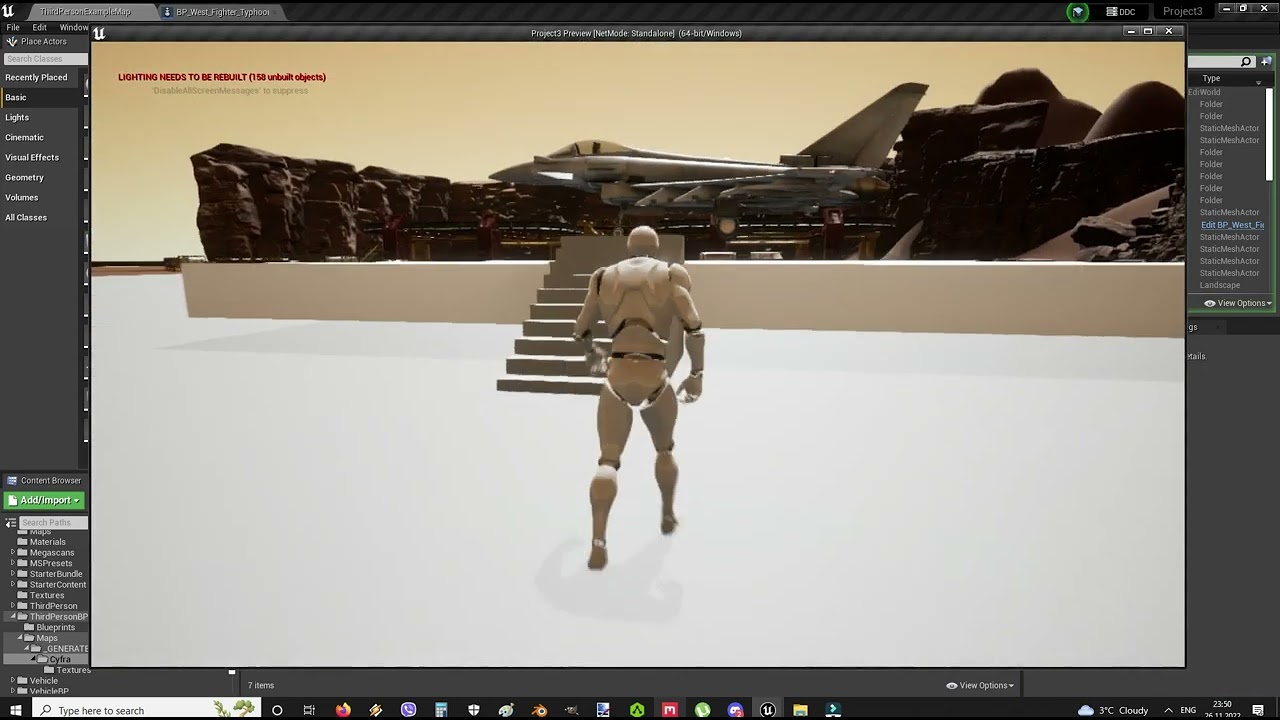
I turned the collision display mode, there is nothing from the outside to prevent the flight, but still, when I gain altitude, the plane crashes into something
 silver agate
mystic barn
Hello. I would like my materials in my level to match how they appear in their m...
silver agate
mystic barn
Hello. I would like my materials in my level to match how they appear in their m...
I'm no expert at all, but i see you have a Sky light, Directional Light and a Postporcess material. maybe make a new empty level, with only 1 directional light, and your object, see how that goes?
mystic barn
silver agate
I'm no expert at all, but i see you have a Sky light, Directional Light and a Po...
I appreciate the attempt! I've attempted with just a directional light and object and the shadows are harsher and the colors are even more desaturated. It behaves more realistically (the lighting) but it isn't the stylized, vibrant colors I am going for.
The Sky Light and post process material gets it closer, as does tampering with tonemapping in the world settings and changing some of the properties in the project settings for rendering, but its very much hit or miss. I'd be less worried about tampering with the project settings if I knew how to reset it to default if i mess it up.
(There's a lot of settings to try and remember which I tweaked)
silver agate
mystic barn
I appreciate the attempt! I've attempted with just a directional light and objec...
I see, yeah i had kind of the same, but for a cinematic. I made the big mistake by lighting and texturing everything, and then setup my camera in the end. So then i had to got back and adjust all my lights etc. because the camera reacted very different, than the in-editor work camera so to say
 pastel latch
Y'all, I need help.... I tried to move some folders with BPs and assets to new subfolders, but UE4 did not delete the original folders (the assets were not inside, just an empty folder in the browser).
So when I try to go and delete these empty folders, I get an error saying I am deleting object redirector assets
With a force delete option
silver agate
@pastel latch hmm not sure, but i always hit this one when im restructuring things:
 pallid olive
hi guys quick question everytime i have to set asset editor open location to mainwindow and when i reopen the project it goes back to default
many other things are set to default if i reopen project, any suggestions ?
 latent sonnet
Hey there. I simply want to have a string of actors along a spline for the player to collect. Anyone know how to do this?
 plush yew
latent sonnet
Hey there. I simply want to have a string of actors along a spline for the playe...
plush yew
latent sonnet
Hey there. I simply want to have a string of actors along a spline for the playe...
Hey. You could use Get Location at Time and Spawn Actor From Class.
 main tulip
How do you deselect a layer in Unreal Engine? I want to deselect Post Process Volume so it doesn't get deleted. I am a beginner so I literally don't know how to do the simple things
 plush yew
main tulip
How do you deselect a layer in Unreal Engine? I want to deselect Post Process Vo...
plush yew
main tulip
How do you deselect a layer in Unreal Engine? I want to deselect Post Process Vo...
Ctrl + Left mouse
main tulip
plush yew
Ctrl + Left mouse
I tried that but it doesn't work.
It seems like every time I get help, the opposite happens
silver agate
main tulip
It seems like every time I get help, the opposite happens
Simple property types such as numeric boxes and spinners, text boxes, checkboxes, radio buttons, and comboboxes.
main tulip
I figured it out, It was Command+Left click
I tried that the first time and it wasn't working. Unreal engine fraustrating
silver agate
main tulip
I figured it out, It was Command+Left click
that same control will work cross platform, like ctrl+v and ctrl+c
main tulip
silver agate
that same control will work cross platform, like ctrl+v and ctrl+c
Yeah Control+Left click was not working for me for some reason
 knotty owl
Unable to load plugin 'OnlineSubsystemSteam'. Aborting.
getting this when trying to open a packaged build
wild crag
You can't open a packaged build
oh, when I inititally read this, I read it more as in, you were trying to open someone else's packaged project in editor
not when your packaged project is loaded it results in that, not sure actually
drowsy snow
knotty owl
Unable to load plugin 'OnlineSubsystemSteam'. Aborting.
Maybe the plugin is disabled in the project? There are handful of mandatory plugins, I think online subsys is one of them
knotty owl
i've noticed something weird
when i enable advanced steam sessions and package my game
it skips the build command
 urban sapphire
Hey, I've just got a new laptop. These are the specs, do you think it will be able to run ue4 smoothly enough?

 oak patio
urban sapphire
Hey, I've just got a new laptop. These are the specs, do you think it will be ab...
oak patio
urban sapphire
Hey, I've just got a new laptop. These are the specs, do you think it will be ab...
what gpu does it have
wild crag
urban sapphire
Hey, I've just got a new laptop. These are the specs, do you think it will be ab...
No definitely need a better one, even though you clearly just bought it

urban sapphire
wild crag
No definitely need a better one, even though you clearly just bought it
oh...
urban sapphire
wild crag
No definitely need a better one, even though you clearly just bought it
hate to bother you but... what pc would you reccomend? hopefully in the price range around 1200-1400...
 grim raft
how do i fix theses dark walls

Light radius is big enough to reach the last wall, but side walls are getting that weird darkening effect
main tulip
Why is my rectangle light not working? It doesn't light up
wild crag
urban sapphire
hate to bother you but... what pc would you reccomend? hopefully in the price ra...
I was joking but for that price range and for a laptop https://www.amazon.com/gp/product/B09127DDVT/ref=ppx_yo_dt_b_search_asin_title?ie=UTF8&psc=1

MSI Pulse GL66: 15.6" 144Hz 3ms FHD Gaming Laptop Intel Core i7-11800H RTX3070 16GB 512GBNVMe SSD Win10. GPU is 85W.
I actually have this one myself, and it stays cool which is great for gaming laptops
also seems like the better cpu option for the link above is only 7 usd more rn, maybe some sale stuff but def worth the 7 usd
grim raft
main tulip
Why is my rectangle light not working? It doesn't light up
so, do i do
main tulip
grim raft
so, do i do
Your having the same issue?
grim raft
main tulip
Your having the same issue?
is this your issue:

 blazing drum
Was hoping someone could explain to me how this happens and why. Any tip appreciated, been at it for some time now. This project uses the Monolag asset "MRPGv2" so I'm going to try and ask the question without referencing the Custom Events and such that it uses. Basically I am trying to simulate just "knocking out" a character and then having them "wake up" after so many seconds. To do this I used copies of the npc death code with my own bool check to split a KO from a KILL. On a KO the only bits I used were Simulate Physics, Add Impulse To Bone [used pelvis bone], and the Pause Animation bool to drop the body in place on KO like in death but without any of the code that "kills" the NPC. All of that works fine.
The issue is when the montage to "get up" plays and the NPC stands. The animation is playing right and the NPC resumes their aim and at rest stances, but it seems like the mesh rotation is whacked somehow. This is the stumper for me...there were some before and after differences but you can see that this will (should?) occur a little because of the rotated position of the knocked out mesh before wakeup. I would appreciate any nugget of wisdom as to how this may have happened so I can better understand what I seem to have broken and set it right...
 earnest robin
Who can tell me how to solve the following problem: I made an animation in blender, I wanted to transfer it to UE4, but this tab (screen) is shown when transferring, and when I try to import, the engine reports errors and writes "mesh contains default bone as root but animation doesn't contain the root track" . How to solve this problem and transfer the animation?
Is there any tutorial? Game - first person view.

 unique knot
earnest robin
Who can tell me how to solve the following problem: I made an animation in blend...
unique knot
earnest robin
Who can tell me how to solve the following problem: I made an animation in blend...
Hey I had this problem once
You have to name your root bone "root" in blender
Or make another root bone named root to put everything on
 sleek fable
Hello guys I have a question about materials, I have this Master material for our characters, it has emissive, dynamic patterns, invisibility, elemental effects etc.. Every time I want to change my effect I need to create a new dynamic material instance so which one is more proper, creating different materials for each effect and set this material for the character or using single master material and create effect functions in it and changing parameters only, thx in advance
 rich girder
Hi guys. Is it possible to implement PayKickstart Licensing API (https://docs.paykickstart.com/#licensing) into UE4? If it is, how do I learn to do it? Where do I start?
 cursive sky
How come animations I import to ALSv4 project aren’t working when I try to use them, the look fine when watching in the editor but at runtime they don’t play
 lethal oyster
If I were to make a 2D gun sprite bob as I move (I'm using Blueprints BTW), how would I do that with something like a Timeline? I'm developing a boomer shooter, inspired by games like Doom and Blood. I tried using sequence player, but it's experimental so it works half the time.
Mind you I am not using a skeleton mesh or spring arm considering it's a 2.5D FPS
drowsy snow
lethal oyster
If I were to make a 2D gun sprite bob as I move (I'm using Blueprints BTW), how ...
If you're not using temporal AA, you could do the bobbing in materials, and adjust the value with exposed scalar material (or in material parameter collection)
lethal oyster
drowsy snow
If you're not using temporal AA, you could do the bobbing in materials, and adju...
That sounds interesting, I'm new to UE4 so I'm not too familiar with what you're saying, could you provide a screenshot or something?
silver agate
Is there a thing like Mixamo, but for MetaHumans face expressions?
lethal oyster
So I created a world position offset in the event graph targeted to my pistol flipbook or am I supposed to be in the view port/materials section of my pistol?
drowsy snow
lethal oyster
So I created a world position offset in the event graph targeted to my pistol fl...
In the material graph
Ideally you want to put the bobbing WPO code into a material function
lethal oyster
drowsy snow
In the material graph
Ideally you want to put the bobbing WPO code into a materi...
I understand now, thank you, I've spent nearly 2 weeks trying to figure this out. I'm tweaking the material expression scalar parameter values as you said. The gun bobs, but it vanishes in and out when I move. What values do you recommend?
lethal oyster
drowsy snow
In the material graph
Ideally you want to put the bobbing WPO code into a materi...
 lethal oyster
Okay, so when I pick my pistol up, it clips in and out depending on what direction I am looking, what could be the problem?
magic helm
Is there a solution to the mouse cursor escaping in fullscreen mode? Apparently it's a common problem?
lethal oyster
Okay, so after placing the vector parameter and transform vector in the material graph, and editing the RGB values, the gun doesn't bob.
lethal oyster
I'm not sure I quite understand, I'm editing the RGB values but my weapon remains static, how do I make it bob? I was using the Scalar Parameter and that worked, but it was wild and clipped on and off when I turned in a different direction.
magic helm
What happens if I don't build lighting? Will it just package the game in it's current state?
autumn flame
I imagine it builds it when you package
lethal oyster
Okay, thanks for the help 🙂
 vocal rune
what console command shows you how many skeletal meshes are loaded into memory at start/
?
 rough olive
why is the animation invisble when i import the fbx?

 gleaming linden
Timer vs Event tick for turret projections of bullets
rotund sorrel
How to make a pawn go trough doors, but not floor and walls
pallid olive
Is orbital market url offline
pallid olive
rotund sorrel
How to make a pawn go trough doors, but not floor and walls
Maybe set collision of the door too ignore pawn
rotund sorrel
pallid olive
Maybe set collision of the door too ignore pawn
I made a custom type for the Door so the door normally blocks pawns. But the pawn i'm interesed in ignores doors
 slow hornet

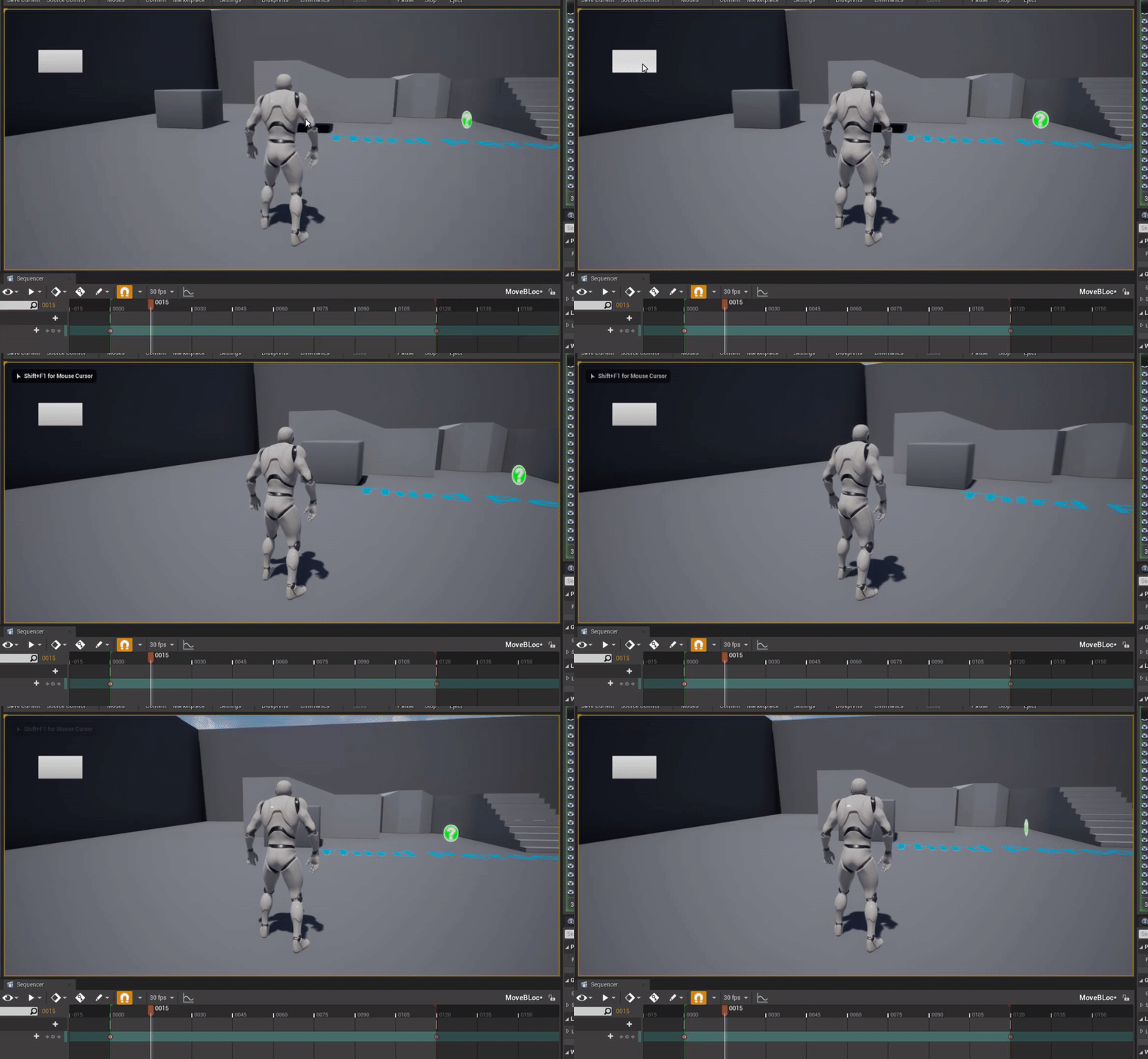
 gloomy crystal
So I got a command console for gotham knights and one of the console commands is "Summon [Class Actor]" anyone know what would be an example of that or where I would be able to find a list of this? I don't even know if this is even a command to be spawning/ summoning npcs in front of me
oak patio
gloomy crystal
So I got a command console for gotham knights and one of the console commands is...
This isnt really the place for discussing console commands in games
We are more focused around creating products here
plush yew
Why is my model big after importing but when i put it's animation on it gets super small
plush yew
Well i half fixed it, the scale is constant now but switching to the animation moves the model downwards.
drowsy snow
plush yew
Why is my model big after importing but when i put it's animation on it gets sup...
Blender?
plush yew
Yeah
drowsy snow
Make sure the unit scaling is set to 0.01, and scale everything up 100x (and apply it) compensate for it
plush yew
Seemed to have fixed it somehow, think i was setting the armature up wrong.
 peak hare
@rough olive possibly makoto advice is relevant to you as well
 nimble dragon
Hello, I keep getting this error everytime I try to open a project
How do I fix it?
 earnest robin
Who faced the same problem when transferring animation from blender: "FAILED TO MERGE BONES:
This could happen if significant hierarchical changes have been made
e.g. inserting a bone between nodes.
Would you like to regenerate the Skeleton from this mesh?
WARNING: THIS MAY INVALIDATE OR REQUIRE RECOMPRESSION OF ANIMATION DATA."
How did they decide?
drowsy snow
earnest robin
Who faced the same problem when transferring animation from blender: "FAILED TO ...
This happens if the bone name hierarchy is shifted. You can omit bones from your model or add new ones, as long as the hierarchy of the other bones stay intact.
 fast bobcat
I just reinstalled my windows and got a few projects for my UE, are there any way i can load them into the 'my projects' tab faster than opening them all one by one?
marble iris
how can I create input actions for ui?
drowsy snow
marble iris
how can I create input actions for ui?
If you're using the built in focus system you're going to need a little bit of C++, but it's not super hard to implement
https://dev.epicgames.com/community/snippets/7Wy/custom-remappable-slate-navigation-config
Epic Developer Community
Custom UE4 Slate navigation, customisable with input action mapping (Project Settings -> Input)
This will make use of the existing input action system
marble iris
drowsy snow
If you're using the built in focus system you're going to need a little bit of C...
And this will automatically apply to all widgets?
drowsy snow
marble iris
And this will automatically apply to all widgets?
As long as you use the focus functions, yeah
marble iris
Alright thanks
 limber pebble
Can someone help? Whenever I try to simulate physics with this pawn the collision doesn't not allow it.
 earnest robin
drowsy snow
This happens if the bone name hierarchy is shifted. You can omit bones from your...
earnest robin
drowsy snow
This happens if the bone name hierarchy is shifted. You can omit bones from your...
Thanks
 spring abyss
Hey Guys how to create - Buying a thing( cloth) from shop and adding it to inventory?
exotic elbow
Where can I find this menu?

Thanks!
Everything is explained here: https://docs.unrealengine.com/4.27/en-US/Resources/SampleGames/ShooterGame/
Documentation for the C++ example game project ShooterGame
 azure shore

azure shore
spring abyss
Hey Guys how to create - Buying a thing( cloth) from shop and adding it to inven...
well that very much depends on what step youre at
limber pebble
spring abyss
Hey Guys how to create - Buying a thing( cloth) from shop and adding it to inven...
In this video I teach you how to create your very own inventory system. I also give you the choice to download it for free
★ Come join the Team Beard Discord: https://discord.com/invite/hhv4qBs ★
⚜️Check out my Marketplace Asset ⚜️
🗡️ Mele 🗡️ https://www.unrealengine.com/marketplace/en-US/product/flexible-combat-system
🏹 Ranged - https://www...
night birch
Hi, is this possible to export whole character's mesh with other meshes attached(e.g. clothing) as FBX at runtime?
marble iris
... @drowsy snow is there anyway I can close the ui without having to implement a game instance via C++?
I literally just want to close the ui
but it consumes the players input (obviously)
 long garnet
Hi everyone!
Does anyone think it is possible to achieve something like Unity's CCD in unreal? Essentially, what I would like is, to let my players be able to download their avatar models from cloud and play as them so that I don't have to include all avatars in my packaged game.
drowsy snow
long garnet
Hi everyone!
Does anyone think it is possible to achieve something like Unity's ...
You could implement Assimp (yes that's the real name) for importing models at runtime, but it's not built in
long garnet
drowsy snow
You could implement Assimp (yes that's the real name) for importing models at ru...
great I will look into it and see what I can learn, thank you
marble iris
@drowsy snow
drowsy snow
marble iris
... <@325627930484932608> is there anyway I can close the ui without having to ...
Depends on what other workaround you want to go with
marble iris
drowsy snow
Depends on what other workaround you want to go with
examples?
rn I am setting input mode ui only
drowsy snow
marble iris
examples?
With the C++ code I made snippet off of, it's the matter of binding the back event to remove from parent the widget
(though GC with that in BP can be quite iffy)
limber pebble
Anyone know why physics doesn't work when I have complex collision on a static mesh?
 faint bone
I have problem in casting. when casting it is showing twice. I have checked content folder there is only one pawn. I can't understand this bug.

 rain badger
Looking for opinions:
After defeating enemies, you receive money/score. However, one of the enemy types is a 'mine' (so if you trigger it, it will chase you until you destroy it or it gets you, blows up, and damages you).
I am wondering what you think would be better for the player and their experience as to whether or not they get money/score from the mine enemy when they get hit by it?
 steel leaf
Do you think it's better to have a bad translation in a specific language using an online translator or no translation in this language ?
fierce tulip
i think that depends on the kind of game and how funny the translation ends up being. but iirc there is at least one gdc video about it.
steel leaf
It's a pretty simple game, nothing text based / stories
steel leaf
fierce tulip
i think that depends on the kind of game and how funny the translation ends up b...
I'll search for the video
thank you !
drowsy snow
steel leaf
Do you think it's better to have a bad translation in a specific language using ...
Depends on how accurate the translation you want it to be. GT is not accurate, but you can use it to comedic effects.
steel leaf
drowsy snow
Depends on how accurate the translation you want it to be. GT is not accurate, b...
I don't want it to be funny but it won't be a real issue if it is (the game isn't very serious), and yeah GT is kinda bad I would use DeepL
drowsy snow
If you want to be accurate, do consider hiring a translator.
steel leaf
drowsy snow
If you want to be accurate, do consider hiring a translator.
I'm not planning on spending money for this game that's why I asked if having a bad translation is still better than english
but yeah if my translations doesn't make sense it's better not to have anything
drowsy snow
IMHO just having it on English is far more tolerable. Bad translation will put off native speakers.
I know because I had to witness one in my native language, a game that's shoddily translated. Not exactly GT, but it's cringe worthy with awful wordings and unnecessary text emojis.
steel leaf
drowsy snow
IMHO just having it on English is far more tolerable. Bad translation will put o...
Okay yeah that's understandable and that's less work to do, thank you!!
real heath
Yeah while Google translate is okayish with sentences, UI's tend to have lots of single words or phrases with no context. I would imagine that trips up automatic translations big time
fierce tulip
in saints row 1 you could get a blunt. which is slang for youknowwhat.
the dutch translation turned it (when translated to english again) into a blunt weapon.
not sure what that dutch translator was smoking, but it wasnt that XD
 jade hemlock
Hey..How can I have nav mesh on wall to my AI walk on Wall?
 deft sparrow
Is there a way to do a search in content browser along the lines of "all assets in this folder with reference to X uasset"?
I can filter in reference viewer by the path name but you can't make a collection with just your selected nodes (which seems an oversight) so I can't make a collection with my filtered list of referencers.
 inner mesa
Hello. I haven’t started with unreal engine yet. I have only done unity but from my research I see a lot of people using blueprints for unreal engine. Doesnt unreal engine use c++? Why are so many people using blueprints isn’t actual scripting better? I have always been skeptical about visual scripting but I’m starting to think maybe it is not as bad as I used to think.
inner mesa
Thanks. The article helped a lot.
 smoky timber
Hey there guys! I'm getting this issue: " LowLevelFatalError [File:Unknown] [Line: 2915] RecastNavMesh
RecastNavMesh-Default was found in memory and is an export but does not have all load flags" and the game crashes after I die (packaged version). Anyone got any idea?
 spare kernel
whats the console command to dump loaded assets
i am mind blanked right now, and not on my work pc
plush yew
anyone know if unreal supports animatedpng. files?
fierce tulip
not out of the box. i think there is a plugin of sorts that can handle animated file formats.
 glad eagle
Just had a quick in case anyone knows, volumetric clouds are practically washing my shadows out to the point they are not visible. im wondering if theres any particular setting where i can make them not impact the lighting of my scene
drowsy snow
glad eagle
Just had a quick in case anyone knows, volumetric clouds are practically washing...
You can disable cloud casting shadows in the volumetric cloud actor itself, if not on the directional light
west merlin
Is there not a 'remove action' to go along with remove action mapping? Can't find a way to remove the entire action when it's not longer used in a project
Once the input action map is removed, it has no binding, but can't find a way to remove the action altogether when resetting the keybinds
spare trench
marble iris
ask your friends to tell their friends to tell their friends
Will this help to recommend my game to other playstore users and getting my game on top when searched?
drowsy snow
spare trench
Will this help to recommend my game to other playstore users and getting my game...
It won't be on top but at least you got some downloads
marble iris
probably not, you'll realistically have to pay for advertising unless you have some god tier idea and get exposed by youtubers
drowsy snow
marble iris
probably not, you'll realistically have to pay for advertising unless you have s...
||RAID Shadow Legends||
Consider that top mobile games have very aggressive advertising and/or alluring waifus
 mighty copper
Not sure if anyone knows but for UE4 for there was a content example which shows a metal ball you can heat up with a flame thrower and cool down with water? as well as a wood ball you could burn and catch on fire and put out with water? Does anyone else remember this? and which one it is?
fierce tulip
kinda sounds like something that happened in the UDK release video.
oak patio
spare trench
Which platform will be best to display advertisment on?
Before that, realistically what is your advertising budget. If it cannot be quite high it probably won't be worth running ads
 glacial yarrow
Hey, does anyone know if Instanced static meshes support culling in 4.27?
 opal walrus
I don't think so
I know hierarchical instanced static meshes support distance culling though
spare trench
oak patio
Before that, realistically what is your advertising budget. If it cannot be quit...
500 Rs (6.16 $). Bro I am poor🥲
spare trench
oak patio
Before that, realistically what is your advertising budget. If it cannot be quit...
Will an't it worth even 10 downloads with this budget?
drowsy snow
spare trench
500 Rs (6.16 $). Bro I am poor🥲
And you think mobile games is cheap and profitable

Well, profitable, maybe, but you'd need agressive marketing prior and after release.
Otherwise not many people will download it, let alone buying a microtransaction.
Consider that Genshin Impact is backed by agressive marketing and following from miHoYo's prior game Honkai Impact. Not to mention the characters give enough incentive to gamble for.
Similar goes to other hit mobile games like Arknights, Call of Duty/PUBG Mobile, etc.
oak patio
spare trench
Will an't it worth even 10 downloads with this budget?
You might get 10 impressions but that doesn't mean 10 downloads
Advertising costs thousands
$6 worth of ads is not worth your time honestly, it won't even get you a full day