#ue4-general
1 messages · Page 11 of 1
 drowsy snow
 plush yew
u mean arguments or bad game release?
anyways, cant you all see game dev is going down the drain.
i miss old days of gaming.
drowsy snow
Unreal Engine can make anything you can imagine, if you want to put in the effort. Competent and dedicated developer will be able to make good games with it, and vice versa.
Not to defend Gotham Knights or anything, I heard defending it is now associated with psychopathic mental disorders. But that's not my point.
 oak patio
the engine is just a tool. it does not define the quality of the game, the developer does.
even more on that, it's an open source tool. if there is a limitation for your specific use case, you can extend around it and modify it.
gotham knights being a bad game is nothing to do with ue. its to do with it being a bad game (so i've heard)
drowsy snow
Well, "pseudo open source", it's source available and not adhering to true open source nature, but it's available for public licensees
 final oak
Hi guys, does anyone know how to disable temporal anti aliasing, for some reason it is still enabled in game although I disabled Post Processing and Anti-aliasing in the Project settings. Disabling it ingame through the console
works fine 🤔
drowsy snow
final oak
Hi guys, does anyone know how to disable temporal anti aliasing, for some reason...
r.AntiAliasingMethod set to 0 should disable it completely
final oak
for some reason that does nothing 😕
final oak
ok nvm I am stupid, my issue wasn't caused by taa it was primary spatial upscale 🤦♂️
thank you anyways 😌
drowsy snow
final oak
ok nvm I am stupid, my issue wasn't caused by taa it was primary spatial upscale...
FSR?
 tight crystal
hello does anybody know how to replicate in blueprints if so could you please help me replicate my inventory system tomorrow. i followed a video to make it but they dont say how i could equip and use a weapon it was only moving droping and picking up so if you could help try make a use function to that would be much appreciated i know im asking for a lot sorry (picking up and moving is already replicated)🙏 👍

Support the channel through donations. Crypto accepted!
PayPal: https://paypal.me/reidschannel?locale.x=en_US
Patreon: https://www.patreon.com/reidschannel
Bitcoin: 1JFwWHr4X6uAeoZadukzqKjzFBj3Qjy7Sk
Ethereum: 0x2B2Bc108F1Cc0fF899959dEF3226637787d8C3dE
Dogecoin: DNQ33YnhpWoTBokBNVkZP5ub8KTLkpyjpv
Join our community discord!
Discord: https://dis...
 plain owl
when you looked at the clock an hour ago and it was 1 am
and you look now and its 1:05am
damn sneaky daylight saving
final oak
drowsy snow
FSR?
https://docs.unrealengine.com/4.27/en-US/RenderingAndGraphics/ScreenPercentage/ I just found out that Unreal has its own version of that, usually I never noticed much issues, but for some reason today my engine scalability was set to low causing the game to render at a lower screen resolution and thus supersampling it up making everything look terrible (I am working on a pixelart game) 😅

An overview of using Screen Percentage with Temporal Upsampling.
my first thought was antialiasing but now everything makes sense
 opal ocean
What would be the best way to handle a huge/expanding list of items? My game will have a lot of crafting and items. I'm currently using a datatable that holds the basic info for each item(name, type, icon, etc) But as I expand the list its going to become a pain to manage... is there a better way? Asking here cause my google-fu seems to be lacking. Also using ue5, but not sure if there's features there that would help
Watching a vid about AssetManager, data assets... Would data assets be feasible for having 100s of items?
 static viper
@opal ocean SQL
 white hinge
greetings , anyone know how to cancel Key input Z when glide or disable the play montage ?
 opal ocean
static viper
<@345642068527415308> SQL
opal ocean
static viper
<@345642068527415308> SQL
I think SQL would be way overkill, unless I think I'm going to end up with 1000s... but I've been playing with data assets, and its looking good so far for what I need/want. Need to learn a bit more about them, but going good
static viper
opal ocean
I think SQL would be way overkill, unless I think I'm going to end up with 1000s...
yes
but 100 items or 1000 isnt overkill for datatables...
opal ocean
no, its mostly organisation/readability for me. my main item table would have every material, weapon, tool, player equipment, potion, buildable object... in one table, which even after a couple dozen becomes troublesome
static viper
you can make multiple...
i coded my system to be able to use multiple data tables
for item types
i didnt mean it like that 😄
its just
its ok to have multiple
opal ocean
but how do you handle knowing which data table to pull the data from?
opal ocean
hm
my inventory is a map, itemName/itemStruct. the name in a map is so I can quickly/easily search for the specific item, the struct just has quantity and I think itemtype

 gray zinc
no, It only happens when trying to modify curve
 fierce tulip
we do not allow conversations related to game unpacking/modding on this server.
Try to find that games modding community.
 main moon
fierce tulip
we do not allow conversations related to game unpacking/modding on this server.
...
main moon
fierce tulip
we do not allow conversations related to game unpacking/modding on this server.
...
Oh does that count as piracy? I didn’t see anything explicitly mentioning that in the rules so I assumed it was allowed
fierce tulip
its more that most studios/companies do not allow for modding their games, and as we are endorsed by epic, we do not want to step on anybodies toes
but yea, also the potential of ripping assets has to do with it
main moon
I see, I didn’t know this server was endorsed by Epic
Regardless I figured out the issue
fierce tulip
good :)
 dark venture
Hi! I'm kind of a beginner in unreal engine and I have a question. When I click left mouse button I can play the attack animation but my character is still able to move during the attack and I don't want it to be able to move during the attack animation how can I do this? I don't want to use blueprints by the way I would be happy if you can show me an example or tell me how to do it with c++
drowsy snow
dark venture
Hi! I'm kind of a beginner in unreal engine and I have a question. When I click ...
Assuming you're also avoiding anim BP and the anim graph for some reason (which in turn nullifying montages), change the CMC's movement mode to None for fixed duration or use anim notify class in your animation sequence
Btw CMC = CharMoveComp
 regal mulch
Avoiding AnimBP :D uff
plush yew
Help! I have a game jam deadline later today, and suddenly my AI is not working!! I'm new to working with AI so I'm still not 100% on how to fix things when they go wrong... Can someone please help me to trouble shoot? I can get in a voice chat and share my screen....
opal ocean
@plush yew I'm unlikely able to help myself, but we need more info. Whats it not doing? are there errors? whats it supposed to be doing? Also, if its AI related, there is an #gameplay-ai channel
plush yew
Sorry, the AI character is supposed to be patroling. I have patrol points set, and the AI should walk to them, wait a couple of seconds, then move to the next. If it sees the player, then it should chase and attack. Right now the AI just stands there not patrolling, and if I get close enough to him, he will attack me.
I also did not see the AI channel...thank you.
drowsy snow
Inb4 no answer until the deadline just passed for a few minutes
Would be funny but cruel, or the other way around depending on how you look at it.
opal ocean
thats how it usually goes. helped him in the ai channel, turns out somebody moved the navmesh on him, so easy fix
 dry vessel
Hi everyone, we’re working on a solution that compiles shaders 30x faster than most machines. If you’re interested in this solution, can you please provide your valuable feedback through this google form? Appreciate your help in advance
https://forms.gle/PQqDD72yfzMjuJQV9
About us: We’re Vimobin Labs, a deep tech company working on tools around making your UE workflow easy and manageable. We also run Metadesk a service that allows UE to run in the cloud with a simple 2 step access.

 gentle wyvern
Hi, I am new too Unreal and got stuck working on a project. So essentially my problem I think has to do with an object reference not connecting to the widget object input, like I want to.
So I have a "VegetablesWidget" Blueprint, see image "VegetablesW.png, a "Vegetable" Blueprint, see "VegetableBP.PNG", and a ItemsHolder Blueprint. In the Vegetable Blueprint I cast to the ItemsHolder Blueprint to get its variable, and that seems to work fine in the Vegetable Blueprint. The problem however occurs when I take the "AsItemHolder" in the Cast to ItemsHolder reference (see image VegetableBP) and connect to the "Create VegetableWidget". Because then, in the VegetablesWidget Blueprint (see image VegetablesW.png) I create an Actor Object variable called "ItemsHolderTest" which should represent the object taken in to the Create VegetableWidget. But this does not work, I have put in a "?is valid" and it print out is not valid.
So my question is if this is fixable or if I have to search for another solution. Thanks in advance!


 silk flare
how exactly should I use github with ue4?
I was using for a while, all good
then I build the project...
and suddenly I can't push into the repository cuz it's too big ( 8GB )
is this to be expected or am I doing something wrong?
I expect this game to get pretty big later
~50 GB
so I think I'll go for the LFS
uhhh
now I can't tell what LFS even is

Git Large File Storage
Git Large File Storage (LFS) replaces large files such as audio samples, videos, datasets, and graphics with text pointers inside Git, while storing the file contents on a remote server like GitHub.com or GitHub Enterprise.
here it says it's opensource and I see no price anywhere
 spice ruin
LFS is an addon to git that adds limited history and outside-of-repo-server storage for large files.
spice ruin
So all your code goes on your nice expensive server and your large files get only a few versions in their history and go on mega cheap arse server.
Correct. It's just an addon to git.
spice ruin
Np
opal ocean
With Data Assets, do I have to add each type of PrimaryDataAsset to the AssetManager? Will they not work if I dont?
I'm in the process of changing over my inventory system, For example, a pickup has a data asset reference to tell it what type of item it is. it changes the mesh/etc from that data asset info. When the player picks it up, it converts that data asset to a soft reference and it gets added to the inventory array (a map of dataasset/quantity)
 violet yoke
Guys I have some trouble making my side scroller movement feel as responsive as the one from Hollow Knight
The player doesnt change movement direction immediately, its hard to change direction mid air, basically everything feels heavy
I actually solved this by setting the max acceleration to a high value
 candid steeple
Hollow Knight is likely manipulating velocity directly. I don’t think it had any physics interaction which would clash this
 real stratus
What is the difference between this setting and this setting?

 rotund nimbus
real stratus
What is the difference between this setting and this setting?
rotund nimbus
real stratus
What is the difference between this setting and this setting?
Weather you want to use c++ as base for your project (an programming language), or blueprint (visual programming)
as beginner you should go with blueprint
 fossil nexus
is it really necessary to "Build" my project. Can i just package it? Its messing up all the lights, and is giving me some weird errors. Before building lights everything is looking great as is
real stratus
I'm interested in more details. Because I couldn't find any information.
But if I create a project using Blueprints, then for example I cannot compile the project using Visual Studio.
rotund nimbus
real stratus
I'm interested in more details. Because I couldn't find any information.
But if ...
no you absolutely can use c++ inside your project hence you can combine c++ with blueprint for a satisfying result
real stratus
Does it also mean that I can't use Blueprints if I create a project with a C++ feature? What do I lose from blueprints?
rotund nimbus
real stratus
Does it also mean that I can't use Blueprints if I create a project with a C++ f...
no you can
rotund nimbus
real stratus
I'm interested in more details. Because I couldn't find any information.
But if ...
if there is c++ unreal will use visual code while packaging your project
real stratus
rotund nimbus
if there is c++ unreal will use visual code while packaging your project
Please reformulate, I correctly understood that Blueprint will be closed for me?
rotund nimbus
real stratus
Please reformulate, I correctly understood that Blueprint will be closed for me?
Blueprints are nothing but a visible way to understand code..
if you're a beginner go with blueprints settings.. you can still use c++ and visual code inside your project, with the blueprint settings.
real stratus
rotund nimbus
Blueprints are nothing but a visible way to understand code..
if you're a beginn...
I know what a blueprint is, I thought you meant that the ability to use Blueprint would be closed when using C++. (I'm using a translator, sorry)
So what are the differences? Because judging by what you say, there are no differences. I'll show you in a minute why my question was asked and why it matters.
rotund nimbus
"If you choose Blueprint you can still use c++, If you choose C++ you can still use blueprints."
This is how you print a text in c++


and this is same thing in blueprints
real stratus
This is what I get with a blueprint project. Because of this, I can't use the plugin because trying to compile its code without opening Visual Studio results in the project being unable to open.
If you create a project using C++, then Visual Studio opens after selecting this menu.
 real stratus
rotund nimbus
"If you choose Blueprint you can still use c++, If you choose C++ you can still ...
real stratus
rotund nimbus
"If you choose Blueprint you can still use c++, If you choose C++ you can still ...
I understand you, then what is the point of this choice?
rotund nimbus
real stratus
This is what I get with a blueprint project. Because of this, I can't use the pl...
I do not really understand the question here
real stratus
rotund nimbus
I do not really understand the question here
The question is not "What is the difference between Blueprint and C++".
And "What is the difference between choosing these two menus."
Menu. differences in the choice of these two settings. What do I lose if I choose one and what do I lose if I choose the other.
drowsy snow
real stratus
The question is not "What is the difference between Blueprint and C++".
And "Wha...
You don't lose much.
You can start with BP project and add C++ code down the line
However, building UE plugins from GitHub require at least a C++ class in your project
rotund nimbus
C++ and Blueprints have same function. C++ is a programming language, blueprints are an easier to understand form of c++.,
There will be no difference you'll have same libraries and stuff in both. Just you'll have to Code every thing up if you choose c++.,
No disadvantages of blueprint or C++, except blueprint can cause performance issue in a small scale.
(Some plugins like Pixel2d are limited to c++. In that point you can use visual code studio even if you have blueprint project)
real stratus
drowsy snow
You don't lose much.
You can start with BP project and add C++ code down the lin...
By the way, I don't have this button. You do not know what this is connected with?

 real stratus
rotund nimbus
C++ and Blueprints have same function. C++ is a programming language, blueprints...
real stratus
rotund nimbus
C++ and Blueprints have same function. C++ is a programming language, blueprints...
I know the differences C ++ and BP
drowsy snow
real stratus
By the way, I don't have this button. You do not know what this is connected wit...
It has since moved to File -> New C++ Class
 upper igloo
Hey all, I’m looking at making a dynamic camera system, does anything exist out of the box? Similar to Cinemachine for Unity or am I on my own here? Basically a trigger system that can blend between virtual cameras that have their own set of properties that control how that camera views the player.
drowsy snow
upper igloo
Hey all, I’m looking at making a dynamic camera system, does anything exist out ...
Set View Target With Blend?
I don't use Unity ||for 7 years|| so no idea about Cinemachine or whatever
upper igloo
Yeah I know Set View Target but I guess there’s nothing more built on top of that - will roll my own
real stratus
Okay thanks for the replies. I don't see any difference now, because I can create a C++ class.
But what is the difference in functionality is still not clear. More precisely, I don’t need it anymore, rather it’s just a curiosity.
drowsy snow
real stratus
Okay thanks for the replies. I don't see any difference now, because I can creat...
Not much, besides a starting point. One might want to have BP only project all the way, or one might have a change of mind (or hired a programmer)
real stratus
I understand it's a strange setting. :\
It's just that I just migrated from Unity a day ago. There, such a setting changes several important things. (This is not a stone in the garden of UE, Unity is bullshit)
real stratus
Thank you, to be honest, for now I'm looking at UE and it feels like .. "This is made by people, for people." Yesterday I did not sleep for almost a day studying the videos and the interface. The only thing that took me almost the second day was some kind of code compilation and plugin compilation. I have a feeling that I haven't installed something important, some part of the C++ library.
Oh well, thanks, that's the important part.
 eternal rain
If I'm making a game with both First person and 3rd person segments, am I better off toggling from one camera to another, or switching Player actors?
drowsy snow
eternal rain
If I'm making a game with both First person and 3rd person segments, am I better...
The former.
eternal rain
thanks
 long garnet
Hello, I have a question regarding hosting my ue server on aws gamelift, where can I post this question?
 covert gale
Hi, I am using the default plugin for web browser but it doesn't seem to work fine in case of webpages built with CSS libraries such as tailwind, etc. From what I have understood, it is still experimental and not stable. Are there any work arounds for this or any other plugins for rendering web pages on a canvas in UE4?
covert gale
long garnet
Hello, I have a question regarding hosting my ue server on aws gamelift, where c...
you can post it here #multiplayer
long garnet
Thank you @covert gale
fossil nexus
my game has 1 feature that is related to a line by trace and a score that is not working after i Package the game. Any clue why this is happening? How can i find out what the problem is if its working well in the project before package?
 thin tendon
fossil nexus
my game has 1 feature that is related to a line by trace and a score that is not...
thin tendon
fossil nexus
my game has 1 feature that is related to a line by trace and a score that is not...
Problems like this can be tricky to solve. Especially cause you can't print string in a packaged version. A trick that I like to use. I create a widget that displays text. I call mine (TestWidget). Then I will breadcrumb my code. Changing the text at various parts through out my blueprint code. So I can see how far it gets and if certain things are valid.
fossil nexus
thin tendon
Problems like this can be tricky to solve. Especially cause you can't print stri...
thank you. thats a great idea. though in my situation using the development package option its also printing after packaged. so i will use this for now.
its just weird that it works in the editor, but then after package for some reason it doesnt work
covert gale
covert gale
Hi, I am using the default plugin for web browser but it doesn't seem to work fi...
Hi, does anyone know about this?
drowsy snow
covert gale
Hi, does anyone know about this?
In most cases embedding browser in UE is futile.
 pallid olive
hi if you have 2 widgets and want to read variables from each other
do you need to cast to the umg?
it asks for a object wildcard if you cast to the widget what should be put here
 dusty marsh
Does anyone know what's causing this crash?
pallid olive
maybe this Failed to load /Game/OfficeScene/Meshes/Phone/Material.Material Referenced by uploads_files_631702_smartphone
[2022.10.31-09.21.08:738][ 0]LogLinker: Warning: While loading '../../../../../../Documents/Helen/Helen/Content/ImportedAssets/Phone/uploads_files_631702_smartphone.uasset' failed to load '/Game/OfficeScene/Meshes/Phone/Material_001': Can't find file.
thin tendon
pallid olive
it asks for a object wildcard if you cast to the widget what should be put here
An example of the way you would handle something like this. Using a reference to your player drag out get HUD > drag out again and get the desired widget. Or something to that effect depending on what actor has the widget and what it is a child of.
dusty marsh
Hm okay, can it be just as easy as deleting that asset?
thin tendon
dusty marsh
Hm okay, can it be just as easy as deleting that asset?
The guys in #cpp are the best guys to ask questions like that. But from what I can see those errors are because it is trying to locate .dll files that do not exist.
dusty marsh
Ah okay, and that's so strange because I haven't deleted anything, I don't understand why they would suddenly not exist
pallid olive
thin tendon
The guys in <#221799439008923648> are the best guys to ask questions like that. ...
Get player controller > Cast to desired widget ?
thin tendon
pallid olive
Get player controller > Cast to desired widget ?
Well no mate. Because the player controller is not a widget. The object when casting needs to be a reference to the object you are trying to cast to. So if you are casting to FPS character. You want a reference to an FPS character object. Casting is like saying as this guy run the code for his type.
pallid olive
yea i know, but widget is not a actor so was curious what object reference it needed, but will look into forums
what if you make a variable in Widget B that is widget A
but it can read the variables if you have Widget variable of A inside B ?
thin tendon
@pallid olive Here is an example of a cast. I get the player controller. Then cast to my menu's player controller. So it knows to treat controller 0 as a menu controller. Then I save a reference as a menu controller to use later. Then to make sure it is working I use my saved reference to get a reference to my cursor widget. Then tell the rest of my code I am done loading.

 hallow dove
hi there, was wondering if anyone has come across this issue before, and what solutions did they come up with, i have a facebook link that will direct users to my project that is running in a cloud streaming platform, the project needs to run in landscape mode, and works completely fine in all devices apart from ios, for some reason facebook ios web browser does not want to rotate, so the only solution i found is to simple press open in browser on facebook, is there possible another solution to this?
pallid olive
newby questio, if you have a object and use it as refference can you put the reference before you the object and do a ?isvalid node
drowsy snow
pallid olive
newby questio, if you have a object and use it as refference can you put the ref...
Yes, IsValid macro make sure the reference is not pointing to nothing
You could, however, consolidate it with validated get
pallid olive
yea ofcourse, thanks
 steep steeple
Ugh why does unreal decide to load a bunch of random references that have nothing to do with the current blueprint, just from deleting a variable that hasn't even been saved to the blueprint yet?

it just freezes the engine for 10 minuets and for nothing
static viper
its a unreal engine thing
it goes through all the refs
you should restart the engine afterwards
this can happen

 sharp willow
steep steeple
Ugh why does unreal decide to load a bunch of random references that have nothin...
sharp willow
steep steeple
Ugh why does unreal decide to load a bunch of random references that have nothin...
You try writing a perfect asset manager/referencing system!
 ornate hamlet
did you ever find the answer to this?
 ruby robin
ornate hamlet
did you ever find the answer to this?
ruby robin
ornate hamlet
did you ever find the answer to this?
Nope 😦
I ended up using several 2d captures to save some perofmance
ornate hamlet
that is ridiculous, how can an equivalent amount of 2D captures be so much cheaper. Oh well, thanks though
 boreal stirrup
i want to use 'AI move to' to move a vehicle for x location to y location
but it's doesn't work
any suggestions?
 lament star
why does Curve Atlas have to be so buggy, it's so frustrating to work with
spice ruin
What's wrong with it?
lament star
stops updating the changes a lot of times and I have to restart the editor to see them :[
lament star
yeah I hope they do a more stable 4.28 one day that'd be nice
It's just extra frustrating because I get to the point where I spend so much time trying to understand what I did wrong when it turns out I just had to restart Unreal lol
spice ruin
Lol
fierce tulip
welcome to gamedev XD
where your 1h task suddenly becomes a day of debugging, only to find out restarting the engine worked
spice ruin
Turn it off and on again. Always the first solution 😄
fierce tulip
but always the last one to try XD
 grim ore
well yeah because it fixes it and then you don't need to try anymore 🤔
fierce tulip
hehe, I always make the same comment when someone goes "its broken, but it was working before"
yea, no shh sherlock XD
violet yoke
Is there a way to change the ground check radius? I want the player to jump a bit early before touching the ground so it makes movement a bit smoother
violet yoke
violet yoke
Is there a way to change the ground check radius? I want the player to jump a bi...
can someone help?
violet yoke
thanks
 young fern
hey guys
how can i switch my character blueprint while playing? like map a key to switch to another blueprint
how can i make it so the new character is in the same position as the previous one?
ok
how can i get player location?

this is my entire setup

 earnest basin
My automation spec copy+paste from the tutorial doesn't seem to be working - how come?
BEGIN_DEFINE_SPEC(MyCustomSpec, "MyGame.MyCustomSpec", EAutomationTestFlags::ProductFilter | EAutomationTestFlags::ApplicationContextMask)
    FString TestString;
END_DEFINE_SPEC(MyCustomSpec)


^ Moved to #automation
 stable halo
im working on a scope, and the first one works great, but the second one is a red dot so the reticle is smaller - it blurs like crazy when moving. they're static mesh shapes inside a scope. any ideas?


if i make it larger it doesnt blur
 odd swan
stable halo
im working on a scope, and the first one works great, but the second one is a re...
odd swan
stable halo
im working on a scope, and the first one works great, but the second one is a re...
try using console command to disable motion blur
stable halo
Motion blur is disabled
only happens when the reticle is smaller than a certain amount
pretty weird
 real heath
stable halo
only happens when the reticle is smaller than a certain amount
real heath
stable halo
only happens when the reticle is smaller than a certain amount
Taa/tsr? Disable AA entirely and see if it improves so it can be ruled out
earnest basin
Where is the automation spec GUI window in ue4?
wait it's a plugin now? I'm a bit confused - it says there's a specific place to store my tests now?
I called them 'integration tests', but there's no plugin for that.. Would that be runtime?
For example, I'd call our server and Login() => then do something
Function Testing Editor?
got it, seems like Functional was the way
but.... seems like I don't need to specially sort my tests?
 quick furnace
In VR, when i grab either the gun or knife and try to move forward using locomotion, it reverses my movement. So I am moving backwards whenever i am holding the objects. Someone please help.

 trim belfry
Are you colliding with them?
quick furnace
I Think so, cause im flying back and i cant even step on them
quick furnace
trim belfry
Are you colliding with them?
i tried to change it to "never update"

 hardy schooner
how create material from umg ??
trim belfry
quick furnace
i tried to change it to "never update"
Those settings appear to be specifically for level streaming. Is the level these actors are in being streamed?
quick furnace
trim belfry
Those settings appear to be specifically for level streaming. Is the level these...
Noo, i just run it in VR preview mode.
quick furnace
trim belfry
Are you colliding with them?
Any fixes for this?
pallid olive
hi
i have renderd weapons and also using the same weapon, now the image is moving along with the weapon
do i need 2 actors ? one only for rendering and one for using, to have it correct displayed in the image
young fern
how can i switch my character blueprints while playing? i know that i have to have all of the blueprints in my level and posses them but i want them to be in the same location as the character i played previously
drowsy snow
 dark oasis
If im right it refreshes every first tuesday of a month
dark oasis
If im right it refreshes every first tuesday of a month
Be patient. It's still early morning in Cary, NC.
pallid olive
hello who can help
i have integer variable default set to 200 and in savegame the default is set to 200
but when i printstring it, it shows that the value is 0
 peak vigil
you fixed it?
 dry frigate
peak vigil
you fixed it?
dry frigate
peak vigil
you fixed it?
Changed job, now that's someone else's issue, but thanks for asking
 waxen coral
Hello, is there any way to mark certain actors/classes so they will not be rendered by certain cameras?
Owner No See/Only Owner See does not solve my case. : )
earnest basin
❓ In a test script, how would I get the local player? Or spawn a dummy one - whatever I need to trigger the subsystems to instantiate. Or instantiate directly. I'm having trouble finding an entry point.
waxen coral
earnest basin
❓ In a test script, how would I get the local player? Or spawn a dummy one - wha...
Hello, are you referring to Functional Tests?
earnest basin
Yes
waxen coral
AFAIR, those tests have to be run on certain maps, with certain Game Mode set.
If you're using your standard Game Mode for gameplay on such map, the player should be spawned, as usual.
earnest basin
Do you have any resources for test examples that do something like this? I am a bit confused what I can test. Nothing is instantiated, so I'd have to essentially init the entire game engine to get a custom subsystem instantiated
 manic sluice
Is there any triangle density viewmode? To see if lods are actually doing enough?
triangle to pixel cost
waxen coral
earnest basin
Do you have any resources for test examples that do something like this? I am a ...
I don't know how much you know, sorry if that's too basic: https://www.youtube.com/watch?v=HscEt4As0_g

This video shows how to set up a simple functional test using Blueprint in Unreal Engine 4.
Links mentioned in the video:
- Blueprint Interfaces: https://youtu.be/JkJLeG8cErc
- Observer using Event Dispatchers: https://youtu.be/VeSWefm7BQc
General workflow is:
- Create a map for test/tests
- Create Functional Test(s) BP
- Place those BP on the test map
- In the BP, use references to actors on the map to script a case that you want to test
- Run tests from Developers Tools
earnest basin
Thanks
waxen coral
Developers Tools -> Session Frontend -> Automation
earnest basin
waxen coral
Developers Tools -> Session Frontend -> Automation
One more question - many funcs I want to test are private. Is it best practice to... minimally recreate it in tests? Make it public? Straight-up copy and paste the class but change the scope modifiers?
waxen coral
earnest basin
One more question - many funcs I want to test are private. Is it best practice t...
In general, if something is private, you shouldn't need to test it. : )
earnest basin
But also generally, private == minimal, public == requires all kinds of prereq's
waxen coral
But - if you're not building your architecture from scratch with automated tests in mind - it's always problematic.
From my experience, I used Functional Tests for core gameplay mechanics: checking if enemies get damage when shot, checking if interactions work properly when player enters some triggers etc.
And I rarely had any issues with inaccessible function.
Or never.
: )
earnest basin
Hm, for example - I'm trying to test logging into a cloud system (like PlayFab). If I go for public, it's in a subsystem and inits by itself. Then that makes me wonder, do I need to init an entire map just to init that subsystem? If I init it standalone, would it break due to likely relying on other things?
Or can I call a subsystem standalone?
instantiate*
waxen coral
I don't know much about network related tests, sorry :/
earnest basin
ok let's pretend it's just a player subsystem
local
can I init this subsystem in a functional test without making a map/player?
waxen coral
To my knowledge, no.
earnest basin
Hm, so I'd need to make some private funcs public 🤔 eh I'll figure it out
young fern
well i want it to be seamless, i still cant figure out how to teleport the other player blueprint to the previous one
real heath
earnest basin
One more question - many funcs I want to test are private. Is it best practice t...
Hmm tests become less useful then as it’s not testing your actual code. You could make the test a friend class, or choose to do a higher level testing rather than testing all the private funcs.
 fast lion
Hello.
I'm working with the cinematic mode for UE4.
How can I get the player character's camera so that the cinematic ends at the players point?
 versed lion
@fast lion Get player character cast to player, get the camera reference then get player controller set target view blend and plug it in the player's camera
 void flower
wow, definitely, UE4 is not a joke
 spice ruin
Damn. That's a lot.
fast lion
versed lion
<@926192835118633021> Get player character cast to player, get the camera refere...
Should I do this on the SequenceDirector Blueprint or the player blueprint?
grim ore
I would think in the director blueprint if you are having the sequence autoplay, otherwise wherever you are starting the sequence you can bind to the completed event
 blazing linden
Hey. I have a question related to VR in UE4
I'd really appreciate any sort of lead or resources I can look into
So, I'm trying to create a VR environment that can be accessed by multiple users at a time
All players wear the HMD and user controllers to animate their avatar
fast lion
I'm still trying to sort out the player camera, but now I'm also trying to get the cinematic to play at the start.
And it won't play.


The controls are definitely frozen, but the game just opens as usual.
The other thing is, the first one I added in works but the other doesn't.
I'm going to try doing it again.
void flower
Hello guys, what is less expensive (computacional cost): having a raycast each frame to detect a collision or having a sphere collider that only overlaps with 1 collision channel, ignoring the rest? Thank you kindly.
oak patio
void flower
Hello guys, what is less expensive (computacional cost): having a raycast each f...
implement both, then profile each one. early optimization is bad.
plush yew
its only bad when you doing "exploration", but for something like collision detection.. might aswell do properly from beginning
pallid olive
hello guys i have a problem with a integer variable, it default is set to 500 and also in the savegame object is this set to 500, but when i printstring the variables it gives value 0
another thing, if you do a branch on if save game exists, and set the variables from savegame to ingame, do you also need to add load game from slot, or is by setting it enough ?
 sage coral
Is there a way to add a actor BP to an actor BP trying to combine a lightbulb blueprint and a house prefab I have made
 opaque seal
hi guys i have a question
how can i change the game user setting default settings?
example my game default screen mode is windowed but i like to change it to fullscreen or anything in game user setting... how can i?
 hot maple
Anyone by chance know how to search for binary operators in the output log without it trying to process it as an operator? Trying to look for | in my output log but it keeps yelling about not enough operands for binary operator | 
It seems that just wrapping it in " " works 
void flower
oak patio
implement both, then profile each one. early optimization is bad.
Any advice about where to look inside the profiler (any specific category/group)?
oak patio
void flower
Any advice about where to look inside the profiler (any specific category/group)...
Unfortunately no. Just implement the one that suits you best and see if it causes any issues
 plush yew
real stratus
We have XYZ axes.
Can I swap the letters Y and Z?
For me, that's the way it is.
plush yew
real stratus
We have XYZ axes.
Can I swap the letters Y and Z?
For me, that's the way it is.
https://twitter.com/timsweeneyepic/status/952661474501111808 ig if you want to re-write the coordinate system in the engine its possible

Sorry y’all I was young and this coordinate system stuff was confusing https://t.co/S2tkQRfAHr
Likes
3192
Retweets
747

 Twitter
·
Twitter
·
 unborn nimbus
Is there an easy way to temporarily set the LOD Bias of ALL of my textures to a high value?
The reason I ask is because while, I'm developing the game, i'm constantly reloading my levels and I just want the levels to load as fast as possible, and I noticed that setting the LOD Bias high will make the textures load really fast but I don't want to manually go through each texture and set them..
 real stratus
plush yew
https://twitter.com/timsweeneyepic/status/952661474501111808 ig if you want to r...
real stratus
plush yew
https://twitter.com/timsweeneyepic/status/952661474501111808 ig if you want to r...
I'm sure it will generate errors. Thanks for the answer. It is a pity that there is no setting.
fierce tulip
unborn nimbus
Is there an easy way to temporarily set the LOD Bias of ALL of my textures to a ...
think if you just set editor settings or whatever (dont have ue open atm) to textures > low, it wont load in the higher res ones.
 analog lava
could someone help me with some files i am having trouble opening??
uproject and uasset files in spefific
 true ridge
Is there a good way to translate a duration into an interp speed? Say I wanted to VInterpTo from one vector to another over the course of 2 seconds. What would I plug 2 into to get the right InterpSpeed?
drowsy snow
real stratus
We have XYZ axes.
Can I swap the letters Y and Z?
For me, that's the way it is.
Just get used to it lemao
sage coral
How do I make it do that when my window opens with a destructible mesh as the window pane it doesn't shatter right away when the window is opened?
drowsy snow
sage coral
How do I make it do that when my window opens with a destructible mesh as the wi...
Swap the non-fractured mesh with the fractured one if it got hit with certain amount of force.
 robust lintel
Hello, i would like to ask what is the differance between array, set and map, and which is the best to store information like this (Made a prototype of the code in JS) and output it like this:


Also is it possible to store a 3d array/set/map, like, multiple of these?
 tender sequoia
Beginner questions: Why accessed none error came out??

 tender sequoia
i dont get it.. what variable?
the one that i highlighted - Quest BP. I know there is a problem with that variable but i dont know how to fix it
er.. okkey.. i'll try
pallid olive
hello devs
have a question about renderd actors
i have a weapon that is renderd for as texture 2d, and if this is displayed at widget, and im wielding this weapon, the image renders also the movement when its wield
is it possible to have this only renderd once and after that is stops rendering ?
like in begin ini render once and that stop rendering
thin tendon
pallid olive
is it possible to have this only renderd once and after that is stops rendering ...
I'm a little unsure about your question. You want it to show and then hide? Because I mean that is as simple as telling it to hide and show as you need it.
pallid olive
thin tendon
I'm a little unsure about your question. You want it to show and then hide? Beca...
hey it was verry simple in the scenecapture component there was a check called 'capture on movement' just had to tick off, now i can use the render also as texture 2d
before it updated the image when it was equipped
 coarse jetty
hello, i'm new to body tracking and that kind of stuff. Is is possible to record during PIE?
i want to record vr ik mesh character and reproduce it later, and it only works in pie obiously
 spare trench
whenever I build up my lights shadows becomes ugly. Please help me fix it!!
before building lights

after building lights

 floral solstice
Hi I am making a game and now it doesn’t load it just says the following modules are missing or built with a different engine version would you like to rebuild them now I click yes and it still doesn’t work it says could not be compiled try rebuilding from source manually does anyone know what I have to do please help
sharp willow
floral solstice
Hi I am making a game and now it doesn’t load it just says the following modules...
What did you do prior to these issues occurring?
floral solstice
I clicked save on my game but it was stuck on 53 percent saving so I did task manager and clicked end task
Can anyone help me
thin tendon
floral solstice
Can anyone help me
By the sounds of that you should probably go back and restore to your last good configuration of your project
floral solstice
But how if the file inside epic won’t open
thin tendon
spare trench
whenever I build up my lights shadows becomes ugly. Please help me fix it!!
Unfortunately I have no idea what is causing your issue mate. Try asking in #lighting . That is the best place to get an answer for that one.
thin tendon
floral solstice
But how if the file inside epic won’t open
Well typically when working on a project you would use source or run regular back ups. Specifically so you can address project breaking issues like this.
 hollow kestrel
Will a linetrace it if I start from Inside a collider and end trace lets say far away from collider. Will the line trace hit the Collider?
fierce tulip
@floral solstice the lighting channel suggestion wasnt for you :)
thin tendon
hollow kestrel
Will a linetrace it if I start from Inside a collider and end trace lets say far...
If your line trace for example uses the visibility channel. And your physics entity or collision entity is set to block visibility then it would block. You have to decide the best channel to do your trace on.
floral solstice
Oh sorry
hollow kestrel
thin tendon
If your line trace for example uses the visibility channel. And your physics ent...
Yes it is set to block visibility and my trace uses visibility channel.
 potent jungle
hello, folks!
let's say I'm creating a cliff, which will be used for climbing in the game. therefore the collision of the cliff has to be quite precise
since I'm not going to simulate the cliff, can I use its lowest lod as a collider without expecting any problems in the future? by that I mean the lod collider has concave parts. won't this be a problem for a static rigid body?
thin tendon
hollow kestrel
Yes it is set to block visibility and my trace uses visibility channel.
Then yes your line trace would stop at your collision sphere
hollow kestrel
thin tendon
Then yes your line trace would stop at your collision sphere
Ok I'm going to test it probably because of my compulsiveness
thin tendon
potent jungle
hello, folks!
let's say I'm creating a cliff, which will be used for climbing i...
You want to use the highest fidelity version of your terrain for the collision. break it up into smaller parts for each collision box or convex. Reduce the quality as much as possible while keeping the basic shapes. And yes try to avoid a concave or inwards curve where possible.
floral solstice
What can I do
thin tendon
floral solstice
What can I do
You could try verifying the project. Or deleting the caches, saved etc folders. All the usual steps. There is a chance you might have still corrupted something or had something save incorrectly. Alternatively ue4 does auto saves. So you could use some google and restore from your most recent auto save.
floral solstice
Okay
thin tendon
I forget how to do the autosaves because I use source. Sorry.
floral solstice
I accidentally installed c plus plus on it today
I blueprint
It was an accident
I think that’s why
Maybe
thin tendon
You should definitely look into setting up github source for your project once you get it working again.
floral solstice
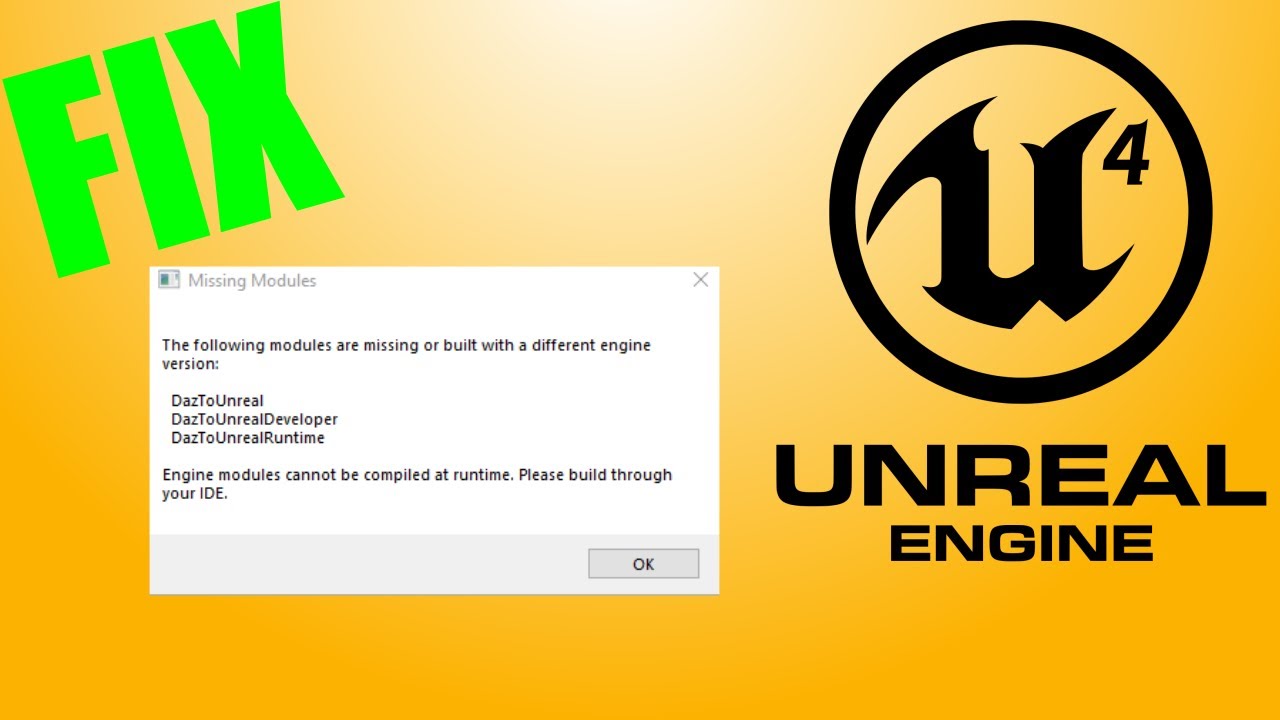
In this video, I will show you how to fix the error "Missing Modules" and how you can manually update plugins to the new versions of Unreal Engine 4. Only works with UE4!
If you only want to download the DazToUnreal plugin for V.4.27:
Download Plugin:
https://www.mediafire.com/file/ltupkg1xjydl7kg/DazToUnreal427.rar/file
Download Visual Stu...
coarse jetty
spare trench
whenever I build up my lights shadows becomes ugly. Please help me fix it!!
check for lightmap index and lightmap resolution
coarse jetty
coarse jetty
hello, i'm new to body tracking and that kind of stuff. Is is possible to record...
ok i found the documentation about it but i want to begin record ingame, not switching window
 tame marsh
Is there a way to open a UE4 project twice in a different editor instance?
fierce tulip
generally you can click the uproject file twice.
But keep in mind it'll mess up saving things
tame marsh
Of course, why didn't I think of tat
Sometimes things can be just as easy as that
Thanks!
I swear I remember there was a different program that had issues with multiple instances, I think it was Unity?
Like you had to make a virtual copy of the project if you needed to test multiplayer for example
fierce tulip
iunno, many apps have issues with it.
3dsmax tends to wipe all your custom presets/keyboard bindings/settings if you accidentally save a file that is already open in another instance.
tame marsh
fierce tulip
iunno, many apps have issues with it.
3dsmax tends to wipe all your custom prese...
Oh that explains that time years ago when I lost all my keybindings
drowsy snow
tame marsh
Like you had to make a virtual copy of the project if you needed to test multipl...
BTW you can simulate 4 player multiplayer in PIE, in one running editor instance
pallid olive
hi can someone help out been stuck for couple of hours
weaponmaster has a scenerender component, these items are renderd in default map outside SkySphere
after opening the next world i want the capture on movement be ticked off
if capture on movement is ticked on and weapon is wield, the image should be a weapon but you see the character walking

any ideas ?
 pallid olive
where is everyone
fierce tulip
zombies ate em
 arctic carbon
has anyone ever use Marvelous Designer for gaming ?
 timid notch
Is a character blueprint more expensive than a pawn blueprint? If yes, how much more expensive? I'm trying to figure out if it would make more sense for me performance wise to have my enemy ai as pawn instead of character (the enemy ai is a just a simple chase the player ai and that's it).
timid notch
Really! Did not know that
spice ruin
But depends on your number of AIs. If it's 10, probably okay. If it's 100, you're beyond screwed.
timid notch
I originally created it using a character blueprint.
The max number would probably be between 10 to 20.
So do I create a pawn without the "character movement" component?
timid notch
I was trying "AI Move To" and it wasn't doing anything
static viper
you need a navmesh
timid notch
Already added nav mesh. The original Character blueprint is chasing the player fine but the pawn is just standing still.
I'm probably missing a very rookie mistake
spice ruin
Pawns don't come with a movement component by default
I think there's a basic PawnMovementComponent
I may be wrong.
spice ruin
You don't want that
Unless you want your AIs to... float.
If they're just moving across a flat surface, I doubt it matters.
timid notch
lol
spice ruin
You don't need one.
static viper
a character is a pawn
timid notch
I'm trying to create a less expensive character by using a pawn. The ai just needs to chase the player, but it should not float.
Go up and down stairs, and should be able to fall.
spice ruin
Just use a character for now.
 static viper
nono
dont call AI move to so often
its a closed system that works on its own.
you call it once
it does its thing
event happens
and you call it again
but not every second
timid notch
spice ruin
Just use a character for now.
Call AI move to again on fail, but when it succeeds what then? If it first succeeds and the player escapes how should I retrigger it to start chasing the player again?
static viper
AI Moveto succeds when it has arrived at the location you give it.
then i would call the function again.
spice ruin
But that won't make it follow the player.
It will make it massively lag behind the player
static viper
not true
you see
the target pin?
if you plug the player into that
it will follow with updated coords
spice ruin
And ignore the destination pin?
static viper
ye
spice ruin
(unplug it)
spice ruin
Surely just call stop when it hits the player?
static viper
stop movement node yes
timid notch
I can't use the target actor because the player pawn is VR and it will stop chasing once it catches the "room", I have to make it chase the player HMD for it to work.
static viper
attach get player character.
timid notch
I'm testing it...
When I do this, AI stops at the edge of the "play area" so it never reaches the player
 static viper
play area?
timid notch
That is the reason why I was calling it every second but I think that is causing it to overload and crash
static viper
and plug that into the destination
you can call it every second yes
but is there really a need to?
timid notch
When I do this then if the player moves, AI still continues to the original destination it received
 static viper
now do every second
timid notch
if the player stands still yes it reaches the HMD location
and I'm back to my original blueprint

But this is I believe is expensive and causing my game to crash when the player is chased by multiple ai
static viper
do you have proof of that
timid notch
no
timid notch
I'm shooting in the dark
timid notch
I don't have any other lead than this, i'm shooting in the dark like I said
I'm going by feedback that people are experiencing random crashes when multiple ai come close
static viper
its vr afterall
timid notch
multiple meaning 10+ probably
static viper
and it depends on what the ai consists of
and your game code
you need to find the exact moment it crashes
timid notch
that snapshot is my entire ai 😄
static viper
then it cant be the ai ^^
timid notch
static viper
you need to find the exact moment it crashes
it's random... I watched a twitch streamer playing my game and crashing live multiple times and can't even understand it why
static viper
well find it out.
robust lintel
Question - I used this tutorial for saving my game: https://www.youtube.com/watch?v=HJxYPJF6wzk, how would i have to change it if i wanted to have the same gamesaving style as Hollow Knight? (4 game slots)


Hey guys, in today's video, I'm going to be showing you how to set up a save and load system, this one is for player stats, however it can be used for whatever you want.
#Ue4 #UnrealEngine4 #Ue4Tutorial
00:00 - Intro
00:17 - Overview
01:19 - Setting Up
03:13 - Saving
08...
 frozen junco
hey, any help would be appreciated! I'm following a tutorial on how to make an endless runner mobile game (sort of like subway surfers), and i've followed everything to a tee.
the only issue is that the corridor that the player runs down loops horizontally??


Like i said, any help would be appreciated because its been 2 whole days now 😭😭😭😭
young fern
frozen junco
Like i said, any help would be appreciated because its been 2 whole days now 😭�...
people in this server don't really like helping others out 😢
Help, so i want to attach multiple other player blueprints to each other so they have the same location/rotation and i want to be able to switch between them and every time i switch to the other player blueprint i want other players to be hidden have no collision and still follow the same location as the player im currently playing as
 charred snow
how do i fade the edges of this?
 oak patio
young fern
Help, so i want to attach multiple other player blueprints to each other so they...
oak patio
young fern
Help, so i want to attach multiple other player blueprints to each other so they...
Please don't crosspost
young fern
oak patio
Please don't crosspost
ok sure but now im gonna wait for an answer that will never come since this channel is dead
why even make a seperate channel for ue5, like it's still the same engine, just better lighting and nanite support mostly
oak patio
young fern
why even make a seperate channel for ue5, like it's still the same engine, just ...
Because things have changed in engine versions? UE5 has new bugs, new systems, has deprecated old systems,
young fern
oak patio
Because things have changed in engine versions? UE5 has new bugs, new systems, h...
and still the same blueprint nodes
oak patio
frozen junco
hey, any help would be appreciated! I'm following a tutorial on how to make an e...
Looks quite simple. Just rotate it by 90 on the z
oak patio
young fern
and still the same blueprint nodes
Not exactly
And the entire engine isn't only blueprint nodes. There's a hell of a lot more
In fact UE5 added a fair few new nodes, as well as changing a couple of old ones
static viper
yee
ue5 works differently
they are deprecating the entire packaging system
they reworked the reference system
and rewrote alot of the material code
these changes are so core level that they cant be done in ue4
frozen junco
all fixed now, nevermind! had to break the node
 keen holly
Is it possible to bake SphereReflectionCapture by chance I know its done on runtime but any ideas
pallid olive
static viper
and rewrote alot of the material code
Is ue5 overall better?
 neon bough
pallid olive
Is ue5 overall better?
neon bough
pallid olive
Is ue5 overall better?
yes
 orchid gorge
Hey everyone! I am not really sure if I should switch to ue5. I can't use as many plugins, my shaders are constantly breaking. It crashes all of the time. The physics for chaos are clunky and overall I am not sure if its worth it. Could someone give me some reasons to switch? I am not sure if its worth it, I really need to decide since this will affect my workflow. The only thing I am really interested in ue5 is metasounds and maybe control rig. I won't be utilizing lumen, nanite, world partition, or any other random new features like temporal super res, what do you all have to say about this?
real heath
orchid gorge
Hey everyone! I am not really sure if I should switch to ue5. I can't use as man...
If you don't need lumen or nanite, or any of the new features, there isn't much point. Especially if it affects your workflow and plugins. Choosing an engine version is really a choice that needs to be made per project. You seem to have reasonable reasons to stay. The later in development you are, the less likely it is you should upgrade any version, let alone 4-> 5
Don't get me wrong, if I was starting a project today, I'd likely start in 5.0, but yeah, it's really a case by case basis
 hollow meteor
does anyone have any tips for using different materials when packaging between desktop and android? I can't use the material switch expression node as it doesn't support switching between unlit and default lit, so i need to hotswap the two materials depending on the platform being packaged. right now i do it programically, but this is kinda a pain to maintain, is there anything i might be missing in configuring models that offers this sort of feature?
orchid gorge
real heath
If you don't need lumen or nanite, or any of the new features, there isn't much ...
Thanks!
real heath
orchid gorge
Thanks!
Np. It drives me crazy people upgrading to latest preview just because "shiny". It's really got to be a well thought out informed choice to change any version
orchid gorge
real heath
Np. It drives me crazy people upgrading to latest preview just because "shiny". ...
Agreed.
drowsy snow
real heath
Np. It drives me crazy people upgrading to latest preview just because "shiny". ...
ngl I upgraded to UE5 just because of better animation tools, more stable DX12/Vulkan implementation, Local Exposure, MetaSounds, and some bug fixes.
Other than that, I can lie and say it's a UE4 game, and you would've believed me.
That being said, I'm still concerned about UGC support in UE5, since the old SimpleUGC plugin completely broke
real heath
drowsy snow
ngl I upgraded to UE5 just because of better animation tools, more stable DX12/V...
this sounds like a list of valid reasons rather than just "because shiny" though...
as i said, it's a case by case basis, and your choice for that such as the animation tools, probably would be less of a selling point if you were later into a project
drowsy snow
Well, I was super hesitant to move to UE5, especially because things in 5.0 were yet to settle.
real heath
you are unlikely to change anim workflow on a game 75% of the way through for instance
real heath
drowsy snow
Well, I was super hesitant to move to UE5, especially because things in 5.0 were...
exactly my point. It needs to be a well thought out informed decision, cos there are risks and also often significant rework involved to make the leap
and if there is no rework involved, then you probably arent' using the new features, at which point the question is: why upgrade at all?
 west merlin
Is there a preferred method of profiling dedicated server performance to track down usage issues? I've profiled the game itself a ton but the dedicated servers struggle
pallid olive
hi came across something strange i have a widget with a button but when i click it, it does not fire off, anyone an idea ?

one button is 50% red other 50% blue, also 2 buttons for test purposes

but nothing happends
Zorder is fine, on other buttons it works, it set to 2
 topaz monolith
Not sure if I am missing something really simple, I have a cube and want to click on it and for the print string to work. I make a actors BP, add SM, add clicked on for the SM and add a print string, nothing seems to work, even when I press shift+f1 for the mouse and click, does anyone know what is going wrong
thin tendon
pallid olive
Zorder is fine, on other buttons it works, it set to 2
Use some print strings on event mouse over. If they print and then your button press dose not, then something is in the way and blocking them.
pallid olive
thin tendon
Use some print strings on event mouse over. If they print and then your button p...
hey Waffle, on Hovered?

this one
thin tendon
yeah that is the one
pallid olive
same results no print is shown
thin tendon
Not sure mate. If you can see the buttons and hover isn't working. Then most likely something is blocking it. Another widget something like that. Or your z order is off.
 half shoal
Guys I have a problem, when I export the map in fbx to another computer the textures doesn't charge
How can i resolve that?
coarse jetty
half shoal
Guys I have a problem, when I export the map in fbx to another computer the text...
how are you exporting?
plush yew
hey guys, i have a quick question and sorry to bother. im more of a sfm guy because i make posters but i love how ue4 looks and i have a question, can you make posters/pictures in ue4?(if yes, can you quckly explain to me how if its not too much to ask for?)
drowsy snow
plush yew
hey guys, i have a quick question and sorry to bother. im more of a sfm guy beca...
Yes, workflow is indifferent to making cinematics, except it's just one frame.
plush yew
got it, thank you
 fallow elk
can anyone help me please?! I've made an entire teaser trailer for my game but it's not rendering it correctly in the recorder. my intro widget plays perfectly then everything is super slow and lagging behind, and the camera cuts don't play for like a few minutes after the recorder has started! I've spent so much time on this what do I do?!
hollow kestrel
Hey can anybody help me. I have no idea why AddWorldRotation or AddLocalOffset are not working. But the code is being called.
I am stuck!


The actor is not responding to Add rotation or Add offset but it is being thrown away by impulse. Yesterday it was working perfectly. I don't know what's happening
half shoal
coarse jetty
how are you exporting?
I am exporting with a USB, in fbx but the problem is the pack of textures doesn't export, i try to pass the textures individually but then doesn't charge
sharp willow
hollow kestrel
Hey can anybody help me. I have no idea why AddWorldRotation or AddLocalOffset a...
Have you tried stepping into the function to see if anything goes wrong in there?
hollow kestrel
sharp willow
Have you tried stepping into the function to see if anything goes wrong in there...
Let me check!
hollow kestrel
sharp willow
Have you tried stepping into the function to see if anything goes wrong in there...
Nothing goes wrong!
drowsy snow
half shoal
I am exporting with a USB, in fbx but the problem is the pack of textures doesn'...
FBX format by themselves doesn't contain texture/material information.
(But it does contain path to texture and material slot data)
sharp willow
hollow kestrel
Nothing goes wrong!
Alright. Next thing: Can you show us the component as it appears in blueprints?
hollow kestrel
sharp willow
Alright. Next thing: Can you show us the component as it appears in blueprints?
Yeah here it is.

 sharp willow
hollow kestrel
Yeah here it is.
sharp willow
hollow kestrel
Yeah here it is.
So my first question is why are you adding offset to the component when it's the root component?
hollow kestrel
Actually, I was Adding rotation, but when it was not working then I tried offset, but it too doesn't work
hollow kestrel
sharp willow
So my first question is why are you adding offset to the component when it's the...
I don't know why its not working.
sharp willow
hollow kestrel
I don't know why its not working.
My point is that you're adding offset to the component, but that component is the root component, so you could just be adding offset/rotation to the actor
hollow kestrel
sharp willow
My point is that you're adding offset to the *component*, but that component is ...
Yes I tried that also, didn't work
sharp willow
hollow kestrel
Yes I tried that also, didn't work
Ok then - What about using Set location/rotation instead of adding offset?
hollow kestrel
sharp willow
Ok then - What about using `Set` location/rotation instead of adding offset?
It also doesn't works inside this function but outside this function AddWorldRotation and Set* all work fine
sharp willow
hollow kestrel
It also doesn't works inside this function but outside this function AddWorldRot...
Okay - How about commenting all the other code in the function out and seeing if that fixes it?
hollow kestrel
sharp willow
Okay - How about commenting all the other code in the function out and seeing if...
Ok let me see!
It still doesn't works 
sharp willow
What function have you put those calls inside that does work?
hollow kestrel
In SwapWeapon let me paste it here
hollow kestrel
sharp willow
What function have you put those calls inside that *does* work?
{
    if (!Weapon || !EquippedWeapon) return; // Return if either of Weapon or Equipped weapon is null
    FDetachmentTransformRules DetachmentRules(FAttachmentTransformRules::KeepWorldTransform, true);
    EquippedWeapon->DetachFromActor(DetachmentRules); // Detaches this Actor's root component from any scene component it is currently attached to
    // EquippedWeapon->GetItemMesh()->DetachFromComponent(DetachmentRules); // Detaches *this (Skeletal Mesh) component from whatever it is attached to, i.e, It will detach whole actor if *this component is the Root component otherwise just detaches the component.
    EquippedWeapon->SetItemState(EItemState::EIS_Falling);
    EquippedWeapon->ThrowWeapon();
    EquipWeapon(Weapon);
}
 hollow kestrel
void AShooterCharacter::SwapWeapon(AWeapon* Weapon)
{
    if (!Weapon || !EquippedWeapon) return;
    FDetachmentTransformRules DetachmentRules(FAttachmentTransformRules::KeepWorldTransform, true);
    EquippedWeapon->DetachFromActor(DetachmentRules);
    EquippedWeapon->SetItemState(EItemState::EIS_Falling);
    EquippedWeapon->ThrowWeapon();
    EquipWeapon(Weapon);
}
Okay, so this is the call to ThrowWeapon
sharp willow
hollow kestrel
It also doesn't works inside this function but outside this function AddWorldRot...
I mean this comment however
You said that you'd tested AddWorldRotation in a different function and that it worked fine
hollow kestrel
It doesn't works here either
hollow kestrel
hollow kestrel
```c++
void AShooterCharacter::SwapWeapon(AWeapon* Weapon)
{
if (!Weapon || ...
Inside this function
sharp willow
Could you show me what you wrote so that it did work?
 heavy yew
hello all.
I am working on a VR game and want to make a main menu, but not an "in game one" but a separate level with different pawn and different controls.
- My primary UI commands will be within the VR world, including load game etc. This I have sorta figured out.
- I also need to a top level menu (that is a step outside of the game world) where the user can be switched, higher level settings changed etc. this should be an abstract menu space with own lighting etc.
-can I keep two levels in memory so that I could Pause "game level" switch to "menu level" do my thing and come back.
Any other approaches to acheive what I am after. If that makes sense?
hollow kestrel
sharp willow
Could you show me what you wrote so that it *did* work?
Ok so here is what I found.
Its confusing
If simulated physics is on and If I call that function directly then everything works fine, actor rotates, but if I add a timer to call that function then it doesn't rotates but everything else works.
But if simulated physics is off then timer also works
I don't know why it behaves like this
sharp willow
hollow kestrel
Ok so here is what I found.
Its confusing
If simulated physics is on and If I ca...
wild
hollow kestrel
sharp willow
wild
I have no idea why its behaving like this
 robust lintel
sharp willow
https://tenor.com/view/unreal-unreal-engine-computer-smoking-computer-smoking-gi...
robust lintel
sharp willow
https://tenor.com/view/unreal-unreal-engine-computer-smoking-computer-smoking-gi...
it's unrealisticly intense
for computers
why is my UE4 crashing when i try to change a variable to string...
becouse it was an integer array 🤦
unborn nimbus
I have a single collision mesh that consists of hundreds of separate convex pieces. Is this good for performance? Or should I seperate these convex pieces into separate collision meshes..

 dull olive
Can anyone help me out i don't know why these files are not there in my system's folder

 sterile rivet
Hello all, I have a question regarding UE4. I am making a full cockpit simulator for work and I am trying to get the information out of a game in UE4 and to send it to gauges in the simulator. What's the best way to send live data from a UE4 game to another program or server?
The game is Mech Warrior 5. I know it's a weird project haha, I teach a class on simulator design and wanted something my students (army/navy/air force) could all get into without putting one element against another
 vagrant smelt
What value do I change on a cube to make it more susceptible to impulses?
 light thunder
What's the console command to resize the game window? sometimes the windows keys work but right now the editor is making it draw across multiple monitors
(the problem is I can't see my console commands as I'm trying to enter them - but alt/enter, window resize doesn't show it (it's dimmed so I know I"m activating it)
 ashen delta
hi, I was wondering if you can kindly help? Google and the docs aren't clear and I was wondering if it was possible to turn painted foliage into individual static meshes? if so how? thank you
half shoal
drowsy snow
FBX format by themselves doesn't contain texture/material information.
(But it d...
And is some format that contain textures? Or I have to export and import individualy?
 viral dome

 calm acorn
Hello! Anyone know of a quick guide on how to set up a (steam) controller for testing in the editor?
oak patio
unborn nimbus
I have a single collision mesh that consists of hundreds of separate convex piec...
definitely separate them. with that huge monolithic object you lose out on the ability to cull ones that aren't seen or that are far away. if you keep everything modular, you can make it so only things that are near you have collision
thin tendon
calm acorn
Hello! Anyone know of a quick guide on how to set up a (steam) controller for te...
Just change your event inputs. To use mappings. Then make each mapping a steam controller button. Or even just change them to even input steam button whichever one you want.
 rotund jacinth
Does anyone know how to get an unreal project built in a custom unreal build to show up in the project launcher? I just picked up an asset from the asset store an it appeas I can't import it until the epic games launcher is aware of the project/engine
calm acorn
thin tendon
Just change your event inputs. To use mappings. Then make each mapping a steam c...
Using enhanced input. Need to test analog inputs which digital buttons (kbm) can't provide. I got it. It's the weird setup valve does with steam controllers. It doesn't actually register as a hardware controller in windows. It seems like steam does some like input injection, but only for processes that are launched through steam. Adding UE to my library allowed it to work.
thin tendon
rotund jacinth
Does anyone know how to get an unreal project built in a custom unreal build to ...
try finding the project file and right clicking it and converting it to a newer version of unreal
Back up first though
 shell compass
https://i.imgur.com/PMTEbC8.png
Hey, does anyone know why everything is just white for me in Lit view mode?
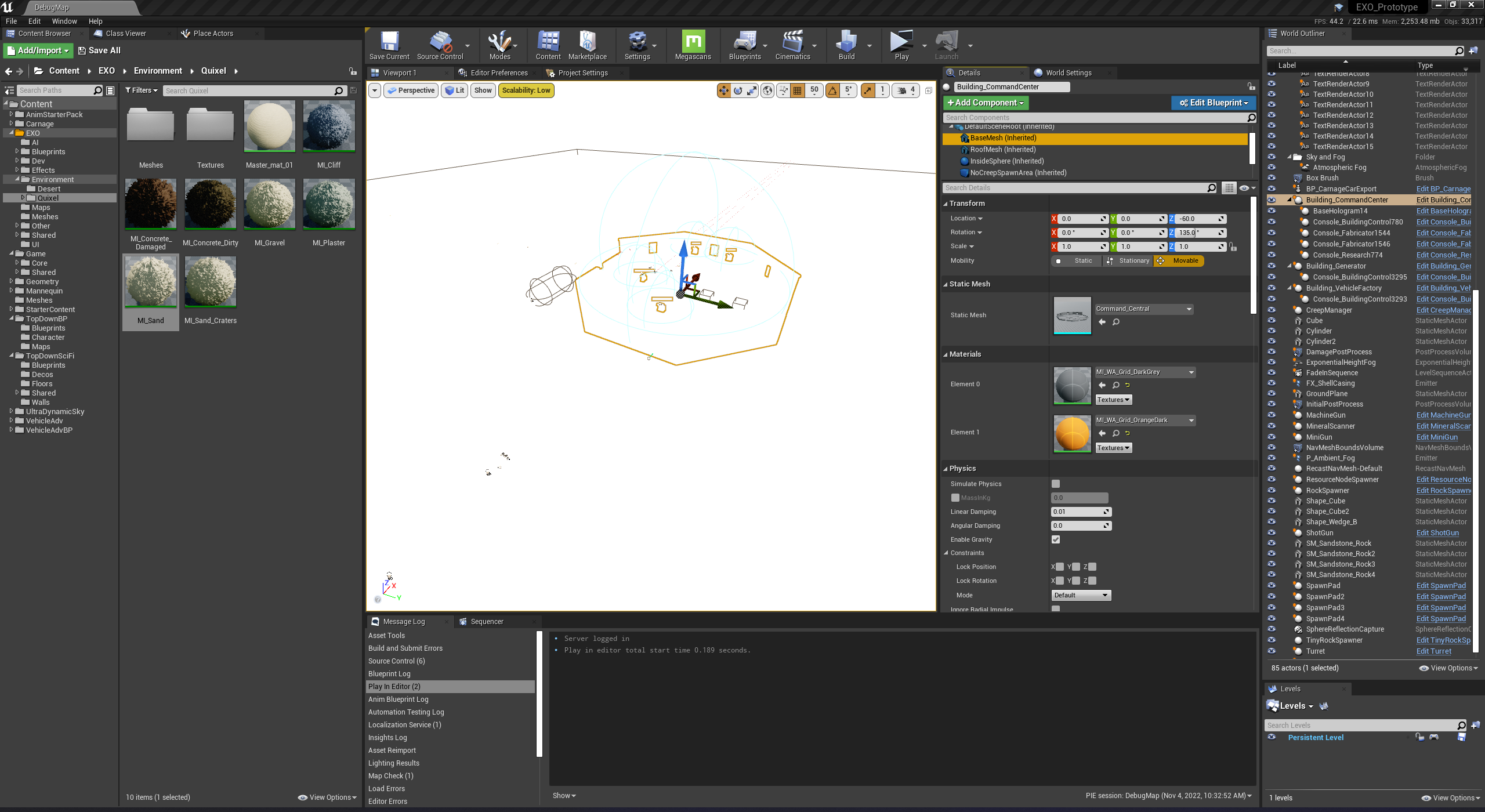
I'm opening up an older project in 4.27 when it was made in 4.23
Ah it was some Post Process volume which caused it. Still not sure why but now its disabled and it works
 stray sapphire
hello all, i am trying to push content with "git push origin master" but permission denied error: 403 is coming. I created new ssh key and uploaded to github in settings >ssh keys , but even then, same error comes. how can i solve this? thanks for answers
 stray sapphire
my bad.. in windows credential manager, i deleted old one and logged in with the github mail and set ssh key ... and it is working
 drifting cloak
Trying to use the camera attached to the main board, but whenever I press play it dissapears and the spawns my pawn wherever my viewport camera is, and spawns a first person camera on my pawn.
The coding was done from c++ then made into blueprints. Can show code if needed, just not sure the issue.

 spare trench
Hey, whenever I overlapp a trigger volume it shoud hide the lock image in level widget.
How can I?
robust lintel
Quick Q: Can SaveGame save Structs? Cuz Structs are basicly 2d tables and i have a game with grid, where i need this.
spice ruin
It can.
A struct would represent a row in a table, not an entire table.
You'd need an array of structs for that, which is also possible. You can even have that array in another struct.
 whole abyss
https://i.imgur.com/VlcIXMZ.png is there any way to make it so. Pressing right and left doesn't cancel eachother
So like, if i'm holding down D(for walking right) And then start holding down A(for walking left) the 2 buttons don't cancel eachother out
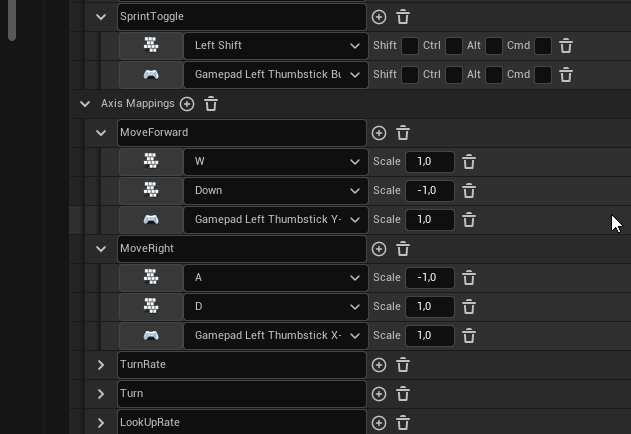 oak patio
drifting cloak
Trying to use the camera attached to the main board, but whenever I press play i...
oak patio
drifting cloak
Trying to use the camera attached to the main board, but whenever I press play i...
sounds like you haven't changed your default pawn class in the gamemode
drifting cloak
I did, and its set to my player paddle. But my camera component is attached to just an actor @oak patio
Its creating a camera on the player position whenever its played
Since I dont want my camera to move with my player I figured id just attach it to the main "game board" to be static in the middle, I just dont know how to make it a default on play
oak patio
drifting cloak
Its creating a camera on the player position whenever its played
yeah, you cant possess a normal actor.
you could just have a blank pawn that doesn't move
and possess that
drifting cloak
I see, but then will I still be able to input on my other pawn?
oak patio
are your game pieces also pawns?
drifting cloak
No everything but my player is an actor
oak patio
if so you may be able to just have your game piece use that camera with a "set view target" node
drifting cloak
I see. Ill look into set view target. We havent really got into nodes at all yet and we're supposed to just do everything in c++ for this assignment
oak patio
if you want your player to have that static camera view i suggest referencing that camera and setting it as the new view target, similar to how you would handle a cutscene
oak patio
drifting cloak
I see. Ill look into set view target. We havent really got into nodes at all yet...
ah that makes sense
 visual zephyr
Hey, I am trying to mod a UE4 game, but nothing fancy, just wanna change the texture. However it is an executable and I can't find a way to change the texture. Can anyone help?
drowsy snow
visual zephyr
Hey, I am trying to mod a UE4 game, but nothing fancy, just wanna change the tex...
If there's no official mod kit of the game available, then it shouldn't be asked here.
visual zephyr
drowsy snow
If there's no official mod kit of the game available, then it shouldn't be asked...
There isn't, where can I ask then?
drowsy snow
visual zephyr
There isn't, where can I ask then?
Look into underground modding forums on the internet.
visual zephyr
Thanks
plush yew
whenever i kill some AI that area the person dies is somehow becomes an invisible wall xD
frozen junco
tried looking on youtube and all, but all the videos are really convoluted, so i'll ask here: how do you export a game in unreal engine 4 to an apk file?
drowsy snow
frozen junco
tried looking on youtube and all, but all the videos are really convoluted, so i...
Try looking on guide for packaging for Android.
If you have trouble, ask it on #mobile
frozen junco
drowsy snow
Try looking on guide for packaging for Android.
ill look that up rn, ty
 arctic plover
So this bug with the status "Won't fix" effectively means I cannot under any circumstances use tesselation on my landscape materials? Surely this can't be true? https://issues.unrealengine.com/issue/UE-94535

Unreal Engine
Welcome to the Unreal Engine Issue and Bug Tracker. You can check the status of an issue and search for existing bugs. See latest bug fixes too.
 bold swift
Hey everyone! I am new in this engine and I wanna make a basic Top Down game but I can't seem to find any tutorials on that...I want a simple character controller with WASD movement(which I implemented) and rotate with mouse where ever mouse is pointing(this is where the real challenge comes for me...most tutorials are rotating the camera with player making him look forwards all the time) I wanna make the camera just follow the player and not rotate with it...just like in The Ascent(game)....using Blueprints
 scenic gale
Hey,
I'm trying to add multiple Build Targets to package for certain Platforms (Oculus / Pico in my case, both Android).
To do so I copied my Target.cs and renamed it OculusUEVRTarget (the previous being UEVRTarget) and also renamed the name of the class to OculusUEVRTarget.
When generating project files, I now get this error:
ERROR: Not expecting project E:\Workspaces\UEVR\TrainChase\Intermediate\ProjectFiles\UEVR.vcxproj to already have a target rules of with configuration name Game (OculusUEVRTarget) while trying to add: UEVRTarget
Can I not have multiple BuildTargets of Type Game?
 mortal frost
anybody interested in helping me with a research I am doing about online shopping by taking a quick survey I made (it's ok if you don't want to I understand)
pallid olive
hello there, have some issues with Integer mappings. its a Int:object mapping but when i try to select the object it doesnt get added ?
in the structure the weapon master is the object, trying to add childeren to the mappings
arctic plover
Thanks, well in UE4 it's not working at all anymore with my landscape/materials. So, virtual heightfields are usable in UE4, too?
 rotund sorrel
How should i give collision to a 2D wall?when i import it from blender it doesn't have one
arctic plover
Well and UE5 is barely "alive" so I have to constantly update and work around things while it's in its "early development stages". Which is why I chose developing on the last stable UE4 version 😏 Also I doubt my blueprints will simply work out of the box after transferring to UE5 😐
drowsy snow
arctic plover
Well and UE5 is barely "alive" so I have to constantly update and work around th...
If you really want details on your landscape, consider helping it with static meshes sprinked around
arctic plover
I did, in addition to tesselation.
drowsy snow
There is Parallax Occlusion Mapping, but for landscape, it's absurdly expensive.
arctic plover
It works fine on my machine, too. Just when other people test it, it always crashes.
The whole cooked build works fine for me, no bugs, no crashes. Except that, always crashes for other people 😞
drowsy snow
Yeah, Tessellation Tears Tuesday is next week.
arctic plover
😏
Would you guys recommend starting over in UE5?
I have several assets which are for 4.27, too. Will they work?
drowsy snow
Well, I migrated to UE5 just fine for the most part.
Some exception being C++ functions (and in my case engine modifications), but as far as asset goes, nothing dealbreaking
It Just Works™
arctic plover
Hmm, interesting 🤔 Would you just migrate your project into a new one in UE4 (so that the size shrinks to only the used assets) and then "port" it over?
Don't have any custom C++ functions, but a few assets may depend on this.
whole abyss
https://i.imgur.com/eUXVhTN.gif how do i set up jiggle ears?
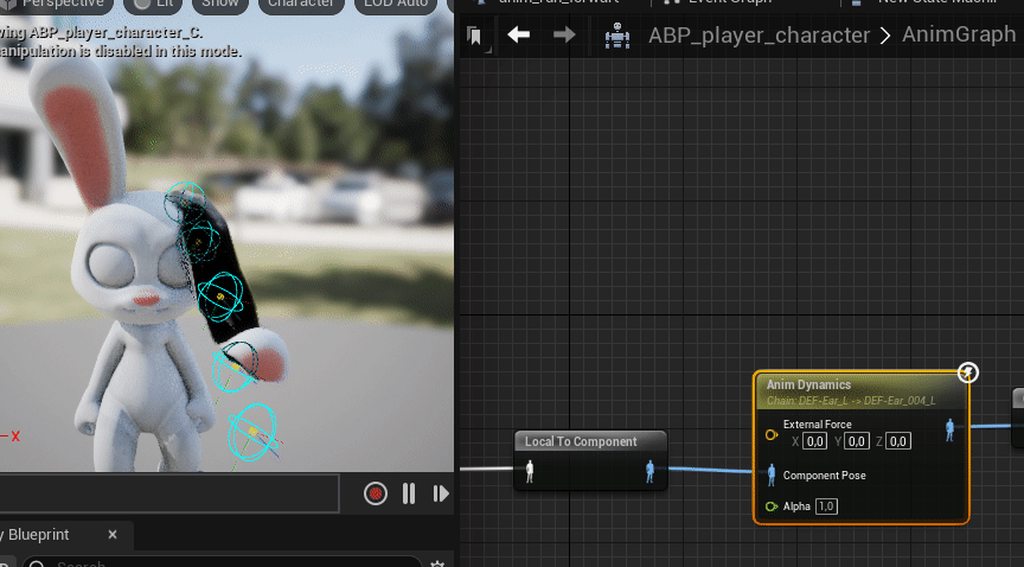
i want them to just jiggle a bit when character is moving
fall behind like an antenna
drowsy snow
whole abyss
https://i.imgur.com/eUXVhTN.gif how do i set up jiggle ears?
If you use 4.26 or newer, you can use Control Rig and a Verlet function to make the jiggly ears
Though it won't react to gravity, just springy
whole abyss
drowsy snow
If you use 4.26 or newer, you can use Control Rig and a Verlet function to make ...
where do i add that
drowsy snow
whole abyss
where do i add that
Wait, you want springy ears, right? Like RC antenna?
 drowsy snow
Just making sure before I proceed to the method.
Because I linked a video on making antenna in Control Rig over on #animation
#animation message
Though I don't recall it going into depth on the verlet implementation, but the antennae is springy.
whole abyss
can i use this together with premade animations?
it already has a rig, with animations
drowsy snow
whole abyss
it already has a rig, with animations
Yes, just put the Control Rig after the poses in your anim graph
whole abyss
okay thanks
 slate jungle
i have hdd and it takes 20 mins to complie a cpp class
static viper
whole abyss
https://i.imgur.com/Knu2qgh.gif
wth is this o.o
how many bones do those ears have omg
drowsy snow
slate jungle
i have hdd and it takes 20 mins to complie a cpp class
With code base as large as UE4, yeah, that's expected for an HDD
Consider getting an SSD
slate jungle
drowsy snow
With code base as large as UE4, yeah, that's expected for an HDD
Consider getti...
ye ig i have to buy it
till then i m a use blueprints
drowsy snow
slate jungle
till then i m a use blueprints
Use BP for prototyping or getting proof of concept, once you're happy with it, you can translate the functions to C++, and have the BP subclass to it.
static viper
if you really need to that is
drowsy snow
Note that some things are actually better done in BP, like asset referencing.
Hardcoding reference/path to asset in C++ is a recipe for project management hell
 vivid totem
Im planning on upgrading to Windows11, Are there any common problems on UE4 on this OS I should know?
slate jungle
drowsy snow
Use BP for prototyping or getting proof of concept, once you're happy with it, y...
ye i m gonna follow that
drowsy snow
vivid totem
Im planning on upgrading to Windows11, Are there any common problems on UE4 on t...
Nope.
Windows 11 to Windows 10 is pretty much what UE5 is to UE4.
dark venture
Hi! I want the AI character to stop attacking after the player is dead how can I do this?
 whole abyss
https://i.imgur.com/mMYtzBv.png how can i add variables to control rig?
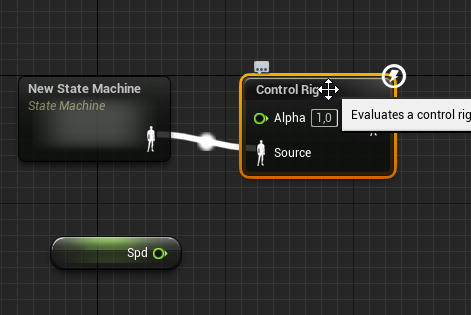
specifically i wanna tell it the characters current spd and direction btw. If there's a way to do that inside the control rig
whole abyss
i saw in a tutorial vid, that they plugged params into the control rig, but i can't see how
I got it now, i had to press the eye icon on my var inside the control rig
whole abyss
i am making a control rig, but it doesn't affect the mesh at all
 plush yew
If a project is corrupted, is it a bad idea to migrate Blueprint classes from the corrupted project onto a new project?
 fast apex
arctic plover
fast apex
arctic plover
I need some help: why is my "Default" level map almost completely white at start?

It should like like this, should it not?

 dawn gull
Could somebody help me with a math related problem? I have this code set up so that a component in my actor can rotate towards my mouse pointer but the catch is that I am on a circular planet so I need to use my ground axis variable to cancel it out. The problem I am having is that it works for 180 degrees of all the circle around the player my mouse could go, is this a problem with the adding and subtracting?

If it is that how can I fix it? I've tried a rudimentary system of just seeing if the value is negative and if so do the reverse versions of the operations but that didn't work. It made it so there was like 45 degrees on each corner before it did the weird opposite side thing
dawn gull
Fixed my problem with this

As requested, I am making some tutorials about enhancing top down blueprints. In this part, I covered the rotation of the pawn according to the mouse position on the screen.
Sorry for the music noise on the background and overall length of the tutorial :)
Here is the thread about ray intersection:
https://answers.unrealengine.com/questions/168...
plush yew
Hi, one beginner question. Can I use UE4 character movements instead of UE5. This is just for me to get started. Than I can move to UE5 animations later
drowsy snow
plush yew
Hi, one beginner question. Can I use UE4 character movements instead of UE5. Thi...
And you're using UE4?
 chilly crow
hello I found this disscussion because I cant solve my problem when I package my client side and wanna run it I get black screen and error , like this so turn off windows defender will help? It never happened before

 paper island
HELP! My physics asset is broken?! any ideas?
grim ore
@chilly crowthat doesnt have anything to do with that, windows defender will slow down your compiling is what it does as every file that is compiled and written to disk will get scanned
chilly crow
grim ore
<@542784659675938849>that doesnt have anything to do with that, windows defender...
ah so then my mission still not at the end ah 😦 I cant find any information regarding to my problem after 1years firs time error like this
plush yew
drowsy snow
And you're using UE4?
I am using UE5, however my character is made in UE4, I dont know would it behave ok in UE5 style, thats why I would try UE4 first
 opal nexus
Thinking of making a game…

Please go to the Google doc
Docs.Google.com/document/d/1M0d1Qz1Ptl0FTeiY3_flfAmdzJ3g3J_RiTGINzUfhPI/
For more information on the game, please leave sum comments so I can get more info on what would be best for this game
 latent sonnet
i have an issue with my game. i am making a vr game. and the way it works is that theres a motion control component that represents your controller or headset transform in game space. when i attach an object to it, that object moves with the motion controller just fine. but if i instead of attaching the object just set its location to the motion controller on event tick, a delay forms, and the object drags behind the motion controller. now just for the transform its not an issue. but i want to combine the location of my motion controller with a custom rotation that for now i am only deciding on event tick, which means that if the object is parented to the controller after it got grabbed, When i twist my wrist the object kind of sways out of its intended rotation in the direction im rotation my controller. my current solution was deparent the object entirely and set its location on event tick aswell, but the delay is still there. this is fine as it is, but i was really wondering if theres a way to set custom location rotation of an object higher in the code hierarchy using c++ code?
make it "tighter"?
plush yew
How to make Thumbnail from editor action blueprint utilities
west merlin
So confused at this, seems like an engine bug but not sure

The actor being rotated is a simple actor with a static mesh as the only component, and it's the root
When it runs, on clients the visual of the mesh rotates, but the collision doesn't, but on the server/listen server, the collision and the visual both rotate
The server's rotation is set right before the multicast
 plush yew
can someone explain the math behind this for me please? T_T
 trim belfry
plush yew
can someone explain the math behind this for me please? T_T
trim belfry
plush yew
can someone explain the math behind this for me please? T_T
it spawns an actor 500 units in the forward (eg facing) direction of self
plush yew
might need help. whenever i kill one of the AI on my fps game they produce an invisible wall. help
west merlin
plush yew
might need help. whenever i kill one of the AI on my fps game they produce an in...
Need to change the collision on the capsule after they die
plush yew
west merlin
Need to change the collision on the capsule after they die
oh,,
we can do that?> how?
west merlin
Is your game single player or multiplayer?
Jump in the Feedback & Support voice chat
plush yew
west merlin
Is your game single player or multiplayer?
single player
plush yew
west merlin
Is your game single player or multiplayer?
nvm. i found it by dragging the capsule into the blueprint and found set collision and its fixed now. thanks @west merlin '
west merlin

 spring abyss
Hey Guys
How To Create Solo , Duo , Squad (Multiplayer) Thing in the Game??
Can Anyone Help?
 mental crow
Hey
floral solstice
Do you really need the state machine or I heard you don’t need it so what would I need to do instead of using the state machine
mental crow
Will power IK be supported for UE4.27?
floral solstice
Why won’t anyone answer my question
drowsy snow
mental crow
Will power IK be supported for UE4.27?
No, the creator has joined Epic Games and doing stuff in UE5, but if you happen to still have 4.26, you can download the plugin for it
mental crow
How the hell am I supposed to make foot IK now?
drowsy snow
mental crow
How the hell am I supposed to make foot IK now?
Give up and move to UE5
Basic two bone IK should do the job. You could also have pelvis offset to follow furthest IK trace of the foot
timid notch
The weapons in my game are projectile based. I'm considering changing them into line trace based assuming that this will be a cheaper option. Am I correct on my assumption? and how much more expensive are projectile based firing?
 round salmon
Why did I think it would be a good idea to try learning programming, animating, and modelling, all at once
light thunder
I can be done but you need to be realistic and understand the concept of DEPTH - so start very shallow - learn how to model and texture a box, make an animation of it, then trigger that animation based on an event in the game
 spark steeple
Hi, Sorry, I was just wondering if there was any chance anyone would be willing to help me figure out how to finish my project? I just need to figure out how to make an actor detect when it's touching another actor/projectile, but this is my first time using Unreal so I have no idea what to do
This is the code I have to detect collisions

It's on a zombie enemy, I'm trying to make it so when it's hit by a bullet it gets killed
 surreal prism
Honestly, after 25 years of development this engine could have a built-in solution for Fog of War. 🫤
light thunder
spark steeple
This is the code I have to detect collisions
You need to watch a video on collision chalnnels
They can be very difficult to debug if you don't know what you are doing -
spark steeple
I figured it out now! Ty though!
I'll try to remember in the future since I still don't have an exact grasp on it yet
rotund sorrel
do casts keep going with the first exec pin even if the cast is failed?
oak patio
no
 gaunt saffron
Hello everyone, could anyone tell me if i override an parent event, does it still have the same replication as the parent event ?
rotund sorrel
oak patio
no
explain this then pls. unreal bug?

the exec goes on even if the object is from an other class
oak patio
Possibly a bug. Not sure.
plush yew
its probably visual bug, ive had branch firing both conditions at same time
 low vale
Does anyone have the UE fighter template by rare encounter?
plush yew
gaunt saffron
Hello everyone, could anyone tell me if i override an parent event, does it stil...
If u override the event, whatever the parent function was gets cut, however, you can still click on the event, and select get parent function, and then add whatever functionality u need after that
 plush yew
low vale
Does anyone have the UE fighter template by rare encounter?
plush yew
low vale
Does anyone have the UE fighter template by rare encounter?
you can't ask anyone to share marketplace files
gaunt saffron
plush yew
If u override the event, whatever the parent function was gets cut, however, you...
Thank you ! So basically i have an actor where i intialized some events, so that i can use them on child Blueprints.
For example : from my character im casting to my item_master, and call the "event use", so that the event gets called on any child actors, without having to cast to the specific actor.
But initally the event "use" doesnt habe any logic in my item_master.
But i need the event "use" to run on the server. Any idea how i could set that up?
low vale
plush yew
you can't ask anyone to share marketplace files
i was not asking to share marketplace files. i wanted to know if anyone is familiar with the template i had questions pertaining to the template
thin tendon
low vale
i was not asking to share marketplace files. i wanted to know if anyone is famil...
most assets will have their own discord or support channels. Your best bet is to ask in one of those.
rotund sorrel
plush yew
its probably visual bug, ive had branch firing both conditions at same time
Unfortunaltely it really happens, the cast goes on even if it should fail being an actor from a different class
 modest trench
timid notch
The weapons in my game are projectile based. I'm considering changing them into ...
modest trench
timid notch
The weapons in my game are projectile based. I'm considering changing them into ...
This method is magnitudes faster
As you can just do them all in your own parallel loop
plush yew
Whenever I press Alt + P the game plays but I'm on my free camera not on my fps character... Wtf did I do help!
modest trench
It needs to be auto possessed and you probably want that set on the pawn?
In this case
Could just be unset gamemode
plush yew
modest trench
It needs to be auto possessed and you probably want that set on the pawn?
Wait what? Forgive me but I'm dumb
☠️
plush yew
modest trench
Could just be unset gamemode
But when I right click and press play from here it works.
thin tendon
timid notch
The weapons in my game are projectile based. I'm considering changing them into ...
As @modest trench said trace is much faster. Projectiles is more for if you are trying to make your game have more realistic gun play.
 slow rover
How can I upgrade to ue5?
thin tendon
slow rover
How can I upgrade to ue5?
You can right click the project file. and change the version to Ue5
slow rover
Ok
plush yew
modest trench
Could just be unset gamemode
Wait what does this mean lmfao
thin tendon
You should back up first though
slow rover
Ue2 is pretty old
Yea it’s time for an upgrade
Nah I’m jk
I’m on ue5
Idek if you can still use version that old
modest trench
plush yew
Wait what does this mean lmfao
You should look up what a gamemode is in unreal
plush yew
I found it and no that's not the case.
plush yew
plush yew
But when I right click and press play from here it works.
This works tho.
modest trench
Are you using a player start or a pawn in the world?
plush yew
Player start
modest trench
Are the world settings overriding the game mode or the project settings?
plush yew
.. ah.. ermm.. wha?
modest trench
I'm not at my computer to make screenshots, sorry
plush yew
It's ok.
modest trench
Your best bet is to follow the beginner unreal stuff covering gameplay code
It will hopefully explain how gamemodes choose default pawns
And how PIE chooses a pawn to possess
plush yew
Oh.. ok I'll try!
plush yew
modest trench
It will hopefully explain how gamemodes choose default pawns
Yes my game mode chooses the right pawn for as default pawn class if that's what u meant.
modest trench
Could even be the player start being too far in the ground
plush yew
modest trench
Could even be the player start being too far in the ground
Nope not that xD
plush yew
Anyways I found the fix. My active play mode was simulate @modest trench thanks for the help! 😝
 spring delta
Anyone know Gfur?
 dapper linden
Hi, I try to create multiplayer game. I have a problem
When I want to kill enemy from server - its okey, but from client - its work only at client.
Replications in enemy blueprint included. When I debug my code, I release that the problem is when I want co cast my weapon blueprint to enemy blueprint - its does not working. But I can cast to third percon character from weapon blueprint. How to make when client kill enemy - server know about it.
drowsy snow
dapper linden
Hi, I try to create multiplayer game. I have a problem
When I want to kill enemy...
Try asking in #multiplayer
pallid olive
hi
ive a structure in the gameinstance and those variables are changed in the character bp
do i need to set structure or set members /
also do i need to promote the variables from the gameinstance to character bp ?
grim ore
@white hinge#instructions
white hinge
grim ore
<@1032114142833819678><#780559951663857724>
instructions are clear .
modest trench
white hinge
instructions are clear .
You need to use the jobs channel
white hinge
modest trench
You need to use the jobs channel
i cant post there or no permit
the post is for 4.27 so it also for u4 incase , i got few asking for 5.0 wont do any work and that so i not sure
white hinge
modest trench
You need to use the jobs channel
so you reported me ? to your botty there
pathetic person if you cant do a job dont keep other from getting paid
got people here doing nothing but keeping others back all day i mean they dont do anything all day but troll and take any opportunity they can get
white hinge
grim ore
<@1032114142833819678><#780559951663857724>
or was this guy
not one else but these 2 acted but they cant handle the task there here maybe to lay eggs
he did not like my smart reply so i got reported to the bot woopie dooo i got muted
 thin python
Just end the convo, its doing more harm than good at this point
white hinge
jerk who ever did all i got to say
white hinge
thin python
Just end the convo, its doing more harm than good at this point
yeah when i am right and speak like this it trembles reality
thin python
He left? or kicked lol
fierce tulip
kinda looney toony, but it looked like a hammer fell from the sky
thin python
Dam these magic hammers that appear and crush the annoying people
fierce tulip
ikr, wild times.
 bleak zodiac
is a troll i guess
fierce tulip
no need for cursing.
static viper
sorry 😦
 lapis ore
Can the Scalability settings be used to have an actor use different static meshes? I want to use lower res geo on lower spec platforms.
grim ore
I want to say yes but in the way you can force lower LOD levels at different scalabilities?
lapis ore
and I would want to force the higher LOD on the higher scalability setting.
grim ore
it looks like you can call the r.ForceLOD console command as well and force a minimum LOD level at runtime
alternately static meshes have a per platform LOD setting you can set on them to force minimum LOD levels per platform
spring delta
hi so im trying to add a Uasset in the content folder but it keeps saying unknow extension
fierce tulip
uasset is already a usasset, so you'd need to place it inside the project manually trough explorer.
if its in another project, migrate it instead

 fierce tulip
else you'd break all references
spring delta
break references?
fierce tulip
if the file is originally in
content/xxy/thisfolder
and you just place it elsewhere any other file that uses it wont be able to find it, because the reference still expects it to be in "content/xxy/thisfolder"
hence its best to fix redirectors, then migrate it from one project, to your new one
pallid olive
in the widget if you have a text how can you make that the text goes under and not in one line
drowsy snow
pallid olive
in the widget if you have a text how can you make that the text goes under and n...
There is auto wrap option in the details panel
If you're looking for manual line break, press Shift+Enter when typing in the Text box in Details panel
pallid olive
drowsy snow
There is auto wrap option in the details panel
If you're looking for manual lin...
thanks alot
 vagrant ermine
Hello guys. I've started study UE recenlty Could you help me please. There is Health component of character. I need him to decrease health when he runs. How I can implement it by C++.
spring delta
fierce tulip
hence its best to fix redirectors, then migrate it from one project, to your new...
it's a download file
fierce tulip
where did you obtain it from?
surreal prism
vagrant ermine
Hello guys. I've started study UE recenlty Could you help me please. There is H...
Get the character movement component, get the velocity, and if it matches the MaxWalkSpeed that you set for running then adjust health accordingly.
static viper
If i wanted to remove all the assets of a project but not the core code with the core assets, is there a way todo this?
I will try migrating my code folder... but i have doubts
drowsy snow
static viper
If i wanted to remove all the assets of a project but not the core code with the...
So you're hardcoding path to asset? 🤔
static viper
i want to extract just the core game
i dont want any levels
and not the art assets
just the framework
drowsy snow
If you're not hardcoding path to assets, you can just start from blank project and bring over the Source folder (and rename if necessary)
Of course it would be easier if you're making it a plugin.
drowsy snow
Heh, I thought you're doing most of the logic in C++
But even that, making it a plugin would make it lot easier.
Plugins can have its own content folder, unlike project level modules
 cunning marlin
Hi guys, anyone has had any issues like this? Apart from crashing, which I thought was due to Alembic/geo cache
The right click menu is coming black after a while of use.
The tessellation material on the character is looking like that.


 magic helm
I'm having this problem where sometimes in my game, the mouse sometimes still appears for a brief second on the left side of the screen.

Any ideas how to fix it?
The mouse isn't in the game btw. I've tried a few things but it's still there.
coarse jetty
magic helm
I'm having this problem where sometimes in my game, the mouse sometimes still ap...
do you hide it ingame? do you posses player?
check for possesing player
magic helm
coarse jetty
do you hide it ingame? do you posses player?
yeah it's hidden in-game. where would possessing player be?
in the gamemode?
coarse jetty
yes
or in the player start there is a auto posess player
and if its hidden in game try to put it in game instance
magic helm
ahh yes, i use a player start!
 jolly jungle
Assertion failed: UnscaledViewRect.Width() > 0 [File:D:/Build/++UE4/Sync/Engine/Source/Runtime/Engine/Private/SceneView.cpp] [Line: 739]
what does this error mean
in the context of a scene capture 2d
 timber scroll
 magic helm
Hmmmm, yeah it seems that the cursor isn't meant to be there, but if you move left (or maybe right), sometimes the cursor will suddenly be briefly visible.
I thought it might have something to do with the UI/Game mode etc but I don't believe so as that's working as intended.
magic helm
I think it might be triggered by me pressing the Shift key, but I'm not sure.
Another person had the same issue here: https://stackoverflow.com/questions/73424472/whenever-i-move-the-camera-on-the-left-side-of-the-screen-the-cursor-appears-in

Stack Overflow
The issue.
The mouse keeps escaping the full-screen whenever I either jump, move, rotate the camera or keep spinning to the left. But only on the left side of the screen, not the right, not the mi...
pallid olive
if a button is in the overlay it cant have a zorder ?
 primal prairie
pallid olive
if a button is in the overlay it cant have a zorder ?
primal prairie
pallid olive
if a button is in the overlay it cant have a zorder ?
then it will just use the hierarchy order
and overlay itself has the zorder
magic helm
Is there a way to make mouse clicks and key presses more reactive? Sometimes it feels like I have to click/press a couple of times before it does anything.
robust lintel
Sooo if i input 8 and 3 inside the int/int what does it output if it outputs an int and not a float? Does it round in down? Does it round it?

Got the answer - if anyone else wondering, it rounds the resoult down (8 / 3 = 2,666..., it returned 2)
grim ore
that seems correct as it should use the FloorToInt function
 zealous ginkgo
hey guys i cant get a wagon pawn to move using chaos. i posted a 4 min video going through some of the bps and stuff and it just dont work. anyone know chaos vehicle and maybe you see something out of place? https://www.youtube.com/watch?v=rc8CUYR-L3Q
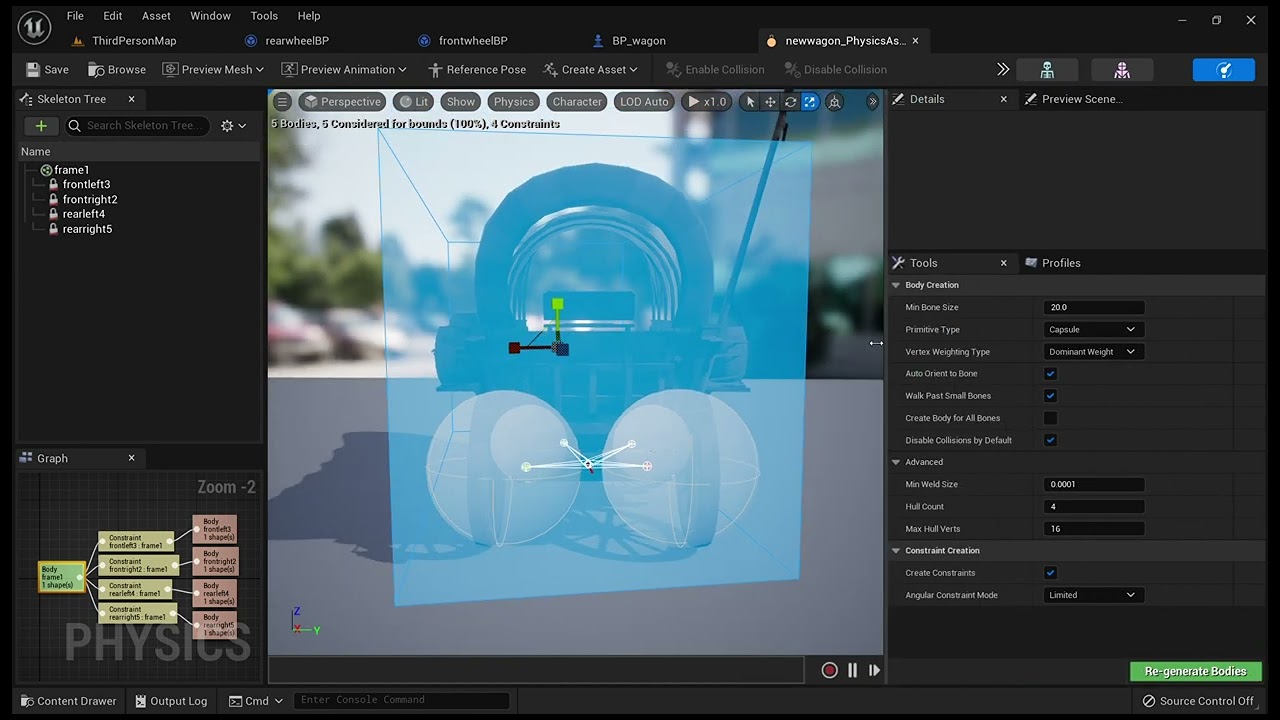
my vehicle pawn does not move. anyone see anything out of place?
 woven panther
someone knows what this hidden collision is?
I can't find a way to get rid of it. destroyed the actor, components, set collision channel to ignore
wtf
even turned on in-game collision but nothing to be found

 pliant cave
how do I use ue4 content in ue5 if I didn't get it from the marketplace?
sage coral
Got a small issue where I have a set of curtains with cloth sims but they do not react when the player walks into them. I tried looking up how to fix this but all I keep finding are videos on cloth sims on characters. I just want the curtains to move when the player walks near them
 summer verge
DirectX Developer Blog
The DirectStorage team is pleased to share that GPU decompression with DirectStorage 1.1 is available now. This new version of DirectStorage contains everything a developer needs to get started with GPU decompression. For more information on this feature and how it benefits gamers,
Hoping this makes it's way into UE5
pliant cave
can I send you a dm please?
 void palm
Hello guys, I cant bring back the shadow for my main character.... skeletal mesh is the problem, but the shadow settings are same as the other meshes.... what should I do
 void palm
found the culprit
 rotund sorrel
Noob question: what is the difference between adding a simple collision to a mesh and "Collision Complexity: use complex as simple"?i notice the latter works even without a collision shape attacched to the mesh
drowsy snow
rotund sorrel
Noob question: what is the difference between adding a simple collision to a mes...
Only simple collision works for physics simulation on the static mesh
rotund sorrel
drowsy snow
Only simple collision works for physics simulation on the static mesh
Oh ok. I wasn't using physics, just keeping the player to go trough them and it worked. But i noticed very poor performance when having hundreds of this walls with "use complex as simple". Is this wrong?
pallid olive
Hi for a widget if you have a button can this button be universal
Or do you need on click event bunch of branches

 static viper
no the log
 wooden apex
Pastebin
Pastebin.com is the number one paste tool since 2002. Pastebin is a website where you can store text online for a set period of time.
here
static viper
not the error message
/Game/MODELS/menuBackground/classroom/pencil3.pencil3.
can you show me your folders please
for the game
and what is that item
this is all a bit odd
wooden apex
static viper
/Game/MODELS/menuBackground/classroom/pencil3.pencil3.
ok ok
 static viper
odd
wooden apex
hm?
static viper
can you just show me the folders under content?

 static viper
any plugins?
wooden apex
well i downloaded them
static viper
well they are bork
wooden apex
these are the models from the classroom

but but which one? exatlcy
if you can pin point
wooden apex
it gets stuck
 static viper
so we can look at them
static viper
show me


 static viper
do you not think that is a problem
wooden apex
yea i think that is a problem
static viper
and you got all these assets from where exactly?
oak patio
(me too)
static viper
i dont think broken assets are on megascans
wooden apex
static viper
and you got all these assets from where exactly?
the web cant rememeber where cos i donwloaded them one year ago