#ue4-general
1 messages · Page 10 of 1
 zealous ginkgo
wassup fam! i am trying to copy this guys BP for riding a horse but i am trying to add Pawn possess and only sequencer possess is available


i figured it out
get chracter controller
 wet oracle
Hi can someone help I am trying to add a transparency material to a object but it doesn’t seem to have any effect but when I apply it to other objects like a cube it does
 somber crown
wet oracle
Hi can someone help I am trying to add a transparency material to a object but i...
somber crown
wet oracle
Hi can someone help I am trying to add a transparency material to a object but i...
Try Build Reflection Data (i think thats the name) under the Build Lighting button on the toolbar?
 mental crow
hi
i am learning UE4
this time i am learning properly
and i made raycast shooting
for some reason today its not printing the actor name it hits
 coarse jetty
?¿' xD
somber crown
mental crow
for some reason today its not printing the actor name it hits
Verify your collision settings on the thing that isnt being hit, and what options you have setup for your raycast like included/excluded actors, etc
 oak patio
Ai will most definitely be affected. Writing ai that works with an mmo and is performant is not the same as normal ai
 stoic eagle
https://github.com/robinwood3d/UE4RuntimeTransformGizmo
did anyone work on this?
i need to know how to limit rotation of gizmo
i have been trying since 4 days but couldnt figure it out

GitHub
UE4运行时平移、旋转、缩放工具(Demo). Contribute to robinwood3d/UE4RuntimeTransformGizmo development by creating an account on GitHub.
 tame marsh
In a build, where could I change input key bindings? Iis there an ini I can change?
 drowsy snow
tame marsh
In a build, where could I change input key bindings? Iis there an ini I can chan...
drowsy snow
tame marsh
In a build, where could I change input key bindings? Iis there an ini I can chan...
IIRC it was Input.ini
tame marsh
It's empty or is the default baked in?
Is it in 'WindowsNoEditor/ProejctName/Saved/Config/WindowsNoEditor' ?
drowsy snow
tame marsh
Is it in 'WindowsNoEditor/ProejctName/Saved/Config/WindowsNoEditor' ?
I think so
I have deleted nightly build of my game before moving to UE5, so I can't remember clearly
 narrow zealot
Hey uhhh... My UE4 won't... Package anymore?
I'm trying to package it from here, like I always do, and all it does it redirect me to the Unreal documentation about packaging?

 young blade
hello
im going to start developing gameson unreal engine
and I cant decide what version to use, 4 or 5?
As I noticed, there are more tutorials on unreal engine 4
So, I kinda dont know what to choose
I guess, if scripts in ue 5 are very different from ue 4 scripts
i should stick to ue 4
what u think?
oak patio
Blueprints are mostly the same and a lot of tutorials will carry over.
Some of the buttons have moved around a bit tho
Oh also, please don't crosspost @young blade
drowsy snow
Also Judge Quinn's down 😦
 spare trench
how can I increase wight of character in unreal engine (in my case vehicle)
 real heath
spare trench
how can I increase wight of character in unreal engine (in my case vehicle)
real heath
spare trench
how can I increase wight of character in unreal engine (in my case vehicle)
The vehicle movement component has a "mass" value
Increase that
It's in kilograms
spare trench
real heath
The vehicle movement component has a "mass" value
Thx
 keen holly
ok, so I've been working on a porting project for quite some time now and wondering if can port https://docs.unrealengine.com/4.27/en-US/AnimatingObjects/Matinee/UserGuide/ data over like adding the events in the animation data of unity if not could chinma machine be used thanks.

Guide to using the Matinee editor to animate properties and Actors in-game.
drowsy snow
keen holly
ok, so I've been working on a porting project for quite some time now and wonder...
Sorry, but I'm confused with lack of punctuation in your question.
||or one might say zero punctuation||
keen holly
it's fine unity timeline will do what I need
drowsy snow
keen holly
it's fine unity timeline will do what I need
So you're defecting to Unity?
keen holly
im porting mantinee data to unity and I found a method that will allow for everything want to be ported
 dusty spade
https://i.imgur.com/lmZy6FY.jpeg why dont use lods instead of blur?
 drowsy snow
dusty spade
https://i.imgur.com/lmZy6FY.jpeg why dont use lods instead of blur?
drowsy snow
dusty spade
https://i.imgur.com/lmZy6FY.jpeg why dont use lods instead of blur?
Because the concept calls for it.
dusty spade
drowsy snow
Because the concept calls for it.
? what. u mean for design reasons?
"tilt shift photography" ?
so that player knows everything is small?.
 gaunt abyss
dusty spade
https://i.imgur.com/lmZy6FY.jpeg why dont use lods instead of blur?
gaunt abyss
dusty spade
https://i.imgur.com/lmZy6FY.jpeg why dont use lods instead of blur?
DOF is not used instead of LODs here, DOF is a post processing effect
The meshes are still being rendered
dusty spade
u get more fps with blur tho, no?
drowsy snow
dusty spade
u get more fps with blur tho, no?
Less, though DOF is not super taxing in desktop and consoles
On mobile, it could be more taxing given the low power hardware
 old atlas
Hi there! So i have a very general, kind of "how to approach this best" question;
im trying to achive a sort of scanning effect, where the player can "scan" from their view which reveals points on objects that are in line of sight to the camera... pretty similar to "lidar.exe", if youve ever heard of it.
My current approach is to shoot out a raycast from the camera, and spawn an actor at every intersection. Then i would however need to hide all other objects from the camera (which i have no idea how to do), and i could imagine that without despawning the actors after a time, it could get pretty bad performance wise.
Does anyone have a better idea on how to approach this?
drowsy snow
old atlas
Hi there! So i have a very general, kind of "how to approach this best" question...
How about faking it with post process? Considering you would already have the main viewport fully rendered beforehand.
I think that'll be cheaper than trying to reinvent ray tracing minus the bounce on top of already rendering the whole scene.
old atlas
hmm ok, gotta read into post processing in ue, but i guess its good long-term anyways haha
thanks!
 thin tendon
old atlas
hmm ok, gotta read into post processing in ue, but i guess its good long-term an...
thin tendon
old atlas
hmm ok, gotta read into post processing in ue, but i guess its good long-term an...
As @drowsy snow said you can use post processing. This is super simple. You just set objects to use custom depth. Then toggle the post processing material as you need it. Then in your material set it up to only work within a certain distance of the camera. Another option available to you. Is you can add widgets to your objects then bind the visibility. In your bind just check if the player is scanning and within the distance you want. There are a few ways you could go about it.
 wheat ice
let me know if this is not the correct channel 🙂
what’s been your experience switching to unreal from unity/gamemaker/godot, any nasty side effects or gachas?
real heath
There's a few interesting resources. Laura has a blog on it.
https://landelare.github.io/2022/07/16/unity-starter-pack.html
And Joe wintergreen has a video with tips aimed at unity devs
Laura's Unreal Blog
A small collection of things that I wish I was told when I jumped ship.

There's a bunch of Unity people jumping ship to Unreal at the moment so I thought I'd jam out a quick video with tips for new Unreal users, specifically stuff people tend to be using the engine for a while before they find out. Sorry about the audio quality, this new mic needs some finessing.
There's probably heaps more
wheat ice
thanks!
 ruby axle
Guys I wanna make dissolve, wanna make my object appears beautiful, but the problem I want to make it simple without touching material node, is it possible to make like a box (without boxmask3d) for any objects that’s u add?
 kind dew
I had to reinstall windows. I reinstalled unreal engine but now my .uprojects have no way to be opened. There's no default app for them and I can't find the versionselector or whatever the default .uproject "opener" is.
I have to open it by opening the editor in the epic games launcher and then I can browse to the .uproject there
 opal slate
Hi guys, quick question:
I'm using a media playlist to bring in videos to my scene. However, how do I loop the playlist?
I've been reading UE's documentation and according to Epic, there should be a loop button above the playlist content but I don't seem to have that option...
Any help would be great!
 opal slate
Never mind! I figured it out, as I couldn't see the option in the playlist window, I added it through the blueprint so when I click play, it opens the playlist and then loops it
Have a good day everyone!

 plush yew
Hello 👋
How can I separate RGB values and then add them back together?
I want to invert them and then add them into another 4Vector but it doesn't seem like 4 vector has an input. Also would like to keep how dark it is (V value from hsv)
 plush yew
I think I figured it out, I could just use OneMinus on the whole rgb output of the 4vector
But if someone knows how to add them all after separating, let me know :)
thin tendon
plush yew
I think I figured it out, I could just use OneMinus on the whole rgb output of t...

try this mate
plush yew
thin tendon
Thank you!
old atlas
thin tendon
As <@325627930484932608> said you can use post processing. This is super simple...
Ill try. Thanks a lot! 
 sinful spruce
Hi, is there a way to not cook plugins that are disabled?
We have some plugins (eg. "HDRIBackdrop") which we don't use so we have disabled them, but after cooking they still exist in the final package with all their content. No game asset is referencing plugin's content or whatsoever
real heath
sinful spruce
Hi, is there a way to not cook plugins that are disabled?
We have some plugins ...
That doesn't sound right. Delete/rename your saved directory to make sure there's no previously cooked assets being included in the package
sinful spruce
I don't know why I didn't think about it before, thanks 🙂 Build is taking much more time than I thought, so I will post tomorrow if it worked
 trim glacier
Hi,
I'm running into a strage issue. My Game, Drawn and GPU times are around 10ms but Frame is around 30ms and running the entire performance. But why?
 ancient spade
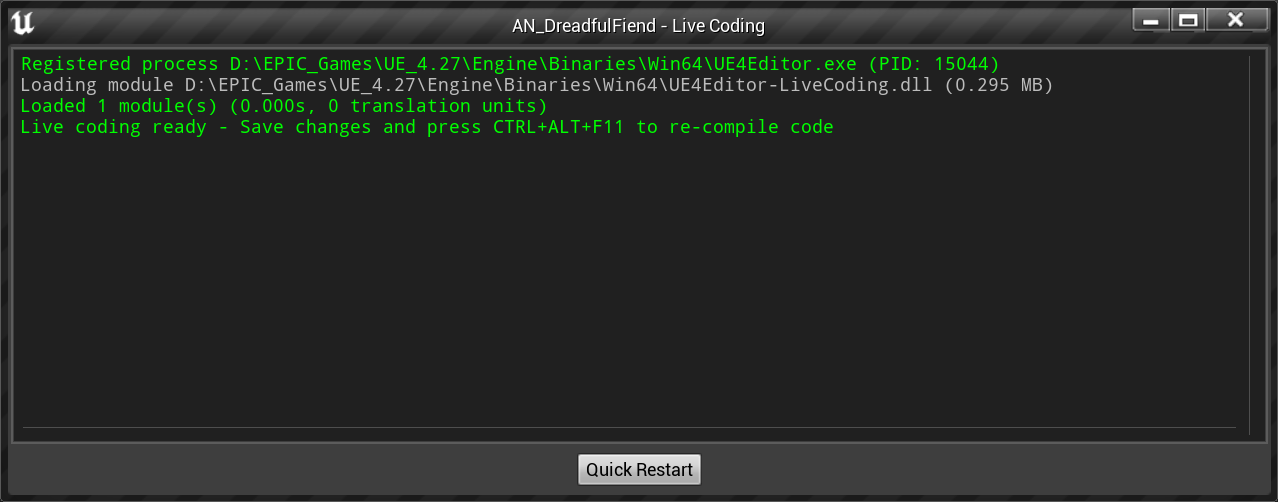
Anybody know why this might have started appearing at editor startup?
https://i.imgur.com/wxmrl02.png
 spice ruin
You have live coding turned on?
ancient spade
I don't know. How do I check? Cause I did nothing different lasst time I opeend the ditor
spice ruin
There's an option not to pop the window up untikl you actually trigger it in the settings somewhere.
Live Coding being on is good. It stops you using Hot Reload.
ancient spade
so it's not an error of sort. Cause I got confused by the button saying Quick Restart
ancient spade
oh ok
Wondeing why it started to appear.... probably felt all alone 😄
@spice ruin Thanks for the info. Also nice profile xD
spice ruin
Thanks 🙂
opal slate
Hi everyone, me again!
Little bit of backstory: I'm currently testing to see if Unreal can look at a particular directory and can detect to see whether or not it can see the video files that I'm putting in and can play them out on to a "screen"
I've tried using the FileMediaSource but the files need to be within the project files ./content/movies and says that it will not be packaged as it's outside of the project files.
Any help would be much appreciated
 dusk tartan
Guys, I disable all forces on constraint but my door still tries to close itself?
dusk tartan
but this happens ONLY if i attach grab component of the door to the vr joystick
if i push the door with physics object - it behaves just fine
 wheat raptor
anyone know keyboard shortcut to clear output log + compile in editor?
 fierce tulip
we only allow these kind of requests in the job-channels
plush yew
Ok sorry
 summer adder
does anyone know any good udemy course for ue4 animation
drowsy snow
summer adder
does anyone know any good udemy course for ue4 animation
None.
 modest trench
Animation is hardly unique to UE4, most character animation is done outside if it in most places afaik
drowsy snow
There are some technical anim implementation things specific to UE4 tools, but I doubt lousy course on Udemy would cover that thoroughly, considering how it's often overlooked
modest trench
Random epic official presentations on it and other official things are your best bet for official UE4 stuff (I assume)
 half shadow
can I ask help for my question in #blueprint ?
 gilded flicker
Whys that epic launcher cant resume download UE4 without saying the install directory is not empty
Do you have to install it without interrupting? Or just the launcher is fk up
coarse jetty
dont know, i think launcher just fk up never faced this problem
gilded flicker
Damn I just donwload 4.26 like to 11GB and ran out of mem causing the launcher to crash, now I had to download it over again
 main mica
does anyone know if its possible to "loop" a 3d level? like give the impression that the player is running through an infinite space but actually its just a tiling map
drowsy snow
main mica
does anyone know if its possible to "loop" a 3d level? like give the impression ...
Usually player view point sticks in place and the mesh moves backwards towards the camera. New chunk of the level is generated on a distance, while the old one got removed once past the player view
Kinda like treadmill if you think about it
drowsy snow
main mica
Do you know any examples?
This is one example from Life Is Strange, there is an interactive dialogue part that takes place in a moving vehicle, and it lasts indefinitely until the player go through the choices.
https://www.youtube.com/watch?v=RWbbMoBB_p8
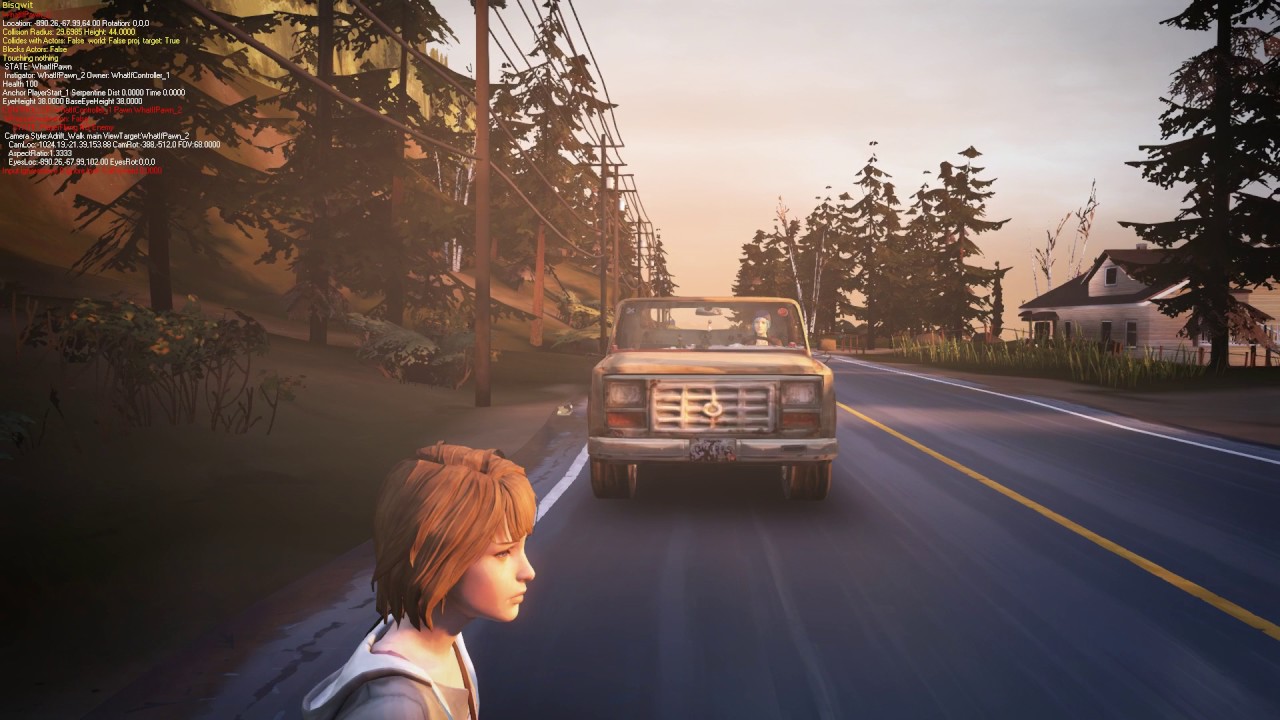
In video games, there are sometimes scenes where you stay in a moving vehicle for an undetermined length of time. The game might be waiting for a player to answer a question for example. A game world can never be truly infinite¹, so in one way or another, the game must trick the player.
Life is Strange™ deals with this problem a few times. Here’...
The same technique can be applied to anything that needs the background to scroll indefinitely
main mica
Nice thanks so much!
 slim saffron
Hello. I start to design a room but the outside light is leaking from the walls, the floor I guess the material lets the outside light in. How can I fix this? I want it to be dark inside. (The ceiling is not open, it is closed)

 marble iris
slim saffron
Hello. I start to design a room but the outside light is leaking from the walls,...
marble iris
slim saffron
Hello. I start to design a room but the outside light is leaking from the walls,...
Try rebuilding the lighting
 zenith needle
guys i need help
im trying to link quixel bridge to ue4.27.2
i get this error when i open it up The MegascansPlugin plugin was designed for build 4.26 Attempt to load it anyway?
drowsy snow
zenith needle
i get this error when i open it up The MegascansPlugin plugin was designed for b...
You can ignore it and press Yes, but you can remove engine version line in the .uplugin file to stop it from nagging you
dusk tartan
main mica
does anyone know if its possible to "loop" a 3d level? like give the impression ...
look at "3d runner" concepts tutorials on utub, , that might help aswell
dusk tartan
slim saffron
Hello. I start to design a room but the outside light is leaking from the walls,...
Maybe thats the..fog?)
 glacial arch
I remember UE4 had a thing to let you catch framerate drops - could you nudge me in the right direction with that? What was it called?
Got some mysterious freezes that I can't quite pinpoint
spice ruin
The session frontend has a profiling thing.
glacial arch
spice ruin
The session frontend has a profiling thing.
Well it's got quite a few profiling things 😛
main mica
dusk tartan
look at "3d runner" concepts tutorials on utub, , that might help aswell
Thanks yeah, I guess there’s a way of applying that to a 3d space
spice ruin
glacial arch
Well it's got quite a few profiling things 😛
I use the one where you record the stats, open the stats and then view the stats.
drowsy snow
glacial arch
I remember UE4 had a thing to let you catch framerate drops - could you nudge me...
Unreal Insights?
 knotty spruce
Hello. I need help with a game I'm making. It uses 360 images and widgets only, and because of that, it was hard to create an inventory system using the tutorials out there, but somehow I managed. I only have one problem, I can't seem to save my inventory Items. The items are added after clicking a button on a widget, there is no pickup actor, just a master item blueprint and icons added to the inventory. So how can I save my items? Hope someone can help. Thank you
 heavy ether
If I build a project for a device (ie android), where should I be able to see what files are actually cooked into it? I know it should be possible to see that, but I can't figure out where to look
spice ruin
 jaunty latch
Basicly i want a texture that is 6k to be 4k or 2k but when i set it up like this its ofseted, how do i downscale a texture so i can use it properly?

 spice ruin
There's an "is power of 2" option somewhere.
Disable it?
It's literally the first option under texture.
real heath
Yeah, that's the issue
jaunty latch
but when i do that it wont alow me to set it up to 4096
drowsy snow
Unfortunately 6K isn't power of 2.
Meanwhile mipmapping requires power of 2 dimensions to work (but it doesn't have to be square 1:1 ratio)
real heath
If you can't set Maximum texture size after that, then export, resize in Photoshop or paint.net and then reimport as 4096 or 2048
jaunty latch
yes thats the only way by the looks of it
real heath
drowsy snow
Meanwhile mipmapping requires power of 2 dimensions to work (but it doesn't have...
Does setting the max texture size property require the original to have pot dimensions? Or can it do arbitrary resizes first before mipmap generation?
drowsy snow
real heath
Does setting the max texture size property require the original to have pot dime...
I'm afraid I never really attempted that for non PoT textures, all of my non-UI textures were in PoT to start with lol
real heath
Yeah same
jaunty latch
yea its sad that unreal cant do that
spare trench
How can I remove shadow from these clouds of the island (I've tried unchecking cast shadow button doesn't work)
 slim saffron
dusk tartan
Maybe thats the..fog?)
slim saffron
dusk tartan
Maybe thats the..fog?)
No its disable when i entrance room.
slim saffron
marble iris
Try rebuilding the lighting
i will try
dusk tartan
slim saffron
No its disable when i entrance room.
but does it gets disabled tho?
dont get me wrong, this looksl ike afog to me
sinful spruce
real heath
That doesn't sound right. Delete/rename your saved directory to make sure there'...
Unfortunately it didnt work for me
 flat trail
Is there anyway to make unreal always run as admin? Im getting errors like "Requested operation requires elevation" due to changing the engine program to run in admin, but this is required for things to work
drowsy snow
flat trail
Is there anyway to make unreal always run as admin? Im getting errors like "Requ...
What are you trying to do? Under normal circumstances UE doesn't need to run as admin
flat trail
Running switchboard listener on startup as admin
 verbal pulsar
Is there native prelaunch settings thing in ue4 like shown in this?
connect with xQc -
Subscribe: http://bit.ly/xQcOWSub
Check out my TopVideos! http://bit.ly/xQcOWTopVideos
Streaming Every Day on xQcOW! https://twitch.tv/xqcow
Stay Connected with xQc:
▶Twitter: https://twitter.com/xqc
▶Reddit: https://www.reddit.com/r/xqcow/
▶Discord: https://discord.gg/xqcow
▶Instagram: https://instagram.com/xqcow1/
▶Snapch...
Cause it looks pretty official
drowsy snow
verbal pulsar
Is there native prelaunch settings thing in ue4 like shown in this?
No, you would have to assemble one yourself
||also screw xQc in particular||
verbal pulsar
drowsy snow
No, you would have to assemble one yourself
Right
drowsy snow
verbal pulsar
Right
You would have to program the UI, and the function to modify the config file according to what Unreal expects
drowsy snow
 grim ore
<https://www.unrealengine.com/marketplace/en-US/product/setupuer>
grim ore
<https://www.unrealengine.com/marketplace/en-US/product/setupuer>
Ouch, it's a paid plugin...
Guess I gotta make a free open source app for pre-load setting screen
 versed lion
I made a simple lock on system, Any feedback?
 whole abyss
Is there a way to make a crawling mode with a third person character, in a way so they can't crawl into a wall?
 sick patio
QUESTION: my music friend, who is trying to make a game, is saying the he can't make AI lizard walk on walls. When I showed him niagara he said "that's particles" I want meshed AI walking on walls and ceiling. This is possible isn't it?
versed lion
@whole abyss Make a simple line trace if they are too close to a wall disable crawling ability or make them go into a stand animation
versed lion
sick patio
QUESTION: my music friend, who is trying to make a game, is saying the he can't ...
Yes you can use a mesh renderer in niagara, but I think your friend wants its own AI blueprint which is able to crawl on walls
sick patio
yes
whole abyss
versed lion
<@81433262831968256> Make a simple line trace if they are too close to a wall di...
What if you'd like to be able to continue crawling, but just not slide into the wall
like you could crawl along it somehow
sick patio
I showed him a video of someone having the PC crawl up walls, an alien, he said no he wants AI doing it
xenomorph
+++
versed lion
whole abyss
like you could crawl along it somehow
So its prob animation stuff, make the animation going into prone mode so it will be IN PLACE and not like over exceeding the player's collision limits that way the player's mesh will go through walls.
versed lion
sick patio
I showed him a video of someone having the PC crawl up walls, an alien, he said ...
So yeah, he wants an actor \ unique BP that is able to crawl on walls, the I don't think you can program an AI from niagara
sick patio
right. you only make stuff appear to behave
but this video https://www.youtube.com/watch?v=CqXKSyAPWZY
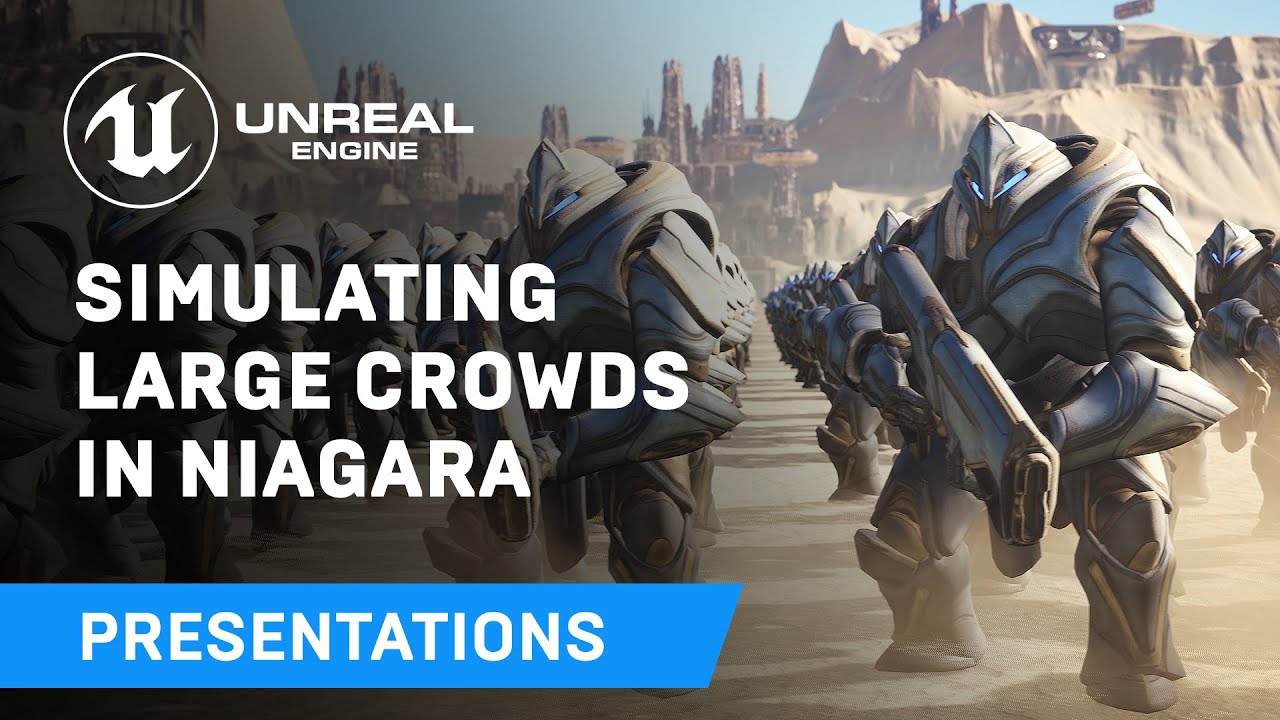
Displaying thousands of characters on-screen in real-time has always been a challenge - until now. Unreal Engine's Niagara visual effects system opens up doors to go far beyond what was previously thought possible and this presentation by Epic's Joseph Azzam showcases how you can utilize the power and versatility of Niagara to create massive cro...
is it really niagara because they're fighting each other
drowsy snow
Niagara crowds are more for set dressing than practical gameplay crowds
versed lion
sick patio
is it really niagara because they're fighting each other
This is beyond my knowledge so I can't really explain how it works or how to implement it in your project \ your friends project correctly, sorry :P.
sick patio
versed lion
This is beyond my knowledge so I can't really explain how it works or how to imp...
yeah i was thinking... this is so out of my pay grade I am calling this guy harry potter. Glad i'm not the only one who's mind is blown
versed lion
sick patio
yeah i was thinking... this is so out of my pay grade I am calling this guy harr...
Its basically to have in the background rather than put in inside a gameplay feature I think like @drowsy snow Said
 drowsy snow
If you're using UE5, Mass could've manage that one.
Though you're not specifying whether it's one singular lizard, or swarm of lizards
sick patio
Oh, excuse me. I've conveyed the question wrong. Thank you for responding. I'm infusing my own question into the question. Since I want city crowd movement in my game.
versed lion
So in that case
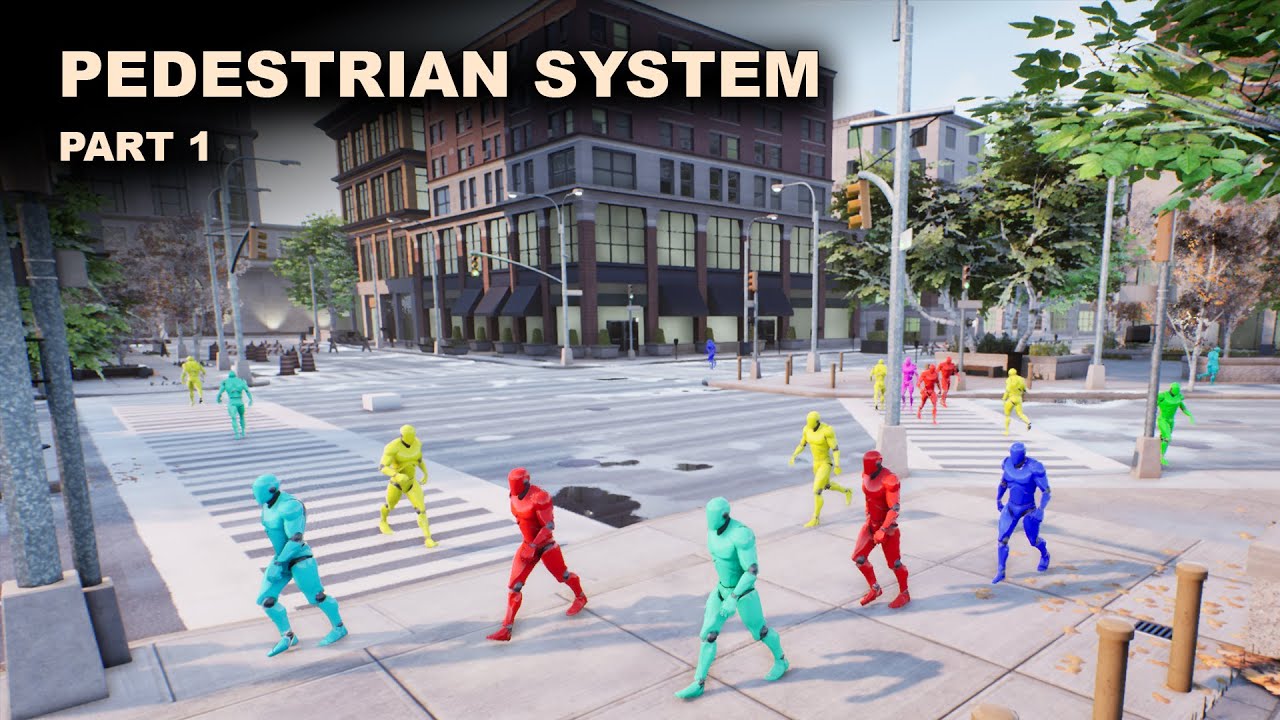
Project Files : https://www.patreon.com/posts/39393074
This is the part 1 of the mini series I am doing on a pedestrian system in unreal engine. Here, I am going to focus on a way to define the paths that pedestrians can take. For example, if we take a city, there are streets, zebra crossings and sidewalks. Even though the whole area is navigabl...
sick patio
niagara can do one lizard, or a few lizards and if you want different movement, you make A SEPARATE AI?
right?
i mean a separate niagara for each case?
thank you @versed lion @drowsy snow
drowsy snow
sick patio
Oh, excuse me. I've conveyed the question wrong. Thank you for responding. I'm i...
Well, again, if you're using UE5, Mass can handle that. As shown in the Matrix demo
sick patio
so you're saying, stop it with the ue4 FeelsBadMan
drowsy snow
Even I had to move to UE5 hehehehe
versed lion
I am still rocking UE4 baby ftw
drowsy snow
Control Rig is so buggy in UE4
Not to mention lack of tweening
sick patio
YAY Oshri
versed lion
sick patio
i mean a separate niagara for each case?
Umm if i read it right you want to make an AI for each direction?
sick patio
no he wants a lizard. and he said sometimes 3 lizards
would he need separate niagara?
drowsy snow
sick patio
no he wants a lizard. and he said sometimes 3 lizards
What's the max he asked?
sick patio
20
drowsy snow
20 is still reasonable to be handled by BPs, but it can rapidly tank performance if you're not careful with event ticks
sick patio
let me form this question: like blender 3d, can i have a set of different meshes, let's say 20 different people, and then set niagara to randomly show each of the people?
AH here's the issue: he says that bp cannot do meshes walking upside the wall or ceiling. which was the original goal
drowsy snow
sick patio
AH here's the issue: he says that bp cannot do meshes walking upside the wall or...
Which is true... if you're using the hardwired Character Movement Component
sick patio
how is that possible
or not possible
so: Navmesh is not able to walk up walls and ceilings?
drowsy snow
sick patio
so: Navmesh is not able to walk up walls and ceilings?
No, but you could have a hacky solution of sphere trace and getting the surface normal direction
 remote hill
New to unreal, I am curious if there is a better way to do what I'm doing. I'm creating multiple pillars with an odd shape. I'm using multiple cubes and subtractive cubes to create the shape. The level will have a lot of these pillars so is there a more optimal way of creating the desired shape?
drowsy snow
remote hill
New to unreal, I am curious if there is a better way to do what I'm doing. I'm c...
Make it in your DCC tool of choice, like Blender.
BSP brush in UE4 is finicky for more complex shapes
 night birch
What is this message?
Failed to create and initialize socket UdpMessageMulticastSocket (last error: 0)
Its coming from the UDP Messaging plugin I guess
But what is this plugin for?
spice ruin
For UDP messaging?
 oblique tangle
Anyone know if there's a way to disable decals from showing on specific materials? Not actors, but specific mats
I can see a decal response check in the mat details, but not sure if that does anything
thin tendon
oblique tangle
Anyone know if there's a way to disable decals from showing on specific material...
I'm not sure about a material option. But if you take the model. And assign all the faces with the material you want to a new model. So like split your model into multiple meshes. Then you can just select the option to not receive decals.
oblique tangle
thin tendon
I'm not sure about a material option. But if you take the model. And assign all ...
Ye thanks, thought that was the only way to do it
 primal edge
just in case you missed it in the UE5.x channel, here too as it runs on UE4.x as well (built actually on UE4.19 or so)
Edit the game while it's being played 🙃
https://www.youtube.com/playlist?list=PLTfMG1EpxB2eEsnsy4mVk52uWJPg8UOy2

YouTube
Game Link (GL for short) is an enhancment to Unreal based projects that allows a running packaged game to get instant changes and udpates from the editor, wh...
real heath
primal edge
just in case you missed it in the UE5.x channel, here too as it runs on UE4.x as...
#work-in-progress or #released
 weary basalt
@primal edge Please dont spam the same message across multiple channels. #released is sufficient.
 hidden dew
Would anyone have any suggestion for why my not-possessed, no-controller-nodes-connected, I'm-not-pressing-anything-anyway blueprinted Pawn is having its Controller values altered when I use SetWorldRotation?
In other words: plugging in a SetWorldRotation node is causing GetControlRotation node to output ever-increasing values.
Update: It only happens while I have still never possessed the Pawn.
Once I possess then un-possess it, the problem doesn't come back.
 dawn flint
building my lighting takes hours and when finished and starts unloading meshes or something unreal crashes,
light quality is only set to medium, what should i do?
 hollow spire
UE4 project folder structure doesn't contain /platform directory why?
glacial arch
drowsy snow
Unreal Insights?
That ended up being it, thank you.
main mica
anyone have any ideas how to construct physics blocking geo from the camera frustrum? - currently doing it manually with imported geo but thats not sufficient to adapt to different screen aspect ratios on various devices - im trying to have objects collide with and bounce off the edges of the player screen in 3d space, the camera is static
thin tendon
main mica
anyone have any ideas how to construct physics blocking geo from the camera frus...
The simple way to do that. Would be to create a box out of smaller boxes. Place them in a square shape at the edges of the camera view. then move them with the camera or make them a child of the camera.
main mica
@thin tendon what about perspective though?
i was trying to get the viewport size and then use that to scale the geo yeah
i mean like some screens might be aspect ratio 1.7 others might be 1:9 etc
thin tendon
@main mica So I think the way it works. If you place them in the 3d world at the edges of view. They would only come into view if the field of view changed. The resolution (perspective) of the screen. Is only a scaled version of what the camera sees and shouldn't affect the field of view.
hidden dew
hidden dew
Would anyone have any suggestion for why my not-possessed, no-controller-nodes-c...
For the sake of answering in case someone else reads it, my issue was that the Pawn was being auto-possessed by AI. I didn't know about AI Controllers. I needed to change AutoPossessAI to disabled, in its Viewport details.
 coarse jetty
hi does anyone know where i should look?

 keen birch
Hey y’all, I’m using Unreal for school and I’ve run into an issue while creating my main menu. I’ve created the widget and it works functionally within itself, but when I hit play it crashes. I recreated a second project and copied over just the main menu BP and the enumerator but it ran the same error. Does anyone know what I can do to get the level to load?


 honest cosmos
hey how can i take two skeletal meshes and merge them together and keeping the skelleton
spare trench
If X(in my case floating Island) is a object and Y (cloud mesh) is another object. Here I want that the shadow of X should not lie on Y object
How can I do that ? I tried unchecking cast shadow button from Y it doesn't work
spare trench
honest cosmos
hey how can i take two skeletal meshes and merge them together and keeping the s...
Select those skeletal mesh on view by holding shift
Then right click and select "merge actors"
honest cosmos
doesnt work
 thick herald
honest cosmos
hey how can i take two skeletal meshes and merge them together and keeping the s...
thick herald
honest cosmos
hey how can i take two skeletal meshes and merge them together and keeping the s...
Fairly sure you can't in engine.
versed lion
keen birch
Hey y’all, I’m using Unreal for school and I’ve run into an issue while creating...
I don't think you specify which level to open so the engine crashes
What variable is that "Level list" (can't see the color very well)
keen birch
versed lion
What variable is that "Level list" (can't see the color very well)
Level list is an enumeration with the names of the levels I have
versed lion
Ok
So... basically what is happening in your code
You need to set from enum to a string then to a name
then plug it in the open level
Like that @keen birch

Without that, from enum to name will basically have that variable (screenshot) with the string you are reading the string variable (map name) and then converting it to the level name to load. Hope it explains pretty much
 keen birch
That makes sense. Thank you @versed lion! I’ll try it out when I get access to my computer again and let you know. I really appreciate the help!
versed lion
keen birch
That makes sense. Thank you <@396251710453972993>! I’ll try it out when I get ac...
Anytime friend
 magic quarry
keen birch
Hey y’all, I’m using Unreal for school and I’ve run into an issue while creating...
magic quarry
keen birch
Hey y’all, I’m using Unreal for school and I’ve run into an issue while creating...
Windows + Shift + S for screenshots
whole abyss
If you want to add a lot of new functionality to your player character, does it still make sense to use the character base class?
Like i don't need swimming or flying i think. Which it easily takes care of
But i would like to add stuff like crawling, climbing ladders, climbing obstacles, which it doesn't handle
also don't need multiplayer stuff at all
versed lion
whole abyss
If you want to add a lot of new functionality to your player character, does it ...
Yeah I think its ok to use the basic class from previous tutorials I saw they never created like a unique player controller \ class in order to achieve those stuff such as climbing or crawling.
whole abyss
by basic, do you mean the character class, or the pawn class or...?
i tried getting into unreal a year ago, but other stuff got in the way, so i'm getting back now ( :
versed lion
whole abyss
by basic, do you mean the character class, or the pawn class or...?
The character that comes with the premade templates is enough to achieve it is what I meant
versed lion
whole abyss
i tried getting into unreal a year ago, but other stuff got in the way, so i'm g...
Glad you're back
whole abyss
okay, that's the character class i'm pretty sure ( :
versed lion
ye
 formal knot
Hello guys! I'm in need of an Unreal 4 C++ programmer, could someone here tell me if this discord has a freelancer chat or a chat where I can find people who are interested?
fierce tulip
we have some job channels. read the #instructions channel :)
formal knot
ooh ty
 sullen tree
hello, is this book good Blueprints Visual Scripting for Unreal Engine
by Brenden Sewell?
 obtuse stump
Why I imported a model from turbosquid and it's fucking with no materials?
 proven venture
Is there any drawback to using UE 5 for a lightweight multiplayer game, which would not aim to be a AAA high-end game but a darkrp clone? lol
I'm inclined to pick ue4 to start with but don't know if that's a bad idea
 past horizon
I am trying to make the build itself capable of exporting its files in mp4 for the users.
after a while of looking at github I haven't found hardly any results, or at least that are feasible.
real heath
past horizon
I am trying to make the build itself capable of exporting its files in mp4 for t...
Like recorded live play? You probably want to look for Nvidia shadowplay sdk and the amd equivalent
drowsy snow
proven venture
Is there any drawback to using UE 5 for a lightweight multiplayer game, which wo...
Not many. You can scale down UE5 fairly easy
real heath
Yeah at the lower end of settings ue5 is basically ue4 with a refreshed ui
Nanite and lumen, the new tech is optional
past horizon
real heath
Like recorded live play? You probably want to look for Nvidia shadowplay sdk and...
no, what I want is for the user to be able to shoot video directly from the build without installing anything similar to obs, shadowplay, etc.
oak patio
past horizon
no, what I want is for the user to be able to shoot video directly from the buil...
but also ask yourself this. why would your users use that over something like obs, or even built in systems like xbox game bar
what would your system add over already existing systems built into the OS
real heath
past horizon
no, what I want is for the user to be able to shoot video directly from the buil...
Shadowplay is built into the driver I'm pretty sure. Like PUBG used it to automotaticslly record game highlights. It's something your programmatically activate and deactivate
Honestly, it sounds exactly like what you want
Hardware handled video encode vs relying on them having a fast enough cpu
drowsy snow
Xbox Game Bar is also built in to Windows and has low overhead as well
past horizon
real heath
Shadowplay is built into the driver I'm pretty sure. Like PUBG used it to automo...
and i can program this with bp and assign to a input to generate a video file in .mp4 on the folder of the build?
real heath
It's probably a c++ sdk,. But you could expose it to bp
past horizon
oak patio
but also ask yourself this. why would your users use that over something like ob...
because its a dslr simulator, for generate "renders"
real heath
There's nothing else built into the engine for thst with BP access afaik
past horizon
its posible implement something like that like an third parties plugin?https://github.com/WindowsNT/ScreenCapture

GitHub
A DirectX hardware video + audio capture with mixing capabilities and Media Foundation file encoding (Windows 8+) - GitHub - WindowsNT/ScreenCapture: A DirectX hardware video + audio capture with m...
oak patio
past horizon
because its a dslr simulator, for generate "renders"
ah understandable
real heath
past horizon
its posible implement something like that like an third parties plugin?https://g...
Yeah it'd work similar. However give that one a go also
drowsy snow
past horizon
its posible implement something like that like an third parties plugin?https://g...
If you know your way around C++, yes.
past horizon
drowsy snow
If you know your way around C++, yes.
i dont have any coding skills, and im trying without results, i have the release of the github on the third parties, but i dont know how i can assign a key input to execute the main.cpp
past horizon
oak patio
wouldnt reccomend it if you are unfamiliar or just starting out with c++
im a bp-medium and a very very low c++ level
drowsy snow
past horizon
i dont have any coding skills, and im trying without results, i have the release...
You're pretty much outta luck then
oak patio
yeah unless you can find a magic out of box solution, or fancy paying a lot of money for a freelancer, or fancy sharpening your c++ skills, as makoto said you are outta luck
real heath
past horizon
im a bp-medium and a very very low c++ level
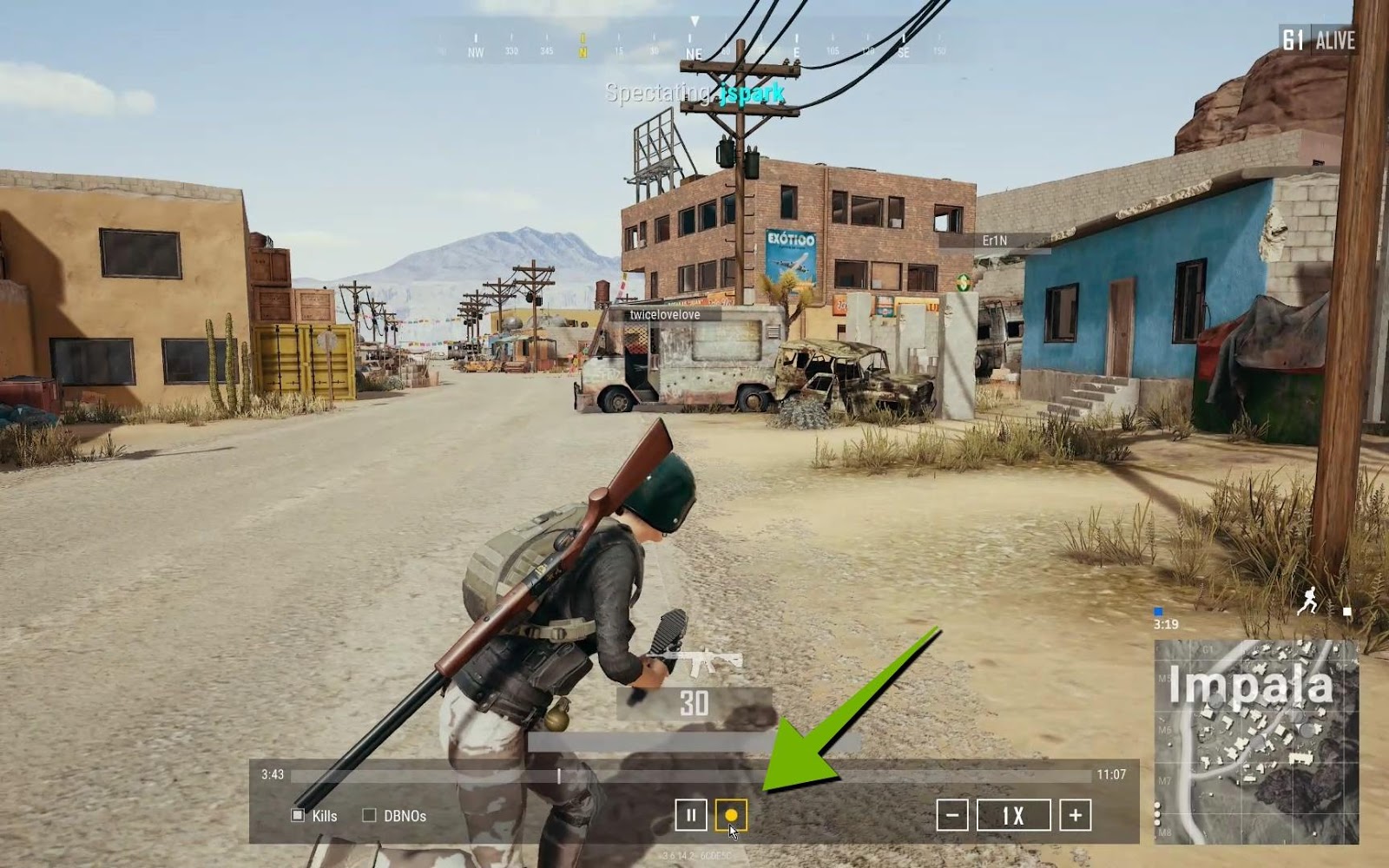
NVIDIA Highlights tutorial for Unreal Engine 4 enables programmers to add automated video capture of key in-game moment s
Seems it's called Nvidia highlights, and they have a plugin already
Don't know of bp access though
past horizon
drowsy snow
You're pretty much outta luck then
only works with nvidia gpus?
real heath
Yes, but amd have equivalent I think
oak patio
real heath
Don't know of bp access though
it does use some bp but also requires some c++ setup from that article.
past horizon
im going to see the amd option because the amd option sure will be open source
past horizon
oak patio
it does use some bp but also requires some c++ setup from that article.
in the web show a bp with a "init highlight"
it can be an option
(sorry for my bad english)
oak patio
ah true, it seems i misread the article
drowsy snow
past horizon
im going to see the amd option because the amd option sure will be open source
If you really want to allow your player to record cinematics in runtime regardless of GPU, you could setup a "pre-render system" (I should come up with better name)
The idea is player record points for the camera to go through later, and outside of gameplay, the game dumps every frame with fixed frame rate to image sequence. Then you side load encoder to turn image sequence to video.
The con of this method would be the result isn't instantaneously done.
past horizon
this is a good option, if i cant with WindowsNT/ScreenCapture option, im going to try the shadowplay option
past horizon
drowsy snow
If you really want to allow your player to record cinematics in runtime regardle...
yes but this is intended for a user with very little knowledge, my idea is to try to make a "render creator for dummies".
real heath
Yeah something like that is built in. You run the game from commandline with -dumpmovie -fps=30 or something. Issue is it's non-interactive and you need to setup your system to accept other commandline params to load straight into the movie you want captured
Then you need to encode with ffmpeg
past horizon
real heath
Yeah something like that is built in. You run the game from commandline with -du...
the highlight unreal command what it is?
real heath
?
Dumpmovie? Is not a bp command, it's a commandline argument. You need to launch the game with it.
It doesn't render frames to screen, just straight to PNG files
past horizon
 past horizon
real heath
Dumpmovie? Is not a bp command, it's a commandline argument. You need to launch ...
past horizon
real heath
Dumpmovie? Is not a bp command, it's a commandline argument. You need to launch ...
yes, i know, i can execute with this, no?
 real heath
Oh I dunno, I haven't used it. I was giving you options I knew about for what you wanted to do
real heath
past horizon
yes, i know, i can execute with this, no?
No
That's a console command. Not a commandline parameter
You need to launch a whole second instance of the gsme
past horizon
real heath
Oh I dunno, I haven't used it. I was giving you options I knew about for what yo...
ah okay
I think I'll try the nvidia highlights option (anyway I'll give the ScreenCapture option a couple of tries, see if I get lucky).
drowsy snow
real heath
Yeah something like that is built in. You run the game from commandline with -du...
I think you can recreate the same with BPs without relaunching the game, though FFmpeg is GPL, including it with Unreal could be a problem license wise
hidden dew
Hi all. Yesterday I learnt that my un-possessed Pawn was being automatically possessed by an AIController, which was messing things up.
I can disable that, no problem. But I'm having trouble learning about/finding info on what was going on.
In particular, the Pawn's own rotation was being applied to the AIController, so GetControlRotation (blueprint) would output changing values if I had the Pawn orbiting a planet (and being aligned with the planet by other code).
Mainly I'm trying to find something that shows where/why that happens, and explains the whole Pawn rotation vs ControllerRotation vs ControlRotation vs whatever a bit more.
Any tips/leads?
 west merlin
Is there a built in method to basically, "see if an AI could get from A to B"? With or without an AI.
 tender pecan
west merlin
Is there a built in method to basically, "see if an AI could get from A to B"? W...
tender pecan
west merlin
Is there a built in method to basically, "see if an AI could get from A to B"? W...
Seems there are a couple ways yes ( although I don't see one for BP, you might need to expose it yourself )
https://forums.unrealengine.com/t/how-to-check-if-a-point-is-reachable-by-pawn/367407/11
west merlin
Thank you, I’ll take a look
tender pecan
hidden dew
Hi all. Yesterday I learnt that my un-possessed Pawn was being automatically pos...
 rotund sorrel
Why don't megascans assets come with collisions?am i supposed to add it to them?is "collision complexity: use complex as simple" a good way?
 autumn flame
Depends on the type of asset, you can always do that but use a higher LOD as the collision
rotund sorrel
autumn flame
Depends on the type of asset, you can always do that but use a higher LOD as the...
How do you usually add collision on them?
autumn flame
From the Collision window
You can add simple one based on shapes or auto convex for a more precise result, can be wonky tho
spare trench
Whay is the alternative of destroy actor node?
Cause I want to respawn that obejct as I respawn
 woven panther
someone know if it's possible to have something like the foliage painter but instead of meshes, it's objects
autumn flame
spare trench
Cause I want to respawn that obejct as I respawn
Hide it?
 crisp moat
Having around 1000 PlayerStart points in a level would hinder performance in any way ?
hidden dew
tender pecan
Maybe ?
https://meiyuchen.wordpress.com/2018/01/18/difference-orient-rotation-mo...
Thank you. I actually found the confirmation I needed in code. There is actually a variable literally called bSetControlRotationFromPawnOrientation.
6 bugs to fix today
Squashed 4 of them
Now I have .. 6 bugs left
 arctic carbon
quick question ? is this necessary when I release my game ?
 arctic carbon
i need help
plush yew
Does anybody know how to make a third person character out of a First Person character?
I already have a First Person character setup
but I wanna add a Third Person view to be able to switch between them
for context, I followed Ben Ormstad's UE5 character tutorial
grim ore
There are many ways to do it, and it depends on if its multiplayer or not. You can add another mesh for the third person view, same with a spring arm and camera and just activate/deactivate parts as needed for example
plush yew
grim ore
There are many ways to do it, and it depends on if its multiplayer or not. You ...
im confused as to what you mean lol
what would I need to activate and deactivate?
also, it wont be multiplayer
also, just as a little side note, how to remove this mesh?

im using that mesh as part of my player
but it doesnt move with the actual character
it just stays there
I might leave this until tomorrow, its 8pm rn
and it takes me a long time to get tired
I have a tutorial saved that i'll get started on in the morning
arctic carbon
do i need this to release my game ?

 icy mulch
Hey can anyone help me with a blueprint function that I'm trying to get working
oak patio
arctic carbon
do i need this to release my game ?
Be patient
Oops my bad didn't see the time difference 🤣
oak patio
arctic carbon
do i need this to release my game ?
https://www.unrealengine.com/en-US/release
According to the website these are steps you need to follow

Unreal Engine
Unreal Engine is the world’s most open and advanced real-time 3D creation platform for photoreal visuals and immersive experiences.
I assume you only need to fill that in and mail it off if you intend to use their trademark
I.e. the logo in your trailer or whatever
arctic carbon
oak patio
I assume you only need to fill that in and mail it off if you intend to use thei...
so what if i don't use their trademark and release the game for free, do i get in trouble for it ?
 mental dome
I get these weird holes in my model when importing it from blender to unreal
oak patio
arctic carbon
so what if i don't use their trademark and release the game for free, do i get i...
You won't get in trouble for using their trademark if you aren't using their trademark.
Again just follow that checklist there and you'll be fine and dandy
oak patio
mental dome
I get these weird holes in my model when importing it from blender to unreal
Show an image, we can't really diagnose the issue without one
mental dome
oak patio
Show an image, we can't really diagnose the issue without one
they look like this

on the very edge of the model
oak patio
gonna need a bit of a zoom out there, a full view
arctic carbon
oak patio
You won't get in trouble for using their trademark if you aren't using their tra...
thanks for the help
oak patio
no problem
 surreal prism
Should one still use UE HUD class nowadays?
drowsy snow
surreal prism
Should one still use UE HUD class nowadays?
Why not? You can use it as "data secretary" so to speak.
 true ridge
Is it possible to set the line thickness on a collision sphere like you can a box?
spare trench
autumn flame
Hide it?
Do you mean set visibility node?
What Hlod does? And whats the difference if I setup lods manually for each mesh and hlod for whole level?
autumn flame
spare trench
Do you mean set visibility node?
Yes
HLOD should be chunked for a cluster of meshes
So the entire area gets LODed and merged into 1 unique mesh
In UE5 World Partition considers as those chunks a tile of the grid
It HLODs everything in there that's allowed to
 velvet drum
so i changed the mesh of my third person character, but now there are no animations. how would i add default animations back?
 drowsy snow
velvet drum
so i changed the mesh of my third person character, but now there are no animati...
drowsy snow
velvet drum
so i changed the mesh of my third person character, but now there are no animati...
Retarget manny's animBP to your skeletal mesh
velvet drum
drowsy snow
Retarget manny's animBP to your skeletal mesh
uhh. im absolutely new to ue, where and how do I do that? cause i tried going into the new mannequin's mesh and changed the animation blueprint but that didnt work
marble iris
velvet drum
uhh. im absolutely new to ue, where and how do I do that? cause i tried going in...
In the details panel of the skeletal mesh there's an animation tab
You need to use anim bp then select
I don't think that's properly rigged though (in accordance to Mannybot)

 forest light
does anyone know how to remove these popups? literally Im just debugging object that is not always valid and it constantly irritates me
 autumn flame
So why don't you add a is valid node or make it a validated get?
forest light
because it is ideal example to explain what I want and it would not help to solve actual problem
autumn flame
Then solve the actual problem, it will error out if it's not valid, no way around it
forest light
autumn flame
Then solve the actual problem, it will error out if it's not valid, no way aroun...
I think you don't understand I'm not asking how to make sure everything is valid, I know that very well, but often I happen to constantly closing that window popup like a virus, just because I use some temp nodes or something
autumn flame
Yes, edit the cpp file where it calls it
And enjoy a possible Engine recompile
If you are on a binary build, out of luck, so as I was saying, only way is actually fixing the errors
forest light
dunno I may actaully hire someone to modify engine togive me option for auto hiding that popup
autumn flame
Are you on a binary build?
forest light
standard from epic games launcher
autumn flame
Then even if you hire someone they can't do anything about it
You would need a source build
The popup is called at Engine\Source\Editor\UnrealEd\Private\PlayLevel.cpp
forest light
just opened it its quite large thing
I assumed there would be at least inbuilt suppression option, but maybe its to save people from themselves so they don't end up with tons of suppressed errors
yeah so wanted suppression of it after I already know how to not make bad code
 craggy sierra
how should i make a collectibles item, if i know i will have 10000+ of them on map, lets say map is really big, at least 10min of running from one end to another, and assuming that the game will be multiplayer, with listen server option, level streaming cant work in this case becasue server (one of players) always have to loaded everything to handle picked items by another players, so how should i do it?
forest light
craggy sierra
how should i make a collectibles item, if i know i will have 10000+ of them on m...
you can maybe procedurally spawn those items on go when player is near
craggy sierra
but then how to store info where to spawn them? as a array of vectors and checking distance to each of them? i dont think it will be cheap
forest light
overall idea of having 10000+ of them will not be cheap
craggy sierra
yea, but it somehows works great in satisfactory, and i would like to know how they made it
you can collect every peace of grass you see
and there is ton of them on whole map
forest light
but what I do is I have LODS same as for graphics modesl get lower polycount, I do same but with code
also, with picking up grass its different. nothing gets calculated and once you click on it (ray hits grass object) then calculation starts, detects what object it is to add to inventry and to remove item
it also really depends what those collectibles should do, how much logic within them etc.. otherwise you can just spawn like foliage static meshes and solve it same as they did with grass
keen holly
can some explain unreal 4 Landscape Layer Coords Node to me the docs dont help with uv type and mapping want to understand whats going on thanks
 digital otter
how do i unpack pak files
digital otter
plez someone
autumn flame
No
grim ore
didn't this happen in the other channel? 9:28 AM]Sir Pieutreighd: please someone help me unpack PAK files [9:28 AM]Iannis S.P.: No [9:28 AM]Iannis S.P.: Read the rules maybe [9:29 AM]Iannis S.P.: You already broke 2 [9:29 AM]Sir Pieutreighd: ok
autumn flame
Yep, it did
digital otter
grim ore
didn't this happen in the other channel? ```9:28 AM]Sir Pieutreighd: please some...
i waited for like 40 minutes and no one responded
i didnt
i will wait more
grim ore
well for one ``` If not, come back in a few hours and consider rephrasing your question or adding more details.
and for two, why do you want to open the PAK? does it violate rule #5?
digital otter
grim ore
and for two, why do you want to open the PAK? does it violate rule #5?
i want to mod my keybinds
in a gamae
game*
grim ore
you are probably not going to find support on that here then, unless the game dev allows it.
digital otter
grim ore
you are probably not going to find support on that here then, unless the game de...
they don't care. a lot of people do it and they don't get in trouble
oak patio
digital otter
they don't care. a lot of people do it and they don't get in trouble
if its not explicitly supported and the dev doesnt provide the tools then it cant be discussed here. Even if it was you would be extremely unlikely to receive help
digital otter
oak patio
if its not explicitly supported and the dev doesnt provide the tools then it can...
nvr mind but i found the solution. I have to download unrealpakexe
oak patio
digital otter
nvr mind but i found the solution. I have to download unrealpakexe
thats cool and all but for the third time it cannot be discussed here
digital otter
ok
 wet raft
Does anyone have a good dialogue system tutorial they recommend?
 frozen pond
Hi, i wonder, if it possible to create seamless world? Like player have some area to move in, but if he moves too close to border he is teleported without notice to another place on map?

 rain pebble
how do I learn unreal engine, i find it all confusing
ive tried tutorials and stuff but it never stays
oak patio
try applying what you learned from them. just copying tutorials wont do anything for you.
you need to use what you learned in practice for it to stick
 sage coral
Might be a silly and simple question but how can I make it so like when theres dust and stuff near a spotlight that you can see the full light ? Like when you throw dust at a lazer that you cant see if that makes more sense.
 eternal rain
I'm looking to add a 2D Title Screen and Level Hub to an otherwise all 3D game. Is the best approach to just make empty levels that immediately activate widgets? Or does the method involve making a couple of 2D levels?
drowsy snow
eternal rain
I'm looking to add a 2D Title Screen and Level Hub to an otherwise all 3D game. ...
You can have blank map with a pawn that creates the main menu widgets.
eternal rain
thanks; I'll look into making those
slim saffron
Hello. I have problems like that. When i close lights looks normal but when i go back(far) lights crashing. How can i fix this ?
plush yew
I'm making a game for a game jam, and I need AI characters that will chase and attack the player when they are spotted. I have found two different styles of doing this on youtube...one is with behavior trees, and the other is just in blueprints. Which one is better, and is it possible to blend them?
thin tendon
plush yew
I'm making a game for a game jam, and I need AI characters that will chase and a...
Both work but behaviour tree is definitely the way to go
 midnight cloak
Hi, I got this error when I try to push my commit with Fork can someone tell me what's going on please?

(This is my first commit, I'm trying to put my project on git with Fork)
hidden dew
midnight cloak
Hi, I got this error when I try to push my commit with Fork can someone tell me ...
I'm not sure about this Fork software, but that looks like it might have worked despite the error. You can check by going to the git website.
If it keeps happening I have no idea though sorry.
drowsy snow
midnight cloak
Hi, I got this error when I try to push my commit with Fork can someone tell me ...
Likely connection problem in git
thin tendon
midnight cloak
Hi, I got this error when I try to push my commit with Fork can someone tell me ...
I agree with @hidden dew and @drowsy snow . To me it reads like this. Fatal: Github app disconnected while uploading (pushing) to the server. Then it reconnected and tried to upload again. Then it says everything is updated and I finished. At least that is my interpretation.
midnight cloak
Thanks @thin tendon , @drowsy snow , @hidden dew 🙏
midnight cloak
So... what i have to do ?
 potent reef
Hi! Good day everyone! Want to ask a question.
So i want make a button in runtime which i can toggle off/on Some assets in the game.
Let say i have “10 red car” in level. I want to Toggle on/off that red car with a Button/umg widget. Is that possible?
Thanks before! 🙏🏼
coarse jetty
potent reef
Hi! Good day everyone! Want to ask a question.
So i want make a button in runt...
yes of course, regardging your question i would recommend that you check the free content "blueprint comunication"
 round light
hey everyone, any idea why my physics constaints in this BP arent actually attaching tight to my skeletal mesh? the cable length is 1 but stretches out on both cables, it should be held rather close together though as if the npc was holding on for dear life
 potent reef
coarse jetty
yes of course, regardging your question i would recommend that you check the fre...
potent reef
coarse jetty
yes of course, regardging your question i would recommend that you check the fre...
Thanks!
One more question, so i watch this tutorial: https://youtu.be/W-UWNNRuPwQ
Its tuts for Play and Pause Sequencer via button Widgets, i tried and succeed.
However, i want to make the animation play but not whole animation.
Button 1: play Animation sequencer 0-15 frame
Button 2: play sequencer from frame 15-30 frame
Without making 2 sequencer. Is that possible? And which document should i read? Thanks again!
cc: @coarse jetty

Short tutorial how to control Sequencer with Widgets in Unreal Engine 4.26
FOLLOW ME SOCIAL MEDIA:
https://www.facebook.com/fvaraku/
https://www.instagram.com/fatmirvaraku/
https://www.artstation.com/artist/fatmir
coarse jetty
in the sequencer you cant track"actors" and fire and event. dont know if its the correct way or there are another, but you can:
Actor -> play sequence -> x frames -> sequence trigger event actor pause sequence
crisp moat
why is copy bone so limited and copies the entire translation, rotation and scale, i'd love an option to pick which x,y,z is copied with the blueprints.
 whole barn
heya i need to add roughness to about 501 materials, is there a way to group edit them?
drowsy snow
whole barn
heya i need to add roughness to about 501 materials, is there a way to group edi...
No, but you can make material instances instead and apply them to the meshes that you need.
whole barn
how do i do that?
 buoyant graniteBOT
:question: Can I ask a question?
Don't ask to ask. Just ask!
 scarlet adder
Hey all. Just need help. I'm trying to make appear/disappear object on click of the button in menu but can't find a solution. What are the options for me to achieve this function?
 indigo reef
Hello, I'm looking for a way to use tessellation on UE4. It's working fine on PC but not on console. Looks like tessellation support for console with UE4 was discontinued (https://forums.unrealengine.com/t/hardware-tessellation-support/265107).
I'm testing the feature 'Virtual HeightField Mesh' as an alternative but it's causting to much in term of performance. Do you know if there is other alternative or a way to add support for tessellation on console ?
Ninite is not possible in our situation.
drowsy snow
indigo reef
Hello, I'm looking for a way to use tessellation on UE4. It's working fine on PC...
Tessellation is only available for DirectX, which you might guess, not available on anything else but Windows (and maybe Xbox)
plush yew
last time i tested, tessellation was supported by ogl, vulkan and metal too. or is this ue limitation?
 merry pilot
How do you show draw calls again?
indigo reef
plush yew
last time i tested, tessellation was supported by ogl, vulkan and metal too. or ...
Yes, I think it's a UE4 limitation
 sinful hare
Does anyone know where if it's documented somewhere the update order of the engine? Eg, Tick, Pre Physics, Post Physics, Physics, Render, Animation etc.
Something like this for unity https://docs.unity3d.com/Manual/ExecutionOrder.html
 whole barn
@drowsy snow explain !1
spice ruin
 oak patio
whole barn
<@325627930484932608> explain !1
oak patio
whole barn
<@325627930484932608> explain !1
You could also Google it and do the research yourself you know.
Material instances are a rather basic element of the engine with plenty of resources for them
spice ruin
Never run tick more than 3 times.
oak patio
But what if I want to live dangerously
spice ruin
You must consult Will Smith.
 wild shard
Does anyone know if there's a way for a material to know which camera is rendering it? Or the camera to know which material is being rendered?
drowsy snow
wild shard
Does anyone know if there's a way for a material to know which camera is renderi...
What mechanic are you trying to achieve?
wild shard
drowsy snow
What mechanic are you trying to achieve?
I’d like to make a text face towards multiple cameras with different transforms at the same time
drowsy snow
wild shard
I’d like to make a text face towards multiple cameras with different transforms ...
An easier hack would be to have widget component drawing to screen space, eliminating the worry to manually align them
thin tendon
If its multiplayer couldn't you just store the direction its facing on the client side?
drowsy snow
thin tendon
If its multiplayer couldn't you just store the direction its facing on the clien...
Actually this lol
Didn't thought about non replicating side
wild shard
drowsy snow
An easier hack would be to have widget component drawing to screen space, elimin...
Is there an API to convert the transform to the camera space so the text normal points to the camera?
drowsy snow
wild shard
Is there an API to convert the transform to the camera space so the text normal ...
Is it a multiplayer camera?
wild shard
thin tendon
If its multiplayer couldn't you just store the direction its facing on the clien...
Not multiplayer cameras, just a few cameras rendering from different perspectives
drowsy snow
wild shard
Not multiplayer cameras, just a few cameras rendering from different perspective...
All cameras active at the same time?
west merlin
Is there a way to regenerate all skeletal mesh LODs using a specific LOD asset? Doing them one by one sucks
thin tendon
west merlin
Is there a way to regenerate all skeletal mesh LODs using a specific LOD asset? ...
You could make all your characters share a single skeleton.
west merlin
They do. Is there an option to regenerate all of the skeletal mesh LODs from the skeleton?
 crisp bone
how bad is 300MB over streaming pool budget? I needed to duplicate my landscape twice to create a "continuous" panning effect, but its giving me this warning, so far I haven't noticed any drop in FPS
 fiery flint
Hello everyone! How are you doing? First time over here. I was wondering if there is a way to view the content found on "learn.unrealengine.com", since every link I open takes me to "dev.epicgames.com". The way in which the material is arranged in "learn.unrealengine.com" is much better for me when studying, in addition to the fact that not all the content has been taken to the second place... Any clarification and/or help will be very welcome . Cheers!
And I hope I posted my message in the right place
whole barn
oak patio
You could also Google it and do the research yourself you know.
Material instan...
I know how to add roughness to 1 material, but I need to group edit 500 of them
I have no idea how
I have googlef
Tell me where I can find how to group Edit 500 materials to give them all roughness of one
 earnest robin
Who can tell me how to solve the following problem: I'm making a game from the first person, I uploaded a 3d model of the character's hands, I was going to set up the animation. But, I noticed that the hands, i.e., the 3D model, are located away from the capsule, which denotes the player, while Ferst Person Character, mesh is located in the capsule
 whole barn
??
thin tendon
whole barn
Tell me where I can find how to group Edit 500 materials to give them all roughn...
Right Click once they are all selected. Asset actions. Bulk edit via property. If there is no option in there. You need to re-parent them and make them all children of a master material.
whole barn
Yeah there is no bulk Edit
thin tendon
earnest robin
Who can tell me how to solve the following problem: I'm making a game from the f...
You either need to reset the mesh's position in your character blueprint. Or you need to change the point of origin in blender for your character hands.
thin tendon
crisp bone
how bad is 300MB over streaming pool budget? I needed to duplicate my landscape ...
Depends how you look at it. Over budget is over budget. 300mb probably won't do much to your project though. You can just increase the budget or optimise things some more.
thin tendon
west merlin
They do. Is there an option to regenerate all of the skeletal mesh LODs from the...
The only option I know of mate does one skeleton at a time. Sorry.
whole barn
thin tendon
Right Click once they are all selected. Asset actions. Bulk edit via property. I...
Can you go into deeper detail? The bulk Edit option isn't there for theese materials it's the first thing I tried
thin tendon
whole barn
Can you go into deeper detail? The bulk Edit option isn't there for theese mater...
So the other option is you can make a master material. And re-parent all of your materials to the master. This way any changes you make to the master material will affect all of its children at once.
whole barn
Ooh? How do you do that
thin tendon
whole barn
Ooh? How do you do that
I'll load up unreal now to check. I haven't had to do it in a while. But you can also do this with blueprints.
thin tendon
whole barn
Ooh? How do you do that
I couldn't find an option to re-parent base materials. You can do it with material instances. By opening them up and selecting the master material you make where it says "parent". For your base materials. You want to right click the master create materials instance. Then put the texture samples in for each material. Creating a new instance.
whole barn
All 500 of them manualy..
thin tendon
whole barn
All 500 of them manualy..
Unfortunately yeah mate. This is one of those things I wish I knew before I started my project not halfway through. So what I have. Is several master materials. For example master Opaque, Master Translucent etc. The earlier you set it up the easier it makes things later
 hard echo
is it true that ue4 has better visuals than ue5
i used ue4 a few years ago and was blown away by raytracing and displacement
but after messing around with ue5 i feel like its been downgraded a lot
thin tendon
I think both are good in different ways. Ue5 definitely looks nicer. However that comes with increased cost to your hardware. Ue5 is targeted at 30 series and up cards. Ue4 is good if you are targeting mid and lower end hardware. But honestly with the exception of the raytraced real time shadows and the global illumination they are basically the same engine.
potent reef
coarse jetty
in the sequencer you cant track"actors" and fire and event. dont know if its the...
Thank you sir! 🙏🏼
potent reef
potent reef
One more question, so i watch this tutorial: https://youtu.be/W-UWNNRuPwQ
Its t...
does anyone else know how to do this? Workaround or similar tuts. 🙏🏼
spare trench
autumn flame
So the entire area gets LODed and merged into 1 unique mesh
Will it reduces the draw calls?
Cause rather than merging the objects if I used HLod will it be the same?
spare trench
And if I switch my preview rendering model to android vulkan will it increase the performance of game on mobile or it is just for previewing the mobile view?
 dire basin
good afternoon is there a utility for editing UE4 assets (scripts) to create a mod?
 hard nebula
Hi, I need to work on a project that's build with UE4.24, and I'd like to be able to use my Linux laptop. It seems like the official documentation is out of date, the links in the UE4 docs all redirect to UE5 download pages now.
If it's at all relevant, I'm on Fedora Silverblue 36, running on a Framework laptop with the 11th gen mainboard
Oh, is it just build from source?
autumn flame
spare trench
Will it reduces the draw calls?
Yes
HLODs handle it for you like a normal LOD does too based on distance
It will use Vulkan which is better for mobile
 wicked linden
Is there a "OnCollisionExit" (unity) equivalent in Unreal engine? I understand that overlapExit is only for non blocking items. I'm looking for an event that triggers when hit occurs and the collision response happens.
spice ruin
Can't you trigger your own event in that scenario?
OnHit -> process stuff -> Trigger OnHitFinished
Or something
earnest robin
thin tendon
You either need to reset the mesh's position in your character blueprint. Or you...
Thank you, товарищ
 dawn gull
Yo, quick question! I'm trying to install the Ninja Character Plugin which I have been aware of for a while, and the store page says that it is available for 4.26 but when I click install to engine nothing shows up


neeeever mind I'm just stupid
it was already installed
grim ore
two questions, why re you passing the function to decrement to the actor? is that function going to be changing for some reason? can that function not be part of the actor you are spawning by default (no need to pass in)
honestly doing it that 2nd way might be easiest, since you are using both c++ and BP you do have some extra planning for interop like this. If the GM class is C++, you can easily get the gm class in your actor then call the function from cpp
but with that said, are you spawning in a blueprint actor?
as an alternative, you can always use a generic blueprint interface for the communication on the blueprint side. if the count keeping code is in BP, you can put some BP code (even just expose it from C++ up to BP) that just gets the game mode and calls the interface event for updating
if i had to think about it tho, since your making core functionlity in C++ it does "feel right" to do your game mode in C++ as well for your functions and just expose what you need to the blueprint portion of it if any
plush yew
Anyone have any idea why my audio cues all sound like a buzzing beep sound? even the starter pack audio is doing this. When I play the audio in other projects, or other programs, it sounds just fine, but in my unreal project, it just has a high pitch beep and buzzing sound.
 rich girder
Hi. I need help, please. I'm developing an overhead 3D-ish game.
I'm using the Project function node inside a HUD blueprint to get the screen coordinates of an actor and use them as a reference to an arrow that points to it. In other words, an objective marker.
My problem is that the Y coordinate gives me crazy high numbers that don't make any sense when the objective goes out of the screen from the lower side. It shows numbers going from 10k to 2M when the player walks only a little bit, and after that, it shows negative numbers as if the objective is going out of the screen from the upper side instead of the lower side, which is not the case.
Why is this happening? Looking around in Google, I messed a bit with DPI Scaling, but it didn't fix it. DPI Scaling is back to the default values. Please, help.
 thin tendon
rich girder
Hi. I need help, please. I'm developing an overhead 3D-ish game.
I'm using the ...
thin tendon
rich girder
Hi. I need help, please. I'm developing an overhead 3D-ish game.
I'm using the ...
This problem is likely caused by the fact you are getting screen space coordinates that don't exist. So you would need to add some stuff that either locks it to the edge of the viewport screen or removes it. The point being there needs to be a check to see if it is currently on screen or not.
rich girder
thin tendon
This problem is likely caused by the fact you are getting screen space coordinat...
Thanks for answering. I kinda have that already in place. But it's probably easier to show you. I'll see if I can make a video and upload it here.
rich girder
thin tendon
This problem is likely caused by the fact you are getting screen space coordinat...
This is what happens. When the objective goes out of the screen from the upper side, everything works. But when it goes out from the lower side, the numbers don't make any sense. I have the values clamped but it gives me trouble when for some reason they change to negative values.
 plush yew
Please, can someone help me figure out why my audio isn't working in my project? It just buzzes and gives a high-pitched beep for every sound, imported or not. (UE4.23 btw)
thin tendon
plush yew
Please, can someone help me figure out why my audio isn't working in my project?...
Sounds like you might need to do a fresh install of unreal and check drivers mate.
plush yew
But it works with other versions of Unreal...so just reinstall 4.23?
thin tendon
plush yew
But it works with other versions of Unreal...so just reinstall 4.23?
If other versions work then yeah I would say there is something wrong with your installation of 4.23
plush yew
Well crap. So then should I just remove, then re download?
I had a teammate check the project on his machine and it worked, so I guess it is on my end.
grim ore
you can try a verify from the launcher for that engine install
dire basin
who can help? I want to find out how UE4 is able to run the game on another engine, for example, as it is done in GTA Trilogy The Definitive Edition
plush yew
grim ore
you can try a verify from the launcher for that engine install
I did both. It still doesn't work. This is crazy...
spare trench
spare trench
And if I switch my preview rendering model to android vulkan will it increase th...
?
thin tendon
spare trench
?
I am pretty sure things like this are dependant on your implementation of them. My understanding of the whole DX12 vs Vulkan thing. Is that for Android and tablet devices and things like cross compatibility with older devices that vulkan performs better. But DX is better for PC titles. I could be wrong but it is worth watching some youtube videos discussing the pros and cons and figuring out which one suits your needs better.
 floral birch
Hi, I've just started using Unreal Engine 4 after getting fed up with Unity's endless issues and I'm following this tutorial for setting up the AI.
It's going well, but this little icon that the instructor has isn't present in my build and I'm having no luck bringing it up. Does anyone know how to add it?
This is their set up vs mine:
(I haven't done anything yet, since I've only just started and can't find any answers to this specifically, so what better place to ask than here?)

 modest trench
floral birch
Hi, I've just started using Unreal Engine 4 after getting fed up with Unity's en...
modest trench
floral birch
Hi, I've just started using Unreal Engine 4 after getting fed up with Unity's en...
you are looking for the place actors window I think
also, it should be rather safe to move on to 5 if you want. It's not unstable like it was last year
99% of the tutorials are interchangeable besides little UI stuff like this
floral birch
I think I'll give it a go, since I haven't even started with any UI yet. I'm making a test game before transferring my massive passion project over to Unreal.
thin tendon
floral birch
Hi, I've just started using Unreal Engine 4 after getting fed up with Unity's en...
They are 2 different versions of Unreal. He is using 5 you are using 4. So things are a bit different. The window on the right of your screen basically does what that button your asking about does.
modest trench
you put it much better than I did 😄
floral birch
thin tendon
They are 2 different versions of Unreal. He is using 5 you are using 4. So thing...
Awesome, thank you :D I'm sorry about the beginner questions, I'm just really keen to get stuck into Unreal Engine after having issue after issue with Unity for years.
Thank you for being so friendly about it too, I sincerely appreciate it :D
modest trench
floral birch
Awesome, thank you :D I'm sorry about the beginner questions, I'm just really ke...
You might prefer the official stuff as they go over some UI basics https://dev.epicgames.com/community/learning/courses/ZpX/your-first-hour-in-unreal-engine-5/E7L/introduction-to-your-first-hour-in-unreal-engine-5

Epic Developer Community
This course will introduce you to Unreal Engine 5 and the editor used to work within it. We’ll look at the Launcher, Editor, creating a basic level incl...
floral birch
Brilliant, thank you so much :D
modest trench
at least we generally prefer people go this route because random youtuber stuff glosses over a fair bit
floral birch
That's completely understandable :) Lemme go download UE5 and dive right into it. Thanks a tonne for pointing me in the right direction :)
modest trench
FWIW 5 might be a bit taxing with the default settings compared to 4, you might want to turn off lumen etc in the project settings
floral birch
FWIW 5?
modest trench
For What It's Worth, UE5
 bleak zodiac
i was learn from learn.unreal site before, but yes, i still like watch the tutorial from basics
floral birch
modest trench
For What It's Worth, UE5
Ah cheers :)
spare trench
thin tendon
I am pretty sure things like this are dependant on your implementation of them. ...
Ohk, I have checked the support vulkan and detect vulkan option from project setting. Do I need to switch my preview to android vulkan in unreal engine or the game will run with vulkan api if supported on android?
thin tendon
spare trench
Ohk, I have checked the support vulkan and detect vulkan option from project set...
Switching the editor to whatever your game is going to use is always a good idea. That way you can see issues in the editor not just standalone.
 deft dock
Hey, I’m new here; is this the place to talk about new projects? Sorry there are a lot of channels here, hard to tell exactly where to discuss projects
thin tendon
deft dock
Hey, I’m new here; is this the place to talk about new projects? Sorry there are...
This is general mate so pretty much anything ue4 related or general project advice is good
drowsy snow
dire basin
who can help? I want to find out how UE4 is able to run the game on another engi...
In theory, you get your C++ game code to control what's to shown in UE4
dire basin
drowsy snow
In theory, you get your C++ game code to control what's to shown in UE4
I don't quite understand where to look for the code, since it's not entirely clear how it happens at all
 vivid mountain
is there a way to get a count of how many actorsOfClass are in the entire game?
(not just the current level..but all the levels)
It doesnt need to happen at runtime.. I just need to get a count of how many secrets I have in the game
and I don't want to open all the levels and count manually
oak patio
Although it sounds like infinitely more effort than just counting them manually
Unless you have like 100000 levels
glacial arch
Hey guys, what does this option do?
It seems that my blueprint assets get granted a Primary Asset ID regardless whether its on, but during packaging having this on causes dozens of name mismatch errors. I was wondering what the deal was with it, what I could be missing and whether its needed.

 marsh nacelle
Hi everyone! I'm new to UE4 and I'm building a prototype that consists of different UI widgets. What I want to do is very simple yet it has stolen a lot of my time already 😅 I want to click on a button of the UI that should trigger an object to appear at a specific location. How do I achieve this? Thanks a lot in advance!!
 slender egret
I feel like this is super noob question but: just trying to change the intensity of my world directional light and the time of day preset in good sky with one box collision as a trigger. Just can’t seem to get things right in my blueprint. Help?
coarse jetty
slender egret
I feel like this is super noob question but: just trying to change the intensity...
if its the default project it might be directional lightning linked to a skylight and hexponential fog
rich girder
Hi. I need help please. I'm using a Project function node inside a HUD blueprint. The Y coordinate of the return value gets crazy when the actor gets out of the screen from the lower side. This doesn't happen when it gets off screen from the upper side. The video shows what I mean.
I messed a bit with DPI Scaling but that wasn't it. Clamping doesn't help either. How can I fix this? Or why is this happening? Help please.

 sharp willow
rich girder
Hi. I need help please. I'm using a Project function node inside a HUD blueprint...
sharp willow
rich girder
Hi. I need help please. I'm using a Project function node inside a HUD blueprint...
You could try Y % ScreenSize.Y to return the value to the expected range
rich girder
sharp willow
You could try `Y % ScreenSize.Y` to return the value to the expected range
Thanks for answering. You mean like this? It still gives me the negative values after I get further away from the objective. Just in case, for the first 10 seconds of the video there's no problem, those negative numbers are correct.
 sharp willow
rich girder
Thanks for answering. You mean like this? It still gives me the negative values ...
sharp willow
rich girder
Thanks for answering. You mean like this? It still gives me the negative values ...
My solution was dumb.
This is odd...
Can you show me the values you're feeding into the node?
rich girder
sharp willow
My solution was dumb.
This is odd...
Can you show me the values you're feeding i...
Sure, you mean the location, right? Give me a sec.
rich girder
sharp willow
My solution was dumb.
This is odd...
Can you show me the values you're feeding i...
Here it is. The location value never changes.
rich girder
sharp willow
My solution was dumb.
This is odd...
Can you show me the values you're feeding i...
This one also has the return values of the project function node.
sharp willow
rich girder
This one also has the return values of the project function node.
Try using Project World To Screen from Gameplay Statics instead
rich girder
sharp willow
Try using `Project World To Screen` from `Gameplay Statics` instead
The one where you need the player controller? If it is that one, I also tried but I have the same result. Let me show you.
sharp willow
yeah 😦
sharp willow
rich girder
The one where you need the player controller? If it is that one, I also tried bu...
Short of debugging the source code, I'm not sure what the next move.
Perhaps you can just do the math yourself based on the relative XY vector to the Actor
rich girder
sharp willow
Short of debugging the source code, I'm not sure what the next move.
Perhaps yo...
Debugging the source code is impossible right now for me 😅 .
Doing the math myself is a good idea. But I don't know how to do it. Is there a resource that you could recommend for me to learn this? I think I'd need to delve into trigonometry for it to work correctly.
rich girder
sharp willow
Try using `Project World To Screen` from `Gameplay Statics` instead
This is what happens when I use project world to screen btw. The result is a bit different but the numbers and the behaviour is still crazy.
 sharp willow
rich girder
This is what happens when I use project world to screen btw. The result is a bit...
sharp willow
rich girder
This is what happens when I use project world to screen btw. The result is a bit...

What are the Project World to Screen and the Convert World Location to Screen Location Nodes in Unreal Engine 4
Source Files: https://github.com/MWadstein/wtf-hdi-files
This is expected behaviour apparently
spice ruin
If you want them relative to your character, subtract your character's position from the values.
rich girder
sharp willow
https://www.youtube.com/watch?v=pA3K0oWUEj8
Holy it is expected behaviour! This caught me off-guard. That means I will need to take this into account anyways 😭 . Thanks a lot, I'll see what I can do with this. That guy is amazing btw, he has helped me a lot with his videos.
rich girder
spice ruin
If you want them relative to your character, subtract your character's position ...
I'll try it, but do you mean the character's projected position?
rich girder
spice ruin
If you want them relative to your character, subtract your character's position ...
Because the character is always going to be around the middle of the screen so those values wouldn't change and wouldn't be that big.
spice ruin
I may have it the wrong way around. Honestly, I didn't really read what you said.
sharp willow
Yeah the value is completely unusable if the object isn't on the screen
sharp willow
Yeah he is
spice ruin
(I can never remember which way around project and deproject are...)
sharp willow
Trying to do isometric-ish markers that clamp at the sides of the screen
So the marker is above the object if possible, but if not it's at the side of the screen like "hey, idiot, over this way"
spice ruin
So if something is offscreen, you would expect it's projected position to be outside the resolution range.
sharp willow
spice ruin
So if something is offscreen, you would expect it's projected position to be out...
The project function doesn't do that. It outputs complete garbage
rich girder
spice ruin
So if something is offscreen, you would expect it's projected position to be out...
Exactly, my problem was that the numbers got extremely high.
sharp willow
There looks to be some scale behind it, but without the source code it's impossible to take into account
spice ruin
In the second video where you walk upwards, are you checking the screen position of something below you?
Er
Fourth video*
rich girder
spice ruin
In the second video where you walk upwards, are you checking the screen position...
Yeah, the screen position of the actor projected with the project function node.
rich girder
The weird thing is that when I walk downwards, it works perfectly.
sharp willow
Happy accident most likely
rich girder
Most likely.
spice ruin
The camera isn't aligned to the ground, so you may get the screen clip through object and screw up your projections.
Maybe?
sharp willow
A broken clock is right two times a day
 rich girder
spice ruin
The camera isn't aligned to the ground, so you may get the screen clip through o...
rich girder
spice ruin
The camera isn't aligned to the ground, so you may get the screen clip through o...
It could be. At this point I'm inclined to do what @sharp willow said and try to do the math myself. Only thing is that I'm completely lost on how to do it.
That video where the guy showed values similar to mine got me thinking that I won't be able to avoid this kind of behaviour. So I'll try to take it into account I guess.
sharp willow
rich girder
It could be. At this point I'm inclined to do what <@186114455686479872> said an...

Unreal Engine Forums
Thanks for providing this, it has saved allot of headache work in terms of having to build things from the ground up. I was able to replicate this onto a character swapping system with an added character indicator, Ill provide a link to what I have been able to replicate with it after a day. Just to get this to work I was able to force myself to...
Don't re-invent the wheel
spice ruin
I bet that assumes the screen is aligned to the ground as well
rich girder
sharp willow
Don't re-invent the wheel
Makes sense. I saw this when I started making the objective marker. I pass it because I don't have too much knowledge in C++. Do I need to learn something to apply this in my project? People there said that this was versatile, but I don't know how to modify things in C++ yet, would that be an issue?
sharp willow
rich girder
Makes sense. I saw this when I started making the objective marker. I pass it be...
Did you create your project as blueprints only?
rich girder
sharp willow
Did you create your project as blueprints only?
Yes.
sharp willow
rookie mistake
rich girder
I'm still quite an amateur.
sharp willow
no worries
rich girder
sharp willow
rookie mistake
Yup 😄
spice ruin
I'd try something like inverse transforming the object's world position by the camera's transform and then playing with the y/z values (because x is the projected forward distance)
sharp willow
rich girder
Yup 😄
if Objective is offscreen:

Vector ToObjective = ObjectiveLocation - PlayerLocation
Vector2D = ToObjective.Vector2D

Vector2D.X = Clamp(0, ScreenSize.X)
Vector2D.Y = Clamp(0, ScreenSize.Y)
this might get you somewhere
 last magnet
I made a main menu where i can change character skins. How do i set it up so i can apply a skin (material) in the menu and that transfers to when i start the game (level)
rich girder
spice ruin
I'd try something like inverse transforming the object's world position by the c...
I tried something similar before. Let me try it this way to see what happens.
last magnet
spice ruin
Save the skin to the game instance?
how lol
oak patio
sharp willow
rookie mistake
You can convert a BP project to a c++ one tho at least
last magnet
i have been trying to do it with a game instance i just cant get it to work
rich girder
sharp willow
```
if Objective is offscreen:
Vector ToObjective = ObjectiveLocation - PlayerL...
I'll try it out. I'll start learning more C++ too. I'm even more of a noob with C++ than blueprints. Do you have maybe a course you recommend for me to start learning C++ for unreal?
rich girder
oak patio
You can convert a BP project to a c++ one tho at least
Yeah, I've seen this. I'll see if I can do this and use C++ functionality then.
sharp willow
rich girder
I'll try it out. I'll start learning more C++ too. I'm even more of a noob with ...
The best way to learn unreal C++ is by making things in blueprints and then translating the code to C++
Almost every node you use in blueprints has a direct C++ version in the code
spice ruin
rich girder
I tried something similar before. Let me try it this way to see what happens.
I've solved this (almost) exact issue professionally before. It's not hard once you get your head around it. Helps to know trig, though.

 rich girder
sharp willow
The best way to learn unreal C++ is by making things in blueprints and then tran...
rich girder
sharp willow
The best way to learn unreal C++ is by making things in blueprints and then tran...
Interesting, so something I could do is maybe make a simple game using blueprints and then try to make the same functionality using C++?
rich girder
spice ruin
I've solved this (almost) exact issue professionally before. It's not hard once ...
Trig is my Achilles' heel 😭 . Maybe even worse. But you're right. I've seen it being used all over UE4, so I don't think I can avoid it anymore. Can you recommend me a good course to learn it? I would prefer if it's inclined for use in UE4.
last magnet
This is how i tried to do it but it doesn't change the skin of the character in the level just the menu character

 rich girder
Thank you very much @sharp willow and @spice ruin . I have some things to try and learn now 👍
glacial arch
Hey guys, getting a little problem here with Primary Assets, could use a bit of handholding because I'm having trouble finding answers. What exactly constitutes a valid ID?

this occurs on packaging
I've been having trouble with various complaints about IDs being mismatched since yesterday, I'm frankly kinda lost I'll be honest
and now it just says its invalid.
Do you maybe have sample code for how you override the GetPrimaryAssetId function? It seems so straightforward and yet confusing
sharp willow
rich girder
Thank you very much <@186114455686479872> and <@163374417634656257> . I have som...
No worries - Best of luck!
sharp willow
glacial arch
Hey guys, getting a little problem here with Primary Assets, could use a bit of ...

NAME_None = "None"
sharp willow
glacial arch
<@186114455686479872> Thanks a whole bunch, my brain is mush
No worries 😄
 dapper hatch
Anyone knows how can I get current frame for Geometry Cache? So I can switch from one to other?
If I let it play till end it don't switch from play to stop
mental dome
how would i overlay a first person weapon so it doesnt clip into map geometry
 knotty dawn
So im doing a project in ue 4, and there's no tutorials on youtube with what im trying to accomplish. Basically, the thing is that i want the enemy AI to play a sound and then if the AI sees the player, the sound stops and begins chasing you. Any suggestions?
[i know im a newbie to ue ]
 waxen raven
Plenty of tutorials that would cover the steps individually tbh.
Just need to put the steps together.
knotty dawn
i know how to do sound cues, got a basic AI setup
but now i only need some good advice lol
waxen raven
So your ai currently detects players right?
knotty dawn
yea, it does
i made it from a third person to first person, non toggable script for the player
added a realistic flashlight with some camera lag
so everything is done for the player
but now i only need the AI to be fully working
 covert sky
I'm on 4.27.2 and opening my project started taking longer then usual one day. Anyone have any idea why? It use to be 1 min now it takes 6-10 min.
waxen raven
Well on detection you just need to add the logic for the sound and then the chasing
Cpp or BP project? Did you change maps or add to the map heavily? A few things could have heavy play but usually at those times it's shaders I believe.
 finite ocean
Something similar happened to me.
My second player spawns as a spectator instead of the default pawn.
But when I remove the "event handle start player" it works. 🤷♂️
However, I need to use the "event handle start player".
 neon wedge
seeing all those blueprint spaghettis posts make me want to learn c++ more
real heath
neon wedge
seeing all those blueprint spaghettis posts make me want to learn c++ more
wait until you see what rushed and undisciplined c++ looks like
careless code looks bad in any form
finite ocean
Spawning the default pawn isn't working for me for some reason. If the "event handle starting player" exists in the gamemode blueprint.
waxen raven
Hey, you weren't supposed to see my old projects :p
finite ocean
It spawns the spectator for any client.
real heath
finite ocean
Spawning the default pawn isn't working for me for some reason. If the "event ha...
a stab in the dark, make sure it's not overridden in your world settings for your level
finite ocean
Overridden in the world settings?
real heath
window menu at the top, choose world settings
should open as a tab behind actor details panel
you can override game mode and pawns in it
finite ocean
Yeah yeah. I know where the world settings is. 🤣 I mean, which function? Spawn default pawn? Or event handle starting player?
finite ocean
Interesting, I'll have a look. But I did notice that the spectator that spawned was the spectator pawn class I had set in the game mode.
And that when the default pawn spawned on the server.
It was the default pawn I set.
 finite ocean
I don't use any universal game mode.
real heath
it's a per level setting
finite ocean
I just have the overriden one.
I set the game mode for each level separately.
And it all works as normal if I just delete the node for "event handle starting new player."
@real heath None of these things are out of order.

The overridden values are all correct.
real heath
shrugs dunno, it was my first guess
finite ocean
Ah well... Thanks for the help... I'll see if OnPostLogin makes a difference? 🤷♂️
@real heath OnPostLogin works normally, and doesn't cause any issues. Any idea why event handle starting player just simply breaks the game mode blueprint?
midnight cloak
Can we change UI layout and see real-time changes in game mode
 pseudo pulsar
finite ocean
<@122968710087442432> OnPostLogin works normally, and doesn't cause any issues....
pseudo pulsar
finite ocean
<@122968710087442432> OnPostLogin works normally, and doesn't cause any issues....
While I don't know enough about C++ to say forsure what it's doing behind the scenes, when you add the, "Event handle starting new player" I believe it enables some extra logic on the game mode that allows you to do something like this.

So instead of instantly spawning your character, it defaults to your pre-defined "Spectator Class". Which then lets you manually run logic before spawning a controlled pawn.
plush yew
hey, I wanted to download UE5 but it is a bit heavy on memory. does anyone know which is the lightest ue version?
spare trench
thin tendon
Switching the editor to whatever your game is going to use is always a good idea...
Lol my preview is set in Es3.1 if I switch to vulkan mobile preview, it ganna take a while compiling all the shaders again 😵💫🥴
drowsy snow
plush yew
hey, I wanted to download UE5 but it is a bit heavy on memory. does anyone know ...
UE4 uses roughly the same amount, minus custom assets.
 tawny coral
plush yew
hey, I wanted to download UE5 but it is a bit heavy on memory. does anyone know ...
tawny coral
plush yew
hey, I wanted to download UE5 but it is a bit heavy on memory. does anyone know ...
If you are developing games only for Windows, uncheck Android and all unneccessary platforms. Every platform weighs 6-9 GB
 tulip mortar
Hey I want to create a checkpoint and respawn system for my game, but the player doesn't respawns after death. Can anyone help please?

 autumn flame
GameMode surely exists before you have a Character so the Cast surely fails for the bind
You could instead not have the bind but just call Respawn function instead of OnDestroyed
 remote rivet
Just a very general question but other than the animations would adding a bow to a character be very different from adding a gun?
spare trench
I have enabled 'virtual texture support on mobile' and also enables 'virtual texture lightmaps'.
Will it decrease the performance?
Cause I have just enabled that and did nothing else
tulip mortar
autumn flame
GameMode surely exists before you have a Character so the Cast surely fails for ...
hey I tried your way but didn't worked out, can you please elaborate more , what changes should I make in those blueprints
autumn flame
You want to call the Respawn function on the GameMode replacing the OnDestroyed, so no need for a Bind
 slim pike
Howdy, does anybody know how to export a scene from Unreal (4.27.2), or what that means? I have sent the whole project, but they need a scene specifically for previewing an asset.
 gusty siren
they want a video?
 jade surge
remote rivet
Just a very general question but other than the animations would adding a bow to...
jade surge
remote rivet
Just a very general question but other than the animations would adding a bow to...
That question depends on you o.O
slim pike
just an unreal scene...i guess that might be an fbx? that's the thing, I don't know what people refer to when they say "give us an unreal scene". They also want renders so I'm guessing it's not a video
 storm venture
Hey so if I make an event dispatcher in a widget, I can create the corresponding event in a BP that uses that widget, but the event never fires, any ideas?


the DialoguePrompt widget has the "MyEventDispatcher" (top pic), and by selecting the variable for that widget inside a BP (the bottom pic) it gives me the option to create an event for MyEventDispatcher
 robust lintel
Hello, UE(4) noob here, im trying to make a main menu for my first game but im stuck here. Idk if thats what im supposted to do, but if im on the right track, what object does the cast (to PlayerController) want?

Oooh. Ok, now i fully understand casts. I'll try it.
...how do i get the object refferance(?) in the blueprint? 😅
Im only getting Add child component when i try to drag it in and i dont know what code block(?) im supposted to use...
well, i thought i couldnt use it becouse target self wasnt an option like in other codes.
SetInputMode_UIOnly expects a valid player controller as 'PlayerController' target
ooooh ok
Everything works now, tysm!! 🥹
bleak zodiac
pinn messages
dusk tartan
Question. Is this.. altered enough to not get sued?
I know that british show owners have quite itchy fingers to point at

interesting.
fierce tulip
even even someone like me, who has only seen one or two commercials about dr who know what that is, I would seriously reconsider XD
dusk tartan
Well i guess ill be getting sued by HP and BBC simultaneously
i wonder if HP had any problems for doing this robot IRL

 pallid olive
Hey question about texture the import size is 2048x2048 and was 36mb size but reduced it to max 512pixels and says texture size 1000kb but the game size didnt change
 white hinge
Hi guys i trying to add the impossible hoarse starter kit anyone had success with it ? also i cant seem retarget like before why is it saying now my mannequin is old and need to be in preview someone pls help me out with this thx
 fierce tulip
you mean actual game, or just editor filesize @pallid olive
pallid olive
fierce tulip
you mean actual game, or just editor filesize <@286618863645491200>
Is there a difference, its for a first project but in the editor filesize
fierce tulip
yes, unless you change the texture size outside of unreal and import it, it'll keep the original texture size until you cook your game.
the uasset basically holds the texture, anything you do in your editor to it wont be reflected till package
pallid olive
So as it is right now, its fine and when cooking the game it will reduce the size sicnifitly
fierce tulip
handy so people who set their game settings to epic can still see the high end one
yea
pallid olive
And some games can install the texture after installing the game?
Like as in open source
To reduce the game size
Or is this also default in the cooking didnt look up but will be fine
fierce tulip
if you set the textures to their right group, and set up graphics settings, setting textures to medium will result in them loading in a lower res version vs setting texture quality to high.
but if you set the max resolution to 512, it wont --generally-- go higher than that
its why devs generally keep the source textures very high res and configure them depending on the graphics settings/console specs
digital otter
um does anyone know how to do EU4 ini tweak to increase game performance?
real heath
digital otter
um does anyone know how to do EU4 ini tweak to increase game performance?
That depends on what is slow. Checkout the pins in #profiling
digital otter
real heath
That depends on what is slow. Checkout the pins in <#1014245197623869491>
basically everything. im on a low end laptop here
real heath
I'm trying to find the section to put it in, but I'd put in the full set of sg.* Commands so they run at startup of editor
digital otter
real heath
I'm trying to find the section to put it in, but I'd put in the full set of sg.*...
ok
 shadow orchid
On ue4.27, packaged version, the bottm of the screen flashes white when loading any level. (Rest of the screen is black) Doesn’t happen on preview.
Anyone know why?
drowsy snow
dusk tartan
Question. Is this.. altered enough to not get sued?
I know that british show own...
Consider hiring someone to design a police rumba from the ground up.
drowsy snow
pallid olive
And some games can install the texture after installing the game?
Some games managed to have 4K texture packs just fine.
Just make sure your game aware of it
thin tendon
dusk tartan
Question. Is this.. altered enough to not get sued?
I know that british show own...
The problem with answering questions like this is its a case by case issue. Some companies will sue and some won't. Sometimes you have changed enough for it to be original and sometimes you haven't. You can lose a case like that simply because your thing is instantly recognised as the other persons thing. And every country has different laws on what is considered fair use. As @shy nacelle stated a good rule of thumb. Is if you are doubtful then you haven't changed your thing enough.
drowsy snow
Also the cost of paying someone to come up with original design is often outweigh the cost of going through lawsuits
 paper stream
this is a random question, but i have an old ue4 exe application that is basically a game demo (from like 2019). ive run the application before, and it would run and open the game. but i tried opening it recently and it just doesnt even load, crashes instantly in task manager. is there a way to like, convert it to a useable format?
 twin storm
Hey, I'm not sure this is the appropriate channel for troubleshooting but I am having 0 luck Googling/searching for a solution to this error.
Brand new project, UE 4.27 - every time I get the "Failed to Launch the Remote Control Web Interface Failed To Build WebApp". Any help is greatly appreciated!
 coarse jetty
Hi everyhone, does somebody know where i can find more info or capabilities of this feature?
https://docs.unrealengine.com/4.27/en-US/SharingAndReleasing/BuildAsALibrary/
thanks in advice
drowsy snow
coarse jetty
Hi everyhone, does somebody know where i can find more info or capabilities of t...
Well, it is one of those things that sounded cool on paper but fall flat in practice
You can't freely distribute your app using build as a lib Unreal instances.
 real heath
just ask the question, you are more likely to get a response
or if it's long and involved, a forum post might be better
coarse jetty
drowsy snow
Well, it is one of those things that sounded cool on paper but fall flat in prac...
Seems logic, but i have to do an "editor" and i'm searching around how can achieve the crazy requirements xD (i am not the boss so legal terms are not 100% my problem)
other options are:
packaged game with utils
custom modkit
white hinge
i need help with old and new mannequin needs to be in preview mesh error for retargeting anyone ?
drowsy snow
coarse jetty
Seems logic, but i have to do an "editor" and i'm searching around how can achie...
Modified Unreal Editor as mod kit distributed through Epic Games Store would be the most picked option by game developers.
 boreal stirrup
real heath
or if it's long and involved, a forum post might be better
boreal stirrup
real heath
or if it's long and involved, a forum post might be better
how do we do a forum post?
real heath
go to the unreal forums?
 surreal vector
hello i have a question, how can i make 2 decals with emissive color not look clearer when the two decals are overlapping?
 pallid olive
why is the fps rate sometimes 80 and sometimes 12 is this because the cpu is not awake?
real heath
Could be anything. Only way to know is by profiling. It's never a good idea to guess when it comes to performance
pallid olive
real heath
Could be anything. Only way to know is by profiling. It's never a good idea to g...
what do you mean by profiling
real heath
Measuring basically
pallid olive
is it because of the texture poolsize ?
real heath
The stat commands like stat unit are your first steps
Then there is insights profiler, the GPU profiler, and various memory monitors
pallid olive
where can i find it
real heath
Check the pins in #profiling for heaps of guides
pallid olive
if u could tll would be awesome, but other people who will play will also have 12 fps or only in the editor ?
thanks man
real heath
Only way to know is profiling. Editor is generally slower, but you gotta profile. Guessing is not worth the time
coarse jetty
drowsy snow
Modified Unreal Editor as mod kit distributed through Epic Games Store would be ...
hmm gonna take it a look, thank you
pallid olive
real heath
Only way to know is profiling. Editor is generally slower, but you gotta profile...
boris to open the console command its ~ button to open it in runtime ?
real heath
pallid olive
boris to open the console command its ~ button to open it in runtime ?
Yep. Should work in all but shipping packaged builds
dusk tartan
drowsy snow
Consider hiring someone to design a police rumba from the ground up.
Im unemployed and 2 weeks away from getting thrown out onto the street, thank you for the input
And whole idea is that i make a game from scratch singlehandedly, from idea, to model, make game logic, textures. And without hardware to test the game.
plush yew
drowsy snow
UE4 uses roughly the same amount, minus custom assets.
thanks for letting me know.
pallid olive
how can i make 2d image from a actors mesh
coarse jetty
pallid olive
how can i make 2d image from a actors mesh
you mean a screenshot? xD
pallid olive
coarse jetty
you mean a screenshot? xD
i did before but its not perfect semitric
and not a good quality either
coarse jetty
pallid olive
and not a good quality either
1920*1080 not enough? i dont understand what are u trying to do
pallid olive
i want to displace a mesh that is a actor as a 2d image
 tight crystal
does anyone know how to replicate set relative transform
dusk tartan
tight crystal
does anyone know how to replicate set relative transform
you trying to postion component but it does not want to move?
tight crystal
dusk tartan
you trying to postion component but it does not want to move?
im moving a gun on the client but the server or other clients dont see it move but if i do it on the server all clients see the gun move
dusk tartan
tight crystal
im moving a gun on the client but the server or other clients dont see it move b...
"replicate"
tight crystal
yeah i asked if anyone knows how to😂
dusk tartan
and networking is not something i know about, but probably server has to be notified of the client's actions, so server can replicate and relay that action to all clients
but replicate and server client sync is where you go dig i guess

 thorny tartan
is there a channel where i can ask for help on a bp?
fierce tulip
 uneven bear
anyone have crash on project while saving? Should i immediately go back to backup?
drowsy snow
uneven bear
anyone have crash on project while saving? Should i immediately go back to backu...
What's the crash log/callstack have to say about it?
uneven bear
I actually accidentally shutdown computer
i had this stupid key combo that shuts w10
everything seems fine
 surreal vector
hello i have a question, how can i make 2 decals with emissive color not look clearer when the two decals are overlapping?

 limber cradle
Hi guys, does anyone know how to apply decals to glass or translucent materials?
or just how to properly deal with moving objetcs while using decals, the decals appear to be a little "blurred" projected in a moving object
if anyone knows how to deal with this blurring or knows how to apply the decals in glass/translucent materials, please @ me
limber cradle
limber cradle
or just how to properly deal with moving objetcs while using decals, the decals ...
i mean like, the object moving and the decal static you know, not following the object movement
whole abyss
What's best approach when rigging a character? Like for their face
should eyes mouth lips and eyelids all be bones
or is it better to have that be shapekeys?
 manic sluice
Is there a view mode to see triangle density? Not UV or lightmap, just to check how effective the LODs are?
oak patio
limber cradle
i mean like, the object moving and the decal static you know, not following the ...
why would your object move but not the decal?
 velvet birch
Hello! I am wondering if there's any major differences in the workflow between UE4 and UE5, I want to start learning, but the tutorial that interests me is in UE4 while UE5 is newer and I want to learn that. Will I be okay to follow it along in UE5?
velvet birch
Okay! Thank you
mental dome
when i try importing a skeletal mesh i get an error saying "failed to merge bones"
for some reason it happens to my character skeletal mesh but not to my revolver
so i can import skeletal meshes just not this particular one for some reason
it doesn't have any animations baked
 worthy ice
Hey! Is there anyone familiar with the legality of integrating youtube players in a free game?
shadow orchid
has anyone here encountered an issue where every time a level is loaded, there is a white bar at the bottom of the screen? (rest of the screen is black)
drowsy snow
worthy ice
Hey! Is there anyone familiar with the legality of integrating youtube players i...
Well, if the youtuber in question consented and signed your contract, then it should be smooth sailing from there.
I mean, Poppy Playtime casted Jacksepticeye as one of the character.
drowsy snow
mental dome
when i try importing a skeletal mesh i get an error saying "failed to merge bone...
Probably conflicting bone hierarchy
plush yew
Is anyone able to help with some AI issues? I have an AI character that will sense me, chase me, and attack me...but the animation won't play for the attack. I can't figure out why.
 raw oak
Animation? Like montage? Do you have slots set up in your anim blueprint?
 lapis sinew
hello i made an environment with a start menu. i want to shoot a video with cine camera but it records the start menu and not the environment. i want it to record the environment itself. what can i do??
grim ore
might have to show the issue and how your doing it
lapis sinew
when i export the cinematic as an mp4 it just plays my start menu and not the environment
that’s the issue
oak patio
lapis sinew
when i export the cinematic as an mp4 it just plays my start menu and not the en...
you still arent showing your issue. or how youre doing it. What you think you are doing may not be what you are actually doing.
in an engine as complex as unreal, diagnosing specific issues takes more than a short description
lapis sinew
this is my cinematic u can see the frames it shows the environment
then when i export to mp4 its just my start menu

if that helps u
grim ore
it sounds like its not using the camera in your sequence?



 grim ore
is the geometry in the background correct? or is that the issue, its not showing your camera and is movement?
lapis sinew
its not showing my camera and its movement
grim ore
and how are you rendering it out?
lapis sinew
u mean like mp4?
grim ore
I mean how are you rendering it out? how are you getting it out of the engine into your video
lapis sinew
render movie settings its one of the icons
idk how else to explain sorry

im using this window
grim ore
when the preview shows up, does it show the camera moving?
lapis sinew
it shows my start menu in the preview
cause my start menu has a video in the background
grim ore
oh
lapis sinew
but idk why the preivew is showing that
grim ore
so is the ui supposed to be on the screen?
lapis sinew
i cant see the ui in the preview but i know its the start menu cause of the background video
lapis sinew
no my new video is seperate from the start menu and its background video
so thats why i dont get why it shows it
grim ore
so what shows your start menu? is it part of your game mode, or level bp or something?
lapis sinew
i made a blueprint for the start screen
grim ore
there is a show hud option under cinematics on the render screen. But if that is the case, disable the blueprint so it has no reason to show up
also if you havent restarted I would. It sounds like your question is really, why is my UI showing up during my render?
lapis sinew
erm i think ive confused u ill explain again
ive made a new cinematic of my environment
when i exported it as mp4 and played it, it shows my start menu
my start menu has a video in the background
i dont want either of them
i want to see my new cinematic
hope that made sense idk
grim ore
and your start menu is controlled by a blueprint, remove that blueprint or disconnect the wire or disable the blueprint so it doesnt show up?
lapis sinew
ill try that now thank you
lapis sinew
grim ore
and your start menu is controlled by a blueprint, remove that blueprint or disco...
ive removed the start menu and set a new player spawn
my player doesnt move
grim ore
you shouldnt need a player spawn if your just rendering out a cinematic
lapis sinew
i deleted it a while back when i was finding out solutions
but now my player doesnt move
oh i fixed it
its fine now
im gonna try the camera again
@grim ore the cinematics all good now thanks so much for ur help
grim ore
yaaaay
 plain owl
@grim ore are you the guy on youtube?
that does the bum bum bum bum bum "heres a shader"
the WTF is series?
you are
im your biggest fan
now do a WTF is "Geometry Script"
i keep going back to your sphere mask material video
cos i keep forgetting the inputs
grim ore
I can't do anything on YT due to conflicts with my current job, but some geometry script stuff would be nice for sure. I bet some will come out after 5.1 once more changes come in
plain owl
whats your current job @grim ore
im looking forward to your WTFW series @grim ore
in 5 years.......WTFW Tessellation, will be like retro game dev
grim ore
I do educational learning content for Epic
plain owl
xd
yeah teach em how to use their engine
complete fanboysim though, i have been subbed to your channel for errrr
a couple of years at least
you were where i came, rather than the "documentation"
for materials
oh sorry @grim ore for some reason i saw that as a meme
what is educational learning though?
real heath
Learn.unrealengine.com + all their fellowship courses
Epic actually do loads of learning content
pallid olive
hi is variable mappings good way to save data ?, like each time pressed just to increment it ?
main mica
Hi there, wondering if anyone has any ideas on making a kind of screen ripple on touch/click effect. Like just a rough sense of how to approach it? post process material? UMG? like a little animated ripple that spawns at the point of the users touch and ripples out distorting the screen underneath
drowsy snow
main mica
Hi there, wondering if anyone has any ideas on making a kind of screen ripple on...
Depends on whether you want to apply it in the world viewport, or the Slate/UI viewport as well. The latter is far more tricky to do.
main mica
@drowsy snow world viewport would be fine i think
im not sure
im planning some limited UI elements for later on which i suppose could either be effected by it or not
can you spawn runtime instances of a post process material over each other or is that crazy expensive?
drowsy snow
main mica
can you spawn runtime instances of a post process material over each other or is...
You can get away with some mesh with refraction distorting the world viewport
main mica
ahh
but then where to place the mesh
i mean, how to accurately place it at exactly the camera view plane
just by eye?
drowsy snow
Somewhere in front of the camera, projected from screen space location.
main mica
ok then maybe a linetrace to that mesh and spawn the ripples as decals or something
drowsy snow
I can't recall exactly, but maybe because of the generated LOD.
 tribal ridge
Im hoping this is the spot for this question, Im getting the Error message saying Object has warpping UV's and Object has overlapping UV's and i tried followinga video guide that sayign to add another UV channel but im not experienced in using blender. gave it a shot anyways and still failed. Been rackign my head against walls for 4 days now.
plush yew
Is there a way to do Unreal for those clear 3d glasses? Like have 2 viewports, each with a slightly differing angle, and then overlay the one view with the other so you can see it with 3d glasses like in those 3d movies?
 short night
Does anyone know how to fix this error? UE4 keeps crashing every time I open it
 spice ruin
short night
Does anyone know how to fix this error? UE4 keeps crashing every time I open it
spice ruin
short night
Does anyone know how to fix this error? UE4 keeps crashing every time I open it
Install the debug symbols.
spice ruin
short night
Does anyone know how to fix this error? UE4 keeps crashing every time I open it
But I don't think that'll fix much. Verify your install?
short night
I'll try that
short night
spice ruin
Install the debug symbols.
where do I go to download that?
surreal prism
launcher
spice ruin
It's in the engine options in the launcher, yeah.
short night
got it
surreal prism
make sure to buy a new storage device first, you'll need it
mental dome
for some reason i cant export an animation as FBX from ue4
 magic helm
if i've tested a game in editor and, consequently, it has saved a file, when i package it will it package the game with that save file?
or should i delete that save file and then package it?
or should i not bother? cause when i start the packaged game it loads it up as though it saved my file, but idk if that's just on my computer.
drowsy snow
magic helm
or should i not bother? cause when i start the packaged game it loads it up as t...
Save files won't be carried over.
plush yew
hey
about gotam knights being a bad unreal engine game
did devs sucked at the locomotion in this game or its ue4 limitation
i mean some devs need to stop thinking that ue should be used for any game
drowsy snow
Here we go again... 🤦♂️