#ue4-general
1 messages · Page 4 of 1
 potent jungle
I need sort of a histogram select like in substance designer
I temporary found a way via remap value node, but maybe there is a better way
 fathom lodge
yes sir tnx you its working i looked on yt for 1.5 days couldn't find it
 icy quest
all good
 tiny valley
Is there any Thesaurus marketplace item that can search a string for words and replace with a synonym. Something that can link to a thesaurus online
 plush yew
can anyone recommend me a good free ue4 tutorial (only c++)
not even a single bit of blueprints
 real heath
You may struggle to find that, as the best workflows generally make them work in tandem, so it's taught together frequently
plush yew
real heath
You may struggle to find that, as the best workflows generally make them work in...
i figured out i need to use the official documentation
it looks good
a bit hard though
plush yew
Does anyone have a tutorial of how to mod ue4 games?
real heath
games with mod support like ark should have info available from them
plush yew
real heath
You may struggle to find that, as the best workflows generally make them work in...
can you tell me at least one if you know
 orchid marten
Can someone please help? I've been trying to get this to work literally the entire day with no success and I feel I've tried everything... Importing from blender to unreal.


 real heath
Sorry maybe I'm dumb. It just looks like an early model. What specifically are you having issues with?
Lightmap resolution?
real heath
orchid marten
The pillars look fine, why?
What specifically are we looking at?
orchid marten
You can see how the texture looks in blender layout, but when importing to UE4, you can see it looks nothing like what it does in blender
But for some reason, the pillars look just fine and I don't know why
I've legit spent over 7 hours trying to get this to work
real heath
Are you using something like triplanar mapping in blender?
orchid marten
I've tried unwrapping, cube projection, smart UV map, resetting UV's.
real heath
The uv map looks fine, it's just your texture scale which you can fix in your material, but it's a nightmap to line up different texel densities
Are the pillars separately uv'd?
orchid marten
It seems the pillar are apart of the UV
you can see them in the top of the UV map in blender, the circles.
real heath
If you uv'd them all at once they should be a similar density
real heath
And you only using one material?
real heath
orchid marten
Can someone please help? I've been trying to get this to work literally the enti...
I mean the tiling density there doesn't match the uv map, so what is happening in the material?
orchid marten
Yes one material


This is the FBX imported without textures, why is it all stretched?
real heath
It's a poor projection in the uv map
So in blender you are tiling 25x, and you aren't in unreal for one
You need to multiply your tex coords in unreal to match
But quite frankly, the uv map isn't correct and will product different texel densities and stretching still
orchid marten
Ohhhh
Hmm, this is too hard. I don't know why it has to be so complex lol.
It looks fine with a single blue material hmm
 real heath
Ofcourse. There's no detail in it. Any flat color will look fine
 violet yoke
Hi, I'm having some issues with my FPS in the editor. I used to have 120 fps average on empty projects but for some reason, now I can't get past 60. I checked the fps cap settings and they are not the issue. Also, if I click outside of the editor, the fps goes from 60 to 80-90.
violet yoke
The GPU also sits at 20% usage
 narrow geode
really quick question : how do you change the install path for unreal engine from epic games launcher
real heath
It asks you when you go to install an engine version. Select the version and it will prompt for where
narrow geode
i had to uninstall all my other versions but it worked
didnt prompt me when i had another version installed
 glacial arch
Any clue how to remove just one element from the array in the Details display window? Seems I can only either dump the entire array or add elements
 real heath
glacial arch
Any clue how to remove just one element from the array in the Details display wi...
real heath
glacial arch
Any clue how to remove just one element from the array in the Details display wi...
Hit the little down arrow on the right of the item and a menu will appear and you can choose delete
 marble portal
Hi, noob question. I am trying to render my scene in UE4, char + env. Should I bake the lighting or just full dynamic? I just want to have good result, and don't care about performance
 round salmon
Anyone have a brief description of what a "normal" is when doing a line trace?
 oak patio
round salmon
Anyone have a brief description of what a "normal" is when doing a line trace?
oak patio
round salmon
Anyone have a brief description of what a "normal" is when doing a line trace?
The direction the face you hit is facing
round salmon
oak patio
The direction the face you hit is facing
Ohhh okay, thanks!
oak patio
No problem!
plush yew
I'm new to making games and all that but i got a question do i have to optimize my games?
Or does the engine optimize them
 thick herald
There are tools that Unreal has to help with it, but in the end you are the one who needs to make changes to get the results you want.
plush yew
Quick question. I want to interact with certain objects based on their properties. right now im using tags like ''tool, sharp, container, food'' etc. But I want to able to do different actions based on the tags. Theres a switch on gameplay tags but I dont think its the same as just ''tag''. Does anyone have a good way to go about this?
for instance I want anything thats sharp have a ''sharp'' tag so and then on the interact event switch to a different event based on that tag
thick herald
Interfaces is probably the thing you need, that or Actor Tags. The former would be a better choice.
 tough oriole
Would anyone know why my audio is being distorted after a video ad plays it starts to sound staticky and distorted
 brittle viper
Im facing a bit of an issue
When localizing and trying to gather texts
The texts from the "Set text to" nodes are not gathered if that makes sense
Which means Im only able to translate what initial texts are
In other words, is there a way to gather strings instead of texts?
brittle viper
I figured it out :)
fathom lodge
is there a way to add obs virtual camera to unreal 4

 restive cove
Is anyone else having problems with mesh particles in Niagara? Ever since I upgraded to 4.27 all my mesh particles are invisible unless they're in front of certain materials.
What's going on here?

 ripe flame
Hey everybody, having a weird issue. Camera controls work great for mouse input, but gamepad input causes the camera to move faster or slower with framerate. We tried multiplying by delta time, didn't work.
restive cove
restive cove
Is anyone else having problems with mesh particles in Niagara? Ever since I upgr...
it was DX12 🙄
 split tundra
Is there any way to render the game internally at a lower resolution which'll then be upscaled to the window's resolution?
Note that I'm not using ortho camera.
restive cove
pretty sure that's what the "resolution scale" setting does
 real heath
Yep. Can also be adjsuted in console with r.screenpercentage
split tundra
@restive cove How would I set a specific internal resolution, though? I know that for ortho camera you do that by providing a width and ratio (say 16:9), but for perspective camera you must only provide a FoV
real heath
Is there a reason you need a particular resolution? Usually a percentage is enough control for performance reasons. If you specifically need a resolution, would a scenecapture actor rendering to a render texture be more appropriate? You can set the render texture to be whatever resolution you want
restive cove
Math I guess? as it's a % of your actual resolution, you'd have to calculate what percentage of your screen resolution would get your desired resolution
split tundra
real heath
Is there a reason you need a particular resolution? Usually a percentage is enou...
Because I'm working on a 2.5D game that's actually rendered as a top-down 2D, it'd work perfectly fine with ortho camera but since I need dynamic lighting, which's broken for ortho, I was trying to achieve a similar effect by using a faux ortho using a perspective camera.
I had thought of rendering to a render texture but I was hoping there was something set up already.
real heath
ahh so you aren't exactly looking for a specific resolution, but rather a way to control what is in your screen frame? yes?
and resolution is how you were doing that with the ortho camera?
split tundra
Pretty much
restive cove
oh are you actually after a aspect ratio?
cinematic cameras let you change that sort of thing
split tundra
What I've been doing for now has been moving the camera really far away to something that feels right lol
Since I'm using a really low FoV to somewhat achieve an ortho-camera feel
split tundra
restive cove
cinematic cameras let you change that sort of thing
I've yet to try those, I'll check them out later, thanks
real heath
ok, so that's not how perspective cameras work. what's in the view frustum is not all determined by the resolution. You'd need to do some math with regard to your field of view, distance to the plane where your gameplay is at, and how much you want shown. Vertical view cropping will be handled entirely by aspect ratio
You'd want the camera quite far and a very tight fov to get an ortho-like visual look
but exact distance and fov will need some math
split tundra
Yeah, I'm at FoV 1 and camera truly far away
restive cove
sounds like there's gonna be a lot of technical challenges with having the camera so far away
split tundra
I'll probably dabble with 0.5 or perhaps lower if it works since I'm still getting some 3D mesh distortions in FoV 1 on meshes on the sides of the screen, which kinda ruin the pixel perfection
split tundra
restive cove
sounds like there's gonna be a lot of technical challenges with having the camer...
Sadly that's the only way for dynamic lighting to work, it's been broken since forever for ortho camera \:
real heath
make sure to push out your near clip plane and far clip planes to avoid z-fighting
split tundra
Already done that
restive cove
I'm just wondering if there's a better way to do it
post processing material perhaps?
split tundra
I was wondering as well, but dunno tbh, that's all I've been able to come up with
For now it works but the only thing that's bothering me is the mesh distortions and I believe cannot do much to solve that
It's minimal but can be seen if you focus on it
restive cove
yeah I think you're always going to have that. Orthographic cameras are infinitely far away. You can get a similar look by having a very far away camera, but it will never be prefect
real heath
split tundra
For now it works but the only thing that's bothering me is the mesh distortions ...
Distortions as in strange stretching or parallax?
split tundra
Yah, I was about to try to lower my FoV even lower and doubling my camera distance from the scene lol
real heath
If it's parallax related you could probably mess with the x-axis scale either on the objects, or in the materials by scaling the vertex position to flatten them
split tundra
real heath
Distortions as in strange stretching or parallax?
Distortions as side planes of meshes being seen the far away they are from the camera, instead of only the front and top planes being seen as in a typical top-down game
Since they're actually 3D meshes
real heath
yeah parallax. I'd look at maybe messing with wpo to flatten the meshes
real heath
world position offset is a material output and you can modify the vertex positions
you could essentially flatten your meshes at render time without messing with scene scale
it wouldn't eliminate, but would drastically reduce that look i'd guess
but you can't entirely flatten or you'll get z-fighting and stuff clipping through that shouldn't be
restive cove
yeah maybe adjust the position of vertices based on distance from the camera
split tundra
I wouldn't know where to begin with that, but I'll try to look around to figure it out
split tundra
real heath
but you can't entirely flatten or you'll get z-fighting and stuff clipping throu...
Oh true, that'd be a huge problem
real heath
if you essentially squashed to like 0.1 scale on that axis it would be fine i'd guess
split tundra
restive cove
yeah maybe adjust the position of vertices based on distance from the camera
This seems more feasible but I don't know if it would have any consequences in gameplay, as the flattening one
restive cove
it would. The CPU won't acknowledge the change in position so collision will get weird
split tundra
Figures
real heath
that's kind of desired though? You presumably already have your game working as desired collision wise. You wouldn't want to mess with that just for your render output, so scaling in the material is probably ideal. But would need testing around shadows
split tundra
Yup, collisions work fine, so I'll try something with WPO to fix the parallax.
Do you have any pointers on how to achieve that?
Also thanks for your help guys, appreciate it
restive cove
gimme a minute, I'll try to cook up something real quick
split tundra
restive cove
gimme a minute, I'll try to cook up something real quick
Alright, thanks mate
restive cove
Ideally you'd turn this into a material function and apply it to literally every material in your game. What you're doing is expanding vertices in the direction of their normals based on their pixel depth, or how far away it is from the camera. It will definitely be more complicated than what I've got here (more math and trial and error required) but I think these are the nodes you need. Couple this with your far away camera and you should get what you need.
 split tundra
@restive cove Thanks for your time, appreciate it! I'll look more into these nodes and WPO, it's indeed a matter of trial and error to get the right look
real heath
As a quicker test.you could probably just scale on the z axis. (Get vertex position.z - games desired plane z position) * 0.1
split tundra
real heath
As a quicker test.you could probably just scale on the z axis. (Get vertex posit...
I'll try this too, thanks man
real heath
Actually you said top down? That'd be z axis
split tundra
Yeah, top down
restive cove
Boris' idea makes more sense actually
My version would probably cause problems with obscured vertices
real heath
Yours, with more work, would provide a more pixel perfect result, but as a test mines a bit quicker
 fierce agate
Which game engine has the best-stylized VFX?
Ue or unity?
I was planning to make a 2nd game with good anime shaders
plush yew
does Unreal Engine 4 work on Linux?
thick herald
fierce agate
Which game engine has the best-stylized VFX?
Ue or unity?
I was planning to mak...
Both? It's entirely in the hands of the artist.
thick herald
plush yew
does Unreal Engine 4 work on Linux?
Yes. No idea how.
 sweet lance
does anyone know how i can play a sound when holding left shift and making the sound stop when i stop holding it? (blueprints)
real heath
plush yew
does Unreal Engine 4 work on Linux?
You used to have to compile from source, but as of like 2 months ago there's prebuilt versions available for download from epic
plush yew
real heath
You used to have to compile from source, but as of like 2 months ago there's pre...
sweet :3
fierce agate
thick herald
Both? It's entirely in the hands of the artist.
Oh so I can make this kind of VFX on unreal
That’s nice
 thick herald
fierce agate
Oh so I can make this kind of VFX on unreal
That’s nice
thick herald
fierce agate
Oh so I can make this kind of VFX on unreal
That’s nice
Can you make it? I have no idea. Is it possible to make it in Unreal, definitely. 😄
sweet lance
how do i set a boolean? im new to unreal lol
figured it out
how do i set the value lol

this doesnt work
 static viper
this does work
sweet lance
not for me
sweet lance
what
static viper
wait 10 seconds

this is a condition
there are other methods ofc
but this will work for you
when you press shift it will check what state your bool has
and then you either set it to false
or true
in my case the opposite of the state
sweet lance
but what if i want to hold left shift to make footstep sounds
sweet lance
but i want footstep sounds
static viper
please make sure you did this course ^^
and there are tutorials online for footsteps
sweet lance
i havent done any courses i downloaded the engine and just jumped straight to making a project lolll
sweet lance
yes thanks
 spare trench
Can anybody here help me setup respawn at checkpoint
 zinc topaz
How do I do it?
static viper
well do what?
skins?
i cant explain all of this right now
its alot
there is this for animation
master pose is a word you should google for ue4
🙂
youll learn
 carmine prairie
Hello! Don't suppose anyone can help me?
On the live preview for materials, the sun appears to keep rotating around the mesh and i'd rather it not.
There must have been a setting I altered a while back and can't remember what I changed for the life of me.
Anyone know how to fix it other than just turning off Realtime?
 magic helm
You know when you click on an actor in the viewport and it like shows the radius of the audio and that kind of thing?
i think i accidentally pressed a button that made the audio not show for some reason. any idea what it might be?
magic helm
Nevermind it's back lol. Idk what happened there.
zinc topaz
Im trying to retarget but I keep getting a message that says skeleton needs to be saved
tough oriole
Hi all ! My IOS game is getting distorted audio after a video ad plays or if the phone makes sound from another source for example if Spotify is playing in the background the game audio is horrible
Any ideas what’s causing this ?
 velvet path
i need help. this may sound weird but im playing on the alpha 1 of hello neighbor, i accidentally put the resolution on -1 x -1 and now i cant play because everytime i launch the game the UI is glitched and it wont let me click the options
how do i restart these settings
to the default ones?
velvet path
aw man
zinc topaz
How do i do #volunteer-projects
oak patio
zinc topaz
How do i do <#780560005782568980>
read #instructions
fathom lodge
how do i move my rotation point to middle on 3d text
 real heath
fathom lodge
how do i move my rotation point to middle on 3d text
real heath
fathom lodge
how do i move my rotation point to middle on 3d text
IIRC you can change the text justification
been a while since i touched it


 pearl dome
Is there a way to make volumes (such as trigger volumes) visible while playing in editor?
pearl dome
For context: I'm looking for something like what you can see in this video: https://www.youtube.com/watch?v=qxFa6b0mHmM

What is the Trigger Volume in Unreal Engine 4 .
Source Files: https://github.com/MWadstein/wtf-hdi-files
Those trigger volumes seem to have a translucent cube appearance in both editor mode and play mode. He doesn't really go into what controls that, beyond saying the translucent visual displays by default when creating the trigger volume. But that's definitely not the case for me; when I make them they only have a wireframe.
real heath
pearl dome
Those trigger volumes seem to have a translucent cube appearance in both editor ...
He does, at around 50 seconds he shows the translucent box he added. It's not a part of the volumes themselves. Volumes only show up as outlines, the pixel-width lines around the box
and that shows by default
pearl dome
I see. I must have been skipping around the video too much. Thanks.
 cedar raft
hey ! I have a question, is connecting a single variable to all the nodes that need it more optimizer than connecting the variable several times?
 deft pumice
anyone knows what the difference is between green and yellow eyes when it comes to variable editability and how to change one to the other ?

no
well they are both public cause of the eye, not sure what protected would be and how I can change that though ?
 modest trench
Perhaps c++ defined?
 lilac stirrup
deft pumice
anyone knows what the difference is between green and yellow eyes when it comes ...
lilac stirrup
deft pumice
anyone knows what the difference is between green and yellow eyes when it comes ...
Both are public variables, the green one means there's a tooltop info if you hover on top of it.
To change yellow to green, fill in the tooltip value (details tab) with whatever info you want.
glacial arch
real heath
Hit the little down arrow on the right of the item and a menu will appear and yo...
thank you!
glacial arch
plush yew
I'm new to making games and all that but i got a question do i have to optimize ...
the C++ compiler on its own does do some optimizations. But those are always there and you're not going to get much tangible benefit from them because they are the status quo, unnoticeable.
The thing that needs to be understood is that the computer does not know anything, it does not understand anything, it has no will or capacity for abstract thought - so it will blindly do anything you tell it to do. And if that thing is stupid, it will do the stupid thing. It's up to you to find a smart way to achieve a result, smart in this case being the least amount of work done for a given task.
Or at least the least amount of work done on your current thread because sometimes the tasks you need to achieve cannot be reasonably done in a single frame and so you will have to call in the cavalry aka do multithreading. Thankfully Unreal has a wonderful system for that. Though I think while you're starting out you won't have a need to use these very much.
Bottom line - the systems you use to make the game will do their best to trim off the fat, but that's as far as it goes. You can't expect the computer to think. They just crunch numbers.
 spice ruin
Bear in mind also that optimisation is often pointless. Optimising small task A (gaining a nanosecond) will often take longer than doing a bit of research into the overall task and just using a better algorithm.
Or doing something far more productive, like actually adding stuff to your game.
Optimise when you hit a performance problem.
That is not to say you should just do any old thing, there are right and wrong ways to do things, but spend time where you get the most gain.
 fierce hazel
guys how do i turn off gravity for my character. as in they dont fall and stay in the air
ik but i kinda wanted to avoid that
fierce hazel
right now i just set z velocity to 0 but it doesnt work
fierce hazel
ik
plush yew
can someone recommend me a good free ue4 tutorial playlist on youtube
 late jay
Hi, does anyone have a good tutorial on BehaviorTrees and AIController for a drone?
 thin tendon
plush yew
can someone recommend me a good free ue4 tutorial playlist on youtube
thin tendon
plush yew
can someone recommend me a good free ue4 tutorial playlist on youtube

If you want to know how to get started making video games; this series is the right one for you! Get to know Unreal Engine 4 and develop a whole game for your first project. This project is aimed for beginners; to teach you how to develop video games.
Download the assets required for the project from here: https://1drv.ms/u/s!AvfMAVHw1KCipd0S9_...
Try bread crumbing your code. (use a series of print string nodes. To see how far your code fires and narrow down the issue)
thin tendon
late jay
Hi, does anyone have a good tutorial on BehaviorTrees and AIController for a dro...
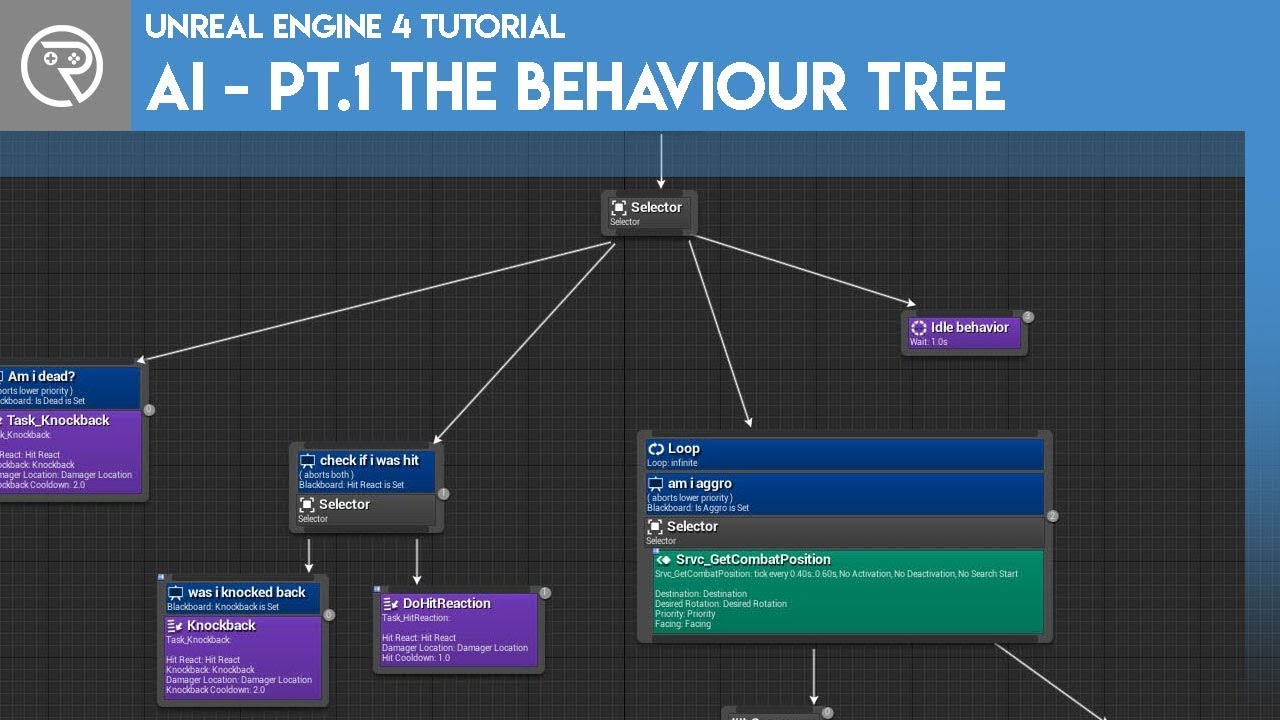
Welcome to the start of a brand new series. This time we are diving into AI for games. This episode introduces the concepts being used in AI design and in particular, the behaviour tree. In this episode we add an NPC that can randomly roam around the level.
Support me on Patreon and get access to videos early, join our developer community on Di...
thin tendon
late jay
Hi, does anyone have a good tutorial on BehaviorTrees and AIController for a dro...

Flying AI on Epic Marketplace - setup in a few minutes: https://www.unrealengine.com/marketplace/en-US/product/flying-ai
Project files for this tutorial: https://gumroad.com/jacksonnexhip#bovRLu
Description.
Learn how to make Flying AI in Unreal Engine. Covers Flying AI movement using physics through behavior trees and behavior tree tasks. Inc...
plush yew
i completely disagree as i tried it
thick herald
I would say that ones on YouTube vary in quality a lot more than Epics. To me the main difference is if you want to learn about the engine Epics is by far the best option, if you want to learn how to do specific things and worry about how it all works later YouTube is the best. It's the varying quality bit that screws a lot of people up.
Speaking of which, someone I know recently started this. I know he'd appreciate feedback. https://www.youtube.com/playlist?list=PLziQlhUd357jEk5y77AHniPa2ywcMExlG

YouTube
Welcome to my new course - Learn to Code with Unreal Engine 5 with Blueprints! This course will focus on teaching you the basics of programming with Blueprin...
Note - It does indeed say UE5, but for the most part it's the same for UE4
plush yew
I'm trying to click this but sometimes every menu option just instantly disappears after I click it and I have to restart the engine entirely, does anyone know what's up ? Unreal engine 4.27


 little star
Hi guys! I am having trouble trying to make a random material that looks something like this... (Using ''Noise'') If you have a solution, please let me know!

Something like this... but with a bit more harder edges and a way to procedurally generate it. Please note that my knowledge in materials is close to 0

 latent fable
Is there any way to convert a UE5 project to UE4? Whenever I try, I can't see any of my assets
thick herald
I know you know that 😄 I was just expanding on it for others 🙂
 pallid olive
Hey how do i get refenrence from other widget
 weak urchin
latent fable
Is there any way to convert a UE5 project to UE4? Whenever I try, I can't see an...
weak urchin
latent fable
Is there any way to convert a UE5 project to UE4? Whenever I try, I can't see an...
I don’t think you can do that, but I am not sure.
 fierce tulip
you cant
latent fable
Thanks
late jay
thin tendon
https://www.youtube.com/watch?v=zNJEvAGiw7w&list=PL4G2bSPE_8ukuajpXPlAE47Yez7EAy...
Thanks man that helped very much 👍
 steep steeple
Hi does anyone know why radius on wind directional source doesn't work? or am I doing something wrong...
 glossy wagon
Is there a way to restore a save file from the "Restore Selected" menu after you already deny it?
It seems to have removed more than the files that I didn't select.
 peak hare
I'm having issues adding a vertical velocity to an actor A I attach to another actor B via AttachActorToActor node. It looks like actor B's vertical velocity component of 0 just overrides whatever velocity I try to set in the character movement component of actor A. Is there any way round this?
plush yew
thin tendon
https://www.youtube.com/watch?v=QZfTUvykGVg&list=PL4G2bSPE_8uk84cmXmVO-uS8ioIXEJ...
does this look good?
https://www.youtube.com/watch?v=72vARVJ6muo&list=PLx5zbiZWi-JJCJLiVoaf_AkIRh08J7lNg&index=2

In this video I introduce to you my 30 Topic Tutorial Series which aims to get you from Beginner to Advanced. Develop Games with Unreal Engine 4 and Unreal Engine 5 Completely free!
📁 Download the PDF Tutorial Series Guide 📁 https://mega.nz/file/R8hWhARJ#24MrSqLYOeYcSaZDNE08LGqPptumZaRUCkko1bYVTAA
Key (if it asks): 24MrSqLYOeYcSaZDNE08LGqPptumZ...
its 50 videos
compared to what you sent it looks like it has a lot more information
actually nevermind
spice ruin
As with any tutorial, learn how things work. Don't necessarily treat them as a gold standard. A lot of them don't have a clue. Think for yourself!
plush yew
thats obvious
 autumn flame
Just need to learn to copy and paste your Event Tick to have double the frames
spice ruin
plush yew
thats obvious
You'd be surprised...
Forum post on Epic forum and a guy explains how transient property works. Uses the example that current health should be transient. First person to reply... "OMG MAKING MY CURRENT HEALTH TRANSIENT NOW." That is, of course, not appropriate in the majority of cases.
spice ruin
He wasn't.
lilac stirrup
spice ruin
Forum post on Epic forum and a guy explains how transient property works. Uses t...
Sorry, not familiar with the word.
What's a transient property?
Tried searching using search engine, mostly got java related links and 1 unreal link (linked below).
Any related links?
https://forums.unrealengine.com/t/where-to-use-a-transient-variable/17494/7
Unreal Engine Forums
Hello, I know this thread is a bit old but I’m a bit curious about this. When you say transient removes serialization you make it sound like UPROPERTYs will by default always be serialized and saved to disk (sometime somwhere)? What is the reason behind this default behavior which seems to only really be used on a small part of the game dealin...
spice ruin
That's the thread.
I didn't see someone else pick him up on it heh.
I had an unneeded whine!
lilac stirrup
Also, most of links inside that thread leads to 404, am I missing something?
spice ruin
Transient just means it won't be saved.
If you have a variable you don't need to save between sessions, mark it transient.
Like an Internet connection.
It's a pretty rare use case.
autumn flame
I can see why you wouldn't want current health to be transient indeed, lol
spice ruin
Only place current health would be transient is if there was no demo recording and no save games.
autumn flame
I mean if it's a saveless game then yeah, i imagine many more things would fit that criteria
spice ruin
Something like a MOBA maybe?
But you wouldn't mark it transient there because you don't need to.
If you never save the state of the pawn.
plush yew
thin tendon
https://www.youtube.com/watch?v=QZfTUvykGVg&list=PL4G2bSPE_8uk84cmXmVO-uS8ioIXEJ...
is there one for only c++?
i completely hate blueprints
spice ruin
You shouldn't start in c++ tbh if you're totally new to ue
thin tendon
plush yew
is there one for only c++?
I'm not sure mate. I only use tutorials for general idea. Like ohh this is how he approached it kind of thing.
spice ruin
UE is your primary language?
plush yew
no c++ is
spice ruin
Then just do what thr tutorials tell you to do in BP in c++
spice ruin
Pinned message?
thin tendon
@plush yew Ryan Laley and Matts WTH tutorials are the best ones I know of
plush yew
ill try reading the official documentation for c++ and do that instead of using blueprints
plush yew
dad joke
Unreal/Initial release date
May 22, 1998

How to use the programming and scripting languages and tools for controlling Unreal engine programmatically at runtime.
this is it right?
 wraith glade
how can you subdivide a plane like this, to deform it similarly to pic related in UE4?
 plush yew
does Unreal Engine work on Windows 11?
fierce agate
wraith glade
how can you subdivide a plane like this, to deform it similarly to pic related i...
Select a face or all faces and then right click and that’s that
Click subdivide
fierce agate
plush yew
does Unreal Engine work on Windows 11?
I guess
What is it?
I’ll try my best to answer
wraith glade
fierce agate
Select a face or all faces and then right click and that’s that
do you have to be in a particular brush mode? not seeing it
 wise trail
@plush yew I personally use it on windows 11 ue4 and ue5.
lilac stirrup
plush yew
does Unreal Engine work on Windows 11?
Haven't you been doing unreal tutorials already so far?
You didn't use windows for those?
fierce agate
 fierce agate
fierce agate
fierce agate
Is it required to zip up my project?
fierce agate
Oh
 steel pasture
Yea
fierce agate
I heard that zipping your project can avoid the black editor screen problem
plush yew
lilac stirrup
Haven't you been doing unreal tutorials already so far?
You didn't use windows f...
not windows 11
Im thinking about upgrading
🤔
steel pasture
fierce agate
I heard that zipping your project can avoid the black editor screen problem
See when u zip it it will make a rar and when u unzip that rar u will just see the project like your normal thing content and config and that uproject
:(
steel pasture
🥴
steel pasture
Yea ig so cuz everyday i get windows 10 update 💀
steel pasture
plush yew
3 more years
Ig at this they release 2 more windows 💀
BUGS 12 AND BUGS 13
:)
wraith glade
wraith glade
how can you subdivide a plane like this, to deform it similarly to pic related i...
bump for this, could never find the subdivide in UE4
steel pasture
🥴
real heath
Is it available in the modelling tools plugin?
 tawny shard
If i destroy Controller, will be controlled Pawn and PlayerState be also destroyed? Or they all can exist without each other
Specifically PlayerState, will it be destroyed along with Controlled, or do i need explicitly destroy him first
plush yew
any tutorial how to make a car :/
plush yew
Guys nvm i found a indian tutorial i think he knows what to do
 velvet palm
Are community version ALS support Android?
plush yew
velvet palm
Are community version ALS support Android?
ALS V4 doesn't officially supports Android.Its meant to be for computers.But there is some people runs ALS V4 on Android too
so this means you can try to port it to android yourself
thin tendon
Anyone remember how to fix this? I'm using UCX_ModelName_01 so it should be working.
 plush yew
thin tendon
Anyone remember how to fix this? I'm using UCX_ModelName_01 so it should be work...
plush yew
thin tendon
Anyone remember how to fix this? I'm using UCX_ModelName_01 so it should be work...
I dont know how to but i would like to learn too
thin tendon
plush yew
I dont know how to but i would like to learn too
I can't for the life of me remember how its done. I got it to work like this by selecting the option to allow multiple hulls per UCX. But its messy as and not what i want at all.. What is happening for me is that Ue4 is simplifying the shapes for me and treating them as boxes etc.
 plush yew
thin tendon
I can't for the life of me remember how its done. I got it to work like this by ...
plush yew
thin tendon
I can't for the life of me remember how its done. I got it to work like this by ...
are you trying to do something like colliders?
 sacred bough
When i copy over a plugin into my projects content folder, all the textures, materials and particle systems slots are blank for carious blueprints/assets, and i have to manually assign all of them. Am i doing something wrong?
 torpid gate
For some reason my hands are oriented the wrong way in the map viewport. I can edit the Location and Scale values for the hands in the asset viewport but changing rotation does nothing
 torpid gate
For some reason my hands are oriented the wrong way in the map viewport. I can e...
torpid gate
torpid gate
For some reason my hands are oriented the wrong way in the map viewport. I can e...
When I add the animation blueprint (right image) to the hands, it orients them the wrong way but yet in Blender, the hands are oriented fine.

 tired abyss
Does anyone remember the 4.18 toon shader model built in at engine level?
 misty wharf
Does anyone know why visual studio can't find SEnumCombobox.h? It seems like it's just included like that throughout the engine, but it doesn't work when I try to include it
 silver flame
as there isn't an Documentation channel here; 1 question - unreal4 documentation links to unreal5
https://docs.unrealengine.com/4.27/en-US/InteractiveExperiences/HowTo/CharacterMovement/
"Note For additional documentation on Network Replication in Unreal, see Networking and Actor Replication" -> Networking link
https://docs.unrealengine.com/en-US/InteractiveExperiences/Networking/Overview/index.html
redirs me to
https://docs.unrealengine.com/5.0/en-US/networking-overview-for-unreal-engine/
funny enough it states below too " This page was written for a previous version of Unreal Engine and has not been updated for the current Unreal Engine 5.0 release.
"
🤔
silver flame
nvm I removed it; it was me that was blind.
wraith glade
how can you subdivide a plane like this, to deform it similarly to pic related in UE4? Is it possible in UE4?
 plush yew
Its problaly because of Material Shaders, Scalability or the setting that idk name but i know what it does.It does stop live pictures of blueprints
autumn flame
Too much of a general question to properly answer
 slim horizon
for new users of unreal, I almost always tell them to disable motion blur to improve their experience devving, and to re-enable it once they make a build. A bunch of processes doing previews and sims will make performance vary and hiccup occasionally within normal parameters, but the motion blur gives the impression something went CRAZY wrong there
 round basalt
Guy’s you are awesome 🌹🌹
orchid marten
I'm curious if anyone has any help on why my shadows look so bad? I have my lightmass settings pulled up on the right.\
 fierce tulip
round basalt
Guy’s you are awesome 🌹🌹
fierce tulip
round basalt
Guy’s you are awesome 🌹🌹
 peak hare
When I use set velocity directly on character movement component, every 0.2 secs
The movement is choppy
WHat setting might control this?
I am not simulating physics
Rather than setting velocity it appears like I am setting location every 0.2 (altho I am not)
The weird thing is, during testing, the velocity is identical each time but still choppy
I have 'requested move use acceleration' enabled but this is for vertical movement and I thought that setting only applied to navmesh movement
orchid marten
Ok I guess no one knows.
 light thunder
https://forums.unrealengine.com/t/sub-level-streaming-fps-drops/433646/11 trying to diagnose loading times with streaming sublevels - while they are long, they should be a few seconds, it seems like it's 15 - 30. This thread mentions a dump file - how do I generate one of those to dial in? I
Unreal Engine Forums
Franco, Are you still testing this in At a glance: Your Components*Granularity values are going to be a bottleneck. Only allowing a single component to be registered in a frame means that it will likely take many frames to load in a single sublevel (assuming your levels are not nearly empty). Your time limits are very small. These values are...
light thunder
orchid marten
Ok I guess no one knows.
Check your engine scalability settings first, put them on epic or cinematic
orchid marten
Ohh for sure
light thunder
Turn off static lighting too, just to rule it out
orchid marten
So whenever I bake lighting with unreal engines water plugin in the scene it crashes the software
light thunder
Yeah, don't use static lighting unless you are making a mobile game
orchid marten
Static lighting is very useful if you have 10,000 lights
I guess it didn't crash, just took forever
 orchid marten
Sure there is, In a game with a giant level filled with rooms and hallways you may need that many
light thunder
Set it to a emissive material
orchid marten
In my core game, without having the lighting being static, performance drops substantially.
Emissive materials don't work the same as lights though, correct?
So baked lighting isn't real time calculations. There is a huge advantage. If I had this same level with dynamic lighting, it would look absolutely atrocious.
We loose ceiling light detail when not baked

Baked looks way better
 light thunder
I'm not going to argue with you - most games have a couple of detail lights but things like fluorescent lights are just emissive materials - if you were doing a highly detailed piece like arch vis, then maybe
orchid marten
LOL, man. you must make some really unrealistic mobile games my friend.
Baked lighting gives you the best results, it legit says that in the engine
light thunder
Well if you're making mobile it's different that's why I mentioned that earlier
orchid marten
Defiantly not a mobile game. I never mentioned that.
Also, you were correct about the scalability settings. I didn't notice that. Thanks!
Also bro, if you only use emissive materials and the scene isn't bright enough, you have to blow up either the exposure with post process or the actual emissive, which causes unnecessary blooming.
^^^^^^^^^^^

 modern kite
I'm using level streaming volumes to load my sub level. But when I step into the volume the sublevel won't be loaded. It only works if I use the BP node "load sublevel"
 twin prism
are there ways to make PIE faster?
real heath
twin prism
are there ways to make PIE faster?
Editor has an overhead, as do development builds. So PIE is always slower than development builds, which is slower than shipping builds. The only thing you can do is reduce the game viewport, and play with engine scalability settings which should be accessible at the top of the editor viewport when not PIE
 crisp patrol
guys where can i get help with importing 3d models from blender to ue4?
 cunning canyon
hello
does anyone know how to fix a error where I need to press esc button two times to escape the widget
 jaunty pecan
I tried to download version 4.27 in the library of the Epic Games Launcher using the + button, but it would not appear. It appears that you can only have two versions? So I deleted 5.0.0, but that still did not bring up 4.27. I only have 4.25 downloaded now, but I'd like to have 4.27 also. Why doesn't 4.27 appear?
real heath
do you already have a 4.27 installed?
you can't have multiple hotfixes installed
like you cant have 4.27.0 and 4.27.1
atleast, not through the launcher
 ripe carbon
Something is wrong with one of my widgets. I have two widgets with which the player navigates through a maze by clicking on one of four directional arrows and a button that turns the map of that maze on and off. All of these buttons work fine in the first half, which is on one widget; but, on the second widget for the second half of the maze, none of the four arrow buttons work! The map button works, but not the arrow ones. They do react when hovered over, but not when you click on them. And I've set the arrows to behave according to an integer variable that determines which room the player is in and where the player goes next.
And the arrow buttons are set the exact same way between each widget.
Here is a part of the BP for the first widget; what you see is part of the control for the left arrow button. According to this, the player character moves left, from one room to another, when that button is clicked.

And here's how the screen looks:

And here's the BP for the second widget, whose screen looks the same as the first:

So I'm at a complete loss. I even tried setting the canvas to Visible and to Non-Hit for Self. But the arrow buttons still do nothing other than change images when I hover over them.
light thunder
ripe carbon
So I'm at a complete loss. I even tried setting the canvas to Visible and to Non...
Watch a video on collision channels
ripe carbon
Collision? What does that have to do with widget buttons?
light thunder
Sorry copied my clipboard
ripe carbon
Oh, okay. Still, I don't know what the heck's wrong. It was working fine, but now the buttons do nothing when I click on them.
 grim ore
have you debugged at all? verified the button presses are firing an event?
light thunder
What happens when you step through the nodes?
ripe carbon
I've looked over the BP and everything looks hooked up.
grim ore
thats not debugging
using the breakpoints to step through like Blakestr mentioned
watching the action as it happens and verifying what should be happening is
ripe carbon
Oh yeah. I'd try breakpoints, but the program doesn't take me to the broken point on the graph; it just stays on the game one.
Which makes it all the more confusing.
Break point on the graph, I mean. Sorry.
grim ore
do you have the correct widget selected on the top right? in the debug filter
if you do, and the breakpoint is set, then that event is not firing
ripe carbon
I haven't applied a debug filter, but I do know what you're talking about. How do I apply a debug filter to just one button?
grim ore
so each button is a unique blueprint?
ripe carbon
They are all in the same widget.
grim ore
then the filter would be on the widget
that widget would be open, the filter would be showing the active blueprint
if that is set, you should see any events in that active bluepint
ripe carbon
When I click on the Debug Filter, the only option I have is "No debug object selected."
grim ore
if you only create that widget once, then there should be one option
you are doing this when its running and ready for you to push the button right?
grim ore
then that widget is not spawned in
sounds like your not actually using that widget then
grim ore
the debug filter shows all active instances of that blueprint when the project is running
if you dont see it in the filter, then there is no active instance
are you sure your spawning in that widget?
ripe carbon
Yes. I can take a screenshot or two, in just a bit.
grim ore
debug the code that spawns in that widget then if you are sure its being created, make sure its correct
ripe carbon
Here is where the Z key starts on the level blueprint...
Then it goes all the way down to here, where the widget is called then added to the viewport.

 grim ore
and when you debug, the create widget works as expected and its creating the correct class?
ripe carbon
Yep.
grim ore
welp something somewhere is not working then, otherwise your filter would show this widget since you are creating it
you can see the puzzle A, the one that is working, in the filter for it?
ripe carbon
Yep. Puzzle B was working earlier today, but now it's not. I wonder if it has to do with any newer objects I added to it.
grim ore
might have to try and look at that then. but if you can verify that A is loading and in the filter, and B is loading and not in the filter then B is not being created or is being destroyed for some reason
ripe carbon
Okay. I'm going to try the Print String test.
Well, the button technically works when clicked on. It just doesn't play the animation after that. I wonder if I should try recreating something.
Or if I should double-check all node lines then disconnect and reconnect.
 onyx jewel
Hello, i'm going to make a game but i need to know if this is possible
grim ore
welp thats what the breakpoints are for, you stop it on the click event node and then step through them all to see what is happening
ripe carbon
Okay, so I've been taken to the breakpoint I put on a branch. It does go to the branch. Now I'll see if it will do the same on a node after a branch.
Wait a second...
I noticed something. It has skipped one branch then to the next. I think I know what the problem is. The program doesn't have the right integer for the Level Counter variable. So I'll check that.
Ah ha!
Problem found. The widget didn't know what to do, since the Level Counter was 0 when it's supposed to be 13.
@grim ore Thanks for the help! The breakpoint actually worked for me, too.
 flat turret
Does EOS have Content Delivery Network service?
plush yew
Is there an easy way to make a mod for a ue4 game?
Im trynna make a mod that replaces text and models in the game
 manic sequoia
plush yew
Is there an easy way to make a mod for a ue4 game?
manic sequoia
plush yew
Is there an easy way to make a mod for a ue4 game?
there's a plugin https://www.youtube.com/watch?v=MobYn8XVp6U

We've released a new sample project to help Unreal developers bring mod support to their games. Based on the work done for Robo Recall, the UGC Example Project and SimpleUGC plugin aim to make it easier than ever to bring your community into the creative process. Join us as Senior Technical Product Designer Chance Ivey walks through many aspects...
 misty finch
Hello, noob here. If I want to use SpawnActor, the first input is a class. Does this mean I have to make a separate class for every unique thing I spawn? Like If I am spawning in different grenades, would each needs its own class. Or is there a way to pass an object into SpawnActor that describes the different grenades?
Thanks
thin tendon
I think thats only if you are spawning actor from class. You can spawn actor another way. Use an object or blueprint reference
lilac stirrup
misty finch
Hello, noob here. If I want to use SpawnActor, the first input is a class. Does ...
Try creating a variable on the target spawned class and set InstanceEditable and ExposeOnSpawn of that variable to true.
That variable will show up on your SpawnActor, you can send whatever object or value you need from there.
That, or you can just call a setup function to modify the values/properties once the actor is spawned.
misty finch
lilac stirrup
Try creating a variable on the target spawned class and set InstanceEditable and...
Never done something like that so I dont 100% follow but ill look into it.
 rain orchid
Hey guys! I hope you all doing well : ) it is possible to rebuild a brush with a different size through C++ during runtime?
misty finch
thin tendon
I think thats only if you are spawning actor from class. You can spawn actor ano...
Thankyou I will look into other ways as well
lilac stirrup
misty finch
Never done something like that so I dont 100% follow but ill look into it.
Let's say the your grenade class is named A, and you have several varieties of mesh and a float variable to set its damage power, inside your A blueprint, select the variable that you want to modify when SpawnActor is called (the grenade damage power for example), go to the details tab of that variable, there will be the settings I mentioned previously.
misty finch
Yea but my issue is I have a Class that I want to spawn. But sometimes I want to change variables in the class and then spawn that
So would I need to make an entirely new class?
comes out?
wouldnt i Need it going in

Well maybe i should i try that route lmao
my hair is falling out
I wish it would just take an object and i could use that object to set variables in the classs
misty finch
do you guys use both or purely BP
I hear you should use both but struggle when to use one or the other. I often lean towards cpp
i thought i was confident in cpp. But unreal cpp be so different lol
lilac stirrup
Mostly blueprint.
lilac stirrup
misty finch
i thought i was confident in cpp. But unreal cpp be so different lol
Yup, same impression I get the first time I read how cpp is used in unreal.
thin tendon
The c++ vs blueprint argument comes down to the needs of your project. Both are fine.
misty finch
That makes it sound like different things are possible using BP or CPP
or are things easier in one or the other u mean?
thin tendon
That has been my experience so far. But I use blueprint wherever possible simply because its easy and fast to use.
misty finch
Does it ever get messy for big components?
I cant imagine condensing all this code into block diagrams
lilac stirrup
Depends
thin tendon
Just like c++ it really comes down to you and your ability to write efficient code.
 distant siren
can i do to test my game on android?
lilac stirrup
distant siren
can i do to test my game on android?
Try ask in #packaging or #mobile
 night oar
Hi guys need some help. When I play the Animation Montage it is causing an actor that has collision to move through walls. The character has sphere colliders attached I cant understand why this is happening can any one guide me on this
 vague echo
Set the sphere collision to not hidden in game, that could help u
vague echo
So when the anim plays, the capsule collision follow the movement of the animation
Ok, try to play with the root motion settings, it make the capsule follow your character when an animation plays, but not the rotation, if your character like lie down, the capsule will mive with the anim but it will not follow the rotation of the character
night oar
nope the capsule just stays at its place and the character moves

this the character goes out but the capsule stays in its place
lilac stirrup
Is it a root motion animation?
vague echo
Ok, try to play with the root motion settings, it make the capsule follow your character when an animation plays, but not the rotation, if your character like lie down, the capsule will mive with the anim but it will not follow the rotation of the character
night oar
lilac stirrup
Is it a root motion animation?
nope enabling root motion causes an other heep of issues that are related to the animations
night oar
vague echo
Ok, try to play with the root motion settings, it make the capsule follow your c...
ok lets see but turning it on is anyother funny story
vague echo
Like with the animation itself or something else?
night oar
give me a min i will make a video and send it i think you guys can give me a solution for that as well
lilac stirrup
night oar
nope enabling root motion causes an other heep of issues that are related to the...
I mean the animation, not the setting.
Is the animation fbx made as a root motion animation?
If it is, try set ForceRootLock to true and EnableRootMotion to false on the setting.
night oar
well i would have to ask that from the animator then as i dont know how he made them
this is what happens when i turn on root motion
lilac stirrup
How does it look in the animation editor without any setting change?
thick herald
misty finch
Yea but my issue is I have a Class that I want to spawn. But sometimes I want to...
Make a child BP of the Master class. Children inherit all variables etc, but you can change them on the child.
night oar
well then the are facing opposite to each other like the attack is facing in -x and the responce is facing in x
thick herald
or a child cpp class, whatewver
lilac stirrup
lilac stirrup
How does it look in the animation editor without any setting change?
@night oar
Video would help.
night oar
ok give me a min
vague echo
@lilac stirrup Is root motion really working in the video ? I mean the capsule just stays in place
lilac stirrup
vague echo
<@845076805572100158> Is root motion really working in the video ? I mean the ca...
Nope, doesn't look like it, that's why I wonder how the actual animation looks like.
night oar
These are the attack and responce animation with root motion on
lilac stirrup
@vague echo
If root motion actually works on that video, the capsule will move anyway, which it t didn't.
Still not sure what the actual issue is.
night oar
well should i send you the videos with out root motion on
cuz this is an issue i have been stuck on for a week now
vague echo
@night oar yea
thin tendon
@night oar Your issue is that your animated character no clips and the capsule stays in place?
lilac stirrup
@night oar
Forgot to mention, but you should probably turn the bones visible for those anim videos.
lilac stirrup
lilac stirrup
I mean the animation, not the setting.
Is the animation fbx made as a root motio...
Those look like root motion anim anyway, have you try the settings above?
night oar
these are with root motion off
vague echo
@thin tendon Basically yes, but he enabled the root motion but it does not really work
night oar
thin tendon
<@576822683665170441> Your issue is that your animated character no clips and th...
yep and the collisions stop working and the character walk throught the walls
thin tendon
Well that is probably because his character movement isn't animation driven. They are independent of each other.
night oar
lilac stirrup
<@576822683665170441>
Forgot to mention, but you should probably turn the bones...
can you explain a little
lilac stirrup
lilac stirrup
I mean the animation, not the setting.
Is the animation fbx made as a root motio...
@night oar
Try the setting on the linked post first.
Just in case you used the wrong setting to enable your root motion.
vague echo
And just to see, in the animation viewport, click on character -> bones -> all hierarchy
thin tendon
night oar
ok
So you understand your issue. Your animation is not moving your capsule / character. It animates separately to movement. So the physics / collision don't work because the animation is located outside of these. You need to either tell your character to move with the animation or animate it in place.
night oar
thin tendon
So you understand your issue. Your animation is not moving your capsule / charac...
any guidance on how I can achieve that as I am fairly new to the animation side of things
vague echo
@night oar to make your character follows the animation it's the root motion
night oar
lilac stirrup
<@576822683665170441>
Try the setting on the linked post first.
Just in case yo...
bro this is doing the same behavior
thin tendon
I don't personally use animation driven movement so I can't give a ton of advice there. If it were me I would just create new animations that are in place. I think there is a trick you can do maybe. Where you add a bone to your skeleton called root at the root. Place it at your characters feet. Turn on root motion. And re-target the animation.
vague echo
It tells your animation to move your character (We can clearly see it with the capsule) to follow the animation
lilac stirrup
night oar
bro this is doing the same behavior
Video?
With the bone shown.
Do you have a root bone in place on the skel mesh?
vague echo
@night oar Just to see that the problem is not frol the root bone, in the animation viewport, click on character -> bones -> all hierarchy, and show us a video of the animation pls
lilac stirrup
vague echo
<@576822683665170441> Just to see that the problem is not frol the root bone, i...
Couldn't agree more with @vague echo
vague echo
If everything is okay, we would see a red trace coming from the root bone
@lilac stirrup thx ^^
night oar
vague echo
<@576822683665170441> Just to see that the problem is not frol the root bone, i...
i cant find the option for that
thin tendon
In this video we go over root motion in Unreal Engine 4 (compatible with ue4 & ue5). Root motion is the process of letting your animations drive your capsule component.
🕹️ Weapon Attack Tutorial 🕹️
https://youtu.be/M1n0QQvG_Zc
🕺 Come join the Team Beard Discord 🕺
If you're a game developer and looking to join a friendly game dev community ...
vague echo
In this video you will see where is the option
night oar
ok
lilac stirrup
Wonder if the mesh actually have a root bone.
night oar
lilac stirrup
No red trace.
night oar
root motion is turned of
lilac stirrup
Can we see a screenshot of your skeleton hierarchy?
 night oar
well the second bone
Dog_RootSHJnt

this one its like in the center and attached to the object below wont that help
lilac stirrup
thin tendon
https://www.youtube.com/watch?v=RlFV0xyO1Wo&t=68s&ab_channel=Beardgames
@night oar
I suggest you watch @thin tendon video in the linked post first.
night oar
ok
boss
but the issue is like you pointed it out that their is no root bone so wouldnot that like effect how the animation work
thin tendon
Root bone should always be the highest in the hierarchy window. It should be at the point the mesh makes contact with the ground. And it should face the way you want the mesh to face. That root bone is all kinds of wrong.
night oar
cuz the link show a character that has a root bone
vague echo
Yes, without root bone you can't have root motion
thin tendon
night oar
cuz the link show a character that has a root bone
Can I make a suggestion mate?
night oar
so meaning I have to get the animator to get the root bones added and then I can get what I am looking for
night oar
thin tendon
Can I make a suggestion mate?
that is why i am here bro
vague echo
And the thing is that the dog have what looks like a root bobe but like @thin tendon said, it shiuld be at the top of the hierarchy
thin tendon
If you are serious about learning. And serious about wanting to be a dev. Make your own mesh and animations. Its better to learn from scratch then edit someone else's mistakes.
lilac stirrup
thin tendon
If you are serious about learning. And serious about wanting to be a dev. Make y...
Wise words 😑 👍
night oar
thin tendon
If you are serious about learning. And serious about wanting to be a dev. Make y...
well the problem is I am like the guy who makes the backend stuff what happened is that the guy who works with these things left and now I am stuck on these but I would follow your advise I the future.
vague echo
You need and must understand problems like that
night oar
yes thats why i am here and am going to follow the advise you guys have given
thanks for the help brothers
thin tendon
You are most welcome mate
vague echo
Welcome mate !
lilac stirrup
👍
 open cipher
Ue4 can package to iphone without xcode,mac. Provisions are needed for the app store, but I just want to test without provisions is this possible?
fierce tulip
you might wanna ask in the #mobile channel instead. or mayhaps #packaging
pick one you think fits best, as crossposting the same question is a nono.
 zenith needle
help
cant setup eos
i inputteed all the fields

but when i edit the defaultengine.ini
it just crashes
plz help
pallid olive
Guys if you have a skeletal mesh can i use any animation for this character
Like from starter content
 fallow jackal
How do you place a blueprint character (at said coordinates) from a blueprint?
slim horizon
fallow jackal
How do you place a blueprint character (at said coordinates) from a blueprint?
https://www.youtube.com/watch?v=jthUuQ5AweY
tldr; "Spawn Actor From Class" node. Design wise you'll have to figure out what blueprint does it and how it knows where and when to do so.

What is the Spawn Actor from Class node for Editor Utility Widgets in Unreal Engine 4
this tutorial makes it a widget you can throw in the world, a nice elegant solution
 regal haven
Is there a version of HUD::DrawCircle that draws a filled in circle?
 vast stratus
If i have a buttload of objects with materials i wanna import, is there a way to control the roughness of the imported materials, without having to go through all of them one by one?
fallow jackal
Does UE4 have Unity's equivalent of the "set active" checkbox?
fallow jackal
spice ruin
Activated?
for actors
pallid olive
Is it possible to make full blendapace of mannequin and retarget everything to a other skeletal mesh?
spice ruin
fallow jackal
for actors
Actors don't really have an on or off.
They are just containers for things that do.
thick herald
fallow jackal
Does UE4 have Unity's equivalent of the "set active" checkbox?
No idea if this is any use to you but it might be https://docs.unrealengine.com/5.0/en-US/unreal-engine-for-unity-developers/

Learn how to get started with Unreal Engine 5 if you previously used Unity.
Yes it's for 5, but most of it will still be relevant for 4
 dark sparrow
hi, noob question, can i use the source build to develop by itself or do i need both source build and the launcher binary build?
thick herald
😄 I got to the coroutines part and realised this was you.
thick herald
dark sparrow
hi, noob question, can i use the source build to develop by itself or do i need ...
How noob are you? Have you used other engines, good with cpp etc? If you are completely new to game dev and programming - stick with the launcher version.
Yup.
dark sparrow
I have some unity knowledge, but i want to try making a small multiplayer game and using EOS which requires me use the source build. however, ive been using the build from the launcher mainly in the past and i don't have enough space for both, sadly.
thick herald
dark sparrow
I have some unity knowledge, but i want to try making a small multiplayer game a...
See the above two links - both about going from Unity to Unreal.
dark sparrow
i was in the middle of reading it because you replied to it right after my question lol
thick herald
lol. If you are doing a dedicated server I think that needs source [Laura may confirm or refute this] stick with the binary until you know you need source.
thick herald
P2P doesn't need source, so that's a thing.
 lucid grove
Hey, where can i change scrollbar drag part \ handle height?

 daring sorrel
hi i need help i want to import files from unity to unreal engine, the unity files are in .unitypackage, how do i turn this files to fbx ?
 inner bay
Hi everyone, I need some help... I wanted to know how I can create an event in which by pressing E while inside a collision box in the cube I got selected (as switch). I already had my EventBeginPlay set the visibility of the lights off. But I need help in turning it on and off by pressing a button 😅
 light thunder
Should I be concerned that I can't fix up this redirector? it says marked for deletion or could not be checked out
jaunty pecan
real heath
do you already have a 4.27 installed?
No, I have no version of 4.27 installed
 royal holly
Theres some names for it. It could be called outline shading, toon shading, anime shading, and sometimes cel shading, although by definition, cel doesn't necessarily include outlines. From there, either find one to buy or dig up tutorials to make similar ones until you can approach your exact desired results
Getting such specific results could also include the need for very specific materials, too
Also im curious what that's from
Fighting games like that sometimes actually have a sprite system, believe it or not
I was thinking that pic might not actually be a shader
A little googling tells me KoF 15 is probably 3d
You mean as shading goes?
There are tuts for outline shaders, its a fairly common ask
lilac stirrup
I'm curious about that as well, kof 15 shader looks different from (for example) the cel shade that guilty gear and dbz uses, at least on a first glance.
Should try asking it on #graphics, somebody might know better there.
 umbral forum
Hey guys, I'm experiencing flickering/vibrating of objects in unreal engine 4.26.
I'm not really sure what's causing this. Any solution for this ?
real heath
got a video to demonstrate?
 merry zephyr
Why do you want this look tho your model looks much better
real heath
A screen recording would be better, the camera at the screen makes it harder to tell. My guess at that is that there is extremely fine geometry, and that's aliasing. Temporal Anti Aliasing helps reduce that significantly. Make sure that is on. A caveat is that it can also introduce it as a flicker/fizz due to how it works. You can tweak the number of AA samples used and heaps of other parameters in the console at r.temporalaa.x
umbral forum
Oh thank you ! I'll try that and let you know.
spare trench
How do I straighten my car if it flipped
Like in gta (we move wheels and car straighten with the direction of wheels)
 pearl abyss
I'm looking for help with collisions, posting on the reddit sub didn't yield any responses: https://www.reddit.com/r/unrealengine/comments/wqrmbg/help_components_of_my_bp_will_only_collide_with/
Anyone able to spare a minute or two?

reddit
3 votes and 0 comments so far on Reddit
FWIW I also tried disabling collisions for the wheel meshes and add a collision capsule to the BP as a sibling component to the wheel(s). those capsules also only collided with the vehicle body.
This feels like I haven't understood something critical about collisions
something that the official documentation skips over
dark sparrow
anyone knowledgeable with SSDs? i'm thinking about upgrading my storage and not sure what to look for in 2022. My motherboard is the Asus Z170-P
 weak summit
hi guys please help me how to shake the camera on VR
 rich spoke
Hi guys 😄 Why when I play the animation and want to enter the teleporter, I'm still getting this collision which just blocks me (red square on screenshot)
Doors themselves don't have any collision which iss kinda strange? I want doors collision to move WITH doors themselves

 plush yew
How do i make vehicle system for Als V4? (I can't find any tutorials out there)
vague echo
@rich spoke Did you manage to solve the collision problem ?
rich spoke
No I didn't
vague echo
Does your box is in a actor
 vague echo
Ok okay, I didn't get it, can you take a screen of the collision parameter in the doors mesh
rich spoke
 vague echo
Okay is that the doors? (The skeletal mesh)
rich spoke
Yep!
vague echo
Ok, go in the skeletal mesh editor of the doors, and click on the static mesh of the doors(top right)
rich spoke
You want me to reconvert my Skeletal Mesh to static, right?
I can't do that unfortunately, door-opening is an animation 😦
vague echo
Nope, just want to see the collision of the static mesh of the doors itself (Like when you go in any skeletal mesh, in the top right of the skeletal mesh editor you have the static mesh used by the skeletal mesh
Or you can just open the animation, and take a screenshot of the top right of the screen
rich spoke
uhhhhhhhhhhhhhhhhh
 vague echo
 rich spoke
aight
vague echo
Click here, you will see the mesh editor of the doors
 vague echo
I think that it's collision apdapted to physics props, for example a object that is attached to a criling and can move (physiclly) in game
rich spoke
sorry man i gotta go now 😦
rich spoke
Thank you for your time😁
oak patio
dark sparrow
anyone knowledgeable with SSDs? i'm thinking about upgrading my storage and not ...
Honestly, unless you need an nvme drive I stick with the Crucial MX500 1TB, or 500GB versions. Solid SSD's and don't break the bank
dark sparrow
oak patio
Honestly, unless you need an nvme drive I stick with the Crucial MX500 1TB, or 5...
ok ty! i went ahead and bought a samsung 870 evo 1TB since its on sale
tiny valley
Im trying to get the Remote 2 from the app store to work
None of the ip addresses connect
My computer is on ethernet, and Phone Wifi
Would this still work, what website can I get the correct IP?
dark sparrow
oak patio
Honestly, unless you need an nvme drive I stick with the Crucial MX500 1TB, or 5...
i just compared the Crucial MX500 1TB with the Samsung 870 EVO 1TB, i think i will cancel my order and go with the Crucial!
tiny valley
I seem to have connected but I get a rainbow no signal sign, any pointers?
 orchid lodge
Ue4 is gaslighting the heck out of me
AND bool
Means if both bools are positive, it gives a positive output. And negative otherwise
open cipher
I have a cardboard vr with my iphone attached via remote, how do i enable the split screen mirror for virtual reality?
violet yoke
Hi, so I have a problem regarding the FPS. I used to reach 120 in an empty scene but now the max I can reach is 60. If I click outside of the editor, the fps goes up to 80-90. I browsed the Internet and I made sure to disable any fps limit setting. What should I do?
 onyx dragon
whenever i try to open .uproject files, i get this error, ive tried reinstalling and this happens both with ue4 and ue5, if i click "open with" the second image is what it shows. can anyone help me fix this?


i tried the forums and didnt get a reponse
grim ore
have you tried pointing it to the correct folder? it looks like it has most of the folder there its just missing the actual location
onyx dragon
do you mean like browsing to the unrealversionselector.exe manually? ive tried that and it says invalid cmd then closes
if it matters, both the epic games launcher and ue 4 are on the same drive
grim ore
try going to that folder manually and running the unrealversionselector and let it register that folder
 grim ore
then right click the .uproject and switch unreal engine version to something other than the correct ne, then to the correct one
grim ore
yeah sorry you cant run it from the launcher folder lol
once its registered try changing the version on the .uproject now
 grim ore
you right click on it and choose change version
grim ore
yeah, if your in windows 11 it might be under more options
and do switch version

change it to the wrong one if you have more than one installed, then back to the correct one (hopefully the one you just registered)
onyx dragon
they have no icon and just open the version selector

i tried selecting unreal engine in the selector and it just says invalid command line
while clicking ok on the file location thing just reopens the selector again
grim ore
yeah it sounds like the launcher didnt register it correctly
onyx dragon
how do i fix that?
grim ore
or something moved on your machine
onyx dragon
run the register thing again?
grim ore
have you run a verify from the launcher?
grim ore
its very weird that the version selector didnt wrok, do you have it in a weird location?
the engine installs
 grim ore
no, it goes into the engine folder
onyx dragon
ohhhh
grim ore
well farther in actually
onyx dragon
what directory?
 grim ore
basically the same folder with your UE editor .exe file
 grim ore
well what version of the engine does that project use? and is it the one you just "fixed"
grim ore
does the switch version work now?
grim ore
is it showing the correct folder now at the top when you click ok on that screen above?
 grim ore
yeah its showing the *, so what is the folder that your engine is installed in?
 grim ore
why does it look like your windows is installed there as well?
maybe this drive is having permission issues or something odd
but you can try renaming the UnrealVersionSelector file in your launcher folder, and then try opening and see if it just complains about it missing now
for example I get this now

just to verify it is trying to open the correct file
onyx dragon
idk why the system files are there but windows is installed on C:
and which version selector file should i rename?
the one in the ue4 install?
grim ore
you should only have 1 in your launcher folder
onyx dragon
 grim ore
when you open the project it should be using the one in the launcher folder to then redirect to the correct engine install
onyx dragon
ok
grim ore
if you rename it, it should complain like mine did above that it has nothing associated
onyx dragon
still same error
grim ore
so the top part still shows the old folder?
onyx dragon
no the error just appeared
ill try that
nope
it doesnt have anything to open with but the error still appears?
grim ore
it shows what I pasted? asking you how you want to open it?
 grim ore
yep thats fine, it cant find the file is what I was verifying (the top part is gone)
if you rename the file now, does it error out still with the path on the top?
onyx dragon
yes
grim ore
welp its trying to find it then. so I would guess its a launcher install issue or permissions issue. I would try installing it somewhere else if you can (the launcher)
violet yoke
violet yoke
Hi, so I have a problem regarding the FPS. I used to reach 120 in an empty scene...
I fixed it! I verified the files and now I have over 200 fps!
grim ore
shrug never tried having it installed twice, I would assume it wont let you do that
onyx dragon
oh
i thought you meant epic itself
i already tried a reinstall
i dont have storage on C:
grim ore
yes but did you reinstall to the same place?
grim ore
move it or uninstall and reinstall?
onyx dragon
uninstall and reinstall
grim ore
and same error on E:?
onyx dragon
yes
grim ore
sounding more and more like a windows issue, or even virus software causing a hickup
 onyx dragon
so try install ue in the epic games folder?
grim ore
it shouldnt matter, I am just saying this is how I have it and it works
onyx dragon
ok
grim ore
something is stopping your files from being accessed, the fact that it shows * for the drive name is an issue
onyx dragon
how can i fix that?
grim ore
thats a windows issue is my guess.
onyx dragon
would reinstalling epic games help at all?
grim ore
you could delve into your registry and look for the info in there and see if its weird https://forums.unrealengine.com/t/how-to-associate-the-uproject-files-in-ue4/334753/52
well you said you already did that and it didnt help
grim ore
it might, this is an issue with the launcher
grim ore
you can try installing the launcher on C if you have room, the engines can go elsewhere
onyx dragon
ok
grim ore
or you can try putting the launcher on D in the default folder
onyx dragon
ill try C:
i think i found the issue

no wonder its so messed up

i cant reinstall epic games now either
\
 merry zephyr
Why does this look like windows xp
 night birch
What does this error mean?
HierarchicalDerivedDataBackend: Put failed, keeping in memory copy
 hollow hatch
Is this a good channel to try to troubleshoot an unreal bug?
 crimson solstice
Anyone have a link to a free locomotion animation set
hollow hatch
I get this error now whenever I try to open a character skeleton or skeletal mesh, please help
grim ore
you will have to install the debug symbols from the launcher and crash it again, without the symbols this crash log doesnt point to anything specific
plush yew
who's has done some unreal lighting work here that might be able to give me some feedback?
 urban pawn
I am trying to make my first plugin and not sure what's going on but I am creating a cpp ActorComponent and it compiles but without fail everytime I restart the editor all the blueprint references to the custom ActorComponent are gone. Pasting the logs>
 blissful girder
Wazzuppp, anyone know any good places / platforms to share UE5 work to get some more eyes on it?
grim ore
what type of work?
you have a few epic places such as https://dev.epicgames.com/community/ , https://sketchfab.com/, and https://www.artstation.com/ depending on what you want to share
hollow hatch
grim ore
you will have to install the debug symbols from the launcher and crash it again,...
I hope I did this right
grim ore
does it do this in say a new project, with the third person template?
hollow hatch
No the other skeletons in this project work fine, it's just this particular character
I was changing the pose from a T pose to an A pose for animation retargeting, and it crashed after selecting the different pose. And crashes every time I try opening the skeleton, skeletal mesh, or reference pose. Everything else is fine
grim ore
which engine version is this?
hollow hatch
ue 4.26.2
grim ore
yep definitely the reference bone pose
hollow hatch
Yeah that's what I figured. Any recommendations?
grim ore
if you cant open them no, its failing going over the sockets
you would have to restore the original versions
        {
            int32 BoneIndex = SkeletalMesh->RefSkeleton.FindBoneIndex(Socket->BoneName);
if (BoneIndex != INDEX_NONE)```the middle part is the crash line, since it can get the skeletal mesh in the line above it my guess would be the RefSkeleton must be the invalid part of that line
hollow hatch
Does that mean deleting the reference pose I created, or is there a different way to restore it?
 grim ore
if you remove the pose does it still crash?
hollow hatch
It crashed while trying to delete it lol hold on
grim ore
yeah it might just be that asset then, you can try removing it from the file folder and hope for the best
hollow hatch
Man, still crashing
grim ore
yeah you might have to put the original assets back in before the attempt
hollow hatch
grim ore
its the same lines, the top one is the crash spot and its what I posted above
hollow hatch
Oh I see
grim ore
you cant really try and fix it if you cant get into the asset. there could be a way to fix it if you had source code version and skipped it while it was loading in but replacing the bad asset(s) with the good ones should be easier
hollow hatch
Do you mean reimporting the skeletal mesh?
grim ore
yes remove the pose asset since you created it, and reimport the skeletal mesh and its skeleton
hollow hatch
Got it, trying now. Thanks for your help BTW it's really nice of you
grim ore
your exact crash issue is on the unreal issues page and they marked it for fix in 5.0, doesnt help much but...
hollow hatch
Ah. Might be time to migrate to UE5 eh
grim ore
the issue was reported based on their project crashing and it causing this issue, so it might just be a glitch for you as well
spare trench
How can I avoid bounching of my car when it falls off from a hight?
Is there any blueprint for it or any other setting please let me know!
 pine stratus
这里有中国人吗。
 naive stratus
hiya
real heath
instancing, merging actors, less material slots per mesh, cull distances and making sure occlusion is working are all methods for reducing draw calls
combining textures is only going to reduce draw calls if it falls within using less material slots per mesh
combining textures can have other benefits though
also configuring shadows properly and reducing number of shadow cascades
that can be helpful for reducing memory and bandwidth usage, but it won't reduce drawcalls unless you also reduce the number of material slots
"optimisation" is extremely broad
then it'll only be one draw call
fierce tulip
that would load the entire 4k texture on anything it uses.
use it once: load 4k texture
use it multiple times, load 4k texture multiple times.
real heath
(+shadows etc)
real heath
fierce tulip
that would load the entire 4k texture on anything it uses.
use it once: load 4k ...
Isn't unreal smarter than just loading the same texture multiple times? How do you mean?
fierce tulip
that depends on variables and how its used.
also, as an admin I have to say @hidden pendant you might want to change your username.
a system of labour camps maintained in the Soviet Union from 1930 to 1955 in which many people died.
a camp in the Gulag system, or any political labour camp.
lol
real heath
smart move....
 buoyant graniteBOT
:no_entry_sign: GulagEnabler#0195 was banned.
real heath
lol
fierce tulip
would not have banned if he did not go that route.
real heath
yeah, wasn't the smartest thing to do was it
fierce tulip
anyways, mayhaps because I am rusty, but yea it would load the 4k texture once, but might need to fetch it multiple times to render it. would need to profile to check. usually it should be smart enough to not load it multiple times.
real heath
Yeah fair enough. I was just trying to make the point that merging the textures isn't an automatic win for drawcall reduction
fierce tulip
might be better to put some effort into virtual texturing in that case.
steep steeple
Sometimes when I try to delete a variable in an actor, the engine just starts to load a bunch of random, unrelated assests. Has anyone else had this?

Like... whats my rock assets got to do with this?
 real heath
It's walking linked assets to check there are no cross references.
If it's a problem, start looking into how you can minimise asset and blueprint references
steep steeple
I know for sure that this asset isn't linked to rocks and bridge model files... and this doesn't normally happen, just every now and then.
 glossy oracle
Hey guys, how to set Player in "Enemies" in enemy AIPerception "Detection by Affiliation"
 vivid ginkgo
Hello! When building a multiplayer game with a dedicated server and all that, does every member of the team need to build the engine from source?
real heath
steep steeple
I know for sure that this asset isn't linked to rocks and bridge model files... ...
How about indirectly? Like an asset referencing it also references that rock. Unreal can get greedy and load a lot of references due to that
potent jungle
hello, folks )
is there a way to fix these color artifacts caused by the ue4 compression?
the diffuse map ( 4k .tga format ) is applied by soft light blend on top of the tiled texture
using other formats like png and tiff, other blend options, hasn't brought any luck
switching to bc7 compression type has slightly improved the image, but hasn't got rid of the issue completely

 fierce tulip
potent jungle
hello, folks )
is there a way to fix these color artifacts caused by the ue4 com...
fierce tulip
potent jungle
hello, folks )
is there a way to fix these color artifacts caused by the ue4 com...
format shouldnt matter, as long as its 8bit and not 16bit.
potent jungle
fierce tulip
format shouldnt matter, as long as its 8bit and not 16bit.
tga 8bit
fierce tulip
and how are you blending?
potent jungle
fierce tulip
and how are you blending?
blend_softLight on top of another tileable texture
 fierce tulip
i never use the blends, could try one of the others mayhaps.
potent jungle
I tried soft, hard and overlay ☹️
unfortunately I cannot achieve the desired look with the other blend modes
fierce tulip
havent done env. art materials in a while, so brain is a bit mush in that regard
potent jungle
fierce tulip
havent done env. art materials in a while, so brain is a bit mush in that regard
hah, thank you for trying to help )
thick herald
fierce tulip
havent done env. art materials in a while, so brain is a bit mush in that regard
I just went over an older project... I have discovered I have ran out of mush... can I borrow some?
fierce tulip
take all you need
fierce tulip
potent jungle
hah, thank you for trying to help )
lemme open a project and see if I can find something that might be a potential alternative
potent jungle
fierce tulip
lemme open a project and see if I can find something that might be a potential a...
I would be very grateful for this 🙂
fierce tulip
way out there, but in theory could make for some nice results
https://i.gyazo.com/26d04a2e8ee31838775ae8a70f5c2eda.png

generally you'd plug in a noise-texture/mask into the alpha of that lerp, and blend between A and B that way for the variation.
but for blending doesnt always get you the results you want.
potent jungle
hmm, let me try
potent jungle
hmm, not something I can work with
I'm losing a ton of color information with this method 🤔
@fierce tulipthanks for helping anyway )
potent jungle
fierce tulip
perhaps some (other) peeps in <#221799195806400512> can guide you :)
good idea ) looks like I've missed this chat while scrolling the list
thanks!
fierce tulip
good luck :)
open cipher
i have a joystick that sends normal keys, how can i make an axis mapping for this? specifically the diagnals
 mortal kayak
Hi guys, do you have any idea why in session frontend profiler i can see event "self" and it seems to be taking wayyy to much time, why is that so?
 spice ruin
Self is the time taken just for that section and no sub-sections.
Go look at the code
plush yew
Can someone suggest(Free and paid but if possible free) me some tools to create realistic character for 3D games.
thick herald
Blender.
fierce tulip
plush yew
Can someone suggest(Free and paid but if possible free) me some tools to create ...
metahuman
plush yew
thick herald
Blender.
I am so lazy for that solution e
plush yew
fierce tulip
metahuman
wait can i sell/publish a game that uses metahumans?
thick herald
Of course not. Nor can use use any of the assets in the marketplace. In fact you can't even use Unreal... 😄
 proper stump
Any idea why the animation dips below when blending between states? As can be seen on the actual state, without blending states, it is positioned correctly....
plush yew
thick herald
Of course not. Nor can use use any of the assets in the marketplace. In fact you...
wdym.You can use the assets you get/own/buy in marketplace and sell the games. (not megascans)
I've seen some games that uses ALSV4, Car pack (I dont remember the name but ends with pack)
thick herald
I guessed you missed the level of sarcasm, perchance 😄
plush yew
thick herald
I guessed you missed the level of sarcasm, perchance 😄
my english is so bad that i sometimes forgot what is "what"
so can i use it or not D:
thick herald
Yup.
plush yew
plush yew
my english is so bad that i sometimes forgot what is "what"
I forgot to finish the "forgot"
what the hell
i feel like i am drunk
plush yew
thick herald
Yup.
thanks
 acoustic elbow
Okay quick question, what are some of the most useful tools you've made in blueprints to help create your maps?
 pale copper
Ayy, who has ever had an issue with equipping a weapon and it go to the wrong socket and what did you do to fix it. I am miserably stupid
 lyric lintel
Is this normal, or I am wrong?

 karmic temple
lyric lintel
Is this normal, or I am wrong?
karmic temple
lyric lintel
Is this normal, or I am wrong?
ADHD
spare trench
I want to switch camera when a collision box hits my vehicle. Is it posible?
 lethal whale
Hello 😁 I have some weird issue in UE4 ( or that's just my lack of experience ) :
The scene is always lit, even when all the lighting is off. Does anyone know why it looks like this?
I inserted the objects through DATASMITH
 spare trench
spice ruin
And of course it's possible.
spare trench
spice ruin
And of course it's possible.
Can you tell me how?

This problem comming
 mental crow
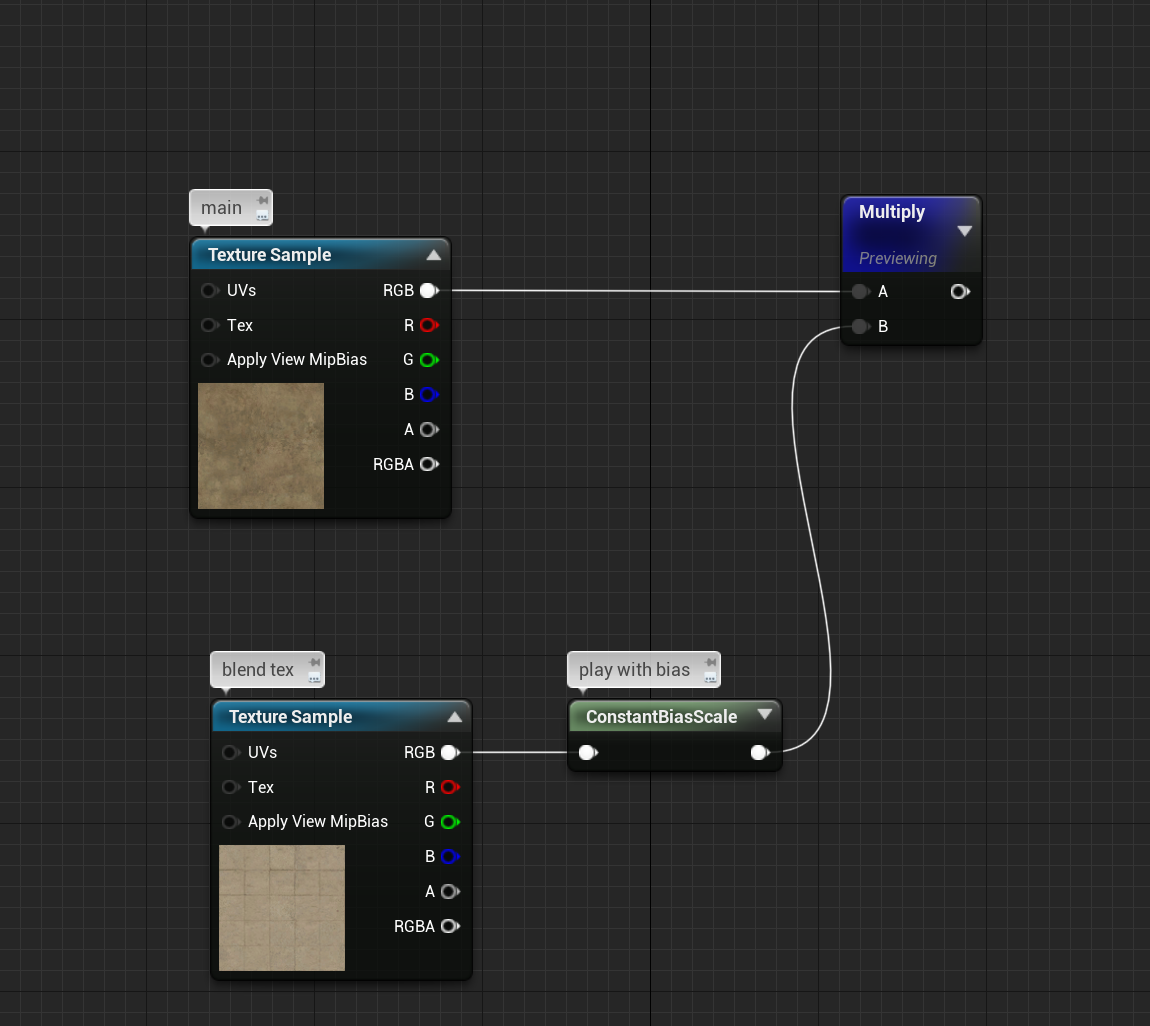 spice ruin
spare trench
spice ruin
spare trench
Honestly I have no idea what the issue is there.
I don't know what input is expect or the type of your camera variable.
plush yew
How do i make my game more realistic?What is the highest graphics i can achieve?
umbral forum
lethal whale
Hello 😁 I have some weird issue in UE4 ( or that's just my lack of experience ...
Can you show the lighting settings?
plush yew
plush yew
How do i make my game more realistic?What is the highest graphics i can achieve?
or is there a youtube video that shows those?
because for some reason i cant find one
 cosmic field
is there a quick way to select all of these in BPS?
 vague echo
Are they child BP of a main BP character/pawn ?