#ue4-general
1 messages · Page 2 of 1
 static viper
 plush yew
sweet
static viper
thats another topic tho
 plush yew
I suppose codes will look like that if you turn them into blocks lol
 thin tendon
With a material if you don't understand. A little trick I use. Start at the box on the far right. And follow your strings backwards to understand what is happening.
plush yew
the amount of if condition and while loop in my python script
🤣
interesting theres 2 of this

no idea what primitive component means
static viper
so
the way material instance works
is you set a parameter inside the material
name it
and then you can change it from within the actor
like making a glowing lamp not glow
or the speed of water
But with a primitive component
this can be added to an asset directly
a material will read where it is on, and can then read the primitive component data
thay way you can SKIP the entire material instance process
this is super effective
plush yew
Zennodez probably isnt online? 🤣
static viper
afk a moment
plush yew
static viper
thay way you can SKIP the entire material instance process
interesting
plush yew
static viper
But with a primitive component
what does primitive mean?
did no one else reply to your question?
thin tendon
@cloud pagoda The original question you asked was in regards to your rope bouncing. Judging off what I can see in the video as I don't have much to go on, my best guess is that your spline blueprint actor is simulating physics and that is why it bounces.
plush yew
thin tendon
<@258785110873079808> The original question you asked was in regards to your rop...
there you go 😄
 cloud pagoda
thin tendon
<@258785110873079808> The original question you asked was in regards to your rop...
cloud pagoda
thin tendon
<@258785110873079808> The original question you asked was in regards to your rop...
Thanks for the reply. The rope is just a cable actor drag and dropped, it isn't part of a blueprint
plush yew
cloud pagoda
Thanks for the reply. The rope is just a cable actor drag and dropped, it isn't ...
it comes with physics? 😮
thin tendon
cloud pagoda
Thanks for the reply. The rope is just a cable actor drag and dropped, it isn't ...
The cable actor will likely be a blueprint. I don't use ue5. What I do in 4 to get the same result is just spline a cylinder mesh.
plush yew
thin tendon
The cable actor will likely be a blueprint. I don't use ue5. What I do in 4 to g...
Unreal Engine is really sweet
thin tendon
plush yew
Unreal Engine is really sweet
Ue5 is only good if your players are on next gen cards like the 3080. That is why I am finishing my project up in 4.
plush yew
theres gonna be a chain weapon in what I dream of doing, so having physics on that would be cool :3
 cloud pagoda
thin tendon
The cable actor will likely be a blueprint. I don't use ue5. What I do in 4 to g...
cloud pagoda
thin tendon
The cable actor will likely be a blueprint. I don't use ue5. What I do in 4 to g...
I'm using 4.26 but I asked in 5 because there was already a conversation here. If the cable actor is a blueprint by default then where is the source BP located? Any time you start a project cable actor is always there in the place menu
Also physics are already disabled on my cable actor by default and I cannot tick them back on
thin tendon
cloud pagoda
I'm using 4.26 but I asked in 5 because there was already a conversation here. I...
In the top right of the blueprint window it should tell you what BP yours is a child of. You can double click that to open it up.
cloud pagoda
 thin tendon
okay you got me curious now because I wasn't even aware of a cable actor and was doing custom splines
cloud pagoda
Yeah I didn't either until I learned about it through uni, been using it since but it seems very limiting
It doesn't have a blueprint or anything that I'm aware of it's just drag and dropped
 lilac stirrup
Cable actor (the one you're most likely using at the moment) is a built-in actor that already have the cable component added inside.
For your case, I can see 3 possibility,
[1] use your existing cable actors, do the code I recommend before inside the level blueprint, or
[2] create a child class of the cable actor, do the code inside the child class, replace the cable actors in the map with instances of this child class, or
[3] create a new actor blueprint, attach the cable component there. Do the code inside this bp, replace the ones on the map with instances of this class afterwards.
I think [1] would be the simplest if you prefer minimal change to your current setup, though I haven't checked whether it'll work from the level blueprint BeginPlay event or not.
thin tendon
Alternatively to this. If you don't want physics simulated and for it to not move create a custom spline to do the same job. If the issue is you want it to move but not so much. Play with the dampening settings to slow the movement
cloud pagoda
lilac stirrup
Cable actor (the one you're most likely using at the moment) is a built-in actor...
Sorry, I misunderstood when you said blueprint in your last message. You were talking about the level blueprint. I've never been into that but I think I know how to get there, so I should add the nodes you mentioned in your last comment?
plush yew
plush yew
theres gonna be a chain weapon in what I dream of doing, so having physics on th...
loooongg road 🤣
chasing my dream lol
hopefully I succeed
plush yew
cloud pagoda
Yeah I didn't either until I learned about it through uni, been using it since b...
I didnt complete school or anything >~>
plush yew
plush yew
I didnt complete school or anything >~>
Unreal Engine does seem easy enough to understand
cloud pagoda
thin tendon
Alternatively to this. If you don't want physics simulated and for it to not mov...
I've never done a spline in Unreal before, I can do it in Maya though. You draw splines inside of unreal and can extrude a cylinder along? The movement on my current rope is done because of wind inside the material and the rope is never interacted with.
thin tendon
cloud pagoda
I've never done a spline in Unreal before, I can do it in Maya though. You draw ...

We continue to look at splines and their many uses in this episode. Spline meshes allow you to procedurally create meshes such as pipes, wires, and roads easily in engine. We look at two types here: ones with a flexible section length, and ones with fixed length sections.
Support me on my Patreon and see episodes 2 weeks early: https://www.patr...
lilac stirrup
cloud pagoda
Sorry, I misunderstood when you said blueprint in your last message. You were ta...
You can try adding the nodes in the level blueprint first, though I'm not sure whether the custom dilation can be accessed publically or only available from inside the actor blueprint.
The one that I've tried and confirmed to be working are option [2] and [3]
cloud pagoda
This is what I should do in the level blueprint right? What are the nodes though
For option 2 and 3 I'd have to replace all my cables manually right?
lilac stirrup
cloud pagoda
For option 2 and 3 I'd have to replace all my cables manually right?
Yup
cloud pagoda
lilac stirrup
Yup
In that case 1 is worth a try, if it doesn't work then I have no other choice
lilac stirrup
cloud pagoda
This is what I should do in the level blueprint right? What are the nodes though
Set (cable actor) visibility, set (cable actor) custom time dilation, and delay, all done in BeginPlay
static viper
Dont do anything in the level blueprint!
thin tendon
I was about to say that
static viper
level blueprint is not for this
lilac stirrup
static viper
Dont do anything in the level blueprint!
They're asking for the simplest way
thin tendon
cloud pagoda
In that case 1 is worth a try, if it doesn't work then I have no other choice
Does it need to move?
static viper
level blueprint is definitly not ok
you can make an actor
and then simply assign a public reference to that
and inside that actor you put your cable nodes
lilac stirrup
lilac stirrup
Cable actor (the one you're most likely using at the moment) is a built-in actor...
I gave 3 options there~ @static viper
thin tendon
If you don't need movement just spline it like this
 lilac stirrup
@cloud pagoda
Are you using it to make a background video?
cloud pagoda
lilac stirrup
<@258785110873079808>
Are you using it to make a background video?
Yeah it's just a render, not a playable game
cloud pagoda
thin tendon
Does it need to move?
It moves but through the material, not to be interacted with
lilac stirrup
Despite it being not recommended if it was for a game, as stated by @static viper and @thin tendon , it should probably be acceptable for a video.
cloud pagoda
static viper
and then simply assign a public reference to that
The ropes are not static meshes, they are cable actors that are drag and dropped
thin tendon
cloud pagoda
It moves but through the material, not to be interacted with
Then create a spline blueprint. It will be the easiest way. You can set it up for easy use drop in and drag points. This is far superior method especially if you need to make performance balancing changes later
plush yew
how do I know how many param names I got?
 cloud pagoda
lilac stirrup
Despite it being not recommended if it was for a game, as stated by <@2003414605...
cloud pagoda
lilac stirrup
Despite it being not recommended if it was for a game, as stated by <@2003414605...
What makes it unacceptable to them? How does it affect my scene
thin tendon
For a video not a big issue. Right because its a small scene. Just what you can see. For a massive world you would want to save resources everywhere you can.
cloud pagoda
thin tendon
Then create a spline blueprint. It will be the easiest way. You can set it up fo...
If I do that I will have to delete all my ropes and replace them though, and I don't think I get the same attributes as a cable actor, like cable length to control how loose I want it to be
plush yew
static viper
why do you need to know how many you got
just curious
thin tendon
static viper
<@456226577798135808>
In that case I would recommend adjusting the dampening settings so it takes more force to move the rope
static viper
what
thin tendon
Sorry I replied the wrong person
thin tendon
lol
 cloud pagoda
When you do your trick with splines you can set the initial shape (how loose it looks) but later on you cannot change that can you?
thin tendon
plush yew
when I enter a Param Name here
For the chosen instance of that actor yes
static viper
I CALL THE SHOTS HERE SLIM
thin tendon
lol
plush yew
both are good teachers 😛
thin tendon
cloud pagoda
When you do your trick with splines you can set the initial shape (how loose it ...
What I do is add extra spline points. To change the shape of the cable. So I manually control the shape.
plush yew
Lady Glinnevier is the funny one though :3
cloud pagoda
thin tendon
What I do is add extra spline points. To change the shape of the cable. So I man...
And those can be changed even after doing the extrude?
thin tendon
cloud pagoda
And those can be changed even after doing the extrude?
yeah mate
cloud pagoda
I think this gives me 2 options. Either doing Zennodez option 2 or doing splines
lilac stirrup
@cloud pagoda
You got a lot of caring senpais there 😋
thin tendon
Try Zen's way first if you want less work to do. My way you will have to replace them all.
cloud pagoda
@lilac stirrup In option [2], I can see how to do it for the cable actors that are just drag and dropped, but what about the cables that are already inside of a blueprint?
Sorry, let me specify
plush yew
hmm how do I make the key restart the level?
 cloud pagoda
The ropes that attach bamboo sticks are simple cable actors drag and dropped which I can apply [2] to, but the little ropes hanging off of the lantern are cables that were added within the lanterns BP
plush yew
plush yew
hmm how do I make the key restart the level?
if thats even possible 🤣
static viper
get current level name -> Open level
lilac stirrup
cloud pagoda
The ropes that attach bamboo sticks are simple cable actors drag and dropped whi...
Added as child actors or component?
 forest light
hello is there way to make unitgraph show exact framerate and not a smoothed version?

it shows yellow line which is smooth but I would like to see green spiky line
cloud pagoda
lilac stirrup
Added as child actors or component?
I will send a screenshot
plush yew
static viper
get current level name -> Open level
thanks 😄
thin tendon
@cloud pagoda So crazy idea different direction. Why not socket the lantern to the rope. Let it bounce and the latern with it. It looks like the bouncing slows a little while after pressing play anyway
cloud pagoda

 static viper
show your nodes
plush yew
 thin tendon
plush yew
hmm how do I make the key restart the level?
thin tendon
plush yew
hmm how do I make the key restart the level?
I would say just loading the level again would reset it
static viper
you plugged it into options
forest light
never mind I found andwer to unitgraph
plush yew
huh whats this
 static viper
yes
cloud pagoda
thin tendon
<@258785110873079808> So crazy idea different direction. Why not socket the lant...
I cannot add sockets to the rope because the rope isn't a static mesh
static viper
now try
plush yew
theres something new there
static viper
its a conversion node
 thin tendon
no name ftext and string all different
plush yew
thin tendon
no name ftext and string all different
ah so Unreal Engine see them as 2 different type
static viper
a string is hashable
lilac stirrup
cloud pagoda
Probably need to add the child components to replace those cable components if you choose option [2]
thin tendon
If you can try to use Ftext for everything as it works better when translating to other languages
cloud pagoda
lilac stirrup
Probably need to add the child components to replace those cable components if y...
I can add blueprints to other blueprints?
plush yew
hmm Im actually having fun with this 🤣
learning stuffs
school and math those are boring
thin tendon
cloud pagoda
I can add blueprints to other blueprints?
yes
Not sure if you should. But I do it all the time
plush yew
project settings auto save?
 plush yew
huh

kinda strange that you convert from yellow to green back to yellow again 🤣
what is this doing exactly?
static viper
nothing currently
but this node breaks a vector
you see
a vector is just 3 floats
with this system you can break it open
change a single value
and then put it back together
 spice ruin
Presumably, one of the green connectors will be replaced with a different input
plush yew
static viper
with this system you can break it open
ah
nah he didnt do anything about this (yet?) 🤣

so its just converting value back and forth ?_?

oh god math T-T

the guy teaching it doesnt really get it either 🤣
 lilac stirrup
@plush yew What are you making btw?
plush yew
lilac stirrup
<@456226577798135808> What are you making btw?
doing a tutorial rn
but in the future
HOPEFULLY
a Megaman Zero remake
🤣
a GBA game

but I wanna add new things and stuffs
Capcom wont make a Megaman Zero 5?
fine I will do it myself 😛
lilac stirrup
plush yew
fine I will do it myself 😛
Interesting motivation
plush yew
lilac stirrup
Interesting motivation
its a dream
but taking slow steps to making it a reality
🤣
I might quit half way >~>
hope I stay motivated

why is my ball glitching up like that
🤣
static viper
its rotating
static viper
deactivate motion blur
plush yew
how?
plush yew
static viper
under rendering
oh yeah it worked
thanks :3
jeez how do you know everything? 🤣
spice ruin
She learnt it from me.
plush yew
true God :3
plush yew
spice ruin
She learnt it from me.
Outer God?
spice ruin
Embarrass*
 spice ruin
plush yew
Outer God?
spice ruin
plush yew
Outer God?
God Emperor.
 plush yew
spice ruin
The people who join and ask, "Where's the MMO tutorial?"
plush yew
spice ruin
The people who join and ask, "Where's the MMO tutorial?"
boi 🤣
 tame marsh
lookign for programmer to make the next wow killer
plush yew
I wanna make my first game that I actually follow through with and post on steam and I wanted to get world machine but I don't know if I have the follow through to actually finish the game after spending the money
tame marsh
This node gives me a Rotator where the green arrow is the Front Axis, red the Up Axis and blue the Right Axis. How would I go about to change that so that it follows the usual axis orientation., or alternatively how do I get the true Front Axis?

 plush yew
is that another way to scroll along Z axis

besides holding left and right click + drag?
plush yew
Does anyone know of any good UE4 courses (online) ? Other than the official ones
 spring abyss
plush yew
Does anyone know of any good UE4 courses (online) ? Other than the official ones
spring abyss
plush yew
Does anyone know of any good UE4 courses (online) ? Other than the official ones
Beardgames,uisco, Crystal clear studies... See these YouTube channels
Does anyone know how to make in app purchases, shop , microtransactions in our game?
plush yew
I am curious, are you able to make custom character models that aren’t matching the default bipedal? Stuff like low poly models or animals? I haven’t seen much docs on that
 thick herald
plush yew
I am curious, are you able to make custom character models that aren’t matching ...
thick herald
plush yew
I am curious, are you able to make custom character models that aren’t matching ...
You can make anything you want 🙂
 wooden cairn
Mica is dead again e cmn Mippie like 2 yrs
@grave aspen
Was thinking DAF
H2 360 project a project
 grave aspen
?
wooden cairn
Love you
Teacher
Last comment on
https://forums.unrealengine.com/t/need-help-on-data-table-defined-level-transition-widget-menu-selection-clicked-open-level/589679/20

Unreal Engine Forums
Life course mate, haha. I got into education 5 years ago, first 3 years taught English to Chinese children, 3years+, they didn’t even know the words in Chinese…lol now I teach to adults. I’m gonna restore the old project with MGS platform by Raed Abbas, that uses data table and connect language database filtered by topic. use this menu as the f...
@grave aspen
Just saying m still here
Offline
grave aspen
ok
wooden cairn
Your spirit has guided me, as have most of this community, will be structuring perfect , will let u know
grave aspen
k
wooden cairn
4community remember visualisation of u dream is 33 percent
Reality virtuality imagination or all
Meaning - talent tree of id
Bombing inbound
 jade stump
hello anyone know a fast way to change thentexture size for an image from 4k to 1k for all textures in click other than change per image
 strong vortex
jade stump
hello anyone know a fast way to change thentexture size for an image from 4k to...
strong vortex
jade stump
hello anyone know a fast way to change thentexture size for an image from 4k to...
Use the Property Matrix Editor for the selected assets you want to edit
 arctic pebble
thick herald
You can make anything you want 🙂
arctic pebble
thick herald
You can make anything you want 🙂
That’s why it’s neat
plush yew
Is Bryce 7 pro a good alternative to world machine
 granite breach
does anyone here wanna try out my ue4 2d platformer?
it took me one month to make

Game Jolt
🎮 You Find Yourself Escaping 19 Challenging Levels! Credits Music By: Three Chain Links, Godmode, and Markus "Notch" Persson Controls Use A and D To Move. Use Space or W to Jump. Use Shift To...
 white plume
how different from UE4 is UE5?
Is the UI and everything massively different like blender 2.79 to 2.80
granite breach
white plume
how different from UE4 is UE5?
there really is no difference. the only differences are graphics and ui
white plume
excellent
 frozen stratus
Is there a solution to second monitor loosing the ability to right click open menus on node editors? Using 3090, I think it may have been GPU bug said somewhere before, but this thing really kills my flow cause you have to restart UE to fix it and it happens quite often. Basically on right click the dropdown menu just flashes and disappears, doesn't stay open so that you can select something
I've seen other people also posting about this to facebook every now and then
 glacial arch
Does a new game state get created every time a map changes?
cuz I know during seamless travel the PlayerController is kept alive, so I wonder how GameState behaves in that regard
plush yew
what is this flower like thingy? 🤣

its kinda in the way of things
how do I get rid of it?
huh, what does anchor do?
@static viper hes using level blueprint 🤔

why is it bad though?
 zinc topaz

how can i set a certain size for a text box
i wanted it to stop where the button ends but when i resize the box, it keeps going
plush yew
@zinc topaztimezone difference huh? 🤣
we are awake while others are asleep 😛
its 10 am here
zinc topaz
Where are you from?
lilac stirrup
plush yew
its kinda in the way of things
That's just an indicator for your anchor position
lilac stirrup
plush yew
huh, what does anchor do?
Anchor determines the origin of your widget coordinate
See it this way, your game can be played in multiple resolutions, not all of them have the same ratio.
If you anchor your widget to the left, the location will be calculated based on how far the offset is from the left border, if center then it's offset from the screen center.
lilac stirrup
zinc topaz
how can i set a certain size for a text box
Wrap it in a sizebox?
plush yew
Whenever I see people talk about posting a game and how to market a game they all have 2d games, should I make my game 2d? I have an idea for both 2d and 3d but I feel like the 3d one is better
Should I do the 2d one
lilac stirrup
white plume
how different from UE4 is UE5?
UI difference,
Renderer difference: UE5 have nanite and lumen,
Physics difference: UE4 uses Nvidia PhysX, UE5 uses Chaos physics,
Retargeting workflow in both versions are different.
@plush yew that depends on your plan for the game.
plush yew
Wdym?
plush yew
lilac stirrup
Anchor determines the origin of your widget coordinate
See it this way, your gam...
ah
@lilac stirrup why is Level Blueprint bad? 🤔
lilac stirrup
@plush yew
Only you know whether you should do 2D or 3D, both have their complexities and difference in terms of development as well as marketing, it's a complex topic.
Better if you specify whether there's something specific that you're unclear of.
lilac stirrup
plush yew
<@845076805572100158> why is Level Blueprint bad? 🤔
It got to do with code organization and optimization, it depends on your usage and context actually.
lilac stirrup
plush yew
<@845076805572100158> why is Level Blueprint bad? 🤔
Are you asking due to that talk on why level blueprint shouldn't be used for @cloud pagoda 's project?
For that context, probably because using level blueprint to fix the rope bounce at the start of the runtime is a bit of a hack.
But the purpose here was to remove the bounce at the start with minimal changes to the level anyway, so it can be used as a background video.
In that case, a bit of a hack is simpler than having to replace/reconfigurate all the related cable actors and components in the map one by one.
plush yew
lilac stirrup
Are you asking due to that talk on why level blueprint shouldn't be used for <@2...
this 🤣
 lilac stirrup
Oh wow, that's a lot of strict restriction 😅
plush yew
lilac stirrup
Oh wow, that's a lot of strict restriction 😅
sensei really hates level blueprint 🤣
reminds me of that one guy ranting about koalas lol
plush yew
plush yew
sensei really *hates* level blueprint 🤣
so what do I use in place of level blueprint? 🤔
whats the difference between this 2...besides the color ?_?

whats the P_ prefix?
lilac stirrup
plush yew
so what do I use in place of level blueprint? 🤔
It depends on what you want to do of course, what are you aiming?
plush yew
lilac stirrup
It depends on what you want to do of course, what are you aiming?
well for now Imma just follow the tutorial 🤣
until sensei teach me why level blueprint is bad and what I can do as an alternative 😛
plush yew
plush yew
whats the difference between this 2...besides the color ?_?
about this though....
is it just the color difference?
P_ is red electricity arc?
plush yew
plush yew
P_ is red electricity arc?
doesnt make sense
if its just color difference they shouldve named it electricity_arc_red


hmm different properties 🤔
so its more than just color
and how do you pause the particle effect?
lilac stirrup
plush yew
is it just the color difference?
I don't know where you got that particle from so I have no idea about that 😅
plush yew
lilac stirrup
I don't know where you got that particle from so I have no idea about that 😅
oh its not a particle provided by Unreal Engine?
this guy is doing some things without explaining them lol

like how he paused that animation
lilac stirrup
plush yew
oh its not a particle provided by Unreal Engine?
Is that particles from the starter content?
I don't see any electricity particle on the editor's starter content
plush yew
lilac stirrup
Is that particles from the starter content?
I don't see any electricity particle...
I am not sure 🤣
but well I did pick no starter content
plush yew
plush yew
but well I did pick no starter content
even then there are still some basic stuffs

like cubes cones and stuffs
so I assumed the electricity arc particle is provided by Unreal Engine
 ripe carbon
I've run into a weird widget problem. Whenever one of four arrow buttons is clicked and this robot character I have moves from room to room, the arrow buttons are supposed to be collapsed until the animation is done. But, for some reason, the arrows appear too soon and are clickable when they aren't supposed to be, even when I've set all four arrow buttons to be collapsed before the animation starts and become visible after the animation finishes and the delay is executed. Could this be a bug?
...If any of that makes sense?
 tiny valley
This is a phonautograph recording, how does a filter filter frequencies without some kinds of look ahead or delay?
 tame marsh
How would I determine if I am standing in front of this skeletalmesh using its bones

Issue I'm having is that all of its bones have been rotated so I can't use its forward vector or its yaw value
Ok I found a solution, I attach a virtual socket to the bone and I add a relative offset to it till its orientation is correct
tame marsh
ripe carbon
I've run into a weird widget problem. Whenever one of four arrow buttons is clic...
it's possible that however you implemented the button animation only affects the button image
but not its 'hitbox'
 fierce agate
Why is the bottom of my mesh is black?

 fierce tulip
because.. its the bottom, and lighting comes from above?
fierce tulip
you know what they say :)
sucking at something is the first step to becoming great at something :)
tame marsh
I've got a project where the C++ code is building well in VisualStudio, but the packaging fails at the code compilation phase
what could cause that?
Ah, the error is occuring in the generated cpp files
plush yew
fierce tulip
you know what they say :)
sucking at something is the first step to becoming gre...
hopefully thats true >~>
doesnt seem to apply to me lol 🤣
tame marsh
Is there a way to create a DDC Pak from the existign DDC?
When I do this command, it seems to create a new DDC from scratch https://docs.unrealengine.com/4.27/en-US/ProductionPipelines/DerivedDataCache/#distributingwithaddc

Overview of the Derived Data Cache and the storage of assets in formats used by UE4 and its target platforms
 foggy orbit
Hi, I need to make a simple player with a single model around which I could orbit. I could do this in UE, then how to contrain rotation around the axis of my single asset ?
ripe carbon
tame marsh
it's possible that however you implemented the button animation only affects the...
Any way I can make them disappear, anyway? Though I’ll need to make sure they aren’t clickable.
 weak trail
 wispy comet
A quick question to anyone using the enhanced input system, have you been able to get any input from AnyKey?
strong vortex
tame marsh
Is there a way to create a DDC Pak from the existign DDC?
You'll have to go to your engine's config folder and modify its BaseEngine.ini. Inside the file, you can either create your own DDC section or modify an existing one (probably the one you're using). Anyways, just tell it to read where your existing DDC is and to write a pak version of it.
wispy comet
This sort of mapping doesnt call my debug function at all, any other combination of inputs works just fine

 round geyser
Hi everyone
Does anyone know a way to create a procedurally generated world with biomes (Without using paid plugins)?
spice ruin
Sure. I have a few ideas.
That's not really a "yeah, you do this" kind of question, though.
It's more a thesis.
spice ruin
Google about generating random biomes in games and apply that methodology to unreal.
If you have specific questions, I'm sure someone will know.
round geyser
What if I use blueprints only?
round geyser
Hm
spice ruin
But it's more a level composition problem, which might be better done on UE5.
round geyser
So... Is there a complete solution for that?
spice ruin
Nothing inside UE will let you do what you want out of the box without a lot of work.
ripe carbon
tame marsh
it's possible that however you implemented the button animation only affects the...
I've tested the buttons and they are clickable during the animation. What's worse is that, if you keep clicking on the buttons, the coding and room counter numbers can go out of whack. So I need some way to make those arrow buttons disappear during each transition or at least lock them.
 oak patio
round geyser
So... Is there a complete solution for that?
oak patio
round geyser
So... Is there a complete solution for that?
You are either buying the voxel plugin and doing some heavy work with it, or you are creating a robust voxel terrain system in c++. There isn't a way around creating complex systems.
If you don't wanna do the hard work, then you pay big money for it.
Otherwise do the work
And fwiw considering what voxel plugin can do, its very cheap
 night birch
Can I somehow invert collision box blocking? So it block from the inside not outside, so the player can walk in the cube, but can't leave it
 static viper
night birch
Can I somehow invert collision box blocking? So it block from the inside not out...
static viper
night birch
Can I somehow invert collision box blocking? So it block from the inside not out...
invert no
but you can probably code a box
put invisible walls around it
only activate them when a player is inside
ripe carbon
With a trigger box, and you can set the trigger box to work only if a particular actor (like a player one) is touching that box
by using a reference to the actor and an = condition (in this case, if the Other Actor is the player actor)
(but not Overlapped! the trigger box is what's being overlapped)
night birch
static viper
invert no
So, can I enable player spawn to be within this box? It doesn't let me just place it there, and says "bad size"
I need collision enabled all the time
ripe carbon
night birch
So, can I enable player spawn to be within this box? It doesn't let me just plac...
Also check the Z coordinates when you put in the Player Start actor. Like, above the floor.
static viper
take over Mr. i need to go to bed.
night birch
ripe carbon
Also check the Z coordinates when you put in the Player Start actor. Like, above...
Its in good location, its just within box collision with block all enabled, but I want to spawn within anyway
 ripe carbon
I see. Well, I'm not a total expert. But try disabling the blocking part.
oak patio
night birch
Its in good location, its just within box collision with block all enabled, but ...
Just put walls around instead
Or you could make an invisible bsp hollow i think
Blocking volumes allow that last I checked
night birch
oak patio
Or you could make an invisible bsp hollow i think
bsp?
oak patio
Yes
night birch
I mean, what does it stands for?
oak patio
Blocking volumes, the inbuilt geometry etc
 torpid bluff
Hello guys, my friend and I are looking for paid mentorship, someone who can teach us específically character export and import from blender to UE4/5. The right way to make a basic rig or use the mannequin rig and retarget animations.
 crisp delta
Anyway how i could make the navmesh to be inside an hollow bsp brush?


 latent stream
Error when trying to set up android studio by running the setupandroid.bat ---If you don't have an idea I'd appreciate being directed to a place that could answer my question. Been stuck on this for awhile. I'm desperate and willing to paypall someone $20 if they can get this working. I'm trying to package a project for mobile. Thanks.
 cloud pagoda
Hi, does anyone know how to stop lights from acting weird when at a distance from the camera?
spice ruin
Turn them off. They'll stop acting weird.
cloud pagoda
spice ruin
Turn them off. They'll stop acting weird.
No, I need them to stay on
When they're close to the camera, they act normally and light up (and slightly flicker). But when they're at a distance they stop lighting up and just flicker so it looks weird
spice ruin
Not a clue, sorry!
 proud ice
spice ruin
proud ice
spice ruin
Reset layout?
 frozen bramble
anyone experienced with git and push pull?
we are working together (2 people) at one project and after every time I just open the unreal project it adds 40 files under changes (havent touched anything)
any idea how to prevent this?
plush yew
Unreal Engine auto render stuffs with less detail when theyre further away, right?
ripe carbon
ripe carbon
I've run into a weird widget problem. Whenever one of four arrow buttons is clic...
As an addendum to the question I posted, here is some additional info.
Here is the widget with four directional buttons. Next are the two links that show the behaviors of the left and right arrow buttons; all of these buttons operate on an counter-based integer that tells the program what room the robot navigating its way through the maze is in.
When in Room 25 and the right button is clicked: https://blueprintue.com/blueprint/-5_bfxdl/
When in Room 26 and the left button is clicked: https://blueprintue.com/blueprint/dq1h1yic/
Entire Widget blueprint: https://blueprintue.com/blueprint/pvjwsl46/
https://drive.google.com/file/d/1nN9EQnLWnnIAqUYYyf5u4oMrf40lS3h7/view?usp=sharing -- and here is a video clip showing what's happening right now.


No description provided
No description provided
No description provided

Please bear in mind this is a 2D widget interface.
cloud pagoda
How do you increase the distance at which lights still light up
plush yew
how do I find all existing nodes?

lets say if I placed a node really far away and I forgot where it is
 sly python
Graphs(Name=EventGraph && All(Return)) in ctrl + f
sly python
plush yew
Unreal Engine auto render stuffs with less detail when theyre further away, righ...
that is called LOD
if you want to research the topic
plush yew
sly python
that is called LOD
ah right 🤣
plush yew
sly python
Graphs(Name=EventGraph && All(Return)) in ctrl + f
hmm no results?
 sly python
Getting the most out of searching in Blueprints, from indexing all Blueprints to advanced search syntax
you could go through all the filters I guess
EventGraphs(All(Return))
maybe like this
plush yew
kinda stupid youre not able to get all the nodes you placed 🤣
sly python
not like it matters really
plush yew
sly python
not like it matters really
it kinda do?
so if I placed a node really far out I wont be able to find it or know what its doing?
plush yew
sly python
it won't be doing anything
wdym?
sly python
if it's not connected, it won't be considered for compilation
meaning it's just like as if it didn't exist
plush yew
but if its connected?
like a group of nodes were placed far outside
i wont be able to find it? 🤣
sly python
then the function or event will be shown on the left
plush yew
sly python
then the function or event will be shown on the left
so everything thats used will be shown on the left?
sly python
only the start of it (in simple terms)
plush yew
I see
 sly python
but then you have all the white links to follow
 tired crater
my project crashes when I open it
goes to like 45% and then something about assertion failed
 lilac stirrup
plush yew
lets say if I placed a node really far away and I forgot where it is
lilac stirrup
plush yew
lets say if I placed a node really far away and I forgot where it is
If that actually happened, then it's time to actually refactor your nodes.
You're not supposed to end up with that kind of problem with blueprint.
plush yew
Hey, when i try to place actors from the widget they all get sent to some random place and not on my mesh as placed. any ideas to what that could cause this?
 hollow basin
Hi, I am struggling an issue which is the version of web browser plugin. Currently, my version of unreal is 4.27.2 and the web browser's version is 59 on Windows 10. Is there any way to the version of browser?
plush yew
the tutorial game Im doing have a funny glitch 🤣

keep hitting E and it will continue moving up over the limit

 plush yew
I kinda wish I was a good artist so I could actually make a good looking 2d game lol
lilac stirrup
plush yew
I kinda wish I was a good artist so I could actually make a good looking 2d game...
Practice (+pain+effort) makes perfect.
Or you can just hire one of those 2d artists to do the art for you.
plush yew
lilac stirrup
Practice (+pain+effort) makes perfect.
Or you can just hire one of those 2d arti...
I don't have the money to hire someone for an entire game but if we split the money once we post the game then I could do that
lilac stirrup
plush yew
I don't have the money to hire someone for an entire game but if we split the mo...
There's always the hungry art school student if you're going that path 🤔
But really, just practice if you're interested in making 2d art, it's a matter of diligence and effort, at least for most people.
plush yew
lilac stirrup
There's always the hungry art school student if you're going that path 🤔
But r...
Yeah, I have a condition that makes my hands shake uncontrollably it makes my irl art look like that of a Kindergartener and it makes me feel like all of my art is bad no matter what
But I'll give it some more tries
lilac stirrup
plush yew
Yeah, I have a condition that makes my hands shake uncontrollably it makes my ir...
Most art/illustration program nowadays have some stabilization algo to smoothen your lines, shaky hands can mostly be covered by that.
You can also try pixel art or vector arts if you think illustration is too much, both are mostly click based, so you won't need to rely on the quality of your lines.
plush yew
lilac stirrup
Most art/illustration program nowadays have some stabilization algo to smoothen ...
I was probably gonna use something like photoshop or a free alternative
 lilac stirrup
plush yew
I was probably gonna use something like photoshop or a free alternative
lilac stirrup
plush yew
I was probably gonna use something like photoshop or a free alternative
If you need it free, try Krita, if you don't mind buying, try Clip Studio Paint or SAI.
plush yew
granite breach
why is it streched??
My friend had something similar to this it looks like the mesh doesn't match with th skeleton
granite breach
plush yew
My friend had something similar to this it looks like the mesh doesn't match wit...
how do i fix?
plush yew
granite breach
how do i fix?
I'll ask him I didn't have the problem
granite breach
plush yew
I'll ask him I didn't have the problem
ok let me know what he did to fix it
plush yew
It appears that way
granite breach
static viper
nice model you made
thx
static viper
did you tho?
granite breach
static viper
did you tho?
no lmao but i need fixing it rlly bad
plush yew
granite breach
no lmao but i need fixing it rlly bad
Where'd you find it
granite breach
plush yew
Where'd you find it
i forgot, i downloaded it months ago
static viper
probably sketchfab
dont assume that these models are always free
alot of 3d is stolen online
lilac stirrup
granite breach
why is it streched??
Weight painting issue?
 neon vapor
can someone cook some files for me?
static viper
why would we cook your files
arctic pebble
I’m trying to replicate Titanfall 2 movement
I’m making the next big Retro shooter, someone wants to join me?
If you like Doom Eternal, Portal and Titanfall 2, DM me
arctic pebble
static viper
why would we cook your files
You don’t know…?
That term is normally used with digital projects
Instead of just saying “I’m making”
static viper
ofc i know what cooking is
i wanted to trick this person
its possible yes
but why would anyone do that
 peak hare
is there a strict order of execution to event possessed/ event unpossessed - which comes first, or is it random?
and will one only execute after the logic of the other has completed?
cloud pagoda
Hi, is there a way to increase the distance at which unreal renders lights? After a certain distance lights disappear from my scene
 lucid grove
cloud pagoda
Hi, is there a way to increase the distance at which unreal renders lights? Afte...
lucid grove
cloud pagoda
Hi, is there a way to increase the distance at which unreal renders lights? Afte...
Its inside Light source settings. There is range and smooth fade out radius.
lucid grove
cloud pagoda
Hi, is there a way to increase the distance at which unreal renders lights? Afte...
 cloud pagoda
Isn't that how much of its surrounding it lights up? I don't want it to light up a large area, I want it not to disappear when it's far from the camera
lucid grove
cloud pagoda
Isn't that how much of its surrounding it lights up? I don't want it to light up...
No, its under performance section. Just scroll down a little.
cloud pagoda
lucid grove
No, its under performance section. Just scroll down a little.
Ok I'll try increasing the draw distance and see if that fixes it, thank you!
lucid grove
Why my focus distance in full screen viewport not same as in game (ignore the colours)?

 lucid grove
cloud pagoda
Ok I'll try increasing the draw distance and see if that fixes it, thank you!
lucid grove
cloud pagoda
Ok I'll try increasing the draw distance and see if that fixes it, thank you!
You are welcome!
lucid grove
 outer wind
not sure where to start
outer wind
not sure where to start
Epic have a really good learning program:
https://dev.epicgames.com/community/learning?industry=games&category=programming-and-scripting

Epic Developer Community
Epic Developer Community Learning offers tutorials, courses, demos, and more created by Epic Games and the developer community.Learn UE and start creating today.
outer wind
thanks
 mortal frost
can someone help me with a problem about a ball in my brick breaker game that keeps changing velocity after bouncing instead of staying at constant speed
 wide warren
Might be a long shot to ask about this, but I'm trying to build a level in Unreal 4, tryna use the slide move to get Sonic under things, this has something to do with capsule collision unfortunately I'm not familiar with this if any could shed light on this?

I am extremely new to Unreal 4.
 real heath
wide warren
Might be a long shot to ask about this, but I'm trying to build a level in Unrea...
real heath
wide warren
Might be a long shot to ask about this, but I'm trying to build a level in Unrea...
You could reduce the capsule height during a slide, or treat the slide as a variant of crouch
Which effectively does the same thing
wide warren
Okay I'll look into this thanks
 stiff verge
Hello. I made a custom cine camera system that fits my need. How can I "store" it so I can easily import it in other maps?
wide warren
real heath
You could reduce the capsule height during a slide, or treat the slide as a vari...

Like here?
real heath
You but you probably want to change capsule half height in blueprint as you enter the slide
And change it back after obviously
 tribal jasper
Can't remember what the setting is called to stop Rider from making so many old versions of compiled builds. Anyone here know how to stop this from happening?

I have hotreloads disabled

oh wtf lol
Wellp, cheers. Idk why they make it ambiguous to disable it, but oh well
suddenly freed up over 35GB of space from just enabling live coding. LOL
wide warren
real heath
And change it back after obviously
How would I make the capsule size change during a slide ingame?
real heath
Theres probably a Set Capsule Half Height node on the capsule component?
mortal frost
can't I just stab the guy who decided to make physics hard in unreal
for real man
i struggle with the same fking glitch for 2 damn days
real heath
mortal frost
can't I just stab the guy who decided to make physics hard in unreal
implies that it's an inherently easy topic
mortal frost
irgwei rgeirgeirgeirge;rgp personal opinion of glitches
 lament scarab
I have been googling for a week and can not seem to get a hint on where to start on this...
I think it's an issue with terminology
I am curious if there is a way in-engine to get information about a mesh's shape in order to determine if it matches another.
For instance, if I wanted to place 2 pieces of a modular set beside one another using code, only if the shape's orientation allowed them to do so in a cohesive manner.
*i.e. One object has a notch on it's attaching face, as does every valid neighbor *
As in the image, I want the right socket of the right object to be able to connect to the left socket of the left object, but don't want to manually add this to a list of valid neighbors for the socket as I am getting these relationships per face of each individual mesh.
A simple "It's not possible" or "You should search for" would be leaps and bounds above the information that I could find through my Designer-brained google searching.
 real heath
lament scarab
I have been googling for a week and can not seem to get a **hint** on where to s...
real heath
lament scarab
I have been googling for a week and can not seem to get a **hint** on where to s...
You could add actual sockets to the meshes and match those up. In terms of matching shape, you can probably get a rough approximation with the object bounds. To delve right into the complex mesh might be a bit costly for run time, but it MIGHT be possible.
wide warren
real heath
Theres probably a Set Capsule Half Height node on the capsule component?
Sorry bout this, anything recognized as useful or what I'm looking for here?

I guess its hard when its made by another dude
real heath
Your character probably already has a capsule component, no need to add another
wide warren
Oh okay
real heath
You want to go into your blueprint graph and do it on your slide event
To get a rough idea of what i'm talking about, look up a youtube tutorial on adding crouch to the default pawn, and then just adapt that
wide warren
Alright I'll check one out
lament scarab
I'm using sockets for each attach point.
If you see here, these meshes have these ledges on them, some faces of the meshes do not have theses ledges and don't line up.
What I am wondering is if there is a way to say "these are the same" based on the edges/symmetry/idk any modelling terminology, of the geometry. So I don't have to manually establish that.

@shy nacelle
Yes, they are boxes.
I like the sound of easy. 👂🏾
I am using a tile-based system for mesh placement, so I create 3 duplicates of each object with local rotation of the original and subsequent meshes being 0, 90 180, and 270 degrees, respectively.
They’re going to be generated via an algorithm, the tag system per face is what I was trying originally, I just couldn’t get to to line up with out using Maps and saying which sockets each face could pair with. The 9-slices is a really good idea though, it’s already a part of the workflow to manually create the sockets.
I will give that a shot.
Thanks a million, I’ve been bashed my head against the wall with this all week with no good ideas.
arctic pebble
Can you cook mine?
 tidal cloak
does anyone know a way to test steam connections in a packaged build, i am having a random disconnect issue when using vr in with steam advanced sessions and it is throwing me for a loop trying to track down this issue, thanks in advance
cloud pagoda
lucid grove
Unfortunately that didn't change anything :(
At 0 only the close lights render, but if I change the value to anything else then they all disappear
Maybe there's a blueprint connection that can override this and make it render all the lights? Performance is not an issue because I'm doing a render not a game
plush yew
I'm really sorry for asking something that has probably been asked before and may feel bothering but I am currently trying to teach myself programming and game development as a whole and was wondering if unreal engine 4 c++ development is something that can be picked up by a beginner and slowly learnt or if I need to first get advanced c++ knowledge and then come back to it. I'm currently learning c++ programming with a youtube playlist from TheCherno and have gotten to c++ OOP, pointers so far. Sorry again and thank you, I'm mainly asking that because time is precious and I might as well just stick to c++ first and come back in a year or two with proper knowledge to then learn the c++ unreal API then
lilac stirrup
plush yew
I'm really sorry for asking something that has probably been asked before and ma...
I'm not that deep into unreal c++ programming at the moment, but it seems that if you're just using it to work with the engine's existing functionalities, it feels closer to C# with a more complex notation than an actual C++ code, at least that's how it looks to me.
As long as you have basic OOP and ECS knowledge you can probably learn things on the run, especially if your purpose is finishing a game.
However, if your purpose is learning C++ for general usage, probably better to go with Cherno's opengl or game engine series first since it uses C++ in a way that is more common outside of unreal.
lilac stirrup
cloud pagoda
Maybe there's a blueprint connection that can override this and make it render a...
How far are the lights that you're aiming at the distance?
plush yew
Thank you for your answer, maybe I'll try focusing more on plain c++ for now and general programming concepts and come back to game development using an engine later then
 wispy pasture
Dumb question here - is UE4/5 automatically instancing static meshes that I duplicate? I want to copy some mountains for terrain and I'd rather keep them as instances for performance
real heath
It does do some automatic instancing, but if you can, it's better to setup your own instances and hlods
wispy pasture
real heath
It does do some automatic instancing, but if you can, it's better to setup your ...
Thanks - where should I look in the docs for that? I was only finding this page: https://docs.unrealengine.com/4.27/en-US/BlueprintAPI/Components/InstancedStaticMesh/
Instanced Static Mesh
 grave quiver
i am making a board game into a video game and i am wondering how to take a dice roll (random number) and make the player move a certain amount of spaces depending on what the random number is. how would i do this? btw i already have the random number system.
plush yew
I enjoy TheCherno's video format where it's a quick video explaining the concept and then I practice the concept on the side but I'll try to complete it with learncpp since it seems to also be straightforward and quick examples, although I have difficulty learning with books in general I don't know why...
Thanks for the recommendations and advice
plush yew
Where would you recommend looking to get started for beginners in unreal by the way ? Is this the right place to start https://docs.unrealengine.com/4.27/en-US/ ?
Complete resources for learning to use Unreal Engine 4
as in just follow the official docs and explanations of the engine ?
real heath
plush yew
as in just follow the official docs and explanations of the engine ?

Epic Developer Community
This course will introduce you to Unreal Engine 5 and the editor used to work within it. We’ll look at the Launcher, Editor, creating a basic level incl...
There's heaps of other great training courses from epic on that site too
And some community ones too
real heath
It's targeted at 5, but most tutorials can be followed in both. Some buttons move around, but very similar with the exception of lumen and nanite
They have ue4 ones on learn.unrealengine.com but that's being shutdown in a few weeks
plush yew
I always catch the train at the worst time possible 🤣
real heath
There's no real reason if you are just starting that you shouldn't start on ue5 tbh
 vale carbon
I need some help, what should be the basic ue4 install size as i think something is wrong, it takes 87GB on my disk, and thats just the required minimum install, where my ue5 install is just 35GB but still feels to much.
Is this normal? I can provide more detailed disk tree size.
 plush yew
vale carbon
I need some help, what should be the basic ue4 install size as i think something...
plush yew
vale carbon
I need some help, what should be the basic ue4 install size as i think something...
you have some kind of exclusive edition Unreal Engine 😮
 vale carbon
yeah, epic one year exclusive xD
but seriously, anyone knows why or had similar issue?
cloud pagoda
Uninstall reinstall
 vale carbon
good one
 tawny shard
are there any plugins that can dissable unused variables, rotes, parts of code?
tawny shard
can u link or write the right name for marketplace
static viper
why do you want to disable parts of code?
cloud pagoda
lilac stirrup
How far are the lights that you're aiming at the distance?
The furthest light is at 12425
Centimeters I assume is the default measuring unit
lilac stirrup
cloud pagoda
The furthest light is at 12425
So, around 12 metres? I don't think that's far enough that engine will cull it 🤔
cloud pagoda
lilac stirrup
So, around 12 metres? I don't think that's far enough that engine will cull it �...
Let me just double check that it's actually centimeters
I don't think I can change units in UE4 (that was added in UE5) so it's centimeters for sure

This is unlit
And this is lit
The ones that are further don't render the light, and without the light it looks very weird
Also to specify, the lanterns themselves have a flashing emissive (which is what the ones further back are) but in the blueprint there is also a point light and the combination of both is what the ones in the front look like. Then as we get further back the light doesn't show anymore so only the emissive does and by itself it doesn't look great
vale carbon
cloud pagoda
Uninstall reinstall
i reinstalled and it is the same 😦
vale carbon
I dont get it why ue4 is generating almost 90GB of data...
 boreal arch
Hi friends, My apologies for just turning up and asking for help, but I'm at my wit's end here and would super appreciate any guidance. My 4.27 project has been working absolutely fine until this morning where it started crashing on occasion due to "the D3D device being removed" error of doom. Now that's steadily gotten worse, first to the point where it was crashing every ten minutes or so, and now to the point I just crashed from clicking a single time in my project after opening it. Now it's back to crashing ever ten minutes or so. I'm really not sure what to do - I've tried regediting the Tdr delay to increase it but that just means UE4 hangs until the new value has expired before crashing. I've tried freshly installing my Nvidia drivers to the latest version (clean install) to no avail, and also to have opted to "Prefer maximum performance" in my NVidia control panel. Virtually every answer I could find on the internet has failed me, so I've resorted to this as I can no longer edit my project 
I'm on a GTX 1080 that seems to be running fine. And until around last night the editor had never crashed. Google is now failing me and I'm absolutely at a loss as to what to do, if anyone has any suggestions I'd be very grateful to hear about workarounds or advice! If I've posted this in the wrong place, please let me know and I'll move it! Thank you.
Here's the exact error:
Fatal error: [File:D:/Build/++UE4/Sync/Engine/Source/Runtime/Windows/D3D11RHI/Private/D3D11Util.cpp] [Line: 198] Unreal Engine is exiting due to D3D device being lost. (Error: 0x887A0005 - 'REMOVED')
 autumn flame
boreal arch
Hi friends, My apologies for just turning up and asking for help, but I'm at my ...
autumn flame
boreal arch
Hi friends, My apologies for just turning up and asking for help, but I'm at my ...
And if you still have issues after, seems like another fix would be installing Studio Driver for NVIDIA using GeForce Experience instead of the Game Ready driver
boreal arch
I'll give it a go, thanks! Before this, I'm also going to attempt to underclock my gpu and see if that solves anything.
autumn flame
There's a TDR change you can make too, but doubt it's your GPU hanging
 magic helm
boreal arch
autumn flame
There's a TDR change you can make too, but doubt it's your GPU hanging
magic helm
boreal arch
autumn flame
There's a TDR change you can make too, but doubt it's your GPU hanging
I tried making the tdr change already thanks! Didn't work unfortunately, but will try both new solutions soon and report back.
 pseudo elm
hello guys, only UE is installed on my disk and it said 17gb. why does it take up 86gb of space?

i also did not tick any of the target platforms

is this normal?
if its normal, what is the logic?
vale carbon
But for just the base engine install? Ue5 takes like 1/3 of that and is with line of the listed minimum requirements, by the names of the folders i suspect some things are not needed at all. Then why they show the base install needs just below 18 gb when it is almost 90gb.
That cant be right. I checked this online and it seems it should be far less, also someone here showed it uses 40gb in his case.
There are plenty of ppl using ue4 here, how much is your ue4 engine install size guys?

 vale carbon
My says total 120gb
 vale carbon
And with ue4 i installed only the core components.
 grim ore

I would be curious what your actual disk size is like I show above, for the folder
my best guess is your cluster size is super funky and with the engine using so many small files its atual size on disk might be large
vale carbon
thats not possible
grim ore
welp then if the actual size on disk is small then the display in the launcher is just wrong
you can see for me its atleast close enough when I check
vale carbon
i posted this before
 grim ore
and windows properties shows the same?
vale carbon
yeah
also i did check the folders inside and it seems like there are things not needed there or at least i think so
 vale carbon
already reinstalled and the same
grim ore
i only have the engine and templates installed, no platforms or any other options
what does your options show in the launcher for 4.27.2?
vale carbon
pseudo elm
hello guys, only UE is installed on my disk and it said 17gb. why does it take u...
i have the same issue and cant find why
vale carbon
grim ore
what does your options show in the launcher for 4.27.2?
nothing, just core components, bu ti suspect it downloaded more, but is not showing it
grim ore
well it definitely did something more, the # of files is twice my install
vale carbon
why on earth i have the lumin, linux, hololens... folders inside of the install folder, makes no sense
grim ore
I assume when you uninstall the entire folder is removed? you verified its not just dumping the new install into a folder with stuff in it?
grim ore
I have binaries for other platforms, but my binaries folder only takes up 4gb. yours is immense
might as well drill down farther in your binaries folder and see what other folders are taking up space
cant really suggest anything without more data
everything in your folder is inflated tho, even your source folder is wrong
actually now I am curious
 vale carbon
i can provide detailed folder tree size
grim ore
but you have template and samples folders
vale carbon
i think it is some kind of bug, i did nothing special, i just installed bare minimum ue4 in epic launcher, i don't know why this is happening, i even have 5gb source physx folder for ios, android etc. xD
grim ore
as a matter of fact your template folder is correct in terms of size and # of files as well
its installing everything is what you are seeing
plush yew
Game idea: A game about a guy who orders an angel shot
vale carbon
Now thats insane, i fixed it by choosing one additional thing to install from the options, after it installed the size was exactly right, 60gb disappeared.
Then i removed the additional item again and its fine now, seems like a bug when u install first time just the core components and nothing else.
vale carbon
pseudo elm
hello guys, only UE is installed on my disk and it said 17gb. why does it take u...
Try the trick above, maybe it will help u too.
pseudo elm
vale carbon
I dont get it why ue4 is generating almost 90GB of data...
I EXPERIENCE THE SAME PROBLEM LOL
pseudo elm
vale carbon
Try the trick above, maybe it will help u too.
i saw this now
how many gb now?
pseudo elm
wow, it might work... 

 valid sparrow
I kind of forgot and I am hoping someone can help me remember. I am attempting to add a few maps to my project. But I know the maps are not opening properly. I have the maps listed in packaging. But I feel there is a reference list or something else that needs the map names aswell.
 sage bane
So like,if you guys buy from the unreal market, does it come with the image texture? And not like attached to the model,but with actual image textures?
Hope you understood this,I don't know how to describe it
 limber mesa
I have an array thats apart of a datatable, im trying to add elements to it from outside of the datatable but when i check the length of the array it is 0, could anyone tell me whats going on?
 marble iris
pseudo elm
hello guys, only UE is installed on my disk and it said 17gb. why does it take u...
marble iris
pseudo elm
hello guys, only UE is installed on my disk and it said 17gb. why does it take u...
You HAVE on hand editor symbols for debugging on
I can't see any other way
 cloud thunder
Kicks out of the game on android and in the play console gives such a crash [ signal 11 (SIGSEGV), code 1 (SEGV_MAPERR) ] who can tell me how to fix it?
pseudo elm
@marble iris @vale carbon thanks guys, i finally fix it 😄
 vale carbon
marble iris
You HAVE on hand editor symbols for debugging on
vale carbon
marble iris
You HAVE on hand editor symbols for debugging on
Well i for sure had nothing enabled at all and it still installed everything when i choose only core components, it was just some kind of bug.
cloud pagoda
Hi, is anyone familiar with a bug preventing light components placed within a blueprint to render when at a distance? Light actors drag and dropped render no problem but when they're inside a blueprint then they disappear
valid sparrow
Where should I put map names for them to work in packaged project? I know one in project - packaging. But I feel there is another location for the maps to be listed to be used.
 elder jewel
does anyone know if there is there a console command to teleport the player ?
 steel pasture
anyone wants casting in vc here 😂
 steel pasture
elder jewel
does anyone know if there is there a console command to teleport the player ?
steel pasture
elder jewel
does anyone know if there is there a console command to teleport the player ?
with console command um.....
 spare trench
Anyone here can tell me how to setup bike in unreal
I am searching it for a long time but it doesn't work 😔
steel pasture
ha bhai
steel pasture
spare trench
Anyone here can tell me how to setup bike in unreal
merko aata hai
tension kyu lera hai !
 pale ember
heeeyoo, maybe not the place but im developing an FPS and im having trouble with unreal skipping pixels for the smallest mouse movement, not sure what to search on the internet for a solution, can anyone help ? my aim is to get similar precise movement as CS GO
marble iris
Precise movement like CSGO?
CSGO is known for input delay btw
Unlike most fps games
pale ember
thanks Laura, but no ..
Soldier ..skipping sarchasm, i mean ..while playing in UE seems like the smallest mouse movement is about 3 pixels on screen for the crosshair, while CSGO at least is i think one pixel ..hard to describe, UE is choppy
marble iris
pale ember
Soldier ..skipping sarchasm, i mean ..while playing in UE seems like the smalles...
Idk then, try uncapping the fps
pale ember
well, dont think its related to that..i have disabled mouse smoothing and FOVscaling but no change, seems i must dig deeper ..even though UE is using raw mouse input...pff...it never ends!
pale ember
Laura, that absolutely worked, its stupid and i love it, thanks
 devout harbor
Does anybody know any site for free high quality gun sounds?
 errant coyote
Hello everyone, I'm not sure if this is the right place to post this, but I have an issue with splines. I'm trying to make a simple blueprint that creates a straight road spline, adds a few points to it in the blueprint, and makes the road procedurally without me adding points or anything manually. The problem I have is that no matter how I modify this blueprint, the result is always a spline that has strange curves in it and is angled from the ground, not parallel to it, the further from the beginning it goes. Could someone please look over my blueprint and tell me what I should do to make it generate a simple straight spline with a few points? Thanks

 errant coyote
Hello everyone, I'm not sure if this is the right place to post this, but I have...
errant coyote
errant coyote
Hello everyone, I'm not sure if this is the right place to post this, but I have...
Btw sorry for the messy blueprint
granite breach
i am using a jump mixamo animation but every time i start the game it loops. can someone help a brother out?
 cosmic cove
so i tried organizing my project and then i lost all my materials to the landscape

i drag and drop materials back to the panel but nothing works
steel pasture
cosmic cove
i drag and drop materials back to the panel but nothing works
Show a photo of the material !
steel pasture
granite breach
i am using a jump mixamo animation but every time i start the game it loops. can...
Yea i can help !
Pls send a photo of the codes in animation blueprint
granite breach
steel pasture
Yea i can help !
i already fixed, it was a boolean thing. but thx for offering to help
i appreciate it
steel pasture
Ok ❤️
steel pasture
errant coyote
Hello everyone, I'm not sure if this is the right place to post this, but I have...

Hey guys, in today's video, I'm going to be showing you how to make an object or blueprint actor follow a spline path that you have defined. This is great for cars driving along a road for example.
#Ue4 #UnrealEngine4 #Ue4Tutorial
00:00 - Intro
00:06 - Overview
01:06 - ...
Here
steel pasture
devout harbor
Does anybody know any site for free high quality gun sounds?
Yea there is 4 asset called miliary weapon silver,military weapon dark,scifi weapon silver ,scifi weapon dark so there have animation and gun sounds and the sound is ig pistol,rifle,rocket laucher,shotgun,sniper and ig knife to with animation + its free on marketplace :)
granite breach
steel pasture
Yea there is 4 asset called miliary weapon silver,military weapon dark,scifi wea...
by any chance can you help me with something else?
how can i add hair to chucky?

bc its making me use one texture
steel pasture
granite breach
how can i add hair to chucky?
first of all u have hair ?
like hair asset
!
i mean to say
granite breach
steel pasture
like hair asset
i have hair albedo texture
steel pasture
granite breach
i have hair albedo texture
u need a 3d asset
if u have one i can help u to get some hair on that bald head of your character
granite breach
i dont have one but i will try to do it tmrw
steel pasture
oh ok 🙂
granite breach
aight i added u
steel pasture
yea
granite breach
kk ill let u know soon
steel pasture
yep
granite breach
steel pasture
yep
but i got question
u know alsv4 right?
bc im trying to make a multiplayer mode where one plays as chucky and others play as alsv4 characters
but it only spawns the alsv4 character only instead of chucky. why is that?
 lavish echo
Hey how do I make a blocking mechanic with the Action RPG Sample Template?
and to add new skills to the Menu of the Action RPG Template?
 trim glacier
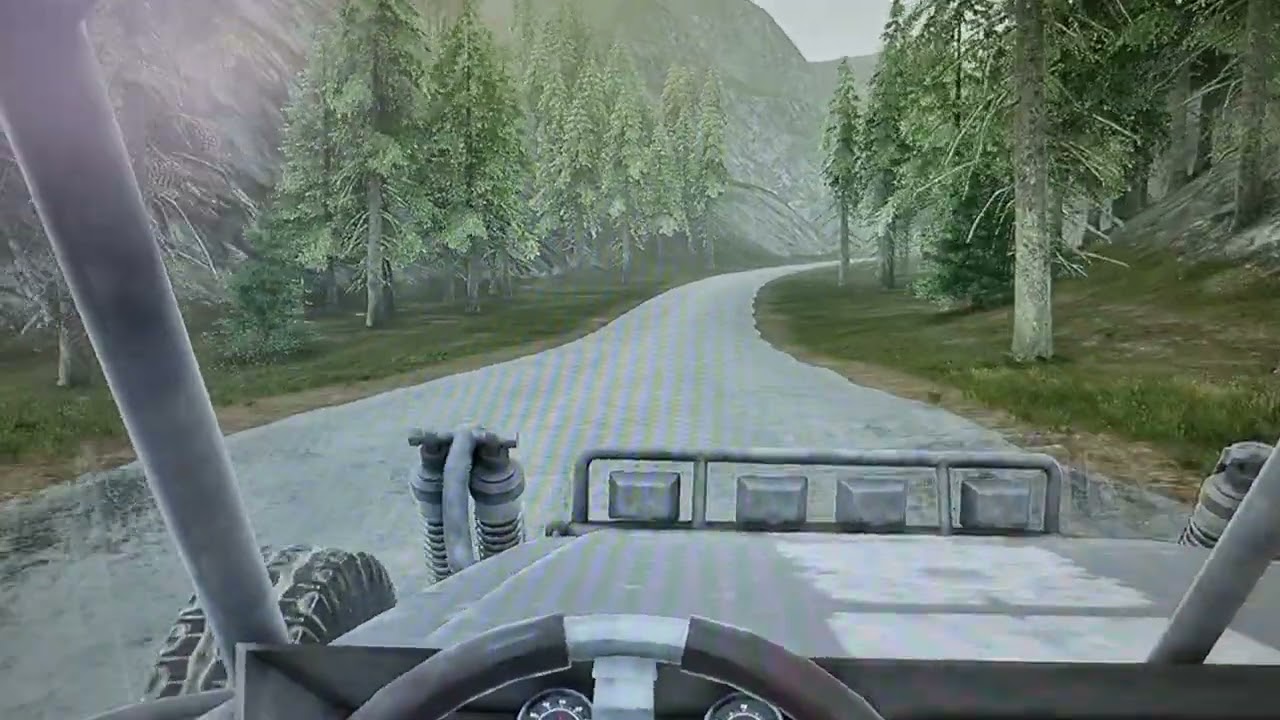
Hey, anyone ever had the issue that vehicles jitter on low framerates? I'm currently testing a 30 FPS cap and the vehicle is unsable while everything is perfectly fine on 60 FPS and above.
Any ideas why?
 real heath
trim glacier
Hey, anyone ever had the issue that vehicles jitter on low framerates? I'm curre...
real heath
trim glacier
Hey, anyone ever had the issue that vehicles jitter on low framerates? I'm curre...
Have you setup physics substepping? Setup a new project with one of the vehicle templates and compare settings in the project settings physics tab
trim glacier
real heath
Have you setup physics substepping? Setup a new project with one of the vehicle ...
Already checked on this and used default settings and every combination of substepping. It can get a bit smoother but still unaccaptable
real heath
Is it all vehicles or just that one?
trim glacier
I only have this one vehicle
real heath
Might be something to do with your suspension and suspension frequency
real heath
trim glacier
I only have this one vehicle
Migrate one from the vehicle template or grab a free vehicle pack off the marketplace and test
At this stage you just wanna sanity check and see if it's the vehicle or project settings
trim glacier
Will do so
 vapid cove
mannequin mech xD
tame marsh
Does running an uncooked game from the Command Line have the same performance drawbacks as running from the editor? (https://docs.unrealengine.com/4.27/en-US/Basics/PIE/RunningUnrealEngine/#runninganuncookedgamefromthecommandline)
Running the engine as a game or editor, including how to launch a specific map and useful in-game commands.
 median delta
Can ue4 do more with limited hardware than ue5? I'm talking in practice - I know the published requirements are the same.
peak hare
Is there an order in which event possess/ event unpossess execute, or is it random? I'm a bit confused about the logic of changing controller class
steel pasture
yep
 solar shore
hey i don't know much about unreal, i mainly use unity, so sorry if i seem a bit stupid lol, but anyway, im wondering if there is anyway for me to get the code that unreal 4 uses to interact with nvidia flow? I'm hoping that if this is possible i may be able to use the code to get nvidia flow working on unity perhaps (also i will be going to bed soon, so sorry if i reply tommorrow lol)
 static mountain
how come whenever i cook this it doesnt produce .uexp files and it just skips over everything and doesn't even re-cook it

 trim pike
Hello. This has never happened before until just recently, but for some reason changing a parameter within the material instance editor causes massive lag/freezing, and then when no parameter is being modified it runs smoothly
It's getting to be really frustrating and I'm not sure why it's happening
Last time I brought this up here someone said it was normal for them, which doesn't seem right
oak patio
solar shore
hey i don't know much about unreal, i mainly use unity, so sorry if i seem a bit...
Never heard of nvidia flow, but if its engine code then transferring it to unity is a massive no no
errant coyote
errant coyote
Hello everyone, I'm not sure if this is the right place to post this, but I have...
Does anyone know what is wrong with my spline? I'm trying to use blueprints to add a spline with a mesh component road, then in the spline procedurally add points 1000 units apart to create a straight road, without touching the spline in the viewport manually. I need this for my project.
Hello everyone, I'm not sure if this is the right place to post this, but I have an issue with splines. I'm trying to make a simple blueprint that creates a straight road spline, adds a few points to it in the blueprint, and makes the road procedurally without me adding points or anything manually. The problem I have is that no matter how I modify this blueprint, the result is always a spline that has strange curves in it and is angled from the ground, not parallel to it, the further from the beginning it goes. Could someone please look over my blueprint and tell me what I should do to make it generate a simple straight spline with a few points? Thanks

 errant coyote
Nvm, benji1 helped me
spare trench


Textures are not comming from blender to unreal how to fix?
Top one is blender
Down one is unreal
Disbreak , steat's texture not comming unreal
 inland pawn
hey gang i wanted to ask
has anyone attempted or succeeded to port the UE5 Modelling tools (specifically the version with cube grid modelling) to UE4?
cosmic cove
After work I'd like to add a texture /material to my landscape. I've tried several things but I guess I don't understand how it works. If someone is familiar with this and would like to help me that be great. Ping or dm me thanks. We can also screen share and voice if it makes it faster.
 cursive sky
How can i make like a frozen muzzle flash where it looks like the gun just shot for this scene

 dusk nebula
cursive sky
How can i make like a frozen muzzle flash where it looks like the gun just shot ...
dusk nebula
cursive sky
How can i make like a frozen muzzle flash where it looks like the gun just shot ...
pause a particle system?
or use a still image if it's just for the one image
cursive sky
How do i pause a particle system i dont see a option for it and havent used them before
dusk nebula
cursive sky
How do i pause a particle system i dont see a option for it and havent used them...
first search result on Google. Time Dilation 0
https://forums.unrealengine.com/t/pause-particles-in-place/307457
Unreal Engine Forums
We’re making a time control mechanic and want to be able to stop particles from moving while time is frozen such that each particle is hovering with all it’s velocity removed, none of them despawn and no new particles spawn in at the emitter. We’ve tried setting their lifespans to infinite and their velocity to zero which works reasonably but w...
cursive sky
dusk nebula
first search result on Google. Time Dilation 0
https://forums.unrealengine.com/t...
thanks man I didnt know about the warmup time
granite breach
Can someone tell me why i cant use mannequin and alsv4 character in multiplayer listen server?
lavish echo
Does anyone know how to make a shield block on the Unreal Action RPG Template?
 peak oxide
Hi all, can someone recommend points to be aware of or strategies when dealing with large distances?
This year I have made a lot of large scale fly-throughs across landscapes, I'm starting another one which is about 54km long.
I will mostly be at least 100m away from my focus point, a few times I'll get close enough to fill the screen with a 10m tall object.
An example is that I often need to enable 'High Precision UVs' so that the uv coords aren't being rounded and creating artifacts.
(Image is an example of similar scope, not my work.)
 granite breach
how come the 2nd texture is not showing???
 cloud pagoda
Hello, is there a way to create a mesh and many materials for it and spawn them randomly in a defined area? I'd want to create instances of that mesh with random rotation and random material. Is that possible?
(instead of placing them 1 by 1)
thin tendon
granite breach
how come the 2nd texture is not showing???
Go into your 3d modelling software and assign the areas you want to the second material
granite breach
thin tendon
Go into your 3d modelling software and assign the areas you want to the second m...
i added it to mixamo then the mixamo model was all white so i tried to fix it in unreal but it never worked.
thin tendon
granite breach
i added it to mixamo then the mixamo model was all white so i tried to fix it in...
Try blender
granite breach
thin tendon
Try blender
then add it to mixamo?
thin tendon
granite breach
then add it to mixamo?
Well I mean either way works right. If you are rigging it after doing the materials. Then miximo last I guess. But its probably easier to rig it then put it into blender and do materials last.
granite breach
thin tendon
Well I mean either way works right. If you are rigging it after doing the materi...
mixamo has a rigging feature
so should i add materials then add to mixamo?
thin tendon
granite breach
mixamo has a rigging feature
I don't typically use it. But from what I can see its just for rigging. So I would just add the FBX to blender after you have used mixamo
granite breach
thin tendon
I don't typically use it. But from what I can see its just for rigging. So I wou...
like the animation fbx?
thin tendon
granite breach
like the animation fbx?
The one you are using as base for your character. Like the character itself without animations
granite breach
thin tendon
The one you are using as base for your character. Like the character itself with...
the original model had textures, but when i added it to mixamo, the character turned all white.
thin tendon
And when you tried adding them later the rigging process had changed the materials?
granite breach
no the textures were missing on the spot.
thin tendon
Take your FBX after mixamo. With the skeleton attached. Open it in blender. Select all the individual faces you want to add to the second material. And assign to material. Then export it back out and add to unreal
Sorry mate I got to head out for a bit. Good luck
granite breach
aight i appreciate it man 🤙
 small vault
Has anyone ever had problems getting the crash reporter to show up in packaged builds? I basically just realized I should've been seeing the same crash reporter I can see in the editor when my packaged build crashes but that's not the case. Include crash reporter is ticked in the packaging settings
 rugged lichen
Could someone very briefly outline why one might favor mesh instancing over particle systems (or vice versa) if the intention is to scatter a bunch of largely identical objects? If I wanted to have a bunch of barrels lying around or whatever, it seems to me I could do either approach to much the same effect.
 spare hornet
Hi everyone here you will find a littl demo of a stylized water shader i did for my graduation project , enjoy : )
https://www.artstation.com/artwork/9NrdQL

ArtStation
Hello Everyone
This in an other part of the work i did for UMIKO, the creation of a Stylized Water Shader.
It was an important part of the game and a really cool shader to creat.
Thx Thomas Corvee for the help :)
You can download the game here : https://www.new3dge.com/ga-umiko
Finaly thx to the team I had the chance to work with :
https://www...
zinc topaz
Does anybody have an games that have like a good looking main menu. I need inspiration and idk what to do it off of
 azure nimbus
@zinc topaz mw2
magic helm
how do I edit the toolbar in UE4?

Tons of options I use are hidden and I have to press the arrows to get to while trhe Marketplace button I never use is right there taking up a slot I could have something else for.
(I've looked in Editor Preferences but couldn't seem to find anything about how to change it.)
 modern kite
not even asking how to fix this, just asking myself how this is possible? how can a simple sight stimuli of the perception system detect something that has not collision whatsoever

never ever have i encountered that the ai detects the player controller instead of the ai
 unique hedge
ay if you guys would like to tell me about your games, i'm open to listening and playing if you have versions out
just dm
spice ruin
Don't spam it everywhere.
 tidal solstice
hi there, quick question how can I make a memory optimization?
I can't deal with that!
(image from one of my game users)


 fierce current
tidal solstice
hi there, quick question how can I make a memory optimization?
I can't deal with...
fierce current
tidal solstice
hi there, quick question how can I make a memory optimization?
I can't deal with...
https://www.unrealengine.com/en-US/blog/debugging-and-optimizing-memory
I found this article
Unreal Engine
When a game reaches a certain stage of development, it becomes critical to figure out what exactly it’s loading into memory and why. As new assets are built, games tend to become larger and larger until load times slow to a crawl and the game starts to run out of memory. Luckily, UE4 has some useful tools built in to track down what’s in memory...
 stone light
hi may i ask a question?
i keep importing a mesh with its pivot not being centered when enlarging. however i have checked if its history was deleted and frozen its transformation position from maya. but still the same
 spare trench
Can something cause no movement in vehicle? Means something coliding with vehicle or due to rig problem
Cause Im facing it
stone light

anyone can help me figure out why my faces keep lookin like this
i checked normals in modelling software
they all seem to look outwards
steel pasture
stone light
anyone can help me figure out why my faces keep lookin like this
Did u create this model ?
stone light
ye
 stark meteor
Hi all, I noticed in a game that they somehow have refractive depth bias as a param in a masked material inst, even though the parent mat is masked not translucent and the option is entirely grayed out. Any idea how they did that?
steel pasture
stone light
ye
Then check it in blender or whatever software u have used to make this check it in the software or the bones aren't place properly !
My thinking
steel pasture
stark meteor
Hi all, I noticed in a game that they somehow have refractive depth bias as a pa...
Idk about this !
static viper
4
steel pasture
4
 full nexus
hey im running into a problem
when i try to export an asset from unreal it keeps using this weird .COPY format
it wont export it as fbx
magic helm
I intend to put a Title Sequence into my game, currently my plan is to create a video of the title sequence and put it in the game. Is this normal/ a good idea, or is there a better way of doing it or anything I should consider?
Thanks. :)
zinc topaz
Does anybody have an games that have like a good looking main menu. I need inspiration and idk what to do it off of
peak hare
Hi, wondered if any could help. I am at a state of confusion because I'm struggling to understand exactly how pawn possession works on begin play, in relation to Event Possessed and Event Unpossessed.
I have two movement modes for my pawns: one for when player controlled, and one for when AI controlled. I only call (AFAIK, I could do a deep dive to double check) unpossess on any pawn, if it is player controlled and a player chooses to stop controlling it and control another pawn.
On begin play, I first spawn one pawn per player (bit more complicated than this as there are other pawns players can themselves spawn later but I'm not worried about that currently) and a few nodes later I possess them (I do this in the game mode in OnPostLogin).
Looking at print strings, it seems that event unpossessed is getting called on possession - as well as event possess. This is despite the pawn class I am using having no default AI controller or auto AI possession - could it be possible that the 'unpossess' is called as the previous controller was null, so they are 'unpossessed' by a null controller?
steel pasture
peak hare
Hi, wondered if any could help. I am at a state of confusion because I'm struggl...
Buy a new pc !
🥴
peak hare
More confusingly the pawn class is printing as my default AI class, but I didn't tell it to auto possess AI, I want to manually do that
 stone tide
is there an alternative to static mesh that i can enable physics on? i dont want any mesh collision for it, just the physics
cursive sky
Is there any way to edit a gamemode's default pawn when player presses a button
 coral fjord
cursive sky
Is there any way to edit a gamemode's default pawn when player presses a button
coral fjord
cursive sky
Is there any way to edit a gamemode's default pawn when player presses a button
That could be controlled by how you spawn the player pawn and take possession of it.
cursive sky
coral fjord
That could be controlled by how you spawn the player pawn and take possession of...
could you explain more because what I want is the play spawns into the level, then they are presented with a screen that says "pistol" or "sniper" and depending on which they choose it is the gun they spawn with but my weapons are set up with pawn class in the gamemode
coral fjord
Gamemode in default state are great for working with Levels directly, but when loading levels and characters from a Menu, it typically done with spawning the pawn into level based on that selection, then posses that pawn with controller.
Mathew's tuts are great https://www.youtube.com/c/MathewWadsteinTutorials/s

YouTube
This channel is dedicated to exploring Unreal Engine 4 and the Blueprint programming language that it uses. You can think of it as a companion to the API documentation as I try to cover the how and why for what things are used for when using the Blueprint system.
The master project for these tutorials can be found at https://github.com/MWadste...

How do I change the default character that spawns in when I run my project. We also look at how you might set up per map spawns and manually control characters you place in the world instead of the default spawn.
 gloomy ginkgo
 zealous yarrow
Anyone know what is happening, I'm right now working on a main menu but on editor player play works fine by removing the gui and making the player move again but when I click launch it does not work only exit does work
 peak oxide
Forgive me if this looks very basic but I'm trying to sharpen up my procedures here.
Usually for exports to UE I will attach objects, or at least make them unique, zero their pivots to [0,0,0] and FBX them, in UE I only need to set their position to [0,0,0].
I'm looking to be more optimal now and will try keep the objects instanced. So how do I quickly export to the engine and import 1 of these models with 5 copies and their unique positions? Thanks!

 mighty niche
zealous yarrow
Anyone know what is happening, I'm right now working on a main menu but on edito...
mighty niche
zealous yarrow
Anyone know what is happening, I'm right now working on a main menu but on edito...
Have you tried to test every single pin connected only to the button play? Anyway I would have made the "Open Level" inside a GameInstance BP to call it by cast to gameinstance
 proper scroll
--Accidentally posted in the wrong channel, moved question to #chaos-physics
 vestal wyvern
I need help with a issue well Im fallowing a tutorial but the problem I have is the direction of the arrows on the panoramic view my tutorial has red and blue. But my arrows are green and blue here's the photo


 full nexus
interesting how their front view is Y and yours is X
vestal wyvern
That is the prob I have
zinc topaz
I’m making a online fps, using steam advanced sessions. Is there a way I can get a server so that can host the game over a player. Thanks
 vestal wyvern
But I'm the tutorial he uses the front view and it has z and x
That is the only problem I have
zealous yarrow
mighty niche
Have you tried to test every single pin connected only to the button play? Anywa...
how would I do that?
 full nexus
yea ik which is odd
vestal wyvern
See it's crazy
full nexus
but why is it so important that orientation is the same?
vestal wyvern
Because my game is going to be a 2D game that is the reason
I'm asking for help
😩 😩
full nexus
you can probably make it work with that orientation idk
sorry i couldnt be of much help
full nexus
i think your question is pretty clear
why does your front view show Z and Y axes while the front view of the guy in the tutorial shows Z and X axes
 scarlet birch
It will be much easier on you if you set it up so that X is pointing to the right of your screen and y is pointing towards you
 warm stirrup
Evening, so I'm having this strange issue where in the viewport, my textures seem to be skewed on two sides of my mesh (which are all walls, or box like) and it's happening to multiple meshes. Any idea what could be going on?


Here you can see two separate meshes that have a similar issue.
static viper
@warm stirrup please dont crosspost your stuff
you have your post in #graphics
and i answered you.
so its fine
warm stirrup
Yeah I saw you respond. Thank you 🙂 sorry about that, it's so rare to get a response to one of my questions in here sometimes, so thank you for doing that.
 jade hemlock
Hi every one. How can i Listen to An input in an Actor class?
I have a door class and i want to listen to a input that when i pressed E something happend. How can i do this?
 blazing yew
Hey guys, i'm trying to create an application that is able to simply display RGB colors full screen and switch between 2 frames with a fixed background continuously. I'm able to retrieve data from a text file where my RGB values are stored but what I want to accomplish is to display those RGB values on the screen. The application needs to refresh every second to check if there are new values and if so it will update the colors. The frame needs to look like this, the frame to change RGB values from is located in the middle. Can anyone help me out?
 peak hare
Not familiar with ue4 for non pc, but use one widget for the background and one overimposed for the colours
blazing yew
Thanks let me take a look. Is the overimposed object able to take input from variables or an array for the colour value?
 hexed snow
hey guys i'm looking for ways to make a 2d beat em' up in this engine to make it as my first prototype plus solo dev. don't know if there's any tutorial that will help me make the prototype.
 thin tendon
blazing yew
Hey guys, i'm trying to create an application that is able to simply display RGB...
thin tendon
blazing yew
Hey guys, i'm trying to create an application that is able to simply display RGB...
My best guess for something like this. Is you want to multiply each pin by a parameter (constant). Then use your code to adjust the values of each individual constant. That way you are effectively telling the material how much (dense) each pin should be (how much of it you see).
If it is a setting that you want to use globally. Save it as a collection to be used by multiple materials.
blazing yew
well I'm not creating a game, the only reason why I'm trying to create this is to be able to change the FPS. so basicly what the program needs to do is to switch between the 2 rgb values and when the file gets updated with different values it needs to change the colors from the value of the file and be able to set FPS from the file.
blazing yew
this is what it needs to do, nothing more. Only able to change the values in the middle and change fps.
mighty niche
There's a way to run a packaged project that automatically displays functions on two monitors? I need to use the first display (touch) to set infos and than the second (not touch) to display the game with the info setup set from the first
 real heath
You can do it through project settings, but basically in your project directory you want a directory called Splash, and in there you want Splash.png and EdSplash.png you want
Actually, it might be in the content directory. Can't remember. Somewhere there. Either way, do it through project settings
 worldly lynx
real heath
You can do it through project settings, but basically in your project directory ...
worldly lynx
real heath
You can do it through project settings, but basically in your project directory ...
I was searching for it but I did not found , now I found it with splash name that you mention , ,thank you
real heath
No probs
 fervent bay
unreal engine prevents my system from going to sleep. does anyone have similar problem? is there a fix for that?
for the times i go to sleep but my pc wont 🙂
real heath
Either close unreal or lock your PC (windows key + L)
fervent bay
thanks i will try windows key+L next time!
tame marsh
peak oxide
Forgive me if this looks very basic but I'm trying to sharpen up my procedures h...
That's a fair and good question. Unfortunately I'm afraid that's likely not possible.
I don't think in a single Static Mesh component you can have instances. The closest thign you can do is to create a Blueprint with 5 StaticMeshInstances of that it
 rich spoke
how can I get level sequence length? I've seen some guides and they use Get Length function, but I can't seem to find it

 fiery ice
Hey!
Everytime I try to build to quest… It gives me an error that only lets me complete a build and run if I delete my project app from the quest folders completely…
Therefore, making it impossible to update the app, without having to basically re-install it completely and losing savegames in the process…
Also, before this… I rebooted unreal engine and the oculus quest several times, and everytime i boot up again and build it back (if the build and run doesnt fail and I have to delete it manually from the quest), it ovverrides the savegame once again and everytime.
Has this happened to anyone else? If so, how do I proceed from this in a way that I can build the app to the quest, making sure it doesnt override any save game data?
Thank you!!
peak hare
blazing yew
Thanks let me take a look. Is the overimposed object able to take input from var...
Aye pretty easily cannot give exact specifics due to my lack of mobile dev knowledge
cloud pagoda
worldly lynx
how can change this image to another image?
Today I learned you can change the image lol
 opal slate
Hi everyone, was wondering if someone can give me a hand!
I'm trying to use a File Media source, I've set up the material for it. However, I believe I've set up the level blueprint correctly which can be seen below:
When I play the level, the movie texture doesn't play on begin although I've set it up and I get this error which can also be seen below:
If anyone knows what might be happening, please do let me know 🙂

 jade hemlock
How can i listen to an Input in Actor Class?
 silk flare
Unreal crashes on startup ( I get the crash window, then no matter which option I choose it just starts up as if nothing happened )
I'm kinda spooked
spice ruin
What's the crash?
silk flare
weird thing is that if I tell it to send report and restart, I'll have 2 instance running the same project
silk flare
spice ruin
What's the crash?
I already forgot smh
XD
is there a crash log somewhere?
I did send a report just now so maybe I could grab that?
but I haven't got a clue where to look for it
magic helm
Decals are meant to be visible in the editor viewport, right? is there any reason why they wouldn't be?
to clarify, they're visible when i'm playing the game, but in the viewport they're invidible (even in Lit mode).
silk flare
do you know about class inheritance?
so if I understand correctly
you should just make a "master_class"
like
"master enemy"
that contains all the variables, functions etc. that all enemies will use ( stuff like HP, dealing/receiving damage, movement speed... )
and then you create a new blueprint class and choose the master class as the parent class
the new blueprint will contain everything that the master has + it's own stuff
honestly
I've never made a custom component in 5 years using unreal
could be that I just never needed it by pure chance or I'm just dumb
I guess component is something you would attach to different classes ( with different master classes )
but for stuff like combat/movement logic you should use master classes over components
I guess it makes sense for inventory to be a component
spice ruin
So what's the crash?
silk flare
spice ruin
So what's the crash?
the component vs class
I can't tell what's right anymore
and you are a wizard so
spice ruin
Components... versus class?
silk flare
yes I know they are both classes
spice ruin
Do you mean composition vs inheritance?
silk flare
spice ruin
Do you mean composition vs inheritance?
yes
but this is the actual question here
magic helm
What's the best way to do posters in UE4? (Not decals, they don't look right.)
static viper
opaque materials on planes
spice ruin
Is that why they crash into each other?
plush yew
So when using landscape material masking I noticed when I make a hole in the ground two of the 4 sides have a fall off range to big and you can fall through the landscape early before falling through a hole in the landscape has anyone figured out how to fix this? Or would I just need to block those two sides off with boulders lol
 torn egret
How do I teleport an actor using a FQuat?
magic helm
static viper
opaque materials on planes
Ah, thank you. :)
plush yew
When hit new game on our main menu (since we are using world composition) Evvvvverything even our metrics level and main menu level and levels we do not want all load up and game can not be played how can I fix this you think? I tried unload level stream and that did not work for the levels we don't want
plush yew
I am still trying to learn Unreal Engine 4.Well i am playing a game named Sea of Thieves recently and i did hear that it was made with Unreal Engine 4.So i wanted to make a ship movement and water system like Sea of Thieves's.But i don't know any idea how do i make an ship.I know how to make water but not the ship.Can someone please explain me how it works or can someone please help me?
 wary gyro
I’m using the Lag feature on a SpringArm. How could I use that feature on a different actor blueprint, without adding a camera to it?
plush yew
I dont need the water for now.I did made the water system with water plugin but idk how i can make a ship in UE4.27.2 .Well i tried to make a ship movement system but messed up.How can i make a ship movement system?
 inner barn

 zinc topaz
I need inspiration for a main menu. Anybody have a good game that has one
 potent spade

 sick crane
Does anyone know how to integrate twitch chat to ue4 I seen TwitchPlay online but I cant seem to find it. If this is wrong chat to ask in then where should I ask?
plush yew
thanks i will look for example about bouyancy
plush yew
plush yew
thanks i will look for example about bouyancy
Or idk how is it spelled
 coarse jetty
Hi how is there already a fix for the editor bug? dropdowns blacked out and blackscreen when fullscreen?
thanks
peak hare
zinc topaz
I need inspiration for a main menu. Anybody have a good game that has one
Link the start screen to your game theme
full nexus
im using simple move to target on a click to walk game
does anyone know how i could determine if the goal is unreachable?
 mellow oriole
can i ask a question here?
spare trench
vehicle wheel blueprint just go wipe all every time I reopen it

 weak summit
hi guys, help me how do I make an earthquake simulation in a room or in an office
so that all books and objects fall from the shelves or from the table

UE4 4.25.0 Preview 6
Basic physics only
RT shadows for the window light only (some weird bug with more lights) / RT AO / SSGI
no sound again :(
as in this video
help pls
cloud pagoda
plush yew
I dont need the water for now.I did made the water system with water plugin but ...
What do you mean by make a ship? If you're talking about the mesh itself, you have to model it outside of UE and then import it afterwards. You can use Maya or blender to model it
weak summit
that is, I need to animate the "ship" and import it to the UE and then put my objects on top of my animated "ship"?
steel pasture
weak summit
help pls
Bro this is very hard like real hard
First of all the camera shake in the video was verg advance just look at that its not ordinary camera shake
And. Idk about the books and celing broke
!
plush yew
cloud pagoda
What do you mean by make a ship? If you're talking about the mesh itself, you ha...
No i wanna code the ship movement system in UE4.But idk how do i code a ship movement system