#virtual-reality
1 messages · Page 244 of 1
 tribal osprey
 urban niche
anyone here know why when I package to vr I get this error?
If I try to playtest it in "VR Preview" I have my headset in link mode, and it is grayed out
ping me if u answer

 silver brook
@urban niche You have 50 errors and what headset? Q2?
 sonic lake
@urban nicheyou have the headset in Link mode but you are launching for Android
You should just Preview in VR
silver brook
They can't because it is grayed out
sonic lake
because didn't use the proper sequence
Launch the Oculus app
Activate AirLink or Oculus Link
then launch Unreal
need also to confirm the connection inside the Quest
silver brook
I've had Unreal launched and then enabled link mode just fine.
But My guess would be they are not linked on the Q2 HMD
It isn't enough to have the app running on desktop
sonic lake
I don't have a Q2 but only a Q1. Need to confirm inside the Quest
For me the VR Preview doesn't show up if Unreal is launched before the Oculus app is running/link established
 dry fjord
I am having trouble detecting my quest 2 for launch on device. when i plug in the cable it asks me if I want to allow access to files, I select yes. as far as I know everything is set up, I've done UE android deployments before.
Because I'm moving to 4.27 and because I lost a drive, I'm reinstalling android studio. When I try to run setup.bat in the android folder in the engine, I get this:
Android Studio SDK Path: D:\Android\SDK
Using sdkmanager: D:\Android\SDK\tools\bin\sdkmanager.bat
Exception in thread "main" java.lang.NoClassDefFoundError: javax/xml/bind/annotation/XmlSchema
        at com.android.repository.api.SchemaModule$SchemaModuleVersion.<init>(SchemaModule.java:156)
        at com.android.repository.api.SchemaModule.<init>(SchemaModule.java:75)
        at com.android.sdklib.repository.AndroidSdkHandler.<clinit>(AndroidSdkHandler.java:81)
        at com.android.sdklib.tool.sdkmanager.SdkManagerCli.main(SdkManagerCli.java:73)
        at com.android.sdklib.tool.sdkmanager.SdkManagerCli.main(SdkManagerCli.java:48)
Caused by: java.lang.ClassNotFoundException: javax.xml.bind.annotation.XmlSchema
        at java.base/jdk.internal.loader.BuiltinClassLoader.loadClass(BuiltinClassLoader.java:641)
        at java.base/jdk.internal.loader.ClassLoaders$AppClassLoader.loadClass(ClassLoaders.java:188)
        at java.base/java.lang.ClassLoader.loadClass(ClassLoader.java:520)
        ... 5 more
Update failed. Please check the Android Studio install.
Press any key to continue . . .```
I've fixed a bunch of paths and installed SDK, JDK, NDK and Gradle. Now what?There is also #mobile but a quick search yielded this https://stackoverflow.com/questions/46402772/failed-to-install-android-sdk-java-lang-noclassdeffounderror-javax-xml-bind-a
Android SDK installs have been a pain for me in the past too.

Stack Overflow
When installing the android sdk tools the following error is emitted:
java.lang.NoClassDefFoundError: javax/xml/bind/annotation/XmlSchema
Why is this happening and how can it be fixed?
Debug o...
silver brook
Story of my life lol
 prime halo
Anybody able to help me with this VR grab controller issue?
https://youtu.be/S6nB_rkN0lY
 silver brook
prime halo
Anybody able to help me with this VR grab controller issue?
https://youtu.be/S6n...
silver brook
prime halo
Anybody able to help me with this VR grab controller issue?
https://youtu.be/S6n...
This seems like an issue with the Pivot of the weapon
The Pivot of the weapon is not the same as the other weapons so you would have to apply an offset or open up the FBX in blender and change up the pivot
prime halo
silver brook
This seems like an issue with the Pivot of the weapon
This is what I did:
Step 1
- oepn "BP_Motion Controller"
- change hand position to closed (Animation mode)
- add child actor under "MotionController"
- add object BP in Child actor Component.
- adjust location and save the "Location Coordinates/Rotation" of object for later!
- Undo all changes in "BP_MotionController"
- close "BP_MotionController"
Step 2 - Open Object BP Pickup file
- Go to event graph
- Add saved coordinates in this location: https://prnt.sc/1zj0hhr
I did the same exact thing with any other object I added pick up bp to.
Also, yes the pivot seems to be correct to where I expect it to grab.
 silver brook
prime halo
This is what I did:
Step 1
1) oepn "BP_Motion Controller"
2) change hand positio...
silver brook
prime halo
This is what I did:
Step 1
1) oepn "BP_Motion Controller"
2) change hand positio...
If by Pivot you mean the New Location Vector you set there, that is not what I mean.
Every static mesh has a pivot which is set in the program they were originally made in.

Updated video: https://youtu.be/-CiWNcPB1CY
Changing the pivot point of an object is one of the fundamental skills you need to start rigging in animation. The video shows you how to do that in blender.
-
📲👍Grab a free CG Animation Time Saver eBook here, learn about the industry and get lots of shortcuts and links: https://gum.co/LpWCWO
-
In...
See where the Axis is on the Quest Controller

Why should that be there?
That is the pivot location
Same thing with sphere

But you can use a scene component to help make an offset
prime halo
silver brook
If by Pivot you mean the New Location Vector you set there, that is not what I m...
Isn't that what I have here?
 silver brook
oh that looks like a good spot. Same as the others I take it?
prime halo
Yes
silver brook
Can you show me the pivot for the weapon that works?
prime halo
 silver brook
Are their any other collisions/components on that weapon that you might be grabbing instead?
prime halo
I masked the collision to the model with lots of precision.
Does the static mesh I imported have anything to do with this?
silver brook
Can you visualize the collisions
 cosmic shoal
blue axis is aligned to the tilt on the one that works.
prime halo
silver brook
Can you visualize the collisions
 silver brook
cosmic shoal
blue axis is aligned to the tilt on the one that works.
silver brook
cosmic shoal
blue axis is aligned to the tilt on the one that works.
Ooo good catch
silver brook
dry fjord
what version of the android SDK do we like? 12?
Have you read Epic guide on this in a while since I’ve had to do it
dry fjord
yeah, it's so badly out of date it references installers not included with the engine anymore
they just update the version and republish it
the only hint is the NDK version
silver brook
dry fjord
the only hint is the NDK version
Quick search around the discord and seems folks are using 1.8
urban niche
sonic lake
need also to confirm the connection inside the Quest
I have already done all of this
dry fjord
cool. thank you 🙂
hmm
1.8 seems a lot older than 17
must have meant 18
but that's too new, it doesn't exist
ah it's in early access
that's so early access it doesn't have fixed functionality
I think the version numbers getting handed around are just wrong

 dry fjord
hmm
that's the JRE
unrelated I reckon, it's just the runtime environment
I'll try grabbing it anyway
ooh, there's a jdk v16 in there
let's kill it and find out what happens!
there are some other obsolete tools installed too
looks like it might only like the obsolete tools
dry fjord
ok I got it. reinstalled obsolete tools for a start.
then edited JAVA_HOME to be the JRE installed in C:\program files\Java, rather than the one that comes with android studio. UE's setup.bat likes to change it to android studio's.
that was all it was. probably not one of the million other things I tried
hopefully this makes my device appear in a menu ¯_(ツ)_/¯
I did also install the old NDK and set my path to it as well though
latest android studio has a few things we don't want
 warm widget
Could someone help me with a Vive compatibility test?
I want to share a package to a newer Vive, but I only have the oldest model.
I've made an .exe of the VR Template - could someone with a 'newer' Vive try run it for me please?
sonic lake
urban niche
I have already done all of this
I recently had troubles with the stability of the AirLink but then I joined the Beta (last page of your Oculus configuration) and it downloaded an update. Since then it is much more stable. Worth trying.
 exotic carbon
Does anyone know how the android launch to oculus quest 2 works under the hood? When i deploy the VR template from 4.27 from my big windows desktop, it runs really well. But when I deploy the same empty VR template from my little mac laptop, its really low performance and has really low quality textures. I would expect the two deploys to be identical; what i expect is that the engine packages up a complete self contained APK and deploys it to the device, I would expect the APK to run even at a later date when the headset is not connected to any PC (i havent tested this part) - the performance of the build machine should be irrelevant. Am I misunderstanding this? The game is running on the device, not the PC, right?
This is with the "launch" option and choosing the quest with the android logo. I understand the other option is to select "VR Preview" under the play menu, and that option runs on the PC and uses the headset as a peripheral
 serene haven
Does the HTC Vive Focus 3 work with Unreal Engine 4.27?
I see my controllers but I cannot grab anything or teleport.
 trail pagoda
hey everyone, whats currently the best headset for unreal projects?
 rocky nexus
probably the best you can afford
quest 2 probably best for start, unless you plan to target high end stuff only
serene haven
I would also suggest the Oculus Quest 2, I am currently struggeling with the new HTC Vive Focus 3 and the SteamVR Input Bindings
rocky nexus
hard to argue with Q2 value proposition, unless you really cant stomach facebook
still, unreal is not for faint of heart, many challenges to overcome :d
 woeful rapids
Hey everyone in blender how do you set an animation to go off in the gun parent blueprint that affects the character. I have the boolean statements for hands grading guns I just don't exact know how to set the is held bool to cast rifle animation to player when true
 shadow radish
my issue was I needed to turn off mobileHDR and turn off openGL on project settings
 tardy mountain
 covert ferry
Hey guys,
I have a quest 2 on the way and I was wondering if I will be able to use Virtual desktop or air link to dev/ test my projects in unreal engine 4 or 5 wirelessly ?
rocky nexus
regular link works fine, airlink should as well. virtual desktop works on 4.26
sonic lake
Can’t comment on Virtual Desktop but AirLink works fine.
rocky nexus
VD doesnt seem to like openxr, cant get it to work on 4.27, but i didnt try very hard
 obtuse oasis
sonic lake
Can’t comment on Virtual Desktop but AirLink works fine.
obtuse oasis
sonic lake
Can’t comment on Virtual Desktop but AirLink works fine.
any tips on how to make the VR Preview work? it's my 2nd day trying to at least hit a play on the template 😩
sonic lake
obtuse oasis
any tips on how to make the VR Preview work? it's my 2nd day trying to at least ...
Are you on 4.27?
obtuse oasis
- should I get 4.xx?
sonic lake
UE5 EA2?
obtuse oasis
only EA i guess, i don't see v2 or something
sonic lake
Early Access versions aren’t very reliable. I would stick to a released version, so 4.27
obtuse oasis
got it, this might be it
i actually started UE several days ago, want to transition from unity and i'm trying different things here
is 5 so unstable yet?
sonic lake
Once you have it, enable OpenXR in the Oculus app then in Unreal make sure only the Oculus OpenXR plugin is active.
sonic lake
obtuse oasis
is 5 so unstable yet?
UE5 is not released yet so anything you get on that version is, for the time being, just for testing purpose
obtuse oasis
aah got it. thanks for the tips, will dive into ue4 to learn specifics then ^^
warm widget
Could someone help me with a Vive compatibility test?
I want to share a package to a newer Vive, but I only have the oldest model.
I've made an .exe of the VR Template - could someone with a 'newer' Vive try run it for me please?
I've zipped it up to a 140mb 7z file.
 mortal bolt
What is the best VR headset for a arch viz walk around?
I am guessing the vive is better than the cosmos for tracking position etc
rocky nexus
the $6k one probably
 hard relic
hi Vr friends, i have a my oculus crashing... I trying to find why...
can we use Camera Position and Object Position in Material for Quest?
(ObjectPositionWS and CameraPositionWS)
I suppose the CameraPositionWS is the badguy....
mortal bolt
rocky nexus
the $6k one probably
Does anyone have a vive Pro 2?
hard relic
hard relic
hi Vr friends, i have a my oculus crashing... I trying to find why...
can we use...
I had replace them with a CameraDepthFade. ... Oh no, Damned Crash too... that must be elsewhere....
rocky nexus
if your oculus is of mobile variety, you will have bad time with fancy graphics
hard relic
hard relic
I had replace them with a CameraDepthFade. ... Oh no, Damned Crash too... that m...
it is not a Shader Crash related. It seems to come from the Spawn Actor...
My actor as a GetSectionFromStaticMesh Node... maybe him?
(btw All this is working well with Airlink..)
Do we have to delay things when spawning actor?
hard relic
rocky nexus
if your oculus is of mobile variety, you will have bad time with fancy graphics
Sorry can you explain? not sure to understand.
Does that mean, that we must create game for linked and airlinked oculus now, and forget about installed games?
woeful rapids
could anyone help me with a two handed gun handling issue ive set it up pretty well i think but the gun only grabs 2 handed on specific directions and the change every time i load the game. i have a minute video explaining whats going on and screenshotsof the blueprints if someone is willing to help
and i swap between airlink and link on my setup and it doesnt hurt it if that helps with your question @hard relic
hard relic
no but thank you 🙂
i swap between airlink and link too, that's not the question.
About 2 handed gun, i do not.
But i know that VR Expansion Plugin is a great collection of things, and there is a two handed gun inside, that you can maybe learn from it.
woeful rapids
where is that at ?
in the marketplace?
that wouild be cool all of my guns are static mesh idk if that matters or not ive had some people say yes and some say no but i cant get the skeletal mesh guns to even work
woeful rapids
this is the problem lol
woeful rapids
@hard relic is it all in c++ cause im in blueprint right now i can code but im trying to stay off it for the moment
hard relic
Anybody know why this is crashing my Quest when an actor spawn that BP?
This is not crashing when it is in placed in my level.
Only when spawned = crash...

This GetSectionFromStaticMesh need something it not have when spawned by an actor...
rocky nexus
hard relic
Does that mean, that we must create game for linked and airlinked oculus now, an...
you can make installed game just fine, but you cant use many features cus they are not performant enough. make sure you start with recommended settings for mobile vr, there is a tool for that in oculus plugin settings
hard relic
thank you evilentity. I'm aware about all of that.
I was just stuck in a problem. I found the solution.
My english is not my langage, so i maybe wasn't clear.
About my problem, it wasn't any shader problem. It was the "GetSectionFromStaticMesh" node that need to point to a mesh witch have "Allow CPUaccess" enabled.
Jezussss
mortal bolt
Hi all, just got my vive set up and testing out on the VR scene, teleport doesnt seem to work i only get a very small blue line coming out, does anyone how to fix this?
mortal bolt
it works in the VR template but Ive made a scene and Im not sure how to get it working I deleted all my models in the scene but nothing
 maiden willow
Make sure your new scene has a navmesh placed in it
mortal bolt
arh nice one cheers, I also didnt have a collision for the floor 🙂
I am using an old Vive but just getting into VR, I am playing around with this one until I get better at it all, is the visual quality a LOT better on the vive pro2?
 proper anvil
I ran into a weird issue. My MotionControllerComponents on my Actor only returning rotations from the comps GetRelativeTransform. Location is zero... I am using OculusVR with an old Rift. It was working fine before(4.26.0) but broke after an engine update (4.26.2) and and playing around with enabling the SteamVR and other VR plugins.
 wild depot
anyone have any experience packaging for VR? my game works perfectly in the "VR preview" mode, but when i try to actually deploy it onto my headset, it doesn't seem to accept any button presses for input. the game loads and the motion controllers are tracked accurately, and my widget interaction is able to activate "hover" states on my main menu, but pressing the trigger or A button does nothing
the only error i can find that might be a clue is: Error: FOculusHMDModule::GetPluginWrapper().WaitToBeginFrame 995 failed
mortal bolt
Does anyone have any good tutorials for VR showing how you open doors and interact with objects?
 quiet badger
https://forums.unrealengine.com/t/feature-request-mesh-distance-fields-access-on-es3-1-vulkan/261216
show some love

Unreal Engine Forums
Hey there, been digging through the engine code to see why there’s no mesh distance field support for ES3_1. I think I got the gist of why, but some comments left in the code seem to point to that it’s possible to support eventually. Getting the Clipmaps to compile on GL seems to be blocker listed in the code comments, but what about on Vulkan E...
 sage gulch
is there a secret list of controller mappings somewhere?
wild depot
wild depot
anyone have any experience packaging for VR? my game works perfectly in the "VR ...
i found my own solution - i had my project set up to work across PC and VR, and you can't have a "show mouse cursor" node when you go to build your project on device. still not sure why it worked in VR preview vs when packaged, but at least i found the issue.
sage gulch
this is wrong, isn't it

Setting up UE4 to work with the SteamVR Input system.
what a time sink
whyyy
 vast thunder
It seems im running into a problem with Unreal engine 4.27.1, whenever I run it in vr it crashes
when I when in VR editing mode it would crash if the the game was on LIT but if it was on unlit it wouldnt crash, would always crash in vr preview
then in a smaller level I was able to get in vr preview but it was super laggy and stuttery and when I turned around and looked at area that had lighting it crashed immediatly
Here is error code i get
hold up code not loading now wtf
sage gulch
no user feedback when using these options or something wrong with my setup?
 sage gulch
like I could see clicking regenerate or reload not necessarily saying anything, poor UI but hey,,, clicking Launch dashboard really should do something though eh? and the linked docs for 4.27 reference steamVR when it was still beta? what's the way?
woeful rapids
hello im trying to do 2 handed weapon handling and im stuck on an issue my hand snaps to the grip point is one but also it one snaps to the grip point if i stand at a certain angle if i turn in world it lets go but if i turn with controller it doesnt can anyone help
 woeful rapids
the angle where it wants to snap is also always random
 dawn lark
anyone familiar with FishEye in Oculus Quest?
 peak crater
Hello, I am using the Hololens and try to take and export an image with blueprints. Doese anyone know how to do this or if it is possible? Thanks
 dim imp
Hi! Are volumetric clouds (4.27) suitable for VR?
 daring pasture
@dim imp no, it has issues in vr
 hallow knoll
@sage gulch Are you using OpenXR or SteamVR? If you started from the VR Template in 4.27, you don't have to do anything for input from SteamVR controllers to work
sage gulch
no I started with 4.17 pawns 😉
trying to do SteamVR, to put on their store.. took a look at my plugins and I think I maybe needed an additional plugin aside from SteamVR to get the exe working in Steamworks.. need to rebuild, hoping then it will finally show up in the legacy binding stuff and I can go from there
sage gulch
no dice 😦 still a little befuddling because one should be able to create legacy binding even for a non steam game afaik


none of those buttons seem to actually do anything.. what am I missing?
mortal bolt
Is there a way to change the height by say 5cm each time a button on thr vive is pressed, someone quiet till is nearly going through the ceiling in vr
sage gulch
the verbiage on the HP G2 controller plugin implies that it supports both OpenXR and SteamVR, and indeed it would appear SteamWorks supports G2 without requiring OpenXR afaict.. but it would also appear that toggling the G2 plugin will automatically activate the OpenXR plugin :/
Not to bite the hand that code me, but Epic really needs to check their priorities imho.. the amount of time and effort being foisted upon solo indy devs by virtue of pushing OpenXR before it's ready is really untenable. You look at the documentation on Steam regarding basic input in their current modality and it's referencing Unity. The latest Q2 optimizations are only available with a scriptable rendering pipeline that's only supported via Unity. Does Epic need it's own headset or is it satisfied chasing Hollywood mixed-media production studios? /rant
 arctic saddle
The HP G2 Reverb has their own dedicated plugin to work with SteamVR mapping.
sage gulch
That plugin is forcing the OpenXR framework as I mentioned
arctic saddle

Learn how to use the new HP Reverb G2 Controllers in OpenXR and SteamVR for Unreal mixed reality applications.
Anything below 4.27 does not support the reverb controllers at all. I ran into that problem on 4.24 when we finally got a headset that will be utilizing the reverb. Controllers will still work with SteamVR/mixed reality, but you can get access to button mappings at all. It basically treats it as close to an oculus controller.
sage gulch
that's not true, I can run 4.26 builds with OpenXR output and it represents 15-20% of my userbase
it's not cohesive at all and the epic documentation is dated, steam just doesn't even bother referencing Unreal at all..
arctic saddle
OpenXR also fyi is not officially supported in 4.27. it's in beta
sage gulch
and yet it's being pushed as the default
sage gulch
it's the basis of the new pawn implementation
arctic saddle
SteamVR 2.0 is default VR, but their new template uses OpenXR variant.
It's similar to unityXR
Are you disabling OpenXR in the ini file like it says in the documentation?
The G2 defaults to OpenXR. If you are developing for steam, you have to disable it and change the order.
sage gulch
hmm no, are you referring to the MS doc above or a different reference?
arctic saddle
Yes. The MS doc.
sage gulch
I will look again, ty
the XR builds I was shipping with G2 support were non-Steam so maybe things are in conflict as a result
arctic saddle
I can tell you that with 100% certainty that is the case. You can't have both
It's the conflict of basically new new hardware interacting with software that isn't supported officially yet. Microsoft is ahead of the game and epic needs to develop for it.
Same reason as software not working on Apple Silicon ARM processors because they are mostly Intel based. It'll be supported in time. OpenXR will be officially supported when UE5 comes out.
sage gulch
gotta run the dogs for a little bit, but thanks for the tip
sage gulch
jeez

renaming an existing event mapping like that will break it's existing links in blueprints
what a load of engineering disconnect 😦
sage gulch
what's it take to just add more definitions to the existing inputs, particularly if you are building from source? I mean... if you look, the engine denotes extra specific inputs in certain motion controllers that are not enumerated on others, and not just digital vs analog stuff like triggers or grips, but platform specific enumations for positive and negative X / Y stick inputs
that's basic data interpretation
someone who is a whiz can bypass considering any of this stuff perhaps, but if you build out a routine that works a certain way with a specific controller, it ends up being conceivably less work to reimplement the engine level controller input instead of reworking the appearance of the input in multiple blueprints.
covert ferry
Hey all,
Does anyone know of an application spacewarp tutorial for getting it to work in my app for the oculus quest 2 ?
 high socket
the inputs page really needs and overhaul. reordering is a pain
woeful rapids
Can someone please explain how the grip state enumeration works. I'm trying to set an animation to to my pistol and I have all the boolean statements and pick up works but I want to add an animation where it grips the gun better I've got the animation asset created and it looks good and I can do trigger axis for firing animation in blendspace but how do I get the animation to activate when I grab the gun
I don't have grip state enumeration in my project so far I've done the animations for grabbing jumping and walking in the animation blueprint.
mortal bolt
In my ue4 scene it looks OK quality, when I view through my headset it is poor, I know the quality of headsets especially the old vive isn't great but is there any setting before I package I could change to make sure thr quality of the image is as close as possible to what I see on my computer screen but in the vr headset?
sonic lake
woeful rapids
I don't have grip state enumeration in my project so far I've done the animation...
You can change the animation mode to use a single asset instead of the AnimBP and then set the asset to be your fixed pose.
As an alternative you can handle it within the AnimBP using a state machine or blending.
woeful rapids
sonic lake
As an alternative you can handle it within the AnimBP using a state machine or b...
I have a gun grab animation asset but I think I messed up cause I added a key to the asset and it cause a repetitive instant when I tried to blend it so I can make a blend space and animate it that way. How would I call out the animation to trigger when I grip the gun?
sonic lake
woeful rapids
I have a gun grab animation asset but I think I messed up cause I added a key to...
Use Set Animation Mode for the gripping hand and set it to use a single asset. Then set the single asset to be the grip pose you want to have. When the object is released you do the opposite, going back to the AnimBP animation mode.
woeful rapids
ok so in the BP graph on pick up, set the animation with a boolean and then reverse in drop @sonic lake
i have the set animation mode in the smg and thats where i screwed it up thanks man i should be able to figure it out
woeful rapids
@sonic lake ok so im working on getting the validation so i can set the animation after adding this i can grab the gun once and drop it fine but after that i can pick it up but cant drop it?


 regal beacon
Try using a single Boolean for gun held/dropped
When held is unticked that can represent dropped
Your set gun attached variable doesn’t look right either but I can’t tell what that is or isn’t doing
 jaunty wadi
Hi all I am trying to spawn a HUD in VR packaged build, but it always spawns on 0 0 0, not on the character. It works fine in editor client/standalone mode, I read somewhere that it might be something with the HUD class and when is it initialized.. any advice would be appreciated.
 neon geyser
Hello @hallow knoll, nothing new regarding the VR preview as client not working correctly on 4.27?
no one else seems to be complaining about it
 tired tree
@neon geyser i locally patched that btw, until engine gets fixes
neon geyser
tired tree
<@!410384258142568459> i locally patched that btw, until engine gets fixes
You mean you did it for yourself or it's present in VRExp?
I would be eternally grateful to know how, this has driven me insane for weeks now 😅
 half pike
how can i make a game for quest and PC?
neon geyser
tired tree
if you mean the camera not functioning correctly
Yes exactly, seems like a replication issue
ok thanks I'll dl the last version
 dense estuary
Hey, guys, any tips on how to implement bow-arrow setup in 4.27 using new grab components ? I'm new and I have this overwhelming task :/ Documentation and unreal overview streams of the features are lacking any info that could help. Let's say that we start with a bow already attached to the left controller from the get go, no way to drop it, how would one implement grabbing the string with right hand, so it bends, arrow appears, letting go of the trigger releases the arrow, string goes back, on the most basic lvl of this setup. I beg some insights or examples. Cannot use VR toolkits on the web, barebones 4.27
https://www.youtube.com/watch?v=hcbSzvSAK-0&t=1653s this looks amazing, but I'm too low skill to convert this overview into 4.27 setup, even a dumbed down to my needs
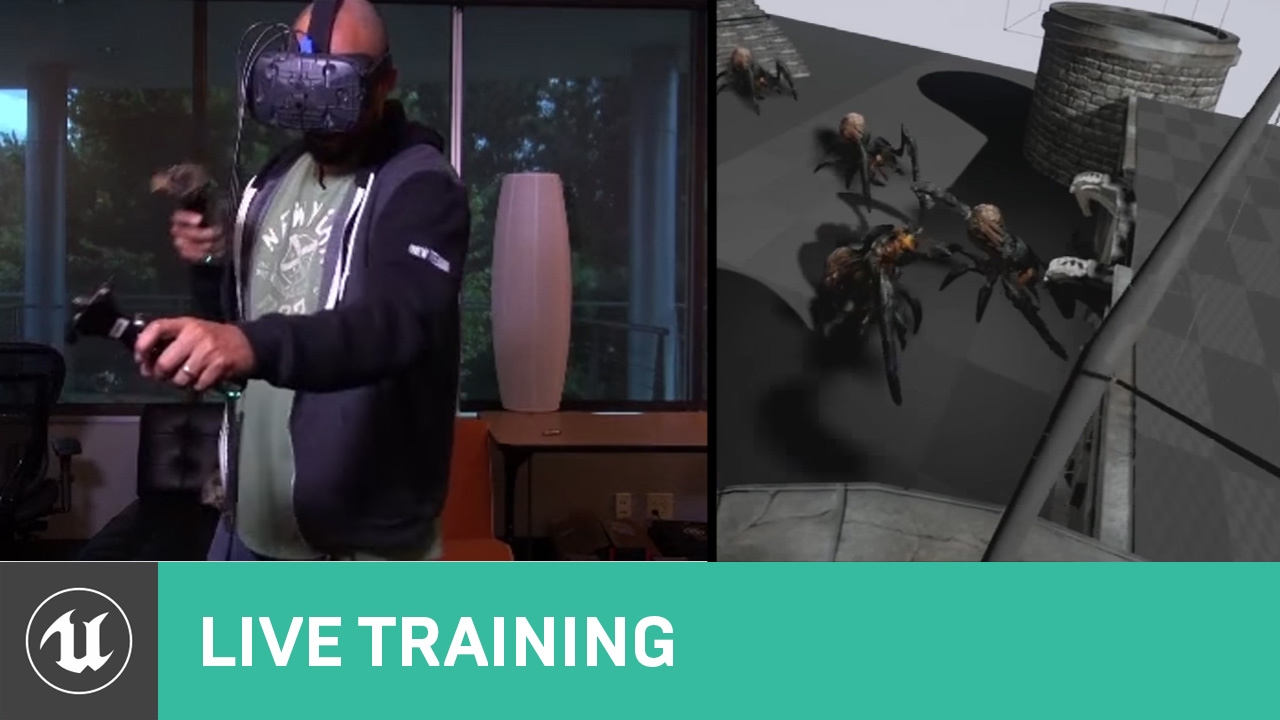
Announce Post: https://forums.unrealengine.com/showthread.php?115831
Ryan Brucks and Wes Bunn are back with more interactive VR development. In this video, they'll be walking through how to build a functioning Bow and Arrow set that will work with Motion Controllers. Then, watch them shoot stuff and explain how to utilize physics in your VR pro...
sage gulch
edited the config files to be using SteamVR per https://docs.microsoft.com/en-us/windows/mixed-reality/develop/unreal/unreal-reverb-g2-controllers?tabs=steamvr but enabling the G2 plugin is still forcing OpenXR on as well.. as best I understand, the G2 plugin doesn't actually require OpenXR if SteamVR is used instead. Any ideas?
Learn how to use the new HP Reverb G2 Controllers in OpenXR and SteamVR for Unreal mixed reality applications.
 high granite
hi, I am very new to UE, I come from a Unity background, I the vr template in UE5 setup, and I want custom hands, I have a model, and a action sequence that makes the hand turn into a fist, how do I trigger that action sequence on grab? I have a function that gets called on grab button, I just dont know how to call the animation switch.
neon geyser
tired tree
in vrexp
The fix is only in VRExp 4.27 Chaos? I'd like to keep using 4.26
daring pasture
Its in the default vre 4.27 @neon geyser
neon geyser
daring pasture
Its in the default vre 4.27 <@410384258142568459>
By default you mean a version not using Chaos? I only see the chaos one on github
daring pasture
Default doesn't use chaos
Heres the code courtesy of @full frost if you want to add it manually to the VRReplicatedCameraComponent.
Pastebin
Pastebin.com is the number one paste tool since 2002. Pastebin is a website where you can store text online for a set period of time.
neon geyser
Thank you!
daring pasture
@neon geyser not sure if its related, but for me if steamvr is running and i try to play as client as soon as the engine opens its crashes. Just launch as standardalone once, then swap to client if it occurs.
neon geyser
Ok good to know
daring pasture
I'll take that over not being able to test as client at all 😂
neon geyser
Yeah definitely lol it has been driving me insane
daring pasture
Yeah was the only thing that kept me away from .27
neon geyser
I had many issues with 0.26 and didn't want to get back to 0.25 so I accepted the compromise thinking they would patch it rapidly
But looking at the bug report it will be for ue5
daring pasture
You'd think something like that would be higher on the priority list
neon geyser
Well, online VR experiences are the future no? :p
neon geyser
@daring pasture you said default doesn't use chaos, but those are the only branches available on the vre github repo

 full frost
neon geyser
<@!191008392108703744> you said default doesn't use chaos, but those are the onl...
full frost
neon geyser
<@!191008392108703744> you said default doesn't use chaos, but those are the onl...
Master is always set to be on latest engine release, so 4.27 atm
neon geyser
oh ok! yeah I see that in master, so I guess it's your fix
 full frost
daring pasture
<@410384258142568459> not sure if its related, but for me if steamvr is running ...
full frost
daring pasture
<@410384258142568459> not sure if its related, but for me if steamvr is running ...
I've had this for ages, I think even in 4.26, but was only in one project and hadn't heard of anyone else having it. Glad it's not just us! I've known about the, run as standalone once before client, for ages. But I would still forget often enough that I put this in a while ago -
 neon geyser
Everything works, what a relief 😪 Thank you!
daring pasture
full frost
I've had this for ages, I think even in 4.26, but was only in one project and ha...
I need this 😂 So many times I'll be in a hurry and forget
full frost
use custom UnrealEdEngine class and override:
void UCUnrealEdEngine::StartQueuedPlaySessionRequestImpl()
{
    if (!ensureAlwaysMsgf(PlaySessionRequest.IsSet(), TEXT("StartQueuedPlaySessionRequest should not be called without a request set!")))
    {
        return;
    }

    // Check that if you are trying to run vr preview as client, you have already played as standalone/listen vr before that.
    // This is to avoid the crash we get in FSteamVRHMD::BridgeBaseImpl::Present.
    // It seems to only be our project, have never reproduced elsewhere. But it will crash almost everytime if the first time
    // you run vr preview it is as a client.
    // The DepthSwapChain doesn't get initialized for some reason.

    // @TODO can we just manually call stuff to init the HMD?
    // @TODO if cant do that then can we change the requests play mode to standalone here so at least you can play? Would have to
    //       warn that this has happened though I guess

    ULevelEditorPlaySettings* PlaySettings =PlaySessionRequest->EditorPlaySettings;
    check(PlaySettings);

    if (PlaySettings->LastExecutedPlayModeType == PlayMode_InVR && !bSafeToRunVRClient)
    {
        EPlayNetMode PlayNetMode;
        PlaySettings->GetPlayNetMode(PlayNetMode);
        // When play net mode is client we get a server game instance first and then the client. Need to check
        // both the PlayNetMode and the NetMode of current GI. Could also maybe use Params.bRunAsDedicated.
        if (PlayNetMode == PIE_Client)
        {
            FMessageDialog::Open(EAppMsgType::Ok, FText::FromString(TEXT("Please run vr preview as standalone before you run as client. This is for your own protection!")));
            CancelRequestPlaySession();
            return;
        }
        bSafeToRunVRClient = true;
    }

    Super::StartQueuedPlaySessionRequestImpl();
}
is what I did
daring pasture
full frost
use custom `UnrealEdEngine` class and override:
```c++
void UCUnrealEdEngine::St...
Thanks, this will save me alot of time
 manic tapir
Any news on oculus voice sdk, and spacewarp stuff?
neon geyser
How do you record your first-person gameplay trailers? Camera looks always very shaky
sage gulch
you can set the oculus utilities to draw larger vtexture and smooth out the camera it but it causes a cpu/gpu hit.. more performant to smooth a camera in-engine
that new quest spacewarp requires a scriptable rendering pipeline currently unsupported in unreal
sage gulch
well I tried to copy the exact text and values for HMDPluginPriority from 4.27 BaseEngine.ini over to 4.26 BaseEngine.ini and the HP Motion Controller is still forcing OpenXR plugin to active if I set it using the editor (it self activates after restarting the editor). Is there some additional trick to setting the G2 controller support in SteamVR (and without OpenXR)?
I also set ConsoleVariables.ini to show vr.SteamVR.EnableVRInput=1, and altered both the engine files and the project files.. no dice .. ???
also tried ditching the Oculus plugin in case being present was conflicting but it doesn't seem to change anything..
@arctic saddledo you use a special build of the engine or HP Motion Controller plugin or anything?
 opaque adder
Hi there, what would people recommend for tracking real world objects like a gun-prop? Is there any other way than using the big and clunky vive trackers? This is not necessarily for a VR or AR game, but in general
sage gulch
tundra tracker is smaller
sage gulch
maybe I just misunderstand and the HP plugin isn't needed if using SteamVR, considering there is a hpmotioncontroll.json in SteamVRBindings .. but there's no regular WMR .json in there (or is that the holographic_controller?)? 🤔 🤪
ah that is the WMR controller.. so I've been going in circles for days
ffs
high granite
I cant get VrExp to work, just says compiled with different version of UE, tried 4.26 and 4.27 and 5.0, is there any other VR frameworks that I could use that are free or cheap?
rocky nexus
vrexp works just fine, follow the guide
arctic saddle
sage gulch
<@!361601562973569027>do you use a special build of the engine or HP Motion Cont...
Hey. I don't think so. I never actually used the plugin since it didn't support the version I was using. I have heard that others luck worked with 4.27 following those same instructions though.
sage gulch
hey thanks for the reply, sorry to hit you up.. I think I figured it out, and that Steam doesn't actually require that plugin to be activated
it's kind of tough to test out between not having the hardware in house and the binary not being listed in Steamworks yet but I get that impression from the list of controller json files near the binding manifest file
 hollow mauve
I'm using CameraPosition in a material, and because I'm in VR I'm getting a double vision effect. If I pass in the camera position as a parameter from the actor the double vision goes away but it isn't performant enough to look smooth. Is there a way to get the position of the other camera in vr in the material without using a parameter?
neon geyser
sage gulch
you can set the oculus utilities to draw larger vtexture and smooth out the came...
Do you have a resource showing how to do that? I mean the smooth camera, I guess it some sort of spectator camera to add that follow the movement of the VR camera, as I cannot smooth the VR camera directly
sage gulch
try camera spring component
neon geyser
Yes I know how to smooth the camera, I do something similar to make a sniper scope like in Pop:One. I just don't understand how I can set up the camera after to look through it and record the trailer, need to do that in an online session
mortal bolt
Anyone used the vive focus 3?
dry fjord
last week I could receive input in UE from the quest 2 over air link. this week, after restarting both the PC and the quest multiple times, it only tracks the handset orientation, not the position or the input. this is crappy. how do I make it more reliable?
 orchid veldt
mortal bolt
Anyone used the vive focus 3?
orchid veldt
mortal bolt
Anyone used the vive focus 3?
Just got it not long ago & am testing it out in unreal right now. There's another user called markus that has it as well (and others as well, but I'm not searching too far).
Nope, in case you're wondering, I'm not able to get input working on them yet.
mortal bolt
orchid veldt
Nope, in case you're wondering, I'm not able to get input working on them yet.
Thank you so much for looking into it :) I am mainly looking for a hood high res headset for arch viz vr stuff
orchid veldt
I'll let you know my further thoughts on it as I try it out, still early days atm & I'm focused on finding out how to get the inputs working (preferrably without changing the bindings via steamvr). My opinion still leans towards quest for usability, but I haven't done any proper comparisons.
mortal bolt
orchid veldt
I'll let you know my further thoughts on it as I try it out, still early days at...
That would be great thank you, hope it goes well for you
orchid veldt
For anyone interested, found out how to get the vive focus 3 controllers working with unreal.
For now, I've had to:
- Go to the vive support forums (specifically this one: https://forum.vive.com/topic/9046-vive-openxr-support-for-vive-cosmos/)
- Download the Vive OpenXR Plugin for UE 4.26 (it can upgrade to 4.27 without issues if interested)
- Copy over the plugins from the project into my own project
- Assign the cosmos bindings to the actions & axis in my project.
This is because the focus 3 controllers uses the same bindings as the cosmos controllers.
Community Forum
- UPDATED - Current Version: 2.0.17.0 Intended audience: OpenXR application developers who currently include OpenXR support in current game engines (e.g. UE4 applications using the OpenXR plugin) or custom apps/engines that implement the OpenXR specification. What is OpenXR? OpenXR is a royalty-f...
Dunno if you've managed to find a solution or not, or if you're still interested in the focus 3 @serene haven
orchid veldt
@mortal bolt I gave my work a review of the vive focus 3, so here's my thoughts on it (cut down a bit so it can fit here, as well as cutting out work-sensitive references).
- Focus overall is weightier than quest 1 I feel, but battery is a decent counterbalance.
- Getting the 'sweet spot' for visual fidelity on the focus without blurring is really hard, and even then I can still see some blurring on the sides. Don't know if it's just my eyes, so YMMV.
- The lens' are very... square... on the focus.
- The controllers are larger than the quest controllers. Comparing with a Quest 1 controller, they are only ~10g heavier. This may make it feel a little less premium, but otherwise doesn't feel more uncomfortable for use.
- The focus' controllers running on rechargable battery may mean that leaving them on the charge reduces the need to replace the batteries. But also means that if they've been forgotten to be charged, you can't just swap out the batteries with new ones.
- As the headset isn't charged from the USB-C port, you can't charge & play at the same time, unlike either of the quest headsets
However, I think the battery for the headset can be swapped out if another battery is bought. - At least from my setup, the linked mode and the wireless mode (via ethernet'ed PC & WiFi 5, with router less than 2m away from headset) both work fine. Wifi 6 might work better.
- Controller button positioning is near-identical to the quest controllers. Nothing particularly innovative, but has usability parity at least.
- Resolution is definitely better on the focus 3, with the 'fly-screen' effect less noticeable than the quest 1. Granted, I can barely notice the lower resolution on the quest 1.
I feel that for usability, I am more inclined to recommend the quest line-up still.
But, I won't deny that the focus has better resolution, at least compared to the quest 1. Looking at the specs of the quest 2 vs. focus 3, the focus still wins out on paper.
 minor ember
Hey has anyone done VR body tracking? I’m trying to track the players feet using extra vive trackers but the rotations seem to be a bit off
This I where I attach the tracker

This is the leg BP

This is what it looks like with my leg out in front you can see the foot is a bit squint

Just wondering how I can get them to kind of stay pointing forward
Should I maybe attach them to a different bone like calf or calf twist?
mortal bolt
orchid veldt
I feel that for usability, I am more inclined to recommend the quest line-up sti...
Brilliant thank you so much this is amazingly helpful :)
 charred blaze
Hello, is it possible to display a static mesh for the spectator camera only? I would like to render a headset where the headset is located, but I don't want it to show up in the VR view.
sonic lake
@charred blazeif the mesh is attached to the VR Pawn checking Owner No See should do it
charred blaze
sonic lake
<@!143486038675816448>if the mesh is attached to the VR Pawn checking Owner No S...
Thanks for the response, where would I find this "owner no see" checkbox?
Oh I found a blueprint component
ohhh I found the checkbox
thank you!
charred blaze
Has anyone had to solve the problem of fitting a virtual scene into a real region? I don't need the player to be able to use the controller to move/teleport themselves, I'll just have a 3.5 m by 3.5 m scene within the same play area that they'll be able to move around.
 chilly pasture
Anyone have a better approach to reduce the aliasing effect in quest 2 ... for the images that are being downloaded at runtime
minor ember
minor ember
Hey has anyone done VR body tracking? I’m trying to track the players feet using...
anyone have any experience with anim BP?
chilly pasture
minor ember
anyone have any experience with anim BP?
yes
you probably need to add rotators and add a offset, if its always same
minor ember
should i be setting the trackers transforms of the feet if they're placed on the picture above?
chilly pasture
well you can.. then it will take that as starting point... i think what you need a find a calibrate point, from where you can always find the right rotation when you stick those trackers to your feet.
i will first start with finding the default rotation when these trackers are placed correctly, then find an offsets for the combineRotator node when tracker are placed correctly, then attach the rotator to your feet and the add the rotation angle with offset and it should give me adjusted offset.
I think it should work, because only way these trackers either your Z for rotator becomes X or Y then add/ subtract 90 from the x or y.
you need to test this if this is true.
if only you going to use this setup not every person, you can predefine how you going to attach the controller to your feet and then just hardcode the value to that axis.
I have never done full body tracking, so there maybe a simple solution to that . 😄
 kind palm
For a multiplayer listen server VR application is there a way to get the motion controller model (OpenXR template) to replicate so that other people can see it.
Also, when i launch the application the controller's material doesn't appear.
kind palm
does OpenXR support multiplayer?
jaunty wadi
Hi all, I am having this strange issue on my packaged app running on Quest 2 using Vulkan. Everything is fine up until the point where I interact with a widget which changes its value. Few seconds later the app will crash. Playing in editor has no crash, I am thinking it has something to do with the widget itself.. any advice would be appreciated. Thanks

 sonic turtle
Hi forks. I am trying to make a multiplayer VR game with Online Subsystem Oculus. I included AppID in DefaultEngine/AndroidEngine.ini and VerifyEntitlement node returns OnSuccess on my Quest, but when I execute creating/joining session node, it immediately fails. I created a matching pool and paste the key in the Oculus create/find session node, but it doesn't work yet.
Do I also need to enable matchmaking data use check?
Also, when I try to send the data use request, It requires privacy policy URL, but I don't have it because it is just a test purpose for now. Do I always need that even if it is a test or something which is not a real app, or is it ok to just add some random URL to it?
sonic turtle
lol *folks
mortal bolt
Is there a way to move around by looking at hotspots in a scene so you don't have to use the VR handsets?
minor ember
You could probs do a line trace from the camera and if it hits an actor you set to the location you teleport there
You could make it a bit fancier and if you are hitting the actor for a certain amount of time then teleport but if you look away cancel
mortal bolt
minor ember
You could make it a bit fancier and if you are hitting the actor for a certain a...
That sounds brilliant, any idea on how to do that? I've had a search but can't find anything on YouTube
minor ember
I’d just create a float value and if the hit actor is your location actor add delta time to it if not set the value back to 0
Then somewhere do a check if the float value is greater or equal to the time you want
mortal bolt
Bril thank you:)
 chilly ocean
How do I get Unreal Engine to show the stereo layers on screen for VR? It's not showing it, only in the headset
 midnight flicker
If you're developing for Quest using UE4 can you just use 4.27.1 right from the Epic Games launcher or do you need to compile the Oculus branch? If you can use 4.27.1 does anybody know the specific things that don't work or work better with the Oculus 4.27 branch?
 frozen coral
Does anyone have a good way to do VR where there is a body with collision instead of just hands like Population One / Boneworks / Blade and Sourcery.
midnight flicker
frozen coral
Does anyone have a good way to do VR where there is a body with collision instea...
A simple way would be add a capsule collider that is roughly the side of a human torso and add a little code so it always stays between the tracked hands. Otherwise you have to start simulating a full body based on hand/head positions.
frozen coral
okay, how would I go about tracking the body movement to the Camera and hands? I also want to make it so the legs bend the farther down you go but I can worry about that later
midnight flicker
Actually a better way would probably just be to attach the capsule colliders to the head position and extend it downward a bit.
frozen coral
okay, I think for now I might make a character like Rec Room. But then add a capsule to each part. I think it should make developing a lot easier
midnight flicker
frozen coral
okay, how would I go about tracking the body movement to the Camera and hands? I...
That's tricky... Look into inverse kinematics. But a simple way would just be ask the player how tall they are and you detect the headset position getting lower that height start bending the knees on your model.
frozen coral
okay, I will try both. See what I can do. Thank you
trail pagoda
hey guys! Im on 4.27 and would like to test out the hand tracking for quest. any leads on how to put in custom made hands instead of of the default grey ones?
I didnt really find a tutorial yet, but maybe someone knows+
minor ember
I’d find a full body model with a full set of arms, Chuck it into mixamo to get a skeleton with fingers then Chuck the model into maya or blender and remove the body parts i didn’t need
 still bolt
minor ember
I’d find a full body model with a full set of arms, Chuck it into mixamo to get ...
still bolt
minor ember
I’d find a full body model with a full set of arms, Chuck it into mixamo to get ...
bruh
minor ember
bruh
minor ember
still bolt
bruh
you slacking?
still bolt
unreal
minor ember
still bolt
unreal
me too bro right behind ya
woeful rapids
hey everyone so is there a way to stretch the arms when the controller goes past its length like how would i go about scaling the arm for distance of controller
so i changed the fabrik node to add the clavicle as the root and now i just have to adjust angles
got it fixed had to play with teh character and move joints but he can reach all the way out now with controllers
 proud zephyr
Hi, anyone working on Hololens 2 project
Also chunk downloader plugin for Hololens 2
 tribal lintel
In VR, transparent materials are definitely costly, do masked opaque materials have the same cost, or less?
charred blaze
tribal lintel
In VR, transparent materials are definitely costly, do masked opaque materials h...
It should be cheaper than transparent materials. As opposed to transparent materials, you do not need to track the remaining translucency of a fragment during rendering multiple such materials on top of each other. Masked objects are either fully opaque or fully transparent, and therefore it is not necessary to do that. Also, sometimes engines use either order-dependent transparency or order-independent transparency. In case order-dependent transparency is used, which is more accurate, it comes with an additional cost of sorting transparent objects before the engine renders them. This is not necessary for masked materials.
In short, masked materials are slightly more expensive than fully opaque materials, but should be far less expensive than transparent materials.
 lone ferry
Hello everyone,
I'm trying to figure out how to make a crank in VR. Anyone had experience with this or can share resources?
(research resources)
 daring mural
lone ferry
Hello everyone,
I'm trying to figure out how to make a crank in VR. Anyone had e...
daring mural
lone ferry
Hello everyone,
I'm trying to figure out how to make a crank in VR. Anyone had e...
If you haven't already, I recommend checking out the VRExpansion plugin by MordenTral. It has a lot of VR mechanics that you can either use in your project or just learn from, it helped me a lot 👍
lone ferry
daring mural
If you haven't already, I recommend checking out the VRExpansion plugin by Morde...
I'll take a look, thanks!
 sturdy coral
lone ferry
I'll take a look, thanks!
sturdy coral
lone ferry
I'll take a look, thanks!
I think he has an example of a crank VRE, if not the wheel in the car is probably conceptually pretty close
woeful rapids
any able to help me figure out how to drop a magazine out of a gun and it doesnt register reload until you put it back in
like half life alyx style reloading or pavlov or stand out
lone ferry
When you drop magazine you should set reference to null
Register new mag when you put it in
Like dude, give details
 craggy apex
hi all, trying to add input mappings for vive cosmos in my 4.27 project but nothing is coming up for cosmos in the dropdowns. anyone know why this is and what the workaround for cosmos inputs is supposed to be?
sturdy coral
@craggy apex keys are part of steamvr plugin so if another plugin loaded ahead of it they won't show, you can temporarily disable the others (oculus, openxr, etc.)
neon geyser
Someone knows how could we stop the hands from shaking when running?
The hands are controlled by the motion controllers and we used a "layered blend per bone" no to reduce the movement of the upper body when playing the running animations. but there still some artifacts

If you look a Population One running animation for example, the lower and upper arms are animated but the hands follow perfectly the motion controllers without any artifacts
@sonic lake maybe do you have an idea about how we could fix this?
sonic lake
neon geyser
If you look a Population One running animation for example, the lower and upper ...
First you need to understand where the problem comes from. Is it from the animation blending or from the movement or from the body IK?
You need to exclude two out of three factors and check the effect of the remaining one.
neon geyser
I would say it's from the animation, because without animation everything works fine
I even thought about removing the animation for the local client, but it's sad to loose the upper/lower arm blended animation
So yeah it's coming from the blend. When I look at pop:one, it's like the motion controller has full priority on the hands, if the lower arm animation doesn't totally match, you can see a small stretching effect on the wrist instead of having an impact on the hand
sonic lake
Didn’t check if in OpenXR late updates are still a thing.
In case you can uncheck that option.
Need to go afk now, will read later
neon geyser
Sure, thank you! Tried with both the old Oculus API and OpenXR, it doesn't make any difference
tired tree
it wouldn't be late updates
late updates wouldn't only effect only the lower hand
it would be the full visual component
however looks like its likely a tick order issue with when its sampling the location
ie: post or before the CMC movement
should force the skeletal tick to be post the CMC and possible even during updates / post physics
 oak ridge
anyone know how to enable phase sync on oculus using the Oculus OpenXR plugin over the OpenVR plugin? seems like it is exposed in the plugin properties as a flag but if you use the OpenXR one you need to enable it during initialization?
woeful rapids
what am i doing wrong i have a character (not a Pawn) and when i spawn him into the world the capsule does not follow him and when i try to rotate with my controller he rotates around the capsule location so if you have a big room scale then you make a big ass circle when trying to turn around with controllers. everything is perfect grabbing walking it all works great but my character walks through walls and steps and things because im not inside my capsule ive been racking my brain for days now on this heres a youtube video to basicly explain what is going on this is my character btw
https://youtu.be/VPk82YiJ7zk
working on designing a game so i would assume i have to have it as a character.
so i did a debug to show actor location and it think my actor isnt moveing how would i go about fixing that?

also things go in slomo if i drop them in the component. my mesh character responds to physics im close to just doing a pawn instead of a character and get rid of the extra stuff
neon geyser
tired tree
should force the skeletal tick to be post the CMC and possible even during updat...
There is a way to fix this?
tribal lintel
charred blaze
It should be cheaper than transparent materials. As opposed to transparent mater...
Hey just seeing this, thank you for your response 🙂 I was thinking the same, the materials in question aren't too complicated, glad to be able to get by without using transparency
 oblique kestrel
ok
tired tree
@neon geyser just set the tick group of the skeletal mesh if you are sampling positions in the animBP
the animbp is ticked off of the skeletal meshes component tick
woeful rapids
hey @tired tree you think you could help me figure this out i cant get my capsule to follow camera location everytime i get anywhere close it make my character fly away even if i disable all collisions
tired tree
is it a normal character or one of mine? you are in my discord but don't remember
also PM me
woeful rapids
gonna be honest i thought i was in your server ive been bounceing around all day
tired tree
well talking in PM you aren't using my char, so might as well scroll up / search in this discord above for custom solutions
there have been multiple posted
@woeful rapids
neon geyser
tired tree
<@!410384258142568459> just set the tick group of the skeletal mesh if you are s...
I tried different values but still the same result
 tired tree
@neon geyser again, it entirely requires that you be sampling the locations IN the AnimBP, if you are sampling in the character tick then you will still have tick thrashing.
not ruling out the IK just being off either, however since you haven't considered tick order yet that is the likely issue.
neon geyser
I'm not sure what sampling means here, is it simply getting the world location?


 civic prawn
Has anyone ever noticed (what I think is) a bug in UMG widget interaction? I can hover a umg button and it works as expected, but depending on my head orientation, it loses its interaction... I know this sounds weird but the interaction only works when I'm not looking at the button, and when I look away the interaction works in the peripheral... any ideas as to why I could experience this?
It also worked when I made it smaller, wonder if it has something to do with widget draw size
chilly ocean
Anyone try to submit for the Oculus store? Having a problem where I need to remove OpenVR.dll from the project to upload through the Oculus storefront plugin in the project, but after doing so, it crashes after opening
 chilly ocean
Figured out that I need to get rid of all references of Steam for the Oculus store and remove Steamworks from the folder every time as well as pdb files that get generated
 paper epoch
is custom depth available on mobile VR? need it for backface culling for VR hands

 chilly ocean
@oblique kestrel Does your ControllerMesh object exist? If you renamed, or it is a different type, this warning would come up
oblique kestrel
 oblique kestrel
chilly ocean
<@!872628152625659955> Does your ControllerMesh object exist? If you renamed, or...
oblique kestrel
chilly ocean
<@!872628152625659955> Does your ControllerMesh object exist? If you renamed, or...
it called that
silver brook
oblique kestrel
if anyone could help me
I think you need to select the Component, go to Events on the Details pane and click the + green button to make a new On Component Hit for it
 mystic tinsel
looks like there is a minor issue with the VR expansion plugin files on the github. The .plugin files in the 4.26-locked version have 4.25 inside them and not 4.26. Is it safe to change these to 4.26? is that the correct version to run with that engine version?
Can be confirmed here: https://github.com/mordentral/VRExpansionPlugin/blob/4.26-Locked/OpenVRExpansionPlugin/OpenVRExpansionPlugin.uplugin @tired tree
tired tree
@mystic tinsel its 4.26, the uplugin just lists 4.25, i sometimes forget to update the text listing on openVR since its going away
the uplugin description has no effect on its compilation
mystic tinsel
tired tree
the uplugin description has no effect on its compilation
When I dropped it in 4.26 it complained that it wasn't the right version, so I just wanted to make sure.
tired tree
thats likely it saying you need to compile it
mystic tinsel
Ah that may have been, I'll check the error again. Thanks
oblique kestrel
silver brook
I think you need to select the Component, go to Events on the Details pane and c...
you think that will work
ill try
 errant slate
Has anyone found a solution for getting planar reflections to work correctly on Oculus? without HDR it looks terrible (I'm trying to create a mirror for the user to look at their own avatar)
silver brook
errant slate
Has anyone found a solution for getting planar reflections to work correctly on ...
Can't you use a 2D Scene Capture? Create a Render Target -> Right Click Make Material. Apply Material to a plane and apply Render Target Texture to Scene Capture. Will work like a mirror
errant slate
silver brook
Can't you use a 2D Scene Capture? Create a Render Target -> Right Click Make Mat...
Thanks, I'll give it a shot. I had thought of render targets but nice to have confirmation before I start chasing that particular rabbit
 reef willow
How do I package for Using ARM(32-bit) architecture for deploying to HoloLens device. Mainly to test MRWebRTC
 indigo girder
anyone know how we can switch from Desktop Mode to VR Mode while in game ?
sonic lake
@indigo girderit should be enough to call Enable HMD with its boolean input unchecked
indigo girder
@sonic lake thank you for you answer, anyway I did this (see the image) and then run PIE thru the editor. wdyt I miss ?
 sonic lake
@indigo girdertry on a standalone game window
 jade kettle
Can someone clarify the relations between OpenXR and other VR middlewares?
Let's say I develop for an Oculus, then the pipeline will go UE4 -> OpenXR -> OculusVR
Further down the line we switch to a Vive setup, then I can simply leave the code alone and it'll intelligently switch over to the pipeline UE4 -> OpenXR -> SteamVR ?
The thinking is that OpenXR would theoretically allow to me to develop platform-agnostically
indigo girder
sonic lake
<@!299461769150332928>try on a standalone game window
unfortunately still got the same / VR is not played. is there any setting / code I should set ? @sonic lake
sonic lake
@indigo girderused to work just fine. Try on a packaged build.
I cannot test it on my side at the moment, don't have my VR device with me.
indigo girder
ok, let me built it then
@sonic lake it's still not working. Got this log, do you have any comment for this ?
[2021.12.02-10.39.29:437][ 0]LogLoad: Took 0.786971 seconds to LoadMap(/Game/Maps/BengkelLas)
[2021.12.02-10.39.29:450][ 0]LogLoad: (Engine Initialization) Total time: 3.63 seconds
[2021.12.02-10.39.29:462][ 0]LogRenderer: Reallocating scene render targets to support 1920x1080 Format 10 NumSamples 1 (Frame:1).
[2021.12.02-10.39.29:487][ 0]LogOcInput: OculusInput is initialized
[2021.12.02-10.39.29:487][ 0]LogHMD: FSplash::OnHide
[2021.12.02-10.39.29:545][ 0]LogHMD: The app went out of VR focus, seizing rendering...
[2021.12.02-10.39.29:545][ 0]LogRenderer: Reallocating scene render targets to support 2656x1584 Format 10 NumSamples 1 (Frame:2).
[2021.12.02-10.39.29:546][ 0]LogHMD: Allocating Oculus 2656 x 1584 depth rendertarget swapchain
[2021.12.02-10.39.29:546][ 0]LogCore: Display: AppLifetime: Application will enter background
[2021.12.02-10.39.29:548][ 0]LogContentStreaming: Texture pool size now 1000 MB
[2021.12.02-10.39.29:585][ 1]LogRenderer: Reallocating scene render targets to support 128x128 Format 10 NumSamples 1 (Frame:2).
[2021.12.02-10.39.29:585][ 1]LogEngine: Changing dynamic resolution state.
sonic lake
@indigo girderare you wearing the HMD at the time it switches to VR?
indigo girder
sonic lake
<@!299461769150332928>are you wearing the HMD at the time it switches to VR?
no, but the HMD has already connected
manic tapir
Hey! I'm using a quest 2 and launching my project from unreal via oculus link as an android package. When the package is done, the quest 2 has a weird bug. Half the screen is black on both eyes and during one test this black half was instead another level. Any idea on what could be causing this?
rocky nexus
Sounds like mobile hdr being enabled
manic tapir
Mobile hdr is disabled
rocky nexus
perhaps it was mobile multiview, one of the settings that are suggested to be disabled in many guides
errant slate
silver brook
Can't you use a 2D Scene Capture? Create a Render Target -> Right Click Make Mat...
After some googling I got this to work up to a point. It works perfectly when not using VR, however in VR it does not work. Each eye gets it's own view, as it should, however the offsets are incorrect, as if your eyes are several feet apart. Any suggestions? Demo project here using the 4.26 VR template: https://drive.google.com/file/d/1wZRGU_lViS3WInYEh4Pi0y9ZmZukPr8w/view?usp=sharing
Google Docs
silver brook
errant slate
After some googling I got this to work up to a point. It works perfectly when no...
It is your material function
M_MirrorSurface that is breaking it. Something in your logic for calculating the UVs
errant slate
Full disclosure, I stole that from a project someone posted on YouTube 😅
From like 2015
silver brook
The node literally says not to use it for the case you are using it lol

"Don't use as UV for Scene Texture"
This is a scene texture and you are using it as UV
even the preview looks all messed up https://gyazo.com/ada80612f3e324928b3ab700dbc4ec8d

just unplug all that
don't plug in anything for the UV
errant slate
That's definitely better, but the perspective is still "off", and it appears like I'm looking at a TV instead of through a mirror. Am I correct in thinking that my real problem is that the SceneCapture2D currently isn't capturing a different image for each eye? When using the PlanarReflection method for instance, the mirror has "depth" because it gets stereo images, but here it's not.
silver brook
errant slate
That's definitely better, but the perspective is still "off", and it appears lik...
You can tweak FOV of the camera. You can also use a Cube Scene capture with a cube mapped material. The 2D scene capture should also be able to capture depth and then you can do stuff with that data. I know I've used a Cube Scene capture to do water reflection for a VR game (not real time though for performance reasons). It might not be physically accurate but it looks enough like a reflection that it works.
My understanding is that the engine essentially does that for baked reflections anyways. When you use a sphere or cube reflection capture it is uses a Cube Scene Capture and applies them to all materials. If you use a Cube Scene capture with a Cube Render Texture and a Cube Map on a material you are basically doing that yourself instead.
 little marsh
Why do motion trackers need to be connected to a player to receive input?
little marsh
I'm seeing livelink now for 4.27 but it isn't finding any of my devices 😦
little marsh
The SteamVR plugin was not enabled if anyone else ever has this issue.
 ivory juniper
To save others some time: If you had MobileMultiView set to False up until this point, you will need to set it to True if you plan to build APKs for the Quest. Facebook updated the Oculus Version to 35.0 last night so if you update you'll get a black stripe in your apps, we did anyways.
 subtle raft
does the water plugin water just not work in VR?
I'd have to use another material?
with instanced stereo*
 weary flume
Hey guys, I'm trying to set up a simple project with hand tracking for hololense 2 and my left hand mesh is inverted, and flipping the y transforms messes it up more, anyone could give me a hand setting it up?
 coral swallow
Does anyone else not get any data readouts when using the Break XRMotionControllerData node because it seemingly works in the VR template project but when I use it in my own it never works
 granite idol
weary flume
Hey guys, I'm trying to set up a simple project with hand tracking for hololense...
granite idol
weary flume
Hey guys, I'm trying to set up a simple project with hand tracking for hololense...
I'm having the same issue, no matter if I rotate the hand origin point or mesh, it still makes the hands 90 degrees. It's annoying as hell haha
I tried even using a new origin point for the hands but no matter what the hands just go 90
daring pasture
Anyone getting issues with the camera being stuck on the floor with virtual desktop in 4.27? Link and airlink both work fine
 rustic cargo
@weary flume @granite idol not sure but this video might help yall https://learn.unrealengine.com/course/3764288/module/7291271?moduletoken=UHxxnDLPW8TkkHRhPuft~N3M8op9TGxBpu6ogWeFO3vW45ljtQgUsltwfpNSnCN1&LPId=119099
granite idol
It was not, but I thank you for attempting to help anyways man. That's all that counts! @rustic cargo
The VR template works fine, but my version of my game does not. That tells me I have something changed or different on my end. When I merged it into my project, something got screwy probably
weary flume
granite idol
I'm having the same issue, no matter if I rotate the hand origin point or mesh, ...
Yeah, I saw some videos where they flip the transform of the bones aswell as the mesh but it just makes the mesh really messed up
weary flume
coral swallow
Does anyone else not get any data readouts when using the Break XRMotionControll...
Are you on hololense?
coral swallow
weary flume
Are you on hololense?
no im on quest 2 but i managed to fix the issue
weary flume
Ok, what did you do? Maybe it can help me too
coral swallow
I had to disable steam vr and the regular oculus vr plugin and activate open xr and oculus xr as that break only works with the xr plugins
coral swallow
i am getting aim position and aim rotation
weary flume
Okay
I saw in lots of tutorials they get joint position but on 4.7 it's not possible
coral swallow
4.7 or 4.27!?
weary flume
4.27 😂
coral swallow
whew ok
weary flume
Still gotta figure out how to reverse the left hand mesh for my hololense, it's driving me crazy
sonic lake
Best approach is to create your left hand directly in Blender/Maya/Max so you have a real skeletal mesh
Using negative scaling to get a left hand from a right hand is ok until you want to enable physics on it...
tired tree
@sonic lake i've submitted a patch to the engine to fix the inverse issues on skeletal meshes
back in 4.26
it was accepted but unsure if its made it in yet (since fixed it locally in the mean time)
sonic lake
@tired treeit's likely they are going to make it part of Chaos Physics, so it may come in 5.0+.
sonic lake
oh ok, I thought it was handled on the side of the regeneration of the physics bodies
I will look your PR up
@tired treedo you have the PR #? Cannot find it
tired tree
sec
sonic lake
Tnx!
tired tree
actually, think i submitted the code directly to epic, since PRs are ignored, but let me make sure
@sonic lake yeah was a direct e-mail, its a single line change though


Unreal Engine
Welcome to the Unreal Engine Issue and Bug Tracker. You can check the status of an issue and search for existing bugs. See latest bug fixes too.
they made a bug number for it, looks like they deferred for 5.0
which is kind of silly imo
sonic lake
tired tree
which is kind of silly imo
yeah. Still there in 5.0 and 5.0-main
On the other hand while mirroring meshes using a negative scale could definitely be handy, I am not 100% it is a best practice that should be supported/endorsed going forward.
tired tree
meh, its way better for workflow
I had to add pose mirroring to support people not using it for my hand socket component
still, a second hand technically is a whole new animbp and supporting structure
PITA to handle for people
sonic lake
Totally understand it is handy for many reasons, so it makes sense as long as it doesn't break anything else (shaders, LOD's, etc.)
 mighty carbon
are there any up-to-date docs about ARCore and UE 4.27 ?
granite idol
Quick question, my hands in VR are pointing 90 degrees on Yaw. Context, I migrated VR base hands from the VR template. They work fine in the VR Template but for some reason I can't get them to rotate like normal. I tried
SetActorRelativeLocation
Transform
Rotated the hand in the BP_MotionController blueprint but no changes
Ensured that they were attaching to component with snapto
Imported new hands from an asset pack and still the same issue
VR origin point is 0x,0y and -88z for height of capsule component
Tried fresh VR origin point but that didn't work either
I'm running out of ideas as to why the VR hands are tracking at 90 degrees and any rotation effort does not actually rotate them
When I say rotate, I mean, when you are just holding the controller and the hand position should match real life hand position. It's like the hands are in a praying fashion instead of horizontal
sonic lake
granite idol
When I say rotate, I mean, when you are just holding the controller and the hand...
Can you show the hierarchy of your VR pawn including the hands?
granite idol
@sonic lake Sure, and thanks for asking man! I'll screenshot it

This is in a Character, not a pawn. Why? This is a VR port of a game and I didn't want to redo every cast that had a player character instead of player pawn


It's the standard, out of the box set up
sonic lake
I see that. When you attach the hands to the VROrigin after having spawned them, you are using the snap to target option, which is fine. If the hands end up being wrongly rotated, you can set their relative rotation after the attachment.
granite idol
Aye, I tried that, it seems like when I do, the hand moves away from the VR origin and ends up behind my character or something out of immediate view
sonic lake
On what are you setting the relative rotation?
granite idol
Well, lets say the Left Controller for this example.

If I add this, I get funky results haha
sonic lake
You need to set the relative rotation of the hand skeletal mesh within it
granite idol
Aye, I'll give that a shot
sonic lake
The rest should be left as is
I forgot whether the hand SkM is centered or not. If not you also need to fix the relative offset beside the rotation.
 vernal spear
has anybody had an issue where half the display in the oculus quest is black for the entire duration that the application runs?
i just reinstalled windows from scratch, reinstalled android studio and all the build requirements, and made a new package of the game, and now the left half of both eyes is black.
having a devil of a time tracking the sucker down!
 granite idol
 granite idol
sonic lake
I forgot whether the hand SkM is centered or not. If not you also need to fix th...
granite idol
sonic lake
I forgot whether the hand SkM is centered or not. If not you also need to fix th...
Well it's a start haha. It rotated, but also weird. It's doable though
I'll noodle around some more. Thanks for the rubber ducking!
sonic lake
granite idol
I'll noodle around some more. Thanks for the rubber ducking!
Rotate it one axis at a time until it looks good.
granite idol
Indeed!
sonic lake
vernal spear
has anybody had an issue where half the display in the oculus quest is black for...
Someone was mentioning the same issue few days ago, but I didn’t catch the fix. Scroll up, maybe you find it.
vernal spear
sonic lake
Someone was mentioning the same issue few days ago, but I didn’t catch the fix. ...
cheers will take a look!
looks like i need to enable multiview, will give it a go!
rustic cargo
@sonic lake @vernal spear Enabling Multiview fixed it for me
vernal spear
my computer is in the process of recompiling all 16,000 shaders and building the project with multiview enabled.
once my smores are done cooking on the chassis, should be good to go to check if it fixed it for me 😄
rustic cargo
lol yup

 spare ginkgo
Hello !
Like some people before me, I am trying to do Image Tracking Augmented Reality with UE4.
Note : I usually advise against it, and suggest to use Unity instead, as it is much more simpler with Plugins like Vuforia. That being said, I still would like to use UE4 for that, as this project would also help me use Sequencer, which might be useful on other projects.
Now, back to the problem : I've found the same tutorials as previous users here, and if I am not mistaken, those target either Android with ARCore or iOS with ARKit, but not both.
So, I was wondering if the new OpenXR can (will, in UE5 ?) handle image tracking, regardless of end user's device, as it is the case for VR ?
dry fjord
I'm having a quest 2 problem. my app launches and just stays on a black screen, eventually idling out. in the terminal UE4 just reports the memory usage every so often. no on-begin-play output is being shown, so the basic level is never even starting.
dry fjord
I get this back, it's a plugin I wrote that's set to runtime:
2021-12-07 16:34:45.222 4003-4041/com.fikaent.Marine_Parks D/UE4: [2021.12.07-03.34.45:222][ 0]LogModuleManager: Warning: ModuleManager: Module 'RegularExpressionBlueprints' not found - its StaticallyLinkedModuleInitializers function is null.
why would it be saying that?
I found this but it means nothing to me: https://forums.unrealengine.com/t/module-xxx-not-found-its-staticallylinkedmoduleinitializers-function-is-null/142449
Unreal Engine Forums
hi guys, I am trying to load a plugin, but get a promotion Plugin ‘xxx’ failed to load because module ‘xxx’ could not be found.Please ensure the plugin is properly installed, otherwise consider disabling the plugin for this project. But I am surely recompiled it with no errors in VS. Then I found this warning from log file ModuleManager: Modul...
 slow vault
spare ginkgo
Hello !
Like some people before me, I am trying to do Image Tracking Augmented R...
slow vault
spare ginkgo
Hello !
Like some people before me, I am trying to do Image Tracking Augmented R...
There's small specific tweaks here and there but a simple image tracking worked on both for me.
What i mean is the code was the same . Packaging, signing,... obviously needs to be setup for both independently
sonic lake
@dry fjordmaybe your plugin whitelisted only for Windows?
dry fjord
sonic lake
<@!79554185137238016>maybe your plugin whitelisted only for Windows?
it turns out I had an empty whitelist set. taking that line out fixed it 🙂
 formal ridge
Hey folks, having some technical trouble with setting up world transforms, I could have sworn it was setup correctly based on previous knowledge, but I keep getting the Access Read Error for both of the transforms in the animbp, this is in UE5, if anyone has any helpful tips I'm all ears!

I have it pure casted from the charbp
 sonic lake
formal ridge
Hey folks, having some technical trouble with setting up world transforms, I cou...
sonic lake
formal ridge
Hey folks, having some technical trouble with setting up world transforms, I cou...
are the references to the Motion Controller L and R valid?

 formal ridge
The Set is being done within the animbp event graph, yessir
transforms are within the animagraph for second
sonic lake
I suspect the references to the MC are null inside the AnimBP. How are you retrieving a reference to the VR Pawn? Or is it a VR Character?
formal ridge
It's a thirdperson character, and I'm pulling off of the "try to get owner pawn" node to pure cast to the player character bp
sonic lake
Is the cast successful?
formal ridge
I can move my arms and such, so I do believe so, I don't get any errors outside of the transform access error
sonic lake
Do you get that message only at the beginning but then it works thereafter?
formal ridge
Yes, it only pops up once at the start, however, I'm not sure I could answer if it's working after because I don't exactly understand this error itself as I have everything to my knowledge named/validated correctly
I could jump into the call channel and quickly screenshare with mirror if you are available at some point today
sonic lake
I can't right now, about to join a meeting. However if it works as expected after the initial phase, the message you are seeing is probably due to the initialization sequence. If you turn the Get of the Motion Controller components within the EventGraph of the AnimBP into Validated Gets, you will very likely see the problem go away
sonic lake
I will keep reading you here
 frigid geode
Does anyone have Oculus mixed reality capture working with UE4.27.1? The documentation I can find is old, and just references the blueprint nodes for enabling it. I'm using OpenXR, so these nodes aren't even available; if I switch back to using the Oculus plugin, I get stability issues, where my game often crashes when travelling between levels.
How do they intend you to use it in OpenXR? If I have to use the Oculus plugin, can anyone confirm it works in UE4.27.1?
Thanks!
hallow knoll
frigid geode
Does anyone have Oculus mixed reality capture working with UE4.27.1? The documen...
Oculus specific features like that has to be developed in extension plugins for OpenXR, and they haven't developed one for their mixed reality capture solution. There are other features missing as well (like hand-tracking on Quest).
frigid geode
@hallow knoll Thank you very much for the response! I'm assuming that to use it at all, I would need to use the Oculus branch of UE4, and the Oculus Plugin.
hallow knoll
frigid geode
<@!531923466799284244> Thank you very much for the response! I'm assuming that t...
You can use their Mixed Reality Capture solution with the OculusVR plugin in UE 4.22 or later. No need for the Oculus branch: https://developer.oculus.com/documentation/unreal/unreal-mrc/
Your google searches might lead you to the native MRC solution that's in UE, but I would advise against using that as it's not actively being supported. For a solution that works across several different VR systems I would look into LIV: https://www.liv.tv/

Put yourself into the VR games that you love and broadcast that experience to the world.
And apparently they support MRC on Oculus Quest with an iOS device 👀 https://www.liv.tv/blog/record-mixed-reality-using-only-an-oculus-quest-and-iphone-the-liv-tv-ios-app-is-here

This is the easiest mixed reality setup yet. No green screen or gaming PC required, put yourself into the virtual world using only an iOS device and your Oculus Quest headset! Read on to get yourself setup and learn about what cool features we're bringing to the LIV.tv app.
weary flume
GUYS I URGENTLY NEED HELP.
I HAVE SPENT 8 HOURS TRYING TO FLIP THE LEFT HAND AND GET IT WORKING FOR HOLOLENSE AND IM ABOUT TO BREAK MY COMPUTER. PLEASE ASSIST ME FOR MY OWN SAFETY.

HALP I'm losing my mind
@vr-ar
please someone, anyone
sonic lake
@weary flumemy experience with the Hololens is limited to having tried it once at Microsoft
this said, what are you doing to that poor hand?
weary flume
Lord knows
Are you able to hop in a channel? it will be easier to explain everything
@sonic lake
Okay i gotta run so i can explain later, but the gist is that i'm doing a very basic live mapping from the hand mesh skeleton to the hololense tracked hand bones.
sonic lake
Looks like you need some re-mapping of the rotations
weary flume
The right hand works fine, however the left hand is giving me hell. I've tried remodeling the hand, remapping things, etc etc and i'm not sure how to get it working
sonic lake
Did you mirror the right hand using a negative scale?
weary flume
The right hand is fine, you mean left hand?
I have tried, i've also tried reversing it in blender and fixing the normals but that doesnt seem to work either

Ideally i'd just pull the default left hand mesh, apply some transforms, and get on with my day. But for some reason it's changed in 4.27 and it doesn't work for the life of me
sonic lake
I see two potential issues (again without being familiar with Holelens, so take them with a pinch of salt). 1. something is wrong with the mesh for your left hand. If setting the material on it to two sides fixes it, you know what the problem is. 2. the mapping of the rotations for the left hand may be different than for the right hand, so you may need some adjustments before plugging into the hand SkM
granite idol
For myself, I just ended up buying a VR hand pack, duplicated the right hand bp that comes default with unreal, added the skel mesh and made a new anim bp as well as a blendspace 1D. Sometimes you just gotta do that instead of trying to figure out the fuckery
But yeah, my knowledge is like 3/10 at best with VR development currently
I just spent a good portion of my day remaking rooms because using static lighting instead of dynamic, I had weird artifacting because 2019 Chris decided it was cool to make one large static mesh for a whole room instead of just using the kit I made, piece by piece haha
@weary flume
Also, side note, if you're on the verge of hurting your "safety", it's a good indicator to walk away for a few hours. I know how you feel, we all do man. It's a part of the process.
 median wasp
Has anyone else recently had some issues with duplicate vision and flickering after the new quest update. It seems to have broken allot of our projects for clients just seeing if anyone else is experiencing the same issue.
 karmic zodiac
Hello everyone. I finally managed to package to apk (ASTC) and installed it on my Oculus Quest 2 today as an unknown source app to use directly without the need to connect using the usb cable. But one problem arise as only one side of the Quest 2 can show the game (but it was showing both views of the goggles on that left side), the other blacked out. I tried to search but what comes up it's these unrelated contents
 karmic zodiac
median wasp
Has anyone else recently had some issues with duplicate vision and flickering af...
karmic zodiac
median wasp
Has anyone else recently had some issues with duplicate vision and flickering af...
Man, same
median wasp
karmic zodiac
Man, same
It was showing up a few months ago and this was down to some VR settings in the project settings not being set correctly for the quest. It was caused by Mobile Multi View originally. So try packaging with that option disabled if you have it enabled in the rendering section of the settings.
Currently since the update the same issue has happened on pre built projects that was working fine, I know they was working on optimization in this recent oculus update so I am going to try disabling instanced stereo and see if that could be causing the issue. I remember reading they was working on this to be done on the oculus side at the choice of the user.
No idea though all speculation.
formal ridge
Does anyone know what the technical terms is for:
Player holds down trigger button while swinging and then it records the motion directions, then shoots out a “slice” projectile from the motion captured?
Trying to search for it online has turned up zero search results so I don’t think I am using the right keywords to find documentation
maiden willow
Gestures is what you are looking for
maiden willow
formal ridge
Does anyone know what the technical terms is for:
Player holds down trigger butt...
formal ridge
THANK YOU @maiden willow !!!
daring pasture
karmic zodiac
Hello everyone. I finally managed to package to apk (ASTC) and installed it on m...
Enabling mobile multi view will fix it
sturdy coral
@hallow knoll has there been any news on vr support for nanite? still planned for initial release?
 waxen sentinel
Hey guys 🙂
karmic zodiac
median wasp
It was showing up a few months ago and this was down to some VR settings in the ...
Thank you it worked
karmic zodiac
daring pasture
Enabling mobile multi view will fix it
I got it work by disabling it
daring pasture
Ah odd, fixed it for me by enabling it
civic prawn
Hey guys, I'm getting an error specific to the Quest 2, android build... I went through a few attempts with help in the # plugins channel but couldn't figure it out...
This problem only occurs when I build it to android, it works when I preview in the quest with similate vr with oculus link
But this is the built log
LogPlayLevel: Error:   12-08 22:28:53.687 25600 25636 D UE4     : LogPluginManager: Error: Unable to load plugin 'LowEntryHttpRequest'. Aborting.
LogPlayLevel:   12-08 22:28:53.704 25600 25636 D UE4     : Assertion failed: false [File:D:/Build/++UE4/Sync/Engine/Source/Runtime/Launch/Private/Android/LaunchAndroid.cpp] [Line: 479]
LogPlayLevel:   12-08 22:28:53.704 25600 25636 D UE4     : Engine Preinit Failed
LogPlayLevel:   12-08 22:28:53.704 25600 25636 D UE4     : Assertion failed: false [File:D:/Build/++UE4/Sync/Engine/Source/Runtime/Launch/Private/Android/LaunchAndroid.cpp] [Line: 479]
LogPlayLevel:   12-08 22:28:53.704 25600 25636 D UE4     : Engine Preinit Failed
LogPlayLevel: Error:   12-08 22:28:53.705 25600 25636 D UE4     : LogAndroid: Error: === Critical error: ===
LogPlayLevel: Error:   12-08 22:28:53.705 25600 25636 D UE4     : LogAndroid: Error:
LogPlayLevel: Error:   12-08 22:28:53.705 25600 25636 D UE4     : LogAndroid: Error: Assertion failed: false [File:D:/Build/++UE4/Sync/Engine/Source/Runtime/Launch/Private/Android/LaunchAndroid.cpp] [Line: 479]
LogPlayLevel: Error:   12-08 22:28:53.705 25600 25636 D UE4     : LogAndroid: Error: Engine Preinit Failed
LogPlayLevel: Error:   12-08 22:28:53.705 25600 25636 D UE4     : LogAndroid: Error: [Callstack] 0x00000000BA0ABB74 libUE4.so(0x0000000005F56B74)!AndroidMain(android_app*)  []
sorry for blowing up this channel 🤪
karmic zodiac
daring pasture
Ah odd, fixed it for me by enabling it
well this is an odd software afterall
sonic lake
@civic prawnyou should look into the device log
that plugin is supposed to work on Android but has not been tested on it, so there may be some issues with it
weary flume
sonic lake
I see two potential issues (again without being familiar with Holelens, so take ...
I think it's an issue with the scale of some of the bones and maybe rotation, but i'm not sure how i can fix it.
weary flume
sonic lake
I see two potential issues (again without being familiar with Holelens, so take ...
Cause it's not the normals, the mesh at the wrist is flipping even when i do get it looking decent sometimes
sonic lake
@weary flumemake the left hand identical to the right hand, see if it works in that way
will look weird but at least you have a starting point
weary flume
sonic lake
<@!227235181210107905>make the left hand identical to the right hand, see if it ...
So this is what it looks like just as the right hand with no changes

It seems to be flipped on the X axis
however if i flip it on the X axis it then looks like it fell from a 5 story building
 sonic lake
@weary flumehow does it look outside of Unreal?
weary flume
Its the default hand that comes with the XR kit
Looks like a fine right hand even when exported
sonic lake
looks like flipped inside out
so either it is a rigging/skinning issue or I don't know
you could try using the standard VR hand (mannequin from the old VR template) and see how that one behaves
weary flume
Do they have a left and right or just right?
sonic lake
Just right, the left is mirrored
weary flume
Maybe i can see on the template how they mirror it
sonic lake
I believe Mordentral's VRE has both hands
weary flume
And then try it here
sonic lake
You could "borrow" them from it
sonic lake
in the template is mirrored just by scaling one of the axis to -1.0
 limber cape
Hello, I am encountering a strange issue where whenever I try to enable hmd it returns false all the time and sometimes crashes. Then I sometimes get steam vr stopped working.
weary flume
weary flume
Could it be an issue due to having to pull the bones by an array?
sonic lake
if the bones in the model and the rotations from the device have different frames of reference, any distortion can happen
GitHub
VRE Example Template. Contribute to mordentral/VRExpPluginExample development by creating an account on GitHub.
weary flume
I'll clone this and give it a shot. Ill update you, thanks for the direction
formal ridge
So I’ve been searching for the last 24 hours or so but I just swapped from 4.26 to 4.27/ue5 and I can’t seem to find a tutorial on VR grab from scratch for a new player character without using the VR expansion plug-in or the VR template, does anyone have the ability to source a good tutorial/guide?
Can’t seem to get the grab functioning with items
tired tree
@sonic lake it "used" to have two hands
its been on a mirrored right hand since I locally fixed the inverted physics bug
@formal ridge 4.27 has a new template in it with the struture for grabbing, however generally for base level VR gripping its just tracing or overlapping an object and then attaching it to the controller / hand representation
weary flume
@sonic lake Im about to try what you said, but just wanted to point out what the hand looks like in a blender model where inverted everything and then applied transforms
 limber cape
Hello, my project keeps showing this error in the log every time, and I cannot launch my project in vr because of that.
Error LogOutputDevice Ensure condition failed: ((Result) >= 0) [File:D:/Build/++UE4/Sync/Engine/Plugins/Runtime/OpenXR/Source/OpenXRHMD/Private/OpenXRHMD.cpp] [Line: 1960]
OpenXR call failed with result XR_ERROR_CALL_ORDER_INVALID
 limber flame
Hey Everyone!
Does UE4 have the ability to Object / Model track, like in the video below with Vuforia & Unity
https://youtu.be/jbaUDMvv2Zw
In this Vuforia Engine augmented reality tutorial you’ll learn how to create a Model Target in Unity. This powerful feature is perfect for creating AR experiences on large or small complex objects by using their CAD data. We’ll be using a toy Polaris RZR to demonstrate the capabilities.
Before getting started with this tutorial, please creat...
weary flume
limber cape
Hello, my project keeps showing this error in the log every time, and I cannot l...
What vr do you have?
 sullen vortex
hi everyone, i started having this weird issue with my app. Since its asymmetrical vr, you have the chance to launch it in VR and in 2D. Thing is that the -nohmd option was working fine a few months ago, but now, every time we use it, it drops fatal error. Without the -nohmd option app runs just fine, even if there is no hmd around (goes automatically 2d mode). We really need to have the -nohmd option in our launcher for those that dont have VR. Any suggestions is appreciated!
 formal ridge
tired tree
<@!399916238098137098> it "used" to have two hands
formal ridge
tired tree
<@!399916238098137098> it "used" to have two hands
Heyo Morden, I attempted to reverse engineer the new template for grabbing, but I believe I did something wrong because it's not doing anything when overlap begins/action fired which is why I'm looking for a scratch guide to see if there was a minor oversight on my part
civic prawn
@sonic lake Thank you... That's the output log, that's not device logs? How do I see device logs
limber cape
@weary flume I have htc vive
sonic lake
@civic prawnWindow --> Developers Tools --> Device Output Log
civic prawn
@sonic lake Thanks. The logs are largely the same... the difference being [LogAndroid] at the start of each line instead of [LogPlayLevel]
sonic lake
@civic prawnok that doesn't help. Did you build the plugin yourself or are you using a pre-made build?
civic prawn
I built it myself, it's an engine plugin... I've tried adding a C++ file, compiling with VS, copying the Engine Plugin to the Project directory and compiling...
sonic lake
tired tree
its been on a mirrored right hand since I locally fixed the inverted physics bug
ah ok, I am not up to speed with your most recent changes
civic prawn
none of that worked, I've tried Different SDK versions 28 - 32
I'm using android build tools 30... but for whatever reason it seems like the build doesn't find this particular plugin.
sonic lake
can you check if the uplugin file mentions any white listed system
civic prawn
by opening the actual plugin's .uproject?
civic prawn
I'll check that next.
sonic lake
which is the equivalent to uproject but for plugins
hallow knoll
sturdy coral
<@!531923466799284244> has there been any news on vr support for nanite? still p...
Lumen is working (and for all of you who's going HNNNNG: it's not performant enough for games yet 😢) but Nanite is still WIP
sturdy coral
hallow knoll
Lumen is working (and for all of you who's going HNNNNG: it's not performant eno...
thanks, maybe could crudely hack it in with scene captures if those are working
hallow knoll
@narrow bronze that's what I said
 frosty edge
hey all! is anyone using 5.0 early access for VR yet? or is it recommended to stay on 4.27
 radiant garden
frosty edge
hey all! is anyone using 5.0 early access for VR yet? or is it recommended to st...
radiant garden
frosty edge
hey all! is anyone using 5.0 early access for VR yet? or is it recommended to st...
5.0 EA is really bad for VR. 4.27 is recommended.
If you really want to try 5, build from source
5.0EA is behind 4.27
frosty edge
ok great thank you for saving me the headache 🙏
radiant garden
I was going to say there are no 5.0 features interesting to VR... However if Lumen is working.
spare ginkgo
limber flame
Hey Everyone!
Does UE4 have the ability to Object / Model track, like in the vid...
As far as I know, no.
Vuforia supports only Unity, and they stated repeatedly that UE4 devs should not expect anything from their part soon.
That leaves us with ARCore / ArKit functions. Which are OK for ArKIT, but a step or two behind for ARCore
tired tree
@hallow knoll lol, the exact opposite of what everyone expected to be functional on VR first
radiant garden
Has VR in lumen been pushed to any of the publicly available 5.0 branches? Does it work with Quest or is it more of a high end PC thing?
 tulip lava
Soooooo yea... 😅
Testing out AR with Unreal Engine.
Not easy to set up and get deployed and still a few things to figure out but, it does work.
Keep me motivated Like, Comment & Subscribe :)
 real needle
Does anyone have tips for creating the "hole in the wall" effect in handheld AR on iOS? I'm using my graffitis as image trackers and want to display 3D versions of them "inside the wall". Thanks!
This is what I'm trying to achieve: https://developers.google.com/ar/images/augmented-images-demo.mp4
 gusty dawn
Heya, working on an VR Keyboard/webpage and was hopeing if anyone already had some experience in this?
 unique cloak
Planning a Metaverse, which will be based on a virtual colony.
We will stablish all the physical world necessities to this space, also we will launch our crypto tokens to trade the services into the virtual colony like playing games inside the playzone area, NFTs purchases, museum tickets, buying pets, unlocking other spaces, learnings for world skills, and so on...
Who would like to join in??
Please DM if interested.
limber flame
spare ginkgo
As far as I know, no.
Vuforia supports only Unity, and they stated repeatedly th...
Thanks for the reply! I thought as much but wasn't sure if things had changed
granite idol
Is UE5 good for VR development currently? I'm just having a bitch of a time getting things to work right in v4.26.2. I hear there is better GPU light baking tech in UE5, also, some of the android SDK might be more updated. I keep getting compile errors trying to launch with the older version. I'm thinking of transitioning
I also say that knowing that other companies are already using UE5 even though they tell us not to until it's out of early access
Another question is, what enables other game companies to use UE5 ahead of the general public. Is it their support they get from Epic?
granite idol
So what your saying is....
@real needle
Stay with UE4?
Side note, just checking it out, but best thing about UE5 is that it tells you it's compiling shaders when stuck at 45% this time

Looking into 4.27's release notes now
I dunno man, I follow these tutorials and it works for them, but when I try, there's a checkbox I can't check on the Android Studio to get the SDK Platform, so out of the gate something went wonky haha
civic prawn
Is there like, a best practices page I can read on (other than supplied UE page)?
I been developing VR for a bit over a month, Quest 2... UE4. Using Oculus Subsystem means I need to launch app (instead of link, doesn't get nonce etc), to test features...
Is there any recommendations on how to be more productive? Or is this just invariably a slow process?
Lol. #Saturday
I'd like to be able to also just play in editor and have keybound movement... not sure if thats just moving a camera or what, has anyone done something like in parallel to assist the dev process?
 north ravine
I think using a desktop playable pawn makes a lot of sense for certain things like running through level design. That could be as simple as importing FPS sample character or could be more complicated if you have a lot of gameplay depending on hand interactions. But you could add some 'cheat code' type functionality on desktop playable pawn to bypass that stuff
Hopefully you're not like me and realize after doing that that your Vr game idea is more fun playing on desktop 😫
 neat fulcrum
Can anyone help me with how to do the adjustments to have both hands hold one object like a paddle and interact with it as a trigger source? Have you seen any video content that could cross over?.
dry fjord
I'm getting a black screen on my app when loading it on quest 2. the map loads and I can see it outputting on tick. I've tried arm7 and arm64, opengl and vulkan. no idea what's up. The maps load fine on a windows build. what could be wrong with it?
sonic lake
neat fulcrum
Can anyone help me with how to do the adjustments to have both hands hold one ob...
Have a look at my tut here, shows one way to do it: https://youtu.be/wxKYgJmc5a8

UPDATE: *** Unreal Engine 4.27.x ships with a new VR template which is different from any previous one. If you want to follow this tutorial you can still do it by getting the previous template from 4.26.x (it will work in 4.27.x as well) ***
Learn how to grab and handle a weapon with two hands in VR!
Includes an MK16 and a Katana example. The...
 brave trellis
Friends, please tell me who knows how to deal with this?
 sonic lake
@brave trellis
 neon geyser
sonic lake
Have a look at my tut here, shows one way to do it: https://youtu.be/wxKYgJmc5a8
neon geyser
sonic lake
Have a look at my tut here, shows one way to do it: https://youtu.be/wxKYgJmc5a8
The algo for the rotation with 2 hands is not working with OpenXR anymore
I'm struggling finding an equivalent
sonic lake
@neon geyserwhat's the problem?
brave trellis
sonic lake
<@!434350729503834113>
Thanks a lot for helping my friend! I will definitely follow these decisions. Hope everything works out well))
neon geyser
It might be wrong but it seems that the rotation axis is different
eg: to have the hands in the right position wiht your IK tutorial I had to use an angle of 45°
 sonic lake
yes that could be, but then you need to try out different rotations until it works
neon geyser
Yes I guess so, it's very hard to predict because it some sort of diagonal, before it was easy just looking at the controller itself to predict x, y, z
Regretting not taking math courses seriously when I was younger 😅
sonic lake
With a bit of rotator math you can figure out the proper axis, otherwise it is a bit of trials and errors
neon geyser
I'll take a look, any good resources to propose?
sonic lake
neon geyser
I'll take a look, any good resources to propose?
Resource on what?
Refresher on math for games?
neon geyser
Yes
tired tree
Openxr uses a palm centered controller tracking by default
So that "hopefully" all controllers behave the same and you don't need to adjust between them anymorr
If you had hardcoded rotation adjustments they will differ yes
chilly ocean
I am getting bad lag in the skeletal mesh for SteamVR only. I don't know why it rendered well on PC, but in VR, it looks really bad and there seems to be ghosting. Oculus does not have this problem at all. What's up with this?
neon geyser
tired tree
So that "hopefully" all controllers behave the same and you don't need to adjust...
Yes I guessed it was the reason
Never been able to find the right formula, just ended up using an arrow as a child for my mc and it worked
paper epoch
does any ody know how to do backface culling for vr hands (transparent) in quest 2?
 wet marsh
For some reason i cannot start the full VR mode when i packaged my game, any help please?
sullen vortex
wet marsh
For some reason i cannot start the full VR mode when i packaged my game, any hel...
is start in VR mode checked on your project settings?
 celest basin
Aight. Sorry for the noob post but I'm trying the VR template in 4.27 on a quest 2 and the tracking is really bad on the controllers and I can't teleport...
Feels like a basic config thing but I'm not seeing the wall of just do this that normally comes up for quick fixes in a google search
median wasp
celest basin
Aight. Sorry for the noob post but I'm trying the VR template in 4.27 on a ques...
You using the link cable and playing in editor or is this a packaged build your talking about?
median wasp
celest basin
cable
Is it lagging really bad like 2-3 fps, what other templates on the same version of UE4 or older ones.
celest basin
No the FPS is fine on the scene beyond the controllers, it's just the controllers themselves
4.26 stuff went fine, I think it might be the new OpenXR template it doesn't like
median wasp
Hmm just to be sure sometimes Oculus link doesnt like some projects double check youve got the green connection light in the oculus desktop software under devices, if its not that then like you said it could be an issue with the new version, you tried checking if they changed anything in the version change, on the openXR or template code?
Also just to check, try making a blank project and dropping in a basic pawn with two motion controllers for both the left and right hand with cubes attached to them to just check if its the version or the template itself.
celest basin
Hmmm good ideas, and yah I got the green tick in oc app
Ah, I'm an idiot
Oculus OpenXR plugin not enabled
median wasp
Hahah fair enough good to have it in here tho 😂, you been looking at it for too long yeah? Haha
celest basin
Nah, been trying RTXGI with VR in 4.27
median wasp
Ahh be interested to see how that goes performance wise, Just a note aswell for you if you package make sure mobile multi view is enabled in the rendering settings and not instanced stereo you used to be able to use instanced stereo in previous versions (you shouldnt be doing this anyway) but might save you a hwadache just incase.
celest basin
Ahk, tracking better, still no teleport
fascinating, I thought turning off instanced stereo was a no no
median wasp
It usually was but the mobile multiview is just a mobile version of it, it depends if you plan on packaging it to a quest application, if its for desktop then stick with the instanced stereo.
As for the input issue is it receiving any input from the controllers?
celest basin
Oh... there are no input bindings in the VR template???
I added the VR pack to the RTXGI sample project... I just assumed it would create bindings too...
<facepalm>
median wasp
There should be it must have gotten deleted somehow. This is what it should of gave you in your config.
celest basin
I just quickly made a new VR project and knicked the input config from that 🙂
median wasp
Yeahh fair enough you can find all that stuff under EngineInstall/Templates if you cant be arsed doing that in the future 🙂
celest basin
Well 🙂
I'm happy to confirm that RTXGI runs in VR on a 1080ti with a respectable frame rate 🙂
When you exit VR, the GPU driver crashes and takes UE4 down with it
But it's working
median wasp
Thats not too bad then, be interesting for if you throw a bunch of meshes and shaders in eventually to see what the performance cost is in the profiler. Shouldnt be too bad but its VR 😂
celest basin
 median wasp
Yeahh be an awkward one to firgure out that, could be just because its using a link cable going through the oculus and it being in editor but it shouldnt cause that issue, or a driver update needed maybe. Id post it in the engine source channel if you need help debugging whats causing it ill be no help with that atm 😂 half asleep atm haha. This Discord needs a rendering section.
wet marsh
sullen vortex
is start in VR mode checked on your project settings?
Yea so, nothing happens
Same thing unfortunately, this problem is driving me nuts : /
 floral void
hey, does anyone here know if fmod is supporting quest builds in ue4?
median wasp
floral void
hey, does anyone here know if fmod is supporting quest builds in ue4?
Supports android so dont see why not.
median wasp
wet marsh
Yea so, nothing happens
Same thing unfortunately, this problem is driving me nu...
You got Oculus plugin enabled when you package?
 lapis tide
Does someone know what this error is and how to solve it? I searched online but there wasn't a useable answer UATHelper: Packaging (Android (ASTC)): ERROR: cmd.exe failed with args
granite idol
@lapis tide I'm with you man, having the "gradle-rungradle-bat-error"
sonic lake
lapis tide
Does someone know what this error is and how to solve it? I searched online but ...
The error is usual before that in the log. You need to scroll up and find it.
granite idol
@sonic lake I don't mean to bug you man, but you seem consistant with giving great advice. Have you ever encountered this "gradle-rungradle-bat-error"?
I tried deleting the intermediate folder, installing Android Studio 4.0, SDK 30, 31 and 32. I also have NDK 21.1.63 and a few others. My settings should all be exactly what I need according to a bunch of tutorials, but alas, it's still not buidling.
I'm at my wits end
I also uninstalled and reinstalled the SDK's as Unreal suggested, still won't friggin build
sonic lake
@granite idolshare the full log file you get when launching
granite idol
Will do, working on it now
@sonic lake
Wait that might not be it
It was it haha
sonic lake
@granite idolyou seem to have a problem with the java runtime environment
[2021.12.14-17.01.09:891][670]LogPlayLevel:   Execution failed for task ':downloader_library:compileDebugJavaWithJavac'.
[2021.12.14-17.01.09:891][670]LogPlayLevel: > Could not find tools.jar. Please check that C:\Program Files\Java\jre1.8.0_311 contains a valid JDK installation.```Aye, I read that to, just have noooooo clue how to fix that
Btw, thanks for rubber ducking man
sonic lake

Wajahat Karim
Today, when I was uploading new version of EasyFlipView library on jCenter, then I found this strange error which was not rebuilding my whole library module.
granite idol
OKay, so his suggestion is that I what, change the spelling in my c drive Or (more realistic) download the correct java file
sonic lake
It may be that your JAVA_HOME is pointing to the jre instead that to the jdk
granite idol
I have never worked with Java before, so this is all new. It's a nessisary step to do though. Forgive me if I seem unknowledgeable in this field haha
 sonic lake
Grade looks at JAVA_HOME and then, if it doesn't find it, at gradle.properties
yes that is pointing to the jre
I think it is confusing Gradle
either you delete it altogether or modify it to point to your jdk folder
in the environment vars
granite idol
Again, what you're suggesting is a bit over my knowledge base. I'm a blueprint programmer dude, so this stuff is new
sonic lake
ok do this
granite idol
So, if you were teaching a teenager, how would you explain this
sonic lake
click on the windows icon and type "environment"
granite idol
 sonic lake
Click Environment Variables
granite idol
 sonic lake
You see JAVA_HOME is pointing to the jre
granite idol
I see it
granite idol
 granite idol
I know, I'm just showing you were the paths are in both Java and Environment Variables
So in the environment variables, I need to edit that path to point to the java path

Like this?
sonic lake
You need to edit that path to point to the directory where your jdk is installed
Which is probably somewhere under /AndroidStudio
I don't have a system to check right now

 sonic lake
remove the last two jre
I believe it needs only C:\Program Files\Android\jdk
change it like that and try it
granite idol
Sounds good, launching then building..
sonic lake
ok try it
granite idol
Man the level of fingers crossed is to damn high right now haha
Give me about 5 min and I'll check back in
Execution failed for task ':downloader_library:compileDebugJavaWithJavac'.
LogPlayLevel: > Could not find tools.jar. Please check that C:\Program Files\Java\jre1.8.0_311 contains a valid JDK installation.
Same error 😦
granite idol
Will do, I tried something real quick, gonna test a build then restart

LogPlayLevel: Error: ERROR: JAVA_HOME is set to an invalid directory: C:/Program Files/Android/jdk Yeah that failed haha
Ill restart
granite idol
WUUUT, haha I just clicked the hamburger dots and selected the folder, that's just what UE4 was placing
I could try to switch it around though. Okay pc is rebooted
sonic lake
I mean in the environment variables window
check again in there that you are using the same slashes as all the other entries
man I am sweating on this one 😅
granite idol

Dude, I've been trying to fix this since Friday. I even worked Sat half day trying to get this to go
sonic lake
We will make it work one way or the other
granite idol
I appreciate it man, big time. If it's an consolation, I can give you a key to the PC version of my game for the help
sonic lake
First let’s fix it then we can discuss prizes 😜
granite idol
Bhaha cool cool
Launching project, give it a sec
I'm thinking I need the exact java jre file, an exact SKD and exact NDK to match with UE v4.26.2
sonic lake
Or I am going to hop on a plane come to fix it in person
granite idol
Bahaha dude, if only I had the AAA style budget to afford that type of help like the big boys do. Maybe one day

 granite idol
I dunno man! I was following a tutorial and it worked for that dude haha
Some tutorials don't even bother with filling out the SDK configs
Some run the SetupAndriod.bat thingy
I did that to

Though,,,when I run that now, this is the message
Whic is different
sonic lake
I think your Android ndk/jdk installation has gone wrong
granite idol
I moved my java home back to this

When I open my android studio I get this message now

 sonic lake
Android studio should be able to fix itself
 sonic lake
Or you should completely uninstall it and reinstall it
granite idol
There is already SKD 30 which from one tutorial said works
Man, I did the uninstall of android studio and deleted the appdata stuff too but still
Ill try again
granite idol
I closed the project but will reopen and build
sonic lake
I have to join a 1 hr meeting in 13 minutes but the I will come back to help you further
granite idol
Sounds good man, I'll keep plugging away, eat some lunch to. Thanks again dude!
granite idol
Bahaha, Well verified my engine lastnight to, incase that might of helped. I'll try to just download everything in the android studio and maybe it might pick up on something haah
Yeah same error
 granite idol
Will do
ivory juniper
delete your intermediate and saved folder and rebuild
Anybody here ever have an issue where they weren't able to adjust the volume on the quest (with headset buttons) after starting there game?
paper epoch
ivory juniper
delete your intermediate and saved folder and rebuild
relatable
paper epoch
wet marsh
For some reason i cannot start the full VR mode when i packaged my game, any hel...
go to platforms android add quest and quest 2 to list of devices
sonic lake
For the records, we solved @granite idol 's problems. It was a combination of JDK path, SDK/NDK level and conflicting VR plugins.
Now he can deploy and run on his Quest.
 granite idol

Thanks @sonic lake you helped me out so much man! Great community member right here folks!
waxen sentinel
@median wasp or anyone else who is trying to build for quest with bloom (Mobile HDR) had any luck getting a build workiing? A couple weeks ago before the oculus update all my builds were running 72fps stable with HDR on and some nice ass bloom.
Now the project runs with half of each eye working with bloom the other half frozen / black... If i disable HDR my build is fine but the lighting and bloom for my art direction looks s h i t.
Anyone had any luck with **Quest + Mobile HDR ? ** Do share settings / configs if anyone has a fix! 🙂
 median wasp
Do you have instanced stereo or mobile multi view ticked?
waxen sentinel
Tried with neither, tried with both, tried with just MMV or IS too
Not familar with what they actually do though - is it generally instanced stereo is for desktop and MMV steer clear of in general or?
Honestly 90% of my configs to date have been just brute force trial and error!
median wasp
So you want mobile muti view enabled and never instanced stereo on mobile devices and yeah your right instanced stereo for desktop and mmv for mobile devices.
Yeahh I used to do the same but it helps to understand them they basically reduce the cost of rendering the scene twice. If you want more info than that just read the docs they do a pretty shit job of explaining it tbh.
I do know that mobile HDR is completly unsupported on mobile projects and its hit or miss to be honest.
waxen sentinel
great tip re MMV on, IS never 🙂
Hmmmm yeah - its disappointing re mobile HDR.
Almsot all the great titles that are out that have been built in Unity or some Unreal by bigger teams have made it work obviously through their own efforts
Sucks that for indie devs / small teams HDR in unreal isnt just a one click supported thing
it adds so much - but totally get the performance must be tricky to wrangle
sullen vortex
sonic lake
For the records, we solved <@!294162432115474433> 's problems. It was a combinat...
Marco can you share the Android settings that where used?
sonic lake
sullen vortex
Marco can you share the Android settings that where used?
We target sdk version 29 after 28 gave an error on a thermal sensor function. You can probably go up to 30 but we didn’t try it. This was on Quest 1. If you have issues post your errors.
limber cape
Hey guys, my PIE stops whenever I switch to and from VR. Has anyone here experienced a similar issue ?
Sometimes it also crashes the editor, giving me a null exception on Editor tick.
 wet marsh
paper epoch
go to platforms android add quest and quest 2 to list of devices
wet marsh
paper epoch
go to platforms android add quest and quest 2 to list of devices
i also did that, still won't start in full VR mode
So it seems like, after many tries, I think this have to do with a plugin called: Oculus OpenXR, enabling it would make me fo in FULL VR but it's a black screen with loading dots ...
never ending.
the reason why i came up to this conclusion was because i tried the default vr template in unreal engine and after i checked the enabled plugins and pacakgin it, it works and opens fine, but the Collab Viewer with enabled (Oculus OpenXR) just won't work
tired tree
if that is 4.26 openXR was fully compliant yet, in 4.27+ openXR should be the default in the vr template as well
wet marsh
i'm using 4.27.2
granite idol
@sullen vortex What worked for UE v4.26.2
-Needed Java 8
-Fixed JAVA_HOME location path so it points to the Android SDK
-Placed target SDK version to 29
-Too many plugins enabled, only Oculus VR enabled, no other VR plugins.
-run SupportAndroid.bat (inside engine folder > extras > Android)
-Set SDK API Level to matchndk
-Set NDK API Level to android-29
wet marsh
i don't think versions really matter, cuz like i said i tried with a normal VR template and it has ( openXR enabled ) packaged and works on quest 2
But Collab Viewer template using same version 4.27.2
If ( open xr is enabled ) the screen won't start in quest 2
and it will be loading forever in black screen
granite idol
@wet marsh Are you sure you're not outside the vr boundary? Is your guardian off?
I had that issue as well, but man, I try so much stuff and find random fixes I can't remember how something got fixed haha
It had something to do with the VR rendering
wet marsh
granite idol
<@!353537675741102081> Are you sure you're not outside the vr boundary? Is your ...
Hey @granite idol , yeah i'm 100% positive, didn't change anything
 wet marsh
here's my issue, as you can see my apk starts only in windowed mode, although start in vr also checked
granite idol
That's out of my skill level, but if I come across something I will try to help. I haven't had that issue on my end. To me, it seems like it might be how you launched your project or maybe?

Project Settings > Android > make sure this is enabled
wet marsh
granite idol
yup this is also checked lol
wet marsh
what's weird is that, the normal vr temp after pacakging works well with full vr mode around me and stuff, but this collab viewer temp ...... ughhh
i truly believe it's openxr plugin
 dusky moon
Hey all, I've been developing an experience for PC VR with Quest+Link and been using hand tracking for the pawn. it's been working fine with VR Preview. today I tried to build it for the first time and realized shit! Oculus hands actually don't work in packaged builds.... anyone knows if there is any workaround or should I give up on the packaged build with hand tracking ?!
granite idol
wet marsh
i truly believe it's openxr plugin
You're using 4.27 right? I think the Open XR plugin works best for that engine version if I understand. That said, perhaps try unchecking open xr and only check oculus vr plugin. That seemed to help me fix a build error
That said, it's lame how I couldn't use open xr, because that's the future
wet marsh
granite idol
You're using 4.27 right? I think the Open XR plugin works best for that engine v...
yup using 4.27.2 infact
Look i know this might be too much to ask for, but would it be fine if you just packaged a (collab viewer) and try it on your end, and see how it's actually in windowed mode and not fully VR, ( if you have quest 1,2)
This is the collab viewer btw

if that's too much to ask for, then it's totally understandable, truly appreciate the time man
limber cape
@wet marsh, I've had a similar issue with the Collab template and if I remember correctly it got fixed when I replaced the project config files (DefaultEditor, DefaultEngine, DefaultGame, DefaultInput) with configs from the VR Template.
It might be that specifically DefaultInput was the game changer, but only after that it started to work with my HTC Vive headset
wet marsh
limber cape
<@353537675741102081>, I've had a similar issue with the Collab template and if ...
Oh your comment is very very on to something!
Very interesting, I’ll look into this ASAP
limber cape
Yeah, I had this stupid issue last week when I just tried to force replace the configs and somehow it started working, so maybe try to replace DefaultInput only
it might be enough
wet marsh
@limber cape Just like this correct?
copy the DefaultInput from regular VRtemp to my Collab viewer folder( like in the pic)

@limber cape Also, any ideas about the plugin of OpenXR? was it enabled or disabled?
wet marsh
what about Oculus OpenXR plugin? was it enabled or disabled, if you can remember please
wet marsh
what version of UE did you use?
i tried replacing DefaultInput, pacakged > quest2 > Didn't work yet
still in windowed mode
gonna replace all of them now and see
daring pasture
@wet marsh i was having the same issue last night using oculus' branch. Disabled oculus vr, for whatever reason their branch doesnt have a Oculus OpenXR Plugin. Haven't had time to fix it, but if you do id be interested. No issues until i swapped to open xr
wet marsh
daring pasture
<@353537675741102081> i was having the same issue last night using oculus' branc...
I'm assuming you're also using 4.27?
daring pasture
yea
wet marsh
limber cape
<@353537675741102081> , did it work ?
YO
It worked !
but slight issue i have now