#virtual-reality
1 messages · Page 240 of 1
 desert rivet
@vocal aurora I've had similar problems in the past, I'm still not 100 percent sure what the correct way to save the bindings is. Did you click on "Replace Default Bindings" in the bindings dashboard? I also click on "Reload Action Manifest" back in UE4 and then "Regenerate Controller Bindings".
 vocal aurora
Thanks for the help, where is "Replace Default Bindings"? Can you screen shot if possible?
vocal aurora
@desert rivet
 chilly ocean
Getting this error when trying to run the 4.27 example AR template project

 quiet badger
anyone know what would cause this? I turned on mobile HDR on oculus quest ( before you tell me it doesn't support it, it does, and my project has no lights )
It feels like it's some kind of buffer messing up or something
 dawn lark
@sonic lakehi, are you familiar with https://github.com/kvoeten/UnrealBodyPlugin
GitHub
An unreal engine plugin for simulating a full body with finger IK in virtual reality. - GitHub - kvoeten/UnrealBodyPlugin: An unreal engine plugin for simulating a full body with finger IK in virtu...
or https://github.com/kvoeten/ExampleIK, they are similar, i think.
https://github.com/kvoeten/UnrealBodyPlugin/releases/tag/1.0.2, here the author provide a Vive_PawnCharacter.uasset, it's OK as it's integrate the VRExpansion's VR GraspingHands with the Mannequin model whole body.
NOW, i want to use the Joystrick's Thumstick to control the movement of the Character such as the ThirdPerson template did. However, the Vive_PawnCharacter on https://github.com/kvoeten/UnrealBodyPlugin/releases/tag/1.0.2 move the Hands then target the other part of body to the curLocation of the hands.
GitHub
This release has the controller-to-hand offset that was previously removed re-added. It also has an easily accessible speed modifier to adjust the movement interpolation manually. Supports Unreal E...
i tried some modification:
MovementThreshold = 0.0f
// If the body hasn't reached it's target location yet we move it towards it.
if (UKismetMathLibrary::NearlyEqual_FloatFloat(BodyCurrentLocation.X, BodyTargetLocation.X, 0.00001f)
&& UKismetMathLibrary::NearlyEqual_FloatFloat(BodyCurrentLocation.Y, BodyTargetLocation.Y, 0.00001f))
the whole model body will sync to the movement with the hands and head, BUT the legs have no walk/run animation...
 fiery hamlet
Got a question friends.
working with VR and widgets, trying to set up proper interaction with them, so if I hover over a button, click, drag a progress bar, it should play haptics in the correct controller.
I can hack my way around finding out what button was the last pressed, so I could use that for simple button clicking, but zero idea how to do the rest.
 delicate isle
dawn lark
<@!399916238098137098>hi, are you familiar with https://github.com/kvoeten/Unrea...
delicate isle
dawn lark
<@!399916238098137098>hi, are you familiar with https://github.com/kvoeten/Unrea...
Does this handle lower body as well as upper body?
I've been using UBIK but if I can use either the finger solver with a controller or override it with OpenXR hand-tracking with this plugin then I'll take a look
Been looking for a good finger solver recently
 sonic lake
dawn lark
<@!399916238098137098>hi, are you familiar with https://github.com/kvoeten/Unrea...
sonic lake
dawn lark
<@!399916238098137098>hi, are you familiar with https://github.com/kvoeten/Unrea...
Sorry I am not familiar with this plugin so I cannot really advise about your problem. Go through its source code and try to figure out how it works exactly, that may give you the solution to your problem. Or you can try to contact the author and ask him directly.
dawn lark
ok,Thanks
 kindred girder
Sorry for the late reply! I'm using 4.26, for now 4.27 is off limits 😄 but nice to know that it will improve performance! Thanks for the feeedback
 sharp thunder
Hi, anyone knows of a good asset pack of vegetation for VR? most of them have lots of polys and you know... fps drops....
 little fulcrum
Hey all, I'm trying to use the ARCore plugin to just use my phone's camera. I had it working once, and every build past that I just get a black screen. What am I doing wrong?
 little fulcrum
I just created a fresh project, tried it again, and it works perfectly in the 2nd project, but not at all in my main project... I'm so confused...
 latent coral
Hello, can someone please help me with this? I am trying to setup my Oculus Quest 2 for developing on ue4, but the device will not show up when I click the drop down arrow next to launch. The device is displayed as "connected and active" on the oculus developer hub. I have tried doing it on a different project and have also tried installing Android Studio 4.0, and reinstalling to the latest version both to no success. Any help?
Also I found a tutorial where the guy uses Anroid Studio 3.5.3 even though Epics website says to use 4.0 and it worked for him
so I might try using 3.5.3
 maiden willow
First make sure you are connected to the Oculus Desktop App with your Quest 2 prior to launching your project
latent coral
I checked and it said "Connected and active" in the oculus developer hub app
and I think I also had the oculus desktop app open
maiden willow
Ok, as long as you have that connected first. The next thing to check would be that your project is set up for Android, that you've accepted the license and have the Quest 2 selected in your project settings. Check out this video - https://www.youtube.com/watch?v=nd9p8R7OOoA

#UnrealEngine #VR #OculusQuest2
► Description
An updated video showing the Unreal settings you should use when launching your project to your Oculus Quest 2 headset. If you're using the Quest 1 DISABLE MOBILE HDR. By using Armv7 you will stop the level open/stream crash which happens with Armv64. I also show how to fix some other errors which mi...
latent coral
alr ty
latent coral
maiden willow
Ok, as long as you have that connected first. The next thing to check would be t...
this worked, tysm
 subtle raft
I've made 2 pawns for my project, one that Enables HMD and another that disables HMD and it works on a Vive, but on an HP Reverb G2 Omnicept the disabling HMD pawn causes a crash to desktop. Anyone know of a fix for this?
maiden willow
latent coral
this worked, tysm
Glad it did!
 sturdy coral
@subtle raft I will try to find the thread but there is an ambiguity in the openxr spec and WMR sends stuff interpreted by ue4 as exit-y on disable
subtle raft
sturdy coral
<@104813925320642560> I will try to find the thread but there is an ambiguity in...
thanks, I have a few work around ideas I'm going to try tomorrow, I'll update you when I try them out
sturdy coral
subtle raft
thanks, I have a few work around ideas I'm going to try tomorrow, I'll update yo...
I think I have a fix commit somewhere, I'll try and find. Maybe was from testing out 5.0
sturdy coral
subtle raft
thanks, I have a few work around ideas I'm going to try tomorrow, I'll update yo...

Even when the headset goes into standby (according to the SteamVR status window), no state change to IDLE is registered. I assume this is just not implemented yet?
that's the discussion on ambiguity in the spec
I think that was slightly different issue but did cause differences between steam vs wmr
I do have that commit for fixing close to desktop on VR disable somewhere though
 wispy cradle
Is there any way to make a vive tracker (3.0) vibrate through haptic feedback functions like you would a controller? Or do you have to use the pogopins?
 lofty iris
Hey guys, I use quest 2 and I cant get the motion controllers to be spawned. headset works when I play VR in preview but its not spawning the hands. Its also always give me login error "LogOnlineIdentity: Error: Oculus: Failed the entitlement check: Missing entitlement for", I tried a new project and the hands are working. I dont know.
 ebon sorrel
Is there a group in here for Virtual Production?
I want to know if I can use https://www.adobe.com/products/character-animator.html to face control in Unreal?
Adobe Character Animator is a motion capture and animation tool that gives everyone a solution for intuitive 2D character animation, live animation, character sharing, and publishing.
subtle raft
sturdy coral
https://steamcommunity.com/app/250820/discussions/8/2448217320137155940/
I fixed it by enabling the Mixed Reality plugin, doesn't crash now when calling vr.bEnableStereo 0
I only had OpenXR and SteamVR plugins enabled
 flat shoal
Anyone managed to get the new 4.27 mixed reality input bindings to work with a HP Reverb G2? They work in the new VR template, but I can't manage to get an upgraded 4.26 project to trigger any actions... not sure what I'm missing.
VictorLerp mentioned they tested their template on a G2, but I haven't seen any docs or tutorials on what it takes to implement it yourself.
 south ridge
So, after much reading and searching. The problem with VR where you fall when you spawn on a spawnpoint...that's never been resolved, the only solution is to just have VR spawnpoints that are lowered halfway so the pivot point of the PlayerStart is ground level?
latent coral
while building to my oculus quest 2 im getting this error, ERROR: cmd.exe failed with args /c "C:\Users\MyName\OneDrive\Documents\Unreal Projects\BeginnerToAdvanved\Intermediate\Android\armv7\gradle\rungradle.bat" :app:assembleDebug. any help?
south ridge
No idea on that error, but it does seem that cmd.exe was trying to run that batch file and that is where it failed.
Try this solution in here. https://answers.unrealengine.com/questions/867231/error-cmdexe-failed-with-args-1.html
latent coral
south ridge
Try this solution in here. https://answers.unrealengine.com/questions/867231/er...
didnt work
south ridge
All of them?
Hmm
Have you successfully built this project and deployed to your quest on this pc before?
 slender lodge
hello everyone, sorry to bother but i have a weird issue with the play window when in VR preview (with a vive pro attached):
the first time i use VR preview everything's fine and the window resolution is correct.
if i close the preview and reopen it, the ui (and i guess the whole viewport) is scaled by a factor of 3 or 4.
the only way i manage to get around this issue is by closing and reopening the editor, but as you can imagine this is quite time consuming and very very annoying
have you got any pointers to what's a possible cause of this issue? i'll attach some screenshots
normal ui

scaled resolution
 dawn lark

https://www.youtube.com/watch?v=rS1zUaJwsrE
https://github.com/kvoeten/UnrealBodyPlugin/releases/tag/1.0.2
https://github.com/kvoeten/UnrealBodyPlugin
https://github.com/kvoeten/UnrealBodyPlugin/releases/download/1.0.2/Vive_PawnCharacter.uasset
he provide a full body IK with a modified Vive_PawnCharacter, 3-points tracking, and FingerIK for grab.
BUT there are some problem, after grab object then move/rotate the hand, the grabbed object's location will change, still be grabbed BUT may far more away from hand...
So...if want the hands in the whole body model have the ability of the GraspingHand, UsePhysicalGraspingHands=true, GraspingHandsUseFingerCurls=true, how to do it? and if the Hands are UsePhysical how about the other parts of body?? should make them all physical?and how??
Vive_PawnCharacter can grab cube, but after grab, move the hand BUT the cube's location is not right, eg. sometimes get away off the hand and the GrabSphere.
as for the GunBase in the VRExp example, can grab BUT the hands's never really reach the gun's surface...however, for the original VRExp example the hands can perfectly reach the gun's surface and grab at the gun's trigger.
i know you use the Hands' from the whole model's body instead of the seperated GraspingHand. BUT still not found where you did this. SO still not find how to fix the above grab problems...
AND ABOUT the Body physics, is it able to open some physics inorder to avoid different parts of body overlap or even cross in each other.
eg. while waving the hands, the upperArm will often cross the Chest(spine_02)

Hello!
I've recently completely reworked my IK Body setup into a (completely standalone!) C++ Plugin. I've also added a great (yet really, really simple) finger IK system.
In this video, I showcase some of it's feature in combination with the VRExpansion plugin. Using VRExpansion is completely optional, but it allows you to set up physics si...

GitHub
This release has the controller-to-hand offset that was previously removed re-added. It also has an easily accessible speed modifier to adjust the movement interpolation manually. Supports Unreal E...
GitHub
An unreal engine plugin for simulating a full body with finger IK in virtual reality. - GitHub - kvoeten/UnrealBodyPlugin: An unreal engine plugin for simulating a full body with finger IK in virtu...
 reef dagger
Hello! I just started noticing a bug in my game and I think it's related to the editor:
Has anyone else experienced serious VR HMD jittering (i.e. jumping back and forth) when they have any BP editors open, (i.e. you're making some edit on a property of some actor, so you open that window to do so)
I'm on ue4 4.26 and using a vive
 shrewd plover
Does anyone know when Google ARCore plugin is going to be updated? The latest ARCore SDK is 1.25.0, yet Unreal's is stuck at 1.18.0 from a year ago
sturdy coral
@reef dagger I think that's expected, they minimize everything on vr preview launch to prevent it
the blueprint editor I think can have hundreds of draw calls depending on the graph open, it might be a bit better if you turn on dx12
 dreamy ferry
Hey!
I have an issue with volumetric lighting in VR.
When I look at it, I get weird flickering white stripes for a second
 paper epoch
has anybody done multiplayer in vr? How do you test it and how do you sync the hand positions?
 steel bloom
paper epoch
has anybody done multiplayer in vr? How do you test it and how do you sync the h...
steel bloom
paper epoch
has anybody done multiplayer in vr? How do you test it and how do you sync the h...
Try implementing a Desktop test / debug Mode. We tested almost everything at Desktop Mode first but still regularly do VR testing in between. But for development that's fine and much better than always testing with 2 PCs / HMDs / Developers.
For syncing Positions:
The Motion Controller Component can't easily be replicated. So what I did was having separate Actors for Hands/Head that are Replicated and per Tick are moved to the Position of the Camera / Motion Controller Components
paper epoch
steel bloom
Try implementing a Desktop test / debug Mode. We tested almost everything at Des...
do you know the console commands to host and connect?
chilly ocean
Coming up on an error in 4.27 for AR on an Android phone.
It says that I need to update ARCore to the latest version, even though it already is at the latest version and keeps requesting it, not allowing me to move past that.
This is the AR template project available for 4.27
Why does this happen?
sturdy coral
dreamy ferry
Hey!
you may need to increase some of the parameters like z slices and lower the current frame contribution
depends on what exactly you are seeing
dreamy ferry
sturdy coral
you may need to increase some of the parameters like z slices and lower the curr...
big thanks for replying, I will send you a video here tomorrow and explain it better. 
 sage gulch
is there a BP node to detect the players presence in the HMD>?
shrewd plover
chilly ocean
Why does this happen?
What version of Android is your phone running? And what's the target SDK version? I seem to have this error as well when targeting API 30 or higher and running on Android 11 or higher.
There's currently an issue with the ARCore SDK that prevented it from running on devices with Android 11, but that was fixed in ARCore SDK 1.19.0. Unfortunately, the latest version of the ARCore plugin in Unreal is 1.18.0.
shrewd plover
shrewd plover
Does anyone know when Google ARCore plugin is going to be updated? The latest AR...
This is also why I asked about this above
dreamy ferry
sturdy coral
you may need to increase some of the parameters like z slices and lower the curr...
https://streamable.com/b67zpn
Okay, so, turns out those glitches arent visible in the desktop capture

but when I look thru the headset, I get something like this:

for only a second or so, but it keeps comming back
And it only happens if I look directly to the volumetric light
 keen prawn
are frames on headsets at the same time?
all headsets just have 1 screen right?
just split in the middle
ahh i guess it is, confused it with resolution per eye
but than why if fps drops under 90 it jumps to 45 instead of doin the full range
steel bloom
it jumps to 45 because it's the half of 90 and it just skips every second frame. The Displays in a VR Headset are best run at the specific framerate they are designed for. So it will just display each Frame 2 times to again reach 90 Hz
keen prawn
but normal monitors dont do this right?
 wheat holly
The 45 FPS is because SteamVR and Oculus use techniques to smooth frames out to hit '90 FPS' again to compensate for bad frame rates. From Steam:
The way we are applying Motion Smoothing in SteamVR is a bit different. When SteamVR sees that an application isn’t going to make framerate (i.e. start dropping frames), Motion Smoothing kicks in. It looks at the last two delivered frames, estimates motion and animation, and extrapolates a new frame. Synthesizing new frames keeps the current application at full framerate, advances motion forward, and avoids judder.
This means that the player is still experiencing full framerate (90 Hz for the Vive and Vive Pro), but the application only needs to render 1 out of every 2 frames, dramatically lowering the performance requirements. Even better, if synthesizing a new frame for every frame delivered by the application still leads to performance issues, Motion Smoothing is designed to scale further down to synthesize 2 frames for every 1 frame delivered, if needed.
Although I can't seem to get the information from Oculus currently because their development website gives me errors :p
but normal monitors dont do this right?
They can in theory in do this:
If you have a flatscreen TV, you may be familiar with the term Motion Smoothing. TVs apply Motion Smoothing by interpolating between two existing frames to create a new in-between frame. This smooths out the frames and increases framerate, but it also adds latency – providing passable results for TV but definitely not the right way to go in VR.
Why you would want this in VR is because low frame rates are horrible. You don't want choppy frames because that gets people sick, so they basically cover up games that are either poorly optimised or PCs that are not decent enough to run whatever game in VR.
And the 90 FPS is an example, different headsets have different refresh rates.
The downside is however that it doesn't most of the time align with what actually happens in my experience, so you can get blurry results or flickering. It's not a perfect solution by any means, ideally you would want your game to just work at the target frame rates.
dawn lark
@sonic lakehi, do you know what is the best way to avoid eg. arms go into the upperbody such as the chest while tracking head&hands in Full-body IK VR Mannequin character?
thanks
sonic lake
There are two parts to it. 1. Your IK needs to be calibrated on the player (say that your player has shorter arms or narrower shoulders than the character it is driving, some clipping may be caused by that) 2. The IK solution has to have a smart control of the elbow. There are edge cases (like hands on the shoulders) which most IK solutions fail at.
@dawn lark
dawn lark
- The IK solution has to have a smart control of the elbow. There are edge cases (like hands on the shoulders) which most IK solutions fail at.
what modifications should do to the IK of unreal?
Thanks! i'll optimize 1. first
sonic lake
dawn lark
2. The IK solution has to have a smart control of the elbow. There are edge case...
you need a solution which is based on a mechanical model of the upper body or at least which can dynamically enforce angular constraints on certain joints depending on the rotation/position of other joints. UBIK uses a mix of both, based on the original paper.
dawn lark
@sonic lakeok, Thanks so much
 void parrot
Anyone know why morph targets wouldn't work at all on a Quest 2?
dawn lark
is there any way to get the Hands(maybe called sub-mesh?) from the Mannequin model's whole body?
void parrot
Bone wise or mesh?
There's the VR Hands for mesh
dawn lark
mesh
yep, i know there is VR hands model
but now i want to add the VR hands' functionality to the hands in the whole body
so trying to replace the VR hands SkeletalMesh with the hands in the whole body
void parrot
Ah, you can use IK for that
dawn lark
i'm using. but i want to get the Hands'mesh from the whole body model because want to use functionality from GraspingHand which using seperate hand model
@sonic lakeis there any way to make an IK body grab the gun precisely at the triger like the normal way (a preset pose, i don't know what it calls)?
 agile jungle
Hello,
any of you faced issues with OpenLevel?
I have disabled OnScreenMessages and also using Arm7
But It keeps crashing for me when I try to change levels.
Also I have one more thing,
When I set AA to MSAA, my Viewport either goes black, or it doesn't render things properly.
sonic lake
dawn lark
<@!399916238098137098>is there any way to make an IK body grab the gun precisely...
use predifined poses associated with each weapon (assuming you want to grab various weapons)
dawn lark
yep, no matter using IK body or not, this always works?
i'm using UnrealBodyPlugin which is based on ur demo from youtube

VRExp's GraspingHand(mesh is only hands) works great, but for now using UnrealBodyPlugin(mesh is whole body)
now i want to perfectly grab at the triger using this IK body, and after grab the gub, the Player can also move&rotate controller/hand while the gun is still perfectly at the trigger position

these Hand Animation of course does not have any effect while using UnrealBodyPlugin but not VRExp directly...but how to make the hand from the whole body also at the trigger position
sonic lake
@dawn larkI am not familiar with the UnrealBodyPlugin but if I assume it controls only the arm joints position and rotation, which means the hand pose can be customized without affecting its main functionalities. Would need to look into its source code to advise further. Maybe someone else on this channel knows more about it.
dawn lark

ok, thanks so much. where should i make and set the HandPose in order to make it at the trigger position at this situation?
 sonic lake
@dawn larkyou need to blend the IK pose with your predefined hand pose. Have a look at these nodes: https://docs.unrealengine.com/4.26/en-US/AnimatingObjects/SkeletalMeshAnimation/NodeReference/Blend/
Animation nodes that blend multiple animations together based on a set of criteria.
 sonic lake
@dawn larkif this is what the plugin uses, then it may make sense to go along
 lost siren
Hi there. I am the owner of the quest 2, and am trying to make a game for it. However I cannot see unreal in the headset no matter what I do. It has a box saying that it's loading in the headset, so I left it for a few hours and it hadn't worked. The project is working fine on pc. I have tried to use vr both with oculus and steam VR. I use unreal 4.26.2
 manic tapir
Has anyone had this issue?
Is there any way to use https://docs.microsoft.com/en-us/windows/mixed-reality/design/scene-understanding in UE4?

Learn how to develop with scene understanding for HoloLens, including the SDK, capabilities, and common usage scenarios.
Thanks
 tawdry bough
how do I put a packaged VR project onto quest?
I don't mean publishing, just for myself
dawn lark
@sonic lake<copy from im to the author of VRExp, but also want your help when you had time to have a look, Thanks!>hi, i did more test, and found you are right, i think i must make the gun tracking the position&rotation of the hand from the whole body first
do you know how to do this? update the gun's worldTransform in the Tick? is this method too consuming?
and i found in your VRExp example, after grab the gun(in the state can fire), when rotate, the gun&hand are rotate around the pivot in the gun(seems like near the grabbed trigger position, and it's the pivot that is pre-set in the gun mesh, right)
so now in my whole IK full body situation, i think i should do some modification to make the hand always grab at the trigger position. so: 1. change the position&rotation of the gun, make it follow the hand? can i use Snap param in the AttachActorToActor? or can i directly use OptionalSnapToSocketName(this OptionalSnapToSocketName should be handr_Socket, right?) as i just debug into "bool UGripMotionControllerComponent::GripComponent(", so i still donot find the AttachActorToActor C++ code in your plugin
2. after the gun is always "snap" to the hand. then try to find and blend a grab hand animation into the whole AnimationLayers?
the above two step to do this is right?
 violet spear
Hi Folks
is there anyone who could direct me of how can i create an AR app which i could upload my 3d model into it after i packaged it!??
currently i can package ar app with some 3d models which i put them in from the engine!!
sonic lake
@violet spearyou may want to look into this: https://www.unrealengine.com/marketplace/en-US/product/runtime-fbx-import-asynchronous

Unreal Engine
Asynchronously Import FBX files in your Unreal projects, in runtime.
 dreamy ivy
Not sure if im allowed to post here as well since I've also posted in #ue5-general but since there is no UE5 VR channel i though id post here as well.
so I thought I'd show of some updates I've made to the new VR Template inside UE5. I've added.
-Smooth locomotion
-Hand pointers
-Grabbing objects from a Distance
-And today, Item Holsters for being lazy.
What do you all think?
I haven't used 4.27 as of yet so my bad. Either way That's what I've added.
violet spear
sonic lake
<@!614097890524266497>you may want to look into this: https://www.unrealengine.c...
i'm checking it
thanks
dreamy ivy
@narrow bronze not everyone does care but thought id show it off anyway.
ahh, my apologies then. Either way i plan on creating a tutorial for the holsters so it should work in both versions then.
wheat holly
Nice additions though 😄
dreamy ivy
Thank you.
violet spear
sonic lake
<@!614097890524266497>you may want to look into this: https://www.unrealengine.c...
it's nearly what i'm looking for but it's supported platform are mac and win
sonic lake
@violet spearright, good point. It should be possible to read from an Android file system as well though. Not sure about iOS as it is much more protected. Maybe you want to ask the author before buying anything. Or assume your asset is streamed through the internet directly into your app.
violet spear
sonic lake
<@!614097890524266497>right, good point. It should be possible to read from an A...
yes it's better to ask author. all i need is just upload my 3d model offline and be able to spawn it in real world with AR and don't need anything related to online currently.
thanks for your help
 gloomy fossil
Has anyone tried any zoom functionality like what is done in DEMEO? If you are not familiar you can take both controllers, grip and then pull away to zoom in (make everything larger) or do the opposite to get a zoom out effect.
I have got this working by setting the world to meter scale, but Im going to have to change the scale of the hands in the opposite direction and also it is choppy, and my player location jumps because of the scaling difference.
Anyone tried something similar? I would like to chat and learn what you did to get it to work and be smooth transitions. Please Message me 🙂
 tired tree
@gloomy fossil sample the hands in relative space not world
that is likely your problem
gloomy fossil
what do you mean by sample the hands? @tired tree
tired tree
@gloomy fossil when sampling the hand position in order to get the difference between frames, sample it in relative space
your pawn location shouldn't "jump" when scaling unless you are sampling off of new locations each tick because you are calculating in world space
gloomy fossil
Okay I will give that a shot
 stable shadow
Hello guys,
Any idea or reference about how to grab different body parts of a pawn's skeletal mesh with proper physics? for example grabbing his hand...
I do have some ideas in mind but I don't know if they're good or not!
For example, I can create a tmap and the key is the bone name to simulate the physics below, and then for the values, I can use an array of bones that are under the key, and if the nearest grabbed bone is in the list then simulate physics for the bones below the key!
 dusky arrow
Hi, I was wondering if anyone can give me any pointers/guides to the absolute best/highest quality way to get 360 video renders from an Unreal Engine project. I have been getting fairly good - but not great results from using Nvidia Ansel screengrabs with a Macro - which is very tedious and can be a bit glitchy and tricky. Anyone got any better solutions currently? I have a fairly big project I am trying to render out as a video and ideally want something reliable?
dreamy ivy
Hey everyone, I just uploaded a tutorial showing how to make item/weapon holsters in the new VR template found in 4.27 and UE5.
I hope it can help you all out.
https://youtu.be/kiUpIDfv3dE
#UnrealEngine #VR #VirtualReality
► Description
In this video, I show you how to create an item holster for interactable items in your VR Project. Using the new VR template in 4.27 and UE5 I show you how to create a holster blueprint with three different types of functionality.
Project files:
https://www.patreon.com/posts/weapon-holsters-5422...
 reef plaza
guys, how do I get the VR motion controller velocity when collide with another object???
It alway show 0 for me
sonic lake
reef plaza
guys, how do I get the VR motion controller velocity when collide with another o...
GetComponentVelocity should work. If not, there is another way.
 sonic lake
reef plaza
<@!399916238098137098> my savior is here lol. I tried that already they all givi...
sonic lake
reef plaza
<@!399916238098137098> my savior is here lol. I tried that already they all givi...
Can you apply Get Component Velocity to the motion controller component itself?
reef plaza
you mean check the component velocity in the controller BP?
sonic lake
If it still doesn’t work you can calculate the velocity as ( world location at this frame - world location at the previous frame ) / Delta Time
sonic lake
reef plaza
you mean check the component velocity in the controller BP?
I mean the MC component inside the BP Motion Controller
reef plaza
@sonic lake it still show 0, no matter how much i swing lol
 sonic lake
reef plaza
<@!399916238098137098> it still show 0, no matter how much i swing lol
sonic lake
reef plaza
<@!399916238098137098> it still show 0, no matter how much i swing lol
Then try the method I suggested above
That one has to work. If not, the problem is elsewhere
reef plaza
you mean using the location of each frame?
reef plaza
@sonic lake does this seem correct?
 sonic lake
reef plaza
<@!399916238098137098> does this seem correct?
sonic lake
reef plaza
<@!399916238098137098> does this seem correct?
Looks correct to me
 brave trellis
Friends! Maybe someone knows how to fix this annoying problem? A link to the lesson in PM would be perfect! Thank you very much in advance and respectfully shake your hand!


 pallid forum
brave trellis
Friends! Maybe someone knows how to fix this annoying problem? A link to the les...
pallid forum
brave trellis
Friends! Maybe someone knows how to fix this annoying problem? A link to the les...
Use console command r.Streaming.PoolSize =3000 or larger then 3000
gloomy fossil
Anyone know of different ways to zoom in and out other than using the Set World to Meter Scale?
delicate isle
gloomy fossil
Anyone know of different ways to zoom in and out other than using the Set World ...
Can you scale your pawn instead?
gloomy fossil
How would I do that in VR? any help would be amazing
delicate isle
Any components relying on worldspace coordinates might not work properly though. Hmm
Haven't tested the idea so don't know if it will work or not
tired tree
tracked devices don't rely on worldspace
however for player perception to feel correct WorldToMeters is better
delicate isle
tired tree
however for player perception to feel correct WorldToMeters is better
I guess that scaling the pawn wouldn't adjust the IPD appropriately would it?
I guess you could scale WorldToMeters and only if you need a networked experience would you then scale the remote pawn to match
tired tree
@delicate isle you can't scale the entire pawn or the components still scale, you would change the size of the collider and scale the hands / representative objects.
delicate isle
Gotcha
 radiant garden
Anyone know if chaos destruction works on the quest?
Or is it better to use the physx based destruction on the quest?
I was able to get a basic mesh with chaos destruction setup on the quest, but the first few times I launched I was getting a driver crash. Now I'm not getting the crash and I don't remember what the message was 😅
 viscid moat
radiant garden
Anyone know if chaos destruction works on the quest?
viscid moat
radiant garden
Anyone know if chaos destruction works on the quest?
Chaos in general isn't ready AFAIK
radiant garden
What are some things that would make a Destructible Mesh simulate physics in play in editor but refuse to simulate physics in VR?
I've setup a basic cube as a destructible mesh in MordenTral's VRPluginExample. I've checked simulate physics.
The destructible cube falls when playing in editor, but does not fall when I launch in my Quest. The physics props and static meshes don't seem to have this problem (IE they are affected by gravity both in editor and in VR)
tired tree
@radiant garden likely apex not running on android
radiant garden
tired tree
<@443636088355946497> likely apex not running on android
Thanks! I figured that out about an hour ago. I just now migrated the project to my computer with a valve index. I gotta say it's super satisfying smashing some destructible cubes with your melee weapons!
viscid moat
radiant garden
Thanks! I figured that out about an hour ago. I just now migrated the project to...
So you are running chaos physics I imagine? Is it not buggy for everything else?
I too want to use chaos destruction but I have been waiting for them to fix chaos
radiant garden
viscid moat
I too want to use chaos destruction but I have been waiting for them to fix chao...
I switched back to 4.26 and Apex physics. Works great on PC, disabled for mobile (quest).
viscid moat
radiant garden
I switched back to 4.26 and Apex physics. Works great on PC, disabled for mobile...
So chaos destruction works on PhysX? Without chaos?
radiant garden
Incidentally I found on the 5.0 preview that Chaos physics is enabled for mobile (I could use the new fracture system), but the performance was terrible.
Mind, I didn't tweak the settings much.
Chaos destruction is based on the chaos physics. I don't think it's compatible with physx
viscid moat
Ok yea so I need to wait til they work out the kinks then. Chaos is still rough but i need it badly
radiant garden
The UI for the new destruction system seemed incomplete and buggy. I was having difficulty tweaking the settings.
viscid moat
I need deterministic physics and the destruction system
radiant garden
Yeah deterministic physics is def the holy grail for a lot of projects
viscid moat
Indeed
I have it on the back burner as a final feature while I work on everything else, but still gonna be huge
You have any fun destruction gifs you can share? Would love to see it in action
radiant garden
Not yet. I'm working on a game jam entry that is due in 24 hours. I'll be sure to share a link for it.
viscid moat
Good luck! After you turn it in would love to see a video or gif of it
radiant garden
My jam entry is going to be terrible this time. On a new computer and had to set up the environment after the jam started. Haven't touched unreal in a few months because of busy work and travel.
viscid moat
Understandable
tired tree
@viscid moat
the fixed tick physics is realllllly latent when interacting with it
kind of more intended to be a closed eco system
fairly terrible in all for VR atm
and likely forever
if you use a normal physics constraint and attach it to something moving, even if you up the chaos tick rate to 120fps, its still really latent in following the game thread, there is no real sync
viscid moat
tired tree
if you use a normal physics constraint and attach it to something moving, even i...
Hmm I guess I don’t understand then. I was assuming deterministic physics meant that if I were to throw a rock on client 1 that it would simulate to the same spot on client 2 as well, no?
tired tree
requires fixed tick physics to do that with chaos
fully deterministic as least
correction based replication is already possible
viscid moat
Right but correction based wouldn’t allow for multiple client interaction on the same object like a ball being collided with, right? I was assuming deterministic would make that much easier and possible
I know rocket league pulls it off in a complicated manner but I was hoping deterministic chaos would be the answer for a straightforward interaction system
@tired tree
I’m also imagining that being latent wouldn’t be too big of a deal as long as you can replay the exact simulation and know at what time an action was taken when an object was at a certain location in order for it to simulate the same. I could just be misunderstanding though
If it’s indeed pointless then I’ll end up having to come up with a complicated solution like psyonix did with fixed tick off I guess.
tired tree
its literally latent in singleplayer....
very much so if the tick rate is low
and yes fixed tick makes that all much easier
and the built in networking for chaos should handle it fairly well at that
well..not built in exactly, you still have to inject interactions into a networked buffer
viscid moat
Yea I see what you’re saying. Well that’s a shame if it won’t work well now or ever for VR. Will have to try and tackle that at a later time when Chaos is released I guess and see how complicated things will be.
 stable iron
Hey guys.. I'm trying to to get my Oculus Touch controllers to properly work in VR mode. I am able to engage VR mode (shift+v or the VR Mode button on the toolbar). The controllers show as Vive controllers, and only the left radial menu works, and nothing else.
How can I get the Oculus Touch properly binded to the correct buttons?? Really excited to develop levels impressively in VR
I am currently connected via the quest version of Virtual Desktop and Steam VR. Everything else works smoothly. I also tried with Oculus Link and it did not work
 charred yacht
Guys, the game i made starts steamVR if its installed on launching pc. how do i disable this?
If i disable steamVR and oculusVR in plugin settings, game refuse to build...
dawn lark
how to blend the VR Hands(include grip, finger Animation) into a whole full model Character?
violet spear
has anyone ever tried to implement putting on cloths app in Augmented Reality?
i couldn't find any tutorial about it
 sharp forum
Hoping someone can help: I am using the GameMode.
I am trying to set the location of the VR playerPawn during load, but every Object type fails. GetPlayerPawn, GetPlayerCharacter, GetPlayerController.... I can't get it to cast to the player, so I can move them to the correct spot, and every reference on line is for 3rd person player.
Please help.
charred yacht
put network player start in desired location?
sharp forum
so cast to network player instead of my pawn?
charred yacht
No, what eactly you trying to do?
Get player location as a value so you cane use it elsewhere or you trying to spawn player at desired location at the player start?
sharp forum
 charred yacht
what are you trying to achieve?
charred yacht
"cast to player controller" ?
sharp forum
It loads everything else. All the other game elemnts remember their position. but i cant move the player
not to the actual player pawn?
charred yacht
i mean, i dont know your setup, try it
sharp forum
nope. its that object refernce. My set up is just a VR pawn from the demo. I havent been casting to it. mostly, i only affect it, when it overlaps with something. makes it easy to get a reference.
sorry.... I mean "nope" it didnt work. Not I wouldnt try it.
charred yacht
sharp forum
nope. its that object refernce. My set up is just a VR pawn from the demo. I hav...
Can you tell me where exactly all these things happening, in what blueprint?
sharp forum
I have an unreal Engine 4.26c build, using the VR Template. The player pawn is called My_PawnCharacter. It's parent class is VRCharacter. I have a save file called L6_Save. I am saving in Slot name Save01 at Index 0. I have a GameMode called SteamVR_GM_L6. The Save Game and Load Game code all happens in the GameMode Actor. The Save Asset has only 2 variables. 1 is a player location. The other is a struct Array for all the other objects in the game. Location, name, complete. The GameMode has The code you see above coming off of BeginPlay Event. If there is no save, it creates one, if there is a save, it loads what you see there. It Loads the Game from Slot, and this calls up all the location data for the other objects in the level. This works. Each actor at begin play looks for the save info, and either moves into place, or deletes itself. The playerpawn is the only one that does not work. The only workaround I found was to have the player spawn, then look into the gameMode, and move themselves to the proper location, but there is a delay, and it is obvious that the player is not spawning in the correct spot. The only further work around, I can do, is to blacken the camera, for a few seconds, so the player does not see the movement. But I do not want all my code to be 'workarounds'.
This is from the UE website, and none of these object headers work for me.


 sharp forum
will give it a try. thanks
 hybrid plume
try just moving the vrPawn
radiant garden
@viscid moat @tired tree For anyone interested, I've submitted a quick VR game to a jam this evening. I used the VR Expansion Plugin and Unreal's Destructible Meshes. https://calibrated-horizons.itch.io/a-giants-life

I'll upload some screenshots and videos to the game page in a bit
Since it uses the VR Expansion Plugin, the game should work with anything on SteamVR (I think)
 trail shale
Is there a way I can put a nav mesh down that only my Teleport locomotion can do? I basically want to do the entire world with it but I'm already using a nav mesh - but there are certain spots I need to use nav-mesh NULL to stop my AI from running amuck - in those places I'm assuming my teleporter wouldn't work either
viscid moat
radiant garden
<@!180369380658511873> <@!109429294907801600> For anyone interested, I've submit...
I unfortunately don’t have a ton of time to download and play it. Let me know if you find time to gif or make a short clip. Would love to see the destruction
radiant garden
@viscid moat Youtube link: https://youtu.be/shFX5vfZJ2A

Here's a brief intro for the game "A Giant's Life" made for the 2021 VR Game Jam.
Download and play the game here:
https://calibrated-horizons.itch.io/a-giants-life
sharp forum
hybrid plume
try just moving the vrPawn
yeah.... so I just went with adding the code to PlayerCharacter, after the hands are spawned (because the left hand would spawn at 90 degrees if done at the startPlay). I have the VRPlayerCharacter check the Save Slot, if there is one, it moves to that location.
 tribal lintel
trail shale
Is there a way I can put a nav mesh down that only my Teleport locomotion can do...
tribal lintel
trail shale
Is there a way I can put a nav mesh down that only my Teleport locomotion can do...
Hey you can find both "teleport volumes" and "teleport points" implemented in this project. cheers!
https://forums.unrealengine.com/t/free-vr-content-examples/139319
In that there (IIRC) there is a nav mesh over the whole level but you can set it so that you can only teleport within player volumes, the volumes also can work as non teleport areas, but AI still can proceed through
violet spear
violet spear
has anyone ever tried to implement putting on cloths app in Augmented Reality?
anyone?
 acoustic grail
you should try go to the feedback and support vc if you need help.
acoustic grail
violet spear
anyone?
but other than that i cant say i have.
acoustic grail
violet spear
anyone?
the vc's fill up around 6PM BST. before that no one is really there. that would be in a couple of hours
violet spear
acoustic grail
the vc's fill up around 6PM BST. before that no one is really there. that would ...
got you
ok I'll try it
acoustic grail
👍
 idle osprey
stable iron
I am currently connected via the quest version of Virtual Desktop and Steam VR. ...
idle osprey
stable iron
I am currently connected via the quest version of Virtual Desktop and Steam VR. ...
Oculus Link and Air Link should work fine for you if you're set up properly. You need to start it before you start Unreal. And I recommend you get the Oculus developer hub so you can turn off the proximity sensor and stop the quest from sleeping while you're developing.
 late belfry
Oculus developer hub... I jus set the time to sleep up and made my guardian really big haha I'll have to look into that
sharp forum
anyone know a way to adjust the grip/drop tension on the controllers?
I mean make it easier to grab, and harder to drop something. So.. like 70% fist grabs, and 50% release would drop. Currently, I feel I have to forcefully hold the controllers tight, to keep something from falling, a slight relaxing of the fingers, and things fall.
I do not want to implement a 'press A' to drop.
They don't hold things that long, but when moving from place to place, it's nice to not have to keep stopping, and picking the item back up.
 deft kettle
is any one suggest a channel about vr tutorials?
sonic lake
sharp forum
anyone know a way to adjust the grip/drop tension on the controllers?
I mean mak...
There are various strategies you can adopt. One is to implement your grip so that there is tolerance for letting the grip button go a bit without dropping the item you are holding. Usually the grip button is associated to an axis, meaning its value goes from 0 to 1 in a "continuous" manner. You can implement a logic such that if it crosses 0.5 from below you grab and if it crosses 0.3 from above your release. In this way you have 0.7 tolerance on the pressure you put on the grip button.
What you are experiencing is probably a different implementation, where only if the button is exactly returning 1.0 you hold, otherwise you release it. This means you I have to keep a very high pressure on the grip button so you constantly max out its value to 1.0.
Another strategy is to use the grip button as a toggle. One "click" you grab an item, another click your release it. In this way you don't have to keep a constant pressure on the grip button to hold the item in your hand.
@deft kettleit depends very much on your level and what you are looking for exactly (learn the basics, create a game, advanced techniques, etc.) Check out DownToCode and GDXR. I also have some VR tuts on my YT channel (link to it in my profile).
deft kettle
thx
sharp forum
sonic lake
There are various strategies you can adopt. One is to implement your grip so tha...
Thanks Marco. Where would I find more info on that? Is that a node, or setting in the project files, or what would I call to give me the value 0-1 for grip?
What you said sound correct. Must be that it needs a solid value of 1 to continue gripping.
sonic lake
@sharp forumfor a toggle you can use a FlipFlop node (or invert a boolean variable), but to implement those "deadzones" in your control you need write a bit of code. Nothing fancy, just a check on the current value vs. the previous value and few Branches to decide in which case you are.
sharp forum
sounds doable. What would I be calling "looking for"? What value name? ie. Get grip value
sonic lake
@sharp forumeach input you define under Project Settings --> Inputs generates two blueprint nodes, one event (red node) and one value (green node). The nodes have the same name as the input you defined. To implement a dead-zone you want to read the value (green node) of the axis On Tick and set your variables accordingly.
If you have doubts about how to do it exactly, please ask in #blueprint .
 minor pagoda
Hello,
I'm developing a multiplayer VR game and I came across an issue. I have a Rift and a Quest 2. So to test my game, I host the game with the rift and then join that session with quest 2.
But the problem is that the client pawn does not set up correctly (as I coded in my GameMode (below image. I call this function for every new player)), because the "exposed on spawn" variables do not initialize correctly (as I set them in spawn actor node). But server player does not have this issue.
Does anyone know what is the issue? Should client and server VR headsets be the same? Why the "exposed on spawn" variables do not initialize as I set them in spawn actor node?
EDIT: I found the solution. The spawn actor node runs on the server. So I created a custom event for initializing my variables and make the variables replicated.
 dawn lark
this added skeletalMesh with IK is invisible by other Player while MultiPlayer, do you know what reason might it because? Thanks!

@sonic lakewould you please have a look at my problem? Thanks
sonic lake
dawn lark
<@!399916238098137098>would you please have a look at my problem? Thanks
I don’t know. Maybe it has its Only Owner See flag turned on?
dawn lark
VR player can see the PC player's skeletalMesh, but PC cannot see VR, and VR cannot see other VR
by default, the SkeletalMesh with IK is visible by other player while MultiPlayer?
 open trail
Hi Guys! I'm not sure if I should post my question in this chat (it's VR, but mobile VR, but also UE5 😅).
I'm trying to recreate my game for the quest (in UE5) and while the performance isn't too bad on the Quest 2, it absolutely sucks on the Quest 1, even in an empty level with only a few cubes (and static lighting) I get around 40 fps.
Does anybody have this problem as well?
I tried building an empty VR-Template Project to check my sanity, but the problem is also in these versions (UE5 and 4.27).
I can't recall this being a problem with older versions of the engine, but going back a few versions isn't really an option for me :/
Thanks in advance,
Marcel
tired tree
@open trail why would you ever try to port to ue5 and 4.27? neither are stable released builds of the engine...
especially ue5
open trail
@tired tree Very true, To be honest I never had any issues with it so far, but could that be the main reason for the crappy fps? I'll make sure to test it with 4.26 as well.
The original game was made on 4.22, but since I wanted to port the game to the quest, I'd had to make some pretty large changes to the core of the game (optimizing.. a lot, including code), that's when I figured that I might as well do it on the newest version available. But if the performance on mobile-vr is so poor, then it's a must to roll-back to 4.26 (luckily it's the start of the port-project, so it should be doable in this state)
So I basically started over again, not cloning the project to a new version
tired tree
there is no real reason TO port to ue5 currently for VR, and many many reasons NOT to do it
trail shale
anyone willing to hazard a guess for how to fix this "smooth filter function?" ```[2021.08.03-16.25.53:914][791]LogScript: Warning: Script Msg: Divide by zero detected: 1.000000 / 0
Script call stack:
Function /Game/VRIntegrator/Blueprints/BP_PointerMotionController.BP_PointerMotionController_C:ReceiveTick
Function /Game/VRIntegrator/Blueprints/BP_PointerMotionController.BP_PointerMotionController_C:ExecuteUbergraph_BP_PointerMotionController
Function /Game/VRIntegrator/Blueprints/BP_PointerMotionController.BP_PointerMotionController_C:UpdateLaserBeam
Function /Game/VRIntegrator/Blueprints/BP_PointerMotionController.BP_PointerMotionController_C:ApplySmoothingEuroFilter
Function /Game/VRIntegrator/Blueprints/BP_PointerMotionController.BP_PointerMotionController_C:CalculateAlpha
or should I just put a boolean there that doesn't process it if the divisor is zero?
open trail
tired tree
there is no real reason TO port to ue5 currently for VR, and many many reasons N...
I'm guessing performance is one of them (although 4.27 had the same issue) tonight I'll check with 4.26 😅
open trail
open trail
I'm guessing performance is one of them (although 4.27 had the same issue) tonig...
Well, the good news is that I get 72 fps right out of the box (quest 1), so I'll stick with 4.26 for now 🙂
 naive bloom
Has anyone been able to fix the bug where volumetric fog absolutely tanks performance? I'm literally talking about it adding another 20 ms or more so its definitely abnormal. Turning on DLSS in my project completely fixes it and I've even had it working once after turning off DLSS while ingame but usually the performance tanks in TAA / MSAA.
 white gulch
Anyone know how to keep a VR camera rig from stealing the place of a cinematic camera when exporting a sequence?
 nova rock
Anyone else crash when enabling virtual heightfield mesh plugin in VR? project was based on vr template. If you know any fix please let me know
trail shale
@narrow bronze How would I do that in this function? I can branch it into the function before hand but I'm not sure which input I need to check for? I'm assuming delta time is from a tick, so it should never be zero, so cutoff then right?

right now some element of that function divides by zero
trail shale
So, when I hit VR preview - none of my game functions work - this has never happened in 3 years of developing this time vampire
so blueprints events don't fire in VR preview apparently, except kinda wtf is this opaque error
it's like it's in the VR mode but it's not
everything is frozen
observe this fuckery
trail shale
Please tag me if you have any idea of what is going on - I don't know how I'm supposed to debug anything in VR when none of the events are firing - you can see there, even the level blueprint beginplay doesn't fire
trail shale
baffling
reef plaza
Can anyone help me or have any example on how would to stop the vr hand mesh when collide with a collider (no physic simulate) like this??
@sonic lake if you saw this
 cosmic venture
Can I get some help in #vc-feedback-support with an issue I am having with the hands for a VR project. The animations are not changing for the grab actions
trail shale
I AM GOING TO LOSE MY GODDAMN MIND - MY NAV MODIFIERS ARE BLOCKING MY TELEPORTER - I've tried everything, you can see in the video that when I delete them it works fine
@sonic lake please help
Every collision setting on or off can affect navigation on or off I've checked the line trace on my motion controller and it's just set to camera
trail shale
WTF seriously

not worried about the empty ones, those are from a deleting level - but I don't know how they are seeing these things

My line trace in my motion controller


every line trace has those ignored - but if it isn't the nav modifiers, why does it work when I delete the nav modifiers at the begin play of that levle/
trail shale
what do I point for here ?
 sonic lake
trail shale
I AM GOING TO LOSE MY GODDAMN MIND - MY NAV MODIFIERS ARE BLOCKING MY TELEPORTER...
sonic lake
trail shale
I AM GOING TO LOSE MY GODDAMN MIND - MY NAV MODIFIERS ARE BLOCKING MY TELEPORTER...
If you are trying to understand where the problem is, create a new empty level with a fresh nav mesh and a couple of nav modifiers and see what happens within it. If the behavior is the same, the problem may be with your teleport code. If the new level works fine, your problem may be with the original level. You may need to delete and regenerate your navigation data.
Not sure which teleport code you are using. The one from the VR template relies on a navmesh to identify the locations you can teleport to. The navmesh is typically affected by actors with a collision volume around them. The visualize the navmesh just press “P” in the editor.
sonic lake
reef plaza
Can anyone help me or have any example on how would to stop the vr hand mesh whe...
There are few techniques. The simplest is to kinematically move the hand mesh (which can be a separate actor) to try to match the location of the Motion Controller but use the sweep option, so it does stop when hitting other actors. If the hand mesh is simply parented to the motion controller it is not swept during movement so it cannot collide. It does overlap though, so another technique may be to detect an overlap and stop it in place.
 modest gust
sonic lake
<@!444716764727869450><#221799195806400512>
modest gust
sonic lake
<@!444716764727869450><#221799195806400512>
thanks i was wondering where i could post my material editor question
 wicked marsh
Mixeal Apartment is now live on Oculus App Lab. Its an architectural walkthrough of a double story house where you have the ability to change the design style to either Contemporary, Georgian or Mediterranean. It is meant to showcase our work and the potential of VR and Oculus Quest for Real Estate industry.
Link: https://ocul.us/3rRhbX4
Feedback and reviews are highly appreciated 🤗

Oculus
Explore a double story apartment where you have the ability to change the design style to either contemporary, Georgian or Mediterranean with a click of a button!
trail shale
@sonic lake Thanks for your reply - here is the line trace I use - even if nothing else was working ,I for the life of me don't understand how it is hitting those nav modifiers - I've checked and rechecked that there is nothing else there on the map and the problem goes away if I delete them - I AM projected to a nav mesh

 open trail
Does anybody have experience with optimizing for Oculus Quest (1)? The game runs smooth on a quest 2, so that's not a problem. Should I open different levels based on device name, or is there a device-name based lod system I can use?
Best regards,
Marcel
 chilly pasture
Hey guys, Anyone is running project for quest using UE5, is there any benefit ?
open trail
@chilly pasture I did.. I had some performance issues (also with 4.27) so I switched back to 4.26
Apart from a modern looking editor UI, there's no real benefit (as of now)
trail shale
@sonic lake I figured it out - thanks to your advice - I knew it was the modifiers so I started to play with changing the area class - and I noticed that I had two where everything was the same, cost and everything else (and that shouldn't matter for a teleport nav mesh) - so something must have been up - and apparantly when I had made two of my areaclasses, I had inadvertedly set them as a "navareaLowheight" - so for whatever reason, that changed the way the trace functioned "
I have received 20 pts of sanity back, thanks again for following up with me -
trail shale
IS this still necessary to set?
[2021.08.05-22.40.57:792][662]vr.PixelDensity = "1"```I'm trying to diagnose crashes (total crash, computer shuts off and reboots) and it seems to be only when I do VR
 real needle
I have problem with teleport anyone can help me?
sonic lake
@real needlejust explain what you are trying to achieve and what happens instead, someone will help.
real needle
Doesn’t t work. The same for pointer. I m using default setting from unreal template
 summer geode
@real needle I had an issue with teleport in the template where the break xr motion controller data node did not return anything, and it always teleported to 0,0,0 or invalid
real needle
How did u solve?
summer geode
didn't yet 😄
I think it worked the first time I ran the project, then it stopped working. didn't figure it out yet. but I'm on 4.27 sooo it might be a bug or something
sonic lake
@real needle which headset are you using?
And even the standard VR template, with no changes whatsoever, doesn't work?
real needle
Quest 2
real needle
Ok laser isn’t visible this is the problem
 still lion
from where i can start learning AR development with unreal?
is there any specific plugin for AR in unreal? is there any book or course for AR can you recommend?
 strange matrix
I need help, My camera wont follow my character like I want yet my body is appearing
strange matrix
my character is gets spawned in when I move my head it moves its head when I move my hands it moves it hands but the camera itself in where its suppose to be it needs to be where the character head is and the feet on the ground because its not on the ground they are floating, the tracking of head hands and legs are not working and I would like them to track properly
sonic lake
strange matrix
my character is gets spawned in when I move my head it moves its head when I mov...
Did you follow any tutorial?
Make sure it takes into account IRL movements and keeps the body in sync with the HMD location. At the beginning you may need to recenter yourself in VR to have the proper position respect to the body.
viscid moat
Just posted a teaser of my VR game in #released if anyone wants to check out my full body system.
strange matrix
sonic lake
Did you follow any tutorial?
Yes I did
strange matrix
viscid moat
Just posted a teaser of my VR game in <#479798887247511570> if anyone wants to c...
Just Looked at it, looks really nice
sonic lake
strange matrix
Yes I did
I assumed so. See my suggestions above then.
strange matrix
sonic lake
I assumed so. See my suggestions above then.
Yes sir, I’m looking at it right now, I’m still new so I’m trying to work on that
Thank you for the help I really do appreciate it
 iron oar
I get it every time( what does this mean exactly?

 dull bane
sonic lake
I assumed so. See my suggestions above then.
dull bane
sonic lake
I assumed so. See my suggestions above then.
Good day to you Marco! It's so great to see you in this channel (I've been doing all your VR tutorials!). You're the only person with a 2 handed VR weapon tutorial out there, which I'm following today 😄 Anyways just wanted to say thanks for the tuts! Regards
sonic lake
@dull banehi! Thank you. Glad my tutorials are helpful. 🙂
dull bane
This probably isn't the place, but I'm gonna try my shot anyway @sonic lake . It's weird, the blueprint logic is good, the mesh/collision is good, and the sphere collision movement is the exact behaviour I expect, but the weapon doesn't move with it. Have you ever encountered this on your travels at all? https://streamable.com/znv8qc

(i don't expect you to be able to see this bp stuff, just that the bits are all there I swear!)

🤢 should not be asking this here to be honest, it's unprofessional. Apologies in advance.
sonic lake
@dull banedouble check the code in the tut vs your code. Make sure all the references are properly set. If it still doesn't work DM me.
 eager pine
I want to use the htc vive controller as a shooter controller, measured screen, placed it correctly in the tracked area, but now im stuck where to go next, i have setup a line trace and tried the shooting at the screen, but its 30% off in the z axis and the end of the line trace doesnt hit at the location im pointing
sonic lake
@eager pine what you are trying to do seems to be closer to virtual production than to VR. Consider that what you see on the 2D screen while playing in VR is a view from the HMD (one of the eyes), whose position is also related to the height of the player above the floor. Inside VR there is no notion of where the 2D screen is in space, so I would expect that what you are doing requires at least some sort of "calibration" to make it work.
Did you have a look at the virtual production settings? Or you can try asking also in #virtual-production
eager pine
@sonic lake
Do you have any idea of what type of calibration that would be?
sonic lake
@eager pine something similar to the one for this use case: https://docs.unrealengine.com/4.26/en-US/WorkingWithMedia/MR/MRHowToCaptureCalibrationTool/

A guide to using the Mixed Reality Capture Calibration Tool.
Maybe there is a simpler way just by pointing at the corners of your screen and using its known size to calculate the distance and the the frustum. Need to sketch it to see what the math may look like.
sturdy coral
@eager pine @sonic lake epic actually did a demo like that at one point: https://www.youtube.com/watch?v=FtGekrDwlGU
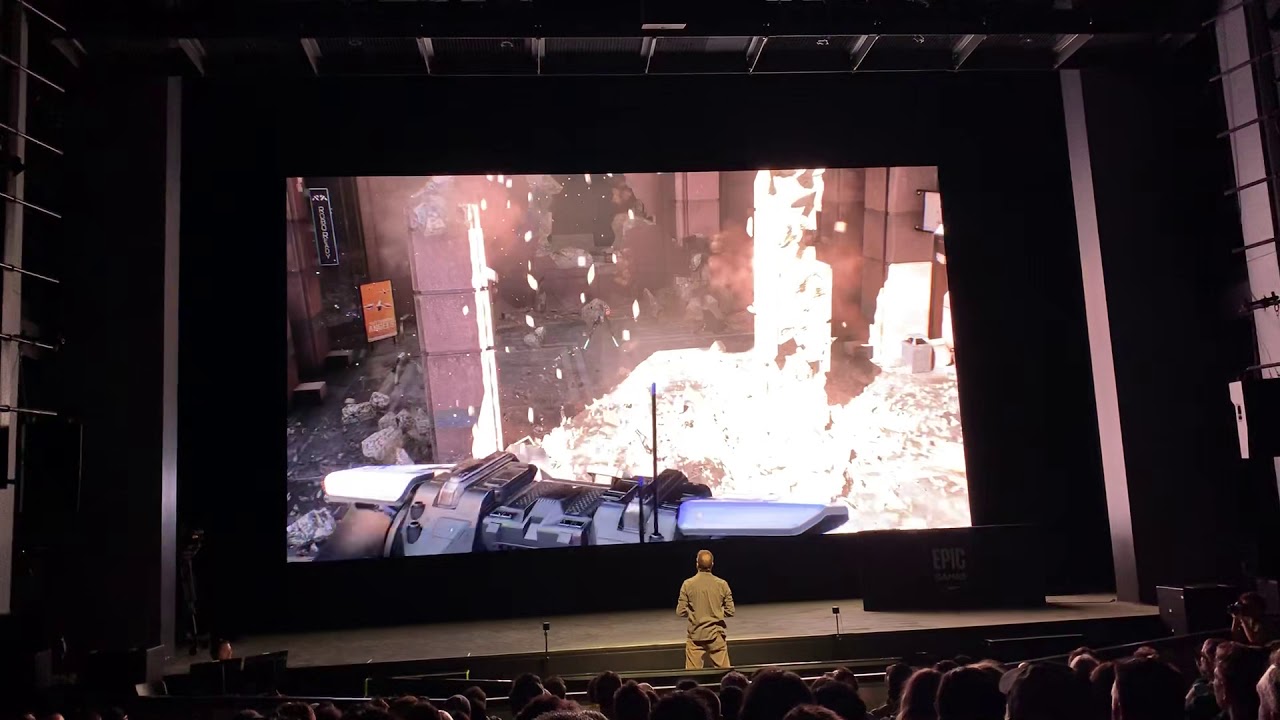
vive controllers used as lightguns essentially
tribal lintel
The ue5 VR template is the same as the 4.27 template correct? There are no other plans for changes to the 4.27 new open XR template that I can see anywhere, I thought I remembered seeing that when 4.27 officially drops the vr template may change a bit, but I can't find any evidence to support that
tribal lintel
"Epic says it’s “highly recommended to create your VR project using the VRTemplate in UE5,"
surely they are talking about the same template in 4.27, and it wont differ much from 5 when 4.27 is released?
https://www.roadtovr.com/unreal-engine-5-vr-template-openxr-lumen-nanite-support/
wheat holly
To my knowledge the templates are the same yeah, from what I remember at least.
I'm not sure about any modifications to it though.
 paper notch
Hello, I need so help to configure and packing .apk for unreal 4.26.2 and Quest 2. Anyone has experience with that? Thx
delicate isle
@paper notch Are you having trouble with anything in particular?
paper notch
@delicate isle I packed everything and everything was fine in Unreal, I am uploading on my Quest 2 with Sidequest but when I am trying to run it or it is loading forever or it is not loading
delicate isle
paper notch
<@!136606894465744897> I packed everything and everything was fine in Unreal, I ...
So I'm assuming it worked when you used the Launch on Device button and this is just about packaging up a standalone apk for testing?
paper notch
Lauching on Unreal is fine, also because is a kind of an empty project. I am trying to understand and make it working on my Quest 2 before actually make my project.
@delicate isle I want to be sure 100% that my Unreal configuration is working and the apps I need for it are working correctly. Are you successfully made your apps working on Quest 2?
@delicate isle Maybe I just need a good tutorial for it, for configuration and packing. What software aside Unreal is necessary for it? Maybe something is missing...
delicate isle
I would recommend the Unreal Oculus quickstart guide on the Oculus website - https://developer.oculus.com/documentation/unreal/unreal-quick-start-guide-quest/
paper notch
delicate isle
I would recommend the Unreal Oculus quickstart guide on the Oculus website - htt...
I know that one and I followed that tutorial but nothing changed ...Thank you anyway!
delicate isle
Are you making sure to package your map?

And are you using the OculusVR plugin or OpenXR?
paper notch
delicate isle
Are you making sure to package your map?
OculusVR plugin
 obsidian anchor
Have you ever made a mobile app which connected to a VR app for Quest 2?
*has anyone
eager pine
sturdy coral
<@!208637930661478410> <@!399916238098137098> epic actually did a demo like that...
Wow how did they achieve this 🤔
eager pine
sonic lake
Maybe there is a simpler way just by pointing at the corners of your screen and ...
The tracked area is correct (I think) and I have a mesh for the screen which is correct size
sonic lake
@eager pine I was reflecting on your use case and it may actually be as easy as assuming that your position in the world coincides with the position of the camera and you are just using the rotation of the motion controllers (relative to the camera) to orient your "lasers"
Having watched the video @sturdy coral has shared I believe this is how that demo was run
eager pine
sonic lake
<@!208637930661478410> I was reflecting on your use case and it may actually be ...
hmm, interesting, rotation relative to the camera, what about the distance? The laser is following pretty good (minor adjustments) but probably needs a compensation for distance from screen
Ill test out the relative rotation one
eager pine
@sonic lake
Hmm.. Im a bit stuck again, what did you mean by the relative to camera?
iron oar
How open your image in panorama oculus 2?
sonic lake
@eager pine assume that, at the beginning of the game, you point the motion controller to the center of the screen and you press a button on it, then record the world rotation of the motion controller at that moment. That is your "zero" rotation and you assume it matches the current world rotation of the camera, so the relative rotation between the MC and the camera is 0,0,0 at that point. Now if you rotate the motion controller a bit to the right there will be a delta yaw angle (relative yaw) which you can use to fire a ray in that direction, starting from the camera into the level. The same for a pitch rotation.
eager pine
@sonic lake
My tracker has another rotation than the motion controller. Both are facing the same direction and have "same rotation" only that the tracker compensate to point upwards and not forward.
The image is the rotation of my tracker, while if the controller is resting on the tracker straight, its rotation is 0,0,0 for the controller.
 sonic lake
@eager pine I assumed you were using a Motion Controller as tracker, but if you are using an own tracker just replace the word Motion Controller with Tracker in my sentences above. Or share an overview of your setup.
eager pine
@sonic lake
Im using both. Tracker for ndisplay camera and motion controller as a gun controller.
I could show you what happends by video when i move the controller, if that visualizes my issue better
 trim spire
Hi 🙂 Does anybody know if it's possible to modify the automatically generated .bat file when compiling an apk? The script contains a line that deletes my save files...
in particular this line

because of it I loose my save file everytime I push my apk to the Quest
eager pine
@sonic lake
Seems like i've managed to get it working. Ill have to test with a bigger screen and more distance, but for now its hitting exactly
sonic lake
@eager pine nice! How did you manage in the end?
eager pine
@sonic lake
I used a unit direction to impact location and from the tracker location. This apparently seems to compensate for the projection change
So basically two line traces, where the first one is normal to hit screen, then from there the second one with unit direction
sonic lake
@trim spire UnrealEngine/Engine/Source/Programs/AutomationTool/Android/AndroidPlatform.Automation.cs
@eager pine ok! So you are doing it the other way around from the camera frustum. 🙂
eager pine
@sonic lake
I'm not sure to be honest 🙂 Its hard to even debug when i have no way of previewing the tracking data unless im playing in editor or running ndisplay (Can only do one of them at the time) but the line trace is printing the correct names of the cubes and seems to be hitting, ill be setting up a simple box bp to test with color change 🙂
sonic lake
@eager pineas long as it works and you are happy with it, I guess you are good to go. You can always understand it / reverse engineering later on. 😉
trim spire
Thank you so much @sonic lake
 mighty carbon
has anyone had this issue https://forums.unrealengine.com/t/unreal-engine-4-27-preview/234295/193?u=motorsep ?

Unreal Engine Forums
Ugh, another issue when building for forward Android Vulkan: vulkan.txt.txt (8.7 KB) The gist of it: UATHelper: Packaging (Android (ASTC)): LogWindows: Error: === Critical error: === UATHelper: Packaging (Android (ASTC)): LogWindows: Error: UATHelper: Packaging (Android (ASTC)): LogWindows: Error: Assertion failed: CompressedFormat =...
 regal dune
Enabling Vulkan and Disabling OpenGL ES 3.1 causes Oculus Quest build to crash on app start you guys have any idea how to fix it?
 light hull
I have hit a wall with Valve Index inputs. For some reason, the game will track the controllers and headsets. But, the testers has no inputs from the controller. I dunno what else to do. The log for SteamVRInputDevice returns SUCCESS all around
 rancid bolt
Sup peeps! Anyone have a sec 4 help with Wwise integration in Unreal VR?
 coral swallow
Anyone know how i might go about detecting which direction an object has been thrown from the players hand like this?

 oak ridge
you need to get the relative location of the object and see if its +/- X
coral swallow
relative location would only work if i'm holding the object; I'm talking about when it is thrown / dropped.
sonic lake
@coral swallowcheck the sign of the dot product between the object velocity vector and the hand right vector
sign is positive, the object has been thrown along the hand right vector
sign is negative, the object has been thrown in the opposite direction
coral swallow
sonic lake
<@!241149394722750465>check the sign of the dot product between the object veloc...
Never knew such mathematics exists, thanks for the info! I'll give it a try now!
sonic lake
@coral swallowyou are welcome. Vector math is pretty handy in a number of situations (as you can see from your use case), so it is worth checking out/refreshing it
sonic lake
@coral swallowdoes it work?
 true pollen
hi, i want to start video production in unreal engine, i purchased a vive tracker and i found out that i need a base station too, then someone told me that i need a headset too. Can you guys help me out? What do i need to start?
sonic lake
@true pollen you should probably post this in #virtual-production . The best place to start is this: https://www.unrealengine.com/en-US/virtual-production, including the two very detailed field guide PDFs.
true pollen
Thank you @sonic lake i will check it out 🙏
coral swallow
sonic lake
<@!241149394722750465>does it work?
Oh yeah it does! thank you! The only thing is if i flick the hand the other way around before it checks the forward vector then it will spin the other way but that is only a problem if the disc is thrown sideways... Other than that its fine!
 jade kettle
Does anyone have tips or pointers on calibrating a Vive Tracker? Like attaching it to a gun and making sure it's pointing at where it's aiming
chilly ocean
I'm having trouble maintaining a consistent framerate in VR, even on a barebones map. It oscillates between 45 and 90 FPS for me on a valve index wtih a 2080 TI. How can I debug what is going on effectively?
 serene haven
The top one is deprecated (but working), so I want to switch to the Motion Source, but the "Get Motion Source" node always returns "Unknown" even when it is set in the MotionControllerComponent.
What am I doing wrong?

I dont really want to type this string "Right" in, isnt there a better way?
 trail shale
Is it still better to let Steam VR handle the dynamic resolution still?
trail shale
chilly ocean
I'm having trouble maintaining a consistent framerate in VR, even on a barebones...
Check your steam vr settings, they can wreck your entire performance if wrong
chilly ocean
trail shale
Check your steam vr settings, they can wreck your entire performance if wrong
So I have the refresh rate set to 90 Hz, Motion Smoothing On, Render Resolution Auto. what else can I really change?
I have the GPU Performance graph being enabled in the headset, does that affect anything?
tribal lintel
trail shale
Is it still better to let Steam VR handle the dynamic resolution still?
Valves current version of SteamVR will automatically set the resolution of all SteamVR apps based on their benchmarking database. From what I gather, it's not a system that will dynamically adjust resolution but rather it will just set a specific resolution on startup based on your GPU. Steam VR you can choose whether or not to override the internal resolution settings of a specific app. The default is for Steam VR to not interfere with the resolution as far as I know.
This means that Unreals dynamic resolution (one of the features that got fornite from 30 to 60 fps on low end consoles) would probably be a better choice, as it is actually dynamically changing the resolution in game instead of setting it at startup
is there any reason why the hands are gone in the 4.27/5 VR template?
 hallow knoll
tribal lintel
------------
is there any reason why the hands are gone in the 4.27/5 VR templat...
hallow knoll
tribal lintel
------------
is there any reason why the hands are gone in the 4.27/5 VR templat...
A couple of reasons. OpenXR doesn't have full generic support for hand tracking yet, but it's coming and we want to implement that when it does. We are however, able to determine which controller should be displayed based on which interaction profile the active OpenXR runtime picks. In the future, the runtimes are supposed to not only pick interaction profile, but also hand off a model to be used for the controller. In 4.27 now (not UE5 EA), you'll notice that if you hit "VR PIE" with a Quest 2, you'll see Quest 2 controllers. Vive? Vive Controllers. Index? Index controllers, etc.
tribal lintel
hallow knoll
A couple of reasons. OpenXR doesn't have full generic support for hand tracking ...
Hey Victor, thank you so much for your reply. That makes complete sense and also answers my second question, which is "will the VR template receive updates", that is great to know. Again thank you for this reply as I would have gone down the rabbit hole.
In 4.27 preview 4, currently regardless of the controllers you are using, you get the vive controller mesh, because thats what it's set to. I suspect that is because if you open the VR project without SteamVR/Oculus/other running, it will set the it to custom (and probably default to vive). Even if you open the project with SteamVR running, it will not change the variable back from custom.
I just tested this with making a brand new project:
I made a brand new 4.27 project with steamVR not running, unreal opened steamVR - motion controllers in pawn were still set to custom vive controllers
I made another brand new 4.27 project with steamVR running beforehand, motion controllers in pawn were still set to custom vive controllers
Obviously not a big deal at all just letting you know the behavior. Cheers Victor 🙂
 hallow knoll
@tribal lintel Aaah the last Device Visualization change didn't make preview 4, I thought it did! Change it from "Custom" to "Default". I think the code change is in Preview 4, but not the change in the template 🙂
On that note, it will default to "Default" in 4.27.0
 faint elk
For Pico VR Users , I made a quick tutorial showing how to setup Pico with the Unreal Engine VR template.
00:00 - Intro
00:57 - Create a new Project, VR Template
01:28 - Project Settings
02:40 - Install Pico's Unreal SDK
03:14 - Set up HMD Tracking for Pico
03:54 - Set up Motion Controllers
04:29 - Input for Motion Controllers
06:43 - Install to Pico Headset with ADB
07:28 - Outro
In this video, I show you how to use Unreal Engine's VR Template wit...
hallow knoll
faint elk
For Pico VR Users , I made a quick tutorial showing how to setup Pico with the U...
I have one on order! 4.27 contains controller models for it in the OpenXR plugin content folder
tired tree
@narrow bronze its pretty rough for VR
the latency on the fixed tick is tremendous
something that even the documents talk about
its a truly async scene, so there are no hard locks with the game thread
?
sounds like you handle the jump incorrectly then
that shouldn't be apply force across every tick if that is how you do it
not to mention there is a substep update pathway in c++ in engine
for fully integrating with substeps
@narrow bronze well if constraint latency is something you dislike you really won't like fixed tick with the async scene
its very very bad there since the physics thread doesn't care what the game thread is doing
even stepping the physics tick up to 120htz + you still get nasty delay if its tracking anything moving in the game thread only (controllers) as it doesn't update sync
similar to tick order thrashing
and if your physics rate is anything lower than the frame rate it just gets worse
not entirely sure when (if) they will fix that, its somewhat intended in how it all works
faint elk
hallow knoll
I have one on order! 4.27 contains controller models for it in the OpenXR plugin...
That's awesome! So then I guess Pico should work on 4.27? I just assumed it didn't since their documentation didn't mention it. I know they are planning on supporting open XR in ue5.
faint elk
hallow knoll
I have one on order! 4.27 contains controller models for it in the OpenXR plugin...
what kind of stuff will you develop on the Pico? Do you have a link to your work?
hallow knoll
faint elk
That's awesome! So then I guess Pico should work on 4.27? I just assumed it didn...
I can't say for sure but I would assume they will update their SDK for 4.27. I'm getting one so that I can validate current Unreal Engine support. However, it won't work natively until they support OpenXR.
 arctic saddle
Is there still no solution on making the unreal water system work with VR? I turned off the "Separate Translucency" option in the rendering setting. Which fixes a lot. but it still stretches when or have lines when you look around.
trail shale
tribal lintel
Valves current version of SteamVR will automatically set the resolution of all S...
So how do I disable it in steam vr and override it with Unreal? Are we still using the console command for dyn res?
real needle
so I added a watch. to my vr player but it duplicated on the other hand. and I do not want that. is there a way to disable that?
nevermind figured it out lol
 haughty pewter
Hey good people, I recall being able to get either a static mesh or skel mesh of occulus controllers and HMD of the same kind. I can't seem to remember how i got these things, can anyone point me to the project that i can get these assets from?
dw apparently i can grab them from unity
 mental shell
How would I use a skeleton mesh of a gun instead of hand models with the vr template? So I don't have to grab it, it IS my hand?
 upbeat eagle
mental shell
How would I use a skeleton mesh of a gun instead of hand models with the vr temp...
upbeat eagle
mental shell
How would I use a skeleton mesh of a gun instead of hand models with the vr temp...
just hide the hand mesh on pickup
mental shell
upbeat eagle
just hide the hand mesh on pickup
I don't want to pick up, I want to replace hand with a diffrent actor
upbeat eagle
mental shell
I don't want to pick up, I want to replace hand with a diffrent actor
just add the gun mesh as a child of the motion controller then
mental shell
I'll try that thank you
 toxic junco
Hi,
I am very new to unreal engine and was wondering if there is any limit on world size in vr design for Android app.
 iron pine
@haughty pewter I think they are in plugin content. You have to tick show plugin content on your view options
haughty pewter
iron pine
<@587853239009935362> I think they are in plugin content. You have to tick show ...
which plugin?
strange matrix
Does Anyone know any tutotials for VR bodies and maybe IK I tried https://www.youtube.com/watch?v=EKR8ogonD68 and https://www.youtube.com/watch?v=qBooEZnlAA4&t=1788s but didnt really get the product I was looking for

This is the easiest way I found to get yourself a VR body with arm Inverse Kinematic (requires Motion Controllers) and full thumbstick locomotion. This step-by-step tutorial shows exactly how to do it. Note that room-scale movement is not supported and you will end up out of your VR body. Standing/walking in place works after the initial re-cent...

In this video I explain my process in creating an IK body for VR in unreal engine. You can follow along or skip to any of the chapters if you're simply curious about how I've tackled a specific component:
00:00 Introduction
00:17 1.0 Setup
02:47 2.0 Body - Pawn Setup
04:03 2.1 Body - Basic Logic Explained
05:05 2.2 Body - Distances
07:25 2.3 Bo...
 urban ruin
Hi may I know how to package in steam vr platform?
iron pine
haughty pewter
which plugin?
In the oculus plugin content. But if you tick show plugin content on your view options you should be able to just search “oculus touch controller” also that hmd headset model I think it’s is in engine content
haughty pewter
@iron pine I appreciate your replies. It turns out that the oculus rift s controller from the unity asset store comes with a skeleton where as the one in Unreal does not, but the one in unreal comes with a accurate material to display buttons and the oculus logo on the controllers. I have the best of both worlds.
minor pagoda
Does anyone know why "Advanced Vehicle Template" crashes on Quest 2? I can package it for quest 2 with no errors but in quest 2 it keeps crashing and sometimes the app is not starting at all.
sharp forum
Anyone know how to stop this from happening?
I am using a physics Constraint.
The lever can be grabbed, and when I pull really hard, the VR hand stays on the lever, even though my real hand moves away. This is correct.
But when I touch the lever with the physic hand, the lever freaks out. This also happens if I bump the lever while moving around. I have seen this on doors as well. They jump and pop, and move out of place. I just want it to be locked at the joint. I want the lever to have more influence than the hand. The hand should drift out of place. Not the lever.
tired tree
@sharp forum your lever in that likely has near zero mass, give it some so it can counter act with the hand and the constraint has more influence
Also make sure reprojection is enabled on the constraint and that it has the non rotating axis' locked
sharp forum
yeah... at one point I had the mass set at 1,000,000 kg. It just make the motor need to be set higher to move it to the position I want. I can not find reprojection. I found Projection, and with it on or off, it had the same feeling. It only has this with the hand or pawn body. Any time I try to smack it with another object in the scene, it seems solid.
Lever settings

This is al the constraint stuff at this point.


 iron pine
@sharp forum I’m also having a hard time with physics constraints but only when both constraint components are simulating, otherwise the constraints follow their desired path no problem.
sonic lake
@strange matrixCan you be more specific about what you are after or what didn't work for you? Otherwise it is very difficult to try to help.
tired tree
@sharp forum that projection allows the constraint to go up to 5 UU out of position before forcefully stopping it
and 180degrees out as well
you also should need an angular motor, unless setting it for velocity (damping) to increase resistance
serene haven
Anyone has an answer to this?
#virtual-reality message
sonic lake
@serene haven Motion Source is now defined as an FName so it is pretty normal to do an FName type of comparison if you want to check for a specific value (e.g. "Left" or "Right").
serene haven
@sonic lake But is it safe to just write the Name like that? Or is there a constant or anything for that?

So something like this is totally fine?

@sonic lake @narrow bronze
arctic saddle
I am still at a lost on why in the headset, the water does weird stretching at certain distances but it doesn't show it in the editor.
sage gulch
MSAA is broken in forward rendering in 4.26? really? still?
tired tree
broken?
sage gulch
yeah there's some reports that it's the source of massive framerate drops in various projects
associated with RenderViewFamily
hallow knoll
link?
sage gulch
it's mentioned toward the bottom here:
https://answers.unrealengine.com/questions/1009887/vr-forward-rendering-shadow-performance.html
saw it on some other pages too
hallow knoll
if you find any more reports please send them my way thanks 
sonic lake
serene haven
So something like this is totally fine?
Yep, looks good
sage gulch
doesn't seem to be a fix for my current woes
hallow knoll
sage gulch
doesn't seem to be a fix for my current woes
Disabling MSAA does NOT fix performance you mean?
sage gulch
correct, and if I'm reading GPU profile report correctly, PostProcessing now takes a larger portion of the frame render time
hallow knoll
What kind of PostProcessing are you doing?
sage gulch
bloom
hallow knoll
Ah, try to turn down bloom quality
sage gulch
thanks, I think it's having a fit about a pair of lights I have attached to the hands and then on springs
sage gulch
tbh that doesn't totally make sense though.. I get poor performance in an empty map, whereas I have been able to run those lights, with lit materials in the world and lit hands and shadows and stuff.. not sure what happened. I've heard the rendering pipeline can get hung up on itself but I'm not really sure how or why I might be doing that
 visual nova
hey all, just a heads up regarding the ue5 vr template
you will have to disable openxr if you want to do things like use the steamvr skeletal input system
sage gulch
mmmm, I had a routine tied to an actor in game, setup in a way that removing the actor broke a reference to my player within the controller, sending it down a rabbit hole on tick =p
mighty carbon
I assume it's for PC VR (broken MSAA), correct @sage gulch ?
sage gulch
yes
not sure that my recent issues were actually related to antialiasing though, I think I got it with the invalid references in the controller
what can I say, I don't watch the error log as often as I should
pretty stoked about how most of my stuff is working currently.. once I conquer a few offsets and abstractions, then properly dig into some profiling, things should be great. sorta seem to be endlessly wanting to redo things though, haha 🙂
@visual nova I'd imagine that might apply to the reworked pawn in general, which is apparently shipping in 4.27 as well
haughty pewter
Hey, I have first person VR Player pawn in C++, i set up a blueprint for an IK animation set up so the pawn's skeletal mesh animates in sync to the motion controllers and HMD. You move your head or hands so does the mannequin. The problem i am having is that when i duck the character is meant to have it's knees bend like the example project. what is going wrong?
jade kettle
For people with experience with the VIVE Tracker 3.0, does this graphic still hold up for them in relation to the LED?

Community Forum
Hello, I realized that the orientation of my HTC Vive Tracker coordinate system is not like the Specification sheet defines it. The red arrows define the orientation that I measured. On top of that, sometimes the orientation seems to switch. @Jad @chengnay
Though comparing visually the two trackers side-by-side, it seems more likely that it might be flipped
 thin solstice
Has anyone tried pixelstreaming a Nanite based mesh to the hololens 2? I tried this with mixed results - the right eye seemed to work, though details were popping in and out. But the left eye was very twitchy. I would think this might be forward rendering, but when looking at the apollo demo, they didn't use forward rendering. With streaming from the PC, I wouldn't think that would matter anyway. Any thoughts or suggestions?
eager pine
@jade kettle
I've been working with the tracker 3.0 for a while now in VP production, and i've experienced flipping before of direction. I just always make sure in the room setup to have the same direction (arrow when drawing room) to always be TOWARDS the LED wall.
For me X is forward and backwards, while Y is left and right. I've setup the tracker so it can point upwards and not forward tough
@jade kettle
Also! The held in hand role is setup correctly for a vr controller, but ive made one for using the pogo pins with the tracker and it works exactly the same as my other trackers no matter role, regarding directions
jade kettle
@eager pine Thanks! I'll look into it
Nifty little things but working with its orientation has proven to be a slight headach
eager pine
@jade kettle
Yes it has, make sure you have the correct front, right and up in your config file!
hallow knoll
thin solstice
Has anyone tried pixelstreaming a Nanite based mesh to the hololens 2? I tried t...
Nanite is currently not supported in stereo, but we’re working on it
thin solstice
hallow knoll
Nanite is currently not supported in stereo, but we’re working on it
I knew it didn't (yet!) support forward rendering but I had hoped that since it was being rendered on the PC that wouldn't matter. Thanks for letting me know!
 gilded cave
Hi all! I was hoping someone could help me out on guiding me on shadows for animated mesh with static lighting. If that's possible at all. Ofcourse this project is in VR therfore the static lighting. But how to get accurate shadows for the animations.
Thanks in advance :)
radiant garden
"Accurate shadows" are costly and are the main reason you need static lighting
@gilded cave Most VR / Mobile games either skip shadows or fake them. The most common way to fake shadows is a simple blob shadow, basically a black dot on the ground below something.
Is there a general guideline on using particles in VR? Is the new Niagra system performant in VR? I need to have lots of explosions on Quest.
strange matrix
sonic lake
<@!533903041422819340>Can you be more specific about what you are after or what ...
The legs won’t play animation and my character is floating
strange matrix
strange matrix
The legs won’t play animation and my character is floating
It might be easier to show you
 hard relic
can we VR Play/Simulate our game with Quest airlink?
dawn lark
how to check the platform is VR, except (GEngine->XRSystem.IsValid() && GEngine->XRSystem->GetHMDDevice() && GEngine->XRSystem->GetHMDDevice()->IsHMDEnabled()). as GEngine is NULL in constructer of GameMode so it's not able to use this code there.
gilded cave
radiant garden
<@!532265062547849216> Most VR / Mobile games either skip shadows or fake them. ...
Thanks for the reply Chromatic. Are there any known uncommon ways to create a fake shadow. Something like an animated texture
sturdy coral
@dawn lark constructor is wrong place for most uobject runtime stuff because of the way it serves as a template for derived blueprints and stuff, CDO is constructed before game starts, can you put it in beginplay?
 ionic wind
Hi guys, for those using HoloLens2.... is there any reason why one should get HoloLens development edition vs the regular one for UE? Can the developer mode be activated on the regular one (apparently this is something done in Windows settings for HoloLens)? Do I need some APIs or something from Microsoft only available to developer edition buyers?
hallow knoll
radiant garden
Is there a general guideline on using particles in VR? Is the new Niagra system ...
Niagara is the way to go in 4.26 and beyond
hallow knoll
hard relic
can we VR Play/Simulate our game with Quest airlink?
Yes
hallow knoll
ionic wind
Hi guys, for those using HoloLens2.... is there any reason why one should get Ho...
It's the same device, but looks like you're getting some Azure credits and you have the option to finance the Development Edition
hard relic
hallow knoll
Yes
Cool. So i start the Oculus App on the PC. And when i VR play, it will display in my Quest Helmet. Cool.
Do i have to start the SteamVR app too?
hallow knoll
Yes make sure that Link is enabled first. No you don't need SteamVR unless you're using SteamVR as the runtime.
hard relic
Hmm ok. I'm not sure if the VR Preview icon was there without the SteamVR. I maybe mistaken with the HTC vive setup...
Thank you i will try that tonight
maiden willow
hard relic
Hmm ok. I'm not sure if the VR Preview icon was there without the SteamVR. I may...
The quest has to be connected to the Oculus Desktop App either via Air Link or Link prior to opening Unreal Engine.
ionic wind
hallow knoll
It's the same device, but looks like you're getting some Azure credits and you h...
Yes, I saw that from Microsoft site but I don't really understand if the device firmware has some difference between commercial/development edition, or if you need/get some additional software development kit, plugins whatever that you need to have if you want to use one with UE
I mean if you just get some credits, what's the point of having separate devices.. or if this is just some way of Microsoft making the device seem cheaper for developers while keeping the same price so that commercial users can't just buy developer edition to save money (if the discount was applied to price, not additional some credits)
I just need something that works with UE, whatever other uses with Visual Studio etc there are, I don't need.. unless the development edition includes something for Visual Studio that is prequisite for it to be used with UE
hallow knoll
hard relic
Hmm ok. I'm not sure if the VR Preview icon was there without the SteamVR. I may...
Which version of UE are you working with?
hallow knoll
ionic wind
Yes, I saw that from Microsoft site but I don't really understand if the device ...
No difference
hard relic
hallow knoll
Which version of UE are you working with?
ah you right, it may be an old version because i was away from VR. hmm 4.24 or something like that
 elder siren
Hi guys! Is there any way I can use my quest2 in PIE? The option is greyed out for me, however I am able to deploy files to the device...
hard relic
elder siren
Hi guys! Is there any way I can use my quest2 in PIE? The option is greyed out f...
i suppose you can use the Airlink option of your quest2
hallow knoll
hard relic
ah you right, it may be an old version because i was away from VR. hmm 4.24 or s...
That shouldn't matter in 4.24. I was only asking because in 4.27 if you're using OpenXR there's a specific bug with some of the OpenXR extensions specifically causing the Quest w. Link to not be able to VR Preview unless you disable the OpenXR extensions.
hard relic
hallow knoll
That shouldn't matter in 4.24. I was only asking because in 4.27 if you're using...
ah ok, i will dig more.
hallow knoll
hard relic
ah ok, i will dig more.
Like @maiden willow said, make sure you enable link before you start the editor
hallow knoll
elder siren
Hi guys! Is there any way I can use my quest2 in PIE? The option is greyed out f...
Make sure your PC and cable is compatible with Oculus Link: https://support.oculus.com/articles/headsets-and-accessories/oculus-link/oculus-link-compatibility/
elder siren
hallow knoll
Make sure your PC and cable is compatible with Oculus Link: https://support.ocul...
The cable is compatible, but for some reason the option stays greyed out.
I'll try with air link, let's see if that makes a difference
hallow knoll
@elder siren Which version of Unreal are you on?
elder siren
latest 4.26
hallow knoll
Are you using OpenXR? If not, just make sure Link is enabled prior to starting the editor and it should work
There's no difference between AirLink/Link as far as Unreal is concerned
ionic wind
hallow knoll
No difference
Thanks
tribal lintel
I understand it's not production ready. But, for PCVR/SteamVR, why shouldn't I use 4.27 for the jam? Not really finding/experiencing anything specific as long as I'm not using any new features, and as long as I'm not targeting vr-mobile
hallow knoll
tribal lintel
I understand it's not production ready. But, for PCVR/SteamVR, why shouldn't I u...
4.27 should be out prior to the jam kickoff
tribal lintel
We are getting the blender omniverse connector, and 4.27 right before the jam. We really are spoiled aren't we 😉
Cheers Victor 🙂
urban ruin
Hi guys, I like to ask abt VR Pawn. So supposedly when open a VR pre-built map there's a VR Pawn in there ady. What if I open a new level n there's no VR Pawn, where can I find this VR Pawn in content browser? Or do I need to build one myself?
hallow knoll
urban ruin
Hi guys, I like to ask abt VR Pawn. So supposedly when open a VR pre-built map t...
If you're using 4.26 or earlier you'll have to find the pawn in the content browser, place it in your new level, and set Auto Possess Player to Player 0. If you're using the VR template in 4.27 you'll just place a Player Start in your new level.
 vast thunder
Hey need help (:
I packaged and submited my game to steam but they said valve index and htc input was not working (I have an oculus) What is the name for the controller refrenses for axis mapping for this movement system. I figured id ask here rather then guessing since I dont have those kits (I did check valve and htc documentation but couldnt find anything)

On my right monitor^ is what im asking about, I need the name for the *move forward maping and then strafing name for both headsets (:

Thats how I handle movement if that matters
urban ruin
hallow knoll
If you're using 4.26 or earlier you'll have to find the pawn in the content brow...
I see, but which one is VR Pawn in these
 hallow knoll
urban ruin
I see, but which one is VR Pawn in these
hallow knoll
urban ruin
I see, but which one is VR Pawn in these
MotionControllerPawn
vast thunder
@hallow knoll u see my post up above?
hallow knoll
vast thunder
<@!531923466799284244> u see my post up above?
Yah but I'm not at PC and don't remember of the top of my head - which version of UE are you on?
vast thunder
4.25
Yeah I get that, its weird cuz everyone else on youtube just uses one input thing but I dont have it on my search
strange matrix
Okay I have a problem of my VR character body is floating in the air and is not walking on the ground Ive tried different code to make it work all Im trying to do is to get the leg of my Vr character to trace the ground and follow the person, here are some Pics as well


 urban ruin
@strange matrix It's your character mesh problem I think, I had this problem b4 as well
try to check your mesh's axis origin
lofty iris
In now stuck at the 3 dots pulsing and nothing happens. "successful" build and no errors on the device output log as well.
iron pine
@vast thunder They changed how the engine handles motion controller input bindings after I think 4.24. Also the joystick inputs for the left index controller are “Valve Index (L) Thumbstick X” and “Valve Index (L) Thumbstick Y” And for the htc vive controller it is “Vive (L) Trackpad X” and “Vive (L) Trackpad X”
 agile stratus
User A launches the game and it plays normally, User B launches the game with the -vr launch param and it launches the VR version of the game
is something like that possible?
hallow knoll
It's out 😄
 wraith sky
Greetings. Question, will the default UE4 VR template work with Oculus Quest 2 through Air Link/Cable Link when packaged?
maiden willow
wraith sky
Greetings. Question, will the default UE4 VR template work with Oculus Quest 2 t...
It should as PCVR like that yes. To package so it works natively on the HMD you would need to ensure you have the correct SDK/NDK and project settings
wraith sky
maiden willow
It should as PCVR like that yes. To package so it works natively on the HMD you ...
well, it doesn't...that's why i'm asking, it just a blackness in VR, and in the desktop mirror windows it looks like neither camera or hands are moving
It does work in UE4Editor. But not when packaged.
hard relic
hallow knoll
Like <@!670668544169476096> said, make sure you enable link before you start the...
Thank you. Work great.
mighty carbon
I used Air Link and I can't go back to the cable 🥲
hard relic
mighty carbon
I used Air Link and I can't go back to the cable 🥲
Is airlink slower than the cable?
wraith sky
@mighty carbon yep, air link behave the same way as the cable for me
wraith sky
hard relic
Is airlink slower than the cable?
air link has lower bandwidth, it compresses the image, but lag is negligible
mighty carbon
personally, after using wirelss PC VR for so long, I don't even know what wired looks like.. and I am totally fine with visual fidelity of wireless VR
sage gulch
what's the trick to properly rotating around the hmd or using the hmd forward vector for roll? I've dropped a ton of time trying all sorts of various implementations, and I'm not the only person to do so
getting the offset of the hmd to vrorigin shouldn't be a problem but it's painfully tricky to get things to apply correctly..
it always wants to rotate around the center of the pawn but when the player is anywhere other than the exact center, it doesn't feel right
e.g. nekokun zerog
if you try and offset on tick, the player will just glide away, of course
using hmd forward vector for roll doesn't even seem possible. is there some other way to get the hmd tracking data to selectively apply it to a non-hmd-locked camera?
"EDIT: BTW, Part of the problem is that for VR the player’s head isn’t something that the engine considers alterable, it’s more like a marker of where the head is, given to the engine by the VR drivers, not an object created by the engine. Attaching a physics object to the head doesn’t seem to work, because the head isn’t part of the engine, so it ignores collisions and any action that tries to move the head, such as bouncing into a wall. In order to bounce the player away from the wall, the forces have to be applied to the player’s pawn’s root-object which is entirely separate from the head. Hence my sloppy work-around method for accomplishing what I was able to get working so far…"
there was this; https://forums.unrealengine.com/t/how-to-manual-camera-control-setup-with-hmd-motion-controllers/76947/5
maybe custom cpp is the only way?

Unreal Engine Forums
Yes, this is a big part in solving the room scale locomotion problem. The problem is that players could walk through colliding geometry in VR because there is nothing in their play space blocking them from walking through it. If you’re just constantly setting the camera position to the HMD position (as most people currently do), the player can c...
hard relic
Any video of "custom cpp" effect?
 maiden olive
VR racing sim I'm demoing. It's gonna be F1 mixed with star wars pod racing. Any thoughts?
https://youtu.be/ci6CG_eyqnI

Short tech demo/idea demonstration for a VR racing sim I'm making for my portfolio. Seated position calibration is my next task, and I plan on using the HMD camera to see your surroundings, and the motion controllers to calibrate the location of the steering wheel, placing you in the cockpit accordingly. Right now, the location is brute-forced t...
Definitely not an asset designer, but I tried lol
tired tree
you can offset the camera to actor zero and store the difference to apply to your movement system if you want
however rotating around the HMD's location isn't super difficult
it just requires handling the different pivot point
and yes you can get the tracking data directly, however it may have some issues with the late correction as I don't think that runs without locktoHMD enabled
sage gulch
not sure I understand how you can enable a pivot point that is dependent upon the hmd forward vector, without creating an input loop
tired tree
you are using the forward vector for a roll?
because generally that type of thing stores a velocity
rotational velocity
the pivot itself is just a location
for things like ZeroG you generally don't try and change a current rolling velocity with head direction changes
that wouldn't be zero g.
the addition of influence to the movement would be relative sure, but the current value wouldn't be altered
wraith sky
@mighty carbonhave you made some specific setup to enable oculus quest on desktop support?
wraith sky
@mighty carboni'm having issue running ue4 packaged project on quest air link
but it does work in editor
mighty carbon
nah, I didn't have to do anything special
just connected via Air Link first, then ran UE4 and I was able to use VR preview
wraith sky
nono...the packaged one
mighty carbon
same with packaged builds - it just ran on Quest as if it was Rift
wraith sky
hmmm
mighty carbon
I've done that with 4.25 I think
and I haven't tried using it like that since then
I only dev for Quest, so I package apk
wraith sky
I'm afraid it may be broken now, as i had no this issue before.
hallow knoll
@wraith sky which engine version are you on?
wraith sky
hallow knoll
<@!156903532346212352> which engine version are you on?
4.26.2
hallow knoll
Are you trying to use OpenXR? Can you repro in a fresh VR Template?
wraith sky
i made a template VR project and packaged it, then just tried to run it with Quest 2 air link
hallow knoll
Do you need to be on 4.26? If not I'd recommend 4.27
At the very least try and see if you have the same issue!
I know it works in the VR Template with AirLink and Link out of the box in 4.27
wraith sky
@hallow knoll not sure if related, but is this setting same for you in Oculus app?
 hallow knoll
Yes and it should be if you're trying to use an Oculus device
wraith sky
there is no button to set it back to SteamVR
ok
Thank you for your time. I'll do a test on 4.27.0
hallow knoll
You can change the OpenXR runtime to be SteamVR in SteamVR 🙂
wraith sky
um...i think my launcher is broken a little...
 hallow knoll
Uninstall the preview, then install 4.27 - it's known
wraith sky
It refreshes to 4.27.0 on reload, but then again to preview after a click, seems reinstall is the way
 sage gulch
@tired tree no, applying a relative rotation in accordance with the forward vector of the HMD. e.g. rolling around local X, regardless of world orientation.
trying to roll the camera directly is overridden.. trying to pass the transform upstream works but you can't then offset the child because of the override
I'd be elated to be proven wrong at this point
tired tree
@sage gulch most just offset the base component for the camera, to align
I have an override that directly disallows the camera from moving, but that is c++ obviously
sage gulch
yeah I don't think doing the positional offset is insurmountable, even if I still don't have that working right
what I mean is stick based input
if you rotate the pawn it's all fine and good, I can roll on any axis without lock.. but the roll is always on the X forward of the pawn, which is distinctly not the X forward for the camera
if you want to carry the camera relative rotation to the base component, you'd need to compensate on the camera.. which it overrides when locked to hmd
wraith sky
@hallow knoll I can confirm 4.27.0 vr template packaged works perfectly with airlink...
so issue seems in the 4.26 project settings, i hope not the code
hard relic
Hmm,... Can we use Steam Multiplayer on Oculus Quest?
 spare yew
Anyone else getting the following error when trying to run the new HandheldAR Template in 4.27 on Android?
LogGoogleARCoreAPI: Error: ArSession_create returns with error: -2
From Google, error -2 is AR_ERROR_FATAL: An internal error occurred that the application should not attempt to recover from.
mental shell
Anyone know any holster or inventory system tutorial for vr?
 elder token
Hello! I'm new to UE4. I created a pawn with blueprints and some movement. Now it moves but it doesn't hit something. It just goes through walls and slopes. How can I make it climb slopes and being blocked by walls?
It's a VR pawn
I tried adding a mesh to the camera component but then the controllers were not displaying and the screen turned black.
trim spire
Hey @elder token. Seems like your VR Pawn is not based on the Character class. Can you make sure in the class Settings that the parent class is Character or a class that derives from it?
 elder token
Yeah it's not a character class.
Can I change that or do I have to make everything again?
trim spire
I'm not super experienced with UE but I'm pretty sure you can change it now.
elder token
Alright awesome! I'm going to try to find out where I can change that, I don't have a class settings button like you have
trim spire
You might have to fix some things but it shouldn't be hard
it's in the blueprint window
elder token
Alright, thank you!
trim spire
yw 🙂
I also have a question for my Pawn in VR if somebody knows the answer? Here is my use case : When a player is killed, I still want him to be able to look around for a few seconds before re-spawning. My idea was to make a Pawn_VrGhost that doesn't have a mesh or any way to interact with the world. It's just a floating camera. When the player dies, I try to Possess the VrGhost, hide the normal pawn, wait a few seconds, and respawn the player inside the normal pawn at the spawn point. Right now, the respawn works well. But the part where I possess the VRGhost behaves in a very weird way. My question is : Is it even possible to Possess/Unpossess pawns in VR? I work on Oculus Quest.
And if so, how I am supposed to do it? Because clearly my blueprint works on PC and PC-VR but not on Quest.
 trail pagoda
hi guys, i wanna upload my project to sidequest but i dont know how to change my package name in my ue project? whenever i do, it wont build
 neon geyser
Anyone having issues with the VR Preview in UE4.27 with the Quest link? The world is moving with the camera for me
(Only happens when playing as a Client, not as a Standalone)
 rocky latch
Has anyone tried AR on 4.27 yet? Im testing a app on an iphone 6s and it seems to be rendering only transluscent objects above the camera overlay...
trim spire
neon geyser
(Only happens when playing as a Client, not as a Standalone)
I'm having this issue as well...
spare yew
Does anyone know how to fix this issue? Google AR service are up to date.
hallow knoll
rocky latch
Has anyone tried AR on 4.27 yet? Im testing a app on an iphone 6s and it seems t...
Could you get a screenshot of that?
rocky latch
Yes
Actually rightnow i cant Retrieve the ss, só i'll send an ugly Picture, sorry

It supposed to show and oven, This is just the door glass
In another map only water appears
hallow knoll
What do you mean by "camera overlay"? IE when is it drawing translucent objects, and when is it not?
mental shell
tribal lintel
https://www.patreon.com/posts/weapon-item-54256434
Thank you so much. I'm going to be honest I've seen this video, but assumed it was the wrong kind of hokstering. But I gave it another look since you recommended it and it is actually 3 diffrent types of holstering. Thank you thank you thank you
tribal lintel
mental shell
Thank you so much. I'm going to be honest I've seen this video, but assumed it w...
Anytime 🍻 please consider subbing to his pateron, he makes really great content. cheers!
rocky latch
hallow knoll
What do you mean by "camera overlay"? IE when is it drawing translucent objects,...
camera overlay would be the image of my iphone camera blending with the level. The problem is that only translucent materials are showing, there should be other meshes visible in that picture (that glass is from a oven door)
sorry for the delay
did that explain ?
hallow knoll
rocky latch
camera overlay would be the image of my iphone camera blending with the level. T...
only translucent meshes? huh, that's the exact opposite of what I've come across
 hallow knoll
if you can reproduce it in the Handheld AR Template it would be great to take a look at it
rocky latch
ok
dawn lark
is it able to use the Slate UI in VR? (GEngine->GameViewport->AddViewportWidgetContent, this kind of that)
sturdy coral
@dawn lark yes, you can override that and have it send it to a widget component instead of screen
sharp forum
I am having an issue with spawning/moving the player in VR. Even with 'ignore collisions spawn anyway' the spawn is more of a guess. It wont spawn exactly where I want, just in a 2 meter rough area like old GPS. The proble, is that I need it to spawn in a tight spot. A hallway. Sometime it will spawn inside the wall, or on the roof.
Any ideas?
neon geyser
[4.27] If you have issues with the camera when using the VR preview as "Play as client", you can upvote the bug report:
https://answers.unrealengine.com/questions/1046106/vr-preview-as-client-doesnt-work.html
hallow knoll
@neon geyser I reproed and logged internally, thanks for flagging
FYI, AnswerHub != bug report (but it's good to post there for potential discussions around a fix). Here's the official method for us to get it logged: https://www.unrealengine.com/en-US/support/report-a-bug

Unreal Engine
Unreal Engine is the world’s most open and advanced real-time 3D creation platform for photoreal visuals and immersive experiences.
neon geyser
Oh ok! Thank you!

 hidden crest
I'm still seeing a significant drop in performance moving a VR project from 4.25 to 4.27. So a project that runs just fine on the VIVE at 11ms, now is running around 22ms.
Before I go to the lengths of a proper bug report, just wanted to see if anyone saw the same issue and had any solutions?
BTW this issue occurred moving to 4.26 as well so I have skipped that version.
Also should note that I'm seeing this in a shipping build. Again I will file a proper bug report but wanted to see if there was any info from the early adopters.
neon geyser
I've noticed an increase of perf on Quest
hidden crest
Totally. I've lost track of how many threads I followed to nowhere. Hence why I'm staying on 4.25 until something changes (not expecting it to).
hard relic
hi there, i'm looking for start the level aligned everytime the same direction and position based on the guardian. Anybody have success with that?
tired tree
@hard relic just spawn the character/pawn at zero rotation at 0 0 0
That would make the room scale be 1:1 with the workd
You would then also need to remove all locomotion
shrewd plover
I noticed that the full UE 4.27 release notes (https://docs.unrealengine.com/4.27/en-US/WhatsNew/Builds/ReleaseNotes/4_27/) listed that platform support for ARCore had been upgraded to 1.24. However, when I open the Editor and check the plugins, it shows the ARCore plugin version is 1.18, the same as it was in UE 4.26. Furthermore, when I check the Editor source, I can't see any evidence that the plugin has been updated. Is there something I'm missing or was this just an error in the docs?


Overview of new and updated features in Unreal Engine 4.27
hallow knoll
shrewd plover
I noticed that the full UE 4.27 release notes (https://docs.unrealengine.com/4.2...
I'll look into this after the weekend, I'm not sure which version it's supposed to be.
Thanks for flagging
 marble scaffold
Anyone else having problems running the new Handheld AR Template on Android?
Created project, built and deployed but when I run it, the splash screen comes up, the UI opens after a bit but when I tap the button nothing happens.
I know it's happening to other people but I wonder if it's actually working for anyone.
shrewd plover
i was able to get it to run on an og pixel xl running android 10
this was about 2 months ago on the 4.27 preview though. i'll try it out again on the full release and let you know if it's still working sometime tomorrow
delicate isle
Something to add to this - fixed foveation doesn't work on mobile (Quest/Quest2) with OpenXR since the OpenXR plugin does not yet implement allocation of variable rate shading textures. I've got a prototype of this feature working but it's still messy - I'm going to try and backport it to 4.27
 dusky moon
Hi guys, I wanted to reassure about the scaling situation with unreal. I'm now staying on 4.25 so far, is it a good idea to still stay there until ue5 comes out or would it be smoother if I already migrate to 4.27 ?!
I could use some of the fancy features in 4.27 but not really a necessity
coral swallow
Anyone know where the Mixed Reality A and B buttons are in the action mappings list?
sage gulch
g2 controller enumerations only appear if the plugins are enabled
 wraith briar
Hello is there any information on the performance problems with the VR Template in 4.27? Having extreme performance problems with both the Index and the Oculus on 4.27 (using all recommended VR project settings)
sage gulch
make sure Epic Launcher is closed
I take it that the foveation is done entirely by the engine, and doesn't utilitze code from nvidia or ati?
nvidia has a whitelist going for foveated VRSS by the driver, which afaict doesn't require altering the project at all, but of course requires their approval and doesn't then support ati, upcoming intel, console targets etc
hallow knoll
dusky moon
Hi guys, I wanted to reassure about the scaling situation with unreal. I'm now s...
What scaling situation?
dusky moon
hallow knoll
What scaling situation?
Just in terms of migration hassles. which would be smoother in general. 4.25 > 5 vs 4.27 > 5
neon geyser
I upgraded my project to 4.27 and everything works fine but every time someone of my team try to open the project they got that message:

Any idea how I can fix that? I tried rebuild the project several time, which works fine
on their side they can't build the project
sonic lake
neon geyser
I upgraded my project to 4.27 and everything works fine but every time someone o...
Looks like they are missing some plugins
sonic lake
But probably they don’t have the binaries, so they need to rebuild them locally
neon geyser
All binaries are there, here's one example from the perforce repo
 sonic lake
Ok then the best thing is to open the project in VS and compile from there
neon geyser
Yes but that mean I'll have to ask my entire team to get VS which has never been needed previously
I'll already tried to build from VS and even rebuild
which works perfectly fine, I can launch the project without any issue
neon geyser
yes
sonic lake
So the problem may be with source control
sage gulch
I dunno who in their right minds thinks that XR is production ready but.. it is not. It begs the question whether any of the engine devs test with oculus or whether oculus participates in qualifying this stuff
neon geyser
ok so maybe I can try to send a complete .rar
sage gulch
my height is off, the controller position AND orientation is wrong, the audio comes out of the desktop instead of the HMD, and grabbing a gun drops the controller itself from recognition in the opposite hand (!)
meaning even if you can bend over to grab object on the table from your physical floor, you can't even use the other hand after you grab a gun, at least with the right hand grabbing first
framerate performance is also worse than native
maybe next update 😬
hoping the KNOWN values for mass production hardware orientations can ultimately be taken into account in this supposed 'uber platform'
audio was coming out of the wrong device at least as far back as 4.25
neon geyser
sonic lake
Ok then the best thing is to open the project in VS and compile from there
Just to be sure, the default build mode is "Development editor" right?
sonic lake
Correct
neon geyser
Thank you
I noticed something different from 4.25

I now have only 2 options as build config
previously something like 5 or 6
is that normal?
sage gulch
dunno but I would look in Packaging Settings
the whole reason I just built 4.27 from source was to get access to more build configs 😉
neon geyser
oh yeah you're right, my bad. It's the same on 4.25, no more options.
sage gulch
there are other build types tho 🙂
neon geyser
yes yes, in the source version, I'm just tired and forgot there's only 2 options in 4.25 too
tried to fix my issue all day
tired tree
@sage gulch the orientations n and position isn't wrong
Openxr by default uses palm position for the pivot of all hand tracking
Which is great, it means that if the manufacturers are doing their job at the driver level you don't need to account for different controllers anymore
However that does mean that you need to adjust to the new global pivot when you start using it
Also the tracking drop you mentioned and height being wrong you mentioned don't show up for me or my users
So u known why you are experiencing that
Gripping an object is outside of the tracking itself anyway so that part would be likely to do with system implementaton
And height is likely wrong tracking space being initiated on users end
There are other actual bugs and issues showing up though, unrelated to that list
neon geyser
sonic lake
So the problem may be with source control
Tried with a rar and it's not a version control problem, same issue
I also made an other experiment:
- create a blank vr project with 4.27
- add the vrexp plugin
I can open the project without issue but if I send the project to someone else he has to rebuild the plugin
sage gulch
forcing developers to adjust existing rotations seems silly when the software and development history knows all those values anyway but whatever
sonic lake
neon geyser
Tried with a rar and it's not a version control problem, same issue
I also made...
Check that some of the plugins are not tied to a specific engine version
neon geyser
Yes the plugin are 4.26 that I rebuild. How can I check that there is a trace of that somewhere?
I changed the version number in the .uplugin
tired tree
@sage gulch it's a one off change for those are choose to transition to openxr, and it makes it so that forward compatibility with new hardware is automatic
It also makes a ton more sense when working with hand tracking
neon geyser
neon geyser
Yes the plugin are 4.26 that I rebuild. How can I check that there is a trace of...
And I don't see why I can launch the project without problem but with the exact same project, they have to rebuild the plugins
sonic lake
neon geyser
And I don't see why I can launch the project without problem but with the exact ...
Are you sure they are all on the exact same version of the engine? 4.27 official release? Not a preview
Sounds strange
neon geyser
That's really strange, in some way it's like yes we are on a different 4.27
 quaint mango
tired tree
<@368665964914671618> it's a one off change for those are choose to transition t...
quaint mango
tired tree
<@368665964914671618> it's a one off change for those are choose to transition t...
I'm using the Oculus OpenXR plugin for UE4.27 and the controllers seem to be off by a couple inches. Do you know if the issue is with the Oculus OpenXR plugin, or is it with UE4's OpenXR implementation?
neon geyser
sonic lake
Are you sure they are all on the exact same version of the engine? 4.27 official...
That's probably the issue, I have a "Preview 4" on my 4.27 engine and not the other member of my team
🤦♂️
I haven't been proposed another 4.27 so I assumed it was the one everyone has
Many thanks for the idea
sonic lake
neon geyser
Many thanks for the idea
Yep, that is your issue
sage gulch
that's interesting about hand tracking, and I get that it's supposed to be automatic for new hardware that doesn't even exist yet, but I think I have to respectfully disagree with the design decision to force the change implementation to developers for existing applications and existing hardware.
maybe it's a bit late to be voicing a desire for backwards compatibility, and I get that XR is supposed to be forward looking.. but not all projects are just getting this data once, in one place. Maybe they reuse that data in various actors or code scattered across the project in all sorts of ways. This really creates an unnecessary hassle when the engine can already detect if the user is running legacy hardware.
The reality is that some applications and users will be left behind, because hardware manufacturers will adopt XR and perhaps eventually drop support for existing drivers. You can see this now with the variety of DK2 software that refuses to run because the platform has deprecated the underlying software approach.
tired tree
@HereSpherre
@quaint mangoweird wouldn't let me quote your name
but touch with linked quest2 is correctly positioned for me
ie: correct being the palm position
sage gulch
When you multiply this reality across multiple developers and all existing applications, I don't see the virtue of forcing the implementation task to developers when it could be handled 'once' at the driver level
tired tree
change has to happen eventually
you are free to stick with the steam and oculus seperate modules
but this is by far for the better for VR
and is how tracking always should have worked
sage gulch
there's no reason it must be implemented as a breaking change for legacy hardware though
tired tree
its not?
sage gulch
it is
tired tree
its forward thinking for legacy hardware as well
sage gulch
you want to update to XR, the rotations are off
tired tree
legacy problems trying to use OpenXR is what would be different
that has nothing to do with hardware\
the old APIs still work
sage gulch
for now..
tired tree
yes for now
sage gulch
but when they decide to ditch those API and devs are required to rework their applications, Epic is forcing a lot of uncessesary work to devs if the XR implementation just retained the old orientation when it detects said legacy hardware
some devs are not going to go through the hassle and the result is that the extra dev requirement will end up deprecating otherwise usable software efforts
tired tree
any properly implemented system could just add an offset same as before
they all would have had to have them to begin with since none of the controllers matched up
and again
nothing to do with hardware
new software on old hardware should be on OpenXR's new methodology
sage gulch
well it's not like all software is either 0% started or 100% shipped either
do you get audio through your oculus hmd using xr?
no offense but from my perspective, you have a bit of a history of simplifying the notion of 'just add another rotation offset' 😉

like sure.. it should just be a tweak.. in theory........ ....... .......
tired tree
you literally had to have had one to begin witrh
or done the less sane route of using seperately placed hand points per controller
sage gulch
I think given the amount of rework that has gone into the example pawn, and the varied ways that devs work, it's a bit much to expect any sanity in any existing implementations.
tired tree
I wouldn't expect many projects to be based on the engines VR sample
its barely anything there in the old version
also regardless it also didn't handle controller offsets
so unless people were fine with wonky grips depending on controller they would have had to add them anyway
sage gulch
perhaps, but it certainly shows the methodology of spawning the hands and attaching them from separate actors, which is part of what leads to all sorts of confusing back-and-forth between the actors and offsets and whatnot
sturdy coral
@dawn lark I already answered you on that
dawn lark
oh, sorry, i'll search the history
sturdy coral
it is below where you asked it last time
dawn lark
ok, thanks. no alert today
sturdy coral
np
dawn lark
@sturdy coralgot it. I tried the pawn first, but cannot see the MotionController(no matter the simple Sphere from OculusInputTest sample or the VRHand from the default unreal VR template)
dawn lark
sturdy coral
<@!861777226655465493> yes, you can override that and have it send it to a widge...
if the UI is able to work from PC to VR like this, the interaction from PC/VR will both work. the only thing to do next is to change the DefaultPawn to VR-kind, right?
sturdy coral
yes pretty much
dawn lark
is it able to use set different GameDefaultMap for different platforms(eg. PC and Android)? 2 DefaultEngine.ini(1 in Config, 1 in Config/Android)?
shrewd plover
marble scaffold
I know it's happening to other people but I wonder if it's actually working for ...
@marble scaffold
shrewd plover
shrewd plover
this was about 2 months ago on the 4.27 preview though. i'll try it out again on...
Can confirm it is still working on the latest release
 keen oasis
Hey guys, thoughts/experience on creating camera rig blueprints. From what I gather, camera rigs are specifically designed for their individual purposes - is there a way to design a basic rig blueprint that when referenced is automatically tailored to its new 'situation' and surroundings?
marble scaffold
shrewd plover
Can confirm it is still working on the latest release
Thanks. What device btw?
OG Pixel, gotcha
Have to try and debug this a bit then
hard relic
tired tree
<@610121561655083038> just spawn the character/pawn at zero rotation at 0 0 0
i will try that. Thank you. i'm still using your VR Expansion with much fun.
tired tree
i am aware ;p
sage gulch
lol
elder token
Hello people. I've got a problem. The physical linear and angular velocities of my controllers are always zero. Do I need to set something on the controllers or steam input in order to get it to work?
I'm using the awesome VRExpansion plugin
It is working in the example project. But in my own project it always returns a zero vector.
elder token
 sonic lake
@elder tokentry with GetComponentVelocity. MotionControllers are PrimitiveComponents but don't have an associated BodyInstance nor they are simulating physics, so GetPhysicsLinearVelocity defaults to 0,0,0 if I recall correctly.
If that one also returns [0,0,0] you can always use (MC world location at this frame - MC world location at previous frame) / Delta Time
elder token
Thanks for your reply, I'm going to try to do that.

This is doing some stuff
but the throwing isn't really realistic because I hooked up the vector to both values
What velocity am I getting here?
And how do I get the other velocity?
Thanks a lot though, at least something is working. I've been struggling with this for days so this is a relieve.
@sonic lake
sonic lake
@elder tokenyou are getting a linear (or, more appropriately, a translational) velocity, so you should not feed the angular velocity parameter with it. They are totally different types of velocities.
elder token
Oke, thanks a lot. The object isnt spinning
So I guess I need to find the angular velocity
And when I throw it it goes in the wrong direction sometimes. But I guess that needs some translation that's a later problem.
sonic lake
Make sure the throwing function is not using local coordinates i.e. it needs the velocity vector in local space while you have it in world space
elder token
Ah that might be the problem

Now the angular velocity is 0,0,0
I guess it's the same problem
@limber blaze (vr_marco)
sonic lake
@elder token yes it is the same problem as above. Unfortunately there is no GetComponentAngularVelocity, so you need to make your own
( Rotation at this frame - Rotation previous frame ) / DeltaTime
Use DeltaRotator for the difference between Rotators and ScaleRotator for the division by DeltaTime (which becomes a multiplication by 1/DeltaTime).
elder token
ALright Super! Going to try that out!
dawn lark
Widget Interaction component is invisible...ShowDebug is checked, anyone met this problem?
 ripe crypt
Hello All, Are there any performance recommendations for Asset Budgets (Draw Calls/Triangles) for HoloLens 2 (Native).
tired tree
@sonic lake @elder token just getting the velocity of the actual held object and not the controller would be better...and far more accurate considering its constrained and will delay a bit. Though as I already mentioned to Barry, those inputs are for release velocity modification, they aren't required.
sonic lake
@tired treemakes sense. I was focusing on answering the question about how to get the linear/angular velocity of the MC. Don't know much about the specific use case honestly.
tired tree
well for the linear part I actually do fill it out in component velocity but its not what he is looking for here anyway
elder token
Alright thanks! Ill disconnect the nodes and try to find the root cause
chilly ocean
In UE 4.25-plus, when I quit the game, Oculus doesn't close out cleanly and when I try to relaunch the game I have to go to settings in Oculus and click Beta-> Restart Oculus ... is there another function I have to call in order to not have to do this?
chilly ocean
hallow knoll
I'll look into this after the weekend, I'm not sure which version it's supposed ...
Bump. What is the status with AR core?
eager pine
Is aynone else running steamvr without headset?
Whats the benefits and downside? Already know about the bluetooth update stations part, but we seem to get worse tracking when using without headset, is this true? 🧐
radiant garden
When I package for the Quest (Android) I get a .bat file that does everything needed to install the APK. Is there a way to generate the equivalent .sh file for a Mac?
hallow knoll
chilly ocean
Bump. What is the status with AR core?
1.18 is the version of ARCore that 4.27 shipped with, like the Plugin says. Docs are getting updated!
hallow knoll
chilly ocean
In UE 4.25-plus, when I quit the game, Oculus doesn't close out cleanly and when...
Why are you on 4.25-plus? There's no reason to be on that branch if you're shipping for Quest
chilly ocean
hallow knoll
Why are you on 4.25-plus? There's no reason to be on that branch if you're shipp...
For eventual playstation support. What is the recommended branch for shipping on Quest? My game requires link cable support so it needs to be connected to a PC anyways
I'm also supporting steam + oculus crossplay
hallow knoll
chilly ocean
For eventual playstation support. What is the recommended branch for shipping on...
4.26 and 4.27 are both compatible with PS5 and are recommended over 4.25-plus
chilly ocean
hallow knoll
4.26 and 4.27 are both compatible with PS5 and are recommended over 4.25-plus
Is there a reason to use it specifically for Quest though? Would that be guaranteed to fix my issue with the Oculus app or are there additional optimizations that aren't present from 4.25?
So far Quest has been working, performance has been OK - not sure if that has been improved in future versions. It's just the quitting from the game using the
UKismetSystemLibrary::QuitGame(GetWorld(), GetWorld()->GetFirstPlayerController(), EQuitPreference::Quit, true);
function that is having an issue.
spare yew
hallow knoll
1.18 is the version of ARCore that 4.27 shipped with, like the Plugin says. Docs...
Can we expect an updated version anytime soon? Being stuck on 1.18 means I can't deploy ARCore on my device!
 somber marsh
does robo recall have a public source code? are we able to get the source for robo recall?
mighty carbon
somber marsh
does robo recall have a public source code? are we able to get the source for ro...
yes
 mighty carbon
hmm.. looks like Android Vulkan preview isn't working in 4.27
I select it via Settings on the upper toolbar of the Editor and ... nothing happens. Checkbox never moves off SM5
trail shale
I keep ending up in the ground when I teleport - did I click something here, like the z axis disconnect? I keep ending up in the ground when I teleport
 mighty carbon
hmm.. looks like Android Vulkan preview isn't working in 4.27
mighty carbon
mighty carbon
hmm.. looks like Android Vulkan preview isn't working in 4.27
@hallow knoll anything special I need to do to get Android Vulkan preview to work in the Editor ? Or is it a bug worth reporting ?
iron pine
Is there a way to prevent the "Get Closest Point on Collision" node from giving locations inside a mesh? If the search point is inside the mesh's collision it will give a location inside the mesh.
hallow knoll
mighty carbon
<@!531923466799284244> anything special I need to do to get Android Vulkan previ...
It works in the editor viewport but not when Play in VR - it's known :/
mighty carbon
it doesn't for me.. 4.27.0 release, new scene, Settings > Android Vulkan > nothing happening with the viewport.. Going back I see checkmark is on SM5
I can't switch to neither Android Vulkan nor iOS preview
I don't do Play in VR at all.. But I wanted to just check how scene looks like (shader complexity in particular) in the Editor in Android Vulkan preview
😦
forward renderer, DX12 RHI + raytracing for GPU Lightmass are on, but all RTX effects are off (also via cvar in defaultengine.ini)
hallow knoll
hmmm I've not tested with Ray Tracing enabled but that doesn't surprise me that it doesn't work
mighty carbon
since there is no raytracing happening in the viewport, it should work.. I would be puzzled to find out that no one thought devs who use forward renderer would never want to use GPU Lightmass which requires for raytracing to be enabled.
raytracing wouldn't work with forward anyway
hallow knoll
There are a lot of differences rendering wise in a mobile VR project. Mobile Multiview, HDR off, etc. Would be good to get a bug report in for that though.
 gray bane
Hello all. We are starting a new project for VR for multiple platforms. Which version do you think is preffered for doing it? 4.26, 4.26.2, 4.27 or 4.26 (the one Oculus has modified themselves)?
Plus how much is the OpenXR going to be useful for VR development?
viscid moat
OpenXR is going to be a huge time saver in the future because you won't have to create custom offsets for each new controller that gets released. I'd recommend doing the most recent version.
gray bane
And any concerns regarding how optimized is the Graphics Rendering going to be in these versions?
sage gulch
native api calls on 4.25 are faster