#virtual-reality
1 messages · Page 236 of 1
 delicate isle
Who knows, maybe Apple will adopt OpenXR for their mystical AR glasses, though I'm not holding my breath.
 idle osprey
Me, either.
 tribal lintel
apple has both a headset and AR glasses planned, you can just about 99% be sure that they won't adopt OpenXR, and will soon be announcing AppleXR
 blissful bear
100% sure.
 covert ferry
Does anyone know if there will be updates in unreal to work with virtual desktop now that VD has the ability to stream to the quest wirelessly over internet ?
I tried it before but could get the play in editor (vr preview) to work very well...
Play testing would just be so much nicer untethered!
 maiden willow
You can do it but the set up is such a pain I've found it not worth it every time
covert ferry
Thats what I mean @maiden willow I would imagine it wouldnt take much from someone in unreal to simplify that process and make it easier ?
maiden willow
I don't think it is limitations within unreal honestly. You have VD trying to communicate through Steam and Oculus, and Unreal trying to figure out out as well
covert ferry
VD works to let me play any vr game I have on my pc, essentially flawlessly in my experience.
but when I play in the editor my arms are floating off in the distance most of the time XD
idle osprey
tribal lintel
apple has both a headset and AR glasses planned, you can just about 99% be sure ...
MetalXR, probably
I don't have VD. I've tried ALVR and VRidge. Personally, I prefer to be tethered.
 ember pumice
IXR
idle osprey
lower case i
ember pumice
Ah of course
 jagged mesa
Hello, i tried following the VR snap turn tutorial https://youtu.be/1rQvPnKvlfk, and i have problem instead of turning it is moving. I dont use the default vr template

[FIXED] By getting the root, it fixed my problem instead of actor
delicate isle
idle osprey
MetalXR, probably
Considering OpenXR has allowances for working with OpenGL, Vulkan and DirectX you'd hope that Apple would just contribute some extensions that allow for an app to query for and render under Metal and then use standardized methods of retrieving OpenXR inputs.
But then again, we're not allowed nice things.
 still lion
question : is unreal engine support full AR ( Augmented Reality ) solutions?
or in other words, is unreal engine is good for AR?
 magic bridge
it... would benefit from more attention from epic
you can totally make stuff with it though, just there's a lot of limitations and undocumented issues you'll likely run into
 real swallow
Hi everyone,
What's the difference between floor level and eye level tracking origin?
 sonic lake
@real swallow Floor level means there is a floor defined and the VR camera is positioned to match the height of the HMD from the floor. Eye level means there is no floor defined so there is no concept of height from the floor (or you have to set it manually). Different devices default to different tracking modes (check inside the standard VR template - MotionControllerPawn on Begin Play). Also each mode applies to different type of experiences (e.g. if you are floating in space you may not need a floor anyway).
idle osprey
real swallow
Hi everyone,
What's the difference between floor level and eye level tracking o...
Typically, Floor level is room-scale VR while Eye-level is seated.
sonic lake
@idle osprey typically but not generally. You can do standing/room-scale experiences using eye-level tracking and seated experiences (like we do for elderly for safety reasons) using floor-level tracking. Guiding questions for me is whether the player has a floor under her/his feet and whether the height respect to it needs to be perceived as realistic. If yes, floor level tracking is appropriate. If no, one may get away with eye-level tracking. 3DOF experiences use eye-level by definition.
real swallow
sonic lake
<@!183445035696652288> typically but not generally. You can do standing/room-sca...
Thank you very much I think its clears up most of stuff
idle osprey
Yeah, Marco's answer is much more detailed than mine. Mine's the Q&D response. 🙂
 obsidian anchor
Anyone here love to make VR environments?
Having trouble hiring someone for this.
 vivid summit
obsidian anchor
Anyone here love to make VR environments?
vivid summit
obsidian anchor
Anyone here love to make VR environments?
Do you have an example of something similar that explains what you want to do? I just took a job so not looking but curious about what you want to do.
 wheat holly
I think this would fit better in the jobs section 😅
obsidian anchor
I have put up an ad in the jobs section yes, maybe it wasn't the best description.
obsidian anchor
vivid summit
Do you have an example of something similar that explains what you want to do? I...
Just looking for someone who enjoys building low poly, good VR environments for a simulation and training application
 weary swallow
is anyone using apex or chaos destruction in a Quest/Quest 2 game? (wondering if I am trying something I shouldn't because my destructibles don't show up in launch mode)
 worthy cave
We used that but it didn't work correctly on 4.26.1 so we created the physics manually instead
Maybe you'll have better luck but all answers I've seen point to the notion that ApexDestruction doesn't work on Quest currently
 trail shale
Setting a widget to the spectator screen texture doesn't cost much additional resources right? Since it's already being rendered already
 sturdy coral
trail shale
Setting a widget to the spectator screen texture doesn't cost much additional re...
sturdy coral
trail shale
Setting a widget to the spectator screen texture doesn't cost much additional re...
right, it shouldn't cost much
 bleak hill
hi guys, I'm streaming a simple level from the persistent level on the Hololens 2, when I deploy the app to the device which spawns a particle system the first time the particle system is spawned it hiccups and lags for a bit, all the other times after the first time that the particle system is spawned it spawns ok without any lag, this happens every time I quit the app and run it again and spawn the particle system for the first time, I've tried to find a way to fix this and that's why I ended up streaming the level which btw I think it's a plus in lots off scenarios but sadly this didn't solve the issue? does anybody have any experience with this and how to solve this first time spawning hiccup of a particle system on mobile? thanks !
 short laurel
@bleak hill possibly https://answers.unrealengine.com/questions/859619/how-to-warmup-in-niagara.html
 oak ridge
hi, I am using ARKit, zooming in on a model, there is a lot of jitter when tracking, is there some way I can smooth that out?
real swallow
Hi guy how do you setup up your VR Pawn and PC pawn? Right now I am using bool to change between VR pawn and PC pawn. Is there any better way like if I select PIE it should spawn PC Pawn and if choose VR Preview it should Spawn VR Pawn? Thanks for your help
sonic lake
@real swallow Look into the First Person Template project. That has to logic to support a VR/PC based pawn within the same pawn blueprint. It is about detecting whether the HMD is available and active. In the editor you have the option to Play in VR, which activates the HMD, or do a regular PIE (2D). In both cases you should be able to call Enable HMD with the stereo flag set/unset to switch from 2D to VR and viceversa.
real swallow
Ok i'll take look at it. Thanks current solution is based on Ue4 Online Learning Vr tutorial
idle osprey
real swallow
Ok i'll take look at it. Thanks current solution is based on Ue4 Online Learning...
Which one? The Oculus VR one or Runeburg?
real swallow
idle osprey
Which one? The Oculus VR one or Runeburg?
Oculus VR
Marco's solution worked for me
idle osprey
real swallow
Oculus VR
Marco's solution worked for me
Thanks, I'd been wondering how to do that sort of thing. It looks like I'm going to have to make my projects hybrid like that.
 lucid ivy
Would anyone be able to point me in the right direction as to why I'm getting this when I try to use VR Preview from the CollabViewer template: https://i.imgur.com/i7Hql0z.jpeg
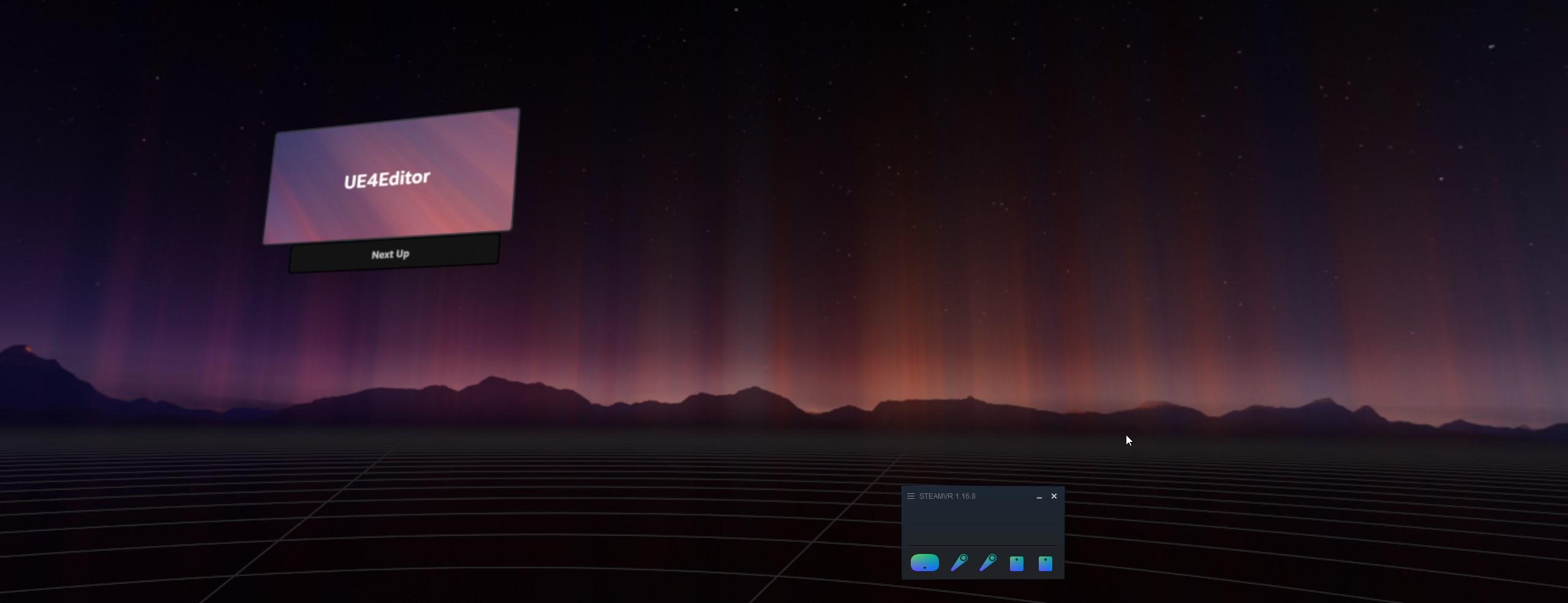
I've tried restarting both steam and the project.
Using an HTC Vive
sturdy coral
has anyone successfully built the openxr validation layer?
    // Enable layers, if specified by CVar.
    // Note: For the validation layer to work on Windows (as of latest OpenXR runtime, August 2019), the following are required:
    //   1. Download and build the OpenXR SDK from https://github.com/KhronosGroup/OpenXR-SDK-Source (follow instructions at https://github.com/KhronosGroup/OpenXR-SDK-Source/blob/master/BUILDING.md)
    //   2. Add a registry key under HKEY_LOCAL_MACHINE\SOFTWARE\Khronos\OpenXR\1\ApiLayers\Explicit, containing the path to the manifest file
    //      (e.g. C:\OpenXR-SDK-Source-master\build\win64\src\api_layers\XrApiLayer_core_validation.json) <-- this file is downloaded as part of the SDK source, above
    //   3. Copy the DLL from the build target at, for example, C:\OpenXR-SDK-Source-master\build\win64\src\api_layers\XrApiLayer_core_validation.dll to
    //      somewhere in your system path (e.g. c:\windows\system32); the OpenXR loader currently doesn't use the path the json file is in (this is a bug)

const bool bEnableOpenXRValidationLayer = CVarEnableOpenXRValidationLayer.GetValueOnAnyThread() != 0;```I couldn't get the initial build following BUILDING.md to work (https://github.com/KhronosGroup/OpenXR-SDK-Source/issues/244)

GitHub
Sources for OpenXR loader, basic API layers, and example code. - KhronosGroup/OpenXR-SDK-Source
sturdy coral
I ended up figuring it out (added in that issue)
lucid ivy
Would anyone know why the CollaborativeViewer template would continually show "Waiting" in the HMD and when using Play VR Preview no controllers appear?
 cyan kayak
Any one had an issue where the VR headset is stuck in the ground and when moving the head you move the entire playroom
but only in editor
works fine in standalone and package
cyan kayak
any one ?
nvm i found it dunno why but in 4.26 running the server and client on single process breaks it. The oculus data gets sent to server and not owning client
 sly elk
Capturjng vr footagw for polished promo trailers is always such a pain
Hmd view crop is fuzzy, etc
I want a fake vr mode where it only renders the left eye and I can turn up the pixel density. Maybe artificial boost of the fov
wheat holly
sly elk
I want a fake vr mode where it only renders the left eye and I can turn up the p...
You want to still look where the VR player is looking at or?
sly elk
Yeah. I don't care if it is annoying to use as a player. I just want it to be usable enough to capture a nice clean video with good framerate
im going to try dropoping the VR screen percentage down as low as it can go and using another camera as a spectator screen at 4k
but drawcalls will be expensive
wheat holly
You could try this, although it won't accurately represent the FPS https://docs.unrealengine.com/en-US/SharingAndReleasing/XRDevelopment/VR/DevelopVR/VRSpectatorScreen/index.html

This document provides an Overview of the Virtual Reality Spectator Screen in Unreal Engine 4.
Oh nvm, you already came to that conclusion xD
sly elk
I tried this once years ago but i was on a much weaker GPU then
wheat holly
Yeah it's a bit of a pain.
For really small games / simple looking ones it probably won't be an issue. But for realistic looking / big games it becomes a problem to maintain good frames if you don't have a beefy PC 😅
sly elk
Yeah, our game pushes the limits (and now iwth raytracing goes way past)
ember pumice
Can't you add another camera that records in your desired resolution?
sturdy coral
@sly elk one thing for capturing footage is to turn off the lens visibility mask that adds the black rounded stuff in the corners, it's just a line or two to take out, that will make your crop size a lot larger. With an index at 120hz you can also set it to to force reproject every other frame and get smoother 60hz gameplay footage with less performance burden for higher resolution.
 sturdy timber
hello, is it normal that the VR template inputs are not working when using a Quest 2 + Virtual Desktop (so steamvr)? Is the template not updated related to motion key depreciation? Currently looking into it but if someone knows the answer already 🙂
sturdy timber
okay I just made a wrong assumption leading to my problem: as Oculus has no problem running even if SteamVR plugin has been packaged with the game, SteamVR plugin won't work if Oculus Plugin is enabled. Next step: handle player position the same way for the two builds (steamvr spawns me in the ground, camera is put at playerstart transform instead of VROrigin for Oculus)
 daring shale
What do you do if a shader or calculation needs to happen per eye and the effect is something with randomness or something that will make you see the texture or something else in two different states, different for each eye, but same object you're looking at in the game?
What are some terms I can research?
 tired tree
@daring shale this custom shader node should still work for that, I couldn't find a better example quickly.
Unreal Engine Forums
Hi guys,
Just wondering if anyone knows a way to create stereoscopic materials after the changes to rendering in 4.19.
ScreenPosition no longer seems to work
 nimble edge
Where can I find the rest of the render models SteamVR uses? I'm specifically looking for the Index Controllers and the HP Reverb Controllers.

Those are all I have in the resources/rendermodels folder
Oh, found the Index controllers under drivers. But I still don't see the WMR/Reverb controllers...
nimble edge
Found 'em.
Index controllers are under their Drivers folder, and the WMR controllers are in:
C:\Users\{user}\AppData\Local\Microsoft\Windows\OpenVR/
ember pumice
Do I need to set all these inputs when using steamVR?

 proper anvil
hey guys
just about to invest into a VR headset, and wondering which one to pick for development.
rift s vs oculus quest2?
does Unreal support VR development tru VR Desktop?
Thanks
 vernal kernel
Hey all! I know its a very basic question but could someone recommend a tutorial or point me to a direction on where to start with VR game development in UE4?
maiden willow
vernal kernel
Hey all! I know its a very basic question but could someone recommend a tutorial...
 short laurel
@proper anvil So VR Preview does work with Quest 2 and Link cable. Although my experience was a little finicky. VR Preview does not yet work using Virtual Desktop afaik. (and sadly, VR Editor Mode is pretty much unsupported and broken anymore in all headsets). You can also build and deploy natively to Quest 2, if that is something you are interested in. I would get Quest 2 over Rift S.
wheat holly
Also depends on your target platform of course, if you're targeting Quest for example you'll need a Quest :p
For PC games I would argue it being a bit of a different story though, you don't necessarily need all headsets to support them. As long as you have tested them with at least 1 headset and for example with a couple of friends / people you know that have the other headsets. As buying all PC headsets is a bit expensive xD
proper anvil
not sure which store is more lucrative...
I'd like to make some money to support my studies
ember pumice
My controller is offset.
This is how I spawn and attach my controllers

Any help?
nvm it was a problem with the camera and not controllers
 urban igloo
4.26 using magic leaps Zero Iteriation takes 20 minutes to load a project. I don't even see a splash screen.
 neon geyser
@sonic lake I implemented your code to grab a weapon with 2 hands, I added a camera on that weapon with a low FOV to make a sniper but on a long-distance, it's really jittery. Do you know how I could smooth the movement? I thought about slightly dividing the rotation and location but it doesn't really work
 sonic lake
@neon geyser I have never implemented a sniper scope but I can imagine you could have a Scene Capture 2D Component projected in front of the rifle at a certain distance and lerp its location as you move the weapon around. Then you project the captured image inside the scope.
neon geyser
sonic lake
<@410384258142568459> I have never implemented a sniper scope but I can imagine ...
Yes I have a scene capture on the rifle and display a big black face scope. What should I lerp? the last make rotator node on the image?
sonic lake
neon geyser
Yes I have a scene capture on the rifle and display a big black face scope. What...
Instead of attaching the capture camera to the weapon you manually set its location and rotation so it is in front of the scope at a distance and follows its movements. When the rifle moves you Lerp its location and rotation between the current one and the target one, so its movement is smoother. Basically you are implementing a stabilizer for it.
 neon geyser
Thank you, giving it a try
neon geyser
But how far should be the camera? because it means that if someone walk between the camera and the weapon, he will not be seen?
sonic lake
neon geyser
But how far should be the camera? because it means that if someone walk between ...
Good point. You may need to line trace from the weapon to a target distance. If the trace hits something the camera goes at the hit point minus a delta to make sure it is not inside a wall or something. Otherwise the camera goes at the target distance. Another smoothing option that just came to mind may be to still attach the camera to the weapon but using a spring arm with a bit of lag.
neon geyser
Second option seems simpler to implement, at least for now
neon geyser
Without spring arm
With spring arm
@sonic lake Many thanks, I've been blocked on that problem the whole weekend
 zenith vapor
I thought people preferred scopes on the actual weapon instead of making most of the view black
neon geyser
They are harder to use and we are working on something more casual. Also some people complains about having to constantly bring the scope to their eye and close one.
neon geyser
But yes don't try to make a simulation with that, people probably gonna hate it
What do you mean by runs faster?
zenith vapor
hmm, I don't see why you'd need to render the regular view of the world if it's covered up by the black
neon geyser
Because the main camera, you cannot change it's FOV, it's hardcoded in the Oculus software I think
without FOV, you can't create zoom
so the hack is to use another camera with FOV and display it on a wall, then you put that wall in front of the main camera
this is how Population One do it too for example
I don't think it should be dramatic for performance as part of the view is covered by a black wall so the occlusion do its optimization job for the first camera I suppose
zenith vapor
hmm, yeah occlusion culling would help
although it still has to do some work to figure out what to occlude
you could probably optimize it more if needed
neon geyser
How could I do that? I'm not that experienced with occlusion
zenith vapor
I don't know for sure, since you have two cameras
but I've noticed that in UE4 if you reduce the max view distance on a lot of static meshes, that saves a lot more framerate compared to putting a wall in front and relying on the occlusion tests
neon geyser
Interesting, I'll give it a try. What I notice is that occlusion in itself has a cost on performance so maybe in some case it could be even better to hide meshes instead of letting the engine occlude
 placid ledge
hey guys, anyone have any advice for setting up a full body ik for roomscale VR? like, recommended tutorials or vids, plugins and such? really new to IK in general so i don't know what i'm doing haha
trail shale
Is there a way to get the spectator screen texture and use it as a texture?
daring shale
I also wonder this...
tribal lintel
Valve index joystick is flipped, the code should be fine since WASD work correctly, but Joystick forward moves right and vise versa.
When flipping Move X and Y, pressing W goes right, but the index controller joystick forward goes forward like it was supposed to
what could be wrong here?
{
    Super::SetupPlayerInputComponent(PlayerInputComponent);

    PlayerInputComponent->BindAxis(TEXT("MotionControllerThumbLeft_X"),this, &AEV_VRCharacter::Move_X);
    PlayerInputComponent->BindAxis(TEXT("MotionControllerThumbLeft_Y"),this, &AEV_VRCharacter::Move_Y);

}

void AEV_VRCharacter::Move_X(float InputValue)
{
    AddMovementInput(InputValue * Camera->GetForwardVector());
}

void AEV_VRCharacter::Move_Y(float InputValue)
{
    AddMovementInput(InputValue * Camera->GetRightVector());
}```
 flat hemlock
Hi, would anyone be familiar with what these errors mean? I'm attempting to run a game on Oculus Quest but it seems to load indefinitely..
(errors copied from command prompt after running adb logcat *:w)
03-15 20:53:13.661 725 1242 W S216003 : large allocation 4001056
03-15 20:53:14.617 549 1233 E audio_hw_extn: audio_extn_snd_device_out_get_parameters: Error(22): audio usecase 1 returned NULL
This only happens when building an apk then installing and running it on the Quest. When running "Launch" from the Editor to the Quest it works fine.
zenith vapor
@tribal lintel it's possible to calibrate the thumbstick angle in the steam bindings, maybe it's set to something crazy?
not sure how you'd do that by mistake though
I think the X axis is meant to be left/right though, not forward/back
 restive pike
Hi, I'm working on an Oculus Quest using UE 4.26.
For a feature, we need to get working a SceneCaptureComponent, to build a fake window to another part of the scenario.
In my PC is everything running flawlessly, but whenever I deploy to the Quest, I only get a black texture, instead of the render target.
Does anyone knows if there is a tweak I might be missing of if this is a bug / limitation on Quest?
I assume that I am doing something wrong since this is the same principle behind sniper scopes, for instance.
Thank you.
worthy cave
Try to do it in 4.25, rendering in 4.26 is kinda broken when Quest is concerned, for example Stereo Layers also don't work properly on Quest in 4.26.1
There are a lot of Quest related fixes in master branch, maybe there is also something related to your problem
restive pike
That's what I most feared to hear. We can't go down to 4.25, since there are other things that won't work unless we are in 4.26.
OK, thanks anyway. Let's hope someone around here have a scenecapturecomponent working on 4.26 and is able to tell me how.
worthy cave
Maybe you can try building from oculus branch of ue4, they usually have more up to date plugin there and it is also at least guaranteed to compile
restive pike
thanks, I'll try that, but my team won't be happy if we have to change the UE4 version again 🙂
 night sigil
I tried to add VR to my desktop project and I have like 5fps in VR preview! In desktop preview I have 1000fps. I thought VR is just 2 times more expensive than desktop.
worthy cave
It's not that simple, when developing for VR there is a lot of potential bottlenecks to consider and a lot of best practices of optimization that one needs to be following in order to create smooth virtual reality experience, in general I recommend to at least read this https://docs.unrealengine.com/en-US/SharingAndReleasing/XRDevelopment/VR/DevelopVR/ContentSetup/index.html to ensure there aren't something obvious
Best practices for creating and optimizing content for VR projects
 north tapir
Hey guys! Does anyone know how to properly retarget Epic's Mannequin hand anims to SteamVR hands?
tribal lintel
zenith vapor
<@!702271954245124127> it's possible to calibrate the thumbstick angle in the st...
This behavior is happening by default, default VR template, all I did in the new project was created new C++ character and added that code. The only thing I did in the steam bindings was set up the binding, I didn't flip any axes or anything, and I'm afraid that flipping the code may fix the index, but other controllers like vive will now be inverted
X is forward in unreal, but maybe Y is forward in Valve/source/hammer editor. I guess for now I can just flip the scale in unreal, but that's how it was setup by default, so strange..
https://answers.unrealengine.com/questions/1018142/valve-index-joystick-axes-are-flipped.html
short laurel
@restive pike Oculus 4.26 is much better for Quest than Epic 4.26 imo
not sure about reflection capture
 tulip breach
Hi guys, anyone know how to make a UI that is on your monitor, but not in the VR headset
so a spectator can make changes to the scene
restive pike
short laurel
not sure about reflection capture
Thanks!!
wheat holly
tulip breach
so a spectator can make changes to the scene
To my knowledge Unreal doesn’t support any UI on the spectator screen, so for my game I ended up putting the UI as a 3D object in the scene in front of the capture component. It’s a really ugly solution but better than nothing 😅
Unless 4.26 suddenly changed that, but I don’t think it did.
I really wish they would make a proper solution for this, but I assume it's not really a priority since it has been since at least 2019 like this. They did a stream on the spectator camera things and even in there they told us that this was the easiest way. https://www.youtube.com/watch?v=0up1Lgmw-Lg

On this week’s livestream, learn how to create a project agnostic, VR spectator camera in your UE4 project. Our team will also demonstrate how it can be used to record trailers for VR games, or to create local asymmetrical multiplayer games.
NEWS
UE powers ILM’s VR virtual production toolset on “Solo: A Star Wars Story”
https://www.unrealengi...
They did mention a different solution, but that was with multiplayer somehow. I haven't actually looked into that my self, but honestly it sounds like performance will absolutely be crushed if you have to render 2 processes for 1 game. But maybe someone has a clever solution for that 🤷♀️
sonic lake
There is a marketplace plugin which does that and few tutorials around. One is this: https://www.youtube.com/watch?v=bonkuBa6AYY

I'll walk you through how to get a UMG Widget on the VR Spectator Screen, similar to what Robo Recall has. Adding something like a leaderboard to the spectator screen will help keep everyone else in the room involved even if they aren't in the HMD.
0:00 Welcome & Demo
0:40 Creating the UMG Widget (nothing special here)
3:20 Adding the UMG to t...
I remember having seen a tutorial on how to add buttons as well (like in the marketplace plugin) but I cannot find it anymore
@wheat holly @tulip breach ^^^^
Description
wheat holly
That's actually pretty interesting, I didn't know you could get a render target from a widget (which basically both the video and the website use). In my case I actually have a second "camera" for a different view from the PC perspective. But in theory you should be able to mix the widget render target and the "camera" render target where needed.
Although not entirely sure how efficient that is 😅
The only thing that both don't seem to mention is actually clicking on the UI, which in my case was a big issue. I had to solve it a different way, which actually turned out to be cleaner in my opinion. But that won't work for every game of course.
sonic lake
@wheat holly the marketplace plugin allows that. A student of mine has used it in a project and it worked well.
wheat holly
Merging the render targets, or clicking on the UI?
wheat holly
👀
sonic lake
Link to their docs
I am not associated with them even though their programmer's name is also Marco
wheat holly
That's a pretty clever solution with a new window.
night sigil
How can I make widget interaction debug line thinner ?
Im interacting with my wrist menu and line is just too thicc and the end pointer is even thicker
wheat holly
In C++ these variables are exposed https://gyazo.com/b83085bc2516e0805980428c20241fa6
Not sure if Blueprint has anything similar in the case you're using that 😅
 sonic lake
@night sigil @wheat holly they are all exposed to BP as well

In the details panel of the Widget Interaction Component under Debugging
sonic lake
@wheat holly yes, 4.26. It should be there under Debugging.
I don't have 4.26 on this dev PC, need to check on the other one
wheat holly
Ah alright, that probably explains it 🙂
sonic lake
Indeed, the last two properties are not there in 4.25, so it is 4.26 specific.
Better late than never I guess.
 dreamy ivy
Hey everyone, I had a lot of questions over on my Server about setting up blueprint to widget communication and back again so i created a tutorial showing how to set it up. Hope you all enjoy.
https://youtu.be/qwbR6tw8hNo

#UnrealEngine #VR #Blueprints
► Description
Hey everyone, in this video I show you how you can make a 3D widget and have it communicate with a blueprint to make it do something. In this example, I create a widget that lets me turn a light on and off as well as change the brightness. But most importantly it's reusable.
------------------------...
tired tree
@wheat holly @night sigil @sonic lake that uses the normal debug functions does it not? they wouldn't display in packaged builds then. So adjusting it to visually look like you want for gameplay / interactions in a final product is a waste of time.
would have to enable debug draw on packaged binaries
sonic lake
@tired tree good point. I don't know which kind of application is being discussed, maybe it is just for a demo/prototype which can run from the editor, in that case it will still show. It should also show in a debug build, but definitely not in a shipping one.
That part of the code is wrapped in #if ENABLE_DRAW_DEBUG
 real needle
did anyone that used oculus quest know how to repair black screen when I launch in the quest please? I can see the area for 0.5 seconds when I launch it but after it's a black screen with sometimes the 3 point of loading. thanks
oh and I can see the circle around my feet
 delicate narwhal
Does anyone have a link to something explaining the proper way to preview in ue using virtual desktop? Or maybe explain it? So far I just close and reopen ue/virtual desktop/steam vr and click play until it works. Is steam vr even needed? Feel like it might be the problem.
tribal lintel
delicate narwhal
Does anyone have a link to something explaining the proper way to preview in ue ...
virtual desktop sucks with unreal, try desktop+ instead, its free. switch off steamvr home and you will just be in the area you see in between switching games, with the moutains and stars (or whatever your background is), then from there I can press CTRL+SHIFT+CAPS to show and hide my monitors with desktop+ which are set to origin from my play area, so they are always right in front of my desk. From there you can just press vr preview, and hit escape to close it without taking your headset off, rinse and repeat! just show and hide your monitors with a hot key as needed
delicate narwhal
tribal lintel
virtual desktop sucks with unreal, try desktop+ instead, its free. switch off st...
Ahh very nice, have never heard of desktop+. Will check it out now, thank you!
ember pumice
How would I create continuous movement?
I added my VR rig to the default character
But when I move the HMD independent from the capsule, it creates some space between the hmd location and capsule location
 twin heart
Hi guys! How can i see the stats in testing in my hmd?
sonic lake
@ember pumice in this simple setup the capsule is the root while the HMD, linked to the camera, is a child component. When the camera/HMD moves as a result of you moving in real life, the root component doesn't follow, hence your capsule remains behind. What you need to do if you want the capsule to follow is to use the VR Origin, aka the scene component in between the root (capsule) and the camera, to counteract the camera movement and, at the same time, move the actor where the camera is. That realigns the capsule to the camera/HMD and keeps it centered to it.
@twin heart which HMD? For Oculus you can activate the performance HUD using the Oculus Debug Tool.

 steady shoal
Hmm.. Trying to play a movie on a movietexture that is applied to a plane now... works fine in editor, but not working at all when building to the quest... any ideas?
steady shoal
Ok. Think I solved it. Movie had to be in Content/Movies folder for it to work...
 covert hazel
i would like to visualize the borders of my world with particles that appear when the player gets close to be borders
like the particles that appear when the player leaves the game playground
is there a best practise for that?
sonic lake
@twin heart you can display those stats in the HMD too by issuing the console command with few Execute Console Command Blueprint nodes On Being Play or with a timer. Not sure how much they are visible though.
 desert saddle
is there a way to do breakpoints debugging while playing in editor
short laurel
@real needle Are you building natively for android for quest or just using link cable for PCVR or VR Preview?
if PCVR and SteamVR for Input, and you are using source control, remember to make steamvr json and manifest files writable . (they are in config directory)
ember pumice
@sonic lake I don't understand the logic behind putting a scene component between the capsule and hmd
https://blueprintue.com/blueprint/o5m-ws-i/
I tried this but didn't work
BlueprintUE
Not sure if this is normal but when I start the game my hmd and controllers are offset from the actual pawn location too
They track accurately but they're not at the pawn location
sonic lake
@ember pumice when you start to play you need to recenter yourself in VR
Just use a button to call Reset Orientation and Position
Regarding room scale movement and how to have the capsule follow the HMD, here is a diagram to explain the process

- The capsule (in blue) is the root, the red dot is the VR Origin Scene Component and the grey round box is the HMD (aka the VR Camera). This is seen from above and the light blue rectangle is your play area. Initially the three components are all centered, which is what happens when you re-center in VR. The hierarchy is Root (capsule) --> VR Origin --> VR Camera (HMD)
- Now you take a step to the right in real life. Them VR Camera/HMD moves with you, but the capsule as well as the VR Origin are left behind.
- You use SetActorLocation to move the capsule and the VR origin parented to it to the same position of the HMD. But the HMD is also parented to the VR Origin, which is parented to the root capsule, so the VR Camera/HMD will move further to the right, which you don't want. You want it to stay centered to the capsule.
- Final step, you offset the VR Origin to the left by the same amount but in the opposite direction the VR Camera/HMD originally moved to the right. This will recenter the VR Camera/HMD to the capsule.
sonic lake
You are welcome. Give it a try and see how it feels. You can display the capsule in VR if you uncheck the hidden in game flag.
Once you do that you may note some challenges, like what happens if the capsule hits something so it can't move anymore in the direction you are stepping to in real life.
ember pumice
That's why I tried to add movement input toward the camera direction
So it would continuously try to move to the camera
and I would negate the camera movement towards the movement direction
So it doesn't actually change the camera world location
 chilly ocean
I’ve been getting a lot of skipped frames when testing a SteamVR pc VR headset in the editor. It’s quite embarrassing that this is happening and seems to be a known phenomenon https://www.nvidia.com/en-us/geforce/forums/game-ready-drivers/13/402768/valve-index-missing-dropped-frames-since-nvidia-d/
Has anyone been experiencing such issues? Can’t believe that it’s been like this
ember pumice
My headset now starts below the ground for no reason
i didn't change anything, tracking is set to floor
chilly ocean
Hm I wonder if this is a problem in the Oculus software as well. Will give it a try later tonight
Have you tried just using the Oculus software solely?
chilly ocean
Oculus software is very smooth, not having this issue when testing it in the editor. Yikes, this is problematic. Is it more Nvidia's or Steam's fault though? Or both?
 misty halo
So guys, I got a quest a couple days ago. Trying to get it to show up in my launch options.
Enabled dev mode.
I have ADB and it sees it.
I have JDK and JRE.
I have Android Studio set up.
I have connected my phone before to UE.
misty halo
Got it running. Now launch is running into a gradle error and ofc no documentation
 dusky moon
I'm curious how it works to ship VR content to PSVR - doesn anyone know if Sony gives dev kits to indie developers ?
 alpine kiln
misty halo
Got it running. Now launch is running into a gradle error and ofc no documentati...
alpine kiln
misty halo
Got it running. Now launch is running into a gradle error and ofc no documentati...
Make sure you are running the versions that are recommended for JDK, JRE and Android Studio. Don't let them update themselves.
 granite jacinth
But anyway

Stronger immersion with adaptive triggers, haptic feedback, finger-touch detection and more.
I guess everyone's just going to copy Oculus
Oculus hit it with the nail
alpine kiln
Wish they would have straps to the back of the hand like the Index. You can add straps to Oculus controllers, but I'm wondering if they have sensors on the inside of these that would prevent added them.
sturdy coral
I think they will only have capsense on the joystick and face buttons and maybe grip button and trigger, and not all four fingers like index
I don't think it would work to track them without a strap
hopefully they have full controller-less hand tracking though
 livid plover
is this an appropriate place to seek help with an issue or is there a help specific chan?
I'm messing around in ue4 with my quest2 and sometimes when i preview the game in VR it runs fine. other times its like theres a huge input lag, anyone have any ideas?
tired tree
thos look like they are going to snap constantly
 thin solstice
I am trying to package an experience for the Oculus Rift. If I am in the editor and hit VR Preview, the headset works and everything is fine (see screenshot).

However, if I hit "standalone game" or package the game, I get this:

The headset does not work, and there is a huge difference in the scene - even the UI widgets do not appear to be working
I have "enable HMD" set in blueprints, and "start in VR" is also set
Any ideas or pointers as to what might be going on?
thin solstice
Well, I rechecked my settings and I somehow got it to work. I honestly do not know what I did. Now the world though is too bright, but at least that's a start
tribal lintel
thin solstice
Well, I rechecked my settings and I somehow got it to work. I honestly do not kn...
If you go through the trouble of packaging a build for testing and it's not starting in VR but you want to test it still, you can create a shortcut of the .exe, and add -vr arg to it and it will launch in VR mode
misty halo
After a complete reinstall of windows, I have Unreal recognizing my Quest 2. However, now the launch gets stuck at "Doscovered Node "RandomAssFileName" on connection 127.0.0.1:6666
Like been at that line for over an hour multiple times.
ember pumice
Hmm very unprofessional on epic's end
misty halo
People in Mobile are stumped and no one else can help. I just need help with this one guys. Like Epic, people complained about this bug for 5 years and here we are still with it
Like is anyone knows how to deal with the Discovered Node "7377e8f8r8e8383u3h38" on connection 127.0.0.1:6666
misty halo
Ya, at this point I'll pay money for a fix lol
 void parrot
What version of OpenSSL is Unreal 4.26 using?
We're being flagged by Oculus saying using versions with security flaws (1.0.1)
sturdy coral
@void parrot look in UnrealEngine/Engine/Source/ThirdParty/OpenSSL/OpenSSL.Build.cs
1.0.1s on android
void parrot
Cheers

Unreal Engine
Welcome to the Unreal Engine Issue and Bug Tracker. You can check the status of an issue and search for existing bugs. See latest bug fixes too.
 pliant nimbus
Hi all. I am looking to use a magnetic tracking system with Livelink to track my headset. Anyone know how I can disable positional tracking via base stations and essentially only enable HMD for display ?
Hope that made sense !
sonic lake
@pliant nimbus it may be as easy as unlocking the VR Camera from the HMD. When you do that the VR Camera doesn't follow the movements of the HMD provided by the tracking system and you can move it based on other information (from another tracking system for example).
One caveat is that you lose low latency updates (unless your implementation covers them as well).
pliant nimbus
sonic lake
<@!705095939723100161> it may be as easy as unlocking the VR Camera from the HMD...
@sonic lake Thank you very much. It was as easy as that !
 mental shell
I am trying to build a quest 2 app, when I connect my quest to my pc it says I'm using USB 2.0 when I know for a fact it is 3.0 my rift will say its 3 but quest will say its 2. Because of this I can't test my quest 2 game.
maiden willow
The Oculus Desktop should still allow USB 2.0; It is what I use
 tawdry bough
hey
if anyone has the Valve index controllers
i need help
I don't know what imput receives the "A" button
none of the "facebuttons" work. Only some of them work based on the position of the thumb
The "B" button is the only one that receives input when the input is set to "Shoulder" for some reason
ember pumice
mental shell
I am trying to build a quest 2 app, when I connect my quest to my pc it says I'm...
People who designed type C were sleeping
Try changing the orientation of the cable, the 2.0/3.0 thing can be dependent on cable orientation
short laurel
@tawdry bough r u using SteamVR Input?
short laurel
So after you add new input using normal ...project settings...input be sure to generate the action manifest:

"Regenerate Action Manifest" and "Regenerate Controller Bindings"
What this does is update some json files in project/config
this lets your users use their SteamVR controller bindings to map whatever buttons they want
also - if you are using Source Control - like Perforce - make sure to check out the config folder when you do this
because those files are typically locked
 warped quail
@short laurel Hi there, I'm having a similar problem with input using my HTC Vive. Whenever I am in game and press a button on my controller, the game crashes and I get this error:
`LoginId:...
EpicAccountId:...
Assertion failed: Key.IsValid() [File:D:/Build/++UE4/Sync/Engine/Source/Runtime/Slate/Private/Framework/Application/SlateApplication.cpp] [Line: 5776]
UE4Editor_Core
UE4Editor_Core
UE4Editor_Slate
UE4Editor_SteamVRInputDevice
UE4Editor_SteamVRInputDevice
UE4Editor_ApplicationCore
UE4Editor_Slate
UE4Editor
UE4Editor
UE4Editor
UE4Editor
UE4Editor
kernel32
ntdll`
I tried regenerating the action manifest and controller bindings, however the issue was not fixed. When I pressed the regenerate action manifest and the other one, it didn't seem like anything happened, so maybe I didn't do it correctly. Any help is appreciated, thanks!
livid plover
trying to use Quest2 in UE4 but sometimes when i preview the game in VR it runs fine. other times its like theres a huge input lag, anyone have any ideas?\
I have not been able to figure out what is different between the times i launch and everything works and the times it does not. really at a loss here. all the equipment is the same every time. same apps running on the computer.. everythings the same
 twin elm
Hey! does anyone know how to track multiple images in ar app?
 lament merlin
Hi, I wondered if someone could explain why there is a mismatch in resolutions when rendering VR?I am using an original Vive. When I step though the code I can see the rendered scene 'view' is much larger than the resolution of the Vive displays.
The Vive is 1080x1200 in each eye.
At runtime the resolution for each eye's 'view' is 1852x2056 - as shown in visual studio.
This is a 1.71 factor increase in both width and height of the resolution. I'm pretty sure I dont want to be internally rendering all of those extra pixels!
I have tried setting vr.PixelDensity=1 and r.ScreenPercentage=100 in defaultEngine.ini and at runtime using the console commands but nothing changes.
Where is this scaling factor coming from?
Why do my commands make no difference?
 gray girder
Hey guys, could use some help. For some reason the location of a target point is changing from running on PC (inc VR Preview) and the actual build for an Oculus 2

Everything else looks like it's in the right place. Anyone ever come across this kind of issue?
sturdy coral
@lament merlin if you render at the resolution of the display it will get output at much lower resolution
the reason is the lenses add distortion that has to be undone by the compositor
to get 100% resolution in the center vive requires around 1.4x resolution in X and Y
to reduce the overhead back to near the output res, stuff like VRS can be used (card agnostic one is in 4.26, but the resolution texture isn't exposed)
lament merlin
@sturdy coral Thanks for reply. I have seen official docs say 140% for the Vive. It still leaves me puzzled why my dimensions are 171%.
sturdy coral
steam picks a resolution based on the power of your card
if it is set on automatic
because supersampling increases quality
lament merlin
im on 4.25 fwiw
sturdy coral
you should assume all users will use automatic resolution from steam
and apply your own multiplier to r.pixeldensity based on how much more or less perf you expect to use to than the average app
lament merlin
ahhhh... wow. Thats quite a game changer! I didnt know
sturdy coral
if you use expensive shaders you should use e.g. r.PixelDensity .90
in steam you can turn off auto res to look at what res it is picking (the manual resolution slider will have a notch in it where auto res would pick)
be aware that e.g. 140% resolution slider in steam isn't 140% screen res, it is 140 "ideal" res (1.4x per dimension for vive)
and it is in pixel count, not per-dimension
lament merlin
I've had a quick look at SteamVR. I see where to change it. Thank you so much!
sturdy coral
@lament merlin I have a pull request here that will make ue4 respond to the steamvr resolution slider automatically: https://github.com/EpicGames/UnrealEngine/pull/6982
otherwise you have to relaunch each time
sqrt of steam percentage (150% -> sqrt(1.5) ) to get the UE4 r.pixeldensity equivalent
(converts from pixel count to per-dimension (x,y) multiplier)
wheat holly
Is there anything that could prevent the thumb stick inputs from not being generated with this for Steam VR? https://gyazo.com/786a06b58e3b5f0c4fb1bd8ca6ad0528

All my other inputs work fine, just not these ones.
All I could find is that it needs the _X to generate. But it's still not working.
ember pumice
Maybe add these inputs after generating steamvr inputs
Oh you're trying to generate and it's not working?
wheat holly
Yeah, I'm trying to get them to generate but they don't show up in the final knuckles.json file.
I do see that they are found though, because the SteamVR binding menu does show the inputs. But I can't bind them to the joystick.
 ashen shadow
This might be a simple question, but I've been googling without luck: I'm working on adding a menu to my VR project. I added the menu to the level and added widget interaction to my motion controller. But, the "beam" from my motion controller goes straight through the widget and I can't interact with it. Any ideas? Thank you!
wheat holly
ashen shadow
This might be a simple question, but I've been googling without luck: I'm workin...
Could you take a look at the Widget Component and see if it looks similar to this?
https://gyazo.com/faf30a8d8a6cebba7944e2d4e2c6435d

 ashen shadow
wheat holly
Could you take a look at the Widget Component and see if it looks similar to thi...
ashen shadow
wheat holly
Could you take a look at the Widget Component and see if it looks similar to thi...
Yup, let me look. thanks
ashen shadow
ashen shadow
Yup, let me look. thanks
I just updated the values to those, but the problem persists. Bugger... 🙂
wheat holly
And if you go to the actual widget and look at this option on the elements? https://gyazo.com/3120bfc7fa569c767bac0f481316cbbd
 ashen shadow
wheat holly
And if you go to the actual widget and look at this option on the elements? http...
ashen shadow
wheat holly
And if you go to the actual widget and look at this option on the elements? http...
Yup, those are the same. One thing I see is that the beam goes through everything (walls and other objects too)
wheat holly
Can you go to the Widget Interaction Component and check these settings? https://gyazo.com/7e00fa662cefc1149b8d856313815eb8

Maybe that "Hit Testing" for example is disabled.
ashen shadow
wheat holly
Can you go to the Widget Interaction Component and check these settings? https:/...
Yup, those settings are consistent. Still same result.
Thank you for helping
wheat holly
Are you using the debug beam or a custom made one btw?
ashen shadow
wheat holly
Are you using the debug beam or a custom made one btw?
The debug beam. The default, I was just following a YouTube tutorial.
ashen shadow
ashen shadow
The debug beam. The default, I was just following a YouTube tutorial.
I watched a few and set everything up as was in each video. They were all consistent.
wheat holly
Can you show me the "Interaction" settings on your Widget Interaction Component? As I assume those aren't the exact same as mine 🙂
ashen shadow
wheat holly
Can you show me the "Interaction" settings on your Widget Interaction Component?...
 wheat holly
Hmm, it's weird. Because it should at least hit visible objects if the beam does show.
I'm digging through my own project to see if there's anything else I did.
ashen shadow
wheat holly
Hmm, it's weird. Because it should at least hit visible objects if the beam does...
Thanks, yeah it seems odd since I'm not trying anything custom.
ashen shadow
ashen shadow
Thanks, yeah it seems odd since I'm not trying anything custom.
If we can't figure it out, I'll sleep on it and try again in the morning. Maybe a fresh head will help. 😛
wheat holly
You said you did see the beam but it just went through everything right?
ashen shadow
wheat holly
You said you did see the beam but it just went through everything right?
Correct. I see it, but it goes through everything in the world
wheat holly
Are you using the same Pointer Index value for both hands? Assuming you have 2 of the Widget Interaction Components.
ashen shadow
I would assume yes. I'm using the default VR project which has one BP for BP_MotionController. Which is used to generate both hands.
wheat holly
Can you try to set one of them to the value 1 and the other to 0?
ashen shadow
I'll need to figure that out since there is only one BP.
wheat holly
Maybe it's simpler to temporarily disable one of the hands and see if then works?
I'm not too familiar with the BP's of the VR template 😅
ashen shadow
wheat holly
Maybe it's simpler to temporarily disable one of the hands and see if then works...
Ok, that makes sense. Let me give that a try. 🙂
ashen shadow
ashen shadow
Ok, that makes sense. Let me give that a try. 🙂
Easy enough to try, but no luck... Same problem. I verified that only one hand spawned.
ashen shadow
wheat holly
Hmm
Maybe I should hit it with a hammer. Just kidding. I'm using 4.26.1
wheat holly
I haven't run 4.26.1 my self, but it would be really weird if it would break. In 4.25.4 it definitely works, that's the version I'm using.
Anyway, I'm not really sure at this point what the issue could be. Like you said maybe try to sleep a night about it and see if you can find it tomorrow, if not you could try to see if it does work on a lower engine version but it would be weird if that's the issue.
ashen shadow
I might sleep on it. Or try later with a new copy of the default VR project. Maybe I've messed something else up along the way.
Thank you very, very much!
Is there something I can help you with?
wheat holly
The thing that doesn't work for me is the thumbsticks input of the Valve Index don't generate any bindings from the SteamVR plugin, but I'm going to shut down my PC soon so I'll probably take the same advice and sleep about it for a night haha
wheat holly
No worries, I'm sure I made a simple little mistake somewhere. I have an idea now that I think about it, but I'll try that tomorrow.
ashen shadow
Cool. Have a good night, thanks again.
wheat holly
No problem and thanks! If you still need help tomorrow you can post a message in here again, I'm sure someone will eventually help 🙂
 drifting warren
Hey everyone! I'm working on a start-up specifically focused around no-code automation for Unreal Engine environments. Here is the website and Beta Form if you're interested!
Sign-up for the Solace Vision beta.
ember pumice
@drifting warren Signed up. Looks like an interesting project.
Link to my free VR template. I tried to keep it as simple as possible. It uses actor components to add functionality to controllers and player pawn. Check it out:
https://github.com/lofcakadir/KLVR

Also I'm sharing this to get feedback as well.
drifting warren
ember pumice
<@394551466204856320> Signed up. Looks like an interesting project.
Thank you!!
Will check out yours as well 😄
 wooden chasm
I lose motion controller material in packaged game. Im using display device model to get the controller
Any thoughts?
wheat holly
wheat holly
No worries, I'm sure I made a simple little mistake somewhere. I have an idea no...
So it turned out that apparently Steam VR or Unreal doesn't like a single axis to be used. So as a dirty workaround I added the Y axis in the input menu and now it does generate the bindings for the joysticks. ¯_(ツ)_/¯
zenith vapor
ember pumice
Link to my free VR template. I tried to keep it as simple as possible. It uses a...
what features does it have?
ember pumice
Physics objects that can collide with the environment while you're holding them.
Teleportation with dynamic fade duration
Climbing
HMD fades black when colliding with environment
It's currently all blueprint - I use actor components to add functionality to controllers and the pawn instead of hard coding the features in the blueprint
I had the idea to make an easy to edit VR template
maiden willow
ember pumice
I had the idea to make an easy to edit VR template
Do you have a demo video? Super interested but I'd like to know more 🙂
ember pumice
I don't have a video but I think the file should be around 300mb.
 cobalt haven
Hey @alpine oyster that's great you got your finger tracking fixed! I'm struggling with the same thing. Am I cool to hit you up and ask about your solution?
 sweet lion
I am using the editor VR mode, but when I try to open blueprints or UMG blueprints, the window is displayed as black. It works with the content browser or world outliner however. Any ideas ? I am referring to the editor VR mode, not the play in VR.
sturdy coral
@sweet lion newer nvidia drivers have a bug that is blacking out parts of the editor (mostly tool tips and menus but sometimes new windows)
I'm not sure that would affect the vr editor though, but it could be worth trying an older driver
I rolled back to 460.89 and haven't had it happen more
sweet lion
hmm, after multiple restarts, some windows opened. However, the main issue that I cannot open Editor Utillity widgets in VR still remains
sturdy coral
@sweet lion latest nvidia, 461.92 seems to have a lot of related fixes, I was also seeing bad performance resizing applications and stuff which they mention, and bad youtube performance with choppy video (even on the rolled back on I had that and had to turn off hardware acceleration in chrome), I'll probably try upgrading and see if I get the black window thing any more in 2d at least

reddit
111 votes and 401 comments so far on Reddit
grr actually some of those are still under the heading 'Game Ready Driver Important Open Issues'
 glad wraith
hey folks, I followed the official guide for oculus quest setup, yet i cannot find the quest in the device manager, i can see the googles in the oculus hub, installed the sdk
 daring mural
Anyone here shipping on the Oculus Store for Rift? Wondering what the format of the launch parameter is exactly. I have this right now: --launch_params "-ovr" but I don't know if the parameter should be a string or just -ovr on its own?
 karmic patio
Can someone tell me why I'm getting low quality textures on Oculus Quest 2? This is a simple scene using SuperGrid

 shy merlin
@karmic patio you are using a pixel shader, and thus getting low precision.
You need to convert your materials to vertex shaders
`On mobile, any texture sample that manipulates the texture coordinates in any way takes a slow path. These are called dependent texture fetches. By using the customized UV inputs, you can still implement tiling or world space texture mapping while keeping all the texture fetches independent, which is the fast path.
Additionally, everything in the pixel shader on mobile is evaluated with half precision floats. This causes blocky looking textures and some other artifacts, when pixel shader math is done on texture coordinates. The Customized UV inputs however are done with full precision so they get around this problem.`
Feature that allows running calculations in the vertex shader to increase performance over running them per-pixel.
karmic patio
shy merlin
<@!228981369198346240> you are using a pixel shader, and thus getting low precis...
How, then, can this fact be explained? The same texture looks different, although they are located on the same object
 karmic patio
Is there some kind of universal way to change the material to make it work?
As I understand it, adding this parameter to the material is not enough, do i still need to do some additional calculations?
 shy merlin
whatever you have plugged into the UV slot on your texture sample
just disconnect that and route it there (the customUv0
short laurel
@karmic patio Probably not related - but are you using FFR? Does the resolution improve when it is in the center of the view? https://developer.oculus.com/documentation/native/android/mobile-ffr/
Describes the Fixed Foveated Rendering (FFR) feature on the Oculus Quest and Oculus Quest 2. Contains information on how to implement FFR and supported degrees of foveation.
shy merlin
Foveation would cause that as well, but you should switch to vulkan for the low cost MSAA
blissful bear
@karmic patio The highest detail mipmap of your material textures are being point-sampled rather than bilinearly interpolated. I have the same (unsolved) issue.
karmic patio
Guys, thanks for the answers
I am using Forward Rendering, Vulkan, MSAA x4
I don't use FFR
Changing these options does not affect this problem in any way.
Even my textures disappear completely on large surfaces.
blissful bear
I'm using 4.22 forward render GLES2 and MSAA. I don't get disappearing textures though. I wonder what it is?
 fallen wind
I'm trying to add a MotionController component to a blueprint that isn't the pawn. I've tried the "enable input" and "enable motion tracking for component" nodes, but no movement is happening when I move the controller. Any ideas how to make this work?
maiden willow
Is the player able to possess the new blueprint? If not it would need to be attached to the pawn as in the VR template example
fallen wind
The player is not possessing the new blueprint. I basically want a (nonVR) player to see a motiontracked object in the scene. The tracking should be a fully independant actor that doesn't move with the player.
maiden willow
That is an interesting concept! Something would need to possess that blueprint though from the way I understand it, otherwise it would not receive any input
fallen wind
Theoretically the "enable input" node should let it receive input. It just doesn't seem to include motion input (or maybe I'm doing something wrong).
maiden willow
What kind of blueprint is it? Actor | Pawn | Etc
It should be at least a pawn or character to allow input like htat
fallen wind
An actor
sturdy coral
enable input won't be related to it
I think you just have to set player index, but at one time I think it had some kind of check for pawn
fallen wind
Enable input does let the actor receive keyboard inputs, so motion seems to be a different input somehow
sturdy coral
bool UMotionControllerComponent::PollControllerState(FVector& Position, FRotator& Orientation, float WorldToMetersScale)
{
    if (IsInGameThread())
    {
        // Cache state from the game thread for use on the render thread
        const AActor* MyOwner = GetOwner();
        bHasAuthority = MyOwner->HasLocalNetOwner();
}```that might be modified on my end
look around there though
MyOwner->HasLocalNetOwner is probably false for your actor
fallen wind
I'll have to convert to C++ (currently a blueprint project) but I'll take a look, thanks!
sturdy coral
@fallen wind I think at one point I had to modify it but they fixed it to not require pawn in 4.22 with this change:
@@ -471,8 +471,7 @@ bool UMotionControllerComponent::PollControllerState(FVector& Position, FRotator
        {
                // Cache state from the game thread for use on the render thread
                const AActor* MyOwner = GetOwner();
-               const APawn* MyPawn = Cast<APawn>(MyOwner);
-               bHasAuthority = MyPawn ? MyPawn->IsLocallyControlled() : (MyOwner->Role == ENetRole::ROLE_Authority);
+               bHasAuthority = MyOwner->HasLocalNetOwner();
        }
you may have to modify it more to make it work without a localnetowner, usually that happens due to pawn possession
in my case I was attaching them directly to the APlayerController
fallen wind
Hm, I'm in 4.26, so that fix should already be implemented right?
sturdy coral
yeah it should be in
fallen wind
It's also weird that the actor does receive the input from buttons on the controller, just not the movement. Seems like a bug that movement wouldn't be included by default.
sturdy coral
it just doesn't go through the whole input stack system in the same way
on the openxr/steamvr side it does and is tied through pose actions and stuff, but on the ue4 side it is just based on the component's player controller index
- that HasLocalNetOwner check for whatever reason, which is basically checking that it is possessed locally. I think to fix people complaining about others' hands moving when they move their hands, they added in that localnetowner check, but broke it for just attaching to normal actors
you could change that check to see if input is enabled to a local pawn
fallen wind
The player controller index is set to the same thing as the pawn though, so shouldn't it then also receive the player controllers motion input? Just seems weird not to include it from an engine-user perspective, even if it makes more sense from a engine-dev standpoint
sturdy coral
and then it would work with generic actors with EnableInput
tired tree
@sturdy coral just assigning the owner to the actor it is within should work
sturdy coral
ok I couldn't remember the rules on changing the owner
@fallen wind try that, set owner to pawn or controller when setting enable input on the actor
pawn if you want it to end on death, controller if not
fallen wind
sturdy coral
<@!203149872210116608> try that, set owner to pawn or controller when setting en...
This did the trick! Thanks a lot for helping me figure this out
 sturdy coral
cool, yeah I think they just added that check in because everyone use to complain of moving hands of other remote players (fix back then was to set player index to -1 on all but your own controllers)
 south trench
Has anyone tested volumetric clouds in 4.26? Seems everyone generally reports its only displays one eye just wanted to verify
in VR that is
And if anyone has any exp with TrueSky could report those volumetric clouds work diff than the native ones
 past tiger
south trench
Has anyone tested volumetric clouds in 4.26? Seems everyone generally reports it...
past tiger
south trench
Has anyone tested volumetric clouds in 4.26? Seems everyone generally reports it...
Volumetric clouds looked really bad in VR for me when I tried it.
wheat holly
How do people deal with controller offsets for different headsets? Do you just try and adjust it your self, or is there a better way?
tired tree
@wheat holly with OpenXR it will defalt to a better way, the API has the default controller pose based off of the real life hand palm position instead of the controllers root
until openXR is default, its manual currently
 brittle crown
Hey I made a menu widget and its waaaay too close
sturdy coral
@past tiger was it bad with and without instanced stereo?
ember pumice
Has anyone used openXR ?
Can I just add inputs and code as usual and I would be able to package for different VR platforms?
fallen wind
I'm looking to set up a large playspace - at least 15x20 meters - for use with Vive/Index. The official lighthouses however only support up to 10x10 meters. Does anyone know of third party lighthouses/beacons that will let me setup larger spaces?
wheat holly
I believe Valve mentioned you can use a third one for a bigger area.. Let me see if I can find it.
Oh nevermind the 10 x 10 metres is apparently already with more of them 😅
 jovial violet
Hey guys, sorry if this is the wrong place but I was wondering if anyone else is running into the same issue I'm having. I have an empty scene with a basic VR_Pawn setup. When I goto preview my game with Vr enabled my performance tanks to a 5fps crawl.
To give some context to my system, I can run half-life alyx on ultra preset without any performance issues whatsoever. Same with Pavlov, Boneworks etc.. so having an empty scene here and just wanting to test the preview, it's weird that my performance tanks like this.
running: RTX 2060, i7 10700K, 32GB RAM and a Valve index
If anyone knows why this is happening I'd really appreciate some advice on this 🙂
Oh just a heads up, I also disabled Nvidia experience because I read that sometimes the overlay can kill performance in UE4
 clever iron
jovial violet
Hey guys, sorry if this is the wrong place but I was wondering if anyone else is...
clever iron
jovial violet
Hey guys, sorry if this is the wrong place but I was wondering if anyone else is...
My HMD crawls when it's not the focus window I have running in the editor, so if I'm in my first person window, then VR crawls when it's in the background.
jovial violet
That's a good point
My mouse dissapears when I have the preview mode open though, how do I make it the focus window?
neon geyser
Hello @sonic lake,
I did your IK tutorial: https://www.youtube.com/watch?v=EKR8ogonD68
I'm trying to have 2 hands correctly attached to a weapon, for the first hand I just added the weapon to the hand socket and it works perfectly. But I don't know what would be the best practice for the second hand. What could I do?

This is the easiest way I found to get yourself a VR body with arm Inverse Kinematic (requires Motion Controllers) and full thumbstick locomotion. This step-by-step tutorial shows exactly how to do it. Note that room-scale movement is not supported and you will end up out of your VR body. Standing/walking in place works after the initial re-cent...
real swallow
Hello,
I have created post process material for transition
It's being render twice one for each eye in VR
How can I fix this to show only one effect?
This is my material
 sonic lake
@neon geyser there is another tutorial on my channel dealing specifically with two handed weapon handling. Did you have a look at it?
 wet marsh
Is there an easy method i can follow to snap objects into slot (place) in VR? the youtube videos are way too long and difficult to keep up, is there a ready Bp, i could just edit it to my models and go by?, or any help with steps would be wonderful, thank you so much
 sonic lake

Learn how to grab and handle a weapon with two hands in VR!
Includes an MK16 and a Katana example. The weapon can be held with one hand or with two hands. Plus it can be switched from one hand to the other on the fly. You can even teleport while holding your weapon.
This has been requested so many times that I had to give in and do it. ;-)
MK...
neon geyser
sonic lake
<@!410384258142568459> there is another tutorial on my channel dealing specifica...
Yes I take a look at it, but hands also are not totally following the weapon
I would like to have the second hand being kind of passive, stuck onto the weapon
sonic lake
Then you need to switch the effector used to drive the IK for the second hand to a socket on the weapon (front grip).
neon geyser
and I don't need to grab weapon, the weapon is by default attached to the pawn right hand socket
sonic lake
exactly. see above.
neon geyser
I implemented a socket on the weapon, but it needs correct offset and rotation, I just thought a simpler solution maybe existed. So I'm on the right way I suppose
sonic lake
@neon geyser you need a point the IK can follow and that point needs to be on the weapon. You may need to rotate the socket so the hand looks good on it.
neon geyser
Ok thank you, I'll give it a try
wet marsh
Love your tutorials sir Marco
Absolutely brilliant!
btw is there a tutorial on the auto posing hands using WMR ? in simple easy steps guide ?
if not, then it’s alright
What about the snapping objects into a specific place : )
sonic lake
@wet marsh tnx! 🙂
auto posing hands is a bit tricky
I have worked on a concept but it is still WIP (there is a demo video on my channel)
there are a couple of free projects available
need to find the links
regarding socket snapping, you can have a look at this: https://www.youtube.com/watch?v=6Wco0zdeNj4

We are mostly into VR to toss objects in the air let's be honest, but there are times we need to snap those objects to certain locations. Let's have a look at how we can implement slots in VR.
Head to my website for the VR ...
here a good paper: https://arxiv.org/pdf/1903.05238.pdf
You can also look up their GitHub, the project is public
As an alternative, you can look into the VR Expansion Plugin by Mordentral. He has a physics based hand grabbing system implemented.
neon geyser
https://www.youtube.com/watch?v=y58KHiaCdg4 That looks really cool
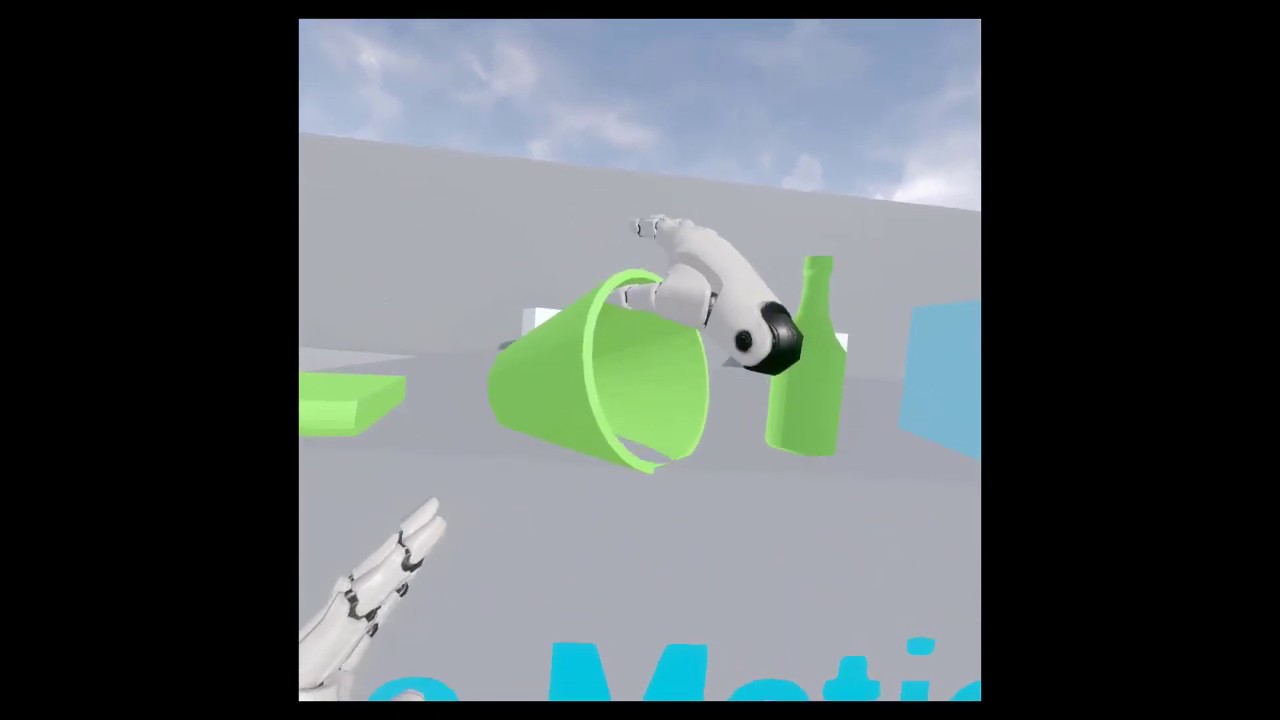
Some work I am doing on implementing VR hands with auto-posing capabilities (Half Life Alyx anyone?)
Nothing is scripted and there is no finger posing from the controllers. It uses a volume/surface discovery heuristic to place the fingers on the object and devise the best way to grasp it. The hand is not physical but kinematic, so volume penet...
sonic lake
Consider that a human hand is very versatile and has many different possible configurations depending on which object it is grabbing.
The algorithm above "explores" the surface of the object you are going to grab and decides where the fingers should go, a bit like your brain does.
It is not 100% perfect. If you watch closely you can see that sometimes it cannot fully decide how to grab something, so it flicks back and forth between two possible poses.
I have a more advanced version which uses object tagging (like "small", "concave", etc.) to give further hints to the algorithm regarding the grabbing pose.
neon geyser
Are you using deep learning?
sonic lake
No, it is more a kind of Q-Learning
neon geyser
Oh ok never heard about it. Wouldn't it work if let's say you build 100 examples yourself then train the algorithm with a good nbrs of parameters?
Maybe that's stupid, I only have basic understanding ^^
sonic lake
Q-Learning you don't train in general, you let the algorithm know how well it is doing at each step (reward/punishment mechanism) in relation to the overall objective.
wheat holly
Am I being silly or is there no way to see which controllers someone is using like the difference between an index, rift, vive etc?
real swallow
VR preview mode stop rendering screen on PC if I use vr.spectatormode 0
Does anyone know which command to use to get normal screen back
 kindred plaza
Hi, I'm trying to approve my apk to Oculus AppLab and have this issue. Someone has encountered such an issue? And how can I solve it?
 chilly ocean
I have a two-fold question:
(1) Why are Oculus loading screens so damn long? Kind of irritating, is there any way to adjust this?
(2) Is there a way to put in custom loading screens for both Oculus+SteamVR?
 oak ingot
Hey guys I'm starting with VR and I want to create a project with my Oculus Rift S. Do I have to target the project for mobile or desktop?
maiden willow
If it is for the Rift specifically you would want desktop. Mobile would be Quest
 tribal sky
Anyone know where I can get the oculus hands 3d models
I dont have maya
I tried to find them in the oculus unreal source thing in github but it throws an error. It says something about a subscribed account? I dont really use github so I have no idea what thats about.
sturdy coral
@tribal sky follow the steps here to link your github account:
Unreal Engine
Unreal Engine is the world’s most open and advanced real-time 3D creation platform for photoreal visuals and immersive experiences.
then you should be able to download the oculus branch that has hands
 paper epoch
has anybody worked on the pico neo 2? Been getting really low fps on builds which worked well on quest 2
 warm flax
Can anyone tell me what the player object is in AR? I need a cast and a character reference for one of my BPs but can't figure out what is the player character.
tribal sky
sturdy coral
https://www.unrealengine.com/en-US/ue4-on-github
still throw an error
I did link my github and epic games account but no result
nvm I am an idiot
brittle crown
Anyone have any success getting a 3D widget to pin to the player screen?
I'm trying to generate a pause menu that behaves like a non-VR widget, so flat on the screen and motion locked but I can't seem to figure it out and all my 3D widgets are SUPER distorted and misaligned when I try to swap them over to 3D widget
 placid spear
Do you guys do anything special for muzzle flashes in VR?
ember pumice
I celebrate muzzle flashes in VR every week
brittle crown
I think the content example BP has some muzzle flash examples
placid spear
ember pumice
I celebrate muzzle flashes in VR every week
Lol
placid spear
brittle crown
I think the content example BP has some muzzle flash examples
I must have missed that. There’s examples suitable for VR? I was wondering if others are using meshes or traditional sprites
brittle crown
I THINK I saw something about muzzle flashes in the content example project
placid spear
Oh ok. I’ll look into that. Thanks
brittle crown
I have it open let me check
I bet it's in there but a quick look I couldn't find it
placid spear
No worries
brittle crown
There's so many example maps

but I feel like I saw it in there. Maybe it was in the Niagra section, but that map would lock down the PC I'm on for like 20 minutes lol
placid spear
Lol
paper epoch
any suggestions on how I could highlight props that are supposed to be picked or interacted with in VR. No mobile hdr or deferred so hit a wall here 😅
 jovial trench
Hi guys how to Switch between VR and PC view in realtime ..
i tried to Switch the possess between the VR Pawn and the Character but doesnt work
wet marsh
Hey guys, this snapping objects plugin is super helpful to my project, I’m trying to work something in VR like that, to snap 2 objects with each other.
Can someone show me how to recreate something like this ? With simple blueprints or simple steps if possible?
Unfortunately I can’t afford to buy the plugin.
Any help please ?

 violet spear
Hello Mates
i'm trying to move spawned Objects in X and Y axes in augmented reality (Mobile)!
is there anyone who could give me some hand?
magic bridge
warm flax
Can anyone tell me what the player object is in AR? I need a cast and a characte...
if you're working from the AR Template, then you should be casting to BP_ARPawn - which is not a character
magic bridge
violet spear
Hello Mates
i'm trying to move spawned Objects in X and Y axes in augmented real...
hey whats the problem?
violet spear
magic bridge
hey whats the problem?
well, i used from ultimate touch component project
when i move my finger on the grabbed object it only move in one axis.


i think this Event is not what i'm looking for!
pls share with me your thoughts
twin heart
how bad are 1million TRIANGLES DRAWn with peaks up to 3Million in a PC VR Game?
magic bridge
violet spear
well, i used from ultimate touch component project
when i move my finger on the ...
I'm not familiar with that ultimate touch component, but it looks like the PlaneNormal in your Line Plane Intersection node is off. -1,1,0 is a funny angle that may give you unexpected results. I would expect it to be 0,0,1 if it were a ground surface. You could also try doing a line trace from where the user touched - this is how it's done in the AR template (image below). Some handy touch events to consider using are "Input Touch" and the touch events you'll find in your static mesh components. Be sure to enable "use mouse for touch" in your project settings if you want to test play from your computer though

 violet spear
magic bridge
I'm not familiar with that ultimate touch component, but it looks like the Plane...
violet spear
magic bridge
I'm not familiar with that ultimate touch component, but it looks like the Plane...
it's a made ready project that makes everything (about touch events ) easier!
actually, somewhat i solved the issue with two fingers move!
well those values were for test - 1,1,0
and I'm not sure if i change z from 0 to 1 what will happened? but I'll test it 👌🏼
about the touch input begin and end i think i test it out couple days ago seem like it weren't optimize (maybe because of my wrong script )!
i need to try implement your scripts to see the result and compare with my own script!
anyway i appreciate your help
magic bridge
no prob good luck
 quiet badger
anyone know why shader compile times take forever when steam vr is enabled? If I disable it I blow throw shaders no issue. I have a 3950x (32 threads). If steam vr is enabled, the engine seems to not take full advantage of it for whatever reason. This happens even when steamvr isn't running.
short laurel
@quiet badger If you wait it out ... should only happen first time you enable?>
quiet badger
short laurel
<@!180197146627145729> If you wait it out ... should only happen first time you ...
no it's for all shaders that compile in that project. 136,000 shaders I had to wait for last night vs if steam vr wasn't on it would be done in 20 minutes
the thing is that this doesn't happen with oculus vr, just steam
short laurel
Should only happen first time you enable Steam VR in your proejct and maybe first time you package. Does it happen for you every time you compile?
quiet badger
shaders don't pop up when i turn it on. i'm saying any shader edit after it's on is slow
short laurel
still confused - after you edit any material it is compiling 136,000 shaders?
quiet badger
short laurel
still confused - after you edit any material it is compiling 136,000 shaders?
no, I'm saying that the compile time is significantly longer. if I have 500 shaders to compile without steam vr disabled, it will take a few seconds to compile. If I have steam vr enabled it could take upwards up several minutes to compile.
136,000 shaders would take me a max of 20 minutes to do with steamvr disabled. With it enabled it took many hours to compile them all.
It's like it's not using all my threads or something.
It still spawns as many shader workers, but they run slower somehow.
sturdy coral
@quiet badger I have a 3950x too and haven't noticed it, but I'll watch out for it
quiet badger
sturdy coral
<@!180197146627145729> I have a 3950x too and haven't noticed it, but I'll watc...
I wonder if it's still happens in newer versions? This project is on 4.24.3.
sturdy coral
quiet badger
I wonder if it's still happens in newer versions? This project is on 4.24.3.
I got mine around jan. 2020 so I probably would have run into it on 4.24. I think they made some changes after 4.24 for 64 core thread ripper to handle processor affinity beyond a windows 64-cpu limit, but I don't think any of that should affect 3950x. A lot of times I launch with -nohmd though so it is possible I just didn't run into it due to that
quiet badger
sturdy coral
I got mine around jan. 2020 so I probably would have run into it on 4.24. I thi...
i use to get this same issue on older cpus, I meant I wonder if this still happens in newer engine versions. All my projects have been 4.25+ and just oculus.
 dusky arrow
Does anyone know where I can find the Index Knuckles controllers models - I seem to be able to find every controller but this in the Engine Content folder - Ideally I want to find a version that is rigged (thumbstick movement animated etc) - I am trying to break it down to apply to my own controller model, any ideas?
paper epoch
jovial trench
Hi guys how to Switch between VR and PC view in realtime ..
i tried to Switch th...
there is a set VR mode in blueprints tou could use
 ashen dome
ANYONE! have roomscale movement setup and know a good ay to get the speed/ direction for the animation walk blendspaces
sturdy coral
@ashen dome I rotate the whole character towards their facing estimate ( facing estimate is a combination of hands and head, and for head direction itself, as head looks down towards the ground lerp to a vector coming from the top of the head instead of forward from the eyes, so that you don't get poling problems), and then you can big the blend space direction based on movement direction relative to capsule direction, just like a 2d character
the lone echo paper has some methods of estimating forwards direction from head in combination with hands
covert hazel
does someone have a good workaround for msaa + atmospheric flog aliasing issues?
essentially this question: https://forums.unrealengine.com/development-discussion/vr-ar-development/88667-does-epic-have-a-proper-solution-for-anti-aliasing-in-vr
Unreal Engine Forums
All things Virtual and Augmented reality. Development resources, news, tutorials, and discussion inside.
 keen prawn
robo recall has a modkit, they use msaa
there is also some fog setting, vertex fogging for opaque or something
or pixel foggin
i think thats in project settings
 sullen vortex
dusky arrow
Does anyone know where I can find the Index Knuckles controllers models - I seem...
sullen vortex
dusky arrow
Does anyone know where I can find the Index Knuckles controllers models - I seem...
you can find them in SteamVR/drivers/indexcontroller/resources/rendermodels/valve_controller_knu_1_0_(left and right)
 gaunt pumice
anyone here using OculusConnect for avatars in VR? looks like the built in plugin is discontinued but I didn't find anything regarding the replacement
 crude zealot
hi there. I just joined this Discord server, curious about other folks who may be using Unreal Engine for AR Development. As a little background about me, I've been working on native iOS AR Apps for a little bit more than 2 years, using Swift, ARKit, and Scenekit. I am concerned about Apple's progress with RealityKit, and ideally I would like to start investing my time in a cross-platform solution.
However, I see that the documentation for AR in the Unreal Engine website doesn't even mention ARKit 4. And that is a concern for me, because most of the available work I have been able to find concerns mobile AR development.
Are there any folks out there doing active AR development using Unreal Engine? Are you happy with it? Do you see a future, or are you planning to migrate to another platform?
dreamy ivy
Hey everyone, been wondering how to get good quality/high-performance content out of your Oculus Quest and desktop VR projects?
I get asked almost everyday what settings I actually use for my projects other than the ones recommended by Oculus and Epic, so I thought I'd take you through the settings I use. These are settings I've found over time that work quite well for all my projects, I use these settings in my own content so please let me know how it works for yours, I'd love for you to share a before and after of your performance gains . If you know any other performance tips or tricks, why not leave them down in the comments so everyone can benefit.
Hope it helps.
#UnrealEngine #VR #VirtualReality
► Description
Hey everyone, I get asked multiple times a day what project settings I'm using to get good quality/low-performance content out of my Oculus Quest projects so thought I'd take you through the settings I use. These are settings I've found over time and work quite well for both mobile and desktop VR,...
tulip breach
Hey guys my vr project ive setup all the inputs in project settings and it works fine with oculus rift but when I use my vive pro headset the input doesnt work, im using 4.26 anyone having similar issues?
wheat holly
I had the same issue when I got my hands on my Index, I used the Steam VR plugin to generate bindings for it. Apparently Oculus uses it's own plugin and other headsets such as the Vive / the Index require the Steam VR plugin (or the OpenXR thing, but I have not looked into that).
Unless you already figured that out, in that case do some of the buttons not work or all of them?
tulip breach
The only thing working is the tracking for the controllers none of my inputs like trigger, thumbpad etc work so im a bit confused
wheat holly
You could try using the Steam VR plugin, I assume it's still at least roughly the same as for 4.25.4 (the version I'm using).
tulip breach
Cool lemme check that out quick
Ive got the plugin activated is there a certain way to get it to generate the bindings for me?
wheat holly
It requires a little bit of set-up for the joysticks but works fine otherwise once you generate the bindings (Which you can do in the project settings under the plugins tab) https://gyazo.com/495be6d637224a51866bbcf33fb307f1

So the thing to note is that joysticks won't work unless you put _X and _Y for the proper axis in the input name, SteamVR apparently wants those to be a thing and otherwise doesn't bind it. Make sure to use both of them though, even if you only use 1 axis because otherwise it doesn't properly map it (I had to find that out the hard way lol).
So e.g. you would rename your joystick mapping from example_input to example_input_X & example_input_Y
tulip breach
O damn okay ill make sure I keep that in mind
wheat holly
Here is some documentation about it as well in case you want it 🙂
https://docs.unrealengine.com/en-US/SharingAndReleasing/XRDevelopment/VR/SteamVR/HowTo/SteamVRInput/index.html
Setting up UE4 to work with the SteamVR Input system.
Although it does say it needs a config variable, I never did that and it worked anyway so not entirely sure why that is a thing.
tulip breach

these are the defualts is that correct?
then in my input I have this

but still doesnt want to work 😩
wheat holly
Did you regenerate the bindings etc?
wheat holly
It's pretty quick in doing so because it doesn't do a whole lot, it just generates a couple of json files.
Did you also try the manifest buttons?
tulip breach
yeah pressed all of them to make sure 🤣
wheat holly
Hmmm
If you go to YOUR_PROJECT\Config\SteamVRBindings are there any .json files in there?
 wheat holly
If you look in the vive json files are there any bindings in there?
To clarify, the controller json files. The regular ones usually don't have any bindings. At least not for me.
So the vive_controller.json
tulip breach
{ "name": "Default bindings for Vive", "controller_type": "vive_controller", "last_edited_by": "UnrealEngine", "bindings": { "/actions/main": { "sources": [], "poses": [ { "output": "/actions/main/in/controllerleft", "path": "/user/hand/left/pose/raw", "requirement": "optional" }, { "output": "/actions/main/in/controllerright", "path": "/user/hand/right/pose/raw" } ], "skeleton": [ { "output": "/actions/main/in/skeletonleft", "path": "/user/hand/left/input/skeleton/left" }, { "output": "/actions/main/in/skeletonright", "path": "/user/hand/right/input/skeleton/right" } ], "haptics": [ { "output": "/actions/main/out/vibrateleft", "path": "/user/hand/left/output/haptic" }, { "output": "/actions/main/out/vibrateright", "path": "/user/hand/right/output/haptic" } ] } }, "description": "" }
wheat holly
Hmm, the "sources" one is supposed to have bindings.
Maybe try restarting the editor and regenerate the manifest / bindings again?
tulip breach
mmm lemme copy the json file from the vr project file and see if that makes a difference quick
wheat holly
Also small issue, your left trigger input is using the right trigger for WMR 🙂
tulip breach
cause the one from the vr example project has the "sources" Bindings
tulip breach
wheat holly
Also small issue, your left trigger input is using the right trigger for WMR 🙂
A snap thanks for picking that up mb!
wheat holly
You might want to look into that left trigger input binding a bit more, I see more of them using the right trigger 😅
tulip breach
I manged to regenerate all the json files but now my controllers arent even tracking 🤣
wheat holly
D:
tulip breach
I got it it works after restart
I could give you a kiss
Thank you so much for the help I really appreciate it
wheat holly
No problem haha
Glad it works! 🙂
 bright echo
Hi, How do i use undo in VR Mode?
wheat holly
As in when using the editor in VR?
bright echo
yes
wheat holly
Tried this? https://forums.unrealengine.com/development-discussion/vr-ar-development/1503049-vr-mode-undo
Unreal Engine Forums
Am I crazy or is there no way to undo (outside of using the keyboard) in the editor's VR mode? How do people get around this? Remap shortcuts?
bright echo
yeap that's me with the reply there
wheat holly
Oh my bad, I never look at the names haha
bright echo
hehe no prob
i swipe left and right and nothing happens
I wonder if I can just map it...
wheat holly
It seems like it's not there, the VR guide from Unreal mentions this:
The Radial menu provides easy access to commonly used functions such as copy, paste, undo, etc., when in VR mode.
But then there is literally no "undo" button to be seen in that entire page :p
Maybe that it was added later on though 🤔
Did you already try to see if there are any undo buttons in any of the radial menus?
The Radial menu provides easy access to commonly used functions such as copy, paste, undo, etc., when in VR mode.
wheat holly
👍
I would be kind of surprised if they don't have a button for it, they have so many things which work with it. It would be really silly if they forgot the 'undo' button 😅
bright echo
lol ikr
loading now, sorry for the delay (thanks for the help)
hmm interesting, I loaded UE4 from a project and it started fine (Fresh install of UE4 on a different PC) I launch UE4 without loading a project and I have to install the .NET framework and other prerequisites
39% loading for 5 minutes
wet marsh
I know this might not be the place to ask this but, is there a way to run windows mixed reality vr without the need for an internet connection i.e steamVR?
bright echo
@wheat holly everything but undo in the edit menu
@wet marsh I don't use WMR, but it sounds crazy that you couldn't play offline
wheat holly
bright echo
<@!158195342158987266> everything but undo in the edit menu
<@!35353767574110208...
That's really odd 😅
For both of the things
bright echo
This makes me want to buy more gadgets (find some sort of keyboard I can mount to my body 🤣 ) in order to compensate for a missing undo/redo function
 cloud talon
[Arkit/IOS] hi..i am building a crossplatform ar game using arcore/arkit, my engine version is 4.25.4 . in ios ar plane detection is working but ar image tracking is not working. i have followed Joe Garf's tutorial [https://medium.com/@joe.j.graf/arkit-1-5-image-detection-in-ue4-4-20-4dcbefb7a178]
i am using 4.25 because i am facing issue with application after launch in both ios and android. i have posted a question in answerhub [https://answers.unrealengine.com/questions/1021582/view.html].
if anyone can help me in any or both problem..will be a huge help..
nimble edge
Using the OpenXR plugin, a WMR Headset, and playing in "VR Preview" drops my frame rate to ... unusable levels even in the editor when I've exited VR. Is anyone else having this problem?
past tiger
nimble edge
Using the OpenXR plugin, a WMR Headset, and playing in "VR Preview" drops my fra...
Yes, I believe that is a known issue.
#virtual-reality message
Workaround was to run the console command "t.maxfps 0"
nimble edge
Thanks, I tried searching, but I guess I didn't go back far enough.
 restive loom
I'm sad now
 ember pumice
What country?
 bitter parrot
Good time of the day, I'd really appreciate your help. I'm delving deep into the sources of engine for the second day and can't quite figure the mechanism, where player's pawn camera transform is being updated from corresponding ARSystem implementation. I can't look at it at stack trace on iOS device, because for some weird reason I can't compile any UE project(as of 4.26) straight from Xcode as a standalone app to launch on iOS device.
Oh, I finally found it. It's in "FXRTrackingSystemBase::ComputeTrackingToWorldTransform(FWorldContext& WorldContext)". That's where it gets the camera component of the player possesed spawn and assigns new values.
nimble edge
past tiger
Workaround was to run the console command "t.maxfps 0"
Problem solved (for now)
 past tiger
haha nice
 proven epoch
Hey, I want to change C vars for android ASTC shipping build
Which version is that?
 trail shale
What causes the VR spectator window to be stretched across two monitors? I'm not sure why it happens like that but it is annoying AF and my users will be lost if I push a build to them that doesn't fix that
trail shale
It looks like this
 wheat holly
I assume you're using a Render Target for it?
Because those have a resolution defined, I have the same issue. Just never really looked into it yet.
trail shale
wheat holly
I assume you're using a Render Target for it?
Glad I wasn't the only one trying to mess with that - I also have inconsistent window modes, like when I start it up and it's not maximized

and ALT+ENTER doesn't work
tribal sky
Anyone know a good way to learn stuff about the vr expansion plugin. I tried going through the example stuff and the code and I am literally lost
tribal sky
you know this one https://vreue4.com/recent-posts
bright echo
yeah, the tutorials hard to understand?
bright echo
hmm
bright echo
physics hands? do you mind elaborating?
tribal sky
this plugin has hands that grab stuff with physics constraint and are a physical presence in the world. Like half life alyx for example
tribal sky
I use the oculus rift s but I think it uses the finger tracking too by default. You may have to enable it I dont really know
bright echo
I have an old rift. did have a little finger tracking. the S may also.
trail shale
Mordan tral has a discord channel but don't be an ass when you get there :) @tribal sky
If you look at the docs for the plug-in they have a discord you can ask questions there but you are going to have to unfortunately read through a lot of the stuff
My advice to you would be to load up his project and play with it and see how he does things
And yes if you have problems with binds and input system and steamvr that is a bitch too
tribal sky
thx for the info appreciate it
trail shale
Np good luck I suck with the stuff too and I'm technically a vr dev
trail shale
How can I actually reference the spectator screen texture - to actually GET IT - so I can display it elsewhere - (I know that sounds confusing but just go along with me )
keen prawn
if you dont have 2 monitors get some1 else to fix it 😛
trail shale
keen prawn
if you dont have 2 monitors get some1 else to fix it 😛
Ugh
there's got to be a way - if I can switch spectator screen textures, I should be able to reference it
keen prawn
@trail shale there is most def some1 out here that did this
also seems like a problem that has a checkbox for it
sturdy coral
@karmic bough did you try:
ISpectatorScreenController.h

    /**
    * Get the texture that would currently be displayed on the social screen (if in a mode that does that)
    */
    virtual UTexture* GetSpectatorScreenTexture()
Don't think it's exposed to blueprint

like, come on, why can't it be easy just this once
 sharp hedge
i need a chat tutorial video (if anyone knows any) for a multiplayer vr/desktop game
sharp hedge
also need one for visualizing Geat VR motion controller with a laser pointer in game
 outer hearth
Are there any good resources for getting up to speed using UE4 for AR?
The Online Learning section doesn't seem to have anything AR related.
https://www.unrealengine.com/en-US/onlinelearning-courses

Unreal Engine
Unreal Online Learning is a free learning platform that offers hands-on video courses and guided learning paths.
tribal sky
Can someone direct me for animations in hands for vr? I mean the fingers detecting the mesh and placing the fingers based on it. I have seen many examples but never understood the concept behind it. I dont want the code I really wanna understand the approach that we are taking. If someone could link something that explains the idea behind it I would appreciate it.
sturdy timber
Hello! Does anyone know if there is a way to render stereo layer on the spectator screen?
tired tree
@sturdy timber no, stereo layers are part of the hmd api
they do not render out directly in engine
sturdy timber
ok, I will find another way then, thanks @tired tree ! 😄
sturdy coral
@sturdy timber you can comment out your plugin's native layer support and then it will fall back to emulated layers that render into the scene and will show up there, but that's probably not what you want
tired tree
can run the eye+texture preview mode too
and submit the same texture
but that really depends on what the texture is as to how useful that is
sturdy coral
I think they might have added an api to get the composited texture with view and layers too, at least for steamvr, I remember something like that added for alyx
I may be misremembering that, they did camera stabilization of the mirror and stuff for alyx which I'm not sure would work with that
trail shale
Here's a stumper @tired tree @sturdy coral - I've been wrestling between using the **Option A - Spectator Control Window plugin **from the marketplace - and **OptionB - Render Target ** the jury rigged one I have in-game, that swaps out the Spectator-screen texture to a 2DSceneCapture, which then uses tick event to interpolate the current mouse position on the screen and use it to move an invisible 3D Widget interaction which points to a 3D Widget floating off in the world far away - it's worth noting that in either case, the VR player never actually sees this at all, this is all for the "instructor" who needs an interface to interact with the VR player.
Option A - Spect Control Window - Pros - Easier to use, doesn't block view of player's view (though dock of Steam VR view can overcome this), can be moved to other screen in the case of multi-monitor displays.
Cons - Interrupts input when buttons are clicked - the plugin immediately restores input so the player might not even realize this but it absolutely BREAKS events tied to holding down a key (in my case, if they are holding down a radio transmit button, it literally cuts them off - I've spent probably two days on trying to build some input passing system that can maintain things but gave up (plugin's creator had no idea what to do either, a problem with the way Unreal handle's input and Windows
Option B - Blake's Hacky POS - PRO - works without breaking input, as far as I can tell
Con - Using an addtional Scene capture, blocks player's view of screen, does not look as good, resolution problems can occur (it's positional so if the window isn't in the right spot, your alignment for the mouse cursor will be off, basically the system is very hacky)
Not something I would want to use as an interface but I don't see much choice
I also have the Unreal Webserver plugin but it was causing massive memory leaks due to a problem with garbage collection that I could never resolve and also it's very clanky to edit because you have to edit html/java/css because it is literally building a web page as an interface
tired tree
you don't need to scene capture a 3d widget to display it
you can directly access the texture of 3d widgets
trail shale
Yes but how would you control it on a single screen via the spectator screern?
trail shale
tired tree
you don't need to scene capture a 3d widget to display it
Without messing up the VR player's view?
tired tree
manually writing it with the combined view
in the end there is no "perfect" solution right now with out code
tired tree
they never did go back and fix up the widget space with vr active
trail shale
Here's what baffles me though - when I spawn a control window it somehow changes the resolution of the original window
tired tree
the note is still in that section of engine code to fix that
trail shale
goddamnit epic lol
You recall me asking for the last 3 years, it's like an anniversary of being low priority
At this point, I'm considering using an Elagato Streamdeck to pass in console commands to trigger custom events
tired tree
nothing has changed since then
sturdy coral
@trail shale there's some kind of remote control plugin now that works with tablets
mainly centered around virtual production I think
is the resolution change a vr bug, or it happens even if your main window is playing in 2d?
trail shale
sturdy coral
<@!273265779175194624> there's some kind of remote control plugin now that works...
Seems to happen in any environment
We tried it with VR not hooked up
When I disabled the multimonitors, then it worked
and basically, at beginplay I have a 5 second delay before the control window actor is spawned
and as soon as it is spawned, it janks the resolution
the entire spectator screen resolution is changed I mean
in-game VR is fine, they can't tell anything
placid spear
Has anyone been able to access the access the radial menu blueprints in the editor mode to see how it’s coded? I’d like to use that in my pawn but it seems only the radial mesh can be seen
 lethal kiln
I'm having a bit of issues with a level I have where I can't teleport. Is there something I need to do to make a surface teleportable? Works fine in sample project they have.
 mental halo
EDIT: Nevermind
@lethal kiln Make sure your navmesh bounds covers where you want to teleport
And check the collision settings on the surface to see if the trace from the BP_MotionController can block it
lethal kiln
Alright, I'm pretty sure the navmesh is but I'll try the collision stuff. thanks.
mental halo
Oh yeah, sometimes the pathing data disappears, be sure to try Building Pathing. That gets me from time to time
warped quail
hey all, I'm having this issue where pawn possession in vr is working in the editor, however it is not working in a packaged game. does anyone know how to fix this issue?

this is what my blueprint looks like
lethal kiln
@mental halo I don't see much about building pathing but I did just notice the Collision Preset was set for No Collision is that an issue?
mental halo
lethal kiln
<@!217457426448908288> I don't see much about building pathing but I did just no...
Yeah the BP_MotionController needs collision for it to block the trace for the teleport. It'll hit things like WorldStatic @lethal kiln
The preset itself, you can use anything that has it such that the Object Type is WorldStatic and blocks Dynamic in Object Responses, which I think is what the trace itself is set as, though you might want to double check
Personally I just use the Custom preset and modify it to fit the needs of the level. And if it's a commonly used set of collision rules I'll modify an existing preset or make a new one
lethal kiln
I got this basic static mesh level and I'm trying to set it up as an APK so people can teleport around and look at the space. I tried to steal the pawn from the default and bring it in but didn't really help.
mental halo
Did you try changing the surface to a different preset like BlockAll? Also hit "P" to see if the navigation works, you should see green over the surfaces which represents where you can go
lethal kiln
So there is green areas over some of the objects. I'll try to change the surfaces as well.
 novel sigil
hey, so i am trying to package a little test game for my oculus quest 2 but i have been getting errors every time which cancels the process, could any body help me find the solution to this?
gaunt pumice
@novel sigil post the errors 🙂
U and J get recognized but the thumbstick not?
with other you mean oculus inputs?
trigger axis for example as well?
first thing i would try - export the current mappings, delete all, restart oculus and UE
create one single new mapping and test
lethal kiln
So i set up collisions for the model I imported and got some green squares but I can't figure out how to get a VR pawn to actually teleport. Have the quest 2 hooked up to PC with Link cable and I'm in the game but no matter how hard I smash the joystick and aim nothing shows up. It works fine in the tutorial but yeah a bit of suggetions would be appreciated.
lethal kiln
Here's a picture of the level I'm trying to do. I can't seem to get the Teleport to work. I dont' even get the so called 'rasengan' ball where it's completely colliding with another object. Pushing the joystick leaves nothing. I'm inside the navmesh. Any suggestions?
 lethal kiln
I managed to solve it. Inputs weren't ampped correclty so i imported some from the tutorial and then I realized the pawn didn't have ability to control navigation using controllers. I got it to allow me to teleport, I can't change my rotation but in a full roomscale VR that isn't an issue. Thanks for the help, especially you @mental halo
mental halo
No problem @lethal kiln. I'm glad you found a solution to your issues. I'm guessing the lack of rotation on teleport may also be an input problem if you took the code from the example
► Join the Discord: https://discord.gg/xw65fg7
► Patreon: https://www.patreon.com/GameDevXR
► Twitter: https://twitter.com/GameDevXR
► Instagram: https://www.instagram.com/gamedevxr/
--------------------------------------------------------...
lethal kiln
Quick thing you might be able to help with since i see you typing, but I'm getting an error for exporting because of illegal characters.
(C:\Users\gageh\AppData\Roaming\Unreal Engine\AutomationTool\Logs\E+Games+UE_4.26\UBT-BlakeNorrisTake4-Android-Shipping.txt)
Rotation error came from me having the yaw/pitch set to be manipulated by the controller. Just needed to not click the buttons.
mental halo
What do you mean by illegal characters?
mental halo
lethal kiln
(C:\Users\gageh\AppData\Roaming\Unreal Engine\AutomationTool\Logs\E+Games+UE_4.2...
Can you send the actual log, this is just the file directory
lethal kiln
That's the file location but when I try to package it for Quest 2 it fails because of having like a tilde.
nvm looks like hte log tells me where to change it.
placid spear
Anybody getting this message in 4.26?

It just started appearing out of nowhere. I was choosing the option "Don't Enable" and it just keeps appearing.
lethal kiln
So I been struggling getting it to package all day think I got it mostly solved by disabling OpenXR for VR or whatever it's called. Basically I just have the Oculus VR turned on. But now when I try to package it as an android file the Blueprint for the Teleportation keeps getting errors which basically revolve around the nodes no longer existing on the blue print even though when I compile the blueprint it works fine. Anyone deal with this issue?
lethal kiln
Edit: tried wtih OpenXr and SteamVR both enabled and Oculus VR disabled. Got it to export. Game isn't 'launching' it just stays on teh 3 white dots after I hit play. Any idea why this is teh case?
livid plover
Hi, anyone know do I NEED android studio version 3.5.3 to setup my quest2 for unreal? or will it work with a new version of Android Studio?
sullen vortex
which Unreal version are you using @livid plover ? depending on the UE4 version you use, is the sdk / ndk you will need
How to set up your Android development environment for Unreal 4.25 and later
livid plover
the latest version. this is the docs im following.
sullen vortex
check out the chart at the bottom of the documentation
livid plover
so.. am i understanding this right that it should work fine with new versions? seems like it accepts every NDK version now
I'm confused why they would specify to get version 3.5.3 tho if you could just use the latest version of android studio and be fine?? I feel like im missing something here
sullen vortex
didnt know that, don´t know how 4.26 is doing with Oculus Quest packaging, still using 4.25.3 here
livid plover
it says 4.25+ takes the r21b and r20b. but I dont really know what that means
I just wanna know if I can install the latest version of android studio or if i need to get this super old version for it to work
 white gulch
Hey guys, anyone work with Wave VR here? I'm trying to understand how their teleportation works, but the documentation is confusing.
tribal lintel
Why do the editor bindings for the Vive Cosmos (v1, not pro) only appear when the cosmos is plugged in?
 dark apex
anyone have any experience with the Manus VR gloves?
 quick dirge
dark apex
anyone have any experience with the Manus VR gloves?
quick dirge
dark apex
anyone have any experience with the Manus VR gloves?
Yes, I own two pairs of them. Didn't use them that much though.
dark apex
quick dirge
Yes, I own two pairs of them. Didn't use them that much though.
did you run into any issue with position tracking through SteamVR?
 errant slate
this is probably known, but my google-fu is falling short. I'm having trouble with VR and multiplayer. Easily replicated problem: In a brand new project using the stock VR template, if you Play in VR, with the Net Mode set to "Play as Client" the HMD gets it's rotation overridden by the server each frame, and you can't turn your head. However the translation still works, you can move up/down/left/right. What's going on here?
(this is in 4.26 btw)
quick dirge
dark apex
did you run into any issue with position tracking through SteamVR?
With their latest tool (which name I forgot) yes. By default SteamVR isn't enabled in their tool, you have to configure it somewhere in the settings.
sturdy coral
@tribal lintel they are part of the steamvr plugin, so if you load oculus plugin instead they don't show up
you can change plugin priority to launch steamvr over oculus and then it can show up with an oculus headset
chilly ocean
For some reason - when I import steam vr input assets into my own project - my valve index controllers are being detected and location/rotation tracked (as the glove if you are familiar with that project) but the animations are not being tracked
tribal lintel
sturdy coral
<@!702271954245124127> they are part of the steamvr plugin, so if you load oculu...
Cheers, will try this tonight
 molten wyvern
Is there any good way to make objects make noises when you swing them but based on speed like IRL
My only option right now is have a couple audio files that play for different speeds but I'm not sure if theres a way to blend them like you would say walk and run animations which are obviously completely different.
 arctic saddle
Why is the SteamVR Editor Plugin not show up in the toolbar for 4.24.3?
I have it in some of my editors and some do not. I do not remember how it got there or if I did something to change. Can't find any checkboxes for it be toggled or whatever. SteamVR is enabled and I disable Oculus and all vr stuffs as they conflict.
sonic lake
@molten wyvern one obvious way is to use the magnitude of the velocity (speed) to control the volume of the sound. For a sword that would make the "woosh" louder the faster you move it
Additionally you can fake a Doppler effect by slightly tweaking the pitch of the sound depending on whether the object is moving toward your or away from you.
To get the velocity of any object (whether you are holding it or not), you can use this expression On Tick: ( world position[this frame] - world position[previous fame] ) / Delta Time
molten wyvern
@sonic lake That makes sense. I'm working on a golf game so I ended up grabbing the velocity of the golfball right after it is hit and divided the vector length against just under the maximum speed I was able to hit it after playing with it for a minute and then playing with the pitch and volume with that number.
I'm working on adding the woosh though and I think that bit of code should help me
Is there any good way to trigger this without having to put the sound on event tick?
sonic lake
molten wyvern
Is there any good way to trigger this without having to put the sound on event t...
you need to calculate and monitor the speed of the movement, which you can only do On Tick. If performance is a concern, it is not a particularly expensive operation and you can definitely activate/deactivate it depending on the state of the game (player swinging vs. other actions)
molten wyvern
Yeah I think I'm going to turn it off and on whether or not the player is holding a club
shouldn't be too hard
 agile grotto
Hey guys, I think I must be overlooking something really obvious cus I've been staring at it, but I can't get my turn input for my VR contrllers to work from C++ code? It works from blueprint, and the my MoveForward and MoveRight axis actions work fine, but my turn doesn't? Can anyone spare a set of eyes?
north tapir
Do you guys know how to add Action Set to SteamVR inputs? Everytime I regenerate, my action sets got overriden and deleted
 sleek axle
Hi guys, im new in here. Nice meeting you all. I'm also new to unreal on what it relates to blueprints and some more specific uses (learning a lot tough). m using UE4 4.26. My problem is this: I need to have a video screen playing a video on my oculus quest vr app. For some reason, I cant make it happen. It plays well on PC vr (via link), but it doesn’t play at all after I build for the quest. Any ideas? Thanks a lot.
dreamy ivy
@sleek axle Timing, I've just actually uploaded a tutorial showing how to add 360 video to the Oculus Quest. Its the exact same setup for 2D video, you just change the sphere to a plane and place it in your scene. Check it out. Hope it helps.
#UnrealEngine #360video #VirtualReality
► Description
How to add 360 videos to your Unreal project and view them on the Oculus Quest 1 and 2.
360Video: https://vimeo.com/215985972
https://www.mettle.com/360vr-master-series-free-360-downloads-page/
If you're new to VR and want to get started with Oculus Quest development, I recommend watching...
sleek axle
Tbaks a lot. I will try it.
tired tree
@north tapir engine input module does not currently support action sets
it only loads one
dreamy ivy
@sleek axle made this one quickly which might be better for you. https://youtu.be/92gkfitLWAo

#UnrealEngine #VR #VirtualReality
► Description
I uploaded the 360 videos for Quest Video and was immediately asked how to create a 2D TV in UE4, so I put this together for you all to show how you can create a tv with an interactive play button.
If you're new to VR and want to get started with Oculus Quest development, I recommend watching t...
north tapir
tired tree
<@!146618985817833482> engine input module does not currently support action set...
Thanks for the info. Currently I can trick editor to work with 2 action sets. After regenerating everything, I manually edit inputs to have 2 action sets. Everything looks like working as expected.
But it doesn't work on packaged builds. Controllers dont get tracked. Do you know anything about this?
I really want to do this because I want to hide some bindings from the user to prevent them changing it.
Well, while writing this, an idea came up. Tomorrow Im gonna try pasting the bindings after I launch the game. Maybe that would trick it.
 steep bluff
For anyone experiencing issues with setting up UE4 for Oculus Quest, link is the non-paywall version:

Medium
I spent a fair bit of time after my last article gathering up feedback with regards to Oculus Quest development. Since then, Oculus has…
 mighty carbon
it's ... pretty useless :/
 quiet swan
is there a desktop theather mode in unreal, something like steam has? https://www.youtube.com/watch?v=L6zGkjGDaq4


how can I get a screen to show like this without having to go through steam?
wheat holly
Why not just use Steam if I may ask?
quiet swan
Because what if the person doesn't have steam
lethal kiln
I mean Steam is free and you can just make a throw away account. It'd be way faster than trying to like create something similar to this.
quiet swan
why a scene render component would be to expensive to do right?
lethal kiln
It just takes time versus you just downloading steam and making a fake google email for the fake steam account. It depends on what you want to do in the end.
quiet swan
well I need a spectator mode where the player that just died can see through the one whos playing
sturdy coral
@quiet swan scene capture is the right thing to use there
if it is too expensive you could draw it to an overlay and lower game resolution (overlay will still be high res)
quiet swan
@sturdy coral ok I will try this thanks
 tardy laurel
Hello, I worked on a simple third perspective project and I think the project is better for it to be vr so how can I transfer it to do I just create a vr template and export all my project to it?
sullen vortex
hey guys! my packaged project has Start in VR checked, since its an app with VR support. But cant find the way to make an option when launching, to choose if i want to open it in VR or in 2d? any ideas? thanks in advance
 polar valve
@sullen vortex Uncheck start in VR and then call vr.bEnableStereo 1 if you want it to be VR.
 sullen vortex
thanks a lot! appreciated!
sturdy coral
@sullen vortex you can also launch with -nohmd and give that to steam as a separate launch option parameter, but it requires this fix:
sullen vortex
I'm being store agnostic atm but this solution might be helpful for @rigid bear that was looking for something like this i guess
 rigid bear
sullen vortex
I'm being store agnostic atm but this solution might be helpful for <@2213067828...
rigid bear
sullen vortex
I'm being store agnostic atm but this solution might be helpful for <@2213067828...
would need to build the engine from source and i got no space for that on my drive😅
chilly ocean
Anyone have experience with a 2D texture render target - think portal - + VR in UE4 version 4.25+?
There were problems in previous versions but I think there still might be some currently?
For instance, a very basic map in non-vr + vr runs with it perfectly fine but introduce something that is slightly more complex and it dips to 60 FPS (at least when I tested a year ago or so)
used to be a lot worse - even the simplest of maps would trash performance - but some settings can get you around that now
tired tree
aside from the scene capture bug with texture allocation that was thrashing performance, you are always going to have a significant hit with that
in VR or outside of it
you are literally rendering a scene view
its not exactly how it was done in portal itself
sturdy coral
sullen vortex
I'm being store agnostic atm but this solution might be helpful for <@2213067828...
I think most stores support commandline params for their launch options. I'm pretty sure params are how epic store stuff that has a vr option launches things too
there are a few games on the oculus store that do 2d and VR, like project cars I think, I'm not sure how they are launched
sturdy coral
sullen vortex
I'm being store agnostic atm but this solution might be helpful for <@2213067828...
if you do it by toggling stereo off through blueprint once up and running as shown above, you are going to force the runtime to launch and it will potentially switch their audio device, etc. which will get you review complaints; you could turn off bstartinvr to avoid that, but then when launched from inside VR it may launch into desktop theater mode
dreamy ivy
Hey guys, I made a new tutorial showing how to add official Oculus Quest 2 controllers to your VR project for those interested. Let me know what you think.
https://youtu.be/sC9xK6lUnhs
How to add Quest, Two Controllers, to your UE4 VR Project Quickly and easily while allowing you to keep the default hand meshes.
https://developer.oculus.com/downloads/package/oculus-controller-art/
https://www.twitch.tv/gamedevxr
If you're new to VR and want to get started with Oculus Quest development, I recommend watching these videos firs...
chilly ocean
tired tree
its not exactly how it was done in portal itself
Is there a more efficient way it can be done then?
like if I wanted to have an extra screen one can "zoom in" , that renders the outside world but from an inside environment like a cockpit
one thing I could do is project a plane onto where I want the extra camera to look at, which should eliminate all surrounding pixels and then update that on a regular basis so that ONLY those pixels get updated frame to frame
tired tree
if its a screen you might as well render to texture as you have work with a smaller resolution to begin with and setup the culling yes
chilly ocean
tired tree
if its a screen you might as well render to texture as you have work with a smal...
What if you render everything around you pitch black as well? Would that maximize performance when using a 2D capture component?
like an inverse sphere
depending on how unreal culls its objects with the inverse sphere
sturdy coral
@chilly ocean at that point turn off main scene rendering, submit small black texture or static skybox to vr compositor, and send the scene capture to an overlay
chilly ocean
sturdy coral
<@417804193924120587> at that point turn off main scene rendering, submit small ...
And I assume I can toggle that on/off as needed?
sturdy coral
it may need a small engine change
chilly ocean
sturdy coral
it may need a small engine change
ok, I'll keep it in mind, thx
lethal kiln
I been trying to set up this level as a really simple teleport around and 'experience' the place but everytime I think I have it something goes wrong but I managed to get to a point where I can package the product and I've set all the settings to be correct. the issue is, every time I load the APK on my Quest it just stays a black screen loading or it'll stop loading but stay a black screen. What setting am I missing or that I'm doing wrong where when I side load the Apk onto my headset it just doesn't do anything.
lethal kiln
Is that in Android SDK or the console on UE4?
void parrot
Your own Console in Windows
Keep the headset plugged in
then run that command in your command line then launch the game in your headset
It'll print out a log of UE4 debug info
lethal kiln
Alright does it save into a text file somewhere or do I need to copy it somewhere?
void parrot
You can make it save to a text file by adding > log.txt to the end
so
adb logcat -s UE4 > log.txt
Will save it as log.txt in whatever folder you're in at the moment in your command line
lethal kiln
Alright anything I should look for in particular?
void parrot
Yeah, crashes lol
It'll give error messages
Let me grab an example screenshot

They'll generally have === Critical Error ===
lethal kiln
No critical errors the closest thing I found was APP_EVENT_STATE_APP_SUSPENDED
dusky moon
Hey all, got a strange issue with Oculus controller's input buttons.
When I reset the pawn in UE4 on runtime, my Pawn's hand tracking works, analog buttons also work but for some reason X/Y A/B buttons don't!
and then the only way to fix it is to press the oculus menu button twice then those buttons start working again. does any1 else have this issue ?!
I had this problem also sometimes when I play from the Editor and always have to toggle Oculus dashboard menu to fix those inputs ...
 rigid kiln
I wanna let my player move around with their left motion controller stick in VR
but upon testing, it doesn't work

I'm using a Quest 2
sturdy timber
hello, don't know between here and mobile whats the best place (already tried in audio haha). Do you know how to use AudioCapture in Quest? I see that the Android implementation is there, it compiles, but my voice is not fed in the Quest build and I don't know why. Also what is strange is that the Quest does not ask for record audio permission, although I checked the box in the android settings in Unreal... any idea?
(The project with audiocapture is working fine on windows btw)
magic bridge
have you requested android.permission.RECORD_AUDIO
sturdy timber
yes, the box is checked in android settings
magic bridge
 sturdy timber
I'm not sure about the extra permission, I checked the box you show... Will try with the extra permission
magic bridge
If that alone doesn't work you could try something like this
 sturdy timber
thanks a lot! will try all that
sturdy timber
magic bridge
If that alone doesn't work you could try something like this
This one did the trick! Thanks!
arf, but now the app is crashing after first launch
I think I saw something like that on the forums...
magic bridge
sturdy timber
This one did the trick! Thanks!
No problem, good luck!
 swift forge
Hello. Can anybody port the Oculus Quest project to VivePort? I'm not familiar with WaveVR and have no device.
warped quail
Hi there, I'm having a problem with the orientation of my vr controllers. Using the oculus plugin for ue4 (I'm using oculus rift), my controllers are oriented/positioned in the right way, however when I use steamvr the orientation of my controller changes; the forward vector of my hands in game are pointed more upwards so for them to point straight I have to point my controllers straight down. It just feels really weird and I'm not sure if this is normal. Is there any way I could fix this issue?
sturdy coral
@warped quail you have to add a fixup transform
Mordentral's plugin has several things built in for it I think
Also openxr does things in a more standard way, defined on some hand bone orientation or something
To get the tra storm yourself open steamvr render models folder and transform their asset to match with oculus github branch oculus controller asset (or probably built in one for vr editor too)
Just attach one to the other, move it into place, then get inverse transform
warped quail
@sturdy coral thank you so much! I'll give that a try
tired tree
Openxr's standard tracking pose is of the assumed real life hands palm when gripping the controller
Will be much easier to handle seperate controller offsets when everything is fully openxr as it's handled for you with that setup
warped quail
@tired tree I tried enabling the openxr plugin in unreal engine, however the hand pose gets more rotated. Do I need to disable the steamvr plugin for it to work?
tired tree
@warped quail no, it takes priority, the steam plugin doesn't run while it is active. And yes, it's more rotated because it is now the palm position, you need to adjust everything you do to line up to that and it will be the same for all controllers
That being said last few times I tested openxr it wasn't entirely ready for production yet
warped quail
tired tree
<@360881277127098369> no, it takes priority, the steam plugin doesn't run while ...
Ok, thank you very much! How would I adjust everything to line up to it?
tired tree
@warped quail rotate and move your hand meshes / teleport pointers / whatever you use to line up
if you mean literal controller meshes, you would likely want to use the auto mesh loading if you can
as the openXR version should already line up with the palm tracking
warped quail
@tired tree Alright, thank you very much! I'll give it a try
void parrot
@lethal kiln Did you end up fixing that issue?
lethal kiln
Idk, I ran away from my problem and went across the country. I ended up realizing that Oculus Performance window (or whatever it's called.) is actually useful and had my computer rebuilding shadings when I left to get on a plane. When I get back was planning to try and package it again.
 paper radish
Hello. I have a widget with a player score. For make the flat game to vr I have make it a actor and place the widget class into the actor. But the score don't refresh 🤔 any suggest?
dreamy ivy
Its 2.30am here and couldn't sleep so I decided to add RGB Pixels to my VR Project's 2D video example when you get up close and personal. https://youtu.be/OZZJBgtMVjI

#UnrealEngine #VR #VirtualReality
► Description
Thought I'd have some fun and add RGB Pixels to the videos in my VR Template project.
If you're new to VR and want to get started with Oculus Quest development, I recommend watching these videos first.
- Installing UE4 from Source code (contains more up to date Quest features)
https://youtu.b...
 strange gust
Hey y'all. Has anyone seen trouble with using a scene capture 2D + render target on an Oculus Quest 2? Looks great on the PC preview, but I'm just getting a black texture here on device.
 warm glade
Did anyone already see does homemade haptic gloves? 😮 https://www.youtube.com/watch?v=nmP8iGaPbeI

This is the journey of how I decided to make my own VR Haptic Gloves and the first 3 prototypes on the way to making VR Haptics affordable for everyone.
Access glove resources here:
http://lucidvrtech.com/
Live glove progress updates:
https://www.tiktok.com/@lucas_vrtech
Join our discord server!
https://discord.gg/wESJB6zuXK
Thank you to all...
 charred portal
@sturdy coral is that pull request for 4.24.3 as it’s still having issues
Seems it’s fixed in 4.25
 iron pine
Does anyone know a plugin or template with a snap approach to griping?
im thinking something like this: https://www.youtube.com/watch?v=7kh5HVRUDQ0

Added support for basic grab points, telekinesis/remote grab, new item class for things like guns etc, fixed physics when teleporting, and added grab support for regular static mesh actors.
Grab points are inherited from skeletal mesh component class, and are only visible in editor, but still exist in-game to get their transforms and animation ...
 topaz plank
Is anyone aware of a way to get HMDRecenteredDelegate or sth similar working with the Quest? I have a tutorial which needs to detect if the player recenters view via holding the Oculus Button...
weary swallow
is there a big difference between Oculus: Create Session and the regular UE4 Create Session that I should be aware of for attempting multiplayer?
 glossy jackal
Hi everyone, I'm getting an error when trying to run the shipping executable of my VR project, is this the correct place to ask?
sonic lake
@glossy jackal if the error seems to be VR specific then yes, otherwise under #packaging
glossy jackal
@sonic lake thanks for the reply 🙂 it's for my VR project but the error might not be VR specific (not sure), I'll ask it under packaging.
@sonic lake are you Marco Ghislanzoni from YouTube?
glossy jackal
sonic lake
yep! 🙂
Love your YouTube channel, great content 👏
sonic lake
glossy jackal
Love your YouTube channel, great content 👏
Glad it is useful. Thanks!
 sudden lotus
Hey guys, how do I package a game for the quest 2?
trail shale
i swear to god I've spent literally over 2,000 hours trying to get a instructor interview working in VR in the unreal engine - using a stupid 2DRender target assigned to a 3dwidget via scene-cap component, and setting the spectatorscreen texture to that and interpolating mouse movement to the widget interaction component - then an unreal web server and making an entire list of commands via html/CSS jscript bullshit, before finding out that the plugin has massive GC memory leaks, then I spent another 500 trying get the spectator screen plugin to work, only to find out that it interrupts critical input and breaks my game --- now I see light at the end of the tunnel using a multiplayer client, an a crude test indicates it COULD ACTUALLY WORK, and now I can't open up another instance of the game on m VR machine so there is no way to confirm it, I will literally have to sink in a day's work learning multiplayer concepts only to find out, I'm sure, that VR is different in Unreal and fuck me for trying to do it .
 royal plume
Has anyone successfully got chaos destruction working on the Oculus Quest 2?
or is the fact that it's considered mobile stop that from working?
ashen dome
Im trying to get a location in the center of a vector between 2 points.

What Am I doing wron?
wrong
ember pumice
You forgot to add the starting location to the magnitude
At the end after you multiply the float by the vector you need to add the location of Hand L
Currently the vector you have represents a direction but no valid location
tired tree
i mean..... (Vec1+Vec2 )/ 2.0f
ashen dome
Just solved it in Blueprints 🙂 I was so close . And thats a positive as i came in to ue4 as a non code guy
seems Im getting a better understanding of this stuff. Just wish I would swallow my pride quicker and ask for help , before I spend 3 days banging my head of a desk :)Is it just me?
 hallow knoll
weary swallow
is there a big difference between Oculus: Create Session and the regular UE4 Cre...
hallow knoll
weary swallow
is there a big difference between Oculus: Create Session and the regular UE4 Cre...
Depends which Online Subsystem you're using - the Oculus specific one is for Oculus OSS
hallow knoll
trail shale
i swear to god I've spent literally over 2,000 hours trying to get a instructor ...
Can you explain what you're trying to do? I don't understand what you mean by "instructor interview"
trail shale
hallow knoll
Can you explain what you're trying to do? I don't understand what you mean by "i...
I need to have a way to control a player's experience - there is the VR player inside the training environment and the instructor, who controls things. There's no way to control what happens in a single instance of the game easily, with a widget-like interface.
So if you are holding down a button, like a radio mic and you are keyed up and are recording because you are the VR player and I am recording what you are saying, (and I'm recording how long you are speaking for, by recording when you left off the button on the VR motion controller), I need to be able to click buttons WHILE you are talking
But when I do, it interrupts the input
And no one knows how to reset the input system so that a key goes back to listen for an Key RELEASE