#virtual-reality
1 messages · Page 16 of 1
 polar basin
 dusky arrow
I am using 'Add loading screen splash' node and it seems to crash the editor and game if playing in PIE or a build - is anyone else experiencing this? This is in a 5.5.4 build - anyone got an idea on how I may fix this (bypassing the nodes works - but I would like an xr splash screen!)

node comes from this openXR plugin

 sage gulch
dusky arrow
sage gulch
dusky arrow
well, that's a Meta node.. https://developers.meta.com/horizon/documentation/unreal/unreal-loading-screens/
This section describes adding loading and the splash screen to your Unreal app.
dusky arrow
Yeah, but crashes on Meta. And crashes any headset tbh


 paper trout
is there a way to set the hmd's camera height?
im using gdxr for most of my locomotion but its camera height setup isn't working
my meta boundry also seems to sit above the floor of the level
 whole radish
please have some one here use Meta shared Space Example before ? want to figure out some process. where are the custom events in Game Instance called for execution ?
I just want to understand how it works. went through their documentation already but does not really clarify my doubts.

 rocky nexus
probably in c++ somewhere, if blueprint search fails
 turbid plank
the second one is called in C++ in the plugin
there is a is initialized node in OVR platform that works much better
 lusty whale
Hi!
How can I design a VR menu? I would like to see how other people have done it. To get some ideas.
Thank you.
 hallow knoll
lusty whale
How can I design a VR menu? I would like to see how other people have done it. T...
hallow knoll
lusty whale
How can I design a VR menu? I would like to see how other people have done it. T...
There's a simple example of a hand menu in the VR Template
dusky arrow
Has anyone else found when closing a UE build/running game while using Meta Quest3/Link there is a very loud and annoying buzzing sound in the headset after the game closes? trying to work out how to stop this as it is extremely annoying! I find it happens on some store games as well occassionally but happens every time with my UE builds
sage gulch
make a quit function that shuts down audio activity cleanly and hope the user uses it instead of quitting from the sytem menu? not sure if you can detect a system menu quit via api
 twin heart
Hi Guys, so i enabled FFR in my XR Game, i packaged it as Development if its matters. I use fixed Level 2 FFR , and i get better Perforance but in the Field where FFR steps in around the sight Things get Frozen and its Glitching. Its liek it wont Update the Area around the Eyes. (ITS ONLY IN THE LEFT EYE) What could it be?
lusty whale
hallow knoll
There's a simple example of a hand menu in the VR Template
Yes, but it is very simple. I'm asking about the design. Thank you.
dusky arrow
sage gulch
make a quit function that shuts down audio activity cleanly and hope the user us...
Yeah I do have that already if the game is manually quit. Unfortunately if the user forces a shutdown in whatever way - I have not found a way of stopping the audio
polar basin
Can anyone help me understand what am I missing here?
I have nav mesh added, but when it comes to teleport, the distance is very less than usual
sage gulch
twin heart
Hi Guys, so i enabled FFR in my XR Game, i packaged it as Development if its mat...
check lumen and nanite are off? 🤪
sage gulch
polar basin
Can anyone help me understand what am I missing here?
I have nav mesh added, but...
you don't necessarily need a navmesh to teleport, but if you have a player capsule perhaps it is colliding with something in the scene
 dapper void
Hello! has anyone a idea how to implement a weapon slide with a full body? attachment wouldnt really work so im kinda out of ideas
twin heart
sage gulch
check lumen and nanite are off? 🤪
Checked! 😅
dusky arrow
Anyone know how I can set and change the app graphic and game details as it appears on the Meta link app page? All I seem to be able to get is the UE logo. This is a PCVR game that does not use the meta plugin?
 polar basin
sage gulch
you don't necessarily need a navmesh to teleport, but if you have a player capsu...
polar basin
sage gulch
you don't necessarily need a navmesh to teleport, but if you have a player capsu...
Thanks for the inputs, I tried placing the Player start a bit up, but that didn't helped
 silver spear
Hey there I am struggling with these issue. There's like a strobing effect on my left eye. If I close my left eye its fine. I've tried disabling instanced stereo and mobile multi view with no luck. I also made sure to turn of Lumen and Nanite. Still the same result. I'm just running the demo scene with no changes. I just loaded in the Meta XR, Meta Platform Plugin, and Open XR plugin. Any suggestions? I tried 5.3 and 5.5.4. I am working on meta quest 3
https://www.youtube.com/shorts/_11bp5B0oEs
One detail that isn't quite visible in the video above is the the flashing region shows the perspective of a static camera that isn't tied to my head movement.

 strange moss
Hi guys, I have a small problem.
I created a pointer and I'm trying to make it collide with the 3D widget
But I don't know how
 polar basin
Hey everyone, I recently tried enabling the substrate materials in my project and it terribly failedloading the project and crashed. But even after revert back the changes, I am not able to load the project. Also, tried recompiling the source build and tried running the project with substrate materials enabled, still it is failing with the above error message.
Any help would be really grateful

 amber tartan
I am using Unreal 5.4.4 and Interaction SDK 71.0.0. Yeah I was running on the editor via VR preview
 sturdy coral
amber tartan
I am using Unreal 5.4.4 and Interaction SDK 71.0.0. Yeah I was running on the ed...
sturdy coral
amber tartan
I am using Unreal 5.4.4 and Interaction SDK 71.0.0. Yeah I was running on the ed...
vr preview should still work with the older ones, just editor standalone game was broken so must be something else
 velvet kestrel
Is it confirmed if Precomputed Visibility works in Unreal 5 (on Meta Quest)?
I keep reading conflicting things
 high olive
velvet kestrel
Is it confirmed if Precomputed Visibility works in Unreal 5 (on Meta Quest)?
I...
high olive
velvet kestrel
Is it confirmed if Precomputed Visibility works in Unreal 5 (on Meta Quest)?
I...
I can confirm that I've used precomputed visibility in headset successfully w/ UE 5.2 meta fork. I used RenderDoc to verify.
 mighty carbon

I do this in my GameInstance and it doesn't work - I get 72fps in my Windows build (5.5.1 Meta fork)
how do I set 90Hz for Windows?
silver spear
Hey there I'm getting pretty desperate with this issue... There's like a strobing effect on my left eye. If I close my left eye its fine. I've tried disabling instanced stereo and mobile multi view with no luck. I also made sure to turn of Lumen and Nanite. Still the same result. I'm just running the demo scene with no changes. I just loaded in the Meta XR, Meta Platform Plugin, and Open XR plugin. Any suggestions? I tried 5.3 and 5.5.4. I am working on meta quest 3
https://www.youtube.com/shorts/_11bp5B0oEs
One detail that isn't quite visible in the video above is the the flashing region shows the perspective of a static camera that isn't tied to my head movement.
silver spear
At this point I don't even need help fixing this issue! Just describing what the hell is going on lol
sage gulch
does it happen in pcvr?
silver spear
No I don't think so
One strange thing to note is that the image seen in the PC VR matches the capture seend in the boundaries in the artifact i'm describing above. I.e it's a static capture that's somehow fighting for attention on the left eye. I've made sure to delete the spectator camera in the template scene. So I don't know why this is happening
rocky nexus
you dont need any meta plugins to test if it works on quest 3, it should work out of the box. perhaps that would help narrow it down. i recon seeing stuff like that when it was unhappy with random settings, but that probably should not happen in a fresh template
silver spear
Yeah I tried with no meta quest plugin at first. Then my application is stuck in the splash screen forever
After doing some reading I'm thinking it might be the spectator screen somehow lingering? I deleted in the scene but maybe there's some remnants. Chat GPT tells me to check Spectator Screen Settings
Platform > VR > Spectator Screen Mode Off
It might just be hallucinating though..

 shadow nimbus
Hello, is there a preferred way to fix the character hand mesh offset that can occur in full body IK relative to the motion controller's actual positions?
If I just set the motion controller transform as the character hand mesh's transform, the hand appears slightly offset in position and rotation.
silver spear
I'm trying to disable spectator screen mode, by changing DefaultEngine.ini but am getting this error:
[SystemSettings]
vr.SpectatorScreenMode=0
LogPlayLevel: Error: UAT: LogWindows: Error: begin: stack for UAT
LogPlayLevel: Error: UAT: LogWindows: Error: === Critical error: ===
LogPlayLevel: Error: UAT: LogWindows: Error:
LogPlayLevel: Error: UAT: LogWindows: Error: Fatal error: [File:D:\build\++UE5\Sync\Engine\Source\Runtime\Core\Private\HAL\ConsoleManager.cpp] [Line: 2952]
LogPlayLevel: Error: UAT: LogWindows: Error: Console object named 'vr.SpectatorScreenMode' can't be replaced with the new one of different type!``` uneven vortex
Hello, working in VR with Meta's own version of Unreal Engine 5.5, projects appear with Lumen selected and locked, as well as the Virtual Shadow Maps option. Does anyone know how I can modify these options to remove Lumen and select Shadow Maps?
I imagine that it can be changed directly in the project and that it will not be necessary to directly modify the ".ini"
uneven vortex
Solution: It's because Forward Rendering was initially set, in my case, as it was selected by default when using the Virtual Reality Template. It's completely counterintuitive that Lumen and Virtual Shadow Maps remain blocked, as it would seem to indicate that they are mandatory when they indicate the opposite, that they will not be used (apart from not indicating why).
I found the explanation in this link
https://dev.epicgames.com/community/learning/knowledge-base/nzMO/unreal-engine-enabling-baked-lighting-in-ue5#disablelumen
"If your project has Forward Rendering enabled, this setting will be greyed out and un-selectable. This indicates that the setting is not supported with your current project configuration, and Lumen will not be used in your project. "
Epic Games Developer
The setting changes and setup needed to bake lighting in Unreal Engine 5.
 sweet river
Hi, could someone tell me why when I simply launch the Meta sample for mixed reality, everything goes black inside the headset and nothing works (while in the editor everything is displayed)? I have obviously set up the project correctly following all the instructions in the documentation, but everything is black.
sweet river
I discovered that by launching the game in standalone (I work on Quest 3s) it works, I can't understand why from the editor on PC, with the headset connected in Link, instead everything appears black, can anyone help me?
sage gulch
you have to enable special access settings for that
sweet river
sage gulch
you have to enable special access settings for that
where? i've enabled every special access in Meta Quest Link app and follow the documentation about project setting
furthermore, i try to create another project where, if I activate the passthrough from project settings, this is the result, total absence of virtual components, on the contrary if I do not activate it everything is completely virtual and without AR
 sage gulch
idk exactly but you have to set multiple settings on both pc and quest, see gdxr tut on youtube
sweet river
sage gulch
idk exactly but you have to set multiple settings on both pc and quest, see gdxr...
gdxr is about vr, i'm working on ar, gdxr uses an own custom template, i'm using Meta XR plugin
and i was following every steps in Meta documentation
silver spear
How do I go about setting this variable in my DefaultEngine.ini?
Fatal error: [File:D:\build\++UE5\Sync\Engine\Source\Runtime\Core\Private\HAL\ConsoleManager.cpp] [Line: 2952]
Console object named 'vr.SpectatorScreenMode' can't be replaced with the new one of different type!
Currently I have:
[SystemSettings]
vr.SpectatorScreenMode=0
So
[SystemSettings]
vr.SpectatorScreenMode=ESpectatorScreenMode::Disabled?
Fatal error: [File:D:\build\++UE5\Sync\Engine\Source\Runtime\Core\Private\HAL\ConsoleManager.cpp] [Line: 2952]
Console object named 'vr.SpectatorScreenMode' can't be replaced with the new one of different type!
probably just disabled
but perhaps that error means something else, checking what line might be useful
silver spear
Same issue with Disabled.
silver spear
Hey there I'm getting pretty desperate with this issue... There's like a strobing effect on my left eye. If I close my left eye its fine. I've tried disabling instanced stereo and mobile multi view with no luck. I also made sure to turn of Lumen and Nanite. Still the same result. I'm just running the demo scene with no changes. I just loaded in the Meta XR, Meta Platform Plugin, and Open XR plugin. Any suggestions? I tried 5.3 and 5.5.4. I am working on meta quest 3
https://www.youtube.com/shorts/_11bp5B0oEs
One detail that isn't quite visible in the video above is the the flashing region shows the perspective of a static camera that isn't tied to my head movement.
One thing I tried is disabling spectator screen mode via the blueprint exposed function (also exposed via c++) inside of my controller begin play. I also made sure to delete the spectator camera in the scene found by default
dapper void
hello! whats the current method to attach the HMD to the actor so the center is below the camera? or just any method so i can rotate the hmd camera in the center of the rotation.
 silk lodge
move the actor under the camera?
dapper void
silk lodge
move the actor under the camera?
the actor is parent to the camera and the camera is lock to the HMD so if i move the actor the camera also moves
silk lodge
can you share a diagram?

 dapper void
silk lodge
can you share a diagram?
dapper void
silk lodge
can you share a diagram?
thats how i currently rotate the character but thats obviously wrong
silk lodge
dapper void
thats how i currently rotate the character but thats obviously wrong
https://blueprintue.com/render/8m_yuj_c/ something like this might help

No description provided
dapper void
silk lodge
https://blueprintue.com/render/8m_yuj_c/ something like this might help
thank you! it kind of works but now the skeleton moves if i move my head so the hands are no longer at the location of the motion controllers

i got it like this now
dapper void
silk lodge
https://blueprintue.com/render/8m_yuj_c/ something like this might help
ok i fixed everything, it works great! thanks for your time and help!
silk lodge
dapper void
ok i fixed everything, it works great! thanks for your time and help!
Great! What are you making?
dapper void
silk lodge
Great! What are you making?
im creating an fps dungeon crawler shooter with VR. im actually a guy without any programming skills and im very proud how far i have come! without the help from people like you it would be a mess. thanks again! 😅
silk lodge
Best wishes! It's fun to learn, and making in VR is even more fun
dapper void
silk lodge
Best wishes! It's fun to learn, and making in VR is even more fun
i very much agree! thank you!
dapper void
silver spear
Hey there I'm getting pretty desperate with this issue... There's like a strobin...
i dont know much about technical stuff but since i kind of have the same issue maybe i can head you into the right direction: the Open XR plugin can be very picky with your Hardware for example if i dont have my headset on my head while starting the engine (the index goes in sleep mode if not on the head) the pugin wont recognize my controllers.
so i get the same effect if i close the VR preview and put down my headset to early, so my headset changes from the game into the steamVR loading screen and i get a slow flickering on one eye kind of like in your clip. so my noob suggestion would be to see if your headset and stuff is actually properly recognized by the pugin. i also extremely struggled with the OpenXR pickiness.....
hallow knoll
silver spear
Hey there I'm getting pretty desperate with this issue... There's like a strobin...
Could you verify if this happens without Meta's plugins? Just create a new VR Template, package it and deploy without changing anything. Another thing to check would be to go through Meta's performance tool (I can't remember what it's called). It tells you to enable certain project settings which some of their features require
 jaunty fiber
hey folks, wondering what people's experience has been using the Unreal VR Expansion Plugin for networked VR experiences. Just looking for people's impression, if it was easy to use, if the networking was good, if they noticed any issues. I'm currently considering writing a component to network hand positions based on the movement component.
silver spear
I tried disabling the meta xr plugin but if I do that I can’t get passed the splash screen
sage gulch
build it for pc
 hidden heath
hi
mighty carbon
has anyone used 5.6 branch with PC VR ? Is it stable enough to start using ?
 glad ocean
I've been developing a Pico app for over a year. Never really had an issue with it. But since the weekend I've been met with a "Verification Failed" error pop up whenever I try to open the apk. This same error applies if I try to open a once working apk from over a year ago.
This is on a Pico 4. But I also have a Pico Neo 3 Pro Eye and that headset doesn't have this issue at all? I've search all over Google and haven't found a solution. I've contacted Pico developer support and I'm awaiting a response but I thought I'd ask here in the mean time.
Any help would be greatly appreciated.
sturdy coral
mighty carbon
how do I set 90Hz for Windows?
on windows with meta I think it's only settable in the airlink settings and game can't change
mighty carbon
yep, figured it out 🥲
 languid whale
has this problem for a while, internet doesnt help
randomly (i tried this 3 seperate times) my hands will straight up dont work
they are on 0,0,0
brand new project, new template, added to exisitng project
0 changes
hand dont react, dont move, cant grab, no reaction
 languid whale
nvm unreal is just shit for vr
polar basin
I am trying the Meta XR interaction SDK, and wanted to implement the object grab functionality. I have followed the documentation, but still it's not working.
Can anyone help with what am I missing here?
Screenshots and more details: https://github.com/oculus-samples/Unreal-InteractionSDK-Sample/issues/8

GitHub
Hello everyone, I find it very challenging to set up the grab interaction using the Meta XR Interaction SDK V71 with UE 5.4.3 source build. I have the IsdkHandRigComponent with the grabber componen...
polar basin
polar basin
I am trying the Meta XR interaction SDK, and wanted to implement the object grab...
Got it working by reverting to Meta XR Interaction SDK v69. The later versions are not at all working(most probably the documentation is outdated now)
mighty carbon
ok, it seems that Epic's UE5.5.4 is slower than Meta's 5.5.1 on 2060 / Win10 (PCVR)
not much, but it is
precaching works.. I guess my workstation is fast enough there precaching happens instantly (but on i7-7700/HDD it's as slow, if not slower than on Quest 3)
whole radish
hey guys ! I still find it really difficult to test replications on my local computer with a single headset. please does any one have a technic or something ?
 limpid widget
jaunty fiber
hey folks, wondering what people's experience has been using the [Unreal VR Expa...
limpid widget
jaunty fiber
hey folks, wondering what people's experience has been using the [Unreal VR Expa...
totally missed this message.
it is the best vr plugin and the networking is extremely efficient. Also the discord is great to get help directly
jaunty fiber
hmm, interesting
jaunty fiber
limpid widget
totally missed this message.
it is the best vr plugin and the networking is extr...
thanks for the reply
dusky arrow
I asked this a while back but still not able to resolve it - does anyone get a very loud/annoying buzzing noise in the headset (Quest 3) when closing an Unreal app, using Link or Virtual Desktop? This is happening with my build and I cannot find a solution - this happens when closing the app using an Exit button (where I first stop and silence all running sounds first) and also happens if the app is force-quit.
This also happens on some other app store apps as well so I am assuming this is not just a problem with my own app.
 urban igloo
I'm looking to do a Keep Talk style game, where I have a user interacting via keyboard and monitor, while another player is on VR using the same PC. What's my best option?
VR spectator? Web with REST?
jaunty fiber
is it for PCVR or untethered?
urban igloo
jaunty fiber
is it for PCVR or untethered?
PCVR but with Vive Streaming wifi.
I'm just shocked at the lack of info. It seems like such a common use case?
So far, PC spectator doesn't have interactive menus.
 limpid oriole
Hey everyone. Hope you're doing well,
I am having this issue of the player becomes bigger in size and smaller by itself. Is there any who had this issue before or something similar? Appreciate all comments on this.
Thank you.
 rocky nexus
you sure its bigger and not just higher up
 ashen dome

https://fab.com/s/4ec4882dfdd9
https://www.fab.com/sellers/Base Reality
VRM Physics Hands started as a small side project — something I planned to finish in just a couple of weeks. The idea was simple: break out the VRM hand system I’d been using in my own VR development for years and release it as a standalone version.
But like most dev...
jaunty fiber
urban igloo
So far, PC spectator doesn't have interactive menus.
that's surprising, we did this a while back in unreal 4 but we had to compile a custom engine
jaunty fiber
I thought this would be solved issue by now
jaunty fiber
urban igloo
PCVR but with Vive Streaming wifi.
anyway, in this use case, a REST api seems like the wrong solution
limpid oriole
@jaunty fiber could you please help with my issue above?
jaunty fiber
limpid oriole
<@214110343218069504> could you please help with my issue above?
sure, i'll give you my thoughts
limpid oriole
Thanks a lot!! @jaunty fiber
jaunty fiber
My impression here is that you are not actually shrinking/growing. you are just being placed up high
either your spawn location is actually offset from the ground too high up, or you have a collider inside your character blueprint that is colliding with the bench behind you causing UE to find a valid position
it seems you get reset to this high position when you re-enter the first room, so it's likely NOT the spawn location but it could still be caused by a scene component set too high or a collision is forcing the VR character to spawn higher
you could try removing or moving the bench behind your even further, or simply re-placing your location marker that decides where the player should be located when they enter the room
urban igloo
jaunty fiber
anyway, in this use case, a REST api seems like the wrong solution
What I'm looking is something like the Remote Control API. I'll have a little control page on mobile or desktop controlling the VR game. RC won't work for me because it loses connections when you switch levels, and you can't open levels with it. Building a listener like RC seems like my best course. Unless I'm missing something easier.
jaunty fiber
yeah i don't think remote control is the tool you want because it has a different context in mind
in your case, pcvr, both players are already on the same machine
you should approach this more like a coop game where all inputs are on the same machine
hallow knoll
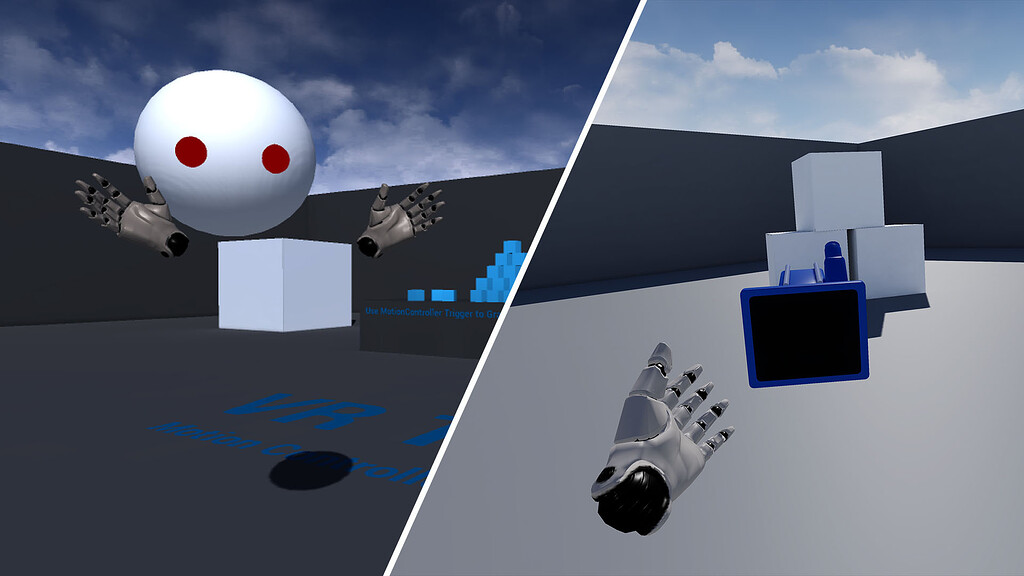
@urban igloo I did a Livestream back in 2019 with a project file download. The project files contains a VR Spectator Camera with a setup that has menu inputs. It's a bit hacky as it's using a 3D Widget Component in front of the spectator camera but the final result works as you would expect w. the mouse and keyboard player being able to click menu buttons: https://forums.unrealengine.com/t/unreal-engine-livestream-creating-a-vr-spectator-camera-feb-21-live-from-hq/122554
Epic Developer Community Forums
WHAT On this week’s livestream, learn how to create a project agnostic, VR spectator camera in your UE4 project. Our team will also demonstrate how it can be used to record trailers for VR games, or to create local asymmetrical multiplayer games. Make sure you have 4.21 installed if you want to follow along! WHEN Thursday, Feb 21 @ 2:00PM E...
The same method works in UE5
sage gulch
@hallow knollhave you heard anything regarding metas plans to support rgb camera access? The source code is buried in a Unity distribution, which also features a breakout to a texture node. Seems like a lot of pushups to implement the camera2 based source, which has limited documentation, and a lot of reiterated effort to have all UE devs implement it locally (as opposed to some parity in engine support from the vendor)..?
this came out in v74 and there seems to be updated v76 docs for Unity/source, and still zero info for UE
 buoyant zealot
depending on what you want, you can show the environment with poke through technique
if you just want mixed reality
polar basin
Anyone used Variant Managers in VR?
While trying to call getActors() from a particular variant, I am getting this:
Error: Blueprint Runtime Error: "Accessed None trying to read property CallFunc_GetActor_ReturnValue". Node: Branch Graph: ForEachLoop Function: Call Variant Actor Action Blueprint: BP_Configurator
I tried adding delay of 0.5 and 1 second while fetching the actor from the variant, but still got nothing.
 calm meteor
I won't be able to connect my meta quest 3S with my PC through link cable . Can anyone help?
 hybrid rapids
Hey guys. Im creating a co-locarion vr multiplayer game. I want to test it with friends. I have two quest 3, logged in with the same account (mine). Ive put the app on quest3 with meta dev hub and dashboard (set up with an org).
On launching the app, it says i cant play the same game at the same time feon the same profile, so i added my friends account, but he cant see the apo even if i clicked on share apps on this device. I added him to my organization and this app, but he still doesnt have it ready to download. On his meta horizon app its says “purchased” but he cant downlaod it.
I would appreciate any help im starting to go mad.
 uneven ibex
Hi everyone! Anyone used the Oculus Fork and managed to get the tonemapper working? Or is there any other performant way to perform a fade on the Quest 3?
 sinful vault
uneven ibex
Hi everyone! Anyone used the Oculus Fork and managed to get the tonemapper worki...
sinful vault
uneven ibex
Hi everyone! Anyone used the Oculus Fork and managed to get the tonemapper worki...
I used it a long time ago, i had to run r.mobiletonemapsubpass 1 or something like that.
Nowadays i just put a cube above the player camera and give it a unlit translucent material with disable depth test=true.
I then animate the opacity with a material parameter collection
uneven ibex
Thanks! I ended going with the solution you suggested 🙂 Seems to work well, doesn’t seem to be too heavy though I’d imagine a tonemapper is cheaper.
paper trout
hey is anyone here familiar with the meta movement's sdk? i'm trying to expose my wrists rotation so i can clamp it
 bronze raven
why does this work differently in VR? client never calls it 😄
 velvet kestrel
Are there any suggestions to get alpha masked materials to look better on forward render standalone hardware (Quest 2, 3) ? Looks great in editor, but terrible on device
Already using MSAA x4, they are so crispy and fit bad in the scene.
sage gulch
well, it's worse if the textures are not clamped
sinful vault
velvet kestrel
Are there any suggestions to get alpha masked materials to look better on forwar...
Are you using alpha to coverage?
mighty carbon
So, anything cool for VR in 5.6 ?
strange moss
mighty carbon
So, anything cool for VR in 5.6 ?
Is it even released?
 tall dome
Anyone has experience with Mobile HDR on Quest 3 (on UE5.5) with static Lightning? this just won't work when im building, the scene appears completely black on Quest (except for Movable objects).
 compact ravine
tall dome
Anyone has experience with Mobile HDR on Quest 3 (on UE5.5) with static Lightnin...
compact ravine
tall dome
Anyone has experience with Mobile HDR on Quest 3 (on UE5.5) with static Lightnin...
Me too, but, on the second launch, everything come back
strange moss
tall dome
Anyone has experience with Mobile HDR on Quest 3 (on UE5.5) with static Lightnin...
@compact ravine @tall dome I heard from Meta it is not recommended to use Mobile HDR on Quest 3.
_
Guys, has anyone tried using the Meta VR Interaction SDK for Unreal Engine?
All I need to know is how to make the pointer click using the button I specify.
For example, I want the pointer to click when I press the A button on the controller.
mighty carbon
strange moss
<@440138890985078784> <@799959492850614302> I heard from Meta it is not recomm...
it's fine, but it only works in Meta's 5.4.3 v68 and 5.4.4 v69 😂
it doesn't really "eat" too much of performance, but I only tried bloom and the scene wasn't that complex
@tall dome ^^
strange moss
mighty carbon
it's fine, but it only works in Meta's 5.4.3 v68 and 5.4.4 v69 😂
Have you ever encountered the issue of jagged or rough edges in the Meta VR app before, and do you know how to fix it?
compact ravine
strange moss
<@440138890985078784> <@799959492850614302> I heard from Meta it is not recomm...
I'm having issues with emissive textures. I thought HDR would take care of that
strange moss
compact ravine
I'm having issues with emissive textures. I thought HDR would take care of that
What is the problem?
compact ravine
strange moss
What is the problem?
For some reason, emissive effects aren't rendering at all on standalone builds for the Quest 3
strange moss
compact ravine
For some reason, emissive effects aren't rendering at all on standalone builds f...
Make sure the material and Post Process compatible with mobile
 last night
compact ravine
I'm having issues with emissive textures. I thought HDR would take care of that
last night
compact ravine
I'm having issues with emissive textures. I thought HDR would take care of that
fyi, HDR hits performance hard....
mighty carbon
strange moss
Have you ever encountered the issue of jagged or rough edges in the Meta VR app ...
No. Do you have MSAA x4 turned on ?
mighty carbon
last night
fyi, HDR hits performance hard....
It doesn't in 5.4.3 v68, although might be scene dependant
mighty carbon
compact ravine
For some reason, emissive effects aren't rendering at all on standalone builds f...
What version of UE ?
compact ravine
mighty carbon
What version of UE ?
5.5
mighty carbon
Mobile HDR is broken there
I am not even sure if Epic's UE has working mobile HDR at all
With MMV enabled that is
compact ravine
mighty carbon
Mobile HDR is broken there
Is there any solution ?
mighty carbon
compact ravine
Is there any solution ?
yeah - don't use Mobile HDR 
or downgrade to Meta's 5.4.3 v68 fork
I think it works in 5.4.4 v69 too
or wait until 5.6.x Meta released
compact ravine
mighty carbon
I think it works in 5.4.4 v69 too
5.4.4 is unreal version or meta plugin ?
compact ravine
mighty carbon
or wait until 5.6.x Meta released
Too long, need to publish until july
mighty carbon
I wouldn't count on Meta though, because key Unreal Engine engineers no longer work there (either left Meta or were moved onto AI)

no, Epic's UE + Meta's plugin won't do, because Meta does changes in the engine's source.
You need to build Meta's source fork in order to get goodies (faster forward rendering with dynamic lights, Mobile HDR, etc.)
alternatively, if whatever needs to give off bloom is static geo, bake it
it won't be as actual bloom, but better than nothing
strange moss
Guys, I can't believe no one has used the Meta VR SDK add-on. The documents for it are few and I need help with something simple.
strange moss
mighty carbon
I wouldn't count on Meta though, because key Unreal Engine engineers no longer w...
Follow the official documentation instructions and you'll be on the right track. If your English is good, then nothing can stop you 👍🏻. imagine there are people developing apps without even knowing English ☠️
mighty carbon
I mean, I've been doing this for a looong time 😅
I kinda gave up on standalone because of how Epic treats standalone and how Meta treats UE (because of how Epic treats standalone)
sage gulch
was there some comment about Metas UE engineers or is that your deduction from the release cadence?
mighty carbon
sage gulch
was there some comment about Metas UE engineers or is that your deduction from t...
no, I just checked previous engineer's LinkedIn and it says that he is in Meta's AI divison now. Previous to that one left Meta (works at Valve now). There is one dev being semi-active on github, but he hasn't replied to most issues posted.
also yeah, the timing between their releases is too long these days
also there are literally copy/paste release notes from two older releases. As if they only updated old integration to the new one without any bug fixes or/and new features.
XR gets more love than VR, that's for sure. Audio too. Interaction SDK does too.
but the core issue is performance
last night
mighty carbon
at this point I recommend people going with Unity for standalone
yes 100%
mighty carbon
it's just not attainable for some people (like me) 😓
mighty carbon
but, before you switch to Unity, watch this:

Unity has not been popular lately, and the latest drama will not make them very popular. Apparently they've been emailing indie devs to try and get more money from them for a Unity license fee. But when they emailed RocketWerks claiming that two employees who didn't work at their company needed to buy Pro Licenses that cost over $2000, and that ...
🤯
rocky nexus
pft jsut roll your own engine!
paper trout
hey all - has anyone figured out how to get meta's movement sdk working with vive trackers simultaneously yet? it's been a hot minute but last i checked steam vr crashes completely with unreal open and meta's xr runtime enabled
paper trout
another question!
does anyone know how vr chat prevents character sliding when moving around? i figure even if i could get a vive tracker to work for positional tracking on my hip, it still would cause some movement whereas in vr chat most avatars seem pretty still if they're moving a bit while standing in one place
paper trout
hey is there a reason the out of the box grab component needs to set the parent object to have physics?
i want to make it so my selfie camera doesn't collide with anything so it doesn't send my character flying if it accidently hits me
when i unpin the set the collision profile nodes in the grab component grabbing doesn't work

even if i have my make array include a custom profile preset that has ignore all
 sage gulch
it could turn physics on after you drop it
without physics it will just sit there
also, you can never have too many offsets, until they fight eachother or confuse you later 🤪
 fallen oar
sage gulch
also, you can never have too many offsets, until they fight eachother or confuse...
fallen oar
sage gulch
also, you can never have too many offsets, until they fight eachother or confuse...
true thing
 stable flare
I have an issue where when I have r.Mobile.TonemapSubpass=1, I will occassionally get what I can only describe as eye tearing for 1-2 frames every 30 seconds or so. That lens will just show black and yellow squares. If I turn r.Mobile.TonemapSubpass to 0, then I don't have the eye/screem tearing anymore. But we'd really like to use r.Mobile.TonemapSubpass so we can task advantage of CameraFade working. Does anyone have any suggestions? Currently using Oculus 5.5.1, Quest 3 standalone and FXAA (though Im attempting to investigate if the problem exists on MSAA too)
rocky nexus
stick a mesh in front of camera if fade is all you need
stable flare
That would work. But it's not exactly elegant 🤔 and a bit more painful to manage long term too.
I like simple solutions, though... Can't always be picky
whole radish
I have a problem with my VR hands controllers! where the hands of the Simulated proxy and autonomous proxy on client side are both controlled by the controllers of the client at same time. meanwhile on sever side everything looks okay.
want to precise, I have separate blueprints for Left and Right hand (replicated), then spawn on begin play in character Bp (on server) and attached to Origin component.
 paper trout
sage gulch
it could turn physics on after you drop it
paper trout
sage gulch
it could turn physics on after you drop it
the problem seems to be that the default grab component enables physics on grab
but when i detatch the nodes that do that, grabbing doesnt work at all
even if i have the object being grabbed's collision profile set in the objects the sphere trace is looking for
 sage gulch
mebbe have it print whether the collisions are enabled at that instant
 ripe lynx
switching these to what they are now seems to be working for now? its still packaging but didnt stop in the first second. They used to be ASTC, Use project, Use project
 sage gulch
Unable to find target 'UnrealGame'
might have better luck asking in VREP server or #packaging
ripe lynx
 ripe lynx
switching these to what they are now seems to be working for now? its still pack...
ripe lynx
ripe lynx
switching these to what they are now seems to be working for now? its still pack...
it did not work in the end
strange moss
Guys, has anyone faced the problem of jagged and not smooth images in VR and found a solution?
velvet kestrel
Do you mean aliasing?
rocky nexus
good question, not super clear what you mean by that. can be many things, but aa is a decent guess
strange moss
velvet kestrel
Do you mean aliasing?
Yes, I have a problem with the aliasing not only in the mesh but also in the pictures and materials that contain pictures.
ripe lynx
how would i make gorilla tag movement in UE5, I understand that in Unity you can just drag and drop a Gorilla Locomotion, but UE5 is not unity :3
strange moss
ripe lynx
how would i make gorilla tag movement in UE5, I understand that in Unity you can...
Explain more
ripe lynx
strange moss
Explain more
Create a VR game that uses the Hands to walk and push off of things
Like Gorilla Tag.. Or more of an Animal Company type, as Animal Company has a sort of recoil while Gorilla Tag is Stiff
 gritty canopy
strange moss
Yes, I have a problem with the aliasing not only in the mesh but also in the pic...
gritty canopy
strange moss
Yes, I have a problem with the aliasing not only in the mesh but also in the pic...
You can use mipmaps to reduce texture aliasing issues. Basically the textures just get blurry as you move away from them.
 pulsar oak
any recommendations for a good sword slicing plugin?
ripe lynx
@spiral anchor im totally going to use this as a joke
ripe lynx
does anyone know how to change the size of BP_VRCharacter (Im using VR Expansion Plugin Example Project). I can change the cylinder collider half height and the cylinder changes size but the camera and hands are still at the same height as previous rather than shorter
strange moss
gritty canopy
You can use mipmaps to reduce texture aliasing issues. Basically the textures ju...
I've already used them and there's still some aliasing , also in the default example project the quality of things is aliasing
I expect the quality to change after export, I think this is the likely reason.
velvet kestrel
This is PC or on standalone Quest?
strange moss
velvet kestrel
This is PC or on standalone Quest?
Meta Quest 3 link
mighty carbon
so, PC VR then
pulsar oak
for those with a quest 2/3 how do you use your headset during development. do you use meta link or virtual desktop? or something else like pushing the package to the headset and running standalone? every method of these ive tried i just keep running in to issues that make developing on the headset a terrible frustrating experience.
silk lodge
pulsar oak
for those with a quest 2/3 how do you use your headset during development. do yo...
welcome to VR development!
I use oculus link if it's a quest only project, or a bigscreen headset and index controllers.
Also important is the ability to test via pie / desktop
pulsar oak
silk lodge
welcome to VR development!
I use oculus link if it's a quest only project, or a ...
everything works "great" in pie with quest link but eventually a day goes by and the software decides to no longer connect to headset forcing me to reinstall software and force power off the soft locked headset...
going to try to not update link software for now and see if that fixes it. will just have to deal with snoozing every 4 hours. just seems like a software issue somewhere in the chain
like i hit launch link in the headset and then the headset soft locks loading, the software needs to force end task and then i need to repair/reinstall link for it to work again 🙃
and does anyone know a good resource / tutorial for packaging to different headsets / vr platforms. just tried to package the default vr template for 5.3 to quest 3 and failed when side loaded to headset...
silk lodge
You'll find some helpful links here for building for android
pulsar oak
silk lodge
You'll find some helpful links here for building for android

sorry where's here?
not gonna lie sometimes i barely know where i even am especially with the inception of vr worlds. is this even real life...
paper trout
does anyone else get some jitter when using the meta movement sdk? even in their sample project i seem to be getting a bit of jitter
 scenic heath
When did UE5 split VR motion controllers into Grip and aim for both left and right? which one should I use as subsitute in IK?
the ones that hand skeletal meshes connect to?
scenic heath
scenic heath
When did UE5 split VR motion controllers into Grip and aim for both left and rig...
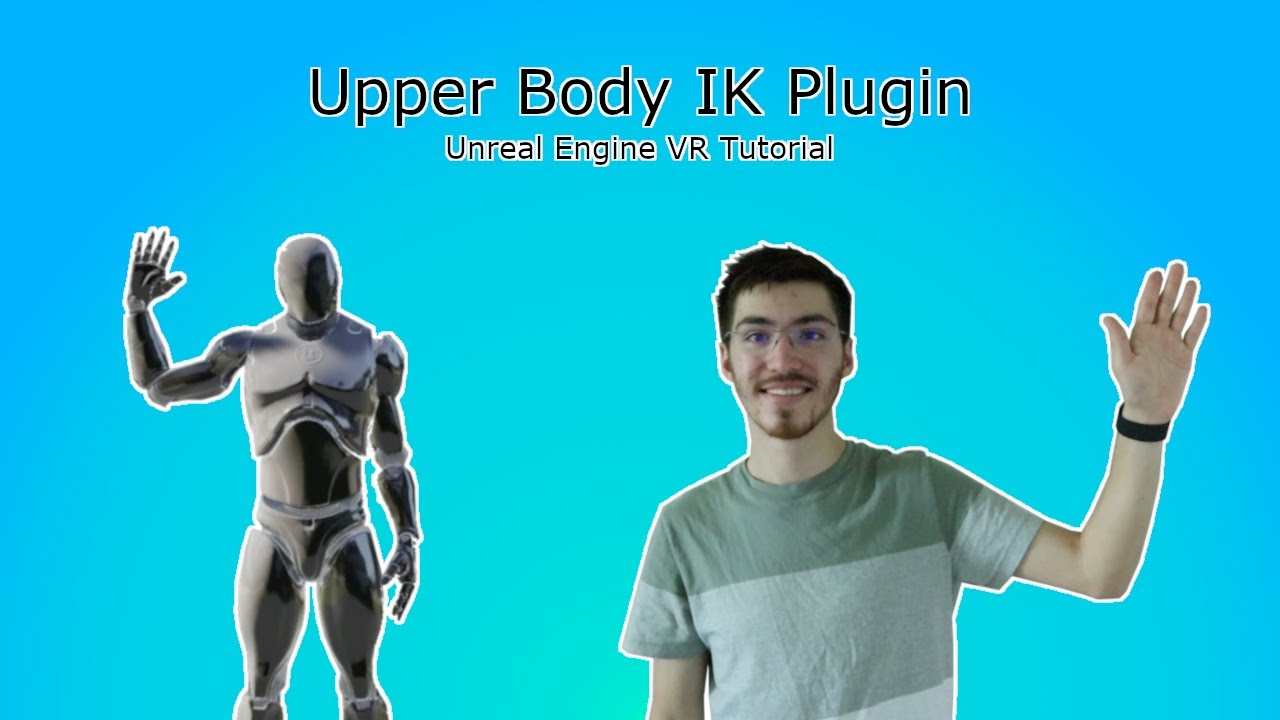
Designing full body animations for VR can be a pain, fortunately there's a plugin for that. The UBIK or Upper Body IK Plugin is a fantastic plugin that helps with animating the upper body of a VR character using three simple transforms. I will walk you through installing this plugin as well as how to get a quick and simple Upper Body IK animatio...

am using grip controllers and will see if it works as I need it
compact ravine
I'm using Instanced Static Meshes to keep performance under control, on quest3 standalone
However, when running in standalone mode on the headset, I'm getting insane lag (see second screenshot).
On PC, everything runs fine, and draw calls don’t seem high (we’re staying under 500 everywhere).
I’ve tried pretty much everything:
- Switching to ISMs
- Disabling collisions
- Using instancing via the modeling tool
- Using just a single static mesh
- Lowering texture quality and LODs
- Using Instanced Packed Actors (which actually work fine for things like shelves)
But nothing seems to fix it, and it’s putting us seriously behind on development.
Any help would be massively appreciated

 rocky nexus
time to run unreal insights! but it looks like game/draw is fairly okish, so it probably wont help all that much
might try to disable occlusion culling, see if it changes anything
pictured scene doesnt look like it should take .25s to render ;d
sage gulch
afaict, instancing doesn't really work well with culling. if you have instances all around the camera, the actual actor is always visible to the camera
rocky nexus
one other thing that is kinda busted, is dynamic resolution. if you use forked engine and have it enabled, it is stuck at max, which is way to high
 glad temple
Has anyone written any Vision Pro arkit/room API plugins? If not I'll do it
strange moss
Guys, if I have the apk+obb file, how do I install it in Meta Quest 3?
strange moss
Guys, it turns out that MetaQuest doesn't support HDR.
Also, using Sphere doesn't give me good results for 360-degree backgrounds.
Any solutions to display a 360-degree image as a background properly?
 hearty whale
has anyone got experience with upgrading vr projects from 5.2 to 5.3, if so what is the best way while keeping all the blueprints intact, any sort of advice would be more than welcome
sinful vault
compact ravine
I'm using Instanced Static Meshes to keep performance under control, on quest3 s...
I'm having a similar issue.
I have a simple map with a terrain (i tested both with a static mesh that mimics the terrain and a actual landscape actor [which i've heard is bad])
I'm instancing some trees and rocks. (tried instancing both via PCG and with the foliage tool)
Sometimes when i turn around my head i have a hitch and it freezes for a few seconds, sometimes it crashes the game.
When i debugged the frame via Renderdoc, each frame taking was much more time in the precompute stage than the actual rendering stage.
Yep, any help would be great
compact ravine
@pale hull Yes, I still have the problem but can you answer here ?
pulsar oak
which option do i want to choose for quest 2/3?
 sinful vault
pulsar oak
which option do i want to choose for quest 2/3?
sinful vault
pulsar oak
which option do i want to choose for quest 2/3?
Texture compression: ASTC
Shipping/development will depend if you will debug your project in headset or not. Read more here
https://dev.epicgames.com/documentation/en-us/unreal-engine/build-configurations-reference?application_version=4.27

Epic Games Developer
Reference guide for solution and project build configurations.
 worldly peak
On quest standalone this drops the fps straight to 30fps no matter how simple the niagara system is

Is it just me or can it be an engine bug or smth
last night
worldly peak
On quest standalone this drops the fps straight to 30fps no matter how simple th...
usually particles are a big performance hit on the headsets
rocky nexus
i have plenty of them, certainly shouldnt just drop to 30 with a simple one
 errant wave
compact ravine
I'm using Instanced Static Meshes to keep performance under control, on quest3 s...
errant wave
compact ravine
I'm using Instanced Static Meshes to keep performance under control, on quest3 s...
We had this debate internally, conventional logic is that ISMs are the way to go. Experience however shows that merging meshes is faster. I’ve also discussed it with Meta and they agree that in most cases mesh merging will be better than ISMs. We initially were doing a bunch of ISM/HISM generation on our buildings and while it was obviously better than no batching, the perf wasn’t where we expected it to be. When we switched to mesh merging performance started hitting what we expected
errant wave
strange moss
Guys, if I have the apk+obb file, how do I install it in Meta Quest 3?
Have you tried SideQuest or MQDH? We use an internal tool I wrote that wraps adb
errant wave
strange moss
Guys, it turns out that MetaQuest doesn't support HDR.
Also, using Sphere doesn'...
HDR in what sense? We use Mobile HDR and it’s fine.
 graceful karma
Has anyone had any issues with jitter or eye de-sync when using widgets/umg.
In the VR simulation editor it works fine but once I download to the quest 3 the right eye jitters/de-syncs. I have been messing around with various render settings and UMG settings to try to resolve the issues but haven't found the solution. It only shows up when the program is being ran locally on the device.
####### Semi Resolved ##########
Removing the debugging line trace to make a pointer has fixed the issue but not sure why a line trace would cause this issue
 high olive
compact ravine
I'm using Instanced Static Meshes to keep performance under control, on quest3 s...
high olive
compact ravine
I'm using Instanced Static Meshes to keep performance under control, on quest3 s...
Have you tried stripping the level down to its bones and slowly building it back up? While time consuming it might provide you some insight into what piece exactly is causing the issue. Naturally it could be (and likely is) a combination of things.
You mentioned draw calls. Keep in mind that not all draw calls cost the same. Simply hitting the target draw call does not guarantee performance. Unreal insights will give you an in depth look at what's going on under the hood. Could be unrelated to the GPU pipeline...might have something going crazy on tick! You'll want to make sure you're perf testing on the actual headset as you'll get different results between PC and standalone as you already noticed. Perf test early and often.
hybrid rapids
Hey guys
Have anyone ever set up a co-location game with unreal?
I tried almost all of the sample projects from meta and im even more confused than before. Could anyone help me set a project up or guide me to any reference explaining colocation multiplayer?
Thanks very much
 simple compass
Has anyone had trouble with loading levels on Android builds for the Quest 3?
I'm loading levels in my project by using the 'Open Level (by Name)' node and it works on Windows builds, but it doesn't work on Android for the Quest 3. I whitelisted all of the maps that I need, and have double and triple checked the level names that I'm passing in the blueprint, but still no luck. I've also tried packaging all content in the project directory but that didn't work either. Has anyone successfully used the 'Open Level (by Name)' node on Android?
I've also tried opening levels by reference but I get the same result
rocky nexus
simple compass
Has anyone had trouble with loading levels on Android builds for the Quest 3?
I...
it works fine. make a dev build and check logs
simple compass
rocky nexus
it works fine. make a dev build and check logs
Is there a better method for checking logs from the headset besides the oculus log gatherer? (https://developers.meta.com/horizon/resources/log-troubleshooting/) Sorry for the basic question, pretty new to Quest development and it's been tough to find info on debugging
Describes the tools to obtain log files for your app for troubleshooting purposes.
rocky nexus
sure, plug it in

that will show real time device logs for that app
you can also use logcat, one way or another, to get full device logs. sometimes unreal filtered one doesnt show everything that might be relevant
there are also logs saved on device in your apps folder
simple compass
Silly oversight on my end: I was using 'On Clicked' rather than 'On Pressed' on the UMG button that opens the level 😑
strange moss
errant wave
HDR in what sense? We use Mobile HDR and it’s fine.
I mean HDRI background
errant wave
strange moss
I mean HDRI background
Did you try turning on ASTC HDR? Alternatively I’m not sure if Unreal supports RGBM encoding
strange moss
errant wave
Did you try turning on ASTC HDR? Alternatively I’m not sure if Unreal supports R...
Actually, I already found an answer to this question.
But now I have another very important question.
I have aliasing in the VR app.
Have you encountered this problem before?
 open condor
So... passthrough camera API... it supposedly is finally available
Is it actually available?... got the latest Meta branch of UE to see if I could get it working... no dice yet... No sample project yet either 😢
Anyone else dabble with it and get it working? If so, I'd love to see a screen shot or something of the most basic way to get it work (e.g., identify a QR code or something)
What I tried so far is the approach that worked for the HoloLens 2 using the ARTrackableNotify component. Figured this would work as its not HL specific. Not shown is ToggleARCapture node being used at BeginPlay
 errant wave
open condor
So... passthrough camera API... it supposedly is finally [available]( https://de...
errant wave
open condor
So... passthrough camera API... it supposedly is finally [available]( https://de...
IIRC it’s exposed through the Android Camera API, not something specific to Meta’s SDK
rocky nexus
if you want to poke at bleeding edge stuff without a ton of effort, unity is the way to go
open condor
rocky nexus
if you want to poke at bleeding edge stuff without a ton of effort, unity is the...
Booo. UE4Life 😄 The announcement made it seem like it was out of the stage of black magic voodoo.
sage gulch
seems to be an opportunity for a plugin at this point
open condor
errant wave
IIRC it’s exposed through the Android Camera API, not something specific to Meta...
Well if you remember any more specifics please share. It does seem the base functionality has been exposed in v76 but it hasn't made its way to unreal classes/functions to expose things in a friendly fashion... hopefully unreal gets its own passthroughcamera sample project soon
errant wave
open condor
Well if you remember any more specifics please share. It does seem the base func...
What I heard from a reliable source was that it just uses the native Android APIs for webcam. I'm not sure any Unreal samples are in the works, but I would think that if you took a look at the Unity sample that may give you some leads on how to accomplish it in Unreal. My understanding is that the API is already fully accessible in native
open condor
sage gulch
it uses android 'camera2'
This looks promising: https://developers.meta.com/horizon/documentation/native/android/pca-native-documentation/
Camera Access to Quest 3 and Quest 3s is via the Android Camera2 API, which is included in the NDK.
sage gulch
Go for it
 lilac berry
Can someone help me make a VR game or the basics for it?
 hollow aurora
Hey, everyone! I'd like to add VR support for my flat game. One thing I'm not finding anyone talking about is how to package the game so it can run in either VR ot flat mode. I see some games that initialize in VR if a command line argument like -vr is passed in otherwise they initialize in flat mode. Does UE offer such argument handling out of the box or do I need to implement it myself? Also, is there a way to swap between VR and flat at runtime without having to restart the game? Thanks in advance!
rocky nexus
hollow aurora
Hey, everyone! I'd like to add VR support for my flat game. One thing I'm not fi...
afaik you cant change at runtime, but -vr is indeed the flag to enable it. xr plugins wont do anything unless that is enabled. you can set it in steamworks settings for example so users can easily start in desired mode
additionally, pretty sure if there is no headset connected it will start in flat mode either way
in some places i use different pawns based on vr/flat, in others just different enhanced input bindings.
hollow aurora
Thanks, @rocky nexus!
 silver brook
has anyone had to deal with the meta store verification process for themselves and their business? It seems like its a nightmare or worse an impossibility. Are folks just not making apps for the meta store these days?
rocky nexus
Nightmare? Checks out
strange moss
Hello, I have a problem with the panorama image.
In the MetaQuest 3 emulator, the image looks fine.
But in the MetaQuest headset, the image appears too large.


 visual plinth
Hi, how to fix this graphics problem in VR
 urban igloo
hollow aurora
Hey, everyone! I'd like to add VR support for my flat game. One thing I'm not fi...
urban igloo
hollow aurora
Hey, everyone! I'd like to add VR support for my flat game. One thing I'm not fi...
The VR collab examples have switching between flat and VR during runtime.
hollow aurora
urban igloo
The VR collab examples have switching between flat and VR during runtime.
Thanks for pointing that out! ❤️
dusky arrow
Looking for some advice on stuttering issues. I released my demo and I seem to have a lot of people who are playing it smoothly with no problems but I am getting a small amount of people (the most vocal) who are reporting issues with the game stuttering so badly from load-up that it is unplayable for them. They do seem to be varying setups but more are Win 11 based players and wondering how the hell I diagnose that. The game is PCVR, UE5.5 - anyone have any suggestions on how I go about solving these particular issues when it runs fine on all the setups I have tried?
hollow aurora
dusky arrow
Looking for some advice on stuttering issues. I released my demo and I seem to h...
First thing I'd try is to ask some of the players who are experiencing the problem to run a dev build on their machines and give me the logs. I'd then check if the logs gives me any hint.
If the logs aren't helpful, you can try to get a PC with the specs that you know is presenting the problem and troubleshoot locally.
dusky arrow
hollow aurora
First thing I'd try is to ask some of the players who are experiencing the probl...
Good idea on the Dev build - although trying to get the screaming critics on Steam to do it might be difficult 🤣 - will give it a go - and have tried it on a couple of matching Win11 setups and I cant replicate the issue unfortunately 🤦♂️
hollow aurora
dusky arrow
Good idea on the Dev build - although trying to get the screaming critics on Ste...
Players are usually happy to help if you approach them asking for help to debug a problem. I hope you can find one. 🙂
dusky arrow
hollow aurora
Players are usually happy to help if you approach them asking for help to debug ...
What do you think I should look for in the logs for this issue - if it is a performance/stuttering issue would that show up in logs at all?
hollow aurora
Just read everything and try to find any useful lead. At first, just look for errors and warnings. If they aren't helpful, take your time and read through all info messages. It's a detective job now.
errant wave
dusky arrow
Looking for some advice on stuttering issues. I released my demo and I seem to h...
Do you know if they are PSO stutters?
dusky arrow
I don't think so. I do have a shader precompuler plugin that runs on startup. Now wondering if I should disable that and see if it helps
rocky nexus
many people simply dont see/notice the stutters, without perfromance metrics running or other objective way to measure seems quite trick to fix
perhaps ask them to record some gameplay with steam performance overlay visible, to see if it actually runs at 20 fps or some such...
perhaps they cranked their resolution scale to 5000%, you never know with them pesky users!
sinful vault
hollow aurora
Hey, everyone! I'd like to add VR support for my flat game. One thing I'm not fi...
Prolly with vr.bEnableStereo and vr.bEnableHMD commands
paper trout
does anyone know if antinnit's guide for 5.5.x would work for 5.6? it seems meta is still on v76 https://dev.epicgames.com/community/learning/tutorials/PYP7/unreal-engine-5-5-x-for-meta-quest-vr

Epic Games Developer
XR Meta Quest setup guide covering everything
@atomic drum do you think this would work?
rocky nexus
sure why not, you dont need the meta plugin to run on quest
paper trout
rocky nexus
sure why not, you dont need the meta plugin to run on quest
i mostly need it for the movement sdk since i use the quest for face and body capture
 atomic drum
paper trout
<@285970348988694528> do you think this would work?
atomic drum
paper trout
<@285970348988694528> do you think this would work?
Waiting on Meta to rebuild and deploy the plugin, current one is for for 5.5.x, so its version error fun in 5.6; hitting the ever hopeful "rebuild" fun will also fail.
paper trout
atomic drum
Waiting on Meta to rebuild and deploy the plugin, current one is for for 5.5.x, ...
fair enough. usually takes them a few months right?
and thank you for all of your incredible guides on the setup process
atomic drum
Lets hope someone still owns UE builds at Meta 🙂
paper trout
oh god it really be like that these days huh?
as of a week ago they are hiring someone for engine integrations in the vr dpt so who knows
atomic drum
Not like we can build all levels in the current release of UE5.6, no rush.
paper trout
yeah its not the end of the (vr) world just yet
https://www.linkedin.com/jobs/view/software-engineering-manager-ar-vr-–-engine-integrations-at-meta-4236335604/ @atomic drum apply and be the hero we all desprately need
Posted 11:34:02 AM. Meta Reality Labs’ mission is to give people the tools to connect anytime, anywhere. We create new,…See this and similar jobs on LinkedIn.
atomic drum
paper trout
as of a week ago they are hiring someone for engine integrations in the vr dpt s...
Could be longer if they're needing to hire someone, maybe some AI can hullucinate that its built a 5.6 version, hahaha
paper trout
lmao 2026 5.6 here we come!!
atomic drum
paper trout
https://www.linkedin.com/jobs/view/software-engineering-manager-ar-vr-%E2%80%93-...
🤣 another non existent person; manager and an integrations engineer, crazy
I could mess around an build the plugin myself- but distrubuting it would get messing for people
paper trout
yeah i imagine it would lead to you spending hours a week answering questions
atomic drum
I did fix UE a few years ago for AR mobile, it was a lot of upset people from Epic, Google and Apple for doing that in a few days instead of months. So I roll with shipped versions these days, happy campers.
paper trout
wild they get mad for you doing the work for them
atomic drum
I create assets while I wait, so much other fun to be had.
paper trout
i guess maybe they don't want their managers seeing it
atomic drum
Job security is a real thing, I understand
I don't think anyone cares beyond the devs tbh
oh and building in UE5.6 for Quest does work, just no Meta plugins supported yet
paper trout
that's good to know. unfortunately i need the movement sdk for my vtubing stuff so i'm stuck waiting for that to be updated
i really wanted to integrate locomotor but oh well
atomic drum
locomotor does look cool
paper trout
its awesome and physics based rigs so the arms won't swing into the body in vr
 jovial grove
Beta substrate claims to be supported on all Unreal platforms... Has anyone had experience using it for VR projects? Has the performance been affected?
 paper trout
@atomic drum no chance the update today was actually it right??
it still says 5.5.0 so i imagine its not but crazy nonetheless
atomic drum
paper trout
<@285970348988694528> no chance the update today was actually it right??
It’s cool Meta updated for Microgestures. I’m sure they’re also looking at UE5.6, it’ll turn up 🕺
errant wave
Nice to see software occlusion coming back in the new update. Though we’re sticking to Fast Travel’s Snow Occlusion for now
velvet kestrel
Are you finding that as working well? Some people were mentioning they were experiencing game crashing
 tawdry swift
Made in Unreal! https://www.youtube.com/watch?v=3e6fTaskThU
Rewrite the Past. Save the Future. The Phoenix Gene is an adrenaline-fueled VR quest for immortality. Control a fierce phoenix, Firestorm, and genetically enhanced Jackie, bonded by fate and driven by the collapse of the Slipstream multiverse.
This is my first impressions gameplay but does it indeed rise from the ashes? Let's find out!
For mo...
atomic drum
jovial grove
Beta substrate claims to be supported on all Unreal platforms... Has anyone had ...
I've been using it for awhile, was ok (keeping in mind Android limitations).
jovial grove
atomic drum
I've been using it for awhile, was ok (keeping in mind Android limitations).
Huh
Maybe it's time I move my stuff to it
atomic drum
fog was the only issue i had, that's been fixed i think
jovial grove
atomic drum
fog was the only issue i had, that's been fixed i think
Interesting
I thought substrate mostly does the blending between materials
But then again, I was looking through the engine's shader files yesterday, and everything has a #if substrate switch everywhere
atomic drum
lots of #if all over everything in the UE fun
errant wave
velvet kestrel
Are you finding that as working well? Some people were mentioning they were expe...
Yeah it’s made a substantial difference for us. I think we have made some edits to it but I don’t recall us needing to fix a crash
 charred portal

Holy smokes
5.6 is way faster in DX11 SM5 forward
I haven't seen 1.9ms frame times in a looooong time
Like since UE4 😉
Just be aware of this little bug

you'll likely need to pass a command to keep your screen percentage native

comes in wrong from the constructor for some reason in forward
 vale sleet
😆
rocky nexus
good luck with that
vale sleet
he removed it 😄
long time I dont have such a good laugh.
the only thing missing is that you need to do his groceries and cook too 😄
 real arch
 devout grail
Hey folks, does anyone know what version of unreal performs the best on VR with nanite and lumen, IF it’s supported yet? Thanks
 sonic gulch
Hey there, I am trying to open an rtsp stream on a Quest 3 in 5.4. I am currently using FFMPEG with MediaMTX (I couldn't get VLC to work at all) and I have it working in editor. But whenever I put it on the headset and try to access the stream, it fails to open with:
"LogAndroidMedia: Warning: Failed to set data source for URL rtsp://(my rtsp stream address)"
Does anyone have any experience or knowledge and getting rtsp streaming to work for Android/Quest? I am using an .mp4 video with H.264.
I can access the machine as I have a WebSocket connection that is successfully able to connect to a different port.
 carmine oyster
Hi
"vr.PixelDensity " does not work in 4.27.2. Is there any alternative? I want to reduce the pixel desnity for preformance.

 polar steeple
hallo? 5.6 ??? all that bec just switch from 5.4 to 5.6??
 velvet kestrel
polar steeple
hallo? 5.6 ??? all that bec just switch from 5.4 to 5.6??
velvet kestrel
polar steeple
hallo? 5.6 ??? all that bec just switch from 5.4 to 5.6??
There are so many settings it is hard to say
Wild ox studios had some breakdowns and on PC saw some perf wins in 5.6

Comparing UE5.5 to UE5.6 across DX12, DX11 & Vulkan Deferred rendering.
WildOx Studios Patreon - https://www.patreon.com/WildOxStudios
Discord - https://discord.com/invite/JTBBm5bzUP
DX11 SM5 Lumen 5.6 - https://youtu.be/Nw8gn7Vih8I
Join this channel to get access to perks:
https://www.youtube.com/channel/UCaLf83HDd_8nAVeScuN0eFA/join
 carmine palm
Does anyone how to to add/fix meta quest 2 hand tracking, im trying to add physics to my hand, im trying to grab objects with hand tracking, i grab them by pitching my middle finger but I can't let go the object
silver brook
Does anyone know if the Meta XR platform function calls the work editor side if everything is setup correctly?
 reef jewel
Hello! We're in the process of having to roll back to Unreal 4.27.2 for our VR project as we can't get the dynamic shadows (1 directional light) to work well on 5. As a last desperate request, is there anyone here working on a VR or Mobile project in Unreal 5 where they are happy with the dynamic shadows and would like to share how they got there? (We're developing for the Meta platform so Mobile VR)
sage gulch
are shadows absolutely critical to your project? It's not a completely straight ahead process to ship 4.27.2 to the Meta store afaik..
silver brook
reef jewel
Hello! We're in the process of having to roll back to Unreal 4.27.2 for our VR p...
Might get resolved soon?
rocky nexus
spotlight shadows worked on quest in 5.6 last ive tired, dunno about other light types
reef jewel
sage gulch
are shadows absolutely critical to your project? It's not a completely straight ...
We already got a live alpha of the game on Meta using 4.27. We then upgraded the project to 5.3 (the same version of another project we're working on) but realised the shadows become so much worse and then been trying to see what we can do. We've tried both 5.5 and 5.6 but haven't been able to get the shadows to the same quality as 4.27
reef jewel
silver brook
Might get resolved soon?
Is there any roadmap for planned XR / Android features improvements for UE 5?
reef jewel
rocky nexus
spotlight shadows worked on quest in 5.6 last ive tired, dunno about other light...
yeah, unfortunately we can use that though 😦
 quick dirge
It seems like Epic broke the eye tracking function library in 5.6: the code is still there but it's very much not available in BP anymore. Can someone confirm that, and if so, how do I raise that issue to Epic?
silver brook
reef jewel
Is there any roadmap for planned XR / Android features improvements for UE 5?
Not sure but does this help?
hallow knoll
quick dirge
It seems like Epic broke the [eye tracking function library](https://github.com/...
Confirmed, and we have a fix here: https://github.com/EpicGames/UnrealEngine/commit/0c412301327cd1363ad8556613de0f7fb1fcb208
@quick dirge I frequent this channel, but the best place is to post on the Forums in the XR Development category
quick dirge
hallow knoll
<@688049086112333839> I frequent this channel, but the best place is to post on ...
Thanks! I did initially post it on the forums, but since it didn't seem to be noticed I also posted here (and filed a bug report, and started activating backchannels to get answers 😄 ).
hallow knoll
Ah! I found the issue when I was on the Expo Floor at Unreal Fest, showing someone "how easy" it was to do Eye Tracking 😅 I saw your forum thread a few days later, but wanted to respond when we had a fix
compact ravine
Does anyone know how to fix this texture issue on the Meta Quest 3 in standalone mode? Depending on the headset's orientation, the textures behave erratically...


 vagrant aurora
Hey! I'm looking for MetaXR Unreal SDK 7.6 (v61) for UE 5.5.
Meta Developer site is down and I can’t download it.
Does anyone have the official ZIP from March 2025?
carmine oyster
compact ravine
Does anyone know how to fix this texture issue on the Meta Quest 3 in standalone...
Maybe it’s a normal map issue? Have you tried the material with a base color texture only?
compact ravine
carmine oyster
Maybe it’s a normal map issue? Have you tried the material with a base color tex...
Maybe you are right, i will check thuesday when i get the Quest back and i came back to tell you
compact ravine
carmine oyster
Maybe it’s a normal map issue? Have you tried the material with a base color tex...
Unfortunally, it's still here
sinful vault
- What is your model/material setup? lods? zfighting in the roof mesh?
- how are these meshes spawned? hand placed? pcg?
hollow aurora
Hey friends!
I'm implementing a VR mode for my flat-screen game.
In flat mode:
- The main menu UI covers the entire screen.
- When the game is paused, the pause menu covers almost the entire screen, but the game world remains visible in the background with a blur effect.
In VR:
- For the main menu, I’m presenting the UI on a world-space Widget component in front of the player.
- For the pause menu, I’d like to replicate the flat-screen experience, keeping the game world visible (but blurred) in the background, while showing the pause UI floating in front of the player.
Here’s the problem:
If I use a world-space widget for the pause menu, it also gets blurred along with the game world and can be occluded by objects that lies in between the player camera and the floating menu. Ideally, I want the pause UI to render clearly on top of the blurred game world, unaffected by world occlusion. I suspect this would require rendering the UI on a separate layer or using a special overlay technique. I’ve started looking into OpenXR stereo layers for this, but I’m not sure if I’m heading in the right direction.
Any advice or tips on how to approach this would be much appreciated!
carmine oyster
compact ravine
Unfortunally, it's still here
Does it happen with all the materials in the world or with specific ones?
compact ravine
carmine oyster
Does it happen with all the materials in the world or with specific ones?
With many material. Maybe not all but in so much case
compact ravine
sinful vault
- What is your model/material setup? lods? zfighting in the roof mesh?
- how ar...
It's from FAB and this happen only on Quest3 standalone or mobile preview vulkan generic
And it's hand placed, it's a static mesh. Not only this mesh bug, but, for screen it, it was easier to show this by the roof
 sullen vortex
anyone else having issues while trying to update Meta's Quest Link app? tried also using their installer from website without any success
https://x.com/TechIssues2day/status/1934941115041628469

 X
·
sinful vault
compact ravine
It's from FAB and this happen only on Quest3 standalone or mobile preview vulkan...
X
·
sinful vault
compact ravine
It's from FAB and this happen only on Quest3 standalone or mobile preview vulkan...
is the mesh complex? does it have lods with a different materials?
sinful vault
sullen vortex
anyone else having issues while trying to update Meta's Quest Link app? tried al...
uh, mine didn't tried to update today, hope it doesn't break here
compact ravine
sinful vault
is the mesh complex? does it have lods with a different materials?
This mesh does it too
 sinful vault
make a new material with only the albedo texture, see if the issue persists
compact ravine
sinful vault
make a new material with only the albedo texture, see if the issue persists
23 material to change...
Let's goooo
sinful vault
change the roof material first, just to debug
compact ravine
sinful vault
change the roof material first, just to debug
4 roof mat btw
compact ravine
sinful vault
change the roof material first, just to debug
I will try tomorow, thanks for your time
sinful vault
hollow aurora
Hey friends!
I'm implementing a VR mode for my flat-screen game.
In flat mode:...
From your description seems like stereo layers are indeed the way to go. Just rember to composite the depth pass for the stereo layer otherwise it'll render over you characters hands
compact ravine
sinful vault
make a new material with only the albedo texture, see if the issue persists
Nothing is plugged, it's juste a empty material
 sinful vault
compact ravine
Nothing is plugged, it's juste a empty material
sinful vault
compact ravine
Nothing is plugged, it's juste a empty material
Weird, but I asked back there, how is the LOD setup in these meshes? i would check that, otherwise no idea
rocky nexus
Certainly a fun pickle to figure out! If simple material breaks, meshes could be the problem indeed. Few seconds of video would also be useful, always amusing when someone post a two screenshot of find 10 differences puzzle. We dont know what it is supposed to look like
 idle osprey
5.6 doesn't include Swarm? I can't build lighting?
sturdy coral
idle osprey
5.6 doesn't include Swarm? I can't build lighting?
Source build or launcher build?
idle osprey
Launcher. I found a solution on the forums, copying the Swarm bits over from 5.5 in to 5.6.

Epic Developer Community Forums
Yeah, it seems Swarm agent is not included in UE 5.6 for some reason. The only solution I saw online is copying full DotNET folder from Unreal Engine 5.5 installation to 5.6 (It’s in [ENGINE_ROOT]/Engine/Binaries)
compact ravine
compact ravine
Does anyone know how to fix this texture issue on the Meta Quest 3 in standalone...
@rocky nexus It's supposed to look like this. it's hard to captur, because i need to bowed my head in a certain angle. It's happen not only on this mesh, but on so much mesh too
rocky nexus
start recording on quest, it should be easily visible no?
how does the wireframe looks like? eg of that chair? 7k triangles for such a simple mesh on quest is quite a lot. That alone should not cause texture issues, but might indicate that the meshes are not intended as is for games or something @compact ravine
 chrome elk
Eek, is instanced stereo completely broken in 5.6? Using the launcher version of 5.6, if I create an empty project and set vr.InstancedStereo=True, I get a hard crash opening the Niagara editor (even with a blank system).
Fatal error: [File:D:\build++UE5\Sync\Engine\Source\Runtime\RHI\Private\PipelineStateCache.cpp] [Line: 533]
Shader compilation failures are Fatal.
BTW this is using all the other default settings for a blank project, including the deferred renderer.
mighty carbon
I haven't tried PCVR, but mobile multiview doesn't crash on standalone Quest 3 (but also it might not be working cuz it's slow 😦 )
so far, I discovered that Mobile HDR doesnt' work and dynamic shadows from movable spotlights still broken on Android Vulkan with mobile multiview.
sage gulch
try setting Instanced Stereo in the project settings window and see if Niagara respects that
chrome elk
sage gulch
try setting Instanced Stereo in the project settings window and see if Niagara r...
Once Instanced Stereo is enabled you have to restart the editor. At that point any niagara system, even an empty emitter, crashes.
sage gulch
are those completely new systems or saved over from before you altered the settings?
chrome elk
sage gulch
are those completely new systems or saved over from before you altered the setti...
- Create a blank project using launcher version of 5.6.
- Enable instanced stereo and restart.
- Create a new niagara system, even an empty one, and open it. Instant crash.
sage gulch
ouch
silver brook
Anyone have issues getting the Splash screen to face the users on meta standalone hmds?
mighty carbon
sage gulch
try setting Instanced Stereo in the project settings window and see if Niagara r...

works fine in PC VR with Niagara particles
in forward
I don't do deferred
hybrid rapids
Hey has anyone ever achieved colocation multiplayer with quest 3? (or any meta device)
silver brook
Actually after doing more testing the splash when doing tracker locked variant (default via plugin) sets the forward at whatever the player was looking at on HMD boot. After that it is forever locked at that spot no matter where the player looks on app launch unless you reboot again to refresh it.
silver brook
Resolved by updating the OculusXRHMD_Splash.cpp DoShow() to get the latest actual HMD Pose everytime rather than a cached one.
 dreamy orbit
Is there a known 'smearing' issue in 5.6? Even when I start a new template I can see it (more subtle since there isn't much in the scene, but it still exists.) Admitedtly I am running Lumen in VR, but I didn't have this issue in 5.4.
sage gulch
see if you have motion blur enabled or if your gpu is running frame interpolation / upscaling
sage gulch
silver brook
Resolved by updating the OculusXRHMD_Splash.cpp DoShow() to get the latest actua...
good work, but can you get the tracker and lock / forward the view after splash? then you wouldn't have a source mod you need to carry around..
silver brook
sage gulch
good work, but can you get the tracker and lock / forward the view after splash?...
Not sure I follow?
sage gulch
me either 😂
what do you mean 'tracker locked variant'?
there is more than one place to set splash screen configs #virtual-reality message
if you have to modify the engine source to get it to work, it's less than ideal because you'd need to port that source code change to any future engine version that you update to
dreamy orbit
sage gulch
see if you have motion blur enabled or if your gpu is running frame interpolatio...
I made sure Motion blur wasn't on. If I load it into 5.4 it runs just fine, but that same project migrated to 5.6 is all smeary. If it's not a known issue for Lumen, etc. then I will keep hacking away at it.
silver brook
sage gulch
what do you mean 'tracker locked variant'?
It's a tweak to the MetaXR plugin. There is World Locked, Tracker Locked and Face locked. It's just an enum to define how the splash sets it's position and orientation and the tracker Locked is supposed to show in front of the user relative to the tracking space but it was getting the HMD transform relative to how it.was tracked on first setup of tracking space on Android package but was working fine in editor. Patched it and it's working well on Android too.
I have it on git so when I get their latest I'll just merge my changes with theirs if they don't ever resolve it
chrome elk
dreamy orbit
I made sure Motion blur wasn't on. If I load it into 5.4 it runs just fine, but...
Which renderer (deferred vs forward) and which AA method are you using? Might be worth double checking those didn't get changed when you updated. [EDIT] I suppose if you're running Lumen then you're on deferred.
shadow nimbus
I've been using MetaXR and struggling to get it to work with Virtual Desktop. Now I see that Meta seems to willingly block anything else than Quest Link and their own headset?
Explanations here:
https://mbucchia.github.io/OpenXR-Toolkit/ovrplugin.html
This seems to explain a lot of things...
Will probably switch back to vanilla OpenXR.
Is there any strong reason to really want to keep MetaXR for a game that's both for standalone Quest and PCVR?
It's crazy that they implement the new big open standard for VR and then decide to block everything else. What a disaster...
dreamy orbit
chrome elk
Which renderer (deferred vs forward) and which AA method are you using? Might be...
Yup, on Defered and I tried all the different AA methods, including None but still saw it. I am now doing a progressive upgrade (previously I jumped from 5.4 to 5.6) and everything is working and looking great in 5.5. I’ll post here for posterity on what happens when I jump to 5.6.
chrome elk
dreamy orbit
Yup, on Defered and I tried all the different AA methods, including None but sti...
Oh weird. Do you see the blurring on your monitor as well, or is it headset-only? If you can see it on your monitor it might be helpful to do a quick screen capture so we can see what it looks like
dreamy orbit
chrome elk
Oh weird. Do you see the blurring on your monitor as well, or is it headset-only...
It’s headset only. The monitor looks great. The smearing ‘lags’ behind headset movement. I tried all kinds of settings for shadows and reflections in case it was somehow involved in that.
Hopefully this new migration will work.
hallow knoll
@dreamy orbit It has nothing to do w. project migration as I can reproduce it in a fresh 5.6 project. We're looking into it. What's interesting is that it goes away if you limit frame rate to 20 fps, which obviously isn't a solution, but I suspect there's something hardcoded that we can hopefully hotfix or change w. a cvar
dreamy orbit
hallow knoll
<@453630684532310029> It has nothing to do w. project migration as I can reprodu...
Oh thank god. Thought I was going crazy. Keep us all posted.
silver brook
Has anyone used the ISDKControlelrRigComponent? I got it looking right in VR Preivew in editor but pacakged to Quest 3 as an APK and the Controller and hands are offset.
sage gulch
that's by design 😂
 wraith sky
Hi. Any developer who is developing for Quest? Is there a way to to connect Quest to MQDH using wifi?
 sinful vault
wraith sky
Hi. Any developer who is developing for Quest? Is there a way to to connect Ques...
sinful vault
wraith sky
Hi. Any developer who is developing for Quest? Is there a way to to connect Ques...
I think you gotta connect via cable first, then turn on adb via wifi. At least thats how i got it working when i need to use it via wifi
wraith sky
Hi. Is there a way to sync RenderDoc capture with Unreal Insights? Afaik toggledrawevents set markers, but how to sync them with the proper frame?
 abstract forum
https://video.twimg.com/amplify_video/1938710008935419905/vid/avc1/1280x720/wDHJ8_EGGa3S6rBR.mp4?tag=14 Dropping this here. Seems like we might be getting an open source SLAM tracking system soon
From the Eyetrack vr dev
 odd oak
Hello!
I'm having some difficulty with the position of my camera..
I attached the vr camera to the bone of a model in the VR pawn, so that I can rotate the bone to also rotate the camera, seperate from the player's regular view.
Problem is, as soon as I link them, the camera's transform and rotation get changed.. so the camera is super high and now facing 90 degrees to the left..
How can I fix this?
in blueprint it's like this

but when I spawn and attach to the turret it goes like this
 odd oak
 Another one of those discord rubber duckies I guess, found a fix
polar basin
There is a mechanics in VR that I have seen in few training simulation videos, where a screwdriver is placed on the table and you are supposed to pick it up and place it in the desired location. The moment you pick it and move to the highlighted area, the hand kind of snaps to that position for a while, and then the screw is unscrewed.
I wanted to know what do we call it in Unreal Engine and how this is achieved.
Thanks for the help!
errant wave
@polar basin Not a direct answer to your question, but there is a good talk by Survios on this topic you may find interesting if you haven't seen it https://youtu.be/6JSRve6nTq8?t=1796
Watch this recorded session from Unreal Fest Seattle 2024 that explores how Survios built an immersive tech stack for 'Alien: Rogue Incursion' using Unreal Engine 5.
Co-Founder and Chief Technical Officer Alex Silkin reveals how the team created a foundation to build action games that align with the high expectations for user experience of mod...
polar basin
Much thanks for sharing, will have a look at it 👍
wraith sky
Hello. I'm trying to access console on Quest (Dev packaged). I can open it but the focus is not there, so no input is working. Is there any way to set focus to it?
 carmine yoke
wraith sky
Hello. I'm trying to access console on Quest (Dev packaged). I can open it but t...
carmine yoke
wraith sky
Hello. I'm trying to access console on Quest (Dev packaged). I can open it but t...
So that you can send commands?
you can send them via adb:
adb shell "am broadcast -a android.intent.action.RUN -e cmd 'CONSOLE COMMAND GOES HERE'"
wraith sky
carmine yoke
you can send them via adb:
> adb shell "am broadcast -a android.intent.action.RU...
thank you, I'll try in the morning
wraith sky
carmine yoke
you can send them via adb:
> adb shell "am broadcast -a android.intent.action.RU...
will it echo in the adb window?
wraith sky
carmine yoke
It's far easier than trying to attach to the process via Unreal
I still need to attach to it via RenderDoc and Unreal Insights -_-
carmine yoke
The other way is to Launch to the device via the editor, but can have it's own issues. I only launch via editor if I need to run unreal insights
yah
use the project launcher and do it via that
wraith sky
carmine yoke
use the project launcher and do it via that
yep, i generally do...in case of renderdoc, unfortunately, it only works if launched from it
carmine yoke
you need both renderdoc and Insights at the same time?
I'm not sure you can do that
wraith sky
carmine yoke
you need both renderdoc and Insights at the same time?
well, it depends, but yeh...you can use unreal insights later, just attach to launched session
this way you will have cpu frame data and gpu one...but...renderdoc causes HUUUUGE lag when capturing
wraith sky
carmine yoke
you can send them via adb:
> adb shell "am broadcast -a android.intent.action.RU...
It did work, but there is no echo. I.e. unreal messages do not pass through back.
wraith sky
carmine yoke
What command are you trying to use?
a lot, for testing how different settings affecting performance
for example, if i run "sg.EffectsQuality"
echo will be sg.EffectsQuality = "0" LastSetBy: Scalability"
carmine yoke
ok I figured it out
run:
adb logcat -s AndroidRuntime -s UE
In one cmd window, this will output all the normal UE output you're used to seeing in the editor,
Then you can run your commands from another window using this
adb shell "am broadcast -a android.intent.action.RUN -e cmd 'CONSOLE COMMAND GOES HERE'"
 wraith sky
carmine yoke
run:
> adb logcat -s AndroidRuntime -s UE
In one cmd window, this will output a...
wraith sky
carmine yoke
run:
> adb logcat -s AndroidRuntime -s UE
In one cmd window, this will output a...
Thank you, appreciate the time, really.
silver brook
What reasoning do folks have here when deciding to make their game/app VR instead of classical non-vr?
rocky nexus
vr is cool
wraith sky
silver brook
What reasoning do folks have here when deciding to make their game/app VR instea...
I bet most(among VR devs) people still believe in the future of augmented/virtual reality etc. not just for gaming. But now it's the only way.
glad temple
AR glasses are def the future
atomic drum
silver brook
What reasoning do folks have here when deciding to make their game/app VR instea...
More platforms are perceived as more sales, but sometimes the cost of building doesn’t bring a return. Marketing and awareness can be a reason to build for VR. AR isn’t really meeting expectations yet and still needs a lot more tech and software to mature before we see the benefits.
 versed venture
glad temple
AR glasses are def the future
versed venture
glad temple
AR glasses are def the future
I see the bigscreen beyond 2 form factor as the kind of thing i’m excited for
And predict to see more of
glad temple
versed venture
I see the bigscreen beyond 2 form factor as the kind of thing i’m excited for
Same, tho i think glasses are what is going to get mass adoption. My guess is it'll start to happen in like 3-5 years.
versed venture
while i agree thats what consumers want, i wonder if most people will actually see them, due to the price
maybe they are cheaper, but i think the best ones use a fancy projector that can be expensive
silk lodge
silver brook
What reasoning do folks have here when deciding to make their game/app VR instea...
dual wielding just doesn't work well with a mouse 🙂
also, house and arena scale games are a blast
also, ease of access of games is super high for non-gamers
versed venture
Ooh so many reasons
For me it’s using both eyes
In 2010 people shilled thousands for 3d tv and stereoscopic games arent supposed to interest me? Nooo.. it’s just a mistake to not put SCALE in a vr app! I want to use both my eyes! I want to see big mountains!
Also weapon sandbox has so much more potential in vr i thinks
 stoic anvil
Hi,
I'm trying to package my VR project which is around 2.7 GB as apk(with OBB). Build successful and I transferred it to my quest 3, when I try to run the app, for some reason there are no visuals. It's just black with audio. I have gone through the forums and few youtube videos on this but didn't helped me much. OBB is there in correct folder and no error showing up. Anyone please give me a lead. Thanks.
I have build an exe of the same project which is working completely file. But apk is having the issues. Using UE5.2
rocky nexus
it likely complains about something in logcat, in dev build
stoic anvil
Do you mean using logcat to detect the errors in apk?
I'm checking the paklog.txt file. But I couldn't find what was wrong..
rocky nexus
you run the thing on quest and its black, it likely is not happy with whatever, assuming it worked before. it might log what exact;y it is not happy with, like missing assets or whatever
 full junco
hallow knoll
<@453630684532310029> It has nothing to do w. project migration as I can reprodu...
full junco
hallow knoll
<@453630684532310029> It has nothing to do w. project migration as I can reprodu...
I see the same issue after upgrading my project to 5.6... it's all a smeary mess with TAA or TSR active in VR, making it completely unplayable in VR. in 5.5 it looks fine. my best guess is that the motion vector calculation is somehow broken in VR. do you maybe have any update on that issue yet? is there an entry for it on issues.unrealengine.com yet that I can follow to cherry pick the fix as soon as it exists?
I had looked at issues.unrealengine.com and couldn't find anything about it
full junco
I also found these two forum threads about the issue: https://forums.unrealengine.com/t/vr-in-5-6-has-a-smearing-no-matter-what-settings-i-use/2551877
https://forums.unrealengine.com/t/rendering-with-tsr-antialiasing-in-vr/2549080

Epic Developer Community Forums
Hello. I have a VR project which I converted from 5.5 to 5.6. The performance increase was noticeable so I stuck with it for a bit but once I replaced proxy geometry with proper meshes I started noticing a “smearing” effect as I move my head. The smearing was probably there with my grey box geometry, but as it all had the same material, it ...
Epic Developer Community Forums
Hello community, Since upgrading from Unreal Engine 5.5.4 to 5.6, I’ve encountered a major visual issue while using VR with TSR (Temporal Super Resolution) under DirectX 12 and without Forward Shading. When turning my head inside the headset (Pimax Crystal Light), the scene becomes heavily distorted during motion. It looks like all objects, ...
sage gulch
use MSAA
sage gulch
stoic anvil
Hi,
I'm trying to package my VR project which is around 2.7 GB as apk(with OBB)...
this is often a result of using incorrect Android packaging settings, check UE docs and make sure Android Studio is set up the same
silver brook
full junco
I also found these two forum threads about the issue: https://forums.unrealengin...
I believe @hallow knoll said its known bug and should get patched in a hotfix.
stoic anvil
sage gulch
this is often a result of using incorrect Android packaging settings, check UE d...
Sure, I'll redo the whole setup including android studio. Will update after that
sage gulch
stoic anvil
Sure, I'll redo the whole setup including android studio. Will update after that
oh sorry, I guess I kinda skimmed over your post.. if you get 3 dots but it fails to load, it's likely android config, but if you can hear audio, you are packaging ok.. sounds more like using deferred/nanite/lumen etc instead of forward, msaa, etc
whoops
 spiral dune
Is the reset orientation (Quest 2) still broken for vr standalone builds - i.e the user ends up spawning in a wall instead if the player start location etc, if anyone has the code fix for me i'd really appeciate it because im really a noob at implementing C++
stoic anvil
sage gulch
oh sorry, I guess I kinda skimmed over your post.. if you get 3 dots but it fai...
I have did the whole android studio and sdk setup now it's packaging and running on quest 3. But the rendering is completely broken.. Any Idea How can I fix this?
I have changed the viewport preview platform to Android Vulkan.. which is used by quest. I can say that this is eactly what I'm seeing in the headset. There's a weird shadow on MH characters and the whole environment is pinkish including their skin tone.
 rocky nexus
disabling all shadows is a decent start
sage gulch
dunno if there are rendering differences, but packaging only for ATSC textures will make a smaller APK/OBB
abstract forum
Hey @jagged vale - Got a question about your FBIK plugin that you just put up on github. Does it work with VR Setups? For context I want the lower body to do an animation based on the players movement. Idle, Walk, Run, Climb, etc. while the upper body is controlled by the players Motion Controllers. I am more concerned with the lower body than the upper body.
BTW thank you for making those plugins 🙂
 jagged vale
abstract forum
Hey <@96182038511509504> - Got a question about your FBIK plugin that you just p...
jagged vale
abstract forum
Hey <@96182038511509504> - Got a question about your FBIK plugin that you just p...
It is the same behaviour as the control rig node
Literally the same
I just converted it 1:1
jagged vale
I don't do VR so I don't know
abstract forum
Fair enough 🙂
jagged vale
I hate control rig 😄 That's the only reason it exists
abstract forum
jagged vale
I hate control rig 😄 That's the only reason it exists
Makes sense. I am not the biggest fan of control rig either apart from making animations in unreal.
jagged vale
I just converted all of my stuff away from it
Its so clunky
The FBIK was the last hold out
Such a relief
abstract forum
Got it 🙂
jagged vale
@abstract forum btw I think there is a very rare edge case crash, probably related to deinitialization or something where the bones become invalid, I haven't quite caught it yet, so just be aware it is beta 😄
abstract forum
jagged vale
<@334934512758947841> btw I think there is a very rare edge case crash, probably...
Noted. I just downloaded the plugin so yeah
Will post logs to github if I encounter it
jagged vale
I only ever got the crash once and have been working actively on the animation side of a project that is using it for >20 hours so it is very rare 😄
If you do get it, note if it occurred when you end PIE, or when you recompile ABP, stuff like that
abstract forum
Understood
jagged vale
I added a check yesterday to help catch it
 jagged vale
abstract forum
Will post on github if I encounter it
jagged vale
abstract forum
Will post on github if I encounter it
I think I found it, pushed a fix
abstract forum
jagged vale
I think I found it, pushed a fix
Awesome
stoic anvil
rocky nexus
disabling all shadows is a decent start
Yeah, It was the directional light issue. Deleted that and added a new one. It fixed the issue somewhat. Thanks.
wraith sky
Hello.
r.mobile.tonemapsubpass - requires Mobile HDR? I see it can work w/o one on Meta Fork. What about vanilla Unreal?
 honest gazelle
Hi i have a issue with my meta quest 2.
I use unreal 5.5 and i installed the meta requirements for that. I got the android build and I installed that to my headset through the meta quest developer hub. But when i opened the program inside the project build inside the qust it showed me the ubreal engine logo and name and after a few seconds it closed the program. I tried a few times but a pop up tolled me that the app keep stoping . I have tried many solutions but they didn't work and i don't know what to do now.
rocky nexus
you check the logs to see what it explodes on
sinful vault
wraith sky
Hello.
r.mobile.tonemapsubpass - requires Mobile HDR? I see it can work w/o one ...
AFAIK just works on Meta fork
full junco
hallow knoll
<@453630684532310029> It has nothing to do w. project migration as I can reprodu...
I have spent a few days looking into it now, this is the exact commit that introduced the issue with VR rendering in 5.6: https://github.com/EpicGames/UnrealEngine/commit/bb68600a4517a960260ba93aad2b4c3fcf7a9c73
Move configuration of view state / view rects into a task that operates on all renderers and overlaps with the scene update.
a small commit, so should be not too difficult to fix
 honest gazelle
rocky nexus
you check the logs to see what it explodes on
honest gazelle
rocky nexus
you check the logs to see what it explodes on
I have found out that i have the same problem with some other apps in the quest to so im looking for solution for them. maybe it is not my builds problem
rocky nexus
if random store things just close, device restart might help
honest gazelle
I have done many things i have reset every thing in my quest. you know somebody gave that to me two weeks ago and as soon as i got that i used factory reset. i have serched every where and the last solution is factory reset again.
Is that a common thing on quests ?
I was using the deeper search option of grok that i found this :
The evidence leans toward the user's Meta Quest 2 being affected by a known software update issue from December 2024, which has caused similar problems for other users, leading to app crashes even after factory resets. Given Meta's replacement program and the persistence of the issue, contacting Meta support is the most effective course of action. It is unlikely to be a virus, and while hardware issues are possible, the software update problem seems the most probable cause based on current information.
ZDNET Article (December 30, 2024): Reports Meta offering free replacements for Quest 2 headsets affected by a software update issue, suggesting a widespread problem zdnet.com.
PCMag Article (December 30, 2024): Confirms Meta's replacement program for bricked headsets, noting that some devices remained unresponsive post-update pcmag.com.
Meta Community Forums: Threads like "Quest 2 Applications Keep Crashing" (March 7, 2023) highlight similar user experiences, with suggestions for factory resets, but persistent issues post-reset communityforums.atmeta.com.
thank you guys but it seems that i can not fix it
rocky nexus
not reset, just restart, unless you already did that. Factory reset is a last resort, I did that once or twice before. If device is at latest os version and fresh out of factory reset and stuff crashes left and right, it might be hardware issue. Not much you can do in that case. Maybe check if you can hear the fan spinning? If its not, it might be overheating or something. My Q2 is gathering dust for the most part, but builds of my game work fine last ive checked
honest gazelle
rocky nexus
not reset, just restart, unless you already did that. Factory reset is a last re...
well i can hear the fans working well and i have restarted many times and tried many ways. but it didn't worked
rocky nexus
honest gazelle
well i can hear the fans working well and i have restarted many times and tried ...
did you actually factory reset it? if that didnt help you are probably all out of luck.
honest gazelle
yes i have done that and it didn't work i should talk to its owner you know because it can not help me with the project
rocky nexus
faulty device will certainly make work difficult. getting 3s would make things easier probably
honest gazelle
of course thanks for help
 hexed hull
i've done some searching but i don't see any recent discussion:
are we still manually offsetting vr controllers to get them to line up with the irl ones? my quest 3 controllers are pretty off in passthrough in 5.4.3 and I'm wondering if I'm just on a bad version. not really willing to use the meta fork (if it's even better there).
sturdy coral
hexed hull
i've done some searching but i don't see any recent discussion:
are we still m...
don't compare with passthrough alone, it can be a bit distorted, instead compare with where the controllers are when you open the system menu
 vital horizon
Hi all
I'm quite familiar with Unreal Engine and decently with VR dev.
I want to make a standalone VR experience with heavy VFX (Particle Systems) and high quality visuals.
This will be for the Meta quest 2, 3 and 3s.
Imagine I'm trying to make a "creation of the universe" "big bang" kinda experience.
Clouds, smoke, post processing, glow and glare, explosions.
Not much game logic or interactions needed.
What UE version would be best for this - what tools and resources can I use to optimise the hell out of the app to make it as stunning as possible.
Like which are more performant - Particle Systems or Niagara Systems?
rocky nexus
if you get PP to work at all on quest, let me know! would be useful
 mint path
i would love to know as well. developing vr for quest standalone with ue for the past year has been an incredibly disappointing experience. its like the perfect venn diagram overlap of everything epic doesn't care about. i've been dealing with constant broken ue features.
sturdy coral
vital horizon
Hi all
I'm quite familiar with Unreal Engine and decently with VR dev.
I want to...
You can bake your sim if it isn't interactive
hexed hull
sturdy coral
don't compare with passthrough alone, it can be a bit distorted, instead compare...
hmm ok, thanks. i'll take a look at that. i kind of gave up on it though, because I'd get the offset dialed in but then after building with the new values, it'd be way off again, like it's not consistent between runs.
sturdy coral
hexed hull
hmm ok, thanks. i'll take a look at that. i kind of gave up on it though, becaus...
It may be something else, but if it was based on looking at it in passthrough, it can also be off by 10s of centimeters between runs on some meta headsets like the Quest Pro because they have frequent tracking calibration bugs, but should match the system menu between runs. Also Quest 3 can be off by a good bit, but doesn't happen nearly as often as with Quest Pro
hallow knoll
full junco
I have spent a few days looking into it now, this is the exact commit that intro...
Thanks John we have a fix for UE5/Main that's currently being mirrored to GitHub. This link should no longer lead to a 404 once it's uploaded: https://github.com/EpicGames/UnrealEngine/commit/7102abc215e872b12afa60a5e245622d5e25e27e
full junco
hallow knoll
Thanks John we have a fix for UE5/Main that's currently being mirrored to GitHub...
great, thanks for the info! 😄
dusky arrow
I can package a Windows version of my project (5.5.4) but if I try to package an Android/Meta version I get this message in the output just before fail - - Can't make an APK without the compiled .so' - any ideas what this might be? I have all the correct Android studio versions installed according to the docs and all the Android/APK/Java project settings for this UE version.
This is my log
carmine palm
hey guys got a question regarding vr grab component, im trying to make a rotating cabinet door for my kitchen vr, but what happens is when i grab the door to try to open, the open just snaps to clamp floats, i dont know whats causing this issue since i created a normal door before and worked out fine, i checked the coordinates, axis and even created a scene as a pivot, does anyone know how to fix this?


 sage gulch
dusky arrow
I can package a Windows version of my project (5.5.4) but if I try to package an...
sage gulch
dusky arrow
I can package a Windows version of my project (5.5.4) but if I try to package an...
did you check that it's set in Android prefs in Editor? There are 2 tabs of settings
sage gulch
carmine palm
hey guys got a question regarding vr grab component, im trying to make a rotati...
that's, uhh, one way to do things I suppose.. try printing the relative rotation of the object in question, you might be trying to rotate from 180 to 270 for example and so it just snaps
dusky arrow
sage gulch
did you check that it's set in Android prefs in Editor? There are 2 tabs of sett...
You mean in Android and Android SDK? Yes both set. I have followed multiple tutorials on packaging for android as well as the official docs from UE. Tried many different settings
carmine palm
sage gulch
that's, uhh, one way to do things I suppose.. try printing the relative rotation...
I will check when I get home from work, thank u in advance
carmine palm
i tried still nothing [i dont know what im doing wrong here)
sage gulch
dusky arrow
You mean in Android and Android SDK? Yes both set. I have followed multiple tuto...
hmm, source build? I have ran into this error before;
https://forums.unrealengine.com/t/cleaning-project-sometimes-removes-engine-files/375040/11
https://issues.unrealengine.com/issue/UE-23624
sage gulch
carmine palm
I will check when I get home from work, thank u in advance
you could try using Add Relative Rotation node

 dusky arrow
sage gulch
hmm, source build? I have ran into this error before;
https://forums.unrealengin...
dusky arrow
sage gulch
hmm, source build? I have ran into this error before;
https://forums.unrealengin...
Interesting. Thanks for this. I actually cleaned/rebuilt my project as well and now I wonder if it had removed some files. It seems to be missing the file I get the fail on
 jovial violet
Hey, this is driving me crazy but I can't seem to get any shadows to cast whatsoever from my single movable light source (directional light) in my APK build for quest 3
oddly, the game doesn't launch in the quest if I build with 5.5, it does with 5.6 but no shadows
5.4 supports shadows, even has a setting for it:

but in 5.6 it's missing:
 sage gulch
carmine palm
swaping out the this node?
sage gulch
carmine palm
swaping out the this node?
here, in red, could be Add Relative. tbh all the stuff in the blue box looks like a recipe for trouble, though
 carmine palm
any recommendations how would u do this?
sage gulch
are they actors or just random bits of stuff in the level? I'd make an actor and then use Set Relative Rotation on the geometry within the actor (and not try to set Actor rotation directly)
I do a lot of weird stuff tho 😅
your problem might stem from subtracting the Location outputs and using them on Rotation, perhaps it will work as intended if you use Rotation as a source
e.g. Relative Location - Relative Value Location should instead be Relative Rotation - Relative Value Rotation.. but if you just do this within an Actor you don't need to try and transform a World to Relative etc.
sonic gulch
Hi all! I am using 5.4 and I have this weird problem where my player doesn't spawn on top of my player start. I have a room scale (Stage based origin) app and I am moving the player to a PlayerStart location from a menu. However, the user doesn't move to that point exactly and is instead sometimes a good few meters away. It is very jarring as the user is expecting to be spawned in front of a doorway but is instead thrown down a hallway. Any ideas as to what might be causing this? It seems like there might be something weird going on with the meta guardian system maybe? Any ideas or tips to troubleshoot?
carmine palm
does anyone know how to work with physics contrains in vr?
jovial violet
Anyone got movable lights to cast shadows in 5.6 yet? I have no movable shadows in my APK for the quest
hexed hull
sonic gulch
Hi all! I am using 5.4 and I have this weird problem where my player doesn't spa...
does it do the same thing if you start in a place where you don't have the room set up? meaning the quest just uses the quick standing room guardian.
i'm guessing you're confusing the player location with the headset location. the root of your pawn is probably in the right place, but your HMD component is offset from there in your physical space. try logging both and comparing to your player start location. you might have to calculate the difference on begin play and move your pawn to compensate for that offset.
 mystic plaza
Hello guys, I am using meta movement sdk it's working fine but when I tilts left and right, It kind of doing the sliding because of the fact like capsule is tracking the HMD location. I want some leg movement there for side ways with animation or IK which works best there. Can anyone help me on that or have a good leg IK tutorial for VR?
sonic gulch
hexed hull
does it do the same thing if you start in a place where you don't have the room ...
Actually, I am very confused now because I am pretty sure it is the Show/Hide Loading Screen that is causing the issue... which makes absolutely no sense to me. I turned off the fade to black I had turned on and it is like launching the player in random directions when there is a loading screen toggled. If I remove the loading screen, it doesn't throw the player anymore which is so very odd. Not entirely sure what could have changed between 5.3 and 5.4 but, looking at the source code for it. None of the code should affect the player location. I can only guess there is some hitch happening which is causing some weirdness on placing my player in the correct spot
 modest cliff
Has anyone got the MetaXR Plugin to work with UE5.6? I know I can wait until Meta releases their update, but I was just wondering.
buoyant zealot
modest cliff
Has anyone got the MetaXR Plugin to work with UE5.6? I know I can wait until Met...
worth keeping an eye on https://github.com/Oculus-VR/UnrealEngine/issues sometimes people fork it and update it on their own (if possible)
Meta usually takes months to do their job
modest cliff
buoyant zealot
worth keeping an eye on https://github.com/Oculus-VR/UnrealEngine/issues sometim...
Hi there. Thanks! This is what I was looking for 👍
sonic gulch
As a follow up in case anyone else finds this interesting, I was able to resolve the issue by zeroing out the velocity and the acceleration of the character's movement component during teleportation. I think when the loading screen was active the Meta OS or Engine somehow took some tracking away from the HMD? Not exactly sure but it essentially added a whole bunch of velocity once the loading screen disappeared in some circumstances.
 vocal vault
Yo! Anyone have any idea about how to make custom ADB commands for Quest? (or maybe even take a screenshot 😭 😭)
I've tried taking screenshots using this commmand 'adb shell screencap -p /sdcard/Oculus/Screenshots.png', but end it up with what I think is a corrupted file, its 0 bytes. Did it using Windows terminal and SideQuest Application, result is the same 😦
rocky nexus
you can take a screenshot and do many other things in meta quest developer hub application
vocal vault
rocky nexus
you can take a screenshot and do many other things in meta quest developer hub a...
in that case shouldn't it be working with the Side Quest application as well?
rocky nexus
probably
dusky arrow
I am using the latest MetaXR plugin on UE5.5.4, using a Quest 3 headset with Link. If I try to do a VR preview the editor crashes immediately. Also if I try to start Unreal Engine with Link running it will not start and crashes with the same error message. I can only get the editor running if I disable link - anyone had this problem and have a fix?

I have a non-MetaXR plugin version of my project and can preview on that via Link no problem
paper trout
hey there - how would i make a widget visable to a scene capture component and the hmd?
hallow knoll
dusky arrow
I am using the latest MetaXR plugin on UE5.5.4, using a Quest 3 headset with Lin...
Looks like you have an OpenXR API layer installed? "LIV_OpenXR_Stabilizer_Layer". I would uninstall that and try again
modest cliff
Hi. I noticed brutal smearing when looking around in VR using UE 5.6 and Oculus Quest with Link (same in a shipping build). I've also found this forum post about this: https://forums.unrealengine.com/t/vr-in-5-6-has-a-smearing-no-matter-what-settings-i-use/2551877/9
Has any of you guys faced the same issue and found a solution to this?
Epic Developer Community Forums
I ran some more tests in a very simple test scene for 5.4, 5.5 and 5.6: Blank project template with a few cubes and a spotlight, SM6 only for DX12; see also attached TSR Test.zip (250.7 KB) Hardware: Meta Quest Pro with Quest Link, Nvidia RTX 5000 Ada with driver 573.42 My findings in 5.6.0: The jittery/smearing effect is immediately notica...
 deep sierra
modest cliff
Hi. I noticed brutal smearing when looking around in VR using UE 5.6 and Oculus ...
deep sierra
modest cliff
Hi. I noticed brutal smearing when looking around in VR using UE 5.6 and Oculus ...
TSR / TAA are clearly broken in VR for 5.6
Fingers crossed for a fix
dusky arrow
hallow knoll
Looks like you have an OpenXR API layer installed? "LIV_OpenXR_Stabilizer_Layer"...
thanks for this! I had totaly forgotten I had installed LIV a last year. Removed the app and now it works (kind of) now dealing with another crash but at least this one is solved!
Does anyone know which 'preview platform' setting gives the closest preview to MetaQuest3? I assume it is Vulcan mid or high?
 modest cliff
deep sierra
TSR / TAA are clearly broken in VR for 5.6
modest cliff
deep sierra
TSR / TAA are clearly broken in VR for 5.6
Interestingly enough, this also happens with Forward Shading using MSAA for me.
deep sierra
modest cliff
Interestingly enough, this also happens with Forward Shading using MSAA for me.
But FXAA in deferred works right? In any case it's borderline unusable as is.
deep sierra
(also disabling antialiasing altogether works for me)
hallow knoll
dusky arrow
Does anyone know which 'preview platform' setting gives the closest preview to M...
Vulkan Mid is what all of the Quest device profiles are based on
dusky arrow
hallow knoll
Vulkan Mid is what all of the Quest device profiles are based on
Thankyou. Although that preview does not seem to match what I get in my packaged game annoyingly.
hallow knoll
modest cliff
Hi. I noticed brutal smearing when looking around in VR using UE 5.6 and Oculus ...
Epic Developer Community Forums
In UE 5.6 there was an issue introduced that broke camera late updates and caused images in the HMD to look “smeared” when using DX12 and the Deferred Renderer. We were able to fix the issue but it was too late for the 5.6.1 hotfix. If you’re working with a source build of Unreal Engine you can cherry pick this change or use UE5/Main. Let...
modest cliff
hallow knoll
https://forums.unrealengine.com/t/fix-for-vr-deferred-rendering-in-ue-5-6/261309...
Should this also help with Forward Rendering? Because I'm facing glitching issues using Forward Rendering and MSAA.
vocal vault
Is it possible to use websocket plugins with an android packed build? I'm using a custom one made in python but gettting packagin errros
rocky nexus
sure, if its made in c++. unlikely that python one would work
 opaque steppe
Hi guys, hope all is well! I had a quick question regarding lumen in pcvr. Im working on a vr configurator (is aging me like fine milk) and i need lumen for interactive light changes.
I followed this tutorial on youtube: https://youtu.be/wqjJU4V6bGM?si=UJ5is4zXQ8gPe_VB (timestamps: 08:00 - 20:00 ish minutes) and i made these changes to have lumen active (basically the changes from the yt video timestamps)
[Targeted RHIs]
Default RHI - DirectX 12
[D3D12 Targeted Shader Formats]
SM6 - enabled
[Target Hardware]
Optimize project settings for - Desktop, Scalable
[Misc Lighting]
Allow Static Lighting - disabled
[Forward Renderer]
Forward Shading - disabled
[Global Illumination]
Dynamic Global Illumination Method - Lumen
[Reflections]
Reflection Method - Lumen
Reflection Capture Resolution - 64
[Hardware Ray Tracing]
Support Hardware Ray Tracing - enabled
[Nanite]
Nanite - enabled
[VR]
Stereo Foveation Level (Experimental) - Medium
Dynamic Foveation(Experimental) - enabled
Instanced Stereo - disabled
[Default Settings]
Auto Exposure - enabled
Anti-Aliasing Method - Temporal Super-Resolution (TSR)
MSAA Sample Count - No MSAA
[Shader Permutation Reduction]
Support Sky Atmosphere Affecting Height Fog - enabled
My problem is that with these settings or not i still get very very shitty visuals (nonexisten antialiasing and the textures look like theres vaselline smeared on them). The antialiasing seems to be nonexistent and presistent (ive tried all options of antialiasing, dx11, dx12, vulkan, screen percentage etc) and keem getting ps2 graphics.. (my workstation: 16core cpu, 3090, 126gb of ram)
Anyone has any idea as to why? Its always the objects in the distance that have this issue. If i get close they seme fine.
I must say its not a shadow issue or a raytracing one.
Maybe its the glasses? We are waiting for the quest 3 to arrive to the office but im stuck on a loop of looking into fixes for the graphics..
Any help would be greatly appreciated

You can support the channel here: https://www.patreon.com/gediminas3
(As a benefit you'll get access to all of my 3D models / scripts)
Unreal Engine 5 For ArchViz Beginner Course:
https://youtu.be/bT8aSTkpkDY
For more Virtual Reality experiments with Lumen and Nanite check out: https://www.youtube.com/@ibrews
MERCH STORE: https://my-store-cf2...
sturdy coral
opaque steppe
Hi guys, hope all is well! I had a quick question regarding lumen in pcvr. Im wo...
search up the chat a few messages for the one on TAA in 5.6, there is a git commit you can cherry-pick to fix it
opaque steppe
sturdy coral
search up the chat a few messages for the one on TAA in 5.6, there is a git comm...
Man thank you so much!
 pseudo yoke
anyone here work on quest 3? i need to scan a QR code but i think its not currently supported right?
sage gulch
not unless you implement it yourself, still... .... ....................................
rocky nexus
any bilion now metas fancy ai will upgrade the stuff so it works out of the box! 😄
open condor
pseudo yoke
anyone here work on quest 3? i need to scan a QR code but i think its not curren...
Yeah... Meta hasn't grace UE folks with that gift yet... Unless you love yourself Android/native code as @sage gulch hinted at...
https://developers.meta.com/horizon/blog/new-era-mixed-reality-passthrough-camera-api-machine-learning-computer-vision/
The Passthrough Camera API provides access to the front-facing RGB cameras on Quest 3 and 3S so you can unlock advanced mixed reality use cases supporting machine learning and computer vision....
sage gulch
did you end up implementing it?
 echo geode
Random loading freeze on Quest3
Hi guys I have an issue with VR game on Quest3 with Meta-forked 5.5.3. Basicaly the packaged and installed game sometimes starts in a second, sometimes hangs infinitely on a splash-screen and i have to turn it off and on again few times. Any similar bugs or tips that would help me debug this?
Also something similar happens on VR Preview from engine, game just freezes on first frame and glitches with hourglass icon.
I based my game on MovementSample from Meta, because it has retargeting and i need it
echo geode
echo geode
# Random loading freeze on Quest3
Hi guys I have an issue with VR game on Ques...
Basically when it froze in VR Preview it had this output:
{!ERROR!} [BodyApiPlugin] Error initializing BodyApiEventInterface!
LogOculusXRRetargeting: Warning: No valid delta rotations or skeletons
Unable to bind OpenXR entry xrSetSpaceComponentStatusPrivilegedFB
entryIndex < 0 || entryIndex >= numEntries_ || entryIndex >= trustedMaxEntries
These are hand picked output lines to not clutter the channel with the full log
 storm smelt
I'm trying to measure the actual time a function/node runs by using the Now node and difference it when it finishes - this works fine in PC, but in Quest it doesn't seem to work - is there a high precision timestamp method to get to measure how long these are taking on a quest?
hallow knoll
echo geode
# Random loading freeze on Quest3
Hi guys I have an issue with VR game on Ques...
The documentation here is missing the console command, but you can call the console command trace.bookmark w. the Execute Console Command blueprint function to add a bookmark that will show up in Unreal Insights when it's called
open condor
sage gulch
did you end up implementing it?
No. I looked a bit to see if it was something within my current capabilities/availability and landed on waiting for Meta to be the most prudent choice for the moment.
errant wave
Has anyone got bloom working with Mobile HDR on Quest 3? We have it working, just wondering if anyone has any tips from a performance pov
 vital imp
Hi, I have a working game on PCVR via SteamVR. I am trying to port it to the Quest. It crashes as soon as I change the map.
From the crashlog I get from adb I surmise that some latent function reference null pointer is causing the crash. ChatGPT says it is most likely some latent function that is waking up in the new level and referencing something that doesn't exist anymore.
It is even before any fade in occurs. I have checked everything that is happening in the entry level and I am stopping all timelines and clearing all timers in End Play in all blueprints I have in that level.
Does somebody have any idea what this might be or how I can investigate further? Thanks!
sage gulch
are you certain it is packaging out the map in question? In Packaging settings there is an option to specifically list what levels are included.. works best to embrace it, ime
 harsh hare
“Yo, I’m building Unreal Engine 4.18 from source and getting a 403 error on this dependency file:
UnrealEngine-3512933-b8c77e7698834899a8e99121bf377ee8/0938f9e1ba8268f71da4612cd39cf4f06f6974fc
If anyone has this cached locally, can you please share it? I just need the file to put in my DependenciesCache folder.”
glad temple
I don’t think anyone will have that. My guess is it’s local to you
sage gulch
might need to build with an older version of VS?
mint path
sonic gulch
As a follow up in case anyone else finds this interesting, I was able to resolve...
that's good to know. i ended up writing my own locomotion from scratch because like pretty much everything in unreal the template ships broken.
too many people focus on ue's graphics issues. not enough discussion on horrendous usability of the editor
cant wait to ship this project and be done with this thing haha
i hear ogre3d supports vr
 dreamy ivy
@hallow knoll 5.6.1 seams to have completely broke android APK builds everything was working perfectly till yesterdays update.
dreamy ivy
here is the fix for anyone else having the same issue. We seam to have fixed it. If you update to 5.6.1 you will need to do the following steps to get the android package to build again.
Close your project and delete the following files,
Delete intermediate folder,
Delete saved.
Delete Derived Data Cache
Delete binaries
Delete Build
Keep the project closed and got to your main hard drive min is C Drive.
C Drive > Program Files > Epic Games > UE5.6 > Engine > Extras > Android >
Run SetupAndroid.bat wait for it to unzip and complete then press enter. Re launch your project and it should work.
hallow knoll
dreamy ivy
<@531923466799284244> 5.6.1 seams to have completely broke android APK builds ev...
5.6.1 require the new NDK and your steps are the right way to update it
opaque steppe
Good morning everyone, I hope yall doing well! Quick question: I am trying to activate rotation of the grabbable cube but it seems to now be working. It only wokrs if I have the "RotatingMovement" activation to "autoactivate" but thats not what I need


 dreamy ivy
hallow knoll
5.6.1 require the new NDK and your steps are the right way to update it
dreamy ivy
hallow knoll
5.6.1 require the new NDK and your steps are the right way to update it
Thanks for removing the time out.
hallow knoll
dreamy ivy
Thanks for removing the time out.
The time out? 🤔
dreamy ivy
hallow knoll
The time out? 🤔
I was timed out yesterday for 7 days but its gone now so its all good.
hallow knoll
I have no powers here 🤷
 quick wasp
hi everyone
i have a question
can i mocap a character using slimevr
if yes how to do that
and if its possible to do that without using VR headset just get data and sent it to unreal engine
thanks
dusky arrow
Wondered if anyone could help me with this error. UE5.5.3 project with Meta PLugin. Whenever I try to PIE I get a crash with this message?
Assertion failed: (ImageBarrier.oldLayout == VK_IMAGE_LAYOUT_UNDEFINED) || (ImageBarrier.oldLayout == SubresourceLayout) [File:D:\build++UE5\Sync\Engine\Source\Runtime\VulkanRHI\Private\VulkanBarriers.cpp] [Line: 1491]
UnrealEditor_VulkanRHI
UnrealEditor_VulkanRHI
UnrealEditor_VulkanRHI
UnrealEditor_VulkanRHI
UnrealEditor_RHI
UnrealEditor_RHI
UnrealEditor_RHI
UnrealEditor_RHI
UnrealEditor_RHI
UnrealEditor_RHI
UnrealEditor_RHI
UnrealEditor_Core
UnrealEditor_Core
UnrealEditor_Core
UnrealEditor_RenderCore
UnrealEditor_Core
UnrealEditor_Core
kernel32
ntdll
dusky arrow
I managed to resolve this by changing my RHI to DirectX rather than Vulcan. I am slightly confused though if anyone can help. Looks like the MetaXR simulator does not support Vulcan in a lot of cases but I thought it was reccomended to be using Vulcan as my RHI for Quest 3 development? Does this mean I have to change the RHI to vulcan every time when compiling builds?
rocky nexus
They are set separately, per platform
 karmic meadow
Does anyone know how i can track gestures like i want to do pointer finger swipe down and it opens a menu
vital imp
I followed the Meta documentation on setting up the Meta XR Platform. For some reason the oculus oss in my package fails to initialize and I can't find anything on what the problem is. Anybody ever had this problem?
'UATHelper: Packaging (Android (ASTC)): LogOnline: Warning: OSS: TryLoadSubsystemAndSetDefault: LoadSubsystemModule([Oculus]) failed
PackagingResults: Warning: OSS: TryLoadSubsystemAndSetDefault: LoadSubsystemModule([Oculus]) failed'
vital imp
karmic meadow
You can track the controller velocity and do a dot product with world down vector. Then if that value crosses a threshold and a button is pressed you trigger the event.
karmic meadow
vital imp
You can track the controller velocity and do a dot product with world down vecto...
Idk if this is the proper way for recognizing whats pressed but i added bools for all the keys pressed and released and checking if the buttons i needed to be pressed are then like you said checking the negative velocity because i want to swipe down then if all are true i spawn the widget infront of the player
 vital imp
karmic meadow
Idk if this is the proper way for recognizing whats pressed but i added bools fo...
vital imp
karmic meadow
Idk if this is the proper way for recognizing whats pressed but i added bools fo...
looks cool, I guess a "right" way would be to use enhanced input actions with custom triggers. Then you can build combos and so on. But whatever works works
karmic meadow
Like this?

its just the deafult action mapping i just added Booleans at the end for true and false
vital imp
karmic meadow
Like this?

Want to learn Unreal Engine? Use the following link for a huge discount on a 10-hour Unreal Engine 5 Beginner's course: https://www.udemy.com/course/unreal-engine-5-the-complete-beginners-course/?referralCode=C78D7B8367F4C839C089
Or, use the following link for a huge discount on a 19-hour Unreal Engine 5 Intermediate course: https://www.udemy.c...
with this you might not need the booleans
karmic meadow
Thank You!!!
worldly peak
Has anyone had a problem where the CPU **framtime **is high until you press the steam menu button to open the steam VR window and then the CPU frametime goes down 50% of what it was
Unreal Insights shows that this is taking a lot of the frame time
STAT_FEngineLoop_Tick_SlateInput (6.4 ms)
└── STAT_FEngineLoop_Tick_PollGameDeviceState (6.3 ms)
karmic meadow
I just changed the viewport scalability from cinematic to high and it seemed to fix the issue
@worldly peak
 worldly peak
I already have it on high, lowering it also doesnt help
Sometimes there are also some stutters like this where the STAT_FEngineLoop_Tick_PollGameDeviceState takes 100+ms
 karmic meadow
Are you using Canvas panels?
worldly peak
Canvas in UI... Yes
karmic meadow
I would do your research on wrapping your canvas panels with Retainer Boxes canvas panels capture the UI frames at full tick speed if you use retainer boxes you can limit the amount of frames your UI Captures which will help the FPS drop your getting
What is the UMG Retainer Box Widget in Unreal Engine 4
Source Files: https://github.com/MWadstein/wtf-hdi-files
@worldly peak
worldly peak
Ok I will try to disable all UI, I think I only use it for the blood effect in camera
karmic meadow
This is how i did one of mine i still have the canvas panel but i have a retainer box as the parent
 worldly peak
karmic meadow
This is how i did one of mine i still have the canvas panel but i have a retaine...
worldly peak
karmic meadow
This is how i did one of mine i still have the canvas panel but i have a retaine...
Yeah I removed all UI elements and it didn't solve it
karmic meadow
Epic Developer Community Forums
I came across this too. My frame time is spiking for a long time due to this, for about 20 seconds at a time. Could this be a VR specific thing?
worldly peak
karmic meadow
https://forums.unrealengine.com/t/what-is-fengineloop_tick_pollgamedevicestate/4...
I saw that but I don't think that is the case for me here, it also happens in an empty level
worldly peak
Just tested with an empty level and the default empty spectator pawn and it has the stuttering, CPU frametime is normal in empty level until the stutter comes in
worldly peak
Found out that -NoGamepad launch command gets rid of the lag and stutter completely but now the VR controllers don't work
stable flare
https://www.youtube.com/watch?v=O_Pt1lH0Lgw
^ We're hosting a VR Game Jam and everyone is invited!
There will be prizes and we plan on playing and giving feedback on all submissions

We are excited to announce that we are hosting a VR game jam on itch!
https://itch.io/jam/reality-jam-2025
Plus 2 Studios' Discord: https://discord.gg/H2FQW76DMA
There will be prizes for 1st, 2nd, 3rd, and the Community Winner. All games will be given feedback and judged by us! We're excited to see what you can make!
worldly peak
Is there a way to block all of these extra OpenXR API layers for the player. Enabling even 1 of those causes massive lag spikes and CPU frametime

I have all hand tracking, eye tracking etc. plugins disabled
worldly peak
sturdy coral
worldly peak
I wrote more details here
https://forums.unrealengine.com/t/openxr-api-layers-ca...
search in OpenXRHMDModule.cpp for "problematic", there is somewhere in the ini you can mark extensions problematic but I'm not sure if it is only for ignoring when they fail to initialize or can ignore them outright
    if (Result == XR_ERROR_EXTENSION_NOT_PRESENT)
    {
        // An extension we requested is not supported, but we normally only add extensions that must be supported and extensions that were listed to us by the runtime, so how did we get into this situation?
        // A badly behaving layer might add an extension into the available extensions list, but then not remove it before the runtime sees that list causing the runtime to fail instance creation with XR_ERROR_EXTENSION_NOT_PRESENT.
        // Therefore we have a ProblematicOpenXRApiLayerInfos config setting to define layers that might give us bad extensions which we can then try to create an instance without.

        // Read the ini.  This code can run so early that we cannot use a default object to load this more easily.
        TArray<FProblematicOpenXRApiLayerInfo> ProblematicOpenXRApiLayerInfos;
        {
            TArray<FString> ProblematicOpenXRApiLayerInfoStrings;
            GConfig->GetArray(TEXT("OpenXR"), TEXT("ProblematicOpenXRApiLayerInfos"), ProblematicOpenXRApiLayerInfoStrings, GEngineIni);
            ProblematicOpenXRApiLayerInfos.Reserve(ProblematicOpenXRApiLayerInfoStrings.Num());
            for (FString& Str : ProblematicOpenXRApiLayerInfoStrings)
            {
                ProblematicOpenXRApiLayerInfos.Emplace(Str);
            }
}```Quick update to this, our prize pool is now $700 total with a prize of $300 for first place and with only 22 people entered so far, your odds are pretty good!
 pine heart
Hey all!
I am having a very hard time trying to do what I want to do
I have the VR template where I have generated the physics bodies for the hands so that I can detect overlaps with skeletal meshes and colliders (which after many tries did work)
After that I want that the VR Hands should be blocked when they are touching only that skeletal mesh, therefore not go through it
For that, I have made
- Custom object channels for both hands and the skeletal mesh that block each other
- Physics bodies that (should) have collision
- Physics and Query is enabled
- CCD is on in both the physics asset and in the blueprint
But all efforts seem to be in vain
The hands still go through the skeletal mesh
my end goal is to be able to detect which part of the skeletal mesh did I just touch and to be able to block the hands going through
stretch goal would be to have IK in the fingers so they adapt to the surface
I would appreciate it if someone can guide me a little here
sage gulch
the hands by default are locked to the motion controllers. you need a separate mesh that tries to follow the hands but then has its own behavior
stable flare
stable flare
https://www.youtube.com/watch?v=O_Pt1lH0Lgw
^ We're hosting a VR Game Jam and ev...
This started today! There's a $700 prize pool and the theme is "Trials of the Heart". You can use any pre-existing assets or plugins you have, you just have to list them on your itch page so we can judge on what you made during the jam period (which is 1 week). You can go here to read more details/sign up! https://itch.io/jam/reality-jam-2025

itch.io
A game jam from 2025-09-01 to 2025-09-15 hosted by Plus2Studios. Work alone or with a team of up to 5 members total to make the best VR game in any engine you want based on the given theme within 1 week! The theme f...
 austere hedge
Hi guys, question about using CommonUI with VR.
From what I know, CommonUI works great for regular 2D platforms (PC, console, mobile) since it handles navigation, ties into Enhanced Input, and gives a consistent UI setup. But in VR, UI usually works through raycasts (Widget Interaction Components, world-space widgets) instead of normal input.
So I’m wondering:
- Has anyone tried using CommonUI in VR and how did it go?
- Is it better to do a hybrid setup (CommonUI for flat screens + world-space widgets for VR), or are there ways to make CommonUI work nicely in VR?
- What are your best practices if a project needs to support both flat screen and VR?
glad temple
I too would love to know the “best” way to juggle UI in an app that works with boat desktop and vr
rocky nexus
umg doesnt care much if its in a world space widget, common ui is usable
i had most issues with the opposite, world space widgets in flat. commonui cursor from common ui viewport doesnt seem to like that, had to tweak it to make it work (all ui in game is world space, for flat and vr)
also center of screen likes to be a cursor in vr and hover stuff, annoying
 jade kettle
Is there a rundown list somewhere of Unreal Engine project settings to make a project work to work standalone on a VR headset?
nvm I should just google it

Epic Games Developer
Best practices for creating and optimizing content for XR projects
abstract forum
Valve filed a patent for the "steam frame" which could be their upcoming VR headset
https://uspto.report/TM/99370857
 worthy cradle
Do people use the built-in VREditor?
glad temple
Are there any VR games or software you guys think have top tier VR UI/UX?
errant wave
glad temple
Are there any VR games or software you guys think have top tier VR UI/UX?
Lone Echo is still one of the best IMO
 chrome tinsel
rocky nexus
spotlight shadows worked on quest in 5.6 last ive tired, dunno about other light...
chrome tinsel
rocky nexus
spotlight shadows worked on quest in 5.6 last ive tired, dunno about other light...
It doesnt work for me, i mean it appears but the focus of the shadow and light is wrong compared to 5.3, the shadow feels far away than the surface it casts on
@hallow knoll do u know if 5.7 will fix movable spotlight shadow?
5.3 was the most feature rich version for Quest3 in deferred mode
I could run full hdr with spotlight shadow at 72fps
5.6 seems faster with less stuttering but the shadow feature is broken still
 inner mortar
Hi, I’m making a VR project for Quest 3 in Unreal Engine.
Whenever I use the Open Level node (for example when entering a portal), the app freezes for a second and then crashes with a “not enough memory” error.
The level I’m opening is very small (just a black space with one mesh), but it still crashes every time. This problem only started after I updated the Quest 3 system software a few months ago.
Has anyone else had this issue? Is there a fix or a better way to change levels on Quest 3?
rocky nexus
You sure that it was packaged properly? Probably unlikely that your first level is just at the edge
Waiting months to fix something critical like that…
inner mortar
rocky nexus
Waiting months to fix something critical like that…
Months !!! but why
inner mortar
rocky nexus
You sure that it was packaged properly? Probably unlikely that your first level ...
yeah the same app was working just fine a few months ago and now its not
stable flare
We finished our VR game for the Reality++ Game Jam and we're looking for feedback on it - mostly if the game is fun or not. We're trying to decide if this should stay as a game jam game or be made into a complete game. If you've got the time to play it, we'd appreciate it! https://plus2studios.itch.io/curse-of-nowhere (I realize this is essentially self-promo, so, apologies for that, but I cant find an actual self-promo area on this discord, if there is one, then I'll post there instead - its quite possible Im just blind today)

itch.io
Will you defeat the curse from Nowhere or will you succumb to its corruption?
stable flare
inner mortar
Hi, I’m making a VR project for Quest 3 in Unreal Engine.
Whenever I use the Ope...
Ive run into this too, I don't remember the exact fix for it, it just kinda went away (I know.. not helpful - sorry). But I do recall switching to meta's fork of UE and that help. Again, I don't recall if that was the specific fix, but it did fix other things and help with performance
sage gulch
try a full rebuild
chrome tinsel
So after testing around i found that mobilemultiview is the main reason alot of things are busted in Quest 3
For deferred renderer
First the post process color is not correct and too dark
Along other things that no longer works (which used to in 5.3): movable spotlight shadow, FXAA, TAA
Disabling multiview would fix all this but have a big performance hit
5.3 had none of these issues, but i dont remember if it supported multiview on deferred mobile
For our VR experience, dynamic spotlight/ shadow is an important pillar, so right now it's kinda no go, may have to go back to 5.3
pseudo yoke
how to fix shaders or objects taking too long to apear in quest 3? the first time i enter a map it starts to pop up actors. how can i cache the shaders before the first time ?
inner mortar
stable flare
Ive run into this too, I don't remember the exact fix for it, it just kinda went...
im gonna give the meta fork a try
vital imp
Are virtual textures still not recommended for VR games in UE5.5?
buoyant zealot
stable flare
We finished our VR game for the Reality++ Game Jam and we're looking for feedbac...
 pine geyser
is VR pixel streaming with passthrough even possible?
chrome tinsel
pine geyser
is VR pixel streaming with passthrough even possible?
Sounds impossible
dusky arrow
What is the current best version of UE to use for a Meta Quest 3 game? My Game is on 5.4 currently but I am wondering if I should move it to a more supported version?
full junco
has anyone else noticed that HZB Occlusion (r.HZBOcclusion 1) is broken with Instanced Stereo in 5.6? it uses the left eye occlusion check to make objects on the right eye invisible, so if you e.g. hold your hand in front of the left eye, almost everything in the right eye becomes invisible. at least with non-nanite meshes. I have not tested with nanite, which might use different culling code. this is a new issue in 5.6, in 5.5 and earlier (also in 4.27) HZB Occlusion worked correctly with Instanced Stereo.
full junco
very easy to reproduce, just create a VR template project with 5.5/5.6 , go into VR preview and enable r.HZBOcclusion 1 and move your hand in front of the left eye while looking at those cubes in the VR template
full junco
5.6 in general seems to be quite a bad release for VR with instanced stereo unfortunately 🥲
full junco
here is a commit from April this year (which is in 5.6) that seems to have fixed the other occlusion path (r.HZBOcclusion 0) not working correctly with instanced stereo, so that seems like a very related issue. so something before there probably broke both occlusion paths, and with the fix it was just forgotten to also fix the issue for the HZB Occlusion path? https://github.com/EpicGames/UnrealEngine/commit/d9abb091793a90f1268f5db0e5b32e96eadd4066
full junco
@hallow knoll could you check if this is a known issue? I understand it's too late for a 5.6 fix, but it would be nice if it would be working in 5.7 again
sturdy coral
the instanced stereo hzb stuff also is what is breaking lighting and reflections in instanced stereo, default enabled r.forward.lightgridhzbcull gets wrong culling in one eye's lightgrid or something so you see slices of the wrong reflection captures and lights in the scene with instanced stereo turned on (command is r.forward.lightgridhzbcull but also affects deferred lighting). turning off the light grid cull fixes it but can make volumetric fog slower.
silk lodge
dusky arrow
What is the current best version of UE to use for a Meta Quest 3 game? My Game i...
=5.6 isn't set for the oculus plugin yet
dusky arrow
silk lodge
=5.6 isn't set for the oculus plugin yet
thanks - I guess 5.5 it is then. Does anyone know the Meta fork of Unreal actually worth using in terms of improvements? I cant actually see anywhere what those improvements are and I am also not sure if I want to get into having to compile the engine to use it
silk lodge
dusky arrow
thanks - I guess 5.5 it is then. Does anyone know the Meta fork of Unreal actual...
I tried it a while back for ASW but got tons of artifacts that made things unplayable
dusky arrow
Interesting, so 5.5 with the meta plugin might be a better option?
 signal sundial
dusky arrow
thanks - I guess 5.5 it is then. Does anyone know the Meta fork of Unreal actual...
signal sundial
dusky arrow
thanks - I guess 5.5 it is then. Does anyone know the Meta fork of Unreal actual...
https://developers.meta.com/horizon/documentation/unreal/unreal-compatibility-matrix/
here is full feature matrix comparison
Differences between the Meta XR Plugin and the Oculus-VR GitHub Fork.
dusky arrow
signal sundial
https://developers.meta.com/horizon/documentation/unreal/unreal-compatibility-ma...
Amazing - thanks for this, super helpful
chrome tinsel
dusky arrow
thanks - I guess 5.5 it is then. Does anyone know the Meta fork of Unreal actual...
Im using 5.6 with unofficial community plugin, had to modify some C++ code myself to make it work tho, the community plugin itself wouldnt compile.
As long as u dont need fancy lighting/shading like me then 5.5 should also work
 celest basin
Hey Everyone, I'm trying to setup a new (PC) VR project in 5.6.1 and I'm having a bit of trouble with the templates.
I have a feeling it's an easy fix so I thought I'd ask here in case someone could save me a bit of time 🙂
If I make a new project based on the VR template everything works fine.
If I make a new project based on the Third Person template, then add the VR template from the content browser, the teleporting doesn't work 🙁
(I'm using the default example level from the VR template).
Any suggestions?
sturdy coral
celest basin
Hey Everyone, I'm trying to setup a new (PC) VR project in 5.6.1 and I'm having ...
in project settings maps & modes change default player controller to the one from the VR template, or make sure it is overriden to it in the world settings
 polar junco
Question: If I wanted to import a point cloud element in VR, what would be the best memory performance methodology to do so ? I guess niaguara and particles are out of the equation.
sonic gulch
polar junco
Question: If I wanted to import a point cloud element in VR, what would be the b...
I did it with Niagara however, I was culling points once they hit a threshold. Another iteration I also made it so the points reset every frame (real time with a LiDAR cam). I didn't have any performance issues with a Quest 3 in standalone
wraith sky
Wondered if anyone could help me with
 quiet swan
hello everyone, I am still on unreal 5.4 and was wondering if it was ok to upgrade to the newest engine version for unreal? Any new features for VR or anything broken?
 warm harness
quiet swan
seems like its best to say in 5.4???
warm harness
quiet swan
seems like its best to say in 5.4???
All versions kinda has its pros and cons for vr, some of them might be broken, some versions fixed the previous problem but created another huge one. I use 5.3 and I’m chill
pine geyser
quiet swan
hello everyone, I am still on unreal 5.4 and was wondering if it was ok to upgra...
I'm having issues with the latest 5.5 MetaXR plugin on the Quest 3 headset. Obviously not applicable to other VR platforms.
unless there is actually a problem with all VR in the engine, but that is the only VR platform I have tested
dusky arrow
pine geyser
I'm having issues with the latest 5.5 MetaXR plugin on the Quest 3 headset. Obv...
What problems are you having? Just wondered as I am also using 5.5.4
pine geyser
dusky arrow
What problems are you having? Just wondered as I am also using 5.5.4
PC Link to Quest 3 doesnt work properly, I press "Play in VR" and it brings up the VR window, but it doesnt play on the device. 5.4 worked with no problems. Happens in packaged builds too. I'm using the same unchanged project, just "upgraded" to 5.5 and 78.0 MetaXR plugin and it's borked.
Same happens in the Oculus 5.5 fork compiled from source
dusky arrow
oh - I am using the same setup and PIE/VR is working fine
sorry - not helpful to hear that but it can work I guess is the takeaway from that
pine geyser
how so? I created a blank project and enabled ONLY the MetaXR plugin inside the default VR template, no bueno... disable MetaXR and use OpenXR plugin, it works fine
obviously not what I want (disabling MetaXR) because I need features from it
dusky arrow
Just checking - have you put the MetaXR plugin in the project plugins folder and built in VS? I have read there can be problems if you only have the plugin in the engine plugins folder
pine geyser
ya, that's how I do it. Also the Oculus fork source build doesnt use the plugin, the code is integrated into engine code... both fail equally
dusky arrow
pine geyser
ya, that's how I do it. Also the Oculus fork source build doesnt use the plugin...
Just tested it out and 'play in VR' works for me using wi-fi link but does not work using a link cable and does as you descrubed above
silk lodge
I can see debug text in a meta app in 5.4 but no rendered images, I think it's a layers thing which broke (inverted) in 5.6 with the community plugin hack
silk lodge
chrome tinsel
Im using 5.6 with unofficial community plugin, had to modify some C++ code mysel...
have you shared your fixes anywhere?
dusky arrow
I have seen this question asked everywhere and no-one seems to get an answer. Can you use Virtual Textures with a UE/Meta Quest project?
Or I should say what is more performant, with VT or without?
pine geyser
dusky arrow
Just tested it out and 'play in VR' works for me using wi-fi link but does not w...
I try wifi link in a bit, I never use it because my PC is always connected to ethernet
full junco
anyone tested yet if nanite foliage in the 5.7 preview works correctly in VR? 😄
full junco
ok, just tested it. unfortunately it does not work properly in VR. with instanced stereo off it looks slightly wrong on the right eye with some low frequency noise visible on the voxels in the right eye. with instanced stereo on, it looks competely wrong in VR with some high frequency noise visible on the voxels on the right eye.
pine geyser
dusky arrow
Just tested it out and 'play in VR' works for me using wi-fi link but does not w...
Doesnt work for me in wifi link either
 timid talon
pine geyser
Doesnt work for me in wifi link either
timid talon
pine geyser
Doesnt work for me in wifi link either
Try checking the settings of oculus link app, and ensure you're using the correct runtime, had this issue before
Something changing in how meta did open xr standards last time
pine geyser
timid talon
Try checking the settings of oculus link app, and ensure you're using the correc...
Just checked the settings both on device and in the PC link app, not really much there, all pretty basic stuff
I dont think it's the link app though, older Unreal 5.4 builds still working using the same version of the app
spiral dune
pine geyser
how so? I created a blank project and enabled ONLY the MetaXR plugin inside the...
I've seen this when using MetaXR Plugin in earlier versions, disable MetaXR and enable OpenXR. If you rely on fuctionality on the MetaXR Plugin, maybe try alternatives I have seen this before with not displaying PIE Preview etc.
chrome tinsel
silk lodge
have you shared your fixes anywhere?
No cus it seems to be my case only, other people seem to compile it fine. There was a breaking change in 5.6 that broke async task
limpid widget
Just passing this on in every Discord I am part of.
If you are a registered PlayStation dev working in VR please respond to the survey in your email box. It helps a lot to drive Visibility for VR on Playstation.
warm harness
full junco
ok, just tested it. unfortunately it does not work properly in VR. with instance...
Ehh I don’t think nanite even worked in VR lol, correct me if I’m wrong
full junco
warm harness
Ehh I don’t think nanite even worked in VR lol, correct me if I’m wrong
nanite got official VR support in 5.3, since then it works in VR:

even with good support for efficient instanced stereo
warm harness
full junco
nanite got official VR support in 5.3, since then it works in VR:
Thanks 🙏, have to try it. I’ve been told nanite won’t work with stereo rendering 🧐
 smoky kindle
Hello!! I’m working on a multiplayer MR setup in Unreal. I’m apwning grab able actor from server and saving the floor transform in the GameState so when clients join, the spawned actor align with the server’s floor, keeping the passthrough world consistent. The issue I am facing is with grabbing. Right now, when the server grabs an actor, it replicates properly. But when a client tries to grab, the actor either doesn’t stay in their hand or starts drifting away. My grab flow is: 1. client input → server RPC (validate + SetOwner to client PC) → client RPC. The actor has replication and replicate movement enabled.
p.s sorry for spaming 3 channels as its VR/MR and multiplayer issue


 warm harness
smoky kindle
Hello!! I’m working on a multiplayer MR setup in Unreal. I’m apwning grab able...
warm harness
smoky kindle
Hello!! I’m working on a multiplayer MR setup in Unreal. I’m apwning grab able...
Have you tried debugging nodes one after another one to find the issue yet
paper trout
hey all - does anyone here ever have trouble with a quest headset loading into unreal super glitchy? typically the solve is restarting the headset and reopening unreal but trying to get to the bottom of the problem
when i look around in unreal while the glitch is happening the side view is black with glitched images in the corners
paper trout
on a separate note - does anyone know how to get water body ocean working on a vr enabled project? it crashes the engine when i try in 5.4.4
warm harness
paper trout
on a separate note - does anyone know how to get water body ocean working on a v...
lol is it even legal to use water body ocean for VR project😁
paper trout
warm harness
lol is it even legal to use water body ocean for VR project😁
haha it’s for a personal live production thing so it’s not with any intention of being built for anything but pcvr on my rig
paper trout
does anyone have any idea what setting might be causing the water bodies to crash the engine? or how id investigate further? im not using forward rendering and am on dx12 so im a bit at a loss why its not working
sage gulch
try without instanced stereo
glad temple
has anyone had issues toggling VR during runtime? my boss said "we're not going to do that because they didn't build that for that intention"
 native tiger
I have been facing some screen tearing when I move my vr hands and my environment experience tearing issues for a split second when I pan my head issues in my editor preview in ue5.4.4. I am using deferred rendering and lumen for reflections and instance stereo turned off if I have it enabled I have it enabled I have some wired artifacts like shining or sparking on edges of objects how do I fix my screen tearing
Any suggestions on how to fix.?
full junco
glad temple
has anyone had issues toggling VR during runtime? my boss said "we're not going ...
the engine should support that correctly
two interesting commits today in the 5.7 branch:
 dusky arrow
I am switching over to Forward Shader for my VR game (in the process of converting my PCVR game to Meta/Android) and I have a weird shading issue.
I migrated my defferred shader project to an empty VR (5.5.4) template project file using forward renderer and everything has very odd shadows and lighting now. Using the Android preview in the editor everything looks fine (top) but the packaged build looks totally off/different (bottom).
Parts of my meshes are rendering black and other parts of the mesh semi-lit with weird shadows?
Any ideas what might be causing this?

 glad temple
full junco
the engine should support that correctly
glad temple
full junco
the engine should support that correctly
I thought so, I got a bizarre amount of pushback on it.
rocky nexus
dusky arrow
I am switching over to Forward Shader for my VR game (in the process of converti...
forward looks very different, you need to pretty much relight everything
and good luck with shadows lol
 daring pasture
@hallow knoll Is it known, in 5.7 preview, playing as client results in an immediate crash.
Looks like its coming from openxr updating the spectator mode too early
sturdy coral
I was getting a crash with that in 5.6 too
did this to turn it off as a workaround:
@@ -2287,7 +2287,7 @@ bool FOpenXRHMD::OnStereoStartup()

        if (!bUseExtensionSpectatorScreenController && !bIsStandaloneStereoOnlyDevice)
        {
-               SpectatorScreenController = MakeUnique<FDefaultSpectatorScreenController>(this);
+               //SpectatorScreenController = MakeUnique<FDefaultSpectatorScreenController>(this);
                UE_LOG(LogHMD, Verbose, TEXT("OpenXR using base spectator screen."));
        }
        else
turning it off from config console commands didn't happen early enough
hallow knoll
We fixed it here but it didn't make it to the preview: https://github.com/EpicGames/UnrealEngine/commit/3ea133a230215e59cd5f97570c61d6a66ce7f173
daring pasture
hallow knoll
We fixed it here but it didn't make it to the preview: https://github.com/EpicGa...
Will it make it into 5.7 or dev 5.7? As of now it is not
hallow knoll
It'll be in 5.7
jovial grove
glad temple
I thought so, I got a bizarre amount of pushback on it.
Pretty sure I've seen... Adult games do that exact thing, so
If they can do it, so can you ✊
daring pasture
hallow knoll
It'll be in 5.7
Awesome thanks!
 nimble nacelle
Question about anyone who's implemented EOS voice chat in Android specifically with meta quest. What is the best practice to prompt new users after their first install of the game application? Whereby microphone permissions are first requested? I have issues where permissions are granted when loading into a specific map. What I find is that the permissions work however it requires a full application restart. I did some digging in the Android documentation and I suspect that when the prompt activtiy is shown it suspends the game activity which may interfere with initializing voice stuff or the android permissions are just not carried over when game activity resumes?
paper trout
is it at all possible to make a spectator camera that doens't rely on a scenecapture2d component? i just want my monitor to show what a cinecam sees and not an hmd but scenecapture2d is really limiting me
alternatively is there a way to get custom depth passes to appear in the render target texture? my oceans look like this


the one on the left is how it looks through my capture component at runtime and the right is how its supposed to look
 hollow sandal
Hello everyone, I’m beginner in game development. I would like to create small things in PCVR with quest 3. I have problems with quality and fps (in vr template), quality is awful especially at 5 meter it’s start to be pixelized, when I upgrade screen percentage I have better quality but 35 fps, I try severals settings but I don’t understand how I can do something good (even in VR Template). I have very good computer if someone can help me with this I would appreciate it very much.
Thank you for your answers
full junco
hollow sandal
Hello everyone, I’m beginner in game development. I would like to create small t...
what are your pc specs?
hollow sandal
full junco
what are your pc specs?
I have,
GPU : Nvidia GeForce 5070ti
CPU : intel i9-14900kf
RAM : 32Go
Motherboard : Gigabyte B760 Gaming X
SSD : 2 x 2To
Power supply : 850W
Watercooling
paper trout
hollow sandal
I have,
GPU : Nvidia GeForce 5070ti
CPU : intel i9-14900kf
RAM : 32Go
Motherboar...
can you share some screenshots
sage gulch
 visual plinth
Hi, HeterogeneousVolume is visible only in the left eye, does anyeno know hot to fix this problem?
full junco
visual plinth
Hi, HeterogeneousVolume is visible only in the left eye, does anyeno know hot to...
instanced stereo on/off?
visual plinth
@full junco both way not fix the problem.
full junco
which engine versions have you tested it in?
visual plinth
@full junco 5.6.1
full junco
visual plinth
<@223203360386318338> 5.6.1
try 5.7 preview as well
visual plinth
I will.
 brittle path
Hi all, can anyone confirm if latest MetaXR plugins are working fine with 5.6.1? I've seen troubles reported in this reddit and could not find any confirmation elsewhere https://www.reddit.com/r/vrdev/comments/1lok3gj/where_are_the_unreal_engine_56_vr_tutorials/
rocky nexus
they dont, latest version they support is 5.5, like it says in the docs. im sure they will be updated at some point or another
you dont need the plugin to run on device, vr template should work out of the box
The latest Horizon Integration SDK for Unreal Engine 5 for developers bundled with OVRPlugin, Audio SDK, and Platform SDK.
brittle path
rocky nexus
you dont need the plugin to run on device, vr template should work out of the bo...
Thanks, I was not sure if in that page they were mentioning the minimum required version, or the latested supported one...
So, to package an Android version of a project to run on Meta Quest standalone, MetaXR plugin is not needed? I just want to understand if I should better use 5.6.1 or 5.5.0 to cope with MetaXR
rocky nexus
brittle path
Thanks, I was not sure if in that page they were mentioning the minimum required...
Afaik its different plugin for each engine version. Its not needed, but it has some exclusive features
brittle path
I see, I'll try to look for the extra features which come with MetaXR plugin and if I need those in my project.
I'd say I just need basic support: rendering, tracking, controllers, "regular" audio output.
In my case would you suggest to stay on the latest version for which MetaXR is available or moving to 5.6.1 to get the latest improvements of the engine?
hollow sandal
paper trout
can you share some screenshots


Thank you for take time I succed to fix it finally, instead of upscale quality from Meta Quest Link App I just put higher PixelDensity and I keep max fps this time. But I have second problem, task under objects don't disappear when I delete it (photo 1). I try to remove "Allow Static Lighning" and it's works but now shadow is too strong (photo 2/3) and I don't find soluce. Thank you for your help
It's my Render Settings


 silk lodge
nimble nacelle
Question about anyone who's implemented EOS voice chat in Android specifically w...
silk lodge
nimble nacelle
Question about anyone who's implemented EOS voice chat in Android specifically w...
I did this. It changed a lot through versions, but we are now using a prompt in a menu that allows users to start the voice permissions process once they are in world and the HUD is initialized
nimble nacelle
silk lodge
I did this. It changed a lot through versions, but we are now using a prompt in ...
having this tied after the player loads into a world didnt create issues or inconsistency for new players was this tested? More specifically with EOS voice would always properly capture audio from the mic after perms were granted.
silk lodge
nimble nacelle
having this tied after the player loads into a world didnt create issues or inco...
we don't init eos voice unless permissions exist
nimble nacelle
silk lodge
we don't init eos voice unless permissions exist
No init meaning no interface not even connecting?
silk lodge
I mean if you don't have voice perms on device we don't try to enable eos voice
nimble nacelle
So for example someone may want to login without voice right and still hear people talking
silk lodge
that's not an option for us
might be possible to implement, but I am not sure. I'd probably get permissions and allow users to mute
nimble nacelle
hmm yea maybe its possible to still connect get the voice from others and not active the mic in a perma mute state
nimble nacelle
I am learning EOS
with VR
to understand how it works
was curious if anyone else in their games came to the same road
worldly peak
Does the Mixed Reality Thumbstick 2D axis work on HP reverb? I don't have it so I can't test it
There is a plugin for the HP Reverb input but it doesn't show thumbstick 2D-Axis after enabling the plugin.

 rancid isle
Hi everyone,
I'm new to Unreal Engine (and game dev in general), but I've been tasked at work with creating a simple 360 degree video player in UE 5.5. WIll be using the application for the quest 3. Which I dont have at the moment so I've been testing with the Meta XR simulator. My issue is that QA reported that the 360 degree video has bad image quality.
My setup so far:
-UV Sphere mesh
-2 sided 360 material to attach to the Sphere mesh
-Media Texture for the material
-Meta XR Plugin
Video Playback in the Meta XR Simulator has no issues in quality, but when packaging the application and installing into Android/Quest 3. There are some very large pixels visible.
Would appreciate any advice on what I could do to improve this 🙂
 rocky nexus
rancid isle
Hi everyone,
I'm new to Unreal Engine (and game dev in general), but I've been ...
rocky nexus
rancid isle
Hi everyone,
I'm new to Unreal Engine (and game dev in general), but I've been ...
make sure you materail uses full precision for every float on mobile, there is a checkbox for that. still, getting it to look nice will be tricky, you need huge resolution to cover 360 degrees with decent quality and q3 will probably not be happy with that
jovial grove
Disassembling the Meta Quest 2 controllers has to be the worst thing I've ever had to do
 graceful girder
hey guys anyone have experience with using 5.6 for VR? specifically is it easy to upport the oculus plugin?
paper trout
graceful girder
hey guys anyone have experience with using 5.6 for VR? specifically is it easy t...
last i check the meta plugins are still on 5.5
graceful girder
yeah that's what I mean
like has anyone tried to just build the meta plugin on 5.6
paper trout
yeah it doesn't work
graceful girder
my boss told me they had it working just via OpenXR 1.1
paper trout
i'm sure someone might be able to but it would take a lot of effort and changing stuff
graceful girder
but I know in our code we use some specific features from oculus api like the black screen thing
and maybe a few other things
paper trout
yeah if you're working on a production product it'd be best to wait
graceful girder
ok thanks
yeah also I have a limited time to actually do the upgrade
so I'd rather play safe than sorry
or I'm missing my vacation
paper trout
i'm hoping its ready by novemeber maybe but they've been taking their sweet time
ive grown to truly hate developing with meta in ue
graceful girder
I'm still on 4.27 right now
paper trout
mostly cause im a moron but man is it a whole thing
oh yeah stick with that 4.27 has been the go to for a hot minute
graceful girder
you think it's still better for VR?
I wouldn't be shocked if it runs better on like quest 2
paper trout
depends on what you're making
graceful girder
but we want some of the art workflow stuff from ue5
paper trout
i use meta for vtubing so im on 5.4 and it took a loooooong time to figure out how to get it functional - granted im not a skilled dev by any means and much of it is just cobbled together
graceful girder
mmm
one of my co workers says the editor runs like ass on 5.4 but it's fixed in 5.5
paper trout
but i do love ue5 for some of the workflow qol stuff
graceful girder
and in the other channel they're saying 5.6 runs better too
paper trout
yeah im waiting to upgrade to 6
5.5 was a pain in the butt when i tried it but i think it's gotten better
for my setup i try to update every two versions just cause the hastle of converting everything isn't worth it to do once a year
graceful girder
ok I think I'll play it safe tho
5.6 has a few nice things but I don't think it's worth struggling with if its hard to compile oculus plugin
paper trout
yeah id stick to 4.27 for now maybe try 5.6 when they update it
graceful girder
can't really I am only getting a specific time to do the upgrade
paper trout

Epic Developer Community Forums
In case anyone need it, I made a few little change to the MetaXR v78 plugin so we can use it in Unreal 5.6 release. Just unrar in your Engine/Plugin/Marketplace folder inside your Unreal 5.6 installation location. I have tested it and everything work so far and compile without any issue. Meta XR plugin v78 I posted the binaries for the MetaX...
graceful girder
which is now till february
paper trout
this guy got it working in 5.6
graceful girder
oh ok
wait nice find
thanks
still a bit sketchy though but I'll have a look later
paper trout
my method is unless @atomic drum is posting, i do nothing
rancid isle
rocky nexus
make sure you materail uses full precision for every float on mobile, there is a...
Thank you so much! I will try this suggestion!
atomic drum
For Quest (Meta XR), I'd use UE 5.5.4 if you need to upgrade and ship soon. UE 5.6 has solid improvements, but Meta hasn’t officially supported it yet and the timeline is unclear, especially with UE 5.7 likely arriving soon innit
sturdy coral
rancid isle
Thank you so much! I will try this suggestion!
it's probably the precision, but also you can try turning off the fixed foveated rendering of the quest somewhere in the project settings, which will also make the edges blocky and probably isn't needed if all you are doing is playing a video
In general on low precision you get 16 bit math and only 10 bits of significand to work with, 5 bits of exponent and a sign bit
10 bits of significand is only enough for 1024x1024 textures (2**10 == 1024), after that it starts getting blocky and even after 512 I think it starts to get bad linear interpolation if the texture is viewed up close magnified.
One trick that will let you go to around 2048x2048 with low precision is to lay out your UVs from -1 to 1 instead of 0 - 1, and then you take advantage of the sign bit to get double the precision but have to be careful with any math that comes after that in the material. Still not enough res for most 360 video but can be good for other stuff.
abstract forum

UploadVR
Valve's next headset has entered mass production and will ship this year, a Chinese analyst group claims, with an estimated run of 500,000 units in the first year.
glad temple
Are there any good free ways to do sbs (side by side) vr?
I tried the simplehmd plugin with Lyra and one eye was garbled purple textures
sturdy coral
glad temple
I tried the simplehmd plugin with Lyra and one eye was garbled purple textures
if you mean just SBS 3d without head tracking and stuff launch with -emulatestereo and modify virtual FMatrix GetStereoProjectionMatrix(const int32 ViewIndex) const override in UnrealEngine.cpp with the projection matrix
sturdy coral
glad temple
I tried the simplehmd plugin with Lyra and one eye was garbled purple textures
if simplehmd did what you needed, try with something simpler than lyra like the vr template
 left edge
would anyone be willing to teach me a lil bit of the basics to ver unreal engine? ive been trying to learn by brute force and its not working for me lol
ive looked up a few youtube tutorials as well and they dont seem to be helping me out to be honest
buoyant zealot
starting with VR right away is probably a bad idea to begin with. Start with normal small simple projects. https://learn.unrealengine.com/ has some good tutorials for starters. read the pinned messages in #ue5-general and#blueprint and when you feel confident in using the engine you can move on to VR. (imho)
rocky nexus
vr in unreal is just like regular 3d first person in unreal, just harder! so indeed better to start with that
 graceful phoenix
كس
silk lodge
left edge
would anyone be willing to teach me a lil bit of the basics to ver unreal engine...
starting with VR right away is a great idea because it's more fun! Don't get stuck learning and making something you don't care about. What are you trying to make?
rocky nexus
thats a good point too! if it lets you keep at it, even if harder, might be a better choice overall
left edge
silk lodge
starting with VR right away is a great idea because it's more fun! Don't get stu...
A specific game I've had layed out for a long long time
silk lodge
@left edge almost everybody starts out trying to make the most complex games ever, and has to learn to try to make a simple game to learn the tools and how to complete a game. Is you game simple or huge?
silk lodge
@left edge sure! Hit me with the log line
dusky arrow
Anyone here ported their game for PSVR?. Looking around I can't see many guides/docs on the process? Was also wondering whether the graphical limitations are closer to PCVR than Quest 3 or somewhere in middle?
rocky nexus
All that stuff is behind cool sony nda.
 hollow cipher
How can I make a "roomscale" third person camera for vr? Virtually all tutorials are either first or third person that is parented to the character. I want the camera to be disconnected from the pawn but still be controlled by the hdm 6dof
rocky nexus
hollow cipher
How can I make a "roomscale" third person camera for vr? Virtually all tutorials...
you just... dont parent it to the character
hollow cipher
It's in the same actor...and the capsule is the root..I can't make the camera the root. So make a new scene component as a root? Sorry I'm still trying to get into UE
rocky nexus
hollow cipher
It's in the same actor...and the capsule is the root..I can't make the camera th...
Making the character you move a different pawn probably makes most sense
hollow cipher
That makes sense. I'll give it a go, thank you
hollow cipher
Trying to make a macro. If I make it with a camera, the input is "camera component". If I make it with an arrow it's an "arrow reference". Is there no "general component" so it can be a more useful macro?
Scene component
sturdy coral
dusky arrow
Anyone here ported their game for PSVR?. Looking around I can't see many guides/...
beyond PCVR for a PC roughly matching the same rasterization specs, because of the foveated rendering, but raytracing/ai upscaling perf etc. isn't as good as an equivalent nvidia (maybe addressed on PS6 https://www.youtube.com/watch?v=1LCMzw-_dMw)