#virtual-reality
1 messages · Page 7 of 1
 hidden orchid
hidden orchid
hidden orchid
 burnt folio
Engine > Rendering > Default Settings
burnt folio
Engine > Rendering > Default Settings
Ok thanks, I'll try it out, I did get the same crash as you mention with velocity with tsr
burnt folio
set Anti-Aliasing Method to Temporal Anti-Aliasing, then the Temporal Upsampling box will become selectable
right above it
hidden orchid
Maybe forcing taa in nvidia settings might help with diagnostics though
burnt folio
The problem seems to be an issue with unreal engine in VR where InSceneDepthTexture->Desc.Extent isn't being updated to the new resolution while InVelocityTexture->Desc.Extent is.
And DLSS has a check to make sure those values are the same
and if not, it exits, which causes the crash
Issue is also probably the cause of the half screen glitch with the other upsamplers
Its just they don't check for it so they don't crash
hidden orchid
Yeah, did see your post, but often these issues are fairly non-intuitive 😅
Error messages turn out to be completely unrelated
burnt folio
was hoping to have more time to look at it, but had a bunch of work last couple weeks
hidden orchid
Are you using steamvr btw?
burnt folio
if you comment out the check, dlss no longer crashes, it just does the half screen glitch
no, openxr
same thing happens with FSR
hidden orchid
Yeah, but is steamvr set as openxr runtime ?
hidden orchid
Ok, probably universal then
I'm using steamvr with a vive pro 2
I'll try it with q2 tomorrow, but probably won't help
burnt folio
ya, pretty sure it's an issue that needs to be fixed in unreal engine, hoping to have time to look into it more in depth this weekend
hidden orchid
Bit weird that nvidia conclusively says it works though
burnt folio
they responded to me saying they don't prioritize VR
and linked me to the post from january about the crashes that people have been posting to
hidden orchid
That's the problem, thing is, us vr enthusiasts are pretty sure omce it gets to "real" fidelity and becomes easily accessible, it'll explode
burnt folio
unfortunate thing is that VR is probably the best use case for the technology due to the extremely high performance cost ceiling
wish it was more of a priority
hidden orchid
Think it will be, I've shown vr to my parents and grandparent (he's 85) and they're blown away, when we get to put it on and it just works, it'll be the dominant platform
Not at $3499 with a shitty gpu though...
 sand bison
Is there anything similar to autohand(a Unity asset that implements VR hands well) for unreal?
 vocal knoll
sand bison
Is there anything similar to autohand(a Unity asset that implements VR hands wel...
vocal knoll
sand bison
Is there anything similar to autohand(a Unity asset that implements VR hands wel...
Have you tried vr expansion plugin?
sand bison
Yeah I didn't get far with it assumed most of the functionality was missing in UE5?
 tired tree
@sand bison nothings missing in UE5 functionality wise. But its more API than premade assets that already do everything.
 worldly peak
I have been using UE with vive pro 2 but now I got a chance to test it with the Quest 2 and it just feels horrible and makes me sick to even look at. When moving my head it looks as if everything is just bouncing. How does it work with 1 HMD but not on another
Both packaged and VR preview look the same
With Quest 2 I tried connecting with USB and also wireless
 jade kettle
worldly peak
I have been using UE with vive pro 2 but now I got a chance to test it with the ...
jade kettle
worldly peak
I have been using UE with vive pro 2 but now I got a chance to test it with the ...
I know I've had issues when using Quest headsets with SteamVR as my runtime
If that's what you're doing
worldly peak
jade kettle
If that's what you're doing
Yes trying to get it to work with SteamVR. Playing "normal" steamVR games works. Do you have any tips?
jade kettle
The only thing I can say is if you're using a Meta headset, use the Quest runtime. But I didn't realise that that issue lies only in Unreal Editor
 bleak blade
Does anyone know how to make a UI pop up like SAO where they use there finger and it pops up?
 cedar otter
out of all the VR systems out there. Is there one that comes to mind that you guys think has more support with unreal than others?
hidden orchid
worldly peak
I have been using UE with vive pro 2 but now I got a chance to test it with the ...
Someone in a different discord mentioned quest2 being locked at 72 fps through oculus software, dunno if that would affect steamvr though
jade kettle
cedar otter
out of all the VR systems out there. Is there one that comes to mind that you gu...
Well absolutely not the upcoming Apple Vision Pro
I think an interesting way to look at it would be, which vendor is planning to pivot to OpenXR the most, which is the direction that Epic is going
For example Vive have explicitly said that their upcoming Self Tracking Tracker will be supported by OpenXR
cedar otter
jade kettle
I think an interesting way to look at it would be, which vendor is planning to p...
I've been looking into the oculus quest 2, but I've heard the screen makes some people sick.
What do you think?
 zealous torrent
is anyone familiar with the valve index inputs for openXR? I cant seem to get some inputs to work like touch inputs, grab strength, and thumbstick buttons. the trigger, no matter what, will always fire an event when the trigger is 50% pulled. cant really find anything on this. main inputs like boolean values work fine for grabbing, and buttons, but the others dont fire at all
im using 5.2 and I made sure to setup the OpenXR project settings
cedar otter
To all the users who have experienced the difference between 90degree and 120+degree viewing angle VR headsets.
Is the difference great enough to warrant a price difference between something like the Oculous Quest 2 and Valve index?
worldly peak
cedar otter
To all the users who have experienced the difference between 90degree and 120+de...
100%. the quest 2 is like you are looking through binoculars. I have used quest 2, pico 4, index and vive pro 2. Vive has the highest FOV from all of them and with the thinner kiwi facepad I can only see black on the horizontal edges and just a tiny bit on the vertical
I would say even 5° FOV increase or decrease is noticeable
 dusty prawn
hello everyone, I am having problem while interacting with my widget after I set up the controller and interaction on it too ....So does anyone know the issue?

 celest basin
Hey Everyone, after many years we appear to be at a point where we can walk around spaceships in VR with dynamic GI 🙂
https://www.youtube.com/watch?v=-4IWUuM2zAI
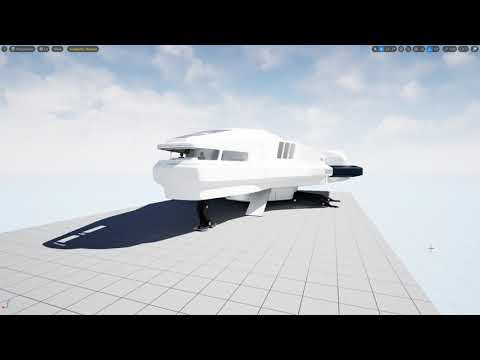
So... pretty exciting stuff!
Done got one of my old ships and bought it forward into 5.2 with all the nice new Lumen stuff to see if I could walk around it in VR with proper dynamic lighting for the first time evah.
TLDR; Yep :)
Longer version: Yes, but. As you can see, there a lots of blocky bits where the ships hull isn't blocking the dire...
Bunch of shadowing artifacts to sort out, and navmesh (inside the ship) is going to be another whole problem once I implement flight, but other than that... pretty happy atm
If anyone here can offer any suggestions re the shadowing artifacts, or even better, how to do a localized navmesh on a "moving platform" that would be AWESOME
p.s. I have a 3070ti
cedar otter
worldly peak
100%. the quest 2 is like you are looking through binoculars. I have used quest ...
I'm hoping to do modded skyrim VR, and build environments in UE5 and look at them in VR.
Would you recomend a new quest 2? or a used index / ect on ebay or something.
plus, The quest 2 has 1832x1920 res
The index has 1440x1600 res
so is it really that much better?
im afraid if I get a headset with less screen res than the quest 2, I will get that "screen door effect".
 sturdy coral
lots of good stuff for XR in 5.3 https://portal.productboard.com/epicgames/1-unreal-engine-public-roadmap/c/1147-xr
celest basin
Welp, turned on distance shadows on the direct light in my vr lumen test project last night and Mr computer pooped himself hard and blue and now it looks like my 3070ti is fried :/
That our the whole computer... don't even get a boot screen now
Got an old 1080ti somewhere, I'll test that in it, but that might have to be it for me in vr for now :(
cedar otter
celest basin
Got an old 1080ti somewhere, I'll test that in it, but that might have to be i...
can VR really cause hardware problems like that?
cedar otter
celest basin
Got an old 1080ti somewhere, I'll test that in it, but that might have to be i...
(was thinking if getting one)
celest basin
Normal vr has been fine for me, but it looks like the latest (super exciting) ue5 lumen stuff might be capable of frying hardware
cedar otter
celest basin
Normal vr has been fine for me, but it looks like the latest (super exciting) u...
wont modern hardware thermal throttle itself if need be?
i dont see how really anything could cook a gpu / cpu.
in my laptops, overworking led to heat, but too much heat lead to thermal throttling, is that not what yours did?
celest basin
Tell that to my pc that won't turn on :)
worldly peak
cedar otter
I'm hoping to do modded skyrim VR, and build environments in UE5 and look at the...
This is a wrong place for that kind of discussion because this is UE discord. The Index uses upscaled resolution and the FOV has a huge difference. Go and ask more from an actual VR discord.
dusty prawn
dusty prawn
hello everyone, I am having problem while interacting with my widget after I set...
can anyone help?
celest basin
yay, puter is not dead 🙂
 ember forum
anyone know on quest how to make it so the log files that get saved on users saved folders on their headset go to another folder (because the saved folder) gets back-ed up to cloud, and we have logging in shipping with some big logs (100mb+) to nail down crashes and such
so moving it out of that folder would prevent it from getting backed up to the cloud
 dry nebula
zealous torrent
is anyone familiar with the valve index inputs for openXR? I cant seem to get so...
dry nebula
zealous torrent
is anyone familiar with the valve index inputs for openXR? I cant seem to get so...
Were you able to get everything working with you VIVE? I cant get anything to register with 5.
zealous torrent
dry nebula
Were you able to get everything working with you VIVE? I cant get anything to re...
I was not 😦 make sure you set your mappable input config in the project settings. you should be able to at least get a few buttons working, but for me all of the touch inputs and some of the joystick stuff is still borked
 dry nebula
zealous torrent
dry nebula
zealous torrent
Im just trying to get the tracker woring for a camera. Looks like some people are having some success. Kind of a bummer. I had it all working in 4, finally had time to try setting everything up with 5 and its more cumbersome now.
dry nebula
dry nebula
Im just trying to get the tracker woring for a camera. Looks like some people ar...
Hmm, I tried a bunch of the suggestions without any luck. Finally reinstalled the SteamVR and then deleted the modified settings and restored everything to default, then just launched 5.2 with the -xrtrackingonly added to the engine shortcut, and its now tracking.
 carmine oyster
Any idea why the directional light reflection on the glass looks like this in Quest 2? It looks fine in the editor and the Windows build.


 cursive wigeon
[Meta/Quest2] Hi guys, does anybody know whether there's an event equivalent for the Has System Overlay Present node? The VRNotifications component seems to only have events for HMD being put/removed from the head. Is there really no better solution than to continually poll Has System Overlay Present to pause the game when the user enters the system menu? Thanks
 terse bough
👋 Hello everyone, on trying to create some custom controller meshes (with custom sockets/materials) I encountered a weird behavior when trying to select the correct one based on the currently used XR Device/interaction profile. Engine Version is 5.1.1.
Screenshot 1: I am getting the current interaction profile path which is a String and save that in a variable
Screenshot 2: Based on the Hand I (try to) append "l_"/"r_" to the interaction profile string (where I got rid of the unnecessary long path) and use that string to select the correct mesh from a map.
What happens: The find always returns false even if I copy paste the output path from the console directly as map key. Also, the append after the path doesn't work!
I initially appended the "l"/"r" strings to the end of the interaction profile path which just didn't work. It seems there is something odd about the returned string from interaction profiles? 🥹
Anyone encounter something similar? 🤔

 sturdy coral
terse bough
👋 Hello everyone, on trying to create some custom controller meshes (with custo...
sturdy coral
terse bough
👋 Hello everyone, on trying to create some custom controller meshes (with custo...
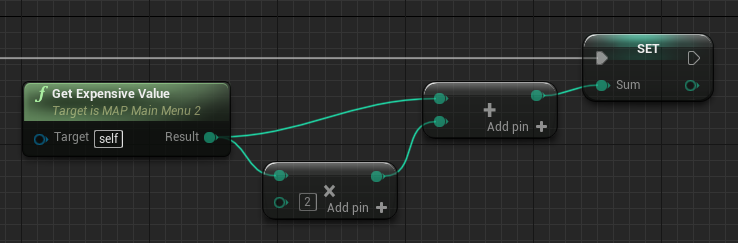
Epic Developer Community Forums
In the documentation (https://docs.unrealengine.com/en-US/Engine/Blueprints/UserGuide/Functions/index.html#purevs.impure) it states the following: “This means that a Pure Function will be called one time for each node it is connected to”. However, according to my tests, it’s not how it works. Given the following example: GetExpensiveValue is...
Maybe not your issue if pasting in a literal didn't work either, but where pure nodes get evaluated and outputs saved across execution pins can get complicated
You can try stuff like saving it into a temporary variable at each step instead
terse bough
sturdy coral
https://forums.unrealengine.com/t/pure-node-evaluation/146473
Very interesting read and thank you for the suggestions!
Unfortunately I already tried several combinations of storing the appended value in between steps which also didn't help.
What confuses me the most is the append not working even on a debug print string (also tried only the interaction profile with one other value) 🤔
terse bough
To clarify: not event that string append is working 🥹

 wooden chasm
hi, does anybody tried to fix the hardcore aliasing when packaging for android hmd devices?
 real needle
hello everyone, I worked with VR some time ago but nowadays I'm totally out of the loop. What are the best VR headsets to use with UE5 to display beautiful scenes and 3D models (e.g. raytraced cars) for configurators on the market? Whatever the price, I'm just gathering info on the best VR headets. Tracking tripods or not.
the customer request was "it's gotta be beautiful", so.. 😓
 nimble drift
Hi, I am sorry, I am sure this got asked already, I want to use my Vive Pro Controllers only as Motion Input Controllers without a headset..
however, I can not get it to work
-
- they only work when I am wearing the Vive Pro Headset
-
- only in the VR - Preview Mode...
I would already be happy if the motion controllers would work in the normal Viewport play mode
- only in the VR - Preview Mode...
could it be my HTC Vive Pro and their Controllers ?
here they used SteamVR and the index controller from Valve - but they did not say, how they completly set up the environment
https://www.youtube.com/watch?v=r1fHOS4XaeE&t=1390s
Watch our evangelism talk ‘Puppeteering: Recording Animations in UE5’ from the State of Unreal 2022 livestream.
Animating in engine can mean keyframing, but in UE5 you can go much further. We demonstrate how to puppeteer a cute dragon with a player controller/VR controller by leveraging Control Rig and the new IK Rig feature.
Then, we record ...
real needle
for the record I'm taking a look at Varjo VR-3 for the best-in-breed VR headset, can't understand if I need the tracking tripods with UE5..
jade kettle
real needle
hello everyone, I worked with VR some time ago but nowadays I'm totally out of t...
Are you looking for in-headset or connecting it to the PC?
real needle
connecting to the pc
I guess for beautiful results a bare minimum of 2070 RTX, but I'd go higher too
jade kettle
I think Varjo's will need the tracking Basestations too IIRC
real needle
I asked bing chat:
SteamVR Tracking uses up to four SteamVR base stations to track your headset and optional controllers. These are small devices that you need to mount on the walls or tripods around your play area. SteamVR Tracking is available for all Varjo headsets and provides accurate and reliable tracking1.

Varjo inside-out tracking (Beta) uses the built-in cameras on your headset to scan the room and keep track of your position. This does not require any external devices or sensors, but it is currently in beta and may not work in all environments or lighting conditions. Varjo inside-out tracking (Beta) is available only for XR-31.

You can choose which tracking method you want to use in the Varjo Base software. You can also integrate third-party tracking methods with Varjo headsets, such as OptiTrack or Vicon1.

Varjo VR-3 also features integrated Ultraleap hand tracking, which lets you use your hands instead of controllers in VR. Hand tracking uses the built-in cameras on your headset as well, so you do not need any additional devices for it2.
I don't know if this is reliable
and I surely don't know if this beta tracking is decent, something you can't gauge from the internet I guess
jade kettle
On their product page I don't see any mention of inside-out tracking
IME, if a VR feature is beta, it's really beta
I don't have experience with Varjos though
real needle
jade kettle
If you're going for bespoke B2B experiences, then I'm inclined to say either the Vive Focus 3 or Vive XR Elite
real needle
I guess this might depend on what room this is used in as well
real needle
jade kettle
If you're going for bespoke B2B experiences, then I'm inclined to say either the...
ah? Instead of the Varjo?
jade kettle
Yeah, it's inside-out tracking, its wireless streaming features are pretty stable
Decently flexible for development and iteration, in comparison to Quest at least, though its business dev communication is kinda lacking
also a fraction of the price lol
real needle
jade kettle
Yeah, it's inside-out tracking, its wireless streaming features are pretty stabl...

I trust this bot to an extent, that's why I'm asking a real person here 😄
jade kettle
Geeze, is Bing a salesman too?
real needle
since price seems not to be an issue, any reason not to go with the Varjo? It seems to have better resolution
real needle
jade kettle
Geeze, is Bing a salesman too?
always has been I'm afraid 🥲
jade kettle
That last paragraph seems like it should be followed up by a affiliate link to Newegg
jade kettle
Where are you based if I may ask?
It might be worth it to maybe look around for demos
real needle
Italy
not the best tech-savvy place I'd say
if I were to require expertise for pizza on the other hand.. 🍕
jade kettle
Nice
Yeah, if you were in the vicinity of The Netherlands, I was going to suggest contacting UnboundXR
Maybe there's an equivalent supplier in Italy but I don't know
Though it's worth it regardless to contact them for B2B stuff and recommendation. They've been really helpful with me in the past
real needle
I'll see if I can find anything (doubt it here, but still..). Thanks for the hint Frag!
jade kettle
Prego, good luck!
nimble drift
Hi, I am sorry, I am sure this got asked already, I want to use my Vive Pro Controllers only as Motion Input Controllers without a headset..
however, I can not get it to work
-
- they only work when I am wearing the Vive Pro Headset
-
- only in the VR - Preview Mode...
I would already be happy if the motion controllers would work in the normal Viewport play mode
- only in the VR - Preview Mode...
could it be my HTC Vive Pro and their Controllers ?
here they used SteamVR and the index controller from Valve - but they did not say, how they completly set up the environment
https://www.youtube.com/watch?v=r1fHOS4XaeE&t=1390s
Watch our evangelism talk ‘Puppeteering: Recording Animations in UE5’ from the State of Unreal 2022 livestream.
Animating in engine can mean keyframing, but in UE5 you can go much further. We demonstrate how to puppeteer a cute dragon with a player controller/VR controller by leveraging Control Rig and the new IK Rig feature.
Then, we record ...
 silk lodge
real needle
hello everyone, I worked with VR some time ago but nowadays I'm totally out of t...
silk lodge
real needle
hello everyone, I worked with VR some time ago but nowadays I'm totally out of t...
the bigscreen beyond
 spring horizon
Very Late answer, but im using this one currently https://www.youtube.com/watch?v=qBooEZnlAA4

In this video I explain my process in creating an IK body for VR in unreal engine. You can follow along or skip to any of the chapters if you're simply curious about how I've tackled a specific component:
00:00 Introduction
00:17 1.0 Setup
02:47 2.0 Body - Pawn Setup
04:03 2.1 Body - Basic Logic Explained
05:05 2.2 Body - Distances
07:25 2.3 Bo...
 round cliff
Hi, does anyone know if I can use the passthrough without having to enable MSAA since activating MSAAx2 makes my fps drop. If I leave the MSAA x1 the pass stops working. I am using ue5
 hollow oak
Hey guys, hope someone can help me with an "issue" or something I'm doing wrong.
I managed to make the setup to use the Quest 2 inside unreal engine and can use the VR Preview mode, but the thing is:
- When I enter the VR Preview mode, this opens one preview screen on the Desktop monitor, and also runs the game on the headset (this is ok)
- On the preview window on the Desktop, the HMD tracking seems to be working fine, i can see on the monitor the camera following the headset movement, but the same don't happens on the headset, I can see the level and use the controls, but it looks like my head it's frozen and I'm ever looking forward and not moving my head (but the Desktop monitor stills rotating according the headset movement.
What it should be?
Please help.
Also tested before with the Quest1 and the same thing. This Quest 2 it's a new headset, so I believe this isn't a device issue.
 nova rock
Hi, suddenly got this crash randomly and now I can't start the editor at all or crash at 90% unless I disable openxr plugin, tried debugging through VS and apparentaly openxrhmd.pdb is not loaded or so it seems (I don't have debugging symbols installed)
Assertion failed: ((Result) >= 0) [File:D:\build++UE5\Sync\Engine\Plugins\Runtime\OpenXR\Source\OpenXRHMD\Private\OpenXRCore.cpp] [Line: 24]
UnrealEditor_OpenXRHMD
UnrealEditor_OpenXRInput
UnrealEditor_OpenXRInput
UnrealEditor_Core
UnrealEditor_Projects
UnrealEditor_Projects
UnrealEditor_Projects
UnrealEditor
UnrealEditor_UnrealEd
UnrealEditor
UnrealEditor
UnrealEditor
UnrealEditor
UnrealEditor
kernel32
ntdll
Using 5.2.1 launcher
real needle
silk lodge
the bigscreen beyond
wow never heard of that one... did you get a chance to try it?
silk lodge
real needle
wow never heard of that one... did you get a chance to try it?
it's not out yet, but the prototypes I have are catchy
silk lodge
nova rock
Hi, suddenly got this crash randomly and now I can't start the editor at all or ...
I've had some weird stuff related to different headsets being plugged in. Try restarting your computer or switching your openXR runtime?
nova rock
@silk lodge it happens without headsets being plugged in vr and yes did restart pc couple of times
silk lodge
I don't really know what fixed it for me
 solemn canopy
Who knows why?
"Level Set transform" is so strange.
The location changes by about 20cm each time the sub level is loaded.
Every time I play it's a little different.. I'm playing on hololens. Why is this?
I set level transfrom to hololens spatial anchor.
here is AM2:14..want to sleep..🥱
jade kettle
I suggest going to bed, maybe your perception of the world is shfting by 20cm because of lack of sleep
solemn canopy
jade kettle
I suggest going to bed, maybe your perception of the world is shfting by 20cm be...
lol😝
 brittle echo
New VR Asset pack on the way guys 😄 https://www.youtube.com/watch?v=vcF0yltvC8A&feature=youtu.be&ab_channel=Yushman
 celest basin
anyone know a way to do a localized navmesh?
I want my VR dude to be able to move around on a moving platform (ok, space ship)
 clear night
Hey, has anyone ever worked with modular characters in VR like Metahuman?
I have an issue using Modular character in a multiplayer UE5 VR project. I add a skeletal mesh to my pawn and made the hands of the skeletal mesh to move based on my VR Controllers location. It works ok but when i am in longer distance from my co-users the skeletal mesh seems "broke" the palms are moving but the hands don't. Any ideas?
 spare galleon
Is it possible to use VR controllers with tracking, without rendering to an HMD?
I'm trying to use some Knuckles in UE5.2 without rendering to my HMD, but I'm not quite sure how to do so.
jade kettle
spare galleon
Is it possible to use VR controllers with tracking, without rendering to an HMD?...
Index Knuckles?

reddit
19 votes and 7 comments so far on Reddit
You will still need to connect a linkbox to pair your controllers
Or Vive Tracker dongles
 pale ember
Hey all.
I have a PICO 4 headset here. When I run my project through desktop mode (via SteamVR) the thumbstick axis works fine. However, when I package out a development build to the headset (android) the thumbstick only registers input on the X axis. I'm assuming the lack of a SteamVR layer is doing something, but I've literally no idea where to go from here. Any ideas?
 grand kayak
A default setup scene from desktop version copied over to some virtual reality solution turns this:

What is happening, and how do i solve this ?

in environment, there only is a georeferencing system
This is the migrated version...
 spare galleon
jade kettle
https://www.reddit.com/r/Vive/comments/6uo053/how_to_use_steamvr_tracked_devices...
spare galleon
jade kettle
https://www.reddit.com/r/Vive/comments/6uo053/how_to_use_steamvr_tracked_devices...
I have a couple of tracker dongles, but could I not just use the HMD's radio via USB?
Especially if I unplugged the DP cable?
jade kettle
spare galleon
I have a couple of tracker dongles, but could I not just use the HMD's radio via...
Ahh, so you don't want it completely headless or?
I think SteamVR will complain if you don't have the DP connected
 spark bronze
Ouh, thats bad
It’s several things but starting with forward shading
This alone changes the look of sunsky…
Hmmmm
What do i do now?
jade kettle
Seems like you can have an out of body experience with that
Also took me a while to realise you're the same Yves
spark bronze
Sorry, this one is private, the other professional
Yes, it’s the same Yves
But… i need the sun plugin…
I can do tradeoffs and do have power
But would i want to really leave forward shading?
jade kettle
How are you rendering? PCVR? Embedded?
spark bronze
Went away with the default sample project first
jade kettle
I haven't done an A/B comparison, but several weeks ago someone said that the performance advantages of forward rendering have become relatively negligible
spark bronze
Hmmmm
I even don’t understand why it looks like this…
The default scene has most of its components as actor and looks good
jade kettle
@spark bronze Is it possible the DirectionalLight component in your SunSky isn't too powerful?
I'm checking it too and the Intensity is set to something absurd like 75000.0 lux
And I'm using Forward Shading too
At least, I created a project from the VirtualReality template
I've brought it back to 5 lux and it looks good
jade kettle
You're welcome!
jade kettle
It feels like I'm speaking to someone with a split personality 😂
Did you remote to your work computer?
grand kayak
nono, have a laptop over here.
i am sorry ^^
i should also put the same picture in ^^
funnily this behavior occurs again on play somehow, but not completely
i will dive a bit into it, because i can't see, why these changes happen ...
ember forum
Anyone here had any issues getting Android12L up and running with UE4.27 or UE5? (besides me)
grand kayak
jade kettle
I'm checking it too and the Intensity is set to something absurd like 75000.0 lu...
it's 75000 by default and seems only to be changed on blueprint ...
and in the other scene it looks good !
but as i can see it almost quite good, it's currently not my main concern now
 restive lark
Hello everyone. I’ve been working on a project for almost two years, and I would like to share my progress. Enjoy

It's been almost two year since I started my project, Agro VR. It's been quite a journey. This video shows my latest progress
 coral swallow
Curious to know if people actually use the grip axis variable at all for gripping or other parts of their project. I've been trying to think of things that may use it but can't really come up with anything. I tried using it as an alternative to valves grip force variable but that just results in delayed grip functionality...
spare galleon
jade kettle
Ahh, so you don't want it completely headless or?
I wanted to use the controller locations/inputs on the same machine that the headset is attached to, and render to a normal 2D pancake screen, without engaging the HMD at all, if possible.
Basically, using the controllers as if they were a wiimote/lightgun on a normal motion based game, for example.
jade kettle
spare galleon
I wanted to use the controller locations/inputs on the same machine that the hea...
Then the headless option seems to be best for you
Oh that sounded vaguely threatening out of context
spare galleon
😄
So, headless will involve the tracker dongles?
Or an axe 😄
It seems vaguely okay to have the ~~tracker ~~ headset plugged in though, it doesn't seem to trouble the GPU very much, and I could probably skip the compositor by launching the VRserver directly, perhaps.
celest basin
Aight, still trying to do my VR teleport on moving platforms thing... found this guy on youtube doing it:
https://www.youtube.com/watch?v=i_Z1Bmig5nw

It took me forever to figure this out.
jade kettle
Yeah, headless would involve tracker dongles in my experience. Like you could try and see where the tracker dongles equivalents are in the linkbox or HMD, but the quickest easiest solution I see is headless.
Or of course you could move the HMD's camera to somewhere it doesn't render anything
celest basin
Here's his comment explaining it:
In VRPawn blueprint:
- Add the collision type of your moving mesh (such as WorldDynamic, or I created a new one called DynamicPlatform) to the existing array of acceptable types for the navigation raycast
- In the IsTeleportValid function, add a switch based on the HitResult collision type. If it's WorldStatic, continue on to the existing logic so it works as normal, which finds the closest point on the Navmesh. If it's your moving mesh's collision type (again WorldDynamic, or create your own), create new logic which returns the hit point on the mesh itself. You can get fancy here and add extra logic to make sure you're not selecting a point on the side or bottom of the platform.
- Add a box collision parented to the VRPawn camera for the next step...
In your moving platform blueprint:
- Add a box collision over the platform.
- OnBeginOverlap with the VRPawn's box collision you added in the last step, use AttatchToActor to attach the VRPawn to the moving platform, maintaining world position, so that the player moves with the platform when he's on it.
- OnEndOverlap, detach the VRPawn from the moving platform, again maintaining world position.
So... where is the "existing array of acceptable types for the navigation raycast"? I can't find it anywhere :/
spare galleon
jade kettle
Yeah, headless would involve tracker dongles in my experience. Like you could tr...
Okay, I found some dongles that are pretty reasonably priced earlier, so that's not a big deal.
As for the VR camera, I'm finding that my HMD isn't engaged by the engine at all, SteamVR never acknowledges the game in any way, really.
jade kettle
Hmm
I've never really tried your exact use case,
So I really don't know what behaviour you will see
spare galleon
Which is weird, because this particular project was a VR project that I've just started using for a headless mode.
jade kettle
If it works for you like this, go for it
spare galleon
It was a normal VR project before.
Oh!
I'm such a pleb, I forgot I was launching with the XRtracking param 😅
So weird that the engine functions as expected /s
jade kettle
Stop doing what I'm telling you to do and do what I want you to do
spare galleon
Exactly!
Except, stop doing what I want you to do, and do what you were doing when it wasn't what I wanted.
-xrtrackingonly
Weirdly, the editor doesn't pass that param on if you launch a standalone game, and you have to launch your packaged build with it too.
jade kettle
That's good to know for my future debugging
spare galleon
// If the commandline -xrtrackingonly is passed, then start the application in _Other mode instead of _Scene mode
// This is used when we only want to get tracking information and don't need to render anything to the XR device
if (FParse::Param(FCommandLine::Get(), TEXT("xrtrackingonly")))
For searchability incase anyone else wants to use the functionality: that's the XR_MND_headless
👍
Been absolutely struggling to find info on that on Google earlier, so hopefully that's of use to future people.
celest basin
So... any tips on adding to the "acceptable types for navigation raycast"?
spare galleon
No motion data for the controller gets updated though 😦
So, that's a bit of a no-go, I guess.
spare galleon
celest basin
So... any tips on adding to the "acceptable types for navigation raycast"?
FWIW, I think that's not really a very VR specific question, and you might get more help from a more general channel?
celest basin
Managed to solve it, see this thread for the answer (and the relevance to VR)
https://forums.unrealengine.com/t/teleporting-to-a-moving-platform/1222999

Epic Developer Community Forums
Hey Everyone, Trying to figure out how to let my VR character teleport around a spaceship while it’s moving… there’s a few posts in the forum about this now but no solutions 😕 I did find this youtube video: Unreal Engine: Moving Platforms With Navigation in VR - YouTube And he does try and explain it in a comment, but I can’t figure out how t...
The old can't figure it out until to I ask the entire community for help, then instantly figure it out by myself trick chief 😉
spare galleon
Isn't that entirely collision based?
celest basin
I guess... all I know is that before this I couldn't fly away in a spaceship in VR, now I can 🙂
spare galleon
I'm only mentioning it because people didn't have a response for you here, but in a more general channel, you might have gotten an immediate response, because it's not really VR centric.
👍
celest basin
My next challenge might a bit more specific to VR, I have to learn how to sit the player in the pilot seat, setup some sort of IK on the steering column, and then (less in the VR spectrum) use the players interaction with that to control the ships vectoring
 spare galleon
🤔
celest basin
at least I have a pretty ship to practice with:
 spare galleon
Looks like an Elite: Dangerous prototype 😮
celest basin
well I think that's the nicest thing anyones said to me all day 🙂
Here's a walkaround showing my current level of kung fu with Lumen in VR (it's not high)
https://www.youtube.com/watch?v=AQa5XyU93yE

Got some awesome help from the lighting channel at UnrealSlackers...
Thank you BillyBobCornBob :)
Seems to have gotten rid of all the Virtual Shadow Map Corruption (at least within the bounds of the ship).
spare galleon
Nothing I do gets tracker data in UE5.2, without explicitly wearing a headset, and having the engine launch normally and in VR preview mode for the app (no -xrtrackingonly toggle), Live Link XR doesn't work in either mode...
Is there a sample project or something, something that works on someone else's machine, or steps that can verifiably be followed to actually get data from any motion tracker of any kind? 😐
Using a Vive Tracker 3.0 with dongle, btw.
 light comet
This might be an issue on the driver/steamvr side. At least that happens normally when you're using the headset as well. Controller/Input is always disabled after a bit on our end.
jade kettle
spare galleon
Nothing I do gets tracker data in UE5.2, without explicitly wearing a headset, a...
Hi hi, sorry I don't have an example project. I do remember that there was a 'gotcha'with LiveLinkXR and the exact SteamVR/OpenXR combination somewhere, hold on
There's a message from Victor on LiveLinkXR

 paper raptor
best thing to do is to open your crash log and see what happened
sturdy coral
 woeful glacier
this is on DX11
woeful glacier
this is on DX11
What engine version are you on?
woeful glacier
sturdy coral
What engine version are you on?
5.1.1
woeful glacier
paper raptor
best thing to do is to open your crash log and see what happened
Its just that
 rough mica
,hey I m using VR Template. I have needle rotation on one machine, now I had created a button, in that without adding any input action when I pressed or overlap the button through VR hands the needle should rotate. how to do that. I had tried but it's not working.
here i m attaching the blueprint which i had tried.In this I had created Custom event for needle rotation timeline and lerp vector), and also an interact interface has been created. now i m in button BP in which the interacting system usis ed.

 molten knoll
Hey Guys, please i need to know if it is possible to type in like your name or something into an editable text widget using an oculus quest 2
 atomic drum
molten knoll
Hey Guys, please i need to know if it is possible to type in like your name or ...
atomic drum
molten knoll
Hey Guys, please i need to know if it is possible to type in like your name or ...
Yes it is
molten knoll
Please how can I go about it?🙏🏾
Is there like a tutorial or something or does the editable text box automatically bring up the key pad?
atomic drum
molten knoll
Is there like a tutorial or something or does the editable text box automaticall...
Epic Developer Community Forums
Thanks for starting this thread with up to date info. Very helpful info but having problems on Quest2. Did a Android build and Installed .apk through MQuest Developer Hub so it’s not packaged with the Manifest txt file. Is there a different way i should be using?
Maybe they fixed it in 5.2 dunno, this is the situation in 5.1
rough mica
rough mica
,hey I m using VR Template. I have needle rotation on one machine, now I had cre...
guys plz help me
carmine oyster
Bad quality on the quest compared to Windows and the editor although the level is very small and basic?


 dreamy ivy

I wanted to do some work on the GDXR VR Temaplate so i thought i would stream some of ithttps://www.unrealengine.com/marketplace/en-US/product/87aaded1256e4d...
 queen rain
Hey, have a very specific issue that was wondering if someone could help with
On Vulkan Quest, using niagara:
The node Particle Color always returns blue rather than the colour that is set in niagara like it should do
Anybody ran into this before?
Thanks!
 reef willow
I'm having trouble setting up Oculus Passthrough and testing through Oculus Link to the Quest 2.
Anyone have any up-to-date tips/tricks or tutorials for 5.2
The oculus-vr SpatialAnchor example project just seems to attach a OculusXRPassthroughLayer to the VRPawn
 vivid spade
queen rain
Hey, have a very specific issue that was wondering if someone could help with
On...
vivid spade
queen rain
Hey, have a very specific issue that was wondering if someone could help with
On...
I did and its because the particle had a material that was overriding the color argument. Check if the particle has a blue material applied to it
Or if the material takes that color input and ends up blue somehow
Ohh wait are you trying to "get" the particle data in real time via a blueprint request of some sort?
queen rain
vivid spade
I did and its because the particle had a material that was overriding the color ...
I don't think it's this because it works fine on opengl/directx, just not on vulkan
queen rain
vivid spade
Or if the material takes that color input and ends up blue somehow
Yeah, some bug I think is doing this?
real needle
Anyone here working with the unreal engine fork from oculus/meta?
I just can't get a shipping build to run on a quest device. Upon start it is stuck in the loading screen forever and not logging anything.
Every other build configuration is working fine except for shipping...
I also tried it with a completely new project - same outcome...
dreamy ivy
Has anyone here had issues with stationary/movable lights not apearing in the right eye unless up close in the Oculus Quest 2 APK build?
ember forum
anyone having issues with steams latest update for vr controller compability from the 7th of this month?
I'm not seeing our input actions/axis events anymore in the steam vr input settings
tired tree
@ember forum yes valve screwed some things up, it had been reported to them for weeks prior when the beta had the same issues
might actually be an issue with how UE sets up the input manifest for openXR and their new parsing, but regardless should have been hashed out before launching
zealous torrent
ember forum
anyone having issues with steams latest update for vr controller compability fro...
yea im having the same issue, hopefully its fixed soon 🫠 I dont have any touch events or a trigger axis
 quiet badger
just as a heads up for anyone who has the issue I did. If your material uses ( MPC )material parameter collections ( mine was imbedded in a material function ) and plugs into WPO (world position offset ), on quest 2 your material will not render. I solved my issue by switching to name parameters and just used dynamic material instances.
something about how MPC is globablly accessible or maybe something about how android vulkan packs shaders was messing it up.
 wide tendon
I'm somewhat cantankerous.
This is my problem:
https://www.youtube.com/shorts/qmtAc2uQJZM
I'm moving my head about because i'm trying to demonstrate the colours move with my head as light reflections might do.
Currently - all i want to do is push a basic VR template application to my headset so i can get to work.
Its been maybe two years since i've deployed a VR application to my Quest 1, so I updated various bits of software.
I'm running unreal 5.1.1 (because the meta plugin wants that level of the engine now)
I Tried my own project and modified it for VR - i get the colour issue.
I tried using the VR template that comes with 5.1.1 - same issue.
I've downloaded the oculus fork of the unreal engine, compiled that and ran 'its' template for VR. - same issue.
VR preview in Unreal works perfectly.
All applications on my quest work fine and my old VR applications I made are still on my headset work fine. (i've lost my project files)
With all my trobuleshooting i can only assume my issue is to do with my configuration of that android stuff.
I really hate adn struggle getting that configured correct.
I used the builtin script - and it is using different versions that what i found on the oculus site.
But the oculus site doesnt tell me what verions i need for the oculus 1 headset.
I've spent at least 20 hours on this and i'd love some help.
The sky renders with no issue
The guide i originally followed for setting up andriod was here: https://docs.unrealengine.com/5.0/en-US/how-to-set-up-android-sdk-and-ndk-for-your-unreal-engine-development-environment/

How to set up your Android development environment for Unreal Engine
 rocky nexus
looks like an issue with lightmaps. are you using forward renderer with baked lights?
vr preview runs on your pc, doest reflect at all how it will work on device
ember forum
zealous torrent
yea im having the same issue, hopefully its fixed soon 🫠 I dont have any touch ...
2 things fixed for our specific issues with oculus touch controllers in steam vr, enabling and disabling custom controller profile fixed thumbstick click event(it would register as if you were holding it and never letting go)... and then for the trigger event not working in our case we had to move it to trigger axis and somehow that one works... its so weird.. but if it helps anyone... we did not have these issues before the update...
quiet badger
@wide tendon I don't think quest 1 is supported anymore
 trail shale
I need to update this deprecated function - (basically I just need to motion data from the controllers, essentially to know if the user is actually holding them or if they are 'in rest' on the table

I see the XRMotionControllerData but was wondering if there was some type of velocity component on it
spare galleon
jade kettle
Hi hi, sorry I don't have an example project. I do remember that there was a 'go...
Ah, thanks for that.
That's actually the setup I have, but I still get zero data from any device, tracker/controller/etc, regardless of what I do. Not a clue what I'm doing differently.
I guess I should just consider a different engine for XR content. ¯_(ツ)_/¯
rocky nexus
as much i dislike unity for various reasons, it just might be better for xr stuff... fingers crossed for fortnite vr, that would kick up the gear!
jade kettle
Just note that Epic, and actually the XR industry as a whole, are transitioning towards OpenXR
It's just that they are going at it at different speeds
Before, making specific things work for specific use cases, was relatively easy, but was very difficult to scale. e.g. making a Quest game work on a Vive Pro PCVR. Now they're aiming to make it more general
zealous torrent
ember forum
2 things fixed for our specific issues with oculus touch controllers in steam vr...
ah ok! have you had any of these issues with the index by chance?
trail shale
In 5 did 3D WIdget Interaction change at all? My laser pointer from my motion controller is hitting the actor (returns the name of LastHit correctly) but the hover/widget events don't fire, and I did not change anything other than upgrading engine versions - but I did move to OpenXR so I'm wondering about that - though if it was an offset problem, it wouldn't be hitting the thing at all (or would be just showing the laser from the wrong point)
trail shale
Can anyone advise why my motion controller isn't working with the Enhanced Input (Valve) - keyboard events work fine, so I know I am loading the correct mapping/context, but the same events triggered by the motion controller buttons do not work
trail shale
I've spent the last 4 hours of my life trying to get key events to work.
I've been a VR developer since 2017
I know I'm loading the context correctly
 trail shale
Kinda make me wanna die by like 5%

it's showing up in Steam VR too

but this event REFUSES to work unless I press the key
I was even changing the keyboard keys in that context to make sure the context was being refreshed and I deleted ALL my old input events in the legacy input spot in Project Settings.
 ripe crypt
Hello, We just migrated from UE 4.27 to UE 5.2, The Quest 2 Native works in Development but not in shipping
It crashes on launch
can someone give tips to get some useful logs to help debug this
wide tendon
quiet badger
<@304947603559153664> I don't think quest 1 is supported anymore
Haha oh shit- that’s not great news; that never entered my mind. I was going to buy the quest three- I think there are no more Dev kits available.
 full spindle
Hello everyone,
Introducing an exciting new initiative at PICO!
We're launching the official PICO Developer YouTube channel and Twitter page to connect with the XR development community.
The YouTube channel will feature step-by-step tutorials on the PICO SDK and its latest features, while the Twitter page will provide developer news, updates, guides, and insights for crafting amazing VR experiences. Follow us and spread the word!
PICO Developer YouTube: https://youtube.com/@PICOXR_Developer
PICO Developer Twitter: https://twitter.com/PICOXR_Dev
Our first 2 tutorials are now online:
https://www.youtube.com/watch?v=AgNtWoo6IAA&list=PLjd9H4ivTn-lJlQc0emuNS658yOCLimyb&index=1
https://www.youtube.com/watch?v=WY4oxjf9-cM&list=PLjd9H4ivTn-koysidvjgqu1JHTcTut9xM&index=1

YouTube
Subscribe for the latest PICO developer news, comprehensive guides, step-by-step tutorials, and valuable insights into crafting immersive experiences for PICO XR Headsets.

A comprehensive guide on setting up Unity for developing VR applications specifically tailored for PICO headsets.
#unity #pico #virtualreality
👨💻 Sample Project
https://bytedance.us.feishu.cn/file/Ea8Pb4487oC7kGxLhhBu3NtasBe
🔗 Links
👋 PICO Developer
► Twitter Page: https://twitter.com/PICOXR_Dev
► Website: https://developer-global.pico-i...
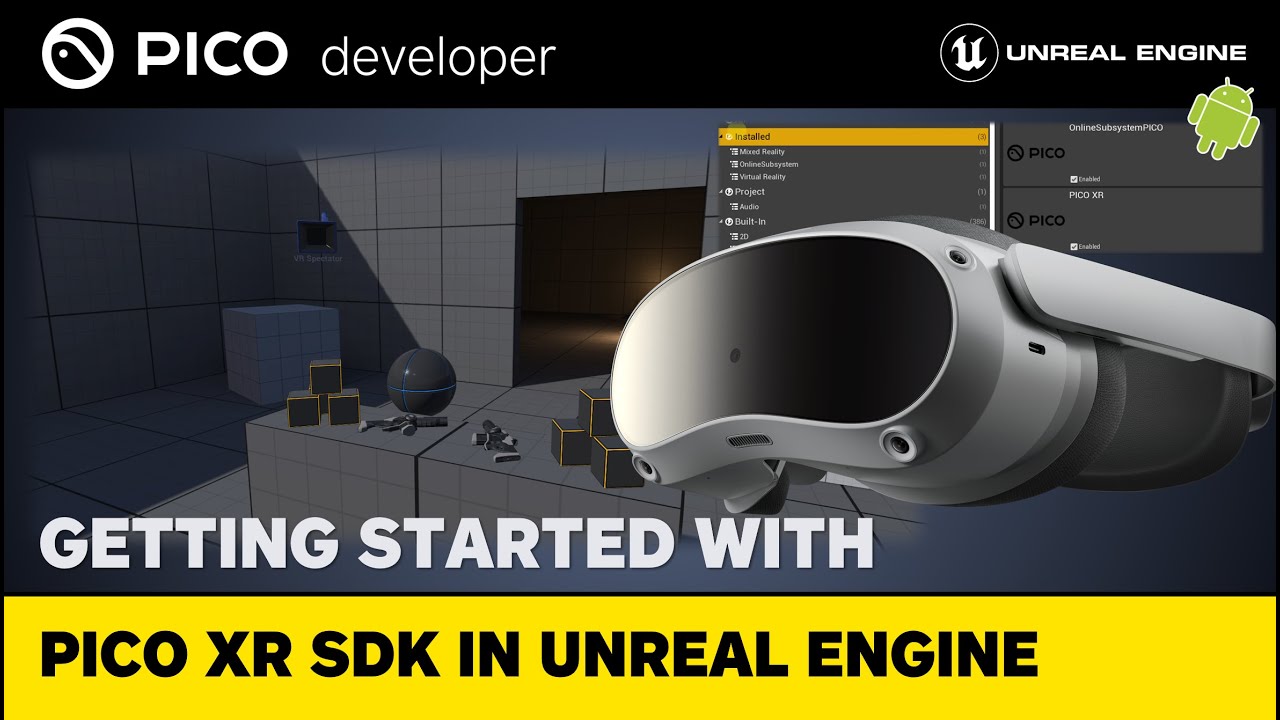
A comprehensive guide on setting up Unreal Engine (4.27 & 5.1) for developing VR applications specifically tailored for PICO headsets. Learn how to utilize Unreal Engine's VR Template and kickstart your journey into PICO headset application development.
#unrealengine #pico #virtualreality
📄 SDK & Game Engine Versions
► PICO Unreal Integratio...
 worthy quest
full spindle
Hello everyone,
Introducing an exciting new initiative at PICO!
We're launching...
worthy quest
full spindle
Hello everyone,
Introducing an exciting new initiative at PICO!
We're launching...
Awesome! Any ETA on 5.2 support?
molten knoll
Hey please which android studio do I need to build out a vr project for quest 2
full spindle
worthy quest
Awesome! Any ETA on 5.2 support?
The plugin should work on UE 5.2 as well already, but we are adding some bug fixes we found in the next release at the end of August.
quiet badger
wide tendon
Haha oh shit- that’s not great news; that never entered my mind. I was going to ...
quest 2 is pretty different in terms of hardware and feature support. Should be considering that the base line these days
 wraith sky
Jss. Epic still have not fixed crash of openXR if HMD is not connected.
How they have not noticed it yet. it's so obvious.
rocky nexus
perhaps they did, and consider it low priority
trail shale
wraith sky
Jss. Epic still have not fixed crash of openXR if HMD is not connected.
Wait - can't you query RIGHT at fire begin play or does querying it actually cause the crash?
I've always had a "IsHeadSetConnected?" that would put me into a 3D/NonVR mode for when I do work on a different machine that didn't have VR
 somber marsh
Hello, I'm having trouble understanding and getting the Oculus Platform SDK to work, how do you install the Oculus platform SDK?
I've downloaded the SDK from the oculus website, but I do not know where to put these files

I want to be able to call the functios from the SDK, but I'm confused as to how the SDK works
 gleaming oriole
open xr keeps crashing and I don't know why

 gray jackal
gleaming oriole
open xr keeps crashing and I don't know why
gray jackal
gleaming oriole
open xr keeps crashing and I don't know why
i think
it might be
because your headset is not plugged in
make sure its connected to your pc
and that its not disabled or anything
spare galleon
My mistake with the trackers, I forgot to factor in Valve:
https://github.com/ValveSoftware/openxr_engine_plugins/issues/8
GitHub
I reviewed the source code, and it has undergone significant changes, therefore the 5.0 plugin does not function with 5.1.
 muted cairn
How would I detect if a player is looking at a component? Would I just use a linetrace? Feels a bit too exact for VR
rocky nexus
unless you have eye tracking all you can do is assume that forward is where they look at. that wont be accurate enough to select a button in some ui but close enough to tell if player is looking at the thing. sphere or box trace would probably make most sonse
sturdy coral
muted cairn
How would I detect if a player is looking at a component? Would I just use a lin...
I don't know of there is a conetrace but if not you could do several segments of sphere trace growing in size with distance
If that gets jumpy at segment boundaries or something you could make it conservative (all segments wider than the cone would be), then verify hits fall in bounded cone using a dot product
muted cairn
Sorry, I should’ve worded that better. Would I just trace out from the camera?
sturdy coral
Yes, but line trace could be too precise as you mentioned, another thing you could do is line trace onto separate sphere collision or something and potentially grow the spheres with distance
Depends a lot on what exactly you are doing
muted cairn
Thank you, I’m trying to make a menu appear when the player looks at a watch on their wrist
sturdy coral
muted cairn
Thank you, I’m trying to make a menu appear when the player looks at a watch on ...
For something there is only one of like that, you can do vector between camera location and watch location (vectorA), and camera forward direction (vectorB) and then do a dot product between A and B every tick. For a watch it is better to make sure the watch is somewhat facing the player too, you can do a similar dot product against its forward direction out of screen and vectorA
A sphere trace is probably good enough too since the watch isn't going to move much, but you might end up wasting a trace channel on just a few player things if you don't want world to be able to interfere, etc.
wraith sky
trail shale
Wait - can't you query RIGHT at fire begin play or does querying it actually cau...
It's not about Play, it's about opening an editor. It won't start if OpenXR is enabled and no HMD present.
 lofty ice
Would any Index users be able to tell me which button is normally used for opening an in-game pause menu?
I have it bound to Left System, but looking online it seems like both the left and right system buttons open the SteamVR dash?
Q2 has a dedicated Oculus/Meta button, and a secondary game Menu button. So that menu button opens the pause screen, but on Index I don't think that'll work.
 shut bone
full spindle
Hello everyone,
Introducing an exciting new initiative at PICO!
We're launching...
shut bone
full spindle
Hello everyone,
Introducing an exciting new initiative at PICO!
We're launching...
Any chance you will actually ship linux support so that we can use the plugin on UE on Linux.
trail shale
Did the latest Steam VR update break anyone's input or tracking?
 tame current
trail shale
Did the latest Steam VR update break anyone's input or tracking?
tame current
trail shale
Did the latest Steam VR update break anyone's input or tracking?
Not for me, what headset u use
tame current
lofty ice
**Would any Index users be able to tell me which button is normally used for ope...
I usually use the Right controller A button, i think
trail shale
tame current
Not for me, what headset u use
Valve index-
tame current
Question: I want to add custom collisions to the VR hands in the VRTemplateMap of Unreal Engine 5.1.1
I have searched online on how to add box and/or custom collisions to VRhands in Unreal Engine 5.1, but only shows how to add collisions to static meshes. Anybody have any idea or know how to add collisions?
tame current
trail shale
Valve index-
I use the same
trail shale
controllers aren't tracking in VR Preview and I can't get it to let me use bindings at all
like when I try to save it the screen just goes empty

somethings up
 tame current
uhhhh
trail shale
it work like normal if I load SteamVR plugin and turn off OpenXR
this was working fine a few days ago
What version of Steam VR do you have?
tame current
the latest I think
lemme check
it's the latest
Idk man I never actually had this problem, it could be a problem with your base stations, but when I look at the 2nd picture it could just be a problem with your steamvr in general
trail shale
tame current
it's the latest
Like what? What do you recommend I do?
I've tried to find a corrupt manifest reference but there's nothing listed in the steam\config\vrapps files
tame current
trail shale
Like what? What do you recommend I do?
you could go to a previous version, or uninstall and reinstall
tame current
Is there a way to make the vr hand stop moving when touching another object that is stuck in place?
like how dani slam dunks his hand into the ground and it stops, I wanna do that, but in unreal engine 5.1.1, anybody got an idea on how to do this? I've already added a physics object onto my VRhands, how do I get the physics object to stop my hands in the virtual world?
trail shale
tame current
you could go to a previous version, or uninstall and reinstall
how do I "go to" a previous version in Steam VR - it only shows me linux/mac/beta builds
trail shale
tame current
Is there a way to make the vr hand stop moving when touching another object that...
an easier way would be to rely on a collision event and toggle the visibility of your actual hands and spawn in a duplicate mesh that doesn't move - if you make the event trigger off an on as they move out of the volume it will look like it's your controller's mesh moving, even though it's just that duplicate mesh appearing in a slightly different place/angle
 wheat wyvern
celest basin
Here's a walkaround showing my current level of kung fu with Lumen in VR (it's n...
wheat wyvern
celest basin
Here's a walkaround showing my current level of kung fu with Lumen in VR (it's n...
Hi, which graphic cars do you use for this VR / lumen setup ?
celest basin
3070ti
worthy quest
Hi, does anyone know if handtracking with the quest works in PCVR, not just standalone? Do I need the custom engine fork for that?
 craggy beacon
I am using meta quest 2, I created a scene with lumen settings. Problem is my 3D ui are very bright and can't see anything. And the world seems to be shaking. It works smoothly on medium scalability but on high or epic it has a jittery effect and screen tearing. I am very new into these. Thank you.
 hushed shuttle
Hi! I simulate having a helmet with my mouse ? Grab an object with the mouse and look around it? Thanks!
tame current
trail shale
how do I "go to" a previous version in Steam VR - it only shows me linux/mac/bet...
Go to SteamDB and search for steamvr, then click on the app id of steamvr taking you to the details page, then click Depots to the left of your screen and click on the depot ID you want to download, then click on the Manifests tab, find the version you downloaded and record it's manifest ID, then go into the steam console steam://nav/console Then press enter, a louanch application should pop up, then select the steam client and open the link. then type the syntax to the download_deopt command is "download_depot <appid> <depotid> [<target manifestid>] [<delta manifestid>] [<depot flags filter>] : download a single depot" You only need to change the first three arguments, the command, then the app id, depot id, and the manifest ID of the dopt version you want. It will not show any download progress but it will be downloading by looking at the network usage on your downloads page, and do not restart the client as it will not resume the download. When it is done downloading steam shows you where the files are downloaded to. Go to the original game's installatioin directory, move those files somewhere else, and replace them with the depot files. You may need to rename the game's EXE file if the developer(s) of steamvr changed the launch options, you can find the current EXE name by going to the game's steam DB page and clicking n the configuration tab. With all of that, you should have a previous version of steam vr, or you can just wait until the newer version comes out and they fix it.
rocky nexus
hushed shuttle
Hi! I simulate having a helmet with my mouse ? Grab an object with the mouse an...
sounds like first person shooter to me
tame current
hushed shuttle
Hi! I simulate having a helmet with my mouse ? Grab an object with the mouse an...
What you can do is make your mouse affect the object when you click on it, like you move your mouse on the x and y axis rotates the object on an x and y axis
hushed shuttle
rocky nexus
sounds like first person shooter to me
Oh yeah sorry it can be confusing I meant like take the object in my hand and look at it as if you were looking at a bottle in your hand for example
hushed shuttle
tame current
What you can do is make your mouse affect the object when you click on it, like ...
Ah that's cool I could try that thanks
It won't look as smooth as if it was a VR hand though
Because I'm making a project in VR but I don't have a headset with me now... It's frustrating it's just that small "taking an object In my hand and looking at it" that I need to do
And have a video of that to show the rsult
rocky nexus
there are games that do something like that, look at object, interact, rotate it with mouse or whatever
tame current
hushed shuttle
It won't look as smooth as if it was a VR hand though
With a VRhand you just have to add the grabbable stuff from the grabbable box prop in the VRtemplatemap, with that, you can grab it with vr hands and you can move it around
hushed shuttle
Yeah I know it's simple but I don't have a VR headset on me at the moment :/
tame current
you just can't test in vr tho, you can still go into the vrtemplatemap and copy and paste it into the helmet
hushed shuttle
But I won't be able to record a small video of me grabbing and looking at the object right?
This is the object in case it changes anything
rocky nexus
if you want to fake stuff, go all the way, make a cinematic
animate stuff moving and what not
hushed shuttle
Ahah no I don't want to fake stuff I'm just sad I don't have a headset rn it would be so simple to do
But you are right that could be an option too
 hallow knoll
worthy quest
Hi, does anyone know if handtracking with the quest works in PCVR, not just stan...
hallow knoll
worthy quest
Hi, does anyone know if handtracking with the quest works in PCVR, not just stan...
No you can use 5.1.1 and the MetaXR plugin for their hand tracking solution. Alternatively, you can use the OpenXR Hand Tracking Plugin, and the function GetMotionControllerData -> Joint pos/loc to return the transforms of each joint. But you'd have to map data to a hand skeleton to animate it. Or just add spheres at each joint.
rocky nexus
hushed shuttle
Ahah no I don't want to fake stuff I'm just sad I don't have a headset rn it wou...
if you dont have a headset, you are faking it one way or another
hushed shuttle
rocky nexus
if you dont have a headset, you are faking it one way or another
True..
It's just way longer and less smooth than with a headset
hallow knoll
VR Expansion Plugin comes with a Pawn that can be controlled w. Mouse and Keyboard: https://vreue4.com/
You can also use the Windows Mixed Reality simulator: https://learn.microsoft.com/en-us/windows/mixed-reality/develop/advanced-concepts/using-the-windows-mixed-reality-simulator

The Windows Mixed Reality simulator allows you to test mixed reality apps on your PC without a Windows Mixed Reality immersive headset.
trail shale
How can I fix a corrupt Steam VR binding? Other than a bug with Steam VR, the only explanation is that it is looking for a manifest that is not there - in fact Steam VR won't even let me make new bindings - it just sits on this empty screen when you try to save them - as anyone heard of this? Happened 3 days and I can't get any work done, one of the most frustrating dev times in my life

Notice how the bindings doesn't even have a NAME for it - wtf is editing %1

As far as I can tell though, Steam VR's app manifest listing in the Steam\Config folder does not contain any references to some deleted/missing manifest, so I am stumped
@hallow knoll Have you heard of any bugs with the most recent Steam VR release that came out 5 days ago?
It definately relates to a problem with OpenXR communicating with Steam VR from Unreal - (i'm in 5.2) - if I disable the OpenXR plugin in Unreal and re-enabling to soon-to-be-deprecated Steam VR plugin, the problem goes away and I can save new bindings.
also of note, this STOPS THE CONTROLLERS FROM BEING TRACKED
trail shale
tame current
Go to SteamDB and search for steamvr, then click on the app id of steamvr taking...
Thank you for taking the time to write these instructions - I had partial success, Steam VR now says 1.25.8 - but now it is giving me the classic "Heatset Not Detected Error" and I've tried all the standard tricks to fix it - I'm not sure if I didn't copy something over - there were no "resources" or "content" in the steam VR version I downloaded, so I copied those over from the "current, but bugged" version and there might be a mistmatch there somewhere -
tame current
oof, alr
trail shale
I don't trust my luck as a developer that Valve will fix the Steam VR bug, if that is indeed what this is, in any reasonable timeline - with my luck this problem witll persist unless I am the one who fixes it
tame current
ok
trail shale
I'll try validating files - since I've got Steam to be targeting that branch, hopefully it will only acquire what it needs
well fuck, what are you betting that this will just going to upgrade it back to the bugged version
yep that's what happened
yep, it upgraded it back - the headset works again but look at this - there are NO bindings and the controllers don't track again - how can I tell it to fuck off

 still basalt
Anyone know how to build for windows so that my VR headset will work with the game?
Or rather SteamVR
I have OpenXR, but when I build and package the game locally it doesn't launch in the headset
light comet
Try launching it with -vr
 limpid widget
Also see if you have "start in vr" checked.
But starting with -vr as an arg should also fix it.
cedar otter
just watched the UE livestream for VR and the nanite section doesn't look very promising with all the draw backs of it being an experimental feature in VR.
Me and my team just started putting together an outline for a VR game using nanite, so im a bit worried.
this livestream was 7 months ago. since then, Has nanite / lumen for VR became more stable?
 limpid widget
Yea it's still not that useable. 5.2 improved and 5.3 even comes with more really nice improvements (stereo rendering for nanite, stereo cache for lumen) which should improve the performance a bit.
But it will stay desktop only for now still.
As it's using deferred rendering, there is also no chance of getting it to run on Standalone Headsets like Quest 2 or Pico 4 anyway. 😄


Looks like Unreal Engine 5.3 already has significant #VR performance and quality improvements for Lumen and Nanite and there's more on the way!!
longer vid: https://t.co/Nsy6fIWqlf
download my .exe (20gb): https://t.co/IlSNM28jZP
Likes
316
 Twitter
·
cedar otter
limpid widget
As it's using deferred rendering, there is also no chance of getting it to run o...
Twitter
·
cedar otter
limpid widget
As it's using deferred rendering, there is also no chance of getting it to run o...
I recently heard from someone who gave an UE presentation that "Nanite and Lumen dont work on Oculous Quest".
Does this mean that nanite/lumen wont work if ran independently on only quest hardware, ( meaning it can work as long as a quest headset is doing a PCVR setup)
or does this also mean that literally all VR configurations wont work if a quest is involved.
in other words (if a steam VR game uses Nanite/Lumen, does this mean that the game will break if a quest connected to steam tries to boot the game?)
limpid widget
Nanite and Lumen don't work on Oculus Quest - natively. Would be correct.
It does work with in an PCVR Setup (Alex is using this exact setup you described :D).
But it will probably never work natively on Quest due to performance. With Quest 3 we are getting closer but I bet it will be 4 of 5 before it's becoming an option.
Because currently high end pcs have a hard time running what Alex showed. He was getting 30 fps, so with ASW he was able to get 60 fps, in a test environment, and that's just rendering, no gameplay or anything else involved.
But if you are going for PCVR only, you should be able to use it, but realistically Unreal 5.4 should make it more viable. So there's still at least a year until then.
trail shale
IF anyone has problems with Steam VR not being tracked from Open XR, sometimes you might have to Re-Enable Steam VR (disabling OpenXR as a result) and do the Regenerate Controller Bindings, Action manifest, ETC (the options that are in the Steam VR plugin in the Plugin Section of your Project Settings) - then you can disable Steam VR plugin and restart the editor. Once your game is running if you still don't have tracking, use the Steam VR control bindings screen and set it to the default knuckles profile. Then tracking should work, although you will probably have to manually redo your bindings but then save it after and you should be good. Christ what a nightmare.

This problem stopped me dead in my tracks for two days - It is most likely to occur when you are switching engine versions and migrating projects over - so I'm leaving it here for posterity
 waxen sentinel
Hey guys - for those building for oculus quest... I know the build settings with forward renderer, vulkan etc can be a little finicky.
It feels like its been like that for the last year really, and some people are sitll using 4.27 for stability but some are now using 5.
Has anyone got a recent up-to-date build settings guide for building for quest 2?
I'm reviving an old project that isn't properly running as an APK but works fine in vr preview (i understand its totally different!)
tldr: Does anyone have a helpful recent guide or article with up-to-date build settings for building APKs for quest?
hushed shuttle
hi how can i make a hand grab an object when crossing a trigger in VR ? thanks
limpid widget
waxen sentinel
Hey guys - for those building for **oculus quest**... I know the build settings ...
Look for GDXR on Youtube, he explains this quite well.
SaveGame on Quest 2 related question.
For my SaveGame, they are deleted as soon as the game is uninstalled on Quest 2 natively. Does someone know why and how I can make them persist? Uninstall means people loose their progress and I don't want that.
waxen sentinel
Thank you!
 lost grove
I have this issue where VRNotifications.HMDRecenteredDelegate does not seem to fire at all. I'm slowly starting to believe it is not an issue on my end but something internal 🤔
 golden bear
Hey everyone, new VR dev here. I’m having issues getting this post-process material to show up when I build my project onto a quest 2. However, if I enable mobile HDR it will render the effect, however, then the left eye will be a black screen. Guessing it is a project setup issue. Any pointers?
 cedar otter
I have taken the VR starter project and I have added 3 nodes to the end of the existing code in the grabbableCopmponenet_BP so that when I pick up an object, it will print which hand picked up the item.
very simple.
when I grab with the right hand, it prints "right".... works...
But when I grab with the left hand, it prints "right". Then any left grab after the first will print "left".
left hand grabs output "right" but only the first time
anyone know what tf is going on?

(bigger picture)
the code is just attatched to the "Fixed" grab type
dont know why its failing
 rocky nexus
golden bear
Hey everyone, new VR dev here. I’m having issues getting this post-process mater...
rocky nexus
golden bear
Hey everyone, new VR dev here. I’m having issues getting this post-process mater...
the pointer is, post processing is not supported. which is quite a pita
golden bear
rocky nexus
the pointer is, post processing is not supported. which is quite a pita
Hmm so is there any other way to achieve the same effect?
rocky nexus
its not obvious what the effect is, you probably can fake it somehow
golden bear
rocky nexus
its not obvious what the effect is, you probably can fake it somehow
It's just a post-process material that highlights a static mesh that is viewable through walls.
cedar otter
wish this discord was as active as it used to be.
 whole nimbus
Anyone know a good way to implement a mouse keyboard player character to simulate and do quick small changes with, instead of putting on the headset and straps every time
was thinking just to make a character and a new input mapping context that activates with a toggle key on the keyboard
and then setting grab to left mouse click on that IMC
limpid widget
golden bear
It's just a post-process material that highlights a static mesh that is viewable...
Starting with 5.1, there is supposed to be a highlight or outline material in the Static mesh. You can set and enable this once the highlighting is active.
This should work in forward rendering & mobile HDR disabled.
Alternatively, you just duplicate the static mesh, give it a highlighting material and scale the mesh like 1.1 times, so that it's above the original one. And then you enable/disable this based on when highlighting is active.

Download Project File Patreon: https://www.patreon.com/posts/17626805
Selection outlines without post-process material. This was done using the standard material so that we can easily change the color and thickness of out outline.We can also have different colors for different outlines.This method is also called the inverse shell method.This is...
You can also try this
it's called inverse shell method
limpid widget
whole nimbus
Anyone know a good way to implement a mouse keyboard player character to simulat...
I have this, and for me I did a pure function returning a boolean to check whether we are in vr mode (which has an OR and returns true when
- "-vr" is defined
- hmd is enabled
- vr preview is enabled
- we are on android)
And with this I have a branch for initialising non-vr and vr. vr does the enable hmd and other vr related calls, while the non-vr activates a camera and the input etc for non-vr.
And then just do the regular vr calls but with non-vr. For example grab, I implemented a grab from a distance so that the weapon get's moved to the hand, and for non-vr I do a collision check then if the weapon is at the hand and then just do the grabbing logic.
Just a bit of extra work, but it allows faster testing as you said.
rocky nexus
golden bear
It's just a post-process material that highlights a static mesh that is viewable...
ah, makes sense. you can indeed use something like reverse hull for the outline, but i have no clue how would you make that be on top of everything at same time. perhaps that stuff in 5.1 does work like that?
spare galleon
trail shale
also of note, this STOPS THE CONTROLLERS FROM BEING TRACKED
Not sure if anyone said yet:
The engine doesn't start tracking anything if you don't activate the proximity sensor on the HMD with OpenXR.
Gotta put your hand near the lenses to trigger it, then it starts actually querying the devices.
Also fun issues:
If you use "GetMotionControllerData" (which is also a blueprint function), you'll get no data if you're not looking for a left or right hand thanks to:
https://github.com/EpicGames/UnrealEngine/blob/5.1/Engine/Plugins/Runtime/OpenXR/Source/OpenXRHMD/Private/OpenXRHMD.cpp#L183
If you use -xrtrackingonly in anything later than 5.0, you'll never get any motion data at all, because of:
https://github.com/EpicGames/UnrealEngine/blob/5.1/Engine/Plugins/Runtime/OpenXR/Source/OpenXRHMD/Private/OpenXRHMD.cpp#L2580
(5.0 doesn't check for renderbridge https://github.com/EpicGames/UnrealEngine/blob/5.0/Engine/Plugins/Runtime/OpenXR/Source/OpenXRHMD/Private/OpenXRHMD.cpp#L2028 )
Wow, totally missed the right lines there, better submit a bug report for my eyes.
 open trail
Hi all!
For a project I'm working on, both vr/non-vr is a requirement. The thing is that the user can put off the vr-headset at any time, so the game needs to react accordingly.
I got that part working, however when I switch to non-vr mode, there is a slight offset to the cameras view. This is also present with the headset on, but only on screen (so no biggie).
I tried executing the console command "stereo off", which fixes that issue, but now I can't put my headset back on because the HMDWornState isn't updated anymore..
Is there any way to solve this?
Using UE5.1 + OculusVR->LegacyOculusSDK
open trail
If I could have another way of checking the proximity sensor (Quest2), that would work too
cedar otter
Anyone know where to find the code in the VR template that makes the virtual controller meshes move relative to the actual VR controllers in the room?
open trail
Btw, I can execute the console command stereo on, and vr works again, so it's not that the hmd(plugin) is shut off completely
cedar otter
Anyone know how to freeze the vr hands so that they don't receive input from the motion controllers?
 quiet swan
@limpid widget I'm gonna try this
 half geyser
Anyone here experienced with building for Vive Focus 3?
I'm having a hell of a time making an APK
jade kettle
half geyser
Anyone here experienced with building for Vive Focus 3?
Yo wassup
The guide from Vive is kinda wrong I think
At least NDK version-wise
I'm using ndk 25.1, that works for me
cedar otter
yo, is it possible to attach a vr hand to an object and keep it there?
here is a better explanation of what I mean.
is there a certain BP node built into the engine that allows the vr hands to be decoupled from the motion controllers? in-turn allowing the hands to be locked to a specific point/component/location?
rocky nexus
Vr hands are a component thats attached to the controller, you can just attach them to something else
 jovial grove
Hi, has anyone had an issue with instanced meshes not working with volumetric lightmass on Quest?
solemn canopy
character actor can be used for AR pawn?
pale ember
Hey all, I can't seem to get any VR projects to launch on Unreal 5.2, keep hitting this assert:

I literally just created an example project, no custom code at all
 abstract forum
I have been getting that as well @pale ember
Seems to be a regression that snuck in in 5.2.1
pale ember
@abstract forum Interesting, have you worked out a solution? I'm installing the engine onto a new clean HDD to see if it is space related (I was running low, needed to move it anyway)
abstract forum
pale ember
<@334934512758947841> Interesting, have you worked out a solution? I'm installin...
I have not sadly apart from move down a version.
pale ember
Thanks, frustrating eh!? There's an engine plugin that is only available for 5.2 that we need to use, I think the only solution at the moment will be to manually downgrade that plugin 🤣🤦♂️
 exotic mango
Has anyone here downloaded the 4.27 version of the oculus source build? I downloaded it last night and when I generate project files it creates a sln file named "UE5" even though I 100% downloaded 4.27 from the repository
rocky nexus
exotic mango
Has anyone here downloaded the 4.27 version of the oculus source build? I downlo...
did you clone it? you need to checkout the branch in that case
exotic mango
rocky nexus
did you clone it? you need to checkout the branch in that case
I'm a dumby, I cloned the default ue5 one I guess even though I went to the other branch. No worries just downloaded the zip of the 4.27 version unzipping now 😀
rocky nexus
been there dona that :p
exotic mango
rocky nexus
been there dona that :p
Have you ever had when you do setup.bat it stop at 100% its been there a couple of minutes says done at the end for updating dependencies but I thought it was supposed to autoclose scared to press x
spare galleon
I found out why none of my "no HMD" approaches were actually outputting motion controller/tracker data:
SteamVR starts up with that menu, which blocks all motion data 😅
It does that 100% of the time, even on a null driver.
My solution currently is to load up the debug commands, and send the system menu command, but is there a way to just stop the menu appearing on VR start up? I never even use it when I'm actually going to use the HMD anyway.
@pale ember and @abstract forum Are you both using a source build, or have the engine symbols downloaded for debugging, and what headset/trackers/controllers are you using?
I'm using a 5.2 source build right now, but previously I was using a 5.2.1 binary with no VR issues, with an Index, Knuckles and some Vive 3.0 trackers.
The function that crash comes from is FOpenXRPath::FOpenXRPath(const char* PathString), which is basically used to set up a VR session, as I understand it, so it'd probably be useful to set a breakpoint or check to see if the log shows what was sent to fail.
pale ember
@spare galleon Here's the crashdump:
UnrealEditor_OpenXRHMD!FOpenXRPath::FOpenXRPath() [D:\build\++UE5\Sync\Engine\Plugins\Runtime\OpenXR\Source\OpenXRHMD\Private\OpenXRCore.cpp:26]
UnrealEditor_OpenXRInput!FOpenXRInputPlugin::FOpenXRInput::FOpenXRInput() [D:\build\++UE5\Sync\Engine\Plugins\Runtime\OpenXR\Source\OpenXRInput\Private\OpenXRInput.cpp:271]
UnrealEditor_OpenXRInput!FOpenXRInputPlugin::StartupModule() [D:\build\++UE5\Sync\Engine\Plugins\Runtime\OpenXR\Source\OpenXRInput\Private\OpenXRInput.cpp:95]
UnrealEditor_Core!FModuleManager::LoadModuleWithFailureReason() [D:\build\++UE5\Sync\Engine\Source\Runtime\Core\Private\Modules\ModuleManager.cpp:650]
UnrealEditor_Projects!FModuleDescriptor::LoadModulesForPhase() [D:\build\++UE5\Sync\Engine\Source\Runtime\Projects\Private\ModuleDescriptor.cpp:696]
UnrealEditor_Projects!FPluginManager::TryLoadModulesForPlugin() [D:\build\++UE5\Sync\Engine\Source\Runtime\Projects\Private\PluginManager.cpp:2205]
UnrealEditor_Projects!FPluginManager::LoadModulesForEnabledPlugins() [D:\build\++UE5\Sync\Engine\Source\Runtime\Projects\Private\PluginManager.cpp:2278]
UnrealEditor!FEngineLoop::Init() [D:\build\++UE5\Sync\Engine\Source\Runtime\Launch\Private\LaunchEngineLoop.cpp:4805]
UnrealEditor_UnrealEd!EditorInit() [D:\build\++UE5\Sync\Engine\Source\Editor\UnrealEd\Private\UnrealEdGlobals.cpp:111]
UnrealEditor!GuardedMain() [D:\build\++UE5\Sync\Engine\Source\Runtime\Launch\Private\Launch.cpp:162]
UnrealEditor!GuardedMainWrapper() [D:\build\++UE5\Sync\Engine\Source\Runtime\Launch\Private\Windows\LaunchWindows.cpp:107]
UnrealEditor!LaunchWindowsStartup() [D:\build\++UE5\Sync\Engine\Source\Runtime\Launch\Private\Windows\LaunchWindows.cpp:244]
UnrealEditor!WinMain() [D:\build\++UE5\Sync\Engine\Source\Runtime\Launch\Private\Windows\LaunchWindows.cpp:284]
UnrealEditor!__scrt_common_main_seh() [D:\a\_work\1\s\src\vctools\crt\vcstartup\src\startup\exe_common.inl:288]
kernel32
ntdll```Can confirm it's the FOpenXRPath function that is causing the issue
This has thrown an exception here now too that I'm running in debug

Fun fact, I've found a solution @spare galleon @abstract forum
I had a PICO4 connected, but not turned on, nor was the appropriate software running (Streaming Assistance + SteamVR). I think the 'IsHMDConnected()' check returns true even if the headset is turned off, but then the path fails to work since the headset is not contactable, and SteamVR is not running.
spare galleon
pale ember
Fun fact, I've found a solution <@573256804453187595> <@334934512758947841>
I ...
That's the kind of thing I was expecting, since the FOpenXRPath is used in the process of starting up the session 👍
pale ember
Yup, as soon as I saw that bool return true it was pretty obvious what was going on. Are there any Epic reps on this server? I've submitted a bug report previously, but I'd like to update it with this detail
spare galleon
Weird that your headset driver always returns a "Yep!" though.
pale ember
Hah yeah, although doesn't surprise me with PICO, they aren't bad but there have been a few teething issues
spare galleon
Probably the UE Community Team, but I wouldn't advise pinging them 🤔
pale ember
Yeah I don't want to cause them a headache. Fingers crossed they'll work it out
pale ember
Through the official submission site

Unreal Engine
Unreal Engine is the world’s most open and advanced real-time 3D creation platform for photoreal visuals and immersive experiences.
spare galleon
Imagine using the issue page of github.
trail shale
How is everyone managing their binds with the new input system - in the past I just had pure generic events for the Keys and would load a BP actor as an Input Manager that received those generic events and passed them to the correct motion controller or character -
I'm just looking for a guide for best practices - It seems both good and bad that I can make an event key that might have different keybinds to it - but at the same time, there is the allure for having just pure generic RightController_A_Key type events that aren't named for an event, just simply act as a trigger that you call wherever you want the event to take place
exotic mango
rocky nexus
been there dona that :p
Do you think I might be getting the errors in the attached txt because I used visual studio 22 rather than 19?
rocky nexus
exotic mango
Do you think I might be getting the errors in the attached txt because I used vi...
dunno, this is arcane knowledge! using versions they tell to use is a dwcent idea unless proven otherwise
exotic mango
rocky nexus
dunno, this is arcane knowledge! using versions they tell to use is a dwcent ide...
Wonder if I need to rebuild the whole engine
cedar otter
anyone know good resources for understanding the VR expansion pluggin and how it works
whole nimbus
cedar otter
anyone know good resources for understanding the VR expansion pluggin and how it...
No but would appreciate if you find anything substantial
I bought dragon ik this morning to try to experiment with its full body rig and VRE
Waste of $60 I think but I had to know
VRE's documentation is better than epic's documentation of their own VR systems but its still not really enough for me
And I cant figure out what of these systems, VRE and Dragon IK, are irrelevant in Unreal 5.x. We've got control rig upgrades that seem to invalidate Dragon IK's necessity and we've got "grab component" and other quality of life fixes in unreal 5.x openxr plugin etc
So are they even necessary. I really need an unreal historian to clear some of this up for me, I basically started in 5.0 a few years ago but these 3rd party plugins are 5 years old.
spare galleon
cedar otter
anyone know good resources for understanding the VR expansion pluggin and how it...
Have you tried their website?
https://vreue4.com/
cedar otter
spare galleon
Have you tried their website?
https://vreue4.com/
yes, too little documentation.
does not go deep enough.
whole nimbus
spare galleon
Have you tried their website?
https://vreue4.com/
It's definitely good documentation
It could have nothing
but it doesn't take me much further than the current VR template and honestly I fail to see the need for it now
would be interested to hear the counter argument though
spare galleon
Try asking in the MordenTral server? ¯_(ツ)_/¯
whole nimbus
Was looking for a more general answer, it's kindof an insulting question heh
I'm there too though
spare galleon
So... maybe try reading the WIP channel or something? 🤔
whole nimbus
do you use it?
I was just fishing for a response but if you don't use it no worries. Just wondering after Walnut mentioned it if anyone here had experience with it and would maybe describe it
nbd
spare galleon
No, I just happen to be in that server for something unrelated, and the first thing I clicked there was one of the WIP channels, where there's a lot of messages about what they're doing for 5.2 and such.
whole nimbus
interesting yea I'll have a look
spare galleon
Also, I really don't think it's that insulting to ask "What's the point of your plugin?" in this particular case, because their website is in need of some updates.
The feature list alone is just like "Too much to list here".
cedar otter
spare galleon
Even with the tutorial videos?
what videos?
whole nimbus
@tired tree Help us sir
cedar otter
@spare galleon nevermind I'm autistic, i just found it 😐
tired tree
@whole nimbus there is a very large difference between a grab component that is just attaching things and fully physical / hybrid grips with slottable logic blueprints
but the primary point of VRE is multiplayer and harder aspects of VR
if you have simple needs the simple template is the far better choice
never dig a hole deeper than you need
whole nimbus
tired tree
<@270658964432224257> there is a very large difference between a grab component ...
awesome ty
if you'd like to go into any more detail, I'm definitely asking for it! 🙂
tired tree
pretty sure the overview does actually go fairly into detail as everything on it is missing from the epic template
the "and more to list" is generally engine bug fixes
or classes that provide quality of life
cedar otter
tired tree
but the primary point of VRE is multiplayer and harder aspects of VR
what about the sort of calculations and mechanics found in a game like blade and sorcery?
i suppose it would be much better to use VRE as a base.
tired tree
@cedar otter depends, that isn't hard to reproduce just with constraints
but yes, it would be fast to setup with VRE
as there are already examples of those types of grips
cedar otter
tired tree
as there are already examples of those types of grips
yea, the sword is setup really damn good
tired tree
blade and sorcery doesn't really do any "calculations" and the mechanics are mostly just tweaking constraint settings
which is finicky, but perfectly possible for anyone to dig into
cedar otter
tired tree
blade and sorcery doesn't really do any "calculations" and the mechanics are mos...
with your knowledge, are you aware whether or not Blade and sorcery uses physics based animations for their AI?
Perhaps this is what you mean by constraints?
tired tree
they do
but that would be obvious, they react to being hit
everything i nunity uses the puppeteer plugin for that
closest in UE prior to 5 would be the physical animation component
with 5.2 coming out with that new blended physics animation setup which would replace it
cedar otter
tired tree
but that would be obvious, they react to being hit
I was playing around with VRE an me and my brother noticed that if you swing insanely fast, the weapons have a tendency to pass through the dummy.
would this be considered a refresh rate issue?
tired tree
@cedar otter no that would be a Chaos physics issue
still a young physics engine
exact same settings in Physx had no such issue
its been getting better with each engine version but chaos still has issues
tunneling is hard to avoid entirely
whole nimbus
tired tree
exact same settings in Physx had no such issue
that's what just killed Divivor and VRGK
tired tree
though that is also partly the dummy having old constraint settings from UE4, Epics translation static scalers they use are not very good
been going through content and re-setting everything to what chaos requires
dummy is the last one I forgot
cedar otter
tired tree
<@396517981489725442> no that would be a Chaos physics issue
is it possible to change the physics engine in UE5?
Or is it just sort of baked in?
Hopefully there's ways to mitigate physics problems without having to mess about with the engine its self.
tired tree
well....it used to be
they made the physics interface very modular to make it easier to port chaos in alongside physx
but in 5.2 they made a brand new partial API to interact with geometry collections and that is hard coded to chaos
and constraints switched over to it
so you would need engine edits now
whole nimbus
Chaos will work itself out over time but the problem is PhysX is like 25 years old
so theres a ways to go
tired tree
chaos is very impressive for its age
whole nimbus
I hear that
tired tree
as much as i complain about it in comparison, it is still steps up from physx in UE, since physx wasn't really a 1st class citizen
im sure with time it will be very very good
whole nimbus
interesting
tired tree
for now the 12 or 15 bugs I have reported just need fixed ;p
cedar otter
tired tree
for now the 12 or 15 bugs I have reported just need fixed ;p
sounds good, any advice on where to go next for more information on VRE if I have eaten up all of the text-based docs and videos on the website?
tired tree
anyway back on topic, if you are starting out or just need simple VR mechanics, the epic template (or to some extent the GDXR stuff) would be better
my stuff is more like an API and is geared towards experienced developers
which is why its used in so many of the larger multiplayer games that come out of UE
whole nimbus
Replication is surely a huge deal, but what does it do beyond the VR template that you'd call a more advanced mechanism
obviously vr template doesnt even have locomotion
just asking for you to brag about it for a bit haha
tired tree
i don't like bragging, but it comes with an engine character fully re-implemented for VR
cedar otter
tired tree
anyway back on topic, if you are starting out or just need simple VR mechanics, ...
I have 1 year of beginner C++ and 4 years of intermediate Python.
Was able to understand the basics of how this section is working within about 5-10 mins
its a small piece albeit but I'm quite new to blueprints.
I know you know next to nothing about me but based on everything above. Do you think Im in over my head trying to use VRE to make a basic VR combat game?
 tired tree
as well as physical interactions and pre-baked interactible objects. The main interest is generally the replication but there are a ton of classes anbd utilities at this point.
@cedar otter up to you and how much you feel like learning
I will tell you that AFAIK there is a rather large multiplayer vr game made by fairely inexperienced devs that is my example expanded on. Rather surprised it works like that since it wasn't the intention. But they managed
if you don't need anything beyond what the example already implements, it would likely be easy tbh
but i always suggest learning how everything works
whole nimbus
tired tree
as well as physical interactions and pre-baked interactible objects. The main in...
If there existed somewhere a 1 hour introduction text or video, I'd pay for it. I'll spend more time with it. Could you point me toward any starting points blueprint wise?
tired tree
besides the basics of gripping and ravens tutorials? Sir Fansi has some youtube videos on the creation of some mechanics just booting up the example
whole nimbus
it looks deceptively simple, especially compared to Divivors VRGK
whole nimbus
thats my problem right there
tired tree
like i said, API, backend c++, BP or c++ makes the choices on when/how/why
whole nimbus
took 2 semesters of c++ as a physics major and I am not the programmer
unfortunate for me
tired tree
thats why its API and flexibility first, the cost is its more complex
but you can do almost everything purely BP
more than with std engine characters for sure
whole nimbus
hurts to not know the api under the hood stuff but I'm just not there
cedar otter
tired tree
<@396517981489725442> up to you and how much you feel like learning
I'm willing to disect this whole thing. Seems beautifully coded.
I taught a python class for high school freshmen. Let me tell you, it's nice running code that actually runs. 😄
I'm thinking of studying how all of it is made, starting with watching all of these - https://www.youtube.com/playlist?list=PLZlv_N0_O1ga2b_ZaJoaR5dLHOFw4-MMl
sorry dont mean to bother you, one more question - any advice on where to go next for more information on VRE if I have eaten up all of the text-based docs and videos on the website?
 tired tree
@cedar otter the discord, i don't like talking about it in here too much
feels self promoty and its an open source free project so that feels bad ;p
whole nimbus
tired tree
<@396517981489725442> the discord, i don't like talking about it in here too muc...
I asked you to come here out of your own discord
tired tree
yeah you were talking to someone else
cedar otter
tired tree
<@396517981489725442> the discord, i don't like talking about it in here too muc...
sounds good, man.
Thanks a ton for this info.
tired tree
figured i would reply in here
whole nimbus
thanks we'll carry on in your own server but since we were discussing VRE I wanted to bring you in
tired tree
yup its fine
whole nimbus
we'll continue on your server man tyvm
 spice geode
Hi guys, something weird is happening using VR preview...
It looks like it renders two time, maybe one for each eye? idk
Did you ever encounter this problem?
 pale ember
Never encountered. Are you using HDR? Forward Rendering or Deferred?
 warm sand
hey, I´ve implemented handtracking to a simple project, test only, but now, when I package and open the project in the oculus quest, it just doesn´t run the program and kicks me out, any suggestions, please?
 broken remnant
Hey guys, did any of you manage to successfully setup Unreal Engine with Quest 2 using AGDE? https://developer.android.com/games/agde?hl=en?
Android Developers
trail shale
I switch on lumen and my scene's reflection went crazy - I'm using VR and the performance seems fine, but there is some aspect to it that I am missing - I thought it was stable in 5.2 (stableISH anyway) - \
Is there any resource at all for VR for doing this - for example, look at these lights - they were fine before - if turning on lumen means i need to adjust their intensity, that's fine, but I need to know - right now they appear "foggy" and they seem to "come out" and interfere with the VR perspective
 glad ocean
Hi, I've been working on a VR game for over a year on quest 2. It has a save and load system which has stopped working after recent quest software update.
Any ideas on what I need to do please?
cedar otter
anyone know a good resource to read/watch that goes over how to improve VR visual quality.
my editor looks great with nanite but in the VR goggles it literally looks like its 480p resolution at best.
limpid widget
glad ocean
Hi, I've been working on a VR game for over a year on quest 2. It has a save and...
What do you mean by stopped working?
Also you're using the Unreal Savegame system, right?
glad ocean
limpid widget
What do you mean by stopped working?
It used to save stats like how many points you earned etc and then loaded that info back when you open the game again.
But after a recent update to the quest, it just fails to save or load. I tested this on a old quest 2 we had lying around and everything works perfectly. But on updated headsets it doesn't work at all.
Yes this is using the Unreal Savegame system
This returns false on the new version of software on quest 2. But it used to return true when everything worked perfectly fine
 limpid widget
what helped me there a lot was using the meta developer center, connecting your quest to the pc and opening the log from the meta developer center.
When you've got debug information in your game (I usually run a development build) it should show in the log there failure, like when and why it fails to save the game
You could put a print before or after this node to easier find the time when the save game to slot is called in the log, because the log is spammed a lot
glad ocean
When running the game in editor, the return value is true and saving to the pc works fine. The false return happens when the apk has been loaded to the headset and is running in standalone mode
 limpid widget
glad ocean
When running the game in editor, the return value is true and saving to the pc w...
limpid widget
glad ocean
When running the game in editor, the return value is true and saving to the pc w...
Yep, with the log you can get the debug information of the headset in standalone mode.
glad ocean
limpid widget
Yep, with the log you can get the debug information of the headset in standalone...
Ooooo, this has given me information. The log does get filled with a lot of spam haha. But I can see UE4 on the left

The question now is why is it getting denied, when this never used to be the case
limpid widget
Yea, did you add the permissions as pointed above?
Could be that a higher os version forces this now and previously it was optional
glad ocean
Yeah, like I mentioned this was working perfectly fine until a quest OS update
limpid widget
And did you also overwrite your androidmanifest?
glad ocean
This is in my game instance

When I install the apk to the headset from sidequest and then open the app. It pops up asking to grant access to storage etc
 limpid widget
I also have the issue that "useExternalDeviceDir" was set to true only when the build was marked "For Distribution", otherwise it did not (and therefore did not save).
Hence my save/load only works when I make a "For Distribution" build.

 limpid widget
Yes, even through it is checked, the apk did not had this defined, only when "For Distrbution" was also ticked.
glad ocean
When I tick "for distrubtion" i get compile errors
limpid widget
You could check this by analyzing your apk and the manifest inside I think, there you see if bUseExternalDeviceDir is defined.
limpid widget
glad ocean
When I tick "for distrubtion" i get compile errors
You should sort those out if you want to publish at one point, as without for distribution the signing of your apk is not done and therefore publishing on applab is not possible.
glad ocean
<meta-data android:name="com.epicgames.ue4.GameActivity.bUseExternalFilesDir" android:value="false" />
it's set to false in the manifest
limpid widget
Ah, that's what I meant, you got the issue too 😄
glad ocean
Is this a big issue 😦
limpid widget
dunno if it's a regular issue everyone has. But for me what fixed is making a For Distribution build
glad ocean
Can it not be overwritten in a overrisemanifest?
limpid widget
you could try
glad ocean
I'll try fixing the distribution issue first. Thank you so much for your help btw. I made a reddit post over a month ago and have asked multiple times in #ue4-general and got nothing trying to fix this issue
https://gyazo.com/a16d1232c76b7d80bfe808d5b082357a whilst I have you, would you mind taking a look at this gif please. For some reason in editor I get black artifects when looking around. But when I package to apk and upload to headset, the black marks go away and it looks perfectly fine
 limpid widget
Seems to be a lot of z fighting. Do you have any post process effects going on there? But I'm not familiar with those that much sadly.
Also if you're a VR developer, I'd advice looking at the tutorials of GDXR https://www.youtube.com/c/GDXRLEARN and joining their discord. There's a Quest 2 and other hmd section where you can get better help than here

YouTube
Have you been thinking about creating your own interactive applications using Unreal Engine but don't know where to start?
This channel aims to help you get started if your a beginner or even an experienced developer.
Our Discord is all ways open for those who need help or even just want to hang out: https://discord.gg/xw65fg7
If your just s...
from my experience
Here or on reddit those who might know your answer do not look in the channel all the time, hence you might get an answer sometimes and sometimes now.
Same with the meta quest or unreal forum
glad ocean
UATHelper: Packaging (Android (ASTC)): ERROR: DistributionSigning settings are not all set. Check the DistributionSettings section in the Android tab of Project Settings
This is the error I get when doing for distribution. Going to fill the rest of that out
I'll join that discord now, thanks!
glad ocean
limpid widget
dunno if it's a regular issue everyone has. But for me what fixed is making a Fo...
I'm trying to generate a key in android studio. But I'm getting this error
 limpid widget

Getting your project ready to be release to the Google Play store.
even through it says for Google Play Store, same thing applies for Quest
No need to do it from within Android Studio
glad ocean
Thank you, just packaging in unreal now. If this doesn't work I will try the command prompt method
@limpid widget UATHelper: Packaging (Android (ASTC)): FAILURE: Build failed with an exception.
UATHelper: Packaging (Android (ASTC)):
UATHelper: Packaging (Android (ASTC)): * What went wrong:
UATHelper: Packaging (Android (ASTC)): Could not determine the dependencies of task ':app:compileDebugJavaWithJavac'.
UATHelper: Packaging (Android (ASTC)): > Installed Build Tools revision 34.0.0 is corrupted. Remove and install again using the SDK Manager.
UATHelper: Packaging (Android (ASTC)):
UATHelper: Packaging (Android (ASTC)): * Try:
UATHelper: Packaging (Android (ASTC)): Run with --stacktrace option to get the stack trace. Run with --info or --debug option to get more log output. Run with --scan to get full insights.
UATHelper: Packaging (Android (ASTC)):
UATHelper: Packaging (Android (ASTC)): * Get more help at https://help.gradle.org
UATHelper: Packaging (Android (ASTC)):
UATHelper: Packaging (Android (ASTC)): BUILD FAILED in 9s
UATHelper: Packaging (Android (ASTC)): ERROR: cmd.exe failed with args /c "G:\BalanceProject\BalanceProject\Intermediate\Android\arm64\gradle\rungradle.bat" :app:assembleDebug
PackagingResults: Error: cmd.exe failed with args /c "G:\BalanceProject\BalanceProject\Intermediate\Android\arm64\gradle\rungradle.bat" :app:assembleDebug
UATHelper: Packaging (Android (ASTC)): Took 11.6101362s to run UnrealBuildTool.exe, ExitCode=6
UATHelper: Packaging (Android (ASTC)): UnrealBuildTool failed. See log for more details. (C:\Users\Liam\AppData\Roaming\Unreal Engine\AutomationTool\Logs\F+UE_4.26+UE_4.26\UBT-.txt)
UATHelper: Packaging (Android (ASTC)): AutomationTool exiting with ExitCode=6 (6)
UATHelper: Packaging (Android (ASTC)): BUILD FAILED
PackagingResults: Error: Unknown Error
 limpid widget

Stack Overflow
I'm on Android Studio 4.2.2. I created a new project and haven't added anything to the starter code and whenever I click build or run, I get this error:
Installed Build Tools revision 31.0.0 is
see the fix there, also remember having that
just renaming files. ^^
glad ocean
What's really weird is when I'm packagin a project. I hear the windows 10 desktop noise and the log shows an error message at this time https://youtu.be/evzcGBdEMTQ?t=1
This is a comparison between Windows 11's sounds and Windows 10's sounds.
Links:
Twitter: https://twitter.com/orbitron507
Discord: https://discord.gg/YH9XjcNQ6M
Getting a new error message for keystore file is missing
 limpid widget
see if you've did the steps as explained in the unreal link I posted
the file is not called .keystore in your case
glad ocean
I know sorry. I've just done the cmd process. It's generating a key now
It's paused on this. On the link you sent the next step is asking for a password. But it hasn't come up for me yet. Does it take a while to generate a key perhaps?
 limpid widget
make sure to run it as administrator
otherwise it might not be able to save the file
glad ocean
I've done it again as administrator and it's stopped again?
I have a key already from another project I done using the cmd method. I wonder if that is preventing a key from being made?
limpid widget
normally should not?
glad ocean
limpid widget
normally should not?
It's still just on the same point and isn't asking for a password. I'm on step 12
 limpid widget
that one I never had. make sure the previous things are correctly entered. Or maybe in the other discord you can find someone else who also had this.
glad ocean
limpid widget
that one I never had. make sure the previous things are correctly entered. Or ma...
Ffs, it was generating the key. It was just going to a completely different folder for some reason
UATHelper: Packaging (Android (ASTC)): > com.android.ide.common.signing.KeytoolException: Failed to read key SkylaKey from store "G:\BalanceProject\BalanceProject\Intermediate\Android\arm64\ExampleKey.keystore": Invalid keystore format
😦
limpid widget
Someone else also had that: https://www.reddit.com/r/unrealengine/comments/126h3az/invalid_keystore_format/
Oh
also
"I figured out what I had done wrong. I have multiple installations of the jdk and of course I was using the wrong keystore.exe. My problem was fixed by using the keystore.exe of that jdk-version unreal uses."
Found this
glad ocean
Cheers mate, I think it might be this as I have recently installed new versions for unreal 5
glad ocean
Hitting a brick wall here
limpid widget
still doesn't work?
glad ocean
Nope. I've got a error in android studio that I can't solve
Pastebin
Pastebin.com is the number one paste tool since 2002. Pastebin is a website where you can store text online for a set period of time.
I googled it and it said about corrupted files. Delete system folder for android studio. So I done that and restarted it, but got the same error
Just followed this link https://blog.csdn.net/weixin_37639900/article/details/100552886 and it has fixed the other error, but now I'm getting more. I guess it's progress haha
Error:Internal error: (java.lang.ClassNotFoundException) com.google.wireless.android.sdk.stats.IntellijIndexingStats$Indexjava.lang.ClassNotFoundException: com.google.wireless.android.sdk.stats.IntellijIndexingStats$Index
Pastebin
Pastebin.com is the number one paste tool since 2002. Pastebin is a website where you can store text online for a set period of time.
this is true which is good
 half geyser
@hallow knoll , sorry to bother you, but I've shot you a PM re a missing step with getting Vive Focus 3 working in UE5.1
This is for VRE project that is fine with quest, but for focus3, we have no hands/interactions happening
 uneven vortex
I guess most of you already know this, but if anyone works with Meta Quest and UE5, MetaXR plugin V55 is now available for UE5.2.1.
https://developer.oculus.com/downloads/package/unreal-engine-5-integration/55.0/
jade kettle
half geyser
<@531923466799284244> , sorry to bother you, but I've shot you a PM re a missing...
Are you using OpenXR?
 glossy jackal
Could the type of HMD a player uses cause a FPS drop?
half geyser
@jade kettle Yep, well, the Vive OpenXR Plugin
same project works on Quest2
it's just the VRE Example Project at this stage
jade kettle
half geyser
<@259474121484795907> Yep, well, the Vive OpenXR Plugin
PCVR or on the device?
half geyser
Focus3, standalone
jade kettle
Right, I got it working with PCVR.
half geyser
oh cool
jade kettle
There's always a layer of confusion with Vive Dev Documentation tbh
Lemme check..
It uses the OpenXRHandTracking plugin
I'm not sure whether it applies to standalone too
 meager seal
is there a place I can start out
and can I use a blank canvas
like
this for example
 lost grove
Have anyone run into isues where VR preview in DebugGame Editor runs in 3 fps? This happened to me out of nowhere and I can't figure out what is causing it. Rolling back to previous revisions (from couple days back) didn't help 🤔.
wraith sky
Hello. Is it possible to run VR in Editor Viewport and Unposess the character?
sturdy coral
wraith sky
Hello. Is it possible to run VR in Editor Viewport and Unposess the character?
if you mean so you can edit the level in 2d unpossessed then jump back in live, I don't think so. would be nice, unity has it
on unity I think someone else can edit it while another remains in vr
 wintry nebula
Hey guys, I know with normal first person and third person characters you can limit camera movement with the set view max/min nodes, but this doesn't seem to work in the VRPawn base blueprints. Does anyone know another way to do it or if I'm doing it wrong?
spare galleon
wraith sky
Hello. Is it possible to run VR in Editor Viewport and Unposess the character?
On PC VR, don't you just unminimise the editor and push your eject key?

Though, if you open another viewport "Window > Viewports", you can leave the first viewport possessing the player, and edit as you like.
worthy quest
Hey, I'm trying to get the webbrowser widget to work with the pico 4, but I'm only getting a white plane, does someone have an idea? Quest 2 works :/
 rain wolf
hi
I have a vr car pawn with the car skeletal mesh as the root
Added the camera and other compnents like the chaos vehicle movement, the motion controllers ... etc
in the editor the camera position is correct on the driver head level but when i launch the vr preview i have camera offsets in position and location
also did some logging and found that the camera relative transform change at runtime
Any idea on how to fix that
thanks .
wraith sky
spare galleon
On PC VR, don't you just unminimise the editor and push your eject key?
but play opens as PIE, not in the viewport
jade kettle
wraith sky
but play opens as PIE, not in the viewport
There might be a hotkey for that? I'm not at my workstation so I can't check
wintry nebula
wintry nebula
Hey guys, I know with normal first person and third person characters you can li...
Still didn't figure this out. If anyone can help I'd be very grateful
glad ocean
limpid widget
still doesn't work?
Hi mate, I've been looking at this again today and what I've noticed in the keystore file being generated is very different to a keystore I generated for another app. In the other app the keystore file shows the name and other information I entered. But the file that doesn't work for this new project doesn't show any of that and has a different lay out
glad ocean
I just installed all the java dev kit etc on a new pc and done the same cmd process. It's generated a key which looks better than the other one. But it still didn't work when packaging in unreal
glad ocean
limpid widget
still doesn't work?
I done it! I had to download an old version of Java and use that in unreal to make the apk with the keystore i generated
limpid widget
glad ocean
I done it! I had to download an old version of Java and use that in unreal to ma...
Awesome 😄 so not it runs?
What about your initial issue?
trail shale
Anyone implemented Lumen for PC VR ? Would you mind sharing some insights or even settings?
trail shale
I have pretty hefty hardware budgets - my min specs are a 3090 and an i9 - and initially when I turned it on, it seemed fine - but now gpu profiler is showing it's clearly a cost - I think it's due to emissive materials but I can't figure out how to scale those down - they are either off, or they are casting into the scene -
sturdy coral
trail shale
I have pretty hefty hardware budgets - my min specs are a 3090 and an i9 - and i...
emissive off brought back all the performance?
trail shale
sturdy coral
emissive off brought back all the performance?
I'm not sure - I set the material parameter to 0, it certainly looked dark but maybe it's still costing it somewhere - (it didn't seem to change on the gpu profiler0
is there a console command that actually CHECKS if lumen is enabled - sometimes I disable it but I get the sense that it's still enabled somewhere - like what happenes if it's not enabled in project settings but a post process volume calls for it?
rain wolf
@trail shale https://www.youtube.com/watch?v=L8t_pOjYVz4
also look in the Jsfilmz youtube channel
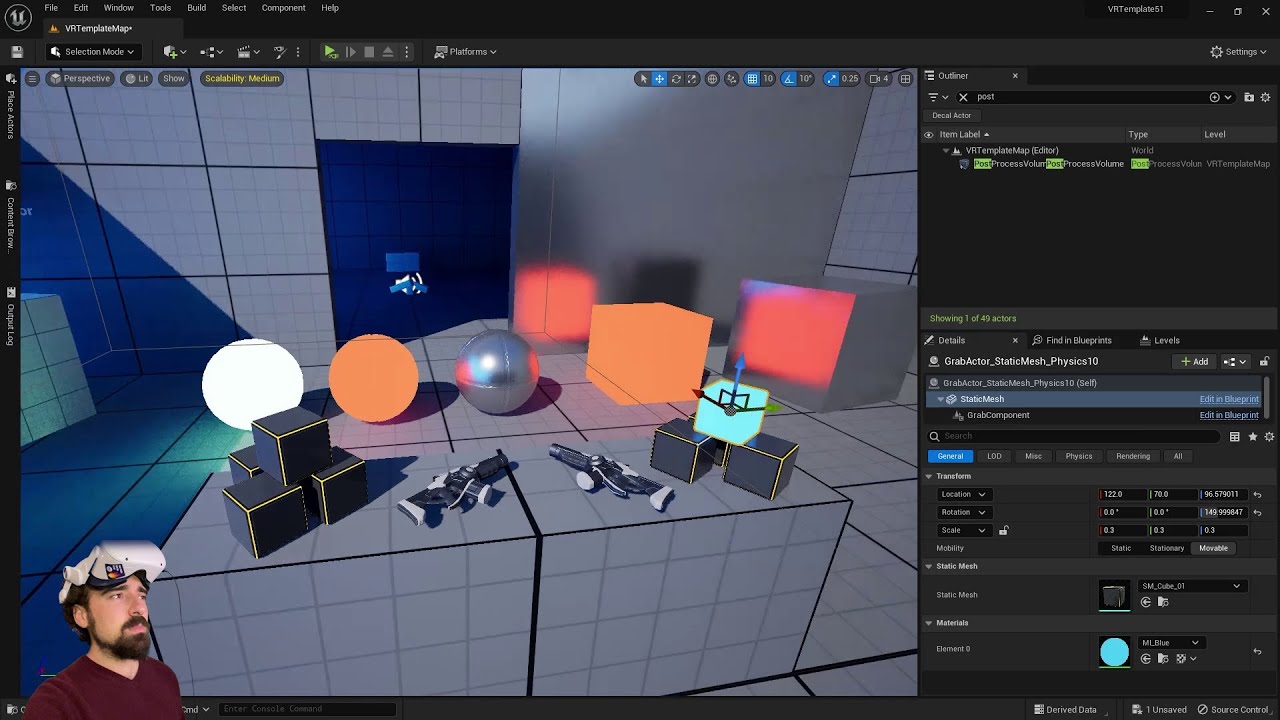
I'm on an RTX 3080 mobile.
For SteamVR, be sure to use the launch parameter -norhithread to avoid weird shadow artifacts.
Key points:
- Start with VR Template
- Turn off Forward Shading, turn off Allow Static Lighting
OR
- Start with any other template
- Add VR template: https://youtu.be/Qoa6hdxGOL8
Download the "Orb Simulator" Demo, wh...
glad ocean
limpid widget
Awesome 😄 so not it runs?
What about your initial issue?
It fixed that issue too by making it "for distrubition" thank you for all your help. You're a life saver!
limpid widget
So all the struggle was worth it in the end, nice 😁
trail shale
How do I fix that reflection artifact - look across the street to those windows, you can see if I move the HMD up and down that image goes with it, looks very odd in game
pretty sure this is a common VR issue
Much easier to see the problem here
weird - you can't see it on the Display VR view from SteamVR either...
 surreal wind
Any HTC XR Elite devs? I'm starting from Vive Pro and it's very different.
trail shale
Good luck! Sorry I'm using Index otherwise I'd help
 cedar cradle
bleak blade
cedar cradle
bleak blade
Is there a easy way of adding VR to make game?
 shadow nimbus
Hi! I just got a new headset (Pimax Crystal) and when using it in VR preview I'm getting black lines on the sides when I turn my head, like if the engine took too long to calculate the new image.
I tried to set SS to 20% to improve performance but it does not help.
If I do not start SteamVR (instead simply using OpenXR) then the whole view is super wobbly when turning the head.
It works ok with my Quest 2 (although I also get the wobbling problem when I'm not using SteamVR).
Are there any solutions to this?
 wheat holly
I would first of all try to see if it's actually a performance problem or not, no point in making changes if you didn't confirm what the issue is. If it's a performance problem then see where it comes from but if it's something else then optimizing doesn't really matter much I guess. The build in performance commands should probably be enough to at least verify that.
shadow nimbus
wheat holly
I would first of all try to see if it's actually a performance problem or not, n...
I used start/stopfpschart and it says FPS is around 60 on the Crystal. It's around 70 on Quest where I don't have this issue. So, not great but not so terrible either.
shadow nimbus
The same thing happens on my built client 🤔
 swift orchid
I am wanting to start getting into some VR development. Any recommendations on what headset to get? I'd like to stay around $500 or less.
wheat holly
swift orchid
I am wanting to start getting into some VR development. Any recommendations on w...
Honestly I would say the Quest 2. Get your self a link cable so you can use it to connect to Steam as well and you basically got the basics covered. Standalone Quest is essentially the biggest user base for VR right now and if you want to support SteamVR you will still have to deal with it anyway as it's the most used headset on Steam as well.
wheat holly
shadow nimbus
I used start/stopfpschart and it says FPS is around 60 on the Crystal. It's arou...
What's the minimum required FPS the Crystal needs? 60 sounds rather low honestly. The Quest 2 requires a minimum of 72 FPS for it to be considered "comfortable" enough to play. Although to be fair ASW etc. can get it down to half of that but then you get other issues.
swift orchid
wheat holly
Honestly I would say the Quest 2. Get your self a link cable so you can use it t...
Thanks! That's a great recommendation. Do you think it'd be worth it to wait for the Quest 3 to come out in a few months?
wheat holly
swift orchid
Thanks! That's a great recommendation. Do you think it'd be worth it to wait for...
I wouldn't wait on it. The reason I'm saying that is not because I don't think people won't buy it, it's because the Quest 2 is currently the biggest seller for them and will for quite a while probably be the most sold headset by Meta/Oculus. Even if we assume Quest 3 will overtake Quest 2 then there are still a bunch of people with a Quest 2 that you want to offer support for. I don't think that will change within the next years.
However, if you decide you want to take this seriously I would honestly say you'll need both eventually. It's definitely not a good idea to officially support headsets you don't have your self 😅
But again, if all you care about for now is to just see if it's something for you in specific I would still just go with the Quest 2. It's not a high price you pay for it compared to most other headsets.
swift orchid
Thanks! That makes a lot of sense. Especially if it ends up not being something I enjoy as much.
whole nimbus
Im trying to make a VR template from scratch, got the HMD registering on simulate but its not picking up the controller inputs. I made the input actions and IMC for the controllers, but even a test keyboard input like spacebar isn't printing and I know its something simple.
 whole nimbus
I thought maybe it was because I didn't have a motioncontroller component on my character blueprint but adding these and switching them to left and right, they still aren't printing.
 manic tapir
whole nimbus
I thought maybe it was because I didn't have a motioncontroller component on my ...
manic tapir
whole nimbus
I thought maybe it was because I didn't have a motioncontroller component on my ...
Are you possessing your pawn? Also are you sure that the pawn you're spawning is the right class?
wraith sky
Hello. I have an issue with Player Start, the Player is not aligned with the capsule of the Player Start, it seems like the center of the game area is aligned with it instead. Any way to change that behaviour?
manic tapir
wraith sky
Hello. I have an issue with Player Start, the Player is not aligned with the cap...
This is because the cameras position in relative location inside your player is moved to the location in the playspace, while your playspace origin is the root location.
The fix is to subtract the X and Y location of the cameras relative from the player root. This is considering that you don't have a capsule collision on your player root like if it was a child class of ACharacter. Then you're want to do this everyframe while also moving the camera with a parented scenecomponent.
wraith sky
manic tapir
This is because the cameras position in relative location inside your player is ...
How to do that? Player Start only provides transform and it does not have info on the camera offset within chaperone before the spawn, and once actor spawned it has no info on Start Point it was spawned on.
manic tapir
You do it by subtracting the cameras relative position from the actors location.
wraith sky
there is no actor before spawn
manic tapir
After spawn
wraith sky
manic tapir
After spawn
When? I've tried on begin play and on possessed, but at those moments camera position == actor position
manic tapir
Is your camera your root?
I'd advice on having your camera be the root component. Then the camera won't be the same as the actor position.
wraith sky
manic tapir
Is your camera your root?
no, its not, the logic is similar to one in the start project
it has offset, but there is no offset on spawn
manic tapir
The camera should be at a different position than the root. The root should be in correct spawn location.
wraith sky
it is different after some time, but not on spawn
I was looking for HMD Init delegates, but seems there is no any, so nothing to hook to teleport after HMD is initialized.
manic tapir
Then you could have it on tick, check to see if the camera isn't at it's default position, and then execute a doonce to reset the offset.
whole nimbus
manic tapir
Are you possessing your pawn? Also are you sure that the pawn you're spawning is...
Not possessing the pawn maybe, i just made a character blueprint and named it the default player in gamemode, and set that game@ode in project settings
The hmd logic is on that character blueprint and working though
Should i put it on a pawn in order to possess it? The whole possession thing is foreign.
whole nimbus
apparently it just works when I switched the logic over to a pawn instead of a character, would love to know why this is though.
 crystal cloak
Hi all, i finally have my game working in VR Preview with the Quest 2. It is using UE5.2 OpenXR VR Template. Using controllers, how do i make my hands collide with objects, and how do i make the tip of my index fingers generate hits? https://www.youtube.com/watch?v=iJfLLpfI8Qc
crystal cloak
I asked Bard, and this is its humble and maybe biased opinion:
"Sure, here are the steps on how to make your hands collide with objects and generate hits in UE5.2 OpenXR VR Template:
In the Content Browser, open the Hand_Left.
In the Details panel, under Collision, set Collision Enabled to Query Only.
In the Static Mesh Components section, add a Box Collision component.
In the Details panel, under Collision, set Collision Enabled to Physics.
Set the Collision Shape to Box.
Set the Collision Response to Overlap.
Repeat steps 2-6 for the Hand_Right.
Now, your hands will collide with objects in the scene. To make the tip of your index fingers generate hits, you need to add a Sphere Collision component to the Hand_Left_IndexFinger and Hand_Right_IndexFinger. In the Details panel, under Collision, set Collision Enabled to Physics. Set the Collision Shape to Sphere. Set the Collision Response to Overlap.
Finally, you need to add some code to your game to detect when your index fingers hit an object."
For the code, i simply check if the hit actor has a given interface and send a message, or do nothing.
full spindle
https://youtu.be/WxtzBFVtHJc If you have a pico headset and want to learn how to set up input in both ue4.27 and ue5.1

Discover the secrets to enhancing your virtual reality experiences with our comprehensive tutorial on setting up and harnessing controller input for PICO headsets in Unreal Engine. Uncover the essential steps for controller setup, input mapping, enhanced input, and immersive interactions in Unreal Engine 4.27 & Unreal Engine 5.1.
#unrealengine ...
 feral smelt
Does anyone have any information regarding using ChatGPT on NPCs in Unreal and plugging into Oculus Quest?
I found some info about using it but it's for PC. if possible there is a voice chat feature because typing on the oculus quest is of course an annoying thing
 carmine palm
hello everyone, im having a big issue, im trying to open my project in vr, when i activate the plugin open xr plugin in unreal it just crashes and dosent open the project
i tried to switch to directx11 before i activate this plugin but keeps crashing
any ideas why?
it also gives me this error: Assertion failed: ((Result) >= 0) [File:D:\build++UE5\Sync\Engine\Plugins\Runtime\OpenXR\Source\OpenXRHMD\Private\OpenXRCore.cpp] [Line: 24]
whole nimbus
Trying to recreate the VR template for practice, but having a small issue with the Get Grab Component on the VR Pawn BP. Anyone know why I can't pull out a get world location from my array elements the way they have it in the VR template? First image is VR template

here's what it looks like on my own grab component

If anyone knows what I'm missing here to be able to get world location, that'd be awesome
any why does copy paste from VR Template work but still can't recreate it from scratch?

something to do with not casting correctly in my grab component, maybe world location isn't being communicated with my main player bp yet?
WELL that was it, ty fellas, will leave up in case anyone searches in the future. Just needed to correct casting in the grab component
dusty prawn
a hi there, does anyone know how i can connect my oculus quest to my pc with different Wi-Fi network??? as i want to use my pc as a server and want my clients to connect through it with their Oculus handset during a session.
craggy beacon
I am barely getting 25-27 fps(in packaged game).. I am using quest 2, my laptop gpu is rtx 3060. I am assuming my hardware cannot give anymore juice. But I get better fps in PIE (36-40). The scene is a very simple room with lumen enabled. So is this a hardware issue or what am I doing wrong? How much fps you guys get?
wheat holly
How does a per eye resolution of 1832×1920 sound to you? 😛
Also it heavily depends on what engine version is being used here. I think 5.2 optimized VR a bit more for in specific with Lumen / Nanite but I can't image it's still very great tbh.
light comet
https://portal.productboard.com/epicgames/1-unreal-engine-public-roadmap/c/1147-xr has two entries about lumen and nanite for 5.3, not sure how far they're yet
wheat holly
It could also very well be that it's still not enough for production games by then though. Nanite and Lumen are still rather new and XR is not exactly the thing Unreal / Epic make much money from I would imagine, so definitely doesn't get the most attention.
That "kind of" already worked back in 5.1 I think. It just crashed 90% of the time XD
My 1660 super was able to run at a solid 4 frames per second back then lol.
wheat holly
wheat holly
My 1660 super was able to run at a solid 4 frames per second back then lol.
Although to be fair this was on the valley of the ancients template.
 jovial sorrel
Hi Corysia, 👋
I'm desperately trying to find a solution to additional gamepads not functioning on Apple platforms. I wonder if you ever found a solution to this problem?
Any insight would be appreciated. 🙂
Cheers.
 idle osprey
jovial sorrel
Hi Corysia, 👋
I'm desperately trying to find a solution to additional gamepad...
idle osprey
jovial sorrel
Hi Corysia, 👋
I'm desperately trying to find a solution to additional gamepad...
No, I don't use any gamepads on Apple.
 shrewd cobalt
 abstract forum
carmine palm
it also gives me this error: Assertion failed: ((Result) >= 0) [File:D:\build++U...
abstract forum
carmine palm
it also gives me this error: Assertion failed: ((Result) >= 0) [File:D:\build++U...
Hey - I just want to chime in on this error. I have managed to get the ear of an epic games engineer who has reported it to the Unreal Engine XR Team. It has been reproduced on epic games end and hopefully be fixed in 5.3.0 stable release
 solid tinsel
I'm trying to find a way to implement a check that would allow a game to differentiate from a full swing of your arm vs a flick of your wrist.
Basically, I have melee weapons in the game I am working on, but in many vr games that have them you can simply flick your wrist really fast and the game will register that as many hits because it's just checking for actor overlap.
I want to punish players who do that and reward players who do full swings, which means I need a way for the game to know the difference between a full swing and a small flick of the wrist.
So far the best idea I've come up with would be to have a check on tick that would compare your hand's current position to several previous ones and if they are far enough apart, it would consider that a full swing.
I hate this solution because it uses tick and would probably not be very optimal. Are there better ways to do this that I don't know about?
The problem is that I can't just use velocity, because a small wrist flick that's relavtively fast could probably fool that
It needs to be based on the amount the position changes in a short time, and I can't think of any way other than tick to do that
Which is a problem, because putting anything on tick will probably be a performance problem and also makes it framerate dependent, which is terrible
solid tinsel
Just had another idea. The specific melee weapons I have won't get stuck on the thing you're swinging through, so theoretically I could have triggers on the sides of the objects being hit that check that you passed through more than one of them before applying damage, forcing you to follow through on your swing through the object. Does that sound less stupid?
light comet
Off the top of my head, just keeping track of a rolling window of the arc in tick doesn't seem too expensive. To make it frame rate independent, just factor in deltaT. Having two triggers seems quite inflexible tbh
solid tinsel
light comet
Off the top of my head, just keeping track of a rolling window of the arc in tic...
Now that I've slept on it, I think I have another idea.
I can do what you said and use deltaT to avoid the frame dependent problem I mentioned, but instead of the tick part being the thing that checks a bunch of previous positions, it would check if the weapon's velocity was above a certain threshold.
If this check returns true, it would then set a bool for whether a swing is in progress to true and save your hand's position at that particular tick. Then on the next tick, if the velocity still exceeds the threshold, it would simply do nothing.
It would only have anything to do once the velocity goes back below the threshold, at which point it would compare the current position of your hand to the one it saved on the first tick it detected your hand was moving fast.
Sorry if that's long, does that sound like a better solution? I'm trying to minimize the amount of code that is being executed on the tick itself.
light comet
Seems like a reasonable first approach. I'd probably still do some smoothing/filtering. You might be overthinking the Tick thing, it's there to be used 😉 Outsource heavier cpu work to C++, especially if you loop.
 cold sluice
How else do I enter the VR Mode – VR Editor in 5.2? I have 'Enable VR Mode Auto-Entry'? nothing still works when I put on the headset.
 untold spire
cold sluice
How else do I enter the VR Mode – VR Editor in 5.2? I have 'Enable VR Mode Auto-...
untold spire
cold sluice
How else do I enter the VR Mode – VR Editor in 5.2? I have 'Enable VR Mode Auto-...
What device? You will need to open whatever launcher it is for that and set up developer mode.
cold sluice
untold spire
What device? You will need to open whatever launcher it is for that and set up ...
On the quest 2
untold spire
cold sluice
On the quest 2
You will need the quest desktop app or the dev app and then in your quest turn on developer mode, then quest link
cold sluice
untold spire
You will need the quest desktop app or the dev app and then in your quest turn o...
I have the developer mode turned on, the quest link is enabled too, nothing still happens
bleak blade
Does anyone have any idea on how to make a full VR body IK so its not just floating hands?
 vale ridge
Hello, is anyone here developing for PS5 VR2?
I'm struggling a lot when implementing the FSR and I'd really appreciate some help...
wheat holly
bleak blade
Does anyone have any idea on how to make a full VR body IK so its not just float...
Just search for "Unreal VR IK" on Google / YouTube, plenty of tutorials out there that cover this topic ^^
bleak blade
wheat holly
Just search for "Unreal VR IK" on Google / YouTube, plenty of tutorials out ther...
Im sorry but i cant seem to find one that works well if you can send me a good one i would apereciate it 🙂
jade kettle
bleak blade
Does anyone have any idea on how to make a full VR body IK so its not just float...
It's also a very active field of research
https://dulucas.github.io/agrol/
Meta's been investing quite a bit into that
ify ou want to dive deeper into that rabbit hole
untold spire
bleak blade
Im sorry but i cant seem to find one that works well if you can send me a good o...
I use the DragonIK plugin.
carmine palm
abstract forum
Hey - I just want to chime in on this error. I have managed to get the ear of an...
I found a fix, its quite simple, just unistall and install the visual studio, with the unral engine package
And restart the computer
And also i might ask what are the best project setting for vr quality and performance?
Im going for archviz projects i need the best of both worlds as best as possible, when i try my image quality the lines are so choppy
limpid widget
#ue5-general message
=> Fast Travel Games made a Software Occlusion Plugin that works independant of the rendering solution that was removed from UE.
 odd meteor
Hello !
Does someone has already built an VIVE elite XR app with unreal 5.1/5.2 ?
I'm stuck with an app recognized as a 2D application, the VR components aren't working, when I launch the app it shows a black board screen, taking only a part of the VR space, with the standard VR menu, with clouds and flying whale behind.
jade kettle
odd meteor
Hello !
Does someone has already built an VIVE elite XR app with unreal 5.1/5.2...
Hmm
What's your plugin setup?
Vive Wave?
Though that maybe sounds like you're spawning as an incorrect pawn?
jade kettle
Have you installed Vive's plugins for OpenXR?
I work with the Vive Focus 3 but I think the same things apply for the Elite
carmine palm
guys i have a question when i try to use my quest 2 on my projects they are exlemly laggy
even on the UE5 VR template
i try using the cable, air link
what is causing this issue, i have a good with high specs
 trail basalt
I've been packing and testing my Oculus Quest 2 project all day without issue but all of a sudden when I play on the Quest 2 I'm not possessing the pawn. The camera is placed near the pawn's starting location and above it (looking down on the pawn that I'm supposed to be possessing). I've tried settings the Game Default Map to the VRTemplateMap with the default VRPawn as the default class but I get the same results. All my levels and pawns play just fine within the editor (making troubleshooting quite time consuming). Anyone have any ideas as to what would be keeping me from possessing the pawns? Thanks!
 royal plume
For those of you that use UE5 instead of UE4 for mobile vr dev, how have you found it to be / have you had a good time with lighting and performance, etc?
 covert oracle
hey all...what do I need to do to decouple the player pawn camera from the VR head tracking so i can modify the tracking and then feed the modified values back to the camera?
unchecking lock to HMD doesn't seem to change anything
hallow knoll
@covert oracle You'd have to modify source code, as the tracking data is sent from the runtime and we apply it. In general you shouldn't directly modify it, as that can cause nausea, etc. It's better to modify the parent of the Camera, which in most cases is the Pawn.
covert oracle
hallow knoll
<@181816814630731776> You'd have to modify source code, as the tracking data is ...
Thanks Victor....I'm well aware of the effects there...I actually work in motion/cyber sickness research which is exactly why we need this capability..Is modifying the rotation of the pawn good enough?
rocky nexus
covert oracle
Thanks Victor....I'm well aware of the effects there...I actually work in motion...
it should be possible to add a SceneComponent between Camera and whatever it is attached and poke that
trail shale
For making portals, the traditional approach is to use a scene capture of another world location, apply it to a box collider, and then teleport the player once they cross the threshold (and the end portal has the opposite effect) -
How would you do this with VR though, where one can extend their head away from the root of their VR pawn (like looking into a pool while your feet remain on the shore) -
 sage gulch
regarding decoupling the camera, whether you want to rotate around the pawn or not depends on what you are doing but almost always the camera is not functionaly at relative 0,0,0, meaning this is a rather basic ongoing issue for the engine since 2016 that is apparently easily handled by Unity 😐
and since it can also apparently be handled by plugin code as opposed to direct engine modification.. where's the plugin?
this should be a toggle that's native in the engine
@hallow knoll @covert oracle ☝️ 👉 https://forums.unrealengine.com/t/how-to-manual-camera-control-setup-with-hmd-motion-controllers/76947

Epic Developer Community Forums
Hey guys, there is a really tricky problem to deal with in VR: How do you prevent the player from putting their head through a colliding object? I came up with a two part solution and it goes against the Epic VR documentation, but I feel my setup is far superior. I’m going to walk you guys through how to replicate my success. I am using the 4...
that post has more to do with positional information but the content is relevant. basically the editor could retain the existing button for compatibility, but ideally if there was an Advanced Options subsection where you could individually select Translation Lock, Rotation Lock, and/or Late Update that would be more versatile
tired tree
@covert oracle HandleXRCamera handles the camera moving in the CameraComponent as of 4.27 or UE5 or so (forget exactly when they moved to a seperate function).
you can subclass and directly alter how / when / if it polls the hmd location and applies it from that function
as its virtual and overridable
i alter it myself in there to lock the camera and move a pawn instead for one of my things
should be able to manipulate it as you wish
https://github.com/mordentral/VRExpansionPlugin/blob/Master/VRExpansionPlugin/Source/VRExpansionPlugin/Private/ReplicatedVRCameraComponent.cpp does it in my plugin (for reference) and ApplyTrackingParameters modifies the camera position to prevent roomscale cheating and/or limits / scaling. Can do the same for rotation if you do the same kind of setup
shadow nimbus
Is there a known fix for the freeze that randomly happens when launching the VR Preview?
About one time out of 4, launching the VR Preview opens the preview window but nothing shows up in the headset, and the window itself is totally frozen and cannot be closed. Same for the editor. The only way out is to kill UE via the task manager.
worldly peak
shadow nimbus
Is there a known fix for the freeze that randomly happens when launching the VR ...
Before you press play, lift the headset to your face and make sure it is not in any "sleep" mode
shadow nimbus
worldly peak
Before you press play, lift the headset to your face and make sure it is not in ...
I don't think it was in sleep mode when it happened (I'm just in the SteamVR environment), but I'll double check!
shadow nimbus
I just had the bug again, headset was not in sleep mode
worldly peak
shadow nimbus
I just had the bug again, headset was not in sleep mode
Is your PC good enough for UE and VR?
shadow nimbus
worldly peak
Is your PC good enough for UE and VR?
I have a 4090 and my game runs at 10ms per frame atm so yes
It just works very well 4 out of 5 times, then suddenly everything freezes when I hit Play... Seems totally random
 mighty carbon
Project from 5.0.3 updated to 5.2.0 having rendering in one eye only on Quest 2 🥴
Why?!
rocky nexus
perhaps thats just a symptom of some other issue
sturdy coral
mighty carbon
Why?!
try intermediate upgrade to 5.1 so you know where it broke
mighty carbon
sturdy coral
try intermediate upgrade to 5.1 so you know where it broke
It's mobile shader permutations - support movable spotlight shadows is what causes one-eye rendering
uncheched it and all good now
 topaz glen
How would I replicate an oculus hand tracking hand but with physics ? I can replicate the position with PhysicHandles but the the hand pose.
whole nimbus
shadow nimbus
It just works very well 4 out of 5 times, then suddenly everything freezes when ...
Happens to me too especially on 5.2-5.3
whole nimbus
mighty carbon
It's mobile shader permutations - support movable spotlight shadows is what caus...
Yea I couldnt figure out recently why but anytime I grab and do the sphere trace, my left eye goes black
Thought about remaking the project from scratch but just haven't been able to open the project in a week or so, very frustrating
mighty carbon
I have 2 custom materials not rendering properly (one is UE issue, another one OS/driver issue on Quest 2 with most recent updates), physical constraints going whacky, projectiles not flying and I will have to migrate inputs into that new enhanced input system.
I feel like giving up on UE for standalone VR dev 😅
shadow nimbus
whole nimbus
Happens to me too especially on 5.2-5.3
I'm on 5.2 so that sounds right...
I'm guessing you don't have a way to fix it either?
Do you also have to kill UE and relaunch it when it happens?
 copper dirge
Hi. Im trying to make an ui effect for quest 2 using a retainer box and a material set to user interface material domain. It works perfectly in editor, but when i package it for android, it doesnt work at all. I confirmed that the UI is there by setting the material to fully opaque, a fully black ui appears. Also, when disabling the "Retain Render", the base UI gets rendered in game but just without the effect as expected. Any idea what could be causing this? Are there any project settings that must be enabled for retainer box to work? Using engine oculus 5.1 branch.
whole nimbus
shadow nimbus
I'm on 5.2 so that sounds right...
I'm guessing you don't have a way to fix it e...
Yea it's frustrating, have to end task
 bright oyster
Hi, so I made my character able to shoot fire from their hands. The feature works fine but I can't see the particles whenever I open up the flamethrower file. The Niagara system file says there are 0 particles being emitted but when I activate the ability in game, i shoot fire just fine
How do I make it so I can see the particles in the editor?
whole nimbus
shadow nimbus
I'm on 5.2 so that sounds right...
I'm guessing you don't have a way to fix it e...
its happening all the time even on 5.1. This is getting so frustrating that I'm considering unity, even the VR template will crash in 5.1 now so maybe it's somehow changed something with my steam VR, eff if I know.
shadow nimbus
whole nimbus
its happening all the time even on 5.1. This is getting so frustrating that I'm...
Yeah I'm wondering how I'll manage to actually advance on my game with this bug. Super frustrating...
There must be something setup specific though since not everyone seems to encounter this 🤔
Are you using regular SteamVR or Oculus runtime?
shadow nimbus
I'll try to switch some of my setup and see if it changes anything
shadow nimbus
I used my Quest 2 instead of my Pimax headset for development today, and I didn't encounter the problem :/ will need a longer sample to confirm that it is related (especially since I think I had the problem on my Q2 a while ago, but not totally sure), but that's at least interesting.
whole nimbus
shadow nimbus
Are you using regular SteamVR or Oculus runtime?
steam VR
jade kettle
@weary pulsar WRT to your question on multiplatform VR: Use a single project for it.
You will of course have to check and tweak your assets to make sure it works for both PCVR and embedded platforms, as well as setting up the toolchains to build them

Options for adjusting quality and performance.
wintry nebula
The way my project works is the player will go through a set path of teleports, which works fine in the editor preview, but in the build the camera just spawns at the middle of the level, ignoring both the path and player start. Is this a common problem? Does anyone know something that could help?
 weary pulsar
wintry nebula
The way my project works is the player will go through a set path of teleports, ...
weary pulsar
wintry nebula
The way my project works is the player will go through a set path of teleports, ...
Is your camera attached (directly or indirectly) to the root of your pawn?
In constructor
Camera->setupattachment(scenecomp)
wintry nebula
weary pulsar
In constructor
Camera->setupattachment(scenecomp)
Oh thank you so much, that sounds a lot like it's exactly my problem since I didn't do anything like that but I'm also a noob, where do I do that exactly?
weary pulsar
Do you use blueprint or c++?
wintry nebula
Blueprint
weary pulsar
Make sure the CameraComponent in your ComponentsList is parented under the root component. Just drag it on top of the upmost component
Little tip though, I like to make a VRRoot where I attach my motion controllers and camera to
And I attach the VRRoot to the actual RootComponent
That way I can adjust the VRRoot’s location knowing my controllers and Camera will be transformed respectively and proportionally
wintry nebula
...I think I'm even more noob than I realized. You mean the components list in my VRPawn?
Fortunately I don't need the motion controllers for this project though
weary pulsar
wintry nebula
...I think I'm even more noob than I realized. You mean the components list in m...
Yes
Top left of the BP editor
wintry nebula
The camera is attached to the "DefaultSceneRoot" component, which is the top one
I think I found out what is happening though but I don't know how to fix it
When in play mode, if I click the VRPawn, I can see the camera from it's perspective, but also a "CameraActor" is created, and that camera seems to be the one I see in the build
So for some reason in the vr preview everything happens properly from the VRPawn, but in the build the player is stuck to that cameraactor
weary pulsar
Did you create this VRPawn class?
wintry nebula
No, it's the default one
weary pulsar
And which actor are you possessing in game? VRPawn or Camera actor
Possessing = what are you controlling/playing as
wintry nebula
In the vr preview, from the editor, the VRPawn. I didn't even know the camera actor existed until I found it just now
weary pulsar
I wonder why that’s spawning. Maybe check your gamemode for the default pawn class
wintry nebula
this camera actor is just created and placed at coordinates 0 0 0 when it starts
wintry nebula
weary pulsar
I wonder why that’s spawning. Maybe check your gamemode for the default pawn cla...
It'd be fine for it to spawn if my camera in the build was the VRPawn one anyway
My gamemode is the default VRGameMode, but I'll see
 weary pulsar
wintry nebula
weary pulsar
wintry nebula
And this is the default gamemode, correct?
weary pulsar
Hmm
Honestly I would create my own character and see if the issue persists
I normally hate using unreal-provided character classes
Or pawns
Especially when making vr game you’re better off starting from scratch
There’s so many ways you can go about programming even the simplest of things to accommodate towards different game feels that it’s important to develop with a vision from start to finish
wintry nebula
Absolutely, but I'd have no idea how to start from scratch and that could break stuff, the project already works as it is, I just need to fix this to finish it
wintry nebula
weary pulsar
Especially when making vr game you’re better off starting from scratch
That's strange, isn't it safer to just use the default stuff you know works?
It's not even an actual game, just an experience you sit through
weary pulsar
wintry nebula
That's strange, isn't it safer to just use the default stuff you know works?
Safer, sure. But you’ll eventually find yourself in development hell when you realize that the way unreal programmed things are not going to work in your application and then you have to undo/rewrite code that you did not write to begin with
weary pulsar
wintry nebula
It's not even an actual game, just an experience you sit through
But if this is the case then yeah you can get away with using unreals stuff
I find it really strange that it’s giving you issues
wintry nebula
Exactly, that's why I think it's something stupid and easy to fix
Is there a way to figure out what exactly is spawning that cameraactor? Maybe it's getting in the way somehow
weary pulsar
What class does this camera actor inherit off of?
 wintry nebula
When in play mode, if I click the VRPawn, I can see the camera from it's perspec...
wintry nebula
wintry nebula
When in play mode, if I click the VRPawn, I can see the camera from it's perspec...
Well I was wrong about this, I added this cameraactor to the animation attached to the vrpawn and again in the preview I can see it moving, but in the build still nothing happens. What. I think the camera in the build is just a completely separate one I can't even see in the world outliner
carmine palm
hello everyone i come here to ask for help, big help, im trying get started on developing in VR, i use the oculus quest 2, i see multiple tutorials of "how easy it is to setup Unreal engine VR" i open the unreal engine vr template its perfectly fine, when i try to open on my personal projects or even try to open unreal sample projects like so: https://www.youtube.com/watch?v=rTnm8TDOcyY&t=148s&ab_channel=DrakeMakes ; https://www.youtube.com/watch?v=Qoa6hdxGOL8&ab_channel=iBrews the performance just gets trash; the image quality just get all jagged edges, i use oculus link via cable, i have a powerful computer and even try to migrate the map of the project to the VR Template and still nothing, what im i doing wrong?

Unreal Engine 5.2 has been out for a bit so I'm making another VR level. I'm incredibly excited to have upgraded to an RTX 4090 so I wanted to really stress test things, results are shocking. I made a day and night scene using Quixel Megascans assets, and super basic flashlight for VR with some other tips and tricks along the way. Enjoy!
_______...
This is the Electric Dreams Unreal Engine 5.2 sample from GDC2023
 fiery cloud
carmine palm
hello everyone i come here to ask for help, big help, im trying get started on d...
fiery cloud
carmine palm
hello everyone i come here to ask for help, big help, im trying get started on d...
- Not sure what you have as far as a 'powerful computer', but if you have anything less than a RTX 3090 and turn on lumen, you will probably have a bad time
- Performance between the editor and shipping builds is VERY, drastically different, so try packaging a build and try it out first, you might find the performance is actually acceptable
carmine palm
for specs i have a i7-12700H, 16gb ram, 3060
so instead of using vr preview i use standalone?
fiery cloud
There probably won't be much of a diference doing that. I'm referring to actually cooking/packaging a full build of your project
For performance testing. Unfortunately while actually editing your game you have to deal with the performance issues. 😄
I would suggest turning off lumen, vsm shadows, if they are on, at the least. Depending on your project and your needs you can try Forward Renderer and/or Instanced Stereo Rendering, those will make the biggest difference usually but they have tradeoffs
TSR antialiasing is pretty heavy too, but it does look nice... 😦
Also, ensure that you don't have any postprocessing (except perhaps bloom). That means none from postprossessing volumes as well
carmine palm
im now using nanite as well, even knowing the assets don't have many polys;
im gonna try to play on this scene, im using unreal engine vr template project

i changed some of the lighting, activated lumen for a quick test, then i will turn off
Stereo Rendering is off, if it was on the project should just crash
in the post process i only have exposure to manual, the rest as nothing