#multiplayer
1 messages · Page 636 of 1
 woeful ferry
Thanks 😄
 timid moss
I'm wondering if someone might be able to answer my question I had yesterday. I got no answers and I'm still stuck :/
 winged badger
arrays use NetDelteSerialize
timid moss
oh
 meager spade
@timid moss you could have asked that in #gameplay-ability-system
people there are also a lot more familiar with GAS
timid moss
true. I thought this was more general struct replication stuff so i posed here
meager spade
anyway the issue is cause you are not serializing the data
also the proper GAS way to do it is, to produce targetdata for each trace
not targetdata holding multiple traces
your handle should ultimately hold the count of traces
timid moss
Yeah.Thats been bothering me. But im my game bullets ricochet so ye
winged badger
also have a read at NetSerialization.h header
thats where Epic put the documentation
timid moss
I've been reading through it a little. Need to look through it more
meager spade
what does ricochet have to do with the target data?
bullet hits X, and ricochets to hit Y
both are unique target data
timid moss
Because since a target data represents a target (like a player) being hit, the target data should store the information about how the player was hit, which is why I store the hit results from the ricochets that happened.
Unless I've had the wrong mindset this whole time
meager spade
target data should be created at the time of the hit
timid moss
yeah mine does
meager spade
i assume you want to do something like reduce the damage if the target was hit after a ricochet
kinda thing?
timid moss
Oh yeah. Probably should have mentioned that
meager spade
thing is your bullet should know what state it is in (pre/post ricochet)
and it can just apply a gameplay effect to the tag indicating such
or pass that into a custom GameplayEffectContext
meager spade
does not matter, if it has ricochet
something is calculating that
so it knows if its ricocheting or not
timid moss
So your basically saying that I should only send the state of the bullet (ie ricocheted 3 times) right? That should work I think the only reason I wasn't doing that is because this makes it harder for the server to verify the client's data since it's only small bits of information. If it was an array of FHitResults the server has more to work with for verification.
 wild aurora
Hey all, I've started using p.netshowcorrections a lot more in a game with a listen server, curious in general how often you expect to see net corrections for things like dashing, sprinting, jumping, etc. I'm seeing constant corrections, but I've not much paid attention before.
Wondering how standard that is.
timid moss
wild aurora
Hey all, I've started using p.netshowcorrections a lot more in a game with a lis...
Are you testing with a packet lag?
I rarely get any net corrections for my movements abilities even with some lag. So constant net corrections to me doesn't sound good.
I only have sprinting and jumping rn but not sure how many you might have
wild aurora
timid moss
Are you testing with a packet lag?
I'm testing with and without, even with some sprinting and dashing I see it
 oblique dagger
Hello! I am struggling on to open two packaged clients at the same time. What happens is that the second time I open the client the first one closes off automatically. 🙄
I want to just simulate two clients by opening the same .exe twice. Is that possible?
oblique dagger
It was SteamVR that is limiting to only one instance of the packaged project. By disabling it in plugins fixes that.
 light smelt
anybody has any experience with tcp sockets in unreal c++? i want my client to request data from the server and the server to send the requested data.
FIPv4Address IPAddress;
FIPv4Address::Parse(FString("localhost"), IPAddress);
FIPv4Endpoint EndPoint(IPAddress, 7787);

ListenSocket = FTcpSocketBuilder(TEXT("TcpSocket")).AsReusable();

ISocketSubsystem* SocketSubsystem = ISocketSubsystem::Get(PLATFORM_SOCKETSUBSYSTEM);
TSharedRef<FInternetAddr> InternetAddr = SocketSubsystem->CreateInternetAddr();
InternetAddr->SetIp(EndPoint.Address.Value);
InternetAddr->SetPort(EndPoint.Port);
ListenSocket->Bind(*InternetAddr);
ListenSocket->Listen(8);
this is what i found so far, but not sure if it works and also not sure how to connect to that as a client and how to send data
 ancient lily
yet another super basic question:
- When i spawn an actor on the server only and the actor is replicated (replicated movement as well), then would this mean that clients which stand on it will have a problem with physics? Do i need to spawn actors on the server AND the client in order to get proper physics interaction with it? I tried several examples for now with small platforms, and whenever an actor is only spawned on the server, any connected client will have the falling animation while standing on it even tho the actor and all its components are set to replicated & movement replicated ~ or should this work out of the box and the problem is something else?
 kindred widget
@ancient lily I encountered a similar issue with HISM components. Can you try setting your thing's mesh to Stationary or Static?
ancient lily
ive tested some other things atm .. so the approach of manually maintaining a copy of an actor on the server and client will always fail miserably
ill try stationary/static soon
kindred widget
My issue at least was that my CMCs were trying to teleport the character to the HISM root location when the HISM was set to I think Stationary even, maybe it was movable. I can't remember. But there's a stupid issue with the CMC not being able to resolve where it should be on a client if the object isn't static and was added via replication if the added object wasn't set to static or stationary.
Which of course amused the shit out of me, because I thought those settings were purely for lighting. 😄
ancient lily
well in my case its a falling tree, so it should be movable and e.g. roll down a hill as it pleases
yeah ive kinda pinpointed it now .. when the tree falls, it's collision will still stay in place for the client even tho the movement is replicated
so i can remove the collision on the client side for the part of the tree which fell
which in return means that for the felled part, a client would rely on the replicated server collision of it .. if that makes any sense at all, which is not smooth at all cause it replicates permanently and with a delay, causing the client to be stuck in a falling animation when on top of it
this actor is only spawned on the server, it replaces a temporary mesh of a tree with 2 parts, the trunk and the upper part
when the tree gets felled, the collision of the upper part (over the trunk) will stay for the client, unless it's disabled via MC - but the physics replication of the felled part gets out of sync, no matter if i enable physics on the server only or via MC

the positions match on client and server, those are replicated just fine, but only the server can interact with the mesh smootlhy
i think i need to make an easier game, this stuff is incomprehensible
ancient lily
yeah im eating dinner now but ill look for some interp replication topics after
 upper lynx
hi. if I have a ACharacter class, and I start a "network" game, but I don't see the other player on the screen at all, what should I look for to make it work? Replicates is true, Always relevant is true.... but still can't see other players
aaaaand, it works
ignore me
 ancient badge
Hello, can anyone tell me why this isn't working? https://blueprintue.com/blueprint/urcdt89p/
Game begins, Actor is spawned, Variables are set and replicated to other players, but not the color. Are you not supposed to use repnotify for this?
BlueprintUE
winged badger
that sets the material on a mesh asset
not on an instance of it
so last one that calls OnRep, sets its materials to everyone
you're supposed to replicate a FVector or FLinearColor
then access the color and set it as a parameter on a DynamicMaterialInstance
ancient badge
Ok, i tried something with DynamicMaterialInstance, will try that again. Thx
ancient badge
@winged badger With FLinearColor you mean the Variable Type "Linear Color" right?
ancient badge
Is there any difference in setting this up for single or multiplayer except doing it in a repnotify function?
 narrow leaf
I have reasons why I use this type of location setting. I just want to know, why is so laggy.
kindred widget
The simple answer is that network requires travel time, and it's not updated every single frame most likely. Network prediction, and handling as many things as you can on the client without relying on networking is a huge part of the workflow.
narrow leaf
kindred widget
The simple answer is that network requires travel time, and it's not updated eve...
Thanks for your help! Anyway its a little bit strange, because its work without lag with the replication movement. ( I use smooth sync)
narrow leaf
Oh thanks! I fixed my problem.
 severe tendon
I'm very new to networking in UE4 and this feels like a simple issue to fix but any kind of support would be appreciated.
I'm trying to spawn actors (motion controllers) on a server and then set the return values back on the client and no matter what it keeps returning null/accessed none errors.

 pastel marlin
severe tendon
I'm very new to networking in UE4 and this feels like a simple issue to fix but ...
pastel marlin
severe tendon
I'm very new to networking in UE4 and this feels like a simple issue to fix but ...
Instead of using a rpc to set left controller and right controller mark those property as replicated
severe tendon
Like this?
 pastel marlin
yep
pastel marlin
for state prefer replicated property
severe tendon
Yeah, its making a bit more sense now
 devout berry
Could someone point me to the "network prediction plugin" I keep reading about when researching GAS?
It is supposed to be on GitHub somewhere in an early state, but I could not find anything.
That's the doc yeah. but is it integrated already in the engine ? Maybe I missed that part
I think I am twisting things up. Could be a third party plugin in development somewhere that is supposed to improve upon that
 alpine root
How would I go about disabling input on all clients from the start of a game?
 twin juniper
is it possible to replicate to every client except the owning client?
example: lets say i fired a bullet from client 1. what i want to have is call a server RPC to spawn that bullet(Replicate=true) from client 1, then when the server runs the RPC, i want every client except client 1 to spawn that bullet
- call ServerSpawnBullet from client 1
- server will run the function
- bullet will be spawned in the server
- bullet will be replicated in all clients except the owning client(client1)
is this possible?
winged badger
skip owner
but it wont work for spawning actors
unless each client just spawns that bullet locally
twin juniper
so i have to use rpcs instead of replication?
winged badger
you can replicate a SpawnTransform and Velocity for the bullet in a struct for example
but its better to MC or fastarray that
there are alternative approaches, like not spawn bullets at all
but just replicate the information for them, and let a ProjectileManager play particles for them
timid moss
What does it mean in NetSerialize when Ar.IsSaving() vs Ar.IsLoading(). I understand that IsSaving() means that the archive is for saving and IsLoading() means that the archive is for loading, but NetSerialize() is for replication, and I don't understand what saving and loading means in terms of replication.
So If I wanted to replicate just a basic float Value from my custom struct, all I would need to do for NetSerialize is this?```cpp
bool FFloatPropertyWrapper::NetSerialize(FArchive& Ar, UPackageMap* Map, bool& bOutSuccess)
{
if (Ar.IsSaving())
{
Ar << Value;
}
if (Ar.IsLoading())
{
    // We have updataed Value
}

bOutSuccess = true;
return true;
}```
Wait so what part is wrong about it? Your saying to take away the Ar.IsLoading() check?
 scarlet cypress
Hey does someone have time to test play my multiplayer game with me really quick?
winged badger
@timid moss i suggest studying the FHitResult NetSerialize function in the engine
its an excellent example
wild aurora
Hey guys I'm curious if turning off "Replicate physics to autonomous proxy" on static mesh actors in a client hosted game will make much of a difference in network performance?
I know for obviously physics heavy stuff it makes a difference but I'm not seeing much about if it's just flagged on for static meshes.
 chrome bay
It won't make a difference no.
It's typically used when you as a player are controlling a physics-based pawn, and you don't want corrections from the server to overrule your local sim.
So checked means server has authority, unchecked means owning client will ignore physics replication from Server - and assumes you are sending the physics state from the client.
wild aurora
Sounds good, I've always messed with it for the obvious physics replication and what not, but noticed it was on for all static geo. Glad it doesn't affect anything. Thanks!
 woven sinew
anyone uses steamcmd on aws gamelift ?
 foggy idol
how do i completely disable movement replication ?
I still want properties in the character replicated but no movement
just turning off movement replication works for clients but if the server moves even though his velocity doesent seem to be replicated his position is
meager spade
why would velocity be replicated?
wild aurora
I'm undoing my brain right now with a bug, so I'd like to confirm - are PlayerControllers for clients also present on the host client (server)?
I always assumed they were just without authority.
meager spade
yes
PlayerController is Server and owning client only
and server version of the controller is authority
client version is not
wild aurora
Ok perfect, so when would be the best spot for both client and server to check the PlayerController?
PossessedBy is always on the server I know, and I think BeginPlay is too early I believe (perfect world I'd do this in the controller, but not the case)
twin juniper
Quick question. If I had a bunch of blueprints done for a singleplayer framework, if a wrote networking and multiplayer code, would I have to make any modifications to the preexisting code?
 bitter oriole
Probably most of it
devout berry
@twin juniper sorry a bit late with my reply. Do you know where to ask for that plugin (network prediction)? I am not particulary keen on using it in production but I would like to find out more about it. Or see a roadmap or info of sorts
 soft jewel
Hey guys, I am trying to figure out the best way to save and load game for multiplayer. Can anyone help me? Does EOS cover that? Thanks
bitter oriole
Define what you mean
foggy idol
meager spade
why would velocity be replicated?
I mean when the client moves it’s not replicated but when the server moves it is just that his velocity isn’t changing on the client
foggy idol
meager spade
why would it?
That’s why I’m confused
And asking if I’ve missed something
It works on all clients
foggy idol
But the server still has his literal actor location replicated
I need to chang the position of actors locally
foggy idol
And I do t want the server to correct my changes
Like on the server they would be in position a
But at position b locally
meager spade
but why would you want that?
or if that is not intentional, why do they end up like that?
foggy idol
To emulate a lobby system that keeps the local character in the center
foggy idol
Or like I want to be able to move simulated proxies without server correction
foggy idol
meager spade
i mean that should be simple
O thought about doing that
Does it stop movement replication ?
meager spade
then turn of replicate movement
foggy idol
Nice
meager spade
in the character
foggy idol
Thank you
woven sinew
how do you install steamcmd on gamelift for a dedicated server ?
 empty bluff
if i have an Door_Actor that replicates and has Net Load on Client = True which has a OnRep_BoolVar.
With two clients A and B, Client A is outside network relevancy and Client B within Door_Actor.
Client B opens the door using a Timeline that is run as a Multicast and as part of Finish i do a HasAuth and toggle the BoolVar.
Client A runs into area of relevancy of the Door_Actor, and sees the door flip open (as expected because i set door rotation based on the BoolVar).
All that is fine and working so far as i want it to...
Client A then runs outside the area of relevancy of the Door_Actor and rests for like 2-3 secs or so (to make sure it's updated, not sure that's necessary)
Client B then toggles the door again and this time i would expect Client A, not to see any activity on the door. However, the door flips to closed anyway, so for some reason OnRep_BoolVar runs even if Client A is outside relevancy. Question A): Is that expected? (or in other words, does network relevancy not apply to wether RepNotifies run or not?)
meager spade
that is not expected
and how do you know you are out of relevancy?
the door will be destroyed on the client
empty bluff
Finally, if Client B opens the door again, and Client A runs into the relevancy area, i would expect the OnRep_BoolVar to run and update the door to open, but it doesn't fire (i've checked with a printstring). Question B): Is that to be expected?
meager spade
when its not relevant
ah except stuff pre-placed in level
relevancy does appy to rep notifies
empty bluff
on a) i made sure the net cull distance thingie was relatively low (about 1.000.000)
meager spade
if B is not relevant to Door, then Door does not send updates to B
if Always Relevant is ticked
then it would
empty bluff
i was experimenting with the settings and decided NOT to set "Always Relevant" = True
meager spade
there are only a few things that would return true
empty bluff
if i set "Net Load on Client" = False, everything works fine
meager spade
    {
        return true;
}```otherwise it does return !GetDefault<AGameNetworkManager>()->bUseDistanceBasedRelevancy || IsWithinNetRelevancyDistance(SrcLocation);
empty bluff
the door was pre-placed in the level btw
meager spade
yes
{
    return FVector::DistSquared(SrcLocation, GetActorLocation()) < NetCullDistanceSquared;
}``` so as you can see hereok so second piece of code should apply
meager spade
who owns the door?
empty bluff
no owner is set
meager spade
no one right? you don't set an owner?
empty bluff
it's just placed
meager spade
ok so the last return is what it relevant here
empty bluff
yes
meager spade
now default for bUseDistanceBasedRelevancy is true
unless you somehow changed that
so then it does the distance check
i normally test with a very small relevancy
empty bluff
 meager spade
which is 1,000,000 (1000 units)
empty bluff
jup, same here
empty bluff
hmm not easily, it has a bunch of marketplace assets
empty bluff
great thx, much appreciated
empty bluff
i don't do C++ networking at all (yet), but do some C++ now and then
i understand most stuff that somewhat corresponds to how c# works, and did manage to make a few things in C++, but is quite poor at it still
meager spade

created this little test case


when i went back into relevancy

when i left relevancy again
seems to be working just fine
empty bluff
yes it does seem so
i'll have to make the same test... i gotta have some brainfart somewhere
meager spade
yeah but this seems to be just fine, if you cant find the issue, ping me, maybe we can work it out. But it seems like something is messing it up
empty bluff
indeed it works as expected for me as well... so i have some other bug in my code
even tested with 2 clients
thx for the help... i'll let you know if i get stuck
foggy idol
meager spade
in the character
so I would just use disable movement ?[Edit it works]
bitter oriole
Assuming I have an array that can at most store 10 items, and I need it replicated. Two versions can work for me :
- TArray that would only contain used entries (let's say valid pointers)
- Fixed C array that would contain the 10 items used or not (valid pointer or nullptr).
Am I correct in assuming that the networking would not be affected by the decision at all ?
Asking the question in an alternate way, should I create 500 replicated properties that are C arrays of nullptrs - am I correct in assuming that no data would be transfered for these arrays ?
kindred widget
TArrays by default will only send what is altered. Funny enough that includes client manipulation. If you have an array of 200 items that was replicated from the server, and your client removes 50 of them from the end, and then item number 157 is changed on the server, then on the client items 151-156 and 158-200 all get added on the client as defaulted/null entries when only the one item is sent.
But like in the case of resizing the array, if you remove item 151, I believe that the new 151-199 are all rereplicated if I recall correctly.
empty bluff
@meager spade do you happen to know when i call a Multicast Event from the server, if it executes on all Clients no matter relevancy settings or should i expect Multicast execution to also respect relevancy settings?
meager spade
it does
empty bluff
aha, then that's my issue...
meager spade
iirc reliable will fire regardless (or is in Unreliable)
one of them, it maybe both..
bitter oriole
kindred widget
TArrays by default will only send what is altered. Funny enough that includes cl...
Right, that's what I understood. What about a C array ?
empty bluff
uh, well i mean if client is out of relevancy
empty bluff
i see, that's where i had my brainfart 😛
yay, im gonna go to bed and fix tomorrow... thx for clarification
winged badger
bitter oriole
Right, that's what I understood. What about a C array ?
unreal won't know how to replicate a c array
 meager spade
if it does replicat eit
it probably replicates the entire lot
not just what is changed
bitter oriole
Alright, that's kind of what I'm trying to know here
Well, specifically, I'm wondering if the initial replication of a C array full of nullptrs (the default value) requires network data
Or if the property will be skipped, as unchanged
Replicating the full data vs only part of the array is fine, array is small
Thanks for the hints !
 merry viper
Does anyone know if you need to port forward to have listen servers work on steam? I currently have a problem where I instantly return 0 results when finding a session but can create sessions fine.
I was pretty certain that stuff would work out of the box with steamworks
ancient badge
Hey, just for my understanding.
If i have 2 Actors, one red and one blue, in 2 rooms with a door or something between them and i use "Mulitcast" to change the blue actor to green and open the door. Red will still see him as Blue right? And with RepNotify he will see the change only if the door opens. If it not opens at all, he will never know that he changed the color, right?
bitter oriole
merry viper
Does anyone know if you need to port forward to have listen servers work on stea...
You do not need port forward on Steam.
merry viper
bitter oriole
You do not need port forward on Steam.
Do you know why it would be instantly returning 0 session results when searching? I purchased a steam appid and it works until I get into standalone then it no longer even searches and returns 0 almost instantly
bitter oriole
There is no need to buy an id either for that purpose
You said it works until standalone - sessions do not work in editor, so what are you saying ?
It also sounds like the game launches without Steam, which you can check with shift tab - overlay should open
If you launched in Shipping, a common pitfall is that the game needs to be launched from Steam, or have an appid file in the Binaries dir
(steap overlay doesn't open in that case so it's easy to diagnose)
merry viper
No I mean like just for testing purposes but I might be mistaken. The game launches with steam, I can see overlay and all. I also can see my steam name and avatar on the main menu screen
steam_appid.txt is in Binaries
That is why I originally thought it was a port forward issue
bitter oriole
Is the player logged in ? Is it a real player with games - IIRC there are limits on what free players can do
bitter oriole
Weird
merry viper
@bitter oriole I also get this but cant find anything for it LogOnline: Warning: OSS: Async task 'FOnlineAsyncTaskSteamFindLobbiesForFindSessions bWasSuccessful: 0 NumResults: 1' failed in 15.032278 seconds
bitter oriole
Is that with advanced sessions ?
merry viper
bitter oriole
Is that with advanced sessions ?
Yes
bitter oriole
Alright, out of ideas, sorry
merry viper
Thanks anyway man
 tender grove
How can i run multiple sessions on the same server?
im making a simple multiplayer game
tender grove
Is there any server hosting solution that can use UE4's built in replication features for multiplayer?
and supports HTML5? (im on 4.23)
 analog plinth
Hey so I have a child gamemode bp that isnt allowing movement for some reason.
Anyone encounter this?
 dark edge
analog plinth
Hey so I have a child gamemode bp that isnt allowing movement for some reason.
dark edge
analog plinth
Hey so I have a child gamemode bp that isnt allowing movement for some reason.
What do you mean?
What would the GameMode have to do with movement?
 peak sentinel
I guess he is mixing a gamestatebase and usual gamemode
Thats why his movement is being blocked
meager spade
One shall not mix the bases...
empty bluff
@meager spade huh... funny test... try this

try run in to relevancy and then run out
empty bluff
it wont fire initially no, but when inside relevancy it fires on client
when client then runs out of relevancy
...
it keeps firing
not what i expected (seems like client gets somehow registered and never gets unregistered for relevancy again)
empty bluff
@meager spade any chance you can confirm that observation at some point?
oh and i seem to have found the real issue... im using a bool to keep track of my Actors open/close state with a RepNotify
I have an open/close animation that takes about 1 sec, which allow Client B (with this small test relevancy distance) to run in and out in between the time where Client A switch the open/close state of the Actor
so in the scenario where i open the Actor with Client A. Runs into relevancy with Client B (he sees the Actor pop open as expected), then backs out of relevancy
i switch back to Client A, and close, open, close the Actor again. With these settings it allow Client B to see the Actor animate close and open, but miss the last close animation.
when i then run into relevancy with Client B, i dont get the RepNotify firing to pop the Actor open
(and then i have client A and B out of sync)

in the description Client A = 1 and B = 2
last 4 lines in the log you can see it flip flops on Client 2, but even when entering relevancy it doesn't fire the RepNotify (assuming it's because it was true already), but because the last thing that ran was the animation closing it before it expired from the relevancy, it's actually looking Closed on the Client A (i suspect the animation which use a timeline is running, but not updating for the now unrelevant Client).
how to solve? I think i need to post a video of this problem.. i feel im missing an important point somewhere and using an invalid pattern. Somehow it should be fairly basic and i suspect ive somehow overcomplicated things in my attempt to wrap my head around this multiplayer stuff
twin juniper
can someone help me i make projectiles when i shoot it works fine but its spawn 2 projectiles pls help

this is the code
 winged badger
IsLocallyControlled wouldn't help plugged into any of those events
replicated actors replicate on their own, you don't MC their spawning
 chrome quest
Ahh... I see.
foggy idol
twin juniper
this is the code
spawn the bullet using run on server
twin juniper
Guys i am bit confused about steam multiplayer plugin.Is it okay to use that plugin for production ready game or do we need to pay some money for using their hosting service.Thank you.What are the max sessions that can be created by that steam multiplayer plugin??
foggy idol
instead of a multicast
twin juniper
foggy idol
spawn the bullet using run on server
it works but the animation dont
i tried it but the animtion still dont play
 hollow eagle
twin juniper
Guys i am bit confused about steam multiplayer plugin.Is it okay to use that plu...
hollow eagle
twin juniper
Guys i am bit confused about steam multiplayer plugin.Is it okay to use that plu...
Steam services are free, but steam does not host servers for you. They provide some degree of matchmaking, server lists, and other community features but not server hosting.
 craggy void
Well, you need to pay a one time $100 fee to get your own app id and to be able to deploy on steam, but you can make that fee back from sales
 subtle hill
is there a way to attach/spawn a post process volume instead of a post process i.e. I need to spawn a post process in a multiplayer game that affects only one player where I can change post process material/post process settings only on that player - so far with my experiments the regular post process component just affects all players and I cant seem to able to scale it in any way
bitter oriole
PP is completely local, doesn't replicate, so you simply need to apply changes locally
 vivid prawn
Hey guys,
I have 2 characters and a car, I possessed the 1st character to the car (to drive the car) and attached the 2nd character to the car seat (Actor to Component), but the 2nd character start to jitter. (I assume due to network delay)
I tried to disable the "Replicate Movement" on the 2nd character, and it works fine, but it doesn't replicate where character looking at, is there any way i can only replicate the control rotation?
twin juniper
hollow eagle
Steam services are free, but steam does **not** host servers for you. They provi...
Then how can players create rooms on internet without server hosting??.
bitter oriole
The game developer does the hosting
At their own cost
They handle their servers, spin them up or down based on player count, and only use Steam for matchmaking / server browsing
twin juniper
bitter oriole
They handle their servers, spin them up or down based on player count, and only ...
but some youtube tutorials are creating rooms on internet without any server hosting things?.Like creating rooms on internet is like out of box from steam plugins??
bitter oriole
Define "room"
Also the Steam plugin does nothing the engine doesn't do already - it simply exposes the built-in features to Blueprint
twin juniper
It is like a session one player hosts and others join
bitter oriole
You need to understand that sessions != multiplayer
The engine does Steam sessions out of the box (Blueprint support with the advanced sessions plugin)
Sessions have no relation to hosting or actual multiplayer
So if you're just asking about sessions, yes, Steam does that for free
No limits that I know of
twin juniper
So i can create sessions and anyone can join right using advanced steam plugin??
bitter oriole
(Again, advanced steam sessions is just a Blueprint layer for built-in engine features)
And yes, anyone can join - assuming one of the player hosts the other one, which severely restricts which type of game you can do
twin juniper
Okay thanks.I will check it out.Thank you so much Stranger.
ancient badge
Hey, how do you tell your server that player 1 should spawn something on Location A and Player 2 something on Location B?
I tried by checking which PlayerController that player is, 0 or 1. But because the server has knowing of both playercontroller he would always to the one for 0. Is there any way to tell the Server which Player Client uses the PlayerController 0/1 ?
 marsh ember
Does anybody know an existing way to use a relay server(All clients inclusive Server connect to the Relay) ,that i can communicate to the clients without port forwarding?
 azure hollow
How can I build AAA leaderboards made of multiple values? Is there any useful plugin or stuff like that?
subtle hill
@bitter oriole It was indeed - thanks for pointing me into the right direction - it was passing the values to all players - works now.

 rose egret
who has experience with KillCam ? when I stop playing of recod it goes back to the default map (main menu) instead of game play map.
kindred widget
@azure hollow What defines a AAA leaderboard? Besides the pricetag, of course.
azure hollow
kindred widget
<@!356068692863352833> What defines a AAA leaderboard? Besides the pricetag, of ...
I mean how can a game display hundred of thousand of profiles with associated stats (when showing a leaderboard)? Are they taking these data from a csv or whatever or do they make this operation inside the engine?
Because actually I'm using Playfab, but I need more stats for player and it's messy as process so I guess there must be something better to do
kindred widget
Personally, I hate leaderboards. Unless they're displayed from protected data that is only ever ran on your internal servers, like say Overwatch or Apex where you play on their servers and no player hosts, leaderboards are terrible. People are cheaty little shits.
azure hollow
But I'm working on a time attack, leaderboards are like my water haha 😄 I was trying to understand how they are made
kindred widget
Really depends on how you want them displayed. If you're talking game wide for every person that ever plays, probably best to upload the data to a web server somewhere and let player's games download it.
twin juniper
@bitter oriole So according to your point on advanced steam session,steam is not hosting any dedicated server but it is making my ip public so other people can join my local server.But i found a app called "logmeinhimachi" which is a subscription model.Then how steam can provide it for free??.So is there any pricing model on advancedsteam session.If not can i use it for a production built game.Thank you
bitter oriole
- Steam never does any hosting
- Steam doesn't make your IP public, it allow people to connect to your machine (using or without using IP addresses directly)
- Matchmaking (as this is called) is very easy and cheap, so there's no large cost associated to it, you could do it yourself in a few weeks of programming, and other services do it too (GOG, EOS, etc)
- There is no cost associated to this stuff, other than (for Steam) the expectation that you'll sell on Steam some day
The real cost is dedicated servers, if your game has more than 3-4 players or is competitive
twin juniper
So i think max no of players to join is only 2 then.
bitter oriole
Depends on your game, could be 6 players, could be 3. Outriders struggles with 3 players in a listen server model ; other games can go higher. 6
twin juniper
Do you think advanced steam session work on mobile if i have steam account
bitter oriole
Steam does not work on mobile
twin juniper
okay thank you Stranger for helping me out.
scarlet cypress
I never used "execute on owning client" so far.. Does it just put you on the client that will return true to "is locally controlled"?
meager spade
we have 8 players in listen server 😄
bitter oriole
Yeah, like I said, it could very well work. I would definitely do a 4v4 turn-based tactics game in listen server
A shooter, probably not
 worthy knot
Need to use this in a repnotify function, but it wont let me, is there a way?
 bitter oriole
Define "won't let me"
worthy knot
when i paste it in the rep notify function it does not appear
nor can be called in it
meager spade
onrep is a function
but the onrep function can call an event and run it
don't see the issue
 eternal canyon
in blueprints funcrtions cant call async tasks
meager spade
nope ^ not correct
eternal canyon
sagde
meager spade
events also run on the main thread
Functions can have returns, functions must return.
bitter oriole
Everything does really
meager spade
Can't have latent in something that must return, events don't return, and can support latent.
worthy knot
Im using montages based on random integers, turned out for random integers to be called out correctly in all clients using repnotify is a good way ( thats what i read in a thread )

now if i use a custom event to be called from the rep notify, which will trigger the montage, will the same random number of the montage appear in all clients?
meager spade
its replicated so why would it not?
meager spade
only server can change replicated property
Read this: https://cedric-neukirchen.net/
worthy knot
ill test and check
kindred widget
And when you're done reading it, read it again. 😄
 quartz venture
Hey guys, I have a question that might be a little stupid. Are Post Process volumes client specific? Can I change settings (i.e add Post Process materials) that only affects one/certain clients and not others?
ancient badge
ancient badge
Hey, how do you tell your server that player 1 should spawn something on Locatio...
Anyone an idea?
pastel marlin
if its inherit actor
and it should since its one the map
you can replicate settings by making it replicated i think
from server to client
winged badger
@ancient badge override GameMode ShouldSpawnAtStartSpot function to return false
then it will not use cached starts it saved at the time of login
and your ChoosePlayerStart override can actually do its job
its c++
ancient badge
Sorry i don't mean the player character. A player can choose different objects, and when the game starts this objects should spawn at a different location
For both players.
scarlet cypress
Forgot how good the unreal documentation actually is, instead of watching hours of tutorials you really can just read that one page and know enought about multiplayer to make a first fully working game!
The various aspects of multiplayer applied to Blueprints.
scarlet cypress
Is it a network sin to use a lot of RPCs if you could instead do it with property replication?
Or does that not really matter a lot?
For example: Multicasting the new max walk speed instead of making the variable "max walk speed" replicated.
kindred widget
You want to replicate state.
For instance. If you have a client join in after another client has pressed shift, the joining client will not know that the sprinting client is sprinting and it'll jitter around wildlly if you use RPCs.
Because the newly joined client won't have that state and it won't get updated.
scarlet cypress
Yes that's a downside anyways
with rpc
but for the network, does it make a noticable difference?
kindred widget
Depends on the scenario. RPCs can remove some cpu overhead from replication checking in some cases. But unless you have a seriously huge and complex game, that kind of optimization is pointless. Otherwise in terms of bandwidth, RPC and Replication are nearly equal.
scarlet cypress
Okay thanks!
kindred widget
Also worth noting that an RPC can be sent from server even if the actor doesn't exist on client.
Common case is right after spawning. If you RPC from an actor in the same frame that you spawn that actor, the RPC will likely reach the client first and be dropped. Nothing on the client to run it on.
scarlet cypress
I see
Had a similar thing with playing the death sound with an rpc
Because the pawn making the death sound was already destroyed when the rpc reached the others
kindred widget
Typically best to do a lot of stuff like that from already replicated state. On server, set health. Let it replicate. On all machines, when health is changed, set lifetime to 1-3 seconds, play death effects, disable pawn, let it get destroyed everywhere after the lifetime expire.
If health <=0 of course.
twin juniper
How much money does it take support dedicated servers for an MMO
scarlet cypress
As far as i know it's pretty cheap (unless your game goes viral, but then you'd have the money anyway)
twin juniper
It would have to host maybe 200-250 people per server
scarlet cypress
Per server? Do you want to make a battle royale with 200 people?
Or what do you mean?
 errant vapor
whats the simplest way of finding out why an Unreliable Client RPC is not being sent? is there a log or something for when theyre dropped?
scarlet cypress
errant vapor
whats the simplest way of finding out why an Unreliable Client RPC is not being ...
Enable Network Emulation helped me and maybe the Network Profiler can help you.. (if you don't already know that)
errant vapor
thanks, ill give it a try
dark edge
@twin juniper if you have to ask, do NOT try to make an MMO lol
empty bluff
@meager spade in case you're wondering, i found a solution to my door open issue (when running in and out of relevancy). 1st of all i gave up on trying to get it to work with a multicast. I reverted back to replicate movement for the door-actor and setting the component replicate = true flag for the door staticmeshcomponent
bitter oriole
twin juniper
It would have to host maybe 200-250 people per server
Likely not possible with UE4, though
And also no indie game has 200 players online at all times
empty bluff

the above example, i can't get to work consistently with a multicast + repnotify in the scenario when relevancy changes. If someone can explain to me how that should be set up, i'd be happy. (edit) i can get it to work if i issue this command: net.AllowReliableMulticastToNonRelevantChannels 0, but not sure this has some other undesired sideeffects?
 left heath
Hey Iv'e been trouble shooting how to implement Multiplayer to my projects but have no idea where to start, does anyone know of any good sources to research and understanding this topic?
 stark flax
I don't fully understand the online subsystem, I'm going to be connecting via IP address, do I need to use the online subsystem for that? I thought if I have the host open the level with the listen option I should be able to have clients join by doing "Open IP" on the clients connecting.
dark edge
empty bluff
<@!341285849301909506> in case you're wondering, i found a solution to my door o...
Yes, you want something like that to be state driven. Either by replicated movement or some other property.
twin juniper
I think it is not possible for 200 players in ue4 but i think we have around 80 players at a time like fortnite does in ue4
dark edge
I mean it depends on what they're doing. 200 person chess, easy. 200 person physics driven RTS, hard
empty bluff
dark edge
Yes, you want something like that to be state driven. Either by replicated movem...
@dark edge Thx for the confirmation, and great to hear you mention state driven. I wasn't sure if that applied here. Guess that's why my other setup that worked was based on 3 bools: IsOpen (with reponotify), DesiredOpenState (with reponotify), IsSwitchingOpenState. It's somewhat complex. Would you mind looking over it and see if i do something wrong/unnecessary


and sry for the crammed BP graph, i tried to fit it all into one picture
so my idea with that initial setup was to use the OnRep_DesiredOpenState as a way to start the door animation instead of using a multicast (because at that time i didn't know about the net.setting i mentioned above)
i added the bottom (false) execution because in certain circumstances when passing in and out of relevancy while state was switched on another client, the door was animated to open while the real state was actually closed, or vise versa. Feels like a hack, but worked.

 void nest
I have a question regarding controllers. Imagine an RPC call to a serverside controller. Now Imagine that there are two controllers. Both controllers receive a call from their clients (run on server) at exactly the same time. Do both RPC's run simultaneously or does the engine process one RPC at a time? 🤔
Now I know in regular actors which receive multiple RPC's from clients they will not run simultaneously as the single actor can only process one call at a time. But in the case of two separate controllers I'm not sure.
 empty axle
void nest
I have a question regarding controllers. Imagine an RPC call to a serverside con...
empty axle
void nest
I have a question regarding controllers. Imagine an RPC call to a serverside con...
Still one at a time.
void nest
Hmmm. We have a very strange issue with our game where players can overflow teams (surpass the max member limit). In order to join a team they have to press a button which then sends a request to the server version of the player's controller to try and join said team. First the controller checks if there is room, if yes the player is able to join. The issue we are experiencing is that if two players try to join a team at the same time they manage to bypass the room check and are thus able to overflow a team (5/4).
We've checked absolutely everything and the only thing that seems like a logical cause is that both controllers run the code at the same time. Because if they weren't the second controller could never get a true from the room check.
 dull flare
Hi, I am struggling with implementing a FreeLook camera (meaning : camera rotates with player when right click pressed, else camera rotation is free and player keeps its direction). I managed to make it work locally by toggling CharacterMovement->DesiredRotation but since it's done from input events servers always thinks I'm rotating the player. Any idea / link / advice ? I've spent too much time on this.
I could use an RPC to trigger DesiredRotation but I don't think it would be clean way to go
empty axle
@void nest the RPCs can't run parallel. If that was true then basically your whole gamecode would have to be threadsafe
void nest
Yeah that's the thing, our logic also tells us this can't be possible. But the problem is everything points at it. It's a real mind breaker this one.
winged badger
@void nest have the room player count adjusted from APlayerController::Login and checked in PreLogin
and just send a message "Sorry sucker"
they will still be able to attempt to join at the same time
but the 2nd one will fail
void nest
The way the team system works is the playerstates and controllers have a teamID int variable which is set right after a member is able to join a crew (after the room check). The room check itself runs through all of the playerstates to count the players within the team that is requested to be joined.
winged badger
ugh
no
for PlayerState to register it needs to call BeginPlay
that is usually too slow
void nest
Well, the thing is we also tried replacing the playerstates with controllers in the room check function.
Still the same issue
winged badger
yes, because you have to *instantiate the controller to do that
PreLogin is only place where you can reject connection
void nest
No no, it's not really a system that requires any connecting. All players are already connected. It's an in-game team joining system.
void nest
All players are already connected to the server. And from there each player can join a team using a button and a teamlist.
winged badger
what manages the teams?
winged badger
full object would probably be better - 1 per team
void nest
Each team is identified by a TeamID integer
void nest
The playerstate also has a copy of the team struct array for replication reasons (so the clients can retrieve them as well)
winged badger
i would instantiate one Actor per team, make it relevant only to its team
and have it be able to refuse players joining it
void nest
The problem is the team system is already very much built in and pretty complex. It's not a new project, but one we've been working on for years. The team system also works as intended except for this one issue.
So it's not really an option to completely remake the team system, it's already deeply intertwined into the game as well. So yeah 😛
winged badger
do you have a way to refuse player joining the taem?
not attempting to join a team, but actually joining?
void nest
Currently that's the job of the room check function, that one should deny a player to join if the team is full.
But that's where the issue happens.
winged badger
that does need to run on server, and send a RPC informing the player spot was taken if it fails
void nest
Yeah it runs on the server already
There is a pre-check on the clients to see if there is room. But the actual joining happens on the server where another check happens.
winged badger
sounds like you have a bit of client auth, so latency can fuck it up
server check obviously doesn't work
void nest
Yeah, as far as we know both clients request to join, there is some latency, server receives both requests. Both requests arrive in two different controllers though. So each controller processes the request by checking if there is room, if yes player can join and thus his TeamID is set to the team's ID.
winged badger
how do they check?
void nest
The way the room check works is so: https://gyazo.com/d90dddfa44b5f5699ee106b6769eba69

So it loops though all the playerstates to count the teamID's to see how many players are part of the Team.
winged badger
and the joining part?
void nest

wait lemme try and get a higher resolution of that

This is server code in the player's controller
Thing is that in order for the players to actually join a team the check if crew has room function needs to return TRUE. If it doesn't there is no way whatsoever a player can join a team. So we know for a fact that the check if crew has room function returns TRUE.
 unborn sierra
Hi All!
I'm new into UE4 and I have to work on networking (C++ project). I've done net programming in the past, but not in UE4 (and not in C++).
So, my flow works that:
- I have specific subclass of ACharacter (I'm basing on First Person Template)
- When I want interact with some actor (i.e. press E to collect item) I just execute Server RPC to interact on server, from my custom ACharacter class
- Server do game logic, and replicates variable related to that logic
- Client get above variables and perform changes based on changed state
Am I correct? I know that Epic suggests to mostly work on replicated variables instead of RPC, but I don't see other way to do it. I'm just asking, because more and more methods are becoming servers RPCs (i.e. use item, throw out item, add item to inventory...), which could impact on latency later in development.
What is a good approach to handle this? I am working on rather coop, but I don't want to give much opportunity to cheaters.
winged badger
can't read that @void nest too low res
 void nest
What do you mean by that?
winged badger
only client information might be out of date, but nothing you can do about that
CheckIfCrewHasRoom
void nest
Yeah but this all runs on the server version of a player's controller which should always have the correct information right away, no?
winged badger
so why do you have bFromClient bool?
void nest
the from client bool is for the client UI so it can pre-check if a crew has room. This may result in outdated info, yes, but that's why the server ultimately also checks before actually allowing a player into a team.
winged badger
if you're using PlayerStates to do that
void nest
It's used to grey out the join button if the team is full
winged badger
same logic works for clients and server
void nest
Ah yes, that's correct. The from client bool was something we used to either use controller or playerstates. Controllers on the server, playerstates on the client.
But we then changed it to always use playerstates.
But the problem existed in either cases.
void nest
Yeah, we're doing that now actually, but the problem still persists.
winged badger
i don't see the return logic from the CheckIfCrewHasRoom there either
as its hardcoded to false
void nest

this is the chopped down code
which doesn't care about client or server and only uses player states which work on both although delayed on clients but that's fine for what it's used.
winged badger
you have a mess of checks
force, bypassing for party
make an Actor per crew to manage it, relevant only to that crew
you can also debug it in PIE
just write a tiny little script that will run on server, and send a client RPC to 2 clients to join a crew that has only one spot left
add some lag
and it should be breakpointable
unborn sierra
unborn sierra
Hi All!
I'm new into UE4 and I have to work on networking (C++ project). I've d...
I'm pointing up my question 😄
winged badger
i would put the interact in the PC
the RPC
other then that, its fine
server can validate, do some quick sanity checks
your client can send a message that hes picking up an ammo clip off the ground from 2km away
but server can check if the interaction is possible instead of just blindly accepting that it should put it in players inventory
unborn sierra
@winged badger right, in my project when client wants to interact it calls server RPC. And of course, I'll put some checks :D.
Thank you, it's sometimes hard on the beginning to get head over it.
winged badger
you're on a good track
unborn sierra
Another question:
I want to prevent clients from executing some code like using items without calling to server (i.e. developer could use wrong function).
Just checking HasAuthority would work?
empty axle
unborn sierra
Another question:
I want to prevent clients from executing some code like using ...
Should work. You can also add BlueprintAuthorityOnly macro if those are UFUNCTIONs
unborn sierra
@empty axle thx!
 violet sentinel
Hi. If i have a weapon platform with several weapons attached to specific socket positions. But on clients they are never in correct locations
APlatformWeapon : AActor {  }
AGunPlatform : APawn { ... }
FWeaponConfig { WeaponClass, WeaponAttachPoint }
AGunPlatform::PostInitComponents calls SpawnWeaponry on Authority only

void AGunPlatform::SpawnWeaponry() {
   for(auto& Config : Configs) {
       // Question 1: do I need to get initial transform if I will attach it later?
       FTransform SocketTransform = GetSkeletalMesh()->GetSocketTransform(Config.WeaponAttachPoint);
       if (auto NewWeapon = World->SpawnActorDeferred(Config.WeaponClass, SocketTransform, this, this, ESpawnActorCollisionHandlingMethod::AlwaysSpawn))
       {
             // set some properties of weapon
             // call finish
             NewWeapon->FinishSpawning(SocketTransform);
             // next here I attach the newly created weapon to where it should be
             NewWeapon->AttachToActor(this, FAttachmentTransformRules::SnapToTargetIncludingScale, Config.WeaponAttachPoint);
             // add weapon to my replicated TArray<Weapons>
             Weapons.Add(NewWeapon);
       }
   }
}
void AGunPlatform::OnRep_Weapons() {
   for(auto& Weapon : Weapons) {
      // Question 2: I have to call attach again on clients as their positions were incorrect is there any better way of doing it?
      NewWeapon->AttachToActor(this, FAttachmentTransformRules::SnapToTargetIncludingScale, Weapon->WeaponAttachPoint);

   }
}
@winged badger We found the cause of the issue and you're not going to believe how rediculous it was.
https://gyazo.com/0b38719b8ee58698adce316ee80dfafd

I kid you not
The damn thing wasn't connected
We actually found it because you gave the hint of trying to test it with breakpoints in the editor. And so we did. 😛
winged badger
we run all logic that can go to shit in a packaged version in c++
void nest
First we debugged the function and found that the value was 1 (teamID) before going into the function, but once we entered the function the value was suddenly 0. So at first we were like what the actual f is going on here. Then going back we saw the small dot had a value of zero, so yeah after that it became pretty obvious.
winged badger
can't debug blueprints then
void nest
I guess this is a downside of blueprint visual scripting 😏
winged badger
that, and specifically for networking, you only have about 10% functionality exposed
 distant wave
check this out: https://forums.unrealengine.com/t/getlifetimereplicatedprops-error-c2509-getlifetimereplicatedprops-member-function-not-declared-in/222461
I am in the same exact situation, I mean I ended up declaring it in the header but I have another project in the same version of unreal and it compiles just fine there (without declaring it in the header).

Unreal Engine Forums
The first time I compiled and ran the project It was okay, but after 2nd compilation it has denied to compile it again. AFAIK GetLifetimeReplicatedProps can be used w/o override construction. and for DOREPLIFETIME I has included in the top(you can see it in my code down below) I am having the problem with GetLifetimeReplicatedProps it says: ...
it isn't an issue but I was just curious
I am...** FAT AND CURIOUS**
 regal storm
Ahoy folks! 😄
Looking into replicating ship movement. I've simplified it down to a single force applied for now, but basically I'm applying the force on the server, and then sending the world transform of the actor to the clients. Is that a decent method? Only, I notice that the clients first start out really jittery when walking on top of this actor, and then after that subsides and the client's own movement is fine, the other client pawns vanish (assuming fall into the sea).
Any thoughts on what might cause that? Is it the method I'm using to send world tranform information of the vessel to the clients, or is it the client pawns freaking out from the floor beneath them changing so often?
And the apply forces function:


(moved this here from #blueprint)
meager spade
why is your begin play setting a timer on server that is calling an RPC?
then your teleporting the ship on the simulated proxies
so poor clients will see a bunch of jitter
this is not the best way to move something
you need to smoothly move it on the client based on a the force applied, and its new location, via some interpolation
regal storm
Hmm, perhaps a limit in my knowledge, my understanding is that for all clients to see the same movement, the server needs to handle movement and then update the clients? What would be a better way of doing this?
meager spade
server should do the move, correct, but you cant just teleport it on the client
you have to interpolate based on previous and new position to make it move smoothly
what happens when a client has 70 ping?
he would see it just teleport places
and why is this not done on tick
or via some input?
regal storm
Input is provided by players to influence the direction/amount of force applied, but the force is always applied regardless of input. I've always just avoided tick out of principle, so perhaps my non-replicated best practices of not using tick for everything is clashing with what's best for networking. I can certainly use tick here.
As for the interpolating, that's a fair point. Could I not just get current and previous world transforms and vlerp between them?
rose egret
so how do I get current view target in dedicated server ?
because
AActor* APlayerController::GetViewTarget() const
{
    return PlayerCameraManager ? PlayerCameraManager->GetViewTarget() : NULL;
}
oh found it. its available in server and owning client since SpawnPlayerCameraManager(); is called in PostInitializeComponents()
 glossy veldt
Hey guys, i have the following problem:
In my PlayerState i have the following function:
void ASPPlayerState::HealthChanged(const FOnAttributeChangeData& Data)
{
    // Check for and handle knockdown and death
    ASPHeroCharacter* Hero = Cast<ASPHeroCharacter>(GetPawn());

    if (IsValid(Hero) && !IsAlive() && !AbilitySystemComponent->HasMatchingGameplayTag(DeadTag))
    {
        //ASPPlayerController* PC = Cast<ASPPlayerController>(GetOwner());
        ASPPlayerController* PC = Cast<ASPPlayerController>(Hero->GetController());
        if (PC && PC->IsLocalPlayerController())
        {
            PC->HideHUD();
        }

        Hero->FinishDying();
    }
}
I want to hide the HUD of the Local PlayerController but PC->IsLocalPlayerController returns false.
Any Idea why?
 potent cradle
glossy veldt
Hey guys, i have the following problem:
In my PlayerState i have the following ...
potent cradle
glossy veldt
Hey guys, i have the following problem:
In my PlayerState i have the following ...
You're totally sure the code is being executed locally and not on the server?
dark edge
@empty bluff Why not just 1 state, bIsOpen?
Or if the door can be partially open, float OpenAlpha
glossy veldt
potent cradle
You're totally sure the code is being executed locally and not on the server?
I am not no. Would i then need a seperate function that gets called on the Client?
The code is from GASShooter and i modified it for my project
Not 100% Sure where HealthChanged gets called
potent cradle
glossy veldt
I am not no. Would i then need a seperate function that gets called on the Clien...
You could do a log so you can verify if it's being executed on server or client. If it's running on the server, you don't need to hide the HUD anyway, so could be fine.
But I can't tell from the code if it's running client-side at all
(Does FOnAttributeChangeData constitute a repnotify change or something like that? I haven't done C++ networking yet)
glossy veldt
So it gets "called" here:
void ASPPlayerState::BeginPlay()
{
    Super::BeginPlay();

    if (AbilitySystemComponent)
    {
        // Attribute change callbacks
        HealthChangedDelegateHandle = AbilitySystemComponent->GetGameplayAttributeValueChangeDelegate(CharacterAttributeSet->GetHealthAttribute()).AddUObject(this, &ASPPlayerState::HealthChanged);


    }
}
The Project is using the GameplayAbilitySystem btw.
potent cradle
Someone more familiar with GAS will probably know off the top of their heads where this'll run. But if you've copied it from GASShooter, and that includes the HUD hiding call, then I imagine it runs both on server and client (using the if LocalPlayerController check to separate them).
Is the behaviour you're seeing good? Does it hide anything? Even if it's false once, which could be the server being filtered out.
glossy veldt
potent cradle
Someone more familiar with GAS will probably know off the top of their heads whe...
In GASShooter the HUD was not Hidden when the Player died. I added it myself.
The hiding works for the ListenServer but not for Clients
potent cradle
That sounds like it's running on the server then
Maybe make IsAlive a repnotify and hide the hud when the value changes?
glossy veldt
potent cradle
Maybe make IsAlive a repnotify and hide the hud when the value changes?
What do you mean by that?
potent cradle
If you set IsAlive to be a repnotify value, the client will be informed with a function call whenever it's switched to false. At which point you can turn off your hud
Random tutorial: https://www.programmersought.com/article/80143959856/
UE4 c++ variable RepNotify, Programmer Sought, the best programmer technical posts sharing site.
glossy veldt
Alright will try that. Thank you for your help!
glossy veldt
potent cradle
If you set IsAlive to be a repnotify value, the client will be informed with a f...
I fixed it by making it a Client RPC
Should have thought of that earlier...
But now it works for listen server and client.
scarlet cypress
I just finished my first multiplayer project, would be cool if you guys could get me some feedback!
I posted it in #released it took me 10 days to make
Is that a good result?
potent cradle
Noticed something weird:
I have a flow on the server in which I instigate swapping an HISM instance with an actor. The spawned actor replicates to the client and also spawns there, but there is seemingly a slight delay between hiding the HISM and the actor being spawned, causing the process to flicker:
- HISM instance disappears
- [ Nothing visible for a brief moment ]
- Split second later, spawned actor arrives.
Now the weird part: if I ApplyPointDamage to the spawned actor at the moment I spawn it, the issue is gone.
Does applying damage perhaps increase spawn replication priority or some sort of related magic?
marsh ember
When i export my Game and click host i loads the Game Level but switches instantly back to the Main Menu. If i turn off the Steam subsytem it works fine. Can somebody help me?
 steep sail
@marsh ember Hey, I can't help with your problem. But I'm having a hard time getting the steam sub system working at all. Did you use a guide to get it working?
marsh ember
i used this tutorial https://www.youtube.com/watch?v=EDNF2DNLhPc&t=1337s

Check out my Unreal Engine 4 courses:
►Souls-Like Action RPG with Multiplayer: https://devaddict.teachable.com/p/souls-like-action-rpg-game-with-multiplayer
►Multiplayer First Person Shooter with Dedicated Servers: https://devaddict.teachable.com/p/multiplayer-fps-inspired-by-cs-go
►Multiplayer Top-Down Dungeon...
steep sail
Thanks, I've used that one too I wonder why mine wont connect 😦
marsh ember
I'm not even there yet
steep sail
I mean my gives an error saying it can't start the steam sub system, in the log.
marsh ember
Do you have steam open in Background?
steep sail
Ya
marsh ember
Sorry than i cant help you too
 silent valley
potent cradle
Noticed something weird:
I have a flow on the server in which I instigate swappi...
silent valley
potent cradle
Noticed something weird:
I have a flow on the server in which I instigate swappi...
There are many edge cases to this approach. I ended up using the Actor BeginPlay to hide the instance and EndPlay to reveal it again.
potent cradle
silent valley
There are many edge cases to this approach. I ended up using the Actor BeginPlay...
Yeah, that feels like the cleanest option tbh
The hack works for the moment, but I'll probably end up implementing something like that.
I wonder what causes it though 🤔
I can understand the mismatch between when spawning is done and the foliage is hidden, but I wonder why applying damage "fixes" it
silent valley
Good luck. I'm on my 4th version of harvesting foliage now 😂
potent cradle
silent valley
Good luck. I'm on my 4th version of harvesting foliage now 😂
Plugins or homebrew?
What kinds of issues did you run into?
Be nice to learn from the pitfalls you encountered 😄
silent valley
I rolled my own. Issues with relevancy, wanting to have lights/animations etc on instances, supporting 10s of 1000s of instances, etc.
World Composition problems
So many 😂
potent cradle
#pain 😄
silent valley
Current system uses the hism just for transforms. I copy them into a replicated class which handles replication of visible/damage state/etc.
Each client has a collider which detects instances on screen and spawns local actors for each instance. This works for us because we're top down.
empty bluff
dark edge
<@269356430962851841> Why not just 1 state, bIsOpen?
Well hard to explain other than i had some edgecases where moving in and out of relevancy caused them to become out of sync.. i’ll see if i can post a video some time soon to show the scenario
 waxen socket
Hello, I have a question about pausing.
Is pausing in UE4 during networked, peer-to-peer play generally well-supported? Will it be as simple as calling SetGamePaused on each client and then the server or will there be sync issues galore especially after unpausing?
Any advice from those who know would be appreciated.
Cheers.
 narrow prairie
For some reason my steam doesnt work when i package my project. it does however work when i right click my project file and launch. also standalone isnt working anymore 😛 did anyone came across this situation?
meager spade
our steam works fine in packaged
i would verify your app ids, and when you launch the packaged game a steam_appid.txt file should appear in the Binaries/Win64 folder
and steam overlay pops up, if it doesn't then your steam setup is wrong
 oak jewel
hey guys having an issue where the reload animation is playing on server when a client reloads. appreciate any help 🙂
https://cdn.discordapp.com/attachments/585821731869032448/839963222299901972/unknown.png
 foggy idol
is string better for RPC's compared to text ?
eternal canyon
foggy idol
is string better for RPC's compared to text ?
Dont send eitehr
 lament sinew
foggy idol
is string better for RPC's compared to text ?
lament sinew
foggy idol
is string better for RPC's compared to text ?
You can have rpc's with an FString like this, but i've never seen FText as param
UFUNCTION(Server, reliable)
void Server_SetName(const FString& NewPlayerName)
which is how you would set a player name on the player state from client side
foggy idol
eternal canyon
Dont send eitehr
Nani?
foggy idol
lament sinew
You can have rpc's with an FString like this, but i've never seen FText as param...
thanks
 warped berry
Hello everyone, I'm trying to learn about the online subsystem interfaces, specially steam and I've checked the ShooterGame code but I cant get the reason why there are repeated functions in the GameInstance class and the GameSession class,, I tried to trace back the calls but at some point they use events and broadcast it and don't know where they are registered?
Can someone help me get it or provide any recent material to learn from because all that I've found are outdated and really old tutorials
 lost inlet
do you have a more specific example?
warped berry
yes for example, the JoinSession function is implemented twice in GameInstance and GameSession, in the GameInstance version they get a ref to a GameSession class and then bind a delegate to it then call JoinSession on GameSession
 lost inlet
well that isn't OSS code, the game session is an actor that does manage the platform session in a way
warped berry
so it doesn't have to do with the fact that GameSession exists only on server?
lost inlet
well on the menu you have a game mode and game session
you don't have to implement the way shootergame does
warped berry
you mean that GameSession can exist on clients as well?
vivid prawn
When you AttachActorToComponent on the server, does it replicates on client as well?
I tried using p.NetShowCorrections and there is correction from server to client, does it means AttachActorToComponent is not replicated?
 grim yoke
Anyone know why when clients connect to a listen server the listen server player can not move? You can control the server player for about a half a second before it loses it's player controller or something. Edit: I fixed it. I needed to turn off Auto-Posses on the Character Blueprint.
 steady musk
Guys, any chance of Load Level Instance level to be replicated?
Already broke my brain trying to replicate it
steady musk
No, I mean Level Instance 😄
regal storm
Difficult to know if this is replication, physics or something else, but anyone know how I might solve this issue? Jumping from a moving platform (simulated physics object), seems to cause a snap forward (into the movement vector of the boat) and then snap back on landing to the original jump off location.
This doesn't happen offline, it's only a multiplayer issue.
I'm using the smoothsync plugin to replicate the physics movement of the boat, using almost default settings:
 chrome bay
foggy idol
is string better for RPC's compared to text ?
chrome bay
foggy idol
is string better for RPC's compared to text ?
FText should never be sent via RPC even though it's supported, just use FString
steady musk
Guys, I want to load some level ONLY on server (not on any of clients). How can I do it? Already tried this setting but seems like its only for volumes

Loading level with
 regal storm
Why would you need to load a level if no players are in it?
steady musk
To prepare it and then move some players into (not all of them)
But if server loads a map then EVERY player loads it too for some reason
regal storm
Prepare it when the first player enters?
steady musk
Mate, thats not about "is there a player or not"
Its about loading level using Blueprint only for certain players
regal storm
I'm not sure about that, but I guess my point was, you don't need to load it only on the server, just for the specific players. I'm not sure how that is done, but yeah there isn't any benefit to loading it only for the server first
 thin stratus
Iirc there is another setting that stops the loading to happen automatically. Not sure about the replicated actors in it though
lament sinew
is there a way arround calling rpc on an actor that is loaded from a package and unowned or not owned by rpc invoker?
 surreal plaza
For actors that spawn additional sub actors on creation, how should I think about the authoritive safety of that? If the server spawns the primary actor, I am assuming that sub actors would be spawned on the local machine. Do I just do an auth check on the server while creating the subactors and it all works out?
winged badger
if the server spawns it, yes
if a client spawns it, it will then pass the authority check (it has auth over locally spawned actors) and spawn subactors
surreal plaza
Is it bad in the second case? If a client passes the authority check then my server wouldn't have created it. These would be game logic critical actors.
surreal plaza
winged badger
if a client spawns it, it will then pass the authority check (it has auth over l...
Is that clear? I am assuming all logic critical actors are only ever spawned on the server.
winged badger
thats your responsibility
surreal plaza
But that assumption is correct, right?
bitter oriole
It's up to you
 eternal briar
I have a very simple question, I have an actor which replicates, the root component is a scene component and I have a static mesh component connected to it. I want the relative transform of that mesh to replicate over the network, what would be the best way to do that?
surreal plaza
I think I phrasing that wrong I belive. I am saying that both the primary and child actors are in fact gameplay critical. There is no question about that. Therefore, yes, they would have to be spawned only on the server.
waxen socket
eternal briar
I have a very simple question, I have an actor which replicates, the root compon...
So the static mesh component is moving independently of its parent?
eternal briar
Yes
waxen socket
Have you set bReplicateMovement to True?
waxen socket
You may need to set the component itself to replicate. Are you using C++?
lament sinew
bReplicateMovement is for the whole actor movement i guess ?
waxen socket
Yeah, it is.
eternal briar
I did set the component to replicate, I am using BPs
waxen socket
And keep in mind that only the root component will sweep for collisions.
You've set this to True? Specifically on the static mesh compoenent?
 eternal briar
Yes
waxen socket
According to this answer here, what you're trying to do may not be possible. https://answers.unrealengine.com/questions/997415/what-does-replicate-movement-is-supposed-to-do.html
waxen socket
If you really need the component to move but want the parent to remain still, maybe try making an actor with your static mesh as the root, and then attach it at runtime to another actor.
But you'd have to research attachment replication.
eternal briar
Okay understood, thank you for helping!
waxen socket
Good luck!
eternal briar
Thank you
waxen socket
Now I have a question about pausing and replication. I'm not entirely attached to allowing pausing in my game so I'm just looking for advice or warnings on how hard this might be to implement.
Is pausing in UE4 during networked, listen-server play generally well-supported? Will it be as simple as calling SetGamePaused on each client and then the server or will there be sync issues galore especially after unpausing?
Any advice from those who know would be appreciated.
Cheers.
surreal plaza
What type of game is it?
waxen socket
It's a space shooter.
eternal canyon
waxen socket
It's a space shooter.
Look at the Network Prediction Plugin allows you to easily make Server Authoritative preidcted movement/Abilities
waxen socket
Thanks, but do you think I need that just to implement pausing?
lament sinew
I don't think it's a good idea to be able to pause a multiplayer game
if you talking about something like in riot games where the game is paused/resumed (league of legends)
i think in the background its actually still receiving data from server but not allowing any client to perform any actions where they display a gray screen with a throbber
and its paused for 30mins only..
@waxen socket
waxen socket
You just think it's bad because it's uncommon, or because it causes sync issues?
lament sinew
Yeah sync issues specially if pausing the game for a single client
waxen socket
It would seem from initial tests that time dilation at least replicates automatically... Hm...
scarlet cypress
Is this the correct & clean way to set up sprinting? (I do not care about safety)

 vivid seal
If I send a reliable RPC from a component, then I change some movement variables (which will be sent by the CMC unreliably at a later time), there’s no guarantee which will arrive at the server first right?
 scenic turtle
Hi all, I am looking for some tutorials in starting developing multiplayer with the Oculus Quest 2. I am relatively new to Unreal and I am looking for blueprint based explanations. Thanks a lot.
I did found VR tutorials, but I am looking for something which is multiplayer focused, explaining replication, client & server connection in a blueprints environment.
Right, cheers. 👍
foggy idol
chrome bay
FText should never be sent via RPC even though it's supported, just use FString
Thanks
 acoustic jewel
I have a question guys. I have a game with a server map setup. I tried to quit to menu using OpenLevel -> MenuMap but it throws me in the MenuMap for a fraction of a second and then loads the ServerMap, I assume that as I am the only player once I quit it thinks that I am a server and loads the ServerMap. How to bypass that?
 glad minnow
Hey there, has anyone been able to or know how to make the time attack racer tutorial (https://www.youtube.com/watch?v=VJj6rQpktyI&list=PLZlv_N0_O1gYdhCvvMKGpCF6LCgBz9XeS) multiplayer (not local, 2 different pc)? I have multiplayer set up, but the checkpoints don't seem to be showing when there is more than one player. I feel like it should be really easy, but I don't know what I am missing. Thanks in advanced.
 terse pine
hello can anyone help me
currently ripping my hair off trying to learn how to make multiplayer work
and i have an issue with my game that i didnt have before
basically the second character in the level cant move and doesnt recieve any updates from the server (i think thats whats happening atleast)
the server character works perfectly as it should, it can move shoot and see enemies move and stuff
but the second one can only rotate the camera (top down game)
its almost like the game is froze for the second character
dark edge
terse pine
hello can anyone help me
currently ripping my hair off trying to learn how to m...
Are the characters already placed on the map or are you spawning them with the game mode?
 sullen kernel
To make a multiplayer day/night cycle that is consistent with clients, would a good solution be to manually replicate the rotation of the directional light? Where would be a good place to put these code/variables?
eternal canyon
sullen kernel
To make a multiplayer day/night cycle that is consistent with clients, would a g...
replicate the time
and the client does it itelf tahts what I would do
as its not essential to gameplay
the actual visual\
sullen kernel
What time is that? Create my own time variable?
sullen kernel
ah ok. i was only thinking of replicating the directional light rotation, because the skybox already has a function UpdateSunDirection that updates the sun height and light direction based on that roation (so it changes the sky image to night/day time based on the rotation). i was thinking clients could call UpdateSunDirection in their OnRep functions whenever the rotation changes.
twin juniper
I'm setting EMovementMode::None to stop the player from moving, but also I need to apply a root motion force to that character with that movement mode. Basically I want to disable movement input for a few seconds and apply a root motion force while that is happening
eternal canyon
sullen kernel
ah ok. i was only thinking of replicating the directional light rotation, becaus...
I would just do it on the client as trying to replicate all that when u can just do on client as its not essential or int is a lot of data to send over for something that doesnt need to be replicated
by just having one replicated variable for time
sullen kernel
ok thanks. a float variable that I can set with GetCurrentTime() maybe
oak jewel
when the client reloads the animation is played on server and is looping. been stuck on this 2 weeks 😦
 terse pine
dark edge
Are the characters already placed on the map or are you spawning them with the g...
terse pine
dark edge
Are the characters already placed on the map or are you spawning them with the g...
they are already placed
sry for long wait for reply i went to get some food :p
oh wait
no
its not already spawned into the world
dark edge
@terse pine how does your setup differ from the 3rd person template?
lament sinew
if I have an Actor in the game world and 2 Pawns,
if a Pawn wants to call an RPC defined within that actor,
to do something in the actor itself which is replicated ...
I know it's not allowed in unreal, and the RPC will be dropped.
But is there any other way to achieve this?
 round star
Does anyone know where I can go looking for dedicated servers and hiring a team to help network my game..I need quotes from somewhere but I can't find anything for this.
 rapid bronze
 dull lance
lament sinew
if I have an Actor in the game world and 2 Pawns,
if a Pawn wants to call an RPC...
dull lance
lament sinew
if I have an Actor in the game world and 2 Pawns,
if a Pawn wants to call an RPC...
wdym it's not allowed?
vivid seal
what's the standard way to make the client constantly move (basically just set them to always have movement input for a duration) in an authoritative way? I figure you could set it on the client to just add movement input on every tick, but since its client predicted, that's not really authoritative
lament sinew
dull lance
wdym it's not allowed?
according to the second table here: https://docs.unrealengine.com/en-US/InteractiveExperiences/Networking/Actors/RPCs/index.html (RPC invoked from a client)
you can't invoke an rpc on an actor that is not owned by invoking client
it will get dropped and you get this warning
No owning connection for actor MyActor_C_0. Function ServerUpdateValue will not be processed.
eternal canyon
lament sinew
according to the second table here: https://docs.unrealengine.com/en-US/Interact...
Well if its a Server RPC thats not true
dull lance
Owning client -> Server -> Actor in question->RunFunctionThatYouWanttoRun() -> RPC
lament sinew
yeah but the invoking client doesn't own the actor therefore there's no connection
am i right?
dull lance
No no
you RPC from your Pawn
which you own
you send an RPC to the server saying that you wanna do smth with "X" Actor, and the server does what you want from there.
eternal canyon
lament sinew
yeah but the invoking client doesn't own the actor therefore there's no connecti...
no
if the call to the other actor is within a Server RPC called on the one that is owned then it will be processed
lament sinew
dull lance
which you own
you send an RPC to the server saying that you wanna do smth with ...
that's what I thought but it keeps showing that warning above
dull lance
also @lament sinew as a recommendation, unless you absolutely know Why you're doing it, replicated actors should only be spawned by the server
lament sinew
dull lance
also <@!794978049699086357> as a recommendation, unless you absolutely know _Why...
i tried spawning from server it doesn't change anything in this case i guess
dull lance
how are you trying to send RPCs to server from your owning pawn?
lament sinew
let me explain it what im trying to do exactly
dull lance
usually it goes along the lines of this```cpp
void AMyActor::LocalRequest_Action1()
{
if (HasAuthority())
{
//if spawned from server, we're server. Run the function with the functionality
Action1_Impl();
}
else if (GetLocalRole() == ROLE_AutonomousProxy)
{
//we're owning client. Send RPC to server
Action1_Server();
}
}```
And this is for whenever you need to be on server to run smth
meager spade
Server RPC needs to be run on a an actor with an owning connection, by default this will be PlayerController. PlayerState and a Possessed Pawn can also call RPC's cause there owner will be the player controller. If you have a RPC function in an actor not owned by an owning connection (owned by the connection trying to RPC) it will be dropped.
Actor->SetOwner(MyPlayerController) then you can RPC on that actor (has to be called on server)
dull lance
meager spade
Actor->SetOwner(MyPlayerController) then you can RPC on that actor (has to be ca...
wouldn't this be -under regular means- specified at the GetWorld()->SpawnActor() //SpawnActorFromClass for bps) level for the Owner Variable?
meager spade
yes
normally when interacting with actors that belong in the world, you do it via the player controller if they are not owned by that connection
but say you have a gun, which is an actor spawned on the server, its owner is set to the player who picked up the gun. This gun can now send server and recieve client rpc's.
Multicast is different and only requires the actor to be replicated. The multicast HAS to be called by the server tho.
lament sinew
In case if you want players to be able to interact with that actor simultaneously
say that you have a treasure_chest_actor (with items inside) and i have 2 player pawns interacting with it at the same time
you don't see replication changes from both sides ( client1 and client2 when something changes ) only the owner
meager spade
the rpc needs to come from the player controller
the owner should be the server.
(no owner)
treasure chest should be spawned and replicated. player 1 and player 2 calls into there controller to start interaction with the treasure chest
maybe via some interaction interface so you don't hard code interaction to a single item or require multiple different rpc's.
 clear salmon
will APlayerController::Client Travel only Let clients travel to a UE4 Dedicated Server
or can i set up some Custom Server not based on UE4
 covert saffron
yo, I want to make a battle royal fps, what's a good video I could watch that explains the standard/best way to handle multiplayer with the engine?
I'm afraid of building gameplay systems just to find out that it's not very compatible with how multiplayer should be handled
like, idk what things are a no-go for networked stuff
like using event tick or timelines or something
terse pine
dark edge
<@162876591087681536> how does your setup differ from the 3rd person template?
id like to say its the same
since i used some third person assets in my project
but i think it might have something to do with gamemodes and stuff
 hollow halo
hey guys I'm new to multiplayer so any tips are welcome. Here's the problem I'm facing: I can't click the buttons on my UI. When I play on standalone I can click the buttons completely fine, but when I'm playing on listen server/client the buttons don't work. They do enable, which I can tell based on their color but I can not click or hoover on them to get a response. This is what I checked: zOrder of the button and their parents (button inside horizontal box inside scroll box) are high, Input mode is set to game and ui (also tried with ui only), checked if the buttons locations were somehow offset and the buttons and their parents are enabled. This is how I enable the ui:
https://prnt.sc/12ne2bl
I've tried a few different approaches but it would either open the ui on the server's client, all clients but not the server or none at all. In all cases however it was still impossible for me to get a response when hoovering/clicking the buttons.
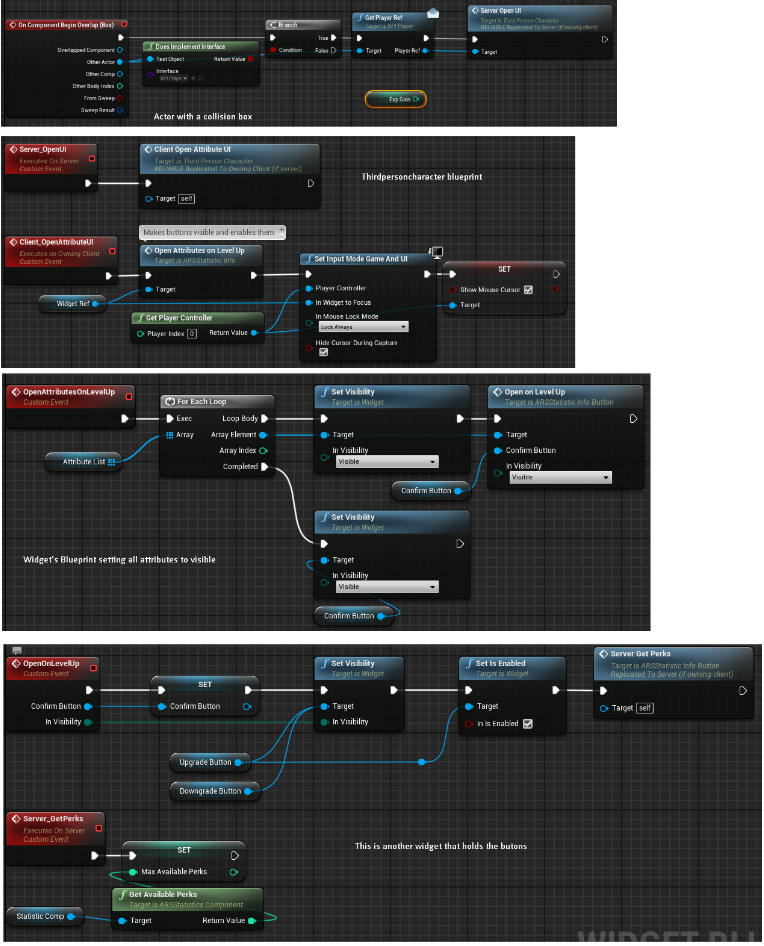
 north heath
I am having some trouble replicating the mouse and gamepad input axis values
If I create a similar variable from the get base aim rotation it works fine.


now if I set a variable on the server from the camera variable it works fine, but if I use the camera XY variable based on the input axis it only works on the server.
The reason I dont just use the second option is because I have a autoaim like function that moves the camera, causing that variable to change regardless of mouse or gamepad input.
 spice gorge
I have a clickable button on the UI that spawns a weapon blueprint. The weapon blueprint is set to replicates . The above code only works for the Listener Server. If one of the connected clients clicks on their UI, the weapon spawns only locally to them.
I would have thought sending the event to the server to execute would have ensured that it worked on any client, but this isn't the case.
Am I missing a step?
 dark edge
spice gorge
I have a clickable button on the UI that spawns a weapon blueprint. The weapon b...
dark edge
spice gorge
I have a clickable button on the UI that spawns a weapon blueprint. The weapon b...
Widgets don't replicate
Do the RPC in something that does.
spice gorge
dark edge
Widgets don't replicate
Ah. I hoped that sending the event to the server would resolve that.
dark edge
Probably PlayerController unless this is a very character specific action
spice gorge
dark edge
Probably PlayerController unless this is a very character specific action
PlayerController sounds like a possibility. It's a base action all players can do
dark edge
spice gorge
Ah. I hoped that sending the event to the server would resolve that.
There's no server-side version of that widget. Widgets should be pretty dumb and not directly be spawning things
Like you don't want the menu to spawn the item, you want the menu to tell the controller that it desires to spawn the item or whatever
spice gorge
Yeah makes sense. I actually had it setup on the character before, but in my task of trying to resolve why it wasn't working I pulled the spawn back until I reached the widget. I guess I need to reroute back out now.
warped berry
the link for "Multiplayer Network Compendium" in pinned messages is broken, is there any alternative ?
or any materials with examples to learn about the Online Subsystems?
spice gorge
warped berry
the link for "Multiplayer Network Compendium" in pinned messages is broken, is t...
https://mega.nz/file/GtIXGYwT#mvd0dyuO_abl2nOJj6y-FcUTsHwLCNknHVw7tf44QL8
I just uploaded the pdf of it as I have it on my local drive.
 warped berry
spice gorge
https://mega.nz/file/GtIXGYwT#mvd0dyuO_abl2nOJj6y-FcUTsHwLCNknHVw7tf44QL8
I just...
warped berry
spice gorge
https://mega.nz/file/GtIXGYwT#mvd0dyuO_abl2nOJj6y-FcUTsHwLCNknHVw7tf44QL8
I just...
Thank you xd
spice gorge
dark edge
Widgets don't replicate
It worked, thanks for the tip!
I setup a server event on the PlayerController, with an input for which character to spawn an item on, and call the event from the widget OnClicked.
 polar urchin
Does a dedicated server start a session for you?
dark edge
polar urchin
Does a dedicated server start a session for you?
No you still gotta start it.
 fierce oriole
Hey How Do I Properly Test an Advanced Session? If I test by creating an Advanced Session with Client 1 (PiE as Client) and connect to the same session with Client 2 (also in PiE as Client) will that be sufficient? Or do I need to have 2 packaged builds on 2 steam accounts? Trying in PiE seems to break some server side code
twin juniper
Can anyone help me on how to do facebook login in unreal engine 4 using playfab??
scarlet cypress
Is that the right way to set up sprinting in multiplayer? (Not caring about safety)
 kindred widget
@scarlet cypressPersonally, I prefer the other method. I'd really just make a simple bool property RPC from shift to set that true or false based on pressed or released and let your repnotifies handle the speed setting based on which state gets replicated to them.
thin stratus
If we ignore the fact that you can't make this correct in BPs anyway, as you will always get a correction at the start or end of your sprint, then this is still not 100% correct.
You need to use a RepNotify variable to set these values, otherwise you will have hot joiners or people that get into relevancy not see this change.
oak jewel
ive got animation to work
but
ammo stuff i cant find a way to plug in
 winged badger
@oak jewel on server, access the UAnimInstance directly
and hook into its OnMontageEnded delegate
oak jewel
winged badger
<@!291624841910681610> on server, access the UAnimInstance directly
nah man dont want to touch animations been stuck on that 2 weeks and just got it fixed - just want to hook in ammo code (right)
winged badger
that is a weird set of conditions
make simple conditions into functions that make it more readable
like IsNotFullyLoaded
but you're starting a reload at the same time you're starting a montage
you load the ammo into a weapon and play some gun cocking sound when its done
note that your delay approach doesn't actually allow for reload to be interrupted, even by death
winged badger
when the timer/montage is finished
oak jewel
note this code is just conditions for reload eg if no ammo dont reload

like this then
winged badger
DECLARE_DYNAMIC_MULTICAST_DELEGATE_TwoParams(FOnMontageEndedMCDelegate, UAnimMontage*, Montage, bool, bInterrupted);
if you use montage as a timer, then the boolean in the event handler is success/fail
the delegate braodcasts when montage is finished or interrupted
 winged badger
you need to access GetAnimInstance, probably via GetMesh from character
oak jewel
that goes where
winged badger
then BindEventToOnMOntageEnded
 finite goblet
Does UE4 support IPv6 yet?
regal storm
Struggling with this one. I have a Blueprint Interface which triggers a connection between the player and an interactable station (steering wheel, in this instance)
In the actor containing the wheel logic, I want the logic to update across all clients (specifically, who is controlling the wheel, the wheel state (bools) and so on.
I pass the variables from the BP Interface through the Multicast event, but for whatever reason I'm not getting the expected output. No print strings from the server, and zero feedback on the clients.
My understanding of multicast must be flawed, but perhaps someone can shed some light on this for me? Thanks!

The only thing that prints is the Remote output from the "Switch Has Authority" to the clients, otherwise nothing?
I've tried setting the variables that get set by the server later in this BP to replicated and repnotify, no change there either.
I guess in case my further logic is flawed, here is what this eventually triggers:

"Target" in this context is the player
regal storm
Does the BP Interface event not then run everywhere?
winged badger
no
regal storm
So I would need an extra layer of custom events to 'Run on Server' first?
winged badger
any way for client to affect server in any way is a server rpc
regal storm
So something like this?

Or maybe I'm missing something

Because if that's it, it has the same result 😦
winged badger
what class is that in?
something like that yes, but without an authority switch
because its redundant after the server RPC
regal storm
This is in an actor class (that is set to replicate)
winged badger
note that PlayerController and GameMode won't work for this
as there are no corresponding instances of them on simulated proxies to receive an RPC
also, clients can't RPC from an Actor they don't own
which without additional setting of ownership limits you to Controller, Pawn and PlayerState
- their components
regal storm
Ahh, hmm that might be the issue then. (The ownership thing) I don't really want the actor to be owned by any client, as multiple clients can run this same logic in different areas of the actor.
Basically the actor is a ship, and the ship has 10+ places this logic could run, each of them by different clients
So would I have to put the Server RPC before the BP Interface call in the pawn?
And have the interface call running on the server
winged badger
the PlayerController sends a Server RPC, which manipulates the interaction target
 winged badger
interaction target through mostly replicated variables (+ RepNotify) notifies clients that is been interacted with, MCs are useful here only for effects, as its a stateful change
which MCs can't handle
you should probably lay off the crafting stations until you get everything else right, as that will be somewhat more complicated
@thin stratus i was about to link your compendium to Tyler here, but the link is dead
regal storm
Ahh haha, yeah that's why I'm here 😛
Aha, yeah running the execute on server before the bpinterface did the trick 🙂
Thank you 🙂 With a change to repnotify that all worked
I need to better understand what you mean about MC (MultiCast?) not being useful because it's a stateful change, but maybe the compendium will answer that when it's back online
However removing the MC, it still works so I'll read up on that later to understand more
thin stratus
winged badger
<@!94211915902889984> i was about to link your compendium to Tyler here, but the...
Hmpf. Redid my page a while ago. Will see how to fix that
Thanks
dull lance
quick question on stuff...
would you advise to have a separate set of:
- PlayerState
- PlayerController
- HUD
for both the lobby / main menu and another one for gameplay, or do you just switch states and have their sets travel with the client to the match server? How do you generally recommend handling this information
 south rampart
Is there anyway to automatically have different build profiles (client/server) use a different setting in DefaultGame.ini?
I'm talking about this setting
[/Script/Engine.GameSession]
MaxPlayers=30
Either from code or by some magin in the .ini itself 🙂
twin juniper
I'm setting EMovementMode::None to stop the player from moving, but also I need to apply a root motion force to that character with that movement mode. Basically I want to disable movement input for a few seconds and apply a root motion force while that is happening
meager spade
@dull lance we have seperate for mainmenu/lobby to gameplay
@harsh lintel disable movement input in the player controller
don't ever use MovementMode none
 torpid girder
I am thinking about replicating a day night cycle. I think this might be slightly harder than simply creating an actor with a timer that increments a counter that periodically updates clients
I guess a few ms shouldn't have a huge impact
Maybe best to implement this in the gamemode/state
lost inlet
well not the mode seeing as that's not replicated
 queen pine
Would anyone know how to prevent owner animations from playing in unison on other characters?
Or maybe what would cause it? I checked the default animations in the 3rd person animation blueprint and i don't see why that's stuff doesn't play in unison but mine does. I'm working on player turn animations.
--EDIT: I was using player controller in the cast to set a player ref in the animation blueprint. I changed it to try get pawn owner.
regal storm
Any idea why my float, which is changed/updated on the server, would arrive to the clients slightly different?

Clients always seem to be exactly the same as each other, but the server is often a few decimals off of the received value
regal storm
It's changed by player input (holding A/D) but it's not changing when input stops
Counts between -1 to 1 depending on A/D key press
queen pine
are you passing the float on the rpc?
regal storm
The float is being set on the server and is repnotify 🙂
 odd iron
Hello Guys ..
can i assign index for each player in multiplayer
..
because i have passenger setting in vehicle if i want to exit specific passenger using seat Index its exiting the last player who entered the vehicle
i want to save the unique seat Index for each player so when Player x Press E to dismount he will dismount not the last player ride
 pastel marlin
odd iron
Hello Guys ..
can i assign index for each player in multiplayer
..
because i h...
pastel marlin
odd iron
Hello Guys ..
can i assign index for each player in multiplayer
..
because i h...
Had a bit of a hard time understanding your graph without the full context so I will answer not based on your current code but more generally. Maybe for each seat you could keep a reference to the player controller or a null ref if no player is seated ?
odd iron
Yes im using an array storing the character reference according to seat id@pastel marlin
If that what you mean
pastel marlin
no I mean for each seat you have a variable referencing a player controller that you set when a player enter and leave
odd iron
Hm
You mean for example 6 variables if it have 6 seats and each time checking who want to exit it will dismount and clear the ref
pastel marlin
yep
odd iron
Also could work i have to try
I wish if i can possess all players easier😋
But since its just possessing just one controller
So yea
 rich cradle
I am trying to create an equipment vendor that every player can use. The blueprint of the vendor has a Widget Component and players can interact with it using a WidgetInteractionComponent. But, my confusion comes from actually making the server do anything. As far as I know an Actor can have only a single owner and only a owner can all an RPC. And the server doesn't know widgets even exist. So I am a bit confused as to how to make this work
pastel marlin
you posses a pawn not a controller
pastel marlin
you mean your vehicle is a pawn and only the driver can possess the vehicle ?
odd iron
Yes
The other players just attaching
I searched the whole google and asked here for vehicle just driver who can possess and other passengers just attach and set their location
rich cradle
so what is the problem? UnPossess the driver and then possess the car?
odd iron
The problem with the other passengers not the driver
The driver you can just possess it to the driver seat and control the vehicle and using the vehicle cam etc
pastel marlin
odd iron
The problem with the other passengers not the driver
I don't understand what your problem is anymore
odd iron
Haha
My problem with passengers
The driver working normally because it using Possess node for vehicle
But the rest of passengers im just attaching them to the seats
No because they are attached
pastel marlin
yeah and ?
odd iron
odd iron
Hello Guys ..
can i assign index for each player in multiplayer
..
because i h...
And here the rest
I cant control each passenger seperatly exiting them from vehicle
odd iron
If 2 passengers ride the car when i press E from 1st player the 2nd player will dismount because he is the last one who mounted
rich cradle
store playercontrollers in your seats not IDs
unpossess should be handled by the server
or unattach
pastel marlin
the problem he has is a pawn can receive input from only one player
but you just need to handle the exit from the player controller
not the vehicle
and your problem is solved
odd iron
pastel marlin
either manage the exit from your controller
I will try to handle this from PC
Because Seat index updating when player entering so i can check the array using the index
Otherwise i cant attach players to specific seat
I thought ican use this number to check the player who want to exit
This is the problem i spent 2 days trying to get an idea but my brain not working enough 😋
pastel marlin
rich cradle
I am trying to create an equipment vendor that every player can use. The bluepri...
You don't need the widget server side you just need to have the list of the item the vendor has
and to send the rpc once you choose which item you want to buy do it from the player controller or your pawn
rich cradle
so, client presses a widget, widget calls the function in the Vendor Blueprint to do stuff.
Then i am lost
the vendor has no idea what player controller interacted with it
unless I use a getplayerController in the widget and send it along, since thats always local
pastel marlin
client presses widget, it call a rpc to the server from an actor the client own (player controller or pawn for example) the rpc send which client, which item, which vendor and from there you know everything you need serverside to make the item transfer
rich cradle
then I would have to move my functions outside of the vendor to things completely unrelated to it
pastel marlin
you just need a rpc buy on the player controller which can then call a function on the vendor who deal with the rest of the logic server side
but as of my current knowledge you can't call a rpc to server if you don't own the actor so this is a way to avoid this problem
rich cradle
man, thats such a roundabout way of doing things, but I guess there is no other way
pastel marlin
okay @odd iron back to your problem on your vehicle, except the driver does other passenger need to have any interaction with the vehicle other than exiting it ?

 twin juniper
The function bound to an ActionBinding isn't activating a server RPC on the server, only on the client, is there a way I can fix this?
 odd storm
Do we have any equivalent function in C++ with CreateSession in Blueprint?
pastel marlin
odd storm
Do we have any equivalent function in C++ with CreateSession in Blueprint?
you wan't the c++ equivalent of the CreateSession node ?


Describes the different kinds of Online and Error Related Blueprint Nodes.
odd storm
Ohh, so we don't have built-in one similar to the one in Blueprint?
pastel marlin
I have done it in c++ and it was more of an pain in the ass than anything and at the end I switched to do it in blueprint because even after using the tutorial it didn't work in some cases
odd storm
I see, not sure if it's better to use C++ for steam integration later or Blueprint one is good enough
pastel marlin
haven't published a game yet and didn't research enough to answer this question but I saw this https://github.com/mordentral/AdvancedSessionsPlugin which could work if the base function aren't good enough
GitHub
Advanced Sessions Plugin for UE4. Contribute to mordentral/AdvancedSessionsPlugin development by creating an account on GitHub.
 cunning shoal
Hi all, has anyone experienced issues (I'm on 4.26.2) with replicating the location of an actor if you have any kind of root, and then child static meshes below it, and physics enabled? I have the SmoothSync plugin, but even doing it it with the built-in "replicate movement" doesn't appear to work for child static meshes, and if i tick the box for "replicate component" on the child objects, the meshes dont even show up for the client.... it's super odd
odd storm
@pastel marlin thanks a lot!!
pastel marlin
np
queen pine
https://youtu.be/6q6yA-uP6SA So i'm trying to add replication to a turn in place animation. It seems like its fighting something else but i dont see anywhere that would be. That's just what it seems like with the stutter. the animation is fine locally.