#multiplayer
1 messages · Page 605 of 1
 summer tide
 worthy knot
im using a height map landscape
summer tide
That's why. Use tiles and have that origin rebase checked.
worthy knot
what do you mean by tiles ?
summer tide
Devs are developing space games with that origin rebase
worthy knot
ohh yeah exactly like no mans sky etc
summer tide
Search for ue4 tiles on youtube.
NoMansSky uses proprietary game engine.
So your solution is tiling your landscape. When you export your heightmap you should be able to create tiles. There are other tools that you can use to create tiles from heighmap. You will find many videos on youtube.
worthy knot
so this should solve the "out of world bound issue"?
summer tide
Yes it will.
worthy knot
can you send me a link of tiling your height map in ue4 because when im searching all im getting is "tilling texture"
summer tide

In this video I show you how to tile a height map so that it can be imported into Unreal Engine as a tiled landscape using world composition.
Gordon's Open Source GitHub
https://github.com/gordon-vart/opensource
Duke's Free Heightmaps
https://forums.unrealengine.com/development-discussion/modding/ark-survival-evolved/92497-duke-s-free-heightm...
worthy knot
@summer tide i imported a single height map then split it into sub levels , isnt it the same thing as to what he is showing ?
 rare cloud
Hey guys, I search an event called client side when you connect to a server
but I guess I can just execute my code on player controller begin play and check NetMode
 winged badger
unless its delayed, you can
 faint dock
@summer tide @worthy knot UE5 will support 64bit precision its confirmed
https://youtu.be/RKyyuAhnqP4?t=236

Discover how to use GIS data to create high-quality geographic visualizations and interactive simulations in Unreal Engine.
You’ll learn how to:
- Import GIS data using a terrain modeling tool such as Trian3DBuilder
- Use Visual Dataprep recipes to optimize and import the data
- Embellish your project with 3D trees, a water shader, and more
...
 fringe dove
is there a guaranteed order of onreps and rpcs? which happen first?
 rich ridge
It should be serialised as per my understanding because everything happens via single game thread.
Until you explicitly do multithreading network io
atleast dedicated servers are 100% single threaded by default. clients have multiple threads.
fringe dove
I'm running into this, in debug builds as they mention, first happens with some unreliable RPCs but eventually with reliable and disconnects the pie instance client.
how big is the limit? I see enum { RELIABLE_BUFFER = 256 }; // Power of 2 >= 1. ; is that in packets or in bytes?
and what are the downsides of increasing?
 meager spade
why do you need to send so much data reliably?
fringe dove
inputs roughly every frame, for a lockstep and rollback scheme outside of the game framework. I will eventually change it to unreliable only with a manual resend of something that can compress the unacked inputs (based on transitions which are sparse)
is that a packet limit though?
 cursive rivet
Hello, I am having trouble allowing external ips to connect to my game. I have it port-forwarded on 7777. Should my blueprint open the port correctly? I can connect through 127.0.0.1 but not through my ip.
 chilly orchid
Been stuck on this for hours im having trouble replicating the animation states in my anim bp it seems to be replicated on the server but for whatever reason it only updates the state on the server to client what im needing is it to go from client to multicast
i have 2 functions that get called to use the item locally but im a bit lost on how to transfer these functions so the server handles them
these are the bools that im using to change the state
winged badger
animation blueprints aren't replicated
you'll need to do your replication in the Pawn, then pull the variables in BlueprintUpdateAnimation
chilly orchid
Sorry I meant relplicating the animation state that the player is in
winged badger
they also can't send RPCs
chilly orchid
That’s what I’ve been doing trying to do the replication in the pawn aka character and setting those bools in my animation graph my issue is it’s only replicating on the server viewport
 shut gyro
Is it possible to get the list of all client net connections on the server in a game net driver instance?
I.E. - is it possible to get from the Gamestate or player states?
rich ridge
cursive rivet
Hello, I am having trouble allowing external ips to connect to my game. I have i...
You are using NULL subsystem.
It is only supposed to work within the LAN.
If you want to go beyond LAN you need a good OSS provider like epic online services or steam.
 dark edge
chilly orchid
That’s what I’ve been doing trying to do the replication in the pawn aka charact...
dark edge
chilly orchid
That’s what I’ve been doing trying to do the replication in the pawn aka charact...
Have your animation driven by some replicated variables on the pawn, and set those variables on the server-side of the pawn, and they'll replicate out.
 kindred widget
@chilly orchid First of all, you're using a Client RPC on input. Input starts on the client. The only RPC you should ever be doing from input is a Server RPC.
dark edge
cursive rivet
Hello, I am having trouble allowing external ips to connect to my game. I have i...
You aren't gonna find sessions without an online subsystem but you can just "open IPADDRESS" and it'll work if the port is forwarded for testing
dark edge
chilly orchid
these are the bools that im using to change the state
use an enum for weapon state (none, melee, gun, etc)
also you need to go input -> run on server -> set variable/run on all
anything state related should use replicated variables and RepNotify if things need to happen when the state changes
you can even just type it in the console for a quick and dirty test, just like "open 123.456.78.90"
cursive rivet
@dark edge So you saying that even with my current blueprint that open IP:7777 should be working? It is not working
dark edge
You sure you forwarded the ports correctly? You testing on 1 machine or 2?
also is this PIE or launch game?
cursive rivet
I was using 2 Standalone games and hosted on 1 and tried connecting on the other. I believe i port forwarded correctly, I have port forwarded a few other things and they all worked
 normal vault
Have you checked your net is actually cooperatively listening?
cursive rivet
No, how would i do that?
normal vault
Get your hardware info, and google for the admin page, and make sure in your settings you set up port forwarding on the device explicitly
I cannot tell you how many times I've had things refuse to cooperate, simply because my hardware didn't wanna do it
cursive rivet
Yeah i think it looks good
normal vault
And you're for sure running at least one listen?
cursive rivet
yeah i think
normal vault
I think you can force your editor to run as a listen, and connect via standalone with the client. But, I also think I remember client needing to be built.
I'd have to refresh my memory a bit, so don't hold anything I'm saying as law
That may be how it had to work for the steam connection, now that I think about it
cursive rivet
I made it so 1 ran as a listen server and the other ran as a client and it still did not work
chilly orchid
@dark edge the variables are on rep notify ive set this up to run on client and then change the state on the server but i still get the same result what am i missing?
normal vault
@chilly orchid Go watch that video series I shot you. It will teach you how to do all the things you need
chilly orchid
ok i was just trying out the things he suggested
normal vault
@cursive rivet Want to take it to DM and we can trip through the process together?
dark edge
@chilly orchid change the replicated variable on the server
no need for an Executes on All event
chilly orchid
@dark edge its fixed i had a check in place that prevented the variables from being set
 slim matrix
how can i have my UI perform a task on the server so i dont have to create a lot of functions on my player for doing things the Ui is doing
dark edge
@slim matrix you need to do things through something a player owns.
@slim matrix what kind of things?
slim matrix
like i want a button on my Ui to spawn a actor
and some modify a targeted actor
i know to do this in godot you pass the owners network master to the child so you can send RPCs from that child
winged badger
you can only sent a RPC through an owned actor or actorcomponent
 clever plinth
Does anyone have an issue where using a repnotify causes an engine crash?
In v4.26
clever plinth
It has a weird trace of unknown functions when I trigger the OnRep
If I have the variable just replicate, everything is fine
clever plinth
never mind, the stack trace just sucked
 unkempt tiger
Is there a nice way to get a player controller from a player state?
The lack of options in the context menu and preliminary google results makes me question if I even should want to get the player from a player state
winged badger
getowner
 harsh fiber
Hey there, I have been banging my head against this for days. I managed to fix the issue. Looks like OSS Steam wont end or destory sessions if you have stats/leaderboard tasks pending. I ripped out a bunch of those calls in PlayerController and that seemed to fix my issues. I can now use the correct end->destroy flow
 cedar finch
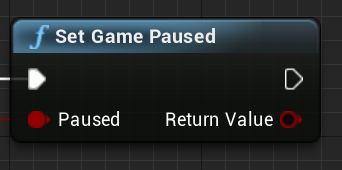
Is it possible to use the "Set Game Paused" node to pause all players in the game? I'm trying to make it where the host can pause everyone but right now he can only pause himself. I've successfully "faked" it by disabling input for all players which works but I'm curious if it's possible to actually pause all clients. https://i.gyazo.com/bda45c431fc021c189908458fa88f40d.png
 clever plinth
@cedar finch u would have to do it manually
Same with something like slo mo
Since in every game there are different things the devs will want to stop or slow down
cedar finch
So the node wouldn't work and I should just keep the way I have it where I manually disable all players input and create a widget on their screens?
clever plinth
@cedar finch for the node, I think it’s more of a state thing? I’m not completely sure but I don’t believe that the node works the way u think
cedar finch
It stops the "game time" but only for the host. I was trying to make it stop the game time for everyone. IDK I was just curious
rich ridge
To be honest pause means , pause the entire world.. like I used to pause my Mario video game.
I don't think UE4 has that kind of capability to pause the world and that too in multiplayer world
 hollow eagle
...it absolutely does, "Set Game Paused" is a real function. It stops ticking anything that doesn't explicitly want to be ticked when the game is paused.
It's a local concept though, it wouldn't make sense to automatically pause any connected clients because that may not be the behavior a dev wants. It's up to you to replicate the "pause state" in whatever way you want.
cedar finch
@hollow eagle Yea I know that it doesn't work by default for everyone, I was just curious if it could be replicated to clients somehow
hollow eagle
make your own "pause game" function that sets the pause state and then either:
- calls a multicast RPC to pause clients OR
- sets a replicated boolean to indicate the pause state, clients should have an OnRep function to react and update their local pause state
cedar finch
I've tried setting a replicated boolean to OnRep and setting "Set Game Paused" to true inside the OnRep function but it still only executes on the Server
Ahhh I bet you that the host pauses first which then doesn't replicate the boolean to the clients. Let me look into that and see if that's the case
cedar finch
I'll just stick with faking it because I don't think the node works for clients
 vital heron
Quick Question: When using a pawn for multiplayer, is calling a RPC each time the player calls the move function the only way of replicating movement or are there other more efficient ways? Also I'm not sure if the current conversation is done and if it's not I'm sorry.
 silent valley
Best/easiest way is to use Character Movement Component on the pawn. Writing that yourself is a big job.
vital heron
silent valley
Best/easiest way is to use Character Movement Component on the pawn. Writing tha...
You can't. It's a pawn
silent valley
Well can you use a Character instead? Look at the code for CMC - there's a lot more going on that just using RPC.
vital heron
silent valley
Well can you use a Character instead? Look at the code for CMC - there's a lot m...
I don't really want to use a character. I like using the pawn a lot. I learnt so much from the pawn and if I used a character I wouldn't know as much as I do now. Also for looking at the code for the CMC, there is just so much going on and it's hard to see the code that I actually need to look at.
The main part of my question was that when using a pawn, other than just using a RPC to replicate everything, are there other better options to replicate.
silent valley
Ok well you only have RPC or replicated variable. RPC has the least overhead.
You have to handle throttling yourself though, calling RPC every frame will saturate the network.
vital heron
silent valley
You have to handle throttling yourself though, calling RPC every frame will satu...
Yea I'm still thinking on how I want to replicate efficiently.
silent valley
Use the NetQuantize functions to reduce the amount of data you send in the RPC
vital heron
silent valley
Use the NetQuantize functions to reduce the amount of data you send in the RPC
I'll look in to that
silent valley
But honestly it's quite a complex problem which is why CMC exists.
vital heron
Yea I know but at least for me it's worth studying and looking into
 mighty zinc
Cmc has quite alot of code
vital heron
I have learnt so much so far and I don't want all my hard work to go to waste
mighty zinc
All the client side prediction is done there
@SalDaPotato I've done quite some research on cmcs
vital heron
mighty zinc
@SalDaPotato I've done quite some research on cmcs
Really?
mighty zinc
I can recommend u some tutorials if u want
vital heron
mighty zinc
I can recommend u some tutorials if u want
Oh please do! All help is appreciated!
mighty zinc

In this video I show the proper way to make movement abilities for your characters. This is done by creating a Custom CharacterMovementComponent.
We start from scratch with a third person BP project, but here is the completed project you can copy code from: https://drive.google.com/open?id=1w9mMlKlcFhTrr8wsf1_76h_4v_k2ysei
This is like an extension of that
vital heron
I've always been curious about CMC but there is just so much code that it's hard to find the exact parts I want so I basically just gave up on that
mighty zinc
Also read about client side prediction
vital heron
mighty zinc
Also read about client side prediction
Yea I found a GREAT article on CSP
vital heron
I understand the concept but I'm still trying to get my head around getting and storing other player's movement to predict
How far did you get?
mighty zinc
I had to do some other stuff
But from what i understand
They store all the inputs and send them together on ticks
vital heron
mighty zinc
They store all the inputs and send them together on ticks
Oh I see
mighty zinc
The savedmovestruct
vital heron
mighty zinc
The savedmovestruct
?
mighty zinc
Contains all info
And moves are stored in another struct
An array of acknowledged and non acknowledged moves
What do you mean?
mighty zinc
Server replicates the struct to all clients
vital heron
So the struct contains all the player's locations?
vital heron
Yea I've been looking for source code to get a better idea about it
vital heron
mighty zinc
Dm?
Sure
 errant lance
Epic has good documentation of what cmc does, https://docs.unrealengine.com/en-US/InteractiveExperiences/Networking/CharacterMovementComponent/index.html
Detailed explanation of Character Movement Component
 dull magnet
Anyone know if it is common for BPs to break when switching event replication method? (multicast / client etc.) Just updated to 4.26 and seems like some events gets stuck on old replication method when changed.
 chrome bay
The Server doesn't replicate the stored moves to clients - the moves are stored on the local controlling client.
The Server just replicates the standard actor Replicated Movement for other clients. Those clients then smooth those updates themselves locally.
 blissful remnant
Hey! Does anyone knows how can I get the Steam nickname from the user's UniqueNetId? I'm using beacons so getting it from PlayerState is not an option.
rich ridge
@blissful remnant let me give you few examples on how to do it.
-
Whenever player joins the server , server receives the player id, use that id and let your server hit the steam backend via steam OSS and fetch player name and set it to PlayerState.
-
Whenever a player is about to join a server , player knows it's nickname but server doesn't, so in the join session append player's nickname as query and server will filter that query.
blissful remnant
@rich ridge This is exactly what I'm struggling with. How can I query the steam backend? I thought that the Identity Interface is the one I need. It has a GetPlayerNickname function but it always returns my own nickname
rich ridge
you need to pass the other player's id
blissful remnant
and that's what I did 😉
rich ridge
i think you need to use IOnlineUser interface and query user.
not identity
identity interface is for self player.
blissful remnant
alright, I'm gonna give it a shot, thanks for the help! 💕
it seems like the User Interface has no Steam implementation though, only Facebook and Tencent
blissful remnant
I'm writing my own 😅
blissful remnant
I'm aiming for Steam specifically
rich ridge
blissful remnant
I'm aiming for Steam specifically
means you are comfortable with 30% revenue cut.
blissful remnant
I'd like to release this plugin on the Marketplace, Steam matchmaking and lobby system/framework
rich ridge
ohhh i see
why don't to have a look on Epic EOS plugin and understand the concepts and then work on your plugin
blissful remnant
at this point I feel like I'm good, been working on this plugin for a while now, it's just that up until this point, the player name was always available in the PlayerState
rich ridge
once a player does the client Travel, a new PlayerState is created for him
and in that the setting up of nickname is responsibility of server ... and the OSS is not responsible for this
its the game developer who have to set name post client travel.
and there are many ways to set the name post travel.
blissful remnant
I'm using beacons to create a party before starting matchmaking, that's why I don't have (direct) access to the player names
rich ridge
but when you do client travel the beacon connection is lost
blissful remnant
a workaround would be to ClientRPC to the connecting client's beacon, gather data locally and send it back to the server
I'm not traveling anywhere, beacons handle the connection between each other, no need to open a listen server
rich ridge
i strongly believe you should not be worried about setting nickname in PlayerState. because most of the game developers do override the default behavior in GameMode
blissful remnant
i don't want to set the playername, just read it. Should we take this to private chat? I feel like we are just spamming the channel for no good reason
rich ridge
ok
 twin juniper
Using c++ if I call a non rpc function inside a server rpc does it run on server too?
kindred widget
RPC is just to move from machine to machine. So if you called a Server RPC, and then called more functions after that, all of those functions after the server RPC will run on the server until you call another RPC.
twin juniper
So if I call a multicast rpc and then outside I call non rpc functions they'll all run on NetMulticast?
 weary badge
Hey everyone,
For some reason, when I connect the Player on the top right screen, it shows a client value of -1.
Is there any further meaning behind this ?
kindred widget
@twin juniper Think of RPC as a simple way to "Send Execution to this machine." So if you multicast an RPC, you're telling the logic to move from the server version of this replicated object to all versions of the replicated object.
@weary badge Haha, that's odd. I've never seen that one. Is that the blueprint PrintString?
weary badge
Yeah
I have 2 possibilities in mind
1: The top right is the server, so technically ID 0, but since it's not hosting, but another client is, it gets -1
2: It wants to give ID4, but since there can only be up to 3, it gets -1
kindred widget
It should print Server if it's the server though.
The switch for that is just this.
switch(World->GetNetMode())
{
case NM_Client:
  Prefix = FString::Printf(TEXT("Client %d: "), GPlayInEditorID - 1);
  break;
case NM_DedicatedServer:
case NM_ListenServer:
  Prefix = FString::Printf(TEXT("Server: "));
}```And GPlayInEditorID defaults at -1, so it has to be 0 when this is printed.
weary badge
mhm
Can you explain it a bit differently ?
I've only learned UE for about 2 months in total (and blueprints only)
Sorry 😫
kindred widget
@weary badge How are you testing the print?
weary badge
kindred widget
Is this a Listenserver setup?
If it's a listenserver, then that's really odd. I've never seen that before. Even on Owning Client RPCs, server should print Server: 3 on a listenserver setup.
weary badge
Should be
kindred widget
That's odd behavior. How are you calling the Owning Client RPC?
weary badge
 steel fox
How many games use listen servers? Is it a bad idea for games like shooters or racing?
silent valley
Anything competitive is usually bad idea due to potential cheating. But many games run listen servers just fine.
 gloomy sedge
Hi, I have a very weird thing happening when using dedi servers, The character is very jittery when running, but doesn't do it when using the Stat Net command
winged badger
net.showcorrections
the jitter usually comes from speed not being synced across server/clients
gloomy sedge
hmm, accoring to the print string, the client and server both display the same speed
meager spade
that is skeletal mesh rep issue
or very very similar
@gloomy sedge do you have Component Replicates ticked on your skeletal mesh of the player?
winged badger
he did say while running, so speed mismatch was my first guess
meager spade
ye but i could see the skel mesh was moving back
winged badger
ah, i didn't watch the video 😄
meager spade
lol
twin juniper
Hi, I've started a multiplayer project but a i have a problem and i'm still stuck since few days.
I want to show steam name at top of the character for all client connected to the session, only the person who host the
session have the right name at top of the right character (player), others client have them name at top of the all player or
no name appeared. My current blueprint (cf. screen) can do this, i don't know where is the problem.
Does my event has the wrong replicate option ?
Event is called when the player is crerated on the level and send it to all client that a player just join
(Print string is just for a debug), btw, tell me if this message is in the wrong channel.
https://cdn.discordapp.com/attachments/391885524308197386/794168215085252648/unknown.png
 rich ridge
@twin juniper if you are using listen server, host player showing its name is reasonable. but other others who joined your host actually left their system and joined the host's system. and host's system doesn't know the names of the joining players.
you overcome this problem, you can do either of two things.
- let your host fetch the player name using IOnlineUser interface.
2.let your player's carry their name to the host server.
twin juniper
Okey, i got it i think, let me try
rich ridge
ideally when a player joins the session or host, host should set the player nick name in PlayerState, and that nickname variable is replicated to all clients if i remember correctly.
twin juniper
So I have to put steam name in PlayerState ?
rich ridge
yes
for the time being this is how I m doing it
open ip:port?NickName=Player1
and server retrieves this query and set it and its replicated to all clients.
ohh wait
open ip:port?Name=Player1
this will forward the player name to host server
{
    check(NewPlayerController);

    // The player needs a PlayerState to register successfully
    if (NewPlayerController->PlayerState == nullptr)
    {
        return FString(TEXT("PlayerState is null"));
    }

    FString ErrorMessage;

    // Register the player with the session
    GameSession->RegisterPlayer(NewPlayerController, UniqueId.GetUniqueNetId(), UGameplayStatics::HasOption(Options, TEXT("bIsFromInvite")));

    // Find a starting spot
    AActor* const StartSpot = FindPlayerStart(NewPlayerController, Portal);
    if (StartSpot != nullptr)
    {
        // Set the player controller / camera in this new location
        FRotator InitialControllerRot = StartSpot->GetActorRotation();
        InitialControllerRot.Roll = 0.f;
        NewPlayerController->SetInitialLocationAndRotation(StartSpot->GetActorLocation(), InitialControllerRot);
        NewPlayerController->StartSpot = StartSpot;
    }
    else
    {
        ErrorMessage = FString::Printf(TEXT("Failed to find PlayerStart"));
    }

    // Set up spectating
    bool bSpectator = FCString::Stricmp(*UGameplayStatics::ParseOption(Options, TEXT("SpectatorOnly")), TEXT("1")) == 0;
    if (bSpectator || MustSpectate(NewPlayerController))
    {
        NewPlayerController->StartSpectatingOnly();
    }

    // Init player's name
    FString InName = UGameplayStatics::ParseOption(Options, TEXT("Name")).Left(20);
    if (InName.IsEmpty())
    {
        InName = FString::Printf(TEXT("%s%i"), *DefaultPlayerName.ToString(), NewPlayerController->PlayerState->GetPlayerId());
    }

    ChangeName(NewPlayerController, InName, false);

    return ErrorMessage;
}```respective code to retrieve Name and set it in playerstate
this is built in engine
winged badger
well, with steam you'll more likely want open steam.ID
rich ridge
ohh i see
slim matrix
why is it that if the server tells everyone to set an objects max draw distance it only happens to the server and all clients draw distance remains 0
winged badger
why is the server communicating max draw distance to clients?
summer tide
If I do this, in my player controller for client I get ERROR. BAD UNIQUE NET ID
https://gyazo.com/9accf692fc94b96b54479ef413f2aa44
 clever plinth
Do delegates replicate by default?
@summer tide The player needs to be signed in before the Unique net id is valid
summer tide
I see that in lobby after client accepting host's invitation.
Host and client both are in lobby
I only see host's player name and net id but not clients'
@clever plinth
clever plinth
From a client?
summer tide
What do you mean?
summer tide
Ok thanks
So to go from to lobby to game level. Should I use openLevel or server command?
 gleaming vector
ServerTravel on the server
that will take clients with it
there is a documentation page about this, one sec
An overview of how travelling works in multiplayer.
if you are a client trying to join a server, open <ip> to get you onto the server and into the level
if you are a server attempting to go from one map to another, you want ServerTravel() to move to maps
if seamless travel is enabled, it'll bring all clients with you
meager spade
Depends on your game, in games like batte royale, they just load you into the map, in a starting area, then transition you to the main area once the game has started, no server travelling (this is what i heard on UDN about how they do it in Fortnite)
as there is no need to server travel, the party exists in the main menu, not in a lobby map
summer tide
SO I tried to use Execute Server command with "servertravel" and I have my lobby game-mode set to seamless travel. But didn't work in packaged game.
 lost inlet
you'll have to be more precise than "didn't work"
and if it didn't work in packaged specifically, then that can because you didn't cook the map
summer tide
lol - i think that's it. Since I was trying that on a test level.
kindred widget
I'm having some trouble... I have a very simple GameState that inherits from GameStateBase, a GameMode that inherits from GameModeBase. If I set the GameState to the default GameStateBase, everything works fine and I can see each client running around. But if I set it to the inherited GameState, suddenly clients are unable to input and cannot see server move, like it's net saturated or something.
Oh. Dur. Nevermind... Forgetting the Super in GetLifetimeReplicatedProps again. Hurdur.
clever plinth
lost inlet
why would a delegate be replicated
Alright, just making sure
I meant something else, misworded it
I found out anyway 😉
kindred widget
Hmm... If I have an empty AActor, do I need to do anything except set bReplicates = true; in the constructor for it to also spawn on clients? I'm used to doing this in blueprint where I just create a new class from actor and check Replicates true.
meager spade
or its pre-placed in level
kindred widget
Spawning it from the server side of my GameState's beginplay. Definitely working on the server, because the Beginplay of the actor is supposed to print. It's printing on the server, never on the client. I do the exact same thing in blueprint, which is leading me to believe it's not getting replicated for some reason. :/
clever plinth
@kindred widget if ur spawning it on the server and replicating it to the clients, the beginplay should only be called on the server
kindred widget
That has not been my experience. Beginplay is usually called when it's ready for play on each machine if I'm not mistaken? Does C++ handle that differently than blueprint?
 fossil spoke
@clever plinth That is not correct.
@kindred widget You are right.
An Actor has BeginPlay called when it is spawned within the world, regardless of the network context.
This behavior is also present during Network Relevancy as the Actor becomes Relevant again to a particular Client.
 sonic jasper
Can anyone think of a reason why when a client joins the listen server (host) loses its umg display?
I am using PossessedBy (for host) and OnRep_PlayerState (clients) to add ui to playercontroller. Seems to disappear at point the client spawns.
fossil spoke
Why arent you initializing the UI when the HUD class is spawned?
The HUD class is setup on Clients after the PlayerController has finished initialization.
lost inlet
to me the HUD class makes sense as a generic UI manager and that's what we do with our game
fossil spoke
Same
sonic jasper
yeah ok. will try moving it to there, was setting up gameplay abilities, just used the way it was done in the example project
fossil spoke
Most example projects are pretty terrible... lol
sonic jasper
well i will let UkaosSpectrum respond to that think its his lol
so best way is to create a child of hud class and just call the widget creation in there?
sonic jasper
did u do GASShooter?
meager spade
GASShooter? i only helped on some concepts in there, the rest of it was Dan (Tranek)
mainly regarding tasks and weapons
clever plinth
fossil spoke
<@!578668767316410371> That is not correct.
My bad! 😬
kindred widget
So.. How is relevancy figured out? I've narrowed it down to the fact that my C++ actor isn't relevant to the client. I'm presuming offhand that this is because blueprint adds a default SceneComponent to their actors?
clever plinth
I’m still sorta a noob so I assume some things I shouldn’t
meager spade
relevancy is done by distance
fossil spoke
Relevancy is distance based.
 serene berry
I am trying to convert the top down example to multiplayer and get movement on the client. My first thought was to use a RPC call for right-click -> SimpleMoveToLocation. The RPC doc says that I should be using RPCs for unreliable/cosmetic things. Is there something else I should be using?
kindred widget
🤷♂️ Need it all the time anyhow, so AlwaysRelevant it is.
sonic jasper
no worries i dont know ppls real names so assumed, either way it works in that example which i am using but mine doesnt for whatever reason
meager spade
loads his virtual gun...
kindred widget
Watsuby, or me?
meager spade
@sonic jasper i do all UI through AHUD derived class
its Local only, and it makes sense
i say all UI, in game UI
sonic jasper
yeah changing it up now, cheers
meager spade
Watsuby
serene berry
meager spade
what doc's are you reading?
if you meant me, i was using the ue4 doc https://docs.unrealengine.com/en-US/InteractiveExperiences/Networking/Actors/RPCs/index.html
Designating function replication across the network
meager spade
man that doc is terrible
there are 2 types of RPC, Reliable and Unreliable
now, what one to use is dependant
Reliable is guarenteed to go through, so use that for things that MUST happen
mostly all cosmetic non important gameplay stuff should be done via Unreliable RPC's
kindred widget
The table in it is nice. Helped me along a lot when I first started messing with networking.
meager spade
another reliable option is a Replicated property, but you have to wait for the actor to replicate, which is based on its frequency, but if something must happen quickly then a RPC is the way to go
BTW moving a player on the server only, if its a sorta fast paced game, would be really horrible
we had that when we first started on our top down game, i soon changed it to be local navmesh movemnt
kindred widget
Had to confirm just for curiosity, it was the default scene component that blueprint adds. But that's alright, AlwaysRelevant works for my needs anyhow.
serene berry
if you have local navmesh movement, is there more work to be done so that the server can correct things if things start to go awry?
meager spade
it uses the CMC
player clicks, path following sends path to the CMC, and it works just like player pressing input keys (W-A-S-D)
so all corrections etc work just like normal
though we get none, cause they hardly ever go wrong
serene berry
okay thats pretty smart
 kind ember
Is there a DOREPLIFETIME_CONDITION to replicates only to an array of actor's owner and can it be change in run time? Or how can this be achieve?
kindred widget
I think he wants to keep a list of actors, and replicate something to the owning client of them? If I read that correctly.
meager spade
yeah that is not something i have ever seen nor do i think its possible if that is the case
kind ember
Let say I want to replicate a variable to only specific set of UNETCONNECTION that own's this actor,
kindred widget
Well, replicating to owner only is just a setting.
You probably set that when you do the macro to register the property for replication.
kind ember
It must be replicate to other players as well but not all, for example a string for group chat
kindred widget
Not sure if you can selectively choose which clients to replicate to besides for things like OwnerOnly, or SkipOwner. Kaos might know better on that one.
kind ember
Yea I have a feeling so, I've looked at those macro already, I'm gonna use NetMultiCast unreliable to send them to specific players with timer
sonic jasper
where u call the widget creation in HUD class, DrawHud?
kindred widget
For creating a UUserWidget?
sonic jasper
yeah
kindred widget
DrawHud is a specialized tick for the HUD class to do some... drawing things. You can create it anywhere. Beginplay, etc. I tend to make specific calls for my different main widgets, which runs a macro to check if the widget has already been created, if it exists, put it on screen or remove it from screen, if it doesn't exist, create and it and add it to screen.
sonic jasper
i still have same issue of hud being removed on host
kindred widget
Networking shouldn't have any bearing on user interface.
void ACHUD::ToggleInventoryWidget()
{
    if (CheckWidgetCreated(InventoryWidget, InventoryWidgetClass))
    {
        if (InventoryWidget->IsInViewport())
        {
            InventoryWidget->RemoveFromParent();
        }
        else
        {
            InventoryWidget->AddToViewport();
        }
    }
}

bool ACHUD::CheckWidgetCreated(UUserWidget*& Widget, TSubclassOf<UUserWidget> WidgetClass)
{
    if (Widget)
    {
        return true;
    }
    else if (WidgetClass)
    {
        Widget = CreateWidget<UUserWidget>(GetWorld(), WidgetClass);
        if (Widget)
        {
            return true;
        }
    }
    return false;
}```I do most of my UI opening like this. ToggleInventoryWidget() getting called from a keypress. Can also be used in Beginplay, or where ever of the HUD class.
sonic jasper
yeah ok so ur not creating the widget on the playercontroller, actually on the hud class
 peak sentinel
kindred widget
I do most of my UI opening like this. ToggleInventoryWidget() getting called fro...
peak sentinel
kindred widget
I do most of my UI opening like this. ToggleInventoryWidget() getting called fro...
Its off topic but, just out of curiosity, what kind of game are you working on?
kindred widget
@sonic jasper Usually, yeah. All of my major widgets get created through that CheckWidgetCreated macro. I use the variables like InventoryWidgetClass which would be a TSubclassOf<UUserWidget> in the header to pick the widget from the blueprint version of the HUD. Other more obscure, smaller widgets are either created inside of other widgets and used in them, or usually in WidgetComponents in actors.
sonic jasper
yeah thats the setup i am using was just on the PC
kindred widget
@peak sentinel Nothing professional unfortunately. I have a few hobby projects I bounce around. Two are RTS, the one I'm working on at the moment is a small coop game I'm trying to make for my wife. She likes Ark, and City builders, so I figured why not a city builder, in the style of a survival game. 🤷♂️
sonic jasper
how come u have InventoryWidget as a point to a reference there?
kindred widget
In the CheckWidgetCreated?
sonic jasper
yeah
kindred widget
So that if the pointer comes back invalid, it can set it in the Else If part.
No need to send the pointer back out to set it.
peak sentinel
kindred widget
<@!748517221608980631> Nothing professional unfortunately. I have a few hobby pr...
I see, good luck then, keep up the good work 👌 👍
kindred widget
CreateWidget returns the created widget, so passing in the pointer by ref allows you to set it inside of the function. That way the next time it's ran, the pointer would be populated. I started doing my UI like this so that if for any reason I needed to refresh the whole UI screen, I could bomb all widgets by removing them from screen, nulling out the references, and then letting my logic rebuild them. Just a precaution.
sonic jasper
so declared like UUserWidget*& InventoryWidget ?
kindred widget
Nah, Just UUserWidget* InventoryWidget, the & is only in the CheckWidgetCreated function to pass that pointer by ref.
sonic jasper
but you accessing InventoryWidget.RemoveFromParent() like a ref
sonic jasper
yeah sweet, thought i was going mad then
kindred widget
There, fixed that.
sonic jasper
typo in TSublcassOf if u really care lol, quick typing to type that out
clever plinth
I'm using a net multicast function, however it's only updating things on the client who called it. Is there a way to trigger a function that is called on all Clients?
I'm making a killfeed btw
fossil spoke
Your not calling it on the Server if its only being applied to the Client
sonic jasper
that doesnt work at all for me
or have i not set the class
i have not
ok so i have a more streamlined hud creation
back to why it disappears lol
going to have to strip down my game mode i think
kindred widget
It only disappears on the Listenserver host?
kindred widget
What originally calls the function to add it to screen?
sonic jasper
what u just sent me
kindred widget
Does it disappear immediately? Do you see it at all, is it just a flash, or does it happen after a second or two?
sonic jasper
is there when the host spawns
as soon as a client spawns it disapears
i have checked the host isnt restarted/reset
kindred widget
Is the widget itself doing any sort of checks, or removing itself from parent?
summer tide
I know I asked this question before but still having troublehooting it. Has anyone tried saving and loading a steam multiplayer game? My client loses connection when I try to load the game from lobby.
sonic jasper
i dont have any funcs to remove any ui atm
there is some visibility stuff for sections of it but i have it all on atm
kindred widget
That's odd behavior. ACHud is a class inheriting from AHUD, and you've set it to that class in your GameMode?
sonic jasper
yep
kindred widget
And nothing else at all, anywhere, is spawning this widget to screen?
sonic jasper
has to be something intialising on the server hey
kindred widget
The thing is that HUD isn't networked. It's beginplay only runs once on each machine, independently. So no networking should affect this.
Does this still happen if you play as listenserver and only 1 machine? IE just the listenserver? Does the widget go away after a bit?
If the answer is no, then I'm willing to bet you have some sort of call to remove all widgets from screen or something, somewhere that's causing the host to lose it's widgets.
meager spade
@clever plinth your kill feed text should come from the server when the actor is killed, this should be done in your PlayerKilled function on your player which is run on the server, in my game i send it out via the GameState
sonic jasper
@kindred widget i gave up in the end, ended up rolling back a couple of updates and its working again now. No idea what caused it im afraid. Thanks for ur help and the HUD setup.
summer tide
What's the efficient way to replicate this movement? https://gyazo.com/7c012f206f25f818fb75f175aea65658


 twin juniper
Hi, I have a server RPC(cpp) that spawns an actor in the world and keeps its reference in a replicated variable, before spawning it I check if there is already another actor referenced, and if there is I destroy it(actor_reference->Destroy()), on Client the actor won't destroy and I can't understand why, can someone help?
 dry zodiac
Hey guys, I am a newbie about dedicated servers. So my question can be very basic, sorry for that.
How can I send any gameplay data from client to dedicated server? With Http request or REST or etc? How can I handle this?
I am a little bit familiar with database systems with json but I'm sure gameplay side will be very different. Thanks!
rich ridge
@twin juniper Can you try this approach, on server -> Get all actors of class (Get the actors list which you want to spawn), if actor already exists on server you will get non-empty list and then iterate over the list and destroy on server.
twin juniper
rich ridge
<@456226577798135808> Can you try this approach, on server -> Get all actors of ...
Why should I do this while Destroy is already running on server(I call it inside a server rpc) and I already have a reference exactly to the actor I want to destroy? What if I want to destroy the actor of only one Player in the level and multiple Player have the same actor spawned?
rich ridge
From server you can't destroy an actor only for one client. If you destroy actor it will be destroyed for all.
rich ridge
dry zodiac
Hey guys, I am a newbie about dedicated servers. So my question can be very basi...
You should learn more about RPCs.
dry zodiac
rich ridge
You should learn more about RPCs.
I'm currently totally focused to googling about everything for dedicated server systems. If you know any information with a guide / documentation / tutorial will be perfect for me. I already read all of documentation which can be found on google easily, compendium/ youtube / plugins documentations etc.
twin juniper
rich ridge
From server you can't destroy an actor only for one client. If you destroy actor...
That's exactly what I want, but on clients the actor won't destroy, it gets destroyed only on server, and the actor is set to replicated...
rich ridge
dry zodiac
rich ridge
<@358122038663184384> http://cedric-neukirchen.net/Downloads/Compendium/UE4_Netw...
Already read all of pages. @thin stratus Thank you for this btw! 🙂
But there are not much information about dedicated servers on this documentation. 😦
silent valley
@dry zodiac there's not much special about Dedicated server in Unreal, write some simple multiplayer games in UE4 and I guarantee along the way you will learn what you need for dedicated server 🙂
rich ridge
twin juniper
That's exactly what I want, but on clients the actor won't destroy, it gets dest...
If the actor is spawned by server, it is spawned for all. If server destroys that same actor it will be destroyed for all.
If your actor is not destroyed on client then something is wrong
rich ridge
dry zodiac
But there are not much information about dedicated servers on this documentation...
All the communication from client to server is handled by RPCs
dry zodiac
silent valley
<@!358122038663184384> there's not much special about Dedicated server in Unreal...
Actually I already created a multiplayer system with steam servers (listen server for now). And I'm pretty familiar about replication actors etc. But I'm stuck with post and get data to dedicated server. I would like to develop a game which can be play with more than 20+ players at the same time at worldwide.
To sum up, I need matchmaking and server protection. That's why I'm focusing to dedicated servers.
@rich ridge
As I said, I actually I know about replication but I don't how how can I handle with dedicated.
silent valley
dry zodiac
Actually I already created a multiplayer system with steam servers (listen serve...
Ok, well at this point you move beyond the capabilities of Unreal - you need to decide how you want these bits to work.
twin juniper
rich ridge
If the actor is spawned by server, it is spawned for all. If server destroys tha...
The server rpc practically is:
SpawnActor_Implementation(actor_class)
{
if(owned_actor not null)
{
owned_actor-> Destroy()
}
Owned_actor = spawnactorfromclass(actorclass)
}
And this doesn't work, I'm getting very confused, in blueprints this logic is working very well
silent valley
For example in my game I use AWS to host my dedicated servers, and the AWS instance uses S3 SDK directly to read/write savedata. The savedata uses the built in Unreal savegame system, but AWS S3 stores the data in a persistent manner.
rich ridge
@dry zodiac you don't need to write special code for dedicated server
@twin juniper put logs and check server logs.. where is the gap
@dry zodiac do you know how to build dedicated server?
dry zodiac
silent valley
Ok, well at this point you move beyond the capabilities of Unreal - you need to ...
Actually that's the problem. I am confused because I am moving outside of Unreal Engine as you said. I research some server providers like GCP, AWS, Photon and Playfab. And I decided to go GCP or / and Playfab. But the problem is I have no idea how to communicate with server. Which way should I use to the communicate?
@rich ridge sorry for tagging you btw 😦
dry zodiac
rich ridge
<@358122038663184384> do you know how to build dedicated server?
I watched few tutorials about it and I can test it locally without a problem. And after that, I lost 😄
silent valley
dry zodiac
Actually that's the problem. I am confused because I am moving outside of Unreal...
Yes it's not easy - this part took me weeks of research and trial and error. But I would take it one step at a time.
- Package the server using Linux (for example) and deploy to a GCP instance.
- Once this is working and you can connect via IP address, then you could look at OSS for matchmaking/server discovery.
Where OSS is Steam or Epic Online Services, or equivalent
- Design your infrastructure - how will you deploy/create/destroy your servers (I started with Terraform but now I ended up writing it all in Python directly)
- Think about persistence - how will the player and world data persist. Using Unreal savegame or different system (database, etc)
You have many weeks of work to finish steps 1-4 🙂
rich ridge
Dedicated servers are almost similar to listen server..
The dedicated server doesn't have UI(RHI THREAD) and when you run dedicated server it will MS-DOS like console...
Dedicated servers is your admin player who will only act as manager
dry zodiac
silent valley
Yes it's not easy - this part took me weeks of research and trial and error. But...
OSS mean online subsystem isnt it? So should I implement to dedicated server ip to Steam or Epic? As I said I already created create/invite/join session architecture. But will session works on dedicated servers?
If I need OSS as you said, GCP or AWS is just server provider for me isnt it?
Oh man my head will explode!
@rich ridge
silent valley
You don't need OSS/Sessions - but you need some way of users enumerating all the available servers.
OSS/Sessions has some other useful stuff in though - like Users/Authentication/etc
Sessions work just fine on Dedicated - I use Steam and my dedicated server sessions appear in the server browser for my clients via the Steam OSS
although getting Steam to work on dedicated/Linux is a little tricky - feel free to DM me when you reach that point
dry zodiac
silent valley
You don't _need_ OSS/Sessions - but you need some way of users enumerating all t...
So do I need OSS for recieving player data according to platform? BTW I would like to create cross-play servers. But I guess this is not possible with Steam OSS isnt it?
rich ridge
Let me give you simple explanation
Your server creates a session with sessionID - 1234, and you have N servers so N sessions. (OSS will store these N sessions in backend)
Now you player will want to join any one server from N servers, so player will do session search (using OSS backend), backend will pick any appropriate available server based on matchmaking rule. Player receives an available server's sessionID (1234).
Now player joins that server using sessionID, in that session ID object usually we have IP and Port, so get IP and port from sessionID object and join session.
does it simplify ?
the role of OSS here is to persist session related data and serve client's request
think it like a tinder, where OSS is doing match
dry zodiac
Yeah it is pretty clear for now. This is like listen server as you said before. So only thing that I need, create sessions on server isnt it?
dry zodiac
Hmm. Okay but how can I detect sessions count? If sessions are limited, I need to send a request to create a sessions, or like that I think.
How can I do that?
rich ridge
you can't detect
fortnite have N servers, and each N servers create session ..... as a player playing fortnite does it matter to me how many servers are there
each player wants his reservation on any one server from among N servers.
rich ridge
dry zodiac
Hmm. Okay but how can I detect sessions count? If sessions are limited, I need t...
you can do this....
when your server creates session, it the operation is successful, and do rest API call to your backend (/start/serverId) (not OSS, as OSS doesn't support this) and increment active server count.
and when match gets over and just before server destroys itself agin hit your backend sever (/shutdown/serverId) and decrement active server count
dry zodiac
Yeah it's right. But I stuck with this;
for example, I have one server on Berlin via GCP. So can I create only one session on this? I guess it will be very wrong and probably I got something wrong too 😦
rich ridge
actually on one AWS or GCP instance you can run multiple dedicated servers of UE4.
for example your AWS instance is c5.9x -> with 18 cores and 24 GB RAM (approx) you can run 16 dedicated servers (16 sessions) of your UE4 game.
dry zodiac
Hmm so I can create more than one session on one VM if requirements are okay?
rich ridge
yes you can.
so what will happen is
on one VM if you run multiple dedicated severs. all dedicated servers will have same IP(same as that of VM) but different port
dry zodiac
so basicly a server / session is a working exe of my ue4 project build. and I need to start that exe (which creating session on beginplay()) for every session. Isnt it?
dry zodiac
hmm it is more clear for now. Appreciated! I'm very sorry for that but I have still one problem. How can I command to 'start one exe' on VM?
dry zodiac
rich ridge
to build a dedicated server you need source version of engine
Oh okay, I will get that on github I guess.
rich ridge
ideally to automate things people make a startup script (which runs the dedicated server with if any command line parameters to pass).
and once this setup is perfect for them, they create the image of the VM and use the same image of VM to scale.
and whenver that VM starts, it executes the startup script and that startup script runs the dedicated server.
when you become very expert in this domain, have a look on this. https://agones.dev/site/
Agones
Agones is a library for hosting, running and scaling dedicated game servers on Kubernetes.
this tech was developed by PokemonGo and later made open
dry zodiac
rich ridge
and whenver that VM starts, it executes the startup script and that startup scri...
Hmm it looks okay but I guess it should be trigger from players according to search isnt it? I mean, for example, there are already 10 playing exe on VM and VM limit is 16. If any player is searching a game, or during searching a game idk, I guess we need to send a command that 'all sessions are full, and create another one on VM'. If it is correct logic, I guess players (clients) send that request to server, isnt it?
rich ridge
you can do that but the problem is with the time time taken to bootup the VM, if your players can wait for 2 mins for your dedicated servers to become ready, then sure you can do that
 shrewd tinsel
hello, i have a question, if you call an event from client that is replicated to client , will it fire?
rich ridge
ideally you should maintain pool of servers and based on the active server count you should scale up or scale down
@shrewd tinsel RPC is from client -> server, server -> one client, server -> all client.
client !-> client
kindred widget
Question about FastArrays. Do you just need to mark the added item as dirty when you add it? Nothing else? I don't need to worry about doing extra if I remove an index, or worry about calling anything on the array itself?
silent valley
dry zodiac
Hmm it looks okay but I guess it should be trigger from players according to sea...
It is exactly this problem that PlayFab / Gamelift / etc are designed to solve. Load balancing and server pool management based on your configuration.
meager spade
@kindred widget if you modify the array in anyway, you need to mark it dirty
kindred widget
Yeah, finally got all of that sorted out. Now I just need to understand why HISM components seem to save rotations as -1 to 1.
When I get the world transform from an instance, I'd expect it to return a world rotator as well. But getting the Yaw out of an instance returns me a Rotator that has a yaw of -1 to 1. :/
 pure finch
do you guys generally do everything in single player to test everything and then do a replicatoin pass?
kindred widget
That really depends on the system.
silent valley
Generally not. Any system that needs to work online needs to be built with that in mind, but generally get it working with one player then expand it.
It comes from experience though, if it's easier for you to do it single player first then do that!
kindred widget
I mean, animation is a great example. Animation is all client side. It should just work by default with no networking. You should be able to change client variables and see those changes update in the animation. But in networking, your server needs to have the ability to overwrite those variables on the client to make that client update it's animations on it's own. So.. technically I guess you started with a single player mindset. The same thing applies to user interface.
 eternal canyon
Does anyone else have the problem where if u edit a replicated array it will crash the game of the owning client?
kindred widget
Not really? Sounds like a logic error. How are you editting the array?
peak sentinel
Whats the crash log is about? @eternal canyon
kindred widget
@eternal canyon Are you altering the array in a loop?
kindred widget
Don't ever do that. Always use a reverse loop when altering the array itself.
kindred widget
Arrays auto resize. So if you loop over it and delete every single entry, you'll only actually delete every other entry.
kindred widget
It won't matter where you alter it.
eternal canyon
matter?
kindred widget
Think of it like this.
eternal canyon
?
kindred widget
You have an array of ten items, right? You For Loop over them and simply do
    for (int32 i = 0; i < MyArray.Num(); i++)
    {
        MyArray.RemoveAt(i);
}```This deletes the first one. Skips the second, Deletes the third, Skips the fourth, Deletes the fifth, Skips the sixth, Deletes the seventh, skips the eight, removes the 9th, skips the 10th. So despite trying to delet all entries, you've now deleted half.
What function is altering the array?
kindred widget
The one you made, that's altering the array.
eternal canyon
get all steam ID
basically goes through each controller
and gets their steam id
and adds to to a local array
and on completed
returns and sets the replicated array
in a server rpc
kindred widget
But you're not altering the array of controllers that you're iterating over though?
eternal canyon
no
kindred widget
Okay, that was what the for loop would have fixed.
eternal canyon
is it a problem if its a function in the controller and its running on each controller?
like the controller calls the function
kindred widget
I don't think that would matter.
I remember there being something about PlayerState that could get SteamIDs locally. I need to double check that.
 native pagoda
Ekhm, sorry for interupting, but im having problem with creating PIE sessions. Code that worked for 4.24 is not working on 4.26. Net mode is Standalone and other setting are default. Have you ever had similar problem ?
twin juniper
What are some good ways to go around unit ownership in multiplayer? Pretty much the units are not always controlled by the player, they are mostly independent unless possessed (or told to attack a target when the player is close, but still mostly independent), but if player B gets near player A's units then player A's units' default response would be to attack. So far I just thought to store a 'owned by' variable inside each unit with type 'controller'
silent valley
twin juniper
What are some good ways to go around unit ownership in multiplayer? Pretty much ...
Even simpler would be an integer TeamID and assign a TeamID to each player used when spawning units.
meager spade
def feels like you need a team setup
 past tiger
I'm getting some weird behaviour when sending a forward vector to the server - any values that are negative are instead subtracted from 360. anyone seen this before?
might be something dumb i'm doing but not sure what.
blue value is client info, red is what the server receives
kindred widget
@past tiger How are you sending this?
past tiger
i'm sending it as part of a struct in a parameter to an RPC
one sec, i'll try get a quick breakdown of it
kindred widget
As an FVector UPROPERTY in the struct?
past tiger
yes
kindred widget
You're not doing any compression or anything, just printing it, RPCing, and printing it on the other side?
past tiger
not that i can tell, here's the server code, struct and client code
debug message just before calling the RPC and just at the start of the server implementation
clientinfo is filled in inside the hitscan method
running on the server is fine (as expected) but sending from the client gives a lot of garbage info
kindred widget
That's... Really odd. It's like it's compressing it as an FRotator. O.o
I would expect those numbers from a negative valued FRotator axis after compression and uncompression.
past tiger
hmm, may have to split it into floats or just check for values greater than 1 when receiving
kindred widget
Actually, you might also consider using an FRotator. They have an easy compression system to 1 or 2 bytes per axis. Same thing as a forward vector in the end.
past tiger
oh ok, i'm fairly new to UE but my initial thought was to send the position and rotation to the server. i just couldn't figure out how to convert those to a forward vector
either that or to set up a trace with position and rotation
kindred widget
It's definitely odd behavior. I've never seen an FVector behave that way.
past tiger
If I normalize the FRotator is that the same as a forward vector? Might solve my problem
ah nvm, i've just found FRotator::Vector. thanks for your help!
clever plinth
Is there a way to replicate a TSharedPtr, or any smart ptr type?
Or is there a way to get a raw ptr to a struct?
shut gyro
@clever plinth No for your first question through regular Server/Client methods. For the second question, you can get the address of the struct with &
How would I set the timeout of the game net driver? I think it is 45 seconds by default, but where is that set and how can I modify it?
chrome bay
UNetDriver::ConnectionTimeout
The properties are usually set in the DefaultEngine.ini
 jolly siren
InitialConnectTimeout as well
[/Script/OnlineSubsystemUtils.IpNetDriver]
MaxInternetClientRate=15000
MaxClientRate=20000
NetServerMaxTickRate=60
ConnectionTimeout=20
InitialConnectTimeout=60
@shut gyro After doing that, I am getting this synax error
Cannot convert rvalue of type 'FTeam const*' to return type 'FTeam*'
Is there a way to get the memory of an object using something other than &?
hollow eagle
Read the error... you're trying to return a const pointer (err, pointer to a const value) when the return type is non-const
clever plinth
I got that, I'm just confused as how to get a non const reference
Oh wait, I'm stupid 🤦♂️
 peak star
When gamestate beginplay, I run through an array of player states and set a repnotify variable on each one. However, it omly seems to ever run the repnotify function on the playerstates that are on the server
fossil spoke
Most likely because the PlayerStates on the Clients havent been spawned yet? Try delaying your change a bit and seeing if that helps, its not a solution, but just identifying that its a race condition issue.
peak star
@fossil spoke yeah I suspect a race condition. But repnotify is supposed to fire even if someone enters the server after the change to the variable occurs, isnt it?
peak star
I guess if this is an exception to that then i could have each playerstate on clients notify the server when they are spawned and THEN do the repnotify on the server.
peak sentinel
Whats race condition?
clever plinth
@peak sentinel When a variable hasn't caught up on Clients
More of a "delay" issue
peak sentinel
I see, thanks for informing
 sharp quarry
argh bargh. trying out the advanced sessions plugin. set up a find session and create session main menu with the third person template. the join game button works in editor, but then doesn't work when i package it. it specifically fails on the Join Session node. Does anyone have any ideas?
 umbral trellis
is there any way to ensure a physics object is 100% in sync across clients?
 daring portal
i use the shooter game sample as my quick reference for setting up multiplayer and replication. is there a better reference? there's nothing wrong with the shooter game, i just thought it wouldn't hurt to check 🙂
sharp quarry
@rich ridge I've done the ini edits to use Steam and the overlay part of steam works and when I open it up it tells everyone I'm playing spacewar so I know it's working somewhat
rich ridge
@daring portal ActionRPG
daring portal
sounds good, will give it a look!
rich ridge
i got zero experience with steam, so can't help more @sharp quarry
sharp quarry
Hopefully I'll go to sleep and it'll be magically fixed in the morning
steel fox
I'm getting very confused, apart of ue4 compiling "old code" or visual studio not compiling due to intellisense not working well, today I've tryed to modify player "MaxWalkSpeed", in blueprint sending an rpc to server to change this value works very well, both on server and client, but in cpp server rpc won't change owned player speed(even after setting Movement component to replicated), so I tryed using a NetMulticast instead and it works fine, am I missing something?
 thin stratus
MaxWalkSpeed is not replicated
Whatever you are doing in Blueprints, idk why it works
You need to change MaxWalkSpeed with an OnRep variable, in the Character or similar.
unkempt tiger
When trying to serialize an actor pointer from the client to the server, should I be doing anything special to take care of the case where the actor on the server was destroyed by the time the packet arrives?
I am pretty certain that line 34 just doesn't work at all and is a good case of misuse of bOutSuccess :V
The actor in question being WeaponWantedToBeEquipped
 vapid magnet
So, after reading through pins, is it correct that there is zero guarantee that PlayerState will replicate in any timely matter, and the only way to check for it is a crutch timer loop?
During tests on local machine it takes ~22 ticks to replicate.
meager spade
OnRep PlayerState if your using C++
blueprint, your out of luck
might be pretty instant on local machine, over the internet could take anywhere upto half a second
maybe more depending on net connection
vapid magnet
thats a given, Im just very surprised that controller can even tick without a state like its nothing
anyway, thank you, I guess I have more delegates to make...
 floral crow
@vapid magnet use OnRep_PlayerState as UKaosSpectrum suggests and trigger the functionality you want from there (like enabling the tick on player controller if that's what you need)
I assume you are using C++ if doing a multiplayer game
vapid magnet
im trying to set up an widget with local player's name
and yes, I try to avoid blueprints as much as possible
floral crow
Wrap up the widget creation in a method and call it from the OnRep
vapid magnet
thats the plan now
floral crow
Though I'd probably use blueprints to create the widget
That's a great usecase for them, it is way simpler and you are not gonna improve performance noticeably unless the widget does crazy stuff
vapid magnet
I am overall disappointed with the blueprint->C++ interaction, because there is seemingly no neat way to instantiate a blueprint widget from C++
at least while following UE style guidelines
floral crow
I'm not surprised, as you should truly be creating them on BP
 bitter oriole
@vapid magnet That's very easy to do
Create an UPROPERTY() TSubclassOf<AActor> on the C++ actor to expose a property for the class to spawn
In the Blueprint class for that actor, set the field (to the Blueprint to spawn)
floral crow
When I said wrap up, I meant declare a BlueprintImplementable event on your PlayerController that creates the widget, and call it from the OnRep_PlayerState in C++
bitter oriole
And you're done, it's that easy
vapid magnet
@bitter oriole that still requires a blueprint class based on the c++ one, which still feels very crutch to me
but I've accepted that its how things are done in UE
bitter oriole
Blueprint is how you handle content
Doing it this way is quite powerful, you can use a TSoftObjectPtr to load the asset in memory when needed, etc
Though you can also hardcode the asset path in C++ in constructor, if you hate Blueprint
vapid magnet
it makes sense in its own way, it just differs so much from what im used to
and yeah, no more hardcoding paths for me
bitter oriole
Yeah I definitely recommend the Blueprint approach
steel fox
Why is begin play not setting my values correctly in c++? Is there a method that is like begin play but it surely sets variables correctly? After setting some variable in begin play I noticed that sometimes it's like if they were never setted
steel fox
That's the code, I noticed that FireTimeGap is 0 after printing it on screen and trying to set some Timers and seeing them not working, FireRate is not 0, it's not the issue
If I set FireTimeGap with the same formula in another function the value is correct
floral crow
Where did you set FireRate?
steel fox
In the constructor I set a minimum value, but I also set it to be BlueprintReadWrite and EditAnywhere
vapid magnet
you tried logging the values in beginplay?
steel fox
logging?
bitter oriole
When exactly are you checking the value ?
floral crow
steel fox
That's the code, I noticed that FireTimeGap is 0 after printing it on screen and...
Is this the class you are instantiating from? Or are you inheriting from it on another class and that's where you are printing the values? Could you have forgotten to call Super::BeginPlay on child class?
steel fox
I don't have a begin play in parent class
steel fox
bitter oriole
When exactly are you checking the value ?
Before setting a timer
vapid magnet
or maybe its not set as the class of choice in gamemode
did that myself couple of times
steel fox
That code is inside an actor that I attach to the player character when requested to
vapid magnet
yeah, anyway, if you inherit stuff, I recommend checking the classes again
that was my personal bane for a bit
bitter oriole
@steel fox I mean, basically, it sounds like you are using the value before BeginPlay.
floral crow
steel fox
Before setting a timer
When in the actor's lifecycle do you set the timer?
Either that, or begin play is not getting called at all (possible if you forgot to call Super::BeginPlay on child class)
steel fox
I've binded a key in my character that calls a function inside that attached actor and starts a timer
steel fox
floral crow
Either that, or begin play is not getting called at all (possible if you forgot ...
I'm sure it gets called because the widget appears correctly on player screen
floral crow
Hmm, btw why do you set the default FireRate in the constructor? Why not declare it on the .h file?
Constructor shenanigans in unreal could be messing you up
steel fox
I set it inside the constructor just to be sure is not 0
StartFiring is called inside a Server RPC
floral crow
Can you print FireRate as well?
steel fox
Ok
floral crow
Is there any other place where you could be setting FireTimeGap?
floral crow
How do you declare FireTimeGap?
steel fox
UPROPERTY(VisibleAnywhere, BlueprintReadWrite)
float FireTimeGap;
floral crow
I'm sorry dude, not sure where to go from here... What you are doing should work based on what I'm seeing. That means the problem is somewhere else
As a longshot I'd change setting the value in the constructor of FireRate and FireTimeGap to set default values in the .h file
To be extra safe the constructor is not messing things up
steel fox
Thx anyway, I'm very confused but fortunately I've already discovered how to get around that, I'll try setting default values inside .h as you said
floral crow
And double check FireTimeGap is not accidentally being set to Zero somewhere else (think if FireTimeGap = 0 instead of == 0)
steel fox
floral crow
And double check FireTimeGap is not accidentally being set to Zero somewhere els...
Yeah that error😆 , I'll check that too
meager spade
@steel fox i assume this is for automatic weapons
FireTimeGap seems like a really bad name btw
normally you have a RateOfFire variable
oh i see, TimeBetweenShots is what i call it
steel fox
meager spade
FireTimeGap seems like a really bad name btw
I'm not a native english speaker so I don't have better ideas😅
steel fox
meager spade
<@673937209371525120> i assume this is for automatic weapons
Exactly for that
meager spade
also be wary with using timers, one of the issues is its frame rate dependant, if frames speed up/down so will the rate of fire 😄
steel fox
meager spade
also be wary with using timers, one of the issues is its frame rate dependant, i...
Perfect, the game will be more realistic with varying fire rate😂
meager spade
another thing is not adjusting for people spamming the trigger, seen many games where spamming the trigger will fire faster than the ROF 😄
steel fox
😂yeah that's an issue
meager spade
    const float LastShotFireTime = GetLastShotFireTime();
    const float WeaponROF = GetWeaponROF();
    const float RefireTime = (LastShotFireTime + WeaponROF);

    if (GameTime < RefireTime)
    {
        if (!FMath::IsNearlyEqual(GameTime, RefireTime, .001f))
        {
            GetWorld()->GetTimerManager().SetTimer(DelayFirstFireHandle, this, &UKaosFireMode_Automatic::StartFire, FMath::Max(.001f,RefireTime  - GameTime), false);
            UE_LOG(LogTemp, Warning, TEXT("UKaosFireMode_Automatic: StartFire failed, retrying.. %f, %f"), GameTime, RefireTime);
            return;
        }
    }

FireShot();```i handle that like this, this is my StartFire function
steel fox
Thx
meager spade
you also need to adjust the timer
    bRefiring = (GetWeaponFiring() && GetWeaponROF() > 0.0f) && bFired;

    if (bRefiring)
    {
        GetWorld()->GetTimerManager().SetTimer(ShotFireHandle, this, &UKaosFireMode_Auto::RefireWeapon, FMath::Max<float>(NextShotTime + GetTimerIntervalAdjustment(),SMALL_NUMBER), false);
        SetTimerIntervalAdjustment(0.f);
}```after each shot
then refire weapon does ```void UKaosFireMode_Auto::RefireWeapon()
{
const float SlackTimeThisFrame = FMath::Max(0.0f, (GetWorld()->GetTimeSeconds() - GetLastShotFireTime()) - GetWeaponROF());
SetTimerIntervalAdjustment(GetTimerIntervalAdjustment() - SlackTimeThisFrame);
FireShot();
}```
peak sentinel
When to use FVector_NetQuantize instead of normal FVector?
And is there any significant affects to CPU when we use it?
jolly siren
NetQuantize is to reduce network bandwidth. They are smaller and less precise than their normal data type counterparts.
 random verge
Happy New Year all 🙂
Anyone happen to have some good resources on the Network Prediction plugin?
I can't seem to find anything other than the UE4 API docs
rich ridge
@random verge it's not documented at all.. your only option is to go through source and understand .
eternal canyon
Are there certain values u can adjust to have less rubberbanding in custom movement as I have looked at Blindopoly Reid's Custom Movement Example Project like 5 times and I dont see a difference
as once u play on like 80 ping and above u get really bad rubberbanding for me
?
likfe for sprinting^^
meager spade
i don't get rubber banding when sprinting
 timid moss
Does anyone know if the network prediction plugin will replace the CMC?
eternal canyon
prob not but who knows
 quasi parrot
Hey, quick question. Can we force to join a default map after a join session, or it will always be the server map ?
kindred widget
As far as I know, clients need to be on the same map as the server.
quasi parrot
yep, i was actually thinking of a client travel use. You join a empty map, and use the travel system to obtains a good loading screen
Right now i'm using a load streamLevel with multile level to stimulate a sort of loading screen.
quasi parrot
https://dawnarc.com/2019/07/ue4networking-in-baisc-sessions/
That pretty much the only base i can work with
 twin juniper
hey guys where would be the best place to store a score? trying to create something similar to lets say football or basketball where there is a actor that is displaying the score, trying to find something that will show up for the client
kindred widget
If it's akin to team scores, GameState. If you want individual player stats or scores, PlayerState.
twin juniper
thanks so much the gamestate should be what i was looking for, for some reason i thought it was the game instance
let me try that real quick and see if it works. Thanks 🙂
kindred widget
GameState is available for all clients, and also very easy to get a reference to for UI uses, so it's a great place to keep game wide information that all clients need to see.
 sharp plover
How expensive is it in terms of performance to replicate foliage actors? Looking at around 10 000 trees or more needed to get serialized only once with start location. Wondering if I should just use a bitpacker to serialize it myself and send over that blob and deserialize on each client or let unreal handle it
and by replicate, only position and rotation needs to be replicated, nothing else
meager spade
fortnite replicates 50K actors
if they are placed in the level
set them to initially dormant
and voila, no cost
sharp plover
Oh lovely, thank you
kindred widget
@sharp plover I did mine via a manager class and using inherited versions of the FoliageHISM components. Keeps the foliage cheap on draw calls, allows you to remove instances with very little networking, and the designer to still pain foliage via the foliage painter.
sharp plover
Oh so you managed to do so with the base static foliage component?
had a hard time tracking each instance of the trees in that regard
kindred widget
Basically, anything that inherits from that CInteractableFoliageComponent that gets used to pain foliage, can be used to "pick up" the foliage. I still have some work to do on animating the instances and whatnot in different ways, but you use that component to paint the foliage with painter, this allows easy level design.
Then I have a second class that is spawned from GameState's Server side as a replicated actor that is a simple manager. This runs a function that gets all local client's CInteractableFoliageComponents on the map to cache them for easy use.
The player can then trace on their client, and runs an RPC through the controller class to call a function on the manager. This function passes along the mesh pointer, and a location vector. The server version of the manager just adds this to a fast array.
Then the client version of the manager uses the replicated value to remove that instance at that location. After a while or whenever desired, you can remove instances from that array, which respawns them on all clients, etc.
sharp plover
is it not possible to have it as a actor foliage and remain using the instancestaticmesh component with the same performance? Or is unreal super unhappy about that many foliage actors
kindred widget
Not as far as I was aware. Even with the painter, I assumed that foliage actors were individual actors, and would not benefit from the HISM draw call reduction.
sharp plover
Ah I see. I'll try to experiment a little regarding that. Thank you so much authaer, very detailed response 🙂
Static Meshes placed with Foliage Edit Mode are automatically grouped together into batches that are rendered using hardware instancing where many instances can be rendered with only a single draw call, while Actor Foliage comes at the same rendering cost as placing normal Actors into a scene.
No need to experiment, you are absolutely right
kindred widget
You can test it out yourself with simple arrays at first and some functions to add/remove foliage on the clients. I did it with fast arrays to fully optimize it for future use. But all the array needs to be, or at least how I did it, was just a UStaticMesh*, FVector and a uin16 that was actually the Yaw of the Rotator ran through FRotator's CompressToShort.
sharp plover
That's perfect 😄 Will play around the the component style approach instead. Thank you once more
 green moat
I have a server function that sets a replicated variable but when I try to access it from the client it doesn't exist. Isn't that the definition of setting a variable to replicated that it gets sent to clients when it's changed?
 devout vine
How client trigger new session(UE4 server instance) on dedicated server? ex: client want to create new room/lobby 🙏
any tutorial or plugin or something to implement that?
devout vine
@green moat I believe UE just replicated variable on gamestate. playerstate, playercharacter,... by default
 rapid bronze
green moat
I have a server function that sets a replicated variable but when I try to acces...
rapid bronze
green moat
I have a server function that sets a replicated variable but when I try to acces...
You need to RPC it most likely, best way is to show the code cause it's very generic said like that
green moat
rapid bronze
You need to RPC it most likely, best way is to show the code cause it's very gen...
I figured out I was trying to set a player controller that wouldn't exist on another client
green moat
Yeah I wasn't aware of that
rapid bronze
green moat
is it the same for player state?
green moat
yeah thats a nice visual thank you
I've stumbled upon that compendium a few times I really need to go through it.
rapid bronze
Not very long of a read but useful to comprehend it all better
green moat
I've set the "Killer" variable on my character to an actor, cast it to the character bp and I'm trying to access the player state but it's none
kindred widget
Is the character pointer that's being replicated valid and accurate? If so, how are you trying to access the playerstate through it?
green moat
This is in a widget
kindred widget
And the cast succeeds?
green moat
yeah, it tells me it accessed none on player state
kindred widget
Hmm. Odd. That should work. What if you check if the PlayerState is valid?
green moat
says it's not valid
could be cause I'm using an aicontroller to posses the pawn for click to move navigation
kindred widget
Ah, that would do it. AI don't get playerstates by default.
green moat
@kindred widget can you change the default?
kindred widget
If I recall, the AIController has a setting on it that is something like "Gets PlayerState" or something like that.
eternal canyon
is there an equivalent to Launch Character in custom Movement component
for net prediction
rapid bronze
Wait
I don't know if i'm totally thinking wrong now
But you're trying to get PlayerState in a Widget
Is that supposed to work or you gotta pass a PlayerState reference to the Widget from something that actually has access to it?
kindred widget
@eternal canyon I believe that calling Launch Character on the server will work.
cursive rivet
When i open up the exe that was made when packaging it does not load steam with it but if i go into my binaries folder and open up the exe there is does open steam with it. Not sure why my packaged exe will not load steam
Should i post this in the #packaging channel or here?
 feral glacier
So I'm working on a multiplayer lobby system. I had everything working but now for whatever reason the client joins the session but the lobby level never loads for the client. Anyone have any insight? Its been driving my crazy since the client seems to think everything works
ok looks like the session joins but the connection times out
works in editor just fine
 sudden lagoon
Hi guys , I'm new to this discord server . BTW do you know know how to make multiplayer using my own server without any services like EOS ,AWS etc . Also , do you ppl know how to code advanced matchmaking and anti - cheat in C++ unreal engine . If yes plz reply to this message .
rich ridge
@sudden lagoon if you have your own server, means your IP is static. so tell you clients directly do open IP:7777
now you want to incorporate matchmaking into your own server, so you need to some matchmaking service .. so fork it and run it on one of your server https://open-match.dev/site/ powered by google
this framework do have well documented swagger docs.
so your forked version of matchmaking will return IPs from the list of your maintained in-house servers.
this is the abstract, you need to implement it
 wise gazelle
I am going to make multiplayer shooter game, not sure how many players the networking system can handle?
 pallid mesa
it depends on how hard you go on network optimisation
wise gazelle
Okay, let's say I am going to make battle royale game, it will be client authoritative for character movement and shot position calculation. Inventory management, Gun purchasing, Grab guns from ground will do at server. I am going to use replication graph too.
pallid mesa
if you understand how networking works and you do have the resources to hold a powerful dedicated server, you could look at fortnite as a milestone. Now, thats not very realistic for a one person game.
When I say understanding networking I really mean it:
- roles
- Rep graph
- net culling
- relevancy
- dormancy
if you arent going to base your movement code on the cmc you might win a bit
there are other techniques like occluded networking based on pausing the net relevancy based on your frustrum view, that could help to alleviate your server... but again it all consists on an amalgam of contextual techniques... (ie: you wouldn't apply the same techniques in a open battlefield than in a corridor like BR)
steel fox
How can I check IsLocallyControlled() on listen server? I always get false...
pallid mesa
Uh?
That doesnt sound right
locality belongs to the owning client
so if you are not in the owning client it will return false
steel fox
It the owning client is the listen server too IsLocallyControlled return false🤨, I tought that maybe there is something to check if a client is the listen server or something like this
pallid mesa
IsServer() && HasAuthority()
😄
you can take a look at the implementation of the former
steel fox
Mmm, yeah, I'll try this
It still doesn't work, plus now the code executes on all clients except on the one that's listen server
pallid mesa
are you sure you are not reverting your logic somehow?
XD
that check will ensure that the code will execute in the authority role within your server instance
it means exclusivity for listen servers
steel fox
Is GIsServer the same thing as using IsServer()?
pallid mesa
I dont know right now, I dont have ue4 by hand to check out the code
but use GetWorld()->IsServer ()
steel fox
Mmm no, it's not working, I'll generare c++ code from blueprint and check there, in bp it works...
sudden lagoon
@rich ridge what about the code for advanced matchmaking and anti - cheat ?
sudden lagoon
sudden lagoon
<@!593363066276675584> what about the code for advanced matchmaking and anti - c...
I understood what you said about multiplayer with my servers
rich ridge
open-match is your matchmaking system , so it should be advanced not client... client will only be requesting the match based on his region and level and skill. its your matchmaking backend system who should be advanced and smart not your game client
and about anti-cheat, you should design your code well and should expose only minimal stuff to client.
always have server authority, always commit critical game logic on server not on client.
sudden lagoon
I need some sample code in C++ I have no idea about the code for advanced matchmaking and anti - cheat . I need code for help .
For Advanced Matchmaking and Anti - Cheat
rich ridge
advanced matchmaking is your backend, so it will be either in Python, Java, Go,
matchmaking is not client side stuff
its backend stuff
sudden lagoon
If you have a video on it plz put it a link to a reply to this message .
rich ridge
so if you fork above , you will need to modify it as per your needs
rich ridge
sudden lagoon
If you have a video on it plz put it a link to a reply to this message .
no video i guess
sudden lagoon
ok
rich ridge
i just gave an example, you are free do to your own research and come to a conclusion
rich ridge
they say unity uses it..
unreal can use it too
i think you should try this https://heroiclabs.com/
this is a full package
it has unreal plugin
 fringe sinew
Did the method for connecting to SteamSubSystem change?
If I remember correctly,
+NetDriverDefinitions=(DefName="GameNetDriver",DriverClassName="OnlineSubsystemSteam.SteamNetDriver",DriverClassNameFallback="OnlineSubsystemUtils.IpNetDriver")

[OnlineSubsystem]
DefaultPlatformService=Steam

[OnlineSubsystemSteam]
bEnabled=true
SteamDevAppId=480
SteamAppId = 480

[/Script/OnlineSubsystemSteam.SteamNetDriver]
NetConnectionClassName="OnlineSubsystemSteam.SteamNetConnection"```You paste this in the DefaultEngine.ini and enable the OnlineSubSystemSteam in the plugins and you would see the Steam Overlay when you try to PIE or Standalone.
I found threads that say, it's a bug in the Engine 4.25 is it still happening in 4.26?
For me it's just shutting down.
LogPluginManager: Mounting plugin SteamShared
LogPluginManager: Mounting plugin SteamVR
LogSteamShared: Display: Loading Steam SDK 1.47
LogSteamShared: Steam SDK Loaded!
LogOnline: OSS: Creating online subsystem instance for: Steam
LogOnline: Display: STEAM: OnlineSubsystemSteam::Shutdown()
LogOnline: OSS: Unable to create OnlineSubsystem module Steam
LogOnline: OSS: Creating online subsystem instance for: Steam
LogOnline: Display: STEAM: OnlineSubsystemSteam::Shutdown()```Guys - I accidentally left my dedicated server running over Christmas - I think it's been up for about 2 weeks now.
I connected with my client and it's behaving a little odd - some actions are not working.
I am getting a lot of this spammed in the log - does anyone know what would cause this?
I tried reconnecting several times and it is still an issue.
LogNetPlayerMovement: Warning: ServerMove: TimeStamp expired: 0.423823, CurrentTimeStamp: 1.446915, Character: BP_TopDownCharacter_C_2147476751
LogNetPlayerMovement: Warning: ServerMove: TimeStamp expired: 0.423823, CurrentTimeStamp: 1.475317, Character: BP_TopDownCharacter_C_2147476751
FWIW I restarted the server and it is all working ok 😬
Guess I might need to regularly restart the server...
jolly siren
Unreal dedicated servers are not meant to be long running
There will be issues such as clock drift
silent valley
Clock drift?
According to the log the timestamp is 969192 which equates to the length of time the server has been running. I'm a bit worried that the server cannot run for 11 days without exhibiting an engine problem.
jolly siren
Yes, precision errors add up the longer the server runs.
Why do you need a server to run for 11 days?
silent valley
It's a persistent world game, similar to Rust.
I was hoping 30 days without a server reset...
 unique wave
persistent world doesn't necessarily mean no restart.
silent valley
I know but I don't want to kick all the players every few days ideally.
Maybe I could write something to auto rejoin if the server is rebooted... not ideal tho
unique wave
Even MMOs will generally have a restart once a week or so :p
silent valley
yeah fair enough! I can design around this for now.
jolly siren
The internal timer on the net driver is a 32 bit float that stores seconds. So if you have a long running server the time precision eventually breaks down. I would recommend changing this from a float to a long double to increase the amount of time until this issue comes up.
If you are using a custom engine
Actually looks like Epic already made this change in 4.25
They made it a double
/** Accumulated time for the net driver, updated by Tick */
    UE_DEPRECATED(4.25, "Time is being replaced with a double precision value, please use GetElapsedTime() instead.")
    UPROPERTY()
    float                        Time;

    double GetElapsedTime() const { return ElapsedTime; }
    void ResetElapsedTime() { ElapsedTime = 0.0; }

private:
    double                        ElapsedTime;
I am using source but it's largely unmodified.
I don't know which bits were failing though - some parts of the game worked ok.
Character Movement Component definitely had some problems though.
jolly siren
CMC is heavily reliant on deltatime so that would make sense
 edgy sedge
Anyone come across this error before....
Warning: STEAM: Failed to initialize game server with Steam!
silent valley
Timestamp in CMC is float not double
although according to the source it gets reset periodically...
 wind oasis
How can I use p2p without steam ?
unique wave
edgy sedge
Anyone come across this error before....
> Warning: STEAM: Failed to initialize ...
If you are running server through steamCMD, maybe because you are also logged in on normal steam client at the same time on the same machine?
jolly siren
yes, it does get reset
    /** Minimum time between client TimeStamp resets.
     !! This has to be large enough so that we don't confuse the server if the client can stall or timeout.
     We do this as we use floats for TimeStamps, and server derives DeltaTime from two TimeStamps.
     As time goes on, accuracy decreases from those floating point numbers.
     So we trigger a TimeStamp reset at regular intervals to maintain a high level of accuracy. */
    UPROPERTY()
    float MinTimeBetweenTimeStampResets;
@wind oasis You'll need to use an external matchmaking service e.g. EOS or GameLift FlexMatch or whatever it's called, there's quite a few options, use it to track who's currently hosting and then use the ol open [IP ADDRESS] console command
silent valley
anyway thanks @jolly siren - I'll try initializing Net timestamp to 1000000 instead of zero and see if the problem is repeatable.
edgy sedge
unique wave
If you are running server through steamCMD, maybe because you are also logged in...
I'm trying to create a P2P session. I just can't even find that error in the github repo
unique wave
edgy sedge
I'm trying to create a P2P session. I just can't even find that error in the git...
Then I'm afraid I don't have more experience with it that can be of assistance 🙂 sorry, good luck!
edgy sedge
Ok I have actually found it 😂 Github search is pretty bad sometimes
jolly siren
@silent valley No problem. Let me know if you figure it out so I can pass it along to other people trying to do long running servers.
wind oasis
edgy sedge
<@!476401562194018304> You'll need to use an external matchmaking service e.g. E...
thanks
edgy sedge
Just putting this here for record incase anyone else tries to search it
Warning: STEAM: Failed to initialize game server with Steam! means you need to set bInitServerOnClient=true in Engine INI
wind oasis
I think I will stay with steam p2p
kindred widget
@jolly siren Can I ask where you found that time thing? I heard they were doing some time stuff and some precision work in 4.26, but the UWorld TimeSeconds is still a float.
jolly siren
I pasted the changes they made in 4.25 to the NetDriver time
UWorld::TimeSeconds is still a float though
kindred widget
Yeah, no changes to that in 4.26. Had to go look. That does actually make me wonder. I know floats are heavily used in UE4 because it's traditionally a multiplayer engine for shooters, but in single player processing on one machine, are doubles that much heavier on the processing?
jolly siren
No, doubles are fine when used where needed
@silent valley You may want to try changing the world times to doubles as well. But yeah CMC needs to be dug through a bit to see if there is a bug.
unkempt tiger
Why is it that my old UPROPERTY value lingers into newly replicated states, even if that's not what the server sent? I don't understand what's going on
This is where my problematic value is at, I'm fairly sure the UPROPERTY chain is intact and all setup as it should be
Tried to make the first picture as descriptive of the problem as I could, but the gist of it is that the WeaponEquipTarget continues to be the old value and only updates to the correct value after about 3 more OnRep calls
I made sure to declare the structs with the Atomic specifier too
edgy sedge
Are you supposed to be able to find locally hosted (separate instances) Steam sessions? The FindSessions call is repeatedly returning 0 results on the client instance when the other is hosting 😕
When I use my own steam appid I get nothing. When I use 480 I get a couple of log lines about mismatching unique build IDs, with one being zero and one being the correct build id - somehow they satisfy my search filters which is odd but oh well.
twin juniper
kindred widget
GameState is available for all clients, and also very easy to get a reference to...
thanks for your help it worked out well
silent valley
edgy sedge
Are you supposed to be able to find locally hosted (separate instances) Steam se...
I actually had no success with hosting a Steam session on the same network as my client. It wasn't until my instance was in the cloud that I started seeing the session appear 🤷
silent valley
jolly siren
<@!485009514253516800> You may want to try changing the world times to doubles a...
The thought of changing World time to double and all the knock on effects is terrifying tbh 😂
edgy sedge
silent valley
I actually had no success with hosting a Steam session on the same network as my...
Yep, I've tried so hard to trick it. I think I'll just try renting a pc on Shadow to test out my steam networking impl separately.
silent valley
thinking out loud but maybe a VPN would work?
because it is a PITA to have to upload a new build everytime to test something
edgy sedge
The issue is that they're sharing a Steam client instance, I believe. I could use a VM and maybe that would work, with shared folder. That might work too
VM + Steam Client + VPN would definitely work. But yeah I have really poor upload speeds (850 down / 30 up lol)
silent valley
idk, I have a second machine on my network and I just could not get the games to connect (different steam users logged in and everything).
Actually... I just remembered I think I DID see the game session when I used a second machine, but I could not connect to it (gave a strange steam error).
but that was a while ago and I might have misconfigured something.
As soon as I hosted on an AWS instance everything started working tho.
I saw a blog post about using WSL on Windows 10 to host a linux dedicated server (essentially it runs in a VM in windows)
but beware - getting linux dedicated server build to work with Steam is also quite involved
should be straightforward to create a windows VM using something like Virtualbox and use that tho
wow looks like Microsoft offer a prebuilt VM :)
https://developer.microsoft.com/en-us/windows/downloads/virtual-machines/
 bold wing
Heya, just starting out with networked multiplayer here. I have a custom pawn with custom movement (nothing fancy) and when playing it on a listen server on the same computer I see a lag of roughly 150ms or so. Is that normal?
unkempt tiger
if its local there should be way less lag unless you have some network emulation turned on
bold wing
I tried doing some tests with the standard character and don’t see that lag, but with my custom pawn I do. Does the character have some additional code built-in?
bold wing
It’s just a spaceship pawn that I’ve built, so no
unkempt tiger
how are you networking its movement?
bold wing
It is moving based on ‘speed’ which gets added to its transform each tick
I am using the smoothSync plugin right now
unkempt tiger
that explains it
Smooth sync can't assume anything about what's being moved
so the best it can do is perform interpolation over transform snapshots
bold wing
Assume = predict?
unkempt tiger
In a sense, yeah
Anyways interpolation over transforms will always add more lag than other more involved solutions like what CMC offers
bold wing
I thought it was only lerping if it had to, I’m sending data 30 times/sec
unkempt tiger
its lerping all the time
bold wing
Do you have any recommendations to solve this?
unkempt tiger
and for it to lerp, it needs to be at least one 'snapshot' behind
bold wing
Right, I just thought locally it would never be behind much at all hence not lerping much... :/
unkempt tiger
i see two solutions: 1. hack your way using CMC to fake your character's movements as if it was a spaceship, the second is write an entire movement solution in CPP
The local client isn't doing any prediction because smooth sync is dictating its location
So essentially your local client becomes as good as any other observing client lag-wise
There's also a third option of trying to hack prediction in by disabling smooth sync replication for the local client but that'll be jittery unless you somehow nail it
bold wing
What about the ‘replicate movement’ option? Shouldn’t that automatically replicate my pawn in a decent way?
unkempt tiger
The most elegant solution would be a client authority approach: the client tells the server where the ship is at, and now the SERVER is the one doing the interpolation (as well as observing clients)
I believe it's not going to be smooth
Replicate movement - afaik - will always be an immediate snap unless its the default Character that uses CMC
bold wing
My initial tests were not good with replicate movement, that’s why I went with smoothSync - but if the latter introduces lag then that’s not good either.
unkempt tiger
it's bound to, yeah
in a perfect world, where there is no RTT variations and no packet loss (but still RTT > 0), smoothsync-like solutions will always have a lag of 1/UpdateRate
bold wing
Rebuilding my 2d ship with a character class seems hacky as fudge but I might give it a go. My ship is a ‘asteroids’ type pawn
unkempt tiger
I've heard of those hack like solutions being done before
Pretty sure you could get away with making the character's capsule into a sphere and work from there
bold wing
What is it inside the CMC that makes it work so much better?
unkempt tiger
its mainly a bunch of assumptions suited for a bipedal character
bold wing
I mean in terms of networking?
I’m not skilled enough to go into C++ for this but am curious
unkempt tiger
the networking approach is: send a position, immediately snap to that position, and - rather than interpolation (whcih is what smooth sync is doing), extrapolate (by considering the character's velocity)
so that... by the time the next position arrives, the character will already be at that position (or close enough)
this of course only works under the assumption that the character didn't change its velocity by the time the next position arrives
if it did - you get a snappy jitter, because the extrapolation resulted in an incorrect position
bold wing
Which means I will need to work with velocity when rebuilding the ship’s movement I guess
Thanks for all the answers by the way, extremely helpful
unkempt tiger
sure, good luck 👍
bold wing
And this all makes perfect sense, I just wish ‘replicate movement’ on a pawn would have the same network code for extrapolation etc
K, off to try rebuilding this whole thing. Thanks again 🙂
 lucid vault
Is there any way to build a dedicated server without source? I'm having tons of issues with source right now, and I feel like switching back
I'm wondering if perhaps a newer version of the engine supports dedi builds and the documentation hasn't been updated to reflect that
serene berry
I've started noticing that a client's player controller doesn't have certain references setup in BeginPlay such as GetPawn and StartSpot. Is there a reason for this?
serene berry
I answered my own question, those fields are set by game mode and only the server has one
Edit: My original statement was wrong, a connecting player's controller eventually has the StartSpot setup but it is not ready by BeginPlay.
meager spade
@lucid vault nope
kindred widget
I think it's more or less assumed that if you're building a dedicated server, you're going to be needing to do some engine modifications to support your game anyhow.
bold wing
I'm testing out a character with its CMC in a listen server scenario - I hear the CMC is meant to have prediction built in?
If so, how do I test this? I've tried setting my packet loss emulation to 500ms and it just lags by the same amount, seemingly no prediction? :/
unkempt tiger
What do you mean packet loss set to 500ms? Packet loss is measured by percentage, and trip time is measured in ms
 half jewel
can RPC's be sent out of order in either direction?
fossil spoke
Order is not guaranteed in any way.
bold wing
unkempt tiger
What do you mean packet loss set to 500ms? Packet loss is measured by percentage...
Oh sorry I meant network latency is set to 500ms.. but it just looks like a delay of that number, no prediction
unkempt tiger
so if you say, press W, your screen doesn't move only until 500ms pass?
in other words, by prediction do you mean that of the (controlling owner) local client?
bold wing
Yes if I press W on server or client it takes 500ms for either to move across the emulated network
dark edge
How long the ll it moves on their own screen?
bold wing
Controls are responsive on each, but I can’t figure out how to use UE’s CMC prediction.. so if my client moves the char should the server extrapolate at all?
meager spade
the server still has to wait for the input from the client
before it can do any movement
bold wing
On their own screens it’s instant.
unkempt tiger
bold wing
Controls are responsive on each, but I can’t figure out how to use UE’s CMC pred...
wait, I thought it took 500ms for you to see a response after an input?
meager spade
yes on there own screen it is instant
unkempt tiger
Oh, that's expected, that means prediction works
bold wing
Aaaaah
meager spade
if that takes 500ms, then server wont move till 500ms
bold wing
I think I misunderstood what it does, but that makes sense
unkempt tiger
the term prediction is reserved for the local client's prediction of their future state based off of their own inputs
bold wing
Thought it would extrapolate onto the other player’s screen, not just handle it instantly. Got it.
meager spade
server can not predict if a client is going to press what keys
that would be impossible, unless it did some learning of that player 😄
bold wing
Lol true. It was more if the server would see a client input and know this was pressed 200ms ago, and therefore be able to predict where it should now be.
 silent frost
So this is just an idea, and i would like your input on if you think its possible. So i'm working on this multiplayer game, where the players mostly run around and chat, and it quickly became only playable on very strong computers, But a lot of people with worse computer became interested. Do you think it could be possible to do a completely separate build of the game, where the players still connect to the same server as the original game, but only sees the other characters and some very basic meshes. They would kind of be like the ghosts of this world, just floating around and chatting.
unkempt tiger
I dont see why it should be a different build, you should be able to cull computations/resource usages through the settings
silent frost
im trying to make it run on my small laptop, with only integrated graphics, and i don't think its getting there, even in a super optimised state.
you mean i could make a setting where i cull everything?
hollow eagle
Use LODs, HLODs depending on use-case, setup FX LODs, use material quality switches, turn down resolution scale, view distance, AA level, etc.. Lots and lots of ways to make the same game scale up and down, but that isn't a question for this channel at this point.
That assumes lower-end systems are choking on issues those settings fix, of course. If it's your own code that's slowing things down then that's something only you can fix.
silent frost
well all of this would definitely help. I was just wondering if it was possible, like as a thought experiment. The way the game is now, the only thing that gets replicated are the players movement, and the chat. so if i deleted everything but those components, could i have a build of the game, with only those things, and could it communicate with the other build. or would it mess everything up. It could be interesting.
 hot robin
What is the largest Terrain possible currently in Unreal Engine without shifting the origin? Also is there some place proper to read about Origin shifting in Multiplayer?
hollow eagle
silent frost
well all of this would definitely help. I was just wondering if it was possible,...
Theoretically... yes, but the engine already provides plenty of ways to avoid having a completely new build - I fail to see why you'd want to do that. Use scalability settings and LODs, and if you really need to cut down on disk space just make a new pak file that only includes the lower-quality assets (which is something similar to what you'd be doing to ship on multiple platforms anyway)
silent frost
@hollow eagle yes, that would make sense 🙂 thanks
hollow eagle
hot robin
What is the largest Terrain possible currently in Unreal Engine without shifting...
WORLD_MAX is ~20KM
there's no built-in way to do origin rebasing in multiplayer and is something you'd have to write yourself
 split siren
I have read Epic is using Chaos in Fortnite, but in the documentation there is no word about networking. Does Chaos have network replication built in?
peak sentinel
It has, but I just know it has, nothing more, maybe #legacy-physics knows better
cursive rivet
I am using advanced steam sessions and am wondering how to have someone join my session that is not lan. search sessions and the joining the found session works over lan but how to i make it so i can join a session hosted on someone elses wifi
 vivid prawn
@cursive rivet use Hamachi (https://www.vpn.net/)