#multiplayer
1 messages · Page 278 of 1
 thin stratus
That's not the var I mean
static TAutoConsoleVariable<int32> CVarForceCollectGarbageEveryFrame(
    TEXT("gc.ForceCollectGarbageEveryFrame"),
    0,
    TEXT("If set to 1, the engine will force GC each frame."));
 nocturne quail
thin stratus
```c++
static TAutoConsoleVariable<int32> CVarForceCollectGarbageEveryFrame(
...
nocturne quail
thin stratus
```c++
static TAutoConsoleVariable<int32> CVarForceCollectGarbageEveryFrame(
...
trying again in a minute
thin stratus
Sure. That's like one of the golden things you can test if you have strange crashes that happen only once in a while and involve UObjects.
If that makes you crash every time or much more often, then you are trying to access something that is already pending kill or even cleaned up.
nocturne quail
thin stratus
If that makes you crash every time or much more often, then you are trying to ac...
yeah it crashes now every time
thin stratus
Right. That's good (and bad). Good, because now you know it's because the Object Item is GCd when you try to access it, bad cause.. the Object Item is GCd when you try to access it..
Next step for you is to figure out why the Item Object is already being removed even though you only actively remove it from the Array after the broadcast.
nocturne quail
launching in debug mode now
thin stratus
I would suggest, with the GC every frame enabled, that you breakpoint the start of ::RemoveItem and step through it slowly and check what is going on with the Item.
Still confusing that it doesn't early out properly before GetNameSafe is called. It makes sense that it crashes in GetNameSafe, as that isn't ensuring that the UObject isn't pending kill.
I guess GetName is still fine, as the Object is still in memory.
Which also explains why it works 19 our of 20 times and crashes when the Object finally gets nuked. But then the pointer should be null.
 tardy fossil
i wonder if something in Item->SetQuantity() marks it as pending kill and maybe the gc.TimeBetweenPurgingPendingKillObjects 0 cvar is making it get purged right away and Item->GetQuantity() is probably returning some random negative number
thin stratus
@nocturne quail Can you please check and confirm that you aren't removing the Item from the Array in other places, prior to the delegate broadcast?
thin stratus
tardy fossil
i wonder if something in Item->SetQuantity() marks it as pending kill and maybe ...
Yeah it must be, but I'm unsure why the IsValid check in the callback isn't handling this.
nocturne quail
thin stratus
<@888336128208420875> Can you please check and confirm that you aren't removing ...
confirmed not removing
nocturne quail
void UItem::SetQuantity(const int32 NewQuantity)
{
    if (NewQuantity != Quantity)
    {
        Quantity = FMath::Clamp(NewQuantity, 0, bStackable ? MaxStackSize : 1);
        MarkDirtyForReplication();
    }
}
void UInventoryComponent::OnRep_Items()
{
    OnInventoryUpdated.Broadcast();

    if (!Items.IsEmpty())
    {
        for (auto& Item : Items)
        {
            if (Item && !Item->World)
            {
                OnItemAdded.Broadcast(Item);
                Item->World = GetWorld(); // giving world to item if in case it was not given
            }
        }
    }
}
Hmhmhm. Ok. Well, do this next and let us know when the Item turns to garbage.
nocturne quail
analyzing the call stack i got this
FName::ToString() → crash
   ↑ called from GetNameSafe(Item) in ItemRemoved()
   ↑ ItemRemoved() is invoked from a **multicast delegate**
   ↑ The delegate was **queued in a timer** (FTimerManager::Tick)
but i don't have any timers for logging 😄
nocturne quail
DECLARE_DYNAMIC_MULTICAST_DELEGATE_OneParam(FOnItemRemoved, class UItem*, Item);
Can you please provide the full, unedited callstack?
nocturne quail
thin stratus
Yeah.. it seems to call it from the TickManager, so it calls it a frame after you already removed it from the array.
Which totally explains the crash now.
nocturne quail
thin stratus
Which totally explains the crash now.
If I call to log it without delegate, it works fine
seems like that delegate is somehow qued in a timer
maybe it is registered in the binary
thin stratus
Yeah I'm not sure why atm
nocturne quail
I remember few months ago I was doing some logs using timers in inventory component
thin stratus
What Engine version are you on again?
nocturne quail
will clean the intermediate and binary folders now, I think it will solve the issue
nocturne quail
thin stratus
What Engine version are you on again?
5.4
thin stratus
Right. I don't get how ItemRemoved ends up in the TimerManager :D
thin stratus
nocturne quail
seems like that delegate is somehow qued in a timer
So I went through the macro hell for delegates, and it seems to work like this.
The macro basically does three things:
- Declares/defines a child class of
TMulticastScriptDelegatefor the delegate. That holds the InvocationList etc. - Declares/defines a member function called
Broadcastinside the child class. - Declares a static member function called
XYZ_DelegateWrapper, which gets implemented via code generation. This hasconst FMulticastScriptDelegate&as a param.
Broadcast will call XYZ_DelegateWrapper, passing *this into it.
And XYZ_DelegateWrapper will call finally call ProcessMulticastDelegate on the passed in FMulticastScriptDelegate.
At that point we are back in normal code land, and ProcessMulticastDelegate doesn't seem to do any timer queueing.
So this must really be some timer that you have or had somewhere that is queueing a call to RemovedItem and the actual ConsumeItem code-path is totally fine and not the reason you are crashing.
If that timer turns out to be needed, then you might need to rethink the setup.
Makes me wonder why the delegate stuff needs code generation, but well.
nocturne quail
thin stratus
So I went through the macro hell for delegates, and it seems to work like this.
...
I deleted the intermediate and binaries folder, clean rebuild and the issue still exists if i use that delegate
directly calling the callback function not crashing cause its not qued in a timer 😄
maybe renaming the delegate worth a try
thin stratus
nocturne quail
directly calling the callback function not crashing cause its not qued in a time...
I would suggest you step into that Broadcast call to see what it does.
nocturne quail
thin stratus
I would suggest you step into that Broadcast call to see what it does.
Finished stepping into this, and found it is trying to access some timer function from inventory component but that timer don't exists
renaming the delegate solved the problem and now the flow is normal
seems like I have to totally refresh the project by deleting , build, binaries, saved, datacache folders
 shut loom
Fixed this too. Although another issue is that the physics, location of the object (it's not even attached to the hand), and arm movement look off on the client (right window). Any idea why? Component Replicates is enabled on the PhysicsConstraint component.


 brazen anvil
Whats the biggest hurdle when wanting to support a large map with ~300 players?
 silent valley
brazen anvil
Whats the biggest hurdle when wanting to support a large map with ~300 players?
silent valley
brazen anvil
Whats the biggest hurdle when wanting to support a large map with ~300 players?
CharacterMovementComponent can be quite expensive, one per player, and in general, tracking replication of 300 moving actors will be expensive too, plus any other weapons/items/shootin/etc you include.
There's ways to mitigate this, but probably CMC will be the hardest to address.
brazen anvil
silent valley
CharacterMovementComponent can be quite expensive, one per player, and in genera...
Is this because of the data that is sent from the CMC? Like the location and such?
silent valley
Mainly CPU processing time when players are moving.
it's not especially expensive, but when you x300 even a small cost becomes big
i.e. if your server ticks at 50hz that gives you 20ms per tick.
that's only 60us per player, not even counting any other CPU requirements
brazen anvil
hmm yeah. I was just wondering how rust does it. but the 300 is never really all in the same place. except when they do events and then it gets soo laggy that its impossible to play
silent valley
I'm not sure, maybe they have a movement system that can be multithreaded
 finite kernel
And skeletal mesh animations thats going to eat the other half of your gamethread potentially
Animation wise it will be realistic with upcoming UAF - but thats long way ahead
Sadly the current movement component, which is the only battle tested built in mover will fail you at higher player counts
You would have to look either into other mover systems - plugins if there are any, or make one yourself
Or maybe look into Mover 2.0 - But since its not production ready if ever, i dont have an opinion in that regard
brazen anvil
What is a good number of players before you need to start looking into other options?
finite kernel
Fortnite, so around 100 players. Epic/Tim stated this recently in an interview that this is pretty much the max realistic count you can pump out of the current game framework features. That is if you really try to get the most out of it by doing everything within your power
brazen anvil
Ok good to know. thanks for the info
 meager spade
100Players is not obtainable without optimizing stuff
luckily a lot of the optimization is in the engine now (started with things like repgraph, cmc move batching, etc)
and then animation stuff (URO, then the better one AnimBudgeter), then ofc animsharing.
but Iris will replace repgraph/default replication system
brazen anvil
Yeah I just wasn't sure what the bottlenecks were.
 hollow raven
brazen anvil
hmm yeah. I was just wondering how rust does it. but the 300 is never really all...
hollow raven
brazen anvil
hmm yeah. I was just wondering how rust does it. but the 300 is never really all...
Maybe players and actors after a certain distance dont even get replicated at all
 nova wasp
hollow raven
Maybe players and actors after a certain distance dont even get replicated at al...
nova wasp
hollow raven
Maybe players and actors after a certain distance dont even get replicated at al...
relevancy helps but does not help the server much
unreal networking kinda does work per connection
I guess as of like... 2 days ago iris can be down partially in parallel
on the server side
 spiral timber
Iris' Client Tick will be parallel soon for dedicated servers. Don't know when they're aiming for public release, but I modified our engine version to support it and we've had it running for about 2 months now without issue.
I'd like to say EOY for it to hit Github
hollow raven
nova wasp
relevancy helps but does not help the server much
The server has to be an absolute unit nevertheless
300 players is enourmous
Rust probably has some real chonkers in their basements for hosting so many at the same tine
nova wasp
yeah I guess you can just throw expensive hardware at the problem
honestly just reducing the number of polling objects and being really judicious with pushmodel can help
hollow raven
nova wasp
honestly just reducing the number of polling objects and being really judicious ...
On the other hand, why the hell did a solo dev decide to make a 300 people game
Like, 2 is already a huge thing
When you get everything working so it works from different parts of the world
brazen anvil
hollow raven
On the other hand, why the hell did a solo dev decide to make a 300 people game
I am not. I am just looking into it. I know a lot of FPS games have like a 100/120 limit of players in a single game. And then Rust is the only one that I know of that goes above that so I was curious what it takes to do that.
hollow raven
brazen anvil
I am not. I am just looking into it. I know a lot of FPS games have like a 100/1...
Honestly, it takes Money
brazen anvil
maybe epic adds something something sometime that handles this
finite kernel
They will, thats the goal for UE6 to scale everything up, or so epic says
but its many years away
 dark edge
brazen anvil
I am not. I am just looking into it. I know a lot of FPS games have like a 100/1...
dark edge
brazen anvil
I am not. I am just looking into it. I know a lot of FPS games have like a 100/1...
Rust is also probably pretty loosey goosey compared to more competitive shooters
 lusty aspen
dark edge
Rust is also probably pretty loosey goosey compared to more competitive shooters
lusty aspen
dark edge
Rust is also probably pretty loosey goosey compared to more competitive shooters
for sure.. they trust clients a lot more than a typical 5v5 game would. hence why cheaters can fly and shoot around walls. their implementation is based off raknet
i have a working rewind/unwind hit registration system using mover+npp. currently i'm just rewinding the root actor transform, the next step that i am stuck on is getting accurate bone positions.
i'm considering storing bone snapshots and restoring from that, but wondering what my options are for something more performant. i plan to have a replay system and if i store full skeleton snapshots even on a reduced tick, the file size is going to be huge. i saw the valorent talk where they avoided snapshots entirely by modifying animgraph to do on-demand lookups.
i really don't know much about animation, is anyone familiar with what my options are?
nova wasp
lusty aspen
i have a working rewind/unwind hit registration system using mover+npp. current...
the simple question here is asking what is the minumum amount of context required to get the exact same result for bone transforms
storing raw bone transforms is going to be fairly pricy in terms of the raw information needed (a fair bit less when you omit useless non-hitbox-having bones for this perspective)
but if you use the animation graph in the normal way where bone state is dependant on previous bone positions
you can't really get the same result with the same anim graph input
unless you make sure that all anim nodes that affec the position of the hitbox never use blends or intertialization or anything (very annoying)
lusty aspen
nova wasp
unless you make sure that all anim nodes that affec the position of the hitbox n...
i'm currently using the default manny anims, with like an aimoffset setup on pitch which i think falls under blending. i imagine i'll end up using other blending features that make it non-deterministic. does that mean i'm basically out of luck, and my only option is full bone snapshots?
nova wasp
lusty aspen
i'm currently using the default manny anims, with like an aimoffset setup on pit...
"which i think falls under blending" is not a great answer here if you have no idea what is using blending or not using blending (not that it's easy to figure out, just saying that you can't get detererministic results without having complete control)
it depends on settings in a variety of anim nodes... blend spaces can use them conditionally
arguably if you have a known pair of evaluated poses that are derived from a smaller set of data like a simple anim sequence player (just the specific animation + time etc) you could use those to derive the result of the blend
I would say if I had no other option I would try to pack down bone transforms a fair bit of the limbs to see if I could at least make it smaller to send/store
IMO you could quantize it doen a fair bit given the total range of valid positions is quite small relative to the parent transform in most cases
for example no limb bone will ever go more than like ~5m away from the root in most games characters
dark edge
lusty aspen
i have a working rewind/unwind hit registration system using mover+npp. current...
if you're talking over 100 players you're not gonna be rewinding skeletons around
nova wasp
and yeah this is like
not really feasible at that scale without actually making it fast
my current setup is to mostly pray it's "close enough" by avoiding all blends I can see
I basically turn the anim graph to be "immediate mode" so to speak
the only state is your position, velocity and a single struct
this is highly restrictive and I am going to have to make a sort of fake blend sooner or later
one thing that I think I might end up doing is taking advantage of post process anim graphs
where the sort of pre-post process does the "gameplay relevant" bones and everything after is just for aesthetics
lusty aspen
no I'm building a 5v5 csgo clone. I was just chiming into the previous discussion since I've played a lot of rust and have looked into it a little bit. Id like to attempt something like that one day but I wouldn't be using mover
nova wasp
ah at that scale you can get away with a lot more
lusty aspen
I do plan on 128tick so performance is kinda key. but sounds like you've solved what I'm going for. I just need close enough. I dont really know much about animation at all, there's a chance I don't really have a lot of blending needs for my proxy mesh. I think currently it's just aimoffset for look at direction + blend to merge the rifle animations with the walk/jump animations. does that sound about right or are there other things that I need to consider when you say blend
nova wasp
this is kind of hard to answer if you don't know anything about how game animation works (which is fine, I don't know much either beyond fairly simple stuff)
but generally speaking blends are helpful to reduce the "snapping" of different poses where the bones interpolate from one pose to the other
in ye olden days game animation was just "play this canned animation in a loop" more or less but these days it can get pretty crazy how interactive it all is
I find counter strike style games use pretty "stiff" poses in general
many anim nodes will blend or have a blend time baked in
or interpolate some internal value
it's very hard to answer anything about "are there other things that I need to consider when you say blend"
lusty aspen
probably wasn't a very good question. animation is such a wide topic these days that I'm pretty lost in figuring out which path to go down for what I'm trying to build. the default Manny animations are indeed pretty stiff just like CS so I've been using those and was able to get it working pretty good. I understand enough to make that basic state machine. but it sounds like even that uses a lot more blending than I previously thought, and all of that is going to be a problem
nova wasp
yeah there are quite a few hidden timers/blend in things
I honestly doubt I have caught them all in my case
the only reasonable way to measure is to repeatedly hash bone transforms in local space vs the input
also between different platforms this gets... even worse lol
not all cpus execute floating points the same way in some weird cases
lusty aspen
so the solution to this is a snapshot of position+velocity, and your able to fake the rest of the blends closely enough?
nova wasp
"fake?"
lusty aspen
or re evaluate
nova wasp
I guess I don't understand if you need blends or not here
I guess in terms of "faking the blend" you might be referring to the weird manual blends idea I am trying
where you turn the blend into a pair of states and an alpha
lusty aspen
yes
https://gyazo.com/f8d8588dc9f278b069a52642c8f8e8b5
some reference for my anim setup


there is some blending. but maybe i could do things in a different way if i needed to. i'm a bit lost with your approach. can you talk more about immediate mode? i'm not quite following what your proposing
nova wasp
all you need to know is that the goal is to get the EXACT same result of bones from a given input struct every time
so previous state is ignored
that's it
"immediate" here being the graph has no state it stores
just a fancy term
"how do you do that?" I just evaluate sequences manually with timers (just a float) in the struct and disable all timer-based blends to 0
that's it
it's pretty dumb in practice
lusty aspen
i completely follow the idea, still don't get how your implementing it. like are you not using animBP or state machines at all, your just calling the sequence manually in code?
nova wasp
no, I don't recall saying I don't use an anim graph
lusty aspen
i'm having a hard time following i'm sorry. would u mind posting a screenshot or something?
nova wasp


so this isn't a sequence "player"
it just gives you the bones at that time in a given sequence
so there's no guessing or blending
currently I am just ticking animation progress myself each fixed tick but it's a pretty awful setup and I will probably make it nicer eventually if I need to
most of it is position + velocity and these things

there is a sort of "montage" setup and it also uses a the current active item to figure out what upper body poses to use
I have very fine control over the anim instance due to some relatively tedious things I do to make them a bit faster to execute due to needing hundreds of these at once and the fact I don't use normal ticking
lusty aspen
will look into this node thankyou. what limitations does this have that makes it "dumb" in practice?
nova wasp
because adding new ones is super manual and requires c++ changes currently
but I don't really care right now
and I also am not even sure these are perfectly 1:1 on all platforms... I can rewind and playback any state though with a simple slider and reloading the frame's entire state due to me storing them in a buffer
lusty aspen
so i would replace all my sequence players in my animBP with sequence evaluators, do i need the custom tick stuff your doing to drive the time values, or could i do without that since i don't need to drive hundres of actors
nova wasp
the custom ticking just advances the current time on the "player" and could just be in the pre anim update... nothing special in terms of how it effects this part
fixed ticking is more for full detereminisim of the entire game (or parts of it ala mover)... in your case it seems more like you want to see where they were when they got hit only
I would say you should probably just validate things with rough "close enough" values and try to figure out what to do based on real world data
my usecase is completely different here due to being more for fixed tick rollback (madness inducing rabbithole for a 3d game unless you are willing to replace the entire game framework... oof)
lusty aspen
i will draw colliders on server/client to compare and do lots of testing until it's good enough. i'm using fixed tick with mover+npp, so maybe it also makes sense to do fixed tick animation like your doing? although if i can make this work without that, i'd prefer to do the minimal changes for now.
sounds like i can within pre anim update, but i wonder if a single time value is enough to drive all these different sequence evaluators, like wouldn't going from stopping -> running look best if the run animation starts to evaluate at 0? not at whatever fixed timestep that is being tracked in pre-anim update? which i'd probably need to track it in mover or a snapshot or something so the rollback can work with it
nova wasp
fixed tick animation in my case is also interpolated from prev->current along with every other transform
"i wonder if a single time value is enough to drive all these different sequence evaluators"
in C++ you can add more variables to your struct
not sure where I said you only use one float
if you can express the transition between those states as a small amount of data you might not need to bother
for example you could store the time since the previous state and the state it was
its kind arbitrary how you get that result as long as it is smaller than a dozen transforms
iirc the valorant thing is kinda figuring out the actual state of the graph and encoding the blends into a small buffer
which is far fancier than I need
I would have to reread that article
also arguably a float is wasted data
you hardly need 32 bits of different values
but I have not had a great reason to crush that into tiny numbers yet
optimizing for network transport and local memory are two very different things
also fwiw blends can be done from evaluating two poses and blending with an alpha... doesn't have to be a blend based on time from internal state and prev pos
lusty aspen
i saw the video and they didn't go into too much detail, didn't know there was an article i'll check that out. but i suspect it's also fancier than i need as well. and what your describing sounds good enough, if i could wrap my head around it
i'd like to do demo files so i need to think about both bandwith+local memory. i get why they are different concerns
i'm trying to understand the high level flow a little better so i can attempt this. what i think your saying is i define the timestamps, alphas, ect i need somewhere in C++. that data would get manipulated in animBP, and snapshotted in mover/npp? during a rewind, the snapshot timestamps/alphas would get fed back into the animgraph and force ticked?
nova wasp
"manipulated in animBP" no, it would be READ in the anim bp
the anim bp here will only read
unless you mean some part of it that is only executing to update values based on frame updates etc
doesn't really matter as long as its consistent
lusty aspen
i was trying to imagine how this system would work without the custom tick you wrote, assuming that's only needed for the higher entity count in your case
i guess it would have to be READ in most of the animBP, since thats on it's own thread. i suppose it could get manipulated in pre-update? or should i be looking to build my own tick solution, or maybe hooking into mover/npp tick
nova wasp
like I said it doesn't matter as long as its consistent
if its self container into the anim bp the worker thread can write it... doesn't matter
"or should i be looking to build my own tick solution, or maybe hooking into mover/npp tick" I have no idea what you mean by this at all (mostly by not knowing what you are doing now to rollback)
if you already use mover/npp to rollback it must be baked into that as well I assume unless you can somehow figure out the valid state for that given timestamp/frame number etc
but I am not aware of how those work at all as I just do that stuff in my own code
(which is tedious overkill I would not recommend lol... the cmc is very complex but also very battle tested)
lusty aspen
yes i've already modified NPP/mover to do rewind for hit reg, currently works by just keeping a ring buffer of tick data for rollback, which that part lines up perfectly. client+server agree on fixed timestamps and actor location perfectly rewinds.
i can easily expand that to also snapshot sequence evaluator timestamps + offsets. but how/where that data get manipulated is what i can't wrap my head around here
nova wasp
lusty aspen
yes i've already modified NPP/mover to do rewind for hit reg, currently works by...
manipulated for what?
when asking about this stuff you have to be very specific
about the context
I guess if it helps I would assume your rollback resim must also re-evaluate the bone positions for the hitboxes to move
if that's what you mean
doing an anim eval inline is rather expensive but you can try profiling it... might not be so bad in practice
lusty aspen
yes the thing i ultimately care about is the physics body colliders for hit registration. what we are talking about is a cheaper way than storing all those transforms. sorry i can't get very specific, i don't know what i don't know...
i was nervous about that anim eval inline, or force tick as i called it earlier, it seems expensive. i was assuming this was unavoidable with the system your describing, but that doesn't sound like the case. i'm very confused, i'm sorry. perhaps i come back after doing some more trial and error
if i helps, imagine my context is just the default UE manny, and my bullets are just a line trace from the center of the camera
when i say manipulated, i mean WRITE. you mentioned the data would be READ in the animBP, and you personally WRITE in your custom anim tick. where do i WRITE in my case
 chrome bay
nova wasp
honestly just reducing the number of polling objects and being really judicious ...
chrome bay
nova wasp
honestly just reducing the number of polling objects and being really judicious ...
Also, if you're using more recent versions of iris, you can opt-in to fully push model only, so minus a few special cases nothing is even polled.
 rustic ore
I'm making a multiplayer FPS similar to Unreal & Quake. Regarding game modes & match state handling, would it better for me to use my own solution instead of the ones provided by epic inside the non-base game-framework classes? I've been learning how ShooterGame & UT done it, but it still confuses me, adding my own code makes me scared of breaking something. Feel free to recommend me resources to learn about how these classes works while I continue to read through them.
 exotic wasp
rustic ore
I'm making a multiplayer FPS similar to Unreal & Quake. Regarding game modes & m...
exotic wasp
rustic ore
I'm making a multiplayer FPS similar to Unreal & Quake. Regarding game modes & m...
for games that simple the built in game mode framework is perfectly fine
 lost inlet
you'll probably need to get past the fear of breaking something while you're still learning
like what's the worst that could happen?
you should ideally be using source control
 prisma snow
lost inlet
you should ideally be using source control
prisma snow
lost inlet
you should ideally be using source control
after getting used to use Git, I wouldn't conceive doing anything even remotely simple without it
nova wasp
rustic ore
I'm making a multiplayer FPS similar to Unreal & Quake. Regarding game modes & m...
adding stuff that just happens alongside the normal flow will generally be okay. The thing to be careful about is overriding a parent function that removes something it assumes will happen without a replacement
so try to call the Super:: as a general rule unless you are certain you want to replace or tweak what it does
 devout dagger
GAS is kicking my butt right now. Are there any other frameworks or ways to replicate for multiplayer that I should look into besides GAS?
Also, any good advice to help me learn GAS would be appreciated
 quasi tide
Going through pinned resources and asking questions in #gameplay-ability-system is a decent start. Explaining what issues your having in relation to GAS and MP would be another thing you could do.
As for other frameworks - not inside of UE. Everything else would be 3rd party.
 glad escarp
Hello all. I'm working on a simple procedural dungeon generator. I want to use randomization by utilizing a Random Stream. I'd like to do that by generating the seed on the server and then passing that down to the clients so that each client generates the same version of the level and then I'll use the same stream to spawn interactibles on the server only. My issue is that everything I have tried for generating the random seed on the server doesn't replicate to the client at all. How would you go about it?
lost inlet
a seed is just a number, and it'd probably pick the game state for it
glad escarp
lost inlet
a seed is just a number, and it'd probably pick the game state for it
Right. I'm essentially just wanting to randomly generate an integer, on the server and then use that int for all clients. I'm not sure I can do it from the generator actor bp or if I have to route it through the player character of player controller
lost inlet
well if the generator actor is replicated and always relevant then there's very little reason for it to not work
glad escarp
That's what I thought. I was using a "Has Authority" switch to change the value of the seed int (which is replicated w/notify). Then in the OnRepNotify I am using "Set Random Stream Seed". I figured that would set the value on the server and then replicate the value to all clients but it doesn't seem to be working.


Everything randomized is utilizing the stream as well, in case you thought that might be an issue:
 lost inlet
well what debugging have you done?
glad escarp
lost inlet
well what debugging have you done?
So far I have just run a print string in the rep notify to see if the value from clients would match the server but it is only printing from the server.
lost inlet
is the actor set to replicate and is it always relevant?
glad escarp
Scratch that. It prints from both.
glad escarp
lost inlet
is the actor set to replicate and is it always relevant?
Yes. It is both replicated and always relevant. And the print string shows the same value for both server and client but the level spawned is different from server to client.
lost inlet
well are you sure the seed value is set on the client when the generation code runs?
glad escarp
lost inlet
well are you sure the seed value is set *on the client* when the generation code...
I'm an idiot. I suppose I need to do that in OnRepNotify
lost inlet
well depending on if the var is replicated in the initial bunch, then you can get it before beginplay
so you need to bake in both assumptions
glad escarp
lost inlet
so you need to bake in both assumptions
It doesn't seem to be working initially. So... hmmm. Set it on the client via RPC from the server I suppose might work.
lost inlet
well as a starting point, I'd be comparing the seed values
glad escarp
lost inlet
well as a starting point, I'd be comparing the seed values
I thought I was by printing the value from OnRepNotify.
lost inlet
I'd also have to see what the "generate initial room" function does and if that's also deterministic with identical seeds
lost inlet
glad escarp
I thought I was by printing the value from OnRepNotify.
you really should be comparing it when the room is generated
you should also try fixed seeds to see if the result is actually deterministic
glad escarp
lost inlet
you should also try fixed seeds to see if the result is actually deterministic
I started with a fixed seed and it worked flawlessly that way. The Generate Initial Room is simple at the moment. There's no randomization in it. Just spawning an actor and getting its "exits"
 lost inlet
as long as that returns an array always in the same order, then that's fine
glad escarp
lost inlet
you really should be comparing it when the room is generated
Alright. I tried getting values when the generator runs and you're correct. The client is using the default seed value while the server is using the random one.

I don't get it lol
NVM. For future reference, I figured it out. Well I mean I fixed it even if I don't quite understand exactly what's happening. I added a delay between the seed randomization and the dungeon generation. That seems to be ensuring that both the server and the client get the correct seed value before generation occurs.
dark edge
glad escarp
That's what I thought. I was using a "Has Authority" switch to change the value ...
What isn't working, the seed being replicated or the results of the chain of RNG?
dark edge
glad escarp
NVM. For future reference, I figured it out. Well I mean I fixed it even if I do...
The dungeon should at least wait for the seed to be replicated, the on rep would be a good place to do that.
Begin play and onrep -> if seed != 0 -> generate
thin stratus
glad escarp
NVM. For future reference, I figured it out. Well I mean I fixed it even if I do...
I have little to no idea what is going on and where that delay is placed. But if you use that delay to bridge a race condition that exists due to ping, then this is not the solution and will break the moment the delay isn't long enough.
 haughty ingot
thin stratus
I have little to no idea what is going on and where that delay is placed. But if...
haughty ingot
thin stratus
I have little to no idea what is going on and where that delay is placed. But if...
Instructions unclear, the delay is now 30 seconds.
nova wasp
I will say if you HAVE to have a delay (which is generally because you have not figured out how to actually fix the problem... which is fair this stuff is hard)
you should at least have it re-try the delay if it's not valid when the delay first occurs
that way you aren't just leaving it to chance
 mystic estuary
nova wasp
I will say if you HAVE to have a delay (which is generally because you have not ...
mystic estuary
nova wasp
I will say if you HAVE to have a delay (which is generally because you have not ...
"IsValid -> False -> DelayUntilNextTick -> IsValid" gang 
nova wasp
mystic estuary
"IsValid -> False -> DelayUntilNextTick -> IsValid" gang <:pepeChill:88959532594...
yeah sometimes it do be that way lol
glad escarp
dark edge
Begin play and onrep -> if seed != 0 -> generate
I'll set that up now.
glad escarp
thin stratus
I have little to no idea what is going on and where that delay is placed. But if...
Thanks for pointing that out. Since I'm not very experienced with multiplayer, I didn't think about it as a race condition caused by ping. I'm about to try the solution @dark edge suggested.
@dark edge thanks. This works like a charm.
tardy fossil
yea i have a few spots that use SetTimerForNextTick while waiting for replicated stuff
sometimes ya cant avoid it
glad escarp
tardy fossil
yea i have a few spots that use SetTimerForNextTick while waiting for replicated...
I've never used this. I'll have to take a look at how it works
tardy fossil
although thats usually when im waiting on multiple replicated things.. for your issue the beginplay/onrep solution sounds like the better one
glad escarp
tardy fossil
although thats usually when im waiting on multiple replicated things.. for your ...
Yeah it makes sense and works great. As @dark edge said, I set the random seed default value to -1 and then when I set the value on the server, the OnRepNotify checks to see if the value is greater than or equal to 0 and then generates the level if it is.
 snow trench
Yeah that sounds like a classic network desync issue ... pretty common when physics constraints are involved.
What’s likely happening is that the client’s local simulation isn’t matching what the server sees as the “truth,” so once you move to Steam where ping is higher, the server keeps correcting the client’s movements and that causes the glitching.
Chaos physics especially don’t stay perfectly deterministic across machines, and when you throw constraints into the mix, the mismatch gets amplified.
You might wanna try letting only the server handle the actual physics simulation and have the client just interpolate the results instead.
Also double-check that the constraint components replicate properly and that you’re not rebuilding them differently on client vs host
I hope that solves it☺️
 feral narwhal
The client always gets corrected
snow trench
okay, that makes sense ...you were trying to balance authority between the server and client so it feels smoother locally, but that approach can definitely introduce some chaos (no pun intended 😅)
feral narwhal
yeah thats what it feels like working with physics 😆
what would you recommend is the best way to replicate the constraint to clients?
snow trench
feral narwhal
what would you recommend is the best way to replicate the constraint to clients?
I’d recommend keeping the server fully authoritative over the constraint simulation and just replicating the resulting transforms to the clients rather than trying to replicate the constraint actor itself.
let the server handle all the physics and constraint updates, while clients only receive the replicated positions and rotations, then interpolate those smoothly to avoid jitter.
 latent heart
Or do both?
chrome bay
Doesn't make sense to do that with chaos mover anyway
This will always give you corrections, you have two bodies that are dependent on each other for simulation but operating in different time frames of reference. There is no world where that is predictable
The only option you would have to avoid corrections would be to make it fully server-auth, and live with the latency
You think it's bad now, wait until you have two players with different pings who are constrained to each other
Not sure whether chaos mover has that concept of server-auth movement though. NPP/non-chaos Mover certainly doesn't
I imagine to get decent resim here you'd need full rewind/resim on both your body and the other one, but you still have the issue of not being able to reliably predict the other bodies' movement.
Not entirely sure whether chaos leverages the rewind API for mover or not
feral narwhal
chrome bay
Not sure whether chaos mover has that concept of server-auth movement though. NP...
I thought chaos mover was already fully server auth
The reason im using it is because I don't see any other alternatives other than writing a custom solution which I don't think it's feasible to do that to get physics based movement
feral narwhal
latent heart
Or do both?
Isn't that what I already did? A server and client version of the constraint
latent heart
I'm just responding to the other guy.
 nocturne iron
Is it possible for the client and server to be in different levels, or should I do some sort of level streaming and hiding?
nocturne quail
nocturne iron
Is it possible for the client and server to be in different levels, or should I ...
in mp scenario client only exists if server accept the request and if server is sending the client to another level it will tell the client to open the target level and in result the client will be disconnected if the level is a sperate map when it will try to load that server has told it...
but if you have a presistent level that has other sub levels, server can travel client to any level which is sub to presistent without disconnecting the client
nocturne iron
nocturne quail
in mp scenario client only exists if server accept the request and if server is ...
Yeah, so I would have to move the level out of the way and basically keep the objects hidden on the server when the server's client is not in that level (in the case of a listen server)?
 lapis siren
Hi everyone,
I'm from Edgegap, we do dedicated game server hosting, and are recommended by Epic Games themselves.
We've created the first (and as far as we know, only) Docker Extension to help you containerize your game server without having to build from Source. Making the process of adding dedicated servers to any Unreal projects from hours to minutes.
Here's the video tutorial.
We'd love to get feedback to improve our extension and tutorial itself. Thanks!

Learn step-by-step the easiest and fastest way of adding dedicated game server to any Unreal project with Edgegap's Docker Extension.
Edgegap’s Docker Extension is the sole solution that helps you skip the highly unreliable process of building Unreal from Source, which means adding game servers takes minutes instead of hours. Saving you tons ...
nocturne quail
nocturne iron
Yeah, so I would have to move the level out of the way and basically keep the ob...
How you will start a listen server without a client of it?
nocturne iron
nocturne quail
How you will start a listen server without a client of it?
What do you mean?
nocturne quail
nocturne iron
What do you mean?
listen servers are binded to client, if you close the client server will also close
if you mean about other clients that will join your game, this is a different scenario
nocturne iron
nocturne quail
listen servers are binded to client, if you close the client server will also cl...
What do you mean with "client server"?
I am not planing to plclose any servers?
nocturne quail
if you start a listen server, there is always one client at least the hosting client
nocturne iron
I was planing to just have multiple level instances for each world as sub levels of the networked world, and keep the non-relevant worlds hidden based on where the controlling pawn is.
nocturne quail
nocturne iron
I was planing to just have multiple level instances for each world as sub levels...
level streaming does it automatically, if a client is not in range of an object, the object is unloaded
just set objects to spatially loaded in details panel
exotic wasp
nocturne iron
Yeah, so I would have to move the level out of the way and basically keep the ob...
I'm not sure that's possible
Culling with stop it from being rendered
But all of those actors will need to be active so the server can run everything for the clients
It shouldn't be any different with a listen server and dedicated server, I think
nocturne iron
exotic wasp
But all of those actors will need to be active so the server can run everything ...
What is stopping me from having them active and non-visible?
exotic wasp
I mean you can do that but it'll just be the same as using culling but with extra work
nocturne iron
Yeah, I was essentially thinking it would be just culling them? What is the better way than sub levels?
<@&213101288538374145>
lost inlet
ah another one
exotic wasp
Another victim
exotic wasp
nocturne iron
Yeah, I was essentially thinking it would be just culling them? What is the bett...
Nothing wrong with culling
nocturne iron
Maybe I am confused, what is extra work you where referring to?
Having them be sub-levels?
exotic wasp
Designing a system to hide/unhide actors and all of their components and not unhiding things that were hidden before
nocturne iron
Aha, i see. I was thinking just hiding the sub-level.
exotic wasp
If you design your levels in a certain way you can get away with load barriers potentially
nocturne iron
exotic wasp
If you design your levels in a certain way you can get away with load barriers p...
The level loading volumes?
exotic wasp
Alternatively just don't support listen servers and bundle the dedicated server with the client lol
thin stratus
nocturne iron
Yeah, so I would have to move the level out of the way and basically keep the ob...
Yes and no. There is a scenario in which you can have multiple UWorlds, which live alongside each other. One can be connected to a Server, the other one either not or connected to a different Server.
Sharing data between them is probably possible, but I would assume less likely. Outside of that, you are bound to one World and thus one Level/Map per Server, and the Client joining it would have to also load that same Level/Map.
Multi UWorld stuff most certainly needs C++ and there is a good chance that outside of a marketplace/FAB plugin you will barely find info on this.
In most cases, Server and Clients stick together. If you need something really custom for this, then either you gotta dive into C++ and potentially alter the Engine, or use some other network server layer that UE just connects to, or use a different Engine alltogether.
nocturne iron
Yeah. We did some engine changes to support it back in early UE4 days, but I vaguely remember it being super annoying to maintain.
I think just having them in the same world as sub levels or level instances (or whatever is the new thing) might suffice. And then have them far from each other.
If it works I really dont want to make big custom systems for this. We only need like 5-6 locations. This project does not have that many resources.
nocturne iron
thin stratus
Yes and no. There is a scenario in which you can have multiple UWorlds, which li...
Would you happen to know more about level instances and how they replicate? I am not aware of the replication edge-cases. Would it be possible to load a level instance, at an origin far away for each location and control visibility like that? (not to have directional lights, post process, etc. overlap).
I have never really done this, so no clue what issues might arrise.
We need to be able to author the locations as diffrent levels, it is kind of a core limitation, so there needs to be some kind of system, but it can be faitly light weight if sub-levels or level instances can do the heavy lifting when it comes to replication.
exotic wasp
Their loading doesn't replicate at all IIRC. So you have to sync that somehow.
As long as the sublevel has the same name on client and server, actors will replicate properly
thin stratus
LevelStreaming loading can very much replicate.
nocturne iron
Would the new open world stuff have any use here?
nocturne iron
thin stratus
LevelStreaming loading can very much replicate.
Oh, that is nice.
If so, is there anything stopping be from just spawning each location as a level instance in a 1km grid or something?
thin stratus
We've used LevelStreaming for The Ascent back in 4.27 and I'm relatively sure they replicated down to clients. Server would have all the ones that the clietns are in loaded at the same time of course.
nocturne iron
And just set hidden in game/visible/whatever.
nocturne iron
thin stratus
We've used LevelStreaming for The Ascent back in 4.27 and I'm relatively sure th...
Yeah, exactly!
thin stratus
nocturne iron
If so, is there anything stopping be from just spawning each location as a level...
Probably not, but I would suggest testing this in a really simple setup first.
nocturne iron
thin stratus
We've used LevelStreaming for The Ascent back in 4.27 and I'm relatively sure th...
Nice, had no clue you worked on The Ascent xD
exotic wasp
I remember having to tell clients to load the levels somehow. Which makes sense, because rarely do you want every client to have every loaded sublevel
nocturne iron
exotic wasp
I remember having to tell clients to load the levels somehow. Which makes sense,...
I remember there being some changes on this in UE5 with their big open world stuff.
exotic wasp
Perhaps
nocturne iron
thin stratus
Probably not, but I would suggest testing this in a really simple setup first.
Will do :)
nocturne quail
I recently encounter a bug in the level streaming, a very strange bug in5.4
bSpatiallyLoaded = false not working for AI pawn/controller
no matter you set it false/true, bots are always spatially loaded
internet is telling me this bug only exists in editor mode, not in packaged game
now packaging to test it out 😄
thin stratus
nocturne iron
I remember there being some changes on this in UE5 with their big open world stu...
Pretty sure there is replication for Streaming Levels. That has been there for a long time.
nocturne iron
thin stratus
Pretty sure there is replication for Streaming Levels. That has been there for a...
Okay- that would be awesome!
feral narwhal
snow trench
I’d recommend keeping the server fully authoritative over the constraint simulat...
I don't think this was the issue, I switched to fully authoritative and the client still has the same behavior, what is confusing me is why its working so perfectly in editor vs on steam, when even with crazy high ping testing in editor with network emulation, it works fine
 lament flax
thin stratus
Pretty sure there is replication for Streaming Levels. That has been there for a...
lament flax
thin stratus
Pretty sure there is replication for Streaming Levels. That has been there for a...
Are we talking about world partition or classic sub level
If latter you simply have to load the level on server and client (or client only i guess, depends) by having the same name for both
thin stratus
You wanna Tag the other person :D
lament flax
@nocturne iron
 hybrid zodiac
Hi all, I have a general question about the Character Movement Component. I have an energy bar which I want to drain slowly when a character is jet-packing, and recharges when they are not. Jetting cuts out when the energy reaches 0, and a player can only start jetting again once it reaches a minimum amount. There are various external effects which can drain energy, change the rate at which it recharges or just flat out add or subtract an amount.
I want to carefully sync energy with the movement simulation to eliminate corrections as much as possible. I'm thinking of situations like a player holds their jet button and when low on energy their jets will "feather" as it drains, recharges, kicks back in and drains again etc. This will cause rapid fluctuation of jets and motion which, if not properly sequenced across all parties, may end up generating a bunch of corrections.
What is the best practice way with CMC to handle this? Most tutorials just have a replicated value in the character for stamina or whatever, but would this be synchronised correctly for autonomous proxy, host and remote proxy when simulating movement? I'm coming from Mover 2.0 where energy handling was done carefully with sync states, movement modifiers and so on, so just relying on a replicated variable seems like it might cause issues. I might be wrong though, and CMC already handles this...
nocturne iron
lament flax
<@257928132240211969>
Awesome. I am not sure what if sub levels or level instances is the way, but this is good stuff :) Ty.
 verbal ice
hybrid zodiac
Hi all, I have a general question about the Character Movement Component. I have...
verbal ice
hybrid zodiac
Hi all, I have a general question about the Character Movement Component. I have...
https://github.com/Vaei/PredictedMovement?tab=readme-ov-file this has a good example on how to implement such a thing with the CMC
GitHub
CMC extended for predicted abilities. Contribute to Vaei/PredictedMovement development by creating an account on GitHub.
hybrid zodiac
@verbal ice That's awesome 🙂 thank you very much
brazen anvil
In a FPS, if recoil was random, how would you sync that with the server? My thought is to drive the randomness from some number like a seed and sync that with both the client and server. Or if not some seed that gets synced, some other value that is known between both server and client.
verbal ice
brazen anvil
In a FPS, if recoil was random, how would you sync that with the server? My thou...
Both work, Counter-Strike uses the same seed on client and server for example
brazen anvil
verbal ice
Both work, Counter-Strike uses the same seed on client and server for example
but CS recoil isn't random
 gentle pagoda
Is there any easy way to do the host migration whenever the previous host leaves the match?
verbal ice
brazen anvil
but CS recoil isn't random
They do it for inaccuracy sorry, but you could apply it to recoil as well
brazen anvil
oh ok, thank you
verbal ice
They stopped sharing a synced seed for it for a while to thwart cheaters but it ended up not doing much other than annoying regular players
so they brought back the synced seed in CS2
verbal ice
gentle pagoda
Is there any easy way to do the host migration whenever the previous host leaves...
Not really no
The engine isn't built for it so you'd have to make your own
 torn hull
gentle pagoda
Is there any easy way to do the host migration whenever the previous host leaves...
torn hull
gentle pagoda
Is there any easy way to do the host migration whenever the previous host leaves...
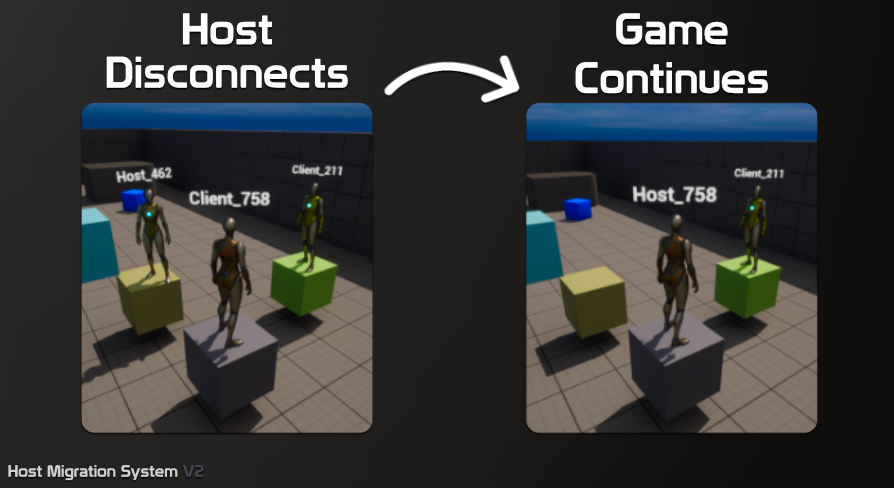
https://www.fab.com/listings/e5f036a3-c476-40bc-9eaa-531e9617c0c5
this is plugin I found, but I havent implemented it yet, I dont know how it is working
Fab.com
Real Project Example (Thanks to @Uhr for sharing)Showcase VideoExample Project (Advanced Steam Sessions + Steam Sockets, Shipping ready)Example Project (OLD)DocumentationSupport Discord (or email darxdevcontact@gmail.com)Host Migration System V2Avoid setting up and paying for dedicated serversSuper fast with brand new C++ backendEasily Integrate...
verbal ice
And it would likely wouldn't be real host migration
verbal ice
torn hull
https://www.fab.com/listings/e5f036a3-c476-40bc-9eaa-531e9617c0c5
this is plugi...
From a quick glance at the documentation, it works but it also probably doesn't scale too well
torn hull
yeah, its propably solution only for smaller games
verbal ice
Looks like it saves the entire game's state to a save object and sends it to all players periodically, with chunking
thin stratus
Yeah, I'm pretty sure with a bit of headache and some Engine changes, one could make this work properly.
The main issue is, that the Clients usually don't have access to all information that the Server had, as UE's Gameplay Framework has a few cases that are Authority-only (like the GameMode).
Definitely a fun problem to solve if one really needs it, but I would assume that it's a bit too complicated for almost all projects that wonder if they could do it or not :D
 royal monolith
what's the simplest way to do this ? I'm a noob and can't figure it out. I tried with player state, game instance or game state, nothing work as I wanted .
I have only 2 players, that are able to choose clothing based on a boolean that's true or false, so only 2 choices. they make that choice before they host or join a server. so basically they need to be able to make either different choices or even the same choice is possible. and once they choose the variable before they become either host or client, it needs to stay persistent and replicated.
thin stratus
royal monolith
what's the simplest way to do this ? I'm a noob and can't figure it out. I tried...
Blueprint or C++?
royal monolith
thin stratus
Blueprint or C++?
blueprint
quasi tide
Store their selection in gameinstance
On PostLogin - do an RPC to the client to get it
Have the client RPC the selection back to the server
Update the value on the server
Make sure the variable is a repnotify variable
thin stratus
Okay. Then your options are a bit more limited.
PlayerState and GameState generally won't work here, because they aren't persisted when hosting/connecting. They only allow for some persistence when Seamless ServerTraveling after already hosting/being connected.
When hosting/connecting, you will need to use either an object that does persist (GameInstance would be the correct choice) or use something along the lines of a SaveGame.
After connecting (specifically), you will need to communicate the selection to the host, as the data is, at that point, only available locally.
After you told the host about the data, you can store it inside the PlayerState, replicate it and use the CopyProperties event to persist it for Seamless ServerTravels.
thin stratus
quasi tide
Store their selection in gameinstance
On PostLogin - do an RPC to the client to ...
I always wondered if it wouldn't be simpler to just use a ServerRPC from PlayerController::BeginPlay.
quasi tide
I thought Epic advised to not do that
thin stratus
Why not?
quasi tide
I just know that PostLogin is the first time it is safe to do RPCs with player controllers
thin stratus
I know PostLogin is supposed to be the first point at which you can send ClientRPCs, but I wouldn't know why I can't send a ServerRPC there.
quasi tide
Maybe it isn't actually connected? idk
thin stratus
Possible.
haughty ingot
thin stratus
I know PostLogin is supposed to be the first point at which you can send ClientR...
I thought PostLogin was too early 
quasi tide
It specifically says it is the first place it is safe to call RPCs on the PC
haughty ingot
Hm, I remember back in the day I used to have an issue with it that I can’t remember. So maybe I’m misremembering or they changed it somewhere along the way
thin stratus
royal monolith
what's the simplest way to do this ? I'm a noob and can't figure it out. I tried...
BP_GameMode - Server-only
----------------------------------------------------
Event PostLogin(NewPlayer) - Native Event you override
-> Cast NewPlayer to BP_PlayerController
-> Call Client_RequestData on BP_PlayerController

BP_PlayerController - Server and owning Client
----------------------------------------------------
Event Client_RequestData - ClientRPC - Executes on Client
-> Cast GetGameInstance to BP_GameInstance
-> Call GetData on BP_GameInstance
-> Call Server_SendData(Data)

Event Server_SendData(Data) - ServerRPC - Executes on Server
-> Cast GetGameMode to BP_GameMode
-> Call ReceiveData(Data) on BP_GameMode

BP_GameMode - Server-only
----------------------------------------------------
Event ReceiveData(Data)
-> Use Data
Something along those lines.
quasi tide
When does the PlayerController actually get given to the client?
Like - when do they link up
Or - better yet - where is the logic that restricts the PC to only being on the server and the owning client
haughty ingot
quasi tide
Or - better yet - where is the logic that restricts the PC to only being on the ...
Ancient, a scroll from another time. A relic of the past
quasi tide
Because - BeginPlay for the controller runs in the AGameModeBase::Login method when they spawn the controller there. @thin stratus
thin stratus
quasi tide
Or - better yet - where is the logic that restricts the PC to only being on the ...
Player has a local fake PlayerController for a while until it replicates the correct on iirc.
quasi tide
Yeah, I'm trying to find when that swap happens
thin stratus
UChildConnection::HandleClientPlayer iirc.
If the concern is that BeginPlay triggers on the fake one, then I think one could filter via Authority, as the replicated one should not have Authority locally.
quasi tide
UNetConnection::HandleClientPlayer seems to be where the swap happens.
 quasi tide
And the PC calls that in OnActorChannelOpen()
thin stratus
It's one of those very niche bits of knowledge xD
quasi tide
thin stratus
If the concern is that BeginPlay triggers on the fake one, then I think one coul...
Nah - that isn't the concern for me. The concern is whether or not BeginPlay on the client's controller has a chance of running before it is safe to call a server RPC
thin stratus
That depends on what is considered "safe to call a server RPC", which I don't know at this moment.
But given the Actor is fully replicated and has an Actor Channel, I don't see why it wouldn't be fine.
I think the main reason that comment exists is to point out that before that, the PlayerController isn't fully set up yet.

So one shouldn't call an RPC on the PlayerController inside ::Login for example.
I don't think it matters for the Client-side. Pretty sure I have called RPCs in BeginPlay of the PC.
quasi tide
It is probably fine.
 knotty bane
Hey guys, how do you guys tackle server travel to keep your widget alive since when you swap maps the widget always gets cleared, iknow that lyra had a plugin CommonLoadingScreen, but do you guys have other solutions to this?
quasi tide
I don't think I really ever do. I prefer a clean slate.
The UI should read from the game - so it should be able to be easily reconstructed on its own
thin stratus
LoadingScreens are probably the only thing I would keep alive for that matter. Everything else should be re-created.
knotty bane
i generally dont use loading screens but when using map travel its better to have something like a loading screen instead of just a black screen, altough the travel is really fast
 remote imp
Hey guys, pasting this here cause I was having issues with the game animation sample project in a multiplayer setting causing severe jittering and couldn't find much help anywhere.
In the cbp_SandboxCharacter blueprint, in the "component replication" section the "component replicates" check box was set to true for both the mesh and capsule component. Once I unchecked those boxes, the jitter has completely stopped. However, I haven't done enough testing to see if it broke anything else though.
Just wanted to share this finding and was wondering if there were any other suggestions or recommendations revolving this issue.
 tardy fossil
replicate movement is what you want to disable as the character movement component handles replicating the movement
nova wasp
tardy fossil
replicate movement is what you want to disable as the character movement compone...
the character actor still replicates movement the normal way for sim proxies (with some smoothing and a bit of resim after being received)
but yeah you never want to replicate the components... the replication here is through the root character actor
there is no need to replicate anything about the other components as they use the ACharacter's replication
chrome bay
Also if you do replicate them, they replicate different transforms independently which is why you get jitter
you very very rarely replicate scene components
nova wasp
yeah replicating a component generally means you have something on that component that is ONLY from there that is important or you want to change it in a unique way the parent can't do
for just changing like a transform offset it does not make sense to replicate an entirely new object if it's something always there on the actor
brazen anvil
I often find text saying that you should aim for 60 fps on a client, but what would you want on a dedicated server? I remember watching someone on Twitch play Star Citizen and it was showing what the server fps was and it was like around 15.
quasi tide
It is a tradeoff (just like on the client).
Some games can operate fine with like 15 fps on the server. Other games, less than 128, and your community will burn you at the stake.
exotic wasp
brazen anvil
I often find text saying that you should aim for 60 fps on a client, but what wo...
higher fps always better. but yeah it really depends on the game
if it's an fps it will feel pretty awful with anything less than 32fps
if it's a casual coop game it doesn't really matter
hybrid zodiac
Hi all, I have some issues with a custom CMC movement mode which is receiving constant correction spam even when just doing basic movement in a straight line. I've spent an hour or so tearing it apart but I just can't see what I've done wrong. Pseudo code below:
void UMyComp::PhysMyMove(float DeltaTime, int32 Iterations)
{
    if (DeltaTime < MIN_TICK_TIME) { return; }

    float RemainingTime = DeltaTime;
    while ((RemainingTime >= MIN_TICK_TIME) && (Iterations < MaxSimulationIterations))
    {
        Iterations++;
        float TimeTick = GetSimulationTimeStep(RemainingTime, Iterations);
        RemainingTime -= TimeTick;

        const FVector PlayerInputWS = Acceleration.GetSafeNormal2D();

        FVector NewVelocity = CustomVelocityFunction(PlayerInputWS);

        // Percent time of this TimeTick
        float PctTimeRemaining = 1.0f;

        const FVector OrigMoveDelta = NewVelocity * TimeTick;

        // Move the capsule, updates velocity based on what was hit and how it affected motion
        NewVelocity = CustomCapsuleMoveFunction(OrigMoveDelta, PctTimeRemaining);

        // PctTimeRemaining will be > 0.0f if the capsule could not complete a full OrigMoveDelta
        RemainingTime += (TimeTick * PctTimeRemaining);

        Velocity = NewVelocity;

        FFloorCheckResult NewFloor;
        CustomFindFloorFunction(NewFloor);

        CurrentFloor.SetFromSweep(NewFloor.HitResult, SweepDistance, NewFloor.bWalkableFloor);

        if (!NewFloor.IsWalkableFloor())
        {
            StartCustomFallMode();
            StartNewPhysics(RemainingTime, Iterations);
            return;
        }
    }
}
I've looked at some other examples and I can't see what I've done wrong. Switching the custom capsule movement function for the basic SafeMoveUpdatedComponent one doesn't fix anything. The examples I found online just do the same basic thing: Update velocity, move the capsule, switch to a new mode if needed
 sage lance
brazen anvil
I often find text saying that you should aim for 60 fps on a client, but what wo...
sage lance
brazen anvil
I often find text saying that you should aim for 60 fps on a client, but what wo...
star citizen is a tragic example lol that game is cursed go for max fps 100+
lost inlet
also it really depends
since limiting the FPS on a dedicated server will help server density
twitchy, fast paced, competitive shooter? 60 should be the minimum
not that, you could probably get away with 30 or lower
brazen anvil
I found a pretty nice article on Iris vs default UE replication https://bormor.dev/posts/iris-one-hundred-players/

BorMor | Unreal Engine 5 — Development and Optimization
Iris vs Default Replication: A deep dive into Unreal Engine 5 networking. We analyze architectural differences, performance impact, and code-level details to help developers choose between the new Iris system and the legacy Actor Replication.
quasi tide
Pretty recent too - that's a plus.
 pliant cypress
Any good tutorial for ai + multiplayer? (C++ preferred)
silent valley
pliant cypress
Any good tutorial for ai + multiplayer? (C++ preferred)
Nothing special needed, really. Just know that AI controllers run on server, and the pawns replicate the movement etc to clients in the usual manner.
pliant cypress
silent valley
Nothing special needed, really. Just know that AI controllers run on server, and...
What about variables, combat state and other stuffs? Like in character, I have HasAuthority stuff which can be called to check if player is a server or not
Or call a RPC if it's on client
pliant cypress
pliant cypress
What about variables, combat state and other stuffs? Like in character, I have H...
Or they just go inside ai controller?
silent valley
Same for AI as players. AI pawns HasAuthority will work as expected on server and clients. Replicated vars on ai pawn will replicate, etc.
AI controller will only exist on server of course, so don't replicate variables there. Use the Pawn.
pliant cypress
Oh thank you, so I can pretty much follow this tutorial and apply my network knowledge in it too.
https://youtube.com/playlist?list=PLWUvrI0mg8VKTJWKqsDn_xyZfD3f7Xye-&si=GjFKS5_Ub1B6043v
 lament flax
pliant cypress
Any good tutorial for ai + multiplayer? (C++ preferred)
lament flax
pliant cypress
Any good tutorial for ai + multiplayer? (C++ preferred)
Check #gameplay-ai pins
verbal ice
<@&213101288538374145>
tardy fossil
brazen anvil
I found a pretty nice article on Iris vs default UE replication https://bormor.d...
i wonder what different results he expected
silent valley
you never know unless you test your assumptions. very rare to see people putting in the time to do that. great to see some real world performance examples.
and maybe Epic will see this and take on board the performance issues around allocating/releasing temp memory over and over. although looks like they have a Jira tracking that 🙂
tardy fossil
yea i dont mean that in a "thats obvious" way, just curious if he expected it to perform better or worse
torn hull
Hey, is there anything special about component variables when it comes to replication?
I’ve got a problem. In my Itemblueprint, on Begin Play I’m setting component variables on the server. But when I try to use this variable from the client, it looks like it’s not replicated.
Of course, on Begin Play the clients aren’t connected yet, but I thought that’s the whole point of replication, that it updates the variable correctly later. What’s weird is that another variable (for example, one that’s a Name type and assigned at the same time) works as expected.
So I’m wondering, is this because it’s an “actor component” type?

 chrome bay
The actor, component and property all need to be replicated
After that, depends where you use it
No garauntee it's up-to-date when BeginPlay hits client side
<@&213101288538374145>
torn hull
chrome bay
The actor, component and property all need to be replicated
I’m adding this with “Add Component by Class” on Begin Play where then child class is set from data table, so I don’t see anything else to replicate. What property do you mean? The actor itself is replicated, of course
 chrome bay
You're replicating the variable pointing to that component but not the component itself. You'll need to call SetReplicates on the component
Not sure what the BP equivalent is
And ofc you should only do that on Server/Authority
torn hull
Yeah, that was missing point, itts working now, thanks!
 dark edge
torn hull
Yeah, that was missing point, itts working now, thanks!
dark edge
torn hull
Yeah, that was missing point, itts working now, thanks!
remember you can have a race condition
the ref can replicate before the thingy does
if you're using an OnRep of those refs then you wanna check their validity
torn hull
I'm using this only when an item is picked up, a long time after joining
dark edge
torn hull
I'm using this only when an item is picked up, a long time after joining
you still have the race condition, you set a replicated ref and turn on replication for the thing in the same frame
no real way around that, just if you get some bugs about it that's probably why
your code needs to handle the ref being there before the thing is
torn hull
dark edge
you still have the race condition, you set a replicated ref and turn on replicat...
Ok, I get it now. However, this ref is replicated only to the owner, and when the item is picked up, I change the owner and then the ref is replicated again, so it’s not a problem, right?
dark edge
torn hull
Ok, I get it now. However, this ref is replicated only to the owner, and when th...
It'll eventually be consistent
just don't bet on one happening before the other
 pliant gull
does anyone know the best way to replicate a variable located on the playercontroller to the client. for example im trying to replicate a variable named Money so it should be player specific and others dont need to know about 1 players money. i have tried many things but cannot wrap my head around how i can send the variable to the client. i need to be able to display it on the HUD. idk if this is a complicated task or im just really missing something here. i understand that the player controller on the server does not know of the HUD so im a little stumped as to how i should send it.
quasi tide
Just mark the variable as replicated
It'll replicate to its owning client automatically
pliant gull
quasi tide
It'll replicate to its owning client automatically
does this work for cpp? how would i access the replicated variable
quasi tide
Yes
pliant gull
quasi tide
Yes
but how would i access that variable in code
quasi tide
The same way as you access any other variable
UMG widgets have a way to get the player controller they're associated with
 halcyon flicker
Does anyone know why my clients are unable to utilize this simple dash mechanic? I think it's setup correctly but any player other than the host just twitches briefly.
First screenshot is in Character, second is in Controller.


I've tried a variety of alterations but nothing has moved the needle on this so far
 dark parcel
halcyon flicker
Does anyone know why my clients are unable to utilize this simple dash mechanic?...
dark parcel
halcyon flicker
Does anyone know why my clients are unable to utilize this simple dash mechanic?...
movement should be predicted anyway. Input delay on movement is unplayable imo.
dark parcel
Yeah, that also need to be predicted.
imagine you start dashing .1 second later because you have 75 ms.
halcyon flicker
the delay happens after the dash lol
dark parcel
any player would break their keyboard and uninstall.
Are you aware of input delay?
the issue is you are sending the signal first to the server before commiting the move.
Picture your character start walking a moment after you press W.
halcyon flicker
I know what input delay is, I'm unaware of the delay implications when interacting with the server as I haven't even gotten it functional yet.
dark parcel
All games, predict their movement, so they apply their movement on the local machine first, then it sends the movement data to server.
Server then check if the movement is valid and correct the move back to if invalid.
dark parcel
halcyon flicker
I know what input delay is, I'm unaware of the delay implications when interacti...
yeah and Im just saying you can't get it functional like this.
halcyon flicker
cool, thanks for that
dark parcel
you need to pack the data into the movement struct.
@halcyon flicker https://www.youtube.com/watch?v=rg9id_ex_DY&list=PLXJlkahwiwPmeABEhjwIALvxRSZkzoQpk&index=7

https://discord.gg/uQjhcJSsRG
https://github.com/delgoodie/Zippy
In this video I create the dash mechanic which is fully network compatible in a custom character movement component. I also talk about cheat prevention and simulated proxy state. We also look at implementing another compressed flag.
0:00 Intro
01:18 Implementation
15:09 Trigger
26...
for server auth movement, you can't work outside the CMC framework.
halcyon flicker
strange that every tutorial under the sun for a replicated dash movement in BP doesn't follow that at all
halcyon flicker
again i'll worry about input delay when it actually works at all lol
I'll look at this vid and try to tackle the C++
dark parcel
well the video already have sprinting and dash covered.
You can keep trying in bp, I will just say it's futile and waste of time.
just trying to save your time.
halcyon flicker
with something like modifying movement speed
I assume its better to change movement modes entirely?
e.g. overencumbered, stealth
dark parcel
I'm not there yet, so I don't know.
halcyon flicker
I'm currently setting the Max Walk Speed variable but I understand there is a missing replication component
dark parcel
afaik those are set according to the flags from the movement struct. Doing it externally (in bp for example) will just break in real multiplayer setting (add delay).
halcyon flicker
even without modifying those variables I get crazy jitter in movement on the client
I think it has something to do with mismatched FPS
halcyon flicker
Like my setup is otherwise default and I get the jitter
dark parcel
movements are applied from the movement struct.
halcyon flicker
no I'm saying without changing anything it still happens
if FPS on both clients is sub 60 it works fine
 dark parcel
I feel like that information should be pinned
@halcyon flicker #multiplayer message
if you want to go through more settings.
halcyon flicker
yeah still very jittery unfortunately :(
strangely enough in a fresh project I don't get the jitters
but I'm genuinely at a loss for what is different, considering any modifications to the movement component are handled strictly via class defaults, and I checked replication flags on actors/components
torn hull
Hey, I’ve got some logic on the server and need two vector variables that are set locally on the client every tick. Is it possible to get these vars using one RPC? The only idea I have is to trigger an event on the owning client and then send an RPC to the server with these variables as inputs.
 dark parcel
torn hull
Hey, I’ve got some logic on the server and need two vector variables that are se...
dark parcel
torn hull
Hey, I’ve got some logic on the server and need two vector variables that are se...
The event is intiiated by the server? If not why do you run Client RPC.
Client RPC is Server telling the owning Client to perform a function.
torn hull
This bpi is from the server
dark parcel
@torn hull So do you encounter an issue? Only thing that I am seeing is probably because of delay, there is no guaranteed when the RPC arrives. So the player may Press E to plant, and move it's cursor quickly so the plant doesn't necessarily will be planted where the cursor is looking at.
To me it make more sense that client just tell the server right away that it wants to plant (followed by the data you want to send, e.g the plant location and normal). Server check if there is any obstruction or if the action is valid, if it is then just spawn the plant on server side which then replicate to all clients.
 spiral ravine
How would a client set a variable on another player but only from the client's perspective?
thin stratus
spiral ravine
How would a client set a variable on another player but only from the client's p...
By simply doing so locally.
If you have an Actor A that is owned by Client A and you want to set a property on Actor A only on Client B, then just access Actor A while being on Client B and set it. You only need to ServerRPC and use a replicated property if you need the change to be authorative and visible to *everyone.
Maybe the property is set to replicate and you are also changing it on the Server, causing it to replicate and override the locally set value?
mystic estuary
Hello, if I want to use push model for replication, do I need to enable that only for server target or also editor?
 hard mountain
is there a known anim notify state issue in 5.6.1, for some reason client character single play montage with single notify state is called multiple times, this is not normal right?
brazen anvil
In A FPS, from my reading it appears the best way to handle the firing logic is to basically set a bool to indicate that the player has started firing. This then gets replicated to proxies. The part I am wondering is how do you determine if someone was hit? When predicting the local projectile would you RPC the hit to the server?
I feel like you would send a RPC with information on the hit that then gets validated on the server. However when I think of a gun that shoots 1000 rounds per minute that would be 16 RPC per second which doesn't sound good.
thin stratus
hard mountain
is there a known anim notify state issue in 5.6.1, for some reason client charac...
AnimNotifies are generally a bit unstable in that regard.
thin stratus
brazen anvil
I feel like you would send a RPC with information on the hit that then gets vali...
You can do the local hit and send it to the server, but you'd want to limit it to actors that can actually be damaged.
Not all of those 1k shots will hit.
And if you do multiple shots in one frame you may bundle their hits into one RPC.
brazen anvil
would that only happen if the weapon shot more rounds per second than frames per second?
16 rounds per second in 60 fps would be 1 round every 3.75 frames. If I am mathing correctly. but yes I did think about doing checks to determine if an RPC should be sent. but then I wondered about visuals like holes in the wall. if you were firing 16 rounds per second into the wall, the server would have to send those to clients. but that could probably be batched
 dry sequoia
I manage to make the VOIP work. But the attenuation doesnt work for all players
 hard mountain
thin stratus
AnimNotifies are generally a bit unstable in that regard.
hard mountain
thin stratus
AnimNotifies are generally a bit unstable in that regard.
but thats an issue, i use it to start a trace and then disable it in the right moment, it works fine on server, i assumed i know how anim notifies work, they dont seem like much, but this makes it unusable as it resets the trace over and over again so at the end no traces at all
its just doesn't make sense, why would it be called multiple times during the animation, its a single attack anim montage with single anim state start and end, i found out some similar reports on epic forums for 5.6.1
so now im not sure, but it looks like this is not normal?
thin stratus
hard mountain
but thats an issue, i use it to start a trace and then disable it in the right m...
Well, there might be some bug with it right about now that I'm not aware of. But generally I wouldn't tie multiplayer gameplay logic to the notifies itself.
If you have access to C++, then you can query the Montage for the AnimNotifies and simply read out the Time at which they should trigger and set up a timer that won't randomly break and runs alongside the Montage.
That's at least what we usually do.
thin stratus
brazen anvil
would that only happen if the weapon shot more rounds per second than frames per...
Yeah, was just an additional note.
thin stratus
brazen anvil
16 rounds per second in 60 fps would be 1 round every 3.75 frames. If I am mathi...
You can handle it for example like this.
- Every Shot is predicted locally and an RPC is sent to the Server notifying it about the Shot itself.
- If it's a Dedicated Server, then there is potentially no reason for the Server to simulate the Shot, despite for Hit Validation. So the Dedicated Server can just let it time out and 'destroy' it again (assuming Shots aren't Actors but just a struct in an array).
- Shots would be replicated to SimProxies that simulated the Shot locally.
- For both, prediction and SimProxies, Hits against Actors that can't be damaged can be handled locally, including spawning the decals, VFX, SFX, etc.
- Hits against Actors that can be damaged will be RPCd to the Server.
- The Server then resimulates the Shot (e.g. from last confirmed Hit (or Spawn Location) until the reported Hit).
- At this point you may also 'rewind' the Actor that got hit, because it won't be at the same location on the Server as it was on the Client due to ping.
- If Server confirms Hit, it can send the info about the decals, VFX, SFX having to be spawned.
thin stratus
dry sequoia
I manage to make the VOIP work. But the attenuation doesnt work for all players
I don't know much about VOIP setups, but you may want to add some info about where your code is actually located and what exactly the specific parts of your code were supposed to do and what is not working exactly
thin stratus
mystic estuary
Hello, if I want to use push model for replication, do I need to enable that onl...
I would just generally enable it.
hard mountain
thin stratus
If you have access to C++, then you can query the Montage for the AnimNotifies a...
hmm, so u are telling me that they can very well break in some ways out of the blue
well ok, but like i said, it doesn't look normal to me, there is no reason, its a short attack
this is more like a r&d gas mp project, so yeah, c++ is used anyway
the montage itself is run from gameplay ability activation with PlayMontageAndWait
not sure i will do it this way, but any way, thx for the tip, good to know
thin stratus
hard mountain
hmm, so u are telling me that they can very well break in some ways out of the b...
Does the Montage contain RootMotion?
Are you sure the Montage's PlayPosition isn't being adjusted due to, e.g., corrections, which causes the Notify to be hit again? You may want to print the PlayPosition on tick while it's playing to confirm such things.
hard mountain
thin stratus
Does the Montage contain RootMotion?
Are you sure the Montage's PlayPosition isn...
there is no root motion
not sure about the corrections and how would i print the PlayPosition from the montage
but isnt there a console debug command to see corrections?
brazen anvil
thin stratus
You can handle it for example like this.
- Every Shot is predicted locally and ...
Awesome info. Thanks for this
torn hull
dry sequoia
I manage to make the VOIP work. But the attenuation doesnt work for all players
Ive had some problems with it as well but finally figured it out, here is screen from my setup
 sinful apex
hey so got a question, so what should I do for like replication? should I continue using listened server or use dedicated servers,
its pissing me off that OnRep functions dont work on listened servers and since I have like all of my replication stuff in bp it just pissed me off that I cant manually call that, and I really dont feel like doing the same work twice just so it replicates fine for the listened server
quasi tide
its pissing me off that OnRep functions dont work on listened servers
Uhhhh - what?
BP Onrep functions will execute any time the variable is set
C++ onrep functions must be called manually when on the server (but not the client)
The choice of listen server vs dedicated server is determined by your game and, probably more importantly, your wallet.
sinful apex
quasi tide
BP Onrep functions will execute any time the variable is set
C++ onrep functions...
Well for some reason it doesn't do it for me, I have a function that moves items from 2 different inventory components which runs on the server And after it's done I'm using on rep to send out a delegate to update the inventory and the hotbar to check for changes and to do proper unequipping of items and for some reason it works fine on client but the moment it's the servers turn todo said thing it just doesn't do it and I need to manually call those delegates which is kinda broken because of my poor replication skills
quasi tide
Show your code
Unreal would break a crap ton of projects if it didn't work
People would be in here complaining about it dang near nonstop
sinful apex
quasi tide
Show your code
Im in bed rn but it's just me coping with the fact that my code is absolutely horrid
Sorry for waste your time
 vivid seal
looking for some opinions, do you guys tend to do server-side validation for things like recoil or weapon spread? or is this something you just end up trusting the client on
quasi tide
Depends on the game
thin stratus
sinful apex
Well for some reason it doesn't do it for me, I have a function that moves items...
The reason the server calls the OnRep in Blueprints is due to the implementation being more or less a "property changed notifier". And it's also strangely bound to the Setter nodes of the giving property. Arrays, for example, often don't properly trigger said OnRep if one uses Add/Remove nodes and it requires setting the array with itself to trigger it.
Which is or course garbage but well
pliant cypress
void UMultiplayerSessionSubsytem::Login()
{
    if (Subsystem)
    {
        UE_LOG(LogTemp, Warning, TEXT("Online Subsystem: %s"), *Subsystem->GetSubsystemName().ToString());
        if (Identity = Subsystem->GetIdentityInterface())
        {
            FOnlineAccountCredentials Credentials;
            //Credentials.Id = FString("127.0.0.1:8081");
            //Credentials.Token = FString("Prabhdeep");
            //Credentials.Type = FString("developer");
            Credentials.Id = FString();
            Credentials.Token = FString();
            Credentials.Type = FString("persistentauth");
            GEngine->AddOnScreenDebugMessage(0, 10.f, FColor::Blue, TEXT("Persistent Auth"));
            LoginHandle = Identity->AddOnLoginCompleteDelegate_Handle(0, FOnLoginCompleteDelegate::CreateUObject(this, &ThisClass::OnLoginComplete));
            Identity->Login(0, Credentials);
        }
    }
}```
void UMultiplayerSessionSubsytem::OnLoginComplete(int32 LocalUserNum, bool bWasSuccessful, const FUniqueNetId& UserId, const FString& Error)
{
    UE_LOG(LogTemp, Warning, TEXT("Logged In: %d"), bWasSuccessful);
    if (Subsystem && Identity.IsValid())
    {
        Identity->ClearOnLoginCompleteDelegate_Handle(0, LoginHandle);

    }

    if(bWasSuccessful)
    {
        GEngine->AddOnScreenDebugMessage(0, 10.f, FColor::Blue, TEXT("Login Success"));
        if (Subsystem && Identity.IsValid())
        {
            Identity->ClearOnLoginCompleteDelegate_Handle(0, LoginHandle);

        }
    }
    else
    {
        if (Subsystem)
        {
            FOnlineAccountCredentials Credentials;

            Credentials.Id = FString();
            Credentials.Token = FString();
            Credentials.Type = FString("accountportal");
            UE_LOG(LogTemp, Warning, TEXT("Loggin"));
            GEngine->AddOnScreenDebugMessage(0, 10.f, FColor::Blue, TEXT("Account Portal"));
            Identity->Login(0, Credentials);
        }
    }
    MultiplayerLoginCompleteDelgate.Broadcast(bWasSuccessful);
}
I am not able to login after integrating Steam EOSPLUS.
like now i want the user to be logged in by steam with EOS backend
and not need to login each time by Epic
 hexed path
Hi
How do I make client-authoritative replication?
I have a rotator variable called TargetRotation, this is basically where the character should be looking at.
I don't care if this gets exploited or cheated by the players, this is not a gameplay important variable. But it has to be butter smooth to clients no matter the ping.
Currently I calculate and set the TargetRotation in locally controlled client, then use a server RPC to set the calculated value on the server too.
With high ping this causes jitter, because as I understand, the client sets to a value, then sends to a server to set that value, but because of latency when that value is set on server, it is already old.
Do I have to do the whole calculation on the server too? Or do I have to have separate variables for ServerTargetRotation and ClientTargetRotation? Is there no other way for client authoritative replication?
Having 2 separate variables would also cause the problem, that everywhere I want to use that variable, I will need to use the IsLocallyControlled bool, to select the correct variable.
Considering I might (and definitely will) want client-authoritative replication of other variables too, this will bloat pretty quickly
 lament minnow
is it possible to control when a local multiplayer split screens/uses single screen. atm i have an isometric game, and i'd like to seamlessly join the camera together when the players are close together, but when they get far apart then splitscreen will trigger and each player will get their own view?
hexed path
hexed path
Having 2 separate variables would also cause the problem, that everywhere I want...
Maybe I could have a Getter function for variable to not perform the IsLocallyControlled check everywhere, and just use that pure Getter function, which does that check internally.
But this is still bloat, because I will still need to have 2 variables and 1 function, for every single variable that I want to be client-authoritative.
 hoary spear
Thats why macros exist ? 😄
hexed path
hoary spear
Thats why macros exist ? 😄
How would a macro be used in this instance?
Let's say I have 2 variables, that I want to be client authoritative - TargetRotation, FinalSpeed
In the example I explained, I will need to have 2 variables for each of these, so total variables - TargetRotation, ServerTargetRotation, FinalSpeed, ServerFinalSpeed.
How would I use a macro, that would get the correct variable by performing the IsLocallyControlled check, and how would it be any different than using a function?
I still need 2 variables and 1 function, or 1 macro, for every variable I want to be client-authoritative
 twin vessel
hexed path
How would a macro be used in this instance?
Let's say I have 2 variables, that ...
twin vessel
hexed path
How would a macro be used in this instance?
Let's say I have 2 variables, that ...
Do you need to have on predicting client the ServerTargetRotation and ServerFinalSpeed?
hexed path
hexed path
Hi
How do I make client-authoritative replication?
I have a rotator variable c...
^ This explains in detail
All the clients needs to know the value of TargetRotation.
twin vessel
hexed path
^ This explains in detail
All the clients needs to know the value of TargetRota...
Yes but does the predicting client itself need to receive the replicated value from the server or only the other clients need to receive the server value?
Because if the predicting client does not use the server replicated value, then you just use a single variable and you make it only replicate to sim-proxies
hexed path
twin vessel
Yes but does the predicting client itself need to receive the replicated value f...
Client authoritative explains it, no?
I am an OwningClient, I calculate and decide the value of TargetRotation.
I tell that calculated value to all other clients. They don't tell me the value of TargetRotation.
hexed path
twin vessel
Because if the predicting client does not use the server replicated value, then ...
How do I make it replicate only to sim-proxies?
twin vessel
hexed path
How do I make it replicate only to sim-proxies?

Epic Games Developer
Detailed information about how to conditionally replicate Actor properties.
twin vessel
hexed path
Client authoritative explains it, no?
I am an OwningClient, I calculate and dec...
You might have wanted to apply corrections if the predicted value is too far from the server one, what do i know?
hexed path
twin vessel
https://dev.epicgames.com/documentation/en-us/unreal-engine/conditional-property...
I have no idea how I missed the ReplicationCondition dropdown, that is right under the Replication enum. Using blueprints.
Thanks, will have to do testing, but looks like it will do what Im looking for with SkipOwner
tardy fossil
not sure if you are, but id suggest also not having the clients send update RPC's every frame, but at a certain rate and lerp between the rotations
 serene silo
Hey there, I've been learning how p2p multiplayer works for about a week now and recently stumbled upon a problem I've been trying to deal with for over a day. My game does a lot of rubberbanding on high pings that's why I would like the player to move locally as not to give the player an impression of teleporting back - that's why I disabled replicate movement in my player BP. Now, the player's location does not update but I thought I could spawn a fake lag compensation player that is the one detecting hits which updates on server to the local player location. My process looks like this: I spawn the fake player on server by checking authority and create a reference var to it. Then in tick I do a server event where I pass in my local player location and call the event in the fake player to update it's location with a rep notify var that updates the location. The result is that the fake player model follows the host player but does not move for the client so the client can't see it moving and other as well. The position the fake player receives from the client seems to be the one at which the player spawned, when it should be the current local position (I'm using get actor location). No matter how hard I try it just seems not to work for the one joining the host. Could anyone help me resolve this?
thin stratus
serene silo
Hey there, I've been learning how p2p multiplayer works for about a week now and...
Hey. I wonder why you aren't using the Character class if you need client prediction.
The CharacterMovementComponent (CMC) has the whole logic for prediction, reconciliation and all that stuff built in already.
If you have reasons not to use it, you'd need to recreate part of that setup again for your Pawn. What you are trying right now is somewhat correct, but hard to tell what is wrong without seeing your code.
 grand kestrel
CMC can't accomplish certain games adequately like platformers or fighting games etc. Need more info tho coz it does most games
 vivid siren
Would you still say Chaos Mover is not ready to be used? We have a custom and very inefficient homebrewed solution for replicated physics-based movement and we're debating on swapping to something more official like Chaos Mover.
thin stratus
grand kestrel
CMC can't accomplish certain games adequately like platformers or fighting games...
Ya, that's why I was wondering.
Is your name even pinker than usual?!
 thin stratus
vivid siren
Would you still say Chaos Mover is not ready to be used? We have a custom and ve...
thin stratus
vivid siren
Would you still say Chaos Mover is not ready to be used? We have a custom and ve...
I have no experience with Chaos Mover. We are still using custom NPP Mover
You'd need to test it
vivid siren
thin stratus
I have no experience with Chaos Mover. We are still using custom NPP Mover
Dang, yeah we're in a time crunch and looking for the best path forward, not much time for R&D phases atm
 dapper remnant
yooo
can i get some help with using steam subsystems it looks like it aint replicating properly
i made the join and host systems from this tut because i never have used steam subsystems

This video covers how to set up Steam Multiplayer in Unreal Engine 5.5 using Blueprints.
It covers all of the setup steps, how to create and join sessions, as well as testing the game works over steam (even when you only have access to one computer through the use of Sandboxie).
📕 Written Guide
https://unreal-chronicle.hanayou.dev/docs/misce...
grand kestrel
thin stratus
Is your name even pinker than usual?!
It would appear so
dapper remnant
and idk why join is broken or smth cus i cant see other charcter or anything, i am using the first person template
but i have the mesh hands that you are supposed to be able to see idk

getting this error whenever joining with another player onto the server
 lost inlet
I'm really not sure what you mean
A replicated actor spawned on the server is going to spawn on relevant clients
vivid siren
dapper remnant
getting this error whenever joining with another player onto the server
Can't see the rest of the code, but assuming that's on BeginPlay, it will fire for all players, for all pawns. As in, when the pawn for Client A spawns, then Client B will be running the mapping context code on begin play as well, but clients don't have access to each other's player controllers, so it would always return null. You could add an IsValid to check the player controller before running that, or better, only run it if IsLocallyControlled = true.
serene silo
thin stratus
If you have reasons not to use it, you'd need to recreate part of that setup aga...
I'm really just making the most barebones, simple multiplayer fps. I tried all the built in networking stuff in CMC but still - with bad ping the joining player experiences rubberbanding and it just feels off. That's why I thought running your whole movement locally without replication and having the client send it's local position to the server which updates a fake player model acting as the hitbox to that location for others. Thought that solution is kind of a standard for lag compensation, please correct me if I'm wrong and thanks so much for help!
Also forgive my lack of experience in multiplayer terminology, I'm just learning about it
WIth just sending my actor location to the fake player model it seems to only work on server. So I thought of maybe running a replicated player location var in my actual player and then sending that information off but it seems that ue is trying to fight those 2 locations. My guess is that the server update frequency doesn't match the player's tick update
It just seems like my client refuses to send it's local actor location as it's current location to the server instead defaulting to the one it spawned with
silent valley
serene silo
It just seems like my client refuses to send it's local actor location as it's c...
idk why on earth you're not using CMC, but for this specific issue, are you aware that replicated variables should only be changed on server?
You can change the variable on a client, but it won't replicate to anyone else.
If you want a client to do it, the client must send a Server RPC to the server with the value, then the server would apply that value to the variable.
Then the change will be replicated back to clients.
serene silo
silent valley
idk why on earth you're not using CMC, but for this specific issue, are you awar...
Is there a better built in solution for this? I would like for the client player location to never be teleported back as in to sync with the server. I tried all the built in networking parameters and they don't give me the results I'm looking for
silent valley
As soon as you enable client authoritative, then you are now open to client cheats. If you're OK with that, then there seems to be a Client Authoritative Movement plugin on the marketplace you could try.
If you want to prevent clients from cheating through walls etc, then CMC is your best bet
serene silo
yea that's kinda what I figured but I'm not worried about any cheating since it's supposed to be a casual 1v1. I'm really just looking for a solution for the player's movement not to be jittery on higher ping. I saw some plugins like the one you mentioned but I tried building my own solution
Could my solution with passing in the client's position to the server work? How do I approach it so it actually returns the player's position on the server
silent valley
Well, good luck to you, but character movement is a very complex topic, and it sounds like you are missing some fundamental basic knowledge about networking in Unreal which is going to make it 10x harder.
If I was you I'd stick with CMC while you work on the rest of the game, and once you have a better understanding of replication, come back to the movement.
serene silo
Okay, thanks for help. I'll try to ignore it for now since it doesn't really bother me that much in testing unless there's a really high ping
 sharp steeple
Keep in mind @serene silo On rep runs on owning and other clients your only updating the server atm so if your setting location do it on server and on rep to clients setting the same location as on server then that brings you to prediction where the client doesn’t wait until server is ready the server just confirms the right speed for example is set and then carry’s on
serene silo
sharp steeple
Keep in mind <@749582867733938256> On rep runs on owning and other clients your...
I'm getting too lost in the sauce with the terminology. I found this plugin which might be what I'm looking for https://www.fab.com/listings/415bb5fc-e58e-4d50-870f-5325c776f51b

Fab.com
Videos:See Smooth Sync in ActionGetting Started With Smooth SyncWhat Smooth Sync DoesProvides simple, drop-in Syncing of transforms Smoothly across the network using customizable interpolation and extrapolation.Owned Actors: Sends transform from owner to non-owners.Unowned Actors: Sends transform from server to clients.Works with physics Actors ...
 mild prism
Hi everyone. I have a question: Where do I get the SDK to package a project with the Unreal Source? Because I'm trying to package my project as a Dedicated Server.
Why, as soon as I open my project with the Unreal source to package it, in the "Platforms" menu for the SDK, this message appears: "Turnkey return an error Code 1 (See log)"
tardy fossil
are the logs complaining about Magick.NET-Q16-HDRI-AnyCPU vulnerability? might have to update Gauntlet.Automation.csproj AutomationUtils.Automation.csproj and Gauntlet.Automation.csproj and change the version of those from 14.7.0 to 14.9.1
lost inlet
this has come up a lot over the last few days
even easier is just to disable TreatWarningsAsErrors
tardy fossil
haha yea, it just happened to me the other day when i switched to source to package a dedicated server
sharp steeple
serene silo
I'm getting too lost in the sauce with the terminology. I found this plugin whic...
No worries bro but still this is the basis of multiplayer so you will come across this problem again best of luck
serene silo
sharp steeple
No worries bro but still this is the basis of multiplayer so you will come acros...
The plugin turned out to be exactly what I'm looking for - client being authorative over the server. Thanks for the help anyways!
hybrid zodiac
Hi all, I've been looking at this reference Github project for how to properly synchronise a player's energy in CMC:
https://github.com/Vaei/PredictedMovement/tree/main
What I wanted to confirm was how external modifications to a value which is used to modify movement (basically, like stamina). In our game, a player's energy can have external effects placed on it which can steadily drain or modify the regeneration rate, as well as one-off effects which reduce the energy by a certain amount (e.g. instantly reduce energy by 20). This energy allows them to also use their jetpack, which of course affects their movement.
Based on the comments in StaminaMovement.h, it sounds like external "interfering" factors can be replicated the usual way, and then their effects should be applied in CalcVelocity within the mover component. E.g:
- I can have a replicated value in my Character class like
float EnergyRegenModifierAmountwhich might be 1.0 by default but depending on effects might be reduced or increased, and then inCalcVelocityI can actually apply the drain/regen to the energy before the player simulates movement. - For instant modifications, I can just have a reliable RPC like
MyCharacter::ModifyEnergy(float AmountToModify)which just straight-up sets the energy in the mover component to a new value ahead of the next simulation tick.
Does this sound right? I want to avoid causing desyncs whenever the player is affected by something which modifies their energy directly, or the rate at which it drains/regens.
hard mountain
hard mountain
but thats an issue, i use it to start a trace and then disable it in the right m...
interesting, so i fixed the issue by changing anim notify Montage Tick Type to Branching Point
but why would it spam anim notifies if its Queued when the client is doing the attack, its still a single montage with single anim notify start and end during it
does anyone has some insight with this options and can explain
grand kestrel
serene silo
WIth just sending my actor location to the fake player model it seems to only wo...
CMC has none of those issues. It is capable of client auth though, I'll provide directions when I'm home, but it's a game network manager ini change
grand kestrel
hybrid zodiac
Hi all, I've been looking at this reference Github project for how to properly s...
Anything affecting stamina must go through CMC prediction, it isn't enough to replicate it. Minimal answer because on mobile/not home
brazen anvil
Is GetServerWorldTimeSeconds() reliable? I have seen a few articles talking about it not being accurate and end up implementing new methods. One of the articles is from 2018 so I wanted to see if maybe it is better now
latent heart
It's not really accurate, no.
latent heart
They tried
brazen anvil
latent heart
It's not really accurate, no.
thanks
lost inlet
brazen anvil
thanks
it's more what do you need it for? they massively upped the update rate and uses a rolling average for smoothing
brazen anvil
lost inlet
it's more what do you need it for? they massively upped the update rate and uses...
lag compensation
well maybe lag compensation. I am looking to design a implementation and then profile it to determine how expensive it is
lost inlet
might do the trick, most of the other implementations I've seen are just cancelling out half round trip
 bold pawn
How to create replicated rope mechanics ?
without buggy attachment on overlap Collision if not attached in 2 seconds and detach on press
mild prism
lost inlet
even easier is just to disable TreatWarningsAsErrors
Okay, I'll try that and see if it works. Question: Do you know where I can find it to modify it? Thank you very much
serene silo
grand kestrel
CMC has none of those issues. It is capable of client auth though, I'll provide ...
Would appreciate!
hybrid zodiac
grand kestrel
Anything affecting stamina must go through CMC prediction, it isn't enough to re...
Thanks for the reply! What would be the right way to externally modify stamina in your example? Let's say we have a trigger which when touched by the character should reduce stamina by 20. Using your example PredictedMovement repo, I have a SetStamina function in the CMC which overrides whatever the current value is, so it could be done like this (pseudo code):
void AStaminaDrainTrigger:OnActorOverlap(AActor* OtherActor)
{
   if (AMyCharacter* MyCharacter = Cast<AMyCharacter>(OtherActor))
   {
      if (AMyCMC* CMC = MyCharacter->GetCharacterMovement<AMyCMC>())
      {
         const float NewStamina = FMath::Clamp(CMC->GetStamina() - 20.0f, 0.0f, CMC->GetMaxStamina());
         CMC->SetStamina(NewStamina);
      }
   }
}
This, as far as I can tell, would trigger a correction from the server because the stamina wouldn't have been modified in the same simulation tick on client and server since they're not perfectly synced to the millisecond.
In Mover 2.0, I would handle this through an instant movement effect which automatically queues the modification before the next simulation tick, guaranteeing its place in the sequence, I'm just not sure what the CMC equivalent to this is
lost inlet
mild prism
Okay, I'll try that and see if it works. Question: Do you know where I can find ...
every csproj that sets it to true, you replace it with false instead
dry sequoia
Is there a way to solve delay mic input sound
so like when I am talking in my proximity voice chat the other player hears it really with a delay of a few mili seconds. Not sure where to look at to solve this
mild prism
lost inlet
every csproj that sets it to true, you replace it with false instead
After I've done this step on all the files, do I have to rebuild UE5.sln?
lost inlet
you shouldn't be building the entireity of the engine anyway
but you'll have to build the automation .NET projects
 past meteor
Hey guys, I'm struggling to find resources and actually do a "dash" custom movement with responsiveness on client without having the server rollbacking a lot. I've done an implementation but on Average Network Emulation , the server is correcting a lot the client.
The real challenge is that my dash is a force applied for a certain duration.
I cannot find resources about duration based movements unfortunately.
Maybe someone would have a clue about best practice for that kind of setup ?
PS: Yes I have an implem with custom FNetworkMoveData sharing the DashStarted with Dash params from client to server
hybrid zodiac
@past meteor have you looked at this tutorial series? It's really good:
https://discord.gg/uQjhcJSsRG
https://github.com/delgoodie/Zippy
In this video I create the dash mechanic which is fully network compatible in a custom character movement component. I also talk about cheat prevention and simulated proxy state. We also look at implementing another compressed flag.
0:00 Intro
01:18 Implementation
15:09 Trigger
26...
If you're working in C++ I found this very helpful
past meteor
hybrid zodiac
<@289845375379177474> have you looked at this tutorial series? It's really good:...
Yes I checked his code. However, he's not setting up his dash with a duration, just a kind of impulse or launch if you want. And it's github source code have no custom physics at all, just playing the anim montage. So I suggest he's using root motion in its animation.
I have tried root motion, and it's clanky in my situation (fast paced movements)
Thanks anyway
hybrid zodiac
@past meteor OK, I was looking at how jumping is handled, and it looks like you can do it this way:
- Create your custom
FSavedMove_Charactersubclass. In here you will define your custom payload, probably something likeFVector DesiredDashDirectionor something, along with a dash time - Override the various SetMoveFor/PrepMoveFor functions, this is how you replicate from client->server "I want to dash in this direction now"
- Override
UCharacterMovementComponent::PerformMovementto check for your dash input, validate you can dash, and if so then apply any initial velocity change and set the movement mode to your custom dash one. Do this before callingSuper
I think this should synchronise your dash on autonomous proxy and the authority, since PerformMovement is done in both
You will then enter the custom movement mode, at which point you can then stay there until you decide it's time to drop out of it
There is this video too from the same guy which implements a "slide" mechanic which has a duration-based movement mode associated with it:
https://www.youtube.com/watch?v=-iaw-ifiUok

https://discord.gg/uQjhcJSsRG
https://github.com/delgoodie/Zippy
In this video I create the slide mechanic in a custom character movement component. I also demonstrate how to create your own custom movement mode and give you the tools to extend movement beyond just sliding.
0:00 Intro
01:24 Overview
03:30 Setup
05:57 Slide Implementation
29:09 ...
past meteor
Yes and it's my setup right now already !
FSavedMove is client local only btw. You are sending move to server through FNetworkMoveData struct which pick its data from SavedMove.
My concern is more about server correcting client because they are kind of desync due to having a duration based movement. (server and client are not obviously starting at the same time the dash, so there's a lot of correction going on).
My setup to start/stop dash on client/server is fine I guess. Well, it's doing it.
past meteor
hybrid zodiac
There is this video too from the same guy which implements a "slide" mechanic wh...
Yeah I saw this one too, but in its intro, he said there is 2 way of doing slide : pure physics or with a duration. And unfortunately, he's doing the first one
hybrid zodiac
Ah I'm sorry, I misunderstood your problem
past meteor
Btw I have not so much server correction when testing in editor, just when using "Standalone Game" or in build
 past meteor
hybrid zodiac
Ah I'm sorry, I misunderstood your problem
past meteor
hybrid zodiac
Ah I'm sorry, I misunderstood your problem
No worries, I appreciate you tried to understand and help with it
lament flax
past meteor
Btw I have not so much server correction when testing in editor, just when using...
add fake lag on PIE and test again
 hybrid zodiac
I find the best way to simulate "real world" scenarios is to uncheck run under one process, check run separate server and then set the mode to client, that way you are simulating a separate dedicated server connection. It is a pain though since it has to boot up the server separately, so it takes a while to actually get in game. It does work well though
past meteor
Yes that's the same as launching Standalone Game
thin stratus
past meteor
Hey guys, I'm struggling to find resources and actually do a "dash" custom movem...
There isn't too much to it. The pinned resources for extending the CMC in general should be more than enough for this. As long as you ensure everything in regards to boilerplate code is there it's mainly a matter of not coding a bug into it, which we can't really diagnose.
You will probably need to share you C++ code that shows the whole implementation.
Duration-based movement needs to use the Timestamp that both agree on, otherwise this won't work.
past meteor
thin stratus
There isn't too much to it. The pinned resources for extending the CMC in genera...
Duration-based movement needs to use the Timestamp that both agree on, otherwise this won't work.
That's certainly the point I'm missing out. Do you know how to achieve that by any chance ?
thin stratus
past meteor
> Duration-based movement needs to use the Timestamp that both agree on, otherwi...
Iirc the ClientData and ServerData both have a respective Timestamp value in it. As long as those two values grow in the same way (so that after x moves on server and client they advanced by the same duration) you can use them.
Might even be the same values. Think ServerData has ClientTimestamp or other way round.
You can then use that to set a DashStartTimestamp on both sides and use that + the current timestamp to figure out if the dash should be over.
Given the timestamp is thus in sync, they should start and stop the dash during the same move
Just make sure you don't access the wrong data on the wrong net role cause ServerData is only valid on the server and ClientData only on the client.
past meteor
They should start the dash in the same move because I have a flag in my packaged MoveData that say if a dash started or not on this move.
For the end however, can be useful to play with the timestamp to effectively finish the dash on the same move.
Will give it a try even if it's not very clear how to use them for me for now. I'll dig it up.
Thank you !
thin stratus
past meteor
They should start the dash in the same move because I have a flag in my packaged...
Yeah they start on the same frame but ensuring that they end after a duration needs the timestamp. Otherwise, you don't know how long ago it started.
And then you need to, of course, handle possible corrections either way. If the server and the client were just slightly off and the server dash against something that the client didn't hit or other way round and the server corrects the client, it needs to properly handle starting/stopping the dash. SavedMoves would be to ensure that replaying still predicted moves results in the same dash again but you might also need to have a look at the duration maybe not aligning after an initial correction
silent valley
serene silo
Okay, thanks for help. I'll try to ignore it for now since it doesn't really bot...
I just came across this article, and there's a couple of bools you can toggle on the CM to go full client authoritative, if you really wanted.
torn hull
dry sequoia
so like when I am talking in my proximity voice chat the other player hears it r...
What do you mean by delay mic input? There’s always gonna be some delay when you’re talking, but it shouldn’t matter. If you’re talking on Discord, for example, there’s also quite a bit of delay, that’s just how everything sent over a network works.
dry sequoia
Is there a way to improve it?
torn hull
dry sequoia
Is there a way to improve it?
Better internet, less ping
dry sequoia
Nothing really to solve it?
For example if im talking longer then a x amount of seconds and my friend response to me but with that delay. It feels like interupting eachother
torn hull
What ping do you have? Because yeah, that’s how talking through the network works, but for normal ping values it’s not such a big problem
Hey, if my RPC has inputs but they’re not plugged in when sending, does that matter from a performance point of view? I’ve got an item system where different items need different values, and I’d like to use one RPC to receive them. Some of the inputs will be ignored based on the item type.
What I’m worried about is whether those few unplugged inputs still get sent even if they’re not plugged into the calling function, and if that actually matters.
Or should I make a different RPC for every item type? (This type is replicated enum var, and Im usign swithc on enum)
Basically, the flow is like:
- On LMB, the character sends a local BPI call with all data plugged in.
- On the item class, when it’s received, it calls the RPC with only the values that matter based on the item type.
- Then the server, based on the item type, uses only the values it needs.
exotic wasp
torn hull
Hey, if my RPC has inputs but they’re not plugged in when sending, does that mat...
You should probably have a RPC that is just "use item" with the parameter being the item you want to use
Then the server calls whatever implementation of use the item overwrites if you're using inheritance
torn hull
Yeah, that was my initial approach, but problems came up when I needed some custom trace lines, different for different items types. Since it’s still the prototype phase, I haven’t implemented rewinding or anything like that yet, and doing this tracing on the server isn’t an ideal solution. What I need for now is a system that’s as scalable as possible, with different item types to test ideas and decent performance. I’m not too worried about full server authority when it comes to using these items, I just trust the clients for now to decide if they hit the trace or not, I just dont want to lag my game in later stage of development and its my first multiplayer game so i dont really know what the consequences can be
silent valley
Don't worry about RPC overhead for parameters then 🙂
Do whatever is easiest and most flexible.
exotic wasp
torn hull
Yeah, that was my initial approach, but problems came up when I needed some cust...
Sending a linetrace result with the payload is probably fine then
GAS uses a concept of "target data" which is basically a struct that gets cast by whatever is consuming it
if different items need different data, an instanced struct might be what you want
more or less the modern equivalent to target data
serene silo
silent valley
I just came across this article, and there's a couple of bools you can toggle on...
Thanks, I'll take a look!
past meteor
silent valley
I just came across this article, and there's a couple of bools you can toggle on...
ty I'll check that
silent valley
It's good! The video is great too.
feral narwhal
Im getting this weird crash while using the mover plugin and attaching to players together with a physics constraint, it happens randomly, any idea what could be causing it?
[2025.11.04-17.04.02:219][169]LogWindows: Error: appError called: Assertion failed: false [File:D:\build++UE5\Sync\Engine\Plugins\Experimental\Mover\Source\Mover\Private\MoverTypes.cpp] [Line: 48]
FMoverDataStructBase::GetScriptStruct is being called erroneously. This must be overridden in derived types!
[2025.11.04-17.04.02:219][169]LogWindows: Windows GetLastError: The operation completed successfully. (0)
thin stratus
feral narwhal
[2025.11.04-17.04.02:219][169]LogWindows: Error: appError called: Assertion fail...
Means whatever custom Sync or Aux State struct you created isn't overriding GetScriptStruct
feral narwhal
thin stratus
Means whatever custom Sync or Aux State struct you created isn't overriding GetS...
But I didn't create anything, could it be from the mover examples I am using?
thin stratus
feral narwhal
But I didn't create anything, could it be from the mover examples I am using?
Possible. Haven't used any examples of base Mover in ages.
feral narwhal
thin stratus
Possible. Haven't used any examples of base Mover in ages.
Do you know if there is any documentation on mover? I am not really sure what the Sync state is for the character, does it just sync data across all clients?
I removed the default mover sync state and nothing happened

 obsidian cargo
Is it typical for a client player to have a Pawn and Controller with LocalRole = AutonomousProxy but their PlayerState LocalRole = SimulatedProxy?
 fossil spoke
obsidian cargo
Is it typical for a client player to have a Pawn and Controller with LocalRole =...
fossil spoke
obsidian cargo
Is it typical for a client player to have a Pawn and Controller with LocalRole =...
Yes, you dont control the PlayerState. You control your Pawn and Controller.
obsidian cargo
But RPCs are permitted on your PlayerState?
fossil spoke
Because its owned by your Controller
RPCs require a NetOwningConnection
A Net Owning Connection is any Actor whos Owner chain results in a NetConnection
Your PlayerController is the NetConnection
obsidian cargo
Oh I see
fossil spoke
Has nothing to do with Role
obsidian cargo
What is the preferred way to verify a PlayerState can call a Server function?
fossil spoke
It will be owned by a Controller
obsidian cargo
So I do literally check for the Controller, got it.
Thanks for the clarification!
fossil spoke
GetOwner() will return a valid Controller
obsidian cargo
So on a component that is on a player state I would use GetOwner()->GetOwner()
fossil spoke
You could do that yes.
obsidian cargo
I guess intent would be better communicated if I cast the first GetOwner to a PlayerState then used GetOwningController()
quasi tide
GetController()->IsLocalPlayerController()
obsidian cargo
GAS / Lyra has been masking some of this for me. I have a few replicated components with functions that are called by abilities and in those functions I only RPC if the calling ability isn't running on both client and server
fossil spoke
quasi tide
`GetController()->IsLocalPlayerController()`
If you want to be pedantic about it. Since PlayerStates will only have a valid Controller owner when they are locally owned (where a Server RPC will only ever result in an actual RPC being called).
Of course, on the Server already, it will just result in a function call.
But for sure thats a case you may want to guard for
obsidian cargo
I was aiming for a paradigm where I have a non-RPC function "DoThing" that will ignore the call on non-owned PlayerStates, will start "doing the thing" on both server and client, and then will call Server if on the owning client.
fossil spoke
Thats perfectly achievable by checking the Owner for being a Controller and if its a Local Player Controller as Duro mentioned above.
obsidian cargo
Is it safe to cache this "role" in some way, or should I check every time I call DoThing?
quasi tide
That's up to you. I've never had to do this kind of check because the playerstate that needs to call the server rpc will just call it.
obsidian cargo
I'm mapping this through
If you call Server_ on a Server it is just a function call
On client it will be an RPC
fossil spoke
AController OwningController = Cast<AController>(GetOwner()->GetOwner());
if(OwningController)
{
    if(OwningController->IsLocalPlayerController())
    {
        if(GetLocalRole() == ROLE_SimulatedProxy)
        {
            // Client
            ServerRPCThatDoesThing();
        }
        else
        {
            // Server
            DoServerThing();
        }
    }
}
Something like that i guess?
obsidian cargo
So the client would not get any prediction that way?
quasi tide
fossil spoke
```
AController OwningController = Cast<AController>(GetOwner()->GetOwner());
if...
if (GetController() && GetController()->IsLocalPlayerController())
{
    ServerRpcDoThing();
    return;
}
DoServerThing();
I dunno exactly what he wants 🤷
quasi tide
The IsLocalPlayerController check already handles the role checks for you
And it is on the base controller class
bool AController::IsLocalController() const
{
    const ENetMode NetMode = GetNetMode();

    if (NetMode == NM_Standalone)
    {
        // Not networked.
        return true;
    }

    if (NetMode == NM_Client && GetLocalRole() == ROLE_AutonomousProxy)
    {
        // Networked client in control.
        return true;
    }

    if (GetRemoteRole() != ROLE_AutonomousProxy && GetLocalRole() == ROLE_Authority)
    {
        // Local authority in control.
        return true;
    }

    return false;
}
Yes but in the case of a Listen Server it wont be able to tell you that on its own
obsidian cargo
I'm aiming to execute "DoThing" on both Server and Client as soon as possible. I'm assuming the server will also have to multicast / replicate down to other clients, but that is a separate concern.
fossil spoke
Personally, I dont like assuming an RPC function call should be treated as a regular call for the Server, I prefer to break that out myself.
So the intent is clearer
quasi tide
fossil spoke
Yes but in the case of a Listen Server it wont be able to tell you that on its o...
The 3rd if check handles listen server
fossil spoke
I know that, but if you want to not have the RPC be treated as a regular function call, you have to do the role check yourself
As I just explained
quasi tide
Oh, that's what you're talkin' about.
fossil spoke
Which is my preferred approach
quasi tide
Either way - what chromatic wants is weird to me personally.
fossil spoke
Personally
thin stratus
feral narwhal
Do you know if there is any documentation on mover? I am not really sure what th...
SyncState comes from the Network Prediction Plugin, which is one the backends that can drive Movers prediction logic and handle the replicated state.
I don't know about any docs. There might be. I have a lot of docs but they were written for my current client and not sure how up to date they are and if I can share them.
 unkempt tiger
Do .replay files of a multiplayer game, in the wrong hands, pose some kind of security risk when it comes to writing cheats for the game?
nova wasp
they can already read all network data
not sure what special info this would give them
unkempt tiger
Makes sense, ty 👍
nova wasp
fwiw a replay is basically encoding replication data into a file and when you play it back it's kind of like pretend reading network data
tardy fossil
is the VOIPTalker / voip stuff not testable in PIE?
silent valley
tardy fossil
is the VOIPTalker / voip stuff not testable in PIE?
Not really, it's partially testable with OSS.VoiceLoopback 1
 fickle wraith
i'm trying to use it within UE 5.6 but have no idea on how to compile it
 woeful ferry
Wheres does the game framework destroy the pawn when a player leaves?
quasi tide
woeful ferry
Wheres does the game framework destroy the pawn when a player leaves?
I can't remember, or look right now. But WizardCell's MP stuff covers it if I recall. Pinned post.
torn hull
Hey, is the authority check relatively expensive? I’ve noticed I’m using it in basically every function that sets replicated variables, but sometimes multiple functions like that get called in a single frame. Should I move those authority checks to events instead of keeping them in the functions?
sage lance
torn hull
Hey, is the authority check relatively expensive? I’ve noticed I’m using it in b...
you can profile to find out exactly how expensive it is in your case.
 torn hull
sage lance
you can profile to find out exactly how expensive it is in your case.
torn hull
sage lance
you can profile to find out exactly how expensive it is in your case.
For now it’s definitely not a problem for me, I’m just asking more from a “good practice” perspective. Is checking authority in every function good practice, or should it only be done on events so it’s not called multiple times per event?
sage lance
Better to separate logic initially rather than dynamically.
quasi tide
torn hull
Hey, is the authority check relatively expensive? I’ve noticed I’m using it in b...
No. It is a simple int check
 slow coyote
Hello, one question about level and save game loading, i have it that i can host a game and i want to run code when the level is fully loaded so the Pawn is spawned and so on, and i dont know how i would do that because i only want it to run once when the host loaded the level and not when other players join.
i curently have this delay which i dont really like
 thin stratus
slow coyote
Hello, one question about level and save game loading, i have it that i can host...
thin stratus
slow coyote
Hello, one question about level and save game loading, i have it that i can host...
You could use the BeginPlay of the GameMode BP you use specifically for your Gameplay level. But that's not necessarily calling when everything also streamed in, in case that matters.
slow coyote
thin stratus
You could use the BeginPlay of the GameMode BP you use specifically for your Gam...
when i use that, is the Pawn already spawned?, that is the main think i need to be "active" at that time.
thin stratus
slow coyote
when i use that, is the Pawn already spawned?, that is the main think i need to ...
Don't think there is a guarantee. If you need that, you might want to disable the automatic spawning of the Pawn and spawn it by hand on PostLogin. Then you can time this all a bit better.
slow coyote
okay thanks, then i will do it like that.
exotic wasp
Does open level block until it's done?
If it doesn't there's probably a callback for it
thin stratus
exotic wasp
If it doesn't there's probably a callback for it
Probably, but I doubt that's available in Blueprints
 thorn plinth
how would you handle the enemies in a game like swarm in league of legends?
think about it as a multiplayer (megabonk) / (3d vampire survivors)
i tried using mass but it is a MESS.
the documentation is terrible, i found some sample projects but epic changed a lot of api calls and functions...
how would you suggest to implement it?
enemies need to chase players, have stats and statuses (health, dmg, speed, be stunned)
things like that
if you need more details do tell and ill dive deeper into what needs more info
 graceful flame
For those of you using Linux servers, the new toolchain is out but there's no updated link on the docs yet. So I just tried to manually guess the download URL and it works.
The missing download link is here --> https://cdn.unrealengine.com/CrossToolchain_Linux/v26_clang-20.1.8-rockylinux8.exe
Edit: Well something is broken because I can't seem to compile as linux server with 5.7 it doesn't get past the first stage "Setting up ProjectParams" but there's no error either just endless loading and it never begins the build process.
torn hull
its not multiplayer topic, should ask in channels like https://discord.com/channels/187217643009212416/986930307271901204
fossil spoke
thorn plinth
how would you handle the enemies in a game like swarm in league of legends?
thin...
Depends on what limitations you are happy to settle for.
You could probably get away with rolling your own Pawn with very minimal ground based movement, you probably don't need any fancy rollback or anything like that since they are just Server Auth mobs.
Bosses or anything with more complex logic that are unique enemies could be more traditional.
But the swarm mobs itself could just be Pawns.
Just to be Clear, I am specifically mentioning Pawn and not Character.
The CMC would end up being to heavy for large numbers.
 halcyon ore
Just for my curiosity.
Would that mean a like 100% custom component for movement?
Or, is there already some basic version in UE?
fossil spoke
You could easily just extend PawnMovementComponent
You could probably copy CMCs NavWalking mode.
Its the cheapest mode on the CMC
But has its own problems.
shut loom
I'm making a physics based multiplayer game with a listen server. On the left is the listen server and on the right the client. When a pickup object is grabbed (server or client), it always twitches and spazzes out on the client but it looks perfectly fine on the server. Any idea why? I use a physics handle and have code running on tick to set the object's location and rotation. And also a screenshot of the grab logic.

 thin stratus
shut loom
I'm making a physics based multiplayer game with a listen server. On the left is...
thin stratus
shut loom
I'm making a physics based multiplayer game with a listen server. On the left is...
Probably because it's fighting between simulation on Client and what the Serve replicates down.
You only seem to be running the Grab code on the Server. Might want to use an OnRep to replicate the initial information about the Grabbed Item and then call that stuff on everyone.
shut loom
thin stratus
Probably because it's fighting between simulation on Client and what the Serve r...
Anything that can be done about this?
shut loom
thin stratus
You only seem to be running the Grab code on the Server. Might want to use an On...
Somewhat new to networking, by call that stuff on everyone do you mean I should call a multicast which contains the grabbing logic in the server pickup function?
thin stratus
shut loom
Somewhat new to networking, by call that stuff on everyone do you mean I should ...
I wrote "OnRep", not Multicast.
If you don't know about those concepts yet, then you should read the pinned Network Compendium.
The OnRep already calls on 'everyone' and since picking up an item like this is consider "state", it shouldn't be a Multicast.
shut loom
Also fixed the jittering by turning off physics on clients in the OnRep
tardy fossil
thorn plinth
how would you handle the enemies in a game like swarm in league of legends?
thin...
one thing that MIGHT work is just replicating waypoints and having the ai do pathfinding client side... not sure if the pathfinding is determenistic enough for that though
 stoic rover
I need help with a replication issue, I’ve spend days trying to figure it out and it’s still not working, it’s very basic logic and I’ve tried every method with no luck
lost inlet
so what's the issue
stoic rover
lost inlet
so what's the issue
DM me please, I can share more privately
lost inlet
it's perfectly fine in the channel. I don't provide support over DMs
stoic rover
lost inlet
it's perfectly fine in the channel. I don't provide support over DMs
I understand, i just prefer to not share screenshots of my project publically at the moment
exotic wasp
people tend to prefer helping in a public channel
unless you're under NDA I don't see why it would be an issue
hoary spear
People got fobia for someone else stealing their idea
Fobia - because it is indeed irrational
lost inlet
but sharing it with a stranger in a DM makes it fine
 tepid vault
Hey everyone
I’ve encountered a reproducible issue in Unreal Engine 5.5.4, and I’d like to confirm whether it’s a known bug or an intentional change in this version.
The problem involves two boolean properties of CharacterMovementComponent:
IgnoreClientMovementErrorChecksAndCorrectionServerAcceptClientAuthoritativePosition
When I enable these options in the Class Defaults of my Character Blueprint, then Compile and Save, everything looks fine.
However, after restarting the editor, both checkboxes automatically revert to false.
What I’ve already tried
- Enabled both properties in the Class Defaults (not on an instance).
- Verified that the
.uassettimestamp updates — values are saved correctly within the session. - Searched the entire project for references to these properties — nothing overrides them.
- Reproduced the issue in a completely new Blueprint-only project — same behavior.
- Tried setting them manually in BeginPlay and Construction Script — this causes the packaged build to hang on the first frame.
Context
- Engine version: Unreal Engine 5.5.4
- Project type: Blueprint-only
- Reproducible on any new Character Blueprint
We rely on these two flags for a client-authoritative VR movement setup (security is not a concern in this case), so it’s important for us to keep them permanently enabled.
Has anyone else encountered this behavior in 5.5.4?
Or can confirm if these properties were made non-persistent or editor-only in this version?
Any confirmation or insight would be greatly appreciated
 tough zinc
QUESTION: So I got a weird one for yall. So I have one project using ue5 manny to apply the movement functionality for another character(horse mount). its works just fine, but in another project iy does this:. Using same char, when the client tries to move the horse the client and server see the horse move slow and jittery. when server moves the horse, the server and client see horse move at normal speed. anyone know why?
 leaden bone
tough zinc
QUESTION: So I got a weird one for yall. So I have one project using ue5 manny t...
leaden bone
tough zinc
QUESTION: So I got a weird one for yall. So I have one project using ue5 manny t...
Not sure to understand your setup but it looks like server is correcting the client moves
One cause could be client side you increase your speed because you are on a horse but server is not informed of it so still simulates movement at walking speed. So the horse moves slower than it should and its jittery because the server keeps correcting your predicted moves
fossil spoke
tepid vault
Hey everyone
I’ve encountered a reproducible issue in **Unreal Engine 5.5.4**,...
Both of those properties are marked as Transient
Which means they will not be saved.
They are not designed to be left on, they are designed to be toggled during runtime as needed.
    /**
     * If true, we should ignore server location difference checks for client error on this movement component.
     * This can be useful when character is moving at extreme speeds for a duration and you need it to look
     * smooth on clients without the server correcting the client. Make sure to disable when done, as this would
     * break this character's server-client movement correction.
     * @see bServerAcceptClientAuthoritativePosition, ServerCheckClientError()
     */
    UPROPERTY(Transient, Category="Character Movement", EditAnywhere, BlueprintReadWrite)
    uint8 bIgnoreClientMovementErrorChecksAndCorrection:1;

    /**
     * If true, and server does not detect client position error, server will copy the client movement location/velocity/etc after simulating the move.
     * This can be useful for short bursts of movement that are difficult to sync over the network.
     * Note that if bIgnoreClientMovementErrorChecksAndCorrection is used, this means the server will not detect an error.
     * Also see GameNetworkManager->ClientAuthorativePosition which permanently enables this behavior.
     * @see bIgnoreClientMovementErrorChecksAndCorrection, ServerShouldUseAuthoritativePosition()
     */
    UPROPERTY(Transient, Category="Character Movement", EditAnywhere, BlueprintReadWrite)
    uint8 bServerAcceptClientAuthoritativePosition : 1;
Somehow I didn’t realize transient meant editor.
I always thought it meant for serialization and shit.
meager spade
transient doesnt mean editor
he didnt even say Editor
Transient means "do not serialize this value into blueprints, etc"
basically this is a reflected property that must never be serialized
halcyon ore
Wouldn't lack of savegame means its not serialized?
(I guess, in my head, that was always a confusing topic, 2 properties that do pretty similar things, but opposites)
Hence me not realizing transient reset the editor value.
meager spade
no SaveGame is comeplete difference
SaveGame is for when you save the object to a .sav file
it only saves those properties to it
halcyon ore
I've never done full object saving, given BP only stuff.
But, isn't it saved with serialization?
Or, is object saving different?
grand kestrel
hoary spear
Fobia - because it is indeed irrational
Are you trying to say phobia
hoary spear
grand kestrel
Are you trying to say phobia
Excuse my french, yes i was
Its "fobi" in my native language.. i didnt consider it being spelled with ph
grand kestrel
Fair enough, languages are hard
hoary spear
Honestly im just giving myself an out, i should know this 😅
 hollow sapphire
how do I flush the server moves in this context? About the part where it needs to be redone if you delay the RMS by some latent node = should I do it before the root motion source where I have a play montage and wait (this is a latent node?) I'm trying to do a combo attack on GA using GAS and it's instanced per actor. I don't get any jitters on my side and any other machines I tested, except for my partner's pc; it keeps showing jitters on his side, so we're trying to fix it
thin stratus
hollow sapphire
how do I flush the server moves in this context? About the part where it needs t...
You'd need to expose the function to BPs so you can call it by hand in the AnimBP after recreating the PredictionWindow. Only has to happen on the Server iirc.
Check what Epic is doing in the C++ part of a GA calling Activate.
shut loom
Why does jittering occur on the client-side (right window) when I move the static mesh component of my platform actor? I'm using a physics constraint to keep the mesh in place at a certain position defined in its linear motor settings. The constraint has the static mesh and the Top scene component as its components.
I change the position's linear motor position target in the platform BP to move the mesh up and down: https://blueprintue.com/blueprint/vgykb6kj/



No description provided
torn hull
shut loom
Why does jittering occur on the client-side (right window) when I move the stati...
Because it runs only on the server, you should use on rep to set platform state and fire this platform on clients as well. Watch some tutorials about replicated doors, its the same principle
shut loom
torn hull
Because it runs only on the server, you should use on rep to set platform state ...
I was under the impression that it should only run on server, otherwise if it runs on both the physics of the client and server will fight each other and it will look jittery
torn hull
Server should set the rep notify variable that holds the state of the platform, and in the notify that triggers on all clients you should fire this move event. Definitely dive deeper into replicated variables, notifies, etc. Tutorials about replicated doors are also good, like I mentioned before, because it's the same principle.
shut loom
Will do, thanks. Got it fixed
 azure zealot
I'm making a tac shooter similar to R6, Valorant, or CS, and i need every players HUD to know whether each players pawn is alive or not. When a player dies, it reads that and sets an variable "IsAlive?" to false, and sets it back to true when respawned.
How do i get this info from a player pawn, to the server, to every HUD?
Let me know if you would like to see what i have right now. (spoiler alert, its all wrong)
torn hull
I think it should be set on the player state that this player is dead and then use an event dispatcher to update the HUD, but I’d like to confirm this with someone else since I don’t have a live/dead state in my game
 fossil veldt
azure zealot
I'm making a tac shooter similar to R6, Valorant, or CS, and i need every player...
fossil veldt
azure zealot
I'm making a tac shooter similar to R6, Valorant, or CS, and i need every player...
On HUDs you just get all playerstates from the player array, loop the playerstates, get pawn, cast, is dead
is dead gets replicated on the pawn - usually in a health component
azure zealot
fossil veldt
On HUDs you just get all playerstates from the player array, loop the playerstat...
so this is a repeating command in the hud that runs like twice a sec or smt?
torn hull
azure zealot
so this is a repeating command in the hud that runs like twice a sec or smt?
that why in my opinin event dispatcher should be used, its called only when someone dies
fossil veldt
azure zealot
so this is a repeating command in the hud that runs like twice a sec or smt?
you can make a refresh function and call it when a state changes
usual modern way is to use the gameplay message bus
that way you untie your hud completely with any game logic
or MVVM or whatever
but not tried that
azure zealot
i will find out what a message bus is and get back to you guys. THX!
fossil veldt
if ur using GAS you usually have a GA_Death you hook into
fossil veldt
azure zealot
i will find out what a message bus is and get back to you guys. THX!
It’s a plugin from Lyra
GameplayMessageRouter
it lets you broadcast messages fire and forget on a channel
then you can listen for events on the channel
aka the listeners would be your HUD
the broadcast would be your health component or whatever else handles your deaths
azure zealot
ah so just like coding in old Fortnite creative gotcha
fossil veldt
im not sure not done that
azure zealot
fossil veldt
if ur using GAS you usually have a GA_Death you hook into
what is gas tho?
fossil veldt
its the gameplay ability system
it’s basically a plugin that simplifies networking in the engine
torn hull
fossil veldt
then you can listen for events on the channel
why not to use event dispatchers then? Its sound like the same prinicple
fossil veldt
torn hull
why not to use event dispatchers then? Its sound like the same prinicple
you have to specifically bind to those on an object
whereas you don’t with message bus
its fire and forget, the caller has no concept of the callee and vice versa
torn hull
will check that, sounds great
fossil veldt
especially good for UI cos you don’t really want to tie your frontend to game code if you can avoid it
easier to have no dependencies there or only read
azure zealot
it does, especially cuz i still can figure out event dispatchers
fossil veldt
azure zealot
what is gas tho?
so p much the TLDR is when Epic made paragon they made a plugin for casting abilities and dealing with stats and effects and all the interactions
and it makes the networking in the engine highly simplified
because a lot of the difficult parts are already done and abstracted from you and it lets you just enjoy your burger
azure zealot
fossil veldt
so p much the TLDR is when Epic made paragon they made a plugin for casting abil...
OMG i need that for my game then. I'm planning on lots of status effects
fossil veldt
azure zealot
OMG i need that for my game then. I'm planning on lots of status effects
Yeah GAS is probably a great shout then
 vocal current
I'm a big fan of Gameplay Message Router. I made a small modification to it to add the ability to subscribe to messages that only affect a specific actor.
So if you subscribe to an event like "character take damage", you don't have to filter out events from actors you don't care about
Whereas something like a scoring system can just listen the old way and get events from everyone
torn hull
vocal current
I'm a big fan of Gameplay Message Router. I made a small modification to it to a...
Would you mind sharing this? I'm not deep enough into C++ yet to implement it myself, and it sounds great. I'd love to learn from it.
quasi tide
torn hull
why not to use event dispatchers then? Its sound like the same prinicple
It pretty much is. It just moves where the delegate actually is.
 ashen plume
in cmc, is FNavAgentProperties NavAgentProps okay to modify at runtime? i know that adjusting agent radius and height, etc, would probably cause a nav mesh rebuild and likely isn't recommended, but for Can Jump, Can Walk, etc, would those be safe to change?
grand kestrel
ashen plume
in cmc, is `FNavAgentProperties NavAgentProps` okay to modify at runtime? i kno...
You should override the corresponding functions to determine if you can jump during runtime
Those are not designed to be modified during runtime

CMC does not actually utilize CanEverMoveOnGround() or bCanWalk()
You should decide what disabling walking means to you, GetMaxSpeed() could return 0, but then there's still input, jumping, crouching, and rotation, etc.
You can override ACharacter::CanJumpInternal_Implementation() for jumping
The short answer to your question is "probably no because its not designed that way"
But unless its never checking them again also probably yes 😄
ashen plume
alright ill stay away from those runtime edits to be safe, ill likely just create a custom enum thats similar for use in the CanXInCurrentState checks
since cmc just straight up hardcoded those for the default states
 tardy shoal
Hello, I heard that it would be a lot of work to make a single player/non-replicated game into a replicated multiplayer game afterwards, and that I should just build it to be multiplayer if I do have plans to make it multiplayer in the future, is this true?
grand kestrel
tardy shoal
Hello, I heard that it would be a lot of work to make a single player/non-replic...
It is true
Generally if you have to take that into consideration then you're just in a learning phase
Because if you're making an actual game you should have a pretty clear vision and don't have to consider a possibility of MP
 royal vault
Hi, client characters can still move even when a root motion montage is playing. Does anyone know about this?
royal vault
royal vault
Hi, client characters can still move even when a root motion montage is playing....
nvm i hackily overwrote it with
void UCharacterMovementComponent::ControlledCharacterMove(const FVector& InputVector, float DeltaSeconds)
{
    FVector FinalInputVector = InputVector;

    if (CharacterOwner->IsPlayingRootMotion() || CharacterOwner->IsPlayingNetworkedRootMotionMontage()
        || (CharacterOwner->GetCurrentMontage() && CharacterOwner->GetCurrentMontage()->HasRootMotion()))
        FinalInputVector = FVector::ZeroVector;

    Super::ControlledCharacterMove(FinalInputVector, DeltaSeconds);
}
doesnt look like theres a easier way for the client to know about root motion
tardy shoal
grand kestrel
Generally if you have to take that into consideration then you're just in a lear...
Yes, I am in a learning phase - I do want it to be a multiplayer game, but if there was no cost to adding multiplayer after, then I would just focus on single player to get the MVP out quicker and iterate on design than add the complexity off the bat with multiplayer
tardy shoal
grand kestrel
It is true
Oh, hey read your bio, that you are also doing character locomotion, procedural animation, gameplay systems, and technical art
Technical Animation is my primary focus right now, are you open to answering questions about these?
grand kestrel
tardy shoal
Yes, I am in a learning phase - I do want it to be a multiplayer game, but if th...
I would recommend making the smallest game you can imagine first, without MP
MP is very hard and its difficult to know the breadth of what you don't know, you will go through the phase of "I think I understand it now" -> "I understood nothing and have to start over" rather a few times
grand kestrel
tardy shoal
Oh, hey read your bio, that you are also doing character locomotion, procedural ...
Nope, I don't subscribe to answering questions that way, if someone asks a question and I'm free to answer I generally will, but I won't sign myself up for it
I answer technical animation questions significantly less than gameplay questions, the questions are usually too much work to answer as its a very visual field and also generally poorly understood (which means questions require correcting misunderstandings and generally no one is receptive to that either)
You can read my tips wiki tho if that helps https://github.com/Vaei/LocoTips/wiki
tardy shoal
grand kestrel
Nope, I don't subscribe to answering questions that way, if someone asks a quest...
Understandable! Had to try at least haha
tardy shoal
grand kestrel
I answer technical animation questions _significantly_ less than gameplay questi...
Ahh I see
tardy shoal
grand kestrel
I answer technical animation questions _significantly_ less than gameplay questi...
Do I ask technical animation questions in animation? Or is there a better channel to ask technical animation question? And how about questions that are about like the code and logic part without the visual parts, and I accept free criticism (you can call me an idiot and swear idc), would you be open to reconsidering?
tardy shoal
grand kestrel
You can read my tips wiki tho if that helps https://github.com/Vaei/LocoTips/wik...
Thanks!
tardy shoal
grand kestrel
I answer technical animation questions _significantly_ less than gameplay questi...
May I ask how you received your knowledge/skill/training? Are there any other supplementary material you would recommend alongside your wiki?
grand kestrel
tardy shoal
Do I ask technical animation questions in animation? Or is there a better channe...
Probably #animation is the only channel but generally there are a lot of questions that are mostly noob questions and often go unanswered
grand kestrel
tardy shoal
Do I ask technical animation questions in animation? Or is there a better channe...
No, like I said, I don't sign up for it
The world is an expensive and demanding place 😄
Don't have time and energy most days
tardy shoal
grand kestrel
Don't have time and energy most days
Haha no totally understand, I appreciate the help already
tardy shoal
grand kestrel
Don't have time and energy most days
Yeah I know that
grand kestrel
tardy shoal
May I ask how you received your knowledge/skill/training? Are there any other su...
There is nothing out there, I just learned it myself
tardy shoal
grand kestrel
There is nothing out there, I just learned it myself
Yeah, the public accessible knowledge base is a lot more drier for technical animation than anything else I've found
The wiki already is a huge help, again thank you!
It's funny, the main reason why I like found myself in technical animation was because it is more visual, less of a knowledge base = more AI proof
grand kestrel
It is a beneficial field but don't neglect general gameplay engineering. While most projects benefit from a skilled technical animator it isn't uncommon for them to not realize they would benefit. Plenty of games just release with poor locomotion.
They can still succeed with awful locomotion - look at sekiro
tardy shoal
True true
tardy shoal
grand kestrel
It is a beneficial field but don't neglect general gameplay engineering. While m...
Would you know the best/great resources for learning proper general gameplay engineering?
My biggest worry is like, listening to bad tutorials or advice and not realizing as I'm just learning
grand kestrel
I mean, no, its such a vast field, you should just make stuff and learn as you go
tardy shoal
Ok thank you 
 glossy wigeon
~~Hey guys, I'm facing an issue with FFastArraySerializer, where I do have two components with the Serializer. One is owned by the player, the other by the server.
I do receive updates via PostReplicatedAdd, but weirdly updates for the the client component are also triggered on the server component (client sided), but updates to the server component are not triggered at all.
The item list itself is replicated just the PostReplicatedAdd functions are not triggered properly. Should this work or am I maybe missing something?~~
NVM it was something else! than you guys! 🙂
 humble idol
glossy wigeon
~~Hey guys, I'm facing an issue with `FFastArraySerializer`, where I do have two...
humble idol
glossy wigeon
~~Hey guys, I'm facing an issue with `FFastArraySerializer`, where I do have two...
I believe that PostReplicatedAdd and its sibling methods work similarly to OnRep, where they only get called on client machines.
glossy wigeon
humble idol
I believe that ``PostReplicatedAdd`` and its sibling methods work similarly to `...
But it should be replicated to all clients right?
thin stratus
Is it fine to have a reliable multicast on death mainly for killfeed in my 5v5 shooter?
Yeah, that's fine for a killfeed.
Also, any issue with sending these parameters?
No, but you might want to think about sending stuff like the GunTexture. It's usually better to send an identifier for the weapon, and then pulling the data locally. One reason for it would be that the GunTexture will be sync loaded if it isn't loaded yet, which you could have more control over if you would send an id of the gun instead.
Most setups will probably use a GameplayTag and then have the gun be identified by it (maybe even via its PrimaryAssetId to be extra fancy).
Not sure if you need the KillsThisRound. Is that not available locally through PlayerStates or GameState already?
And the Character Classes may as well be again Ids (e.g. GameplayTags) instead of the whole class.
halcyon flicker
Is there anyone knowledgeable who would be willing to hop into a call in the server for a few minutes to help me with replication/mp direction? I'm getting some mystifying issues that seem like easy fixes but are making it borderline impossible to dig myself out of without the background.
It's likely dependancy-based, but in part I have no idea where certain data should be stored
exotic wasp
halcyon flicker
Is there anyone knowledgeable who would be willing to hop into a call in the ser...
usually best to post the question here in the chat
oftentimes the answer is much more simple than you might think
halcyon flicker
We'd be here for a very long time if I had to contextualize everything over text, I usually ask directly, I'm looking for high-level direction based on my specific situation
quasi tide
High level direction? Read the network compendium
Otherwise - state your problem
In the hour and a half since you asked your question, you coud've formulated your question and someone could've answered by now.
halcyon flicker
It would have taken longer than that, but I've also not been sitting here twiddling my thumbs lol
halcyon flicker
quasi tide
High level direction? Read the network compendium
based on my current context, I'm already reading the compendium
quasi tide
halcyon flicker
based on my *current* context, I'm already reading the compendium
People don't need your entire project to be able to help you. Just type out what issue you're having. Even if there are multiple.
feral narwhal
Im trying to implement replicated moving platforms but my issue is that my chaos mover character will not work with any platforms, this just happens. Even with physics platforms this happens.
thin stratus
feral narwhal
Im trying to implement replicated moving platforms but my issue is that my chaos...
The video doesn'ts how any platforms though.
feral narwhal
thin stratus
The video doesn'ts how any platforms though.
Thanks for pointing that out I attached the wrong video 😆
brazen anvil
I have a AI character that has two meshes. On BeginPlay I copy Mesh2 to the same location and rotation as Mesh1 in BeginPlay. Then each tick I am printing the location of both meshes. I am seeing values like:
X=434.588 Y=1799.530 Z=3.150-------X=434.730 Y=1799.572 Z=3.150
X=440.822 Y=1800.958 Z=3.150-------X=440.949 Y=1800.995 Z=3.150
X=446.631 Y=1802.291 Z=3.150-------X=446.747 Y=1802.323 Z=3.150
What would cause the difference? This is running as Client and the AI is set to auto roam around the map. And the prints are of the simulated proxy, not the server AI as those are spot on.
thin stratus
brazen anvil
I have a AI character that has two meshes. On BeginPlay I copy Mesh2 to the same...
Probably replicated value fighting with local value?
Is this a Character child class? Is one of the two Meshes the default Mesh Component of said Character class?
brazen anvil
Character child class yes. And yes the first mesh is the default mesh. I wonder if this is related to smoothing/interpolation
thin stratus
It is.
nova wasp
cmcs will constantly modify the relative location of their mesh to smooth it on sim proxies
thin stratus
The Mesh Component gets interpolated on e.g. the SimProxy, as the replicated Transform updates aren't often enough to have it otherwise look smooth. Especially on higher frame rates.
Make sure you parent any visual stuff to the Mesh Component, not the Capsule.
nova wasp
the capsule location will be relatively jittery in comparison
as its constantly getting new transform updates
brazen anvil
Ok makes sense, thank you both. I am just triple checking all my logic right now. I don't really care about this second mesh location because it is only used when I need to perform a hit validation. I have a setup similar to Valorant. So this mesh will update when needed.
On the server "Mesh" is running a ABP that is only calculating state and storing it. It runs no anim graph. Then I have a non ticking RewindMesh that will have the state restored and then manually ticked once to update all bones. Then I can perform the hit validation.
nova wasp
manually ticking it will be incredibly expensive on the main thread if it evaluates inline
might not matter though
brazen anvil
Today is a good day to profile it
brazen anvil
944 micro seconds but I am in debug pie and have a decent amount of debug stuff happening.
nova wasp
hopefully only done once or twice a frame at most
brazen anvil
I actually had it down to about 400 micro and I think I can get it lower
brazen anvil
Does anyone have any guidance on safely verifying shots from the client? Hitscan and projectiles if possible.
fossil spoke
brazen anvil
Does anyone have any guidance on safely verifying shots from the client? Hitscan...
Hit validation is just simply the act of the Server performing the same shot as the Client reports it took and operating on those results instead of trusting the Clients results.
You can introduce all sorts of requirements ontop of that to further validate.
brazen anvil
fossil spoke
Hit validation is just simply the act of the Server performing the same shot as ...
yeah but lag will cause an issue with that so I was working on lag comp system and I have read some people mention it isn't worth due to performance on a server. So if I take the word from the client, all I can think of to validate is to see if the client is in somewhat the same region.
fossil spoke
So if you need lag compensation, why did you say guidance on hit validation?
Lag compensation is pretty well understood problem.
You buffer hitboxes on the Server with timestamps. The Client sends their shots with a timestamp and the Server rewinds to that timestamp and checks the shot against the hitboxes for that timestamp.
Lag Comp does come with a performance overhead.
brazen anvil
I am seeing what other methods exist without lag compensation. I feel like with lag compensation you get a pretty good validation because the server is able to line up the enemy and the line trace. but if you can't do lag compensation I was wondering what other methods exist
fossil spoke
But that perf overhead can vary depending on the accuracy you want