#multiplayer
1 messages · Page 140 of 1
 lucid badger
 So they like check on tick until all are available?
 latent heart
No. Not tick. Literally begin play.
lucid badger
Where/how am I checking repeatedly until they both exist
latent heart
BeginPlay of pawn
{
  Does my player state exist?
    Do thing
}

Beginplay of player state
{
  Does my pawn exist?
    Do thing
}```But they have to Do thing eventually, it's not optional 
latent heart
Then no matter the order they actually replicate, the "do thing" only happens once.
latent heart
Pawn replicates
- Does player state exist? No. Nothing happens.
Player state replicates
- Does pawn exist? Yes. Do thing```Regardless of the order, the last object to replicate always triggers the action.
lucid badger
 got it
latent heart
You could probably generalise it into a system.
A world subsystem probably
I believe there's a maketplace plugin that does exactly that.
lucid badger
Seems simple enough to make
latent heart
I'd do something like a map of maps which linked to an array of callbacks. Objects could then either call an event by name or register a callback that required a certain number of events to have happened. An event could be anything.
Maybe some custom handling for certain event types, like "has my player controller been replicated?"
"have all player states been replicated"
And so on.
lucid badger
for this I'm just gonna move everything on beginplay on both pawn and state to a "PawnAndStateReady" event on each, and call both from whichever beginplay is second 
 proven grove
Hey guys, I have some questions regarding the PlayerState's class and how to keep data between server travels.
-
I know that the PlayerState is replicated to all clients, but does that mean that EVERY data stored in the PlayerState can be accessed and viewed by others clients? I need a way for my backend to identify clients with a unique identifier, something like an ID (not the game ID but a custom ID from my backend), can this probably be a security issue if the ID can be seen by others? (I don't think so since only the Unreal servers will be able to do API calls)
-
Can a client modify the variables inside his PlayerState or the gamemode is the only one able to do so? If I store an unique identifier about a client I don't want them to be able to fake the identifier and pretend to be someone else to my backend
lucid badger
latent heart
```
BeginPlay of pawn
{
Does my player state exist?
Do thing
}
Beginplay ...
Doh, was having a weird issue, forgot that on server they are both available when you beginplay--so I was firing both twice 😵💫
lucid badger
Print Text/String from blueprint seems to just not fire when on the client? At least in one-process mode. But on a separate process, AFAIK those nodes don't work ("Development Only")
How does one print from client's perspective for debugging purposes?
 meager stratus
Hello, i am dipping into learning cpp replication. A quick q'n - is "push replication" kind of the state-of-art at the moment and what I should focus on?
 fossil spoke
meager stratus
Hello, i am dipping into learning cpp replication. A quick q'n - is "push replic...
fossil spoke
meager stratus
Hello, i am dipping into learning cpp replication. A quick q'n - is "push replic...
Push Model is just an optimization mechanism.
There is nothing "state of the art" about it.
Just focus on getting generally aquainted with Replication.
Learn the basics.
Get good at the basics.
lucid badger
I set up an RPC that lets the client send a message for the server to print  works for now
Interesting. It seems that for the client, both Pawn and State call BeginPlay before they are even connected to each other (using GetPawn vs. GetPlayerState to get each other returns nullptr)
[0028.21][760]LogTemp: Error: DEBUG FROM CLIENT: Pawn was not ready!! Skipping state...
[0028.21][760]LogTemp: Error: DEBUG FROM CLIENT: State was not ready!! Skipping pawn...
 icy jetty
Begin Play events can fire at various times
lucid badger
latent heart
```
BeginPlay of pawn
{
Does my player state exist?
Do thing
}
Beginplay ...
If 'various times' includes 'before OR after possession' then this strategy ^ won't work, right?
So I do need to do it from OnPossession I suppose 
 sweet sage
Maximum number of UObjects (0) exceeded when trying to add 1 object(s), make sure you update MaxObjectsInGame/MaxObjectsInEditor/MaxObjectsInProgram in project settings.
How do i fix that?
How do i fix that on backend
 mystic marsh
proven grove
Hey guys, I have some questions regarding the PlayerState's class and how to kee...
mystic marsh
proven grove
Hey guys, I have some questions regarding the PlayerState's class and how to kee...
You can control which clients can see what properties using DOREPLIFETIME_CONDITION, read here https://docs.unrealengine.com/5.3/en-US/property-replication-in-unreal-engine/ and then follow it to conditional replication. An additional answer for owner-only properties is that you can replicate them on the player controller instead - only the owning client and the server see the controller at all.
Clients should not modify replicated properties, only the server should. No change the client makes to a replicated property will make it back to the server. The only way for clients to accomplish anything on the server is to send an RPC.
lucid badger
I have a multicast RPC in PossessedBy but it never makes it to the client
I'm thinking it's because... the moment when the client's pawn is possessed by the client's controller on the server is not necessarily the same as when it is possessed on the client's system
 quasi tide
Correct
lucid badger
Okay so like
If I can't use begin play
And I cna't use possessed by
How do I set up stuff that requires both PlayerState and Pawn to be ready and linked
When I tried to use the begin play double latch thing
It doesn't work because apparently, on client, BeginPlay fires on both Pawn and State before possession occurs
So what fires on the client and after pawn and state are linked?
quasi tide
AcknowledgePossession more than likely
lucid badger

quasi tide

This is what I use to do most of my client setup stuff with controllers
There is also a ServerAcknowledgePossession
fossil spoke
sweet sage
Maximum number of UObjects (0) exceeded when trying to add 1 object(s), make sur...
You are doing something very wrong if you are getting a weird message like that
lucid badger
quasi tide
Oh yeah that sounds like exactly what I need
mystic marsh
I've got OnPossess and AcknowledgePossession overridden such that they both call a common function after they do their other work. It's an annoyance that there isn't a built-in common function for that.
lucid badger
mystic marsh
I've got OnPossess and AcknowledgePossession overridden such that they both call...
Can you elaborate on this?
sweet sage
fossil spoke
You are doing something very wrong if you are getting a weird message like that
I have modified unreal source
From this:
FORCEINLINE static bool PhysSingleThreadedMode()
{
if (IsRunningDedicatedServer() || FPlatformMisc::NumberOfCores() < 3 || !FPlatformProcess::SupportsMultithreading())
    {
        return true;
    }
    return false;
}
To this:
FORCEINLINE static bool PhysSingleThreadedMode()
{
   return false
}
Is it wrong?
mystic marsh
lucid badger
Can you elaborate on this? <a:Thinkge:978090588920508456>
On which part? How to override a function?
lucid badger
No on what you're doing in the common function or
mystic marsh
Doing whatever both client and server need to do after possession
fossil spoke
sweet sage
I have modified unreal source
From this:
```
FORCEINLINE static bool PhysSingle...
Jesus why.
Also how does this have anything to do with #multiplayer
sweet sage
fossil spoke
Also how does this have anything to do with <#221799385611239424>
It is a backend for multiplayer mmo server
fossil spoke
You are way out of your depth here
lucid badger
https://github.com/tranek/GASDocumentation#concepts-asc-setup just noticed in here that it suggests using OnRep_PlayerState
Oh cuz mine is ASC on PlayerState
Wish I had seen that 1 hour ago
mystic marsh
There's a whole other channel for GAS stuff FWIW.
fossil spoke
Yeah please use the appropriate channel for #gameplay-ability-system discussion.
sweet sage
fossil spoke
You are doing something very wrong if you are getting a weird message like that
It is strange that limit is 0 Ubjects(0)
fossil spoke
No, its not. Because you are forcing something into a state thats its been specifically coded not to be in.
if (IsRunningDedicatedServer() || FPlatformMisc::NumberOfCores() < 3 || !FPlatformProcess::SupportsMultithreading())
This is extremely important, especially given its context.
Multithreaded Physics
DO
NOT
MESS
WITH
lol
sweet sage
fossil spoke
No, its not. Because you are forcing something into a state thats its been speci...
I have changed back this part of code and recompiled unreal
lucid badger
fossil spoke
Yeah please use the appropriate channel for <#307697678278590465> discussion.
?? what? I was talking about multiplayer for 99% of this subject
sweet sage
It has same error
fossil spoke
I cant help that you interpretted that as agressive. My intention was only to make you aware of the channel.
lucid badger
"Please use the appropriate channel" means "This is not the appropriate channel" 
I'll leave it at that
fossil spoke
If this wasnt the appropriate channel, i would have said that.
lucid badger
Aight then I misunderstood you
fossil spoke
sweet sage
I have changed back this part of code and recompiled unreal
This is not the channel you should be asking for help with this issue.
#cpp is where you should be asking.
lucid badger
How do I permanently set net.UseAdaptiveNetUpdateFrequency to 1
Seems to revert to 0 on editor restart
Presumably that means it's always 0 in standalone
quasi tide
Need to find where that'd be in one of those .ini files
lucid badger
I see  will peek around
icy jetty
But wait I wanted to see you continue fighting with the mods! 🍿 😀
lucid badger
For future searchers, it was:
[SystemSettings]
net.UseAdaptiveNetUpdateFrequency=1
in config/DefaultEngine.ini

 bright tiger
Which is the way to go when doing an object pooling in network?
fossil spoke
bright tiger
Which is the way to go when doing an object pooling in network?
That question is a little broad. Can you go into specifics of what you are trying to achieve.
bright tiger
fossil spoke
That question is a little broad. Can you go into specifics of what you are tryin...
I want to create a bullet projectile pool of 1000 projectiles, and a way to do this in a multiplayer game.
But I get confused fast
The problem is that I could replicate the object pool of projectiles itself but that may create a massive overhead.
Or separate each object pool by its own version on each client and then a way to “sync” those projectiles in the server.
But I’m quite lost that’s why I ask how it’s actually achieved usually.
 dark wing
How would you replicate the object pool?
Object pooling shouldn't be replicated
There is no need for confusion, you just use object pooling methods to show and hide the projectile instead of spawning the actor and destroying it
Simple and easy
Start with 10 projectiles that are spawned when joined to the server,
Server To Client (bullet is shot, spawn a projectile)
Client will check if there is an actor in the pool that can be used, if yes then proceed (reset the values and show the actor), if no then spawn a new one and add it to the pool
there is no need for replication
The only thing you may want to replicate is objects count in the pool, server can replicate this value when a new client joined to server, then the client will spawn the projectiles and add them to the pool
bright tiger
dark wing
Simple and easy
Start with 10 projectiles that are spawned when joined to the s...
This is a multicast approach but what happens if you want to replicate the projectile movements (the projectile actor itself)?
Multicasting implies that bounces and path may differ between clients. Plus what about physics caused by such projectiles, they 100% different from clients and server would correct every single physic reacted actor.
 sinful tree
All that should be required is:
- Spawning an actor on the server that isn't marked as replicated, but has replicated properties and calling the SetNetAddressable() function on it.
- Spawning an actor on a client of the same class, named the same thing, and then calling SetNetAddressable().
Your actor should now be addressable across the network.
If you wanted 1000 of these actors, you could do something like...
- Create an actor set to not replicated, that has an integer exposed on spawn (not replicated)
- GameState Begin Play > For Loop (last index = 999) > Spawn Actor feeding in the index of the loop to that exposed integer.
- Add the projectile to an array (not replicated) on some actor (like gamestate, or create something like a "pool manager" actor)
- Begin Play of the projectile actor > Rename itself to "Projectile_" + "Your integer value" > Call SetNetAddressable()
When the server starts the gamestate, it'll call begin play, do the loop spawning all the actors and naming them, and making them netaddressable, however, they are still not considered replicated actors.
When a client joins the game, they'll do the same, spawning local copies of those actors, renaming them to the same thing, and marking them as netaddressable. An actor channel should then be opened for each of those projectiles and any replicated values will begin to propegate. As you use your projectiles you can keep track of which one was last used, and grab the next actor from the array, and increment your tracking index until it gets to the length of the array, then start at 0 again.
I may be wrong about this, but I think in the end it's technically not going to save you very much by not replicating the actor pool to begin with, as the spawning of actors and replication of values still has to take place regardless when the client joins.
latent heart
lucid badger
So I do need to do it from OnPossession I suppose <:Hmmge:920490269609193542>
From whichever event makes sense. Ogre has good suggestions.
lucid badger
Ended up doing OnRep_PlayerState by reccomendation of the GAS Bible everyone passes around 😛 Thanks though 
 summer tide
Anybody knows how to replicate BreakConstraint function?
latent heart
Create a wrapper rpc function which takes the same parameters? Or, better yet, have a replicated 'state' value which you respond to onrep to break the constraint.
summer tide
latent heart
Create a wrapper rpc function which takes the same parameters? Or, better yet, h...
I was able to replicate SetConstraint using Server->Multicast->SetConstraint. So as you know now, i'm using Blueprint
 latent heart
Everything I said is possible in BP.
 dark parcel
Trying to replicate struct for the first time
latent heart
The reason for a state for this is that any players joining after your RPC will not have the broken constraint, because they missed the rpc.
dark parcel
i changed it but my on_rep not triggered 🤔
 solar stirrup
dark parcel
i changed it but my on_rep not triggered 🤔
solar stirrup
dark parcel
i changed it but my on_rep not triggered 🤔
In C++?
dark parcel
solar stirrup
In C++?
Yes but it's not triggered for both server and client
solar stirrup
If so, rep notifies in C++ don't run on the server
You gotta call them manually
Client that's weird
Did you mark the actor/component as replicated?
dark parcel
bReplicates = true I suppose?
dark parcel
not doing component


never got the msg printed in either the server or client
I thought since the Variable is set on the server, it will replicate the value back to client and the msg should be printed on client side
solar stirrup
Did you add the replicated property to your GetLifetimeReplicatedProps()
dark parcel
Is that required for Repnotify ? That might be the issue then
thought that's required only for the ones marked as replicated
solar stirrup
It is required for any replicated property
dark parcel
Got it , tysm. Gonna try that
solar stirrup
The engine warns you about it when you start the editor ^^ check output log
dark parcel
LogClass: Warning: Property AGCharacterPreview::CosmeticDataLip (SourceClass: AGCharacterPreview) was not registered in GetLifetimeReplicatedProps. This property will not be replicated. Use DISABLE_REPLICATED_PROPERTY if not replicating was intentional.
🦦
summer tide
latent heart
Create a wrapper rpc function which takes the same parameters? Or, better yet, h...
So I assume I have use server->Multicast on BreakCOnstraint
 latent heart
No
You don't need the RPC at all now
Well, unless you're telling the server to break the constraint. If you're doing that, you need an RPC, yes.
Once the server knows to change that bool value, no extra rpcs are needed.
What is that top-right node meant to be doing?
And where is this chain of events initiated? What's causing the constraint to break?
summer tide
latent heart
No
 dark parcel
@solar stirrup All is well now! Thanks for your time
summer tide
latent heart
Well, unless you're telling the server to break the constraint. If you're doing ...
So are you saying I don't need to use Server and Multicast to call the set and break constraint functions
latent heart
summer tide
So, with this, do you expect your set w/ notify nodes to update the value on the server when the client presses 'M' ?
summer tide
latent heart
So, with this, do you expect your set w/ notify nodes to update the value on the...
I guess not
So what is right thing to do
latent heart
When you hit M call a server function "Toggle Mount" (or whatever)
That's all you do there.
In that server function, you do all the other stuff from your last screenshot.
latent heart
summer tide
So I assume I have use server->Multicast on BreakCOnstraint
In this function, don't call another RPC. Your "true" output should re-add the physics constraint.
 bright summit
any idea how to replicate this? Via Server RPC? I think not because calling rpcs while timeline updates will be much data consuming, or am I wrong?
 latent heart
Tell the server when you start to crouch (and when you stop) and let it do its own timeline.
bright summit
ah, yeah
 thin stratus
Seems backwards what I see in the image
You could just call crouch and then react to the OnCrouch callbacks
The code above would fail if the server rejects the crouch call for whatever reason
lucid badger
Anyone hit me with a sanity check? I'm thinking to expand my item system to MP I'll have an item manager actor that owns all items and inventories (both are UObjects) in the session.
Actor exists for all players, when server makes new items (or a player joins with items) it syncs new items to all player's ItemManagers. Items have a GUID and are passed around by GUID (so if client wants to pick up or drop or equip item, RPC to server with its GUID for verification/execution).
Whenever item state changes (changeable item state is very limited -- grid position, isrotated, etc.), RPC to clients with new state which is updated in the manager.
Aiming for 4 players max in a session, players can really only move items like 1 per second (click/drag grid inventory). That's a pretty reasonable amount of RPC calls, right? Just the occaisional "Oh I want to move this to another inventory spot" "Oh I want to drop this item" "Oh I want to pick this up?"
bright summit
thin stratus
You could just call crouch and then react to the OnCrouch callbacks
yeah sure, but the problem is when I call crouch firstly then lerp the capsule height it starts jittering because crouch function changes capsule height instantly
thin stratus
Override the behavior in your own CMC?
Or character
Pretty sure it's changed in the OnRep for the crouch Boolean
@bright summit
bright summit
can I override it in blueprint? Sorry I am just switching from Unity and I am learning Unreal now
thin stratus
lucid badger
Anyone hit me with a sanity check? I'm thinking to expand my item system to MP I...
Honestly, RPCs for that sounds a bit mäh. Inventories are better done via FastArraySerializer
lucid badger
what is that
thin stratus
bright summit
can I override it in blueprint? Sorry I am just switching from Unity and I am le...
Most likely not. But if you just switched let me tell you that Multiplayer will require c++ eventually
quasi tide
It makes replicating an array go brrr
lucid badger
An array of what 
thin stratus
@lucid badger C++ custom array serialization
quasi tide
w/e your little heart desires
thin stratus
You would replicate the item of course
lucid badger
UObjects have to be manually replicated though right
lucid badger
What exactly do you mean by handled? My understanding is I have to straight up serialize them (i.e. a struct with relevant state to reconstruct it on the other side)
thin stratus
lucid badger
What exactly do you mean by handled? My understanding is I have to straight up s...
UE has subobject replication via the actor channel
summer tide
latent heart
In _this_ function, don't call another RPC. Your "true" output should re-add the...
If I don't use Server SetContraint it doesn't work for client
thin stratus
That's somewhat how Components work anyway
bright summit
thin stratus
Most likely not. But if you just switched let me tell you that Multiplayer will ...
I know, but trying to do everything in BPs if I do not must use C++. If I would want to override crouch behaviour I must do everything in cmc with c++
lucid badger
thin stratus
UE has subobject replication via the actor channel
Can you link me something on this? What I was reading is that UObjects can't sync. They can if they're attached to an actor? Like in a TArray?
That would be very useful
thin stratus
bright summit
I know, but trying to do everything in BPs if I do not must use C++. If I would ...
Most likely. All I can say is that BP Multiplayer will hit limits very quickly. You reached one, which is Movement
latent heart
summer tide
If I don't use Server SetContraint it doesn't work for client
Then something else is wrong.
thin stratus
lucid badger
Can you link me something on this? What I was reading is that UObjects can't syn...
Just Google Subobject replication tbh
I haven't set that up in a while
And it changed slightly in 5.x
bright summit
thin stratus
Most likely. All I can say is that BP Multiplayer will hit limits very quickly. ...
yeah that's the reason I asked about general movement component is it worth to buy it for simple movement like in goldsrc
lucid badger
That might be why I thought you couldn't do it, a lot of the resources I find are 4.x
thin stratus
You def don't need to parse a struct back and forth @lucid badger
thin stratus
bright summit
yeah that's the reason I asked about general movement component is it worth to b...
Maybe. I never used it or had the need for it :/
lucid badger
I found this, gonna read now  https://docs.unrealengine.com/5.3/en-US/replicated-subobjects-in-unreal-engine/
bright summit
thin stratus
Maybe. I never used it or had the need for it :/
I think for simple things I need it is not worth of buying it, and that's why I am trying to do some more complicated things in blueprint. If it will be needed I will just do it in c++ but for know trying to avoid that
thin stratus
The problem is that UE has a lot of default assumptions that you can't override in Blueprints
Crouch capsule height being one
You could see if you can change the crouch height in the defaults to the same height as standing
And then do it manually afterwards
quasi tide
Hopefully mover 2.0 addresses this kind of stuff as well to be honest.
thin stratus
Not sure if the OnRep is perfectly synced between owning client and server
So it might be that they fight over movement if you walk below a low ceiling at that moment
bright summit
the biggest problem here is that UE has server-auth movement which I don't need
thin stratus
Then disable it
bright summit
lol
thin stratus
CMC has a Boolean for it
bright summit
wtf
thin stratus
Which trusts the client with location
lucid badger
Yeah see I had a feeling there was something for this, glad I asked
If I can replicate Objects directly that'll be sooo much easier
thin stratus
Your usual approach should be an OnRep array. The better approach is the FastArraySerializer
quasi tide
UE5 made it sooo much easier than how to do it in UE4
thin stratus
For 4 players you could get away with the OnRep if the array is smallish
lucid badger
array of what?
I'm still not clear on where the array comes into play. You mean just when a new player joins (i.e. multiple items need to sync at once?)
It will generally be very rare for more than one item to update state within a given second or so
Or I suppose just at the start too, after map generates items
lucid badger
I don't have anything in an array
quasi tide
How does your inventory work?
lucid badger
Inventories do have an array of pointers to objects they contain, but that's just for lookups, items themselves define where they are so it's like a nested structure.
I was suggesting having an actor that owns all session's items and handles the syncing but those items would only sync one at a time as small changes occur?
quasi tide
I don't have anything in an array
Inventories do have an array of pointers
🤔
lucid badger
It wouldn't make sense to sync from that direction is what I Mean
A list of all items is enough without worrying about how they are nested, since they are linked directly to each other rather than 'in a collection'
But I guess what yer saying is, when players are joining (i.e. need to sync a bunch of items at once) this would come into play?
But it sounds like this subobject sync stuff is entirely automatic
I didn't mention that items can themselves contain an inventory, which is why it gets all wibbly wobbly
thin stratus
@lucid badger I don't know how your Inventory exactly works, but usually Inventories are an Array of Something.
Array of Struct, Array of Object.
There is no need to sync anything for new Players that join, that's why it's an OnRep Array, or FastArraySerialized Array.
Server adds to it, new Clients will automatically get the latest version.
OnRep or FastArray callbacks to update UI.
bright summit
I did something like this, everything works except when seeing other cliens crouching - they are still jittering 🤔

 lucid badger
Yes, okay, that's what I meant by the manager. The manager will have the array
Where items actually are is irrelevant, the manager will have the 'master array' of all items
bright summit
when client sees other clients*
thin stratus
If your items don't have any state, so you just reference some unique ID, then it's an Array of Ids fwiw
Not sure what the Object would be for then
The part with the Object is in case your Items are objects you wish to replicate
Which most people usually do
lucid badger
They do have state
The unique id won't be necessary if we can just replicate the objects, I think
Which it seems like we can, wiring it up now
Having trouble finding any resources regarding the FFastArraySerializer. This page is not very enlightening https://docs.unrealengine.com/4.27/en-US/API/Runtime/Engine/Engine/FFastArraySerializer/
quasi tide
Read the .h file
lucid badger
Ooh 
 plucky prawn
can subsystems have replicated properties?
plucky prawn
gamestate it is then
quasi tide
Workaround is to have a proxy actor
latent heart
GameStates can have components
lucid badger
It sounds like this one is for Arrays of UStructs, not UObjects
latent heart
Those components can be replicated.
plucky prawn
ye a component is actually a good af idea
latent heart
I have all the good ideas, don't you know?!
I had a fantastic idea about gamemode/states with components to separate out different states of play.
Basically a sort of "game mode component" which has a very similar interface to the game mode itself with enter/leave methods and the game mode just forwards everything to the currently active component.
latent heart
uscript had a similar idea where you could specify states and then you'd move between states and different sets of functions became active.
plucky prawn
thats actually interesting af
is there resources i can learn more about how this works?
bright summit
ook can't understand UE replication system, any good tutorial to explain it? XD
plucky prawn
check the pins
latent heart
The pins in this channel.
latent heart
plucky prawn
is there resources i can learn more about how this works?
uscript from udk?! Try 2010!
bright summit
ok thanks, don't know really where is the difference between Unity's NGO and UE replication, both systems are server-auth
lucid badger
thin stratus
<@138490162949652480> I don't know how your Inventory exactly works, but usually...
What is an "OnRep Array"? Fast Array Serializer appears to be for UStruct not UObject
plucky prawn
bright summit
ok thanks, don't know really where is the difference between Unity's NGO and UE ...
unreal's isnt deprecated
thin stratus
lucid badger
What is an "OnRep Array"? Fast Array Serializer appears to be for UStruct not UO...
That struct can contain everything else though
thin stratus
OnRep Array is an Array property that uses ReplicatedUsing to specify an OnRep function that calls when the property changes via repkication on the client
If that concept is new to you then you should read the Compendium that is pinned to this channel
Cause that's basics
lucid badger
I read the compendium at the outset of this journey about 10 hours ago. I should definitely read it again now that I understand any of it now
I was completely clueless 10 hours ago so not a lot of it stuck, looking at it again now
 zenith kestrel
I need help or maybe tutorial on how can I give team tags to player before match start and how can I switch them in between match let's say after half time in pvp game
 prisma snow
Hey! Forwarding my message in case it got lost and somebody has input 
 chrome bay
The best thing to do is use OnRep callbacks
BeginPlay for initialization unfortunately doesn't really carry over so well in MP for these reasons.
But you can skirt around those issues using OnReps to drive initialization when those actor refs change
prisma snow
chrome bay
The best thing to do is use OnRep callbacks
Interesting, that would indeed ensure that replication is complete before calling those functions. Does OnRep get called on server too even if the value didn´t change? Else I´d have to call it manually
chrome bay
Nah only on receiving Clients (unless in BP)
prisma snow
chrome bay
Nah only on receiving Clients (unless in BP)
ye thought so, well, for server I could use Begin play since this issue only affects clients
chrome bay
You should just be able to have some common initialization code you follow, you can still call TryInitialize() from BeginPlay or something, it just silently/gracefully drops out unless all the references are set, and you keep calling it from each OnRep
prisma snow
chrome bay
You should just be able to have some common initialization code you follow, you ...
yeah excatly. Some initialization works fine, it´s just the parts that depend on other actors that fail
thanks a lot for the advice 🙂 Has been a long running problem that I wanted to solve properly
bright tiger
sinful tree
All that should be required is:
1) Spawning an actor on the server that isn't ma...
And its "correct"/"acceptable" to have 1000 actors replicated with replicated movement at the same time?
Will that kill the network?
prisma snow
bright tiger
And its "correct"/"acceptable" to have 1000 actors replicated with replicated mo...
in my testing 100-200 characters with replicated movement already killed the network
it´s not only the volume odf the data, but also the fact that there are 1000 actor channels open
like
sending 1000 movement updates per actor is more expensive than sending 1000 updates on an array with a single actor
I have tested 1k units in real network scenario with custom setup based on arrays sent on rpcs
but updates were happening once per second
bright tiger
Is there any diference on calling a Multicast in the server that spawns a bullet in server and all clients against spawning the bullet in the server and then multicasting? Going straight to Multicast will have any downsides?
 bright tiger
prisma snow
in my testing 100-200 characters with replicated movement already killed the net...
bright tiger
prisma snow
in my testing 100-200 characters with replicated movement already killed the net...
So the way to go is always multicasting and spawning local instances that are not synced?
 fiery wadi
General MP question, Would you guys have a different Game Mode for each "section" of a MP Game ? So like the MainIntro (Ie...Welcome Screen etc) then a new Game Mode for a Lobby Area, then another Game Mode for "InGame Game Mode" I,m just asking as I see a lot of tutorials and such that go creating a Game Mode specifically for the Lobby area but they dont really explain "Why this is the case", So wondering if its the "Norm" or if it,s just to make the tutorial easier to understand. Obviously each of these would be encased in their own levels (MainIntro Map, Lobby Map, Game Map)
prisma snow
bright tiger
So the way to go is always multicasting and spawning local instances that are no...
Idk if it's the way to go always, each scenario requires different considerations
I would think of the cheapest and simplest way to implement it and go from there
Like for example, if you make a projectile simulation and the projectile whole trajectory can be precalculated, then you don't even need to sync anything besides initial launch
lucid badger
@prisma snow I was just dealing with these race conditions last night with Pawn vs. PlayerState--my Pawn needs PlayerState to init, but engine was firing BeginPlay on both Pawn AND PlayerState before even possessing the pawn! Solution was to use OnRep_PlayerState for client init and OnPossessed for server init
prisma snow
lucid badger
<@455025316633772032> I was just dealing with these race conditions last night w...
great to know, thank you a lot 😄
bright summit
Replicates bool in variable settings it means that when set on server it automatically is synced in other clients, right?
lucid badger
My understanding as a guy who learned this all yesterday: Yes but not necessarily instantly, depends on replicate frequency and priority and stuff
lucid badger
If you have something on the client that is waiting for that bool update to arrive
I believe you can just override OnRep_<boolname>
Which will get fired as soon as the client gets/applies the update
lucid badger
Might be good if someone with >24h of expertise on this confirms 😅
bright summit

 unkempt tiger
Im not sure if this is the right place to ask, but does anyone know why Epic decided to use SearchObject->QuerySettings.Set(SEARCH_PRESENCE, true, EOnlineComparisonOp::Equals); inside the default find sessions node UFindSessionsCallbackProxy::Activate()? Does this not immediately make dedicated servers unsupported, since they can't have presence?
lucid badger
I'm pretty sure dedicated servers are supported
unkempt tiger
its listed in the steam documentation https://docs.unrealengine.com/4.27/en-US/ProgrammingAndScripting/Online/Steam/

if I make sure bUsesPresence is false, it means I can't find my session :/
 thorn turtle
I currently have 2 issues, one being when I play certain player animations it play for everyone on their screen but on anybody else's. The second is that I can get actors other than the player to work on both the client and the server but it only syncs if done from the server. I know its something to do with replication but even after reading the documents I don't understand what I'm doing wrong
fossil spoke
unkempt tiger
Im not sure if this is the right place to ask, but does anyone know why Epic dec...
Likely because it was an oversight. 🤷
fossil spoke
thorn turtle
I currently have 2 issues, one being when I play certain player animations it pl...
Show your code.
thorn turtle
fossil spoke
Show your code.
This is for the interaction with other actors, I've done it in a bunch of ways including using events to send it to the client and the server but it only goes across when I use the server player. I did try to use Switch has Authority too but that didn't work either

this is the code that sets the variable, this tells the blendspace to do a certain animation when running, walking and idle. I'm relatively sure other players can't see the animation because of the variable but I'm not sure how else to do it and I'm not sure on how to have it set so other players can see it. It also plays for ALL players on the side that it done from

 latent sapphire
I made a system for making a character sit and it works fine on the host but doesnt on the client
 fossil spoke
latent sapphire
I made a system for making a character sit and it works fine on the host but doe...
fossil spoke
latent sapphire
I made a system for making a character sit and it works fine on the host but doe...
Can you repost the image bigger.
latent sapphire
yes
fossil spoke
Also, it really helps to keep your nodes organized.
 fossil spoke
If you were working for me, I would reject it until it was better. Ill put it that way.

 fossil spoke
What class is this in?
latent sapphire
character
fossil spoke

This is bad practice
In 99% of cases you should never use Colored lines across White lines.
White lines represent seperate executions
Using results from other executions is likely to cause you issues.
If you need the result from a separate execution, in another execution.
Save the result in a variable
latent sapphire
ok
fossil spoke
Your LineTrace code should probably be its own function
So you can call it where you need it.
WidgetTick is also a terrible name
Its not Ticking any Widget at all.
All its doing is adding/removing a Widget from the viewport.
latent sapphire
im sorry
fossil spoke
You dont have to apologies lol
latent sapphire
it was a quick name
latent sapphire
i thank you for pointing those out though
fossil spoke
As it makes your code less understandable if you have bad naming conventions.
latent sapphire
ok my fault
fossil spoke
And its likely to be yourself who has to read it again.
So if you name something badly, are you going to be able to understand its purpose at a glance?
latent sapphire
im still pretty new to blueprints
fossil spoke
Thats fine.
latent sapphire
fossil spoke
So if you name something badly, are you going to be able to understand its purpo...
fair point
fossil spoke
We all start somewhere
Programming is a lot about attention to detail.
There are rules and structure for a reason.
It all matters.
 latent sapphire
so it moves the player to the seat while the player is sitting
fossil spoke
This is calling an RPC every frame, that sets the location of the Actor on the Server, every frame.
Why are you not just calling it once?
latent sapphire
the chair is moving most of the time
fossil spoke
Ok so you probably should instead Attach the Player to the chair.
fossil spoke
AttachToActor
latent sapphire
ok
fossil spoke
Or something along those lines, I forget the BP names
There are functions for it
And then you would do the reverse Unattach when not sitting
latent sapphire
attach component to component
fossil spoke
Sure
You want to use the RootComponent of the Player
Which is also a function GetRootComponent
To the Chair (im guessing it has a static mesh component)
latent sapphire
yes
fossil spoke
Once you setup the attachment code, you should remove the Delay and make sure you arent calling it over and over
That is also bad practice.
latent sapphire
yes
fossil spoke
You should never call Reliable RPCs every frame
Unreliable RPCs are fine
Reliable are not
latent sapphire
ok
 gritty valley
If I replicate a Text to client in BP and reference a Stringtable entry, will it replicate the whole text, or just the reference?
thorn turtle
how do I get a reference to the actor in charge of the server, I want to use it for a branch so it doesn't activate nodes twice if it is the server player doing it
fiery wadi
No one able to answer my question please? (General MP question, Would you guys have a different Game Mode for each "section" of a MP Game ? So like the MainIntro (Ie...Welcome Screen etc) then a new Game Mode for a Lobby Area, then another Game Mode for "InGame Game Mode" I,m just asking as I see a lot of tutorials and such that go creating a Game Mode specifically for the Lobby area but they dont really explain "Why this is the case", So wondering if its the "Norm" or if it,s just to make the tutorial easier to understand. Obviously each of these would be encased in their own levels (MainIntro Map, Lobby Map, Game Map)
Copied from original post.
fossil spoke
fiery wadi
No one able to answer my question please? (General MP question, Would you guys h...
Yes, typically you will have a GM for just the MainMenu and then any other Gameplay Levels will have a mode to embody what they are doing.
fiery wadi
Thank you for that answer! 🙂
fossil spoke
Different levels might support the same types of GMs
So like, if you have a Capture The Flag mode.
You dont need a CTF_GameMode_Level1, CTF_GameMode_Level2, CTF_GameMode_Level3 etc etc
You only would need CTF_GameMode
fiery wadi
Ok I mainly asked because i got a Menu System from the Marketplace and it uses a Game Mode called MainMenuMode and when I load someone into a Lobby Map So i should be using another Game Mode on the Lobby Map then 🙂
fossil spoke
Sure, i guess...
latent sapphire
fossil spoke
Once you setup the attachment code, you should remove the `Delay` and make sure ...
is this better

but im running into a error
accessed none
for the cast
fossil spoke
You are still using colored lines across white lines

You need to stop thinking you can do that
latent sapphire
oh i see
fossil spoke
Especially with RPCs
You may need to pass that through the RPC as a parameter
I would pass the Chair as a Parameter
latent sapphire
ok
 upbeat basin
I just realized setting the Instigator and checking if that pawn is locally controlled is the perfect way for this
 umbral patio
is it possible to replicate subobjects inside subobjects?
 fathom aspen
Sure, as long as you're able to get to the outer actor that replicates them
 noble sentinel
how can I replicate spawn decal node?

Classic Run on server - multicast isnt doing anything(I think its because spawn decal command is client only anyways)
sinful tree
noble sentinel
how can I replicate spawn decal node?
Is this an actor that is owned by a player? Are you getting any warnings or errors in the log? If this is not a player owned actor, you wouldn't be able to call a Run On Server event on this actor which could be the cause of the problem.
Just to note, each client would effectively generate their own random values for the size. If you want it to be consistent, you'd need to generate the size based on a seed on the client, or have the server generate the value and send it through the RPC.
You'll also run into an odd behavior here where connecting the same pure node to an executing node will result in the same single random value being used for all values. So if you generate a "40", it'll set 40 for X, Y and Z - if you want each to be different, you'd have to use separate random nodes.
noble sentinel
sinful tree
Is this an actor that is owned by a player? Are you getting any warnings or er...
Its player, when it hit another player it spawns a decal behind him(blood splatter on wall). But only player can see the decal from his hit, even server.
Like this video
 torpid lantern
Are they spawning at 0,0, 0 by chance?
sinful tree
noble sentinel
Its player, when it hit another player it spawns a decal behind him(blood splatt...
Might have to do with how you're calculating the traces start and end.
noble sentinel
I guess problem is this, its only working on client. But I dont know how to make it run on server?

It is saying "Does Not Replicate"
noble sentinel
sinful tree
Might have to do with how you're calculating the traces start and end.
I didnt get this
noble sentinel
torpid lantern
Are they spawning at 0,0, 0 by chance?
Im checking it
 torpid lantern
I would slap a print on the start/end vector and see if you're getting 0s. You might need to replicate those vectors or recalculate them clinet-side.
sinful tree
If you're multicasting, you could potentially be grabbing values that don't exist on other clients.
noble sentinel
sinful tree
We don't know what you're using for these values.
these are coming from this

which is my gun line trace thing
torpid lantern
or pass them through in the MC
noble sentinel
torpid lantern
Are they spawning at 0,0, 0 by chance?
I checked and I think they arent, I will try printing
sinful tree
noble sentinel
these are coming from this
Ok and that's part of the problem - that first trace you did probably only happened on the client, so the hit result you're pulling the data from didn't happen on other clients, so it could result in invalid values.
As Pumpkin is saying, you'll need to send the values through the multicast.
noble sentinel
Ok Im trying to do that now, thanks
torpid lantern
Amazing! Let me know how it works out.
 noble sentinel
 dark edge
<@413650635096064003>What are you trying to tell the server?
dark edge
<@413650635096064003>What are you trying to tell the server?
When a decal spawned for a player, it should spawn for everybody
dark edge
noble sentinel
When a decal spawned for a player, it should spawn for everybody
Spawned how and why
WHat is the action
noble sentinel
this event happens when my line trace for gun contacts with body, creates another line trace to wall then creating a decal
dark edge
So the thing you're trying to tell the server is "I just shot this thing at this location with this direction" right?
This is clientside hit detection but it's fine for now, make an event that passes over an actor ref, a vector position, and a vector direction.
You tell the server "I shot Actor at Location and the bullet was going in Direction"
noble sentinel

Got it work!
Thank you very much for help
Replicating the line trace for guns was the needed thing
torpid lantern
Huzzah! Good job.
dark edge
Just remember, replicate the bare minimum amount of state and drive other things with it. You don't have enough bandwidth for the entire games data to fly across the network, you need to replicate stuff like "This character shot in this direction" or "This thing got hit with a bullet and took x damage" etc. The cosmetics can be calculated based on that.
noble sentinel
Now I guess I need to solve why its always spwaning at same single height 
 noble sentinel
dark edge
Just remember, replicate the bare minimum amount of state and drive other things...
noble sentinel
dark edge
Just remember, replicate the bare minimum amount of state and drive other things...
Yeah but Im very new at this
torpid lantern
You might want to click on SplatterMC and add two pins for the vectors, instead of replciating all the traces ever.
noble sentinel
so I dont really know what really needed
dark edge
Start with JUST sending the fact that a hit happened
let everything else be calculated from that
Hit happened, this guy got hit at this location and in that direction
that's enough to calculate the splatter stuff independently on all machines
noble sentinel
Is it making server load heavier when I send all data? Im making a game for like 20 players so I guess I should do more optimization right?
dark edge
noble sentinel
Is it making server load heavier when I send all data? Im making a game for like...
That and it's unnecessary and will introduce all sorts of problems
Like, you don't replicate the pose of a skeleton while it's running
you replicated it's position and speed, and let the pose be calculated by the animBP
You don't replicate the pixels in a texture, you replicate a reference to a texture or just a boolean
You don't replicate PlaySound and PlayParticles and DoRecoil, you just replicate FireGun
noble sentinel
I got it, Im actually isnt replicating thing as long as they work lol
noble sentinel
noble sentinel
Now I guess I need to solve why its always spwaning at same single height <:Face...
But I didnt get why this height isnt replicating even tho I replicated all vectors?
Its look like working correctly but somehow height position is wrong
dark edge
noble sentinel
But I didnt get why this height isnt replicating even tho I replicated all vecto...
Show what you're replicating and hwo you calculate the height
First, show the message that's sent to the server

 noble sentinel
dark edge
Follow Camera isn't synced up
noble sentinel
dark edge
Follow Camera isn't synced up
Oh so this is same thing as flashlight replication right?
Its also working horizontally but not syncing vertically
dark edge
yup
ControlRotation is local
So what you're replicating is the fact that the gun was fired
That can be fine, but remember, everyone will slightly disagree on what direction things are pointed etc at that moment in time
torpid lantern
As an aside and not to distract from Akane's issue.
I would really appreciate an architecture consult. For context, I am very new to object oriented programming.
Background:
- Game is run on dedicated server
- Players control 3-5 units per session
- Unit state is persistent and managed by server while player is offline (other players may log into server and interface with these units)
I’m wanting to figure out the most performant way to manage unit states & tasks; specifically which game object makes the most sense. Should this be its own object?
For example: player tells units A, B, & C to mine rocks, chop wood, then fish – in that priority. The timing of each collection is variable. Server needs to maintain a list of task requests, manage when unit is available, and assign task based on unit’s attributes.
Object Considerations:
- Custom Master Object – I don’t know if I need a master “master object” to house this logic and I don’t know the questions I should be asking myself to answer that question. I’m also a little concerned about jamming too much data into one object; but I’m not sure if that’s even a thing in OO.
- Actor Component - Maybe an actor component that I can plug on the units, but this feels like Custom Master Object with more steps.
- Game State / Game Mode – I don’t quite understand the difference between these two TBH, but Game State sounds like it would work.
- Player State – Feels like an option, do these persist after user logout?
- Use the existing Unit's object - Feels heavy, there is already a lot of logic on the unit object and for reasons I can't understand, having a centralized place feels better.
dark edge
torpid lantern
As an aside and not to distract from Akane's issue.
I would really appreciate a...
Why sould heavy matter with like 5 units around?
torpid lantern
5 units * players on server
dark edge
If you said 5,000 then maybe, they could just be characters tho or whatever fits the bill the best
How many players?
torpid lantern
However many my server can support. Ideally 50+ but I'd be happy with 20.
Game is a "mega server" linked by dedicated servers. The more players I can get per server, the cheaper it will be.
dark edge
It all depends on the game design and what sort of behavior you need but I'd focus on the simulation, and getting the results of the simulation (what people see) synced up well for all players
This is completely server-authoritative right, no clientside prediction or any shenanigans?
like a strategy game
torpid lantern
Yeah server owns everything except cosmetics
dark edge
That's at least a sane idea for an indie multiplayer project, prediction makes everything 100x harder
I'd just start with some actor for your entities and maybe pivot into a more abstract version later if needed.
Like, if it was Chess, The MMO, you'd just have some tiny structs
but if you need collision, pathfinding, hit tests, etc, then it makes more sense for the game state to be more in the world.
torpid lantern
I'm taking a ton of inspiration from Rimworld; but "MMO". Feels like a meme wanting to make an MMO as my first game, but I'm sure as hell gonna try.
dark edge
Yeah i was thinking of rimworld
I'd go with some simple actor for now, maybe a Pawn.
Even Character can be ok for the first draft, depending
torpid lantern
I'm wanting to use GAS, I've tested using character but not pawn. Not sure if it matters.
dark edge
Character is just a bit heavier, you don't need all the prediction stuff if it's all happening on the server anyway
torpid lantern
Oh, that's super good to know.
dark edge
Is it effectively 2D or is there some verticality?
torpid lantern
3d. Is movement pathing predictive? I'll need that, if so.
dark edge
What do you mean by predictive?
torpid lantern
Good question. I don't think I understand what that word means.
dark edge
For my first draft I'd try getting 2 players to be able to order something based on Pawn to move around to clicked locations
Just a sphere sliding around on the navmesh
torpid lantern
Oh, yeah - I've got basic movement all replicated so far - but I am managing task logic out of the unit's object.
noble sentinel
dark edge
Follow Camera isn't synced up
So I made this as same logic as flashlight sync, and it worked!


thank you
Sometimes It surprises me how easy things can be if you learn what is the problem
dark edge
noble sentinel
So I made this as same logic as flashlight sync, and it worked!
Did you try with a non-server client?
or just owning client and listen server?
I thought control rotation pitch didn't make it to other clients
noble sentinel
I mean one listen client and one normal client?
 dark edge
noble sentinel
I mean one listen client and one normal client?
dark edge
noble sentinel
I mean one listen client and one normal client?
2 normal
listen is the server
so listen + 2 clients or 2 clients on dedicated
dark edge
make sure a non-owning non-server client sees the correct thing
yeah because control rotation is failing
noble sentinel
What did I wrong there?
dark edge
Control Rotation isn't replicated
try get base aim rotation
I think that'll give you a good pitch
but I'm not sure, the whole control rotation thing in Unreal is a cluster
noble sentinel
I guess base aim rotation is also not replicating
still same result
It working well on flaslights tho, whats the problem when it comes to my camera?
dark edge
get base aim rotation should work assuming you're driving this all with control rotation as normal
noble sentinel
Isnt this correct?
 dark edge
noble sentinel
Isnt this correct?
dark edge
noble sentinel
Isnt this correct?
authority?
the remote client is not authority
What are you actually trying to do?
noble sentinel
dark edge
What are you actually trying to do?
I watched this video before for flaslight logic so I was copying it
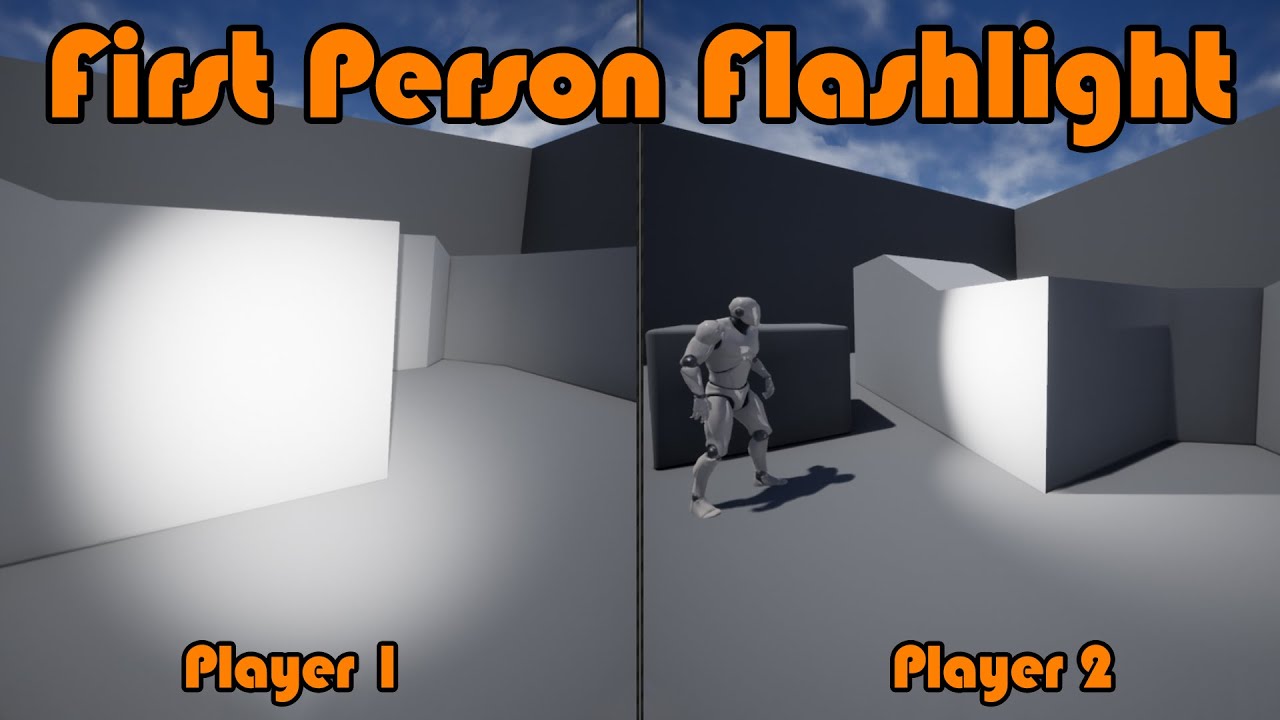
Hey guys, in today's video, I'm going to be showing you how to replicate a first person flashlight. This will replicate turning it on and off, and the movement of it (on the camera).
#Ue4 #UnrealEngine4 #Ue4Tutorial
00:00 - Intro
00:19 - Overview
00:56 - Replicating Cam...
It worked now when I delete authority node
dark edge
If you want the thing that goes across the network to be "Hey Everyone, I just Fired!"
Then:
Input -> run on server
run on server -> multicast
Multicast -> do the trace EVERYWHERE
That's a bad setup but it'll "work"
noble sentinel
dark edge
If you want the thing that goes across the network to be "Hey Everyone, I just F...
This is what I always do
Why is it bad?
dark edge
noble sentinel
This is what I always do
Because the character will be in a different place and aiming in a different direction on all machines
and also you'll have ping lag before you see your guy shoot
making a shooter is tough as hell
That's why something like the other person's more RTS-like game can be easier, you dont' care about lag or prediction. You just see what the server sees, a bit later, thats it.
noble sentinel
This multiplayer part is really making making games 10x harder...
dark edge
more like 100x for real lol
noble sentinel
Like I would do thousands of thing in a day but cant solve a network problem for 3 straight days
dark edge
I'd say if:
Game = 1x
Multiplayer Game with no prediction or lag compensation = 10x
Multiplayer Game with prediction and lag compensation = 100x
varying by the game design
Chess wouldn't be too hard to make multiplayer
Counter Strike is mega hard to make multiplayer
noble sentinel
And I guess UE5 is the easiest engine for multiplayer right?
I dont want to imagine others
noble sentinel
dark edge
Counter Strike is mega hard to make multiplayer
More precise calculation more torture for syncing
dark edge
noble sentinel
And I guess UE5 is the easiest engine for multiplayer right?
Yeah pretty much, barring something weird like trying to do multiplayer Factorio
torpid lantern
Keep at it Akane! I'm 3 months in and feel like things have only just now started to click.
dark edge
I'm 8 years in and still a noob
noble sentinel
torpid lantern
Keep at it Akane! I'm 3 months in and feel like things have only just now starte...
I made a co op game before in like 4 months
I swear %80 of the work I did was for working on multiplayer...
torpid lantern
Somebody posted this visual and that helped trigger my epiphany moment: https://cedric-neukirchen.net/docs/multiplayer-compendium/framework-and-network/
With the previous information about Unreal Engine's Server-Client architecture and the common classes we can divide those into four categories:
dark edge
Yeah that's the Bible around these parts
that Venn diagram used to be my desktop background
torpid lantern
lol
noble sentinel
torpid lantern
Somebody posted this visual and that helped trigger my epiphany moment: https://...
I really didnt have a single idea
about how this gamestate/playercontroller things
work
dark edge
They should have called GameMode GameController then it'd line up but old code is old code
noble sentinel
Im running it on server than multicast.
Is it working? Good
No? Cut content
No more replication logic from me lol
dark edge
noble sentinel
Im running it on server than multicast.
Is it working? Good
No? Cut content
But if it's state, then replicate with repnotify
noble sentinel
I cut %50 of my game because of replication problems
dark edge
You shouldn't need many multicasts
torpid lantern
It's on my to-do list to learn wtf repnotify is
noble sentinel
dark edge
But if it's state, then replicate with repnotify
I remember making a door with rep notify, my only business with that. Is it really that important
torpid lantern
Why does it need to fire? Wouldn't people know that variable changed already?
dark edge
torpid lantern
Why does it need to fire? Wouldn't people know that variable changed already?
How would you know it changed unless you checked?
torpid lantern
🤯
dark edge
This lets you respond to a change instead of checking all the time
You could just Tick -> did my equipped weapon change? -> play the animation and swap stuff out
but it's better to:
Onrep_EquippedWeapon -> do the stuff for changing your weapon
noble sentinel
So can I use it to fire a serverside + multicast even on an actor which isnt owned by player?
Im still trying to fix that bird ragdoll replication problem for 3 days lol
dark edge
noble sentinel
So can I use it to fire a serverside + multicast even on an actor which isnt own...
No, you still need a run on server event to send stuff to the server
but in your case, that event would be the shot
The bird would have a replicated bIsRagdoll
and in the onrep, you'd set it to ragdoll or not
torpid lantern
I suppose I haven't needed much repnotify, my GAS hooks cover most floats. But the gears are spinning now on the cool stuff I can do with it. Ty Adriel!
dark edge
I've tried to give GAS a shake but it hasn't been great for the designs I've cooked up
noble sentinel
Actually bird is dying only on server but not happening on client, and its code is too basic.


What you recommend doing here?
torpid lantern
Problem is in your design, don't kill birds.
dark edge
noble sentinel
Actually bird is dying only on server but not happening on client, and its code ...
After the branch just set a replicated bool
in the onrep, set animation and physics mode
done
no multicasts, no run on server events
noble sentinel
torpid lantern
Problem is in your design, don't kill birds.
Its a mind controlling bird so we doin an exception
noble sentinel
dark edge
After the branch just set a replicated bool
Im trying this now
RepNotify?
 dark edge
now you have a function that's called every time it changes
so just branch on the bool and do your thing
 noble sentinel
So this?
 dark edge
noble sentinel
So this?
dark edge
noble sentinel
So this?
you need to use the bool in here
that runs any time it changes
branch on the bool
BTW in BP it'll work server and client, in C++ you need to manually call the server version
noble sentinel
dark edge
you need to use the bool in here
Sorry I didnt get that, how should I use bool here?
dark edge
noble sentinel
Sorry I didnt get that, how should I use bool here?
branch
Dead? just changed, what do you want to do?
noble sentinel
?
 noble sentinel
Nothing
dark edge
I'd set the opposite of the true path but it's up to you
I'm not 100% sure if that'll run on begin play or not, idk the technicalities
noble sentinel
Well I guess I messed something because it still isnt working :/
dark edge
show your code
noble sentinel

 dark edge
Also use NearlyEqual not equal for floats
print the bool in the onrep
if it prints consistently then it's in whatever you're doing, maybe disconnect the animation thing
dark edge
noble sentinel
Wouldn't you simulate physics when dead, and use animation BP when not dead?
Why are you simulating physics AND using anim bp
noble sentinel
dark edge
Wouldn't you simulate physics when dead, and use animation BP when not dead?
animation bp is empty so its just stop moving
Its using an asset as default
to fly
noble sentinel
it fly randomly with its animation asset(isnt synced btw)
torpid lantern
I'd also print the contents of skeletal mesh, is it the same object (the bird) for all clients or is it blank?
dark edge
that shouldn't matter
they should all at least drop out of the sky when shot
maybe in different places but get them all to drop first
noble sentinel
Well I just disabled every animation and made only ragdoll
still only works for server
interesting...
dark edge
did you print the onrep to make sure it's working?
noble sentinel
dark edge
did you print the onrep to make sure it's working?
I did something like this but Im not sure thats what you mean
 dark edge
noble sentinel
I did something like this but Im not sure thats what you mean
dark edge
noble sentinel
I did something like this but Im not sure thats what you mean
sure, does it print true on all screens when bird is shot?
 dark edge
so that part is working, time to figure out why it's not ragdolling
torpid lantern
Wouldn't client need a "True" also?
noble sentinel
torpid lantern
Wouldn't client need a "True" also?
this photo is from client
dark edge
yeah the logging can be weird, hard to tell what's from what instance
is the bird replicated?
torpid lantern
I suppose, I would expect to see a Client: True. This to me says the client is not running this logic. But am noob.
noble sentinel
dark edge
is the bird replicated?
skeletal mesh? Yes
dark edge
noble sentinel
skeletal mesh? Yes
put that back to default
noble sentinel
dark edge
Yeah but the 2 Server: true are throwing me
It happens when I do it with 2 clients too
dark edge
is the bird actor itself replicated?
dark edge
Damage should be authority only but idk if it's enforced
noble sentinel
dark edge
is the bird actor itself replicated?
yeah
noble sentinel
torpid lantern
Do you have a has authority up the chain somewhere?
no, I dont use that node
dark edge
do just BeginPlay -> has authority -> delay 1s, -> set bool to true
also print the bool on tick
torpid lantern
what about an (is server) somewhere it shouln't be?
noble sentinel
dark edge
do just BeginPlay -> has authority -> delay 1s, -> set bool to true
I forgot putting has authority but It worked?
Both client + client and listen + client
it worked but, why after 1 seconds and not when I hit it?
dark edge
and when you put authority I'm guessing it doesn't work
noble sentinel
trying
dark edge
noble sentinel
I forgot putting has authority but It worked?
It worked because you were setting bool independently on all machines
I don't think this bird is replicated
noble sentinel
dark edge
and when you put authority I'm guessing it doesn't work
yeah only works for server when I do that
dark edge
bird ain't replicated
show your ActorReplicates checkbox and delete the bird in the level and readd it
noble sentinel
Well I think I missed wrong thing
Its looks like working rn, testing a second
yeah, Its working now!
Thank you very much
noble sentinel
dark edge
What was it?
I accidentaly replicated sceneroot
:/
this little mistake tought me how to use repnotify tho, and probably will help me very much later lol
Thank you very much to both of you for your help
torpid lantern
You and me both! Deffs going to play with RepNotify tonight.
dark edge
Show this panel for the bird actor

 dark edge
idk why that'd matter, or did you replicate the scene root and not the actor itself?
The actor needs to replicate for ANYTHING replicated to happen within it
noble sentinel
Yeah, I waited to see a "component replicates" tick so I missed the "Replicates" one from actor
And now I know how to use rep notify so this will probably solve lots of issues for me, thanks again
torpid lantern
Replace that mesh with a Seagull please.
noble sentinel
torpid lantern
Replace that mesh with a Seagull please.
Its supposed to be a blue parrot sorry
And I love seagulls
torpid lantern
Spoken like somebody who hasn't had their sandwich stolen.
dark edge
When in doubt, RepNotify
noble sentinel
dark edge
When in doubt, RepNotify
Will do!
dark edge
you could probably make an entire game without any multicasts, although I'd still use them for stuff like GrenadeExploded
noble sentinel
torpid lantern
Spoken like somebody who hasn't had their sandwich stolen.
Nah we are throwing bagels to them here, especially while we are in Ferry.
They are cathing them mid air
noble sentinel
dark edge
you could probably make an entire game without any multicasts, although I'd stil...
You cant understand how big enlightenment it is to learn repnotify for me lol
Literally opened a new door of possibilities
torpid lantern
Love it when those doors open. Everything gets a little brighter.
noble sentinel
torpid lantern
Love it when those doors open. Everything gets a little brighter.
I still have bad memories with door replication(3 days of search)

torpid lantern
I've been trying to beak down my GameLift door, but she's reinforced.
noble sentinel
Its 4 am here, Im going to sleep. Have a nice night/day. Thanks again for help.
torpid lantern
Godspeed!
lucid badger
Is there a way to respond to an Actor itself being replicated? i.e. when it is first spawned on the client. Or is it just beginplay for that?
It doesn't look like yo ucan do ReplicatedUsing on the actor itself
thorn turtle
How do you replicate an action from the client to the server, like RepNotify doesn't work, run from server doesn't work, multicast just competely stops the command from playing on clients end.
quasi tide
The only way clients can communciate to the server is through a server RPC
If it's not being executed, it's because you're trying to call it from somewhere that isn't its owner
thorn turtle
quasi tide
The only way clients can communciate to the server is through a server RPC
So there is no way for me to sync up actions from the client to everyone else?
like toggling visibility of a component like a light
quasi tide
Client asks the server to do it. Server does it through an onrep
Server RPC from the client, from something they have ownership on, and then the server changes the state through an onrep variable
thorn turtle
quasi tide
Client asks the server to do it. Server does it through an onrep
So, one last question. is an RPC and onrep possible from blueprints, like even remotely or was learning unreal bp actually a waste of time
quasi tide
Yes, it is absolutely possible.
thorn turtle
quasi tide
Yes, it is absolutely possible.
If its this it just doesn't work for me at all
 quasi tide
Please read the network compendium in the pinned resources
thorn turtle
Genuinely I have, I've read through it like 5 times at this point, I even followed a tutorial exactly, down to every setting and even names of actors, functions and events and it still hasn't worked
dark parcel
thorn turtle
like toggling visibility of a component like a light
That's totally possible in bp. I've probably read and watch about 12 times back and forth and a lot of experiment.
Once you know, it's kinda straight forward. So keep going till you get it
To toggle visibility of a component light, that should be a state behavior. You can control the behavior with a bool (on or off). Make it a repnotify
Server can just toggle the light because they are the server. For clients, they will need to send a Server RPC that change the bool and light (This only happend on server).
for the client, toggle the light on Repnotify. Once the client send server RPC and change the bool the client will get updated eventually through repnotify function.
thorn turtle
dark parcel
That's totally possible in bp. I've probably read and watch about 12 times back ...
I'm going to screenshot this and reread it along with the documentations about RPC and RepNotify in a few days. As well as remake the Actors involved for the light toggle. I'm thinking its more than likely I've made a mistake along the way and I'm too burnt out to see it atm. Thank you for the help tho
dark parcel
thorn turtle
I'm going to screenshot this and reread it along with the documentations about R...
You asked if it's a waste of time to learn bp for multiplayer, it's not a waste of time but it also depend on what you want to make.
Blueprint is very limited, for example if I were to make FPS shooter I will not do multiplayer if my tool is bp only.
You will hit a wall very quickly. something like sprinting will require to dive into cpp
Turn based game should be do-able with bp only but outside of that with multiplayer, I will suggest to use cpp/learn some cpp
thorn turtle
dark parcel
You asked if it's a waste of time to learn bp for multiplayer, it's not a waste ...
Ironically I did run into some issues at the start with things like sprinting but I managed to fix it fairly fast, its somehow the stuff the should be really simple that I'm hitting the wall on
lucid badger
    UFUNCTION(Server, Reliable, BlueprintCallable)
    void ServerReceiveClientDebugString(ENetRole SenderRole, const FString& ClientString);
I have this function to test RPC. It just prints to UE_LOG. It is on GameState. I made sure GameState class is correct.
When I call this function from (listen) server it works fine. However, when called from client, it does not seem to actually run on server It seems to be following the rules though. GameState replicates, no?
Oh there it is
If the RPC is being called by a client to be executed on the server, the client must own the Actor that the RPC is being called on
Client probably doesn't own gamestate?
quasi tide
It doesn't
dark parcel
thorn turtle
Ironically I did run into some issues at the start with things like sprinting bu...
It's probably not a true test that you did. You need to emulate Multiplayer with lag, there is a command you can insert to emulate lag in Pie.
When lag is introduced if there isn't any form of prediction you will get rubber banded. In real world there is no 0ms, so you might want to test your sprint in Pie with lag.
Afaik sprint will require us to change a flag in the CMC
thorn turtle
dark parcel
It's probably not a true test that you did. You need to emulate Multiplayer with...
I get it, I honestly do. However I spent quite a bit of time learning BP, taking on learning c++ now before I even have anything playable would just demotivate me enough to drop the project. Once I've got something playable I don't mind going back and recoding it from scratch in c++
 finite goblet
Should you trust local overlaps as trigger in multiplayer scenarios?
E,g if I ran into a trigger overlap box , should I trust that both server and client version of my character would enter the overlap in fairly short time between each other? Or position error can cause inconsistency between server or client overlap missing?
quasi tide
I generally only let overlaps happen on the server
In regards to triggers at least
In fact, I don't even load the triggers on the client.
 grand kestrel
finite goblet
Should you trust local overlaps as trigger in multiplayer scenarios?
E,g if I r...
grand kestrel
finite goblet
Should you trust local overlaps as trigger in multiplayer scenarios?
E,g if I r...
It is possible that a correction will occur on the location after it triggers resulting in false trigger
You'd need to handle it if the trigger is pertinent to gameplay
If its a volume that affects movement (eg. change in friction) then you don't need to because CMC will take care of it
And if it applies damage or unlocks an achievement then of course that would be server only
finite goblet
Its more about how different can server and client resting position be . IIRC the default tolerance is 3 cm?
So if I stop at location such that client is overlapping a zone overlap but server is not coz its off by just 1 cm then the client would think its inside the zone , but the on the server it wont be .
So its about how close the cmc keeps client version as opposed to server
grand kestrel
finite goblet
Its more about how different can server and client resting position be . IIRC th...
Well, you have UCharacterMovementComponent::NetworkNoSmoothUpdateDistance which defaults to 384.0f. That's the teleport threshold. But more delays could occur such as sending the RPC that triggers the correction or even some delta between frames, I don't think there is a number where its simply guaranteed
lucid badger
Can I pass pointers (to replicated Actors/their components) as parameters into RPCs? does the engine translate the pointer somehow
 late flax
Any one know why the PlayerState would become invalid after connecting to a map via OnlineSubsystemSteam seamless server travel (Shipping Build)? I have two games setup the same exact way and one connect to the map and the other gets error "DestroySession - Invalid player state"
 cosmic crag
Hey just out of curisoity. I have this code here in the first image that handle the pickup single item. It work on server side but without linking the final node to the break. It allows the client side to do it all at once?

 chrome bay
Makes sense. It's just going to spam all those RPCs to the Server at once
RPC's aren't instant remember, they take time to reach the server
Be better off just "Getting" the first element and sending that instead
 vagrant grail
@pearl fog Coming back to this (yeah 2 years later 🤣 ) I think it's not totally true what you said as I watched a video showing that if you update a replicated variable and some players that aren't in the range or left the game and / or join later it will create a desync in terms of data between the client variable and the server variable as the client didn't receive the updated value. (https://youtu.be/DsjF87NSdvo)
📹 Part 3 of our replication tutorial series covers a very important concept that makes massive-world multiplayer games possible - Network Relevancy. We learn how Unreal Engine handles Replication by using Network Relevancy to determine whether the actor should be replicated to a client or not.
➖ ➖ ➖ ➖ ➖ 💲 PATREON 💲 ➖ ➖ ➖ ➖ ➖
❔ Has this been he...
 pallid mesa
Context: Editor only tool
So.. I'm in editor PIE, and I got the server world from the client and I want now to find the matching controller from mine in the server from my autonomous proxy.. I've used safe name comparison to gather it, and it works in PIE due to initialization order, however I dont like it at all!
Is there any other way to find the matching controller in the server world without breaking my neck? Been playing with netguids aswell but I need to iterate through connections... isnt there really a more straight forward way?
 fathom wadi
Quick question, what happens with the ownership of an actor if the owner leaves the server?
chrome bay
pallid mesa
Context: Editor only tool
So.. I'm in editor PIE, and I got the server world fr...
Could you match them up using players' UniqueID instead? Editor net subsystem should generate unique ones AFAIK
chrome bay
fathom wadi
Quick question, what happens with the ownership of an actor if the owner leaves ...
Owner gets left as-is
fathom wadi
chrome bay
Owner gets left as-is
Aight ty
pallid mesa
chrome bay
Could you match them up using players' UniqueID instead? Editor net subsystem sh...
That might be more convenient, you know how can i access the editor net subsystem net id?
ye its a gift from a fren of mine :) she made me in her videogame https://store.steampowered.com/app/2428800/Nom_Nom_Cozy_Forest_Caf/
buu
chrome bay
pallid mesa
That might be more convenient, you know how can i access the editor net subsyste...
I think just via the Player State
through the usual online subsystem stuff
 ashen plume
testing my game as a listen server with 2 players, and if I detach from the player controller in editor, move an actor, and then reattach, the actors revert back to where they were, but not on the client
the actor positions are different between being attached and dettached, why?
even in standalone with 2 players, being attached vs detached in from player controller in editor isn't the same
 glacial zealot
Since GameState is already by himself replicated from server to all clients, does his variables also get replicated? Like if I have a shared inventory (array of structs) should I set it to replicates or its not needed and it's already replicated automatically (even for new comers or that needs repnotify specifically)?
 ancient adder
I have a replicable object that registers itself in a component SubObjectsList by calling GetOwningComponent()->AddReplicatedSubObject(this, LifetimeCondition);
GetOwningComponent() is just GetTypedOuter<UActorComponent>()
The object is created inside mycomponent(as an outer) on server, But when replicated to the client its created with PlayerController as the outer
Is this how UE replication works or something wrong?
 fallow kettle
hi!! sorry if this is the wrong thread to post this on... actually I am trying to install the ue source build but I am having trouble with building the solution and I get this error as in the image... does anyone know the fix for this

 uncut panther
Hello there ! i have a little issue, i'm trying to display Steam Name inside a PlayerList, on unreal engine but it's only displaying my own name for each of players :
do you have an idea how can i fix that ?


 rotund badger
fallow kettle
hi!! sorry if this is the wrong thread to post this on... actually I am trying t...
rotund badger
fallow kettle
hi!! sorry if this is the wrong thread to post this on... actually I am trying t...
this is better for #cpp
This doesn't have anything to do with multiplayer.
(Close the error list forever)
fallow kettle
thanks mate... I will post it there than
fathom aspen
glacial zealot
Since GameState is already by himself replicated from server to all clients, doe...
You need to mark the individual vars to replicate as well if you want them to
fathom aspen
ancient adder
I have a replicable object that registers itself in a component SubObjectsList b...
It's probably because the component didn't exist client-side by the time the object replicated, so it fell back to the PC
You can never know without debugging it if you're interested about it
 loud pike
Hello, anyone would know why a locomotion that is triggered is not replicating ? and so is the character orientation ?

The BSMMWalkrun runs fine but not the combatlocomotion 😦
quasi tide
Because however you're updating is in combat?, isn't replicated.
Show how you update that value. In the ABP and in your character BP

 quasi tide
ABP's don't replicate btw
quasi tide
No
You replicate the data from the character and the ABP reads from it locally
So you'd mark Lock on Engaged as replicated. Then, you'd do a server RPC to change the value. When the server changes it, it'll then be replicated to all connected clients.
ashen plume
follow up from my post earlier, why doesnt my listen server update itself when i make play in editor changes?
loud pike
quasi tide
So you'd mark `Lock on Engaged` as replicated. Then, you'd do a server RPC to ch...
Ok thanks I'll look into RPC 👌
glacial zealot
fathom aspen
You need to mark the individual vars to replicate as well if you want them to
If I use RepNotify so that if they join after it has been already modified, they get the sharedInventory replicated from GameState to Client, I can just set it to repnotify and the onRep function leave it blank?
fathom aspen
Sure, but then you don't really need the property to be a repnotify
It could have been a repnotify-less and it will still replicate just fine
loud pike
Actually not getting anywhere here :x
glacial zealot
ahhhh, I thoight replicates didnt send information on login, only repNotify
im dumb, repNotify is used to run something based on that replication, like door open, usual examples
I even knew that but somehow got confused
fathom aspen
No no, repnotify just adds this extra notification callback just in case you need to do something in response
glacial zealot
thanks
loud pike
Lol I think it did something wrong
 dark parcel
loud pike
Lol I think it did something wrong
dark parcel
loud pike
Lol I think it did something wrong
you prob need to set replicate condition to skip owner
noble sentinel
Can anybody tell me is there any way to fix this issue without detaching spotlight from camera? Im trying to replicate flaslight pitch, it works ok when spotlight isnt attached to camera, but when its attached to camera, spotlight isnt following the camera and going too slow or too fast.
 loud pike
Lol I think it did something wrong
loud pike
loud pike
Lol I think it did something wrong
If anyone has the problem I just ended up using gameplay tags ... And works great since they are auto replicated
 glad robin
So my golf game has optional online coop. Currently I have everything set up using AGameMode and AGameState because of the networking but is there really any reason/benefit from making a second one with just AGameModeBase and AGameStateBase or should I just use the one set up for networking for both single and multiplayer as it works so far. I am probably just over worrying about optimization but was pretty unsure.
 spiral crystal
Its fine, you could use base instead as long as you don't need the additional functionalities of the non Base classes
Optimization wise it's basically nothing, maybe some bytes memory allocation.
sinful tree
loud pike
If anyone has the problem I just ended up using gameplay tags ... And works grea...
Nothing is "Auto Replicated".
glacial zealot
I used the Steam Advanced Sessions, when I create the session on Standalone from main menu, when the level gets created seems that even though the character is created I cant control it, if I open the level standalone in the game level itself I can use it...
In order PlayerController Image, MainMenu Image


Fixed somehow doing this:

but why is that even needed to restart the player, shouldn't the Agamemode manage the spawn by himself like it does on normal standalone? its the matchmaking based one
proven grove
Good morning everyone. I am looking for a way to assign an unique ID to my players with the purpose for my backend to be able to identify them individually. I created a replicated "ServerID" variable inside my PlayerController blueprint so the clients are not able to modify the replicated variable and fake their identity, but every time I change the value of the variable from the client, it seems to replicate to the server too, which in my understanding shouldn't happen, or I am missing something. Any help would be appreciated, thanks!

 graceful flame
proven grove
Good morning everyone. I am looking for a way to assign an unique ID to my playe...
graceful flame
proven grove
Good morning everyone. I am looking for a way to assign an unique ID to my playe...
How do you plan on distributing your game once it’s ready? Steam? Epic games store? Both of those have uuid already.
 sonic cedar
Hello !
I wanted to know if you know someone or yourself to teach me multiplayer on UE5 because I can't find anything good on ytb or google the only things I find are on UE4 😦
So if you know anything about it you can mp me or mention me 🙂
Thanks a lot
graceful flame
sonic cedar
Hello !
I wanted to know if you know someone or yourself to teach me multiplayer...
Check out the pinned messages in this channel for some great resources and if you still need some support you can always #hire-a-freelancer or even #hire-a-studio if you’d like. Also feel free to ask any multiplayer question in this channel and someone who knows might be hanging around to read it and reply.
proven grove
graceful flame
How do you plan on distributing your game once it’s ready? Steam? Epic games sto...
None of them, I am doing everything from scratch with no intention to ship the game but for fun/learning purposes mostly.
sonic cedar
graceful flame
Check out the pinned messages in this channel for some great resources and if yo...
The pinned messages is on UE4 :/
graceful flame
sonic cedar
The pinned messages is on UE4 :/
Which one? There’s lots
Also ue 4 multiplayer is basically the same as ue5 because iris isn’t even out of experimental yet
sonic cedar
graceful flame
Also ue 4 multiplayer is basically the same as ue5 because iris isn’t even out o...
So a tutorial on ue4 would work on ue5?
dark edge
sonic cedar
Hello !
I wanted to know if you know someone or yourself to teach me multiplayer...
It's all the same, just start with getting a door to open for everyone and with zero bugs
sonic cedar
Because I found this playlist on ytb and it's on ue4 (I'm Belgian so it's normal if it's in French).
https://www.youtube.com/watch?v=bGvaa1hpNnE&list=PLKs9b0VUdRdwNPPoPMBBMYs2TwWn-OPfe
Créer un jeu multijoueur avec Unreal Engine: voici une introduction essentielle pour comprendre tout ce qui va suivre dans cette playlist dédiée au multi dans UE4. Ce tuto sera disponible en version UE5 lors de la sortie d'Unreal Engine 5.
Voyons en détails les notions les plus importantes: Serveur, Client et Replication!
La playlist multi ➡️ ...
dark edge
sonic cedar
Because I found this playlist on ytb and it's on ue4 (I'm Belgian so it's normal...
UE5 is just like a new patch of a game. It's still the same game, just a tiny bit different. The fundamentals are the same.
Dota 2 is still Dota, even though the number went up
sonic cedar
ok tank you a lot of !
proven grove
proven grove
Good morning everyone. I am looking for a way to assign an unique ID to my playe...
It finally works as intended when I check the "Play as Client" box, changes made on the client doesn't replicate to the server, guess I was testing as Listen-Server 😅
dark parcel
proven grove
It finally works as intended when I check the "Play as Client" box, changes made...
Only way for client to communicate with server is Server RPC.
Replication only works from server to client
 spice gorge
What's the standard way of destroying a session?
I have a set up where the host player calls DestroySession() and they get pushed back to a default level, however the connected players just sit in the dead session thinking they're still connected. Do I have to write code to message all connected clients and get them to call DestroySession() themselves?
spice gorge
Actually I see that the client player's level does change. It's the same level but they seem to reload and spawn again. I guess I'll try and find an event to hook into and see if I can resolve their state with it.
solar stirrup
spice gorge
What's the standard way of destroying a session?
I have a set up where the host ...
Destroy session when you return to the main menu
spice gorge
solar stirrup
Destroy session when you return to the main menu
We don't have a main menu. Players host others in their personal level, and when kicked, return to their own version of that level. I guess that means I need to implement a destroy call when loading into that. Doesn't seem right though.
I'm tracking the SessionStatus and I expected that after the host destroys the session the SessionStatus would broadcast "Destroying", "Ended", or "NoSession". Instead it reads "Pending", which by the docs means /** Session has been asked to start (may take time due to communication with backend) */ makes me think that clients, though connected, are not getting the right updates or I'm missunderstanding how the SessionStatus works and it's not for clients to track.
thin stratus
@spice gorge a session can additionally be started
You might have never done that so the client would remain on pending
However the part of destroying the session would be up to the client
Sessions are just entries into the local NameSessions array
glacial zealot
I read all docs but I still have some issues understanding, GameMode defines the rules, GameState keeps informations about the game, and its all understood, but for example generating a game ending mission like required items to finish the game must be a funcition/event in gamemode and then sets requirements in gamestate so that the players can see that? Also when required items are added somehow you send through gamestate a request to gamemode to check if the mission is finished or its done directly on gamestate?
thin stratus
@glacial zealot You don't have to follow that kind of setup. The only rule there is, is that the GameMode is not available on Clients.
You can totally ignore the GameMode and perform stuff in the GameState on Server Side
The whole Rules stuff is so beginners have somewhat of an idea what it could be used for
You have to remember that the engine is heavily inspired and used for UT/Shooter Games
Where a GameMode makes total sense
glacial zealot
Yeah I was "scared" of maybe learning a way to do things that wasn't the right in all contexts
 twin juniper
So replication is the progress server send down information to clients to copy, but the progress clients send up information to server is not replication?
glacial zealot
thanks tho
thin stratus
twin juniper
So replication is the progress server send down information to clients to copy, ...
No
Client to Server goes through RPCs
Replication is usually referring to properties
And those only go from server to client
@glacial zealot no worries. A mission system could very well live in some actor component on the GameState for overall progress and with some additional component on the PlayerState for per player tracking
Depends on what you need
But you really don't have to use the Game mode for rules and stuff
It's just a general advice and example
It does make sense to put server only code into the game mode
But it's not the biggest deal if you just do it in the gamestate or similar if needed
twin juniper
thin stratus
Client to Server goes through RPCs
Oh so when you mark something as replicated, it only change 1 side from server to client, but still need RPCs to pass up information from clients?
thin stratus
If we say rules we usually mean how many kills to win the round
Typical shooter stuff
Lots of games can make 0 sense out of that
glacial zealot
I dont actually store items on playerstate, I thought about that but then since players die and drop stuff I realized I just can keep track on character, that was also the thing I was scared of that maybe was better to keep on playerstate the player items and if player dies get playerstate and drop them but that seemt overcomplicated
thin stratus
@glacial zealot Character vs PlayerState is exactly that trade off
Character if you destroy it loses all info
glacial zealot
Yeah I keep persistent data
thin stratus
PlayerState keeps it but you'd need to clean it up if you need to
glacial zealot
thanks a lot 🙂
thin stratus
No worries
thin stratus
twin juniper
Oh so when you mark something as replicated, it only change 1 side from server t...
Did you read the compendium?
Cause I would mainly be repeating what I already wrote there
glacial zealot
As I understood it @twin juniper players need to tell server what they do, and they can do that with RPCs so if players wants to say I interacted calls an event on Server to say "hey I want to interact with that", the server then manages what happens:
- Multicasts maybe to all players a sound of the interaction
- Runs on Owning Client, so calls that event on the client that owns the actor where the event is called
- Etc...
Replicating variables means that if the player attacks a enemy that has 100 health and tells server "hey attack him and deal 10" if the variable of the health on enemy is not replicated the enemy on server has 90 but on all clients have 100 health still
it's keeping in sync we can say.
Watchout tho, replicating a variable like doorOpen boolean for a door logic doesnt mean that any player can see it open, there's relevancy so far players can't replicate everything (too much memory) and so when they come close the variable is set if replicated but the door is still close, so you can use RepNotify to decide "when I get the replicated variable I want to run some logic about it?" in this case you could on the repnotify check if doorOpen is true, open the door visually etc...
Remember server if is a client always have all relevant so all is refreshed, otherwise players sending information on server to open a door that isnt loaded on server wouldn't work
You can also set an actor to Replicate on Class Defaults or also be Always Relevant so you can see players always even in the other part of the map
never used sequences to be honest, im a bit behind in animations, but as I know anim blueprint should be replicated already if Im not wrong
twin juniper
yeah there is no document about replicating ABP
sinful tree
Player Controller is only available on the server and the owning client. This means other clients can't access the data stored on them, so if your ABP is reading from the player controller to get that value, other clients won't be able to get the values as the player controller its reading from doesn't exist on their end. Use the Pawn to replicate that value and have the ABP read from there,
twin juniper
I also printed the direction in the screen, and it's the same in both client and server
twin juniper
sinful tree
Player Controller is only available on the server and the owning client. This m...
yeah but i was playing on Listen server, so that suppose to work, no?
sinful tree
twin juniper
yeah but i was playing on Listen server, so that suppose to work, no?
No.
twin juniper
but how did it print in the screen then
sinful tree
Data is only replicated from server > clients. So if you want other clients to receive the value, it has to be on something that exists on all clients.
The server has to be the one that replicates the data to clients as well.
So if you're only changing it on the client, then the server doesn't know about it, and that means the other clients don't know about it.
twin juniper
yeah but the animations should play in the server, even if its not playing in other clients. My case didnt even play in the server
sinful tree
But it's not because you're probably only setting that value on the client making the moves.
twin juniper
sinful tree
So if you're only changing it on the client, then the server doesn't know about ...
But if it print the number then it know about it?
sinful tree
It's not telling the server the movement or the server isn't determining the movement itself to replicate to others.
This value here... If you're reading this in the ABP from the PlayerController, again, that means only the owning client (and possibly the server) will have the correct value.
If whatever is determining this value is only being calculated on the client and not the server, then only the instance that is calculating that value would be the one seeing the animation.
 dark parcel
twin juniper
yeah there is no document about replicating ABP
dark parcel
twin juniper
yeah there is no document about replicating ABP
ABP just reads value from it's owner. Much like widget
sinful tree
Truth be told, you probably just need something that determines velocity vs. actor forward vector and it should be getting calculated on clients locally, nothing need be replicated as it already is being replicated if you're using the CMC.
twin juniper
Or print is just not a good method to check?
sinful tree
When you are seeing "Client 0" that is in literal reference to the same game instance even though it is printing that on separate windows.
twin juniper
oh shi
sinful tree
So it's printing the same value on both windows and the source of that print is from one instance of the game, namely client 0.
sinful tree
You can print while running on the server
The places where you see "Server:" is where the server is executing the print
 heady copper
Any voice chat guide? On best practices for implementing voice chat in a multiplayer game?
 buoyant jacinth
Any idea on how to replicate a ragdolls location?
Right now on one client it is on one place, and in another client, on another location.

 lost inlet
You generally don't (can't) replicate delegates/event dispatchers
Makes little sense to do so
twin juniper
I have this setup on my character BP, it gonna print twice, because i am using Listen Server with 2 players. How do i make it print only once, on the iterate through the "host" s BP, not the guest?
You know, like instead of a check "Has Authority", do we have "Is Host" or something like that?
 latent nest
I think maybe if you use like getting the player controller or soemthing along the lines of that and gettting index 0 possibly
If I’m understanding it correctly
Idk
twin juniper
Yeah get controller and check if the index is 0. But how to check though?
Some text format stuff?
That's be quite weird i guess.
latent nest
Idk I’m not home right now otherwise I could check. I think if you just get player controller though and cast through that you could because the server is normally index 0. I could be wrong but it’s just something to try out
unkempt tiger
I'm seeing that Epic decided to end the online session inside AGameSession::HandleMatchHasEnded, does this mean that sessions are not supposed to persist across different matches?
twin juniper
Better if there is some information about how print work
They work quite randomly to me
 mellow thorn
Does one need to replicate variables set via OnConstruction in C++ or the Construction Script in BP? It doesn't seem like it to me, but wanted to make sure...
fathom aspen
Not necessarily since those events run server and client side
mellow thorn
fathom aspen
Not necessarily since those events run server and client side
Does that mean if you set a variable with a random int or float that variable will be different on client vs server?
fathom aspen
yup can potentially be
mellow thorn
Thanks for the info
 south skiff
Is there a way to make animation blueprints deterministic? For example have a current time variable which I can scrub through manually (potentially backwards)?
I'm trying to implement snapshot interpolation and animation is the only thing that doesn't make sense yet.
I know in Valorant they did it by rewriting parts of the animation graph to be able to evaluate it on demand, but I'm looking for an easier approach by using limited anim blueprints.
 coral locust
Got a question, wondering if its possible to hand the server over to another client if the server disconnects. Hope this makes sense? Would love feedback on what people may have. Or ideas around this.
Like is there a way to switch host while ingame?
So before server disconnects then switching hosts.
Okay so I am seeing its called Host Migration . Anyone know of a solution for this in ue5?
glacial zealot
it prints on each window, it says Server if that print is from server, client if its from client
sinful tree
coral locust
Okay so I am seeing its called Host Migration . Anyone know of a solution for th...
There is no built in solution for this in UE.
There's a paid plugin on the marketplace that apparently offers this kind of functionality, but it's likely to be extremely inefficient networking wise, as every client would need to have a copy of the state of the game, so that means all values of all objects has to exit on all clients all the time for this to work correctly.
coral locust
sinful tree
There's a paid plugin on the marketplace that apparently offers this kind of fun...
Yeah, I am seeing this. Any thoughts on another solution or idea on what else could be done. Other then dedicated server
Maybe a partial system. Like if the player disconnects unexpectingly then it would not migrate. But if the player leaves via a in game menu, then it would store everything it needs to run the game and choose another host? Would this be possible? If so what all would need to be done to make this work?
sinful tree
Not a suggestion, but one way to work it would be to completely ditch Unreal's networking system entirely and create a P2P networking system to use in Unreal. I have no idea what that would entail, but you would lose out on all multiplayer features built in to the engine.
One could potentially do as you describe, but it wouldn't be something that would be instantaneous and it would be a lot of work to set up. Again, not sure on what would actually be required myself but it woudl be something like the server would need to choose new host, send all the data about everything to the client to become the host, store that data in Game Instance, create a new session, open the map, reinstate everything where it should be and somehow communicate that back to the server that has the clients so that they can then migrate to the new host, while keeping the game "paused" in some way until all clients rejoin the new host.
dark edge
coral locust
Maybe a partial system. Like if the player disconnects unexpectingly then it wou...
Assuming all clients have enough state to recreate the game then that's doable, idk how they'd find each other though, that's OSS / beacon territory
but it wouldnt be that hard to save some cores state every x seconds and have some protocol for choosing a new client to host in the event of the current host leaving
would not be seamless though, not at all
 latent basin
buoyant jacinth
Right now on one client it is on one place, and in another client, on another lo...
latent basin
buoyant jacinth
Right now on one client it is on one place, and in another client, on another lo...
I have seen people multi cast the ragdoll each frame but its seems silly, if you find a solution pls let me know also
coral locust
dark edge
would not be seamless though, not at all
That’s okay. Would you be familiar with how to build something like that?
dark edge
buoyant jacinth
Any idea on how to replicate a ragdolls location?
Think about what you actually care about
That might be as simple as just syncing the pelvis location
 whole iron
Anyone know why me walking into another player while crouched launches them? Using Zippy Character/Character Controller
Walking into them normally when uncrouched does nothing/doesn't launch them
umbral patio
Does unreal have any plugin for lag compensation in shooter games?
 hollow eagle
ACharacter movement is already lag-compensated. If you're asking about rollback for firing then no, that's up to you to implement.
umbral patio
aha, ok
 wanton bear
if im trying to sync a projectile to look correct while hitting an AI i.e. client 1 and client 2 see the bullet hit at the same location on the AI.
So client 1 shoots and i'd want to sync up the bullet forward in time to where it should be on the server and then send that to client 2 because the AI would be behind as much as the bullet because they're also controlled by the server?
spiral crystal
Does someone know if the order of entries in an replicated TArray is reliable? or can the order vary from server to client? (i guess not, but i ask anyway 😄 )
fossil spoke
spiral crystal
Does someone know if the order of entries in an replicated TArray is reliable? o...
Never rely on order of a replicated TArray.
fossil spoke
It is not retained
Across the network
If you need "order", just pack your data in a struct with some identifier you can use to sort it.
spiral crystal
It's a struct already, okay cool, thanks!
south skiff
south skiff
Is there a way to make animation blueprints deterministic? For example have a cu...
Anyone?
dark edge
south skiff
Anyone?
Probably not though, not easily anyway
MAYBE if you get a synced clock and use that to feed all looping anims
What's the non-deterministic part you're encountering?
Anything with a loop has to be fed its time, not just played
south skiff
dark edge
What's the non-deterministic part you're encountering?
Well as far as I understand all animations tick locally, so if I simply interpolate movement and let anim do its thing it will desync. I'm thinking about attaching hitboxes to bones, so I need it as close as possible
dark edge
Yeah you'll have to have them use a synced clock, not just the local clock