#multiplayer
1 messages · Page 34 of 1
 lost inlet
 dim trail
would it be a smart idea to use a replicated bool value for status effects such as a stun and on rep them to multicast an animation?
 pallid mesa
you don't need a multicast
with the onrep you can play the status animation
so if someone late joins your game they will see the "wobblywobbly ayayay" animation
dim trail
So the onrep works like a multicast?
Also, is this idea good? Instead of playing an animation for every status when it happens a replicated bool could check if it’s active
pallid mesa
replicated variables have different replication conditions to determine to where they will replicate
by default replicated variables get send between relevant connections (to everyone relevant to the actor that made such change)
an onrep will fire on the client when you receive the replicated variable from the server
so it works like a multicast, but it preserves state
and new relevant connections will receive such state
 fathom aspen
Also this is the point where I come and suggest this: https://vorixo.github.io/devtricks/stateful-events-multiplayer/
Also I think you would have some kind of timestamp to tell when that animation started, so it doesn't get played from the start when the actor becomes relevant to the connection
Same goes for VFX, but for easy mode I would keep them as unreliable multicasts
pallid mesa
I imagine stateful animations to be driven in the anim graph as a state... so prolly no need for such synchronisation mechanism (or even an onrep) in such case
yah its a shame we cant play a vfx from a specific point
fathom aspen
pallid mesa
I imagine stateful animations to be driven in the anim graph as a state... so pr...
I'm pretty sure it's not the case. I recall Zlo mentioned he uses timestamps so you don't see corpses replaying their death animation
pallid mesa
stun animations are stateful usually
fathom aspen
Same goes for coming upon a village that then you will hear hundreds of doors playing their door open animation 😄
fathom aspen
Oh yeah, that's too
fathom aspen
You could still see some weird behaviors depending on what and from where it's being observed, but I don't think any of that would be noticeable really
fathom aspen
pallid mesa
also note he said "stun anim"
I was referring to this: #multiplayer message xD
But yeah it's similar to the stance approach
Also answering the same peep btw 😭
pallid mesa
yes but for the use case of the person thats asking... stuns are easier than deaths
fathom aspen
I just noticed they were talking about stuns, and not in general, cause yeah it really depends 😄
 violet portal
hey, im having some trouble with unreal. trying to make a multiplayer game and followed the dedicated server tutorial which said I needed to build/install it from source. i did so, but the editor is extremely laggy and live coding console builds are taking upwards of 10m which makes this essentially unworkable. I have a rtx 2060, 16gb ram, i7 9th gen, (though the editor and project are on a HDD not SSD). do i really need a source build? is there anything i can do to speed up compilation and editor speed?
pallid mesa
fathom aspen
I just noticed they were talking about stuns, and not in general, cause yeah it ...
ayyy i mentioned it like 500 times 🤣
fathom aspen
violet portal
hey, im having some trouble with unreal. trying to make a multiplayer game and f...
You do need a source build, and it should be on SSD to feel that it's speeding up but you will still feel it slow. Welcome to building from source!
 abstract pike
I have a question about replication graph not being used because of seemingly a config issue with EOS having a different config requirement but I don't know which channel is best to ask, would it be here or #online-subsystems or #epic-online-services ?
violet portal
fathom aspen
You do need a source build, and it should be on SSD to feel that it's speeding u...
but thats like 200gb+ on ssd and im a broke highschooler 😭
fathom aspen
I mean Unity is an option too
violet portal
~but multiplayer is not fun in unity~
i know unity but im only trying to move to unreal for the first class multip support
fathom aspen
abstract pike
I have a question about replication graph not being used because of seemingly a ...
Either here or #epic-online-services
violet portal
so what specs do ppl have that make developing on source acc feasible?
abstract pike
I'll try there first actually since I think it's mostly an EOS config issue
fathom aspen
violet portal
so what specs do ppl have that make developing on source acc feasible?
They start by getting enough SSD
violet portal
💸 🔥
 viscid tapir
should i do this in the gamestate ?

or just call the function "Check for Cards NB" since it is fully replicated
fathom aspen
You shouldn't because neither of these RPCs are meaningful
You can't fire server/client RPCs from actors the client doesn't own
 dark edge
viscid tapir
should i do this in the gamestate ?
dark edge
viscid tapir
should i do this in the gamestate ?
What are you trying to do here?
viscid tapir
wait guys let me think
viscid tapir
fathom aspen
You shouldn't because neither of these RPCs are meaningful
Ok so this is a mistake in the picture right ?
viscid tapir
fathom aspen
You can't fire server/client RPCs from actors the client doesn't own
Ok thanks for the information !
fathom aspen
It is
viscid tapir
Ok ok
viscid tapir
dark edge
What are you trying to do here?
i'm trying to call a function from an actor (shop) to check if an item "card name input" is available
fathom aspen
Then move that server RPC to an actor a client owns, say the character, that then talks to the shop server-side and checks whatever you want
viscid tapir
this is the simple code from the actor (shop)
 viscid tapir
fathom aspen
Then move that server RPC to an actor a client owns, say the character, that the...
viscid tapir
fathom aspen
Then move that server RPC to an actor a client owns, say the character, that the...
wait what
how do you suggest me to do that ?
wait i think i got it
violet portal
fathom aspen
They start by getting enough SSD
Sorry, one more thing. Does using blueprints allow me to bypass the compilation step? or does modifying a blueprint require a compilation in the livecodingconsole to apply?
fathom aspen
fathom aspen
Then move that server RPC to an actor a client owns, say the character, that the...
Already told you. This is not the first, neither the last actor that you feel "if I only could server RPC from it", and the general workflow to handle them is to let an actor the client owns to ServerInteract() with it which every actor then implements what that behavior will be. (So interact is pretty much an interface) @viscid tapir
viscid tapir
Oh ok thanks
fathom aspen
violet portal
Sorry, one more thing. Does using blueprints allow me to bypass the compilation ...
Yeah, but you won't live long till that next cpp edit.
violet portal
fathom aspen
Yeah, but you won't live long till that next cpp edit.
Gahh, ig im going to have to go back to unity's netcode for game objects but unity multiplayer is sketchy
wait.. if i dont use dedicated servers, can i use normal unreal w/o source build?
like if i used listen server instead, that just needs the normal build?
its just cuz ppl never wanna settle for something thats "not scalable" or "not secure" (when in reality nobody cares until ur at a big enough scale)
violet portal
violet portal
like if i used listen server instead, that just needs the normal build?
my main concern is, will migrating from listen to dedicated be hard?
fathom aspen
It's not. Your code should be able to work for both just fine @violet portal
violet portal
so even on listen, i still code all the rpc's and stuff like normal, then dedicated is just a matter of switching to a source build open the project and change some editor settings?
and listen server deploy will be just as straightforward
hm ok i think ill try this option until i decide to build a better PC with internship money lol
yeah im trying to make this flight simulator game: claeb101.github.io/flight is the current SP version in unity
but i wanna make a dogfighting thing where i can play with friends in school
i think listen is the move
tysm for the help, i got my questions answered super fast ⚡
oh finally, if u guys wanna answer one more... ik unity netcode has these community repos for webgl transport layers. does unreal have something similar - a way to do html5/webgl builds for multiplayer games using some intermediate transport layers to mock tcp through websockets?
HAH
yeah the only reason i cared a lil is cuz the school cant block html 5 games
what about mobile support?
yeah, i understand
so should also be straightforward 👍
thnx
praying that unreal installation from binary on hdd is fast enough 🙏
also, ig i might as well ask, any resources for doing movement prediction w a rly simple physics controller for planes?
once a friend had a birthday party and everyone brought their console to play together 💀
i think i could fit the binary install on an ssd, hopefully...
 prisma snow
violet portal
also, ig i might as well ask, any resources for doing movement prediction w a rl...
prisma snow
violet portal
also, ig i might as well ask, any resources for doing movement prediction w a rl...
I'd research anything about net prediction (which is not really prediction anyway). I had some nice articles about FPS-like systems, but not handy right now. One was about Valorant iirc, or a similar multiplayer shooter game
violet portal
would i need to code this prediction stuff from scratch or does unreal have some way of helping w this?
the default 3rdmpcharacter has everything ofc but im looking for something more general ig?
prisma snow
violet portal
would i need to code this prediction stuff from scratch or does unreal have some...
Unreal has built in prediction with the CharacterMovementComponent iirc. I bet there is some flight mode that you could use/customize and let Unreal do the rest for you
In any case understanding prediction would be useful in case (which is likely) that you run into weird behaviours
fathom aspen
Laughs in GMC
Only the video you sent me, and then Iris dropped 😔
I know there are still 3 to go and then 💵
violet portal
are you guys talking about https://www.unrealengine.com/marketplace/en-US/product/general-movement-component ?

Unreal Engine
Save hundreds of hours of work with this innovative locomotion framework which completely replaces Unreal's built-in character movement with a much more comprehensive and easier-to-use alternative - no C++ required.
fathom aspen
Lol, naw
3 videos to watch
They have a playlist of 4
But it's really amazing how they literally have everything handled for you
I thought you were making fun when you said they have "net modes" that make the GMC conform to the game you're developing
That's something I really have to look into
Let me see what they called it
Oh yeah, Network Preset
Yeah I just realized that was real after I saw it
I didn't expect that to be a thing 😄
Just hit the competitive preset and make the next arma BP only
That's exactly why I'm not. I also thought they were inheriting the CMC and just overriding things (I know it's crazy but yeah)
I wonder how much people did work on that plugin, it's really a sophisticated one
But guess I will never tell before I make it into their discord
 graceful viper
No worries: Valorant 2 will be made in C++
 cerulean juniper
Hey guys!
Does anyone know a good EOS Tutorial?
 sweet ore
cerulean juniper
Hey guys!
Does anyone know a good EOS Tutorial?
sweet ore
cerulean juniper
Hey guys!
Does anyone know a good EOS Tutorial?
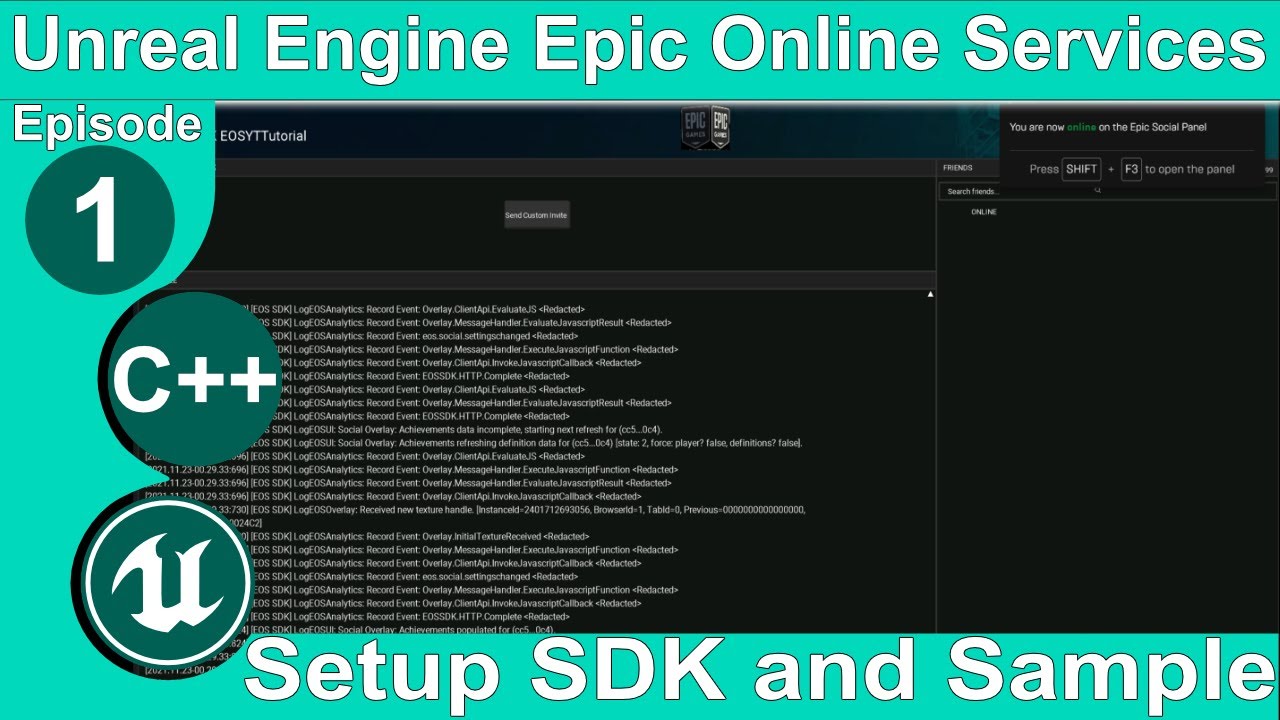
Ultimate FPS Template Plugin: https://www.unrealengine.com/marketplace/en-US/product/ultimate-multiplayer-first-person-shooter-template?sessionInvalidated=true
Patreon: https://www.patreon.com/SneakyKittyGaming
Discord: https://discord.gg/W5g6pZXfjh
In this video we cover the basics of the EOS setup process and test our product using the provid...
i watched it in the past it was a good tutorial
fathom aspen
Also might want to ask in #epic-online-services (and check their pinned messages)
 woven basin
so I see a few previous mentions of GMC, and Wizard + Laura seem to refer to it as well. What's the consensus for a MP game - its totally worth using it?
Cost is not an issue, I'm talking about technical debt vs the benefits it gives?
More importantly - any reason to NOT use it in a MP game?
fathom aspen
woven basin
so I see a few previous mentions of GMC, and Wizard + Laura seem to refer to it ...
It's early for me to judge tbh, but these: https://www.youtube.com/watch?v=Jlo5C_ACOC0&list=PLUYBthaeEmJtsIu81Et9mVLIde9xVx9nR&index=2&ab_channel=GRIMTEC should give you a better idea of what it's capable of doing. So far I don't see anything bad about it, and I know that at some point I will buy it for the fun/knowledge. I see it more aimed towards BP-only peeps, that want to be able to mess with the CMC.
violet portal
violet portal
i think i could fit the binary install on an ssd, hopefully...
Tried this. Editor is significantly faster and doesnt stall. But cpp build times are still slow. I'll try moving the project itself to ssd as well and aew how that goes ig.
 twin juniper
with concept of lag compensation.. is the only way to make projectile visuals synced between clients so the projectiles don't whizz by/get dodged by simulated proxies on the client even though it was a hit, to fast forward/speed up the projectiles? let clients have them miss and just multicast the successful hit?
im guessing most games dont even bother with such a task and just leave it as is and only do rewinding to make sure it was a successful hit
 plucky prawn
violet portal
Tried this. Editor is significantly faster and doesnt stall. But cpp build times...
plucky prawn
violet portal
Tried this. Editor is significantly faster and doesnt stall. But cpp build times...
Building from a hdd is literally the worst mistake you can make for source code. Move your code to an ssd and it will significantly reduce your build times.
 real ridge
i am working on hdd dont remind me XD
dark edge
twin juniper
with concept of lag compensation.. is the only way to make projectile visuals sy...
Typically you want hits on the firing client to count
Favor the shooter is what it's usually called
With movement prediction, you'll never get everyone to agree on what happened. You need to choose the least wrong version of events to go with
prisma snow
violet portal
also, ig i might as well ask, any resources for doing movement prediction w a rl...
I found one of the articles I was talking about, from Valve: https://developer.valvesoftware.com/wiki/Source_Multiplayer_Networking#Entity_interpolation
 hexed pewter
I tried googling unreal engine Iris multiplayer or something along these lines but could not find anything relevant. There are a lot of iris mentions lately, is there some overview of what it actually is?
 chrome bay
Not really anything out there yet, still very much in development
hexed pewter
what is the general premise of it? So far I could only deduce that its something multiplayer oriented
chrome bay
It's a different replication framework it seems. Seems to suggest it gives more control over what is actually replicated, but the syntax/usage is much more complex it seems
It's essentially looking for larger scale games, trying to remove a lot of virtual stuff in gamecode etc.
It's a bit like replication graph I guess, but also not compatible with it as it turns out 😄
It is also however fully pushed based, so no more polling game objects.
It has a lot of nice features anyway, like fixed execution order between properties and RPC replication too which is nice
API is going to change a lot though, so probably not worth investing any actual dev time into right now tbh
 thin stratus
Aka if you are actively working on a project you wish to ship: Keep your fingers away from Iris :D
hexed pewter
Thanks for insight, much appreciated
chrome bay
It is interesting for sure. I'd kind of rather they tried to build these features into the current system but I guess they couldn't find a way to do that
A little apprehensive considering the proven track record of the existing system too. The new replication subobject list thing has some quirks already
The biggest problem being that you need to maintain the list client-side too, which means replicating it (sort of)
thin stratus
I think it's better to not build upon a system you wish to replace.
You would only start limiting yourself to the same problems again.
But before Iris replaces anything it will be a few versions anyway.
 vestal bobcat
I am trying to replicate a TArray<UMaterialInstanceDynamic*> over the network. The array is populated in the server, and clients utilize the array when a flag variable changes through an OnRep function. However, while the array is set to be replicated and initialized in DOREPLLIFETIME when I am in the client, the array has the correct number of elements but they are all null. Any ideas ? Is it possible to replicate such property ? The replication code takes place in a USceneComponent class
chrome bay
You can't replicate UMaterialInstanceDynamic's
And even if you did, it would be fairly pointless since they have no data to replicate
Server + Clients should create those independently, and you would then replicate the parameter values
vestal bobcat
thanks. By parameter values you mean for example the index for which element to get from an array ?
chrome bay
No, I mean the values you are setting in the UMaterialInstanceDynamic. E.g. if you had a float parameter, you'd replicate a float, and update the material isntance with that float locally when it replicates
Presumably that's why you're replicating them in the first place
vestal bobcat
chrome bay
No, I mean the values you are setting in the UMaterialInstanceDynamic. E.g. if y...
alright, I got it now thanks.
real ridge
web search led me to to same but they are not functioning
 tawdry ermine
Hello there,
I am currently trying to upgrade my inventory system to multiplayer, therefor I want the client to request the content from the server. My current approach is to RPC via the PlayerState, get the variable by the PlayerState and then forward this variable to the owning client. But this seems to work for the ListenServer only. The variable that get forwarded to the client seems to be empty.
A noteworthy addition: my component is a BP and the content is a variable map. Therefor not replicatable (as far as I know)
Is it not possible to replicate this to the owning client?

 winged badger
TMap doesn't support replication
change it to an array of structs with Key, Value members
 verbal tendon
sweet ore
https://www.youtube.com/watch?v=ItqVHGdavyU&list=PLnHeglBaPYu8EVhYmAU4Tgpmh-yYkg...
verbal tendon
sweet ore
https://www.youtube.com/watch?v=ItqVHGdavyU&list=PLnHeglBaPYu8EVhYmAU4Tgpmh-yYkg...
Though @cerulean juniper and for anyone thinking of using EOS I strongly recommend using a marketplace plugin. It's a one time fee, but the burden of maintaining functionality when Epic releases updates is no longer on your shoulders
tawdry ermine
winged badger
change it to an array of structs with Key, Value members
Alright, thanks for the quick response ^^
winged badger
its better in c++, as structs are more then a data container when used outside blueprints
tawdry ermine
winged badger
its better in c++, as structs are more then a data container when used outside b...
Well, let me just say I failed programming back in school...
verbal tendon
tawdry ermine
Well, let me just say I failed programming back in school...
Was it your fault, the teacher's or just life circumstances/environment ? 😄
winged badger
USTRUCT(BlueprintType)
struct FSomeStruct
{
  Type1 Key;
  Type2 Value;

  bool operator== (const Type1& Other) const
  {
    return Key == Other;
  }
}
//then you can do
FSomeStruct* Item = MyStructArray.FindByKey(SomeKey);
Naa, I suck ass at that. Thats why I got to UE, even stupid me can do amazing things with that
Well, I appreciate your effort but I think I will try to stay with BP for as long as possible. After all I got a whole life as well. No time to learn a whole language.
verbal tendon
tawdry ermine
Well, I appreciate your effort but I think I will try to stay with BP for as lon...
I would seriously consider doing what Laura said. It's going to save you an onslaught of massive headaches if you do ever add C++ to your game
and it costs you almost nothing in additional time to set up
All structs and enums should be 100% from C++, not BP. It is possible to bypass this with redirectors, but again. I would just recommend against it, given how easy it is to add those things from C++ once you know how
tawdry ermine
Well, do you have any suggestions on how to get started then? My level of knowledge should be considered as monkey
verbal tendon
Enums:
enum class EMyEnum : uint8
{
    None,
    Top,
    Center,
    Bottom
};```
USTRUCT(BlueprintType)
struct FMyStruct
{
GENERATED_BODY()
UPROPERTY(EditAnywhere, BlueprintReadWrite)
bool bDisableSlot = true;

UPROPERTY(EditAnywhere, BlueprintReadWrite)
bool bIsOccluding = false;
};```
This is an example enum and an example struct
There's more code that goes into the header file, the generated header needs to be included, but it's something you can copy from any example
It has a #include "MyHeaderFile.generated.h" at the top as the last include. Again best to look at an example file somewhre
but once you got these basics down as you see the struct and enum entries are very simple
 rocky kestrel
is this correct way to add things? dedicated server game.

this happens in third person character
tawdry ermine
verbal tendon
Enums:
```UENUM(BlueprintType)
enum class EMyEnum : uint8
{
None,
Top,
...
Hey, thanks a lot. But I was rather talking about the basics of C++. If I do it I wanna do it right. But as I have no clue about syntax or anything do you have a website suggestion I can read through to get started?
fathom aspen
nitro says hi
fathom aspen
rocky kestrel
is this correct way to add things? dedicated server game.
Obviously not. The server is just accepting whatever input coming from the client. Say the client says "hey server my experience is 99999", the server be like "oh yeah lets add you one"
Instead you would want "experience" to be driven through gameplay, and not the client telling server about it. Ofc all happening server-side.
verbal tendon
tawdry ermine
Hey, thanks a lot. But I was rather talking about the basics of C++. If I do it ...
What Laura said. You don't need to know C++ to do the enums and structs
rocky kestrel
fathom aspen
Obviously not. The server is just accepting whatever input coming from the clien...
Okay thanks!
tawdry ermine
verbal tendon
What Laura said. You don't need to know C++ to do the enums and structs
Alright, thanks a lot
real ridge
Hello I need clear one question
(was asking some of before but any of found solution was working)
- Is there general approach or classic approach for multiplayer games to detect internet connection? I mean in case internet connection will drop I will get alert. Currently I am using dedicated server with sessions and after internet connection drop I see this result in log but I don't know how get this information in c++ or blueprints to tell player he disconnected from session/internet
 agile loom
real ridge
Hello I need clear one question
(was asking some of before but any of found solu...
agile loom
real ridge
Hello I need clear one question
(was asking some of before but any of found solu...
Maybe this will help you (in Game Instance)

 radiant halo
🤔 Hi uhm i am having an issue with my navmesh. I have placed it into the world, and i cannot for some reason not see the NavMesh Preview in the editor and i was wondering if someone might know how to make it come back. I think it's a setting i may have ticked. I already tried pressing P. it's not working for me :/
fathom aspen
radiant halo
🤔 Hi uhm i am having an issue with my navmesh. I have placed it into the world,...
Has nothing to do with #multiplayer , might want to ask in #gameplay-ai
twin juniper
dark edge
Typically you want hits on the firing client to count
Yeah I know I was talking about it being a hit on the client and server but only specifically visually on server and other clients due to the lag and it being rewound
viscid tapir
how to get a character reference from the player state reference for a cast to thirdpersonchar ? I'm using the get player pawn but the cast fails (multiplayer game)
i hesitate about the place where it should be coded
(gamemode or gamestate)
 dusky yarrow
from gamestate you can get all player controller and get the controlled pawn and you can cast that to you player class
 sinful tree
rocky kestrel
is this correct way to add things? dedicated server game.
sinful tree
rocky kestrel
is this correct way to add things? dedicated server game.
For testing, sure no problem, what you have will work, but in a released game, you never want a client being able to tell the server how much of anything they would receive. If I was a malicious client for example and used your RPC, I could send through a request to add 999999999999 experience. Your server should already know about any events where XP may be provided to a player such as an enemy being defeated, and at that point the server can add the XP without an additional RPC from the client.
dusky yarrow
viscid tapir
how to get a character reference from the player state reference for a cast to t...
alternatively, you can override the "post login" event in gamemode. it gives you a player controller (not player controller) of the newly joined person and you can go on from here
viscid tapir
something like this @dusky yarrow ?

the default variable "player array" gives playerstates not player controllers
sinful tree
viscid tapir
how to get a character reference from the player state reference for a cast to t...
There is a variable on playerstate called "Pawn Private" which should contain the reference to the player's pawn. This value is only guaranteed valid on server as player's controlled characters can go in and out of relevancy on clients.
viscid tapir
sinful tree
There is a variable on playerstate called "Pawn Private" which should contain th...
not working too 🥲
sinful tree
Are you certain that your players are spawned as BP_0_MainCharacters?
Like is it set as the default in the game mode settings / you're spawning them as that class?
viscid tapir
No they are childs from that class
No it is not the default in game mode settings
it should be right ?
dusky yarrow
yeah...
viscid tapir
my bad it is
nevermind it is the default class
But nothing is in my game mode
no code
sinful tree
It's not about the game mode code, just the world settings.
viscid tapir
perhaps something is wrong there
real ridge
agile loom
Maybe this will help you (in Game Instance)
tried and nothing
dusky yarrow
what are the gamemode default settings? specifically the "pawn class"
viscid tapir
 graceful viper
Show the entirety of it
 viscid tapir
But nothing is in my game mode
viscid tapir
viscid tapir
But nothing is in my game mode
all good with this ?
dusky yarrow
yeah
viscid tapir
Ok ok
dusky yarrow
viscid tapir
something like this <@611249115401027584> ?
are you sure you're the server here?
dusky yarrow
yep
 viscid tapir
Okay

like that ,
still not working apparently
cast fails and prints string "hello"
dusky yarrow
ok go to your gamemode and override the "post login" event
viscid tapir
yep
dusky yarrow
from the controller get the controller pawn and cast to your player class
im not sure if pawns are spawned when that event is called but worth the try
 dusky yarrow
if that's what you want, sure
viscid tapir
Working !!
good job and thanks for the help
- i like this approach
final working code
 dusky yarrow
i feel like there's a better approach but im sure the purple magic man is more than happy to tell me it (please do purple magic man)
sinful tree
So it's probably a race condition being hit. The gamestate version when it was being called likely didn't have the pawns spawned yet, so they were invalid references.
dusky yarrow
that's why i told them to add the delay, didnt fix it :/
viscid tapir
ah yes i understand
 olive kraken
Hi, after seamless server travel, how can I reassign the new reconstructed player state to the HUD? since apparently widgets don't get destroyed but they will point now to an invalid old player state.
 eternal lake
olive kraken
Hi, after seamless server travel, how can I reassign the new reconstructed playe...
eternal lake
olive kraken
Hi, after seamless server travel, how can I reassign the new reconstructed playe...
Should they not point to the player state's AHUD instead?
widgets don't get destroyed?
fathom aspen
olive kraken
Hi, after seamless server travel, how can I reassign the new reconstructed playe...
Widgets shouldn't need to persist really, as said here: https://wizardcell.com/unreal/persistent-data/#should-userwidgets-persist-seamless-travel. But to cache a reference to PlayerState, it's done like this: GetOwningPlayer->GetPlayerState
fathom aspen
eternal lake
widgets don't get destroyed?
They don't on seamless travel: https://wizardcell.com/unreal/persistent-data/#persistent-userwidgets
olive kraken
They apparently persist when cvar servertravel (with seamless)
fathom aspen
Not just them, but any UObject outered to a persistent object
olive kraken
yeah, If I do that on tick of the widget will work (from PC->PS)
just looking for a function that gets called again in the widget
after seamless travel
to reasign PC and PS
fathom aspen
No function will get called on the widget and that's why you will need to handle it from when the PlayerState get replicated to client
OnRep_PlayerState from PC
GetHUD and iterate widgets
olive kraken
or the copy attributes function I guess?
fathom aspen
fathom aspen
Widgets shouldn't need to persist really, as said here: <https://wizardcell.com/...
But again I don't recommend them persisting
olive kraken
How to make them to don't persist? destroying and collecting garbage?
before traveling?
remove from parent I meant
fathom aspen
You would know if you clicked that link
fathom aspen
It does, at some point
olive kraken
Ok, gonna try that method first, thanks!
working, thanks!
I got a second question if you don't mind, trying to copy player state variables after server travel.
Tried these two methods in the screenshot but variables don't get copied, am I missing something?
 fathom aspen
CopyProperties should be enough, and it's pretty straightforward (like you did)
Just make sure it's being called (it's called only on seamless travel)
fathom aspen
Ah haven't tested that feature tbf
OverrideWith has some nonsense, you rarely would want to use it
olive kraken
yeah, seamless servertravel works on PIE now, but since is experimental maybe not fully implemented
ok
gotcha
will test, Im almost there
thanks for all the tips, great document too!
fathom aspen
No worries, both of those events are explained in depth in the document
Ctrl+F could help get you there fast
olive kraken
yeah indeed, I'm refactoring all network loop so will be really helpful
cerulean juniper
fathom aspen
Also might want to ask in <#710371393321042050> (and check their pinned messages...
my bad
cerulean juniper
verbal tendon
Though <@450444241005707264> and for anyone thinking of using EOS I strongly rec...
which one?

 quasi tide
verbal tendon
Though <@450444241005707264> and for anyone thinking of using EOS I strongly rec...
quasi tide
verbal tendon
Though <@450444241005707264> and for anyone thinking of using EOS I strongly rec...
Do note - for code plugins, per the marketplace rules, they are a per seat license.
cerulean juniper
quasi tide
Do note - for code plugins, per the marketplace rules, they are a per seat licen...
You mean, it cannot be shared with team members, right?
quasi tide
Per the marketplace rules, everyone else who will be actively using it will need a license as well. 3 people on your team using it? You need 3 licenses.
cerulean juniper
Got it
eternal lake
fathom aspen
They don't on seamless travel: <https://wizardcell.com/unreal/persistent-data/#p...
That's cool!
violet portal
I am probably being stupid but I followed the networking/multiplayer tutorial from the documentation, but the debug messages show on both clients.
fathom aspen
That's normal. It's because you're testing on one process PIE.
violet portal
Is there a way to separate each instance so that the client has a separate logs and the client/listen server has another set
fathom aspen
Yes, turn off Run Under One Process in advanced settings
violet portal
It's just rly hard to debug with everything colliding
fathom aspen
It's funny that I just sent a friend a 
violet portal
Oo I could just use different colors
Currently it says preparing shaders and it's super laggy on the client/listen server
If I move around in the client/listen it is not laggy in the other client. But if I move in the other client, it lags a lot around the client/listen
dusky yarrow
you can lower the graphic settings (wont fix the shaders compiling)
violet portal
Yeah I'm waiting and see if that fixes it
Its just every time I open play it recompile them?
Also one last usability thing, so far I've been spamming backtick to get switch mouse between clients. Is there a better method?
fathom aspen
Shift+F1, Win key, w/e works for u etc.
 quartz iris
Hey guys
The client has the wrong camera rotation even though the server has the right direction

I tried this code but it doesnt fix it
 violet portal
Also I always wondered do blueprints optimize to c++ in the final build?
dusky yarrow
nope
verbal tendon
violet portal
Also I always wondered do blueprints optimize to c++ in the final build?
They do not
dusky yarrow
violet portal
Also I always wondered do blueprints optimize to c++ in the final build?
nativation does that but it sucks
verbal tendon
That being said it is entirely possible to ship games that are made in Blueprint
 muted perch
Do I need to manually disconnect players if they force close their client?
I had some bugs testing my game and when my friend force closed his client, it created duplicate players
nevermind, I figured it out, my code is just bad.
fathom aspen
quartz iris
SetViewTargetWithBlend should make the client mirror the view of the server
quartz iris
fathom aspen
SetViewTargetWithBlend should make the client mirror the view of the server
Would this make them have the same camera position etc?
fathom aspen
The same ViewTarget, so I guess yes.
quartz iris
I just need it so it sets the clients camera rotation to be the right direction
But i cant rotate the mesh itll break stuff
real ridge
@whole grove I dont want mess that channel I know sorry I am not that smart I also checked links you sent etc but nothing worked maybe I did it in wrong way,

this I used in game instance
but after internet disconnected nothing printed
olive kraken
hum, 5.1 seamless server travel works on server, crashes on client. (packed game)
real ridge
also put other inside same result
its just old screen
for sure its getting used I am printing names thank to this game instance in game
quartz iris
quartz iris
I just need it so it sets the clients camera rotation to be the right direction
😭
agile loom
quartz iris
Did you try to set the spring arm component to replicate?
quartz iris
agile loom
Did you try to set the spring arm component to replicate?
the camera boom and camera?
agile loom
quartz iris
the camera boom and camera?
only the camera boom
quartz iris
oh i think it works now!
real ridge
u mean before switch?
agile loom
real ridge
u mean before switch?
I'm not sure but there are some properties in the game mode that may help you
 quartz iris
oh i think it works now!
quartz iris
quartz iris
oh i think it works now!
actually scratch that.. the player still faces towards the background when loading in
agile loom
quartz iris
actually scratch that.. the player still faces towards the background when loadi...
The player (client) should not possess that character, just set that camera as the viewport for the client
agile loom
quartz iris
Is there a way to just quickly tap left/right automatically with code?
Moving your camera location to the left and right?
quartz iris
agile loom
Moving your camera location to the left and right?
as in physically move the character
so they look left or right
agile loom
quartz iris
so they look left or right
Do not rotate the camera, attach it to the spring arm and change the relative rotation of the spring arm
quartz iris
 kindred widget
<@213979297000456193>What are you trying to do exactly?
kindred widget
<@213979297000456193>What are you trying to do exactly?
Make it so players face left or right when spawning in
 young spoke
I have a question about Fog of War and information leak in multiplayer
say I have a 1v1 game... the enemy client spawns a unit that I should have no knowledge of since it's outside range of vision.
Should my version of the scene spawn that actor or know it's transform before it's in vision?
kindred widget
quartz iris
Make it so players face left or right when spawning in
Why not just locally set their control rotation?
prisma snow
young spoke
I have a question about Fog of War and information leak in multiplayer
say I hav...
I think it depends on your game and its mechanics. Generally speaking, if it's a more or less traditional RTS, I would spawn the actor and it's transform no matter what. Why? Because sudden army revelations (via spell, line of sight or whatever) are possible and then you don't want to be in a scenario where you need to spawn and replicate all those actors at the same time
agile loom
young spoke
I have a question about Fog of War and information leak in multiplayer
say I hav...
Spawn it, but hide it for the other client
young spoke
prisma snow
I think it depends on your game and its mechanics. Generally speaking, if it's a...
yeah, makes sense
prisma snow
Cheating-wise, ideally you keep clients as dumb as possible. But fog of war hacks are so common in RTS, that I don't think nobody would blame you for them
young spoke
i guess i'll worry about map hack when i have millions of userse LOL
and not a moment before
prisma snow
young spoke
i guess i'll worry about map hack when i have millions of userse LOL
exactly. If you are making a multiplayer RTS with Unreal, you have much more to worry about
quartz iris
kindred widget
Why not just locally set their control rotation?
It makes the player walk different ways, for example towards the camera
kindred widget
I don't know what that means?
Normally if you want a character to face a direction, you alter their control rotation.
 crude elm
Anybody have recommendations on tutorial series to watch around multiplayer/replication? I am having some trouble wrapping my head around this topic.
 latent heart
Have you looked at the compendium in the pinned messages?
young spoke
prisma snow
exactly. If you are making a multiplayer RTS with Unreal, you have much more to ...
my follow up question is... is there a best way for client to listen to freshly replicated units...
i.e. enemy spawns a unit, server replicates to clients, i want to give client a reference to this unit as it is spawned
quartz iris
latent heart
Have you looked at the compendium in the pinned messages?
What's the way you would do that?
latent heart
Well, I'd click the pinned messages button and then find the compendium and open the link...
prisma snow
young spoke
my follow up question is... is there a best way for client to listen to freshly ...
if it is replicated, it already exists on the client
latent heart
young spoke
my follow up question is... is there a best way for client to listen to freshly ...
BeginPlay triggers on the client as well, or there's PostNetInit
fathom aspen
latent heart
Well, I'd click the pinned messages button and then find the compendium and open...
There are 2 compendiums, I feel confused 😛
young spoke
latent heart
BeginPlay triggers on the client as well, or there's PostNetInit
oh true.. duh
fathom aspen
But he's still planning to make it bigger
It didn't pass the 50mins read-time mark, so no
I should have checked how long it was
https://github.com/landelare/ue5coro#readme it's barely 3 mins read
I agree, compendiums should end up being in blogs
Though GAS and Slate (MP included) compendiums think otherwise

Waiting for the proof, while I know it doesn't exist 🥱
I know but you've declared war, so I won't 😠
I can't beat you, never.
Treaty of Alliance asap!!
I'll make sure to send our pigeon with the terms and such
olive kraken
Destroying all pawns before seamless travels prevent clients to crash, apparently...
Is this event meant to be called after a seamless travel?
 olive kraken
Ok, thanks, I need to track down why one client call doesn't spawn its character.
oh
Controller is recreated
I'm retreiving character selection from controler-gameinstance
so most likely I need to call the game instance again from the controller
olive kraken
I believe so, I'm switiching by integer different characters, that int lives in a save object that is called from the controller
if the controller is recreated
I might need to pass it to the player state
thin stratus
The GameMode has a function called OnSwapPlayerControllers
olive kraken
ah
thin stratus
Which works similar to CopyProperties of the PlayerState
thin stratus
I use that to pass which character the player picked
olive kraken
exactly what I need
olive kraken
yeah, that is not relevant, I just use the save object initially to save progression, including character selection, etc.
Begin play takes all from the save object to the controller, etc.
in this case doesn't matter
it will work as long as copy properties
thanks a lot
 timid moat
Hi!
muted perch
is there a tool I can use to monitor what blueprints are demanding of bandwidth?
timid moat
If I don't want to use GetPlayerController(0) in a GameModeBase class, what should I use?
Thanks!
olive kraken
Is this called in this order? or I need somehow to prevent a race problem here?
 kindred widget
muted perch
is there a tool I can use to monitor what blueprints are demanding of bandwidth?
kindred widget
muted perch
is there a tool I can use to monitor what blueprints are demanding of bandwidth?
Not sure what else you could use other than the network profiler.
kindred widget
timid moat
If I don't want to use `GetPlayerController(0)` in a `GameModeBase` class, what ...
Need context why you'd need to use that in the first place or what you're trying to do.
muted perch
ill check it out, thanks.
timid moat
This code doesn't work because the pawn hasn't been spawned yet:

Any alternative? I need the player controller of the player that has login in.
kindred widget
I still recommend you not multicast stuff like this. Multicast is about 1% as useful as people usually think it is. This is state. If you're bound to BP only, just set the player name in the display widget's tick.
timid moat
kindred widget
I still recommend you not multicast stuff like this. Multicast is about 1% as us...
Thanks, but I'm not asking about multicast.
winged badger
kindred widget
Need context why you'd need to use that in the first place or what you're trying...
that brings memories 😄
kindred widget
timid moat
Thanks, but I'm not asking about multicast.
I'm more making the point that you should delete all of this, and either override the OnRep in C++ and put a delegate there, or just tick the value in a widget.
kindred widget
winged badger
that brings memories 😄
Yeah. 😄
crude elm
latent heart
Have you looked at the compendium in the pinned messages?
Oh wow! I did not lol. Theres a TON of stuff in there! Thanks!
muted perch
for some reason my network profiler just refuses to work
I keep getting null reference exceptions when I click on things
the graph isnt working either
olive kraken
Unless I'm missing something OnSwapPlayerControllers is not being called after seamless travel.
5.1, seamless travel is true, both levels share the same GM.
fathom aspen
Yes, then they both share the same PC class and then the PC doesn't get recreated, as mentioned here: https://wizardcell.com/unreal/persistent-data/#copying-data-1
olive kraken
in that case the swapplayercontroller will be bypassed?
fathom aspen
Yes, as said.
Swap as its name suggests it swaps, but there's nothing to swap when you are not recreating
olive kraken
Correct, hard to debug the network loop since standalone is super slow, packing slower, and the experimental seamless travel looks like I cant trust entirely the process
back and forth
found the issue, I need to delay a bit after the starting new player, otherwise controller is not initialized and variables are defaults
 graceful flame
olive kraken
found the issue, I need to delay a bit after the starting new player, otherwise ...
graceful flame
olive kraken
found the issue, I need to delay a bit after the starting new player, otherwise ...
A warning against using a delay node: Your PC took xx milliseconds to do whatever work was necessary to avoid the initialization issue but it may not be enough time for someone running on a slower PC. So instead of just increasing the delay which is annoying for players you could instead use a Set Timer By Event and have it looping at a high frequency which keeps trying to load the controller and once it does then its loopback timer is invalidated. So its like a dynamic delay that only waits as long as it needs to.
fathom aspen
olive kraken
found the issue, I need to delay a bit after the starting new player, otherwise ...
Depends on where that initialization is done (could be after HandleStartingNewPlayer is called), but the old persisting PC can be used with its values at anytime really
olive kraken
graceful flame
A warning against using a delay node: Your PC took xx milliseconds to do whateve...
Makes sense, did that in other places. I think the controller is loaded, but for some reason the variables are defaults, maybe not time to be replicated?
so it will spit out a valid controller
fathom aspen
You're on server, so there's no replication here
olive kraken
so that is odd
waiting just 0.2 gives me int 1 (wich is the index of a character selection)
fathom aspen
fathom aspen
Depends on where that initialization is done (could be after HandleStartingNewPl...
It's not, if you answered this
olive kraken
not waiting gives me 0
fathom aspen
So the value you're expecting is from the old level?
olive kraken
yes, I can record it
graceful flame
I enjoyed the Crete playtest by the way, good stuff 👍
fathom aspen
If you did it on PC and that PC persisted then you should be able to pull that data whenever you want
It's a PC persisting from the old level, so there's no initialization done here
Are you subclassing AGameMode?
olive kraken
graceful flame
I enjoyed the Crete playtest by the way, good stuff 👍
Thanks buddy, here I am, cleaning up all the network loop
olive kraken
fathom aspen
Are you subclassing AGameMode?
Yes, it is BP subclassed
fathom aspen
Then yeah PC should be persisting
olive kraken
yeah, it persists
uploading this, the print in green shows the index, which should be always 1 and the female character.
fathom aspen
I would debug a function like AGameMode::HandleSeamlessTravelPlayer just to be extra sure, but again you should be able to pull PC data even before there is GameState/GameMode
olive kraken
notice how when I don't have the delay the index is wrong
thou
I think I know the problem
it is the game instance not passing the selection to the controller yet
so the delay was to let the game instance pass the data first
graceful flame
So when travelling seamlessly from one level to another does the active PlayerController execute its EventBeginPlay upon loading the level?
olive kraken
the player controller indeed calls the game instance and retreives all the info
in the begin play
sorry
not in server travel
just in the first begin play
reason why the selection is wrong first, good later
graceful flame
Yea I'm sort of thinking out loud here, so when the game first loads up obviously EventBeginPlay runs for the PlayerController, but I wonder does it run again after you travel levels seamlessly?
olive kraken
no
I think is not called again
since is persistent
and that is why after server travel
the character selection works
so the delay was just some buffer time to get the game instance selection to the pc
in the pc begin play
graceful flame
yeah that would make sense, that's like kinda the whole point is to not run EventBeginPlay again
fathom aspen
olive kraken
it is the game instance not passing the selection to the controller yet
Well that's what I pointed for, clearly a 3rd party. As long as you only count on the PC there should be no initialization order problems
graceful flame
Good to know, I'll have to adjust somethings with my game now
fathom aspen
Not saying that should be your take, but you get the drill
olive kraken
so I can fire everything from the PC
at least in the first level
ok, I got a better idea of what to try, useful talk, there are tons of threads out there
and sometimes is really confusing, Ill keep reading the compendium I promise
just in a bit rush 😛
olive kraken
haha, finish first, improve later 😉
luckily I'm not making new world, phew... nah, I just need a quick iteration of the multiplayer loop, later I will dedicate myself into wisdom
prototyping is key
otherwise, nothing will get done or proof that even works 😦
plucky prawn
Should I ask?
olive kraken
new world was a mess, tons of client trust 🙂
plucky prawn
Very nice. Sounds like something I would make minus the A³
fathom aspen
I feel like someone who used to make Arma in #cpp is working with them
Because I don't see them anymore 😔
Yeah I could imagine
I love it when black and Friday make it into one sentence 👀 @whole grove

2.0?
Ah fair enough, I see
olive kraken
does PC have a function that is called only after servertravel and not at beginplay, when is persistent?
event
fathom aspen
You meant to say an event only when persistent, and the answer is no.
Why would you need that
olive kraken
to reconstruct and respawn the characters from the PC
knowing that the data will be ready
so I init always from PC
as I use PC as my place to pass client to server data (character selection, etc)
from menu to first level works
fathom aspen
Well no, I would use CopyProperties for this
olive kraken
ok
fathom aspen
If it's called then you know it's called and you pull stuff for the pawn creation
olive kraken
on playerstate
fathom aspen
Pawn gets created last
fathom aspen
This should give you an idea of the order: https://wizardcell.com/unreal/persistent-data/#gameframework-objects
olive kraken
sweet, thanks for the pointer
fathom aspen
WizardCell™️ agents will be shortly at your doorstep
They want to hand you the treaty of alliance, figured it might be a much formal way than to send a pigeon 😉
olive kraken
Got it working! thanks for all the help!
Also glad to see the seamless travel works on PIE as expected in 5.1. Got the selection working both from retrieving data in the Game Instance and after seamless travel, including character selection, weapons, etc.
Also extra perk, seamless travel to the same level works as a nice way of resetting the level 🙂
olive kraken
crashes when one listen server + client and when the outliner of unreal is visible, but useful overall.
I guess something related to the fact of travelling destroying everything and outliner with null refs
 radiant jolt
Does anyone know why this function works in editor and when launched from powershell but not packaged?
        if (!ensure(World != nullptr)) return;

        Travel();
        bUseSeamlessTravel = true;
World->ServerTravel("/Game/maps/Monument/Monument?listen");```nvm I changed the map name so it wasn't actually being packaged lol
Is there a better way!?
Do tell
Thank you!
abstract pike
I've just started using Replication Graph and I was very surprised to find that multicasts were still going through on a connection despite the relevant rep graph node not having that actor. I can tell that replicated properties are stopped though. Is this just how replication graph works? RPCs will make an actor relevant?
 nova wasp
fathom aspen
I love it when black and Friday make it into one sentence 👀 <@97187938337357831...
nova wasp
fathom aspen
I love it when black and Friday make it into one sentence 👀 <@97187938337357831...
I bought it full price
I haven't touched it in months lol
it's overall a lot nicer than the cmc but it's a bit scary to hitch my wagon to it
timid moat
Hi!
I want to set the PlayerState->PlayerName over the head of the Players when they enters on the game (there is a TextRenderComponent over his head). Not all of the players enter on the level at the same time.
The PlayerState->PlayerName is already set before they enter in the level.
If they enter with the OpenLevel and they are spawned in the level for first time. Where do I have to set the code to update the name? In PlayerController->BeginPlay? Character->BeginPlay? Or maybe in the GameMode->BeginPlay. This level has its own GameMode.
Thanks!
fathom aspen
nova wasp
it's overall a lot nicer than the cmc but it's a bit scary to hitch my wagon to ...
Good to hear that was the case since months. Though I only recalled to get a business receipt after I bought it to find it was too late lol 🥲
fathom aspen
timid moat
Hi!
I want to set the `PlayerState->PlayerName` over the head of the Players wh...
GameMode::HandleStartingNewPlayer should be good
timid moat
fathom aspen
GameMode::HandleStartingNewPlayer should be good
Hoy can I get the PlayerController or the Character inside that method? Thanks.
fathom aspen
You already have the PlayerController as a param
The character is just GetControlledPawn in BP or GetPawn in cpp
But that is the method where a Pawn is created so you won't have a valid one yet
But that shouldn't be of any issue, all you need really is PlayerState which should be valid
timid moat
fathom aspen
But that is the method where a Pawn is created so you won't have a valid one yet
If I don't have any valid character, how can I set his name on the TextRenderComponent if he doesn't exist yet?
No, I can't set it because TextRenderComponent doesn't exist YET.
By the way, if the player moves from one level, with its own GameMode, to another level, with other GameMode, using OpenLevel, does he lose his PlayerState? I'm asking because I set up PlayerState->PlayerName on the server using GameMode->ChangeName, and in the new level PlayerState->PlayerName is the computer name.
 soft narwhal
Without the Delay Until Next Tick node here, my Client Setup RPC is never called, but I'm having trouble understanding why/when I need those delays

is there some rule that determines when it's ok to RPC or not?
 glossy kettle
timid moat
By the way, if the player moves from one level, with its own GameMode, to anothe...
glossy kettle
timid moat
By the way, if the player moves from one level, with its own GameMode, to anothe...
u answered ur own q there
kindred widget
soft narwhal
Without the Delay Until Next Tick node here, my Client Setup RPC is never called...
There is no real rule, just an understanding of order off operations. For starts, you usually cannot send an RPC in the same frame that something is created. The RPC ends up arriving on client before the replicated actor data, no actor, no RPC.
But in general, you never need delays.
timid moat
glossy kettle
u answered ur own q there
I'm going to get out my crystal ball to tell me where it is that "there".
soft narwhal
kindred widget
There is no real rule, just an understanding of order off operations. For starts...
OK, yeah, it sounds like what's happening is exactly what you said. Is this a situation where my single-frame delay is always going to work, or is this likely to just break under real-world laggy networking?
and if so, is there some "wait until the client is ready" type thing I can do
fathom aspen
timid moat
No, I can't set it because `TextRenderComponent` doesn't exist YET.
Correct, but you set the name of that player. That's why you need to wait for when the pawn to be spawned to handle that case. That was basically my answer two weeks ago: #multiplayer message. It's also linked in the inclusive answer: https://forums.unrealengine.com/t/players-dont-see-the-updated-playerstate-playername-of-the-other-players/689398
fathom aspen
timid moat
By the way, if the player moves from one level, with its own GameMode, to anothe...
Yes it does, because OpenLevel results in a hard travel and neither PlayerState nor any actor really persists a hard travel. More details can be found in the pinned "Persistent Data Compendium".
timid moat
fathom aspen
Correct, but you set the name of that player. That's why you need to wait for wh...
I appreciate your help, but your answers are for people who have a good knowledge of multiplayer, which is not the case for me. Besides, in such a short space I can't explain as much as I would like to.
The problem here is the players are running as standalone, and then connects to the server, this is why I don't get the Player's Name, correctly.
timid moat
fathom aspen
Yes it does, because OpenLevel results in a hard travel and neither PlayerState ...
Thanks a lot.
fathom aspen
timid moat
I appreciate your help, but your answers are for people who have a good knowledg...
I expect you to have a very basic knowledge of multiplayer tbh, nothing fancier than that. My inclusive answer in the forum was really meant to make your life easier because I only write that much when I write blog posts.
timid moat
Thanks. I will continue dealing with multiplayer.
I'm going to read the persistent data in the compendium. Thanks.
kindred widget
soft narwhal
OK, yeah, it sounds like what's happening is exactly what you said. Is this a si...
You cannot promise anything with networking. You send and received requests and deal with the fallout gracefully. For instance, say you replicate an actor, then send an RPC next frame. Even if they send out in that order, what if the data for the actor is lost? That needs more time to realize and resend, meanwhile the RPC might have gotten though and fired off waaay before the actor ever arrived. This is one reason why replication is a huge thing. If you need to be 100% certain, you need a client owned actor to notify server that it's ready and to bounce Server/Client RPCs back and forth. So since you're using Client RPCs, I assume a client owns this actor. You could start the chain in the remote's Beginplay I think if Owner is set at spawn time it should arrive with the same data. So client could ServerRPC to start your chain. Server would then know that it's valid on client.
soft narwhal
I see, yeah, I guess if I go client -reliable-> server -reliable-> client then by the end of that the client should be OK
and yes, a PlayerController is set as the Owner of this actor
fathom aspen
timid moat
The problem here is the players are running as standalone, and then connects to ...
For the PlayerState to persist, you need to seamless travel and it already makes sure to copy (using CopyProperties event) the name over the new level's PlayerState. However, if you need to hard travel (if that's a necessity) then you can have the PlayerName saved in something that doesn't get destroyed, for example a GameInstance/LocalPlayer subsystem, or in the GameInstance
But again all that is explained in much much more detail in that compendium pinned
soft narwhal
kindred widget
You cannot promise anything with networking. You send and received requests and ...
thanks, this is quite helpful
timid moat
fathom aspen
For the PlayerState to persist, you need to seamless travel and it already makes...
Here, the author suggest to use Name parameter in the OpenLevel's option filed. https://forums.unrealengine.com/t/player-state-and-character-name/483134/2?u=viacognita
Unreal Engine Forums
When a Client connect to a Server it can pass information to the server so the server will have the value already available during the Login call. This is done when the Client calls “OpenLevel” in the “options” parameter. Nameis a key that GameModeBase is already looking for when logging in a new player. The client when calling OpenLevel coul...
kindred widget
soft narwhal
and yes, a PlayerController is set as the Owner of this actor
It should be valid when it arrives on client then. If it's not, you'd need C++ to override OnRep_Owner to start your chain.
fathom aspen
timid moat
Here, the author suggest to use `Name` parameter in the OpenLevel's option filed...
Oh right, you can do that too, it's in the compendium too and I forgot to mention it 😄
Yes that is an option
The engine will parse the name for you and set it in the PlayerState->PlayerName property AFAIK
You can see that happening in AGameModeBase::InitNewPlayer
AGameModeBase::ChangeName gets called and it calls APlayerState::SetPlayerName
kindred widget
It'll do it for any OSS systems. Null defaults to some random name thing though.
fathom aspen
fathom aspen
You can see that happening in `AGameModeBase::InitNewPlayer`
But note that is only for hard travel. No parsing will be done in seamless, but again in seamless PlayerName persists so you're all good 😄
fathom aspen
kindred widget
It'll do it for any OSS systems. Null defaults to some random name thing though.
Amazing
Null is icky anyways
rocky kestrel
Why widget is behind one step? How to do that better? Situation example: (0xp and 1level), ("H" pressed) = (widget: 0xp 1level) and (server: 20xp 1lvl)


These are in widget


Game is "mmo" style game that works in dedicated server not coop
Xp is added for example in enemy any damage event
 mystic sierra
Hi guys
I have a 2000$ AWS credits
But I don't have source build UE4 to make online game
Can I somehow spend it in vanilla UE4? (Launcher version of UE4)
 woeful ferry
mystic sierra
Hi guys
I have a 2000$ AWS credits
But I don't have source build UE4 to make onl...
woeful ferry
mystic sierra
Hi guys
I have a 2000$ AWS credits
But I don't have source build UE4 to make onl...
What?
sinful tree
rocky kestrel
Why widget is behind one step? How to do that better? Situation example: (0xp an...
Likely because you're not replicating any variables.
mystic sierra
woeful ferry
What?
Free credits. I wanna spend it
woeful ferry
mystic sierra
Free credits. I wanna spend it
Okay?
I dont know if you can spend AWS credits on unreal
sinful tree
mystic sierra
Hi guys
I have a 2000$ AWS credits
But I don't have source build UE4 to make onl...
This isn't really #multiplayer discussion. What you're asking is like asking how you can use an Amazon gift card at Wal-Mart.
mystic sierra
sinful tree
This isn't really <#221799385611239424> discussion. What you're asking is like ...
I read dedicated servers require source build. I thought maybe I can use it on other services other than dedicated services
woeful ferry
mystic sierra
I read dedicated servers require source build. I thought maybe I can use it on o...
?????
Oh
mystic sierra
ok guys. I will mine cryptos then. Thanks
rocky kestrel
sinful tree
Likely because you're not replicating any variables.
Both Level and experience are replicated like this.
 sinful tree
Should probably be using "RepNotify" instead of "Replicated" and then using the automatically generated function to update your UI rather than calling an RPC back to the client telling them to update their UI. The RPC could be arriving before the variables are replicated to the client.
real ridge
is game Instance good for calling RPCs?
real ridge
chrome bay
Only actors can call (or at least, execute) RPCs
so better put it in Player character right?
chrome bay
Depends, but possibly
real ridge
I am doing it in c++ and there is playercharacter.cpp for my actor in game
that why i am asking
chrome bay
Without any context it's hard to say what's correct, but the GI cannot execute RPCs and has no network functionality
real ridge
chrome bay
Without any context it's hard to say what's correct, but the GI cannot execute R...
I put it in c++ version of this

ah u will have me also in dreams haha
🙂 😦
real ridge
I saw tired
vestal bobcat
Any ideas where I can init a structure (i.e TArray) before OnRep catches it ? Constructor won't do for me because I am calling it through a scene component and I need the owner.
BeginPlay comes after the OnRep
chrome bay
Actor or Component?
Could use PostInitializeComponents() or OnRegister() respectively
vestal bobcat
chrome bay
Actor or Component?
USceneComponent
chrome bay
You've modified USceneComponent?
vestal bobcat
No no a deriving from USceneComp
chrome bay
PostInitializeComponents and OnRegister are called before replicated properties are read in
So OnRegister then
vestal bobcat
And in terms of ordering, they start during editor time or after PIE is pressed ? The debbuger seems to hit a break point on register while opening the editor
chrome bay
both
Whenever the component is registered, which includes preview windows and in-game
But you can guard against that ofc
vestal bobcat
ok then I need a check if structure is initialized
chrome bay
E.g.
{
    Super::OnRegister();

    const UWorld* lWorld = GetWorld();
    if (lWorld && lWorld->IsGameWorld())
    {
        HitBuffer.SetNumZeroed(BufferMaxSize);
    }
}```I hate BeginPlay() for initializing things tbh. It's far too late most of the time. Components/Actors should be setup long before beginplay is called
Not to mention ordering issues etc.
I don't think so tbh, even Epic seems to rely on BeginPlay for lots of stuff
I just find it not ideal a lot of the time
vestal bobcat
During my standalone times I've never faced issues with Begin Play, now with MP I discovered a different world when it comes to the actor lifecycle /ordering. So I totally agrre with you @chrome bay
quasi tide
Time for another blog post about why begin play is too late
chrome bay
In MP it's a pain yeah, largely because it's not called until the match calls StartPlay... which if you're using the legacy game logic stuff might be quite late
Or at least, not right as the thing is spawned
I'd rather know for certain that something will initialize itself during it's spawn rather than maybe finish that sometime later
And this is agnostic of SP/MP then
quasi tide
Do you tend to put your initialization stuff in PostInitializeComponents?
chrome bay
For actors a lot of the time yeah
If you need to wait for properties to replicate though for initialization, you can use PostNetInit too
Latter doesn't exist on components though
chrome bay
OnRegister = components
Almost immediately after all components are created
Just find it way more reliable this way
And by the time you use BeginPlay, you at least know whatever other objects/actors you're looking for will have properly initialized themselves too
quasi tide
That's fair
prisma snow
chrome bay
I just find it not ideal a lot of the time
I had lots of race conditions with it, specially when a game begins, lots of actors are spawned and the order is not reliable
 shy radish
Hey guys, should draw debug line work on other clients? or only server? Because even though if i log when fire function is called it works fine displaying correct client. however the line wouldnt be displayed, only the log. but from servers perspective everyone are fine.
pallid mesa
PostNetInit also ensures component properties have initialized?
quasi tide
Would HasAuth check make sense in PostInitComps? Or is it the role not set at that point?
vestal bobcat
pallid mesa
PostNetInit also ensures component properties have initialized?
Does this run in components however ?
Or is for actor derived classes only ?
agile loom
shy radish
Hey guys, should draw debug line work on other clients? or only server? Because ...
Only the server can see it, I think you can use the draw debug line node on the client
 shy radish
agile loom
Only the server can see it, I think you can use the draw debug line node on the ...
shy radish
agile loom
Only the server can see it, I think you can use the draw debug line node on the ...
so from servers perspective if clients are shooting then draw debug line is visible, but on clients it wont be visible (if other players shoot) only yourself?
pallid mesa
vestal bobcat
Does this run in components however ?
AActor but my question is whether PostNetInit ensures component properties from the actor have replicated
Which... I dont know
agile loom
shy radish
so from servers perspective if clients are shooting then draw debug line is visi...
As far as I know, the server can only see the debug lines, and the server should do the calculation for shooting the weapon, so there is no point for the client to see debug lines
shy radish
agile loom
As far as I know, the server can only see the debug lines, and the server should...
I used it to have some sort of visual aid for if shooting works successfully and have been stuck on this issue thinking my code was wrong XDDD
agile loom
shy radish
I used it to have some sort of visual aid for if shooting works successfully and...
You can spawn a particle effect at the impact point
shy radish
I will do that now I was too lazy to deal with particles and replicating them XD
agile loom
shy radish
I will do that now I was too lazy to deal with particles and replicating them XD
You don't need to replicate the particle spawn, use multicast to tell the clients to spawn it (unreliable multicast)
 still arch
Why would one have replicate a variable with ReplicatedUsing and not have any code within the codeblock of said OnRep function? The variable replicated is a PrimaryDataAsset and it uses DOREPLIFETIME_WITH_PARAMS_FAST(ThisClass, PawnData, SharedParams); This is form the Lyra project.
I am also using a PrimaryDataAsset and am trying to figure out how this asset should be replicated.
 ocean vessel
Hi, my CMC is having huge desyncs that are not being corrected for a very long time.
The only thing that's happening is when the Character's capsule hits a wall, I am Reflecting the Character off a wall by Setting the CMC's Velocity to a certain value calculated by impact normal.
But Sometimes Server Calculates the impact normal differently and they bounce in very different directions. WITHOUT ANY CORRECTIONS. They Correct themselves only after doing some random things, usually after 5+ seconds. The Character moves kinda fast and desyncs like that quickly become a butterfly effect.
I tried profiling the network to see if something clogs it but It seems everything looks all right.
fathom aspen
still arch
Why would one have replicate a variable with ReplicatedUsing and not have any co...
Probably listening to the OnRep somewhere else
fathom aspen
pallid mesa
AActor but my question is whether PostNetInit ensures component properties from ...
They are, at the end of the day it's the same actor channel
pallid mesa
yes but components and subobjects can have their own pathing, but if you say sooo aight!! thanks ^^
quasi tide
WizardCell has declared it, thus it is now law in multiplayer land
fathom aspen
pallid mesa
yes but components and subobjects can have their own pathing, but if you say soo...
Look at UActorChannel::ProcessBunch just to make sure. That was the function I traced last time IIRC. It's where PostNetInit gets called right after.
still arch
fathom aspen
Probably listening to the OnRep somewhere else
Oh, so one can register as a listener to a specific OnRep from outside the class?
pallid mesa
fathom aspen
Look at UActorChannel::ProcessBunch just to make sure. That was the function I t...
im in a train :((
 twilit radish
Then don't be in a train silly 😛
fathom aspen
still arch
Oh, so one can register as a listener to a specific OnRep from outside the class...
Could be listening from anywhere they want really. Also maybe they are using PostRepNotifies. Must look at the code to know
still arch
fathom aspen
Could be listening from anywhere they want really. Also maybe they are using Pos...
Alright, this was a lot of new information for me, thank you.
fathom aspen
still arch
Alright, this was a lot of new information for me, thank you.
Though note that they are assets at the end of the day. They are not replicable but can be referenced over the network. So you are not replicating the asset itself but a pointer to it.
 dry pebble
Hey guys, I'm learning about building from source as I will be using a dedicated server in the future. Once I download and compile the source version of UE5, do I need to work in the editor from the source version while building my game or do I simply use the source version when building a packaged project. Just confused about this part.
dark edge
dry pebble
Hey guys, I'm learning about building from source as I will be using a dedicated...
It's probably technically possible to do that but why?
just use the source built editor
quasi tide
I'd just use the source build honestly.
dry pebble
Okay cool! That makes sense, just work in the source build ^^ thanks!
dry pebble
thanks will take a look
I want to clone the UE source. Should I clone it to my SSD on My Documents or Program Files/EpicGames? Some people say not to clone to the program files as there might be administrative issues later with Github Desktop.
ahh ty, good idea
 slim mist
What is the preferred way to check if the current execution context is on the server?
slim mist
latent heart
\> NM_Client
thank you!
Does a replicated property trigger its function callback in a singleplayer environment? It isn't being called for me in a PIE singleplayer session
// Header
UPROPERTY(ReplicatedUsing=OnRep_PilotedVehicle)
AActor* PilotedVehicle = nullptr;

UFUNCTION()
virtual void OnRep_PilotedVehicle();

//.cpp
void ARoyalDivisionPlayerController::GetLifetimeReplicatedProps(TArray< FLifetimeProperty >& OutLifetimeProps) const
{
    Super::GetLifetimeReplicatedProps(OutLifetimeProps);

    DOREPLIFETIME(ARoyalDivisionPlayerController, PilotedVehicle);
}
Anyone know anything about this?
latent heart
slim mist
Does a replicated property trigger its function callback in a singleplayer envir...
It will in C++, it won't in BP.
I think.
fathom aspen
latent heart
It will in C++, it won't in BP.
Reversed.
fathom aspen
slim mist
Does a replicated property trigger its function callback in a singleplayer envir...
You should call it manually.
latent heart
fathom aspen
Reversed.
Fuck. Damn it.
fathom aspen
And you need it anyways for listen-server
fathom aspen
abstract pike
I've just started using Replication Graph and I was very surprised to find that ...
I doubt it, they shouldn't
kindred widget
I remember someone doing that in the BP Channel a little over a year ago. 😦 Singleplayer game, and using RepNotifies when a property changes.
fathom aspen
I would only understand if they were planning for multiplayer early, but SP ehhh
kindred widget
I don't remember why. Like three of us were trying to get them to just use setter functions.
dark edge
kindred widget
I don't remember why. Like three of us were trying to get them to just use sette...
I mean it's basically a fire and forget setter function
Pretty easy to miss the setter function and directly modify a variable, introducing a bug
kindred widget
dark edge
I mean it's basically a fire and forget setter function
Inb4 TeamNoob uses the increment node on your RepNotify int, and team spends two weeks tracking down why repnotify doesnt' work.
dark edge
kindred widget
Inb4 TeamNoob uses the increment node on your RepNotify int, and team spends two...
That really doesn't fire a BP repnotify?
kindred widget
dark edge
That really doesn't fire a BP repnotify?
Not on server. It will on the client who receives the integer. But considering we're talking about hacky singleplayer coding, it won't work. Neither will setting a member in a struct.
Have to call the literal set node to get that BP server OnRep.
 valid imp
I want to destroy actors that are not netrelevant to any controller. Is there a builtin way to check that or should I just iterate over controllers and call IsNetRelevantFor?
fathom aspen
They are already destroyed on them clients when they are not relevant
Unless you mean on server, which doesn't seem about right
valid imp
Why not? The server can't handle an infinity of actors no? It makes sense to save on disk and destroy some (and possibly recreate them later, by gamemode in my case).
fathom aspen
Recreating them already produces overhead, so you're not solving problems by destroying tbf
kindred widget
Bye foliage actors! You weren't relevant to networking!
fathom aspen
You can make them dormant
You can utilize streaming levels fwiw if that's something you're too worried about
But iterating over actors for each connection just to check which are non relevant isn't something ideal
There is LastNonRelevantActors in NetDriver, but that seems for debugging
valid imp
I don't mean to remove all irrelevant actors x)
I have platforms that appear at runtime for players and they could go infinitely in some directions. Can't really solve that with streaming as it's not predefined.
fathom aspen
Already gave you some pointers, you could look around if you find lists where these actors are already cached for you
valid imp
Yes, thank you, you are of great help.
abstract pike
fathom aspen
I doubt it, they shouldn't
wait really? Oh I just assumed that must be how it works. Do you have any ideas why RPCs would go through then?
kindred widget
I haven't actually dug into the replication graph stuff, but it might not affect actual relevancy. Meaning RPCs would be capable of still running even if the replicating graph deems the actor useless.
 desert knot
Is it generally bad practice to send an RPC every tick? I am currently doing this for player input, but I want to make sure it's not going to cause problems. If it matters, the input I am sending is just 6 bytes. (I am also marking the RPC as reliable)
What is the suggested method for player input? Spacing out RPCs to only every few ticks?
fathom aspen
 kindred widget
Are we throwing a grenade or adjusting look pitch?
desert knot
It's a racing game so generally there is always input
kindred widget
So basically Yaw direction?
fathom aspen
Yeah I was glad to play Hermione from Harry Potter 🪄🤓 📚
kindred widget
Well. Yaw direction and throttle.
desert knot
There is throttle, steering throw, and some flags for drifting and other auxiliary input
desert knot
fathom aspen
That's too much to handle
Is this directed at me?
Sorry you guys are confusing me
desert knot
I can send RPCs only when input changes, and batch it of course, I'm just hoping to minimize latency if I have to go that route.
kindred widget
desert knot
There is throttle, steering throw, and some flags for drifting and other auxilia...
I would honestly look over the CMC code. It's basically the same thing. But Laura already more or less gave you the answer that it shouldn't matter if some are dropped. If you're going left, even knowing that four times a second should be enough.
desert knot
Okay, I will change my implementation to only seldom send repeated inputs (4x per second), and also immediately on input changes. My goal is deterministic physics so completely missing a new input is not ideal
fathom aspen
Deterministic and physics rarely make it together in UE
desert knot
Yep, I have been working on it for several months now and I have deterministic simulation locally, it's just multiplayer where things break
Completely replaced all physics with a 3rd party physics engine, I suspect my problems are from the RPCs so thank you for the insight everyone
fathom aspen
abstract pike
wait really? Oh I just assumed that must be how it works. Do you have any ideas ...
Considering my limited RG experience I can't really answer that, but looking at a function like UReplicationGraph::ProcessRemoteFunction seems that multicasts will be called for actors that are within the relevancy distance. Dormant actors for example seem to be awaken from dormancy for split of a second (flushing net dormancy that is)
But anyways that is the function you want to trace to understand what's going on really
Processing RPCs is done at the NetDriver level and the RG got its own, so it could be different behavior for sure
I mean it's only the actor instance that it's run on server-side and w/e actor instances on client that are relevant to the corresponding connection (regular net driver that is)
One of Epic's templates that is xD
Yeah all connected clients is really misleading, because a client can be connected to the server and an actor not relevant to it
Something misled me personally back in the day 
Smells like a PR
abstract pike
fathom aspen
Considering my limited RG experience I can't really answer that, but looking at ...
Ah good info, thank you. I'll do some learning around the dormant states too.
 formal solar
Hiya, how do replicated timelines work?
If I set my timeline to replicate (it's a float timeline fwiw), will the updates only be received on server?
Will I only be able to make changes to my timeline with replicate set to true on server?
I think the answer to the last question is yes but the other one I am very unsure on.
fathom aspen
That question is only relevant for multicast RPCs
And yes they are filtered for relevant clients (actors relevant to client in question) by default
 bleak moon
Cool, thanks!
fathom aspen
Because you missed this article: https://vorixo.github.io/devtricks/stateful-events-multiplayer/
TLDR multicasts don't preserve state
prisma snow
Iirc RPCs don't benefit from the FFastArray
fathom aspen
That too ^
That's like using two totally different tools in harmony that have very different uses
prisma snow
Actually I do have a system using lots of RPCs with large arrays, wondered about using OnRep and the Serializer, but the setup would be a bit too much complicated for now
fathom aspen
You send data on demand, as simple as that
State via replication callbacks
A very straightforward golden rule to stick to
 proven fog
If the server spawns an actor, how can clients get that actor as a variable?
I have moved to the proper channel 😆
fathom aspen
Decorate the pointer to the actor with UPROPERTY(ReplicatedUsing=OnRep_ActorHasReplicatedToClient)
But in your case you could have multiple of them so you will ideally have an array bound to an OnRep
And you will be adding actors to that array when spawned
proven fog
Is the multiplayer showcase in the Content Examples project?
I need to brush up on the basics
fathom aspen
I have no idea, but if and only if I recall correctly, it has some basic net stuff
But if you want the REAL starter pack then you are already covered: #multiplayer message
proven fog
So any time that the server modifies the array, the OnRep function is called, right?
fathom aspen
Correct, and you can get the old array as a param, so for example: void OnRep_MyArray(const TArray<AMyActor*>& OldArray)
This way you can compare old array to new array and know what has been added
You also should make sure you are not dereferencing nullptr by any means, because the OnRep could be called with null entries for example
That happens first time iirc, but you should always be safe you're not accessing nullptr
fathom aspen
It's really early to tell, but I've looked into their code and for example it's much more sensible in Iris to figure out when firing RPCs is safe when doing so from actor components
Probably actors too
For example you could fire a server RPC from BeginPlay without even caring about it getting dropped
Which is something I've ranted about for decades and peeps have been doing it for long time here
proven fog
1>D:\SanctifiOrigin\Intermediate\Build\Win64\UnrealEditor\Inc\SO\UHT\WaveComponent.gen.cpp(184): error C2511: 'void UWaveComponent::MulticastPostEnemySpawned(const ACharacter *)': overloaded member function not found in 'UWaveComponent'
From
UFUNCTION(Reliable, NetMulticast)
void MulticastPostEnemySpawned(ACharacter* const InEnemy);
Why?
void UWaveComponent::MulticastPostEnemySpawned(ACharacter* const InEnemy)
{
    OnEnemySpawned.Broadcast(InEnemy);
}
 sour relic
Any good Android / mobile tutorials? Either eos or a dedicated server ?
proven fog
I am confusion.
 fathom aspen
proven fog
From
```cpp
UFUNCTION(Reliable, NetMulticast)
void MulticastPostEnemySpawned(ACh...
fathom aspen
proven fog
From
```cpp
UFUNCTION(Reliable, NetMulticast)
void MulticastPostEnemySpawned(ACh...
Because it should have the _Implementation suffix
In cpp
proven fog
I changed the definition to _Implementation, now I have this
1>[1/5] Compile WaveComponent.cpp
1>D:\SanctifiOrigin\Source\SO\Private\Core\Component\WaveComponent.cpp(235): error C2511: 'void UWaveComponent::MulticastPostEnemySpawned_Implementation(ACharacter *const )': overloaded member function not found in 'UWaveComponent'
1>D:\SanctifiOrigin\Source\SO\Public\Core\Component\WaveComponent.h(19): note: see declaration of 'UWaveComponent'
1>[2/5] Compile Module.SO.cpp
1>D:\SanctifiOrigin\Intermediate\Build\Win64\UnrealEditor\Inc\SO\UHT\WaveComponent.gen.cpp(184): error C2511: 'void UWaveComponent::MulticastPostEnemySpawned(const ACharacter *)': overloaded member function not found in 'UWaveComponent'
1>D:\SanctifiOrigin\Source\SO\Public\Core\Component\WaveComponent.h(19): note: see declaration of 'UWaveComponent'
1>D:\SanctifiOrigin\Intermediate\Build\Win64\UnrealEditor\Inc\SO\UHT\WaveComponent.gen.cpp(187): error C2352: 'UObject::FindFunctionChecked': illegal call of non-static member function
1>C:\UE_5.1\Engine\Source\Runtime\CoreUObject\Public\UObject\Object.h(1198): note: see declaration of 'UObject::FindFunctionChecked'
Freaky
fathom aspen
proven fog
I changed the definition to `_Implementation`, now I have this
```
1>[1/5] Compi...
Seems like you are not able to pass by const pointer like that. Probably a UHT limitation: #multiplayer message
Also IIRC FString can't be passed as param to RPCs unless it's a const ref
Some limitations but anyways you are avoiding copies and it's cool
proven fog
Can an ActorComponent not call a NetMulticast method from itself?
fathom aspen
proven fog
Can an ActorComponent not call a `NetMulticast` method from itself?
It does if it's marked to replicate and that multicast fires from the server
proven fog
This stuff is so confusing
fathom aspen
Yeah it's kinda weird, but I rarely found myself limited by that
fathom aspen
fathom aspen
But if you want the REAL starter pack then you are already covered: https://disc...
It won't once you look into the starter pack. Don't mind these UHT limitations too much for now, they are the least thing you want to care about when starting multiplayer @proven fog
Who cares, we got OnReps Yeah I feel a lost #cpp soul right there 😔
I would love to hear what James has to say about that 😄
proven fog
So ReplicatedUsing on a UPROPERTY will cause the method to execute on every machine once the machine receives the updated value?
fathom aspen
By default yes, as there are none conditions set (https://docs.unrealengine.com/en-US/InteractiveExperiences/Networking/Actors/Properties/Conditions/), and that will happen only when that actor becomes relevant to the connection in question.
But considering you have that array for example in GameState, it's always relevant so you're all good relevancy-wise
proven fog
Would it be messier to just have the enemy Characters just call the AComputer instance when they begin play?
It sounds messier from an OOP perspective but way simpler
Also thank you for the link. Networking doc pages don't seem to show up as easily in google as the other docs
fathom aspen
Actually you could do that too. On BeginPlay server-side you could let them notify the computer actor about them spawning.
And in EndPlay that they are being destroyed
Not that I see any issue with that, and seems much more reasonable in case you end up having too many of them
proven fog
fathom aspen
Actually you could do that too. On BeginPlay server-side you could let them noti...
Why just on the server?
fathom aspen
Because BeginPlay on client could fire multiple times during the session
When an actor becomes not relevant to a connection it gets destroyed on client
Also this way if you do it in BeginPlay you might end up having the computer telling the client about the actor being spawned before they are actually replicated to the client
Since you would want also to utilize BeginPlay client-side
But EndPlay firing on client doesn't necessarily mean the agent got killed or something again, it might be that it's not relevant to the connection
Take this info with you and build the system the way you see best
proven fog
You da man
olive kraken
Anyone knows what the new subobject replication in 5.1 offers that the current system doesn't?
It is not what is happening in the moment we manually replicate a component?
fathom aspen
I'm still waiting for your answer: #multiplayer message
fathom aspen
olive kraken
Anyone knows what the new subobject replication in 5.1 offers that the current s...
You have more grain control on which components replicate to which connections, that was my take
I mean you can still use the old system, but the new system seems much easy to use/handle @olive kraken
First things first, hardcoding paths is considered a bad practice. Consider using TSubClassOf for example
So you are loading the class and spawning the actor pretty much right after it, while all happening on both server and client
AFortTimeOfDayManager is replicated I guess?
BeginPlay fires on both server and client
WorldSettings actor is replicated
By default
Then that's normal. What you're doing is you're spawning the actor on client twice and that is prolly making the engine angry
Guard the spawning actor code with HasAuthority() check
So pretty much all the code you showed
But that would still trigger the issue as the client has no idea about the class that should be spawned
Could be that the class isn't loaded yet on the first time, but I doubt it. But anyways this not a code that would end up being in a game run with clients, so I would just write it the way it should be written
For example if that class was hard-reffed, and not loaded at runtime, I'm sure you won't have that issue
Could be something you can try to better diagnose the issue
 upbeat elm
Hey, I am experiencing an issue when spawning players and possesing their pawns.
I am going through all controllers in the gamemode, saving all controllers in an array, then spawning a default 3rd person character actor and possessing for each one.
This works, except when I do it as a listen server. If I do it as a listen server, the client instances work just fine, but the server instance possesses, yet can not move.
I am only having this issue if I do not use a default pawn. (If I do, then server instance can move after swapping to a new pawn)
This issue does not occurr if I play as standalone or dedicated server either.
Anyone know why this happens?
latent heart
cpp/bp?
Also, it might be because the local player is funnelling input from your controller only to its pawn and ignoring the rest if it acts as a client.
Just a guess.
upbeat elm
bp
upbeat elm
latent heart
Also, it might be because the local player is funnelling input from your control...
Trying to wrap my head around that one. Cause the client instances (lets say i had 2 players, one client one listen server) can move fine
latent heart
So, on the listen server (ignoring the other client), you can control the player played by the connected client, but not its own client?
upbeat elm
The listen servers own client can not move. Any other clients can move, correct.
latent heart
That's super odd.
I'm assuming the connected client can control only its own pawn? (so the listen server and the client can both control the same pawn)
upbeat elm
Also if I set the Default Pawn Class to 3rd person, it does work. Which I could do as a bandaid fix, but id like to understand
 upbeat elm
latent heart
I'm assuming the connected client can control only its own pawn? (so the listen ...
upbeat elm
latent heart
I'm assuming the connected client can control only its own pawn? (so the listen ...
Every client has its own pawn that is possesses
latent heart
I'm aware of this.
Well, a client should never posses a pawn. The server should posses them for the client, but that's beside the point.
upbeat elm
Well yes, sorry I said that wrong. Its done in the gamemode bp which only exists on the server if I am correct
latent heart
Correct.
Have you tried debugging or adding print strings to your controllers? Also, are you running "under one process" ?
There's an option to make each mp client run its own process, you should enable it!
upbeat elm
Yes. Can not find any errors.
I dont know anything about multiple processes and that stuff yet, still a little green
I'll read up on it
upbeat elm
That's nice. Still gotta know what it do 
Could it affect the issue at hand?
latent heart
Who knows?
But it's a bad test bed to run everything under 1 process. It can definitely get confused.
upbeat elm
Unchecked it. Didnt change anything for my issue but thank you for making me aware
latent heart
Tbh, I don't do mp stuff, so I'm not sure what the issue could be. 😦
If your controllers are registering input on the listen server, it should probably work.
upbeat elm
The thing that does really confuse me however is, if I set a default pawn, unpossess and repossess a new pawn, it works just fine
latent heart
Unless you aren't possessing the pawn for some reason.
upbeat elm
The camera is moving as if possessing and all looks the same, just cant move
fathom aspen
I wonder why no code was shared up till this point.
fathom aspen
I will give it a deeper look a bit later, as my bed just misses me right now
upbeat elm
https://blueprintue.com/blueprint/_zqt4-jz/
U can kinda ignore everything until I start looping through playerinfo.

No description provided
fathom aspen
All that happens inside what class?
upbeat elm
Oh, the unpossessing and destroying is me trying to figure it out(to see if i could do it with a default class set, which I could), before I was just possessing directly
The gamemode
upbeat elm
Atm most of it is not filled properly. Didnt add that logic yet. Atm its just looping through all found controllers and makes an array
fathom aspen
Honestly the code smells really bad for a bunch of reasons
upbeat elm
It's not how I would keep it afterwards
 waxen elm
hey guys, had a quick question to ask y'all
fathom aspen
upbeat elm
It's not how I would keep it afterwards
First of all you have PlayerControllers enter GameMode in PostLogin/HandleStartingNewPlayer and you are doing stuff in BeginPlay. That's is clearly a race and that could be seen in your Delay there
This is exactly not how you want to spawn pawns and possess them
Even if you had a custom logic
No DefaultPawn assigned that is
upbeat elm
fathom aspen
First of all you have PlayerControllers enter GameMode in PostLogin/HandleStarti...
I'm aware. Not what I was gonna do with it after fixing this issue
fathom aspen
You still imitate the engine's path more or less
Take a look at how the engine handles spawning of objects: https://wizardcell.com/unreal/persistent-data/#gameframework-objects-creation-order-and-calls
waxen elm
how hard is it to make it so my friends can set up a private match in my game so we all can play it together?
fathom aspen
This could help you figure out what should be done. There's literally no reason to wait for all player to then start spawning and possessing @upbeat elm
And relating the movement issue, in general you want to look into the logs to diagnose such issue
fathom aspen
waxen elm
how hard is it to make it so my friends can set up a private match in my game so...
It's as easy as setting a lan session and joining the local network address
waxen elm
oh really?
fathom aspen
Hamachi can help in that regard as it kind simulates a local network environment
upbeat elm
fathom aspen
This could help you figure out what should be done. There's literally no reason ...
I appreciate it and will read through the resource. Again though, just to defend myself here a little bit.. it was/is not supposed to be like this for anything past debugging/testing something else. I just also ran into this issue on the way
fathom aspen
Not sure about the specifics but you get the drill
waxen elm
that's great, I'm making a pvp game atm but its suppose to be multiplayer so i just wanted to see how hard it would be to make private sessions
thank you for the info 
fathom aspen
Daekesh is the MVP
waxen elm
So, is it like a plugin you download? or does it come with all the plugins included with UE
fathom aspen
All included, no plugins required
waxen elm
thats great
i just have to make weapons and alot of other things now
cause i only have this atm
 fathom aspen
You can get fancier ofc by using sessions and OSS
But that's #online-subsystems and #epic-online-services territory
fathom aspen
There is #ue5-general and #ue4-general depending on which one you use
waxen elm
im using ue4 atm
fathom aspen
That is if you don't know where to go
fathom aspen
You will figure it out by the time
waxen elm
So this channel is only for multiplayer talk right?
fathom aspen
latent heart
Or <#221796616653373441>
That is our home
proven fog
Gonna be honest, other channels feel like they're flooded with newbies and it makes it hard to get answers imo
fathom aspen
waxen elm
So this channel is only for multiplayer talk right?
Correct
waxen elm
ah ok
fathom aspen
proven fog
Gonna be honest, other channels feel like they're flooded with newbies and it ma...
#cpp included? 👀
#slate included? @latent heart
latent heart
Newbies and snark in that one.
waxen elm
im gonna be fully honest i don't know how to code in c++
proven fog
Nah I mean ones that aren't under the Programming category
waxen elm
i just use blueprints
proven fog
waxen elm
im gonna be fully honest i don't know how to code in c++
Banned /s
latent heart
Never be afraid to ask questions.
proven fog
Just learn how to be good at asking them
latent heart
Just don't always expect answers.
And you will probalby get ridicules by certain people in #cpp if you haven't learnt the basics.
(of cpp)
fathom aspen
I can smell learncpp.com from a message
Considering that doesn't affect #multiplayer , I have no issues with that
upbeat elm
fathom aspen
This could help you figure out what should be done. There's literally no reason ...
So, I did just do this as a test. (Which is btw what I did intend to do, needed the other logic to test smth else and just assumed its the same for the purpose of the test)
This works. (Yay) But I do not understand why. I am getting the same player controller, spawning the actor in the same way and possessing all the same. (Even hardcoded the controller on both once as a test)
Obv feel dumb for not just testing like this right away, but am just not understanding the different behaviour. U got any idea? (If not nbd, cause is bad practice to do what I did anyway, but context would be great)
 fathom aspen
Because this is the event that listens for PCs coming logging in to a GM. It's also the first point in time where it's safe to fire RPCs on PC. So it's much more natural to use it than to use BeginPlay from GameMode, which will force to cache PCs, which you didn't do properly
And not that I blame you because you shouldn't be doing that in the first place
fathom aspen
upbeat elm
So, I did just do this as a test. (Which is btw what I did intend to do, needed ...
Also note that this way you are spawning all players at the same PlayerStart, which is bad. They could end up in spawning under the map this way, or not spawning at all due to encroaching geometry
There is a function already that assigns players to PlayerStarts in GameMode and it's called FindPlayerStart
You can override it if you want custom assigning
But by default it checks for encroaching geometry before spawning
upbeat elm
fathom aspen
Because this is the event that listens for PCs coming logging in to a GM. It's a...
I understand why it's wrong to do this in general. I am however baffeled by it not working with the exact same code, even though it is delayed this heavily.
This works

This does not

Even though after 5s everything should be loong done.
fathom aspen
No, that's nonsense. Delays are not something you would get used to in multiplayer, if in general. They are not the magical resolution to any issue.
Also GetPlayerController(0) and any of its GetPlayerXXX(0) siblings should be avoided in multiplayer. It's a great time to read the multilplayer compendium in this channel pinned messages to understand why.
upbeat elm
I feel like we aren't talking about the same thing here. I'm not advocating for doing a delay or grabbing the playercontroller like that usually.. I wasn't asking cause that's what I want to do, but because I didn't get why exactly the result is different. It's ok. Thank you
 tranquil yoke
how do u get the Beacon NetDriver , I am trying to add NetworkActor for the CustomNetDriver, which is associated with beacons.
fathom aspen
upbeat elm
I feel like we aren't talking about the same thing here. I'm not advocating for ...
I think I got you now. I don't really care if it "doesn't work" if I shouldn't be doing it that way in the first place. Hope that answers your question.
upbeat elm
Fair enough. Thank you
fathom aspen
tranquil yoke
how do u get the Beacon NetDriver , I am trying to add NetworkActor for the Cust...
I'm on phone so can't check, but you should be able to get it from world, if not from actor.
tranquil yoke
when I get it from World, i get the GameNetDriver, what i want is the BeaconNetDriver, I can see Inside OnlineBeacon it stores the NetDriver Ref, but Actors cant get from the world.
I am going to check now if i pass it via BeaconHost NetDriver, does it go to the right list.
In my case GameNetDriver, should work as it is. but there should be another NetDriver between HostBeacon and Clientbeacon, where i can add the actors to there NetworkList, and this NetDriver should communicated between Host and Client beacons, Once it gets added to the BeaconNetDriver, and i recieve this Actor on ClientBeacon, i am going to add it to the GameNetDriver of the ClientBeacon World.
Basically Host and Client beacon are on 2 different server and i want these 2 server to replicate actors via the beacons.
tranquil yoke
Is it possible to make one Actor belongs to GameNetDriver but also add to NetworkList of another NetDriver and send Information there also, Actor should continue to send info to GameNetDriver + BeaconNetDriver ?
 civic seal
why is movement netcode so tricky ahh
 thin stratus
Tell me whyyyy 
real ridge
@thin stratus so my question was when I am connectiing to session and play there with other players i see all their movement replicated for all clients same but when they move with cube or anything else all clients have different trajectory of that object how to fix this?
i am struggling
I mean default cube what is on example map
thin stratus
So you mean a Character vs a normal Pawn or even just an Actor?
real ridge
thin stratus
So you mean a Character vs a normal Pawn or even just an Actor?
I will send screen 1sec
thin stratus
Generally, the only two classes that are more or less Networked by default in terms of Movement are:
- ACharacter
- UProjectileMovementComponent
With the Character being the one using the UCharacterMovementComponent that has the super complex movement code.
And with UProjectileMovementComponent doing some interpolation work for replication to make things a bit smoother (but has no Prediction Code!)
All other Actors (even Pawns) don't have "pretty" movement. You can tick the "ReplicateMovement" checkbox, but that will just literally replicate the Transform.
Means the Actor will teleport to the new Transform whenever the update arrives.
No interpolation and no prediction available.
real ridge
when I push with actor one of those cube and we are for example 4 players on map each of us see this cube with different trajectory and then I will there invisible coppies of cubes
 thin stratus
Are those Physics based Cubes?
real ridge
I dont know cant test it now because I have unfortunately problem with missing actor with game.. but will take a look later
thin stratus
Well overall, those Cubes have no proper Network Replication for Movement.
You can click the "Replicated" and "ReplicatesMovement" checkboxes to make it somewhat replicate, but it might still feel like dogshit on higher pings.
By default, those cubes, especially if they use Physics, won't fly the same way for different players
real ridge
thin stratus
Well overall, those Cubes have no proper Network Replication for Movement.
You c...
yes exactly what I mean
so for objects i need use then other blueprints
thin stratus
Maybe yeah. It depends on how they should work
If they should literally fly around like Physics Simulated Boxes, then that's gonna be tricky.
Not sure how good #chaos-physics is with Multiplayer and how one would set that up, but normal Physics won't really work for you here with a lot of C++ code and complex stuff.
If they just need to fly like a projectile, you can try to use the UProjectileMovementComponent on them
real ridge
no I wont work with boxes I am just asking because wanna make some kind of game where you can fly with plane and attack others so I will need replicated objects there