#blueprint
402296 messages · Page 950 of 403
 dim tapir
 brittle osprey
how?

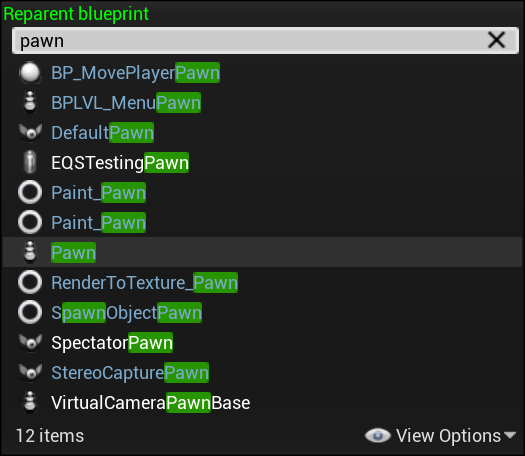
 lime fulcrum
Keep in mind that if you make an Actor class then a child of that actor class would be a bit more complicated to reparent if you depend on the parent functions and events
The button should tell the player controller to posess the new pawn
then the new pawn might have a code where a certain key re-posses the original player , like the ESC key or something
brittle osprey
just to clarify, im not actually casting right?
lime fulcrum
casting what?
exactly
you only do it if you have like an object referencer of the class ACTOR but you need the function of the child class like your custom actor BP
brittle osprey
ok i kinda understand that. so what node tells one bp to do something else? im only really (slightly) familiar with casting
lime fulcrum
what ya mean something else? Like a function or event within that BP?
 queen sphinx
someone explained to me was to think of casting as “treat as”.
lime fulcrum
queen sphinx
someone explained to me was to think of casting as “treat as”.
Yeah... that can work as simple to understand explanation. 🙂
 maiden wadi
Casting is an incredibly simple idea, but to fully understand it would require a semi indepth understanding of memory management at a low level. "Treat As" is probably the best easy way to follow.
brittle osprey
let me explain my logic or how im thinking of this: after the button is set up and recieves input (in this case the "E" key) it activates the button. Then, nothing. So what tells the button to talk to the player bp? does it just do it automagically? do i then put the "possess the pawn" on the player controller after?
 icy dragon
I coined that explanation hehe 
lime fulcrum
😄
For me CAST AS simple means "I know all your secrets" and I threat you to do what I ask or else
brittle osprey
an uderlying question i have is a rather simple one: WHERE do i put code that talks to other code? even college didnt answer that question....
brittle osprey
heres the code i have for the button itself
 lime fulcrum

What is a Blueprint Interface in Unreal Engine 4 Blueprints?
Source Files: https://github.com/MWadstein/wtf-hdi-files
icy dragon
brittle osprey
let me explain my logic or how im thinking of this: after the button is set up a...
I'm having hard time picturing the mechanism you wrote, but sounds like something interface/event dispatcher could do
maiden wadi
Please don't overuse interfaces either. It's not wise or helpful.
lime fulcrum
The cool part of interfaces is that an interface sends a message to any object.... IF that object has that interface implemented, it can then execute the event associated with that message and you can pass variables
icy dragon
Ultimately the goal is to make the code functional and easy to manage.
I'm sure someone will disagree on that.
lime fulcrum
Honestly I've been using interfaces all the time with zero issues
Of course, I'm not abusing them
queen sphinx
@icy dragon What you mean easy to manage?

 icy dragon
queen sphinx
<@325627930484932608> What you mean easy to manage?
icy dragon
queen sphinx
<@325627930484932608> What you mean easy to manage?
Ha, stealing from BP from Hell tumblr again?
queen sphinx
so not mine, I start making things into functions and macros
lime fulcrum
My complex BP look like this.... Functions, Events and a few macro
 icy dragon
The times I use interfaces are for stuff like HUD events, passing information from actor BP to anim BP (as I want it to be applicable to NPCs)
 sacred canyon
does anyone know how to do a simple click and drag camera, for moving on x and z? I kinda did it but just missing something
it resets every time I click, but can be dragged around in one spot

for some reason I can hardly find a thing about this online
bet Id have more luck looking for a unity tutorial for this, if I could understand any of it
dim tapir
I have an ability where I want to build stacks (bleed) on the enemy hit. I thought I was done but then I realized it builds stacks on my character instead of the different targets. Any idea how to track stacks on individual characters instead?
queen sphinx
@sacred canyon not sure on this one, are you trying to make like a map that can be drag around on the screen?
sacred canyon
my game just has a side view camera like a 2d game but its 3d
 gentle urchin
shouldnt you be saving mouse position?
 desert juniper
queen sphinx
<@325627930484932608> What you mean easy to manage?
desert juniper
queen sphinx
<@325627930484932608> What you mean easy to manage?
I'll just need to frame this and take a look at it whenever i feel bad about my code

queen sphinx
might be because when you reclick it rests the values. When you need something that got the new value.
sacred canyon
yeah I just dont quite know what Im missing
queen sphinx
Do you re set the values of the object after moving the location?
sacred canyon
wait hang on Im gonna try something else, maybe I could switch between controlling the cursor and directly moving the camera instead of it
nope
gentle urchin
whenever button is held, record and add mouse delta
sacred canyon
wdym
gentle urchin
LMB down -> set Bool true
Mouse Axis -> Branch (Bool) > true > Get Camera -> Add Relative Location
sacred canyon
yeah thats what I did
gentle urchin
works like a charm
queen sphinx
What is the number adding too? did you call an x,z cordinate in the blue print?
before the click and drag function
gentle urchin


 sacred canyon
isnt mine basically the same thing?
gentle urchin
Not really
sacred canyon
then whats different I dont get it
gentle urchin
Look at the nodes and you'll see a difference 😛
My setup assumes the camera is the players pawn
otherwise you'd need to remote access the camera via reference : P
Im purely adding the mouse delta to the actors relative location ,
while you're doing some weird setting cursor location, then if held, adding the location *-0.5 to the relative loc
No clue how that works in the first place. It shouldnt, really.
sacred canyon
nah that was just to slow it down a bit
but thanks your way worked its just my head is hurting trying to do these things in this heat
gentle urchin
You might wanna clamp the values at some point to avoid player moving out of bounds
queen sphinx
Oh that is a good idea...
sacred canyon
would also be nice if the cursor would stay fixed to the world location, kinda did it here by disabling the cursor component movement script but the real player cursor still moves of course https://gyazo.com/1b5462863d0479b476c1115a517995b2

not a problem though, just a preference
gentle urchin
Not sure what you mean
do you want it to stay on the initial click location?
Yours seem to be jumping whenever you let go
 acoustic lava
queen sphinx
<@325627930484932608> What you mean easy to manage?
acoustic lava
queen sphinx
<@325627930484932608> What you mean easy to manage?
Wtf
I think some people need to learn how to use functions
Ect
gentle urchin
learn to stay organized at all
sacred canyon
gentle urchin
Yours seem to be jumping whenever you let go
yes, and as you can see in your video the cursor slides away from where it was in the world, I fixed that but that caused the resetting
gentle urchin
embrace the functions
gentle urchin
sacred canyon
yes, and as you can see in your video the cursor slides away from where it was i...
it slides due to mismatch in speed
sacred canyon
yeah, Id like to fix that but I guess its fine if not
gentle urchin
dragspeed at about 50 makes it more or less gone
depends how nitty picky you wanna be 😛
queen sphinx
@acoustic lava When i started learning unreal there was discussion thread about if blueprint would replace C++ and they had that as an example of how Blueprints can start looking complicated. But as we all know, that is if you but no effort in cleaning them up.
sacred canyon
yeah I got it pretty much accurate by changing the speed
gentle urchin
you can also see that the pawn and mouse moves on different frames
cursor is ahead of the actor moving
this can be mitigated by moving the actor to post physics update
instead of pre
 sacred canyon
queen sphinx
<@424326510078459918> When i started learning unreal there was discussion threa...
sacred canyon
queen sphinx
<@424326510078459918> When i started learning unreal there was discussion threa...
Im kinda having a problem at the moment with some ui stuff though, with a large amount of buttons that all need to do something, it seems theres no real way to clean that up without custom scripts or something, its really annoying, like lets say on click button1 -> set button1 colour to something, theres no global "button pressed" node so you have to do it for every single one individually (even if they go to the same event I mean)
sacred canyon
gentle urchin
Im using a sphere component for the cursor currently so it doesnt seem noticeable
yeah I know there are these crazy mad scientist solutions to this but none of it seems feasible or just more work than it currently is anyway
acoustic lava
queen sphinx
<@424326510078459918> When i started learning unreal there was discussion threa...
Yeah, lol, I mean eventually BP could feasibly replace C++, but thats along way away
queen sphinx
agreed, but for a dyslexic like me, bluePrints are the key
sacred canyon
gentle urchin
wouldnt that work for you ?
this is for a customisation system, what I wanted to do was make an array of meshes, and then the button name would have a number to pick the array index, but this still needs the individual button clicks anyway

 worn gyro
If I have an actor class like Lootable, and it has multiple different child classes, is there a way I can randomly spawn Lootable without having to make an array and doing some random int.. like if my Lootables are ever expanding, I don't want to have to keep going into this list and adding more items to this array I just want it to find a random child of this class before spawning
gentle urchin
sacred canyon
this is for a customisation system, what I wanted to do was make an array of mes...
given a bunch of meshes you could procedurally create and setup button mappings for this


custom widgets procedurally made, bound to the very same function
doesnt matter if its 1 or 100 hats
the code remains the same
If you wanted to have some border indicate which hat is currently selected you could also provide a reference to the button widget
 dense thicket
Anyone knows why i cant Teleport my char?
It just prints out "hello" and does nothing else
 dense thicket
oh...
lemme try haha
Ah... you beautiful human being.. you were right haha.. thanks a bunch 😄
sacred canyon
gentle urchin
well I cant rely on generating the actual buttons since I have to do it all so specifically thanks to the damn ui editor
each button has an image for its mesh, and theyre all in a scroll box which makes it extremely awkward to edit the layout of them
gentle urchin
How so?
Just add them as children to the scrollbox
Icons can also be inputs to the button widgets,
Id theres more you may even want to make a db for it
And pass the entire row in :p
Mesh, icon, text, value idk
sacred canyon
look Im not like, a genius with these things
some things I can manage myself some things my brain will just say no
gentle urchin
Alright no worries
sacred canyon
its kinda what I meant by like more work than it currently is anyway, true itd make things more convenient for adding more but yeah
thanks for the advice anyway
gentle urchin
It all depends on the amount really
Procedural setups has a higher cost right now, but gets cheaper for each extra mesh added
Wouldnt bother for 5 meshes
sacred canyon
yeah thats another thing, I doubt Ill need hundreds
queen sphinx
I appreciate the advise, even though i am not directly benefitting from it now.
 mild shadow
I'm running into an issue with Widgets, where the variables I'm passing in to my Create Widget blueprint are not being propagated to the actual widget being made. Anybody know if this is a known bug for UE5, or just a weird widget issue?
Parent Widget:

Child Widget:

The variables being passed in to the child widget that are 'Exposed on Spawn' are 'None'. Despite them very much NOT being none in the parent widget.
Is this maybe due to the order that Widgets are initialized in?
Also, if this should be moved to #umg let me know, I figured a code error was better suited for this channel.
I have the exact same setup in a different location, where instead of having 5 widgets as variables, I'm adding dozens of child variables to a ListView. It works perfectly fine there. 😓
 dawn gazelle
mild shadow
I have the exact same setup in a different location, where instead of having 5 w...
dawn gazelle
mild shadow
I have the exact same setup in a different location, where instead of having 5 w...
So you're getting a print string that says "Valid" then getting "Item Not Valid"?
mild shadow
Yep
So after it's printed 'Valid', showing that the object is valid in the parent, it is then NOT valid in the child widget.
Which is.. very frustrating 
Actually, based on the logs, it's saying "Item not Valid" before it even validates the data in the parent widget?
LogBlueprintUserMessages: [Item_Sword_C_UAID_7085C2A6E2DBF82301_1313007767] Server: Attempted to Equip Item
LogBlueprintUserMessages: [Head] Server: Item not Valid
LogBlueprintUserMessages: [Torso] Server: Item not Valid
LogBlueprintUserMessages: [Legs] Server: Item not Valid
LogBlueprintUserMessages: [LeftHand] Server: Item not Valid
LogBlueprintUserMessages: [RightHand] Server: Item not Valid
LogBlueprintUserMessages: [EquipmentWindow_C_0] Server: Found  in Equipment Map
LogBlueprintUserMessages: [EquipmentWindow_C_0] Server: Found  in Equipment Map
LogBlueprintUserMessages: [EquipmentWindow_C_0] Server: Found  in Equipment Map
LogBlueprintUserMessages: [EquipmentWindow_C_0] Server: Found  in Equipment Map
LogBlueprintUserMessages: [EquipmentWindow_C_0] Server: Found Item_Sword in Equipment Map
LogBlueprintUserMessages: [EquipmentWindow_C_0] Server: Valid```But either way, it's not displaying the proper child widget. It's showing one without any thumbnail.
 dry condor
what is "equpment component" pin ?
mild shadow
A piece of dummy data I was using for testing, it doesn't do anything/isn't necessary.
dry condor
ahh ok
mild shadow
So, I guess based on the logs, the issue is more accurately:
Why is my widget creating/displaying the parent before actually creating and assigning the children widgets(?)
mild shadow
Am I forced to create the child widgets and then pass them into the parent widget, for everything to be handled properly?
queen sphinx
What are you trying to achieve ?
 faint pasture
mild shadow
So, I guess based on the logs, the issue is more accurately:
Why is my widget c...
faint pasture
mild shadow
So, I guess based on the logs, the issue is more accurately:
Why is my widget c...
That seems to make sense
Parent is what spawns child so parent is first
mild shadow
That makes some sense, but the logs "Item not Valid" mean that it's running the constructor for the children, before finishing running the constructor for the parent(?) I think
Since it's creating the children with no variables being passed in
faint pasture
Ya that's weird
mild shadow
I've tried the pre construct for both, and it's the same thing
faint pasture
Have you tried save Item to a var?
Is Item never valid in child or just invalid at construct?
mild shadow
faint pasture
Is Item never valid in child or just invalid at construct?
As far as I can tell, never valid. Any ways to check its' state while running the game?
dry condor
just bind it to a random key
faint pasture
mild shadow
As far as I can tell, never valid. Any ways to check its' state while running th...
Print it on tick or whatever passes for tick in widgets
mild shadow
Bound it to a key, and it's 'None' during the game too.
Ah, getting runtime errors now too, from printing it: Blueprint Runtime Error: "Accessed None reading structure Name_4_6952C8D840CFC06EEAD31ABE864CDDF5". Node: Print String Graph: EventGraph Function: Execute Ubergraph Equipment Slot Blueprint: EquipmentSlot
So, it's definitely None after the Widget has finished initializing.
I'm probably breaking a Widget rule somewhere here
queen sphinx
what is your end goal with the widget? Might be a work around.
mild shadow
The widget is just a window that displays the thumbnails associated with objects in a map
 leaden niche
is there anyway to "filter" out particular actors from a camera? I just want to hide the player/s if someone is in a cutscene. I want anyone else outside the cutscene to be able to see all the character though so i can't just set the actor to hidden.
mild shadow
I made a 'Window' Widget, that contains multiple 'Slot' widgets. Where each 'Slot' widget is a simple thumbnail.
the 'Window' Widget (Parent) has multiple 'Slot' widgets, and creates them during the On Construct event.
It (Parent) passes the 'Slot' widgets the right thumbnail to use.
I guess I could just remove the 'Slot' widgets, and have all of it in one window?
But, that feels less reusable.
faint pasture
mild shadow
It (Parent) passes the 'Slot' widgets the right thumbnail to use.
What happens if you send a primitive like Int?
or the key from that map
Are you ever adding the widget to something visible?
mild shadow
Yea, the widget is appearing on the HUD properly, it just doesn't have the thumbnails.
It's using the 'Slot' widgets with a default value
faint pasture
mild shadow
Parent Widget:
When do the child widgets get added to their container?
Just cuz I'm seeing this
https://forums.unrealengine.com/t/create-widget-bug-construct-not-working-if-not-added-to-viewport/358731/8

Unreal Engine Forums
Running into it on current. 4.21.2 Really annoying. In the end it’s a matter of copy/pasting code from the widget construct to the parent blueprint - it’s just really not code effective, “proper”, and i’m blowing a gasket to think about it in the incorrect terms it’s in. The “event construct” is supposed to happen when the event is created, n...
mild shadow
The parent Widget is set up like so:

Wait...
Alright, cool, it's setting the slots properly in the Parent Widget.
faint pasture
Are you not adding them to slots at runtime?
mild shadow
If I set the slot to be a newly created slot widget, I can access the items from it properly(?)
mild shadow
faint pasture
Are you not adding them to slots at runtime?
Is this different from the construct event?
If so, that would explain the issue 😓
faint pasture
mild shadow
It's using the 'Slot' widgets with a default value
Are you sure it doesn't just do that anyway without you spawning the 5 on construct?
you might have 5 widgets that exist on the screen with default values, and be building another 5 that you never add to any visible container
mild shadow
That's very likely
I have each of those 5 widgets in the parent set as variables, and I overwrite them with the newly created slots
my understanding is that, since that is happening in the Event Construct, it would then display the newly created ones
but maybe not

faint pasture
ya i think you're constructing 5 with defaults and creating but NOT constructing another 5 with custom variables. I'd expect you have to add to slot or whatever after construction
mild shadow
Hm, how would I even do that with a Canvas/Anchored positions? Any ideas?
faint pasture
ooh I dunno
mild shadow
Doing that with a ListView worked fine, for my widget that needs to expand/change dynamically.
But this needs to have them is set positions
faint pasture
maybe anchored SIzeBox?
mild shadow
faint pasture
I'm really not sure
You anchor something, but you create the widget then add it to the something
Try that
faint pasture
Although if you already have the 5, why not just pass them the values?
is it always 5?
mild shadow
Yea, always
faint pasture
I think you can just feed them the textures
mild shadow
Ah, so instead of creating the widget and replacing it, I can modify the ones made automagically
Aight
faint pasture
Might have to consider PreConstruct vs Construct but that should work
mild shadow
that makes sense
queen sphinx
Wondering, would it be kind of like ammo being tracked on a gun? The gun holds the ammo count, and it updates the widget on which one you have equiped?
mild shadow
Yea, exactly like that.
It's an Equipment UI, that tracks the gear 'equipped' by a player.
dry condor
yeah you can manipulate it all you want before you add it to the viewport
or render target or w/e
queen sphinx
Will the equipment be in different slots? or will slot 1 always be helmet and so on?
mild shadow
The latter, equipment will be assigned specific slots
That got it working 👍 thanks!
Good to know that this stuff is bottom up
queen sphinx
might want to post this question in Multiplayer .
faint pasture
mild shadow
That got it working 👍 thanks!
What was it?
mild shadow
mild shadow
Ah, so instead of creating the widget and replacing it, I can modify the ones ma...
This!
Instead of creating new widgets in the constructor of the parent, I simply modified the ones that it made automatically.
 opal pulsar
Hello, is there a way to know if the player's rotation has changed since the last frame without storing it inside of a variable?
 tawdry surge
Get last update rotation
 willow island
What's the difference between normal render target and array? Do they stack?
Create Render Target 2DArray

 lapis fog
Hey!
Unique ID's... Im trying to get a unique ID (that is stored permanentely) for every other device, being it every Oculus Quest in which my project is installed.. (The idea is to send this unique id to our server and use it to store this information, so that we register a specific id to a specific client/oculus/project)

I found this setup online
the green nodes with the "left, mid and tight/ append) are not important..
But i would like to know how to make that new guid only work and give a id once... and store that number somewhere "forever" - may sound simple.. but I can't see any obvious way for it
I can't rly find anything that's "easy-to-read".. since I'm a complete noob in programming ...
So if you know of a way to make this work.. It would be lovely if you could explain it as if I was 5 years old ahahaha
Thanks!
 cyan bone
@faint pasture You showed me this technique yesterday to make all lerps on one function.
Im doing now something inspired on your technique.
But i have a different actor just for this.
I called it Global_Movement_Manager.
Is this good, or not?

 dawn totem
Ok so question about Data Tables vs Variables. We have an Inventory Variable utilizing an inventory struct that not only references the data table but also gets populated with the same data in the data table into the variable for quicker access.
My question is, is it better to do it the way we are doing by keeping both the reference to the data table and copying the data from the data table into the nested struct holding the item data. Or should be just be querying the data tables to get the data that we need from the data table row each time?
 faint pasture
cyan bone
<@127902729677963264> You showed me this technique yesterday to make all lerps o...
faint pasture
cyan bone
<@127902729677963264> You showed me this technique yesterday to make all lerps o...
The end result will be something like a subsystem or network manager actor but yeah that's how I'd do it.
cyan bone
faint pasture
The end result will be something like a subsystem or network manager actor but y...
thank you. Should i spawn 1 Global_Movement_Manager per player in case its multi ?
faint pasture
Although a manager per squad might make sense as the squad is the unit of LOD and relevency etc.
cyan bone
faint pasture
Although a manager per squad might make sense as the squad is the unit of LOD an...
Yeah i thought about that. But from my logic, 1 actor that manages all squad's units movements is more performant?
though the movement of the squad is local to the squad blueprint
one thing is the squad movement, another is the soldier movement
 cyan bone
faint pasture
Although a manager per squad might make sense as the squad is the unit of LOD an...
cyan bone
faint pasture
Although a manager per squad might make sense as the squad is the unit of LOD an...
Wait i didnt understand. LOD? What has LOD to do with movement?
faint pasture
cyan bone
Yeah i thought about that. But from my logic, 1 actor that manages all squad's u...
I mean you wanna LOD your squad as a unit, and presumably do relevency on it, so it might make sense to have the logic live at the squad level too.
cyan bone
faint pasture
I mean you wanna LOD your squad as a unit, and presumably do relevency on it, so...
ok, but the Global_Movement_Manager was going to be awesome
with structs

so i have 2 structs of movement, the struct of movement, and the struct of passer of movements from squads. And at the end of each movement. I check if the passer as something, if it has i will check if its containing in the CurMovement, if not i pass the new movement order to it. And delete it from the passer.
faint pasture
Yeah I like global movement you just need to be careful about relevency etc.
cyan bone
faint pasture
Although a manager per squad might make sense as the squad is the unit of LOD an...
maybe i should go first with the local manager because of this.
yup i go with local manager
oh, i could also do it like. whenever i move the soldiers, i spawn an actor that moves the soldiers. then after soldiers moved, destroy actor.
“Life is really simple, but we insist on making it complicated.” – Confucius
faint pasture
cyan bone
oh, i could also do it like. whenever i move the soldiers, i spawn an actor that...
Ew no lol
cyan bone
faint pasture
Ew no lol
lmao why not? its like its cheaper even? Its spawned to move. Then its destroyed, so better?
No need to have an actor for all units only when they move
move soldiers in formation or attack or reform. thats all.
the other movements like squad movement dont need lerp
well there is a little effect just at the start
else if im gonna do an actor for each squad that permanently deals with the movements. Then at that point its best to just do it inside the squad a timeline.
faint pasture
cyan bone
lmao why not? its like its cheaper even? Its spawned to move. Then its destroyed...
Spawning isn't free and neither is splitting your movement logic up over an arbitrary amount of throwaway actors. Either update each squad internally in tick or do it globally.
That's like spawning an actor to jump, makes zero sense.
Tick -> update all soldiers in this squad
Or
Tick -> update all soldiers in the world
cyan bone
ok got it
thank you
but like if you think about it
you have 100 squads
if you select 1 squad and move it. The others are not moving.
They are moving as squads.
Which doesnt need the lerp
So you will have moments where nothing is moving actually. Or its mostly only the squads you have selected and just temporarily.
The soldiers moving is just an animation effect.
 junior hedge
junior hedge
junior hedge
why does this not work?
i want text to update but stays at 0
if I print string at event tick it prints 0
but keybind works fine
cyan bone
faint pasture
Spawning isn't free and neither is splitting your movement logic up over an arbi...
https://streamable.com/zn6idg
For example, you see here. There is just an effect im lerping my units inside the squad relatively a bit to the back and a bit to the sides, so to give the illusion of natural moving. But thats just at the start. All the rest is just squad single movement.

 bold shard
I am trying to set a UI element to be in the middle of my screen, but it keeps being ~25% away from the right edge. I get the viewport size, multiply it by a param I have set to 0.5, and user the result to set the X position.

 desert juniper
bold shard
I am trying to set a UI element to be in the middle of my screen, but it keeps b...
desert juniper
bold shard
I am trying to set a UI element to be in the middle of my screen, but it keeps b...
why not just set the anchor to the middle ?
you don't need to do any math
bold shard
I think the math is correct, so I assume I failing to take into account some kind of scaling or viewport to screen thing.
Because I want to be able to have it appear in different locations.
queen sphinx
@junior hedge Is this for a HUD?
junior hedge
queen sphinx
<@239955398231195648> Is this for a HUD?
widget bp
 trim matrix
is there any way I can get a specific player pawn in game that is spawned from a player start?
queen sphinx
junior hedge
queen sphinx
<@239955398231195648>
https://www.bing.com/videos/search?q=unreal+engine+score...
this is quite lazy you think?
queen sphinx
well yes and no.
Because this is what I am currently using.
and this involves adding the score count to the Player BluePrint as a Variable

then to added to my HUD it involves binding the score to the hud using a function.
queen sphinx

 runic parrot
Does anyone know if there's a pure node to get "Array index" only if index is valid? i hate to keep doing the check
trim matrix
I have something similar

it takes the score from the current game and adds it to the hud
but I don't bind it because I heard binding is a bad way of doing it
well, not hud just score UI
junior hedge
queen sphinx
also you are getting all actors every frame
 ocean meadow
Hi! does anyone know how to fix an inventory issue where I place one item over the other and it overlaps it?
Thanks!
this is my lovely slot swap function that I made that Datura showed me! (I made a minor adjustment to fix up an item duplication bug)
 queen sphinx
it triggers the score when there is an update. Since what I am currently working on: Only needs to update when I kill something.
 junior hedge
ocean meadow
this is my lovely slot swap function that I made that Datura showed me! (I made ...
junior hedge
ocean meadow
this is my lovely slot swap function that I made that Datura showed me! (I made ...
how do you call variables into functions?
junior hedge
queen sphinx
this is a bind, bind happens every tick
ocean meadow
junior hedge
how do you call variables into functions?
You make it localized I think?
I'm sorry for not knowing T_T
junior hedge
ocean meadow
You make it localized I think?
are target slot and target slot local?
ocean meadow
junior hedge
are target slot and target slot local?
You mean target and source? yes in this function
junior hedge
so they cant be used out of it
that doesnt make sense then how do they have values when you arent setting them
ocean meadow
I called this function into my On Drop function in inventory Slot, is that a problem with it?
 junior hedge
My Geometry, Pointer Event, Operation
how are you importing them into the function like that
queen sphinx
did not know that fired every tick.
ocean meadow
I only use Operation instead of "My Geometry, and Pointer Event" Since the gentleman I learned from on this tutorial didn't use them.
junior hedge
ocean meadow
I only use Operation instead of "My Geometry, and Pointer Event" Since the gentl...
not answering my question
how did you import operation into the function like that
like in your begin node theres variables that you can drag
ocean meadow
Please give me a moment 😅
junior hedge
nvm its inputs
ocean meadow
I created a draganddrop operation blueprint
junior hedge
i already found the answer, you need to input the variables in details
ocean meadow
So for the on drop function right?
Please elaborate, I'm sorry if this is troublesome T_T
junior hedge
 ocean meadow
Yes I did that previously as the two inputs for the Slot Swap function, is there anything else?
runic parrot
Does anyone know why my movement animation is not working when i use "Simple move to location" but it works when i use "Add movement input"?
 sharp rapids
I'm trying to create a top down camera like a strategy game, and I'm trying to detect when the mouse position is at the edge of the screen to move the camera, but I'm not sure what's the right way to detect mouse position?
I thought about 'Get Mouse Position in Viewport' / 'Get Viewport Size'
But 'Get Viewport Size' is a cosmetic node so i'm hesitant to use it in gameplay
Is there some other way?
runic parrot
Your mouse position on the viewport is cosmetic, what is the problem?
that method should work fine, not sure if there's somep roblem that may arise with that later
gentle urchin
queen sphinx
did not know that fired every tick.
It doesnt
Unless you provided two ss and i missed the bind part 😄
sharp rapids
runic parrot
Your mouse position on the viewport is cosmetic, what is the problem?
I thought this was a Gameplay related thing
I'm using the mouse position to move the camera, it's not widget related
It needs to be sensitive and accurate all the time and the engine tells not to use Cosmetic events for gameplay purposes
gentle urchin
sharp rapids
I'm trying to create a top down camera like a strategy game, and I'm trying to d...
Pretty sure thats where i ended aswell
Or did i actually make widget borders... gotta check
sharp rapids
gentle urchin
Pretty sure thats where i ended aswell
I tried using it, but it seems to give different values during fullscreen and windowed mode?
gentle urchin
opening
sharp rapids
gentle urchin
opening
Actually, I found it
'Get Mouse Position' From 'Get Player Controller' / 'Viewport Size' works perfectly
Idk why 'Mouse Position Platform' gives different values 🤷♂️
 sharp rapids
gentle urchin
compiling shaders is slow today
sharp rapids
gentle urchin
compiling shaders is slow today
When is it ever not slow?
 runic parrot
Does anyone know why my movement animation is not working when i use "Simple mov...
runic parrot
runic parrot
Does anyone know why my movement animation is not working when i use "Simple mov...
Anyone any idea? D:
it's a default actor inheriting from "character"
gentle urchin
what does your animation react to?
velocity ?
if so, check that velocity changes during simple move to
runic parrot
gentle urchin
if so, check that velocity changes during simple move to
it's the default movement component, i think it works on velocity.
Velocity changes both on "Simple move to" and "add movement input"
 gentle urchin
animation happens in the animBP
Turns out
i ditched the project that had edge scrolling
ugh
well , you got it working!
runic parrot
gentle urchin
animation happens in the animBP
What should i be checking in there? it seems like the same setup of "Third person blueprint" without changes, but on that one movement anim works
runic parrot


The weird thing is that it animates okey if i use "add movement input"
but both change velocity okey
i just replaced the pawn for the "top down character" on the default pack and it animates okey, i'm gonna check for difs
junior hedge
gentle urchin
Unless you provided two ss and i missed the bind part 😄
He showed a bind at first
Get text bind
He was getting all actors of class in it
gentle urchin
Ah.
junior hedge
junior hedge
Also is this just a bug?
Because I restated the project and now it's just completely busted now lol
Actors didn't spawn, casts don't work now
This was just a test so I'm not really worried if it was corrupted or something
gentle urchin
Well i cant see the variable being updated anywhere
Sounds like you've forgotten to save the new gamemode changes or smth?
gentle urchin
junior hedge
Actors didn't spawn, casts don't work now
Casts not working and actors not spawning suggest wrong gamemode / classes
junior hedge
gentle urchin
Casts not working and actors not spawning suggest wrong gamemode / classes
Maybe it got corrupted?
 queen sequoia
hello, I have a qeustion, I implemented ALS Community on Ue5, and Im Trying to re add all my states that I had on my previous Anim bp, Problem is I cant fins where your supposed to add new states, does anyone know where its located, Thank You
gentle urchin
junior hedge
Maybe it got corrupted?
I wouldnt go there first but sure
 rapid crescent
I'm surprised I couldn't Google a good answer to this... I'm looking for a way to determine whether there is an active and working Internet connection. I don't see many answers about how to check this(HasActiveWifiConnection does not guarantee that the wifi is actually connected to the Internet). Does anybody have suggestions how to check Internet connection? (Both for PC and Mobile)
gentle urchin
Try to reach a known reliable host
junior hedge
Good idea
gentle urchin
Success = internet
Failure = no internett
gentle urchin
Was about to say a google server 😅
rapid crescent
Well what if I want to display a Network indicator in the UI and have it update when Internet is lost or restored? I would need to constantly see if I can reach google.com which is not the desired approach
gentle urchin
rapid crescent
Well what if I want to display a Network indicator in the UI and have it update ...
something has to check. Why not you?
junior hedge
rapid crescent
Well what if I want to display a Network indicator in the UI and have it update ...
Wouldn't it be constantly pinging to the game?
If it doesn't get a ping back then display it
Most mp games show the amount of ping you have to the server so I don't think it would be nessasarily performance intensive
rapid crescent
hmmm yea latency indicator good example, probably has a constant connection to a server
alright, thanks for the feedback/ideas... gives me something to ponder
 near wolf
Hi, i'm trying to enable input when the character enters a trigger box and be able to play video and sound. What am I doing wrong ?

 solar sequoia
near wolf
Hi, i'm trying to enable input when the character enters a trigger box and be ab...
solar sequoia
near wolf
Hi, i'm trying to enable input when the character enters a trigger box and be ab...
have you used breakpoints to figure out what part of this isn't functioning?
near wolf
not sure what you mean by breakpoints, but the nodes are firing when entering the volume
just the media doesn't play
 static pilot
near wolf
Hi, i'm trying to enable input when the character enters a trigger box and be ab...
static pilot
near wolf
Hi, i'm trying to enable input when the character enters a trigger box and be ab...
Atleast you should tell whether the problem is in enable/disable input or the video part.
solar sequoia
near wolf
not sure what you mean by breakpoints, but the nodes are firing when entering th...
you can select a node and press F9 to create a breakpoint, which will stop Play in Editor when that node is fired
near wolf
I get an error : Accessed none trying to read property MediaPlayer
solar sequoia
Breakpoints can be used to troubleshoot basically everything and will allow you to narrow down exactly where it's going wrong
static pilot
near wolf
I get an error : Accessed none trying to read property MediaPlayer
You have to set the default value of the media player variable
near wolf

The problem is here for sure
not sure what is it not working
ok I made it work, it starts when I click the button
now I need to be able to stop it with the same button
what node can I use for that
nvm It works now
 viral lantern
Hey everyone, I'm trying educate myself on the highlighted nodes. What is this icon? Can anyone point me in the right direction?
 solar sequoia
viral lantern
Hey everyone, I'm trying educate myself on the highlighted nodes. What is this i...
solar sequoia
viral lantern
Hey everyone, I'm trying educate myself on the highlighted nodes. What is this i...
that means it's replicated
solar sequoia
a lot of stuff is automatically replicated, even if you're not using it. Doesn't affect performance or anything
viral lantern
I see
I'm not able to get "Target ChildActor" node to appear at all
I assume they're variables being linked?
 small gale
anyone can help ? im new
 viral lantern
I'm a designer -_-
solar sequoia
viral lantern
I'm not able to get "Target ChildActor" node to appear at all
yeah a node that starts with "target" has been dragged off of an object reference to get one of its variables. In this case it's just a coincidence that they're both named Child Actor
solar sequoia
small gale
anyone can help ? im new
is this not in a character or something? idk what the error is because it's not shown
viral lantern
😮
small gale
solar sequoia
is this not in a character or something? idk what the error is because it's not ...
"this blueprint is not a character, therefore target must have connection"
solar sequoia
small gale
"this blueprint is not a character, therefore target must have connection"
it's exactly what it says. The Jump function tells a character to jump, but the engine doesn't know what character to target
I can only assume this is in your controller, so you can get a reference to the pawn and then cast that to a character reference
You'll notice that calling a function will say "Target is 'x'", or you can hover over the Target pin to see what it takes. That's your hint as to where this function belongs

calling a function from outside of the BP it belongs to is no big deal, you just need to reference the instance of that actor that you'd be targeting
viral lantern
I did it! thanks Cepaceous!
solar sequoia
viral lantern
I did it! thanks Cepaceous!
no problem
 hollow schooner
Hi guys, I'm currently trying to figure out how to use the varient set manager to switch between cameras.
I am working on a car configurator and I have a main Camera Pawn that the user can use to orbit the car configurator I'm working on. I've added a camera to the interior so the interior can also be configured etc.
How do I switch between the two cameras? The thing is that one of the cameras is part of the Car's blueprint, and the other camera is part of the Pawn blueprint 🧐
solar sequoia
hollow schooner
Hi guys, I'm currently trying to figure out how to use the varient set manager t...
I have a setup to swap cameras that uses the character's camera and a camera actor. I might suggest that you do something similar, because that lets you use "Set View Target With Blend" while targeting the camera actor that's attached to the car
so every vehicle has a camera actor in the construction script, and that is passed to the controller when the pawn enters
hollow schooner
solar sequoia
I have a setup to swap cameras that uses the character's camera and a camera act...
"Character's camera" being my car's INT camera?
solar sequoia
hollow schooner
"Character's camera" being my car's INT camera?
no, the pawn's
hollow schooner
I'm pretty new to UE so I'll need to read that a few times to fully comprehend
solar sequoia
I'm assuming this is something like GTA or Battlefield, where the pawn's view switches to the car's?
hollow schooner
So I basically add a second camera to the Pawn that is located where I want it when the car is stationary?
solar sequoia
incorrect
the car has a camera actor attached to it, which you can reference to set the view target to
hollow schooner
solar sequoia
I'm assuming this is something like GTA or Battlefield, where the pawn's view sw...
Basically. I'd love if I can get the Camera to animate into the car to a specified location (instead of just instantly switching between two cameras)
solar sequoia
hollow schooner
Basically. I'd love if I can get the Camera to animate into the car to a specifi...
that's what the node does yeah
hollow schooner
okay, so the node I'm looking for is "view target"?
solar sequoia
the "blend" in "Set View Target with Blend" is a time
solar sequoia
hollow schooner
okay, so the node I'm looking for is "view target"?

a "View Target" is the camera the controller is currently focusing on iirc it's the actor whose active camera the controller focuses on
actually, you can just use a normal camera component on the car
hollow schooner
Okay, I'm just thinking about how to implement the "Set View Target with Blend" 🧐
solar sequoia
if you'd rather play around with it to figure it out, that's cool, but I can also just tell you
hollow schooner
I need to create a new event, right?
hollow schooner
solar sequoia
if you'd rather play around with it to figure it out, that's cool, but I can als...
Yeah that would be great, I can then analyze and learn from it afterwards
solar sequoia
unless you already have an event for the vehicle being entered or left
hollow schooner
No, I have an event where the camera moves to a target location on startup though

I can also focus selected objects and have the camera move to that location
so I assume I could use that system somehow?
solar sequoia
you could, yeah
assuming it doesn't travel through a wall or something, that node I showed you is pretty smooth
hollow schooner
Im struggeling to see where to attach it. My thought process is that I create a new Custom Event that I trigger via the UI button in my UI BP which sends the tastk to "set view target with blend". is that the correct way of doing it, or is there an eeasier way?
solar sequoia
hollow schooner
Im struggeling to see where to attach it. My thought process is that I create a ...
I don't totally get what the UI has to do with it. I guess I was picturing this being triggered by the pawn interacting with the car or something
hollow schooner
No, sorry
I want to trigger it via a UI button
So the user can select "okay I want to configure the Interior now" -> press teh button -> camera moves into the cockpit of the car -> user can now edit the Interior materials etc
solar sequoia
your widget can get a reference to the controller that owns it, cast that, and then run an event in your controller BP
plus it makes sense as it's kind of a controller thing anyway
hollow schooner
solar sequoia
plus it makes sense as it's kind of a controller thing anyway
what is?
solar sequoia
changing cameras is something that makes sense via the controller in this case because it supersedes the pawn
it doesn't really matter but it's easier to do it that way anyway
this returns a controller reference iirc
 hollow schooner
Okay, just so I understand, I should add the camera toggle functionality via the player controller BP?
 solar sequoia
hollow schooner
Okay, just so I understand, I should add the camera toggle functionality via the...
solar sequoia
hollow schooner
Okay, just so I understand, I should add the camera toggle functionality via the...
yes, and call the event from your UI
hollow schooner
Okay cheers, I'll see if I can get something to work
 real notch
I made an actor blueprint, and then created a child blueprint based on that one. The static meshes I place in the child don't move when I move the parent because they're not being childed to the parent's scene root for some reason. Any ideas?
These screens are from viewport (editing blueprint) and outliner. I don't understand why it's not nested in the outliner

 solar sequoia
real notch
I made an actor blueprint, and then created a child blueprint based on that one....
solar sequoia
real notch
I made an actor blueprint, and then created a child blueprint based on that one....
those are all inherited, right?
meaning you created them in the parent and they appeared in the child because of that
solar sequoia
so you sent 2 screenshots of the same BP?
real notch
Yes, but one in viewport and one in outliner
To show that it's doing something I didn't expect it to do.
This is the parent
 solar sequoia
did you change the BP after placing the actor or something? for all I know that would cause it to do that
real notch
No, I placed it anew
 neat stream
Hi there, I have found away to transform a Map to a JsonField ... which result in a nicely formated json.
I wanted to know what could I do to transform it back ? Parse it and regenerate the map?
 real notch
solar sequoia
did you change the BP after placing the actor or something? for all I know that ...
solar sequoia
real notch
real notch
solar sequoia
did you change the BP after placing the actor or something? for all I know that ...
solar sequoia
real notch
That is kinda weird, I'm not sure why that's happening
real notch
I have another child blueprint with just a cube, and that one does move. I don't get it.
I just recreated it and now it works fine. Idk, seems like a bug to me. I was the bug
Apparently the child was static. Lesson learned: always check the output log because you might be making a pretty dumb mistake
 young meteor
Hello kind Experts. I'm new to UE5 so please forgive me if this is a stupid question.
I'm making a "Tower Defence" game and I'm running into performance issues when I create towers with "splash" damage.
I'm spawning a projectile with 2 collision spheres. 1 for generating overlap event on impact and one for grapping all actors (enemies) within a radius when that happens.
My FPS drops very low and the more splash towers I create the worse. But the problem arises already at the first one.
I've tried to minimize and disable as much code as possible without any noticeable difference.
I've then tried lowering graphic settings etc. just in case but this seems to have no effect as well.
I've found a quick guide on performance stats and I think the issue is not on the GPU side but rather on CPU (or otherwise).
Here is a screenshot that hopefully give more insight:

"Tick times" and "Overlap queries" seem to be what it is about.
I've read more and there might be some overlap settings that are part of this?
- I've set the collision presets to "Spectator" for the Capsule of enemies I'm hitting.
- I've set the collision presets to "CharacterMesh" for the Mesh of enemies I'm hitting. (though I don't think I'm using this Mesh at the moment since I created a sphere for starters)
- I've set the collision presets to "OverlapOnlyPawn" for the Sphere of enemies I'm hitting. (sphere for easy representation since I don't have complex monsters yet).
Any help or directional guiding would be highly appreciated.
Thank you very much. Let me know if you need more info.
hollow schooner
solar sequoia
yes, and call the event from your UI
So, I set this event up in my CameraPawn. Does it look right to you? Also, how to I send the button info in my UI to that event?

 mental trellis
Using get all actors of class makes me cry
hollow schooner
😦
mental trellis
How do you trigger the event?
If it's a keypress, disabling input will stop you triggering it.
hollow schooner
I want to trigger it via a UI button. But i havent set it up yet
solar sequoia
hollow schooner
So, I set this event up in my CameraPawn. Does it look right to you? Also, how t...
you're probably trying to disable movement for the pawn, right? the "Target" pin on that node needs to reference the pawn, and you'll actually need to plug a self reference into the controller pin, because that pin doesn't default to self
 willow phoenix
hollow schooner
So, I set this event up in my CameraPawn. Does it look right to you? Also, how t...
willow phoenix
hollow schooner
So, I set this event up in my CameraPawn. Does it look right to you? Also, how t...
a flipflop is an adventure on its own here 😄
may i ask: does this work as you expect it to work right now?
solar sequoia
hollow schooner
I want to trigger it via a UI button. But i havent set it up yet
call that in your UI and then cast the output to your player controller class
 hollow schooner
willow phoenix
a flipflop is an adventure on its own here 😄
may i ask: does this work as you ...
hollow schooner
willow phoenix
a flipflop is an adventure on its own here 😄
may i ask: does this work as you ...
It's not connected to the button yet, so it does nothing right now (the next question would be, how to I send the button press data to the event?)
willow phoenix
enable input on the blueprint and make thhe event print "hello"
solar sequoia
@hollow schooner you also probably should be getting your pawn and vehicle pawn reference another way
hollow schooner
solar sequoia
call that in your UI and then cast the output to your player controller class
Like that?
 solar sequoia
hollow schooner
Like that?
solar sequoia
hollow schooner
Like that?
no, try to get the node I showed there. Turn off context sensitivity if you have to
willow phoenix
more like: get a "is valid" class, check if your object is already set. if not, get actor of class and set the object.
hollow schooner
 solar sequoia
hollow schooner
solar sequoia
hollow schooner
what are you casting to?
hollow schooner
To the Pawn
solar sequoia
is that where your event is or something? the widget node returns a controller
hollow schooner
I wasnt able to find the event
solar sequoia
hollow schooner
I wasnt able to find the event
well that's because you have context sensitivity turned on, and you weren't dragging off of a reference to that class
you know how casting works, right?
hollow schooner
Like that?
 hollow schooner
solar sequoia
you know how casting works, right?
hollow schooner
solar sequoia
you know how casting works, right?
Is it "sending" the result to a different BP?
solar sequoia
hollow schooner
Is it "sending" the result to a different BP?
it's not
hollow schooner
Then I have no idea
solar sequoia
it's not "casting" like "casting a fishing pole" it's more like seeing if you can turn a round peg (generic reference) into a star-shaped hole (specific reference)
hollow schooner
Not sure I Understand 🧐 I'll check the documentation to save you some nerves
solar sequoia
so that Get Owner Player node returns an actor reference, but you need a reference to your camera pawn. Your camera pawn inherits from an actor, because it's a pawn, so you can test if the return value is also a specific class, and doing so will allow you to address that object by the class that you need to
hollow schooner
Not sure I understand what I need to do :/
solar sequoia
hollow schooner
Not sure I understand what I need to do :/
I'll find an example
 solar sequoia
hollow schooner
To me, this seems like the logical solution:
solar sequoia
hollow schooner
To me, this seems like the logical solution:
sure, so compile it and see what it says
hollow schooner
error 😦
solar sequoia
it needs to know which camera pawn to perform that on
that's why you need a reference
although I will say it makes more sense to do this on the controller imo
hollow schooner
My player controller BP is completely empty though, aside from this:
 solar sequoia
you can just add the event in there, or make a new custom event for the moment
the way you've described your setup makes it sound like your UI should probably be communicating with the controller instead of the pawn mainly
just create and name a custom event in the controller so I can show you how this works
 solar sequoia
yeah there you go
hollow schooner
I'll remove the custom event from the Pawn then, right?
solar sequoia
you can leave it for now
hollow schooner
ok
solar sequoia
let's work backwards a bit, though
in the UI, you can turn off context sensitivity and search for the name of that event to find the node to call it
hollow schooner
 solar sequoia
so if you compile it will say that "self" is not "x" class, and that's because you need to be able to tell it which instance of that BP to target
this node can be called from a widget and will give a player controller return value
 hollow schooner
I cant connect the node to the toggle camera node though
solar sequoia
yep
so if you hover over either of the blue pins, they'll say different things. That's because they return different types of references, even if it may be the same object. That's just how the engine does it
all casting does is test if the in type can be sort of "refined" to be a class that inherits below it
so the cast will succeed if the return value from "Get Owning Player" is also the class you're trying to call something in
hollow schooner
 solar sequoia
hollow schooner
solar sequoia
hollow schooner
yeah, like that
hollow schooner
So now when I press the button, I can execute an event in the PlayerController BP`, right?
solar sequoia
hollow schooner
So now when I press the button, I can execute an event in the PlayerController B...
specifically in the controller that owns that widget, yes
hollow schooner
what do you mean with "widget"?
solar sequoia
"Widget Blueprint" class
like the thing that has the click event
you use "Create Widget" to spawn them when your game is running
hollow schooner
When I say button, I mean a button in the UI of the WidgetBP
solar sequoia
yes
hollow schooner
Not sure if I am mixing up words
 blazing pollen
guys does anyone know how to fix the npc acceleration in UE5 ?
it has speed but 0 acceleration
so moving without animation
solar sequoia
hollow schooner
Not sure if I am mixing up words
no, you're correct. Although you should probably rename that to something more specific, seeing as all widgets are blueprints
solar sequoia
solar sequoia
no, you're correct. Although you should probably rename that to something more s...
something to describe what the widget is or does, possibly

 solar sequoia
you don't have to use _WDG at the end, but that's what I do to stay organized at a glance
 hollow schooner
 solar sequoia
hollow schooner
solar sequoia
hollow schooner
that's fine, I guess, but sooner or later you'll definitely want to create widgets for different purposes
hollow schooner
okay that makese sense
solar sequoia
you can even organize it somewhat by doing that
hollow schooner
Anyway, we've now managed to send the button click to the PlayerController_BP
solar sequoia
I have a UI widget that uses other widgets I've created on its canvas
solar sequoia
hollow schooner
Anyway, we've now managed to send the button click to the PlayerController_BP
yep, so you should probably replace the "Get Actor of Class" node with some other logic to get a reference to your pawn / the car
it's pretty easy for a controller to reference its pawn using this node, but you might have to think about how you're going to be interacting with the car, in order to get a reference to it

For example, does your pawn run up to it, do you click on it, is it bound to the UI in some way
hollow schooner
Let me showcase my App so you have some more context
solar sequoia
solar sequoia
For example, does your pawn run up to it, do you click on it, is it bound to the...
something I've referred to as the "physical relationship" between things that need to reference each other, even if that's a pretty major oversimplification
hollow schooner
Here you can see the current UI and camera interaction. Orbit and Zoom. Once the user presses the gray button on the right of the UI, I want the camera to move/switch into the car with no more user input (rotation, orbit etc) being allowed.
solar sequoia
hollow schooner
Here you can see the current UI and camera interaction. Orbit and Zoom. Once the...
you're already accessing it using the UI, just use that same method to save a reference in the player controller
hollow schooner
How do I reference the camera of the Car and the Pawn though? I assume all I need to do is plug those references into the two "set view Target with blend" nodes, correct?
 solar sequoia
hollow schooner
How do I reference the camera of the Car and the Pawn though? I assume all I nee...
solar sequoia
hollow schooner
How do I reference the camera of the Car and the Pawn though? I assume all I nee...
that's all you need to do, yeah
however, you shouldn't use "Get Actors of Class". That cuts corners, can cause issues, and isn't even that much easier than the other way
hollow schooner
I've removed the previous node tree from the Pawn character, so the "Get actors of class" shoul dhave been removed. How else do I reference the cameras of those BP's though? 😮
solar sequoia
hollow schooner
I've removed the previous node tree from the Pawn character, so the "Get actors ...
the way the node works is you just need a reference to the actor, actually
Like I showed, the controller can easily get a reference to its pawn
hollow schooner
Via casting?
solar sequoia
hollow schooner
Via casting?
no, you literally just call "get pawn"
casting doesn't get a reference. It checks to see if an object also belongs a class that inherits from the original reference's class
hollow schooner
In my brain I would need to switch the two green nodes with one another for the bottom "set view target", but they wont plug in that way 🧐
 solar sequoia
hollow schooner
solar sequoia
hollow schooner
my bad, it's the controller version of "get pawn"
you probably also want to replace that "Get Player Controller" node with "get a reference to self"
solar sequoia
solar sequoia
my bad, it's the controller version of "get pawn"

@hollow schooner that's all you need to do, actually
 hollow schooner
Okay, and how do I switch them around for the other "Set view Target" node?
 solar sequoia
hollow schooner
Okay, and how do I switch them around for the other "Set view Target" node?
solar sequoia
hollow schooner
Okay, and how do I switch them around for the other "Set view Target" node?
so on the A Exec you're telling the controller to target the pawn's camera, on B you need to have a reference to the car actor in order to plug it in
hollow schooner
Oh okay
solar sequoia
so like I said before, your UI already communicates with the car in some way. How do you have that set up?
hollow schooner
Using Get all Actors lol
 solar sequoia
I will mention that you probably want to switch to the car the first time you click the button, meaning the pawn should actually be on B
solar sequoia
hollow schooner
Using Get all Actors lol
I would not do that if I were you
start with how the car is being spawned
like if it's being spawned by another actor, that actor can store a reference to use later
hollow schooner
solar sequoia
start with how the car is being spawned
The car is always in the scene. Not sure I understand the question
solar sequoia
hollow schooner
The car is always in the scene. Not sure I understand the question
It's instanced in the level, so you can reference that instance of the actor in the level BP
there would still be another way to do it, like line tracing from the pawn or something similar
hollow schooner
Im already using line tracing in the pawn for Auto.DOF
solar sequoia
depth of field?
 tropic estuary
Hello.
hollow schooner
 tropic estuary
how to instantiate objects in a line?
solar sequoia
hollow schooner
what event is that supposed to be hooked up to?
hollow schooner
LOL you're right. I forgot I unplugged it the other day. AFAIK it should be connected to TICK
solar sequoia
hollow schooner
LOL you're right. I forgot I unplugged it the other day. AFAIK it should be conn...
I would also not use tick so generously. Line traces are pretty efficient, but I find that most of the time I can find a way to set something up other than running it all the time
even a timer that checks 60 times per second can be more efficient, because that can be turned on and off
solar sequoia
tropic estuary
how to instantiate objects in a line?
do you mean spawn them in a line, or am I misunderstanding
tropic estuary
solar sequoia
do you mean spawn them in a line, or am I misunderstanding
yes.
should I use an actor blurprint?
solar sequoia
@hollow schooner one thing at a time, though, let's think of a way for any of the relevant actors to communicate with each other
solar sequoia
tropic estuary
should I use an actor blurprint?
depends on what you're trying to spawn, I guess
tropic estuary
is this good?
 tropic estuary
i just googled it
solar sequoia
tropic estuary
is this good?
or are you asking what you should use to manage them being spawned?
tropic estuary
I just need to instantiate them in a line. its my first day in blueprints
solar sequoia
tropic estuary
I just need to instantiate them in a line. its my first day in blueprints
so in your idea, does it make sense for them to already exist within the level? or is an event supposed to create these actors at some point while the game is running?
solar sequoia
hollow schooner
The camera works
not sure why it would, you're still missing a reference to the other camera, right?
tropic estuary
I want to instantiate just a primitive cube from the contents browser
in a line, 1-10 e.g
hollow schooner
solar sequoia
tropic estuary
I want to instantiate just a primitive cube from the contents browser
you want to put it in the level? or do you want to spawn it at runtime?
hollow schooner
solar sequoia
not sure why it would, you're still missing a reference to the other camera, rig...
Yes, hence why it's output location is wrong
tropic estuary
spawn at runtime yes
solar sequoia
tropic estuary
spawn at runtime yes
you should think about the context in which you want them to spawn
hollow schooner
Ah, it's probably just going to world center 0,0,0
solar sequoia
solar sequoia
you should think about the context in which you want them to spawn
kinda sounds like it would be a level thing, even if you don't want them to be there to begin with
solar sequoia
hollow schooner
Ah, it's probably just going to world center 0,0,0
test that, but most likely
solar sequoia
hollow schooner
Ah, it's probably just going to world center 0,0,0
is your eventual plan to have the different vehicles spawn from some UI element to preview?
solar sequoia
solar sequoia
is your eventual plan to have the different vehicles spawn from some UI element ...
like, I know this one is just placed in the level, but eventually you'd be spawning them, if I'm not misinterpreting
hollow schooner
solar sequoia
test that, but most likely
Yup, even when car isnt even in frame, it moves to WOrld Origin
tropic estuary
solar sequoia
you should think about the context in which you want them to spawn
On play, the objects should be instantiated in the level at poistion 1 through 10 on the forward axis
solar sequoia
tropic estuary
On play, the objects should be instantiated in the level at poistion 1 through 1...
so... if it's supposed to happen when the game begins, why not just put them in the game level to begin with?
solar sequoia
hollow schooner
Yup, even when car isnt even in frame, it moves to WOrld Origin
yeah, so you need a reference to it
hollow schooner
solar sequoia
like, I know this one is just placed in the level, but eventually you'd be spawn...
No, this is just supposed to be a car configurator for this single car At least that's the plan right now. Seeing that the camera navigation is currently done via the Pawn, Nothing is stopping me from adding varient sets with different vehicles
hollow schooner
solar sequoia
yeah, so you need a reference to it
Right
solar sequoia
hollow schooner
No, this is just supposed to be a car configurator for this single car At least ...
so maybe the level / viewing stage loads, creates the UI, then spawns the vehicle and stores a reference to it somewhere, maybe the player controller
for now, you can hard code it by referencing that actor directly in the level BP, but I'm always a fan of making things as robust as possible
tropic estuary
solar sequoia
so... if it's supposed to happen when the game begins, why not just put them in ...
i want to do some procedural placement
hollow schooner
I tried to reference the Car via adding a variable and referencing the player object, but that didnt change the camera movement:
 solar sequoia
tropic estuary
i want to do some procedural placement
solar sequoia
tropic estuary
i want to do some procedural placement
okay, so the level has a "BeginPlay" event, you could fire off your logic there
tropic estuary
solar sequoia
okay, so the level has a "BeginPlay" event, you could fire off your logic there
cool
solar sequoia
hollow schooner
I tried to reference the Car via adding a variable and referencing the player ob...
in fact, it probably gave you an error, because you're not setting a value for that variable anywhere
hollow schooner
Isnt this a reference to the car?
 solar sequoia
well that value isn't set, so it definitely would give you an "Accessed None"
solar sequoia
hollow schooner
Isnt this a reference to the car?
no, that's a variable that can reference that class, but it doesn't know which object of that class it's referencing
atm that variable is kind of an empty container
you need to find some way to set that variable's value to equal a reference to the instance of the object
hollow schooner
Is this such an unusual thing reference objects from other blueprints?
solar sequoia
hollow schooner
Is this such an unusual thing reference objects from other blueprints?
no lol
hollow schooner
seems like an overly complicated way to get a reference
solar sequoia
that's the baseline of how actors interact
hollow schooner
Then It's probably just me not comprehending how to reference
solar sequoia
it makes a lot more sense when you think about how the two objects are supposed to interact with each other
for example,
in an fps your player character might do a line trace to see if it hits something, and the line trace will return a Hit Actor. That's a direct reference to the thing you hit, even if that reference will need to be cast to a more specific class to use its functionality
same thing for an overlap event, you can see what you overlapped with
The whole concept of referencing other objects is much less abstract when you can put it into context
hollow schooner
Well I get those two examples, and they are rather simple because they dont actually reference specific components, you can just use preset nodes that check for overlaps (AFAIK)
solar sequoia
hollow schooner
Well I get those two examples, and they are rather simple because they dont actu...
well you could do something like this. The value I'm hovering over will be a reference to the actor that was just created

so let's say a player presses a button to throw a grenade, which is its own class of actor. If we save a reference to the actor we just spawned, we could, say, tell it to blow up when the player presses the same button again
these are just examples of how you should be thinking about the relationship between actors that should interact
hollow schooner
But I want to access the camera of a bp. Not the Car itself
solar sequoia
no, you just need a reference to the car actor
that's how the view target node works
hollow schooner
Okay, If my understanding is correct, the view target node will end up outside of the car then? not inside?
solar sequoia
it will end up wherever that actor's camera is
hollow schooner
Therefore, I should probably target a custom actor located inside of the car?
okay
solar sequoia
you don't need to reference the camera component, but that's what it will use
hollow schooner
oh okay
solar sequoia
that's because the function tells the controller to use "x" actor's camera as its view target
hollow schooner
question still remains how I am able to reference the car without "all actors of class" 🧐
solar sequoia
the level will have a reference to it. Now you just need to reference the controller from the level
"Get Player Controller 0" is... fine, I guess, if you're not doing multiplayer, ever, but there is a better way to do it that isn't much harder
hollow schooner
Are you refering to the outliner or what do you mean with "the level will have a reference to it."
 solar sequoia
hollow schooner
Are you refering to the outliner or what do you mean with "the level will have a...
solar sequoia
hollow schooner
Are you refering to the outliner or what do you mean with "the level will have a...
yeah, so it's in the level. When you open the level BP you can add it to the event graph
you actually have to select the actor and then right click in the level BP
hollow schooner
Im not sure anymore if I even have a level blueprint
solar sequoia
you do lol
hollow schooner
where would I find it
solar sequoia
 hollow schooner
Ah, its completely empty
solar sequoia
yeah, it is by default
I've used level BPs incredibly little, but it makes sense to do so in a lot of cases
take a game like Arkham Asylum as an example. Plenty of stuff happens when you're in "x" location, or you beat a specific enemy that's already there
the main advantage a level BP has is that you can reference instantiated actors or things like trigger volumes
 frank tide
How could i fix input not working?
solar sequoia
frank tide
How could i fix input not working?
by figuring out why it isn't working
frank tide
solar sequoia
by figuring out why it isn't working
thats what i need to find out
real notch
frank tide
thats what i need to find out
Figure out how to set up inputs, and then compare it to what you have currently. There are too many possible reasons to list
solar sequoia
frank tide
thats what i need to find out
in what context is it not working? Do some inputs not work, do no inputs work, does it not work if you do such and such thing. You're giving me little to go off of here
frank tide
solar sequoia
in what context is it not working? Do some inputs not work, do no inputs work, d...
nothing works
solar sequoia
frank tide
nothing works
on what, your pawn?
check if input is enabled
check if your controller is consuming input
frank tide
Blueprint type : normal
solar sequoia
try different combinations of actors until you figure out where the problem stems from
check that you actually bound inputs, I guess
@frank tide use breakpoints to determine if the input events are firing or not
real notch
Is there a way to spawn an actor without it being in the world yet? It's getting destroyed instantly after spawning, before the rest of my blueprint can run. Red arrow is where the actor is destroyed, so setting the spawnpoint fails because target is pending cleanup.

When I say destroyed, I'm talking about gameplay related reasons. It's being killed before I can finish running the rest.
solar sequoia
real notch
Is there a way to spawn an actor without it being in the world yet? It's getting...
It's more like you shouldn't be destroying it until you're done with it. What causes it to be killed?
real notch
hollow schooner
I tried to reference the Car via adding a variable and referencing the player ob...
I tried reading some of the messages when I saw "level blueprint" mentioned. If whatever blueprint you're using is in the same scene as the camera, you can just set the reference in the details panel. Alternatively, you can add the second camera to your controller and move them independently, or create another pawn you can take control of.
hollow schooner
real notch
I tried reading some of the messages when I saw "level blueprint" mentioned. If ...
Yeah I'm currently just trying to create a new camera
 real notch
solar sequoia
It's more like you shouldn't be destroying it until you're done with it. What ca...
real notch
solar sequoia
It's more like you shouldn't be destroying it until you're done with it. What ca...
Sure, I can make it work that way. But I want to know if it's possible to not spawn directly. It's a curiosity more than need
real notch
hollow schooner
Yeah I'm currently just trying to create a new camera
That's another option, yeah
solar sequoia
hollow schooner
Yeah I'm currently just trying to create a new camera
You should only spawn the camera once BTW. Maybe do a validity check and spawn one if false and then save that reference
solar sequoia
real notch
Sure, I can make it work that way. But I want to know if it's possible to not sp...
To my knowledge, you can't, because spawning is congruent with it existing in the level
 verbal vortex
I'm currently on tutorial - https://dev.epicgames.com/community/learning/courses/kry/build-a-third-person-character-from-scratch/lo4/setting-up-inputs-and-building-control-systems. What if there is no "event possessed" node in event graph? My parent class in the right top screen is Actor.

Epic Developer Community
Using the "Stack-O-Bot" project to build a third-person character that includes movement, cameras, animations, and a jetpack.
solar sequoia
verbal vortex
I'm currently on tutorial - https://dev.epicgames.com/community/learning/courses...
Actors cannot be possessed iirc. It needs to be a pawn
*or lower
real notch
verbal vortex
I'm currently on tutorial - https://dev.epicgames.com/community/learning/courses...
If there's no "event posessed" it might not be a pawn I think
solar sequoia
@real notch i find that expose on spawn properties cover a lot of pre-spawn stuff. In what case might you want to do it your way?
hollow schooner
So, I got it working, however the CineCamera that I am spawing is using the default settings. How can I edit these?
 real notch
solar sequoia
<@366596598169600002> i find that expose on spawn properties cover a lot of pre-...
real notch
solar sequoia
<@366596598169600002> i find that expose on spawn properties cover a lot of pre-...
It does, but I don't know how to spawn the blueprint directly, which is why I have to cast it. I just have a class reference
verbal vortex
solar sequoia
Actors cannot be possessed iirc. It needs to be a pawn
Thank you and @real notch. That is solved. That's funny that I have answered on my own question in the end of it.
solar sequoia
real notch
It does, but I don't know how to spawn the blueprint directly, which is why I ha...
I might just be misunderstanding, but the point of a BP is that it creates an instantiated copy of it, which is why BP is specifically used before runtime
real notch
hollow schooner
So, I got it working, however the CineCamera that I am spawing is using the defa...
Change them in the node? But I would either use a camera in the scene and reference it, or create the secondary camera in begin play
solar sequoia
verbal vortex
Thank you and <@366596598169600002>. That is solved. That's funny that I have an...
I find that most of my questions are obvious before I can finish typing them haha. Sometimes you just have to see it in writing
real notch
solar sequoia
I might just be misunderstanding, but the point of a BP is that it creates an in...
Yeah. For context: I have data assets that hold a reference to a blueprint to spawn. So when spawn time comes, I use that class reference to spawn the blueprint:

But I think the answer is that I need to put that in my dataasset class
Because of course it is.
solar sequoia
real notch
But I think the answer is that I need to put that in my dataasset class
Would it not also make sense as a default value on the actor itself?
I don't really get where the data asset comes in. Those are generally hard-coded and read-only
real notch
solar sequoia
Would it not also make sense as a default value on the actor itself?
It can't
Well, the data asset represents a troop (tower defense).
So it has stuff like health, movement speed... And a blueprint
The blueprint is what actually gets spawned, and the data asset is what configures the troop.
It's part of a larger system that spawns waves
solar sequoia
real notch
The blueprint is what actually gets spawned, and the data asset is what configur...
Have you tried storing the data asset on the spawned actor through expose on spawn, then using it in the construction script?
mental trellis
I think you've gone about that the wrong way, personally.
I'd like the blueprint to the data sheet, not the other way around.
real notch
You don't know the rest of my system though
mental trellis
Well, I can see the advantages of both I suppose.
frank tide
how can i destroy object off scene?
real notch
It was (for me, when I built it) the only way to make it exportable and still usable in blueprints.
I'm 100% sure it's not the best solution. But I needed a way to make them listable for both UI and the spawn routine (waves config)
real notch
solar sequoia
Have you tried storing the data asset on the spawned actor through expose on spa...
storing the data asset on the spawned actor
Yes, but that didn't work for me since it's not on the base class being spawned.
But I think the answer is that I need to put that in my dataasset class
👆This was me realising that 😄
solar sequoia
real notch
> storing the data asset on the spawned actor
Yes, but that didn't work for me ...
Make it a variable, then
solar sequoia
make the tower actor have a "Data Asset" variable that's set through Expose on Spawn
solar sequoia
real notch
I need to add the property on my data class
no, you don't
real notch
Lmao
Yes, I do
The class reference is of type ATroopBase (edited again because I copy pasted the wrong name)
I can add the variable on the blueprint but that wouldn't change a thing on spawn.
The type would be wrong and the pin wouldn't show up
solar sequoia
if you're referring to how it doesn't show on the node when using a variable class reference, there are ways around it
real notch
That is what I am talking about yeah, what ways?
How can I spawn a class reference as a specific type?
Can I cast a class reference before spawning?
Haha, I can
That's awesome
solar sequoia
that's what I was going to suggest, yeah
real notch
Still belongs on the troopbase, but this is good to know!
frank tide
frank tide
how can i destroy object off scene?
Please reply
solar sequoia
so you just cast to the base class, which has a variable that can be set so the actor carries that value when it runs the instruction script
real notch
frank tide
Please reply
Ask better questions?
solar sequoia
frank tide
Please reply
"off scene" is really nondescript
one that's not spawned? one that fell out of the map?
frank tide
i mean so its deleted
solar sequoia
lol
real notch
frank tide
i mean so its deleted
frank tide
real notch
https://docs.unrealengine.com/4.27/en-US/ProgrammingAndScripting/SpawnAndDestroy...
thx
real notch
solar sequoia
"off scene" is really nondescript
I think they meant "out of" or "off of". Or "from"?
solar sequoia
real notch
I think they meant "out of" or "off of". Or "from"?
yeah, I realize it now. I stand by what I said lol
real notch
😄
faint pasture
real notch
The blueprint is what actually gets spawned, and the data asset is what configur...
How many troop subclasses do you have?
Are they data only or also add logic?
real notch
faint pasture
How many troop subclasses do you have?
Both. Different animation, different types of firing, different number of targets
The core logic of destorying an enemy and what should happen is in the base
faint pasture
Can't you just add the animbp and mesh and firemode and targetnumber to the data asset?
real notch
I could but I don't want to
I'll likely forget something
What if I want to fire 5 projectiles in stead of one
Stuff like that
So instead I have 1 base troop, and 1 base blueprint for each similar one
For example the regular turret and the double/triple barrel turret
faint pasture
real notch
What if I want to fire 5 projectiles in stead of one
int ProjectileCount
faint pasture
I mean you don't have to, but that's an avenue worth thinking about if things get really wild
real notch
It's not like I have boilerplate now 😄
I think I'll have 4 classes with maybe 3 types for each
So I suppose it's not that wild right now
faint pasture
We're doing something similar to you. An Item is represented by a struct with a soft ref to an item BP, just because a lot of our items have unique mechanics.
faint pasture
Do they actually fly or walk but up in the air?
solar sequoia
aka 3d vs 2d movement
real notch
Heh?
Oh right
3d, the idea is that they can't be hit sometimes
Because they increase altitude
You need specific towers to stop those
solar sequoia
much like PvZ's balloon zombies
solar sequoia
 real notch
Yeah
This is not a serious project. It's just a mobile game that I'm building 3 times
Blueprints only, c++ only, mix
I did c++ and bp only, doing mix now. The fastest one I'll shove in the app stores :p
Which is also why I'm not incredibly willing to change the architecture. I want them to be as similar as possible.
hollow schooner
real notch
Change them in the node? But I would either use a camera in the scene and refere...
I cant find the camera that's in my scene in the "Class" Dropdown option
real notch
hollow schooner
I cant find the camera that's in my scene in the "Class" Dropdown option
You have to put the instance of the blueprint you're working on in the scene
In the level, outliner, whatever it's called :p
Then select it and in the details panel you can select the camera
Which should also be in the scene
hollow schooner
I cant drag the PlayerController into the viewport
solar sequoia
hollow schooner
I cant drag the PlayerController into the viewport
? If you're trying to reference it in the level, you can't really because it doesn't exist until the game mode spawns it
there are other better ways to get a reference to it
hollow schooner
I mean Ideally I would get the camera in teh Car, but I havent been able to manage that either...
solar sequoia
hollow schooner
I mean Ideally I would get the camera in teh Car, but I havent been able to mana...
aren't you spawning it from the controller?
you have a direct reference to it
hollow schooner
I dont understand what you mean with spawning. AFAIK Im not spawning anything. At the start of the game, everything is already in teh scene?
solar sequoia
hollow schooner
I dont understand what you mean with spawning. AFAIK Im not spawning anything. A...
yeah, but your idea was to spawn a camera actor, right?
hollow schooner
Well only because I couldnt get the camera in the car
solar sequoia
you can do the first one; you just need to stick with one method here
hollow schooner
whatever is easier
real notch
Paying someone :p
solar sequoia
try putting a camera component on the car actor and positioning it where you want it, then just set the car as the view target via a reference
real notch
So you're controlling which camera is active in your controller, then just find the camera on start?
As in, in your controller, find the camera
Or tell your camera to tell the controller about its existence
hollow schooner
solar sequoia
try putting a camera component on the car actor and positioning it where you wan...
I've tried that. The car has a camera in its blueprint
solar sequoia
hollow schooner
I've tried that. The car has a camera in its blueprint
cool, so set that actor as the view target via a reference
I've told you how to do it 100% of the way through at this point
hollow schooner
I know, but I dont understand how to do what you are saying
"set that actor as the view target via a reference"
What does that mean
how is that done
solar sequoia
use the view target node and plug a reference to the car actor into it, just like you did for the pawn
if the car already exists in the level, just reference that instance of it in the event graph and use an event to communicate that to your player controller
real notch
Are you talking about the level blueprint again?
solar sequoia
yeah, that seems to be the primary way to do it, as the actor isn't being spawned to save a ref, and it moves so a line trace can miss under some circumstances
real notch
But it's already in the scene
solar sequoia
yes, so I'm saying to use that
real notch
Idk, I've been taught to avoid the level blueprint unless it's something like a cut scene or a single-level game/prototype
hollow schooner
So I should remove this chunk and move it into the level blueprint?
 solar sequoia
hollow schooner
So I should remove this chunk and move it into the level blueprint?
solar sequoia
hollow schooner
So I should remove this chunk and move it into the level blueprint?
no
solar sequoia
real notch
Idk, I've been taught to avoid the level blueprint unless it's something like a ...
using the level BP means hard coding things in a lot of cases, but I haven't really heard not to use it, generally
frank tide
hey, i have got little problem. I have got this blueprint that should create new object and then remove old one. But problem is the new object won't do the rest of the code. How can i fix this?
 real notch
I've heard of low-res cameras, never seen a low res screenshot before tho
solar sequoia
hollow schooner
So I should remove this chunk and move it into the level blueprint?
In the level BP you should get a reference to your player controller so you can set the value of a variable that's stored on it, that variable being a now-valid reference to that car actor
solar sequoia
frank tide
hey, i have got little problem. I have got this blueprint that should create new...
what does "new object won't do the rest of the code" mean? what object? what code?
frank tide
frank tide
hey, i have got little problem. I have got this blueprint that should create new...
The object should do this code, but it won't move (Old object is working)
 solar sequoia
frank tide
The object should do this code, but it won't move (Old object is working)
solar sequoia
frank tide
The object should do this code, but it won't move (Old object is working)
is tick disabled or something?
frank tide
solar sequoia
is tick disabled or something?
yeah
solar sequoia
frank tide
yeah
so what happens if you put a breakpoint on the relative location node?
tawdry surge
@solar sequoia you know you can just make a variable, mark it instance editable, and then set the reference directly from the details panel of the actor instance in the level.
Unless you're doing a unique 1 off thing, level BP is a bad place to put anything
solar sequoia
tawdry surge
<@306937398200369153> you know you can just make a variable, mark it instance ed...
in this case the reference needs to be stored on the controller, which isn't spawned until runtime
and I agree that level BP isn't good practice, but it's somewhat relevant in this case
tawdry surge
You can put it on the character and have the controller grab it on possess
solar sequoia
tawdry surge
You can put it on the character and have the controller grab it on possess
yeah, that's true
real notch
lol
solar sequoia
there are a dozen ways to do it, but at this point I'm just trying to help him get it done some way, and hopefully that helps him learn
real notch
I wouldn't put that logic on the controller.
I'd put it on a blueprint that lives in the level
Let it tell the controller it exists
And then kick off the logic
But I'm a noob, also.
solar sequoia
true, I mainly suggested this way because it sounds like the possessed pawn is just there to hold a camera, basically
faint pasture
hollow schooner
whatever is easier
Camera component on car and on character. Are you possessing car?
solar sequoia
I think it's more of a preview thing
faint pasture
Is this a GTA style thing where you can walk up to a car and drive it?
solar sequoia
faint pasture
Is this a GTA style thing where you can walk up to a car and drive it?
it is not. I asked the same. It's like a forza car preview and you go from a spinning camera to driver's seat
 jolly island
Hello, does anyone know how I can access this node? I'm trying to merge skeletal meshes in character blueprint.
https://docs.unrealengine.com/5.0/en-US/BlueprintAPI/MeshMerge/MergeMeshes/

Merge Meshes
solar sequoia
jolly island
Hello, does anyone know how I can access this node? I'm trying to merge skeletal...
can you find it with context sensitivity turned off?
jolly island
solar sequoia
can you find it with context sensitivity turned off?
No
solar sequoia
jolly island
No
Couldn't find anything on google, but here's someone asking something related on here
#cpp message
there isn't any documentation or anything, so it's either new or maybe it's a plugin? I don't know if that would be indicated somehow
tawdry surge
Its in the skeletal merging library. Docs are pry in source
But if you try to make a skeleton merge param struct and you can't then it's definitely in a plugin
hollow schooner
faint pasture
Is this a GTA style thing where you can walk up to a car and drive it?
It's a configurator where you can orbit and zoom around the vehicle. I have the Camera toggle functionality, but currently it is zooming into centre of worldspace as I cant figure out how to reference the car's interior camera (I added a camera to the car BP)

In the Level BP I can reference the car when selecting it in the viewport, however I cant cast my button press from the UI to the Level BP
solar sequoia
hollow schooner
In the Level BP I can reference the car when selecting it in the viewport, howev...
the button already fires an event in the controller. You need to reference the controller from the level, if that's the way you've decided to do it
hollow schooner
Not sure that helps
 solar sequoia
another option would be to line trace from the pawn to hit the car actor, but you'd have to ensure a consistent placement so you don't just miss
solar sequoia
hollow schooner
Not sure that helps
you can do that, but a lot of people dislike player index nodes because they can cause issues in multiplayer
hollow schooner
BUt that node isnt doing aynthing?
solar sequoia
hollow schooner
BUt that node isnt doing aynthing?
?
hollow schooner
It's just sitting tehre, not connected to anything
solar sequoia
yeah
you would cast that to your class of player controller and pass it the reference to the car actor
although I'm liking the line trace method more the longer I think about it
hollow schooner
This still makes no sense to me
 solar sequoia
hollow schooner
This still makes no sense to me
solar sequoia
hollow schooner
This still makes no sense to me
you need to turn that generic player controller reference into a reference to the class of player controller that you use
because that's where the event is, not on "Player Controller"
a cast is a test to see if an object reference is also a more specific object type sort of "down the line" in subclasses
jolly island
tawdry surge
Its in the skeletal merging library. Docs are pry in source
But if you try to ma...
I went to the plugins and there was a skeletal mesh merge plugin from epic. I enabled it but still can't find the node.
hollow schooner
solar sequoia
you need to turn that generic player controller reference into a reference to th...
Okay and how do I do that?
solar sequoia
hollow schooner
Okay and how do I do that?
by casting
that is a description of how casting works
solar sequoia
it's not the correct node
you're not casting to the class you made; that's the regular player controller class that's built into the engine
think back to the context in which you used a cast before
your widget was able to give you a reference to its controller, but you needed to do something in a class below that, the controller you created, so you cast that reference
tawdry surge
@jolly island did you restart the engine
jolly island
tawdry surge
<@241634717911220224> did you restart the engine
Yes.
hollow schooner
solar sequoia
your widget was able to give you a reference to its controller, but you needed t...
Like that?
 solar sequoia
hollow schooner
Like that?
solar sequoia
hollow schooner
Like that?
yes, but you don't need to fire the event this time, right? you need to set a variable
you can drag off of your cast reference and search for a variable name to set
hollow schooner
So I remove the blue connection?
solar sequoia
just remove the custom event call
solar sequoia
solar sequoia
you can drag off of your cast reference and search for a variable name to set
so you do this and then you set it using the reference you can get directly, since you're in the level BP
hollow schooner
Like that?
 solar sequoia
hollow schooner
Like that?
solar sequoia
hollow schooner
Like that?
that variable you're setting actually exists in the level BP. You need to create a variable in your controller, and then drag the blue pin from the cast node and search for it
you can copy-paste that "set" node into your controller and there will be an option to create that variable there
hollow schooner
What variable type should it be?
oh sorry
I just pull out and "promote to variable"?
junior hedge
hollow schooner
Like that?
You dont need the cast at all if you are in bp
Unless the actor you want to modify doesn't exist at the start
solar sequoia
hollow schooner
I just pull out and "promote to variable"?
if you do that it will make that variable in the current BP, the level
solar sequoia
junior hedge
You dont need the cast at all if you are in bp
he needs to set a variable in the controller from the level
hollow schooner
is this correct so far?

Now I need to someone get that"Car Reference" node in teh level BP, right?
solar sequoia
hollow schooner
Now I need to someone get that"Car Reference" node in teh level BP, right?
yeah, if you drag off of the blue pin on the cast node you can search and find it
hollow schooner

 dense mica
I opened this box in BP graph by mistake and I wonder whats the shortcut to open this again, anyone knows?
 solar sequoia
hollow schooner
solar sequoia
hollow schooner
that needs a target because "self" is the level BP in this case
hollow schooner
 solar sequoia
hollow schooner
solar sequoia
hollow schooner
yeah, there you go
hollow schooner
and that casts to this:
 jolly island
tawdry surge
<@241634717911220224> did you restart the engine
jolly island
tawdry surge
<@241634717911220224> did you restart the engine
Managed to find it, had to delete the c++ code I had made earlier when I tried to implement the mesh merge from the old tutorial