#blueprint
402296 messages · Page 944 of 403
 copper steppe
 foggy otter
a barebones object
copper steppe
foggy otter
a barebones object
Can you even add a bare object to the world?

 copper steppe
I don't think what you are trying to do is possible? How exactly are you doing it?
I would assume, that the object would have to be at least an actor 🤔
foggy otter
why would it need to be an actor? i dont need it to exist in the world or have any interaction with the world i just need it to hold a variable that i can retrieve later. i figured making a whole actor for that is overkill and a barebones object will be more efficient
copper steppe
foggy otter
you can create them with this
What does it say when you print out a reference to the created object? From my understanding of it, the "Object" reference you would be getting, is a nullptr/empty?
foggy otter
nope, it prints out the name and number of the object properly
the reference is there as it should
 desert juniper
foggy otter
the reference is there as it should
desert juniper
foggy otter
the reference is there as it should
is this on a multiplayer project?
foggy otter
yeah but there is no multiplier code with this object. its just run fully locally
so im not gonna be replicating it or variables from it or sending ot over an rpc
desert juniper
 what do you mean by run fully locally?
foggy otter
that each client will use it on their own, in their own local actor. they will spawn it themselves, do things with it themselves and destroy it themselves.
no replication with it, basically
desert juniper
ah, and are you sure the client owns it?
 quasi vault
Is there an animation chat? I have a problem that is half blueprint half animation
foggy otter
desert juniper
ah, and are you sure the client owns it?
yes. also im testing this on the server right now so ownership should not be a problem.
copper steppe
quasi vault
Is there an animation chat? I have a problem that is half blueprint half animati...
 desert juniper
That's odd. so the player is creating an object, setting itself as the owner, and storing a reference to it. later moidying that object. at that point the changes aren't saved
right?
foggy otter
wait, i need to explicitly set owner? its not inherited from the actor which creates it?
desert juniper
I believe that's correct. let me check the source code
foggy otter
im not sure a barebones object even has an owner that you can set or check

or maybe its just not in the blueprints
foggy otter
ok so i printed that out and it says /Engine/Transient
so im guessing that means the owner is not set?
how do i set it in bp?
desert juniper
Okay in CPP you have to explicitly state the outer
auto NewItem = NewObject<UItem>(GetOwner(), Item->GetClass());
are you able to set it in BP? is there a SetOuter node?
foggy otter
nope
desert juniper
wait.
why aren't you constructing it with the construct node?


that allows you to set the outer when creating it
foggy otter
wait shit you're right
desert juniper
(along with instigator)
foggy otter
yeah
i totally thought they were the same thing
didnt know there were two methods for creating base objects
i just used the first one i saw cause i assumed its the only one
thank you!
desert juniper
I don't actually see the Create Object node you created, but that doesn't look like right. it shouldn't be a pure node, as there are side effects.
is that one you created? in a bpfl or something?
foggy otter
i dont think so
desert juniper
hmm odd. 🤷♂️
oh well. at least we figured out your issue 🙂
desert juniper
side note, have you looked into subsystems?
might be easier since it sounds like you're creating a singleton anyways
foggy otter
huh, i havent
desert juniper
oops. my b. looks like they're not yet exposed to BP
foggy otter
i mean, i just want a thing that holds a variable and that i can nest multiples of it in each other as children in a tree structure. so i figured a base object would be most efficient for that
desert juniper
sure. that would work out just fine.
foggy otter
okay, thank you so much for the help! i think this should fix it
desert juniper
if you ever want to replicate that object take a look here
https://jambax.co.uk/replicating-uobjects/
 also a cpp only thing. my bad again
foggy otter
cool, thank you
copper steppe
I've been trying with this for a while now, but I have not been able to make it do it correctly so -
I've got an actor with a mesh, with two sockets at X distance from each other
When a spline with a spline mesh component overlaps the actor mesh, I want to figure out, which of the two sockets are closest to a specific spline point
I tried using a simple multi sphere trace but it ended up getting 4 different mesh components (Even though there were only two within the trace?)
I also tried calculating the distance from each socket, to a specific spline point, but my math looks to have been wrong/inconsistent in the correct answer
TLDR
How can I consistently find the closest mesh socket, to a specific spline point on another actor?
desert juniper
do you have the (vector) location of the points you want to check?
copper steppe
desert juniper
do you have the (vector) location of the points you want to check?
I have the location of the spline point & I also have the location of each socket, yes
desert juniper
can you loop through all the socket points, find the distance, and save the closes point on each loop?
once that loop is finished, you're left with the closes point

there we go
copper steppe
desert juniper
can you loop through all the socket points, find the distance, and save the clos...
That was my first thought, but the sockets have the same X & Z coordinate, and if the spline point, is etc. overlapping socket1 with Y500 and socket2 with Y400, then I would want socket1, since that was the first overlap
If that was understandable? I dunno if i made sence haha
desert juniper
not really. because that's no longer the closest point
so if they are overlapping, then you want to instead use the first point?
isn't that just this?

 tight schooner
Distance(socket #1 world location, spline point world location) > Distance(socket #2 world location, spline point world location) = boolean
copper steppe
desert juniper
isn't that just this?
There are cases where we might overlap socket 1 & 2, if that is the case, we want the first socket overlapped, from the direction the spline is going (there of course might be 32 spline points, before the overlap)
 tight schooner
Uhh
So you can get closest point along spline to world location
There's a node like that
And you figure out which one is closest to the end of the spline you're prioritizing?
copper steppe
tight schooner
And you figure out which one is closest to the end of the spline you're prioriti...
The one closest to beginning of the of the spline
tight schooner
Basically the function has to start by answering the question:
Is there a double overlap? If yes, then...
There should be nodes to determine the closest "time along spline" or "distance along spline"
And you figure out which socket is closest to time (or distance) 0 along spline
copper steppe
tight schooner
And you figure out which socket is closest to time (or distance) 0 along spline
I suppose?
 tight schooner
@copper steppe Find Input Key Closest to World Location
get the closest input key for sockets #1 & #2 and the lower number is the winner
 feral nexus
is there a node for lets say. if number is between 3 and 6 then true otherwise false?
tight schooner
@copper steppe
 tight schooner
feral nexus
is there a node for lets say. if number is between 3 and 6 then true otherwise f...
tight schooner
feral nexus
is there a node for lets say. if number is between 3 and 6 then true otherwise f...
dunno but you can always make a Math Expression node

oh actually there is a node
InRange (Integer)
lul
feral nexus
ooh thank u that is exactly what i needed thanks
copper steppe
tight schooner
<@163958029757186048>
It works, I'll have to double check my previous work though, cause it seems I might have switched around, the closest and the furthest away socket namings
Thank you though, now I can finally go to sleep!
tight schooner
ask away... If anyone knows the answer they'll chime in


 tight schooner
try #animation if you don't get an answer here. #blueprint is more about gameplay logic
 trim matrix
CHRIST, I did it. FINALLY
the solution was simple. but I blame myself totally. I don't sleep much these days and are prone to small oversights. I work over night, and don't sleep when I get home. (I've been awake from 1145 PM CST all the way to now, and that was the same case as yesterday)
tight schooner
yeah fatigue does that
trim matrix
Thanks for working with me though I really appreciate your patience. Moving the remove icon function into the inventory widget instead of getting a reference from it inside the icon widget itself fixed it perfectly.
 junior hedge
trim matrix
the solution was simple. but I blame myself totally. I don't sleep much these da...
junior hedge
trim matrix
the solution was simple. but I blame myself totally. I don't sleep much these da...
I tried working on a new project at 3am and I couldn't even add a widget to viewport LOL
and I also called an overlap event without adding a collision and got confused
trim matrix
it be like that
Here's it in practice, should be way more interesting for mobility once I've actually given each object it's unique ability other than kick
 sage magnet
Hey hey people,
I use child actor component to spawn actor inside an actor before begin play happens. When I test my stuff, my part actor moves, but the actor that was spawned by child actor component stays behind. How do I force it to follow the parent?
I am just used to adding objects with functionality in Unity without any hassle and here it's very difficult.
 broken wadi
sage magnet
Hey hey people,
I use child actor component to spawn actor inside an actor befor...
broken wadi
sage magnet
Hey hey people,
I use child actor component to spawn actor inside an actor befor...
Use one of the Attach nodes. (Attach Actor to Actor) or (Attach Actor to Component) depending on your needs.
sage magnet
broken wadi
Use one of the Attach nodes. (Attach Actor to Actor) or (Attach Actor to Compone...
on parent or spawned child actor?
broken wadi
If the parent has a skeletal mesh, you can make things easier by passing in a specific socket.
sage magnet
Do I have to use cast?
broken wadi
Depends on your game, but it sounds like you want to attach the new spawned thing to the existing thing.
broken wadi
Then just make sure "Weld simulated bodies" is enabled and it will follow the thing its attached to.
or actually, maybe that only depends if physics is involved... hmm
For my CTF game, I used to have it so whenever a character pickups a flag it was being destroyed, then spawned and attached to the character. But I found this was slow and causing some noticeable hitching. So instead I did a trick where the character is actually always carrying an invisible flag and its simply made visible whenever they go to pick up one instead.
You may want to do something like that because spawning actors (with lots of hard references) can be expensive and slow if it happens frequently.
sage magnet
Hm, I have a belt with items attached on it.
I can't figure out how to force those items to follow the belt
broken wadi
The belt is on a character ya?
broken wadi
Is the belt part of the skeletal mesh?
sage magnet
Nope, it's a VR capsule
broken wadi
Okay then just attach without using a socket and adjust the relative location after
sage magnet
I'll try that, thanks
I wish UE5 could support flexibility of GameObjects from Unity
 faint pasture
broken wadi
For my CTF game, I used to have it so whenever a character pickups a flag it was...
faint pasture
broken wadi
For my CTF game, I used to have it so whenever a character pickups a flag it was...
Why not just attach the flag to the character
broken wadi
Better network performance to just do a bitwise operation then do the visual effect client side.
Instead of attaching the flag to the character
broken wadi
I have many different flags in my game and they have stuff happening on tick. Rotate to face player for example. So I decided to hide them and disable tick then toggle the visibility of the fake flag directly on the character.
Also when I was testing with a bit of packet loss the RPC to do the attach wasn't working 100% of the time.
So now I replicate an enum because of the different flag types.
 winged sentinel
hi everyone, im even getting accessed none with an is Valid check. Why? shouldnt it prevent execution if theres nothing valid?


 fiery glen
winged sentinel
hi everyone, im even getting accessed none with an is Valid check. Why? shouldnt...
fiery glen
winged sentinel
hi everyone, im even getting accessed none with an is Valid check. Why? shouldnt...
FP Primary weapon is not valid checked before you access a member variable on it
winged sentinel
fiery glen
FP Primary weapon is not valid checked before you access a member variable on it
im having trouble understanding, im doing an is valid on it, but the is valid itself is saying accessed none
in the branch
fiery glen
winged sentinel
im having trouble understanding, im doing an is valid on it, but the is valid it...
to check the root component you need to get a FP Primary weapon
winged sentinel
thanks for the help it all works now!

 jaunty summit
 modest terrace

 gentle urchin
In the settings
 gentle urchin
If this is what you want then just do it in the settings
junior hedge
faint pasture
I mean it happens like once per minute, it's literally nothing
Just curious what would happen if it's flag is too far down below? How would you change that?
 bold barn
what is the return value of the set timer by event function? in this case, does it change every 1.5 seconds?

im watching a tutorial btw
 frigid hill
Hey there, anyone know of a way to execute (launch) external .exe softwares from disk, in runtime using blueprint from Unreal?
I want to make a game launcher
tight schooner
bold barn
what is the return value of the set timer by event function? in this case, does ...
It's a timer handle. It lets you get data from and manipulate the timer after you set it.
That's what makes it more powerful than a delay node
 mortal wharf
Why can I change the inputs of some custom events, but not others?


 limber parcel
how to get the scale of something as a float?
 jaunty stirrup
Can someone tell me how works this node? I want to know if i can get the water surface location giving it close location
 limber parcel
why not just do a raytrace?
jaunty stirrup
Good idea thx
tight schooner
mortal wharf
Why can I change the inputs of some custom events, but not others?
One seems to be an event created for a specific dispatcher (follow the red delegate line), so the inputs are defined by the dispatcher the event is bound to.
 worthy tendon
how to get players in blueprint and know which player is for which client?
tight schooner
worthy tendon
how to get players in blueprint and know which player is for which client?
Get Player Controller, Get Player Pawn, Get Player Character etc.
limber parcel
GetPlayerCharacter
mortal wharf
tight schooner
One seems to be an event created for a specific dispatcher (follow the red deleg...
Thanks!
tight schooner
limber parcel
how to get the scale of something as a float?
guess you could do Get Actor Bounds, take the box extent output, and VectorLength * 2
and that'll be the diagonal length I think
limber parcel
no i need like the scaling ammount
 tight schooner
huh.
limber parcel
nvm i guess im just too tired for this
bold barn
tight schooner
It's a timer handle. It lets you get data from and manipulate the timer after yo...
what data is it returning in specific?
tight schooner
bold barn
what data is it returning in specific?
The data type is "timer handle structure". Doesn't seem to be a struct that you can split/break though. It's kinda like an object reference in the sense that you can call functions on it
Can't say much more about it personally. You'd probably have to dig into the source code or something.
But you can treat it like an object ref; you can save it to a variable to manipulate the timer elsewhere e.g.
bold barn
if the return your getting is a reference to the function wouldnt that make the return value a lambda?
@tight schooner
tight schooner
sorry, dunno
dig into the source or ask #cpp if you want specific information about it
bold barn
ok ty
tight schooner
I only know enough about timers to use them in BP
bold barn
when should i use functions vs macros vs events
macros just seem like functions but you can use time
tight schooner
@bold barn Macros are nearly equivalent to copy-pasting nodes on the graph. They're for ease of BP'ing within a class; signal flow is a good use for macros because they don't have limits on exec pins. It's like a collapsed graph that you can duplicate and update in one place.
The problem with using macros for everything is they can't be called outside of the class, and they can't be inherited or extended or overridden in child classes. And ofc you can't set timers on them. Functions have more rules governing what they can do, but if you can work within their limits, then they have more power
esp. when it comes to logic that directly or indirectly involve multiple classes
You can take from UE itself -- the "standard macros" included with the engine are signal-flow type things
Loop, Gate, Do N, FlipFlop, etc.
bold barn
you can have timers on macros
tight schooner
you can't "call" a macro so I don't think you can connect a delegate to it (the red pin on the node) like you can with a custom event
I mean, you can, if you give it that input, but internally there's nothing to execute per se
cuz you can't wrap an event in a macro
bold barn
so macros are just for ease of use and organizing
does it improve performance in anyway?
tight schooner
pretty much. I tend to use it for simple stuff, like if I'm checking the state of something and branching execution several places in a class, I turn that into a macro for convenience
nah, it doesn't do anything for perf. Placing a macro node onto the graph is equivalent to copy-pasting the contents of the macro
when compiled
 deep geyser
limber parcel
deep geyser
limber parcel
Couldn't you use Vector3 Length node?
tight schooner
length will give you the diagonal instead of the transform scale
it sounded like he wanted the transform but somehow represented as a float
idk why it's giving him "0" though
 finite flax
Why my PNG file not being transparent?
 tight schooner
finite flax
Why my PNG file not being transparent?
tight schooner
finite flax
Why my PNG file not being transparent?
Is it a PNG with an alpha channel or is it just a black and white image? Try connecting the "R" pin to the opacity and leave base color disconnected. Anyway, future material node graph questions should go to #graphics
Probably want to use masked opacity too
finite flax
its png with alpha yes
oh sorry about that, thought there was a material #channel
thank you
 queen sequoia
hey, I just have a small question real quick, How do I stop a random int variable from getting the same integer more thane once in a row for example right now its like (1 1 1 3 2 4 4 4 ) when in reality I need it to be (1 4 2 3 4 1 3)
 valid grove
Is it not possible to hide actors in a streamed level from another or persistent level ? In my test, even though the HiddenInGame bool is enabled, the actors are still not hidden.
deep geyser
Does anyone know how to dynamically bind a child actor component with physics constraint component through blueprints?
I casted to the child actor component's actor class and trying to bind the root static mesh component, but I did not work.
Here is the BP function that I call on construction
https://dev.epicgames.com/community/snippets/PVA/unreal-engine-bind-child-components-with-physics-constraint

Epic Developer Community
 serene bramble
Having a weird issue. Added a UI animation to our menu that fades it in. Works fine when you hit "Play" and play in editor or in a separate window. But if you build and click "Launch" it doesn't play the animation. Any help??
deep geyser
deep geyser
Does anyone know how to dynamically bind a child actor component with physics co...
This is the BP hierarchy

 dawn gazelle
queen sequoia
hey, I just have a small question real quick, How do I stop a random int variabl...
dawn gazelle
queen sequoia
hey, I just have a small question real quick, How do I stop a random int variabl...
You can't as that's not a random integer.
What you can do is have an array of the values you want to use, then perform a "shuffle" on the array thus randomizing the order in the array. When you want to get a value from the array, use an integer variable that you increment each time you do which keeps track of what index of the array you're on. When that index tracker hits the maximum number of items in the array, do a shuffle on the array again and reset the tracker to 0.
If you have a lot of values and don't want to pre-populate an array, then you can instead populate an array with each number pulled and check that array each time you roll a number. If the number is already in the array, then re-roll your random number.
trim matrix
Does anyone here use WWise and knows how to use it for adding door sounds and different footstep sounds depending on what ur walking?
 tawdry surge
Pretty sure wwise just helps you make the sounds. You still need to implement them like any other sound. #audio would be a better place to ask tho
trim matrix
oki
serene bramble
How can I make my game's source code smaller?

 spark steppe
you can't
do you want to work with multiple people on it?
(Config), Content, (Saved), Source, Plugins and the uproject file are the important ones
DerivedDataCache, Intermediate, Build and such can be regenerated from that data
they contain mostly compiled/encoded stuff from the other directories
tawdry surge
I mean you can delete unused stuff and remove any platform targets you aren't releasing on
 fallen glade
I'm getting a crash whenever I re-build this blueprint in UE5 (while it's in the level, if not it builds fine) Cold someone help me with it? Or at least help me read this? Is it even telling me what the error is? How do I find out?
 tawdry surge
It says assertion failed, which means it expected something to be true and it's not.
The rootLOD is not the the result of that list of functions.
Why this is happening idk
serene bramble
spark steppe
do you want to work with multiple people on it?
It's a school project, we're required to provide the full source code that the game was built from and the build itself
We're already 7zipping the submission so it's down to 2.4GB as we're told to, but that's ok
spark steppe
well, you really need to only add the folders that i mentioned
and pack the build game separate
serene bramble
Alright
modest terrace
I downloaded an asset pack where the origin point of the asset is way off the mesh

can someone tell me how to fix this ?
fallen glade
tawdry surge
It says assertion failed, which means it expected something to be true and it's ...
: / thank you for your help!
tawdry surge
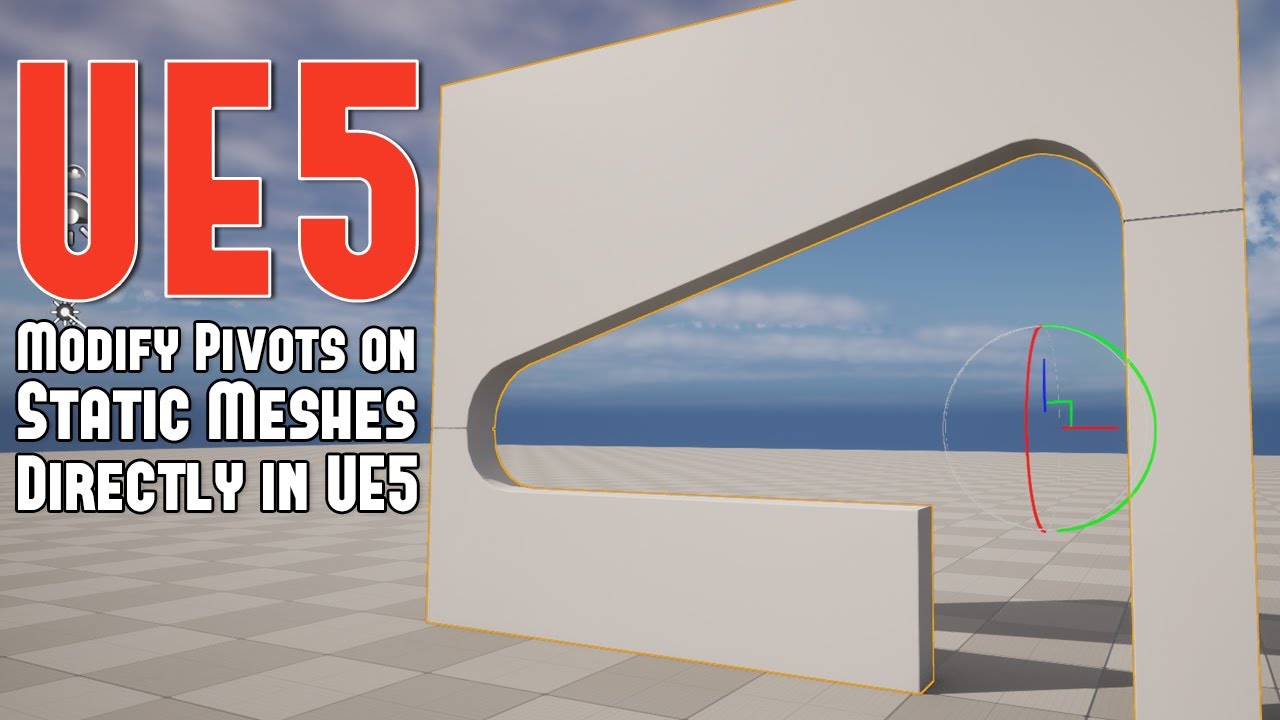
Learn how to modify your pivot points on Static Meshes without having go back and export/import from your modeling package. There are two ways of doing so in Unreal Engine 5.
Follow World of Level Design
EXCLUSIVE WoLD Insider Newsletter/Updates: http://www.worldofleveldesign.com/wold-insider/index.php
WoLD ...
 short pawn
modest terrace
I downloaded an asset pack where the origin point of the asset is way off the me...
short pawn
modest terrace
I downloaded an asset pack where the origin point of the asset is way off the me...
You can change it in blender
 vivid inlet
How do I save a character's transform between levels. I find that due to using the standard PlayerStart it doesn't load in the character's saved transform I think?
short pawn
vivid inlet
How do I save a character's transform between levels. I find that due to using t...
You have to save it as a variable to a save file and then load it when you need it
vivid inlet
short pawn
You have to save it as a variable to a save file and then load it when you need ...
I've done that but it doesn't seem to work.
It saves and loads the current level okay, just not the transform.
 vivid inlet
Nope that didn't work, hmmmm. It's weird, I've followed multiple tutorials but it just won't save/load the player's transform.
 zealous moth
is there a way to not have the epic launcher disappear when opening a project
zealous moth
vivid inlet
Hmmm. Like this?
no do it on the character itself on begin play
 thorn ermine
zealous moth
is there a way to not have the epic launcher disappear when opening a project
thorn ermine
zealous moth
is there a way to not have the epic launcher disappear when opening a project
Yes, its in the settings section of the Launcher
minimize to tray or something like that
zealous moth
😮
vivid inlet
 zealous moth
so tired of opening, it closes, open it again, open another project, it closes!!
.<!!!
whack a mole
vivid inlet
zealous moth
no do it on the character itself on begin play
This worked, thank you very much, dk how I didn't realise this!! Thank you so much!! 😆
 gusty shuttle
I'm brainfarting on something
I need to simply check is the actor(s) are the same class. So I have a Parent and child in my map, and I'd like to be able to line trace and scan both and process it

But when I mouse over the child, it does not recognize it. Probably because I'm casting to the master, not the child npc
But I know there's a way to check if the actor is of x class and if so, then game on
I'm brainfarting as to how to do that for some reason haha
This works, but seems dirty
 tawdry surge
Why not just let the cast handle it?
If its an actor of the child class a cast to the parent class will still succeed
gusty shuttle
tawdry surge
Why not just let the cast handle it?
If its an actor of the child class a cast t...
See, that's what I thought to, but it was not working like we thought it would
Hence why I was brain farting haah
Actually, testing that out, it worked
This was probably a case where I made things more complicated than they needed to be
tawdry surge
It happens
gusty shuttle
tawdry surge
It happens
Indeed. Next question, instead of casting via timer/tick, I need to make a ref to the Civilian Master/Parent class. I need a reliable way to get the object ref, any rubber duck ideas?
faint pasture
gusty shuttle
Indeed. Next question, instead of casting via timer/tick, I need to make a ref t...
You want 2 actors to always have a ref to each other?
Are they both on the map at load?
or are they spawned at runtime
gusty shuttle

@faint pasture They are already spawned in the world. I just want to walk up to the npc, find out if I can interact with it. That's all this is really doing. It's paired up with the UI stuff too. I just want a better way than casting all the time
faint pasture
gusty shuttle
<@127902729677963264> They are already spawned in the world. I just want to walk...
Do you interact with other things too or just characters?
gusty shuttle
Yes, other actors that are under the Use parent class
Like a gun would be under the Use parent
faint pasture
That should be an interface
gusty shuttle
Interface would be ideal, but the developer who programmed this system did things weird
faint pasture
a character and gun under the same parent class..... ugh
gusty shuttle
Nope, the NPC is under Civilian Master parent. The gun is under Use parent
faint pasture
OK what are the base classes for everything that can be interacted with?
That's super fucky, just tell him you need an interface lol
gusty shuttle
bahahah fo sho
gusty shuttle
Good call
If I wrote this from the ground up, I would of did an interface with a message
gusty shuttle
Well to be fair, I'm shoe horning the use functionality inside the NPC
Anywho, just need a cheaper way to get the ref to the NPC instead of casting
faint pasture
Fuck cheaper, just cast.
Input -> Sphere trace or whatever -> choose an actor -> cast to CivilianMaster -> if failed, cast to UseParent
gusty shuttle
Aight, if it works (which it is right now) then screw it haha
faint pasture
I'd push for an Interaction interface or component tho. It'd be easy to implement as you'd just replace events and you're good.
gusty shuttle
Thanks man
 jagged stone
Does anyone know how to get a point in front of the character? So for example "100" in front. I tried to do it like this, but it doesn't work correctly (I'm not good at vector math)
 faint pasture
jagged stone
Does anyone know how to get a point in front of the character? So for example "...
faint pasture
jagged stone
Does anyone know how to get a point in front of the character? So for example "...
Forward x 100f, not forward x (100,1,1)
vector x float
right click lower pin, convert to float
faint pasture
what no
zealous moth
i meant for Y and Z
faint pasture
he wants Forward x (100,100,100) if he did it that way but just replace with float
zealous moth
wut...
faint pasture
zealous moth
i meant for Y and Z
That would project Forward to global X axis which is his problem already.
Vector x Vector is an element wise multiplication, so if he was facing right, forward would be 0x100, 1x0, 0x0, or 0,0,0 which is obviously not right
jagged stone
I see that this works? Is it basically doing the same thing as multiple forward vector 100f?
 faint pasture
jagged stone
I see that this works? Is it basically doing the same thing as multiple forward...
faint pasture
jagged stone
I see that this works? Is it basically doing the same thing as multiple forward...
 faint pasture
jagged stone
I see that this works? Is it basically doing the same thing as multiple forward...
faint pasture
jagged stone
I see that this works? Is it basically doing the same thing as multiple forward...
That can work too
That will change with actor scale tho
jagged stone
faint pasture
I see, thank you
 spark robin
Can I like, resample a spline to get even distances between spline points?
Im also curious, how do you see all child members of a Blueprint component or object?
Like, when you drag out from a variable/object/component/class, it gives you a list of all sorts of stuff that you can hook it up to, but what if I just want to see things that live directly under the variable/object/class/component?

 shrewd hedge
can anyone help me with something really really quickly
how do I put my FPP camera higher than my TPP camera
im trying to make my first person camera activate first than my third person camera
even with auto activate on, it still wont work
well it will
I'll be in first person
but I'm also able to move my camera around like im in third person
so its weird
because then I can see my head when I look around

 lyric rapids
how does one clamp camera rotation
 fiery knoll
spark robin
Like, when you drag out from a variable/object/component/class, it gives you a l...
fiery knoll
spark robin
Like, when you drag out from a variable/object/component/class, it gives you a l...
You can scroll down in that list to 'Variable', then look for your own class dropdown. Example:
 fiery knoll
lyric rapids
how does one clamp camera rotation
fiery knoll
lyric rapids
how does one clamp camera rotation
You can set constraints in the PlayerCameraManager. (https://docs.unrealengine.com/4.27/en-US/API/Runtime/Engine/Camera/APlayerCameraManager/)
For example set ViewPitchMin to the value you want.
A PlayerCameraManager is responsible for managing the camera for a particular player.
lyric rapids
cheers
fiery knoll
Is there a way to have a property/variable on an actor component that can be set with a scene component of the owning actor in the blueprint editor?
Example: Set the SphereCollision as a value of the variable on MyActorComponent.
 faint pasture
fiery knoll
Is there a way to have a property/variable on an actor component that can be set...
faint pasture
fiery knoll
Is there a way to have a property/variable on an actor component that can be set...
Why not just get component parent at begin play?
what are you trying to do
fiery knoll
I have an actor component with functionality about a bunch of trigger volumes that can be set on the actor. Would be handy to populate an array on the component with the triggers needed.
I'm looking at FComponentReference atm, maybe that's the way to go.
Seems that only works for referencing components of another actor.
I think I'm designing this the wrong way. Should probably just make a good base class with the functionality in this case.
faint pasture
fiery knoll
I have an actor component with functionality about a bunch of trigger volumes th...
Component can get owning actor and its components, it can discover all the volumes.
You can probably just tag the components and get components by tag on owner
fiery knoll
Yeah, thought about using tags, but in general I don't like them because it's less error prune.
Thanks for your help! I'm putting my functionality on the actor instead of the component.
 daring carbon
Hi, I'm working on VR game and I have problem with UWidgetComponent ---> it's based on UUserWidget with a few UButtons and I want to trace the buttons with UWidgetInteractionComponent in my hand controller, but the UWidgetInteractionComponent is always tracing only UWidgetComponent and not the buttons which UWidgetComponent includes...
 finite flax
So I had this decal on the plane the (5A-DNO) Text, but problem is there's some sort of mirrored one above, how can I make it only 1 ?
 tight schooner
spark robin
Can I like, resample a spline to get even distances between spline points?
tight schooner
spark robin
Can I like, resample a spline to get even distances between spline points?
Yeah, what you're describing is possible — use Get Whatever at Distance Along Spline to build arrays of data at consistently spaced points along the spline, remove all the preexisting points, then build a new set of points. It's not simple esp. if you need rolls & tangents preserved, but if you're willing to make all the functions and loops then yeah, it's possible
bold barn
when should i use structs vs classes in blueprints
spark steppe
structs for data, classes for stuff that needs functionality
bold barn
why not classes for data or structs for functionality
spark steppe
because structs cant have functions
you can still use classes/objects for data, if you want too
specially in BP world they are more robust than structs
trim matrix
how can I have a Light communicated with using object reference, while it is present in the level?
 naive stag
How can I add actor to another actor to make a single actor in constructive script
trim matrix
using Child Actor component, maybe
faint pasture
naive stag
How can I add actor to another actor to make a single actor in constructive scri...
You end up with 2 actors either way. What are you trying to do?
gentle urchin
^ +1
trim matrix
trying to solve this problem - Interaction with Generator results in Lights being ON/OFF, that's what I am trying to achieve
naive stag
faint pasture
You end up with 2 actors either way. What are you trying to do?
To combine them
limber parcel
naive stag
To combine them

 junior crown
Hi Guys, Does anyone know how to animate skeletal mesh position on x and y using CSV data? so i can make sequences
faint pasture
naive stag
To combine them
Into one actor or an actor with another actor attached?
faint pasture
trim matrix
trying to solve this problem - Interaction with Generator results in Lights bein...
Generator has reference to the light. When the generator On/Off state is updated, it also updates the light
that's the simplest
trim matrix
I used Get Actor of Class right now, should it work?
I mean, related to performance issues as well, need to use best method
shrewd hedge
Hey guys, I'm using a blueprint from U4 inside of U5 and I need help with these 2 nodes. They are InputAxis Thrust, MoveUp, and MoveRight. I'm new to Unreal and they aren't quite working. There are warnings on them, and I don't know how to set them up so that they are up to date in U5. Can anyone help? I appreciate any time and any advice.
gentle urchin
Project config?
dawn gazelle
shrewd hedge
Hey guys, I'm using a blueprint from U4 inside of U5 and I need help with these ...
Those would most likely be set up in the project settings under your inputs.
Not 100% sure on UE5, but it's probably under Edit > Project Settings

 faint pasture
shrewd hedge
Hey guys, I'm using a blueprint from U4 inside of U5 and I need help with these ...
faint pasture
shrewd hedge
Hey guys, I'm using a blueprint from U4 inside of U5 and I need help with these ...
Add those axes and actions in your project settings
 cursive grove
Is there any way I can call an editor utility blueprint through a construction script?
shrewd hedge
dawn gazelle
Those would most likely be set up in the project settings under your inputs.
Not...
yeah thats what I thought of but these are InputAxis not InputActions
thank you though
shrewd hedge
faint pasture
Add those axes and actions in your project settings
Oh shoot I never even saw Axis Mappings
thank you!!
 astral stratus
finally escaped tutorial hell 🙂 working on my own and it feels so good
trim matrix
Is there a way to find where a specific variable is used in the BP Event Graph?
Its a huge BP and I cannot find it
 remote snow
is there a way to Merge multiple viewport assets (cubes) in to 1 so that i can use the merged object as a target in order to bypass the 1 target limitation? (found nothing online only actor merging but that only works in the ingame preview and not in the viewport) (been searching so long for a simple thing and this is driving me crazy)
faint pasture
trim matrix
Is there a way to find where a specific variable is used in the BP Event Graph?
Right click variable, find references
trim matrix
@faint pasture thanks
cursive grove
what object should I cast to an editor utility blueprint?
tight schooner
@cursive grove what are you trying to achieve? Usually an editor utility widget(?) reaches out to the world to affect objects rather than vice versa
 dusk pollen
hi, uhm, i need help. Me and a friend wanted to connect via multi-user, but we get this error message:
do you know how to fix this?
 astral stratus
make sure you have all the runtimes downloaded
dusk pollen
the patch engine version seems to be a different one, and we don't know how to fix it
dusk pollen
astral stratus
make sure you have all the runtimes downloaded
where can i check that?
limber parcel
i need help, my PIE session is starting detached from player for some reason and its causing errors, how to fix
 autumn sedge
I have a how-to question.
I can use Class Reference variable to specify in an instance of a blueprint BP_ObjectSpawner what type of object it should spawn (using "Construct Object From Class") but how do i specify it's public and instance editable variables of spawned object? I don't want to subclass from spawned object type or a BP_ObjectSpawner
cursive grove
tight schooner
<@554276565857468438> what are you trying to achieve? Usually an editor utility ...
I want to get all the world maps and store them in a list, then access it from the player to set the actual list


Unless you have a better idea of setting a dynamic level system 😅
limber parcel
why are u doing this in the player and not the gamemode?...
cursive grove
because I didn't know any better.
cursive grove
limber parcel
why are u doing this in the player and not the gamemode?...
You mean the level list? The character is loading the next level etc
limber parcel
what?
cursive grove
Youtube video 😅
limber parcel
 cursive grove
The character has the 'level complete' 'load next level' functions
It's working as intended though 😅
@limber parcel so I'll transfer those functions there. How about the list?
How can I access the variable from the utility blueprint?
cursive grove
Can you get the assets from the paths, just like you do with editor utility blueprint?
limber parcel
no its impossible, u cant access assets in editor
cursive grove
What I did was, I created a function that stores all the world maps's names into an array, and I'm trying to find a way to access this array from my Game mode's blueprint
limber parcel
limber parcel
do get gamemode and then get ur variable
.
ohh and i think u have to cast to ur gamemode first
autumn sedge
autumn sedge
I have a how-to question.
I can use `Class Reference` variable to specify in an ...
for example, i want to specify that
- one instance of
BP_Rifleshoots instances ofBP_APBulletthat carries 5 damage - other instance of
BP_RifleshootsBP_APBulletthat carries 7 damage, and - another instance of
BP_Rifleshoots instances ofBP_ExplodingBulletthat carries 10 damage and 2 "explosive power"
limber parcel
why my PIE session keeps spawning in spectator mode? its obviously turned off in my gamemode

yes, everything worked fine before i went to sleep
everything is set correctly in my gamemode and the file didnt change

i tried reverting to an older commit but same error
autumn sedge
one-off items. So i want to avoid subclassing, if possible
faint pasture
autumn sedge
for example, i want to specify that
- one instance of `BP_Rifle` shoots instanc...
That's kind of the factory pattern
faint pasture
But you can do data only BP subclasses of Gun and do that, or make some struct that represents all the info about a gun and use a data table of those, or use a data asset but idk much about those.
autumn sedge
I can specify the type of bullet rifle will shoot using Class Reference, but after that i can't specify parameters of bullets, even if they are public, instance editable
faint pasture
autumn sedge
I can specify the type of bullet rifle will shoot using `Class Reference`, but a...
You are probably going to want a struck anyway for save games so just figure out a structure that can represent anything you would care about a weapon and use that as your base data to build the object
I'm sure there's other serialization approaches but I really like just having stuffed be a plain old data truck if it can
So are they like data table entries that can exist as a separate file and can have inheritance I guess?
autumn sedge
Yes. In a rifle blueprint script by using "Construct Object From Class" if I plug i plug variable that contains Class Reference to, say, BP_BulletBase i will have access to variables in BP_BulletBase. However, how do i specify things that are present only in some children, like an "Explosive power" in an BP_ExplosiveBullet
gentle urchin
so a pure data bp
autumn sedge
it does look like a factory, you're right!
faint pasture
Yeah I still haven't really wrapped my head around exactly how all that works. I'm guessing something like a static mesh asset is already a data asset? Specifically, a data assett with a custom editor I guess
autumn sedge
I can't put blueprint scripts into structs and data assets. Explosive bullets from example have custom behaviour and a variable that other bullets don't have
faint pasture
autumn sedge
I can't put blueprint scripts into structs and data assets. Explosive bullets fr...
The data asset can say what bullet to use.
You have a two level problem here. You have the gun stats. And you have the projectile. Just include the projectile definition inside the gun definition
SplodeyShotgun
Projectiles = 7
Range = 500
ProjectileClass = SplodeyProjectile
autumn sedge
faint pasture
The data asset can say what bullet to use.
can it say with what parameters? that it's BP_SplodeyProjectile type and also that it's "SplodeyPower" should be 10?
or should I make a data asset of a projectile with "SplodeyPower = 10" too and refer to it from rifle asset?
faint pasture
Idk anything bout assets but the struct/DataTable approach, sure
naive stag
faint pasture
Into one actor or an actor with another actor attached?
An actor with another one attached
faint pasture
naive stag
An actor with another one attached
Just AttachActorToActor
Or use Child actor component if you have no standards
autumn sedge
iirc structs don't support subclassing. I will look into data assets
zealous moth
wait too personal
faint pasture
autumn sedge
iirc structs don't support subclassing. I will look into data assets
It all depends on what you need. You could easily have an AOE range, power, whatever else stat in your ProjectileData struct. Different mechanics could interpret those stats differently.
autumn sedge
zealous moth
wait too personal
Instant Replay Saved
autumn sedge
faint pasture
It all depends on what you need. You could easily have an AOE range, power, what...
I don't think all of them can be described in 1 struct.
But i think i can make use of data assets - i can make a data asset blueprints for all actors i have, and mirror their inheritance hierarchy, and will have "spawn instance" function that would return actor asset is describing
However, I don't like that solution very much. Either i should try to automate creating them, or think of something else.
faint pasture
autumn sedge
I don't think all of them can be described in 1 struct.
But i think i can make u...
How many variations of projectiles and weapons are you picturing?
 lime fulcrum
Hi!
Anybody has an idea on how to send Mouse Scroll Wheel to a 3D Widget over Widget Interaction Component?
tight schooner
@cursive grove There are many places one could store data, like a BP class or data asset or data table, but an editor utility widget is not one of those places; you should consider editor widgets/functions as apart from the game itself. They're just helpers for level design in the editor.
Not even sure if they make it to a packaged build
autumn sedge
faint pasture
How many variations of projectiles and weapons are you picturing?
If you mean in terms of inheritance - i'd like to limit that.
If in terms of different instances of the same class - a lot, especially for projectiles.
Each projectile carries list of debuffs it will apply to enemy. Debuffs also have parameters. That allows for a lot of variation.
I'd like to make it simple to add a new projectile type if game designer wants to make a new weapon/enemy
shrewd hedge
Hey guys I'm new to Unreal and I really don't want it to seem like I want you guys to make my game but, I don't understand much of this blueprint and I need help

I want to make it so that even if the input isnt being held down, it doesn't reduce the speed
any help would be greatly appreciated
 dry condor
i have a button setup in my game over screen to start a new game, but when i use it in game this error happens. why would this happen and how can i fix it ?


im doing basically the same thing with my "back to main menu" button and it works just fine
edit: i just found out this is only happening when i am in Level01
faint pasture
shrewd hedge
I want to make it so that even if the input isnt being held down, it doesn't red...
The select node chooses one of the inputs for its output based on that boolean. If you don't want acceleration to decay, just get rid of the select node
Do you follow any of that code at all?
 fallow umbra
 Hello guys, does anyone have an explanation for this? Cause I'm losing my mind

 faint pasture
fallow umbra
<a:NE_confused:731212011882676264> Hello guys, does anyone have an explanation f...
faint pasture
fallow umbra
<a:NE_confused:731212011882676264> Hello guys, does anyone have an explanation f...
Remember the debugging is a snapshot in time. You might have already updated one value but it hasn't propagated to the rest yet.
Show more of the code so we can see WTF is going on
fallow umbra
faint pasture
Remember the debugging is a snapshot in time. You might have already updated one...
I have advanced a few steps too
fallow umbra
faint pasture
Show more of the code so we can see WTF is going on
between for loop body and Sequence is just a plain print node, no logic
 cursive grove
tight schooner
<@554276565857468438> There are many places one could store data, like a BP clas...
cursive grove
tight schooner
<@554276565857468438> There are many places one could store data, like a BP clas...
I can actually get path and actors of specific class through the game mode, so...
shrewd hedge
faint pasture
Do you follow any of that code at all?
barely. I'm just following along with tutorials. Once I'm finished with this game, I'm done with game creation forever lmaooo
but thank you
ill try it
@faint pasture like this? If so, what do I do with the Get World Delta Seconds node
 shrewd hedge
<@127902729677963264> like this? If so, what do I do with the Get World Delta Se...
shrewd hedge
shrewd hedge
<@127902729677963264> like this? If so, what do I do with the Get World Delta Se...
nope not like this I've encountered a bug, when I start the game, the ship flies at a decently fast speed, and when I accelerate it stop the ship completely
faint pasture
CurrentSpeed = CurrentSpeed + Acceleration* Input * DeltaSeconds
That's what this function should do.
The clamp is enforcing a max speed
shrewd hedge
shrewd hedge
nope not like this I've encountered a bug, when I start the game, the ship flies...
I fixed the bug, the ship works fine, but now theres no deceleration
lemme try to fix it
one sec
shrewd hedge
faint pasture
CurrentSpeed = CurrentSpeed + Acceleration* Input * DeltaSeconds
😮
code that i dont undestand
oh yeah thank you btw
faint pasture
Then why are you doing this. This is exactly the problem with tutorials, you just tag along without understanding what you're doing and then wonder why you're lost. Do you know anything about programming at all?
shrewd hedge
im doing this because I want to create the game of my dreams
and no I don't understand coding much
faint pasture
I'm not trying to be snarky. I'm just literally asking if you know programming before this or if this is your first introduction to programming.
shrewd hedge
I do understand nodes tho coming from blender
but blender nodes and unreal nodes are different obviously
shrewd hedge
faint pasture
I'm not trying to be snarky. I'm just literally asking if you know programming b...
this is my first introduction kinda
i made a game in unity... following a brackeys tutorial
dry condor
math, math and MORE MATH, thats what you need 😄
shrewd hedge
gotta love C#
faint pasture
So what kind of game are you trying to make?
shrewd hedge
a space simulator
a space flight simulator*
it'll be bad but I don't really care
but I want it to be atleast workable
so im finding my way through the internet
faint pasture
My first question is, do you want it to be physics-driven or no?
Cuz what you got going on is not physics driven, it's just doing your own movement.
dry condor
dry condor
i have a button setup in my game over screen to start a new game, but when i use...
hey adriel, would you happen to know why this error happens and how to prevent it ?
faint pasture
shrewd hedge
the ship I'm using can defy the laws of motion and gravity
You can still do that with physics. It depends on what you're going for, but things like collision, coasting, drag etc are much easier with physics. What do you want to have happen if you hit something?
faint pasture
dry condor
i have a button setup in my game over screen to start a new game, but when i use...
What does BPIResetGame do?
fallow umbra
faint pasture
Show more of the code so we can see WTF is going on
so any idea about WTF is going on ? 
dry condor
setting Lives and Score to default values
shrewd hedge
faint pasture
You can still do that with physics. It depends on what you're going for, but th...
I would like the ship to take damage or even explode if it collides with the object hard enough but I think I've got that part
dry condor
its only happening because the level is allready loaded i think, because the error only appears when i am in level01
faint pasture
fallow umbra
between `for loop body` and `Sequence` is just a plain print node, no logic
What is this trying to do? It's pretty unreadable.
faint pasture
shrewd hedge
I would like the ship to take damage or even explode if it collides with the obj...
I mean do things bounce?
spin if hit,
anything like that?
shrewd hedge
No not yet
faint pasture
You gotta remember if you're doing all the moving by yourself, you gotta do ALL the moving
I'd recommend using physics. You'd just add force to thrust, and optionally implement drag by adding force opposite your velocity if you wanted space drag
shrewd hedge
okay
is implementing physics harder than what I'm trying to accompolish
I don't even know where to start with physics
faint pasture
shrewd hedge
is implementing physics harder than what I'm trying to accompolish
No it's easier
It'd just be
AxisEvent -> Add force
to start out with
You'd make a Pawn with a mesh as its root component, have it simulate physics, have it ignore gravity
IDK what your camera setup is but it'd be the same, you can probably turn your current ship into one that uses physics
Show your component outliner (top left) in the BP editor
 limber parcel
lol are u working for lucas arts?
shrewd hedge
for sure
lmaooo no I just really love the ship
I've always wondered what it would be like to fly one
limber parcel
download star wars battlefront 2 😄
faint pasture
shrewd hedge
OK that's good. Enable physics on mesh, disable gravity, then do
InputAxis -> AddForce on Mesh
Force being AxisValue X 1000 or so, and check Use Acceleration on the AddForce node to make it ignore mass
Er rather
AxisValue x 1000 x self.forwardvector
quasi vault
how do I set a character to player start? I want to add another character but when I add another player start I relised that I dont know if you have to set a certain sprite to player start. By the way, this could is a bad way to do this but Im just experimenting
shrewd hedge
faint pasture
you'll find it
"get forward vector"?
quasi vault
do I have to state something in a blueprint or something?
faint pasture
quasi vault
how do I set a character to player start? I want to add another character but wh...
Are you trying to add a 2nd character or have the 2nd character start at a different location?
shrewd hedge
shrewd hedge
"get forward vector"?
under transform or vector
 mossy perch
The docs didn't make me any smarter on the case tho =/
faint pasture
faint pasture
shrewd hedge
i should stop asking so many questions
Just try stuff. Get Actor Forward Vector will work. You want the forward vector of the actor, which is itself
quasi vault
faint pasture
Are you trying to add a 2nd character or have the 2nd character start at a diffe...
well, I wanted to get rid of the first character once I set the second characters blueprint and location on the map
shrewd hedge
faint pasture
Just try stuff. Get Actor Forward Vector will work. You want the forward vecto...
okay thanks
dry condor
honestly you should try to understand what you are doing and how UE works, no offense
shrewd hedge
i know
none taken
thanks anyways
I dont wanna seem like you guys are making my game for me so I'm gonna go try to figure this out on my own
thanks for the help though
I really appreciate it
faint pasture
@shrewd hedgehttps://www.youtube.com/c/MathewWadsteinTutorials/playlists

YouTube
This channel is dedicated to exploring Unreal Engine 4 and the Blueprint programming language that it uses. You can think of it as a companion to the API documentation as I try to cover the how and why for what things are used for when using the Blueprint system.
The master project for these tutorials can be found at https://github.com/MWadste...
faint pasture
Just go look up the WTF is whenever you find a node and you're not sure what it does
dry condor
Adriel posting Tutorials 😮
faint pasture
They aren't really "hold your hand and tell you what to do" tutorials, but just quick little explanations.
dry condor
and then you want to look up what a node does or how it works with other nodes and get something like this https://docs.unrealengine.com/5.0/en-US/BlueprintAPI/Game/OpenLevel_byName/

Open Level (by Name)
shrewd hedge
dry condor
Adriel posting Tutorials 😮
the only good and accepted tutorials
Adriel Approved Tutorials
faint pasture
@shrewd hedgehere's your first assignment. Make a custom event in your ship, and have it teleport the ship 10,000 units forward.
Then add a new InputAction, and hook it up to that event. So you can press button -> teleport
dry condor
hmm hacked my way around it but i dont really like my solution, because now i must have a duplicate of level1 😄
 faint pasture
What are your options in the dropdown for the open level node
dry condor
"absolute" and "opions string"
node docu wasnt helpful with the options for options string
the error was/is only happening when i am trying to load the level i am currently in
shrewd hedge
wait guys I was just doing more stuff and somehow my axismappings got deleted and idk how
but now I cant walk forward backward left right
etc
look around
and idek how since I wasn't even messing with the axismappings
faint pasture
shrewd hedge
wait guys I was just doing more stuff and somehow my axismappings got deleted an...
walk? I thought u had a space ship
Are the mapping deleted or just the events in the BP graph?
Project settings -> input
faint pasture
dry condor
the error was/is only happening when i am trying to load the level i am currentl...
Try absolute
dry condor
absolute is apparently just to reset the options set with the options string
it sadly didnt fix my issue
fallow umbra
faint pasture
Remember the debugging is a snapshot in time. You might have already updated one...
Thanks for the tip 👍 , I've used the Blueprint Debugger window and I figure it out
faint pasture
fallow umbra
Thanks for the tip 👍 , I've used the _Blueprint Debugger_ window and I figure i...
What was it
shrewd hedge
faint pasture
Project settings -> input
yeah I know I'm trying but S is making me walk forwards and A is also making me walk right and the mouse is making the perspective look weird, no clue what happened
faint pasture
dry condor
hmm hacked my way around it but i dont really like my solution, because now i mu...
So why are you opening the same level you're already on?
shrewd hedge
faint pasture
walk? I thought u had a space ship
im gonna make it so that you can hop in and out of the spaceship
faint pasture
What is this in, gamemode?
shrewd hedge
faint pasture
Are the mapping deleted or just the events in the BP graph?
i wasn't messing with anything mapping related, it just happened somehow
I know idk anything about coding but trust me, I wasn't messing with the mapping
dry condor
faint pasture
So why are you opening the same level you're already on?
game over in that level and then clicking "play again" button in game over screen
faint pasture
Start small. Get the walking dude OR the ship to work right now.
dry condor
this is in game over widget
shrewd hedge
work**
faint pasture
You just got your learner's permit, don't start off with an F1 car, start off with a go kart.
shrewd hedge
that is actually
wtf
thats inspirational asf
but yeah I had the walking dude
i started with him
but for some reason
fallow umbra
faint pasture
What was it
the bug was a logic bug on my side, real values didn't match the ones that the live debugger showed (Blueprint Debugger does show the actual ones)
And about why the debugger showed me the wrong values, I don't know.
faint pasture
shrewd hedge
im fixing it rn tho its fine
So are you meant to be walking around on a moving ship?
Or is it like GTA where you're either driving the dude around or the ship.
shrewd hedge
i might learn how to implement it
shrewd hedge
faint pasture
The first idea is hard as fuck
yeah i can sorta wrap my head around how its supposed to work
faint pasture
The character movement component implies and relies on Z being down etc. It doesn't play nice with things that can be upside down and rotate all over the place etc.
shrewd hedge
lmaoo yeah
it would be cool if there was a feature where
you can like
add gravity
to a certain
location adn rotation
faint pasture
Unless you did physics walking too, that'd be what'd I'd do. but it'd be too much for a first project.
dry condor
you would have to stick the character to the ground like a magnet 😄
shrewd hedge
dry condor
you would have to stick the character to the ground like a magnet 😄
pretty much
faint pasture
shrewd hedge
so it doesnt have to be down
If you did physics walkign that'd be easy.
also, if your ship took off and you weren't seated, you'd slam against the back wall lmao
dry condor
or no gravity fly through the ship
faint pasture
Yeah I'd do all physics driven for a space game but you better NOT even consider multiplayer
shrewd hedge
faint pasture
also, if your ship took off and you weren't seated, you'd slam against the back ...
YES thats a really cool feature
shrewd hedge
faint pasture
Yeah I'd do all physics driven for a space game but you better NOT even consider...
heh heh hehhhhh 😈
the possibilities are endless once you are the creator
MWHAHAHWAH
joke
obviously
I'm like 90% sure this idea I had would fix my walking dude
shrewd hedge
is it weird that I'm listening to the minecraft soundtrack while making a space game
im not weird
its just
i can explain
okay I fixed the walking dude
I'm a genius
not really
faint pasture
Here's what you can do with physics walking, I whipped this up in like 20 minutes a long time ago.
shrewd hedge
it was a simple idea
shrewd hedge
faint pasture
Here's what you can do with physics walking, I whipped this up in like 20 minute...
YEAH thats what I was talking about
faint pasture
Much easier with physics then trying to wrangle the character movement component into playing nice.
shrewd hedge
shrewd hedge
location adn rotation
right here
faint pasture
just forget about multiplayer, completely
dry condor
like mario galaxy
shrewd hedge
faint pasture
just forget about multiplayer, completely
yeah i was never going to add it
maybe like 10 years in the future
when and if I recreate this project
faint pasture
Then do it all physics.
shrewd hedge
good idea
faint pasture
It's the simplest, just gotta be comfy with forces and torques etc
shrewd hedge
i mean without physics this game is working just fine
well the dude has physics, the ship doesnt
but it's still working fine
 idle maple
i need help asap
faint pasture
and what stops ship from flying through something?
idle maple
my question is simple
shrewd hedge
absolutely nothing
idle maple
im making endless runner game
shrewd hedge
just be a good pilot
ez
I'm adding a roll rn, I got the idea of just mocking a jet
idle maple
and there will be floating enemy big spheres on the sides of way
and they re shooting special bullets
and i want to program bullet simply
shrewd hedge
shrewd hedge
I'm adding a roll rn, I got the idea of just mocking a jet
and there are tuts out there
ill stop talking now
faint pasture
idle maple
bullet to go to current location to player
Can it miss?
idle maple
faint pasture
Can it miss?
nope
idle maple
hit or get blocked
blocked by lightsaber of main character
but it is supposed to always hit, and dont get blocked by other objects
dry condor
there is an option for "is homing" or something in the projectile movement component
idle maple
this one isnt workin
 faint pasture
Either use the projectile movement component with homing with very high acceleration, or make your own bit of code that just updates position towards TargetActor.Position
faint pasture
idle maple
this one isnt workin
Why would it
Make an actor with the projectile movement component on it, play around with it
idle maple
faint pasture
Why would it
(im newbie 💀)
idle maple
faint pasture
Make an actor with the projectile movement component on it, play around with it
thank u
dry condor
AI Bullets sound interesting xD
idle maple
this one inst working too

@faint pasture help
and should i stop watching tutorials?
dry condor
 shrewd hedge
dry condor
AI Bullets sound interesting xD
shrewd hedge
dry condor
AI Bullets sound interesting xD
isnt that technically just aimbot
faint pasture
idle maple
and should i stop watching tutorials?
ya
dry condor
yeah and shooting around walls or w/e too 😄
faint pasture
idle maple
this one inst working too
What are you expecting that to do
Make a bullet actor
give it a projectile movement component
and a collider of some sort(mesh, sphere collision, box, whatever)
play with the projectile movememt component settings. Put it in the world, hit simulate, see what it does
Get it to fly
idle maple
faint pasture
Make a bullet actor
i made actor bp and gave it sphere static mesh
idle maple
faint pasture
play with the projectile movememt component settings. Put it in the world, hit ...
in what way
faint pasture
idle maple
i made actor bp and gave it sphere static mesh
k so give it a projectile moement compoentn too
idle maple
i mean i can add it but then?
faint pasture
Then mess with its settings for speed and velocity and bouncing and gravity and homing and whatever else
then drag it out into the world, hit simulate, and watch it go
dry condor
set initial speed, put it in the world and watch it go brrrr
idle maple
 faint pasture
Then later make your enemies SPAWN it at runtime
idle maple
idle maple
i wanna make it following player just when bullet spawns
faint pasture
idle maple
Sure, make the mesh the root component is what I like to do but that might work
idle maple
so how can i trigger it?
faint pasture
idle maple
i wanna make it following player just when bullet spawns
make the damn thing move at all first
dry condor
patience young padawan
faint pasture
I want to make an MMORTS too but I haven't made the M or the O or the RTS yet so I'm not doing that.
idle maple
faint pasture
make the damn thing move at all first
yeah but how
idle maple
faint pasture
ya
so how can i learn all of it
faint pasture
idle maple
yeah but how
faint pasture
idle maple
so how can i learn all of it
How did you learn how to use a computer? Did you watch lessons on it or did you just sit down and mess with it.
idle maple
faint pasture
How did you learn how to use a computer? Did you watch lessons on it or did you...
mess + google
to find applications etc
faint pasture
idle maple
mess + google
Keep that same energy.
These are great.
https://www.youtube.com/watch?v=AM3TXKI-4co

What is the Projectile Movement Actor Component in Unreal Engine 4
Source Files: https://github.com/MWadstein/wtf-hdi-files
idle maple
faint pasture
Keep that same energy.
but in that case should i google and watch what?
idle maple
faint pasture
These are great.
https://www.youtube.com/watch?v=AM3TXKI-4co
thank u
faint pasture
Just keep it bite sized. Following along to a 50 part series on "how to make an mmo in unreal in 30 days" isn't very good because you'll get lost instantly. Watching "What is an actor in unreal?" is good because you're learning the one thing you're stuck on, then you go back to struggling on your own to do the thing.
 sterile jacinth
Hello, I'm trying to separate world model from first person model in online environment using listen server. I use these nodes in my sword blueprint.
On server everything looks fine. But on client everything is mismatched (server holds sword in first person and client holds sword where his third person hand should be)
What might be the problem?
 faint pasture
sterile jacinth
Hello, I'm trying to separate world model from first person model in online envi...
faint pasture
sterile jacinth
Hello, I'm trying to separate world model from first person model in online envi...
You aren't selecting on anything
Why don't you run 1 mesh component but swap the actual mesh out depending on if local client or not?
Nobody needs to see the 1pp mesh but the local client right?
I see MY 1pp mesh, everyone else everywhere only sees the 3pp mesh
shrewd hedge
hey I need help with this physic thing, everytime I click the start button, since my mesh is divided into 2 parts (the auxiliary and the main hull), they just come apart and kinda explode away from eachother
I tried parenting the aux to the main hull but still
dry condor
i guess they are colliding with each other
shrewd hedge
how can I fix that?
faint pasture
shrewd hedge
hey I need help with this physic thing, everytime I click the start button, sinc...
Don't simulate physics on the child
and make sure you have auto weld turned on
shrewd hedge
okay thank you
problem, it's saying that I need to simulate physics on the child in order to have torque
wait hold on
no not the child
im stupid
it says the plane
but I can't add physics to the plane
faint pasture
shrewd hedge
but I can't add physics to the plane
Why not
Start with no child meshes
Just 1 mesh that is simulating physics
shrewd hedge
okay I did it
it works now
buuuuuut of course theres another problem
when I star the game the camera is infront of the ship for some reason
it looks like the ship is going reverse
I see the problem
for some reason the bum camera got moved somehow
wtf is going on man 😭
well I fixed the camera
but now the ship is actually going reverse
im a great programmer 💪
im gonna stop spamming this chat now
its a bad habit
sorry everyone
faint pasture
shrewd hedge
but now the ship is actually going reverse
Show the ship BP
X (red) is forward
shrewd hedge
its a really big BP
shrewd hedge
in the viewport?
faint pasture
ya
shrewd hedge
got it

I think i see the problem
the ship is rotated
but it doesn't say its rotated on the side
dry condor
because this is how you imported it
so thats rotation 0,0,0
just rotate it 180 and you are good to go
shrewd hedge
okay thanks
yet another problem
I made the main hull part the parent of all the components
I cant rotate it
I can only rotate the auxilery
 faint pasture
 teal talon
Question: I have an array. How do I ask " If all are true "Player Ready" then do...
teal talon
Question: I have an array. How do I ask " If all are true "Player Ready" then do...
Don't do that
don't ask widgets
widgets are local only, they should only be the VIEW of the data
where is the source data for if a player is ready?
Should be a bool on PlayerState probably
teal talon
In the widget this is all single screen local. But there are 6 local players setting to ready. I need each time a player click ready to check if everyone is ready.
 hardy spoke
Anyone have any good advanced movement blueprints? Titanfall style movement
dry condor
i think the lyra project has a pretty good one iirc
faint pasture
teal talon
In the widget this is all single screen local. But there are 6 local players set...
ok so you set a bool true, then set it false if anyone is not ready. If it's still true at the end of the for each loop, everyone is ready.
bStartGame = True
Foreach Whatever in WhateversArray
bStartGame = bStartGame AND Whatever.bIsReady
after loop
read bStartGame
that's the branchless way to do it
teal talon
faint pasture
ok so you set a bool true, then set it false if anyone is not ready. If it's st...
I love it, thank you
 mental trellis
You can break the foreach loop if you find 1 person who isn't ready too
Not that that really matters too much, but yet.
sterile jacinth
faint pasture
Nobody needs to see the 1pp mesh but the local client right?
I need third person mesh for damage, I put a trace on sword that deals damage if it collides with playermodel. And what do you mean by "swap the actual mesh out"?
tawdry surge
Set the mesh asset your mesh component is using to something else
 vapid ibex
How to create persistent ID for objects and actors that would remained the same between game launches? (lets say I need it for a save system of sorts for instance)
I've found people saying that I should use GUIDs, but it seems that the only way to generate GUID is to create a new completely random one? So I do not know how to assign same GUID to same actor every time level loads (and how to assign GUID to some non-actor assets altogether). What should I do?
 blissful widget
vapid ibex
How to create persistent ID for objects and actors that would remained the same ...
blissful widget
vapid ibex
How to create persistent ID for objects and actors that would remained the same ...
Are these actors spawned in the world or to be spawned in later?
 cyan bone
Im dealing with a very tricky challenge.
I made VAT from a skeletal mesh, using the VAT plugin.
The VAT automatically resets the pivot point to the bottom of the static mesh.
And me like, "huh ok i can just set pivot point" 😏
But then that screws the VAT entirely. What should i do?
I tried all kinds of tricks.
 cedar sparrow
Is there a reason to use Text or Name variables over String?
 dusty schooner
Hey all! Silly question but what exactly do I use for && and || operators in Blueprints/UE5?
(I've been googling the past hour and have found nothing useful)
 north onyx
cedar sparrow
Is there a reason to use Text or Name variables over String?
north onyx
cedar sparrow
Is there a reason to use Text or Name variables over String?
Text is generally used for localization, The Name are case insensitive and used for simple things. The string is between of them but more functional rather than Name.
Use Name if you just give it a name. Most efficent in C++ mostly in BP's too.
String is combination of names you may think, more handle but not localized.
Text is mostly common to representate in localizatiom especially for Menu UI Text's, cinematic subtitles, a text can be appear different of languages.
cedar sparrow
north onyx
Text is generally used for localization, The Name are case insensitive and used ...
gotcha
north onyx
dusty schooner
Hey all! Silly question but what exactly do I use for && and || operators in Blu...
Search, AND for &&
OR for ||
cyan bone
cyan bone
Im dealing with a very tricky challenge.
I made VAT from a skeletal mesh, using ...
@north onyx you seem knowledgeable. can you help me with my problem?
dusty schooner
north onyx
Search, AND for &&
OR for ||
I tried both of those. OR doesn't return anything under Operators (but everything under the sun that contains "or")
Oh I see them both now. They're under Math > Logical Operators and not plain Operators. My bad 😅
tawdry surge
Most things will just come right up if you use context sensitive and pull from the relevant pin
north onyx
cyan bone
<@235159783416659969> you seem knowledgeable. can you help me with my problem?
Sorry, i don't know about VAT and 3dsmax tools. I'd go rather make a contact with plugin developer.
The Vertex Animation 3Ds Max script offers two different ways to store the vertex animation data. One method will store the vertices positions in a 2D Texture while the other method will store the vertex position data in the UV's of the mesh. Below you will find links that show you how to setup and use both methods.
Key framed Method - This method uses individual key frames that can be exported from other 3D packages and imported into 3Ds Max. That information is saved to the meshes UVs.
Animation Timeline Method - This method uses the 3Ds Max animation timeline and the results are encoded into a 2D Texture.
Here is what may be related with your provlem. I found this on offical docs.
User guide for the 3D Max Vertex Animation tool set.
cyan bone
yes thats the one im using VAT
north onyx
Maybe you exceeded the limitations
cyan bone
thats working great. now the issue is the pivot point being right under the feet
im trying to make it on the chest of my units
nothing is working. maybe its not possible and ill have to get over it
i tried merging actors and setting pivot point zero
and using mesh bake tool
north onyx
Unreal Engine Forums
You cant change the pivot but you can attach it to a scene component(or an arrow component) and then set the offset of your asset and use that scene component’s position as pivot.
cyan bone
north onyx
<@969845251911073833> https://forums.unrealengine.com/t/how-do-i-change-the-pivo...
that changes the pivot point of the static mesh in the level
but not in the actual asset
north onyx
Yeah

In this Rapid Tutorial we go over how to change the pivot from any asset inside Unreal Engine and make it stay there FOREVER
Patreon: https://www.patreon.com/MR3D_Dev
Follow me on Twiter: https://twitter.com/MR3Dev
Join our Discord: https://discord.gg/Eg8TtR9cmT
JSFILMZ video: https://youtu.be/EebLZ8fSWko
#UnrealEngine #UE5
cyan bone
so in case you need to use them in the construction for example, then it must be in the asset
north onyx
Hmm
cyan bone
yes that one too. it wont work
i think i will have to get over it and work with the weird pivot that i have
 manic adder
hi. i have an interface that sends a vector to a 'dynamic sky' blueprint via an interface. how can i similarly send another vector to a bp that controls 3 pointlights ?
dusty schooner
Another silly question (I appreciate the help): I'm attempting to grab input from a character to use in an animation blueprint on the same pawn. I've been trying to access the variables in the default BP from the Animation event graph with try get pawn owner but I'm not seeing anything yet. Is there a good way to pass variables like this?
 rose charm
dusty schooner
Another silly question (I appreciate the help): I'm attempting to grab input fro...
rose charm
dusty schooner
Another silly question (I appreciate the help): I'm attempting to grab input fro...
I think you can use a blueprint interface
manic adder
manic adder
hi. i have an interface that sends a vector to a 'dynamic sky' blueprint via an ...
*sorry for repeating 'via interface'
rose charm
you are not seeing the variables because the get pawn owner will get a default class pawn, and you need a reference to your pawn class
dusty schooner
rose charm
I think you can use a blueprint interface
I'll have to look into that. I'm coming from unity and normally I would just try GetComponent<ScriptName>.Variable(); 😆
dusty schooner
rose charm
you are not seeing the variables because the get pawn owner will get a default c...
That makes sense! Is it going to reference the current instance of the class or the default definition?
rose charm
manic adder
hi. i have an interface that sends a vector to a 'dynamic sky' blueprint via an ...
you can use interface too, you will need a reference to this other bp
astral stratus
https://gyazo.com/d4ef7edb3516948c6f5c2f23d10c4d3e anyone know why i might be getting this...? https://gyazo.com/3fc7f24898cd918d8b4020c135635c87
https://gyazo.com/c60a282a7411619c3b395f2c0892ffd3


 manic adder
rose charm
you can use interface too, you will need a reference to this other bp
manic adder
rose charm
you can use interface too, you will need a reference to this other bp
if i convert a light to a bp, i cant target that bp in the sender
rose charm
dusty schooner
That makes sense! Is it going to reference the current instance of the class or ...
if you only use get default pawn you will get a reference of the default pawn class, you can use cast too, to cast to your pawn class, but it's better to use interface
dusty schooner
rose charm
if you only use get default pawn you will get a reference of the default pawn cl...
Gotcha.
rose charm
manic adder
if i convert a light to a bp, i cant target that bp in the sender
so the lights are on the level but are not a blueprint actor?
manic adder
rose charm
so the lights are on the level but are not a blueprint actor?
lights are on the level. didnt figure 1) how to merge them into one bp (only figured how to convert a light to a bp, but it wont work for multiple selected lights) and 2) how to make the lights bp of a class that is accepted as sender target
rose charm
astral stratus
https://gyazo.com/d4ef7edb3516948c6f5c2f23d10c4d3e anyone know why i might be ge...
where are you setting the character variable?
rose charm
manic adder
lights are on the level. didnt figure 1) how to merge them into one bp (only fig...
do you want a blueprint with the 3 lights on it?
manic adder
rose charm
do you want a blueprint with the 3 lights on it?
yes
rose charm
astral stratus
then pulling off my character to "add score"
this variable is returning none, maybe there's a problem where you are setting it
rose charm
manic adder
yes
you can create an new actor blueprint and add light components on it
astral stratus
not sure why it would be returning none...
rose charm
astral stratus
not sure why it would be returning none...
can you send a screenshot on how it's being set? the Character var
manic adder
rose charm
you can create an new actor blueprint and add light components on it
can i add existing lights to a new bp ?
astral stratus
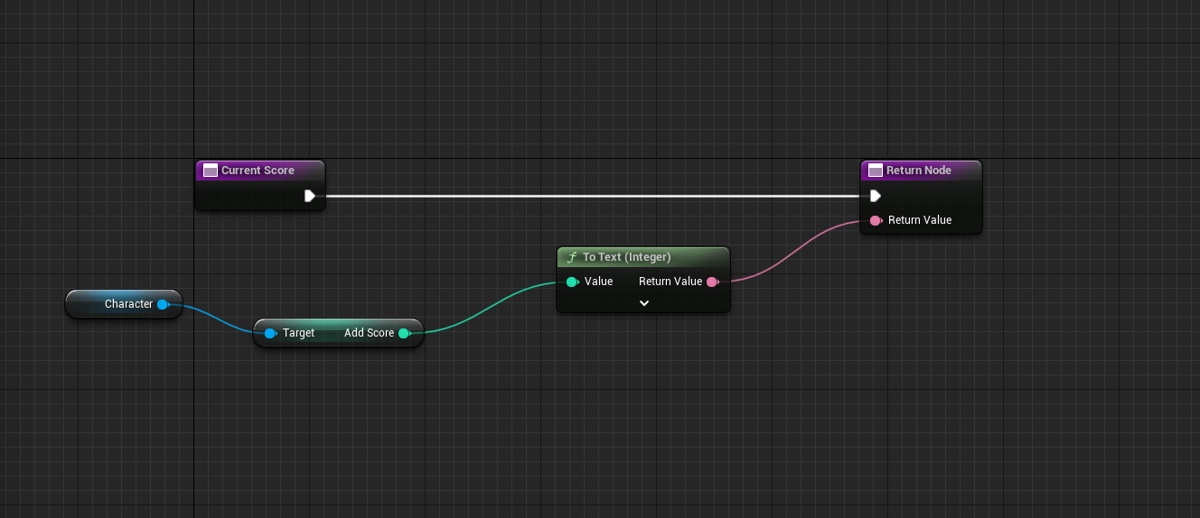
 tawdry surge
Your ui shouldn't be calling the player from the widget anyway. Character should be passing the score to the widget when it changes
rose charm
manic adder
can i add existing lights to a new bp ?
you will need to replace the 3 lights on your level with the blueprint actor, on the actor you can set the lights transforms to be the on the same location it was on the level, I don't know if this is what you want
rose charm
astral stratus
<@385238257291493376> https://gyazo.com/3da2037e9f987808408cb2cfe828bedd
https:/...
you just have the variable but isn't setting the reference?
manic adder
rose charm
you will need to replace the 3 lights on your level with the blueprint actor, on...
i need to be able to set intensity of multiple existing lights in a bp. i dont know how to replace the lights, and with what
rose charm
manic adder
i need to be able to set intensity of multiple existing lights in a bp. i dont k...
from what do you want to set the intensity? another bp?
manic adder
rose charm
from what do you want to set the intensity? another bp?
from a separate blueprint (kinect hand vector)
astral stratus
@rose charm im just a bit confused right now because I followed what i did from another project and it dosnt seem to be working
rose charm
manic adder
from a separate blueprint (kinect hand vector)
you will need a reference to the lights on the blueprint, you can save the reference on variables of the light class, instead of creating a blueprint to the lights. with or without an custom blueprint actor to the lights you will need the reference to it
rose charm
astral stratus
<@385238257291493376> im just a bit confused right now because I followed what i...
by the screenshots you send you are not setting the character, only declaring it, but with no reference to the real character
you will need to do something like this(casting to your character class), but like MW_WHDS said you shouldn't be calling the player from the widget
 manic adder
rose charm
you will need a reference to the lights on the blueprint, you can save the refer...
manic adder
rose charm
you will need a reference to the lights on the blueprint, you can save the refer...
by reference you mean what goes into the target of the sender function ?
rose charm
manic adder
by reference you mean what goes into the target of the sender function ?
yes
but you can do it without interface, if you have a reference to the light
 manic adder
rose charm
yes
manic adder
rose charm
yes
 rose charm
manic adder
rose charm
manic adder
it won't work.
this blueprint will be placed on the level too, or will be spawned later?
manic adder
rose charm
but you can do it without interface, if you have a reference to the light
and how can i add existing lights from the level to my kinect bp ?
manic adder
rose charm
it won't work.
this blueprint will be placed on the level too, or will be spawne...
bp is in the level
rose charm
manic adder
bp is in the level
the kinect bp is on the level?
manic adder
yes
astral stratus
@rose charm got it working!
rose charm
manic adder
yes
maybe you can check this option, then you will select it on the actor, click on the kinect bp placed on the level and it will be on the details panel

 rose charm
manic adder
yes
rose charm
manic adder
yes
click on this icon and then select the light on the level
 manic adder
 tawdry surge
It'll show in the details of the one in the level now. Set it there
That's how you set a direct reference
manic adder
tawdry surge
It'll show in the details of the one in the level now. Set it there
what will show? pipet active ?
details of the one what ? light ?
rose charm
manic adder
what will show? pipet active ?
details of the one what ? light ?
it will show on the details of the kinect bp actor placed on the level
the variable will show there so you can set the reference
manic adder
cool thank you for your time and for the basic lesson
faint pasture
limber parcel
how to get the scale of something as a float?
Scale is a vector
Break it if you want

 upbeat otter
is their a way to "extend" the characters collision? I have a cube attach to the character that sticks out from the pawn capsule and I want the cube stop the player from moving once it hits a wall
limber parcel
upbeat otter
is their a way to "extend" the characters collision? I have a cube attach to the...
have u tried just enabling collision when its attached to the player?
junior hedge
upbeat otter
is their a way to "extend" the characters collision? I have a cube attach to the...
I honestly think what you are looking for is rendering the cube in a different camera
junior hedge
nvm looks like it is not possible
desert juniper
upbeat otter
is their a way to "extend" the characters collision? I have a cube attach to the...
the easy unreal way to do is is to spawn the cube really really close to the player, but much smaller
unreal doesn't have overlay cameras like unity does unfortunately
 dark crow
 livid marlin
im using master Pose and i hope the line trace can trace bone name
livid marlin
im using master Pose and i hope the line trace can trace bone name
There's a literal hit bone name out hit result
junior hedge
desert juniper
unreal doesn't have overlay cameras like unity does unfortunately
Any idea how a game like Valorant does it?
desert juniper
I don't. i don't know if they've had any talks on that
junior hedge
I heard an idea of them using a PNG but doesn't make much sense
 west creek
I'm trying to use an animation sequence as a variable. Anybody know how to plug it into say a blend pose?
 desert juniper
I remember reading that you can render another camera ontop of the main one, but you'll need to modify the engine itself, since it doesn't have the functionality built in
junior hedge
Gl and maybe #animation is better here
desert juniper
there's a few products on the marketplace that impliment a fix for this issue
desert juniper
junior hedge
Any links?
I haven't used any, so I can't recommend any
but I did find this https://www.unrealengine.com/marketplace/en-US/product/weapon-fov-and-clipping-fix

Unreal Engine
Fix the most common FPS problems in an easy way 😉
interesting. I see there are some ways of doing the same with shaders too
 dim tapir
Good morning team, I am trying to make a rather simple "press button again to trigger". I can't find any guides for this. Is there a function that does this, like sequence?
On first press do X
On second press do Y
 surreal peak
Theoretically a flipflop. That will go back to X on the third press though
Otherwise a branch with a boolean fwiw
dim tapir
Fwiw?
dim tapir
What I want is to spawn a projectile on press and then destroy the projectile on second press. If I use a branch I'm not sure how to "call" the projectile to destroy it
surreal peak
Then you can use the reference to the projectile
The spawn nodes return value is the projectile you spawned
You can save that to a variable and use the variable with an IsValid node to check if the Projectile exists
If it doesn't exist (Not valid) spawn it, save it to the variable.
If it does exist (valid) destroy it and set the variable to "nothing"
dim tapir
I don't think I understood. So I spawn the projectile, set the return value as a variable, check if it is valid.
If valid, destroy
If not valid, set delay.
My issue is that its always valid, even if a projectile is spawned.
I'll try to get an image for you
 gentle urchin
wrong order
blissful widget
Are you only ever setting the Spawned flag after spawning it? It'll never be false
gentle urchin
Spawn should happen if the projectile is not valid
blissful widget
Unless it's defaulting to false of course, but that's not what you are after
Roughly, you want to do this I think:
ability2():
   if spawned:
      boom()
      spawned = false
   else:
      spawn()
      spawned = true
Because you're branching off a value you've just set, IE it will always be the same value. You want different behaviours depending on whether there is a currently spawned one or not.
junior hedge
You would just set it to the opposite value after running, I see no problem here
blissful widget
It will only be false if the SpawnActor node fails, which shouldn't really happen in normal circumstances no?
Also, don't name non-booleans things like Is ..., it suggests it's a boolean but it's actually an actor reference of some sort, which is pretty confusing
junior hedge
I'm not the person asking the question
I feel like this is being overcomplicated so much though
blissful widget
IK, that was feedback directed at them
junior hedge
You could just create a boolean called bIsSpawned
dim tapir
You mean like this?
 junior hedge
dim tapir
You mean like this?
junior hedge
dim tapir
You mean like this?
After 2 seconds it would create another actor
You should probably make 2 booleans in this scenario

 blissful widget
gentle urchin
blissful widget
gentle urchin
The only thing is you don't have timeouts which I thought was needed? Super easy to add to this one though
blissful widget
I'm not sure what exactly the timeout dictates though
dim tapir
Yeah, perhaps I should mention that I'm a complete beginner to both programming and game making. Started a few weeks ago after watching some youtube tutorials
gentle urchin
timeout being a moment in time where the projectile explodes either way ?
 dawn magnet
Hi, I made a simple Control Rig that I want to bake an animation to. However, when I want to Bake to Control Rig, it's not there. Editing with FK Control Rig works as expected. The only thing I found online so far is that I need to enable that option to see it in the context menu, but I can't find that anywhere.

hmmm, looks like I need to implement a backwards solve
 rose flower
Is it possible for 2 different instance (but the same object) of UI widget to share/use the same variable in blueprint?
Like how you can use 2 different pointers in C++, but it points to the same object
limber parcel
rose flower
Is it possible for 2 different instance (but the same object) of UI widget to s...
by accessing them from gamemode or whatever other source u want
 rose flower
limber parcel
by accessing them from gamemode or whatever other source u want
rose flower
limber parcel
by accessing them from gamemode or whatever other source u want
Can it be done from the UI widget graph?


 rose flower
Ye, im trying it rn
 wicked osprey
Guys, do you know how to reload an incompletely spent drum of revolver cartridges? With the condition that he reclines the drum.
junior hedge
?
gentle urchin
Recline the drum is a phrase unknown to me
Then again i dont know much about guns in general
Do you mean just to reload?
 eternal cairn
What do i do if i want to make a base class for a type of physics objects, but i want to use different collider shapes depending on the child. Being forced to have a specific, non-overridable root component is making it difficult.
I thought about making the functionality into a component that i can just slap onto my BPs, instead of using inheritance, but i need timelines for the functionality i am doing.
gentle urchin
You could make the initializing function in the parent bp,