#blueprint
402296 messages · Page 941 of 403
 trim matrix
 gentle urchin
For sure , in my context
trim matrix
oh damn
 dry condor
compiling shaders smh this takes forever 😄
gentle urchin
Rts units
So lots of iteration
Tracing, interpolation etc
Perfect meat for the cpp grinder
Most things that run on tick can benefit from a little cpp
Native tick being cheaper, "faster" so to speak
 faint pasture
gentle urchin
Most things that run on tick can benefit from a little cpp
faint pasture
gentle urchin
Most things that run on tick can benefit from a little cpp
Yeah I had a LOS algorithm go from 8ms to 0.08ms just from moving one math expression to cpp
It was being called like 2000 times per frame
 deep geyser
I have this BP that I want to use the grab component from the VR template. Is there a way to make that work without making the static mesh the root of the BP?
In the current hierarchy, I can keep the plugs and other components independent on the static meshes scale
 faint pasture
deep geyser
I have this BP that I want to use the grab component from the VR template. Is th...
faint pasture
deep geyser
I have this BP that I want to use the grab component from the VR template. Is th...
Replace Scene with some collider. I've just used a small box
You can't grab a thing that can't simulate physics.
Why is the grabcomponent on the grabbee and not the grabber? What is a grabcomponent?
gentle urchin
faint pasture
Yeah I had a LOS algorithm go from 8ms to 0.08ms just from moving one math expre...
Exactly! Love it when the performance hit drops like that 🤣
 quaint geyser
faint pasture
Yeah I had a LOS algorithm go from 8ms to 0.08ms just from moving one math expre...
quaint geyser
faint pasture
Yeah I had a LOS algorithm go from 8ms to 0.08ms just from moving one math expre...
Is the performance impact minimal in BP if you don't use tick or advanced algos? I am not using a single Event Tick in BP. I replaced some with Timers that run every 0.1s when needed.
 tight schooner
That is an approach. You can basically think of it as: how much stuff is BP doing on every frame?
On Tick means it's doing something on every frame. Spawn 100 actors and they're all doing something on every frame, etc
So depends how heavy your game design is in terms of simulation
Games that have a lot of simulation benefit from C++
 blissful grail
You could also change how often tick gets called, just FYI.
tight schooner
Yeah, Set Tick Rate is a thing. Also... Set Actor/Component Tick Enable exists too
For ticking only when you need it
 warm quail
I have a scene component named Target attached to my character as you can see in the picture.
How do I get a reference to the coordinates of this Target in __another __blueprint?
 tight schooner
If the other BP has an actor ref to the one in your screenshot, it can Get Component By Class, or By Tag
blissful grail
Get object -> Cast to specific class -> Get Target -> Get component location
Depends on how you want to do it.
Doing it seanny's way is more generic and can be done on many actors. But you need to make sure the component is set up correctly.
Mine is a more direct route
tight schooner
If it doesn't have an actor ref, your other BP can Get Player Pawn/Character
But yeah there are a lot of ways and it's situational
How to make two BPs aware of each other and "communicate"
warm quail
Probably a stupid question but what do you mean by actor reference?
ohh yes I have that
tight schooner
A ref is a pointer to a thing that exists in your game world. Once you have a reference to a spawned thing in a BP, you can do stuff with that spawned thing
 tardy bolt
Hi guys, I’m getting stared with BPs this week. Would be nice to get some help related to class structure, communication, storing data etc. Also how to approach complex systems without following tutorials or anything
warm quail
Do you get this reference by Casting to the BP and then promoting "As BP" to a variable?
tardy bolt
https://docs.unrealengine.com/4.27/en-US/ProgrammingAndScripting/Blueprints/BP_HowTo/ActorReference/

Using Actor Reference to move different Actors around in a level.
Maybe this?
tight schooner
warm quail
Do you get this reference by Casting to the BP and then promoting "As BP" to a v...
Not really. Casting just checks the class of a supplied reference. References can be shared in a lot of ways. There are those generic global getters like Get Player Pawn. Two actors can overlap/collide and find each other through the overlap/hit event. There are a lot of other ways too
The lazy man's Get All Actors of Class, etc
tardy bolt
Wait, is He doing hard way Casting and not an interface?
 mental trellis
Get All Actors of Class is a cancer.
warm quail
I get that there are a lot of ways to do this but is it possible to give me a concrete example on how to get the location because Im a little lost 😅 (yes im a beginner)
tardy bolt
You mean get world location of an actor through a reference?
mental trellis
There are probably legitimate uses of it, but nobody actually does it for those.
faint pasture
quaint geyser
Is the performance impact minimal in BP if you don't use tick or advanced algos?...
Don't be afraid of tick, but if you're doing heavy lifting on it, move it to C++
warm quail
tardy bolt
You mean get world location of an actor through a reference?
No of the "target" component within the third person BP
faint pasture
I'm pretty sure a loop of 2000 line traces and sorting and math is heavy lifting
warm quail
I basically have another actor with a BP, that needs to go to the location of the target
warm quail
They will both be moving
Like the 2nd actor will be moving with the third person char
blissful grail
Casting is not the worst possible thing. It's a completely overblown talking point.
faint pasture
mental trellis
Get All Actors of Class is a cancer.
I mean it's not bad if you literally need all actors of a class for some setup
tardy bolt
Casting is not bad for beginners, but definitely not helpful in long run
blissful grail
It is fine. It's not a "beginner" only thing.
tardy bolt
Case to case
faint pasture
tardy bolt
Hi guys, I’m getting stared with BPs this week. Would be nice to get some help r...
Are you pretty comfy with programming in general?
blissful grail
I'd argue it is more of a headache dealing with a bunch of interfaces that just do one thing, like "GetHealthValue" or w/e because you don't want to cast and you just hear people complain about casting.
faint pasture
blissful grail
I'd argue it is more of a headache dealing with a bunch of interfaces that just ...
I happen to like using components as a sort of interface with state
mental trellis
Because what most people use it for us, "Hey, I spawned a camera, I will now use get all actors of class to get a reference to the camera"
tardy bolt
@faint pasture not hardcore but I do understand basics well, if not best uses of them
Just tired of generic 10 min TikTok style tutorials for doing basic things, so is asked here for help
I checked out a video of someone explaining unreal and unity engine as well as class structure, after that I quit YouTube tutorials.
gentle urchin
Thats not good :p
Short term nor long term
I so a loud sigh every time i see it :p
blissful grail
Alex Forsythe probably has one of the most informational based video on the three main engines. It's pretty good. Wish he'd upload more often.
tardy bolt
Yes
I checked his Component explaining video
Unity has nothing on unreal honestly once someone goes through that video
It renders that engine useless
 fiery swallow
It's fine to use it if you know there's only gonna be one actor of that class in the world. It's fine to use get all actors of class if you need to check every actor for something specific
faint pasture
gentle urchin
Thats not good :p
So how do you suggest getting at an actor of a class?
registering with some god object?
warm quail
Ok so I managed to get the location of the Character, but I still have absolutely no clue how to get that specific "Target" scene component...

 mental trellis
faint pasture
registering with some god object?
mental trellis
faint pasture
registering with some god object?
Maybe a subsystem?
Or world settings?
Adding links between objects in the editor if they're placed in the map before runtime?
tight schooner
@warm quail drag out the output of your cast, then Get Target maybe.
The reference coming out of the cast node will give you access to nearly everything that class has
tardy bolt
Yes
“More and more I learn about classes everyday, my knowledge grows like tree roots”
@faint pasture recommending something?
warm quail
tight schooner
<@590165038044676109> drag out the output of your cast, then Get Target maybe.
If I drag it I can only Set Target
tight schooner
huuuuuuuh.
should be able to make a graph that's just Char Ref --> Target --> Get World Location
warm quail
 warm quail
tight schooner
should be able to make a graph that's just Char Ref --> Target --> Get World Loc...
warm quail
tight schooner
should be able to make a graph that's just Char Ref --> Target --> Get World Loc...
holy shit.
okay I do have the option to get if I do it like that Im going to try it out
Yeeesss
Thank you so much oh my god
warm quail
warm quail
Thank you so much oh my god
Such a simple solution I cant believe it 🤦♂️ I really appreciate the help
mental trellis
That's even worse somehow, Futurize.
faint pasture
tardy bolt
<@127902729677963264> recommending something?
About what
tardy bolt
Programming related
mental trellis
GetAllActorsOfClass isn't bad if you actually need every actor of a class. It's optimised to work pretty well. It's bad doing it when you want one of that class and you just take the first element of the array it returns.
faint pasture
Sure, read up on subsystems, data tables, soft references, data assets,
faint pasture
I do all my fancy shit really procedurally in subsystems. Read Game Programming Patterns, it's free online.
blissful grail
faint pasture
I do all my fancy shit really procedurally in subsystems. Read Game Programming...
Subsystems is life. Subsystems is love.
tardy bolt
I come from basic Unity background and prefer hard coding everything
While the engine has done a lot of work itself for me
Like the jump mechanic
faint pasture
As for YouTube, Mathew Wadstein, reubs, Reid's channel, Alex Forsythe
mental trellis
It's not absolutely terrible to use it for that then.
faint pasture
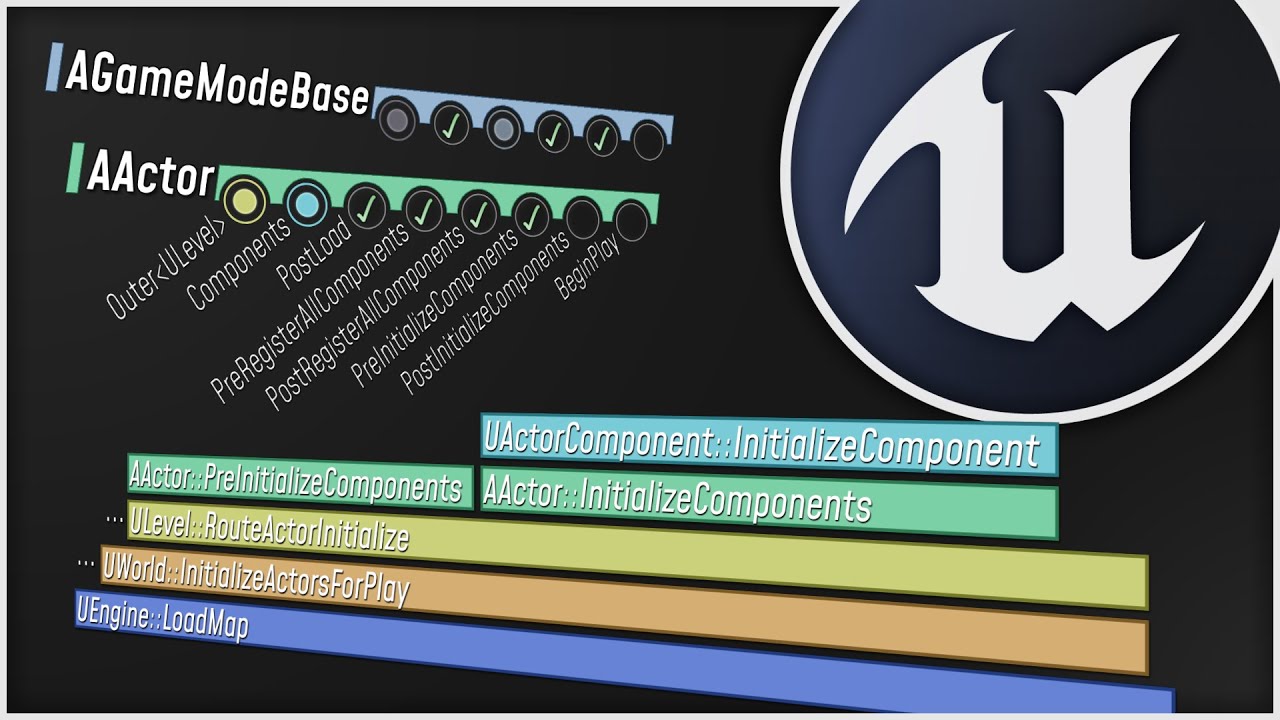
What happens when you start up your Unreal Engine game? This video is a guided tour of the Engine's initialization process: along the way, we'll glimpse the high-level structure of the Engine (modules, game instances, local players, and viewports) and we'll see how all the different parts of the Game Framework (game modes, game states, player co...
mental trellis
If it's just 4 characters, go nuts, it won't make any difference to performance whatever method you use.
faint pasture
You have playerstates, and can get at their pawns
But really, stop worrying about perf until you need to. Don't be surprised if you gotta rework a lot of your stuff down the road. You'll have to anyway.
tardy bolt
So, after understanding all this I will have to think in terms of classes, actors and subsystems, as well as breaking down the design of a mechanics or anything in simplest form, right?
faint pasture
I mean it's architecturally the same as Unity, just no fixed update and actors have code.
Profile it. What's the bottleneck?
tardy bolt
I find unreal a bit more designer friendly as well, coz of Bp and better level design tools
faint pasture
It's not some wacky paradigm shift like Godot or an ECS
tardy bolt
I created a custom tool in previous studio quite easily while other technical people said it can’t be done in Unity
faint pasture
Unreal is great but I kinda wish they had a branch with all the game assumptions taken out. All the cruft like GetBaseAimRotation and match state and all the other baggage from the FPS days.
tardy bolt
Yup, it feels like the engine limits us in a way
 cyan birch
Me, making an FPS game: 😅
tardy bolt
For example, we can set actor rotation in Unity right away
quaint geyser
You can do it here too
tardy bolt
While unreal does it in 3 nodes
quaint geyser
How?
 heavy lion
Afternoon all. I am doing something like this https://blueprintue.com/blueprint/othcr__t/
In order to create a very simplistic drone flight pawn that I can use to get an overview of my world.
I had it set up with no capsule collision and simulate physics off. But it obviously had no collision.
I added a collision capsule and now The flight controls are completely borked. They just kind of send you all over the place.
Any ideas whats going on?

No description provided
quaint geyser
tardy bolt
Get actor rotation - break rotation - then set it
What’s the difference in Unity?
You still need to provide an actor and Vector3
Or Quaternion
tardy bolt
Vector 3 only
faint pasture
tardy bolt
Get actor rotation - break rotation - then set it
What exactly are you talking about? That makes zero sense.
tardy bolt

In this series of three video I share what I believe are the three most important concepts for beginners to master in Blueprints. I really believe if you understand these concepts that you will have a great foundation for learning the engine and will also be able to make the basics of almost any genre of game.
Part 2 - Actor References: https:/...
faint pasture
You can just set the rotation on any actor whenever you want with one node. I don't see what the problem is
faint pasture
It's probably pretty s***, most tutorials are.
tardy bolt
There is rotation component or something similar right?
faint pasture
Blind leading the blind is what most of that is. It's hard to sniff out the garbage until you know enough to not need it.
gentle urchin
faint pasture
registering with some god object?
I do enjoy a good old god object, surely
faint pasture
tardy bolt
There is rotation component or something similar right?
You can just set the rotation of any actor or scene component.
tardy bolt
I see. Well, that’s 10 or so videos feeding trash to the brain all day
faint pasture
Hence my name. Just goof around in the engine and try to do something, you'll learn much faster.
tardy bolt
Ending up in retarded thinking, my bad
faint pasture
Look up specifics if you are curious about something and its application, but I would suggest just trying to do a thing
tardy bolt
Also, are engine examples projects good stuff to follow or that’s also bad?
faint pasture
They're alright but can be goofy
Remember they're just a project some intern whipped up
tardy bolt
Lol, interns and sample projects
faint pasture
Mostly their structure can be weird, but it's all up to you if you like it or not.
tardy bolt
True
I just wish there was some prototyping oriented tutorial series instead of how to setup animation BP for a FPS game, lame as it gets
faint pasture
You really don't need a tutorial. Just open up the third person or first person to start a template and start goofing around, trying to do something. The engine is huge, whatever direction you choose to go in, you will not run out of stuff to learn for a very long time
tardy bolt
Right. Thanks for all the help @faint pasture
faint pasture
Or think of a really simple prototype, and try to do it from the ground up just with a blank project. Go ahead and throw the starter content in there but try to do it from complete scratch.
tardy bolt
Yes, I love my cubes dancing on the floor than some fancy mesh. Can’t resist it as I am a game designer.
I am also happy to do a lot with little, so that also saves me from unwanted extra work.
faint pasture
Also saves you from getting lost. Starting with something like Lyra is like your first mechanic job being on an F1 car. You're just going to break it
heavy lion
So this Pawn works as expected. https://blueprintue.com/blueprint/9mu3g-7n/
But if i try to add collision the controls change and go wappy
No description provided
faint pasture
heavy lion
So this Pawn works as expected. https://blueprintue.com/blueprint/9mu3g-7n/
But ...
Define wappy
tardy bolt
Yes, I can call that project a good template to design levels with, than make entire game as a base.
faint pasture
heavy lion
So this Pawn works as expected. https://blueprintue.com/blueprint/9mu3g-7n/
But ...
You are probably just colliding and then stopping all the time
tardy bolt
Clearing my tutorial list right now 🧐
heavy lion
faint pasture
You are probably just colliding and then stopping all the time
Thats quite possible. But I cant see why or how to visualise it
faint pasture
heavy lion
Thats quite possible. But I cant see why or how to visualise it
Turn off sweep on your movement, does it behave normally then?
heavy lion
It is probably something really stupidly simple like that. I will try
tardy bolt
Standard edition by Robert Nystrom?
faint pasture
tardy bolt
Standard edition by Robert Nystrom?
You can read it online
tardy bolt
Downloaded on iPad
faint pasture
It's just good general gamedev reading
tardy bolt
Which game do you consider very easy in terms of complexity, also hardest ones to approach?
gentle urchin
For starting id go with something where yiu know all the rules
The simpler the better kinda
Like ping pong or whatever its called
2d space pong :p
Snake would be turning it up a notch
tardy bolt
I do know what you mean
The endless line of asset flips on steam, da walking sims
For me, that’s different. Those games focus 80% on art and lastly on gameplay
Thankfully it is weekend so I can explore the engine quite a bit right and ask for help
gentle urchin
Its also about reaching atages where major decisions must be made
And all options feels equally bad
tardy bolt
Yes, progression is dead from start in those games
It is just witnessing some events with little participation
The dynamics of gameplay fall apart when the player has no B,C,D to do, it’s just single path
Thanks for all the help guys, it’s time to sleep, gotta go
faint pasture
tardy bolt
Which game do you consider very easy in terms of complexity, also hardest ones t...
Hardest would be anything with really fancy tech and anything multiplayer with prediction
Easiest, probably a simple platformer.
I'm not counting walking sims, those aren't even games.
 stoic echo
hello, ive got a small town surrounded by a field and both areas have separated background music
Which way is the best to fade in/out when switching between music in Blueprint?
 tawdry surge
Place the sound actors in the scene and just set the attenuation radius. It'll automatically fade as you move away from the source
 split salmon
How do i access this variable from animbp? i want to change my state based on a press of a key

 gentle urchin
In the event graph
Try get pawn owner
Cast to your pawntype
SelinaMain
Harvest the variables
split salmon
the blueprint itself or the animbp
gentle urchin
Animbp
Then read the variable, and save it in a new variable in the animBP
Use this for transition
Victory is yours
gentle urchin
What does it say
split salmon
 faint pasture
split salmon
faint pasture
split salmon
Why would you not show us the actual error
gentle urchin
Dont cast to the animbp
split salmon
 gentle urchin
Go inside the animbp, use the TryGetPawmOwner node in the event graph
faint pasture
split salmon
 gentle urchin
And cast to your SelinaMain
 wet knoll
@everyone hi
 hardy merlin
Hello! I have a collection of gameplay tags called Original. I need to extract all tags inside Original that share a provided parent tag ParentTag. Can this be done in Blueprint?
 flat coral
Is there a way to check whether one actor can see another?
 distant grail
flat coral
Is there a way to check whether one actor can see another?
distant grail
flat coral
Is there a way to check whether one actor can see another?
PawnSensing?
hardy merlin
Looks like it's C++ only. I can use the "Filter" function
flat coral
These aren't all pawns though. Plus I don't really care about view angles and things like that
really what I want is to check if there's an unobstructed line from a camera to ANY PART of an object
 limber parcel
flat coral
Is there a way to check whether one actor can see another?
limber parcel
flat coral
Is there a way to check whether one actor can see another?
EQS
and sensory system
flat coral
It feels really wrong and weird to have a behavior tree for a PLAYER pawn
gentle urchin
You can do custom LOS system
flat coral
Also it seems like OnPerception returns a single object but like this will be dozens
gentle urchin
Usually some multiple of line trace or shapetrace
Dozens ?
It quickly becomes expensive
flat coral
Yep. That's why I'm trying to keep this as simple as possible
The goal here is to make interactable objects glow, but only if the player can see them
faint pasture
flat coral
Is there a way to check whether one actor can see another?
Depends on your definition of "see"
gentle urchin
True^
flat coral
"Any part of object is even slightly visible"
faint pasture
Yeah that's hard
gentle urchin
Last los i did had "is the player looking in my general direction", "is the player close enough", and finally a trace if both statements were true
flat coral
This is where it's frustrating me, see these like glowing energy cores? All 3 should be lit up, but the back two are technically "occluded" by the line trace system
 gentle urchin
Thats the problem with line trace
To where do I trace...
Ideally to each corner of the object,
And ignore the edge case where some mid section is visible
flat coral
easier said than done. The component that makes these usable doesn't even know what the objects ARE just that they have some mesh component
gentle urchin
Mesh bounds
flat coral
These could be skeletal meshes IN MOTION
flat coral
I wonder if there's a way to unfuck my glow so it's just not visible through walls
I followed a tutorial and ended up with something that didn't even LOOK like the tutorial and just kept it because I didn't understand it and still don't lol
faint pasture
flat coral
These could be skeletal meshes IN MOTION
Choose some set of bones to consider, trace to those
hands, feet, head I'd say
distant grail
@rotund pollen I just read your "Make Your UE5 Game from Lyra". that is alot of work you have done. Thank you for showing us the way
split salmon
im tryin to attach an asset to a bone but it works only in the editor, not in game. am i missing something?


 rotund pollen
distant grail
<@147417058475245568> I just read your "Make Your UE5 Game from Lyra". that is a...
rotund pollen
distant grail
<@147417058475245568> I just read your "Make Your UE5 Game from Lyra". that is a...
Glad you found it useful! It's a work in progress. 👍
 slate galleon
Hey, guys! Is it possible to implement Factory Pattern in Blueprints?
That sounds impossible, as you can't return a function in blueprints. As I understand. Or am I missing anything?
faint pasture
split salmon
im tryin to attach an asset to a bone but it works only in the editor, not in ga...
Show how you're attaching it
 vivid inlet
If it possible to use blueprints to make certain actors or materials visible through other actors?
Let's say I'm trying to make an x-ray vision, when the character presses a button, suddenly enemies are visible through the walls.
I know there was one default material in UE4 I used once ages ago that was somehow visible through walls. Wasn't sure why though.
slate galleon
vivid inlet
Let's say I'm trying to make an x-ray vision, when the character presses a butto...
yeah, ssearch for custom depth tutorial. Outlines are made exactly the same.
custom depth stencil*
vivid inlet
slate galleon
yeah, ssearch for custom depth tutorial. Outlines are made exactly the same.
Ah, thank you! :)
trim matrix
Hi, I have this feature in my game where you can spawn an item from an array of items, each of these items has its own event called toss that adds an impulse, is there any way I can get a specific object reference, that way I can trigger it's specific toss event, or would I need to manually use the branch system based on the index number, or create some broader version of toss that's usable for different objects? Any advise, or solution would be appreciated.
 tight schooner
@slate galleon re: factory pattern... I've never heard of it before cuz I'm not a programmer. I did some light reading, and though I haven't wrapped my mind fully around the concept... you could use class inheritance to get most of the effect, cuz parent classes can be interfaces to every possible child class. This is also true of BP components — you can have class hierarchies of components and interface with them via their parent classes.
I haven't messed with soft object references personally but assuming they work with actor and component classes, you could load a bunch of random classes on demand and slap it all together in a modular fashion at runtime, and be able to interface with it.
slate galleon
trim matrix
Hi, I have this feature in my game where you can spawn an item from an array of ...
yeah. You create a Toss function inside the parent class (I assume they are or should be children of one parent). And then in each child Overwrite Toss function with desired implementation. The one in the parent class is just an empty function with proper inputs and outputs.
slate galleon
tight schooner
<@358334201684295683> re: factory pattern... I've never heard of it before cuz I...
Thanks for the effort, that's not exactly what I'm looking for. To explain in simpler words, I need a way to either return a function from a function (yes), or have one function be able to return objects of multiple child classes. Not the parent, but specific children, so that I don't have to guess later on and do any casts.
Like single BP you say to - do me an Animal(Cat). And it does a Cat object of parent Animal. Than you say to it - do an Animal(Dog) - and it returns Dog. So far, I can only get an Animal from it.
trim matrix
slate galleon
yeah. You create a Toss function inside the parent class (I assume they are or s...
each Item is it's own class, but I have an actor that is a spawner, (refereneced as Store Master, in the image) that has an array of each actor/class. Would your method still apply?
slate galleon
trim matrix
each Item is it's own class, but I have an actor that is a spawner, (refereneced...
Do you use inheritance?
trim matrix
No
slate galleon
As I understand, every thing you spawn is an Item, right?
trim matrix
Yes
faint pasture
trim matrix
Yes
The spawner spawns the item, then gives it a yeet
The item does nothing but exist
slate galleon
So you should use inheritance for that)
Create a base Item Object/Actor. Make default functionality and add some variables that every Item would use. Than right click - create child
faint pasture
If you are intending for your items to simulate physics by default, set all that up in a parent BaseItem class like gleb said
slate galleon
Inside a Child you can either add specific functionality for it. Or Overwrite existing one. (it's in the functions, left to create new there's a button Overwrite)
faint pasture
@trim matrixYou also want to read up on data tables.
so you can have a nice table of all your items
trim matrix
Okay, thanks I'll look into these
faint pasture
You'd set up base item such that base items just fall to the ground when spawned (assuming that's your desired behaviour)
slate galleon
Look up what Inheritance is. But in a nutshell, imagine you are creating a Dog and a Cat (again)
They are both Animals, they both can jump and run. But with different variables for run speed and jump height. They also can Bark/Meow
You create Animal class. Add variables. Add function Voice (or smth)
Than create child Dog - change variable run speed there. Overwrite Voice command to be able to Bark.
Than create child Cat - change variable for jump height. Overwrite Voice command to be able to Meow.
Than you just can say Dog - Voice. Cat - Voice. (or Toss) And it does it's thing.
slate galleon
faint pasture
<@456226577798135808>You also want to read up on data tables.
that's a bit complicated for now, I think.
faint pasture
The spawner just chooses an item from the datatable, spawns it, punts it (add impulse)
Yeah you'll want datatable once you have like 10+ item's I'd say
so then you don't gotta go edit stuff when you make a new item. You just add it to the datatable and you're good.
You'd change the spawners ListOfItems from an array to a datatable but yeah leave that for later if you're good for now.
slate galleon
faint pasture
The spawner just chooses an item from the datatable, spawns it, punts it (add im...
Sir, do you know anything about Factory pattern by chance?
faint pasture
slate galleon
Sir, do you know anything about Factory pattern by chance?
I know that data ASSETS use factories
but that's a bit more advanced
slate galleon
nah, that's what I am trying to do rn.
I'm trying to create Factory inside BP
I guess it's time to bite a bullet and jump to cpp
tight schooner
slate galleon
Like single BP you say to - do me an Animal(Cat). And it does a Cat object of p...
Don't think there's a way to get those automatically typed references without casting or having inputs/variables set up in advance; Unreal is set up so that you use interfaces of various kinds for that stuff rather than communicating directly with every possible child class. I can think of an approach where you break down functionality into a lot of BP component class hierarchies and then you can probe what an unknown class is capable of by doing Get Component By Class, but that seems convoluted.
(although I do just that for damage and collisions -- components as interfaces)
slate galleon
tight schooner
Don't think there's a way to get those automatically typed references without ca...
That's somewhat like I am doing. My parent class has a variable to specify which child (if any) it currently represents. And most of functionality would be in a base class or in Overrides (damn, I was typing this word wrong this whole time!), so I would not have to know which class is that exactly. But for some specific functionality I would still need - it seems - to cast to a child. Or as you said, create some Interfaces for those child specific cases.
It's just not really elegant and another bit of information you have to hold in your head, which I don't like, lol
Or there's another way of creating this altogether, which I'm not aware of.
 restive token
I-m trying to add a separate axis mapping other than WASD on keyboard and it behaves weird
it's like it sends inputs faster than WASD
anyone here have that issue before?
slate galleon
what do you mean by faster? Larger axis value or Faster response time (ha? is it possible? is it a problem?)
restive token
faster response time
so basically
when I send the axis value, it plays an animation
when the animation starts, I have a bool to not play it again until it finishes, even if I hold the axis button
works perfect with the default WASD
but if I create a new, separate axis (same settings)
and I press it
the animation starts but immediately restarts before it can set the bool
so if I hold the axis, the animation is stuck starting really fast
tight schooner
Might need to show your BP node graph for that one
By description if you're checking the bool, setting the bool, then playing the animation, that shouldn't happen
slate galleon
yeah, it seems like your should first set the bool, than play animation, than change bool on animation finished.
slate galleon
ok, that settles than
 hexed barn
Hi, can someone help me figure out how I can switch view with a second camera that I spawn at the end of a line trace, and make it so I can rotate it with my mouse while being able to control my character
tawdry surge
Why not just move your current camera?
hexed barn
The camera need to out of the player bp because later I would like to throw it with gravity (like a grenade) stop is motion when I want and switch between the 2 camera
hexed barn
tawdry surge
Why not just move your current camera?
that could work, didn't though of it
I was thinking that I would need it to be out of the player bp but maybe not
tawdry surge
Just have a 0 blend time
It doesn't matter
Set view target is a function of the controller not the player
You can set it wherever you like
hexed barn
well I tried to do it with set view target but I couldn't rotate it
tawdry surge
Did you make the new camera active when set as target in the defaults
And is your camera movement code in the controller or the character?
hexed barn
well what I tried was spawning a new camera actor, and in the player bp casting it after spawning it to set my view target, but I couldn't rotate
limber parcel
how do i actually pass a value in an event dispatcher?
hexed barn
but moving my camera kinda work the problem is that it still move with the character tho I think I can figure it out, thanks ^^
tawdry surge
Why aren't you just saving the reference from the spawn to avoid casting? You already have a reference at the right level
and set view target should still let you rotate in the new spot. You're pry just missing a check box
slate galleon
limber parcel
how do i actually pass a value in an event dispatcher?
double click Event Dispatcher and add inputs like in Interface or function
limber parcel
it wont let me
 hexed barn
tawdry surge
Why aren't you just saving the reference from the spawn to avoid casting? You al...
hexed barn
tawdry surge
Why aren't you just saving the reference from the spawn to avoid casting? You al...
im gonna try again then ^^
slate galleon
I don't use UE5 yet. But isn't it a plus icon?
 limber parcel
its greyed out i cant click it
slate galleon
limber parcel
its greyed out i cant click it
I dunno, it works in UE4. Did you connect/Assigned dispatcher anywhere maybe? Or a clean new one?
tawdry surge
you want outputs if you wanna pass them
 slate galleon
Delete the event and bind nodes, compile and try to add inputs again
 limber parcel
i deleted everything and created new but its still same
 tawdry surge
why are you inside it?
limber parcel
idfk
tawdry surge
go back to the event graph and just highlight it in the my blueprint tab

 limber parcel
cursed discord
tawdry surge
at the top of the details
slate galleon
Interesting. It works both ways in UE4 somehow
tawdry surge
it works like that for interfaces
never checked inside a dispatch call
limber parcel
this is very weird, thx for ur help
tawdry surge
ue4 it does work from inside the dispatcher. It also lets you add outputs which do not work as far as I can tell..
 slate galleon
tawdry surge
ue4 it does work from inside the dispatcher. It also lets you add outputs which ...
slate galleon
tawdry surge
ue4 it does work from inside the dispatcher. It also lets you add outputs which ...
exactly
 jade oar
limber parcel
i deleted everything and created new but its still same
jade oar
limber parcel
i deleted everything and created new but its still same
Having exact same issue lol..
jade oar
tawdry surge
ue4 it does work from inside the dispatcher. It also lets you add outputs which ...
yes i think this doesnt work in ue5 (editing dispatcher node (to add pins) in read only mode)
tawdry surge
Yeah. Moral of the story is stay out of the dispatch graph
jade oar
i was following a tutorial done in ue4 where they edited it.. now im stuck
i wanted to add some outputs to the dispatch node is all.. is there another way?
limber parcel
jade oar
i wanted to add some outputs to the dispatch node is all.. is there another way?
we just resolved this issue 🤦♂️
 jade oar
greyed out for me..neither inout nor output + do anything.. and nothing running or simulating in pie.
limber parcel
read what he said before i found it
jade oar
limber parcel
read what he said before i found it
oh ffs.. ok sorted.. that is odd.. and i did read b4 but didnt get it..
limber parcel
took me some time aswell lol
jade oar
wait but its still greyed out… nvm, you edit it via the same place you add outputs.
 flint crypt
Has anyone had experience using the OpenRPG Inventory & Equipment Project by Angel Hodar
 ripe zenith
Hello, I am using "Distance Matching" which is contained in the "Animation Locomotion Library" plugin. The issue that I am facing is every time I close and re open the project, I have to refresh this node to compile successfully. I am not sure what could be the reason behind this. Any help appreciated, thanks

Also, I get these errors when I re open project!
 limber parcel

 junior hedge
ripe zenith
Hello, I am using "Distance Matching" which is contained in the "Animation Locom...
junior hedge
ripe zenith
Hello, I am using "Distance Matching" which is contained in the "Animation Locom...
idk if its a custom plugin but I think it'd be useful to actually contact the owner of the plugin itself
ripe zenith
junior hedge
idk if its a custom plugin but I think it'd be useful to actually contact the ow...
it is not a custom plugin
 ripe zenith
thanks
split salmon
is it possible to use layered blend per bone in one animation?
im working on a equip/unequip and i want to blend just when the character is equipping the sword
limber parcel
why my code always spawns the walls at weird angle?


it should be camera rotation with a 90° offset
but for some reason it always has a weird pitch offset
fixed it now by setting pitch to 0 but im still wondering where that offset came from

 hollow magnet
i tried this however I can't make it stop
okay so let me just make explain my idea fully, I am trying to make a character dash with variable distance, based on how long u press the dash button. using launch character has too much accelration due to it being instantenous velocity change
limber parcel
you can just apply smaller force with delays
or go and actually calculate the force u need to get where u want
hollow magnet
limber parcel
you can just apply smaller force with delays
ahh make sense hmm
should i do it using loops?
limber parcel
just make a sequence of delays
junior hedge
hollow magnet
okay so let me just make explain my idea fully, I am trying to make a character ...
you could just make a variable for how many times you wanna execute the timeline
then when finished set the variable to 0
and if released you also stop the timeline ofc
hollow magnet
that the problem idk timelines
junior hedge
hollow magnet
that the problem idk timelines
ill show an example in a sec
 tranquil knot
Hello. I have an issue with my UE4 skeleton where his index fingers are, a little wonky. I have spent a while researching and trying to fix it but nothing works, can anyone help?
woops wrong channel
junior hedge
look at what I did
it does it 8 times
and then it stops
wait i wrote it wrong

there
btw
you need to set timeline cap + 1 in update
tawdry surge
"Do N times" is also a node
tranquil knot
tranquil knot
Hello. I have an issue with my UE4 skeleton where his index fingers are, a littl...
hey anyways does someone know the answer to my previous question even if its the wrong channel
junior hedge
tawdry surge
"Do N times" is also a node
would that work with timelines?
also whats the node called ive never heard of it
hollow magnet
tawdry surge
"Do N times" is also a node
wait that work?
junior hedge
@hollow magnet heres an example

if I hold the button down it will show 8
if I press it, it will show 4-5
tweak with delays and it should work
hollow magnet
yeah but i will try the do n
since that sounds like an actual for loop in blueprint
junior hedge
i dont think that will work with timelines
also if you want to be able to release it early it wont work
hollow magnet
do n
tawdry surge
Which do n times? or set timer by function/event?
hollow magnet
so how do i use this timer?
junior hedge
tawdry surge
Which do n times? or set timer by function/event?
do n
oh i found it
its just so far down below even when you type it
tawdry surge
You set timer by event or function(save the timer handle reference) and then you can set the interval that the code is run.
You can play,stop,or clear it from the handle reference
junior hedge

@hollow magnet
idk how to do Do N
also turn looping off

circle is where your velocity set goes
then you plug it in
also the time should be 0 pretty sure
tawdry surge
Do n was for the timeline.
This you'd run the branch like b4 and on your condition "clear and invalidate"
So delegate event->increment count->branch->clear
hollow magnet
i am just gonna do a branch
with incremental check
this method works but well less effecient
tawdry surge
The time line you'd move the do n to the finished pin and loop in back to play from start. Set the timeline length to the length you want, and turn off looping
Play from start->finish-> do n-> play from start
 mossy mist
Packaging error when enabling nativization.
UATHelper: Packaging (Windows (64-bit)): D:/Documents/Unreal Projects/CoopGamer/Intermediate/Plugins/NativizedAssets/Windows/Game/Source/NativizedAssets/Public/BP_SCharacter__pf2132744816.h(818) : Error: Replicated TArray parameters cannot be passed by non-const reference
 true jay
how to do an error ignore or error catch in BP?
tawdry surge
You don't
tight schooner
fix the errors 
hollow magnet
true jay
how to do an error ignore or error catch in BP?
print string your variables/values helps
in figuring the errors to fix
tight schooner
you can also play the game with the output log window visible and you'll see the error messages live
@mossy mist nativization isn't recommended generally. I've found it to be buggy and it has a hard time with references to BP classes
It can work with self-contained math functions and self-contained classes, but otherwise it's a real crapshoot
true jay
nono, I know what the error is, but it's not really an error so I want it to not take up space in my debug log. it's sorta trivial I guess.
 broken quiver
how you get a pair of value in blueprint?
I want an anim sequence and a boolean
what should I do to achieve that?
tight schooner
look into "map" variables if you want to associate one type of data with another
@broken quiver
 broken quiver
did it
how do I get the first and second one
separately?
doesn't seem to be there?
@tight schooner
tight schooner
you have to change the variable type to "map"
you know, click on the pill or whatever.
and instead of array, try "map"
not sure what you're asking tbh
broken quiver
all i need to do is having association with one animation and a boolean variable
thats it
tight schooner
just one animation?
broken quiver
yeah
tight schooner
ok so a map variable is overkill. Not sure what the situation is though.
can't you just... have two variables? Or in your function, have two outputs?
broken quiver
tight schooner
can't you just... have two variables? Or in your function, have two outputs?
u r right. i think i am probably overengineering things
thanks
tight schooner
Or do you want to make a new data type -- a custom struct that contains an anim sequence and a boolean?
You can look into structs for that
if you want to consolidate a lot of different data into a single data type
a vector is a sort of struct for example... three floats
broken quiver
ill keep that in mind for future use cases
i think it might be solved with what you said above
just add another return pin


 elfin wolf
limber parcel
for some reason my shift key wont work
elfin wolf
limber parcel
for some reason my shift key wont work
do other inputactions work? is the blueprint a player character?
tight schooner
maybe it's just me but sometimes breakpoints don't work lol
if you print string it doesn't happen?
limber parcel
tight schooner
maybe it's just me but sometimes breakpoints don't work lol
in some cases they dont, but this is in my player bp so it should work
tight schooner
Maybe the input is being "consumed" at some higher level. I don't have a fine sense of how that works
limber parcel
just added print it doesnt work
tight schooner
but maybe some other BP (player controller?) is consuming it
before it reaches the pawn
otherwise dunno
limber parcel
could anything else except the player controller "consume" it?
tight schooner
hmm, shift is also a modifier in your screenshot... I wonder if there's some UE issue with mapping those
limber parcel
tight schooner
but maybe some other BP (player controller?) is consuming it
thx for the hint, apparently someone added alot of fucky keybinds in the player controller
 shadow field
don't want to interupt anyone but was wondering if anyone knew how to make a character move based on dice number, like a board game, i have it setup so the character goes to step 1 with dice 1 showing and step 6 with dice 6 showing but if it's on 6 and i roll a 1 it goes back to 1 instead of adding to the step 6 and going to step 7, can't seem to figure out how to give collision boxs numerical values and/or the step locations and then adding said dice number to steps thanks to anyone who can help
gentle urchin
Sounds like you just wanna keep the total number of eyes rollednsaved in a variable?
CurrentValue + diceValue = CurrentValue
shadow field
yeah something like that, but i can't figure out how to give my dice side 1 a numerical value of one and each space a numerical value, so that i can add the dice value to the space value and move the character accordingly
like i said i can move the character to a specfic spot with ai move to based on the side that is up but that doesnt give me a way to add the dice to the space im already on
faint pasture
shadow field
don't want to interupt anyone but was wondering if anyone knew how to make a cha...
Do you have the mechanic to do "Go X Steps"?
make that first
shadow field
i have a mechanic that says go to said space based on number showing, as dice 1 = space 1 dice2 =space 2 so it doesn't actually add it just moves the character to the space related to the number showing
 lavish sphinx
guys help, I don't know where I'm going wrong, all the pins are float, some are float double precision and some are float single precision, do you think there is a problem with that? I have tried to convert all of them to the same precision but they change themselves.
 shadow field
gentle urchin
Make it so it goes to x space instead
shadow field
gentle urchin
Make it so it goes to x space instead
thats what im confused about i don't know how to move the character without the dice, i can move the character based on mouse click, but this is what i use to move character to the spaces
 gentle urchin
Singleplayer game?
shadow field
for now
shadow field
lol well its going to be a board game with
gentle urchin
And use a dispatcher to tell the gamemode or whoevers in charge of the pawns what number was rolled
Id also use traces to determine which side is where
shadow field
yeah i have it so it calls the right side and prints the number so that's fine lol
gentle urchin
So whichever trace is hitting something is the oposit face of the die thats showing
shadow field
getting the dice to function is done, i just can
cant add that number to the board spaces
idk i guess this is just waaay out of my league at the moment lol
gentle urchin
Just save the number to a variable ?
Not in the dice , surely
But saving and accumulating it is what you want
shadow field
yeah and then moving character based on what space it is currently on, so i guess i would have to give a numerical value to each space then add the numerical value thats showing up and move to the equaled space
i just don't know how to do any of that lol and i can't seem to find any tutorials on dice movement or something like that
 shrewd hedge
Can anyone help me out with this blueprint trouble that I'm going through
gentle urchin
Otherwise you could just keep track of some last location(before the last move) and new location (before. The new location)
And just trace for the next tile
shrewd hedge
shrewd hedge
Can anyone help me out with this blueprint trouble that I'm going through
So I made a pause menu and I made it so that whenever you click the quit button it shows up 2 more buttons that ask whether u want to quit to Desktop or to the Main Menu. Or at least it was supposed to be like that. But for some reason, whenever I go into the pause menu, both buttons are already visible. I didn't know where else to go to ask this question so sorry if this isn't supposed to be on here. No clue why this is bugging me so much, it just is.

I'm new to Unreal
by like
a lot
I just started like 2 days ago, I only know about this because of the tutorial I got it from but it still wont quite work.
shrewd hedge
ohhhh
shadow field
so swap visible to b and invisble to a
shrewd hedge
shadow field
so swap visible to b and invisble to a
yeah I switched both of them and it still didnt work a few minutes ago
shadow field
shrewd hedge
yeah I switched both of them and it still didnt work a few minutes ago
you also have to make sure it
default is set to hidden in game
shrewd hedge
shadow field
default is set to hidden in game
wdym?
yeah it still didn't work even after switching it
shadow field
shrewd hedge
wdym?
in your menu blueprint make sure it is set to hidden

so you had it right the first time put the visible in a and hidden in b and then make the desktop box hidden in that behovior menu
make sure your pause menu is hidden as well
 shrewd hedge
ohhh okay thank you
shrewd hedge
shadow field
so you had it right the first time put the visible in a and hidden in b and then...
im in the widget editor
do I click both of the boxes that are visible
then go to behavior on the right
or are you somewhere is completely different
shadow field
whatever you want visible when you push pause keep visible and everything else like the quit to desktop turn the hidden in the behavior menu
 shadow field
yes once you click on quit box
shrewd hedge
okay thank you
I'm gonna test it now
thank you for your help i appreciate it
IT WORKED
THANK YOU
 shadow field
no worries i had to do the same thing for my ui class haha
shrewd hedge
haha okay
one more teeny tiny question I hope
so basically in my game I have it so that you can play both third person and first person
and my game is starting in third person
how do I make it start in 1st person
do you know
shadow field
oh your doing what i did haha i had that for my game as well but it went very buggy my advice is just start with one or the other learn the system and blueprints and work towards the complicated stuff, unless someone else know how to explain it easier
shrewd hedge
okay thank you
oh yeah just now I'm testing it out
I'm clicking qquit
quit
but the boxes aren't showing up now
shadow field
go back to my previous pic and make sure it's setup exactly like that
pause menu has the resume quit and quit box has the desktop
shrewd hedge
I didn't make a pause menu variable
shadow field
its the menu that holds all your resume and quit buttons
 shy zinc
Hey there, doing some doors, got a nice working door that swings away from the character. Been working on getting the door to pause movement when player overlaps, so it doesn't close on the player and you end up half in half out kind of thing. I've seen a couple examples online, non physics based, where the door pauses on overlap but I've not been able to get it working properly and there's not much support. Has anyone come across something similar and can point me in the right direction?
shrewd hedge
so the one at the very top?
 gentle urchin
shy zinc
Hey there, doing some doors, got a nice working door that swings away from the c...
gentle urchin
shy zinc
Hey there, doing some doors, got a nice working door that swings away from the c...
Personally id just reverse the door on overlap so it moves towards open again
shrewd hedge
shrewd hedge
so the one at the very top?
idk how to get that as a variable
gentle urchin
I bet its done with a timeline
shadow field
shrewd hedge
I didn't make a pause menu variable
you should have the resume options and quit button in a box to easily separate it from everything else
same way you made the quit box but for the other buttons
shadow field
shrewd hedge
so the canvas panel?
the same way you made the quitbox
shrewd hedge
i completely forgot that was a thing
shy zinc
gentle urchin
Personally id just reverse the door on overlap so it moves towards open again
That could be a nice solution. If I still wanted to the door to close though after i moved away from it?
shrewd hedge
shadow field
the same way you made the quitbox
i forgot how I made it
it was a horizontal box
but thats all I remember
shadow field
i used a vertical box my self
shrewd hedge
im so confused right now im sorry
shadow field
shy zinc
That could be a nice solution. If I still wanted to the door to close though aft...
you could use on overlap end to continue the door close
shadow field
shrewd hedge
im so confused right now im sorry
https://www.youtube.com/watch?v=Bck480UHKq8
that's the tutorial i used

Hey guys, in today's video, I'm going to be showing you how to create a semi-advanced pause menu for your games. In this we have access to; resume, the options menu, and quitting to either desktop or the main menu.
Main Menu Tutorial: https://youtu.be/K1vVbwMJCTQ
Options Menu Tutorial: https://youtu.be/uLCNedDnWTY
#Ue4 #UnrealEngine4 #Ue4Tutor...
shrewd hedge
I used that one too
shadow field
watch from 3:00 he uses a vertical boax and puts his buttons in it like you did for the quit to desktop buttons
shadow field
shrewd hedge
i forgot how I made it
so essentially reverse on overlap then reverse the reverse on end overlap
shy zinc
@shadow field yeee, this is what I'm trying. This post was pretty much what I needed, but I've not been able to get it working. https://forums.unrealengine.com/t/avoid-door-passing-through-non-moving-player-during-open-close/146984/3

Unreal Engine Forums
This seems really good, and perfect for what I need, but likewise I haven’t been able to get it working. Any extra advise you can share? I have a door that will always swing away from the player too, not sure if this adds extra complications
@shadow field I'm wondering if also having a door that always swings away from player is adding extra level of complexity that I'm struggling to figure out
shrewd hedge
shadow field
so essentially reverse on overlap then reverse the reverse on end overlap
what man 😂
im sorry, im new
shrewd hedge
ohhhh
shadow field
i would suggest to watch the tutorial slowly he adds a vertical box like the horizontal box for your desktop buttons
shrewd hedge
yeah I just watched it, I understand what I did wrong now
lets gooo I did it
thank you
shrewd hedge
shrewd hedge
lets gooo I did it
you helped of course
shadow field
shy zinc
<@760166282930159619> I'm wondering if also having a door that always swings awa...
not really i would say maybe you didn't refernce the character or door properly and the overlap never happens?
cause you need to reference the character in your door BP for the overlap to happen at least as far as i know, the best way to REF your character i found iget actor of class choose the character your using and then promote to variable
shy zinc
@shadow field I've got a print string that's letting me know player has overlap and end overlap properly so that seems to be working okay
shadow field
you can try a stop movement on overlap and then reset on end overlap, anyone else have a good idea haha
gentle urchin
On overlap check if playing , and target state(open or close)
shy zinc
These are some good things to play with, @gentle urchin how would you suggest checking if playing the timeline? Creating a variable and setting it?
gentle urchin
The timeline has a function
By using its reference
IsPlaying, and IsReversing
Helps you determine the state of it
 jaunty summit
junior hedge
any multiplayer tutorials?
jaunty summit
junior hedge
any multiplayer tutorials?
#multiplayer pinned messages, find the compendium. then read it
shy zinc
@gentle urchin thanks for this, maybe stupid question what do you mean the timeline has a function? How do i access that
gentle urchin
Grab the timeline reference (under variables -> components)
Drag it out on the event graph
Use this reference to find the two functions
shy zinc
i seeee this now. thanks, will play around with this @gentle urchin
shy zinc
For reference if anyone else has any tips, here's my current blueprint setup (don't judge my mess, still creating before cleaning 😅 )
https://blueprintue.com/blueprint/3p7ay1dx/
No description provided
gentle urchin
Didnt get it to work?
Door capsule
What is that
Im not sure why that is read from the char bp
Nor why its class is checked not to be thirdperson
shy zinc
Not yet! Door capsule was just a temp collision i setup on the player. because I had a quest thing going (that im going to remove anyway) but it was a long capsule sticking out from the player that was causing the collision to occur out in front, not on.
gentle urchin
Wouldnt you have the collider on the door instead?
shy zinc
When i run that, the print string is called that its overlapping and not overlapping
There is also a collider on the door (DoorCollision)
Ill try setting this up without using the Door Capsule
Same result fyi
 crude dew
Hi, When i detach from actor the pivot point of the actor being detached seems to stay with the character socket ? Anyone know why please?
 gentle urchin
shy zinc
Same result fyi
gentle urchin
shy zinc
Same result fyi
It should be this;
OnOverlap -> IsDoorOpen? -> False -> OpenDoor
OnEndOverlap -> IsDoorOpen? -> True -> CloseDoor
your code is doing way more stuff than it needs to 😛
Start simpler
just trigger the timeline only
shrewd hedge

Can anyone help me out with this
the left one is a tutorial
the right one is my screen
I don't understand how that guy was able to do it but I couldn't
 shy zinc
gentle urchin
your code is doing *way* more stuff than it needs to 😛
shy zinc
gentle urchin
your code is doing *way* more stuff than it needs to 😛
your code is doing way more stuff than it needs to 😛
haha oh yeah this i don't doubt 😅 still learning!
Ill play around with this thanks a bunch
 shrewd hedge
I don't understand how that guy was able to do it but I couldn't
shrewd hedge
shrewd hedge
I don't understand how that guy was able to do it but I couldn't
nevermind I got it thanks anyways
shy zinc
gentle urchin
okay cool, so this looks to me like when i overlap the collision (sphere in your example) the door will open away, then when i leave it will close?
shy zinc
okay cool thanks, ill try that on another door and see if i can get the rest going. Thanks.
gentle urchin
Like
Make sure the dot is not 0
And if the door is already in motion, keep the existing direction and just open it?
Ideally dot should be floored if <0 and ceil if > 0
shy zinc
gentle urchin
Ideally dot should be floored if <0 and ceil if > 0
okay thanks, ill need to try this out later tonight now, see how i go! 🤞
 covert bough
How would I go about getting a bounding box that encapsulates an array of actors?
gentle urchin
Find the worst vectors, biggest and lowest in each direction?
Highest X , lowest X, highest Y lowest Y
Average of those 4 would make the origin
As in avg x and avg y made from the highest and lowest
Extent would be half their difference
So high x - low x
And high y - low y
covert bough
this is what im trying right now, and its close, but is never quite right https://blueprintue.com/blueprint/8a_h8vdc/
No description provided
basically, find the corners of the bounding box of each actor, then use vector component min/max of all the corners to get the extreme corners
i always find the actual center correctly, but the final extent is always wrong
mental trellis
Are any of them rotated and scaled?
covert bough
some are rotated, none are scaled
gentle urchin
How far off is the extent ?
Not sure why this would fail
It works perfectly in my mind🤪
gentle urchin
Assuming 0 rotation on the bounding box
Its not the optimal box, but it should fit them all
covert bough
its always right in the y and z axis, but the x is always about 20% bigger than it should be
covert bough
oh.....damn, that makes since
gentle urchin
Would it then seem to be correct?
If you try all the ships at the exatct locations, unrotated
You'll see if the initial math is correct
covert bough
yup, ill have to figure out how to apply that tomorrow, brain is about fried tonight, a few hours of vector math will do that 🙂 thanks though, that definitely sounds like where my issue may be
gentle urchin
Vector maths been frying brains since invented
broken quiver
how to combine two values(string) to get a hash?
In data table i got two values
i need to find exact same row where they are same
 icy dragon
broken quiver
how to combine two values(string) to get a hash?
icy dragon
broken quiver
how to combine two values(string) to get a hash?
Concat?
For FString it should be named Append
 steel shadow
If I spawn an actor that executes logic inside its construction script, will that logic be executed before the next node after 'spawnactor' (inside the BP in which I spawn the actor)?
For example if I set a variable in a construction script, is it safe to get a reference to that variable in the next node after spawning
 maiden wadi
steel shadow
For example if I set a variable in a construction script, is it safe to get a re...
maiden wadi
steel shadow
For example if I set a variable in a construction script, is it safe to get a re...
It should be. Construction script should run before almost anything else, and even Beginplay runs before the next node.
steel shadow
Yes but will the next node wait for the logic of the construction script to fully execute?
Lets say it takes 10ms to execute and the next node would fire after 5 ms
icy dragon
Have you tested it though? 
mental trellis
Any node, unless it has the clock symbol, should block the next node until its done executing
maiden wadi
Even then it should still be in order. The clock symbol just sets a timer which will run on the same thread, so if constructions script takes 10ms, and you have a timer for 5ms, and run them, your code will still be done in 15ms, because the timer still won't start until the construction script is done.
broken quiver
is there any thread "Is Valid" function?
icy dragon
broken quiver
is there any thread "Is Valid" function?
Wdym? It's just checking if object pointer points to nullptr or not
 jagged night
i cant for the life of me figure out how to make a node run on server
mental trellis
icy dragon
Wdym? It's just checking if object pointer points to nullptr or not
Maybe he wants to know if a thread itself is valid or not?
jagged night
there is nothing in the "details" tab
steel shadow
jagged night
i cant for the life of me figure out how to make a node run on server
Do it inside a custom event
Which runs on server
 safe iron
Heyy there, got back on UE after finishing finals, I have a few questions
What would I use a playerstate for? Just technical stuff such as points and username? could I store the health and ammo in there? would it be convenient for me? Is it used in Single Player as well?
broken quiver
icy dragon
Wdym? It's just checking if object pointer points to nullptr or not
yeah this
but not thread safe
if you try to use on animations...
mental trellis
jagged night
there is nothing in the "details" tab
A blueprint node? Don't you have to create an event and set it to execut eon server? Something like that?
tranquil knot
hello i have a flashlight unequip and equip system but when i unequip it whilst its still on it stays on. can someone help me make it so that when unequipped it turns it off
 lucid schooner
hey everyone ! I've been spending days on the following problem for my application : I am building in VR with Meta Quest an application to simulate the flight of a spaceship.
I want to control the movement with my visual aim (so it is always going forward where I look, 1st person view). My problem is that I NEED to increase the head movements of the player : if you turn your head to 45° up, the view has to move 90° up ! (i want to be able to configure the increase in each direction yaw, pitch, roll).
I've tried many things but didn't succeed (quaternions, vectors, etc...) there is always a bug.
Do you know a way of doing it please ? I'm bad with maths so I can't solve it 😦 the idea is to extract the delta of the movement and increase it then add it to the actorviewrotation but I guess my calculus of the rotator is wrong... Thanks in advance ! (i know it's hard ^^). PS : i am using a VRPawn

 jagged night
mental trellis
A blueprint node? Don't you have to create an event and set it to execut eon ser...
jagged night
mental trellis
A blueprint node? Don't you have to create an event and set it to execut eon ser...
nvm ill just do it in c++
 brave bolt
hello! im like really new into blueprint. could someone tell me what's wrong here? why does it not working at all?
i tried to change the quality preset at runtime to low setting
icy dragon
broken quiver
if you try to use on animations...
Don't use it in anim graph.
icy dragon
broken quiver
if you try to use on animations...
Check for is valid elsewhere, like in the event graph, set the variable for the anim graph to access, so you have the juicy fast path
broken quiver
i mean im in a situation where I need to check this whether valid. Otherwise ill have to do huge amount of reworks
no other way, I guess?
tawdry surge
Impossible to say without knowing the details, but it sounds like an edge case or you did something wrong setting it up

 tranquil knot
anyone know how to do a fade in on a level. I have it set up so that one a widget button is pressed it opens the game level. I tried to do the fade in but it didnt work. i followed this tut HTF do I? Fade in and Out the Viewport ( UE4 ) by Mathew Wadstein
tawdry surge
@broken quiver you'll wanna ask in #animation (not my area) but my initial guess is you wanna put this in a layer so it only runs when valid
 lime fulcrum
Hi guys! Is there a way to make the Character Capsule move more smoothly?
tawdry surge
@tranquil knot it depends how you're flashlight is set up/how you're "unequipping" it
And for fade in and out, I'd just put a widget on the screen of a black image from the begin play of the controller. Then just blend the opacity to 0 with tick or a timeline
lime fulcrum
My character just stops immediately with no Inertia on it
tranquil knot
@tawdry surge what opacity node would i use?
gentle urchin
Or a levelSequence with fade to black 😁
tranquil knot
gentle urchin
Or a levelSequence with fade to black 😁
didnt work for me

here my bp
i have set it up so when a button is pressed it changes the level from main menu to the playable one
 heavy pelican
is there any way to add multiple items to an array at the same time?
 versed sun
heavy pelican
is there any way to add multiple items to an array at the same time?
versed sun
heavy pelican
is there any way to add multiple items to an array at the same time?
Append Array, top is main Array, bottom is what you want to add
tawdry surge
Thats not gonna work @tranquil knot
You're opening the level so all code stops there and it opens the new level. Thats why fade to black didn't work for you too, most likely
heavy pelican
versed sun
Append Array, top is main Array, bottom is what you want to add
So I need to assign 518 nodes to an array
That is what I am trying to figure out right now
tawdry surge
What are you actually doing?
tranquil knot
would i put the fade after its loaded the levl or on the level blueprint
tawdry surge
Yeah
heavy pelican
tawdry surge
What are you actually doing?
I am doing a building system and one of the objects which is the main build object has 518 locations. I need to add those to the return boxes function to make it work
all of that runs through an array
do I need to run each item into the array or is there a way to run them all at one time?
tawdry surge
Get all actors of class
versed sun
ok, how do you get those 518(Vectors?)?

 tawdry surge
Component of class
gentle urchin
tranquil knot
<@231467939734355969>
By playing an animation that fades in the giant black border which covers the entire screen
tawdry surge
@heavy pelican did you hand place a grid pattern of 500+ components
heavy pelican
basically lol
I did the math and placed out the box collisions
for the traces to work
tawdry surge
Damn.. so had you done this with math and procedurally generated this in the construction script you could have just add them to an array then(not to mention saved time)
But you should still be able to all components of class or type or something in the actor and that will return an array
versed sun
heavy pelican
basically lol
For each Loop of Collision Components > Get Location> Add to Array
FYI, this is a cool tool for setting up grids
 versed sun
hehe, that's a low amount of time
gentle urchin
Surprisingly low
I've spent like 10h on this very basic ism setup for making walls 😂
heavy pelican
I created the first lane then grouped them and copied. then did the math for the right location
rinse and repeat
are any of you able to join call and look at this to help me figure it out
?
versed sun
i can in a few min, talking to my modeler atm
heavy pelican
versed sun
i can in a few min, talking to my modeler atm
That would be awesome
 rocky surge
so i am looking at the blueprint of first person movement cuz its currently qwerty and i want to change it to azerty and i see a key node but how do i change the key node to another key?

jump is just a example
 opal harness
rocky surge
so i am looking at the blueprint of first person movement cuz its currently qwer...
opal harness
rocky surge
so i am looking at the blueprint of first person movement cuz its currently qwer...
change the input options in the project settings
rocky surge
opal harness
change the input options in the project settings
alr ty
rocky surge
opal harness
change the input options in the project settings
i am in the input options in project settings but what do i need to change?

.
opal harness
oh sorry, its the action mappings and the axis mappings
 blissful moat
Heya, anyone know how I can make an inventory where I can store diffirent types of items into (One slot holding a food item with all it's stats, another one holding a gun with a few bullets loaded into it, another one holding a crate with even more items stored into it, ...)
I have a super simple placeholder inventory system where I save the class of the item and just spawn a new actor when I need that item again, but that loses all the stats of the item
gentle urchin
Lyras composition inventory sounds like something to look at
blissful moat
I'll have a look at that, thank you!
limber parcel
 tight schooner
lucid schooner
hey everyone ! I've been spending days on the following problem for my applicati...
tight schooner
lucid schooner
hey everyone ! I've been spending days on the following problem for my applicati...
That sounds like a recipe for Barf Simulator, but as an off the wall idea, if you can get a rotator representing your head rotation from neutral, maybe a Combine Rotators node with the same rotator plugged into it twice will double the effect. (Or if you can get the delta rotation in a frame, you can double that up with Combine Rotators and then add rotation offset)
Whether or not that works... The main issue you're probably running into by manipulating the rotator values directly is gimbal lock, which occurs when pitch exceeds 90 deg.
If you're still at a dead end, maybe try googling how space/flight simulation games are done in UE — they necessarily have to do something other than euler rotation to avoid gimbal lock (quaternion math)
 rain egret
i wonder, whats more costly, set actor rotation or set controller rotation. currently working with a profiler and going trough the game thread
tight schooner
Just once per frame? Just doing it once probably has no tangible impact...
If you're setting the rotations of a hundred things per frame then... In any case idk the answer offhand
rain egret
this i how i would use it, the set actor rotation happens in the last function

compute turn rate adjusts the axis input depending on ship weight and speed.
compute local rot combines this with a rotator and stores the value and
rotate with easing simply eases the rotation and sets control/ actor rotation
tight schooner
If there's only one of this actor in the world then perf of a few nodes on a ticking event (such as input axis) is nothing to worry about
If you're controlling a whole swarm of these actors then you have to do something clever with Niagara particle systems or some C++ crowdsim thing
 tight schooner
Yeah, not in this case
rain egret
thats why i asked whether set control rotation is better for performance
i already set the ships tick to 0.01, when the tick is active
so at least the profiling helps
tight schooner
Idk it seems kind of unreal (no pun intended) that set actor rotation takes 7.5ms. Does your actor have like 60 components on it?
rain egret
Y E S
tight schooner
That could make an actor heavy to move...
tight schooner
In that case the main perf issue is the no. of components. Any time you update the transform of those ships, internally UE has to update every single "scene component" attached to those actors
gentle urchin
C++
It would be interesting to test your setup in cpp to see the diff tbh
Im sure it would be significant
 ornate trail
hey all, I notice when I switch my weapons too quickly, meaning attach / destroy a static mesh component to my character, she sometimes goes into A pose and animation stops. any reason this would happen? I already have a bool on this which makes sure you can't switch until the last one finishes but still occasionally animation breaks
I can't even get it to happen all the time but would suck to get A framed in the heat of battle
tight schooner
@rain egret oh I just remembered you're the the guy with the Miyazaki style airships lol. Sorry for that redundant conversation
rain egret
tight schooner
<@305108890381451264> oh I just remembered you're the the guy with the Miyazaki ...
no worries man
thats a compliment haha
tight schooner
Gotta find a way to merge the components somehow...
gentle urchin
Are they all super unique?
Like
Could you have a square plane and just do a position offset in the material?
tight schooner
And if you got 40 structural beams making up the frame, you could represent that with one hierarchical instanced static mesh component
 eager adder
Hey everyone, new to blueprint, I have a pair of machine guns that I am trying to get to alternate after every shot. I am having trouble adding in automatic firing. I think the Boolean variable I'm getting and setting every press is the culprit but I'm not sure how to work around. Any advice?
 tight schooner
A flipflop node would work, but it's not obvious to me why the node graph in your screenshot fails
rain egret
tight schooner
And if you got 40 structural beams making up the frame, you could represent that...
oh the structural beams are all combined in one procedural mesh.
rain egret
gentle urchin
Are they all super unique?
yes they range from flooring which has a function that creates the procedural mesh based on the closest placeable wall to simple turrets
tight schooner
eager adder
Hey everyone, new to blueprint, I have a pair of machine guns that I am trying t...
Sorry I misread. You want full auto firing? You should look into the node Set Timer By Event.
You can make a recurring event (fire a bullet)
eager adder
tight schooner
A flipflop node would work, but it's not obvious to me why the node graph in you...
it works to alternate but I havent figured out what to add to make it fire automatically
eager adder
tight schooner
You can make a recurring event (fire a bullet)
ah ok for sure
rain egret
oh you mean like AA guns that fire one barrel and then the next?
eager adder
yea exactly
 fast finch
guys i have a weird question. For gunplay. i cant quite figure out how to make the gun roation change when i shoot... recoil i mean
rain egret
i got that working, but i am using a skeletal mesh for that
fast finch
i dont want the player to be able to hit the same spot twice
tight schooner
So basically Set Timer By Event with the Looping parameter checked. And the red delegate pin connected to a custom event that fires a bullet. On click, start the timer. On release, clear the timer.
rain egret
basically i have a montage that fires a notify as soon as the barrel fire animation is triggered
so your turret tells the skeletal mesh to play its animation, the animation blueprint receives the trigger notification and then tells the parent, the turret actor, to spawn a bullet
so here in depth, you call a interface in the animation instance

the interface event triggers the montage

in the montage the notify has to be named after the socket, i use Fire_1 and so on
this sends the order to fire with the socket name back to the turret


and this code snippet is in the turret actor
eager adder
OK thanks for the in depth response, im gonna have to dig into this
rain egret
its a bit tricky but its worth it
also check out interfaces, they are your friends
also important, you needs to go into your skeletal mesh and create and name the socket, otherwise it will just spawn the bullet at 0,0,0
trim matrix
@slate galleon @tight schooner @faint pasture I achieved what I wanted via interfaces, I probably should have mentioned before that the items are more than just things you obtain, but physically interact with in the world. So I was thinking making all encompassing item actor wouldn't be very helpful as each item requires its own mesh's and separate components and would just be an extremely bloated blueprint actor. The system needed to be flexible for deeper interactions as I develop the project. Such as the kick ability I demonstrate which works for every item for the time being as it's the default ability, of the default item, and in the future I can just call whatever ability/action event is specifically inside of what actor. Thanks for the advise, as it helped me think about it more, I hope this is at least an efficient way of achieving this.
 lime moat
I'm having a very basic seeming problem. I can't set my default pawn class to anything in my gamemode. I've opened the default third person character template, made a new GameMode, assigned a different pawn, but it's still spawning the original thirdpersonBP that comes with the template.
I've also set my player start point to disabled, so I have no idea whats triggering the old pawn to spawn.
edit: fixed it when I found out thirdpersontemplatemap defaults to overriding gamemode settings!
tight schooner
@trim matrix I think you meant to tag @slate galleon :)
trim matrix
tight schooner
<@456226577798135808> I think you meant to tag <@358334201684295683> :)
Oh you're right, I'm so sorry about that.
gentle urchin
rain egret
yes they range from flooring which has a function that creates the procedural me...
That would just be a material input
1 ism for the beams and 1 for the walls = performance victory
limber parcel
how to prevent navmesh being generated INSIDE of object?
 limber parcel
fast finch
guys i have a weird question. For gunplay. i cant quite figure out how to make t...
limber parcel
fast finch
guys i have a weird question. For gunplay. i cant quite figure out how to make t...
why are u even trying to rotate the gun instead of just offsetting the bullets velocity...
you are asking weird stuff that can be resolved by watching 1 tutorial about guns in unreal
 mellow folio
limber parcel
how to prevent navmesh being generated INSIDE of object?
mellow folio
limber parcel
how to prevent navmesh being generated INSIDE of object?
I guess this depends on why the ring shape is blocking navmesh
limber parcel
it isnt
limber parcel
i just have very inaccurate navmesh

its also happening inside my walls and stuff
mellow folio
are you sure that isn't the top of the wall?
 mellow folio
can you post a pic with geometry showing?
limber parcel
 tight schooner
fast finch
quite sadly my question went under the ocean surface 😄
tight schooner
fast finch
quite sadly my question went under the ocean surface 😄
I've never made a recoil system so I can't give a strong recommendation. There are also a lot of ways to handle recoil both technically and as a design. (Is the aim tightly constrained to the camera perspective during the recoil? Does the recoil automatically return to neutral or is the player expected to counteract the force manually? Etc.) So it's a weirdly open ended question even though it sounds straightforward. If you just Google or YT for working examples of recoil systems in UE, can you find stuff to take inspiration from?
Otherwise you can try asking a more specific question, like how do I do this aspect of the system in BP
mellow folio
fast finch
quite sadly my question went under the ocean surface 😄
a (sortof) common approach would be to add PlayerInput (which decays over about .5-1 seconds) as a result of recoil
another approach is to bloom the reticles instead, so the camera stays fixed, in which case you need to make your aiming UI expand and with this approach, it's good to just add a random vector offset to the end of the trace of your fire - for instance if you are firing a line trace at 20,000 units, you might add an additional offset (maybe 1000 units at max recoil) to that by doing (GETRANDOMUNITVECTOR x RecoilAmount x 1000)
mellow folio
limber parcel
I have no idea, but I assume some of the settings in the Project Settings for navmesh got set weird
limber parcel
so this is not default behavior?
mellow folio
I've never seen it before and I've used navmesh plenty enough
fast finch
thanks
fast finch
this is normal behavior for navmeshs
i think there was a bool trying to remove that
however it shouldnt matter
calc time will be the same
nearly
limber parcel
well i think it gave me problems when using random point in nav space to spawn stuff
limber parcel
ok thx will try that
 opal pivot
Im trying to capture screenshots from Cameras that are not the players-camera in a VR game and save it on the Oculus Quest as an image file (png/jpg).
I found the take-highres screenshot node, but that switches the players camera. What is the best way to approach that?
shadow field
anyone know of a way to give a object reference a float value or integer value?
tight schooner
shadow field
anyone know of a way to give a object reference a float value or integer value?
If you want to store this value internally, you can give the object class a float or int variable and set it. If you want to store this value externally, you can try a Map variable, which can associate one piece of data (obj ref) with another (float/int/etc.)
Your question is pretty abstract so I'm not sure if my answer helps
if you describe your use case we can probably suggest something better
shadow field
i want to give my object a number so that i can call it later and add it with another number, basically a dice number and then the tile space would have a number and when you roll it adds the two together if that makes sense
tight schooner
yeah that kinda makes sense. If your game has only one type of object (actor?) ever that has a dice number, then you can just add a variable to the class.
If it's going to be a whole family of different actor classes but they all need to have some dice number associated with them, there are two approaches... One is to make them all children of a common base class which has the dice number variable in it. The other approach is to make a BP actor component that contains this dice number, and add that component to every actor class that needs a dice number.
If you're going with the base-class hierarchical approach, you can retrieve the number from any child class by casting to the parent class and getting the value that way. A shared parent class can be an "interface" to all of the child classes.
If you're going with the modular component approach, you can get the generic actor reference of the thing you want to check, and instead of casting, you do Get component of class, find your dice no. component, and read the value from it
@shadow field
shadow field
ok thanks
 modest terrace
Hi Guys, this might be a stupid question ......... my interface bp is stuck in read only mode and I can't find a way to change that
 paper galleon
modest terrace
Hi Guys, this might be a stupid question ......... my interface bp is stuck in r...
paper galleon
modest terrace
Hi Guys, this might be a stupid question ......... my interface bp is stuck in r...
What do you mean read only?
You can only declare functions in interface BP. You can't add logic to them
modest terrace
Yeah, I figured that out 😅 , actually I saw this Read-only text at the top right and that confused me a bit, thankss
 paper galleon
No worries
limber parcel
shadow field
anyone know of a way to give a object reference a float value or integer value?
if you store it in an array it will have a integer index
 lime fulcrum
If I have a Function like this.... Why does it execute the Return node anyway? IS this a bug?

When the statement is False, it shows "NOT PLAYER" but still executes the next node
limber parcel
it will always continue execute, it just wont return anything
lime fulcrum
So I should go for a Macro?
limber parcel
i think ure confusing function with macro
limber parcel
lime fulcrum
So I should go for a Macro?
yes
limber parcel
no
lime fulcrum
if I run 3 times the same macro is it just like having separate code?
limber parcel
 tight schooner
it's like pasting the contents of the macro into your graph
lucid schooner
tight schooner
That sounds like a recipe for Barf Simulator, but as an off the wall idea, if yo...
yes, but i want to do it like "half the movement", so I can't just add the current rotation or delta, I have to "scale it" (which is quite complicated too). Do you know how I can do it with unreal ? i thought of using quaternions but it seems not that well supported (and i can't find powers on quaternions so i guess i have to use c++ ?)
lime fulcrum
So Macros are just so you don't have to put the same code every time 😄
limber parcel
yes
lime fulcrum
Understood. Thank you guys 🙂
tight schooner
another subtle thing is they're uh... private? So outside of the class that the macro is made in, it can't be accessed or inherited. You can't call it from the outside or use/extend it in a child class
so if you want a universal macro it needs to go into a macro library
limber parcel
just make object macro lol
lime fulcrum
I actually do that already, just didn't know the next node will be executed on Functions 😄
limber parcel
i guess there are other ways to achieve that
just pass on a bool from ur function and add a branch behind it
lime fulcrum
yes, that would do. was thinking about it but Macros look cool since I can have 3 Execute nodes at the return, Like PLAYER and NOT PLAYER
limber parcel
macros are bullshit
lime fulcrum
Why?
limber parcel
so many issues with them
limber parcel
i ended up removing all my macros and placing shit in functions and components instead
alot of shit just didnt work with macros
cant remember exactly what
but it was bad
lime fulcrum
was it a recent UE version?
limber parcel
5.0.2