#blueprint
402296 messages · Page 939 of 403
 daring vapor
I see why I was having trouble find that, I can't use the spawn actor of class in the construction script. Gonna keep looking....
 gentle urchin
 faint pasture
Bruh you need some instanced meshes maybe
faint pasture
Bruh you need some instanced meshes maybe
Not mine, but im all for the instanced meshes!
gentle urchin
daring vapor
I see why I was having trouble find that, I can't use the spawn actor of class i...
You can
If you really want to
Just toss it in a function
and call the function from construction script
(unless they fixed that)
you can also make editor functions
callable from editor
there's some "gotchas" with that method tho
like moving the owning actor would make it clear its array of references
 median orchid
Is anyone able to help? I'm trying to make a ricochet effect using physics based bullets. But everything I do it does this
 flat coral
Reupping, is there any way to search a level for actors with a specific component? Or even just get the components directly?
Like, in BP at runtime
daring vapor
gentle urchin
You can
Hmm, interesting. I'll see what I can come up with. Thanx. 🙂
 tight schooner
flat coral
Reupping, is there any way to search a level for actors with a specific componen...
tight schooner
flat coral
Reupping, is there any way to search a level for actors with a specific componen...
If you don't find a straightforward way, I can think of a more convoluted way... If it's a custom component, have it add an actor tag to the host actor. Then you can get all actors with tag.
Or if not, have the parent actor class do that on construction
flat coral
tight schooner
If you don't find a straightforward way, I can think of a more convoluted way......
Hmm now I gotta weigh this against the hack I was thinking of... which is to have every component of this class (it is custom) add themselves to a list in my GameMode or something on BeginPlay, and then just call to get the list.
Which is probably more efficient now that I think about it, no traces or overlap tests
flat coral
This FEELS a little hacky to me lol
 flat coral
yeah it's a custom component that makes any object interactable and exposes an "OnUsed" event. Also handles things like on-focus prompts and highlights.
gentle urchin
And you dont want overlap?
flat coral
Overlap?
gentle urchin
To register nearby interactables
flat coral
Well like I said the problem is any object can be interactable, if it has this component.
So I can't look for objects by class or whatever
gentle urchin
No but this component
Can add a collision component to the owning actor
Which it uses to register to the player?
If thats not usable then your method seem fine^^
flat coral
Maybe but that seems like more of a hack than what I'm doing. Probably more expensive too this just iterating a short list once
gentle urchin
Anything at that point is a hack , is it not
flat coral
Yeah, but some things are more hacks than others 😛
gentle urchin
my interaction component does exactly what i suggested 😛

Was rather pleased with it, but now that you've made me aware that it feels hacky.. . perhaps it does feel hacky
flat coral
Also the trick is I'm doing this on tick so efficiency matters a lot. What I'm working on right now is a sorta "scanner pulse" that highlights objects in an expanding sphere
flat coral
I also kinda don't like the pattern of modifying the parent actor, if I can help it. These can be put on ANYTHING, even like static mesh actors in level.
 zealous moth
flat coral
I also kinda don't like the pattern of modifying the parent actor, if I can help...
zealous moth
flat coral
I also kinda don't like the pattern of modifying the parent actor, if I can help...
sorry i was reading and got lost, what is it that you want to do?
flat coral
zealous moth
sorry i was reading and got lost, what is it that you want to do?
Dont worry, I'm good here 🙂
zealous moth
@flat coral well... did using the dot product help?
zealous moth
median orchid
Is anyone able to help? I'm trying to make a ricochet effect using physics based...
You need to change the projectile motion to increase bounciness
flat coral
zealous moth
<@187795234615328768> well... did using the dot product help?
Well... not directly, but the "get distance between two vector locations" function MIGHT be using the dot product behind the scenes?
gentle urchin
If theres many objects, you might benefit from using squared distance ^^
Or generally c++ and then squared :p
flat coral
I dunno, when I start optimizing this project, I think I've got way lower fruit than this
Shit like "I don't know what level streaming is, and at this point, I'm too afraid to ask"
median orchid
zealous moth
You need to change the projectile motion to increase bounciness
I'll give it a go
median orchid
zealous moth
You need to change the projectile motion to increase bounciness
And what do you mean by projectile motion?
zealous moth
how do you shoot?
median orchid
I get the tank shoot arrow and use projectilemovement
gentle urchin
flat coral
Shit like "I don't know what level streaming is, and at this point, I'm too afra...
Let me know when you ask, so i can spy on the answers
 cloud citrus

i have a static mesh in a blueprint actor pawn and it is not in the middle
where it is right now is the place I want it to be in the game but when they overlap with the coin it doesnt trigger an event
(print string)
 mossy perch
cloud citrus
mossy perch
cloud citrus
Assign a hitbox to the coin
Also does it trigger at all?
mossy perch
Show me the bp
cloud citrus
 cloud citrus
mossy perch
Assign a hitbox to the coin
Also does it trigger at all?
cloud citrus
mossy perch
Assign a hitbox to the coin
Also does it trigger at all?
how
 vast horizon
Can anyone shed some light as to why Call To Parent Function is not available for this event?
This is a child class of another blueprint, its a health pickup child of general pickups. I just need this one to check the player's health before continuing with the rest of the pickup functionality, but I can't seem to return the blueprints flow to the parent class functions
 gentle urchin
Its a delegate
daring vapor
@gentle urchin Got the dominos working. Thanx for the help. 🙂
gentle urchin
daring vapor
<@231467939734355969> Got the dominos working. Thanx for the help. 🙂
Well done ! Did you take a big hit in performance i wonder
 signal hornet
Hey guys, I'm having issues replicating a mesh's movement, I've ticked the 'Replicate Movement' tick box in the meshes settings but still isn't syncing for all players? Could it possibly be because I have placed it in the level as apposed to having it spawn in after a set number of seconds (via say a gamemode bp). Any ideas?
 fierce birch
is it possible to add a row to a datatable from a text box?
fierce birch
ok thankyou
mossy perch
UE5.0.2
Trying to setup EOS but always fails on Create Advanced Session
It pops up the web browser to log me in, but then it fails.
fierce birch
gentle urchin
No
if i wanted to make a var that doesnt get deleted when i close the editor where would the best place be
mossy perch
in the cache
fierce birch
im assuming ill have to use a save game obj
daring vapor
gentle urchin
Well done ! Did you take a big hit in performance i wonder
Nope. All good so far.
 bleak swift
Still haven't found a solution to this. The character seems to do this when you hold down W or S and then instantly release that key and press A or D
Here is my Code


 rain egret
i wonder, why can i create a child of a static mesh component but not of a procedural mesh component
 torpid hound
rain egret
i wonder, why can i create a child of a static mesh component but not of a proce...
torpid hound
rain egret
i wonder, why can i create a child of a static mesh component but not of a proce...
Probably because creating a child of primitive component implies you need to implement rendering and/or collision which is not really a blueprint thing
rain egret
hmm, so time to think around corners
 cedar sparrow
is there an enum variable type that is just Horizontal/Vertical or do I have to make my own?
faint pasture
cedar sparrow
is there an enum variable type that is just Horizontal/Vertical or do I have to ...
Boolean or just make your own
faint pasture
bleak swift
Here is my Code
Why are you doing all this, this is gross.
You already are handling the input elsewhere

Convert from your velocity to a direction (int or enum)
then select a flipbook based on that
If velocity is under some number, just don't change direction
If it's above that number, choose direction
Make a rotator from X vector, then get its yaw, that'll be a single number representing the orientation. Divide by 90, round, and you got your int
 winged wigeon
is there anyone that wants to have a 1 on 1 with me about blueprints ?
faint pasture
@bleak swift

 limber parcel

No description provided
does this look solid or did i create an abomination?
its logic for flag capture in a CTF game
faint pasture
limber parcel
https://blueprintue.com/blueprint/qn9_0pg1/
Why is it all spaghet
limber parcel
 faint pasture
Are there many teams or just 2?
limber parcel
for now i just made 2 but i will make it dynamic i guess
for unlimited ammount of teams
faint pasture
I wouldn't do the fancy looping, just loop through and add to score if teams match
no need to early bail out on a 5 iteration loop lmao
limber parcel
haha ok xD
faint pasture
Also I would break out a TeamScored event
passing over team
then you can update score and do stuff like multicast events and sounds and FX etc
is Game Gamestate?
limber parcel
i did this now
 limber parcel
faint pasture
is Game Gamestate?
limber parcel
faint pasture
is Game Gamestate?
Game is an actor which basically spawns and handles the game
its not really a gamemode
faint pasture
limber parcel
Game is an actor which basically spawns and handles the game
Sounds like Gamemode or Gamestate but you do you
limber parcel
i want it to be spawnable inside the actual gamemode
faint pasture
Component then
but if it works it works
I'd break out an Event Team Scored though
Then you could use it for other ways of scoring later
Game -> Call TeamScored
done
faint pasture
Just remember to keep logic where it lives. The goal doesn't adjust score, it just tells the game controller that someone scored and the Game actor handles it from there and does stuff
limber parcel
my current setup is like this

i have game actor which spawns a flag and team base actors
the flag itself handles the pickup logic
and the base handles the scoring logic
and game handles the initial spawning and respawn of flag
 true valve
If I have a timeline in a variable how do you get the output?
limber parcel
if i pass a struct reference to an actor like this, is it actually a reference or will it make its own instance of that struct?
 faint pasture
limber parcel
if i pass a struct reference to an actor like this, is it actually a reference o...
faint pasture
limber parcel
if i pass a struct reference to an actor like this, is it actually a reference o...
Structs are pass by value
I'm pretty sure
just pass the team name over if that's how you're indexing teams
the flag or goal has a team name string right?
limber parcel
the goal and players have
faint pasture
K
limber parcel
guess ive set this up in a very dumb way
faint pasture
So
Overlap -> if Player.TeamName == Self.TeamName -> Game.TeamScored(Self.TeamName)
limber parcel
why didnt i just make everything components of Game actor lol
REEEEEEEEEEEEEEEEEEEE

ohh wait can i just add the flag and bases as child actors?
zealous moth
@limber parcel yes and actor components are also limited in what they can do
limber parcel
in which way?
zealous moth
For instance they cannot hold primitive components
Or other specific classes like a camera
limber parcel
they can hold entire actors
 junior hedge
what do i add to a character for it to be able to be casted to as a character?

 zealous moth
Should work
 icy dragon
junior hedge
icy dragon
junior hedge
What's the warning says about it?
limber parcel
he is casting to the same class...
junior hedge
it doesnt inherit character
zealous moth
Should work still
junior hedge
ik why
limber parcel
did you even make the character class the base of your class?
icy dragon
junior hedge
it doesnt inherit character
What's the parent class of PlayerCharacter?
junior hedge
limber parcel
did you even make the character class the base of your class?
you intentionally trying to be confusing? lol
icy dragon
Also try Get Player Pawn
 vivid inlet
How do I do this but with multiple widgets in the one reference?

My pause screen has multiple widgets depending on what buttons are pressed and if I press 'P' to close the pause screen but the other widgets are open they stay on screen.
zealous moth
???
bleak swift
vivid inlet
How do I do this but with multiple widgets in the one reference?
Um maybe make it an Array and then use add
icy dragon
vivid inlet
My pause screen has multiple widgets depending on what buttons are pressed and i...
That'll be something for your pause menu widget to handle
junior hedge
vivid inlet
How do I do this but with multiple widgets in the one reference?
create widget ui bp and drag them in
if i understand you correctly
vivid inlet
icy dragon
That'll be something for your pause menu widget to handle
Is there a way to nest widgets within widgets?
zealous moth
@vivid inlet yes
icy dragon
vivid inlet
Is there a way to nest widgets within widgets?
Just put the user widget inside your user widget hierarchy
junior hedge
 zealous moth
You can also tab widgets
junior hedge
itll be here
zealous moth
I forget what it is called but in a widget container you can have multiple sub widgets to pick from
vivid inlet
junior hedge
Ooooh I've been doing it all wrong. XD Okay, thank you guys! :)
 signal ibex
junior hedge
signal ibex
junior hedge
np gl
vivid inlet
ty! :)

 limber parcel
faint pasture
So
Overlap -> if Player.TeamName == Self.TeamName -> Game.TeamScored(Self.TeamNa...
limber parcel
faint pasture
So
Overlap -> if Player.TeamName == Self.TeamName -> Game.TeamScored(Self.TeamNa...
now my code looks alot less cancerous

but i had to add a cast
 faint pasture
limber parcel
ohh wait can i just add the flag and bases as child actors?
faint pasture
limber parcel
ohh wait can i just add the flag and bases as child actors?
child actors are gross
junior hedge
if I run this my unreal crashes
faint pasture
limber parcel
now my code looks alot less cancerous
You should just have an event on Game to handle score
Although IDK why your game controller has children actors, that's weird
limber parcel
well this way i dont have to pass the game reference to the base
 faint pasture
limber parcel
well this way i dont have to pass the game reference to the base
faint pasture
limber parcel
well this way i dont have to pass the game reference to the base
Flag
Begin Play -> Get actor of class (MYGAMECONTROLLER) -> set variable
Later
Overlap -> LOGIC -> Get GameController -> CallSomething
 last abyss
junior hedge
last abyss
junior hedge
is the player character even loaded in when you are using the get all actors of class at beginplay in the level blueprint?
limber parcel
faint pasture
Flag
Begin Play -> Get actor of class (MYGAMECONTROLLER) -> set variable
thats what i did at first
 limber parcel

 junior hedge
it looks like trying to possess the player character at all is crashing the game
icy dragon
junior hedge
it looks like trying to possess the player character at all is crashing the game
This sentence is just not making sense
Also show the crash callstack
junior hedge
LoginId:36c270444227ab3e806b4c9294c95206
EpicAccountId:d346b317fb7f44a39fe0f81c37226c46
Unhandled Exception: EXCEPTION_ACCESS_VIOLATION reading address 0x0000000000000000
UnrealEditor_SequencerScripting
UnrealEditor_SequencerScripting
UnrealEditor_CoreUObject
UnrealEditor_CoreUObject
UnrealEditor_CoreUObject
UnrealEditor_CoreUObject
UnrealEditor_CoreUObject
UnrealEditor_CoreUObject
UnrealEditor_CoreUObject
UnrealEditor_CoreUObject
UnrealEditor_CoreUObject
UnrealEditor_Engine
UnrealEditor_Engine
UnrealEditor_Engine
UnrealEditor_Engine
UnrealEditor_Engine
UnrealEditor_Engine
UnrealEditor_Engine
UnrealEditor_UnrealEd
UnrealEditor_UnrealEd
UnrealEditor_UnrealEd
UnrealEditor_UnrealEd
UnrealEditor_UnrealEd
UnrealEditor_UnrealEd
UnrealEditor_UnrealEd
UnrealEditor_UnrealEd
UnrealEditor
UnrealEditor
UnrealEditor
UnrealEditor
UnrealEditor
UnrealEditor
kernel32
ntdll
limber parcel

 limber parcel
junior hedge
limber parcel
junior hedge
why are u even doing this?
junior hedge
limber parcel
why are u even doing this?
for I can use the character
icy dragon
junior hedge
Also this setup seem to be super jank. Get All Actors of Class then get at 0?
limber parcel
i never had to do this to use my character, it seems weird
junior hedge
icy dragon
Also this setup seem to be super jank. Get All Actors of Class then get at 0?
there's only 1 actor? arrays start at 0
 junior hedge
icy dragon
What's the rationale for that using Get Actor of Class at all in this context?
junior hedge
icy dragon
What's the rationale for that using Get Actor of Class at all in this context?
because it is in the level blueprint
icy dragon

icy dragon
It is the problem.
limber parcel

 limber parcel
this weird add posessable must be the issue
all characters should be posessable out of the box
junior hedge
well I am just a floating pawn when I load the game
icy dragon
I can't rationalise with this anymore, sorry 
 limber parcel
sounds like u didnt set the default player character in your gamemode
junior hedge
yeah
limber parcel
whatever ure trying to do, add posessable is wrong
icy dragon
Why even using Get (All) Actors of Class for possessing character is just beyond my sane thinking
junior hedge
icy dragon
Why even using Get (All) Actors of Class for possessing character is just beyond...
because casting it normally wasnt working
icy dragon
This is truly peak XY Problem syndrome
junior hedge
so rude for no reason
just leave
instead of solving my problem you just try to shit on my day
icy dragon
junior hedge
because casting it normally wasnt working
Okay, how about this, can you just say how your game mechanic is supposed to work?
icy dragon
Whatever, it's your project, not mine 🤷
 heady jay
How can I get a reference to a static mesh actor from a line trace? Thank you!
icy dragon
heady jay
How can I get a reference to a static mesh actor from a line trace? Thank you!
Break the hit result, and cast the hit actor as StaticMeshActor (or Static Mesh Component if you detect for components)
Also Static Mesh Actor is really just a regular Actor with Static Mesh Component
bleak swift
faint pasture
<@935969318653538404>
What exactly do you want me to replace?
 faint pasture
limber parcel
why is the value set to unknown class?
faint pasture
limber parcel
why is the value set to unknown class?
Step once
it might be an unknown class because it hasn't been set yet
idk
limber parcel
ohh i found my issue nvm
faint pasture
bleak swift
What exactly do you want me to replace?
The whole way you're choosing a flipbook
bake velocity down into a direction, then select based on that
Velocity -> yaw -> int -> select your enum or flipbook directly
heady jay
icy dragon
Break the hit result, and cast the hit actor as StaticMeshActor (or Static Mesh ...
Thank you a ton. Problem is, I'm trying to go from Hit actor to "Static Mesh Object Reference", which I tried by casting to StaticMeshActor, and then to Static Mesh, however a warning pops up.

 faint pasture
heady jay
Thank you a ton. Problem is, I'm trying to go from Hit actor to "Static Mesh Obj...
faint pasture
heady jay
Thank you a ton. Problem is, I'm trying to go from Hit actor to "Static Mesh Obj...
The error tells you the problem
A static mesh actor is NOT a static mesh
it HAS a static mesh
rather, a static mesh component, which has a static mesh
bleak swift
faint pasture
The whole way you're choosing a flipbook
So all of this
 faint pasture
ya
heady jay
faint pasture
it HAS a static mesh
That makes a lot of sense. Thank you
faint pasture
bleak swift
So all of this
Yup
VelocityVector -> Yaw -> Divide by 90 -> Round -> select
bleak swift
So every select should be replaced with this method?
 faint pasture
That will reduce it to the -2 to 2 range, or maybe the 0 to 4 range, not sure which
faint pasture
bleak swift
So every select should be replaced with this method?
You can select down to an enum then use the enum going forward
select enum on int, then from there on you use the enum to select stuff
or use the int directly
but calculate it only once per frame
There's 5 options because -2 and 2 are the same rotation
just like how -180 and 180 are
But you can select enum from the int, then just use the 4 enums later. The first and last option would select the same enum
bleak swift
Wait so is each Option a reference to a flipbook?
 faint pasture
bleak swift
Wait so is each Option a reference to a flipbook?
faint pasture
bleak swift
Wait so is each Option a reference to a flipbook?
Choose LastMoveDirection based on the int you calculate
then the rest of your code should work as is
Select LastMoveDirection based on Round(Yaw(Velocity)/90)
Not based on that boolean rat's nest you have right now
Then all your animation stuff can select Flipbook on LastMoveDirection
 faint pasture
Yes

 faint pasture
@bleak swift

You might have to do some math to get int to map to 0-4 but you get the picture
my enum is construction mode but you get it
First print the integer that spits out to see if its the -2 to 2 range or 0 to 4 range
you'll have to add 2 if it's the former
or add 180 before dividing, either way
 faint pasture
limber parcel
struct refuses to update values
faint pasture
limber parcel
struct refuses to update values
Structs are weird, you gotta save it back in
Read, modify, write
limber parcel
so i have to set the struct to the output of set members thing?
faint pasture
I'm pretty sure anyway, I know structs are weird in BP


 dusty wind
The print string shows it increasing by 2 every score?
bleak swift
faint pasture
<@935969318653538404>
I did this and Left and Up work but Right and Down still play the up flipbook
 dusty wind
Can you show the whole function
limber parcel

guess i have to give it the score from break instead of from the add
yeah that worked
faint pasture
bleak swift
I did this and Left and Up work but Right and Down still play the up flipbook
Print the output of that round
does it go down to -2 or 0?
try all directions
dusty wind
Yeah because it’s reading the score after you add it and then adding another
bleak swift
faint pasture
Print the output of that round
Only Left says -2
Every other direction says 0
bleak swift
Left Print's 180 and all other directions print 0
faint pasture
dafuq
Does velocity seem to be printing the correct values?
Try GetRotationfromXVector and break out its yaw, maybe that GetYawPitchFromVector isn't working.
bleak swift
faint pasture
Try GetRotationfromXVector and break out its yaw, maybe that GetYawPitchFromVect...
RotationFromXVector?
@faint pasture Well I tried that and the same thing still happens where only left reports 180 and other directions are 0
I can tell by you saying "dafuq" that this isn't supposed to be happening
faint pasture
Are you moving in X/Y or X/Z or what
bleak swift
faint pasture
Are you moving in X/Y or X/Z or what
My character moves in X/Z
faint pasture
bleak swift
My character moves in X/Z
lmao
that's the problem
Rotations break down in X/Z as pitch can't loop over. Why'd you pick Z?
Anyways, you can work around it by rotating the velocity vector before getting its yaw.
Roll it 90 degrees and it should work
 rare gale
Anyone know the difference with interfaces in Blueprint in UE5? I had an issue converting a UE4.27 project so I'm having to rebuild from scratch with copy/pasta and interfaces don't seem to allow you to make a function anymore? I had interfaces with input pins, but the default event style now doesn't allow for that. Am I missing something?
rare gale
rare gale
Anyone know the difference with interfaces in Blueprint in UE5? I had an issue c...
Figured it out. Didn't have the inputs and outputs set in the Interface itself. It's been a while since I set these up new, forgot about that part.
 topaz scaffold
Is there anyway to sprint while swimming?
faint pasture
topaz scaffold
Is there anyway to sprint while swimming?
The same way you sprint when walking
topaz scaffold
Thanks. Super helpful.
 spare folio
hi, is there a way for one-sided physical interaction between two physical actors? Lets say hitting actorX with actorY will make actorX fly away, while hitting actorY with actorX will result in actorX bouncing off (as if actorY mobility was static), I am trying to solve problem that I am having hard time finding solution and this could be a way, but never saw anything like this done before myself
bleak swift
faint pasture
lmao

It works except I can't seem to get the Down animation to play no matter what order I put these in
Anyways I'm not sure what this was for but the primary issue still exists
faint pasture
bleak swift
It works except I can't seem to get the Down animation to play no matter what or...
You need to make sure the range is 0-4
if it's -2 to 2, then add 2
 quiet shuttle
I'm new to meta sounds, are you able to call blueprint events with meta sounds?
 tawdry surge
Looks like it
https://docs.unrealengine.com/5.0/en-US/metasounds-the-next-generation-sound-sources-in-unreal-engine/

This document provides an overview of MetaSounds in Unreal Engine 5.
bleak swift
faint pasture
You need to make sure the range is 0-4
Fixed. Anyways so what was all this for?
It hasn't seemed to fix the issue in the video
tight schooner
spare folio
hi, is there a way for one-sided physical interaction between two physical actor...
Off the wall idea but make one actor's mass huge? Or have some BP logic disable physics sim in the event a collision with the 2nd actor occurs. Idk how well either of those will work.
Or thirdly, if it fits within your design, animate the other actor without physics sim at all — just math-based movement
faint pasture
bleak swift
Fixed. Anyways so what was all this for?
Are you following what this is doing or just copying along? You have a velocity, you want 1 of 4 direction enums.
Convert velocity to a yaw or compass heading, divide that by 90 and round to get your north/south/east/west/up/down/left/right
Start with the first bit, make sure that the float output is giving a distinct number for all 4 directions you're moving it.
It's complicated by the fact that you're moving in X/Z and not X/Y
bleak swift
faint pasture
Are you following what this is doing or just copying along? You have a velocity...
No No I understand that I'm just wondering what difference this is doing then my other way
quiet shuttle
tawdry surge
Looks like it
https://docs.unrealengine.com/5.0/en-US/metasounds-the-next-genera...
Oh it looks like meta sounds can implement interfaces, thanks for the article
faint pasture
bleak swift
No No I understand that I'm just wondering what difference this is doing then my...
The difference is your other way breaks down as it prioritizes some inputs over others and doesn't really respond to the actual state of the character, which is the last direction it was moving in
that's why you were having your bugs
faint pasture
spare folio
hi, is there a way for one-sided physical interaction between two physical actor...
Using physics or?
Uh what are you trying to do?
like
pow pow pow ......................... pow pow pow?
Probably a timer and some function for iterations and random time range
well it's decimal...
Do you HAVE to fire the event 5x or can the event have a loop count parameter?
Wait a second, if you hit this 5x will it create 5 timers?

 quaint geyser
Nope
I tried it
Hacky trick - just having a sequence node with 5 outputs
Not the cleanest, but works until I decide to rewrite it properly.
gentle urchin
Make sure your hack doesnt make it to the final.build
gentle urchin
topaz scaffold
Thanks. Super helpful.
What is sprint beyond increasing speed
 crimson saddle
does anyone know how to get the file path of a packaged game? It seems like I can get every directory besides the one I want
the ProjectDir does not seem to work in a packaged game
 sweet knot
Hello everyone. Can you please tell me how to animate the texture depending on the speed of the object? This is necessary to animate the tank tracks. To get something like this: https://youtu.be/KpeUaKUeuPs


The FV215b (183) is a British tier 10 tank destroyer.
► Send your replays at: SendBlitz@gmail.com
FV215b 183 WoT Blitz Gameplay: 9711 damage, 5 kills
Map: Yamato Harbor, supremacy
Server: NA
Video upload schedule: 12:00 (GMT+3)
▬▬▬▬▬▬▬▬▬▬▬▬▬▬▬▬▬▬
Move Out by MK2 is part of the YouTube Audio Library
▬▬▬▬▬▬▬▬▬▬▬▬▬▬▬▬▬▬
crimson saddle
Unreal Engine Forums
Hi, I’m trying to read text from a file in a packaged game but am having some problems with FPaths. In my plugin, I am returning a string for the file location, It works perfectly in the editor but not in the packaged game and the other functions of the BP Plugin work fine. FString UBPPluginBPLibrary::GetCSVSaveLocation() { return FPath...
this is exactly the problem I am having
heady jay
How can I get the world location of vertices in a static mesh?
gentle urchin
crimson saddle
this is exactly the problem I am having
Better asked in #cpp
crimson saddle
gentle urchin
Better asked in <#221799439008923648>
I am using blueprint, but the functionality should be the same
blueprint does expose the FPaths
crimson saddle
I'm not sure why GameDir no longer exists, it used to in UE4
I originally thought ProjectDir was its replacement but since that doesnt seem to work when packaged I am at a loss
nevermind, it seems to be working now
must have been a weird thing on my first couple packages, oh well
 harsh grove
Hey there, I am trying to change the walk speed of a character depending on their scale and made an excel sheet for that.
https://gyazo.com/231ecedc2c6be5df37937951d38fafe8
I have been trying to do it in bp in this way:
https://gyazo.com/53ff3c05d9631fa9fe87a743187e5d34
the function is: y =829,93e^0,1201x
x is the scale of the character and y is the speed I would like to get from that point on the axis.
What am I approaching wrong? Help is greatly appreciated!


 harsh grove
Well, it could work too, but how do I get the value at a random point for lets say x=17,5 from the graph as a float/string popped out?
 blissful widget
harsh grove
Well, it could work too, but how do I get the value at a random point for lets s...
blissful widget
harsh grove
Well, it could work too, but how do I get the value at a random point for lets s...
(.5 * point[17]) + (.5 * point[18]) works if there's no supported method to do so
harsh grove
It looks like an interpolationor am I wrong :>?
blissful widget
Yeah, going off two distinct steps if that's all you can access
harsh grove
Is there a way to viszualize the function in unreal and search for the point on the curve based on the variable for scale? Lets say input "5.0" should give me a string message of 1550 then?
gentle urchin
you can do a print string on it , as you're doing
make a custom event
make it editor callable
add a parameter to test with
there's also the float graph thing that murphy just talked about
harsh grove
hm... it gives me an "inf" value when I use the value 5 for x. I am using the node setup on the picture before.
gentle urchin
but that's for a short timespan
faint pasture
sweet knot
Hello everyone. Can you please tell me how to animate the texture depending on t...
Split the problem up.
- figure out how to animate the material by feeding it a number.
- figure out how to calculate the number by speed
- hook them up together.
faint pasture
harsh grove
Hey there, I am trying to change the walk speed of a character depending on thei...
You trying to change movement speed or animation speed?
Do you want them to move faster or take slower steps?
harsh grove
Just the movement speed value at this point. I think once I can grab a value from a curve I will be able to sync that to the animation too
harsh grove
Well, that is what I got working so far. But the issue is that I have an exponential increase in speed :D
sweet knot
Sorry, I downloaded UE a couple of days ago - I don't know how to do it yet. While it turns out only to animate the car
faint pasture
Why? It's not THAT exponential, why not just make it linear?
How did you generate those numbers in Excel?
harsh grove
Yes, but below the value 5 it seems to bring my walk speed into negative values. SO I am thinking my node setup is just wrong or I have lacking knowledge about functions
harsh grove
faint pasture
How did you generate those numbers in Excel?
I set defined them by myself and abstracted the function from excel
faint pasture
I mean are you super attached to the really gradual exponential curve or is a linear one good enough?
harsh grove
Well, A linear could work too, I think I just need to know for now how to get a value from the graph depending on what scale is there inputted.
faint pasture
Then just use the same equation
But you're making this way more complicated than it has to be. Start with
Speed = 200 * Scale + 400
and tune to taste
or just make a curve
gentle urchin
^
harsh grove
faint pasture
But you're making this way more complicated than it has to be. Start with
Spee...
Actually, yea. That sounds like a much easier approach.
Alright, tried, thank you very much!
faint pasture
I'd actually prolly make it a curve asset tho, then you can just fine tune it graphically and make it any shape you want
harsh grove
If I do make a curve asset, I would need to convert the timeline into a float range right? I mean thats what my intuition tells me....
 uneven geode
someone have a tutorial or some approach of how to achieve a road following curve in unreal? like blender with nurbs curves
faint pasture
uneven geode
someone have a tutorial or some approach of how to achieve a road following curv...
Content examples spline mesh road
faint pasture
harsh grove
If I do make a curve asset, I would need to convert the timeline into a float ra...
Are you using a timeline right now?
harsh grove
faint pasture
Are you using a timeline right now?
No, was just a guess IF I wanted to use a curve asset. I would need to somehow convert the time range to a float range. Not sure if my guess is correct though
 paper nexus
Can someone advice please: I construct a set of trees in a construction script in a blueprint. Pretty simple, I spawn them with the "Add Child Actor Component" node. It looks good in the editor, but during runtime, the child actors are gone. Any ideas?
harsh grove
faint pasture
It's just a function. Put in number, get out number
Oki thanks :)
faint pasture
paper nexus
Can someone advice please: I construct a set of trees in a construction script i...
Is there any specific reason you're doing any of that?
Do you need stuff done at construction script time?
What are you trying to do?
paper nexus
I am trying to create a wood from individual tree actors
I construct the wood, it looks fine in the editor. The trees won't appear at runtime, even if I put the init into beginplay, though
This is my blueprint
 paper nexus
I cannot spawn actors at construction time afaik
the node is also not availble in the construction script. And those actors will then not be grouped
That means, I might be able to remove the wood, but the trees will remain 😅
faint pasture
They won't if they are child actor components. Delete the wood and the trees delete too.
paper nexus
but if I use the spawn actor node, they won't be child actors, will they?
they will just be regular actors of the scene
faint pasture
Child actor component is just a component that spawns an actor and manages its lifetime. The actor lifetime is tied to the components.
paper nexus
wonder why it won't work at runtime, though
faint pasture
Idk, it's your code. It should. Child actor component is still gross though.
paper nexus
Well, I am not doing much
gentle urchin
Why do you need them to spawn on construct?
You want them to spawn on beginplay, thats where it matters
For testing / visual / editor stuff you can just expose an event to the editor
Mark it editor callable
paper nexus
I found the problem, I had "Is Editor only actor" checked 😅
Sorry to bother you with my errors
but thanks for taking the time 🙏
gentle urchin
We'd still suggest moving away from cac :p
bleak swift
Is there any node or way to tell the distance to another player?
gentle urchin
Find distance to is a node
paper nexus
well, I'd use foliage but the sprites are billboarded. The materials suck because shadows won't be correct when I billboard via material
Thus I billboard in a blueprint
bleak swift
gentle urchin
Find distance to is a node
How would I reference another player?
paper nexus
and UE5 can't do actor foliage
bleak swift
bleak swift
How would I reference another player?
Would I just reference this Character BP and it'd ignore its self?
Nope.
gentle urchin
paper nexus
and UE5 can't do actor foliage
Use ISM 😄
bleak swift
bleak swift
Would I just reference this Character BP and it'd ignore its self?
It just grabs the distance to itself
gentle urchin
bleak swift
Would I just reference this Character BP and it'd ignore its self?
You need some way of finding out who you wanna compare to
bleak swift
Well I wanna find the distance of the closest player
bleak swift
Yes
gentle urchin
Theres trouble up that road 😅
Without a firm grip on regular concepts like blueprint communication.. friendly warning/advice
bleak swift
Any Slight idea where I should start with this idea
Let me sorta explain it
I disabled Player Collision and instead of you just walking over other players. When walking through them their character's sprite fades away for you
gentle urchin
You can still have overlaps without blocking
bleak swift
I mean I set my collision to custom and set Pawn to Overlap
Didn't disable everything
 fast egret
Morning, I've setup a way to handle fov settings in my game instance. A slider in a widget control this, let's say I set it to 50 in this context. Works good 'til the point i die -> respawn. The value is then reset to 90 upon spawn. When I aim down sight and stop aiming down sight, the value is back to 50. Am I missing something? I've called the fov setting upon begin play of my character. Seems to be briefly overwritten because of something I'm not regarding. Perhaps lack of coffee on my end 😅
 gentle urchin
Beginplay on char calls load FOV?
fast egret
Yes
 fast egret
FOV retains, once spawning fov resets.
gentle urchin
So you actually respawn the char
fast egret
Yes
fast egret
I tried to call "load fov" on spawn but the same behavior takes place
gentle urchin
If the latter, you must explicitly set the fov again likely because of new camera
fast egret
Hmmm. Thanks. Let me try this once again. Bit odd it does it ... Probably not enough coffee on my end or something (overlooking the obvious) 😄
gentle urchin
Try to load fov on the char beginplay instead
 vast crow
oh god why, unreal engine, are you google?
(this is global search which is for some reason case insensitive)

 rugged edge
is this "right way" to make players able to pickup/destroy objects with sound effect, it works but can i do it better? just asking cuz im new to ue

"DenaOtettu" means Snus taken or something if you are wondering
vast crow
rugged edge
is this "right way" to make players able to pickup/destroy objects with sound ef...
I don't know about correctness, but your life would be easier if you followed naming conventions. Name object variables with comprehensible object name (how can an entity be called "SNUSCOMPLETE"?)
rugged edge
well i should learn to name things correctly cuz i can imagine how hard its to understand anything if i were to make big game 😄
gentle urchin
Lookslike the bool is wasted aswell
uneven geode
I have just came back from vacation i have this error to the same project i was working and i dont know how to proceed. any idea?

"already added key"
rugged edge
gentle urchin
Lookslike the bool is wasted aswell
yeah it might be, but without it i had bug that made the sound play like 3 times before that gameobject was deleted
but now somehow it seems to be working
tawdry surge
Since you're never resetting it you'd save yourself a variable and a couple nodes with a "do once" instead
 swift kestrel
Whats the best way to do a aimoffset in a sidescroller?
 slender idol
hey is there any way I can check to which plugin a specific bp node belongs to or is from?
tawdry surge
Chatouille posted on the forums
In Visual Studio you can press Ctrl+, or Ctrl+T to search for symbols or filenames.
Most of the time, blueprint nodes call an underlying C++ function of the same name. So press Ctrl+T and type the name of the node without spaces (eg. “ProjectWorldToScreen”) and you should find results very quickly.
If you are out of luck and get no result, that means the node was given a different name via the UFunction meta DisplayName="…". In that case you can launch a full search (Ctrl+Shift+F) for the node name and you should find it.
If you already have editor open, another solution is to copy the node and paste it in text editor. There you can easily find information about the function reference
limber parcel
limber parcel
https://blueprintue.com/blueprint/qh96zav3/
the server runs the code but it doesnt seem to replicate the multicast to clients
and i dont understand why it doesnt
 jaunty stirrup
I want to ccreate a simple destructible rock which is destructible with a bomb , how can i do with fracture ue5?
there is no destructible components
limber parcel
the what?
jaunty stirrup
 jaunty stirrup
The destructible component is the Listener?
 jaunty stirrup
🙂
I want to put a destructible mesh in a blueprint to control when it explode
as a component
limber parcel
well then create a new mesh component and add it
jaunty stirrup
oh ok !
not posdsible as a static mesh
possible*
ah its a geometry collection
my bad
swift kestrel
swift kestrel
Whats the best way to do a aimoffset in a sidescroller?
I've tried multiple solutions, but all of them give odd numbers. Some of the solutions I tried could work, but there's probably a simpler option that I missed.
rain egret
I have been thinking, how costly are scene components?
Like let’s say moving 100 of them as attached components, is that costly?
You might remember the ships and how the performance dipped as soon as they moved. Each wall has 2 triangles , those triangles have one scene component each that serves as a access key to the mesh data
limber parcel
rain egret
Like let’s say moving 100 of them as attached components, is that costly?
i guess its cheaper than moving them on their own
rain egret
i will try using sockets instead
 tawdry surge
Sockets are much better for that
rain egret
on it chief
damn, cant create sockets at runtime
i will just use the location as a key
 maiden wadi
rain egret
I have been thinking, how costly are scene components?
maiden wadi
rain egret
I have been thinking, how costly are scene components?
The answer to this question relies on how many of the moving actors you have. 1k moving actors with 5 components is probably about the same as 10 moving actors with 500 components. It's the same number of movement calls mostly.
 polar violet
looking for some assistance; any help would be appreciated. https://forums.unrealengine.com/t/help-requested-character-does-not-rotate-while-standing-on-a-platform-that-is-currently-rotating/585568
Unreal Engine Forums
Hello, I am currently working on a third-person perspective action game. My end-game intention is to use directional gravity so that the player’s character can walk on a sphere. I will be having this sphere rotate. I apologize in advance if any of what I type in this appears aggressive. (Emphasizing points by ALL CAPS to pinpoint non-negotiable...
rain egret
maiden wadi
The answer to this question relies on how many of the moving actors you have. 1k...
300
i dont see any problem with my new method, instead of using a actual component as a key i rely on the location and just transform it with the ships transform to get the actual location

hrmm
tawdry surge
Are the frames dynamic too, or are they single static meshes
rain egret
all procedural mesh
it turns this into a wireframe structure

adds wall and flooring and if sockets are available can even outfit it with modules
oh you meant the movement type
they are movable when attached
i could change that after i figured out how to less explode my ship
icy dragon
I wonder how does it compare with UE5's proc mesh tools 
faint pasture
polar violet
looking for some assistance; any help would be appreciated. https://forums.unrea...
Do you have directional gravity working with the CMC?
rain egret
gentle urchin
Wasnt that one slow aswell ?
oh i fixed that, generating it is not the issue, the issue was that i created all in one go. now i am using a foreach with delay inbuilt
now this is weird. green is where floor actor is spawned, yellow is where procedrual mesh component of floor actor is located and purple is the vertice data that is created. they all fit perfectly, yet the actual flooring is offset like this

vector math yay
rotating the generation causes this
 gentle urchin
rain egret
oh i fixed that, generating it is not the issue, the issue was that i created al...
gentle urchin
rain egret
oh i fixed that, generating it is not the issue, the issue was that i created al...
I ment the component was not very performant
Not slow at generating, but slow in general uses aswell
I may recall incorrectly tho
rain egret
now thats interesting, after replacing the scene component with a simple vector the performance of 12 ships is still below 30 during collision

 ocean gate
Hi! I'm trying to play a sequence but I want to do it from my Game Instance and not from the level blueprint. But I can't drag and drop the sequence from the level into the game instance, what am I doing wrong?
rain egret
given the walls still dont work cause of some vector math fuckery but this seems to be great progress
rain egret
ocean gate
Hi! I'm trying to play a sequence but I want to do it from my Game Instance and ...
i dont know and i havent tried but maybe sequence is not supported in what you are trying to drop it in
its like being unable to use delay in a function
ocean gate
well I figured that but is it possible to cast to anything to get that particular sequence or something?
*cast to the level blueprint or something
from the Game Instance
or I could just do it in reverse
but that's a bit annoying
gentle urchin
rain egret
given the walls still dont work cause of some vector math fuckery but this seems...
Theres some runtime procedural mesh component that i think is better performing
 broken quiver
is it possible to have lets say i got one mesh. I made two git repos. One got mobile port version and another got pc port version. Main gameplay mechanics is in primary or other repo. In this way, can i support multiple repos?
rain egret
gentle urchin
Theres some runtime procedural mesh component that i think is better performing
yea but thats no longer getting updated
so thats not an option, frankly i dont think the procedural aspect is the issue here
zealous moth
how can you check if a key or button (on game pad) is tapped or held down?
gentle urchin
Pressed?
 polar violet
faint pasture
Do you have directional gravity working with the CMC?
polar violet
faint pasture
Do you have directional gravity working with the CMC?
Yep I have directional gravity working with the character movement component.
 cyan bone
Is it possible to have an impostor moving. If i combine the impostor plugin with the flipbook?
zealous moth
I guess those two functions do work however the idea is that I want to have different behaviours if I lightly tap a button vs press it and hold down...
Any ideas?
gentle urchin
zealous moth
I guess those two functions do work however the idea is that I want to have diff...
Cant you use the actual input event for that?
Put a delayed branch to it
gentle urchin
Its just a branch
With a delay in front of it
Well
How exavtly do you want it to behave ?
Just to make sure
Should the variable action happen on release ?
Or when pressed long enough / released fast enough?
faint pasture
ocean gate
well I figured that but is it possible to cast to anything to get that particula...
That's not what casting is
zealous moth
@gentle urchin I have a ball and if I light tap I want it to bounce but if I hard press I want to ground pound
gentle urchin
On pressed -> set bHeld(false) -> delay -> set bHeld(true)
On released -> branch(bHeld) -> true if it was held for duration, false otherwise
Your branch outputs is where you do logic
This assumes actions happen on release
If you want it to happen during hoold then you must alter a few things
On pressed -> set held to false -> delay -> set held true -> ground pound
On released -> branch on held -> false -> try bounce
flat coral
Is it better to do zooming in by changing the camera's FOV or by moving it forward? Or is there some smarter way to do it?
faint pasture
flat coral
Is it better to do zooming in by changing the camera's FOV or by moving it forwa...
Those accomplish different things
A zoom is a change in FOV
Do both at the same time for a dolly zoom
For the classic aim down scope, that's a FOV change
flat coral
Yeah ADS is pretty much what I'm going for
icy dragon
I have this kind of fascinations with dolly zoom, makes a scene looked more unreal engine
 solid belfry
Can you use both anim blueprint and anim montage on a single skeletal mesh? For example,, to have an anim montage a node in an anim blueprint?
icy dragon
solid belfry
Can you use both anim blueprint and anim montage on a single skeletal mesh? For ...
Yes, see Slots
The Slots is where the anim montage will be played in the anim instance. If your anim graph didn't make use of it, nothing will happen
faint pasture
solid belfry
Can you use both anim blueprint and anim montage on a single skeletal mesh? For ...
A slot takes an input pose, and returns that pose OR the montage, depending on if a montage is playing in the slot
so it's like a conditional override of the pose
solid belfry
Thanks
faint pasture
There's blending stuff too, like you can only play the upper body part of a montage or whatever, so you can punch while running etc
solid belfry
I looked into montages because I needed to be able to immediately play an animation in my ABP in a specific state machine. And someone told me anim montages are the way to go.
 manic geode
Hello. Can you tell me where is this '--' node in UE5? They changed it
 solid belfry
faint pasture
There's blending stuff too, like you can only play the upper body part of a mont...
solid belfry
faint pasture
There's blending stuff too, like you can only play the upper body part of a mont...
Yeah, There are many YouTube tuts on this, but unfortunately not on other aspects of the anim montage, such as logic.
zealous moth
gentle urchin
On pressed -> set held to false -> delay -> set held true -> ground pound
On rel...
nice!
solid belfry
manic geode
Hello. Can you tell me where is this '--' node in UE5? They changed it
Maybe try remove the context sensitive option to see if it blocks it
manic geode
solid belfry
Maybe try remove the context sensitive option to see if it blocks it
the what?
ah no its not there
 solid belfry
I don't use UE5 so can't suggest you anything further... Good luck!
manic geode
👀
ocean gate
Hi again! Is it possible to move "Player Start" somehow whilst in-game? Using blueprints I mean
Or do I have to make a custom spawn system
flat coral
FWIW I don't even have "player start" in my level, I just handle spawning otherwise
faint pasture
solid belfry
Yeah, There are many YouTube tuts on this, but unfortunately not on other aspect...
Well that's tutorials for you.
flat coral
You can spawn a pawn wherever the heck you want, and then just possess it
ocean gate
flat coral
FWIW I don't even have "player start" in my level, I just handle spawning otherw...
yeah that's what I guessed
Ah possess was the one I was thinking of! Then it isn't too bad I don't think
Thank you
solid belfry
faint pasture
Well that's tutorials for you.
But I just want to use anim montages in my abp. For example, to have one state playing a reloading anim montage.
cedar sparrow
is it possible to convert a bp project to a cpp project?
flat coral
Correct me if I'm wrong guys, but I think when you pick CPP or BP project you're just picking which version of the base content UE should generate
If you took all the BPs in a BP project and converted them all to CPP, then it's a CPP project I think
 tame pecan
gentle urchin
tame pecan
gentle urchin
Anyone recall what murphy uses in his blueprints to give him draggable "handles" for adjustments directly in the scene?
 trim matrix
https://blueprintue.com/blueprint/z09lk7z2/
I'm making this BP Actor that Gets all actors of NPC class, then I did a For Each Loop and tried getting setting the NPCs var values into a character struct, my game instance has an array of character structs so i tried plugging it in there, then putting print string to check if it printed the id and name of the NPCs. The id of NPCs is set manually by me before entering the game, which works, but the NPC display name is generated by the NPC's BP on Begin Play but it's not working in saving that data because it just returns None when I try to print string it
I tried putting the display name generation in the construction script of the NPC bp, which makes it print a display name in the WriteNPCDetails actor's BP from the NPC BP, but it doesn't match the display name of the NPC (when I click on the NPC ingame i made a script to print its display name)

No description provided
 mellow folio
Is this multiplayer at all?
It sounds like you have a basic timing problem
When does this forloop run
Try making the forloop run a few seconds after the game starts?
see if that fixes it
trim matrix
mellow folio
Is this multiplayer at all?
no, sp
trim matrix
mellow folio
Try making the forloop run a few seconds after the game starts?
i tried it, put a delay of 0.2 seconds before anything fired in that BP. didnt work
even when i put the npc bp to generate random details from the construction script instead of on begin play the Detail collecting actor will store something instead of none, but itll be a different display name than the actual one on the npc. makes no sense at all
I thought that maybe im not casting/setting it properly to Array of character structs inside the game instance, but if that was the case how come it properly stores the id’s of each NPC? the only difference between id and display name is that the id’s default value is manually set by me in the editor beforehand
trim matrix
mellow folio
Try making the forloop run a few seconds after the game starts?
Ohh okay you were right, I set it to 1 second of delay this time and it worked!
Thank you^
flat coral
For something like a laser sight on a weapon, I know how to do a beam with niagara, but how would you actually add the laser sight dot to the world where it touches?
Maybe like a super emissive decal or something?
icy dragon
flat coral
Maybe like a super emissive decal or something?
Either decal or a very small but long spot light
Or light probe near the hit location, but not exactly on it as to prevent clipping (add by multiplied hit normal vector)
flat coral
icy dragon
Either decal or a very small but long spot light
oh now that's an interesting idea. I wanna at least play with that and see how it looks!
limber parcel
whats the deal with these OnRep functions it generates?

 fallow umbra
Hey, what's a better alternative to structs that's also replicated, I've seen that plain Objects could do the work, but these are not replicated
I've come across Components but are these reliable with a lot of data?  Or are there better solutions
 grizzled ember
What type can we put in a struct to accept both Material and Material instances ?
Matrial Interface, thanks !
flat coral
icy dragon
Either decal or a very small but long spot light
Unexpected issue with the spot light approach, it leaves this weird trail when moving
 tight schooner
@flat coral probably temporal anti-aliasing. If the dot isn't a physical moving object with an opaque material then it probably doesn't generate motion vectors, which can produce ghosting trails when combined with temporal post-processing
limber parcel
 flat coral
tight schooner
<@187795234615328768> probably temporal anti-aliasing. If the dot isn't a physic...
flat coral
tight schooner
<@187795234615328768> probably temporal anti-aliasing. If the dot isn't a physic...

 vapid ibex
I'm mystified. My actor has a Collision Box, that has these settings, but in the game itself it is still intangible. What might be the cause of this?
 flat coral
vapid ibex
I'm mystified. My actor has a Collision Box, that has these settings, but in the...
flat coral
vapid ibex
I'm mystified. My actor has a Collision Box, that has these settings, but in the...
Step 1 is look at the collision settings of what you're trying to hit it with
tight schooner
If that's the case (try turning off TAA to see) then #graphics might have better suggestions on what to do. TAA has some parameters you can tune @flat coral
vapid ibex
flat coral
Step 1 is look at the collision settings of what you're trying to hit it with
It's the player, so nothing suspicious here, I think?
 limber parcel
vapid ibex
I'm mystified. My actor has a Collision Box, that has these settings, but in the...
limber parcel
vapid ibex
I'm mystified. My actor has a Collision Box, that has these settings, but in the...
make it dynamic instead of static?
trim matrix
Is calling "Play Animation" the ideal way to do a specific animation? then do I have to reset back to the animation blue print after its done?
vapid ibex
limber parcel
make it dynamic instead of static?
It already is
limber parcel

 thorny acorn
trim matrix
Is calling "Play Animation" the ideal way to do a specific animation? then do I ...
thorny acorn
trim matrix
Is calling "Play Animation" the ideal way to do a specific animation? then do I ...
no, animation montage all the way
trim matrix
thorny acorn
no, animation montage all the way
Can you elaborate?
thorny acorn
if you go to an animation, right click, hover over "create" and than make a montage, an animation montage will play and than instantly revert back to the animation blueprint or blendspace
trim matrix
ah, so you don't have to time each animation
and set back to your animation blueprint
after set amount of time?
vapid ibex
limber parcel
Thing is, this is another actor. It inherits from the same parent class as the problematic one, this box collider is inherited from the parent class. And it collides with the player just fine despite having identical settings with the problematic one (to be more precise, it had, before I switched it to "custom" to begin checking what's wrong with the it).
 limber parcel
maybe u need to change some settings in the root idk
vapid ibex
limber parcel
maybe u need to change some settings in the root idk
This is the settings of the root.
 trim matrix
thorny acorn
if you go to an animation, right click, hover over "create" and than make a mont...
trim matrix
thorny acorn
if you go to an animation, right click, hover over "create" and than make a mont...
I'm calling Play Anim Montage but it doesn't play. Is there something else which needs to be done?
When I call PlayAnimation it works fine, but not on Montage.
thorny acorn
trim matrix
I'm calling Play Anim Montage but it doesn't play. Is there something else which...
did you link the mesh to target?
vapid ibex
Ah, little shit, I got why it was not working. Apparently it doesn't work with negative numbers for SetBoxExtend. Once I put Abs node in here, it began colliding again. =_=

 vagrant oracle
Hello can anyone help me with my camera issue because I don't get what is happening.
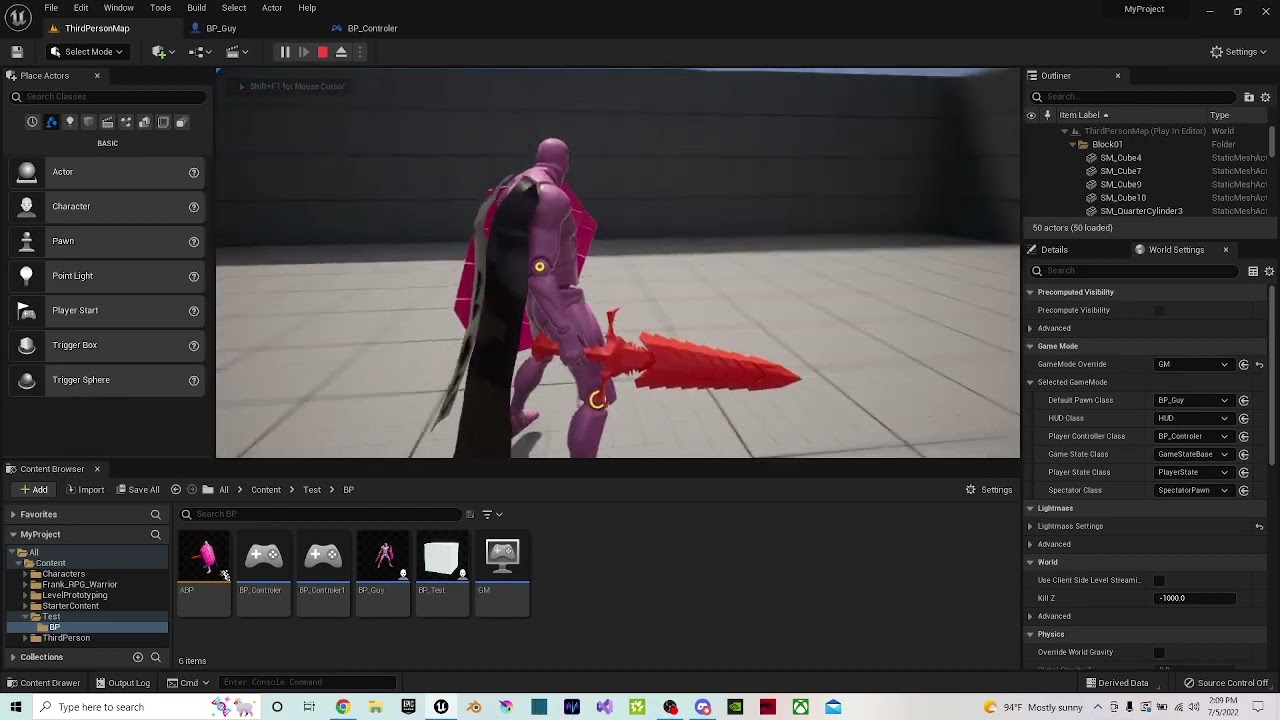
 sonic crest
vagrant oracle
https://www.youtube.com/watch?v=wn8i6CRZG4k
sonic crest
vagrant oracle
https://www.youtube.com/watch?v=wn8i6CRZG4k
I remember having this in a diff project, try messing around with the Yaw
of the camera
vagrant oracle
 sonic crest
vagrant oracle
sonic crest
vagrant oracle
no in the camera component
vapid ibex
vagrant oracle
Hello can anyone help me with my camera issue because I don't get what is happen...
You need to clamp the resulting camera pitch rotation between 89 and -89, IIRC
Or 0 and 179, I don't remember
Though do remember that the values that InputAxis gives are additive, so clamping them won't work.
 tacit summit
Hello Everyone, I'm relatively new to Unreal and I'm having some issues. So I've created a function that makes the player characters sprinting speed double with the use of a item. However it does not go back to its original sprinting speed. How exactly would I accomplish this?
vapid ibex
tacit summit
Hello Everyone, I'm relatively new to Unreal and I'm having some issues. So I've...
I guess item gives off temporary boost? So Add new custom event node, place a delay node with desirable time length, and after it put function that will return sprint speed to default amount (you'd need to write it in a variable before that). Then just call that event from the function that activates on the item pickup\use
sonic crest
tf is this? never ever had this issue
 tacit summit
vapid ibex
I guess item gives off temporary boost? So Add new custom event node, place a de...
tacit summit
vapid ibex
I guess item gives off temporary boost? So Add new custom event node, place a de...
How would I call that function?
vapid ibex
tacit summit
How would I call that function?
Like any other function you've created? LMB on the node space and type in its name?
daring vapor
sonic crest
tf is this? never ever had this issue
This is annoying as f. Been fighting it since I got an RTX3060ti a few months ago. Haven't found a fix.....
sonic crest
daring vapor
This is annoying as f. Been fighting it since I got an RTX3060ti a few months ag...
oh so I am not the only one
daring vapor
Yea, it's a known issue for both Epic and Nvidia
 sacred canyon
is it not possible to overwrite save games? Ive set up a save system for customisation which works completely fine but saving the same one twice doesnt update it
sonic crest
daring vapor
This is annoying as f. Been fighting it since I got an RTX3060ti a few months ag...

Download the English (US) NVIDIA Studio Driver for Windows 10 64-bit systems. Released 2019.5.27
sacred canyon
even tried deleting and recreating the save, for some reason just messes everything up
daring vapor
sonic crest
https://www.nvidia.com/download/driverresults.aspx/147971/en-us/
try this
Nice, I'll give it a go. Though this looks like a much older driver than the one I have....
sonic crest
daring vapor
Nice, I'll give it a go. Though this looks like a much older driver than the one...
yeah I noticed, please let me know when you do if it fixes the crashes, someone recommended this to me but it'll take a very long time to download
ok I fixed it @daring vapor
the issue was RTSS
RivaTuner Statistics Server
daring vapor
Nice!
gentle urchin
gentle urchin
Anyone recall what murphy uses in his blueprints to give him draggable "handles"...
Turned out it was just two splines working in tandem
 deep geyser
I need to debug a hydraulic network simulation, so I'd like to render some 3D debug lines for it.
What would be a easy way to draw debug lines, visible in VR and without being occluded by other geometry, i.e. like the move gizmo?
gentle urchin
sacred canyon
is it not possible to overwrite save games? Ive set up a save system for customi...
How are you saving it...?
sacred canyon
just the normal save game slot thing based on a name the player will put in
I can easily just disable saving over an existing one and tell people to rename it for a new save, but overwriting would be nice though
gentle urchin
Well if all else fails, just delete it before saving again?
sacred canyon
thats what I tried, still the same result, or not saving properly
gentle urchin
Show some code i guess..
sacred canyon
its like it doesnt realise its deleted
idk what to show tbh because it becomes such a mess that I cant even get my head around it myself sometimes
but it does work other than that
gentle urchin
Got a feeling you're doing it wrong, thats all
 lapis violet
So I'm putting together a Choose Your Own Adventure style project (with video files), and when I reach the end of a sequence, I'll have a GUI pop up with the options available to the player (clicking will result in a new sequence being played), but until they make their choice, I wanted the current sequence to loop between the time the GUI pops up, and when the sequence ends. What would be the best way to go about doing that?
If this isn't the right channel for this question, lemme know and I'll move it
sacred canyon
gentle urchin
Got a feeling you're doing it wrong, thats all
I assume so, but I was kinda asking in case overwriting actually isnt possible at all
but no why wouldnt it be
I even tried not changing anything because all it does is save into a slot name using the name you put in, so if you dont change the name, itll just save to the same slot, why is that a problem? god knows
 crude cradle
hello, i'm having a weird issue.
I've got a widget ui, that has a function, which receives an array of structs. 🗳️
It loops over the array, gets a copy of the struct from the array, generates another widget, that has a function to receive that struct. ➿
That widget tries to break that struct and pull information from it, for example to update an image, or a text component.
HOWEVER, it logs out errors when doing that. Saying it is accessing "None" from the given struct. 
FURTHERMORE, I have prints that use those fields from the structs that print out the actual correct values AFTER the above happens, 😕
so what gives?!
I've been stuck on this for awhile, at first I thought it was an issue passing the structs from server to client, or the for loop scope being destroyed, but then the prints shouldn't work, right?
maybe the above problem is resulted because I'm creating a local variable in a function with that essentially filters a bigger array of structs.
Is there a limited lifetime cycle for local variables sent out as outputs? that sounds like that shouldn't be an issue
tawdry surge
The local variables as output is fine.
You really shouldn't be doing all that in the widgets themselves
They're really only meant to display information
limber parcel
arrays of structs are cancer
tawdry surge
What are you talking about?
 unkempt hound
Got a logistics question about where to store some data.
So currently I have about 20 pawns planned that a player can take control of - 4 at a time. I am currently storing the variables for ALL these characters in my Player Controller, so I can go grab the pawn information from the data stored there. However, I don't really NEED the data about all the other characters until I hit the player select spots in the game.
When I get out of character select, I don't need to load all the other animinstance data etc. while i'm playing with a squad of 4 characters.
Could a Secondary Player Controller just for the player select work for this purpose?
Have that be the one to load all the data when I go into player select, pass the information I need to the other player controller through the game instance?
tawdry surge
You wanna look up soft references
faint pasture
unkempt hound
So currently I have about 20 pawns planned that a player can take control of - 4...
Data table with soft refs
unkempt hound
Awesome, that's how I'm loading them up already.
So basically when I create a variable for any object types, make them "Soft Object" types?
Some of the variables are structs, not sure if i can make them soft references?
 tacit oyster
Hi everyone. Is possible to create procedural mesh component from a static mesh component at runtime? Thanks.
faint pasture
unkempt hound
So basically when I create a variable for any object types, make them "Soft Obje...
I mean it depends
if they are hard refs then they'll all have to be loaded all the time
whether or not that's a problem depends
Start with hard refs and make them soft later if needed IMO
tacit summit
As of this moment the characters speed does change from the boost to regular. however the change only happens after the sprinting key has been let go and toggled again. how would I make it happen without this?

 faint pasture
tacit summit
As of this moment the characters speed does change from the boost to regular. ho...
faint pasture
tacit summit
As of this moment the characters speed does change from the boost to regular. ho...
Make a CalculateMovementSpeed function
call it every time anything that would change movement speed is activated OR deactivated.
deep geyser
Is it possible to record just my VR movement and input in UE when playing in the level, save it as a file, then playback in the same level so it operates the VR character, i.e. if when replaying, it's replicating my input, picking up items and using levers?
That way if I have a table with tools and devices, I can have a recording of their assembly, so when I update my blueprint or C++ code, I can retest the assemblies functionality with the recording.
faint pasture
deep geyser
Is it possible to record just my VR movement and input in UE when playing in the...
Maybe but difficult
it'd be much easier to record the state of the world
and load that
so you could not record the actions that built the thing, but the finished product
The topology of all your connections should be a struct anyway, just save it to a savegame and it's done
That's what I do in my vehicle game to save/load vehicles
Array Parts
Array Connections
Initialize()
Done
 arctic notch
Is there a way to get the button associated with an input tag? I am trying to show it in the UI from a Gameplay Ability
deep geyser
I've looked online through a couple of UE tools, but dunno if they could help:
-Take recorder - makes sequencer clips of added actors
-DemoNetDriver - logging replication messages to a replay, like the ones used in MP games.
 long whale
hello, is there a way to add spline mesh component outside of construction script?
in a call in editor function.
this node gives warning if not placed in construction script and does nothing
 deep geyser
what is the warning and do you even set the mesh and start and end?
I made a the same thing, but updating in a function I call in runtime when adding points
 cedar remnant
Hi! I'm using the Enhanced input system and when I play on network/client 2 player mode my mouse input for looking around works only for the server and not for the client. All of the other input functionality works on both characters. Below is how I have my input setup on my player character.
 deep geyser
faint pasture
Maybe but difficult
deep geyser
faint pasture
Maybe but difficult
What about having repNotify variables set by input, then in the repNotify function, run the code that the input originally did.
Recording my character with DemoNetDriver as a replay and running it somehow in the level?
long whale
The added component outside of construction script is always deleted after compile or editor restart. How to stop them from resetting?
Update: After some search I found AddInstanceComponent(UActorComponent* Component) does the job. Surprisingly this function is not exposed to blueprint as an option. Or maybe it's somewhere but I didn't see.
faint pasture
deep geyser
What about having repNotify variables set by input, then in the repNotify functi...
I mean maybe but one little error and it's a mess. Might be doable but I wouldn't guess it's worth the work vs just saving/loading the state of everything
trim matrix
Im setting a boolean called Stored? to true when the game stores details of an npc. problem is when i switch levels the boolean resets, how do i make it so that the boolean of the npc is constant as long as the game is open?
 tranquil gorge
distance to opponent value is not consistantly reading. I even have it chained to the event tick. It just doesnt want to work. Anyone know what i can do?

 echo mist
How can I open Pause Menu and close it with action mappings when input is set to UI only? Or is there another way?
 gritty plover
Hey, is there any way to quickly check if all items in a boolean array are true, or do I have to check each one?
tawdry surge
"Contains" and check for false maybe
echo mist
I found out that there is a node called "Listen for Input Action". So when opening Pause Menu I disable input for player and in Event Construct of pause menu I listen for the input action but nothing is working.. How so?
 trim matrix
I have an array of structs. an array of character_details struct basically. I want to make a script that finds IF ANY of those structs in the array contain a certain text in the first index of the array (which is a string) to fire a boolean
how do i do that?
Say if any of the character structs in the array contain "bob" in the name field, then fire boolean
 dense furnace
@echo mist that event doesnt work when the game is paused ue supports normal input actions in widgets now though
*note that might only be for enhancedinput i dont remember but i know its possible now
trim matrix
Im storing the details of my NPCs by adding structs inside an array of structs, i dont want it to keep adding more than one struct for the same NPC though. so i want it to be able to find if that NPC's id/name is found in ANY of the elements inside that array of structs, to return a boolean, then i can branch it and make it not add another struct if its true/struct with the same id already exists
echo mist
dense furnace
<@447481946575208448> that event doesnt work when the game is paused ue supports...
I'm not pausing the game only showing Pause Menu and trying to disable players input but allow them to operate Pause Menu with keyboard too. I was googling for a quite some time now and I wasn't able to find one solution that would work
dense furnace
you can just have input in your widget now
no need ofr the listen
listen for input action also doesnt work if in ui only mode
echo mist
That was the first thing I tried but it still doesn't work, don't know If I'm doing some stupid mistake or why it's not working, tried both input action as well as key event
Also tried both UI only mode and Game&UI with disabling Player Controller input
dense furnace
add a input action but first call enable input on the widget
i think at least
i only played with it when they added it
echo mist
This is the only options I can see in User Widget
 trim matrix
How can I check if a variable exists inside a structure?
faint pasture
trim matrix
Im setting a boolean called Stored? to true when the game stores details of an n...
GameInstance
faint pasture
trim matrix
How can I check if a variable exists inside a structure?
All properties of the structure exist. What are you trying to do?
trim matrix
faint pasture
All properties of the structure exist. What are you trying to do?
I have a structure for an npc, i dont care about all the other variables i just want to check what is the name/id variable
and if it contains a name im looking for i want to do operations on it
faint pasture
Check if it's equal to whatever you're looking for
trim matrix
the name/id variable is the first listed variable in the struct if that helps
faint pasture
If NPCStruct.Name = whatever, do thing
trim matrix
faint pasture
Check if it's equal to whatever you're looking for
yeah but the thing is i want to see if that variable exists in an array of those structs
 bold sedge
Does chaos work well the city sample project? I keep crashing when trying to generate the chaos mesh
trim matrix
Not just one struct
faint pasture
trim matrix
yeah but the thing is i want to see if that variable exists in an array of those...
For each loop
The variable always exists
That's like asking if X exists in a vector
It always does. There's no such thing as it not existing. You want to check if it's equal to some value
trim matrix
Thing is that's what i tried doing, i have for each loop for all NPCs that can be in a scene, then inside that loop element im running another for each to check all the elements/structures in the npc structure array, for each npc. If npc has a matching id name with ANY of the structures inside a loop, i want to return a bool
what i made is, if the id is matching it says its already stored it so it breaks loop. If it doesnt find a matching id it stores it/adds to struct array, then breaks loop. The problem is, is that the FIRST item it finds to not match, it runs the store script. I need it to check ALL items FIRST, AND THEN if no matching is found, run the store script. not just if the first or next immediate item in the loop doesn't contain it
@faint pasture
for each doesnt work, it needs to look at all of them first, not just sequentially because then it starts adding to the struct array the next immediate sequential item that doesn't match it.
See something like this DOESNT work (see image), It'll loop for sequentially through all the elements in the struct array starting from 0. Say I have 5 structure elements in this array, and ONE OF those struc elements is named "Bob", it's just going to check if element #0 is named Bob, if its not, then itll store it << I DONT WANT THAT. I need it to check every element in the structure FIRST to see if any of them is called "Bob" not just the next element in sequence, because then it starts firing when it shouldn't.
If the 4th element is named Bob, it's going to run through 0, 1, 2, 3 and fire "Bob does not exist, im going to create a struct named Bob then" for 0, 1, 2, 3. Instead of checking all the elements first to see if any of them are named Bob before creating the struct. With that faulty method its going to create a bunch of Bob structs first before reaching the index that already contains it.

@faint pasture
zealous moth
Why not use "contains"
trim matrix
zealous moth
Why not use "contains"

Because 'contains' force checks all those other useless values, i dont care if the other values are matching or not, only the id
zealous moth
I dunno If the issue is because you split the structure in the for loop but try to break it outside
trim matrix
zealous moth
I dunno If the issue is because you split the structure in the for loop but try ...
it doesnt matter, it's still going to check for each sequentially instead all of them first.
zealous moth
The screenshot you provided before should work
So you don't want it sequentially?
Make a concatenated string and search it then
trim matrix
zealous moth
The screenshot you provided before should work
No. It doesn't. I tried it. Sequentially fucks everything up, because If I have 5 Npcs, and the 4th NPC is ID'd/named Bob, I dont want it to record another Bob because there already is a Bob, what sequentially/for each does itll check if the first NPC is named Bob, and since the first one isnt, itll create a duplicate record of Bob, and so on until it reaches the 4th. If I add a 'break' in there as soon as the record is made, itll still fuck it up and make a duplicate until it reaches the 4th index. just less duplicates than if not using a break, but still totally broken/useless
That's an example, in a scene I have dynamic varying numbers of NPCs, and Bob could be in literally any index number
zealous moth
Sounds like the issue is your order of operations
Why make it create then?
Run the loop as a function with a bool output
If false when completed then add
Like run the loop and based on presence create or dont
At the end of it all
trim matrix
zealous moth
Why make it create then?
what i had planned was if i have NPC bob, and he doesnt already exist in the records (records = array of npc struct), make a record for him (a npc struct)
zealous moth
Use datatables?
Make a copy of that instead?
Or like I said use a concatenated string
trim matrix
zealous moth
If false when completed then add
so make it run through the whole loop and see if a Bob exists after that?
trim matrix
zealous moth
Or like I said use a concatenated string
what's that?
zealous moth
You have Bob Billy and joe
Bobbillyjoe
Search string for joe
If true do nothing
If false add Joe and add him to the string
So instead of searching a struct array you search a single string
Same thing
But different
trim matrix
zealous moth
So instead of searching a struct array you search a single string
i dont understand how concatenated string will help, a concatenated string is 2 strings into 1

So how do I make it so that if completed, and that Exists bool is still false, THEN do something?
 zealous moth
Reset bool
trim matrix
zealous moth
Remember to reset your bool
where do i put the reset
This is for multiple NPCs
zealous moth
At the end if it is true
trim matrix
zealous moth
At the end if it is true
This for loop is inside another for loop
It's inside the for loop for how many actors of class NPC there are
It's running that for each NPC
zealous moth
Should be fine, maybe make it a function
trim matrix
zealous moth
Should be fine, maybe make it a function
oh okay, ill reset it at the point once the loop is already complete if it was ticked on (since it's off by default)
Thanks.. I'll try your suggestions
jaunty stirrup
How can i make a geometry collection component explode when taking damage?
trim matrix
zealous moth
Np
Thank you so much!!! it works!!
didnt really understand how to use that completed function in operations, now i know
 ripe zenith
Hello, I am using "Distance Matching" which is contained in the "Animation Locomotion Library" plugin. The issue that I am facing is every time I close and re open the project, I have to refresh this node to compile successfully. I am not sure what could be the reason behind this. Any help appreciated, thanks

Also, I get these errors when I re open project!
 gentle urchin
trim matrix
didnt really understand how to use that completed function in operations, now i ...
gentle urchin
trim matrix
didnt really understand how to use that completed function in operations, now i ...
If inside a function, calling return inside the loop body effectively does the same in any kind of loop!
 open arrow
Trying to initiate the Dialogue Tree without approaching the NPC

Tried this as well, didnt work
 gentle urchin
You could have a global event bus for this 😄
I have yet to try it, but it sounds like a very usable thing for remotely activating events without fetching direct references to them
Also, as a note to your current test, if you ivalidate thenobject by settingnit to null first, surely nothing will be pointed to by it
You're setting the dialogue component to null
You simply want to "get" the component
 desert juniper
gentle urchin
I have yet to try it, but it sounds like a very usable thing for remotely activa...
desert juniper
gentle urchin
I have yet to try it, but it sounds like a very usable thing for remotely activa...
I bought an asset the other day for this that works nicely.
https://www.unrealengine.com/marketplace/en-US/item/30288ecc7abb458ea13813f92f3c6ebe
bleak swift
https://gyazo.com/5e1e6e9d05853a947366813e6d31392b
So now my Movement System still seems to be a bit buggy. This time it only glitches when you walk down and then walk left
Same Code


 burnt citrus
Hey I have a question
I made a variable of animation montage, but it always be invalid even though it is substituted by a montage
How to solve it??


Of course animation is not invalid, it's a completely good animation
gentle urchin
this is more in the realm of #animation #multiplayer
limber parcel

why does this compile but the other doesnt?

it worked yesterday but now it gives me compile error lol
 mental trellis
Replace the node.
It's not even remotely correct with that error message. It's fubar somehow.
 high ocean
How would you guys handle two UIs that have the same logic/functionality but one is designed for mobile and the other for desktop/tablets? I can't seem to find a decent solution and having 2 versions means double the work, bugs & fixes every time I touch them. Any ideas on how to divorce all widget logic from design/layout?
limber parcel
i wouldnt design games for mobile
high ocean
it's not a game, but we both know that's besides the point 😛
limber parcel
 high ocean
lol that's disturbing
mental trellis
high ocean
it's not a game, but we both know that's besides the point 😛
Hello fellow pedant! 😄
limber parcel
high ocean
How would you guys handle two UIs that have the same logic/functionality but one...
why dont u just move the logic out of the widgets and use variables instead?
high ocean
That's the point - question is, where to move the logic and how would that translate into a uniform framework
limber parcel
idk i would move it to gamemode or whatever
high ocean
yea, "whatever" won't do actually...
limber parcel
you could also try game instance
high ocean
gameinstance is full - hardly compiling - but I need something similar to gameinstance, i need it to survive level travel and singletons won't do either since they can't contain async nodes
limber parcel
make an actor with save/load functionality xD
gentle urchin
or a subsystem
high ocean
@gentle urchinfinally, you got into it 😛 tell me more...
gentle urchin
mental trellis
They literally just got ruled out!
crap
high ocean
oh... ya 😐
limber parcel
lol
gentle urchin
Didnt know they couldnt do async stuff 😛
mental trellis
What's wrong with gameinstance exactly?
gentle urchin
there's to much stuff there already
mental trellis
Have you seen ACharacter or the CMC?
mental trellis
If you want it to be less "busy" start putting stuff in sub-objects.
high ocean
it's full of stuff already - it's an older app/software and the guys used two, three versions of UI - I can't do that, I just... can't. It's too distressing for me 😄
limber parcel
sounds like u need to save/load stuff
gentle urchin
sub objects sound appropriate really
high ocean
mental trellis
If you want it to be less "busy" start putting stuff in sub-objects.
that's done too with singletons as much as it was reasonable, we can't re-design the whole product, it's fkin huge
gentle urchin
then you dont need to compile untouched stuff whenever you mess around in the GI
mental trellis
How is that going to fix anything when you need async (I assume) actions to be happening between levels?
limber parcel
high ocean
that's done too with singletons as much as it was reasonable, we can't re-design...
thats what she said
gentle urchin
ouf, sounds like you got your hands full with this app tbh
mental trellis
When you say you can't do async nodes on singletons, you mean blueprints, right?
high ocean
I got into a team that has been slowly working while learning so older code is bad AF
mental trellis
Because you totally can with c++ and if your project is this big, you should probably be using c++ for some of it anyway.
gentle urchin
Given that you can have its lifetime similar to the gameinstance aswell, I felt it was a good fit
high ocean
some stuff needs redesign, and I rly want to find a way out of multiple UI implementations.
mental trellis
You can implement the base elements and just arrange them differently?
gentle urchin
parent widgets with the overall implementations ?
mental trellis
I was thinking more 2 layout implementations, but having the widgets themselves unchanged.
gentle urchin
honestly just spitballing, because i got no clue what logic you're actually doing and how different they may be
2 layouts sound reasonable
thats what he wanted to achieve by moving the logic out of it I assume
high ocean
Ok, the only option I've thought of was making a layout-empty widget class for the functionality and have the two layout designs (mobile + desktop/tablet) rely on the parent's functionality - basically just drag functions around and feed them with what they need (button, wrapbox, textbox etc).
mental trellis
I'm not sure you're getting what I'm saying, but you'll figure it out!
gentle urchin
So whether its a parent widget, or a different implementation class, the result would be mostly the same as i see it
high ocean
mental trellis
I'm not sure you're getting what I'm saying, but you'll figure it out!
I read after I stopped typing 😅 but yes, It's what I kind of want - base elements are the same, arranged differently. How? 😄
high ocean
gentle urchin
So whether its a parent widget, or a different implementation class, the result ...
yes, but parent widget fixes the requirement for extra comms + makes sure refs are always there when required