#blueprint
402296 messages · Page 925 of 403
 candid geyser
 flat coral
We're back. What I've done here is removed the "bonus thrust" functionality entirely, and just replaced it with the thrust itself. This works perfectly fine (except for now I have no max speed enforced)

So whatever's fucking up to stop this pawn dead, it's in this function, and it's based on that bonus speed functionality
(Original BP, for reference)

I haven't even changed what function I'm using to add force, or when this gets called.
 mental trellis
flat coral
mental trellis
flat coral
Fair enough, but that change doesn't fix the zeroing-out problem

 ripe zephyr
Hello, I am following a tutorial on camera zoom and I managed to get this to work, it zooms out incrementally which is what I wanted- however, when I use the input to zoom in, it zooms in way too much. Anyone have any advice?
 flat coral
You know, this worked perfectly fine before upgrading to UE5. Now I keep running into the same problem no matter how I structure it. I wonder if this has something to do with how UE5 handles physics in a different thread now
Because try as I might, I can't EVER find the force or input which is making my velocity zero
 willow gate
Hey guys. I'm trying to make a simple interactable computer in my game. I'm having a hard time figuring out how to let the actor receive input from the player. I've set Enable Input and I've set the input events in the computer actor to consume input. Any suggestions?
 faint pasture
willow gate
Hey guys. I'm trying to make a simple interactable computer in my game. I'm havi...
faint pasture
willow gate
Hey guys. I'm trying to make a simple interactable computer in my game. I'm havi...
Like Fallout?
willow gate
Yeah kinda. I just want to interact with the actor (which I'm already easily doing) and then keypresses affect that actor instead of my player pawn. I guess I could make the computer a pawn and just possess it. But I'd rather not if there's another way.
 thorny rover
Just to up to date - i went with your second idea. But instead of using native column/string approach i found a plugin called "Data Table function library lite" it has for each row query over the datatable, so with some string appending and another json generation plugin i was able to get the result of a json string of the whole datatable :)
 livid ingot
 upper cove
Hello there guys, im new to blueprint so may this can sound a dumb question but im stuck so..
I have a Widget Blueprint from wich i need to play a timeline animation located inside a BP Actor placed in my level pressing a UMG button.
The matter is i cant figure out how to cast that command to the BP Actor in order to make it play that timeline. Anyone can help?
Thanks!
 tight schooner
@upper cove the widget needs to get an object reference to the actor, and there are various situational ways to do that. If it's the player pawn, then Get Player Pawn works. If it's the only actor of that class in the level, then Get Actor of Class works
If it's one of many of that type of actor in the level, then there needs to be some way to distinguish between them
It's hard to suggest anything beyond that without knowing more about the scenario
 fierce birch
what are the three folders to delete, intermediate saved ?
upper cove
Hey guys thanks for ur time, let me make some screenshot so you can Better understand the situation
 desert juniper
upper cove
Hello there guys, im new to blueprint so may this can sound a dumb question but ...
desert juniper
upper cove
Hello there guys, im new to blueprint so may this can sound a dumb question but ...
Cast is one of the most misunderstood functions for newbies.
though you may indeed need to perform a cast call in order for this to work, you're asking the wrong question
The right question is
"How can I call a function on my player character from within a widget"
and hence your actual problem, you don't have a reference to your player character.
I believe within a UMG widget you have access to "Get Owning Pawn" which returns the player pawn
You should be able to then cast that to your player BP
Casting is "Is this object of type XXX? If so, give me this object and do this: XXX (Success). Otherwise do this: XXX (Cast failed)"
 tawdry surge
Pretty sure they want a ref to a placed actor, not the player pawn
desert juniper
ah yes, misread.
everything else is still 100% relevant
tawdry surge
I'd probably use the widget to call an event in the player, use that to call an event dispatcher, and have that trigger the timeline on the actor
 jolly surge
Any idea on how to read image from device clipboard?
Or how to share an image with the app?(so i can use the shared image in the app)
 lusty arrow
So, I have a flashlight on my gun and my first person animations have a bobble effect when walking. Thus, the light moves around on the screen as the player moves (bobbles around). When playing as the server, the light can be seen bobbing around on other players' screens. However, when playing as a client, the light does not bobble around on other players' screens when moving.
Therefore, any idea how I could replicate the bobble effect on players' screens (when the player moving is a client)? I was considering multicasting an montage or etc, but idk. The bobble effect is caused from the first person movement animations. So, the animation seems to replicate only as the server.
 untold fossil
Is there a way to find out if a controller is the host controller? I want to save some data (base) on the host's local save file. Other players should not save the host's base though. So I want only the host to save the data. How can I achieve this?
lusty arrow
untold fossil
Is there a way to find out if a controller is the host controller? I want to sav...
do u mean the server?
as in the host
untold fossil
I tried "Is Server" node but that doesn't work. When I use that node, the clients also save the data and overwrite their own.
lusty arrow
Switch has authority
untold fossil
Yeah I was thinking of that, will try that
lusty arrow
The authority should be the server in ur case
untold fossil
Can someone explain why the "Is Server" node also returns true on client controllers locally?
That doesn't seem to make sense to me
lusty arrow
Is ur server dedicated? Or is the server a player playing on the game?
lusty arrow
Ok, so listen. Are u using an is server node in a multicast?
lusty arrow
That's why. The server is also referenced in the multicast.
untold fossil
Ah kk
lusty arrow
It can get confusing sometimes. If ur doing a play montage for instance and switch has authority on remote, the server is ignored. But if u like update the rotation of something, while still ignoring the server, it will still update the server's game, because the server is relevant throughout the multicast. Same goes for the local client in that case
untold fossil
Although I didn't exactly use a multicast but it the node was just placed after the event destroy on the controller NOT behind any authority node which does mean it executes on all version of that controller both server and client, no?
lusty arrow
Yes, it would execute on all. The server, the client who initiated everything (the local client) and other users.
untold fossil
And the strange thing is that the Is Server node was there used for a branch to define if the base should be saved or not. And here the client version of the controller (local controller) also returned true on this node while the client wasn't the host
lusty arrow
Everyone, besides the local controller (local client) is network controlled.
untold fossil
Yeah ok I think I understand
The problem I see with using authority node though is that the save will execute each time a controller is destroyed (when a player disconnects) while it should ideally only fire once when the host controller shuts down his game
Any idea on how to achieve that?
lusty arrow
untold fossil
And the strange thing is that the Is Server node was there used for a branch to ...
If I understand what u said correctly, it returned true because it eventually when the multicast ran for all players, eventually the local controller was referenced
lusty arrow
untold fossil
The problem I see with using authority node though is that the save will execute...
What I would maybe do then is gather all the player data u want to save on the host's game, then after gathering the data, do a run on server and save the data there
untold fossil
Yeah that sounds kinda like what I want to do haha but I can't really find a way to gather the data on the listen server host controller only once and when the listen host controller is destroyed (host shut's down his server)
For now I replaced it with an authority node and that will normally work but the downside is it will fire each time a controller is destroyed (even if it's not the host controller)
Which will most likely cause a hiccup when the base that needs to be saved is big
lusty arrow
Does the host have everything it needs to save the data, or does it need to reference other players?
untold fossil
No it has everything
lusty arrow
Then just avoid multicasting altogether and run on server.
untold fossil
The base is fully replicated, so the host always has the full base at any moment
Yeah but I'm not really using a multicast in the first place actually
It's just a run on event destroy of the controller blueprint class (which is used by all clients)
lusty arrow
And when u use an switch has authority, it's true for all clients when they leave?
untold fossil
I placed an authority node behind it which will make it run on server only. But the server still holds ALL controllers of all clients. Which means that when some controller gets destroyed it will also execute the save code on the server
untold fossil
lusty arrow
And when u use an switch has authority, it's true for all clients when they leav...
Yes
lusty arrow
I see
untold fossil
It would be nice if there was a way to identify a controller as being the host controller. Like say controller with index 0
But not sure if that is reliable
I know too little of how controller indexing works to validate that sadly
upper cove
tawdry surge
Pretty sure they want a ref to a placed actor, not the player pawn
Yeah ok maybe i phrased the question a bit messy, i have an actor bp placed in my level, in this blueprint i have a simple logic to change the material on my static mesh component through a timeline animation that goes from value 0 to 1. (1st picture)
I used a layered material for that with a Blend parameter modify trough that timeline. (2nd Picture)
The problem start when i have to play that timeline pressing the button on my UI, i dont know how to call a "play" function inside the UI BP or viceversa call the UI "on clicked" event inside my blueprint (3rd Picture)


 untold fossil
Like... would this work? https://gyazo.com/637b7a00b6baaec079fc6fdc9c49ca81

😅
Seems hacky af though lol
lusty arrow
Maybe lol
untold fossil
Guess I can give it a try
untold fossil
Yeah
lusty arrow
but if u wanted to make sure, u could perhaps record the player who first joins (which should be the host) and if that is them on destroy, save the data
untold fossil
At least when I do this on server right? Because when you get player controller index 0 on client it just returns your own local controller
But my guess is that on the server it should always be the host controller
Yeah that's a good idea as well
and perhaps cleaner
lusty arrow
untold fossil
At least when I do this on server right? Because when you get player controller ...
Yes that sounds right. I believe it should be 0 for client
untold fossil
Just save a ref through the gamemode on post login then
untold fossil
Ok I think I can work with that. Thanks for the brainstorming session hehe
lusty arrow
it's kind of tilt, cause unreal engine knows who is the server. Why cant I just access that at any moment lol
lusty arrow
Btw, u have any thoughts on my problem? #blueprint message
untold fossil
Lemme have a look
lusty arrow
I'm considering procedurally animating the light for other players, but it would be great if I could just replicate the current animation to them as well
untold fossil
I think the easiest way to achieve this is to attach the light to whatever wobbles
Is the wobble replicated to clients already?
lusty arrow
The light is attached to the a socket on the gun. The gun is attached to ik_hand_r. This is on the first person character where all this occurs. When the player moves around in first person, their hand bobbles around which causes the gun to bobble which causes the light to do the same. Other players obviously see the player's third person character but they see the light actually bobbing around when the server player is moving. But when a client moves, the light is static (it moves around on rotation but it doesnt animate).
I can record a quick video if it helps make more sense
untold fossil
Ok but the wobble doesn't play in third person right? It's only a first person animation?
lusty arrow
Yes
untold fossil
Yeah that's tricky, because in third person you have no animation to work with.
There are ways to do it though
lusty arrow
I was considering moving the light to third person only for other player's to see, but it works fine as is in first person
Just need the animation to replicate. I just dont get how the servers is replicated when component replicates is off for first person lol
untold fossil
The wobble seen on the client doesn't need to match the wobble seen by clients in third person, right? Like it's not required for the light to be shining at exactly the same spot the first person player sees as opposed to what the clients in third person see?
lusty arrow
I mean I guess, but it is important so players see what the actual player sees. Currently, where ever the light is pointing, the other players see the same
Since the world rotation is replicated
untold fossil
Because if that's the case it's only a matter of making sure the third person animation has some wobble which it most likely already has and the first person has wobble and then just making sure the light is attached in both first and third person and making sure the walking (bobbing animation) is replicated
Ah ok yeah, in that case you want more precision. But that means you can't rely on the third person animation wobble.
lusty arrow
Yea I was considering all that. The issue is my third person animations, for now, are default epic ones without the effect
There is no camera animation in them
Not even sure how to add that to them
untold fossil
So then you'd have to either hard replicate the flashlights transform, perhaps with at a slower rate (2 times per second) and then interpolate it on the receiving clients
lusty arrow
Good idea actually, I thought of something similar earlier
I can try that
I will also record a video just to be 100% clear with what's going on, but I will try that
untold fossil
Or you could add the first person animation to the third person character and hide it and only attach the light source to it and make sure that first person animation is replicated and matches the first person animation seen by the walking player
untold fossil
A bit harder and more work but could give a better result
 supple temple
Hey everyone. Working on a lightsaber throwing mechanic for my Lego game, I'm having a little issue where in some cases the hilt is going in the wall instead of the blade. Is there any way I could get the hilt to "bounce" off or something
 untold fossil
You'd need an invisible skeletal mesh yeah
lusty arrow
untold fossil
A bit harder and more work but could give a better result
What's really weird, is if I do a dedicated server, everyone sees the bobble effect lol
it's like everyone is the server
when they are clients
and switch has authority changes... super weird lol
untold fossil
Hmm that sounds like a small replication issue then
lusty arrow
Like if I do net mode play as client, everyone sees it
strange
Everything else is fine
untold fossil
So it's only the host (listen server) that has an issue?
Like, the host's wobble doesn't replicate?
lusty arrow
Only listen server. The host wobble replicates but the client's do not
lusty arrow
supple temple
Hey everyone. Working on a lightsaber throwing mechanic for my Lego game, I'm ha...
Do a line trace and if it hits a wall, maybe lower the laser.
untold fossil
And when you play on dedi, all clients suddenly replicate fine?
lusty arrow
Yep
lusty arrow
Lol it's odd
When I saw it worked fine and switch has authority started acting funky, I was just like "wut"
untold fossil
That sounds like some strange host authority overwriting of some kind
lusty arrow
Yea. I have been studying replication and relevancy, so im still learning this stuff. I also had a networking course in college but there are still things Im still figuring out lol
my day job is a web apps dev for an insurance company, so this is my side hobby
untold fossil
Replication can be a bit tricky at first. But once you understand the ins and outs it's actually very simple.
lusty arrow
Yea I have been grasping it well
There some funky things confusing to me earlier but now it all makes sense
untold fossil
Yeah when you start out it can melt your brain lol
But once you understand the principles of server authority, multicasts and owning client it's a walk in the park
In any case good luck with your project! Have to go for now. Feel free to PM me if you have any more questions, always glad to help fellow devs 🙂
faint pasture
lusty arrow
So, I have a flashlight on my gun and my first person animations have a bobble e...
Everywhere, the light should be attached to the gun. Do your 3rd person animations not have the bobble built into them?
lusty arrow
Nope, they dont
faint pasture
I'd just add that, that'd be the best way to do it IMO
lusty arrow
Rn, the light is just attached to the fp character
I might end up putting it on the tp character and replicating it only
then bobble it there
faint pasture
IDK how you're doing your 1pp/3pp split, but all you should need to do is tell the light "attach to Character3", and on an owning client, it'll attach to Character3.1PPMesh, and on all others, it'll attach to Character3.3PPMesh
The only info that needs to be replicated is the character the light is attached to. Or the gun, or whatever.
faint pasture
Does the gun have a light, or the character?
 faint pasture
Just have the gun have a spot light component attached to it, then attach the gun to the correct mesh on each machine.
lusty arrow
u can see the client's doesnt wobble on the other players screen (the server in this case), but the servers does for all clients
supple temple
supple temple
Hey everyone. Working on a lightsaber throwing mechanic for my Lego game, I'm ha...
Okay, so I've disabled the blade when the hilt hits something and turned on gravity but whenever this happens it's going through the floor.
faint pasture
lusty arrow
u can see the client's doesnt wobble on the other players screen (the server in ...
Show how you attach the gun to the mesh
and also confirm that the light is always just attached to the gun, nothing fancy going on, always pointing in the direction the gun is.
lusty arrow
It is. The light is attached to a socket on the gun, so its 0 0 0 always
supple temple
supple temple
Okay, so I've disabled the blade when the hilt hits something and turned on grav...
lusty arrow
faint pasture
and also confirm that the light is always just attached to the gun, nothing fanc...
Firstly, here is the gun and the laser component

the light is attached to the laserFP
faint pasture
Wait a second, your weapons have 2 meshes?
lusty arrow
Yea. I originally started with the multiplayer fps template from the marketplace. It has a separate mesh for third and first person. Probably for like animations for the guns? I should just combine into one
upper cove
upper cove
Yeah ok maybe i phrased the question a bit messy, i have an actor bp placed in m...
Sorry guys do you have 5 min to take a look at this? Maybe can help, im getting mad at this..
lusty arrow
The gun for first person is attached to a socket that is on ik_hand_r
faint pasture
lusty arrow
Yea. I originally started with the multiplayer fps template from the marketplace...
Who knows, that's the problem with starting from a template if you're new.
It's like jumping in someone else's project car and trying to race. Gonna have a bad time because you don't know all the details of it.
lusty arrow
Oh yea ik. I have been studying this project actually for a long time
So I know how most of it works
faint pasture
They probably have some sort of 3pp/1pp split on the weapons but I'd never do that. Depends though
lusty arrow
In reality, the weapons operate the same for both, so they dont need to be split honestly. I should work on combining them
There is nothing different between the meshes
besides the animations that play for both
faint pasture
Other than one has a light on it and the other doesn't
faint pasture
so if the mesh the light is on isn't bobbing, then it's not gonna bob
faint pasture
IDK, you might be replicating movement, who knows
lusty arrow
The first person movement is not replicated. But the gun is, so my guess is that's why
But then the clients should replicate...
faint pasture
Servers 1pp mesh is bobbing. Servers version of everyone elses gun is the 3pp one so it's not
lusty arrow
Hmm
faint pasture
assuming that's how it's set up. I'd back up and make the system a lot simpler.
faint pasture
You should'nt have to replicate movement on the gun when attached
Assuming you want to keep the 1pp/3pp split, then attach the gun to the different meshes on the different machines.
Then the gun will just go where the hand goes which is driven by movement/animation etc.
lusty arrow
My guess is the first person gun was replicated for things like reloading times and shooting, etc
Not entirely sure
lusty arrow
faint pasture
Then the gun will just go where the hand goes which is driven by movement/animat...
Yea ill do that
lusty arrow
faint pasture
Then the gun will just go where the hand goes which is driven by movement/animat...
It works now for attaching it to tp character. The wobble effect is just really off now, since the TP animations are different. If I just adjust that and then hide the TP light for the local client, it should work fine
lusty arrow
supple temple
Maybe add collision with the light saber and if it interacts with something, stop the montage and do whatever with the saber?
supple temple
lusty arrow
Maybe add collision with the light saber and if it interacts with something, sto...
The saber already has it. Or at least I think it does
This is on the hilt

And here's the components.
Sphere is collision on the blade for when that hits the wall. Box is for the hilt.
And rotating/projectile movement is for movement when it's out of hand
 faint pasture
lusty arrow
It works now for attaching it to tp character. The wobble effect is just really ...
faint pasture
lusty arrow
It works now for attaching it to tp character. The wobble effect is just really ...
There should only be one gun and one light.
On local client, the gun is attached to the 1PP mesh
On others, it's attached to 3PP mesh
Everywhere, it follows it's attached mesh's animations.
lusty arrow
faint pasture
There should only be one gun and one light.
On local client, the gun is attached...
Yea that's what im doing rn
faint pasture
So you and your buddy might not agree on the particulars of where the light is pointing, but it'll be consistent with your view
lusty arrow
Yep!
tawdry surge
@upper coveI'd probably use the widget to call an event in the player, use that to call an event dispatcher, and have that trigger the timeline on the actor. Also after creating the dynamic material instance you need to assign it to the static mesh using "set material" node
 zealous moth
@cyan bone you need to load it into unity and export as fbx
supple temple
supple temple
The saber already has it. Or at least I think it does
Okay so I found out it is stopping but just getting lodged in the ground. Any way I can adjust it once it's in the ground?

 faint badge
Do you have a license to use that asset? That website you linked is for acquiring a paid for asset without paying which would not be legal and is not allowed on this server.
<@&213101288538374145>
 twin chasm
hi
yes, the unity asset store does have the requirement that those assets be used in Unity, so the answer to this question would be against the rules here
 cyan bone
faint badge
Do you have a license to use that asset? That website you linked is for acquirin...
cyan bone
faint badge
Do you have a license to use that asset? That website you linked is for acquirin...
sorry i wasnt aware of that. it seemed it was free.
twin chasm
oh
i didnt even notice that
even worse
i did quick look at the post, saw unity, and brain auto snapped to 'unity asset store'
cyan bone
im so sorry. i deleted it already
i dont usually look at unity assets. so i thought that was their website
 untold anchor
be careful and check your resources before you post and share stuff in the future
also check and read licenses
faint badge
twin chasm
yes, the unity asset store does have the requirement that those assets be used i...
I am not convinced this is true. I believe it is the same as Unreal where assets created by Epic (or Unity in their case) are tied to the engine, third party assets on the marketplace do not have the same restriction unless the developer specifies it specifically so while there may be specific assets that are tied to Unity, the general EULA doesn't specify any specific engine requirements. It has been a while since I looked into it though so my information may be outdated
twin chasm
oh, maybe
 sudden nimbus
I thought the general marketplace EULA locked the license to unreal
 shrewd plume
Hi guys, how do I restore a destroyed component? I want to make a component of an actor to disappear and appear with a mouse click
Or to make it reappear after some time
 broken wadi
shrewd plume
Hi guys, how do I restore a destroyed component? I want to make a component of a...
broken wadi
shrewd plume
Hi guys, how do I restore a destroyed component? I want to make a component of a...
You don't have to use destroy, you could toggle its visibility instead.
broken wadi
Set Visibility
shrewd plume
I see the node now, thank you
broken wadi
Then check the New Visibility on or off
shrewd plume
it is working great, thank you!
jolly surge
Anyway to force open keyboard on mobile? (android)
I've tried executing the command "Android.NewKeyboard 0" nothing happends
faint badge
sudden nimbus
I thought the general marketplace EULA locked the license to unreal
Nope, only assets created by Epic are locked to Unreal: https://marketplacehelp.epicgames.com/s/article/Can-I-use-these-products-in-other-gaming-engines-like-Source-or-Unity
 hallow gate
Spent five hours trying to figure out why a door wouldn't open and replicate, only to find out that every components has to be replicated also...
My head
Is
Banging
sudden nimbus
faint badge
Nope, only assets created by Epic are locked to Unreal: https://marketplacehelp....
oh well thats nice to know. I can switch to Unity!? I'm so "excited"!
tawdry surge
Make sure to use the nanite quality assets if you do
 haughty egret
Does anyone know how to clear old references from a uasset??
I'm actually dying out here trying to figure out some nonsensical behaviour which feels like blueprint corruption. I can't recreate this blueprint without a lot of work either.
 lapis ridge
Does anyone know why changing the tick rate is influencing whether an animbp control rig works or not?
My player is sending transforms via interface for the animbp's control rig to follow. At 0 tick delay it is frozen, at 1sec it works fine, and at 0.5 sec it only goes halfway?
lapis ridge
haughty egret
Does anyone know how to clear old references from a uasset??
I'm actually dying...
Have you tried Fix Up Redirectors?
haughty egret
Well it's a CPP thing that was deleted, does fixing redirectors work with that?
lapis ridge
haughty egret
Well it's a CPP thing that was deleted, does fixing redirectors work with that?
I don't know about C++, sorry. I would maybe give it a try??
 frosty hawk
How do you rotate an object so that it matches the other up vector? I'm trying to make the cube replicates the normal of whatever object that is below it...

 trim matrix
Hi guys, I have a basic line trace weapon system in ALS but it lets me shoot anywhere and still take away health from the actor essentially putting the actor at - health until i shoot him which will instantly kill him, im trying to figure out a way to only do damage if i hit an actor but im not having any luck, im quite new to unreal so could anyone help? Thanks https://media.discordapp.net/attachments/846520322642411570/986436689692098580/unknown.png?width=960&height=450

 rough warren
Hey guys, I've got a question. I'm having this issue where I'm shooting a raycast and it prints what actor it hits. It only actually detects when I point towards the floor (from the template map)
Any ideas why this might be
frosty hawk
 haughty egret
Fix up redirectors did nothing, this bug is killer 😩
haughty egret
rough warren
Hey guys, I've got a question. I'm having this issue where I'm shooting a raycas...
check the collision profiles on both the raycast and the actor you're expecting to hit
rough warren
haughty egret
check the collision profiles on both the raycast and the actor you're expecting ...
they look exactly the same
hallow gate
Why can't I use this to rotate Actors?
Specifically, I'm rotating a door on the server using the InputAxis, which works fine as the server, however when the client attempts it, the "Server" can't see it's InputAxis for some reason? I can't find a way to get it to work

(Door BP)

Turn Rate on the client works, but obviously the server's version of the client's "Turn Rate" is 0, because it has no input
tawdry surge
Many reasons
Namely that actors don't have controllers
hallow gate
I would use actor rotation delta but it's jank, so I'd prefer if this has a solution
Certainly, but is there a workaround to make it work?
Or am I scunnered?
tawdry surge
Nah you just set actor rotation or local rotation.
If you wanna use an axis value to drive it that's fine too
hallow gate
I CAN'T use the axis value though, because the server doesn't see it
That's my problem
tawdry surge
You have to pass them to the server using an rpc
hallow gate
That also doesn't work though?

No matter what, from the server's perspective "Test Turn Rate" will always be 0
Because it's running the InputAxis Turn on it's side
candid geyser
Okay so im not at all sure what's happening, but an animation im using is not acting quite right lmao
tawdry surge
That variable isn't replicated so you're changing it on the client and then trying to grab it on the server, but the server never set it to a new value so it'll always be 0
hallow gate
Still doesn't function when replicated
 trim matrix
Hi guys, I have a basic line trace weapon system in ALS but it lets me shoot any...
trim matrix
trim matrix
Hi guys, I have a basic line trace weapon system in ALS but it lets me shoot any...
any ideas?
desert juniper
trim matrix
any ideas?
 tawdry surge
Try passing it through the rpc as an input
(Not ideal for cheating reasons but for testing it's fine)
hallow gate
I mean, I'm just using it to open a door, if it opens up the ability for someone to open a door REAAALLY fast, so be it
Lol
I'll give it a try
You're a freaking gem
hallow gate
tawdry surge
Try passing it through the rpc as an input
(Not ideal for cheating reasons but f...
10/10, appreciate the patience
Saves me doing a buttload of maths on actor deltas
I'll be sure to only use it for door opening calculations to avoid cheating behaviour
desert juniper
can you just set the door open angle to replicate (RepNotify) and then just set the door rotation on OnRep?
setting the door rotation on the OnRep function should take care of the replication to the clients
@hallow gate
hallow gate
Not entirely sure how to work with OnRep
But honestly, replicating it this way works brilliantly
desert juniper
ah okay, if you already have it replicating and it works, you're fine
hallow gate
Pushing the input axis to the server for it to use for the door calculations seems to be the better way for now
desert juniper
OnRep is crucial to learn so I'll quickly explain
hallow gate
Only drawback is someone could theoretically use cheat engine to speed it up
But hey, let them open the door fast
desert juniper
You can set a variable to replication mode RepNotify
this automatically creates a function OnRep_MyVariable
This function will automatically run and replicate to clients whenever that variable is changed
so in the way I was thinking, just have a float variable set to RepNotify
Set it's door open value
Then on the OnRep function, set the door relative angle to be the value of the variable
hallow gate
Ah I see...
And if I change the variable as a client, it'll automagically be updated to all the other clients?
Or would I have to change it as the server anyway?
desert juniper
I believe you have to set the variable in a server RPC, I'm not entirely sure though, as that's how I do it
but you'd likely want to do it on the server anyways to verify no one's cheating
(you have to do manual checks when setting the variable to verify no one is cheating)
hallow gate
Okay, that'd still probably have the issue of the client inputaxis not replicating on the server without a direct RPC then
But repnotify is still useful for other things for sure, like actor destruction, I'll use it for that sort of stuff!
desert juniper
hallow gate
Okay, that'd still probably have the issue of the client inputaxis not replicati...
you don't necesarily replicate the input axis. no real reason to
you instead call the function on the client, and have the client pass in the input axis
The server function just takes in the input axis parameter, and uses that to set whatever door value you want
desert juniper
🍻
 burnt citrus
Hey I have a question
How Lyra shooter game's weapon works?
What I want to know is how the weapon detect center of the screen
I can't understand cpp so I want to know it in BP
 solar sequoia
burnt citrus
Hey I have a question
How Lyra shooter game's weapon works?
What I want to know ...
solar sequoia
burnt citrus
Hey I have a question
How Lyra shooter game's weapon works?
What I want to know ...
the location of the camera is a fairly typical way to do it. I'd almost assume that's what it does
burnt citrus
solar sequoia
the location of the camera is a fairly typical way to do it. I'd almost assume t...
I know linetrace from the camera is a typical way.
But I want to know "Lyra's way" because I want to know "official", "correct" answer
solar sequoia
Look in Lyra then. I'm sure they document their stuff well
burnt citrus
solar sequoia
Look in Lyra then. I'm sure they document their stuff well
but core system of weapon is CPP so I can't understand
solar sequoia
I'm sure they document their stuff well
basically every BP node has an equivalent C++ function, and with a little research I could imagine figuring out what any function does
 thin panther
Unfortunately learning how lyra does things requires c++
burnt citrus
well, I research them thanks
trim matrix
Hi, is it possible to have multiple key bindings that use the same buttons?
sudden nimbus
trim matrix
Hi, is it possible to have multiple key bindings that use the same buttons?
I think Enhanced Input has modal binds right? Otherwise you can still bind a single button to multiple Input Actions using the standard input systen
then it's up to you to filter them when they trigger
trim matrix
I've ticked this box as false but still as long as any input binding uses the same buttons, the binding seems to be overwritten/doesnt work

what is enhanced input exactly?
I'm just trying to make sure we are on the same page
sudden nimbus
read about it here; https://docs.unrealengine.com/4.27/en-US/InteractiveExperiences/Input/EnhancedInput/

Using the Enhanced Input Plugin to read and interpret user input
trim matrix
okay thanks
 junior hedge
is there a way instead of setting a world scale for an actor I can gradually increase it?
for example a coin getting smaller when you collide with it
solar sequoia
junior hedge
is there a way instead of setting a world scale for an actor I can gradually inc...
timeline or something similar
sudden nimbus
junior hedge
is there a way instead of setting a world scale for an actor I can gradually inc...
actors only have world scale, and why not read the current scale and use it as an input for the new one
sudden nimbus
theres some blueprint nodes for that -- only thing that might throw you is that it will be 3 different scales, one for X, Y, and Z
honestly though its better to figure out what the current "expected" scale would be (based on an animation or whatever)
sudden nimbus
solar sequoia
timeline or something similar
also timelines as Cepaceous said can be very useful
 sudden nimbus
if you are trying to animate the coin to be smaller until it "disappears" then i would use timelines
junior hedge
Alright, I'll look into that, thank you
solar sequoia
timelines can be used for all kinds of stuff. They're incredibly versatile
junior hedge

only stays at 1, I am guessing because it needs to be set as a global variable?
(I have 3 coins but when I collide with them it just says 1)
Okay that is the reason, but how will I make a global variable?
tawdry surge
You don't make a global variable
But you do want to make a variable somewhere that isn't about to be destroyed and can accumulate the coin count
Like the player, player state, game state, or game mode
junior hedge
tawdry surge
You don't make a global variable
But you do want to make a variable somewhere t...
I created a variable in the "NewGameInstance" blueprint, but I am not quite sure how to import it
 solar sequoia
junior hedge
solar sequoia
junior hedge
I want to point out here that when you overlap with something, that event will only fire one time. It's "begin overlap" not "while overlapping" or something similar
junior hedge
that's fine, but I removed the part where the coin disappears and confirmed that they're just separate variables
one would have 5, another 4, and another has 1
(according to how many times I bumped into it)
@solar sequoia
solar sequoia
junior hedge
that's fine, but I removed the part where the coin disappears and confirmed that...
Do you mean between whatever the first BP is and your game instance?
those would be separate variables, correct. Global variables aren't really a thing because the actual code for it has to be stored somewhere specific
junior hedge
are you able to call? would be pretty easy to just show you
solar sequoia
not currently, but I can imagine what your issue is
junior hedge
solar sequoia
those would be separate variables, correct. Global variables aren't really a thi...
yeah how do I access a variable from another BP
solar sequoia
junior hedge
yeah how do I access a variable from another BP
it's pretty easy once you get a reference to it
what's the first BP?

 solar sequoia
so you might not necessarily need to do this in a game instance. A game mode would probably accomplish the same thing, even
either way, those actor types are defined in your world / level settings, and calling "get game instance" will get a reference to the game instance, just a generic reference though
I might ask, though, why you're having the coin pickup add to its own value if it's just going to be destroyed after. Probably better suited for the actor that picks it up, presumably a player pawn
junior hedge
solar sequoia
I might ask, though, why you're having the coin pickup add to its own value if i...
Everytime I pick up a coin I would be adding 1 to the inventory
ValueOfCoin is how much the coin is worth
solar sequoia
junior hedge
Everytime I pick up a coin I would be adding 1 to the inventory
I see that, yeah. My point is that your variable "CoinsInv" will be different for every instance of that blueprint
that's to say that spawning multiple actors from that BP and then changing the value of one of their variables doesn't change the value of the others
the intent is for all variables to be instanced per actor, so that each can function independently
junior hedge
If CoinsInv is a global variable that wont be a problem
solar sequoia
global variables are not a thing
I'll explain how to do this, but you do have to understand that actors don't share information like that just because they're part of the same BP
junior hedge
i know that now
i have "CoinInventory" in NewGameInstance
I want to use that instead as the variable thats storing the value
solar sequoia
you're on the right track, yeah
so if you get a reference to something from another BP, you can drag off of it and call events on it in the same way
and like I said, there is just one game instance for the entire level, so you can use "Get Game Instance" from anywhere and it will always return the same value
junior hedge
Alright, would I just assign the value to an already existing variable? How do I choose the variable I want selected?
solar sequoia
junior hedge
Alright, would I just assign the value to an already existing variable? How do I...
it's as easy as dragging off of the reference and searching the variable name
however,
just using "Get Game Instance" won't return a reference to your game instance BP; it will get a reference to the Game Instance. To test that generic Game Instance reference to see if it is also the same class as the BP you made, you'll need to use a cast node
"Cast to 'My Game Instance'" or whatever you named it
junior hedge
right, I have that dragged out
solar sequoia
send a snip
junior hedge
 solar sequoia
so you'd have to connect that to an execution pin somewhere, probably right before you go to set the value, and then if the cast succeeds you'll be able to drag off of the return value of the cast node. Just type your variable name and it should come up
if I were you, I'd hover over each of the blue pins to see the difference in the object types they're asking for. That's what really helped me understand casting/classes
junior hedge
I actually didn't realize it told you, thanks for that tip
solar sequoia
no problem
casting is incredibly powerful if you get it right. It's pretty often misused or overused, but in the cases where it's needed it's basically irreplaceable
 solar sequoia
not correct
 solar sequoia
as a general rule, you have to have the pins going the correct direction. The int node you're trying to connect also isn't the same type of variable, so it won't connect
solar sequoia
junior hedge
there you go yeah
if I can suggest something, I'd plug that int into an increment or add node, and then drag off of your game instance reference again to set its value to the aforementioned node's output
 rough warren


Hey guys, I'm having this issue where it's just returning the parent class default value. Even though the value of the child i'm looking for is different
solar sequoia
junior hedge
you aren't setting the correct variable, I belive
"CoinsInv" is the one in your coin BP, not the game instance. You need to drag off of the game instance reference again to find it
rough warren
Oh wait nvm
junior hedge
idk how to set "Coin Inventory", I don't see it when I right click
rough warren
junior hedge
I think that you are doing just helped!
junior hedge
rough warren
I think that you are doing just helped!
ha nice
solar sequoia
junior hedge
idk how to set "Coin Inventory", I don't see it when I right click
you have context sensitivity on / it's not located in that BP so it's hidden without dragging off a reference
junior hedge
yep
solar sequoia
I was going to say that you can turn off context sensitivity and then search for a variable name, and then build backwards from there, but I find that I only do that if I don't remember where what I'm looking for is located
rough warren
junior hedge
ha nice
yup it worked! Thanks (indirectly)
junior hedge
rough warren
yup it worked! Thanks (indirectly)
thats funny, nice though
 past comet
Help! I'm so stuck 12 hours+
I cannot pass any variable from one Widget Blueprint to another.
In this example I need to call a function inside LobbyWidget in a Widget instantiated by LobbyWidget like so. As you can see I pass a reference to self as the Lobby variable in the DeckListingItem. The onclick event however shows that Lobby is null when clicked even thought self was passed to Lobby when instantiated.
 junior hedge
yeah that worked, I appreciate it
past comet
Can't exactly capture hover, but Lobby is None
 junior hedge
 solar sequoia
junior hedge
yeah that worked, I appreciate it
solar sequoia
junior hedge
yeah that worked, I appreciate it
No problem. Just keep keep in mind where you should store some of these values to not cause problems down the road lol
solar sequoia
junior hedge
that's what I'd do, yeah
solar sequoia
past comet
Help! I'm so stuck 12 hours+
I cannot pass any variable from one Widget Bluepri...
you're not networking this, are you?
afaik widgets aren't replicated
solar sequoia
past comet
Do I need to do state that somewhere?
no, I was just making sure that's not what you're trying to do
I don't necessarily know the solution to your issue, other than suggesting you double check how you're getting your references, since that's what's throwing an error
junior hedge
solar sequoia
No problem. Just keep keep in mind where you should store some of these values t...
wouldnt it just be fine to put it in that seperate blueprint? it'll basically be a global variable at that point. I see no downsides
solar sequoia
past comet
How can self be null
racing condition?
trim matrix
past comet
Can't exactly capture hover, but Lobby is None
Are you postive lobby is equal to none? have you tryed print stringing the display name? I would not trust the breakpoint.
solar sequoia
junior hedge
wouldnt it just be fine to put it in that seperate blueprint? it'll basically be...
I don't disagree. However, wouldn't storing that in the player work just as well, if not better? You can even cast an overlapping actor to your PC class to get a reference easier
solar sequoia
solar sequoia
I don't disagree. However, wouldn't storing that in the player work just as well...
and then, for example, the player travels between maps, so it passes to the game instance and then back during that transition, since the player would be effectively reset
junior hedge
would it be any different then that?
past comet
Blueprint Runtime Error: "Accessed None trying to read property Lobby". Node: Show Cards Graph: EventGraph Function: Execute Ubergraph Deck Listing Item Blueprint: DeckListingItem
trim matrix
past comet
Help! I'm so stuck 12 hours+
I cannot pass any variable from one Widget Bluepri...
Also please, plug GetPlayerController into the OwningPlayer input
get in the habit of it
thank you errors messages are the best.
solar sequoia
junior hedge
would it be any different then that?
No, I don't think it really makes a difference, but to me it seems like it would make for better organization. Keeping things relevant to the player either in the pawn or controller makes it neater to some extent
past comet
trim matrix
Also please, plug `GetPlayerController` into the `OwningPlayer` input
Done - but does not fix.
trim matrix
past comet
```Blueprint Runtime Error: "Accessed None trying to read property Lobby". Node:...
At the time of creation, lobby is valid.
trim matrix
past comet
Done - but does not fix.
Yes its just best practice thing todo, not the fix here
Lobby has no reason to be invalid at the time of creation, I would imagine that lobby is being set to invalid somehwere, or the creation code you think is running is not actualy running.
junior hedge
solar sequoia
No, I don't think it really makes a difference, but to me it seems like it would...
so everything would be the same except for I wouldn't need to do "Get Game Instance" and I'd cast to the player's blueprint?
solar sequoia
junior hedge
so everything would be the same except for I wouldn't need to do "Get Game Insta...
yes, and you'd get the reference to the player character from an overlap event. "Begin Overlap" returns and actor reference so you can just cast that
the initial barrier to figuring out how to get references to actors is that you have to think about the physical relationship between those things. "how will these interact" more or less
junior hedge
ic
 wheat egret
Hey guys! Hope you're all well. Im currently trying to build an inventory system but im stuck at the moment. Heres what im trying to do:
Scan for an empty slot - loop through the inventory array that ive created, search to see if name == nothing , if it finds it, break the loop and return value the slot index that it found.
Add item to inventory - check if empty slot was found (fales == inventory full) if true then set the array elem to the item i want to add.
The issue im having is it seems to be adding that item to all the inventory arrays


does anyone know what im doing wrong
past comet
trim matrix
Lobby has no reason to be invalid at the time of creation, I would imagine that ...
so the event is being called by clicking on a deck inside decklist, the decklistitem should have access to this lobby widget, so I want to call a function Lobby#PopulateCardlist when the desklistitem is created. Is what I'm trying to achieve just not possible?

DesklistItems are instatiated within the Lobby so I just don't see how a self reference ends up being None when being instantiated.
solar sequoia
wheat egret
Hey guys! Hope you're all well. Im currently trying to build an inventory system...
seems like your issue is just that your for each loop is executing something instead of the main body, meaning it does it once for each item in the array. I'd look into maybe promoting it to a variable or something and then executing it when your loop finishes
trim matrix
past comet
DesklistItems are instatiated within the Lobby so I just don't see how a self re...
Like i said, there is no issue with your code that you provided. What you are trying todo is very possible. I beleive that the code your trying to debug may not even be running, or that somwhere later down the line, lobby is being set to NULL
trim matrix
wheat egret
Hey guys! Hope you're all well. Im currently trying to build an inventory system...
What happens on on the false output of the branch?
in the first screenshot?
wheat egret
solar sequoia
seems like your issue is just that your for each loop is executing something ins...
Thats what i want it to do though, but i have a break in there to stop the loop once its found an empty one though
wheat egret
trim matrix
What happens on on the false output of the branch?

it just returns nothing
trim matrix
Well there is your issue

No matter what happens, after the first iteration of the loop, it will always return
Meaning after the first iteration of the loop. yout function will ALWAYS immedeitly stop
 steel shadow
Having a bit of problem with an AI pawn pathing and not rotating properly, it moves along a spline using 'AI move to' which works ok, I also use 'orient rotation to movement' with all settings like 'use controller yaw' etc turned off, yet the pawn doesn't properly face direction of movement, as if it has some kind of angular drag applied, but I have simulate physics off
wheat egret
trim matrix
Meaning after the first iteration of the loop. yout function will ALWAYS immedei...
how would i go about fixing this?
 wheat egret
trim matrix
if you can follow along with that xD
wheat egret
trim matrix
if you can follow along with that xD
Thanks! Its still adding that item to all the empty slots though 😦
 trim matrix
wheat egret
Thanks! Its still adding that item to all the empty slots though 😦
trim matrix
wheat egret
Thanks! Its still adding that item to all the empty slots though 😦
This function is correct now.
past comet
@trim matrix I'm trying to see where these refernces would be set to None but I don't see that anywhere, theres very little code anywhere else.
trim matrix
wheat egret
That means this code runs more then once.
The second picture
Is that connected to a loop in any way?

This code?
wheat egret
trim matrix
Is that connected to a loop in any way?
Nope, the pin leading to scan for empty slot is just a branch checking to see if item is stackable or not
trim matrix
Well you see, you only call SetArrayElement once. So how is multiple elements being set?
That either means, the code is running more then once, or there is an error with how your UI is drawing the inventory
wheat egret
trim matrix
Well you see, you only call `SetArrayElement` once. So how is multiple elements ...
Yeah cause if its not stackable, i want to add it to a new slot
wheat egret
trim matrix
Put a print string right after `SetArrayEleemnt`
should i add anything inside the print string?
trim matrix
wheat egret
Nope, the pin leading to scan for empty slot is just a branch checking to see if...
Differnet code gets executed if you have a full stack?
trim matrix
wheat egret
should i add anything inside the print string?
Litterly can print any debug message.
wheat egret
trim matrix
Differnet code gets executed if you have a full stack?
yeah if the item is stackable, different code will be executed
trim matrix
just see if it prints more then once.
trim matrix
wheat egret
yeah if the item is stackable, different code will be executed
Then i need to see that code as well.
Could be that, the stackable code is being ran
wheat egret
ah i see what you mean I think its my UI code then. Print string made the code only run once
trim matrix
yes there is always a possiblity that the UI is just drawing it incorrectly
wheat egret
trim matrix
Then i need to see that code as well.
I havent done it yet
trim matrix
Do you have a function to print out the entire inventory?
That is a very useful function to have for debuging.
You can print out the whole inventory to make sure it is correct
Actualy even, since this code is on the GameState, you can just make the inventory variable InstanceEditable and use the debug keys to directly inspect the values during runtime
that is alot easier
wheat egret
trim matrix
Actualy even, since this code is on the GameState, you can just make the invento...
thanks so much this actually would make my life so much easier lole
trim matrix
wheat egret
thanks so much this actually would make my life so much easier lole
Do you know how?
wheat egret
ive just been print stringing all over the place
wheat egret
trim matrix
Do you know how?
no clue but i can google it

i think i found the issue
 wheat egret
my thought process here. Loop through each inventory index, check if its an empty slot or not. True means i use default border, false means ill add the thumbnail of that item to that slot?
trim matrix
wheat egret
my thought process here. Loop through each inventory index, check if its an empt...
I am assuming this is a binding on a UI element correct?
This binding is prob for an image element?
wheat egret
yeah binding to a image element
trim matrix
ok yes, where do you specify which item this picture relates to?
For every picture, on every item, this same exact code gets ran
You need to specify for each item frame, which item in the inventory it relates to
Right now, for every item frame, this code gets executed, and every item frame will display the first thing in the inventory.
Since you use a ForLoop and no matter what, you return after the first itteration.
wheat egret
So a for each loop stops after the first iteration and doesnt move through the list?
trim matrix
Firstly, understand that this same exact code gets Re-executed individually and separately for each item frame.
Second, understand that a return node INSTANTLY stops a function
As soon as the return node executes, the function instantly halts all exectuon and stops.
wheat egret
thanks so much!
trim matrix
There fore, if both paths of that branch return, no matter what happens, your function will always instastly stop
wheat egret
i think i understand how a loop works now, it will loop through the array UNTIL it gets a return node right? if it gets a return node in the first item then it stops the function?
trim matrix
it will loop through the array UNTIL it gets a return node right? That is how it works in this scenario yes.
if it gets a return node in the first item then it stops the function? Anytime a return node is executed, the function will immedeitly stop.
The last thing you have to understand to make this work, is that you need to save a varialbe on each ItemFrame widget. This variable will need to tell the widget what item it relates to in the inventory.
Maybe you call this varialbe ItemIndex. When you create the ItemFrame widget go ahead and set the correct ItemIndex right after you spwan it in.
wheat egret
awesome thanks! Really appreicate the help
trim matrix
Once you have the ItemIndex on the widget, you dont even need to for loop and search anymore.
You will already have the correct index saved to the widget ahead of time, can just directly get that index in the inventory array.
past comet
I cannot figure out why name is None when I click on this button I instantiated. There's no place where I'm setting these values to None. In fact all values I instantiated with are lost.

 wheat egret
trim matrix
You will already have the correct index saved to the widget ahead of time, can j...
wheat egret
trim matrix
You will already have the correct index saved to the widget ahead of time, can j...
Im assuming that i would set the slot index from the window rather than the slot widget as thats where the slots are being created? So as a slot is being created, set its slot index as well?
trim matrix
wheat egret
Im assuming that i would set the slot index from the window rather than the slot...
Exactly
past comet
Setting here doesn't help.

 low spade
does anyone kno how to reset landmass brush details
junior hedge

Is there a way I can do this without them doing that?
or do I just do in animations
also is there a keybind to remove pins?
 surreal peak
What are you even trying here
Your are also missing to use the DeltaSeconds of the Tick Node
If the game has more or less fps, you will add more or less rotation and location offset during the same amount of time
Multiplying your values with DeltaSeconds resolves that
junior hedge
surreal peak
If the game has more or less fps, you will add more or less rotation and locatio...
ik
its fine ill just do it in animation
junior hedge

errors out when called as an event but if I load the nodes into an event tick it works perfectly fine, any ideas why?
 cyan bone
Im designing skeletal meshes for new clothes for my character. However the skin always shows a little when the character walks. After some searches it seems it is not very good to overlay clothes. So the best thing to do is to just replace full body parts. Right?
But im very confused on how am i going to do that. Since the clothes attach to the original skeletal mesh of the character.
What should i do? I cant remove or hide the original skeletal mesh of the nude body, because then the character doesnt move.
 cyan bone
https://www.youtube.com/watch?v=4sofSWFYGuU
In this tutorial he split the character in 2. And has 2 skeletal meshes. This is what i should do right?
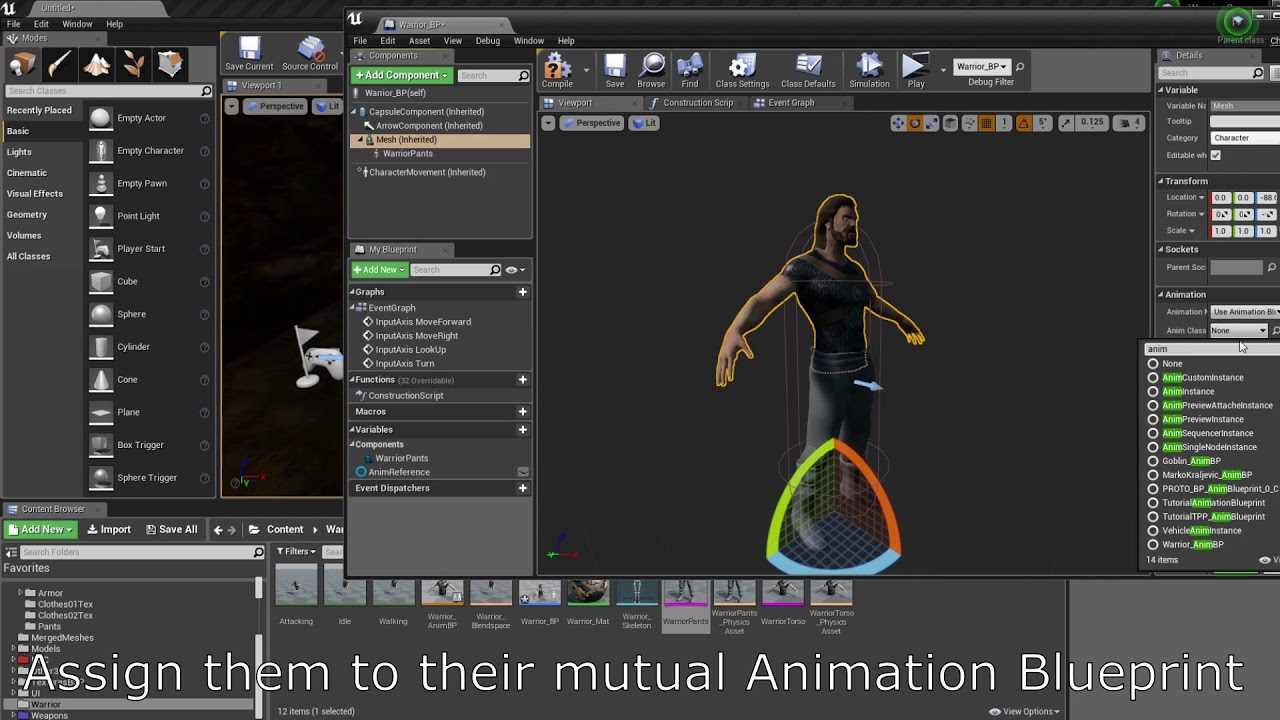
Made a blueprint with skeletal meshes that can swap clothes, armor and even body parts themselves.
Music:
https://torrmal.bandcamp.com/album/dark-underground-ep
https://torrmal.bandcamp.com/album/accursed-army
https://www.youtube.com/watch?v=k2tNWq0f6FE
 tidal marlin
Hy. Can i add complex collision react to swip?
 spark robin
Could you guys figure out why the text in the designer wont update as I alter the Text variable?
I also tried using of type text rather than string
junior hedge
errors out when called as an event but if I load the nodes into an event tick it works perfectly fine, any ideas why?


 jolly cairn
hi all, wondering if someone can help me? Basically I have this to spawn the tool the player selects but i want it to spawn in and attach itself to the camera so it follows

got it now, but it's overriding the player controls direction

 devout grove

Has anyone had any issues with the "ConvertMouseLocationToWorldSpace" node. The world location output just gives me a value of 0,0,0 and the bool output is always false
spark robin
How do I make a variable bindable to classes inheriting it?
tawdry surge
That doesn't really make sense. What is it you're trying to do?
 severe skiff
how do you get a value from a Data Asset (or Primary Data Asset)?
For context: I want to get a gameplay tag property from the data asset into the Add Granted Tag node's gameplay tag pin.
Thanks

 remote meteor
severe skiff
how do you get a value from a Data Asset (or Primary Data Asset)?
For context: ...
remote meteor
severe skiff
how do you get a value from a Data Asset (or Primary Data Asset)?
For context: ...
cast your data asset to your specific type if you havent, get variables from it as though it is a normal object, or however you have implemented it
 ruby flare
Hey all, is there any way to diff blueprints which are in different projects without migrating them into the same project?
spark robin
ruby flare
Hey all, is there any way to diff blueprints which are in different projects _wi...
If you want to be able to use the same content in multiple projects and make it easy to maintain I believe you can make a plugin and put it in your Unreal Engine directory - if your projects uses different versions of Unreal Engine it might get more difficult however as I dont believe theres any global cross-ue install directory for plugins
Q: Can I pass functions by reference? I want to be able to feed in a function into a varaible and be able to call that function to get a value - even better would ofc be if I could make use of Unreals binding feature but I cant find anything on that either 😐
ruby flare
spark robin
If you want to be able to use the same content in multiple projects and make it ...
Not so much that I want to use the same content in multiple projects... basically a project I've recently joined started off using some plugin content but they've modified the plugin's blueprints over time. I can create a new project with the raw plugin content to see what those BPs looked like originally, but would be good to be able to use the diff tool to see all the changes highlighted rather than trying to manually "spot the difference"
tawdry surge
#1 you don't pass functions to variables. You can pass variables into functions tho..
#2 bindings are not great and unless it MUST update every frame then just make a custom event or function to handle the value change or whatever you're doing
spark robin
ruby flare
Not so much that I want to use the same content in multiple projects... basicall...

Quick Dev Tips is a series of bite-sized game development tips, predominantly focused around Unreal Engine 4 / 5.
Follow for more tips: https://twitter.com/cbGameDev
Got a suggestion for an Unreal Engine 4 / 5 quick dev tip video? Let me know: https://forms.gle/qvvjxMsUiqodqFgK6
Check out the parkour game I'm solo developing called Freerunners....
ruby flare
spark robin
https://www.youtube.com/watch?v=iD37yWRHdxE
Yup, but that seems to only work for BPs in the same project, no?
spark robin
ruby flare
Yup, but that seems to only work for BPs in the _same_ project, no?
Just copy the folders over
ruby flare
spark robin
Just copy the folders over
Ok, is that safe? The dependencies are such that I think I'd need to almost copy the whole of one project into the other... (at least that's what the "Migrate" option seemed to be implying)
spark robin
ruby flare
Ok, is that safe? The dependencies are such that I think I'd need to almost copy...
Not sure, references might break. But with some luck the diff tool wont be affected by that
tawdry surge
Make a copy and do it, then apply the changes to the actual project once you know what they are
Wouldn't do that on my active project version just incase
spark robin
How do I categorize properties in the details panel?
tawdry surge
In the details panel of the property in the BP editor
You can set the category to something other then default
ruby flare
Yeah, seemed to work ok, thanks guys!
spark robin
Can I make proprties private in instances of a child class - where the parent class has them exposed?
I guess what I want is protected properties
 icy dragon
spark robin
Can I make proprties private in instances of a child class - where the parent cl...
icy dragon
spark robin
Can I make proprties private in instances of a child class - where the parent cl...
Yes, you can.
You can flag a variable as Private. Children classes won't be able to tamper with it.
spark robin
icy dragon
You can flag a variable as Private. Children classes won't be able to tamper wit...
how?
Just to clarify, I Want to modify the values in the child class. But instances of that child class shouldnt be able to change them
icy dragon
spark robin
how?
Just a check box in the variable details.
spark robin
aha
spark robin
icy dragon
Just a check box in the variable details.
Where exactly?
icy dragon
Details panel
spark robin
Yes but how do I open the details panel for the variable?
By default variables inherited wont appear in the "My blueprint" panel
and in the parent class I dont see a protected option, I see a "private" property there, but thats about it
 winged lagoon
new in unreal and trying to add a sprint to the base 3rd person example
i thought it would be like this but apparently scaleValue cant be more than 1?

 unborn raven
Hey all, I am attempting to use a plugin called numbskull serialization to serialize an imported texture (as a texture2D) object... Currently I can serialize it and export it to a file, However when I pull the object data from the file in runtime it returns null... Am I using the wrong UObject to serialize the texture? I want to be able to store the texture data/image in a file created and then loaded in runtime.

Unreal Engine
Simple and free serialization
upper cove
Hello there, i setted up a simple layered material with a blend parameter inside, that parameter is driven by a timeline in my actor bp so i can make a smooth transition between the two layers, the problem now is that i need the first layer to be a opaque material and the second one to be translucent but i have no idea on how to setup such a thing. Any clue?
This is the material

 vapid grotto
Need help with vectors.
icy dragon
winged lagoon
new in unreal and trying to add a sprint to the base 3rd person example
i though...
Switch the max walk speed.
vapid grotto
Need help on vector in BP ?
tawdry surge
@upper cove you want a masked material not opaque
winged lagoon
icy dragon
Switch the max walk speed.
where do i find the setting?
tawdry surge
Character movement component is in charge of max walk speed
And most everything else movement related
icy dragon
winged lagoon
where do i find the setting?
Just set the variable back and forth in the input action event's pressed and released exec pin
winged lagoon
uhhh? sorry im kinda new in unreal
i have this which changes a float variable that multiplies the move speed

but if i set it any higher than 1 it just uses 1
 worthy tendon
winged lagoon
i have this which changes a float variable that multiplies the move speed
worthy tendon
winged lagoon
i have this which changes a float variable that multiplies the move speed
how do you use SprintMod?
winged lagoon
winged lagoon
new in unreal and trying to add a sprint to the base 3rd person example
i though...
^
worthy tendon
character does have maximum walk speed. you should change that instead.
winged lagoon
where do i change it?
worthy tendon
 worthy tendon
winged lagoon
new in unreal and trying to add a sprint to the base 3rd person example
i though...
worthy tendon
winged lagoon
new in unreal and trying to add a sprint to the base 3rd person example
i though...
and MovementInput should remain between 0 and 1. if you add 1 it will reach maximum walk speed (but it takes a little time to accelerate to that speed)
worthy tendon
winged lagoon
i have this which changes a float variable that multiplies the move speed
so here, you could instead change Max Walk Speed.
winged lagoon
worthy tendon
how did you get the character movement bubble (idk what you call the blueprint things)
wait
ok found it
 jagged stone
Is there a blueprint to check if a Struct variable has been set? So i have a team of type CustomStruct, but it has no default value set....how can I check if this has a value set? The IsValid node does not allow this on the input pin
winged lagoon
it works now thanks
worthy tendon
jagged stone
Is there a blueprint to check if a Struct variable has been set? So i have a te...
no, struct only contains values, you can check if it has default values, or you can add a boolean but it gets a little dirty that way
jagged stone
😐 I see
worthy tendon
so a boolean like IsCustomStructSet, but you have to control it manually, that's why i said it becomes dirty 😄
jagged stone
The struct has a string value, so i'll probably just check if this is ""
worthy tendon
yeah that can work too
trim matrix
im trying to use ''simple move to'' but for some reason it doesnt wanna work?
am I missing something
seems like it shoudnt be too hard
worthy tendon
trim matrix
im trying to use ''simple move to'' but for some reason it doesnt wanna work?
do you have NavMeshBoundsVolume in your scene?
jagged stone
Do you have the character possesed by AI controller and within a NavMeshBoundsVolume?
trim matrix
no its my player controller
it shoudnt use navmesh
the top down template also uses simple move to
and it works fine
worthy tendon
I maybe wrong but I though nav mesh is required for it to move
trim matrix
isnt that just move to?
simple move to should just be a straight line
ill add a nav mesh see if it works anyway haha
worthy tendon
also if it's the player controller, it's conflicting with your inputs, so i guess you should unpossess?
trim matrix
it does need a navmesh lol
trim matrix
doh
worthy tendon
its probably because animations are based on player input and not the character speed.
look at your anim bp
upper cove
tawdry surge
<@108399494202155008> you want a masked material not opaque
But that way it would ask me for a opacity mask texture, i want the whole mesh to become translucent, like an hologram
worthy tendon
trim matrix
it uses current acceleration
try this
 trim matrix
i used vector length sqaured 😄
worthy tendon
oh right, default anim bp for third person template is just 1D blend space, so only vector length is required (rather than X, Y)
 white obsidian

Why Play montage does not animate mesh?
Play anim montage works fine but play montage does not
trim matrix
you have the slots set up?
white obsidian
No 🙂 I am new to unreal and looked at unreal documentation but don't know how to setup slots for AI attack animation
vapid grotto
how to fix i can't save sub level. landmass spline is not saving . landmass manager in level 1 and level 2 need it i think even mving to persistent level not working what to do ?
 trim matrix
@white obsidianyou can just go the anim blueprint and plop a slot infront of the end result and itll work fine
white obsidian
ah ok thanks will try
trim matrix
@white obsidian
 white obsidian
Worked Thanks 💯
 hard creek
Hey guys, what's a World Context Object and how do I reference it?

I'm trying to setup a blueprint function library, and I got no clue how to get this
severe skiff
Hey all, anyone ran into a UE5 editor bug where you have to click on an input config data asset and save it before an input binded ability works?
Everytime I load the editor, if I don't open this asset and hit save, then I can't hit the keyboard key in PIE to activate the ability. Its really weird

 real loom
hi everyone, I'm having a strange issue in UE4.27.2. the HighResShot command doesn't work in any packaged build, be it development or shipping. i read online that it should work perfectly, but it doesn't generate any screenshot. has anyone had this?
 loud parrot
hard creek
Hey guys, what's a World Context Object and how do I reference it?
loud parrot
hard creek
Hey guys, what's a World Context Object and how do I reference it?
you can connect here any actor that is on your stage. this is necessary in order for the function to receive a reference to the world, since the object is not on the stage, it cannot access it.
junior hedge
errors out when called as an event but if I load the nodes into an event tick it works perfectly fine, any ideas why?


 torn kettleBOT
:no_entry_sign: ashok#1657 was banned.
jolly cairn
i want to have a datatable containing all the data for tasks that can be randomly selected from. Is there a way to do it so that I can group all the tasks by difficulty and then choose a random one from that? For example, if the level is on medium difficulty, it selects from all tasks with the Medium difficulty?
 junior hedge
thin panther
You havent connected a text block to set the text on
junior hedge
thin panther
You havent connected a text block to set the text on
I tried but I couldn't get anything to work
zealous moth
 cyan birch
Looks like a phishing attempt or something.
cyan birch
Looks like a phishing attempt or something.
 junior hedge
thin panther
You havent connected a text block to set the text on
junior hedge
thin panther
You havent connected a text block to set the text on
I tried using a cast to but I wasn't able to get it working, what am I supposed to GET when I cast that script?
For example Get GameState, get HUD
thin panther
You pass in the input
zealous moth
jolly cairn
i want to have a datatable containing all the data for tasks that can be randoml...
what you would do is get the data table, search all rows for your struct, break it and if the value in difficulty is == to medium, progress. If not, do not progress. Then, The progress would probably be to build a local array and then look into that for a random row value and get it from the DT
junior hedge
I'll get on my PC in a sec, just woke up
real loom
real loom
hi everyone, I'm having a strange issue in UE4.27.2. the HighResShot command doe...
in case anyone runs into this: after one hour of debugging it turns out the "Take High Res Screenshot" function is broken. i replaced that with the Execute Console Command function, i manually crafted the string containing the HighResShot command and it works in shipping builds.
junior hedge
@thin panther yeah I am not quite sure what you mean
zealous moth
hard creek
Hey guys, what's a World Context Object and how do I reference it?
use "self"
 thin panther
Why are you casting
When you call update text
Make an input on the evejt that has the widget ref you need
supple temple
Just reposting from yesterday: Working on a lightsaber throwing mechanic for my lego game. I've got it working for the most part, so basically two things should happen
1: when the blade hits the wall it'll get lodged
2: when the hilt hits the wall the blade will turn off and the hilt will fall to the floor
This works, however when the hilt hits the floor it's getting lodged in the floor as you can see in the pic. is there any way to get it to instantly stop instead of getting lodged?
 tawdry surge
How is your collision set up?
supple temple
I have it set to blockalldynamics on the hilt, and the floors/walls.
Components

And here's what happens for the blade hitting the wall

 small ridge
Anyone knows under which conditions the OnInitialized event is fired on a widget ? I expected it to just run after construction, but that doesn't seem to be the case.
trim matrix
got a question about workflow, lots of times you are prototyping things to make stuff work right. Do you guys clean up the mess afterwards? or do you prototype with clean BP's in mind?
spark robin
Can I store an event or ~~blueprint ~~ functionas a variable?
small ridge
trim matrix
got a question about workflow, lots of times you are prototyping things to make ...
Really depends what you are making. if you just checking if something is possible, sure you can always clean it later. If you intend to actually use it I'd aim for cleanliness and performance. Same as regular code.
trim matrix
yea since im still new, im developing my own systems wich always end up super messy haha
small ridge
spark robin
Can I store an event or ~~blueprint ~~ functionas a variable?
An event I'm not sure. A class reference can recieve a blueprint.$
tawdry surge
Docs say on initialized is "Called once only at game time on non-template instances. While Construct/Destruct pertain to the underlying Slate, this is called only once for the UUserWidget. If you have one-time things to establish up-front (like binding callbacks to events on BindWidget properties), do so here."
spark robin
small ridge
An event I'm not sure. A class reference can recieve a blueprint.$
How would that work?
small ridge
tawdry surge
Docs say on initialized is "Called once only at game time on non-template instan...
is game time a build only thing ?
spark robin
Oh wait Im an idiot, I meant to ask if I can store an event or function in a variable
tawdry surge
Pretty much anything on the event graph is run time only
Construction script and things marked run in editor are the few exceptions
small ridge
spark robin
Oh wait Im an idiot, I meant to ask if I can store an event or **function** in a...
that would be a delegate. I don't know if you can, or should to it through bluprint
tawdry surge
@spark robin no but you can store a reference to the class or actor that owns them and call it that way
small ridge
tawdry surge
Pretty much anything on the event graph is run time only
But surely in editor play is "runtime"? That would make things hell to debug
tawdry surge
Yeah as long as you hit play
small ridge
That's what I meant, it doesn't get called in play(in my case)
thorny rover
Hi, i have an issue with working with blueprints
I moved my actor to another folder and i fixed up redirections while doing so, everything was okay, but after closing the project and reopening, all the references are red, and unreal force converted my actor blueprint to object blueprint. So i changed object blueprint back to my original actors blueprint but everything is still red, the old nodes don't update anymore so do i REALLY need to go and one by one rewrite and drag everything back?
Seems like the red ones are called "orphan pins". and they dont seem to update
 tawdry surge
@small ridge Have you thrown a print string on it to be sure?
small ridge
yup, and break points
tawdry surge
Do you have a templated instance?
small ridge
perhaps the "non-template instance" is important here ?
I'm not sure what it means in the BP context
tawdry surge
Me neither but I'm sure Google will tell me
small ridge
its a blueprint that is part of a bigger widget BP that I spawn
small ridge
tawdry surge
Me neither but I'm sure Google will tell me
That doesn't seem to be a documented concept
supple temple
supple temple
And here's what happens for the blade hitting the wall
A simple blocking volume was all that was needed
 tawdry surge
It is sorta..
They have documented how to make new instances of objects and if you call newObject() it just makes an instance.
If you call NewNamedObject() it will let you pass a template as an argument for the new objects creation.
I doubt you did that, but it might happen in the background as a consequence of adding a user created widget to another widget
supple temple
I spoke too soon
 small ridge
tawdry surge
It is sorta..
They have documented how to make new instances of objects and if ...
small ridge
tawdry surge
It is sorta..
They have documented how to make new instances of objects and if ...
Ah that would make sense. Edit: OnInitialized is also not called on Widget I explicitly use the Construct node on. Letting it rest for today, I'll go on the forums for help later. Thanks for the clues though.
tawdry surge
@supple temple does your hilt mesh have a simple collision on it?
And I'm sorta surprised your throwing is working at all. The movement components don't like default scene roots usually
supple temple
tawdry surge
<@551139954613551105> does your hilt mesh have a simple collision on it?
And I'm...
does your hilt mesh have a simple collision on it?
Like a box? No, just using the static mesh
The movement components don't like default scene roots usually
wdym by that?
tawdry surge
Does the static mesh itself have a simple collision
I mean projectile movement uses physics and derives it's collision from the root
Default scene roots have no collision
supple temple
(I ticked pawn because it was moving my player when I was recalling it)
 spark robin
Can I trigger compile time errors in blueprint?
tawdry surge
So if you go in the content browser and find the actual mesh asset (light blue bottom) and open it up you can check if you have an collision generated for it.
tawdry surge
That screen shot is of the collision settings in the actor and how to respond to the various object types.
Making it overlap pawn allowed it inside the player's capsule
@spark robin yes just cast without an object assigned
supple temple
I changed it to block all dynamics but it's still going through


Should I put the hilt in here?
 tawdry surge
Nah at the top of the screen (in the mesh editor) there is a collision button
supple temple
 tawdry surge
Yep
If you still don't see it you'll have to go into the show tab and turn it on iirc
supple temple
The issue is it's getting stuck in the floor when it falls.
One sec I'll try and get a vid
Sometimes it gets stuck sometimes it doesn't
tawdry surge
Right. If you have the simple collision on the mesh then you can set that to be the root and use the on hit event to stop it more accurately
supple temple
tawdry surge
It looks like it's just not colliding with the floor

 supple temple
tawdry surge
It looks like it's just not colliding with the floor
supple temple
tawdry surge
It looks like it's just not colliding with the floor
It goes through but then just gets stuck. It doesn't keep falling.
And that's with adding collision
 white elbow
Is it possible to make a custom event that triggers once when a certain boolean becomes true?
 lament oracle
Hi guys, is there any blueprint tutorial for this or marketplace asset that similar:
So i want to make a simple game for classifying object for kids.
There is a room, in a room there is Random object. You need to pick up the object and put the object to relevant places.
E.g. Put Clothes to Cupboard. If object not clothes, then you cant put to the cupboard. And it can giving you a score if you are right.
Something like that.
Thanks before! 🙏🏼
tawdry surge
@lament oracle gameplay tags would pry be the easiest way to do that
@supple temple hmm, did you try making the mesh the root?
lament oracle
tawdry surge
<@708105875478282281> gameplay tags would pry be the easiest way to do that
Sorry, i dont know about what gameplay tags is.
Just want to know the basic tuts about it or where i need to start? I know i need to learn the engine, but i want to know specific tuts about it.
I Knew some basic engine, fairly good in unreal visualization.
lament oracle
tawdry surge
<@708105875478282281> gameplay tags would pry be the easiest way to do that
You mean this?
 tawdry surge
Yes
lament oracle
tawdry surge
Yes
Is there an asset marketplace that i can combine? Its like a detective game you can examine, but its just pick up and place things
tawdry surge
@supple temple I'm not at my pc to test anything but it's definitely weird that it's still doing it after adding a collision to the mesh
flat coral
I've switched a physics-based pawn to use FloatingPawnMovement instead, and it almost works, but my collision events have stopped firing on the base collider of this pawn. Anyone have any idea why?
 tawdry surge
@lament oracle pretty sure they have a detective game template on the marketplace for free.
Unrealengine.com has a solid learning section as well as the forums.
lament oracle
tawdry surge
<@708105875478282281> pretty sure they have a detective game template on the mar...
Thank you so much! Will look into gameplay tags first. 🙏🏼✨
junior hedge
how can I GET only 1 rotation value "Z"
flat coral
 upper cove
@tawdry surge i tried with masked material, it does not work
junior hedge
flat coral
forgot I can split thx
upper cove
@tawdry surge the problem is i need to switch between opaque (for normal mesh visualization) and translucent (for x-ray kind visualization)
tawdry surge
Making it masked gives you access to the opacity and opacity mask pins.
When you blend to the x-ray mode you also need to blend those to define where you want the translucency and how translucent it should be
junior hedge
what else can I use here instead of select? I want to make it so if the value is above 90 it sets back to 90, I don't see this working with select
 tawdry surge
Clamp
junior hedge

Tried this but didn't work
it says the rotation caps at 90 and -90 when I print but the rotating is not stopping
tawdry surge
Oh you're doing the camera
Just use the camera manager to handle that
Player controller-> camera manager-> yaw range or something like that
upper cove
tawdry surge
Making it masked gives you access to the opacity and opacity mask pins.
When you...
I tried mate, this is whats happening.. (see video)
The material is like this as now (see picture)

 calm light
Hi, I have no experience in blueprint but have to create an event for my sequence. I need to trigger flash lightning fonction from the ultra dynamic sky addon. Here what I did but gives me error on compil about target no linked to anything. I don't know what to put as target (one not linked is not working)
 junior hedge
tawdry surge
Player controller-> camera manager-> yaw range or something like that
junior hedge
tawdry surge
Player controller-> camera manager-> yaw range or something like that
i dont get what you mean
 manic geode
hello
tawdry surge
@upper cove I thought you only wanted part of it to fade out. For a flat fading effect you can just use translucent and not worry about the mask pin
manic geode
Me and my friend are trying to learn UE5, can you guys tell me, if this thing is still present in UE5? It was in UE4 but we cant find it in UE5
 tawdry surge
@junior hedge The player controller has a player camera manager, which has a limiter for camera rotations
junior hedge
manic geode
Me and my friend are trying to learn UE5, can you guys tell me, if this thing is...
would recommend just watching ue5 tutorial
tawdry surge
@manic geode its just subtract now
manic geode
junior hedge
would recommend just watching ue5 tutorial
yea, the screenshot is from the tutorial
manic geode
tawdry surge
<@271377626898235392> its just subtract now
Uhm?
tawdry surge
All math functions have been templated so the inputs are wildcards
junior hedge
tawdry surge
<@239955398231195648> The player controller has a player camera manager, which ...
in it's details?
manic geode
tawdry surge
All math functions have been templated so the inputs are wildcards
So, if I press the '-' the first thing I get - will be what I need?
That is what I see now

I need that

But what I get is that

 naive stag
How can I get “and” gate from execution pins
 earnest tangle
manic geode
But what I get is that
earnest tangle
manic geode
But what I get is that
That's a negate int and not a subtract
err not negate int, deduct or whatever it's called
decrement?
yeah something like that
:P
manic geode
If I choose 'substract' it will look like that

But that looks slightly different than that
 tawdry surge
Its the same
manic geode
👀
tawdry surge
Just let you add pins to any math node now
manic geode
ok... so its LITERALLY the same?
junior hedge
tawdry surge
<@239955398231195648> The player controller has a player camera manager, which ...
do you mean the details of the camera or something else
tawdry surge
You can set it from the player by getting the controller, then the getting the manager, and then setting the property value.
Or if you have a player controller BP class you can reach the player camera manager from the details panel
junior hedge
what would the property value I would be changing be called?
Yeah i am in the blueprint rn
idk what the detail is called though
tawdry surge
There's a player camera manager array near the top
Open it and add a manager.
(The default one is in c++ iirc)
Then you can set the yaw range inside the class defaults of the player camera manager BP class
 tawdry surge
No that's your character class not your controller
You can do it from there too through the event graph, but unless it's gonna change I'd set it directly
Or if you don't have a BP controller class
tawdry surge
Then on event begin play you can "get player controller"(index 0)-> "get player camera manager"-> "set yaw range"(or something like that)
Don't recall the exact name of the property off the top of my head but it'll be similar
 versed sun
I'm having a problem with control rotation and Show Mouse cursor.
If i enable Show mouse cursor on Player controller, the movement is all jittery
https://www.screencast.com/t/0eFjHddm
If I disable it , its nice and smooth.
If I enable it on keypress at run time, its smooth
If I Enable it on Begin Play, even with a delay, its jittery

Anyone run into this or similar ? I feel like im missing a setting or something
zealous moth
versed sun
I'm having a problem with control rotation and Show Mouse cursor.
If i enable Sh...
do a stat unit
and check if your CPU dies when you run it
it sounds to me like several things are trying to happen when you have the mouse enabled at run time that bottlenecks it
versed sun
thats what i feels like
versed sun
the numbers look about the same both ways
https://www.screencast.com/t/8DRsW0HW With Show Cursor


its also gets jittery when im recording screen
calm light
calm light
Hi, I have no experience in blueprint but have to create an event for my sequenc...
any chance to get some help on this ?
 dawn gazelle
naive stag
How can I get “and” gate from execution pins
dawn gazelle
naive stag
How can I get “and” gate from execution pins
Do you mean you're trying to get something like this where it needs both inputs to execute in order for the output to fire?
 tawdry surge
@calm light it wants a reference to the ultra dynamic weather actor
calm light
tawdry surge
<@730166451368886353> it wants a reference to the ultra dynamic weather actor
I can't find any reference to it when I do a right click
that's what I don't understand, I add the event directly from sequence
tawdry surge
What is the udw node in your picture?
calm light
some node I picked from another udw blueprint
whatever I try it never connect to target and it seems there is no ultra dynamic weather node in the list
 dawn gazelle
The target is expecting a Ultra Dynamic Weather Object, but in the above screenshot, you're trying to plug in a Ultra Dynamic Sky Object
When working with nodes like this, you need a reference to the object you're trying to manipulate. So if you have a Ultra Dynamic Weather Object in your scene somewhere, this blueprint would require reference to it.
You can try to use Get Actor of Class to get a reference to that object if it is placed in your scene.
calm light
I think I understand, thank you ! Honestly blueprint is like a new language to me so these explanations are gold. I have such object in my scene so I think I'll be able to get a reference from it
I found it with the get actor or class node but it fails
 tawdry surge
The white pins are the execution pins
desert juniper
 naive stag
dawn gazelle
Do you mean you're trying to get something like this where it needs both inputs ...
naive stag
dawn gazelle
Do you mean you're trying to get something like this where it needs both inputs ...
Ye
naive stag
dawn gazelle
Thanks a lot
 scarlet hedge
So I have some building blueprints, is there a way to "make them editable" or bake them ?
Or is it blueprint dependent ?
calm light
desert juniper
Thank you guys now the blueprint compile. Looks like it does not trigger the action however but I'll check why
desert juniper
click on this, and press F9 after

Then play the game, and trigger whatever that is. does the game stop and take you right to this BP?
if not, then problem is you're not triggering this event
dawn gazelle
naive stag
Thanks a lot
... I didn't help with anything, I was trying to understand what you were looking for. There's no native built-in means of "and"ing execution paths as it doesn't always make sense how one would do such. As an example, you could have one execution path execute one frame, and the other execute the next frame - do those need to be anded, or is it just so long as one of them has been executed before the other should it continue regardless of how long it has been since it executed, or should they be anded only on the same frame?
Here's an example of something that could potentially work and have a variable amount of "AND" time.

 pine trellis
I have set up a pubg mobile style auto run but I need it to stop after I start moving backwards, how can I tell it to stop when the character moves backwards? what node can I use?
 dawn gazelle
pine trellis
I have set up a pubg mobile style auto run but I need it to stop after I start m...
dawn gazelle
pine trellis
I have set up a pubg mobile style auto run but I need it to stop after I start m...
On your backwards input action you just set the mobile auto sprint to false?
pine trellis
I dont understand @dawn gazelle this is how I move
 dawn gazelle
pine trellis
I dont understand <@218956378654507008> this is how I move
dawn gazelle
pine trellis
I dont understand <@218956378654507008> this is how I move
Put a sequence after your Add Movement Input, Connect Then 1 to your existing "Outputs" node. Connect Then 2 to a branch that checks if the axis value float < 0, and if so, set your Mobile Auto Sprint to False.
 normal sapphire
i made a crosshair widget and it doesnt show up in the selected viewport when i test the game but if i open a standalone game simulation it works but the opacity seems to be halved. any help?
this is my characters bp widget

 prisma tree
I wanna start learning how to control cameras and stuff...do you know any good resources on youtube for that?
icy dragon
prisma tree
I wanna start learning how to control cameras and stuff...do you know any good r...
[context needed]
pine trellis
@dawn gazelle I tried like this but it only stops running if I move forward
if I press back it wont stop running
 dawn gazelle
pine trellis
dawn gazelle
pine trellis
You want this as < 0, right now its > 0
 normal sapphire

 maiden kernel
Hi, i have show/hide tools animations + use tools animations. I was thinking of creating a montage which will: hide current tool, show and use another tool and after that show first tool. Any ideas different than creating a lot of montages?
icy dragon
maiden kernel
Hi, i have show/hide tools animations + use tools animations. I was thinking of ...
Any more context for this?
normal sapphire
My crosshair that i added to the character BP Viewport doesnt work unless i open it in a standalone game. And even when it shows it is very faded i have the blueprint shown above. seems like a simple fix but i cant get it to show
icy dragon
normal sapphire
My crosshair that i added to the character BP Viewport doesnt work unless i open...
Might consider reading the #rules, particularly no. 2
normal sapphire
i was trying to rephrase but ok
maiden kernel
For start i created 3 montages : hide, show, and use with sections representing different tool name and notifies which apply logic in right moments.

How to create chains like ex: hide hammer, use line, show hammer?
calm light
desert juniper
Then play the game, and trigger whatever that is. does the game stop and take yo...
it should trigger some lightning thunder. I just hit render by using movie render queue but then there is no lightning at all (and I duplicated the event 6 times at very close frames to be sure to notice it)
It something I should not bother with if UE was able to sync audio with video render lol. Dev of ultra dynamic sky adviced me to use these events and to add manually the audio files at same time.
manic geode
Hmmm... How do I multiply it? I can see only 'Multiply' operator in utilities

the screenshot is from UE4, UE5 seems a bit different again
lusty arrow
manic geode
Hmmm... How do I multiply it? I can see only 'Multiply' operator in utilities
Wdy mean? Multiply works fine on ue5
versed sun
just use multiply , and change the pin type with right click
white elbow
How do I make a child blueprint do everything that a parent does? Now it only does the Tick function
 devout geyser
I have an object that within interaction it opens a widget, how can I get a reference of the object that i interacted to open the widget?
manic geode
versed sun
just use multiply , and change the pin type with right click
ok, worked
dawn gazelle
white elbow
How do I make a child blueprint do everything that a parent does? Now it only do...
Child blueprints by default will do whatever the parent does. If you override a function or event, you need to make a parent call which can usually be done by right clicking on the event node or function start node and selecting the "Add Parent Call"
supple temple
@tawdry surge Gonna try to use the on hit function. Any clue where to begin? I've tried combining it with the other stuff but it doesn't work amazingly
lusty arrow
@faint pasture @untold fossil Btw, I got my flashlight working as intended! I put it on the TP character and replicated only that. Also, I noticed a strange bug with UE, maybe only a UE5 bug. I mentioned that the replication in my game was behaving weird when hosting dedicated. The issue ended up being that I needed to restart the engine before switching from listener server to play on client or dedicated. If not, everything started behaving really weird....
Like, everyone had almost server privileges when on dedicated server as they were able to see each others flashlights without them ever being replicated. Then when I switched back to listener server, the same bug occurred lol. I restarted the editor and everything was fine after. It had me super confused at first lol.
lusty arrow
devout geyser
I have an object that within interaction it opens a widget, how can I get a refe...
Add that object type as a variable in the widget class. Have it spawn on widget creation and pass the reference of the object that interacted with it into there
devout geyser
So inorder to make a reference i need to spawn that object within the widget?
lusty arrow
no like
make a variable of it in there
What we're doing is pass by reference
Then enable "expose on spawn" for the variable
then pass it into the widget when creating it

An example of what I mean
Toggle expose on spawn
for the var in the widget BP
devout geyser
got it
I went with a different method just had a difficult to figure it out
In the widget I have a reference to the Ai(My object) and right after I interact with the AI his blueprint goes like that:
Create the widget -> get the reference variable -> set the variable to self(so it will reference to the object) and by doing that I have a reference without using Cast or getting it too complicated, thanks @lusty arrow Appreciate you 🌹
flat coral
Is there a way to scale a vector in only one direction, given by a different vector?
lusty arrow
devout geyser
In the widget I have a reference to the Ai(My object) and right after I interact...
Np 👍
flat coral
To like take the component of VectorA that's in the same direction as VectorB, and just *0.5 that?
lusty arrow
flat coral
Is there a way to scale a vector in only one direction, given by a different vec...
clamp?
naive stag
Spawning chunks is not a problem. However when I try despawning the chunk that is not in radius, it kinda breaks. Does anyone know what went wrong?

 flat coral
lusty arrow
clamp?
flat coral
lusty arrow
clamp?
Clamp doesn't have a direction associated with it
naive stag
naive stag
what it supposed to look like
 faint pasture
naive stag
Spawning chunks is not a problem. However when I try despawning the chunk that i...
faint pasture
naive stag
Spawning chunks is not a problem. However when I try despawning the chunk that i...
That's kind of a clusterfuck but it's probably the fact that remove index bumps everything after it up by one
If you remove 3, 4 moves into 3, 5 moves into 4, etc
 cursive ermine
Hey guys!
Does anyone know how I could merge all these Actor Components (Selected ones) into one Static Mesh? I tried it with the Merge function (in Dev Tools) but because its in an Actor BP this doesnt work.
I also tried to Somehow Cut all Components into a Level but this didnt work. Maybe Somebody knows a way to this instead.
 faint pasture
You want a reverse for loop if you're removing stuff but I would rethink the way you're doing things honestly.
faint pasture
cursive ermine
Hey guys!
Does anyone know how I could merge all these Actor Components (Selecte...
Even if you can merge them into one mesh, your UVs will get trashed probably. Why do you want to merge?
cursive ermine
Cause When I Spawn this Tile the Performance drops significantly for a sec
I really messed up with planning this out. But till wonna somehow save my last 2 Hours of work haha
naive stag
faint pasture
That's kind of a clusterfuck but it's probably the fact that remove index bumps ...
I tested that first thing, it has nothing to do with it
faint pasture
naive stag
Spawning chunks is not a problem. However when I try despawning the chunk that i...
If this is your current code, you're definitely getting off by one+ errors if you remove more than one chunk at a time
Is your chunk array an array 13 actors in some meaningful order?
Also when do you call that code, every frame? Or when you detect crossing a chunk boundary?
devout geyser
It looks scuffed but its a place of beginning 🙂 any feedback?
https://streamable.com/e8fbcl
 faint pasture
devout geyser
It looks scuffed but its a place of beginning 🙂 any feedback?
https://streamabl...
faint pasture
devout geyser
It looks scuffed but its a place of beginning 🙂 any feedback?
https://streamabl...
Looks good, what's the gameplay you're gonna go for?
devout geyser
faint pasture
Looks good, what's the gameplay you're gonna go for?
Thanks for the feedback, A chill game which you take care of the robot, inspired by a mobile game called purrfect spirits where you need to take care of the cats that arrive to your apartment
Nothing too big like elden ring ^_^
 twin shale
Has anyone else had TileView items suddenly stop calling interface functions? I had this working, I restarted the editor, and now this function is not calling. There have been 0 other changes, I've even rolled back to a known working git commit.
twin shale
twin shale
Has anyone else had TileView items suddenly stop calling interface functions? I ...


 devout geyser
Did you try re-restarting the engine? @twin shale
twin shale
@devout geyser I did. I didn't try a full restart, let me try that real quick
Full restart, still just inexplicably not working. I've verified that the function is being called, and I've verified that the objects are not blank. It has been working fine for days then just....stops?

 stable onyx
Anybody have a clue into why I wouldn't be able to see the "Retriggerable Delay" node in blueprints? I don't see it in Context Sensitive on or off
versed sun
is it in a function ?
twin shale
@stable onyx They do not appear in functions, only event graph
stable onyx
Ah bingo, yes that's why :/
Two answers in two seconds, amazing... thank you! 🙂
Are there any strategies to refactor into something sharable if you can't use it in a function?
stable onyx
Love that idea, I'll play around with that
 outer marsh


 flat coral
Okay I'm getting real sick of print statements everywhere. Why are none of my variables in scope? How do I fix this so I can actually live debug this BP?
 twin shale
So...I solved my issue, but I have absolutely no idea why this worked. When I hook up the bottom node, the Interface function is not called. When I hook up the top node, the Interface function fires as expected. There are no differences in these nodes from what I can tell. Exact same class, same inputs, same outputs. Top works, bottom does not. Is this a known engine bug or something?
 tawdry surge
@flat coral watching the values on the event graph isn't an accurate way to debug anyway. Without printing them out, you can't be sure they are correct
If you don't want to use print string you can also draw the information to the screen through the hud. Easier to watch the real-time values
 limber parcel

 naive stag
faint pasture
Also when do you call that code, every frame? Or when you detect crossing a chu...
naive stag
faint pasture
Also when do you call that code, every frame? Or when you detect crossing a chu...
When it detects.
naive stag
faint pasture
If this is your current code, you're definitely getting off by one+ errors if yo...
It runs perfectly smooth with no frame drop at all
@faint pasture do u think there is a way to write this code for it to run more smoother? Because I thought that my version was the smoothest one
desert juniper
naive stag
<@127902729677963264> do u think there is a way to write this code for it to run...
You can pool chunks instead
instead of spawning one everytime you need one, and destroying one when you dont, pool them
at the start of the game spawn in a bunch, and set them to be inactive
When you need to spawn one, simple make it active, move it to where you need, and run all of it's state config
Then when you don't need it anymore, deactivate it and mark it available for reuse