#blueprint
402296 messages · Page 924 of 403
 pearl moth
 jolly cairn
lmao you just posted a pic with "not working", at least describe your issue
pearl moth
On key pressed the widget doesn't show up
jolly cairn
yup, i had a right laugh when it popped up. i used to work in IT support and seeing "printers not working" and no description was funny but also mildly frustrating XD
you actually creating the widget?
pearl moth
Yes
jolly cairn
run with the BP and select your player for debug and see what fires
jolly cairn
or whack a few print strings in for your branches, like a "hey i'm meant to create the widget" log or something. that way you can test if it's the logic for opening it or actually displaying it that's the issue
pearl moth
I'm just thinking that is an issue with the blueprint
jolly cairn
and im telling you a way to see what part of the blueprint is failing
pearl moth
That's not what I meant
 fast finch
Why not making a function to create the widget
always make a new widget when you press P
pearl moth
fast finch
Why not making a function to create the widget
No?
fast finch
i mean you remove it anyways
once its removed
its gone
so you HAVE to make a new one
pearl moth
I made one.
pearl moth
pearl moth
TS: 04:04
pearl moth
no
fast finch
and then a condition to check if its still there
pearl moth
the problem is
when i press the key, it doesn't do absolutely nothing
so it's not a problem of the blueprint nodes
pearl moth
fast finch
where is this code located
All > Content > Game > Settings > IBlueprint
fast finch
what
jolly cairn
pearl moth
when i press the key, it doesn't do absolutely nothing
i suggested to put debug logs somewhere to find out what happens when you press P
fast finch
the actor name
jolly cairn
tried to say that earlier but they didn't want to know 😛
pearl moth
ok
pearl moth
jolly cairn
tried to say that earlier but they didn't want to know 😛
don't care didn't ask 😛
jolly cairn
pearl moth
don't care didn't ask 😛
you asked for help and literally tried to help XD
jolly cairn
^^
pearl moth
No, it doesn't work
fast finch
If the print doesnt work that leads me back to my question
what is the actor
does it have input
pearl moth
no actors
pearl moth
wdym
fast finch
when you want to add nodes to that blueprint
what do you click in the content browser
show me
pearl moth
fast finch
what do you click in the content browser
i said that
pearl moth
 pearl moth
yes
fast finch
but not a player
this blueprint doesnt have input
thus
it wont receive any
the icon
the location
gives it away
this definitly is a case
whgere someone made a tutorial
in the wrong way
and now we pick up the pieces.
 faint pasture
fast finch
in the wrong way
faint pasture
fast finch
in the wrong way
I am vindicated once again.
pearl moth
dies of cringe
faint pasture
Weird how that happens.
 short reef
Any suggestions on how one would go about creating an Overwatch-style health bar with multiple types of 'health'? (Health, armor, shields, etc)
Well, yeah, a UMG widget, I know
faint pasture
short reef
Any suggestions on how one would go about creating an Overwatch-style health bar...
Make a generic Bar widget with parameters for divisions and color etc, then add a couple instances of it to your HUD
faint pasture
short reef
Any suggestions on how one would go about creating an Overwatch-style health bar...
Are you wondering how to do the UI or the actual layered HP mechanic?
because those are 2 different things
faint pasture
faint pasture
Make a generic Bar widget with parameters for divisions and color etc, then add ...
For instance this is an item card with many simple widgets we made. You want something like the segmented bar that you can parametrize.
 fast finch
where is this from 😮
short reef
faint pasture
Are you wondering how to do the UI or the actual layered HP mechanic?
The UI part of it, I think I can do the actual HP mechanic on my own
faint pasture
short reef
The UI part of it, I think I can do the actual HP mechanic on my own
Just start out by making one bar that can be parametrized with color etc. Then make a container that inspects your HP / Armor / Shields and populates with the 3 bars
faint pasture
fast finch
where is this from 😮
The item card?
fast finch
yee
faint pasture
Game I'm working on
fast finch
"meteor"
faint pasture
twin stick looter shooter roguelike
fast finch
i see
faint pasture
fast finch
i see
Another one with actual mods
 faint pasture
And the whole thing collapses down for HUD and when not inspected
 fast finch
How did you code the property system
faint pasture
Which part of it?
faint pasture
Items and character have base properties as structs, mods are just structs that get applied.
So Rusty might look like
(Reload, -0.1)
(Rate, -0.08)
(Damage, 0.2)
With Super and Super Duper indicating 2x and 3x mods
Super Duper Rusty would be Rusty Rusty Rusty ITEMNAME
fast finch
ok
so your calculation system always works the same?
just that some values are basicly default
if no add is given
and default values
are weapon values
faint pasture
Yeah. I don't recall the specifics but it's basically Final = ApplyMods(Default)
 elfin wolf
faint pasture
Another one with actual mods
elfin wolf
faint pasture
Another one with actual mods
going for a borderlands thing?
fast finch
very nice
faint pasture
elfin wolf
going for a borderlands thing?
Yeah something like that.
fast finch
can you show me the data table where these mods are stored?
like damage 28+
how is that made
these properties
can you show me a few structs too?
faint pasture
fast finch
like damage 28+
The final damage is 28, there's a + becuase it's positively modified from Base
Base is 20
 mental trellis
faint pasture
Another one with actual mods
mental trellis
faint pasture
Another one with actual mods
Can I suggest another colour for the flavour text? People love flavour text, so it should stand out! Maybe the same as the highlight colour at the top? (I guess that differs per item type?)
faint pasture
There's a function that generates final values from base values + mods that touch those values.
Every time a mod is added or removed you recalculate like:
Stats.Clear()
ForeachMod -> Stats(Mod.Key) += Mod.Value
Then the final accumulation
Damage = BaseDamage(1+Stats(DamageMult))
Or something like that. I don't recall the specifics, it's still a WIP
faint pasture
mental trellis
Can I suggest another colour for the flavour text? People love flavour text, so ...
Yeah it'll be workshopped a lot, I'm thinkin Italics or something.
fast finch
thx
 forest nimbus

Worked yesterday, launched editor today, and it broke the pins and wont work now 🤔
The "minion pool" class array contains the parent BP and the child BP so they have the same functions etc
 flat coral
Anyone have any idea why this collision event isn't firing, despite the other object impacting correctly recording a collision with that component AND recording that it has hit events=true?


 timid thunder
What’s inside the function
 tepid tree
why does my text boxes hint text look so weird? I get a's with borders somehow
flat coral
timid thunder
What’s inside the function
Doesn't matter, it works correctly in other circumstances, this isn't the only place it gets called. The breakpoint never gets hit
timid thunder
flat coral
Doesn't matter, it works correctly in other circumstances, this isn't the only p...
is this the only place you are calling the function or other places?
flat coral
Also calling it on Hit. The confusing part I've left out is that after the first hit, the static mesh that you impact (correctly) gets deleted. This is for breakable glass, after the first hit it's replaced with a destructible skeletal mesh

The first impact, on the static mesh, works correctly and all the "play on initial hit" stuff happens. The problem is that afterwards, when the static mesh is gone and the skeletal mesh is there, no more impacts get recorded even though the skeletal mesh should be just as collidable as the static mesh was
timid thunder
to get more accurate results you could use a line trace and uses the same outputs you are currently using
flat coral
That's what the initial implementation of this asset pack was, actually. Any object that could break the glass would need an ActorComponent applied to it which had the job of messaging that impact to the glass. And behind the scenes, it was constantly line tracing along its movement trajectory
 hybrid ether
What could be best way to make it work? earth is sphere and I want navigation arrow only relative z
 flat coral
That's what the initial implementation of this asset pack was, actually. Any obj...
flat coral
flat coral
That's what the initial implementation of this asset pack was, actually. Any obj...
There's a few big problems with that
- I've got a lot of loose physics objects in my game, and constantly tracing from all of them would tank my performance.
- Some of those objects are dynamically generated, or are parts of destructible objects themselves, and applying an actor component to each of those would be extremely difficult.
timid thunder
flat coral
That's what the initial implementation of this asset pack was, actually. Any obj...
this video could help https://youtu.be/HfSf12rqMi0

Hey guys, in today's video, I'm going to be showing you how to use Event Hit or Begin and End Overlap Events for multiple actors. So they will only fire off if one or more of your actors/players is overlapping or colliding with the object.
#Ue4 #UnrealEngine4 #Ue4Tutorial
_________________________________________________________________________...
flat coral
Nah, I don't actually need to restrict the event hit at all. Any hit should break the glass, I don't care if it's a pawn or a bullet or a shard of metal from a crate that blew up. The problem is that Event Hit isn't firing whatsoever on this component
timid thunder
Could you do a line trace on the player and then brake the glass
And make a custom collision
If it don’t collide with anything it’s not that performance heavy
flat coral
I'm already getting the collision event on the player, I could just use that to break the glass.... from the player. The problem though is how do I handle everything ELSE breaking the glass?
timid thunder
Glass shards make a lime trace collision is present you destroy the shard
flat coral
No no I mean like I would need every bullet fired, every piece of broken metal, every shard of an exploded meteor to ALL handle hitting the glass themselves
That's why I want to handle collision ON THE GLASS and not the impactor object. Because the impacting object could be anything
faint pasture
@flat coralDo you have simulation generates hit events turned on?
flat coral
faint pasture
<@187795234615328768>Do you have simulation generates hit events turned on?
Yeah, I'm even debug printing it on my player pawn just to be completely sure I'm hitting the component I think I am and it is turned on because honestly I was going a little nuts

Ignore the spaghetti, none of that is staying after I fix this shit
That prints A on the first collision with the static mesh (that works correctly) and B on the second collision which is NOT generating hit events on the glass


 plain pier
hey! i'm currently makin a kill and respawn system and every time i destroy the actor i get a very large number of the same error
"Blueprint Runtime Error: "Attempted to access BP_ThirdPersonCharacter_C_0 via property character reference, but BP_ThirdPersonCharacter_C_0 is not valid (pending kill or garbage)". Node: Return Node Graph: GetPercent_0 Function: Get Percent 0 Blueprint: healt_widget"
can someone help me solve this
 drowsy pumice
Quick question, for a Move To Location node in a controller, does the execution pin continue after starting or after finishing the move?
 ripe zephyr
I'm trying to follow this tutorial as it's the only one that discusses my current problem, however it's pretty old and I think it's obsolete as the blueprint the tutorial uses, is from a template on top down, which the UE5 top down template doesn't have. I can't seem to find any other alternative tutorial. Does anyone have any advice? https://www.youtube.com/watch?v=FvFEvxGQjug
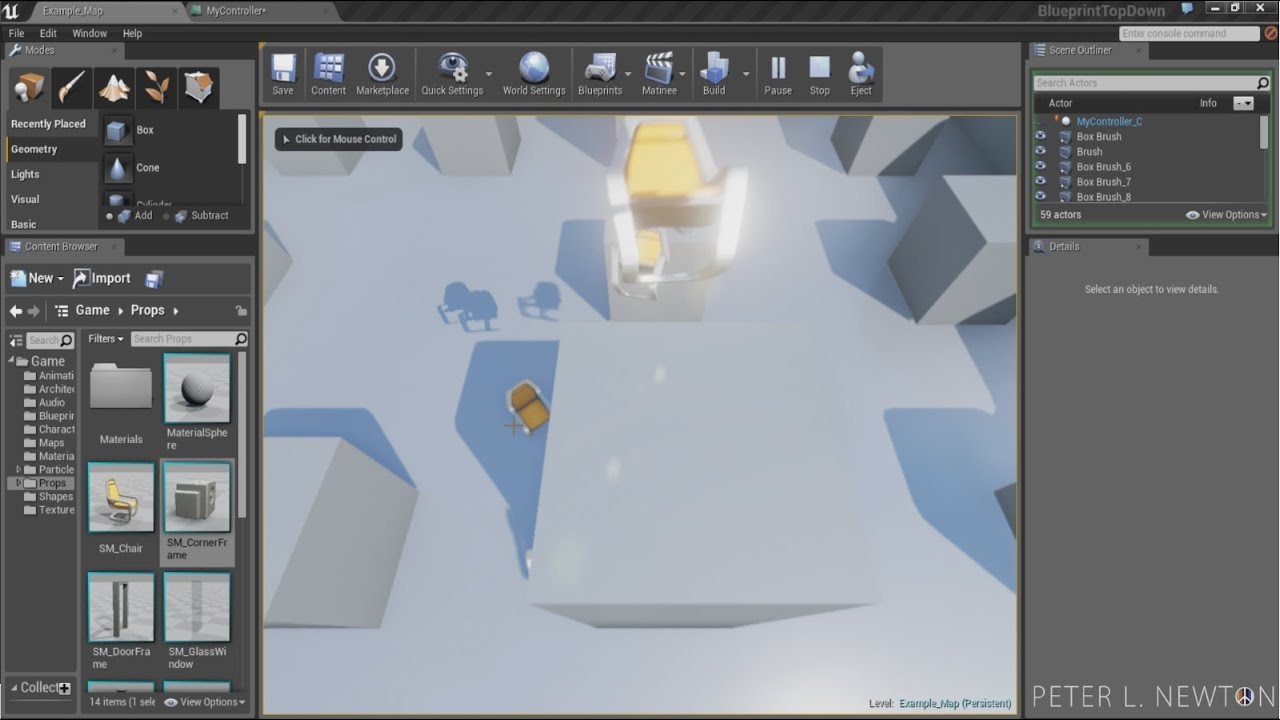
Try Blueprint Now(Pastie): http://pastebin.com/E3eyDBsw
In Unreal Engine 4 we will cover how to shoot projectiles at the mouse locations using Blueprint Class PlayerController. Follow this tutorial and if you have any questions let me know. If you're looking for any other tips and tricks please visit my blog.
Visit: http://peterlnewton.com
A...
 dawn gazelle
drowsy pumice
Quick question, for a Move To Location node in a controller, does the execution ...
dawn gazelle
drowsy pumice
Quick question, for a Move To Location node in a controller, does the execution ...
If you're talking about the Simple Move To Location node, then it executes the next node immediately.
 burnt canyon
Anyone got any examples of using Make Relative transform node? I think its a new bp mode
dawn gazelle
plain pier
hey! i'm currently makin a kill and respawn system and every time i destroy the ...
Your "healt_widget" widget no longer has a valid reference to the player character, more specifically in the GetPercent0 function.
drowsy pumice
dawn gazelle
If you're talking about the Simple Move To Location node, then it executes the n...
Yes, thank you
I don't suppose there's a simple node to execute something once it completes the moveToLocation, eh?
dawn gazelle
burnt canyon
Anyone got any examples of using Make Relative transform node? I think its a new...
It's not a new node... But something like below would make a transform rotated on Z by 90* relative to the input actor's transform.
Similarly, if you put an X value in for the location, the output would be relative to whatever location the actor is + the X value.
 burnt canyon
Oh oki ty ty
dawn gazelle
drowsy pumice
I don't suppose there's a simple node to execute something once it completes the...
Not with that node. There are others that can be used.
 drowsy pumice
dawn gazelle
Not with that node. There are others that can be used.
drowsy pumice
dawn gazelle
Not with that node. There are others that can be used.
Oh, thank you very much. That saves me a lot of pointless collision detection
plain pier
dawn gazelle
Your "healt_widget" widget no longer has a valid reference to the player charact...
i in oneway fixed it but a new error came up! my health bar in not working anymore, i mean that the health amount is no longer showing up
i could privately send you screenshots of my blueprint if you want to help
 candid geyser
So, I have mantling k i n d a working, is just does a sphere trace from the players thighs to just above his head, with another trace to make sure we dont climb anything that's too tall
Problem is, mantling only works in some of the area
So if I wanna mantle something that's like, up to the players chest for example, i can do that and it works fine
But if we're mantling up something that's just above the players head, the player will only mantle about halfway up the wall
Any suggestions to make sure the player always ends up on top of whatever they're mantling?
 untold fossil
What happened to the "with editor" node in 4.27?
Can't find it anywhere anymore. That was such an incredibly useful node
Why remove that? :/
faint pasture
candid geyser
Any suggestions to make sure the player always ends up on top of whatever they'r...
Start with detecting where the "top" is
candid geyser
faint pasture
Start with detecting where the "top" is
Usually I would do that with a line trace, but im having a hard time going about it
 misty pendant
can someone help me? i tried different methods but they wont work
 faint badge
untold fossil
What happened to the "with editor" node in 4.27?
faint badge
untold fossil
What happened to the "with editor" node in 4.27?
With Editor is not a standard node in Unreal, if you had it before it was part of a plugin which you might not have installed in your current version. For example the Extended Standard Library plugin on the marketplace has a node like this I believe
untold fossil
Aaaaaah ok yeah I had Ext Library before in my previous project
I found another default node though called "Is packaged for distribution" which does roughly the same thing so I ended up using that. 🙂
 tight schooner
Dunno. Maybe if the input is a variable and you want to "set by ref", which is the usual reason to pass by ref
But as far as just getting the data is concerned for the purposes of reading it, there shouldn't be a difference
 lucid ingot
im having an issue with stopping an input from being pushed. ON the reload key pushed i have it set up to stop aim down sight from being active, but when I press ADS while reloading, it reloads and ads's. How can i stop an input while the reload is being played? In the video i am rapidly pressing the ADS key.


I dont understand why this does this.
flat coral
Is there a function to get a vector of the distance between two points (which are also vectors)?
NM it's GetUnitDirection. That actually saves me normalizing it too
 rigid lodge
Hi, I'm trying to make the sprite in my 2D top-down scene move with "simple move to location", I can see the nav mesh bounds volume as green in the area
But it doesn't move at all even though the sprite spawns
lucid ingot
lucid ingot
im having an issue with stopping an input from being pushed. ON the reload key ...
figured it out if anyone ever has this issue. Intead of doing all this crazy logic just find out if the montage is active. If its true, then go back to normal, if not ads.

 strong halo
hi! sorry for the stupid question, but how do I move navmesh down?

 livid ingot
There's an offset setting for moving it down but i dont think you wanna do that
you're just looking at the visualization
is it not working or something
strong halo
my bad, the character mesh local location was a bit off 😅
the character appeared to be flying exactly on the navmesh, and I probably need some sleep
thanks anyway!
 balmy ledge
Hi I'm working on a modular character set up using a package I bought off the market. For a non-clothed character there is a "top" mesh I would need to use which is upper torso, arms and head. I need to set up a "shirt" skeletal mesh on the character as well as "head" and "arms" and make so if "shirt" mesh is populated, "top" is cleared and "head" and "arms" gets populated.
Is there some way to automatically observe if the "shirt" skeletal mesh is a none or not and act if it changes or do I need to build all this logic? I have different ideas for how a shirt may be added/removed from the character so trying to figure out the best place to catch them all.
 icy dragon
balmy ledge
Hi I'm working on a modular character set up using a package I bought off the ma...
icy dragon
balmy ledge
Hi I'm working on a modular character set up using a package I bought off the ma...
Just check if it's pointing to none
balmy ledge
icy dragon
Just check if it's pointing to none
Yea but when?
icy dragon
balmy ledge
Yea but when?
The moment you want to update the clothing, assuming you use events for that.
 earnest fog
I’m trying to figure out how to force navmesh to rebuild at runtime. I see there’s an OnNavigationGenerationFinished but not one for when it starts. I need to be able to either know when it starts (maybe another event dispatcher?) or force it to start if it hasn’t (some other blueprint node).
I know it’s possible to intentionally move something around on navmesh and that will force an update, but I’d really like to find a programmatic solution without touching the world. I’m sure this is doable in C++ but I don’t know how to do that at multiple levels (how to program it, how to integrate that into BP, etc.)
Edit: in case anyone finds this at a later time, I finally found a solution which seems to work. Apparently there’s a console command “RebuildNavigation” which seems to work in 4.26 despite not showing up in autocomplete, commands lists, or hardly anywhere. The main thing I saw was someone saying it was no longer working in 4.20. But it does seem to work in 4.26 just fine
balmy ledge
icy dragon
The moment you want to update the clothing, assuming you use events for that.
I guess I was hoping to somehow tap into an event for when the mesh was changed. I'll keep poking at it, I think I just need to figure out how the clothing is getting changed because I'm using a survival game kit that's managing some of that.
 sacred canyon
does anyone know a way I could have some kind of a line that shows the path that a launched object will take? so like if I’m aiming a physics object, it’ll show a curve to where it’s gonna land
 plucky plank
Is there a way I can make traces collide with the back of geometry? To my knowledge, this doesn't trigger a contact event
 tawdry surge
@sacred canyon "predict projectile path" or there's a ballistics plug in
 cyan bone
Im looking for the cheapest in performance yet credible mannequin character. The original mannequin seems to be too complex, or am i wrong? I only need to see my character from the top at 20 meters altitude. Is there a cheaper more performant version of the mannequin ?
plucky plank
I'm not too knowledgeable but I believe that the complexity of the skeleton will automatically change with different LODs
livid ingot
cyan bone
Im looking for the cheapest in performance yet credible mannequin character. The...
What type of performance improvements are you looking for? CPU? GPU. Do you want to decrease the cost of rendering, or the cost of running an animation tree or a behavior tree
cyan bone
livid ingot
What type of performance improvements are you looking for? CPU? GPU. Do you want...
All if possible. I want it as simple as possible. for example:
https://rtw.heavengames.com/wp-content/uploads/sites/16/2021/11/units_peasant.jpg
This is a unit from Rome 1 (game from 2004). And it looks great, i dont want it to look that good. See?
I need it to be a cheap as possible. What should i do? Perhaps make it from scratch? I looked for low poly and still they look too good. I dont know much about characters, or skeletal mesh, and the whole animation thing of the character is very hard.
 faint pasture
cyan bone
All if possible. I want it as simple as possible. for example:
https://rtw.heav...
faint pasture
cyan bone
All if possible. I want it as simple as possible. for example:
https://rtw.heav...
If you don't know much about it, why are you worrying? Have you profiled it? Do you know how much of your CPU time is spent on the skeleton and animations?
cyan bone
faint pasture
If you don't know much about it, why are you worrying? Have you profiled it? D...
I know because i made a game and it could barely handle 6 metahumans. So this is a no-no. I dont need fancy high detail 3d characters, all i need is for my game to work with as many units as possible.
so, should i make it from scratch? Or is there a place i can download more simplified cheaper 3d characters?
the mixamo characters look too complex too.
cyan bone
faint pasture
If you don't know much about it, why are you worrying? Have you profiled it? D...
for example the character i posted in the image above. Looks very cheap and simple? Yet just as good, right? Should i go for that?
tawdry surge
Mixamo characters are way less high poly then meta humans
Lod 0 isn't even really meant for games
More for cinematics and renders
cyan bone
so if i go for LOD 5 will it be super cheap?
sorry i dont think i asked my question properly. so the original mannequin is cheap and optimized if i just make it LOD5+? Or you think i can remake it better?
livid ingot
how many characters on screen do you roughly expect to have?
cyan bone
livid ingot
how many characters on screen do you roughly expect to have?
500+, 1000+ at times
livid ingot
okay lol, are they expected to be animated?
cyan bone
livid ingot
okay lol, are they expected to be animated?
is that too much? Yup like fighting me. In a mount and blade way. But thats just on one level. So it will happen rarely.
livid ingot
yeah that's a lot so you're gonna have to be clever on your approach, specially when setting up animation blueprints and enemy behavior
I think you might want to look at MassEntity (i don't really know much about it myself)
There's also some clever method for optimization animation blueprints so that you don't have 500 animation blueprints destroying your pc
maybe someone else knows about that? i forgot what its called
for the large number of agents maybe try asking in the #mass channel, there's this cool video to get you started https://www.youtube.com/watch?v=f9q8A-9DvPo
Watch our evangelism talk ‘Large Numbers of Entities with Mass in Unreal Engine 5’ from the State of Unreal 2022 livestream.
In this talk, Global Lead Evangelist Mario Palmero explores how the Mass Framework in UE5 represents a new paradigm in how we stage entities with behavior in Unreal Engine. This system is much more scalable than the Actor...
oh and if you're really worried about rendering cost. Grab the 3d model you want, throw it on blender, and decimate it to reduce the numbers of tris on the mesh
mental trellis
livid ingot
for the large number of agents maybe try asking in the <#966517152947527740> cha...
That's the Mass... Effect.
 sullen needle
So I have a bit of code here where I am trying to cast to the hud component yet the cast fails because of that get user widget object returns an unknown class. Anyone have any suggestions on how I should debug that unknown class reference? It worked before, I moved some bps around and had to fix some redirects yet now it no longer works? https://blueprintue.com/render/9m5opc0s/


No description provided
cyan bone
livid ingot
for the large number of agents maybe try asking in the <#966517152947527740> cha...
awesome. but this seems to be work arounds because of high quality characters, right? What i need is something very low poly.
But by the way, is these mass technique better than the niagara technique of simulating large crowds??
https://www.youtube.com/watch?v=CqXKSyAPWZY
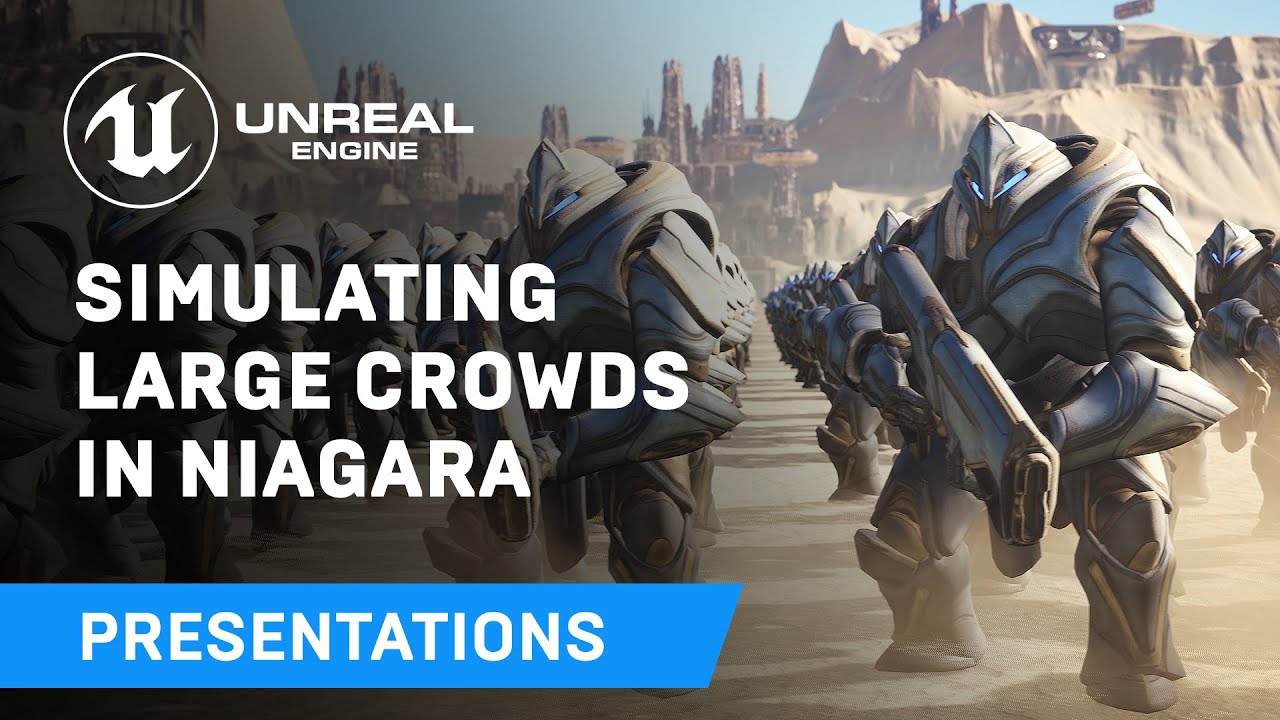
Displaying thousands of characters on-screen in real-time has always been a challenge - until now. Unreal Engine's Niagara visual effects system opens up doors to go far beyond what was previously thought possible and this presentation by Epic's Joseph Azzam showcases how you can utilize the power and versatility of Niagara to create massive cro...
livid ingot
cyan bone
awesome. but this seems to be work arounds because of high quality characters, r...
Oh yeah this is what I was thinking! and i can't say for sure i don't really know the ins and outs of either of these approaches
cyan bone
livid ingot
Oh yeah this is what I was thinking! and i can't say for sure i don't really kno...
it seems the one you posted is more recent and UE5. The niagara technique is super complicated, and i've been postponning it.
cyan bone
tawdry surge
Mixamo characters are way less high poly then meta humans
So does that mean mixamo character is cheaper and less poly than the original mannequin?
livid ingot
sullen needle
So I have a bit of code here where I am trying to cast to the hud component yet ...
What's the unknown class that's it's returning. I usually debug these kind of things by printing out the different class i am trying to cast from first to make sure it's compatible with what im casting to
livid ingot
cyan bone
it seems the one you posted is more recent and UE5. The niagara technique is sup...
well you got a complicated problem my friend haha, handling large number of NPCs on a screen is a complex challenge
sullen needle
livid ingot
What's the unknown class that's it's returning. I usually debug these kind of th...
So within the blueprint is a widget component (displaying a health bar) I am returning that component and getting the health bar ui bp at least thats the theory
cyan bone
livid ingot
well you got a complicated problem my friend haha, handling large number of NPCs...
yup and its the most important thing in the game im making. i think i will try the original mannequin with low resolution textures and low LOD.
sullen needle
sullen needle
So within the blueprint is a widget component (displaying a health bar) I am ret...
That is what status bar widget and status widget component are respectively. The status bar exists within the component which is why I have the get user widget object
livid ingot
cyan bone
yup and its the most important thing in the game im making. i think i will try t...
you're gonna be limited in the number of AI you can have on screen if you use a regular animationblueprint + movemement component + behavior tree
your computer will likely crawl, each of those systems are quite heavy
having more than a few ai characters on screen won't be good
cyan bone
livid ingot
you're gonna be limited in the number of AI you can have on screen if you use a ...
even if they are low poly? should i just go full Doom and use sprites?
sullen needle
@cyan bone the second reply is very helpful for what youre probably trying to accomplish https://forums.unrealengine.com/t/how-many-ai-characters-can-be-supported-on-screen-at-once-rts-possibilities/79919
Unreal Engine Forums
I’ve been pondering over starting a WWII RTS project on the side for a few weeks now and I’d like to hear your input before I start dedicating time to it. I was wondering if anyone has experience with masses of ai? It wouldn’t be on the scale of Total war, more on the side of Men of War in terms of scale. ie perhaps about 150 men/tanks/gun emp...
livid ingot
sullen needle
That is what status bar widget and status widget component are respectively. The...
Okay got it, but the cast is failing. Hmm can you start out by making sure that StatusWidgetComponent is valid? start by ruling some things out
 spark steppe
but that was 5years ago
i think there have been some improvements made in UE since then
like async physics, etc.
cyan bone
sullen needle
<@969845251911073833> the second reply is very helpful for what youre probably t...
I see. The first answer is very demoralizing though. He went through all that effort and can only do 400 units.
Makes me want to go Doom sprites, and just forget about it.
The 2nd answer mentions that the original mannequin is not bad, he says 200-300 units. So maybe i could use the original mannequin for just the close combat units. And the rest are Doom sprites.
sullen needle
livid ingot
Okay got it, but the cast is failing. Hmm can you start out by making sure that ...
Interestingly enough the statuswidget is returned as itself as expected its the get user widget object that is not. So for some reason the component lost the widget 😮
livid ingot
sullen needle
Interestingly enough the statuswidget is returned as itself as expected its the ...
Are you destroying it somewhere?
sullen needle
cyan bone
I see. The first answer is very demoralizing though. He went through all that ef...
It also looks like having a custom movement component will help. From what I remember its really over designed and youd be able to streamline it for many units
livid ingot
Yeah a lot of posts I've read of people doing large amounts of agents at once, have just rolled our their own movement component
livid ingot
livid ingot
Are you destroying it somewhere?
I don't know the exact syntax for what you need but check if there's like a getParent or something like that instead of get user widget object
faint pasture
cyan bone
I see. The first answer is very demoralizing though. He went through all that ef...
It's not the graphics or the polys, its the raw CPU time to process it. Several thousand agents is the type of problem where you wouldn't even be asking how it's done if you're tackling it.
sullen needle
livid ingot
I don't know the exact syntax for what you need but check if there's like a getP...
I found it! Apparently the reference in the component got removed at some point when I was moving around files 😠
Shouldve checked there to begin with! 😛
faint pasture
You are way outside of CMC territory when talking about several thousand agents.
livid ingot
sullen needle
I found it! Apparently the reference in the component got removed at some point ...
Haha nice!
 eternal flax
Is there a way for a component to generate overlap event while stopped? as far as i know it generates that event only when it's in motion
cyan bone
faint pasture
It's not the graphics or the polys, its the raw CPU time to process it. Several...
and @livid ingot . Look at this game done with sprites vs models. It looks quite similar. Maybe i could do that and have loads of units. Or not so fast?
But honestly the model looks better. The sprite looks a bit bizarre, but this game is bizarre itself so
https://www.youtube.com/watch?v=Vb-hPYOIwMw

Models vs Sprites, I prefer the sprites.
livid ingot
cyan bone
and <@174652936947761154> . Look at this game done with sprites vs models. It lo...
The complexity of the models won't be your big concern it'll be things like getting your agents to move and traverse the environment. Those are very costly computations. I recommend looking into using the Niagara simulation for large crowds or better yet, the Mass approach
 past comet
How do I fix this spiral in my skybox?
 faint pasture
past comet
How do I fix this spiral in my skybox?
faint pasture
past comet
How do I fix this spiral in my skybox?
That's not a long/lat texture but you probably have long/lat UVs on your skybox
past comet
faint pasture
That's not a long/lat texture but you probably have long/lat UVs on your skybox
Its a square texture
faint pasture
past comet
Its a square texture
Yes, and your sphere is probably UV'd like a map
You're basically doing the Mercator projection

Do you see the problem?
past comet
faint pasture
You're basically doing the Mercator projection
I'll take a guess, there's shrinkage converting a square to sphere?
so should i use a cube as my skybox instead of a sphere?
faint pasture

You can use a sphere, just need to have a texture that expects that sort of projection
past comet
So is there a easy way to modify my texture in Unreal?
faint pasture
past comet
So is there a easy way to modify my texture in Unreal?
Not sure, but for a naive mapping to a sphere the way you have yours, your source texture needs to be distorted like so

There's probably some node to do the UV conversion for you, ask in #graphics
tight schooner
Yeah maybe there's some triplanar mapping node in the material graph, but fundamentally it's a graphics question
 mellow folio
past comet
How do I fix this spiral in my skybox?
mellow folio
past comet
How do I fix this spiral in my skybox?
I believe you skipped a step in the skybox implementation. I think the simplest solution is to change the settings in the texture itself
I’m not by my computer
But the website you got that skybox from should have a step that solves that
past comet
@mellow folio I don't see anything
I created a spherical uv projection
but I can't figure out how to apply it in the material
cyan bone
The mannequin uses a whole texture for the whole static mesh. I find that very confusing to replicate or alter. is there a tutorial that teaches how to do a new texture for the mannequin? all i found are tutorials that teach how to do one from scratch using blender and or mixamo.
 lapis ridge
- Player script 2. Rig
 open wren
Hey guys, how do i save the direction the camera is facing in an fps game? I can save the transform but it only saves the location not the direction you were facing. Any help on this?
livid ingot
open wren
Hey guys, how do i save the direction the camera is facing in an fps game? I can...
Yeah, get the forwardVector() of the camera
open wren
ohhh alright i’ll try that out thanks
spark steppe
cyan bone
The mannequin uses a whole texture for the whole static mesh. I find that very c...
substance painter or texture painting in blender works
so a application that lets you draw on the 3D mesh
you wont make a new texture with any 2D graphics program, thats for sure
cyan bone
spark steppe
substance painter or texture painting in blender works
got it. thank you
lapis ridge
Hey everyone, I'm attempting to get a blueprint interface working with a control rig, sending it transforms for a full body IK. However the rig doesn't seem to receive the variables. What am I doing wrong?
open wren
livid ingot
Yeah, get the forwardVector() of the camera
what variable do i use to save it in? do i just use a normal vector and save it in there?
livid ingot
just drag off of the output and save it the same way you're doing for your transform, which i assume is just setting it to a variable?
livid ingot
lapis ridge
Hey everyone, I'm attempting to get a blueprint interface working with a control...
i haven't worked with rigs but is that class implementing the interface?
lapis ridge
livid ingot
i haven't worked with rigs but is that class implementing the interface?
The control rig is implementing the interface, and the player pawn is messaging three transforms
open wren
livid ingot
just drag off of the output and save it the same way you're doing for your trans...
yup! now when i load the game do i use set actor transform and add the vector inside it? or do i use a different node to load the direction
livid ingot
open wren
yup! now when i load the game do i use set actor transform and add the vector in...
where are you saving this information? Is it on a game instance or are you using the saveload system

Overview of how to save and load your game
open wren
livid ingot
where are you saving this information? Is it on a game instance or are you using...
save load system
livid ingot
lapis ridge
The control rig is implementing the interface, and the player pawn is messaging ...
hmmm, you verified that information is getting sent through correct?
adding the interface to the receiving end should be all you need...

 livid ingot
yeah that looks all correct to me
for sanity check, could you try and just implement that same interface in a different class and make sure that's working as well
lapis ridge
Okay, 1 sec
livid ingot
open wren
yup! now when i load the game do i use set actor transform and add the vector in...
haha i had actually forgotten what your original problem was. So you're saying setting the transform and then resetting it to the actor isn't actually loading the rotation?
is this a first person, third person game?
If it's third person you might need to also save the transform of the camera itself and then re-assign it? Give that a go
lapis ridge
here's what I tried, still false so it's most likely the interface

(New blank actor)
lapis ridge
Yeah
livid ingot
let me try it
lapis ridge
I'm trying to think of any setting I changed in the interface, don't think so
livid ingot
yeah i don't think i usually change anything either unless something has changed which i very much doubt
open wren
livid ingot
haha i had actually forgotten what your original problem was. So you're saying s...
yeah when i save my player transform and load into the game it doesn’t save the rotation/where my camera was facing
lapis ridge
open wren
yeah when i save my player transform and load into the game it doesn’t save the ...
Might there be something that's setting the transform elsewhere? Like another script that's setting it?
Maybe check the variable's references to make sure
open wren
should i be using get actor transform or get world transform?
i’m using get actor transform
lapis ridge
Not sure, I guess you can try using world instead and see if that works?
World transform is offset from the center of the map, actor transform is offset from the actor
Worth a try
livid ingot
it's not working for me either 
open wren
i tried world transformation and that didn’t seem to work
same results as actor transform
 fast tree
Hello can I ask for help? I'm not sure which wildcard to link to the switchcharacter blueprint to bypass the error.
 lapis ridge
fast tree
Hello can I ask for help? I'm not sure which wildcard to link to the switchchara...
lapis ridge
fast tree
Hello can I ask for help? I'm not sure which wildcard to link to the switchchara...
An actor
The cast checks if an actor is the same class as whatever actor it's casting, so it needs an actor to check
livid ingot
lapis ridge
An actor
are you passing the 'rig' to the 'target' input in your interface function
that's the part i was missing
lapis ridge
livid ingot
are you passing the 'rig' to the 'target' input in your interface function
It's definetely hackjob but I just threw this together
 livid ingot
is ControlRig valid?
fast tree
lapis ridge
An actor
what do i search for in the search bar? I can't seem to find this
lapis ridge
I'm not sure what you mean by searchbar, but you need an Actor variable in the graph, plugged into the node
Here's an example
 fast tree
Yeah I just don't know which to get theres so many to choose
lapis ridge
Well, walk me through what the blueprint does
It looks like when EndChat occurs, you swap characters
So you're checking if X is a switchcharacter, and if it is and it's male, then etc.
If there isn't anything to check it might be that casting isn't what you want to do?
lapis ridge
livid ingot
is ControlRig valid?
Yep, checked with breakpoints
livid ingot
i tried to replicate yoursetup but i haven't touched control rigs lol
i see you have an animation blueprint and get control rig off of that. Do i have to create a control rig for my animation blueprint?
lapis ridge
The control rig is passed after the state machines to add IK afterwards.

It's a very basic animbp. The control rig just moves the skeleton in accordance with the transforms it SHOULD be getting from the interface

I guess control rigs can't take interfaces for some reason
livid ingot
so wait
the control rig is that little node
are you making a class for that control rig?
lapis ridge
The control rig is the asset type, the Full Body IK is a node within the control rig
 livid ingot
okay got it
lapis ridge
I tried implementing the interface in the animation blueprint and then the animation blueprint sends the values to the control rig in the animgraph but it was strangely still empty
livid ingot
lapis ridge
I tried implementing the interface in the animation blueprint and then the anima...
so it got as far as the animBP?
was the data empty at the animBP level or after it went to the controlRig
lapis ridge
Empty at the animBP, similar to the control rig 😦
 wild zodiac
Heya! I have an annoying issue, I'm trying to make a door anim blueprint that opens and closes based off a bool value. In the anim blueprint it smoothly transitions depending on the current position of the anim (can open and close very quickly and will close based off wherever the open position was). But in the actual game it just snaps the the start of the animation when I swap the bool!

Any ideas what might be causing it? 😦
Got me stumped I've made plenty of anim trees for characters... could it perhaps be that this is an actor blueprint in the world not a pawn?
Nothing fancy in the actor blueprint besides a skeletal mesh with a bool
and this is my anim BP graph
 livid ingot
lapis ridge
Empty at the animBP, similar to the control rig 😦
livid ingot
lapis ridge
Empty at the animBP, similar to the control rig 😦
I'm stumped here too
lapis ridge
livid ingot
I'm stumped here too
I'm trying a different strategy, hopefully it works
wild zodiac
wild zodiac
Heya! I have an annoying issue, I'm trying to make a door anim blueprint that op...
Neverminds... Turns out it worked fine when the bool was controlled in-game via in-game code, and didn't like when i was ejected pressing the bool manually on the actor, a little annoying but at least it works!
 rough warren
Question, I have a function that I want some objects to call but they are of different classes. I'm wonderring how I might cast to said objects no matter what type they are
fast tree
Hi I'm kinda stuck rn. I can't get the false branch to work
 cyan bone
I imported a character from Mixamo. How do i reduce its triangles like in the LOD of the original mannequin?
oh i found it. Its in the max triangles in skeletal mesh.
 trim matrix
fast tree
Hi I'm kinda stuck rn. I can't get the false branch to work
trim matrix
fast tree
Hi I'm kinda stuck rn. I can't get the false branch to work
The first thing you do is CastToPrototypeMale. If the OtherActor is of the type ProtypeManiquinMale male, then continue, if the OtherActor isnt of the type ProtypeManiquinMale , the CastFailed execution will trigger, meaning your code will do nothing.
fast tree
trim matrix
The first thing you do is `CastToPrototypeMale`. If the `OtherActor` is of the t...
Okay so how do I fix this?
Been staring at the blueprint for hours lmao
trim matrix

I am not sure why you need this boolean check for IsMale also
pretty sure that will work as well.

 brittle wedge
hey, is there any reason the delta rotator node would start acting up if in tolerance of a certain world axis? (-x)
fast tree
trim matrix
I am not sure why you need this boolean check for `IsMale` also
well i'll be
wow
i'm dumb dumb
Dude
THANK YOU
trim matrix
rough warren
Question, I have a function that I want some objects to call but they are of dif...
I would reccomend placing that function inside of a blueprint interface. Then implement that interface inside of each class.
 maiden wadi
open wren
i tried world transformation and that didn’t seem to work
maiden wadi
open wren
i tried world transformation and that didn’t seem to work
Your likely issue is that Control Rotation is overriding your set rotation. If you're using UseControlRotation on a camera or Pawn, setting it directly won't have any effect as control rotation overwrites it shortly after. So when loading, you'll need to also set the pawn's controller's control rotation.
rough warren
well, the thing is I'd like to call back to that specific item and call a method inside of it
trim matrix
rough warren
well, the thing is I'd like to call back to that specific item and call a method...
Well there is no sort of universal CastTo node. Your two options are A: Blueprint Interfaces. Or B, have each class inherit from a shared parent class. then have that parent class hold the function that needs to be shared among all its children.
rough warren
trim matrix
Well there is no sort of universal CastTo node. Your two options are A: Blueprin...
So currently I have a pickup & drop item system, I would like to be able create different items and have different things they do. So for example, if I press left click from the player, it then sends that event to the item of which the place is holding.
lapis ridge
livid ingot
I'm stumped here too
After hours, I've concluded the problem is that for some godforsaken reason the variables are just being read as 0 after going through the interface, even though they can afterwards be printed out and show something different.
rough warren
I'm just not sure how to incorporate a different items
brittle wedge
rough warren
I'm just not sure how to incorporate a different items
interfaces and names
trim matrix
rough warren
So currently I have a pickup & drop item system, I would like to be able create ...
Both options I stated will allow you to do just that.
rough warren
brittle wedge
interfaces and names
So if I have a blueprint interface how might that work?
trim matrix
You may need to look up how things like interfaces work and it will become apperent when you do.
rough warren
okay thanks
trim matrix
You might also want to look into the idea of Class Inhertence.
You can define functionality on a Parent class. Then each children automaticly get said functionality. The thing is tho that the children are allowed to modify the functionality given to them as well.
So the functionality defined on the ParentClass could be a function called UseItem. Then each child could modify what exactly UseItem does.
lapis ridge
Might anyone know why transform variables will read as 0 0 0 in blueprints but then when printed in blueprints read as their actual position?
I am about to uninstall windows and live a peaceful life in the mountains
livid ingot
lapis ridge
After hours, I've concluded the problem is that for some godforsaken reason the ...
That's wild
Is it only transforms
lapis ridge
No actually, it's also floats
trim matrix
lapis ridge
Might anyone know why transform variables will read as 0 0 0 in blueprints but t...
Ive never heard of a problem like that. Im sure it is just a simple bug with the code.
livid ingot
Or is it to do with using interfaces with the animation systems
rough warren
trim matrix
So the functionality defined on the ParentClass could be a function called UseIt...
Would you know if there might be a way to just set a variable to the specific items blueprint class similar to setting a variable to an actor object
lapis ridge
Right now my player is sending its transform to its animation blueprint. At least that's the goal
Even in the player's blueprint alone it still reads as 000
trim matrix
rough warren
Would you know if there might be a way to just set a variable to the specific it...
Are you talking about changing the defualt values of a given Blueprint class? But for all instances of that class?
rough warren
More like a setting a variable to the specific items blueprint (if that makes sense)
lapis ridge
rough warren
More like a setting a variable to the specific items blueprint (if that makes se...
Blueprint Interfaces sounds like what you want here
trim matrix
rough warren
More like a setting a variable to the specific items blueprint (if that makes se...
I dont know what your exactly asking. To me it sounds like you are asking, can I change the value of a variable on a specific blueprint during runtime? Cause yes there is a ton of ways to do that.
Normaly you just get a reference to the blueprint and directly set the value.
rough warren
That's exactly what i mean
How could I get a reference to the specific items blueprint?
trim matrix
but each blueprint is a different type?
rough warren
yes
Ima go look up some stuff on blueprint interfaces because I feel like i'm over complicating this haha
trim matrix
Like i said, you must either get a reference to the parent class, or use an interface.
lapis ridge
Blueprint Interfaces are basically a group of functions that can be used on multiple blueprints.
They're very nifty
livid ingot
lapis ridge
Even in the player's blueprint alone it still reads as 000
Try reducing the tick rate of your actor and see if you still get all 000s
Dumb question
Nvm
livid ingot
Yeah
lapis ridge
Argh didn't work, thanks for the suggestion tho
rough warren
Ok, so I'm taking a look at blueprint interfaces and I'm not sure how I could do a click detection in the player that then gets info from a directed item
livid ingot
lapis ridge
Argh didn't work, thanks for the suggestion tho
I'm going to bed but let me know if you figure it out
lapis ridge
livid ingot
I'm going to bed but let me know if you figure it out
I'm going to burn my computer and live an honest life in the mountains of Scandinavia, goodbye everyone
livid ingot
Haha
brittle wedge
lapis ridge
I'm going to burn my computer and live an honest life in the mountains of Scandi...
try exposing the transforms in the control rig node and plug em in that way, also maybe try putting the transforms into an output only BPI function and then call that BPI message off tick
all i could think of
trim matrix
rough warren
Ok, so I'm taking a look at blueprint interfaces and I'm not sure how I could do...
Create a function in the interface called, Retreive{Whatever}Infromation. Make this function return {WhateverInformation}. In the item, implement the interface then implement this function as well. Code the function to return the correct information.
rough warren
trim matrix
Create a function in the interface called, `Retreive{Whatever}Infromation`. Make...
My issue is directing the retreive from the specific item
All I have is a actor object of the item

this is in the player
trim matrix
When you click the item, the OnClick event should give you a reference to the Actor that was clicked. Take that reference and from it, call Retrieve{Whatever}Information.
trim matrix
rough warren
All I have is a actor object of the item
Im not sure what that varialbe is needed for or what it represents. Its obvoiusly an item, but what item?
rough warren
So this is my item, when there is a collision it then executes a function inside the player

This is the function, where it executes a method that attaches the item

Then this is where I attach the object
 rough warren
trim matrix
When you click the item, the `OnClick` event should give you a reference to the ...
rough warren
trim matrix
When you click the item, the `OnClick` event should give you a reference to the ...
I'm just not sure how to get to the point of getting reference to what is being clicked
trim matrix
Thank you, code is helpfull.
rough warren
No worries, I should've started off with that
trim matrix
I dont see any ClickingEvents happening in this code.
Are you talking about a OnClickEvent?
or litterly just clikcing the varialbe in the editor or something?
rough warren
trim matrix
None is needed.
How do you mean?
open wren
maiden wadi
Your likely issue is that Control Rotation is overriding your set rotation. If y...
how do i do that?
rough warren
Here I'll say what I plan to do
--Have multiple pick-upable items, such as tools or weapons
--When I left click it then executes what it needs too, so if it's a weapon it'll do damage and for tools I can decide what I want to do
Aboviously I'm far from this but I'm just trying to create a way to decide what to do with different items
 cursive grove
I have a problem i need help with
On Component Begin Overlap will never trigger the BP_component that is attached on my mesh. How can I do this?
I want to have meshes that interact with the character, and I want this 'interaction' to be on a BP component, so I can add it to whatever actor I want
rough warren
And currently, I have a way to figure out what actor the player is holding and attaching it to a bone.
I'm just not sure how to go from a Left click >> Interface >> item >> interface
I just don't know how to call the interface thing to a certain item
trim matrix
Litterly just get the varialbe item and drag off it. Then type the name of the interface function.
no casting or anything is required.
rough warren
don't mind the item_base stuff but I only see cast to

 rough warren
I think so atm, just gonna work on making it actually have info
trim matrix
rough warren
I think so atm, just gonna work on making it actually have info
And wait what? So you have an ItemBase actor??
This ItemBase actor will be the parent for every item????
rough warren
oh no, that's just the name
trim matrix
Why dont you make it the parent? That is litterly what you are supposed to do. Have a parent class called ItemBase, each children then modiftys the ItemBase to do differnet things.
Using interfaces in this situation isnt even the best option.
rough warren
because i'm not too sure how to work with the child
trim matrix
Right click ItemBase in the editor, and click CreateChildBlueprintClass
On the parent (ItemBase), add any varialbes and functions that need to exist on every item.
rough warren
hm k
trim matrix
This probably includes things like UseItem function, ItemID variable, etc
For now just add the UseItem function
The function can do litterly nothing.
You can leave it blank in the parent class (ItemBase)
This is because each child will override the UseItem function to change what it does.
rough warren
I'm just super confused on how I can execute the function inside of the item
trim matrix
Lets take this to DM, no reason to clog this chat.
rough warren
alright
timid thunder
Would anyone know how to rotate arrow component asked on the mouse y axis with some sort of speed variable?
 neat stream
Guys how would calculate the number of byte in a string?
maiden wadi
open wren
how do i do that?
Just call SetControlRotation on the Pawn's Player controller locally where you're setting the pawn's location.
 prisma tree
Anyone knows why my landscape looks like this in the horizon? seems like the flatter the landscape is and the closer the camera is to the ground the worse it looks

This is when I zoom out really far

It´s similar if I just start a new clean large open world project and map as well.
trim matrix
How do i save the Volume slider change?
 gentle urchin
Manually?
In a separate variable
Either directly in a savefile, or via temp in the owning widget
 jagged stone
Is there a way to open level with all cameras completely disabled (so you just see a black screen until a view target is set)?
 undone surge
does the image bind function on widgets work on tick ? like will it be checking for update every tick ? if i wana change it in real time
maiden wadi
jagged stone
Is there a way to open level with all cameras completely disabled (so you just s...
Not exactly. But you can set an immediate Fadeout on the player's CameraManager. It has a StartCameraFade. You can specify black with alpha1. From and To 1.0, and Durration 0.0. and HoldWhenFinished=True. Will lead to the screen displaying as black immediately. Called early enough, the player will never see anything but that. When you're done with it, you can just call the same, but with ToAlpha as 0.
trim matrix
gentle urchin
In a separate variable
ah ye i didnt think about that
jagged stone
What are all these "REINST SKEL" object types, how can I get rid of them?
 icy dragon
jagged stone
What are all these "REINST SKEL" object types, how can I get rid of them?
icy dragon
jagged stone
What are all these "REINST SKEL" object types, how can I get rid of them?
Is BP Lobby Controller inheriting from C++ class?
jagged stone
I'm using Blueprints only. The BP Lobby Controller has an BP_GloballyController as it's parent
Then the BP_GlobalController is parented to the default controller class
undone surge
what would be the best way to change the thumbnail of an equipped weapon based on which weapon is equipped ? i made an array with the images and setting the output of the image bind to each element of the array according to some branched but its giving an error
 trim matrix
This is the code for the volume slider
 jagged stone
These "REINST SKEL" object types seem to come and go, sometimes there are like 100s in the list, then sometimes it's only a few
spark steppe
they are from the BP compiler and probably shouldn't show up at all?!
jagged stone
So it's a bug or something?
 earnest tangle
Are you hotreloading
spark steppe
he doesn't use c++ at all
earnest tangle
Ah
jagged stone
But i'm just wondering if this going to be problem later (like if they keep accumulating)
earnest tangle
Yeah I've randomly seen those when weird shit happens :P
spark steppe
i'm pretty sure that the bp compiler generates those
so for some kind of internal "hotreload"
jagged stone
I'm not sure what hotreloading is, i'm just using PIE new window to preview player
spark steppe
jagged stone
But i'm just wondering if this going to be problem later (like if they keep accu...
can you try to restart the editor and see if they still show up?
the engine may purge them at some point
otherwise maybe delete your intermediate folder (if you don't mind compiling your projects shaders again)
that should get rid of them for sure
jagged stone
I can safely delete the "Intermediate" folder completely?
jagged stone
Also i'm on linux so...seems like there's quite a lot of weird issues
spark steppe
but i'm on linux too, i've never noticed sooo many SKEL references
jagged stone
After restart it's back down to 1, but every time i make a new variable it seems to add another REINST SKEL to the list...oh well i'll just ignore it
sacred canyon
tawdry surge
<@183610049912897536> "predict projectile path" or there's a ballistics plug in
ah nice thanks
spark steppe
i guess it's a bug which eventually got fixed in 5.1
 gritty plover
Is there a way to have a variable in a parent class BP and set a different value for it for each child BP?
gritty plover
Oooh. Thank you!
spark steppe
but guess you have to set them as instance editable in the class where you define them (but don't take that for 100% granted)
tight schooner
I think instance editable is only for the level editor and not class inheritance
I don't have UE open but there might be some flag to protect variables from being changed in child classes
If you want that
 patent ermine
I'm trying to rotate the camera to the normal of the face of an object that is clicked on. On mouse click, I cast a ray from mouse cursor into the world, I get the point of intersection. From here, I take my pawn actors location along with the hit location and try to find a look at rotation, which I use to rotate the pawn so that it faces the normal of the hit point. In other words, the camera should face the point of intersection dead on. Here is a snipped of blueprint. Any help is appreciated. https://blueprintue.com/blueprint/yvaufjb3/
No description provided
tight schooner
@patent ermine I'm confused. You're setting the pawn's location to the hit location?
"find look at" seems pointless if you're also changing the location of the pawn (camera?)
I was expecting something where you just find look at rotation from camera location to target location, and then set camera rotation using the result
without changing the location of anything
patent ermine
@tight schooner Here is a video illustration https://streamable.com/0bysmu

I would like it so that the pawn rotates to the normal of the face that it intersects.
As well as move to that location with a given distance. The move seem to be fine, however rotation is clearly not.
tight schooner
Oic, is your camera on a spaced out springarm?
If you're talking about the surface normal, it'll be one of the other pins... Maybe "impact normal"
on the hit result
Try using that to find rotation
patent ermine
Hmm

Ive tried using impact normal as the target in finding look at rotation. Still not the correct result. Ideally, if i click on a face on this cube, the camera should be looking at that face dead on.
No description provided
Updated blueprint
tight schooner
Use start location of 0,0,0
on the find look at node
Normals are vectors with a length of 1. They aren't in themselves locations
They just point in a direction
If it doesn't work, then switch the start/end pins lol
Cuz surface normals point away from the surface rather than toward iirc
patent ermine
@tight schooner Thanks for the help, that did the trick. Here is the correct result with the above suggested adjustment. https://streamable.com/3ly39w

 naive stag
How can I move down all indexes of the array after I remove one index from array
maiden wadi
naive stag
How can I move down all indexes of the array after I remove one index from array
You usually don't need to. Removing an index will shrink the array for you.
 dreamy yacht
Hi
naive stag
maiden wadi
You usually don't need to. Removing an index will shrink the array for you.
Right well I’m getting this weird bug that I can’t explain, I thought that was a reason

 glass stump
Been trying to figure out what's wrong with it but no mature what I do it just doesn't seem to save. Or maybe the loading is the problem.
 dreamy yacht
and I need to create a widget over every car, that adapts it's size
depending on the distance, that player camera has from that car actor
and the name widget has to be visible all the time - so it has to ignore the mist
etc
 zealous moth
glass stump
Been trying to figure out what's wrong with it but no mature what I do it just d...
zealous moth
glass stump
Been trying to figure out what's wrong with it but no mature what I do it just d...
you have to load the save game from slot and then add values and then save


@glass stump
zealous moth
dreamy yacht
and I need to create a widget over every car, that adapts it's size
this sounds more like a material property you want where you use custom depth rendering and set it to a specific distance from the camera
zealous moth
naive stag
How can I move down all indexes of the array after I remove one index from array
probably make a function when you input an array and an array object and do a for each loop to add all the items except the object to remove into a new local array and output that
jolly cairn
hey sorry for the ping but thought i'd say it's all sorted now, turns out it was because it was toggled to build nanite when importing, thanks for your help yesterday 🙂
 wanton galleon
Hi, does someone know if it is possible to listen to an input event from blueprint with the enhanced ?
 glass stump
zealous moth
you have to load the save game from slot and then add values and then save
glass stump
zealous moth
you have to load the save game from slot and then add values and then save
Ah, thank you, I'll try it out! :)
 lethal briar
Does anyone know the best way to find a specific object in an array? I'm trying to get the transient skeletal mesh from the USD stage to set morph target

 left fulcrum
Hi, so UE4's save game object saves everything as a SAV file, would there be any way of changing this so that its saved as a text file. Its not a huge deal but text files are editable where sav files are not and I would like the option of being able to edit them.
 thin panther
 mental trellis
You could save stuff via json or something.
I'm sure there are uobject to json converters out there.
left fulcrum
a JSON is actually what I meant, but I think I need to go about it differently anyway. I wanted the admins to be able to edit values using commands but that probably shouldnt be done in the file like that anyway now that im thinking about it
cause yeah, cheating
 silk hinge
hello guys,
I would like to a open an asset during the game (a media player) with blueprint by pressing a button is there anyway to open an asset during the game to access it ?
To be more clear What I want to do is
Open this page while I'm playing the game to access the settings into it. https://prnt.sc/LQnuVrKz1jJ5

 thorny rover
Hi! Is it possible to convert whole data table as .json and store it as a string value inside unreal?
 prisma delta
does anyone know how to create this "real" variable type. i don't have it as an option.

it looks like a float. same colour coding.
tight schooner
Real Engine coming soon
prisma delta
so real is just a label. thanks
 marble tusk
They named it Real at one point to distinguish that it's higher precision than UE4's Float, but the rename was just confusing so they changed it back
prisma delta
ok . cool. thanks for that. was scratching my head for a bit.
naive stag
How can I optimise the spawn of multiple objects. When I spawn 100 of actors my game lags, is there a way to optimise that?
tight schooner
naive stag
How can I optimise the spawn of multiple objects. When I spawn 100 of actors my ...
Spawn them gradually over time, or spawn them in advance but hidden and use them when the time comes
livid ingot
naive stag
How can I optimise the spawn of multiple objects. When I spawn 100 of actors my ...
Look into object pooling
naive stag
livid ingot
Look into object pooling
What’s that
tight schooner
It's the name for the technique of spawning them in advance and/or reusing actors instead of destroying and respawning
livid ingot
It's a design pattern widely used for handling the creation/manipulation of large amounts of objects
it's not too hard to implement, im sure there's some unreal tutorial about it
dawn gazelle
thorny rover
Hi! Is it possible to convert whole data table as .json and store it as a string...
Don't quote me on this, but I think the limit for strings is up in the 2 billion characters (Effectively, around 2GB). So as long as your data doesn't hit that, then you should be able to use it.
thorny rover
dawn gazelle
Don't quote me on this, but I think the limit for strings is up in the 2 billion...
Cool, no issue with size. But my question is how to do that. I have DataTable and i know i can export it as Json to external source, but i don't know how to convert the DataTable to json inside the engine and store it as a string value inside some blueprint for example..
livid ingot
thorny rover
Cool, no issue with size. But my question is how to do that. I have DataTable an...
Do you have to do this at runtime? or in the editor
thorny rover
livid ingot
Do you have to do this at runtime? or in the editor
runtime
livid ingot
if it's in the editor, there might be some blutitilies that expose that export to json functionality through blueprints or python
ahh at runtime i don't know but i'd also be interested in knowing if that's expose
thorny rover
livid ingot
ahh at runtime i don't know but i'd also be interested in knowing if that's expo...
there is option to get the column as string, but not the whole datatable as string.. :D
dawn gazelle
There's nothing built-in with blueprints that will convert anything to JSON for you. There is JSON conversion functions available within C++, or there are other plugins you can get that can assist that provide nodes that can be used to generate JSON.
livid ingot
I've heavily used those json plugins for unreal. I thought they now come in as part of the engine in the latest version though, no?
livid ingot
thorny rover
there is option to get the column as string, but not the whole datatable as stri...
I think there might be two options here.
- Go through engine code and figure out how to expose the dataTable -> export json and try and make that work for your runtime usage
- Maybe work with that column/row as string approach you mentioned, and write your own conversion layer to json
past comet
I have this super annoying issue I'm trying to solve. When I run in client mode I get the following log:
Server logged in
Play in editor total start time 0.028 seconds.
Client logged in
Play in editor total start time 0.07 seconds.
Blueprint Runtime Error: "Accessed None trying to read property CallFunc_Create_ReturnValue". Node:  Add to Viewport Graph:  EventGraph Function:  Execute Ubergraph Login Controller Blueprint:  LoginController
My blueprint looks like this.

The error occurs at the part where we Add to Viewport
But there's nothing in the subsequent viewport's BP that seems to address the issue.
 hot lotus
past comet
I have this super annoying issue I'm trying to solve. When I run in **client mod...
hot lotus
past comet
I have this super annoying issue I'm trying to solve. When I run in **client mod...
#multiplayer but I guess the client mode (in 5.0) is spawning a dedicated server in the background. A dedicated server connot have widgets
hot lotus
I don't know what you want to do but I would add a branch with is not dedicated server
livid ingot
your Create Login Widget needs an owning player i think
past comet
hot lotus
I don't know what you want to do but I would add a branch with is not dedicated ...
that solved it I love you!
is the change incase anyone was interested

 thorn gazelle
Hello there, I'm having issues with my data assets getting reset every time I restart the editor (4.27). I've found what I think is similar in the bug tracker (UE-103849
), but this seems to be fixed in 5.x only.
I've had this issue in the beginning of my project after migrating a framework, but it went away after I made a new folder to store the Data Assets in. And now suddenly, it's back. It only applies to Data Assets of 1 parent, all the rest are unaffected.
In the screenshot you can see how it looks after a restart of the engine, while only 1 minute before it was filled with 5 finger requirements and a hand requirement
 thorny rover
livid ingot
I think there might be two options here.
1. Go through engine code and figure o...
thorny rover
livid ingot
I think there might be two options here.
1. Go through engine code and figure o...
@dawn gazelle @livid ingot Hmm, okay, thanks! Too bad that technically unreal has the functionality out there to read/create and export the json, sadly not integrated to receive the result inside runtime, at least understanding from your response. I haven't coded much so i'm just using blueprints, perhaps indeed to work with the column/row approach with a json generating plugin.
hot lotus
thorn gazelle
Hello there, I'm having issues with my data assets getting reset every time I re...
Did you build your project before restarting? Or are you using hot reload?
cursive grove
is there another way to pull objects towards the player? Add force/radial force is in a radius and does not work from a specific transform location.
thorn gazelle
hot lotus
Did you build your project before restarting? Or are you using hot reload?
I'm using just the launcher to start the project, not starting from code, so I'm guessing that's just hot reload?
cursive grove
If I set radial force's radius to something less than 500 it does not pull stuff
faint pasture
cursive grove
is there another way to pull objects towards the player? Add force/radial force ...
Are the objects simulating physics?
cursive grove
yes
faint pasture
Do you know what the units of force in Unreal are? They're tiny
hot lotus
thorn gazelle
I'm using just the launcher to start the project, not starting from code, so I'm...
You are using blueprint only? Or did you make the data asset in c++?
faint pasture
@cursive grove What mechanic are you trying to make?
cursive grove
faint pasture
Do you know what the units of force in Unreal are? They're tiny

I want to pull stuff to my vacuum, when they collide with the transparent mesh
but instead the radial force applies the force around the point.
thorn gazelle
hot lotus
You are using blueprint only? Or did you make the data asset in c++?
I'm using blueprint only, just used visual studio to add a plugin (Oculus lip sync). So the data asset is made in Blueprint, the parent might've been made in C++, that is part of the framework
hot lotus
cursive grove
but instead the radial force applies the force around the point.
Is it possible to have negative radial force? Never tried this before
cursive grove
yea 😄
faint pasture
cursive grove
I want to pull stuff to my vacuum, when they collide with the transparent mesh
Assuming you already have your collision set up right
Tick -> get overlapping actors -> add force
hot lotus
thorn gazelle
I'm using blueprint only, just used visual studio to add a plugin (Oculus lip sy...
I don't know then sorry, you can try to rebuild the project in visual studio to see if it solves it
cursive grove
trying to refrain from ticks, I got interface
faint pasture
How you calculate the force is up to you. I'd start by just doing
SomeNumber x (ItemLocation - VacuumNozzleLocation)
faint pasture
cursive grove
trying to refrain from ticks, I got interface
You don't understand them then. You want to do something every frame, but NOT use tick?
thorn gazelle
hot lotus
I don't know then sorry, you can try to rebuild the project in visual studio to ...
I've deleted all intermediate files and then I had to rebuild .sln and start project from Visual Studio first time, but I didn't rebuild specifically, Ill try that...
cursive grove
faint pasture
You don't understand them then. You want to do something every frame, but NOT us...
I'm calling this while left mouse button is pressed
faint pasture
cursive grove
I'm calling this while left mouse button is pressed
Yeah, how? Either tick or a timeline (which is basically a temporary tick)
There might be some fancy stuff you can do with fields in UE5 but a vacuum effect will be a force added on tick to the objects in the collider.
cursive grove
Checks if the weapon has slots, then if it can be sucked into the vacuum with the interface and then if it collides with the weapon collision mesh. I'm manually setting a boolean if the mouse is pressed
 faint pasture
Show where you apply the force
gentle urchin
Vacuum is included in epics content examples
-ish atleast
With the UFO and the cows
cursive grove
My problem is that even if the stuff are not in the collision mesh, are getting pulled towards the player in RADIUS, I want a specific pyramid cone
 faint pasture
cursive grove
My problem is that even if the stuff are not in the collision mesh, are getting ...
faint pasture
cursive grove
My problem is that even if the stuff are not in the collision mesh, are getting ...
You are giving those objects a 1 frame bump, that's it.
Do like I said
On tick -> Get overlapping components (Stuff in the cone) -> Filter however you want -> apply force
 high ocean
Provided I know that a widget will always include the exact same two child widgets , is there a way to have a function reference them even though they don't exist? Case:
I have a widget blueprint holding various helper/utility functions which set a bunch of variables. I have a set of widgets inheriting from that. Since I can't mess with the parent's widget hierarchy, the parent is empty. I know it will always contain at least the same two children: A & B. I want to make functions that would refer A and B (which don't exist on the parent) and tell them to do some stuff since all widgets inheriting from this one will always contain the two. Any ideas?
gentle urchin
Make a function
For fetching the child widget
Override in child class with the correct child widget ref ?
high ocean

@gentle urchinIt's what I did.
I want MOAR automated behavior 😂
was just wondering if there's any way of doing it
I'm sticking this in every child now 😐

But...wait... Have it ready and called in the parent and override it 🤔
wouldn't that be virtually the same (I need to repeat the operation and provide the proper refs)?
gentle urchin
This is not the same 😄
Atleast not what i ment
But perhaps its not that easy, sorta depends on the usecase
Youd need an array of child widgets I think, for making it truly automated(?)
high ocean
So chilld !could contain some other stuff, but these two are set in stone. But since it could contain other stuff, I can't nest the two in the parent & mess with the hierarchy in the children.
Damn, it's so functionally limiting that you can't at least add to the widget hierarchy in children 😐
high ocean
gentle urchin
Youd need an array of child widgets I think, for making it truly automated(?)
But what do I feed in it? the parent doesn't know there will be the two widgets in there. Also thought about getting the variable "by name". Turns out that isn't so easy either, not for classes in any case
or wait...
an array of widgets would allow me to feed it the classes. I'll actually try that (won't probably work but yea). Actually they're different classes so nvm 🤦♂️
Anyway, it's "luxury" stuff, so I'll just manually do the 5 widgets 🤣
thanks tho @gentle urchin! 🙂
gentle urchin
Well you'd need to get them generalized i suppose , in one way or another
The parent would return nothing
 dapper marsh
is there any way to know where my inputs are being consumed? I'm trying to do something with MouseWheelUp but I think the input is being consumed somewhere else...
 cobalt gulch
How can I slow a players movement gradually over time if they are in an area of effect (collision) and make their movement go back to what it was after leaving over time
cobalt gulch
cobalt gulch
How can I slow a players movement gradually over time if they are in an area of ...
My question is kind of about multiplayer players but it works for both i think
high ocean
@cobalt gulchBeginOverlap -> get overlapping actor, if player, call a function on the player that sets it's movement speed to desired speed. End overlap, call the function again with default values.
cobalt gulch
high ocean
<@213979297000456193>BeginOverlap -> get overlapping actor, if player, call a fu...
Is there a way to do this with a timeline?
high ocean
@cobalt gulchyea, call an event that starts a timeline which reaches the desired speed over time 🤷♂️
so an event instead of a function (so it can contain a timeline)
cobalt gulch
Is there any way to check if a boolean is true false, but condense them all into a smaller function
high ocean
you implement it on the player. I recommend using a normalized value and do some math instead on the max movement speed on the player since maybe you'll want values to differ between volume types
high ocean
cobalt gulch
Is there any way to check if a boolean is true false, but condense them all into...
I don't understand the question.
cobalt gulch
high ocean
I don't understand the question.
Branches take up a lot of space, and i use the same code a lot
Any way to condense that ?
But still check a branch
high ocean
yes, by generalizing your code lol. Other than that, no, not really xD
cobalt gulch
Huh?
high ocean
if you use the same copies of code in many places, you are doing something wrong and not generalizing design enough
faint pasture
cobalt gulch
How can I slow a players movement gradually over time if they are in an area of ...
In multiplayer that's a very tough thing to get perfect vs singleplayer
short reef
So I added a blueprint as a child of another blueprint, but I can't access any of its functions from the parent blueprint
high ocean
faint pasture
In multiplayer that's a very tough thing to get perfect vs singleplayer
🤔 actualy right... Didn't think of that. Then again I suck at MP 😂
cobalt gulch
high ocean
if you use the same copies of code in many places, you are doing something wrong...
Thats why I need to know how to condense the code so i can use it elsewhere without remaking it all
high ocean
but this depends on design and comes with experience both in developing overall and project-specific. There is no "way" of doing it.
cobalt gulch
Cus i tried a function which technically is working but it doesnt check through the branches
high ocean
From inheritance to function/macro libraries, exposing vars on spawn/as pins on functions/events/event dispatchers/interfaces, sky is the limit...
depends on specifics...
cobalt gulch
i need something which can check through branches
candid geyser
How would I go about finding the top something?
Like say I wanted to find out where the top of a wall is, so that the game can determine if it's too tall to mantle or not
zealous moth
candid geyser
How would I go about finding the top something?
use get bounds i'd say
candid geyser
zealous moth
use get bounds i'd say
I was thinking about that node but I wasnt sure what it did
zealous moth
but typically mantling uses the player character and a series of tracing
tawdry surge
You can do that but it's not guaranteed to be accurate
zealous moth
yeah scaling messes it up usually
tawdry surge
You might be better tracing up-ish and if the trace hits then the wall is too tall
zealous moth
lemme get you a drawin
candid geyser
Well right now I have a trace determining if the wall is too tall to mantle or not
zealous moth
 candid geyser
I see what you mean, but I also want the player to be able to mantle things that are also just above their head
zealous moth
yeah, so trace there
cobalt gulch
cobalt gulch
i need something which can check through branches
guys?
candid geyser
Wait actually I m i g h t see what's happening here
zealous moth
what's up?
candid geyser
zealous moth
The arrow pointing to the box, would that be a vertical trace, and then the hit would determine where the top is at?
Because that's what im seeing
zealous moth
well, let's break it down with what you want and what mantling is
you want to check:
- there is an obstacle in front
- there is space on top to mantle
- there is a surface to mantle on
so you do 3 trace checks
candid geyser
Yeah
zealous moth
if you want to climb up, what should you check for?
and right now this is 2D, so if you ever want to do it 3D, you will need more checks depending on the logic
tawdry surge
@cobalt gulch you can use an AND operator to cut down on branches
You could put them in a function or macro and just pass anything else you need as an input
You could restructure your code with enums and rely on switches
Etc..
Lotta things you can do, just depends on your specific needs
candid geyser
Well its a 3D area im working in
I was just thinking that I could possibly only have to do ONE vertical line trace to determine that
- The wall is climbable
- The wall has a top the player can reach
And the a Capsule Trace which makes sure
- The top has enough room to climb up
candid geyser
candid geyser
I was just thinking that I could possibly only have to do ONE vertical line trac...
@zealous moth Do you think this could do the trick?

This is kind of my idea
 raw orbit
having some weird issue with my anim montages turning to slow mo even though its not about the playrate. i put this code in and a print string always reports play rate is 0.8

any idea what could affect a montage's speed other than play rate? 
candid geyser
candid geyser
One line trace that, if theres a hit, the hit will always be on top of the object, and then wherever the hit is, it draws a capsule trace just above it to make sure there's room to climb
candid geyser
raw orbit
any idea what could affect a montage's speed other than play rate? <:pepeeyeroll...
If I remember correctly, .8 means that the montage is playing at 80% of its normal speed
raw orbit
yeah, it is. i made it play at 0.8 cause the default montage is too fast
thing is it goes into like super slo mo, like 0.2 speed randomly.
its not consistent
candid geyser
Hmmm
raw orbit
sometimes it plays at intended speed sometimes not
candid geyser
Hmmm..
raw orbit
dont have this strange issue with some other montages, like attack montages, just the dodge ones
a real mystery lols
candid geyser
Are you sure it isnt to do with the actual montage itself?
raw orbit
it might but im not sure what setting might be making it move at different speeds randomly. or maybe the animation
candid geyser
Okay so I forgot how to make something trace straight ahead
raw orbit
a line trace? a box trace?
candid geyser
Line or Sphere
Right now im doing a sphere but a line trace would be better
Problem is I tried a few methods and the line wont show up :'D
Wait I think I got it
Fuck man it just refuses to draw the line trace
I dont even know if it's doing it
GOT IT
ITS TRACING
Now I just need to figure out exactly to offset the start of the trace a little so it's a bit in front of the player
Anyone have any suggestions?
Actually I have an idea again
tawdry surge
Same way you offset the end
World location + (direction * offset distance)
raw orbit
candid geyser
Line or Sphere
are you building an 'interactor' of some sorts so the player can detect objects in front of em?
candid geyser
raw orbit
are you building an 'interactor' of some sorts so the player can detect objects ...
Nah, it's just a system so that the player can mantle up objects that are short enough
raw orbit
oh okay well my interactor codes looks like this but maybe its not what youre looknig for

a bit messy maybe, im going to move it to cpp eventually once i understand how to odi t there
candid geyser
Im not sure what the multi sphere trace does
I assume it just tracks multiple hit locations
raw orbit
yeah
candid geyser
But I tried it once and I only tracked one at a time still
tawdry surge
It returns an array of all hits
candid geyser
Will it visually show all hits or just the most recent?
tawdry surge
You need to loop through to interact with all of them
candid geyser
Oh
raw orbit
i dont remember why i didi t like this anymore, maybe its not necessary.
zealous moth
candid geyser
what is T2???
 sleek kite
Hey, any idea on how I could query an API from URL to get the data?
Example - Would like to be able to get this to engine and convert each entry to string
candid geyser
zealous moth
what is T2???
Capsule Trace
 frail meadow
is there a way to see the user's graphics card with blueprints?
zealous moth
you could do a capsule trace, I used a regular line trace
candid geyser
Ooooo okay
I just wanna do a capsule trace to make it easier to fit the dimensions
zealous moth
try to keep it to simple shapes 😉 box is another good alternative
candid geyser
Im gonna do a quick drawing of what the trace looks like so far

Does that make sense?
The first one making sure we're touching the wall and the second making sure it isnt too tall
Actually
The horizontal trace can probably go
Since the second one would confirm both that we're on a wall as well as that we're on top of it
faint pasture
Yeah just do a vertical one from MaxMantleHeight to MinMantleHeight
candid geyser
Would it be possible to put a capsule trace on the hit location?
To confirm that the player has enough space to actually be able to climb up without falling down
faint pasture
You just trace from an upper limit to a lower limit.
If the trace time is 0, it's too tall.
If it's 1, it's too short
if it's somewhere in between, the character will fit and you can mantle there
candid geyser
Is that what Out Hit Time is for?
faint pasture
It's for whatever you want but yes it tells you the percentage along the trace the hit was at
zealous moth
candid geyser
you need 1 more to make sure the height is good
candid geyser
Cause I wont lie, when splitting the struct for a trace, I dont know what 35% of them mean
raw orbit
apparently my partner ididnt tell me he was experimenting with some 'bullet time' feature and time dilation
communication is key
candid geyser
faint pasture
It's for whatever you want but yes it tells you the percentage along the trace t...
Ohhhh so if the hit was say, 20% down the line itself, what would the float value be? 0.2?
candid geyser
zealous moth
you need 1 more to make sure the height is good
On it!
faint pasture
candid geyser
Ohhhh so if the hit was say, 20% down the line itself, what would the float valu...
ye something like that
candid geyser
faint pasture
ye something like that
Huh, that's neat! But im not sure as that would work for this scenario
Because I wanna make sure the area above the trace is what has enough room for the player to fit
faint pasture
Sure it would, you're trying to detect when you're in a mantleable scenario
faint pasture
candid geyser
Because I wanna make sure the area above the trace is what has enough room for t...
Capsule trace
if the capsule fits at a time > 0, then by definition, they'll fit
candid geyser
faint pasture
Capsule trace
Yup that was the plan! I was a little confused for a short second haha
Well the line trace doesn't go from the players feet to the top of his head
It starts just above his head and ends right below the waist
I was thinking about making it so that the capsule is made just above where the hit occurs
Wait wait wait wait wait
If the line trace is completely inside of a wall, it wont detect a trace anyways will it?
faint pasture
@candid geyserDo a capsule trace
candid geyser
Yeah I mean for getting the top of the object
candid geyser
candid geyser
If the line trace is completely inside of a wall, it wont detect a trace anyways...
For here
faint pasture
A line trace won't detect if it starts inside of something I'm pretty sure.
Not 100% sure on that though, and it'll depend on what the thing is maybe
faint pasture
I would just start by doing a capsule trace on tick with debug on to see how it's behaving. Later you can only do the traces when needed.
candid geyser
Oh I have it so that it does a persistent trace whenever the action key is pressed
faint pasture
Yeah that can work.
candid geyser
I can see what's going on so far and I can thankfully confirm that so far, it's doing what I want it to do

So this is whats happening so far
No capsule trace yet
The blue line is simply because at that point, the player would have to fully extend their arms to climb up
mental trellis
I would have used a box trace myself, so you can check the width too
candid geyser
mental trellis
I would have used a box trace myself, so you can check the width too
What do you mean?
The width of what's being climbed isn't necessary in this case haha
 desert juniper
candid geyser
The width of what's being climbed isn't necessary in this case haha
desert juniper
candid geyser
The width of what's being climbed isn't necessary in this case haha
This might be an interesting watch if you have some time
https://www.youtube.com/watch?v=uikbLyi-cug

In this 2018 GDC session, Techland's Bartosz Kulon shares the colorful story of how movement, running, and climbing was implemented in Dying Light.
Register for GDC: https://ubm.io/341ZiaZ
Join the GDC mailing list: http://www.gdconf.com/subscribe
Follow GDC on Twitter: https://twitter.com/Official_GDC
GDC talks cover a range of development...
mental trellis
Yes, but if you're mantling, you need a hole of a certain size.
desert juniper
they talk about their climbing mechanics, and the checks they did to test if the player has enough height above them, in front of them, etc
mental trellis
 candid geyser
desert juniper
This might be an interesting watch if you have some time
https://www.youtube.com...
candid geyser
desert juniper
This might be an interesting watch if you have some time
https://www.youtube.com...
Oh it's not parkour based haha, definitely has some similar mechanics though
mental trellis
If anything is triggering inside that red box, you're not gonna mantle.
candid geyser
mental trellis
Oooh I get what you mean now
candid geyser
That way you can not only mantle on TOP of stuff, but through them as well
mental trellis
No, you do a secondary check at the end to see if there's a floor.
If there is, you stand up, if not, you drop down
desert juniper
candid geyser
Oh it's not parkour based haha, definitely has some similar mechanics though
yeah, though they're talking about parkour, a large section of the video is just about climbing/mounting mechanics
It's kinda just a general tech talk overview though, but may help get some ideas flowing
candid geyser
desert juniper
yeah, though they're talking about parkour, a large section of the video is just...
How wait is that an actual Unreal Engine video?
This game is third person by the way haha
desert juniper
i don't know actually, but doesn't matter
and doesn't matter that it's 3rd person. the mechanics should all still be the same
mental trellis
 candid geyser
Oh that video is talking specifically about Dying Light
candid geyser
mental trellis
Wait so what exactly is this meant to be for?
zealous moth
does checking for class type not take into account if it is a child of the same class?
 desert juniper
candid geyser
Oh that video is talking specifically about Dying Light
desert juniper
candid geyser
Oh that video is talking specifically about Dying Light
yes, explaining how they did it. like i mentioned, you should be able to pick up on some tricks
mental trellis
Mantling up to a surface and then either dropping down afterwards (vaulting) or standing on top (ledge grab etc)
tight schooner
zealous moth
does checking for class type not take into account if it is a child of the same ...
I actually don't know via "get class", but I know a cast-to parent class will work
desert juniper
zealous moth
does checking for class type not take into account if it is a child of the same ...
a simple cast is the way to go
just cast to the parent class
candid geyser
desert juniper
yes, explaining how they did it. like i mentioned, you should be able to pick up...
I would hope so! Im getting better at using Unreal Engine, but im still learning haha
desert juniper
candid geyser
I would hope so! Im getting better at using Unreal Engine, but im still learning...
ah okay, yeah it's just a general overview tech talk. nothing specific, and not a tutorial.
while nice to watch, agree that it may not be super helpful if you don't yet know the engine tools.
Still reccomend a watch when you have some free time and learn more
Once you learn more of unreal's tools, you'll be able to determine how to build these mechanics on your own without specific tutorials
candid geyser
mental trellis
Mantling up to a surface and then either dropping down afterwards (vaulting) or ...
So im assuming the top trace would be a hang, the middle would be the mantle, and then the bottom one would be to drop down, to hang down.
candid geyser
desert juniper
ah okay, yeah it's just a general overview tech talk. nothing specific, and not ...
I still think the video would be useful in terms of learning how certain things were done
That way you at least have an idea for how to go about it if you wanted to replicate it in Unreal
mental trellis
candid geyser
So im assuming the top trace would be a hang, the middle would be the mantle, a...
In colours, dark blue could be a hang or an "I have to lower my head" animation (fit through the gap). Red would be a "Can I get through this gap?" Green is "Is there something to vault over?" Light blue would be "Is there something to stand on when I've finished vaulting? Do I have to stand up on top of something (like a box) or drop down to the floor again?"
candid geyser
mental trellis
In colours, dark blue could be a hang or an "I have to lower my head" animation ...
Damn, I thought I was close
mental trellis
To be honest, depending on your animation, the dark blue should be as long as the red one, so you head never goes through a potential ceiling.
And if dark blue and light blue are both triggered, you need to end in a crouch.
candid geyser
mental trellis
To be honest, depending on your animation, the dark blue should be as long as th...
I honestly dont have many animations at all, and what animations I DO have are currently just assets
Im not good enough at animating to create anything decent looking
mental trellis
Then you don't need a long blue animation, just don't let somebody vault through a low gap.
 quasi steppe
I'm trying to make a chunk system like in minecraft, but I don't know where to start, how can I do it. Is there a channel or documentation you can recommend?
mental trellis
- learn cpp 2) profit
If you want to create something like Minecraft, it's gonna be a challenge in BP.
candid geyser
mental trellis
Then you don't need a long blue animation, just don't let somebody vault through...
Well, when it comes to low gaps, the player will essentially have a feature where if you're crouching, and approach a gap that is too low to crouch under, but low enough to crawl, then the player will automatically enter a crawling state to fit that gap. And of course once there's room to crouch again, the player will stop crawling.
mental trellis
What I meant is, low gaps when vaulting.
candid geyser
But you very much brought the issue to my attention where you wouldnt be able to crawl THROUGH a hole
mental trellis
E.g. a small space above a box that you could squeeze through if you did gym for 20 years.
candid geyser
Not crawl, mantle*
candid geyser
mental trellis
E.g. a small space above a box that you could squeeze through if you did gym for...
Yeah
Thanks for showing me that issue haha
mental trellis
No worries.
candid geyser
I didn't even think about potentially having to go through a hole
flat coral
I've got a physics-based pawn that's supposed to enforce a max speed by gradually zeroing-out forward thrust as it approaches maximum speed, and applying a gentle backward force if it exceeds max speed.
The problem is, rather than gently slowing to maintain max speed, the moment it would apply backwards thrust it instead suddenly stops dead. Like the velocity becomes 0,0,0. I don't understand how it's even POSSIBLE to achieve full zeros by using AddForce, let alone by accident. Why is my pawn suddenly stopping?
Here's logs of the thrust and velocity, plus the length of both of those vectors (which is clearer I think). You can see how the thrust gradually decreases as we approach max speed, then SUDDENLY the velocity hits 0.
thrust=X=0.857 Y=-31.600 Z=0.462,    vel=X=-1.946 Y=-612.086 Z=43.451,     tlength=31.615,     vlength=613.629
thrust=X=0.779 Y=-28.701 Z=0.420,    vel=X=-1.917 Y=-613.139 Z=43.466,     tlength=28.715,     vlength=614.681
thrust=X=0.710 Y=-26.171 Z=0.383,    vel=X=-1.891 Y=-614.094 Z=43.480,     tlength=26.184,     vlength=615.635
thrust=X=0.643 Y=-23.709 Z=0.347,    vel=X=-1.868 Y=-614.967 Z=43.493,     tlength=23.72,         vlength=616.506
thrust=X=0.585 Y=-21.569 Z=0.316,    vel=X=-1.846 Y=-615.756 Z=43.504,     tlength=21.579,     vlength=617.294
thrust=X=0.532 Y=-19.596 Z=0.287,    vel=X=-1.827 Y=-616.475 Z=43.515,     tlength=19.606,     vlength=618.011
thrust=X=13.555 Y=-499.561 Z=7.310,    vel=X= 0.000 Y=0.000 Z=0.000,         tlength=499.798,     vlength=0
thrust=X=12.997 Y=-479.016 Z=7.010,    vel=X= 0.452 Y=-16.645 Z=0.244,     tlength=479.243,     vlength=16.653
thrust=X=12.525 Y=-461.597 Z=6.755,    vel=X= 0.885 Y=-32.611 Z=0.477,     tlength=461.816,     vlength=32.626
thrust=X=12.132 Y=-447.144 Z=6.543,    vel=X= 1.302 Y=-47.995 Z=0.702,     tlength=447.356,     vlength=48.018
thrust=X=11.794 Y=-434.679 Z=6.361,    vel=X= 1.707 Y=-62.900 Z=0.920,     tlength=434.886,     vlength=62.93
 flat coral
I know how to party.
candid geyser
with words?
flat coral
sure.
 copper bison
felt like a glitterbomb went off :p
candid geyser
Im gonna be honest im too afraid of C++ to even try learning how to use it
flat coral
Also I like to think I'm generally pretty okay at unreal, especially blueprints, and what that means is by the time I gotta come here for help I have a whole fucking chain of debugging I've already done
mental trellis
flat coral
Also I like to think I'm generally pretty okay at unreal, especially blueprints,...
Are you using AddForce in tick?
candid geyser
Despite having plenty of knowledge in JavaScript and even some in Lua haha
flat coral
mental trellis
Are you using AddForce in tick?
Yeah
candid geyser
C++ still just looks scary to me, I would have no idea where to begin with it
mental trellis
Definitely not AddImpulse?
flat coral
You can see the AddForce in that BP screenshot
flat coral
Lol I legit just crashed unreal somehow. Be back in a minute!
desert juniper
candid geyser
C++ still just looks scary to me, I would have no idea where to begin with it
CPP and any other oop language is going to my muuuuch different than JS
It's going to basically feel like learning to program all over again
I wouldn't personally recommend learning CPP as your first OOP/statically typed language right away
candid geyser
I mean I know that most coding languages have some similarities that you'll be familiar with quickly
Like opening and closing brackets and basic stuff
But C++ is just
S c a r y
mental trellis
c++ isn't scary.
desert juniper
that's like saying other languages are easy to learn because words in other language have capital letters too
lol
mental trellis
c++ isn't hard, if you pay attention!
candid geyser
mental trellis
c++ isn't scary.
I just find it intimidating because there's so much happening from my point of view
mental trellis
Algorithms are hard, unreal is hard.
But that's true in any language.
c++ just has a few extra features that you mostly don't need to care about for the first 5 years you're using it.
candid geyser
Looking at C++ code for the first time, even if it's just a few lines of code to make one instruction, I usually just get slightly overwhelmed
mental trellis
(okay, it has a few features you need to learn about right away too, but still)
So start with the basics. Do some tutorials on learncpp.com and find out what it all means.
candid geyser
Probably because I've been learning programming for 3 years now, and I hate when I look at code and cant at least have a good idea as to what's going on
mental trellis
The difference between . and -> What a pointer is. What a class is. Etc.
candid geyser
Unreal is hard? As in like, Blueprints?
Cause that's how I've been using it so far
desert juniper
what do you need C++ for?
Are you working on a large game with a team?
or running into performance issues?
mental trellis
Making any game in UE is hard. It's hard in any engine. It takes a lot of work and perseverance.
desert juniper
C++ in unreal is best used if it's your game base, and your blueprints derive from it
candid geyser
mental trellis
Making _any_ game in UE is hard. It's hard in any engine. It takes a lot of work...
Yeahhh..
desert juniper
not so much to just add in and randomly sprinkle here & there
mental trellis
At least you aren't making an MMO or trying to create landscapes in blueprint.
desert juniper
id you don't feel like restarting your entire project, I'd recommend just sticking with BP
candid geyser
desert juniper
what do you need C++ for?
Are you working on a large game with a team?
Other than just wanting to get more skilled, I also have been told that there's certain things in C++ that are easier to do than if you're using Blueprints
desert juniper
'easier'
math sure is. algos can be as well
but everything else is easier in BP imho
candid geyser
desert juniper
id you don't feel like restarting your entire project, I'd recommend just sticki...
Yeahhh maybe ill just start a side project someday using some C++ haha
mental trellis
Being able to use predicates/function pointer is fantastic.
desert juniper
oh and multiplayer is 'better' done in C++ than in BP imo
candid geyser
But so far Blueprints have come off as overall better to work with
To me, I dont see many reasons to write an Unreal Engine game all in C++
mental trellis
Shouldn't do it all in cpp.
candid geyser
Blueprints are just generally faster, and easier if you ask me
mental trellis
cpp should do the heavy lifting, bp should do the decoration.
candid geyser
Honestly my #1 concern is definitely performance
I wanna make sure the game is as nicely optimized as possible
mental trellis
If your game has any kind of graphics beyond a text adventure, it's highly unlikely that cpp will make things better for you.
desert juniper
candid geyser
To me, I dont see many reasons to write an Unreal Engine game all in C++
Reasons for CPP in my biased opinion:
Working on a game that requires performance highly performant code?
Working on a large game?
Working on a game that's gonna have a large focus on multiplayer?
Working on your second/third + game?
Working on a professional project?
Working on a game with a small+ sized team?
Working on a game with intricate game mechanics?
mental trellis
Unless you BPs are really bad or your levels/actor count is massive
candid geyser
But I know that optimization is more something to worry about much later in development
candid geyser
mental trellis
Unless you BPs are _really_ bad or your levels/actor count is _massive_
Uhhh do you have an example for what a really bad Blueprint looks like haha
Cause im pretty confident mine is messy
mental trellis
@toxic jay got that division screenshot handy? 😛
candid geyser
Not like a total disaster, but im pretty sure it could be cleaned up