#blueprint
402296 messages · Page 905 of 403
 hallow gate
Oh god...
I just realised that I also adjust by 5
This is about to increase in scale by about 100
LOL
 astral epoch
 dapper marsh
I see them going right through the collider
dapper marsh
I see them going right through the collider
Show me the code you're using?
 tawdry surge
I think you wanna look into select nodes also.. help clean that up alot
dapper marsh
yes hold on
dapper marsh
astral epoch
Show me the code you're using?

No description provided
the sphere is the projectile collider
I mean, I know I'm messing up somewhere, the question is where lol
astral epoch
Show me your viewport for the projectile? I want to see this sphere collider.
 astral epoch
Use "On component begin overlap" rather than "component hit"
dapper marsh
nope, same
 spice imp
Oh yes, I found the answer in the engine source. There's more documentation in the comments in the source code than there is in the documentation. You have to plunk down a ConfigureMaterialsSet node, then plug a MakeArray into the input. Then you can add as many entries as you want and drag materials onto them
astral epoch
On the projectile, set your actor/pawn/character to "overlap" rather than "block"
 formal parcel
before i write it all manually... is there a way to know if an actor is "touching" another?
at present state
astral epoch
You should be able to check all collisions
formal parcel
not like a hit event
astral epoch
"Get Overlapping Actors" outputs an array of actors. You can test to see if the other character is in that.
Should work.
formal parcel
they wont be overlapping at this point
just share an edge location
they were overlapping, then were adjusted
astral epoch
It should still show up as overlapping in this case I believe?
formal parcel
these are not awake
so i spawn some stuff and move em to fill an area

so then after all of those are not awake
dapper marsh
astral epoch
"Get Overlapping Actors" outputs an array of actors. You can test to see if the ...
Jesus Christ it's Jason Bourne IT WORKS!
formal parcel
i dont believe they would be coliding?
astral epoch
dapper marsh
Jesus Christ ~~it's Jason Bourne~~ IT WORKS!
I mean that wasn't aimed at you but heyho
astral epoch
formal parcel
i dont believe they would be coliding?
No idea.
dapper marsh
Thanks a lot @astral epoch hahah
formal parcel
no, nothing is overlapping at this point @astral epoch
looped through em all, nothing
formal parcel
eh i guess i gotta write it myself
just checking if their bounds are touching basically
maybe a tiny threshold
 wraith crane
Simply question, how can i cast to widget?

 low marlin
how do i make a scene capture 2d and make a material use its target
 formal parcel
just set a variable and have the widget reading the variable for the size...
wraith crane
formal parcel
just set a variable and have the widget reading the variable for the size...
i try this before but this dont work too
 unkempt pawn
Ok, so.. I really dont know if this is the right place for this but I made a transforming mechanic, which now finally works if you do netmode client with 2 it works and matches, but if its netmode listen server the I assume host it is backwards. What is the possible problem or does it not matter?
hallow gate
@dapper marsh @obtuse herald I'm a freaking genius and a freaking dumbass, ALL I had to do was CLAMP the dang numbers
Then they couldn't exceed the bounds of the scale box even if they wanted to and naturally normalise to 0
By getting my current zoom and calculating the maximum allowed values of X and Y (and minimum) I could feed in the current position of the widget in comparison to the zoom and force it to translate to the regular number!

VICTORY IS MINE
wraith crane
formal parcel
just set a variable and have the widget reading the variable for the size...
this isnt work and give me this error
Blueprint Runtime Error: "Accessed None trying to read property croshaar ref". Node: Croshaar Set Size Graph: EventGraph Function: Execute Ubergraph WG Options Menu Blueprint: WG_OptionsMenu
 obtuse herald
hallow gate
<@179988425250701313> <@173083707962294272> I'm a freaking genius and a freaking...
obtuse herald
hallow gate
<@179988425250701313> <@173083707962294272> I'm a freaking genius and a freaking...
Nice to hear you found a clean way to implement it
hallow gate
May my suffering serve as a lesson haha
formal parcel
so... did you read the error?
formal parcel
UE disagrees
wraith crane
how can i set it up?
hallow gate
Hang on @low marlin, clarifying
You want to capture a scene and render it onto a material yes?
low marlin
yes
hallow gate
I've got just the thing, one second
low marlin
but do it using the level blueprint
ik how to do it normally but idk how to use the blueprint to do it
unkempt pawn
unkempt pawn
Ok, so.. I really dont know if this is the right place for this but I made a tra...
Should this be here or #multiplayer ?
low marlin
hallow gate
Have you set the default material?
i think
hallow gate
Make sure this is set
 low marlin
i have this atm
 low marlin
hallow gate
Make sure this is set
low marlin
hallow gate
Make sure this is set
can i make targets using the bp
low marlin
hallow gate
Ahh you're creating one from scratch?
yes
because i need to make many of them
hallow gate
Uno momento
I'm a newbie too so it might take a sec
From the return value, set a "Print Target"

You'll have to create the materials before the game launches though
"Print_A_Render" is a material I made in advance
low marlin
will all things using the target be the same
hallow gate
Create however many you'll need and put them in an array to make it easier to use
Yeah, because you're creating the scene capture and then outputting which scene capture it is at the same time
In theory anyway, I've not tested it

Like this
Then make the texture target read from an array of materials and +1 to the array every time to make sure it selects the next one
low marlin
idk what im doing
 hallow gate
wraith crane
how can i set it up?
hallow gate
wraith crane
how can i set it up?
Is your widget created in game already or attached to your player?
wraith crane
yes, in level blueprint
hallow gate
low marlin
idk what im doing
I don't have the time to set it all up for you man, I'm working on my own stuff :/ Look up how arrays work and how you can create materials using them and work from there
low marlin
ok
 hallow gate
wraith crane
yes, in level blueprint
hallow gate
wraith crane
yes, in level blueprint
Okay, cast to the owner of the widget (IE what actor it's sitting on or level) THEN cast to the widget inside of it by targeting the widget and getting it

It's a convoluted way that oddly works
wraith crane
ok i try
hallow gate
So you cast to the owner of the widget and then cast to the widget inside the owner
Then if you're crazier like me, which I did, cast to the widget inside the widget
Hehehe
unkempt pawn
Did my question make sense or do I need to redo it?
 gentle urchin
Well, pawn or no pawn, it spawns a cameraActor for you instead
wraith crane
hallow gate
Okay, cast to the owner of the widget (IE what actor it's sitting on or level) T...
did you mean something like this?

(I'm a noob user of the unreal engine, but I'm just learning something)
gentle urchin
the char will never be a widget
hallow gate
wraith crane
did you mean something like this?
No, drag off "BP_FirstPerson" and search for the widget with "Get Widget" and put that in the widget

 hallow gate
Wrong side
 flat coral
Is there a way to draw a sorta debug marker at a location in-game
Given a vector location?
gentle urchin
DrawDebugX*
flat coral
F yesss glad I asked
gentle urchin
 hallow gate
Event Tick > Cast to BP_FirstPersonCharacter (with get player character), then drag off from "As BP First Person Character" and search for "Get Widget" and select the widget you're trying to influence
hallow gate
wraith crane
now there is error
^
wraith crane
ok now i try
 tawdry lava
If I use SpawnActor to spawn a LevelInstance actor, how can I set its properties, like the Level it instances?
wraith crane

if i unclick the context sensitive i can drop the "get widget" node put i cant pug it with "as BP First Person Character"
i dont know what i doing wrong
 hallow gate
That'll work as long as you're not also spawning the widget into another actor
If that's the only actor, with it, it should be fine
Nicely done
wraith crane
before writing the problem on discord, I try to slove this for 40 minutes
hallow gate
Trust me, I know the feeling haha
I've had to bang my head off the walls for hours on some issues
But there's always solutions
wraith crane
and again thanks for help thats mean a lot
flat coral
I'm doing a sphere trace to make sure that a pawn can do a movement before sending it. The sphere is, necessarily, slightly bigger than the pawn's collision radius (or else it tends to hit stuff).
The problem is, if my pawn is right beside a wall, the sphere trace hits the wall the pawn is beside, even if it's tracing AWAY from the wall.
Is there any simple way to prevent this?
My only idea is to add an offset to the start of the sphere trace equal to the sphere's radius, but that involves some kinda tricky vector math bullshit I'd rather not get into if I can avoid it
low marlin
how do i make a material from a target in a blueprint
flat coral
(Or, failing that, how about this vector problem: Given PointA and PointB, and a float Distance, how can I find a PointC that is Distance away from PointA on the way to PointB?)
Actually this needs ms paint
 hallow gate
Don't you already have the radius of the circle?
If you're using a sphere that you've spawned?
flat coral
I'm not trying to find the radius, I'm trying to find the POINT which is one radius-length along the path from A to B
hallow gate
The distance from point A - point C IS the radius though?
flat coral
Yes! But what are the vector coordinates of point C?
hallow gate
Get the position of point A, split the struct and add the radius onto the direction you want to find
flat coral
But the direction is arbitrary. B could be anywhere.
flat coral
If I give you V1 (350, -900, 150) and V2(-500, 1000, -90) and tell you to find a point that is 200 units along the path from A to B
hallow gate
Then you can add the radius to the direction it's facing and get the point that way
flat coral
Can you use a rotator to turn a float into a vector like that?
 flat coral
really what I need is a unit vector from that rotator so I can multiply that by the radius
get unit direction
 paper galleon
flat coral
If I give you V1 (350, -900, 150) and V2(-500, 1000, -90) and tell you to find a...
paper galleon
flat coral
If I give you V1 (350, -900, 150) and V2(-500, 1000, -90) and tell you to find a...
B-A. Normalise then multiply by 200
Then add to A
That'll give you AC
I think I'm correct? Can someone check?
unkempt pawn
Maybe this too https://forums.unrealengine.com/t/how-to-calculate-coordinates-and-line-segments/464551/2
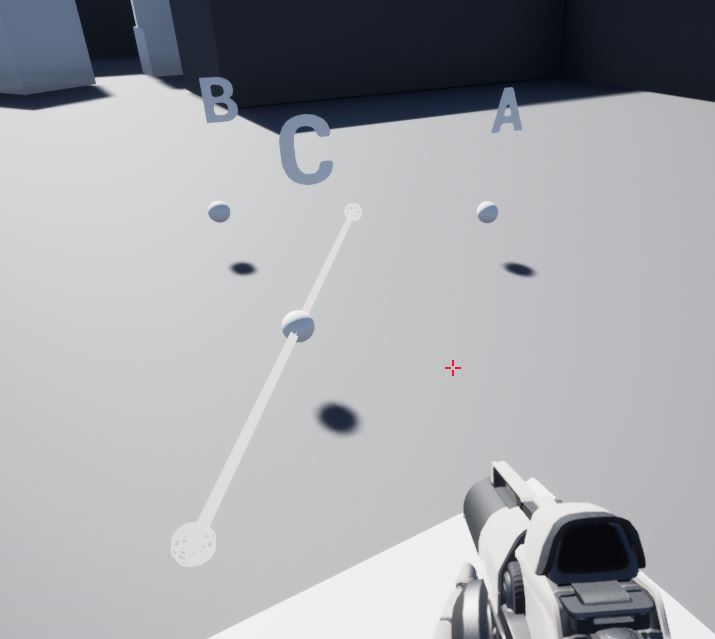
Unreal Engine Forums
Like this: A clearer version of the BP ( auto format not always a good thing ):
flat coral
How do I go from AC to just C?
paper galleon
flat coral
How do I go from AC to just C?
This means that you have another origin. So it's AC + A
A = OA
OA + AC = OC
Made some changes
 runic urchin
Anyone potentially have an Editor Utility widget to change the minimum LOD of a selected static mesh from the content browser?
flat coral
paper galleon
B-A. Normalise then multiply by 200
You put me on the right direction, thanks!
 paper galleon
flat coral
You put me on the right direction, thanks!
paper galleon
flat coral
You put me on the right direction, thanks!
Wait... Was I correct?
unkempt pawn
How do you do the extra line dots
paper galleon
unkempt pawn
How do you do the extra line dots
Double click on the line
It's a reroute node
flat coral
paper galleon
Wait... Was I correct?
You were close! Adding that direction to A doesn't give you AC it just gives you C immediately. AB normalized * 200 is ALREADY AC.
unkempt pawn
paper galleon
Double click on the line
Ooo thanks
 mental trellis
flat coral
How do I go from AC to just C?
mental trellis
flat coral
How do I go from AC to just C?
If you have AC and want C, then add AC to A.
paper galleon
flat coral
You were close! Adding that direction to A doesn't give you AC it just gives you...
Ah... I suspected something was off.
Glad to help
I was thinking in math vectors where you can have another origin.
Technically the same thing though.
flat coral
unkempt pawn
How do you do the extra line dots
also you can type "rer" when dragging a line, I find that more convienient if I don't realize in advance I need one. They're called "Reroute nodes"
unkempt pawn
I hate this... I have netmode client sync perfect. But netmore Listen server is flipped
Ive been on this for like a week at this point
And redesigned it 3 times each getting more progress then the other but now I am stumped
astral epoch
God I forgot how much I hate event dispatchers.
paper galleon
What? They're awesome
astral epoch
I know but I don't use them often and that means I totally forget how they work until I need to use them to incorporate like five different controllers into one.
Unless there's an easier way to do what I'm doing
Five was an exaggeration
 surreal delta
If anyone is free to jump in voice chat, I need help working out some possible loop based logic.
TLDR Need to check when the player is falling to loop until it detects the ground or kill the player after a duration. We have special collision volumes setup that account for grid spaces and where the player can move next so it can be a bit tricky to work around. Can show you in VC
flat coral
astral epoch
I know but I don't use them often and that means I totally forget how they work ...
I never remember how to do anything, I just remember where I did it the right way and then if I need to do it again I go look at that.
unkempt pawn
Maybe Ill reexplain my problem here, I have been working on a transforming mechanic allowing the player to transform back and forth between human and a picked character, I have some variables that have repnotify. And at this point it probably is something stupid tiny but Im at a loss. Client mode - 2 players both pick their character and transform and it matches perfect, can even go out of range then back and it stays synced.. Listen server mode - 2 players both pick their character and transform its backwards, the first transform doesnt sync but the others stay flipped.
astral epoch
flat coral
I never remember how to do anything, I just remember where I did it the right wa...
I never remember how to do anything until someone else asks how its done and suddenly I am a teacher.
 tight schooner
@surreal delta sounds like a suitable question for #blueprint in general if you don't get any takers for a private call. To me it sounds like when falling first begins, Set Timer By Event (node) on some death event. If falling is interrupted, clear the timer. I never handled characters so idk if there's some easy "begin falling" event you can bind to, or you have to recheck the falling state on tick / looped timer.
unkempt pawn
tight schooner
<@105858100707278848> sounds like a suitable question for <#221798862938046464> ...
Yeah I was about to say it sounds like it should be done this way
surreal delta
tight schooner
<@105858100707278848> sounds like a suitable question for <#221798862938046464> ...
ty seanny, thats definitely the first step. The second step is updating the current grid the player is on. The way it works right now I believe one of my teammates set up to check the current grid based onEntered and onExit custom events via input.
The issue is. I'm designing a level that doesn't move on a 1 layer grid anymore. So the player can fall underneath. Top layer can be walked on, but they can fall below too. But it does not update the grid to the bottom node.
In the picture i highlighted an example of spaces a trap door can drop the player to

so what happens is, when the player moves forward, they teleport/attachtoactor to the trap door space in front of it instead of the next space on the lower level.
 tranquil gorge
hey so im not sure what the deal is with my camera that i placed in. ive been following a tutorial on a local multiplayer camera system and have been struggling with trying to get unreal to identify my camera i dragged in as the main camera. ive used the set veiw target with blend node and everything and stil nothing. In the pictures above you can see my current set up and then what happens when i hit play. Anyone know what i can do about this?

 tight schooner
surreal delta
ty seanny, thats definitely the first step. The second step is updating the curr...
tight schooner
surreal delta
ty seanny, thats definitely the first step. The second step is updating the curr...
How does it find the next grid space? If I'm reading you right, this grid movement system was designed by a teammate? I suppose you have to consult with them how they want to handle layered grid spaces. The trap door collapses and the player enters a free fall? I suppose when the player hits the ground, it needs to find the nearest grid space and move to it
The trap door itself ofc needs its own logic to collapse and do some freefall special event
Whatever the implications of that are (animation/vfx, changing movement state on the player, deleting its own grid node... Idk)
unkempt pawn
tranquil gorge
hey so im not sure what the deal is with my camera that i placed in. ive been fo...
Not super good at this, new to unreal but toyed in unity for years. but what exactly are you trying to do here?
Cause it looks like your trying to make a new third person camera to me, which the default unreal third person character has the camera in the player
surreal delta
tight schooner
How does it find the next grid space? If I'm reading you right, this grid moveme...
we have a grid framework setup to check all neighbors adjacent to every grid around it.
Instance editable, it knows its forward, backward, left, and right neighbors but doesn't currently understand how to handle entering a grid space from vertical. Every time the player moves it gets a copy of the spaces in the level instance it can currently enter within those options. If the reference is null, they just do a "stuck" animation

Neighbor heights checks if the next space is supposed to need a jump, double jump , or cant be approached from the current tile they are standing on
tranquil gorge
unkempt pawn
Not super good at this, new to unreal but toyed in unity for years. but what exa...
Yes but I want it separate from the character. Which is why I made a separate actor blueprint instead with a camera in it. The cameras actions will be affected by both players movement which is why it's not just on one person.
astral epoch
paper galleon
What? They're awesome
Okay guessing you're probably the one to ask about events then.
I want to bind controls. I figured I can use signatures to "copy" input values. How can I get multiple execution pins though, like with the "mouse click" stuff? They have pressed/released pins.
paper galleon
astral epoch
Okay guessing you're probably the one to ask about events then.
I want to bind c...
Those are some specialized functions. You'd have to do C++ stuff for that
astral epoch
damn
Didn't want to dive into C++ this early into the project.
Actually I might have a workaround but its a bit janky.
Event dispatcher gets a boolean added to it basically for "is pressed" state.
flat coral
Incredibly stupid problem: I'm using FloatingPawnMovement component on this pawn, and apparently when I use MoveTo it's trying to move this pawn's "feet" to the target location, based on the size of it's collision sphere? This is causing all kinds of issues, like a weird upward bias on movement and making it really hard to sweep a sphere on the pawn's path.
How do I make FloatingPawnMovement operate on the CENTER of the actor and not some weird idea of "feet" that doesn't even apply?
astral epoch
Then the pressed/released exec pins can go into two versions of the event call but with the boolean set differently?
it fucking worked
unkempt pawn
tranquil gorge
Yes but I want it separate from the character. Which is why I made a separate ac...
So.. not really good at this but sounds like 2 player splitscreen sort of deal, and your trying to have the camera do a follow and track 2 players simultaneously I would think this video would work and help its a two parter but I think this is what your trying to do https://youtu.be/VATImPiTj1g

UE4 / Unreal Engine 4 Multiplayer Playlist:
In this collection of videos, we will cover setting up a project for both local and networked multiplayer projects.
This Video:
In this video, we begin creating our shared multiplayer camera by tracking the distance between a variable number of players and altering the spring arm length to keep all of...
paper galleon
astral epoch
Event dispatcher gets a boolean added to it basically for "is pressed" state.
Yeah that's a better option. Or a flip flop node
astral epoch

Binding at top-left, input top-right, varying control schemes based on binding bottom
Though now it has a problem. Press during Squad, hold when it switches, releases during Character.
Any way to force an input event?
Or cancel it?
tranquil gorge
unkempt pawn
So.. not really good at this but sounds like 2 player splitscreen sort of deal, ...
Thanks again however I'm actually following that exact series of tutorials lol.
unkempt pawn
Alright, welp sorry I wasnt of much help
 supple needle
hey all, I have a midi triggered event that retriggers a strobe light, curious how i can set it up to either end after a certain time or use the same midi key to cancel the retrigger?
 tranquil gorge
unkempt pawn
Alright, welp sorry I wasnt of much help
tranquil gorge
unkempt pawn
Alright, welp sorry I wasnt of much help
Thanks for trying to help me at all 😋
unkempt pawn
tranquil gorge
Thanks for trying to help me at all 😋
There is this first comment which might be a direction Just in case anyone else has the problem I had:
When playing, my camera would revert to the BP_Players Third Person Camera, and if I deleted that it would revert to a first person view.
After a great deal of messing around, I found a simple workaround. In BP_Camera's Event Graph, add a "Delay" node between "Event BeginPlay" and "Class Setup". The delay needs to only be 0.01 seconds. For whatever reason, BP_Player seemed to be overriding the camera when possessed, OR BP_Camera might not be finding the information it needs from BP_Player. So by adding in the delay, the players spawn first, and then the camera comes in over the top.
I hope that helps someone. Excellent tutorials by the way - I like that they don't dwell on things for too long, and just power through.
Which I assume is what it was doing actually
tranquil gorge
unkempt pawn
There is this first comment which might be a direction Just in case anyone else ...
Wow that sounds very similar to my issue I am cooking food but I can't wait to try this out! Will get back to you with the results.😊
Ty lots
unkempt pawn
Good luck to you hope that fix works
 burnt canyon
How do you grab a bone position with out using sockets?
oh get socket works for bone wth
 woven pond
I am unable to find any info on sorting arrays in the documentation am i being super dumb or is it just not in blueprint? (Want to sort the the game states all players array by order of a float)
woven pond
😦 ty
astral epoch
Is it possible to connect nodes on two separate graphs in the same bp?
Not meaning the constructor graph btw, one you can create yourself. Apparently its a good way of organising things.
paper galleon
You can collapse a group of nodes into a graph.
astral epoch
Aren't those macros?
paper galleon
You should see an input and output exec pin that allows you to chain graphs
paper galleon
astral epoch
Aren't those macros?
Nope just subgraphs for better organizations
astral epoch
Right.
tawdry surge
Better ways to lose track of stuff
astral epoch
Any way to do it without the collapsing thing?
tawdry surge
Functions, macros, custom events, interfaces
astral epoch
I meant getting the execution pin into a graph.
You know when you click the + button on the graph list to make a new EventGraph?
tawdry surge
Yeah. You shouldn't be doing that. It's a good way to lose track of things. The other things I just listed are better for encapsulating logic
astral epoch
How do you lose things that way?
It seems like you can still access the custom events regardless of graph and it keeps things separated out.
tawdry surge
By spreading everything out across multiple graphs you now have to remember which graph held what logic and you'll do alot more popping around for no reason. If you have something worthy of it's own graph then it should probably be a function, macro, or component to make it more reusable. Otherwise your just hiding things from yourself that you'll have to track down later
astral epoch
So for context my player controller is supposed to handle a variety of different control types, since Unreal is seemingly incapable of changing player controllers during runtime. Different means of interacting with the game in a single level is handled in one controller. Think an FPS where you not only run around but can drive land vehicles and air vehicles. Don't you think its worthwhile having different graphs for each of those appropriately titled? I don't imagine it would be hard to lose flying controls when you have a graph literally called "flying"
I could be wrong but I don't believe you can use components for controllers.
Functions and Macros have their own pros and cons depending on what you're trying to achieve with it.
 surreal peak
Different controls go into different pawns/characters
tawdry surge
Correct I would not have different graphs. For movement types I'd pry do components or pawns
surreal peak
PlayerController holds pawn-less input, like "Open Menu"
UE5 also pushes hard towards the usage of components for gameplay features
In combination with other engine features such as input, which Lyra all applies dynamically
astral epoch
surreal peak
Different controls go into different pawns/characters
That's fair, though it really pushes towards using the possession system which doesn't necessarily work with all game designs?
 flint mulch
does anyone have good advice on how to learn how to apply blueprints to actually making a game, so many broken up parts I've seen probably over 7 hrs of content and I still don't know how to apply any of this to what I want to do
surreal peak
Then use Components
Either way putting everything into one class is nonesense
Especially in BPs
Get ready for 10+ seconds to save the damn file
And even longer to simply compile it
surreal peak
flint mulch
does anyone have good advice on how to learn how to apply blueprints to actually...
My advice would be learning the framework of the engine first. 7h is not a lot.
UEs default documentation should be enough to start with that
flint mulch
surreal peak
UEs default documentation should be enough to start with that
wdym by UE default documentation? like the descripton boxes that pop up when u hover
astral epoch
So why exactly is there a feature to add graphs in the first place?
surreal peak
No, website docs
surreal peak
astral epoch
So why exactly is there a feature to add graphs in the first place?
To organize your BP a bit
tawdry surge
Its a trap
surreal peak
That said
astral epoch
surreal peak
To organize your BP a bit
Well that's what I was wanting to do but apparently its "just a way to lose everything"
astral epoch
tawdry surge
Its a trap
Wow what a wonderfully terrible program designed to frustrate its users I guess.
surreal peak
My goodness my phone autocorrects everything atm
surreal peak
astral epoch
Wow what a wonderfully terrible program designed to frustrate its users I guess.
I can't actually deny that
Having worked with it for years now
That can def be the impression
astral epoch
I mean me neither, it has its limitations. But I've never seen one intentionally designed to be a complete waste of resources.
tranquil gorge
@unkempt pawn Hey just getting back to you about my previous cam issue letting you know that all is well thanks to your help. Adding the 0.01 delay between the event begin play and class set up function was the key! Have a wonderful day! 🥳
surreal peak
The BP system itself is kinda flawed (: it got a lot better but it was originally never meant to allow coding full games
astral epoch
Typically when something isn't user friendly its because its a super advanced feature that can't be made easier to use... not something that's completely pointless, superceded by other features but never removed because.... reasons.
astral epoch
surreal peak
The BP system itself is kinda flawed (: it got a lot better but it was originall...
Oh for sure. Doesn't stop universities teaching only in that.
surreal peak
Of course not
astral epoch
Speaking from experience. A lot of designers I worked with see absolutely no point in learning code because "blueprint does it all".
surreal peak
Yop, that's why I can run a full company based on engineering support for bigger studios :D
astral epoch
Got into a debate that nearly turned into a physical fight because he wanted programmers to be banned from group projects....
surreal peak
Lovely
astral epoch
Anyways I figured I can just make a customevent in the other graph and call that. Not sure how good it is to chain event to event to event like that though.
surreal peak
Either way the Engine has LOTS of features that are dead ends or need to be handled with care
astral epoch
surreal peak
Either way the Engine has LOTS of features that are dead ends or need to be hand...
For sure.
surreal peak
I would wrap stuff into components tbh
And if you have different pawns then put the controls for them there
It's better OOP wise anyway
Again, Lyra just plugs components with features onto pawns
And registers custom input mappings runtime
Bit more complex but powerful
 dreamy kindle
Hi all. So quick question, have you encountered any issues with uasset files failing to load in when cooking or packaging a project? I've been dealing with this since last night all the way up until I had to leave for work, but it's like 50% of the problem I had that forced me to do that fresh project file and transfer stuff over a while back ( the other 50% being nodes had changed up as well as bugs of my own doing ). It seems to be entirely related to the "ZombiePackV1" animation files, and only if I try to build the project into an exe with them included.
Here's a snipped of the Output Log: https://pastebin.com/DpY69KGM
Pastebin
Pastebin.com is the number one paste tool since 2002. Pastebin is a website where you can store text online for a set period of time.
astral epoch
I guess the mention of pawns brings up the question how exactly do you handle event delegations with that then?
tawdry surge
I'm working on a digital card game with a client. I'm trying to decide if we should do the abilities as a base class with children for each type, or one effects class with generic functions handling the effect types?
surreal peak
astral epoch
I guess the mention of pawns brings up the question how exactly do you handle ev...
Which events?
astral epoch
Well the plan was to have an enum in the controller for different "control modes" of sorts. The whole FPS foot/vehicle/air thing.
When that switches, it rebinds the input controls to different custom events.
surreal peak
Ehh
astral epoch
That way I'm not trying to tell a human character (regardless of who's possessed) to try to take off.
surreal peak
Just posses the pawn you wish to control
It gets the input events first
You won't tell a human character to take off anyway as that character would never have input or code for it
The possession enables the input routing
astral epoch
Alright.
surreal peak
Your character would have input events like Move forward, Jump, Crouch
And the matching code
Your plane has other input events
astral epoch
My thought was to have the characters be able to accept input from either player or AI, so the idea of having them directly influence by controls seems a bit off.
surreal peak
AI vs Player is a whole nother story
In the end the AI would call the same events like the player
astral epoch
Aye, but its why I want to avoid directly putting control into the pawns.
surreal peak
Just not through input
astral epoch
Cause the way I saw it was that the controller was for, well, controlling.
And pawn was just puppetted by that?
surreal peak
Kinda
The controller is more about the player than the pawn
But you would not put pawn controls into the controller
You can put OpenMenu into it
Which has to work even without pawns possessed
Stuff like that
astral epoch
I honestly don't see why not? Isn't it bad practice to put similar functionality (in this case input handling) across multiple classes?
surreal peak
Not really
All you do is bind an event to an input binding name. The handling of it is something you probably won't encounter :P
You still make sure your humanoid movement code is in the humanoid character
And your plane movement code is in the plane
Moving everything into one class is way worse
astral epoch
Movement would still be in those classes, but in a way that it is agnostic to whether a player or AI is telling it to do so?
surreal peak
Well either way, you are free to code your project the way you want. This is just what I do, did and will do, cause the last 7+ years have shown that it's working well
astral epoch
Fair enough.
surreal peak
This is advice you can follow or ignore. I won't mind
astral epoch
Think that's the curse with most engines like this, you can do the same thing in multiple ways.
I'll try it my way and see if it works at all.
Cheers for the advice~
surreal peak
I would say the curse is that these engines expect you to do some stuff in one specific way and you only learn that either by chance or by first doing it wrong
Being able to do something in multiple ways isn't bad if all those ways are okay
Unrelated to the input stuff
astral epoch
Mhm.
 faint pasture
surreal peak
In the end the AI would call the same events like the player
faint pasture
surreal peak
In the end the AI would call the same events like the player
What's the elegant way to do that?
Just put an event layer between input events and the actual business of doing the thing?
Ai -> StartSprint -> Sprint logic
InputEvent -> StartSprint -> Sprint logic
?
Where the naive approach is InputEvent -> Sprint Logic.
Is there a way to have AI call input events or are those player-only all the time?
surreal peak
faint pasture
What's the elegant way to do that?
Just put an event layer between input events ...
The ugliness comes from BPs again
In CPP you bind a function to an input
That function can be called by AIs too
If you directly code your logic behind an input event in BPs then you lose the ability of calling that code "by hand"
So yes, place an event layer between it
I don't think AIs can call inputs as that is handled through classes that don't exist for AIs
AIs "input events" would for example be the behavior tree tasks
And movement is handled completely different anyway if they use navmeshes
But e.g. a button that fires a weapon should call a fire weapon function so AIs can call that from a task
 heady jay
is it possible to have a custom event with multiple execution outputs, such as the pressed and released execution on the InputAction Events
surreal peak
Yes and no
Macros allow this, but they aren't "real" functions/events.
I can't recall a BP way to do this.
C++ has multiple ways that depend on what you need.
Other than that not sure.
 runic parrot
Just in case anyone else have this problem, i found a solution.
Sometines when you use Class SoftReferences on Datatables, when you restart the editor, they will be gone and you need to recompile the classes.
A quick workaround is to go into your Content Folder (the main) and click "Validate assets on folder".
 west lynx
Hello everyone, I am new at learning blueprints in Unreal Engine and was wondering if anyone here knows any good tutorials to start learning
runic parrot
west lynx
Hello everyone, I am new at learning blueprints in Unreal Engine and was wonderi...
If you are not aiming for nothing specific, start here maybe.
https://www.unrealengine.com/en-US/learn?lang=en_US&state=%2F4.26%2Fen-US%2FBasics%2FGettingStarted%2F&sessionInvalidated=true

Unreal Engine
Unreal Engine offers well over 100 hours of free video tutorials so you can learn the skills to succeed in game development, architecture, film, automotive, and other exciting industries.
If you are looking for something specific, maybe go to youtube and search for "-Your thing- Blueprint ue4"
runic parrot
Does anyone remember how to Substract DateTime to Datetime? i want to do "Datetime - DateTime" and get the total seconds, minutes, hours, etc.
 calm citrus
Hey Guys.... I'm stuck again. I thought I was smart but UE5 proves me once again I am not, Basically I want the two blueprints keypad and door to interact with each other so Once I collect the orbs I can use the keypad to unlock the door so my player can walk through. However It is not working and I am not seeing what the issue is
runic parrot
calm citrus
Hey Guys.... I'm stuck again. I thought I was smart but UE5 proves me once again...
it's quite easy, put a flag "locked" on the door and change it when criteria is meet
 thin panther
calm citrus
Hey Guys.... I'm stuck again. I thought I was smart but UE5 proves me once again...
thin panther
calm citrus
Hey Guys.... I'm stuck again. I thought I was smart but UE5 proves me once again...
you havent actually set a reference to that keypad is what that error means
you have your var/input but are not passing anything into it
 thin panther
ok?
 stable dove
trying to figure out how i would 2x the score when a double is rolled
but i might just give them another turn
idk
calm citrus
thin panther
you have your var/input but are not passing anything into it
How do I do that inside my interface?
or do i do it in the door bp?
 wise tide
Is there any reason to do behaviour on the player controller over the player bp if I only have 1 player bp? For example a pause menu?
I could see why if the player could choose different characters or had a different character when they died or something. Maybe there is another benefit I dont see
calm citrus
runic parrot
it's quite easy, put a flag "locked" on the door and change it when criteria is ...
How would I do that? I've never flagged something before
 dark crow
a flag is usually just a bool
faint pasture
surreal peak
In CPP you bind a function to an input
Isn't binding a function to an input effectively the same as
Input -> Event -> Logic
So I think the layer between the input and event is the way to go and the same in both domains.
stable dove
How can i make sure that these two dice dont spawn overlapping each other if i was randomising there position when spawning them?

 quiet shuttle
Im confused on how I can update the widgets I created if the amount in the inventory changes, or if more items are added. Right now my bp just creates widgets for the items in the inventory map at event construct.

 short pawn
stable dove
How can i make sure that these two dice dont spawn overlapping each other if i w...
short pawn
stable dove
How can i make sure that these two dice dont spawn overlapping each other if i w...
You could set 2 variables for the random and then on the second spawn actor make a branch and make sure the variables are not equal to each other otherwise set the second variable again
runic parrot
Did they remove datetime functionality on UE5?
Picture below is UE4, that function is not on UE5.

 trim matrix
quiet shuttle
Im confused on how I can update the widgets I created if the amount in the inven...
trim matrix
quiet shuttle
Im confused on how I can update the widgets I created if the amount in the inven...
When the inventory changes, rerun all of that code. Just refill the whole inventory scroll box.
The only extra step is that you need to first clear the content scroll box
The function is called clear children I believe.
 dawn gazelle
runic parrot
Did they remove datetime functionality on UE5?
Picture below is UE4, that functi...
dawn gazelle
runic parrot
Did they remove datetime functionality on UE5?
Picture below is UE4, that functi...
Which function?
The subtract?
runic parrot
dawn gazelle
Which function?
Yeah, i got the same result turning the DateTime Struct to TimeSpan and subtract those. But weird i can't do it directly with DateTime
Also TimeSpan is limited to Days at most so i need to do even more convertions if i want to check dates bigger than 1 month
dawn gazelle
My guess is it is a bug with how they've set up subtract nodes to work now. If you right click on the pin on the node, you can select a DateTime structure, but as soon as you try to connect the DateTime to it, it fails and converts it to a timespan pin.


 quiet shuttle
trim matrix
The only extra step is that you need to first clear the content scroll box
quiet shuttle
trim matrix
The only extra step is that you need to first clear the content scroll box
You're the best, thank you so much
 near shard
For some reason either my "Get all children" or "For Each Loop" node isnt working, I have 2 children, the game will add both children, but when I need to destroy them all the engine only gets rid of once


for context in the first pic, The two added is the child being added in, the destroyed was only one of the items being removed, and the 2 is the length of the array
Fixed it using a WhileLoop instead of a foreachloop
runic parrot
dawn gazelle
My guess is it is a bug with how they've set up subtract nodes to work now. If ...
Yeah i saw that one too, i'm gonna report it as a bug.
dark crow
It's just saying that CharRef is a nullptr aka is empty
dawn gazelle
The errors you've shown have nothing to do with the code you've shown. What's probably the problem is you're creating UI on, or based on, a character.
Well considering Game Mode is only present on the server, that could be your problem right there. Other clients can't access it.
trim matrix
Is there an event for actor is overlapping?
I dont want to do a set timer by event if possible
I dont want something running constantly in the background just need it to run while im overlapping it
tight schooner
trim matrix
Is there an event for actor is overlapping?
On Actor Begin Overlap
trim matrix
tight schooner
Ostensibly https://docs.unrealengine.com/4.27/en-US/BlueprintAPI/Collision/OnAct...
No it's not that one
tight schooner
You want a ticking event?
trim matrix
Yeah but i dont want it running all the time
Only when the overlap starts then it disables itself after some time
tight schooner
There's a node IIRC named Set Actor Tick Enable. You can use that to enable/disable tick manually.
trim matrix
Im making a dialog system and i have a collision box attached to my player, I need to activate dialog when the box is overlapped and E is pressed, problem is it only activates if the E key was pressed at the moment the overlap begun, meaning if I press E after that moment nothing will happen unless i exit the overlap and enter it again while holding E
trim matrix
tight schooner
There's a node IIRC named Set Actor Tick Enable. You can use that to enable/disa...
Ill look into it thx
tight schooner
Huh. Can't you just check if there's an overlap when E is pressed?
Doesn't seem to need a ticking event
There should be a boolean pure function or otherwise node for is actor overlapping
In any case it would make sense to put your event logic on the interact button action
When E key is pressed, get overlapping actors, pick the one that has a dialog interface or whatever
trim matrix
get overlapping actors as a function doesnt exist
 cyan birch
trim matrix
Im making a dialog system and i have a collision box attached to my player, I ne...
cyan birch
trim matrix
Im making a dialog system and i have a collision box attached to my player, I ne...
When you overlap the collision, set a bool like 'IsInRange' or something to true. Then, when the player hits 'E' it checks to see if 'IsInRange' is true with another bool. If it is true, play the dialogue, if it isn't, then nothing happnes.
trim matrix
tight schooner
There should be a boolean pure function or otherwise node for is actor overlappi...
it's the component that needs overlap with the actor not the actor to actor so i cant use that
trim matrix
cyan birch
When you overlap the collision, set a bool like 'IsInRange' or something to true...
hm ill try that
tight schooner
Sorry, I don't have UE open rn. If you dig around I'm sure there's something. Maybe there's a function you can use on your dialog collision component
if there's not one for the actor class
trim matrix
cyan birch
When you overlap the collision, set a bool like 'IsInRange' or something to true...
Thanks!! That was so simple, hate that i didnt think of it 😡
cyan birch
trim matrix
Thanks!! That was so simple, hate that i didnt think of it 😡
Make sure when you end overlap, you set that bool to false or it will work forever lol.
tight schooner
trim matrix
get overlapping actors as a function doesnt exist
ok, I opened UE. These exist:
 cyan birch
Later, if you find this gets messy with several things in range, you'll have to set up a system that gets all of the actors in range then pick the closest or something when 'E' is pressed.
cyan birch
tight schooner
ok, I opened UE. These exist:
Yea, this is another solid way to do it for sure.
gentle urchin
cyan birch
Later, if you find this gets messy with several things in range, you'll have to ...
That would run on tick tho^^ personally i dont like this type , but the alternatives are not that many
Either mouse or some linetrace in camera direction, or a get nearest setup
tight schooner
Interact via overlaps is kinda BP 101... There are probably a dozen examples in Epic's own Content Examples pack
cyan birch
gentle urchin
That would run on tick tho^^ personally i dont like this type , but the alternat...
How would this run on tick? I'm not disagreeing, I'm genuinely asking, I'm not a BP wizard lol.
gentle urchin
cyan birch
How would this run on tick? I'm not disagreeing, I'm genuinely asking, I'm not a...
Well youd need to update the nearest interactable each time you move, and axis events are tick driven
cyan birch
gentle urchin
Well youd need to update the nearest interactable each time you move, and axis e...
Oh no, no, I was saying you'd enter the volume, set the bool true, then when you press the interact button, it would get all the actors in the interact radius, then check which is closet, then interact with that one. It would only check one time upon pressing the interact key. Then the bool would set false when you left the radius.
gentle urchin
cyan birch
Oh no, no, I was saying you'd enter the volume, set the bool true, then when you...
Ahh, ok yeah that'f be different for sure 😄 I automatically assume some pre interact highlight , my bad :p
cyan birch
gentle urchin
Ahh, ok yeah that'f be different for sure 😄 I automatically assume some pre int...
Ah nope, not that advanced yet haha, just letting him k now he will have to set something like this up if two of his interactable are close to each other or it would fire for both.
gentle urchin
Generally one would avoid two things listening for ineraction in the first place
Like pawn has the interact event, and it interacts with the latest set 'Interactable'
surreal peak
faint pasture
Isn't binding a function to an input effectively the same as
Input -> Event -> ...
That's what I meant (:
trim matrix
cyan birch
Oh no, no, I was saying you'd enter the volume, set the bool true, then when you...


No idea why this isn't work
It works once perfectly and that's it
Once you leave the overlap and enter it again and press E nothing happens because the print strings aren't firing
gentle urchin
Id use the overlap to set the interactable in the character
And interact with it there
trim matrix
Why isn't it working?
 late gorge
is there a way to modify a float curve (or any curve) asset at runtime?
and then save it
trim matrix
thats literally what i just did
It works great the first time and doesnt after makes no sense
did the same thing in ue4, works fine
Made a new project in UE5, I'm not getting the same bug
UE5 is just a mess or something
or my assets are fucked and are screwing up the engine so i cant migrate assets anymore
gentle urchin
Also the first branch on E after setting the bool to true serves no purpose
 serene bramble
So I have an issue with my keybind. I have a toggle set up in my level blueprint to show a widget and set the input mode to UI only so you can interact. Unfortunately it then seems that the level blueprint isn't receiving keybinds once I've set the input mode to UI only. How would I change this or make it so pressing the key again will then toggle my code again?
(for reference, this is the keybind code used in the level blueprint - shows widget fine but won't toggle once the widget is open)

Yeah, it's a UI menu that just has to show up when you hit J and hide if you hit it again. And it's in a custom level manager (an actor in the level) as that's how we've been taught in the course I'm doing (- this is for an assessment there)
Soo it's kind of all set up in there already and works ok otherwise. Would moving it to the player get the keybind to work?
I did a bit of googling and found this answer https://forums.unrealengine.com/t/bp-set-input-mode-ui-only/345632 so might try it, not sure

Unreal Engine Forums
Hello all - i got a problem with a pause mode using SetInputMode-UIOnly blueprint node… when i do this i can use the mouse but the keyboard becomes unusable… while i am fine with using buttons to click on - this presents a big problem when it comes to things like: Pausing the game & reentering with the Escape Key for example (how most games do ...
I did try but I can't get the option for InputAction to show up in the UI's blueprint
Hm, thought maybe I could cast back to the level manager somehow but got these errors. Not sure what I'd provide

Pretty much, we aren't taught too much. I'm only doing said course so I don't fail school but I've honestly found myself enjoying this a bit more
But uh yeah not sure what to plug into said cast?
Ah, okay
So it's okay now but yeah that guide didn't eventually work so not sure

Adding a print string just after the on key down also never logs so er, dunno
Any other suggestions as to how to get around it? Hacky is okay
Hm, just gave the suggestion there a go and didn't work either
So, I managed to get it working by using "set input mode game and UI" and then temp disabling input to the player (still allows keybinds through)
However my mouse cursor no longer shows in the UI widget
I unticked this but no difference
 late gorge
serene bramble
So, I managed to get it working by using "set input mode game and UI" and then t...
late gorge
serene bramble
So, I managed to get it working by using "set input mode game and UI" and then t...
on your player controller, set "show mouse cursor"
serene bramble
Sick! Thank you!
(not too noticable yet as my widget is just a blur - asked a question in #umg relating to it - but you can see toggling and the mouse work now c:)

 icy pilot
Is there a better way than this here to make ACharacter with its ACharacterMovementComponent work on NonHumanoids ?
This extra collision box will prevent things going into the cow body, but if the cow would e.g. walk backwards and there's a wall the body would still go into the wall till the CapsuleComponent will prevent it
 late gorge
change the collision settings to match that of the capsule component
icy pilot
That doesn't change things afaik
gentle urchin
How about tracing instead
late gorge
that should change things, you might be missing something that changes the collision settings
gentle urchin
Guess that would be unreliable
late gorge
there's the possibility the collisions you're working with have some sort of check against the capsule component specifically
tho that's spaghetti bolognese territory
there would need to be some really good reason for that
icy pilot
late gorge
that *should* change things, you might be missing something that changes the col...
I've read a lot on this and the problem is that the CMC will use the CapsuleComponent collision when moving, but not the other existing ones
I see how that can work
late gorge
so unparent the mesh
if you can't, None the existing and add another that isn't parented
icy pilot
I don't even think that i'd have something in the AI which allows backwards walking, but i don't know the future so that's kinda a just in case fear from me xD
 bronze hill
what is difference between data asset and Uobject? i think uobject can contain function. then why use data asset? it's faster?
I'm trying to understand what you mean😅
mental trellis
UObjects are, by default, transient things, unless they are "owned" by something which is saved.
Data Assets are just another way to save that uobject - as an asset in your content browser.
bronze hill
ah thank you uobjects are transient things!
mental trellis
See the last part of that sentence, also very important.
mental trellis
And actors generally aren't transient because they're owned by a level (also a uobject) which is owned by a world/map (also a uobject) - but that map/world is an asset.
bronze hill
i used to use uobject for storing something.
trim matrix
can someone please explain more detailed what this node does?
 mental trellis
It rotates a vector by the inverse of a rotation.
Let's say you have a vector (1,0,0) and rotation it by 90 degrees on the z axis, it becomes (0,1,0)
If you unrotate by that same 90 degrees on the z axis, it goes back to (1,0,0)
bronze hill
mental trellis
And actors generally aren't transient because they're owned by a level (also a u...
when i create actor blueprint and place level, it automatically owned by world?
mental trellis
The instance is yes
 viscid flower
I have this set up to toggle between day and night with a button. It seems to work the first time when I press the button, but it won't flip again if I press again. Am I missing something here >.< ?

 fiery swallow
wouldn't you need to unload one to load the other?
once they're both loaded they're loaded
that's probably why it only works once
trim matrix
mental trellis
Let's say you have a vector (1,0,0) and rotation it by 90 degrees on the z axis,...
thanks
 cyan bone
I have a human 3d figure. It is quite expensive and detailed. Id like it to be more cheap with less triangles. How can i do this? Or where can i find simplified 3d figures, not very realistic but convincing?
 icy dragon
cyan bone
I have a human 3d figure. It is quite expensive and detailed. Id like it to be m...
icy dragon
cyan bone
I have a human 3d figure. It is quite expensive and detailed. Id like it to be m...
LODs.
mental trellis
trim matrix
thanks
It's useful, for instance, to convert actor/component offsets to local actor space instead of world space.
Do you have a crash log?
 young blaze
Is it possible to use pawn sensing on the player pawn to detect noise emitted from a audiosource?
viscid flower
fiery swallow
wouldn't you need to unload one to load the other?
Yeah I suspect that's the issue but wasn't sure how to go about it. I can try adding unload previous mode command first
tawdry surge
@pale blade you using 5?
 pale blade
tawdry surge
<@479500648103280650> you using 5?
pale blade
tawdry surge
<@479500648103280650> you using 5?
Yeah, 5.0.1
icy dragon
viscid flower
I have this set up to toggle between day and night with a button. It seems to wo...
Why not just flip flop the level visibility?
Assuming this is for interior and no outside view
Also looking at your vids, which seem to be for V-Tuber, more instantaneous switch might make sense based on that Level Stream setup.
Though I'd personally consider more seamless transitions determined by the real world clock, as in the lights from outside are gradually changing and inside lights went on.
cyan bone
Is there any advantage in terms of performance to use a paper2dSprite vs an instanced static mesh of a plane with a texture?
icy dragon
cyan bone
Is there any advantage in terms of performance to use a paper2dSprite vs an inst...
I suppose Paper2D sprites are more specialised in that manner, more so than performance reasons?
But eh, nobody's using Paper2D anyway.
cyan bone
icy dragon
I suppose Paper2D sprites are more specialised in that manner, more so than perf...
Thanks. The reason i ask this is because i have done instanced static mesh planes with textures. But now im having difficult making shadows on them. And seems the Paper2DSprite has it automated
icy dragon
cyan bone
Thanks. The reason i ask this is because i have done instanced static mesh plane...
Are you using Masked or Translucent blend mode?
cyan bone
icy dragon
Are you using Masked or Translucent blend mode?
Masked. Its a png texture with invisible background

 gentle urchin
Did you try doing this in niagara? ^^ considering the amount you've envisioned
icy dragon
cyan bone
Is this supposed to be distant crowd?
Then Paper2D is perhaps out of scope for billboard distant crowd
cyan bone
icy dragon
Then Paper2D is perhaps out of scope for billboard distant crowd
yup its a lot of these soldiers everywhere
icy dragon
I mean, if you place them far away and in high quantity, the shadows are not as important as something upclose.
Also use Niagara to assemble a fake crowd
cyan bone
gentle urchin
Did you try doing this in niagara? ^^ considering the amount you've envisioned
I considered doing it in niagara. But its way more complex it seems. I watched a video yesterday of niagara crowds. And it seems more useful if i need it animated. But this unit is not animated, is just a figure that moves around
As it is, i need to control them around, and move them in formations and make them fight. I thinkt that would be hard in niagara
icy dragon
cyan bone
I considered doing it in niagara. But its way more complex it seems. I watched a...
Niagara can do boids btw
cyan bone
icy dragon
Niagara can do boids btw
@gentle urchin @icy dragon his is how it is going for the moment. It seems its very cheap and its working. Its 80 soldiers per actor. All instanced static mesh of plane with texture. And when they walk they are animated using lerp, up and down. What do you think? Would niagara be better in this situation?
icy dragon
I won't download troubleshooting videos on Discord - remux it to MP4 so that it uses Discord's embedded player.
cyan bone
icy dragon
I won't download troubleshooting videos on Discord - remux it to MP4 so that it ...
Sorry my bad.
https://streamable.com/484inz

yup thats the video i watched yesterday. But there are parts that are very complex to follow.
do you think niagara would be more suitable for the project i showed above?
icy dragon
cyan bone
do you think niagara would be more suitable for the project i showed above?
Yes (and can be no)
And by going full GlassBeaver, making instanced skeletal mesh of millions while maintaining high framerate.
I suppose the how to is a trade secret
cyan bone
I already made a reforming function. And an envelope function. Lerping the instances individually. It works.
I dont know how much control i would have with niagara.
The only thing that i think might make me change the format to niagara, is if i cant go over like 10k units. That could be like 500 of this square actors with instanced static meshes.
give or take
10k instanced static meshes that dont have animations.
yup its better to do it now, than regret it all later
icy dragon
Or just use Cascade lmao
serene bramble
Is it possible to add a settings menu where you can dynamically change the following things?
- fullscreen/borderless fullscreen/windowed
- resolution (dropdown with the display's resolutions it can do ie. 1280x720, 1920x1080, 2560x1440)
- controls (ie. the ones mapped in Project Settings -> Input)
(more so, I mean can I change those things through a blueprint, already have a UI set up for settings)
icy dragon
serene bramble
Is it possible to add a settings menu where you can dynamically change the follo...
Yes.
By using Game User Settings.
Though if you want more granular control over what to toggle, you have to make subclass of GameUserSettings in C++ (subclassing it as a BP is not possible)
You could cheat with Save Game class, but I strongly recommend against it for game settings
Minus not many indie UE4 game implement it properly lol
serene bramble
icy dragon
By using Game User Settings.
I'll look into that
Also, I use set game paused in my pause menu. Is there a way to see if the game is paused?
Or should I track that myself with a bool set in my level?
icy dragon
serene bramble
Also, I use set game paused in my pause menu. Is there a way to see if the game ...
Is Game Paused
removes SteamVR plugin outright
serene bramble
🙃 my tired brain was looking for "get game paused" lmao, thank you
If I maximise my game's preview window, it seems to act up weird (entire window goes black unless I click off for a bit, then it comes good. Ui is still interactable with while it's black)
 gentle socket
Good day. :) I have a "settings" BP that just contains a bunch of Data Tables. How can I go about getting these tables from any other BP? Do I have to give each of these BPs a reference to this table?
mental trellis
If it's just a static list of data that never changes, you could get the default object for the bp and access them from that.


 olive sedge
hey guys.. is it possible to overwrite a custom event in a child bp class?
trim matrix
hey guys where is the best place to ask beginner questions for understanding the fundamentals?
mental trellis
 astral granite
Guys, good morning
I'm having a problem
I literally can't open anything in my project. Not even an empty map...
I've already tried to migrate my content, Fix Up Redirectors, Validate Data, disable all the plugins... but the files are not corrupted, because if I paste the uasset file in another empty project it opens...
young blaze
anyone has an idea how i can get the volume of an spatialized audiosource received by the player camera? I want to get the current volume received by the camera of an audiosource as a float
young blaze
wasnt sure which channel fits
astral granite
I just wanted to know how to solve this.... Because it came out of nowhere, I was working on the project and I went to play a little and went back to work on it, when I came back it was like this
I will pass the log then
Okay, that gave me a light at the end of the tunnel... I'll look for it.
olive sedge
hey guys.. is it possible to overwrite a custom event in a child bp class?
astral granite
Ok
Thanks
I DELETED WEAPON SYSTEM
AND WORKED
Thankssss
You are my hero
Yeah
I will make that now
trim matrix
Hey so i broke my movement somehow. its only detecting the mouse movement from right and left not up and down
 sonic crest
hello, is it possible to open a blueprint node (already existed) in C++??
like opening the Delay Node in C++ and see how it functions. when I double click it says "Reading C++ Symbols" bit does not open it
trim matrix
trim matrix
Hey so i broke my movement somehow. its only detecting the mouse movement from r...
better quality
sonic crest
trim matrix
better quality
your lookup is not connected
without the executing pin connected is like a commented out line of code
 cyan surge
How do you refresh a thumbnail?
trim matrix
sonic crest
without the executing pin connected is like a commented out line of code
Ah yeah but thats not the problem. I put there a print string with the float attached and it was printing the y movement but the camera and the character wasnt doing anything just right and left works
cyan bone
im using Get Location at Distance Along Spline. And using a for loop with index i get through locations in the spline.
At first it gets the distance accurate 200 cm <-
But then when it turns around it turns into a way shorter distance. I dont know why.
Then when it turns around again it becomes 200 cm again.
Why is it getting shorter distance locations when it turned?

 tight pollen
how to make a smooth transition from animation to ragdoll
someone can help me?
any suggestions
gentle urchin
cyan bone
im using Get Location at Distance Along Spline. And using a for loop with index ...
what are you doing differently when "turned" ?
cyan bone
gentle urchin
what are you doing differently when "turned" ?
nothing. its just a spline, that turns
gentle urchin
the spline turns?
cyan bone
yup the spline turns
gentle urchin
so you're moving to dist(200), dist(400), dist(600) or what?
cyan bone
yup as the index increases, its multiplying by the index
so it should be 200, 400 , 600, 800
gentle urchin
and what does the spline look like ?
cyan bone
gentle urchin
and what does the spline look like ?
The spline is not showing even with set debug draw for splines
gentle urchin
Are you using constant tangents?
If not carefull, they easily become looped
you can see it when simulating ,
selecting the actor, then the spline component
cyan bone
The blue dots are the dots that make up the spline.
 cyan bone
gentle urchin
Are you using constant tangents?
cyan bone
gentle urchin
Are you using constant tangents?
constant tangents?

 cyan bone
@gentle urchin Im just using points and making a spline with set point

thats how i make them
trim matrix
Hi everyone! how can i change the world transform of a scene component in a BP?
is there a node to do so?
cyan bone
trim matrix
Hi everyone! how can i change the world transform of a scene component in a BP?
set world transform
trim matrix
thank you!
 glass stump
don't know if i should ask here (direct me eslewhere if so), but, in a not too complicated way in blueprints, any one got any ideas for what would make interesting puzzles to open doors? currently i just have 'press a button, or multiple buttons, to open a door' but i feel like that's gonna get stale quick. but i'm not sure what else to do.
i guess like a keycard component would add some variety, but it's not much different i feel.
cyan bone
glass stump
don't know if i should ask here (direct me eslewhere if so), but, in a not too c...
make the player do some lock picking mini game 🙂
gentle urchin
cyan bone
<@231467939734355969> Im just using points and making a spline with set point
Then get your visual up and check the points. I suspect they are roundabouts
glass stump
cyan bone
make the player do some lock picking mini game 🙂
ah, that's a good idea! :) thank you. :)
cyan bone
gentle urchin
Then get your visual up and check the points. I suspect they are roundabouts
it doesnt show the splines i tried also the console command showflag.showspline, and the set debug draw for the spline show.
All i can do is get the points of the spline and debug draw the points
gentle urchin
Not really sure what you need the spline for tho^^ is it how you setup the pathing?
cyan bone
gentle urchin
Not really sure what you need the spline for tho^^ is it how you setup the pathi...
I get a convex hull of the enemy units. Thats all the outer points of all the units. Then i make a spline out of those points. Thats the corresponding targets for my attacking units. So my units envelope the other army.
it must be a spline around the other army. it wasnt easy to do this. so if you can think of an alternative, maybe i could just change.
trim matrix
hey

anyone know why the disable movement node is not working?
the AI can still move while playing the animation
it was working before
 fast stag
trim matrix
fast stag
trim matrix
is the new custom mode 0 just setting the mode to whatever the first enum is? Did that change? Meaning if you click the drop down whats the top option?
fast stag
I noticed that MaxWalkSpeed changes are instant. Meaning if I set it to 0 from 600 the character instantly stops. Is there a braking speed or do people build lerping functions to manage that? I set Braking Friction Factor to 0 which seem to soften it, but that seems wrong to me.
gentle urchin
I'd expect it to use some deacceleration speed but cant recall seeing that. Perhaps lerping is the way
cyan bone
@gentle urchin squize i found the bug 🤣 . it was 6. making it back to 1, fixed the problem

 tacit mesa
I have this endgame function where Input Mode gets set to UI Only and some End Screen UI is shown, but if this happens while holding WASD the character keeps moving forever but doesn't accept inputs. Using Disable Input on Player Controller does nothing. But if instead of Player Controller i pass Player Pawn as Target to Disable Input, then the character stops moving. Why?
side-note, the character is standard First person starter character

 last abyss
tacit mesa
I have this endgame function where `Input Mode` gets set to UI Only and some End...
last abyss
tacit mesa
I have this endgame function where `Input Mode` gets set to UI Only and some End...
because the pawn handles movement, the controller just tells the pawn to do the movement
I guess when you disable input on controller, it keeps all the values it has at that point (so WASD down at the moment of disabling input keeps WASD down) didn't test this theory though
tacit mesa
So that would mean that Disable Input just makes in not accept new input, but keeps the values it has at that point
last abyss
I have run into the same issue myself before, but I ended up fixing it by using the stop movement immediately node instead of testing the root cause
That's my best guess, but i'll give it a test since I want to know now 
tacit mesa
ok after some googling, i see someone say that Disable Input makes it ignore the "release" input event
last abyss
Yeah that seems right, just odd I thought disabling input would at least call those events
tacit mesa
same
 remote meteor
you can do that yourself but you will need c++ player controller
Object within PlayerController that processes player input.
tacit mesa
you mean programmatically flush all pressed inputs? I guess, but in my particular situation it's enough to stop the pawn, one other solution would be to Set Ignore Move Input, but that still doesn't release the movement buttons
remote meteor

PlayerInput is already a variable in APlayerController
its just isnt exposed to blueprints
FlushPressedKeys() will release all current pressed key regardless of the physical key state
you can call that function when you switch input mode to ui only
tacit mesa
I see, thank you Kira and IAsaka
remote meteor
np, well thats only if you are comfortable with having c++ classes
else you might want to do your own input checker within the InputAxis event in blueprint
 near glen
Can someone hint me to some tutorials? I want to implement same node trees mechanics in my project like blueprints themselves (nodes, inputs and outputs, connections between e.t.c). Don't understand how to name it properly to find tutorials
faint pasture
tacit mesa
I have this endgame function where `Input Mode` gets set to UI Only and some End...
Does the pawn have input events?
faint pasture
near glen
Can someone hint me to some tutorials? I want to implement same node trees mecha...
Scree tutorials, do it yourself.
Google Adjacency Lists for a starting point.
Any tutorial on something that complex will probably be crap. Just figure it out. You're probably one of the first to do it if you do it.
near glen
faint pasture
Scree tutorials, do it yourself.
Google Adjacency Lists for a starting point.
that's a lot already, much thanks!
tacit mesa
faint pasture
Does the pawn have input events?
yes, it's the default FirstPersonCharacter
 viscid flower
icy dragon
Why not just flip flop the level visibility?
Assuming this is for interior and ...
viscid flower
icy dragon
Why not just flip flop the level visibility?
Assuming this is for interior and ...
This is what I ended up doing and it works. What's the node I can use for level visibility?
 remote meteor
for streaming levels from the Levels panel
i think thats your only way in bp
because you cant get the Level Streaming Object reference to toggle its visibility there
in blueprint atleast
🍵
or unless you manually do "Load Level Instance (by Name)"
then you can do that
viscid flower
trying Levels panel
 undone surge
is there a way i can make a flip flop work in a function? function is from another class but when i call it in main character bp it just goes into the first branch of the flip flop
trim matrix
guyz, is box extend in world unit?
cyan bone
How do i make my collision added at runtime visible?
My character collision its visible. But this one doesn't display.
 tawdry surge
Set "hidden in game" to false
 brisk dagger
Heya, is it possible to change this property during runtime? Via blueprint, preferably
 cyan bone
tawdry surge
Set "hidden in game" to false
cyan bone
tawdry surge
Set "hidden in game" to false
Did that its still not visible 😦
 mellow folio
brisk dagger
Heya, is it possible to change this property during runtime? Via blueprint, pref...
mellow folio
brisk dagger
Heya, is it possible to change this property during runtime? Via blueprint, pref...
Detach and attach?

 proper tendon
anyone know how I can create an instance of an object in blueprints and also pass a parameter to it? Till now I've been using this but I can't add custom parameters to it

 soft peak
i tried it with the method above but it is always the same values when i move the character
proper tendon
I think you're not passing a parameter for a player
soft peak
i am very new to this, i thought that would be the player? the initial value is correct, but it wont update it
obtuse herald
proper tendon
anyone know how I can create an instance of an object in blueprints and also pas...
Inside the actor you want to spawn, set the desired variable to expose on spawn
proper tendon
obtuse herald
Inside the actor you want to spawn, set the desired variable to expose on spawn
Thanks that works!
 gusty shuttle
Hey guys, what's the way to get an animation length from a skel mesh inside a bp? I know there's a way, I just forget how
cyan bone
tawdry surge
Set "hidden in game" to false
sorry it was actually visible. but it was relative location so it was in place that was hidden. Thank you.
wraith crane
Hey! i using the default fps template for my game and i dont know how to cast to the BP_RIFLE. Can someone help me? i dont know what put in object
 trim matrix
Hi everyone! memory question.. if i spawn 1 glTFActor, then i destroy it, it should release the memory too isnt it?
brisk dagger
mellow folio
Detach and attach?
I'd rather not do it like that if possible as this object is the child of a CableActor
trim matrix
well, i loaded 2000gltf one by one using BP... and memory jump to 64GB... that's why i'm asking
brisk dagger
Although I might have to, as setting the rotation to absolute is causing other errors that I don't want
trim matrix
everytime i was destroying the actor, then rebuild, etc...
 thorny hornet
Hey there, a weird question 
How do I name a var that basically means "LookAtPosition" or "TrackedPosition" or "TrackedObject", but in one word
Context - I have a Camera that is always looking at this value, the var is a Vector3
||I really don't want to keep my "LookAtPositionMode", "LookAtPositionBeforeTransition", "LookAtPositionTarget", , "LookAtPositionDefault", , "LookAtPositionTransitionValue" named this long XD||
soft peak
Q: i calculate the center for the camera between two player
so when the left player moves to left, the cam calc the center of both players and adjust its location,
BUT when the player moves too far left he is out of sight so i would need to adjust the other location-axis of the cam (just like an zoom out)
but i am lost how to do this, any help would be highly appreciated
olive sedge
Hey guys.. How do you overwrite custom events in an inheriting blueprint class?
 desert juniper
thorny hornet
Hey there, a weird question <:nyanbrAYAYA:795480991354585128>
How do I name a v...
desert juniper
thorny hornet
Hey there, a weird question <:nyanbrAYAYA:795480991354585128>
How do I name a v...
you shouldn't worry about variables with long names.
in your I believe you've already listed a really good name for them all.
They should be descriptive enough, that when you come back to the code months later, you're able to tell exactly what they do just from their name, without diving into the code
variables with descriptive names like "LookAtPositionMode", "LookAtPositionBeforeTransition", "LookAtPositionTarget", , "LookAtPositionDefault", , "LookAtPositionTransitionValue" are examples of good self documented code
runic parrot
thorny hornet
Hey there, a weird question <:nyanbrAYAYA:795480991354585128>
How do I name a v...
+1 to what was said above.
Give them long descriptive names, you are going to thank yourself later on the project, also any person that works with you.
 solar needle
Where i can find turret tutorial that shoot spesific stuff ?
thorny hornet
soft peak
Q: i calculate the center for the camera between two player
so when the left pla...
I'm assuming you don't need it to be scalable beyond 2 players, also I assume you don't need to adjust camera angle, also I assume there's no obstructions in the direction where camera looks from (in that case you might try setting up spring in kinda similar way)
 thorny hornet
desert juniper
you shouldn't worry about variables with long names.
in your I believe you've al...
thorny hornet
desert juniper
you shouldn't worry about variables with long names.
in your I believe you've al...
Mhm got it, thank you for the answer (also ty Acrisio)
 nocturne slate
hey for some reason i cannot connect these two, any idea why?
 tawdry surge
Pull off the output for the vector plus vector node and type in break vector again
nocturne slate
tawdry surge
Pull off the output for the vector plus vector node and type in break vector ag...
i did exactly that
 thorny hornet
nocturne slate
hey for some reason i cannot connect these two, any idea why?
thorny hornet
nocturne slate
hey for some reason i cannot connect these two, any idea why?
do you have a hovering tooltip saying anything
nocturne slate
 nocturne slate
thorny hornet
do you have a hovering tooltip saying anything
nocturne slate
thorny hornet
do you have a hovering tooltip saying anything
?
thorny hornet
nocturne slate
?
like this


 undone surge
how to make flip flop inside function
nocturne slate
thorny hornet
uh ok try restarting UE
didn't work, imma restart my pc then...
thorny hornet
undone surge
how to make flip flop inside function
Have you tried using the node yet?
 mental trellis
Are you say that the function isn't "remembering" the flip flop state?
E.g. you call the same function twice and it chooses A both times?
thorny hornet
Right click - FlipFlop, unless you mean my function I highlighted just to show that FlipFlop isn't limited only to Event Graph
nocturne slate
tawdry surge
You try plain break vector?
thx, i used the wrong one
how do i get a vector multiplied by a float in unreal engine 5?
how do i make a condition? if x < y then he does other code
i cant find a function for this
nocturne slate
im trying to make a thing where if the distance is < than x then the AI will run away, only if the player gets close tho, since this doesn't work (i assume bcs it only calculates the distance once and since the condition is false it will crash bcs it's a infinite loop) how can i update a value each tick? in this case the distance

my logic behind this method was; if the statement is false, it will call the function again and test the condition until it's true
help?
nocturne slate
thorny hornet
Either add delay
if the statement is false?
thorny hornet
Yes
nocturne slate
thx :)


 shrewd zephyr
What am I supposed to put in this other blue pin?
shrewd zephyr
shrewd zephyr
What am I supposed to put in this other blue pin?
For context, I made a basic AI person that follows you when he sees you and I am trying to make it when I shoot him his simulate physics turns on (he falls over and dies)
mellow folio
This is failing because CASTTOFIRSTPERSONPROJECTILE is reading from the component pin, but it should read from the Actor pin, which in this case is named "Other" I t hink
because a Firstpersonprojectile is an actor not a component
 quasi folio
So, what would be the best way to cast to a "level manager" type object, since only 1 exists in my scene.
 upbeat otter
is there anyway to make a for each loop for a timeline/dynamic material instance instead of copying the same code over and over again

this skips to the last index in the loop ^
mellow folio
quasi folio
So, what would be the best way to cast to a "level manager" type object, since o...
get actor of class?
quasi folio
That'll be the one! Thanks.
mellow folio
upbeat otter
is there anyway to make a for each loop for a timeline/dynamic material instance...
This implementation fails because you're reusing the Dynamic Instance that got created AND you're reusing the same timeline twice
both of those implementations don't work
You would need to save the DynamicInstances into an array
and then from ONE timeline, loop through the array of instances, and set each desired value
 golden lotus
Hi I'm trying to recreate the third person template character anim graph, what is the source of the yellow lines here?
 mellow folio
upbeat otter
is there anyway to make a for each loop for a timeline/dynamic material instance...
mellow folio
upbeat otter
is there anyway to make a for each loop for a timeline/dynamic material instance...
so what is actually happening there is you're creating a dynamic instance, then starting a timeline, then creating another dynamic instance, then restarting the same one timeline, so the timeline ends up running only one time, and it's reading only the most recently created value for the DynamicInstance
You can apply the same material instance to multiple meshes
assuming they use the same material you should do that
upbeat otter
mellow folio
assuming they use the same material you should do that
they all use the same material
mellow folio
then create hte material before the loop
I think you can plug all the meshes into the node

can take multiple inputs I bet
then save the return value to a variable
you can't rely on the Output pin always being properly retained in memory
especially not as time passes
then the target for this becomes the Variable
 quiet shuttle
What's the best way to go about making a dynamic inventory with hundreds of different items?
 spark steppe
thats a nice way of saying that they suck
and dont get the stupid idea, "ok i'll prototype in BP because my struct might change, and then migrate it to c++"
because at the point of changing a BP struct the pain starts
and yea, it's not impossible, but it's a pita, as you have to change everything that uses the struct
quiet shuttle
I have a structure and everything, sorry, let me rephrase my question. How would I go about listing hundreds of items in a UI?
I'm currently trying to use a List Tileview but all of my item UI's aren't displaying any info. They're all blank
mellow folio
there are a few implementations
many inventories have slots where each slot has an item of a certain count
so for each slot you'll need two peices of information - what is there (NAME) and how many (INT)
so create a struct with two fields - NAME INT
then make an array of that struct
Then in your UI, create a widget that is just a button, with a NAME variable, make it instance editable and exposed on spawn
On construct, Set Text of some text in the button to whatever NAME is
Then, in your container widget, just run logic on construct to go through every item in your inventory (for each loop) and create a widget (the individual button) and add it to some panel, for instance a vertical panel, plugging in the Name of whatever is in that inventory slot into the CreateWidget node
icy dragon
quiet shuttle
I'm currently trying to use a List Tileview but all of my item UI's aren't displ...
low marlin
how do i edit a variable in the level blueprint using an actor blueprint
obtuse herald
low marlin
how do i edit a variable in the level blueprint using an actor blueprint
You can't
low marlin
wtf
icy dragon
low marlin
wtf
Don't use Level Blueprint.
quiet shuttle
My bad, g
low marlin
icy dragon
Don't use Level Blueprint.
why not
 zealous moth
@low marlin iirc you can't access it. You are better off using a master class like player controller or game instance or game mode.
zealous moth
Oh look at the time, it's graphics o clock!
icy dragon
low marlin
why not
As with the very issue you're facing, you can't easily reference anything in level BP from an actor BP.
 icy dragon
Wow that's jank

 dapper marsh
Oh hey @astral epoch, you helped me yesterday, I was having trouble with collisions and you said to use the overlap instead of hit... well it wasn't giving me consistent results until today I also checked to true the "Multy body Overlap" option. Now it works 100% of the times!!
 wicked osprey
Guys, can I add material in material?
 spiral verge
Hey all, sorry for the probably trivial question, but how does one assign a component as a default value?
icy dragon
spiral verge
Hey all, sorry for the probably trivial question, but how does one assign a comp...
Object reference variable?
 subtle crypt
A component inside the actor and assigning it as the default value in a variable inside the bp
BP has "MyTriggerCapsule" variable object reference and add a trigger capsule component as the default value
spiral verge
^ we're working on it together, if anyone is wondering 🙂
 sudden nimbus
are you just trying to access a component youve added to your actor blueprint?
subtle crypt
Yes.
And just want to drag and drop it into the default value for a variable.
But you can't
sudden nimbus
you dont need a variable for it
hallow gate
Anyone able to explain to me how "Current Image" is both 7 and 8 at the same time?

I swear I'm doing something insanely dumb right now but I can't figure it out
Forgive the messy BP
Figured that out, haven't figured out why my Array is calling a null on 8
But working on it
 faint badge
hallow gate
Anyone able to explain to me how "Current Image" is both 7 and 8 at the same tim...
faint badge
hallow gate
Anyone able to explain to me how "Current Image" is both 7 and 8 at the same tim...
Pure nodes (ones without the white execution pin) get called every time something reads from them, so the first time you do Get it's before your Set node so you have 7, however the next time you call Get it's after the Set node so Current Image is 7, and you end up getting 8 because the + 1 bit is called again
hallow gate
faint badge
Pure nodes (ones without the white execution pin) get called every time somethin...
Thank you, I figured that part out, what I can't figure out is where my array is going doo-wally and losing itself
One sec

I hope that's visible, effectively I'm checking to see if it reaches the "end" of the array (array goes from 0-8) and then resetting it to zero
However when it reaches 8 it just prints a "None"
And then errors
I'm not writing anything new to the array, so I'm not sure how it's managing this
The more I work on this the weirder it gets, haha
faint badge
You can skip all that logic and just use the modulo operator % which will do the wrap around for you. Hide the current image, then update current image to (CurrentImage + 1) % ImageArray.Num() where .Num() just means get the number of elements in your array.
 wraith stirrup
anyone knows why my actor bp spawns at 0,0,0 but doesnt spawn at all when I add a player start
hallow gate
faint badge
You can skip all that logic and just use the modulo operator `%` which will do t...
How would I go about doing this with blueprints?
(Also while you're here, any ideas on duplicating a render? This is all in aid of that and I still have yet to tackle THAT nasty bleeder*)
hallow gate
wraith stirrup
anyone knows why my actor bp spawns at 0,0,0 but doesnt spawn at all when I add ...
Is it checking for collisions? If so, I'm pretty sure it won't spawn inside you
Assuming your player start is also at 0,0,0
faint badge
hallow gate
How would I go about doing this with blueprints?
(Also while you're here, any i...
Modulo is a node in Blueprints, I think the size of the array is Length in blueprints? it's been a while since I did BP stuff
hallow gate
faint badge
Modulo is a node in Blueprints, I think the size of the array is `Length` in blu...
Not finding it unfortunately

I can try some google fu, they might have changed it's name
faint badge
hallow gate
Not finding it unfortunately
try %
hallow gate
 faint badge
Yep, that's the one, you want the bottom one (integer). There's a nice video on how it works here: https://www.youtube.com/watch?v=HXCkOzkgamU

What are the Modulus/Modulo/% Nodes in Unreal Engine 4
Source Files: https://github.com/MWadstein/UnrealEngineProjects/tree/WTF-Examples
Note: You will need to be logged into your Epic approved GitHub account to access these examples files.
hallow gate
Awesome, thank you, I'll give it a look over.
The number of times I've done things only to go back and redo it because there was a more efficient way has ruined my space bar, haha
faint badge
It's sometimes called "Clock arithmetic" as it wraps around like a clock, i.e. when you get to your maximum value and add 1 you wrap back to your first value
wraith stirrup
hallow gate
Is it checking for collisions? If so, I'm pretty sure it won't spawn inside you
Thanks for the suggestion but It's set to ignore collisions
hallow gate
wraith stirrup
Thanks for the suggestion but It's set to ignore collisions
Move your player start away from 0,0,0 just in case
hallow gate
faint badge
It's sometimes called "Clock arithmetic" as it wraps around like a clock, i.e. w...
Ahh, okay. Hopefully this functions, otherwise I'll need to find out why my array is borked
wraith stirrup
hallow gate
Move your player start away from 0,0,0 just in case
tried that too ;-;
hallow gate
 wraith stirrup
its a big level
faint badge
hallow gate
There's a Make Array node which will save you from all those adds
hallow gate
SEE
Once again redoing it to be more efficient haha
I need to pick your brain about my picture taking method too I bet, because that thing is spicy
Mmm that is beautiful, thank you for the tips
 hallow gate
faint badge
There's a `Make Array` node which will save you from all those adds
hallow gate
faint badge
There's a `Make Array` node which will save you from all those adds
One minor roadblock here, I also need it to be able to descend back down the array, and I don't think Modulo is too friendly with negatives?
Also it still breaks so at this point I think my array is somehow throwing up a random null randomly, which is never a good sign
 leaden dock
how can i compare if a pointer array element is the same ptr as the ptr i provide in blueprint?
like int* A; int* B = A; if (A == B) return true;
hallow gate
I could just check if current image is 0 and set it to an arbitrary 90...
That might work
faint badge
hallow gate
One minor roadblock here, I also need it to be able to *descend* back down the a...
I forget how negatives are handled in BP for modulo but if it's not what you want you can just add your array size first, i.e. ((CurrentImage - 1) + ArraySize) % ArraySize), assuming CurrentImage is a positive number to start then you're safe, for example if your array is size 8 and your current image is 0 then you end up with ((0 - 1) + 8) % 8 which becomes 7 % 8 which is 7, or the last index of your array like expected
hallow gate
faint badge
I forget how negatives are handled in BP for modulo but if it's not what you wan...
That... Is a much more intelligent way of doing it
Can you tell I've not done any form of hard maths or programming for 8 years? Because I can
Thank you very much

It looks beautiful
Still throwing up errors but I must have messed up my array images somehow somewhere, I'll dig into that now
faint badge
No problem, rather than using 9 explicitly in there I'd use the length function on your array, it's basically free performance wise and means if you ever change how many images you have it will automatically adjust to work with the new size
hallow gate
Done and done, will use that for the future render
Speaking of, any ideas on that front?
Let me get more info
faint badge
I'm actually off for the night but still post the info here and hopefully someone can help you out
hallow gate
Aha, will do, I appreciate you taking time out to help me out
faint badge
Have a good evening!
hallow gate
Normally I just spend hours banging my head on the wall until it breaks and I get that rush of euphoria
You too!
hallow gate
Why is my array skipping over "Cam Left Low"? (Number 1), it's causing a lot of issues and it makes zero sense to me


It's almost as if it considers it not to exist and shunts all the arrays up by one
dawn gazelle
My guess would be because you're both setting a new value for "Current Image" and then using it again.
hallow gate
Hmm
I need to use it again for stuff in the later area, but possibly the first section...
One sec
dawn gazelle
ie. It looks like you're subtracting and adding after already subtracting or adding.
hallow gate
Oh no, that's just the criss crossed lines
But I think you might be right on setting it too early still for another reason, one sec

Same result
Darn
wraith stirrup
hallow gate
Move your player start away from 0,0,0 just in case
Okay so for some reason the actor gets automatically deleted after going a certain distance out of the atmosphere which is weird???
hallow gate
dawn gazelle
ie. It looks like you're subtracting and adding after already subtracting or ad...
It only effects mid 2 for the first run which is what's really throwing me off, then is skips ONE array member per runthrough
Then for good measure throws up a "None" at 8
However if I plug directly into it and print, it runs perfectly
dawn gazelle
Get rid of the second adding and subtracting. You've already set the new value.
Should just need to plug in the % into the get.
 hazy grail
I want to be able to add textures into the unreal game folder, in windows, in the form of .uassets, when not running, then at runtime the game would look into that folder and add them into an array at startup. Is there a way to do that?
hallow gate
That's so frustrating that I couldn't figure that out haha
Thank you so much
I blame it being 03:45 in the morning
Now to try to figure out how in the blazes I'm going to store a scene capture for rendering to a permanent page after the scene capture has already left
Woot
Is there any way to copy a Render Target to a new Render Target?
Or potentially a Material to another Material?
Effectively I need to duplicate one texture onto another to save it permanently
As the first texture will be getting overwritten
However the "saved permanently" ISN'T strictly going to be permanent unless the player selects it
And I also want it to be dynamically created to avoid making too many materials

This was my original attempt but it flopped horribly, I assume because "Draw Material to Render Target" doesn't do what I thought it did
It feels like something with an easy solution haha
 unreal wing
Hey all!
I had a question about casting vs. references.
So im trying to teleport the player if they collide with a box trigger. When I use a cast it works totally fine, however when I use a reference, it doesnt work at all. Im trying to avoid casting because I know its terrible for performance. Any suggestions?

 covert arrow
hey guys I wanted to ask if the character class "jump" function checks is the character is moving on ground so is this code unecessary?
 hazy grail
unreal wing
Hey all!
I had a question about casting vs. references.
So im trying to teleport...
hazy grail
unreal wing
Hey all!
I had a question about casting vs. references.
So im trying to teleport...
References have to be set directly to the specific instance of whatever thing you want to reference. Casting is saying it's a thing and let's see if it's this thing. If it's not the thing the cast fails. For your specific situation though I would use an interface instead of a reference. Interfaces are good when a lot of different object want to send a message to something else.
hazy grail
covert arrow
hey guys I wanted to ask if the character class "jump" function checks is the ch...
double click on the jump function you have and it should show its internals
 teal lagoon
Struggling to get my engine audio crossfader working.
If I set the beginning of the crossfader to "0" - then the "engine sound" audio fires.
If I set it to "0.0001" to test having it fire when I begin moving, I get no "engine sound" - nor does it fire when I begin moving.
I followed this tutorial: https://www.youtube.com/watch?v=bCEo6vnPhi8
FYI - Very new to this, so feel free to suggest me look into obvious things I may have screwed up 🙂
Blueprints attached:
Also, I can't get the debugging/print screen to output anywhere, to help me see what's happening with RPM. Maybe that's helpful/related.


An engine sound can make or break the game experience. But with so many variables to consider, how can we start to design the sound? In this tutorial, we keep it simple: by making small changes we can design sounds that appear more complex than they really are…
Engine Sounds:
You can download 3 engine sounds here: http://tbf.me/a/yZOtn
Referen...
 formal bronze
How do I access this node?

 thorny acorn
helloooo
dawn gazelle
teal lagoon
Struggling to get my engine audio crossfader working.
If I set the beginning o...
Not sure how new, but your blueprints aren't connected to some event so that they execute, so they wouldn't be executing at all.
thin panther
thorny acorn
helloooo
Hello!, did you have a question
thin panther
Well hello!
thorny acorn
:)
making a FPS dungeon crawler based on my first ever game that was 2D, still have a lot to cross off my list, so i may ask questions sometimes though
rogue like dungeon crawler to be specific
teal lagoon
dawn gazelle
Not sure how new, but your blueprints aren't connected to some event so that the...
Thanks for the reply. Very new 🙂 Any where you can direct me to understand how to attach this to an event properly?
 brazen pike
teal lagoon
Thanks for the reply. Very new 🙂 Any where you can direct me to understand how...
brazen pike
teal lagoon
Thanks for the reply. Very new 🙂 Any where you can direct me to understand how...
When do you want that functionality to happen?
teal lagoon
I'd like an idle sound, and also for it to crossfade into other wav files as the vehicle speeds up.
brazen pike
Right well you're going to want that on tick. Event tick will execute every frame, so it will mean that RPM parameter will always be the right value
The white line that connects some of the nodes are showing the order in which they will execute. You need to connect them to one of the red nodes you can see in most blueprints as they will be the ones that start execution. If you have a node that isn't connected by the white lines, it will never work because you aren't telling it to execute anywhere
But remember some don't have white lines, as they are used for inputs. You connect those ones up via the coloured lines. I have no idea how new you are, but if you're just starting out hopefully this clears things up a little
teal lagoon
brazen pike
The white line that connects some of the nodes are showing the order in which th...
I see, I'll try to find out where to connect that. I'm very new and just starting out for game jam I'm in. Thank you for the lead 🙂
brazen pike
You can right click on the blueprint and type in "Event tick"