
#blueprint
402296 messages · Page 903 of 403
 remote meteor
 lament karma
I have a student who is trying to pass information from one widget to another. Does anyone know how to accomplish this?
 onyx token

remote meteor
you can add your skeletal mesh to the CharacterMesh0
 gentle urchin
lament karma
I have a student who is trying to pass information from one widget to another. D...
gentle urchin
lament karma
I have a student who is trying to pass information from one widget to another. D...
Many ways. In what context? Drag and drop? Just two random widgets needing to communicate
remote meteor
you are essentially now creating a prefab of a walking character that consist of other stuff
 remote meteor
you can adjust it within the viewport
 dark heron
yeah
 dark heron
Where can I find that?
remote meteor
im still in ue4 so might look different 😅
 lament karma
gentle urchin
Many ways. In what context? Drag and drop? Just two random widgets needing to co...
lament karma
gentle urchin
Many ways. In what context? Drag and drop? Just two random widgets needing to co...
She just needs to pass a boolean variable from one widget to another. It is a point and click style game. She is trying to do it through the Player Controller because there is no Player Character. I'm not sure if that makes a difference.
remote meteor
try search for class defaults
 remote meteor
on your details panel you should be able to find it
gentle urchin
lament karma
She just needs to pass a boolean variable from one widget to another. It is a po...
Like a puzzle kinda thing?
dark heron
I see the ai controller class now
gentle urchin
Knowing if one pressed A before B?
remote meteor
by default, it will be possessed by an empty AI Controller
yeah
so if you want to add your own thing to the controller
dark heron
Hmm not seeing anything custom
remote meteor
such as codes that controls the behavior tree and blackboard
you need to create them first
back to the content browser
create a new ai controller
lament karma
gentle urchin
Like a puzzle kinda thing?
Kind of. If something has happened in one widget, it determines what is allowed to happen in another. It's pretty simple, but I'm not sure how to do it yet and she has been trying to figure it out for a long time.
remote meteor
there are 2 other types of ai controller, but we will go for the usual one first
 gentle urchin
lament karma
Kind of. If something has happened in one widget, it determines what is allowed ...
gentle urchin
lament karma
Kind of. If something has happened in one widget, it determines what is allowed ...
Could sound like it should be handled in the controller (or whatever game state tracker in use). Like a map of contextual data, where any widget can read it from the playercontroller
dark heron
The player now uses the new controller as the AI Controller Class
remote meteor
so when you see this 2 option, the first one says "when should i be AI possessed"
second one says "Which AI controller should i be possessed by?"
 lament karma
gentle urchin
Could sound like it should be handled in the controller (or whatever game state ...
lament karma
gentle urchin
Could sound like it should be handled in the controller (or whatever game state ...
My student is back. She is going to jump in and take it from here.
remote meteor
then now you can setup the links
lament karma
gentle urchin
Could sound like it should be handled in the controller (or whatever game state ...
Thank you!
dark heron
remote meteor
then now you can setup the links
So it's all linked up now I believe - I just need to create a variable to store the other player I think
 obtuse herald
lament karma
She just needs to pass a boolean variable from one widget to another. It is a po...
obtuse herald
lament karma
She just needs to pass a boolean variable from one widget to another. It is a po...
You need a reference to the other widget to communicate with it. Your student probably stores the widget references inside the controller, so it should be something like this:
GetPlayerController -> Cast to (Player Controller Here) -> Get (My Widget Variable Here). But it's probably better to handle such stuff centralized inside the player controller .
dark heron
Also I'm saving this conversation for later - it's been incredibly helpful ❤️
 zealous moth
is there a way i can trigger ragdolling in editor?
 wise crescent
obtuse herald
You need a reference to the other widget to communicate with it. Your student pr...
wise crescent
obtuse herald
You need a reference to the other widget to communicate with it. Your student pr...
Hi ! Actual student here : ) I’ve got that, I’m about to send a screenshot. I’m not getting any errors or anything, it just isn’t working?
gentle urchin
If you're checking validity of the widget, and not handling invalid, this may be the reason why its not working, and not throwing errors
obtuse herald
Yeah, also if you are casting make sure the cast succeeds
wise crescent
So this is what I’ve got:
 obtuse herald
wise crescent
So this is what I’ve got:
obtuse herald
wise crescent
So this is what I’ve got:
print a string after Cast Failed and after False to check if the code actually gets executed
gentle urchin
Also be carefull with naming classes and variables :) overlapping or undetermined naming is gonna bite you in the behind later on
wise crescent
obtuse herald
print a string after `Cast Failed` and after `False` to check if the code actual...
Gotcha, trying now
gentle urchin
Controller is super vague, along with VeggieCheck doesnt really say anything about the expected result and what it implies
dark heron
Is there a way to set a blueprint class' instance variable in the details window?
Or is that not how it works
remote meteor
you make it instance editable
obtuse herald
gentle urchin
Also be carefull with naming classes and variables :) overlapping or undetermine...
True, there is already an engine class named Controller (technically AController)
dark heron
Did that, not sure where to look to set the variable
gentle urchin
dark heron
Did that, not sure where to look to set the variable
In the editor, with the actor instance selected
In the details panel
wise crescent
obtuse herald
True, there is already an engine class named Controller (technically AController...
Oh ok ! Thank you ! So the cast is indeed failing.
dark heron
which category is it in?
gentle urchin
dark heron
which category is it in?
Whichever you put it in
dark heron
Currently default
obtuse herald
wise crescent
Oh ok ! Thank you ! So the cast is indeed failing.
First try renaming your player controller to something not sounding like an engine class (like MyPlayerControllor). Second make sure your player controller actually gets used instead of the default one.
 dark heron
On my player controller, I have this variable:

I have it set to instance editable
I have it set to instance editable
But I don't see it anywhere
 gritty elm
how to predict project path to specific actor?
remote meteor
it has to be in the character first
the character is the one that is in the level designer
 gentle urchin
dark heron
I have it set to instance editable
gentle urchin
dark heron
I have it set to instance editable
Playercontroller is spawned at runtime
wise crescent
obtuse herald
First try renaming your player controller to something not sounding like an engi...
Ok so I renamed it & made sure it was being used. I ran the code again & the cast doesn’t seem to be failing, but it’s also not conducting the following code.
gentle urchin
So the instance variable is not editable
dark heron
I see. Not sure what the proper solution is then
gentle urchin
wise crescent
Ok so I renamed it & made sure it was being used. I ran the code again & the cas...
Does it run false on the branch?
remote meteor
you expose the variable on the TagPlayer first
dark heron
Yeah that's where the variable is
remote meteor
then TagPlayer will pass it along to its controller
dark heron
by controller I meant the whole controller, not the ai controller
remote meteor
it should be under default, by default
 wise crescent
gentle urchin
Does it run false on the branch?
wise crescent
gentle urchin
Does it run false on the branch?
It seems to, but the Boolean variable that it checks for in the branch is set to true. It shouldn’t be running false.
wise crescent
gentle urchin
Does it run false on the branch?
It seems to, but the Boolean variable that it checks for in the branch is set to true. It shouldn’t be running false.
remote meteor
dark heron
On my player controller, I have this variable:
this is in TagPlayer right?


 remote meteor
🤔
gentle urchin
wise crescent
It seems to, but the Boolean variable that it checks for in the branch is set to...
Yet it does ;p are you sure its true
remote meteor
try dragging the tag player into the level designer again
obtuse herald
wise crescent
It seems to, but the Boolean variable that it checks for in the branch is set to...
print a string after true aswell
dark heron
remote meteor
try dragging the tag player into the level designer again
new one doesn't have the variable either
wise crescent
gentle urchin
Yet it does ;p are you sure its true
It’s definitely possible that it’s just me because I’m new to Unreal, but the variable gets set to true in the widget that the variable belongs to. I know the code in that widget runs so it should be setting it to true.
dark heron
dark heron
new one doesn't have the variable either
I can probably take it from here as I have to head out for now. Thanks for the help everyone!
 golden frigate

ive got this for blending per bone im trying to do an anim montage on left and right arm independently
but if i play my left arm montage (which does not blend out so the arm stays in final position), then i play right arm montage later, it resets the left arm
any way around that?
gentle urchin
wise crescent
It’s definitely possible that it’s just me because I’m new to Unreal, but the va...
tbh i'd try to structure this a little differently anyways
something like this in the playercontroller

the veggie widget would then do something like this ;

(I have it set to toggle, but whatever makes sense for you ofcourse)
this way you can generically pass in conditions to the playercontroller, with their state (true/false in the example)
gritty elm
how to predict projectile path to specific actor?. for example it start from player and end at specific at location
obtuse herald
gentle urchin
the veggie widget would then do something like this ;
(it's better to use Name instead of String for such things (case insensitive and optimized for comparison))
remote meteor
gritty elm
how to predict projectile path to specific actor?. for example it start from pla...
 gentle urchin
obtuse herald
(it's better to use `Name` instead of `String` for such things (case insensitive...
gentle urchin
obtuse herald
(it's better to use `Name` instead of `String` for such things (case insensitive...
I'd probably suggest gameplaytags really, but yes, you have a point 🙂
wise crescent
Thank you so much for you guys’ help! I’ll restructure it! You guys are so patient, thank you : D
remote meteor
you can just use their ActorLocation for the start and end location
gentle urchin
wise crescent
Thank you so much for you guys’ help! I’ll restructure it! You guys are so patie...
I'd probably also use an event dispatcher so that i can get an event call whenever UI needs updating
just a mockup of how it could be done

 gritty elm
like this?
 dark heron
@remote meteor the issue was simple - I never compiled
gentle urchin
wise crescent
Thank you so much for you guys’ help! I’ll restructure it! You guys are so patie...
 cyan bone
Oh i see. But thats not my case. I only have world location of points. And i need to Add text render in those points that are world. They are not related to my actor though. They a vectors calculated for destinations.
remote meteor
spawn a few actor with text render i guess
gentle urchin
sounds more like something that belongs to some UI element/map thing
but i guess some prefer them in world
 cold dragon
how can i edit GameMode Blueprint ? It opens blank

 last abyss
cold dragon
how can i edit GameMode Blueprint ? It opens blank
last abyss
cold dragon
how can i edit GameMode Blueprint ? It opens blank
at the top, click on window and add the windows back
like blueprint, details, toolbar, etc.
cold dragon
got it, thanks
 modest monolith
Hello, I am trying to implement a power up that makes me break certain obstacles, i'm using apex destroyer plugin. I created the power up but my blocks breaks in any case unless I remove the collisions.. also.. how can I do that the block doesn't kill me if i'm hitting the destroyable obstacle?
Sine the obstacle is a child of Obstacle_Base it kills me even if i have the buff and i destroy it
Whatever collision and settings I put
I can't manage to get a combination where the obstacle doesn't break and it stays rigid when I don't have the buff
and it breaks when I have it
and doesn't kill me
Can I remove the child actor obstacle mesh since I have the destroyable one ?
I don't need it
How can I say to the game: Okay if you bump into obstacle_base then die... but if the child of obstacle_base is destroyable, then die unless you have the buff to destroy stuff
?
 dusk cave
should DestroyActor work with StaticMeshComponent?
 dawn gazelle
dusk cave
should DestroyActor work with StaticMeshComponent?
dawn gazelle
dusk cave
should DestroyActor work with StaticMeshComponent?
No. A component is something added to an Actor. You want DestroyComponent
gentle urchin
Jk
 gentle urchin
😂 i took a gamble, rolled the dice!
modest monolith
._.
modest monolith
modest monolith
How can I say to the game: Okay if you bump into obstacle_base then die... but i...
Ok sorry for asking
 cyan birch
modest monolith
Ok sorry for asking
cyan birch
modest monolith
Ok sorry for asking
It may take some time for someone familiar with that type of issue to see your message. Just because someone is answered after you doesn't mean you were ignored, it means people knew the answer to the next question, not yours.
 foggy escarp
modest monolith
Hello, I am trying to implement a power up that makes me break certain obstacles...
foggy escarp
modest monolith
Hello, I am trying to implement a power up that makes me break certain obstacles...
I'm not familiar with your game and why your character is dying, but if it's the hit result that's doing it and you still want to be able to overlap to collect the power up, then using overlap collision respons for character may be the fix.
You could also override the parent event/function that's killing your character.
modest monolith
I explained my self very bad
Basically i'm making an endless runner
and of course if i hit an Obstacle I die.. However, certain obstacles are destroyable with a powerup that we will call "hammer"
But my Destroyable obstacle is a child of obstacle_base so also the other obstacles that are not destroyable
So I would need to do that if I hit an obstacle my character will recognize if it is a normal obstacle or a destroyable
if it's a destroyable and i have the hammer it will break
I'm trying to do that when I hit I apply damage of 1
and i set the mesh with 1 hp
but seems to not die
 desert juniper
this is all so cunfusing. but I think you already answered your own question
How can I say to the game: Okay if you bump into obstacle_base then die... but if the child of obstacle_base is destroyable, then die unless you have the buff to destroy stuff
literally just do that
when collision is detected, simply check to see if it is destroyable
then do whatever actions you want
 desert juniper
oof
modest monolith
I can't put an object reference as a boolean condition lol
how can I tell to the branch "hey if this is A do this"
foggy escarp
Cast to your character and check if it has the status your looking for
modest monolith
I don't need to cast to my character
foggy escarp
Then just use a branch
foggy escarp
^
desert juniper
obtuse herald
modest monolith
But my Destroyable obstacle is a child of obstacle_base so also the other obstac...
cast Other Actor to Destroyable Obstacle (or however you called the child class). If the cast succeeds it is a destroyable obstacle. If it fails it's something else.
modest monolith
But destroyable obst is a child of obstacle base
so the cast would succeed even if it's not the destroyable
am i wrong ?
 paper galleon
Yes
modest monolith
So it won't work
paper galleon
It would ONLY succeed if it is a destroyable so you're wrong in assuming that it would if it isn't
modest monolith
ok so I can cancel obstacle base cast and just link the cast failed for it ?
paper galleon
obtuse herald
cast `Other Actor` to `Destroyable Obstacle` (or however you called the child cl...
Do this
modest monolith
Ok
paper galleon
You want only the destroyable to respond to the event, no?
paper galleon
Then cast from the other actor in the hit result to a destroyable.
obtuse herald
modest monolith
With normal obstacle the player just dies
wait I'll start my engine to send you a screenshot
paper galleon
modest monolith
With normal obstacle the player just dies
This is another event. I'm referring specifically to the hit event
Have you used any tutorials or learning resources?
You need a few more lessons.
We can help as best as we can here but you'd need to learn a bit more so that our solutions make more sense.
obtuse herald
😔
 modest monolith
paper galleon
Then cast from the other actor in the hit result to a destroyable.
modest monolith
paper galleon
Then cast from the other actor in the hit result to a destroyable.
You mean drag the other actor pin?
modest monolith
Ok now I try to cancel obstacle_Base and use only destroyable with cast failed
paper galleon
Why cast failed?
obtuse herald
modest monolith
With normal obstacle the player just dies

 near glen
Hey people! Can you hint me on some courses or tutorials about implementing something like modular vehicle editing in any way, where player can build his own for example ship, base e.t.c. For example games like Avorion, Interstellar rift, Stormworks
modest monolith
 paper galleon
near glen
Hey people! Can you hint me on some courses or tutorials about implementing some...
paper galleon
near glen
Hey people! Can you hint me on some courses or tutorials about implementing some...
Hmm.. this is a tall order.
It's like the tutorial for some full games
near glen
paper galleon
It's like the tutorial for some full games
well yeah maybe, but it's just a mechanic of a game...
modest monolith
 obtuse herald
modest monolith
https://tenor.com/view/amirite-hadesdisney-hades-gif-5584633
obtuse herald
modest monolith
https://tenor.com/view/amirite-hadesdisney-hades-gif-5584633
what's wrong?
paper galleon
near glen
well yeah maybe, but it's just a mechanic of a game...
If you want modular building there's a bunch of YouTube tutorials. Any one of them should do. Just type in the words.
You need the knowledge of how it works anyways not the exact implementation imo.
 gaunt viper
Indeed, I ended up starting from scratch, about to try again
near glen
paper galleon
If you want modular building there's a bunch of YouTube tutorials. Any one of th...
yeah I mean that, but I just cannot find something on youtube by that searches, why I'm asking it here
paper galleon
near glen
yeah I mean that, but I just cannot find something on youtube by that searches, ...
Hmm weird. Lemme search if I can find one for you
 near glen
paper galleon
Hmm weird. Lemme search if I can find one for you
near glen
paper galleon
Hmm weird. Lemme search if I can find one for you
ah, found some by "base building"
obtuse herald
modest monolith
what do you think
should work
modest monolith
I think I have some really serious problem of coding
obtuse herald
modest monolith
what do you think
If you want to know more about casting, check this guide out:
https://docs.google.com/document/d/17bEGQEC1_G5KQKAI3_ixbe4S0BIulEH5w4qS9b7fuqc/edit
(it's from Datura iirc)
modest monolith
This child class is giving me many problems
how can i remove an inherited component ?
paper galleon
near glen
ah, found some by "base building"
Great.
modest monolith
 obtuse herald
modest monolith
how can i remove an inherited component ?
obtuse herald
modest monolith
how can i remove an inherited component ?
you can't
paper galleon
modest monolith
how can i remove an inherited component ?
You can't. It's inherited. You may be able to destroy it at runtime though. But not in the editor
modest monolith
ok

I mean i think it collides and creates problemm
because even if I am iron skinned sometimes I die hitting the stuff
modest monolith
Yes but...
paper galleon
?
modest monolith
All my obstacles are randomly spawned
obtuse herald
make a base obstacle class with no mesh. create 2 child classes. 1 is destructible. 1 is not.
modest monolith
My obstacles spawner spawns all obstacle_base in the map
modest monolith
obtuse herald
make a base obstacle class with no mesh. create 2 child classes. 1 is destructib...
Will I delete all the obstacles already made ?
I mean their meshes ?
obtuse herald
I don't know what you mean exactly
modest monolith
I mean
I have already 5-10 obstacles made from obstacle_Base
with the inherited mesh
if I delete the parent component
will I open a dark hole
paper galleon
Seriously, learn a few more things rather than trying to implement something.
It seems like you're trying to brute force a solution to one particular problem.
 obtuse herald
that is correct
 kindred remnant
I've downloaded a character and it's animations off Mixamo, however I can't seem to make this the player character. Does anyone know how to do this? https://gyazo.com/76b4e5cf2aaa0b9df0d1ff6cf618ec10 I also assume there's others steps to actually link up these animations as well to controls, isn't there?
 paper galleon
You just imported into the engine and did nothing else?
You'd need to create a character class and set the skeletal mesh to be this mixamo character that you imported.
kindred remnant
I should preface that i'm a Sound Designer fudging my way through UE5 to try and make some sound implementation demos. I've followed a tut and set up a retargeter but that doesn't seem to have done much.
Ahhhh okay, thank you
paper galleon
If you want the mixamo character to use the mannequin animations in the engine, you need to take extra steps to convert the mixamo character to a ue skeleton.
I'd suggest you use YouTube for that as it's a bit complex
paper galleon
kindred remnant
I should preface that i'm a Sound Designer fudging my way through UE5 to try and...
Oh you already retargeted 😅
kindred remnant
Yeeeee I just don't know what i'm doing hahahahaha
 vast widget
Some of these steps may be different, but the general gist should still be the same: https://www.youtube.com/watch?v=92rag3qStI4
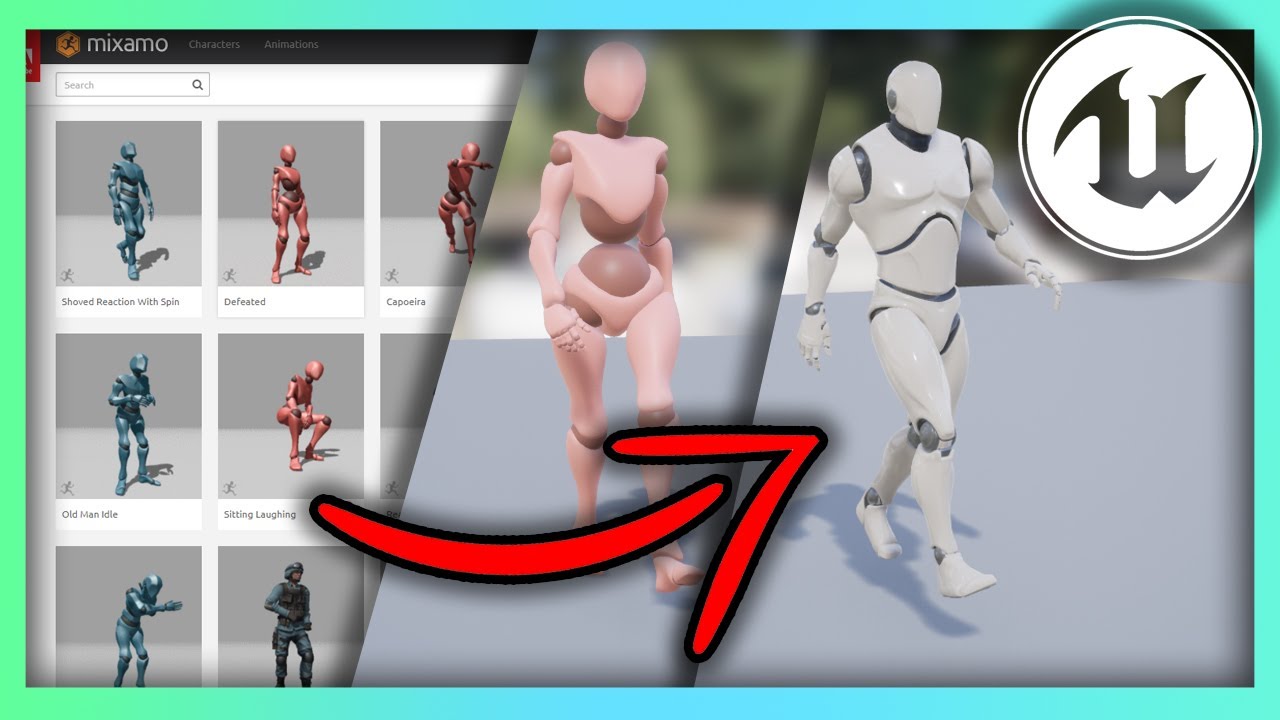
Hello guys welcome back to another video in the Unreal Engine 4 Complete Beginners guide. In this tutorial we will go over what Mixamo is, how to download animations, and re-target them for any character you have.
Mixamo Retargeting Cheat Sheet:
https://imgur.com/a/5A554mc
paper galleon
Ah perfect
kindred remnant
Ahhhh thank you so much to you both!
vast widget
You'll probably have better luck in your google searching if you look for UE4 vs UE5
most of the tutorials haven't been remade
kindred remnant
All I want is a dude with a sword so I can test out some physics stuff using Wwise, this should have been the "easy" part LUL
Ahhhh yeah that's very true, thank you
kindred remnant
Yeah, believe it or not i'm quite comfortable with Wwise and Unreal! It's just these beginning steps i've never done, as the levels I work on are usually sorted prior to that point hahaha
paper galleon
You still need to create a custom character and set it as the default pawn class
kindred remnant
So i've created a Player Character, what am I doing with it btw?
paper galleon
kindred remnant
Yeah, believe it or not i'm quite comfortable with Wwise and Unreal! It's just t...
The artist, got it. 😆
kindred remnant
paper galleon
The artist, got it. 😆
YEP😂
modest monolith
obtuse herald
If you want to know more about casting, check this guide out:
<https://docs.goog...
How can I find other documents like these ?
unreal documentation says real basic stuff
paper galleon
kindred remnant
So i've created a Player Character, what am I doing with it btw?
Go to the world settings in the main editor it's in one of the tabs. Look for the default pawn class drop-down and set it to the character you just created
kindred remnant
vast widget
but that is fairly basic
to me?
kindred remnant
paper galleon
Go to the world settings in the main editor it's in one of the tabs. Look for th...
Ahh yep! got it
modest monolith
vast widget
but that is fairly basic
I know but less basic that unreal documentation that says "This button does this.. bye "
vast widget
Oh
you're reading the API Docs
not the actual documentation
yeah, that stuff is garbo lol
obtuse herald
modest monolith
How can I find other documents like these ?
This guide was from someone of this community. But UE Docs should generally do just fine.
vast widget
the actual docs on specific topics are mostly good
modest monolith
obtuse herald
This guide was from someone of this community. But UE Docs should generally do j...
Thank you
vast widget
the UE Docs should be your jumping point to search for more info if you can't find anything, you can always ask here
obtuse herald
The docs for specific nodes on the other hand are a bit.. slim
vast widget
but there's also the community wiki
paper galleon
That thing is actually quite elusive to me
vast widget
vast widget
obtuse herald
_The docs for specific nodes on the other hand are a bit.. slim_
Most of them are just BP accessor to C++ functions which are fairly self explanatory when you read them (usually) or have comments in code.
They could be better for BP only folks
obtuse herald
vast widget
Most of them are just BP accessor to C++ functions which are fairly self explana...
Yeah I know, the doc itself just doesn't really help at all most of the time.
Would be cool if they at least included a github link to the source of the node.
vast widget
if you have source code downloaded, you can just doubleclick the node
and it'll open in your IDE
obtuse herald
vast widget
if you have source code downloaded, you can just doubleclick the node
You need debug symbols as well
vast widget
Should only need source code
I usually run a source build though, so I could be wrong
obtuse herald
It doesn't work for me and I only have the source code
paper galleon
Used to work then it didn't anymore.
It was between engine versions though so maybe I had debug symbols in one and didn't in the other
obtuse herald
log says this LogSelectionDetails: Warning: NavigateToFunctionSource: Unable to find symbols for 'UStaticMeshComponent::SetStaticMesh' [Element nicht gefunden.] so I presume I need debug symboles as well
paper galleon
But I usually just go to source manually anyways
obtuse herald
paper galleon
But I usually just go to source manually anyways
I would not if I had the possibility tbh
paper galleon
obtuse herald
I would not if I had the possibility tbh
Same tbh, but I work primarily in C++ nowadays so the IDE is always open.
vast widget
^
obtuse herald
If I search manually manually it takes me ages to find something and if I let intellisense search something it navigates me to some weird scuffed function no-one saw for ages half of the time.
obtuse herald
yeah
vast widget
download rider
obtuse herald
also 40 gb
vast widget
search everywhere using the function name
takes like 2s tops
Intellisense is hot garbo for UE projects
obtuse herald
vast widget
Intellisense is hot garbo for UE projects
oh yeah it is
paper galleon
It doesn't take long to find at all seeing as most BP functions are just wrappers
 zealous fog
Does the amount of blueprint components an actor has have any impact on anything I should know about? Is there a con to just adding 20 components on an actor for example? Or 50 or whatever number

 paper galleon
zealous fog
Does the amount of blueprint components an actor has have any impact on anything...
paper galleon
zealous fog
Does the amount of blueprint components an actor has have any impact on anything...
Not really but you generally wouldn't add that many. You should probably redesign.
Also if I'm guessing right, those components are similar static meshes. You should use instanced static mesh if that is the case.
 waxen gull
I am having trouble in finding a method that gives me the ability to get an angle between two vectors: The method i found (Yellow marked) is not exact
 paper galleon
waxen gull
paper galleon
waxen gull
That is the usual method
paper galleon
And you should get ??
waxen gull
90
zealous fog
paper galleon
Not really but you generally wouldn't add that many. You should probably redesig...
No, I mean blueprint components like logic. I saw a video on youtube where they have an AI and make it basically by adding components like "Explode on Death", "Follow player", "Enemy Weapon System" etc
waxen gull
 obtuse herald
vast widget
takes like 2s tops
obtuse herald
vast widget
takes like 2s tops
yeah actually maybe I should use ctrl + q instead of ctrl + f to search for such stuff, thanks
zealous fog
So it got me wondering, if I just make reuseable components for a lot of things would that negatively impact anything
paper galleon
zealous fog
No, I mean blueprint components like logic. I saw a video on youtube where they ...
Yeah, same deal. It may or may not hurt performance depending on the logic and if you're ticking all of them.
If the logic is small and not reusable across actors just move it to the actor blueprint.
Emphasis on not reuseable across actors
zealous fog
Ofcourse it depends on the logic itself, but would the same logic be less/more/equally performant if its split into components vs in a single BP
Sorry if I was unclear
paper galleon
zealous fog
So it got me wondering, if I just make reuseable components for a lot of things ...
Does your design actually require up to 20 or 50?
I doubt that you would need up to that.
It's all about proper design. If two or more components don't make sense without each other you should combine them into one component.
Things like that. If the component ends up being used in only one actor, move the logic into that actor.
You should also consider interfaces. They're more lightweight.
paper galleon
zealous fog
Ofcourse it depends on the logic itself, but would the same logic be less/more/e...
Lol. You're asking follow up questions to my answers even before they land.
Nice.
waxen gull
does anybody know how to get an Exact Angle between two vectors ?
paper galleon
waxen gull
does anybody know how to get an Exact Angle between two vectors ?
Sorry. Yeah, that's the method, tbh.
 mellow folio
zealous fog
Ofcourse it depends on the logic itself, but would the same logic be less/more/e...
mellow folio
zealous fog
Ofcourse it depends on the logic itself, but would the same logic be less/more/e...
Don’t think of components as helping performance, think of them as helping you
If it doesn’t help you, don’t do it
paper galleon
Also, it's probably too early to worry about performance until it actually slows down your game.
zealous fog
paper galleon
Does your design actually require up to 20 or 50?
I doubt that you would need up...
That's true, which is why I want to know the pros/cons and performance of them so I know when to use them in my design and when to use something else
mellow folio
Putting logic on parent classes is a bit more preferred
zealous fog
I'm not worrying about an issue I have right now I just want to understand components better
mellow folio
If you don’t understand why to put logic on components, then you shouldn’t do it
paper galleon
zealous fog
That's true, which is why I want to know the pros/cons and performance of them s...
The performance implications, if you want them explicit is their tick and replication (multiplayer) costs. Turn off tick if you don't need it and if your game is multiplayer only replicate information that is needed.
mellow folio
Do what makes sense in your head
zealous fog
mellow folio
If you don’t understand why to put logic on components, then you shouldn’t do it
Which is why I want to understand why
paper galleon
zealous fog
Which is why I want to understand why
Primary use of components is reuseable logic. Simply put. Not to help performance. Just reuseable logic
If many different types of actors need the same logic, use a component
zealous fog
Right now I have an inventory component that communicates through an interface with the actor its attached to
 paper galleon
zealous fog
Right now I have an inventory component that communicates through an interface w...
paper galleon
zealous fog
Right now I have an inventory component that communicates through an interface w...
Inventory is a prime candidate for a component
zealous fog
But it feels like a lot of steps and that im missing something that makes it more streamlined
I'll show some screens give me a few mins
mellow folio
Using an interface to communicate with an attached component probably makes no sense at all because it doesn’t save you anything, you can just interact with the inventory directly
paper galleon
zealous fog
But it feels like a lot of steps and that im missing something that makes it mor...
Again, do many types of actors need that component, a character, an item like a bag, Enemies, a component is fine.
If you feel like the logic is bloated, take a look at the logic and not the decision to use a component
mellow folio
What do you probably want instead, is that objects that interact with inventories can access the inventory component of an object through an interface and then operate on the inventory directly without needing to deal with the actor

 trim matrix
can someone help me with this how can i open again the level editor its been an hour and havent found a way to open it?
 paper galleon
Don't spam messages across channels
Also, have you checked the "window" tab?
obtuse herald
not the best habbit
paper galleon
Someone will eventually answer. You're risking a ban is what I'm saying
paper galleon
trim matrix
yeah and it doesnt work
Really? No viewport option there?
I thought there would be. I don't know for sure btw
trim matrix
yeah i fixed it thank you
paper galleon
Aiit
zealous fog
Okay, so I am making a fast food restaurant simulator, and when an actor is overlapping with a food station this event is called through and interface

In the employee blueprints it will send a message to the component

In the component it gets added to the int of that product

 modest monolith
Oh can I deactivate collision on chunks created by apex destr?
I mean I've put that after hitting set no collisions
but still it collides
obtuse herald
zealous fog
In the component it gets added to the int of that product
you probably want to set the macros return value to Pass-by-Reference
paper galleon
zealous fog
In the component it gets added to the int of that product
You can eliminate the interface by using a get component function and checking if it's valid
obtuse herald
obtuse herald
you probably want to set the macros return value to `Pass-by-Reference`
wait nvm
paper galleon
If the actor contains that component, all well and good, if not? You check the validity.
Only justification for an interface is if each actor type handles the overlap differently
 mellow folio
zealous fog
Okay, so I am making a fast food restaurant simulator, and when an actor is over...
mellow folio
zealous fog
Okay, so I am making a fast food restaurant simulator, and when an actor is over...
The purpose of interfaces is to cause objects to not have to have a hard reference to one another. In traditional blueprints, an actor always has a hard reference to his components. Therefore, Sending interface messages to a component inside of an actor is wasted work
paper galleon
zealous fog
In the employee blueprints it will send a message to the component
Also looks like you're calling the interface twice.
Totally unneeded
Once as a message, and another as an event. Both essentially do the same thing.
Slight differences but similar outcomes
zealous fog
Just like this then
 zealous fog
obtuse herald
you probably want to set the macros return value to `Pass-by-Reference`
zealous fog
obtuse herald
you probably want to set the macros return value to `Pass-by-Reference`
Dont know what this means hehe
obtuse herald
zealous fog
Dont know what this means hehe
yeah no forget that I'm just dumb and will go to bed now lmao
paper galleon
zealous fog
Just like this then
From Manning employee, do get component by class and select the staff inventory.
The add product function can be implemented as a normal function within the inventory class.
Or you can even get the component reference manually.
Without using get component by class
The above function is useful when you don't know the type of actor and if it contains that component
Say from a hit result or overlap result
zealous fog
 paper galleon
Do you know the type of Manning employee? Is it a generic actor or you know if it's a character
zealous fog
its a character
paper galleon
Like the reference specifically states that it's a character?
 jolly surge
Is there a way to get more numbers after the decimal point with a vector variable?
paper galleon
zealous fog
its a character
If so, remove the get component node and simply get the inventory reference
zealous fog
Oh no, the variable type is an actor
 runic parrot
Hi! does anyone know of a way to bypass this?

I already removed all the references i could find and still throws the error
paper galleon
zealous fog
Oh no, the variable type is an actor
Okay, get component is good. Make sure to check the return value is valid.
Add an is valid node. And continue off the true branch
zealous fog
Should be impossible for the return value to be invalid
paper galleon
zealous fog
Should be impossible for the return value to be invalid
It may be. The overlap can capture all types of actors.
 paper galleon
Ah.. you have a tagging system.
The check is still useful cause a null reference can crash your game.
zealous fog
Fair point
paper galleon
It's best practice to handle any exceptions that may occur in your code.
zealous fog
😎
 paper galleon
This can allow you to even remove the initial tag check. Cause only employees will have the component anyways. And for some reason, certain employees may not
paper galleon
Probably easier and better ways of doing this but yeah. This is removes the indirection of the interface
paper galleon
zealous fog
But then any actor would become the manned emplotee
Okay. So only "people' with the inventory are meant to call those functions not just any actor with the inventory.
Makes sense
paper galleon
runic parrot
Hi! does anyone know of a way to bypass this?
Looke through your code for anywhere that uses that tag before deleting.
No easy way to bypass.
You can close the editor and manually delete the tag from the GameplayTags.ini file but you'll very likely break your game by the time you restart the editor.
Furthermore, I thought there was an option to rename tags. Hmm, I must be thinking of something else.
zealous fog
Because I removed the interface, I now need a way to update the HUD when the event is called in the inventory

Would this be the way to go?
 paper galleon
The HUD reference, where is it?
zealous fog
On the character that the player is controlling
paper galleon
Btw, you're still using the interface in the inventory, no need for it
Change that function to a regular member function in the inventory and remove the interface completely.
paper galleon
The HUD reference is a bit tricky cause I don't want you to cast. But it seems like the way to go.
Only employees have the HUD I presume?
zealous fog
Yes, only the player character
paper galleon
In the add product function of the inventory. After incrementing the value, get owner and cast to the character class that has the HUD. Get the HUD from the reference and call the relevant function.
You can delete the event dispatcher
The cast automatically handles a null reference so you should be fine
There's negligible performance cost to the cast
The upside to this method is that if the owning actor does not have a HUD, nothing happens
zealous fog
Is it wrong to use an event dispatcher?
paper galleon
Not really, but again extra complexity.
You have to bind the dispatcher somewhere. Meaning you have to keep track of one more branching point.
It's best to keep the logic as linear and explicit as possible
 burnt canyon
What is the proper way to rotate a Rotator by something like 180 in one axis
paper galleon
Rotate a rotator?
Weird. But you'd usually add 180 to the pitch, yaw, or roll depending on the axis you want.
zealous fog
I think an event dispatcher works best since stations themselves also have inventories and will respond differently
But that could ofcourse also be a branch before the cast I suppose
burnt canyon
Pretty sure if you do that then the engine will freak out once you pass 360 correct?
paper galleon
zealous fog
I think an event dispatcher works best since stations themselves also have inven...
Do stations have HUD?
zealous fog
not HUD, but they do have a widget that displays their inventory
paper galleon
zealous fog
not HUD, but they do have a widget that displays their inventory
Is it different from the HUD class in the character?

 paper galleon
burnt canyon
Pretty sure if you do that then the engine will freak out once you pass 360 corr...
paper galleon
burnt canyon
Pretty sure if you do that then the engine will freak out once you pass 360 corr...
I'm not sure about this. But you can normalise the rotator after to deal with wrap arounds
paper galleon
zealous fog
Yes
Dispatcher might be better then. As long as you bind them.
trim matrix
Isn’t there a node called CombineRotators
Use that
Thought there was also nodes to add rotations as well
To an actor
Like AddLocalRotation? Nodes like that
zealous fog
It's funny I'm a manager at a fast food restaurant atm and you'd think I wouldn't want to deal with any more fast food but working on this game actually is a lot of fun
paper galleon
It's a nice hobby that actually has the potential to pay out
zealous fog
I'm going to school for game design in september
So right now I'm just making games and prototypes
To practise a bit
paper galleon
That's a good decision. And that HUD is a lot more than I've done.
I can't actually showcase any of my progress to anyone besides programmers
I'm terrible with UI.
zealous fog
Ugh I made a dynamic order system it took me a week and still looks crap lol
 fiery swallow
Any reason something might not take radial damage, but will take apply damage?
nvm

took a little bit of using my brain
 flat coral
Okay this question sucks, but I swear to god there was a node like "get look-at rotation" which took an actor's rotation and a location vector, and returned how the actor would have to rotate to look at the point.
Does anyone have any idea what I'm talking about?
fiery swallow
find look at rotation?
flat coral
Oh my GOD thank you
Why can I get a control desired rotation but not set it?

I'm trying to tell an AI pawn to face a given point
I guess I could just manually rotate the pawn
 plain hemlock
Hello! Is it possible to create a NavProxy in runtime within a Blueprint? ! am randomly building a level with "blocks" of different heights and I'd like to add a Navproxy to the taller ones for the AI to jump off of... Possible?
 half portal
Currently working within a Top Down Template, can I switch to third person controls, which essentially means copying over the 3rd Person Template setup? Without breaking shit haha
flat coral
flat coral
I guess I could just manually rotate the pawn
Interestingly this doesn't work, the behavior tree doesn't run frequently enough to get a smooth rotation
 solid sable
how can i make my top down character aim where where the cursor is pointing but still able to use wasd? looking to make a drop off path with it later every weapon will have a different drop off, wasd works just need the aiming aspect now.
 spark steppe
flat coral
Why can I get a control desired rotation but not set it?
spark steppe
flat coral
Why can I get a control desired rotation but not set it?
set control rotation
if you set it, it will turn with the turn speed, guess desired get's set by that
flat coral
spark steppe
if you set it, it will turn with the turn speed, guess desired get's set by that
Unfortunately this isn't working


 calm citrus
anyone know how to fix camera clipping into walls when using True First Person without making the capsule radius bigger?
 tranquil gorge
hello everyone im having what could be a pretty basic issue but i was wondering if anyone could help me use the cinecameraactor as my active camera. I pretty much dragged it into the main view window and deleted my 3rd person blueprint cameras since i wanted there to be a nuetral camera activity amongs the players. and i started to code the camera in the level blueprint however it doesnt seem to want to use or identify my camera at all. Any tips?
spark steppe
flat coral
Unfortunately this isn't working
doesn't it rotate at all, or what exactly is "not working"?
you are aware that there is a rotate to AI task?
flat coral
Doesn't rotate at all. Moves around all over the place facing the same way
flat coral
spark steppe
you are aware that there is a rotate to AI task?
TELL ME MORE the trick here is unfortunately I'm not just using the AI Move To Location because that wasn't working on a flying AI and I dont want to use nav meshes either (i'm doing my own obstacle avoidance logic)

That's my movement function
flat coral
aw hell yeah I can work with this! does it use the rotation speed of the actor?
spark steppe
i think so, yea
and i dont know if that matters but on my NPC i have disabled "use controller desired rotation"
flat coral
I bet you have this on tho

My understanding is either works but it's one or the other
flat coral
Huh! Then what's actually turning your pawn?
spark steppe
the ai task
i don't even have an CMC for my flying pawn, just using the floatingPawnMovement component
spark steppe
but well, may depend on what you have
my flying thing is a drone which does a bunch of stupid things
xD
ah
i'm doing the rotation on tick
because it also tilts depending on the velocity
flat coral
Ahh clever
spark steppe
so i pick the control rotation (which the ai task sets) and apply it on tick
flat coral
This will not, it's either a missile that tracks the player or a sorta... lightning alien, that does AOE damage
(They'll have the same brain don't tell anyone)
 flat coral
Do you have an AiController class or are you just using the default?
spark steppe
however, something similar should work for you too, just that you probably also want roll/pitch
using the default
well, some custom, but its not adding anything relevant
flat coral
Yeah, this thing has to be pretty smart in calculating movement because it starts with physics velocity. Gets kicked out by a kinetic launcher, then activates and tracks
spark steppe
just kicking of my behavior tree
flat coral
Does the standard AI MoveTo work on the FloatingPawnMovement or are you doing something custom?
spark steppe
seems to work with the AI task and FPC alone
it's been a while since i made that, so i have to read the BP, don't take anything for granted 😄
half portal
solid sable
how can i make my top down character aim where where the cursor is pointing but ...
https://www.youtube.com/watch?v=D-zdSV8kPww this might help!

The Foundations series provides tutorials on building the base infrastructure for your game, in this case, a Top-Down Game Base that uses WASD for movement rather than point-and-click. Additional Foundations tutorials will be posted every month. If you want the source code for Foundations videos, it is available to Tier 2 subscribers on Patreo...
flat coral
spark steppe
it's been a while since i made that, so i have to read the BP, don't take anythi...
Well I'll try it out that way at least, I want as little custom in this as possible
spark steppe
yea that floating pawn movement component might suit you better
as you don't need swimming, and all that stuff which the CMC adds
 fickle nebula
I have a scene capture and when I change it to orthographic view it hides the sky, anyone knows why?

 flat coral
spark steppe
as you don't need swimming, and all that stuff which the CMC adds
flat coral
spark steppe
as you don't need swimming, and all that stuff which the CMC adds
Yeah CMC definitely felt bloated for this task, it just flies around
 fiery glen
fickle nebula
I have a scene capture and when I change it to orthographic view it hides the sk...
fiery glen
fickle nebula
I have a scene capture and when I change it to orthographic view it hides the sk...
perhaps your skysphere has no bottom?
unless it's facing the same way here
fickle nebula
it's the unreal standard
fickle nebula

I just started a new level to test this idea, I was using unreal split screen feature, but I'm thinking to do a custom split screen
fiery glen
not sure what the best practices are there
seems certain materials with fresnel might not show up in ortho views
might be related
tranquil gorge
does anyone know why unreal keeps failing to save or auto save parts of my project
also should i downgrade to ue4 because of this
 dark crow
Well, not without the warning
 sudden nimbus
there will most certainly be some kind of useful message in the Output Log*
runic parrot
Hi! does anyone have problems with a DataTable using soft references to class? Every time i restart the engine, i need to go and manually compile each one of the classes that the soft reference are referencing. If not, they are not recognized.
sudden nimbus
runic parrot
Hi! does anyone have problems with a DataTable using soft references to class? E...
Not recognized how?
runic parrot
sudden nimbus
Not recognized how?
This is my table ST
If i try to get some row from there and do "Resolve soft reference" on the soft references, they will say NO some times after a restart. I need to go and compile those clases, the soft references can be resolved after that.

 split ginkgo
What is the best way to detect when the player looks at something that it can interact with. The only thing I can think of is doing a line trace every tick, but wouldn't that be expensive?
 brazen pike
split ginkgo
What is the best way to detect when the player looks at something that it can in...
brazen pike
split ginkgo
What is the best way to detect when the player looks at something that it can in...
go for it. It would take thousands of line traces every tick to make a noticeable performance hit
sudden nimbus
runic parrot
This is my table ST
If i try to get some row from there and do "Resolve soft ref...
There are some gotchas with soft references. Have you watched https://www.youtube.com/watch?v=K0ENnLV19Cw ?

This week Christian Allen will provide an overview of Hard & Soft Object references in Blueprints, why the differences are important to know about, and how you can utilize Soft Object references in your project to help with memory management.
Watch Inside Unreal live at twitch.tv/unrealengine, Thursdays @ 2PM ET
DISCUSSION THREAD
https://forum...
dark crow
I think I had some problems with Soft References in DTs too
split ginkgo
brazen pike
go for it. It would take thousands of line traces every tick to make a noticeabl...
Oh okay awesome, I just wasn't sure. Thanks!
dark crow
Would not load sometimes
runic parrot
sudden nimbus
There are some gotchas with soft references. Have you watched https://www.youtub...
The reference breaking after a restart sounds like a bug.
I haven't seen that one, i'm gonna check it, thanks.
sudden nimbus
It could be, but honestly, it likely isn't. They are just tricky 🙂
 leaden dock
when i get a class type as output, how can i check if that class is not None?
like if class is not none, create a new object from that class
well seems like checking if its a child of the class i want to create an object of is enough
 tight schooner
Maybe an "IsValid" node would've worked too
flat coral
Hey if I wanted to write my own Movement Component, is there an interface or something so the pawn can get commands from an AIController?
 twilit heath
there is a fairly deep inheritance
you'd probably want to start with UNavMovementComponent,, or UPawnMovementComponent
flat coral
twilit heath
you'd probably want to start with UNavMovementComponent,, or UPawnMovementCompon...
Do you know which inherits from the other? I'm deliberately trying to avoid the UE nav movement stuff because I'm rolling my own navigation
twilit heath
pawn from nav
and that doesn't really matter for a movement component
its the PathFollowingComponent on the AI controller that will calculate what goes into AddMovementInput
movement component just takes things from there
flat coral
Hmm. Ok so the root of this frustration is that using the AI MoveTo command on a basic pawn with FloatingPawnMovement just doesn't work, and I've been assuming that was because I'm not using any nav mesh
flat coral
This all begs the question of why MoveTo isn't working with this pawn lol
twilit heath
if its flying... probably because the pathfinding request fails
flat coral
I don't want it to do pathfinding
twilit heath
use visual logger and record what happens when you give it move command
flat coral
Wait what's the visual logger
twilit heath
its last on the developer tools list
very useful for debugging controllers, pathfinding and behavior trees
as it logs everything
i think epic has it reasonably well documented
flat coral
Man this is latin to me
 twilit heath
docs
but on recorded frames where it deals with pathing, it logs all requests and all results in the right hand side window
flat coral
This seems like the frame with the issue but damned if I know what it means

yeah lol google says this happens if the end point is not on a nav mesh.
So if I dont wanna use their nav shit I gotta roll my own movement i guess
 brazen merlin
U can try making the navmesh height a really big number
flat coral
I dont have a nav mesh
Frankly I find the concept of a nav mesh extremely silly. My level's already made out of meshes.
brazen merlin
Yeah, for flying i usually see a custom setup
twilit heath
flat coral
So if I dont wanna use their nav shit I gotta roll my own movement i guess
not your own movement, but your own pathing
there is a massive difference between the two
flat coral
I totally understand that but where I'm failing to bridge the gap is I dont understand how to get the AI behavior tree to pass commands to a basic FloatingPawnMovement pawn
Since MoveTo craps out when you don't have a nav mesh, which I wont.
twilit heath
that would be by rolling your custom PathFollowingComponent
the default one uses navmesh
so it craps out
flat coral
Would that be in a custom controller then?
twilit heath
you do need a custom controller in c++ to swap the PathFollowingComponent class
ADetourCrowdAIController::ADetourCrowdAIController(const FObjectInitializer& ObjectInitializer)
    : Super(ObjectInitializer.SetDefaultSubobjectClass<UCrowdFollowingComponent>(TEXT("PathFollowingComponent")))
{

}```like so
flat coral
Ehhhhh I haven't had to cross the bridge to C++ yet, I won't do it for this when I can just write a custom movement component that actually knows how to listen to a behavior tree
twilit heath
you can't do this in BP
flat coral
Bet you I can
twilit heath
no, you really can't
flat coral
I know for a fact I can call AddForce on the pawn that's literally all I need
flat coral
So I throw PathFollowing in the trash and make my own
flat coral
Nah I'm just using the default AIController anyways, I can just sidestep it
twilit heath
and whatever you do here will be a frankenstein's monster, even if it somewhat works, without c++
its possible you can find a plugin that did most of the work for you though
flat coral
Everyone else called it a monster because they didn't understand. But to Frankenstein it was just science.
twilit heath
ontop of all the other problems, blueprints are spectacularly inefficient running algorithms like pathfinding
tallying up 100x the c++ cost easily
flat coral
I can transcode selective parts to C++ later if I have to. Premature optimization has cost us more than algorithm inefficiency ever did. Most waste is high level anyways.
flat coral
More actionable question: How do I call AddForce on a generic actor, where I cant reliably cast it to a known class?
gentle urchin
Interface ?
 storm pivot
AnyDamage (called ReceiveAnyDamage in C++) is not a virtual event & will not override TakeDamage. It gets fired manually from the default TakeDamage implementation. I guess you have overridden the TakeDamage function and not calling ReceiveAnyDamage so it won't fire that event in blueprint. You need to call it manually.
 dusky topaz
For storing health values (both current and max) would it be wise to make a 2D vector to allow storing of both current and max values in a single map?
obtuse herald
You could also create your own struct to name the fields properly
 ornate hatch
hey guys i am actually just struggling with bullet wind physics here
dusky topaz
obtuse herald
You could also create your own struct to name the fields properly
I could, I've just been kinda turned off from creating structs when not strictly necessary, as my previous iteration of this project ended up with a million and one structs and somewhere along the way one of them broke and the project just stopped working
ornate hatch
i tried most of mine own methods but didnt got good results
and even cant find tuts
obtuse herald
dusky topaz
I could, I've just been kinda turned off from creating structs when not strictly...
Yeah, blueprint structs like to break sometimes
obtuse herald
ornate hatch
hey guys i am actually just struggling with bullet wind physics here
At the core you only need to add a constant force to the bullet in the direction of the wind
ornate hatch
obtuse herald
At the core you only need to add a constant force to the bullet in the direction...
i am using projectile movement component on the bullet
so is there anyway to manipulate it
?
obtuse herald
I don't think that matters really, but I could be wrong since I kinda lack experience in that field
ornate hatch
obtuse herald
I don't think that matters really, but I could be wrong since I kinda lack exper...
tho i know i can change the X,Y velocity via blueprints but this kinda sucks
obtuse herald
ornate hatch
tho i know i can change the X,Y velocity via blueprints but this kinda sucks
Use AddForce
 grizzled jungle
hi there ^^
is there a way to convert the Key Structure into a string?
 sly relic
grizzled jungle
hi there ^^
is there a way to convert the Key Structure into a string?
sly relic
grizzled jungle
hi there ^^
is there a way to convert the Key Structure into a string?
If you're just looking to get the name of the Key, you can try Get Key Display Name, this will give you a Text output but you can convert that to a String
 lime silo
I'm trying to compute some data for some physics meshes, what's the best place to actually do that/store it? Ideally I would do it once per asset or at worst per game launch
grizzled jungle
sly relic
If you're just looking to get the name of the Key, you can try `Get Key Display ...
thx. will try that
 jagged stone
Is there a quick way to reset all the Game State Variables to their defaults (without loading level)?
 mental trellis
Not really.
 icy dragon
jagged stone
Is there a quick way to reset all the `Game State` Variables to their defaults (...
icy dragon
jagged stone
Is there a quick way to reset all the `Game State` Variables to their defaults (...
Other than having a function to set them back to their defaults you set, not really.
cyan bone
https://blueprintue.com/blueprint/d2ccogg4/
I created this function that compares an array of Points, and gets which one is the Lowest Angle in comparison to my Original Point using dot product, or cross product.
It gets the Average Center of All points, then the dot product of All Points relative to that Average Center.
After testing it for hours, I dont understand why it is not working. And im thinking maybe the Dot Product has some bug?
Sometimes it gets points that are not lower in the Angle. Other times it gets the right one. Pls help me. What am i doing wrong?

No description provided
 harsh coral
Yeah, never mind, I fixed the problem by simply changing the blueprint itself, so I don´t need to copy settings anymore...:)
BUT,
 faint pasture
ornate hatch
hey guys i am actually just struggling with bullet wind physics here
faint pasture
ornate hatch
hey guys i am actually just struggling with bullet wind physics here
I'm your guy, what's up?
You using the stock projectile movement component or did you roll your own?
harsh coral
Now I have a different problem...I exposed some parameters to cinematics, so I can have a master sequence and then have a few duplicate instances of it to render several layers in one go.
The idea was to then add the blueprint with the exposed parameters and simply key them differently for each instanced sequence.
Unfortunately the keyed changes don´t evaluate in the master sequence.
Actually, just figured out that they also don´t evaluate in the instanced sequence itself, so its something inside the blueprint that doesn´t work in teh sequence...
Wohoo! Figured it out:
"In the blueprint’s “Class Settings” you need to tick “Run construction script in Sequencer”"
 onyx pawn
how can one get the actor that is at an index in an array and call that world location that of that actor
mental trellis
"call that world location"?
 hallow gate
Really niche (maybe) and weird issue here, I'm trying to capture "Photos" using render targets, and it all works fine, except when I try to print the pictures to a render (Cube in the shape of paper), it only works on the SECOND attempt?
There's also the issue of having to re-capture the photos after entering the widget again before I can print over again, and my attempts to fix that have also flopped. Honestly it's too complex for my brain to explain in text and would very much appreciate assistance in a VC
Ah, hang on, I've maybe solved my own "Print" issue, give me a sec
cyan bone
cyan bone
https://blueprintue.com/blueprint/d2ccogg4/
I created this function that compar...
@mental trellis Do you know what might be the problem here? im stuck on this for hours now 😦
hallow gate
Nope, still confused, LOL
mental trellis
A bit of a misunderstanding, @cyan bone
You don't dot product a vector and a position
You have to dot product 2 vectors.
 cyan bone
thats what im doing. i dot product after the subtraction between 2 locations. Right?
mental trellis
You have to do (Top-Center) . (Point-Center)
That will give you the angle between the 2 lines.
Well, a representation of that angle.
cyan bone
mental trellis
You have to do (Top-Center) . (Point-Center)
Thats what im doing? I compare my vector from point of origin - Center of points with All vectors from Point of origin to Points

and what boggles my mind is that sometimes it gets it right
mental trellis
You have your pisn a little messed up
That bottom - pin is wrong
You want the loop line to go into the top pin
and the center value to go into teh bottom
icy dragon
cyan bone
Thats what im doing? I compare my vector from point of origin - Center of points...
FYI: BP nodes aren't wireless.
cyan bone
mental trellis
You want the loop line to go into the top pin
I did that and tried a few more things still doesnt work. I will make a video, to show you what is happening
 hallow gate
Okay I think I figured out my issue, thanks anyway
 cyan bone
@mental trellis Did exactly that right now. Same result. It keeps selecting this dot, when the blue line is clearly more to the right 😦

But it understands that all others are not to be selected.
Should select blue line
updated it. still doesnt understand that last blue thingie is the most to the right

 fallen glade
Is it possible for a binded event (1) to know what has triggered it? (2)
 gentle urchin
If you do custom dispatcher, you can provide along what else you need
Not sure id add a component for each footstep tho
Id rather just play the sound
mental trellis
cyan bone
updated it. still doesnt understand that last blue thingie is the most to the ri...
I can only assume your point of origin is wrong then.
fallen glade
gentle urchin
Not sure id add a component for each footstep tho
I would do as well but I need to change the cue with the correct rattle/floor material, sound intensity etc. What is this custom dispatcher thing? I googled it but nothing is coming up
this stuff
 mental trellis
fallen glade
I would do as well but I need to change the cue with the correct rattle/floor ma...
mental trellis
fallen glade
I would do as well but I need to change the cue with the correct rattle/floor ma...
Instead of adding a new component, you can just change the cue.
Alternatively, there's probalby just "play sound at location"
But for single player only obv
fallen glade
I've tried to do that but how do you do it? Every cue I spawn plays instantly
wait, you mean edit a cue variable and then feed it to a spawn? I didn't try that
cyan bone
@mental trellis Its always this one line that bugs it. It seems like a bug in the actual dot product/cross product.

it works 90% of the times
Is the cross product influenced by the distance of the point?
 lament fox
hello , i googled but i couldnt find a way to save my saved structure bp as a csv . I have a structure and i change the variable when i play the game. But i need to save that as a csv in my content. is that possible? or do you have more wise idea?
faint pasture
cyan bone
https://blueprintue.com/blueprint/d2ccogg4/
I created this function that compar...
So given a view position, target position, and array of points, select the point at smallest angle from the view->target vector?
That will be the point with the largest Dot(Normalize(Target-View),Normalize(Point-View))
no cross product needed for this
Select E right?

 gritty juniper
Hey guys, how to change TPGameMode to FPGameMode in gameplay
I supposed it will work, but it failed

I am using TPGameMode, so i assume Get Game Mode will return TPGameMode
faint pasture
gritty juniper
Hey guys, how to change TPGameMode to FPGameMode in gameplay
You don't change it at runtime, you either set it constant throughout the whole project, override it on a per-level basis, or open a level with a gamemode option.
faint pasture
gritty juniper
I am using TPGameMode, so i assume `Get Game Mode ` will return TPGameMode
What are you trying to do? How many GameModes do you have?
gritty juniper
I want to achieve both FirstPerson and ThirdPerson in game
I suppose changing GameMode is a more intuitive way
u mentioned "open a level with a gamemode option", what would be the node of that?
 silk cosmos
Do you mean be able to swap from fp to tp?
gritty juniper
yeah
silk cosmos
You could just use two camera in a single pawn and swap between them, updating visibility of required meshes
cyan bone
faint pasture
Select E right?
Thanks. But no. In this case its the C. Its the one that is the most outer to the right. And B is the most outer to the left.
I thought cross product could do this. Because i have done a Convex Hull in blueprints using cross product. It can tell what is the most right and the most left of a group of points.
 magic summit
hello, I try to use random integer from stream, for some reason it generates every time different result even tho stream (random seed) is same
what am I doing wrong?
 faint pasture
cyan bone
Thanks. But no. In this case its the C. Its the one that is the most outer to th...
faint pasture
cyan bone
Thanks. But no. In this case its the C. Its the one that is the most outer to th...
You said lowest angle right? Which angle are you talking about? Your phrasing makes it sound like you want the point at lowest angle from the Origin-Target line
cyan bone
faint pasture
You said lowest angle right? Which angle are you talking about? Your phrasing ...
Im trying to get the 2 most outer points from the Green point.

sorry if i dont explain myself well. this is confusing.
faint pasture
cyan bone
Im trying to get the 2 most outer points from the Green point.
I'm not 100% sure that it'd have no edge cases but those 2 points should be the ones that result in the highest and lowest Z component of Cross(Normalize(Average-View),Normalize(Point-View))
So Cross(Normalize(Average-View),Normalize(Point-View)).Z is the number you want to look at. Largest and smallest will be your 2 points.
magic summit
what is strange, it works if I break and make it again
 faint pasture
assuming all points are in the XY plane
cyan bone
Thats exactly what i have done. And it works 90% of the time. There is just 1 point sometimes that is given a wrong Z, that looks like a bug of the cross product node.
faint pasture
You weren't normalizing before which is why it wasn't working
cyan bone
normalizing?
faint pasture
Yes, normalize the vectors before cross product
Otherwise distance will come into play
a further point at a shallower angle could have a higher cross product magnitude
magic summit
thats true, I as also once caught off-guard by this distance in dot or cross product
assumed dot product normalizes it automatically
faint pasture
You sometimes want to use a dot product with non-normalized vectors (projecting an impulse on to a normal for example, to determine armor penetration)
cyan bone
faint pasture
a further point at a shallower angle could have a higher cross product magnitude
That absolutely fixed it. I just tested it like 10 times, and seems like its fixed. Thanks so much @faint pasture
This was driving me insane
magic summit
anybody help with random from stream?
 cyan bone
It was really that the problem. Because i noticed the bug was always when 2 points were very close, but the one a bit more far away (yet wrong), gets to win the other. And i was so confused.
faint pasture
The easy way to think about it is
Dot(A,B) = How aligned they are x A.length x B.length
Cross(A,B) = a vector at right angles to both inputs where length is how orthogonal they are x A.length x B.length
When you normalize the inputs, they're both of length 1 so you just get how aligned they are and how orthogonal they are
 wanton galleon
Hey, sometimes I see some screenshots from BP code where line connecting pins are not curvy but totally (or nearly) straight, does someone know how they do this please ?
 old swift
wanton galleon
Hey, sometimes I see some screenshots from BP code where line connecting pins ar...
old swift
wanton galleon
Hey, sometimes I see some screenshots from BP code where line connecting pins ar...
electronic nodes plugin on the marketplace
wanton galleon
old swift
electronic nodes plugin on the marketplace
Thanks !
 tawdry surge
Pretty sure you can set the interpolation of the wires in editor preferences too
 digital bison
How can I make it so that I will jump as soon as I touch the ground whilst holding space? preferably as if I had never actually touched the ground at all (to prevent friction taking action)
 torn kettleBOT
:no_entry_sign: Nico.ckt#0900 was banned.
 nimble vortex
thanks!
 upper summit
Thank you!
old swift
So I have this animBP event that provides an Action Type enum, selects a montage to play, then I want to call a callback notifying the native code that the montage has finished or otherwise exited. My issue is that the Action Type is incorrect when the callback is called by the Play Montage node. I guess the input variable from the event doesn't remain valid across a "latent" node? Is this expected behavior? If so, how do BP enjoyers typically deal with this kind of thing?

 grim peak
I have question. I have this widget menu. On the menu I have exit button. When I press th Exit_btn. I want to exit widget so close menu (does this, but my thirdpersoncharacter (default one) is gone. 😦 How do I fix this? thanks
 faint pasture
grim peak
I have question. I have this widget menu. On the menu I have exit button. When I...
faint pasture
grim peak
I have question. I have this widget menu. On the menu I have exit button. When I...
You are hiding the player character.....
trim matrix
hello all, i had a question....
i have a parent class (that inherits from character) and i have many child classes i wish to change variables on etc.
however, there is a variable i wish to change on all the children classes that is on an actor component of the parent class.
this variable does not appear in the 'data only blueprint' view despite other component variables being visible (eg, the skeletal mesh of the skeletal mesh component)
so tl;dr: i was wondering, how do i get a variable on my own custom actor component visible in the 'data only blueprint' view ?
thank you.
 vestal gull

 tiny comet
Hello I'm trying to setup a character controller, and sending an object reference through an interface, however I get an error that tells me that even though it is referencing the self of the main character, the controller is not seeing that. I'm not sure what to do and the discord server for the class that I'm taking no longer exists
Any help would be greatly appreciated


 grim peak
faint pasture
You are hiding the player character.....
grim peak
faint pasture
You are hiding the player character.....
Thanks... I missed the checkbox (hidden) thirdperson is back again 🙂
fallen glade
mental trellis
Instead of adding a new component, you can just change the cue.
Keep failing to set variables to a cue unless it's an audio component reference
:/
mental trellis
Use 1 audio component and change its cue.
trim matrix
trim matrix
hello all, i had a question....
i have a parent class (that inherits from charac...
if any one was curious.... i will just make a blueprint variable and set it on the component in construction script. not ideal but it works...
fallen glade
mental trellis
Use 1 audio component and change its cue.
But then it can play only one sound at a time right?
mental trellis
Have one for each foot?
I'm not entirely sure what'd happen if you have an audio component and changed its cue half way through playing...
fallen glade
mental trellis
Have one for each foot?
Problem is I will have stuff with up to 8 feet (for now) is it more expensive to have a few audio components per actor or spawning new one per step do you think?
brazen merlin
I do footsteps as anim notify events, per foot, then check the PM which plays the right sound.
mental trellis
Spawning ad hoc components is always bad if you do it continuously.
fallen glade
brazen merlin
I do footsteps as anim notify events, per foot, then check the PM which plays th...
Is it just an audio file? Because I need to tweak my audio cue.... I guess I could play separate files for rattles etc
fallen glade
mental trellis
Spawning ad hoc components is always bad if you do it continuously.
Thanks for the help
mental trellis
Better to have 1 per foot, even if you spawn those dynamically, don't deleet and add them.
brazen merlin
fallen glade
Is it just an audio file? Because I need to tweak my audio cue.... I guess I cou...
I believe the PM identifies the audio to play, not tied to the PM, just used to look it up.
mental trellis
Are you doing SP or MP, @fallen glade ?
brazen merlin
I kinda end up using data tables for everything but u dont have to
faint pasture
Why would multiplayer make a difference here?
fallen glade
Single player no way I can deal with multiplayer
faint pasture
Not being snarky, I genuinely can't think of why it'd change anything
mental trellis
You don't technically even need an audio component... I think.
fallen glade
??
mental trellis
I'm sure there's a fire and forget function to just play an audio cue.
faint pasture
Yeah just play sound at location
fallen glade
yeah but I need to tweak that cue and can't do it without a component
mental trellis
The component implies some sort of ongoing sound that moves with your character. Like maybe background music.
faint pasture
fallen glade
yeah but I need to tweak that cue and can't do it without a component
Tweak it how?

 faint pasture
OK so you have a continuous cue with step transients?
fallen glade
To mix theese
 mental trellis
If you can guarantee that your footstep sounds won't overlap (the next footfall happens after the sound ends) you can just use a single component for that.
faint pasture
This is probably more an #audio talk but yeah if it's something that's sort of continuous like armor clanging or rattling then yeah a component on the character would make sense. You'd probably have a continuous cue and then some transient step sounds
You're somewhere on the spectrum between say, a car engine and a gun shot. continuous vs transient
fallen glade
I'd say i'm more like a gun shot. The rattles are footstep rattles, not continue
I'll stop clogging this thanks for the help everyone!
 bold phoenix
Hey ! Anyone knows if it possible to save and load the game from a folder path rather than slot ?
 gusty shuttle
Do you guys get the issue where when you hit "save as" it wants to make a new level or save as a new level?
How does one get around this?
mental trellis
Isn't that what it's meant to do? Not sure I understand the problem.
gusty shuttle
mental trellis
Isn't that what it's meant to do? Not sure I understand the problem.
Lol, normally when you hit Save All, it won't want you to save a new version of your level
mental trellis
Well, you didn't say "save all" 😄
gusty shuttle
mental trellis
Well, you didn't say "save all" 😄
Sorry, wrong words. But you get the point
mental trellis
It'll come up with that when you hit save all if something hasn't been saved before, I assume, and it needs a name.
gusty shuttle
Aye, I suppose it wants me to save an auto save level. I'll try to recreate. Seems to happen after fixing redirectors
I'll try to recreate the issue
Well whatever it was it's "fixed". Seems like an issue that's being tracked on the forums
I fixed it by closing the project and reopening, fixing redirectors and that seemed to clear it up, for the record
 mild crystal
Hi everyone. I make this function to check which attack i will play.
My question is instead of disable all input is it possible to only disable the input from F key?
 mental trellis
Don't disable the F key.
Just stop it executing the attack if there's already an attack happening.
Add some sort of bool. "IsAttacking" or whatever.
Set it to true when you hit F and then to false when the attack has finished,
mild crystal
ok
its because i made this and i dont want to play multiple times the same animations if for exemple

someone spam F key
 blissful grail

 rare gale
Wouldn't the Select node work to clean that up rather than a Switch?
mild crystal
rare gale
Wouldn't the Select node work to clean that up rather than a Switch?
ive already tried with it but im using the enum in game so i kinda need to use here
rare gale
Select would still use the enum, just picks a different AnimMontage for each one and runs through only one set of those execution nodes... I can't see all you're doing so maybe not though
digital bison
Why will my character not jump when it lands?
 mild crystal
its because i made this and i dont want to play multiple times the same animatio...
mild crystal
mild crystal
its because i made this and i dont want to play multiple times the same animatio...
Is it possible to remove the input from F key
I need help
can someone tell me how do i remove input from only F Key
 winter pebble
digital bison
Why will my character not jump when it lands?
winter pebble
digital bison
Why will my character not jump when it lands?
I wonder if it has something to do with the way the engine tracks jumping and landing. What happens if you add a small delay after the OnLanded event so it has time to register that the character has hit the ground again before trying to jump?
digital bison
winter pebble
I wonder if it has something to do with the way the engine tracks jumping and la...
Im pretty sure I tried that before, I'll give it another go
Wow it works XD thank you
winter pebble
No worries 🙂
digital bison
Is it possible to achieve it without a delay though?
For example, whenever the character is FREE to jump then it will execute?
Having my character touching the ground for a period of time is actually a bad thing 😦
winter pebble
You can probably make the delay like 0.01 and it'll still work and shouldn't be able to feel it in the game
digital bison
Hmmmm
Maybe I can get more access if I write the function in Cpp
Better control*
1 last question: Is there a way that I can make an exec flip the value of a bool?
faint pasture
digital bison
1 last question: Is there a way that I can make an exec flip the value of a bool...
bool = !bool
digital bison
But an exec is not a bool
winter pebble
digital bison
Maybe I can get more access if I write the function in Cpp
Possibly. There's probably a cleaner way to achieve the same effect but I'm not sure what the best way to achieve it would be. It might be worth looking into how the engine handles jumps because that will give you a better idea of the different ways you can tackle the same problem.
digital bison
Yeah I'll check out the definition, thanks a lot
Do you know about the flipping a bool with an exec?
winter pebble
You should be able to use a branch node to check what state the bool is in and then set the state to the opposite on the other side of the node. I wouldn't be surprised if there was something like a 'toggle' node that does that for you also
faint pasture
digital bison
But an exec is not a bool
On exec, set bool = !bool
digital bison
faint pasture
On exec, set bool = !bool
idk this is all I've got

But I don't think that does anything useful
faint pasture
digital bison
idk this is all I've got
What are you trying to do? Have bIsJumping true after a jump and false after landing?
digital bison
No I want to set isJumping to true when I press space and false when I let go
faint pasture
It's right there. Set it false on released
digital bison
"there" is where XD
faint pasture
Pressed -> set it true
Released -> set it false, then do the jump (for holding down jump to jump higher which I guess is what you're doing)
digital bison
No it's not what I'm doing
I'm trying to set the bool to true when I press space and false when I let go
Im also using UE5 and they don't seem to have an is input key down anymore...
faint pasture
 winter pebble
It should look like:
Pressed -> Set IsJumping (True) -> Jump
Released -> Set IsJumping (False) > Stop Jumping
digital bison
Ah so what I have for pressed rn does actually set isJumping to true?
winter pebble
Yep 🙂
gentle urchin
Isnt there a jumping bool in the cmc?
faint pasture
digital bison
Ah so what I have for pressed rn does actually set isJumping to true?
Yes. What did you think it was?
gentle urchin
Or atleast inAir
winter pebble
gentle urchin
Isnt there a jumping bool in the cmc?
I think there is yes
faint pasture
gentle urchin
Isnt there a jumping bool in the cmc?
There's something along those lines

 faint pasture
Yes that's as clear as can be
winter pebble
yes, and then connect the empty white arrows on the right to the "Jump" and "Stop Jumping" nodes afterwards as well 🙂
digital bison
I actually have no use for the stop jumping node but thanks guys
winter pebble
gentle urchin
Putting 'Is' in front of every bool is redundant imo
Kind of agree, thought with the engine kind of being written with that in mind it makes sense to continue the trend
faint pasture
gentle urchin
Putting 'Is' in front of every bool is redundant imo
bAreWeJumpingAtThisSpecificTimeInThisSpecificLocationAtThisTimeOrNot?
digital bison
Maybe but that seems to be what Unreal has done
gentle urchin
CanJump would be sensible tho
gentle urchin
faint pasture
bAreWeJumpingAtThisSpecificTimeInThisSpecificLocationAtThisTimeOrNot?
The bool is true, so are we really jumping, or not ?
winter pebble
How can jumping be real if our feet aren't real?
faint pasture
gentle urchin
The bool is true, so are we really jumping, or not ?
yesn't
gentle urchin
winter pebble
How can jumping be real if our feet aren't real?
Its UnReal
winter pebble
Touché
gentle urchin
winter pebble
Kind of agree, thought with the engine kind of being written with that in mind ...
Someone else did it poorly, so i continued on the same path
Well its up to each and every one i suppose^^
digital bison
Saying "is" at the start of a bool isn't doing it poorly
XD
You just have a personal preference on how bools should be named 🤷♂️
winter pebble
gentle urchin
Someone else did it poorly, so i continued on the same path
Fair, I don't have a preference but I can see the argument for keeping things standardised to keep things clear. I'm not sure how either branch would pan out in a large scale development ^.^
gentle urchin
Sorry if that was unclear:p
digital bison
It wasn't a poor argument
gentle urchin
Guess we'll disagree there :p
I'm not on to talk anyways, my style guide is fluxating a lot 😂
IsJumping isnt bad by any standard really, i've seen a lot worse
ornate hatch
faint pasture
You using the stock projectile movement component or did you roll your own?
Nah the stock one
gentle urchin
My earlier coworker swapped between english and norwegian for the variable names
Add inn typos and you're golden
Even calling the same thing different names in different program parts. Was hella confusing
ornate hatch
@faint pasture and is there any way i can set up perfect marks on a sniper scope for bullet drop and wind?
winter pebble
Yeah that sounds not fun to debug 😛
gentle urchin
Spent soon to be two years cleaning it up
faint pasture
ornate hatch
Nah the stock one
First assignement is to figure out how you're gonna adjust the projectile velocity due to wind. Where does the wind vector live?
GameState is where I'd guess.
unless you're using some Wind system
ornate hatch
faint pasture
unless you're using some Wind system
I need one tho
Like random wind after specific amount of time
Or just some static level based winds
ornate hatch
faint pasture
First assignement is to figure out how you're gonna adjust the projectile veloci...
I have a basic drop setup ready
faint pasture
Is wind global? I'd guess so as it'd be a lot more complex if not
ornate hatch
faint pasture
Is wind global? I'd guess so as it'd be a lot more complex if not
Ya global
faint pasture
Won't be very predictable but a quick and dirty way would be to do this in the Projectile.
Tick -> PMC.Velocity = PMC.Velocity + (WindVelocity - PMC.Velocity) * DragCoefficient/Mass * DeltaSeconds
By not predictable I mean you'll get slightly different results at different framerates due to integration errors.
ornate hatch
Oh then instead of tick would timers work?
faint pasture
Why would you use a timer? PMC updates on tick anyway
You really want to make your own projectile system though and integrate drag into it, it'll be much better.
ornate hatch
faint pasture
Why would you use a timer? PMC updates on tick anyway
Oh NVM i dont understand timers very well anyways
I thought PMC was the allin one dude
faint pasture
Check if the PMC can use force, IDK if it does or not. You can formulate the drag as a force in much the same way
It is sorta all in but not great for sim stuff
If you're doing a long range shooting game with semi-realistic ballistics I'd read up on integration techniques and make your own projectile system.
Mine uses line traces instead of shape sweeping (Don't care about the diameter of a bullet, it can be treated as a point)
ornate hatch
faint pasture
Check if the PMC can use force, IDK if it does or not. You can formulate the dr...
Ya i tried force method but it need physics simulation on actuall mesh and it disables the PMC
ornate hatch
faint pasture
Mine uses line traces instead of shape sweeping (Don't care about the diameter o...
Lol i am just using a squished sphere
faint pasture
Yeah I was just spitballing there because you can use Force with the character movement component so I guessed they mighta added the interface for that.
Just do a line trace system.
Tick
Update Velocity (Gravity, Drag, Wind, etc)
NewPosition = Position + Velocity * DeltaTime
Line trace from Position to NewPosition
Process hit if any
Position = NewPosition
ornate hatch
Why line traces, those can't be bent right?
faint pasture
ornate hatch
Why line traces, those can't be bent right?
What is a bend but a bunch of little lines
ornate hatch
Htf u do that???
gentle urchin
Divide and conquer
faint pasture
ornate hatch
Htf u do that???
 woven kiln
Speaking of line traces, I'm having an issue with mine where sometimes the trace doesn't hit anything, nothing at all, giving me 0, 0, 0 on Impact Points/Locations with Printing.
Happens with all sorts of Static Meshes, Skeletals, whatever, like they've got holes in them that do not register any existing kind of collision
 ornate hatch
faint pasture
https://discord.com/channels/187217643009212416/221798862938046464/9743496732487...
ornate hatch
faint pasture
https://discord.com/channels/187217643009212416/221798862938046464/9743496732487...
Oh NVM lol
I will try it tomorrow
I don't have access to my home pc now
gentle urchin
Predict and trace projectile path may be helpfull
faint pasture
Drag and framerate exaggerated
 gentle urchin
The wind would be static tho
faint pasture
gentle urchin
Predict and trace projectile path may be helpfull
Trace projectile path won't handle wind
ornate hatch
faint pasture
Drag and framerate exaggerated
Ya i saw that stuff on forums but didn't find anything related to that helpful
gentle urchin
Knowing distance, mass you can calculate accumulated wind force
faint pasture
Anything nonlinear (drag/wind) will rely on your timestep. Gravity does not. You'll want to make sure you have a non time-dependent integration
It all depends on what you consider "close enough" though.
gentle urchin
True
Is it ment to be static?
As in, once the shot is fired, wind remains static untill hit?
Not globally static, but static in context of that one shot ..
faint pasture
The thing about wind is your acceleration depends on your velocity. wind and gravity are completely different
ornate hatch
faint pasture
Anything nonlinear (drag/wind) will rely on your timestep. Gravity does not. Y...
Ohh, thanks mate for the help!
btw where tf i openLevel blueprint in ue5
faint pasture
If you need to be insanely accurate I would simulate the path at a constant timestep and then interpolate for the tracing
faint pasture
ornate hatch
btw where tf i openLevel blueprint in ue5
You don't.
ornate hatch
faint pasture
You don't.
Why