#blueprint
402296 messages · Page 849 of 403
 spark steppe
spark steppe
spark steppe
how is that supposed to work then?
 heady saffron
i know that would only be called once, but it isnt being called at all
 gentle urchin
It is
Just not how you expect it to it sounds like
Keypress most likely happens after beginplay
Unless keypress spawns the actor in question
Which i doubt
spark steppe
also it feels like you are making it more complex than it should be
heady saffron
Ah u were right... I just wanted to test it on beginplay... didn't think it would actually not work at all with it lol
spark steppe
you can probably attach the camera to the socket permanently
heady saffron
I have it on tick now btw
spark steppe
and only set the relative rotation when the state of the bool changes
heady saffron
Thats what i did ben
If false it remains to the camera socket, if true i change the rotation
gentle urchin
If this is something that happens when an event is executed
Surely it should be evwnt driven
Instead of tick (or beginplay)
spark steppe
doing it onTick isn't the solution either way
heady saffron
what do i do it on then>?
spark steppe
just like i wrote before
attach the camera to the socket in your actor blueprint
and only change relative rotation when sliding starts or stops
heady saffron
so what r u telling me to change from here?

the code is jumbled up and some stuff isn't supposed to be there, but that was my original base... how would I incorporate a change without referencing on beginplay or tick?
spark steppe
select it all, then hit the delete key
actually i can't give you really an advice
because that BP doesn't really explain well what you actually want to do
the "logic" is a bit messy
heady saffron
So basically, its a 1st person shooter, when u aim down sight, it has the camera stuff set which is all good... I want to make it when you slide, the camera remains upright because when u slide right now, your entire screen is 90 degrees
spark steppe
so all you want to do is change the rotation of the camera?
heady saffron
when sliding, yes
spark steppe
i would add a rotator variable to the BP then, which you set according to the mode
and onTick you can rinterp to that target value
so you get smooth camera rotation
 keen hedge
Since components cannot contain components, and child actor components are frowned upon ™️ (and child actor variables cannot be edited per instance from the editor anyway), is there a way to maintain composability of actors/components rather than using attach actor and proxy variables or manually creating child blueprint classes for each variant? Is there a book/course/guide on architecture of actors/components and general composability of things?
spark steppe
but trinigio1, at this point, keep what works for you
you may refactor that on your own later
heady saffron
@spark steppe Yeah I have it the same way as before and it works, im just typing in the position instead of a set rotation value... the smoothest way would be to have the rotator variable as u said, but if it can constantly keep track of the player's rotation.
spark steppe
yea you still have to use some bool check either ways
as you don't want to force a new rotation all the time
so keep it for now
heady saffron
yeah it works 100% rn, i just did what i said above, I just need to calculate the rotation needed on when it keeps track of player rotation + whatever amount needed for accuracy
spark steppe
but let's talk about another thing....
 odd ember
keen hedge
Since components cannot contain components, and child actor components are frown...
odd ember
keen hedge
Since components cannot contain components, and child actor components are frown...
not really no. tbh it just seems like you're trying to force the engine to work with the workflow you want rather working with the engine. if you want a bunch of customizable items it'd be better have them as data blueprints, or have the data injected through a data table rather than tweaking it in editor
spark steppe
that rotation stuff is on your player character blueprint?
heady saffron
no
spark steppe
on what then?
heady saffron
the ADS system on my actor blueprint
spark steppe
ADS system?
heady saffron
ADS means aim down sight, which means scoping in
so I have a separate camera for that when the player scopes in
spark steppe
and that's a component which is on your player character?
heady saffron
nope
spark steppe
on the weapon?
spark steppe
your way of getting the player is a bit "hacky", are you planning to add multiplayer support?
because that will be a problem then
spark steppe
yes
heady saffron
yeah replication and stuff was a pain at first lol
spark steppe
you should probably store a reference to the actor which holds the weapon on the weapon
so you also don't have to cast all the time
heady saffron
will do that
 restive token
I have map variable where the Keys are integers.
I want to cycle through the variables in the map variable until I find one where they key (integer) equals something.
How do I do it?
gentle urchin
Is there anything to cycle? Cant you just find?
 gentle urchin
Thats enum key, and integer value
gentle urchin
Not what you said above^^
restive token
aaah ok ok
thank you 🙂
So if I have it like this, how do I find the next value in the map that equals something
gentle urchin
Not easily done
restive token
I made one function that works in editor but it breaks in packaging
gentle urchin
They're afaik ment for quick lookups and whatnots, not for iterating through, and especially not reliably in order
gentle urchin
Sounds like an Array is better tbh
But
You can always get keys and values, and go that way in bp
Get values , find 0 -> should return first index with this value
@restive token
So you basically convert them to arrays 😅
 graceful forum
Bump, still couldn't figure out if I don't get the trace behavior or I'm doing something wrong

 icy dragon
 remote glacier
Does anyone know how I can fix this?
remote glacier
Does anyone know how I can fix this?
A bit too blurry, but try refreshing the nodes
Or try creating the Is Sprinting node again
 wicked osprey
Guys, I have two functions that trigger on pre construct in design time. And there's a cast happening every time. Will this script affect the game and clog up memory?
 lusty shard
How do I store the Landscape as a variable? I can't "get reference to landscape" like I could in the level bp event graph. Trying to store landscape as a variable so a trace can ignore landscape.
odd ember
don't think that's exposed in BP
 willow aspen
hi how do i place a simple number like "5" on the blueprint?
so i can do a multiplication with it
lusty shard
Add a Text Render component
willow aspen
text? are you sure?
willow aspen
i mean i want to do math with it not show it somewhere as a text
lusty shard
you want an integer variable, compile, then set its default value to 5.
icy dragon
willow aspen
hi how do i place a simple number like "5" on the blueprint?
Integer variable.
willow aspen
oh ok
 tawdry mural
1-x node inverts
willow aspen
thank you!
lusty shard
so no way to store landscape as a variable in the player?
odd ember
odd ember
don't think that's exposed in BP
.
 odd ember
tawdry mural
you can get reference in level blueprint
odd ember
tawdry mural
you can get reference in level blueprint
they're asking to store it as a variable. I'm also uncertain of what you can actually do with the landscape actor in BP
it's not as easy as "WELL IT'S THERE"
gentle urchin
Cant you just filter or adjust the trace anyways?
Or adjust the collision response
Not sure why you'd wanna go below the landscape tho
Or through it for that matter
odd ember
I can't remember if landscape has collision exposed
lusty shard
screenshot coming
gentle urchin
Fair enough

 odd ember
doesn't seem the landscape is getting hit to be fair?
 thin panther
If you want a sphere arpund the player why not add a sohere collider
lusty shard
refer to print string on top left
I need to trace break hit result for managing instanced meshes
gentle urchin
Multitrace
odd ember
lusty shard
refer to print string on top left
I am. it doesn't seem to hit the landscape?
gentle urchin
Filter result
lusty shard
sorry

seems it is hitting the rock which is ideal haha, but I am targeting bushes atm which are handled a bit differently.
odd ember
fair, that is interesting too. I don't know if that component is accessible
gentle urchin
I would think isms were easier but dunno
Not sure what heightfieldcollisioncomp is
odd ember
gentle urchin
Not sure what heightfieldcollisioncomp is
probably an optimized collision component for landscapes
 proper wyvern
does anyone know if this is still recommended for online turned based games? https://docs.unrealengine.com/4.27/en-US/BlueprintAPI/Online/TurnBased/
Turn Based
Not much info online
gentle urchin
odd ember
probably an optimized collision component for landscapes
Is this perhaps what i saw in Stack'O'Bot aswell i wonder... some rocks which i could step on and collide with, which were not visible in collision view...
lusty shard
gentle urchin
Is this perhaps what i saw in Stack'O'Bot aswell i wonder... some rocks which i ...
Not too sure either honestly. I did some retopo when doing the terrain sculpting, then did a resample, which might have made that collision for the landscape :/

did the resample because at some point physics objects (trees when chopped and falling) would fall through the terrain.
basically updates collision as far as I know for landscape
 glass stump
I've set my game to change camera by pressing a button but for some reason it doesn't change to the camera view and instead just goes to where I happened to last be looking in the viewport. Any ideas why?
I'm not even sure how it could make the connection lmao. I'm not piloting it....
 trim marsh
Hello guys , need help about it , im building an array that save a variable(var) , everytime that i push a button , so the array actually is saving the variables(var) , but when i create another var , it takes the last one added and forget the previous. im needing like never forget a reference when its add a new one var.


 wicked osprey
Guys, I have two functions that trigger on pre construct in design time. And there's a cast happening every time. Will this script affect the game and clog up memory?
 dawn gazelle
trim marsh
Hello guys , need help about it , im building an array that save a variable(var)...
dawn gazelle
trim marsh
Hello guys , need help about it , im building an array that save a variable(var)...
Your issue is stemming from the way you are pulling the print string value. The print string will only ever grab the last element of the array that the loop above accessed. This is why it's bad to pull pins across execution paths.
If you want all the values from the array displayed on tick, put a foreach loop on tick with your array fed in and print off of the loop body.
Also the GET there for the array is completely unnecessary. Use the "Array Element" pin on the for each loop and you can connect it to your "Break STR_RouletteItems" node.

 untold dust
Hello everyone
I have a newbie issue... something probaly stupid.... I create a chat system, in game if I hit Return the Editable textbox got focus and I can type text and if I hit Return the text is sent to the slot. Editable textbox lost focus and that what I want, but each time I need to click on the 3D Game viewport to be able to capture the keyboard event. it's look like the gameview port lost it focus. I changed the input mode to UI or Game does't change anything so I'm lost lol
it's something to do I think with the mouse capture
trim marsh
dawn gazelle
Your issue is stemming from the way you are pulling the print string value. The...
Thx so much
 graceful forum
Bump with the visualization of my problem

 desert juniper
untold dust
I have a newbie issue... something probaly stupid.... I create a chat system, in...
desert juniper
untold dust
I have a newbie issue... something probaly stupid.... I create a chat system, in...
There's a node to set focus to a specific UI element
untold dust
I use the set focus and I chose the widget control but does't seem to change anything....

this work perfecly
but when the message is sent the event is lost, I need to click on the game viewport to make it work again
 timid orbit
Hello, I’m currently working on a blueprint project where multiple people worked on the same blueprint. We then came across the problem where we cannot merge the conflicts and have to choose between one version and discard the other. How do you people solve this kind of situation ? Is there any merge tool for this ?
 earnest tangle
I think there is some kind of BP merge tool in UE if you use UE's builtin source control features, but I've never used that so not sure how well/if it works
 rancid quartz
Hello, I have a question about LaunchCharacter.
The speed of the effect of LaunchCharacter seems to be different on Android versus PC. I'm wondering if anyone knows why that may be?
Any advice would be appreciated.
Cheers.
odd ember
framerate?
timid orbit
earnest tangle
I think there is some kind of BP merge tool in UE if you use UE's builtin source...
I think there's only a Blueprint Diff tool to visualize the differences between the depot and the local revision
timid orbit
since we worked on different branches and on the same blueprint, we tried to merge the conflicts but no chance so far
gentle urchin
If it doesnt work then you're left with manual merge
Which can be a pain if there's a lot of changes
timid orbit
It'll be a huge pain in the *** yea lol
lusty shard
glass stump
I've set my game to change camera by pressing a button but for some reason it do...
screenshots please?
timid orbit
earnest tangle
This is one of the reasons to use C++
I guess that's it, thanks for answering anyway 🥴
lusty shard
Any idea what are the things that make event graphs run slower or less smooth? Really noticeable when dragging execution wires. It happens in all bp event graphs, not just the ones with lots of nodes. Even when all but one event graph is open, still laggy responsiveness.
 manic vessel
Hi everyone. 👋 .. Im having some brain fog and need help. I Have a magazine with a ammo count and a max ammo limit. The Magazine is being spawned from a ammo bag and that also has its own Ammo values for bullet types . Im trying to set the ammo in the Magazine to the maximum limit as long as there is enough in the ammo bag and remove the same amount from the Ammo bag. which is what I have done here . But I dont know how to handle this if there is less EG: 5 rounds in the bag being set to the mag . here is my BP.
 earnest tangle
Set ammo in magazine to min(magazine capacity, available ammo)
then deduct the amount in the magazine from available ammo
manic vessel
ok I think I got it🤔 . if there is not enough to to set max ammo. then just set the magazine ammo to what ever is in the bag directly? ,
earnest tangle
the Min node will return the smallest value from the ones you give it
so if the available ammo is less than mag capacity, it would use that value, and vice versa
manic vessel
Thats new trick for me. 🙂
earnest tangle
you can do the same with some branches but using the Min (and Max) nodes is often a bit more convenient :)
manic vessel
What is the most elegant is what Im after
gentle urchin
I would think the ammo bag would have a TMap of the ammo
earnest tangle
Yeah the bigger picture really depends on how everything else works
manic vessel
I might have different weapons that use the same bullets types but have different capacity's thought
 gusty shuttle
Quick question: I'm getting this error, however it seems to be doing the job but the error keeps popping up
 gentle urchin
Weapon would in that case have a variable for its capacity
so ammo bag or weapon would be maxed by the magazine capacity
gusty shuttle
 gentle urchin
magazine cap either being part of the weapon, the bag or a separate actor...
manic vessel
This is just the mag. the weapon pulles the ammo from the mag on insert
gentle urchin
AmmoBag == mag?
manic vessel
I think Zomg has the right approach Im just to stupid to visualise it yet
gentle urchin
Yeah it sounds like a good approach to it
gusty shuttle
nvm, solved my problem, an action mapping's name was wrong hehe
graceful forum
graceful forum
Bump with the visualization of my problem
Bump
rancid quartz
odd ember
framerate?
Thanks for your response. I don't see how it could be tied to the framerate based on my logic here though.


 manic vessel
earnest tangle
Set ammo in magazine to min(magazine capacity, available ammo)
manic vessel
earnest tangle
Set ammo in magazine to min(magazine capacity, available ammo)
Like this?
 earnest tangle
Yeah
manic vessel
earnest tangle
Yeah
🆒 Thank you 👍
odd ember
rancid quartz
Thanks for your response. I don't see how it could be tied to the framerate base...
it doesn't have to be tied to your logic, it may be internal in how the launch character node is handled
rancid quartz
I see what you mean. Thanks. I guess I'll have to dig into the engine code and see if LaunchCharacter is somehow frame rate dependant.
 hollow steeple
Hello everyone, i'm trying to get "draggable" doors (ie - Amnesia/Phasmophobia Style) I tried to follow a youtube tutorial but ran into several problems like the door moving too fast and getting stuck when reversed. I would also like to know if it would be possible to add a lock & key system to this type of door also. Thanks in advance!
gentle urchin
On button down -> Add Axis value to door clamped at min/max angle
hollow steeple
Sorry I'm extremely new to unreal and still learning the ins and outs of the blueprint system, would it be possible to provide a visual reference?
 random delta
Im kind of stuck with a turning issue on a ray cast physics based vehicle controller.
When I am adding force, it works fine but when the car turns, it refuses adding force in that direction. rather its like it is stuck on one axis but really weird.
Im not entirely sure what the issue is but I think i might need to turn the force direction with the vehicle body somehow? Not entirely sure how tho.

this is my current setup.

the vehicle body is parented to a capsule
dawn gazelle
random delta
this is my current setup.
You want to take the forward vector and multiply it by the axis value by a certain amount.
Output force = (AxisInput*ScaleAmount) * ForwardVector
random delta
Do i get that by something along the lines of Get VehicleBody rotation?
dawn gazelle
You already have the body forward vector.
Right now you're doing:
Output Force = (AxisValue * (ForwardVector * V(10000,0,0)))
 random delta
im not sure if i am missing something but its the same result
does it work for you?
maybe my setup is just scuffed. ill try deleting something
this one works for now!

dunno why the axis value messes it up in that way but shrug
dawn gazelle
random delta
this one works for now!
Looks like you maybe are using an int * vector rather than float * vector?
dawn gazelle
Yes and no. If you don't care about the axis value at all, no.
If you want the axis value to work, then it needs to be a float, then (axis value * scalevalue) * forward vector should work.
 vital aspen
Guys, thanks again for what help you could give. I think I'm just to give up on it. I have had inventory issues in the pass and never could get anything to work. Wanted to say thank you to everyone help has help or tried to help.
random delta
dawn gazelle
Yes and no. If you don't care about the axis value at all, no.
If you want the ...
i dont know why it works now and not before but your setup works. thanks buddy
 trim matrix
Hey guys so I've been trying to input the aim down sights animation from the starter pack but when I run the gun is attached to my hand and when I click it makes my character go into the t pose and not move after?
 zealous moth
do while loops ever NOT return infinite errors....
 bleak swift
Why do I get this error?
Error: DisableInput can only be specified on a Pawn for its Controller
 trim matrix
bleak swift
Why do I get this error?
Error: DisableInput can only be specified on a Pawn fo...
trim matrix
bleak swift
Why do I get this error?
Error: DisableInput can only be specified on a Pawn fo...
Wouldn't u need 2, one for target and one for player controller or just 1 for target but I'm not exactly sure since I've just started unreal
Nvm I think I'm just being stupid
 fair magnet
bleak swift
Why do I get this error?
Error: DisableInput can only be specified on a Pawn fo...
fair magnet
bleak swift
Why do I get this error?
Error: DisableInput can only be specified on a Pawn fo...
Why you're using "GetPlayerController" tho?
 mellow folio
bleak swift
Why do I get this error?
Error: DisableInput can only be specified on a Pawn fo...
mellow folio
bleak swift
Why do I get this error?
Error: DisableInput can only be specified on a Pawn fo...
You’re probably calling this on something that is not a pawn, or is a pawn of some other player
fair magnet
Try Get Controller instead
mellow folio
Why would that matter
fair magnet
Imagine you're on pawn2 trying to get player controller 0
You'd try disabling input for something you don't own
bleak swift
mellow folio
You’re probably calling this on something that is not a pawn, or is a pawn of so...
It's a character
fair magnet
fair magnet
Try `Get Controller` instead

bleak swift
fair magnet
<:6784happy:883985645352124427>
They aren't the same reference
fair magnet
Wdym
bleak swift
Get Controller is a Controller Object but Player Controller is of course for a Player Controller object
thin panther
in a multiplayer game, if you always get the first player controller that aint good
fair magnet
bleak swift
Get Controller is a Controller Object but Player Controller is of course for a P...
Are you New to unreal by any Chance?
bleak swift
fair magnet
Are you New to unreal by any Chance?
No?
bleak swift
 fair magnet
Ye
fair magnet
thin panther
in a multiplayer game, if you always get the first player controller that aint g...
I'd usually recommend getting away from anything sort of Get X from index anyway
thin panther
I mean it's fine in single player
aint ever gonna have a second player controller in single player
fair magnet
thin panther
I mean it's fine in single player
Sure... but why getting used to it? ^-^
thin panther
some people dont wanna make multiplayer games
 warm island
sorry to interrupt you guys, i'm trying to set a vector value on my blackboard like this. in play it says the vector is invalid (any vector i try seems to be invalid when i try to pass it in like this).
any ideas on why i cant pass the vector in like that?

the key name is correct
fair magnet
getplayerpawn 
warm island
? D:
fair magnet
Nah don't mind it
fair magnet
warm island
? D:
Atleast not if you don't care about Multiplayer
warm island
yeah i know. its just for a small project
is there anything i have to call before passing a vector? setting any other value type seems to work fine...
fair magnet
Try a print string to see if there's even a vector in the first place
warm island
it is passing a vector like this, but the blackboard says its invalid

 thin panther
have you actually put anything in the name variable
fair magnet
Well I need sleep c: I'm sure Mr.Tea is able to help u
 thin panther
made the exact same mistake many moons ago lmao
fair magnet
warm island
i'm so dumb. 🤦♂️ thats it. thank you
I can assure you... it won't be the last one

warm island
please no D:
thin panther
spent 2 hours tryina figure why something wouldnt work just to figure i was writing to the same index each time
so yeah, it will happen, forever
fair magnet
Spent 2 days "fixing" a function just to find out I never specified it's inputs
thin panther
that was basically what i did, i had a zone system, that fed its data to my HUD, but i never specified an index for the HUd, so they were all 0
fair magnet
Lmao
thin panther
i spent so long tryina fix my code, that i didnt realise it could be that i forgot a variable
fair magnet
I have a save system that takes savegame classes in the configuration.ini but I tried loading things I never added
Even better a short while after I failed loading it... know why ?
Because I tried loading Config instead of Configuration
thin panther
like the one above, i spent hours tryina figure out why my AI wouldn't move to the chosen location, just to find out i never actually told it what key to write to in the blackboard
oooooooooof
yeah that oen must have hurt
fair magnet
We should stop we might scare Aaru
 distant grotto
how can i make an object move in the direction its facing?
so far ive only managed to get it to move in a direction regardless of hich way its facing
i can get it to make it move aong its x axis, and then once the object it rotates it does not change the direction its moving
thin panther
forward vector
distant grotto
so add to the X of the forard vector?
this doesnt ork so i guess ive got it wrong

 runic parrot
Hi! i'm having a trouble with "Get hit under cursor by channel" hitting pass my UI.
Does anyone know how to make this also hit the UI so it doesn't hit the actors behind when the UI is open?

 distant grotto
@thin panther ?
 vale pine
distant grotto
this doesnt ork so i guess ive got it wrong
vale pine
distant grotto
this doesnt ork so i guess ive got it wrong
More like this, I think
 thin panther
ye
vale pine
Is it possible to lerp between 2 vectors without using Tick?
One or both of the vectors would be changing every frame (ActorA pos to ActorB pos).
thin panther
vale pine
Is it possible to lerp between 2 vectors without using Tick?
One or both of the...
you could use a timeline
but if you need something to change every frame
that is a tick
runic parrot
runic parrot
Hi! i'm having a trouble with "Get hit under cursor by channel" hitting pass my ...
In case anyone has the same problem, i just changed the trace from "visibility" to "Camera" and that did it.
 plain jay
Has anyone had problems with using data tables as variables? when i use the "GetDataTableRow" node and then promote the DataTable to a variable It wont actually allow to expose the OutRows
for example

I can plug in a data table manually, but this makes it hard to expose to children blueprints
thin panther
well thats a wildcard, you cant promote that
plain jay
oh I dont want to promote the wildcard
thin panther
since a datatable will return a struct, but it doesn't know whihc struct, it cannot be promoted
you are trying to promote out row correct?
plain jay
oh haha no, just trying to promote the data table itself like it is in the screenshot. like when i promote the input data table it will only output the wildcard
thin panther
ah gotcha
plain jay
and I cant expose for params
thin panther
well since that can change, it doesn't know what type of data it will return, meaning you cannot perform an operation on it
plain jay
is there any way to give it a struct that cant change?
thin panther
if i have a struct, that has 2 integers and a string, but another one with 2 textures and an actor, there is no way for the code to know whihc one it will return, unless you specify an exact table
thin panther
plain jay
is there any way to give it a struct that cant change?
then that would defeat the point of having variable tables
as you could just put it all in one and filter the results
you have variables to define data that can you dont know, and can change,
if it can't change then there is no point in having a variable
plain jay
ah ok, Im making a custom layered clothing system, and I have a data table for each clothing type, ie, gloves, shirt, jacket, etc. but they are all sharing the same struct. would it be easier to just combine all clothing into a single data table?
thin panther
probably, then you could have an enum to filter the results by
so if we are in the gloves bp, you could pass in gloves, and that would say, hey filter these results so we only work with gloves
would be a lot more ground work
of course you could also just change that specific function for each child
if they all use the same struct, then you could return a row struct, then just override the function in each child to change the data table
plain jay
ah ok, makes sense. that was my original thought but i felt like it would get messy.
I See the filter array but that only allows for actor object references. is there another way to filter array objects such as skeletal meshes?
i may just be missing the node name
thin panther
or you could have all of them in the armor master so you have a function to get each data type, then just change whihc one based on the clothing
lots of ways to do it
not really any right one
thin panther
the filtering may have to be done manaully, im not sure if there is a node for that as i am tired lol
plain jay
no worries, thank you for the advice!
thin panther
although if it is just on data table row by name you shouldnt have to do that
even if you collate into one giant table
cause for each clothing you can just say, get the row called Gloves_SuperCool
plain jay
i do have a clothing type enum already present in the data table
i could just filter via that
thin panther
and then you only get the data from that
so if you had the row name as a variable, then in each child class specify the armor you want to retrieve you can skip all the filtering stuff
and from there you can do either way, either in 1 giant table, or specify individually
plain jay
I sometimes forget that you can override functions in the child lol
thin panther
have you tried plugging a row name and setting a data table in the variable
plain jay
that will actually work just fine
thin panther
cause that may fix the wildcard actually
plain jay
oh yea tried that but same thing
thin panther
ah
then ye do either
1 giant table might be easier, but both would work
cause in both methods, you would still get the data for only GLove_SuperCool, in BP_Glove_SuperCool
but idk, try which ever method works best for you
at the end of the day whatever works best with your workflow
 waxen knot
hay so im making a third person shooter game and im making the ammo system and I almost have it but I want to make a widget that displays how much ammo you have but I dont know how to set the text to my ammo float
I was thinking I could cast to my player base and then use the ammo float like that but I can get to my text part
thin panther
you have the easy way and the slightly less easy way, you can A, create a binding on the text, that gets the ammo from your player and plugs it into the return value, or you can make an event to directly set that text every time you fire
A is less performant, but easy for beginners, B is a little bit harder, but saves on a lot of performance
anyway that said it is 1:30 am so it is bedtime for me
waxen knot
how would I bind it
thin panther
If you click on your text in the widget designer, there is an option to create binding
waxen knot
ok I see it thanks
thin panther
No problem :)

 thin panther
You havent told it what to look at, youve told it a player character but not which one
Replace that with getplayer character
thin panther
Yes
thin panther
Cast to your player then
waxen knot
then what is the object I have tried every thing
thin panther
Get player character
 waxen knot
what do I conect them to an event tick
thin panther
I reccomend you look at a basic unreal thing
Check the pins in #ue4-general
But no, you connect it inbetween the input and return value
thin panther
Np
waxen knot
it shows up as a -1 when I cant fire but I can iron that out thanks alot
 tranquil abyss
If im looping to create widgets in a box

how would I do On click for a button im creating
This isnt my long term solution but Im curious
Thinking I cant call on click / press for something that does not exist yet
Or maybe I add that function on click in the child that im creating
I think I just answered my own question
is this correct 😛
 austere fiber
So I currently have my jump set up like this. Which involves launching the player Up. Then I use a gravity scale to adjust jump height. So releasing the jump button will prevent the player from reaching max jump height, whilst holding it will give them max jump height. This method works. but brings up two main issues.
First is if the release is close to the apex of the jump, the player will fall faster then if they just held the button due to the temporary gravity scale change.
The 2nd is that the temporary gravity change can affect the double jump if double jump is pressed in the same time.
How would I fix these two bugs, or alternatively. Is there a better method to get the player to have a variable jump height based on time held.

 dawn gazelle
tranquil abyss
_is this correct_ 😛
dawn gazelle
tranquil abyss
_is this correct_ 😛
You're getting there, yeah. You have two options:
- Provide some additional expose on spawn variables and code so each of the InventorySlot widgets can manage themselves - so their own button presses will do their own thing.
- You can create an event dispatcher within the InventorySlot widget and when you press your button, you call that dispatcher. When creating the widgets, you can then bind to that event dispatcher from the reference you receive when creating them. For this to work with any sort of meaning you will need to pass data through the event dispatcher so you know what button was pressed, or know what action to take when any specific button is pressed.
tranquil abyss
I crated a integer exposed in the slot
and used that to do it
like I did with my inventory
seems to work
And Im using a map on my character from in to object actor ref for the abilities
integer gets the ability and it works
😄
im learning
I porb still need to use an event dispatch at some point just to learn about it
 main lake
How to get the values from this struct in my blueprint please ? Because using a Break ST_Character_Speed (which is the name of my structure) don't want me to use it because of the type being output

 dawn gazelle
main lake
How to get the values from this struct in my blueprint please ? Because using a ...
dawn gazelle
main lake
How to get the values from this struct in my blueprint please ? Because using a ...
Are you trying to set the value into the ST_Player_Stats?
tranquil abyss
that would be Make struct
if that is what ur trying to do
or crate struct
something like that
then set struct with the new value
 austere copper
Hey yall, Im currently making a game using the topdown template. I was wondering where I can disable player death if they all into the void?
 bright harbor
how can i create a static mesh and child it to a specific component in construct?
im trying to spawn a static mesh as a child to a specific static mesh so i can keep the child at the correct position
spark steppe
spawn it with manual attachement and use "attach component to component" on the created mesh
bright harbor
spark steppe
spawn it with manual attachement and use "attach component to component" on the ...
that worked!! thanks so much!!
 zinc plume
who knows where float + float in ue5 is located at
 night fog
Why does Create Asset With Dialog require a factory to work but Create Asset doesn't? And why can't we construct the factory? How are you supposed to use it in BP's?

 icy dragon
night fog
Why does Create Asset With Dialog require a factory to work but Create Asset doe...
icy dragon
night fog
Why does Create Asset With Dialog require a factory to work but Create Asset doe...
I had this kind of issue before with making blutility, ended up using LE Extended Standard Library to have a working Create Object node for the Factory UObject
night fog
Yeah, I know about it but I'm working on a Marketplace pack so not an option.
icy dragon
Well, good thing I opted for GitHub repo then.
gentle urchin
Gosh splines are troublesome to work with
dawn gazelle
gentle urchin
Gosh splines are troublesome to work with
Yes, they're very rarely straightforward.
gentle urchin
after much back and forth it is coming to an end tho, luckily

had a horrible time trying to understand and manipulate the tangents
 lost wyvern
Has anyone ever had an issue where the procedural mesh works fine in editor but doesn't show up in the build?
graceful forum
I'm trying to do a multi sphere trace to see which bones are inside my trace. When the other player is in range of the radius from the start point, I can get all the bones as a different hit result. When the other player gets out of the range I only get a single result with the closest bone, although it's still in between the start-end points. Am I doing something wrong? Shouldn't I get all the bones whetherless the player is in radius range or not if it's in between the start and end points?

 cursive path
hi how to change jump current
gentle urchin
dawn gazelle
Yes, they're very rarely straightforward.
I expecting getting straight corners would be more straightforward, but pff.
main lake
dawn gazelle
Are you trying to set the value into the ST_Player_Stats?
nope I'm just trying to get the value of my struct (Speed Level 1, Speed Level 2, Speed Level 3)
dawn gazelle
main lake
nope I'm just trying to get the value of my struct (Speed Level 1, Speed Level 2...
Then drag off from these pins.
 main lake
dawn gazelle
Then drag off from these pins.
main lake
dawn gazelle
Then drag off from these pins.
Nope I need to drag the right value depending of the item selected in the Struct
 thick orchid
Anyone ever use an animation and it adds a heap of velocity?
thin panther
main lake
Nope I need to drag the right value depending of the item selected in the Struct
Why not have 1 speed value that you update when needes
main lake
thin panther
Why not have 1 speed value that you update when needes
It's already the case but instead of hardcoding the values, I want to use my struct with those 3 floats to swtich between my default speed, speed level 1 and speed level 2
thin panther
Then use a select node
thick orchid
ah ConstrainAnimRootMotionVelocity
thin panther
Use the enum in select, and that will let you plug in a value for each thing in the enum @main lake
main lake
thin panther
Use the enum in select, and that will let you plug in a value for each thing in ...
but If I'm not mistaken, the select doesn't know what value is selected, right ?
thin panther
The select uses an enum and picks a value based off of whats the enun currently is
main lake
so the struct saves the last selected option ?
main lake
At first I used an enum but couldn't have a pair of name and a float value (as it's indexed based)
thin panther
Use a select with the byte then
 marble echo
i think i'm missing something super basic here and my brains not working, but this spits out the entire sheet (i imagine its the 'for each loop'), how would I get it to just spit out a specified index?

 random plaza
does anyone here know what an async vs a normal save is?
i dont understand it
alrighty then
 willow yacht
lmao I know people that know that Ben knows that Lorash know xD
 faint condor

spark steppe
an async action is performed in the background, while a non async action blocks your game thread
icy dragon
spark steppe
an async action is performed in the background, while a non async action blocks ...
delet this
spark steppe
why
icy dragon
nobody asked
willow yacht
dragonBen
thin panther
Forbidden knowledge
spark steppe
see, we are all in the same boat now
because you also know
that's the price you paid for joining in
vital aspen
if you setup an inventory with 20 slots. You added in a FindEmptySlot Function. For some reason it's not seeing the other slots. what could cause that not to see the empty slots
gentle urchin
Faulty function
vital aspen
This is what I have


from all the videos I see and watch. This is what they show me how to find an empty slot
gentle urchin
vital aspen
from all the videos I see and watch. This is what they show me how to find an em...
==None , i believe
Perhaps it doesnt matter
vital aspen
I been using Empty to make my slots with
gentle urchin
Oh
Ok
Well make sure they are named Empty then
Verify with print strings
What is pokemon like anyways?
Righr
So pick random direction
GetActorLoc + (Direction * distance) = TargetLocation
Either Interp and calculate velocity to use with the anim bp
Or apply inputs according to direction
😂 overEngineering much?^^
I'd VInterpConst on tick for consistency , but timeline could also work if you adjust playrate according to distance
Usikg a bool to gate it, reset by a timer/delay so it doesnt always move
 lucid whale
anyone have an idea of how to add a wall splat sorta bp?
For example character is moving at X speed and runs into an objects and falls
or can give me a link for something that would help
gentle urchin
No prob, my toxicity continues to contribute 😄
 maiden wadi
Add a zero to that and we can start talking.
random plaza
good to know
i use them to pack more data into save files efficiently, it takes less time to code, even with blueprints
gentle urchin
As long as they make sense theres no limit 😄
maiden wadi
Realistically, there's no downside to having a bunch of structs or enums. They're just containers basically. They're nearly nothing. Reuse them if you can. But I wouldn't fret over making a new one. This is even more important in C++. Some actual classes even define their own internal use structs in the same files just to organize data better.
restive token
Is there a way to know when the user has come back from alt-tabbing away?
When the UE4 window has focus again
Normally, once you alt tab back, UE4 requires you to click inside the window to give focus to UE4. Alt-tab is not enough.
But my game doesnt have a cursor ever, so people don't realize they have to do that
 final flare
Hey guys, I have a pawn thats not recieving input, I feel like ive tried everything, possessing, setting enable input on both controller and pawn, setting input mode to game only to no avail
the controller recieves input but the pawn just wont
is there any steps im missing here?
gentle urchin
restive token
Is there a way to know when the user has come back from alt-tabbing away?
I think theres an event for when focused (and when loosing focus)
gentle urchin
Derp, my bad !

ben🌱ui
Want to pause the game, reduce FPS, mute audio when the game window loses focus?
There we go
 sharp sable
What block in a blueprint would I use to check if the bottom side of my character is colliding with an object that has collision? Trying to use this for a jump when learning blueprints but I can't find something that could tell me which block to use. Basically, I want upon the input of W, to then check if character is colliding on the bottom (aka the floor, but since it's a platformer it can't be "colliding with (object)") and if it is colliding then to allow a jump and if not then it doesn't jump
I just need the part to find out if there is collision
 lunar nest
This should do the trick
 sharp sable
If I use that and then use the false to mean the player can jump, then wouldn't it allow the player to jump while they're moving up in the Z-axis? Since moving upward isn't falling, unless Is Falling accounts for up and down movements on Z-axis
lunar nest
It accounts for both
sharp sable
Oh okay thank you I should have just tested that myself before making the assumption about the word falling
lunar nest
The name is misleading, though
However, you don't need to do any manual checking yourself - the character class (and the character movement component) already come with all the functions needed for, well, a basic character movement.
vital aspen
for those of you have been helping. I'm getting there

The Issue is "Find Stack." It doesn't see an stack in the inventory.
random plaza
one more question, in UMG is it possible to make any image streached the same way buttons are? i have a button that i want to use as a background and ive just been using buttons with hit testing off
thin panther
You can stretch an image yes
sharp sable
lunar nest
However, you don't need to do any manual checking yourself - the character class...
I set this up based on your suggestion and it works for the initial jump but the second jump never happens, is the jump function only applicable during collision or something?
 random plaza
thin panther
You can stretch an image yes
random plaza
thin panther
You can stretch an image yes
so where can i change it an image is stretched or not?
thin panther
You just stretch it out
random plaza
i mean, like keeping only the corners unstretched and streaching the sides and middle
thin panther
Send a ss to show what you mean, im having a hard time visualising
lunar nest
sharp sable
I set this up based on your suggestion and it works for the initial jump but the...
There's a few things you would want to change. First of all, UE4 already has functionality for a multi-jump. Click on Class Defaults and search for "Jump Max Count". Increasing that value and getting rid of the second branch node and the decrement node should solve your problem.
Furthermore, if you want the count the number of somethings (i.e. the max number of jumps), use a variable of type int, never type float
maiden wadi
@random plaza You're looking for DrawAs Box, and setting margins up. The effect is called a 9-Slice
random plaza
ok, well i appreciate it
maiden wadi
Usually most 9 slice images need to be pretty small, as in 128 px or smaller. Most times a 0.5 margin on every side is fine. Sometimes you need to bump that down to like 0.25, rare though.
sharp sable
lunar nest
There's a few things you would want to change. First of all, UE4 already has fun...
Thank you for that I didn't know it already had a built in multi jump, turns out all I needed was the input event > jump function
I'll keep using int in mind for the future thanks
Considering I did that in such a dumb way I assume there's a better way to do this too isn't there?
 lunar nest
I can scarcely imagine a scenario where you'd want to use absolute world directions for input
The direction depends on what type of game you're creating. For first person games, using a GetActorForwardVector node should be enough. (The same works for tank controls, i.e. old school Resident Evil style)
 whole dune
so i have an object moving along a spline and i want to add another one with offset… can someone help me?
 mental robin
This just looks weird and wrong. Updating the time doesn't actually change it for the timer unless I run through the timer again to set it. Does this create two instances firing off looping or....

 balmy vessel
hey guys, ive been working on a bit of a refactor and saw this old system I had. Now i'll preface this with, it does work it just doesn't look right, it looks v janky. Was wondering if there was another way to do it? I had to do it this way because the Convert To World Location node didnt work, maybe i was using it wrong?

as a side note, this is on a non player controller script, when i do a similar thing on the player controller script, get hid result under cursor by channel works, but when on any blueprint that isnt the PC one it doesnt?
maiden wadi
Chances are you are capturing cursor on mouse down. Controller cannot do hit results under cursor in that condition.
balmy vessel
i do have some functionality in the On Mouse Button Down function, that calls every frame the mouse button is down doesnt it?
maiden wadi
That should only run when the mouse first presses.
balmy vessel
hm, basically my intended behavior is to click a button, generate an item based on which button is pressed and then while its being dragged the item follows the cursor (which then snaps to grid tiles)
and it works, but the way I have it setup atm is messy and also, I have a feature where the user can pick the objects back up off the grid and drag it around again, so i have very similar but slightly different drag functions for each start point and i cant combine them
i first wrote this a couple months back when i was still new to unreal so i probably did something wrong but cant identify what it is
maiden wadi
As in the user presses mouse down on the button and never lets up and drags out onto the game sort of motion?
balmy vessel
ye
i have a custom drag operation that calls back to an event on the asset list item when a drag is detected
maiden wadi
I'd really consider creating a DragDropOperation child for that. There is an overridable event in the class for Dragged that runs every time the mouse motion is detected. All you need to do is call detect drag if pressed on the button, and override OnDragDetected, create the operation subclass, pass whatever it needs to know to it and it can handle itself until it's finished.
 tired granite
guys im having an issue , i am creating a footballish type of game and when i attach the ball to the player (socket from the mesh) and then detach it (reneabling collision and physics) it looses its collision and just sits there anyone have any idea why this is happening?
 balmy vessel
maiden wadi
I'd really consider creating a DragDropOperation child for that. There is an ove...
balmy vessel
maiden wadi
I'd really consider creating a DragDropOperation child for that. There is an ove...
yeah, ive done that

this links back to the first event i showed
maiden wadi
Ah, I forgot you don't have a C++ base so you have to call back to the widget to get world for the controller. Otherwise I'd say move that all into the operation object. But your function for getting world location is fine. Wouldn't bother messing with it if it works and there aren't side affects.
balmy vessel
well the issue comes from having 2 nearly identical versions of the drag functionality, one for when its dragged from assetlistitem and another from when the item is picked up
ideally id combine these so that when i change functionality, im only changing 1 function not 2
like, i tried to have a DragItem function on the player controller, and when the assetlistitem is dragged, it sets the drag target but lets the PC deal with moving it, but when i did that, when called from the widget, it wouldnt work with the get hit result node, and when called from the PC it didnt work with the deproject version
 hexed glade
How would you go about letting an enemy know your character is about to attack? Do you use perception or an interface event (a bit unsure about the best way to target with the interface).
tranquil abyss
So I have a little menu of abilities that I can pull up with a button press,
I want to be able to still move around with WASD or stick while the menu is up but I want the scroll wheel to change the selection up and down for the (basically just a vertical box of buttons w/ text) and when I attack (Click or A button I guess) I dont swing I use that ability, I think I can handle that with a bool like Ability menu open
Tlde: I need to move the character still but Scroll to select ability and click triggers the selected
So I need a focus on the UI part somehow without changing the input mode completely
I would show code but im not home
😄
I do alrady have to pressing of the button firing the ability
maiden wadi
Sounds like you just need a Control Mode for Game And UI set. PC is easy. Just set focus to the widget. Consoles might be a little harder.
maiden wadi
LastIndex-5
gentle urchin
^ with a forloop
maiden wadi
(Length-1)-5
gentle urchin
(LastIndex)
spark steppe
Max(LastIndex-5, 0) and LastIndex
 tight pollen
spark steppe
Max(LastIndex-5, 0) and LastIndex
tight pollen
spark steppe
Max(LastIndex-5, 0) and LastIndex
can you show how it would looks like?
spark steppe
no
most likely you can also just use a reverse foreach loop and break on the 6th iteration (or after the 5th)
odd ember
spark steppe
no
can you at least make my entire game for me?
spark steppe
odd ember
can you at least make my entire game for me?
that's something you would regret
i can't even make my own game 😄
random plaza
does anyone know how to do a right click event on a UMG widget?
spark steppe
random plaza
does anyone know how to do a right click event on a UMG widget?
override the onMouseButtonDown function, and check if the right mouse button is down
if so, do something and return handled (if you want to catch the event)
random plaza
thank you
spark steppe
otherwise return unhandled
random plaza
👍
maiden wadi
Funny enough just the other day I made a new UButton with the ability to right click as well. 😄 Plays click animation and all.
 low birch
Fairly new to unreal and I'm trying to handle in-game widgets (general menu and a scoreboard). I'm able to call both while the other is constructed and I'm wondering if there was an override function I'm missing that is best practice to handle the issue of only wanting a single widget to be callable while the other is active. Is anyone familiar and able to point me in a direction to learn about the handling of this?
trim matrix
Can anyone tell me how to do first person footsteps WITHOUT a skeletal mesh or animations?
maiden wadi
low birch
Fairly new to unreal and I'm trying to handle in-game widgets (general menu and ...
As in you are wanting only one of them to be displayed at a time, or?
maiden wadi
trim matrix
Can anyone tell me how to do first person footsteps WITHOUT a skeletal mesh or a...
Probably tick. Make a simple check that checks velocity. if > some amount, and last footstep play time > some time ago, play footstep and save last footstep play time
low birch
maiden wadi
As in you are wanting only one of them to be displayed at a time, or?
Yeah that's right. So Tab would be a scoreboard and Esc would be a in-game menu with options and such. Currently I can hold down both Tab and Esc and have both widgets display. I'm looking to have only one being able to display. Not sure If this is a Boolean, function override, or some sort of input disable. I'm not too sure. Just wondering if someone has an idea of best practice for me to sink some time into reading and figuring out.
maiden wadi
I do something similar, but my implementation is pretty advanced due to some viewport requirements I need. It's possible you could just make a single pointer to other menus as a UserWidget pointer. Make yourself an AHUD function that adds your fullscreen widgets to screen. If that pointer is valid, and that valid widget is in viewport, remove it, then add the new widget to screen. Then the last widget attempted to be added to screen is the only one that can be added. Allows your widgets to still be garbage collected after having not been accessed after some time. If you don't want them collected, you could change the single pointer into a TSet of UserWidget pointers and just iterate over them to remove them from viewport before adding a new one.
Unfortunately, UI is a very personal project oriented design thing so the framework for it is extremely sparse, so it's pretty much up to you to handle it how you need. Very strongly recommend using the AHUD class to manage pretty much all of your UI that isn't in a WidgetComponent.
low birch
Amazing, thank you Authaer. I appreciate your time in writing that! I'll look into this.


 robust kelp
i want to create a sccrean of sorts,, lcd screan i guess. that players can walk up to and interact with attached to side of say a box floats there and you can walk up push buttons it does stuff.. like avending machine i guess? where do i start..
part im stuck on is i know how to attached a widget to the screan.. how do i attach a widget to side of a actor like side of a wall or box? have a lcd screan floating there and interact with it
id google it but i dont know term of what i want to do
 grim peak
Hi.. I have BP_ Mesh that consist of several parts like head,legs,hands but its all put in a BP. I want to edit the ThirdPersonCharacter blueprint and replace the character for my own mesh. How do you do this if everything is put in BP?
cursive path
Hi i have problem attach glove to hand and how to make it follow the fingers
 sly relic
robust kelp
i want to create a sccrean of sorts,, lcd screan i guess. that players can walk ...
sly relic
robust kelp
i want to create a sccrean of sorts,, lcd screan i guess. that players can walk ...
You can add a Widget component to an Actor to show a widget in 3D space.
You can also use a Widget Interaction component to simulate a mouse to allow players to 'click' on buttons and stuff like that. A common example would be in VR where the player has a laser pointer-like thing and can aim at UI elements.
It lets you simulate mouse buttons so you don't really need to do anything different when designing the widget itself.
Here are a couple of tutorials:
https://www.youtube.com/watch?v=VZSUgYw4Cm4
https://www.youtube.com/watch?v=_1zWWabWof0
 bold torrent
trim matrix
Can anyone tell me how to do first person footsteps WITHOUT a skeletal mesh or a...
bold torrent
trim matrix
Can anyone tell me how to do first person footsteps WITHOUT a skeletal mesh or a...
Create a timer, within the timer check if player is moving and play sound at location of line traces to ground, potentially you could also check distance traveled to differentiate between a step and something less than a step. Quite a few approaches available
 long whale
nvm works
dawn gazelle
You could do it that way, but you could also use a switch node
wicked osprey
Guys, how can I make a dropdown list of row names like in data handle row? I need to be able to select only a list of names, and the data table was already set inside the class and it was not available for instance editable? So that the name can be chosen as in the enumeration
 smoky surge
Please help me i want to create swinging system similar to spiderman 2 but i have no idea where to start
distant grotto
is there a way to offset an object by a specific distance gradually? Right now the offset applies instantly, i'd like it to have it move gradually to the offset distance
also is there anyway to get it to behve like bezier interpolation like when youre animating in 3d software? Where it starts slow, reaches a peak spped in the middle and then slows down before the end?
 blissful grail
Can always use a timeline
distant grotto
this is for a character blueprint
low birch
smoky surge
Please help me i want to create swinging system similar to spiderman 2 but i hav...
There are a couple good YouTube tutorials you should check out that deal with a similar mechanic.
trim marsh
Guys hello , is posible convert a widget into a widget component with bps?
gentle urchin
what do you mean by convert
trim marsh
usually widgets are in 2d how can i convert to 3d, to see it in a map like this, is above the actor, not in viewport
 rancid quartz
Hello, I have a question about what I think is a bug.
Has anyone else had an issue with collision profiles refusing to change? Whenever I change a collision profile on a box collider component and compile certain blueprints it immediately resets the profile to something else.
Any advice would be appreciated.
Cheers.
robust kelp
sly relic
You can add a `Widget` component to an Actor to show a widget in 3D space.
You ...
perfect thank you mate 🙂
robust kelp
sly relic
You can add a `Widget` component to an Actor to show a widget in 3D space.
You ...
help like this renews my faith in the game dev comunity
sly relic
robust kelp
help like this renews my faith in the game dev comunity
Glad to help 😃
 dusk nymph
where does save game slot saves in the client or the server ?
dawn gazelle
dusk nymph
where does save game slot saves in the client or the server ?
Depends if you're running the save operation while running on a client or on the server.
maiden wadi
Well that was easier than expected to make a floating pawn movement ignore game time dilation. O.o
dusk nymph
dawn gazelle
Depends if you're running the save operation while running on a client or on the...
ok so for a multiplayer game i should run it on server event right ?
dawn gazelle
dusk nymph
ok so for a multiplayer game i should run it on server event right ?
It being a multiplayer game doesn't give any indication if something should be saved on the server or the client. If it's something that should be saved server side, save it while running on the server. If it's something that should be saved on the client, save it while running on the client.
maiden wadi
Case. I use a savegame object for user's UI settings. You wouldn't want to save that on the server. Though I imagine you'd want to save the actual game's progress and state on the server and not on a client.
dusk nymph
dawn gazelle
It being a multiplayer game doesn't give any indication if something should be s...
ok it was a stupid question
dawn gazelle
No such thing as a stupid question.
dusk nymph
maiden wadi
Case. I use a savegame object for user's UI settings. You wouldn't want to save ...
yes and things that i don't want the player to change like the player position should be saved on the server
vital aspen
It looks like I have it working. 1 question. when you add to an inventory. why would the 1st item add to it would show up on the last index and everything else would start at the top.
dawn gazelle
vital aspen
It looks like I have it working. 1 question. when you add to an inventory. why w...
Sounds like you're using an array "ADD" node when you possibly mean to find an empty slot and populate that with the item instead.
vital aspen
I use the ADD node to setup the slots. Yes. and then in the inventory UI. it loads the slot widget
 wind void
Hey is the Timeline node asyncronous? As in I can have a timeline loop forever without any issues?
odd ember
very few things are asynchronous
but you can have a loop of it forever yes
a timeline call will rarely be taxing enough to bog down performance
it's just another tick call
 charred flint
Hi guys I currently use this screenshot background but I was wondering if its possible to make a cinematic view of the map in the background instead
 odd ember
sure
it's just a map background
so you'll have to load in the appropriate assets and arrange them
charred flint
I am using this image canvas background currently in widget builder

 echo salmon
Those nodes are suppose to bring the mesh down when player overlap the component . The time line values over 1 sec is 0t - 4.0 - 1t - 0.0 , i get button initial location at the begin play . What i dont understand is why we + the 4-0 float value with the initial z position ? Its because in the Actor blueprint we got local location and in the level we got world location ?
 odd ember
echo salmon
Those nodes are suppose to bring the mesh down when player overlap the component...
odd ember
echo salmon
Those nodes are suppose to bring the mesh down when player overlap the component...
I don't know what's going on here. this would set the location's z value to whatever "4-0" is
it's better to use a lerp in this case
echo salmon
The timeline spits the float values 4.0 to 0.0 over 1 second
 coral lance
this problem isnt the right place to ask this but my player is spawning under my map even if I select to have the player spawn where the camera is or i put a player spawner actor
distant grotto
I cant seem to get vinterp to work, it doesnt interpolate at all, behaves no different to my setup without vinterp
 low birch
coral lance
this problem isnt the right place to ask this but my player is spawning under my...
low birch
coral lance
this problem isnt the right place to ask this but my player is spawning under my...
Double check your gamemode has the default character set to your player character of choice
odd ember
distant grotto
I cant seem to get vinterp to work, it doesnt interpolate at all, behaves no dif...
has to be done over time
distant grotto
odd ember
has to be done over time
delta time input?
or do i need to make it loop for the amount of time i want it to interpolate?
coral lance
low birch
Double check your gamemode has the default character set to your player characte...
my gamemode has the player character of my choice and it is still not working
dawn gazelle
coral lance
my gamemode has the player character of my choice and it is still not working
Have you altered your game mode or game state? If you're using a game mode that inherits from Game Mode Base, you need to use a Game State that inherits from Game State Base. If you have a Game Mode that inherits from Game Mode, you need to have a Game State that inherits from Game State.
odd ember
distant grotto
delta time input?
you can't use loops, you need to use tick or or a timeline or a timer
coral lance
dawn gazelle
Have you altered your game mode or game state? If you're using a game mode that...
I have left the gamestate default like as it came but I have changed the gamemode. Before it worked but now it is not and I am not sure what happened
dawn gazelle
So by default I think just "Game State" is used. Check the parent class when hovering over your game mode.
 coral lance
 low birch
coral lance
I have left the gamestate default like as it came but I have changed the gamemod...
low birch
coral lance
I have left the gamestate default like as it came but I have changed the gamemod...
So if the change to the gamemode is when it first started to cause an issue then I would comb through that new gamemode you switched to as it'll be your problem causer. Give that a good comb and cross reference it with the other gamemode if you have to.
dawn gazelle
coral lance
So that's the problem most likely. Reparent FGGamemode so it's parented to just GameMode.

alternatively, create a gamestate and parent it to gamestatebase and use that game state.
coral lance
I have decided to scrap that project and create a new one its all working I didn't lose that much work and eveything is going smoother than before
tranquil abyss
im trying to set focus on a little list when I press Q


Ive tried a few focus node but nothing seems to work
I also want the scrollwheel or some bind able buttong
to go up and down
(and I want player movement to still be active)
icy dragon
tranquil abyss
I also want the scrollwheel or some bind able buttong
Try just passing event calls to the widget. You don't have to actually focus the control into the widget.
tranquil abyss
hmm
but if I dont click on it the arrow keys dont move the selection up and down
so
🤔
icy dragon
So you don't actually want to retain full control to the character while the widget is up?
tranquil abyss
All I want to do is
icy dragon
In that case, Set Input Mode To Game And UI
tranquil abyss
when I press Q it shows the widget basically
want scroll to change the selection
and then I click to activate
tranquil abyss
icy dragon
So you don't actually want to retain full control to the character while the wid...
I want to move still
the character with wasd
icy dragon
So you actually want to retain full control to the character?
icy dragon
Because the way I envisioned it is to call events from the widget in Player Character BP
Including scroll mouse input
tranquil abyss
Bascially the only things that changes is what my Click does
when the menus is up
So would I need to cast to the widget in the player
or the other way around
@icy dragon like here, The menus comes up and up can still move
but the attack button uses the ability
instead of swinging the weapon
low birch
When the widget is displayed you may want to switch controllers that will interact with the widget the way you want to. - It's an interesting ability menu to solve though.
icy dragon
tranquil abyss
instead of swinging the weapon
So what you want to do is do a branch to check if the widget is up, then call the event in widget on mouse click if it is.
tranquil abyss

ok how do I move up and down the selected widget
unaware of a node that does something like that
and also if I create the widget with q
and the widget has no focus wont scroll not do anything?
 tawdry surge
Anyone ever come across this?
I have a widget that displays the player's current money, but for some reason it's jumbling the text and not clearing the previous value when it is re-set


 wicked osprey
Guys, how can I make a dropdown list of row names like in data handle row? I need to be able to select only a list of names, and the data table was already set inside the class and it was not available for instance editable.
So that the name can be chosen as in the enumeration
wind void
wicked osprey
Guys, how can I make a dropdown list of row names like in data handle row? I nee...
Like a dropdown interactable IN game? or via your blueprints?
-=-=-
Is it possible to create Timelines dynamically? If not, how do I get 15 timelines each just copied and then slightly delayed from the previous?
wicked osprey
wind void
Like a dropdown interactable IN game? or via your blueprints?
When placing on the map, in the actor properties
I want to get the same list that I get from the data table row handle, but only separately so that the data table is not instance editable, and the list of table rows is instance editable
dawn gazelle
tawdry surge
Anyone ever come across this?
I have a widget that displays the player's curren...
Where are you creating the widget?
Like, which blueprint?
tawdry surge
Character BP
dawn gazelle
tawdry surge
Character BP
On begin play I assume?
tawdry surge
Not sure why that would make the text jumbled
Yeah, but the default value sets fine
dawn gazelle
So that's the problem - looks like you probably have multiple characters in the scene. Each one of those characters fires its begin play, and the local player keeps creating more and more widgets overtop of one another.
Use a HUD class or the player controller, but not the character.
wind void
wicked osprey
When placing on the map, in the actor properties
This?
 tawdry surge
Nope. One fps character. 3rd person ones don't have it
 dusk dust
hello, my widgets seem to delete themselves when they go off screen and I move back to the space they were in
anyone know why?
dawn gazelle
tawdry surge
Nope. One fps character. 3rd person ones don't have it
Well, you do have multiple "FirstPersonCharacter" in your scene.
 tawdry surge
Must have spawned a second one for no reason.. ok
 tawdry surge
Have to file that away incase that happens again
tranquil abyss
if im focused on a widget I can press up and down arrows to select different parts of that widget, how do I change the functionality to a different key
maybe im not understanding what focus means
here
Character

Ability list

Ability slot

looks like that

pressing the buttons do work and once im clicked into it
i can arrow key and Enter key and it also works
dusk dust
dusk dust
anyone know why?
well I guess no one does, anyway I figured it out. I was using tick, instead I used a looping timer
hollow steeple
So i got basic doors working, but I'm extremely lost on how to create a lock system that uses multiples keys. IE - Multiple doors each require a different key. Anyone able to help?
dawn gazelle
hollow steeple
So i got basic doors working, but I'm extremely lost on how to create a lock sys...
Well, multiple keys requires some way of identifying the keys.
You could use GameplayTag on your key actor, and a GameplayTagContainer on the door and on your player to determine what keys the door requires and what keys the player has.
When you pick up a key, you add the gameplay tag the key has to your GameplayTagContainer on your player.
When you go to open the door, you can do a check if the GameplayTagContainer on the player contains all the tags that the GameplayTagContainer the door has, and if it does, it unlocks it.
hollow steeple
Gotcha, i will see if i figure my way around and get that to work
 hollow steeple
So would that be sperate code added to my door blueprint or would i be attaching that into what i currently have for a basic interactable door?
dawn gazelle
If you have an interactable door blueprint already, perhaps consider creating a child blueprint that contains the locking logic then you have lockable doors and unlockable doors as separate actors since they have different behavior and you just need to override the opening logic in the child.
hollow steeple
I havent gotten the locking mechanic yet, its currently just a basic interactable door but i will look into locking mechanics
dusk dust
how can you hide widgets when occluded by other objects?
 orchid veldt
dusk dust
how can you hide widgets when occluded by other objects?
orchid veldt
dusk dust
how can you hide widgets when occluded by other objects?
Can you give an example of what you're trying to do?
dusk dust
@orchid veldtim trying to hide a widget when it is behind a wall for example
treat it as if its a real object even though its stuck to the screen
 pulsar path
i have an actor with a variable string that i set per instance of it, with the string changing some minor physical details of the actor. at the moment it only accepts a certain few values, but i expect the list to get larger as i create more of my game.
I was wondering if theres a way i can make a drop down list of all the values it can accept? kinda like when creating blueprint nodes or selecting variable types. then i dont have to worry about typo's and such.
yes im aware that this probably isnt the best way to go about what im doing but this is the way i already have it settup and i just wanna focus on other stuff rather than rethinking a fairly minor part of the game
 devout latch
pulsar path
i have an actor with a variable string that i set per instance of it, with the s...
devout latch
pulsar path
i have an actor with a variable string that i set per instance of it, with the s...
Use enums
pulsar path
i will take a look at that
devout latch
How many different values will you have?
pulsar path
i have no idea, i expect there to be quite a lot though
that worked perfectly, thanks so much
devout latch
Great - there are some limitations with how many values you can use so if you will have less than 256, you are good!
pulsar path

good to know, i honestly have no idea if i will reach that or not, but i doubt it
theres just a lot of stuff that has to get figured out, im still just working on mechanics rather than content lol
 midnight otter
YAY, MORE AI PROBLEMS! For some reason when I load to a different level, the AI does not work. I have NAV Mesh bounds on both levels. No matter where I start the AI will work, but when I load to another level, it just doesn't.

 wicked magnet
Right now I have a hacky piece of scripting where I am switching between two different ExponentialHeightFogs in my level. It's a quick way of switching between two very different settings inside the level blueprint.
I was looking to Cast to them directly inside an actor blueprint, but it seems I can only cast to the ExponentialHeightFog class, and not individual heightfogs? Is there a way to target different exponentialheightfogs via actor blueprints? I know this is wacky, but this is just for a quick prototype.
 cursive path
hi how to reset jump count without touch ground
bleak swift
Do Software Cursors run Blueprint?
I've setup a system to switch cursors with a animation all in 1 Widget
And I've called it on the hover event in my Main Menu Widget
Though nothing happens even setting visibility of Widget's do nothing
dawn gazelle
cursive path
hi how to reset jump count without touch ground
Jump Count is marked as Blueprint read only. You'd need to use some C++ to be able to reset it without touching the ground.
cursive path
dawn gazelle
Jump Count is marked as Blueprint read only. You'd need to use some C++ to be a...
that really bad i bad with c++
cursive path
dawn gazelle
Jump Count is marked as Blueprint read only. You'd need to use some C++ to be a...
i just use launch but my work around took long time now
waxen knot
so im trying to make a wondering AI but for some reason its not working

anyone know why
 chrome nymph
is there a way to use DrawDebugLine in game?
i just need to draw a simple line between two points
or must i use UMG
spark steppe
pretty sure theres something similar ingame
or go with a debug box

What is the Draw Debug Line Node in Unreal Engine 4
Source Files: https://github.com/MWadstein/UnrealEngineProjects/tree/WTF-Examples
Note: You will need to be logged into your Epic approved GitHub account to access these examples files.
 short pawn
Hi guys, Is there a way to do something in game once the game is Unpaused? my options menu pauses the game and I have it set and save variable , but not run the function. once i go to a new level it has the variable saved and working thougyh
spark steppe
well you can do anything when you unpause it
short pawn
How do i get the blueprint to check if its unpaused though
spark steppe
isn't it you who pauses and unpauses in the first place?
so wherever you unpause you can run a function
short pawn
yes but pause is on a button toggle
spark steppe
and?
 strange junco
ok so im trying to make the camera tilt left if the player is moving left and tilt right if the play is moving right but i cannot seam to get it to happen smoothly

this does work but if you click it too fast sometimes it just locks up
 rough cedar
What is a good way to check the amount of time since the player last moved?
short pawn
spark steppe
and?
and thats the whole question. how do I fire a function once the game has been unpaused?
I have it listening for the input action and then firing an event that pauses the game and opens the menu, how do i get it to fire another event once it unpauses?
short pawn
rough cedar
What is a good way to check the amount of time since the player last moved?
You can create a timer that adds an increment to a variable every second. then when the player moves set the variable back to 0
chrome nymph
how do i correctly set the camera for a playercontroller?
rough cedar
short pawn
You can create a timer that adds an increment to a variable every second. then w...
Thanks! I'll give this a shot!
chrome nymph
i realise that's a really shitty question but
here's what i'm trying to do

i have a 2.5D side scroller, and i'm trying to get the world location based on the cursor
it somewhat works, but its a bit off

 hybrid ether
Is there better way to do this more optimized? Red area especially. it's function that is fired when you remove item from item chest. input is item that you are trying to remove.
 chrome nymph
the problem is much more exacberated when i use a camera that isn't bound to the actor

i.e. a stationary camera in the level
i'm not sure if the problem is how i'm translating cursor to world space, or how i'm using the camera
i suspect it's the former.
chrome nymph
chrome nymph
here's what i'm trying to do
does anyone know how to translate the location of the cursor correctly to the world space?
it can be drastically different

 mental trellis
Where is yoru cursor in that second image?
 flint forum
OK. My Google-fu has been failing me. I can't get a clear answer anywhere.
flint forum
Sorry, I'll wait. 🙂
wicked osprey
wind void
This?
Yes
chrome nymph
this is how i'm drawing the line
 wicked osprey
wind void
This?
wicked osprey
wind void
This?
How you do that? 😯😯
chrome nymph

Unreal Engine Forums
Hey Cage, excellent answer again, thank you! We’re almost there, the traceline is quite off from the mouse cursor when I got far away from the player location, everything else works perfect. See pictures please.
someone else has the exact same issue i had
and did the same mistake apparently - but the link doesn't work anymore
does anyone know how to implement his solution?
mostly a math problem haha
flint forum
Hmm. I think I have a guy on my team that handles that sort of question. Sadly I can't necessarily get him here to answer it. 😦
He works on our combat and movement mechanics and I see his line traces all the time.
thin panther
wicked osprey
How you do that? 😯😯
To expose a variable there, click the little eye icon next to it
rough cedar
@short pawn That worked out perfectly thank you 😄
 chrome nymph
welp time to brute force a solution
haha
oh i get it
his trying to find the intersection between the camera's worldposition projected indefinitely using its world direction and
actor location to the intended target (which has to be x-axis locked)
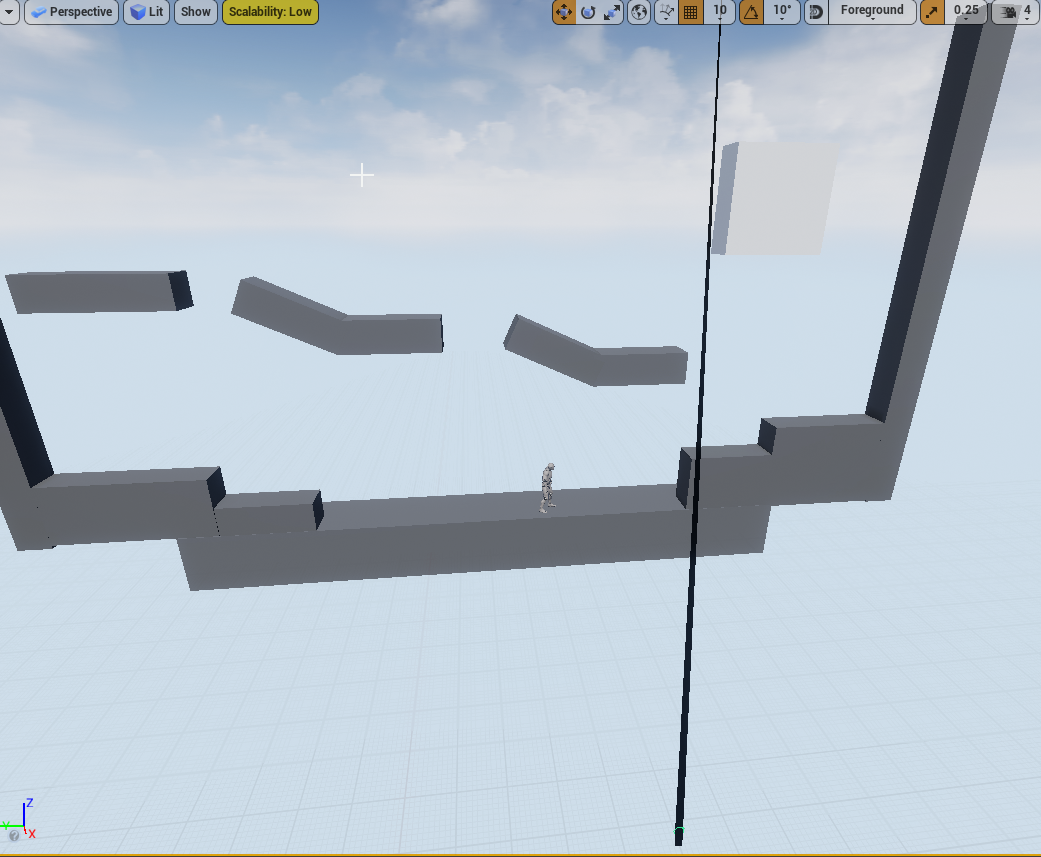 chrome nymph
SOLVED

in case anyone ever needs the same solution
this is how i resolved it
with credit to someone in the mathematics discord for walking through this with me
echo salmon
Let me rephrase this, i want to "animate" the platform so when the player pawn overlap it to show that is "pressed" so basically i want to change the Z value . I want to accomplishe this smoothly so i added a timeline. Why when i plugged the output 4-0 from timeline on to button mesh Z location doesn't work ?

 fathom spindle
Hi all, struggling with collision profiles. I have two objects (one of them a ragdoll) that are both simulating physics and can be grabbed by a physics handle, and i need to turn off collision between the grabbed object and all of or preferably portions of the ragdoll when the grabbed object is within a certain distance
for starters just turn off the collision of the object with the ragdoll when its grabbed, but keep it simulating physics and being held by the physics handle otherwise
wicked osprey
thin panther
To expose a variable there, click the little eye icon next to it
How he did string like enum?
 obtuse herald
wicked osprey
How he did string like enum?
obtuse herald
wicked osprey
How he did string like enum?
With enums?
wicked osprey
thin panther
To expose a variable there, click the little eye icon next to it
that's when you make instance editable on data table row handle, you can select data table and row like enum. Is it possible to do the same just not inside the data table row handle? So that in the editor I can select only a line from the list, and not the data table and the line together
wicked osprey
obtuse herald
With enums?
No. I want to do as in the data table row handle, only that in the instance editable editor there is only a row selection, and the data table has already been drawn in the blueprint class itself
obtuse herald
wicked osprey
No. I want to do as in the data table row handle, only that in the instance edit...
Ah you mean having an enum with the row names of a certain data table?
I don't think that works
wicked osprey
obtuse herald
Ah you mean having an enum with the row names of a certain data table?
If I make data table row handle instance editable, I can select both data table and row in the editor, but I would like the editor to display only a list of rows
wicked osprey
obtuse herald
Ah you mean having an enum with the row names of a certain data table?
Yes
I just want to make it so that I can't select data table with weapons in PickUp Keys😅
 ocean bluff
Hello, is there a way for the rope (cable actor) to wrap around objects/characters in the level? right now it goes through everything.
this is the blueprint for the rope tool so far


 scarlet pumice
hey - I have derived a C++ class from UBlueprint but it always shows as "Failed to validate" because the GeneratedClass member is always null.
I'm confused because the object actually works ok, I can call functions on it and they run, print strings, etc.
scarlet pumice
I changed the base class to derive from UObject instead of UBlueprint and it is working ok - I think I was confused about how to do it!
scarlet pumice
Function ' Create Dynamic Material Instance ' is unsafe to call from blueprints of class ' Level Generate Script '.
ULevelGenerateScript : public UObject
Any ideas how I can fix this?
earnest tangle
Don't call it from a level blueprint's construction script
At least I'm assuming this is what is causing that
 remote obsidian
Is it possible to trigger an input mapping via blueprints?
eg. my axis mapping "RotateHorizontal"
Can I trigger that from somewhere in blueprints and provide a value?
I can only find ways to link it to actual button presses on some kind of controller
 lunar fog
Bit of a general question here about how to structure blueprints.
I constantly find myself thinking about how to structure my BP's, should I put this function in this class, that class, the gamemode, or whatever.
It occured to me that I could put 90% of my functions into function librarys instead of blueprint classes. It seems like it would make life a lot easier in several ways:
- I'm less likely to have to refactor code to make a function usable outside of it's original context
- I'm less likely to repeat work by writing similar functions in different classes
- There will be less functions cluttering up my classes making them a better and clearer "high level" overview of the object
- All of my functions can be organised according to what they do, rather than the object they are supposed to work on
When taken together, all of these things seem like they would be a massive, massive improvement to my workflow and reduce some major headaches. I'm not saying I'd be religious about putting functions into librarys rather than classes. But that perhaps it makes sense to tilt the scales heavily in that direction.
What are other peoples thoughts on this, can anyone think of some compelling reasons why this is a bad idea?
edit:
In addition to this, if a function really only ever needs to be used inside of a single class, there's a 50% likelyhood that it only needs to be used in one place. So in this case, why bother making it a function at all, and instead why not just collapse the nodes for organisational purposes and for scoping variables. It's so easy to then convert that to a function anway, but you save yourself the headache of naming the functions, having a cluttered list of functions and wondering where-else that function might get called, which makes you afraid to refactor.
lunar fog
remote obsidian
Is it possible to trigger an input mapping via blueprints?
eg. my axis mapping "...
You could just add an indirection layer by events. Have your input mapping trigger an event, and then you can also call that event via blueprints or however else you like.
remote obsidian
True, It seems like that's the way I'll need to go, a bit of a shame it's not possible to call to trigger inputs directly and this extra layer is required
Thanks 🙂
odd ember
remote obsidian
Is it possible to trigger an input mapping via blueprints?
eg. my axis mapping "...
generally the idea of putting input controls anywhere but player centric blueprints would violate coupling
the best way to get around this is allow interactibles to "register" themselves to the player, and the player choosing which is the correct interactible
obtuse herald
lunar fog
Bit of a general question here about how to structure blueprints.
I constantly...
You define functions for a Class to make it usable for other classes
Putting everything into a library restricts you to not being able to edit any variables outside the function
For example if you create an inventory component, you want to give it some functions to add or remove items from the inventory
mental trellis
A class is really just a set of variables with methods that work in conjunction with those variables.
obtuse herald
So an outside standing class has the ability to add or remove stuff from it
Yet it can't be done in a function library because you need the inventories variables
mental trellis
I mean, technically, you could just have a static array of variables and a library to work with them.
But that's kinda not what you should be doing.
mental trellis
Nobody wants spaghetti code.
lunar fog
I'm not talking about dumping functions in classes entirely. Just 90% of the time, since I run into functions that need to be re-used in different classes so often, it seems like a smarter way to go to just build that re-usabiltiy into them directly and store them in a function library. Isn't it better to not modify parameters directly in functions anyway and to have functions just be responsible for their own state, and then return a value to wherever the function was called from so that It can be used to set whever variable you want to change?
Then if i really need to do something like setting a class variable via a function, I implement that function directly in the class - IF it even needs to be a function instead of a collapsed network, which for those kinds of specific use cases might be the case like 50% of the time anyway where that function only gets used once.
mental trellis
And Italian ones.
@lunar fog It's fine to make library functions (e.g. FMath has a lot of them) but naything class-specific should go on a class.
If you have multiple classes using the same type of stuff, consider multiple inheritance or just regular inheritance.
lunar fog
@mental trellis I guess that I've just realised I'm probably not using function libraries nearly enough in my own workflows and that it would tidy up and create a much more fluid way of working.
As for inheritance, my understanding is that it's better to avoid that most of the time or at least to be careful with it and to use components instead.
mental trellis
No.
That may be a Unity way of thinking?
Inheritance is fantastic in UE.
The trick is to know when to use it and when to use components.
obtuse herald
and when to use interfaces
mental trellis
Components generally offer discrete functionality.
icy dragon
Definitely Unity way of thinking, because I'm certain Unity relies more on their component equivalent than inheritance
mental trellis
Like a movement component will deal with the movement for an actor. Or a primitve component will deal with rendering a mesh or something.
If you have things intrinsic to the actor, they should be on the actor, tbh.
I guess I kinda view actors as component managers?
obtuse herald
Hmm
mental trellis
Plus their own stuff.
lunar fog
I don't come from Unity, I've been an Unreal user for a long time, although I don't have a programming background or education
short pawn
is there a way to call a function from a widget bp from a player controller bp?
obtuse herald
I would say components extend actors
icy dragon
lunar fog
I don't come from Unity, I've been an Unreal user for a long time, although I do...
Well, do get used to object oriented stuff.
mental trellis
I guess, yeah, @obtuse herald
mental trellis
Tbh, the whole actor/component stuff in UE is a bit vague.
obtuse herald
It kinda is
mental trellis
Most of everything in UE is a bit vague.
icy dragon
What
short pawn
ive tried that but it won't call the function
lunar fog
I've been writing bp's for quite a while, and I'm just exploring some new ideas (to me) about how to structure things differently.
mental trellis
@lunar fog there's really no wrong answer when it comes to all this, it all depends on how you like to program and how you think your program should work. If it works and it's performant, go for it.
chrome nymph
is there a way to bind an actor to another actor?
obtuse herald
lunar fog
I've been writing bp's for quite a while, and I'm just exploring some new ideas ...
Nothing stops you, experience is the best teacher
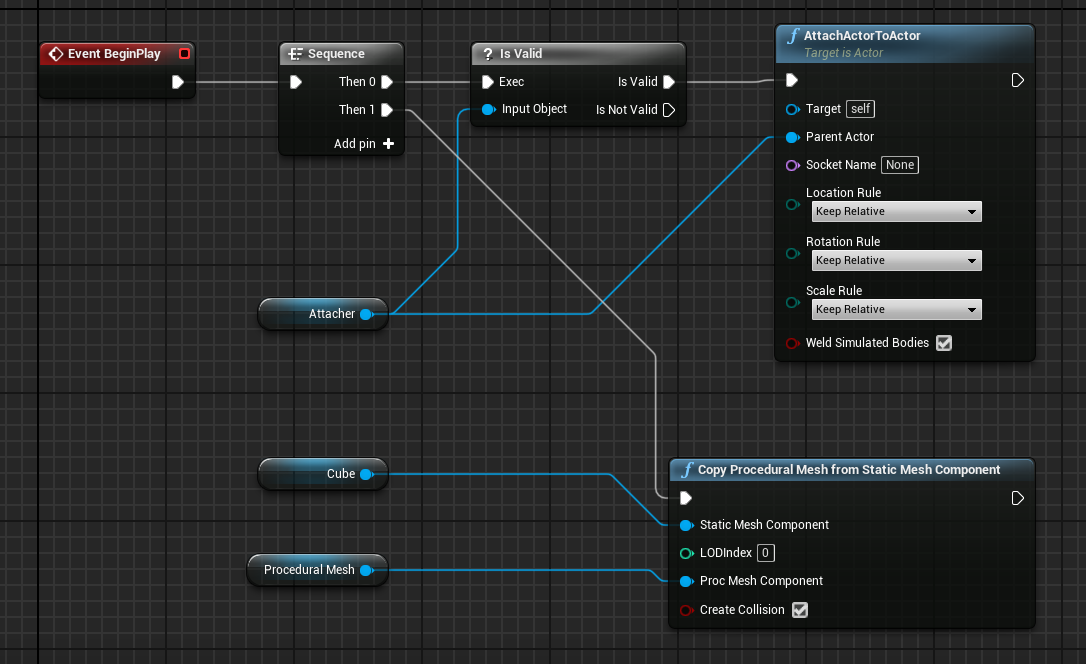 obtuse herald
lunar fog
I've been writing bp's for quite a while, and I'm just exploring some new ideas ...
obtuse herald
lunar fog
I've been writing bp's for quite a while, and I'm just exploring some new ideas ...
If it's working then that's great. If it's not you'll know why.
 mental trellis
@chrome nymph what are you expecting to attach to what?
chrome nymph
chrome nymph
the ceilijng, its a static mesh
lunar fog
Thanks for the responses
chrome nymph
 icy dragon
short pawn
ive tried that but it won't call the function
icy dragon
short pawn
ive tried that but it won't call the function
What do you have right now?
short pawn
icy dragon
What do you have right now?
this first image is where i am calling the blueprint from my player controller

this is where the function in the blueprint isn't printing the ohno string

 surreal peak
Are you getting AccessedNone errors when you stop playing?
short pawn
ive even tried toggling the breakpoint and it doesn't do anything
surreal peak
My questions remains
short pawn
no errors
surreal peak
Do you get a print if you place it directly at the start of the GO function?
short pawn
yes
surreal peak
And what exactly is the code between that? Your last images doesn't show that
short pawn
its just getting a variable
ive tried with the string right after the go function too


 surreal peak
Then the function isn't called
Which brings me back to the point that the reference you are calling it on is invalid

What are these?
Where do you fill that BlueprintRef variable
short pawn
i call that function everytime the game opens and it works
it is a widget
that other circle on the left was blueprint ref too ive been trying for a while sorry i cleaned it up with only one blueprint ref and still nothing happens
surreal peak
Where do you fill the variable
If this is a Widget, then you are creating the Widget somewhere
You will have to show your code
short pawn
its a variable that is a reftrence to my widget
surreal peak
With those cropped images no one will be able to help properly
short pawn
 surreal peak
Yeah but where do you fill it?
That's just the Type
Where are you setting it to an instance of your Widget
Reference variabes are empty (null/nullptr) by default
They are containers that can point to an instance in your memory
But you need to set them to an instance for them to actually work
short pawn
ok thank you. how do i set an instance?
surreal peak
Where are you spawning the Widget
short pawn
get all ?
surreal peak
No, not GetAll
GetAll is the devil
You are creating your Widget somewhere
The CreateWidget node returns the reference
short pawn
it is already created by another blueprint by the time im trying to play the function