Need some advice. Basically, two guys fighting, i have put a check in for the attack to see if the enemy is blocking, if they are not blocking, they can use random attack, if the enemy is blocking however,(ive done all before, but i cant wrap my head round this part) but each block animation will be part of groups, low mid high, front left right, close near far, and im trying to find what arrays the enemies current montage is in, so it would go , is the enemy blocking? Yes? Then find enemies current montage, and check what arrays it is part of, or however i assign the information to the montage, and then selects an attack, that is NOT of the same group. So if the enemy is blocking high, it will select a mid or low attack, etc etc. I was thinking of making 9 arrays, and was tinkering with the select and find nodes and stuff but i just cant seem to get what i need. My heads buzzing comparing maps arrays enums and structs and i dont understand any of them
#blueprint
402296 messages · Page 832 of 403
 dreamy gulch
 maiden wadi
Is there a reason that you need the scene component? If yes, then stop simulating physics on the static mesh, set it's local location back to a default in it's own actor, then attach. If you don't need the scene component, ditch it.
 trim matrix
i actually do want a scene component there as i want to be able to change the position of the static mesh for each child items without having to go back and forth to a 3d software. i'll try setting the local location back to default before attaching it and see if that works
 wanton knoll
could anyone help me out? whenever i pickup a star in my game the HUD is supposed to update to +1 but it doesnt, is this even a problem with the hud?

 dawn gazelle
wanton knoll
could anyone help me out? whenever i pickup a star in my game the HUD is suppose...
dawn gazelle
wanton knoll
could anyone help me out? whenever i pickup a star in my game the HUD is suppose...
This looks ok for the most part. Can you show the logic you use to increase your star count?
 mossy valley
Hey, so I am working with a group on an online 2-player FPS PvPvE game in UE4 (4.26.2) and I am trying to add camera movement when the players walk. For whatever reason, both players' camera's shake when just one of the player moves. I attempted to fix this by giving the proper player index, but doing this causes neither camera to move at all. Here are the BPs that handle this. (first image is the original way we were doing it which has both cameras moving when just one should be, second image is the macro I made to replace the basic get player camera manager node). Any ideas?


Oh in that second image, I realize the player controller output and input isnt connected, but connecting those did nothing to fix the problem.
wanton knoll
dawn gazelle
This looks ok for the most part. Can you show the logic you use to increase you...
 dawn gazelle
wanton knoll
dawn gazelle
wanton knoll
Ok, what is in your Starsystem function? The input there is also set at 0.
wanton knoll
dawn gazelle
Ok, what is in your Starsystem function? The input there is also set at 0.
im pretty sure your asking for this but correct me if im wrong because im new
 dawn gazelle
wanton knoll
im pretty sure your asking for this but correct me if im wrong because im new
dawn gazelle
wanton knoll
im pretty sure your asking for this but correct me if im wrong because im new
Yep, so the issue is your input here... You probably meant to set that Star In value to 1.
 wanton knoll
will it fix it?
dawn gazelle
Look at the math... Star = Star In + Star. If you have 0 stars, and you're adding 0 stars to that, your star value will be..... 0!
dawn gazelle
mossy valley
Hey, so I am working with a group on an online 2-player FPS PvPvE game in UE4 (4...
Can you show the sequence that calls StartWalkingShake?
I'm going to fathom a guess that it's being called from a multicast event.
mossy valley
It is called "Client Camera Shake" because I did have a server version that multicasted, but I realized the camera movement wouldnt need to be replicated


So now there is only one camera shaking function and it is not replicated at all
dawn gazelle
So the issue here is that Event Tick runs on all copies of the character. So if "Client Camera Shake" is being called on tick on any particular character, eventually these will be called, which means the local player is still going to get a camera shake as you're calling GetPlayerCameraManager 0

 hollow inlet
i'm sorry this seems so dumb, but how do i get the value of an array at a certain index?
dawn gazelle
hollow inlet
i'm sorry this seems so dumb, but how do i get the value of an array at a certai...
Get Node, it has an integer input
hollow inlet
ohhhhhhhh, ty
 iron bone
Hey everyone, how can I change this Color Grading LUT via blueprint?

 dawn gazelle
mossy valley
It is called "Client Camera Shake" because I did have a server version that mult...
dawn gazelle
mossy valley
It is called "Client Camera Shake" because I did have a server version that mult...
What you should be doing is checking 1) If you're running on a remote authority, 2) check if the character is locally controlled and only then should you be calling your Client Camera Shake function.
mossy valley
Alright I will give that a shot, thanks. I figured it was something like that, I am still trying to get a grasp on authority and stuff like that.
hollow inlet
i guess i don't really understand, where is the input?

 humble sleet
drag off that node and type 'for in' or words to that effect
it should give you an execution node that takes an int
hollow inlet
i don't want all of them though, just one
humble sleet
yeah, that's fine
dawn gazelle
 humble sleet
you give it an integer as the index and it returns your value
ah
I wasn't sure if there as a non-execution version but I don't have UE open atm
humble sleet
no need to apologise, I confused the matter by getting my terminology wrong
you were correct, 'for in' would loop
hollow inlet
it's awkward coming from python i don't know the proper words for things very well
dreamy gulch
is my question in wrong place or anything
humble sleet
here seems to be the right place but it's kinda hard to understand what you want to do
are you having trouble doing a specific thing or is it a conceptual issue?
because the former is much easier to answer
maiden wadi
dreamy gulch
Need some advice. Basically, two guys fighting, i have put a check in for the at...
Personally. I'd ditch the idea of comparing montages. You're not really supposed to drive gameplay on stuff like animations. You should just have a state variable. Enum or GameplayTag that defines whether the character is not blocking, or which type of block they are using. Animations are superficial. Realistically I don't even think you'd use montages for this exactly. You'd let your state machine put the character in a blocking state, montages would be used for taking blows.
mossy valley
@dawn gazelle that worked, thank you so much for your help!
dreamy gulch
maiden wadi
Personally. I'd ditch the idea of comparing montages. You're not really supposed...
i have the checks for where when the enemy blocks, im just looking for how to check what values/data/anim/array is assigned to the current block
 hybrid latch
Hey! Trying to apply a editor Apply spline in blueprint. Target is landscape proxy. How do I get to a landscape proxy in blueprint?
 severe folio
Is there a way to link an actor instance on a level to a property of another actor instance in that same level, within the Editor without going through Level Blueprints to do so?
 spark steppe
severe folio
Is there a way to link an actor instance on a level to a property of another act...
spark steppe
severe folio
Is there a way to link an actor instance on a level to a property of another act...
on runtime or in the editor?
within the editor there should be a "dropper" icon next to the variable to select one from the viewport
severe folio
spark steppe
within the editor there should be a "dropper" icon next to the variable to selec...
Hmm does the object type have to be a specific type, maybe not a UObject* ? :

yeah I can't find a dropper icon for a variable in the viewport.
spark steppe
but you are checking in the details panel of an instance, not the blueprint, right?
severe folio
yeah this is the details panel in the editor
spark steppe
that's how it looks for me, but in that example the datatype is actor reference

maybe uobject doesn't work, haven't tried it
 lone arch
hey guys is there a way i could fetch files from a database online into unreal , i am talking about files like videos and images
severe folio
spark steppe
that's how it looks for me, but in that example the datatype is actor reference
Ah yes you're right maybe it has to be an actor
 neat stream
Hey guys I'm playing with the WheeledVehicule Component is their a way to get current RPM?
 odd ember
count the speed of the last ten revolutions and average them?
iron bone

anyone know how i can interpolate between these two?
they are textures so i can't put a material in there
humble sleet
timeline with float curve
make a material using the two textures and use some kind of mixing node with an alpha (idk the exact node)
iron bone
it won't let me put materials in this slot though
it's for a texture for post process camera
humble sleet
ohhh
hm

Have you tried changing your pp material so that it replaces tonemapping? Then the lut will be applied to the hdr scene. Perhaps that'll help? If you do this you'll also need to do your own tonemapping. I've been playing with the 3 point levels node which seems to get use able results but I don't think it's an ideal solution.
I found this?
dawn gazelle
neat stream
Hey guys I'm playing with the WheeledVehicule Component is their a way to get cu...

 echo salmon
Hello , am following a tutorial about widget animations. And i have to do the following (as the image) in order to play the widget animation , it couldnt run the animation without contruct -> play animation on widget BP.
 dawn gazelle
echo salmon
Hello , am following a tutorial about widget animations. And i have to do the fo...
dawn gazelle
echo salmon
Hello , am following a tutorial about widget animations. And i have to do the fo...
Can you clarify what the issue is? This looks appropriate for playing an animation when the widget is constructed.
echo salmon

I thought this would play the animation .
On overlap basically i wanted to play this animation but it didn't , and have to go to the widget BP and add this "hack" to play the animation and it worked.
maiden wadi
Not sure how this is a hack.
If you want to play an animation, you have to call play animation. 🤷♂️
It works fine. You just have to make sure you specify -65 as the minimum and not -55
 onyx token
can i disable and enable components at runtime? 
dawn gazelle
onyx token
can i disable and enable components at runtime? <:rooThink1:580614815408586762>
Yes. Activate/Deactivate
 i see
i see dark crow
Be a sinner and Destroy / Add them everytime 👍
 mental trellis
The way BPs do that at construction is scary.
 sturdy herald
Hello. Its not a necessarily a question, but an information: If u have a structure array and want to set members in a specific element u need to use a temporarily not array variable for it, dont know why, but working only like this.
If anyone has any other way, write it down.
 sturdy herald
Hello. Its not a necessarily a question, but an information: If u have a structu...
sturdy herald
sturdy herald
Hello. Its not a necessarily a question, but an information: If u have a structu...
Actually, with get a (ref) isntead of get a (copy) it will work fine.
odd ember
sturdy herald
Hello. Its not a necessarily a question, but an information: If u have a structu...
BP structs are all copies
 crude pecan
Is there a way to categorize custom events in BPs? Or do they all end up in default?
 spark steppe
crude pecan
Is there a way to categorize custom events in BPs? Or do they all end up in defa...
spark steppe
crude pecan
Is there a way to categorize custom events in BPs? Or do they all end up in defa...
select the event node in blueprint, in the details panel you should may be able to set the category
crude pecan
spark steppe
select the event node in blueprint, in the details panel you ~~should~~ may be a...
I thought so too, it works for variables but custom events dont seem to have that in the panel...
This is a custom event

While a variable has the option to set a category
 spark steppe
yea just doublechecked, it works for functions, tho
dreamy gulch
i have an array of structs with enum lists and montage. If i get a reference to that montage, as an animmontage ref, is there a way to also get the values of the enum lists?

note i mean like getting a ref to the montage itself, then like, matching to the corresponding array element, and then getting the output of those enum values
trim matrix
Yes, you just run a for each loop. Check each array elements animation montage against the anim montage you are searching for. If there is a match, you have found the corresponding array element and now know the enum values as well.
dreamy gulch
sorry but how do i literally get the enum values, like what node and pin
 west wigeon
is the gamemode permanent even when switching levels
trim matrix
west wigeon
is the gamemode permanent even when switching levels
No
Only the game instance
west wigeon
ah thats what im thinking of thx
dreamy gulch
trim matrix
Only the game instance
tried bro but doesnt seem to be working but gonna keep tinkering for a bit i may need advice in a bir
trim matrix
It’s very simple, I’m just not at my computer so I can’t show you how to stick it together
You should tinker with it.
That is something that you need to figure out how todo. It is very important.
 upbeat rain
How do I set variables in a widget I am spawning? No matter whether I set them in the spawn function, after, or even after a delay they keep getting reset to the defaults.
This behavior is so nonsensical it feels like it must be a bug? Why is it impossible to set values on a spawned widget?
 tranquil abyss
So I have widget the displays the name of the item over it when a player stands over the item
and im trying to the change the color of that widgets text based on its rarity
that value is in the actor

and im wayy over complicating it
I feel like there is a function I dont know about that would make my life alot easier
-Right now my idea is to get the actor the character is overlapped with and do it that way
but that seems very unnecessary
dreamy gulch
trim matrix
You should tinker with it.
checked if valid etc its the == part thats not working, any ideas?
 trim matrix
I was wondering if there would be an issue with the equals yes.
But I believe the issue is something else though.
Can you print string the display name of each anim montage
 gusty shuttle
I need some rubber ducking. I'm trying to get a previous, marketplace physics actor to be grabable. OKay, so I add the standard grabbing interface and make sure physics is enabled. I pretty much copied the standard pickup cube and for some reason it's not picking up at all
It's reading okay from the motion controller to the actor. So it knows what to attach actor to, yet it does not. It's like physics never get's turned off
Can anyone spin a few ideas around?
 dreamy gulch
trim matrix
But I believe the issue is something else though.
dreamy gulch
trim matrix
But I believe the issue is something else though.
added print first in the loop, it returns the first anim in the array connected directly to the array break result montage, not target current anim montage. It doesnt return everyone in the array, either because the loop ends to quick or it stops searching after one find. ut that may just be the print string itself that stops looking
upbeat rain
This is how I'm spawning my widget right now. Could the problem lie with the ListView? I can't seem to find any official documentation on it.
 dreamy gulch
trim matrix
Can you print string the display name of each anim montage
dreamy gulch
trim matrix
Can you print string the display name of each anim montage
issue seems to be with the current montage
trim matrix
Yes I was about to say that
But also
Be aware that your function could be returning before it is supposed to
Make sure that there is no return node connected somewhere that will return the function before the loop finishes
dreamy gulch
ill check. i changed the 'get current montge' nodes to other ones of same name and same thjing theres a gap in print string where name should be
need to check where in the chain of finding actor ref then anim ref etc its not working
trim matrix
Yea
trim matrix
gusty shuttle
I need some rubber ducking. I'm trying to get a previous, marketplace physics ac...
Check your attachment rules on the AttachComponetToComponet node
gusty shuttle
trim matrix
Check your attachment rules on the AttachComponetToComponet node
Aye, I narrowed it down to the K2 Get Root Component. Something to do with that. Once I set it to the Physics Object as a target it actually attached to my hand, though I couldn't let go for some reason haha. It's not the ideal working thing, just narrowed it down to something

And I narrowed down that the physics is actually turning off as intented. It is something to do with the attachment issue.
Any ideas?
 pine trellis
anyone else having weird issues in 4.27.2? I just went to open my project it said unreal engine couldnt be found but then I opened up the laucnher and now in my project its like its had the intermediate and save folders removed all my settings like favorites are gone
 autumn surge
My editor has become buggy, I have to restart it after an hour or two because all the dropdown menu just close instant after clicking on them.
I hope this does not packages into my project.
 icy dragon
autumn surge
My editor has become buggy, I have to restart it after an hour or two because al...
icy dragon
autumn surge
My editor has become buggy, I have to restart it after an hour or two because al...
NVIDIA user?
icy dragon
autumn surge
yes rtx2070
Go figure.
There's a common issue with NVIDIA's latest drivers degrading Unreal Editor experience with such issues. See pinned message in #ue4-general for posts on how to rectify or downgrading your driver.
For comparison, I have yet to see AMD users reporting the same.
autumn surge
Okay thanks man, I really thought its breaks my projects. lol
 tawdry surge
AMD users.. You mean all 6 of them?
tranquil abyss


Does anyone know why the color here is getting combined (at least I Think) with the default string color
if the value here is zero or 1 (am printing to check) it is the pink color
Weird
sturdy herald
autumn surge
My editor has become buggy, I have to restart it after an hour or two because al...
this solved it for me.
Btw ur menu dont close instantly, just u dont see it on monitor. If u click there it will do what u want, or if u record ur screen with this bug, u'll notice ur menu is showed there, only not visible on monitor
https://nvidia.custhelp.com/app/answers/detail/a_id/5157/~/after-updating-to-nvidia-game-ready-driver-461.09-or-newer%2C-some-desktop-apps
autumn surge
alright man, will try that later. I have this for weeks now.
icy dragon
tawdry surge
AMD users.. You mean all 6 of them?
All 6 out of 6 has no issues with it.
Just fricking accept it.
Raytracing ain't be useful if it's not stable.
 dense delta
Hello, I'm trying to implement a spectator pawn that can spectate players from three perspectives, first, third, and top-down. I'm having trouble understanding how to manipulate the camera or set the view target to something other than the active camera of a character. Currently I can spectate a character from their view using the set view target with blend BP but as far as changing it to third or top-down perspective I am lost. Any help would be greatly appreciated!
sturdy herald
dense delta
Hello, I'm trying to implement a spectator pawn that can spectate players from t...
u can set up 3 cameras in player BP and u can change with them. I used 6 cameras on my map, one of them can rotate and all of them can rotate. i link my blueprint in a second.
@dense delta Here is the blueprint. U dont need to use the Teach bool (its for my widget, i want to only to use different cameras with that).
I used timeline for the smooth rotation and Mouse Wheel Up and Down zooming the current camera within a range.
https://blueprintue.com/blueprint/w19jnhdk/

No description provided


 scenic rivet
a retargeting animation was done on this character from the character Echo. The problem is, I can't figure out where to find this LocomotionStateCurve
dense delta
sturdy herald
<@!162418524927688704> Here is the blueprint. U dont need to use the Teach bool ...
I see now how to offset the camera location and rotation but does this make the player who is controlling that actors perspective change as well? I'm looking for a solution that keeps the two seperate so I can move and change the spectatorpawn perspective without altering the players perspective at all

 supple dome
Thats just the debugger, the division is working fine
supple dome
the division is working fine.
dawn gazelle
I think it depends on the current data type of the variable. Like I know for sure it won't let you make the variable type into a map if you have boolean set as the variable type.
supple dome
the division is working fine. The debugger is not
dawn gazelle
Try putting a print string off of there and you'll see it's working.
supple dome
Its working fine, youre looking at the wrong values, or at the wrong place
The division is working fine
dawn gazelle
ok, what about a breakpoint on the object where the value is being used?
 tiny meteor
`tried it, still 0
dawn gazelle
Have you tried restarting the editor and your computer? 😛
dawn gazelle
Have you tried reinstalling unreal engine?
If it's not your computer, nor the engine, then it's your code not executing in the way you think it's supposed to.
tiny meteor
I really shouldnt need to do that, not sure why its bugged like this
but the bp is complicated, I guess it could re-writing the variable. but I am printing it directly after the division via tick

now this print string wont print before the breakpoint is hit
 autumn ermine
does anyone know if it's possible to toggle whether a cull volume is enabled through a blueprint? I was hoping to enable it when crossing a trigger box
tawdry surge
You're not supposed to flip them on or off.
And you aren't actually meant to have more than one per level either


 brazen merlin
Sarcasm? Thats sounds clear to me
 vast crow
What happens if substring is not found? This is bugging me for years 😅 Every time I just go and find it in C++ instead
tawdry surge
Pry -1 or invalid error
You could always print it and see
vast crow
-1
Thanks, now I can search this discord when I'll use it next time and forget
(it would be good to file a suggestion somewhere to improve the tooltip)
 fair ledge
I'm a bit stuck with the RadialForceComponent. I'm trying to get the force to be always applied but I think I'm missing something, as I'm only seeing the option to fire an impulse. Which I would have to do on tick. Is there a better way?
NVM, I figured it out
 river arch
Getting a crash of 0 from an array of size 0 relating to a Control Rig object inside a sequence. At a complete loss of how to solve this. Does anyone know how to fix this?

 weak zealot
This wont fail, nor succeed.. any clue as to what i'm doing wrong here?
 tawdry surge
Casting on tick for 1
weak zealot
tawdry surge
Casting on tick for 1
Hm?
trim matrix
weak zealot
Hm?
General best practice to not use CastTo nodes on anything that runs each frame of the game
Event tick runs litteraly every frame
also
 mellow folio
Your tick is probably off
trim matrix
Im confused on why your casting
weak zealot
trim matrix
General best practice to not use CastTo nodes on anything that runs each frame o...
i'm trying to get a bool from another blueprint, how should i go about that?
trim matrix
Well you definitly dont need any casting here
You can simply have a variable reference to that class and skip the CastTo part

 trim matrix
that should also work
it is because the variable reference is not set to anythinbg
it is an empty reference
weak zealot
 trim matrix
You need to set the slot machine variable to something.
weak zealot
It's set to my object
trim matrix
You are missing some fundimental understandings about variable references.
weak zealot
I don't quite get what i'm missing
I'm pulling from that object to get it's variables, right? I don't see what it's not set to, the variable type is my object
brazen merlin
you've got the right type of variable, but nothing I see is setting SlotMachine to a reference that exists in your level
weak zealot
brazen merlin
you've got the right type of variable, but nothing I see is setting SlotMachine ...
I don't quite understand.. hmm.. i'll search some more
 unique yoke
If I'm trying to pause the game only in single player, what's the best way to detect if the client's not connected to a server?
weak zealot
Reading up on this:
https://docs.unrealengine.com/4.27/en-US/ProgrammingAndScripting/Blueprints/UserGuide/Variables/

Properties that hold a value or reference an Object or Actor in the world.
brazen merlin
unique yoke
If I'm trying to pause the game only in single player, what's the best way to de...
its not single player if they can connect to server 🙂 If it's dark souls-y, where the player is not connected to a server (playing "offline"), they should be considered the host (i.e. they are the server). I don't think this will work with dedicated servers.
weak zealot
Ohhh
When you said set, you meant like.. like the most basic form of setting
Already doing that
 tawdry surge
He meant the slot machine reference
dawn gazelle
This is a variable. It can contain a reference to a "Slot Machine" object.

If a value isn't set in it, then there's no reference to what "Slot Machine" object you're wanting to access.
weak zealot
🤔
Very odd.. i just assumed, the way i had to create the variable selected the object already. I created the object, the selected the one i wanted from the drop down
dawn gazelle
That's only setting the type of variable.
Just like one would select a "boolean" the value of the boolean is set by you afterwards.
weak zealot
Alright, sorry if this all sounds dumb. My object is a blueprint actor.. how can i set slot machine to that actor using a set node? Usually i'd just drag it into my viewport but it's bringing up a different type of node
trim matrix
If I want to create a MP game and want the score to be updated to the players do I store the score data in the gamestate?
weak zealot
I swear I went to google before coming here, read up on the docs/forms.. my apologies
dawn gazelle
weak zealot
Alright, sorry if this all sounds dumb. My object is a blueprint actor.. how can...
Most basic of basic (but usually never the best) is the Get Actor of Class node. Select the class of the object, and if it exists in your world, then you can get the reference to that one object.
It'll only return the first found reference though... Or none at all if it doesn't exist in the level.
 dawn gazelle
But don't do that.
Get Actor of Class is not good to use on tick.
Instead, put it on BeginPlay of the actor.
set the reference there.
On tick, you can check if your reference is valid using an IsValid node
and if it is, then proceed with your code.
weak zealot
Gotcha
dawn gazelle
trim matrix
If I want to create a MP game and want the score to be updated to the players do...
That's probably a good place to store it, yea
 steady thicket
how can I get the text content from a editable text?

its only showing the hint text
 remote meteor
get text
steady thicket
remote meteor
get text
does the node comes from the variables? cause im only seeing get hint text
Do I need to put a text first inside the editable text so that it will be recognized in the bp?
dawn gazelle
 weak zealot
Sorry for asking here so much, but how could i get something a little slower than event tick?
brazen merlin
weak zealot
Sorry for asking here so much, but how could i get something a little slower tha...
use a looping timer
weak zealot
brazen merlin
use a looping timer
Hmm.. like a frame tick with a delay?
that would lower the rate
dawn gazelle
Is it something that constantly needs to fire?
Or could it say, be triggered by an event instead?
weak zealot
can i call events cross blueprint without using an interface?
dawn gazelle
Certainly.
weak zealot
Making a slot machine as my first project wasn't the best idea, yet i stay committed
brazen merlin
Literally a timer..
 weak zealot
 glass magnet
what is the circled node-
glass magnet
what is the circled node-
It's setting an object variable
We actually discussed it just above here
glass magnet
setting an object variable?
weak zealot
Looks like it's setting that variable equal to the character controller.. I'm new though so I'm not exactly sure
glass magnet
yeah yeah tahts what i just did
i just dragged it off of the cast to contgroller and promoted it to a variable
weak zealot
I've been struggling to wrap my head around this logic problem for a long while now, I'm trying to stop rotating each of these arrayed objects.. one by one with a distance between the stop of a couple seconds. The array index is super helpful here but I can't think of how to go about it

@glass magnet Glad to help, good luck!
glass magnet
ofc ofc thank you
im trying to figure out multiplayer stuff though id be productive by making a fog of war
but before i leave i wanna ask, why slot machine?
weak zealot
My friend had a crazy game idea, I'm a 3D modeler.. but since we don't have our coder RN I've been trying to fill in. I'm getting real damn close.. very annoying
glass magnet
hey its a learning experience
proud of you for tackling something out of your realm of experience im assuming it is with how you worded it
weak zealot
I have some coding experience (Discord bots, unity games, the newbie stuff), just ducked out to pursue more creative things for a while. Once I have this slot machine done, I'm set. This has to be the hardest part of our game
weak zealot
Eh, don't wanna spam chat
glass magnet
ofc ofc
 fervent temple

 tight schooner
weak zealot
I've been struggling to wrap my head around this logic problem for a long while ...
tight schooner
weak zealot
I've been struggling to wrap my head around this logic problem for a long while ...
Doing it centrally is hard cuz you have to keep track of each spinning thing. One way is to manually maintain a series of arrays (or a custom struct array) sorted in some useful order, containing all the data relevant to each spinning static mesh.
Another approach is to make a new blueprint subclass of the Static Mesh Component, basically creating a static mesh component that has a BP graph and all that. Meshes with behavior. Then the host actor can talk to each component in a simpler way; the components manage their own animations, timers, data and whatnot.
 chrome nymph
vector math derp

how do you calculate the vertices of a circle around a centre with radius 100?
this is incorrect
i.e. X vertices spaced out evenly around a vector 0,0,0
 chrome nymph
vector math derp
chrome nymph
chrome nymph
vector math derp
this results in this
trim matrix
does anyone know a way to learn ue4 c++
like how to actually learn
like the functions
how to spawn things
character controllers something like that
 timber knoll
chrome nymph
how do you calculate the vertices of a circle around a centre with radius 100?
timber knoll
chrome nymph
how do you calculate the vertices of a circle around a centre with radius 100?
Cos/Sin using the 360 degrees (so every 3.6 in case of 100points)
Multiply by radius (cos/sin return -1 to 1 range)
Add offset (0,0,0 in this case)
chrome nymph
timber knoll
Cos/Sin using the 360 degrees (so every 3.6 in case of 100points)
hmm wouldve imagined the rotatevectoraroundaxis to do that
haha
timber knoll
Well that should in theory work as well 😛
chrome nymph
aye
timber knoll
Cos/sin is just the standard math way haha
chrome nymph
i have a feeling its a race condition
elsewhere
not sure how arrays are handled in C++
are they reference or value types?
i have a foreach loop that runs whenever an orb gets attached to the actor

from the orb - not from the actor
timber knoll
How can it be a race?
timber knoll
It’s all mainthread 😅
chrome nymph
so it might be computing the vertices based on
hm
my bad -race condition is the wrong terminology here haha
but if its all on main thread in theory the last orb that gets attached
should set the right vertex for all the child orbs
timber knoll
I think that for each is reference
And will just be from first to last so basically i=0, i<length, ++i
 timber knoll
Haha
chrome nymph
now it works correctly
yeah the RotateAroundAxis node works correctly
i spent way too long trying to get the orbs to work correctly
timber knoll
trim matrix
does anyone know a way to learn ue4 c++
like how to actually learn
like the func...
Documentation
chrome nymph
maybe i should just learn C++
 tidal marlin
Hello. How i can read sucsess task if my eqs system havnt sucsess point?
chrome nymph
or maybe just initial learning curve of visual programming lol
timber knoll
If you know how stuff works using BP, it’s basically the same but little different syntax
timber knoll
chrome nymph
or maybe just initial learning curve of visual programming lol
For sure learn the engine a bit first
maiden wadi
C++ won't change anything in this regard. Logic is logic. Blueprint is just C++ in preset blocks.
timber knoll
Once you get the hang of the basic functionality, C++ UE isn’t that hard when you have prog background
chrome nymph
maiden wadi
C++ won't change anything in this regard. Logic is logic. Blueprint is just C++ ...
agree. what's really disorienting for me is not viewing logic through text i guess
but probably just not used to it yet
timber knoll
Yeah but it’s a bit more complex if you have to both figure out logic and syntax
maiden wadi
I'm backwards. 😄 Took me a year to get used to reading C++ files easily, and I still don't prefer it.
timber knoll
So once you get the logic you can switch imo 🙂
chrome nymph
timber knoll
Yeah but it’s a bit more complex if you have to both figure out logic and syntax
strongly agree
will stick to BP for now heh
maiden wadi
Straight functions are easy to follow in text. But the constant bouncing around through functions is more difficult.
 worthy carbon
How do i attach weapons to the character with datatables?
crude pecan
If you haven't already.. this plugin is making my node life like heaven...

Use this plugin to greatly speed up your node graph creation workflow.
You can do most things just moving around with your hand. Wiggling the nodes off is awesome...

Not related to the dev or whatever... just like night and day improvements for me
tight schooner
Yeah I'm a fan of that plugin too
chrome nymph
crude pecan
https://www.unrealengine.com/marketplace/en-US/product/node-graph-assistant
omg thank you
tight schooner
chrome nymph
is there an easy way to promote functions to be components?
Sometimes you can select the function in the function list, copy, paste in another BP function list
I don't have UE4 open rn but I think that works...
neat stream
Hey there, any idea as to why my character is able to move my 1500kg Chaos Wheeled Vehicle? 🙂
 zenith hazel
You sure that the mass is set to 1500kg?
neat stream
 timber knoll
neat stream
Hey there, any idea as to why my character is able to move my 1500kg Chaos Wheel...
timber knoll
neat stream
Hey there, any idea as to why my character is able to move my 1500kg Chaos Wheel...
superman! also #legacy-physics
neat stream
whoops
zenith hazel
timber knoll
<#221798778208780288>
Oh thanks !
 crisp lance
Hey there, is there any chan for performance-related or general questions?
I'm looking for advice at to how I could investigate further what is causing CPU stall:
 timber knoll
crisp lance
Hey there, is there any chan for performance-related or general questions?
I'm l...
timber knoll
crisp lance
Hey there, is there any chan for performance-related or general questions?
I'm l...
Maybe while you wait for some1 that knows more on this topic than me, you can find a lot in the documentation:
https://docs.unrealengine.com/4.27/en-US/TestingAndOptimization/PerformanceAndProfiling/
How to identify performance problems and fix them.
chrome nymph
at long last
making the balls collectable made it a lot more complex than if the character just spawned them >_<
 crisp lance
timber knoll
Maybe while you wait for some1 that knows more on this topic than me, you can fi...
crisp lance
timber knoll
Maybe while you wait for some1 that knows more on this topic than me, you can fi...
Thanks. These commands do bring more information, as I see that whatever slows down is in the RenderViewFamily. I'll try to see how deep I can go.
 chrome nymph
after reading about the ai capabilities.... shouldve just used that instead to manage the balls tbh
tight schooner
crisp lance
Hey there, is there any chan for performance-related or general questions?
I'm l...
CPU stall means it's waiting on something else to finish, so it doesn't tell you much in itself. Usually the workflow for profiling is to figure out if it's GPU, draw thread, or game thread (with Stat Unit, Stat Raw, etc.) and then drill down from there
never profile from "Play In Editor" btw. PIE is very different than "play as standalone" or a true, packaged export
odd ember
chrome nymph
after reading about the ai capabilities.... shouldve just used that instead to m...
I think there's a famous laozi quote about this
crude pecan
Sorry this plugin is magical...
 graceful forum
Is there any recommended/preferred way between having a timer or Delay node to run a logic after some defined time if I can provide the same logic with both of them?
odd ember
graceful forum
Is there any recommended/preferred way between having a timer or Delay node to r...
describe what you are intending todo
graceful forum
Well my question was more intention agnostic to learn any technical difference between them on the point of just waiting for the time to be up. But in more detail, it's for health regeneration over time
odd ember
graceful forum
Well my question was more intention agnostic to learn any technical difference b...
behind the scenes they are the same function. it's a delegate that is delayed x amount of time
the difference only lies in how blueprint handles one node for simplicity vs the other
graceful forum
I see, thanks
odd ember
graceful forum
Well my question was more intention agnostic to learn any technical difference b...
in terms of health regeneration you could use a combination of both if you really wanted to. the regen itself done by a looping timer, while preempted by a retriggerable delay in case you get hit, or some such
 pulsar rampart
Guys i have a big problem I was Just fine with my project so i saved it and everything was fine but when i opened it up today the weapon isn't firing (making fps game) but my code was just fine and nothing was changed so can anyone help me please?
is there any debug i can do?
maiden wadi
The same you'd do when making it. Start at the input, follow the logic, see why it isn't firing.
Just don't look down the barrel.
pulsar rampart
maiden wadi
The same you'd do when making it. Start at the input, follow the logic, see why ...
i did that but actually nothing was changed it just is the same bec yesterday it was just fine
maiden wadi
Something isn't working. Use breakpoints and printstrings to find out why your logic isn't making it to the firing function. If it is making it to the firing function, find out what is wrong with that. If you're firing projectiles, make sure they're not spawned colliding with the weapon. If they're line traces, make sure your inputs are correct.
pulsar rampart
Ok I will just try again
maiden wadi
You'll be doing this a lot. 😄 Specially when working in a team and someone changes something else.
 zealous fog
pulsar rampart
i did that but actually nothing was changed it just is the same bec yesterday it...
zealous fog
pulsar rampart
i did that but actually nothing was changed it just is the same bec yesterday it...
That's what we always thibk until we find that one thing we changed that broke it haha
pulsar rampart
zealous fog
That's what we always thibk until we find that one thing we changed that broke i...
lol
what i find out that the structure blueprint is kinda broken when you save it and in my code there is a lot could that be the problem i don't know
maiden wadi
Semi common problem with Structs in Blueprints. Changing them can be dangerous.
pulsar rampart
maiden wadi
Semi common problem with Structs in Blueprints. Changing them can be dangerous.
lol that's what i did
zealous fog
maiden wadi
Semi common problem with Structs in Blueprints. Changing them can be dangerous.
Adding to them too? Or just changing the variables in it/changing order
maiden wadi
I don't think straight adding does anything. But changing names is dangerous. Even in C++ it's not really advised. If you absolutely need to, it's best to remove anything referencing it, remove it, compile, then put it all back under the different name.
zealous fog
pulsar rampart
i changed the name
Unlink them add tbe nodes again and refresh all nodes, that sometimes fixes things for me
 gentle urchin
Are there known issues with spline components and spline meshes tangents made at runtime?
pulsar rampart
maiden wadi
I don't think straight adding does anything. But changing names is dangerous. Ev...
Ok i will try
maiden wadi
gentle urchin
Are there known issues with spline components and spline meshes tangents made at...
Which runtime? I know there is some weirdness with them in the construction script.
gentle urchin
maiden wadi
Which runtime? I know there is some weirdness with them in the construction scri...
are there many runtimes? x) During play

Its not even attempting to bend
zealous fog
Editor vs standalone can be different I found 😭
Still havent fixed a niagara issue in standalone
Like the packaged version I mean
gentle urchin
gentle urchin
guess it needs vertexes to bend
Yupp, that was it!
 severe kettle
Does anybody know why is it showing a speed of 0? The blueprint is a timeline with "set actor location" and I'm getting the velocity from linking the mesh to a "get component velocity"
 main bobcat
mind sendint a screenshot of the code too? i think its because the object itself is not actually moving, its the timeline alpha thats controlling it
severe kettle
Here is the bp part of the timeline
 main bobcat
yh so you moving the actor with the timeline, u see new track 5 on the timeline, try putting a print in that and see what value it gives u
thats should be your "velocity"
maiden wadi
Calling SetActorLocation won't set the velocity.
main bobcat
maiden wadi
Calling SetActorLocation won't set the velocity.
yh this is correct because you just setting the actor to different locations, itself is not actually moving
but i think the new track 5 would be the "velocity" i put it in brackets cause its not per say a velocity
severe kettle
Oh, that was one of the things I was worrying about. How can I move actors and be able to get a velocity measurement?
The new track 5 is actually a 0 to 1 timer for the loop, the spline is doing something weird slowing down when reaching the middle spline point and then accelerating again so I wanted to see if the velocity was constant and my eyes were deceiving me
main bobcat
yh its the rate
maiden wadi
If you want to test velocity, save it yourself. All you need to do is have a cached location vector and the velocity vector. Calculate new location. Veclocity is NewLocation - GetActorLocation. Save that as velocity. Then set the actor location. Now you have Velocity to check from.
main bobcat
also enable sweep
maiden wadi
Why do you need sweep for that?
main bobcat
doesnt sweep help for moving?
maiden wadi
Sweep is just for collision movement. It'll stop the movement and also call hit events if the move causes the actor to 'hit' something.
main bobcat
oh yhyh mb
severe kettle
I did it that way and the spline starts at a speed (vector length) of 7 and goes down to 4 when it's reaching the middle spline point and goes back to 7 when it's going to the last spline point. Can't I make the spline speed even?
I don't know why is it slowing down
maiden wadi
Sounds like your spline has some weirdness. If your timeline is a two point track of 0-1, I'd start with the spline.
severe kettle
The spline is created dinamically, I tried having a straight spline and the speed is constant now, if I add some tangents to make the trajectory round the speed goes down at the curves.
 severe tendon
How can i make it so that the character rotates to the mouse position?
Hotline miami style
main bobcat
severe kettle
The spline is created dinamically, I tried having a straight spline and the spee...
is it the timeline set to run from 0-1?
severe tendon
like this

 cosmic loom
idk what's going wrong, I am trying to make a character customization system and this runtime error pops up
 maiden wadi
cosmic loom
idk what's going wrong, I am trying to make a character customization system and...
maiden wadi
cosmic loom
idk what's going wrong, I am trying to make a character customization system and...
Your widget is trying to access a pointer that isn't valid named PlayerCharacter
cosmic loom
I am making this
 severe kettle
Yes, the timeline goes from 0 to 1 with the "straight line" timeline
cosmic loom
Widget graph is this
 main bobcat
severe kettle
Yes, the timeline goes from 0 to 1 with the "straight line" timeline
main bobcat
severe kettle
Yes, the timeline goes from 0 to 1 with the "straight line" timeline
try playing with play rate from the timeline, set play rate is the node u should look at
cosmic loom
SwitchHead Event:
 maiden wadi
cosmic loom
Widget graph is this
maiden wadi
cosmic loom
Widget graph is this
The blue variable here isn't set.
cosmic loom
could you please elaborate? I did not understand
this is the event construct of the widget
 main bobcat
severe tendon
How can i make it so that the character rotates to the mouse position?
main bobcat
severe tendon
How can i make it so that the character rotates to the mouse position?
look up a node called look at rotation, play around with that, if not, 100% sure u can fine a better explained tutorial on youtube
maiden wadi
cosmic loom
could you please elaborate? I did not understand
Your blue variable named PlayerCharacter is called a pointer. It is a variable type that points to a memory location of an instance. If they are not set, or they are set to point at something that isn't what the type of pointer is, it's considered invalid.
In this case because of your EventConstruct, you are either changing the character at runtime to another character and not updating PlayerCharacter pointer in the widget, or your cast is failing and it's never being set.
cosmic loom
I didn't understand, I am starting with scripting, I only understood the pointer explanation, but not the second half of the message, what should be done to fix the errorr?
maiden wadi
For starts, I'd check the cast. Make sure it's not failing.
Put a print there or something, if it prints the failure message in the top left when you add the widget to screen, your cast is failing. Which means you've given it an invalid pointer or a wrong pointer type to cast. Chances are you either aren't possessing that pawn, or it's the wrong pawn type.
cosmic loom
maiden wadi
Put a print there or something, if it prints the failure message in the top left...
yes, I am not possessing that pawn, its just a character placed in a level that shows up on the widget via 2d scene capture
maiden wadi
GetPlayerCharacter is the same as calling GetPlayerController->GetPawn->CastToCharacter. GetPawn from the PlayerController will return the currently possessed pawn.
In other words, you need a different way to reference your soldier pawn
cosmic loom
can I do this directly?
 main bobcat
probably get actor of class will be a better thing, if u only have that one character
maiden wadi
Yeah. If you only have one of them in the level, just use a GetActorOfClass.
People will cry about it. They'd be surprised how much of the core framework uses actor iterators.
severe tendon
@main bobcat actually no, there isn't any
main bobcat
hmm kinda weird, thought would be a popular thing
severe tendon
There are some top down shooter tutorials which is what i am trying to do but there isn't anything on how to orient the character to the mouse
At least i haven't found anything
main bobcat
I think if u get look at rotation and the mouse position stuff try playing around with those nodes
maiden wadi
Is this a player possessed character, or an AI?
Asking because AI have a system in place to do this already with a single call. Player controlled characters need a small bit of setup to do this.
severe tendon
If you're askin about my issue, then it's the player controlled character
maiden wadi
In that case. Set it up to face the player's control rotation for start.
Change this in the character's CharacterMovementComponent.

Change this in the character's class defaults.
 severe tendon
Ok, gonna try that
maiden wadi
Then do this in the character's tick.

Should smoothly rotate the character towards the cursor. Up the RotationRate in the CMC's settings to make it quicker.
cosmic loom
Its working, thank you for teaching me.
severe tendon
It works, but it rotates the entire camera
I would like it so that only the character rotates
maiden wadi
Don't attach your camera to the character then.
Can try setting the spring arm to Absolute.
 sly shore
severe kettle
I did it that way and the spline starts at a speed (vector length) of 7 and goes...
sly shore
severe kettle
I did it that way and the spline starts at a speed (vector length) of 7 and goes...
check the "use constant velocity" bool in the get location at time node
maiden wadi
Rotation I mean. Should keep it's rotation regardless of the character.
odd ember
severe tendon
How can i make it so that the character rotates to the mouse position?
convert mouse screen position to world position on tick
severe tendon
Already got it, but thanks anyways 😉
Now what i am trying to do it to set the other camera as default
How can i do that?
severe tendon
In the lvel blueprint?
odd ember
well it matters if it's systemic or level unique
gentle urchin
scam
 spark steppe
well, you'll need a reference obviously
how you get that depends on what your actual plan is
severe tendon
Well for now it's just change the camera position to the new one
 indigo bough
Do point lights have any inbuilt collision/overlap? Can I get overlapping light attenuation spheres perhaps? Looking at finding overlapping point lights/spot lights/etc and checking to see whether the character is facing the source, and how far from these sources the player is to determine light brightness in the eyes
tawdry surge
If you cast to the player from the light you can get distance and access to the light's data and pass it back to the player.
Doesn't really sound like something you should do in BP tho. Feels more like material territory
odd ember
indigo bough
Do point lights have any inbuilt collision/overlap? Can I get overlapping light ...
you need a custom light model for this. this isn't something you can do in blueprint
it isn't even something you can do in the material editor
you can only get the directional light vector at most
indigo bough
I mean, I could trace to all point lights and get distance/line of sight, it's just not efficient
I might just create a custom light BP which handles this, adds a collision sphere and I can add it to an array of lights per player as they overlap
Just wanted to avoid creating new workflow for level artists
odd ember
you'll be bogging down performance a lot by trying to even wing this in blueprint
that is assuming it's even possible
what you're asking is likely only possible through the renderer and, like I said, a new light model
 feral ice
I have a question about instaned mesh. I have a problem whenever i try to access a certain mesh. I only want to set the overlapped grass's location but im setting them all.
 indigo bough
odd ember
you'll be bogging down performance a lot by trying to even wing this in blueprin...
indigo bough
odd ember
you'll be bogging down performance a lot by trying to even wing this in blueprin...
Keeping an array of overlapped actors doesn't seem so bad, isn't that basically interact systems 101 😄
feral ice
feral ice
I have a question about instaned mesh. I have a problem whenever i try to access...
I set the instance to have a tag
 odd ember
indigo bough
Keeping an array of overlapped actors doesn't seem so bad, isn't that basically ...
odd ember
indigo bough
Keeping an array of overlapped actors doesn't seem so bad, isn't that basically ...
you are trying to make lighting changes in blueprint. it will be expensive
indigo bough
odd ember
you are trying to make lighting changes in blueprint. it *will* be expensive
No, I'm just looking to find out if my player is within the attenuation volume of a light, not changing the light at all 🙂
odd ember
indigo bough
No, I'm just looking to find out if my player is within the attenuation volume o...
that's what I am talking about
but feel free to try and find out for yourself
I'm trying to tell you you're not approaching this the right way
indigo bough
odd ember
that's what I am talking about
https://www.youtube.com/watch?v=cGTo4kYQjZU
Looks like it's possible, I think you must be misunderstanding my intentions, but thank you anyway 🙂
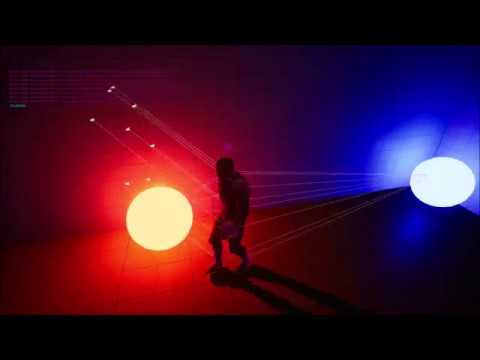
Available now for download! https://hippowombat.tumblr.com/post/187254645871/unreal-engine-illumination-detection-blueprint
Added option to get overall illumination color at intersection point per probe, as well as among aggregate probes per object using probe components.
odd ember
indigo bough
https://www.youtube.com/watch?v=cGTo4kYQjZU
Looks like it's possible, I think y...
anything is possible, it's whether you want to pay the cost
feral ice
feral ice
I set the instance to have a tag
If your done i had a problem that is prob pretty easy to solve if anyone knows the approach.
maiden wadi
feral ice
I set the instance to have a tag
Technically you're not actually moving any of the instances. Instances are saved locally to their component. You're moving the entire component here in this tagged screenshot.
SweepResult is an FHitResult struct. It should have something named like "Item" or something similar in it. Integer. You should be able to use that integer to move your specific meshes in the component.
At least this works for line traces. Never used it on Overlaps.
UpdateInstanceTransform I think is the function you're looking to call on the component.
severe tendon
Adding to my last issue how could i make it so that the character moves independently of the cursor?
Not is going in the direction of the cursos but i just want the character to look at it

Take this as reference
feral ice
maiden wadi
Technically you're not actually moving any of the instances. Instances are saved...
yeah thanks i think i understnad but im still confused on how i even access the instance from another actor


 earnest tangle
blueprint debugger is bad, that's why
it's pretty much up to luck whether it works, or whether it just straight up crashes the editor
Print nodes work better
tawdry surge
BP debugger is inaccurate with displaying updated return values. Almost 5 years using unreal, it's never crashed the editor
earnest tangle
I've had it crash a lot when the value I'm inspecting is a struct
Not sure what specific thing triggers it, they were always quite complex structs with various data in them
maiden wadi
feral ice
Oh. Actually the overlap event has it for you too. You just need to get the component, and call UpdateInstanceTransform using the OtherBodyIndex, and the new transform.
chrome nymph
lol i see
if i attach actor A to actor B, and set its relative location to be 100x for example
and i move actor B in the world - it is guarnateed actor A's world offset will always be at actor B + 100 x right?
assuming no collisions.
feral ice
maiden wadi
Oh. Actually the overlap event has it for you too. You just need to get the comp...
I nice but how do i get the component?

i cant hear when someone messages me so thats why im late sorry
maiden wadi
Try casting the other component to an ISM
 chrome nymph
and i move actor B in the world - it is guarnateed actor A's world offset will a...
chrome nymph
chrome nymph
and i move actor B in the world - it is guarnateed actor A's world offset will a...
i have a simple interp movement
where actor A is attached to actor B
i'm setting the relative location using VInterp. It works fine when actor B is stationary
but the moment Actor B moves, the movement goes batshit
am i misusing Interp?
stationary


 tawdry surge
Add like 30 print strings and log all the values to see what's actually happening.
This should pry be a Niagara thing tho and let the particle system rotate the orbs in it's local space
chrome nymph
the printed vectors are insane lol

 spare vessel
I am wanting to set a child of "flags" as hidden not the whole thing not sure how to just get one part, any ideas would be appreciated.
 chrome nymph
tawdry surge
Add like 30 print strings and log all the values to see what's actually happenin...
chrome nymph
tawdry surge
Add like 30 print strings and log all the values to see what's actually happenin...
the orbs are collectable / disposable
can niagara still be used?
oh hmm
i disabled manually setting its rotation - this is what happens
when the AI rotates - the location of the orbs seems to jump?
what?
odd ember
what are you trying to do?
odd ember
use a timeline?
chrome nymph
chrome nymph
stationary
it works fine when the AI is stationary
theres something about how the relative rotation / location is behaving
tawdry surge
Niagara is pretty versatile. Im sure you can accumulate particles based on collision events or whatever you like.
The other method would be to attach your components to a scene component at an offset and just rotate the scene component. Orbs will follow automatically
chrome nymph
tawdry surge
Niagara is pretty versatile. Im sure you can accumulate particles based on colli...
a scene component of the npc?
not the orb?
hmm maybe instead i should just not attach the orbs to the npc
and just use the npc's world location and calculate vertices around it
odd ember
you're overthinking this
tawdry surge
In the npc, you can add an extra scene component and use it as a transform.
odd ember
I've literally made what you need using a single timeline
tawdry surge
Rotate that on tick or a timeline or whatever you like and they will automatically follow the scene component
 azure sparrow
Hey guys, i have a function library where i have an array as an input, i will modify that array on that function, so do i check the pass by reference box? or do i leave it blank?
odd ember
if you want to modify the variable without setting it again, sure
chrome nymph
odd ember
I've literally made what you need using a single timeline
with orbs that can be picked up and disposed?
odd ember
yes
severe kettle
sly shore
check the "use constant velocity" bool in the get location at time node
How can I be so blind ...
Thanks so much, you're a lifesaver
chrome nymph
odd ember
yes
wait i dont understand - isnt a timeline simply a way to control the timing curve of a graph?
An example use of a timeline in which we set up a classic proximity-based opening door using Blueprints and C++.
odd ember
chrome nymph
wait i dont understand - isnt a timeline simply a way to control the timing curv...
you can loop a timeline indefinitely
which - surprise - means that you can have things go around in a circle indefinitely
sly shore
severe kettle
How can I be so blind ...
Thanks so much, you're a lifesaver
no problem man
 raven hollow
does anyone know how to fix it?
#ue4-general message
 flat scarab
Is it possible to access an UMG variable in another blueprint? Level/Actor.
tawdry surge
Yes
maiden wadi
flat scarab
Is it possible to access an UMG variable in another blueprint? Level/Actor.
Yes. But you should not. UI should display state of gameplay, never hold state for it.
 junior yarrow
im trying to make a roulette gmae (using fake money no in game purchases) and i dont know how to get the table to spin and show the winning hand.
any ideas?
i have a on component overlap with the ball so thats not a problem, but how do i get it so the player chooses thier number, and if the ball lands on it then it shows they win, if not it shows they lose
please help
 eager peak
How can I define which actors are enemies / neutrals / friendlies? for ai perception

currently two enemies seeing eachother will cause them to runtowards me as when I update their perception it gets the player location and runs to it
trim matrix
you can gate off the running condition by checking if the perceived actor is player character?
odd ember
eager peak
currently two enemies seeing eachother will cause them to runtowards me as when ...
not far off many AAA games then 
weak zealot
So, if I'm correct, the way this works is it runs through every object in the array, outputting the object through array element, and array index is the corresponding list number to that object as it's outputting.. right? Could I use a branch to target a certain index number against an integer. I plan to set a objectcount integer on the begin play, count it down every 5 or so seconds, then compare it against the index to see which object I'd like to manipulate. Is this something I can do?
 odd ember
weak zealot
So, if I'm correct, the way this works is it runs through every object in the ar...
odd ember
weak zealot
So, if I'm correct, the way this works is it runs through every object in the ar...
yes you could. but you could also just take the length
weak zealot
odd ember
yes you could. but you could also just take the length
Hmm.. should i create my array on begin play?
eager peak
trim matrix
you can gate off the running condition by checking if the perceived actor is pla...
sorry, how would I do that?
weak zealot
I'm having trouble getting the length of the array since it's on another event
odd ember
weak zealot
Hmm.. should i create my array on begin play?
I don't know... should you?
odd ember
weak zealot
I'm having trouble getting the length of the array since it's on another event
this makes no sense to me
weak zealot
odd ember
I don't know... should you?
I'm not very familiar with optimization, sounds right
feral ice
how can i save the one the left as one var and access its instanced meshes and change their location individually?
 odd ember
feral ice
how can i save the one the left as one var and access its instanced meshes and c...
odd ember
feral ice
how can i save the one the left as one var and access its instanced meshes and c...
promote to variable? maybe there's a get instance function as well?
weak zealot
odd ember
don't bother optimizing
Sounds like a game doomed to be laggy, don't wanna be a yanderdev 😆
 lusty shard
Is there a way to store the PerInstanceRandom value inside of material event graph and pass it to a class?
trim matrix
is scene capturing expensive? i'm making an item inspection system where the mesh of the selected item is displayed on top of a widget. right now what i've done is i'm attaching the item actor to the player hand using "AttachActorToComponent". However, this means that i can't have the widget behind the mesh (as i want to have a faint blur behind the item mesh). so it seems like scene capture is my only option. i don't want to use it because..:
- the rendering quality is pretty bad even at 2046 by 2046 res.
- i want the lightings to be exactly the same as where the player is at.
- it's pretty expensive having to render two different viewports (the player camera and the scene capture)
- and also i want to be able to interact with the mesh. (can't do that in scene capture as far as i remember)
so is there a way to show a mesh on top of a widget without having to use the scene capturing?
odd ember
weak zealot
Sounds like a game doomed to be laggy, don't wanna be a yanderdev 😆
you've probably just started building your game and you're already worried about optimization? do you also try to repair your car if it runs fine?
odd ember
trim matrix
is scene capturing expensive? i'm making an item inspection system where the mes...
scene capture for render targets? yes
feral ice
i am using a loop after the forst block and that means that the var would change value each time right?
odd ember
feral ice
i am using a loop after the forst block and that means that the var would change...
yes it would
weak zealot
odd ember
you've probably just started building your game and you're already worried about...
Better to rename and uv-unwrap your models as you go, same with optimizing code as you go i'd assume. Rather do that then have to run back to it someday, sounds very tedious
odd ember
weak zealot
Better to rename and uv-unwrap your models as you go, same with optimizing code ...
you don't know what's going to cause slow downs
feral ice
odd ember
yes it would
so i should save it in a list?
odd ember
premature optimization is a terrible thing to do in general
lusty shard
@feral ice thats how i identify an instance from within the player for trees generated by ISMCs. I am removing the instance to replace the static mesh with a BP actor version.
 odd ember
and it stops you from working on your actual game
odd ember
feral ice
so i should save it in a list?
I don't know what you're trying to do
trim matrix
eager peak
sorry, how would I do that?
get the "Get Perceived Actors" node from the ai and check if it's player character, if it is then add a "running to player" state if not "do something else..."
azure sparrow
odd ember
if you want to modify the variable without setting it again, sure
i will do a set array elem
so do i check the pass as reference?
odd ember
azure sparrow
so do i check the pass as reference?
the same answer I gave you before applies
feral ice
odd ember
I don't know what you're trying to do
Ye i understand let me explain. Dont bother asking me why i do it this way i just wanna learn. I have for loops that makes line traces on a plane. Whereever it hits it will spawn grass. It will spawn from an instanced mesh. Btw i have an actor that does this atm, shoots all the lines and spawns the grass. The next actor is a sphere that will roll over the grass. Where ever it hits it will take that overlapped grass and place lower it. But whenever the sphere hits any grass it will set all the grass to a lower value. Im currently using a spherical collision event begin overlap
azure sparrow
odd ember
the same answer I gave you before applies
i couldnt understand you, as i asked both questions, so i check it or not..
odd ember
okay some sort of foliage spawning system
azure sparrow
i am prolly dumb
feral ice
odd ember
okay some sort of foliage spawning system
Yes!
odd ember
azure sparrow
i couldnt understand you, as i asked both questions, so i check it or not..
I wasn't being esoteric in my answer. what I said is exactly what happens. if you don't understand it, then I would suggest you look up the words
odd ember
feral ice
Yes!
so where's the issue?
lusty shard
feral ice
Ye i understand let me explain. Dont bother asking me why i do it this way i jus...
maybe try this?
 flat scarab
maiden wadi
Yes. But you should not. UI should display state of gameplay, never hold state f...
flat scarab
maiden wadi
Yes. But you should not. UI should display state of gameplay, never hold state f...
Got it. I am building a system where I want to spawn objects at runtime based on an UMG slider. I am having issues to bridge that slider value with the spawn count.
 lusty shard
 maiden wadi
flat scarab
Got it. I am building a system where I want to spawn objects at runtime based on...
maiden wadi
flat scarab
Got it. I am building a system where I want to spawn objects at runtime based on...
If you have a spawner system, the slider should update and display a value from there.
feral ice
in the next actor rolling in begin overlap its like this
lusty shard
i dont think instances can have overlap events btw
eager peak
trim matrix
get the "Get Perceived Actors" node from the ai and check if it's player charact...
just ended up using this and it worked, thanks though 😁
 feral ice
odd ember
if you add an instance like that you should really save it as a variable
feral ice
odd ember
if you add an instance like that you should really save it as a variable
Yeah i did that so like every grass mesh is saved in an array
 feral ice
yeah sorry instance i mean!
odd ember
I don't think you need the array at the end
lusty shard
every instance of the grass mesh
odd ember
instances are kept in an array by default by the parent mesh
lusty shard
yea i dont think atm that its necessary to save them all to a variable if you can use the Hit Item
feral ice
ok so in the other actor that is rolling over i should not use overlap event
feral ice
so two events?
odd ember
which is the other event?
feral ice
overlap
lusty shard
 feral ice
lusty shard
feral ice
lusty shard
is this in the other actor that will roll over it?
lusty shard
I have this in the player.. so .. in your ball
odd ember
if only the answer was somewhere on the screen...
lusty shard

i had that cast somewhere else..
currently working with ISMCs learning how to use them. I really dont like casting over and over.
you can figure out how to optimize later
odd ember
casting is cheap
lusty shard
yea but not cheaper than not casting lol
odd ember
if you need to cast it's better to cast
lusty shard
less nodes too
feral ice
Ok so i have a actor called spawning grass and in the actor is all the code with the isntnace grass. Do i plug the spawning grass into target?

that seems weird
 lusty shard
then updating the transform of the specific instance within that grass spawner
no..

 feral ice
 feral ice
 lusty shard
make sure all of your grass static meshes have blockall collisions btw
feral ice
wont it work otherwise?
odd ember
visibility will work
lusty shard
im pretty sure overlap collision does not work with hit events
odd ember
are you sure?
feral ice
otherwise i cant walk through them
lusty shard
arent you lowering them when theyre hit?
odd ember
feral ice
otherwise i cant walk through them
you can walk through them if they have no collision
visibility collision isn't the same as actual collision
 tawdry basalt
alright, why input doesn't work in my player's bp? When I press LMB, nothing happens

oh, it's only mouse that doesn't work
for some reason
 tawdry basalt
this works somehow
 sturdy herald
dense delta
I see now how to offset the camera location and rotation but does this make the ...
sturdy herald
dense delta
I see now how to offset the camera location and rotation but does this make the ...
The Set View Target Node with the player's controller input will change the camera. With this u dont need spectator pawns, just different cameras.
 feral ice
nothing happened
 odd ember
feral ice
nothing happened
odd ember
feral ice
nothing happened
looks fine to me
nestled fine in the grass
a peaceful sight
feral ice
lol
sturdy herald
tawdry basalt
alright, why input doesn't work in my player's bp? When I press LMB, nothing hap...
If the input event called in another BP (u can use find options to check that) that it wont work.
feral ice
peaceful spot in the grass
tawdry basalt
sturdy herald
If the input event called in another BP (u can use find options to check that) t...
where's the find option?
odd ember
feral ice
peaceful spot in the grass
if you select your hit event, you can press F8 and run the game again
and see if it triggers at all
odd ember
ooh noo
sturdy herald
tawdry basalt
where's the find option?

 odd ember
tawdry basalt
so how do I do it?
odd ember
tawdry basalt
so how do I do it?
click on the binoculars over to the right of the search field


 feral ice
odd ember
ooh noo
feral ice
odd ember
ooh noo
so you have no idea?
sturdy herald
Is the blueprint, where the LeftMouseButton compiled? Btw, we get the answer for the original question, so what i said (that maybe is used in another bp) is no the problem.
odd ember
feral ice
so you have no idea?
if it doesn't trigger it's probably the collision settings
 odd ember
feral ice
this is the grass
odd ember
feral ice
this is the grass
and the sphere?
feral ice
 tawdry basalt
sturdy herald
Is the blueprint, where the LeftMouseButton compiled? Btw, we get the answer for...
tawdry basalt
sturdy herald
Is the blueprint, where the LeftMouseButton compiled? Btw, we get the answer for...
yep
sturdy herald
tawdry basalt
yep
at begin play fire this node OR create a player controller and in the settings enable the click events
 sturdy herald
tawdry basalt
yep
sturdy herald
tawdry basalt
yep
or check this box in controller
 odd ember
collision is always two way, the same settings have to be set both ways
tawdry basalt
it was enabled already
feral ice
yeah it was something with the collison settings
tawdry basalt
oh, I found the solution
sturdy herald
tawdry basalt
it was enabled already
hmm. Then another thing what u can do to add a binding to Left Mouse Button and call that event, just like the movement works.
tawdry basalt
wait, fuck, I lost my blueprints

I went too far from my blueprints
and now I can't find them
what now?
feral ice
odd ember
collision is always two way, the same settings have to be set both ways
But if the collision type in sphere is vlocked in grass collisoin it wont roll over
sturdy herald
tawdry basalt
wait, fuck, I lost my blueprints
close and open?
odd ember
feral ice
But if the collision type in sphere is vlocked in grass collisoin it wont roll o...
try it first?
sturdy herald
tawdry basalt
or select a variable in the list, right click, find references
 feral ice
wait sorry. so i sett everything in grass coll to block and everything in sphere to block
tawdry basalt
but here's another question. I am making a top down game from the top down template. I made it so my character looks at mouse position, but how do I make it rotate smoothly?

 feral ice
nothing happened
odd ember
feral ice
nothing happened
try using sphere trace for visibility instead then
feral ice
What do you mean? Im not following
odd ember
feral ice
What do you mean? Im not following
search for it
feral ice
oh you mean like a line trace but instead its a sphere
 feral ice
so i should yeeet that compoennt hit event
 formal bronze
Hoping y'all can answer an interesting question: If on an actor blueprint, I want to expose an array to the details panel of type actor component, there doesn’t seem to be a way to populate it with objects in the scene with that actor component attached. The workaround is to make the array of type actor, but that allows the user too much freedom. Thoughts?
odd ember
feral ice
so i should yeeet that compoennt hit event
yes
odd ember
formal bronze
Hoping y'all can answer an interesting question: If on an actor blueprint, I wan...
actor components aren't actors, they don't exist in world
formal bronze
I understand that, but I'd like the user to be able to populate an array with actors that have a specific component attached. But only if that component is attached
 sturdy herald
tawdry basalt
but here's another question. I am making a top down game from the top down templ...
sturdy herald
tawdry basalt
but here's another question. I am making a top down game from the top down templ...
as i see there is only one value to change, not an entire vector, so u can use timeline with a float track (0,0 1,1 points) with 1 length connected to a float lerp. Im using here locations but the theory is the same:
 sturdy herald
and @tawdry basalt if u want the rotation speed always the same (with this simple build it will rotate faster with a higher float difference, because the timeline length is always 1, u can modify the play rate, i have a simular bp, i serch for it
tawdry basalt
sturdy herald
as i see there is only one value to change, not an entire vector, so u can use t...
what did you connect a and b in lerp to?
sturdy herald
a is the input float and b the output.
dawn gazelle
formal bronze
I understand that, but I'd like the user to be able to populate an array with ac...
There's no means of filtering the available actors to put into an actor array field. The array field would only ever filter based on the class of the object.
sturdy herald
so if ur actor need to rotate from the current rotation to the find. u get the actor location before the rotation (need use as a variable or always will add and u get a big rotation in the and)
feral ice
look at this wth is happening
everything i can think of is turned off
visibility wise
formal bronze
dawn gazelle
There's no means of filtering the available actors to put into an actor array fi...
That's unfortunate. Originally I had my actor component as actors themselves, and could set their class as the array's type. But in the vein of modularity I made them into actor components. This unfortunately seems to mean that I can't filter them in the array anymore.
sturdy herald
@tawdry basalt u'll need this setup to control the rotation speed
 odd ember
feral ice
look at this wth is happening
odd ember
feral ice
look at this wth is happening
set draw debug time to be per frame
sturdy herald
and the return value of lerp goin in SetActorRotation Z value
feral ice
wait i fixed it
but now for each grass to get a lower z value, how would i do that?

this doesnt wok. It doesnt set the grass to a lower value
maiden wadi
MarkRenderStateDirty Also probably WorldSpace
odd ember
well there's your answer
maiden wadi
In that case not world space. But do enable MarkRenderStateDirty. Get that instance's transform add -1000 to Z, Update that instance's transform from that new transform.
If you don't mark renderstate dirty, it won't visually update, only in the transforms array. Is an optimization for moving large amounts of ISM items at a time.
odd ember
poor grass
feral ice
before it was lime green and someone said it look like toxic waste thats why i changed the color of it haha
now it looks like worn clothes
odd ember
the duality of grass
dawn gazelle
formal bronze
That's unfortunate. Originally I had my actor component as actors themselves, an...
I think closest you could do while in the editor is make an editor utility widget that gets all the actors in the scene with the component and add them to an exposed array so that you can at least capture them and possibly eyedrop them into the spot you're wanting to actually use, but depending on how many actors there are, that may be a huge list and wouldn't necessarily be helpful:

 odd ember
slot machines 🤔
feral ice
is it bad perforamnce wise that it each tick creates sphere trace
odd ember
feral ice
is it bad perforamnce wise that it each tick creates sphere trace
the worst
odd ember
it's fine
feral ice
its better to use collision boxes?
feral ice
oh ok
odd ember
slightly more but negligible
feral ice
pls dont with that word me and pewdiepie cant even pronounce it
odd ember
neg li jib le
feral ice
https://youtu.be/0UOnIspQP_E sorry i had to

Pewdiepie reacts to Pewdiepie trying to say negligible
haha
of each instance how do i get its location?
odd ember
the same way you did before
feral ice
do you mean from instnacestaticmesh compoennt ?
 odd ember
feral ice
do you mean from instnacestaticmesh compoennt ?
odd ember
feral ice
do you mean from instnacestaticmesh compoennt ?
yes
feral ice
but that location only gives me one location. It gives the location of the mesh not the instance
odd ember
feral ice
but that location only gives me one location. It gives the location of the mesh ...
it should supply you with a different index for each instance
if it doesn't update then maybe you're not marking render state dirty
formal bronze
dawn gazelle
I think closest you could do while in the editor is make an editor utility widge...
Oh this is a cool workaround. I really appreciate it! I understand everything except one thing I've never understood, what exactly does the eyedropper do?
odd ember
picks an actor
formal bronze
Oh I see, it's just an alternate way to add to the array got it thanks!
feral ice
i dont know how to get a desired instance from this cast to
 dawn gazelle
feral ice
i dont know how to get a desired instance from this cast to
dawn gazelle
feral ice
i dont know how to get a desired instance from this cast to
You probably don't want the distance to the component, rather the distance to the instance, no?
feral ice
i want to set the position to a lower value so it looks like it get rolled over
odd ember
desired instance, not distance lol
feral ice
im still not sure how to get the desired instance location any idea?
dawn gazelle
Oops @_@
dawn gazelle
feral ice
i dont know how to get a desired instance from this cast to
So you don't really "get" instances out of a static mesh component - you just call functions on it and you can feed in the instance #. Example here, you are getting the hit item # from your trace result, and then you can update the transform of that instance.
 feral ice
so i get the "parent"?
odd ember
the parent is what shows up
you modify the instance index of the parent
which corresponds to your instance
feral ice
ok so how do i do it?


 meager spade
Not sure if this should go in UMG or not but if I want like a panable map what would the best implementation be? I've tried using an actor with widget component so I would be able to have a physical camera pan the widget but I can't get buttons have the hand cursor on hover. Would this kind of thing usually be a viewport widget instead?
weak zealot
How can i check for a bunch of floats in an array without using variables?
Something like this
 meager spade
You wanna know if an array has any of X numbers?
Only way I know of is the Contains node, only allows you to test against one number at a time
weak zealot
meager spade
Only way I know of is the Contains node, only allows you to test against one num...
I want to compare a list of numbers against an objects rotation
spark steppe
what do you want to compare it for?
meager spade
I mean the best approach is probably to just iterate an array and check against the rotation then, not using variables means you would have to do ugly long branching
spark steppe
because that sounds like it's very likely to fail
weak zealot
I'm trying to figure out a way to see which faces are currently in this position, this is admittedly pretty clunky though.. really manual
 spark steppe
well he can get the object rotation and do a contains check on the array tho
yea that will most likely fail a lot
you probably want to do a range check, rather than compare against one specific rotation value
meager spade
Can't you just check which one has greates X/Y value depending on the rotation of the wheel?
weak zealot
I have a tolerance set up
spark steppe
well, just do a division on the rotation and you should know which face it is?!
meager spade
^ sounds kinda big brains
weak zealot
rotation is making no sense to me, it's not constant
meager spade
and simple
spark steppe
not a good idea to make something which involves rotation then 😄
tight schooner
If you can produce a boolean for each check, you can connect them all to an "Or" node as a way to do all the checks at once. Just answering the direct question... can't say if it's "the best" way to make a slot machine
 burnt canyon
weak zealot
I'm trying to figure out a way to see which faces are currently in this position...
burnt canyon
weak zealot
I'm trying to figure out a way to see which faces are currently in this position...
Create a map value for range checking, divide the wheels in to sections, pick a north / starting point and label each section within the range value, then you can just check against something else really
spark steppe
say you got 10 fields, 360/10 = 36, currentField = rotation/36
burnt canyon
^
weak zealot
burnt canyon
Create a map value for range checking, divide the wheels in to sections, pick a ...
Is this close to what you were referring to in that first part? I haven't used mapping nodes yet, it's hard for me to read the coder speech
 burnt canyon
I don't mean actual nodes, talking about the actual concept of mapping sections of rotational range to a map, so you can define range area's to sections
example
area index - mapping range
[0] = 0-35
[1]= 36-70
weak zealot
burnt canyon
I don't mean actual nodes, talking about the actual concept of mapping sections ...
Ahh. So there's eight faces on that slot.. so likee
0-45
45-90
90-135
So on and so fourth up to 360? That sounds much more exact than what i was doing, would arrays + greater-than/less-than work for a check? Just asking before I go ahead and mess around with it 😆
spark steppe
there's an inRange node, so you don't have to deal with >= <=
also depending on your concept, you may want to snap to the divider when the wheel spin ends
weak zealot
This sounds very promising, thank you guys so much
 forest lodge
Hey guys!
I used a ue vehicle.
And I changed mass in my car.
But! I want to add power/torque, because my car is slow.
I tried to change Torque Curve, but it didn't works.
What's wrong? Any ideas.


 timber knoll
forest lodge
Hey guys!
I used a ue vehicle.
And I changed mass in my car.
But! I want to add ...
maiden wadi
weak zealot
I'm trying to figure out a way to see which faces are currently in this position...
timber knoll
forest lodge
Hey guys!
I used a ue vehicle.
And I changed mass in my car.
But! I want to add ...
maiden wadi
weak zealot
I'm trying to figure out a way to see which faces are currently in this position...
Recommend against relying on this thing's rotation for that. You should have a manager set up to select rolled numbers. These shouldn't do anything but animate into place to display those.
weak zealot
maiden wadi
Recommend against relying on this thing's rotation for that. You should have a m...
Pick what it should land on, then rotate to match?
dawn gazelle
weak zealot
Ahh. So there's eight faces on that slot.. so likee
0-45
45-90
90-135
So on and ...
I would handle it by rolling randomly (with a weight for certain values) to determine the spot to land on before you start spinning your wheels. Then it's just a matter of spinning your wheels and after it's done it's spin sequence it finishes by rotating to (spot# * (360/#ofspots)) (I think)
maiden wadi
^
weak zealot
I'ma just redo this code 😆. Never hurts to restart
odd ember
weak zealot
I'ma just redo this code 😆. Never hurts to restart
your code usually does get better
after each attempt
 mild crystal
how do i check if a animation is being played?
tawdry surge
Pretty sure there's an "isPlaying?" function
trim matrix
is the playerstate something that holds data for your own character over a network. say if we were in a coin collecting game and they both get different numbers that would most likely be kept in a playerstate so they can have their own to buy their own gear right?
like personal stats
dawn gazelle
trim matrix
is the playerstate something that holds data for your own character over a netwo...
Yes. Anything that would persist with the player and other players would need to know about, regardless of what happens with their controlled pawn (ie. it gets destroyed somehow), should be on playerstate.
trim matrix
ok
another question
so, if I need to make a win condition on a game and let's say "score 5 points to win" that would go on a gamemode, even though it's over network, right?
dark crow
GameMode dictates the game rules
 blissful grail
trim matrix
so, if I need to make a win condition on a game and let's say "score 5 points to...
blissful grail
trim matrix
so, if I need to make a win condition on a game and let's say "score 5 points to...
GameMode is fine if you don't want to show players current score. Otherwise, use GameState
trim matrix
so
if I want the game to end at 5 points and player 1 hits 5 points
I do gamestaete?
blissful grail
GameMode would set the max points to win
GameState would track total score
PlayerState would hold individual score
trim matrix
so, Playerstate if it's like a goal type game wouldn't matter right?
blissful grail
It depends.
trim matrix
like a sports game
blissful grail
PlayerState would matter more in that than other games. If you care about stat tracking at least.
trim matrix
not really
blissful grail
But if all you care about is a team's total score, then player state doesn't really matter
trim matrix
ok
that's what I needed to understand
also, about that gamemode gamestate thing
if I needed to set a condition
i keep it in gamemode
but if I want to add score to each TEAM then it's in gamestate
blissful grail
PlayerState would mostly just be used to have the name of the player (like their profile name/steam name, etc...) or what team their on. Other than that, would be quite empty.
blissful grail
GameMode defines the overall rules of your game. How many people can join, how to handle login/logout, starting positions, total points, etc...
GameState handles the actual game progress.
trim matrix
so, if I want the game to end at a score of five for an individual team then that goes in gamemode?
trim matrix
huh?
dark crow
I mean
trim matrix
lmao
dark crow
GameState keeps track of when it reaches 5
trim matrix
gamestate would add it to the game and UI and stuff?
blissful grail
Have a simple int, MaxScoreToWin. Then when you score, increment it in the GameState, have the GameState check the GameMode if the max score was obtained. Then call a function on the GameMode to conclude the game.
dark crow
Remember you can use GameState to show a GameEnd UI to everyone for example
With the PlayerState Array
trim matrix
wait
dark crow
And it can have logic based on the team