402296 messages · Page 794 of 403
 fossil skiff
so i set up a move to the closest actor using these codes
but how do i set it so that it ignores that actor with a certain tag?
 worthy rock
15.0f, 0.0f, 37.654671f
 gentle urchin
Your timeline starts at 0,
So at the very list it will instantly jump
Its also hard to tell when you're actually interacting with it
worthy rock
True...
gentle urchin
But it does appear to be a fixed float value, yes
 last abyss
fossil skiff
so i set up a move to the closest actor using these codes
but how do i set it so...
last abyss
fossil skiff
so i set up a move to the closest actor using these codes
but how do i set it so...
actor has tag node
fossil skiff
last abyss
actor has tag node
just to be clear i want to ignore the actor that has the tag not stop the code completely
last abyss
it returns a boolean that u can put in a branch, from there on its all up to you
and u do this before ofcourse, on the actor you're trying to ignore, to make sure that actor actually has the tag.. assuming it's per object
 fossil skiff
oh yea i already made sure the actor has that lol

@last abyss mate thanks so much it works wonders now
last abyss
great to hear 🙂
fossil skiff
last abyss
great to hear 🙂
You my friend are a lifesaver. this gave me a heacache for 8 hours lol
 bleak arrow
I moved the maps, blueprints folders to the content folder, scored the game and gives an error how to fix it?
Standard TPS from unreal technologies
Please help me solve the problem , I didn 't find it in Google
 haughty nymph
Hi, I want to use a "Random Array Item from Stream" node but i dont can find it.
I use 4.23
 maiden wadi
RandomArray item functions were added in 4.26 I think. Just use the stream to get a random integer in range of the array size.
gentle urchin
Just make your own ^ as authaer said
Random int is aleady max-1 right? So using length should suffice if so
Nvm, its inclusive
So last would do the trick. Or length -1
 left carbon
Hi! I'm trying to get component's location in Construction Script. But it always outputs it's default location. If I move component in viewport of a level editor, it will still output it's original relative location.
Does anybody know, how can I get component's true location in construction script?

 mild flame
Is there a straightforward explanation on how to use the ThirdPerson template with multiple Skeletal Meshes that also have individual clothing meshes that can be swapped out? I have 2 Skeletal mesh, one male and one female, each with their own clothing options. Right now both have their own AnimBP but the only way I have found to apply clothes is in the ThirdPersonCharacter BP, which is at a high level and not unique to the two Skeletal Mesh. I have an ActorBP for each that sets their clothes in constructor when they aren't the active player, but I cannot set the ActorBP on the ThirdPersonCharacter, only their Skeletal Mesh. I want the option of playing as either character, programatically, so need to swap both the skeletal mesh and their clothing options at runtime. I'm very new at UE so not sure where to start other than the stack of udemy courses I bought to start going through this weekend.
gentle urchin
Isnt it just a bunch of skeletal meshes that needs to be swapped out, and set to follow the master anim pose ?
 tender cedar
can some one please help me?
 odd ember
structs are always copies in BP
 trim matrix
Guys can anyone explain how net cull update frequency work??.I am spawning guns on server.When I am far away they are not getting spawned but when I go near them they are getting spawned which is fine.But if I went far again they are getting disappeared again??.what is this mean??
maiden wadi
@left carbon I can't repro that. Little white cube is the place where the ConstructionLocation is.
 mild flame
gentle urchin
Isnt it just a bunch of skeletal meshes that needs to be swapped out, and set to...
mild flame
gentle urchin
Isnt it just a bunch of skeletal meshes that needs to be swapped out, and set to...
I have different animations for idle, walk, run, etc for male vs female
left carbon
maiden wadi
<@!233154673769578496> I can't repro that. Little white cube is the place where ...
Does not work for me 😦 I had to use EditorCustomEvent to update the location..
odd ember
mild flame
I have different animations for idle, walk, run, etc for male vs female
you probably want to have the clothes committed to the mesh before setting it in the TP character. that being said, if you're new this is a massive undertaking
if you're drawing cars you can't expect your first car to look like a Ferrari
mild flame
odd ember
if you're drawing cars you can't expect your first car to look like a Ferrari
I could have multiple meshes and assign the anim BP and mesh at runtime but figured it would be easier to maintain with a single mesh for the base character. I come from OOP so maybe it’s more complicated than that if there’s not an easy way
gentle urchin
Animations arent relevant for anything but the main skel as long as the clothing uses the same skel i believe
Not a master of this tho so i could be 100% wrong.
maiden wadi
@mild flame I would strong recommend checking out the Modular Characters examples. They seem relatively akin to what you're trying to accomplish?
gentle urchin
Done it once or twice that way and it worked pretty well
mild flame
Yeah the clothes are all from the same skeleton
mild flame
Thanks, I’ve seen that a few times. Wasn’t sure if it follows the pattern of two different skeletons for male vs female. I’ll dig in a bit
The skeletons have different hierarchy
maiden wadi
Yeah. That's gonna be no fun.
odd ember
then they are different. but in the case of assigning them to the character it doesn't make a difference. the only difference is really the clothes and the animBP
the clothes assigning and retargeting I don't know. I'd ask in #graphics about that
or maybe #animation
mild flame
Thanks for the help! I’ll do some more learning and better phrase my issue to them
I’ve already got the characters set up and playable with their own skeletons and animations on the same project, it’s mainly the clothes I’m trying to solve for.
Would be straightforward if I could assign a character BP to the player character vs just the mesh
odd ember
I don't think there's anything you can do BP side to fix your clothes issue
if you're not talking about the clothes issue I'm not sure what you're asking
mild flame
On instantiating my character BP I am assigning clothes but looks like there’s no way to set that BP to the third person BP
It’s an abstraction level that I was looking for but I guess it’s not possible
odd ember
you can always subclass it if that's what you're looking for?
mild flame
The third person only accepts a mesh vs an object that contains the mesh is what I’m getting at
I’ll do some more research
I’m sure I’m going about it wrong 🙂
odd ember
mild flame
The third person only accepts a mesh vs an object that contains the mesh is what...
you can subclass a character to do what you want to do
which is probably what this refers to
I have no idea. it seems like multiple issues rolled into one
mild flame
I see what you are saying and yes multiple issues. The thing that is causing the main problem is two different sets of bones.
The clothes fit to their specific skeletons. I was adding the clothes during construction of the BP. Perhaps there’s another way if I can swap the skeletal mesh at runtime on the player and then add the clothes
I was using the set master pose to add the clothes
odd ember
then... What is the problem?
mild flame
Probably my initial approach.
odd ember
if you already have ways setting the clothes and mesh in BP and you can subclass a character class per skeleton to use as default... I don't really see what else you need?
mild flame
I'll go down that route
odd ember
some basic polymorphism here, since you've done OOP
mild flame
yeah I was hung up on the editor and setting it manually. I'll take a step back
 opal pulsar
hello, im having a performance issue where a stat on the gpu called "HZB" is absolutely destroying my framerate, what is it and how can i avoid this?
if context is needed, im running unreal 4.27.2, in a procedurally generated scene with ten thousand actors and dynamic lighting
odd ember
opal pulsar
if context is needed, im running unreal 4.27.2, in a procedurally generated scen...
sounds like this is your issue
 icy dragon
opal pulsar
if context is needed, im running unreal 4.27.2, in a procedurally generated scen...
icy dragon
opal pulsar
if context is needed, im running unreal 4.27.2, in a procedurally generated scen...
10K dynamic lighting as well?
opal pulsar
icy dragon
10K dynamic lighting as well?
what do you mean?
odd ember
they're asking if you have 10k dynamic lights, I think
icy dragon
Would be batshit insane if there's 10K dynamic light sources with shadow casting.
opal pulsar
yeah xD
icy dragon
So that left us with those 10K actors, and more context needed for this one.
odd ember
I don't know what HZB is though. perhaps there are better channels to ask about that
 supple dome
hzb culling is using depth to cull actors
you can type hzb on console to try and turn it off and compare
maiden wadi
Hierarchical Z-Buffer.
supple dome
of course that will decrease culled actors, but you may try another culling options
maiden wadi
It's worth asking. What Engine version?
odd ember
sounds like too many actors on screen
maiden wadi
There are some interesting posts about ARK and DirectX10. Disabling that causing massive FPS increases.
odd ember
ARK is what?
maiden wadi
Game developed in Unreal.
odd ember
oh you mean disabling DirectX 10?
I thought it was some engine feature I hadn't heard of lol
maiden wadi
You can run the game with the DX10 command line. Kills a lot of the graphic quality. They shipped the game with Development build. So it's missing a ton of Shipping build optimizations. So people on lower end machines can get better FPS running DX10 instead of 11. Apparently disabling the r.HZBOcclusion setting when running the game in DX10 increases FPS by up to 30 sometimes.
Ark was also developed on an older version of Unreal. Don't remember which offhand. And there are some bug reports fixed around that setting in 4.17 and 4.18
I really hope they learned how to use SoftObjectPtrs for ARK 2. Six minute loading screens on a SSD is just stupid.
odd ember
yikes
 formal wren
Hi guys! How would I implement a loading animation playing for moments where my game freezes due to assets being loaded? I import textures at runtime and find it a little unpleasant that the game just freezes for two seconds with no indicator on what is happening
maiden wadi
@formal wren By Assets loading, you mean an Open Level call, or you're actually loading up assets?
formal wren
@maiden wadi I use a plugin to import textures from disk at runtime
opal pulsar
opal pulsar
hello, im having a performance issue where a stat on the gpu called "HZB" is abs...
update: i ran r.HZBOcclusion 1 in the console and now the actors culled are a lot less, but FPS tripled
formal wren
so it's not a open level call
maiden wadi
Oof. And that plugin doesn't do that Async?
odd ember
formal wren
<@!143471961723371520> I use a plugin to import textures from disk at runtime
You should probably check the API of that plugin then
formal wren
odd ember
You should probably check the API of that plugin then
I did. It has the option to load files async. But I was wondering if there would be another solution
icy dragon
formal wren
I did. It has the option to load files async. But I was wondering if there would...
Maybe increasing the stream time in project settings could help?
maiden wadi
If you load them blocking. You block the gamethread. You can look into using the MoviePlayer to display a spinning widget while that's happening, but realistically you're better off just loading Async and handling the waiting display on the gamethread. MoviePlayer also requires C++
icy dragon
maiden wadi
If you load them blocking. You block the gamethread. You can look into using the...
Out of curiousity, how do I implement it?
maiden wadi
The MoviePlayer?
icy dragon
Yeah, what cpp class should I start it with?
Also I have massive gripe with asset loading in C++, and the Widget BP has to be referenced somehow, can it be side loaded to BP?
maiden wadi
@icy dragonAdd "MoviePlayer" to your PublicDependencyModuleNames in Build.CS. Then you can make the call anywhere. Some people do this in a plugin, I did it straight in my HUD base class.
Mine is a little more convoluted because I have my widget make the end PlayMovie call when it finishes a GameThread side animation.
Start Loading Screen
FLoadingScreenAttributes LoadingScreenAttributes;
LoadingScreenAttributes.bAutoCompleteWhenLoadingCompletes = true;
LoadingScreenAttributes.bWaitForManualStop = false;
LoadingScreenAttributes.bAllowEngineTick = false;
LoadingScreenAttributes.WidgetLoadingScreen = LoadingScreenWidgetPtr->TakeWidget();

GetMoviePlayer()->SetupLoadingScreen(LoadingScreenAttributes);
GetMoviePlayer()->PlayMovie();
Stop Loading Screen
GetMoviePlayer()->StopMovie();
You can make both of these BlueprintCallable static functions as well and pass in the LoadingScreenWidgetPtr.
Also to make like easier, you can also bind to the engine's delegates for starting and finishing loading a persistent world and call these.
The widget passed in can be completely UMG designed. No Slate required. Mine has a circular throbber and two material animated images for a background. All play just fine.
tender cedar
Please help! I want this key on overlap to set a door's unlocked variable to true. What target do I use for the Blueprint interface (got key)?

 trim matrix
hi, how can i spawn a random class from array of Ai?

i can get the array, pass the lenght on random integer in range and then maybe use select?
but if i change the pin type of the select node it change to all of them
last abyss
there's a random function on the array
trim matrix
last abyss
there's a random function on the array
thx in this case i should go before the remove right? like this

but not working this way

aiarray
last abyss
well.. if you wanna use the array to spawn a specific ai class you should probably use class references for the array not object references
trim matrix
last abyss
well.. if you wanna use the array to spawn a specific ai class you should probab...
ok i converted the array to class references, but the node spawn ai from call it want "pawn class"
sorry for noobie questions
i'm new
if i try to connect the class output array to that it isn't valid
last abyss
then make a variable of type pawn, and set it to your random output from the array
or rather, make the array of pawn class
trim matrix
last abyss
then make a variable of type pawn, and set it to your random output from the arr...
much thanks i convertd the array to pawn class and it worked, i tough it was not possible to point pawn to the ai character class
last abyss
tender cedar
Please help! I want this key on overlap to set a door's unlocked variable to tru...
i'm unsure what you are doing, maybe instead of using different classes you can use 1 class for both the door and the key, and move the key in the level (assuming you know how to do this ofcourse) or would this not work for your case? then when you pick up the key you can just set the bool on the same class, since the door and key share the same one
yeah, as long as the ai class inherits from pawn it will work and since yours appear to be character, character inherits from pawn so it works. a useful tip to see all inheritances is I just create a new blueprint and search the class I'm trying to find like so:
 trim matrix
perfect , all clear 🙂
odd ember
maiden wadi
<@!325627930484932608>Add "MoviePlayer" to your PublicDependencyModuleNames in B...
interesting, I just use a widget loading screen, from the old wiki method
have you seen that, and if so how you find it compares?
maiden wadi
The adding a widget to screen right before load and removing it after?
odd ember
something like that
maiden wadi
Does yours use the persistent world thing and level stream method?
maiden wadi
Yeah, this method is to avoid that. Allows displaying widgets with moving materials and Widget OnPaint without a travel map. GameThread is entirely blocked.
odd ember
I see. how come you'd want to avoid it?
maiden wadi
Dunno. No good excuse. Just prefer the OpenLevel method.
odd ember
fair enough
I thought there'd be some sort of efficiency involved
not that I use hard load enough to justify a change
maiden wadi
Dunno. I haven't ever profiled it personally. I use the MoviePlayer already for cinematics and stuff.
odd ember
makes sense
 crimson hornet
Anyone has an idea why this event dispatcher is called immediately?

 native willow
its called from somewhere 🤷♂️
maiden wadi
Where do you call it from?
odd ember
breakpoint on the call and see when it triggers
crimson hornet
odd ember
breakpoint on the call and see when it triggers
This is in the level bp
 crimson hornet
I checked it and it wont get called
odd ember
checked how
crimson hornet
If I remove the call death dispacther it still got called
odd ember
okay so something else is calling it
maiden wadi
Getting called from somewhere else. Or you've accidentally called the event you bound it too manually.
crimson hornet
odd ember
okay so something else is calling it
It isnt getting called somewhere else
thats my main problem
odd ember
it has to be lol
it's not going to invoke itself
just randomly
that's not how computers work
crimson hornet
I checked it with find results
odd ember
click the binoculars
crimson hornet
couldnt find it
odd ember
find results is only local unless you click the binoculars
crimson hornet
odd ember
click the binoculars
Sorry I dont know where that is
 obtuse lotus
How would I do an If And statement in blueprint?
odd ember
obtuse lotus
How would I do an If And statement in blueprint?
branch
odd ember
crimson hornet
Yes its only getting called from where he dies
try deleting the event dispatcher
and see where you get errors
crimson hornet
No errors only from the level bp where the bind is also made a new one and is still getting called immidiately
ill make a vid
odd ember
sure
maiden wadi
If the Event Dispatcher isn't calling it. Something else probably is.
maiden wadi
I'd start by renaming that function something obscure and using FindInBlueprints or something.
crimson hornet
maiden wadi
I'd start by renaming that function something obscure and using FindInBlueprints...
Didn't work
maiden wadi
If you disconnect the red line, does the event run?
odd ember
maiden wadi
If you disconnect the red line, does the event run?
good point
crimson hornet
maiden wadi
If you disconnect the red line, does the event run?
Okay Thanks I got the problem
Problem was that the event dispatcher wasn't getting fired the event was getting fired somewhere else
kinda stupid of me
Thanks @maiden wadi and @odd ember
maiden wadi
Movement on tick is your only decent choice with that.
 ornate linden
Are arrays passed by reference? Or no.
More particular, if I add an array i've generated to a struct, can I then clear the array and maintain that data in the struct?
maiden wadi
Only if you tell them to be.
ornate linden
so by default when i add the array to a struct it's a copy?
ornate linden
sweet
ornate linden
odd ember
and struct are copies too
yeah i was having an issue with that earlier. i could pass them by reference into a function, but i couldn't find a struct within a function and return it. Ended up making a macro for the second case
odd ember
ornate linden
sweet
I think it's more salty but I digress
maiden wadi
There are some small tricks to handling struct data and arrays by ref, but they're annoying to use sometimes. By the time you start handling heavy data, even C++ static libraries are so much nicer.
odd ember
I really try my damnedest to only write struct data in datatables and cpp
because doing them in BP is a royal pain
ornate linden
yeah some of my structs are getting bigger and im like, i should probably be doing this in cpp, but i haven't done that at all yet and i'll have to learn how to even open the file to edit let alone anything else that needs to be done
maiden wadi
Inventory systems are originally what drove me to learning C++. 😄 That shit gets complicated, fast.
odd ember
I use a wrapper in my AI director to assign roles to individual AI
it's a struct in the end but I mask it with a BP function
so there's no struct on the side of BP
ornate linden
so you define the struct in cpp and then it just shows up in the menu of usable types in your bps?
odd ember
I define the struct in cpp and then make a function exposed to BP for how to create one such struct
maiden wadi
It's also worth noting that if you ever plan to use C++. The best time is now. At the very least learn to define your structs even if you're using them in BP so that you don't have to redo it later, you can just copy basic logic over.
odd ember
it's not that different from making a struct in BP, but it removes any kind of ambiguity
 keen ice
i need help. so im trying to make a system where the players animation will change depending on what type of weapon in their hand. so i want the idle, attack, and movment animations to change depending on if like they have a one handed weapon or a 2 handed weapon. i already know how to detect the type of weapon in the players hand for my inventory system with enums. I just dont know how to actually change the animation. And also have it be replicated. thanks for your help
odd ember
maiden wadi
It's also worth noting that if you ever plan to use C++. The best time is now. A...
well the best time is yesterday 😉
odd ember
keen ice
i need help. so im trying to make a system where the players animation will cha...
I believe #animation and #multiplayer are places you can ask each of those questions
 devout kelp
i'm trying to make a 'holding scene' of sorts for a program i use for streaming, that basically takes up as little processing power as possible, with just a button to load my BRB game scene. However, my initial setup for doing this takes up like 80% of my gpu for what is literally an empty scene with a single button widget. anyone know how to do something like this?
 tired geyser
maiden wadi
It's also worth noting that if you ever plan to use C++. The best time is now. A...
tired geyser
maiden wadi
It's also worth noting that if you ever plan to use C++. The best time is now. A...
Do you have any tips on learning cpp?
odd ember
do you have any prior programming experience
tired geyser
In school for programming rn so. Got some knowledge on python. That’s about it.
maiden wadi
@odd ember
FDateTime ATarrionPlayerCharacter::GetBestTime()
{
    return HasControlOfTime() ? FDateTime::Now() - FTimespan(1,0,0,0) : FDateTime::Now();
}

bool ATarrionPlayerCharacter::HasControlOfTime()
{
    return false;
}
I didn't know until just now that Timespan and DateTime are interchangable. 😄
odd ember
I like it
odd ember
tired geyser
In school for programming rn so. Got some knowledge on python. That’s about it.
do yourself a favor and look into system architecture, specifically OOP, class hierarchies and polymorphism. pointers and memory management are somewhat important, but UE's cpp gives you training wheels so you can skirt around the more difficult stuff
visit #cpp on the regular
ask stupid questions
be humbled
get better
rinse repeat
tired geyser
Alr, will do. Thank you.
maiden wadi
@tired geyser That's a very personal question in the end. I had a very non academic approach. Hobbyist and all at first. I personally knew a small amount of Lua from like a decade ago. Vague amounts of VBScript and PHP when I was learning ASP.NET stuff. I find learning easiest when I'm interested in something. BP was an easy start, had no idea what a pointer was, had to relearn basic vector math, the word delegate made me cringe.
I only picked up C++ because I got tired of trying to do heavy things in BP. Handling sorting, math functions and whatnot in BP can be a royal pain and it's nice to condense it down to one node. Not to mention it was becoming clear that Nativization was going to be a waste of time. Too many errors and not nearly enough performance gain for some things.
As for how. I did that with some static C++ BP library functions for a while that I could call where ever. Eventually learned how to subclass C++ classes and do base logic in them that BP could call, or call BP functions from C++ code. Funny, after that I learned how to use delegates in BP.
All in all, I found that BP helped me understand the architecture of Unreal a lot easier. It has kind of an implied intentional way that Unreal is designed to be used and it only really makes sense once you know it and start applying C++ and BP together. C++ is fantastic, but you'll miss a lot of the engine with it if you're not careful. There are people in the C++ channel that ask for things that basic Blueprint static nodes give because they avoid BP and anything connected to it and don't bother using it as a learning tool.
So... TLDR:: I guess get interested in things you want to create and research how to do it. Feel free to ask questions here in #blueprint or #cpp. Follow conversations in progress, you never know what you'll pick up.
AND DO NOT HOTRELOAD
worthy rock
My tip on learning cpp is dont start with cpp. N64 decomp projects may be a good start. C is simpler and it's not OOP. So you can get a bigger picture of how things work together. SM64 is nearly fully documented too. So you can have a deep dive into how the framebuffer works and see it run in memory. Where game logic splits off of main.c. View the math functions, etc. UE does a lot of stuff for you, which is good but then you dont get a basic understanding of the why/how.
Can you explain the dont hot reload? Or is that just cause some elements dont reload properly?
worthy rock
Thx. Is hot reloading actually deprecated? The engine didnt mention anything of the sort.
You probably just saved me hours of future headaches lol.
 zealous fog
This is driving me insane, Whenever I click and the event hits, this will print the correct location once. But then every tick it will print the default value (0,0,0 in this case but I tested it with different values)

Why is it resetting?
This is all the BP logic btw lol
So Im not setting it to 0 again somewhere else
 tight schooner
Delay node on an event tick is pretty weird (look into Set Timer node) but putting that aside... Try putting a print on the other event to see how often it's getting called
zealous fog
Its just there so it would spam the screen
I would just have it on tick normally
in the function I wanna use it for
tight schooner
I'm struggling to think of scenarios where a variable would get reset for no reason. Maybe you're spawning multiple actors of this class and seeing their prints. Lol
Sorry I'm drawing a blank
zealous fog
ok im a big dum dum
gotta fix this bug but ill explain what went wrong after I did it
ornate linden
I have a function which can change the color and opacity of a material which im currently using. but now i want to change a material so that it has like an animation? where it moves between 0 and 1 opacity so it looks like its slowly flickering.
I've only done static things so far, so im not sure how to go about that. Is there some aspect of the material i can change that will make it animate like that? or do i need to have an outside function looping continously changing the opacity between values of 0 and 1?
ornate linden
hmm. i'll see what i can find on dynamic material instances
 desert juniper
I'd like players to be able to pick up most small items in the game
I'd also like to give those items some meta data like name, description, weight, value, etc
for all these items
should I expect a performance hit by turning them into BPs? or is there another way of attaching meta data to static meshes?
desert juniper
zealous fog
I would just have it on tick normally
quick tip, you can change the actors tick interval
 maiden wadi
@desert juniper You can create BP subclasses from an item. But that's unnecessary if you have all of the data and a key in a table. Then all you need to do is create a simple class that has a static mesh in it and have it set that static mesh from the datatable. Single class. You can drop it in level and set the instanceeditable variable.
I personally advise the datatable method. It's much easier to extend to hundreds of potential items with much less clutter in your project.
desert juniper

it's nice having the ability to drag and drop items from the content browser, but also see the benefit of just having a single BP class with a SM variable.
I do something similar for doors already, just change the static mesh on the main door BP
maiden wadi
It'd be largely the same. You also benefit from being able to address UI data in the same datatable with the same key.
desert juniper
plus I'm sure itd also be nice for bulk editing
maiden wadi
If you use GameplayTags, you can even make a list display a single category of tags that are used for this object.
Turns into a searchable list easy without having to refer to the table all the time.
desert juniper
okay, I think I'll go with that method. since these SMs just need data and no added functionality then I can probably also rule out data assets (and the clutter they'd also provide)
desert juniper
maiden wadi
If you use GameplayTags, you can even make a list display a single category of t...
sorry I don't understand this completely
I am using gameplay tags though
 restive token
is there any way to attach a cable component accurately?
instead of the awkward dangly thing that it does
it always looks like this

instead of connecting frontally and then dangling, like a real cable
 earnest tangle
You can try tweaking the settings on it but it's a bit of a hit or miss, the cable component is not super great
The cable should point into the direction of the rotation given for it, but since it's not very rigid, it will do that
 white canyon
I am getting a strange issue. The BeginPlay event in my PlayerController descended blueprint class never fires. Googling the issues points to some pretty old and confusing theads about needing to use GameStateBase as your game state class if you have overriden the game mode (which I have). But, as far as I can tell, I am already doing this. Does anyone know about this issue or what I should try to proceed?
tired geyser
maiden wadi
<@!454841110939041803> That's a very personal question in the end. I had a very ...
Yeah, I’ve been learning blueprints for the past week. It’s fun, I want to learn cpp because it’s just so good and used throughout the gaming industry. But I just hate looking at lines of code, which is why I’ve been learning blueprints. I think I’m gonna get a understanding of unreal’s functions in blueprints then go to cpp later down the line.
odd ember
well if you want to become a programmer and you hate looking at lines of code
desert juniper
I hated looking and modifying html until I decided to get into web dev
I'm sure it's just the intimidation factor
looking at unreal's source code (read: documentation) is usually pretty intimidating
 spark steppe
tired geyser
Yeah, I’ve been learning blueprints for the past week. It’s fun, I want to learn...
spark steppe
tired geyser
Yeah, I’ve been learning blueprints for the past week. It’s fun, I want to learn...
that's what i would recommend anyone starting with UE
get a feeling of how the engine works and handles things before diving deep into it
desert juniper
C++ is a notoriously hard language to learn if you've never done programming
Blueprints + learning programming principals is probably a really good start before diving into unreal++
maiden wadi
@desert juniper I don't know how to do that in BP. I remember it being possible. In C++ you just specify it in the meta data. For example if I put this GameplayTag on my actor here. All I will see is what is in this image.
UPROPERTY(BlueprintReadOnly, EditDefaultsOnly, Meta=(Categories="MyTagBase.TagCategory"))
FGameplayTag MyDefiningTag;
 odd ember
like said before, UE4's cpp isn't as hard as pure cpp
maiden wadi
 odd ember
it's intentionally made easy to curb user errors
spark steppe
yea because most likely you don't have to work with "raw" memory access
 thorn trellis
If anyone knows the appropriate way to link up HMD orientation to ControlRotation, it'd be greatly appreciated
 odd ember
you don't, and for good reason
odd ember
maiden wadi
<@!106621971705380864> I don't know how to do that in BP. I remember it being po...
this is interesting. is there any chance whatsoever that this is something that could be adopted by FNames?
maiden wadi
@white canyon GameModeBase = GameStateBase
GameMode = GameState
Make sure these are correct. Do not have a GameMode that inherits from GameMode, and then a GameState that is or inherits from GameStateBase.
Also double check that you have called Super:: in any C++ controller base classes for beginplay.
white canyon
maiden wadi
<@!518849081439944705> GameModeBase = GameStateBase
GameMode = GameState
Make s...
Thanks. Found my mistake - I did not call Super::StartPlay() from my overriden game mode
maiden wadi
odd ember
this is interesting. is there any chance whatsoever that this is something that ...
It's possible, maybe. I just started learning about the TFieldIterator. I imagine there might be a way to override how the engine's slate shows FNames based on if an FName field has a specific Meta tag.
desert juniper
maiden wadi
<@!106621971705380864> I don't know how to do that in BP. I remember it being po...
ah interesting. thanks for the example
my item class base is a cpp class so definitely don't mind integrating more cpp with it
(or making a new class as you mentioned specifically for non functional static meshes)
odd ember
if you do find something along that vein I am very interested
especially if it's possible to port that kind of a UI over to a function node
maiden wadi
That'd be tough I think. I'm pretty sure the reason that FGameplayTag gets it is mostly because it's all defined in an ini file. Haven't looked deep enough into FNames to know how they're handled or if you could possibly save them in a file somewhere for editor lookup like that.
odd ember
I know the functionality exists because the GetTableRowData allows for it once you have a specific data table selected, for the names
but porting that as well is a bit above my ability
maiden wadi
Hmm. That's fair. I mean it probably just pulls the names from the table to display. I wonder how.
odd ember
yeah exactly
I suppose it banks on the fact that data tables are static data
which is a grade below what I'm looking for as well, since I'd love to have dynamic FNames available
maiden wadi
I imagine it's doable though. Would still need some sort of EditorOnly file somewhere. If you could update that file on FName property change, and even potentially look over all class's FName values to gather up all used FNames in the project.
odd ember
yeah you're probably right in that it requires some static data somewhere to make happen
the ideal would be that it didn't, or that I could query a subsystem for the data instead
maiden wadi
Polling that at runtime wouldn't be good for a larger project. Too many files to look through.
odd ember
I wouldn't need to
maiden wadi
Editor subsystem with a saved array could work too.
odd ember
FNames would be mapped to other data that is static at runtime
maiden wadi
I meant editor runtime. Opening an FName dropdown or something. I foresee twenty second or more freezes each dropdown with that. 😄
ornate linden
ornate linden
I have a function which can change the color and opacity of a material which im ...
Ended up figuring out how to make my first timeline to achieve this. just changing the material the same way i was doing before, but now over time.
 unique yoke
Is Simulation supposed to reflect logic happening on an object in the object's viewport (using the debug filter)? I'm in this tutorial and the guy has a widget created and set to a widget component in the event graph and for him the widget is showing up in the object's viewport when he does simulate. For me it doesn't - only in the game viewport.
last abyss
without saying for sure, i would imagine as long as the widget is being created in the player controller it would work?
unique yoke
Oh yeah - it's all working fine. I was just surprised to see that. I've never used an object viewport to really look at logic firing and assumed it wasn't reflected.
So it had me wondering how he was having that work.
worthy rock
Today I learned:
void AActorExtension::BeginPlay()
{
    Super::BeginPlay(); // <--
Is absolutely necessary to run child blueprints and timelines 😛
 small oracle
The Interface documentation says: You can use the Replicates checkbox for any Interfaces containing functions that need to replicate across the server. This is found within the Details tab by first clicking the Class Settings button.
I cannot find this checkbox (Using UE5 if it matters)
Oh nvm, I misunderstood
Actually no i didn't, still can't find it
ornate linden
whats the difference between having a custom event in your event graph vs having a public function?
 thorny marsh
ornate linden
whats the difference between having a custom event in your event graph vs having...
thorny marsh
ornate linden
whats the difference between having a custom event in your event graph vs having...
Events can be "latent" meaning, they can pause execution and resume later (IE: Delay node), functions cannot do this.
Functions also have the ability to modify their access to external classes, Public/Protected/Private, Events are always Public.
Events can be converted into RPCs as well, functions cannot.
ornate linden
ah
ornate linden
a lot of differences that i don't quite have the knowledge base or pertinent use case to leverage
haha
like if I just have a piece of code i want to run and i want it to be able to be called from the obj reference, and it has no delays. im not sure were to put it. i intuitively feel like i want to make things events that are called from outside and functions for things called inside, but obv you can set functions to public, so /shrug
thorny marsh
If you're still learning, dont worry to much about what one is appropriate. They achieve the same thing at a basic level.
You will understand when, where and why to use them as you gain more experience.
trim matrix
Thats an MP3 file (probably), it needs to be in .WAV format.
Reload UE4 and try again with wav?!
Idk man 

I am using a game called Pavlov's modkit
And I am trying to play a sound 2D on a player.
How would I achieve this?
Basically, when they press on a button in a widget (a request admin button), it does this: https://screenshots.foxy.rip/5PbKadJH

And then in the playerproxy it does this: https://screenshots.foxy.rip/KmyhqPfq

Which then links to the 1st image.
Which then goes back to the player proxy and does this https://screenshots.foxy.rip/Py35lJXr

And for some reason, it is not playing a sound for any of the admin players (2d), why is this?
Alr
 fiery swallow
trim matrix
Which then goes back to the player proxy and does this https://screenshots.foxy....
fiery swallow
trim matrix
Which then goes back to the player proxy and does this https://screenshots.foxy....
Are you sure the node is actually firing?
Run on owning client literally does not run sometimes
fiery swallow
Usually I always have to put a slight delay after the event
But you can check if it's firing by using breakpoints
trim matrix
So if I just have it as not replicating in the playerproxy, may that work like this?: https://screenshots.foxy.rip/fdcEnZb2
 fiery swallow
No that won't work, it'll only call on the server to play a sound, which isn't what you want
trim matrix
Sadge
fiery swallow
Keep it as run on owning client but insert a delay after it
Then use a breakpoint to see if it fires
fiery swallow
Right click on the "actual play sound" event and click toggle breakpoints
trim matrix
Can I not just do that then?
fiery swallow
You can but it's still good practice to use breakpoints o.O
To make sure it's actually firing
Or you can use a print string node
trim matrix
Yeah I got you but here is the thing, because I am using a VR Game's modkit - I have to test it... in production mode
So uh
Ok so will what I have basically target a certain player and play the sound then?
If this is what is happening in the game logic
 fiery swallow
In theory it looks like it's set up properly, im not familiar with player proxy but it looks like you're casting properly
trim matrix
Alr
fiery swallow
Only thing I can genuinely recommend is a slight delay after run on owning client
And using breakpoints to find the issue
trim matrix
Yeah what I did 🙂
 fiery swallow
Did it work?
trim matrix
fiery swallow
Did it work?
Gonna take like 20 mins to test as I have to hop in vr n shit but yeah brb
fiery swallow
That's.... that's unlucky
fiery swallow
There definitely has to be a more reliable way to test
trim matrix
There isnt 
trim matrix
trim matrix
Alr, well I will be back
^
fiery swallow
I would also recommend if you can't properly test to play a sound if there is no admin logged in. If the sound does play, you know there's a problem somewhere else.
You have a branch, an isvalid node, and a cast node that can all be failing and you have no way to know if that's the problem
trim matrix
@fiery swallow doesnt work
And I am the admin, and my friend tested it
If anyone could help me, much appreciated. (#blueprint message)
thorn trellis
thorn trellis
If anyone knows the appropriate way to link up HMD orientation to ControlRotatio...
ornate linden
if you return from a macro while in a loop when you find your item does it end the loop the same way a function does
maiden wadi
No.
Technically speaking, Macros don't have "Returns" so much as that they call single use delegates(TheOutputPin)
ornate linden
it seems to me that macros are sort of like collapsed graphs that are more restrictive? im not sure
odd ember
which is the same logic used to drive multiple input/output exec nodes
more or less yes
slightly more bug prone
ornate linden
i've been using macros when i'm writing something that i want to "pass back" a reference since functions can't do it
odd ember
I generally avoid using them
not sure what you mean
like a callback?
or like a reference?
because the former can be done by event dispatchers
and the latter can be done by functions
ornate linden
a reference to a struct. like i wrote a function that gets a specific struct in an array of structs and "returns" it from the macro so i can edit the struct and it actually changes the instance in the array
fiery swallow
Macros are collapsed graphs and should generally be used ina situation where you'll need to use it multiple times
It slide an organized copy paste fam
odd ember
ornate linden
a reference to a struct. like i wrote a function that gets a specific struct in ...
that just sounds like a getter function
ornate linden
essentially
the struct has row and column parameters and im looping through the array of structs to find the one with the correct row and column.
but i do it like 40 times (exageration) so i needed something i could just call
it's not for external use. it's only inside itself that it's using it. its just so i don't have to write it over and over
fiery swallow
trim matrix
And I am the admin, and my friend tested it
It could be a lot of different reasons but it's really hard to say because you can't properly debug, I'd ask the question in #multiplayer. They might be able to spot something or give more information about it
maiden wadi
@ornate lindenYou set struct properties from an array like this. If you pass the struct by ref into a function, you can do the same thing.


 ornate linden
isn't that assuming you know which index you're getting?
i have an unknown index, but i do know the row and column.
maiden wadi
Two functions then. Pass your array into a function that gets the index from it you need to alter. Return that index. Use that to get the struct by ref.
ornate linden
don't know why i didn't think of that lol. instead of passing the reference back i can just pass the index back and then get it again. probably takes more cycles tho
the array isn't very large though so it's probably negligable
maiden wadi
If that's your concern, I'd consider a C++ blueprint static library. But if the array is < 500 entries, I doubt it'll matter unless you're running this on tick.
ornate linden
nah it's like on button press and 24ish items. so it won't matter
trim matrix
fiery swallow
It could be a lot of different reasons but it's really hard to say because you c...
Alr cool will do later, thanks
worthy rock
In blueprint is there a fancy true/false or lightswitch element where every pulse alternates between two outputs?
Or just do the blueprint equivallent of: if (bool) {do()} else {doelse()}? (A branch)
last abyss
worthy rock
In blueprint is there a fancy true/false or lightswitch element where every puls...
is flip flop what you're looking for?
worthy rock
Indeed it is! Thanks!
desert juniper
before I go any further, this isn't going to work is it?
This is on my GameMode BP
getting the controlled pawn from the logout event returns empty. I'm assuming its because the pawn las already been destroyed

is there any way go get the pawn so I can unbind from the delegate?
Is it okay if I just don't unbind it?
maiden wadi
Curious, what's this for? GameMode doesn't usually handle player's inventory stuff.
desert juniper
probably just going about it wrong
I have a FSM that should listen to when players add items to their inventory.
I figured a decent method was to use the GameMode
now that I think of it, I could just add it into the FSM, on the begin state, but I'd have loop through all characters binding, and unbinding each time a new state is reached/exited
Basic gist is, I'm using GameMode to relay events to a FSM.
Sort of like a singleton I guess
desert juniper
 zealous moth
I'm blanking, how do you get Forward and Right velocity for an ABP?
 maiden wadi
The right of velocity doesn't have enough information unless you infer that there is no roll. If you do that, you can just convert the velocity to a rotator, get the Yaw, add 90.
maiden wadi
As floats? Like the forward and right velocity as a flat rotator's Yaw value?
zealous moth
Trying to think on how to formulate
@maiden wadi i mean that does sound like what i want
But im doubting...
Thre wasd controls have a forward value and a right one for instance
I guess i could use thosr
maiden wadi
Dunno. Easy to try. Just convert velocity to a rotator. Get the Yaw. That's forward direction. Add 90 to that and call normalize Axis, that'll be right.
zealous moth
you know what i did it in the past and found it, I need direction and velocity and just get
@maiden wadi
 unique yoke
I'm trying to get into the habit of best practices and only casting when necessary, and I'm curious how people approach this situation from a tutorial I'm going through.
It's a basic pong type game where you have a ball that moves around and a paddle that serves as the player pawn. There's an out of bounds (OOB) actor just below the paddle to signify a life lost. The OOB actor needs to know if the ball goes through it and the tutorial just casts to the ball to verify that.
I could see some ways of getting around the cast, but I'm not sure what's best/most common architecturally. Earlier in the tutorial we did something similar, but in that case the instructor had me create a widget BP within an actor and pass self into the widget BP via a Set function. Since the two BPs were more closely tied together no casting came in to play.
icy dragon
unique yoke
I'm trying to get into the habit of best practices and only casting when necessa...
Casting isn't that harmful to performance, at least comparing against heavy offenders like getting actors of class on the entire scene, unless you somehow spot ≥ 1ms frametime spike on Game thread just by casting
But alternatively you could make reference to the ball and check if it's the same object reference colliding with that ball.
 marble summit
Is there a way to get the entire list of what's in an enum? I'm trying to make a drop down in a UMG populated by all the possibilities that are in an enum list but I'm having trouble finding the way to do it
odd ember
is the list for the game, or just for editor usage?
marble summit
just for editor usage in editor utilities
odd ember
icy dragon
Casting isn't that harmful to performance, at least comparing against heavy offe...
casting costs about as much as a branch, perhaps a little more
odd ember
marble summit
just for editor usage in editor utilities
just expose a variable of your enum type. it already features what you want
marble summit
hahahaha
I just did a MASSIVE facepalm
actually it looks like that won't work in this case because I'm making an editor utility widget with UMG, but I did find a ForEach Enums node that does the trick
 odd ember
if you expose your enum then it should show up in the detail panel as well
as a combobox
marble summit
Right but since this is purely in an editor utility UMG it won't do that

at least from what I can see
unique yoke
icy dragon
Casting isn't that harmful to performance, at least comparing against heavy offe...
I realize casting itself isn't bad. Most of the cost as I understand it has to do with all the references that are loaded right?
This tutorial example is super basic since it's just the ball and boundary. But just from a high level, when you are dealing with two actors that aren't related (making the reference to the ball in this case), what's the best way of handling that in something like this without the cast? Interfaces that set up references during game/sub-system initialization? The boundary using an interface on the ball to retrieve a getter function?
odd ember
marble summit
Right but since this is purely in an editor utility UMG it won't do that
ah fair, there is no details panel
odd ember
marble summit
Right but since this is purely in an editor utility UMG it won't do that
although, you could add a details panel into the UI. it is available as a separate widget type
icy dragon
unique yoke
I realize casting itself isn't bad. Most of the cost as I understand it has to d...
Not even fancy lower level mumbo jumbo necessary, either:
This is assuming your ball actor is not actually destroyed, just teleported back to the board
 burnt citrus
someone please help me
I'm using "actor component" and I want to make a function
then I face this error
WTF is this error??
 icy dragon
burnt citrus
someone please help me
I'm using "actor component" and I want to make a function...
icy dragon
burnt citrus
someone please help me
I'm using "actor component" and I want to make a function...
Right click -> Refresh Node
burnt citrus
icy dragon
Right click -> Refresh Node
I did it to all of the function but doesn't work
odd ember
unique yoke
I realize casting itself isn't bad. Most of the cost as I understand it has to d...
the casting cost is basically traversal of the inheritance tree (up or down) and a comparison for each relevant entry, or so. it's negligible for the most part, but good practice still dictates you want to do it as little as possible
unique yoke
Cool, thanks all! 🙂
 barren relic
odd ember
the casting cost is basically traversal of the inheritance tree (up or down) and...
barren relic
odd ember
the casting cost is basically traversal of the inheritance tree (up or down) and...
does promoting to variable help with that
icy dragon
burnt citrus
I did it to all of the function but doesn't work
I don't think the Replicated flag matter there, but try disabling it 🤔
icy dragon
barren relic
does promoting to variable help with that
Using object reference variable would just compare the references and no casting would necessary.
barren relic
coolio
burnt citrus
icy dragon
I don't think the Replicated flag matter there, but try disabling it 🤔
I solved by myself!
All I have to do is connect all pins directly!
 icy dragon
burnt citrus
I solved by myself!
All I have to do is connect all pins directly!
icy dragon
burnt citrus
I solved by myself!
All I have to do is connect all pins directly!
That's a lot of dangling cables
(wouldn't it be messy if BP connection cables have physics simulation 🤔 )
spark steppe
that looks like a solution to a non existent problem 😄
you probably have a "current ammo" variable also in global scope, and picked the wrong one
 inland stone
i got a bit of a problem, i have a turret that aim at the crosshair but when i enter to a vehicle it lost all tracking ,what do i need to change to make sure its always tracks?
 elder basin
Hey folks! So I'm currently working on a war type game, with vehicles. I'm utilizing blueprints from two different projects , one has an fps controller character with guns and all. And the other has its own character blueprint with a script to interact with the vehicle, and I am getting referencing errors with the vehicle script being used with the new character, I'm sure there's a way to reference the new character but I suck at blueprints and do not know where to start, I really appreciate the help!
 raven hollow
Hey!
I want to use this function, but when I right-click, I am not getting this option even after turning off context sensitivity,
does anyone know how I can get this node in my blueprint?
https://docs.unrealengine.com/4.26/en-US/BlueprintAPI/FileUtils/FindFiles/
Find Files
raven hollow
gentle urchin
Ue4 version?
4.27
gentle urchin
Not at pc , but does there exist a filemanager to subclass from?
Else this might be some core plugin you can activate
Cant find any details on it tho
desert juniper
looking at the source code it does looks like a plugin
desert juniper
raven hollow
4.27

wow, some BPs are documented as bad as most of the cpp documentation afterall
raven hollow
desert juniper
thanks.
spark steppe
that's indeed bad documented, as i made my own BP nodes to expose those features -.-
glad to know that i just had to enable the plugin...
desert juniper
spark steppe
glad to know that i just had to enable the plugin...
the equivalent of using the wrong formula to get the right answer? 😉
 steady orbit
How would I calculate the revolutions per second of a static mesh NOT using physics?
worthy rock
If I have a blueprint Actor that does an action (moving a mesh). And I had twenty different meshes that used that behaviour identically (or differing slightly). Do I create a duplicate blueprint class for each variant? Or can I create 1 class and just attach it to twenty mesh groups? (They do have to operate independently of each other)
 timber knoll
steady orbit
How would I calculate the revolutions per second of a static mesh NOT using phys...
timber knoll
steady orbit
How would I calculate the revolutions per second of a static mesh NOT using phys...
(Last rotation - current rotation)/(deltaSec * 360)
steady orbit
Thank you!
timber knoll
Where last rotation is previous frame rotation, current rotation being the current frame rotation
desert juniper
worthy rock
If I have a blueprint Actor that does an action (moving a mesh). And I had twent...
You can have one base class with the functionality you want to be common to all of these actors, and then child classes for each specific actor
timber knoll
Hmm I would interface instead
desert juniper
depends. if there's common functionality, I'd rather stick to the DRY principal
and not repeat where necessary
timber knoll
Yeah just from the context
worthy rock
To be more specific, it's doors opening and closing on a single timer. (but there's different types of doors)
timber knoll
Oh then for sure just inheritance
desert juniper
what I do is have 1 door BP (which has an interaction interface) and a variable for the mesh
timber knoll
So what Amaze said 🙂
desert juniper
then I can just change the door mesh when it's plopped into the world
A single BP to handle all regular doors, and a couple of variants to handle special doors (like double opening doors)
timber knoll
Double opening could be a variable (in case they open at same speed etc at least)
I remember doing mine with a pivot so it could be used for both single/double door
desert juniper
I feel like I should have thought of that 🤷♂️
maybe there was a reason I made two BPs.. maybe I didn't have enough coffee 🤷♂️
worthy rock
Thanks for the input!
desert juniper
worthy rock
Thanks for the input!
IF you do it like I did, (one BP with a variable for the door mesh) add something like this to your construction script
 worthy rock
That's a pretty nice looking house
worthy rock
haha
 candid nest
Hey i am using the third person anim bp it have jump start jump loop and jump end i want that every time he jump he plays different animation how can i do that
 worthy drift
candid nest
Hey i am using the third person anim bp it have jump start jump loop and jump en...
worthy drift
candid nest
Hey i am using the third person anim bp it have jump start jump loop and jump en...
Do you mean like a different jump animation?
candid nest
@worthy drift yes
worthy drift
candid nest
<@405659326586290176> yes
There is a node called "Random Sequence Player" in the state machine you can add. It will give you an option to add different array entries in the right hand side where you can plug in different animations. Then it randomly chooses from those animations when that specific animation state plays.
candid nest
Yeah but where to add in the jump start or loop or end
worthy drift
candid nest
Yeah but where to add in the jump start or loop or end
Ahh I see what you mean. You want to have 3 different states for start jump, loop and land called consecutively. Something like this:
 candid nest
Yeah i have this i dont want this i want easy way in which i can easly play random anim
Like there is something in which we can add multiple anim and then connect to ouput anim u also said random sequence player which is good
worthy drift
candid nest
Like there is something in which we can add multiple anim and then connect to ou...
But then just add the Random Sequence Player in each of the different state machines, and it will play a random jump, in air and land animation accordingly
Or not state machines, just states
candid nest
Okay
But i have 1 thing also which is i am using a thing in which my character can jump higher for a while just like subway surfer boot so how can i differeniate that when he is using boot play these anim and when not play this. Plz help this one
 lost solstice
If I am trying to do an Actor == does it take into consideration child class or does it have to be the exact actor that I am checking?
odd ember
lost solstice
If I am trying to do an Actor == does it take into consideration child class or ...
it checks reference against reference
so, exact actor
odd ember
burnt citrus
I solved by myself!
All I have to do is connect all pins directly!
In functions, parameters are automatically stored as local variables you can use. prevents spaghetti
odd ember
candid nest
But i have 1 thing also which is i am using a thing in which my character can ju...
 native ferry
Hey, I have a widget wich displays the current ammo of the player, and I want to represent every bullet with this icon ◉, but how can I display this icon a certain number of times, example: I have 3 bullets in my magazine so ◉◉◉. I have no idea how to do that, thanks for the help (I want to do it with a text and not an image)
 quick kettle
hi, i'm trying to use "DrawLine" to show the actor's trace in runtime, and there are 10 actors. i use "DrawLine" in every frame to build curves. however, the fps decreased from 120 to nearly 10. are there any more efficient way to solve this problem? or how to draw curves?
maiden wadi
@native ferry Simple loop function.
For Loop
Start = 1,
End = BulletCount
Have a local Text variable, in loop body FormatText
Format would be like {Original}{Addition}.
That'll add two pins to your FormatText. Plug the LocalTextVariable into the Original pin
Next use MakeLiteralText to get your circle thingy and plug that into Addition.
LoopComplete, return the LocalTextVariable.
@quick kettle DrawLine in a widget or DrawDebugLine?
If it's DrawDebugLine then yeah it is rather expensive. It's just a preview thing for development. You can't even use it in a shipping game, it's completely compiled out.
 crisp lance
When I do a subclass in Blueprint, I'd expect it to have the same behavior until I do changes (like if I did a subclass in Cpp). Instead, all hell is loose, events like begin play seem to not trigger. I don't see the logic. Do we have to assume that the old cpp events code is not executed anymore?
maiden wadi
That's not normal unless you missed a Super:: call.
If your C++ Beginplay override looks like this, the BP Beginplay won't run either. That's called from the Actor parent class.
void ATarrionCameraPawn::BeginPlay()
{

}```Can also happen if you use mixed matching GameMode/GameStates
trim matrix
hi everyone, i want my pawn to possess this car automatically at game start, in editor it work all fine, while when i try to load it from menu it spawn my character to the car camera but i cannot move it

i try to setup my own game mode and everything but still not working when loading from menu
 outer pewter
guys can you help me here. i made this trying to increase the speed of my character when picking up the speed item, the speed increase but it doesn't decrease again like i put in the timeline

 trim matrix
outer pewter
guys can you help me here. i made this trying to increase the speed of my charac...
trim matrix
outer pewter
guys can you help me here. i made this trying to increase the speed of my charac...
you need to setup the logic for the reverse input of the timeline
outer pewter
i followed a tutorial it worked for them like this. so what do you mean by that ?
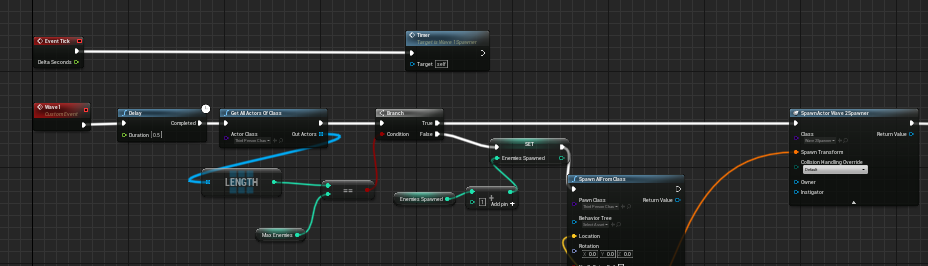
 cursive citrus
how would i update the wave counter which is in gamemode
putting it before spawnactor does nothing
i need it to check if all 5 are killed
trim matrix
outer pewter
i followed a tutorial it worked for them like this. so what do you mean by that ...
you have setup to start the timeline on the overlap , then increase at same time the player speed but if you want your character to "reverse" the timeline animation you need a logic to tell it

try to do this, exclude the destroy item for a moment
you should see after the audio sound the animation in reverse
outer pewter
the speed was 600. and upon picking the item up it become 2500 for 4 seconds then decrece to 600 again. so wont reversing make it go up to 2500 ?
maiden wadi
The only issue is that you're destroying the timeline immediately after the first set.
Destroy the actor after timeline completion.
outer pewter
oh so i should add a delay nbefore destroying
maiden wadi
Timeline has a Finished pin. Just destroy it there.
outer pewter
i tried it but didnt work. i even tried the reverse thing that he recommended but still
maiden wadi
What logic do you have after moving the Destroy to Finished?
outer pewter
i added a delay and i even tried removing the destroy completly but same
its like timeline isn't applying the decrese after the keyframe
trim matrix
why are you using the timeline for increase the character speed?
it is some sort of animation inside for character?
maiden wadi
Also semi sure that you want the playsound before the timeline. Playing a sound on tick has to be obnoxious.
trim matrix
i mean the set walk speed already does it , just to understand
outer pewter
no thats how the tutorial said to do it im kind of new
trim matrix
if you only need to increase speed you can drop out timeline
totally not needed
you can just set the speed and a delay
after the delay you can go down to normal speed
outer pewter
then how can i adjust the ammount of the increase and decrese
trim matrix
and eventually you can interpolate for smooth the animation
outer pewter
what commend allow me to input the speed amount ?
trim matrix
detach timeline wires and attach overlap node to set walk speed directly
then drag out a delay node from the set walk speed and set 4 seconds or whatever you wish
then after delay drag out another set speed node and set back to 600 or whatever you need
outer pewter
i didnt find anything called overlap node when i tried to add
im so confused haha sorry
trim matrix
np, in your blueprint your first node is an overlap
you see oncomponent begin overlap
connect to cast to run character as you already did
then remove the wire from cast character to timeline
and just plug the cast to the set speed node
trim matrix
that weird, are you sure? cannot test on unreal atm maybe i'm missing something but it should work , have you compiled, saved correctly? also can you drag a wire from the last set speed (600) search for print string node
just for quick debug
see if the set speed is fired correctly
gentle urchin
trim matrix
and eventually you can interpolate for smooth the animation
Isnt there acceleration forces at play during currentspeed != desiredspeed? So no interpolation needed
Also id say its not wise to have the logic in the speed booster like that
Atleast not that simple if you plan on several speed boosts
Guess i expanded scope there, ignore me
trim matrix
gentle urchin
Isnt there acceleration forces at play during currentspeed != desiredspeed? So n...
ah well yeah you're right
trim matrix
yeah i know not the best
but at least we can have it working and then clean
remove duration wire leave only execution ping (white one)
and thex click on the down arrow under development only
you will find duration parameter (2 seconds)
increase to 5
so you are sure to not miss it
outer pewter
 trim matrix
yep
outer pewter
i ll try it
trim matrix
now compile, save and test
outer pewter
same it increase but never decrese
trim matrix
can you see the hello text on left top of editor?
outer pewter
no
gentle urchin
This is
trim matrix
ok then your logic is not executed for some reason
gentle urchin
Probably due to invalidation of input?
Or is it cached forever, even if actor end overlap?
gentle urchin
Tbh id just make a function in the character instead
maiden wadi
Personally the trigger should be one actor. Allows any affect to be applied to the character. Effect should be something like an actor component that is added on overlap and trigger destroyed. Much more cleaner and scalable. But tutorials. 🤷♂️
gentle urchin
Have a retriggerable delay with delay input function
Erh, event*
Event being "Boost movespeed" with an input for new speed, and duration
outer pewter
im new i followed tutorials and they gave me the timeline way
trim matrix
yeah, you should reverse the logic into your character directly as when you apply input from outside character components things can gone wrong
outer pewter
so i make a function in character and then call it from the object
small oracle
I've attached my pawn to a vehicle, any hints on how i'd get my driver pawn to look in the direction the vehicle camera is pointing?
maiden wadi
Head bone animation.
outer pewter
is it this event
 native ferry
maiden wadi
<@!322045270164766723> Simple loop function.
For Loop
Start = 1,
End = BulletCo...
native ferry
maiden wadi
<@!322045270164766723> Simple loop function.
For Loop
Start = 1,
End = BulletCo...
hey sorry but can you explain more? i don't really get it, this is the thing that i understand (bad english sry)
 gentle urchin
outer pewter
is it this event
gentle urchin
outer pewter
is it this event
No ^^ in the event graph, right click -> create new custom event
trim matrix
outer pewter
is it this event
from your character bp right lick search custom event
right lick 😋 yeah awesome
*click
small oracle
I meant like how would i tell a pawn im no longer possessing to move their head. Would i have the vehicle store the pawns pointer and notify the pawn to look somewhere from the vehicle bp?
gentle urchin
While you could have the speed boost do static increase,
You may find it more flexible using two inputs aswell
A float for new speed
And a float for duration
Then in the event you can set default values of it i believe , so they are automatically != 0
outer pewter

im new so i am so confused at float and whqt you said
should i remove the cast to character
maiden wadi
@small oracleMight be cleaner to just give the SkeletalMesh a new AnimBP when put in the car. Unsure.
@native ferry
 outer pewter
thank you so much and sorry for all the truble
trim matrix
np
maiden wadi
@native ferry If you do that, you can pass in the bullet count, and just set the text. Mark the function Pure.

Alternatively, I guess you could make an Integer/Text map and just populate it and pull the value from the integer key. Might be better performant.
That's very hard coded though. Requires entries. Not dynamic. Feels bad.
native ferry
i'll try it thanks
trim matrix
outer pewter
thank you so much and sorry for all the truble

this in your character BP
i have created 3 floats variables you can add clickin on + icon and select from list float
when you create three of them compile
amd set maxwalkspeed to 2500
defaultspeed value to 600
and duration 4.0 value
gentle urchin
Id have duration and new speed a input but oh well^^
outer pewter
emm 1 sec i ll try it
 neat stream
would you use the Vehicule movement component for a horse ? 🙂 what shouldn't we do this?
trim matrix
yeah also this can be done eventually if the logic work
then in the itelcollision here

as a target you would need to set to pointer maybe
gentle urchin
I would also use speed multiplier and no speed value directly but thats me
trim matrix
i will let speak who know much than me at this èpoint
as i'm still noob with targets lol
maiden wadi
neat stream
would you use the Vehicule movement component for a horse ? 🙂 what shouldn't we...
I think most people make Horse from a Character class. CMC is rather useful there, already has walking and such. Just needs some magic for the leg movements in the anim bp.
gentle urchin
trim matrix
as a target you would need to set to pointer maybe
Target would be incoming actor casted to the specific class that holds the function
neat stream
maiden wadi
I think most people make Horse from a Character class. CMC is rather useful ther...
I did everything in CMC but I was wondering if physics were more developed in the VMC ... I'm doing multiplayer horse race...
trim matrix
so just a simple cast?
 gentle urchin
 outer pewter
is this what you mean by + ?
 gentle urchin
In your example, BP Parent Character
trim matrix
 maiden wadi
@neat stream Nothing physics is more developed for multiplayer. It's the wild west. If you're doing multiplayer, I would even more strongly encourage a non physics based movement component like CMC unless you have a ton of free time.
outer pewter
oh i did that but how can i control the value of those variables
neat stream
Ok so go full "math way" like always ?
outer pewter
 trim matrix
outer pewter
oh i did that but how can i control the value of those variables
trim matrix
outer pewter
oh i did that but how can i control the value of those variables
once created the variable on the right side of the editor you can see on top the name and below a value parameters
you need to compile first to see it
 outer pewter
im trying it
trim matrix
you could have used arrays since you have three floats more convenient but as you are fresh better go with simple steps
gentle urchin
Array for this just convolutes the purpose of the floats
Naming becomes generic, horrible often
gentle urchin
Uncheck context
trim matrix
yeah kinda it depends how you manage it in the overall i think ,i just hate have three equal floats spammed into editor
calculating coming from character and varaibles will increase a lot i tend to compact everything i can lol
trim matrix
nono i mean compact to see into editor
gentle urchin
But more nodes to get it out again
trim matrix
not meanig that take less memory ofc
gentle urchin
So variable field is less but graph has more
outer pewter
wow all these stuff i; learning just fro; asking about one things thanks a lot guys. i ll try it out
odd ember
trim matrix
stuff like this is hugely error/bug prone
what happens if multiple speed boosts happen at the same time?
neat stream
maiden wadi
<@!103664066140057600> Nothing physics is more developed for multiplayer. It's t...
I thought that UE5 + chaos implemented working replicated physics on the VMC that's why I was thinking of repurposing it 🙂 but I know I'l have to it like always by hand !
odd ember
surely if this is a first project you could find something easier to do than networked physics
trim matrix
odd ember
stuff like this is hugely error/bug prone
i know it's sheitty if you guys know better ways to modify char speed at run time let me know i'm just showing something simple to mr.satan
outer pewter
cant compile it
 odd ember
trim matrix
i know it's sheitty if you guys know better ways to modify char speed at run tim...
odd ember
trim matrix
i know it's sheitty if you guys know better ways to modify char speed at run tim...
you need to consider how to ensure that every speed boost given is discrete
small oracle
So if I do the animation blueprint (which makes sense) to have my pawn turn their head while in a vehicle how would i communicate the turn information to the pawn bp as the vehicle will have the controller?
trim matrix
yeah you need a cast or get actor of class
gentle urchin
outer pewter
cant compile it
Other actor -> cast to run character
Hint field given below the function name
trim matrix
odd ember
you need to consider how to ensure that every speed boost given is discrete
yeah, we don't know much about the overall objective of him , for now we just need only needed a boost every time he pickup a powerup or something likely
yep
odd ember
odd ember
what happens if multiple speed boosts happen at the same time?
@trim matrix
native ferry
@maiden wadi i'm back, i tried it and it puts an infinite amount of circles
there are supposed to be 6 of them
gentle urchin
outer pewter
?
Yepp
trim matrix
odd ember
<@456226577798135808>
it's gonna add the boost to others and will pain to debug i know
gentle urchin
Kinda need some definition or atleast some hint about the intended/wanted behaviour before one can make a proper suggestion for it really
outer pewter
yeah they wont add up
gentle urchin
Dictating on tick the very same speed of the char
outer pewter
will they add up in this way ?
gentle urchin
Are they ment to?
trim matrix
if you have multiple boost from multiple items pickup you need to be carefull
they will probably overlap
gentle urchin
They will for sure.
outer pewter
how because its randemly generated and you can pick up another one before the last one ended
odd ember
they will add up
gentle urchin
What's the intended behavior @outer pewter ?
outer pewter
so if they do add up it will be a good thing for me
trim matrix
they will yeah, you need some checkpoints in your logic
gentle urchin
Do you want them to stack?
trim matrix
at some points
gentle urchin
Or do you want the last one to dictate ?
outer pewter
its a pick up item that increase your speed
odd ember
imo it would be worth to contain all that logic inside a buff object
that handles its own lifetime
outer pewter
so if you pick up one and run for 2 sec and then pick up another one it will be good if the duration add up
odd ember
then you can apply such edgy patterns as the command pattern
outer pewter
i was thinking of adding a widget to show its duration
how do i do the retriggerable delay
odd ember
odd ember
then you can apply such edgy patterns as the command pattern
as well as handle buff stacking
gentle urchin
outer pewter
how do i do the retriggerable delay
Just replace delay with retriggerable delay
gentle urchin
Ye
outer pewter
 gentle urchin
Perfecto
outer pewter
okay so this will make it add up nice
i ll go look for a video to help me make a duration widget haha
thank you guys so much for the help
gentle urchin
😅
trim matrix
so guys, i'm having too an iusse i'm trying to get autopossess player 0 to start when i select my level from game menu
it's working just nicely when i test in level itself

isn't that right controller to autopossess?
odd ember
the default character auto possess doesn't work?
trim matrix
it's working if i launch the level from editor (not play mode)
if i launch the editor to default map of my game menu
then jump into level i can see the camera possessing the car
but movement are not controllable

those are the car inputs
odd ember
sounds strange
maiden wadi
native ferry
<@!143471961723371520> i'm back, i tried it and it puts an infinite amount of ci...
Can I see what you have?
trim matrix
maybe i was thinkin the issue can be in main menu, maybe the main menu still active on the level but hided in some way
native ferry

 somber quail
does anyone have anything on procedural levels in paper 2d sorta like keepers level generation
 somber quail
does anyone have anything on procedural levels in paper 2d sorta like keepers le...
somber quail
somber quail
does anyone have anything on procedural levels in paper 2d sorta like keepers le...
like any forums or vidoes on it
just ping me if know of anything its 3 am and im going to bed
maiden wadi
@native ferry Text variable isn't local if that gives infinite.
native ferry
oh
that worked
i've beed searching a solution for hours lol
thanks
okay so i have another question
I have a reload icon with an animation, and i want to make it visible and play the animation when i press the reload button and stop when the reloading is finished
any idea on how to do that?
(sorry i'm not very good at blueprints)
maiden wadi
Depends on the icon and animation. How are you doing the animation?
native ferry
i'm rotating the angle of the icon in the widget timeline
odd ember
hm, widgets can have timelines?
native ferry
 maiden wadi
I do mine in native tick. 😄
native ferry
so you don't know how i can do that?
trim matrix
ok fixed the playercontroll problem , i was having two inputs duplicated for WASD
native ferry
oh okay i'll ask my question here
odd ember
maiden wadi
I do mine in native tick. 😄
for some reason widget animations remind me of school teachers using powerpoint animations and I can't imagine that not coming across as cringe
obtuse lotus
I made this script to where when I look up my fov goes from 103.0 (Default) to 120.0 when I start looking up (When My cameras pitch goes past 0.0. Im wondering how can I make my fov slowly go up at the same time my pitch goes up? Like sliding at the same time together if that makes sense.

I feel like I did a horrible job at explaining what im trying to do
odd ember
obtuse lotus
I made this script to where when I look up my fov goes from 103.0 (Default) to 1...
you're looking for lerp
also if you're doing this on input, you don't need to use tick for this
just do it where you have your camera movement input
zealous fog
Which is on tick already right
odd ember
the alpha of the lerp should probably be something like clamp(cameraRotation.x / 90, 0, 1)
odd ember
zealous fog
Which is on tick already right
it's ticking on the player controller, not necessarily anywhere else
controller is one of the few classes where tick is necessary
obtuse lotus
Thank you
 dapper axle
I have a question related to unreal, I want to create a shield around the ship that would have visual and animation, to separate the shield logic from the ship it self.
My question is create it as a actor component or an actor?
Both approach seems the same to me with small different pros n cons, for example:
1- an actor component cant have a Timeline and actor can.
2- I cant setup a static mesh inside a component.
I am looking at this in terms of performance, because i can walk around and create the static mesh inside the ship for the shield and activate when a shield is activated, i would appreciate any helps, thank you.
odd ember
you'd want an actor derived class
dapper axle
Also what i need is what if i have different children of that actor/component as t1, t2, t3 is there a way to destroy/create them based on a tag or a name? and dynamically change that name
odd ember
odd ember
you'd want an actor derived class
.
it's a good approach because A) it creates a separation between the ship and the shield effect, B) you can create variations on shield effects (or even other types of ship buffs), C) the shield effect becomes responsible for its own actions and does not need to communicate with the ship that it is set to. so lifetime, health etc. is purely on the level of the shield, not the ship itself
D) stacking of shield effects would be possible
the list goes on
dapper axle
i would just dynamically spawn the shield and attach to the ship?
odd ember
yes
odd ember
in what way
dapper axle
i have a widget inside the ship
that i would like the shield to know about
and communicate with via events
odd ember
if you spawn the shield actor from the ship actor, the ship actor knows about both shield and widget, and can levy communication
dapper axle
hmm that is true
thanks a lot you made it clearer for me
as for the upgraded shield tiers it would be just a function to update all visuals
odd ember
visuals, health, whatever
the point is, that the logic and data for all of that sits on the shield itself
dapper axle
but if i wanna have a specific logic separate for each shield does child actor support this?
odd ember
don't use child actor
spawn the actor
forget that the child actor component ever existed
it's a nonsense thing that should be done away with
 grave relic
Happy New Year on everyone! First problem of the year here, im rotating this cube with WASD, and i need a way to figure out what face of the cube is faceing down. Anyone that has any ideas?
 odd ember
dapper axle
but if i wanna have a specific logic separate for each shield does child actor s...
odd ember
dapper axle
but if i wanna have a specific logic separate for each shield does child actor s...
you can subclass your shield and override functions to do what you want specifically per shield
dapper axle
subclass as in children?
odd ember
no.
subclass means that you are inheriting from a shield base class
that class becomes the superclass of the shield hierarchy
and you can put common logic in that class
each of the subclass that inherit from that class can override any of the functionality in the base class to do their own logic, when or if necessary
odd ember
grave relic
Happy New Year on everyone! First problem of the year here, im rotating this cub...
pretty sure geometric properties aren't exposed to blueprint
but maybe you can hack it through dynamic instance materials or some such
dapper axle
CE thanks a lot i will start working on it and test it out, because in this approach i can make a list of all shield classes and dynamically spawn and destroy
odd ember
again, the most important part is that the shields handle their own logic and stay separate from their parent actor
keep that in mind and you'll be fine
grave relic
Yeah they arnt, so im trying to find another way to get them but cant figure it out
@odd ember
dapper axle
grave relic
Happy New Year on everyone! First problem of the year here, im rotating this cub...
you can use the forward vector to know which one is facing is hacky way
odd ember
grave relic
Yeah they arnt, so im trying to find another way to get them but cant figure it ...
there isn't a way. even the material stuff would be some weird hacky nonsense that would likely be buggy
that's true
but that doesn't give the face value
just the direction the mesh is facing
grave relic
Well couldent i use that to figure out witch face is down depening on what dir the forward vector is?
odd ember
yeah a cube made of 6 planes would do it
but then there are other issues to contend with
like seams
grave relic
And get the forward vector of each plane to figure out witch on is down?
odd ember
you'd get the up vector
odd ember
you can do something like dot(plane.up, 0,0,-1)
that will give you a number between 1..-1. the closer you are to 1, the closer that face will be to facing straight down
grave relic
dot(plane.up, 0,0,-1)?
inland stone
can some one help me on this? i have a simple turrets that tracks the crosshair using the mouse cursor as its target but when i posses the pawn it no longer track the mouse
grave relic
Thx for the help, will need it 😛
 quiet tinsel
heya folks, happy new year 🙂 I'm working on a multiplayer project and I was under the impression I could use the Game Mode "match start" function to handily replace "Begin Play" functions on various actors so that they can be set up only once all the players are logged in and ready (rather than having to rely on RepNotify or firing events off Begin Play with slightly more complex Switch Has Authority nodes, which is how I have it solved on a case-by-case basis for now)... it'd be much easier to just fire off an event once the Lobby Menu has been cleared through a basic "ready up" system. Do I have to do a Get All Actors (with tag I suppose) and bind delegates individually for this to work? Doesn't seem like it would be any better that way than how I'm handling it now. Any feedback or tips would be appreciated 🙂
like when I dug through Pavlov for modding a few updates ago, they had a nice system set up for this but I guess they did it all manually and I don't want to just copy them 😂
but there's no "Event On Match Start" essentially?
 random plaza
How would i go about adding all the variables in a struct array together? i have a float for weight in a struct that i'd like to add every instance of in an array together for my carry weight
odd ember
quiet tinsel
but there's no "Event On Match Start" essentially?
which game mode are you deriving from?
quiet tinsel
the GameMode class
odd ember
GameMode or GameModeBase
quiet tinsel
but I'm looking for a way to fire off events on other actors when its Match Start function fires... I'm guessing I have to bind event to match start from begin play?
the first one

well that was the menu one but same thing 🙂
odd ember
the function with the dot perhaps
 quiet tinsel
I see this bad boy

yea
how to bind events to it tho?
looks like I need to do a get all actors and reach out to them with interface or something?
doesn't want to do that
it'd be easy enough for me to just use a custom event from the lobby widget, too
just wanna have it fire off on other actors efficiently
odd ember
Start Match
quiet tinsel
like to better express my question, another "solution" would be like a 1 second timer on begin play on the characters and puzzle elements to check game mode status and then fire an event and stop timer when it is started
odd ember
so match state transitioning is at the heart
quiet tinsel
yea
essentially I have a puzzle that has parts of it set up on begin play, but in a normal connectivity, begin play is different for servers/clients, so I'd like to change that event to only fire once the lobby has been cleared
odd ember
you'll have to query the game mode and bind all the actors manually if you want something like this
quiet tinsel
that's what I thought, any advice on how to do the binding properly? delegates is like my weakest subject 😄
quiet tinsel
😄
odd ember
in the game mode, create a new event dispatcher. name it whatever is relevant. in each actor class GetGameMode, cast to your game mode, select bind event to <dispatcher name>
quiet tinsel
aaaah through dispatchers right on
let me try that, thanks so much 🙂
and like this from the lobby widget?
 odd ember
your game mode makes the call on match start
odd ember
odd ember
in the game mode, create a new event dispatcher. name it whatever is relevant. i...
.
quiet tinsel
got this on my character
 odd ember
yes
quiet tinsel
nice!
that worked 🙂
I knew it had to be done that way it's just so foreign to me still 😄 thanks so much
odd ember
quiet tinsel
I knew it had to be done that way it's just so foreign to me still 😄 thanks so ...
best to think of event dispatchers as subscriptions
quiet tinsel
lol
odd ember
a class can subscribe to an event
when that event gets called, the class gets notified
maiden wadi
@quiet tinselAlso should note based on your original question, you can't replace an OnRep with any other event or RPC. It's not possible. OnReps are there for a reason. They're state based events that run when information arrives on the client. You have to take that into consideration if your MatchPlay happens, and someone DCs and comes back, will your logic break for that client?
quiet tinsel
oh I haven't implemented it as a Rep Notify yet
grave relic
@odd ember Sorry for the direct @ was just wondering if you could take a look at this if you got the time, ive look around on some DOT functions and tested. Right now i can get it to work on the top and bottom of the cube but not the rest.
 quiet tinsel
I was saying instead of potentially using them
but thank you for the tip, well advised 🙂
grave relic
 odd ember
grave relic
<@!224571781862653952> Sorry for the direct @ was just wondering if you could ta...
odd ember
grave relic
<@!224571781862653952> Sorry for the direct @ was just wondering if you could ta...
== is your enemy here
do something like > .9
odd ember
grave relic
<@!224571781862653952> Sorry for the direct @ was just wondering if you could ta...
also you're comparing the middle section with the forward vector
and the bottom with the right vector
all of them need to be compared with 0,0,-1
that's world down
grave relic
Ah okey, cause i tested around with the dot values and forwad/up vectors
Cause now when i have them all at 0,0,-1 nothing prints out
Exept when i flip the cube upside down
odd ember
it's 6 separate planes, yes?
grave relic
yes
grave relic

Yeah okey, cause im testing around, but am i atleast on the right track? 😛 First time useing DOT
odd ember
I don't know if you are. I can't see everything that you are doing. I can only see the logic you post here
obtuse lotus
grave relic
https://gyazo.com/fa2fba52f112ddd9a33f9db9a18208a9
that gave me so much nostalgia lol