#blueprint
402296 messages · Page 782 of 403
 plush swallow
how can i change the image of a button on bps?
 willow phoenix
ok got it
plush swallow
for example in an image i can set brush from texture but how do i do that with a button
willow phoenix
give me a second @trim matrix
 icy dragon
plush swallow
for example in an image i can set brush from texture but how do i do that with a...
icy dragon
plush swallow
for example in an image i can set brush from texture but how do i do that with a...
If you're using Buttons, you may use the provided brush states instead
There are 4 states: Normal, Hovered, Pressed, and Disabled


 willow phoenix
the attach to actor is ofc optional
you can make it more of a switch if you wanted, and tehre are other ways to communicate with actors like blue print interfaces
 trim matrix
ahhh
willow phoenix
if you use a BPI, you need to have it on every actor that needs to communicate thou
its like having walkie talkies 😄
trim matrix
oh my
A lot of info to take in lol
but I got this
I really appreciate the time you took to help me
thank you
what's a "pipette"?
 spark steppe
gauge dropper
trim matrix
gotcha
willow phoenix
just remember BPI has to be included on everyone that you want to talk to. the character does NOT have it. char just overlaps the cube once, the cube then calls everyone with a BPI and if they have the fitting trigger event, they will be triggered


 plush swallow
icy dragon
If you're using Buttons, you may use the provided brush states instead
plush swallow
icy dragon
If you're using Buttons, you may use the provided brush states instead
thanks
trim matrix
so, I guess if you want the cube to do more than one it'll be easier to do BPI?
willow phoenix
this confused the heck out of me when i started btw
willow phoenix
yes. if you would want to do it the other way you would to have to make the varibale an array, select every actor that you want to trigger with the dropper thingy and then loop through every actor. possible, but if i remember correctly this "hard reference" stuff will slow down the gameengine (not 100% sure here thou)
trim matrix
I was watching a lot of videos and I know the basics about things. I just wanted to get an understanding of connecting two BP and this will help.
wait the pipette dropper where is it in the editor
willow phoenix
i mean, it would be possible if you want to trigger like 3 lights. or 10 lights. if you are a masochist, 20 lights.
but if you want to trigger different actor types like lights, maybe a spinning red box, a ventilator and the tv, this becomes pretty painful and you are way better of with the BPI
it only shows up if you made your varibale exposed on spawn and editable
willow phoenix
right side of the screen for both screenshots


and always "compile and save" or stuff wont show up 🙂
trim matrix
the variable you create in the first picture is that suppose to be the other BP that is being affected?
willow phoenix
the type of it, yes
trim matrix
what do you mean "the type of it"
willow phoenix
so if your actor that you want to trigger is called "bp_vito" you search for a varible of type "bp_vito"
trim matrix
but when I try to connect it to the "call to custom event" it won't let me
it says it's not compatible with the current BP object reference

 lyric relic
Hey, I read that we can't modify a datatable at runtime even within the editor via a bp. I'm looking for a way to store offsets for actors using an editor tool. so In game when I equip an item it would place it in that offset (I want those offsets to not be stored on the items themselves) I'd like to have some kind of storage that I can access with itemId to get the offsets. is this possible?
trim matrix
I am gonna rename the thingy
icy dragon
lyric relic
Hey, I read that we can't modify a datatable at runtime even within the editor v...
Data tables are basically static array of a struct.
lyric relic
icy dragon
Data tables are basically static **array of a struct**.
Is there an alternative I can use that can be modifiable via a custom editor BP? that can also be quickly accessible via BP during gameplay?
icy dragon
lyric relic
Is there an alternative I can use that can be modifiable via a custom editor BP?...
The clue is already in what I said.
Actually let me bold the part.
lyric relic
icy dragon
The clue is already in what I said.
Actually let me bold the part.
oh got it! Thanks! 🙂
 velvet dagger
willow phoenix
trim matrix
velvet dagger
willow phoenix
trim matrix
you are mixing up the two methods here
trim matrix
huh?
willow phoenix
if you are using a BPI i would get all actors with interface, loop through and send each one a message.
if you have a reference to that single light, just pull out from the light and call your event from the light you referenced
trim matrix
interesting
 vital aspen
In the epic game market place. there's 1 item. Wanted to find out if anyone by chance has ever used it before. The name of it is "Action RPG Inventory System". has anyone ever played with this before, I just fount out yesterday that support for doesn't exists anymore.
 bitter hull
i have a quustion: so i have this giant worm thing and i wanna make an AI for it. heres what i want the AI to do: when its idle to stay underground and randomly jump in and out of the ground, when its alerted to rush to the player- still underground and randomly jumping out of the ground
 vital aspen
ping me with some info.
bitter hull
me?
vital aspen
if any. The project is some what old and hasn't been updated. so HELP
Master me? what
vital aspen
Oh no, sorry. Just updating my post.
bitter hull
ah ok
 violet crystal
in tutorials i keep seeing this blueprint component called pawn sensor
that shows up in viewport as a green wirefram seeming to depict a range of "sight"
does this come with unreal or is it a commonly known package/blueprint
 lament ginkgo
Getting some weird issues with the BP editor. If I drag and drop a variable to a pin (eg: float variable to a float pin) it doesn't create a get reference.
Same thing with dragging a variable to an exec pin, doesn't create a set node.
Anyone else encounter this?
icy dragon
Never encounter that before, maybe restarting the editor might help
lament ginkgo
Of course, not sure why I didn't try that first lol
icy dragon
Easy to forget the magic bullet :P
 dire frost
event does not execute even tho it's called
i tried to relaunch unreal two time and even restarted my pc out of desperation but nothing
so i have a child actor that when you touch it tries to let you equip it. the first child works fine and as expected but the second child for some reason does not execute the event even tho it's called
wait am taking some screenshot
will take a minute
no it's a child actor not a component
when you right click an actor blueprint the first click the first option
i checked the code flow in game-play and i can confirm the event is being called


 raw orbit
is there any way to attach two components based on sockets? lets say i want to put something in the players hand but since im using a lot of marketplace assets they are a bit all over the place
in terms of transformation or however you put it
dire frost
you can use "attach component to component" node
no i didn't. i thought they didnt really touch on blueprints for ue5?
 formal wren
Anyone has a method to ease from one value to another and have the value flicker while doing so? So some kind of FInterp with randomness
dire frost
yeah but i dont thing they changed how event's called
formal wren
Yeah... but it also has to be smooth 😄
trim matrix
does someone have a tutorial to make a camera movement like sims 4
icy dragon
trim matrix
does someone have a tutorial to make a camera movement like sims 4
If you mean RTS like camera, probably
trim matrix
icy dragon
If you mean RTS like camera, probably
jeaah kinda like that
icy dragon
You just have to be less specific when it comes to looking for tutorial.
 random plaza
i'm trying to use set array elem in an array of structs, this is for inventories of spawned in containers

yes, i know how clunky a recursive array is
 brazen merlin
random plaza
i'm trying to use set array elem in an array of structs, this is for inventories...
brazen merlin
random plaza
i'm trying to use set array elem in an array of structs, this is for inventories...
yikes, structs in structs
dunno how smooth it is
random plaza
so what should i do? i'm trying to make it check if it's a new save and if it is, not load a null index
brazen merlin
i dont know, i dont nest structs in structs as it gets hard to manage
maybe SetMembers will be better
they're generally such a nuisance, i look for alternaives
random plaza
also, i didnt mention that but the way that i'm differentiating between indexes is that i randomly assign one in the construction script
formal wren
Anyone knows how to calculate phase shift for sine, so when I change the frequency sin(x) stays the same?
 bright harbor
i have been stuck on this all day. when i jump and move left and right you can float, and i've looked through all of my code, played with all the character movement values, changed engine versions, but i can't fix it, THIS WAS NOT AN ISSUE YESTERDAY. the only thing that changed was i went from 4.27.1 to 4.27.2 and now this happens
formal wren
I use sin(x) to oscillate an actor. The frequency can change. But when that happens the object jitters.
I guess the cause is, that sin(f*x) =/= sin((f+1)*x)
bright harbor
bright harbor
i have been stuck on this all day. when i jump and move left and right you can f...
this is literally footage from yesterday's build
formal wren
That's why I need to accomodate for the change in frequency somehow
icy dragon
formal wren
I guess the cause is, that sin(f*x) =/= sin((f+1)*x)
Discord screws up the math equation lol
Use the \ (backslash before the symbol to ignore the markdown *something like this*
brazen merlin
formal wren
I use sin(x) to oscillate an actor. The frequency can change. But when that happ...
this is in bp
?
formal wren
brazen merlin
this is in bp
Yes
brazen merlin
so you have something like Sine * offset on a tick or sometihng?

 brazen merlin
uhhh, math is a little odd to me, but alright
formal wren
Never mind
brazen merlin
i was gunna ask, though, what about a repeating timeline?
formal wren
just noticed that it works
brazen merlin
oh ok
brazen merlin
haha well splendid
bright harbor
bright harbor
i have been stuck on this all day. when i jump and move left and right you can f...
anybody have any idea what could be causing this?
when i try it in the default third person map, it works perfectly well and good, but with my character, nope
random plaza
sorry to ask something different, but can you save the game from the construction script?
bright harbor
random plaza
sorry to ask something different, but can you save the game from the constructio...
you can but i wouldn't advise it, it would cause some major lag
random plaza
lets see what happens lol
icy dragon
random plaza
sorry to ask something different, but can you save the game from the constructio...
It's safer to do it in BeginPlay.
Construction Script also runs in the editor, and that could cause some problems.
random plaza
ok! i'll try that, is it possible to make a beginplay always happen before something else is?
icy dragon
random plaza
ok! i'll try that, is it possible to make a beginplay always happen before somet...
Begin Play happens before something else, immediately after construction script.
random plaza
ok, thanks then. i'm asking because my player always loads the game in begin play, should i simply run that code from the player's one in the player blueprint?
like through a cast node
 zealous moth
I'm trying to do a lock on function in fps where on input, i look for all actors that can be locked on and using the dot product and distance, I find the one closest to the center of the screen and closest to player.
My understanding of the dot product is that it would give me a result between 0 and 1 where 0 is equivalent to 90 degrees and 1 is literally in front.
However, the values I get span 0 to some hundreds and also in the negatives.
Am I mis-using the dot product?

additionally, if the target is ANYWHERE on screen, it will be larger than a 0-1 ranged dot product minimal result.. so it always targets
zealous moth
it's the location of the target
 supple dome
direction from a to b is (b - a) normalized
 supple dome
normalized
lyric relic
icy dragon
Data tables are basically static **array of a struct**.
I tried multiple solutions but none worked :/ I think I'm just bad at Unreal lol.. I couldn't find a way to save array of structs as assets that I can edit from editor BP and query from gameplay BP.
zealous moth
 supple dome
that abs may allow to lock on stuff behind u tho
also the forward is always normalized so thats not needed
zealous moth
supple dome
that abs may allow to lock on stuff behind u tho
I used this condition to make sure it is rendered and on screen

hm, still locks on as long as it is on screen....
I used the abs because at different angles, the result is negative so it never locks on
supple dome
adding an acos after the dot allows you to use degrees instead of magic numbers, useful for setting parameters
now for why its still going through your checks, needs debugging
zealous moth
maybe my conceptualization is bad

basically if my theta is greater than, it shouldn't target
I think this does the green and orange lines

arccos of the dot product should give me the angle
zealous moth
I'm still getting weird numbers between 40 and 100
if i stare straight at the target, the angle is 65
supple dome

this is wrong
if you tried to get direction from player to enemy, that should be enemy.location - player.location
zealous moth
that's a good catch
yeah fixed it
hah it's giving me the right numbers but not locking on
 faint pasture
@zealous mothYou need to normalize the result of that vector subtraction
so it's just a direction, not the full difference
unless you want to bake distance into your dot product, but I doubt you do
 dusky harbor
Hello,
Do you know why the camera always follows the widget.
How can i disable this?
*the widget follows the camera
brazen merlin
widget follows camera because in camera space?????
dusky harbor
okay, but when i want to make a progress bar for the health of the character and this i want to put over the character. How could i do this, without following the camera
Do you have any idea?
brazen merlin
ah, so a health bar that stays with the actor
add a Widget component to your actor
dusky harbor
yes
brazen merlin
and you probably want to change the Widget, in the actor, from World to Screen
dusky harbor
actually, in my case was the space in "Screen", right now i changed to "World".
Everything works.
... Ooh Man i don't know, sometimes everything is so easy and i make it so difficult to find a solution which stays in front of you
Thank you
brazen merlin
np
its knowledge of what's available in the engine already, which is a monumental
its not unheard of to make something from scratch that already exists - a story about jump apex would apply here for me
 eternal gate
Is there a way to set up a transition in an animation state machine so that the transition occurs when I call a certain c++ function?
currently I have it working by temporarily setting a bool to true which triggers the transition, but I was hoping there's a more elegant way of doing it
zealous moth
@eternal gate you can do a 2d blendspace and increment a value over time with a tineline or lerp
I dis that for a dancing game
eternal gate
zealous moth
<@175755797911961601> you can do a 2d blendspace and increment a value over time...
Thanks, but I don't think that's exactly what I'm looking for. Basically what I'm trying to do is trigger a transition from idle/walking states to my attack state, when I call a StartAttack() function in c++
 zealous moth
Oh a montage?
zealous moth
Thats how i would do it
eternal gate
k, I'll do more research into them
zealous moth
@eternal gate basically you right click an anim and make a montage. Then in your cpp fn you can play montage.
You can also call triggers mid montage and you can isolate a montage to specific bones.
eternal gate
zealous moth
<@175755797911961601> basically you right click an anim and make a montage. Then...
What function would I use in cpp? Previously I tried SkeletalMesh->PlayAnimation which worked, but my skeletal mesh stopped being controlled by my anim BP after calling it
brazen merlin
PlayMontage
eternal gate
Seems legit
zealous moth
The only thing is that montages tend to be an all or nothing. So you will have to tweak movement and smoothing
vital aspen
Sense no one has ever used the Action RPG Inventory System, Does anyone know of a video series that uses components to create Inventory systems. That has a public discord server where we can get help and support.
I all ready gone threw about 6 of them and they have no support.
brazen merlin
So you watched the video on how to expand the items in the inventory system?
vital aspen
So what video and what inventory system.
For the Action RPG System I only fount 3 videos and the dev just vanished.
I saw how to add items to the inventory system. They didn't show us how to add things like a Shop. maybe I wanted to add a stove to it. How would I add something like that or even a machine.
if you run it and open 1 of the pots. It's missing the players inventory. So you don't have any way to drag and drop items from the Pods they added. ??? The list goes on and on
@brazen merlin any ideas that you have that I haven't fount yet would help. I would even post them on the Market Place for that Inventory system so that other devs won'y have a hard time with it
These are all the videos he has

Nope, wrong channel. This is ue4 blue print.
doesn't look like they have a channel for blender.
or maya
brazen merlin
vital aspen
I saw how to add items to the inventory system. They didn't show us how to add t...
I dont think this is within the scope of whats been designed for the arpg demo
vital aspen
Well I don't know what the arpg demo is.
brazen merlin
vital aspen
Well I don't know what the arpg demo is.
Its what we are talking about. I consider the action rpg a demo
vital aspen
Oh, ok, even a demo on the market place still should have some support. This guy doesn't exists any more.
The videos on his you tube channel are 5 years old and nothing update. I think this is wrong. They shouldn't make something like this and post on the market place and then banning it and letting everyone with out help. They should have removed the project from the market place.
brazen merlin
Its in the learn tab isnt it?
Theres also multiplayer shootout in the learn and thats old as dirt
vital aspen
Not from what I been reading. I'm not the only one.
brazen merlin
As far as the project goes, its really just got functionality for a generic action button masher where enemy waves are encountered. There is no shop or other expansive features
And whats implemented is confined to that system
vital aspen
you mean on the market place. I guess if you good at blue prints. it would be fine. Not for people who just started out. I been doing this for a little over a year and I'm still learning
brazen merlin
Its a great learning resource - it has shown me a lot of great features but i dont find working from it attractive
vital aspen
ok,
I have to go on the unreal engine forums and ask on there. I have no idea what to do. Thanks for your help
brazen merlin
Action rpg might be outside of your comfort zone but i do agree with you. If there was more support i would probably work with it. It would take me several days just to look it over to understand what everything is doing before trying to add to it
 plucky fractal
Is it possible to set default values for variables from a data table in an actor, without having to have it be spawned in the world? Trying on construction, and it will spit out the value with print string, even if game isnt running. But it wont update the actual variable in the actor
eg printing the 'name' row from the data table will show it, but if i try and set a string variable to the value it wont
vital aspen
I agree with you all so. It would have been better it they left more videos on it and maybe even some doc's would have help.
brazen merlin
plucky fractal
Is it possible to set default values for variables from a data table in an actor...
Yes, you can get the row of your dt then set that as the struct var to access throughout your bp
plucky fractal
yep thats what im doing, it will print a string for example a name value from the data table, but it wont set the name variable inside the actor
brazen merlin
Uh, not what im saying, maybe? Not sure if you are following. On BeginPlay you get the row and the output sets the var
plucky fractal
not on begin play, trying to do it outside of runtime
brazen merlin
Oooohhhh
plucky fractal
to set data before its loaded into the world, its for items. i'd like to be able to see the info before having to spawn it etc
brazen merlin
Im not sure if its possible, seems like an either or answer
 brazen merlin
Wait
plucky fractal
if that is in the constructor ^
brazen merlin
Oh so your saying it doesnt set the var
plucky fractal
yeah
so if i compile the actor, outside of runtime, it will print the value of 'name' to the screen. but it wont set a variable of string with the value
vital aspen
try putting a print string on the end of the set name. and is if that prints the name out.
plucky fractal
yep, that works, but if you inspect the variable it shows blank haha
brazen merlin
Might be a checkbox thing for constructor
 vital aspen
ok, one other thing. Change the name of the veribale like TxtName and try that. It could be the Name
plucky fractal
hmm no dice!
vital aspen
then we are stump.
plucky fractal
yeah haha its confusing the heck out of me
brazen merlin
Layer it into a function?
vital aspen
in your details. show us a screen shot of the TxtName variable.
plucky fractal
 brazen merlin
vital aspen
brazen merlin
vital aspen
ok, that mite be where your issue is
plucky fractal
 brazen merlin
Check Instance Editable and Expose on Spawn
plucky fractal
just showing it does read the data and print it as well
brazen merlin
So there was no issue after all?
vital aspen
Yes, that's 1. the other is in the data table. Make sure what you getting back is all so a string and not a Name
plucky fractal
the issue is its reading the data outside of runtime (shown by the print string) but it wont update a variable of the same type
the row in the dt is just called name, type string
vital aspen
That's what I mean. Make sure in the data table that what your getting is a String Varable and not a Name Verible.
My spelling sucks.
plucky fractal
yeh i got ya, confusing coz of name and variable types haha. its a variable called 'name' that is a string already
vital aspen
The Variable Sting and Name or not the same.
If it is a string then I'm stump. Sorry I have no idea.
plucky fractal
thats alright i appreciate the input! its had be confused for a couple of hours trying to fix it
basically trying to load item information (eg, name, description, etc) onto the item actor from the table. but being able to see it outside of runtime on the item.
vital aspen
you could try it from begin play. other then that Sorry I have no idea.
brazen merlin
plucky fractal
thats alright i appreciate the input! its had be confused for a couple of hours ...
hope you saw this #blueprint message
plucky fractal
giving it a try right now 🙂
still no dice, might be needing to work out another way to do this haha
brazen merlin
i would wonder if using the variable name "Name" is doing something weird or of it were to benefit from constructor-friendly variable calls
plucky fractal
so works fine if you spawn the item into the world, just not if you're trying to inspect it outside of runtime.
brazen merlin
yes, that was established
plucky fractal
ill find another way to do it, doing my head in haha
brazen merlin
i dont use construction almost ever so im not aware of the nuances. data tables dont seem like a good fit for them, imo
 dull vine
Hi, quick question. If I create a BlueprintNativeEvent, or a BlueprintImplementableEvent in a component. Is there any way that it can be defined in the actor owning that component?
vital aspen
I think it's called set Owner
dull vine
I'm not looking to set the owner, but rather allow the owner to define how a method is implemented. though this may go in the cpp channel
 dawn gazelle
dull vine
Hi, quick question. If I create a BlueprintNativeEvent, or a BlueprintImplementa...
dawn gazelle
dull vine
Hi, quick question. If I create a BlueprintNativeEvent, or a BlueprintImplementa...
You could potentially use an interface - pass along the owner of the component as the target, and have any relevant actors implement the interface. When you want to call that event on the owner, then you call the interface and the actor that implements the interface can then handle that event how it wants to.
If I understand what you're trying to do correctly.

 icy dragon
 sly forge
Is there a way to make this work?
sly forge
Is there a way to make this work?
Can't see how this couldn't work
sly forge
Looks like byref can't change a variable inside a function
brazen merlin
structs and maps are temperamental in bp
sly forge
So it can be done in c++?
brazen merlin
dunno, never use it
 light token
Question: Is it possible to stop a Niagara particle effect from Blueprint? Set Rendering Enabled is not working...
 timber knoll
It’s not rendering
There should be start and stop for the niagara system itself
StopEmitting or something
timber knoll
sly forge
So it can be done in c++?
A variable inside a function, as in in/out parameters using reference or pointer?
Ofc that’s possible in c++
sly forge
Why is bp so inferior lol
timber knoll
Blueprints has similar power, the issue is just that it sometimes takes a lot more nodes to get it done
icy dragon
sly forge
Why is bp so inferior lol
BP is high level and can be made even more powerful.
timber knoll
Coding will always be shorter except when you’re creating default parameters to pass
icy dragon
sly forge
Why is bp so inferior lol
That thing of yours can be made into BP callable C++ function.
sly forge
yea thats what im thinking of doing
timber knoll
Such as tracing instead of a single node it becomes a huge list of things
 tight schooner
light token
Question: Is it possible to stop a Niagara particle effect from Blueprint? Set R...
tight schooner
light token
Question: Is it possible to stop a Niagara particle effect from Blueprint? Set R...
Deactivate node
that'll stop the emitters
from spawning new particles, allowing the existing ones to die out naturally
light token
Alright, thanks a lot! Going to look for that.
 opaque river
I havent messed around with Material Layers and Materials blend much, but I think its the solution I need for a problem. On a normal material I can set the blend mode to translucent to remove stuff from the mask to see textures below but Im not sure how to set that up using Material layer blend
 soft willow
Hello Guys,Nice to e-meet you all
Unfortunately I accidentally changed my HDRI Back drop blue print and now I can't turn it to it's default
would you please share screen shots of your hdri blue print with me.It would be a great help
thanks
vital aspen
I can't have 100's of actors in my project. I can use the static mesh. I can't interact with a mesh. So how to I turn it from a static mesh to an actor and then when I move away from it. I change to back to a mesh. ?
timber knoll
vital aspen
I can't have 100's of actors in my project. I can use the static mesh. I can't i...
Why can you not have 100s of actors?
Give us some details what you’re trying to achieve
vital aspen
It could crash the game. Your not to have that many actors. It would lower your FPS
icy dragon
vital aspen
I can't have 100's of actors in my project. I can use the static mesh. I can't i...
Static meshes you place on the maps are by themselves actors.
timber knoll
Well if all the actors have ticks enabled sure
icy dragon
icy dragon
Static meshes you place on the maps are by themselves actors.
I know, surprising, right?
dun dun duuuuun
timber knoll
Otherwise their impact is fairly small
If your actor doesn’t need an update, disable tick
vital aspen
well I need a way to add a something like a bush, I need to be able to pick it up
icy dragon
vital aspen
well I need a way to add a something like a bush, I need to be able to pick it u...
Don't make them able to tick then.
In other words, don't use Event Tick on them.
vital aspen
ok, I don't.
tight schooner
Oh, I thought you have to explicitly disable it in class settings
where it's enabled by default (event tick)
 worthy drift
Hey guys. So I'm trying to create an over time effect. So far I've got it to work by simply using set timer by function name and using a counter variable that increments every time the function is firing. Problem is, if I want the over time effect to be able to fire off simultaneously multiple times (say I have several items that I can use, that all has the same 'over time effect') I can't really do that with set timer by function name. Any ideas on how I can create a similar logic but that allows me to run it several times at the same time?
icy dragon
tight schooner
where it's enabled by default (event tick)
No, disabling that also disables C++ tick
tight schooner
worthy drift
Hey guys. So I'm trying to create an over time effect. So far I've got it to wor...
Either you maintain some queue (array variable or w/e) of work that needs to be processed on the next event, and the event loops through the array and does stuff, or each item is its own actor/component that has its own timer logic and/or is bound to a manager/host BP's regularly firing Event Dispatcher. Those are two approaches I can think off offhand
worthy drift
Its actually on the player character that the effect is taking place. But I might have found a simple solution. Instead of trying to run the effect at the same time, I'm just adding the additional effects in a variable and increasing the count, which prolongs the duration. Stupid me.
worthy drift
tight schooner
Either you maintain some queue (array variable or w/e) of work that needs to be ...
Yeah that was what I was thinking, and I think just containing it all in arrays or something and then adding to the effect is the way. Thank you for your input!
 grave apex
if I wanted to say, in an RPG style game, switch from an overworld mode to a static battle system mode, how should I look about doing that
like, system wise
should I be using gameStates?
gameModes?
same place and characters in the world, but completely different controls
kind of like your second example
(havent played those games myself, but your description sounds about right)
same location
well, I would want WASD to do different things
ah
is there like, a good video describing how to balance all these?
like, going into this a bit better than the documentation?

seems to be a problem I keep finding myself running into
tight schooner
Idk offhand. I mean, it's a framework for you to use at your convenience. They're convenient because there are nodes available in BP like Get Game Mode/State/Instance, Get Player Controller, Get Player Pawn etc. Some of them have specific properties, for example Game Instance is the only manager class that persists across level loads; everything else gets destroyed and recreated AFAIK.
If you have specific questions, feel free to ask
grave apex
ah, ty
btw, like, as an example, if I had an fps, and I wanted to switch (what most people would call) the game mode from TDM to free-for-all mid-match, which class would best handle that game logic? (since we cant change the UE4 gameMode mid-match)
without switching levels
would it be game state?
tight schooner
grave apex
would it be game state?
I wouldn't know personally. Speaking generically, if you can't switch the built in manager classes mid-level, maybe you need a family (class hierarchy) of custom manager classes (BP actors) that are spawned by the game mode.

 grave apex
tight schooner
I wouldn't know personally. Speaking generically, if you can't switch the built ...
grave apex
tight schooner
I wouldn't know personally. Speaking generically, if you can't switch the built ...
aah, "manager class"
thats a good way to describe them
 maiden wadi
@chrome fractal Nothing will stop character movement besides the root component, on character classes that is the CapsuleRoot. Character movement by default is already insanely expensive, that's why you can only really have about 200-400 of them running around at once before framerates really start hurting even on a good machine and that is only sweeping the main capsule. If you start including children components into that equation that is going to hurt which is why it wasn't done. You could probably roll your own subclass of the CMC, but that is advanced territory. What is your end goal with the sphere though?
 chrome fractal
I have a camera at there and it goes around the walls. I just want my camera to collide and not go through walls
chrome fractal
maiden wadi
<@!742508311043244093> Nothing will stop character movement besides the root com...
I have a camera at there and it goes around the walls. I just want my camera to collide and not go through walls
maiden wadi
You normally use SpringArmComponent for that.
 calm schooner
I've got a Blueprint that's meant to take a common file-format for lego-models, and turn it in to a model using a pool of static-mesh bricks, but it's not functioning quite right.
public bool arraySet = false; //if this is not public, then the first if statement ALWAYS reads arraySet as false, the reason is unkown to me.
string ldrFile = "A really long glorified CSV sheet"
function brickBuild = A function that reads from an array of mesh names, locations, and rotations, and uses addStaticMeshComponent, SetRelativeScale 3D, SetStaticMesh, SetRelativeLocationAndRotation to place them accordingly


Construction Script Start
If (arraySet = false) {
    parse ldrFile into an array named brickSet;
    arraySet = true;
    brickBuild(brickSet);
}
Else {
    brickBuild(brickSet);
}
The expected behavior is:
User drags instance of BP into the level editor
BPi (BlueprintInstance) reads ldrFile, generates an array of mesh names, locations, etc (brickSet)
BPi places the appropriate meshes from brickSet inside itself
User moves the around the BPi, all the bricks follow.
What actually happens is:
User drags instance of BP into the level editor
BPI reads ldrFile, generates an array of mesh names, locations, etc.
BPi does NOT place any meshes.
User manually sets the public arraySet bool to False
BPI re-parses the ldrFile and adds to brickSet, essentially doubling the number of elements within the array
BPI now places the appropriate bricks inside itself.
User moves around the BPI >> the bricks disappear visually, but still hog memory as if present.
The User can set arraySet to false, new bricks will be placed and more elements will be added to the array. This is unusable because it creates a very large amount of invisible, resource-hogging bricks very fast.
I can upload the whole project to gDrive if anyone's interested in puttering around, but for now here's the blueprint node setup: https://blueprintue.com/blueprint/kq0d9hy3/ the sub-functions and macros should not matter, they're mostly dealing with translating the ldr file into UE4's coordinate system.
Why is this not behaving as expected?

No description provided
icy dragon
calm schooner
I've got a Blueprint that's meant to take a common file-format for lego-models, ...
My custom build have Datasmith removed, but maybe you could take a peek on how Datasmith actors can carry an entire scene without hogging the editor.
calm schooner
That's not the issue here.
icy dragon
Okay
calm schooner
One of the issues is that there is a memory leak where meshes are being placed in the blueprint, but removed from view as soon as the blueprint is moved, but are still taking up resources.


 hybrid remnant
I'm not sure if anyone here knows anything about callstacks and crashlogs, but I'm kinda in the fudge....
Was working on my project last night, everything was fine, logged off. Came back this morning and whenever I open my character BP, the engine crashes. If I open anything related to it, animations, skeleton, child actors of my character. It crashes. The weird thing is, I wasn't even working on my character last night...
Here is my callstack if it's important
and my crash log is here
I'm at a loss, it opened once, I quickly saved everything and made a backup, but opening again it's right back to crashing, sometimes unreal crashes when opening my project after crashing from opening my character
I have a backup that I can revert too, which I'm fairly sure I made last night right as I logged off. So they should both be the exact same thing, weird
I'm just worried it's some timebomb kind of thing, and I will run into it again
 median dragon
I'm trying to use FoliageInstancedStaticMeshComponent Class for per-instance of Foliage overlap event. But how to transfer the collision data from the overlap event from another blueprint? Does anyone know about this? Thanks!
 onyx token
okay-
why is the documentation of unreal engine so garbo sometimes? 
i wanna know what the "On Notify End" output in the PlayMontage node does-

and the documentation tells me this:

 thanks
does anyone know what that output does and how i can use it?
onyx token
well sure- i've looked at that - but if i add a notify and name it "End" the node output still doesn't do anything...
 obtuse herald
no thats not how that works
 onyx token
okay 
i'll call it "End"
obtuse herald
and when the montage node plays the montage
it will fire Notify Start when the notify should be called
and Notify End when the notify is over
onyx token
you mean "OnNotifyBegin"
obtuse herald
eh yaeah
If you want to know whcih notify is currently "playing" you can get the name via Notify Name
onyx token
ok i'm doing something wrong...
i have an animation right

and the animation is playing here just fine

but the print isn't getting called

 scarlet arrow
So i have a 3 hit sword combo and for some reason the mannequin doesn't do the combo, i already checked the inputs and the animations look fine, is there someone who could help me?


 onyx token
LOL you're literally doing what i'm doing right now 
 zealous fog
scarlet arrow
So i have a 3 hit sword combo and for some reason the mannequin doesn't do the c...
zealous fog
scarlet arrow
So i have a 3 hit sword combo and for some reason the mannequin doesn't do the c...
Have you looked at the code while playing to see if it is being used
That helps to find out where the problem is
scarlet arrow
it is not thats the issue im not figuring it out
zealous fog
Is the event firing off?
scarlet arrow
no, i just double check my inputs again
zealous fog
Then the issue is with the event
scarlet arrow
i mean i know that, my question is how to solve it
onyx token
scarlet arrow
i mean i know that, my question is how to solve it
call the event 
or replace it with like "left mouse button" or something
scarlet arrow
i did both
onyx token
good job
scarlet arrow
still doesnt work
onyx token
that's not alot of info
zealous fog
I cant magically know what the rest of your code looks like
onyx token
you probably did something wrong while doing it
so try doing it again, this time correctly tho
scarlet arrow
i mean i just started
zealous fog
You gotta show more
scarlet arrow
there is literally nothing else
onyx token
well for one
the instant the montage is played, you immediately switch your int to 0
wait no you immediately increase it
then wait 1 second
and then switch it to 0

why
scarlet arrow
thats what the tutorial said
zealous fog
Maybe try an easier tutorial just going over inputs and events
And blueprint communication
scarlet arrow
right
onyx token
say @zealous fog are you experienced?
i'm kinda struggling with the same thing

i wanna use the "On Notify End" node
but i have no idea how to make it work
like what kind of notify i gotta put onto my animation to make it fire
zealous fog
Not very
You go into the animations
And you can add notify on a specific animation
 zealous fog
Hmmm if I was at home I could try it out myself and help you out but unfortunately I'm at work now and don't know enough about this sorry
onyx token
ah, well thanks anyways, and have fun at work 
onyx token
ok apparently i gotta make a custom montage anim notify - and add that to the montage, and THEN the "On Notify Begin" works
what an intuitive design
 tawdry surge
Hey I'm having an issue with a wall climbing system.
My character climbs fine but when I align them to the wall the mesh and capsule will turn and face outwards while climbing and I can't figure out why.
This is what is happening

and this is my rotation code

 median dragon
I'm trying to use FoliageInstancedStaticMeshComponent Class for per-instance of ...
median dragon
median dragon
I'm trying to use FoliageInstancedStaticMeshComponent Class for per-instance of ...
Already succeed passing overlap data to my FoliageInstancedStaticMeshComponent Blueprint. Now how can I use PerInstanceCustomData for Displacement in material. [SM5] (Node PerInstanceCustomData) Invalid node used in pixel/hull/domain shader input!
Anyone know this? Please!
 neat prairie
hi guys! just trying to have a simple restart game button. how do I get a gameMode instead of gamemodebase?
 supple dome
neat prairie
hi guys! just trying to have a simple restart game button. how do I get a `gameM...
supple dome
neat prairie
hi guys! just trying to have a simple restart game button. how do I get a `gameM...
cast
violet crystal
if i have a actor blueprint
i want to be able to use pawn movement components like ai
move
how would I make it into a pawn
or would i have to start from scratch with an empty pawn
neat prairie
supple dome
cast
the cast fails..
supple dome
if the cast fails then your gamemode doenst inherit from AGameMode
whats your game mode?
neat prairie
supple dome
whats your game mode?
it's BP_ARGameMode which inherits from gamemodebase
supple dome
well gamemodebase is not a gamemode, so you cant use it's functions
you can only use functions from gamemodebase
if you want to use functions from gamemode, you have to change the gamemodes parent to AGameMode
neat prairie
shit
neat prairie
supple dome
if you want to use functions from gamemode, you have to change the gamemodes par...
can I do something like Reset Level then? (i only use 1 level)
supple dome
the function RestartGame from C++ just calls a server travel to the same map
server travel just means opening a map
neat prairie
okay
i've got reset level to 'work' but the nothing actually changes when i press reset?
i basically want to delete all the actors and reset variables
or even just quit the game and open it again
i fixed it, thanks takain
 stray moat
Anyone have a good toturial for an inventory system , I would use plugins on the marketplace but I'm kinda intimidated by them, any help would be appreciated,thank you
neat prairie
stray moat
Anyone have a good toturial for an inventory system , I would use plugins on the...

In this guide we create inventory system. Every picked item is added to the inventory and can be placed back on the scene after button press.
Next: https://www.youtube.com/watch?v=c1-wOvEk5dA&list=PLgwhqR8QlpRW6MH361_L7KRzmYE6eFugd&index=10&t=0s
Previous: https://www.youtube.com/watch?v=z8pzCI5TWo8&list=PLgwhqR8QlpRW6MH361_L7KRzmYE6eFugd&index=...
 shadow crescent
is there a shortcut for adding reroute nodes?
 odd kiln
Hi all
Does anyone know how to make a "Offscreen indicator" please ? Any links is greatly appreciated ^^
like this for example : https://www.youtube.com/watch?v=sQf0BMf7oAE

Demo video of the offscreen player indicator mechanic in development for the game "Keepers of the Trees" by Studio Chili using Unreal Engine 4.
faint pasture
violet crystal
how would I make it into a pawn
Reparent to pawn. Top right of the BP editor. May or may not break things but probably won't.
faint pasture
odd kiln
Does anyone know how to make a "Offscreen indicator" please ? Any links is great...
That's fairly simple. Break it into 2 parts. First, make the screen effect that can draw the indicator when you feed it an input (angle or 2d vector). Then make the logic to calculate that input given a player pawn location, then hook them together.
 sonic crow
does anyone have any idea how i can make the line of sight effect less harsh/hard and more blended at the edges or smoother?
faint pasture
sonic crow
does anyone have any idea how i can make the line of sight effect less harsh/har...
You using a render target?
sonic crow
faint pasture
You using a render target?
I am using Canvas render target
faint pasture
sonic crow
I am using Canvas render target
Blur it
Draw to 1 RT, BLur/Copy to 2nd, use the 2nd in your post process
Here's what an extreme blur/fade looks like
@sonic crow

There's other blurs you can try but I like this one
sonic crow
thats so cool thanks will give it ago
faint pasture
sonic crow
thats so cool thanks will give it ago
How are you doing your traces? Just spamming a bunch out around the charcter or just aiming at corners?
You can copy this if you want, worked out a really efficient way to set up the traces for various shapes and sizes
odd kiln
faint pasture
That's fairly simple. Break it into 2 parts. First, make the screen effect tha...
Thanks ! But can you give me a little more infos please ? ^^
 marble summit
Can editor utility widgets be reliably used to make debug commands while the game is running? I'm having a real hard time reliably getting anything to work in it once the game is actually running, specifically trying to get a reference to the game state
odd kiln
Should I add a static mesh above player enemy head ?
I have to use widget on my hero character ? or enemy ?
faint pasture
odd kiln
Should I add a static mesh above player enemy head ?
Start by deciding if you want the offscreen indicator to be in the HUD or in 3d space
odd kiln
I want in the HUD please
sonic crow
faint pasture
You can copy this if you want, worked out a really efficient way to set up the t...
This is pretty cool, i am using 1 trace per degree, I can also choose a shape as well. I attached my blueprints so you can see how i did it.


 faint pasture
sonic crow
This is pretty cool, i am using 1 trace per degree, I can also choose a shape as...
faint pasture
sonic crow
This is pretty cool, i am using 1 trace per degree, I can also choose a shape as...
Eventually you'll want to trace per perimeter distance, not per angle. If its a cone shape you'll spend as many traces in the back half as the front, which is unnecessary.
faint pasture
odd kiln
I want in the HUD please
Start with making a UMG widget that can be moved around on the screen and rotated like those indicators
odd kiln
so I create a widget blueprint ?
I already have one for stamina and healthbar
and I want add multiple indicator during runtime
if it's possible
or do I have to place my indicators on the widget blueprint and just show/hide them ?
marble summit
marble summit
Can editor utility widgets be reliably used to make debug commands while the gam...
For anyone else reading this, you can handle this with the function "Get Game World" in the editor utility widget to get a world object reference
odd kiln
so in widget blueprint I set an image of my indicator
now how can I attach it to a enemy that is on the scene please ?
sonic crow
faint pasture
Eventually you'll want to trace per perimeter distance, not per angle. If its a...
true, for now I am okay with a 360 degree view, i plan to play with it later once i have more in the scene to see how it feels. The gaussian Blur, I created it with a custom code node, (code found here https://forums.unrealengine.com/t/gaussian-blur-post-processing-material/14683) , however with my existing setup that node cannot inherently connect to the world aligned texture.

Unreal Engine Forums
Can anyone link me to a sidescrolling 2d tutorial. I have searched google for hours.
.

 mild citrus
Hii
someone have an idea how can I connect two audios at a same event
Image
In this case this is with a flashlight
 faint pasture
mild citrus
Hii
someone have an idea how can I connect two audios at a same event
Image
In t...
faint pasture
mild citrus
Hii
someone have an idea how can I connect two audios at a same event
Image
In t...
You dont need to add a component just play a sound cue attached
odd kiln
I guess I have to set the image of indicator in Enemy widget right ?
 empty bay
I’m trying to make a rail grinding system but the only thing I can find online is this screenshot. Can anyone help me interpret it? There’s a lot of functions I can’t find and idk what some variables refer to.
 mild citrus
faint pasture
You dont need to add a component just play a sound cue attached
mild citrus
faint pasture
You dont need to add a component just play a sound cue attached
?
I didn't get it
When I press a key I want to reproduce an audio but when I press again I'd like to reproduce another audio
empty bay
mild citrus
When I press a key I want to reproduce an audio but when I press again I'd like ...
Maybe use flipflop?
 rigid fractal
how do i get the widget parent actor? (in the widget blueprint)
tawdry surge
@empty bay did you try codelikeme on yt?
He has a pretty good skateboard series
mild citrus
empty bay
Maybe use flipflop?
Yes! but now I'd like to connect both to toggle blueprint

Is there a way to unit both sounds and connect to toggle visibility?
@empty bay
empty bay
Uh
odd kiln
how can I get the "owner" get node in widget blueprint please ?
empty bay
Idk
odd kiln
to get the actor location of the owner of widget
empty bay
mild citrus
Is there a way to unit both sounds and connect to toggle visibility?
Ig you’d just have to make two toggles
tawdry surge
wouldn't it be easier to pass that value from the owner to the widget rather than the other way around
odd kiln
it's ok thanks^^
empty bay
tawdry surge
<@!588009705692069913> did you try codelikeme on yt?
He has a pretty good skate...
Eh, his tutorials kinda suck so I always avoided them
I’ll try it thou
tawdry surge
the math is right
mild citrus
I tried this
 tawdry surge
I'm not his biggest fan either but not many options for that type game
mild citrus
but I didn't get it sound both audio
tawdry surge
you arent setting the condition to anything new and a flipflop would be better
mild citrus
but now?

I need to connect the other audio

xd
Is there a mix
or smth like that?
@tawdry surge
Oh! I could!
hahahah

I didn't know it
🤣
rigid fractal
rigid fractal
how do i get the widget parent actor? (in the widget blueprint)
help
rigid fractal
i have an interface widget (health bar) on the enemy, i would like to access the actor on that enemy where the widget is, inside it
willow phoenix
mild citrus
hahahah
you could put the toggle at the start and use "is visible" for the branch
 maiden wadi
rigid fractal
i have an interface widget (health bar) on the enemy, i would like to access the...
maiden wadi
rigid fractal
i have an interface widget (health bar) on the enemy, i would like to access the...
You cannot unless you pass the actor into the widget through the component via GetUserWidgetObject
willow phoenix
rigid fractal
i have an interface widget (health bar) on the enemy, i would like to access the...
so you add it to the enemy via component or whut? just pull it into your your graph then if you want to show hp on that enemy
or how did you add that interface widget. or where is it
rigid fractal
but then what do i do? do i create the health variable inside the enemy blueprint or the widget blueprint?
willow phoenix
depends on where you want it to be. personally i would create it inside the enemy, so if the hp hits 0 i can enable funny ragdolls and set lifespan to 3 seconds (and delete the actor then)
maiden wadi
GetWidgetComponent->GetUserWidgetObject->CastToYourWidgetClass->CallFunctionToUpdateWidgetWithOwnerPointer.
rigid fractal
its because i need to get the health variable inside the enemy to update the health bar widget, and this needs to be inside it because of the 'get percent' function, i think
maiden wadi
Are you using a component, or are you creating a widget and adding it to screen?
rigid fractal
component
 maiden wadi
@rigid fractal Set the widget class here.

Go into the widget, make a custom event and a variable of the character type. Make the custom event set the owner pointer.

Back in the character's Beginplay, do this to set the widget's owner pointer to the character.

Use this in your percent binding.
 willow phoenix
im a little late,

binding on the percentage is better than mine, i skipped the part with the valid check and was too lazy to add max health
but basicly the same
 rigid fractal
maiden wadi
Go into the widget, make a custom event and a variable of the character type. Ma...
rigid fractal
maiden wadi
Go into the widget, make a custom event and a variable of the character type. Ma...
sorry for the silly question, but how do you put this variable as "parameter" of the event?
 rigid fractal
ah ok
maiden wadi
You can also click on the event and click the plus button here in the details panel.

That'll add the last type you've used, defaults to boolean. You can find any set it to your desired variable type.
rigid fractal
got it, but another thing, what is the type of this variable OwningCharacter?
would be the enemy in my case?
violet crystal
faint pasture
Reparent to pawn. Top right of the BP editor. May or may not break things but ...
k
maiden wadi
It would be whatever class holds the health variable you want to display.
violet crystal
you wouldnt happen to have a screenshot would you
rigid fractal
maiden wadi
It would be whatever class holds the health variable you want to display.
then it would be the enemy, but this error is occurring

the health variable is in the enemy actor, not the widget
maiden wadi
You're trying to call the wrong function. Delete SetOwner and drag the same line you're dragging here and get the SetOwner event you created in the widget.
maiden wadi
While this is true, you should also not change people's approach while they're learning, it just adds to confusion.
tawdry surge
Eh.. learning to do it wrong isn't much better
maiden wadi
There is nothing wrong with tick when testing things. Event driven is fantastic but it adds to iteration time and only really helps the final product.
tawdry surge
Same with using get all actors of class or putting everything in the level blueprint
Its just not good in general, so pry shouldn't learn that way. You'll only have learn the proper way later
trim matrix
hi, how do I get the total sound volume that the player hears for this widget?
 maiden wadi
While I agree with the level blueprint, there's nothing wrong with GetAllActorsOfClass. In fact it's very useful for abstract level managers to do their thing at setup. And it's actually a lot faster than people realize. It doesn't actually iterate over every single actor in the level.
 iron bone
Has anyone ever experienced an issue where an object will push a character if they are walking but not if they are standing still? I've tried turning on CCD (continuous collision detection) but it doesn't have any different result. This is with the default third person character blueprint here
brazen merlin
iron bone
Has anyone ever experienced an issue where an object will push a character if th...
yes, it is a painful problem, i cant recall, of the many posts ive read, of a proper solution
iron bone
I see
tawdry surge
@maiden wadi I don't think it's that bad, but like tick it has a cost that can add up if you don't watch, and is usually not necessary.
Casting is similarly risky if you don't use it right.
 atomic salmon
My two cents. The best way for someone to learn (and not be discouraged and give up) is to take the simplest route possible, even if that means the code won't be super-performant. Performance is anyway a secondary objective and only really matters for commercial projects.
maiden wadi
^
mild citrus
I've created a main menu but when I click on start button the main menu remains...
brazen merlin
atomic salmon
My two cents. The best way for someone to learn (and not be discouraged and give...
the first rule for optimization is don't
mild citrus
 atomic salmon
@iron boneyou need to detect the hit with the character's capsule and apply an impulse to the Character Movement Component.
 velvet forum
Hello
faint pasture
mild citrus
I've created a main menu but when I click on start button the main menu remains....
Show what clicking on the start button does. It will only do what you tell it to do.
mild citrus
 velvet forum
can anyone know how to make percentage for weapon drop on somthing like this?
mild citrus
@faint pasture
iron bone
atomic salmon
<@!592096573333307420>you need to detect the hit with the character's capsule an...
thank you! Going to try that now
atomic salmon
@brazen merlinoptimization comes even after performance. Also not needed if you are just learning.
brazen merlin
atomic salmon
<@!568839944970174501>optimization comes even after performance. Also not needed...
now thats an important distiction i dont see too many people understand
atomic salmon
Unreal Engine already has a pretty steep learning curve without having to deal with performance and optimization.
atomic salmon
brazen merlin
now thats an important distiction i dont see too many people understand
I am of the generation that had 64Kb RAM to work with 😉
maiden wadi
Besides that. When you realize that the engine checks on tick if it should split the viewport for coop, you really just stop caring.
atomic salmon
And was doing 3D graphics in assembler...
brazen merlin
ah, i only go as far back as DOS 😢
atomic salmon
I also started on the C64
faint pasture
@mild citrus have the menu remove self from viewport
I started in BASIC but my main programming was 1 semester of Java, Minecraft server modding, Garry's mod E2, then this.
atomic salmon
Kiddo
maiden wadi
I started in blueprint. 😄
atomic salmon
@trim matrixPEEK and POKE nostalgia
@trim matrixthat was for when you felt really hacky
 tawdry surge
I'll agree step one is get it to work (whether learning or not), but teaching newbies to check health on tick is just bad practices and in an average size level with a decent number of moderate resolution meshes. That sorta stuff all over your code will cause fsp drops.
faint pasture
mild citrus
How?
Type remove in the bp search and you'll find it.
faint pasture
What should be triggering it to be removed?
iron bone
atomic salmon
<@!592096573333307420>you need to detect the hit with the character's capsule an...
The hit event is not registering still unless I am moving. I'm blocking all of my response channels except the camera but no detection
faint pasture
Ok so you're staring at the button pressed event in the main menu widget.
atomic salmon
@iron boneit was working last time I checked. Which engine version are you on?
iron bone
4.26
mild citrus
faint pasture
Ok so you're staring at the button pressed event in the main menu widget.
Let me show you again
iron bone
Should I try a different version? Thanks for all the help btw
atomic salmon
iron bone
Should I try a different version? Thanks for all the help btw
no, it should work
let me check something
iron bone
I might try a blank project but I haven't altered any of the code for the Third person character in this one

 bitter hull
how can i make an animation only play when i press a button
atomic salmon
@iron bone|I had a project showcasing a character being pushed by a growing/shrinking static mesh, but it may be on my other dev PC
iron bone
Thank you for looking!
random plaza
can you set dafault values for save games that you can overwrite? say i have an array of item structs that i set a default value for in my save game, can that be overwritten?
random plaza
this code doesnt work, i tried finding all references to it but there's nothing

t's a huge file, but it needs to be. it's an array of struct of arrays, its the only way i know how to save inventories for every box in the game
atomic salmon
@iron bonehttps://we.tl/t-Qbl9DqXfhe

1 file sent via WeTransfer, the simplest way to send your files around the world
on 4.26.2 had to redo it because I couldn't find the original one
iron bone
You rule! Thank you so much! Going to study this and cross reference it now
atomic salmon
@iron boneyou have to calibrate the impulse based on the speed of the hitting actor. In case you can use Normal Impulse as starting point. I used a fixed value just to show how it works.
iron bone
So I should adjust that float value according to how fast an object is going to replicate an accurate amount or force?
of force*
atomic salmon
iron bone
So I should adjust that float value according to how fast an object is going to ...
To be precise, an impulse is made of a mass times a velocity. So a bigger object hitting at low speed (sledge hammer) may apply a similar impulse as a small object hitting at high speed (bullet).
iron bone
Noted!
faint pasture
mild citrus
Add "remove from viewport" to this
@iron bone Just remember, if it's a constant push over time, use force. If it's a one-off shove, use impulse. There are use cases for impulse every frame but that's for more advanced stuff.
Impulse = change in momentum
Force = RATE of change in momentum
iron bone
It's working now 🙂
 desert relic
Is there a node that sets scale for box collision?
 steady crescent

Sorry if the screenshot is a bit low quality
When I left click, the walls and the floors names are being logged but if I point at the custom object I have made it won't
is there a certain property I have to set for the object?
 gentle urchin
desert relic
Is there a node that sets scale for box collision?
gentle urchin
desert relic
Is there a node that sets scale for box collision?
Cant you simply set scale?
desert relic
its complicated
steady crescent
I also tried using "for Objects" instead of "by Channel"
gentle urchin
If you say so i guess
steady crescent
 brazen merlin
steady crescent
I also tried using "for Objects" instead of "by Channel"
brazen merlin
steady crescent
I also tried using "for Objects" instead of "by Channel"
what is the object you are trying to get and what is the collision settings for it?
 silk bluff
Anyone know how to get a mesh's normals in local space in a material?
brazen merlin
silk bluff
Anyone know how to get a mesh's normals in local space in a material?
VertexNormal
local space should be the same as WS
trim matrix
Hi, I was wondering if there was a quick way to tilt a camera a certain amount of degrees on a certain action. I am trying to add wallrunning and would like to make it more impactful to the game.
Thanks!
willow phoenix
@steady crescent check if you get a blocking hit on these actors
silk bluff
brazen merlin
local space should be the same as WS
This is unfortunately not true, normals in local space are not the same as in world space, When you rotate a mesh on an actor, it changes the normal diretions
brazen merlin
ahh
steady crescent
brazen merlin
what is the object you are trying to get and what is the collision settings for ...
just a cube
violet crystal
so i baked my brushes to add textures to my level
and as i anticipated collision broke
brazen merlin
silk bluff
This is unfortunately not true, normals in local space are not the same as in wo...
you'll want to transform the normals
steady crescent
 steady crescent
willow phoenix
<@!734540742705414185> check if you get a blocking hit on these actors
steady crescent
willow phoenix
<@!734540742705414185> check if you get a blocking hit on these actors
how do I do that
sorry I'm new to unreal engine, just started today
violet crystal
am i gonna have to manually do collision for every surface
brazen merlin
violet crystal
am i gonna have to manually do collision for every surface
you converted your BSPs to a mesh?
violet crystal
yes
willow phoenix
 brazen merlin
violet crystal
yes
brazen merlin
violet crystal
yes
how about per poly collision? cant be that expensive right?
brazen merlin
violet crystal
what do brushes use for collision?
when they're BSP its per vertexpoly
willow phoenix
violet crystal
what do brushes use for collision?
nothing. you have to set up "use complex as simple" in the mesh settings
violet crystal
i miss probuilder so much
steady crescent
and on the object it is true
brazen merlin
steady crescent
and on the object it is true
and the object also blocks
willow phoenix
steady crescent
on the walls it is false
did you make bsp walls and converted them to static meshes? 🙂
brazen merlin
willow phoenix
did you make bsp walls and converted them to static meshes? 🙂
they did #blueprint message
steady crescent
brazen merlin
and the object also blocks
Well it is false when I point in a way that the ray would go through the wall and not the floor
if that makes sense
steady crescent
willow phoenix
did you make bsp walls and converted them to static meshes? 🙂
I'm not sure...
I just used the first person template
and removed the guns and hands
and removed the firing
brazen merlin
steady crescent
Well it is false when I point in a way that the ray would go through the wall an...
oh, i getcha, so its a blocking it because it hits the floor below the object
willow phoenix
maybe set the editor window view to view collision
brazen merlin
steady crescent
he replied to me
sorry, you are right, it was lol
willow phoenix
i replied to both of you 😄
steady crescent
oh ok
brazen merlin
4 people talking hard to keep track
willow phoenix
did you use unreals "geometry" tools to create a wall yourself?
if you don't know i guess you did not 🙂
steady crescent
willow phoenix
did you use unreals "geometry" tools to create a wall yourself?
I just used the first person template
willow phoenix
then im positive you did not 🙂
steady crescent
whats the issue with the walls tho?
willow phoenix
can you make a screenshow of what you want to "click" ?
steady crescent
i thought the issue was the floor is blocking the hit when I want the object to
willow phoenix
what kind of actor do you have
 brazen merlin
steady crescent
brazen merlin
steady crescent
getting back to this, can you expand your collision settings so we can see the full setup?
steady crescent
willow phoenix
so its not an actor, its just a static mesh?
yes
it says type: StaticMeshActor
willow phoenix
you are using the first person template? the cube was already in there?
steady crescent
brazen merlin
getting back to this, can you expand your collision settings so we can see the f...
the block or the floor?
steady crescent
willow phoenix
you are using the first person template? the cube was already in there?
I created the cube
I deleted all the precreated cubes
but i did not delete the template walls or floor
willow phoenix
how did you create that cube?
can you show me the collision presets on that cube?
i got another wild guess, im starting my engine right now
steady crescent
 steady crescent
willow phoenix
how did you create that cube?
steady crescent
willow phoenix
how did you create that cube?
i think I just dragged it in
from the Place Actors window
willow phoenix
maybe that "under my cursor" is not working well in First person
but i want to check 😄
steady crescent
possibly
if thats true, would I have to do a ray tracing sort of thing ?
like
trace the cursor to a world position
willow phoenix
ye you do a line trace by channel
steady crescent
and check if ht ecube is there
willow phoenix
its easy
steady crescent
alr
willow phoenix
just second :3
steady crescent
keep in mind that I am currently using for objects instead of by channel

which one is better to use
this blueprint stuff is so much better than using c# with unity cause although I do like to code, this is just so much easier
willow phoenix
 brazen merlin
ive not been reading all of this, but on a limb, turn off trace complex?
willow phoenix
oh sadly you cant see my cursor.
hit shift + f1
when you started the game
your cursor is a little further off, so you are clicking the wall and not what is under your crosshair
just a second i show you a working line trace
steady crescent
willow phoenix
your cursor is a little further off, so you are clicking the wall and not what i...
umm ok
i see what you mean
so I would need to do a line trace using the camera instead?
violet crystal
there is an option that lets me see complex collision
and its like
just the exact collision the brushes have
can i just like
implement that
automatically
steady crescent
brazen merlin
ive not been reading all of this, but on a limb, turn off trace complex?
I'll try
steady crescent
willow phoenix
your cursor is a little further off, so you are clicking the wall and not what i...
yes, I did some more experimenting and what you said is correct
I assumed that UE would take care of that whole cursor thing and lock it to the center of the screen lol
willow phoenix

something like this, but the target is a little off
at least its not telling you some random wall that you was not even close to looking at ;D
steady crescent
alr
I'll try this and let you know how it goes
is the sphere the object to click on?
violet crystal
i got it to work
after 3 weeks of googling
brute forcing
giving up
i just clicked random checkboxes until it gave me the desired behaviour
ngl using unreal was the best unity advertisement i've ever experienced
 steady crescent
willow phoenix
steady crescent
willow phoenix
what is the + and the x
steady crescent
willow phoenix
could I implement the offset into the line trace??
willow phoenix
you can just remove the crosshair offset if you want. but still it feels a little "off"
 willow phoenix
rightclick on "out hit" and split it
steady crescent
steady crescent
what is the + and the x
@willow phoenix
willow phoenix
where do you see a + and the x?
steady crescent
 steady crescent
is the sphere the object to click on?
steady crescent
steady crescent
is the sphere the object to click on?
.
willow phoenix
vector * float
vector is the location in 3d space
here we want the world space ofc
and then we take the forward vector, do some magic shit that i don't yet fully understand, and get even more magic
and boom. line trace
steady crescent
is the sphere the click object
like the object I'm trying to click
@willow phoenix
willow phoenix
this is as accurate as it gets i guess

you are shooting a ray from the middle of your camera in the direction you are watching times 20000 units
the sphere on the gun is where the projectile gets spawned from
steady crescent
how do I make the range smaller? decrease the 20000?
willow phoenix
yep
 steady crescent
ok, thanks for all the help!
I really appreciate it
actually one last thing
how would I categorize certain objects
and in this code check if it is in that category
willow phoenix

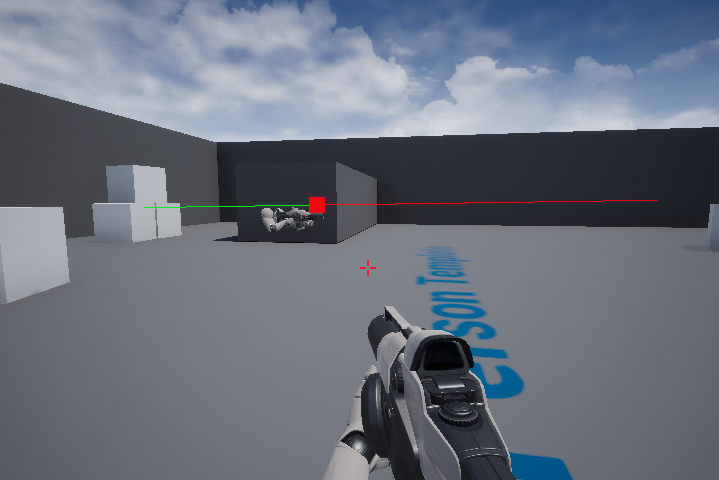
In this guide we will explain what a Line Trace is an how to create a Basic First Person Line Trace in Unreal Engine 4 This guide builds upon the First Person Example template built into Unreal Engine 4. Contents hide 1 How a Line Trace Works 2 Different Types of Line Traces 3 How...Read More
steady crescent
willow phoenix
so should I use this instead of the other code
willow phoenix
steady crescent
how would I categorize certain objects
there are quite a few ways. you can check if the hit actor has a "tag" (nobody uses that for some reason) or if its of a special class
steady crescent
willow phoenix
there are quite a few ways. you can check if the hit actor has a "tag" (nobody u...
ye ik there are tags in unity but wasn't sure about ue
willow phoenix
the result will be exacly the same, just tried it by printing out both vectors
steady crescent
alr I'll jus t use my current one then
so in blueprint how do I do something only when the boolean is true

 steady crescent
interesting print strings 😂
willow phoenix
i din du nnuffin
steady crescent
Blueprint Runtime Error: "Accessed None trying to read property CallFunc_BreakHitResult_HitActor". Blueprint: FirstPersonCharacter Function: Execute Ubergraph First Person Character Graph: EventGraph Node: Branch
 willow phoenix
you need to check if the actor you hit is valid
before the branch
"is valid"
or you can do a "and" for the branch
actor has tag AND "is valid"
dawn gazelle
Nar, that'd still result in an error.
Simply because an AND would still attempt to execute the ActorHasTag node which would be trying to potentially access an invalid actor.
willow phoenix
oooooh 😮
dawn gazelle
Yep
willow phoenix
makes sense, thinking about it
willow phoenix
they just look different
one is a pure func and one got a branch already included
pls don't proof me wrong datura xD
dawn gazelle
I think there's one that has a ? symbol in the chooser thingy
steady crescent
found it
dawn gazelle
The other is just as valid, but the one with the ? saves you adding another branch as crt pointed out.
 willow phoenix
if it works, it works 😄
lookin awesome
but you are missing the "harder daddy" print nodes
steady crescent
forgot about that mb
willow phoenix
ego te absolvo, my child
steady crescent
they serve as a good debugging method
and jus thelped

it doesn't log

cube ^
nevermind
I set it on the wrong actor
oof setting visible doesn't affect collision
alr thanks for all the help @willow phoenix!
willow phoenix
set collision enabled 🙂
steady crescent
 willow phoenix
or set hidden
i think hidden removes collision too, but not 100% sure
ye this will work

 foggy escarp
Nope. Seperate functions.
 versed zealot
Anyone know why Open Level By Name would re-open the current map? I checked, the name being supplied is correct... could it be that the map wasn't packaged with the build?
steady crescent
do I need to rebuild the lighting when I set it to not visible in game?
cause now there is just a shadow there
how do I do that in bp
then how do I do it?
how
ohh ok
ohh ok
odd kiln
How can I compile my project to refresh it please ?
Because I added a new Blueprint function with C++ code
but it does not appear
icy dragon
odd kiln
How can I compile my project to refresh it please ?
By compiling it.
zealous moth
@odd kiln close everything. Open vs and compile. Then reload ue4.
icy dragon
odd kiln
but it does not appear
Don't say you use Hot Reload
odd kiln
how can I please open my UE project with Visual studio ?
without opening UE
cause I have a error when trying to open project that tells me "rebuild manually"
I don't know what Hot Reload is lol
 fleet raft
hey so does anyone have a solution to a problem im having
basically I'm making a game
 fleet raft
and I have a mechanic where you can double tap the space bar to fly and stop flying
and I want it so that when you move the mouse up/down the player will move up/down
I already tried creating a new inpiut for it and it kinda worked
but it would just stop working at random times
fleet raft
raw orbit
so are we all
unfortunately*
raw orbit
hmm well im sure you could handle something like this using input axis
raw orbit
just include some bool or character state enum, if flying then add movement input
instead of making the camera move
or is that what you tried
fleet raft
would I need to create a new variable for flying or is there a way I can get the movement mode
fleet raft
raw orbit
or is that what you tried
I can try to show you what I already have
raw orbit
uum the movement component might have it included already
icy dragon
odd kiln
I don't know what Hot Reload is lol
Basically compiling changed C++ code with the Unreal editor still open
odd kiln
So I made it sorry ^^
I just wanna add some .cpp and .h file
how can I do that without editor opened?
please
fleet raft
raw orbit
uum the movement component might have it included already
yeah theres no blueprint to get movement mode, only to set it
but I can create a variable for the movement mode
is there a way to change a variable to a word instead of a number
icy dragon
odd kiln
how can I do that without editor opened?
This?
 fleet raft
so like instead of the variable being 0 (walking) or 1 (flying) I could just set it so it says "walking" or "flying"
