#blueprint
402296 messages · Page 769 of 403
 odd ember
 trim matrix
yeah
odd ember
if you havent
trim matrix
i refreshed it if thats what your gonna say ?
trim matrix
yep
odd ember
inside your spawner manager, you'll have errors too because your current event does not reflect the same parameters as your dispatcher. so delete the event, and create new event from the CreateEvent node
odd ember
show me a screenshot
trim matrix
 odd ember
delete SpawnerPelletAte
trim matrix
the event
odd ember
then in the drop down of the CreateEvent node, you'll have an option to Create matching event
trim matrix
i do yeah
trim matrix
i have done that
odd ember
cool
trim matrix
I have output pin I see
odd ember
exactly
now we can forego the loop
because we know exactly which spawner that was triggered
trim matrix
so the
 odd ember
yep
trim matrix
so now is should + 1 each time not 1 then 3 then another 3 etc each time pellet is collected ?
odd ember
correct
trim matrix
let's see
that worked perfect
awsome thanks. These despacter more useful then one might think
odd ember
they're great
trim matrix
are they intensive when it comes to once everything involded or are they relativly nothing to the running of the game
odd ember
they are somewhat expensive, but for sure cheaper than checking stuff like this on tick
the expensive part is binding them
so once they're bound it's pretty cheap
odd ember
exactly
trim matrix
and only when something is collected apart from that the despacter events aren't called etc
awsome well that progress for tonight haha off to bed
thanks for the help 🙂
odd ember
you're welcome
 fluid lance
I need to do a weird thing: convert a bunch of static mesh actors(SMA) into a BP with a custom implementation of static mesh component(SMC). I know I can select all SMA and convert them to a BP with a bunch of SMC.
What's the best approach to then convert all components to my new component? Just do some scripting to do for each component something like delete -> add new custom smc -> set its static mesh to the deleted one? Or is there an easier/more intuitive way? (I kinda need to teach this process to someone who doesn't know how to code lol)
odd ember
I don't know if it's exposed to utility BP, but you could try a script that does that in utility BP
 safe narwhal

uh, idk what to plug in target self
another person told me the skeletal mesh
but idk how to call it
 faint pasture
safe narwhal
uh, idk what to plug in target self
faint pasture
safe narwhal
uh, idk what to plug in target self
Target is character. Are you calling this on a character?
safe narwhal
faint pasture
Target is character. Are you calling this on a character?
yea
faint pasture
Then you're good. Target defaults to self.
safe narwhal
im having trouble because the blueprint doesnt show the animation
safe narwhal
idk if it plays it or not
 brazen merlin
I believe the anim montage should target the anim instance
faint pasture
You need to integrate the montage slot in your animBP
safe narwhal
hmm
faint pasture
I think character has a wrapper.
safe narwhal
im kinda new with animations tbh
faint pasture
Show your anim BP pose graph
 brazen merlin
faint pasture
I think character has a wrapper.
brazen merlin
faint pasture
I think character has a wrapper.
you are correct, my bad
faint pasture
What slot does Roll play in?
 faint pasture
Are you sure that animBP is what's running on your skelmesh?
safe narwhal
yep
safe narwhal
faint pasture
Are you sure that animBP is what's running on your skelmesh?
its the thirdperosncharacter animBP
i just added the slot
and have the roll montage anim
faint pasture
Try get mesh, get anim instance, play montage
safe narwhal
 faint pasture
Skipping the character wrapper
 faint pasture
Are you sure your montage has animations? Just checking everything here.
safe narwhal

 peak ore
Hi, what I aim to do is:
On overlap if the fps character is within range of the capsule collision, then it will deal damage every 2 seconds the fps character is within range and stops attacking once fps character is not in range anymore

 proper umbra
Hey. Whenever I use Launch Character, the character doesn't move back much at all whenever they are currently moving (Walking). Is there a simple workaround?
proper umbra
peak ore
Hi, what I aim to do is:
On overlap if the fps character is within range of the ...
Why not just set In Range as true when the character overlaps the capsule?
And does it do the damage a single time (before the branch)? Or does it not go off at all
peak ore
it does the damage a single time
peak ore
proper umbra
Why not just set *In Range* as true when the character overlaps the capsule?
i tried both still the same
proper umbra
ig try to select this actor as a debug object and see where the event stops, or if the End Overlap event runs.
thats what i'd do

 glass crypt
when testing my game on a slow computer, everything falls through the floor when the game starts, but it doesn't happen on a fast computer. what's the best way to make sure this doesn't happen?
proper umbra
glass crypt
when testing my game on a slow computer, everything falls through the floor when...
Have you tried lowering Engine Scalability?
glass crypt
i haven't set the ability to automatically detect it yet
but i can lower the scalability via command line
 tropic pecan
Hey there does anybody know how to make a macro that is related to get array without integer?

 dawn gazelle
tropic pecan
Hey there does anybody know how to make a macro that is related to get array wit...
dawn gazelle
tropic pecan
Hey there does anybody know how to make a macro that is related to get array wit...
What are you trying to get out of the array?
brazen merlin
tropic pecan
Hey there does anybody know how to make a macro that is related to get array wit...
so then what is being getted?
tropic pecan
To get character classes base on what roll in the enumeration they have. I tried adding the enumeration to the integer but it did do it.

I'm at my struggle of making a party player unit system for my JRPG and they way I'm doing it, I don't have many guides for. Must it be explain? It will be a bit complicated to explain.
brazen merlin
tropic pecan
To get character classes base on what roll in the enumeration they have. I tried...
sounds like a select using your enum..
tropic pecan
brazen merlin
sounds like a select using your enum..
I'm not sure how I would use select on get, it didn't work at all.
 dawn gazelle
 tropic pecan
dawn gazelle
tropic pecan
dawn gazelle
I think I will need to explain a bit on how it works.
brazen merlin
tropic pecan
I think I will need to explain a bit on how it works.
uhh, trying to understand the full scheme here.... maybe explain vs how it works
tropic pecan
brazen merlin
uhh, trying to understand the full scheme here.... maybe explain vs how it works
I'll try to explain the function. Just give me a moment.
So, the function I'm trying to achieve is a player party system where you should be able add or remove as well as add what their stats and others are. I'm using Map variable for the unit actor and a status data structure.


Each unit has these in their structure in the map variable.
I'm using an enumeration to sort out what roll they are in. The structure is like this.
 brazen merlin
tropic pecan
So, the function I'm trying to achieve is a player party system where you shoul...
brazen merlin
tropic pecan
So, the function I'm trying to achieve is a player party system where you shoul...
what kind of player party system? is it one player with their party (fire emblem)? is it like mario party?
tropic pecan

 charred orbit
how would one go about getting the text of a text input box widget, without using the on text changed event?
i want to have an input box, and a button. text is typed into the box, then does logic based on that text when a button is pressed
brazen merlin
charred orbit
how would one go about getting the text of a text input box widget, without usin...
 spark steppe
GetText() or something on the text box widget reference should be a thing
tropic pecan
brazen merlin
what kind of player party system? is it one player with their party (fire emblem...
It is where one unit is the leader you play as and you have others following you. I'm trying to spawn them correctly with that different roll.
brazen merlin
tropic pecan
It is where one unit is the leader you play as and you have others following you...
there a game this is similar to?
dawn gazelle
Which is exactly this: #blueprint message
You spawn the class of an actor based on the enumerator.
tropic pecan
brazen merlin
there a game this is similar to?
Persona 5 has a similar function to followers and leader. Which I'm trying to create.
brazen merlin
yeah so what's wrong with Datura's suggestion? not complex enough?
dawn gazelle
If you've already defined the class, then it's already done, you don't need an enumerator to tell you what hte class is.
tropic pecan
brazen merlin
yeah so what's wrong with Datura's suggestion? not complex enough?
I can't give a good compatibility to it at the moment. I'll need to redo some of the connections in a different way.
 final rampart
Today in self created problems:
Trying to manually get the bounds and center of all these components, without using GetActorBounds due to the inability to exclude components like Skeletal Meshes
 tropic pecan
dawn gazelle
If you've already defined the class, then it's already done, you don't need an e...
tropic pecan
dawn gazelle
If you've already defined the class, then it's already done, you don't need an e...
I need a way to label who in the party is the leader and make it possible to change in gameplay.
final rampart
The goal is to be able to have a bounding box automatically and accurately wrap around this collection of capsules
brazen merlin
final rampart
The goal is to be able to have a bounding box automatically and accurately wrap ...
is this for a character/creature? do you need each capsule for specific reasons? do mind doing some math?
dawn gazelle
tropic pecan
I need a way to label who in the party is the leader and make it possible to cha...
Then that should be an enumerator variable that goes on your base class for your characters you're spawning. You can make it exposed on spawn/instance editable. Then you feed in the variable when you're spawning them.
final rampart
Yeah, I'm using this as creature collision data. The character's regular old capsule component is in its body, the rest of the capsules are added onto it.
brazen merlin
tropic pecan
I can't give a good compatibility to it at the moment. I'll need to redo some of...
compatibility or comparison? it might take time to simplify but that means less error prone and less to manage in the grand scheme.
final rampart
I aint scared of math.
If all my animal characters were quadruped this would be pretty easy, but some will need to have their body capsules be offset from the Capsule Component, like my dinosaur template:
 tropic pecan
dawn gazelle
Then that should be an enumerator variable that goes on your _base_ class for yo...
tropic pecan
dawn gazelle
Then that should be an enumerator variable that goes on your _base_ class for yo...
I would have had to duplicate my characters if I wanted to switch them if this was ever to be converted.
final rampart
That's where it gets a tad more involved math-wise.
brazen merlin
final rampart
Yeah, I'm using this as creature collision data. The character's regular old cap...
the physics asset data might be a better place to refer to specific calculations since it also uses capsule colliders
tropic pecan
dawn gazelle
Then that should be an enumerator variable that goes on your _base_ class for yo...
Give me a moment to give a related result.
final rampart
I've considered that, but I don't actually need the mobility or the detail of a physics asset.
The final result is intended to be an extension of how the capsule component interacts with world-static actors.
Which is pre-determined and more importantly, not affected by animation.
brazen merlin
final rampart
I've considered that, but I don't actually need the mobility or the detail of a ...
hmm... well if things differ, you may need some different versions of the formula... each capsule has a half radius and a half height you can access. I suppose you can iterate through an array of these capsules, but you have one that is horizontal with others vertical.. you see where im going with this?
final rampart
Yeah, I see it.
It might help my matters a bit because if a capsule is rotated, it is always at angles of 90 degrees.
For Each Loop seems like the best option for me.
Getting the shape properties of each, account for any rotations and offsets from Capsule Component
Making the box I'm trying to generate fit around a body is easy enough, regardless of whether it's rotated or not.
What I'm not so sure of is how to account for the legs.
 high yew
why is my camera spawning at the world origin and not in my character? It wont move with it or any thing
brazen merlin
final rampart
Yeah, I see it.
It might help my matters a bit because if a capsule is rotated,...
might be able to get rotation of components for further calc, that hurts my head to think about rn
final rampart
I've been dealing with some fairly heavy duty stuff with movement and collision lately, heh.
brazen merlin
final rampart
Making the box I'm trying to generate fit around a body is easy enough, regardle...
i still feel the physics system would be better for this, you dont have to use the pregenerated physics capsules..
brazen merlin
high yew
why is my camera spawning at the world origin and not in my character? It wont m...
there's a lots of reason, but i cant read minds
tropic pecan
dawn gazelle
Then that should be an enumerator variable that goes on your _base_ class for yo...
Ok, so you see in this example result. I'm making a leader and followings. I need it to be possible as I said that I need to have leadership or part member label in their structures in the map variable. Right now, Red is the one leading while the others are following. If in the game storyline that one of the characters were to change leadership, I would presume that having the one with leader will be removed from the map and the one who takes leadership gets added with the information brought in it's structure set in the map. If I edit leadership in the separate classes, then I would have had to duplicate the one's for that purpose and that can be complicated. It would be easy to mark who's roll is what in the structures in the map so that's what I'm asking for cause I have not idea of how to accomplish that function structure.
 brazen merlin
tropic pecan
Ok, so you see in this example result. I'm making a leader and followings. I nee...
brazen merlin
tropic pecan
Ok, so you see in this example result. I'm making a leader and followings. I nee...
im thinking tags are way simplier (add tag to the leader, remove it when not) and as for this information, what is it? Aside from being identified as the leader, is there any other unique information to be passed?
tropic pecan
brazen merlin
im thinking tags are way simplier (add tag to the leader, remove it when not) an...
A tag? Isn't enumeration the same example? How do I do that?
brazen merlin
tags already exist on all actors, its a name array
im not sure what you're using enumerations for exactly
tropic pecan
brazen merlin
tags already exist on all actors, its a name array
A Name array? I can't say I still don't understand I know what is a array but a name doesn't quite explain it enough.
Is is supposed to be in the structure folder as string?
final rampart
brazen merlin
i still feel the physics system would be better for this, you dont have to use t...
For things like tails, arms, and really long necks, absolutely 😄
That's where physics and accounting for animation would be appropriate to me.
I'm using the capsule pinatas as simplistic proxies for the main body.
brazen merlin
final rampart
For things like tails, arms, and really long necks, absolutely 😄
That's where...
just saying, phsyics asset is not just for "phsyics" but also collision
brazen merlin
tropic pecan
A Name array? I can't say I still don't understand I know what is a array but a ...
name is the data type, its like a string, the point is not that it is a list (it is, so be aware) the point is there are ways to check, add, and remove these Tags among actors
tropic pecan
brazen merlin
name is the data type, its like a string, the point is not that it is a list (it...
Oh, so your talking about the name variable. I don't think we may get anything from here. It's hard to ask for something when we can't get a full grasp. I'll ask about other things later on. But thank you for trying. I'll keep some of the advice in mind.
dawn gazelle
tropic pecan
Ok, so you see in this example result. I'm making a leader and followings. I nee...
Question for you - what blueprint are you using to manage your party? ie. When the leader does need to change, where are you going to do that?
tropic pecan
dawn gazelle
Question for you - what blueprint are you using to manage your party? ie. When ...
Give me a moment to check my example blueprint cause I am tracing ideas from example blueprints for ideas.
brazen merlin
tropic pecan
Oh, so your talking about the name variable. I don't think we may get anything f...
alright, this features sounds extensive so it might take a bit to understand what it should do vs what you currently have going on
tropic pecan
dawn gazelle
Question for you - what blueprint are you using to manage your party? ie. When ...
Ok, sorry for the wait. My example blueprint of JRPG relies on a structure blueprint quest reward system to add. I'd have to look some more to get a full picture but this structure is one of the sources
 dawn gazelle
But in what blueprint are you actually going to say who is leader or not after the units are already spawned?
Game Mode? Game State?
tropic pecan
dawn gazelle
But in what blueprint are you actually going to say who is leader or not after t...
The blueprint map variable that contains my party members are in a controller blueprint.
dawn gazelle
Ok, so you're managing your party through your player controller.
I'm assuming the spawning example you were showing above was also in the controller?
tropic pecan
From what I can look at, yes. The spawning function is in the player controller blueprint.
dawn gazelle
Is there any reason you would need a reference to which class the leader is? ie. Would you need to spawn the leader's class again?
tropic pecan
dawn gazelle
Is there any reason you would need a reference to which _class_ the leader is? ...
I'm not sure what you mean by spawning again? Like when they become leader again or change of gameplay style? Those are going to be what I'll later on add. By reference you mean, the structure to the map variable right? It helps tell the character stats, level, and items equipped. These blueprints were originally from "Turn-Based jRPG Template" from PhoenixMarket at the Unreal Engine Market. I don't know any other way of the structure for party system any better than this example work.
 scenic kindle
is it just me or is the event tick just really broken
 static charm
just you
scenic kindle
cuz it's not checking every tick
it checks once
and then never again
tell me what i do wrong
static charm
screenshot ur code graph and someone will help you
scenic kindle
i want to edit the max speed based on altitude


and it's doing the first part
but it never changes
static charm
what never changes?
scenic kindle
here lemme show u
my altitude is higher than 100000

so it should set max speed to 75000 no?
but it never changes to false
static charm
yes but maybe it's displaying altitude from a different saved altitude and not the one in this blueprint
the Less than equals to code won't lie to you
scenic kindle
huh ok
lemme see
ah yes ty
in my hud
i bound the text block to the actual vector
the altitude remained at 0
i added it so it updates the altitude variable every tick and it works now
static charm
nice!
dawn gazelle
tropic pecan
I'm not sure what you mean by spawning again? Like when they become leader again...
It was just a generic question relating to the class of the leader.
Let's go back to your original question....
Arrays are almost always accessed via an index - even if you do a "find" operation it's only for seeing if the item is in the array and returns its index, not the item in the array. So there is no other way to "get" something out of an array. The other issue here is that you're trying to use a class as a means of identifying if someone is the leader. A class doesn't exactly "exist" as anything in the game world. You can't get any information out of it other than whatever defaults are defined in the class. So from an array of classes, you can't determine who the leader is.
In order to "find" the leader in your array, you'd have to loop through it using a foreach loop (i'd recommend a foreach loop with break), and check each item in the array, and do a find on your "Player Units" map, and check if they have the appropriate role -> if they do, then you can store the current loop index in a variable, then you can reference your keys array and get the leader's index from that. Like below...
 tropic pecan
dawn gazelle
It was just a generic question relating to the class of the leader.
Let's go bac...
tropic pecan
dawn gazelle
It was just a generic question relating to the class of the leader.
Let's go bac...
I'll have to take a look at this then. I've been using Unreal Engine for over a year and don't quite know what to expect in results. Thank you very much for taking time with this, I really appreciate it.
 tawdry valley
does anyone have a guide to multiplayer possession for clients in a listen server?
tropic pecan
dawn gazelle
It was just a generic question relating to the class of the leader.
Let's go bac...
I've tested on each unit with the leader enum and it appears to actually be working! Now I just need to get it set up to actually poses the character and select the Character blueprint class. Thanks a bunch for the information!
 silk cosmos
tawdry valley
does anyone have a guide to multiplayer possession for clients in a listen serve...
silk cosmos
tawdry valley
does anyone have a guide to multiplayer possession for clients in a listen serve...
 stray moat
How would I go about creating a character creator system
I can't find a good toturial on YouTube or anywhereelse
dawn gazelle
Data Tables, Structures, Widgets, Materials, Meshes and a lot of logic.
It's a pretty big one and I'm working on it myself right now with no real input from anywhere... Too much to try and explain in Discord.

 icy dragon
stray moat
I can't find a good toturial on YouTube or anywhereelse
icy dragon
stray moat
I can't find a good toturial on YouTube or anywhereelse
Yeah, character customisation is not something that YouTube tutors or Discord message can cover.
It's like the more complicated version of modular character.
stray moat
I get datatables and enums but idk where to start
icy dragon
stray moat
I get datatables and enums but idk where to start
Modular characters.
Start with just messing with the outfits.
stray moat
I have modular parts and the materials
icy dragon
Then put into account morph targets. A LOT of morph targets.
dawn gazelle
ALL the morph targets.
stray moat
Im not doing morph targets just changing clothes ,skin and thier colors
icy dragon
And let's not mention getting the animations to look right with varying heights.
icy dragon
stray moat
Im not doing morph targets just changing clothes ,skin and thier colors
Oh.
Should've explain how deep you want it to go.
icy dragon
stray moat
I have modular parts and the materials
Sounds like you're getting what you need by now.
Just the matter of switching them in BP I guess.
stray moat
I don't know much about blueprints been following toturial s and learning to do things on my own slowly
dawn gazelle
These nodes are ones you'll probably want to use to experiment with first. Add static/skeletal mesh components to your character and go nuts.

 chrome eagle
howd you get the nice stright lines? 😮
tropic pecan
dawn gazelle
Data Tables, Structures, Widgets, Materials, Meshes and a lot of logic.
Hey there, your structure you gave me worked so far. It's getting late on my side but can I ask you on how I can now make a way for fellow party member units or should we text another time?

This is the structure I made from what you gave me.
I'll ask again tomorrow.
peak ore
Hi, i wanted to print my health in the HUD but the data/variable im trying to get is in a component how do i get it?
 silk cosmos
cast to your player, grab their component, then grab the health
 last abyss
chrome eagle
howd you get the nice stright lines? 😮
last abyss
chrome eagle
howd you get the nice stright lines? 😮
its a plugin called electronic nodes
chrome eagle
Thank you ^^
 steady thicket
How do I assign a reference actor in my world to my level blueprint's actor variable?

I don't know where to access the editable part of the level blueprint
 lime ridge
Is it possible to call a Macro from a Macro Library inside an Editor Utility Widget?
lime ridge
steady thicket
I don't know where to access the editable part of the level blueprint
You can adjust the default value, but there isn't a "details" panel in the same capacity as an actor that exists in the world outliner. But if the reference actor isn't going to change then you can just set it via the default variable value.
 tiny vale
is this bad code? if yes can anyone point me in the right direction for this?
 steady thicket
lime ridge
You can adjust the default value, but there isn't a "details" panel in the same ...
steady thicket
lime ridge
You can adjust the default value, but there isn't a "details" panel in the same ...
I can access the default variable value in the level BP, but when I do this in a UI BP widget, the default variable value can't be access
 lime ridge
steady thicket
I can access the default variable value in the level BP, but when I do this in a...
lime ridge
steady thicket
I can access the default variable value in the level BP, but when I do this in a...
A widget doesn't live in the world by default, so it can't have default actor references to a specific level. You will most likely need to set that at runtime! Depending on what you are trying to achieve you may be able to use a different class type to store information, outside of having it as an actor inside a level.
 short galleon
It destroys the cube but doesn’t show explosion why?

 fiery glen
Not attached to anything?
 tawdry mural
then get world location and plug it in
short galleon
Still not working
 tawdry mural
check if cast is not failing
 dark crow
Pretty sure if you destroy it, the emitter gets destroyed with it too
tawdry mural
oh yea because it attached
dark crow
Delay node?
short galleon
Ok thanks now I’m trying it to respawn at random location inside a room
short galleon
Need help again it won’t spawn
 last abyss
anything u call after destroying the actor won't work
short galleon
So I can’t “revive or fix” anything after it’s destroyed?
icy dragon
short galleon
So I can’t “revive or fix” anything after it’s destroyed?
Nope.
short galleon
icy dragon
Nope.
Oh ok
icy dragon
Often times death state is just a state, not actually destroying the actor.
short galleon
Ik I have to make a destructible actor but do I have to code everything again like new class
icy dragon
short galleon
Ik I have to make a destructible actor but do I have to code everything again li...
Define "destructible actor".
short galleon
icy dragon
Define "destructible actor".
Idk jut in online tutorials every one is using destructible mesh
icy dragon
short galleon
Idk jut in online tutorials every one is using destructible mesh
Okay, so the thing is that you don't destruct a mesh by actually destroying the actor. Think of DestroyActor as deleting the actor.
dark crow
APEX Destruction?
icy dragon
Destroying actor != destructible mesh
short galleon
icy dragon
Okay, so the thing is that you don't destruct a mesh by actually destroying the ...
Oh so I should just turn it invisible
icy dragon
short galleon
Oh so I should just turn it invisible
What do you intent to achieve with this whole setup?
short galleon
I want to make a cube blowup upon contact and respawn after x seconds
icy dragon
short galleon
I want to make a cube blowup upon contact and respawn after x seconds
Ah.
Then the way you'd do it would be to apply impulse to the destructible mesh, wait for few seconds, summon a new cube, then destroy the actor to delete itself and the debris.
short galleon
Oh I’ll try
dark crow
You could technically have a manager class for it too that keeps track, deletes then respawns, still same thing in the end
short galleon
It works but won’t destroy
 icy dragon
Please use direct screenshot, not photoing the screen with your phone. I have difficulties reading those kind of images.
 icy dragon
short galleon
icy dragon
short galleon
Thank you.
Try setting the vector for the Add Impulse value.
short galleon
what vector? location of cube or where to spawn it
icy dragon
short galleon
what vector? location of cube or where to spawn it
Vector for the Add Impulse node/function

 keen wedge
Hi all, I'm trying to set the Line Height Percentage for a UMG text box... its available as a property in the editor, but, unless I'm losing the plot, I cannot seem to find a node to set this in Blueprint? anyone got any ideas?
 maiden wadi
keen wedge
Hi all, I'm trying to set the Line Height Percentage for a UMG text box... its a...
maiden wadi
keen wedge
Hi all, I'm trying to set the Line Height Percentage for a UMG text box... its a...
Welcome to the shitty side of UMG. I have the same issue with setting WrapTextAt length setting at runtime. The short answer is that you need to make your own TextBlock and expose it.
 small ridge
Hello, I have a best practice question. I come from Unity, a common occurrence there is needing a field be exposed to the outside (and potentially serialized) while being not editable by other objects. I would do this by having the field private and have a public property around it with a private setter, it make the field read only from the outside of the object's class.
What is the blueprint equivalent of this pattern ? Should I just have the variable be private (how do I change it from the editor if that is the case) and have a public getter in the BP's functions ? Or is there a more concise way ?
keen wedge
maiden wadi
Welcome to the shitty side of UMG. I have the same issue with setting WrapTextAt...
ooof... when you say "make your own"... you mean in C++, or, create my own Text widget that inherits from Text widget?
maiden wadi
You'd have to make your own. If you know any C++ the implementation is extremely easy, just annoying.
My custom RichTextblock widget is literally nothing but this. 😄 Same thing for Textblock. Just different inheritance.


 vocal cave
 keen wedge
maiden wadi
My custom RichTextblock widget is literally nothing but this. 😄 Same thing for ...
keen wedge
maiden wadi
My custom RichTextblock widget is literally nothing but this. 😄 Same thing for ...
Its not my strong point alas... I could probably muddle my way through... did you just open the existing RichTextBox and copy the C++ code, adding the bit you want, or did you effectively just inherit the existing one, and then add another function? Looks like the latter. Haven't really tried creating C++ scripts and dropping them in assets yet....
maiden wadi
The latter. Just need to inherit it and make the new function. Once you inherit the UTextBlock has a MyTextBlock that holds it's STextBlock. It's a protected variable so editable by inheritors, and the line height setting should be public on the MyTextBlock. Just need to call it from a blueprintcallable function.
keen wedge
maiden wadi
The latter. Just need to inherit it and make the new function. Once you inherit ...
Giving this a little go now... expecting to crash UE4 in a few seconds 😄 Thanks for the screenshots btw, that's really helpful... 🙂
maiden wadi
small ridge
Hello, I have a best practice question. I come from Unity, a common occurrence t...
I'm not certain how Blueprint totally handles this. This is more common practice for C++ code to hide certain things from designers. But in theory it's the same. If you need to edit things from the editor, making the property instance editable will work. I think you can still then mark it private, and make public getter/setter functions for it. This is semi rare for most blueprint use though.
short galleon
need a way to turn theese 3 floats to a x,y,z location but make transform cant and make location dosent exist
 odd ember
short galleon
need a way to turn theese 3 floats to a x,y,z location but make transform cant a...
odd ember
short galleon
need a way to turn theese 3 floats to a x,y,z location but make transform cant a...
right click on location pin > split pin
short galleon
odd ember
right click on location pin > split pin
oh thanks
keen wedge
maiden wadi
The latter. Just need to inherit it and make the new function. Once you inherit ...
I think its almost there, but I have an issue with the line in the CPP where I'm trying to set the line height. In your example its the "MyRichTextBlock"... in my case, I called the class "ExtendedTextBlock", but it doesn't seem to like that?
Did I miss a step?

 short galleon
aslo is there a way to make it spawn only on grownd? i didnt find it on google
maiden wadi
keen wedge
I think its almost there, but I have an issue with the line in the CPP where I'm...
cpp file needs #include "Widgets/Text/STextBlock.h"
Also instead of the ExtendedTextBlock in the function it should be MyTextBlock I think.
keen wedge
maiden wadi
cpp file needs #include "Widgets/Text/STextBlock.h"
Added, but still doesn't seem to like it...
I didn't call the class "MyTextBlock" though?
...and yet the error goes away when I change it to that? LOL
maiden wadi
No, the UTextBlock class has a slate widget named MyTextBlock
keen wedge
that's confusing..
oh i see..
oooh, so this might be good to go now then.... need to see how I implement it in the blueprint stuff now (thank you btw... this has been very cool)
maiden wadi
You inherit that MyTextBlock from UTextBlock, STextBlock is the actual text on screen, UTextBlock is a nice wrapper for the editor to use.
keen wedge
in C++ yeah? But in the editor,... do I just drag the ExtendedTextBox into the widget? I just tried, but I'm not getting access to my function?
 eager peak
hi guys, ive set up this collision box to rise up slowly (its gonna be water that fills up a room and damages you) but as soon as i attach it to the timeline to set it moving it damages the player even if they are outside the box?
 maiden wadi
You should be able to see it? If you added that in the widget tree, and then in the graph, get that reference and drag off of it?
keen wedge
Yeah, I added the new text box into my widget, set it as a variable, then in the graph, dragged the variable in, pulled out the pin and started to type "Set Line" and nothing appears?

 maiden wadi
Oh. You don't need the UFUNCTION in the C++ file. Just in the header.
keen wedge
maiden wadi
You should be able to see it? If you added that in the widget tree, and then in ...
Probably not related, but I note that my "BlueprintCallable" on that defintion isn't in purple like yours?
maiden wadi
I dunno if that's messing with it.
That's just my custom syntax coloring in Rider most likely.
maiden wadi
eager peak
hi guys, ive set up this collision box to rise up slowly (its gonna be water tha...
What are you doing in your timeline?
keen wedge
So just this:
 maiden wadi
That looks right.
short galleon
i have a cube and i want it to respawn after destruction i have respawn and then destruct but i think it destructes the respawned as well how do i make only the fisrt destruct
keen wedge
maiden wadi
That looks right.
I clicked "Build" in VS to see if it would refresh anything... then got this error:
 maiden wadi
Ignore the error list. Compile build errors are all that matter.
keen wedge
maiden wadi
Ignore the error list. Compile build errors are all that matter.
Dunno why its not working then... do I need to close/re-open UE4 or anything to refresh that class?
I renamed the parameter and built again, now have three errors... sigh...
lol
maiden wadi
If you're not, then always close the editor before compiling.
eager peak
maiden wadi
What are you doing in your timeline?
The timeline is just a linear 0 to 1 value over 10 seconds
 maiden wadi
@eager peakWhat applies the damage?
eager peak
and the vector values im setting to relative locations of other empty asset sin the bp
 keen wedge
maiden wadi
If you're not, then always close the editor before compiling.
keen wedge
maiden wadi
If you're not, then always close the editor before compiling.
When you say "compiling" you mean hitting that Build button in VS right? Surely it should be error free though? In my experience with vb.net any errors prevented the code to be compiled etc.
maiden wadi
Yeah. But building with the editor open is called HotReloading. It tries to rebuild what it can in the editor. Unfortunately this feature has a long documented history of being terrible. In fact, check out the second pin in the C++ channel. 😄 At best, it just doesn't work. At worst, you lose weeks worth of blueprint work.
keen wedge
each build attempt seems to be increasing the number of errors... I cannot open the UE4 project now as it says this needs to be rebuilt/recompiled... which fails in vs...

I dont know how to resolve those errors as I dont know whats causing them ...
tiny vale
can anyone point me in the right direction to do something like this? (object placement in map)
maiden wadi
@keen wedgeWhat does it say when you hit f5?
Not the error list, but the actual build error. My assumption is likely that you need to add a build module dependancy.
keen wedge
it launches it little popup after a few seconds and says there would build errors and asks if I want to continue
followed by other popups "Accessibility could not be compiled. Try rebuilding from source manually" - which is what I thought I was doing in VS when I was hitting Build etc
short galleon
does it delete both or just original/how to make it delete only original?
 tawdry mural
tiny vale
can anyone point me in the right direction to do something like this? (object pl...
tawdry mural
tiny vale
can anyone point me in the right direction to do something like this? (object pl...
raytrace for sure
short galleon

 silk cosmos
iIt shouldnt be destroying it. You can set up print strings
to check if it still exist
tiny vale
thank u will try ray trace @tawdry mural @swift pewter
short galleon
silk cosmos
iIt shouldnt be destroying it. You can set up print strings
maby i just got wrong cords i just guesed how to spawn at random location within room
eager peak
pulling my hair out with this, as soon as i hook it up to the timeline it will damage the player where ever, standing next to the collider wont trigger it until i walk inside which is working fine, but as soon as i add movement via timeline it just damages the player whereever
 silk cosmos
short galleon
maby i just got wrong cords i just guesed how to spawn at random location within...
silk cosmos
short galleon
maby i just got wrong cords i just guesed how to spawn at random location within...
If you want to check if it still exist, you can open your level blueprint and use get all actors of class and print the length of the array. It should never change
short galleon
silk cosmos
If you want to check if it still exist, you can open your level blueprint and us...
i dont think i have a lvl blueprint its the 3person default level
 short galleon
silk cosmos
every level has a level blueprint
short galleon
silk cosmos
every level has a level blueprint
im doing it in the cube blueprint because its happening there and i dont need to know if other exist how do i print all actors, i have get actors but it does have a out but yk like get all actors->print string
 little flame
hi guys! super newb in blueprints, so please bear with me. Im looking to destroy a list of actors at a certain point in time, any leads on how to do that? would be cool to have som kind of BP that looked for a certain tag and destroyed anything associated with that tag
short galleon
it dosent print anything when i press p
 short galleon
why isnt it working

 velvet token
short galleon
why isnt it working
velvet token
short galleon
why isnt it working
You actor probably doesn't consume input. Try the same in your player controller class
short galleon
but i dont want to print that. that was just a test because in my main code i need to print a array
velvet token
which one?
short galleon
now it works thanks
and how can i tp to an actor because i have a random loc generator but cant find it. its not destoryed i checked with the array
 velvet token
short galleon
and how can i tp to an actor because i have a random loc generator but cant find...
velvet token
short galleon
and how can i tp to an actor because i have a random loc generator but cant find...
what do you mean by that?
short galleon
i want to make a cube that explodes on contact and then respawnes in a random location within the room, it destroys but i cant find it. SO i made an array tho check how many actors are active. so i found out it respawnes, but not in my room. so i want to telleport to the new cube to find out where it is and why it isnt in the room.
short galleon
short galleon
i want to make a cube that explodes on contact and then respawnes in a random lo...
@velvet token
velvet token
I would make sure that your random spawn range is within your "room", check if it works if instead of random values you spawn it at a specific position such as 0,0,0
short galleon
yeah but 000 is somewher far
velvet token
then respawn it at the same location where you destroyed the previous one?
or hardcode a value in that you know is within your room
short galleon
i tried that but it respawns instantly it looks like it isnt even being destroyed like it just triggers explotion like a machinegun
velvet token
so then you know that just your random location is wrong
how did you get your values there?
short galleon
i went to 1 end of the room got the cords of my character and than to second etc
 split nova
Is there a way to get actual final values for PostProcessSettings? I mean like a sum of all active PostProcesses.
short galleon
velvet token
so then you know that just your random location is wrong
mabye because its uneven terrain and it spawnes inside
velvet token
split nova
Is there a way to get actual final values for PostProcessSettings? I mean like a...
Get a reference to your active camera and from that you should be able to get a post process struct - if that's what you mean?
split nova
I though more about sum of all PostProcesses on a level. Final value of PostProcessVolumes player can move into + PostProcessVolumes unbounded + ActiveCamera PostProcess
 tight schooner
little flame
hi guys! super newb in blueprints, so please bear with me. Im looking to destroy...
tight schooner
little flame
hi guys! super newb in blueprints, so please bear with me. Im looking to destroy...
Get All Actors With Tag
little flame
@seanny thanks! I figured that out in the meantime 🙂 just another thing, im calling from level bp is this too heavy to do such thing?
also ideally it should happen at a specific time, not triggered by an action and so im using delay for that. however I have the feeling this might not be the smartest...? *scratching head
tight schooner
To destroy at a set time, use Set Lifespan instead of Destroy Actor
little flame
@tight schooner is that more efficient than delay?
tight schooner
It depends, lol. Generally I'd say whatever works, but there could be complications with using a delay and then calling Destroy Actor on a For Loop
As opposed to setting lifespan to do the same thing
short galleon
how can i check coordinates of a room most efficientley
tight schooner
Are they all meant to die on exactly the same frame? @little flame
short galleon
expample x= from 4 to 75 etc
little flame
@tight schooner well its not super important but yeah?
tight schooner
@little flame Set Lifespan is OK. There are other ways to set it up ofc. For example, instead of a manager BP seeking out and destroying a list of actors, you could have actors bind to a manager's Event Dispatcher, and when the manager calls a dispatch, the bounded actors receive the event and run their own suicide scripts independently.
Like anything, there's a half dozen ways to set it up
And it all depends on your use case, architecture, preference etc
little flame
@tight schooner thanks!
tight schooner
@little flame oh uh, if you're using Destroy Actor on a loop, you might want to use ReverseForEach instead of a regular ForEach
Cuz sometimes destroying things can resize the array while you're looping through it
short galleon
why dosent my hp increase by1

 earnest tangle
Why would it?
That's a decrease node
Also you're destroying the actor so it doesn't even make any difference if you change the value in it afterwards
short galleon
its supposed to show hp and it spawns a new actor after
tight schooner
Destroy Actor should be the last node any actor executes. Doing stuff after destruction tends to throw errors
short galleon
it works like every time i touch a bomb -1hp
tight schooner
Stuff could potentially work but generally it's considered a no-no. Destroy means it's removed from play and flagged for cleanup from memory (in a separate phase called Garbage Collection, but I digress)
earnest tangle
The hp variable you're modifying is in bp_explosion
If you want to change the player's hp you need to access the correct actor
short galleon
there is only 1hp type so it dosent metter where it is its easyest to do when explosion triggers?
ok now it subtracks but 0.5sec later its 100 again
silk cosmos
Because you're destroying the actor
short galleon
silk cosmos
Because you're destroying the actor
still dosent work
 silk cosmos
You're storing your hp variable in your actor and then destroying the actor.
short galleon
how do i make the variable independant
so it dosent destroy
do i have to make a new class?
silk cosmos
Store it in your player class. Or better yet make a health component and store it in there
short galleon
ok but how doesi it know when i thouch the bomb
silk cosmos
You can cast to your player character, with get player character as the object and grab the variable from the player
short galleon
ohhh yes i did that when i was makind a door though the dorer dosent work since u can walk right throuh it
 open walrus
Does anyone know of a good tutorial for doing weapon traces? The sword swipes in my game are often very fast and on lower FPS systems a basic overlap or sphere trace isn't really adequate. I tried building a spline based on the tip of the weapon to hopefully get more of a curve but it wasn't very efficient.
short galleon
anyone knows why this prints in class bp explosion but not in this class?

does it something to do in casting ?
open walrus
short galleon
does it something to do in casting ?
Is Start with Tick Enabled ticked in the actor details?
short galleon
open walrus
Is `Start with Tick Enabled` ticked in the actor details?
idk ill check but no printig works i tried to print hello when i press u but dosent
short galleon
open walrus
Is `Start with Tick Enabled` ticked in the actor details?
yes it is
 timber knoll
open walrus
Does anyone know of a good tutorial for doing weapon traces? The sword swipes in...
timber knoll
open walrus
Does anyone know of a good tutorial for doing weapon traces? The sword swipes in...
instead of a spline you can do line traces between current and last position on different points of your weapon
which would create a low poly like arc on low FPS and a more smooth curve on high FPS
open walrus
I tried that, I still get weird irregular shapes. Irregular enough that it can occasionally miss enemies.
timber knoll
there is no great solution for low FPS machines
with the exception of predefined collision at certain timings
in general, make your collision bigger than the actual weapon as well
that way you have less misses on lower FPS as well but it really depends on your needs
 lofty smelt
idk if im at the right place here
but my firstpersoncamera has collision for some odd reason
like i spawn and i can be blocked by it
timber knoll
can you show some setup?
lofty smelt
something is blocking me
open walrus
Here's a visual representation of the problem I have, the black curve would be the intended arc, the green line is the actual trace, and the red circle is an enemy. So even if the enemy is right inside the danger zone, there's a small chance they can be missed.

 timber knoll
open walrus
Here's a visual representation of the problem I have, the black curve would be t...
timber knoll
open walrus
Here's a visual representation of the problem I have, the black curve would be t...
yes im aware, the correct way to fix this would be to split up based on framerate
which would mean, depending on the frames you would add extra interval steps to take
open walrus
Hmm thanks, I'll take a look at that.
timber knoll
you will need to know where exactly those points have to be tho in that case
lofty smelt
idk i just cant move
and when i move the firstpersoncharacter
the collision moves with it
timber knoll
so youre basically saying you just cant move after spawning?
have you made sure to attach player controller?
lofty smelt
i can move
timber knoll
oh okay
timber knoll
can you screenshare here?
lofty smelt
yea i've been here for a while now
timber knoll
aah okay last time I couldn't
short galleon
i need to trigger hp subtraction when bp3rdPersonCHaracter overlaps bp_expolsion

 high ocean
@short galleonWhat is HP? You are casting to explosion from "hp"
silk cosmos
@short galleon store hp either in your 3rd person character or in an actor component that is then stored in your 3rd person character. Then, in your explosion BP, on overlap, cast to 3rd person character, grab the hp variable, and decrease it
short galleon
Ok
And I accidentally presc Ctrl - a bunch of times and my discord is super small and I can’t read any fixes?
silk cosmos
Do ctrl + mouse wheel up

 sharp rapids
Do Ctrl +
silk cosmos
 short galleon
silk cosmos
<@763467446992502834> store hp either in your 3rd person character or in an acto...
short galleon
silk cosmos
<@763467446992502834> store hp either in your 3rd person character or in an acto...
How do I store hp
silk cosmos
As a variable?
 amber nova
so me and my friend working on a project and we enable multi user editing , if i import a model from my local file will the my friend get it to inside his content browser or do i have to resend the project file
small ridge
The forums seem to be down right now, so I can't find this information. If you have an object of a blueprint class as input to function and you do not check "pass-by-reference", does it actually sends a copy ? Or does checking "pass by reference" gets me a pointer to the pointer that got passed in the function ?
short galleon
how do i make the bomb crumble upon inpact cant find solution on internet
 winter kettle
where is a "save game to slot" file saved?
like what path in my hard drive does it have
sharp rapids
@winter kettle in saved/save games folder in your project directory
winter kettle
thanks, I did found the info in the documentation
dawn gazelle
small ridge
The forums seem to be down right now, so I can't find this information. If you h...
The idea of passing by reference is that it allows you to manipulate the value of variables directly without having to directly set the variable within the function (or outside of it using a return value)

 short galleon
i have a bug. sometimes when i collide with a bomb it goes off 2 times and than i have 2 bombs respawn etc once i had 100

 brazen pike
short galleon
i have a bug. sometimes when i collide with a bomb it goes off 2 times and than ...
brazen pike
short galleon
i have a bug. sometimes when i collide with a bomb it goes off 2 times and than ...
do you need to have that delay on the destroy? if everything else happens instantly I'd recommend removing it (unless you set collision to false in the first line)
but it would also be helpful to see the rest of the first line
short galleon
brazen pike
do you need to have that delay on the destroy? if everything else happens instan...
i need because without the delay the explotion efect stops instantly
brazen pike
try setting collision to false immediately upon hit
 brazen pike
what are you trying to do? send everything flying from that point?
brazen pike
short galleon
well first of all I can see on the right you are never setting the bomb location
you haven't connected up the pins
 hybrid ether
What is wrong with this player rotation? I try to make it multiplayer and now it's working but amount of rotation is lot lower on other player's screen than mine.
 brazen pike
short galleon
brazen pike
short galleon
Also although I've never done exactly what you're attempting here, what i'm 99% sure of is that "add force at location" isn't what you're looking for. You might get some more help by following this tutorial and editing the final result to suit your needs: https://www.youtube.com/watch?v=aTyT2XUouf4&ab_channel=TotallyUnreal

In this video we take a look at a makeshift rocket launcher and the fun we can have with physics in UE4.
hybrid ether
I mean when I i'm rotating 90 degrees other player see that I have rotated about 360 degrees
dawn gazelle
hybrid ether
I mean when I i'm rotating 90 degrees other player see that I have rotated about...
What happens if you connect it like this (ignoring the RPC to the server)
 short galleon
what is an impulse ? inpulse strength
odd ember
physical force exerted on an object
hybrid ether
@dawn gazelle The airplane doesn't rotate at all but gives very little forward speed as it should
short galleon
odd ember
physical force exerted on an object
so the bigger it is the more ill fly away?
brazen pike
The higher it is, the further the target object will move in the selected direction.
odd ember
that's the general idea behind force yes
hybrid ether
This is the problem
brazen pike
I don't think an impulse will work very well for a bomb designed to push everything in a radius
hybrid ether
Those are huge
brazen pike
I first noticed the gigantic palm trees first
odd ember
towering over the nations of europe
hybrid ether
Its learning cities and countries for children 😄
brazen pike
central Italy's flora has been annihilated by the constant lack of sunlight
odd ember
RIP 😔
brazen pike
hybrid ether
Its learning cities and countries for children 😄
ah that's pretty cool
and capacity is with a c btw
dawn gazelle
hybrid ether
What is wrong with this player rotation? I try to make it multiplayer and now it...
Perhaps instead of replicating just the axis value to all clients and each having them calculate the rotation, you have the server set the rotation.
odd ember
hybrid ether
This is the problem
I think you don't necessarily need impulse for this, but just to force backwards movement as a rotation
 pine idol
Given two intersecting road splines, how could you prodcedurally generate an intersection between the two, with curb stones? I'm looking for papers or examples of it, but the only example I found is a plugin for 4.18 with no source
short galleon
are these 2 locations gonna be the same?
 hybrid ether
I really don't know what to do because I'm new at replication but I think this print is correct?

rotation isn't
 paper galleon
This looks very similar to a project by Sebastian Lague.
paper galleon
Same.😅. Even the purpose they stated is very similar. An educational game for children
dawn gazelle
The trouble is probably here.... You're adding a local offset on every client. Depending on what values they actually got delivered (I really hope you're not RPCing reliable for these RPCs as input axis basically runs on tick) then their rotations will be different.

What you want to do is this, no RPCs needed.

Just make sure you enable Use Controller Rotation Yaw in the class settings.
 hybrid ether
problem with add controller rotation yaw is that world is sphere. at the equator you cant rotate and under equator rotation is reversed :/
earnest tangle
Yeah I ran into this when working with characters that could go upside down
The builtin logic for it just won't work at all and you have to rewrite it
pine idol
yes, if I remember correctly, you need to use quaternions to solve the problem. I too was working on a sphere pawn and camera controller, and could never get it to work right.
even the plugins that I found that supported it.. didn't support the planet of size i was making. You'd start noticing things working incorrectly all over the planet.
hybrid ether
@dawn gazelleIts indeed "You're adding a local offset on every client" When I tested it: client sees client 1's rotation exactly
multiplied by 2
@dawn gazelleWhen I tried to all local rotation without replication and then add it to server but / 2 everything works. This still might not be good solution 😄
I think this is the reason. it prints 2 times hello, but it should print only one time

That's why it doubles rotation
 snow jolt
Hi, is there a way to make sure a blueprint execute after the first person character? my blueprint seems to use the previous frame info and causes a weird "delay" effect. (im using the character position and camera rotation to calculate some stuff)
odd ember
I mean there is but ideally you don't want to end up in a situation with race conditions
what are you wanting to have happen?
snow jolt
for each frame i want to get the curent transform of the player, but if i move its feels like its using the transform of the previous frame
odd ember
what are you doing where you need to get the transform of the player each frame, before they have spawned? this smells bad
snow jolt
im trying to make portals so each frame i need to set the portal cameras to the position relative to the curent player transform. but it feels like theres a frame delay
earnest tangle
iirc there's a setting on actors that allows you to choose when it ticks, yours might work better if you change it to post physics
snow jolt
earnest tangle
iirc there's a setting on actors that allows you to choose when it ticks, yours ...
that actually helped alot, thanks!
setting it to "post update work" fixed the issue completly
odd ember
keep in mind that changes the tick indefinitely
ideally you shouldn't have the portals be active before player is active. you could as well just check if the player is valid, but that is equally a hacky solution
stray moat
Any recommended course to learn blueprinting
 drowsy peak
I have this Enum (ColorEnum, a list with 4 colors), I use it to change the color of my box when I click on it with the player, now it loops between 4 colors but I wanted it to loop only the colors I chose in a way that I can change any instance to make it loop 1, 2, 3 or 4 colors if needed. What do I have to change for this to happen?

 woven wing
drowsy peak
I have this Enum (ColorEnum, a list with 4 colors), I use it to change the color...
woven wing
drowsy peak
I have this Enum (ColorEnum, a list with 4 colors), I use it to change the color...
You need to split your selection (which color am I picking?) and your effect (what to do with a selected color).
One way to do this is with a list. You could have a list of ColorEnum values as an exposed variable on the blueprint.
In the 'selection' part, you would iterate through the list, and then your 'effect' section could be very similar to what you already have.
drowsy peak
I'll try it now and get back
 sonic crow
What is the best way to setup input (gamepad controller) where you need to press left trigger and then right analog stick to change the "X" and "Y" coordinates)?
 drowsy peak
woven wing
You need to split your selection (which color am I picking?) and your effect (wh...
drowsy peak
woven wing
You need to split your selection (which color am I picking?) and your effect (wh...
Right, but then this list contains multiple colors if I've chosen as so in the instance so how do I make it in order that it changes color, as long as it is available in that list? Because I as I see it, I am comparing a list to only one item and I don't know how to do that...
woven wing
drowsy peak
Right, but then this list contains multiple colors if I've chosen as so in the i...
Use an integer as the index.
sonic crow
stray moat
Any recommended course to learn blueprinting

Udemy
Code Your First Video Game in 100 minutes with Visual Scripting. Created in collaboration with Epic Games.
woven wing
drowsy peak
Right, but then this list contains multiple colors if I've chosen as so in the i...
And % it relative to the length of the list.
So every time you click, add 1 to the index, then mod it relative to the length of the list - 1, then get the color from the list at that index.
sonic crow
sonic crow
What is the best way to setup input (gamepad controller) where you need to press...
is there a resource that shows how to do this?
stray moat
sonic crow
https://www.udemy.com/course/unrealblueprint/
Thanks
icy dragon
stray moat
Any recommended course to learn blueprinting

Unreal Engine
Unreal Online Learning is a free learning platform that offers hands-on video courses and guided learning paths.
sonic crow
I am trying to get a particle explosion to move 3 blocks north and then two blocks east how does one get that right. i want it to move almost like a chess piece, specifically the Knight, currently the bomb is locked to the grid and the explosion is just a set number in a direction. Essentially trying to alter the particle systems direction after a specific distance
sonic crow
sonic crow
I am trying to get a particle explosion to move 3 blocks north and then two bloc...
does anyone know how to modify article directions after the initial direction in blueprints?
 gentle urchin
Sounds like something id spawn a second particle for tbh @sonic crow
sonic crow
gentle urchin
Sounds like something id spawn a second particle for tbh <@911103970104193036>
that a great idea, lol completely missed it TY. 🙂 will give it a go
 wooden adder
How to make the camera always look at the character, got the camera setup on a spline, I want it to always look at the character
tawdry mural
Line trace
stray moat
Help with character BP I have no idea how it got messed up


 gentle urchin
This tells us litteraly nothing
stray moat
As you can see it doesn't spwn in my toturial map the character is under ground and in my character creator it is half stuck
Character is spawning under ground all of a sudden
gentle urchin
wooden adder
How to make the camera always look at the character, got the camera setup on a s...
Get player char -> get actor location -> find look at rotation , in the camera bp
stray moat
It happens after the thumbnail for the char BP enlarged in first photo
timber knoll
you're giving us very vague descriptions of your problem...
also, take screenshots instead of pictures
stray moat
I'm on my phone
timber knoll
but also on computer for unreal 🤔
stray moat
i mostly use discord with my phone
here is the video of the problem, my character can move and walk but under the map was working fine and I could run around on the map before
timber knoll
have you checked the grounds collision?
stray moat
yes its fine
the thumbnail of my char bp enlarged after i created an actor to do customization with and the spawning issues happened
 timber knoll
didn't you just ask for resources to learn BP?
gentle urchin
Also
timber knoll
honestly sounds to me like you might just be trying to work in a big project while you haven't started learning the basics
timber knoll
if you're new to Unreal / Game dev
take small steps, don't try to run before you can walk
 random plaza
what's an actually good dialogue system tutorial that lets you do a tree system?
ping me if you know
gentle urchin
Sideways tree, does that count?
random plaza
that works
random plaza
can you send me a link to it?
gentle urchin
2 sec
random plaza
i was trying to use arrays withing arrays to do it, but then i realized it was really a bad idea.
gentle urchin
I used datatables for a while, but its messy to keep track of
Triee to do a editor widget for it but meh
random plaza
also, im making an RPG so i have unique NPCs for each tree.
random plaza
yeah, but i'll take whatever i can get
gentle urchin
Worked great for me so far atleast
stray moat
Restarting the engine worked
random plaza
how do you use it? is there a tut for it?
random plaza
ok, thanks
gentle urchin
Theres also 24 pages of documentation on the page ! @random plaza
icy dragon
random plaza
also, im making an RPG so i have unique NPCs for each tree.
If you don't mind plugin, check out Flow Graph plugin as well.
https://github.com/MothCocoon/FlowGraph
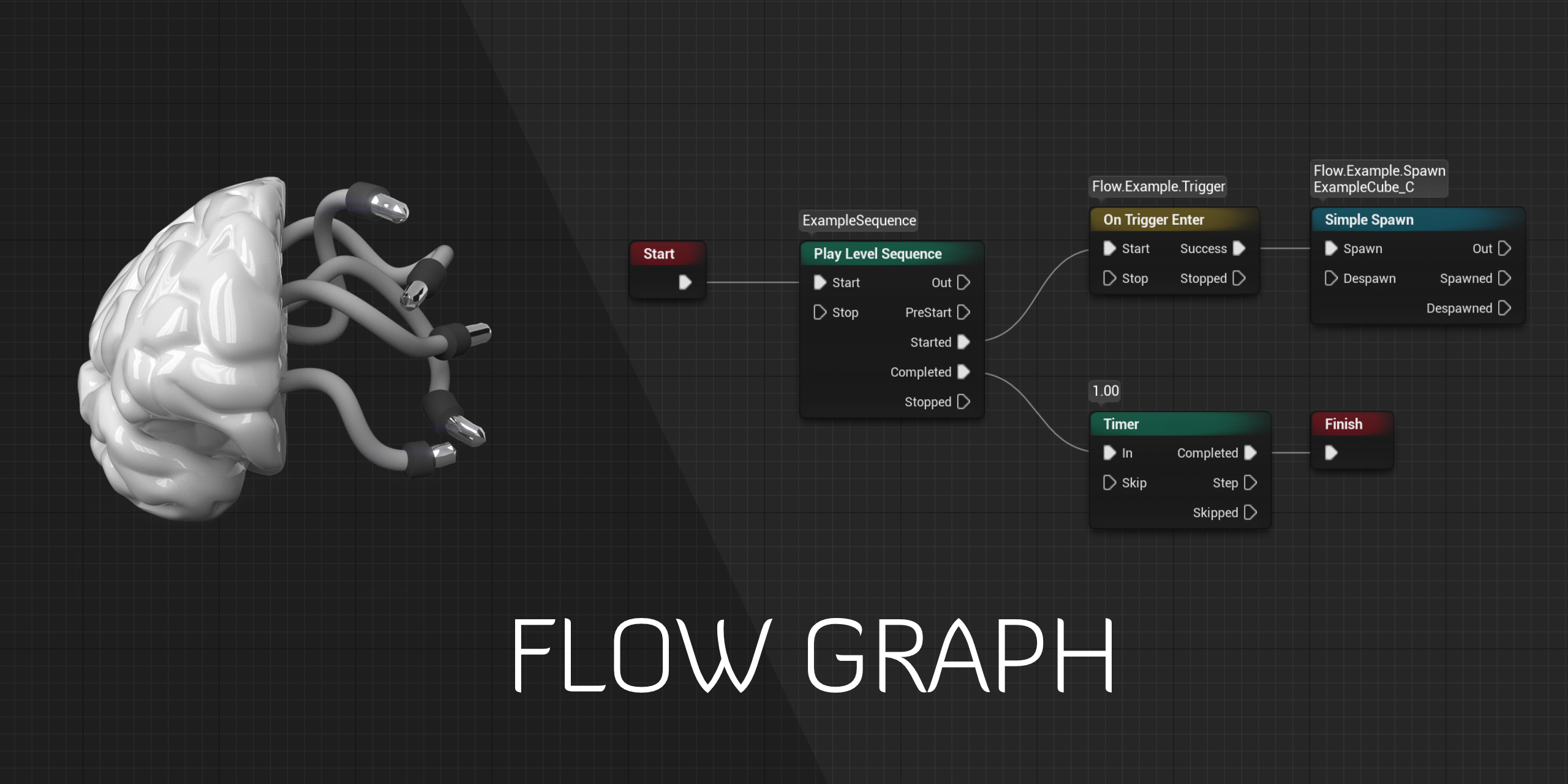
GitHub
Design-agnostic node system for scripting game’s flow in Unreal Engine - GitHub - MothCocoon/FlowGraph: Design-agnostic node system for scripting game’s flow in Unreal Engine
icy dragon
icy dragon
If you don't mind plugin, check out Flow Graph plugin as well.
https://github.co...
This one's more design agnostic, so you could use it not just for dialogues, but quests as well.
gentle urchin
With the one i posted also converting to bp events, supporting meta data and whatnot, are there anything obvious that makes it less friendly to quests ?
Options are good tho, by all means.
Ah nvm. Its completely different altogether :p
sonic crow
What is the best way to setup input (gamepad controller) where you need to press left trigger and then right analog stick to change the "X" and "Y" coordinates)?

 zealous moth
@sonic crow use gates. Left trigger open a gate. That or branches and general input analysis
 hard charm
guys I want to get the degree of slope of the terrain with respect to my character I would have to use the function get slope degree angles with a line trance
?
 dapper ore
This is driving me nuts. I tried learned from a tutorial on casting. It told me if I wanted to use the "Cast To _" node I needed to make a varible reffering to the obj/class I wanted.
I made the object then linked to to my "Cast to _" node but get an error that I don't need to link my variable object to my node because they are the same but with out it, it gives me an error that it needs an object. What should I be doing?
 odd ember
sonic crow
What is the best way to setup input (gamepad controller) where you need to press...
odd ember
sonic crow
What is the best way to setup input (gamepad controller) where you need to press...
I'm not sure what this means?
like, mouse input?
with a gamepad?
dapper ore
I fixed my "Spanwer" typo lol. And the value is "none". So is it fine how it is? All I am trying to do is pull a bool from the Spawner Actor.
odd ember
it's fine as in you don't need the cast
sonic crow
odd ember
I'm not sure what this means?
I am trying to have a two button input on my gamepad to reach a specific outcome, I am not sure how to setup a two button rule in blueprints ie gamepad facebutton left + gamepad left triger pressed together get x result
dapper ore
The "spawner" is using "Is Valid" To create the bool I am trying to pull. I thought it would be best since the goal is track specific objects spawned from it through the "spawner" itself. Is there another angle of attack i should be using?🤔
odd ember
sonic crow
I am trying to have a two button input on my gamepad to reach a specific outcome...
set a boolean value to true when you hold one button, then check for that bool when you press the other button
isValid is the closest equivalent
just use it with a branch
yeah but using macros is for losers
I have a general mistrust of macros
they have some issues with being stateful
I say that still using loops in blueprint 😔
dapper ore
Then I really dont get it. I need to see another tutorial on casting. Got any recommendations? I already treid the one from Aron Hunt ON youtube.
odd ember
dapper ore
Then I really dont get it. I need to see another tutorial on casting. Got any re...
it's not casting that's the issue. your variable that you created is an "empty container"
you have to "fill" it with a real value when your game runs
IsValid is just a check if you have filled it or not
gentle urchin
Containers(variables) are empty by default
odd ember
actually I found out you can get a bool on a impure cast node and it'll still work if you hook up a pure cast node and then convert it
gentle urchin
So the problem at hand is getting the container updated with a reference to the actor in question(spawner)
hard charm
I would like to know if this way serves to get the angle of inclination between 2 vectors

It is to get the degree of inclination where I am treading
hybrid ether
I'm still trying to make plane rotation in multiplayer correct. What I'm doing wrong? Problem: rotation of controlled plane doesn't match. player sees own plane rotating about 2x slower than it should.

This "solution" kind of work but It's not how it should be
 hard charm
guys I already took it out thanks anyway =9
🙂
For those who want to take the inclination of the terrain in degrees, it is like this
 brazen merlin
hybrid ether
I'm still trying to make plane rotation in multiplayer correct. What I'm doing w...
brazen merlin
hybrid ether
I'm still trying to make plane rotation in multiplayer correct. What I'm doing w...
from the video, it looks like the left shot is still rotating when the right is not
brazen merlin
hard charm
For those who want to take the inclination of the terrain in degrees, it is like...
nice! I was going to suggest dot, but my vector math is not so confident, i get cross and dot confused, not in terms of what they do, but the result with variables
hybrid ether
@brazen merlinBoth are rotating but left more speed
brazen merlin
I also already forgot everything I learned about cos, sin, and tan from a month ago
brazen merlin
hybrid ether
<@!568839944970174501>Both are rotating but left more speed
yeah, but there is a point where the right one stops to back up, and the left one continues turning
dawn gazelle
Wanted to share this here as casting is always a common topic... Any suggestions for additions or changes are welcome.
https://docs.google.com/document/d/17bEGQEC1_G5KQKAI3_ixbe4S0BIulEH5w4qS9b7fuqc/edit?usp=sharing

Google Docs
What is Casting? Casting is a means of making a less specific object reference more specific so that you can access the functions and variables that are accessible to that specific class. Casting will only succeed if the input object is of, or inherits from the defined casted class. In the belo...
brazen merlin
ah, looking closer, i do see it stops breifly in the same regard as the right
hybrid ether
still weird:/
brazen merlin
hmm, i've never had much fun with the testing of mp, i noticed differences between PIE and standalone launching via the uproject
hard charm
I had a problem that with the cross product it did not return the exact value of degrees from where my pj is stepping with the dot it returns the exact value
brazen merlin
even if it does persist that way, it is surely confusing without reviewing all relevant input bp
zealous moth
would anyone have any idea on how to implement the directional movement from the metroid prime series' morph ball?
Looked into the rolling ball example project, but it uses angular acceleration to move. Additionally, it sometimes jumps in the air if you roll too fast.
The worst part arguably is the "sliding" effect since you need to cancel vectorially torque to move again...
I'm starting to think that they just used an anim graph and just animated the ball rolling while maintaining character movement.... thoughts?
sonic crow
How do I get to effectthe rotation by 90 degrees with a press of a button
 icy dragon
zealous moth
would anyone have any idea on how to implement the directional movement from the...
icy dragon
zealous moth
would anyone have any idea on how to implement the directional movement from the...
I think you could get away with the standard third person character repurposed to be spherical character. Then you fake the rolling according to the velocity.
odd ember
hybrid ether
I'm still trying to make plane rotation in multiplayer correct. What I'm doing w...
have you tested just doing the rotation on the server and not the client? what happens then?
also I do want to mention that the #multiplayer channel exists
and you can probably get better help there
(generally speaking)
 faint rivet
So Hey, i have a cool Idea for a Melee FPS and bought a anim Pack with 43 anims
i dont aim to use them all(yet) but how you would approach that.
Stuff I want to Anim now are Attacks from Diffrent Directions and Basic Movement
odd ember
anim notifies
check #animation for how to set those up. for the rest, it's either collisions or sphere traces
hybrid ether
@odd emberLike this or? and thanks I will ask #multiplayer
 odd ember
hybrid ether
<@!224571781862653952>Like this or? and thanks I will ask <#221799385611239424>
odd ember
hybrid ether
<@!224571781862653952>Like this or? and thanks I will ask <#221799385611239424>
yeah
faint rivet
ok wasnt sure becuase they are posting how anims are created and im looking for how to implement them
sonic crow
faint rivet
So Hey, i have a cool Idea for a Melee FPS and bought a anim Pack with 43 anims
...
this might be a good starting point https://www.youtube.com/watch?v=QkEifTeetUc&ab_channel=Beardgames

Merging/Blending/Combining Mannequin Animations!
For the people following the series, this episode is the prequel to it. Had to split them up to make them shorter.
★ Tutorials To Help ★
Creating Animations (Blender): https://www.youtube.com/watch?v=a5ALIw3P7H4&t=136s
Creating your Anim BP: https://www.youtube.com/watch?v=ZL6pXqrKfc0&t=352s
★...
hybrid ether
@odd emberThen you cant see rotation but other player can see
odd ember
animation is also for technical animation
odd ember
hybrid ether
<@!224571781862653952>Then you cant see rotation but other player can see
then ask in #multiplayer IMO
odd ember
faint rivet
ok wasnt sure becuase they are posting how anims are created and im looking for ...
you can come back for when you've set up the logic on the animation side
faint rivet
sonic crow
this might be a good starting point https://www.youtube.com/watch?v=QkEifTeetUc&...
im not tryin to blend anything yet, its more like on input play this and then go back for like 20 diffrent inputs
odd ember
animation notifies is what you should be looking for
but like I said, #animation is a better resource
sonic crow
sonic crow
How do I get to effectthe rotation by 90 degrees with a press of a button
what is the simplest way to change x orientation by 90 degrees each button press?
brazen merlin
get relative rotation + 90 deg x, but i think you may get some odd rotations in certain cases due to euler calcs
sonic crow
Not sure what I am doing at this point, does anyone know how to change the x orientation of my explosion by 90 degrees when pushing a button. the code work if change between 0 and 90, but i do not know how to set my gamepad to change between the two positions
 zealous moth
@icy dragon i did that but frankly looks quite static. However you are giving me ideas
sonic crow
I promoted to variable, how do i force the orientation increase by 90 degrees

 final jewel
Hello guys! Im new here. I just stumbeled upon a bug in Unreal Engine 4. Where do i submit this bug to let the Epic team know about it?
sonic crow
sonic crow
I promoted to variable, how do i force the orientation increase by 90 degrees
not sure why this is not working

 tawdry surge
You need to get the original orientation and add 90 to it
With this you are setting it to 90
sonic crow
final jewel
Hello guys! Im new here. I just stumbeled upon a bug in Unreal Engine 4. Where d...

Unreal Engine
Unreal Engine is the world’s most open and advanced real-time 3D creation platform for photoreal visuals and immersive experiences.
 vocal elm
can you filter an array by string or object name? trying to get all static meshes in world with "PW" in the name
brazen merlin
vocal elm
can you filter an array by string or object name? trying to get all static meshe...
there's a "getDisplayName" node which does just what it says, then you could check for the string if it contains those letters using FindSubstring (it has case sensitivity) and then GetSubstring to compare if PW is found
sonic crow
tawdry surge
You need to get the original orientation and add 90 to it
i added the extra step but it still does not seem to work
 vocal elm
thank you, I was searching for the wrong wording
sonic crow
still no luck
 sonic crow
here is an example
dapper ore
I watched a video on "creating actor references" and it helped out immensely. Thank you for the direction. It is now working as intended
sonic crow
sonic crow
here is an example
if i can just change the value by a button press i can get the result i want
brazen merlin
I'm guessing you want to change the direction the box trace projects in, in relation to the actors forward direction. So that it points north, east, south, west. This will not achieve that
sonic crow
brazen merlin
I'm guessing you want to change the direction the box trace projects in, in rela...
yup, that would be ideal but i am willing to settle for any form of progress
brazen merlin
well its not the rotation, that only rotates the box it itself (think spin it)
consider your actor forward vector call
sonic crow
brazen merlin
well its not the rotation, that only rotates the box it itself (think spin it)
the bomb always plants infront of my character one block away based on the direction my character is facing
brazen merlin
forward is +X, and right vector is +Y, multiplying those by -1 gets the opposite direction.... see where im going?
not the character, the bomb itself
for N,E,S,W it would be +X, +Y, -X, -Y
tawdry surge
^
and in worldspace btw
brazen merlin
yes, using GetForward and GetRight vectors will do this
 raw orbit
anyone got any clue why the 'Play Animation' node can play montages but the 'Montage Play' refuses to? this is inside an animation blueprint by the way
 silk cosmos
raw orbit
anyone got any clue why the 'Play Animation' node can play montages but the 'Mon...
silk cosmos
raw orbit
anyone got any clue why the 'Play Animation' node can play montages but the 'Mon...
Have you set up your slots
sonic crow
brazen merlin
yes, using GetForward and GetRight vectors will do this
I got the right vector and forward vector, I am in BP_Bomb, I assume I still need to modify the SpawnActor BP Explosions. I am not sure what to plug these two vectors in
 brazen merlin
both should be Target is Actor
 silk cosmos
You need to set up slots in your anim bp
Just type default slot in the animation blueprint and plug in your pose
sonic crow
brazen merlin
both should be Target is Actor
do i plug it into the location?

 tawny hedge
raw orbit
anyone got any clue why the 'Play Animation' node can play montages but the 'Mon...
tawny hedge
raw orbit
anyone got any clue why the 'Play Animation' node can play montages but the 'Mon...
Seems like you have different target for the animation and the montage. Are they for same actor?
raw orbit
well yeah, play animation requests for the mesh as input while this is an animation bp
i know i dont necessarily need a 'self' reference but im just not sure why its not working, ill take a look at slots
silk cosmos
I'm not at my computer, but this is all you need to do

 heavy lion
Anyone know how I would go about adding options to the world settings
raw orbit
ah, in the state machine, yeah found it
yeah, i got it working for now, thank you @silk cosmos
sonic crow
sonic crow
here is an example
i have been stuck on this for 14 hours, feeling burnt out, does anyone have a good resource for me. for this specific problem , may it be a course that covers this , a block post etc... This should be something standard for the unreal engine
ty I will research niagara
would not work from how i understand it but will research niagara
tawdry surge
You almost have it. From my understanding you just need to determine the direction you want the emitter to face..
Your video, the player places it on a tile diagonal from them, so I'm not sure how your picking the direction you want it to fire
brazen merlin
sonic crow
not sure why this is not working
we're talking about this, sorry for the delay
silk cosmos
Do you want it to spawn the direction your character is facing? You can just get your last movement input vector and make rot from x and plug that into the spawn rotation and it should rotate
brazen merlin
@sonic crow and since you want this to perform for each direction, we'd need a for each loop that calls the line trace for each of these directions. Therefore, you can use make array and plug each variant into the Make Array which then plugs into the for each loop
sonic crow
brazen merlin
<@!911103970104193036> and since you want this to perform *for each* direction,...
lol thanks i feel stupid, sounds obvious now, but would not of clicked if not for you. Thank you I am going to step away from unreal for 20 minutes and comeback fresh
brazen merlin
sure thing, if you still struggle, i may be able to get a mock up of the idea
tawdry surge
I mean getting working however you can first, but I'd refactor afterwards.
For each loops are awful in BP and you really only need to be tracing the direction you want.
 final cape
i cant find input action interact in blueprint
scenic kindle
scenic kindle
destroy component for particle emitters don't work

ignore the error
i didn't compile the blueprint
it just doesn't destroy it
final cape
please help
tawdry surge
@scenic kindle it's set to auto activate and destroy
So it should go away on it's own unless it's looping indefinitely
But destroy should work. You just gotta find the right one. I think particle emitter has it's own version of the node
 fiery swallow
final cape
please help
fiery swallow
final cape
please help
You have to create it in the project settings
Project settings -> input -> action mappings and create "interact" there
final cape
fiery swallow
Project settings -> input -> action mappings and create "interact" there
thanks! ❤️
sonic crow
brazen merlin
<@!911103970104193036> and since you want this to perform *for each* direction,...
Hi Conrad I went over your notes, just to be clear I am not trying to make it fire in each direction at the same time, I have managed to do that already with my cross bomb, I am trying to give the player the option to decide which direction the bomb should detonate for the line bomb variant, up, down left or right.
 rain egret
some interesting stuff i have noticed.
so this is the mesh i made in blender, my code turns this mesh into a ship structure with panels.
but if i add material to the mesh it turns into this


its a procedual mesh btw
sonic crow
sonic crow
Hi Conrad I went over your notes, just to be clear I am not trying to make it fi...
Just need to allow an input to alter the rotation so that I can control the direction of the line bomb in game

 silk cosmos
Use an enum holding each direction you want and set it accordingly
 tawdry surge
How is the player choosing the direction?
silk cosmos
there is no need for a for loop
when player presses some key, switch enum state to that direction
sonic crow
sonic crow
Just need to allow an input to alter the rotation so that I can control the dire...
ty, the player would choose the direction by a hud option when selecting right trigger
tawdry surge
Id do a switch b4 an enum, but either way
brazen merlin
sonic crow
Hi Conrad I went over your notes, just to be clear I am not trying to make it fi...
that was my confusion! you will not need a for each loop in that case
sonic crow
i am not sure how to get it to work in game
 tawdry surge
Actually thinking about it a little, you wouldn't need either really.
You could define the rotation of the emitter inside the hud's widget for each direction and just pass that thru the interface or binding to wherever you're actually doing the spawning logic
brazen merlin
from what i now understand (hopefully this is actually right) you want to choose a direction using an input. As in, pressing "ChangeDirection" once, will change it from north to east, pressing it again will go east to south, and again from south to west, and then from west back to north? Am i on the right idea here?
and now seeing this new picture, as a correction, it would be a dpad control for each, instead of the same input
sonic crow
brazen merlin
from what i now understand (hopefully this is actually right) you want to choose...
it will be a hud but to get it to work with a d-pad would be a success in itself
I cant test the hud because i have not made it yet, hence the d-pad route
tawdry surge
Well you have the four d-pad input events.
Off each pressed pin, set the desired rotation and then converge the execution pins to the spawn logic
Use the rotation you set for the emitter
No switches or enums or anything else required
sonic crow
i managed to get it working but the main objective is to get it working iwth an input

in short how do i connect the inputs to make it work accordingly
sonic crow
I will make the code cleaner another time, i just need to know how to get the input working to select correctly
brazen merlin
instead of a switch, reference the enum and use a select, this will choose which of the enum entries to set for the rotation. This also means you only need one spawn actor node since the select plugs into that
tawdry surge
Your over complicating it.
You can just set the direction from the input event directly and then spawn it at the chosen rotation
sonic crow
brazen merlin
instead of a switch, reference the enum and use a select, this will choose which...
whic enum are you refering to, to replace the enum switch?
 sonic crow
tawdry surge
Your over complicating it.
You can just set the direction from the input event d...
sonic crow
tawdry surge
Your over complicating it.
You can just set the direction from the input event d...
honestly not trying to, justtaking on everyones advice, my code looks a lot more bloated than when i started, how do i get a button press to effect one of the 4 options
tawdry surge
If self learning isn't doing it for you, you should hire a tutor to get one on one help @trim matrix
sonic crow
tawdry surge
Your over complicating it.
You can just set the direction from the input event d...
oringnally i did this and i asked how do i get my input to affect the direction and now i am here
tawdry surge
Nah I mean literally have a rotator variable called bomb path.
Set it to your desired rotation explicitly off each of the 4 d pad events and then use that variable for the spawn node.
No matter which button you press it will have the correct rotation
sonic crow
i have now done so, how do i get my inputs to effect the change
 tawdry surge
One sec I'll show you
sonic crow
tawdry surge
One sec I'll show you
ty
 faint pasture
Is giving the PlayerController a CameraComponent and using that for a detatched camera bad and hackey or alright?
sonic crow
faint pasture
Is giving the PlayerController a CameraComponent and using that for a detatched ...
Sounds cool
brazen merlin
faint pasture
Is giving the PlayerController a CameraComponent and using that for a detatched ...
you need a second camera for something?
faint pasture
This is a top-down view game with some pawn switching, so a camera detached from the pawn makes sense. I'm just wondering if we make a seperate camera actor or just overload PlayerController to act as the floating camera.
Rate your general programming ability 0-10
rain egret
i made a helm with a compass and i was wondering how i can get him to point in the right direction.
i am controlling it via a animation blueprint and my setup is
get actor location
find look at rotation to 0,100000000000000,0
so the expected outcome would be, the compass should always point towards this direction, however the actual behavior is that the compass will point at different places according to the ships start rotation
 tawdry surge
wyzant.com is better for tutors/mentors
sonic crow
tawdry surge
short and sweet
ty i am trying to figure it out, does not seem to allow my explosions to happen. Also does not seem to work when i connect it from the core enum, odd


 faint pasture
Do you know what a variable, function, or object are?
rain egret
so basically "how to make compass"
faint pasture
rain egret
i made a helm with a compass and i was wondering how i can get him to point in t...
You setting the WORLD rotation of the compass?
tawdry surge
you are trying to do the input inside the bomb
rain egret
faint pasture
You setting the WORLD rotation of the compass?
yes its rotating in world rotation
faint pasture
Just find some Intro to programming for noobs stuff and at least make sure you know a little bit about GENERAL programming.
rain egret


 faint pasture
Doesn't have to be any specific language. It can be BASIC, Java, Python, anything. Just learn the absolute basics so you're not totally lost right out the gate
 cerulean raft
Is it possible to pause the game without affecting animations of our character?
I want to show my character in UI bg and when I make changes to it, it updates in realtime and show different equip animations but at the same time the game is paused?
faint pasture
rain egret
dafuq is that? Just set it in world, no adding or anything
@rain egretWhere do you get that rotation mode selection?
rain egret
hm yea that did it, thanks
sonic crow
tawdry surge
keep that in the player controller
cool so I have to put this in player controller BP and not the basic bomb BP?
faint pasture
@sonic crowIn plain English, what are you trying to do?
tawdry surge
yeah
he wants an input event to determine the rotation of an emitter
he's basically got it tho
sonic crow
faint pasture
<@!911103970104193036>In plain English, what are you trying to do?
In short, trying to have my input affect the rotation of an explosion of my line bombe in game
faint pasture
sonic crow
In short, trying to have my input affect the rotation of an explosion of my line...
Is that set in stone when you spawn the bombs or dynamic?
sonic crow
sonic crow
here is an example
here is an example of it working in two directions i want to have this working in game but pressing an input
faint pasture
sonic crow
here is an example of it working in two directions i want to have this working i...
When you spawn the bomb, set a vector variable ExplosionDirection on it
if that is set on spawn
if you want it to check on detonation, just give the bombs a reference to your character and read whatever you need off it
like if I'm running left, spawn a bomb, then run right, which way should the explosion go?
I'm basically asking if it determines direction when its spawned or when it actually detonates
sonic crow
faint pasture
Is that set in stone when you spawn the bombs or dynamic?
The Bomb is a mesh is scales for a few seconds then gets destroyed, once destroyed it actives a particle explosion, there are 4 different types of particle explosions, I am only trying to deal with the one, the line explosion. The bomb always spawns infrom of the player, but the direction of the explosion (which is only meant to be a line) can be altered by changing the "Spawn Transform Rotation Z (Yaw) of the SpawnActor BP Explosion...all I want to do is for the player to be able to change the direction of this line explosion by (Up, Down , Left, Right) with an input of a mouse button keyboard button or gamepad input etc....the user should have the ability to change the line bomb direction based on a button selection.
Everything works, I just need to connect it to an input, i do not know how to do that
tawdry surge
inputs in the controller
faint pasture
Yes process the inputs in your PlayerController or Pawn and just pass the direction to the bomb
tawdry surge
the event delegate in the bomb bp
faint pasture
I still don't know how you know which bomb to talk to unless you just assume the last one but thats the approach. The bomb knows NOTHING about inputs, just that it has a direction variable and it uses that.
tawdry surge
true this assumes one bomb
faint pasture
Basically in PlayerController or Pawn
Input -> GetBombUnderCursor or GetLastBomb or whatever -> SetExplosionDirection based on whatever
sonic crow
faint pasture
I still don't know how you know which bomb to talk to unless you just assume the...
I have an enum system that fore the time being I connected to an integer value (enums having a value from 0-3 (for the 4 options) I manuall set that value so that it only fires off the line bomb, now i am trying to get the direction of the line bomb to be controlled by the controller. I have attached to screenshot one of my Bomb BP and the other of the controller BP based on the suggested feedback, is this what you meant?


my grammer is shot due to lack of sleep sorry
it still is not working
faint pasture
@sonic crowYes just set Rotator on the bomb FROM THE PAWN OR CONTROLLER and you're in business
the bomb does not have inputs
unless you specifically enable input on it and handle stuff like that but that's an ass backwards way to do it IMO. Just get input in character or playercontroller, and tell the bomb what direction to use
sonic crow
faint pasture
unless you specifically enable input on it and handle stuff like that but that's...
do you mean this?
 faint pasture
No not at all
From your character or playercontroller, get bomb, set the rotation variable to whatever
You still haven't answered if the rotation is determined at spawn time or can be set later
sonic crow
faint pasture
From your character or playercontroller, get bomb, set the rotation variable to ...
my only concern is that this does not come from my enum, it is now spawning from my controller BP which means all my code attached to my enum is mute
 sharp rapids
sonic crow
I have an enum system that fore the time being I connected to an integer value (...
sharp rapids
sonic crow
I have an enum system that fore the time being I connected to an integer value (...
You are checking for input in your bomb BP, which is not a good way of doing it
Instead Check for Input in your Controller/Pawn and pass it to the Bomb
faint pasture
@sonic crowSet this Rotator value from your character

then when it explodes itll use that value to determine the direction
thats it
like 3 nodes
idk how many other ways to spell it out
sonic crow
the rotation is set in the controller, i made sure both rotator variables have the same name in both BP so it can pull that information but it does not seem to pull it


also there is no node available for the bomb inside of the controller
only a cast to option
tawdry surge
In this case you would cast from the controller into the bomb and set the direction variable that way.
The pictures I posted were using an event dispatcher and assumed only one bomb will be active at a time
 gusty cypress
Does anyone know how to cut off the units on number? I'm making split time and its usually off from the final timer when all split times are added together
Heres a pic example of what I think is happening (rounding) which is why I need to cut off units
it displays milliseconds but I believe therse more numbers after which round up last number sometimes by more than one digit
 brazen merlin
gusty cypress
Does anyone know how to cut off the units on number? I'm making split time and i...
sonic crow
tawdry surge
In this case you would cast from the controller into the bomb and set the direct...
brazen merlin
gusty cypress
Does anyone know how to cut off the units on number? I'm making split time and i...
sonic crow
tawdry surge
In this case you would cast from the controller into the bomb and set the direct...
what type of event dispatcher did you use?
?

rotating an object before placing it is surprisingly complicated, wish there was a tut covering this topic
faint pasture
No it isn't, you just aren't listening
How many bombs can you change directions on at once?
Just the last place one I'm assuming?
or is it whichever one your mouse is hovering over?
sharp rapids
faint pasture
No it isn't, you just aren't listening
I think he doesn't understand setting variables in one BP from another BP
sharp rapids
sonic crow
the rotation is set in the controller, i made sure both rotator variables have t...
You don't need to create the variable in both BPs
sonic crow
faint pasture
No it isn't, you just aren't listening
ideally whatever the last button pressed would be the current direction (if i press up then the bombs go up until i choose a new direction etc....provided i have the line bomb selected
sharp rapids
Only have it on the Bomb and set it from the Controller
faint pasture
sonic crow
ideally whatever the last button pressed would be the current direction (if i pr...
Ok so do you have some variable in your character or controller CurrentSelectedBomb?
Input -> Get CurrentSelectedBomb -> Set Direction
sonic crow
these are my current variables
 faint pasture

literally this simple
when you select a bomb, set CurrentSelectedBomb
You actually want something like this if you can ever NOT have a bomb selected so it doesn't try to set direction on nothing
 sonic crow
faint pasture
Input -> Get CurrentSelectedBomb -> Set Direction
sonic crow
faint pasture
Input -> Get CurrentSelectedBomb -> Set Direction
How does one make target appear?
faint pasture
sonic crow
How does one make target appear?
just drag a pin off the reference and you can do stuff to it
like setting variables, calling events, etc
gusty cypress
brazen merlin
https://forums.unrealengine.com/t/solved-how-to-round-floats-0-234378996-0-23/14...
The solution to this was totext(float) which I already have in the beginning of my timer so all later calculations of splits should work
 faint pasture
@gusty cypress What is the datatype of your raw time value?
nvm see it
I would never convert a float to text then back to a float
keep it all floats and only format for display
gusty cypress
but this creates rounding errors (I think) as split times will show one value and then the final times is rounded up
 faint pasture
So you want the rounded split times to be the truth even if theres rounding errors?
sonic crow
faint pasture
You actually want something like this if you can ever NOT have a bomb selected s...
just to confirm current bomb selected, this is not a variable within the player controller, but you are calling the mesh from the BP_Bomb for example?
brazen merlin
gusty cypress
The solution to this was totext(float) which I already have in the beginning of ...
maybe it was confusing as I was not sure how you were outputting the final number, but this picture shows the math
 faint pasture
sonic crow
just to confirm current bomb selected, this is not a variable within the player ...
faint pasture
sonic crow
just to confirm current bomb selected, this is not a variable within the player ...
CurrentBombSelected is a variable on the PlayerController or Pawn, however you want to do it
the pawn/playercontroller has a REFERENCE to the BOMB it wants to modify the direction of
brazen merlin
it doesn't need to be converted to a string, just set the result in a variable at the end
faint pasture
@gusty cypressIf you want final time to be the sum of all ROUNDED splits, then just round the splits and save them, then add them up at the end
That'll be inaccurate but the displayed numbers will match up.
sonic crow
UE4 seems to think these two nodes are not compatible
 faint pasture
sonic crow
UE4 seems to think these two nodes are not compatible
faint pasture
sonic crow
UE4 seems to think these two nodes are not compatible
What class is that in, your pawn or your bomb?
gusty cypress
faint pasture
<@!202939907516268575>If you want final time to be the sum of all ROUNDED splits...
I would prefer to keep it accurate and I've thought of that but both are displayed in game so the end would maybe change the displayed time

Timer(top) splits(right)
sonic crow
faint pasture
What class is that in, your pawn or your bomb?
I am inside my topdown controller, referencing my BP_BasicBomb
gusty cypress
brazen merlin
maybe it was confusing as I was not sure how you were outputting the final numbe...
Thanks, I'll try this
faint pasture
sonic crow
I am inside my topdown controller, referencing my BP_BasicBomb
Why is your controller spawning the explosions, the bomb should be doing that
controller spawns bomb, tells bomb what direction to explode in, bomb runs its explode event, exploding in the last direction it was told
sonic crow
here is my BP_Basic Bomb it also has it
 faint pasture
gusty cypress
I would prefer to keep it accurate and I've thought of that but both are display...
faint pasture
gusty cypress
I would prefer to keep it accurate and I've thought of that but both are display...
Yeah you gotta pick and choose which approach you want to take. The sum of a bunch of rounded numbers will not necessarily be equal to the rounded final result
faint pasture
sonic crow
here is my BP_Basic Bomb it also has it

set THAT value from your controller
sonic crow
do you mean like this
 sonic crow
faint pasture
sonic crow
faint pasture
this is my BP_BasicBomb
sonic crow
sonic crow
do you mean like this
This is my Playercontroller BP
 gusty cypress
faint pasture
Yeah you gotta pick and choose which approach you want to take. The sum of a bu...
gusty cypress
faint pasture
Yeah you gotta pick and choose which approach you want to take. The sum of a bu...
Its weird to think about since 10 splits all with a time of 0.0004 would result in all 0.000 splits but final would be 0.004 seconds
faint pasture
gusty cypress
Its weird to think about since 10 splits all with a time of 0.0004 would result ...
Yes so choose which one you're gonna do. I would just round for display. What's the standard for speedrunning?
sonic crow
faint pasture
like this?
 faint pasture
oh for fucks sake
sonic crow
I was told not to spawn the bomb from my player controller and to set the rotation in the player controller
gusty cypress
faint pasture
Yes so choose which one you're gonna do. I would just round for display. What'...
If your referring to standard time precision its .00 to .000 but my goal is just to get splits and final to match since I think anyone serious about speed running would use external timer program due to UE4 engine minor discrepancies
 sonic crow
faint pasture
sonic crow
faint pasture
I mentioned that I cant get the blue target thing on the set explosion variable
faint pasture
I would call it BombExplosionYaw instead but that's whatever
Set the variable type of Target to be your Bomb class
You probably have it just as Actor
sonic crow
My target is a controller
faint pasture
if Target can ever not be a Bomb, then you have to cast like so
sonic crow
My explosion variable to set is a float
i create these variables in the player controller
 faint pasture
Why are you bringing control rotation into this
sonic crow
I am trying to follow along, your image had the word "Set rotation" and this was the only viable option, your other image that has the blue target what type of target is that, is it an actor? and how do I get it to have a space on my rotation variable, also just to be clear I am recreating these variables in my player controller
faint pasture
You need to back up and make sure you understand exactly what is going on in all aspects of your project. This is a fucking horrorshow lol.
sonic crow
Everything in my project works, the only thing that I dont understand is how to get my inputs to change the rotation of my explosion on my line bomb, I can do this I just do not know how to connect my controller or keyboard to make it work in game
faint pasture
Ok lets start from the basics, are your control inputs implemented in your PAWN or PLAYERCONTROLLER?
Which one has the actual gamepad etc events in it
sonic crow
faint pasture
Ok lets start from the basics, are your control inputs implemented in your PAWN ...
i deleted everything, all you see is the gamepad inputs
 gusty cypress
brazen merlin
maybe it was confusing as I was not sure how you were outputting the final numbe...
gusty cypress
brazen merlin
maybe it was confusing as I was not sure how you were outputting the final numbe...
Seems to work so far with print function, ill run some tests and lyk thanks!
 sonic crow
i deleted everything, all you see is the gamepad inputs
sonic crow
sonic crow
i deleted everything, all you see is the gamepad inputs
this is what is inside my player controller
faint pasture
sonic crow
this is what is inside my player controller
Where does all your other input live, like spawning bombs etc?
sonic crow
They live inside of two blueprints (BP_Bomb) and (BP_Explosions)
sonic crow
That would be currently in BP_BasicBomb
faint pasture
Does your character spawn bombs or do they only exist on the map?
sonic crow
character spawns bombs here is my BP-Basic Bomb

 faint pasture
Why is that comment called Spawn Bomb when it does not spawn a bomb
show where you actually call Spawn Actor
and spawn the actual bomb
sonic crow
faint pasture
Why is that comment called Spawn Bomb when it does not spawn a bomb
Spawn bomb note would be information needed as to where to place the bomb and to make sure player controller can spawn bomb, the bomb gets spawned at eventbeginplay Scaleup Bomb section
faint pasture
Show where you actually Spawn the bomb actor (probably in your player controller from the looks of it)
sonic crow
created a function inside of my BPcharacter, not the BP_controller

this is inside of BP_Character
 faint pasture
So your input is split between your character and controller.....
OK so after you spawn the bomb, promote it to a variable, call it SelectedBomb or whatever, then you can set the explosion direction on it later from input
but to be honest this is a spaghetti clusterfuck
sonic crow
i have removed things out of my controller for now