#blueprint
402296 messages · Page 767 of 403
 dusk cave
hey Efool did we set up for the It player to turn into not it after they tagged someone
 odd ember
dusk cave
hey Efool did we set up for the It player to turn into not it after they tagged ...
odd ember
dusk cave
hey Efool did we set up for the It player to turn into not it after they tagged ...
it should be handled automatically when you SetActorIt. it goes through every other actor and say they are not it. however, we may not have registered the player character to be part of the initial pool of players
dusk cave
oh im not using the player character
just doing AI
trying to use the sight sense on the It person so it will follow an actor if they are in range
odd ember
well you probably want to query the game mode for who is it then
and set them as the target to look for
 sonic crow
haha 🙂 had a good laugh, the tile system is only 2D, also you cant click on an area that is outside the tile syste. here is a reference https://www.youtube.com/watch?v=AFm5dH6CnC4&ab_channel=IGN. That being said you have a point i need to lock bomb instead of character to tile thanks for the input 🙂

Impressive in some areas and disappointing in others, Bomberman's Switch debut is a bit too pricey to recommend.
Nintendo Switch Review In Progress:
https://www.youtube.com/watch?v=_BMPpDZu7dk
How Nintendo Made the Switch
https://www.youtube.com/watch?v=jMjloR9-LaM
What We Learned After 48 Hours with Nintendo Switch:
https://www.youtube.com/w...
odd ember
sonic crow
haha 🙂 had a good laugh, the tile system is only 2D, also you cant click on an ...
I see, so this is really just to save 50 bucks on the purchase of super bomberman. devious!
sonic crow
odd ember
I see, so this is really just to save 50 bucks on the purchase of super bomberma...
hahaha 🙂 its mainly to learn unreal, I am a hardcore Blender user but I thought ue4/5 would be a great skill to learn for future proofing a career. Bomberman is suppose to be a reasonable project to learn the basics, while not to stale to keep me interested
odd ember
yeah it sounds correctly scoped
for what it's worth putting down bombs on tiles is probably going to be a lot easier than constrain player movement to tiles
 gusty shuttle
Fun riddle for you guys
Goal: Not have any mouse click input while in menus
What I did: SetInputModeGame Only, disabled cursor in widget, hid mouse cursor and SetKeyboard focus on the first button in a simple menu.
Controls: Keyboard or controller
Issue: Any time I click the mouse anywhere on the screen I lose keyboard and controller control.
How would you go about fixing this?
Says viewport has focus, so the question is, how do I disable viewport from getting focus. Make focusable false?
Nope, that didn't work
 maiden wadi
@gusty shuttle Initial thought? Just get the root of your widgets and set it to hittest invisible for self and all children.
That setting is mouse only. If mouse clicks on nothing, it can't set focus on anything.
odd ember
collisions events can't be converted to functions?
maiden wadi
I assume cause they're not retval macroed.
gusty shuttle
maiden wadi
That setting is mouse only. If mouse clicks on nothing, it can't set focus on an...
Aye, thanks again for rubber ducking. This is what it's set as
 odd ember
what a shame. would make them cleaner to use 🥲
maiden wadi
gusty shuttle
Aye, thanks again for rubber ducking. This is what it's set as
This doesn't work?
gusty shuttle
Nopers man, everything accept buttons are set to non hit-testable
This is the set up


I have no mouse cursor on screen, yet when I hit the LMB I my focus magically attaches to viewport and I can't do anything
maiden wadi
You still have a cursor there, it's just hidden.
 maiden wadi
Hmm. Curious issue. I mean I imaging this isn't as much of an issue on consoles because.. no mouse.. usually.
gusty shuttle
Right! haha. That's the goal, I noodled with adding mouse back in, but I wanted to keep it simple. What I didn't know is that it would be more time consuming trying to figure out this focus issue
If I had hair, I'd pull it out at this point haha

Me when I'm done fixing this haha
 haughty nymph
i have that but i dont can see the muzzle
odd ember
haughty nymph
i have that but i dont can see the muzzle
is your muzzle working? can you show your setup?
 ancient atlas
hey there is there anyone who knows a thing or two about setting up health bars and widgets. I am trying to put floating health bars above my enemies. I have the players health showing on screen (and working properly) but im not sure how to get the enemies to show above their heads
 cerulean stag
How do I spawn an actor that rotates around my third person player? I want an invisible pole to essentially spin around my player, damaging any enemies it comes into contact with. Would I add the movement part of this to the actor itself? to the player? how?
ancient atlas
i have a widget on the BP which is linked to a widget i have created but it does not show ingame. Thanks
odd ember
ancient atlas
hey there is there anyone who knows a thing or two about setting up health bars ...
widget components
ancient atlas
odd ember
widget components
how do you mean. Do you want to see my setup?
ancient atlas
ah right. let me see if i can find it
maiden wadi
@gusty shuttleQuite honestly, I can't find anything. The best solution I've found so far is probably something I'd have done myself. This guy does it in his widgets, which might be fine, but it doesn't feel reusable. Me personally I'd probably just write it in HUD and let widgets register and unregister themselves. But the short version is that he has an array of widgets that should be focusable, and then a single pointer to the last focus target. On tick he checks if that target has focus, if not, set it. If it isn't valid, pick another target from the focus array. It's a very simple implementation and with a few functions, it'd be very performant in C++ and easy to set up.
gusty shuttle
I normally do go through the HUD to open and close widgets, this is an older project that I'm trying to clean up do to recent popularity (and practice). I may just have to do that
@maiden wadi
ancient atlas
would this be the right placemeny @odd ember i call the enemy UI as i want to update the health it shows.
 odd ember
ancient atlas
would this be the right placemeny <@!224571781862653952> i call the enemy UI as ...
odd ember
ancient atlas
would this be the right placemeny <@!224571781862653952> i call the enemy UI as ...
CreateWidget then SetWidget on WidgetComponent
at least that's the way I do it
because I need to pass in parameters to the widget
ancient atlas
heres what i have. im getting errors on the updatehealth node now. its still not showing on enemies.
BTW i am doing this on the enemybase BP rather for each specific enemy. if that helps
 odd ember
try setting the widget to be in screen space
and see if that works
I had some trouble getting it to show the first time
but basically in world the widget might be tiny
so try for yourself
odd ember
make sure tick mode is enabled as well
ancient atlas
tick is enabled. still not showing. it is having trouble reading the Update Health node i have even tho i use the same layout of nodes for my player health which works.... hmmmm
odd ember
ancient atlas
tick is enabled. still not showing. it is having trouble reading the Update Heal...
are you passing the player controller to the widget when you're spawning it?
and is the widget's render opacity set to 1.0
ancient atlas
here is my error. i had added the player controller to the node which spawns the widget.

this is all the code which is inside the widget

i have exactly the same code to call the Player UI and that gives me no errors. i feel im missing something simple
okay now i have no error but it still isnt showing..
 mild pine
Hey guys! I want the players hand to move to four different positions based on mouse movement. So far Im able to tell what direction the mouse is moved, but only once when pressed - I wanna check it per frame. Do you guys have any tips on how to add that to this? 🙂 https://gyazo.com/53ebfca495b937f4c4b01449d91ee528

Atm Im doing a check if the player is holding down the input, and if so run an event tick which gets the new location per tick. However, thats not translated to the final output :/
 tight schooner
@mild pine not sure what you mean by final output. What is feeding this macro/graph? Are you using the Get Axis nodes?
On first inspection it seems like your graph would work, even though attaching a delay to a tick is pretty weird
mild pine
Yeah, the code snippet is from a forum, but Im essentially using the input axis of the mouse vertically and horizontally to compare the directions
Lets say I want to decide with this code if my player moved the mouse to the left, right, top or bottom, and as such set a boolean for each (outside of the macro). This boolean is driving an animation montage (attack directions basically). I did find a good solution to updating the values, by adding an Event Tick if the input is held down, but then the issue arises that ALL the booleans can be triggered to true, and now I need to figure out how to filter out the boolean that was LAST set to true
 scenic rivet
Hello everyone! Is there anybodey from German? I have a question about Steuer
mild pine
Only one of the booleans should be true at any given time, so if I move the mouse away from "top" for example, that should update the boolean to false and update the new direction to true
Hmm 🤔
tight schooner
You can make an enumerator, which is a byte (sorta integer) that has names for each value. You can make one with 4 values for the 4 possible directions. And then your branching graph can read the axis values and update the enumerator.
You can Switch On (your enumerator) and also use them to drive Select nodes, so they're the solution to the problem of wanting something like a boolean
but with more than 2 states
That would be the more natural way to handle that
But if you're lazy you can also use an integer variable that goes from 0-3 lol
@mild pine
mild pine
Hmm thats interesting! Was hoping to use the boolean system I have going as its going through the whole network code, but I'll read up on enums as Im not too familiar with those. I see now that the Select node would be useful indeed
Thanks for the input!
 heavy lion
Currently trying to understand this
 tight schooner
Looks like two structs that are being interpolated into one struct
Hate to admit I probably have graphs like this in my atmospherics BPs
mild pine
tight schooner
Looks like two structs that are being interpolated into one struct
https://gyazo.com/98aeba7507293b9a54ef49c87429e547 Something like this? If Enums are as simple as that I gotta wonder why I havent used them before o_o
 odd ember
heavy lion
Currently trying to understand this
odd ember
heavy lion
Currently trying to understand this
what even is this
tight schooner
You're setting down for up but otherwise yeah, enums are nice @mild pine
 faint badge
If you want to avoid the branches you can actually get the integer value directly via some simple trig using atan2, this also has the advantage of scaling if you ever needed a different number of segments: https://blueprintue.com/blueprint/lb-d2ufr/


No description provided
mild pine
Wow, @tight schooner - that worked like a charm. Thanks so much for opening my eyes to this. Lol, instead of hundreds of booleans checks it's so easy with enums hahaha. Thanks again!
Simply implementing the enum made the tick-check work perfectly on the first debug test 🙂
mild pine
faint badge
If you want to avoid the branches you can actually get the integer value directl...
Ohh, thanks for the info, if I wanted a 8-diagonal style this would be the approach for that I guess? Would be cool to implement that at some point, but I'm not sure how I'd break up the floats into those 45* angles 🙂
On another note, how can I run checks based on my enumerator inside my anim BP? Cant seem to do a Select node, as it doesnt have the anim exe
ancient atlas
im back about my health UI for my enemies 🙂 i have finally got it to show in game HUZZAH! but strangely it shows above the heads of everyone in the level. the player AND the enemies. any reason why? i am spawning the health bar within a base BP for all my enemies. nothing links it to my character....
 faint badge
mild pine
Ohh, thanks for the info, if I wanted a 8-diagonal style this would be the appro...
faint badge
mild pine
Ohh, thanks for the info, if I wanted a 8-diagonal style this would be the appro...
That's what the code above does. For a given X and Y then atan2(Y, X) will give you the angle of that vector although it'll be 0 to Pi one way and 0 to -Pi the other way (or 180 in degrees) so you need to offset it. Once you have that angle you can just divide it by however many angles per segment you have
mild pine
@faint badgeOh wow, that's awesome! I'll make sure to save that for future reference, thanks a lot!
It's at times like this that I regret not paying as much attention to algebra and other mathmatic courses as I should have when I was a teen 😂
faint badge
Hah yeah, definitely. Although if it makes you feel better I actually got my degree in Math and yet I only really started understanding this stuff once I started using it in games. I didn't even think of things like the atan2 trick until someone showed it me
mild pine
Hehehe, it's certainly fun to discover what these things we learned can be used creatively to solve problems!
ancient atlas
okay it no longer shows on my character but it isnt registering any damage taken.....slowly getting there
faint badge
mild pine
Hehehe, it's certainly fun to discover what these things we learned can be used ...
If you haven't seen it before I'd strongly recommend checking out Freya's youtube channel as she goes through a lot of the math for gamedev in a really clear and understandable way. She's a heathen who uses Unity sadly but we can't all be perfect

YouTube
I do videos on tech art, math, game dev, and whatever else I want to project to your screens
channel art by yoss ❤ https://twitter.com/YO_SU_RA
 icy dragon
heathen who uses Unity
Hehehe
mild pine
faint badge
If you haven't seen it before I'd strongly recommend checking out Freya's youtub...
Thanks for that resource, I'll definitely check it out! Been watching this guy a lot recently, definitely a lot of fun! https://www.youtube.com/watch?v=X-iSQQgOd1A&list=PLFt_AvWsXl0ehjAfLFsp1PGaatzAwo0uK&index=8
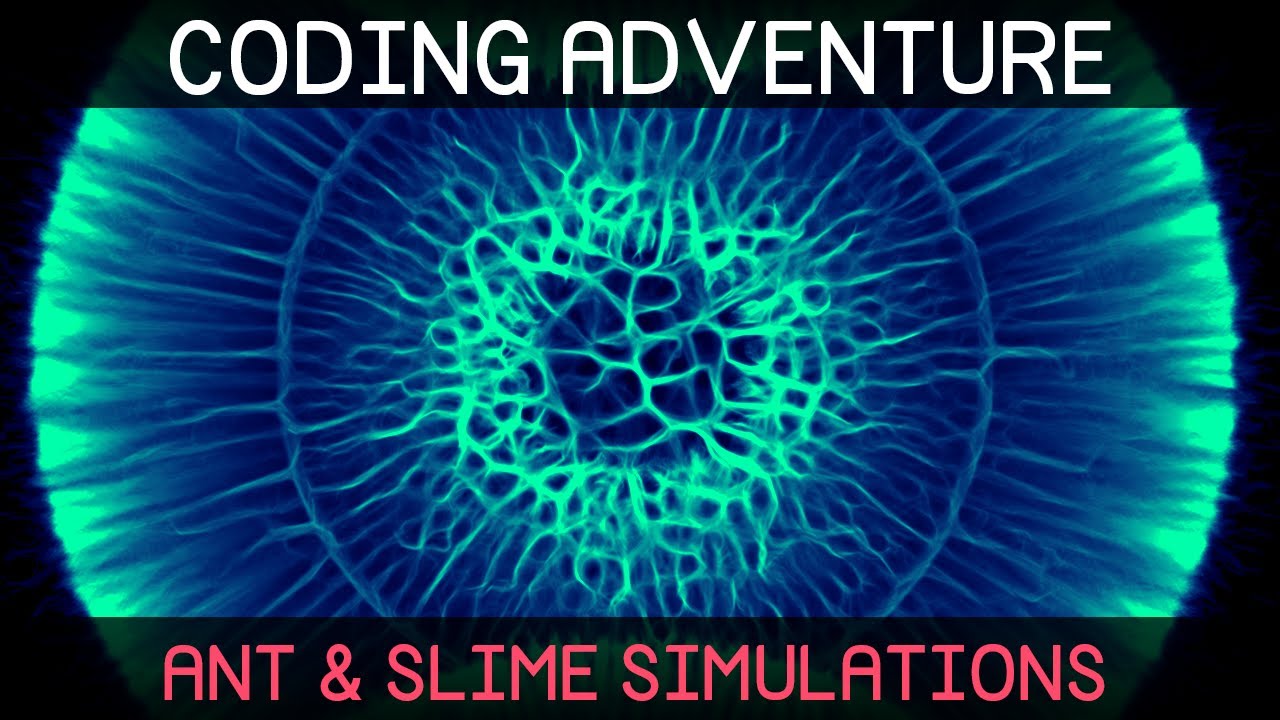
A small exploration of an algorithm inspired by ants, and some little experiments into simulating some of the behaviour of ants and slime moulds. I hope you enjoy!
The slime simulation project files are available here: https://github.com/SebLague/Slime-Simulation
If you'd like to get support the channel, and get early access to future projects,...
faint badge
Ooh yeah, Sebastian's content is awesome
ancient atlas
This is the code i have for the widget to show the proper health value. It is exactly the same code i use for the player and that works. any ideas>
 heavy lion
@tight schooner Pretty much yeah. Its for blending between different settings in a time of day blueprint.
Im looking at examples and trying to figure out the best way to do it
sonic crow
I am almost there, when the bomb spawns it highlight the tile, meaning it recognizes which tile it is on, however my blueprint has locate to tile and set selected tile after it spawns and therefore i think this is why it is not moving to the center of the tile but where my character is standing, how would i work with this to make sure the bomb always spawns from the center of the tile

 odd ember
how are you getting the center of the tile from the mouse pointer?
heavy lion
Do I use a 0-1 (Day Length/Duration) value to drive curves to affect skylight, fog blah blah, or use structs and lerp between presets
sonic crow
odd ember
how are you getting the center of the tile from the mouse pointer?
I spawn the grid from game mode, i get and set the grid, i have a branch to determine if the player is selecting a position on the grid or not, if they are i get player controller, get the hit result from cursor, break the hit result focused on location and rotation, set it to world location and rotation, locate it to tile, and then set it to selected tile
 sonic crow
I spawn the grid from game mode, i get and set the grid, i have a branch to dete...
sonic crow
sonic crow
I spawn the grid from game mode, i get and set the grid, i have a branch to dete...
i think the challenge is to set it to selected tile before it spawns
odd ember
sonic crow
I spawn the grid from game mode, i get and set the grid, i have a branch to dete...
so why can't you do the same to spawn the bomb?
sonic crow
odd ember
so why can't you do the same to spawn the bomb?
i tried using break hit result but i needed to connect it to a hit and i am not sure what hit to connect it to
odd ember
sonic crow
i tried using break hit result but i needed to connect it to a hit and i am not ...
why aren't you storing the hit result or the current tile?
and then just getting it for bomb spawning?
I don't understand
this seems like the easiest thing in the world to setup
sonic crow
sonic crow
i think the challenge is to set it to selected tile before it spawns
not sure what hit to put here for the bomb
 odd ember
given that you've already done the hard work of figuring out the tiles
you dont need that though
sonic crow
odd ember
you dont need that though
not sure how to store hit results do i need to use a line trace ?
odd ember
look
you have the data already
when you moved to the tile
right?
you can get the location from where the player character is standing
and do the exact same process
I'm not sure why this is causing such a headache
sonic crow
As you can see I do that but it does not reposition it to the center of the tile

 odd ember
so how did you make it happen for it to reposition to the center with the mouse? you're using the same parameters, a location
sonic crow
asw you can see the only difference is i exclude the hit result method
 sonic crow
odd ember
there is no difference
sonic crow
odd ember
there is no difference
agreed but it does not work, it spawns in the wrong location not to the center of the tile, while when i move i move t o the center of the tile
odd ember
well ok
you are taking the location before you find the tile
whereas you probably need to find the tile first from the player location, and then spawn the tile based on the location
did you make the SetSelectedTile function?
sonic crow
yes
 odd ember
sonic crow
yes
odd ember
sonic crow
yes
you're even getting the correct grid location inside of it. why not return that at the end of the function so you can use it to find the exact location of the center of each tile?
it seems like you've been sitting on the solution all along
sonic crow
i am not sure what you mean
 odd ember
sonic crow
i am not sure what you mean
odd ember
sonic crow
i am not sure what you mean
TileToGridLocation returns exactly what you need?
like I don't understand how, if you made this function, didn't consider that?
sonic crow
it is technically included by the functions location to tile and set selected tile,
odd ember
right... so what is the problem?
sonic crow
You can see it here, i included what you suggested after spawnactor, it does not work as previously mentioned
 odd ember
but you have the solution
sonic crow
odd ember
but you have the solution
im new to blueprints and unreal, i believe what i have done is the answer and should work but it does not work, perhaps you could provide some clarity on me having the answer please 🙂
odd ember
odd ember
`TileToGridLocation` returns exactly what you need?
.
you even went into the function itself
where you have a checkbox for the center of the grid location
you were looking for that, yes?
I don't know how else I can explain it to you
sonic crow
I am not sure what you mean by a checkbox, the game currently recognises which tile the bomb is planted on, it is just not spawning it to the center of the tile
odd ember
sonic crow
I am not sure what you mean by a checkbox, the game currently recognises which t...
but it would if you used the TileToGridLocation to spawn the bomb
like the solution is right there
this is beyond bizarre
sonic crow
ok cool give me an hour, i have not slept lol I will make some coffee and come back with a fresher pair of eyes, ty for the help
odd ember
sonic crow
ok cool give me an hour, i have not slept lol I will make some coffee and come b...
all you need to do is: at the end of your SetSelectedTile function, expose the Location you make from GridLocation(x,y) + ActorLocation(z)
then reorder it so you get that location before you spawn the bomb, and then use it to spawn the bomb
sonic crow
I re-organized it so that spawn bomb is last, but the double bomb spawn location is creating an infinite loop and crashing the game
 odd ember
sonic crow
I re-organized it so that spawn bomb is last, but the double bomb spawn location...
odd ember
sonic crow
I re-organized it so that spawn bomb is last, but the double bomb spawn location...
you didn't expose the location from SetSelectedTile this is paramount
and it's causing an infinite loop because you keep spawning it lol
sonic crow
lol you right, not sure how to expose the location from setSelectedTile, does this look right?
 odd ember
sonic crow
lol you right, not sure how to expose the location from setSelectedTile, does t...
odd ember
sonic crow
lol you right, not sure how to expose the location from setSelectedTile, does t...
just a vector, the 3d yellow kind
and then use the MakeVector node to create a vector
and hook the float inputs up into that
sonic crow
which float?
 odd ember
sonic crow
which float?
odd ember
sonic crow
which float?
inside the function
 winged sentinel
@odd ember out of pure coolness, this is what L4D2s AI/Progress system looks like
 odd ember
I have no idea what I am looking at
winged sentinel
pure insanity
odd ember
that was here even before you posted the image
winged sentinel
lmfaooo
thats literally how they track ur progress thru the level
i didnt realize it was that in depth tho
and at the end of each arrow is a trigger box that measures "flows per second"
odd ember
I'll be honest I've never looked much into systems like that. but yeah I guess if you really want something tracked by distance covered I guess that's a way to do it
sonic crow
Not sure if i followed correcftly but now the bomb wont spawn

 odd ember
sonic crow
Not sure if i followed correcftly but now the bomb wont spawn
odd ember
sonic crow
Not sure if i followed correcftly but now the bomb wont spawn
make vector node is correct. now find the return node inside the function, and attach the end of the make vector node to that
odd ember
winged sentinel
i cant do that ill do a dumbed down version of it
well consider how important this is. I'd say basing progress based on player achievements is much better than just their movement through a level
also L4D2 does not have procedural level design
which means those flowmaps are static
winged sentinel
odd ember
well consider how important this is. I'd say basing progress based on player ach...
well i want to punish backwards progression
or not moving at all
odd ember
sounds unfun
winged sentinel
im making an ai director basically
it does sound unfun but a lot of games have it
my levels will be static but my enemies and item placement will be somewhat procedural, same spawn locations, but different items and such
odd ember
winged sentinel
it does sound unfun but a lot of games have it
popularity arguments aren't great for stuff like this. find a good reason to have it, or otherwise, if it's not fun to have, cut it IMO. having an AI director is fine. having an AI director that screws you over when you're already stuck is frustrating
sonic crow
Cool bombs are spawning , it is almost perfect, but they spawning at the center of a vertices just making sure before i tinker that i did the nodes as you suggested

 winged sentinel
odd ember
popularity arguments aren't great for stuff like this. find a good reason to hav...
winged sentinel
odd ember
popularity arguments aren't great for stuff like this. find a good reason to hav...
well i have a system in place that gets the stress level of each player and asjusts the director accordingly
odd ember
sonic crow
Cool bombs are spawning , it is almost perfect, but they spawning at the center ...
on the front of SetSelectedTile expose a boolean called ShouldCenter. inside of the function, route it into Centered?
odd ember
winged sentinel
well i have a system in place that gets the stress level of each player and asju...
just be aware that artificial stress meters aren't accurate
you don't know how the player is actually feeling
but barring that, it sounds good. procedural items etc. is fine
winged sentinel
odd ember
just be aware that artificial stress meters aren't accurate
yes its actually turning out pretty well tbh i just need to feed the system more data to use so it can spawn enemys and such
makes the replayablity waaaay higher
feels fresh each time
sonic crow
odd ember
on the front of `SetSelectedTile` expose a `boolean` called `ShouldCenter`. insi...
when you say route it into centered do you mean promote the "ShouldCenter" variable and call it "Centered?" or do i create a function?
 odd ember
sonic crow
when you say route it into centered do you mean promote the "ShouldCenter" varia...
odd ember
sonic crow
when you say route it into centered do you mean promote the "ShouldCenter" varia...
I am trying to be as concise as possible. I gave you the keywords. on the front of the function. a parameter. I don't know what you are doing in the back of the function with a variable.
sonic crow
thank you, lol i have not slept appreciate your help it is working, i already had the variable is centered?


Apologies again I am getting use to the termology still, first week doing unreal
odd ember
sonic crow
thank you, lol i have not slept appreciate your help it is working, i already ha...
yes but the point is if you expose it on SetSelectedTile you can choose whether to have it on or not
in this case it makes sense to have it on, but there may be other cases where it doesnt
I also want to say, for the sake of the people helping you, please do sleep
it has been a pretty frustrating experience helping you out here
sonic crow
odd ember
it has been a pretty frustrating experience helping you out here
you are a legend and part of the reason why many aspiring ue4/5 developers will make cool stuff and possible have careers, you are appreciated.
winged sentinel
@odd ember Did some digging in hammer editor and l4d documentation, those arrows are procedural
BEcasue they got docs on it for custom map makers
The nav mesh will generate it once placed
basically you play "walkable" nav meshes around the map and they generate the walkable area by filling in the area up the geometry it hits, if it doesnt hit any walls, then it continues only so much and youll need to place more if you want to fill a large area
but you can also manually split them
 odd ember
you could probably do something like that, but it's outside of the scope of #blueprint
winged sentinel
yes understood, just some cool info
probably will go into the ai channel i assume theres more info there on nav meshes
odd ember
if you're lucky 🙂
winged sentinel
true well see
i might just experiment rn and see what i can come up with
lmfao
 wooden rapids
Does anyone work with a pure Blueprint replay system
odd ember
nope. I doubt that's a system that's possible to make within blueprint
icy dragon
wooden rapids
Does anyone work with a pure Blueprint replay system
No. I myself wen't through C++ to do replay system (and even then my implementation is not final)
wooden rapids
icy dragon
No. I myself wen't through C++ to do replay system (and even then my implementat...
Thank you for the Information , well done
 tropic pecan
Hey there, does anybody know a way how to connect a Enumeration to a Get Utility or some other way for a character class to be selected through the selection of an Enumeration?


I'm aware that the Get Array only helps select a number of a character class but I'd like it to choose someone with in the Enumeration selected which I'm not entirely sure how to.
odd ember
tropic pecan
Hey there, does anybody know a way how to connect a Enumeration to a Get Utility...
a Select node?
tropic pecan
odd ember
a `Select` node?
I'm not quite sure how a select would help. It's a bit hard for me to explain. I'm suddenly getting a little lost in my question.
odd ember
tropic pecan
I'm not quite sure how a select would help. It's a bit hard for me to explain. I...
well if you don't know what your question it, it makes it very difficult to answer
tropic pecan
odd ember
well if you don't know what your question it, it makes it very difficult to answ...
Yes, I know, I'm sorry. I think I should look into this a bit more.
 dawn gazelle
tropic pecan
dawn gazelle
tropic pecan
If you're trying to select the class to spawn based on the value of an enumerator somewhere, then a select is definitely what you want
 tropic pecan
dawn gazelle
If you're trying to select the class to spawn based on the value of an enumerato...
tropic pecan
dawn gazelle
If you're trying to select the class to spawn based on the value of an enumerato...
I'll analyze this advice. I may ask about it. Thank you very much!
tropic pecan
odd ember
I mean it's what I said as well
I'm still uncertain if this will solve my problems but I'll ask again in a clearer way next time if needed. I'm very sorry, I think I'm just tired.
 faint pasture
tropic pecan
Hey there, does anybody know a way how to connect a Enumeration to a Get Utility...
faint pasture
tropic pecan
Hey there, does anybody know a way how to connect a Enumeration to a Get Utility...
Make no mistake, select is what you're after if you want a class given an enumeration.
tropic pecan
faint pasture
Make no mistake, select is what you're after if you want a class given an enumer...
I'll think through this. I'm making a 3 different player unit roll and I'm having a hard time making an accurate function. I have to make it possible to gain, loss, or add new player units and what type of roll they are and effects the gameplay and I thought Enumerations for the current 3 rolls would do the trick. I'll work on this in time. I think I should ask again when I have a clearer thing I try to question about cause I wasn't entirely sure what the results in my question if weather or not it was the right way. Again, thanks.
wooden rapids
odd ember
nope. I doubt that's a system that's possible to make within blueprint
Thanks for Advice
 winged holly
is there anyway to change the class of unloaded assets whose class are invalid ?
 hardy fable
winged holly
is there anyway to change the class of unloaded assets whose class are invalid ?
hardy fable
winged holly
is there anyway to change the class of unloaded assets whose class are invalid ?
possibly. if the asset is invalid because its class was renamed out from under it, then a core redirect will usually fix it.
 thin sorrel
Hello everyone! I have a problem i can't wrap my head around.. Is it possible to modify the Travel Cost in Navigation Query Filter during the runtime? I Need an AI to cross the "forbidden" area. I Know i can have multiple filters but i try to avoid creating more filters since this is a thing that should be possible with one Filter Class..
Thanks!! 🙂
 gentle urchin
I'm a bit curious about why you don't want more filters? 😛 Cant help much regarding your actual issue
thin sorrel
Its more about that i want to modify the values of NQF from a Struct so it won't be "Fixed value in the filter" and it could be more "dynamic" 😄 maybe i am creating more problems than it has benefits
i was just wondering if something like that is even possible from BPs
gentle urchin
knowing bp in general, unlikely
thin sorrel
alright, at least i tried, thanks 🙂
gentle urchin
wouldnt dynamically changing the data in such a struct cause the data in the struct to be unreliable tho?
thin sorrel
🤷♂️ maybe.. 😄
 burnt oracle
I'm doing a lot of work with snapping and clamping vectors. I have a situation where the player can drag an object, but i want to constrain the local location of this object.
the only problem is that I want to have this constraint be non-uniform (e.g. min: -5 , max: 10) but the way i'm currently calculating this constrained vector is to use the local location (actually the delta between the current and start location), the constraint local direction vector, and clamp the length of the location projected. the length is of course always positive, this means that It's constrained to the max in either direction.
I tried offsetting so that the min is abs(min) and max=abs(min)+max (and then subtracting the abs(min) afterwards) but I've had no luck.
does anyone have an obvious way of doing this that I'm missing?
 gentle urchin
I was thinking map range, but it doesnt change the fact that the snap to grid returns positive value always
 hybrid ether
Why this doesn't work? prints correct.
 hybrid ether
max is 1
hybrid ether
Thank you it's working now
 digital blaze
hii! i was wondering if its possible to hide lights and spotlights just for the owner (light components dont have only owner see and owner no see options)
 fiery glen
digital blaze
hii! i was wondering if its possible to hide lights and spotlights just for the ...
fiery glen
digital blaze
hii! i was wondering if its possible to hide lights and spotlights just for the ...

 dim robin
what are the benefits of using construction script (construction graph)?
 timber knoll
making changes that are visible in editor
beginplay will only be visible the moment you start playing
maiden wadi
Construction script is also not ran at playtime for actors dropped into level.
fiery glen
digital blaze
hii! i was wondering if its possible to hide lights and spotlights just for the ...
if this is multiplayer this appears to work. it checks if they are the same as the local player 0
 digital blaze
ill try ittt
fiery glen
Get owner implies they are owned by a character, I should say
digital blaze
that worked just perfect!
digital blaze
fiery glen
if this is multiplayer this appears to work. it checks if they are the same as t...
thank you so much
 ornate wolf
I am trying to rotate my top down character correctly relative to the camera, even if let's say it's not right behind him but rotated by -90 degrees (the spring arm component). I do understand I have to do some transformation of the inputs with the camera rotation, but I'm not sure how
 timber knoll
you should first get the rotation of your input
aah wait you use the rotationfromxvector alright nvm

all you have to do is simple math to combine the 2 yaws into the actual character yaw
iirc you should be using the relative spring arm rotation to have correct rotation
and then do RotationX(Yaw) + float(90) + springArm(Yaw) as control rotation input
but I could be slightly off with the math 🤔
ornate wolf
I will try to add the rotation some way then
 finite flax
help noob? I’m trying to add regular movements to Bp_VRpawn, when i do, the character flies/floats rather than moves, so i discovered that i need to change my class settings to (Character) but if i do that, a lot of the BP references break, & i need this exact actor, i don’t wanna create another actor(character). what should i do? Thx for help
 timber knoll
is it a flat surface?
if so you can simply make the Z component of your movement vector 0
else you will have to implement gravity of some sort...
maiden wadi
finite flax
help noob? I’m trying to add regular movements to Bp_VRpawn, when i do, the char...
If you need to change classes, you don't really have a choice. You just go back through and fix up all the errors and make sure it's still working fine.
Source control would help though. 😄 Or at least a backup of the pawn file.
 atomic salmon
The alternative @finite flax would be to write your own ground detection code and implement some basic collision checks
timber knoll
for VR that wouldn't be too hard
atomic salmon
@finite flax I am showing ground detection in VR here: https://youtu.be/lKxf0yhGJJ4?t=858

UPDATE: *** Unreal Engine 4.27.x ships with a new VR template which is different from any previous one. If you want to follow this tutorial you can still do it by getting the previous template from 4.26.x (it will work in 4.27.x as well) ***
This step by step tutorial covers the implementation of my VR Climbing System.
Features:
- One/Two han...
finite flax
This is the result when i add movements, unfortunately floats
finite flax
atomic salmon
The alternative <@!353537675741102081> would be to write your own ground detecti...
I’ve actually followed your video for movement and it works as it should with a from the scratch Character, works great, but guess I’ll have to figure how to do it to a pawn i guess
atomic salmon
@finite flaxthe idea behind using a Character is that it does it for you (floor detection, collision, going up/down the stairs, ramps, etc.) It is possible to replicate those functionalities on a pawn and it is actually not that difficult depending on your level of knowledge/experience with Unreal.
It becomes more complicated if you want to properly handle IRL / room scale movements and if you need a multiplayer experience.
finite flax
atomic salmon
<@!353537675741102081>the idea behind using a Character is that it does it for y...
Okay that’s very good to know
 onyx token
so i have an inventory, which is an array of structs (the structs are items - like apple is a struct that has a bunch of properties such as price, weight, amount, the actor, etc. etc.)
And i have a chest, which also has that struct array - and i'd like to randomly fill that chest with items.
How would i do that best without doing everything manually? 
finite flax
atomic salmon
<@!353537675741102081> I am showing ground detection in VR here: https://youtu.b...
Is floor detection explained in this video too?
onyx token
like- i could do this for every single item in every single chest, every single time, but that's painful af 
https://cdn.discordapp.com/attachments/847253861403197471/912315289964773407/fNQcGKuAm1.mp4
i'd like to randomly fill them automatically with a random selection of items whenever i place one down
 plucky harness
i have data tables inside data table, is there a way to get out the row specifics out of 2nd tier data table? i am getting out wildcard, which isnt helpful to me, i cant cast to specific data table either
 timber knoll
onyx token
i'd like to randomly fill them automatically with a random selection of items wh...
timber knoll
onyx token
i'd like to randomly fill them automatically with a random selection of items wh...
You will need to have the items data stored somewhere
onyx token
yeah
timber knoll
and on beginplay you would just access that data once, for x amount of times
to add items to the chest
onyx token
with a cast?
timber knoll
you wouldn't need a cast
onyx token
So i just have an empty object floating somewhere which contains a struct array with all my items and then i just cast them on beginplay?
timber knoll
you can GetActorOfClass in that case (to get the floating object)
but yes that would work

 atomic salmon
@finite flaxyes, the link I shared already takes you to the right point where I explain it
 zinc blade
how would I select an actor in game? is it LineTraceByChannel or something else?
atomic salmon
@zinc bladeit depends on the type of interaction. If you want to select it by looking at it (from the camera) then yes.
Use a Line trace from the camera along the camera's forward vector and check for the hit actor.
finite flax
@atomic salmon i might be missing something here, but when i hover my mouse on top of the bp-vrpawn, it actully says it's a Character, so isn't it supposed to work by itself, since it isn't a pawn right?
am i missing something here? thanks for helping out
 ornate wolf
@timber knoll it seems to work thank you
 atomic salmon
@finite flaxyes, that one seems to be based on a Character. It depends on how the Character Movement Component has been set up, but it should have floor detection and collisions through the root capsule.
zinc blade
atomic salmon
Use a Line trace from the camera along the camera's forward vector and check for...
I'm trying to check if it hits my Tower class, and for some reason it does not return or at least Print String

 remote obsidian
https://answers.unrealengine.com/questions/496415/how-to-render-to-a-section-of-the-screen.html
Hi all, unable to find whether this issue has been resolved - is it possible to render the camera only to a portion of the screen? (in order to display a side bar but still have content centered in front of camera beside the sidebar)
In unity there's a camera feature "viewport rect" which allows this sort of setup quite simply
zinc blade
zinc blade
I'm trying to check if it hits my Tower class, and for some reason it does not r...
oh shoot I forgot to connect the OutHitHitActor; anyways it won't Print String anyways
remote obsidian
Example image from someone else's question on unreal answers (Note how the vehicle is still centered and framed appropriately even with the sidebar taking up a section of the screen):
 timber knoll
zinc blade
I'm trying to check if it hits my Tower class, and for some reason it does not r...
timber knoll
zinc blade
I'm trying to check if it hits my Tower class, and for some reason it does not r...
instead of using GetClass, cast to Tower

like so
atomic salmon
zinc blade
I'm trying to check if it hits my Tower class, and for some reason it does not r...
I see you are already getting help from @timber knoll
 tawny hedge
which wildcard should I use for an NPC Character?
 zinc blade
timber knoll
zinc blade
timber knoll
OH WOW THANKS A BUNCH
zinc blade
atomic salmon
I see you are already getting help from <@!181418411044241408>
thanks as well @atomic salmon
timber knoll
tawny hedge
which wildcard should I use for an NPC Character?
you are just missing a reference really
you can't do something like GetPlayerPawn for AI...
tawny hedge
cheers
maiden wadi
@remote obsidian If memory serves, this requires use of the GameViewportClient. It's a C++ implementation.
zinc blade
how would one "open up" a menu (UI widget prolly) when clicked on an actor
I've tried doing EventDispatchers, booleans, and SetVisibility
that's pretty much hardcoded sadly
 obtuse herald
zinc blade
how would one "open up" a menu (UI widget prolly) when clicked on an actor
obtuse herald
zinc blade
how would one "open up" a menu (UI widget prolly) when clicked on an actor
via Actor Components?
atomic salmon
maiden wadi
<@!170932969459023879> If memory serves, this requires use of the GameViewportCl...
@remote obsidian is pretty much this
GEngine->GameViewport->SplitscreenInfo[0].PlayerData[0].OriginX = 0.f; // default: 0.f
GEngine->GameViewport->SplitscreenInfo[0].PlayerData[0].OriginY = 0.f; // default: 0.f
GEngine->GameViewport->SplitscreenInfo[0].PlayerData[0].SizeX = .7f; // default 1.f
GEngine->GameViewport->SplitscreenInfo[0].PlayerData[0].SizeY = 1.f; // default 1.f```@atomic salmon @maiden wadi
Cheers I'll have a look 🙂 Had seen that mentioned around so I'll give it a go
zinc blade
obtuse herald
via Actor Components?
yeah, like mine.
I've set the Widget and its Widget Class as a Component already

sadly I have 5 other towers and they seem to have the same UI
I can't quite figure out how to vary them depending on their data and such
 obtuse herald
zinc blade
obtuse herald
zinc blade
Do you want to set a different desinged widget for each tower?
Because else you're probably just handling your references not correct
zinc blade
obtuse herald
Do you want to set a different desinged widget for each tower?
I guess this would be the easiest way out, eh? creating their own different widgets
obtuse herald
zinc blade
I guess this would be the easiest way out, eh? creating their own different widg...
But it's not the nice way, there are pretty much always better ways
depending if your towers have a common base tower class that holds all information you can handle it via the base tower class
atomic salmon
@remote obsidianstill works fine in 4.27.x. Just tested it.
obtuse herald
if you don't use much class hierarchy you can also give a look at interfaces
remote obsidian
atomic salmon
<@!170932969459023879>still works fine in 4.27.x. Just tested it.
Perfect, works as needed! Thanks 🙂
 mild kestrel
Hi, in which channel should I ask questions about light problems, cameras and stuff?
 rose elbow
Can anyone help with this error?

for this code

I'm and idiot lmao
just needed to attach something to the exec for set the reference
dawn gazelle
Your set isn't in the execution path.
 rose elbow
yeah I got it lmao
 gusty plover
Hi every one! I really need some advise. I am trying to move my character to a spawned actor. But I want to be able to spawn multiple actor, and my character will go to the first one, then the second one, then the third one and so on. But right now the player goes to the first one but ignore the other one. I guess because the destination variable is not set again. If I move the DoOnce before setting the variable, then the character will directly go to the last spawned actor

 near crag
How do I make my player character rotate in the direction they are moving while climbing vertically? Like the way an insect crawls on a wall instead of having them shimmy left/right. I have a feeling I might find a solution in these BPs for the climbing system but after messing around with it I'm not sure.


 wary tinsel
hey guys I've done a menu system where I can modify all the video settings. It's working fine but when I change resolution or the graphics quality it looks like broken even if I refresh and apply settings. What's the right way to implement this? Should I force players to restart the game?
 wary tinsel
no errors while playing in the editor?
 dusty orbit
Hi guys, im following a tutorial series. At one point he got us to rename the BP_CharacterBase

Now the player wont move anymore
Bit lost as to where the connection has been broken
Its using Interfaces

The movement is done in the BP_PlayerController

 kindred marsh
Hello friends. I am a new Developer and i am very confused with the Casting. I am working on a project and i have a NPC pawn with some animations. I put the animation on a custom event and now i want when my player press a button to activate the animation of the npc pawn. But i dont know what i must put in the object pin. Could anyone help me?
atomic salmon
@kindred marshthe base to make this work is to understand Blueprint to Blueprint communication.
You can have your pawn Blueprint tell the NPC Blueprint to run a certain event (or call a function into it). For that to happen, your Pawn BP has to have a reference to the NPC Blueprint it can talk to.
There are few ways to get that reference. One is to directly set it inside your Pawn BP, provided your NPC is already in the level. Another is to use Get All Actors of Class to get a reference to your existing NPC in the level and, assuming there is only one, "talk" to it.
obtuse herald
kindred marsh
Hello friends. I am a new Developer and i am very confused with the Casting. I a...
Casting takes a reference, and gives you a more exact reference (if possible).
kindred marsh
So i must create a variable in my pawn (for example) and then i could set it inside my player so i can communicate?
atomic salmon
@kindred marshSay that both your pawn and the NPC are in the level, you can create inside your pawn a variable which is a reference to an NPC actor. Then you assign the actual NPC actor (instance) in the level to the variable (with the eye-dropper for example). At that point you can "talk" to the NPC from the pawn through that reference.
This uses a direct BP to BP communication. Then there are other ways that are a bit more complicated like using interfaces and dispatchers.
kindred marsh
Ok lets see if i understand that. I Create I variable inside my pawn (Tester)

and then in my NPC i try to set it so i can make them communicate
 atomic salmon
@kindred marshInside your pawn you create a variable of type Reference to the same class as your NPC
So if your NPC is of class BP_NPC that's what you need to look for
That's step 1. But now the reference is empty (null), so you need to have it point to an actual actor (instance) in the level.
So Step 2, you click the little eye on the right side of the variable you just created. That makes it visible within the pawn in the level. Now you can use the eye dropper to select the NPC in the level to make the connection.
Now that you have a valid reference, Step 3, you can use it to call an event or function within your NPC.
kindred marsh
'TesterPawn' is already a 'Woman Pawn', you don't need Cast To WomanPawn. Ok i am confused again. Sorry for that. Is there any UnrealLessons or tutorials for casting so i can study them?
atomic salmon
To understand casting you need to understand that classes can one be derived from the other.
kindred marsh
My NPC has pawn class as Parent class so i believe that i must choose this type for my variable
Right?
atomic salmon
You need to choose the class of your NPC pawn
If you choose the parent class, then you can still get a reference, but you will need to cast it first
Let me explain
You have a parent class and a child class, derived from it
You can use a reference to the parent class also for the child, but then you will "loose" all specific child functionalities. To gain them back, you need to case the reference to the child class.
kindred marsh
atomic salmon
You need to choose the class of your NPC pawn
yeah but if i choose a "Woman Pawn" as a class and then try to cast i have this message: 'TesterPawn' is already a 'Woman Pawn', you don't need Cast To WomanPawn.
atomic salmon
are you trying to cast to the parent class?
What is the exact class of your NPC in the level?
atomic salmon
TesterPawn is the name of the variable you used for the reference?
kindred marsh
THANKS FOR YOUR TIME AND EFFORT OF COURSE
kindred marsh
atomic salmon
TesterPawn is the name of the variable you used for the reference?
yes yes
sorry if that confused you
atomic salmon
Ok since you already created that variable to be of a reference to a Woman Pawn it is a Woman Pawn already
You don't need to cast it
Let's not confuse the variable name with its class
We can screenshare if you like
kindred marsh
atomic salmon
You don't need to cast it
ok i thing that i start to understand
So i have a variable inside my pawn named TesterPawn that is type of WomanPawn
 atomic salmon
Yes. Is your Pawn in the level?
kindred marsh
atomic salmon
Yes. Is your Pawn in the level?

Is that ok?
And then i try to set the TesterPawn variable inside my WomanPawn
 atomic salmon
You have to select your MotionControllerPawn in the level
Then under Details you will see the TesterPawn variable which you can assign
kindred marsh
atomic salmon
You have to select your MotionControllerPawn in the level
So i must drag and drop my MotionControllerPawn inside my level?
 odd ember
dusty orbit
Any ideas why my player caant look up / down?
odd ember
dusty orbit
Any ideas why my player caant look up / down?
try removing the clamp?
 paper raptor
If that doesn't work, check if your pawn is set to use pitch input
odd ember
dusty orbit
Dont think its the clamp
have you tried removing it?
dusty orbit
Yeah
All the movement is done in this BP_PlayerController
and then you link it to your Player_Character
I got WSAD working
But the mouse movements dont take for some reason
The exact same setup on my "tester" character are working fine
So it must be some setting on this BP_PlayerController but i have no idea what 😄

Check out my Unreal Engine 4 courses right here: https://devaddict.teachable.com/
►Subscribe here: https://www.youtube.com/channel/UCGxt9c_CREmnquHjPEknHYw?sub_confirmation=1
►Business Email: devaddictiscringe@gmail.com
Welcome to my latest course! This time we're going to make a Survival Game in Unreal Engine 4. And, with multiplayer! I know ...
odd ember
this is why I don't follow tutorials
dusty orbit
Yeah but im legit a total noobie 😄
Where would i check for this Pitch Input setting?
odd ember
I mean the axis could be not set
paper raptor
There are multiple pitch stuff you could change, but this case you want to change it on the spring arm, since that rotates the camera for you
dusty orbit
If i load up my test BP it works fine
Like ive had it working inside this project on another BP i mean^
Hmm i dont have a spring arm
Cause im trying to do FPS
So i have the on the mesh
Or do i still need an arm?
 paper raptor
Yeah check if that works that's really the only thing I can think about
dusty orbit
Its working thank you man
paper raptor
No problem 🙂
dusty orbit
Jeeeze felt like i wasted so long on that xD
So many properties in so many different places
Truth be told it makes no sense to me why this is not done in the BP_Playercontroller
If thats where all the movement is handled
With this guys tutorial i mean
odd ember
because tutorials are made by people who don't know how to do things properly
most of the time anyway
dusty orbit
I guess so
odd ember
when I look at tutorial I look for what they are conceptually trying to do
dusty orbit
seems like that option does not exist anyway unless you have the camera in with a mesh or something
odd ember
and then do it the proper way
dusty orbit
Yeah but heres the thing - you don't know what the proper way is until you follow some guides or learn 😄
odd ember
dusty orbit
Yeah but heres the thing - you don't know what the proper way is until you follo...
... you do when you spend years at uni learning the proper way
dusty orbit

Anyway thanks for the help
Im 32 and not going back to Uni to learn a hobby project 😉
 dense nebula
does anyone know why: i start my game with 70 fps and just stop not do anything and it is start getting bad -1 fps every 10 second when i play 10 munites it is just go to 25 fps
odd ember
dusty orbit
yeah but you were insinuating that this is the same as watching youtube tutorials
when I can assure you studying system architecture requires much more hairpulling than any youtube tutorial ever will
dusty orbit
Well no i didnt but ok, see ya
odd ember
dense nebula
does anyone know why: i start my game with 70 fps and just stop not do anything ...
sounds like you're spawning something that doesn't turn off
 unique wasp
I have this really weird situation where an object that I created with SpawnActor will only be found by GetHitResultUnderCursorByChannel half the time: the other half of the time the ground beneath it is returned. Then when I spawn another object with SpawnActor, the previous one is suddenly found consistently by GetHitResultUnderCursorByChannel and the newest one is found only half the time. What might be causing this very odd behaviour?
 maiden wadi
unique wasp
I have this really weird situation where an object that I created with SpawnActo...
maiden wadi
unique wasp
I have this really weird situation where an object that I created with SpawnActo...
Are you by chance leaving anything behind? Something in the building tool that could block hits?
odd ember
unique wasp
I have this really weird situation where an object that I created with SpawnActo...
can you show your code?
unique wasp
@maiden wadi That's it! The 'cursor' for placing a station is hidden when a station is disabled, but apparently that doesn't disable collision. I've added SetActorEnableCollision now to disable collision on the 'cursor', and that fixes the issue. Thanks! :D
I had assumed that because UMG elements lose collision when hidden, actors would too. Guess not!
 versed zealot
Hey guys -- I have a general question... I have an array containing structures, and during gameplay I am writing to that array, filling it in with the structure
How can I check the array to see if I have written data to the structure at a given index? I'm looking for like... isValid for structures... if I had a guess
odd ember
IsValid can't really exist for structs
versed zealot
I could break down the struct into any of its more rudimentary variables and check for a value
odd ember
because structs are generic there wouldn't be a one size fits all approach
even in cpp you have to overload an operator to get something like struct == otherStruct
I think checking IsValid on your array index is probably the best way
at least in BP
versed zealot
Got it, and that makes sense
Simple solution, thank you @odd ember . I just used the is valid index node
faint pasture
versed zealot
How can I check the array to see if I have written data to the structure at a gi...
Check if struct == defaultstruct
assuming the array was default filled
versed zealot
Thanks Adriel for the suggestion. CE's solution solved it about as simply as possible so I'm inclined to leave it as it
That said, how would I check that, dragging off the pin in blueprint?
 obtuse yoke
hallo, im having a few problems with collision in my project. The first pic is a box collision of a pawn, and the second pic is a capsule component of a character. for some reason my character just passes right through my pawn, even though the pawn is a physics body because i enabled phsyics on the static mesh

 faint pasture
@versed zealotIf you know the array is empty besides what you put in it, then just check if the index exists. If it is empty filled, check if contents = default struct
odd ember
faint pasture
Check if struct == defaultstruct
what node compares a struct with another struct?
versed zealot
Yeah that's my question
faint pasture
equal
odd ember
faint pasture
equal
equal doesn't work with structs, just tested
versed zealot
I don't see it... I keep context sensitive on
odd ember
it would be weird too, given that even in cpp you have to make your own operator==
faint pasture
dafuq we cant compare structs in bp? lol. I've only ever used it for C++
ya looks like we can't
lame
odd ember
why wouldnt you check before giving that advice tho
faint pasture
because
maiden wadi
faint pasture
dafuq we cant compare structs in bp? lol. I've only ever used it for C++
To be fair. You can't do this in C++ without the operator on the struct either.
 quick pagoda
hey, i've been trying to make my character's mouth open once unreal receives microphone input, i was thinking of something super simple like animal crossing like mouth movement like, just changing the texture, does anyone know how to do that? im really just a beginner so i dont know that much about unreal yet -w-
odd ember
odd ember
it would be weird too, given that even in cpp you have to make your own `operato...
.
odd ember
quick pagoda
hey, i've been trying to make my character's mouth open once unreal receives mic...
I think that's a question for another channel if I am being honest. perhaps #animation ?
quick pagoda
odd ember
I think that's a question for another channel if I am being honest. perhaps <#22...
oh sorry, i just joined this server, still a bit lost
ive already made the animations i only want to make it work in unreal tho haha
odd ember
quick pagoda
ive already made the animations i only want to make it work in unreal tho haha
animations can handle state machines
 finite maple
How can I use an input axis to set the movement speed of an object to start slow and wait a certain amount of time before reaching top speed?
odd ember
finite maple
How can I use an input axis to set the movement speed of an object to start slow...
well see, the input axis is actually a scalar value
so that behavior is built in
I believe the third person template also handles the corresponding 1d blendspace for animation
atomic salmon
FInterpTo
odd ember
ah yeah you could route it to an Finterp node
but already from the get go you should have your behavior
 fervent jolt
Hey, the blue arrow list thing only wants to accept character blueprints but I want to stick a pawn in there, how can I make that happen? Thanks in advance.
 finite maple
odd ember
but already from the get go you should have your behavior
finite maple
odd ember
but already from the get go you should have your behavior
This doesn't work for me because I need to limit how long it takes them to get the object moving at top speed.
finite maple
atomic salmon
FInterpTo
I'll look into this. Thanks
atomic salmon
fervent jolt
Hey, the blue arrow list thing only wants to accept character blueprints but I w...
Change the variable type to Pawn (ref to class Pawn)
Be careful because you can break a lot of things that way. Not sure if it is your code or someone else’s
fervent jolt
Ah ok, thanks!
 errant terrace
Hi guys, can anyone help me with a Blueprint Runtime Error: "Accessed None trying to read property error? I am tearing my hair out and can't progress with my project...
 formal wren
Anyone understands, why the key doesn't hold a value when I add it like this:

The texture2d attribute is empty, even though the texture2d connected to the FMakeImportedTexture2D Node is valid
atomic salmon
errant terrace
Hi guys, can anyone help me with a Blueprint Runtime Error: "Accessed None tryin...
Show some code pls
errant terrace
atomic salmon
Show some code pls

Blueprint Runtime Error: "Accessed None trying to read property CameraPawnRef". Blueprint: CameraPawnController Function: Movement Speed Calculation Graph: MovementSpeedCalculation Node: Return Nod
odd ember
formal wren
Anyone understands, why the key doesn't hold a value when I add it like this:
use the node called something like Set Struct Members
odd ember
structs in BP are unfortunately terrible to work with
atomic salmon
Go back to where you set it and check that it is assigned properly @errant terrace
odd ember
formal wren
The texture2d attribute is empty, even though the texture2d connected to the FMa...
also is this a cpp struct?
formal wren
odd ember
also is this a cpp struct?
Nope
Mmmh doesnt seems to work eiterh
am I using it right:
errant terrace
atomic salmon
Go back to where you set it and check that it is assigned properly <@23115018993...
Would you be able to discuss briefly?
formal wren
@odd ember
 odd ember
formal wren
<@!224571781862653952>
odd ember
formal wren
<@!224571781862653952>
you're not setting any members in it
atomic salmon
errant terrace
Would you be able to discuss briefly?
Sorry cannot screen share right now
formal wren
Mmmh but there are no real input pins for members 😄
odd ember
formal wren
Mmmh but there are no real input pins for members 😄
if you look at the details panel while selecting the node...
errant terrace
@atomic salmon I am fairly sure it's set correctly here?
Sorry for noob questions, I've only just started using Unreal
 odd ember
errant terrace
<@!399916238098137098> I am fairly sure it's set correctly here?
Sorry for noo...
odd ember
errant terrace
<@!399916238098137098> I am fairly sure it's set correctly here?
Sorry for noo...
the cast likely fails
put a print node at the cast failed pin and see what it says
formal wren
Still doesnt work. Seems like he doesnt add the struct to my map propperly -_-
odd ember
formal wren
Still doesnt work. Seems like he doesnt add the struct to my map propperly -_-
structs in BP are difficult to work with because structs are copies
 brazen merlin
errant terrace
<@!399916238098137098> I am fairly sure it's set correctly here?
Sorry for noo...
brazen merlin
errant terrace
<@!399916238098137098> I am fairly sure it's set correctly here?
Sorry for noo...
its more about when it is called. if you are running movement speed calculation on tick, then the cast needs to happen on begin play, and then the movement speed calc should also check if it is valid (could also call the cast in construction script)
atomic salmon
errant terrace
<@!399916238098137098> I am fairly sure it's set correctly here?
Sorry for noo...
The only way that cast can fail is if your pawn is not a camera pawn
odd ember
odd ember
structs in BP are difficult to work with because structs are copies
so you may need to do something like Set by Ref on the map, if possible
brazen merlin
sorry macro, meant to click on TheJaggySnake for reply
atomic salmon
No worries
errant terrace
@atomic salmon @brazen merlin My default Pawn Class is set to use my custom CameraPawn
odd ember
odd ember
so you may need to do something like `Set by Ref` on the map, if possible
it's also worth doing a breakpoint and checking if it actually pushes the value in the first place
atomic salmon
errant terrace
<@!399916238098137098> <@!568839944970174501> My default Pawn Class is set to us...
Which is a pawn or a character?
Despite the name of course
errant terrace
Pawn
atomic salmon
And your pawn has been properly possessed by the player?
errant terrace
I believe so, my player controller class is set to use my CameraPawnController.
If I use GameStateBase then the pawn is controllable with no issues, but it's only when I have set the game state class to use my custom game state that the issue is there. However I have built an in game clock/calendar on my custom game state BP
so ideally, I would like to get it working on that 😛
@atomic salmon (Forgot to reply)
atomic salmon
errant terrace
If I use GameStateBase then the pawn is controllable with no issues, but it's on...
Check 1. Make sure Get Player Pawn returns a useful reference. Use IsValid to check before the cast.
Check 2. If the previous one is valid, check where the cast fails.
In that case there is a mismatch between the class returned by get player pawn and the class you are casting to.
formal wren
odd ember
it's also worth doing a breakpoint and checking if it actually pushes the value ...
Okay, I fixed it by creating some local variables for storing copies of my maps. Now it works 🙂 Thanks
mild pine
Hey guys. Do you have any suggestions on how I can improve upon the following?
1: Input is pressed, which triggers some boolean checks and an event tick which is running if the input is pressed. This then collects the data of where the mouse is on screen. I need this per frame, as when I have the input pressed I wanna be able to move my attack direction (imagine Bannerlord weapon combat).
2: The values based of the mouse direction is set as an enum, which I then select to play an animation montage (I need this to be an animation montage, hence why Im not doing it in anim BP or states - if theres a better way for this do let me know hehe). I want this animation montage to do two things: loop until I release the input, AND update based on the enum values set earlier.
Atm it's behaving very jittery, and Im struggling to cancel the montage when the button is released. I tried to do OnInterrupt, but that doesnt work properly for me. Any recommendations? 🙂
odd ember
this seems like it could be a blendspace but what do I know
I don't know what you want to improve
atomic salmon
mild pine
Hey guys. Do you have any suggestions on how I can improve upon the following?
...
My two cents. When you have too much going on at once it may be difficult to understand where your problem comes from, so you have to simplify. Disconnect the animation and focus on the movement. When that works, re-enable the animations and fix that part.
sonic crow
Quick conceptual question is it best practice to have your character Stamina, Health, Level, special character ability etc in your player blueprint or character blueprint?
sonic crow
sonic crow
Quick conceptual question is it best practice to have your character Stamina, He...
I am referring to the integers and floats
The second question is just from a best practice point of view would it also be best to keep weapon upgrades and abilities in their own respective blueprints and not the character blueprint
mild pine
@atomic salmon Thanks for that insight, I tried to rewire some things here and there. So essentially this is what I have right now;
https://gyazo.com/05e770a79fe972a0fb156770ba462e81
If my input is held, I will continously get the value of where my mouse is. I can change the direction I want to attack as many times as I want as long as my input is pressed. The issue arises when I want to implement an animation to fit this -before- I attack, which would be a "windup", essentially showing other players what direction Im going to strike from, i.e most medieval warfare games have this functionality.

The only issue is that I haven't been able to find a good method of having my animation montages play while the input is pressed, and change when I the direction value is changed 😅
mild pine
odd ember
this seems like it could be a blendspace but what do I know
Would that work with enum states though? I guess X enum state could set a float value to X to correspond with X animation, but then I cant use animation montages and slots for my upperbody blend. Or is there a way to do that in blendspace?
odd ember
mild pine
Would that work with enum states though? I guess X enum state could set a float ...
I don't know? I don't even know what your problem is really
but like
you should handle animation through the animBP
not through montages
mild pine
Hmm okay I'll try to do it with a blend pose 🙂 Cheers!
 formal marlin
Hello
Im wondering how I can use a character from mixamo to unreal engine with animation rigging
ancient atlas
i am having trouble setting up a healthbar widget for my enemies. i have it displaying properly but it isnt being effected when its health lowers. Thanks
faint pasture
ancient atlas
i am having trouble setting up a healthbar widget for my enemies. i have it disp...
I take it the widget is a widget component on the enemy actor BP?
odd ember
ancient atlas
i am having trouble setting up a healthbar widget for my enemies. i have it disp...
you probably need to pass a parameter into the widget for it to work. widget component doesn't allow you to do that
ancient atlas
yes @faint pasture i have a widget component on my enemy and it is linked to one i have made which is told to update health on the healthbar. health + death of my enemies is all working but it is not talking to the widget
i can show you some blueprint layout if you wish
 zealous moth
@sonic crow best is to have it as a struct to transit around. When the character is loaded, import it. When opening levels send the info to the game instance. Etc. Make sure to use set member in struct.
faint pasture
ancient atlas
i can show you some blueprint layout if you wish
Let's take this to #umg
versed zealot
Hey guys, another question... through gameplay I am building an array, and I want to reset the array. If I set it equal to itself, it doesn't change (obviously) so I want to use Make Array... the problem is, even though that has a 0 pin, it still sees the first index as valid when it comes back around...
Am I missing something? Does Make Array build an empty array or?
brazen merlin
use Clear
versed zealot
Thank you
@brazen merlin Simple. Thank you, that fixed everything immediately... any reason why Make array instantiates with 1 item?
 pulsar path
looking at creating an inventory system, i have a rough idea of all the components i need and how to make them.
im just not sure what the ideal way to save the inventory data is? currently im thinking a String-Int Map? for the purposes of my game, a simple list of int's appropriately named to each item would be sufficient but i dont really want to create the (potentially) hundreds of variables right alongside the other player data variables like hp, score, damage, etc 
brazen merlin
versed zealot
<@!568839944970174501> Simple. Thank you, that fixed everything immediately... ...
i think because you are "making it" so the array creates an entry rather than being seen as truly empty
 quick lance
Is there an optimization difference between the top and bottom of these?

 dreamy ice
Not that i've ever tested it, but i think if there's nothing to loop through then theres nothing to loop through aand it instantly completes the loop. Just a guess though.
tropic pecan
Hey there, I ask does anybody know how to sort out characters from blueprint class with enumerations? I've created a enumeration and my Characters are in classes. I do have an example of is being worked out in a loop but I want it sorted out instead by labeling enumeration. I do also what to ask on rigging them with Booleans to tell who's chosen to follow and who's not but I would like that question last.

I did have the enumeration in a structure blueprint while having it as a map for player units base to help with separating their roll but I can't figure out how to sort them out in the structure spawning.
dawn gazelle
quick lance
Is there an optimization difference between the top and bottom of these?
You're better off with the bottom option as you'd have one less branch if there is indeed anything to actually loop through. It has a check in it already that verifies if the loop index < length, it goes to complete. You can double-click on the For Loop to see its inner workings.
Though, the branch option is good too as you can then have separate logic for if there is nothing to loop through or the loop was actually completed.
 manic flint
I have an issue where I have a static mesh that I AttachActorToComponent to another mesh, when I do the controller works on the parent, but the child is rotating as well. How do I stop the child from rotating?
 devout crow
Guys, I wanna make a counter-attack system just like the DarkSouls, there are any recommend tutorials for me?
dreamy ice
If I wanted to know when an event in another component is called to display something in my hud widget what would be the best method?
icy dragon
dreamy ice
If I wanted to know when an event in another component is called to display some...
Sounds like the job for either Blueprint Interface or Event Dispatcher.
dreamy ice
Does it matter which?
brazen merlin
dreamy ice
Does it matter which?
I personally like Dispatchers 😄
dreamy ice
I can't wrap my head around interfaces 🙄
 hasty wolf
dreamy ice
Does it matter which?
hasty wolf
dreamy ice
Does it matter which?
i like Event Dispatcher
hasty wolf
dreamy ice
I can't wrap my head around interfaces 🙄
same lol
brazen merlin
i think i get annoyed at having to turn off context sensitive whenever i implement them, so i try the reference method first, the dispatcher, and bpi last if the prior dont work to my needs
quick lance
Are you not able to put breakpoints on construction scripts of child classes?
fiery glen
hasty wolf
same lol
Just think of it as a way to guarantee a function is implemented without needing another layer of inheritance between
hasty wolf
fiery glen
Just think of it as a way to guarantee a function is implemented without needing...
thanks i will try
quick lance
Also, why would a SpawnActorFromClass fail?
brazen merlin
a good example would be if the player presses E to interact, that could be a bpi, and it would work on anything ready to receive it regardless of class because the bpi would be added to the class for that sake
dawn gazelle
quick lance
Also, why would a SpawnActorFromClass fail?
Invalid class fed into it, invalid spawn transform which also ties into the collision handling, the scale in the transform too, if you inadvertently set the scales to 0, it'll still spawn but won't be visible....
 supple bane
how do I access a blueprint actor INSIDE of another blueprint
dreamy ice
my brain is broken at how i want to handle my status effect system
 dreamy ice
when you cast there has to be an actor you're casting to
supple bane
yea
dawn gazelle
supple bane
how do I access a blueprint actor INSIDE of another blueprint
Get reference to the object you're trying to manipulate via overlaps, traces, etc.
dreamy ice
so if I was to cast specifically to my enemy actor to do something I'd need to get a object reference to that enemy actor.
dreamy ice

you cannot cast something that doesnt exist. There HAS to be an object you're using to check.
supple bane
the object im using to check is the boss' healthbar ui element
I need to access the actual boss blueprint to get the health
dreamy ice
you need to put an object form of enemy_Blueprint into the object pin.
quick lance
I'm trying to override a function in a child class and it isn't working for some reason. I never hit the breakpoint in the child class.


 supple bane
 dreamy ice
quick lance
I'm trying to override a function in a child class and it isn't working for some...
dreamy ice
quick lance
I'm trying to override a function in a child class and it isn't working for some...
make sure to return
if you return false it still runs the parent function
quick lance
The parent function is the second image
supple bane
turning off context sensitive doesnt help
brazen merlin
supple bane
does your boss character come from the same enemy_Blueprint class?
supple bane
enemy_blueprint IS the boss
brazen merlin
how many are there in the scene?
supple bane
1
brazen merlin
and this is the only one that exists?
supple bane
yea
brazen merlin
great, use GetAllActorsOfClass, use that class, and from the output use an Array Get to get the first one (index 0)
btw, you wont need to do a cast
dreamy ice
sorry about the bad explanation fam
brazen merlin
now if you decide to add another boss or the same class, this wont work anymore. this is just because you have only one existing
quick lance
dreamy ice
if you return false it still runs the parent function
are you saying the parent function has to return true specifically? or the overridden function has to have a return or it won't run the override?
dreamy ice
hold on im recreating a similar scenario, because i haven't overrided a function in a while.
quick lance
i feel like my engine is broken or something tonight. a bunch of stuff that normally works just...isn't
dreamy ice
so you removed where the parent's code is run and its still running?
 quick lance
let me add in a print or something so that i can tell if it's actually even running parent logic
dreamy ice
okay, it wouldn't make any sense for it to still be running parent logic.
quick lance
well this is strange
its running the child logic
i just can't hit it with a breakpoint
dreamy ice
hmmmmm
quick lance
I have another problem that doesn't make sense
The element is valid in Abilities Array, and it hits the spawnactor, but the return value is null

is there a way to like....refresh my debugger?
dreamy ice
Show me more?
faint pasture
quick lance
The element is valid in Abilities Array, and it hits the spawnactor, but the ret...
Spawn actor isn't spawning the class element... Not sure if you're jsut trying to test raptor leap but that might be an oversight
dreamy ice
^
quick lance
faint pasture
Spawn actor isn't spawning the class element... Not sure if you're jsut trying t...
I was spawning an actor i know would be valid to remove the potential for that array to be broken
dreamy ice
Can you show the full function?
quick lance
somehow its working now. the debugger is messed up in some way
it's filtering to a entity that doesn't exist, so it's not hitting any breakpoints unless i manually switch the debug filter in every window every time
dreamy ice
oof
quick lance
okay
so is there an issue with me spawning objects during another object's construction script?
is that a big no no?
icy dragon
quick lance
so is there an issue with me spawning objects during another object's constructi...
CMIIW, construction script is called everytime an actor is constructed in editor, but as far as runtime goes, it'd be the same execution as begin play. I'm sure it's wrong though.
quick lance
For some reason I can't get a valid entity to spawn when I spawn it during another actors construction script
quick lance
dreamy ice
Can you show the full function?
here's the full function. when it gets to that breakpoint, the return is invalid

But ONLY when I run the function during the construction script of the actor
if i wait until beginplay, it works
icy dragon
So I was wrong. Construction script seems to be executed first before begin play.
dreamy ice
could it be because the actor isn't fully contructed?
quick lance
oh u know what
ue4 says spawning another actor during construction script is bad
fuck
ahem, here we are

you can't spawn actor in construction script. it's not an option. I was using it inside of a function which allowed me to bypass that.
quick lance
oh? I've got one in my project, what's up with yours?
dreamy ice
i cant figure out the logic in my head
quick lance
So I have a status component that handles all status effects.
dreamy ice
Each effect is a struct that holds which function activates it and all the info on that
but the timer stuff is wrecking my head
i was trying not to spaghetti code
quick lance
you're familiar with set timer by event right?
dreamy ice
i hate running a function by timer because I can't supply data that i know of
unless im wrong
quick lance
yeah you can't with a function, but an event you kinda can
if the info is valid inside the space where you're using the event, you can get the data
otherwise i think you're stuck with event dispatchers
dreamy ice
im trying to make it expandable
if it didnt need to be expandable id already have it done ugh
quick lance
what do you mean expandable?
dreamy ice
i dont want to have to rewrite it in 2 weeks
As in an infinite number of effects where all I have to do is setup the logic for the effect without worrying about much else
dreamy ice
i can bypass it by referencing the latest effect added to the array, but i feel that will cause problems in the future.
i wish I could use a timeline
wait
that doesnt make sense nvm
OOOH
@quick lance I can store a reference to the timer handle in the effect struct once created to access it later on.
zinc blade
How would I pass a string data to a Widget Blueprint from a different Blueprint (Controller BP prolly)? I'm trying to pass in an input parameter on a function that I just made in my Widget Blueprint but it says it's not possible to do so.
fiery glen
make it a member variable of the widget the controller blueprint can see
zinc blade
fiery glen
make it a member variable of the widget the controller blueprint can see
like this?

OH I think I got it
zinc blade
fiery glen
make it a member variable of the widget the controller blueprint can see
RIGHT thanks!!
gusty plover
Hi, I am trying to move my character to an actor. but I want to be able to spawn multiple actor, and make the player go to the first created, then the second one and so on. I tried to use array and for eachloop, but my character always go to the last actor created.
 finite flax
What can i do to make the hands follow the rotation?
I tried @atomic salmon video blueprints, but I’m getting this results unfortunately, any fix? Thanks a bunch

 surreal peak
gusty plover
Hi, I am trying to move my character to an actor. but I want to be able to spawn...
surreal peak
gusty plover
Hi, I am trying to move my character to an actor. but I want to be able to spawn...
That's because the ForEach Loop will fully run through in one Frame.
Which will call the Timeline every time, and only the last one will be able to actually run.
You would need to do this by yourself
Make an integer variable for the current index. Get the first element from the Array, move to it via the Timeline and when the Timeline finishes, increase the index and restart the timeline with the next entry.
Make sure the index doesn't go out of bounds though
gusty plover
ok thamks I'll try
atomic salmon
@finite flaxwhat are your hands parented to?
gusty plover
surreal peak
Make an integer variable for the current index. Get the first element from the A...
it works very well, thanks you!!
 naive grail
I have a HUD class that spawns an manages all widgets. Widgets depended on level. For example if level == 0, it spawns widget a, if level == 1, it spawns widget b. So can i store that widgets class as soft reference? (It's a mobile game that's why i care that much)
finite flax
@atomic salmon
 atomic salmon
finite flax
<@!399916238098137098>
atomic salmon
finite flax
<@!399916238098137098>
I still don't see the Motion Controllers and the hands in the hierarchy, they may be spawned and attached at runtime
finite flax
@atomic salmon you're right actually it's a separate class
 atomic salmon
@finite flaxare the hands being attached at all to the VR Pawn?
finite flax
atomic salmon
<@!353537675741102081>are the hands being attached at all to the VR Pawn?
I would say so, because it follows it when i teleport
atomic salmon
@finite flaxtrue, but they don't seem to follow its rotation. You need to find out where they are attached.
finite flax
I’ll try to see what’s up, thank you @atomic salmon
 hardy sphinx
guys do you know how to rotate player to somthing. like when u want to show some screamer
tight schooner
@hardy sphinx there's a node called Find Look At Rotation
which you can use to make a rotation target. Doing the rotation smoothly is another step but I'll leave that to you
hardy sphinx
tight schooner
<@692658100276166687> there's a node called Find Look At Rotation
i know that but i dont understand how to get info about location of tagret which must be seen by player
icy dragon
hardy sphinx
guys do you know how to rotate player to somthing. like when u want to show some...
You might want to look for Set Control Rotation. Chances are it's a third person character, and control rotation take over the pawn rotation.
tight schooner
hardy sphinx
i know that but i dont understand how to get info about location of tagret which...
Well, making one actor aware of another actor is a deep subject called Blueprint Communication and you can look up a primer on that. If your pawn needs to become aware of another thing, I'm not sure what to suggest offhand. The "screamer" you mentioned (a monster for a horror game?) is probably aware of the pawn cuz it's already reacting to it, right? It could then call a function or send an interface message to the pawn containing an actor reference or a location vector or rotation target.
hardy sphinx
maybe it will be easier to rotate player with capsule and mesh&
gentle urchin
Interface or casting , calling a function in the player would probably be the easiest
If player detected -> Get player Character- > Cast to mycharacterclass -> call the function that rotates the player toward the target (input of function being either target itself, or the location of the target (location can be more universal ))
as always, there's a 100 ways to do this
hardy sphinx
i tried to do it like this, but unfortunately it doesnt work

 formal dagger
Not sure it's the good channel for this but... i've just started to try to change level during game, and the open level node works perfectly but after that i can't manage to call an event on my main character to set up some variables. is there a manipulation to do when you open a new level ?
 earnest tangle
if you're not using level streaming it will effectively throw away everything and recreate it
so if you do open level --> run other stuff --> more stuff, everything after open level effectively gets ignored
 formal dagger
earnest tangle
if you're not using level streaming it will effectively throw away everything an...
formal dagger
earnest tangle
if you're not using level streaming it will effectively throw away everything an...
ok so bad node, i should use level streamng ?
earnest tangle
it depends, you can work around this via GameInstance which is persistent across level loads
level streaming has its own set of challenges
formal dagger
ok so i'll try to call event on game instance first
 silk cosmos
I am trying to set up a key rebinding system in my settings. The problem I am having is that unreals input detector doesnt check for scroll wheel input when detecting for a selected key. How would I go about checking for mouse scroll wheel input, then adjusting the key binding
timber knoll
from my experience with recent unreal versions, mouse events are somewhat broken and easiest to handle through C++...
idk what they've done but there's something wrong with them, used to work fine in 4.25 and earlier
 shy plover
can i somehow change direction of gravity in player bp?
silk cosmos
grab the movement component and set the gravity scale -
 blissful widget
Not this again 😄
Ninja bad
shy plover
silk cosmos
grab the movement component and set the gravity scale -
I not how strong the gravity will be but the direction of it
Where the character will be pulled
silk cosmos
Setting it to a negative value will invert the direction, other than that there is no way to change the gravity in blueprint
shy plover
i mean custom direction not negative
wary tinsel
is there a command to restart the game?? I need to restart the whole game to refresh graphics settings
silk cosmos
if you want to reset the specific level there is a node called get current level name and you can plug that into open level, but if you mean the entire game you can just re open your start level
wary tinsel
will open level refresh the settings? or player will need to re-open the game manually?
versed zealot
Morning all! Is there a blueprint node that can check for collision by taking two meshes as pins? Instead of using an oncollision event and searching for an actor?
 neat prairie
versed zealot
Morning all! Is there a blueprint node that can check for collision by taking t...
neat prairie
versed zealot
Morning all! Is there a blueprint node that can check for collision by taking t...
It's 2pm
tight schooner
@versed zealot it's 8 AM here so https://docs.unrealengine.com/4.26/en-US/BlueprintAPI/Collision/IsOverlappingActor/
Is Overlapping Actor
Is Overlapping Component
versed zealot
Thank you @tight schooner.
faint pasture
shy plover
i mean custom direction not negative
You will need to handle that manually and it won't play nice with Character.
 dusk arrow
What's the difference between GetRandomLocationInNavigableRadius and GetRandomPointInNavigableRadius ?
dawn gazelle
GetRandomPointInNavigableRadius actually calls GetRandomLocationInNavigableRadius. You're actually better off calling GetRandomLocationInNavigableRadius as it is not a pure node meaning that the boolean check can actually be used without messing up the random location.
 maiden wadi
dawn gazelle
maiden wadi
dawn gazelle
Also worth noting for this that Point function has been deprecated since 4.22. Likely for this exact reason. They really should do a better job of pointing that out in Blueprint so that people won't use it.
 sage heron
So, I set up a multi trace box and find the objects that I want to affect (the print node displays all 3 of them on the console). I want to send something to all 3 of them via a Blueprint Interface. However, it works only on one at a time. I use for each and break the array element (hit result) to get each actor's reference (print node uses this as well). Any idea what I might be doing wrong?
zealous moth
@sage heron show code?
sage heron
zealous moth
<@!244532264711618561> show code?
it's a watering the plants system
 zealous moth
uh.... wow where do i begin...
why is it on tick and why is it gated with additional input?
timber knoll
sage heron
it's a watering the plants system
the delay is the real issue
it won't create a delay for every element returned
as Zanet mentioned, this also shouldn't be in event tick / gated
instead opt for timers, and do this trace once every x seconds
that way you can just ignore the delay and gate (start timer on pressed, stop timer on released)
sage heron
the mechanic behind it is, you pick the hose, you press left click and water them "slowly" (inside a radius)
thx for the feedback 
Removed the delay, used timer instead and it works like a charm. 😻
timber knoll
good job 😄
versed zealot
Is there any gotchya's associated with the looping input on the set timer by event node? I am creating a timer, displaying the value via a widget... the timer gets set to 0 and the set timer by event is still firing every second...
and my looping input just has time > 0
So if I see a 0 I feel like it should stop firing the event
I mean, pausing it works I guess
 sharp rapids
versed zealot
Is there any gotchya's associated with the `looping` input on the `set timer by ...
sharp rapids
versed zealot
Is there any gotchya's associated with the `looping` input on the `set timer by ...
Can you show your code?
 sharp rapids
How are calling the Set Timer node?
versed zealot
On Event Construct of the widget
dawn gazelle
A widget shouldn't be controlling anything really.... It should only be used to visually display the information of the game.
versed zealot
Yeah, I figure it shouldn't be... I was going to ask where this should go... like GameState
But..
sharp rapids
If you call Set Timer By Event with looping = true
It will continue looping the timer forever until you specifically tell it to stop
dawn gazelle
Correct. You have pause or "clear and invalidate".
sharp rapids
The 'Time' value you are seeing is an entirely different variable
It has nothing to do with the Timer
versed zealot
Time is the variable I created
My understanding is that the Boolean checks before it fires the event each second and decides to fire or not
So the Boolean is only checked... once?
sharp rapids
versed zealot
So the Boolean is only checked... once?
Yes
If looping = false
The timer will call the event once and then stop
If looping = true
The timer will keep calling the event after every 'Time' seconds indefinitely
Until you tell it to stop
versed zealot
Right
Ok cool... for what it's worth I have the pause in there and that gives me the intended result
Thank you guys, I understand now! @sharp rapids @dawn gazelle
dreamy ice
I hate the idea, but would spawning actors to handle a status effect's logic be a decent way of doing that?
brazen merlin
dreamy ice
I hate the idea, but would spawning actors to handle a status effect's logic be ...
maybe an actor component base class is better?
dreamy ice
the status effects component can't contain another component
brazen merlin
status effects are already an actor component?
dreamy ice
yeah so they can be added to any actors
obtuse herald
UObjects?
dreamy ice
but the effects themselves
brazen merlin
so wait, why are you spawning something else? wouldnt the logic be within the same thing?
obtuse herald
brazen merlin
so wait, why are you spawning something else? wouldnt the logic be within the sa...
he probably wants different logics for different effects
brazen merlin
obtuse herald
he probably wants different logics for different effects
true? why not utilize class inheritance? you have a parent actor component and then child versions which perform their own methods
obtuse herald
brazen merlin
true? why not utilize class inheritance? you have a parent actor component and t...
I think he has an actor component that handles the effects
dreamy ice
i need somewhere to store the effects logic
obtuse herald
So every actor with the component can potentially have any effects
brazen merlin
ive got something similar, i use actor comps, i use a parent class so casting is just the one, but each child performs its own stuff
obtuse herald
dreamy ice
i need somewhere to store the effects logic
via ActorComponts or via UObjects
one of these two
choose
brazen merlin
that also allows me to stack those components and look for conflicting matching children
obtuse herald
brazen merlin
ive got something similar, i use actor comps, i use a parent class so casting is...
Yeah, it basically boils down to that
brazen merlin
dreamy ice
I hate the idea, but would spawning actors to handle a status effect's logic be ...
just trying to understand the question
obtuse herald
If you use ActorComponents or UObjects to handle the logic is not that different in the end
dreamy ice
can objects nest other objects inside of them?
obtuse herald
brazen merlin
just trying to understand the question
I think he tried to attach ActorComponents onto ActorComponents and that doesn't work
obtuse herald
dreamy ice
can objects nest other objects inside of them?
you don't need to nest them
dreamy ice
i didnt try, because it doesnt work lmao.
obtuse herald
just add them to your parent inside your component
dreamy ice
alr
faint pasture
dreamy ice
I hate the idea, but would spawning actors to handle a status effect's logic be ...
The end game is probably just raw data like how gas does it, but an actor can work. An actor will be the easiest to prototype and implement, but there are complications with every approach
It all depends. If your status effects are something like "on fire", then that's easily represented just by data. If it's something like, "deal damage to everybody around you and then explode at effect end for X damage", then it gets a lot more complicated.
dreamy ice
they're really only like 3 types of effects, but I'm having trouble managing timers. I have an idea though.
 onyx violet
is there a way to change a custom spectator cameras speed with blueprints? all i see is get max speed from the movement component
or should I just increase the input value?
gentle urchin
Change the max speed if ur spectator is a character i suppose
 inner sandal
Anybody know of the best way to do a telephone cord? I've seen a good tutorial to do with a cable component and material but I have a nice static mesh I'd like to use, I'm having some luck with splines but that's not really reacting in a physics like way.
I doubt it's possible to path deform an SM over the cable component?
quick lance
I'm looking to create a charge (as in, moving forward towards something, not powering up) attack and want to have a set distance that the entity goes towards. I want them to have a large speed in the beginning and as they approach the target point, slow down. I don't really want to use Launch Character because i'd have to use tick or something to determine their distance to the target point and then slow their acceleration. I've been messing with Vinterp to Constant but I'm not clear on the Interp Speed value. anyone have any advice?
gentle urchin
A tad annoying, vinterp and vinterp constant behave differently in regards to speed
You still need some tick to find the target and keep track of the distance to launch tho, wont you? At least some variation of it
You could do some cubic interpolation. That would slow down as you apprach it
quick lance
I want to launch a finite distance every time. Like 800 units. I want to begin slowing down at 400 units from my initial launch. I would like it to take 1 second to arrive. However, I want to be able to JUST modify the finite distance variable and have everything work without having to rewrite it.
I've been messing with a timeline that modifies the interp speed over the time but it's jittery and doesn't really give the feeling of a charge right now
 trim matrix
What is the difference between viewport and playerscreen? Is the difference meant for split multiplayer or something and identical on a single player game?
 dawn gazelle
trim matrix
What is the difference between viewport and playerscreen? Is the difference mean...
dawn gazelle
trim matrix
What is the difference between viewport and playerscreen? Is the difference mean...
Pretty sure player screen is more to deal with splitscreen multiplayer.
trim matrix
dawn gazelle
Pretty sure player screen is more to deal with splitscreen multiplayer.
Ah okay, yeah that makes sense!
gentle urchin
quick lance
I want to launch a finite distance every time. Like 800 units. I want to begin s...
Lerp it?
 short anvil
Where would I put a global variable like the player's inventory? I don't really want to pollute the player class more than necessary. Should I put it in the level blueprint?
earnest tangle
It depends on how you want it to work really
You could put it for example into the player character, game state or player state
it doesn't really make much of a difference unless you have some specific requirements like possessing multiple different characters with their own inventories, or multiplayer support
short anvil
No, it's strictly singleplayer. Also I totally forgot that I had my custom GameMode, is that the game state?
earnest tangle
no, gamestate is a separate object
short anvil
Ah okay, I think I get it now: GameState and PlayerState are members of the GameMode and I can access GameState basically in every blueprint, right?
gentle urchin
Inventory could be a component, if you wanna keep them separated and reusable
earnest tangle
Yeah having it as a component can be handy
short anvil
Hmmm, but then it would be an actorcomponent, right? It really doesn't have to be related to an actor. I just want to use it as a data object and access it to draw the inventory and the items in it, when the player presses a button
my player pawn is just a really dumb actor carrying the camera
earnest tangle
well you would most likely want to store the data as part of an actor
GameState is also an actor if you wanted to put it there
short anvil
oh that's weird
earnest tangle
Not really, there's a few actors which are invisible like it :)
GameMode is also an actor
short anvil
So far I thought actors are things you can put in a level
odd ember
they are
short anvil
also playerstate derives from actor and I don't know why^^
odd ember
actors have transforms
earnest tangle
It is perhaps a bit peculiar that they have a position and such when they don't really do anything with it, but I guess it's a legacy/convenience choice
short anvil
What real advantage do I have by storing my inventory stuff in an ActorComponent instead of the GameState in a singleplayer game?
gentle urchin
Reusability
Nothing else afaik
Cluttering gamestate could be considered on the same level as you're doing with the player pawn imo
earnest tangle
Yeah, and it's mostly a question of encapsulation. You can keep all your logic relating to inventory in the component, so it's a bit cleaner in terms of the implementation
gentle urchin
Plus if your bp gets massive, it can become very slow to compile,
Separating it in components will avoid this afaik
Doesnt get re-compiled along with the owner i think
short anvil
wait, I still encapsulate the inventory stuff in a UObject, but just want to put it somewhere, where I can access it
earnest tangle
If you put it in a UObject, you would have to create a variable to hold it somewhere, and then create an instance and put it into the variable
odd ember
short anvil
wait, I still encapsulate the inventory stuff in a UObject, but just want to put...
game state
game instance
game mode flushes
short anvil
yes, I think that's where I put it
odd ember
game state might flush as well
short anvil
What do you mean by flush?
odd ember
short anvil
What do you mean by flush?
stripped of variables
gentle urchin
When changing level
odd ember
not sure if it actually gets destroyed and remade
 blissful grail
It does
earnest tangle
If you mean when changing level, yeah afaik everything except GameInstance gets effectively reset
blissful grail
Game Instance is the only thing that actually persists in a map change.
earnest tangle
Subsystems probably persist as well depending on what kind of subsystem it is
blissful grail
A subsystem from GameInstance - yes. They operate on the GameInstance lifecycle
odd ember
earnest tangle
If you mean when changing level, yeah afaik everything except GameInstance gets ...
some things should be on the default SeamlessTravelActorList
blissful grail
You have to turn on seamless travel.
earnest tangle
Yeah isn't seamless travel more like level streaming? Not sure tbh haven't really looked at it
blissful grail
By default - GameInstance (and anything attached to its lifecycle) are the only things that persist by default.
odd ember
earnest tangle
Yeah isn't seamless travel more like level streaming? Not sure tbh haven't reall...
it isn't, seamless implies that you carry stuff over
short anvil
Great, then I look a bit in that direction, thank you for your input!
odd ember
you're not technically traveling when streaming in levels
blissful grail
Seamless travel is still changing the map, but the engine handles recreating everything in the state as before.
Streaming levels, you never "leave" the level really.
odd ember
yep
gentle urchin
I asume pointers to actors in the previous level is broken when switching
Do they get invalidated/cleared automagically?
If you had them in gameinstance
odd ember
on hard reset? I guess they're treated as destroyed
gentle urchin
That'd make sense
 eternal drum
how would i block water from being inside a mesh, like on a boat. currently it just goes through
odd ember
probably a topic for #legacy-physics
blissful grail
What the seamless travel does is changes the level as expected. So, the actors get destroyed and what not, but their state gets saved temporarily. The next level creates everything again and then assigns the state back to the newly created actors.
maiden wadi
short anvil
wait, I still encapsulate the inventory stuff in a UObject, but just want to put...
Generally there's only three places you should keep an inventory relating to a player. PlayerState, PlayerCharacter, or PlayerController. All of which can be done via an ActorComponent and all of them can be retrieved globally from anywhere the player needs them. The general reasons for the differences in them is...
PlayerController allows no other players to see the inventory, this keeps it private and inherently saves networking for the server.
PlayerState allows you to save items easily persisting death, but still allow other players to see your inventory via the GameState PlayerArray.
PlayerCharacter allows easy use of deathbox style, where death leaves a corpse, and the items need to be retrieved.
The best part about making it a component, is that you can turn around and change gameplay style however you want, or even take the component into another project later if you choose with much less setup beyond some game data and dropping it on an actor class.
 high yew
how do I get the line trace thing to not lag behind the camera rotation?
atomic salmon
high yew
how do I get the line trace thing to not lag behind the camera rotation?
I cannot see it sharply but I believe you forgot to add your start point to direction * distance
End = Start + Direction * Distance
high yew
one sec i think you shoud see it clearly
high yew
atomic salmon
I cannot see it sharply but I believe you forgot to add your start point to dire...
atomic salmon
I confirm it
End should be World Location + Forward Vector * Distance
Location vectors are different from direction vectors
Both Start and End need to be locations.
high yew
atomic salmon
Both Start and End need to be locations.
what to how do i get forward with location. sorry i am new
ish
atomic salmon
Just like I wrote above
high yew
so like this
 atomic salmon
No
Addition goes after the multiplication
You are starting from the same location but projecting at a certain distance from that location in the direction of the forward vector
high yew
atomic salmon
No
thanks. it works now.
atomic salmon
I would need to draw it but I am on my phone
 bleak hornet
I did a vaulting bp, but it doesnt vault properly.. how do i see the error screen or debug screen on ue4
 spice lynx
high yew
thanks. it works now.
spice lynx
high yew
thanks. it works now.
Think of it like this. Both start and end are two points. The forward vector is a direction. So to get from A to B, you need A as a starting point, then add a direction vector * distance to get to B
 bright harbor
hey so i was wondering, i have 3d models of clouds, and a shader material to use on them, is there an easy way to automatically dot them around the sky in a certain radius, but not too close to the world itself and rotate the clouds slowly around the center point?
onyx token
okay so i have an actor, which is an apple.
And i have a player, which picks up the apple.
That apple has a bunch of variables inside itself, that determine the weight, value, description, name, etc.
And when the player picks it up, all of those variables get transferred into the inventory- because the item "apple" gets added into the inventory item array.
How do i delete the apple from the map, and transfer it to the inventory?
bright harbor
onyx token
How do i delete the apple from the map, and transfer it to the inventory? <:rooT...
you'd take the apple actor from the overlap event in the player, and make sure the apple is in the inventory array
then delete the apple actor
onyx token
overlap?
bright harbor
how are you detecting when the player picks up the apple?
onyx token
Hang on, this is how i add it (After doing some stuff to determine if i already got an apple in the inventory, stack it, etc.)

oh, with a line trace
bright harbor
off of that line trace, what you would do is break the out hit, get the actor variable, and save it to a variable, then use a destroy actor node, and connect the variable to it
onyx token
yeah i did that
bright harbor
it's still not working?