#blueprint
402296 messages · Page 757 of 403
 austere aspen
 feral ice
What is the difference between Hierarchical instance and instance mesh component? Tried googling it but it got too complicated
 gentle urchin
Makes me wonder how you're adding it
austere aspen
I added a cube and that only rotates slightly too
gentle urchin
Doest the skeletal mesh rotate?
austere aspen
the same rotation as the sprite
 odd ember
feral ice
What is the difference between Hierarchical instance and instance mesh component...
odd ember
feral ice
What is the difference between Hierarchical instance and instance mesh component...
if the google description sounds too complicated, then what makes you think we can do it better?
gentle urchin
Do you have any tick stuff going on with sprite rotation
austere aspen
no tick at all in my character
 maiden wadi
@feral ice HISM has LODs, normal ISM does not.
austere aspen
I think the rotation not working might be because my character is a paper character, because when I used the top down character template and added a sprite to that it rotated fine
austere aspen
no idea why though
odd ember
paper 2d was meant for sidescrolling action afaik
but I'm not sure how it works
it got deprecated long ago
austere aspen
ah welp, I'll just redo it in a normal character
feral ice
odd ember
if the google description sounds too complicated, then what makes you think we c...
Dude no need to get cocky with such an unnecessary comment. If one teacher fails to make you understand the explanation doesn't mean the other ones will. 🤦♂️
odd ember
feral ice
Dude no need to get cocky with such an unnecessary comment. If one teacher fails...
it's the opposite of cocky
I'm saying we don't know, or we can't tell
feral ice
whatever... Thank you @maiden wadi
feral ice
maiden wadi
<@!303956598794092544> HISM has LODs, normal ISM does not.
That means that it is more expensive than normal instancing right?
maiden wadi
Vaguely. Depends on your definition of expensive. Slightly more processing at runtime, but it can save you tons of performance on your rendering.
odd ember
it's still going to be cheaper than a SM due to being 1 drawcall instead of multiple
feral ice
alright!
Now that im reading it seems to be better in my case. Works better with foliage cuz of the LODs
maiden wadi
@feral ice Consider this. You have two separate ideas. Trees and walls. Walls are simple shapes, and you don't really want to deform them much if at all in some cases, so a normal ISM is perfectly fine here. Cause most likely whatever you're using this for will be completely hidden when parts of it aren't visible. Making more versions of this to LOD it is probably going to be a waste. Where as trees, you want multiple scaling versions because having 10,000 trees all at 40k poly's and full textures is a little too much when you can easily reduce 9800 of those trees down to 10k-6(yes 6, not 6k) polys.
 atomic salmon
odd ember
I'm saying we don't know, or we can't tell
atomic salmon
odd ember
I'm saying we don't know, or we can't tell
Pluralis maiestatis
feral ice
maiden wadi
<@!303956598794092544> Consider this. You have two separate ideas. Trees and wal...
Ok I understnad! Thank you for the explination
atomic salmon
A communist rabbit?
odd ember
atomic salmon
A communist rabbit?
ah it's a meme
maiden wadi
The realistic thing is that you can feel free to use HISMs for pretty much everything until you need to optimize(if you do).
 main orchid
That should theoretically work provided that the Ai's anim BP doesn't have root motion from everything enabled and the animation that plays while the character is "stunned" doesn't have root motion. Keep in mind the launch character node puts the AI in a falling state, so your jump animations (start, loop, stop) should not have root motion either. What is your use case? Why is the AI being launched? Is it being hit by a projectile?
 sterile garnet
main orchid
That should theoretically work provided that the Ai's anim BP doesn't have root ...
sterile garnet
main orchid
That should theoretically work provided that the Ai's anim BP doesn't have root ...
getting hit by a sword and then knocked back
maiden wadi
Also. Since the topic is here. I'm still really sour that OnRep_StaticMesh in those classes isn't Virtual. :/
 past prawn
Any one knows what happened to this plugin? https://forums.unrealengine.com/t/inside-unreal-getting-started-with-procedural-mesh-generation/153764

Unreal Engine Forums
WHAT On this episode of Inside Unreal our Technical Artist and UK Evangelist Arran Langmead will explore the procedural mesh component and how it can be used to build art tools in the engine. He’ll demonstrate an example of this with a stylized tree generator that use a mixture of splines and random mesh generation to create foliage elements. T...
The download link no longer works
Organize anything, together. Trello is a collaboration tool that organizes your projects into boards. In one glance, know what's being worked on, who's working on what, and where something is in a process.
odd ember
you'd be better off asking in #plugin-dev or #ue4-general
maiden wadi
@past prawn Presuming from the name that you are in UE5? I'm not sure about there, but Procedural mesh is default in 4.27.1 at least.
past prawn
maiden wadi
<@!866436780995903558> Presuming from the name that you are in UE5? I'm not sure...
Thanks for answering. So it has the tree tool plugin natively in 4.27.1?
maiden wadi
Hmm. That I don't actually see anywhere. There doesn't even seem to be mentions of it outside of that Trello board.
@past prawn This might be of interest to you though? Unsure. https://www.artstation.com/artwork/mqa86y
I'm fairly sure that's the same thing, and the description to it has a download link.
past prawn
maiden wadi
<@!866436780995903558> This might be of interest to you though? Unsure. https://...
Thank you. I think the plugin is discontinued. There hasn't been any updates since last year. Just getting into blueprints of recent.
Btw is there an advantage to using procedural mesh generation over imported static mesh?
maiden wadi
Faster iteration I would assume. I don't think you'd want to use procedural meshes a ton in normal gameplay. Have never personally tested, but just generally I would assume that the performance for procedural trees versus imported HISM component based ones would be pretty drastic.
If you could generate in editor and convert that to a StaticMesh asset though, I assume that would save a ton of time to create dozens of types of foliage much quicker than in like Blender or 3DSMAX.
past prawn
maiden wadi
If you could generate in editor and convert that to a StaticMesh asset though, I...
Very True. So the advantage of procedural mesh generation is that its has a lot of flexibility and saves time but there isn't the best for performance compared to using a static mesh from Blender/3dsmax and using HISM? Generating static mesh from procedural meshes would be a nice feature.

 brazen merlin
 solemn zephyr
can't tell, but maybe disconnect everything first?
solemn zephyr
that didn't work
brazen merlin
solemn zephyr
that didn't work
I guess you'll have to break it
brazen merlin
oh right, i get those mixed up too, couldn't see until i squint, but yeah, that's an array output
 polar stirrup
Does anyone have an idea of where, if left blank, the location this will write to is by default? Or if I do give it a path, at which directory do I 'start'? "Content/whatever"?

 dark crow
You can use Get Project Directory
There are other variations of it too
If you want it exported there, lol
 zealous orbit
polar stirrup
Does anyone have an idea of where, if left blank, the location this will write t...
zealous orbit
polar stirrup
Does anyone have an idea of where, if left blank, the location this will write t...
Default is a mystery... I have a few textures written somewhere on my hard drive because I only specified a filename (no path). They shall forever stand as the ghosts of my project.
I ended up sending everything to C:/Temp, because laziness. GetProjectDirectory node is a good thing to know about!
polar stirrup
Awesome, thanks guys! Well then, I too now have mystery textures hidden somewhere haha
zealous orbit
polar stirrup
Awesome, thanks guys! Well then, I too now have mystery textures hidden somewher...
There are now at least 2 haunted computers
dark crow
There's stuff like
Get Project Saved Directory too
And you can Append a string to create a folder for it
GetProjectSavedDirectory + Textures/
Will be saved in ProjectFolder/Saved/Textures
polar stirrup
zealous orbit
There are now at least *2* haunted computers
How do you name your file? Do you append ".png/jpg" to the name, such as in my example above, "biomes.png"? Trying both of these creates a file that when opened, Windows tells me that "we don't support this file format" .-.
polar stirrup
dark crow
GetProjectSavedDirectory + Textures/
Will be saved in ProjectFolder/Saved/Textu...
Awesome, thank ya!
dark crow
Yes, you gotta give the format
polar stirrup
Hmmm, strange that it's not working then 🤔
zealous orbit
polar stirrup
How do you name your file? Do you append ".png/jpg" to the name, such as in my e...
It was over a month ago I was working on this
Let me post the BP I ended up using

I can't guarantee this is the best way to do it
It's in functional test code that never gets shipped with the game, so I didn't care if it is the "right" way to do it
In my case, I'm creating a dynamic texture that I pass to Niagara and I needed a way to save the dynamic texture to file
Looks like I ended up detaching the ExportTexture2D node. I don't remember the reason though.
polar stirrup
zealous orbit
Thanks! Likewise, this is for debugging purposes as well. It's failing to write, however this at least gives me a direction to go!
zealous orbit
polar stirrup
Thanks! Likewise, this is for debugging purposes as well. It's failing to write,...
I'll check how I wrote the path and filename in a minute. I'm making some C++ changes and can't open my project right now.
polar stirrup
zealous orbit
I'll check how I wrote the path and filename in a minute. I'm making some C++ ch...
I really appreciate all your help
zealous orbit
polar stirrup
I really appreciate all your help
My pleasure. I remember this was more difficult to figure out than it should have been.
InputTexture is of type Texture2D
SavePath defaults to C:/Temp/export.png
Not sure why I have a filename there
Filename is export.png
This BP lives on a plane with a dynamic material instance that I can set the Texture2D to make it easy to visualize the texture in game
main orchid
sterile garnet
getting hit by a sword and then knocked back
That should be doable, but you'll have to do some extra legwork. If it's absolutely necessary to keep the root motion AI, then the knocked back or hit animations will need to have root motion as well. This is the only way I can think of to move the root motion AI in XY plane during a hit reaction. I'm not sure what kind of animation style your using, but you can add motion to the root of an in-place animation in editor. Here's an example: https://youtu.be/rSMqX7LLIuM I'd experiment with creating your own root motion animations or finding them via Marketplace, Mixamo, ect to see what works. The Launch Character node will give you the vertical velocity you need, and the root motion animations you create or find will give you the XY velocity you want. As an alternative, you could have the AI perform hit animations on damage that don't require Z velocity, and save the Z velocity for when the enemy dies. In that case, it'd be easier to simulate physics on the mesh and apply impulse. All of this assumes it's really worth keeping the root motion of course.

How to add root motion to an animation? How to make a charge attack? How to use root motion for a dash?
Welcome to How to... a snack-size video for a snack-size question in Unreal Engine 4.
SUPPORT ME
Patreon I https://www.patreon.com/ryanlaley
Buy Me a Coffee I buymeacoffee.com/RyanLaley
Donations I paypal.me/ryanlaley
PRIVATE 1-2-1 SESSIONS...
 zealous moth
what is the vector 2D of the center of the screen?
polar stirrup
Okay awesome. Is there anything here that happens to look off to you, @zealous orbit ? The texture I'm using there is a default one that comes with UE. Figured I'd try that before my own. It's still unsuccessful for some reason.
 maiden wadi
zealous moth
what is the vector 2D of the center of the screen?
maiden wadi
zealous moth
what is the vector 2D of the center of the screen?
Depends on your viewport size and dpi scaling.
sterile garnet
main orchid
That should be doable, but you'll have to do some extra legwork. If it's absolut...
I need to check what’s actually using root motion in my setup. I made all my animations from scratch so I could definitely remake or re-export if I had them set up incorrect. I’m not sure what benefits including the root motion at this point has to be honest
zealous orbit
polar stirrup
Okay awesome. Is there anything here that happens to look off to you, <@!4436360...
That looks basically the same as what I have. Are you getting your message printed?
 polar stirrup
zealous orbit
That looks basically the same as what I have. Are you getting your message print...
polar stirrup
zealous orbit
That looks basically the same as what I have. Are you getting your message print...
I am. It's printing false, meaning the exporting failed
sterile garnet
Would root motion be required to have the enemies follow a “move to” command? Aka they currently find random locations and wander until they see the player and then run at them to attack
main orchid
@sterile garnet No, root motion would not be required for that command
zealous orbit
polar stirrup
I am. It's printing false, meaning the exporting failed
That's good, at least you know the BP is executing all the way through. Try a lazy temp path and / or print the filename. Also make sure your texture "Bad" is set.
 dawn gazelle
zealous moth
<@!143471961723371520>
dawn gazelle
zealous moth
<@!143471961723371520>
Don't think you need to split it like that.. You can directly / vector2d by float
maiden wadi
zealous moth
<@!143471961723371520>
That could work depending on your use case. What is this for? Crosshair or something?
polar stirrup
zealous orbit
That's good, at least you know the BP is executing all the way through. Try a la...
I tried just throwing it in C and that failed as well, unfortunately. The texture should be okay, at least I imagine so, since it's from UE itself
zealous moth
I'm doing a lock on system. @maiden wadi
@dawn gazelle good catch!
Basically I want what is rendered currently, what is closest to my character in terms of distance and what is closest to the screen center
maiden wadi
I doubt I'd use viewport space for that. It's much easier and programmatically quicker to dotproduct from your camera's forward vector.
 serene galleon
Does anyone know how to make a child of an existing data asset?
dark crow
polar stirrup
I tried just throwing it in C and that failed as well, unfortunately. The textur...
Probs texture format is not supported
zealous orbit
Texture format is a good point
zealous moth
maiden wadi
I doubt I'd use viewport space for that. It's much easier and programmatically q...
dot product? I'm not sure why that would be relevant... I mean we could do a difference to find distance and compare.
maiden wadi
You get the direction that things are from the camera. You dotproduct that against the camera's forward vector. The one with the closest to 1.0 is the closest to the center of the screen.
polar stirrup
dark crow
Probs texture format is not supported
Just looked at the debug output. Says that an invalid texture was supplied, so you were right. Just not sure how that can be since it's showing up in the dropdown list for that BP node
zealous orbit
polar stirrup
I tried just throwing it in C and that failed as well, unfortunately. The textur...
Since I'm writing a data texture for Niagara, I'm using a texture of format EPixelFormat::PF_B8G8R8A8. Probably won't matter but I'm also using TF_Nearest for filtering and TC_VectorDisplacementmap for the compression settings.
zealous moth
I mean, let's say I use the forward vector and dot product. Then I get a number based on how much of it is similar....
ooooooooooooooooooh
nice catch indeed
I did want to limit the loop to only those on screen though
polar stirrup
zealous orbit
Since I'm writing a data texture for Niagara, I'm using a texture of format EPix...
Hmmm, I have to be honest, I have no idea what any of that means. haha. Guess I should start researching more into textures and formatting and such. A lot of work just for 1 picture for testing .-.
zealous moth
but I can add that as a first pass layer
main orchid
@sterile garnet In general, I'd say if it's a multiplayer game, avoid root motion. If it's a single player game, only use root motion if you are using parkour animations, turn-in-place animations, or animations that have starts and stops. Root motion often looks beautiful and realistic in my opinion. But, I wouldn't use it unless you either have to or it makes a big difference in your project.
zealous moth
@maiden wadi
 polar stirrup
zealous orbit
Since I'm writing a data texture for Niagara, I'm using a texture of format EPix...
polar stirrup
zealous orbit
Since I'm writing a data texture for Niagara, I'm using a texture of format EPix...
So are those contained in some sort of struct that you're passing to potentially this export fuction?
sterile garnet
main orchid
<@!612853296159522817> In general, I'd say if it's a multiplayer game, avoid roo...
Thanks so much for the advice here. Gonna give it a shot
main orchid
@sterile garnet No prob. Good luck 👍
maiden wadi
Could work. To be fair, if it's dotproduct isn't > 0, it's likely not on screen The rendered should work as well though in cases where it's set to not be visible.
zealous orbit
polar stirrup
So are those contained in some sort of struct that you're passing to potentially...
No. Those are the settings on the Texture. In my case I set them in C++, but you can also set those parameters in the import settings for a texture.
Those settings are always determined at the time the texture is created
If using an existing texture, you can see what the import settings were when importing and reimport with new settings
I'm not sure the settings matter
zealous moth
maiden wadi
Could work. To be fair, if it's dotproduct isn't > 0, it's likely not on screen ...
Yeah, but since it's a loop, I don't want it to needlessly do the operation if several targets are on screen at once
easier to just jump ship
polar stirrup
zealous orbit
No. Those are the settings on the Texture. In my case I set them in C++, but you...
Ah okay. I'm creating mine via c++ as well. Are you setting those in your FCreateTexture2DParameters?
zealous orbit
polar stirrup
Ah okay. I'm creating mine via c++ as well. Are you setting those in your FCreat...
I'll DM how I create the texture because it's more #cpp
polar stirrup
zealous orbit
I'll DM how I create the texture because it's more <#221799439008923648>
Much appreciated!
maiden wadi
zealous moth
Yeah, but since it's a loop, I don't want it to needlessly do the operation if s...
To be fair. In blueprint I can see that. I just randomly got curious. Ran the same logic from tick. One in a BP function, the other in C++.


AActor* APortalVillagePlayerController::TestFunction(const TArray<AActor*>& ActorsArray, FVector CameraDirection, FVector CameraLocation)
{
    AActor* ClosestActor = nullptr;
    float ClosestDotProduct = -1.f;
    for (AActor* LoopActor : ActorsArray)
    {
        const FVector DirectionToActor = (LoopActor->GetActorLocation() - CameraLocation).GetSafeNormal();
        const float LoopDotProduct = FVector::DotProduct(CameraDirection, DirectionToActor);
        if (LoopDotProduct > ClosestDotProduct)
        {
            ClosestDotProduct = LoopDotProduct;
            ClosestActor = LoopActor;
        }
    }

    return ClosestActor;
}```Note that the array length of actors in both of those tests was 4,000
zealous moth
well in my case it's just a 1 time deal on input. find a target.
the test function up is cpp and the bottom is BP, is that it? @maiden wadi
maiden wadi
Yeah.
zealous moth
yeah loops are the worst
lol
that's why I made that extra check.
I'll probably construct it back into cpp later
maiden wadi
It's also the function overhead. C++ function overhead is nearly nothing. BP function calling is stupid expensive. So running even just the getters in that BP function is probably more expensive than that entire C++ function.
zealous moth
noted. I know all about expensive and loops in bp 😉 hence why i made all my stats and loops in cpp
for this case in particular, it was just a proof of concept.
and I wouldn't be too worried at the moment since it's on a single human input to toggle lock on
the tick will be to follow that target now
maiden wadi
Yeah. And I doubt you're going to be polling 4k actors. 😄
zealous moth
indeed. I'm assigning a BPI to potential targets also. but good job on the test! validates the performance check 🙂
 fallen glade
Sometimes my pawn will take a random deviation from their forced path that I feed point to point. As you can see in the gif, the last green dot is missed. Use pathfinding is off


any ideas?
zealous moth
ewwwwww spiders
fallen glade
that's the spirit
zealous moth
looking at the behaviour it looks like it wanted to get it but skipped. is your acceptance radius high?
zealous moth
what's the full logic? AI Behavior tree or just patterned?
fallen glade
no it's a bit big though 😦
zealous moth

blueprintUE is a tool for sharing, rendering and rating blueprints for Unreal Engine 4. UE4 is a game engine which use visual scripting called blueprint.
fallen glade
neat I always forget
No description provided
this is the bit that's troubling me @zealous moth

 fallen glade
I know it's a bit much don't waste too much time on it but let me know if you see some nonsense
odd ember
fallen glade
I know it's a bit much don't waste too much time on it but let me know if you se...
why don't you draw the path?
like the path that you want it to take
you'll be able to see the deviation then
we can also continue this in #gameplay-ai
maiden wadi
It's not a behavior tree though.
fallen glade
odd ember
utility AI exists
what's that?
maiden wadi
Technically this could get thrown out of the AI channel. Doesn't have anything to do with BTs or EQS. 🤷♂️
odd ember
doubt
plus people post navigation issues in #gameplay-ai all the itme
it's almost like it's all connected
and is it really that much worse than solving plugin related issues in this channel?
fallen glade
Ok well I actually think this has nothing to do with the path itself but the way that I set and read my variables. There must be something I don't understand
odd ember
suit yourself
fallen glade
because if I don't update my path mid motion everything is fine
zealous moth
not gonna lie @fallen glade , the logic is overly complex using the structs.
I'd do 2 things:
- on tick, make it print what its target is
- once target is reached or aborted, print it
odd ember
chances are you'd have an easier time with BTs as well
they're quite easy to debug once you get to know them
fallen glade
odd ember
chances are you'd have an easier time with BTs as well
No, I need to do some novel things without C++
sadly
fallen glade
Oh that makes sense.... what's the difference then?
odd ember
it's just a neat structure to avoid stateful AI
 sterile igloo
Is it possible to add scene components (object reference) to an array variable (in the same blueprint) before runtime? When setting the "Default value" for the variable, I'm only able to select from content browser for some reason, and not from the list of components in the blueprint. Or is it disallowed because the scene components doesn't pre construct?
odd ember
you can do some pretty powerful things because of how the AI is structured
fallen glade
sterile igloo
Is it possible to add scene components (object reference) to an array variable (...
you can make an array and set it that way?
fallen glade
odd ember
you can do some pretty powerful things because of how the AI is structured
like what?
 worthy frost
@sterile igloo that is not possible
odd ember
enact different behaviors seamlessly
fallen glade
never mind I'll shut up haha sorry @sterile igloo
 stuck plaza
I have this issue where I created custom actor BP, added field Boxref and set its type BoxColliderReference. How I imagined this would work is it would ask me for a particular boxcollider within the world. It turned out to dont work this way. Instead it asks me for a class type or something? Is there way around this?
worthy frost
only chance you have to do that is via ConstructionScript @sterile igloo
 mint mica
is there a known bug where you can make a copy of a working blueprint class that shows up in a set but the exact copy (different name) doesn't ?
odd ember
stuck plaza
I have this issue where I created custom actor BP, added field Boxref and set it...
you can grab a box collider in the world
but you need to expose the variable
and the actor also needs to be placed in world, as an instance
odd ember
mint mica
is there a known bug where you can make a copy of a working blueprint class that...
sets don't accept duplicates
by design
sterile igloo
worthy frost
only chance you have to do that is via ConstructionScript <@!206494271396642816>
Thanks! In that case, is it better to GET my array variable and ADD x objects to it, or to MAKE array and essentially replace my empty variable-array with this new array?
stuck plaza
odd ember
you can grab a box collider in the world
I see. However i simplified my case a little bit. Because the actor with boxciloder reference is actually a child component of another actor that is being spawned dynamically.
odd ember
I mean you can just reference the actor type instead
mint mica
@peak wedge even still does it on newly minted ones
odd ember
and grab the box collider off the actor when you pass in the reference
stuck plaza
odd ember
and grab the box collider off the actor when you pass in the reference
Cool didnt think about that, thanks
worthy frost
something like this @sterile igloo http://thegames.dev/snaps/UE4Editor-Win64-DebugGame_D7rHbeC9j8.png
 odd ember
mint mica
<@772990367808880691> even still does it on newly minted ones
odd ember
mint mica
<@772990367808880691> even still does it on newly minted ones
I'm wondering why you even need a set
most likely you're running into this case:

 odd ember
but again, is there any reason you need a set?
mint mica
the blueprint class should show up in that list but doesn't
odd ember
is the class marked as abstract?
mint mica
i haven't found that checkbox yet
odd ember
it's in the class defaults for all actors/objects in BP
mint mica
where do i find it, can't see it in class defaults
odd ember
might be in the other one, but it should be up top
let me boot up the editor
class settings
it's called generate abstract class
untick it if it's ticked
mint mica
already unticked
odd ember
ok, have you double checked that the parent classes are the same between the class types?
 magic rose
Hi All. May be a simple answer but I'm a bit new. Is there a way to set a text variable in one blueprint, then cast it to an HUD class or would that all have to be done within the HUD class?
My main issue is there being no compatible nodes when I pull the "As Widget Class" node out of the "Cast to Widget Class" node. I have tried both the "Set Text Variable" node and executing a function and had no success so far. I think it is partly from not having the correct target?
mint mica
yes
the only difference between the two is name and one has a cube mesh and the other has a cylinder
odd ember
have all the classes been compiled and saved? could you reboot the editor and check if it's there?
mint mica
yes, , done it a few times,
odd ember
have you used cpp at any time?
odd ember
welp I'm out of ideas then
mint mica
same, i'm looking at it like its a bug
odd ember
sounds like there's probably a tickbox somewhere
mint mica
or that
odd ember
try deleting the class, restarting, and recreating it
mint mica
i', going to start a fresh project and see if it does it again
odd ember
well try deleting it and recreating it first
it might save you some headache if it works
magic rose
For reference on my above question. I'm thinking I am missing a step or completely missing the mark on what would go into those "Target"s in the first Blueprint

 dawn gazelle
magic rose
For reference on my above question. I'm thinking I am missing a step or complete...
dawn gazelle
magic rose
For reference on my above question. I'm thinking I am missing a step or complete...
The "Target" on sets is the target instance of an object you're wanting to set the value on. Standard nodes will even tell you the class of what the "Target" should be just underneath the node name.
 magic rose
Gotcha. Theoretically, would I be pulling the "As Asteroid Chaos HUD" into the target then? It seems to not be compatible
dawn gazelle
Probably not. That's not what casts are for.
Casting lets you take a less specific reference and get a more specific reference. Ie. a "Character" is a subclass of "Actor". "Character" has certain variables and functions within it that cannot be accessed if you're using an "Actor" reference.


 trim pollen
I'm trying to make something that saves the transforms of My Actors for later recall. I have My Actors in a BP that spawns them, and another Actors variable in a Saver Blueprint class that I want to store them in. This snippet should set all information about My Actors into Planes, correct?
 magic rose
@dawn gazelle Ohhhkay, I think I got it. Thank you so much for the help!
odd ember
trim pollen
I'm trying to make something that saves the transforms of My Actors for later re...
try it?
magic rose
(Or at least enough to experiment until I do haha)
dawn gazelle
trim pollen
I'm trying to make something that saves the transforms of My Actors for later re...
You can't store object references in the save game.
odd ember
I think I said to you before that BP saves aren't really functional
so it might be that
dawn gazelle
You'd have to create a GUID or something for each actor and store the information about it that you want to save.
odd ember
it's another half assed system epic did 😔
odd ember
I tried using them once and I couldn't get results, so I opted to create a save subsystem instead
trim pollen
if I know I'm going to have a few, say less than 5 actors, and I'm only interested in storing position and rotation
can I just make 10 variables in the save game that stores those?
trim pollen
thanks, very helpful lol
odd ember
it doesn't matter how many variables you have
that's kind of the nature of using a half assed system
dawn gazelle
Sure it'd work, but you'll probably have trouble loading the right variables for the right actor.
You need to have some kind of ID system otherwise you're going to end up with spaghetti.
odd ember
I don't think that's necessary generally. but I am in doubt whether or not the built in save system will actually save them
if location and rotation work, you might as well store transforms
trim pollen
yea
 faint pasture
magic rose
Hi All. May be a simple answer but I'm a bit new. Is there a way to set a text v...
faint pasture
magic rose
Hi All. May be a simple answer but I'm a bit new. Is there a way to set a text v...
That's not what casting is. Casting is not "send something somewhere"
odd ember
UE4 for the most part functions on name strings as UID
faint pasture
Casting is "Is thing A an instance of class B?"
odd ember
there's some true GUIDs deep down in the engine
but I'm pretty sure they're not exposed to BP
faint pasture
@trim pollen you want a map
trim pollen
why would a map work but not actor array
odd ember
odd ember
be sure to tick the `SaveGame` box for each variable you want to save
I hope you've done this @trim pollen
faint pasture
An actor or a just says hey, here's a bunch of actor references I want to hold on to. It doesn't associate it to your stored transforms.
odd ember
generally if you save an actor, you save their transforms as well
 faint pasture
@trim pollen you are trying to store a bunch of transforms for actors right?
trim pollen
yes
if I play and save them, then try to reload them, it prints the right values
only after exiting and replaying it loses them
faint pasture
Actor references won't survive a reload I don't think
If they're dynamically spawned.
odd ember
they should get serialized if you tick the SaveGame box
trim pollen
what does that mean exactly? @ ce
odd ember
but yeah it's a fickle system so it might not work
that means it gets converted to binary "save data"
faint pasture
When are these cubes spawned?
trim pollen
on a keypress
trim pollen
odd ember
that means it gets converted to binary "save data"
I mean how do i "tick the SaveGame box"? I assume you don't mean every game tick?
faint pasture
Spawn cubes, retrieve references. New cubes don't match the old references.
odd ember
trim pollen
I mean how do i "tick the SaveGame box"? I assume you don't mean every game tick...
there is a checkbox on every variable called SaveGame
just tick it
faint pasture
Do you need to save references to specific cubes or just the fact that cubes exist there?
trim pollen
odd ember
there is a checkbox on every variable called `SaveGame`
OK, done, didn't work tho
trim pollen
faint pasture
Do you need to save references to specific cubes or just the fact that cubes exi...
the latter
faint pasture
Ok that's easy. Save struct can either contain an array of transforms, 2 arrays (classes and transforms)
trim pollen
faint pasture
Ok that's easy. Save struct can either contain an array of transforms, 2 arrays ...
sorry, can you explain a bit more?
I agree that this should definitely be easy lol
dawn gazelle
 trim pollen
Will try this now, whatever it is lmao
odd ember
dawn gazelle
did you restart the editor and get it to work?
I see you're not using the OnCompleted exec
dawn gazelle
trim pollen
Will try this now, whatever it is lmao
One correction... Make sure you have the Async load connected to the cast on the "Completed" exec.
 dawn gazelle
trim pollen
what type is Actor Data?
dawn gazelle
trim pollen
what type is Actor Data?
I just used Name.
odd ember
Map<FName, FTransform> it would seem
dawn gazelle
^
 wet palm
i create save game, i check if it does exist, on true, it set value, it save it, it print it ( it print the correct value ), when i restart level it reset to 0 ( default value )
any help would apprecaite 🙏
 odd ember
MySaveData is an object with those fields
dawn gazelle
Those are variables I created in the character and the save object respectively.
wet palm
odd ember
`MySaveData` is an object with those fields
i have no such
trim pollen
ok so I have two blueprints here. The cube controller and the save game object
Actor ID and Actor Data should be in the save game obj?
dawn gazelle
Only actor data needs to be in the save game object.
Actor ID should be in the actor you're wanting to save.
wet palm
the save data is saving and working correctly 100%, but on level restart it restore all stuff to default
odd ember
dawn gazelle
Those are variables I created in the character and the save object respectively.
I think you can just use GetDisplayName and convert that to Name
dawn gazelle
Sure you could do that too 😛
odd ember
but yeah, the lack of true GUID in BP is annoying
wet palm
does not work
worthy frost
using names for identifying objects is bad
odd ember
tell Epic
wet palm
@worthy frost my save level object name is level slot, do u suggest other names?
@worthy frostwhere i ask about my save game issue?
Help
dawn gazelle
wet palm
i create save game, i check if it does exist, on true, it set value, it save it,...
Show some code.
 arctic radish
is there a way to do this without running it every tick? i feel like the tick is gonna cause performance issues
 trim pollen
dawn gazelle
Those are variables I created in the character and the save object respectively.
trim pollen
dawn gazelle
Those are variables I created in the character and the save object respectively.
I still don't understand how to make the target->ActorID node
odd ember
arctic radish
is there a way to do this without running it every tick? i feel like the tick is...
one tick isn't the end of the world, but you're right, it's not elegant
dark crow
Why you doing that in the first place
dawn gazelle
trim pollen
all I know is get/set
If you've created the variable in your actor, then drag off from the cast node and type in get actorID
odd ember
odd ember
one tick isn't the end of the world, but you're right, it's not elegant
using event dispatchers that you bind inside your widget is much more elegant, and will only fire whenever ammo updates
wet palm
odd ember
using event dispatchers that you bind inside your widget is much more elegant, a...
thats false
odd ember
then you can start telling other people your project contains fancy things like indirection
dark crow
Anything but doing that on tick 👀
Just move it to a 0,0000000000001 seconds looping timer
odd ember
that's going to update a lot more often than tick lmao
dark crow
Naah, it's gonna improve performance to extreme levels, real life simulator
trim pollen
dawn gazelle
If you've created the variable in your actor, then drag off from the cast node a...
:| sorry i'm being dense here... what is the cast node?
dawn gazelle
trim pollen
:| sorry i'm being dense here... what is the cast node?
Sorry, I'm being dense... From your object reference, wherever that may be... So if it's off the save game object, or off the reference to the actor in the loop... That's where you drag off of.
trim pollen
I have a prefab representing my actor, a blueprint for spawning and executing the save code, and a save blueprint.
I know you can drag stuff in. It gives you options for "get" and "set". Neither of which make the target node that you have.
magic rose
I think I hit a wall and think I might be going about this the wrong way. Is there any way to take a Text variable from one blueprint and send it to a widget blueprint? The project I'm working on is 2d so I am trying to send it from a basic blueprint class
dawn gazelle
wet palm
i did post code, what i do now
So where's your loading code that you see the value? The save here looks mostly ok.
odd ember
magic rose
I think I hit a wall and think I might be going about this the wrong way. Is the...
there are ways, but perhaps you can elaborate concretely on what you want to do in non technical terms
dawn gazelle
trim pollen
I have a prefab representing my actor, a blueprint for spawning and executing th...
You have to create the variables in the actor you're using and in the save game object. Then you should be able to see the options when you drag off and start typing get...
wet palm
dawn gazelle
So where's your loading code that you see the value? The save here looks mostly...
yes!
so u want to see where i load?
trim pollen
get gives me this.
 dark crow
Is that in the SaveGame Class?
Or Character?
arctic radish
why is the type not compatible with the type
 faint pasture
trim pollen
sorry, can you explain a bit more?
faint pasture
trim pollen
sorry, can you explain a bit more?
Save games are just saved structs really.
Lay out the struct to contain enough information to remake what you want saved. Class of actor and Transform should be enough for what you're doing.
odd ember
arctic radish
why is the type not compatible with the type
are you casting this inside the HUD itself?
magic rose
odd ember
there are ways, but perhaps you can elaborate concretely on what you want to do ...
I have a text variable in a Menu Blueprint. I am trying to update a Text variable in another blueprint. Everything is set up in both blueprints already except for the communication between them
arctic radish
I don't think so
dawn gazelle
arctic radish
why is the type not compatible with the type
My guess is you made another blueprint named "HUD" which is already the name of another class.
 odd ember
magic rose
I have a text variable in a Menu Blueprint. I am trying to update a Text variabl...
odd ember
magic rose
I have a text variable in a Menu Blueprint. I am trying to update a Text variabl...
I did say non technical terms
arctic radish
dawn gazelle
My guess is you made another blueprint named "HUD" which is already the name of ...
yeah that's what I did
magic rose
Sorry. I have a username that I want to put on screen
arctic radish
bindings
odd ember
where is the username stored
magic rose
In this blueprint I am using for the Menu
odd ember
right that doesn't tell me much
magic rose
I guess I'm confused by the question
I have a username that I put into a text variable
odd ember
in what kind of class are you storing the text in? are you just storing it as a variable that you've written into a BP? do you have a string table?
ok
so this is user driven and you want to check it again the username
is that correct?
magic rose
It is stored as a variable in a blueprint. That variable updates when the user starts.
So when the user hits start, the variable changes to their username.
magic rose
I think it says "Blueprint Class"
odd ember
what is the name and type of the class
magic rose
One sec. Ill investigate
wet palm
dawn gazelle
So where's your loading code that you see the value? The save here looks mostly...
this
faint pasture
Username lives on PlayerState and should already be a property
wet palm
so what do i do now?
magic rose
So, technically what I am doing is pulling a username from a twitch chat, and it stores it as a text variable
Which is set up already. It's not the official username in my game
dark crow
It's really vague what your intentions are
odd ember
yep
odd ember
that's what we're trying to get to
wet palm
Help
dawn gazelle
wet palm
so what do i do now?
Ok, so you're always printing out 1 when you reach there?
wet palm
dawn gazelle
Ok, so you're always printing out 1 when you reach there?
thanks for ur help sir
magic rose
Sorry, I must be explaining poorly. I have a text variable in the HUD, that will display a username on screen (my intention is to put the username on screen, in the HUD)
odd ember
magic rose
Sorry, I must be explaining poorly. I have a text variable in the HUD, that will...
is the username ever used for access?
wet palm
but in the level
odd ember
or is it purely cosmetic
wet palm
where i set my int
magic rose
No. Purely cosmetic
wet palm
it print 1
odd ember
ok that's fine then
faint pasture
wet palm
so it should print 1, but it prints 0
OK, and where does it get the username from?
wet palm
faint pasture
OK, and where does it get the username from?
what username 😮
u mean the level slot string?
faint pasture
responded to wrong guy but I'm out anyway, this is a spaghet clusterfuck in here lmao
dark crow
magic rose
Sorry, I must be explaining poorly. I have a text variable in the HUD, that will...
And what's the problem?
wet palm
faint pasture
responded to wrong guy but I'm out anyway, this is a spaghet clusterfuck in here...
Help
odd ember
dark crow
And what's the problem?
he wants to set a name that the user can type in, in a menu to show up on the HUD
wet palm
no
wet palm
ok
dark crow
Yeah, but if he's getting the Username and he wants to display it, and it's already being received, then what's the problem in showing it?
wet palm
what username?
magic rose
dark crow
And what's the problem?
My problem is that I am having trouble casting I guess. The way that I have it set up, is in one blueprint(that is already set up), I have a text variable. I would like to take that text variable, and send it to another text variable, within a widget blueprint,
arctic radish
binding
wet palm
maybe i have cast issue too?
odd ember
magic rose
My problem is that I am having trouble casting I guess. The way that I have it s...
you have to send it through a controller
arctic radish
bind the username to a variable then make a function that sets it
odd ember
I suggested using GameInstance
magic rose
dark crow
Yeah, but if he's getting the Username and he wants to display it, and it's alre...
Awesome. I think I'm off on the right track with that. Thanks for all the help, its really really appreciated
odd ember
lmao what
magic rose
(responded to the wrong one, sorry)
wet palm
ok
odd ember
I was gonna say
magic rose
Hahaha
trim pollen
getting "prefab plane object is not compatible with actor Object reference" when i try to hook up the target to array element

 dark crow
Are you trying to Connect Prefab Plane with Target of Actor Name?
trim pollen
i'm not sure if Actor Name is supposed to go in the prefab or the save file... I tried both and getting the same error
this is in the spawner blueprint
and I'm trying to connect array element-> target->actor name
https://cdn.discordapp.com/attachments/221798862938046464/908829462425133157/unknown.png like in this
 wet palm
@trim pollenhelp
dark crow
Then it would need to be in the class that gets looped
Aka Prefab Plane for you I imagine
trim pollen
I tried that as well
dark crow
You would need to call the one from Prefab Plane, not just try to connect again after creating the variable to the same one
dawn gazelle
trim pollen
I tried that as well
You should have a variable named "Actor Name" in your Plane Prefab.
Hover over the "Target" pin on the below... It'll tell you what class that particular node is looking for.

Once you have "Actor Name" in your Plane Prefab, drag off from this and do "get Actor Name"
 trim pollen
Should this node also be in Plane Prefab?
dawn gazelle
Which node?
trim pollen
The whole thing you drew up for me.
dawn gazelle
It should be wherever you want to do your loading from. End of the day, you probably want it to be in your gamestate or game mode or something like that... Not necessarily in a character.
Or some other actor for that matter.
trim pollen
Alright well, I have "Actor Name" in my plane prefab
dawn gazelle
Could even be controlled in UI if you really wanted to.
trim pollen
and another blueprint where I'm doing saving/loading. and a third bp of the saving class, I guess.
in the save/load blueprint, I can't connect the Actor Name node to the Array element outlet
dawn gazelle
As I've said... Hover over the "target" - it's probably looking for a different object.
If it is, delete it.
Drag off from the Array element on the loop and do "Get Actor Name".
trim pollen
Sorry, I think I'm following exactly what you're saying... I hover over "target", this is what I get?

when I drag off from array element (as in, click, hold drag, press enter to make new object), and then type get actor name, it creates the node without the connection
sry wrong variable
 dawn gazelle
So when you're hovering on that target, it's telling you the class it's looking for. If the object you're feeding into it doesn't match the class or is a child of that class, you can't feed it in... Just like this.
 trim pollen
right
dawn gazelle
So if you drag off from the array itself you're getting a direct reference to the object.
 dawn gazelle
You're not doing what I'm saying. Drag off from the array element pin and start typing "Get Name Actor".
oh wait
I see
You have an "Actor" object reference
what is the array you're feeding into the loop?
trim pollen
 dawn gazelle
Disconnect the array and the getactor transform from the loop
Once disconnected, connect the array from the "Get All Actors of Class" node and then connect the get transform and you should be able to plug the array element into your target now.
ie. make sure these two pins are disconnected.

then reconnect them.
but reconnect the array first.
trim pollen
lol ok, that seemed to work
dawn gazelle
It's one of the caveats of working with references and wildcards that you find on some nodes.... If you connect up the "GetActorTransform" first it'll end up making the array type and elements of "Actor" class.
odd ember
so after all that work... did the save system actually work out the saving?
 raven sentinel
Anyone know how to find which montage is played when I use a Slot node?
arctic radish
I have a value of type ALS_Overlay, how can I compare the overlay state the function returns and the one it should be?

is there a way to make it a string or smtn
oh toString
dawn gazelle
arctic radish
I have a value of type ALS_Overlay, how can I compare the overlay state the func...
drag from the overlay state and type == or !=
don't do toString. Enums don't convert to friendly strings in packaged builds.
arctic radish
oh
 sinful light
Looking for the best way to implement multiple events for a single actor. I’m trying to create a actor which is a generator. It has two box collisions for the fuel on top and the on/off switch. Right now I have a line trace that looks for a interaction interface actor. But from there I’m lost.
arctic radish
dawn gazelle
drag from the overlay state and type == or !=
thank you
dawn gazelle
sinful light
Looking for the best way to implement multiple events for a single actor. I’m tr...
Could do something like this (pass through the interacting character into an interface, don't use an event like I did)
 sinful light
dawn gazelle
sinful light
dawn gazelle
Ok I will try thanks
trim pollen
odd ember
so after all that work... did the save system actually work out the saving?
getting close lol
how do I get this "MyActorID" inlet?
 dawn gazelle
trim pollen
how do I get this "MyActorID" inlet?
dawn gazelle
trim pollen
how do I get this "MyActorID" inlet?
On the Plane actor, set the variable to "Exposed on Spawn" and "Instance Editable".

After you compile, you may also need to refresh the spawn node if you already have it in the graph
 dawn gazelle
The loop on the top should be connected to the Add node, and the completed of the loop connected to the async save.
trim pollen
oops, soryr
trying now
IT WORKED
IT WORKED!!!!!!!!!!!!!!!!
🥳 YEAAAAHHHHH
thank you @dawn gazelle @odd ember @faint pasture 😛 thank you sooo much
hmm ok something is wrong though
they're all saved with the same transform
 icy dragon
Well, that was anti climactic...
trim pollen
close enough, can probably take it from here :)
dawn gazelle
It isn't a full solution... Just the basics of trying to save data from multiple actors and spawning them. Eg. Is there something spawning the actors with an ID to begin with?
trim pollen
yup
 slate hound
anyone else unable to add tooltips to variables?
oh it's only that variable
I can add tooltips to other variables in the same blueprint
oh it's a function variable that's why
forgot
why does it even have a tooltip text box then
gentle urchin
Prob some default details panel for the variable type or smth
odd ember
yeah it's boilerplate
zealous moth
Having a hard time setting the right rotation. I am using the fps template and i want to lock onto a target.
I managed to get a target and eztract the world location but i am not sure how to make the player aim and look at it.
I tried using the lookat and get the rotator and force both relative and world location of my camera component but it just wont do it.... am i missing something?
odd ember
can you show your code?
zealous moth
@odd ember
 odd ember
zealous moth
<@!224571781862653952>
odd ember
zealous moth
<@!224571781862653952>
looks correct enough. have you tried with breakpoints? does your bool ever trigger? you don't need both the bool and the validated get, one would be enough
zealous moth
odd ember
looks correct enough. have you tried with breakpoints? does your bool ever trigg...
all the variables are good, it's just the rotation that doesn't happen... now that i think about it I wonder if I have to get the player controller involved as well
odd ember
probably you need to take a look at how you capture you lock actor
and again, that boolean is unnecessary
zealous moth
it has other functions as well
odd ember
for all of them you can just check if your locked on target is valid
that's the same as the bool
and why you can cut it
odd ember
what is off about it?
dawn gazelle
This is what I do... Smooths out the transition to the lock on as well.
 odd ember
I just got done building my camera system... and while I was wrapping it up I found out there might be a simpler solution that works better
so RIP
is there a way to recompile all blueprints?
 worn plaza
still need a bit of help regarding cine cameras and zooming in
no matter what i do the camera just does not seem to zoom in. i confirmed that the focal length is setting correctly and it appears to be according to print screen, but the actual view is unfortunately not that
odd ember
probably better to ask in #cinematics but have you tried adjusting the field of view?
worn plaza
i have not, i can try that, but i thought it was supposed to be done with tthe focal length
thanks
odd ember
I don't know how real cameras do it
odd ember
but generally zoom in virtual games is usually done by field of view adjustment
try with a regular camera first and see if that works?
maybe it's just the cine cam not behaving
worn plaza
same behavior with a normal camera
theres probably code somewhere int his project that is doing something to cameras 😦
worn plaza
going to try that now and let you know
worst part about working and nobody being online on a friday night is i have nobody to actually ask to see if they messed with any code related to the cameras lol
okay it works with a fresh project so it has to be something with the other project im working on. thanks @odd ember
 merry blaze
So I'm trying to disable the CanDash boolean here whenever my character is in midair but it's not working

Any suggestions?
It seems that IsFalling is in the AI, so I don't know what conditions to put
brazen merlin
Looks like it should work as long as you check it often, I have this sort of check happening but it's done in the anim blueprint. If it's just not working for whatever reason, you can try out the EventOnLanded to see if you can set the bool
merry blaze
It's not working. My dash function is still runnign on the default value
brazen merlin
So is it ever being set false?
merry blaze
Nope
faint pasture
merry blaze
So I'm trying to disable the CanDash boolean here whenever my character is in mi...
It's help if you called that node. What you have there does absolutely nothing.
merry blaze
Called the node?
 scenic kindle
hey i got an issue
merry blaze
faint pasture
It's help if you called that node. What you have there does absolutely nothing.
What do you mean called that node?
scenic kindle
scenic kindle
hey i got an issue
basically I'm using a flying template for my game.
but when I replace the default mesh with my own static mesh, it's facing the wrong direction.
I fixed this by adding a scene and making it the root node
but if i do this, the collision stops working
any help?
brazen merlin
merry blaze
What do you mean called that node?
Chris, I assumed this was plugged in somewhere and you were just showing this as a sort of snippet, is this not connected to anywhere else?
merry blaze
I have a function in cpp that is supposed to be calling on that boolean
brazen merlin
scenic kindle
basically I'm using a flying template for my game.
but when I replace the defaul...
You should look at the settings of the mesh, did you make collision for your own model? As for facing direction, you can change this in the import settings of the static mesh directly in engine
faint pasture
merry blaze
What do you mean called that node?
When does that set get called?
brazen merlin
merry blaze
I have a function in cpp that is supposed to be calling on that boolean
that's got me more confused. there's a blueprint snippet with nothing connected to it and now you say that you're doing it in cpp, but there's snippet for that
merry blaze
For starters, I have no idea what I'm doing in blueprint in the first place
brazen merlin
faint pasture
When does that set get called?
it's not code, it's all in the static mesh editor - locator your static mesh asset and double click it, all the settings are in there
scenic kindle
brazen merlin
You should look at the settings of the mesh, did you make collision for your own...
I used the built in collision
brazen merlin
merry blaze
For starters, I have no idea what I'm doing in blueprint in the first place
ah well, you need to hook the node up to something - if there is a white arrow, something needs to feed into it, such as an event
brazen merlin
faint pasture
It's help if you called that node. What you have there does absolutely nothing.
lol, sorry Adriel, had you confused with Husaria
scenic kindle
these are the collision settings for my mesh
 brazen merlin
scenic kindle
I used the built in collision
brazen merlin
scenic kindle
I used the built in collision
if you swap the mesh for your own, the collision is being replaced. the collision is part of your mesh
brazen merlin
scenic kindle
these are the collision settings for my mesh
can i also see the model with collision turned on? there's an option for it at the top, use simple collision
scenic kindle
 brazen merlin
hmm, okay, now take a loot at the mesh where it used in blueprint, the settings of the mesh can be changed there too
scenic kindle
k i see them what about it?
brazen merlin
well it might have a different collision setting in bp than in the static mesh viewer
scenic kindle
 brazen merlin
and you said using a scen component fixes rotation but makes it so it doesn't collide?
scenic kindle
yep
brazen merlin
does that mean it will collide but be backwards otherwise?
scenic kindle
it will be sideways and offset
brazen merlin
but collision works?
scenic kindle
with the scene component, no collision

without the scene componenet, has collision
 brazen merlin
if its just the transform we can fix that in the static mesh viewer, you won't need the scene component
scenic kindle
can't change it tho
 brazen merlin
its this section in your static mesh viewer
 brazen merlin
awesome!
merry blaze
Managed to get my dash to work, now I need to work on my jetpack function
 orchid spruce
Hey guys! I was wondering if someone would be able to give me some help with a project I'm working on. I'm making a game that requires a wall running mechanic. I've set it up following a tutorial, but I need some further help. I'm trying to make it so the player can only wall-run on certain walls. I was told that I would have to use gameplay tags to set something like this up, but they're a new concept to me. Would someone be able to help me out? Thanks in advance!
 trim matrix
Not gonna lie man I didn't understand most of that
atomic salmon
orchid spruce
Hey guys! I was wondering if someone would be able to give me some help with a p...
In Unreal you can assign tags to actors and components so you can distinguish them from others and make them have special properties/bahaviors. Step 1 is to click on your runnable walls in the level, then go under details and set an Actor tag like “runnable”. Step 2 in code is to use Actor Has Tag(“runnable”) whenever you meet a wall to check if it is runnable, then activate the run on wall part of the code.
orchid spruce
atomic salmon
In Unreal you can assign tags to actors and components so you can distinguish th...
Thanks for the response! Is it possible to apply these to brushes? or do I have to use a specific type of object to apply a tag to it?
atomic salmon
orchid spruce
Thanks for the response! Is it possible to apply these to brushes? or do I have ...
You mean BSP’s? You should be able to assign a tag to them too. Just check in the editor.
orchid spruce
awesome! I’m gonna try it out just now, thanks so much!
atomic salmon
Keep in mind that BSP’s are good for testing/blocking out a level but for the final game is better to use real meshes.
orchid spruce
I'll keep that in mind, thank you!
trim matrix
How do I get this to be a "Message" like the node below it
 orchid spruce
atomic salmon
In Unreal you can assign tags to actors and components so you can distinguish th...
orchid spruce
atomic salmon
In Unreal you can assign tags to actors and components so you can distinguish th...
is this what I'm looking for?
 atomic salmon
Yes
When your character gets near that actor and hits it you can take the hit actor from the Hit Results and check if it has that Tag
That’s one way to do it
icy dragon
trim matrix
How do I get this to be a "Message" like the node below it
The message icon is just for interface message nodes.
orchid spruce
I think I may have done this wrong. See I was following a tutorial that had me set up my characters movement in a component class. I can't seem to make a reference to another actor inside of it to check if the wall I'm hitting has the tag or not
sorry if that doesn't make sense, I'm super new to this 😅
atomic salmon
orchid spruce
I think I may have done this wrong. See I was following a tutorial that had me s...
You can use an extra overlap volume attached to your character and check what it is overlapping
But a hit event on the character’s capsule should work as well
orchid spruce
so would I do that in the playercharacter blueprint?
atomic salmon
Yes
Because that’s where you switch from normal walking to wall running
I assume
Or show some of your code so we can check
trim matrix
So I was tryna make it so when a "Teru" was collected, a light and particle system appeared, however now my widget wont show up at all and Idk what I broke
The collection system still works and goes up by 1, it's just the widget wont show up
This doesn't get called at all and I'm not sure how to fix that
 orchid spruce
atomic salmon
Or show some of your code so we can check
orchid spruce
atomic salmon
Or show some of your code so we can check
so this is the first part

and this is the vector it is checking for
 trim matrix
When I put a breakpoint here, and press play, it stops immediately
That shouldn't happen since the widget isn't inside the sphere, right?
 orchid spruce
and do I want to attach that to this AND statement here?
 atomic salmon
And do a Boolean And of its output with Out Hit Blocking Hit into the Branch node
I would AND into the branch node
So you can only run in the walls tagged as Runnable
orchid spruce
onto this one?
 atomic salmon
Yes
orchid spruce
Awesome!
trim matrix
Can I have some help pelase
atomic salmon
trim matrix
When I put a breakpoint here, and press play, it stops immediately
That shouldn'...
Your sphere may be overlapping with anything
 trim matrix
atomic salmon
Your sphere may be overlapping with anything
trim matrix
atomic salmon
Your sphere may be overlapping with anything
How do I figure that out
atomic salmon
You can use a second branch after the first one to check the tag but only if blocking hit is true
atomic salmon
trim matrix
How do I figure that out
That logic checks if the sphere is overlapping anything but then calls the interface only if that overlapping actor implements one
It is like saying I’m seeing an overlapping actor let me check if it implements this interface
orchid spruce
So I added the second branch, but now I don't seem to be wall running even if I'm touching a wall with the Runnable tag
atomic salmon
orchid spruce
So I added the second branch, but now I don't seem to be wall running even if I'...
Show code pls
trim matrix
Im trying to get my widget to show up when overlapping with the sphere again
orchid spruce
 atomic salmon
orchid spruce
atomic salmon
orchid spruce
Second false should also go into the return node
 bright frigate
is there a way to have a construction script be more "real-time"? As in, I wanted to have my lights react within the editor when I changed a value in the daytime. But I can only seem to get it to work if I compile the lights blueprint, otherwise it doesn't react to changes. But the SunBP for example, instantly reacts whenever you change any of the values.
orchid spruce
like this right?
 atomic salmon
Second false should also go into the return node
atomic salmon
atomic salmon
Second false should also go into the return node
And use a print string after the second branch to show when you have hit a Runnable actor
atomic salmon
orchid spruce
like this right?
Yes. You can also just route both false to the same return node
If the print string never shows it means the tag is not being recognized
orchid spruce
okay so it doesn't seem to detect that I've hit a runnable actor. I put a print string and it doesn't print when I ran into a tagged wall
atomic salmon
And you tagged a BSP?
orchid spruce
yeah
atomic salmon
Can you try tagging a cube mesh instead
orchid spruce
going to try with a mesh
atomic salmon
And then hitting it with your character
orchid spruce
Works fine on a mesh, not on a BSP
atomic salmon
orchid spruce
Works fine on a mesh, not on a BSP
That was my doubt
It should work in principle
But I had never tried it on BSP’s
orchid spruce
so it seems to work on meshes, but not BSPs. It will work for what I have planned! Thanks a million, you've been a huge huge help 😁
atomic salmon
You are welcome!
@bright frigate check how the SunBP does it
It’s very likely in its own construction script
trim matrix
How do I make it so when the widget overlaps the sphere it becomes visible?
atomic salmon
trim matrix
How do I make it so when the widget overlaps the sphere it becomes visible?
How does the logic look like? Right now your sphere overlap is calling an interface.
You have to ensure that the overlapping actor (I guess your widget) implements that interface
trim matrix
The sphere calls an interface which has the following functions
And this is the logic for the desk of which is opened using the widget


And this is the macro
 atomic salmon
Looks ok to me
But if the widget is already open it will never become visible
So make sure it is not open to start with
atomic salmon
That Open?
Yes
If that is true the Closed macro goes to false and Set Visibility is never executed
trim matrix
So do I flip true and false?
Because it's not open in the beginning
This just stopped working randomly
atomic salmon
Learn to use Print String to mark certain parts of your code to see whether they are being executed
Maybe you changed something in the overlap settings and it doesn’t overlap anymore
trim matrix
I know that this isn't being called at all

 uncut lark
Whats the difference between using components or just coding straight in the actors blueprint?
atomic salmon
Ok then the problem is before that @trim matrix
atomic salmon
uncut lark
Whats the difference between using components or just coding straight in the act...
Modularity
You can reuse the same component in multiple actors
uncut lark
atomic salmon
Modularity
Gotcha. Its not more or less taxing, is it?
atomic salmon
uncut lark
Gotcha. Its not more or less taxing, is it?
A tiny bit but you shouldn’t be concerned with that if it makes sense to use them
trim matrix
Okay I found the issue, I set it to "On interact begin" instead of "On overlap begin"
Except now when I try to put it back to the way it was, I can't plug in the target?

And that's how it was previously
bright frigate
atomic salmon
<@396990950842564608> check how the SunBP does it
yeah I've been looking at it but in the construction script it's the same as what I was doing, where I just put in the logic for when to set the lights visible and when not. But for me I need to compile. So I don't know where the SunBP is doing things real-time because that's the dead end for me.
There's also this but I'm confused because this is the parent construction script in the first place
 atomic salmon
trim matrix
Okay I found the issue, I set it to "On interact begin" instead of "On overlap b...
atomic salmon
trim matrix
Okay I found the issue, I set it to "On interact begin" instead of "On overlap b...
You are calling that event on the third person character. Is that what you need?
atomic salmon
bright frigate
There's also this but I'm confused because this is the parent construction scrip...
Is it from one of the standard templates?
trim matrix
atomic salmon
You are calling that event on the third person character. Is that what you need?
I needed it in the desk interface, but I figured it out, in order to connect the target I just needed to drag out from the target and search for it
It's the exact same as the bottom one but just "end" instead of "begin"

Thankyou for the help!
atomic salmon
trim matrix
Thankyou for the help!
You are welcome
 timber knoll
You also in blueprints channel nowadays, marco? 😅
atomic salmon
timber knoll
You also in blueprints channel nowadays, marco? 😅
LOL. When nothing happens in #legacy-physics 😜
timber knoll
Haha fair
bright frigate
atomic salmon
Is it from one of the standard templates?
the standard SunBP.
I have my own essentially duplicate class which inherits from SunBP.
ok I figured it out 😄 Thanks! It was straightforward just needed to reorganise my thoughts
atomic salmon
bright frigate
the standard SunBP.
I have my own essentially duplicate class which inherits fro...
Ok! A case of rubber duck bug fixing.
👍
bright frigate
atomic salmon
Ok! A case of rubber duck bug fixing.
what does rubber duck bug fixing mean? 😅 Actually I thought I knew it upon a mention of this several weeks back but seems I forgot
btw, I have this logic where I can select a point light or a spotlight. Now this works, but regardless of choice, the editor always shows the associated properties of both lights.
 atomic salmon
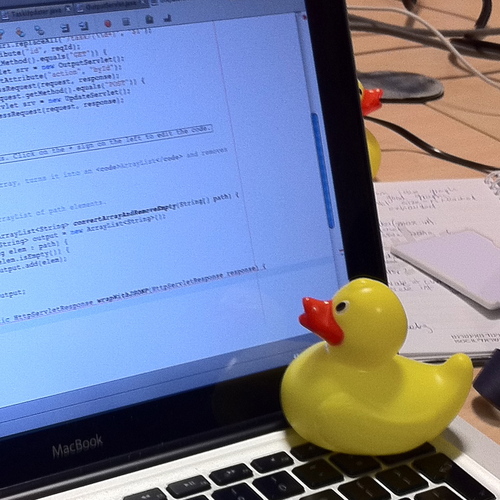
In software engineering, rubber duck debugging is a method of debugging code. The name is a reference to a story in the book The Pragmatic Programmer in which a programmer would carry around a rubber duck and debug their code by forcing themselves to explain it, line-by-line, to the duck. Many other terms exist for this technique, often involvin...
bright frigate
bright frigate
btw, I have this logic where I can select a point light or a spotlight. Now this...
For example, here you can see the attenuation radii of both lights even though one is enabled and the other is disabled. Is there a way to change this? Should I do something like set actor hidden in game or something?
 bright frigate
atomic salmon
https://en.m.wikipedia.org/wiki/Rubber_duck_debugging
bright frigate
atomic salmon
https://en.m.wikipedia.org/wiki/Rubber_duck_debugging
Haha yea thankfully it wasn't required to do even that but I've realised that my standard practise is to do this where I have always been the duck myself 😄
atomic salmon
bright frigate
For example, here you can see the attenuation radii of both lights even though o...
I see what you mean but I don’t think it is possible without writing a specific editor module.
Which means C++
bright frigate
ah okay, can do but I guess not that important. I'll try some things in the bps just for curiosity's sake
atomic salmon
Look also in BP Utilties and editor automation with BP’s
You can create your own editor widgets and use them to do settings etc.
 indigo quest
Hello, I was watching Ryan Brucks Water stream on the Unreal channel, and he mentioned there was a blueprint function for querying wave height, normal etc. In a location or on overlap but I can't seem to find any more info on that.. he said it was in fortnite... anyone has some idea if it's out there somewhere or how I could go about doing it myself?
bright frigate
@atomic salmon is there a way I can convert this to a regular BP? This was once a point light to which I added logic using the add script blue button. So it was kinda unplanned but so much went into this that it would be useful if I can convert this to the usual format of "default scene root" and all that. Because in this case, I can only add things under Point Light Component and not outside/side by side of it
 atomic salmon
bright frigate
<@!399916238098137098> is there a way I can convert this to a regular BP? This w...
atomic salmon
bright frigate
<@!399916238098137098> is there a way I can convert this to a regular BP? This w...
You mean to have a scene component as root?
And the point light parented to it?

 bright frigate
atomic salmon
You mean to have a scene component as root?
bright frigate
atomic salmon
You mean to have a scene component as root?
ja like a regular BP for example
 bright frigate
<@!399916238098137098> is there a way I can convert this to a regular BP? This w...
bright frigate
bright frigate
<@!399916238098137098> is there a way I can convert this to a regular BP? This w...
If I try to add a scene component here it can only come as a child
atomic salmon
bright frigate
If I try to add a scene component here it can only come as a child
You can take any component and drag it onto the root
It will ask you if you want to make it the new root
Voilà
 atomic salmon
Ah ok because the parent class is a light
 spark steppe
that doesn't work because you inherited it from a parent class
bright frigate
yea
atomic salmon
You can change the parent class under Class Settings
spark steppe
for your streetlight you may want to make an empty actor, add a static mesh component which has a point light component and the audio component as childs
atomic salmon
bright frigate
yea
Make a copy of your actor first
bright frigate
spark steppe
for your streetlight you may want to make an empty actor, add a static mesh comp...
yup that's what I wanna do
atomic salmon
Just in case it goes bad
atomic salmon
trim matrix
This function doesn't get called in my blueprint
But the breakpoint works here
It means your Interact Actor doesn’t implement that interface or something is wrong with its implementation
bright frigate
ok so I made a copy and changed the parent of the copy. It lost the point light.
 trim matrix
atomic salmon
It means your Interact Actor doesn’t implement that interface or something is wr...
trim matrix
atomic salmon
It means your Interact Actor doesn’t implement that interface or something is wr...
How do I go about fixing this?
bright frigate
bright frigate
ok so I made a copy and changed the parent of the copy. It lost the point light.
so just a matter of adding the component back?
atomic salmon
bright frigate
ok so I made a copy and changed the parent of the copy. It lost the point light.
Because it was the inherited root, but you can copy it over from the original actor
atomic salmon
trim matrix
How do I go about fixing this?
Delete the interface events in your target actor and recreate them. See if that fixes it.
atomic salmon
bright frigate
so just a matter of adding the component back?
Or just add one point light with the same name and remap the references
This is one of the cases where BP’s fall short of C++
bright frigate
atomic salmon
This is one of the cases where BP’s fall short of C++
true
trim matrix
atomic salmon
Delete the interface events in your target actor and recreate them. See if that ...
Target actor being the thing that opens? or the widget?
bright frigate
I managed to do the replacement method, but is there a way to copy that exact point light component over with its settings? I could copy it but 'paste' was greyed out
atomic salmon
trim matrix
Target actor being the thing that opens? or the widget?
Target actor is whatever you call your interface on
bright frigate
thank you btw so far
atomic salmon
bright frigate
I managed to do the replacement method, but is there a way to copy that exact po...
Did you copy the point light from the previous BP to the new one?
bright frigate
atomic salmon
Did you copy the point light from the previous BP to the new one?
I tried to but I couldn't paste it
or I misunderstand how to
I'm still working with a copy so I have the OG BP as is
spark steppe
you could try drag'n'drop from one blueprint to the other
but i wouldn't expect it to work at all
atomic salmon
bright frigate
or I misunderstand how to
It may be because that was the root. Ok at least you should be able to copy the settings over from the old one. Open them side by side and copy directly on the settings.
bright frigate
haha dang oh well
bright frigate
spark steppe
but i wouldn't expect it to work at all
yup 😄
 atomic salmon
Yeah that’s the thing with inherited
bright frigate
For the new light component, do I just use the constructor like regular to expose all the light settings?

since the OG BP was inherited, these were all exposed by default
spark steppe
you can select the component in the hierarchy and apply your custom settings
theres no way to expose them to the blueprint root
trim matrix
I figured out the issue, not how to fix it
atomic salmon
@trim matrixwhat is the issue then?
bright frigate
spark steppe
theres no way to expose them to the blueprint root
I mean, can I do something like this
 trim matrix
"Progress has begun" is set to false by default, which is good
But I need it to convert to "true" when I press the "E" key

and I think I do that with this
 bright frigate
trim matrix
"Progress has begun" is set to false by default, which is good
But I need it to ...
bright frigate
trim matrix
"Progress has begun" is set to false by default, which is good
But I need it to ...
player character should have an on pressed E event that you can then flip flop between true and false with the progress begun variable
trim matrix
But that doesn't get called so the issue lies here
 spark steppe
bright frigate
I mean, can I do something like this
spark steppe
bright frigate
I mean, can I do something like this
yes you can do it, but that's just a wrapper variable then
and prone to add multiple further issues
bright frigate
spark steppe
and prone to add multiple further issues
I'd never expect that, what kind?
spark steppe
just don't do it if theres no good reason for it
if you change that later on, you'll need to update the light, and such nonsense
if the light gets updated from somewhere else, the values don't match
trim matrix
It doesn't stop when I put a breakpoint so Im kinda stuck
 spark steppe
just work directly on the light component
atomic salmon
@trim matrixI still think the interface doesn't get called for some reasons
so let's go back to the interface calling
trim matrix
Interface
 atomic salmon
You should open Class Settings for your target actor
Make sure it implements the interface you are calling
trim matrix

Wait target actor as in the player or the desk
Desk holds the desk interface as well
atomic salmon
So the interact actor you are calling the interface on implements that interface as well?
trim matrix
Yes
bright frigate
well it broke my constructor for some reason. Now it doesn't react to changes in daytime set in the editor (it works fine in-game)
doesn't make sense, logic is the same, all that changed was the reference
trim matrix
Alright I did it
So the actor was the reason it wasn't working, cuz it had the interface implemented as well
bright frigate
bright frigate
doesn't make sense, logic is the same, all that changed was the reference
nevermind, it was a dumb reason ... for some reason the editor has overridden the value of intensity even though it shouldn't have. I dunno why. But 0.4 meant I couldn't see it. Weird.
trim matrix
I've got this item here that you can "collect"
When you pick it up, I want there to be a particle effect that pops up
I've got a particle system set up but I'm not sure how this essentially works

Is it because the collectible actor is destroyed that the particles aren't showing up?
 gentle urchin
Spawned at locationz so wouldnt thinknso
trim matrix
So what am I doing wrong
gentle urchin
Not sure. Is the sound playing?
 trim matrix
I thought it'd spawn at 0,0,0 of the actor location
How do I get it to the actor location
Do I need to make a particle system in the viewport and have it "auto play" in the blueprint?
gentle urchin
Just get actor location
Also keep in mind that you shouldnt destroy an actor you're still running code in
trim matrix
Is that the reason the lights not showing up, cuz the actor is being destroyed?
gentle urchin
It could be contributing to it, but for now the location is the main prob
gentle urchin
Yes ofc
We litteraly just manipulated its location..
But if you hide the teru its sorta safer imo
Otherwise you have to do some extra steps to make sure it doesnt spawn in yet another blocked area
trim matrix
I know but how do I build off this into offsetting it?
 trim matrix
how.
gentle urchin
With regular math
trim matrix
You're not being specific
gentle urchin
No.
trim matrix
Do you want me to use variables to manipulate the location?
gentle urchin
On purpose 😅
trim matrix
huh
gentle urchin
Up to you how you wanba do the offset
trim matrix
google time.
atomic salmon
@trim matrixyou should really take to time to go through a basic Blueprint/Unreal Engine course. There are great ones (for free) on learn.unrealengine.com
trim matrix
I have no time
spark steppe
xD
 fiery glen
dude, I assure you actually learning would be faster than asking for help every step of the way
gentle urchin
^
trim matrix
I know
 thorn ermine
trim matrix
I'm simply asking for some help on my "school assignment"
thorn ermine
trim matrix
I'm simply asking for some help on my "school assignment"
Ask your teacher or classmates for some help as well, I mean if we do the work, you get the grade.. yeah that seems totally fair
spark steppe
i want the good grade tho
thorn ermine
fo sho
gentle urchin
Earn it
spark steppe
me?
gentle urchin
Whoever wants it 😅
trim matrix
I'm not really able to go back to that class and my teacher knows fuck all as well
I'm going to sit down and learn myself properly when I get this out of the way
spark steppe
does your teacher sell the games you guys have to make as "homework"?
dang that sounds like a business plan
trim matrix
No
spark steppe
who wants to be my pupil?
fiery glen
there was a "gamejam" on here where the dude was going to sell all of the games wasn't there? lol
always on that grindset
spark steppe
i bet that happened before
 willow phoenix
any ideas on how to call the "socketed" mesh on an other mesh? i don't want to spawn it, because i have different meshes on different sockets (or if i spawn it, i want to spawn the socket specific one :3)
spark steppe
you ask for naming suggestions?
fiery glen
make a ref to it a public value or make a getter function?
call it MyAwesomesocket3Final
spark steppe
why not MyAwesomesocket3FinalLatestAndReallyFinal?
fiery glen
I guess we should ask what "socketed" really means
 willow phoenix

sad node spawns pebbles. thats fine most of the time, but sometimes i want it to spawn something else, dependend on the static mesh the sockets are on
== branches seem not to work with static meshes
spark steppe
wait, are you the guy with the 1.000.000 line traces from yesterday? 😄
willow phoenix
nope
spark steppe
ok
two options, either you iterate over all child components and look at which socket they are attached
willow phoenix
just 3 sockets on a few hundret meshes, so just ~300 times this gets called lol
spark steppe
option 2 is to store references
if each socket is only holding one mesh you could use a map which has FName, StaticMeshComponent reference
so the lookup is easy
option c.) add a scene component for each socket you attach to, and attach the mesh components to the corresponding scene
and there are probably 10 other ways of doing it
 obtuse herald
I would recommend option 2
Performance wise the best you can do
looks clean aswell
spark steppe
yea, but 2. only works if you attach only one mesh at each socket
willow phoenix
hmm the map sounds good
but the "add static mesh" component spawns only 'one' type of mesh, i can't even use the value output to set it to another mesh
wait nevermind
wtf
spark steppe
sure you can change the mesh on it
obtuse herald
'set mesh'
spark steppe
thats the whole purpose of it
willow phoenix
i swear to the blueprint god, it did not work like 2m inutes ago
belive me smepais
thanks btw too 🙂
spark steppe


 spark steppe
i totally misunderstood your question before 😄
but glad that it worked out
i thought you wanted to store a reference of the component, not of the mesh to assign
but whatever, as long as it works out
and i would rather iterate over the keys of the map instead of the sockets on the mesh, but the performance difference is negliable
would just make more sense imho
willow phoenix
mean, using the index?
spark steppe
you can get the keys as array (which are your socket names)
you may then have to check if the socket exists on the target mesh tho
just keep it as it is for now, it's probably faster than checking each time if a socket exists
willow phoenix
right now it just gets all sockets on a static mesh, if there is nothing thn its already complete. or am i misstaken?
the "static mesh" gets spawned into the world, sometimes it has sockets, sometimes not
spark steppe
keep it as it is if it works
willow phoenix
sure, but im interested in the mechanics! 😄