#blueprint
402296 messages · Page 746 of 403
 gritty elm
 spark steppe
well, i would like to see the whole logic now 😄
that little part isn't telling much
 snow aurora
No Idea how to work with timers
spark steppe
snow aurora
No Idea how to work with timers
the message has a screenshot which pretty much explains it
otherwise, watch youtube tutorials
gritty elm

In this Unreal engine 4 (UE4) tutorial I show how to use a timer. I implement a function to decrement an integer periodically by using a timer in a blueprint.
00:20 : Create actor blueprint
01:10 : Add decrement function in blueprint
02:15 : Set Timer that calls decrement function
See my social profiles here
G+: https://plus.google.com/+JayAnA...
spark steppe

What are the Set Timer by Function and Event Name Nodes in Unreal Engine 4
Source Files: https://github.com/MWadstein/wtf-hdi-files
 spark steppe
now you aren't tracing the floor correct
you need another trace for the offset
both on different channels
gritty elm
i found the issue, when i move slowly, then it works fine. but when i move mouse faster, it starts the issue again
spark steppe
trace for the offset happens on the channel that the cube is set to blocking
trace for movement location happens on visibility channel
gritty elm
maybe the mouse isn't hitting to cube
spark steppe
no, you are actually just tracing on the cube xD
so as soon as you move away from the cube it hits nothing
gritty elm
when i try to move mouse faster. to verify this, i tried to cast to assetbaseclass actor
spark steppe
you need TWO traces, one on cube channel one on visibility channel
 high ocean
is there any way of getting a function name for debugging purposes?
gritty elm
updated code
 gritty elm
this is what i've already thinking to do two line traces on different trace channels. one is for cube and one is for floor
but how does this works in correct way
spark steppe
i wrote that 2 times by now, read up again
gritty elm
i created a new trace channel called "floor", and by default set it to block
what kind of information i need from these two traces
from cube channel, i can get location of cube. and from floor channel, should i also get location?
spark steppe
trace 1, happens on cube channel to save the offset, and only happens once when you click the mouse down
trace 2, as usual on visibility channel to trace to the floor each update
gritty elm
for floor collision, should i set to cube channel to ignore and floor channel to block, right?
gritty elm
so floor will be block all dynamic
spark steppe
but if you want to, go with a floor channel
thinking about it, yea make a new channel for floor which the cube ignores
and set both to block on visibility channel, otherwise you may run into unexpected issues later on, if you want to line trace for objects
gritty elm
updated code, both are different traces now. it is working, but when i click on object, it's offset is snapped by +10

this video explain
on cube, the floor is set to ignore and visibility is set to block and cube is set to block. Same for floor ( but it's opposite )
gritty elm
yes, but it still happens
 atomic salmon
@gritty elm
atomic salmon
LOL
I liked the case, had to implement it
In general, when you look for an hit, you should always check that it actually took place
So branch on Blocking Hit == True
gritty elm
i downloaded and tested, the jitter is still happening
gritty elm
atomic salmon
of course if you are dragging the mouse around at 100 km/h
it is possible that the mouse hit flips from the cube to the floor
gritty elm
Thanks for sharing the project and for your effort on this. Yes i think the floor was creating issue, And me and @spark steppe was fixing this
it is almost fixed, but at the end, when i click on cube, it offset is changed, but it is not jittering anymore
atomic salmon
if the jittering happens when the mouse is very close the the edge of the cube, it is hitting the floor
gritty elm
yes exactly.
atomic salmon
look at the part of my code which calculates the delta and applies it back
gritty elm
this is my setup, it is very similar to your setup. is this correct?

and this video shows the issue : #blueprint message
atomic salmon
I don't like the timer with 0.01 time
it's very likely that it cannot fire at that rate
 gentle urchin
On your setup, cant you save the original offset between hit object location and floor hit location @gritty elm
atomic salmon
10ms is 100Hz
gentle urchin
That should make the snapping go away
gritty elm
gentle urchin
On your setup, cant you save the original offset between hit object location and...
the first trace is for cube. the second trace is for floor.
gritty elm
on the floor mesh, floor channel is set to block, and cube channel is set to ignore
same for cube, cube is set block, floor is set to ignore
gentle urchin
That part is fine
The vid im seeing has the cube move on click
Which i assume you dont one, seeing how you point it out
gritty elm
when i first time click on cube, it is hitting on cube
atomic salmon
@gritty elm found the ultimate solution for you

GitHub
A Runtime Gizmo Transformer tool helps you translate/rotate/scale objects in runtime! Easily provide editing tools to your final product! - GitHub - xyahh/UE4RuntimeTransformer: A Runtime Gizmo Tra...
gritty elm
Great, surely will download and implement this. but the project right now have some custom movement system rather than gizmo tool
atomic salmon
Use it to learn from it 😉
 icy dragon
atomic salmon
<@!577937996712509440> found the ultimate solution for you
icy dragon
atomic salmon
<@!577937996712509440> found the ultimate solution for you
I already linked him that repo, but he wasn't budge.
icy dragon
Though tbh it's my fault I linked the YouTube demonstration video instead of the repo.
gritty elm
yes i see, and thanks for sharing these links. i'm very closed to ending of cube movement system
i was doing this from scratch, i did in C++
but after i realized some issues like jittering, then i started testing in blueprints ( just to quick debug and fix )
Here is few lines of code that i've implement in C++ :
FVector const ABasePC::GetSubtractorLocation(AAssetBaseActor *& p_currentActorUnderMouse, FHitResult & hitresult)
{
    if (IsValid(p_currentActorUnderMouse))
    {
        //FTransform  currenttransform = p_currentActorUnderMouse->GetActorTransform();


        FTransform  currenttransform = Cast<UAssetControlsComponent>( p_currentActorUnderMouse->GetComponentByClass(UAssetControlsComponent::StaticClass()))->GetBaseStaticMesh()->GetComponentTransform();

        FVector const loc = hitresult.Location;
        return UKismetMathLibrary::InverseTransformLocation(currenttransform, loc);
    }
    return FVector{NULL, NULL , NULL};
}

void ABasePC::OnMoveObject()
{
    if (MoveFlag &&  IsValid(currentActorUnderMouse))
    {
        if (HitRotatorComponent->ComponentHasTag(FName("pitch")) || HitRotatorComponent->ComponentHasTag(FName("yaw")) || HitRotatorComponent->ComponentHasTag(FName("roll")))
        {
            // do nothing
            return;
        }
        else
        {
            auto loc = GetMouseTrace().Location;
            //currentActorUnderMouse->SetActorLocation(UKismetMathLibrary::InverseTransformLocation(UKismetMathLibrary::Conv_VectorToTransform(FVector{ CurrentTraceLocation.X, CurrentTraceLocation.Y, 0 }), FVector{ loc.X, loc.Y,  0 }));

            //auto fsdf = UKismetMathLibrary::Conv_VectorToTransform(FVector{ CurrentTraceLocation.X, CurrentTraceLocation.Y, 0 });


            //fsdf.SetRotation(FQuat(0, 0, 0));

            //auto trs =UKismetMathLibrary::MakeTransform(CurrentTraceLocation, FRotator(0,0,0), FVector(1,1,1));

            currentActorUnderMouse->SetActorLocation(UKismetMathLibrary::InverseTransformLocation(UKismetMathLibrary::Conv_VectorToTransform(FVector{ CurrentTraceLocation.X, CurrentTraceLocation.Y, 0 }), FVector{ loc.X, loc.Y, 0 }));

        }


    }
}```so how offset should be saved when click
spark steppe
change first line to ```c++
gritty elm
spark steppe
change first line to \```c++
so the only offset needs to be fixed when click first time
atomic salmon
@rocky cliffit's more a question for #multiplayer
 rocky cliff
ahh true mb
atomic salmon
there is already someone posting C++ in Blueprint 😛
spark steppe
yea you might really want the offset from floor to cube on the first click
but that would probably only work on flat surfaces
gritty elm
the first trace is only happen on cube
spark steppe
but honestly, i don't want to twist my head around that one now
gritty elm
is there anyway to get trace channel name from single line trace(to hit object), so we can do stuff according to it( without doing separate traces ).
i think it is not possible. since trace needs to be hit first
gentle urchin
You already have two traces, so all you gotta do it update the offset once on click. Do once could work in this case. Reset by letting go of the mouse button
gritty elm
should i save offset with floor trace or cube trace
gentle urchin
Both
Use the hit actor from cubetrace -> get its location then get the floor trace' hit location, do the math to get the offset... (pardon my typos, my phone and i are having an argument)
spark steppe
 gritty elm
but the offset issue still happens, it offset by larger value now
gentle urchin
Guess i cant escape turning on the pc
gritty elm
 spark steppe
i feel like a mouse cursor trace isn't the best option to get that offset
or maybe it is
what do i know
 devout dove
Where do I spawn the widget, in the player controller or in the pawn?
gritty elm
devout dove
Where do I spawn the widget, in the player controller or in the pawn?
player controller is fine if you are working with single player game
devout dove
multiplayer
icy dragon
devout dove
Where do I spawn the widget, in the player controller or in the pawn?
Use Add to Player Screen in the pawn
gentle urchin
gritty elm
 gritty elm
looks good. going to try it now
gentle urchin
I added a tag for the draggable object, but i guess you can verify it by any means you like
gritty elm
ok got it
 boreal moon
Hey guys ,can i ask a question in this text chanel?
gentle urchin
Asking a question about asking a question
boreal moon
ye
gentle urchin
just ask the question you want to ask
gritty elm
yes it works now. But sometime when i try to drag it from corners, it starts jitter, but i think it will be easily fixed by custom trace channel.
Thanks @spark steppe @gentle urchin @atomic salmon @icy dragon for your help. You were really helpful to solve this issue. And by adding custom trace, it is fixed almost. The jitter issue is also fixed now. I wish you all the success and happiness in the world.
gentle urchin
On my end, i dont see any jitter at all, when dragging from corners
gritty elm
Yes jitter was fixed . The custom trace channels, and other methods suggested methods by everyone.
boreal moon
YO ,i maked i little "hitlag" by global time dilation in my bike game BUT I HAVE A PROBLEM it looks fine in the ue editor but its work not correctly in builded game !

video of the problem
 hardy bough
Working on a topdown shooter. I have the camera boom angle at 80deg. instead of straight down. I'm spawning projectiles that move from my muzzle point to the cursor location. Problem is.. everything is slightly off (bullets landing higher than the cursor location on everything that isn't straight up or straight down). If i switch the boom to straight down (90 deg.) everything is PERFECT. I'm assuming there is some kind of mathematically offset I can do to account for the 10 degree camera tilt when calculating the projectile rotation, but i'm not really sure where to begin. Any ideas?

 odd ember
hardy bough
Working on a topdown shooter. I have the camera boom angle at 80deg. instead of ...
odd ember
hardy bough
Working on a topdown shooter. I have the camera boom angle at 80deg. instead of ...
you'll have to show your logic
devout dove
I'm getting the cursor position on the HUD and should I cast from the PAWN to get it or cast from the widget?
 lethal slate
hello there!
quick question:
I'm trying to handle Pawn spawning on the OnPostLogin event on the Gamemode. Could that be used for spawning both local and remote players?
Every test i've done indicates that creating a new player controller (be it local or remote) fires up OnPostLogin, but i've been having some bugs with the local spawning
should i keep handling this way or should i separate local pawn spawning from remote pawn spawning?
 hardy merlin
In Blueprint, how can I tell if a particular animation montage will loop?
devout dove
I use my camera to move the plane and how can I detect when the static mesh collides with something? Hit and Begin Overlap don't do anything.

 brazen pike
devout dove
I use my camera to move the plane and how can I detect when the static mesh coll...
brazen pike
devout dove
I use my camera to move the plane and how can I detect when the static mesh coll...
well.... they do haha. What are you trying to do
devout dove
brazen pike
well.... they do haha. What are you trying to do
When I do On Begin Overlap nothing happens same with hit
brazen pike
can you send the blueprint? I have no idea what the expected result is, and you want me to find whats wrong?
just a screenshot
devout dove
I'm moving the camera not the static mesh, I'm trying to stop the camera from moving (by setting the speed to 0) when the mesh hits a wall
Im actually laying in bed now 😶 11 past midnight for me
brazen pike
devout dove
I'm moving the camera not the static mesh, I'm trying to stop the camera from mo...
Is this a character?
brazen pike
Yeah that's a super weird way of doing that. When you get another chance to be at your PC, ask the question again with the screenshot.
devout dove
Not weird, I want a specific movement where the mesh has also a visual movement added
Here @brazen pike
This is the movement
dLiscord?
 torn kettleBOT
:no_entry_sign: proleskovskiy#6907 was banned.
 tawdry surge
Hey all, I'm trying to figure out how to rotate the player pawn from BP for a first person point and click game. I can update the location just fine but it refuses to rotate for me.
I've tried turning off accepting controller rotation on the pawn, and rotating the controller and the pawn directly.
Any ideas?
Only thing that does work is "setViewTargetBlend" but I don't understand why I can't rotate it manually
 devout dove
brazen pike
Yeah that's a super weird way of doing that. When you get another chance to be a...
devout dove
brazen pike
Yeah that's a super weird way of doing that. When you get another chance to be a...
I will, I've done this movement already once (lost the project backup) sadly I always failed with the collision. The plane always flew through walls.
https://youtu.be/y-yRvnT_CKA?t=36
Dubstep warning mute audio, not my Video.
It's the way that the plane rotates left right while the camera is still. This happens when strafing left right with AD buttons.

 obtuse herald
tawdry surge
Hey all, I'm trying to figure out how to rotate the player pawn from BP for a fi...
obtuse herald
tawdry surge
Hey all, I'm trying to figure out how to rotate the player pawn from BP for a fi...
Use AddYawInput/AddPitchInput/AddRollInput via the controller to rotate the pawn
 faint pasture
devout dove
I'm getting the cursor position on the HUD and should I cast from the PAWN to ge...
faint pasture
devout dove
I'm getting the cursor position on the HUD and should I cast from the PAWN to ge...
That's not what casting is.
devout dove
faint pasture
That's not what casting is.
Thanks solved it already :)
tawdry surge
How would I use the AddYawInput/etc.. to rotate my pawn?
Currently I'm trying to interpolate from the pawns starting rotation to the rotation of the target object so you are looking at the target object.
I think those nodes take in an axis value as a multiplier and are usually updating rotation on tick. Not to a predirmined spot
spark steppe
you can also set the control rotation on the controller, the pawn will rotate with the turn rate that you set up in the character movement component to the target rotation
however, you have to set the pawn to use controller rotation for that to work
tawdry surge
Ok I'll try set control rotation. I think that'll take an input vector.
Thnx!
spark steppe
that will use a rotator
 tawdry valley
So, if I have 2 different pawns one thats VR and another that is keyboard controls and i wanted to switch between the two of them via possession would you have a parent pawn that would hold the logic of depossing a pawn and spawning the alternative pawn?
tawdry surge
Yeah, rotator. Was thinking about vectors cuz I just got done with the location part
 zealous orbit
tawdry valley
So, if I have 2 different pawns one thats VR and another that is keyboard contro...
zealous orbit
tawdry valley
So, if I have 2 different pawns one thats VR and another that is keyboard contro...
Rather than a parent pawn, it might be easier to have the player controller do it
tawdry valley
Thanks!
And it would involve when i want to switch dispossessing the one pawn, deleting it, spawning the other pawn in the other's location and then possessing it?
zealous orbit
tawdry valley
And it would involve when i want to switch dispossessing the one pawn, deleting ...
Yeah I think so
It would make sense to have the controller also decide which one is spawned to begin with
Then you can reuse the spawn logic as a function or something
And not rewrite it for the different use cases
tawdry valley
What would you do with level game mode?
zealous orbit
The VR Expansion plugin does it the way I'm saying
zealous orbit
tawdry valley
What would you do with level game mode?
I think you set the default pawn to nothing. I'll check.
tawdry valley
Thanks and by the VR Expansion plugin do you mean the OpenXR plugin?
or is it a separate plugin utilized?
zealous orbit
tawdry valley
Thanks and by the VR Expansion plugin do you mean the OpenXR plugin?
Nah, it's a free community plugin that does a lot of extra VR stuff for you
Grips, network replication, a bunch of other stuff
It's quite complicated but also awesome
zealous orbit
tawdry valley
or is it a separate plugin utilized?
I was specifically referring to the VR Expansion Plugin EXAMPLE that you can download
The example has a bunch of example blueprints. The main plugin generally expects you to use C++.
 viscid barn
nvm; figured it, set the input buffer check too soon 🤣
zealous orbit
viscid barn
nvm; figured it, set the input buffer check too soon 🤣
Glad we could rubber duck for you!
viscid barn
Not sure I understand the idiom but thanks nonetheless hahaha
zealous orbit
It's a really weird phrase common in certain game dev circles
Basically, "rubber ducking" is when someone sits in and listens to technical problems a person may have
 modern willow
Hey all, I'm trying to build out a controller that uses as X-55 Rhino HOTAS Throttle, I need to get the axis value from the throttle, dials etc but can't seem to find how to get hotas inputs into UE, any help would be greatly appreciated! Here's my profiling software for the throttle with the mapping options incase that's of any help 😄
 zealous orbit
viscid barn
Not sure I understand the idiom but thanks nonetheless hahaha
zealous orbit
viscid barn
Not sure I understand the idiom but thanks nonetheless hahaha
The person explaining the problem then finds the solution in the process of explaining the problem
viscid barn
OH lol
modern willow
zealous orbit
The person explaining the problem then finds the solution in the process of expl...
I remember when I first learned the true power of rubber ducking
zealous orbit
modern willow
I remember when I first learned the true power of rubber ducking
Yes it sounds silly, but it is actually very good
Sometimes I'll explain my problems out loud to myself if there is no one around to be my rubber duck
viscid barn
I was just watching my graph and then figured I might just try making it check the input buffer last instead of first. Now I'm wondering why I didn't think of this before when I spent a good hour trying everything I could think of xD
viscid barn
zealous orbit
Sometimes I'll explain my problems out loud to myself if there is no one around ...
Pets are a good alternative too, they reply even though they don't understand
modern willow
It be like that sometimes, the amount of long nights, only to come back first thing in the morning and find the solution in 5 minutes also
zealous orbit
modern willow
It be like that sometimes, the amount of long nights, only to come back first th...
This is also key
I pissed off a manager once by leaving "early" (around 1 am) when the whole team was banging on a problem
Everyone else stayed all night...
Guess who solved the problem?
Me. The next day. When my head was clear enough to read the code. It was a trivial problem but everyone was smashed from crunch.
viscid barn
modern willow
It be like that sometimes, the amount of long nights, only to come back first th...
My bane is figuring out of how to make some really complex stuff while I'm already in bed ready to sleep. Like why NOW?
modern willow
Remind your boss that what one developer can do in one hour, two developers can do in two hours!
zealous orbit
modern willow
Remind your boss that what one developer can do in one hour, two developers can ...
Yeah... I don't work there anymore. One of many game dev layoffs.
viscid barn
"early" 🤣
zealous orbit
viscid barn
My bane is figuring out of how to make some really complex stuff while I'm alrea...
Get a notebook, or a notetaking app on your phone. Scribble the idea down.
It might help you sleep better too. Ideas like that tend to race around your head and prevent sleep.
zealous orbit
viscid barn
"early" 🤣
The best part... My wife had come to pick me up from work.... So she sat around the office for like 6 hours
viscid barn
zealous orbit
Get a notebook, or a notetaking app on your phone. Scribble the idea down.
Usually what I do
zealous orbit
I'm really glad I don't work for that boss anymore
viscid barn
zealous orbit
The best part... My wife had come to pick me up from work.... So she sat around ...
With that patience, that's a keeper for sure
zealous orbit
modern willow
Hey all, I'm trying to build out a controller that uses as X-55 Rhino HOTAS Thro...
I'm still fairly new to UE4, so I may be off base. However this sounds like something that will need some custom C++ code.
modern willow
😦 I was hoping I wouldn't hear the C word
so I'm not sure this is optimal, but I've found a way.. I've mapped the buttons on here to shift modifier macros, such as shift 1 for increase throttle value, and the HOTAS dial runs that macro every x micro seconds for the input event
 red bobcat
Does anyone know of a tutorial on how to make AI "Road Network" spline? I want to be able to make paths that AI can Transverse and have a choice from different paths not just one "straight path". If what I am asking is confusing, which it might be as I am a half wit. lol Assassins Creed GDC talk on "Meta AI" is what I am looking at replicating
modern willow
Have you got an AI component roaming around a NavMesh area yet, or are you looking to create one from the start?
red bobcat
modern willow
Have you got an AI component roaming around a NavMesh area yet, or are you looki...
I do have a project that has AI already, but I am making this in a new project first before I migrate to my target project. As of now I do not have any AI but that can be easily solved by migrating existing AI from my target project or just creating a simple AI that will just move around. I failed to mention that this "Road Network" will be just that A ROAD network. I still want the AI or NPCs to have the ability to steer off this path if necessary(possibly use NavInvokers). Ex: use the splines to connect cities or towns while having Points of interest they can explore, but in the cities there will be a "bounding box/volume" to limit or ensure the cities are populated properly while be mindful of processing resources./
modern willow
Ah I see, I assumed when you said "road network" in quotes that you didn't mean literal cars and roads haha. This tutorial seems to be along the right kind of tracks, with adaptation from the sidewalk to the roads offc
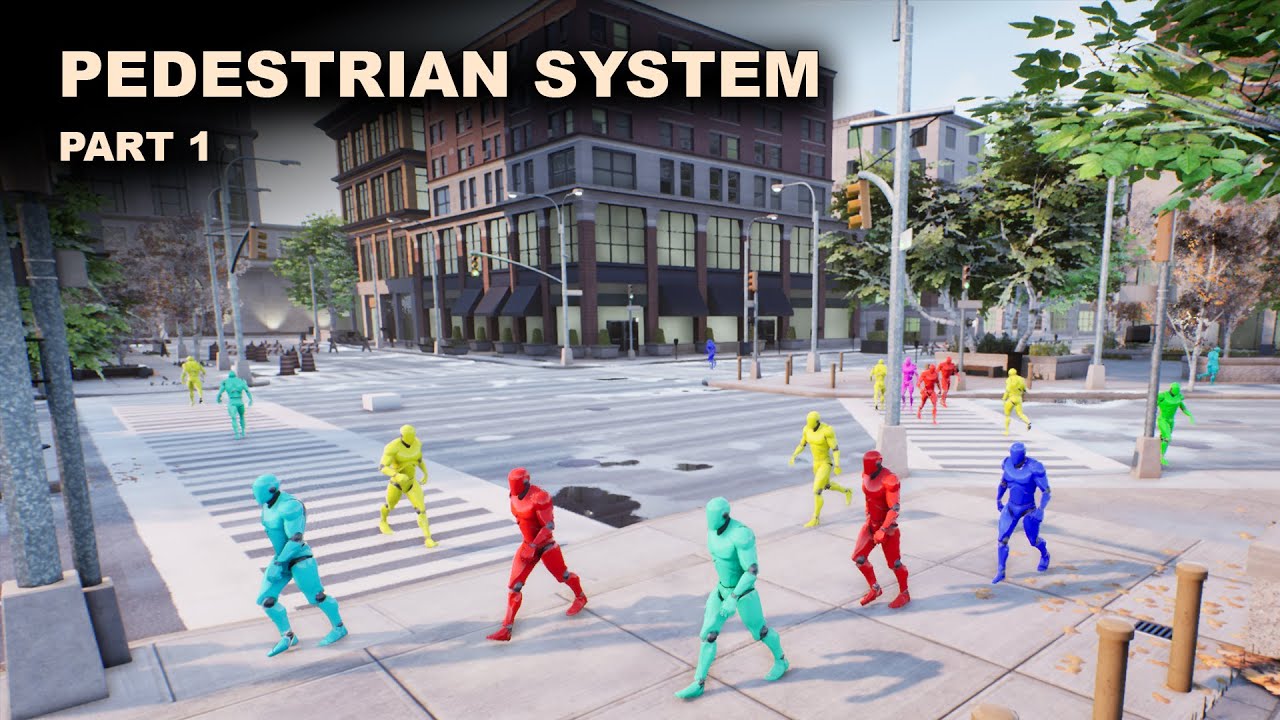
Project Files : https://www.patreon.com/posts/39393074
This is the part 1 of the mini series I am doing on a pedestrian system in unreal engine. Here, I am going to focus on a way to define the paths that pedestrians can take. For example, if we take a city, there are streets, zebra crossings and sidewalks. Even though the whole area is navigabl...
 kindred tinsel
anyone know how to do this style of destruction?
Where the entire mesh doesn't all fall apart at once and you can break it apart, and the pieces of it actually have collision and can affect the players?
 red bobcat
modern willow
Ah I see, I assumed when you said "road network" in quotes that you didn't mean ...
red bobcat
modern willow
Ah I see, I assumed when you said "road network" in quotes that you didn't mean ...
Lol Yeah, I want to start creating a framework I "drag and drop" into any project and have a starting point. Go to the 9:50 mark in this video and it will far better explain what I am trying to accomplish. Thanks for the link Ill be checking it out here in a few.
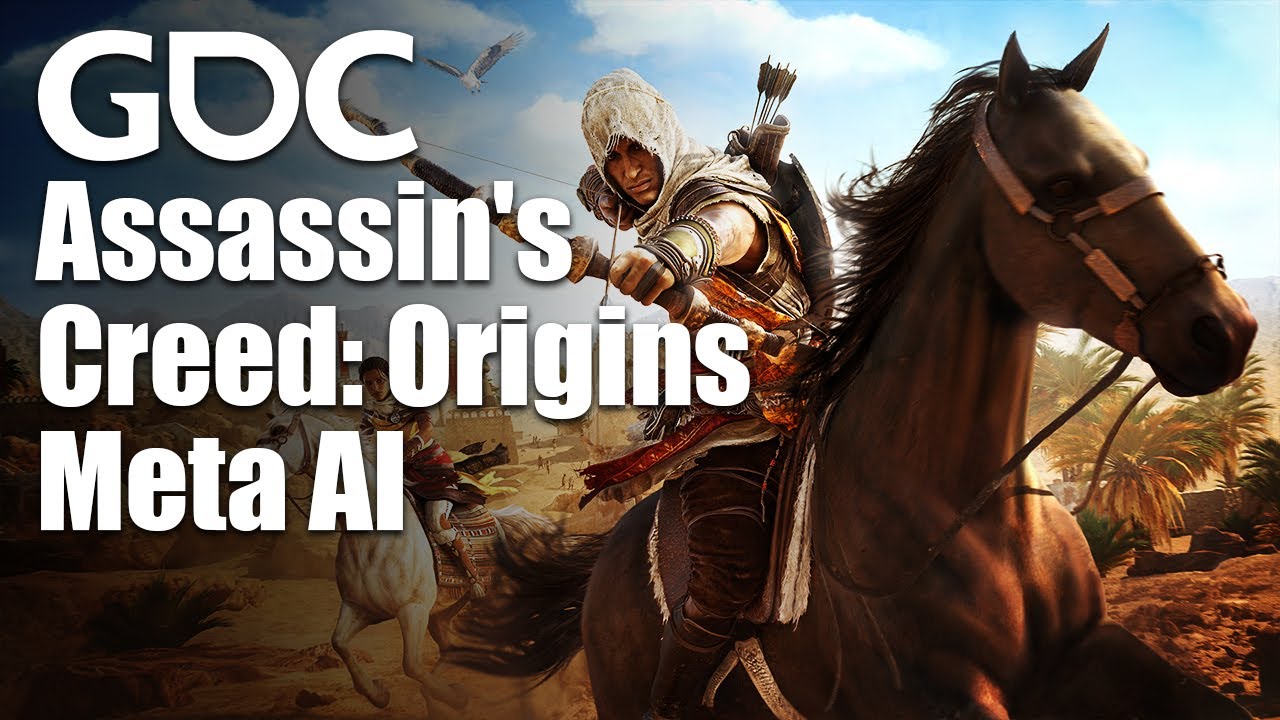
In this 2018 GDC session, Ubisoft's Charles Lefebvre discusses the creation of Meta AI for Assassin's Creed: Origins and how its objects could be virtual or real, in formations, in conflict, be part of a mission or autonomous, and how they can have a persistent inventory.
Join the GDC mailing list: http://www.gdconf.com/subscribe
Follow GDC on...
 open rose
Recently with my project I've had a lot of issues keeping my guns to the centre of the screen when aiming, I thought id finally solved it with a macro that sets the capsule collider to not rotate up or down but it seems that when playing sometimes my gun will go off-centre for no reason, the only way I can replicate the issue is by spamming different keys (for crouch, switch weapon, sprint etc.) But none do it consistently, does anyone know what this issue is and how I can solve it?
 red trail
What exactly would be a good tutorial on Epic games Unreal Engine 4-5 for blueprints I'm fairly a beginner I have worked in some aspects of Blueprints but I want to dive deep into so I can understands it's code?
spark steppe
 tardy plinth
I've set two different actors to implement the same interface. On the first one I can double click the interface method to define it's implementation but when I try to do that with the other, nothing happens. Anyone know what the issue is?
I'm assuming I should be able to set them both to the same interface and then do an implementation per blueprint.
I guess I'm just confused. Events with no params/return seem to appear as events, otherwise they appear as functions.
 dawn gazelle
tardy plinth
I've set two different actors to implement the same interface. On the first one ...
dawn gazelle
tardy plinth
I've set two different actors to implement the same interface. On the first one ...
Try right clicking on the interface on the left side and select "Implement Event" rather than double clicking.
If the interface is defined to have a return value, then it will be a function - these ones when you double click will open up for you to define the function and its return value.
tardy plinth
yeah that makes total sense
thanks
it is nice to have them isolated for clarity i feel, though im pretty new
i guess it doesnt really matter
is it possible to reuse blueprints between projects?
im coming from unity
dawn gazelle
Yes you can migrate blueprints from one project to another. If you have your blueprint hard referencing other blueprints you'd have to move anything referenced as well though you can change it after migrating of course.
tardy plinth
ah ok, cool 🙂
 hazy basin
Wanting to trigger a level sequence to play without using the level bp or creating any additional bps, just the level sequence asset and a trigger volume.
I've bound the trigger inside the sequence thinking I could get a ref to it inside the director BP and then bind its begin overlap event that way but I'm having trouble getting the reference in the director bp
Anyone got any suggestions?
 maiden wadi
@hazy basin I don't think there are many unless your director is in the level. You could expose an instance editable variable and set your trigger to it directly. Barring that, drop a nametag on the trigger actor and GetActorWithTag it.
 trim matrix
Hello i am trying to implement a blue zone like in pubg and i am using sphere collision and component begin overlap and on component end overlap.But somehow when i am leaving sphere overlap events are not getting executed but when i am entering both on component begin and end executes at the same time
trim matrix
Currently i am solving it using simple boolean varible
 chrome fractal
I also want to record sequencer at runtime and record scenes like changing material, playing animation is it possible to do in all in runtime?. Actually I am new to unreal sorry for giving you so much trouble . can you please help me?
 dense nebula
does anyone know how to make the top down template replicated with blueprint? when i play client i can't move the player with mouse click even with replicated
 inland coyote
hey all, i've got a question.
currently, it appears that my controller is preventing my pawn from receiving inputs, is this SUPPOSED to happen? (working in ue5)
in some debugging, if i had a 'mouse X axis' event in my controller, it prevented any 'mouse x axis' in my posessed pawn from receiving any mouse x input.
maiden wadi
@dense nebula Server RPC the mouse clicked location from the client. Do the MoveTo on the server using that passed vector.
obtuse herald
inland coyote
hey all, i've got a question.
currently, it appears that my controller is preve...
Your controller probably consumes the input for that event
You can turn it of in the events details panel
inland coyote
i dont think i've got these inputs in my controller, but ill double check.
for sure the input EVENT is only used in my pawn, and not the controller
nope
also it ONLY happens when i posess a pawn trough blueprint
having my 'to be posessed' pawn as default lets everything work just fine
am i supposed to be initialising the controls of a pawn after posessing it or something?
 tiny vale
is there anyway i can use editor scripting to add a component to a actor?
maiden wadi
@tiny valeLike, add a component to an actor that is placed in level?
tiny vale
maiden wadi
<@!898522846349905950>Like, add a component to an actor that is placed in level?
Yes
maiden wadi
Possibly. Have never tried that personally. There are editor helpers that can get you instance references to the things you have selected. You could use that to call AddComponent maybe.
inland coyote
SHOULD i be doing something to 'enable input' for posessed pawns after posessing them?
maiden wadi
@inland coyote Curious. How do things work before you possess it?
inland coyote
it's a vehicle
it works perfectly fine if i have it as default pawn in my gamemode
but if i posess it trough my controller (having a 3rd person character as default pawn) then some of the inputs dont work
maiden wadi
Odd. Should work the same. But you did mention you're using UE5. Epic may be messing with possession code.
inland coyote
yeh that's what i was considering too
obtuse herald
inland coyote
*SHOULD* i be doing something to 'enable input' for posessed pawns after posessi...
In your pawn, call Enable input via your controller after possesing
 gentle urchin
Doesnt possess handle that? The enabling of input?
inland coyote
it does
gentle urchin
Or adding to the input stack
inland coyote
i can move it, move camera etc
but half of the inputs just dont work for no apparent reason
and only after i posess it with controller
gentle urchin
Do you have something higher up the stack handling the events?
gentle urchin

So if you have mouse x (and set to consume) in playercontroller, pawn cannot get it
inland coyote
well there's other vehicles sitting in the world, but none are posessed by player
though the same thing happesn with them all removed
something fucky is going on in the 'posessing' part of it
gentle urchin
If you try to add a new actor, which just enables input after a 1 sec delay, see if you get the events there
inland coyote
like posess my pawn trough a timer in my controller?
gentle urchin
A new empty actor that simply just have one of the input actions that doesnt work, plus a enable input on beginplay after a delay (to make sure this actor is added last)
Just a pure actor, not a pawn
inland coyote
ah
gentle urchin
Doesnt need any logic beyond the input action and enable input
And ofc spawned in the world
If this works, then i'd think you have something in the stack that you've forgotten about
If not then... welp
inland coyote
it doesnt get anything when it's not posessed at least
gentle urchin
You cant possess actor, can you ?
gentle urchin
So it would seem you got something in your stack
Atleast thats my best guess
If you have input enabled on this actor, it will always have priority above any pawn you've possessed
inland coyote

this is what my box with enable input is outputting
it's just not applying the input to my vehicle movement component when posessed it seems
maybe the problem is in the chaos vehicle component
which i hadnt considered yet
inland coyote
it is
gentle urchin
Well that too
obtuse herald
Did you try printing the value inside the vehicle already?
gentle urchin
But adding print would tell you if the event fires
inland coyote
obtuse herald
Did you try printing the value inside the vehicle already?
yeah that works just fine too
obtuse herald
That changes alot
obtuse herald
You're receiving the inputs just fine
inland coyote
blueprint is hard :D
i'll dig into the vehicle component side of it for a bit
but at least now i know that there isn't some sort of voodoo ritual i gotta do to enable input normally
squize thanks a bunch for the help on narrowing this down for me :)
tiny vale
is there anyway to do string to object
devout dove
Does it make a difference if I use inputs like Jumping with spacebar in the Pawn vs game controller?
 stoic crest
Hello guys, I'm wondering, what would be more optimized solution - using Branch with bool or Gates? I'm trying to lock some Input Axis in my PlayerController based on Controller index (player 0 would have different movement input than player 1)
 worthy drift
Can anyone help me improve or point me in a direction on how to entirely rework my movement state system. Ive tried creating a dynamic system that based on an enum chooses a speed and state for my animations. Problem is its super prone to bugs almost every time I introduce a new mechanic. I think I can fix things by keep adding conditions, but it feels messy and tidious. I just wanted to hear if anyone has better ideas on how to do it?
 maiden wadi
@stoic crest All a gate is, is a macro with an internal bool and inputs you can use to switch it. Not really any optimization either way.
stoic crest
thank you!
maiden wadi
@worthy drift You can start by moving this to tick. Right now it's ticking twice per frame. If you move it to tick, you can get the current MoveForward and MoveRight axis value to use for that frame same as the Axis Value inputs from those events. Would also remove half of the logic.
 jovial prairie
can anyone help me for a sec on live?
maiden wadi
@worthy drift I'd also move this into an actual function that returns the enum. This will allow you to return early based on some simple things. So you can put the most important states first. If This andthis, return this, else check all of this other stuff. Return the Enum and set it there.
worthy drift
@maiden wadi Thanks a bunch. Didnt even think about moving it the event tick. Makes sense. I thought about the function too, but thought that if I add a bunch of unnecessary conditions for states that don't really needs to be checked by those conditions it would just be wasted performance. But I can see how it cleans up the logic a lot and just makes it easier to add stuff later on. Thanks for your reply!
trim matrix
Hello.I am using touch input on player controller and I need to disable it because I am using touch input I defined on player seperately during runtime.How to do that
Initially I am using touch input to move airplane and once I spawn my player I need to use touch input I defined in player.Evrn though it is working I am just checking whether I can remove it or not
trim matrix
i could use some help one of my varibles does not get set on a spawned widget and i dont know why
the next 2 screenshots are taken on the same moment but just shows the varibles


this is the inventory widget that gets spawned and does not have the value of 50 and i dont know why


and this is what i get from the print strings
if anyone know why this is happenings that would be great
trim matrix
hello there, i am actually working on a mechanic for my game where the player gets posses for a brief moment by an ai and randomly wanders then the player becomes normal again, i am stuck on how to implement it, could someone help me out with it and guide me with it, thanks
obtuse herald
trim matrix
hello there, i am actually working on a mechanic for my game where the player ge...
there is an MoveTo node, but idk if it only works with AIControllers
trim matrix
obtuse herald
there is an MoveTo node, but idk if it only works with AIControllers
I did try that but the camera was stuck and was not following the body, the game is in first person
obtuse herald
did you unposses your pawn?
trim matrix
Yes the code does unposses but the posses isnt working
Maybe i share the blueprint it will be easier for you to help me out
obtuse herald
Try the move node, bit don't unpossesse your pawn
trim matrix
Ok
 grave relic
Anyone that is able to help me? I have these cars and that AI. They are skeletal meshes, and after i have baked the light, the are lit even tho the room is completley dark

 rose elbow
Anyone know how to get this node?

 earnest tangle
I don't think it's a builtin
rose elbow
I can't find anywhere else in the project where this has been defined
earnest tangle
If you hover over it what does the tooltip say?
obtuse herald
Possibly a plugin
rose elbow
"Target is UIBlueprint Function Library"
earnest tangle
That's where it's defined then. Try doubleclicking it, that should open the relevant file
spark steppe
well theres your answer
rose elbow
just says loading vs but doesn't do anything
earnest tangle
Ah, then it's defined in C++
It may or may not open the correct file, depends on whether you have the symbols installed for it and the orientation of the moon and the stars
:P
rose elbow
shiiit
 sand shore
You can still quite easily view that file. But it will be C++
earnest tangle
Either way - if you want to add that node you can just search for the node
rose elbow
yeah its opening in vs now
rose elbow
earnest tangle
Either way - if you want to add that node you can just search for the node
its from a different project and i'm trying to implement it into my current one
earnest tangle
Ah I see, in that case you need to install the plugin or C++ modules from that project that define this
trim matrix
Hello guys I have problem with my inventory system I want to make exchange item system when you select an item and press button to exchange it with other item, it is kinda working but the problem is that it doesn't update the "thumnail " of the old item. idk how to fix it
https://blueprintue.com/blueprint/wc17rfdr/
this is the link of my all bp
I will be more than happy if someone can help me
I am fighting with this problem for 2 weeks 😦

No description provided
trim matrix
Hi, Is there a way I can get a MultiSphereTraceByChannel to register all hit target even if it hits a blocking hit? I want the boxes(blue) in line of site to get hit and not boxes(yellow) behind the wall.

 winter kettle
I have an actor, and I want to create another instance/object of the same class the actor has, is that possible? Like can I use GetClass on the actor, and then Spawn Actor Of Class?
earnest tangle
Yes
odd ember
trim matrix
Hi, Is there a way I can get a MultiSphereTraceByChannel to register all hit ta...
make the hit non blocking
winter kettle
Alright let me try
 lofty smelt
hello guys
i was wondering if somebody could help me out
i followed a youtube tutorial
yet i am still experiencing issues
i am a complete amateur so i cant figure it out myself
i made a dialogue system that should be able to import text from a excel sheet
a csv file to be exact
yet it's not opening the dialogue widget and after i stop the simulation i get an error message
lofty smelt
what do you mean with the last thing
odd ember
are you importing the file while playing the game, or just while in the editor
trim matrix
@odd ember Do you mean I should set the collision response to Overlap?
lofty smelt
odd ember
are you importing the file while playing the game, or just while in the editor
nah the file is just in the editor
odd ember
trim matrix
<@!224571781862653952> Do you mean I should set the collision response to Overl...
depends on what you want
lofty smelt
game isnt finished yet
odd ember
if it's some sort of massive beam that has to power through on one side but still get blocked on the wall, you'll need a custom solution
odd ember
lofty smelt
game isnt finished yet
... no, but you can play in editor. that's still playing the game
trim matrix
@odd ember Massive beam was what I was going for. Sounds like I have to find another way then.
jovial prairie
So im following the "CREATING A VR WRIST MOUNTED MENU IN EU4 USING UMG" tutorial but im not able to point at the button so it also doesnt interact
anyone know how to fix?
in total working about 7 hours now trying to fix it, but im about to give up (Also very new to blueprints)
I am able to go in voice chat to explain whats happening
https://www.youtube.com/watch?v=yS8-vJd3YrM&ab_channel=GDXR
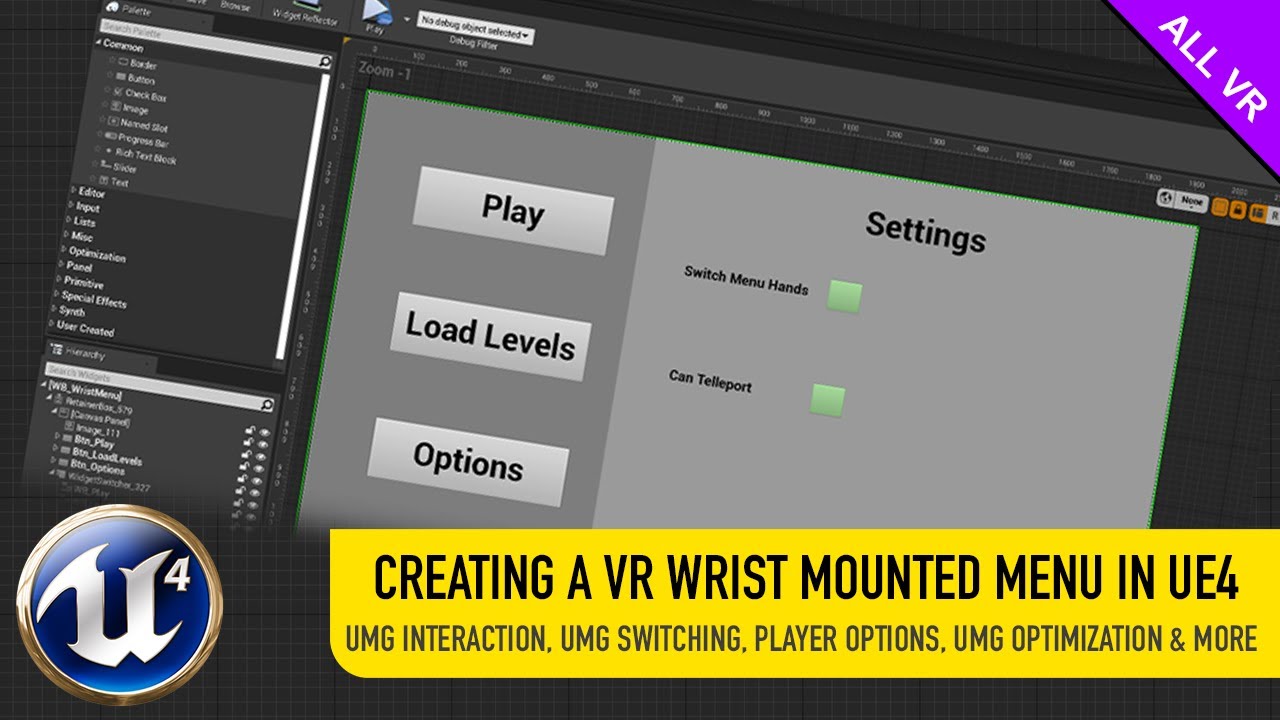
#UnrealEngine #UMG#VirtualReality
► Description
Creating a VR Wrist mounted menu is super easy and I show you how to do exactly that in this video and a load more as well from:
- Setting up widget interactions
- Creating and spawning widgets.
- Switching Between Widgets
- Creating a settings menu
- Optimizing UMG for Mobile Performance
If you'...
chrome fractal
chrome fractal
startmoviecapture command isn't working in ue4
Please help
lofty smelt
Blueprint Runtime Error: "Accessed None trying to read property Dialogue". Blueprint: NPC Function: Dialogue Create Graph: DialogueCreate Node: Set DialogueText
and
 half crypt
chrome fractal
Please help
half crypt
chrome fractal
Please help
send a screenshot or a visualisation of the problem
lofty smelt
these are the 2 separate errors i get
half crypt
lofty smelt
these are the 2 separate errors i get
instead of the error itself send the graph showing the error
chrome fractal

It doesn't do anything.
should I have to do something I am new to unreal. All I want to do is record gameplay to a video.
lofty smelt
 chrome fractal
I mean in-game video.
lofty smelt
 half crypt
chrome fractal
I mean in-game video.
half crypt
chrome fractal
I mean in-game video.
sorry, i have onlya little knowldge on that
chrome fractal
No issue. BTW thanks for the reply.
half crypt
lofty smelt
you sure the dialogue variable is set
lofty smelt
it refers to the widget
half crypt
because it cant access anything on it, it's like that variable is empty
half crypt
lofty smelt
it refers to the widget
well its getting nothing from that variable
half crypt
also theres a variale or maybe function called "setdialoguetext" there's something wrong there too
 zenith trout
if i play a sound while my background music is playing the sound that i play gets very loud and distorted what can i do?
spark steppe
@lofty smelt is there anything in your dialogue widget other than text?
wonder because you are never setting the text on the widget?!
lofty smelt
the widget has no text
it is just the outline of the widget
the design essentially
spark steppe
so it shows but has no text?
lofty smelt
but it's supposed to get text out of a csv files
yes
it shows the outline but no text
spark steppe
how do you retrieve the text within the widget?
lofty smelt
well
it is supposed to get it from the csv file
but for some reason its not working
spark steppe
yea, but which code is on the widget to retrieve the text?
your screenshots dont show any relation
lofty smelt
yea i have another function
ill send it
although i need 2 screenshots for that
maybe even more
spark steppe
oh boy... 😄
lofty smelt
it's quite extensive xd
 lofty smelt
no idea
let me try
okay here is the other function
enjoy this piece of art

pieced it together in ms paint
spark steppe
yea i missed that you actually set the text variable on the widget
so the last screenshot probably wasnt necessary, my bad
lofty smelt
i get the same error
 tacit oyster
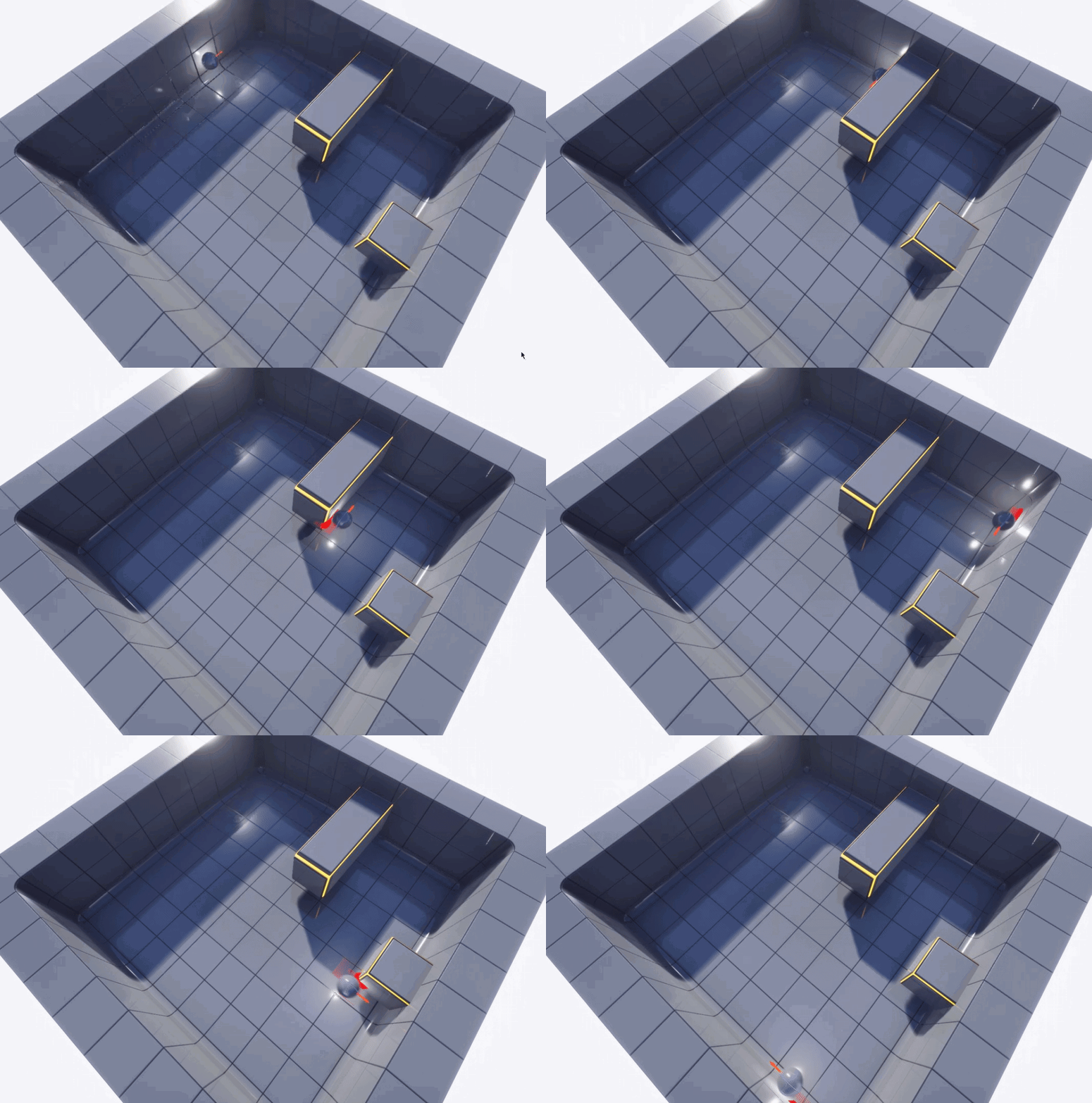
Hi everyone, I'd like to drag / make slide an actor on a vertical wall (the yaw of the wall is variable), something like this, but using the mouse to drag the object to the final position. Can anyone give me an hint? Thanks https://i.gyazo.com/8a738ebccfbe47ec2adc15e0d51c5e12.gif
 lofty smelt
yet this time it's not showing the dialogue outline
lofty smelt
spark steppe
what happens if you connect that?
about this
spark steppe
is the "dialogue text" variable in the widget bound to the text field?
lofty smelt
1 sec
heh
something weird going on here
i cant seem to even find the dialogue text variable
oh nvm
i found it
yea it is

this is what it shows in the dialogue widget
spark steppe
what if you add a print string after that? does it print some text or nah?
 lofty smelt
same error
Blueprint Runtime Error: "Accessed None trying to read property Dialogue". Blueprint: NPC Function: Dialogue Create Graph: DialogueCreate Node: Set DialogueText
Blueprint Runtime Error: "Attempted to assign to None". Blueprint: NPC Function: Dialogue Create Graph: DialogueCreate Node: Set DialogueText
Blueprint Runtime Error: "Accessed None trying to read property Dialogue". Blueprint: NPC Function: Dialogue Create Graph: DialogueCreate Node: Print String
this is what i get now
half crypt
lofty smelt
same error
i'd suggest u take it to lounge and share your screen
lofty smelt
very sad
 half crypt
lofty smelt
very sad
half crypt
lofty smelt
very sad
maybe feedback and support
lofty smelt
none
lofty smelt
which one
gentle urchin
Not sure, never done it. Just vaguely rememember something about it
spark steppe
it's weird that it throws those errors
can you show the current node setup of that function?
just to get sure everything is as i would expect it
lofty smelt
what function
gentle urchin
Get dialogline
half crypt
spark steppe
it's weird that it throws those errors
thats why i recommended he shared his screen
spark steppe
the dialogue create one
lofty smelt
lofty smelt
its this one
spark steppe
but with the changes i suggested?
gentle urchin
Found it
lofty smelt
oh yea sure
gentle urchin
I think..
lofty smelt
 gentle urchin
In the function
Get line
Ur setting dialog variable to null
And removing it from parent
Trying to do something with it afterwards surely will be an issue
Assuming your paint masterpiece is correct
lofty smelt
so what do u suggest
spark steppe
also comparing against 1 is kinda.... prone to fail
gentle urchin
Ye
You gotta check that you atleast got a valid result
If it fails to add a line, itll remove dialog,
Return nothing
And still try to set the text to a null ref
lofty smelt
so what do i do lmao
spark steppe
first of all, dont mess with the widget in that function
is it possible that one conversation line can have multiple entries?
so that theres more than one line in the array?
 gentle urchin
Makes the logic very prone to fail
spark steppe
no, theres not two entries for one line/actor right of now
spark steppe
the question is do you want to support it for new lines, or are new lines part of the same entry
half crypt
lofty smelt
yea im pretty sure that is possible
find a way to share your screen
half crypt
spark steppe
squize found the issue already
great
lofty smelt
wellllllllllllllllll
supposedly
i need to be here for a week
to stream
so streaming isnt an option rn
but i really just do not know how to solve it
spark steppe
looking at your blueprint, you'll be here for months... so theres that 😄
lofty smelt
as i mentioned before im an amateur and all i did was follow a youtube tutorial step by step
lofty smelt
spark steppe
looking at your blueprint, you'll be here for months... so theres that 😄
excuse me what
spark steppe
xD
half crypt
lofty smelt
as i mentioned before im an amateur and all i did was follow a youtube tutorial ...
ahhh
lofty smelt
so how do i fix it
spark steppe
that whole dialogue thing is cursed in the state it is right now
lofty smelt
shit
 sharp rapids
lofty smelt
so how do i fix it
sharp rapids
lofty smelt
so how do i fix it
Maybe try adding a Print String before you destroy the widget in your Get Line function?
spark steppe
no, get line shouldn't do anything to the widget imho
sharp rapids
Let us know If it's the one setting the ref to null or something else?
sharp rapids
spark steppe
no, get line shouldn't do anything to the widget imho
Yeah, Agree
spark steppe
i would really consider to get something like https://www.unrealengine.com/marketplace/en-US/product/not-yet-dialogue-system
first of all it provides a fluid conversation flow, and it's easy to manage dialogue within the engine
earnest tangle
School project then just go with whatever method is simplest :D
lofty smelt
i thought this was...
spark steppe
then don't submit anything but the conclusion that a sane conversation system isn't implemented within the time range 😄
lofty smelt
i was incorrect
ill just go with another youtube tutorial
ill just delete this shit
sharp rapids
lofty smelt
ill just go with another youtube tutorial
Try this

Support the channel through donations. Crypto accepted!
PayPal: https://paypal.me/reidschannel?locale.x=en_US
Patreon: https://www.patreon.com/reidschannel
Bitcoin: 1JFwWHr4X6uAeoZadukzqKjzFBj3Qjy7Sk
Ethereum: 0x2B2Bc108F1Cc0fF899959dEF3226637787d8C3dE
Dogecoin: DNQ33YnhpWoTBokBNVkZP5ub8KTLkpyjpv
Join our community discord!
Discord: https://dis...
gentle urchin
Theres a free cpp plugin aswell
Called dialog nodes
Implementation is in bp :)
Also supports localization and whatnot
Bp events, multiple choises, and ofc metadata
spark steppe
the one i linked is open source, too
 valid bolt
i cant plug cast to character to calculate direction pls help?
 spark steppe
because thats a pure node, which doesnt need to be connected to execution flow
the target is most likely your casted actor
gentle urchin
Anim instance object is the target
 spark steppe
you have to provide an object to cast
try get pawn owner or however it's called if you just want to cast the actual character that uses that animation bp
valid bolt
none of my animations play although ive set up blendspace and etc
 odd ember
seems like that is a question for #animation
valid bolt
oh my bad
 hexed parrot
Why is 1,0 <= 1,0 false? both are floats and it cant be rounding errors since im only using 0,1 to increment and decrement
earnest tangle
Print the values and find out
hexed parrot
it's 0,9+0,1 = 1,0 and 1,0 <= 1,0 is false lmao
earnest tangle
Yeah like I said put a print node in there and see what the values are
odd ember
hexed parrot
Why is 1,0 <= 1,0 false? both are floats and it cant be rounding errors since im...
floating errors can put the value slightly above that
zenith trout
if i play a sound while my background music is playing the sound that i play gets very loud and distorted what can i do?
 sage pecan
Hi, anyone can help on FInterp To, can ignore the value in it (Just random number I tried)
No matter what value I used, it is still snappy as there was no Interp
 odd ember
hexed parrot
Why is 1,0 <= 1,0 false? both are floats and it cant be rounding errors since im...
odd ember
hexed parrot
Why is 1,0 <= 1,0 false? both are floats and it cant be rounding errors since im...
if you want to be sure, clamp it
spark steppe
hexed parrot
Why is 1,0 <= 1,0 false? both are floats and it cant be rounding errors since im...
you could use nearly equal node with some error tolerancy to avoid floating point issues
hexed parrot
spark steppe
you could use nearly equal node with some error tolerancy to avoid floating poin...
But why does it even appear with one decimal point? Kinda confused me- thought it most likely be an issue with several ones
zenith trout
zenith trout
if i play a sound while my background music is playing the sound that i play get...
guys?
hexed parrot
spark steppe
<https://www.h-schmidt.net/FloatConverter/IEEE754.html>
Oh thats good to know! Thank you guys for helping. Didn't know that haha
earnest tangle
Floats are fun sadly lol
spark steppe
yea, i wonder why there's no double datatype for BP stuff
0.1 is apparently around 0.100000001490116119384765625
so you'll end up with something slightly above 1 if you 10 times add 0.1
 solar dawn
hi guys, a dumb basic question here. how do i make my button collides only with player? i rmb there's an extra action but i totally forgot. anyone can help?
 spark steppe
try to cast other actor to your player class, if it doesnt fail go on with pause, otherwise ignore it
solar dawn
welp bcoz the collider collides with other actors' collision so i hope it can be fixed
spark steppe
ez fix with what i said, gg wp, kthx
faint pasture
sage pecan
Hi, anyone can help on FInterp To, can ignore the value in it (Just random numbe...
Those interp nodes are meant to be used on tick to continuously interp. You want a timeline here.
 prime stump
Hi, does anyone know much about the SpawnDefaultPawnFor function override in game modes? it's firing off immediately when the main menu loads up but the game mode it's in shouldn't be active until they get into the game
 heavy ibex
I have a collision sphere on an actor I am using to trigger effects when the character overlaps it. The actor has a On Component Begin Overlap and On Component End Overlap.
Most times it works fine. But sometimes (maybe 1 out of 10 times) it will fire a Begin Overlap, an End Overlap then another Begin Overlap. This really mucks with my logic.
I have confirmed all the parameters (Other actor, other comp, other body index) are identical for each trigger, so it's not a case of, say, the capsule overlapping then the skeletal mesh overlapping.
sage pecan
faint pasture
Those interp nodes are meant to be used on tick to continuously interp. You want...
So interp only works on Event Tick?
 remote obsidian
Hi all, does anyone know of a good general methodology for activating & deactivating large complex objects in one go?
It's not a case where I'll be able to hide the loading with a fade out because I'm working with a big complicated datasmith model that is the background surrounding my core object.
Currently I'm testing with having the background in a separate sub-level and streaming it in and out with the "Load stream reference" node (and unload), but this causes big hitches when the model is activated and deactivated, and the load isn't immediate (simpler parts of the sub-level will load in ahead of other parts)
Can anyone suggest a better way of doing this that might be more smooth? Struggling to find any examples/best practices/suggestions for this kind of thing online, thanks!
devout dove
My capsule is overlapping itself, it triggers the begin overlap as soon as i press play
 maiden wadi
@devout doveIt's not overlapping itself. You're printing the component that got overlapped. Print the Other one.
devout dove
I want to detect when it hits a wall for example
obtuse herald
remote obsidian
Hi all, does anyone know of a good general methodology for activating & deactiva...
Maybe try loading it like that

but load stream level should be async already so I don't really think this will make a diffrence
remote obsidian
obtuse herald
but load stream level should be async already so I don't really think this will ...
I gave that a try, I think you're right about stream level being async as I couldn't see much of a difference, thanks anyway, wasn't aware of that node!
 bright frigate
yellow, I cannot figure out why this doesn't work. The print string executes and shows the volume multiplier at 0.0
If I connect a timeline -> set volume then it works (but when the day loops back to Dawn, nothing plays, even though the print string does execute)
 obtuse herald
remote obsidian
I gave that a try, I think you're right about stream level being async as I coul...
obtuse herald
remote obsidian
I gave that a try, I think you're right about stream level being async as I coul...
did you try playing in standalone already?
devout dove
How do I check if my plane hit a wall? I found this but it's confusing. Do I cast from the Wall to the Plane?
https://docs.unrealengine.com/4.26/en-US/InteractiveExperiences/HowTo/UseOnHit/

A How To Guide to for using the OnHit Event in Blueprints or Code.
obtuse herald
devout dove
How do I check if my plane hit a wall? I found this but it's confusing. Do I cas...
 devout dove
I always get stuck on collision and weirdly I can't find any help anywhere and sitting here since hours trying to fix it, damn why is UE4 so confusing
spark steppe
does your plane have a collision set up in the mesh?
devout dove
What is collision setup?
spark steppe
which ue version are you using?
remote obsidian
obtuse herald
did you try playing in standalone already?
Yeah changes the loading a bit, things are smoother but still not ideal
devout dove
 spark steppe
and maybe a picture of the viewport of the actor
open the mesh in the mesh editor (you can doubleclick the mesh in the details panel)
then click the "show" button theres a option for simple collision
and take a screenshot after that
bright frigate
bright frigate
yellow, I cannot figure out why this doesn't work. The print string executes and...
I tried using existing actor in the world (rather than spawning on begin play as I was doing so far) and the result is the same
devout dove
 spark steppe
yea you dont have any collision on the mesh
devout dove
this?
 obtuse herald
remote obsidian
Yeah changes the loading a bit, things are smoother but still not ideal
obtuse herald
remote obsidian
Yeah changes the loading a bit, things are smoother but still not ideal
There is also a 'Streaming' section in Project Settings, maybe some of these will help you
spark steppe
no, not this
on the top menue collision => there are options to generate collision boxes
what kind of collision detail you want depends on your project
devout dove
Idk which one i should take
 spark steppe
go with the 26dop thing for now
devout dove
I clicked on automatic
 spark steppe
yea, should work for now
now you should get collisions
save the asset before closing
 devout dove
I want to do something when my plane hits a cube
spark steppe
yea i can tell, i just never worked with non overlapping collisions, someone else here might know for sure
obtuse herald
simulating hit events is for in editor simulating (instead of playing) iirc
maiden wadi
Simulating hit events are for simulating physics components.
spark steppe
so he doesn't really need it apparently
just add the on component hit event for your static mesh in the plane actor
and see if it fires when you hit a wall
then you know 😄
devout dove
No it doesnt
I think this is doomed
Do i need to move the mesh or can the mesh be a child to hit something?
spark steppe
can be child, but your hierarchy is kinda weird anyways
usually you have the camera as child of the mesh, not the other way around
so static mesh => spring arm => camera
devout dove
Yeah the issue here is, that it can't be the child, when I set it as a child then the camera will rotate later with the mesh
And the idea is to let the camera stand still but the mesh should roll etc
spark steppe
you can setup if the camera should inherit roll/pitch from the mesh
devout dove
Let me show you what I want to achieve
Be warned it's not my video and dubstep, so mute.
You can see the camera standing still and the plane is rolling
spark steppe
but the camera inherits yaw
and you may also want to inherit pitch
really, change the order, and setup the spring arm to your desire
you'll get to the result that you want
devout dove
spark steppe
really, change the order, and setup the spring arm to your desire
I did it and collision works, it stops when hitting a wall, now i need to add some roll and then I will setupo how u said with inheritance etc
bright frigate
After some short research, I'm thinking I should make my time-based ambient sound changes controlled by a single sound cue via Crossfade by Parameter node. Each time of day would call an Update Ambience Event which would itself Set Float Parameter for the crossfade node to adjust and blend and change the sound. Sound good? (unintended but kewl pun)
spark steppe
sounds like you are planning for a lot of more trouble :D^
bright frigate
spark steppe
sounds like you are planning for a lot of more trouble :D^
don't jinx it!!!!!!!!!!!
spark steppe
i would try to get it working as of now, then you can start making it more complex
 spark steppe
what you want to do should totally be possible, so i guess it's just one missing detail
bright frigate
spark steppe
i would try to get it working as of now, then you can start making it more compl...
I did get the fade in and out working btw but I dunno why I don't like it lol
bright frigate
bright frigate
I did get the fade in and out working btw but I dunno why I don't like it lol
oh yeah I don't like it because there is no crossfade, it's all one after the other
unless I increase the fade duration I suppose
spark steppe
i thought the fade in/out node would run async
devout dove
spark steppe
i would try to get it working as of now, then you can start making it more compl...
it kinda works, i think I need to move the mesh relative to the camera rotation right?
bright frigate
spark steppe
i thought the fade in/out node would run async
yea it's okay ... I just need to control this crazy urge I'm having to implement the crossfade by param node rofl 😂😂 I mean it would definitely be cleaner :p
much like the switch enum saga we had earlier
devout dove
spark steppe
what you want to do should totally be possible, so i guess it's just one missing...
Now it rotates how it should and the camera stays in place, the issue here is that now it has a lil issue. When the plane rotates, the "right" side of the plane points down, making it turn down 😦
 spark steppe
devout dove
it kinda works, i think I need to move the mesh relative to the camera rotation ...
spark steppe
devout dove
it kinda works, i think I need to move the mesh relative to the camera rotation ...
that particular line was for battou
spark steppe
devout dove
Now it rotates how it should and the camera stays in place, the issue here is th...
well thats all up to how you implement the controls for the plane, which wasn't topic before
does the playercontroller use control rotation of the actor?
devout dove
spark steppe
well thats all up to how you implement the controls for the plane, which wasn't ...
I think I know how to do it 😄 But i need to work on the math a little
spark steppe
yea, one problem solved, 99 left
 signal delta
Hey anyone able to help, how would i make an Actor be invisible only to 1 player out of 2
I tried with the Hide blueprint, but idk how to make it only for 1 out of 2 players, (its for university assignment)
I though of doing of doing it with materiall mask, but idk how shadow rendering would love that
heavy ibex
signal delta
Hey anyone able to help, how would i make an Actor be invisible only to 1 player...
Does it need to exist for all clients? You could have the one person who sees it be the owner. Spawn it on the server and have it only replicate to the owner
signal delta
I thought of that, but the problem is, 1 player sees some stuff, while the other see the other stuff
its like a puzzle game, both being in the same level at the same time
obtuse herald
signal delta
I tried with the Hide blueprint, but idk how to make it only for 1 out of 2 play...
Primitive Actors have these two variables
 heavy ibex
Right.. so it wouldn't work having player 1 be the owner of the things player 1 should see and player 2 being the owner of the things player 2 should see?
Right, yes, that what I meant!
signal delta
I thought of owner, but for some reason setting it up doesnt work well
obtuse herald
if you need to hide it for only one player/make it visible for only one player then these are the way to go
signal delta
Actually, would i define the owner of the actor through the actor blueprint ?, or through something else ?,
heavy ibex
is the actor spawned or placed?
heavy ibex
Might have to set the owner on begin play, I suppose. Loop through all players and check for something to identify the player
Spawned would be a little easier as you can pass the owner in when you spawn it but also you shouldn't have to spawn everything like that
signal delta
Would i be able to assign ownership through player index ?
heavy ibex
Mmmm I wouldn't. I would use my own variable, something in the character or player state to identify the player as "player 1" or "player 2", maybe an enum. Then in your actor you can specify which player should be the owner
bright frigate
@spark steppe This just won't play nice. It refuses to go down to the level. Instead, it just flat out stops playing. As in, it lowers and lowers and then stops completely rather than stay at the level set

unless fade out means COMPLETELY stop something. From documentation it says it's a delayed stop. So fade out volume level means ... 0.09 will be the volume while it's approaching the stop (2 seconds)?
gritty elm
what mean by this function?
 spark steppe
bright frigate
unless fade out means COMPLETELY stop something. From documentation it says it's...
spark steppe
bright frigate
unless fade out means COMPLETELY stop something. From documentation it says it's...
all i can tell you is that i haven't learned anything new regarding UE audio system in the last 2 hours
 pliant wave
Hello all, I've been struggling to get a Layered Blend per Bone set up for an NPC to play a montage of an attack animation while moving. The system hits the Play Montage but never actually plays the animation. I have a checklist of things others seems to have common issues with but haven't been able to figure what aspect is wrong with mine thus far. Any help would be greatly appreciated!
- My Layered Blend per Bone has the proper Bone Name assigned to it
- My Montage has a new slot called UpperBody that is hooked up in the AnimBP using a cached version of the Default State Machine


 bright frigate
spark steppe
all i can tell you is that i haven't learned anything new regarding UE audio sys...
bright frigate
spark steppe
all i can tell you is that i haven't learned anything new regarding UE audio sys...
well what is going on then? If the Fade Volume Level sets the new multiplier, then why does it completely disappear? I can hear it lowering and then it just stops completely instead of staying at the new level.
maiden wadi
@gritty elm That is a semi difficult question to directly answer. The short version is that it works similar to FindClosestPointOnLine, but not exactly as it doesn't fully strictly project to the line. There are some differences. For instance, if you put in a target of 15000x, 15000y, 0z, and a V of -15000x,0y,0z you will get -7500x,-7500y,0z. You will get the same return if you input the same V but with -7500x,-7500y,0z as target. I'd recommend doing some easy beginplay testing with it using small numbers to get an idea of what it's doing.
gentle urchin
bright frigate
unless fade out means COMPLETELY stop something. From documentation it says it's...
Volume level is % of the components volume

Also, audio components stop if the volume gets to low
Atleast from my experience
earnest tangle
^iirc there is a setting for this
bright frigate
gentle urchin
Volume level is % of the components volume
I tried with 0.5 to 0.15 and it still stops completely. I know 0.15 is not too low because it has always been there when I had just a simple setup of play sound and leave it looping forever
bright frigate
earnest tangle
^iirc there is a setting for this
I have the virtualisation setting set to keep playing in the cue settings if that's what you mean
gentle urchin
Ah. I probably missed that setting. Mostly just hashed together some basics when i set up my audio stuff ;p
 digital palm
Hello there, little question, I have a post process volume, I set a rendering features with a post process material (fire effect). But it only appears when the camera is inside the volume. I have a third person camera, so I would like this material appear when my character is inside. Any idea? 🙂
bright frigate
I tried with other sounds too, no matter what I put in the new volume, the fade out always ends the sound
I just don't get it
gentle urchin
Seem to be known behaviour?
dawn gazelle
bright frigate
I tried with other sounds too, no matter what I put in the new volume, the fade ...
 gentle urchin
Perfect. Thanks ^
bright frigate
dawn gazelle
Thanks
So is there any node to fade out to a new volume rather than completely stopping?
dawn gazelle
If you want to do a fade, you could use a timeline or interp on tick or what have you.
bright frigate
I also noticed that the yellow (green?) version of set volume doesn't do anything

is this wrong? Because it's jumping straight to 0.5 instead of going through it. The last value tooltip says if it's 0 it'll jump to the target, but I entered a number

 bright frigate
omg that block of code for a moment 😄
dawn gazelle
That was copying the blueprint node rather than taking a screenshot lol
That node will fade in/out without starting from the beginning / stopping the audio.
spark steppe
so fadeout worked the whole time?
then you could also just go ahead and just start the sound before the fadein
bright frigate
The component's "get" only prints out 1.0 (volume multiplier) instead of the level
spark steppe
there's no real reason to keep it running in the background for the whole day
bright frigate
spark steppe
there's no real reason to keep it running in the background for the whole day
no I want some sounds to be there at either higher level or lower level but not completely stopped
e.g. wind
dawn gazelle
bright frigate
Is there a way to 'get' this volume?
It doesn't look like you can. The Adjust Volume runs some C++ magic on the audio thread to perform the operation.
bright frigate
dawn gazelle
It doesn't look like you can. The Adjust Volume runs some C++ magic on the audi...
I see, thanks for clarifying. Shame though, but at least this works
Me few weeks ago: "hmm, sounds should take me a couple of hours"
Me implementing sounds: "wait, it will be connected to day night cycle"
4 days later
Me: "ok now with all that enum saga done it should take me 30 mins"
Me after 7 hours: y u no work!!!11

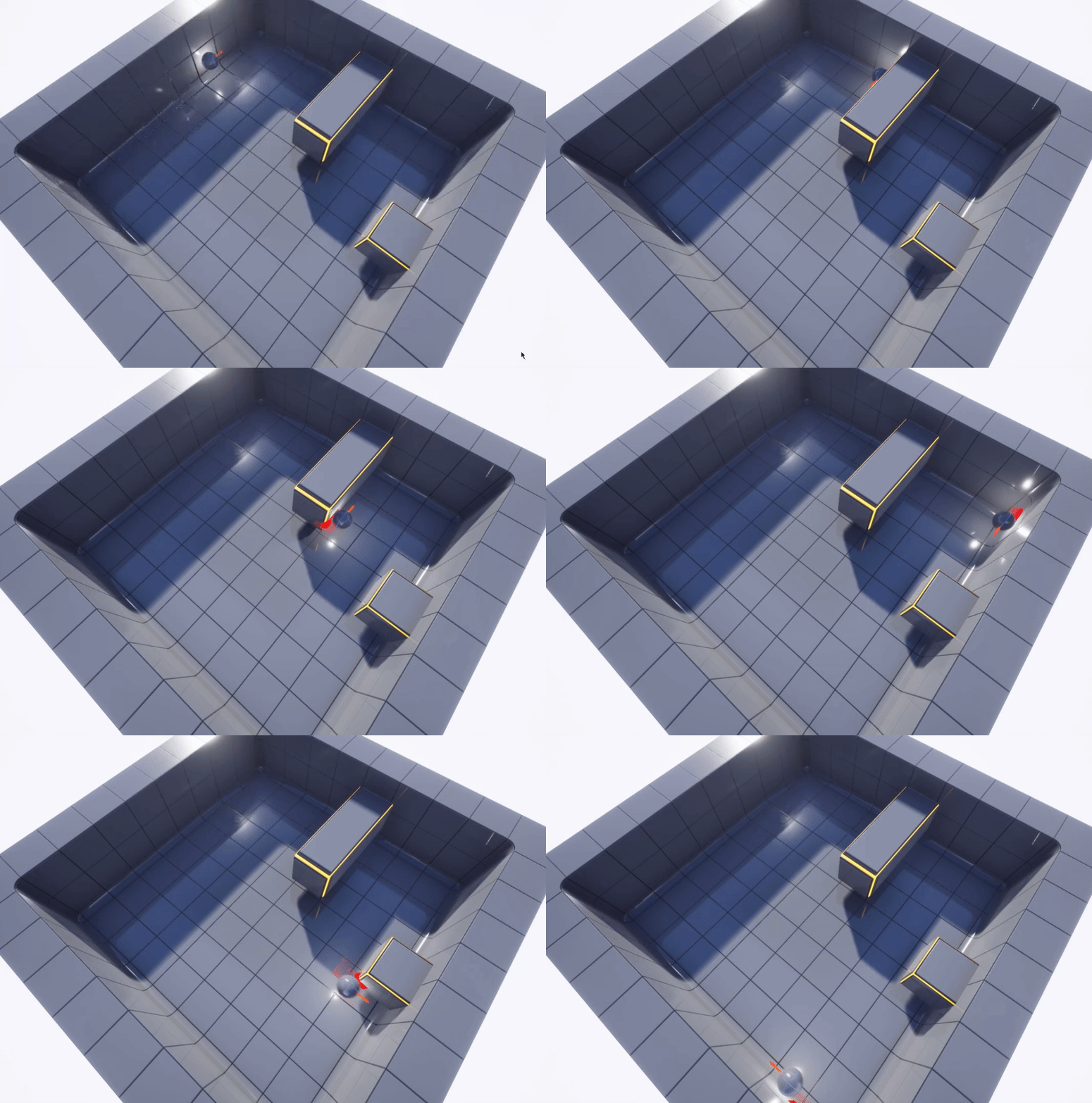 gentle urchin
You could save it in your own variable, if it helps
bright frigate
gentle urchin
You could save it in your own variable, if it helps
I thought about it but it felt kinda weird because I could only 'get' my own variable and not the actual value in the sound that would be set. I mean, in sound cues there's another property of volume multiplier, which would mean the actual value of 0.5 of my variable would be 0.5x0.75 (the default in sound cues I think)
gentle urchin
Your get value would be what you set it to tho, so it would be accurate as i see it
bright frigate
gentle urchin
Your get value would be what you set it to tho, so it would be accurate as i see...
I mean I can only get my own value not the final value after all the multiplication
final value of the sound
so it could be misleading
gentle urchin
What difference would it make ?
Ypur multiplier comes on top of it all doesnt it ?
bright frigate
just whatever strangeness I have in me I guess
gentle urchin
So even if 0.75 == 1, your 1x0.75 is still 1, or 0.5x0.75 would still be 0.5
That last sentence was a mouthfull, but my point may have come across
Also if this is for a menu, the set value is the get value, so no reason to save it ^^
Assuming it adjusts volume correctly (logic checks out)
bright frigate
gentle urchin
Also if this is for a menu, the set value is the get value, so no reason to sa...
valuenis? :p
nope it's not for a menu, it's in-game
blending and fading in/out different sounds depending on time of day
gritty elm
maiden wadi
<@!577937996712509440> That is a semi difficult question to directly answer. The...
ok thanks.
gentle urchin
bright frigate
blending and fading in/out different sounds depending on time of day
Makes me wonder even more what you need the get value for 😅
bright frigate
gentle urchin
Makes me wonder even more what you need the get value for 😅
I just wanted to print it out so I could see numerically what it is rather than try to hear if it's at the right level or not (some sounds like birds are sometimes difficult to determine by ear alone)
gentle urchin
Personally i think all these sound adjustments are bullshit , 1% is like 40% of the volume, while the next 99% is the remaining 20%.(rant over)
Well i guess im out of ideas then if you dont wanna save your own variable for it
You could even factor in the .75 (even tho it wouldnt matter if its constant)
bright frigate
gentle urchin
Personally i think all these sound adjustments are bullshit , 1% is like 40% of ...
I don't understand. I need to adjust the volume (which I can now), so why is adjusting bs?
spark steppe
gentle urchin
Personally i think all these sound adjustments are bullshit , 1% is like 40% of ...
that depends on the curve that you use
gentle urchin
Its not, i was off topic ;p sorry about that
bright frigate
lol okay
spark steppe
iirc logarithmic is the best bet for audio volume
bright frigate
spark steppe
iirc logarithmic is the best bet for audio volume
yea for my street lights' attenuation I have it set to log
spark steppe
your lights make sound?
bright frigate
spark steppe
your lights make sound?
yup
buzzing sound you would hear if you stand close to an old streetlamp (non-LED of course)
but nowadays most are LED so dunno if you can find one
spark steppe
now i wonder is that sound emitted from the light or from insects flying around and bumping against it
bright frigate
spark steppe
now i wonder is that sound emitted from the light or from insects flying around ...
from the light source itself
here's an example https://freesound.org/people/JonathanTremblay/sounds/254783/
guys guys, a thought has come to me. Why don't all of us who participate often here come together and make Half-Life 3? I live in NZ and Gabe lives here too. I can go to him and present our work and he will thank us all for saving the universe.
 mild flare
Hello,
I am having issues with updating the client's health for the server. after using a healing mechanism the client sees it has full hp but the server doesn't - I don't understand how this is not updating. There are no issue when dealing damage to the client and dying. Is there a "common" mistake that i might do? have plenty of pictures but dont want to spam rn
 dawn gazelle
mild flare
Hello,
I am having issues with updating the client's health for the server. afte...
dawn gazelle
mild flare
Hello,
I am having issues with updating the client's health for the server. afte...
The health value should be getting set on the server.
And it should be a replicated value
If you set it up to use Rep W/ Notify, then you can update your UI in the OnRep function that is created.
mild flare
i am using repnotify on setting the health, will make an additional event (server) that is updating it and calling it in the event - will be back with update
fuck me, that was an easy fix - server event fixed it
was trying to get the same result with a switch has authority but that was just dumb
THANKS ALOT @dawn gazelle
devout dove
Is it possible to mirror a static mesh?
maiden wadi
multiply it's Y scale by -1
 boreal scroll
Hi, I have a problem. I can't figure out how to get the position of the widget button and move the mouse cursor to that button. The widget is located inside the actor. Google did not help me.
 devout dove
maiden wadi
multiply it's Y scale by -1
devout dove
maiden wadi
multiply it's Y scale by -1
I just duplicated the static mesh so i have 2x meshes
devout dove
boreal scroll
Hi, I have a problem. I can't figure out how to get the position of the widget b...
I would get the icon position, get the cursor position and then somehow interp it
boreal scroll
devout dove
I would get the icon position, get the cursor position and then somehow interp i...
The biggest problem is that I don't know how to get the position of the icon/button.
 devout dove
Is the icon drawn on a widget? Then just get the icon location on viewport, pretty sure that node exists
bright frigate
Amazing, I cannot adjust volume +ively, I can only fade it in ... seriously how on earth ...

I can fade in sound ✅
I can adjust sound after that ✅
but this means I'm stuck with the fade in starting again when I loop back to the time it's supposed to go back up in volume (jarring effect with fade in)
If I replace this with an adjust, it doesn't play the sound ... lol?
devout dove
boreal scroll
The biggest problem is that I don't know how to get the position of the icon/but...

Unreal Engine Forums
Alright this ended up being my solution: I created a FVector2D variable in the PlayerController which holds the CrosshairRelativeLocation. I put it here because I couldn’t figure out how to access the Game Level variables through the widget but the widget does have a reference to the PlayerController. In the widget I then went to the graph and...
lofty smelt
sharp rapids
Try this
after a lot of hard work and a lot of hours
i did it
it finally works
i used that video and it worked
god bless y'all
devout dove
How can I make a visible body for all players but i will see only the gun without the body like first person
boreal scroll
devout dove
https://forums.unrealengine.com/t/get-relative-or-screen-space-location-of-image...
In your link there widget is stretched to the entire screen, if I understand correctly, in this case it is much easier to find the position of the icon. But that's not how I have it. I have the widget hanging in the air is not full screen.

 dawn gazelle
bright frigate
I can fade in sound ✅
I can adjust sound after that ✅
but this means I'm stuck...
dawn gazelle
bright frigate
I can fade in sound ✅
I can adjust sound after that ✅
but this means I'm stuck...
Fade In: Use only when starting the sound.
Adjust Volume: Use only to increase or decrease the volume while the sound is playing.
Eg:
 devout dove
dawn gazelle
devout dove
dawn gazelle
How did you make your connecting lines like this?
dawn gazelle
devout dove
How did you make your connecting lines like this?
Paid plugin on the marketplace called Electronic Nodes
bright frigate
devout dove
How did you make your connecting lines like this?
haha damn in the past 3 days I've raised the author's profit exponentially 😂
bright frigate
dawn gazelle
Fade In: Use only when starting the sound.
Adjust Volume: Use only to increase ...
This is what I've done and it's doing what I intended
 bright frigate
dawn gazelle
bright frigate
dawn gazelle
I think the is Playing will always fail in my case IF I set the volume in the beginning (at begin play) to 0.0. It just doesn't register it at all even though there's a set active node. Seems it needs some amount of volume to be treated as active
maiden wadi
@boreal scroll Is that a WidgetComponent?
devout dove
When creating a car for example, i have the exterior and interior of the car. Do I separate those two into meshes and enable the view for the interior but disable the exterior and for multiplayer I allow to replicate the exterior but not the interior?
I want to see inside but no need to see the outside of the car. How do I do that?
boreal scroll
maiden wadi
<@!607636680081670155> Is that a WidgetComponent?
Widget in Blueprint Actor
 maiden wadi
boreal scroll
Widget in Blueprint Actor
maiden wadi
boreal scroll
Widget in Blueprint Actor
This requires a very specific setup, but I've done similar before. You need to line trace, hit the widget component. Get their world location of the hit, transfer that to the component's local space. Then you can use that XZ location(Y should be near zero after that) as an XY location in the widget. Depending on your component setup, and the widget in question, this might need a little extra transference math.
 runic urchin
is there an alternate node to get anim instance that can be used with a construction script?
devout dove
maiden wadi
This requires a very specific setup, but I've done similar before. You need to l...
Can't you focus the input to the widget so the cursor is locked to the widget space?
boreal scroll
maiden wadi
This requires a very specific setup, but I've done similar before. You need to l...
Thank you for the information! I understand that it's not that easy/quick.
bright frigate
devout dove
Can't you focus the input to the widget so the cursor is locked to the widget sp...
Maybe this helps? https://www.youtube.com/watch?v=syK_yMC84kc
It's paid for but you could try similar search terms and come across something. The most famous example (for me) is from Doom 3

Marketplace: https://www.unrealengine.com/marketplace/digital-terminals-keypads
This package contains two different terminal types, a keypad and a computer screen, as well as a system that allows a comfortable usage of these terminals. To use a terminal, simply approach it with the character. A smooth transition automatically focuses the termin...
devout dove
How can I hide the plane mesh for myself but show it in multiplayer to other players

 plush ridge
devout dove
How can I hide the plane mesh for myself but show it in multiplayer to other pla...
plush ridge
devout dove
How can I hide the plane mesh for myself but show it in multiplayer to other pla...

'owner no see' should be True, just make sure you assign owner as self
'only owner see' will do the opposite, and hide it from other players (again assuming owner is set as self)
devout dove
plush ridge
Thanks
 fast blaze
hi all does anybody know where is node? https://docs.unrealengine.com/4.26/en-US/BlueprintAPI/AnimationBlueprintLibrary/AnimationNotifies/GetAnimNotifyEve-/ thanks
Get Anim Notify Event Trigger Time
trying to find it in animbp but no luck, maybe epic changed it?
odd ember
Target is Animation Blueprint Library
fast blaze
mm what is anim bp library?
i have animation with notify and need to get exact time when it shoot, maybe there is a better way?
odd ember
fast blaze
mm what is anim bp library?
it's (likely) a function library for the animation blueprint
you may need a node like this

but tbh I haven't looked into this too much. you may be better off asking in #animation
fast blaze
thank you! i'll look into it
 arctic radish
how can I make a reference to a character? im trying to call a function but I need a reference for the target
 odd ember

Announce Post: https://forums.unrealengine.com/showthread.php?101051
This Training Stream takes a look at Blueprint Communication. We find that Unreal Developers of all levels can sometimes struggle through the concepts behind moving data between objects. So in this video we'll take a look at the different ways to make Blueprints talk to one an...
arctic radish
thx
I got one more question, is there a node that lets me take one exec and spread it to multiple things?
I wanna do multiple things on BeginPlay
digital palm
Hello there, little question, I have a post process volume, I set a rendering features with a post process material (fire effect). But it only appears when the camera is inside the volume. I have a third person camera, so I would like this material appear when my character is inside. Any idea? 🙂
odd ember
arctic radish
I got one more question, is there a node that lets me take one exec and spread i...
you're looking for a sequence node
 south bone
Is there a way to make a PlayerController that can possess two pawns at the same time? In this blueprint here I possess the octopus, then that is overwritten and I only possess the third person character. I want to do something like this that will possess both.

 north marten
Is there a way to have my spawned actor use the materials of something from a selection screen? Basically like having a "change colors" menu at the start of the game that persists through each level
gentle urchin
Savegame, or gameinstance could help you out
odd ember
gentle urchin
You'd need to replicate the inputs to the second pawn by some means
which can be as simple as calling two functions from the possessed PC
north marten
gentle urchin
Savegame, or gameinstance could help you out
Thanks, thats where i was thinking but didn't know where to go from there
south bone
gentle urchin
You'd need to replicate the inputs to the second pawn by some means
Thanks. Thinking about other ways to do it gave me an idea. I will try forwarding inputs from the player controller to an ai controller that has control of the second character.
 loud marsh
Hi, do the "Pain-Causing Volume" actors have to be configured/enabled in the GameMode for them to work?
odd ember
I don't know why they would have to be configured in game mode? have you implemented a health system?
south bone
I have two controllers, I want one to tell the other what inputs to pass to its pawn. How can I forward inputs from one controller to another?
odd ember
how are you spawning the characters
 keen wedge
Can anyone help me out with a Timeline problem I'm having... think its my maths thats the problem...
I have an "effect over time" kinda thing, a threat value per second. If we assume the value is 2, then over 1 second the threat would be 2. Over two seconds the threat would be 4 etc.
I have a Timeline with a duration of 1 second. Two key frames, one 0,0 and 1,1. I'm trying to use the Update execution pin and the float value from the Timeline to then multiply by the threat value.
I'm updating the variable on each occasion, but I think what's happening is that I'm getting many calls which, added together, exceed the total value per second.
Any thoughts?
odd ember
what is your intended outcome?
keen wedge
If you can imagine a thermoter, gradually increasing, that kinda thing... I can get it to work if I use an Event Track on the timeline, but you can "feel" the one second increments... I wanted the rise to be more smooth etc...
*thermometre
(so tired I cant spell, sorry!)
odd ember
I'd use a lerp instead of a multiplier
keen wedge
 odd ember
since you're already using an alpha value
keen wedge

So, a lerp in there instead of the multiply?
at the moment, the affect is that it kinda grows exponentially...
odd ember
just replace that whole node (or the insides) with a lerp. the timeline already ensures you have values between 0..1 and a lerp is only modified between 0..1
keen wedge
which isnt the desired outcome
odd ember
so it's a safe way to automatically clamp it
you can add whichever values you want inside of the lerp values
the point is just that they cannot functionally exceed the alpha value
so max value will alpha be alpha-f(1)
odd ember
A and B are your max and min values
keen wedge
I have my ThreatEmittedPerSecond which must be one of them..
odd ember
or min and max, rather
keen wedge
ok, so A would be 0 and B would be the max threat...
keen wedge
I kinda assumed this was what the timeline was going to give me... as the delta (or alpha) coming out of it should be between 0 and 1 anyway? I have it looping etc...
odd ember
yep, which is why lerps work so well
keen wedge
I have it running with the lerp now, but its still incrementing waaay too fast...

That was what you meant, right?
(thank you btw)
odd ember
you don't need the addition
just set the value to threat emitted
sanitize your inputs that way so the lerp is the only thing that needs modification
well, the lerp and the timeline curve
odd ember
kill the "addition" node
keen wedge
I've dropped the addition and now it just iterates from 0 to 1 and never increases above that..
odd ember
from the lerp go straight into "set threat emitted"
keen wedge
Yep
odd ember
ok, well, that's your max threat value
keen wedge
 odd ember
so if you want a higher max threat value, increase it
keen wedge
Yeah, but its supposed to be increasing every second, by that amount... so...
1 second = 2
2 seconds = 4
3 secpmds = 6
etc, hence why I added the addition node... but I want it to smoothly increment...
so, 0, 0.1, 0.2.... etc etc
odd ember
it is smoothly and linearly going towards your max value
keen wedge
its basically a thing in a room giving off a threat, the longer its there, the greater the threat etc..
odd ember
if you want the functionality to be quadratic
keen wedge
ok, so in that case B, the max value, needs to be incrementing too...
keen wedge
(again, lost, sorry... maths not my speciality)
keen wedge
I cant set it to be higher, because I dont know how many second the thing in the room will be there for, it depends on when the player removes it
its a threat per second value
odd ember
okay but surely there's a max after which point it stops mattering how much it increases
keen wedge
but the seconds are unknown
Yes, I guess so, we could assume 100 I guess, but that feels a bit odd doing it that way..
I'll plug it in and see what happens...
odd ember
it's for your benefit
it'll be easier to balance later on
rather than going through 3 or 4 different variables, you go through one
keen wedge
if I throw 100 in to B, where does the Threat Per Second value play any part now?
odd ember
the threat per second is the alpha
keen wedge
wouldn't I need to multiply the delta by that and plug it into the alpha on the lerp?
odd ember
you don't need a separate value
nope
if you want to modify the alpha value, modify the curve
keen wedge
I think I do... different things in the room will have different threat levels
keen wedge
I'm sorry, you're really losing me... I'm trying to keep up but I'm getting very lose.
*lost
odd ember
keen wedge
I think I do... different things in the room will have different threat levels
when you say different threat levels, does this mean max threat levels?
or does it mean different rates of accumulation of threat
keen wedge
Ok, let me explain in words rather than UE4 stuff and see if its easier, sorry...
So, one enemy in a room with a threat emittance of 2 per second
whilst its in the room, the threat metre goes up by 2 every one second
but I dont want that to be visually jerky... e.g. not updating every second...
I want to display it smoothly...
so... I used the Timeline to get the values between 0 seconds and 1 seconds..
I assumed I could multiply that by the Threat Per Second value
Like a thermometer it will have a maximum value, haven't decided on what yet, and that may change per wave/level etc
odd ember
you can, but then don't use a timeline
do it on a timer, or per tick
whole point of a timeline is that you don't need that value
keen wedge
lol.. thats where I started...
odd ember
you handle it through how you modify the curve
keen wedge
I was using Tick but figured that I was calcuting stuff waay to frequently (120 fps etc)... so I dropped that idea
odd ember
timeline uses tick too
keen wedge
Then I looked at the Time by Function name...
odd ember
tbh most everything is sort of synced towards frame time
but for both tick and for timers you can set a custom "tick" period. it defaults to one frame (about 1/60th of a second), but you can set it higher
this will of course affect the smoothness of your increase
keen wedge
everything I've seen suggests not using Tick if you can avoid it, and I figured the Timeline would allow me to do something every 1 second, or within the 1 second, as opposed to many times per part of each second
odd ember
yep
and you can
but you dont need the threat per second
that is built into the timeline
keen wedge
the Threat Per Second is a value against each enemy type.
Some will create more threat etc
I didn't think I could pass that into the Timeline
odd ember
so use different curves per enemy
keen wedge
?
odd ember
it's all about how you setup the curve
keen wedge
But there's no direct link then for the data... just me arbitrarily putting in values into a timeline...
thats not consistent with the data for the enemies..
odd ember
if you know the max amount and you know how much it increases per second, what else do you need?