#blueprint
402296 messages · Page 732 of 403
 maiden wadi
 trim matrix
yea sometimes unreal do be like that
trim matrix
yea lol
 light token
maiden wadi
At this point I'd purge it with fire and remake the function with a slightly dif...
light token
maiden wadi
At this point I'd purge it with fire and remake the function with a slightly dif...
Alright will do that
I remade the function but it gives me the same error 😦
 timber knoll
Did you get rid of the clear?
light token
yes
timber knoll
- you said you are using it as a pure?
light token
I don't really know what a pure is. This is a function not a custom event.
timber knoll
The checkbox when you click on your function
timber knoll
That should be set to false for something like this
timber knoll
Ok good
trim matrix
So did you try to make a different function, and use a different struct?
trim matrix

tbh prob lol xD
Idk why exactly that would be an issue but being in level bp always a problem
light token
Ok I'll try to make that variable a level blueprint wide one
timber knoll
Yeah it shouldn’t be the issue
light token
Oh 😦
timber knoll
But just avoid levelBP in general
trim matrix
yea lol
light token
Alright didn't know that.
 gentle urchin
There's no property flag on the array that could cause this right?
light token
Nope
maiden wadi
What function line calls this function?
timber knoll
I would also just get rid of the local variable since it could be having initialisation issues
You can just use the quest array yoi have
Clear it and then do the same thing without set at the end
Makes it more readable as well


 gentle urchin
Even if the array was empty tho, It shouldnt have issues with the loop should it?
I'd expect it to just instantly complete, not executing loop body once
timber knoll
It will skip body
trim matrix
yea
timber knoll
Like normal code behaviour
gentle urchin
So even if its empty, it shouldnt throw an error
timber knoll
Correct
light token
lol
trim matrix
now start layerinf bits of code back into the function
timber knoll
Wait a second
Are you sure you are not using a delay while looping through this array?
gentle urchin
Just to have things clear, who is calling this function, and when is it called?
timber knoll
When is above
light token
gentle urchin
Just to have things clear, who is calling this function, and when is it called?
 timber knoll
gentle urchin
But what calls the SaveGame event
timber knoll
gentle urchin
But what calls the SaveGame event
That shouldn’t really matter
light token
 gentle urchin
As long as its nothing crazy like construct or something, sure
light token
and Check Autosave is called every tick
gentle urchin
o.O
timber knoll
light token
Okay first of all, always use a boolean or something before saving
You want to make sure your last save completed before starting a new one
trim matrix
have you tried this?

my names are way different, but i think you can see what i mean
timber knoll
trim matrix
have you tried this?
I would even skip the local array
It serves no use in his case
light token
OK Ill try that @trim matrix
gentle urchin
I'd also remove the check autosave, and put it on a looping timer but thats not really important
trim matrix
ok and the codes running in the inteded spot right?
not on being play like i said todo before?
gentle urchin
Is it just one error, or do they keep coming for each autosave?
light token
yes
trim matrix
good then
light token
Ill let it run for 60 seconds
gentle urchin
or reduce autosave time to like 5 seconds 😄
timber knoll
I would check this: cast to your player and print string in for loop body (quests array)
gentle urchin
if it only happens once, chances are that this is called pre dependency initializion
light token
@gentle urchin it happens every time
gentle urchin
I'd say that's good, in this case 😛
light token
@timber knoll Quest array or Quests Structure?
timber knoll
Ignore the local array
light token
ALright
Ill add empty struct maybe that works
Yeah an empty struct is working
wtf
so it must be with the thing coming out of the for loop
trim matrix
yep
 hushed hinge
is there a way for me to make a button look like its being pressed from blueprint?
I am triggering an ability from blueprint that can either be done by a clicking the button or by pressing the hotkey and i want it to look pressed either way
light token
its the progress thing
timber knoll
light token
so it must be with the thing coming out of the for loop
yeah before you do that
hushed hinge
i was thinking about potentially setting the style when its pressed
but not sure if that would work
timber knoll
timber knoll
yeah before you do that
do a clear on your quest array, and just add a few empty ones
so you have your functionality in place
and just need to fix the struct that you add
trim matrix
lol is that what the error means
timber knoll
do all of them have the progress int?
trim matrix
the problem would be then an invalid reference in the array prob
light token
I might not have set it on the child class
gentle urchin
hushed hinge
i was thinking about potentially setting the style when its pressed
You'd collapse the pressed logic into a function (unless using butotn), and call that from the keypress
 timber knoll
light token
I might not have set it on the child class
timber knoll
light token
I might not have set it on the child class
it should be initialised if it's in the child no problem
hushed hinge
gentle urchin
You'd collapse the pressed logic into a function (unless using butotn), and call...
the issue is more so that i want the button press "styling" to take effect, not that I want to trigget the code of the button being pressed
timber knoll
timber knoll
it should be initialised if it's in the child no problem
since the child is constructed from parent before anything from child gets executed
light token
yeah
gentle urchin
hushed hinge
the issue is more so that i want the button press "styling" to take effect, not ...
Surely that's what my explanation intended to point at aswell. Updating the widgets styling
timber knoll
no you shouldn't
light token
but if it's already initialized by the parent I shouldnt need to do that
timber knoll
if progress is a variable in parent
it will exist in child as well without an issue
timber knoll
but try what morgana said
hushed hinge
gentle urchin
Surely that's what my explanation intended to point at aswell. Updating the widg...
i thought the styling was automatic, is it not?
gentle urchin
hushed hinge
i thought the styling was automatic, is it not?
If it's a button, then yes it is
trim matrix
its just invalid index in the array
hushed hinge
gentle urchin
If it's a button, then yes it is
this is why i cant press it dynamically though, i dont see a function for changing the current style
trim matrix
400% thats it
timber knoll
trim matrix
400% thats it
yeah probably a quest that references to nothing
long live C++
trim matrix
sometimes those error msgs are misleading
gentle urchin
hushed hinge
this is why i cant press it dynamically though, i dont see a function for changi...
Personally i ended with creating a custom button instead, so i could control this better. But you could just toggle its style in the same manner that the default button does it
timber knoll
haha it's alright in blueprints
hushed hinge
gentle urchin
Personally i ended with creating a custom button instead, so i could control thi...
i guess id need to go into CPP as I dont think those functions are exposed in blueprint
light token
it's false
gentle urchin
hushed hinge
i guess id need to go into CPP as I dont think those functions are exposed in bl...
For making a custom button?
hushed hinge
gentle urchin
For making a custom button?
for toggling the style
timber knoll
light token
it's false
so that means you have incorrect data in your quests array (from your player)
trim matrix
yea
trim matrix
Bruh i hate those error msgs, i immeditly thought it was this but then got distracted by everything else going on
timber knoll
so basically you were creating structs from data that no longer exists
gentle urchin
hushed hinge
for toggling the style
I would think replacing the normal style of the button temporarily would solve it
hushed hinge
gentle urchin
I would think replacing the normal style of the button temporarily would solve i...
hmmmm yes
that might work
gentle urchin
hushed hinge
hmmmm yes
Doesnt look super nice in code tho , i'll agree to that 😛
trim matrix
Barry, its best practice to always check if a reference is valid before using its data
do that from now on lol
hushed hinge
gentle urchin
Doesnt look super nice in code tho , i'll agree to that 😛
You only YOLO once
light token
I will, thanks a lot!
gentle urchin
hushed hinge
You only YOLO once
Doing custom button is quite straight forward aswell tho if you'd wanna give that a try
light token
Ill die into this right away. Thanks for your help I hope I can solve it now.
hushed hinge
gentle urchin
Doing custom button is quite straight forward aswell tho if you'd wanna give tha...
Likely Ill end up doing something like this, just playing and prototyping for now
hushed hinge
gentle urchin
Doing custom button is quite straight forward aswell tho if you'd wanna give tha...
thanks
timber knoll
happens 😅
light token
wtf, so much thanks guys I was banging my head against my desk
timber knoll
just keep that valid check in there
always a good idea when saving, to make sure you don't corrupt data
light token
Will do
It's even saving well right now
I've been busy with this problem for 4 hours now
time to take a break xD
Thanks again, can't thank you enough.
hushed hinge
is it bad to store the game mode in a controller rather than fetching and casting it every time you need it?
trim matrix
no thats fine
 urban aspen
Hey. I have an issue that is bothering me, maybe you can help me 🙂 I created an actor and an AnimationBlueprint for him. The AnimationBlueprint contains a state machine for an idle animation. The character contains various movement logic and flags his variable "IsMoving" to true when he is moving. The animationblueprint checks this variable and switches between moving and idle animation when this variable is changed. Now I'm getting into behaviour trees and let this charactor roam to random locations. Im using the Task "MoveTo" but then the character of course wont start the movement animation because the variable isnt touched. I now created 2 tasks as a workaround that are casting the character and setting the variable to true. So Im using 1. task start moving animation. 2. task get random location 3. move to 4. end moving animation. It is working but I have a feeling that there is a better way to control this, but I just dont know it^^
 azure smelt
Quick question, Are there inherit problems with copy and pasting blueprint nodes when taking them from a project?
urban aspen
Thats so obvious..... I'm a bit ashamed that I didn't come up with it myself.... Thank you 🙂
 sonic pine
Hiho i have a very specific question about character stats.
My Character Stats are still working in the CharacterStats_Widget but there are some bugs.
For example my character will start with a Max Health value and if i open the Widget the new Max health will be set, thats why i try to calculate the Stats in the CharacterStatsComponent or in the Character_BP.
My Problems with calculation in the Character are:
- I cant view the Stats into the Stat_Widget
- my regeneration will not work correctly
- i cant use BHealth (Base Character Health) i can only use Max and Current Health
- i will get some errors if im not CastTo CharacterStats
- CastTo CharacterStats will get a warning (will always Fail)

My final Question is:
Im using the Character BP, Character Stats_Widget and CharacterStats_Component (All Calculations Weapon + Armor + Skills = StatAll (Vita_All) Vita All will be caluclated to Max Health and Physical Deffense .
Is that a good way to calculate or should i use an other way?
If the Question is too big to answer here pls PM/DM me so i can explain better ^^
gentle urchin
Widget should not do any logic beyond showing stuff. So in this case i'd say it'd make sense to create a delegate in the char (or component since ur using that for calculations), for whenever a stat changes
Basically
BeginPlay -> Create widget -> Bind to all relevant event dispatchers (health updated, attribute updated etc)
Then whenever you do any of these changes just call the delegate! Possibly also directly return the new value of it, if it makes sense in that scenario
sonic pine
ok
i have 2 different Character Windows the Overlay where the Player can see his health- Mana and EXP bar and a seperated windown opend by pressing C
and the C window will not get the Values
sonic pine
i think, i did^^
This was logic in widget

and now nothing ^^
I "linked" the character Stats (C Window) as Text to the value

This is what i did in the Widet directly and it was working

And now im casting to but

I think my problem is the communication between the charater and the Widget (Send calculated stats -> Widget as Text)
gentle urchin
This is what i mean;
Lets say your Pawn has the health info, and pawn creates the widget
sonic pine
ok
gentle urchin
In said pawn, you'd make a dispatcher

With some sensible name
It's setup with inputs in this example

What we wanna do is to bind up the widgets updateHealthDisplay event to this dispatcher
to do that, we need a function with a matching signature
In the widget, we create said function;

Now, to bind it up to the dispatcher, we drag and drop the dispatcher into the event graph in the pawn, and select "bind"
 sonic pine
oh ok
gentle urchin
Since pawn creates the widget, the binding is fairly straight forward

create widget -> bind to delegate -> Create event , and select matching function from the widget
(dropdown list will update automagically)
Now that the binding is setup, all we need to do is call the delegate
sonic pine
wow ok a lot of new stuff ^^
 sonic pine
ok thank you !
gentle urchin
To avoid missing it, one could encapsulate it in yet another function "set health" in the pawn, which only job is to set the new health value, AND call this delegate
you can easily connect several widgets to the same delegate 🙂 It will fire to all of them
sonic pine
gentle urchin
you can easily connect several widgets to the same delegate 🙂 It will fire to a...
thats very good
Thank you
gentle urchin
Hope it helps.
sonic pine
ofcourse ^^
gentle urchin
Ofc, this would probably require quite alot of work for you x)
sonic pine
thats no problem im here to learn ^^
gentle urchin
but you can combine them to a few bigger dispatchers if that makes it easier
sonic pine
i will need a bigger despatcher i think, i have a lot of stats so i try to create only one dispatcher for all stats
gentle urchin
^^

So something like this
Make sure to instantly call it aswell, to fetch the initial values 🙂
sonic pine
onelast question if i have you here, im using a sequencer, so i dont need to have a 100 meter BP line, its ok?
gentle urchin
depends on for what i guess, but most likely no problem 🙂
sonic pine
Each line is one Stat and a calculation from the main stat into 1 to 2 different stats.
For example:
Vita = Max Health and physical Deffense
Strenght = physical Attack
Wisdom = max Mana and magical Deffense
and so on
 gentle urchin
but this makes it hard to call the dispatcher 😄
sonic pine
aha ok ^^
gentle urchin
cuz you'd sorta only 'want' to call it once when things are updated
sonic pine
i will call 2 different things
All stats are fixed but some stats will be changed in a fight by defbuffs.
the current health will not be needed in the dispatcher
Here i dont need the current mana or current health so i dont need to send this information to the widget

The Health and Mana here is only the max value so this shouldnt be chanced in a fight i think
gentle urchin
You're probably right. I mean, you know your system and setup the best 😛
i just proposed a method of updating them ^^
sonic pine
ok i will try it ^^
i have to see what is comming out to understand my mistake ^^
so usw discpather and the sequencer will destroy it ^^
 high ocean
Is it normal for int to byte conversion to be +1? Doesn't seem like it
for instance, INT = 0 (tobyte) BYTE = 1.
maiden wadi
@high oceanNot normally. The only time an int to byte will change is if the integer is outside of the range of 0-255
-2 integer for instance should become 254. 270 integer should become 14. If the integer is in range, it shouldn't change.
timber knoll
maiden wadi
-2 integer for instance should become 254. 270 integer should become 14. If the ...
you sure about this?
I'm pretty certain two's compliment doesn't work like that
maiden wadi
Vaguely.
timber knoll
but it's been a while
yeah negatives start with a 1
but either way it should be 0
maiden wadi
Just tested to confirm.. -2 turns to 254. 270 turns to 14.
gentle urchin

 tight schooner
@azure smelt Not that I'm aware of. It will throw compile errors for variables and functions etc that don't exist on the BP you're pasting to ofc. And god forbid the project you're copying from made changes to the standard macros...
azure smelt
tight schooner
<@587853239009935362> Not that I'm aware of. It will throw compile errors for va...
Good to know, i had an issue before with my player floating in the air, turns out i didn't manually type in the float of the variable
I appreciate the reply 🙂
timber knoll
maiden wadi
Just tested to confirm.. -2 turns to 254. 270 turns to 14.
yeah yeah I meant you are correct indeed
-2 = 1111 1110
timber knoll
yeah it's a bit weird how two's complement works at first
gentle urchin
One would expect me to know this already lol.
Guess its just rare, atleast for me, to work with bits on a negative integer
timber knoll
just use a chart haha 😄 like this http://web.cecs.pdx.edu/~harry/compilers/ASCIIChart.pdf
gentle urchin
I just ment in my line of work one would expect me to know how ints work on a binary level 🤣
Beyond just knowing about the types :p signed/unsigned
timber knoll
yeah I should know as well since I'm studying game dev 😂
gentle urchin
Wouldnt think it appeared as much in general game dev beyond typical conversions anymore
Since optimization on a bit-level isnt necessary anymore
timber knoll
binary files
gentle urchin
Right, but do one really work in or with binary files these days
Atleast so far i havnt even smelled on them
timber knoll
idk, I just know we have to use them for a game engine we make 🤷♂️ no clue on actual industry
high ocean
@maiden wadiThanks! upon further examination I found out that the problem lies in byte to enum conversion. Byte x, returns the enum at x+1 🤷♂️
 crude birch
hey there. i have a beginner question i guess - let's say i have several actors, based on different blueprints and i spawn them in the game at some point. they all have a certain variable (bool) with the same name.
on hover i want to check if the bool is true or false for that specific actor, regardless of what blueprint it derives from, but when getting the variable, i am always asked to provide a specific blueprint as from where to get the variable from
timber knoll
you could be using an interface afaik
and then you can see if that actor has the interface, and get the value from there
or a component would also work, which can be attached to any actor regardless of base class
 icy dragon
timber knoll
or a component would also work, which can be attached to any actor regardless of...
icy dragon
timber knoll
or a component would also work, which can be attached to any actor regardless of...
Or Event Dispatchers.
timber knoll
yeah I would recommend components in this case, it gives you the ability to have a single point in which you can have the same behavior for all those actors
crude birch
i guess i did not get far enough with the tutorials and documentation. thanks a lot, i will look into these topics!
 wary shadow
Hi, GetPhysicsLinearVelocities returns in cm/s or m/s?
 limpid latch
Hey guys, I would like to emplementplayers in my game to be able to add custom name, number and eventually pick some sponsors logo to their character.
Something really close to what you can see In Supercross 4 (which is ue4 based) for example.
Does anybody knows in the big lines how I could achieve it ?
I can't find any similar question online.

 quartz pawn
hi, so my character's head bone is being hidden and a separate mesh that has a head is being shown to other players except the owner. however, whenever the owner looks at his shadow, it shows no head. how can I like make the head bone shadow appear or make the multiplayer mesh shadow appear over the other mesh
maiden wadi
@quartz pawn There is a setting for that on the mesh component somewhere. I don't remember the name exactly, but it's like "HiddenShadow" or something.
Oh, wait, that might not work for bones hidden. Maybe? I've never tried it beyond hiding the whole mesh.
quartz pawn
I enabled it, it doesn't work
maiden wadi
Nice. Will keep that in mind. 😄
quartz pawn
well atleast I know about it for the future
maiden wadi
@limpid latch I'm uncertain of there are other ways to accomplish this. But the way I generally know that people handle that sort of thing is either to use multiple UV Channels, or better yet to set up their materials in a way that they can add a texture mask over the material and blend them together. That allows you to select the overlay material like the logo from blueprints pretty easily by getting the mesh's dynamic material and setting parameters.
limpid latch
maiden wadi
<@!338391800215765002> I'm uncertain of there are other ways to accomplish this....
Thx for your input, i would need to dig a bit more into material settings I guess !
maiden wadi
I personally have found this easiest by using multiple UVs. It's much easier to set up if you know how to add a UV channel to a mesh. But there are some major drawbacks. Notably it's harder to blend the overlay material with what is underneath of it. Like say.. Blending a logo with the fabric pattern it's supposed to be on so that it doesn't look out of place. Also multiple UV channels means extra processing versus just an extra decal texture usually.
Miniscule point though. The look is the most important.
limpid latch
OK got it. Thanks a lot Authaer. Crazy there is absolutly nothing online about in Game skin/livery creator.
 woven wing
quartz pawn
hi, so my character's head bone is being hidden and a separate mesh that has a h...
woven wing
quartz pawn
hi, so my character's head bone is being hidden and a separate mesh that has a h...
You're hiding the bone?
Bones... aren't visible. They don't cast shadows.
 dawn gazelle
woven wing
You're hiding the _bone_?
Bones... aren't visible. They don't cast shadows.
dawn gazelle
woven wing
You're hiding the _bone_?
Bones... aren't visible. They don't cast shadows.
This can be used to hide parts of the mesh that are rigged to the defined bone.
 woven wing
Huh... that's an interesting one. How would that work with skinning?
Like - if you're 50% weighted to the bone?
Does it blend out?
 faint pasture
woven wing
Does it blend out?
faint pasture
woven wing
Does it blend out?
I doubt it blends, prolly just has a hard cutoff.
woven wing
Weird.
I think, if you're doing separate heads, you're probably better off having the separate heads as separate meshes.
And not using this.
 dawn wigeon
hello guys
is there any tutorial for blueprints ? cuz im confused there's too many tutorials
material blueprints is different than another blueprints Am i right ?
im a Beginner in UE5
faint pasture
dawn wigeon
is there any tutorial for blueprints ? cuz im confused there's too many tutorial...
How good is your general programming knowledge?
dawn wigeon
hmm....u can say beginner i just finished python and i know the basics like boolean and variables .....etc
faint pasture
Just open up a template project and try to make the character do 1 new thing
dawn wigeon
but why ?! i need to understand blueprints first
faint pasture
And watch this
https://youtu.be/QcXHEsR0xHI

Learn about the fundamental game classes used by Unreal Engine 4 from the Game Instance to the Player Pawn. This video is aimed towards beginners, people new to UE4. Topics covered: Unreal Engine basics.
LINKS:
Gumroad Store - https://gumroad.com/jackmadethat
SUPPORT:
PayPal - https://www.paypal.me/JBunderscore
Gumroad - https://gumroad.com/ja...
Just dig into it, if you've done python it's not any harder, in fact it's easier. Just look at how the third person template character is set up and then you can dig around and try to make it do something new. Or just copy a bunch of tutorials and learn nothing, however you want to do it.
dawn wigeon
i don't need to copy a bunch of tutorials
i need to understand how blueprints working to know how to use it
specially materials blueprints
 brazen pike
faint pasture
Just dig into it, if you've done python it's not any harder, in fact it's easier...
brazen pike
faint pasture
Just dig into it, if you've done python it's not any harder, in fact it's easier...
imo, copying a bunch of tutorials isn't as bad an idea as people make it out to be. I did that and I just slowly worked out how everything can be used. Yeah it sucked only knowing the worst and easiest ways to do things for ages, but since I wanted to learn, I was able to see WHY there were better ways. It just matters if the person watching the tutorials is willing to learn or if they just want a door to open
woven wing
I find tutorials best for teaching me what's possible. Like "Oh! You can do that!"
I might not remember how to do it, when I come back to do it on my own - but just knowing you can is useful.
 cinder raven
Whats the best way to make a character mesh(or the whole character) snap to a new rotation based on the direction of movement? I've tried using Rinterp and it moves the direction I want eventually but very slowly.
Or maybe its SetWorldRotation thats making it move slowly because it will not snap even when I take rinterp out
faint pasture
dawn wigeon
i don't need to copy a bunch of tutorials
That's exactly what I'm saying, just open it up and start digging. It's really not hard at all
faint pasture
cinder raven
Whats the best way to make a character mesh(or the whole character) snap to a ne...
Any particular reason you're not using this character movement components Orient rotation to movement function?
cinder raven
Is there a way to snap the mesh into the rotation it finds?
 faint pasture
Just set world rotation.
cinder raven
faint pasture
Any particular reason you're not using this character movement components Orient...
the camera is fixed and when I try that it makes everything wobble
when I set it the mesh rotates smoothly in the direction its moving instead of snapping
faint pasture
What you posted isn't orienting anything to movement, it's orienting to camera.
You probably got multiple things setting the rotation of it
 snow halo
Afternoon all. I'm getting into adding Tick Prerequisites in BP (to begin with, cpp later). I was wondering if I can use the add Tick Prerequisite actor or component nodes in the construction script or when is the earliest i can add this so I can ensure the first ticks I'm trying to order initially fire in the correct order?
faint pasture
@cinder raven the code you've got there can be done just by using control rotation and having the pawn inherit control rotation.
cinder raven
faint pasture
<@176819009512013824> the code you've got there can be done just by using contro...
Thank you for the response I'm trying to figure out what you mean im very new, are those both blueprints or settings inside of the character details or character movement?
dawn wigeon
faint pasture
That's exactly what I'm saying, just open it up and start digging. It's really n...
Oh... thanks for help

 rustic orbit
Hey guys, I'm trying to understand the TopDown template better, would you say is bad practice to move the logic from PlayerController to PlayerCharacter? I'm not sure I understand completely why the move function is set up in the Player Controller. Lets say for a single player game, would it be better to have that in the PlayerCharacter?
woven wing
snow halo
Afternoon all. I'm getting into adding Tick Prerequisites in BP (to begin with, ...
The instances need to exist before you can call them. So I think you can have components prerequisites within an actor defined in the constructor - but as only the individual actor exists within the constructor, you obviously cannot have it depend on other actors.
 keen monolith
Hello. I have a class reference variable (to BP_X) - I would like to store this class variable on a database, which needs it to be stored as a string reference. What would be the correct round trip to get the class reference from the variable to a string format, and then back from the string format to the class reference?
faint pasture
@cinder raven how do you want the character rotation to be driven? By camera orientation or movement?
cinder raven
faint pasture
<@176819009512013824> how do you want the character rotation to be driven? By ca...
movement, but I had to use the camera as a reference for forward/right vector to keep up/down/left/right consistent between camera angles. now id like it so when I move in those directions the character snaps to that rotation instantly, as of right now its slowly rotating to what seems the correct direction
i tried rinterp and thought it was that that was making it slowly rotate but its not, also tried changing the rotation rates in character movement details panel and that didn't change it either
dawn gazelle
keen monolith
Hello. I have a class reference variable (to BP_X) - I would like to store this ...
I don't think you can with the base engine in blueprints. You can convert the class to a string, but there's no built-in way to convert string to class. There is a free plugin on the marketplace called "Low Entry Extended Library" which has a "GetClassWithName" blueprint node that allows you to convert the string name to a class reference.
 keen monolith
dawn gazelle
I don't think you can with the base engine in blueprints. You can convert the c...
keen monolith
dawn gazelle
I don't think you can with the base engine in blueprints. You can convert the c...
Thank you, this is exactly what I was looking for! 🙏🏿
woven wing
I think you can also do it like this, but I haven't tested it. The Low Entry Extended Library is handy regardless.
 cinder raven
i tried rinterp and thought it was that that was making it slowly rotate but its...
cinder raven
cinder raven
i tried rinterp and thought it was that that was making it slowly rotate but its...
also tried changing the teleport rotation threshold in the mesh details panel
woven wing
Looking into this more, you need to use the Asset Management system to expose the Asset ID's.
 odd ember
keen monolith
Hello. I have a class reference variable (to BP_X) - I would like to store this ...
odd ember
keen monolith
Hello. I have a class reference variable (to BP_X) - I would like to store this ...
is it a data table?
if so you can store the class variable as the class name
faint pasture
cinder raven
movement, but I had to use the camera as a reference for forward/right vector to...
Orient rotation to movement is a setting in the CMC, you can make it as fast as you want
snow halo
woven wing
The instances need to exist before you can call them. So I think you can have co...
noted thank u
I have another question plaguing me right now. I have an actor (a character) bp and a bp scene component in it. On begin play in the component I call Get Owner in the component's begin play and sometimes get owner returns null. The hack we have in place is a delay 0.0 so that we have one extra frame to get owner. But why the hell would begin play on the component fire before the outer actor is valid?
shouldn't component's begin play always fire after the outer actor is already constructed (for lack of a better word)?
woven wing
snow halo
shouldn't component's begin play always fire after the outer actor is already co...
While I don't think it's formally defined, usually it's the opposite.
Usually all the components are constructed, then the actor itself.
Which makes sense, if you think about it. The Actor needs it's components to exist before it can do things to them.
snow halo
oof, what would be the least hacky way then to make sure a component has a reference to its outer actor at the earliest possible stage of the component's existence?
this just feels sus

i don't like using delays this way
i also can't use tick in the component to check if owner is valid because tick is disabled on the comp
 lyric holly
Why use event ActorBeginOverlap vs OnComponentBeginOverlap when working with a box collision? I am trying to understand the two events
woven wing
snow halo
oof, what would be the least hacky way then to make sure a component has a refer...
You could have the actor call an 'Init' function on the component and pass itself as an argument.
faint pasture
@snow halo why not have the character set that reference to self?
I would double check that you're getting the problem you think you are though, it seems weird to begin play would fire on anything before they are constructed
gentle urchin
Or adding it dynamically. Then owner is guaranteed to be valid , if inserted
But as Adriel says, it sounds weird in the first place
snow halo
@faint pasture ikr, been checking - it is surprising that it's happening
faint pasture
Yeah I can't think of how get owner would ever return null, how does a component exist without an owner?
snow halo
faint pasture
Yeah I can't think of how get owner would ever return null, how does a component...
exactly
gentle urchin
But, dynamically adding it should solve it
If you dont wanna do some init function from char instead
tight schooner
Delay is the least complicated thing I can think of though. You may as well keep using that...
snow halo
our game is multiplayer so the functions/events in the component that get called through rep notifies are a question mark - so it is possible that an event in the component which needs the valid out actor reference is getting called before the component's begin play (if that's even possible)?
gentle urchin
Delay is more like a bandaid and not a fix imo 🤷♂️
faint pasture
Delay is gross
 solar dawn
Hi can anyone recommends tutorial of connecting score UI to level bp? Example, once the game lost/win, player will be sent into a certain map for game over
snow halo
is a clean bandaid lol
faint pasture
solar dawn
Hi can anyone recommends tutorial of connecting score UI to level bp? Example, o...
In the score update function check if score = win. If so, open next map.
Shouldn't touch UI
solar dawn
If score=win?, The rest I know but this one is a problem
faint pasture
Check if the win condition is met every time you update the score
tight schooner
@snow halo I poked around what's available to BP components as an off the shelf event. Maybe if your components start deactivated and bind to "on component activated", your host actor can explicitly activate its BP components upon which they Get Owner
snow halo
tight schooner
<@261742609876254720> I poked around what's available to BP components as an off...
interesting!
faint pasture
Score++
If(Score≥ScoreToWin) OpenNextMap()
Hopefully the binding happens before the activation lol
Otherwise you get the opposite problem
gentle urchin
Dynamic add component should also work 😅 wont be added before owner is rdy !
faint pasture
@snow halo Is this on multiplayer or no?
snow halo
faint pasture
<@261742609876254720> Is this on multiplayer or no?
yes the component is in our character in a multiplayer game w 10 players all possessing the same character bp. We have a repped float we feed into the component
faint pasture
Is there any sort of pattern to when it fails?
snow halo
unfortunately, we haven't narrowed it down that much yet. still debugging
faint pasture
I'm guessing it's pretty much always on the clients though right? never on the server
snow halo
ya we only locally set the float and the server reps it to everyone
all remote clients have their own unique float value that the local clients need so all remote clients look correct (it's a component for player calibration in VR)
faint pasture
No I mean the owner problem, nothing to do with this float
snow halo
mm, if i understand you correct, yes the error is always on the client
the null error i mean
faint pasture
I'm trying and I can't replicate it.
tried 3 clients, all seperate processes, bad network conditions, nothing is making it return void
what's your test setup?
snow halo
faint pasture
I'm trying and I can't replicate it.
i might have to get back to you on that. It may have to do with the way player state and player controller get registered to remote players on character respawn after death
high ocean
I've been looking everywhere but can't find an answer. Why is the output not showing in console? - when i press tilde twice - I don't even know how to look for help on google. This is the problem:

 fossil osprey
I am trying to make a ship that gets the player's location, flies above it, flies to the side of it after, but sometimes the ship's transition is not always smooth, any idea to why that is? (btw to move the ship i am using the forward vector and adding onto that) https://youtu.be/7ybLJSJLJbA
 high ocean
@fossil ospreyIt just looks you are setting its location on tick... Current position is say 300, 300, 300; you add to the vector 10, but the next frame, it updates back to the location which was set the previous frame. I'm pretty sure you don't want to "add" to the forward vector and move the ship like that. Have you tried looking into the hovering component? - If i remember correctly, that's how it's called.
faint pasture
fossil osprey
I am trying to make a ship that gets the player's location, flies above it, flie...
Show your code
fossil osprey
faint pasture
Show your code
Ship rotates to the initial rotation

Ship moves to the top

When top location is met, he goes to the side

Beginning of the level

Rotates to side
 fossil osprey
high ocean
<@!322144919445831701>It just looks you are setting its location on tick... Curr...
fossil osprey
high ocean
<@!322144919445831701>It just looks you are setting its location on tick... Curr...
Havent heard of it, i took a quick glimpse of it, though it seems promising, it took me a great deal of time to figure this one and its a small issue, it won't be worth changing to the hover component
faint pasture
Setting location on tick is fine if you're using Vinterp to constant.
It looks like it's spacing because it's iterating back and forth between the approach modes. You need to simplify and separate your movement and control logic.
Have a Target location, have a function to fly towards the Target location, and have logic to update the Target location.
Once it finishes one approach phase, transition to the next without transitioning back.
quartz pawn
how can I make an actor not collide with the character, but still generate hit events?
faint pasture
quartz pawn
how can I make an actor not collide with the character, but still generate hit e...
Are you sure you want a hit or an overlap? What's the situation?
quartz pawn
well a character hits an orb
i want it to be walk through
but still generate a hit event
faint pasture
quartz pawn
but still generate a hit event
how fast is this orb moving?
quartz pawn
its not moving
quartz pawn
well what about the overlap location?
 blazing comet
Hi, what is the best way to clamp points near a spline? I have a plan, but I don't know how to convert the points. Is there a better way? https://stackoverflow.com/questions/69407701/vector-math-clamp-point-to-within-x-y-of-spline

Stack Overflow
could you please help me with this vector math problem?
I have a game actor Camera_Rail that has one spline. Every point on the spline has an Up vector and Right vector, creating a perpendicular ...
faint pasture
blazing comet
Hi, what is the best way to clamp points near a spline? I have a plan, but I do...
You have enough info to get the point on spline's transform right?
you trying to clamp into a rectangle or a circle?
quartz pawn
another question, what the difference between a player controller and a main player controller
blazing comet
faint pasture
You have enough info to get the point on spline's transform right?
Hi, thanks. A rectangle would be best.
faint pasture
quartz pawn
another question, what the difference between a player controller and a main pla...
main player controller isn't really a thing
never heard that phrase.
quartz pawn
with variables
like I have a Player Controller
and in order to run a function in that player controller, it requires a main player controller
faint pasture
quartz pawn
and in order to run a function in that player controller, it requires a main pla...
That makes exactly 0 sense. Do you mean how do you call a function on your custom PlayerController just given a plain PlayerController reference? Cast that reference to YourCustomPlayerController.
fossil osprey
faint pasture
Once it finishes one approach phase, transition to the next without transitionin...
Ah thanks for the help, i tried to have a real time target rotation dependent on the player, but what about rotation?
quartz pawn
so that will get the local player controller correct?
the cast
cause my game is multiplayer
blazing comet
faint pasture
main player controller isn't really a thing
Yes, from the ProposedPoint, I can find the nearest SplinePoint, and from the SplinePoint, get a distance and then Up/Right vectors to define a rectangle on the plane perpendicular to spline with ProposedPoint.
That's my plan. I'm not sure if it's a good plan.
faint pasture
blazing comet
Hi, thanks. A rectangle would be best.
ClampedPointPosition = PointOnSplinePosition + Spline.Right*clamp(Dot(Spline.Right, PointOnSplinePosition-PointPosition)) + same thing for Spline.Up
Or, as a shortcut, you can do some transform and inverse transform stuff to basically shortcut the same math.
ClampedPointPosition = PoinOnSplineTransform(ClampLocation(PointOnSplineInverseTransform(UnclampedPointPosition))
Something like that
blazing comet
Ok, so I have to calculate the clamped distance along the up and right vectors, which makes the ClampedPoint. That's cool.
What do you mean by the Transform and InverseTransform?
faint pasture
converts position from world to local space of a transform
blazing comet
Ok, that's a local coordinate system for any position on the spline? How do I make those Transform and InverseTransform functions?
(If you have something to google, that would be super helpful.)
faint pasture
blazing comet
Ok, that's a local coordinate system for any position on the spline? How do I m...
Try just searching in BP lol

something like that should work
blazing comet
Dude, that is so awesome! THANK YOU!
faint pasture
might have the order of transforms backwards but you get the picture.
 covert arrow
hey guys, I need help on a physics sound system when impacting with other objects so is there any suggestion to this blueprint it doesn't work entirely flawless but its my way at going at it.
 gritty elm

If you need more help join me on discord: https://discord.gg/DgUTZwm
Support me on Patreon to get nice assets and tools: https://www.patreon.com/bartkamski
Check my UE4 marketplace assets: https://unrealengine.com/marketplace/en-US/profile/Bartosz+Kamol+Kaminski
Link to the sounds: https://gum.co/vMPei
faint pasture
@covert arrow I like to use impulse
 earnest tangle
Window->Find in Blueprints
You can also click the binoculars icon in some of the other search boxes to "promote" the search to a project wide search
covert arrow
faint pasture
<@406930968344002581> I like to use impulse
which node are you implying to is it called impluse from the mesh or?
 dull hatch
Hello I am new to unreal and looking for a bit of help
I have this as part of the code

and it works fine for walking/running but i want to include a jump option when for example you hold shift then click but he only jumps up then down
Any thoughts on maving a charecter "jump" a certain max distance or less if the mouse is not that far away?
This is the jump/dash feature still tweeking but a few parts i dont like is when he get to the destination i click i want him to stop not slide till friction stops him and i dont want to jump so far due to launching the charecter i want it scaled depending on where the mouse is clicked.

This is a single player game the possed pawn part came from a tutorial set up to move to click and he set it up for both single and multi
- Update i figured out the stop on land part just increased the friction to a lot but still curious on the distance variable any thoughts?
 green fiber
I have a character blueprint with a simple Health variable.. How do I access it in a behavior tree I made ? I tried to make a decorator but same problem, I can't access my health variable. Where do I find it ?
odd ember
get owner > cast to character > get health
or some such
alternatively pass the value to the behavior tree when it loads
 zealous moth
Can the player controller get an actor component? Not at my pc atm
woven wing
green fiber
I have a character blueprint with a simple *Health* variable.. How do I access i...
If you want to access the health of an Actor that isn't the NPC running the tree, you need to either get the actor from the scene, then Cast it, or, probably better, get the actor from the scene, then store it in the Blackboard and access it from there.
green fiber
thanks guys ! @odd ember exactly what I needed, thankkkkkkss
trim matrix
zealous moth
Can the player controller get an actor component? Not at my pc atm
On the player controller, If you have a are able to get a reference to the actor in which the componet lives, then yes.
green fiber
is it possible to access the behavior tree blackboard from a character blueprint ? and modify some values 🙂 ?
odd ember
all actors can get actor components
but I don't think all actors can get scene components
odd ember
green fiber
is it possible to access the behavior tree blackboard from a character blueprint...
what do you intend to do? sounds like you're trying to something you shouldn't be doing
woven wing
Yeah, usually a blackboard reacts only to it's behavior tree.
 timber cloak
I can get info about On Hit and OtherActor from Capsule. But how to check whether that Other Actor is in front without using Linetrace?
odd ember
timber cloak
I can get info about On Hit and OtherActor from Capsule. But how to check whethe...
dot product
woven wing
You kinda don't want components injecting new state into a blackboard outside of the tree nodes.
odd ember
reminds me that I gotta do a dot product check too on my interactions
timber cloak
odd ember
dot product
i searched Google and that result too but i am too stupid to know how to use it properly
i thought there would be something simple
odd ember
you check the forward vector against the forward vector of whatever you're trying to work with
so basically you're saying "which way is this actor facing compared to this other actor"
timber cloak
wait, i only need to know whether it's in front instead of multiple Actor's Forward Vector
in case i misunderstood
odd ember
well you need another forward vector to check against
timber cloak
the one (A) being hit and the other one (B) that hits. Both Forward Vector is required instead of Actor A's?
odd ember
the way I would do it would be something like dot(player.forwardvector, (player.location - actor.location).normalize())
woven wing
Yeah.
You need to get the offset between the two characters, and see if the dot product of that offset and the forward vector is positive.
odd ember
that way if the player runs around the object, it will still return true no matter which way the player is approaching it from
 lusty wave
odd ember
the way I would do it would be something like `dot(player.forwardvector, (player...
lusty wave
odd ember
the way I would do it would be something like `dot(player.forwardvector, (player...
You likely want to reverse that subtraction, if you aim to compare the forward vector of the player to the vector pointing from player to actor. (Assuming I've understood the intention correctly here)
odd ember
probably
sonic pine
Hiho i have some Errors about my Update_Health and _ManaBar, i dont understand.
i have tested different types of Players for example "Self" and "ThirdPersonCharacter"
The Update Functions are from the Character Widget and they are used in the ThirdpersonCharacter.
Anyone have some ideas? (Bearbeitet)
 woven wing
sonic pine
Hiho i have some Errors about my Update_Health and _ManaBar, i dont understand.
...
woven wing
sonic pine
Hiho i have some Errors about my Update_Health and _ManaBar, i dont understand.
...
You are trying to use variables that contain no data.
You need to get access to the instances of your classes, otherwise you can't do anything with them.
timber cloak
my intention is just to see whether that Actor hits Player, is in front of the Player.
odd ember
then use the code i wrote verbatim
timber cloak
i will try play around with Dot Product, though i don't quite get it. Too stupid to understand
timber cloak
odd ember
then use the code i wrote verbatim
I can't code in C++ either. But i will try "convert" to BP by guessing. Thanks again
odd ember
 timber cloak
interesting.
odd ember
it's a 1..-1 range value for unit vectors (e.g. forward vectors)
which can be converted to a degree number using uhh
what is it
acos?
I forget
sonic pine
woven wing
You need to get access to the instances of your classes, otherwise you can't do ...
ok and how i will do that? i have "linked" the Current and Max Health to the ThirdPersonCharacter in the widget and to the widget in ThirdPersonCharacter

 odd ember
you should encapsulate the logic of the health bar iinside the health bar as much as possible
then you don't get issues like that
you're probably updating the HP bar before it has spawned
or after the character is dead
or another such case
woven wing
Yeah, if it appears to work, but gives you those errors, the problems are probably happening only rarely.
If it doesn't work at all, then it's not being set up properly.
sonic pine
woven wing
Yeah, if it appears to work, but gives you those errors, the problems are probab...
it is worling but i will get these errors very often ^^
odd ember
breakpoint it and see if it happens after the character's death
my guess is that is where it happens
woven wing
Yeah, or put in a 'is valid' test and breakpoint that when it fails.
To determine exactly when it starts failing.
odd ember
yeah isValid is a good tool
for this
or validated gets
whichever gets you up in the morning
 past raven
I'm about 10 minutes late with this but it might help anyone who wants to learn more about dot products and basic vector operations
https://www.youtube.com/watch?v=O9pkcjFfKNQ

Support the channel through donations. Crypto accepted!
PayPal: https://paypal.me/reidschannel?locale.x=en_US
Patreon: https://www.patreon.com/reidschannel
Bitcoin: 1JFwWHr4X6uAeoZadukzqKjzFBj3Qjy7Sk
Ethereum: 0x2B2Bc108F1Cc0fF899959dEF3226637787d8C3dE
Dogecoin: DNQ33YnhpWoTBokBNVkZP5ub8KTLkpyjpv
Join our community discord!
Discord: https://dis...
 onyx token
i have a function in my game that shows the mouse cursor, and one that hides it again.
But if i click around, and then hide the mouse cursor, mouseX should just run automatically-
But i have to click into my window to make it run
odd ember
I think there's an option for that somewhere
onyx token
yea, like is there a way for me to click into viewport via blueprint?

right now i got this
i show the cursor & i lock it into the middle, incase the player plays in window mode
THAT works - but for the XY mouse movement to be available - i gotta click into the window again 
odd ember
I think it's a project setting or something
I remember seeing it
I don't remember where
 odd ember
oh my bad, I thought you were looking for the option to ensure that the cursor is focused on the game window without having to click it first
onyx token
yea that's what that does
atleast for my case
 winter kettle
I was using this node inside a function, what I bound to it was a function, but it wasn't working, instead using the node through an event, and binding an event worked, is this expected behavior?

 rancid steppe
That's awesome
 crimson nacelle
hello pls help i made a projectile i want it to spawn particle when it hit something but it does not work with even hit is the way i do is wrong or its a bug Thanks 🙂
 faint pasture
You're telling me the dot product of 1,0 and 0,1 is 1,1?
odd ember
dot product is a float value
faint pasture
What should the dot product of (0,1) and (1,0) be?
odd ember
0
faint pasture
so what is that square for? Unless i missed something
odd ember
you're conflating two terms
cross product is finding another vector
it's unrelated to this
dot product finds a distance along the unit circle between two vectors
you use that together with acos to find the angle between two unit vectors
pretty standard stuff
this is cross product

entirely different
faint pasture
I know exactly what the dot and cross product are, I'm wondering what that diagram is trying to show lol
faint pasture
That's not related to dot product at all. The distance along the unit circle between (1,0) and (0,1) is 90 deg or pi/2
odd ember
yes, acos(0) is 90 degrees
the value of the dot product isn't automatically in degrees, however
faint pasture
But yeah, I thought your diagram was trying to show something like this, where magnitude of cross product is area of parallelogram

I've found this sort of diagram to be the best way to teach intuition about dot product.

But if the dude was trying to find angle between vectors than yes, get the acos of that. Although I'm pretty sure that breaks down in code, i remember needing to use the acos2 approach.
or maybe that was just for tan operations
odd ember
there isn't an acos2
faint pasture
timber cloak
I can get info about On Hit and OtherActor from Capsule. But how to check whethe...
Dot product the hit or impact normal(whichever one is the normal of your capsule) and your capsule forward vector. If positive, then it's in the front hemisphere.
if greater than 0.7, it's in a 45 degree cone, etc
solar dawn
faint pasture
```
Score++
If(Score≥ScoreToWin) OpenNextMap()
```
how do i apply this to bp? make a custom event?
EDIT: now i know, use branch
 ivory adder
How would I make the player go over this jump without the possibility of falling off like the cannons from mario kart wii

Like from DK summit
I tried using collisions that add to the players velocity but it was too unreliable
I tried this but its too unreliable

nvm I think I found the thing I need
onyx token
why do i always get the weird yellow Target when i call an interface?


in all tutorials, the target is a blue object reference, not a yellow blueprint reference...
and i feel like that's also the reason why my interface doesn't get called somewhere else
 drowsy osprey
Hi folks, Has anyone ever created a camera array for many cameras in world that you could just check off bools in a box collider BP so you could limit which cameras you can cut to?
I have a lot of unlike cameras I works on vehicles, and in various BP’s and would love to be able to call them based off tags, but limit which ones are “in cue”.
I feel like there’s an easier way to express it than I’m currently thinking. A reusable BP for bounds would be cool but unsure of where to begin since there are so many cameras (25+) to filter.
timber knoll
onyx token
why do i always get the weird yellow Target when i call an interface?
That’s actually correct
 drowsy anvil
Hello, on the tutorial video I am watching, the right image has these options I am supposed to select, but I don't see them on my nodes list? what can I do?
 timber knoll
You need to drag out of a vector node
timber knoll
drowsy osprey
Hi folks, Has anyone ever created a camera array for many cameras in world that ...
Hmmm having 25+ cameras sound overengineered to begin with
drowsy osprey
timber knoll
Hmmm having 25+ cameras sound overengineered to begin with
Not exactly.
There's a reason I'm using this many POV's in a single scene.
And it isn't a video game per say 🙂
timber knoll
What youre mentioning at the end can’t help you?
Like creating an actor to hold a few cameras with same tag?
So you have less to filter, and can then swap within that actor
Idk it’s hard to imagine your use case
drowsy osprey
For this, just being able to check off boxes quickly and make instances would be wonderful.
drowsy anvil
timber knoll
You need to drag out of a vector node
what do I type in the list for a vector node that gives me this option? why does he get the node from there, but I don't?
ivory adder
How do I get any object that overlaps with a box to be launched to a precise location, I asked this before and said I found something but I just tried it and it doesn’t work for what I need, any ideas?
timber knoll
drowsy anvil
what do I type in the list for a vector node that gives me this option? why does...
He’s dragging it out of ActorLocation return node
drowsy osprey
I have a giant map to cover with them, and generally only need to setup a few, but I'm cutting through the scene with various paramaters, and automatic cuts based on time and events.
timber knoll
timber knoll
He’s dragging it out of ActorLocation return node
Are you doing the same?
drowsy osprey
If I can centralize the "cutting" to be within one blueprint it really helps me automate and parameterize the scene. When the actor is in "x" bounding region, it just includes only the checked. Kind of like a music BP I just made with sounds in an array, but that was easy.
They were all the same kind of object.
With this, would I need to do a get all of class with tag and somehow add that to one array?
timber knoll
ivory adder
How do I get any object that overlaps with a box to be launched to a precise loc...
Move your location x y z from point A to B using lerp
ivory adder
I tried that, using a spline and stuff but it sent my vehicle to 0 0 0
drowsy anvil
timber knoll
He’s dragging it out of ActorLocation return node
nothing like that on mine that I can see even with content sensitive off
 drowsy osprey
The world has three zones, and each has specific areas where in world cameras here or there have better qualities for when the actor is in one area or another. It's a bit of a parameterized edit, like how a tv show would play out cutting. But still dynamic.
timber knoll
drowsy anvil
nothing like that on mine that I can see even with content sensitive off
Thats weird, try restarting ue
timber knoll
drowsy osprey
The world has three zones, and each has specific areas where in world cameras he...
Okay so each area would need a few cameras ready and then between those cameras you want to choose one using parameters?
drowsy osprey
In that scene theres 8 in world object based cameras.
But there are times when I want to say, make only one type come up from all the areas. Hints why I want them all in each instance to uncheck.
drowsy anvil
timber knoll
Thats weird, try restarting ue
I restarted and same problem
drowsy osprey
Like If I want to call all three close up cameras in the ship interiors etc from three areas. Having a global list to pick from would be stellar. I'm just not sure the route that's easiest. It's like there needs to be one BP thats the bounds telling another BP "hey only these cams now"
timber knoll
drowsy osprey
Like If I want to call all three close up cameras in the ship interiors etc from...
Okay what about a set instead of array
Which you can fill with arrays
drowsy osprey
set array elem?
timber knoll
So your key can be used to quickly get the items you want
And that would them be an array or another set
When you create your variable, you can choose Set as a type of container
Where an array looks like this {elem0, elem1, ...}
A set would be {{key0, elem0},{key1, elem1},{...}}
drowsy osprey
hmm I'm trying to figure out, Key you mean like the dropper?
Like when you make it public?
Sorry I'm so visual. I'm going through nodes looking up
timber knoll
Key is the naming for the thing as my example
The first value in the pair is called a key 😛
drowsy osprey
I see a Set Selected Key haha. Is there a way to screen shot or are you afk?
timber knoll
Wait a set isn’t even what I mean lol
Jesus containers are so confusing in bp
Squize hey help me out haha
gentle urchin
Sounds like a map variable
timber knoll
drowsy osprey
I see a Set Selected Key haha. Is there a way to screen shot or are you afk?
Im on my phone so it’s hard to double check and screenshot :/
drowsy osprey
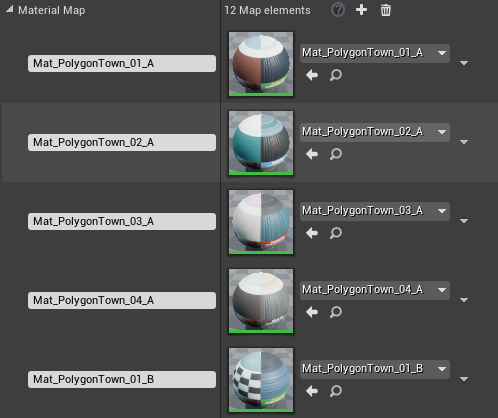
I was looking for a way to turn a string value into a Material Instance. I had hoped that Unreal Engine would have a node for that, but alas it does not. Nevertheless, I needed something that like …
Is it this?
gentle urchin
 timber knoll
Creating and editing Map containers, an advanced container type, in Blueprints, including an overview of this container's properties.
drowsy osprey
So I could map/name all the cameras with the string int and map those to integers, then those would be fed into the array so it knows what cams?
I don't know why this one feels so abstract to me
timber knoll
Well the easiest I figured is map based on area
So you each collision tells the map, this area
And then you could store arrays inside that map
So it knows which cameras for that area
gentle urchin
You could probably also just add a second tag to it
ivory adder
Why is this happening
drowsy osprey
Oh like call each one a number
timber knoll
But all this nesting etc sounds more of an issue easily solvable using cpp instead of bps
drowsy osprey
sadly don't know c++
timber knoll
At least to me, im still learning a lot about blueprints and its limiations
drowsy osprey
This is one of the last major things in the way of a finished demo and looks like I saved one of the trickiest for last. It's a crazy thing as the game has very little possession and is mainly NPC.
gentle urchin
You could make some arbitrary camera manager class and use that for global reference to all the cameras, and feeding it with whatever criteria for enabling cutting or not
timber knoll
ivory adder
Why is this happening
Check teleport on the move
gentle urchin
Not the default ones
drowsy osprey
Or do I still need to manually set each
gentle urchin
But a custom one, sure
ivory adder
timber knoll
Check teleport on the move
On or off?
gentle urchin
Its a single get all actors of class call
timber knoll
On
ivory adder
K i will check
drowsy osprey
C++ custom or BP
gentle urchin
Bp
drowsy osprey
In my case I have a few cam types
gentle urchin
Right, but they're all just cameras in the end
drowsy osprey
Gotcha so it shouldn't matter for it
Because I have a player controller with a lot of them already setup
gentle urchin
Unless you've gone and used actor as the parent class for them...
drowsy osprey
Some are actors because they're these dynamic objects that snap to AI and do specific things like lerp in patterns
gentle urchin
They should probably all share the same parent class either way
Sounds like some are components aswell?
drowsy osprey
yep
Some are level actor cams, some are cams that snap to things and track and perform animations, some follow shared points in the world. We programmed each bot in the world to have specific traits. Some are character BP
gentle urchin
Guess it would be 2 calls to fetch them all then. And probably 2 or more arrays
Same principle anyway, just a tad more work
drowsy osprey
Is it just standard get all of class with tag?
haven't made a cam manager before but looking now
gentle urchin
If some are components then i believe you must also do a fetch all components by class/tag aswell
drowsy osprey
Gotcha
So make sure those are tagged. So far on some I've just been able to call the actor and I manually unselected the cams I didn't want in them. Like our AI drones
gentle urchin
Its kinda hard to see the specific usecase here really,
But i found manager classes to be very helpfull in general. Got the same for the NPCs
drowsy osprey
Easiest way I found to manage the world is letting the actors in it kind of be like little wind chime elements, and as they trip bounding boxes by exploring, the edit changes. Even the cutting pace elevates depending on world conditions and state. So far I've been mostly using a controller mapped in a specific way to manage "like groups" and cut back and fourth. The whole world is always loaded and there is no loading time at all cutting.
gentle urchin
Sounds pretty interesting tbh ^^
drowsy osprey
It is. But that doesn't make me a good enough dev, even tho I already did all that. haha
(had help from a few of my amazing dev friends and team mates also) but this is the end of a year long exploration
timber knoll
Yeah it sounds interesting and fairly complex so for sure not bad stuff 😛
drowsy osprey
If I can get every single camera in world all within one central point, and then just hit the thing with event dispatchers and such, or setup timers I can set with bools, we can have a lot of fun. (we even have some parts that cut via sound)
But managing it all the way I am now in multi bp is a nightmare.
 chrome fractal
I need to run my game on max fps but I got a massive fps drop in it. how can i fix this?
gentle urchin
Setting up the manager, and possibly adding an interface to all the related actors could centralize handling to some extent
ivory adder
timber knoll
On
Nope same result
timber knoll
chrome fractal
I need to run my game on max fps but I got a massive fps drop in it. how can i f...
Well if you have FPS drops you should profile
Usually you still want to limit fps in general
To some high number like 300-500
drowsy osprey
chrome fractal
I need to run my game on max fps but I got a massive fps drop in it. how can i f...
I've been loving event dispatchers for the weird things (this is all pixel streaming btw) so a crowd interacts.
timber knoll
ivory adder
Nope same result
Hmm okay but it does like colliding along the way
ivory adder
?
timber knoll
Have you tried just disabling collision while on the spline?
ivory adder
How on earth do I do that?
timber knoll
Or is there more wrong that I don’t see
On whatever has collision you can set collision enabled (node)
ivory adder
On the spline object or vehical
timber knoll
For your vehicle
ivory adder
Wont I just fall through the floor
timber knoll
Not if you only disable it during that movement
ivory adder
How do I do that
chrome fractal
timber knoll
Well if you have FPS drops you should profile
can you please explain or there is any documentation for this
timber knoll
chrome fractal
can you please explain or there is any documentation for this
Theres some very good videos and documentation from unreal themselves
Its a bit much to explain
timber knoll
ivory adder
How do I do that
On your timeline when you start it disable collision
On complete, enable it again
ivory adder
What command to i use
ivory adder
This?
 timber knoll
Eeeuh ive never used that one before
But you have a similar on components
If you first drag in your component and go from there
ivory adder
The vehical dosnt have this code
timber knoll
You can try that node tbh probably does same
ivory adder
Nope it did nothing
timber knoll
Your vehicle might not have it because it could be visuals only
But there will be a component with collision somewhere
ivory adder
 timber knoll
Otherwise it would fall through floor 😛
Yes that should work if its the one that collides
timber knoll
Wait other component?
ivory adder
Yeah
timber knoll
Thats not your vehicle
 timber knoll
It needs to disable on the playercar
Oh well actually component like so might also work
Unless that’s not all the colliders on your car
I would make a function or so in the playercar
Which enables and disables the collision
God why is explaining through textchat so hard xd
timber cloak
faint pasture
Dot product the hit or impact normal(whichever one is the normal of your capsule...
calculate using hit normal of capsule instead of other actor. Interesting. Thank you. Appreciate the detailed help!
 dire reef
i'd be appreciate that of your help in advance
dire reef
 nova finch
get controled pawn doesnt exist
nova finch
get controled pawn doesnt exist
at first call get player controller, then from its output get controlled pawn
nova finch
no no i got it
context sensitive hided it
This blueprint (self) is not a Controller, therefore ' Target ' must have a connection.
help
@dire reef can you help me with this
icy dragon
nova finch
<@!614097890524266497> can you help me with this
I'm sure no one going to help if you don't give any supporting screenshots for a clear context of what you're trying to do.
TL;DR: No context, no help.
nova finch
 nova finch
icy dragon
I'm sure no one going to help if you don't give any supporting screenshots for a...
nova finch
icy dragon
I'm sure no one going to help if you don't give any supporting screenshots for a...
here
icy dragon
nova finch
Why not using Get Player Pawn?
icy dragon
This question belongs more on #visual-fx
 velvet nymph
hey guys, I am trying to implement a line trace from a 3rd person (over the shoulder) camera with a spring arm so I can add item/object interactions. I have a pretty simple setup getting the camera position and rotation. It seems to start off in the correct position rotation however as I move around the line trace becomes inaccurate. Not sure exactly what I am doing wrong here.

 velvet nymph
nvm my math was wrong 😄
solar dawn
Hi guys, so I've set health bar for an actor and my player supposed to protect it otherwise game over. So i've succeeded making it game over but the actor has health bar with 100% and the hit object just one hit killed it which it is not what i want. the bp i made seems do not detect there's a health percentage, can anyone help? BP images coming right up
the actor that needs protection

the hit object which goin' to hit the actor

the health bar ui, i put the health bar not in viewport but in an individual bp. and in the bp there's no code

 dark crow
velvet nymph
hey guys, I am trying to implement a line trace from a 3rd person (over the shou...
dark crow
velvet nymph
hey guys, I am trying to implement a line trace from a 3rd person (over the shou...
You have to add the GetWorldLocation to the Multiplied Forward Vector for the End
earnest tangle
solar dawn
the hit object which goin' to hit the actor
nevermind I read it wrong
velvet nymph
dark crow
You have to add the GetWorldLocation to the Multiplied Forward Vector for the En...
Thanks! Thats exactly what I found after some debugging and googling 😅
 winter pebble
Hey guys, is there any way to compare the speed of two pawns (moving via the floating pawn movement component)?
I'm not a maths whiz but this is the best I've come up with so far and it seems to sometimes maybe work:
 earnest tangle
so you want to compare their speed only on the x/y axis, regardless of direction otherwise?
winter pebble
Yep, spot on ^.^
earnest tangle
you could multiply the velocity by another vector 1, 1, 0, and then use get vector length
winter pebble
Awesome, thanks very much zomg, will give that a shot! 🙂
 fading oak
is anyone avaliable to give me some advice (not really advice, more so tell me what im doing wrong)
dark crow
Yeah! Not posting your problem is what you're doing wrong 💞
fading oak
ooft, My bad, am used to asking first rather than just plonking my problem in ! sorry

so this is what i have in my level blueprint atm, and what i want to do is slow down game time but have my payer moving at the normal speed
but the problem is my character isnt a "character" its a "pawn" so the "set custom time dilation" doesnt seem to affect it
dark crow
fading oak
Dilation works for every actor
Custom Time is just a multiplier of Global Time
Aka if you have Global to 0,1 if you want your player to go normal speed then set Custom of it at 10,0 (0,1 * 10 = 1,0)
And be sure to have it in the Pawn then
fading oak
so put the blueprints in my player blueprint not level blueprint?
dark crow
Put that in your players yes
Level Blueprint is not where you should do things at all
Player or Controller
 dark crow
Yeah
fading oak
this is in my player blueprint
dark crow
Try it out
fading oak
my player is still moving at .1 speed
dark crow
Odd, works on my side
dark crow
Doubt since it's a global parameter
fading oak
would anything else be stopping it?
or is there another way to achieve the same effect?

could it be because im using torque and Physics to move my player?
dark crow
Could be cause you're not multiplying it by delta time
Add a Pin and multiply both with Get World Delta Seconds
fading oak
sorry how would i do that, i am fairly new to this

this didnt work so i probably did it wrong XD

 pure terrace
Hey guys, I am trying to make a selection rectangle, but I am running into a few problems. I saw a few tutorials on how to make a RTS camera, so I have a pawn that can move around with WASD. My problem is I am not sure how to add a hud to this pawn. I have 1) a CameraPawn 2) a HUD 3) Blueprint Interface.
I have the pawn that can move around. I have the HUD and blueprint interface, but in my pawn event graph, I cannot 'get hud'. Am I missing something fundamental? If I make a playercontoller that controls the pawn, how do I possess it during spawn ( I only plan to have 1 of these pawns)?
 river pine
HI, its the first time i try to count hits... well i have a sowrd and hit a door 3 times, then it breaks..BUT this setup here calls the Destruction on the firstt hit already..whats wrong?
 dawn gazelle
river pine
HI, its the first time i try to count hits... well i have a sowrd and hit a door...
dawn gazelle
river pine
HI, its the first time i try to count hits... well i have a sowrd and hit a door...
You are setting a value on your "machete" object, but I think you maybe meant to set the value on the door itself?
river pine
yes maybe i just was seeing this befre somewhere.. so i try that then with the door itself
@dawn gazelle nope same
dawn gazelle
Maybe your Hit event is being called rapidly? Put a DoOnce after your cast then add another pin to your sequence, attach to a short delay (probably .5 will do) then plug that into the DoOnce reset.
river pine
ok i try this
dawn gazelle
Should look somethin like this:

 meager spade
Is there somehow I can find out how long it will take to interp between two values based on what speed value I input?
dawn gazelle
meager spade
Is there somehow I can find out how long it will take to interp between two valu...
Only if you're doing a constant interp as the other interps usually have a smoothing curve to them that slows down as you approach the value.
The time it takes is effectively the difference between the values with the interp speed being the number of steps taken if you're using something like Tick for your delta time.
So if you had a current value = 0 and a desired value = 10, with an interp speed of 1, it should take approximately 10 seconds.
With an interp speed of 2, it would take 5 seconds.
If you started with a current value at 5, and a desired value at 10, and an interp speed of 1, it should take approximately 5 seconds.
With an interp speed of 2, it would take 2.5 seconds.
 visual vigil
Can any1 tell me what causes remove from parent to not work in some cases
 eternal reef
Wouldnt it also be dependent on the framerate?
dawn gazelle
eternal reef
Wouldnt it also be dependent on the framerate?
If you're feeding in Tick's delta into the interp, then no. It becomes frame rate independant.
meager spade
dawn gazelle
Only if you're doing a constant interp as the other interps usually have a smoot...
Okay, since it's value based I think I would be better of using a timeline
 lapis zenith
Hey guys, I recently started learning about splines and I was wondering if it is possible to create a spline and add points so that it follows the position of an actor leaving a trail behind it
woven wing
lapis zenith
Hey guys, I recently started learning about splines and I was wondering if it is...
Yeah, should be possible. Look for the 'blueprint spline component'.
 glass stump
what's the best way to make it so an enemy's speed increases?
(like when they detect me, to chase. i've already set up the detection code, just don't know how to make them increase speed.)
so i need to create variables for it?
it's a character but the variables aren't there.
ah, thank you, i've got it! :)
onyx token
okay-
Short question - did i screw this up?
I make a button, and give it some text that says "Farm"

i make an interface, to send that signal out of the HUD-

and then in my camera BP, i spawn it.

But dis shit don't work

have i fucked up somewhere?
not even this works 

but the button does work, because if i put a print right behind my "OnClicked" - it prints. For some reason my interface seems to not work
dark crow
Where are you calling Spawn Building
onyx token
in my UI blueprint
dark crow
And where is Event Spawn Building
onyx token
on my character (which in my case is a floating camera) - blueprint
dark crow
You messed the Interface
onyx token
so on my pawn
dark crow
You have to make a Call from the UI, not directly use the Interface Function
Call Spawn Building
onyx token
call spawn building where?
 gentle urchin
Target must be char
dark crow
I think he has the Interface in the UI too and is calling the Function
UI interface basically
onyx token
 dark crow
That won't work
visual vigil
Can any1 help me , my loop is creating more items than intended
 gentle urchin
Player pawn doesnt implement the interface
dark crow
Cause you're using the UI interface
onyx token
wait- so i can't use an interface communication between my UI and my player pawn? 
dark crow
You can
Let's start with this
You have the Interface both on the UI and Character no?
onyx token
visual vigil
Can any1 help me , my loop is creating more items than intended
pls gimme 5 more minutes, i'll try to help you later 
onyx token
dark crow
You have the Interface both on the UI and Character no?
sure, it's implemented on both BP
gentle urchin
visual vigil
Can any1 help me , my loop is creating more items than intended
Usully when procedurally filling up some grid you'd wanna clear the grid first
 dark crow
You don't need it in the UI
You need to use a Message
You can call an interface from anywhere
visual vigil
gentle urchin
Usully when procedurally filling up some grid you'd wanna clear the grid first
I did that
 onyx token
oh- you're right lol
dark crow
Having implemented it in the Actor means it will respond to it
onyx token
i see, okay neat- but it still doesn't work
gentle urchin
visual vigil
I did that
Sweet. There's a clear all children function doing this for you btw.
dark crow
Use a message
onyx token
like i just get the call, not a message
onyx token
yeye, but i don't get it
 dark crow
Not from the Exec pin
onyx token
only the call, not the message
dark crow
Cause context sensitive strikes in like that

 onyx token
alright... So from now on - when using interfaces - don't go from the exec pin
dark crow
And as a target use Get Owning Player Pawn
dark crow
👌
onyx token
i was this close 👌 on starting to fuggen inherit the shit out of everything
and bool my way through this 
dark crow
Scaryy
odd ember
inheritance may be better in these situations purely because it gives you a better overview of how classes are connected. but ultimately EC(S) is the best way to go
onyx token
hang on, you seem smart - can i ask you something else?
dark crow
Am not smart in the slightest, but sure
onyx token
when i spawn an actor, and i click my button - does "GetClass" work in this instance?
 visual vigil
gentle urchin
Sweet. There's a clear all children function doing this for you btw.
visual vigil
gentle urchin
Sweet. There's a clear all children function doing this for you btw.
OMG dude you fixed my problem that i am trying to figure it out for 3 hrs. Thanks
gentle urchin
Not if the reference is invalid , which it probably is(?)
dark crow
Yeh, i think ref has to be valid, not sure it points without a ref
Can try tho (?)
At this point i would directly store it as a class tbh

 odd ember
what's the issue
onyx token
odd ember
what's the issue
can't spawn my comfy farmhouse 
dark crow
Class Ref points at the Class, so no need for a Object Ref
odd ember
getclass like you've done is correct. it will get the class
but you don't check for validity
dark crow
I think they're trying to spawn something based on an UI click
In that case directly Class ref is better

 odd ember
ah yeah I mean you don't need the object instatiated
 dark crow
Farm simulator
onyx token
tbh, i'm just gonna hardcode the class references to the buttons. fuck it 
 pale blade
Is there any way to detect/auto-remove these unconnected reroute nodes?
Anything
 onyx token
dark crow
then async load them or something
onyx token
dark crow
then async load them or something
 i think i'm still too dumb for those kinds of words
dark crow
It's alright, basically doing that doesn't load them in memory till you actually need them
a soft reference basically vs a hard one (always loaded)
onyx token
pale blade
Is there any way to detect/auto-remove these unconnected reroute nodes?
Anything
 odd ember
pale blade
Is there any way to detect/auto-remove these unconnected reroute nodes?
Anything
odd ember
pale blade
Is there any way to detect/auto-remove these unconnected reroute nodes?
Anything
not as far as built in functionality. you'd have to work with the BP VM compiler in cpp
dark crow
pale blade
Is there any way to detect/auto-remove these unconnected reroute nodes?
Anything
with an eagle eye


 dark crow
It's impacting itself
onyx token
yea, i didn't mask the collision
odd ember
farmhouse projectiles, very baba is you-esque
dark crow
let it be and market it as a feature
gentle urchin
its not a bug, it's a feature
onyx token
btw- if i use github locally...
and not upload it anywhere...
does that defeat the purpose and thus makes me dum?
dark crow
It's something...
Look into Microsoft Azure Devops
Unlimited space, just pay the users (only above 5)
odd ember
it's a backup if nothing else
onyx token
so can i revert code even if it's just saved locally?
onyx token
looking into azure, that actually does seem really really neat