#blueprint
402296 messages · Page 722 of 403
 full crypt
 tight schooner
In plain english, the BP in your first screenshot can be interpreted as...
When E is pressed, get my owner, check if its class is a "sophiabp", and if it is, set its "Ready" boolean to True
I only have your screenshots to go off of, so that's all I can say
the two reasons the cast could fail are...
- The actor's owner isn't a sophiabp
- The actor has no owner
full crypt
So what would you recommend?
tight schooner
I don't know what you're trying to do so it's hard to say. You could try printing the return value of Get Owner just to see what it is -- pull out the Get Owner "return value" pin, type "totext", and then plug that into a Print Text node
and that's one way to see what the name of the owner is
There might be a node that can get the class of it as a string, idk
which you could then print and get the name of the class
full crypt
its a character. but even when using Get Player Character, it fails the same way.
am i like, stupid?
tight schooner
and sophiabp is a child class of Character?
tight schooner
@full crypt Sorry, I'm a little stumped. I thought there'd be a way to print the class name of an actor reference but I can't find one. But usually you know what it is because it's your own game
You either placed an actor in the level, or some BP you made spawned it
full crypt
tight schooner
You either placed an actor in the level, or some BP you made spawned it
the actor is in the level.
tight schooner
full crypt
the actor is in the level.
Click on it, then you can see the type of the actor
in the "world outliner" panel
 unreal token
Total silence in my house. Making my game. add sound to my YOU DIED!! screen. and then almost pooped my pants at this: https://www.youtube.com/watch?v=L6aT_oEhIKo

bruh how i turn this down?
 gentle urchin
Is the owner of the bp "sophiabp" class? I would think not
full crypt
no?
 full crypt
what would you change?
gentle urchin
You need an actual reference to the sophiabp
full crypt
like?
gentle urchin
there's a multitude of methods to do this;
- Trace
- Collision
- Hardcode
- Through some common other bp
full crypt
???
gentle urchin
2 sec, opening a project
Hardcoding works for stuff that exist in the level already,
so if you want some button to work on a door, hardreferencing could be a way to go about it

In the "testActor" I've made a variable of the type "sophiabp" object reference, set to instance editable
this exposes the reference in the detailss panel, allowing me to handpick the correct instance of the sophiabp
in this case, the sphere
Another less preferred method is by using "get all actors of class",

I'm not sure if there's really a perfect usecase for this, but i'm using it for my manager classes which i make relatively avaliable
Collision volumes are pretty common to use aswell
Fits best for things that actually move (if sophiaBP is a pawn)

 silk hinge
i'm surprise to see that mutch people having a hard time with casts
gentle urchin
Get actors of class works in many many scenarios
but is not very preferred
mostly because people tend to put them on "event tick"
gentle urchin
If sophiaBP is a pawn tho, i'd suggest the collision ^^
Sure thing. For testing purposes, anything works😄
gentle urchin
Last method from the top of my head is the traces

this would trace 1000 uu in front of the bp that's looking for the sophia bp
silk hinge
If you cast to anything you need to specify the exact type actor that is having the class you are casting to, so interfaces, overlapping actor, anything that can reach the exact actor you want to cast to otherwise cast will fail, also If you want to keep track on this specific actor you can set a variable 🙂
 winged sentinel
thats my bp

does anyone know why weighted average moving rotator is moving so fast? in other projects i use the same code and it smooths it out nice...
silk hinge
you dont use an animation, right ? the movement only comes from the vectors ?
 next current
How can i change camera rotation?
I tried with some methods but there aren't working
next current
next current
How can i change camera rotation?
....my question is here
silk hinge
depends on what camera I guess and what you mean by rotation, like reverse the axis input?
next current
silk hinge
depends on what camera I guess and what you mean by rotation, like reverse the a...
no no, rotate the camera of the FirstPersonCharacter when pressing a key
i don't know how to rotate the camera
gentle urchin
Default pawn in thirspersontemplate handles this , ypu could check that out
winged sentinel
silk hinge
you dont use an animation, right ? the movement only comes from the vectors ?
I’ll try an even bigger number, but it seems like it’s the same, speed. It’s kinda weird because I have the exact same code in another project and it’s nice and slow the way I want it
gentle urchin
Altho with mouse, but the logic is mostly the same
next current
yeah but what method i have to call?
silk hinge
winged sentinel
I’ll try an even bigger number, but it seems like it’s the same, speed. It’s ki...
the only thing I saw was the X "default value" not beign at the default value but i guess its only the amount of rotation you want ? 😄
What if you put a really big number ? isnt it slower to make the all roration ? or maybe it was supposed to be a negative value ?
next current
Set Local rotation and World rotation is not working
sorry for my bad english but i'm italian
silk hinge
did you binded some axis into your project inputs ?
next current
silk hinge
did you binded some axis into your project inputs ?
no
winged sentinel
silk hinge
the only thing I saw was the X "default value" not beign at the default value bu...
I tried a bigger number and it didn’t help still snapped fast. It worked in my previous project but not this one for some reason
silk hinge

This is the default one with input axis beign set up into the input of the project
you should really check third person template
silk hinge
winged sentinel
I tried a bigger number and it didn’t help still snapped fast. It worked in my p...
I dont really know then I never saw this type of blueprint so far, maybe your missing something that is slowing down the reading speed of the code ? dunno tbh
 indigo basalt
hi guyss, sorry for interrupting but does anyone maybe know why my character blueprint gets teleported when the character walks off too steep of an edge?
(at least thats what looks like thats happening :< )
https://gfycat.com/rashspiritedanura

this is pretty much a default clean new character BP btw.. the first fall went well, the 2nd one is more a teleport it looks like
gentle urchin
Seems to be physics related
indigo basalt
hmm not really I think, the push happens because of (what looks like) the player snapping to the ground instead of falling
I found this post of someone giving an example btw,
https://answers.unrealengine.com/questions/332233/a-character-teleported-slightly-above-ground-is-au.html
apparently when the character is at a height of 45 units above ground the character gets teleported back to the ground?
maybe its possible to tweak that tho! Would love to hear :D
next current
next current
i don't know how to rotate the camera
REPLY ME PLS
gentle urchin
next current
REPLY ME PLS
Checked the thirdperson template?
silk hinge
I think if you wavent setup the axis you cant and you can literally take the code of the template we told you about
winged sentinel
silk hinge
I dont really know then I never saw this type of blueprint so far, maybe your mi...
I’m not sure it’s rly weird
next current
gentle urchin
Checked the thirdperson template?
i am in first person template
winged sentinel
Idk what I did different in this project than the last one
gentle urchin
indigo basalt
maybe its possible to tweak that tho! Would love to hear :D
You'd need to go into the cmc to tweak it ^^ c++
silk hinge
next current
i am in first person template
just check the code there to see how its done its just a camera rotation no matter if your in third on first you just rotate a camera at the end
gentle urchin
next current
i am in first person template
Right, but what you're asking for also already exist in that template ! You need to replicate that axis input via action event
next current
ok thanks
gentle urchin
Id usually do it with setting a float on the action event, and checking that float on tick
If != 0 then do the same thing as the axis event does
Apply yaw and pitch
indigo basalt
gentle urchin
You'd need to go into the cmc to tweak it ^^ c++
oo thats pretty excitingg, thanks a lot I'll look into it 😊
 rugged violet
Looking to set up a BP but having some issues. Trying to.. When level loads I want Event begin play to change the game mode of a second level, but not sure how. 🤔 Any ideas?
gentle urchin
Eh?
You cant change the gamemode afaik
You can change which level to be loaded, which is tied to gamemode
rugged violet
I have up to this point only switched levels with the open level node.
I just need the game mode on a level to switch while im in a different level. I figured I could do that in a BP somehow but havent found te right path
Im really close but cant find the right nodes
I dont know what that means
My issue is that theres a mod program that shows maps. I want to have a level that doesnt have the games game mode in it so it will not show up in the mod program. Then when you load a level thats there is switches the other levels game mode so you can play it.
 rain dagger
hey devs, how are you all?
i need a small help...
i have created an AI that will throw some stuff towards the player and its working fine but i can easily invade that attack if i move sideways as i am calculating the throw direction only at the time of throw, but in games the thrown objects tends to follow the player a bit and you can invade it only if you dash.
any solution ( and for throwing i am just giving it an impulse at begin play)
-thanks
(sorry for the grammar 😅 ) so will the AI prediction work fine in bp?(as some AI senses didn't work well in bp)or i should try to do this using maths as that will work much better ?
 earnest tangle
all the AI senses should work just fine in BPs
indigo basalt
gentle urchin
You'd need to go into the cmc to tweak it ^^ c++
IM STUPID!!!!
that 45 unit snap was THE STEP HEIGHT doing its magic.... I set it lower now and that fixed it
gentle urchin
indigo basalt
IM STUPID!!!!
that 45 unit snap was THE STEP HEIGHT doing its magic.... I set it...
Wow ! Well who'd guess 😂 good work figuring it out! That takes some real not stupidity to figure out 😜
 trim matrix
Does anyone know how to fix this error? I am trying to package my project just for tests, and I cannot figure out how to fix the structures for BP Interfaces. They are all read only, and I have not worked with them more than a couple of times. I had this in packaging, but it is more of a blueprint issue for me.
Blueprints/Interfaces/Common/BP_GameInstanceInterface.BP_GameInstanceInterface_C:GetPlayerSaveDataReference.PlayerInfo'. Unknown structure.
My guess was trying to find were the BP Interface is getting the info from, and fix that graph's structure issue, but I also am not sure how to find were the references are coming from.
 zealous moth
@rain egret AttachActorToComponent. You can add sockets for that also. Here's good tutorial: https://www.youtube.com/watch?v=4F8TrOsEl1g&ab_channel=Uisco
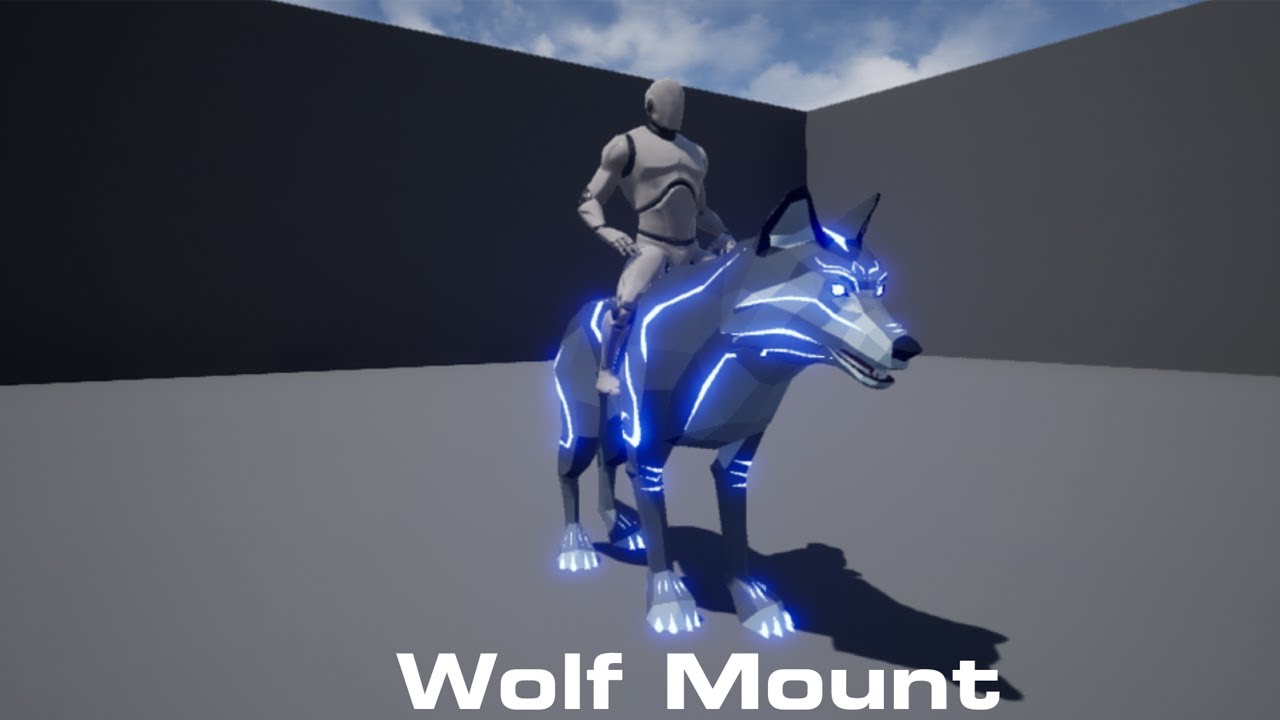
In this video I go over how to make it so that we can mount system and ride are pet wolf character in Unreal Engine 4. This is the second part
First Part : https://youtu.be/uSTkxNbvxLE
Animation : https://uisco.itch.io/mount-animation
Join the discord : https://discord.gg/WybzV92BKJ
Check Out My Website For a FREE 3D Model and more of my cont...
zealous moth
trim matrix
My guess was trying to find were the BP Interface is getting the info from, and ...
Most likely you modified your struct and your reference is cached to an older version of the struct. So UE4 has no idea what to do.
Redo the struct references manually or make a new struct altogether.
zealous moth
gentle urchin
Rensming it usually does the trick
not always. depends on his order of operations and cache
gentle urchin
True, thats why i put the "usually" there 😂
trim matrix
I deleted the asset in the end, but that is due to it just being a marketplace asset that was just for saving the system I was using. I want to remake all save systems into my own for sure so it was not an important piece. Renaming is what I did to a different BP and it worked, but this on was set up differently than most so I could not find anything, the organization was pretty poor.
 neon jay
Is there a way to get a homing projectile to target the centre of an actor, right now it targets the root component which is at the bottom of my actor, cheers!
trim matrix
Hey there! My game has several Trigger Boxes which start a specific audio, however, when moving into two triggerboxes (for example at the same time or just at a time very close to each other) the new and already playing sounds play at the same time. As my audio is a voice this makes it very confusing.
Is there any way I can check if some audio clips are playing already, and if yes, play the audio of that specific trigger box (and if no, do nothing)? It needs to work throughout several triggerboxes 🙂
(Just to make this clear, these are seperate trigger boxes playing different audio clips)
zealous moth
neon jay
Is there a way to get a homing projectile to target the centre of an actor, righ...
you can give the vector of the target an offset, you can add a mock component to your character and home into that, you can target the X and Y of the character and the Z is the root + halfheight of the capsule, etc...
neon jay
zealous moth
you can give the vector of the target an offset, you can add a mock component to...
Okay I'll give that a go, thank you!
trim matrix
trim matrix
Hey there! My game has several Trigger Boxes which start a specific audio, howev...
Anyone who might know this? 😅 🙂
 naive grail
I'm creating a focus system for interacting objects. It's doing a sphere trace and if single object hit it focuses the object. If there is multiple object hit it's doing a line trace and taking the first hit object. That's good like that but if sphere trace hit multiple objects and line trace doesn't hit any object then i want to get closest object to the line trace [Not closest to character. Closest to middle of screen (Line trace)].
It's not that hard i can get distance between trace and pivot of objects but i want consider all of objects mesh. Not just pivot.
Any ideas?
 civic briar
Trying to make a rotational sway for a floating character (droid) when I move left or right.
I got it working by lerping the relative rotation with a timeline for smoothness but i have other rotational overrides that make this challenging.
Is there a way to get the same effect with a SPRING ARM ? Does the spring arm have a camera lag setting for rotational movement ?
 jaunty acorn
Can someone help me with this post
 faint pasture
civic briar
Trying to make a rotational sway for a floating character (droid) when I move le...
faint pasture
civic briar
Trying to make a rotational sway for a floating character (droid) when I move le...
Spring arm has lag settings. I use some linear lag all the time. Rotational lag can be ok too depending on your design.
civic briar
faint pasture
Spring arm has lag settings. I use some linear lag all the time. Rotational lag ...
I understand the lag settings for the most part. Just trying to see if its possible to get this type of affect based on the left and right movement of the character pawn
 faint pasture
civic briar
I understand the lag settings for the most part. Just trying to see if its possi...
faint pasture
civic briar
I understand the lag settings for the most part. Just trying to see if its possi...
What exactly is that picture supposed to be showing?
civic briar
The change in pitch - this is the effect im trying to get with using a spring arm
faint pasture
So what are you intending to pitch when the pawn moves? The camera?
civic briar
Imagine a floating droid. When i move left or right, i want the pitch to change in the direction of the movement
Like a tilt
faint pasture
Do you want the camera to pitch or the Droid itself? I'm guessing the droid.
If the spring arm is what the camera is connected to, that will have nothing to do with the Droid itself pitching. Pitch the mesh based on movement input or acceleration
civic briar
The droid is a child of the spring arm and camera, I would like the pitch to move everything actually
winged sentinel
silk hinge
I dont really know then I never saw this type of blueprint so far, maybe your mi...
this is my original project, it looks way smoother and nicer here
this is my new project, same code, it just looks terrible tho
the movement looks sm more natural in the first one, i made sure the weapon arms and everythign were in the same rotation and location as before
im starting to think its just a bug with the engine at this point idk what else to do
faint pasture
civic briar
The droid is a child of the spring arm and camera, I would like the pitch to mov...
Ya don't do that.
silk hinge
I see yeah the diference is obvious I still belive the original one is too fast too, tho
Gotta figure out what makes it too fast, have you tryed toes nodes that let you edit a curve over time for transition ? I know you use those on blend view or somthing to swap camera @winged sentinel maybe you could use this node to make things smoother ?
 high ocean
Design question - just to check my logic: I've got skills allocated to units (strat game) as bp components. Now I'd like to add a system of skill modifiers which can be looted and used on the skills themselves to improve/change their behavior. These modifiers will be both randomly generated & unique. I thought I would spawn blueprints containing the modifier functions, execute the functions, call back to continue the code on the skill itself, then destroy the mod blueprint. Is this a bad idea? How would you guys go about something like this?
Execution would go something like SKILL -> MOD 1, MOD2, MODn, -> SKILL (destroy all mod bps)
winged sentinel
silk hinge
I see yeah the diference is obvious I still belive the original one is too fast ...
i think the node itself is glitched out or something, ive print stringed everything and nothing seems off from the original project, only thing different is the output of the weight moving avagerage rotator. i havent tried the node you were talking about tho, im curious what it is
is it a timer?
honestly its only a visual thing but its just aggravating tf out of me cuz i cant fidn the reason why it isnt the same lol
3 hours in and i still cant figure it out
winged sentinel
holy

so i cut off the weapon sway on my mouse/ gamepad and my walking works now
would this be from the set locations interfering with eachtoher
naive grail
naive grail
I'm creating a focus system for interacting objects. It's doing a sphere trace a...
Help pls
high ocean
@naive grailHow does it hit "multiple objects"?
I don't get how the system is setup really. You are using a sphere trace for objects of type x - on hit, get hit object? Are you running the trace/tick?
where do you start tracing? how small are the objects so that the sphere trace hits multiple? you keep track of them in an array? what triggers the "focus" event/function? etc
 native willow
naive grail
Help pls
native willow
naive grail
Help pls
use actor bounds
naive grail
high ocean
I don't get how the system is setup really. You are using a sphere trace for obj...
It's a system when you hover object they get outlines and you can interact with them. I'm running it on tick. It's looking for interactable object type. Objects can be everything you can interact in a game. Pistol, door, Other stuff etc. Sphere trace is a multiple trace and i don't store them in an array. For example you press "E" and you will be interacting with the focused object. Only 1 object can be focused. Sphere has 50 radius
high ocean
@naive grailIf you only need to focus one item at a time & run on tick, why not use a line trace instead of a sphere (if sphere sometimes picks up items you don't want)?
naive grail
high ocean
<@!421048902364561409>If you only need to focus one item at a time & run on tick...
Line trace is too thin. And i'm using it for just deciding which object to be selected if there is multiple hit by sphere trace
It doesn't pickup items i don't want. It works fine. But if sphere got mutliple object, line trace supposed to be decide. But if line trace doesn't hit anything i can't decide which object to be selected
high ocean
Oh...uhm... So you are using both? Sphere & line? and the line one decides which to pick?
naive grail
Probably i can handle distance from a point to the line of line trace but i want to consider meshes too
naive grail
high ocean
Oh...uhm... So you are using both? Sphere & line? and the line one decides which...
Only if there is close objects to each other. If sphere just hit 1 object there is no line trace
high ocean
So you only have isues if sphere trace picked up multiple items && line trace picks up none of those - right?
naive grail
high ocean
So you only have isues if sphere trace picked up multiple items && line trace pi...
Exactly
high ocean
you could take hit location of the sphere & then the line's, then get closest object to the line's hit location, but I doubt it's a smart solution since you would have to store what the sphere trace picked up somewhere and pick from there. 🤷♂️
or just use a vector snapped to grid for the linetrace, to the sphere trace's size
but then again, traces are known to sometimes "misfire" and return none, so I'm not sure. It needs a bit of tinkering I think.
 pale blade
Why do they recommend not to use blueprint macro libraries?
https://github.com/Allar/ue5-style-guide

GitHub
An attempt to make Unreal Engine 4 projects more consistent - GitHub - Allar/ue5-style-guide: An attempt to make Unreal Engine 4 projects more consistent
naive grail
high ocean
you could take hit location of the sphere & then the line's, then get closest ob...
I'm giving a try. Thanks for help
gentle urchin
naive grail
I'm giving a try. Thanks for help
Why multitrace if ur only looking for one hit ?
naive grail
gentle urchin
Why multitrace if ur only looking for one hit ?
It's because sphere can hit an object it close to the middle of screen but in background there is can be an object in middle of screen didn't detected bcs of non-"multitrace"
faint pasture
high ocean
Design question - just to check my logic: I've got skills allocated to units (st...
It depends on how in-depth your modifiers get. My first thought would be though, if you are having skills be components, had each skill interpret the modifiers in its own way. Like say the skill was a fireball, and the modifier is plus two projectiles. The skill would look for the modifier with tag projectiles when spawning its own projectiles, and interpret it in its own way.
It all depends on how gnarly things get tho. A PoE style system is absolutely NOT easy to make.
faint pasture
naive grail
It's because sphere can hit an object it close to the middle of screen but in ba...
Channels. Have a channel per mechanic. In our game, foliage does not block channel Projectile, so projectiles just don't hit foliage. You can do the same with Interaction or whatever mechanic you're trying to do.
high ocean
faint pasture
It all depends on how gnarly things get tho. A PoE style system is absolutely NO...
I know, but it's so extensible and versatile 😛 I'm not scared of trying to make complex systems but the problem is that I see my solution as lacking/hacky/not clean enough. But yes, a simplified POE system is kind of what I had in mind. Performance shouldn't be a problem ever, since the game is turn-based.
faint pasture
high ocean
I know, but it's so extensible and versatile 😛 I'm not scared of trying to make...
In that case I would do everything as actors.
@high ocean give an example of about the most complicated setup you can think of with your system.
high ocean
Skill with three socketed mods, each influencing core skills mechanics.
Base skill - Attack based hp damage (10-15) single target, adjacent targets only.
Socket 1 - Transform hp damage to mp damage at 50% value
Socket 2 - Costs hp life instead of mp at 150% value, hits all melee (front row) units
Socket 3 - Heals a random ally (basically calls another skill ?) for 20% of damage dealt
This is not "the most complicated", but you get the idea.
@faint pasture
Now, ofc I would have to find ways around conflicting mods like for instance, on top of the second socket, I would have another that hits the enemy in front and the one behind it, but I don't even want to think about that now 😅
how would target selector handle that etc... The system I'm building upon is one I've already released a game with but I fear I may have to remake most of it to accommodate such mechanics.
now, each unit has its unique skills and the respective components handling the skills built in. I only spawn actors for buffs/debuffs or effects that would have a duration.
I'm guessing I would need to handle the whole system differently from the get-go.
gentle urchin
naive grail
It's because sphere can hit an object it close to the middle of screen but in ba...
If you want it in the center, linetrace sounds better but idk. If it works it works i guess
faint pasture
@high ocean you will have to be very careful with how you architect it, but a system like that seems like it would be doable with a bunch of on event hooks. Basically, the definition of a skill would just be a bunch of things that happen at certain phases during the action, and the modifiers could overwrite or extend what happens during those phases
high ocean
and the modifiers could overwrite or extend what happens during those phases <--- That! How? 😆
faint pasture
So if the base skill is
Precast -> mp check and deduct
Cast -> determine targets
Hit -> hp dmg
high ocean
Ooooh, oh! yes, yes...
faint pasture
With modifiers
Precast -> hp check and deduct
Cast -> determine targets
Hit -> mp damage, also triggers another ability (the random ally heal)
 digital gale
how can i make my jump faster
without making my fall slower or faster
high ocean
Great, I already kind of have it in phases.
 faint pasture
digital gale
how can i make my jump faster
without making my fall slower or faster
faint pasture
digital gale
how can i make my jump faster
without making my fall slower or faster
Change jump velocity
digital gale
no
not at all
i don't think you understood what i said
"without making my fall slower or faster"
including higher
faint pasture
Yes it does. Jump velocity has nothing to do with the fall speed. That's up to gravity and terminal velocity/drag
digital gale
If I set the jump velocity to maybe 1000, it makes my character go higher, which is not what I want
faint pasture
If you want a fully tunable jump that's not driven by velocities and accelerations you'll probably have to override the default jump implementation.
digital gale
so technically speaking there's no simple solution to jumping faster
faint pasture
Default jump is basically like a physics object. You could achieve the result you want by tuning drag tho, but doing a super meat boy or Mario jump would be easier with a curve.
digital gale
what do you mena by tuning drag
faint pasture
I mean tuning the drag parameter. You have three things in play here, the velocity with which you jump, the drag, and gravity.
 velvet dagger
Would I be interrupting your chat if I asked for help? 😅
faint pasture
Just throw your question into the void and someone will answer if they know
velvet dagger
Alrighty!
I need help making clouds through a single PNG, not any fancy shmancy clouds. I have assumed it'd be making a giant animated plane with the cloud texture on it in the sky where the plane would loop after a going across the landscape. So in a nutshell, I have a texture that looks likes some clouds, the transparency is correct and stuff, and I just want that texture to act as some clouds.
I can't find any tutorial doing it like this
Always volumetric clouds
Is it even possible?
high ocean
@faint pastureI think I got it ('ish, ofc). Thanks, will do it sequentially and switch on mod type (target, dmg type etc) & mod effect (override or additive). The only question now is, how to implement the functions? Spawn actor - call function - call back to skill to continue?
velvet dagger
Oh I'm sorry
high ocean
@velvet daggerIt's fine, we'll answer there 😛
faint pasture
high ocean
<@!127902729677963264>I think I got it ('ish, ofc). Thanks, will do it sequentia...
There's basically 2 approaches, data driven and object oriented. Objects would be easier.
So, your ability object and modifiers all exist (as actors or components) modifiers can maybe have a Boolean for if they override or add to a phase.
Ability gets to Precast, either does its own precast then the modifier precasts, or skips it's own (mod has override)
The data driven approach just defines mods as data like
CostResource=hp
CostAmountMultiplier=1.5
OnHitExtraEffect=HealRandomAlly
 mossy abyss
Hello, I am poor at coding and could use a hand getting a rotating tile to work in Blueprint. It's supposed to rotate and eject the player in forward back left or right depending on its direction. So far, I have the rotation working, but can't figure out what nodes I need to get the rotation to tell the pawn where to eject. Does anyone have a few minutes to spare for a screen share?
faint pasture
mossy abyss
Hello, I am poor at coding and could use a hand getting a rotating tile to work ...
I take it you have a static mesh that is rotating or is the entire actor rotating?
mossy abyss
the static mesh has a rotating movement component
high ocean
@faint pasture Never thought of objects, but yes, it's cheaper and I virtually only need them as a function container, the array of mods injected into the skill's struct will handle selection. Thanks alot for the ideas! 😄
faint pasture
high ocean
<@!127902729677963264> Never thought of objects, but yes, it's cheaper and I vir...
I would use actors for your sanity but go for raw objects if you dare. Perf is gonna be fine, it's turn based.
faint pasture
mossy abyss
the static mesh has a rotating movement component
Ok so the whole actor is rotating. Just get Forward or Right of a component that is being rotated and that'll be the direction you want
mossy abyss
@faint pasture Thanks, I'll see where I get from there.
high ocean
so, in the end, I'm back to my original idea of spawning actors that handle the mods, then destroy them after skill has been used 😂 . Yea, I'll do it with actors and maybe vars exposed on spawn for convenience. 🙂 Thanks @faint pasture!
faint pasture
high ocean
so, in the end, I'm back to my original idea of spawning actors that handle the ...
Don't destroy them, just have them hang around the entire time they exist
high ocean
😮 but why?!
faint pasture
Why not. I would spawn actor when equipped and destroy when unequipped.
That would also enable stuff like "does 1 more damage every time it hits, bonus lost on miss" or whatever
high ocean
Ooooh, ur riiiight! Ok, fair enough 😛 I'm guessing 12 actors with 3-4 skills each, maybe 3 mods on each skill isn't going to be such a huge cost after all - right?
~150 - 200 bp actors in the scene - nvm, it's more than fine 🤦♂️
faint pasture
Most shooters spawn an actor per bullet, you're fine.
naive grail
gentle urchin
If you want it in the center, linetrace sounds better but idk. If it works it wo...
Line trace is so thin. That's the problem with "only" line trace
gentle urchin
naive grail
Line trace is so thin. That's the problem with "only" line trace
a small sphere trace would have the same effect
make it marginally wider
naive grail
gentle urchin
a small sphere trace would have the same effect
That's what i'm doing. It has 30 radius
 mortal dagger
not sure if anyone's gonna know but i'm going off of a reddit post earlier about random tiling within the material graph


does anyone know what the "4.376e+04" value is in full?
supposedly the function was just pulled off the internet somewhere else but i'm having trouble finding it
 dawn gazelle
mortal dagger
does anyone know what the "4.376e+04" value is in full?
dawn gazelle
mortal dagger
does anyone know what the "4.376e+04" value is in full?
43760
mortal dagger
oh, duh. thanks
trim matrix
Hello,
I'm very new to unreal (and this server) and am working on creating an IK leg system. In this control rig however, the function menu I'm used to seeing for blueprints is missing and no forum I can find explains as to why.
 mortal dagger
You should be able to recover it by locating it within the Window tab and re-checking it
trim matrix

Do you know which option?

I'm looking for this here but I can only access it in my level blueprints, not inside the control rig
mortal dagger
Oh, sorry, I misread. I don't actually think the AnimGraph has a Functions tab like that, from what I remember it's mostly just executed within the main graph
What you generally have to do to pass variables etc is make them exposed on spawn and set the variables a Blueprint that uses that Control Rig as a reference
trim matrix
https://www.youtube.com/watch?v=FEMbGLhh_QQ At 11:06 he's creating a function through that menu and I was just trying to follow along
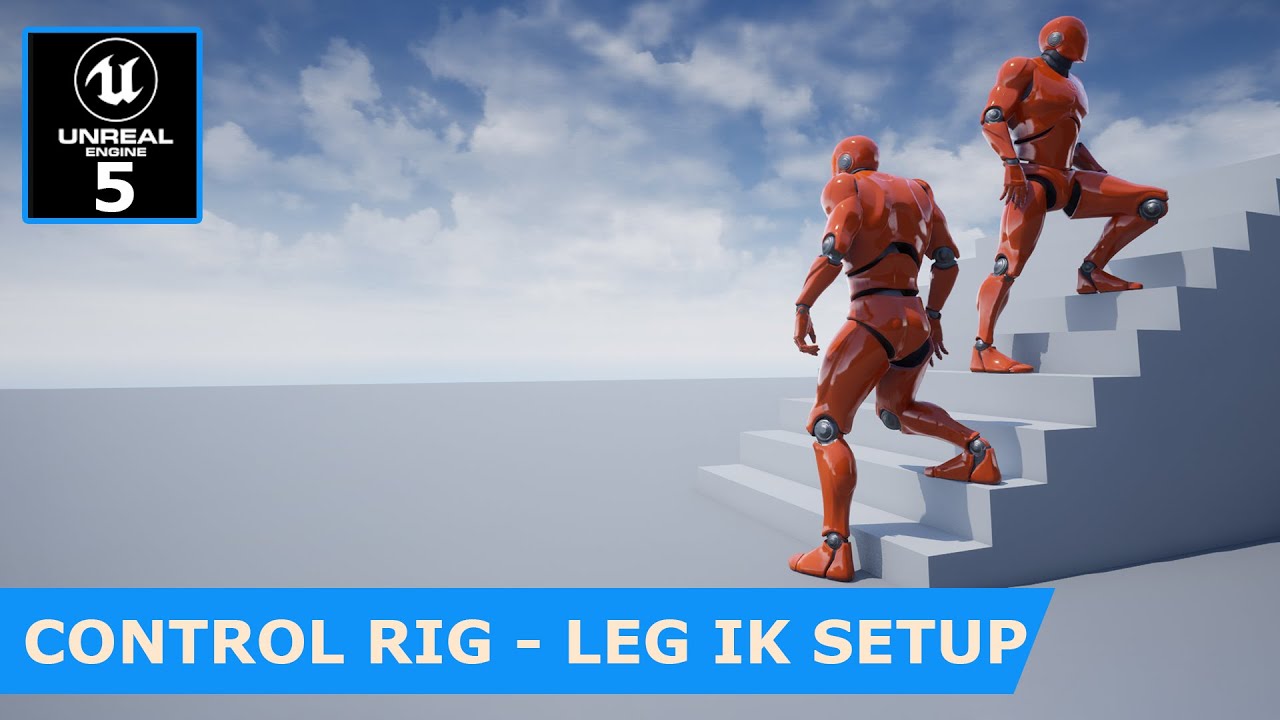
Project files : https://www.patreon.com/posts/52148135
This is the 2nd part of unreal engine 5 - Control Rig Leg IK setup tutorial. Here what we are trying to do is implementing a foot placement system which place both feet on the ground when the ground is un even. The base animation will not match the vertical location of the ground. Here, we a...
or like 10:46
oh he's using ue5
😦
Disregard 😄
 worn glacier
is there a way to add a socket to a cube mesh
zealous moth
@worn glacier go to your static mesh and add socket
worn glacier
thanks
 rain egret
zealous moth
<@!305108890381451264> AttachActorToComponent. You can add sockets for that also...
rain egret
zealous moth
<@!305108890381451264> AttachActorToComponent. You can add sockets for that also...
Thank you 🙂
I solved it, I had to attach and disable my movement. Tho I also had to not spawn a default controller at begin play. After doing so it worked fine.
 light token
Hello, Blueprint beginner here. I'm having a really strange problem. I use a Structure to store information of what Upgrades have been onlocked. From the HUD the value read is true. But from the method combining arrays it's false. Is there anybody who can help and give me a peek of what it can be? This is the blueprint I use https://blueprintue.com/blueprint/lu-lxchm/ It's about the Unlock Car Upgrade boolean.

No description provided
dawn gazelle
light token
Hello, Blueprint beginner here. I'm having a really strange problem. I use a Str...
If your character has that structure, and those values are set to true in your character then it should be true in this function. How are you verifying it is false?
light token
@dawn gazelle I put a print after the branch on the false and true and only the false one runs.
dawn gazelle
Single player game?
light token
Yes
No description provided
This is the blueprint I use where it is working
it disables the button when the unlock is unlocked
dawn gazelle
Try this: Right before you call the GetCombinedArrays function, cast to your character blueprint and set the value true in your structure. See if you get the expected behaviour out of the function.
How you have it set up should work. If it's not going through, then it's likely you're not setting the value within the structure correctly.
light token
@dawn gazelle Alright I'll try that
 forest sable
Hello guys, I've been trying to make this save game thing work for two weeks now with this setup but for some reason it gives me an error as if it doesn't see a reference to save to.
 light token
Thanks a lot
dawn gazelle
forest sable
Hello guys, I've been trying to make this save game thing work for two weeks now...
If you try to save, but your save game exists,your "Save Game Ref" isn't defined.
 light token
@dawn gazelle , I tried setting the boolean manual to true. Now it is recognized as true. There must be something else going on. I don't get why it's being recognized in the HUD but not in the blueprint
dawn gazelle
light token
<@218956378654507008> , I tried setting the boolean manual to true. Now it is re...
Do you have a screenshot of where you are intending to actually set the value within the struct?
forest sable
dawn gazelle
If you try to save, but your save game exists,your "Save Game Ref" isn't defined...
shouldn't it be defined ! how do i fix that !?
dawn gazelle
forest sable
shouldn't it be defined ! how do i fix that !?
You'd have to do one of these two things:

So either load the save game, and set any changes you want within the Ref, or just create a new one entirely.
light token
@dawn gazelle https://blueprintue.com/blueprint/sdi6myn2/
No description provided
forest sable
dawn gazelle
You'd have to do one of these two things:
So i have to load it then get it's refrence then save to it once again ?!\
I was watching this tutorial
https://www.youtube.com/watch?v=hf98GRZA2d8&ab_channel=RyanLaley
And it lead me to nothing new

In this video I go over how saving and loading work in UE4 and give some pointers as to some ways to improve organisation and efficiency to developing a save and load system.
Support me on Patreon and get access to videos early, join our developer community on Discord, get exclusive behind the scenes videos on my projects and much more over at ...
almost the same setup
dawn gazelle
forest sable
So i have to load it then get it's refrence then save to it once again ?!\
Yes. This acts as a pointer to an object. If this pointer isn't defined to an object then it is not defined, and is a reference to nothing.
When you're checking if the save game exists, you're not setting any reference to that object, the engine is just checking to see if the save file exists.
When you "Load Save Game" then it is reading the contents of the save file and creating your save game object, loading the values of the save file into your object.
When you do a "Create Save Game" you are creating a new object to use with the default values you've defined within your Save Game object blueprint.
 forest sable
so i'm creating a new empty version of the same save game object
dawn gazelle
In your current logic, if the save game exists (which I'm guessing it does since you've been testing) and you're executing your save event, then nothing is loaded into your "Save Game Ref" as you're not creating or loading any object to use, hence the reference to "None" message you're getting.
It would work if you load first, then try to save.
 mortal cradle
Is it possible to add this arrow in a custom made bp functions?

Some of my functions have a lot of inputs and it messes up the work flow
dawn gazelle
mortal cradle
Some of my functions have a lot of inputs and it messes up the work flow
I imagine you may be able to if you had the functions defined in C++, but as far as a function created directly in blueprints, I don't think so.
forest sable
sorry if i'm being stupid but can you help me fix that issue
https://blueprintue.com/blueprint/99fhfc2v/
No description provided
light token
@dawn gazelle I see you're busy and might have missed it but I uploaded my blueprint here https://blueprintue.com/blueprint/sdi6myn2/ no hurries but want to make sure you didn't miss it.
No description provided
dawn gazelle
forest sable
sorry if i'm being stupid but can you help me fix that issue
https://blueprintue...
You either need to create a save game object like you already have done, or you have to load a save game object like you have and modify it.
forest sable
So like This
?!
 dawn gazelle
Yep
dawn gazelle
light token
<@218956378654507008> I see you're busy and might have missed it but I uploaded ...
When you click your button, are you hearing your expected SFX and seeing the text you've defined?
light token
yes
 grand hawk
mortal cradle
Is it possible to add this arrow in a custom made bp functions?
grand hawk
mortal cradle
Is it possible to add this arrow in a custom made bp functions?
In cpp, you can do it with the UFUNCTION specifier which called 'AdvancedDisplay'. In that case, you should type 'AdvancedDisplay="TraceColor,TraceHitColor,DrawTime"' in UFUNCTION()
light token
@dawn gazelle and the button is disabled
forest sable
dawn gazelle
Yep
Yaayy, Thanks a lot for helping me out ❤️
light token
@dawn gazelle
 dawn gazelle
light token
<@218956378654507008> and the button is disabled
dawn gazelle
light token
<@218956378654507008> and the button is disabled
Not sure where else to go from here. Your code should be fine if that's the case. The only other thing it could be is that it's not executing in the order you think it should be. Namely Click Your Upgrade Button > Value is set in Player Character structure > ??? > GetCombinedArrays is called and reads the structure
light token
Yuyp
and it's even saved
in a savegame
so that value definatly be true
*should
but is false. I have no clue where to go from here either 😦
Thanks for your help anyway!
dawn gazelle
Hmmmm.. in your GetCombinedArrays function, try deleting this. Instead of splitting the structure, try dragging off and doing a break. Failing that one last thing I could recommend trying is recreate the function with a different name just in case there's something screwy going on with the BP itself.
 light token
Alright let me try this
@dawn gazelle Nope that's not working either.
It's strange
because it can't be the loading order
because this is an artifact that is spawned later in the world
Ok I'll try to recreate the function
Looks like it's only working in the HUD blueprint
When I try to use it in other blueprints it's set to false
When I modify the member of the struct. It's passed by reference right? So I don't need to set the struct again?
light token
@dawn gazelle It's working now!
I deleted the savegame and started new
now it's working
Thanks for helping me out!
damn
it worked 1 time
now it's back to locked
must be something in the savegame
 little cosmos
Here's a weird problem - I have an actor in the environment that only shows when in play mode. Otherwise it's invisible from the screen and outliner.
 velvet maple
Hi...I try to cast my custom GameMode in my pawn class, but it fails.
GameMode is set in project settings and load correctly in the level
Get GameMode returns the correct class "MyGameMode" but the cast still fails
No description provided
Just for testing purpose, is the cast fail hocked into the set function
Any Idea why the cast still fails?
 magic jackal
If I have a text render widget placed in a blueprint with a default text scale of x0.6 and y1.0. How do I calculate a scale that makes it fit into a given unit space? ex 10by5 units. The only sizes I got about the string to be painted is the bounding box in pixels, not sure how to convert pixels to units
dawn gazelle
velvet maple
Any Idea why the cast still fails?
If this is your code, you are casting only to "GameMode" not "MyGameMode".
This is important as "GameMode" inherits from "GameModeBase" and if you made "MyGameMode" inherit from "GameModeBase" then the cast will fail.
 arctic moat
This is my Mouse Input Blueprint. I want to have it so in the Settings menu, when i click a box, it "inverts" the mouse. So Up is down and Down is Up. How can i do that in my Settings Menu?


Is it possible to just set the mapping from -1 (non inverted) to 1 (inverted)


 crimson hornet
Does someone know why this isn't working?
crimson hornet
crimson hornet
Does someone know why this isn't working?
This is in the level bp here I set if I click esc an UI will show
crimson hornet
crimson hornet
Here I set in the UI to go back to Mode game only
crimson hornet
crimson hornet
this is the button to go back to game mode only
So the problem is the UI won't go away if I click the button and im still in UI mode only
velvet maple
dawn gazelle
This is important as "GameMode" inherits from "GameModeBase" and if you made "My...
THX a lot!! That solved it! Makes total sense now 👍
dawn gazelle
arctic moat
Is it possible to just set the mapping from -1 (non inverted) to 1 (inverted)
Have your widget set a boolean somewhere that your character can reference.
 arctic moat
dawn gazelle
Have your widget set a boolean somewhere that your character can reference.
arctic moat
dawn gazelle
Have your widget set a boolean somewhere that your character can reference.
i shall try that now. Thanks
arctic moat
dawn gazelle
Have your widget set a boolean somewhere that your character can reference.
this works but how do i manipulate the Invert Mouse boolean in my UI?
so when i click "Yes" for invert mouse, it uses those values
earnest tangle
Have your UI update the boolean to another value
 earnest tangle
Add a print node or a breakpoint to check if the cast is succeeding or not
The get owning player pawn might not be returning anything, depending on whether the player is actually set as the owner of the widget or not (it's not required to be)
arctic moat
earnest tangle
The get owning player pawn might not be returning anything, depending on whether...
how do i cast to my character blueprint?
is it not through owning player pawn?
it's not printing the string
 earnest tangle
if it's a singleplayer game, using get player pawn with the index as 0 should probably work
arctic moat
it's a multiplayer game
earnest tangle
I haven't really done mp stuff so not sure, but you would need to have some way of finding the correct player pawn then
arctic moat
i am trying to set this through the main menu, i.e there's no actual players in the game yet
dawn gazelle
You may want to store the setting within your Game Instance rather than on your character in that case.
Then on your character, you'd reference the setting from the game instance.
dawn gazelle
When you're at the main menu I imagine you don't have a pawn/character spawned, so doing this will result in no value at the main menu.
 arctic moat
 arctic moat
dawn gazelle
When you're at the main menu I imagine you don't have a pawn/character spawned, ...
arctic moat
dawn gazelle
When you're at the main menu I imagine you don't have a pawn/character spawned, ...
oh wait, no i was doing that sorry
dawn gazelle
So if you store it in your game instance, which is guaranteed to exist, then you have somewhere you can store and reference the value that isn't dependent on the player's pawn/character.
arctic moat
i do have a game instance yes
next current
Guys i have a question, my FInterp To function doesn't interpolate to the specific target but a different value, Example:
- Target: 10,0
and it rotates to 11,10874.
How can interpolate perfectly in unreal?
arctic moat
dawn gazelle
So if you store it in your game instance, which is guaranteed to exist, then you...
how would i do that in blueprint?
earnest tangle
next current
Guys i have a question, my `FInterp To` function doesn't interpolate to the spec...
What are the other parameters you're using with it?
next current
earnest tangle
What are the other parameters you're using with it?
Delta Time: Get World Delta Seconds
Interp Speed: 10,0
Current: (camera rotation z)
Target: -90
earnest tangle
Depending on what Current is, it might give different values
You would need to call this on tick over a period of time to get a smooth interpolation
next current
earnest tangle
You would need to call this on tick over a period of time to get a smooth interp...
I call it
next current
earnest tangle
You would need to call this on tick over a period of time to get a smooth interp...
 next current
next current
next current
thats my code
earnest tangle
And this is not making it rotate smoothly?
next current
earnest tangle
And this is not making it rotate smoothly?
nop
now i send a clip
wait a little bit
dawn gazelle
arctic moat
how would i do that in blueprint?
Same as what you did in your widget setting the value in your character, but instead using "Get Game Instance", casting to your custom Game Instance and creating a variable and setting it there.
next current
next current
next current
See the rotation vector
earnest tangle
Ah interesting, it looks pretty smooth but it's overshooting it a little bit?
next current
earnest tangle
Ah interesting, it looks pretty smooth but it's overshooting it a little bit?
Yes
If you see the camera rotation is not set to 0 or 90
but a little more
earnest tangle
It might be a floating point math inaccuracy, or it might be caused by if the delta time is high enough that it goes a little bit too far - an easy fix would be to detect when the interpolation has reached the point you want, and then just manually set the rotation to the exact value you want
next current
Yes, but I think that if I forced the value to 90 or 0 it would not be very fluid it would give a feeling of lag
earnest tangle
Yeah I mean first interpolate it, but during interpolation check if value >= limit
next current
earnest tangle
Yeah I mean first interpolate it, but during interpolation check `if value >= li...
Ouh yes
earnest tangle
if this is true, then you can set it to the limit value and stop interpolating
next current
yeah yeah now i test
dawn gazelle
Use a clamp.
trim matrix
how would I go about casting one actor to another actor via mouse? I wanna click on Actor, then Click on another actor. Sadly I cant make mouse events work in BP.. only from player controller. But I woudnt know how to cast from player controller since theres a bunch of different actors
next current
dawn gazelle
Use a clamp.
But cannot interpolate
dawn gazelle
next current
But cannot interpolate
Sure it can.
dawn gazelle
You still can use an interp node, you just clamp the output
next current
but i don't know on how to set Min and Max
what values i have to set on min and max?
dawn gazelle
you feed the output into the "Value" of the clamp while setting the min or max value to your desired value.
dawn gazelle
Need to do a bit of node magic to get it to work 100%... If it's going to be a larger value then the current value Min = Current, Max = Desired, and swapped if the opposite.
next current
Ok
native willow
why are you checking it every .1 sec? cant you just bind it to the proper event?
also, it won't work in construction script
yeah, but still, you could bind it to the event
bc construction script is not executed in game, so the controller does not exist yet at that time
next current
Yeah another question, i wanna make the door opening animation, how i can do that? With an interpolation? With animation? With timeline?
native willow
construction script fires in editor
depends on what you are trying to do
yeah, that will do
next current
next current
Yeah another question, i wanna make the door opening animation, how i can do tha...
I don't know how to do that
Can someone tell me the fast and better way to do that?
native willow
the answer is...
it depends
in timelines you won't do any more complicated animations
next current
If i press space the door toggles
native willow
unless you are psycho
next current
native willow
unless you are psycho
hahaahha i was psycho to this day ahhaah
so i make a time line and then?
native willow
if you want the door to do 3 backflips and 5 jumping jacks, animate that in eg blender, if you just want them to swing, you can do it either in timelines or blender
next current
native willow
if you want the door to do 3 backflips and 5 jumping jacks, animate that in eg b...
yeah yeah i wanna make them do a 90 degrees flip
so i do it in timelines ok thanks
ok
gentle urchin
That wont work for more than 1 rotation
Sry, didnt realize the convo swapped to door! ofc, for a door, that should suffice
native willow
 next current
native willow
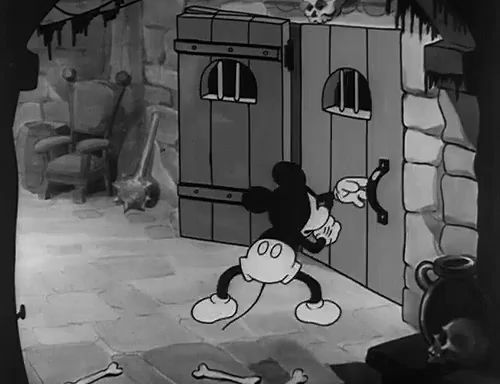
https://tenor.com/view/door-doors-door-open-open-door-mickey-gif-4902731
next current
native willow
https://tenor.com/view/door-doors-door-open-open-door-mickey-gif-4902731

arctic moat
I have this in my Character blueprint for setting the Mouse Sensitivity. Problem is, I'm using UE 4.15 (for Multiplayer) and when i change the slider, the values don't move

there's no min or max range in the settings area

and i tried doing this but it doesnt work
 next current
ehm, i downloaded a free forniture for unreal engine but the Doors are StaticMeshActor, how can i add to them a blueprint to control them?
dawn gazelle
arctic moat
there's no min or max range in the settings area
2 things:
- You shouldn't directly reference values from widgets unless that widget still exists on screen. You can store the value in a variable somewhere for reference (again, I'd recommend in Game Instance if it's a setting)
- Slide bar in this case has a value from 0-1. You can use a "Map Range Clamped" node to get a useful value out of the 0-1 range. In the below example, you'd feed the value from the slider into the "value" node, and change the Out Range A and Out Range B to what you want the Min/Max value to be.
 arctic moat
dawn gazelle
2 things:
1) You shouldn't directly reference values from widgets unless that w...
arctic moat
dawn gazelle
2 things:
1) You shouldn't directly reference values from widgets unless that w...
i tried that map range clamp and it didn't work
it had 0 effect
gentle urchin
max value is 1, min is 0
arctic moat
ik in my screenshot i used a regular clamp but i saw a documentation using that map range clamp and the same thing happened
arctic moat
gentle urchin
max value is 1, min is 0
if min was 0, the mouse wouldnt move
dawn gazelle
Doing this, does nothing.
 arctic moat
gentle urchin
i was to quick to read
arctic moat
gentle urchin
i was to quick to read
no worries
arctic moat
dawn gazelle
Doing this, does nothing.
yep
dawn gazelle
Literally, you have programmed it to do nothing.
arctic moat
well what else do i add to it?
dawn gazelle
You want to set a variable somewhere that store the value.
And again, if this is a setting, I recommend storing that variable within Game Instance.
next current
next current
ehm, i downloaded a free forniture for unreal engine but the Doors are StaticMes...
.
dawn gazelle
next current
.
StaticMeshActors are already a blueprint.
 next current
dawn gazelle
StaticMeshActors are already a blueprint.
next current
dawn gazelle
StaticMeshActors are already a blueprint.
but i cannot edit it
 arctic moat
next current
but i cannot edit it
arctic moat
next current
but i cannot edit it
i think you need to save it as a blueprint
like, create a blueprints folder, drag where it's saved and copy it, then i think then you can edit it as a blueprint
next current
but how?
next current
arctic moat
like, create a blueprints folder, drag where it's saved and copy it, then i thin...
yeah i can edit it but i cannot access to the Event Graph
next current
 spark steppe
so no, theres no blueprint for it yet
spark steppe
so no, theres no blueprint for it yet
true
spark steppe
https://www.youtube.com/watch?v=3NpM8v-ukEY this might help

In this video, we'll learn a few fundamentals like:
- What is a Blueprint Class?
- What is a class in software development?
- What is inheritance?
You'll then learn how to build a door in Blueprint scripting using a timeline and trigger volume.
As mentioned in the video, if you want to learn more about fundamental object oriented programming ...
next current
ok
dawn gazelle
arctic moat
im confused on what to do next for this
Don't set the value within your Player Character.
Your Widget should be casting to your game instance and setting the value in the Game Instance.
Your character should then cast to your game instance to retrieve the value.
So from this node, hook it into a Map Range Clamped, and cast to Game Instance, and set a variable there.

 late cave
how do I watch inherited class variables?
 plucky fractal
With saving - If I save a struct, will it only save the struct itself, or will it also store the values of the variables within it?
dawn gazelle
plucky fractal
With saving - If I save a struct, will it only save the struct itself, or will i...
It will save any non-object variables that the structure contains as well. Eg. you can't save a reference to an actor.
 rancid swift
 plucky fractal
dawn gazelle
It will save any non-object variables that the structure contains as well. Eg. ...
plucky fractal
dawn gazelle
It will save any non-object variables that the structure contains as well. Eg. ...
So say, the struct has a bool or an int it will save it, but if it references an actor in a level or something it wont?
dawn gazelle
Correct.
plucky fractal
Great, exactly what I wanted to know, thanks 🙂
 silk inlet
Hi amazing people! I'm trying to add camera pitch to a side scrolling game using phone gyroscope. Right now i'm putting it on a mouse wheel as a demo. How do I limit the scroll so it's only within -5 to 5 degrees?
silk inlet
silk inlet
Hi amazing people! I'm trying to add camera pitch to a side scrolling game using...
current blueprint
 native willow
clamp it
silk inlet
native willow
clamp it
Yeah i tried Clamp but it just limit the value being added but it doesn't stop the maximum value
native willow
use SetLocalRotation as well
silk inlet
native willow
use SetLocalRotation as well
nice the set rotation works! But it seems a bit fast. The clamp value now is just -1 to 1 degree
native willow
silk inlet
nice the set rotation works! But it seems a bit fast. The clamp value now is jus...
multiply GetMouseWheelAxis by some value
.5 for example
silk inlet
native willow
.5 for example
Still the same issue. I think there's not enough frame to show the in betweens. is there a way to 'lag' the final SetRotation?
native willow
nope, that is not the issue, check the value that is coming from the GetMouseWheelAxis
silk inlet
native willow
nope, that is not the issue, check the value that is coming from the GetMouseWhe...
I can add the value but it still appears the same way. Like from default rotation to the new rotation value is too instant
native willow
- Why are you multiplying it by 5? if you want something to be slower, you need to multiply it by value that is < 1
- check the value that is coming from the GetMouseWheelAxis before multiplication
it is something different than you are expecting
 last pond
Hi all, Im relatively new to blueprints and am trying to get the data that comes from a random integer that is coming from a skeletal mesh array to set a series of boolean variables. The issue i am having is that how i have set it up doesnt seem to give me the right info when i check what mesh was spawned. Im hoping someone can point out what im doing wrong here or point me to a tutorial on the subject.

 silk inlet
native willow
1. Why are you multiplying it by 5? if you want something to be slower, you need...
silk inlet
native willow
1. Why are you multiplying it by 5? if you want something to be slower, you need...
Yup tried 0.5 as well but still issue. But I figure out how! I just need to turn on camera lag. Thank you so much kind Sir!
native willow
well, you still do not understand one thing, value that comes from GetMouseWheelAxis is not something you think it is
and that is the issue you are facing
native willow
silk inlet
with this setup you will never be able to set the value in between -1 and 1, it will smoothly go from one to another but it will always be either -1 or 1
spark steppe
silk inlet
I can add the value but it still appears the same way. Like from default rotatio...
maybe interp does fix your issue
crimson hornet
crimson hornet
Does someone know why this isn't working?
?
spark steppe
is there a valid reference to options widget in the variable?
 burnt nest
crimson hornet
?
burnt nest
crimson hornet
?
Set up some debugging. Make sure everything is firing. Create a new node and search for "Print String", use that to print a message to the screen to see if the logic reaches your functions and where it gets stuck. First of all see if your "is on viewport" branch is coming out true or false.
 red grail

Can someone tell me what I'm doing wrong here? I'm trying to move an actor 1000 units on the X axis and it moves there, but at first arrival, it spits out a bunch of failed requests. Any clue why?
Also, if I ONLY change the 1000 x value to be on the y axis, it stops working altogether
Wtf is going on
 fossil skiff
hey guys this is my attack node. how can i make him move forward when attacking?


 normal rampart
I have an actor that plays has an audio component and plays a looping sound. The player presses a button and the sound stops looping. However, when the sound component is no longer on screen/in the viewport, the sound does NOT stop when the player presses a button.
But if the player presses the button when the sound component is off-screen, when the player walks and brings the audio component on screen again, the audio immediately stops even though the player tried to stop the sound several seconds ago. What can I do to make the sound stop when the player presses the button, regardless if the audio component is on screen or not?
trim matrix
Hey Im just messing around with bp's trying not to crash it heh
but I cant figure out why this stops working?

Shoudnt it only stop after it created another actor?
crimson hornet
fossil skiff
hey guys this is my attack node. how can i make him move forward when attacking?
you can make it if your character has a root. then if you make it that he goes forwards in the animation then your character will move forward.
 last abyss
trim matrix
last abyss
trim matrix
it will stop if it creates another actor, but if the sphere trace never hits anything it will be a crash/infinite loop
trim matrix
shoudnt it create something if it doesnt hit anything
and theres a delay so its not an infinite loop
it makes about 15ish then stops lol
last abyss
hm strange, try looking in the crash log to see if theres something relevant
 trim matrix
yea
last abyss
then I guess after 15ish it finally hits a worldstatic/worlddynamic object with the trace and doesn't spawn anymore because of that
last abyss
if you're spawning another actor of the same type it has its own variables and as far as I can see you don't set their 'stop' variable so it keeps going
 crimson hornet
burnt nest
Set up some debugging. Make sure everything is firing. Create a new node and sea...
crimson hornet
burnt nest
Set up some debugging. Make sure everything is firing. Create a new node and sea...
Sorry for late respone but everything is firing I checked everything
last abyss
trim matrix
it hit something, but it wont fire another trace
but with the logic you posted earlier nothing is happening if the trace hits something? so it should be doing another spheretrace after the delay node
 west wigeon
What would be a good way to check if a character is attacking the front or back of an enemy? I was thinking just having 2 collision boxes on each side and trace when attacking, and whatever box it touches first lets it know if its front/back of enemy.
 prime stump
Are physics doors actually possible to set up so the door can swing abour 80 degrees on the Z axis either way with a door frame around it without any weird collisions happening and stopping it from swinging?
burnt nest
prime stump
Are physics doors actually possible to set up so the door can swing abour 80 deg...
Yes?
prime stump
burnt nest
Yes?
I'm not sure why its happening but ill get a video, basically it looks like as the door is swinging it looks like its hitting the door frame and stopping it from swinging like it should but ive changed the scale of the door frame to be way to big so there is no way the door is hitting it yet it still stops
burnt nest
prime stump
I'm not sure why its happening but ill get a video, basically it looks like as t...
That's unnecessary. Just set up the collision so the door can't collide with the doorframe, or the floor for that matter.
It should really just be able to collide with physics objects and pawns.
prime stump
burnt nest
It should really just be able to collide with physics objects and pawns.
So literally just this?
 burnt nest
prime stump
So literally just this?
burnt nest
prime stump
So literally just this?
Yes... but you changed the wrong ones. Do the opposite. But set them to ignore, not overlap.
trim matrix
hi, im stucking on this part, which is scan for Spotlight3, and now how can i access the component from this object reference
 burnt nest
trim matrix
hi, im stucking on this part, which is scan for `Spotlight3`, and now how can i ...
burnt nest
trim matrix
hi, im stucking on this part, which is scan for `Spotlight3`, and now how can i ...
Drag the variable named "Array Element" into the graph, and you can use it.
trim matrix
burnt nest
Drag the variable named "Array Element" into the graph, and you can use it.
understand, but i how can i access the component inside it?
burnt nest
trim matrix
understand, but i how can i access the component inside it?
It depends on what class the variable is. Drag out from it, and type in "Get (name of the component)" if it's a specific class where the component you need is inherited. Otherwise use "FindComponentOfClass" I believe.
trim matrix
so i need to cast to actor right?

 manic wigeon
can someone help me on my host session multiplayer nodes? i moved something and now it needs something updated for it to read the host session


it was fine before i moved the files
so now how can i retarget it to understand it was fine
what do i have to remove and relink
burnt nest
trim matrix
so i need to `cast to actor` right?
If your variable is a generic class, yes. But if you know exactly what type of actor your spotlight is, you can set the variable to that class directly.
trim matrix
burnt nest
If your variable is a generic class, yes. But if you know exactly what type of a...
just a normal spotlight, so it just easy, thank you
prime stump
burnt nest
Yes... but you changed the wrong ones. Do the opposite. But set them to ignore, ...
Nice one thanks that seems to have worked, however ive got another problem that the door keeps floating up or down, ive turned off gravity and also tried constraining the X & Y positions but its still doing it, could this have anything to do with the floor that its on? which at the moment is just a plane which has the default collision preset
burnt nest
prime stump
Nice one thanks that seems to have worked, however ive got another problem that ...
You should constrain the Z if it's the up-down axis you need to be static.
burnt nest
manic wigeon
can someone help me on my host session multiplayer nodes? i moved something and ...
"As Platform Game Instance" is returning "none". So you need to look at your logic where you're setting that value.
prime stump
burnt nest
You should constrain the Z if it's the up-down axis you need to be static.
Ahhhhh of course! thanks mate!
manic wigeon
burnt nest
"As Platform Game Instance" is returning "none". So you need to look at your log...
i uploaded a picture of were it is referenced
the nodes look fine. im not sure how i can see whats not working
like what was moved out from reference
burnt nest
I can see the reference, but I can't see where you're setting it.
manic wigeon
the one above it isnt either?
manic wigeon
burnt nest
I can see the reference, but I can't see where you're setting it.
trying to understand what you need to see
 vast widget
you need to use GetGameInstance then cast to your game instance class, then set your PlatformGameInstance variable off of that cast node.
burnt nest
The first picture you posted uses the variable. It's not being set there, and it is returning none.
trim matrix
oh no, it just gone wrong with my actor
now i cant access to its variable after cast reference to actor
 manic wigeon
vast widget
you need to use `GetGameInstance` then cast to your game instance class, then se...
manic wigeon
vast widget
you need to use `GetGameInstance` then cast to your game instance class, then se...
from that last arrow ?

cant seem to find it
 vast widget
ideally in your OnConstruct
manic wigeon
i already have it there
 vast widget
then your game instance is not set to PlatformGameInstance for your project
burnt nest
trim matrix
oh no, it just gone wrong with my actor
now i cant access to its variable after ...
Hmm. I'm not sure what happened there. If the variable is gone, just create a new one.
manic wigeon
vast widget
then your game instance is not set to `PlatformGameInstance` for your project
not showing
 burnt nest
manic wigeon
i already have it there
burnt nest
manic wigeon
i already have it there
That is what we needed to see. That's where you're setting it. But as Dj said, the cast is failing.
manic wigeon
vast widget
that's for Game Mode
thanks man
ur literally a life saver
simple stuff like this gets removed when i move files
and it gets me off my seat
because they are simple things i did before
and when u move stuff it losses many references
vast widget
if you move stuff within the editor, that doesn't happen.
burnt nest
Lesson of the day: plan your folder structure, and don't move stuff. 👌
trim matrix
wont dealing sht with trigger anymore :L
manic wigeon
vast widget
if you move stuff within the editor, that doesn't happen.
something else got ruined 😦 now my second player is flying and in drone mode for some reaosn

ugh
vast widget
you got it 😄
trim matrix
why it wouldn't easy like unity, tired of relation or object finder whatever
vast widget
i'm not sure what you mean


 gritty elm
@manic wigeon make sure you've not opened editor twice
manic wigeon
gritty elm
<@!259714480622010368> make sure you've not opened editor twice
do you know why my second character is being controlled with my first? im not getting another character for the second player for some reason.
 gritty elm
are you testing in multiplayer? or single player?
manic wigeon
im testing multiplayer with 2 players
when im in standalone it controlls the same character on the different sessions
and on as clien
client
it spawns 2 characters and i am controlling both at the same time
and another one in the background that i cant controll

so there is 3
 gritty elm
yes, delete this character from level, since you are spawning
maybe this character is possessing as first player?
also i see you've not setup the game mode in the world settings
manic wigeon
yes because when i set it it gives me 2 characters from one player and the other session from the second player is shwoing another character that im controlling
 mossy abyss
Does anyone see why this won't work past the logical and statements?
 gritty elm
manic wigeon
.
gritty elm
manic wigeon
.
you didn't even setup the correct game mode, how you except this to work proper?
manic wigeon
 manic wigeon
gritty elm
you didn't even setup the correct game mode, how you except this to work proper?
manic wigeon
gritty elm
you didn't even setup the correct game mode, how you except this to work proper?
it is set up
 gritty elm
ok. it looks like there is issue with movement input maybe, are you multicasting movement as well?
the issue is might be where you are spawning characters or traveling #multiplayer
manic wigeon
gritty elm
the issue is might be where you are spawning characters or traveling <#221799385...
shall i cast to a character here


it should be casting to the character to all playes im not sure whats wrong
gritty elm

also this playlist : https://www.youtube.com/watch?v=GcZQ2o6LpDI&list=PL4G2bSPE_8umObhv-XMFueHzJWVEV3Ono&ab_channel=RyanLaley

In this series we will be explaining how to add online multiplayer to your games. First we are going to explain how it works, then we will go into creating lobbies etc.
In Part 1 we begin with the basics, explaining how replication works, how to test online multiplayer, and how to add sprinting to your online game.
SUPPORT ME
Patreon I https:/...
manic wigeon
thank you im checking into it
 indigo bough
I've got a 'mesh collection' ChildActor which holds the visual meshes for a giant ship in a separate actor blueprint. When I edit the meshcollectionclass everything looks fine, all of the objects are correctly placed, but when seeing it in the parent actor, some elements are getting a strange offset position, which I can't seem to adjust for.
Fine:

Not fine: (parent)

Fine (Mesh Collection actor):

Not fine (Parent BP)

Hmm, looks like the artist had used absolute position in one of the scene component transforms
gritty elm
does touch navigation works with PIE? ( without testing in mobile version )
as you can see, if i move controls with mouse in standalone preview , it doesn't working ( nvm Fixed It )

but it only works in mobile preview
i want also this should works with windows preview
how this possible?
 quaint forge
Hi all,
can someone help me with following problem: https://www.reddit.com/r/unrealengine/comments/bf4tqk/what_is_this_thirdperson_jump_asset_node/. I am working in UE5 and I'm trying to recreate default ThirdPerson_AnimBP, but I can't find this node. I found on this webpage this node is obsolete and I'm using the one proposed there https://chowdera.com/2020/12/202012120918406488.html. But I get weird transitions when jumping and again when falling and touching the ground
reddit
1 vote and 4 comments so far on Reddit
 echo wren
anyone know what i should look up to learn how to make blueprint driven animation? i want to be able to set rotations of joints manually and control them with blueprint. for example a simple wiggling worm.
gritty elm
quaint forge
Hi all,
can someone help me with following problem: https://www.reddit.com/r/unr...
it is called " get the Time Remaining ratio " function, which is applied on animation asset, you can try to search in animation graph, you will see all animations listed with " get the Time Remaining ratio "
quaint forge
gritty elm
it is called " get the Time Remaining ratio " function, which is applied on anim...
ik, I am using that currently but I have 2 glitches in transitions (check my 2nd link)
gritty elm
so you need to fix those glitches
gritty elm
echo wren
anyone know what i should look up to learn how to make blueprint driven animatio...
use posable mesh component. ( https://docs.unrealengine.com/4.26/en-US/BlueprintAPI/Components/PoseableMesh/ )
Watch this complete tutorial, in this tutorial, He is using posable mesh : https://www.youtube.com/watch?v=MM4YItRgKA8&ab_channel=underscore
Poseable Mesh

How to make an airplane player pawn featuring realistic plane physics and an animated rig with spinning propellor and moving fins. Topics covered: Physics assets, blueprint scripting, asset handling.
LINKS:
Assets Download - https://bit.ly/2S96Geb
SUPPORT:
PayPal - https://www.paypal.me/JBunderscore
Gumroad - https://gumroad.com/jackmadethat
...
high ocean
Trying to compile this crashes editor without exception... From my experience this isn't normal behavior - right? Can anyone confirm if leaving a struct pin unhooked should return any kind of error? Let alone crash the editor.


This compiles fine 👌
🤦♂️ 🤷♂️
echo wren
gritty elm
use posable mesh component. ( https://docs.unrealengine.com/4.26/en-US/Blueprint...
thanks, ill look into that. i already have a skeleton mesh imported that works if i open that editor and rotate the bones, just wanna move those bones in blueprints.
gritty elm
this is exactly what you are looking for
echo wren
gritty elm
this is exactly what you are looking for
nice. well then thank you 🙂
quaint forge
gritty elm
so you need to fix those glitches
can you check this video, maybe you can spot what's wrong, it's like there's no blending on jumpstart and jumpend (everything else is identical to UE default thirdperson BP)
I did, I literally did everything else same except this part.


although, I've just noticed when I hover Return value it's not 0, whereas in UE template it's 0... hmm
in my BP, hovering reports value 0.0803... (nvm I compiled blueprint and it's 0 again)
are you even seeing my pictures ?
or have you read my question?
Hi all,
can someone help me with following problem: https://www.reddit.com/r/unrealengine/comments/bf4tqk/what_is_this_thirdperson_jump_asset_node/. I am working in UE5 and I'm trying to recreate default ThirdPerson_AnimBP, but I can't find this node
reddit
1 vote and 4 comments so far on Reddit
but I can't find this node
how do I get ThirdPerson_Jump Asset node?
 scenic kindle
quaint forge
how do I get ThirdPerson_Jump Asset node?
scenic kindle
quaint forge
how do I get ThirdPerson_Jump Asset node?
it's just an animation state
last abyss
mossy abyss
Does anyone see why this won't work past the logical and statements?
well a value can't be > 316.0 and < 45.0 (the first and statement)
 glad python
HI! im trying to target closest actor this set up isnt working any ideas? 😄 also im not using nav bounds so no ai commands.
 last abyss
glad python
HI! im trying to target closest actor this set up isnt working any ideas? 😄 als...
last abyss
glad python
HI! im trying to target closest actor this set up isnt working any ideas? 😄 als...

 sand bloom
Would anyone happen to know why this doesn't work? Am I using a wrong node here?
Basically it's purpose is to put a camera's view on a plane, and each different input will choose a different camera's view to put on the plane

the camera reference variables are from a array where i picked the camera bp's i have in my scene
 lusty shard
like airplane?
sand bloom
airplane? I don't think so it's basically showing you a camera's view on a pc monitor
just a plane
in the blueprint
i'm not sure what you mean with airplane in this case sorry lol
lusty shard
and youre just trying to cycle between camera angle or camera on a key press?
sand bloom
yeah different camera's on a keypress or rather a button event
the button event works tried it with print string
lusty shard
youll want
sand bloom
but I can't get it to actually show a different camera
lusty shard
Set View Target with Blend
sand bloom
won't that change my own camera
i'm using a render target
that is put into a material
and then put on the plane
to show me a live view of that camera
or are you saying I should just change the location of the camera that's using the rendertarget
lusty shard
youll be able to use that SetViewTargetwithBlend node to move between different cameras
then set it back to your default camera when players done using the other camera
sand bloom
hmm alright I'll try that node right now and see if that works
worn glacier
how would i turn on a hit actors physics
lusty shard
I have used that node before greenman. did the job
sand bloom
not quite sure how i'll implement this with a render target though
alright
Yeah I recently used it to switch my own camera
but with a rendertarget texture and material idk
this targets my playercontroller
so it seems this will just change my own camera
lusty shard
I had a rocket ship.. first camera was in a control tower.. the others were tied to 1-4 number keys. pressing those number keys snapped to camera that were placed onto the rocket, so players could see their hopper rocket from different angles... control their hopper rocket and hit specific landing targets.
sand bloom
ah right but I think I explained it wrong
here's a example

I want my own camera to stay and change the rendertarget texture that's showing the view on this monitor
right now it's not changing the rendertarget texture
I don't want to change my own camera in any way
lusty shard
@worn glacier you have to use a certain kind of collider as the root in a BP i believe.
oooh
never did that
sand bloom
Yeah i'm not sure why it's not updating I haven't used render targets before either
lusty shard
look at how youre setting the initial target (view in the camera) and see if you can change that?
mossy abyss
Hello everyone, I'm trying to get a rotating tile to set player movement still. Here's what I'm working with, I'm not sure why but it is only outputting for up and down. Player movement wont work on my input action event either. thoughts?

 sand bloom
Yeah maybe I can alter the camera directly and remove and add the render target
will have to try it
and if not find a way to use a single camera and just teleport it with each button press which will be.. painful
rain egret
I dont know if this is a blueprint or graphics question, but is there a way to have a mesh bend and conform to a shape? Like I have a bunch of plates here that I want to use to dress up the ship
 rain egret
Will do, thanks
lusty shard
@mossy abyss looks like your first image is not hooked up all the way with the execution wire?
well, its using an overlap event but not sure what you expect from that
youre just setting text there
Whats in the MoveToTile custom event?
im assuming youre using a simple AI move to node
but need to see inside there
 frank salmon
Anybody knows how to make a flip flop on a lantern with enhanced input?
mossy abyss
@lusty shard
 lusty shard
what is enhanced input?
frank salmon

Using the Enhanced Input Plugin to read and interpret user input
lusty shard
plug in a branch to the red output node on the Find nodes in the 2nd image @mossy abyss
@frank salmon are you using a flipflop node??
mossy abyss
@lusty shardOkay on it, side note what is the purpose?
lusty shard
mossy abyss
<@!218115928720801793>Okay on it, side note what is the purpose?
print out string true and false and confirm the item /tile in the array is found.
mossy abyss
gotcha
 frank salmon
lusty shard
<@!399294634284810260> are you using a flipflop node??
frank salmon
lusty shard
<@!399294634284810260> are you using a flipflop node??

yes, inside that macro
lusty shard
what are you expecting.. and what is the current result/failure?
frank salmon
I am expecting on triggered to execute the triggered node from the macro, which is in the macro, but they both get triggered, high intensity and 0 intensity functions
lusty shard
what is triggering the custom AI_Flashlight event? guessing its a form of input
put a print string on the output for the "Triggered" execution wire going to "Triggered" in the Flashlight Action macro.
my guess is that its firing rapidly.. receiving 2 inputs from that event.
@frank salmon
alternatively can insert a DoOnce node in that execution wire
frank salmon
fixed it
the event was getting called twice on triggered
had to put in a modifier
 civic briar
Why can i not print an array elements object name when using ForEachLoop of the Array and then print the Array Element -> get display name ?
lusty shard
is the input into the loop an object or actor array? @civic briar
civic briar
Object Array
@lusty shard
I have an empty object array where i am using Set Array Element. The item i am setting is an object from a struct
Just prints the Characters BP name followed by C_0
lusty shard
that just means there is 1 character in the array
C means class I believe and 0 is just the index value
scenic kindle
can anyone help? I’m trying to make a blueprint that when someone presses the f key, it checks if they’re overlapping a specific box collision and spawns a particle effect. I feel like it should be really easy but i can’t figure it out.
lusty shard
there is an isOverlapping function
civic briar
So how can i get the name of the object that is being added to the array from the data struct
lusty shard
youd put a tag onto the collision box
scenic kindle
civic briar
So how can i get the name of the object that is being added to the array from th...
for each loop
civic briar
trying
scenic kindle
lusty shard
youd put a tag onto the collision box
thx i'll try that
civic briar
Coming off the array element ->get display name to string. Does not give me the objects name
lusty shard
can you confirm how many objects are in the array during a test?
confirm that you are indeed adding more than the character to it
civic briar
I have a struct variable
I have an Empty Object Array
I use Set Array Elem with target array of the empty array
I set the item at index 0 to the Object of the struct
Try to print the Array element with For Each Loop
Returns the value i mentioned above
Maybe i am doing this all wrong
lusty shard
can you confirm how many objects are in the array during a test?
by hovering over the array variable itself
during a test
shows you whats inside
make sure you set the debug filter at the top to somehting
 civic briar
Trying to find this in UE5
rain egret
Is there a less performance heavy way to create collision for procedural mesh at runtime?
I have this ship building project and normally if you’d add a wing to the root component it wouldn’t check for collision.
That’s why I create a convex collision box where the wing would be, basically telling the root component that there’s something new there.
Adding collision is fine, but if I were to remove a wing and it’s collision with it I’d need to rebuild the entire ships collision, which causes lag
lusty shard
personally I d be happy that I got as far as you did with it inoptimally lol.
civic briar
okay i used a make array to test. promoted it to a variable. Put more than one object into the array. It prints 2 objects but not with the Object name like i am trying to see
lusty shard
@rain egret sounds pretty technical.
rain egret
lusty shard
personally I d be happy that I got as far as you did with it inoptimally lol.
It sure is
lusty shard
@rain egret perhaps you can use specific meshes as complex collision for the part thats been changed?
 rain egret
That will not work, only the root component checks for collision, everything under the root component will not check collision, of course you will be able to stand on it but if the ship flys near a wall the wing will go straight into the wall because there’s no collision
lusty shard
@civic briar might be doing too many things differently in the test scenario. Really just need to know if the other variaable has more than 1 object in it
@rain egret maybe you can somehow have a simple hidden piece of geometry that fakes collisions and adjusts to the shape of the ship?
you will always know how big your wings will be for example
so youd scale a invisible collider within the ships bp to match those changes
rain egret
The issue doesn’t lie in creating the collision, it’s how unreal handles making collision, you see there are two nodes for making collisions for procedural mesh
„Add convex collision“ and „clear all convex collision“ there’s no node that will only delete one part of the collision
civic briar
I exposed the array variable to see in editor at runtime. Not seeing anything is being added to it
lusty shard
@civic briar screenshot where youre adding things to the array?
@rain egret right. you just said basically that your issue isnt with creating collision, but with making it... basically. and Im saying you may have to go about it an unconventional way.


 civic briar

If i manually assign at runtime in the details panel and then print the name, it work s
rain egret
Hovering over the node doesn’t always work for me either
 civic briar
 lusty shard
have to be playing
civic briar
lol=
lusty shard
any object of this blueprint type that is spawned in the world will appear in that dropdown
anyway... so weapon Mac 10 appears in your print string?
that is only adding one object atm
civic briar
Tried all debugging options - same result
 lusty shard
that struct only has 1 object in it
and not sure if that is an object lol
can I see the struct?
civic briar
 lusty shard
and that is getting printed with the string or no?
civic briar
It does if i manually assign it to the array in the details panel after i play the game
and then i have an action event to print the array with for each
actually no
I am just testing by trying to print the index 0 for now.
This works and shows the right name. Again, only if i manually assign it in the details panel
 civic briar
 lusty shard
you are constantly assigning the mac 10 to 0 index btw. is that the goal?
civic briar
Yes i know. It is not the goal
I am just trying to assign Mac10 object to index 0 properly for testing
lusty shard
ooooh so the issue is that some reason the struct is not outputting the object?
civic briar
basically yeah
civic briar
Is there a much better way to store an array of Objects ?
lusty shard
there is a variable type that is of object type
that can be an array
not sure atm if this will work.
im foggy on stuff like this.. when it comes to setting variables to be exactly what you want them to be and referencing them
something else to be aware of is the Make Array node
civic briar
Also just noticed. The default values of the Struct are not initialized in the details panel
lusty shard
you can manually put actors into an array
civic briar
 lusty shard
wow
cant set them either looks like
this is where I get lost
lol
but make array could be worth a shot
 lusty shard
oooh
also..
Add Unique
so youre not adding elements per index.. literally Add Unique does it aall for you
dawn gazelle
The issue is that Objects don't normally exist before the game is running, so you can't predefine the default objects in an array of objects.
Or anywhere else for that matter. The only place where you can sometimes define objects is when they are placed in the world within the Editor. Then you can reference them on other objects that are placed in the world.
lusty shard
but...

if i say a variable is an object...
this usually does what I expect even if the object is not in the world
civic briar
Make array from the struct and then add unique does not work either
dawn gazelle
You are saying that the variable can contain a reference to an object of that particular type.
civic briar
Can I ask...
Because maybe im going about this the wrong way.
I want to store the players inventory in the Player State
What should I store the weapons in for example ?
An array ? like i am doing.
I am basically taking a predefined struct with objects for weapons and then when I add to player inventory, I add the struct data object into the empty array at my desired index.
dawn gazelle
Sure, an Array makes sense for an inventory since it's effectively a list of items you have in an inventory. The question is - do you really want to store object references in an array to accomplish this? What happens when say you go to store an Axe object and a Medpack object in the array - how do you determine what is stored in any particular slot or interact with those items? Do the items themselves need to be objects at all when stored in your inventory (can they maybe just exist as data within a struct for example)?
This is the data my "Inventory" stores and sends around:

Just a struct with a few variables.
When I need to access the inventory, I look up the ItemID in a data table...
this needs to be cleaned up a bit, but each item is defined in the data table with this:
 civic briar
I want the player to be able to pickup a weapon for example. The weapon will have attributes that remain in the same state whether or not it is in the players inventory or not.
For the weapon, I made a data asset that pre-defines all the attributes.
The data asset for the mac 10 for example is in my Weapon pickup derived from the Base_Pickup BP.
In the constructor i am simply assigning the values from the DataAsset.
When the player picks up the object. It deletes the pickup actor and then spawns the weapon from the data asset.
I now need to figure out the best way to store this

How do you go about adding the weapon to the player inventory ? By some ItemID or name reference ?
earnest tangle
if you have a data asset which describes it, then you could add a reference to the data asset into your inventory
then if you need to take the weapon out, you can just spawn it based on that
civic briar
Okay so how should i be storing the data asset in the inventory ? Thats kind of the part im struggling with
earnest tangle
if you make it an array variable with the data asset type it should let you store it in the array then
 earnest tangle
which part of it?
scenic kindle
it's not printing the string
i'm overlapped on the box collsion, i press the key on my keyboard, and it doesn't print.
earnest tangle
Have you verified that it actually overlaps correctly?
scenic kindle
how would i check that?
earnest tangle
you could for example put a print into the begin overlap part, or a breakpoint
earnest tangle
if you add a print into the false branch, does that output?
civic briar
Hold on im confused.
If i make a variable with the data asset type, the default value is nothing correct ?
Once i add something to the inv _ of type data asset, i can just add the specific data asset ?
 scenic kindle
earnest tangle
if you add a print into the false branch, does that output?
scenic kindle
earnest tangle
if you add a print into the false branch, does that output?
nope
earnest tangle
the problem seems to be that the input action isn't running then... what blueprint is this code in? and is it a player controller or the pawn the player is controlling?
scenic kindle
it's in the parent actor of the box collision
it works when i put it into thirdpersoncharacter but then i can't have the eventactorbeginoverlap.
earnest tangle
yeah, so input actions only run on things that can receive inputs, like the player controller or the pawn you are controlling
earnest tangle
are you sure the overlap isn't working if you put it in the third person character? it seems like it should if it works from the box
earnest tangle
civic briar
Hold on im confused.
If i make a variable with the data asset type, the defaul...
Correct
civic briar
What action mapping key is defined for break ?
and have you confirmed that the bool is being set. Try printing from the false
scenic kindle
but if i were to use "eventactorbeginoverlap" i would have to cast it to the box collision. and idk what the object wildcard would be
scenic kindle
civic briar
What action mapping key is defined for break ?
and have you confirmed that the b...
F
lusty shard
just bragging 😄
 earnest tangle
@scenic kindle you should be able to use "Cast to Name_of_other_blueprint"
civic briar
Also if its being overridden, that can cause an issue. You have to un check this
 scenic kindle
what would i put here is what i need. this is under ThirdPersonCharacter
 civic briar
It would be best to use a BP interface
Anyways, thats where you need to get the overlapping actor reference
earnest tangle
when you do actor begin overlap, check the overlapping actor's type, and if it's the right one, store it into a variable
civic briar
Maybe go to other actor and promote it to a variable and then plug that in ?
earnest tangle
then you can use the variable in that place
civic briar
Interfaces are the shiz tho
worn glacier
can you make a variable of type component
for example when i do a hit component can i make a variable for that
earnest tangle
sure
easiest way is to just right click the pin where you get the value and choose promote to variable
civic briar
@earnest tangle BTW ! THANK YOU

I am calling this event from the weapon pickups on the player character
Passing the "Item to add" with the Data asset that i picked up (the data asset exists in the pickup objects)
dawn gazelle
That's going to allow cheating.
You're letting the player tell the server what item it is they're picking up.
civic briar
Yeah im going to change this. Just got the functionality actually working now
I have been fighting arrays
scenic kindle
earnest tangle
then you can use the variable in that place
the variable requires a target
worn glacier
how would i check if a variable is null
earnest tangle
worn glacier
how would i check if a variable is null
Is Valid
earnest tangle
scenic kindle
the variable requires a target
I'm not sure if I follow?
scenic kindle
this is the variable i saved the overlapped actor to
 worn glacier
@earnest tangle thanks
civic briar
scenic kindle
this is the variable i saved the overlapped actor to
Are you setting it ?


 earnest tangle
You need to set it in your third person character, in actor begin overlap or such
scenic kindle
this?
 earnest tangle
Yep that looks better
fwiw you can also use a Cast to check for types, in case it's more handy to do it that way
civic briar
You should also check out Blueprint Interfaces

Much better than casting (I am told)
earnest tangle
Well it doesn't make a huge difference, it's generally just that it's more flexible
scenic kindle
the thing with casting is that the object wildcard needs a target which i can't get
earnest tangle
You can have multiple actors implement the interface, instead of casting into each one specifically
@scenic kindle use the Other Actor value
scenic kindle
oh thanks. i didn't notice that
YES IT WORKS!!!! thanks guys @earnest tangle @civic briar
earnest tangle

zealous moth
@earnest tangle @worn glacier right click on the get variable and convert to validated get. Saves 17% of the performance from isValid. There are very few cases where you should use isValid.
 tropic pecan
Hey there GatlenShado, I've analyze the tutorial but I'm afraid that didn't give me the answer I was exactly looking for. But still, thank you for trying.
 hearty barn
So for some reason when this runs occasionally missiles grab an invalid option for targets but I can't figure out why it should only be grabbing from valid options?

I get the is valid index is incorrect but the rest doesn't seem to work properly
dawn gazelle
hearty barn
So for some reason when this runs occasionally missiles grab an invalid option f...
Each call to a pure node gets re-executed, so the random value you're generating is getting generated multiple times... I count at least 3 different values here, but I see that you make more calls on your Get later on too.


 quasi frost
Why does this select 0 as the first int everytime and then work correctly after the first run? I cannot for the life of me figure it out.

 hardy merlin
Is there a convenient way to spawn an object so that their edge is at a particular point instead of their center?
IE raycast onto ground and spawn the unit so they're standing on that spot.
Alternative is that I go into C++ and make a thing that calculates the spawned actor's AABB.
 bitter root
anyone know what the error "LogScript: Warning: Script Msg: Attempted to set an invalid index on array CardSlot_1 [-1/2]!" is? I don't get it when in editor but I get the error in logs after I package. I have checked the array it is saying the error is on but I haven't found anything. What does the -1 position of an array mean in Unreal?
hardy merlin
It sounds like something in your code or blueprint is attempting to directly set a value on an array to a negative number.
Do you have any nodes that are directly setting an array's value?
bitter root
not that I know of on that array. I resize the array then pull from a list of objects and set the array with those.
I have checked the array to make sure the values make sense and I haven't seen the -1 error while working on the project. I only see it after I have packaged the game and try running it. (I have recreated the error on multiple machines and after multiple packaging.)
 hearty barn
dawn gazelle
Each call to a pure node gets re-executed, so the random value you're generating...
hearty barn
dawn gazelle
Each call to a pure node gets re-executed, so the random value you're generating...
Yeah I realized that after what I'm struggling with is how come the first missile I launch kills say turret 2 but the next missile may try to target turret 2 despite it no longer existing? I thought the get would only pull from not null children
hearty barn
dawn gazelle
AH I FIGURED IT OUT!!
hearty barn
dawn gazelle
You got me looking in the right direction my isValid was checking randomly not in tune with what I actually was targeting now look

it works perfectly now
it targets all available turrets and then targets the main ship
 surreal peak
quasi frost
Why does this select 0 as the first int everytime and then work correctly after ...
surreal peak
quasi frost
Why does this select 0 as the first int everytime and then work correctly after ...
This might create a random value every loop. Make sure to save the random value before the loop and then use the local variable you saved it into to compare
 odd veldt
Is it possible to apply the camera shake to the childs of the camera? (like a helmet)
(want to add head bobbing but it looks weird because only the camera moves not the attached mesh)
 main shell
is this a good way of store values temporarily or should i have used macro to store the value instead of a function?
