
#blueprint
402296 messages · Page 721 of 403

 last abyss
 tight copper
I have crashed UE twice while trying to get a weapon to fire automatic. Anyway, ...
tight copper
I have crashed UE twice while trying to get a weapon to fire automatic. Anyway, ...
well your while loop doesn't have a condition
tight copper
I made this and gave it a condition but it says it's an infinite loop when I run it
 last abyss
while loop is not what you want to use
tight copper
oh ok
last abyss
I would recommend using a set timer by event node
last abyss
tight copper
oh ok
like this
 tight copper
Nice, thanks!
 twin oyster
Hi guys, can anyone say how to solve the malformed tag issue?
 worn glacier
are you allowed to destory a characters capsule
 zealous moth
@worn glacier yes through destroy component. You can only destroy if you are the direct owner though. So the character can but not the player controller.
I wouldnt recommend destruction though. Use activate or deactivate component instead.
worn glacier
@zealous moth thanjks
 trim matrix
Could someone help with Asset Manager code? Using the Action RPG from unreal and they have a Get Slotted Items Function. I think its pretty generic code. /** Returns all slotted items of a given type. If none is passed as type it will return all */ I'm trying to replicate the weapon item type and make a range weapon item type. But my Get slotted items function is pulling in nothing from range item type and asset folder. I also have a bug that could be related, every time I restart. A variable from Range Actor fails to load which is tied to some stuff and I have to recompile. I'm also not sure if its the function or something I did with actor/data setup. I have debug to this point, where the function does not find any Range slotted items. I also coded in the header file for the range items and some code in RPGAssetManager.cpp. Any help would be greatly appreciated.
 tight copper
Is there a way to use the same variable on 2 different blueprints?
 rare gale
tight copper
Is there a way to use the same variable on 2 different blueprints?
rare gale
tight copper
Is there a way to use the same variable on 2 different blueprints?
Yeah, you'd just need to save it somewhere that you can access from either BP. Depending on what you're doing, you could use the PlayerController, PlayerCharacter, GameMode, GameInstance, GameState or create a specific BP that you would need to add to your level to manage it.
tight copper
I have the variable on the player character so it should always be accessible
rare gale
You should be able to cast to your player character and get or set it then.
You can "Get Player Character" then "Cast to <your player character>" and get the variable you want
 elfin fable
Can someone help me? I'm stuck trying to use the enum EMouseCursor in a blueprint interface. I tried "ShowEngineContent" in the content browser but it doesn't change anything. I want this enum so my actor component can tell my player controller through an interface what hover effect, tooltip and cursor to use when the mouse is over the actor.
 tight copper
rare gale
You can "Get Player Character" then "Cast to <your player character>" and get th...
tight copper
rare gale
You can "Get Player Character" then "Cast to <your player character>" and get th...
oh that worked, thank you so much.
elfin fable
My player controller looks like and so far it's all working, but i want the mouse cursor enum to come from the interface call
 rare gale
tight copper
oh that worked, thank you so much.
rare gale
tight copper
oh that worked, thank you so much.
This is a useful function (could be Macro) to have in any BP that regularly needs access to those globally accessible areas. I always create these and it's the first thing that runs off of my BeingPlay node

 strong sluice
hello i watched youtube tutorials on how to make a camera shake but the other details of the camera shake base doesnt show.

it should look something like this

 dark crow
It should be Matinee Camera Shake, it changed
 unreal token
if I can now make this is in an hour, from 24 hours when i first made i,I can make minecraft in ue4? seems like the same princicple no? https://www.raywenderlich.com/454-how-to-create-a-simple-game-in-unreal-engine-4

raywenderlich.com
In this Unreal Engine 4 tutorial, you will create a first-person endless game. You will learn how to generate random obstacles and restart the game.
 spark steppe
yes and no
you can make something that looks like minecraft
the question is how performance will scale, and how many features you are able to add before you loose your mind
 fading raptor
Im trying to make it so when my combat type switches, my player overlay state changes. But for some reason I keep getting this error: Blueprint Runtime Error: "Accessed None trying to read property ALS_Base_Ch_Ref". Blueprint: BP_CombatCharacter Function: Get Montages Graph: GetMontages Node: On Overlay State Changed

I made a simpler version of it and it works perfectly fine

So i'm not sure what would cause that error
strong sluice
Hello did they remove the camera shake in 4.27? because i change the ue4 version of my project from 4.26 to 4.27 then the camera shake bluprints says tis error when i open it

 dawn gazelle
fading raptor
Im trying to make it so when my combat type switches, my player overlay state ch...
dawn gazelle
fading raptor
Im trying to make it so when my combat type switches, my player overlay state ch...
Whenever you get "Accessed None" errors, that means you haven't set the reference of the object - in this case "ALS_Base_Ch_Ref" has not been set to the object you're trying to modify. Just because you created the variable and it is of a defined class, you need to reference the specific instance of the object you're looking to modify.
fading raptor
This is how i called the variable

It worked perfectly fine in ALS_BASE_CharacterBP
dawn gazelle
When you do it inside of ALS_Base_CharacterBP your "Target" is self, so of course it will work.
Your set you have there is setting the value to nothing.
fading raptor
This test was done inside ALS_Base_CharacterBP and it worked fine
 dawn gazelle
Exactly... If you are within the ALS_Base_Character_BP the node is looking for a Target of ALS_Base_Character_BP and Target is set to Self, so of course it would work.
spark steppe
i wonder why you set it to null in the first place
all you (probably) want to do is change the enum on the ALS BaseCharacterBP
fading raptor
I have confusing code, im using half ALS and half dynamic combat system, so I have to interchange between the two. what i want to do is change the overlay when i switch to unarmed combat
I found an inefficient fix which was to create a boolean called "Unarmed?" and set it to true when unarmed runs, then called it in ALS_Base_Character_BP as a branch connected to an event tick
dawn gazelle
And you're close - if this bit is within the ALS_Base_Character_BP then just remove the variables you have plugged into the Overlay State Changed node.
 fading raptor
This bit is not within als, thats why i need the variables
I setup an is valid? node connected to each "On overlay state change" and they all came back invalid
not sure what it means
dawn gazelle
Where are you running this? What blueprint?
 fading raptor
Im running this in the Dynamic combat system BP
dawn gazelle
Ok. So in your Dynamic Combat System BP, you have a variable named "ALS Base Ch Ref" as well, yes?
dawn gazelle
Ok, in your cast above, what you've done is you're referencing a variable within the ALS_Base_Character_BP named "ALS Base Ch Ref", not the variable within the DCS BP. At your cast above in the DCS BP, drag your "ALS_Base_Ch Ref" variable beside it and do a "set" of the variable. The node should look slightly different than the one you already have plugged into your cast.
fading raptor
Do you mean promote it to a variable?
dawn gazelle
No unless you want to rework your existing variables.
You should already have a variable named "ALS_Base_Ch Ref" in your DCS BP, no?
dawn gazelle
Click and drag it into where that cast is and select "set"
You should see that it doesn't have a "Target" pin.
fading raptor
Can we get into a quick call?
dawn gazelle
Sorry, I don't provide support over chat. Only through here.
fading raptor
ok
I just dont want to take up too much time because i feel like im missing such a simple thing
can you visually show me what to do? like paint over it
dawn gazelle
On your left hand details window, you have your list of variables right?
fading raptor
Yeah
dawn gazelle
In your DCS BP
fading raptor
yep
dawn gazelle
You have one listed there that says "ALS_Base_Ch Ref"
fading raptor
correct
dawn gazelle
Ok, click and drag it on to the blueprint just underneath this set. When you release your left click, you should get prompted with either "get" or "set" - select set.
 spark steppe
 spark steppe
the real question is what he is trying to do there
fading raptor
got the set 😅
dawn gazelle
So now take your return value from your cast and plug it into that new set and it should work - get rid of the other set you originally had there.
spark steppe
i still think that he doesn't even want to set it
it's probably set to the correct value already, and he nulls it
spark steppe
by setting it to nothing
dawn gazelle
He just needs a reference to his character. Issue is he has another variable within the ALS Base Character BP with the same name.
fading raptor
ayyy it works
Thats so weird, i originally promoted it to a variable, but i guess that was wrong
You have no idea how much this means to me i've been trying to figure it out for days
spark steppe
please show how the code looks like now as im curious
fading raptor
alright give me a sec
This is the section that switches the overlay state based on combat state

this is the before of the casting & variable

this is the after
 dawn gazelle
So the lesson here is, when you see a node like the one below, the top pin on the left is an "input" value, the "Target" is a reference to an object that holds that particular variable.
 fading raptor
I never knew that, i guess you learn something new everyday
Honestly thank you so much for enduring my dumb questions
dawn gazelle
"Target" is always a reference to something where that thing exists. So same thing with your custom function where it has a target of "Self" - it is going to try and execute that function on it's own instance of the object.
fading raptor
I see what you mean
Now i know what to do for all the other overlay states!
Just wanted to share what all the trouble was for
Now when I switch from Armed to unarmed, it changes my stance
 faint pasture
Whats the solution to architecting a base item actor where the subclasses might have a static mesh or a skeletal mesh?
First thought was to have BaseItem have a static mesh component but then what to do when the subclass wants a skeletal mesh
spark steppe
i have both in my base class and remove the component in the childs if it's not used
 dusk flame
Hi guys. What is the normal way to create actors per-player? I want some actor that has a non-replicated copy for each player.
dusk flame
Ok, another slant at this: I have a non-replicated component added to my actor. From my understanding, this means that every client will get their own copy, but that variables/status won't be synced up between them.
If I wanted to change some data on the component based on each client, how do I get access to the client?
For example changing the position, based on the position of each client. Each client has their own position, but since its not replicated, it should sort itself out.
trim matrix
Hello !
Is there any way to do something (event) when the game is open, i dont mean begin play on first level but event that fires before menu begin play ?
 timber knoll
an event before your game is actually running?
you would have to make a scene before your menu then
 maiden wadi
@dusk flame The only reliable way to differentiate clients is via their Controller.
 manic wigeon
hi guys. im having an issue with the render target for my 3d widget. when im in the viewport the render target looks fine with translucense background. but when i press play the render target loads an hdri in the background for some reason. has it happened to any of you guys please maybe you can help?
it should be looking like this


but it looks like this when i press play
it for some reason activates all of them together
dusk flame
maiden wadi
<@!97792771619827712> The only reliable way to differentiate clients is via thei...
But this is on a non-replicated component.
Does a non replicated component "see" other clients?
 rapid robin
Hey folks, I have a fun little challenge for you:
- I wanna spawn a a beam particle a bit in front of the weapon.
- I have the muzzle's location.
- I have the impact location.
How do I move the spawn point forward [x] units in front of the muzzle's location?
dusk flame
Or am I being thick, and I need to dynamically spawn one component/actor per player?
maiden wadi
I was answering the point of how to differentiate between each client. I'm not quite sure what the component is or the end goal with it.
dusk flame
I have an actor, with a billboard component. I want to move this bilboard component per-client. So every client gets their own position.
maiden wadi
Like a "Face this towards the local camera" thing?
dusk flame
No, more like changing position completely. It was just an example.
I want every client to see a unique position for the non replicating component.
maiden wadi
Does the server set the position of these?
dusk flame
But like I said, maybe I'm stupid, and I need to spawn a unique component for every client, instead of using a single one.
dusk flame
maiden wadi
Does the server set the position of these?
Client.
maiden wadi
And Client 2 does not see client 3's?
dusk flame
Its a UI element, which sits in world space. I need a single UI element per-player, and it needs to be translated sensibly for every player.
My first idea was to spawn a UI element per-player, but the more I thought about how replication worked, the more I considered that a single non-replicated component could work.
maiden wadi
Sounds like something you'd just spawn or create behind a LocalController check, or even just on HUD's beginplay since HUD is local only.
dusk flame
Its world-spaced.
maiden wadi
What is the component on?
manic wigeon
hi guys. im having an issue with the render target for my 3d widget. when im in the viewport the render target looks fine with translucense background. but when i press play the render target loads an hdri in the background for some reason. has it happened to any of you guys please maybe you can help?
it should be looking like this

 maiden wadi
@rapid robin (MuzzleForwardDirection * DistanceInFrontOfItYouWant) + MuzzleLocation
manic wigeon
but it looks like that
dusk flame
maiden wadi
What is the component on?
On an actor in the world.
Its like a TV screen. When you get close to the TV, you should have some pause/play controlls.
So its per player visibility/location wise.
But I don't want to put it on the pawn/hud, because its "owned" by the TV so to speak.
maiden wadi
Ah. I see. And the TV in this case is in the same spot for everyone?
Just the controls display needs to be per client.
dusk flame
maiden wadi
Just the controls display needs to be per client.
yes
I talked a bit with somebody, and it seemed the suggestion is:
- Create a new actor (better than component) per client, when they get close.
- Don't spawn on server at all
maiden wadi
If your TV is an actor, all you need is a default component on the TV actor. And update the default component's location on tick. Tick runs locally and can get the local player controller which allows access to the local camera manager.
The TV can be replicated if you want, so that it's location can be easily placed or updated for everyone, but then the non replicated default component can be affected locally
dusk flame
Its a good idea.
But I think in the end, the suggestion is to spawn an actor per-client.
So no menu on the server at all.
manic wigeon
can someone help me please
 fair sun
How do development only nodes work? Do they get removed in shipping builds? Is making a custom development only node affecting performance in shipping build if it's heavy?
 burnt nest
manic wigeon
can someone help me please
manic wigeon
burnt nest
manic wigeon
can someone help me please
manic wigeon
chill dude wtf i just asked a questions jeezes
 atomic salmon
@fair sun in a shipping build the compilation of those nodes is completely skipped so no VM opcodes are produced for them. They are like disabled nodes.
 light token
Hello people. I've got a problem and whatevery I try I can't fix it so I need help. I have a custom event named Save Game. I uploaded the blueprint here https://blueprintue.com/blueprint/0dzxuk9g/ . The error I get is:
    Demonstration_C /Game/Maps/CoinPusherPro.CoinPusherPro:PersistentLevel.Demonstration_C_5
    Function /Game/Maps/CoinPusherPro.Demonstration_C:ExecuteUbergraph_CoinPusherPro:03DA
I already added a isValid function but this isn't solving my problem. I'm totally stuck now.

No description provided
It would be very awesome if somebody could take a look at my blueprint and help me find out what the problem is.
maiden wadi
@light tokenThe issue is that you have a cast that is sometimes not being used. You're switching on the interface before that, which is then NOT casting, but you're still using the return value of the cast.
light token
Ah now I see!
Thanks a lot. I think I know what to do now.
I think I fixed it.
Thanks again.
 crystal pulsar
is there a way to change the player character mid game?
i have three very complex player characters and instead of combining them into one thing I would prefer to have an input trigger to switch them
maiden wadi
@crystal pulsarYou can switch control to any pawn/character you want by getting the player controller and calling possess with the desired character.
crystal pulsar
does that require the other characters to be in the game already?
i wish to despawn and spawn in a new character basically
maiden wadi
Not necessarily. You could spawn them and then call possess directly after.
crystal pulsar
im pretty new to the engine. is there a video showing this?
input trigger, spawn pawn, switch control, then destroy pawn thats left over?
something like that?
ill give it a try, although my vocab in blueprint is beginner level
So if i have three characters i want to switch between is this the correct way to start off?

Tab is the event trigger, then the flip flops trigger a sequence, the three pieces to the sequence is spawn in, switch control, then destroy last actor?
 dreamy basin
can anyone help me i need to make a trajectory which should be in a straight line i dont knw how to do it
manic wigeon
hey guys, do you know why the target render in my 3d widget keeps outputting background hdri of my objects and also combining all the render targets i have together when i press play. but in the view port they look good. any one knows whats happening?

 maiden wadi
@crystal pulsarIt's worth asking. Do you need states to be saved between these characters? Like health and whatnot?
 surreal peak
@manic wigeon You just posted this. Why reposting a screenshot of this?
atomic salmon
@dreamy basin a trajectory for what?
rapid robin
maiden wadi
<@!164741643889672193> (MuzzleForwardDirection * DistanceInFrontOfItYouWant) + M...
Thank you @maiden wadi !
manic wigeon
because maybe someone who knows what issue could be might see it.
i took a screenshot to not spam as much
surreal peak
But it's literally above your image with one other reply between
This is literally spam :D
manic wigeon
its 2 messages
maiden wadi
@manic wigeonYou're talking about the render seeing the background?
rapid robin
Hello o/
In a multiplayer game, what's the best way for me to only run certain logic on the actor's owner's client? (then I want to run some other logic on all clients, that don't own this actor).
This setup works for me in editor, but I vaguely remember from a previous project that it might mess up in a build?
 manic wigeon
maiden wadi
<@!259714480622010368>You're talking about the render seeing the background?
manic wigeon
maiden wadi
<@!259714480622010368>You're talking about the render seeing the background?
the render target preview is displaying it in a 3d plain to allow rotation. but it seems even though i called for the mesh to be included without background it still replaced the space with an hdri that is being used in the world
maiden wadi
@rapid robin There is an IsLocallyControlled check you can use for Pawns, gets the pawn's controller and if it's valid, checks if it's a local controller, so it works on listenmachines as well.
manic wigeon
if i hover over the render camera it comes back to normal
rapid robin
maiden wadi
<@!164741643889672193> There is an IsLocallyControlled check you can use for Paw...
Ah yeah, that sounds legit. Double thanks from me for today \o/
manic wigeon
but if play it errors again and displays the empty space with hdri
manic wigeon
maiden wadi
<@!259714480622010368>You're talking about the render seeing the background?

not sure if you might know what could be causing it
maybe a setting to turn off the game trying to force to fill the space in the world when game starts
surreal peak
Can you also show the Material you are using to display this, just in case?
manic wigeon
kk

it shows normal when i load them in viewport
but when i start it currupts again
maiden wadi
I find most of my SceneCapture issues like that are the show flags.
crystal pulsar
maiden wadi
<@!267537456876879875>It's worth asking. Do you need states to be saved between ...
my hope is to have one shooter character, one rider and one parachuter so yes
 surreal peak
Hm, this is a 3D Widget, right?
 surreal peak
Hm
surreal peak
The material on the 3D Widget (not in the widget, but on the component) is translucent too?
manic wigeon
im following this tutorial and he did mention this glitch but for him it didnt re curropt when he plays it. https://www.youtube.com/watch?v=1rfHC3Xz6OM&t=342s

In this video we will learn how to create a 3D widget to place it inside our scene and discover how to achieve a rotatable image for the sofa by using the 2d texture render target ,
link for the Minotti
link for the widget switcher tutorial
https://www.youtube.com/watch?v=Qs1hGYHEZnc
crystal pulsar
@maiden wadi this was my attempt, failed miserably
 surreal peak
crystal pulsar
<@143471961723371520> this was my attempt, failed miserably
surreal peak
crystal pulsar
<@143471961723371520> this was my attempt, failed miserably
Could you please use a proper Screenshot
manic wigeon
surreal peak
The material on the 3D Widget (not in the widget, but on the component) is trans...
which compononent? the actor including the camera and the mesh"?
surreal peak
manic wigeon
which compononent? the actor including the camera and the mesh"?
The WidgetComponent itself
 surreal peak
But I guess the Widget itself is not translucent so hm
Yeah that
On the top right you have a material
There are different ones you can select from
manic wigeon
the issue is with the widget of the mesh
because the way its set up is i dragged a widget into a widget
and that widget was then added as a widget
surreal peak
Yeah I guess then it doesn't matter
manic wigeon

it also kinda renders all widget switcher targets and tries to blend them into one. not sure if that issue maybe is the same or might be something you might understand how to fix exi
manic wigeon
surreal peak
Yeah I guess then it doesn't matter
not sure if you see it but its adding all render targets and for some reason tries to blend them all
 surreal peak
@manic wigeon The Primitives that you wish to render are part of the actor right?
If so, could you change the PrimitiveRenderMode to Use ShowOnly List and then fill that list in the construction script?
manic wigeon
surreal peak
<@!259714480622010368> The Primitives that you wish to render are part of the ac...
i did it but it doesnt see the mesh now
 surreal peak
Did you add them to the list?
crystal pulsar
 manic wigeon
surreal peak
Did you add them to the list?
manic wigeon
surreal peak
Did you add them to the list?
how do i call it ?
crystal pulsar
dude, screenshots are shit
surreal peak
manic wigeon
how do i call it ?
The SceneCapture has functions
ShowOnlyComponent for example

There should be more
crystal pulsar
im trying to spawn a blueprint character at the character to spawn it, switch control to it, then destroy the actor that was possesed when spawning the new character
surreal peak
crystal pulsar
im trying to spawn a blueprint character at the character to spawn it, switch co...
Let your PlayerController handle that
The LevelBlueprint is a shitty idea
Next time you switch levels you whole logic is "gone"
manic wigeon
surreal peak
still shows up black in the preview. listen before the preview was fine but when i pressed play it tried to merge all render targets
 surreal peak
I'm aware
crystal pulsar
true. so this has to be pasted in all three characters?
assuming i can find a way to make it happen
surreal peak
crystal pulsar
true. so this has to be pasted in all three characters?
No
PlayerController
Not PlayerCharacter
crystal pulsar
im new to ue4
manic wigeon
this is normal how it was. everything renders fine even in the widget bp.

the issue is when game starts
surreal peak
I know
I read your stuff
Yet the ShowOnly stuff should also work and potentially solve your issue
Also what if you change from legacy version to then normal one
crystal pulsar
so i make a new one?
manic wigeon
still brings up the hdri in the background and merges all render targets
 surreal peak
You make your own,y es
crystal pulsar
one of the three characters im trying to switch between has one
surreal peak
You only have one at a time
manic wigeon
surreal peak
Yet the ShowOnly stuff should also work and potentially solve your issue
do you think it might have anything to do with the swicher which is causing all of them to be displayed??
 surreal peak
idk, try to not use it?
crystal pulsar
how does the player controller make this easy, id rather get the system working in the level first before changing controller stuff
 magic summit
hi guys, Im least experiences in ui-programming, what is the best way to make option sliders/setting? something like this:
 surreal peak
crystal pulsar
how does the player controller make this easy, id rather get the system working ...
surreal peak
crystal pulsar
how does the player controller make this easy, id rather get the system working ...
It's not about easy, it's about making it correctly work
manic wigeon
just use slider option from the palette in the widget bp
magic summit
more sepeifically where to set what settings is being changed, so its most modular
crystal pulsar
so i have my first character, the shooter, he has a controller. are you saying his controller will auto control the other two characters
once the switch takes place
surreal peak
magic summit
more sepeifically where to set what settings is being changed, so its most modul...
You build up modular widgets via your own UserWidgets
Then you can place those into a list in yet another userwidget
That userwidget would be for example your graphic settings
Those graphic settings can react to the slider being changed and adjust the setting you need
magic summit
by list you mean array?
surreal peak
No, I mean VerticalBox for example
magic summit
and would I add them manually or some procedural way?
surreal peak
Usually manually
Cause somewhere you'll have to enter the data anyway
There is no automatic way to contruct this
magic summit
yeah that sort of thing that I would have to do manually or not
crystal pulsar
is there by any chance a video on the character switching through player controller
magic summit
so far did it this way
 surreal peak
crystal pulsar
so i have my first character, the shooter, he has a controller. are you saying h...
surreal peak
crystal pulsar
so i have my first character, the shooter, he has a controller. are you saying h...
The Player, the physical person in front of the PC, has ONE PlayerController. That one lives until you change the level. During that level this will always be the same PlayerController
The PlayerController can possess and thus control ONE Character at a time
You can unpossess one charactera nd possess another one
But the PlayerController stays the same
crystal pulsar
ok got it
surreal peak
The PlayerController accepts input, so you can listen to your keypress and unpossess the current pawn, and possess a new one
crystal pulsar
i need to know how to spawn the new one at the location of the current one
and destroy the old one after possesion
surreal peak
magic summit
so far did it this way
Yeah, I mean, that's like nothing haha
surreal peak
crystal pulsar
i need to know how to spawn the new one at the location of the current one
The PlayerController can get the current one via "GetControlledPawn"
Get its transform and use that on the SpawnActor node of the new one
Destroy the old one, possess the new one
crystal pulsar
and this should NOT be done in a level blueprint?
magic summit
@surreal peak I intentionally started to do it in empty project so its as simple as possible, later I will have tons of settings
surreal peak
magic summit
so far did it this way
Again, you build yourself modular Widgets for each option type.
E.g. a Slider Widget. That can look like you wish. It would expose for example a varaible for the name, so you can change that to GAMMA or FIELD OF VIEW.
It would also expose the callback from the actualy slider, so you add a EventDispatcher into your Widget that is called when the Slider callback for value change calls.
Then you have a Widget calle,d e.g. "GraphicSettings"
There you MANUALLY add your custom widget as often as you need
E.g. 2 times into a Vertical Box
You change the name of one to GAMMA and the other to FIELD OF VIEW
And you implement the callbacks you added
And then in teh eventgraph you change your setting based on the callback
magic summit
thx this is sort of informantion I was after
surreal peak
But 99% of this is done by drag and dropping the widget into the other widget
No need to spawn anything despite the outer most Menu widget
magic summit
oh I thought its all done procedurally
surreal peak
No
You have no way of doing this procedurally
Unless you, somewhere else, enter all the data by hand into some other place
And then somehow construct it from that data
Which still doesn't make it procedural
surreal peak
Delegate (C++) or EventDispatcher (BPs)
Look it up
If you add one to your UserWidget and you add that Widget, by hand, into another UserWidget, you can find a green button in the details panel which, when clicked, creates an event
dreamy basin
atomic salmon
<@!400292166150258690> a trajectory for what?
For grenades
dreamy basin
atomic salmon
<@!400292166150258690> a trajectory for what?
i am making a topdown games for that i want to make the trajectory
crystal pulsar
yea, this is not an easy thing
manic wigeon
anyone who understands in target renders please?
 indigo bough
Hey, just reiterating on my question from yesterday... What is the best method for complex blueprint actors? I have a ship which is made up of hundreds of nanite meshes, as well as child actors for interactive objects. During runtime everything seems fine, but of course at construction time the blueprint editor is very slow, or there are hitches when spawning this actor at runtime.
magic summit
surreal peak
Delegate (C++) or EventDispatcher (BPs)
oh so you mean callback is just event dispatcher?
surreal peak
magic summit
oh so you mean callback is just event dispatcher?
Yeah
manic wigeon
hi, can anyone help me with this. for some reason cinematic camera is not connecting to self target. to start the scenematic when level starts. anyone has any ideas? im doing this https://www.youtube.com/watch?v=QHIxHBLmp7w&t=20s


In this video I go over how to make intro cutscene in Unreal Engine 4
Check Out My Website For a FREE 3D Model and more of my content : https://www.uisco.dev/
Join the discord : https://discord.gg/WybzV92BKJ
surreal peak
manic wigeon
hi, can anyone help me with this. for some reason cinematic camera is not connec...
The person is also not connecting the camera to it
atomic salmon
@dreamy basin you can use the Projectile Movement Component for that, or move them linearly along a given direction
manic wigeon
surreal peak
The person is also not connecting the camera to it
he connected the cutscene to the target
surreal peak
Yeah, so why are you trying to connect the cinematic camera to it

 manic wigeon
he selected the timeline inside of it and the name is like that

 manic wigeon
 crystal pulsar
I need someone to show me either the blueprint or a video of this change character system
manic wigeon
thats his
magic summit
@surreal peak thanks your advice helped me a lot, especially I didn't know I could expose those variables and place them that way, its way more comfortable and I didnt know I just can create event dispatcher and it will add those green buttons to main widget, that is useful and probably sorted out my main problem
manic wigeon
 crystal pulsar
The best i got was having a character spawn in, but waaaaaay off the map, then the last character didnt get destroyed
 surreal peak
manic wigeon
surreal peak
manic wigeon
The person literally creates a cutscene via the menu
And then clicks on the cutscene and uses that to add it to the level blueprint graph
Your image of the sequencer doesn't have hte cutscene
You might have skipped a step.. or two.
Rewatch the video and do it like they did
manic wigeon

i did do the cutscene
i just dont know were to find it to refer to it cause i cant see it in the outliner
 hardy mauve
So question. Are ints not something that can be used with progress bars for defining health. Because when the timer starts on say hydration, instead of ticking down, it just goes to 0 on the bar.

 wind sequoia
hardy mauve
So question. Are ints not something that can be used with progress bars for defi...
wind sequoia
hardy mauve
So question. Are ints not something that can be used with progress bars for defi...
They rely on the percentage points in between 0 and 1 so kinda
As if you are handling numbers where there is a max and current value you can convert them to a float and then divide the current value by the max
Should give you a percentage to put in the progress bar
hardy mauve
Yeah I figured I'd have too. ngl I was hoping there was some setting I didn't tick, but that'll work too.
 small venture
Hi everyone. Does anyone know how to get DebugFloat3Values values into Blueprints?
surreal peak
What are DebugFloat3Values
surreal peak
manic wigeon
i just dont know were to find it to refer to it cause i cant see it in the outli...
You should be able to select it inside the Sequencer like the tutor did
small venture
surreal peak
What are DebugFloat3Values

Or any other way that I can get a RGB values
surreal peak
Uh, reading data out of a Material wasn't straight forward or possible I think, but I'm the wrong person to answer that
Check #graphics too maybe
small venture
Thanks
manic wigeon
hi guys. if i want something from a debug standpoint is there a way to keep it for the export? cause in my case i have a 3d widget and im using debug with an orange icon as the cursor. but when i export it is not showing any cursor. and instead of adding nodes to add a cursor would it be possible if i just somehow apply debug into the export? or you think it wont be good?

 rancid ridge
How can I add noisy movement to an object? Something like this: https://youtu.be/-43Dw0Lj08s?t=243

Animate a needle for a gauge or analogue signal easily by using the noise modifier
 lofty scarab
Hello friends,
What's a good way to go about spawning an invisible wall using blueprints
atomic salmon
@rancid ridge how does your object (actor) move? If it moves kinematically, you can use the random float in range function to generate a displacement, then apply it to it.
If it is simulating physics you can do the same by applying a random impulse to it.
If it is UMG you use the first technique as well.
rancid ridge
It does not move right now and I want it to move randomly in a noisy pattern at its current position
atomic salmon
@lofty scarab you can create a BP Actor containing just a collision box and then spawn it where you need it with Spawn Actor from Class.
@rancid ridge what is the actor (object) you want to randomly move?
A Blueprint? A Widget? Something else?
rancid ridge
A Blueprint
I'm looking for something like a camera shake but just on an object (geometry)
atomic salmon
Ok got it. You can do this. On Event Tick, generate a random float in range say from -10 to 10 (corresponding to 10 cm of movement in either direction), then take the output and feed it into something like Add Actor World Offset for the actor. You can feed it into one axis (say the X) or multiple axis. You can also generate different offsets for different axis for a nicer effect.
rancid ridge
but wouldn't this make the object jump around?
atomic salmon
@rancid ridge yes it would. Do you need it to move randomly but always stay centered around a given position?
rancid ridge
But I guess setting the new offset (random float) every two seconds or so and lerping between current pos and the new should work
yeah
I will try your idea
original pos += random float should work to keep it centered
thanks!
atomic salmon
If so, get its initial position On Begin Play and store it in a variable, then use a timer to generate a displacement vector every two seconds, then On Tick, use Vinterp to go from the starting location to the new location and back. Then repeat.
Something like that, exactly.
The next location will be each time starting location + random offset.
rancid ridge
But is random float in range working the same as noise patterns? Because I often get "bad looking" random values like the same value multiple times in a row or something like this
atomic salmon
It is supposedly a uniform distribution.
rancid ridge
hmm
atomic salmon
So there is an equal probability to get each value within the range.
rancid ridge
are there any noise functions in bp?
atomic salmon
In materials for sure
It depends on which kind of "noise" you need
Wait, there is a Perlin Noise 1D function
Maybe that is closer to what you are looking for
rancid ridge
yeah, I found some transform function
I will try to find out what they do but sounds promising 😄
atomic salmon
Noise it is a generic term, what they do is to produce pseudo-random values from an underlying distribution (e.g. gaussian, uniform, etc.)
 runic parrot
Hi! does anyone know why i'm getting a mouse position greater than viewport size?
 dreamy basin
atomic salmon
<@!400292166150258690> you can use the Projectile Movement Component for that, o...
dreamy basin
atomic salmon
<@!400292166150258690> you can use the Projectile Movement Component for that, o...
i am new to unreal do u have any tutorials for that
 vestal plank
hi is there a way to change material over time (like through timeline) in blueprint? I want to make let say a cube change from one material to "clear/invisible" material if i hold a button
atomic salmon
@dreamy basin look at the shooting portion of the First Person Template which ships with the engine. It uses the Projectile Movement Component. You can learn from it and reuse it in your code.
crystal pulsar
surreal peak
Destroy the old one, possess the new one
my destroy actor node isnt destroying actor but i got the new character to spawn. also the inputs aren't triggering for my shooter, is there something else I need to trigger to get the character fully functioning, i already triggered the animation BP
runic parrot
runic parrot
Hi! does anyone know why i'm getting a mouse position greater than viewport size...
Got it, you need to Multiply ViewportSize X ViewportScale before checking against mouse position.
crystal pulsar
GOT IT, damn that took too long. BUT, the guns are still there after I destroy the shooter actor
 high ocean
How would you approach an item+skill unified system based on mods (like in Diablo 2 and/or Path of Exile) in blueprints? These mods can be applied to nearly anything from characters to loot, items, some skills etc.
lofty scarab
atomic salmon
<@!293299490977480714> you can create a BP Actor containing just a collision box...
Ooh I c. Tyvm
 candid nest
hey did anyobody ever played mini militia
 rain egret
why is it that my character keeps sliding if being attached to a moving pawn?

 winged sentinel
does anyone know why this would be invalid? trying to get my player in a widget

tried this in my char bp and it worked

i guess just select type of var isnt enough
thank you
 chrome rock
Is it me, or does the merge tool just not work?
If feels unfinished, but maybe there's some way to use it that eludes me. But there seems to be no documentation either.
 mild seal
'Bp Player State' does not inherit from 'Player Controller' ( Cast To Bp_PlayerState would always fail).
What am I missing here?

 wise raven
I have a trace running on tick, but what i want is if the first hit is done, i dont want any more executions to be done. how can i do that
 mild seal
 gentle urchin
Get player state
gentle urchin
Get player state
Thanks, I see, so need to get it before casting. Hmm, I shall experiment with this.
 gentle urchin
Well , a playercontroller != playerstate
but playercontroller has a built in reference to its state 🙂
 sand bloom
I have a possible weird question, is there something like the multigate node but that doesn't keep going
Like it only executes the current integer value
so each execution it stays the same integer
or do I have to make my own workaround for this
gentle urchin
switch on int should get you part of the way
rain egret
i have a shipyard pawn that i want to be able to possess if my character walks up to it and is in range of a box. i use enable input at begin play to so the player event "interact" is fired. but this doesnt seem to work on pawns
sand bloom
gentle urchin
switch on int should get you part of the way
This actually seems exactly like what I want if I understand this node correctly lol, thank you
mild seal
gentle urchin
Well , a playercontroller != playerstate
I must do some BP tuts to understand casting.
It makes scene now I put it into code in my head, as one would be getting the exciting instance and not creating one.
gentle urchin
casting is just a method to see if the incoming actor is of a certain class, and if so, treat it as such (access its variables, events and whatever else you've stored or made in that class) @mild seal
as we can see in the inheritance tree (or all classes tree or whatever you'd call it)
playerstate and playercontroller are two separate entities
 mild seal
gentle urchin
casting is just a method to see if the incoming actor is of a certain class, and...
mild seal
gentle urchin
casting is just a method to see if the incoming actor is of a certain class, and...
I think more is going on than type checking. It is inheritance, as you just outlined.
It strange but super cool at the same time.
gentle urchin
rain egret
i have a shipyard pawn that i want to be able to possess if my character walks u...
Sounds like you wanna change pawn
which can be done by these nodes ;

 vapid ibex
Any idea on how to use analog stick controls in combos? It's simple with the regular buttons, you just write them in button buffer, but sticks?
rain egret
i know possess would do the trick, but i have a interact input action that should fire in the pawn/ actor.
instead of having a giant useless bunch of code in my character BP that checks for interactable things
like i have a actor called Helm that is attached to the ship Frame, and if i interact with it i possess the ship
gentle urchin
vapid ibex
Any idea on how to use analog stick controls in combos? It's simple with the reg...
I'd think the same way really. Recognize the directional proximity compared to buttons, and buffer it
vapid ibex
gentle urchin
I'd think the same way really. Recognize the directional proximity compared to b...
Yeah, but button's press is a dedicated event that fires once, while the stick inputs are constant.
gentle urchin
Sure, ran on tick and all that. But you can branch that out
Add a branch for filtering, compare the newly accepted input to the old one, and if different, update it
Atleast... thats what i'd think would have to be done, from the top of my head
gentle urchin
rain egret
i know possess would do the trick, but i have a interact input action that shoul...
Interact -> possess? Am i missing something
gentle urchin
You dont
gentle urchin
Well, the ones that shall be possessed for sure.
One could do view target instead but thats also alot of extra
Remapping inputs etc
vapid ibex
rain egret
i know possess would do the trick, but i have a interact input action that shoul...
Just make an Interaction interface, then fire it off at whatever's in the focus?
gentle urchin
Yeah, exactly. I got interctable component, using dispatchers to the "owners". Works great
vapid ibex
rain egret
interface? do you mean some linetrace?
one sec
vapid ibex
rain egret
interface? do you mean some linetrace?
create an interface and assign it to your interactible objects, then when you press "use" or whatever, you linetrace and try to call that interface on whatever your trace hits. The beauty is that you don't need to know anything about the object you sent the interface call to, if it diesn't have the interace it'll just ignore it.
And you can send variables in that interface call, such as a ref to your player pawn, for instance.
rain egret
that sounds actually pretty good
so instead of "go check if its a pawn and look if you can interact with it" it just does "do you have interface yes or no?"
vapid ibex
rain egret
so instead of "go check if its a pawn and look if you can interact with it" it j...
It even just "here's an interface call, do with it whatever you want, I don't care anymore"
rain egret
nice
vapid ibex
But it also might respond on that interface call too
If it's supposed to send back some variables as well
gentle urchin
Or you can do dispatchers! A dispatcher i the char that says "interacted"
Then when the player overlaps with an interactable object, it subscribes to the dispatcher then if the player during this time calls the "interacted" dispatcher, whatevers still subscribed to it will get it 😄
Then the object handles whatever happens next
rain egret
thanks you two, this might do it, i will test out the interface method first. i made one, how exactly do i attach in to a thing now?
vapid ibex
It's in the class options, I think?
gentle urchin
Y
vapid ibex

Interfaces that are not sending back any infro are treated as Events, interfaces that do are treated as functions being called.
rain egret
thank you 😄
 prisma geyser
Hey, I'm trying to create a blueprint that just teleports the player character the same place they are just -100Z down, same rotation and all.
Ngl, kinda learning unreal as I go here and its not been going well for me by any chance does anyone have any tips to point me in the right direction?
gentle urchin
A new actor with atleast a collision volume,
On 8verlap cast incoming actor to playerbp
And if success, move him down said amount
prisma geyser
That would allow the actor to move the same distance as the player character?
prisma geyser
I wanna have the player TP down 100 from wherever they are and whenever they press the correct input
Ideally I want it to also go back up but that's a later date
gentle urchin
Sounds like some teleport pad
prisma geyser
That's what I've been getting tonnes of
But I didn't want it in some specified area
gentle urchin
Is it a player skill?
prisma geyser
Eh, kinda
Trying to make a mechanic to allow the player to travel in the exact same place they are but be able to go from the present and past timelines.
In order to do this I thought how can I time travel, maybe if I just put the scene under the character and do some frilly animation or something idk
If you have any better ideas I'd love for some input
prisma geyser
3rd
prisma geyser
Alright that's good news, I'm glad I haven't been going down the wrong route then 🤣
So far ive managed to get the player to TP to a set location from a specific input
Now I just need that destination to not be so specific and just be a blank -100Z
gentle urchin
I've never done anything like this before so im mostly guessing
But doing identical layout above or below should work
Then on skillpress, just tp the player down like 1000uu ,
Thats all
prisma geyser
Awesome, thanks for the feedback 😁 I'm glad that I'm on the right track
Skillpress?
I'll look onto this tyty
gentle urchin
Whatever event triggers the tp :)
prisma geyser
gentle urchin
Then on skillpress, just tp the player down like 1000uu ,
Ohhh got it, yeah honestly I thought it would be that simple.
But I'm kinda learning from scratch here so YouTube tutorials are all I have to go off rn, all of which think I want a big teleporter location
I'm sure once I find out the proper solution ill kick myself for how simple it is
gentle urchin
Huh
 tacit bramble
Is there a way to blend the cubemaps in an sphere reflection capture component set to specified cubemap? I just found something for the sky component.
in Sky component you could just use cubemap blend
 faint pasture
prisma geyser
Now I just need that destination to not be so specific and just be a blank -100Z
faint pasture
prisma geyser
Now I just need that destination to not be so specific and just be a blank -100Z
Location = Location + (0,0,-100)
Of course in actual usage you would check for collisions and make sure you didn't go under map and whatever but if all you want is a -100z teleport that'll do it.
prisma geyser
faint pasture
Location = Location + (0,0,-100)
So to spell it out
It's
Input > Pressed > Location = Location + 0,0,-100
Okay that changes everything
I've been using
Input > Pressed > Teleport
With the destination being an actor for now
gentle urchin
Custom event -> Set actor location (location being get actor location + vector (0,0,-100))
Sounds about right yes
prisma geyser
Okay, which essentially tells Unreal when X is pressed set characters location to X
Alright I dig that thank you so much
I'll let you know how to goes when I get the chance
faint pasture
Teleport can work. Teleport does some other stuff like checking collision etc
The main point is your teleport destination is your current location + (0,0,-100)
So I mighta missed something, are GameplayTags a base feature of the engine now and not tied to GAS?
 paper galleon
Basically, yeah. They have their separate module I think? Independent of GAS
prisma geyser
faint pasture
The main point is your teleport destination is your current location + (0,0,-100...
I tried this, but for some reason it wouldn't work at all
I won't need to worry too much about collision, as the scenes will be the exact same layout ideally
 hard charm
guys you can play an animation in a certain frame of it
for example I want it to start at frame 30 of the animation
spark steppe
set the starttime to (1/animationFrameRate)*30
 lofty quartz

 placid viper
If I wanted to control displacement of every mesh in a scene, is that something that could be done in blueprints (like displace every vertex X amount in Y direction) or does displacement always need to be setup through materials?
 wet patrol
How do I make the "cracks" or "ripples" go away?
 faint pasture
prisma geyser
I tried this, but for some reason it wouldn't work at all
faint pasture
prisma geyser
I tried this, but for some reason it wouldn't work at all
Show what you got
 supple dome
placid viper
If I wanted to control displacement of every mesh in a scene, is that something ...
supple dome
placid viper
If I wanted to control displacement of every mesh in a scene, is that something ...
per vertex? no, it has to be material, however you can still control through blueprints, just pass a parameter through a parameter collection to all materials
 fluid nest
I followed the tutorial but it didn't work as it showed
 tropic pecan
Would anybody be willing to help me with a pause/un-pause set up. I've been following tutorials but they are hardly anywhere where I'm trying to be. The menu opens by the key assigned to like Esc for example while exit/cancel the menu back to the gameplay with a different key while your in the pause menu. I do intend to use the "Set Game Paused" blueprints in this. My blueprints controller and widget are rigged to each other while my main menu serves as a child blueprint while its parent blueprints are the input actions. I managed to make it pause the way I've been trying to do it but it won't un-pause. I've already tried the Execute when Paused but I don't exactly have that option in widget blueprints. I'm getting lost in my options so please can someone help me? I'll show images if required.
 daring vapor
tropic pecan
Would anybody be willing to help me with a pause/un-pause set up. I've been foll...
daring vapor
tropic pecan
Would anybody be willing to help me with a pause/un-pause set up. I've been foll...
Had you been through this tutorial. I feel like this has what you might be looking for. https://www.unrealengine.com/en-US/onlinelearning-courses/your-first-hour-with-umg

Unreal Engine
In this course, you’ll learn how to create basic user interfaces for the user using the Unreal Motion Graphics (UMG) UI Designer.
 civic briar
Is there a way to store a class reference into a variable ?
tropic pecan
daring vapor
Had you been through this tutorial. I feel like this has what you might be looki...
I will analyze this tutorial, thank you very much! I pray I find some answers.
civic briar
civic briar
Is there a way to store a class reference into a variable ?
Figured it out
runic parrot
Hi! does anyone know of a way to spawn actor from class using a string for the class reference?
faint pasture
runic parrot
Hi! does anyone know of a way to spawn actor from class using a string for the c...
Don't. Why the string?
 hardy fable
i dont believe you can convert a string to soft ref in pure blueprints, so you would have to make a c++ function that converts a string to a soft path, then to a soft ref, then resolved to your class.
civic briar
runic parrot
Hi! does anyone know of a way to spawn actor from class using a string for the c...
Do you need to manually enter the name? Or are you trying to just reference the name of a class and pass it in ?
runic parrot
I'm saving the the actors class as a string on a database and using it to spawn the actors later.
So far i can only think of make a dictionary of string -> Actor Class
@faint pasture
hardy fable
converting a string to object or class is rather trivial in c++. this is the code from my project:
TSoftObjectPtr<> StringToSoftObject(const FString Object)
{
    FSoftObjectPath Path;
    Path.SetPath(Object);
    if (Path.IsValid())
    {
        return TSoftObjectPtr<>(Path);
    }
    return nullptr;
}

TSoftClassPtr<> StringToSoftClass(const FString Class)
{
    FSoftClassPath Path;
    Path.SetPath(Class);
    if (Path.IsValid())
    {
        return TSoftClassPtr<>(Path);
    }
    return nullptr;
}
In blueprints this is not possible, unfortunately. so if you're going BP only, than a lookup table like you mentioned might be the best way
i had a similar use case, where i was converting inventory data to a string and back. most data types are possible to convert to string and back purely in BP, but objects/classes arent
 narrow kelp
It might be useful to put that stuff in a data table.. you can save the row name as a Name, and keep a reference to the class in the table
runic parrot
that makes sense, i'll use a reference dic on a library function, thanks!.
So there's a "Byte to Float" but no "Float to Byte" why ue4 whyyy?
hardy fable
because unreal has an aversion to lossy conversion, idk, you just have to do this
 runic parrot
yeah, had to do that, thanks!
winged sentinel
so ihave the same exact weighted moving average rotator setup in 2 different projects, and for some reason the second project it doesnt work good at all
it doesnt go to the same locationn and it snaps really quickly for no reason
thats my second project

thats my first

same exact everything
but idk why the second one is broke
 burnt citrus
Hey I have a question
Can I make sub category of variables?
Showing inherit variables makes me so confused, so I want to organize....
 prisma geyser
faint pasture
Show what you got
prisma geyser
faint pasture
Show what you got
I will definitely show this in a while, I'm at work then I intend to sleep but ill reply to you when I have it
dawn gazelle
burnt citrus
Hey I have a question
Can I make sub category of variables?
Showing inherit vari...
Yes. Use the pipe to make subcategories |

 burnt citrus
dawn gazelle
Yes. Use the pipe to make subcategories |
burnt citrus
dawn gazelle
Yes. Use the pipe to make subcategories |
Thank you!
dawn gazelle
runic parrot
So there's a "Byte to Float" but no "Float to Byte" why ue4 whyyy?
Because a float is 32 bits which = 4 bytes. There's a free plugin in the marketplace known as "Low Entry Extended Library" that has a Float To Bytes node.

 cloud socket
can anyone here help me? im trying to do command servertravel to a new map with the clients already in a created session when the map loads the host loads in but the others disconnect from the map?
 proper umbra
Is it possible to use box collision instead of capsule for my character?
hardy fable
assuming you are talking about ACharacter derived classes, no. capsule collision is hard coded.
proper umbra
ohh damn okay. I'm guessing there's not a workaround? Haven't been able to find a way to put Character Move Component in an Actor
gentle urchin
Its bound to that char class
Must make a custom one if you want it on another type of actor
proper umbra
gentle urchin
Must make a custom one if you want it on another type of actor
Ohh okay. Do you know any good guides on how to do that?
gentle urchin
Its quite a big job...
proper umbra
Yeahh it looks like it's C++ too
gentle urchin
Y
proper umbra
It just fits alot better with the mesh I'm using. It's not too big of a deal tho. It's just that my projectiles collide with the capsule component even tho it's not directly hitting the mesh
proper umbra
yeah I jsut gotta get the general shape of it, I think atm it's the closest I can get it to.
gentle urchin
If you char is squared, the capsule could extend to the edge of the char, (and not the corner), thus cutting the player some slack 😛
 proper umbra
ohh yeah fs I can see where you're coming from
The character's also pretty flat tho so that's where my issue is at rn
gentle urchin
I see
proper umbra
Honestly it's just a mesh I threw together just for a reference so I'll probably change it to give it some more shape anyway.
 flat raft
Anyone know how to Get Anim Sequence Currently Playing?
flat raft
Generating Curve Data. I need the Length (frame count) and Current State ( Current Frame Playing)
gentle urchin
Not sure if there are any easy methods for that
on a montage one could use notify states to track part of it (atleast lenght)
along with
 flat raft
@gentle urchin yea, thanks. It seems montages, rather than the raw anim sequence is what I need to use.
 sturdy herald
Hy!
Is there a way to make 3d buttons in a simple Widget? I want to put some buttons with Z scale too, and after pressing this Z scale shrink and a button rotate.
In google i only get the interactive 3D widget which are on the map, but i want this to be there on the screen everytime like a HP line.
I want something like this (this is a simple image from blender, but the shrinking is not rly workin (i maked a shrinked version in blender and rendered an image to, but is not that good)

 jaunty acorn
How do I export a character_BP with it's default animation?
gentle urchin
Dont think you can
sturdy herald
gentle urchin
What about using actual meshes ?
if there is nothing else i'll use actual meshes.
sturdy herald
jaunty acorn
How do I export a character_BP with it's default animation?
i think u can migrate from one project to another, and there is a some plugins for UE-Blender export/import
jaunty acorn
sturdy herald
i think u can migrate from one project to another, and there is a some plugins f...
i can try this. im jus trying to export tons of characters to be at the bottom of my website pages
sturdy herald
jaunty acorn
i can try this. im jus trying to export tons of characters to be at the bottom o...
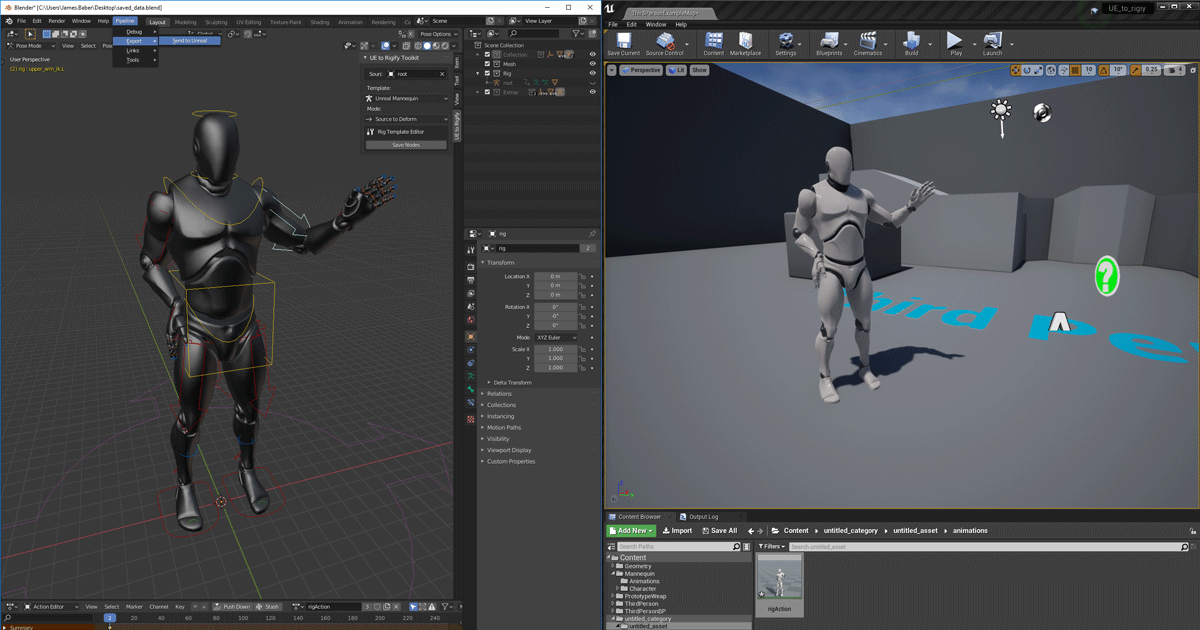
Unreal Engine
We’ve released two new, free addons that greatly streamline the workflow between Blender and Unreal Engine.
jaunty acorn
sturdy herald
https://www.unrealengine.com/en-US/blog/download-our-new-blender-addons
i will try this out! TY! I need to automate this for 1000 characters doing anims so hopefully this is the key!
sturdy herald
Not used yet the rigify addon and the send to ue only for blender to ue import, so im not sure if its works well invers, but good luck
manic wigeon
hi, can someone help me please? im trying to indicate the player that he must use ui input when he is hovering over a 3d widget. so that he can know that its a 3d widget that he can rotate and inspect around it. here is my code but unfortunately all its doing is removing game input off spawn instead of when i hover over the 3d widget.
 faint pasture
proper umbra
It just fits alot better with the mesh I'm using. It's not too big of a deal tho...
faint pasture
proper umbra
It just fits alot better with the mesh I'm using. It's not too big of a deal tho...
Do you want them hitting capsule?
high ocean
Quick question: Does adding elements to an array within a struct update the struct automatically or do I have to get the array, add to it, then set members in struct and plug in the array?
surreal peak
Should theoretically work in its simplest example
high ocean
@surreal peak
 surreal peak
Your issue is the function Param
The FromationSlot is copied into the function
So you aren't modifying the original struct
You can try setting it to be passed by ref
high ocean
How would I go about it? I figured there should be better ways then always breaking, promoting to locals and setting members in structs 😐
high ocean
@surreal peakOh, it was actually working from the beginning, I'm an idiot. Idk why for two years I just assumed I need to set members and fill in the array separately 😐
surreal peak
You can do and kinda don't
If you pass a struct or an array into a function/event, it will be copied by default
So any change to it will not change the original one
That's how c++ works
If you want to change the original one, you need to pass it as a ref
 stuck folio
Hello, I have a third person character from the Third person Sample project in UE4, and I am detecting the collision with the statues on the ground. Everything is fine but for some reason, the overlap Actor event is firing twice.
I have spent half an hour on this and haven't been able to figure out why.

 fallen glade
is it possible to add component to an actor component blueprint?
fallen glade
like subcomponents like this?

 earnest tangle
oh you mean add a component to an actor component
fallen glade
add yeah lol
earnest tangle
no, actor components don't have a hierarchy
fallen glade
oh ok
thanks!
I'm trying to think of a better way to do this, is it bad to have a few triggers following your characters? In this case I'm recreating a simple system for sight, hearing and touch but it looks gnarly in editor

 spark steppe
the engine has perception built in
fallen glade
yeah but I found it to not work very well, maybe I should try again it's been a few engine versions last time I tried
spark steppe
and there's one deprecated sensing component, so get sure to pick the correct one
atomic salmon
@fallen gladeoverlaps using collision primitives (sphere, cube, capsule) are not particularly expensive, but you are definitely "reinventing" the AI perception component.
spark steppe
and you run into other issues that are solved within the builtin component
e.g.: FOV, detecting objects behind walls (unless you add linetrace onto your overlap checks), and probably many more
stuck folio
stuck folio
Hello, I have a third person character from the Third person Sample project in U...
registered collision like this but it still gets triggered twice.
 fallen glade
@spark steppe @atomic salmon alrighty boys I'll give it another go
rare gale
stuck folio
registered collision like this but it still gets triggered twice.
I've seen similar stuff. The quick fix is just throw a DoOnce in there. Why it's doing that, I don't know.
stuck folio
rare gale
I've seen similar stuff. The quick fix is just throw a DoOnce in there. Why it's...
So, I am teleporting the statue when player collides with it. so I kinda want to trigger it again when player reaches the new position. so that's why not able to do that.
rare gale
can you reset the DoOnce on end overlap?
spark steppe
you could use a gate node which you reset
rare gale
Also, that teleport could be why it triggers twice. If it moves, you might want to ensure it's not active until after it's moved so it can't trigger again if the movement is what's causing another overlap to be called
spark steppe
that sounds like the better approach^
stuck folio
Hmmm, Makes sense. Let me comment out the teleportation logic and just destroy it once it overlaps to test it.
rare gale
how are you teleporting? If it's the teleport node, there's a setting for how it moves. Maybe try changing that so it just teleports and doesn't sweep. Although, you probably already have that set up
I believe the tooltip says that sweep will trigger overlap/collision
stuck folio
No no. I just said teleportation, I am essentially just setting actor location to a random point on map, that's all
I am afk for 15 mins. Let me get back and try troubleshooting using what you told me.
 late cave
There's a texture panner in the material graph... but can you do the same in regular blueprints?
maiden wadi
@late cave That's not quite how that works. Blueprints traditionally run on the GameThread. Materials run on the Renderthread. Your blueprints will set values on the renderthread. Normally this is done via things like SetScalarParameter on a material instance. So instead of using a Panner, you could manually offset the material with scalar or vector parameters, and drive it from blueprints using those parameters in the material.
 polar stirrup
Hey guys, I have an actor that I'm spawning in via a manager for that actor type. If I drag an instance of the actor I'm wanting to spawn from the content browser into the world, the mesh shows correctly. However, when I spawn it like I do below, the mesh doesn't show. I ejected while playing and looked at the dynamically spawned actor's details, and the mesh is correctly selected and set to 'visible'. The gizmo that's selected in the second picture is the actor I'm spawning in, so I do know it does get spawned and the mesh isn't null as I printed out its location and that was correct (also didn't throw any errors when accessing the mesh instance). Any ideas?

 prisma geyser
Hey peeps, can someone tell me the name of the math node in the middle of the right side of this image

Apparently searching + gives me about 500 different results aha
stuck folio
@rare gale @spark steppe Right, so I removed the teleportation and just checked for the event this time and you were right. Only one event. So somehow the SetActorLocation is screwing with the collision. I still have no idea how though.
stuck folio
prisma geyser
Hey peeps, can someone tell me the name of the math node in the middle of the ri...
That's Vector Addition

 limber jacinth
just hit +, but that is not a vector, that is a reference to your player character.
prisma geyser
I think I've solved that, but I'm still having some trouble here

wait
ignore me, I'm a fucking dumbass
it's right there
THANKS GUYS
late cave
maiden wadi
<@!149623011199156225> That's not quite how that works. Blueprints traditionally...
Sorry, I explained myself poorly. I want to basically use the same noise texture and pan through values on it in order to offset the world position of a blueprint actor. 🙂
stuck folio
Here it is, If I Trigger the Init Statue custom event at overlap, it fires twice, if I remove it (as per this screenshot), It fires only once.
 manic wigeon
guys do you know why this is telling me this?
Blueprint Runtime Error: "Accessed None trying to read property CallFunc_GetPlayerCharacter_ReturnValue". Blueprint: TableSet3DWidget_2 Function: Execute Ubergraph Table Set 3DWidget 2 Graph: EventGraph Node: SetWorldRotation
 rare gale
stuck folio
Here it is, If I Trigger the Init Statue custom event at overlap, it fires twice...
rare gale
stuck folio
Here it is, If I Trigger the Init Statue custom event at overlap, it fires twice...
Your timer is running the same thing again. I'm surprised that it's not just doing it over and over again...
Take the timer nodes out of your initstatue event and run that where you run the function on overlap and see if that works
stuck folio
Yes, The statue is supposed to teleport if I collide with it or automatically after a set duration.
rare gale
stuck folio
Yes, The statue is supposed to teleport if I collide with it or automatically af...
Maybe I'm missing something, but when you run InitStatue, it's going to teleport then set a timer to run itself again after a certain amount of time which then teleports and sets the timer to run again... It's an infinite loop technically from what I see there
stuck folio
yes it is.
manic wigeon
gooner do you know why my issue might be happening ?
stuck folio
It is intended to do that. If I just stood there doing nothing then the statues will keep randomly teleporting all around
rare gale
manic wigeon
gooner do you know why my issue might be happening ?
you need to cast to your player character after you GetPlayerCharacter... it's trying to get information from a parent class that isn't loaded. It needs your specific character class
stuck folio
the game logic is that I am supposed to collide with them before they teleport again. that way I score a point
manic wigeon
rare gale
you need to cast to your player character after you GetPlayerCharacter... it's t...
in level bp character bp or this bp i showed you?
rare gale
manic wigeon
in level bp character bp or this bp i showed you?
in the one you showed... where you are trying to get actor location... between GetPlayerCharacter and GetActorLocation, do a cast to <yourcharacterBP>
rare gale
stuck folio
the game logic is that I am supposed to collide with them before they teleport a...
isn't your issue that you are seeing this run twice? Each instance of that event is intended to run twice. Maybe I'm missing your question...
manic wigeon
rare gale
in the one you showed... where you are trying to get actor location... between G...
like this?
 stuck folio
I see how this might have been a bit confusing. Let me rephrase the intended behavior and tell you what's happening.
rare gale
That looks right... if you only ever have one player character, you could convert the cast to pure so you don't need the execution node, but don't do that if you aren't sure what that means. 🙂
manic wigeon
still not functioning well for some reason. in my first map the code is like this.

In this video we will learn how to create a 3D widget to place it inside our scene and discover how to achieve a rotatable image for the sofa by using the 2d texture render target ,
link for the Minotti
link for the widget switcher tutorial
https://www.youtube.com/watch?v=Qs1hGYHEZnc
from that tutorial
and it worked. but i copied it to another level with different options
and its not letting the character player work off spawn
rare gale
what BP is that @manic wigeon ? I can't read what it says
manic wigeon
its a 3d widget bp
since its not casting to the character properly its justing spawning me in the floor like this ****
 rare gale
are you using the same player character as the previous level?
manic wigeon
how can i check
rare gale
Ah, just noticed you're running this on Tick... it's likely that tick starts before anything else has executed. You might want to put a gate after tick and open it after a delay on your beginplay and see if that helps
stuck folio
The intended behavior is that there are three statues that I created using a StatueBP. Those three statues should keep teleporting after a period of time, that is 6- difficulty level of the game (1-5), So when game starts, the difficulty level is 1 so the timer should run for 5 seconds. Hence, the statues will keep teleporting every 5 seconds. (Which is happening)
Now if I touch one of those statues, I should score points and my level will increase according to the points I score, where it will eventually increase to 5 which is max. and the statues will teleport fast af so it's hard to catch them before they disappear and teleport to a new location.
If I manage to touch one of those statues. I score a point. They teleport to a new location instantly and the timer for their teleport should be reset.
Meanwhile, the game timer is constantly ticking down and I get a 4 second game timer boost if I score points. Game ends if the game timer reaches zero
rare gale
your worldsettings in the map will show the game mode and player character that are set for the level
AFK for a meeting a few... I'll check back when I can
stuck folio
stuck folio
The intended behavior is that there are three statues that I created using a Sta...
The issue I am facing is that if I am firing the InitStatue event (That teleports and resets the timer) when the overlap event is fired, then for some reason I am getting double overlap events.
UPDATE- I removed the reset timer from InitStatue (Now, the statues only teleport when I touch them). Still overlap event is firing twice. So that's not the culprit. Only action that's left is the SetActorLocation.
 true valve
I'm comparing two enums with == and they both have the same type bu == will return false. Anything i need to know anout enum comparison
stuck folio
true valve
I'm comparing two enums with == and they both have the same type bu == will retu...
Can you show a screenshot?
hard charm
guys to move my actor to a new position given in centimeters in the forward direction as it would be
true valve
stuck folio
Can you show a screenshot?
 stuck folio
According to https://docs.unrealengine.com/4.26/en-US/BlueprintAPI/Utilities/Enum/Equal_Enum/, == is fine. Maybe add a logger to check what enum values are being compared.?
 lean thistle
Hello all, I’m doing a study for my university on how math (calculus, linear algebra) is present in programming. Would anyone care to share some instances where math concepts (any; for example matrices or vectors…) were involved in your projects?
*if I’m in the wrong channel for this please let me know so I can love it!
Thank you!
stuck folio
lean thistle
Hello all, I’m doing a study for my university on how math (calculus, linear alg...
Vectors are used in almost every game so there you have one example.
lean thistle
I’m fully aware, I use them constantly.. the point of the study is to get real world examples from the community other than me to show that it’s not just me.
vague but specific instances as simple as unit vectors used for movement direction
stuck folio
If not games then, I would say it's used in AR and VR applications. In airplane softwares. Can be used in several places tbh. But yeah, I get your question. I have only used vector mathematics for game development only (ignoring when i had to do it in school and college)
true valve
stuck folio
According to https://docs.unrealengine.com/4.26/en-US/BlueprintAPI/Utilities/Enu...
They have diff value. So I've this. I've a BP_Item with sk mesh and cloth type. Based on its type I equip them. So this function takes care of that and suppose to swap the cloth and drop the weared ones beside the default skin. https://gyazo.com/da8bc6a7114e382e476fb62a4514e2c2

So item variable is set via line trace when I place my cursor on an item.
true valve
stuck folio
According to https://docs.unrealengine.com/4.26/en-US/BlueprintAPI/Utilities/Enu...
I think this is causing the issue. https://gyazo.com/b611cb49cd79b77c034f8edbbc468a4d

 gusty shuttle
Hey guys, when unloading a streamed level, then loading it back in, it seems my actors are doubling up. What gives?
stuck folio
true valve
I think this is causing the issue. https://gyazo.com/b611cb49cd79b77c034f8edbbc4...
It's pending kill means that the object is already flagged for 'destruction'. Maybe check why that is happening.
rare gale
@stuck folio I don't know why you'd have the issue with double overlap events. I'm honestly not sure how that stuff works at the engine level. I've seen it before, but either it went away or it was something that I could slap a DoOnce on and it fixed it. 🙂
stuck folio
damn 😦
rare gale
You might try starting your timer on BeginPlay of the Statue BP using a variable for the time and looping. Then, when you overlap and score points, adjust the timer variable in that function so it keeps running, just on the next loop is changing the time to your new amount. Won't fix the double event, but might help with re-triggering the timer
You an then just invalidate the timer by its handle when you need to pause/end it
stuck folio
rare gale
You might try starting your timer on BeginPlay of the Statue BP using a variable...
I understand. That makes sense. Just need to figure out this godforsaken double trigger 😦
jaunty acorn
I've been struggling for a few weeks on this, is there a BP / CMD for me to basically turn my CharacterBP and export it as a .GLB file?
I'm not sure what the best way to go about it is
 tidal pier
Hey all, new here and to Unreal Engine. I'm attempting to make a spike trap from things I learned from a tutorial series on youtube. I managed to get the animation of the spikes coming up using the following. My question would be is there not a cleaner way of doing this? Less repetition
 lean thistle
stuck folio
If not games then, I would say it's used in AR and VR applications. In airplane...
lean thistle
stuck folio
If not games then, I would say it's used in AR and VR applications. In airplane...
Sweet thank you, I was asking about diving deeper into how it’s used in games, not just the fact that it is because that’s obvious. But thank you for the response
dawn gazelle
tidal pier
Hey all, new here and to Unreal Engine. I'm attempting to make a spike trap from...
Store your Spear references in an array and loop through them would be one way.
rare gale
Group them under a scene component and animate the scene component only
dawn gazelle
^ even better
 tribal umbra
Anyone know where I can access the " Render Movie " node at the end of this blueprint sequence? I can't seem to access it anywhere

I'm trying to render out a level sequence from in game via blueprint
 muted stump
I made a wave spawning system but the problem is that if I dont kill the enemies quickly before another one spawns they spawn infinitely if the enemy counter doesn't go down to 0 before another enemy spawn. I think I need to make a variable to save how many enemies have spawned already but I have no idea how to do that :c
This is my BP
 rain egret
how can i apply damage to attached actors? the attached actor has a event any damage
 fiery swallow
is it suppose to play 1 and then 2? with just one click?
There's more that needs to be seen that is missing
what's being called inside of your montage
no open your montage animation
for the first attack
what's inside of it
what anim notify is it calling
I believe you're using paragons combo attack setup
And I'm pretty sure it used event dispatchers
gentle urchin
Animstate is nice for combo
Using that to block (or open) the combo gate
Figuring out why its called twice needs more code to figure out
Same goes for the weapon trace
Using animnotifystate could gate a trace on tick :)
Instead of spamming the event in each montage
faint pasture
muted stump
I made a wave spawning system but the problem is that if I dont kill the enemies...
Whoa that is some exotic spicy spaghetti. What actor is this logic on?
muted stump
faint pasture
Whoa that is some exotic spicy spaghetti. What actor is this logic on?
Its not in an actor. It's in my Level Blueprint

You mean that right?
Or do you mean where does it is casted?
It is casted on my thirdperson gamemode
 faint pasture
That's not what casting means but anyway, there's a ton wrong with this. First off, lose the tick. You don't need it.
2nd, you already have a Spawner actor, have it do the spawning. No need to have logic in level bp.
3rd, if you want spawner to only spawn enemies when previous spawns are dead, the simplest method would be just check once a second or so if all enemies are dead (get actors of class, check array size). In actual production you'd prolly want some sort of delegate approach but that'll be for later.
I'd put this logic in either the game mode itself or the spawner actor depending on the design.
 vocal kestrel
Does anyone know if you can access the new Landscape Layers features in blueprints? For example, you can paint a new mountaiin layer and alter an alpha-slider from 0 to 1 to change how intense the change is. If i could edit this slider via BP at runtime, i could do some fun stuff with altering terrain in realtime for cutscenes. However I don't immediatly see a way to access it.
Anyone know if you can get at the landscape layers alpah sliders in a bp (or in c++) and have it alter itself in runtime?
muted stump
faint pasture
That's not what casting means but anyway, there's a ton wrong with this. First o...
I think I need the logic in level bp for the wave management
Or can I just move it to my GameMode BP?
This is what I got in my Game Mode BP. The function for the timer of the play session

I just can copy-paste my code on my level bp?
faint pasture
Anywhere you put it is going to be better than spreading the wave mechanic logic out over the game mode, level blueprint, and spawneractor, as you have it now. Why not just have the spawner actor do all of it?
muted stump
My spawnactor bp
 muted stump
faint pasture
Anywhere you put it is going to be better than spreading the wave mechanic logic...
muted stump
faint pasture
Anywhere you put it is going to be better than spreading the wave mechanic logic...
I thoght it would be less of a mess to put it in my level bp
.<
faint pasture
Nah it's more of a mess, is this a tower defense style game or something?
muted stump
No a wave survival
COD Zombies style
Enemies appear- Kill enemies - Repeat with more enemies
faint pasture
If spawning is meant to come from multiple places, I would have the wave spawning mechanic live in the game mode, and have actors that you can place down for spawn points. Sort of like how the players start is used as the spawn point for the player character.
The spawn point actors would just exist as a way to mark locations on the map. You could maybe give them an array of classes that are possible to spawn if you want different locations to spawn different types of enemies, but otherwise they are just markers for the game mode to know where to spawn the enemies from
runic parrot
Hi! anyone familiar with VaRest plugin? i'm using "Encode json to Single String" to save my data, that works okey, but i'm having troubles making a json out of the string after that.

This is what the string looks like
{"Id":"1","Class":1,"Location":"X=-719.227 Y=-998.047 Z=20.000","Rotation":"P=0.000000 Y=0.000000 R=0.000000","Scale":"X=1.000 Y=1.000 Z=1.000","Name":"BaseBuilding","OnConstruction":false,"Level":0,"CurrentExp":0,"Placed":false}
i think you can do something like that with Gate
or maybe a random int in range?
sand bloom
Ah yeah something like a gate but I need it to be specific, so it's not random
That's why I tried to add 1 to the int each fire to make sure it keeps going trough your options
but it doesn't seem to work
runic parrot
runic parrot
Hi! anyone familiar with VaRest plugin? i'm using "Encode json to Single String"...
Found it

maybe use a local variable "Index" ?
sand bloom
oh boy
it works i'm just stupid and didn't connect my variable to my int switch
oops
thanks tho haha
 hallow patrol
I'm a bit stuck with array. Getting inf loop. What I need is, for loop to go trough an array, if it finds particular user ID it don't add to list, if it's not there, then adds user ID
 runic parrot
hallow patrol
I'm a bit stuck with array. Getting inf loop. What I need is, for loop to go tro...
runic parrot
hallow patrol
I'm a bit stuck with array. Getting inf loop. What I need is, for loop to go tro...
use a flag "Found" start the loop with the flag on false.
If Id is found, flag = true.
On foreach completed, "If flag = false -> Add"
oh i think i got it wrong
you want to add all the users that are not UserId == GetId?
hallow patrol
runic parrot
use a flag "Found" start the loop with the flag on false.
If Id is found, flag =...
I just figure out I can use contains instead of looping I think
 tight schooner
If the Add node connects back to the Loop node exec pin, that would cause an infinite. Otherwise I can't tell how you're getting an infinite by the screen shot.
hallow patrol
tight schooner
If the Add node connects back to the Loop node exec pin, that would cause an inf...
It dosn't so I I have no idea why lol
runic parrot
you are adding a new entry and checking the same, do a reverse for each loop, so you go from index 10 to 0 (so if you add a new entry at index 11, it doesn't matter)
maybe that's the reason, not sure.
tight schooner
Oh yeah I suppose you are resizing the array while looping through
runic parrot
yeah
hallow patrol
im betting only regular one
 runic parrot
oh my bad, it seems like you can't.
what is exactly your goal there?
i'm asking because you are adding to the same array
tight schooner
You can also try doing this operation inside of a custom function that writes to a local variable (instead of the array you're looping through) and then use the local var to set the regular variable upon loop completed
hallow patrol
runic parrot
oh my bad, it seems like you can't.
basically I'm doing multi people tracking. Tracking runs on tick. I need to make some kind of array list, where I can store information which character is assigne to which person. So basically how it happens, ue4 starts to track first person, it assigns ID 1 to person and assigns charachter nr.1 (I have 6 of them) Then second person comes in it assigns second character to ID 2. Without these array what happens right now is, it detects, that there are 2 trackable people, but it switches charachters between them.
runic parrot
i'm so confused
muted stump
@faint pasture I managed to solve it making a variable called spawned robot that only increases but not decrease when an enemy is dead. So when this variable reaches the max number of robots of the wave then it sets back to 0 and another wave starts
runic parrot
hallow patrol
basically I'm doing multi people tracking. Tracking runs on tick. I need to make...
a dic wont work?
dictionary with Character - Id
or on new player join, get array length and add +1 = to get your new id.
muted stump
And also made that only less than one of the max robots may spawn to solve another bug.

That is my branch that loops the spawn mechanic
faint pasture
muted stump
And how will I call my actor class from game mode?
At begin play you can get all actors of class Spawn location and save that
muted stump
faint pasture
At begin play you can get all actors of class Spawn location and save that
Thanks already did that and welp. It looks more dynamic that enemies spawning from only one point
Thank you so much for the help dude
zealous moth
how would you go about determining the movement vector in FPS?
I'm trying to implement a dash but I want to use the direction I am moving, not facing
runic parrot
put an invisible arrow pointing forward on the character, than get the forward vector of that arrow
gentle urchin
zealous moth
how would you go about determining the movement vector in FPS?
I'm trying to imp...
Get current velocity, normalize it -> current direction
Probably null out the z
zealous moth
ah that seems like a good idea @gentle urchin , ty
lofty quartz
For some reason, my spawn actor node will not replicate

Does anyone know why?
I spawn the actor here
and then assign a mesh to it later

Something like this

It ends up like this
 runic parrot
lofty quartz
For some reason, my spawn actor node will not replicate
runic parrot
lofty quartz
For some reason, my spawn actor node will not replicate
on "Owner" attach the player controller.
lofty quartz
ok
lofty quartz
runic parrot
on "Owner" attach the player controller.
Nothing still
 lofty quartz
Feel free to @ or dm me
 clear rock
Is it possible to make a script that automatically adds x amount of static mesh components to an array in blueprint? Can it be done in c++? Don't know if I should ask this here or in cpp

just don't want to do this manually every time 🙂
last abyss
clear rock
Is it possible to make a script that automatically adds x amount of static mesh ...
maybe with the asset registry
gentle urchin
Add mesh component, usable in bp
Just do for loop based of an integer
Save to array
@clear rock
clear rock
problem is that they are all different static meshes that I want to add.
so add mesh component in for loop won't work
 pine trellis
is it possible to disable movement component and still have good movement?
like if someone wrote code?
dawn gazelle
clear rock
problem is that they are all different static meshes that I want to add.
I imagine one could do something like this if you used a scene component to organize them.
 magic summit
any idea how to easily tell what is causing blueprint time? When I place character into empty scene, blueprint is 2.5ms, when paused its 0.5ms, I placed most drastic tick actors(player, dynamic lighting) on tick on paused, so thats probably causing those 0.5 ms. how to know where does rest 2 ms come from?
 frozen nimbus
Hey everyone. Is it possible to change Clothing settings on a mesh using blueprints? I'm wanting to make a cape lighter when the character is moving apposed to when they are standing still.
light token
Hello. Is there a way to set only one member of a Struct or is this the only way?
 rain egret
How to avoid character sliding off pawn when attached to it? I have seen multiple people online having the same issue and nobody helped them
dawn gazelle
light token
Hello. Is there a way to set only one member of a Struct or is this the only way...
With the Set members node selected, you can specify which pins you want to modify
light token
Alright awesome! Thanks a lot!
I found it. I could remove pins. This helps a lot. Thanks again!
zealous moth
@rain egret can you be more specific? Like you spawn a character into a pawn and attach it??
rain egret
zealous moth
<@305108890381451264> can you be more specific? Like you spawn a character into ...
https://youtu.be/42k89IjGl3w if I were to attach my character to the airship she would start sliding off of it.
The airship is a pawn, she is a character

i began working again on a project with which i aimed to remake the airship building system from the game Worlds Adrift. After a couple of sleepless nights i have a working system
I have seen people be like „just set her transform each tick to that of the ship with offset“ but that’s stupid
It’s like hardcoding hello world
zealous moth
Hm i will reply back once i have access to a computer.
You are right about it being dumb.
Normally you would parent it.
runic parrot
lofty quartz
Nothing still
Is this listen server or dedicated? are you running that method on the server side?
rain egret
zealous moth
Hm i will reply back once i have access to a computer.
You are right about it be...
Yea especially since itd be each tick
runic parrot
Can anyone think of a better way to do this?
 runic parrot
rain egret
https://youtu.be/42k89IjGl3w if I were to attach my character to the airship she...
runic parrot
rain egret
https://youtu.be/42k89IjGl3w if I were to attach my character to the airship she...
i like the character model, you did it?
rain egret
Yes, I do all my models myself 🙂
zealous moth
@rain egret this is a guess but on your vehicle, add a character variable that is null and then attach your character to it
runic parrot
i like that style, can you recommend any guide/tutorial to get something in that direction?
zealous moth
@runic parrot why not use a struct and datatable?
runic parrot
rain egret
How to avoid character sliding off pawn when attached to it? I have seen multipl...
Give the pawn a socket and attach the actor to the socket ?
zealous moth
Not a bone. A socket on the mesh if statoc
rain egret
runic parrot
i like that style, can you recommend any guide/tutorial to get something in that...
No guides involved
I wouldn’t know of any that’d help
runic parrot
zealous moth
<@180365556162101249> why not use a struct and datatable?
need to save it as a string on a database, i don't know if there's a more eficient way of go through all the "resources" and add them in one go into the json.
rain egret
Wouldn’t the physics handle require her to simulate physics?
zealous moth
@runic parrot well you use a map however it seems overly bothersome. I would use a struct and datatable and go through rows
@rain egret true butbi wonder if the capsule is enough
runic parrot
i would go with the socket option, since you can just move your "sit" and attaching the character to that socket will handle the position
rain egret
That’s a idea yea
rain egret
Stupid question but how do I parent? I googled it and all I found was the attach to node
zealous moth
Uh either use an empty var in char and assign or attach
I need to see my computer, off the top of my head is hard
rain egret
Yea attach doesn’t work and causes the sliding issue
Which makes me doubt using a socket would help, I have tried using a scene component for that and had the same sliding
 sour gulch
how do i make a static mesh stick and/or follow my mouse
please help or point me in the right direction :)
rain egret
sour gulch
how do i make a static mesh stick and/or follow my mouse
please help or point me...

In this free step by step Unreal Engine 4 tutorial video (UE4 how to) you will learn how to grab and drag objects using the mouse cursor across the screen.
You can check my other grab tutorial for physics objects : https://youtu.be/irk5NAuFPMc
All my UE4 tutorials: https://www.youtube.com/watch?v=BT0jFArPtGM&list=PLEp7216xGGILh3i2BZe2E0ZEuiIGa-...
runic parrot
zealous moth
<@180365556162101249> well you use a map however it seems overly bothersome. I w...
yap, struct was better in the end, i try to avoid using struct inside struct for some traumas from the past
rain egret
Structs are amazing, using an array with arrays inside
runic parrot
sour gulch
how do i make a static mesh stick and/or follow my mouse
please help or point me...
In this series we will be explaining how to add a building mechanic to your game as seen in such games as Fortnite and Rust. In our series we will be using it to build automation machines and a factory as seen in games such as Satisfactory and Factorio.
In Part 1 we build the functionality to click and add a block to the world, snapping it to a...
lofty quartz
clear rock
Is it possible to make a script that automatically adds x amount of static mesh ...
This is literally what I just did. If you figure it out, please let me know
lofty quartz
runic parrot
Is this listen server or dedicated? are you running that method on the server si...
Listen server
dawn gazelle
runic parrot
Can anyone think of a better way to do this?
This might be a little less annoying.
 sour gulch
runic parrot
https://www.youtube.com/watch?v=_vbTysA_KUo&t=4s
sour gulch
runic parrot
https://www.youtube.com/watch?v=_vbTysA_KUo&t=4s
but he cant drag the cube
or is that a static mesh he is dragging?
runic parrot
it's an actor with a mesh
runic parrot
dawn gazelle
This might be a little less annoying.
i'm gonna try it that way, the struct approach is annoying for other things
this, for example.

how do i add amount + current resource based on the "Resource" without making 999 nodes?
light token
Is there a way to combine Select nodes? I guess not so my solution would be to make two arrays of class references and combine them. But how do I get those class references in blueprint?
runic parrot
dawn gazelle
This might be a little less annoying.
works perfectly, thanks!
don't worry, i'm deleting that horrible monster
if you don't mind, what plugin is that one for the connecting line with no rounded corners?
dawn gazelle
runic parrot
if you don't mind, what plugin is that one for the connecting line with no round...
It's a paid plugin called Electronic Nodes
spark steppe
runic parrot
this, for example.
you have a material enum, why not making a map which has enum as key and the amount as value?
runic parrot
yeah, just changed it for that version, altought i'm having some troubles with maps and multiplayer, it seems that replication of maps is not implemented.
jaunty acorn
How do apply all the armor on my characterBP to the skeletal mesh and update the animation to have the same armor pieces?
runic parrot
Me again, there has to be a better way to do this

Map is not an option (can't replicate)
strong sluice
hello when i upgraded from 4.26 to 4.27 i can't find the matinee camera shake in the blueprint class but when i create a new project it shows.
 proper umbra
Hey. Is this the right way to go about this? I'm trying to make it to where an entity only takes damage when hit in a certain area. However, it seems that it's not registering it's hits at all when I set it to this. Hit Target is the Hit Component taken from the OnComponentHit event
runic parrot
not sure about the setup, but maybe try checking if the collision setup is ok?
proper umbra
runic parrot
not sure about the setup, but maybe try checking if the collision setup is ok?
What doy ou mean by that?
this is what it looks like before function
 runic parrot
your actors have a setting that they use to know weather other actors hit / overlap.

maybe you are not getting the hit because they are not hitting, which may be caused by the collision settings
proper umbra
I can check again. I turned on Simulation Generation Hit. You're probably right tho, since when I used Actor has tag instead of Component has Tag it would work
And the projectile used is Blocked in the recieving mesh so I'm not sure if that's the issue
jaunty acorn
i got
randomize armor pieces and attach it to my character under the mesh,
but how do i apply it to the skeletal mesh and the idle animation so everytime I randomize my character, it shows the animation do it as well?

left is skeletal mesh, right is animation
stuck folio
dawn gazelle
This might be a little less annoying.
How are your blueprint lines so,... Neat?
dawn gazelle
stuck folio
How are your blueprint lines so,... Neat?
It's a paid plugin called Electronic Nodes
stuck folio
All good things are paid, of course :(
spark steppe
how can you say that as unreal engine user?
jaunty acorn
what's the bp to apply my mesh's from master component to the actual anim/skeletal mesh to apply it as a preview mesh?

what would i put after this
atomic salmon
stuck folio
All good things are paid, of course :(
You can make your BP lines pretty much straight just by applying the right settings inside the Editor. http://vicsdevblog.blogspot.com/2016/04/achieve-straight-node-lines-within-your.html?m=1

I don't know if the grass was greener on the other side for me, but I discovered how to make the blueprint lines straight. I like the look o...
Of course the mentioned paid plugin adds some more features to it.
 hollow shoal
I have an annoying issue where my playerController is not using the camera of the pawn it posses
stuck folio
spark steppe
how can you say that as unreal engine user?
Shh. Let me throw a bit of a tantrum even if it's unfounded xD
stuck folio
Okay, anyway guys, So the issue that I came up with here, yesterday hasn't been exactly fixed yet.
Just a recap if somebody can help me here.
I have two Actors
- Statue- Capsule Collider as root component and a child static mesh component.
Collision Preset is set to OverlapOnlyPawn - Third person character that comes with the third person project in UE4
Now I just want to walk up to the statue and I want the BeginOverlap event to fire in which I will call the SetActorLocation()(to a random coordinate on the map) on the statue,
And the same should continue.
Problem- The Overlap event is firing twice.
1st- Both Statue and player at the right location as it should. (It calls SetActorLocation() and set it to some random coordinate ) (THIS IS EXPECTED BEHAVIOR)
2nd- Immediately after 1st Overlap event, Statue at the new Location(provided in the last event). My player character is still at the last location which is far from this new position of statue. It then calls SetActorLocation() and set it to some random coordinate again.
Known culplit - SetActorLocation(). This is the only thing that's causing it. If I remove it then the event fires only once. and only fires if I go and touch the statue.
 dawn gazelle
stuck folio
Okay, anyway guys, So the issue that I came up with here, yesterday hasn't been ...
dawn gazelle
stuck folio
Okay, anyway guys, So the issue that I came up with here, yesterday hasn't been ...
Is your collision profile set on the capsule collider or on the static mesh?
stuck folio
dawn gazelle
Is your collision profile set on the capsule collider or on the static mesh?
It's on static mesh
dawn gazelle
Are you running multiplayer by chance?
dawn gazelle
stuck folio
I can actually show you in vc if you like
Getting similar behaviour here.... You could use a Do Once node before the move, and then a delay after it (can be short like 0.01) that plugs into the reset.
 stuck folio
I already did that and that fixed the problem. I just want to get a cleaner solution and understand the problem at hand.
jaunty acorn
im trying to match all the items on my left character, to my right animation of ThirdPersonIdle:

I tried copy pasting it under the CharacterMesh to another but they all spawn at the root
What would be a good way to attach the armor piece in the right spot without making a BP so I can export it as .glb?
Although if I can use the characterBP on the left to update my ThirdPersonIdleAnim Skeletal Mesh. that would be great
gentle urchin
Youd let the notifystate adjust variables (activating the trace by some bool, updating which combo integer to use next, enabling combo input for x frames etc)
So you'd have one state for comboing, and one state for the attack part of the combo (which frame to start and stop tracing)
 full crypt
How do i change a boolean from 1 blueprint casting to another, i have done pretty much every single way you could possibly do it. i have been stuck in this chair for 5 hours on a BOOLEAN. please someone help.
blueprint 1 casts to blueprint 2, blueprint 1 casts as blueprint 2 to change the blueprint 2s boolean to true. Is this WRONG?
blueprint #1 casting to blueprint #2

blueprint 2# trying to send print string based off of a boolean blueprint 1# is casting to.
 tight schooner
@full crypt Debug it. Set a breakpoint and step through the execution, or use Print nodes
Is the "E" event firing? Is the cast succeeding?
tight schooner
So the owner's class isn't sophiabp
full crypt
what?
tight schooner
A cast takes a generic reference like "actor" and determines if it's of a certain class
So it's asking, is this actor (via Get Owner) a "sophiabp"? And if it fails, the answer is no
tight schooner
The return value of the "get owner" node in your screenshot
full crypt
its not