#blueprint
402296 messages · Page 702 of 403
 faint pasture
 sudden shale
the map should be change a lot in the ingame level editor
Oh in fact i don't have need to have 1 ISM by each blocks type but only 1 ISM by static mesh, i could just change the Material for have right texture on the blocks (or maybe i should be possible to use index for have only 1 material
 trim matrix
I've noticed that on unreal 4.17 there is the event apply damage, but the event receive damage is not there, is it named something else??
 high ocean
@maiden wadiJesus, I'm so stupid! It was so easy to "find out when the level was loaded". Just had another actor set a bool in the GI & call the function in the GI which would spawn the spawner (if you remember at all you've spent over half an hour trying to tell this to me). Thanks for ur time ytd man 🙂
 upbeat shore
Hopefully quick question: I'm trying to set up a two-weapon inventory system like in the Shooter Game project and I have to say I am at a complete loss and looking at the project does not help. I noticed in the character blueprint there is a section in the class defaults called "inventory" and has everything there but I cannot figure out how to add something like that. Is it even possible to do with blueprint?
Oh nevermind. I guess that project is C++. I suppose I'll try something else then
 rapid token
Hello. I am trying to add Sliding to my game, but the collision doesnt follow the animation, so it doesnt allow the player to slide under things.
How can I fix this?
 celest oar
u need to keep ur animation at base location
every 3d animating software does that
so that the character capsule always represents the mesh
other option is using root motion but ive never messed with that and i dont know how it works
does any 1 know why my particles are being rendered behind meshes at certain distances?
tryed other channels, didnt help
rapid token
celest oar
u need to keep ur animation at base location
It is.
celest oar
rapid token
It is.
then theres is something else going on in there
faint pasture
upbeat shore
Hopefully quick question: I'm trying to set up a two-weapon inventory system lik...
A 2 weapon system is easy. Start with 2 references (Weapon1, Weapon2), an ActiveWeapon int or bool, and some logic to swap the weapon actors around.
trim matrix
upbeat shore
Hopefully quick question: I'm trying to set up a two-weapon inventory system lik...
There's a guy on YouTube I think is "Ryan Laley" he has a tutorial about this,If used as a base to create my own
 hot linden
Using a material to spawn foliage on my landscape, is there some way to remove the foliage at runtime in any way?
 zealous moth
@faint pasture so my final workaround was to create a custom event in my ac and pass all that info. About the sockets. The ac limitation sucks but can be managed
 strange ferry
Alright I have a question - I want to "shoot" something and for it to fly in an arch
with an end location
What's the best way to go about this?
Splines? or uh ideally something like predit projectile path but with an "end location" that it goes towards
I found if - if curious there's a bloody "suggest projectile velocity" as a node
which is p.cool
faint pasture
strange ferry
What's the best way to go about this?
Splines? or uh ideally something like pre...
I would use a projectile and just double check that the predicted path and actual path line up
zealous moth
@strange ferry use quadratic or projectile equations.
 open crypt
Can someone advise How I would automatically (via construction script) build a box collision in the CORNER space of where these two purple boxes are?

basically where the red is
 fading wren
Constantly follow mouse, spring arm fits for this. But rotation is linear(speed of rotation is the same). I would like to control speed of rotation by curve. I need it to make more carton moving
@faint pasture if you look on Disney cartoon, whole moving there is not linear, it is using a curves for this
@faint pasture to be more clear, i would like to use curves as in Graph editor in Maya, but for constantly follow mouse moving
Spring arm is ok, but if i can control it by curve - it would be perfect
https://youtu.be/2Mm-OfVJhJU?t=329 here is example, how it work in maya. I know this way created for "static" animation, and i am trying to control "constantly follow mouse cursor " by curve. what could be a challenge or even not impossible

Do you know WHY your animation looks bad?
PART 1: https://youtu.be/sqgiCZs7X5M
No one is immune to jittery animation. Let's fix bad animation in Maya using the graph editor. Smoothing out curves in your graph editor is a crucial part of getting that buttery, silky-smooth Pixar-style animation many film animators are after.
In this Maya graph ...
 unkempt fjord
Hello all, I'm hoping someone can help me out here. I'd like to use an xbox controller stick direction to control a blendspace in my abp. usually the abp picks up movement velocity to set speed and direction but in this case i don't want the character to move, i just want the control stick to drive a 2d blendspace. Stick up and down would drive the 2d blendspace axis "strength" and left and right on the stick would control the 2d blendspace axis "angle"
i just don't know how to make gamepad left thumstick y-axis control something in the abp. Any help is appreciated!
 maiden wadi
@unkempt fjordReally depends on how you want to do it. Traditionally you would set an axis value in the Axis Event that is running for the controller input, and then just let the Anim Blueprint poll it.
unkempt fjord
so in the blueprint i have

in the abp i have this, but i don't know how to get the strength variable from the blueprint into the abp

or am i totally thinking in the wrong direction here?
maiden wadi
You need to cast to the Pawn return to whatever class has that MoveForward event.
Then you can get strength out of it.
 maiden wadi
Remove the IsValid and the GetPlayerPawn. Plug the TryGetPawnOwner return into the Cast.
Is BP_Action a pawn class?
unkempt fjord
its a character class
maiden wadi
That should work then.
unkempt fjord
@maiden wadi what do i plug into the strength to set it?
im thinking i need to plug in the ammount ive moved the axis stick but im not sure what node that is
maiden wadi
Nothing. You're trying to get strength. You want a new variable in the AnimBlueprint to set from Strength.
unkempt fjord
oh man, i feel like im close but all i can pull out of the cast node is to set strength, i'm not sure where to go from here
maiden wadi
Drag off of the cast node.


Then in the Animgraph, you can use the ticked AnimStrength.
 unkempt fjord
so now i've goth the anim strength plugged into an axis on my, yes... it seems like that should work perfectly, for some reason its not playing at a different speed
but this should be the correct method, right?
maiden wadi
Depends on your blendspace, and how you have it set up, but generally speaking, yeah. For instance, if I had a controller with the stuff I just posted, I could make the mannequin run in place at differing speeds.
unkempt fjord
ok, this looks solid and gives me what i need to go on
I'll play around with the blendspace and see what i can do. Thanks a lot!
maiden wadi
One thing to note, Inputs are usually -1 to 1. If you're using full speeds on your blendspace, you'll need to multiply the strength.
@unkempt fjordSo if your blendspace uses a speed of say 300 like the ThirdPersonIdleRun, which is meant to be based on Velocity, you'd need to multiply your input.

Oh, 375, not 300. Same thing though. Cause that 1d blendspace goes up to 375. So inputting just the input axis will only be 1, not 375 or more.
 unkempt fjord
@maiden wadi woohoo! I just came across this as well, Yeah, my blendspace was 0 to 100. changing it from 0 to 1 worked
thank you very much!
yay its working! I like your multiply method, I'll try that
 shut hinge
I have an AI Controller Issue, AI is not resuming back its ai behavior controller again after taking possession. Anyone know how to resume back the Ai Controller again after taking possession of the AI?
Here's how I tried to switch players.


 maiden wadi
Where are you repossessing the AI with the AI Controller?
shut hinge
This is whats in the ai controller

now this only works if I don't possess the ai then the ai will follow the player but soon as I take control of he ai, that ai stops working when I switch over to another player which is no good as I need the party members to continue to follow the player around..
 gentle urchin
Never tried possessing an ai controlled pawn and back again. Not sure if there are 'rules' in place so that only 1 controller can conteol any given pawn? If so you might need the aicontroller to reposess the pawn?
shut hinge
all I have is whats in the blueprints currently. Apparently you can switch pawns using level blueprint and ref them from there, but the game is not a single map level so it needs to be done in the player controller by the looks of it..
gentle urchin
Yeah i wouldnt advice using the levelbp for this
shut hinge
no because it will wipe out soon as you load in another level. and what will happen you will get non acess errors to pawns ref that no longer exist.
although I do want to know how to get rid of the comma that pops up in the health binding value when you reach over 1000 points. and it goes 1,000 which I don't want the comma there..
And how to only make the health bar start to decrease only when your shields go down to level 2. Instead of decreasing at the same time the shields decrease. Haven't figured that out yet.
Or the Minimap issue. Of Only one player at a time can hide their minimap pointer in the game when you switch over to them and it shows up only on the map, but all the other players can't hide their pointers and they all show up in the game and on the map instead of only just showing up on the map which is not what you want it to do.
 true valve
Is there a way to put a foliage block volume in a blueprint?
shut hinge
can you do it with a collision box
true valve
Ok so what would be the collision of that box?
Let's say I want to surround a couple of houses in a blueprint.
shut hinge
I don't know about procedural generation with blueprints to put collision boxes around them, i don' know if you can put in the collisiion around them using spline or not..
only know about manually putting in collision boxes for npc dialog using a blueprint actor. Not procedually generating them. As I only have basic dialog working int he widget from the data table, but not got dynamic generated dialog branchings menu system working yet from the data table, as I don't know how to implement that yet witha data table and that's what I need to know in order to complete the dialog system..
 lusty elbow
After setting Global Time Dilation to 0.0 (Global Pause) the "Delay" node doesn't work, naturally. Is there a node that keeps track of runtime time or something else so I can implement a "delay" during Global Pause?
 lusty elbow
gentle urchin
there's a bool in bp's saying to tick while paused, not sure if that works ?
lusty elbow
gentle urchin
there's a bool in bp's saying to tick while paused, not sure if that works ?
I will check that. Thank you!
gentle urchin
could be it only works when actually pausing the game
 lusty elbow
gentle urchin
*could* be it only works when actually pausing the game
lusty elbow
gentle urchin
*could* be it only works when actually pausing the game
That seems to be the case. But it's a good moment to check that instead of my hack tactical pause implementation. Thank you either way! 😄
shut hinge
oh this is not easy, you need to use a dummy pawn to switch party members ai's
 sonic pine
Hiho i have a question about Triggering a Data Table with an other Data table^^

Is this a good way to work with skills?
shut hinge
Squize here's the code but I still can't get possess pawn to work for AI after taking control.
 gentle urchin
Why not do different classes for the different classes? With either a DT for each class, or an array or 3 for avaliable, learnt, and unavaliable skills ?
sonic pine
gentle urchin
Why not do different classes for the different classes? With either a DT for eac...
I have a data Table with 250+ Skills for 13 different Characters
shut hinge
How do we do our dialog branchings with a data table?
sonic pine
My problem is to set the skilltree for each character without build 13 different widgets
gentle urchin
auto generate it
but the data must still be present..
skilltree-stage (row), dependency (connected skill) , skillclass, how many skillpoints can be added etc
sonic pine
ok i ont know how to do something like that^^
gentle urchin
I'd prefer having it in a custom DT for the skilltree's tho, but thats me
sonic pine
a skillclass should be "fire" or "warrior"?
shut hinge
what do we need in the data struct for the dialog menu branching buttons, if I want to drive dialog options using a data table.
sonic pine
gentle urchin
I'd prefer having it in a custom DT for the skilltree's tho, but thats me
ok...
gentle urchin
sonic pine
a skillclass should be "fire" or "warrior"?
Normally it would be "warrior" , "mage" and so on... the type of spell isnt relevant for the sorting part as i see it
altho I don't have all the info about your system and idea, so there could be some pitfalls
sonic pine
ok so there shouldnt be any universal skills?
Für example the Fireball is a skill from the Mage but the Stong Hit is from 2 or 3 Characters
gentle urchin
That's up to you
sonic pine
 gentle urchin
If you need a skill to be accessible to several classes you can either;
- add several of the same skillrow, setup for the different classes
- Make the "class" filter an array, so that several classes can be added to the same skill(s)
sonic pine
i thought i did that with my second data table
gentle urchin
Surely, that works too
its just adding a layer of cross references
imo complicating it
but could be worth it for you
sonic pine
This is my second Data Table there are only the Row Names (numbers) of the Main Data Table
 gentle urchin
So Attack1 : 230 is a reference to row 230 in the first datatable?
sonic pine
correct
 surreal peak
Why don't you actively reference the row
shut hinge
hmm i wonder that's how to also do the dialog branchings.
surreal peak
For Dialouges I would would probably use DataAssets more than DataTables
gentle urchin
shut hinge
hmm i wonder that's how to also do the dialog branchings.
If you're using the stuff i sent you, the branching is setup with the options array in the same struct
shut hinge
no i hven'tused the stuff Squize, the stuff I seen was for array lists but not generating them from the data table.
gentle urchin
pretty sure i showed you everything
sonic pine
surreal peak
Why don't you actively reference the row
Did you mean like that?
 surreal peak
No, there is a variable type called DataTableRowHandle or so
Which allows you to select a DT and then generates an enum with the rows
shut hinge
i not seen how its piped in from aa data trable to dynamically generate the menu dialogs options like they did in Kotor dialog where the options pop up after npc has his conversations. THey somehow nested the dialog tree into many sub levels...
surreal peak
I can't imagine making a Dialogue system in DataTables actually
gentle urchin
^Practical, But not as usefull imo when the rows are just indexes. Makes sure its a valid index tho
shut hinge
because we don't have the dialog tree editor that kotor had, so we have to generate the dialog tree using a data table.
sonic pine
Because on this way i have to "trigger" tonnes of different rows for 1 Character and my SkillRowDatabase will "trigger" that at the same way i thought ^^
surreal peak
There are plugins that have Dialogue Trees though
gentle urchin
surreal peak
I can't imagine making a Dialogue system in DataTables actually
This was the setup for it at the time. Felt ok, altho a bit hard to follow along
 surreal peak
Yeah that's also how you would end up doing it
Referencing the next entry
But it's a nightmare to manage
shut hinge
which ones? I've got all the basic Npc dialog already working in the engine, its just the branchings now I need to implement with the dialog....
that's the hard part.
surreal peak
I think there is even an open source one so oyu can learn how to make such an editor yourself or use then one available
gentle urchin
I found one of the open source ones, so im using that now
surreal peak
Lemme see if I can find that
gentle urchin
 surreal peak
Yeah
That's one of them
There are lots of ways to design this
The one I used last had an extra editor for the asset
Which felt a bit like a behavior tree
shut hinge
but blueprint graphs are limited in size. I've already at 200 entries just for the npc speaker icons array.
gentle urchin
I didnt really like it but thats just preference
Didnt wanna push Tozan over to a new plugin after showing this setup tho. 😛
surreal peak
I can only recommened what I would and wouldn't do
I don't care what people end up doing
If the Array/DT setup is what you want, go ahead
shut hinge
so the array will soon run out of space
 surreal peak
The plugins also always come with some downsides that you only find when you are using it for a while
It's always good to be able to adjust some code then
Man, that image
At that point I would have written a CustomThunk node that converts Struct to Array
Did that for GameplayAbility stuff last
gentle urchin
Yeah i agree. They all have their ups and downs
surreal peak
Blueprint only projects are such a headache sometimes
sonic pine
shut hinge
so the array will soon run out of space
should i use the same variant for my question?
shut hinge
i am finding that out.
sonic pine
an array like that to get all needed skills to a specific character?
shut hinge
but i did get dialog working. Just only basic dialog that is at the moment.

but with blueprints there will be issues and and there that pop up.
i don't know anything about C++ so i did my project in blueprints.
surreal peak
You can do all of that in BPs. The main "sad" thing is that as soon as you are working alone and you either can't use C++, or don't have the option to purchase some Plugins, you are stuck with the default stuff.
And a Dialogue System is pretty much the spot light candidate for some custom stuff, like a custom Asset that has a custom Editor, to make peoples live easier.
I know that "The Long Journey Home" went the long way and even connected an out-side program to UE4 that they wrote themselves, which had the dialogue implementation.
They were able to hot-reload the dialogue changes into the game while it was running for rapid prototyping
It's just awesome how much you can empower your team
shut hinge
well one other issue I'm experiencing is my machine loses its video signal after a random period of time and the only way to get video back is to reboot the machine.
I don't have a custom editor for creating the dialog tree for npc's like Kotor talk editor had.
surreal peak
That sounds like an issue with your machine. Not really something others should experience
shut hinge
Yeah I turned auto synch off the monitor to stop it recycling but that didn't resolve it.
its been affecting the po3 machines.
 proper umbra
hey im trynna make a bullet that will cause damage to all enemies aside from the player shooting it, considering the bullet comes out of a part from inside the character capsule component. I could move it further away, but wanted to try and see if this would work. However, it won't affect any ai when I use this.

 simple dragon
@proper umbra cast to AI class u created 🤣 not a player
or don't use a cast
save who shot a projectile as variable (projectile owner)
and do a check
projectile owner != other actor
true >
teak damage
false >

 earnest tangle
What's the problem?
maiden wadi
@trim matrixDo you mean this entire thing, or just the highlighted nodes?
 steel sequoia
anyone know what this means?

 cold raft
@steel sequoia I think it means there is another light source colliding or overlapping with it (so it isnt effective?)
drop the attenuation range, or move nearby lights
 broken roost
The struct is not actually empty. Is it how debugger works in bp?

 turbid thicket
Hey! I'm working on a Editor utility widget controlling lighting and weather in my scene. It's basically just switching materials and changing values in the SunSky actor. I now want to ad a save and load feature to it. So I can tweak my scene and than save these settings somewhere adding it to a list I can access again later via widget. I dont have a lot of experience with blueprints so it would be awesome if someone can give me some tips or tutorials. Thanks! :)
 icy dragon
shut hinge
but i did get dialog working. Just only basic dialog that is at the moment.
icy dragon
shut hinge
but i did get dialog working. Just only basic dialog that is at the moment.
Alternatively you can use something like Flow Graph plugin, which the system was loosely based on The Witcher 3's dialogue system.
shut hinge
my game however has over 50 thousand lines of dialog in it so its like Kotor with all the dialog.
trim matrix
maiden wadi
<@456226577798135808>Do you mean this entire thing, or just the highlighted node...
all of it
shut hinge
i like the system kotor had, where the branchings popped up after the dialog conversation down at the bottom of the widget.
icy dragon
shut hinge
my game however has over 50 thousand lines of dialog in it so its like Kotor wit...
That's something Flow Graph could handle.
Overview of said plugin:
https://youtu.be/Rj76JP1f-I4
Download link:
https://github.com/MothCocoon/FlowGraph/

Flow plug-in on GitHub
https://github.com/MothCocoon/FlowGraph/
Discuss things related to the plugin on dedicated Discord server.
https://discord.gg/zMtMQ2vUUa
Timestamps
00:00 Introduction
01:01 Flow Subsystem
01:33 Flow Nodes
02:49 Flow Graph
03:31 What's wrong with blueprints?
04:25 Level blueprints
05:58 Event actors
08:06 Flow Graph - cle...
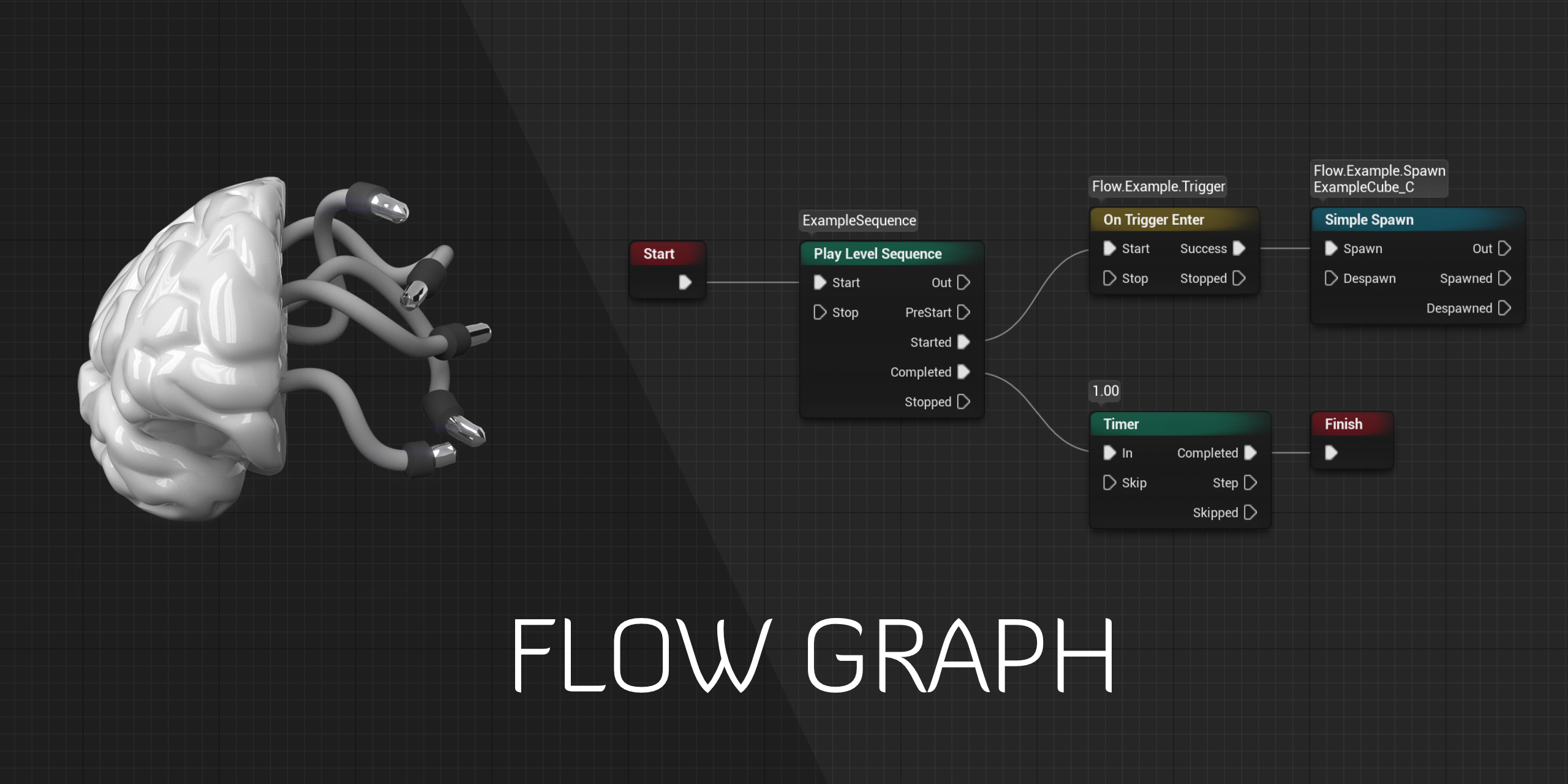
GitHub
Design-agnostic node system for scripting game’s flow in Unreal Engine - GitHub - MothCocoon/FlowGraph: Design-agnostic node system for scripting game’s flow in Unreal Engine
shut hinge
but yeah you need also lip synching animation also in the dialog as well to make it come all together.
 winter cradle
Hey guys, I have something like 20 BPs referencing the same asset, is there any chance I can replace that asset in one go with another (same class)?
Would that be possible in the reference viewer?
open crypt
winter cradle
Hey guys, I have something like 20 BPs referencing the same asset, is there any ...
Just hit delete on it in the content browser and then swap out the class as a replacement - the editor will give you a warning and a chance to do exactly why you are asking
winter cradle
open crypt
Just hit delete on it in the content browser and then swap out the class as a re...
that sounds like a good plan cheers
 acoustic tundra
Hi, I'm trying to make a simple game in which I want to reference a variable made in my HUD blueprint in my BP_Statue actor blueprint. The variable is created and sets the gamemode from the gamemode blueprint into the new created "My Guide Game Mode" variable in the HUD blueprint. I want to access this variable in other BP's but can't seem to make it work. Can someone help me with this?

 faint pasture
acoustic tundra
Hi, I'm trying to make a simple game in which I want to reference a variable mad...
faint pasture
acoustic tundra
Hi, I'm trying to make a simple game in which I want to reference a variable mad...
That sounds all sorts of f***** up. What exactly are you trying to do? What is your desired end result?
acoustic tundra
So i got variables created in my gamemode blueprint

I want some of them to display on my HUD, so thought to use a hud blueprint for that and reference to the gamemode blueprint to reference the variables created in here
to then show those variables on screen
high ocean
Hey! Can GUID vars be used in structs & data tables reliably? I want unique names for each DT entry so I can identify them easily later in arrays of structs. From one of my tests, even the GUIDs I've generated inside the DT for each entry returned the exact same GUID when testing. Maybe it was something somewhere else in the code. But is this a good idea at all?
 pliant tendon
i want to move my character towards the up vector by the size of the capsules half height, but i dont know how i would do that, doesn anybody know?


here is the bp
pliant tendon
fixed, got the wall normal and added to its direction
 faint pasture
acoustic tundra
I want some of them to display on my HUD, so thought to use a hud blueprint for ...
faint pasture
acoustic tundra
I want some of them to display on my HUD, so thought to use a hud blueprint for ...
Yeah that's fine, although that stuff should really exist on game state if you were to make a multiplayer game. In single player, kind of anything goes
celest oar
gonan ask here again because other channels are dead and dont help
does any 1 know why particles are being rendered behind my mesh?
the only way i can get them in front is at certain distances or with an opaque material
 wise talon
Hi I'm new to the server and i have a casting issue:
How do you cast an actor because i want to get the actors variable in a widget event graph, I'm struggling so much to find a way to reference it, I'm mainly an artist so my unreal knowledge is lacking.
Hold on I think I've got it now.
faint pasture
wise talon
Hi I'm new to the server and i have a casting issue:
How do you cast an actor be...
Casting is a very specific thing that you can do to an object. If you have an object reference, you can cast it to any type to check if it is of that type, and to be able to access it as that type. How you get the references and matter, you can get it however you want.
Casting is just asking a question "Is item A of type B? If so, let me treat it as an instance of Type B".
 gusty shuttle
Quick question, I have an int that I need to take the input of 0 and 1 and switch it to 4 and 5. I know there is a node for it, but I forget what it's called. InRange or something like that. I just want to take the 0 and treat it as if 4 was 0
 tight schooner
celest oar
the only way i can get them in front is at certain distances or with an opaque m...
tight schooner
celest oar
the only way i can get them in front is at certain distances or with an opaque m...
I think the issue is "transparency sorting". That's all I can say about it. Either google that or ask #graphics
trim matrix
i need a little hand here, in the branch before print string i've been trying to make the enemy take damage, but for some reason it isn't working, i tried by casting and adding the component but it didn't work, any ideas of what i could do?
 faint pasture
trim matrix
i need a little hand here, in the branch before print string i've been trying to...
faint pasture
trim matrix
i need a little hand here, in the branch before print string i've been trying to...
Just call Add Damage or whatever the built in dmg interface message is on the actor. Why are you casting and adding components?
trim matrix
honestly idk
but uhm... when adding damage, how i receive the damage, the other interface is not there for that
faint pasture
The damage interface is already used by actors, just add event Recieved Damage or whatever it's called in the Enemy BP.
 trim matrix
it is not here, not joking
faint pasture
search damage, what nodes do you have?
trim matrix
maybe is my version of unreal?
faint pasture

 main smelt
How do you make something more saturated? I've only found a desaturation node which is fine for b/w result but what if I want to increase the saturation of base color for example?
faint pasture
main smelt
How do you make something more saturated? I've only found a desaturation node wh...
You can convert to HSV and turn the S up
 faint pasture
Oh ok so you are using a hp component
trim matrix
yep
faint pasture
You can either, in the actor, hook the interface event up to the component event
or

get by class YourHPComponent
trim matrix
i'll try it
faint pasture
then call your dmg event
make sure you check if the return value is valid
it'll shit the bed if you try to damage a landscape for example
trim matrix
lol, i'll do that too
gusty shuttle
Hey guys, what's the node to switch a float or int from something like 0 to a 4? I remember it having a min and max doubled up
faint pasture
gusty shuttle
Hey guys, what's the node to switch a float or int from something like 0 to a 4?...
map range
main smelt
faint pasture
You can convert to HSV and turn the S up
I'm doing this for a master material and I need only S parameter in the instance, how would I do that?
gusty shuttle
@faint pasture Thanks!
faint pasture
main smelt
I'm doing this for a master material and I need only S parameter in the instance...
Just convert to HSV, scale the S, convert back
assuming there's no existing node that can already saturate
or try desaturating with a negative value lmao
or value greater than 1
or whatever makes it work opposite
trim matrix
it worked, but it gave some errors, i did it right, right?

it's something related to
"acessed none trying to read property"
main smelt
faint pasture
or try desaturating with a negative value lmao
negative value of desaturation node changes hue nothing else and there's surprisingly no saturation node
faint pasture
main smelt
negative value of desaturation node changes hue nothing else and there's surpris...
u sure?
 main smelt
faint pasture
u sure?
main smelt
faint pasture
u sure?
I have this set up but I can only desaturate, can't go past 100% saturated.
Changing to negative values will change the hue
faint pasture
main smelt
Changing to negative values will change the hue
What version you on? Mine works. Anyway, just convert to HSV, modify S, convert back, easy pz
main smelt
faint pasture
What version you on? Mine works. Anyway, just convert to HSV, modify S, conver...
I'm on 4.24.3. How do I do the HSV thing? I've seen the node but don't know how to pull S out.
faint pasture
break it. It'll turn R,G,B into H,S,V
main smelt
I've tried but there's only 1 output, where does that go after?
 faint pasture
main smelt
I've tried but there's only 1 output, where does that go after?
faint pasture
main smelt
I've tried but there's only 1 output, where does that go after?
break out the components
celest oar
tight schooner
I think the issue is "transparency sorting". That's all I can say about it. Eith...
thank you very much, that was it
fading wren
@faint pasture so does it possible use curves to modify animation of turning character ("constantly folowing mouse")
 primal tangle
Hey guys I got a simple question, how can I write something in Log from bp >?
In c++ it is UE_LOG
Macro
Idk the equivalent in bp though xd
faint pasture
primal tangle
Hey guys I got a simple question, how can I write something in Log from bp >?
print string
primal tangle
thx
I have another problem, I have a ProgressBar that I have bound it to a function
but that function doesn't seem to be called
do I miss anything here ? maybe I should check a bool in the settings or sth ?
this is the function

as you can see I'm tryna send a log message if it has failed
and also the other Function I'm calling sends a message to log if it's called
but neither of them is working
apparently it was a bug..
I created another function and now its working
trim matrix
you dont need 2 return nodes im pretty sure
surreal peak
You theoretically don't, but if you follow C++ (which is after all what BPs are based on), then every execution path has to return.
Also they return 100.f here, which is not the default value this would return, so they do indeed need a 2nd return node here then
trim matrix
fair enough
 chrome rock
Does anyone have a clue what the Name and Index parameters are in this node?

I'm trying to set an image on a parameter for the Material Layer Blend
Nothing works
Here's the context

This Material Parameter Info is a completely mystery
open crypt
Did I not fix this is Pending kill?


It says it's pending kill but my Is Being Destroyed didn't work
Guess IsValid is the one - I guess pending kill is more for sorting garbage collection then?
lusty elbow
I stumbled into a can of worms. Can I get some pointers about how to do this?
I simply want to count how much time has passed and whenever that value reaches certain threshold, add 1 to a variable (representing number of real world days).
open crypt
Look at how to do a Timer on Youtube
 rancid ridge
What would be a good solution if I need something like "Draw Debug Box" but not just for debugging?
open crypt
Using a regular collision box and using "Set Extent" but setting the box as visible
Or you could do it with a regular box shape volume and do the same thing, so you can set it's material
rancid ridge
So your solution would be so use a default box and something like an edge/wireframe shader?
open crypt
yep, it's cheap and should be easy to work with
rancid ridge
I will try it. Thanks for your help!
rapid token
I havent used Unreal Engine in awhile, why are none of the nodes running after the "Cast To ThirdPersonCharacter" node?
 maiden wadi
@rapid tokenBecause whatever character or pawn your player controller is possessing is not a ThirdPersonCharacter class.
Or you're not possessing a pawn at all.
Or you don't have a controller. Which is highly unlikely.
rapid token
If I remove the Cast To ThirdPersonCharacter and create a variable in this blueprint, it works fine.
Im trying to cast to the ThirdPersonCharacter to get a variable for the Spawn Transform.
But nothing is running after that node, not even Print String
maiden wadi
Then your controller needs to be possessing a ThirdPersonCharacter, or some subclass of it when this logic is called.
maiden wadi
This is all that happens when you use GetPlayerCharacter.

You call GetPlayerController0, get it's pawn and cast it to Character, and that's what you get out of GetPlayerCharacter0. If you then take that pointer and try to cast it to ThirdPersonCharacter, and it is not a third person character, that cast won't run anything after it.
 maiden wadi
Given that this is a death widget. Is it at all possible that you have already unpossessed the dead pawn?
maiden wadi
If the character doesn't exist, then the controller isn't possessing it. So Getting the Controller's Controlled Pawn will return an invalid object, and you can't cast an invalid object.
rapid token
So whats the easiest way I can do this?
Should I not destroy the actor when it dies?
maiden wadi
Could be one way. Either that, or you need to store that transform somewhere on it's death, maybe in the controller. Alternatively, redo your death state. Some games do this via just hiding the pawn, disabling it's collision and leaving it there. Then your widget can destroy it before possessing the new one. either way would work fine.
rapid token
trim matrix
hide it
That is my question -_-
trim matrix
either set visibility or hidden in game
maiden wadi
Set the Visibility setting on the Mesh, and set the Collision settings on the Mesh and Capsule to ignore all.
Actually I think Actors have a whole actor visibility setting if I recall right?
 gentle urchin
Seems there's none on the actor itself
 maiden wadi
Yes. But don't do this in another class. Do this in the Pawn class that you're killing. Other classes should not contain death state. Otherwise you'll end up with three things that can kill your character, and if you forget one function call in any of them, you'll end up with bugs. Not to mention, the more things that kill your character or the more things you need to do for death will have you running around everywhere.
gentle urchin
mesh or capsule is not actor 😛
maiden wadi
The things that can kill the character should just get the character, and call a function on it. The character class itself should handle setting up all of it's own state.
rapid token
Hm okay
gentle urchin
Usually nothing directly kills the character
the character dies upon reaching 0 health
 gentle urchin
so if something is supposed to kill him no matter what, just do 9999 dmg (or whatever value that surpasses the max health )
maiden wadi
Because whatever you're casting is invalid, or not the type you're trying to cast it to.
gentle urchin
Only one of your casts will contain a variable. so the other will be empty
open crypt
Sorry, it's the node AFTER the cast
gentle urchin
It's trying to "make wheels behind me stop" on two references.
open crypt
which, I thought it would fail silently
gentle urchin
but only one of them will have been validated
gentle urchin
that's what i'm thinking atleast
open crypt
that did it, thank you
rapid token
How can I make it so the player cant control the pawn when they are dead?
trim matrix
disable movement
rapid token
Yep, unpossessing worked, thanks.
trim matrix
dont forget to stop the animationBP incase you got notifiers
open crypt
If I use random in range on an Event By Timer, that will loop it randomly each time, correctly?

Thank you, wasn't sure about when the Set Timer Event was instantiated for checking the time
 open crypt
Thanks for confirming, I'll just move the delay into the event itself
 last siren
Is there a thing to list all the save games? I see there is a Save/Load/Delete slot node but want to list them in a menu
 desert juniper
last siren
Is there a thing to list all the save games? I see there is a Save/Load/Delete s...
desert juniper
last siren
Is there a thing to list all the save games? I see there is a Save/Load/Delete s...
Just loop through them in a ForEach loop?
desert juniper
oh i see you don't already have an array of the save files
last siren
I was thinking the slot name would be the "save name" since UE4 isn't allowing me to attach any other meta data
and it gives a file name people will expect on disk
maiden wadi
I did that in my GameJam game by just making a master save file that was explicitly named, that contained an array of strings of the other savegames.
last siren
Ideally least on PC it seems if people want to copy/share/backup saves no particular reason to try and block that
fairly common in games if someone built something cool they want to share
so your sim, builder, etc, type game talking about really.
Well I guess can do it in C++ if needed. Not sure if consoles have anything majorly special but not really concerned with them atm
hot linden
Is there a way to remove grass spawned by the landscape material during runtime? I'm creating a building system and the grass glitches through the buildings etc
acoustic tundra
faint pasture
Yeah that's fine, although that stuff should really exist on game state if you w...
I got the MyGuideGamemode variable created here in the HUD blueprint. As you can see I use it in combination with the HUD events. Variables from my gamemode are printed in the HUD using this blueprint. That's why (i think at least) I have to create the MyGuideGameMOde variable in the HUD blueprint, but that does mean I cannot access it in my statue blueprint which I do also need.
 faint pasture
acoustic tundra
I got the MyGuideGamemode variable created here in the HUD blueprint. As you can...
faint pasture
acoustic tundra
I got the MyGuideGamemode variable created here in the HUD blueprint. As you can...
There's no reason you can't make a reference to the game mode in your statue as well.
acoustic tundra
faint pasture
There's no reason you can't make a reference to the game mode in your statue as ...
I'm trying to make a reference here in the statue bp, but it shows nothing.
 faint pasture
@acoustic tundra well you're dragging off the wrong pin first of all
acoustic tundra
faint pasture
<@279763463595753472> well you're dragging off the wrong pin first of all
needs to be this one?
 faint pasture
@acoustic tundra yes now promote it to a variable. Didn't you just do this exact thing in your other blueprint?
acoustic tundra
Yes, but doesn't it need to refer to the same variable? Or isn't that needed?
ah right no, I think I do understand it now
thought all bp's need to refer to that one variable created in the HUD bp, but I could easily make multiple of those variables as long as i use the same logic with the cast to gamemode.
open crypt
I want to be able to move something to the EDGE of something - how would I do that using the location and scale of the item?

btw in this case the scale is a box extent so maybe add it?
 gusty cypress
Can someone help me resolve this issue? I have an cube used as a placeholder and have it HIDDEN IN GAME and CAST NO SHADOW yet it still does


last pic is in game
icy dragon
gusty cypress
 halcyon grove
quick question on "add" vs "add unique" in arrays... if I make an array of a specific actor type say "enemy soldier" are they unique or do they they replace records if they are not unique or does it make it harder to "find"? If they are just added to an array?
i basically will have multiple soldiers in an array of the unit i'm controlling to check if they are in "attack range" / overlapping a sphere collision component
so I wanted to check which is best to use?
like later if I compare an enemy soldier to my array of enemy soldiers will they be able to distinguish which one I'm talking about or just go to the first record and say "yep"
 spark steppe
add unique ensures that the entry you want to add doesn't exist yet, so you wont end up with duplicates in the array
halcyon grove
even if they are the same actor type?
spark steppe
no
only if you try to add the same actor twice
you can still have multiple actors of the same class in the array
halcyon grove
gotcha so in my case add unique would be the way to go
spark steppe
probably yes
halcyon grove
cool thanks
 covert arrow
hey guys i was wondering if there is a more reliable way to check if we can sprint i wonder if this is good or what you guys used?
 spark steppe
there's a "is moving on ground" node, but idk if it checks for falling, but would assume it 😛
halcyon grove
this also means that you would need to be moving in order to sprint, you wouldnt be able to sprint from standing stil
covert arrow
@spark steppe thanks that seems simpler and more efficient it probably does check if the player is falling since the node is called "is moving on ground"
spark steppe
probably does exactly the same, but it's easier to read and maintain 😉
open crypt
Can someone help me position a box in between two other boxes, so that it will work on any position in the world?

 fleet cedar
Will the two always be touching corners or no?
open crypt
no necessarily but I'm okay if it is even stuck to one
fleet cedar
Well without really knowing much about your setup, could you just get the world location of the box and add the box radius + the middle box's radius to set the location?
open crypt
No that's helpful @fleet cedar thank you, I was halfway there but didn't think to take the boxes own radius to add to it
fleet cedar
Okay cool. I am sure you could find the intersection of the two boxes too but depends how important it is to you I guess
open crypt
I know how to get the mid point between two vectors - but how to get the right edge of those boxes - if I got a vector on the corners of each and found the midpoint of that, that would be the location I would need
fleet cedar
Getting the corners is just going to be adding their size radius in x and y to their location
But you have to make sure you're adding in the right direction, which depends where they're facing and how they relate to each other right?
So I guess you could compare their locations and find which one is greater which might help to solve the orientation question
open crypt
couldn't I do it relative though
fleet cedar
I sent you a DM
 slender escarp
Is it possible to do this in Unreal Engine with Blueprints? :
https://martindevans.me/game-development/2016/01/14/Procedural-Generation-For-Dummies-Galaxies/
maiden wadi
@slender escarp Possible, yes. But I think depending on the implementation, it you be fairly slow depending on the star count. Even a minimal amount of C++ knowledge would likely give you a lot of much easier math access and an incredible amount of generation speed.
slender escarp
poop, well, thanks!
trim matrix
how to i make it show miliseconds aswell`?
 faint pasture
trim matrix
how to i make it show miliseconds aswell`?
faint pasture
trim matrix
how to i make it show miliseconds aswell`?
Your seconds variable is an int, you'll have to use something else. Make it a float or something
 dawn gazelle
trim matrix
how to i make it show miliseconds aswell`?
dawn gazelle
trim matrix
how to i make it show miliseconds aswell`?
Just to clean it up a bit too, instead of using those select nodes to add the additional 0, use the ToText node and specify minimum integral digits to 2. This way it'll always output at least 2 digits (so say 1 is input, it'll display as 01)
 pliant tendon
does this work if we have set our characters movement mode to flying?
 sonic pine
Hhio Data tables are not my favourites ^^
I try to Update the Skill "tool tip text" if i will get my Character Class the default "test" tool tip is deleted after starting the game but the new tooltext will not be updated. To get the values from my eq Database i have used an EQ Array + For each loop maybe i have to build the skillUpdate at the same way?
this is the CharacterClass Update by a triggerbox

My tool tip update (later i want to get all skill informations from here to calculate the Character Stats (base_Stats + Skill Stats))

The default value of Charcter Class is gamemaster and will be switched to Gladiator (Row 6 Value 5), healer (row 7 value 1) or Lightmage (row 9 value 1)

the Gamemaster have the ClassSkill = 0

after overlap the trigger box, Gladiator is set

but the output is also ClassSkill = 0 and not 5
 gentle urchin
All i see is that ur setting some string value
Not updating anyrhing
Anything*
After swapping class you must recreate the skilltree
sonic pine
i did
i have no SkillSave in the Savegame for now
so if im reopening the skilltree all learned skills are refreshed so normally thetool tip hould be also resteted??
trim matrix
Does TMap preserver orders ?
proper umbra
simple dragon
<@!565672442547142667> cast to AI class u created 🤣 not a player
The AIController?
 olive sedge
Hey guys! I'm making a time attack racer and it seems like people with higher framerates have an advantage. Is there any way for me to time people independent of framerate?
or dependent on frame rate actually I guess
trim matrix
Thx, wasn't sure.
icy dragon
olive sedge
Hey guys! I'm making a time attack racer and it seems like people with higher fr...
The only practical, no hassle way of doing that is to cap the framerate for everyone.
I'm fairly sure your BP event for validation and stopping the timer is going to be executed in the next frame anyway.
olive sedge
hmhmhm. I'm getting sub 30 sometimes (I only have a GTX 970)
icy dragon
You might need to optimise your game more.
My game's environment could run at 60 FPS in GTX 750.
And that's on High settings.
olive sedge
well, yes.. the environment for this particular level is crazy detailed
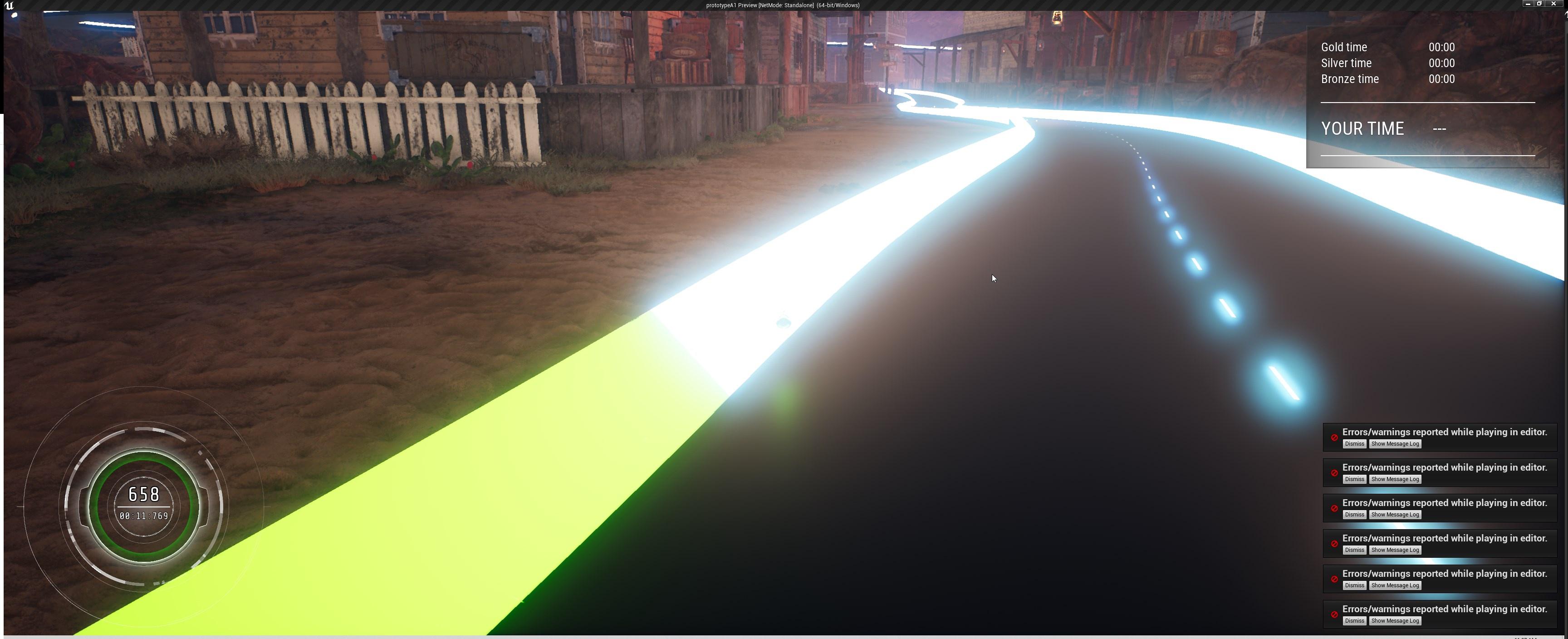
doesn't really show on this screen but there's lots of detail in it
hm, I just put my track into an essentially empty level and I'm not getting good FPS either
yea, it's not the environment
I'm getting good FPS when unlit
so.. it's gotta be the track's emissive I guess
gonna try
icy dragon
Check the stat unit and see which thread took the longest
If Game thread is good, then your materials or geometries could be the culprit.
Also test on settings lower than Epic/Ultra and < 100% screen resolution
olive sedge
aw man. It's the light renderer of my vehicle engine particle system
icy dragon
Don't get haphazard with particle lighting ;)
olive sedge
Turns out, burst spawning 50 lights is not so swell for performance!
icy dragon
Try asking in #legacy-physics
 polar ginkgo
ok, I thought it is connected with bp 😄
 humble anchor
(redirect me if wrong channel 😄)
So, I am pretty new to UE and I am trying to make a 2D side scroller where there will be rising water from the bottom and the player is trying to escape from it and go upwards. Any tips on how I should go about making the whole rising water thing? TIA
icy dragon
olive sedge
Turns out, burst spawning 50 lights is not so swell for performance!
Lucky you weren't asking in #graphics 
olive sedge
:D
icy dragon
humble anchor
(redirect me if wrong channel 😄)
So, I am pretty new to UE and I am trying to ...
The simplest one you can get is just make the water as a rising platform but has kill hit box on top of it.
 eternal pollen
Hi i am fairly new to unreal and this community so didn't know where to ask the question but here it goes well i wanted some help that is it better to use PHP+MySQL or Firebase+c++ for developing a multiple player game for mobile + PC platform
earnest tangle
eternal pollen
Hi i am fairly new to unreal and this community so didn't know where to ask the ...
It kinda depends on what you're doing, both can work... but how does that relate to UE?
fwiw PHP is better in 2021 than it has ever been in the past :)
they've been upgrading it a lot
well in that case you might as well say "although I wouldn't use PHP ever" lol
eternal pollen
earnest tangle
fwiw PHP is better in 2021 than it has ever been in the past :)
well the funny thing is i am not good in php😂 😂😂😂😂
earnest tangle
@eternal pollen well then you could probably just use something you're good at :)
yeah I guess Perl was the other option back then, or ColdFusion which I hear was pretty bad
I wouldn't really say TS+Node is objectively better than PHP in every way... PHP has legacy weirdness, but it's mostly sane by default nowadays instead of sane by "edit the configs to make it sane"
eternal pollen
well then should i use c++ + firebase
the game i am making is more like takken
hmm then
earnest tangle
Tekken?
eternal pollen
yes tekken
 opaque blade
eternal pollen
well then should i use c++ + firebase
opaque blade
eternal pollen
well then should i use c++ + firebase
I would pluginize that api so it is blueprint friendly and then use it that way
earnest tangle
Oh, are you going to build some kind of multiplayer backend for it or what exactly are you trying to do?
eternal pollen
earnest tangle
Oh, are you going to build some kind of multiplayer backend for it or what exact...
yes i need a multiplayer backend and the data base logic as well
yes saw that
eternal pollen
any documentation or guides that i should follow
sure bro i will look them up thx
opaque blade
there is also a multiplayer bible
lusty elbow
Sorry for the noob question, but I'm making an in-game clock.
One second in real time is a minute in the game. How should I handle storing the values of in-game days, hours and minutes? Should I use three different timers or a single one? Will a single timer have more or less"clock drift"? Will it be even noticeable?
 earnest tangle
I'm using a DateTime to store my ingame time
Yeah but it's a lot easyer to work with for dates than one number like an int32 :D
Of course it depends on if you're modeling your gametime after reality or not, or to which degree of realism
lusty elbow
How do I handle then pausing and unpausing that count? For things like pause menu, etc?
main smelt
How do I keep the aspect ratio of the material texture regardless of mesh dimensions?

Ok i'll post there then
lusty elbow
Can you point me towards those three, please? I value my sanity a lot 😛
Thank you! This is the one that can be paused then?
Ok. But in my case I have turn based combat. You roam the land (time goes on normally and it's logged) and you enter combat. I don't want to count time there. Would I be able to pause it at will without stopping the whole gameplay? (Sorry again for my lack of understanding)
Forgot to quote
Yeah, that makes sense. Thank you!
faint pasture
@earnest tangle it depends on if you ever need a Time smaller than 1 minute in game, but if you just need a minute counter that counts up and will have events responsive to it, I would just, once a second, add one to game time minutes. When needed, I would convert that to days and weeks etc but I would have the single source of Truth be an integer called game Time minutes.
earnest tangle
DateTime supports microseconds
 spark stone
I have 2 blueprints.
First Blueprint makes a screen monitor follow a spline from above down to a floor.
Second Blueprint are two "feet" for the monitor coming from below ground following a spline.
I would want them to sync, so im trying to get the second blueprint into the first. But im stuck.
Attached are the end result i want.
Also the Second Blueprint for the cylinder feet. Event BeginPlay is used but i want to remove it and use the whole timeline inside the first blueprint, so they can sync.

 lusty elbow
What's so bad about timers? Are they troublesome?
faint pasture
Although if the game design depends on the time having a beat to it like a rhythm game or economy game or simulation, I would just have discrete ticks every second or so
faint pasture
spark stone
I have 2 blueprints.
First Blueprint makes a screen monitor follow a spline fro...
That should be 1 BP
 wise raven
So I added a delay in a duplicate of the "ForLoop" macro, but even with such a low number like 0.000001 , it still takes a lot of time to complete all the loops, how can i make the loop go faster?

 faint pasture
wise raven
So I added a delay in a duplicate of the "ForLoop" macro, but even with such a l...
faint pasture
wise raven
So I added a delay in a duplicate of the "ForLoop" macro, but even with such a l...
The minimum delay will be one frame
wise raven
faint pasture
The minimum delay will be one frame
i dont want the all the loops to be done in one frame
i want there to be some delay in frames
lusty elbow
Roger wilco!
 worthy frost
delay with for loops
is just asking for trouble, and usually a smell of bad design
yeah
btw UE5 had TimerNextTick and Delay Next Frame nodes 😄
maybe 4.26/27 has them, but not checked
maiden wadi
@wise ravenYou have to pick. You can't do things faster than once a frame with delays. Delays work via setting a timer in one frame and it will not be evaluated until the next frame. So if you're running on delays with near zero values, you will have one execution per frame drawn to screen. At 120 FPS, you get 120 executions per second. And all of this complication is getting in long before the issue with framerate independence. I'm fairly certain that whatever it is you're trying to do can be better achieved with tick/timeline and math, or some form of sequence.
Just used to people looking for the loop delay stuff for animation style things. Which ends up just amusing me to death because they nearly always say they're doing it to avoid tick. 😄
Epic Livetraining and Youtube.
Yeah, I dunno. A few I saw were always. "If you can avoid tick, do it."
And the Youtubers are pretty much the same. "Tick is extremely expensive and will bring your game to a crawl if you overuse it." But there's no context to overuse. So you can imagine that newer people immediately assume that a hundred ticking actors is going to destroy your game.
It's not tick, must be fine.
Just make sure it runs after tick. If I use tick and tock in the same class, I'm going to be sour if tock runs first. 😦
 hushed pewter
Does orthographic view break the clickable actors thing

It works all the way down too hear

But this corner is unclickable
maiden wadi
Are you using the actor's OnClicked events?
maiden wadi
Haven't tested a lot with orthographic view, but it should work fine. Are you sure there are no widgets or such taking mouse focus?
hushed pewter
Leme see
faint pasture
wise raven
i want there to be some delay in frames
Okay so you will have to iterate over a subset or do n number of loops per frame. You'll have to change how you do your looping
hushed pewter
Whats the option called too disable hitable
faint pasture
What people need to realize is that tic should be used for continuous systems, and not for systems that don't need to update every frame.
I run some pretty expensive stuff on tick, but it has to, and I only run stuff that has to on tick
gentle urchin
^ People fear tick for the wrong reasons
But for beginners, it's often 'easier' to scare them from using it than explaining what and how and when to use it 😛
In automation, literally everything runs on tick.
wise raven
@faint pasture Okay do you know any way on how i can do the same for loop function but with n number of loops per frame?
faint pasture
You'll have to make a modified loop that runs X iterations, and then next frame runs X more iterations etc.
gentle urchin
wise raven
So I added a delay in a duplicate of the "ForLoop" macro, but even with such a l...
If you wanna cut a loop into being done over a few frames, then apply the delay every X index, and not every single index
faint pasture
Yeah you can do that too, just check Index%desirednumperframe = 0
maiden wadi
I think it's easier for new people to learn by finding the boundaries. Learning to profile a badly running game is crucial both in general game development and in personal understanding for programming in general.
gentle urchin
 wise raven
gentle urchin
wise raven
gentle urchin
like this?
maiden wadi
People often revere delegates as a much better option than tick because they're event driven. Binding delegates can be just as terrible. If you run them a lot of times in a frame, and they happen to be bound to enough things, you can end up with some terrible frame spikes. And the same logic updating on tick might be smoother for general gameplay. Neither is the better option, the real solution is not updating the binding that much, but it still happens.
worthy frost
You just need to do timeslicing
X amount of updates per tick, or budget how long you spend per tick for the interating
both sadly are very cumbersome in BP land
gentle urchin
Being singlethreaded, you cant really check elapsed time tho
or atleast, thats how i see it , living in the bp world 😛
worthy frost
if something is really expensive or there is a lot of iterating
you want to do that off thread
gentle urchin
Yepp
which allows you to timeslice
otherwise you gotta profile and regulate updates per tick
with multithread you probably dont need to slice it even
worthy frost
simple thing if you kinda know the costs per iteration, is a simple X amount of updates per frame
faint pasture
gentle urchin
But for beginners, it's often 'easier' to scare them from using it than explaini...
I think the best approach is just to turn off tick by default on a project level and then just enable it on the things that need it. That way it's a lot more deliberate
worthy frost
i have ticks disabled by default
tho BP's wont tick, unless you touched the tick node
gentle urchin
I read somewhere it still came with a cost?
being enabled and evaluated, even if it wasnt used?
worthy frost
well the cost of traveling into the VM for the RecieveTick function is the most expensive
wise raven
gentle urchin
is this the function that does the loops in gaps of frames?
gentle urchin
wise raven
is this the function that does the loops in gaps of frames?
Yes, altho its a custom macro
 gentle urchin
I got unsure for a sec, so did 0.00001
wise raven
gentle urchin
can i use this as a "ForLoop" macro? because i dont want to use an array, but just an integer
 wise raven
gentle urchin
wise raven
gentle urchin
okay thanks ill give this one a try, although is there a way we can tell the loop to delay in the number of frames we desire? for example like 10 frames or so?
gentle urchin
you could "guesstimate" it based on current frametime
or you'd need to do some tick counting
incrementing an integer per frame, comparing it to the desired framewait integer or something
faint pasture
Just map range WorldDeltaSeconds to an int from 1 to X
wise raven
faint pasture
Just map range WorldDeltaSeconds to an int from 1 to X
sure ill try this too
 urban salmon
huh. anyone know hwo to make a component NOT inherit the parent actor transform?
faint pasture
urban salmon
huh. anyone know hwo to make a component NOT inherit the parent actor transform?
What are you trying to have happen? You can just have a root component that sits still and move other things around
urban salmon
i have a projectile that homes to a component on the actor, but i want the component to exist in world space and not update location when the actor moves
 sacred minnow
sorry to bother you guys but im having issues, im trying to add stamina to my horror game, the character runs and walks fine but the issue is that i can sprint forever, is there something that im doing wrong? (also sorry for the mess i tried to put everything on screen)
 faint pasture
urban salmon
i have a projectile that homes to a component on the actor, but i want the compo...
faint pasture
urban salmon
i have a projectile that homes to a component on the actor, but i want the compo...
Just save the location and home in to that.
urban salmon
oh i thoguth you could only home to components
sacred minnow
if you can help me later i would appreciate, but now im going to have a driving exam, if you have any idea to help me please dm me, thank you
faint pasture
If you're using the default projectile system and it can only home to components, just make a homing Target actor and spawn it and home to that. I made my own projectile system so it can home however it wants
urban salmon
yeah so that was my first idea but im trying to keep it simple and avoid spawning extra actors
i figured homing to a component on the projectile should be easy enough but it inherits transform from the projectile
which is obviously an issue D:
faint pasture
@sacred minnow I would start by just nuking all of that.
Do not use delays in tick, I'm not even sure what it does but it certainly doesn't do what you're thinking.
The most basic stamina system I can think of is to have stamina update by stamina regen rate on tick, then if stamina = 0, call StopSprinting.
On Sprint Button down, call Start Sprinting if stamina > min (10% or so).
On Sprint Button Down, call StopSprinting.
In Start Sprinting, set movement speed and StaminaRegen(to a negative number)
Do opposite in StopSprinting
maiden wadi
Delays in tick will just act like a timed gate. First execution will start the timer and every execution after that will just be ignored until the delay has ran after it's specified time.
faint pasture
maiden wadi
Delays in tick will just act like a timed gate. First execution will start the t...
So it's like a tick subdivider? That actually sounds pretty useful, but also incredibly hacky and bad
Or whatever the opposite of subdivide would be, integrator?
maiden wadi
Realistically it's nothing more than a looping timer. Tick with a delay at 0.1 will just run it's function every 0.1 seconds basically.
 sand shore
And a retriggerable delay won't fire if you put it in tick
I wouldn't conceptualize it as a integrator or a subdivider. Perhaps a rate regulator. But if you're using it like that, just make a real timer
sacred minnow
@faint pasture Thank You
I warched a youtube video, and delay is for the "game ticks"
When i get back home i will try another method
Thank you guys
sand shore
sacred minnow
I warched a youtube video, and delay is for the "game ticks"
what are "game ticks"? I've never in my life purposefully used a delay in a tick for any reason
A How To Guide for Using Timers for Gameplay in Unreal Engine 4.
Timer construct for performing actions at set intervals
maiden wadi
Pretty sure he means like, in game time. Like in that case, he only wants to lose or gain stamina every 0.2 seconds. Definitely more elegant ways to handle that.
gentle urchin
Even if that was the case I think i'd still handle depletion on tick, so its not easily abused(unless you have some defined startamount(evaluating and subtracting at the start of duration))
 craggy crow
Hello, anyone know why my HUD Widget do not auto update when i update my Action Bar Widget ?
I need to delete it and drag a new one each time to show the changes, or is that normal ?
 lime moss
I found a good tutorial to jog my memory
gusty shuttle
Hey guys, quick question, is there a way to get player input axis from the thumbstick inside a widget?
I want to have the thumbstick be past a threshold before it changes to a different button
gentle urchin
Forward it to a custom event is what im thinking
Not sure how input config works if you say input ui only... can the input events then be used in the widgets directly based on some spawn order?
gusty shuttle
Aye, I'm going to try this overide function first, but yeah I might have to do some tom foolery
 dawn gazelle
You could just set a variable on the player controller to whatever the input axis value is (when input of course) and then read that within the widget using Get player Controller > cast to your playercontroller > get your variable
gusty shuttle
Aye, I'll give that a go
trim matrix
Hello good afternoon, I was wondering if anybody knew how to be able to spawn an object and be able to interact with it. I made a chest that i want to spawn when i press a key but it dosnt let me interact with it when i spawn it.
gentle urchin
If you're using overlap to detect player, you need to manually trigger this if the chest is spawned with player inside collision volume
 worthy tendon
trim matrix
Hello good afternoon, I was wondering if anybody knew how to be able to spawn an...
worthy tendon
trim matrix
Hello good afternoon, I was wondering if anybody knew how to be able to spawn an...
what do you mean by interacting with it?
trim matrix
@worthy tendon i have item to destroy actor when a key is pressed inside its blueprint.
but whenever i do a spawn i cant do that
worthy tendon
do you have input event inside your actor blueprint?
trim matrix
worthy tendon
do you have input event inside your actor blueprint?
Im kind of new to programming what exactly is that
worthy tendon
input event is just those events (red nodes) that happen when you press a key.
trim matrix
oh yeah i made an action mapping of the key
 astral tangle
Hello. I have a actor with multiple child actors. I want to damage those child actors with a radial damage explosion. How do I exactly do this? I tried placing the Event Radial damage in to the. child actor's class itself, but this didn't do it.
trim matrix
i mean whenever i add the actor itself into the world i can do that interaction
but it does nothing but spawn whenevr i spawn actor
sorry if my explanation sucks my english isnt the best
 marsh lintel
Hi everyone, is there a way to get the damaged actors of a radial damage?
icy dragon
marsh lintel
Hi everyone, is there a way to get the damaged actors of a radial damage?
Please do not crosspost across channels unless you're being redirected.
worthy tendon
trim matrix
but it does nothing but spawn whenevr i spawn actor
you should enable player input for the chest otherwise your chest would not receive input from player.
urban salmon
faint pasture
What are you trying to have happen? You can just have a root component that sits...
detach from component would have worked, though i already rebuilt my projectile and fixed the issue
ijust tested it though. so if anyone would like to have a component start parented/attached but stop inheriting transform later, you can use the node "detach from component"
trim matrix
how would i do it so when i press f it does the action then it waits 1 second before you can do it again?

so when i press f it does it but it waits 1 second before i can do it again
how would i do that
?
 astral tangle
After set visibility 1sec delay and that goes to the reset
of the Do once
I think that's what you're looking for
faint pasture
@urban salmon what is it's attach parent then, the world?
sacred minnow
still nothing...i gonna have something wrong on my blueprints
urban salmon
faint pasture
<@108300211088027648> what is it's attach parent then, the world?
I assume it’s still parented to the actor it’s just not welded to it
desert juniper
sacred minnow
still nothing...i gonna have something wrong on my blueprints
you have a few things wrong with your bp logic
You never set a fail condition here, and your tick does nothing to monitor the state of running
actually that one doesn't matter as much. let me retract
sacred minnow
damm i wish i knew how to code, im just watching tutorials and trying to study this code, i downloaded the horror engine pack, and im trying to study the code inside
theres just so much
urban salmon
dont worry! youll get there. just keep trying and things will start to click. 🙂
as with all learning, be patient with yourself. itll eventually become more organic. BP is a great way to learn.
sacred minnow
im trying to learn to much at the same time, modeling;coding; and i stoped with importing animations
ok i disconnected the run event and my character can still run and walk...
w h a t.
desert juniper

this you probably want > 0, not >=0
as that will let you run even though your stamina is 0
sacred minnow
like i disconnected, but im still able to walk and run

 sacred minnow
i am so confused right now
desert juniper
you're incorrectly setting the variable Walk Speed.
not the character controllers Movent component Max Walk Speed

see how these are set correctly, but the one on tick isn't?
That's because you and setting a variable you defined as "WalkSpeed" to equal 150
But you are never telling the MovementComponent on the character to actually move at that speed
@sacred minnow
desert juniper
sure, send a screenshot either way after you give it a shot 🙂
sacred minnow
nothing, i think im not getting
desert juniper
send screenshot
sacred minnow

im doing it wrong...
i think i might make my code from 0 instead using a existing pack
but i will lose a ton of progress
desert juniper
I just realized this class is inheriting from actor, not a character, or even a pawn.
If you can control a character, it is typically best to inherit from a character class or a pawn (whichever is more applicable ((most likely a character in your case))
sacred minnow
im edding from the "horror engine" but theres a character


so i need to do everything that i did here?

 prime stump
Hi, might be a stupid question but is there much difference in terms of performance between using a static mesh of a door for example in the scene over and over again or chucking everything into a blueprint even if the blueprint just contains a static mesh of the door?
sacred minnow
desert juniper
so i guess i try to the coding inside of the character then?
desert juniper
yes. if code is meant to be for the character, should be programmed into the character class
sacred minnow
prime stump
Hi, might be a stupid question but is there much difference in terms of performa...
i think so, not sure
sacred minnow
desert juniper
yes. if code is meant to be for the character, should be programmed into the cha...
thank you i will try and i will tell you if it works
desert juniper
prime stump
Hi, might be a stupid question but is there much difference in terms of performa...
if the door isn't interactable, just use the static mesh. no need to turn everything into a blueprint
prime stump
desert juniper
if the door isn't interactable, just use the static mesh. no need to turn everyt...
It isn't interactable however the idea was that the ACTUAL door is interactable but the door frame its attached to isn't but its quite a high detailed door where you can see hinges on the frame that connect to the hinges of the door so i was thinking of putting the door frame in a BP so the hinges (which are a separate SM) can be added to the frame so the frame BP can be put in everytime so you wont have to match up hinges for every frame SM put in the scene but i just didnt know if theirs a cost performance for chucking it into a BP or not
 pale marten
Modular Game Features | Inside Unreal Live on ( You-Tube ) And ( Twitch )
https://www.youtube.com/watch?v=7F28p564kuY
https://www.twitch.tv/unrealengine

The Game Features and Modular Gameplay plugins help developers create standalone features for their projects. Building with these plugins keeps the project’s codebase clean and readable, and avoids accidental interactions or dependencies. This week on Inside Unreal, Senior Engine Programmer Mike Beach and Lead Engine Programmer Michael Noland wi...
 prime stump
that will also translate to other BP's and SM's for other stuff too
sacred minnow
nop still runs forever (and removed the old code from the actor)
desert juniper
prime stump
It isn't interactable however the idea was that the ACTUAL door is interactable ...
The overhead of doing what you want to do is probably close to negligible. I'd do it the way you described
desert juniper
sacred minnow
nop still runs forever (and removed the old code from the actor)
lets see a screenie
prime stump
desert juniper
The overhead of doing what you want to do **is** ~~probably~~ close to negligibl...
thanks mate
sacred minnow
unreal crashed... pain
desert juniper
ctrl + shift + s
every 2 seconds. that's my motto 🤣
desert juniper
sounds like you could benefit from an SSD
sacred minnow
IT WORKS
desert juniper
I'll take any compliment I can 😄
sacred minnow
pahahha
desert juniper
sacred minnow
damm i wish i knew how to code, im just watching tutorials and trying to study t...
Really, you'll get there. Almost everyone I know hits slumps like this. It really is about patience, practice, and the willingness to learn.
I do recommend taking a step back, and following the flow of the code to make sure you understand what it is that is going in, before moving on
a big mistake to make as a beginner, is copy/paste, or even blindly following without really understanding what's going on. you have the right idea about studying the code afterwards
sacred minnow
im currently working on a horror game, but i might take a step back and work on something more basic like a 3d playformer with simple shotting machanics, but im not dropping this idea
the this is i dont copy paste blindly, i simply have fish memory
desert juniper
I'm working on a horror! dubbe 'ScarryGame'
sacred minnow
i use unreal engine 4 for 2 years but i only work on environment, i dont even know to model well
i just been using assets
slowly working on blender
sacred minnow
desert juniper
I'm working on a horror! dubbe 'ScarryGame'
sounds spooky
my game is called "eleutheromania"
im basically mixing 2 games ideas: silent hill P.T; cry of fear
lemme record gameplay of what i have and share it on this server
desert juniper
definitely show it off. gtg meeting time, but ill dm you if that's cool. would love to see progress
shut hinge
i tried doing enrivonment, but BSP crashes the engine
sacred minnow
shut hinge
i tried doing enrivonment, but BSP crashes the engine
i love making the scenes; i can help you on that
lets me give you a yt channel this guys is amazing
shut hinge
i've already got screenshots of what I've done in the engine so far
sacred minnow

YouTube
Welcome to my channel! I've been working in the entertainment industry for the past 11 years. Some of my work includes VFX/CGI shots in Marvel's Black Panther, and HBO's Watchmen. I'm using this space to share as much information as I can about the industry and techniques to improve your art. Enjoy!
Unreal Engine, CGI, Photography, Digital Art.
you can share in #work-in-progress
shut hinge
ok
sacred minnow
lemme show some of mine
the thing is that i need to learn its to model my own assets
i shared my progress on #work-in-progress if you guys are interest
now im gonna try to add audio after the player get tired
 candid blade
hey y'all, got a question regarding a useable item in an inventory's UI
how can i make it so based on the item class you press on it fires different events? for instance, if I click on an apple in my inventory and its type is Useable (based on the information from datatable) it fires a use event?
this is what I got so far but i'm sure there is a more efficient way to do this
 dawn gazelle
candid blade
hey y'all, got a question regarding a useable item in an inventory's UI
how can ...
dawn gazelle
candid blade
hey y'all, got a question regarding a useable item in an inventory's UI
how can ...
Use a switch node - drag off from your "Type" pin and type "switch"
candid blade
omg that's exactly what I was looking for @dawn gazelle thank you
high ocean
There's something I always wondered: Does "add" to a map var also set the map like the array "add" does? And what if it's inside a struct? Will the struct get updated with the new values inside the map or do I still need to "set members in struct with a map var"?
@hot linden Better ask in #graphics
hot linden
Alright thanks will move it there
 harsh tusk
In blueprints how do I disable pitch for an AI character? I've made it to face a patrol point but it seems to face downwards when I want it to face horizontally
 burnt nest
high ocean
There's something I always wondered: Does "add" to a map var also set the map li...
burnt nest
high ocean
There's something I always wondered: Does "add" to a map var also set the map li...
I'm not overly used to maps, but add should modify the map and I imagine it would in a struct too.
 robust panther
a component inside my Blueprint of my c++ class only allows scale changes. How do i make the pos and rot also editable?

i defined it in c++ like this (its protected)
 faint pasture
harsh tusk
In blueprints how do I disable pitch for an AI character? I've made it to face a...
faint pasture
harsh tusk
In blueprints how do I disable pitch for an AI character? I've made it to face a...
Zero out pitch from the facing rotation
 raven pilot
.
harsh tusk
faint pasture
Zero out pitch from the facing rotation
is there a way to disable pitch entirely for my AI character?
faint pasture
harsh tusk
is there a way to disable pitch entirely for my AI character?
Just never give it a rotation with pitch in it.
harsh tusk
faint pasture
Just never give it a rotation with pitch in it.
awesome thx m8
 gusty shuttle
Did you guys ever have a problem where the focus on a button when using a controller is off? Like the button I want to select is not the one it's actively focusing on (even though I set focus on it)
In this case, New Game should be what has focus, but the native nav system is focused on Credits

It's almost like it's switching so fast that it wont allow for the system to catch up

 fast blaze
hi all can anybody explain please how it is possible when value = 0 AND returns True?

in playmode it is true, the value is coming from the position of the stick, when it is between -179 and -160 degrees it became True as expected, but when stick goes to 0 (center) it is still True
how 0 < -160?
high ocean
@fast blazeThat IS weird. That range isn't even crossing 0. Have you tried listing to see if the value somehow snaps to 0 and bugs out?
fast blaze
at the same time I have perfectly working next condition
 high ocean
if you use that on tick with a raytrace or something maybe it bugs out and puts out weird values - i know it shouldn't matter, but there it is 🤦♂️ 😆
harsh tusk
How do I go about Rinterping my AI character in a behaviour tree task? This works but it instantly rotates to face the new location
 high ocean
@fast blazeIn the second SS you have a coma instead of a dot after the values, before 0 for some reason.
 fast blaze
high ocean
<@!745716964550246440>In the second SS you have a coma instead of a dot after th...
fast blaze
high ocean
<@!745716964550246440>In the second SS you have a coma instead of a dot after th...
hmmm coma?
high ocean
fast blaze
at the same time I have perfectly working next condition
That's what I see there 🤷♂️
 clear osprey
Why can't execute the filled clip function?
 fast blaze
high ocean
That's what I see there 🤷♂️
fast blaze
high ocean
That's what I see there 🤷♂️
I'm sorry maybe it is night and my brain do not work properly... but what coma after what values?
high ocean
90,0 instead of 90.0, in the second SS you've posted. @fast blaze
fast blaze
ah if you open screen you'll see it is coma, it's discord compression in preview image
it wouldn't let you put dot in it
it's a serious math bug or idk
can't solve it for an hour lol
clear osprey
clear osprey
Why can't execute the `filled clip` function?
actually the event reload end is totally ignored and nothing is checked even breakpoint is not fired on event reload end
high ocean
@fast blaze Even checked to see, but the engine auto-corrects stuff like that 😛 Either way, that bool returning true at 0 value is weird. Unless, somewhere else in the code it ignores that code path and what you read are outdated values.
i'd make a quick test in a new blueprint w/o any other code in, just that check and see if it ever returns true.
clear osprey
but bind event to event reload end is executed, I dont know why it is skipping the event reload end
high ocean
@clear ospreyDebug at runtime and see which fires first, maybe it calls dispatcher after it's registered so it never gets registered.
clear osprey
high ocean
<@!581914974390321183>Debug at runtime and see which fires first, maybe it calls...
first fires the bind event to event reload end
high ocean
@clear ospreyThe call needs to fire first, otherwise, there's no even to bind to. Exec should be "call ED">>"bind event to ED"
clear osprey
and then it jumps to the next function ignoring its own assigned event event reload end
clear osprey
high ocean
<@!581914974390321183>The call needs to fire first, otherwise, there's no even t...
yes I know this and before that event other events are called successfully
they are all one branch

 languid spear
Good afternoon, everybody. I’m new to the server and hope I’m not going overboard in asking for help with this. The game I’m currently working on has a first person and third person camera that the player can swap between at any time. This blueprint is for the Aim Down Sights mechanic. It works great, but a problem I’m having is getting it to work while in third person. I’m thinking I need to implement code to make it swap cameras to first person once the mouse is clicked, and once it’s clicked a second time to leave ADS, it sends the player back to Third person. That would require copy/pasting this code and making slight adjustments. Thanks to anyone willing to help, I’m not very experienced with Blueprint. 😅
 high ocean
clear osprey
first fires the `bind event to event reload end`
high ocean
clear osprey
first fires the `bind event to event reload end`
Well, that is how it's supposed to work... I don't get what's wrong. EventReloadEnd will only fire when the dispatcher with the same name (which is not a good idea btw) is called.
fast blaze
high ocean
i'd make a quick test in a new blueprint w/o any other code in, just that check ...
thank you I'll try
clear osprey
equip and fire end events are successfully executed
high ocean
@clear ospreyBecause they are called somewhere by something... This one with reload will fire when called.
check the caller to see if it calls properly, and go frame-by-frame from the caller onwards.
clear osprey
high ocean
check the caller to see if it calls properly, and go frame-by-frame from the cal...
this is called correctly in the function for reload key
the main event is called but the assigned custom event is ignored 😄
the same function is working fine on C++
calling with BP is a headache
high ocean
clear osprey
the main event is called but the assigned custom event is ignored 😄
🤷♂️ then, never had such a situation 😐 sry
oh w8, u got cpp+bp code? maybe ask in the #cpp channel then.
clear osprey
no, I mean I have writed the same logic using C++ and working fine
this is for testing purpose in another testing project
steel sequoia
keep getting this error trying to package the game, just installed newest visual studio community 2019, still same message, anyone know what to do?
 clear osprey
steel sequoia
keep getting this error trying to package the game, just installed newest visual...
clear osprey
steel sequoia
keep getting this error trying to package the game, just installed newest visual...
check the c++ version installed along with vs19
 clear osprey
steel sequoia
i cant figure out how to check the c++ version
clear osprey
steel sequoia
i cant figure out how to check the c++ version
check in control panel >> add or remove programs
you will see all the C++ installed versions
steel sequoia
thzx
clear osprey
steel sequoia
thzx

 desert juniper
I think if you open up MSVS in there and select the modify option, it shows you the version and packages you have installed
steel sequoia
thx
 atomic salmon
@steel sequoia https://docs.unrealengine.com/4.26/en-US/ProductionPipelines/DevelopmentSetup/VisualStudioSetup/
Tips, tricks, and techniques for setting up Visual Studio to work with Unreal Engine
steel sequoia
thx
clear osprey
steel sequoia
thx
delete binaries .vs .sln and intermediate from the project directory project and right click on the project launcher and select generate visual studio files
then open the project using .sln file and recompile using visual studio

 clear osprey
steel sequoia
clear osprey
steel sequoia
you are trying to package the unity project by ue4?
steel sequoia
no this is a ue4 project
clear osprey
steel sequoia
no this is a ue4 project
where is ue4 launcher?
clear osprey
open your project directory
you will have an ue4 launcher in your project main folder
 desert juniper
I don't think binaries and intermediate folders are available if you don't have a cpp project
clear osprey
yes, right click on the launcher and generate visual studio project files
 clear osprey
first create visual studio files
clear osprey
steel sequoia
<@456226577798135808> how would i go about that?
if you don't know how to create a C++ class files .cpp and .h you should learn these basics first before starting a cpp project in ue4 😄
steel sequoia
😦
this is my last hour at home for a few weeks i rlly wanna package my game to show my dad at his house
it worked fine for so long
and then randomly stopped letting me package
clear osprey
start from scratch if the the project is broken 😄
clear osprey
this is a BP project?
steel sequoia
i just cant package and export it
yh bp
srry was that a critical piece of innfo?
clear osprey
bp project should not be packaged like cPP project
steel sequoia
oh.
 pine burrow
this is very basic stuff but how do I make an animation go back to the idle animation after it finishes, I currently have e key pressed and play animation
steel sequoia

im pressing this
@pine burrow i found this series very useful https://www.youtube.com/watch?v=aAIbKT-hQF0&t=16s&ab_channel=DevSquad

In today's video we show you how you can make your FPS character sprint, going over exactly how we can setup a sprint state inside of our blueprint and tell it to play our animations for sprinting.
► Resources: https://www.devsquadacademy.com/resources
Unreal Engine 4 Beginner Tutorial Series:
https://www.youtube.com/playlist?list=PLL0cLF8gjBp...
clear osprey
this is fine
steel sequoia
packaging failed
 clear osprey
check output log

 uncut pine
Hello ! I notice that when i'm using the "Open level (by object reference)" node, if I load a level that has already been loaded during this execution, I have the following crash :

it happen in PIE, seems like a really basic crash, I found people reporting it on the net but no solution
do any of you guys know why it happen and/or a workaround ?
 clear osprey
steel sequoia
this is my output log
clear osprey
steel sequoia
this is my output log

The Visual Studio SDK the new and updated features for Visual Studio 2019, including editor registration enhancements.
uncut pine
it fix the error for sure ? bc I could juste use that but I'd have a few change to make to the whole project as I only work with level reference right now
clear osprey
you are missing this sdk
uncut pine
steel sequoia
write the name in full no mistakes
I just tested it and it seems to fix the issue. i wonder why level ref don't work.
Anyway, thanks a lot !
 clear osprey
steel sequoia
ive presumed i need game development C++
clear osprey
steel sequoia
ive presumed i need game development C++
yes and needed sdk
steel sequoia
which one?
clear osprey
.net desktop development
steel sequoia
thx
clear osprey
steel sequoia
thx

fix error Cant build project, error asks for install a version of .net framework sdk at 4.6.0 or higher
Visit Facebook Group : https://www.facebook.com/groups/579403183004720
Visit Facebook Page : https://www.facebook.com/How-To-Fix-Any-Problem-110511874050372
this one will help you
steel sequoia
tah
trim matrix
i got a problem, for some reason UE4 doesn't let me shoot at my AI, like i can shoot in the enviorment, but when i aim to the AI, it doesn't let me shoot, this is the blueprint

should i do the blocking hit thingie?
that didn't work too, that's weird, i'll fix this tommorow, i've been working for 12 hours straight i'm so tired lmao
 viscid blaze
Hmmmm...what's the easiest way to get the InputAction Event from the Actor Component that is attached to the Player Character? I can GetOwner and CastToCharacter, but how do I get to the actual InputAction event?
Actually, probably a Delegate, right? Character handles the InputAction event and sends out an Event to all Delegates within it's attached Components that are listening. That the best way to do it if i want everything on the Player Actor to be able to easily react to the InputAction?
 blazing moth
Hey all, trying to create a widget to count hits in this FPS game, but casting isn't working. Not sure if I'm doing something wrong, but it says my Score value is out of scope. I'd assume casting would bring it into scope, but I'm pretty new to Blueprints.
 sand shore
Casting isn't what brings the variable into scope, per se.
Return some obvious value from "Cast Failed". Say, 444. That way it's really obvious when the cast fails.
I would also suggest "Get Owning Player" and then "Get Pawn" from that. You might check out #umg , though your question is on-topic here as well
blazing moth
Thanks
sand shore
I advise people avoid the "Get Player XYZ(0)" because it doesn't scale well when you stop making single player games
blazing moth
well this isn't a singleplayer game, so I'm pretty glad you brought that up!
sand shore
Well, #multiplayer has some excellent resources in the pinned messages of that channel
blazing moth
I'll have to check that out
so should I plug the Get Owning Player directly into Cast?
sand shore
That gives you a controller, not a pawn
But you can get the pawn from the owning player
And that pawn should be your character (so the cast will give you a valid reference)
As for "in scope", the debugger will say that at seemingly odd times. Thats more determined by the VM than anything you're going to write
I've had values not be in scope whilst stepping through entire graphs that use it
It can be helpful tho, better than littering print string nodes everywhere
blazing moth
so I should use Get Owning Player into Player Pawn and plug that into Cast?
sand shore
GetOwningPlayer -> GetPawn -> Cast
wire it up like that
I don't have my editor open
blazing moth
Are these the right nodes? They won't connect like this
 sand shore
Left side is correct, but the middle isn't.
There should be a function you can call on a controller to get the pawn from the controller.
Drop the wire from that Return Value into the graph so that the search box appears. Type "Get Pawn"
What do you see?
shut hinge
I used Get Player Controlller==> Get Controlling Pawn.
blazing moth
Context sensitive shows nothing, and none of the others make sense
sand shore
That ... doesn't sound right. Can you try to screenshot your options?
blazing moth
Not sure why these weren't showing up before
 sand shore
Get Controlled Pawn
blazing moth
Found it, Thanks
blazing moth
No worries
sand shore
Not sure why it wouldn't show those options, but if you didn't see them I understand your confusion
blazing moth
Thanks for all the help!
sand shore
np! Welcome to BP
shut hinge
how do we eliminate the comma from the score value.
sand shore
There's a special node or function you can use to make a text from an int.
It has more options than the implicit conversion
shut hinge
i can't have the health value reading 500 , and then reading 1,000 2,000 i need to filter out the comma.
sand shore
Well. Play around with the context and see if you can find it.
The node will let you do what you want
I don't think it's format text
shut hinge
i don't know the logic to filtering the comma out.
shut hinge
here's what i have in the binding
 shut hinge
that dosern't explain to me about ridding the comma , its just a couple of booleans
 shut hinge
are you telling me you don't have the knowledge to filter this comma out of the binding?
sand shore
I'm telling you you aren't worth my time or energy when you take this attitude with me
shut hinge
what a bad attitude you have bud.
sand shore
<@&213101288538374145> off topic
 torn kettleBOT
:triangular_flag_on_post: Tozan35#8828 received strike 1. As a result, they were muted for 10 minutes.
 twin chasm
 tawdry pawn
