
#blueprint
402296 messages · Page 690 of 403
 broken wadi
 sand shore
I wouldn't trust defaults of things like MPC
 blazing parrot
Really weird. So as you can see I used the BP drop down and choose a character. It reflected on the one instance in my level. But as a blueprint I expect the choice to say persistent hence it being a blueprint.


It remains "none" and empty in bp
broken wadi
That's the thing, I kept trying to do that over and over but i can't figure out why its always on by default. The blind value default is 0.
sand shore
Well you'd want to debug what's going on in MPCs down in C++/the engine
Unless your timeline is set to tick once (but is that even an option?)
Go make sure it isn't on autoplay or something
the other thing to do is stop the timeline when a new Right Mouse Button event occurs - so it won't prematurely fade if you click before the timeline is done
broken wadi
It's as if the post processing material doesn't respect its default value of 0 but instead uses 1 somehow.
 burnt nest
blazing parrot
Really weird. So as you can see I used the BP drop down and choose a character. ...
burnt nest
blazing parrot
Really weird. So as you can see I used the BP drop down and choose a character. ...
So you dragged it into the level and set the character there? Then it won't be the same in the blueprint, just in that instance of it that is in the level.
broken wadi
I can trigger the blinding effect with right click once to fix it in game, then it works as expected from that point on.
I'm even blind in my editor screen!!! ughhhh
How is that even possible? The post process is inside of my playable character yet the entire world is effected? Even while editing?
 blazing parrot
burnt nest
So you dragged it into the level and set the character there? Then it won't be t...
blazing parrot
burnt nest
So you dragged it into the level and set the character there? Then it won't be t...
I know lol. What I did is from bp I assigned the character ref in details panel. I already had the instance in the level, saw that it successfully has a reference to character, looked back at bp and see that it is empty still.
burnt nest
Could be a UE5 bug. It's in early access and not really ready yet. Unless you assigned it to a post process volume?
broken wadi
Im follwing this tutorial but instead of a flash bang grenade its just a right click trigger for now. https://youtu.be/uCZyTofQdsI?t=1446
burnt nest
blazing parrot
I know lol. What I did is from bp I assigned the character ref in details panel....
It looks like from your screenshots that it is just a reference to the actor itself. Why not just use "self", or actor owner?
sand shore
broken wadi
Im follwing this tutorial but instead of a flash bang grenade its just a right c...
doesn't change my advice
sand shore
broken wadi
How is that even possible? The post process is inside of my playable character y...
but this is curious
It's probably a bug and you should probably just work around it
broken wadi
How?
sand shore
In the construction script you can set the param, even.
 fallen gazelle
Question: Given this scenario where I want to add 12 different Widgets, in no particular order. Am I forced to create a horizontal row of these assignments?
Or is there is a kind of sequence object that allows me to make these assignments organised vertically? (I know I can drag them but it becomes a mess with wires).
For example an object with a bunch of execute output pins that I can drag to all the widgets I like to create and that are then executed from to bottom.
I saw this on a screenshot somewhere but I cannot find it anymore
 sand shore
this
broken wadi
I already tried setting it manually to 0 on event begin play.
sand shore
Okay, and rather than tell me it didn't work you just didn't respond?
Or did I miss it?
burnt nest
I'd recommend you to use UE4. You'll be able to migrate over to UE5 later when it's stable.
broken wadi
sand shore
Okay, and rather than tell me it didn't work you just didn't respond?
I did reply, I said "That's the thing, I kept trying to do that over and over but i can't figure out why its always on by default. The blind value default is 0."
burnt nest
fallen gazelle
**Question**: Given this scenario where I want to add 12 different Widgets, in n...
You can indeed use the "Sequence" node to do what you're after.
sand shore
fallen gazelle
**Question**: Given this scenario where I want to add 12 different Widgets, in n...
What I'd do is make an array of widget classes (or some other information) that you'd like to spawn in, and loop over the classes (or the data struct defining a spawn) with a For Each loop.
What you saw could be any number of things but it likely isn't something easy to do - or it is Sequence
fallen gazelle
@burnt nest Perfect! Thanks for the quick reply
sand shore
But you could do things like { HealthBar, MainViewport, SlotInto=LowerRight } in a structure and spawn them all relatively easily
sand shore
broken wadi
I did reply, I said "That's the thing, I kept trying to do that over and over bu...
oh gotcha - I thought you were just saying you found the begin play thing but were continuing a pursuit of the underlying cause
 hoary cliff
Hey everyone hope you're having a great day/night! can someone help my troubleshoot this blueprint?
The goal is to change the HSV of a Niagara system using OSC Commands. It seems to be working for the Saturation and Value however Hue isn't working. Thoughts?
 broken wadi
Event BeginPlay

oh wow
SORRY EVERYONE I AM JUST REALLY REALLY REALLY DUMB. Should of used 1 instead of 0.
 signal tapir

 sudden nimbus
broken wadi
SORRY EVERYONE I AM JUST REALLY REALLY REALLY DUMB. Should of used 1 instead of ...
sudden nimbus
broken wadi
SORRY EVERYONE I AM JUST REALLY REALLY REALLY DUMB. Should of used 1 instead of ...
welcome to gamedev :-)
signal tapir
here is the thing
compass texture has 2 southes
i can't figure out how to do right calculations
to make make markers appear on the right position
this shit happens only when i stare at south*
burnt nest
hoary cliff
Hey everyone hope you're having a great day/night! can someone help my troublesh...
Looks a tad too complex to figure out at a glance. My only guess is something in the top collapsed graph is faulty and it's not coming out the other end.
broken wadi
yay
 sand shore
broken wadi
SORRY EVERYONE I AM JUST REALLY REALLY REALLY DUMB. Should of used 1 instead of ...
sand shore
broken wadi
SORRY EVERYONE I AM JUST REALLY REALLY REALLY DUMB. Should of used 1 instead of ...
:( It's always something simple until it isn't
hoary cliff
burnt nest
Looks a tad too complex to figure out at a glance. My only guess is something in...
That's what I was thinking too, I've even duplicated the others and replaced it to no luck.
 broken wadi
sand shore
:( It's always something simple until it isn't
broken wadi
sand shore
:( It's always something simple until it isn't
Thank you for helping me work through it
sand shore
broken wadi
Thank you for helping me work through it
free bugfix: Place a sequence node at the beginning of the event and have Pin 0 stop the timeline, and Pin 1 be the regular logic.
Here's how to reproduce the bug. Right click, and wait until the fade starts again, then immediately right click again. It will go full brightness, then continue with the fade. Then it will fade out again. Will look bad.
 burnt nest
Could also place a Gate node at the start and open the gate from the timeline's "Finished".
broken wadi
Ahh thanks but I don't need that, I have a totally different use case for the effect. Just needed help with the post processing.
 ashen basin
My controller bp wont controll my actor pawn how do i make it poses it at begin play
in project settings have selected correct controller and pawn
and in controller bp have referenced pawn actor
 fringe flame
my spring arm won't rotate

looks like it was cuz i was using the use pawn controll rotation
but now i have motion sickness cuz i remove the inherit yaw rotation and pitch

 violet wagon
How can i make my editable multitext box automatically move to the next line when it takes up a certain amount of space?
 lost solstice
anyone know why Reading C++ Symbols isnt doing anything anymore?
 clear meteor
Hey guys what context can I Un Possess from? I can't find the node in the character blueprint
sudden nimbus
@clear meteor you can do it from character blueprint but you need a reference to the controller
which you can get with i think "Get Controller"
clear meteor
Yep, that worked. Thanks a lot!
 gentle pasture
Can anyone tell me if a Game that currently doesn't support Interactive foliage via BP, can be modded to have a level include Character BP and have them tagged with the foliage "bending" tag? i can likely duplicate the character BP and Make sure the Game Mode supports those CharBPs. But is it likely that it will work?
 full elm
does anyone know of a way to get an on selected event for actor bps (editor only)?
clear meteor
I'm trying to test respawning at a checkpoint (empty bp with arrow, "Checkpoint 1" but it spawns me way far away closer to the origin for some reason. Am I doing something stupid here? Shouldn't this code spawn me at the location of Checkpoint 1 on pressing "Q"?

 dark crow
Did you actually assign something to Checkpoint 1
clear meteor
Checkpoint 1 is a reference to a bp I made with an arrow in it as a marker
just a location that I was hoping to reference
dark crow
Ok, where is the Ref set
clear meteor
I just dragged the bp into the scene where I was hoping to respawn
dark crow
If you didn't expose it and assign it
Means it's an empty var
It doesn't auto point at the one you have in the level, you're just saying the var is of that class type
clear meteor
I clicked + to create the variable and searched for Checkpoint 1 and selected the object reference
dark crow
Yes, but it's null
You're just saying it's of that class
But you need the ref of the one in your level
clear meteor
Hmm, how do I connect the two?
I thought that's what I was doing, sorry I'm an artist lol
dark crow
Easiest way for testing, is if you only have one, to use Get Actor of Class then assigning then setting the Variable with the Return Value
But for a proper way, it depends on what you wanna go for and how
clear meteor
You mean as the vector
I just want to get it working with this one checkpoint location for now
I'll figure out a more reusable setup once I get this going
dark crow
Then you need to let the character know of the existance of that instance in the world
clear meteor
How do you reference a specific instance?
If I knew how to get the first actor in the array that Get All Actors of Class provides I guess I could use that
Haha there's a node for that

Nah, that didn't work
clear meteor
This is what I'm trying now, but it still spawns nowhere near the Checkpoint 1 actor I dragged into the level. I can't figure out why it's spawning where it is either. It's not 0,0,0... it's just way out in some seemingly random location

 brittle jungle
can u get it to print the coords and then move the actor around and see how / if it updates?
clear meteor
brittle jungle
can u get it to print the coords and then move the actor around and see how / if...
good call
brittle jungle
unfortunately im still too new to ue to have any better ideas
im struggling with Splines - I just want to make a Blueprint, and reference the spline in the constuction script. In all the UE4 tuts and stuff for Splines, everyone adds one to the BP, and then it can reference itself no probs in the BP
But when I do it, it almost acts like it wants a static mesh, and not a spline
 clear meteor
For some reason the print string isn't printing anything when connected to the vector variable "Checkpoint 1"
None of this makes sense because I spawn characters at the location of a bp all the time with enemy spawners
brittle jungle
Maybe the print string cant handle the vector, does it need to be spit into different outputs? Yeah I know what u mean, seems like the functionality should be the same. How about trying to set the respawn point at an enemy spawn that you know is working
clear meteor
I got the first actor of the class Checkpoint 1, set the vector variable... then tried to use that vectors as the spawn location. No dice.
Makes no sense.
 drowsy anvil
hello, while jumping and on mid air, how do I make the third person character face the direction I press my joystick at? now it is stuck facing the same direction when jumping
clear meteor
I have no clue why this isn't giving me any love

Spawns a character way out in the middle of nowhere, not even close to Checkpoint 1
 candid nest
hey can anyobody tell me the simplest way of damaging ai i tried in many ways
i think i am geeting error in colllision but my projectile hit the actor and then also it didnot do anything
clear meteor
candid nest
hey can anyobody tell me the simplest way of damaging ai i tried in many ways
create a health variable and then on event begin overlap subtract like -10 from heath and then set it
candid nest
i had almost tried many ways but did not work for me
candid nest
clear meteor
create a health variable and then on event begin overlap subtract like -10 from ...
i did it but not working and i want the health of ai reduces when my projectile hit it
clear meteor
I am doing my enemy damage in the enemies character blueprint using "on hit event" or something like that
candid nest
yes i use that like hit event then implement interface then helath reduces yes but not working
also i added a print string after it event which is also not showing but my projectiles hit the meh it did not cross the mesh body
clear meteor
That's how I'm doing it if it helps
 candid nest
same
candid nest
yes i want to try that
but i didnt know much about that
and i think the problem is there only
clear meteor
Try setting your enemy character mesh to overlap all dynamic
candid nest
okay and projectiles setting
clear meteor
same?
candid nest
okay
clear meteor
Make sure generate overlap events is on too
candid nest
the projectiles are comming back and hitting me
candid nest
clear meteor
Make sure generate overlap events is on too
but i am not using overlap i am using only hit
now i am using overlap event bullets are not comming but at the same momment nothing hapening
 autumn plover
thanks
clear meteor
Yeah, I thought I had it but nope
I have no idea why my ish is spawning in left field
candid nest
u got a new one
clear meteor
I don't understand why SpawnActor doesn't spawn where I tell it to no matter what I feed into it. It always spawns at this one seemingly random spot
I know it's not random but I can't pin it down
clear meteor
I don't get any errors, I just spawn nowhere near where I'm supposed to
candid nest
yes i dued to that u keep the world instead of relative
clear meteor
Are you saying to spawn at the absolute world location instead?
 paper galleon
Also check if where you are trying to spawn it to doesn't have any colliding objects. It will try to adjust location if you spawn at the location of another colliding mesh
candid nest
yes quite that bcz one time i also get that same type of error
clear meteor
I already set it to Always Spawn, Ignore Collisions
candid nest
u are get distracting the main error is not this
clear meteor
I have no clue why this doesn't spawn at the first instance of Checkpoint 1 in my level.
 paper galleon
The class is not set there?
paper galleon
Do you know exactly where it spawns the character?
clear meteor
Not really, I can't find a rhyme or reason to it
It's closer to the origin but not really
I just set the "Checkpoint 1" actor to 0,0,0 and it is still spawning in the same random ass spot
fml
If I set the spawn location to the player's location it spawns where I die just fine. For some reason this Checkpoint 1 bp is not working at all
It's a BP with an arrow in it... that's it.
Yep, even setting the Spawn Transform Location to the default 0,0,0 does nothing... it still spawns in this weird spot
The simplest question I have would be "why doesn't this actor (MyCharacter_1) spawn at 0,0,0.?"
 clear meteor
Stuff will make you question your life purpose for sure.
Motherf... nothing seems to work
This isn't right.
 unreal token
i don't know if you all saw "Koooolalal" who did "storm test in ue4" on youtube. it blew everyone away. a guy looked at that an did his own version. I would have to use ue4 for 10 years to be able to do that?
clear meteor
I just need this one thing to work
I would eat literal brains to figure this out at this point in time
nom,nom,nom, braimssss
clear meteor
Yes, but it's at the origin... or so I think
 gentle urchin
0.0.0?
clear meteor
Yep
gentle urchin
And thats not were you want it to spawn?
clear meteor
I would like it to spawn at the checkpoint 1 actor
gentle urchin
Ur not getting chevkpoint1 tho
clear meteor
I am trying to spawn at it's l;ocation
clear meteor
Which seems easy...
gentle urchin
Pretty sure world context object filtered by class is wrong
clear meteor
I wouldn't know
gentle urchin
For basic test, get all actors of class should be a start
clear meteor
It lets me do it though...
gentle urchin
Whats the scenario here tho
Is the player spawning something?
Or is some actor spawning it ?
Are thr spawning actor already in the world?
And will it always be checkpoint1?
clear meteor
gentle urchin
Is the player spawning something?
This is where I'm at
 gentle urchin
Your first node doesnt make sense either
clear meteor
Q?
gentle urchin
Nah, the next one :p
Also, its probably easier to just tp the player, instead of destroying the pawn
clear meteor
I only used that because someone earlier said I needed to pull the exact instance from the level and without any help I thought that would work
clear meteor
An empty bp with an arrow
gentle urchin
If so, you can update last checkpoint location variable in the pawn
clear meteor
like a marker
gentle urchin
Right
Giving it a simple collision would help if it doesnt have already
Then create a variable inside the playerpawn named something like "last checkpoint" of the type vector
clear meteor
I follow
gentle urchin
Then in the checkpoint bp, on collision overlap, get "other actor", cast to player pawn (your custom sub class) and update the variable "last checkpoint"
Then on death, fade cam, add widget, and teleport player to the last saved checkpoint
So basically let the checkpoint update the pawns last known checkpoint location
(Youd actually probably wanna save it to the savegame slot directly instead, and let the pawn read from there in a custom "RestartfromCheckpoint" event
clear meteor
None of this works... not sure what to do
gentle urchin
Yes it does, if done correctly
sudden nimbus
i think i follow this saga
is the goal just to make that character get spawned near an actor (ie "checkpoint") ?
gentle urchin
I just assumed it was the latest checkpoint the player went past
Could be wrong tho
 trim matrix
how do I make it so when I have a system. lets say a fire/smoke effect. Turn on immediately or spawn in immediately like the system was already running? Right now I'm using a spawn systems attached node
wich has a small delay when the system spawns in when the particles are still spawning in
im using niagara btw
sudden nimbus
I assume pressing "Q" is a stand in for "dying"
and the goal is to test out what thats like, spawn a new character, possess it, and start from a "checkpoint" actor placed in the level, to test out the flow of dying and respawning
am i on track here?
but for some reason, the character spawns in the wrong spot (not 0,0,0 when leaving the transform location empty, not the checkpoint location when providing that either)
even though you do have collision settings set to ignore, so it should be exactly at that spot
OK but you are actually destroying the current character
the game mode has logic to respawn you
if you remove the destroy of the current character, see if it works
trim matrix
isnt 0.0.0 a little bit under the floor in default levels?
sudden nimbus
^^ this is a good point, if 0,0,0 is below the floor, character will fall, and if Kill Z is set in World Settings, then the game mode will destroy the character, which may also trigger respawn logic
in the end they apparently end up with their character alive, just in the wrong spot. My guess is its the player start logic from game mode
I would guess the character starts at the location of the Player Start in the level
if you have none, it will pick a random location
don't give up bobby! 😄
trim matrix
try and break your code up into the smaller bits, see where it breaks
sudden nimbus
trim matrix
how do I make it so when I have a system. lets say a fire/smoke effect. Turn on ...
i think this is Auto Activate yeah?
trim matrix
No no I have like a torch effect right, but when I use the node ''spawn system'' the niagara system will start from frome 0 basicly
like the fire and smoke are still forming the effect
sudden nimbus
oh you mean how to have it start from more "in the middle"
sudden nimbus
afaik there is not a way to do that generally, often games will build in a short delay before fading in from black to let all the particle systems (and other stuff) get ready for being viewed
you could build the particle system to do that maybe, but that would be rather limiting and tedious
sudden nimbus
oh well in that case just make the particle system more "punchy"
im not super well versed in particle systems, you might find more advice on it in #visual-fx or #niagara
trim matrix
yeah things start getting weird when you attach it to stuff tho, its not a big deal for now 😛
sudden nimbus
aaaannnd my packaging is complete, back to playtesting 😄
sudden nimbus
nope, the opposite, expected multi year project
@clear meteor ping me if you are still up for troubleshooting
sudden nimbus
@trim matrix no devlogs no, but maybe ill do that at some point
trim matrix
you should at some point anyway, its good exposure
ashen basin
yo yo
anyone able to explain to me pawns and player controlers
mainly how they get connected really
have that page open already hahaha
sudden nimbus
number 2 is better, then you have simpler logic
you could then just have a PrimaryWeapon and SecondaryWeapon on the character
it needs to be loaded in memory when it's equipped
but it doesn't have to be a literal actor
typically you'd have an actor that's shown in game though
and if so, why not just use that as the reference
I would posit that assigning them as primary and secondary in the menus is functionally equivalent to "equipping" and if that means spawning an actor, that's ok, it's only 2 per character, but that's certainly not required. Many games use data assets to represent items, in which case you've got a nice singleton object to represent that "kind" of gun, and if you want to associate that with an actor class for representing that gun on screen, you can do that in the class
for that, you are looking at defining a base class in c++ or blueprint, and then defining a Primary Asset type in project settings with that class as your base class, and a directory in your project folder where the engine can find it
you then use New Asset -> Misc (I think?) -> Data Asset
and select the base class you defined
you can then give it variables for stats, class variables to define actors (like, this actor blueprint is the physical gun that gets attached to the character)
each data Asset is a gun
it's elegant, because you can use synchronous and asynchronous ways of loading each gun, and it's probably reasonablr to load them all at once too if you don't have thousands
the only cost you would really pay is spawning the actual mesh for the gun
which only needs to happen when it's equipped
yep
so then you can assign those PrimaryWeapon and SecondaryWeapon vars on the character to these singleton objects
and get all the info you need about what the stats are etc from reading those
if you want modifiers, network prediction, levelling, stat curves, attribute sets, immunity tags and passive gameplay effects, then that's Gameplay Abilities
but it's not needed for simple systems and you can always build your own without it (it's a steep learning curve and limited to c++)
 remote bloom
Hey,
Trying to replicate this, but my projectile movement object doesn't seem to convert to vector?

 sudden nimbus
remote bloom
sudden nimbus
remote bloom
you need to get the components location, or more properly the owner actors location
you can use World Location off Projectile

 ashen basin
how do i posess the pawn in bp
 fiery swallow
ashen basin
how do i posess the pawn in bp
fiery swallow
ashen basin
how do i posess the pawn in bp
possess is called from controller
ashen basin
fiery swallow
possess is called from controller
i had all my controlls in cameraBP now moving over to controller and pawn
how do call?
fiery swallow
get player controller?
 maiden wadi
I would recommend sitting through a few hours of some livetraining videos. Maybe find a multi video tutorial series to follow even if it's not what you want to design, to get an idea of how the engine is intended to work. A couple days of that will save you weeks of needless effort.
maiden wadi
Yeah. Then you start thinking you know what you're doing. And start feeling like you understand what's going on.. and you realize you're in the kiddie pool's kiddie pool. 😄
 raw lintel
Hey could anyone help me with a small issue I'm having in my bp viewport? for some reason I cant see any of my "custom" components that I have added into the blueprint, which I was able to see before, custom meaning they arent inherited from the parent of the blueprint.. I dont know if I pressed something wrong or if something broke somewhere else, I just cant really progress in implementing the vehicle into the game if everything is like this :/ its the same for all other blueprints I have created or were created by the original devs, ue version 4.18.3 (everything is marked as "visible" too)

 zenith scarab
Recompile the component and then restart the engine
 swift yarrow
Need a little help with targets. I'm trying to teleport my player character to a target infront of the NPC when dialogue begins or when using an item but the player doesn't teleport.
 raw lintel
zenith scarab
Recompile the component and then restart the engine
raw lintel
zenith scarab
Recompile the component and then restart the engine
already did that about 20+ times, I stopped counting, had this issue for over a week and google couldnt help :/
after compiling it gives me 0 errors and says that it was successful, yet nothing changes
 jaunty solstice
I’ve created a custom normal map from diffuse for a character texture atlas using Photoshop. I’ve simply brought that in to my Material graph , switched its type to ‘Normal’ and applied it to my Normal slot. However the results look incorrect! I’ve done a google image search as well and there doesn’t seem to be a consistent way to handle Normal Maps in the Material Graph. I also need to adjust the intensity of the Normal effect.
Can anyone help?
 raw lintel
Hey could anyone help me with a small issue I'm having in my bp viewport? for so...
raw lintel
raw lintel
Hey could anyone help me with a small issue I'm having in my bp viewport? for so...
Update- found a fix, it was caused by my error.. the parental blueprint had a compilation error that I did not notice, I fixed the issue and all of the components are now showing correctly
 faint pasture
What would be the correct way to have a start screen or intro screen? We definitely don't want a separate level for it as we want to minimize hard loads. Right now I'm thinking of storing whether or not the start screen should be displayed in the game instance, and checking that in the player controller on begin play. That sound about right?
This is for a rogue like so if you start screen would be displayed at first startup, and when character dies
 formal wren
I am a little bit confused by the anim graph. You can add nodes there which require an input on their execute pin. But you can't actually use them?

 dawn warren
Good morning guys!
I need help with a thing
Im creating a multiplayer game, and i have some actor that enable function when begin overlap collision, but i need the collision actives when only the first player collide with them...Actually, the collision "restart" all time the another players enter the collision box
How can i do the actor verify the first collision and enable actor function, and disable the others players to collide when the actor already collide with the first player?
thansk for anyone can help me, im really confuse with this
formal wren
add a reference to the first actor to your bp
check if following collisions actor references are non-equal to your first player
if true
ignore
when first player leaves the overlap volume clear the reference
@dawn warren

 wary tinsel
any suggestion on how to record and replicate smoothly a ghost car? I managed to do it but it's a little laggy and I don't know why
dawn warren
formal wren
<@!452505730222784512>
In my case, all players have the same reference (same blueprint), would it be possible for the actor to remain "on" while there is a player colliding with him? In my case, this actor loads a browser widget that opens when any player enters the room where it is located, but when other players enter, it opens again, I would need it to open when a player enters the room, stay connected without reset if other players enter the room, and turn off only when there are no other players in the collision area.
formal wren
I dont get how multiple players could possibly have the same actor reference
they are instances of the same blueprint
but the instances itself are unique
otherwise you wouldnt even be able to trigger multiple overlap events
dawn warren
ah, ok, my bad xD im really new with multiplayer, thanks for help, i'll try 🙂
burnt nest
dawn warren
ah, ok, my bad xD im really new with multiplayer, thanks for help, i'll try 🙂
Give it an object array, or an integer variable. If the array is empty or the integer is zero when a player enters, turn your widget on and add the player to the array or add +1 to the integer. When another player enters, add it to the array as well or another +1 to the integer. On end overlap, remove the player from the array, or -1 to the integer. If the array is empty, or the integer is zero, turn the widget off.
dawn warren
burnt nest
Give it an object array, or an integer variable. If the array is empty or the in...
Oh, thanks for insight
 astral epoch
Has anyone else had issues with their game not quitting?
I've tried using both the Quit Game node and executing an exit console command but Steam seems to still show the game as running.
 mortal nacelle
Hi all, does anyone here know if Blueprint files themselves can be dynamically streamed using the AssetManager?
sand shore
mortal nacelle
Hi all, does anyone here know if Blueprint files themselves can be dynamically s...
The UBlueprint? Not sure why you'd want that
mortal nacelle
I have a number of ability blueprints that I would prefer to pull out of the build (future content not wanting to be leaked, etc)
sand shore
Oh you mean, you don't cook those but can later mount them as eg DLC?
mortal nacelle
Yeah
sand shore
Yeah you can do that
mortal nacelle
Lets say you were working on patch 1.0 and 1.1 concurrently. Not wanting to bake 1.1 stuff into the current release so it gets leaked
sand shore
And the asset manager with it's primary asset types is the right way to do that
mortal nacelle
Some of that content are blueprint scripts themselves
sand shore
mortal nacelle
I've got some item data assets as a primary asset and roughly familiar with that, but do you know if is it possible to do actual blueprint scripts itself?
ty, ill have to watch that first
sand shore
mortal nacelle
I've got some item data assets as a primary asset and roughly familiar with that...
yes
Actually there's something you should know.
UBlueprint and your script UClass live in the same package. Some APIs need to know if you're trying to work with a Blueprint class so that they'll actually load the UClass instead of sometimes giving you the UBlueprint
So sometimes you'll see a checkmark for "Blueprint Class" and you check that if you are probably referencing a blueprint class. Otherwise you'll get the UBlueprint if it exists.
@mortal nacelle also https://www.youtube.com/watch?v=K0ENnLV19Cw

This week Christian Allen will provide an overview of Hard & Soft Object references in Blueprints, why the differences are important to know about, and how you can utilize Soft Object references in your project to help with memory management.
Watch Inside Unreal live at twitch.tv/unrealengine, Thursdays @ 2PM ET
DISCUSSION THREAD
https://forum...
@mortal nacelle also https://www.youtube.com/watch?v=h3A8qVb2VFk

Michael Prinke is back on Inside Unreal to talk to us about the ChunkDownloader! We'll walk you through how to do a basic setup of ChunkDownloader, and why you'd use it. We'll be covering how to break up assets into Pak files, how to integrate ChunkDownloader into your GameInstance, and how to test out the system on your local machine.
ANNOUNCE...

This is generally my preferred design paradigm for defining gameplay mechanic data and systems.
This is something I've had to explain internally on many teams and I was finally motivated to make a public video about it.
Project download for UE4.26.1
https://drive.google.com/file/d/1t5UMWI6dFLzsB1RlkIrI8NKzEq_XxB1M/view?usp=sharing
mortal nacelle
Thank you for all the information 🙂
mortal nacelle
haha ty!
 swift pewter
I'm deciding between having an array of object references and an array of structs for a weapon inventory. If I were to go with an array of object refs, I would need to spawn all the weapons in order to access their variables in e.g. the menus. Would that be fine? It will consist of roughly 10 weapons.
sand shore
that overhead should be quite easy but there's no reason to have to spawn full actors if your weapons use a data asset for their variables
swift pewter
sand shore
that overhead should be quite easy but there's no reason to have to spawn full a...
I'm not using data assets currently but with the approach of having an array of object references, I guess I need to use data assets if I don't want to spawn every weapon actor?
sand shore
I think you should combine these. Your weapon data can consist of structs, but the structs live in the weapon actor and also the data asset.
Data asset handles the defaults, the weapon actor handles the live data. If you want to despawn the weapon you just retain a copy of the struct elsewhere and you can have the weapon spawn from existing data.
swift pewter
Can data in a data asset not be changed during game play?
sand shore
swift pewter
Can data in a data asset not be changed during game play?
if you managed it, you'd change that value for all active instances of your gun
they're global, effectively
swift pewter
Ah alright, thanks!
 minor merlin
Hello everyone, stupid question, I'm trying to move all my controls previously based on the PC on the character, but the mouse can't rotate it, is it normal? Isn't this the function to call?
 clear meteor
Having another crack at this. Does anyone know why this code is spawning my character at the origin rather than the actor's location (Checkpoint 1) that's placed in my scene?

 clear meteor
minor merlin
Is checkpoint 1 valid?
clear meteor
minor merlin
Is checkpoint 1 valid?
Hmmm, still the same behavior

It seems to do everything correctly other than the location being fed into Spawn Actor of Class
Puts me at the origin
Yep, I connected a print string to the location and it's reading 0,0,0
That last GetActorLocation
minor merlin
Where's the function get first actor of class coming from? Native one? I can't find it on the GM
clear meteor
If I right click in my character bp and search it comes up
Native Parent Class: Character
minor merlin
Oh this line is on your character?
clear meteor
Yes
Maybe not ideal or reusable but I just want it to work for testing purposes for now
It's where my character death code exist at the moment so I just tacked it on the end
 surreal peak
The WorldContext you supply into that GetFirstActorOfClass function, is that valid?
Are you getting any errors when stopping play?
 wooden knoll
So I've been scouring the internet for a way to do this, but my map has a postProcessVolume as the river, and I want to add my interaction interface to it so that our characters can drink from it, how do I do that? I haven't found any sources that have helped
dark crow
clear meteor
Hmmm, still the same behavior
You're not using the Actor return at all
 clear meteor
dark crow
You're not using the Actor return at all
clear meteor
dark crow
You're not using the Actor return at all
It still behaves the same way

Spits me out at the origin instead of the location of placed actor Checkpoint 1
GetFirstActorOfClass(Checkpoint 1) > GetActorLocation = 0,0,0 on a print string for some reason
 hoary junco
Is this the right way to do weapon pick up? I know you dont know what everything means but just quickly check it out if you see anything that is wrong because its not picking it up

 gentle urchin
Wouldnt use a sequencer at the start.
Cast failed goes to next cast and so on
Personally id use a parent class tho since the behaviour seem to be the same in all cases
maiden wadi
Where are you even getting InteractionActor from?
gentle urchin
^ important part for sure.
hoary junco
gentle urchin
Personally id use a parent class tho since the behaviour seem to be the same in ...
Yes i know that i can do it that way but if i want to change things later on like some details isnt it just messy and hard?
maiden wadi
No.
 gentle urchin
Its imo way easier using inheritance and subclassing for new specific behavior.
Imagine adding 100 classes with your method
hoary junco
ok i will try to do it that way
gentle urchin
You'd hardcode a 100 casts
maiden wadi
Also, that is a property. Which is empty by default. You cannot cast nothing to something so all of those casts are going to fail if you don't populate that property with something.
clear meteor
dark crow
Well of course
I tried setting the vector variable as the location of the first actor of class (Checkpoint 1) but it still retrieves 0,0,0
 wary tinsel
any reason why this is still giving micro lag sometimes?
 hoary junco
maiden wadi
Also, that is a property. Which is empty by default. You cannot cast nothing to ...
hoary junco
maiden wadi
Also, that is a property. Which is empty by default. You cannot cast nothing to ...
 dawn warren
Could anyone tell how I could make a webbrowser replicate to other players in a room? I can make the open url replicate when I type it into the url field, but if I interact with something inside the page the other person cannot follow or go to the same links I enter. Is there any functional way I can replicate this interaction or visualization? Even if only one person at a time can interact with the actor.
gentle urchin
clear meteor
I tried setting the vector variable as the location of the first actor of class...
Check that the output pin is valid vefore grabbing the location
clear meteor
gentle urchin
Check that the output pin is valid vefore grabbing the location
GetActorLocation returns 0,0,0 every time
No clue why
I thought that GetFirstActorOfClass would always grab the singular instance of Checkpoint 1 in my level and that GetActorLocation would return it's coordinates but I am seriously missing something in my thinking
This is Checkpoint 1
 gentle urchin
But... is it actually valid ?
Theres an isvalid node you can use
To check if its actually finding a valid object
clear meteor
I can do that, but why would it not be valid out of curiosity?
gentle urchin
Seeing as its not giving you the correct vector suggests that
clear meteor
Is there a kosher way to reference the location of a placed actor like I am trying to do? I thought I was doing it right
hoary junco
gentle urchin
Personally id use a parent class tho since the behaviour seem to be the same in ...
Do you have experience with thise things. Like my question is that do i just create like a BP_BaseWeapon which i use to create most of the weapons in the game. But do i use the BP_BaseWeapon in the game like as a Assault Rifle or do i just leave it unused inside the game
gentle urchin
hoary junco
Do you have experience with thise things. Like my question is that do i just cre...
Usually i never use the baseclass.
If the baseclass' functionality would by chance fit for a specific weapon, id make a child class and use that straight out of the box (no overrides etc)
But normally the baseclass just exists as an extendable class.
clear meteor
gentle urchin
Seeing as its not giving you the correct vector suggests that
It returns not valid
No clue why.
I never ran into this making enemy spawners, they always spawn at the BP I get the location from. I am perplexed
hoary junco
gentle urchin
Usually i never use the baseclass.
That is the BaseClass BP. Do i need it to be in the scene for the others to work?

If i try to delete it. It says
 gentle urchin
clear meteor
I never ran into this making enemy spawners, they always spawn at the BP I get t...
gentle urchin
clear meteor
I never ran into this making enemy spawners, they always spawn at the BP I get t...
Just suggests that the method or the input arguments is wrong
gentle urchin
hoary junco
That is the BaseClass BP. Do i need it to be in the scene for the others to work...
No.
A childclass is really the baseclass + extra child functionality/extension
clear meteor
I just don't understand why I can't get the location of Checkpoint 1 lol. This isn't making any sense.
hoary junco
gentle urchin
No.
So is my BP able to find it if its not there?
clear meteor
Get First Actor Of Class (Checkpoint 1) and then Get Actor Location should do the trick , right?
hoary junco
Like thise
 clear meteor
It must be something about Checkpoint 1 that it won't pick up. I thought a blank BP with an arrow was enough to get a location from.
wooden knoll
Am I going to have to make a BP that somehow uses the postprocessvolume to make it interactable?
 tired wolf
How do you open a level with a different gamemode then its default one?
gentle urchin
hoary junco
Like thise
The cast would then be to just baseweapon or whatever the baseclass was called
hoary junco
@gentle urchin Ok ty for your help everything is working now
gentle urchin
tired wolf
How do you open a level with a different gamemode then its default one?
Set the gamemode in the level settings
gentle urchin
clear meteor
Get First Actor Of Class (Checkpoint 1) and then Get Actor Location should do th...
Probably not but maybe. Havnt used that node before but i assume its just a combo of get all actors + get first index
clear meteor
How else can I reference the location of a placed actor from my character bp?
Because this obviously doesn't work.
burnt nest
I feel like I should make a tutorial on how to get references to other blueprints. 🤔
clear meteor
burnt nest
I feel like I should make a tutorial on how to get references to other blueprint...
You should, it's the hardest part of all of this for a noob
Casting, get actor...
I think whoever came up with the term "casting" thought they were clever and it must have made sense to them but without a thorough explanation it's sort of lost on me.
Casting like in a role for a movie or casting like with a fishing rod lol
I assumed the former but you know
clear meteor
That's a great explanation.
gentle urchin
Object being something that is usually spawned in the world, and referenced back into the related bp
An object variable is just a container for an object of a specific type(so it can be treated as the correct type straight off the bat)
The container will by default be empty tho. So it must be set by some method. Usually it involves hardreferencing via editor, linetraces, collision volumes or interfaces
 zinc wasp
You do realize blueprints are actors. So the term casting makes sense.
gentle urchin
Lol. I never ever thought of it that way 😂
clear meteor
Lol, that's what I'm saying. There's some real ideology behind the nomenclature, I think understanding what the creators were thinking with that whole thing would be infinitely useful but it doesn't get talked about much
I picked up on the actor/casting theme but just didn't get it.
Still don't, obviously.
I know that if I'm in a BP and I need data from outside, I need to Get or Cast
 supple dome
got curious, and wikidictionary mentions type casting as To identify someone as being of a specific type because of their appearance, colour, religion etc.
clear meteor
Das Racist..
zinc wasp
A actor is just one item. But your not gonna make one blueprint everytime you need to put an item in the scene.
clear meteor
lol
zinc wasp
It's basically picking out the cast in the scene
clear meteor
That makes sense, It's about re-usablity?
gentle urchin
As a damn hidden shakespear piece that i've been working for for years yet never noticed.
Re-usability is key Bobby
Whatever can be re-used usually means saved dev time
clear meteor
For sure.
I don't mind the hacky stuff for learning but my goal is to make things more modular and reusable
Not there yet
gentle urchin
Have you checked out the pin on blueprint communication?
zinc wasp
Ya that takes time and experience.
gentle urchin
Pretty good place to start to get the drift of it
 earnest tangle
typecasting is the term used in programming in general, not just with UE where you have actors :)
zinc wasp
Just keep making thems and than you start to see the bigger picture and have cleaner scripts.
zinc wasp
earnest tangle
typecasting is the term used in programming in general, not just with UE where y...
For some reason my search just shows me a black couch.
earnest tangle
lol


 thorny merlin
hey, is there a way to have child classes reload a parents property tree ?
or just certain components
 quasi folio
is there a way to make this widget smaller as I move away? World wont cut it since lighting for some reason, and it wont face the player if I do that.

if it even requires blueprints to do
gentle urchin
Sounds like its in screen space
Either make it world space, or scale it based on distance to camera
quasi folio
I did say world wont cut it for a few reasons.
gentle urchin
I mentioned an alternative
quasi folio
yeah
how would I actually resize it though? since scale/draw size changes nothing
(widget component on character)
gentle urchin
I find it easiest to work with when the widget is created on runtime, and put inside the widgetcomponent, instead of using the baseclass stuff. Then you can just treat it as any other widget. Only difference is instead of adding it viewport , its added to the widget component,and then you toggle visibility on it..
 smoky jungle
Hello friends.
There are booleans in the form of an array on the right. I want to arrange and re-array these booleans here one by one. Any ideas on how to do it?
 quasi folio
@gentle urchin figured it out.
clear meteor
I couldn't get GetAllActorsOfClass to return a valid location so I tried casting and this is what I am getting. Sorry if this looks ridiculous but I can't think of any way to return the location of placed actor "Checkpoint 1"
 gentle urchin
......
For the hack ; get all actors of class-> select the correct class as filter -> get first index
If its not valid, that means that the actor does not exist in the current level.
clear meteor
I see get last index but not first
gentle urchin
Its just a "get(by copy)" node from the array, with integer as 0
sudden nimbus
 clear osprey
This is BP for this func
clear osprey
This is BP for this func
if you use aim offsets this should happen for you I think, are you using something else to rotate the head?
clear meteor
gentle urchin
For the hack ; get all actors of class-> select the correct class as filter -> g...
Still spawns at 0,0,0. The Checkpoint 1 actor absolutely exists in the level so I am confused.
How else would one reference the location of a placed actor
gentle urchin
Did rhe index return valid ?
clear meteor
No
gentle urchin
Then it doesnt exist
clear meteor
But it's in the level
trim matrix
so eh I kinda feel dumb asking this but
how do I attach an actor to another actor? lol
 gentle urchin
My current data (provided by you) tells me no ^^'
clear osprey
sudden nimbus
if you use aim offsets this should happen for you I think, are you using somethi...
Yes I am using aim offset
gentle urchin
But i mean, its easy to prove me wrong @clear meteor . Just post a screnshot of it in the level
clear meteor
How do I add an actor to the level so that the GetActorLocation returns it's vector other than dragging it into the scene where I want to spawn? I must be missing something HUGE in my understanding.
Screenshot inbound
I'm not sure what this proves but this is Checkpoint 1
 gentle urchin
And this is a screenshot from the level urnin while trying ti get the checkpoint i assume
clear meteor
Yes
gentle urchin
Showing it in the world outliner makes me feel safer about it
Since you could have an arrow on any actor wthout me knowing
sudden nimbus
clear osprey
Yes I am using aim offset
my guess is that the aimoffset blendspace "jumps" from when your yaw goes from -180 to 180-- the one i have (which i stole from the paragon characters) has the full left/right look at 90/-90, with the space from 90-180 and -90 to -180 looking back toward center
in this way, when the camera looks directly backward, the character is not turning their head at all
clear meteor
In the outliner
 gentle urchin
sudden nimbus
in this way, when the camera looks directly backward, the character is not turni...
gentle urchin
sudden nimbus
in this way, when the camera looks directly backward, the character is not turni...
That doesnt sound like a bad solution at all
sudden nimbus
good enough for epic in paragon 🙂 ¯_(ツ)_/¯
gentle urchin
clear meteor
In the outliner
Aight so we know it exist. Now show the get all actors code
clear osprey
sudden nimbus
in this way, when the camera looks directly backward, the character is not turni...
I will dig now in aimoffset normal stand I guess that fix should be applied in that AS
gentle urchin
Yeah, clever fix to a pointless headache for sure :)
clear meteor
This is everything I am doing after destroying the actor for "death"

I've tried it a few ways but this is the latest as per your help
... which is MUCH appreciated.
gentle urchin
Guess im out of ides then. Ue5 could also have its issues. Noticed the vector was significant, but not extreme so should be within normals
sudden nimbus
clear meteor
This is everything I am doing after destroying the actor for "death"
the problem is the character spawns at 0,0,0 and not where the checkpoint 1 actor is? right click Spawn Actor, click Add Breakpoint*, then Play In Editor, and when it happens, hover over the yellow dot on Checkpoint 1 (the yellow input to spawn actor), what does it say?
clear osprey
 sudden nimbus
Set Breakpoint will tell Unreal to pause when it gets to that node, letting you look at the values going into it
gentle urchin
Returns 0 due to object being invalid is current conclusion
Question is why or how could it be invalid while in scene..
clear meteor
Never heard of a breakpoint before, hold up
gentle urchin
Breakpoint can be super handy ^^ lets you pause code execution to debug, verify etc etc
clear meteor
When I press "Q" to trigger things everything stops so there's no way to click on anything
sudden nimbus
Yes, when you press Q it will pause execution
head over to the blueprint editor where you have the code for handling Q
and youll see a red arrow above the node you set the break point on
this means the engine is paused so you can look at whats happening
clear meteor
Ahhh
sudden nimbus
now hover over this yellow one i have pointed in this screenshot:

what value does it show? it should list three numbers, like 0,0,0 or 123,456,789
clear meteor
It returns 0,0,0
sudden nimbus
ok, now hover over the second one i pointed to
off of get all actors of class
it should show you something like
[0] Checkpoint1_C
or it will show nothing at all
if it shows nothing, the array is empty
or if it wants to be a jerk, it will say "value out of scope"
 sudden nimbus

see "Current value ="
does it look like that, with no value?
as you can see, it both describes the pin but also tells you what the value of the pin is at the moment that the game is paused on
in my case here, i have no Kachujin, so it shows nothing after "Current value=" because the array is empty
here im finding an actor class which exists in my map:
 formal wren
Anyone has an idea how I could draw a circle spline between two world space locations?
sudden nimbus
@clear meteor so if theres nothing listed on that pin, that means it cannot find it-- and im wondering if you started this map in UE5, and possibly world partition is the issue here
how far away from checkpoint 1 is the first character when you kill it with Q
clear meteor
It's a good bit away
formal wren
formal wren
Anyone has an idea how I could draw a circle spline between two world space loca...
I got so far that I am able to draw a circle at a certain point with a given radius:
 clear meteor
def larger than one of the world partition cells
gentle urchin
I was thinking WP aswell, but dont have any leg to stand on in that regard
sudden nimbus
clear meteor
def larger than one of the world partition cells
i think there is a way to mark the actor as always loaded for world partition, you may need to do that
gentle urchin
Wellllllll
clear meteor
Hmm
gentle urchin
It doesnt make sense to keep it always loaded imo
sudden nimbus
wellll i dunno
clear meteor
No, but It will do for debugging
gentle urchin
The sensible thing to do is on overlap register the location and save it to file or character
I mean, the idea is not wrong, just... suboptimal i guess
sudden nimbus
regardless of whether it should or should not be always loaded, at least this might be "the mystery" 🙂
and so few eyeballs on world partition so far that it makes sense why it would be such a headscratcher
gentle urchin
For sure , fair point
This is one of the hardships of troubleshooting for others
Its easy to miss vital info
Like wether or not the actor is culled/loaded etc. The returnlength of 0 from get all actors while it existing, gave away some info tho.
clear meteor
I really should have stated this was UE5, my bad
 gentle urchin
😂
 desert juniper
I have a spawned actor that I'm trying to throw towards the player, and blanking on the correct logic here.
I have the player's location, and just want to add impulse/force towards the player
sudden nimbus
desert juniper
I have a spawned actor that I'm trying to throw towards the player, and blanking...
(player location) - (throw start) yields a vector from throw start to player, then multiply the vector times the force you need, and feed into impulse
at least that's the simplest possible way
desert juniper
sudden nimbus
(player location) - (throw start) yields a vector from throw start to player, th...
Thank you! that did it
sudden nimbus
@clear meteor this is where it is btw

 green shoal
I made an AbilityBase actor & an AbilityStruct structure and assigned this to the actor. I then made a child of this actor. But somehow in the child blueprint I cannot see the details pane on the right with AbilityStruct properties of that parent. Why is that?
Nvm, got it.
sudden nimbus
rubber duck effect 🙂
green shoal
Got another question. Wanna use this child ability. How do I access this ability from the player controller? As soon as the player input is "Q" I want to beginPlay the event of this ability.
clear meteor
gentle urchin
😂
Lol, nope same deal so far
Oops... I think it's actually working!
Sort of... at least it isn't spawning me at the origin
I'll do the "is valid" check and the location print string thing
sudden nimbus
@clear meteor did you ever try the thing i posted the other day? about just not destroyign the previous character and seeing if it works?
after all, no reason you have to especially for debugging
the unpossess/possess will still send the player to the new character, just the old one will be left where it was
possibly your scorpion is dying? do you have Kill Volume in map or perhaps Kill Z set in world settings?
the camera movement is probably Spectator pawn btw
exactly what it's on, just saying that spectator pawn is used when there's no possessed pawn
did you delete Player start actor maybe?
or perhaps it's now underground
 sudden nimbus
 bitter star
could it be coming from the mesh collision setting?
bitter star
could it be coming from the mesh collision setting?
if that is your ground mesh then yes, scorpion will fall through
need Query And Physics on Collision Enabled
bitter star
No its the scorpions mesh
sudden nimbus
yes that will also cause it to fall through
oh wait
you probably have the capsule set up for collision
bitter star
found the solution
sudden nimbus
what was it?
bitter star
i think i was on simulate
sudden nimbus
ohhh haha
bitter star
there was a little arrow next to play that said posses player
sudden nimbus
yeah in simulate no player controller nor player character are spawned
sudden nimbus
nah glad to help bounce ideas
its fun trying to solve problems with incomplete information 🙂
bitter star
Other question. When I render a sequence, the scorpion doesnt render but everything else in the scene does. What could be the issue?
sudden nimbus
@bitter star could be a lot of reasons, try #cinematics for that one
 proud sable
Kind of an unimportant question but how do you select which node gets straightened when you straighten connections between nodes? Q sometimes shifts everything to the "wrong" node, rather than shifting the "wrong" node to match the rest
Ah! Thank you, I don't know why I didn't think of that lol. I'm so used to box selecting I didn't think to select a single node directly
 rancid cypress
Hi
How can I use the gamemode in other scene
I am in a new Scene

And I want to move like in the template scene
But I can't
T H A N K S
XD
What I have to do?
Yes
In what part can I change the set the gamemode?

OH ITS WORKING

pubervpoubesvpousebrpvoubse´fovubsevf
Thanks
And... @trim matrix A last question
If I want to have a diferent gamemode in diferents levels, what I should do?
In each level
Okokokok... Are independing each level
Thanks lorash, take this donnut 🍩
proud sable
I need to rework part of my project and I'm not too great with time based logic. I want to set a bool to active for (x) seconds and stay active if it's updated, then become false after (x) seconds with no updates. A timeline worked for this since I could "play from start" and only update the bool on the "finished" node, but I can't set the timeline length with a variable as far as I can see. Is there a better way of doing this?
I wanted something I could re-use throughout the project so timers+events seemed like a bad fit
That's what I had originally, but it would seemingly set the bool to false for a tick even if it received an input while counting down
This is a bit of a spaghetti mess but I have this as a macro, I was finding that the delay would still occasionally set the bools to false even if it was called again while counting

I'm guessing that's not how it should work?
Huh. Well I swapped back to the macro to see if I could explain it a bit better and it's working again now. No idea why it was behaving so weirdly before
Haha sorry, essentially there are just booleans exposed on the macro that let me choose whether to keep the state active for the array's "Duration" or "Cast time" variables, or for a single tick
Wasn't working too well for a while, but I cleaned things up and came back to it and it's working now. Must've been a mistake somewhere else in my project that was causing it
wooden knoll
Did I miss a reply about my question about adding an interface to a postprocessvolume?
 fossil dagger
So I'm trying to get a cube on my map that when my skeleton mesh touches it it activates the collision for it, but all I can do is capsule. How do I get it to register just my skeleton mesh?
lost solstice
have i flawed my logic here? basically this function runs on tick and i want that do once to only happen the first time the tick starts. With this setup, does it do that and if so how can i make it reset when the function stops being called

 white crypt
sequence actually won't wait for first sequence to finish so it could to the next one
so it's not a very reliable approach, you could set the initial rotation on begin play
and after it enable tick
lost solstice
its meant to be called when the object is thrown though so that wont really work
white crypt
to reset, you simply plug your executable into reset
would be easier if you moved to the event graph
then you can just make an event and plug that in for reset
lost solstice
Because its on Tick though with that Do Once ONLY do it once or will it Do Once every tick
white crypt
in some cases its faster to test it than to ask 😄
white crypt
and after you test it, you probably wont forget the outcome
compared to getting an answer
white crypt
lost solstice
its meant to be called when the object is thrown though so that wont really work
instead of tick you could use a timer, that way you will have a bit more control over what gets called when
and it would only run when you throw the object, instead of being on tick at all times
also there's a component for rotation already, rotating movement. maybe worth taking a look
 unborn pond
Hello All! I am kinda new to unreal BP dev but I was looking for some help on pulling a components location from an actor outside of said actor. I would love some help in this matter. I can provide pictures and more info if anyone is willing to help. THANKS!
 glad spruce
SO, "get forward vector" basically gives the forward direction that something is facing as a numerical value, correct?
unborn pond
@glad spruce With my limited knowledge yes. It should get the pos X direction of an object/actor as it relates to world space
glad spruce
unborn pond
<@!397750689255784449> With my limited knowledge yes. It should get the pos X di...
ok thx
 tidal marlin
What do this SaveGame setting in structure?
 sudden nimbus
tidal marlin
What do this SaveGame setting in structure?
sudden nimbus
tidal marlin
What do this SaveGame setting in structure?
it actually doesn't do anything when using the default unreal savegame system, its there for other save systems to take advantage of
tidal marlin
sudden nimbus
it actually doesn't do anything when using the default unreal savegame system, i...
Ok, thank you)
 scenic scroll
Sorry if this is a dumb question but my brain just can't figure this out today
so going from a "hit" event from a bullet impact, how can i make a "Launch Character" event that launches the character as if the bullet pushed them?
sudden nimbus
scenic scroll
so going from a "hit" event from a bullet impact, how can i make a "Launch Chara...
do you want it to go in the direction of the normal of the surface or from the direction the bullet is hitting them
scenic scroll
sudden nimbus
do you want it to go in the direction of the normal of the surface or from the d...
i think the direction of the normal, I want them to be pushed as if the bullet was hitting them away
My code rn uses hit normal tho and the direction (and the power) they get thrown with seems to be very random tho

sometimes they barely get nudged back, sometimes they get teleported back 500 meters and sometimes they just rocket into space
it's extremely unpredictable
sudden nimbus
scenic scroll
it's extremely unpredictable
hmm maybe the normal isn't unit vector? pretty sure it's supposed to be but perhaps not. try normalize/set length to 1 before the multiply
oh direction also random, if you are hitting a skeletal mesh here then the normal you get out will vary a lot, you might have to massage it into something more "smooth"
scenic scroll
Do you have any tips of how i could do that? i'm rather confused as it's my first time throwing around a pawn
sudden nimbus
well, it might make more sense to push them in the direction of the bullet, or to do the hit against a capsule or something
you could also take a blend of the bullet direction and the normal
but I would first try to normalize the normal and see if at least the velocity is more predictable
scenic scroll
i just did the normalizing normal thingy
first bullet threw them back like 300 meters then the rest one only nudged them
sudden nimbus
well it's possible that the normal is pushing them down into the ground mostly
and slightly to the side
since the ground is pushing back, it doesn't fly through the ground like it does when the normal is facing the other directions
scenic scroll
that sounds like it could be it
sudden nimbus
like, if you just set the same vector every time, it should then be consistent
scenic scroll
them being pushed down and up randomly would also explain why sometimes they just fly to outer space
sudden nimbus
right
scenic scroll
sudden nimbus
like, if you just set the same vector every time, it should then be consistent
wouldnt this mean they'd be sent always in the same direction regardless of where the bullet came from?
also sorry if im slow on this
sudden nimbus
yes, this would just be for testing for isolating the cause
try just hard setting the launch to 0,1,0 or something
well you know, with a bigger magnitude though
if it behaves the same every time it gets hit, then thats all good and its just the ground thing
at that point youll want to figure out how to handle the normal being erratic on the surface of the mesh
if its a human or something then just pushing them in the direction the bullet is going is probably more what id expect
rather than, oh it hit at the bottom of your chin, so push them upward
sudden nimbus
lol
scenic scroll
i wonder if i can make the "hit" event be based on a capsule and have that be the end of my worries
sudden nimbus
yeah totally
 sudden nimbus
lol its like "ooh, ow ooh ow [flies off into space] AAAAHHhhhhhaaaa"
 analog perch
That's one bad ass pipe wrench
sudden nimbus
roight
sudden nimbus
np
trim matrix
how do i make my partical system reach further/size it up without making the emitters bigger, just the reach of the entire system?
scenic scroll
I've been messing around with it for a fair bit and i think i got it, it's still a bit unpredictable but i can probs fix that by swapping the capsule for a box and tweaking it a bit
thanks a ton
 opaque sigil
Hey I was wondering if I could get a quick bit of help please. I have a 'ParentWeapon' actor that is spawned by and attached to both the Player Character and Enemy Character in this way on game start. How do I determine whether ParentWeapon is attached to PlayerCharacter or EnemyCharacter from within the ParentWeapon BP?

I'm trying to modify my linetrace weapon so that when the enemy shoots it doesn't start from the player so I want to be able to branch depending on which of the two is the parent actor
 kindred marsh
Hello my friends. i would like to create an editor utility widget than could create and remove simple collision on my scene. I make this BP but it seems that it didn't work. Could anyone tell me what am i doing wrong?
 minor merlin
opaque sigil
Hey I was wondering if I could get a quick bit of help please. I have a 'ParentW...
minor merlin
opaque sigil
Hey I was wondering if I could get a quick bit of help please. I have a 'ParentW...
Get parent > cast to playerCharacter
If it fail it's an enemy character
opaque sigil
minor merlin
Get parent > cast to playerCharacter
If it fail it's an enemy character
Cheers. Can I continue that downwards? As in if I then spawn a projectile in the same way from ParentWeapon, I'd just stack two get parents into each other?
minor merlin
opaque sigil
Cheers. Can I continue that downwards? As in if I then spawn a projectile in the...
If get what you said, you want to spawn a child for parentWeaponBP that's a projectile right?
opaque sigil
Yeah so ParentWeapon spawns a projectile in the same way, and I want to go from Projectile -> ParentWeapon -> PlayerCharacter/EnemyCharacter
where projectile is an actor
Is it possible to just go Get parent -> Cast to ParentWeapon -> Get Parent -> Cast to PlayerCharacter?
minor merlin
It depend, I don't think you can like that because your projectile will not be a child of parentWeapon, since he's not attached to it. It depend how you do it, but you can always give the ParentWeapon reference through the spawn of the projectile, and do the same as before yeah
opaque sigil
Thanks for the help. Projectile doesn't do anything more than trigger a linetrace as I wanted the option to have different effects easily so that setup should be a child
minor merlin
kindred marsh
Hello my friends. i would like to create an editor utility widget than could cre...
I don't know where does your static meshes variable come from, but it's a single reference, not an array
No problem !
clear osprey
fixed the head rotation bug
I think now its much better
previous

how I Fixed it... with 3 steps 😄

that interpolation time is very useful
sudden nimbus
oh yeah definitely another good choice
kind of like that, i might change mine over
on the other hand, theres no opportunity to look at the character's face
its like "dont look at me!"
clear osprey
sudden nimbus
its like "dont look at me!"
because we and the character is following the camera at the same time
sudden nimbus
yeah i know why its like that, but i guess there are pros and cons between the interpolated style and the "look forward when camera looks behind" style
clear osprey
sudden nimbus
yeah i know why its like that, but i guess there are pros and cons between the i...
if we allow ourself to look at the character face, we will not be able to see what the character is looking at
in short we are following the cursor to aim and the same thing is the character doing
actually you are this character and trying to look at your own face
sudden nimbus
this is very existential. im feeling existential on this topic
one might say its meta, and related to human characters. meta human?
minor merlin
Can someone tell me wy my macro isn't working? I'm just trying to move my camera with my mouse, but it does not work (I'm on my Character). I just saw that even with a static number it don't work, but I see that my look up value isn't null and the flow do get in here
 clear osprey
this feels more real on that way we don't see our own face
minor merlin
And my camera got this on
 clear osprey
minor merlin
And my camera got this on
clear osprey
minor merlin
And my camera got this on
why your camera got this on? you have not got spring arm?
sudden nimbus
^^ spring arm ftw
i have a hard time visualizing the camera itself taking the rotation input because-- well cameras usually rotate around the character
minor merlin
I'm in 1st person
sudden nimbus
oh lol yeah
minor merlin
So I never used spring arm x)
sudden nimbus
in first person it works 🙂
minor merlin
Should*
sudden nimbus
1 fps dev walks into a bar with 2 tps devs
clear osprey
you still need spring arm if you have a key assigned to switch between fps/tps
clear osprey
hmm ok
kindred marsh
minor merlin
I don't know where does your static meshes variable come from, but it's a single...
ok thanks. i create the "static mesh" as variable. how can i fix it?
opaque sigil
minor merlin
Can someone tell me wy my macro isn't working? I'm just trying to move my camera...
Is the comma breaking it? It says 1,0
minor merlin
I just wanted to be able to have certain characters check if they can move around, so I moved everything from my PC to my Character, but now this isn't working at all and I can't figure out how
minor merlin
opaque sigil
Is the comma breaking it? It says 1,0
It's a float so no problem with the coma
sudden nimbus
if it accepts the value it should be fine anyway
minor merlin
Yes
sudden nimbus
and its running each tick yeah? (covering basics)
minor merlin
Yes every tick of the PC
Because what I want to do is the PC gathering input, and Character applying (or not) it
sudden nimbus
and the camera component is on the character, not its own actor?
minor merlin
This is my character
 sudden nimbus
cant think of what other gotchas there would be here
minor merlin
Don't know either
I have checked everything from a new template, the default values are right
sudden nimbus
you are for sure possessing said character yeah? either the character is default player character in maps N modes or youve otherwise handled possession?
sudden nimbus
so the way ive got mine is

i think the variant you are using is the same, just done from the character, but
you could try these ones
clear osprey
this is mine setup I have done in C++ for more control on components
 sudden nimbus
i definitely am also just letting the camera follow the controller rotation as well (just on the boom not on the camera itself cause its third person)
clear osprey
 minor merlin
And the AddControllerPitchInput works outside the macro (which remember IS called correctly, the print is working)
And it's weird asf


 glossy trench
good day people. Is there a blueprint node that can be used to detect when the game loses focus (like a player alt-tabbing) ?
minor merlin
sudden nimbus
then it must be an issue with what "self" is in that Target
Yes, but I can't figure out what is it
sudden nimbus
minor merlin
And the AddControllerPitchInput works outside the macro (which remember IS calle...
maybe do self ref into the print and then break on the print, look at what self ref says
clear osprey
glossy trench
good day people. Is there a blueprint node that can be used to detect when the...
you are talking about the camera focus restoration when you release the alt key?
minor merlin
sudden nimbus
maybe do self ref into the print and then break on the print, look at what self ...
You mean this ?
 sudden nimbus
yeah
minor merlin
 sudden nimbus
alright well thats just weird
glossy trench
clear osprey
you are talking about the camera focus restoration when you release the alt key?
just in general, (so i can fix mouse cursor icons again, etc etc)
minor merlin
sudden nimbus
alright well thats just weird
Yes I'm stuck on this for severals hours now :(
sudden nimbus
why the need to use macros here though?
clear osprey
glossy trench
just in general, (so i can fix mouse cursor icons again, etc etc)
didn't faced that issue, never tried to fix that
and why the cursor and icons need to fix on the first place? what exactly happening? they are flying to space or they lose transformation?
sudden nimbus
glossy trench
just in general, (so i can fix mouse cursor icons again, etc etc)
looks like theres no blueprint way to do it, only UGameViewportClient::LostFocus https://answers.unrealengine.com/questions/225658/application-lost-focus-event.html
glossy trench
cursor becomes invisible (and have to click a few times to make them show)
minor merlin
Because I wanna do an character that don't move when looked, so the macro are in the parent and if it's the right character I will make him unable to move at this time. (and it's a macro because in the first 10 seconds I though it was perfect, after remembering why it's not usefull for children)
glossy trench
sudden nimbus
looks like theres no blueprint way to do it, only UGameViewportClient::LostFocus...
yeah, saw that link, thank you, unfortunately my project is a blueprintonly thing
sudden nimbus
minor merlin
Because I wanna do an character that don't move when looked, so the macro are in...
oh wait you want to control whether they are allowed to move?
sudden nimbus
just use Enable Input / Disable Input
minor merlin
And it will be in the future
Yes, but I might want to modify some thing later like being unable to just walk, so I'm not gonna do that
sudden nimbus
right that makes sense- let them look but not walk etc
minor merlin
That's why I created many function macro but unfortunately it don't work
clear osprey
glossy trench
cursor becomes invisible (and have to click a few times to make them show)
you can call set input mode game only between boolean conditions in different situations according to your setup for viewports when you want to make the cursor visible or hidden
sudden nimbus
@minor merlin so this works for me when Test is a macro on the player controller
 glossy trench
clear osprey
you can call ``set input mode game only`` between boolean conditions in differen...
glossy trench
clear osprey
you can call ``set input mode game only`` between boolean conditions in differen...
thank you, im now trying/looking at various "set input mode .... " nodes and trying them out.
sudden nimbus
 clear osprey
glossy trench
thank you, im now trying/looking at various "set input mode .... " nodes and try...
clear osprey
glossy trench
thank you, im now trying/looking at various "set input mode .... " nodes and try...
good luck
sudden nimbus
also works when its in a macro lib
minor merlin
sudden nimbus
<@!207894908063842304> so this works for me when Test is a macro on the player c...
It was working for me before on the player controller
I gather the input every second here
 clear osprey
glossy trench
thank you, im now trying/looking at various "set input mode .... " nodes and try...
clear osprey
glossy trench
thank you, im now trying/looking at various "set input mode .... " nodes and try...
also look at to this https://www.youtube.com/watch?v=lOBWaUOsc24
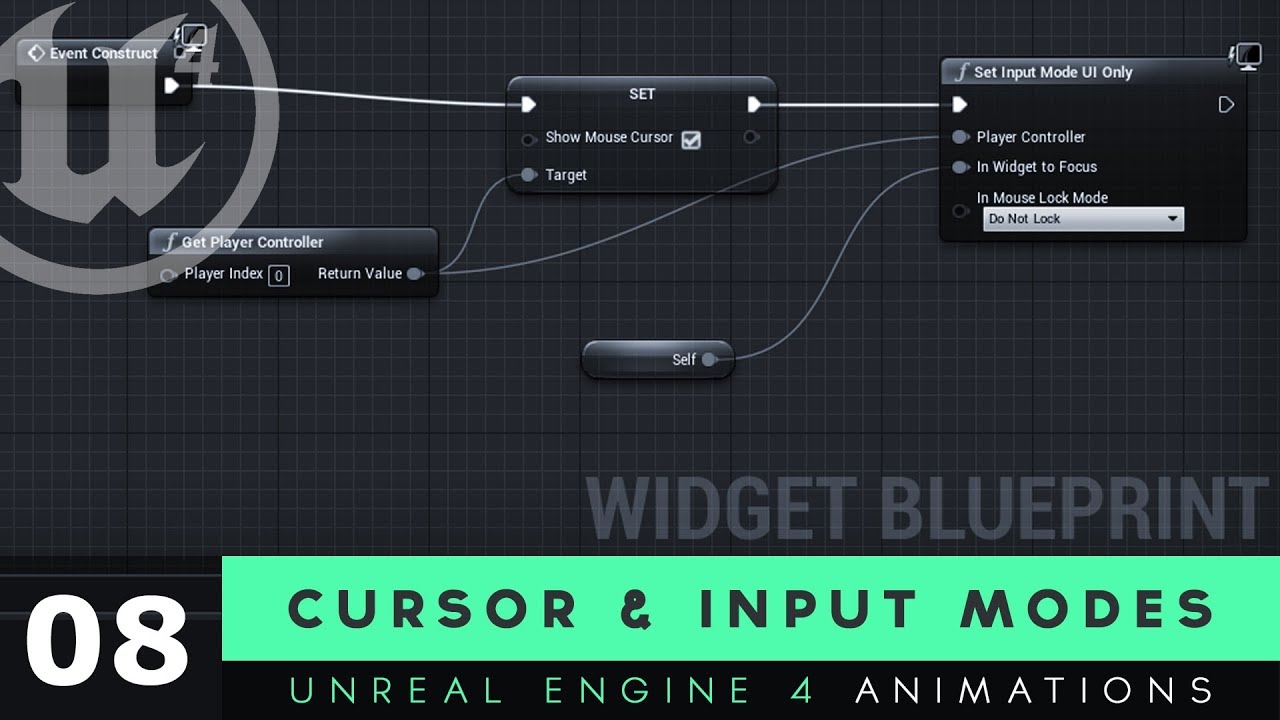
Here we take a look at how we can get our mouse cursor displayed on the screen as part of our user interface widget.
We also cover how we can use input modes to limit what the player can do with their mouse, so they can't interact with their game while they're trying to interact with their UI.
UI Resources: https://drive.google.com/file/d/1ORh...

 sudden nimbus
every second ?
sudden nimbus
oh ok
minor merlin
And before it was this on the PC, working perfectly well
 sudden nimbus
oh wait i think i might know
did you leave the InputAxis Turn and whatever your pitch one is inside the PC
ie this

those consume the input

so for instance, when i do it on the character it doesnt work unless i remove these on the controller, or set them to not consume the input
op, almost had the last test, with all the input consumption on PC disabled and using the macro in character before UE decided to go kablooey
gotta love unreal
minor merlin
It exist, but is not connected
sudden nimbus
yes, it still consumes when it exists
minor merlin
And I don't use the input here
sudden nimbus
either remove it, or untick Consume Input
minor merlin
Change nothing, nt but I don't use this as a node but as a function, and only in the PC
sudden nimbus
@minor merlin ok i replicated the setup in playercharacter with a macro and it works
but whoa, ran into some weird stuff
minor merlin
sudden nimbus
but whoa, ran into some weird stuff
Which ones?
sudden nimbus


the weird stuff was related to me pasting the macro from the playercontroller macros list into the bp (gave an error that the graph was owned by something else, have never seen that), and then it complained that the usage of the macro cant work because self is not a PlayerController, even though it was actually showing me the Pawn specific version of Add Controller Pitch Input
finally i deleted add controller pitch input and just created it from right click context and it was happy
sudden nimbus
only difference here is that im not running it per tick
im just letting the events handle it
minor merlin
I remember something like that in my first hours of ue4
Even with event it's not working
sudden nimbus
ok now ive done it with tick too, and it works
so yeah theres something wonky
it should work fine, it is here
minor merlin
I don't know dude
It was working on the PC
But not on the Character
I even created recoil, that works perfectly fine, and it's from another BP
sudden nimbus
theres not empty InputAction events left on the player character right?
i know you tried to disable/remove them on the PC but if they were on the player character i think that could also consume the input
oh i do want to do one more test: is Get Axis actually affected by input consumption
minor merlin
I used them right now for test, else there's not
sudden nimbus
no never mind, the Get Axis nodes are not affected by consumption, or at least, the Tick happens before its consumed
minor merlin
Yes
minor merlin
ue things
sudden nimbus
yeah I've got nothing atm
minor merlin
The thing that bother me the most is that it's working on everything else than the character
sudden nimbus
its definitely the right character right? not just another character placed in the level?
cause another character in the scene would also show the debug messages but won't be possessed
minor merlin
Yes it is, else my other input wouldn't work
sudden nimbus
oh right
minor merlin
For the moment I'm only working on the parent, and since all the input were on the PC I have no problem with that
 azure sparrow
Why am i getting this error?


i am just trying to get the light source through this code and i am getting the error accessed none but y?
i have a lightsource
and also, everything works just fine but i keep getting this error for no reason
gentle urchin
Apparently its not finding it initially
azure sparrow
gentle urchin
Apparently its not finding it initially
i figured out the problem
i was using a sequence which was causing it to behave like that
opaque sigil
Hey I was wondering if I could get a quick bit of help please. I have a 'ParentWeapon' actor that is spawned by and attached to both the Player Character and Enemy Character in this way on game start. How do I access the 'attaching' PlayerCharacter/EnemyCharacter from within ParentWeapon? This way I can work out which of the two has spawned it.' I got some help before but Get Parent > Cast To was unsuccessful.

 fading wren
Hello, i started to learn a vector math to correct using it in Blueprints. Did i calculate A-B vector correct ?

 opaque forum
how do i connect this?

 dry blaze
Hey so I have a ai controlled 2d character that constantly is moving to the right. It goes off a ledge but instead of falling off the ledge it drops slightly then just floats middair and continues moving to right while floating as if there is another invisible very long hit box underneath the ledge, which i definitely know isnt the case. Please can someone help me out I'm so confused thanks 🙂
fallen gazelle
fading wren
Hello, i started to learn a vector math to correct using it in Blueprints. Did i...
Your A-B vector looks more like -A in your screenshot
(Ax, Ay) - (Bx, By) = (Ax - Bx, Ay - By)
fading wren
fallen gazelle
Your **A**-**B** vector looks more like -**A** in your screenshot
(Ax, Ay) - (...
could i ask you correct a picture ?

great, but on examples, they all "grow" from 0.0
mine, second one is not from 0.0
3 ?
ah
fallen gazelle
If you wish to represent a vector in a specific position, consider that it takes a vector to move to that position.
@fading wren Working with vectors can be a bit unintuitive in the beginning. To understand transformations a bit better, this article might help you:
https://learnopengl.com/Getting-started/Transformations
And the next one puts it into context:
https://learnopengl.com/Getting-started/Coordinate-Systems
Its from a book that teaches OpenGL, but you can just focus on the theoretical part for now.
Learn OpenGL . com provides good and clear modern 3.3+ OpenGL tutorials with clear examples. A great resource to learn modern OpenGL aimed at beginners.
Learn OpenGL . com provides good and clear modern 3.3+ OpenGL tutorials with clear examples. A great resource to learn modern OpenGL aimed at beginners.
fading wren
ok, great, thanks for links
will check it
but small question
did i draw it incorrect
second time too ?
fallen gazelle
What you drew is B-A, and to represent (B-A) as a vector you would draw a vector from the base of B, to the tip of A
Note that A-B and B-A are the same vector but mirrored
 fading wren
most complicated thing for me, why you say that doesnt matter, if second vector goes from (0,0) or from other coordinates. you draw it like second vector goes from (0,0)
fallen gazelle
Perhaps you can share what you try to achieve, in context it might make more sense
A vector represents a direction and an amplitude, it doesn't represent a position.
If you want to know if your have an object in a space somewhere and you draw a vector B from it, and then you want to subtract a vector A from that B, note then that this object you're talking about is just offset in space relative to some origin.
B - A will give you the same outcome independent of where in the world you drew B to be.
The offset of your object in space, is itself a vector.
Note that in the editor any object that holds a transform component, has a position expressed in X, Y, Z. This is what we call a translation vector, it describes relative to the worlds origin, how far is my object moved along the X-axis, Y-axis and Z-axis.
fading wren
@fallen gazelle

i was tring to find A-B
and if i understood corectly
traceline A showing normal of the wall, and goes from 0.0 from wall
B it is traceline that showing a direction of ball on the moment ball hit a wall
and line B goes from 0.0 of the ball
fading wren
fallen gazelle
A vector represents a direction and an amplitude, it doesn't represent a positio...
could they have two different origins, as in my example, or i understand "origin" wrong ?
fallen gazelle
You mean if this ball were to hit the wall, B represents its future direction?
I think the second article I shared might shed some light, it sounds like you're mixing up local space and world space
trim matrix
how do I delete a disabled node?
fading wren
@fallen gazelle how can i get inverted B ? if it have different from vector A origin ?
could i use Vector A , that is normal of the wall, as origin for mirroring vector B ?
green shoal
Hello everyone, got a question.
I have a ThrowMedkit blueprint.
This is a child of the AbilityBase blueprint.
However I have a Throwable blueprint function library which contains the function Throw.
This function is called in ThrowMedkit.
I would like to use this ThrowMedkit within my ThirdPersonCharacter. I have casted to ThrowMedkit but this cast requires a reference object that I do not have. How am I suppose to get this reference?
desert juniper
green shoal
Hello everyone, got a question.
I have a ThrowMedkit blueprint.
This is a chil...
your reference is the object you want to cast
green shoal
Yeh but how do I get this reference.. it is another blueprint.
desert juniper
show code?
green shoal

Thats the third person character right now
I have tried adding a variable
So I have the reference. I obviously need to set this reference

Which I wanted to do here. As soon as the character is spawned it needs to have chosen an ability.
desert juniper
so your reference is just supposed to be an actor somewhere in the world? how do you want to choose that actor?
green shoal
Through some UI later on. Like you select the ability before the game begins.
fallen gazelle
@fading wren If what you wish to achieve is to bounce your ball off the wall you might find it easier to use the mechanics already present in Unreal Engine.
For example, you probably have defined a vector that represents the velocity of your ball. You can use collision detection to determine whether or not your ball hit the wall, as soon as it hits, you can take the normal of the point of impact to determine what your new forward vector should look like.
desert juniper
well, you need to have a way to select/target it now
otherwise youre right, how are you supposed to get a reference
green shoal
Right but whether I use an UI or not shouldn't prevent me from hardcoding it into my code right?
Like for example. Imagine the player would choose his primary ability which is ThrowMedkitAbility.
There would just be some code that says, get chosen ability, and set that as the reference. But this chosen part I can already hardcode just to test out the ability.
You know what I mean?
desert juniper
Imagine this: Right now there's a crowd in front of you, and you want one of them to put their hand up. But you aren't telling anyone specifically to do it.. so no one does it.
green shoal
I know what a reference is 😄
desert juniper
so you're just having a hard time right now selecting an actor from the world?
green shoal
But how do I get this throwMedkit reference in a hardcoded way.
desert juniper
got you. alright. there's a few ways
is throwMedkit it's own BP?

this reference is just set to Actor
but do you have a more specific class?
green shoal
First of all I wanted to use a ECS pattern to build the game. Entity, component, system. This way I can structure my code nicely. However I have had issues with it because it seems that unreal rather wants inheritance over composistion.
So I have tried it like this.

Because I want to use my throwable logic later on for throwing grenades. Thats why I wanted it like this.
The medkit is the entity that is spawn upon throwing.
This is just 1 ability of 4. And at some point the user can choose between 4 what he wants as a primaryAbility
I could use the AbilityBase as a reference. Because every PrimaryAbility will implement the AbilityBase
And what I basically want to do now is to go into my thirdPersonCharacter. say action event "Q" which is the keybind for using the primaryAbility and to fire the throwMedkit logic.
desert juniper
ahh okay I think this is getting a bit clearer
green shoal
Good 🙂
I can show you what I have in the throwMedkitAbility so you have a better idea of what that is suppose to look like.

It is not done, but I wanted to first write a bit and atleast get this part fired, so that I can start adding to it.
Because I don't even know if this would be correct.
And the throw function contains this:
