#blueprint
402296 messages · Page 675 of 403
 true quartz
But the problem is I dont know what to put in there that will make it work
 faint pasture
Event Hit or whatever the equivalent is for however you're moving your meteors
Then on event hit, play sound at hit location. Easy peasy
 vague shell
How can I get the location of a bone relative to its bind pose?
 opal ivy
https://docs.unrealengine.com/4.26/en-US/BlueprintAPI/Spline/GetVectorPropertyatSplinePoint/ where is the Setter for this?
Get Vector Property at Spline Point
faint pasture
@opal ivy Editing the spline
opal ivy
I want to add a property programmatically.
faint pasture
Oh hmm. What's your options for making spline points?
opal ivy
I'm generating them all at runtime and want to shove an extra piece of data on
faint pasture
Is that the only node that has to do with Vector Property or Metadata?
opal ivy
It's possible there are more, but I didn't see any other than the various tangents and vectors associated with the points themselves
faint pasture
Do you have access to the custom vectors when placing points manually? Not at my computer ATM
 prisma stag
Anyone ever have this problem?
faint pasture
@olive sedge Just google vector, dot product, cross product, and Euler angles. Rotations are quaternions behind the scenes(I think) but presented to you as ruler angles.
@prisma stag ya it's a focus issue. Also what input mode are you setting it to?
prisma stag
faint pasture
<@324230048506707968> ya it's a focus issue. Also what input mode are you settin...
So after releasing tab to close the menu to make your selection, I have it set back to Game Only.
However, I noticed that when I make my selection, the menu and cursor automatically disappear, so I didn't know if that changes any other settings.
faint pasture
Set it to UI only when menu is open
prisma stag
faint pasture
Set it to UI only when menu is open
That works, however, whenever I right click it disables the mouse being able to move the camera, which Im okay with, but you have to double click for it to place.
 true marsh
Can you change the outer of a base object in blueprints?
 hoary gazelle
I was doing some research and I still cant find out how to make a percentage based gacha system.
Is there anyone that can point me in the right direction with this? Im having a difficult time trying to work around it.
true marsh
@hoary gazelle For what, card drops / pack openings?
 trim matrix
So nobody knows why my project got so excessively bright when I upgraded it to 4.26? Is there anything in the newer version of the engine that messes with the lighting effects?
 faint pasture
@trim matrix probably depends on what version you upgraded from. I know there was a transition to a new auto exposure setting recently.
true marsh
hoary gazelle
Similar to mobile games and how their gachas are
The simplest is just a random roll of some sort, than pull from a set of skins/weapons from that category. You could look in to how random works + seeding randoms for more "true" random. Typo in this image, Legendary would be 1%.
 hoary gazelle
So if the rare roll has an integer greater than 0 wouldn't that automatically call the common first, since 20 is also greater than 0?
faint pasture
@hoary gazelle its checking if roll is greater than 20
That'll only return true if you roll 21 or higher
hoary gazelle
Yeah thats what im getting at.
If the rare roll is 0, it would have to grab a number 1 or higher to get it right?
What if it was 21 would it get the common or the rare, or even the uncommon?
 dark crow
21 to 100 -> Common
6 to 20 -> Uncommon
2 to 5 -> Rare 4%
1 -> Rare 1%
0 -> Nothing
hoary gazelle
ah okay i get it now.
Thank i appriciate it!
true quartz
faint pasture
Then on event hit, play sound at hit location. Easy peasy
I have been doing that and to no avail it doesnt work
The meteors are just falling out of the sky also @faint pasture
faint pasture
true quartz
I have been doing that and to no avail it doesnt work
Show your hit event

 warped cairn
Okay. desperately need help... I am attaching my actor to an empty sphere collider, the only issue is I can't seem to detach it.... Here is what I have done.

The reason I am using this, is because it needs to attach to the actor when they collide with a box, that box will then be deleted.
 true quartz
faint pasture
Show your hit event
true quartz
faint pasture
Show your hit event

 dawn gazelle
true quartz
dawn gazelle
true quartz
Is your intention to have the sound only trigger when the meteors collide with each other?
true quartz
only when it hits the ground
dawn gazelle
Then your cast is blocking what follows. "Other Comp" would be a component on the thing that was hit by a fallingmeteor.
 dawn gazelle
Same thing.... "Other" in this case would be an actor and your cast will block anything further unless it is a falling meteor.
true quartz
so waht would I want to connect to?
dawn gazelle
get rid of the cast.
dawn gazelle
Put a print string in right after your event hit node. See if it actually gets called.
true quartz
ok
it was never called
ok so now i am getting somehwere lol
on com hit and on event hit dont work
with this one it plays the sound and emitter on spawn

@dawn gazelle
dawn gazelle
Might want to make your box collision the root of the object, and make sure your collision settings are right.
true quartz
do I hit at location impact or what?
 lost solstice
anyone know how the vaulting system from the ue5 demo was done at all or what I could look up to find something simlar
true quartz
dawn gazelle
Might want to make your box collision the root of the object, and make sure your...
sorry to be a bother I just really want to get this done since I have spent hours on it
I just put in a delaay and cheated the system I cannot figure it out
but hey ti works
 opal pendant
anyone have any idea why I'm getting this error?
the error is within the "Manipulate Int Internal" and it happened after I compiled a function with an integer increment node inside of it

I'm on UE 4.26 source built if that makes a difference
 sand shore
wouldn't you assign to the macro variable?
@opal pendant that probably won't fix it because macros are a special kind of pain
You'd be better served with a CustomThunk c++ function
opal pendant
I didn't even make the macro
it's just what came up after I tried to use the Increment Int function
true marsh
hoary gazelle
Yeah thats what im getting at.
If the rare roll is 0, it would have to grab a nu...
In my example i actually did a random from 1 - 100 so 0 were never show up. 1 is the last number available so if it is at that point the only option left is 1. You could also do a random float 0 - 1 float for .05 chances or use 1 - 1000 as an integer.
true marsh
warped cairn
Okay. desperately need help... I am attaching my actor to an empty sphere colli...
It looks like the detach node is not connected to the right pin? Should it be connected via the cast to player or "self"?
vague shell
vague shell
How can I get the location of a bone relative to its bind pose?
would appreciate some help
true marsh
vague shell
would appreciate some help
Do you need specifically the bone or are you using sockets?
The initial thoughts is to save the location on startup (event begin play or similar) than save the new location and use math to compare the two locations in some way.
Which you might have to set the bind pose for a second or two, save the location, then set the animation instance class
trim matrix
faint pasture
<@456226577798135808> probably depends on what version you upgraded from. I know...
Was there one from 4.23 to 4.26?
true marsh
trim matrix
Was there one from 4.23 to 4.26?
In your post process check on min/max brightness

Well technically you might need to check the same setting on your character camera as well, any camera that the player is using will have that setting but post process does too
trim matrix
Thank you for the suggestion, but it does not appear to have fixed it.
I think there are some larger forces at play here, I just now noticed that the foam, reflections and shadows on the ocean are gone too.
I won't clog this channel with the same question again. I will try my best to find the solution to this upgrade problem. Thanks for the help!
warped cairn
true marsh
It looks like the detach node is not connected to the right pin? Should it be co...
I sorted it, since both elements are always in the game, and I have a flipflop to toggle in the level blueprint, I just done it there. 😛
But I seem to be running into another problem.... -_- I just made this rather lovely options menu, and spent about an hour typing commands in, but they don't work 😢
 dawn gazelle
warped cairn
But I seem to be running into another problem.... -_- I just made this rather ...
dawn gazelle
warped cairn
But I seem to be running into another problem.... -_- I just made this rather ...

 chilly jetty
hi I have a question
if i destroy an actor and down the line i have a delay in the bp
with the delay still go through?
dawn gazelle
chilly jetty
with the delay still go through?
No.
chilly jetty
mmm i thought so
warped cairn
dawn gazelle
Didn't work
dawn gazelle
warped cairn
Didn't work
Won't work if you're playing in viewport.
Run as a standalone game, works fine.
warped cairn
Ah, I had no clue I needed to make the gamesettings.ini file
 crimson saddle
Since the umg chat seems to be completely dead I'm gonna try asking here too
 vocal urchin
I'm not sure why this would be any different, but this is most definitely not working, and is instead spawning the particle system at the level's origin instead of at my component's transform.
 crimson saddle
How do I add values to a ComboBox in a ListView during construction?
On the surface it feels like this is an impossible task, as any attempt at referencing the ComboBox returns null, and I would need to call another function (somehow) in order to go through my ListView (a second time) to update every ComboBox after construction
I feel like there must be an elegant way to keep my entry widget information up to date. Unfortunately someone was sleeping when they implemented the ComboBox and you can't bind anything to it for... some reason
dawn gazelle
vocal urchin
I'm not sure why this would be any different, but this is most definitely not wo...
Relative Transform is saying the position of the object relative to it's parent. So if you have the Hull Mesh at 0, 0, 0 on your actor, then spawning a particle system at the relative transform of that Hull Mesh, it'll spawn it at the world position of 0, 0, 0
Get World Transform is probably what you want.
vocal urchin
dawn gazelle
Get World Transform is probably what you want.
Still doing the same thing, strangely. I thought the same thing and tried it right after.
chilly jetty
dawn gazelle
No.
does a set timer by event work even after the actor is destroyed?
true marsh
Anyone know if this "DO NOT CALL" warning is still valid? I used profiler to compare the MS difference between Spawn Actor (0.110 MS), Construct Object (0.038 MS) and Add Scene Component (0.009 MS) and its actually the fastest. I'm curious if there is some other reason to avoid it? This is during runtime
 sand shore
@true marsh it is warning C++ folks to not use it. Most of the time, BP stuff can be used from C++, but in this case it isn't a good idea
true marsh
Ahh cool, so its fine to use in blueprints?
sand shore
That is the same function that you should call from BP (as opposed to making your own callable add component)
dawn gazelle
chilly jetty
does a set timer by event work even after the actor is destroyed?
OnDestroyed gets called to wrap up anything you need on the actor being destroyed. The next frame, it's gone, so any latent activities or timers will stop.
true marsh
Perfect thanks
dawn gazelle
If you're looking to do some additional things with an actor after it's been destroyed, you probably don't want to destroy the actor yet - you may want to hide it, disable its physics, etc, and then do what you need and then after you've done all that you want to, you should destroy your actor.
vocal urchin
Also trying this method to get the thing to spawn properly...I've used positions and rotations a gazillion times. Is there something special about Niagara? I printed out that transform too, and it is what I expect it to be.

 late shuttle
I've been having the same problem.
I've had to attach the niagara system as a component of another actor, then spawn said actor.
vocal urchin
When I do that, I can't even see it at all. It's like it's not even there.
Seems others have had this problem too, and of course the reddit post goes un-edited 😄
I also notice that if I just drag the system into the world, it's still spawning at world zero
 maiden wadi
@vocal urchin Sounds like your emitter is set up to use world space coordinates or something and ignoring it's emitter's location.
late shuttle
Actually, checking some BP, I have one working as "Spawn System Attached"
Then I'm taking a reference of the spawned niagara particle and force activating it.
vocal urchin
maiden wadi
<@!108801101762981888> Sounds like your emitter is set up to use world space coo...
I guess this is now a Niagara question, but for the sake of just getting this working, do you know where to set that? This is like "hour one" of me using Niagara lol
AH, got it. Nevermind
Big brain in action

Now why that's not set as checked by default seems like a bit of an Epic goof.
Because it's entirely counter-intuitive.
 sand bloom
hey can someone tell me why i'm a idiot, I have a object that drops when you stand on it, but here's the kicker it's supposed to get back when you stop touching it


seemed simple enough..
not sure why it won't go back
it drops fine
maiden wadi
@vocal urchin That setting will just make it local and allow you to move the particles with the emitter. More likely you need to check your spawning parameters.
Look for something under Particle Spawn. Usually a location type like Sphere Location. In it it'll have a variable that is your spawn location.
sand bloom
i'm guessing I can't use the value of 0
maybe a zigzag will work
nvm it didn't
welp i've tried everything i can think off besides just dropping timelines
but it should work
maiden wadi
This will spawn it at 0,0,0 in world space with local space checkbox unticked.

This will use the emitter's location.
 vocal urchin
Hmm, actually I do have it checked.

Although i'm not sure why mine looks different from yours
maiden wadi
Is this the only location function in the emitter?
vocal urchin
I believe so?
 sand bloom
Is there any reason why a timeline wouldn't reverse properly
is it because i'm starting from a vector of 0 value
and when it reverses it won't do anything because of that

addrelative location
I tried that earlier but all that does is drop it a little bit instantly for some reason
oh wait
I need to drastically increase my value with this node
Thank you it's doing something now, it automatically goes back up instead of waiting until the collision ends but this is progress
could be because it's only updating the rock location and the collision box even though the collision box is parented to it
fixed it 😄 thanks a lot dude
faint pasture
@sand bloom don't add relative, set relative
sand bloom
faint pasture
<@150758591861620736> don't add relative, set relative
DSA told me the same a few min ago and it makes sense yes it fixed my issue 😄 Thanks for trying to help dsa beat you to the punch haha
 dusky topaz
Is there something among the lines of an event dispatcher that allows me to define when "an event of this type" is supposed to happen, and have the remaining logic after the call wait for the called event to report back that it's finished?
dawn gazelle
dusky topaz
Is there something among the lines of an event dispatcher that allows me to defi...
That's what binding to an event dispatcher is. You call the event dispatcher when that event is supposed to happen.
 dusky topaz
dawn gazelle
That's what binding to an event dispatcher is. You call the event dispatcher wh...
dusky topaz
dawn gazelle
That's what binding to an event dispatcher is. You call the event dispatcher wh...
Yeah, but event dispatchers don't have the ability to control when the remaining logic after the call executes
faint pasture
@dusky topaz callback?
Or another dispatcher
Or just a custom event. What's the use case?
dusky topaz
Basically I have several different occasions where buffs might trigger, as an example, some trigger at the start of a units turn, so I want the animation and effect to finish before the player is shown the action menu
maiden wadi
Sounds like a good use for a view manager.
faint pasture
Or just have the end of then phase always be like 2 seconds and call it a day
Oh ya nvm it's per unit
maiden wadi
I find that things like that are best handled with a manager. You're going to end up with a lot of complicated views. Let the manager get the current state, or let stuff say "Hey, I'm doing this, don't display that stuff", and let it set up the view to the player. Your game logic will stay much cleaner.
faint pasture
maiden wadi
I find that things like that are best handled with a manager. You're going to en...
Would that be what I've made by making my menu UI be a state machine?
Or is it something different
I don't have OpenMainMenu, I just set MenuState to Main
maiden wadi
Pretty much. In this case you'd probably have his buff thing get the manager, make it set the view to animationinging or something which removes UI and might set the view target to a camera, then on animation finished, set the view back to the last view and any other buffs can do the same in a row.
Multisphere trace from the cursor, and filter your results is probably going to be the easiest.
faint pasture
@swift pewter MultiSphereTrace, select closest
That's what I do for E interaction. Get actors with interface, select based on closest and most in front.
Ya sphere center
Uh why are you doing this every frame?
Is it meant to continuously choose target?
dusky topaz
maiden wadi
Pretty much. In this case you'd probably have his buff thing get the manager, ma...
I suppose this could work, I'll give it a go
maiden wadi
You don't need anything from the trace except the actors. Just get the actors and dot product their direction from the cursor direction.
faint pasture
maiden wadi
You don't need anything from the trace except the actors. Just get the actors an...
Wouldn't you just use distance? Why the dot product
I think his is like a top down operation
Center and center
Used to have to move it like 1 cm but I think you don't anymore
maiden wadi
Yeah, fair. Distance is probably safer for that. Was considering for like distance from center of screen.
faint pasture
@swift pewter if you're a speed freak use distance squared for that sweet perf. Saving cycles one cycle at a time.
 lyric onyx
Hi, I'd like some help about the "Add Math Expression" node.
I'd like to put the formula below in but I don't know how to deal with Square...
Here is the formula : X * (Y^Z)
To explain the context, I try to programm a RPG and this formula stands for the Damage.
X = Base Damage of the Spell.
Y = Scaling (in %)
Z = Level of the Player.
For instance, my Player is level 98, he uses the Spell which has 100 Base Damage and 6% Scaling per Level, the expression should be :
100 * (1,06^98) = 30.198
Can someone help me?
dawn gazelle
(X * (power(Y, Z)))
lyric onyx
(To myself: Sh*t... it was that easy?!)
Thank you very much
It works now, thank you again
 azure bolt
hello does anyone know how I can set the rotation of the rod properly?
The rod is attached as a child of the wheel called 'bolt', and i've been setting the rotation like this, I've tried lots of different ways but none seem to work

 cinder shell
hey guys! Can someone please tell me why does blueprint are trying to accessing "Target Actor" variable even if Select boolean is set to False? Receiving "Accessed None trying to read property" error anyways.
 dawn gazelle
cinder shell
hey guys! Can someone please tell me why does blueprint are trying to accessing ...
dawn gazelle
cinder shell
hey guys! Can someone please tell me why does blueprint are trying to accessing ...
It still gets evaluated.
cinder shell
ah.. no way to skip it? Only with regular branch?
 marsh mountain
hi guys i want to make a widget with a button and by pressing that button i want to rotate some specific mesh in other BP. I found that a dispatcher is a good way to go on communication between BP, but what was looking easy at beginning at the end i found confusing and not working. I don't know how to interpretate that issues from log any suggestions how to fix that will be much appreciated.
 dawn gazelle
Pretty much. IsValid may be better if you're wanting to avoid using TargetActor without having to set the boolean at all.
 fiery swallow
What's the point of tracing twice?
dawn gazelle
marsh mountain
hi guys i want to make a widget with a button and by pressing that button i want...
This Kuchnia 01 Poprawiona Drzwiczki object is not defined. You may have created the variable to contain a "BP_Kuchnia 01..." , but you have not set its value.
 fiery swallow
There should be outhit hit actor
 placid wren
I am trying to create a multiplayer options menu, if i have my blueprint like this it will work but my camera will move until i press my left mouse button in the options menu. Is there any way I can fix this without pausing the game, if the server pauses the game other players will teleport back into their old positions after the host returns from the menu.
 fiery swallow
yes
 burnt nest
placid wren
I am trying to create a multiplayer options menu, if i have my blueprint like th...
burnt nest
placid wren
I am trying to create a multiplayer options menu, if i have my blueprint like th...
I think you're looking for "Set Input Mode to UI", then when you close the menu you do "Set Input Mode to Game" or Game & UI
fiery swallow
I assume that's to avoid fat fingering, That's one way to do it I guess. What I did was wait 0.5 seconds before setting target actor back to null
So once you hovered the actor and then clicked LMB even if you missed your left click you still had x amount of time to use an ability on the last hovered actor before it went null
IMO that's better then line tracing twice but it's not like line tracing is a slow operation
cinder shell
@dawn gazelle I see.. Thank you, my friend.
fiery swallow
I did a sequence
on event tick
This is what it looks like on event tick in blueprints
 burnt nest
Just a tip, avoid using tick as much as possible. If you're just trying to click something, you should really only do what you need to do when the player clicks. Running a sphere trace every single frame is not great practice for performance.
 burnt trench
Hello people. I need some help in figuring out how to make my player movement
 surreal peak
Make sure not NOT mark those RPCs as Reliable @fiery swallow
marsh mountain
@dawn gazelle any tip how can i set some value you was talking about ?
 fiery swallow
I would recommend this anyway because unless it's imperative to be running 2 line traces every tick It's probably not a good idea
surreal peak
burnt trench
Hello people. I need some help in figuring out how to make my player movement
You need to actually ask a question.
burnt trench
I'm making a player ship for an infinite runner
yes
Using the in built movement code

but this doesnt move my ship
fiery swallow
@swift pewter So the best thing you can do is have the cursor line trace on event tick and only once it hits or is close to an actor allow the second line trace to start. That would be least expensive thing I can think of
burnt nest
burnt trench
it stays still
Make sure you're actually possessing the ship, and not the default pawn. Make sure it's set to "moveable".
Put a "Print String" after your movement nodes to see if they are actually firing.
burnt trench
it is firing, it is set to moveable and I have set it tp pawn in my custom game mode
and made the GM the default for the project
no overriding Gm for the level
worth mentioning that I am using a static mesh and not a skeletal mesh atm
 dawn gazelle
marsh mountain
<@!218956378654507008> any tip how can i set some value you was talking about ?
dawn gazelle
marsh mountain
<@!218956378654507008> any tip how can i set some value you was talking about ?
When you spawn the object, you get a reference to it.
If it's something you dropped into the world, you can get a reference to it by using something like Get Actor of Class (just don't use it for everything, and never on tick)
burnt nest
You have not connected the axis value for MoveForward. Though the scale is set to 1.0, so it should still move, but still!
surreal peak
Actors in the World can also always be setup to get something that can register to
E.g. a Component on the GameState or GameMode with a reference or array of references
burnt nest
Static mesh is fine, it doesn't need to be a skeletal mesh.
burnt trench
yes Axis value not being connected is intentional
surreal peak
BeginPlay in the Actor that is in the World can be used to access that Component and give you an easy ref
burnt trench
because I want it to keep moving without input
burnt nest
Could you try depossessing (F8) and select your ship and look at its position, see if it is changing at all?
burnt trench
it isnt changing at all (not even decimal values)
burnt nest
Wait, my bad.. you have to give it input for it to change still
Even if the axis value isn't connected
surreal peak
Axis should tick without a connection
surreal peak
Correct, endless runners, at least in UE4, should move the level, not the player
In UE5 you can probably can away with it
burnt trench
I will do that but the problem is I still wonna move the player in atleast the direction I'm facing sideways atleast then
I connected the axis value and still doesnt do anything
doesnt move an inch
burnt nest
Oh and make sure it's not stuck on some collision.
burnt trench
I just have 1 flat plane static mesh of empty map. Pretty sure its not stuck anywhere
I'm making the flying project and trying to see what I could do to fix it
interesting. The flying template just uses addactorlocaloffset to move
fiery swallow
You should print out the distance yourself to see what it's returning
 dusk flame
What kind of resources do we have to validate BlueprintFunctions (from a BFL). I want to throw errors if input fields are left blank.
I found some old forum posts (with no answers) on this topic.
 modern wolf
so if i don't compile it can still run, but it will need more time and resources?
oh ok
thanks
dusk flame
Even in PIE, blueprints are compiled afaik
burnt nest
Your loop is going through all hit actors, and your "Target Enemy" will be the last one it goes through. It probably sets your closest one first, and then the snowman, as far as I can tell.
dusk flame
I mean, its compiled for develop target, not shipping, so probably some optimizations are left out (for example print nodes are left in).
But its still compiled
Isn't that button gone in ue5 anyways?
Sort of like the save-button in Google Docs 🙂
Its there for safe feeling lol
 blazing ridge
How do you connect or snap 2 spline points?
dusk flame
Speaking of safe feeling, how can I throw a nasty error if somebody uses my blueprint function without passing in a param?
No way to mark the node is invalid on compile-time?
I mean I am doing this in C++.
Its a BFL exposed from C++ to blueprint
My understanding is this kind of question belongs in this channel, since its related to blueprint-exposed stuff.
burnt nest
I noticed that you're comparing the current Target Enemy to the hit actor now. Hmm.
dusk flame
I know I can mark function as Pure, but that is just a mess in this case since I actually want the Execute Pin.
*pure function would throw the errors for me 🙂
blazing ridge
Is there still no way in UE4 to snap spline points onto each other, or connect 2 splines?
 burnt trench
so I have copied the code from the flying template
now it moves.
But it is flickering and camera is fixed. DOesnt respond to input
also, I noticed, the template doesnt have gravity
but my project has gravity
even though simulate physics is off
 teal marlin
Does anyone knows how to change bone position with IK like when I grab an item and play the grab animation sometimes the actor I want to grab is not in the right place to were the animation is moving so is it possible to change were the hand is getting to each time I grab an item to the item location?
burnt nest
That should be fine. If you're now using AddActorLocalOffset, you're not using physics. Gravity on/off doesn't do anything without simulating physics.
burnt trench
default gravity is same
it does
if I set the player start in the air
it falls down
idk why
burnt nest
Then you're simulating physics on something.
burnt trench
only thing is capsule
its off on it as well


dont know why the ship is still falling like gravity is affecting it
burnt nest
And you're sure you're using the correct pawn?
burnt nest
Interesting 🤔
burnt trench
only thing left now is it doesnt turn left and right like the template does
The code is the same
now made it a pawn instead of a character
 shut hinge
how do we do dialog audio and skip ? I don't know the logic to it.
burnt trench
nvm fixed that issue as well
 pine rain
For those familiar with how Unity does it, is there an event in Unreal Engine Blueprints, which is called whenever the game is closing or when the actor is being destroyed by the game closing?
trim matrix
Is it possible to convert Unicode (e.g. U+0100 [Ā]) to Text in Blueprint? Or will I have to do it through C++? Basically, I want to set a Text Box to be a random Traditional Chinese Character.
pine rain
thanks
 marble tusk
blazing ridge
Is there still no way in UE4 to snap spline points onto each other, or connect 2...
marble tusk
blazing ridge
Is there still no way in UE4 to snap spline points onto each other, or connect 2...
right click the spline point. There's a bunch of snapping and aligning options iirc
 icy dragon
trim matrix
Is it possible to convert Unicode (e.g. U+0100 [Ā]) to Text in Blueprint? Or wil...
icy dragon
trim matrix
Is it possible to convert Unicode (e.g. U+0100 [Ā]) to Text in Blueprint? Or wil...
Unreal already support Unicode characters. It's just the matter of adding the font that support such characters.
trim matrix
icy dragon
Unreal already support Unicode characters. It's just the matter of adding the fo...
Well, it doesn't seem to work in UMG, but I managed to get it working in C++
With UTF8_TO_TCHAR
blazing ridge
@marble tusk Thanks a lot buddy! I thought there was some hotkey you need to have pressed but this works just fine
marsh mountain
@dawn gazelle its working now, thanks !

@dawn gazelle but now i'm faceting another issue that branch is outputting true and false at the same time.. any ideas what it might be ?

 runic plinth
Morning, I'm sorry to be yet another one asking for help but I googled for hours now and tried so many options. Im trying to cast to player pawn but it always returns null on the debug. Also I was trying to adapt this animation blueprint from the Shooter Game Level and now the original one doesn't work anymore Im guessing I broke some references somehow. Any ideas on how to fix it?

 unkempt torrent
Can someone point me to a tutorial for physics controlled AI?
 lunar holly
I have a question about the score in a game. I use a score variable in my Game Mode. Should I write the score code in the player Class and then send the score value to my Game Mode? Or should I write all the score code in the Game Mode Class, so I Cast to the player from the Game Mode?
icy dragon
lunar holly
I have a question about the score in a game. I use a score variable in my Game M...
You can send the scores to the Game Mode.
Though if it's single player, I'd prefer Game Instance.
lunar holly
@icy dragon What is "Game Instance"?
icy dragon
lunar holly
<@!325627930484932608> What is "Game Instance"?
Game Instance is a Game Framework class that persist as long as the game executable is running.
 worthy frost
not just client side..
icy dragon
worthy frost
not just client side..
Corrected.
worthy frost
its basically a singleton that lasts from application start to application end (client and server)
or from PIE start to PIE end.
lunar holly
So it lets me store variables. And those variables are kept even if I go to a new scene?
 gentle urchin
Yes
lunar holly
okey
icy dragon
It's very useful to store player side variable you want to serialise for the save data.
 olive sedge
Is it possible to extend Spline or SplineMeshComponent? I want to add additional properties for the spline points
I need them in the construct script so I can define the roll for each point
It is possible to set the roll on AddSplineMeshComponent but not in the viewport/editor
 mighty linden
hello! how can i make this green node ?
 runic plinth
the orange signal flow debug no longer shows? and cant select a debug object?

 celest sleet
hey hey, got a veeery basic question here, it'd be great if someone could give us a super quick hand or point me to a good article!
I'm doing a ue4/fmod tutorial project, and I'd like to get the distance between a reverb zone in the level, and the player character. The player character spawns when the game starts though, so I don't know how to reference his transform in the level blueprint. Dragging an instance of him in to the level and referencing that is no good, because then when I delete it the reference breaks.
Would someone mind letting me know how I can set up a reference to the player like that? I'm guessing with a "if actor exists, get transform, promote to variable" kinda thing, but I've no idea and I've been digging around online for quite a while now
TL;DR How do I reference something in the level blueprint which isn't present in the level before starting the game?
Thanks very much 🙂
ooo that might do the job
really sorry to pester with this simple stuff, but do you know how I would not proceed and try again next frame? I guess I need some kind of "if valid" or "if get player character is not null" check
 loud cipher
Hey guys i have set up a simple ai move to function
But whenever my ai hits my player it stops following
trim matrix
i need help with one blueprint
loud cipher
i then have to re engage the ai by overlapping a box collision
trim matrix
can some one help me ?
dark crow
mighty linden
hello! how can i make this green node ?
That's most likely a Pure Getter, if you wanna make one yourself, you create a Function, have just an Output Var and mark Function as Pure
You can have logic that leads to the Output ofc
 vocal kestrel
Howdy, so odd question but is there a good resource for learning Project Managment systems for unreal? In unity i coded Manager of Manager systems, which sat in scenes and tracked/filtered broadcasts and events to everything. npc controllers sent info to managers which actually did the code, managers tracked aysnc save progress, ect ect. Was super useful as unity didn't have any cohesive management systems like that.
stuff like if a player is shot, they don't do the damage calc they tell the Player Manager that they were hit. all player does is hold their hp. the info's passed to it and then it runs the LoseHealth code and sends the new values back to the player. fully disconnected logic and data so slotting in new anything was trivial.
however i'm inclinded to recreate it in unreal but i'm... uncertain what Good professioanl scene/project management looks like in this engine as it's clearly different (i mean wtf do you DO with level blueprints??)
So stuff like writing systems that check everything's properly loaded in, checking that all npcs are where they're meant to be, checking that the weather system is updating properly, this and that. stuff that isn't very sexy but cohesive projects kinda need as a backend. unity doesn't do much for you so i have no idea how much unreal gives you to work with.
dark crow
I don't see why you can't do that
Usually for common Managers it's just a BP Actor placed in a Scene with logic in it and you can have players or whatever interact with that Actor
Up to you to decide what it does, you have all the freedom
vocal kestrel
yeah, it all looks like it should work more or less the same. it's just something that isn't talked about much so it can feel like i'm missing something.
though a big question would be, what's the best use for the level blueprint if i inent to make as much of the code as generic as possible? is that largely for making sure managemnet systems and important stuff is spawned in?
dark crow
Level Blueprint just use for Level related stuff you don't want elsewhere tbh
Since as soon as you change level that's gone pretty much
And depending on the Manager, if everyone has a common one, you just place it yourself in the level
vocal kestrel
so prob good for holding level speicifc spawning information, or things like "on this map, fill in this var for how much hp you lose per second cuz it's a hellmap or somehting" ?
dark crow
I would actually have that as an Enum in the manager and change it myself based on the map or so, am not really a big Level Blueprint user tbh
vocal kestrel
yeah, i did it before by ensuring that unity loaded up with a handful of top-level managers that persisted between scene changed, and those kept track of different managers that different scenes needed, ensruing they all spawned in and loaded right.
dark crow
I prefer having everything self contained
vocal kestrel
that's fair.
okay, that's the gist of what i wanted to know and ngl was a big factor in my confusion; the actual purpose of level bp
i guess it's a very situational tool that yuo can take or leave
dark crow
The only times i used it was for playing music in the main menu and moving the camera around when i click a button in it with a direct camera ref
You could have logic in there for sure, but just think if it fits your situation since when a level change happens the code is not considered anymore
Each level has its own Level BP
vocal kestrel
yeah i can see putitng some stuff in the main menu bp being useful, as there could be checks/ect that you really only ever want/need done in that speicifc circumstance
fair enough, unity doesn't really have an equivilant to that and i spent 2 years in that engine every day. so that extra layer was throwing me
dark crow
Yeh, in the end think it like Unity, you create an Actor Manager, players talk to that and Manager executes the code in case
You can have Managers talking to other Managers too
vocal kestrel
that's def how i want to work, so yeah i'll see about getting that back up and going. the book i learned unity from REALLY pushed management systems early, and so none of the offical learning meaterial from unreal talking about this stuff has been weird.
dark crow
If you want the player to hold a ref of the manager since they'll only be one in the world for testing you can use Get Actor of Class and have as an input the Class of the Manager and hold it as a Ref then talk to it
If it's a Spawner Manager Ref is as easy as getting what Spawned you with an Exposed Var
vocal kestrel
how critical are event dispatches in that? i used alot of custom messaging systems to throw broadcasts events around in unity, so that a box could die and shout I DIE, which a hud manage rhears and says "oh i should go tell the hud to update itself".
event dispatchers sound ilke much the same thing (things sending info don't care about what hears it so things are less interlocked) and sooorta work the same way.
oh btw thank you very much for the info, it's actually been very helpful and i appreciate it
dark crow
You could yeh, i think there's many ways to do it, up to ye to find the best way that fits you :p
vocal kestrel
uhg, the best and worst answer at once 😛
but okay, i'll try out some of what you mentioned and try and replciate some old methods. good to know there's not some odd barrier in my way like i kinda throught there was.
dark crow
i have some pics of Event Dispatcher workings if you want
vocal kestrel
that would b elovely actually
i've gotten them working in a way i think i'd like, but it was a few tests last week and nothing as extensive as working them into any complex manager system.


 fiery glen
Subsystems are a nice way to have "managers" but they are C++ only afaik
vocal kestrel
yeah, that info is def useful. it's not AS flexible as the broadcasts i was using before, but i could prob make it work if i dug into it (ie have hte listener be some middleman node that sends info to various classes/things it's spawned/ect?) so that nobody really needs to know anything about what's picking up it's cries other than "we're sending it to a listener hub that'll handle the rest"
that sounds like it'd work
dark crow
iirc UE3 was using global broadcasts but trashed them for performance reasons
vocal kestrel
that does make sense, i was using some mutant version of C# events made to work in unity that didn't have the performance overhead that normal global broadcasts did. soem of my confusion is probably just coming from getting used to workin with this odd codebase.
but yeah normal global broadcasts for everything is a bad call
https://wiki.unity3d.com/index.php/CSharpMessenger_Extended
this thing, if you've ever messed with unity or such
dark crow
Event Dispatchers are mostly useful if you want one event to influence many different things
Example they made is if a boss dies and torches in the room turn off and door opens
All linked to the boss dying
vocal kestrel
that is what unreal recommended in their docs, yeah.
i guess i just had a really specific weird way of working and i did it for too long and it's kinda fuckin' with me :/
but okay that's a good point
okay, i'll... see about getting my mind out of the GLobal Broadcast mode and try to make some managers that'll handle the logic and just let things that need to talk to it have semi-genierc and reasonable ways to get/send that info without breaking if they're removed.
i have not
well i have like 3 C++ books, i guess if i really care that much it's not that big of a deal
yeah, i've been coding for like 5 years
But that's actually super good to know
i'll put subsystems on the list of things to learn sooner than later. managmeent systems, save systems, ect all seem like stuff you want to learn early cuz the later you impliment any of that the harder it gets.
oh yeah, i messed around with it a bit. not enough for anyting cohesive but it's good to see.
I've written like... two? two differenct save system in unity before
so iw as prepared to just do it myself
so that was nice to find
uhg
Yeah
Yeah, most of my fondness for unity is frankly from spending a year+ learning literally liek 300-400 differnet Store Asset toolkits, and learning how to weld together wildly differnet codebases
and by "fondess", i mean " trauma"
Unity is a neat engine but you need to spend so much time na dmoney on third party assets to fill in gaps in the engine that unreal already has filled.
It really shows that epic actually uses their engine to make and LAUNCH video games, and unity uses theirs as a testbed for cool tech ideas.
each team/studio that earnestly uses unity has their own special version of it that's suited to waht they need, as unity does really let you get in there and make engine/editor modifications real easy. so you can get soemthing smooth and very specialized
it jjust.... ya know, takes alot of time and frustation and it might not be worth it???/
regardless, yeah unreal's been... it's got it's own frustrations but it's def a better thing to work in for general 3d games. unity does handle 2d alot better, but hey dif tools for dif purposes.
fiery glen
Turns out never using your own product means nothing ever gets fixed
vocal kestrel
yeah, i firmly believe that you will find endless problems with your own tools the moment you stop 'developing' and you try to use them for something legit productive for 5 minutes
very easy to just let problems sit otherwise
faint pasture
vocal kestrel
Unity is a neat engine but you need to spend so much time na dmoney on third par...
I wish we had a 1st party ECS solution tho
fiery glen
ENTT/FLECS are simple to Integrate for backend c++ stuff
There's a marketplace plugin for a bp supported ecs
faint pasture
Godot has some great ideas too. I love the "it's scenes all the way down" philosophy
fiery glen
But yeah gameplay code in ue4 is a little old fashioned
faint pasture
I wonder how UE4 runs as good as it does. Does it do anything internal cache friendly handling of things or are we just thrashing the cache all day but making up for it with fast processors?
fiery glen
Animations are done internally with crazy ispc async stuff etc
Moving actors ain't cheap though
vocal kestrel
i mean i got into unreal largely to make films and do previz, as unity has the functionality but just has No documentation or real support.
i mean you can do it but good luck figuring anything out.
meanwhile epic's got like a new behind-the-scenes minidoc every week or so about how X film used unreal to make Y, or how Popular Film was made 100% in unreal for previz before filming
while it felt bad, switching engines wasn't that hard of a choice really :/
i mean realtime rendering for production is rad
hell even some anime studios are using unreal 4 these days for their backgrounds/blocking/ect. wild stuff
fiery glen
He's doing GPU shader anims, right? No way regular anims will beat that
vocal kestrel
ngl, now and agian i plan to do a Dynasty-Warriors esk big army beatemup style game, but then i really consider all the Smart People Stuff that would reeally go into putting a fuckton of dudes on screen to wallop through, and i chicken out.
 covert arrow
whats the best way to line trace for a fps gun, would line tracing from the muzzle for the start then getting the player camera forward vector work?
 spark steppe
yes but no
you would better line trace from the camera, because that's what the player expects
trim matrix
I have sort of managed to fix my brightness issue

it doesn't look as schizophrenic as before
burnt nest
trim matrix
it doesn't look as schizophrenic as before
Have you tried turning off auto exposure? Also quit making me want to make a warships game. 😦
trim matrix
I definitely have tried turning off auto exposure, I also messed with the values everywhere but nothing was really working
I basically made a new project and copied over parts of my work part by part
burnt nest
I remember. You updated to 4.26. 🙂
trim matrix
Yes
burnt nest
I may be small headed, but I am big brained. 🤪
trim matrix
This is a snap of the previous 4.23 version
You can notice the lightning difference, it looks weird now
burnt nest
I am not a graphic's artist, so I'm actually quite blind to these things.. 🤣
 tawdry charm
Hey guys, i'm playing around in UE5 and am completely new to UE as a whole, why can't I see the keyboard input I set up in the engine settings, inside my blueprint?
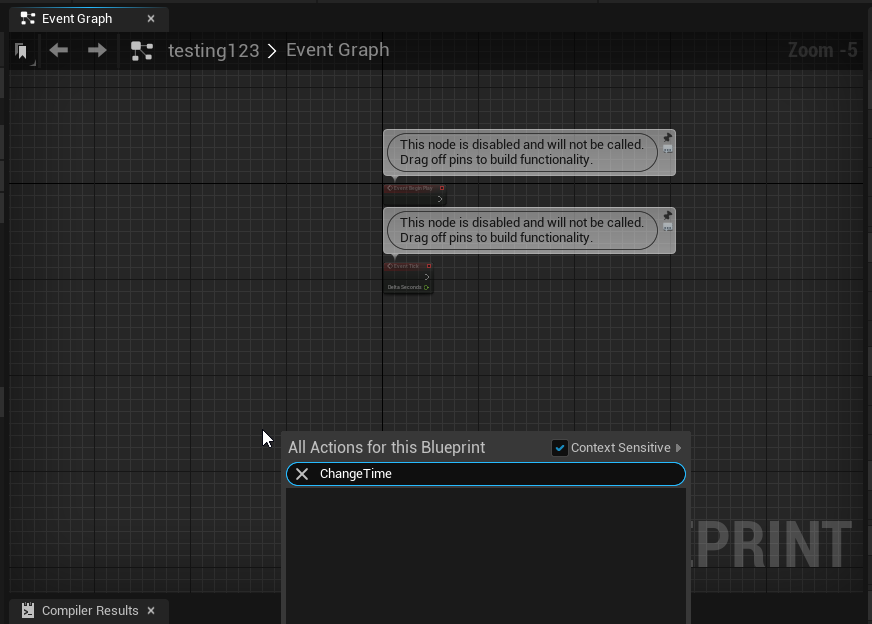
 burnt nest
What type of blueprint is it?
tawdry charm
An actor blueprint
burnt nest
Try a pawn or a character. They can handle input.
tawdry charm
How do I change that, it doesn't seem to be an available parent class?
burnt nest
Create a new blueprint, select pawn as the base type.
tawdry charm
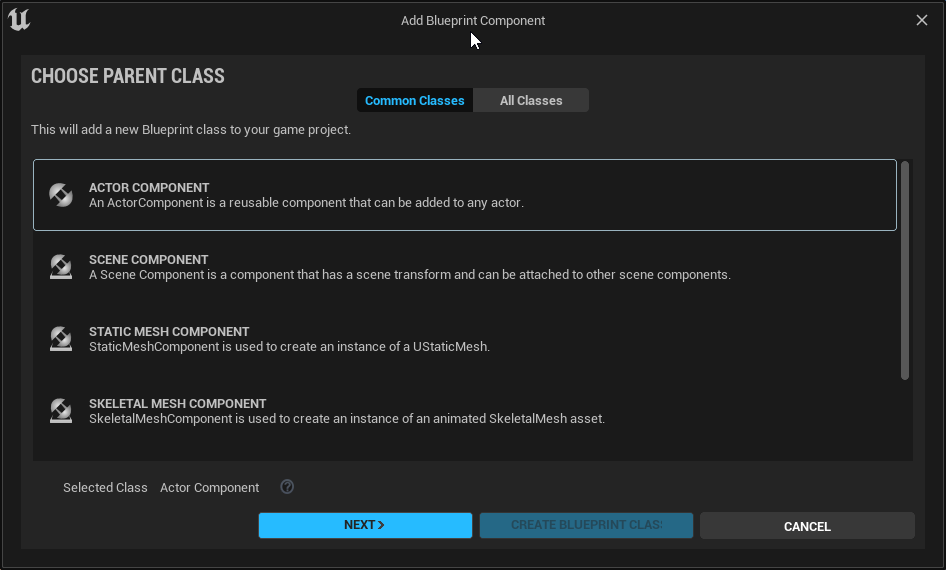 burnt nest
Hm. Silly UE5 doesn't have it as a common option. 😮
Click all classes at the top then. 🙂
olive sedge
https://i.imgur.com/wQOkye5.png
Can I get some help please? I've been at this all day.. I'm trying to figure out the best direction to move the vehicle forward if it hits the wall..
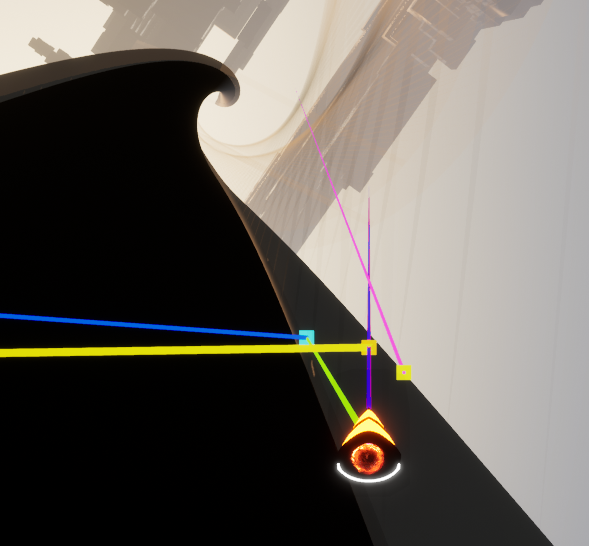
I want it to more or less slide across the wall here
tawdry charm
@burnt nest Pawn isn't on the list in "All Classes"
burnt nest
Really? 👀 It should be a sub class of Actor.
tawdry charm
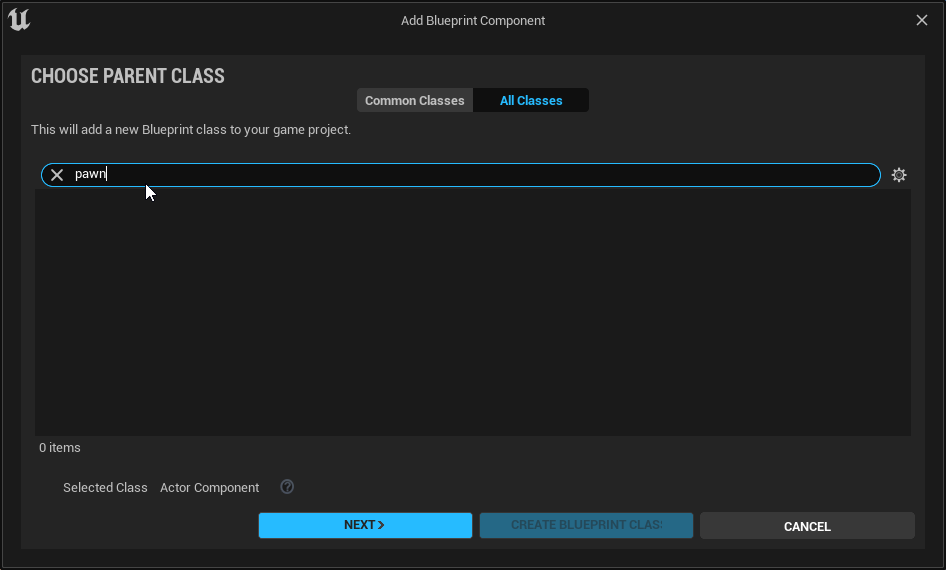 burnt nest
Unless they were completely annoying and renamed it in UE5. 🤔
tawdry charm
Yeah Maybe
burnt nest
Oh. But it says Actor Component at the bottom?
Is your blueprint an actor component?
Right.
tawdry charm
I got it
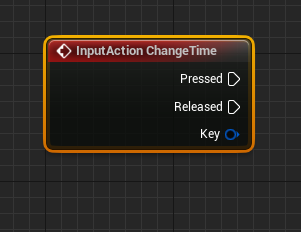
Thanks Guys 🙂
Time to work out the best way to change the rotation of an object like this
covert arrow
i asked this question yesterday but no answer how do you make input frame dependent
burnt nest
olive sedge
https://i.imgur.com/wQOkye5.png
Can I get some help please? I've been at this a...
Hmm.. I'm not really good enough at vector math to help with that one. 😦 But if you're using the movement component, I feel like there should be some built in stuff to let your actor slide along collisions.
olive sedge
well, the thing is I don't want to use the movement component, I couldn't get it to feel right
I had this before but never felt like I wanted it to
burnt nest
Lorash to the rescue
olive sedge
that pink is the normal vector
burnt nest
What about the yellow one? That seems to stick straight out.
tawdry charm
Smallhead, how would I go about changing the rotation of an external DirectionalLight?
burnt nest
Ingame, from a different blueprint? GetActorOfClass, and grab the directional light.
true marsh
I'm attaching a scene component from one actor to a scene component of a different actor and it works. But when the original actor is destroyed so is the passed scene component, is there a way to prevent this?
burnt nest
Sure; detach it first.
burnt nest
covert arrow
i asked this question yesterday but no answer how do you make input frame depend...
Sorry, I sort of get what you mean but I also sort of don't. What is it you want to do? 🙂
olive sedge
@trim matrix it's easier said than done.. how do I rotate the 90° towards my movement/facing vector?
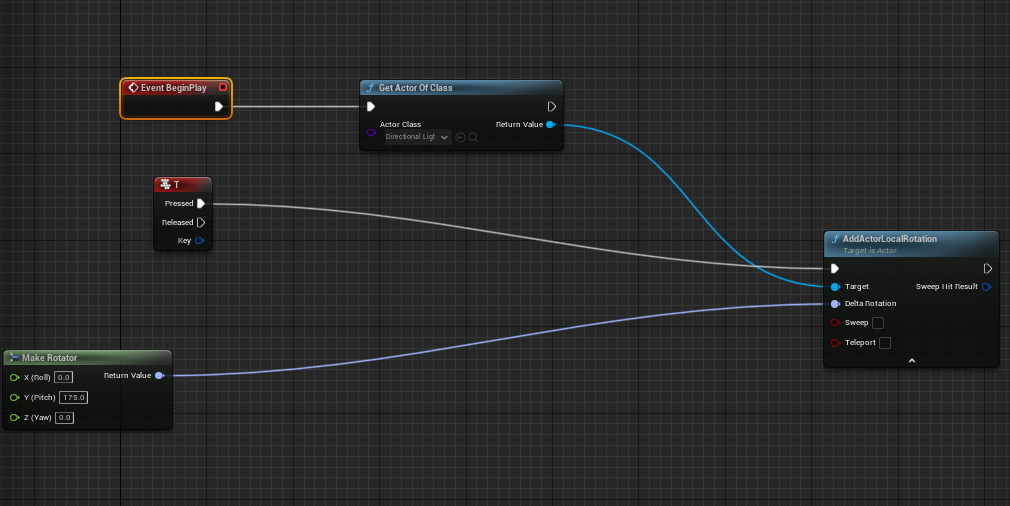 burnt nest
Is the directional light set to moveable?
tawdry charm
 covert arrow
@burnt nest nvm i wanted to ask about a modular health component
should i keep the data in the component itself or attach a structure to the component
i'm also using an interface to apply damage
olive sedge
@trim matrix that's some pro shit. I'll try it and report back
burnt nest
That's really up to you, Moldy.
burnt nest
tawdry charm
https://i.imgur.com/dZdBYm1.png
I have to admit I'm at a loss. Maybe try add actor world rotation instead.
 stiff linden
Trying to do a pause menu--found the "execute while paused" tick box on my InputAction node, but it's still not working, I think because as part of pausing/opening the menu I do a Set Input Mode UI only, and the OpenMenu action mapping i have is technically a gameplay thing.
what's the workaround for this? I got it to unpause with a simple inputkeydown check in the menu widget itself but that's messier than I would like (and was executing on the first frame the menu popped up)
burnt nest
tawdry charm
https://i.imgur.com/dZdBYm1.png
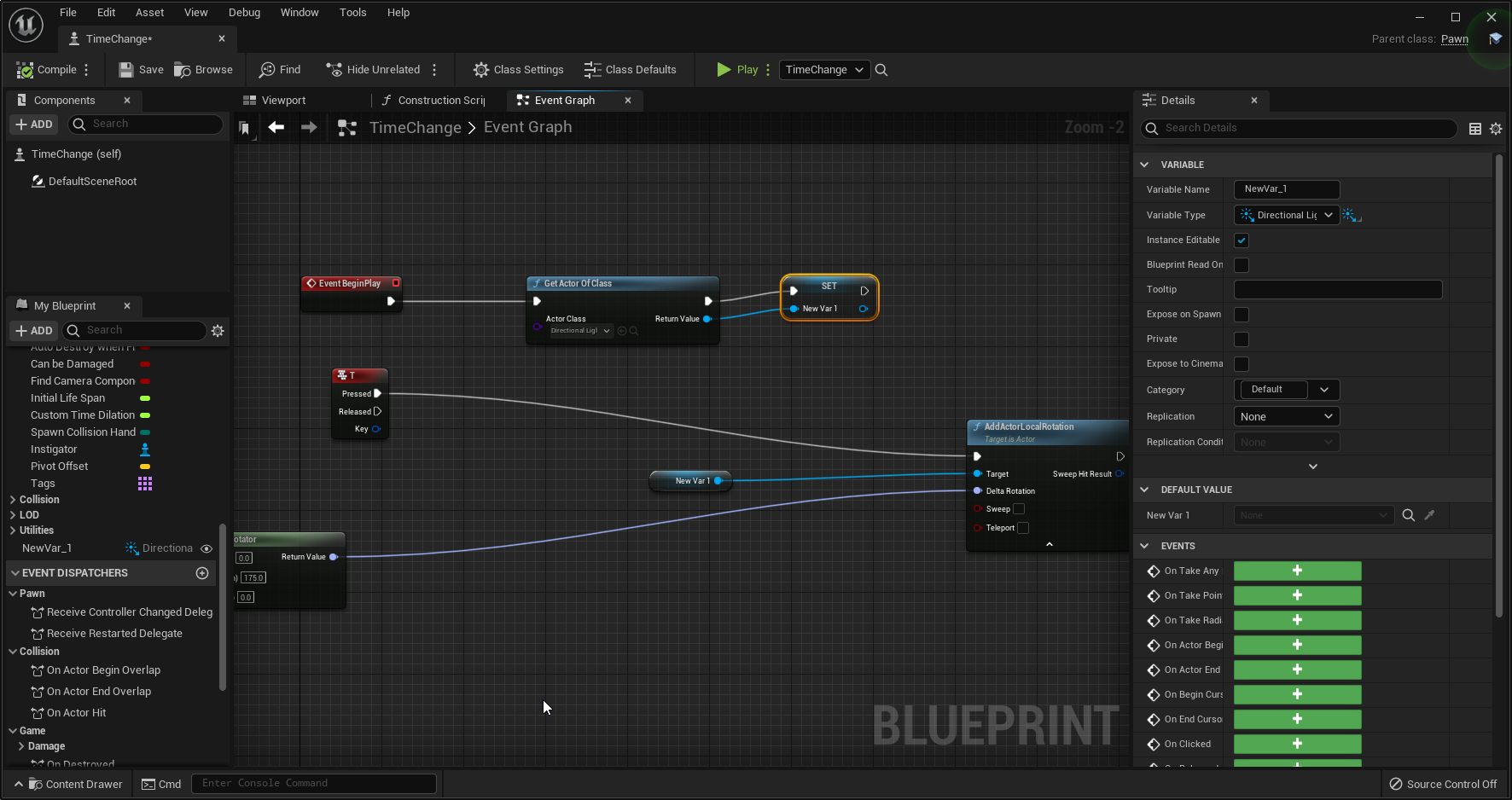
Oh, it also could be that it doesn't save the result from BeginPlay until you press the hotkey. Try saving it as a variable first.
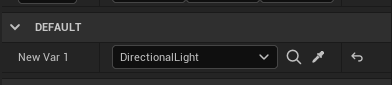 burnt nest
stiff linden
Trying to do a pause menu--found the "execute while paused" tick box on my Input...
burnt nest
stiff linden
Trying to do a pause menu--found the "execute while paused" tick box on my Input...
Hmm.. since I suggested the Input Mode UI thing, I feel obligated to fix this. 😅 Perhaps in this case you'd want a bool set to true when you open the menu. Put a branch at the start of your other inputs, and check if IsPaused is true. If it is true, do nothing, if it's false, execute as normal.
olive sedge
like this? https://i.imgur.com/Q1WmlpT.png
 burnt nest
tawdry charm
https://i.imgur.com/HGe4gEj.png
burnt nest
tawdry charm
https://i.imgur.com/HGe4gEj.png
Hum. Could you screenshot the event graph now?
trim matrix
hey guys added grenades to my game but they seem to only hurt me or enemies about 25% of the time

this is the logic
i can stand my character within the radius and it seems pretty much random whether it hurts
burnt nest
I have no idea to be honest, Wonder Boy. Looks like some debugging practices may be in order.
true marsh
burnt nest
Sure; detach it first.
Oddly thats not working, even though the return is saying true on the attach. Printing the owner after the attach and it is staying the same/not updating. I'm still troubleshooting.
Might be related to a by-design oddity? UE4 bug tracker UE-20417. I’ll double check soon
shut hinge
got an issue i don't know how to resolev. Movie is on USB F: drive, so the game won't play it unless the UBS F:drive is connected, how do I get the movie to play in the proper drive, it sayin it can't package it unless its in the movies directory, but it can only read it from the F Drive...
stiff linden
burnt nest
Hmm.. since I suggested the Input Mode UI thing, I feel obligated to fix this. �...
you might be thinking of another person with the input ui thing--i just showed up haha.
I can already tell the game is paused by IsGamePaused. I'm not checking inputs with key nodes like IsInputKeyDown--I'm actually using Action Mappings and Input Axis Mappings for input--which seem to be suspended when Input Mode is UI Only. I want the Open Menu action to be exempt from this, basically, but i can't find a setting for that. Hoping I don't have to handle this one key press with entirely different bp scripting than the rest haha
burnt nest
stiff linden
you might be thinking of another person with the input ui thing--i just showed u...
Oh, really? 😄 Someone was making a pause menu earlier today, and I suggested they use Input Mode UI, haha.
shut hinge
Anyone done a skip audio and text dialog tutorial yet with a data table, am looking for one.
tawdry charm
 burnt nest
I figured you use axis mappings; that's fine. You'd put a IsGamePaused check after that. Then you could just use Input Mode Game & UI instead, and manually set which hotkeys will execute when the game is paused.
burnt nest
tawdry charm
https://i.imgur.com/knCxJfq.png
Looks about right... if you rotate the light manually in the editor, it works?
tawdry charm
Yeah
burnt nest
stiff linden
you might be thinking of another person with the input ui thing--i just showed u...
I'm just not sure you can allow a hotkey to work when game mode is UI only. I don't think you can.
tawdry charm
it's the input not firing
burnt nest
tawdry charm
Yeah
Okay um, have you placed TimeChange in the level and checked that the hotkey event is firing?
tawdry charm
I've changed it to mouse3 which is default and it's still not firing
olive sedge
@trim matrix yes, I got that, it works (just one direction for now, I'll figure out the dot thing later)
burnt nest
Right. Maybe you should put this functionality in the player?
stiff linden
burnt nest
I'm just not sure you can allow a hotkey to work when game mode is UI only. I do...
hmmmm....i guess all my other input events don't have "Execute when paused" checked so I could just.....not use Input UI Only in the first place and not even change anything...
burnt nest
Now that's a bighead move.
stiff linden
🤔
eyyyup
just deleted it and it works lmao
i think the tuts i saw that made menus with Input UI Only didn't even allow you to unpause with a key press? Just a button in the menu itself
so i was kinda under the impression you need to do input ui only to have a pause menu in the first place...
I guess i need it to click on the menu stuff, but i can do Set Input Game And UI for that and set back to gameplay on unpausing.
burnt nest
If your game was multiplayer and the game didn't pause when you opened the menu, you'd not be able to rely on execute when paused though.
burnt nest
I think you should use both game and UI, and just set show cursor to true.
Otherwise I think it's to do with these settings regarding when to "capture" the mouse.
 prisma stag
burnt nest
I think you should use both game and UI, and just set show cursor to true.
Other...
prisma stag
burnt nest
I think you should use both game and UI, and just set show cursor to true.
Other...
Ill take a look at that however I previously had it set to game and ui and had it show mouse cursor but it never worked.
olive sedge
@trim matrix this works really well as long as the wall is not rotated itself..
going up? Vector[0,0,1]?
or up from the pov of my vehicle?
I hate that I don't understand vector and rotator math well enough. I'm gonna look deeper into it
trim matrix
burnt nest
I am not a graphic's artist, so I'm actually quite blind to these things.. 🤣
I’m not either 😝
 restive dagger
I have a problem
Find Look at rotation is working
but my problem is the engine doesn't know my mesh muzzle
so it rotates but not as the way intended
dawn gazelle
Did you add a socket on to your mesh called muzzle?
dawn gazelle
That's fine
restive dagger

 restive dagger
yeah?
dawn gazelle
Bottom right - create socket. Then you want to position the socket using the manipulator to put it approximately where you'd want to consider something to come out of it. Orient the red manipulator so it's pointing towards the direction the bullet would travel.
Then when you want to reference it's position or rotation, it's a matter of getting the socket:

 dawn gazelle
Yep
 dawn gazelle
This is trying to get an enemy AI to look at the player?
 wet notch
Hey there, not sure if this is the right place to ask (and sorry if it's been asked many times before, feel free to send me elsewhere), but I'm trying to create a settings menu of sorts, and the selected value returns to default whenever I close and reopen the widget. Is there anything in my blueprint I'm missing so that I can save that value for later?

 keen hearth
I'm looking to setup a host of mechanisms to place in the world, and for them to contain the logic and player animation to interact with them. So they get the player character and run a button press, or lever pull etc...
When I do this using the Play Animation on the mesh to breaks all future animations on the character leaving them sliding around as they move. I guess this is the wrong route to achieving this. Can someone point me to info on what I should be doing here. Ideally from within the mechanism actor and not resorting to the animation blueprint and state machine.
keen hearth
wet notch
Hey there, not sure if this is the right place to ask (and sorry if it's been as...
I think the widget is being destroyed. So you want to store information outside and then let your widget read it. A tip is to not use your UI to store any game critical information, just think of them as being ways to visualize existing data.
 full hare
I am making a tower defense game and i am rn setting up upgrading towers but i need to make it so when it gets upgraded (a different actor spawns) so the older one gets deleted i tried using like casting and destroy actor but it for some reason didnt work any ideas ? any help is welcome 😄
dawn gazelle
wet notch
Hey there, not sure if this is the right place to ask (and sorry if it's been as...
How are you "closing" and "reopening" the widget?
 narrow kelp
@full hare I'd consider changing the artwork on the actor instead
dawn gazelle
keen hearth
I'm looking to setup a host of mechanisms to place in the world, and for them to...
Have you tried play montage?
narrow kelp
If that makes sense for your case. I imagine that when a tower gets upgraded, most of its behavior is still the same
with better damage and new artwork, or something like that
full hare
yep for example it will give more money and etc its a school project and i have only like 2-3 days to do it so there aint much details and as long as it works i dont mind any solution for now
are there any tutorials for that on youtube ? since i am not too sure how i should google it ?
narrow kelp
Not sure, but you can look for general programming in blueprints
crimson saddle
I need some help. I have an array of structs, each struct has an array of integers. I need to add integers to the array in one of my structs, but it doesn't seem to work at all. I have no idea why. Functions before and after the Add entry fire, but it seems like it doesn't actually do anything.
full hare
I will try to find it thank you for help
wet notch
dawn gazelle
How are you "closing" and "reopening" the widget?
Pressing 'E' to open and pressing 'R' to close.
dawn gazelle
wet notch
Pressing 'E' to open and pressing 'R' to close.
What nodes are you using that actually close and reopen the widget?
 wet notch
keen hearth
I think the widget is being destroyed. So you want to store information outside ...
wet notch
keen hearth
I think the widget is being destroyed. So you want to store information outside ...
I did see that mentioned when searching the UE forums, but since I'm still learning a lot about the engine, I wasn't completely sure how to achieve that 😅
dawn gazelle
So what you are doing there is creating a widget, and removing it from the view port each time you open and close it - the values would not be retained as you're creating a new instance of the widget.
You have two options:
-
Don't create a new one and remove from parent each time. Instead, IF the widget is valid when going to open it, set the visibility to "Visible" If not, create it. When going to close the widget, set its visibility to collapsed.
-
Store the values you're concerned about externally in a different blueprint. If it's for settings, then you may want to consider putting the value in a save game object, and on the "Construct" of the widget, you would load the values from your save game object.
dawn gazelle
crimson saddle
I need some help. I have an array of structs, each struct has an array of intege...
 restive dagger
heres a video of it 😄 https://gyazo.com/c588b7380c4d0c82b41e925146a6e213

too late I went to fix my dog rip
Thanks again @dawn gazelle
prisma stag
Anyone know why this may be?
 gusty shuttle
Quick one, anyone know why a variable may not be in scope? Bad pointer?
 keen hearth
dawn gazelle
Have you tried play montage?
keen hearth
dawn gazelle
Have you tried play montage?
I switched it to Play Anim Montage passing in the character. It doesn't play an animation though. In the preview the montage works fine, but nothing in game. I checked the return value which returns the correct animation time, so it is there. I'm guessing the montage isn't overriding the main character anim blueprint.
 indigo bough
Hey folks,
I have this work-in-progress possession setup, where up to 3 players can interact with a gun, and each be given a different role in the operation. The plan in future will be to have a set of animation sequences that play out as players run through the process of reloading/firing.
Anyway, that's just the context. My question is in relation to the possession. Currently, my controller is possessing one of three 'gun crew slot' pawns which are child actors of the gun. At the same time, I switch out the old pawn's animation blueprint to perform the 'animation' appropriate for their 'gun crew slot'
Because I have disabled auto camera management, the player still sees through their original pawn's eyes, which is intended. However, I still want to provide the user some ability to turn their head with the mouse x/y movement.
TL;DR: How would I let the controller send input to both the current 'crew slot' pawn AND send the mouse x/y input to their now unpossessed original pawn.
 blissful cosmos
Do I need a playercharacter? Is there a reason not to only use the PlayerController when there's not really a pawn to control? I want to work on an RTS style game
 unreal wing
yeah i think you do, RTS game would be cool good luck with that!
So I have been trying to make a text animation play when ever the player picks up a coin. However with this blueprint, every time I pick up a coin, the small UI animation on the coin counter wont play. any thoughts on how to fix this?
 burnt nest
blissful cosmos
Do I need a playercharacter? Is there a reason not to only use the PlayerControl...
burnt nest
blissful cosmos
Do I need a playercharacter? Is there a reason not to only use the PlayerControl...
Yes, you need a pawn. The pawn in an RTS game would contain the camera, for one.
indigo bough
indigo bough
Hey folks,
I have this work-in-progress possession setup, where up to 3 players...
As an additional attempt, I tried this, which successfully casts back to the pawn, but the actual Add Input doesn't happen.

 placid magnet
Hello! Im used to unity development where attributes and stats of a character are visible during runtime in the editors detail tab, when using the attributeSet type I cant seem to find a way to view my characters current stats without using a printfunction or a widget display. Is this intended? Is there another way I can expose this data to become visible in the editor details tab?
UPROPERTY(EditDefaultsOnly, BlueprintReadOnly, Category = Abilities) specially with EditDefaultsOnly
hmm ok
keen hearth
dawn gazelle
Have you tried play montage?
That resolved it. Thanks. I've never used Anim Montages before and I didn't realise that they needed linking via the Anim Blueprint as a Slot.
placid magnet
@trim matrix thanks
faint pasture
indigo bough
Hey folks,
I have this work-in-progress possession setup, where up to 3 players...
I would give the gun crew slot Pawn a camera, and have it attached to the camera attachment point in the character head. Then mouse input when in the gun pawn sets local rotation
indigo bough
faint pasture
I would give the gun crew slot Pawn a camera, and have it attached to the camera...
Interesting, so attaching the second camera to the old pawn's head. I will try this. Thanks!
 mellow lava
Has anyone had success mutating VectorCurves at runtime? RootMotionJumpForce seems to require it for downhill destinations
loud cipher
Hey guys for the on component begin overlap

This only applies when a component begins to overlap
Not when a component is already overlapping
How can i make it so it still applies if the component is already in the overlap
e.g. if they have spawned in the overlap
for it to still apply
Nevermind
Solved

Simple check if it is already within the overlap
spark steppe
@indigo bough have you checked if the original character still has any controller assigned?
indigo bough
spark steppe
<@!95540280085712896> have you checked if the original character still has any c...
Hmm, good point. Would it need one?
And if so, which controller? Can you have a controller that isn't a player?
narrow kelp
try setting focus to your widget
spark steppe
indigo bough
Hmm, good point. Would it need one?
well, guess it needs one if you use add yaw/pitch input
and i don't know what happens in your scenario, would debug it by getting the controller from the player after possessing the weapon pawn, and print its displayname to the log
indigo bough
Okay, thank you! I'll take a look into this 🙂
 frozen needle
Hello. I have this base for teleportation with teleport location rotated on left and right mouse button, but I'm not sure how to store an array for it to work properly. What should I do?
 spark steppe
an array of what?
spark steppe
you can use getAllActorsOfClass in your beginPlayEvent to populate your array
get all actors which are of the teleportpoint class, and use it to set your array
frozen needle
spark steppe
get all actors which are of the teleportpoint class, and use it to set your arra...
Now it works but it's skipping one teleport point with the error. What could be the issue?

what I have right now
 dawn gazelle
frozen needle
Now it works but it's skipping one teleport point with the error. What could be ...
dawn gazelle
frozen needle
Now it works but it's skipping one teleport point with the error. What could be ...
Promote the array from Get all Actors of class to a variable and use that variable where required (where you're currently hooking up all actors of class' output to).
The other issue is that you're assuming there's at least 3 elements in the array. This message "Accessed None" means you're attempting to get a reference to a null pointer - there's nothing set in that value and the "CallFunc_Array_get_item_2" indicates how you're referencing the item - you're trying to get an item from an array at index 2 which means there's nothing at the third element in the array. This all means that you're getting no value returned at index 2 (array item #3).
 prisma stag
Hello, Ive been having a problem with the cursor and clicking in my game.
I have a menu that pops up and then you make your selection and then click on the ground where you would like that item to go. After some talking we found that settings the inputmode to only ui instead of both worked also keeping the cursor on the screen so you could see where you were clicking.
However, if you right click, it disables the mouse from influencing the camera and you must hold RMB to move the camera (which Im ok with), but now you have to double click to make your selection
indigo bough
spark steppe
and i don't know what happens in your scenario, would debug it by getting the co...
Looks like has no controller, I just added a 'spawn default controller' into the possess event, and now it is controlled by an AIController class. I can obviously change that default in the pawn BP, but that seems to break things. 😦
Putting an empty controller class in there as the default works fine, but I'm still not able to get my input to register on the old pawn
spark steppe
you could probably attach the camera to the pawn that actually gets the real input on possession
and move it back to the character on unpossessing
but also just an idea, not sure if it would work around the issue
depends on how your camera/input system is setup
 dense citrus
heya, quick question for anyone who can help, so, i'm trying to make a physics based bullet for my gayme, and each time i fire the gun, i have a "on begin overlap event" to trigger a particle and sfx. the issue is it seems to be VERY inconsistent, any idea why this might be?
(note, those blue planes are what i'm using to visually confirm the hit, combined with f1. and it's very odd cause the hit just wont register if i'm looking at certain angles or what have you.
the collisions for each plane is set too a simple box collision, and the bullet, and bullet hitbox is set to overlap all.
 frozen needle
dawn gazelle
Promote the array from Get all Actors of class to a variable and use that variab...
frozen needle
dawn gazelle
Promote the array from Get all Actors of class to a variable and use that variab...
Thank you for the answer, unfortunately I can't figure out why it doesn't see the last teleport point of the array
spark steppe
show your current node setup with the changes you made
narrow kelp
@dense citrus In my experience UE4's collision just kinda sucks for small fast objects like bullets. If you want to make it better, you could have your bullets tick and do a line / sphere trace over the delta distance, then just set their position.
dense citrus
narrow kelp
<@!837263332406591498> In my experience UE4's collision just kinda sucks for sma...
okay lel, thx
spark steppe
or do a line trace on shot and calculate the delay to trigger the effect
narrow kelp
Yeah if you dont need the bullet to actually travel, then just a trace is all you need
frozen needle
spark steppe
show your current node setup with the changes you made
Here
 dense citrus
eh, sorta, i'm making a game that will use the enviorment to affect the players, and the guns are going ot be more akin to tools then weapons, so i sorta want them to be cumbersome to use
spark steppe
disconnect and remove that for loop in beginPlay @frozen needle
and the set array elem, too
and in the upper branch you set the current teleportation point to the array length, that should be array length -1
frozen needle
@spark steppe thank you, that fixed my issue
dense citrus
okay, i'm having one more issue with my bullet thing
it's literally beginning an overlap event with the air
faint pasture
@dense citrus What is it saying it's overlapping?
dense citrus
ngl, i have no idea how to check. if you mean the trigger for it, it's "event on begin overlap"

i just see this and i'm like not supposed to happen
and it registers as a single hit
crimson saddle
Why won't my custom gamemode inherit functions?
dense citrus
i did object and it just says "box"
faint pasture
Then it's overlapping a box
crimson saddle
I have a generic gamemode class that all my others inherit from with things like saving the game but I don't see them as I would in another blueprint
faint pasture
What are the collision settings for the projectile?
faint pasture
Well yeah so of course it's going to trigger overlaps with like everything. Set it to only overlap the things that you want it to overlap
dense citrus
 faint pasture
You probably have an object with a box component. That trigger box is attached to something
dense citrus
ah, yeh, fair enoguh, i'll do some more tigging then thx
faint pasture
Anyway you probably don't overlap all with a projectile unless you want your projectile to trigger triggers. Try overlap only Pawn for now
Learning how how the Collision system works is one of the best things you can do. It's incredibly powerful
Like if the projectiles meant to hit terrain and walls but overlap pawns, you'd give it a custom collision profile that ignores everything but blocks WorldStatic and overlaps Pawn
dark crow
Wat
faint pasture
How big is the array?
I mean just get(0) thru get(4) and promote results to variables.
Get(index) just gets that one element of the array
What exactly are you trying to do? This is a very weird question.
 shadow saddle
chaos physic only available in 4.26 ?
 rough blade
does a ticking bp component increase frame calculation time even if it isnt doing anything?
ie - static mesh
icy dragon
shadow saddle
chaos physic only available in 4.26 ?
Actually 4.23+, but Chaos Physics isn't production ready even in UE5.0 Early Access.
 dry pewter
Hello everyone
I have this, it's working as intended, now i need that the map variable (Weaponinventory) to be substituted with one of other 3 map variables (int key and name value too) so i don't have to make 4 of the same node procedures with each variable. Can i make that?
 keen hearth
rough blade
does a ticking bp component increase frame calculation time even if it isnt doin...
keen hearth
rough blade
does a ticking bp component increase frame calculation time even if it isnt doin...
I don't know if that gets cleaned up during build, if nothing is hooked up. One tip I got was to go into your project settings and you can set Tick as being off by default. That would be better practice as then you'd only switch it on purposefully.
dawn gazelle
dry pewter
I have this, it's working as intended, now i need that the map variable (Weaponi...
You can use a select node
dry pewter
dawn gazelle
You can use a select node
Didn't know that one, going to check it now
dawn gazelle
dry pewter
Didn't know that one, going to check it now
 dry pewter
Yeah as the value will come from "wich position is the menu cursor on/30" (as the options are 30 units away one from another on Y axis) it'll work as a charm
 scarlet arrow
Hey guys, i have a problem in UE4 BP, i want to know how i can display a final score on the winning screen, the concept is to display how much time the player took to go from point A to point B, something similar to this example
 dry pewter
scarlet arrow
Hey guys, i have a problem in UE4 BP, i want to know how i can display a final s...
dry pewter
scarlet arrow
Hey guys, i have a problem in UE4 BP, i want to know how i can display a final s...
Make the score be stored on a variable, then on your widget bind the text after "Score:" to be that variable value
dry pewter
dawn gazelle
Seems to be doing the work, now i just have to tweak the other places where i needed that and test, Thankyou!
scarlet arrow
@dry pewter
 dry pewter
scarlet arrow
<@!270307292912549888>
dry pewter
scarlet arrow
<@!270307292912549888>
I see you are counting seconds and minutes there
scarlet arrow
i basically have two widgets, one for the game and another for the final score
dawn gazelle
scarlet arrow
<@!270307292912549888>
 scarlet arrow
the one for the game only has a timer and the second one looks like this
 unreal wing
nice
trim matrix
hey I have a question i am spawning a blue print object that is a text render i have got everything working except the issue of multiple of the text renders popping on the screen when I put another string in the widget text box. I have tried destroying the actor when you destroy the actor with out a delay it destroys everything but when I add a delay it doesnt do it. I even made it where I have tried destroying the actor in the blueprint it is spawning in general with a boolean and making it so when the widget sets the boolean to true the code should print a string and destroy self but what ended up happening was it printed the string but didnt destroy the actor i eventually scratched that and made so that i got all actors of class then as a return destroy that inside the blueprint but that did nothing
dry pewter
scarlet arrow
the one for the game only has a timer and the second one looks like this
go on
dry pewter
trim matrix
hey I have a question i am spawning a blue print object that is a text render i ...
So you basically need to destroy the previous text before popping the new one?
trim matrix
ok ill try that
dry pewter
@dawn gazelle Sorry if i botter you mentionning personally.
Can you "set" a variable result of the select node?
 dawn gazelle
dry pewter
<@!218956378654507008> Sorry if i botter you mentionning personally.
Can you "se...
dawn gazelle
dry pewter
<@!218956378654507008> Sorry if i botter you mentionning personally.
Can you "se...
I think this may be what you want?

Plug in the return value into Target, and the value you want into value.
trim matrix
i hate how the solution was so simple either way thank you @dry pewter
scarlet arrow
@dry pewter hey i already figured it out i basically copy what i had, grab the same code i had on the game widget and place it on the end screen widget
 dry pewter
dawn gazelle
I think this may be what you want?
dry pewter
dawn gazelle
I think this may be what you want?
Exactly! So much i don't know, Thankyou!
dry pewter
scarlet arrow
<@!270307292912549888> hey i already figured it out i basically copy what i had,...
Glad to hear!
olive sedge
Can I get some help with DrawDebugString pls? I can't get it to show up with world location: https://i.imgur.com/zMqSbPn.png this should draw on my character or without the vector node at 0,0,0 but it doesn't show up
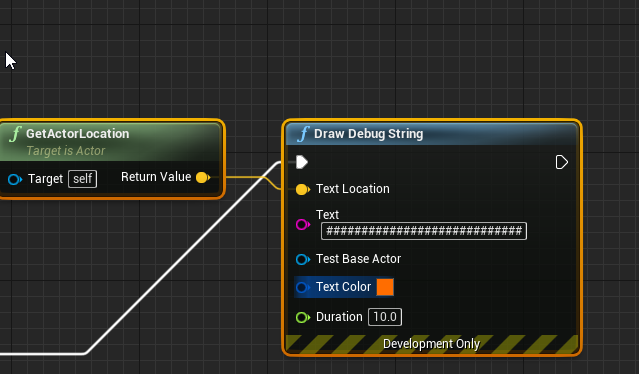
Ok, I literally did nothing different and it works now. Odd.. But I'll take it!
dry pewter
olive sedge
Can I get some help with DrawDebugString pls? I can't get it to show up with wor...
 olive sedge
Yes, I just read this too but it's not true in my case
dry pewter
Also, the draw debug node seems to be troublesome depending if you are playing in editor view or standalone game, odd
olive sedge
I just tested a bunch of stuff that didn't work, then ^Z'd back to an earlier state and it worked all of a sudden
dry pewter
Odd
olive sedge
yes
olive sedge
@trim matrix https://i.imgur.com/maj0Mu7.png
figured it out! Thanks!
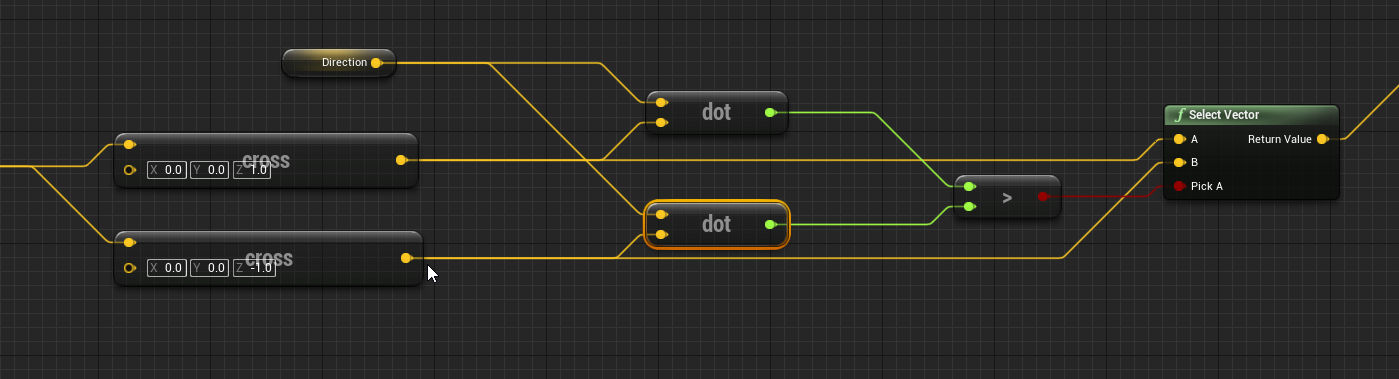
 errant viper
hey can anybody help me with a problem
i wanted to make an animation for my zombie ai
animation blueprint
but the idle is the only thing that works
 olive sedge
@azure sparrow well, you gotta have something you want to cast to bp weapons
do you know what you're doing when you're trying to cast?
 azure sparrow
olive sedge
do you know what you're doing when you're trying to cast?
azure sparrow
olive sedge
do you know what you're doing when you're trying to cast?
all i am trying to do is calling a function from another blueprint
and i learnt that casting is the only way to do that
i dont know how to use object
olive sedge
you learned wrong ;P
all you need is the object that is instantiated from the other blueprint
azure sparrow
azure sparrow
all i am trying to do is calling a function from another blueprint
and moreover, am i doing it the wrong way?
if so, then pls correct me : D
azure sparrow
olive sedge
you learned wrong ;P
all you need is the object that is instantiated from the o...
ah i see but i didnt instantiate any object from any other blueprint
olive sedge
you're trying to call fire on your pawn, yes?
azure sparrow
yes
olive sedge
well, you have a default pawn, the engine instantiates it for you
azure sparrow
but the bp_weapons is a parent
azure sparrow
olive sedge
well, you have a default pawn, the engine instantiates it for you
:0
how do i get it?
olive sedge
GetPlayerPawn for example
olive sedge
or even better GetControlledPawn
if you're calling it from the controller, which you're probably doing here
THEN you need to cast it
cause the pawn you're getting back is typed as Pawn
olive sedge
tell, then make it a pawn ;P
azure sparrow
how to?
olive sedge
If you're controlling it with a player controller and it takes input, make it a pawn
azure sparrow
olive sedge
If you're controlling it with a player controller and it takes input, make it a ...
i dont know the way to change actors to pawns, could u pls tell me
i am actually new to this engine

 olive sedge
@azure sparrow yes.. if you're trying to cast a pawn to bp weapons and bp weapons is not a pawn
azure sparrow
olive sedge
<@!489800493711884288> yes.. if you're trying to cast a pawn to bp weapons and b...
i see
azure sparrow
olive sedge
<@!489800493711884288> yes.. if you're trying to cast a pawn to bp weapons and b...
will i find the class options on the details tab of class defaults?
 olive sedge
UE5?
olive sedge
well then good luck ;P
olive sedge
I woulda switched too but my GPU can't handle it and there isn't a new one to be had for reasonable prices
 fiery lark
It actually runs pretty good, it's the demo they released that is an absolute beast
azure sparrow
fiery lark
It actually runs pretty good, it's the demo they released that is an absolute be...
the demo requires 64 gigs of ram and rtx 2080 and 12 core cpu
f
azure sparrow
olive sedge
well then good luck ;P
welp i was looking on class defaults instead of class settings, its right there
if i change the bp to pawn the children classes will also change right?
but now theres another problem
theres no error here

but the function isnt getting called
it isnt printing this
 olive sedge
@azure sparrow you should learn about breakpoints.. select a node and hit F9
set a breakpoint on the LeftMouseFire call, see if it even calls
@fiery lark well, I don't think around 10fps in an empty editor is "pretty good"
fiery lark
U playing on a potato my guy?
olive sedge
Ryzen 9 3900X with 48 gig of RAM
it's just my GPU that's bottlenecking me, a GTX 970
olive sedge
yes, well.. an upgrade for just one generation didn't make sense at the time, the 20x generation was horrible value/price and the 30x is just NOT available at all
azure sparrow
olive sedge
set a breakpoint on the LeftMouseFire call, see if it even calls
i see! ty for assisting me : D
olive sedge
@azure sparrow for sure

 burnt citrus
hey, are there any differences between two nodes?
 dawn gazelle
azure sparrow
now how do i understand if it calls?
dawn gazelle
azure sparrow
now how do i understand if it calls?
When you press play, if the game stops and directs your attention to where the node is, it triggered.
 sonic pine
Hiho, I have a little understanding problem. I use the Localization Dashboard and String Tables to translate the game.
Now I have the following problem, every NPC gets this window, but every NPC has one or more different quests. How do I assign the German or English version to the quest window depending on the NPC ????
 olive sedge
@azure sparrow what Datura said. Your inputs are probably not set up correctly
dawn gazelle
burnt citrus
hey, are there any differences between two nodes?
The top one is a direct reference to a Blackboard component on an object.
The bottom one is a function that first casts the actor reference to a pawn, then tries to find the Blackboard component, first on the pawn's controller, and if it doesn't find it there, then on the pawn itself. So you could in theory get the blackboard using the function version using a generic Actor reference.
sonic pine
 burnt citrus
dawn gazelle
The top one is a direct reference to a Blackboard component on an object.
The bo...
burnt citrus
dawn gazelle
The top one is a direct reference to a Blackboard component on an object.
The bo...
got it, thank you!
 azure sparrow
dawn gazelle
When you press play, if the game stops and directs your attention to where the n...
azure sparrow
dawn gazelle
When you press play, if the game stops and directs your attention to where the n...
oh it didnt :/

isnt this the way?
oh wait no this is not an actor anymore
azure sparrow
olive sedge
<@!489800493711884288> what Datura said. Your inputs are probably not set up cor...
no it is caz this is working perfectly, but not the next node
 olive sedge
@azure sparrow well, then your cast is failing. bp weapons is probably not your pawn, is it? what is bp weapons anyway?
azure sparrow
olive sedge
<@!489800493711884288> well, then your cast is failing. bp weapons is probably n...
it is
u told me to make it a pawn
and i did
olive sedge
@azure sparrow in your game settings, what do you have under maps/modes in default pawn?
dawn gazelle
sonic pine
Any ideas? ^^
I'm handling my dialogue through data tables that use text fields which could then generate the string tables when I'm ready to do localization. So then, when I'm creating a widget that would need to be localized, I'm feeding in the data table entry and populating the fields needed from the data table. That being said, you could probably do the same - instead, you'd define which string table you want to in the text fields within the data table.
azure sparrow
olive sedge
<@!489800493711884288> in your game settings, what do you have under maps/modes ...
by game settings u mean project settings?
olive sedge
oh, yes.
azure sparrow
i didnt get u

heres the maps
i know i am dumb and pro'lly ur saying right but its me whose not understanding it
olive sedge

 olive sedge
ah. so there.
azure sparrow
ok
olive sedge
yes
azure sparrow
ty
olive sedge
change it to bp weapons (probably first person shooter?)
azure sparrow
i cant edit these
olive sedge
you gotta have your own game mode
olive sedge
default game mode would be a boring game, no?
azure sparrow
olive sedge
default game mode would be a boring game, no?
yeah
sonic pine
dawn gazelle
I'm handling my dialogue through data tables that use text fields which could th...
Well, there are unique IDs, my idea so far was to give each NPC the ID of the quest that belongs to this NPC, but I'm not sure how I can access it.
Example:
NPC variables:
- Min ThirdPersonCharacter LV (5)
AND - QuestID (Quest05)
BRANCH
If both are true, the NPC has quest number 5
I think, however, that I then need a widget for each quest that is linked to the NPC and that would be a lot of widgets ^^
Unfortunately I only find Quest systems on Youtube that work without translation, so I don't really have any ideas for implementing this. I've never done anything like this and therefore don't understand how your suggestion should work ^^
 olive sedge
what happens when you start the game, anyway
azure sparrow
olive sedge
what happens when you start the game, anyway
just normal
the thirdperson character runs
besides i set an ai that follows it
and deals damage when is near
azure sparrow
what i want to do is do everything under bp_weapons and call those from the thirdperson
olive sedge
it's probably overridden in the world settings of the level
do you want to keep moving about with the third person character?
azure sparrow
olive sedge
So then that third person character would be your pawn
yeah
olive sedge
and are you calling fire on the TPC?
azure sparrow
olive sedge
do you want to keep moving about with the third person character?
no later on i will change it obsly
azure sparrow
olive sedge
and are you calling fire on the TPC?
yeah
olive sedge
I see.
so then BP_Weapons should not be a pawn
it should be a component on your pawn
azure sparrow
 azure sparrow
olive sedge
it should be a component on your pawn
azure sparrow
olive sedge
it should be a component on your pawn
:0
yeah if u say so
then, what do i do?
olive sedge
are you using the first person or third person?
azure sparrow
olive sedge
are you using the first person or third person?
third
olive sedge
yes, I just saw.. well, I'd add a weapon as a component or child actor onto the character and attach it to a socket on the skeletal mesh
 pale orbit
does anyone know why can't i set variables like this?
 azure sparrow
olive sedge
yes, I just saw.. well, I'd add a weapon as a component or child actor onto the ...
azure sparrow
olive sedge
yes, I just saw.. well, I'd add a weapon as a component or child actor onto the ...
but there will be a lot of weapons D;
olive sedge
I think there's some logic you could look into in the FPS template but I haven't used that yet
yes, you can switch them out
azure sparrow
azure sparrow
but there will be a lot of weapons D;
and the bp_weapons doesnt have a mesh its a parent
olive sedge
ok, and the children implement fire?
azure sparrow
olive sedge
ok, and the children implement fire?
yeah
olive sedge
I see.. well, go with the logic in BP Weapons for now, you can extend it later
azure sparrow
but for now i am just trying to make a print string on the functio
azure sparrow
olive sedge
I see.. well, go with the logic in BP Weapons for now, you can extend it later
i am
for now i am, i am printing a string (trying to)
olive sedge
yes.. what you want to do is have a child actor or component on your character that is attached to a socket on the skeletal mesh and then you can easily use that from the character BP
gentle urchin
pale orbit
does anyone know why can't i set variables like this?
Quality of screenshot is very low, but it seems ur reference type is wrong.
azure sparrow
olive sedge
yes.. what you want to do is have a child actor or component on your character t...
i have attached a mesh, idk how to attach a blueprint to another = (
pale orbit
when i print the name of the object ref it shows me "Enemy_Character" as it should but when i try to assign a Enemy_Character variable it tells me its not compatible
 olive sedge
@azure sparrow either create a component instead of an actor which would probably be cleaner or attach it as a child actor component
azure sparrow
olive sedge
<@!489800493711884288> either create a component instead of an actor which would...
i did
 olive sedge
looking good! 😄
gentle urchin
pale orbit
when i print the name of the object ref it shows me "Enemy_Character" as it shou...
You need to store it as the correct type to be able to access the variable. Go via a cast if the output variable is of the wrong type
azure sparrow
olive sedge
looking good! 😄
but its not a child bp rather a mesh
olive sedge
well, it's a static mesh component
olive sedge
yes.. make it a BPC_Weapons component or a child actor component with class BP_Weapons
azure sparrow
olive sedge
yes.. make it a BPC_Weapons component or a child actor component with class BP_W...
i have a child bp of the bp_weapons but idk how to add that as a component
 olive sedge
@azure sparrow on your character do Add like you did with the static mesh
but select Child Actor
btw, that fire should probably be on your character anyway since you'll need an animation and everything
would make more sense to play an animation on the character like "slash" or "fire gun" depending on th type of weapon attached
azure sparrow
yeah
dawn gazelle
No you don't need to create a widget for each quest. You can feed in the data that the widget needs and then construct what the widget should display from that data. If you create expose on spawn variables on the widget, then you can feed data in when you're going to create it. Then you can use say the below node to grab the appropriate table, and you could feed in the key on creation, then from there populate the fields as needed.
 olive sedge
just make a component class tree with weapon -> blunt/sword/axe/gun/whatever
azure sparrow
did
azure sparrow
olive sedge
but select Child Actor
 olive sedge
you can still call things on the weapon later
@azure sparrow yes. looking good. on the details for that child actor you can set the class
azure sparrow
 olive sedge
yes
azure sparrow
i did but it doesnt show up
olive sedge
did you specify the parent socket? doesn't look like it from the bit I see on the shot
azure sparrow
olive sedge
did you specify the parent socket? doesn't look like it from the bit I see on th...
no

here?
olive sedge
yes
azure sparrow
how do i put a socket?
azure sparrow
ok
olive sedge
@azure sparrow be sure to attach that axe to the mesh
azure sparrow
olive sedge
<@!489800493711884288> be sure to attach that axe to the mesh
mesh? u mean to the mesh of the child bp?
yes did
 azure sparrow
olive sedge
use the magnifier
azure sparrow
olive sedge
use the magnifier
used the magnifier but nothing happens
caz its set to none
the socket
olive sedge
 azure sparrow
olive sedge
https://i.imgur.com/t3pBl4N.jpg
azure sparrow
olive sedge
https://i.imgur.com/t3pBl4N.jpg
i bed ur pardon but i cant see the texts clearly, maybe zoom in and give another one?
olive sedge
right click and go open link
azure sparrow
olive sedge
right click and go open link
ok
how didu set theparent socket?
the socket is not a drop down
olive sedge
with the magnifier. but be sure to attach the child actor component to the mesh component of you character
azure sparrow
and also in my case will bp_weapons be the parent socket?
azure sparrow
olive sedge
with the magnifier. but be sure to attach the child actor component to the mesh ...
yes now it worked i can use the magnifier but what would the parent socket be?
olive sedge
depends where you want to attach the weapon. just use hand_r for now
can also attach it to the head if you want to be silly ;P
sonic pine
dawn gazelle
No you don't need to create a widget for each quest. You can feed in the data t...
Ok but how i can change the quests? How i can connect Quest 4 to NPC 7 and Quest 5 to NPC 9?
 olive sedge
perfect.
azure sparrow
now could u pls tell me how to make the function work
olive sedge
maybe -Z by ~75?
azure sparrow
and btw ty for helping me out with a lot of patince
azure sparrow
olive sedge
well.. grab the child actor component and drag it into your blueprint grid
ohk

 olive sedge
 azure sparrow
tru tho
azure sparrow
olive sedge
https://i.imgur.com/PCjZixL.png
:0
 pallid merlin
[Help]
Can someone point me to a tutorial for a seamless first-person door open animation to a new level?
Example:
https://www.youtube.com/watch?v=r6NCC-nnvMU&t=70s&ab_channel=GameZone

Spoilers
There are going to be heavy spoilers in this video. If you want any surprise or fear, don't’ watch this walkthrough of P.T.
This game has been haunting so many for the last few days. With enough time, patience, and courage, most are able to get up to the final puzzle but then the true unknown kicks in. As of now, I’ve completed Sile...
azure sparrow
olive sedge
https://i.imgur.com/PCjZixL.png
could u please tell me the name of the node in the middle?
olive sedge
get child actor
 dawn gazelle
sonic pine
Ok but how i can change the quests? How i can connect Quest 4 to NPC 7 and Quest...
dawn gazelle
sonic pine
Ok but how i can change the quests? How i can connect Quest 4 to NPC 7 and Quest...
For that you'd need a mission manager component or actor where you can store what missions the player has done and can determine what missions that NPC has available.
azure sparrow
 olive sedge
that won't track
azure sparrow
hmm it wont
olive sedge
you're trying to cast the child actor component to weapons instead of the actor it's holding
azure sparrow
olive sedge
you're trying to cast the child actor component to weapons instead of the actor ...
oh so i need to cast to the child actor?
or do i change the child actor to the bp_weapons
olive sedge
no, you need to get the actor from the child actor component and then cast that to weapons (see my screenshot)
gentle urchin
Also, you dont really wanna cast on every single time you do the "fire" event
sonic pine
dawn gazelle
For that you'd need a mission manager component or actor where you can store wha...
ah ok i have a Quest_Componend, ok thanks i will try it with 2 differnet npc´s and quests 😉
azure sparrow
olive sedge
no, you need to get the actor from the child actor component and then cast that ...
i didnt get u, also i didnt understand the node in the middle(of ur ss) : (
pale orbit
would it be dumb to store a player variable inside gameinstance?
olive sedge
drag the child actor component into the grid, drag out from the blue pin and find get child actor component, connect that to cast
pale orbit
cant seem to be able to cast to playerstate


