#blueprint
402296 messages · Page 666 of 403
 obsidian moon
But I’m afraid it might get hairy
You’ll have to unbind each
Otherwise you’ll be firing them off everywhere
 regal venture
Unbind all should do it, right?
obsidian moon
I don’t think binding new events like that unregisters the others
Yeah
You’ll need to unbind all
On each call
Which might be what you want
But could get hairy
Let me know how that works
@regal venture
You got me interested now
I’ve been working with ue4 a pretty long time and I guess it’s never to late to learn new things
regal venture
@obsidian moon I'll let you know here in a bit, and tag you. Something came up before I can test it.
 vital ingot
Hi! I have a question. I'm working on a designer tool to help improve my workflow, and so I'm trying to use the "Merge Static Mesh Actors" node. It works fine n everything, but the merged mesh it spits out always has the same name; so I thought to fix it I could use an increment from a static number, but that doesn't carry over between editor restarts. Does anyone either have a better solution, or a way to make it carry between editor restarts?
 regal venture
I'd probably use time code
vital ingot
Oh yea!!! That's a really smart idea
vital ingot
That worked perfectly. Thank you! 👍
 willow cedar
Any way to fix the jittery/stutter effect when adding force on a client and server? I'm doing it in BP
regal venture
@obsidian moon It does work - however the input delegate signature is entirely dependent on whatever bind node's wire you drag onto the function entry node
So if you have an event dispatcher with a signature of (AActor), when you drag that delegate wire onto your entry node, it will create delegate parameter with a signature of (AActor). This all happens under the hood and you be able to edit it, or even see the signature until you connect a "create event" node to the function's delegate parameter
obsidian moon
@regal venture makes sense
Not too sure if the usage scenario however
I guess in maybe a function library
Where you could literally call it in any class and pass the delegate reference
It could open some potentials that way
Otherwise your still limited to the class your implementing the function on
Along with that classes delegates right?
Like you still need the class reference to call the function
regal venture
@obsidian moon Well in the case that I was describing with the inventory and a UI for it, it means that I can have the buttons in the UI take in delegates to bind from the UI without the UI ever having to reference the inventory itself
I can just have the UI present an API with a few delegates for OnSomeButtonClick or whatever, and then pass in function pointers from the inventory
And do those event bindings with only the delegates, instead of having to pass in references to the inventory itself, which inherently couples those two systems together
 heavy burrow
hey Guys quick question. I was wondering if you guys have problem with the Destroy component in blueprints?
I am trying to make a simple Enter Box = Emitter starts
and Exit Box = Emitter Destroy
And for some reason when I exit my box the smoke Emitter keeps going !
Does anyone have a clue. Let me know Thanks in advance

 dawn gazelle
You don't have anything in your IsValid checks.
dawn gazelle
heavy burrow
hey Guys quick question. I was wondering if you guys have problem with the Destr...
You don't really need it for the top. For the bottom, you should have your Smoke Particle System object plugged into it.
heavy burrow
dawn gazelle
You don't really need it for the top. For the bottom, you should have your Smok...
hey @dawn gazelle thanks for your quick respond. So the IsValid was for a blueprint error thing there and still does not stop any Emitter when I plug my smoke particle system to it.
dawn gazelle
Did you get rid of the top one? If not, then your variable is not being set, meaning the IsValid on the end overlap would fail.
heavy burrow
dawn gazelle
Did you get rid of the top one? If not, then your variable is not being set, me...
so yes the top one is out and the down one I connected. the result is still the same.
 dawn gazelle
As a test on my end, this is working (when I press B key, the particle system is destroyed). Are you getting the print string on the end overlap?
 heavy burrow
dawn gazelle
As a test on my end, this is working (when I press B key, the particle system is...
heavy burrow
dawn gazelle
As a test on my end, this is working (when I press B key, the particle system is...
Yes thats the weird part! I get the print for it being out but the emitter wont stop. Ill try you press key method maybe that works. maybe the smoke Emitter animation just keeps going I dont know!😆
dawn gazelle
Do you have more than one ThirdPersonCharacter entering the overlap maybe? A second one entering while one is already in it would spawn a second particle system and remove the reference to the first.
 noble imp
Does anybody knows if there is an alternative to this node to set MipMaps of dynamic imported textures in a packaged project? I would like to load and sample the pixels of images from a folder and there is no way to do it without mip gen = NoMipMaps :/
 heavy burrow
dawn gazelle
Do you have more than one ThirdPersonCharacter entering the overlap maybe? A se...
heavy burrow
dawn gazelle
Do you have more than one ThirdPersonCharacter entering the overlap maybe? A se...
no thats my only third person character entering 😉
 dreamy gulch
Could someone give me advice on how to generate collision/overlaps after an actor is spawned in, then placed down? Have a bp that spawns then places then rotates an item, twice, the bp has functionality, but sometimes it sets off while im placing and rotating it, i tried setting it to nocollision by default then adding a generate actor overlap node or something similiar but it may have been the wrong one or used incorrectly, any advice?
 fading fog
heavy burrow
fading fog
heavy burrow
does the cast go trough? if the cast goes trough, check the isValid with a PrintScreen as well
you don't need the second cast anyway
you can save the thirdpersoncharacter reference in the begin overlap
but you don't need it there either, because you are not using it
fading fog
dreamy gulch
Could someone give me advice on how to generate collision/overlaps after an acto...
what do you mean by it "sets off"? doesn't collide anymore?
 leaden goblet
is there featured way to make sound cue dont play more than once per second or smth?
smth like max frequency to activate/delay, anything
nvm, found xd
for future
 dreamy gulch
fading fog
what do you mean by it "sets off"? doesn't collide anymore?
dreamy gulch
fading fog
what do you mean by it "sets off"? doesn't collide anymore?
So I’m spawning a pair of portals, entry and exit, and they vanish after teleporting something, sometimes while placing them via line trace they’ll teleport or vanish before I have actually set them where I want
fading fog
dreamy gulch
So I’m spawning a pair of portals, entry and exit, and they vanish after telepor...
I imagine you have a collision on the portal entry, and when you overlap with it, you will teleport your player and destroy the actor. Can you show me the blueprint of your portal?
dreamy gulch
fading fog
I imagine you have a collision on the portal entry, and when you overlap with it...
Not for a few hours I’m at work, the default collision is overlap all dynamic and has the overlap start event function to start its teleport. The line trace, and spawning is handled by the character bp, with a 6 internet step, first click spawns, next click rotates, next sets it, then spawns the exit, moves it, sets it etc, so was looking for maybe setting the collision default to off, then around step 5 of the integer step, turning it back on, but I don’t know the exact nodes you use to turn on collision, I tried “enable all collision” or something but didn’t work, but it may be wrong node or I didn’t connect other nodes needed
fading fog
dreamy gulch
Not for a few hours I’m at work, the default collision is overlap all dynamic an...
try this: set collision response to all channels : ECR_Ignore then set collision response to channel : ECC_Pawn , ECR_Overlap
try setting this in the constructor
 dreamy gulch
fading fog
try this: set collision response to all channels : ECR_Ignore then set collision...
dreamy gulch
fading fog
try this: set collision response to all channels : ECR_Ignore then set collision...
This inside the construction script of the portal, or off the character bp? And will I need any “get all actors” or “cast to” type things? And if I want the collisions to start after like the 5th step of the integer thing, just do branch bullion with the condition that the step integer == 5?
dreamy gulch
Not sure what collision volume means I’m afraid, it’s where I have the code that handles the actual teleporting, which uses overlaps?
Portal handles the teleport, character handles the spawn and placement
fading fog
you can dm me a ss with your bp when you get home
i will try to help you...but it is pretty hard if i don't see the actual script
@dreamy gulch
 bright dirge
Hello, is there a way to have some macro working for actor and actorComponent without having to define them twice ?
 earnest tangle
You can just package the project and find out
Things that won't work in packaged will usually error out during packaging
that particular function looks to be in the runtime folder of the engine so it oughta work
 worldly gyro
what do you think https://blueprintue.com/blueprint/2tuu8zvd/ of my code
BlueprintUE
 upbeat goblet
Hey guys, I've attached a pointlight to my 2D bullets, but for some reason it's not showing up?

 still plume
hello. I have problem with a arrow in my pawn. is a simple pawn witha forward functon but the arrow become glitching when pawn move. Any suggestion?

 brisk tide
Whats a good way to do a ragdoll? And then to almost instantly go back 1 sec before the ragdoll? Tutorials always show to change this setting to ragdoll on your main mesh character but it seems like a bad idea. Would it be better to have a hidden mesh that is just a ragdoll and switch to that one? That way you can instantly jump back to your original character mesh and its in the right position

@still plume looks like every frame your arrow goes from default scene root to the 10 units away on the x axis. Are you trying to rotate the arrow or what do you want it to do?
still plume
The arrow is simple a component. In the player pawn. @brisk tide
 primal smelt
If I wanted to make a circular deadzone for mouse mouse movement, what would be the best way to go about this? Basically I want a circular area where the muse cursor behaves as normal and then when it exits that area the cursor is locked (but I will still need to track mouse input axis for performing half-circle/quarter circle inputs). I suppose the easiest way would be to have a hidden scene component move on X and Y then have a sphere trigger act as the inner-area, but is this really the best way to go? I'd like to do it based off axis float information on - say, a 100x100 range with a radius of 75 but I'm not sure how I would do about defining where the circular area is
Oh my god of course, I was trying to overthink it!
 past jungle
Hello. Earlier I was trying to create behavior for an actor that allows me to click and drag to move it around the scene. Does drag detection for actors already exist somewhere? Anytime I have to do something in blueprint that feels low level, I think I'm doing something wrong or at least redundant.
past jungle
Thank you. Guess I needed better search terms
 rapid robin
Hey folks, I would like to spawn a little 3d sound to accompany the incoming directional damage indicator when the player gets hit.
I have:
-Hit location
-Direction the shot came from
What calculation do I need to do in order to spawn the sound a little way out in the direction of the shot so the player can better hear from which direction it came?

Thanks @trim matrix , quick off the mark there. Had the feeling it was something along those lines. Will give that a try, cheers!
 prisma dawn
hi, would anyone know why my camera slides a bit before coming back to its initial rotation while I expect it NOT to move at all, since it is compensated by my controller rotation ? My camera yaw inherits from my controller yaw ; my InputYawScale is set to 1.f

 royal kraken
I have two game styles, these are chosen by a widget, one shows the crosshair with the option to turn it ON and OFF and the other options never has the cross hair.
Is there way to turn off the crosshair always for the second game style but for the first game style can it look to see if the player previously turned the crosshair OFF and keep it off, but if the crosshair was ON before going into game style 2 can it be ON when going back to game style 1. Hope that makes sense.
rapid robin
@royal kraken this riddle just brained my head out. Can't you just set a boolean somewhere?
royal kraken
thanks, what would that look like in nodes, im still learning and cant get my head round that
royal kraken
rapid robin
<@!685939338865016955> this riddle just brained my head out. Can't you just set ...
lol, just watching a branch boolean tut so maybe 🙂
Sorry I dont understand
rapid robin
@royal kraken Here:
 royal kraken
Thank you very much everyone I will give this a go. I will test it on a very simple file and see where I get this week with it 🙂 thanks again
rapid robin
Good luck!
Yeah suggest looking into communications between blueprints next, that'll be useful.
royal kraken
just to check, I need to be adding this to my character
Ok will do cheers 🙂
ok cheers 🙂 i'll give both a go and see where I get, thanks again all 🙂
rapid robin
prisma dawn
hi, would anyone know why my camera slides a bit before coming back to its initi...
Hi @prisma dawn , your logic isn't necessarily happening while R is pressed. The logic will execute on every frame for the duration of the timeline. So whatever 'sliding' you're seeing might be due to a missmatch between the timeline ending and you releasing R.
I'm not sure exactly what it is your logic is doing (or why), but maybe you should try stopping your logic as soon as R is Released.

 drifting socket

Hi does anyone know how i could make projectiles sort of like this but a bit more random and swerving?
rapid robin
Hello @drifting socket , to make them swerve out more, you could make the projectiles launch outward at a steeper angle, and increase the time it takes before their tracking functionality kicks in.
drifting socket
ok I see, and what if i wanted it to take more of a serpent path, swerving from side to side before eventually hitting close to the target?
rapid robin
It already looks pretty random to me to be fair, but you could try slapping in some more randomness at all stages of the logic by getting a random float in range and multiplying it with the bits you want to randomise up
drifting socket
ok that sounds good, thank you!
rapid robin
drifting socket
ok I see, and what if i wanted it to take more of a serpent path, swerving from ...
I'd probably look into getting the projectile to swing from side to side (in the projectile blueprint itself). Then when it's moving along a path it'll look like it's swinging back and forth (like a sine wave)
drifting socket
that also sounds perfect
rapid robin
Cool, good luck!
drifting socket
thanks!
 worn nebula
Hey guys, I need some help, I have it so when the player attacks, the anim notify goes off to disable movement but setting speed to 0, but if the player then uses a roll half way through, they can't move anywhere as the second notify didn't go off to enable speed again. What's a more effective way of disabling movement through a animation that's used through the animBP and NOT as a montage?
Oh I see, then set it back to true if they roll or something?
prisma dawn
rapid robin
Hi <@!163285324448006144> , your logic isn't necessarily happening *while* R is ...
Thank you for the reply. I tried it but it doesnt solve the issue. It almost seems like AddYawinput() updates the camera relative yaw on the next frame
I have a free camera, and the event is supposed to realign the player to the direction of the camera (using lerp of finterp).
worn nebula
Okay I'll give it a go, thank you!
Worked like a charm, thank you!
Such an easy solution as well haha
 fallen glade
Can anyone tell me why this prints ok inside the function but after the variable is still 0.0 ?

 wraith elm
still plume
hello. I have problem with a arrow in my pawn. is a simple pawn witha forward fu...
wraith elm
still plume
hello. I have problem with a arrow in my pawn. is a simple pawn witha forward fu...
this issue you have is post process your scene has motion Blur
royal kraken
Is there a way to remove a widget by a button on another widget. I have two widgets that can pop up at the same time and on a button click I want it to remove another BP widget


 mental bobcat
Hi! I'm trying to make an actor move around the player in a sort of random pattern. I was thinking about getting 5 random points in a bounding box around the player and lerping the target around to each, is there an easier way though? Basically I just want to create a sort of random pattern that makes it more difficult to dodge the attack.
 primal smelt
So I'm experimenting with essentially turning the mouse into a thumbstick with inner and outer bounds for handling different code. Shown here is what a HUD might look like - the black square (Cursor1) is constrained within a circle with a radius of 75 (as shown by the debug circle), the green square (Cursor2) is not constrained within the circle. The urine coloured square (Cursor3) right now does nothing and just sits in the middle.
When Cursor1 hits the circumference (as determined by the VectorLengthXY node) it will not update at all until Cursor2 is back within the area of the circle. You can see this on the rightmost screenshot, if I then dragged Cursor2 down into circle's area Cursor1 will update at the position Cursor2 enters. This is exactly what I want, however I would also like Cursor3 to essentially trace the circumference based on Cursor2's position outside of the circle's area. How might I go about that?

@trim matrix just because you helped me earlier and it's regarding the same thing
 burnt coyote
Is it possible to attach a component to a blueprint so that you can see that component listed in the placed actor in the scene?
dawn gazelle
Components are listed in placed actors.
 wary tinsel
how can I add a new widget/row into my scroll box while scrolling up or down?
burnt coyote
If I add it on construction I can't see it?
If I add it manually in the scene I can
 naive heron
Is there anyone who can jump into a call with me and help me? I am currently trying to get my players rotation working correctly in a multiplayer game.
 viscid roost
im trying to make tank threads using splines, so far i managed to set this up but dont know how to set up how far the individual meshes are, so this makes them too far apart, if someone could help me with this that would be nice.

also this is my BP node set up, i can clamp the maximum length but have no idea how to make them closer
 primal smelt
viscid roost
im trying to make tank threads using splines, so far i managed to set this up bu...
primal smelt
viscid roost
im trying to make tank threads using splines, so far i managed to set this up bu...
I'm not too experienced with spline meshes so I may be wrong here but because the meshes will always join end to end I think even if you reduced the distance between spline points it would squash the mesh and they still wouldn't connect correctly at the hinges
viscid roost
yes thats correct even when i did somehow managed to make the mesh distance smaller it actually makes the meshes smaller instead of being closer
primal smelt
viscid roost
yes thats correct even when i did somehow managed to make the mesh distance smal...
Gimme a sec, I'm just loading up an old project as I could have sworn I'd messed around with some kind of "bridge" mesh between each spline mesh but I may be remembering incorrectly (the mesh was a lot simpler too as it was for a rope)
 limber finch
Is there a way to connect a physics mesh to two separate points?
Say I have two walls that move back and forth, can I connect each side of the mesh to two different walls?
 jovial dirge
Hi, I had a question about an ocean in an open world game, I have this water plane although, if I scale it up it loses quality and if I tile the water it has a huge performance hit, what would be the best work around?
viscid roost
primal smelt
Gimme a sec, I'm just loading up an old project as I could have sworn I'd messed...
first thanks for bothering to help, and second i think in a way i should make the meshes push into each other but i have no idea how that would work
limber finch
jovial dirge
Hi, I had a question about an ocean in an open world game, I have this water pla...
Do you have a scale modification in your material?
primal smelt
viscid roost
first thanks for bothering to help, and second i think in a way i should make th...
When you tried to reduce the mesh distance was that by changing the distance along spline points or adjusting the values plugged into Set Start and End?
viscid roost
primal smelt
When you tried to reduce the mesh distance was that by changing the distance alo...
i tried adjusting the values in set start and end
 fading wren
@faint pasture thanks for that Add Impulse, it now bouce from wall as it should. But could i add some rotation to player. I would like to see bounce + rotate on 35 degrees
primal smelt
viscid roost
i tried adjusting the values in set start and end
Again this might not actually be of any help but have you tried replacing the "Get Location and Distance Along SPline" with just a "Get Location at Spline Point" node?
Without changing everything else it might compress the distance to omuch but it may be a way of seeing if the meshes start overlapping
*without changing ANYTHING else, not necessarily EVERYTHING lol
primal smelt
viscid roost
lol ue4 just crashed so its taking a while
No worries, I do have to pop out in about 5 mins unfortunately but I might not be of any help anyway! I'm still havign a check on my blueprints, been ages since I touched it and can't remember where everything is!
viscid roost
you did give me some ideas so thats still helping lol, so good luck see you later
primal smelt
I was definitely remembering incorrectly about there being a sort of in-between mesh though!
 limber seal
I have a unit that moves successfully across a spline but am having trouble getting it to stop at a point. I get the vector location of the point located at the last-2 index and see if it is equal to the location that the asset will be arriving at. If so, It is supposed to delay for 5 seconds. I have also tried linking the false branch to the "Stop" on the timeline node used to control it instead. Either way the outcome is the same, my asset just moves all the way across the spline without ever realizing its meant to stop
 primal smelt
viscid roost
you did give me some ideas so thats still helping lol, so good luck see you late...
primal smelt
viscid roost
you did give me some ideas so thats still helping lol, so good luck see you late...
This is a completely different use case so again, probably no help, but might be helpful with how you might set it up for get location at spline point instead of the distance along spline node you have. For my example it's based on a timeline event track so you might want to include after "add spline point" a "set location at spline point" node and predefine the distance between the individual tracks that way. Good luck!
 viscid roost
primal smelt
This is a completely different use case so again, probably no help, but might be...
viscid roost
primal smelt
This is a completely different use case so again, probably no help, but might be...
thanks a lot mate, ill have a look and see what i can take from this, have a nice day
primal smelt
you too!
limber finch
Does anyone know how to connect the ends of a spline mesh to two different points and simulate physics?
jovial dirge
limber finch
Do you have a scale modification in your material?
Would it be practical to have a water plane follow the player, so you don't need to have a bunch of them all on the map?
 shy tartan
Hi everyone, I have a widget issue and I dont know if I'm in the correct place, so... I have spent a couple of days trying to interact with 2 different Widgets and there is no way. Let's say I instantiate actors with their own widget around the map, these work perfectly, then I have a side menu that I can show and hide, it also works perfectly too, the problem is when I show the side menu, then, the widget of the actors that I have instantiated do not work. I have read that I should join the child widgets to the main one, but I have not obtained results with that either.
Please, can someone help me or send me a link where my problem can be solved? Thanks!
(attached video)
 unique harness
shy tartan
Hi everyone, I have a widget issue and I dont know if I'm in the correct place, ...
unique harness
shy tartan
Hi everyone, I have a widget issue and I dont know if I'm in the correct place, ...
Try setting your input mode to game and UI
 minor pagoda
Hi, does anyone know why i can´t edit splines of a child actor component?
 trim matrix
My problem is that I want to spawn an actor from a random location and then set the location in another bool array to false, so nothing spawns there again.
But although there shouldn't be any way for it to spawn, sometimes it still spawns.
(Spawn Locations is Constant)
(The Delegate is just connected to a timer that fires every second, I tried to do it in a for each loop first, same result)
This must be some kind of UE bug, right?
 shy tartan
unique harness
Try setting your input mode to game and UI
shy tartan
unique harness
Try setting your input mode to game and UI
I did it and nothing
dawn gazelle
trim matrix
My problem is that I want to spawn an actor from a random location and then set ...
Each time the Random node is polled, it pulls a different value.
trim matrix
the index should be correct or not?
dawn gazelle
No, the index will keep changing. When you have a pure node like that, every time something is connected to it, it'll end up running the code behind it. So the Get for the Array check is 1 call, the Set Array Elem is another, and the spawn is a third.
To fix, store the index temporarily and use that
trim matrix
damn, I should've tried that first, it was one of my thoughts to just give it with the event...
Thanks for the help tho!
 radiant bone
Hello everyone! I'm having a bit of a trouble with Physical Animation.
- Ragdoll works whenever I set pelvis (and below it) to simulate physics at BeginPlay().
- However, when I try to do it at runtime, my character blasts off to outer space.
Here's a clip:
 brittle sky
does anyone know why i cant select the instance for this

 surreal peak
Where is that?
brittle sky
the level blueprint
surreal peak
And what do you want to set this to?
brittle sky
my interaction blueprint placed in the world in a level
i thought it would be because the level placement
surreal peak
You can reference them in the EventGraph but that's it
You can't set Default Values of Member Variables that are Pointers as this is sort of compile time where the instance doesn't exist.
The LevelBlueprint EventGraph on its own is not "normal".
You can set the variable on BeginPlay for example
brittle sky
would a solution also be just to move it out the level blueprint
surreal peak
You generally can't set those default values
You can point to assets and classes, but not to instances
surreal peak
Unless it's another instance in the same level, so 2 actors in the same level
There you could set it on an instance editable pointer
But not in the class/blueprint itself
brittle sky
okay im sort of slightly new to all of these so excuse my ignorance but this is currently not working
im gonna post exactly what im doing
so i have a boolean in my interaction blueprint that is in my Interaction level that needs to be reference in my other blueprints

so i created a reference
 surreal peak
InteractionBlueprint is what exactly?
brittle sky
it just holds all my interaction for my main level for my project
surreal peak
So some sort of manager?
brittle sky
yes
surreal peak
Does it have to be an Actor in the Level?
brittle sky

it is indeed a actor in the level as it contains lights that are controlled by the blueprint
surreal peak
Do you have more than one of those in your level?
brittle sky
this is in my tree blueprint that needs to access the can interact boolean and i have created this

only one
surreal peak
Yeah so, you can't just reference that out of thin air
Either you use the EventGraph of the LevelBlueprint directly, by selecting the Actor in the Level and then RightClicking in the EventGraph of the LevelBP -> Add Reference to ....
Or, not so nice but okayish if it's only one Actor, use GetAllActorsOfClass with the matching class and take the first element of the returned array (e.g. on BeginPlay)
Or, if it's enough to actively interact with it during runtime, utilize overlaps, linetraces etc. to get a reference to it
There is also a youtube tutorial from Epic Games about the whole BP communication, which you should watch.
Or rather a livestream iirc
Should be pinned to this channel

Announce Post: https://forums.unrealengine.com/showthread.php?101051
This Training Stream takes a look at Blueprint Communication. We find that Unreal Developers of all levels can sometimes struggle through the concepts behind moving data between objects. So in this video we'll take a look at the different ways to make Blueprints talk to one an...
Might be a bit outdated from the editor looks, but should all still apply
 rancid topaz
im in need of some assistance with my health bind
im trying to have it subtract a certain number depending how much damage the weapon is providing
 narrow kelp
@rancid topaz youll have to be more specific about what you're asking
rancid topaz
i just wanted assistance on ah having my health bar or progress bar in the widget to go down however much the damage is
or in this case whatever value the damage variable is for the weapon
but its fine
ill try to think of something
 severe turret
@rancid topaz I would avoid UMG binds. It's better to use the event that causes the damage to notify the UMG as and when it happens rather than tick a widget when it doesn't need to be.
 quasi siren
not sure how to say this but how can i make The egg just character with orbit camera and When you press any button it will hatch. And it spawn a baby and destroy the egg after animation ?
quasi siren
and how could i then change to the baby? the second the egg hatches ?
 marble nova
Hey, I cant find an answer to this. Im aware its possible to change & update collision channels in blueprints, i want to change the trace channel to ignore in blueprint also, is this possible?
 severe geyser
hello beautiful people. Is there a quick way to enable game pad control in my menus without having to create a separate widget?
 vapid sorrel
Alright, folks, I've got a problem and need to be pointed in a direction. I made a game level for a class, due date is tomorrow, so I don't have the time to sink into learning everything there is to know about Blueprints right this second (I will after finals! But I do not have time to dig into that two hour Blueprint video unless someone can point me to the exact timestamps I need). I've searched like crazy over the past week and can't seem to find a solution that I actually know enough to implement, or that gives me the right information. And everyone seems to have a different method for this.
Short summary: Making a level full of magic rocks that players explore and find. Find a little rock, it starts glowing. Already put in that part with blueprints and ActorBeginOverlap, no problem. What I would like to do is make a matching bigger rock on the other side of the level start glowing when its smaller one is found. I then want the bigger set to do something neat when all the little ones are found.
 high ore
Blueprint Interface should work. Create a FoundRock function and send a message after the beginoverlap nodes are done. Then in the rock you want to glow put in the event FoundRock that should be firing, and then add your nodes you want to happen
vapid sorrel
Send a message like Cast to BigRock?
high ore
it's like casting but more efficient. I've learned casting is a bad habit to get used to
vapid sorrel
Oh, so I don't need to Cast.
high ore
yeah, BPI essentially replaces casting in a lot of situations. I'm a beginner myself though so someone more knowledgeable could maybe chime in
narrow kelp
interfaces are useful when you don't have a common type
vapid sorrel
Okay, I'll try that. Does anyone have a video tutorial reference that you're very certain would work for this?
I've tried this before and got lost because they were doing something a bit too different.
narrow kelp
I dont think you need to worry about an interface in this situation @vapid sorrel
just get all actors of type big rock, and call a function "Little Rock Found" or something like that
Interfaces can be great in situations where you have lots of different base classes that all need similar behavior
 valid widget
how can i get 2 random elements in an array that are not the same i use a loop and it crashs. i know how to get a random element but i need 2 that are not the same
narrow kelp
@valid widget after picking the first element, add the remaining elements to a new array and do it again
you can't remove elements while doing a for each
valid widget
i dont want to remove an element
i tried
setting each element selected as a vaairble and checked if there = in a loop and put a branch to run until both are not =
and crashed
vapid sorrel
narrow kelp
just get all actors of type big rock, and call a function "Little Rock Found" or...
Iiiii don't understand how to do any of this, unfortunately.
valid widget
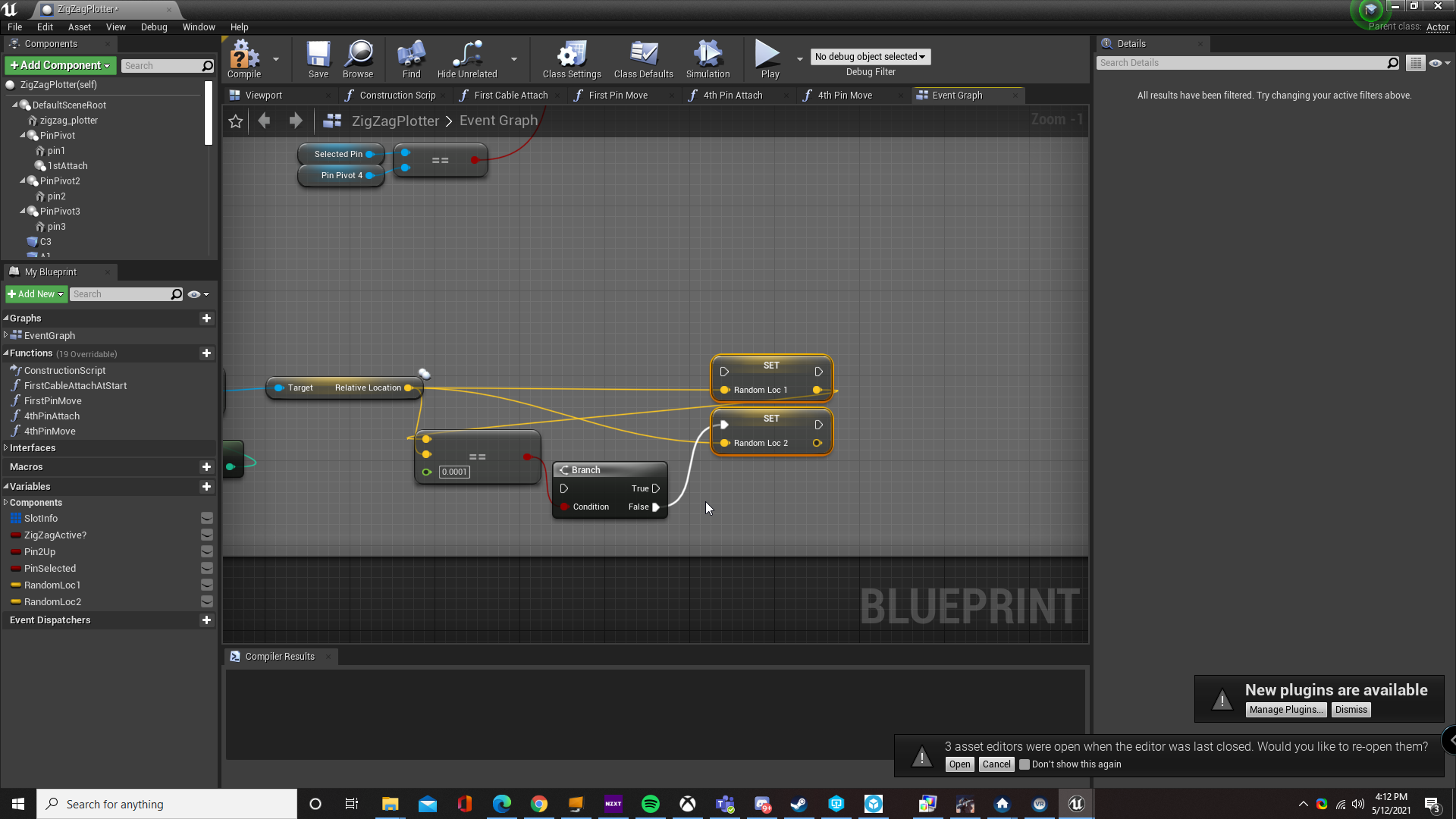
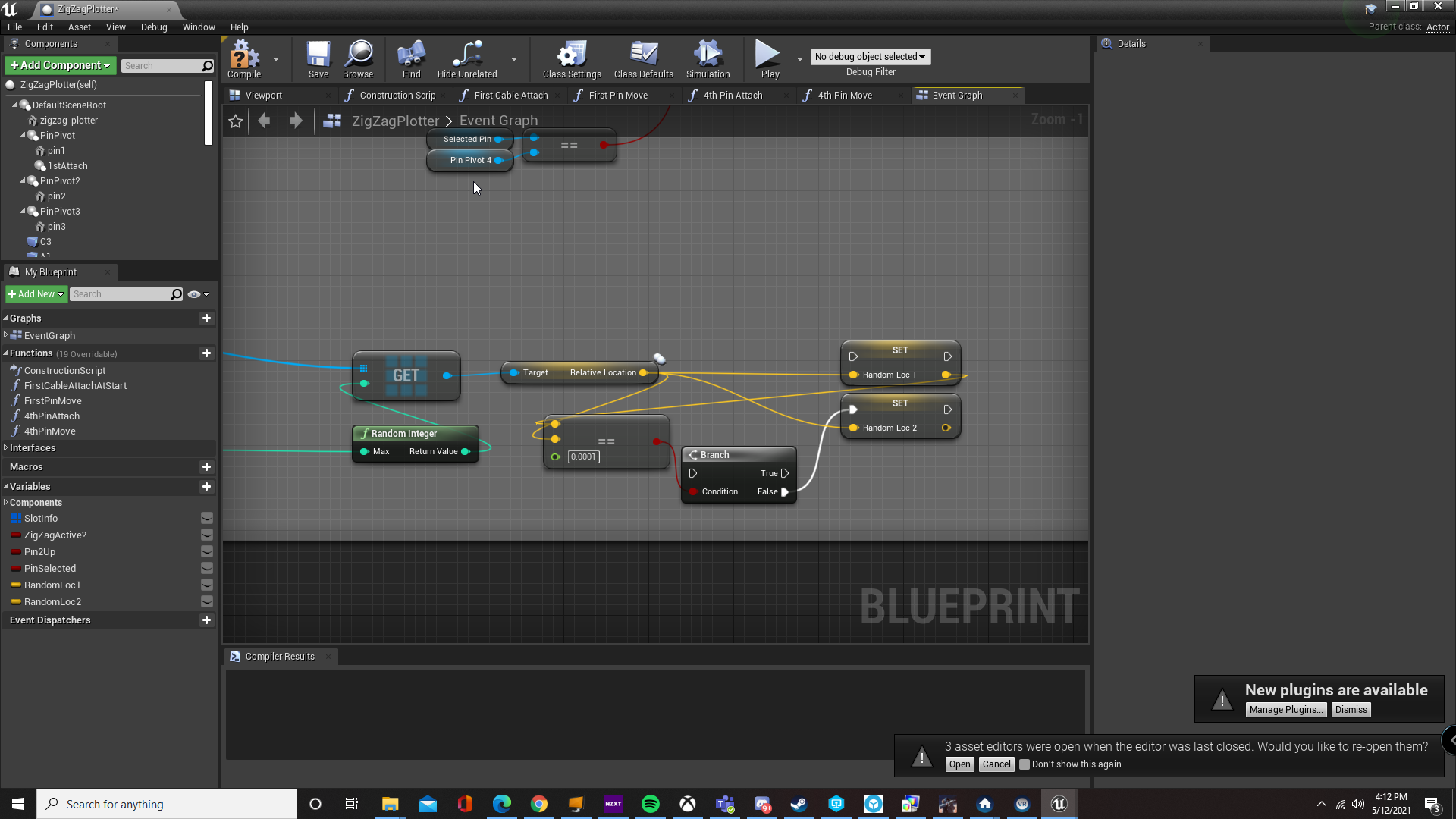
i always have trouble with the simple stuff
better at the more complicated mechanics lol
high ore
neat, think I solved an annoying blueprint interface input for UI. Just a basic killcounter, but still neat
high ore
I'm going to write how I would do it with interfaces @vapid sorrel , just because I'm trying to learn it currently myself and trying to explain is usually the best way to learn.
So you'd create a Blueprint Interface, then you'd want a function called like "FoundRock" or whatever. Compile, save.
Then at the end of your beginoverlap on the small rock you add a FoundRock (Message).
Now, in your Bigrock blueprint you go to Class Settings, and add the Blueprint Interface you created earlier. Now in the eveng graph you have access to a function called 'FoundRock'. Right-click and implement. Now you have an interface event that fires when you begin the overlap on the small rock. From there you can do whatever you want to happen to the big rock
Here my character is walking over a Key to a door

In my character event graph I've put a boolean that flags the character as now holding a key
 valid widget
i neeed help 😦
narrow kelp
I think in his case that wouldn't quite work, @high ore . For him, the big rock isn't the thing overlapping with the small rock, if I understand correctly. He would have to somehow find the big rock first.
high ore
Oh, I may have misread. I thought he wanted something to happen to a big rock at the same time he found the small one, like quantum entanglement kind of deal
so when he, the player, overlaps the small rock, the big rock would change
or my solution maybe doesn't work for that either, still trying to grasp interfaces
narrow kelp
You're calling the interface function on the 'other actor' which in your case is the player
valid widget
help
high ore
I don't know array or random sorry :/
narrow kelp
so something still needs to inform the big rock
vapid sorrel
high ore
Oh, I may have misread. I thought he wanted something to happen to a big rock at...
That's exactly what I wanted it to do, yes.
high ore
If I put that interface on the rock, or whatever actor, it would still be flagged/boolean true as 'Key' though, no? when the player overlaps @narrow kelp
narrow kelp
I don't see how that would be. It should only call the interface on the actor you're referencing.
AFAIK interface functions are just like normal functions - they are called on specific objects
If I wanted something to be broadcast to lots of things I would use an event dispatcher instead
 quasi crater
hello
i need help with my main menu that i am trying to make

the credit and quit buttons work fine
but the start button is not working at all
and i made sure that it is the correct name

at first i followed the tutorial
and put the third personexamplemap
but i forgot that it was an old save
and when i changed it it stopped working
royal kraken
Can anyone help me get my head round enums and how they actually work, I've watched a good amount of videos but they are very confusing. I am looking to have two enum. Enum A -has a on screen widget, enum B has no on screen widget, it's not exactly like that but it's basically what I am trying to start with
quasi crater
following my question i already made it the default
 quasi crater
royal kraken
Can anyone help me get my head round enums and how they actually work, I've watc...
quasi crater
royal kraken
Can anyone help me get my head round enums and how they actually work, I've watc...
sorry man im new to this
dawn gazelle
royal kraken
Can anyone help me get my head round enums and how they actually work, I've watc...
Enumerators are simply a means of naming small integer values. For example, you can have the directions of a compass, North, South, East, West. Each of these could be represented as 0, 1, 2, 3
 maiden wadi
^ Very good example too if you also make it North, East, South, West instead, because you can also translate that into a real world rotator by multiplying (90xEnum)= WorldRotatorYaw. Assuming X+ is your north.
dawn gazelle
The enumerator stores the value as a byte, so it makes it computationally easy for comparison (compared to say, comparing strings) and it makes it easy to follow and understand as a person. Seeing a direction on a compass labelled as "3" wouldn't make a lot of sense to someone looking at the code without knowing, but with an enumerator, this "3" would appear as "West".
royal kraken
OK cheers Guys, would this be a good way to have different play modes, say play mode A with gross hair, and runs really fast, and play mode B with no cross hair and run slow but jump very high
dawn gazelle
As far as selecting the play mode, sure. Makes it easy to understand when you're working with lets say a "Play Mode" enumerator value.
still plume
wraith elm
this issue you have is post process your scene has motion Blur
It's work. I have disable in project setting -> rendering -> Motion blur. Thx mate 🙂
royal kraken
Can I ask how it would work for the example I gave, I mean I create thr enums, playA and play B, then in first person character I create some nodes to make this work
dawn gazelle
The enums are just a means of representing a value as human readable. They can be treated just like any other variable in that the value would be defined somehow, and you can make choices based on what that value is defined as.
narrow kelp
@royal kraken Switch is a good way to do different things depending on the value your actor is using
royal kraken
How do i define play mode A, is it like creating a custom event
still plume
Is a good way for make a countdown timer?
 narrow kelp
An enum is just a variable like a bool or float. You can read its value while doing a function / event like other variables

 royal kraken
OK cheers really appreciate all the help, on the top image how does it decide if to go for play a or play b
dawn gazelle
royal kraken
OK cheers really appreciate all the help, on the top image how does it decide i...
Based on what you select in the Play Mode variable.
royal kraken
And what does thr bottom image show
dawn gazelle
It's a comparison of what's stored in the Play Mode variable to check to see what value it is == to.
So checking if PlayMode == PlayA then you'd connect that boolean return value up to a branch or whatever you want that takes a boolean.
royal kraken
It's melting my 🧠 thank you so much, I think need to open a new file and try to get my head round this, ideally what I am trying to do is to run this from clicking a widget button
 sweet urchin
psst... hello folks. is now a good time to ask for assistance with something I've been working on?
I've been working on this for days. I'm quite the beginner in Unreal and for the most part, I get by using tutorials on YouTube. usually i can find something that isn't exactly what I'm looking for, but I can incorporate it into what I'm trying to do. I've been trying to make a simple mechanic. Kicking a ball. The code is in the blueprint for the ball, which I have set up as a character. I haven't enabled physics on the ball yet but was intending to so that it behaves naturally. the game is set up in 2.5D. So far, I'm trying to get the mouse, to determine the direction the ball will go. (I'll add impulse or something to get it moving, and intend to add an indicator. there's a tutorial i've been following for these things.) To put it in perspective, think of a game of pool/billiards. There's an indicator on the ball where the player will hit, and also an indicator on where the ball will travel. Basically I want the indicator to go up or down, and indicate the "hit" on the ball, then I have line trace set up to show the forward direction and where it will go. or at least that's what I'm trying to have it show. it's not. which is where the frustration and tears come from. any help at all is appreciated. Simply a rough push in the right direction would mean lots...


 frozen drum
Im having an issue with a nested array, it claims that the length is zero in an error i receive but also outputs correct information.

 narrow kelp
@sweet urchin You might not want a Character to be your base class for your ball, since it has a bunch of stuff you probably won't need if its using physics.
sweet urchin
narrow kelp
<@!132574064651927553> You might not want a Character to be your base class for ...
I tried pawn, and created a controller but ran into some problems with casting to get certain variables. a tutorial i watched, had the player be a golfball to make a miniature golf game and he used the character bp. I've tried Pawn, Actor, and Character. I don't know which one to use anymore lol
narrow kelp
Hey if it works, that's what matters. Pawns and Characters are basically special actors that the player can control
sweet urchin
narrow kelp
Hey if it works, that's what matters. Pawns and Characters are basically special...
so far it's working except for the part that's not working. lol
narrow kelp
I didn't understand what in particular isn't working
sweet urchin
narrow kelp
I didn't understand what in particular isn't working
ah. well, I'm trying to get the tracer to move up and down based on the mouse moving up or down. The tracer is on the ball. Once I get the tracer to move up or down, I know I can add an impulse and get the ball moving in the direction of the trace. which is why I'm using the trace now. But, the trace isn't following the mouse, nor is it moving up or down.
narrow kelp
first thing i'd try is printing the mouse values you're using
sweet urchin
narrow kelp
first thing i'd try is printing the mouse values you're using
I appreciate that. I did try that. lol
 dawn gazelle
valid widget
how can i get 2 random elements in an array that are not the same i use a loop a...
dawn gazelle
valid widget
how can i get 2 random elements in an array that are not the same i use a loop a...
This is what I use... This is contained within a loop for the # of items I want. The "Generated Array" contains just a sequence of integers from 0 to X where X is the highest number I want.
Don't worry about the "From Stream" node - this is something used for procedural generation.
Loop 1: "Generated Array" contains 0 1 2 3 4
- Generates a random integer in range of 0 to last Index of "Generated Array" (Example: 3)
- It gets the Value from "Generated Array[3]" (Which would be 3 in my case) and is storing the value in a byte array (you can store your Vector here instead)
- It removes the chosen index from "Generated Array".
Loop2: "Generated Array" now contains 0 1 2 4
Does the same, and let's say it generates a "3" again.
This time, it'll look at "Generated Array[3]" and the value returned would be 4.
I'm fairly certain this is the only way you can prevent getting duplicate items when pulling random items out of an array.

 white lynx
how do you create blutilities in 4.26? Can't seem to find them, and their docs on the topic are broken
 marble tusk
frozen drum
Im having an issue with a nested array, it claims that the length is zero in an ...
marble tusk
frozen drum
Im having an issue with a nested array, it claims that the length is zero in an ...
This can be tricky. How are you setting the attach points array? I know that in order for nested arrays to have their values SET you need a reference to the nested array, but built-in macros like the For Each Loop use a GET Copy node rather than by Ref
And editor utility blueprints. They're not just widgets
 quartz field
Hey hey, any idea how I can return a true boolean if 2 booleans are false ?
white lynx
@trim matrix this?

I see. It's kind of confusing that they'd called them Widgets
But thanks for the info!
severe turret
strange that they layered EUW below the UserWidget. I thought Slate Widgets would have been a better option but what do I know :/
quartz field
ty!
 frank viper
Just found a quick way ("hack") to create a simple actor follow player around without using a Nav Mesh - for lets say on a moving ship, asteroid or platform where you cant create a Nav Mesh:
https://www.youtube.com/watch?v=JQNX9DdmOQ8

When you need to have an actor follow or attack player and you cant use a Nav Mesh like on a moving platform or ship.
Quick show how to do in Blueprint.
www.Pencilgun.com
Development of the game Bus stop in the fog. (The extended version).
On Steam here: https://store.steampowered.com/app/1602150/Bus_stop_in_the_fog/
I know there is way points and other ways to do this
severe turret
make it poop a spline and move towards the spline points 🙂
frank viper
severe turret
make it poop a spline and move towards the spline points 🙂
Well ... I am trying to do it with style and dignity 🙂
severe turret
😄
frank viper
Didnt know about that spline trick though thanks for dropping that
 royal helm
I have an issue with my crouch system. If I crouch right beside an object at just the right angle, I get stuck on it on the way down.

 frank viper
It really sux that you cant add a Nav Mesh on a pawn class BP as component.
TY
Some people think you can add a Nav Mesh to a hidden mesh?
True?
What about the collisions on the hidden mesh?
 spark steppe
you could move everything but the boat 😄
dawn gazelle
Raft 😛
frank viper
Actually I have 2 islands and a bus.
The bus is not moving but the 2 islands are (and everything on it)
I need to nav mesh to work on one of the moving islands
Each island is built in a pawn class BP
All components set to moving
Should I create a big hidden static mesh covering the area the island is moving?
Then create the nav mesh over the hidden mesh
willow cedar
When I open my Escape Menu in game, I can still move my character view around until I click the screen, then when I close the menu I have to click again to regain control of my character.
Any way to avoid this?
dawn gazelle
willow cedar
When I open my Escape Menu in game, I can still move my character view around un...
Set Input Mode to UI only when opening your menu, and then Set Input Mode to Game Only when your menu closes.
willow cedar
dawn gazelle
Set Input Mode to UI only when opening your menu, and then Set Input Mode to Gam...
Thank you!
frank viper
So to answer my own question YES it does work.
You can set up hidden static mesh and drop a Nav Mesh bounds on it
Works fine it seems
willow cedar
dawn gazelle
Set Input Mode to UI only when opening your menu, and then Set Input Mode to Gam...
I'm not able to close the menu with the Esc key because it doesn't detect input anymore. No forum has figured this our from what I have checked.
 keen arrow
What is the difference between "parent class" and "native parent class" of a blueprint?
dawn gazelle
willow cedar
I'm not able to close the menu with the Esc key because it doesn't detect input...
Override your "OnKeyDown" function in your widget.
 dawn gazelle
keen arrow
What is the difference between "parent class" and "native parent class" of a blu...
dawn gazelle
keen arrow
What is the difference between "parent class" and "native parent class" of a blu...
Don't quote me on this, but I think a "Native Parent Class" would be something that is native to the engine, like Actor, Character, Object, etc.
Whereas a "Parent Class" can be anything that has a child class, so you may have a custom BP_Character blueprint which is a child of "Character" but you've created children from it like BP_Character_Male and BP_Character_Female. So in this instance, BP_Character is a "Parent Class" but it's not native to the engine.
mental bobcat
Hey, if I use a struct to hold my variables is there a way to set the slider min/max like you can when you create a normal variable?
these:

 sinful zealot
I know you can pass parameters inside Blueprints by either value or reference, but can I pass a parameter inside Blueprints by const reference?
willow cedar
On my ForEachLoop, I can't Get Player State to connect from Array Element into the Target input. The tutorial I watched has it working no problem. Wondering if this is because of version differences cause the tutorial is from 2018
I think I found the problem. I wasn't in the level BP
frank viper
I keep getting failed to load errors (things I deleted and references are still lingering somewhere).
If I remember correctly there is something you have to delete in the "Intermediate" folder but I forget what it is
 little torrent
What is the best way to determine the controller direction in a blueprint (not the character direction, since that can be affected by animations being played, etc)
narrow kelp
@little torrent Not sure if this is what you mean, but sometimes I'll handle a character's skeletal mesh rotation separately from their actor rotation
dawn gazelle
little torrent
What is the best way to determine the _controller_ direction in a blueprint (not...
Might this help?
 little torrent
dawn gazelle
Might this help?
little torrent
dawn gazelle
Might this help?
That is it (and I just found it myself) thanks!
 sterile quest
How would I set the rotation point of a mesh to be not dependent on the pivot point?
I.e. The rudder of a ship.
I did try to create a empty sphere in the component editor and then set it as the root, however it then drags my ship mesh so that the pivot point of the ship mesh is placed over the empty sphere.
I know that I can change the pivot point in my 3d suite of choice, however that is more of a bandaid fix then something long term and that isn't going to cause problems later on.
(especially as I add more and more vessels to my game)
So it would be helpful to know of a way to do this in BP, as I haven't a single clue where to even begin with this.
My best guess however, would be to create a empty box as a test rudder and then have that be a child to the ship mesh, but that's about as far as I'd know to go.
So how to then tell the engine to use that as the main component when turning the ship is not something I know how to do.
As a side and hopefully easier question to answer, what units of measurement is FloatingPawnMovement using for max speed? MPH? KL/h?
Since a a floating number amount doesn't really tell me much.
surreal peak
Hm. Not really. Maybe put the mesh on a sceneComponent and rotate that instead
The sceneComponent being your new pivot point then
sterile quest
So attach the ship to the sceneComponent? Or the other way around?
Because same thing happens when I set the sceneComponent as the root.
Moves the entire ship mesh and anything attached to it.
If there's a way to control the rotation of a object from it's child, that's gonna be the way to go from what I am figuring out. However I don't know how or if there is a way to do that.
surreal peak
Hm it's always the Child following the Parent. Idk the rest of your setup.
Generally it's preferred to have the correct pivot on the mesh when exporting
With a ship and it's rudder (rotating thing at the back?) could also be one and the same mesh with a rig that ties the rudder to a bone. Then you can animate the bone
royal kraken
I have a widget, it has two buttons, play1 and play2 I am just trying to get it so when I click play1 it goes to the firstpersoncharacter event called changeplaymodes and prints a string saying play1 and then the similar thing but play2 but at the moment it doesnt seem to firen the event in the first person character to print string

 dusky dome
royal kraken
I have a widget, it has two buttons, play1 and play2 I am just trying to get it ...
dusky dome
royal kraken
I have a widget, it has two buttons, play1 and play2 I am just trying to get it ...
is your player character valid?
royal kraken
sorry what does that mean, in the variable i added the reference to the player
dusky dome
cool
let's first try add a print node?
to see if the onclicked event actually fired
dusky dome
cool so the button works
royal kraken
I added the print string after the custom toggle event in the image above and i get hello
dusky dome
cool so it does run
let's try to see if the player character variable is good

you can print the content of player character at runtime like this
connect the print string node after the "change mode" node to see if the player character variable actually holds something instead of being "empty"
 dusky dome
what is printed then?
is it says "The player is -> (some name)" instead of "The player is ->" (empty after the -> sign)?

 novel ice
Hey guys, I tried to make projectile (asking for help for 4th time lmaoooo) like in this video https://www.youtube.com/watch?v=pdjFm7YA8vI&t=392s and it should bounce, but when I place it in a world, it just falls of the map, ignoring all walls and actors

Learn how to make a simple firable projectile using Class Blueprints in this video.
(00:05) - Intro
(00:29) - Collision
(02:44) - Particle Effect
(03:19) - Projectile Movement Component
(04:43) - Rotating Movement Component
(08:06) - Player Character Functionality
What can be the problem?
o

wait
dusky dome
royal kraken
oh I just filled that bit in
well here is the problem. The "Append" node should actually use the content of the player character to fill in the later half of that sentence. As you can see, you get the display name of the player character and pump it to the string, make it part of the content to be shown on the screen. Now since the log not showing the content of the display name of the player character variable, it seems that the variable is empty, holding nothing at all.
novel ice
how can i do that?
dusky dome
This is what I was talking about when I say "is it valid": basically your "player character" variable is just an empty container holding nothing at all.
royal kraken
oh, how do i make it valid
dusky dome
royal kraken
oh, how do i make it valid
you need to assign the value, or get the player character
royal kraken
in the varibale?
 dusky dome
royal kraken
in the varibale?
dusky dome
royal kraken
in the varibale?
exactly
royal kraken
do I do that in the firstperson BP?
dusky dome
You should do it before any node that uses the "player character" variable
so maybe in the "begin play" event, that would be very safe hopefully
dusky dome
novel ice
how can i do that?
it's probably because of the physics settings.
royal kraken
dusky dome
so maybe in the "begin play" event, that would be very safe hopefully
Does this need to be in the BP menu widget or the firstpersoncharacter or both?
dusky dome
I feel that it only needs to be in the bp menu widget, since your firstpersoncharacter is already the class definition of the "player character" itself; whenever it wants to use the instance, it can just use the "get self reference" node
novel ice
dusky dome
it's probably because of the physics settings.
NOOOO
 smoky belfry
Hello everyone, where and how does someone setup wind mechanics? for example a ball in flight is slightly affected y the wind
royal kraken
In the Menu BP I dont get a event start, do I run it off the button click or event contstruct
novel ice
It took me days to figure it out lmao
royal kraken
dusky dome
I feel that it only needs to be in the bp menu widget, since your firstpersoncha...
Got it, thank you so much for your help
dusky dome
NP
dusky dome
royal kraken
In the Menu BP I dont get a event start, do I run it off the button click or eve...
yes you can try to use the button click XD
 paper galleon
smoky belfry
Hello everyone, where and how does someone setup wind mechanics? for example a b...
paper galleon
smoky belfry
Hello everyone, where and how does someone setup wind mechanics? for example a b...
There's a Plugin for wind physics can't remember the name but you should be able to find it by googling (just don't mix it up with the wind system that only affects Apex cloth).
But if you want to implement your own custom solution, it's a matter of creating a "Wind Actor" that applies a force on every physics actor within a certain radius. Like what I'm doing, you might have to study real life wind patterns so as to change and simulate the direction and magnitude of the wind.
The simplest solution I can think of is if the wind is localized on the ball. Then you can, within the ball actor, use the AddForce or AddImpulse node to push the ball slightly whenever you want wind to affect the ball.


 fair zealot
novel ice
How can I fix it? It's a decal
fair zealot
novel ice
How can I fix it? It's a decal
like that it stretches?

Material based solutions I've come across to fix Decal stretching in Unreal 4.
Some of the projection types only work with access to the scene texture world normal, so not suitable for DBuffer decals but works with Translucent types.
ez fix
novel ice
Like, it shouldn't appear on legs when it moves to decal location
it should stay only on floor
novel ice
How can I do that?
 novel ice
fair zealot
<@!329908914940542976>
novel ice
fair zealot
<@!329908914940542976>
Thank you man, it works good now ❤️
fair zealot
your welcome:)
rapid robin
Hey folks, I'm working on an FPS and I'd like to implement a whooshing SFX when the player gets a near miss from a shot that just passes their head. There's a few ways I was thinking of approaching this, any feedback would be appreciated:
- Projectile weapons: Attach a looping whoosh SFX to the projectile. Upside: easy; directional 3D sound taken care of. Downside is this would only apply to projectile weapons.
- Hitscan weapons: Do a fat hitscan on the weapon and see if the fat hitscan hits a player('s head), but NOT hit by the main trace, then tell the target that they should be hearing a whoosh at the point of impact. Downside is this would be for hitscans only.
- Add an additional collision around the player's head. If that's hit by a bullet, but their head ISN'T, then play a whoosh sound at the hit location. Downside: not convinced this'd work for hitscans???
- Your sweet & elegant idea
 quaint jungle
Hello, I'm in need of some assistance. I have a keycard system that works and I have a boolean that changes when the character picks up and uses a keycard.

This is a widget to display a keycard symbol but linking the boolean I created doesn't work and isn't in the context menu
Clicking the boolean on the branch on and off displays and hides the symbol but doesn't work when I connect the boolean
This is what I tried

 short pawn
does anyone know how to set the style of an input key selector?
@quaint jungle you need to set that up on a looping timer otherwise it will only fire when the widget is constructed
@rapid robin i would just add the sound in the blueprint of the projectile. if you want to get fancy add a collision in your character, maybe like a sphere around him when you want the sound fx to fire and make it when it collides with an actor with a tag (add a tag to the projectile) the sound effect starts
 short pawn
connect what you want to hide and appear to the target @quaint jungle
short pawn
np
i should have noticed that first before that timer lol
does anyone know how to set the style of an input key selector?
 uneven token
hey guys. is there an easy way to revert a spline's point order/direction?
 molten vault
This might be me being dumb, but can anyone specify the name of this node. Yes, i am new.

i was following a tutorial on movement for third person characters
in the ue4 docs
however they do not mention the name of this node or float or boolean or whatever it is.
Any help?
paper galleon
molten vault
This might be me being dumb, but can anyone specify the name of this node. Yes, ...
greater than?
molten vault
Thank you so much.
paper galleon
molten vault
Thank you so much.
Np
 karmic tree
Does anyone know how to move only the head when i climb for example?
molten vault
So yeah, im still following the tutorial, and there is a problem.
 heady marlin
Hello guys, on my blueprint character i insert a text render component which will be enabled to display the "character player". The name store on a struct. So the problem is when i try to get information on structure i get nothing.
This is how i handle this situation.


 heady marlin
i think u got the same output as first node.
molten vault
You talking to me?
heady marlin
yes
 trim matrix
i have a mesh that also has anmation blue prints and blenderanim, i got a new version of the mesh and animation and how do i in a easy way impliment the new mesh/materials , and can i use my old anim bp and animblender on it?
molten vault
molten vault
nope
as you see
heady marlin
molten vault
documentation of ue4
return value, where is it attached?
heady marlin
use this and then connect the "exec" node on set

the return value of function promote it to a variable, and set it. Next attached the node...
molten vault
thx man 😄
heady marlin
heady marlin
Hello guys, on my blueprint character i insert a text render component which wil...
up 🥲
molten vault
Yea, im new so i cant help, sorry.
molten vault
heady marlin
use this and then connect the "exec" node on set
wait what
i was trying it and im apparently a dumbass since idk what to do.
where do i connect the float pin
oh wait now i get it

this?
heady marlin
leave the set direction
molten vault
the one next to the cast to
heady marlin
when you promote from the function u insert Direction not NewVar
heady marlin
heady marlin
when you promote from the function u insert Direction not NewVar
just rename it
molten vault
changed it to my own
molten vault
heady marlin
some tutorial are based on old engine version so not all are update.
Ok. Thanks for the help! I will make sure to give back some day.
 thorny forge
Hey all sorry to interrupt, I'm trying to make a global wetness material function that lets me use a custom mask per material instance which is set using a parameter within my 'floor surface' global material. I've set it up following some tutorial while I still learn things, but I combined a few tutorials to try and make this global material function and save some time.
I get this error about float and float3 being undefined but I have no idea what that means, or what a float is.
Here's my set up:
material function:

material itself

any advice would be greatly appreciated 🙂
Oh right yea sorry, I thought that section was for people showing off work or something lol thank you I'll try that now
you're right, I have a 3 vector joined with a scalar because I wanted my 'rainlevel' to scale each of these materials. I'll try and work around it, thank you for the help
thorny forge
Just letting you know that fixed the issue just fine. If I used a vector3 input and plug in a texture then it works as expected
thanks again @trim matrix
heady marlin
i use this for cast the decimal number of a float variable.
ie 3,091938128 return 3,09 maybe u can use it to gap only the decimal

 sly spade
 dreamy gulch
Need little advice, made a spell thats a portal redirect for projectiles etc, when you use it, the time dilates and slows down, and the portals spawn using line trace mouse input, how can i make the mouse input stay the same during the slow mo? as it slows right down, i dont want to just make my whole player stay the same speed, as he doesnt lose any function during the spell, so if he was to retain normal speed, he would effectively be the flash
 faint pasture
dreamy gulch
Need little advice, made a spell thats a portal redirect for projectiles etc, wh...
faint pasture
dreamy gulch
Need little advice, made a spell thats a portal redirect for projectiles etc, wh...
Mouse input shouldn't change. Whatever you're driving from the mouse input may change, depending on how you got it set up.
dreamy gulch
faint pasture
Mouse input shouldn't change. Whatever you're driving from the mouse input may ...
its global dilation, so the spawned actor is a little laggy, so either the mouse input, or the linetrace computing where the actor should be or something is slower than id like, i saw in a video saying that this can happen and you need to multiply the mouse input, but they didnt show you so wasnt sure exactly how to do that
faint pasture
@dreamy gulchIt's probably you using DeltaT in some calculations when swinging the aim around. You can compensate for time dilation manually
dreamy gulch
faint pasture
<@!517518941434806313>It's probably you using DeltaT in some calculations when s...
could you be a bit more specific about what to change? like add a float* float to the deltatime attached to the linetrace, or whatever the solution is?
faint pasture
dreamy gulch
could you be a bit more specific about what to change? like add a float* float t...
specifically multiply it by the inverse of the time dilation
if TD is 0.5, multiply by 1/0.5 or 2
past jungle
Does anyone have a good approach to tracking cursor position when going from widget to world space? Or better yet, a way of getting a world space position from the cursor position that doesn't care what context you're in. The usual ways don't seem to work when you're interacting with widgets, and passing a pointer event to the player controller doesn't seem to help either. (I think. I may have lost track of the 130 things I've tried so far)
 meager spade
Is there a best way to emulate a nullptr literal to a pointer by ref? local variable that's never set?
dreamy gulch
faint pasture
specifically multiply it by the inverse of the time dilation
theres no deltatime stuff on the linetrace, is it on the look up/turn movement input? i dont see anything that says deltatime but i dont know if the varibles on the up/turn rate are in deltatime
faint pasture
@dreamy gulchWhat, exactly, is behaving slowly? Whatever that is, adjust that.
the line trace is instant, it has zero to do with the time dilation
past jungle
I saw that.....I haven't yet figured out how to work it in to what I'm trying to do. I'm trying to have a widget that you click and drag and when you drag it spawns an actor under your cursor a fixed distance from the camera that you can then drop into the world. It seems like I need to somehow do a handoff with where the drag behavior is taking the cursor position from, such that it starts off by referring to a cursor position supplied by a widget and then switches to taking the cursor position from the player controller when the cursor exits the widget. It's all very confusing and I keep thinking there's a better way that I'm missing.
dreamy gulch
faint pasture
<@!517518941434806313>What, exactly, is behaving slowly? Whatever that is, adju...
turns out it was the set timer by event timer thing, i changed from 0.2 to like 0.0002 and it worked
i only understand the words, not 100% sure what that implies though. Like is that bad?
faint pasture
dreamy gulch
turns out it was the set timer by event timer thing, i changed from 0.2 to like ...
Yeah don't use a timer like that
maiden wadi
Timers faster than tick are bad. They still only get triggered once per frame when the timer manager ticks, but the timer still calculates that it needs to run multiple times per frame. A game running at 20fps, with a timer at 0.025(40fps), will run the timer twice per tick.
So for instance a timer at 0.0002 looping, will actually run it's code 5,000 times per second.
past jungle
I think this is going to work. I was confusing things by trying to use the same behavior for dragging actors around the world as for dragging them into the world. Just going to make them separate. Thanks for your help!
 worthy frost
if you need tick, use tick
 formal wren
Hi guys. I am using a datatable to store categorized attributes. Is it possible to retrieve a subset of rows of a specific category?
worthy frost
not sure why people just skip tick and try using a timer for tick related stuff..
 cold raft
formal wren
Hi guys. I am using a datatable to store categorized attributes. Is it possible ...
cold raft
formal wren
Hi guys. I am using a datatable to store categorized attributes. Is it possible ...
I think you need to loop through the data table and retrieve what you need (eg into an array)
 hybrid ether
How to launch character to camera direction, BUT not up. So I want make dash ability but I dont want make player "jump" if aim up.
unique harness
hybrid ether
How to launch character to camera direction, BUT not up. So I want make dash abi...
ignore the z component of the direction
Should be a a normalize2D or something similar you can pass camera direction into
formal wren
cold raft
I think you need to loop through the data table and retrieve what you need (eg i...
Ah okay... I'll guess I have to write a custom function whick loops through all rows and filters for a collumn. Was hoping that there would be a standard function for that using some optimized search algorithm
unique harness
formal wren
Ah okay... I'll guess I have to write a custom function whick loops through all ...
prefix your row names with the category and use that to only select the rows you need
formal wren
unique harness
prefix your row names with the category and use that to only select the rows you...
mmh but I still would have to iterate over all rows and skip those with the wrong prefix
Came up with this:
 unique harness
formal wren
mmh but I still would have to iterate over all rows and skip those with the wron...
unique harness
formal wren
mmh but I still would have to iterate over all rows and skip those with the wron...
You have multiple facial expressions for a single emotion?
formal wren
unique harness
You have multiple facial expressions for a single emotion?
Yes, I have. The character cycles through them
formal wren
unique harness
You have multiple facial expressions for a single emotion?
The facial expression struct contains a bunch of FACS slider values
unique harness
Why not store them as a "map" where the key is the emotion and the value is the list of slider values?
formal wren
unique harness
Why not store them as a "map" where the key is the emotion and the value is the ...
That's how it is right now 😄
formal wren
If the emotion is the key, I can not have multiple expressions per emotion^^
The main reason I am using a datatable is because I want to expose the slider values to json files, which the player can easily mod and share
unique harness
why can't you?
past jungle
Maybe another map to for the table row using emotion as the key?
formal wren
keys have to be unique, dont they?
unique harness
emotion is the key, value is a list of structs storing slider values
only because you can't have a nested list in BP
formal wren
ah I get it.
but I still would need another level in between to specify an expression for an emotion
unique harness
I don't see what you mean
formal wren
Emotion -> Expressions[] -> SliderValues[]
unique harness
right, Emotion -> FExpressions(SilderValues[])
formal wren
exactly 🙂
unique harness
You have 2 structs one is the table row struct
other is the Expression struct which is the SliderValues[]
table row struct is Expression[]
formal wren
Yup
 prisma stag
Hello I made a material that has a ring and set it in a Particle Emitter bp however for some reason it automatically has this fade to it and changing the color over life color has not affect.
 formal wren
unique harness
You have 2 structs one is the table row struct
formal wren
unique harness
You have 2 structs one is the table row struct
Thanks, looks like I will have to make some adjustments to my data model^^
 icy dragon
prisma stag
Hello I made a material that has a ring and set it in a Particle Emitter bp howe...
icy dragon
prisma stag
Hello I made a material that has a ring and set it in a Particle Emitter bp howe...
The particle is self shadowing.
royal kraken
I have a BP which is made up of two spheres, each one is a different colour, is there a way I can make a child of this blueprint, change the objects to squares for example then change the materials they use to different ones all through the data blueprint? at the moment when I make a child there are no options in the data blueprints to change the materials
unique harness
royal kraken
I have a BP which is made up of two spheres, each one is a different colour, is...
the materials, yes. the shapes, no
royal kraken
unique harness
the materials, yes. the shapes, no
Ok cool, but I can change the objects via another interface perhaps? I am just thinking of a way I use the same Blueprint type rather than dublicating each time. How would I go about adding the two materials options per object? I only manage to get one material option to come up in data blueprints
unique harness
royal kraken
Ok cool, but I can change the objects via another interface perhaps? I am just ...
There's several different ways you could accomplish this but you could just create the objects at runtime and you would just need a single BP instead of 2
not sure what you mean about "one material option" though
royal kraken
here is an image of what I have so far, just a single materail, I would like a second where the white box is as my objects have two materials to change
 unique harness
ah no you can't do that
formal wren
Is there a conveniant way to get the games root directory?
unique harness
formal wren
Is there a conveniant way to get the games root directory?
I don't think there's anything built in but I think the LowEntry library plugin has that
dawn gazelle
 royal kraken
How can I make the actor class input something I can change through the editors detail tab rather than just within the blueprint? it is directed at a Widget

Arh ok great thank you
unique harness
have you restarted the editor?
You can recreate WB_EquipmentSlot or try refreshing all nodes
You can also try creating a new variable called SelectedItem, compile delete it, compile
formal wren
unique harness
I don't think there's anything built in but I think the LowEntry library plugin ...
Yeah, was pretty straight forward: 🥸
 prisma dawn
hey, is switching input game modes whenever I rotate the camera (RMB) costly ?
fading wren
hello, how to get digit without symbol ? example i dont want to get "-4" , i want get "4" only
prisma dawn
Wanted to use GameAndUI and only hide cursor manually but unchecking "ShowMouseDuringCapture" locks the mouse into the viewport
dawn gazelle
fading wren
hello, how to get digit without symbol ? example i dont want to get "-4" , i wan...
This for text display or calculations?
fading wren
dawn gazelle
This for text display or calculations?
calculations
dawn gazelle
Absolute nodes.
 royal kraken
Hey, if I try to promote to a variable it get this error

I need to link to a actor BP
oh, can you see it now?
unique harness
royal kraken
disconnect your pins and reconnect from left to right
disconnect, compile, reconnect
royal kraken
sadly doesnt seem to work, as I am trying to make a variable to connect a actorBP child, the parent has functions but when I drag off from the array element it doesnt referent those functions (not sure if its bc it is a childBP
Oh Actaully its not referencing that file yet, how can I make it refernce the child file, I have made the new varable visible but cant see it in the details tab
unique harness
royal kraken
sadly doesnt seem to work, as I am trying to make a variable to connect a actorB...
either change the ActorClass variable type to your class type or cast the Element coming out of the for loop
unique harness
royal kraken
Oh Actaully its not referencing that file yet, how can I make it refernce the ch...
click the instance editable checkbox
when you have the variable selected
royal kraken
just done that but should it appear in the details tab in the game editor window
unique harness
you need to be more specific about where you want it to show up
royal kraken
when I click on the BP child in the editor window (main window) I want it to show up on the details panels so I can change it there
unique harness
The scene outliner?
unique harness
What I said above should allow that
royal kraken
this is the variable

is this correct for being able to change a actor BP in the scene outliner
unique harness
so if you compile and drag the actor that this variable belongs to, you should see a ActorClass_3 variable in the details panel when selecting that actor in the scene outliner
dawn gazelle
Won't be able to - this is a widget, so it doesn't exist as an actor.
royal kraken
arh ok, is there another way to do it?
dawn gazelle
The only way you'd be able to "see" the value in a details view is if you're adding the widget this is contained in into another widget.
unique harness
Oh I didn't realize it was a widget haha
other possibility is changing the variable to expose on spawn and you can choose the class whenever you spawn the widget
royal kraken
🤯
royal kraken
I'll have a go at this, which option is the easiest to do ( I'm still early learning either ue4)
dawn gazelle
royal kraken
I'll have a go at this, which option is the easiest to do ( I'm still early lear...
Probably the expose on spawn method since you'll have to add the widget to the screen anyway.
upbeat goblet
What are these called in engine? searching for screen space in components doesn't show anything
unique harness
upbeat goblet
What are these called in engine? searching for screen space in components doesn'...
there isn't a built in solution. use the widgets to build a screen space widget
but they don't just work out of the box
 visual echo
Hey I have an issue when I press Esc(which opens the pause menu). So while I am in the main menu widget an I press Esc then It gets duplicated
i tried to use the disable input node but it doesnt work
unique harness
visual echo
Hey I have an issue when I press Esc(which opens the pause menu). So while I am ...
your key press should likely be changing the visibility of the pause menu, not creating it
dawn gazelle
or at the very least, creating it once, storing the reference, then changing the visibility by checking if it's created or not already by checking if the stored reference is valid.
visual echo
thanks i appreciate it
dawn gazelle
This
 unique harness
Your set widget node triggers me
dawn gazelle
😄
unique harness
use the output!
severe turret
construct none triggers me more.
dawn gazelle
Fixed it!🙃
 unique harness
gotta fix you variable names now smh
Loo KWhat???
oh god and you didn't disconnect the original pin
/cry
dawn gazelle
muahahah
 hushed sphinx
if I have a pawn component which is the player (vehicle component), and I am putting more of them on the level to test collision, on hit is getting triggered on the other pawn as well which is I guess the expected, but how can I listen to it only in my own controlled pawn and not in the others? I am trying to implement steering wheel force feedback but now it's reacting to the collision of the others pawns as well since they are calling the same functions obviously, since they are the same pawn as my player's
dawn gazelle
hushed sphinx
if I have a pawn component which is the player (vehicle component), and I am put...
This should help.

 dense bone
Can you help me with this? https://forums.unrealengine.com/t/download-image-node-cant-download-image-from-my-website/229178

Unreal Engine Forums
Hello! I have created BP that downloads image from my website but it is not working. I’m using this path (http://slendertubbies.epizy.com/images/news.png). For unknown reason this node can;t download my image. I have tested this with igmur image and it’s working well. I’m using Infinity free hosting.
 severe turret
@dense boneperhaps it doesn't resolve the redirect properly. Try the original URL
hushed sphinx
dawn gazelle
This should help.
thank you, it's working perfectly! 🙂
unique harness
severe turret
<@!291612230301253632>perhaps it doesn't resolve the redirect properly. Try the ...
same JS issue with the redirect
severe turret
Id check the error log for the reason then
unique harness
I just showed the issue
the endpoint is expecting javascript to be able to be ran
dense bone
severe turret
<@!291612230301253632>perhaps it doesn't resolve the redirect properly. Try the ...
this is orginal direct from my hosting
this address works well on browser
dawn gazelle
Doesn't matter about browser, it's about what the website returns based on what is accessing the URL. When I first attempted to go to that direct URL it went to http://slendertubbies.epizy.com/images/news.png?i=1 which means that the hosting service is intercepting the link and doing something in the background, as Dirtsleeper has pointed out already.
 dense bone
With igmur there is a problem, I can't change image without changin url
dense bone
dawn gazelle
Doesn't matter about browser, it's about what the website returns based on what ...
i can put it in.html and copy url

 dense bone
so what do you sugesst?
dawn gazelle
It's nothing to do within UE4 or the image itself. It's strictly what your hosting service does when it receives the request - it's responding back with something other than the image you're expecting if the thing accessing it doesn't have Javascript enabled.
unique harness
^^^ What he said
dense bone
Ok thanks
 quaint portal
hello, my player character isn't responding to controller roll input or pitch input, what could be the cause of this? and how can I fix it? thanks.
limber finch
Hey guys, so I have a checkbox in UMG that's enabling a free camera view, but I also have a gamepad key that enables it as well, but the checkbox stays checked in UMG and is causing odd problems. Does anyone know how to check the box in UMG with a key event?
limber finch
quaint portal
hello, my player character isn't responding to controller roll input or pitch in...
Is it possessed by the correct player controller?
quaint portal
well, it's responding to the yaw input
which is in the same location so I think so
limber finch
Are other mechanics accessing those inputs?
quaint portal
I don't think so, just created the player blueprint
narrow kelp
there is an option in pawns for using controller pitch, yaw, roll
try messing with that
quaint portal
oh, yeah that did it. I didn't know that was deactivated by default.
willow cedar
Can you Cast to a Gamemode from a Player Blueprint?
narrow kelp
no, but you can call Get Game Mode
willow cedar
Darn. I need a way to trigger OnPostLoggin to fire an event to the character BP
dawn gazelle
GameMode triggers OnPostLogin itself.
willow cedar
Yeah, I am using this event. But need it to call another event in a Charter BP

Its to Update the Steam ID name of new players joining mid game
dawn gazelle
What you could do is set it so there is no default pawn for the players, and OnPostLogin is where you can handle the spawning of said character and have an exposed on spawn variable on the character for their name, so then you'd spawn the character and feed in the name here and then have the controller possess the spawned character.
You can use the "New Player" as a reference to their player controller which is where you should store the SteamID or name if you want to retrieve it later (you can cast to your custom player controller and set the value).
royal kraken
dawn gazelle
The only way you'd be able to "see" the value in a details view is if you're add...
I think I may try this method as I want to be able to select the option before the game starts, am I correct in thinking this widget needs to be part of a actor class BP?
willow cedar
dawn gazelle
What you could do is set it so there is no default pawn for the players, and OnP...
Gonna take me a while to figure that out, but that sounds like it would work
dawn gazelle
Also if it is multiplayer, you won't be able to access Game Mode from clients at all. Only server can access it.
willow cedar
Interesting. This is a bit more difficult of a solution than I had hoped
 willow cedar
Oh cool, that already helps a lot
Is the spawn transform just where the player spawns?
dawn gazelle
Yep
So if you have specific spawn points or whatever you want to use for the location.
willow cedar
So it would no longer spawn people at my NetworkPlayerStart?
dawn gazelle
willow cedar
So it would no longer spawn people at my NetworkPlayerStart?
No, but you can use them still by using Get All Actors of Class (though you may want to do that only ONCE on begin play and store the array of start points)
willow cedar
Cool, that's fine
dawn gazelle
royal kraken
I think I may try this method as I want to be able to select the option before t...
When you say "Before the game starts" do you mean in the editor?
royal kraken
Yes
trim matrix
Guys, how to interact with an object's custom event through a UI button?
 dawn gazelle
What I was suggesting is that you add the widget that has the option you're wanting to select into another widget. So here I've added "ChildWidget" into a "MainWidget" and in the details I have the "Exposed Variable" in the "Defaults" category.
 dawn gazelle
trim matrix
Guys, how to interact with an object's custom event through a UI button?
dawn gazelle
trim matrix
Guys, how to interact with an object's custom event through a UI button?
Exactly like that. You need to get a reference to the object in question and store it in the variable you're using as a reference to that particular object.
trim matrix
dawn gazelle
Exactly like that. You need to get a reference to the object in question and st...
I did it but it says an error
 dawn gazelle
trim matrix
I did it but it says an error
dawn gazelle
trim matrix
I did it but it says an error
That's because "Geometry" is not defined. All you've done is create a variable that can store a reference to a "BP Test Geoemetry" object, but you haven't provided it a reference to which object.
trim matrix
dawn gazelle
That's because "Geometry" is not defined. All you've done is create a variable ...
that was the question 🙂 I cannot get how to do it with HUD
dawn gazelle
Eg. I am player 1. You are player 2. I have a character of class "BP_PlayerCharacter". You have a character of class "BP_PlayerCharacter". If I wanted to do something specifically on your character, I would need a reference to your specific "BP_PlayerCharacter". I can create a variable that can store a single instance of "BP_PlayerCharacter" but that does not mean it knows which "BP_PlayerCharacter" it is until you've told it which.
You get references to objects through line traces, overlaps, hits, and then feed that reference into your widget somehow (which means you'd need a reference to your widget stored somewhere accessible as well!) and at worst, you can do "Get Actor of Class" or "Get All Actors of Class" and try to find the one you're specifically talking about.
royal kraken
dawn gazelle
What I was suggesting is that you add the widget that has the option you're want...
Brilliant thank you so much I will give this ago, thanks again :)
trim matrix
dawn gazelle
That's because "Geometry" is not defined. All you've done is create a variable ...
Thanks, I did it this way. I put an object to a variable that is in a widget and it works 🙂
 dawn gazelle
trim matrix
Thanks, I did it this way. I put an object to a variable that is in a widget and...
dawn gazelle
trim matrix
Thanks, I did it this way. I put an object to a variable that is in a widget and...
Yep that'll do
willow cedar
dawn gazelle
Exactly like that. You need to get a reference to the object in question and st...
I was getting the Steam ID through Player State. Now I don't exactly know how to get it anymore since the Gamemode BP can't do that
dawn gazelle
willow cedar
I was getting the Steam ID through Player State. Now I don't exactly know how to...
Player Controller has the Player State.
 trim matrix
Why when I import Normalmap with importfileAsTexture2d it looks like this?

but has to look like this
 faint pasture
@trim matrix what does the actual imported texture look like?
willow cedar
dawn gazelle
Player Controller has the Player State.
The last problem I am running into is that when a new player joins, currently logged in players can see the Steam ID appear, but that new person can't see the ID of people who have joined before then. People who join after them will be visible to that person though
dawn gazelle
willow cedar
The last problem I am running into is that when a new player joins, currently lo...
Should be stored as a replicated variable
willow cedar
Testing that out now
Same problem still
It just defaults other users to the base "text" name
As if it didn't update
 dawn gazelle
Are you setting the value on server?
faint pasture
willow cedar
Same problem still
Where is the stored? But I'm pretty certain it's already handled for you in the player state
 trim matrix
faint pasture
<@456226577798135808> what does the actual imported texture look like?
trim matrix
faint pasture
<@456226577798135808> what does the actual imported texture look like?
It’s a flat normal 128x128
willow cedar
Do I need to store in in an array?
Because my goal is to have the Steam ID above Players heads
And to make it so new players joining will display it also
faint pasture
willow cedar
Because my goal is to have the Steam ID above Players heads
Try printing on tick the name of every player, do it from the server and from clients.
willow cedar
What would that do?
faint pasture
Just to double check that it's not a problem with the variable, but a problem with when it is accessed to make the widget.
willow cedar
Its Text Render, not a widget
faint pasture
When do you set the text?
willow cedar
On event begin play, then I set it through the Client, than Multicast
Using custom events with the Variable
faint pasture
Yeah that's your problem. Use state, not events. I would just use a rep notify
 faint pasture
Yeah just delete all of that, use rep notify.
willow cedar
I haven't heard of Rep Notify yet
faint pasture
Then all you got to do is set it on the server and it'll update everywhere, even for late joiners
Go ahead and read about it, and then you'll realize that you'll probably change half of the stuff in your project to use it
faint pasture
Basically a rep notify as a function that runs every time a variable is replicated.
Just go in the variable where you set the replication, and send it to be rep notified. That will create the function, then in that function, that's where you would update your text render. Then that's it. No events, nothing else
willow cedar
What would the setup look like then? I'm gonna look it up anyway, but I'm not certain I'll understand it fully for a little bit
trim matrix
faint pasture
<@456226577798135808> what does the actual imported texture look like?
Can It cause this effect because the actual texture is flat and low resolution?
faint pasture
trim matrix
Can It cause this effect because the actual texture is flat and low resolution?
Then it probably just depends on the interpolation mode. Each of those blobs might be like five pixels.
willow cedar
I set the Rep Notify. Not exactly sure what to put in here though
faint pasture
willow cedar
I set the Rep Notify. Not exactly sure what to put in here though
That function runs every time the variable is changed. What do you think you should put there?
faint pasture
No, put the stuff the updates the text render there
Take it out of begin play and put it in there
willow cedar
The only thing in my Begin play is the Call function to setting the text, but I'm assuming just put that part in there
I can't connect my Object Ref for the Text Render in the Function
Unless I use that to set the Variable then set text outside the function
marble nova
Hey, quick beginner question - i want to share an array with all actors, but i need to use it in a construction script. I cant seem to cast from the player because construction script wont let me get player... how would i go about doing this?
earnest tangle
You could probably stick it in a data asset, referencing those from construction scripts is probably valid
willow cedar
 willow cedar
faint pasture
No, put the stuff the updates the text render there
willow cedar
faint pasture
No, put the stuff the updates the text render there
This is what I meant



 dawn gazelle
Whenever the clients receive a change to the variable, that onRep function is called.
 last abyss
isnt this case bad though, a onrep that changes the variable?
like wouldn't that cause an infinite loop scenario
willow cedar
Oh wow, it actually works for the clients. The only thing is the Server Host doesn't see the names now
It updates on everyone elses, and even the Host Name is show, but for the host, they all just say "Text"
 carmine quest
RepNotify is not triggered on Host (at least in c++, but I believe it's the same in BP)
willow cedar
Any way to get it to behave like the clients? The only thing I can think is to setup similar to how I had it before, cause that worked for the host
carmine quest
Mmm actually reading that in blueprint it is indeed called on the server also...
You should put a breakpoint or print string in your rep notify to check what is happening on the host
carmine quest
How are the values set?
The only thing I can think of rn is that the value never change on the server (it's the good one from the start) so onrep won't be called
willow cedar
From the Gamemode BP

Than the Function is on the Character BP to Change the Text on the Text Render
dawn gazelle
willow cedar
From the Gamemode BP
So in this case, the exposed variable won't work out. Instead, drag off from the Return Value on your spawn node and do a "Set Steam Name"
carmine quest
It's even surprising that the onrep is called on client, did not know that it would do that for exposed on spawn
willow cedar
dawn gazelle
So in this case, the exposed variable won't work out. Instead, drag off from th...

Alrighty
dawn gazelle
don't forget to hook it up in the execution path 😛
willow cedar
Lol, thank. Do I have to do anything else after that?
dawn gazelle
Just pop in whatever you want into the name field of course
willow cedar
Does that set the Host?
dawn gazelle
It'll set all.
 brazen frigate
I have an BP called BP_MTCharacter with a widget component, I have an instance of the character standing in my scene, and I have another being spawned by a Player Start. For some reason, the Get Owning Player Pawn node in the widget is returning the spawned character (BP_MTCharacter_C_0) for both instances of the widget, and I can't figure out why.
willow cedar
Wow, that worked. I'm going to completely honest, I have no clue how.
The only problem I can think of happening is what somebody leaves render distance and then comes back into render, the name previously would revert back to just "Text"
Ah no, the Rep notify works and gets the name when they come back into view
Awesome!
Thanks a lot @dawn gazelle @carmine quest and @faint pasture Seriously helped out a ton. Been stuck on this for a day and a half now.
faint pasture
@carmine quest rep notify is triggered on host in Blueprint
faint pasture
willow cedar
Ah no, the Rep notify works and gets the name when they come back into view
You would want to use the rep notified pattern for anything that is State driven. That is, if what you can say about it is just data. Like if a door is open, if a chest has been unlocked, anything like that. You don't want to use events for those
willow cedar
Yeah that makes a lot of sense
Also, I just tried this out through steam, and everyone is appearing as the host name now
 cursive latch
Blueprints can have vectors, that can become visible in their blueprint when placed in level, Widgets. Is it possible know from within the construction script whether a vector has been selected or not? Something like if "Vector Variable_001" = selected then Branch do a thing...
dawn gazelle
You could do a Vector to Boolean map which would then allow you to keep track if a specific vector has its bool value set.

Probably not the best way to do it.
faint pasture
cursive latch
Blueprints can have vectors, that can become visible in their blueprint when pla...
What do you mean by selected? How does one select a vector?
rancid topaz
im in need of help im in feedback %& support
im in need of help to bind a certain variable's value to the text variable in the widget blueprint
a variable from another blueprint to change the text in the widget blueprint
ok nvm
severe geyser
anyone here have experience with UI Navigation Plugin?
icy dragon
severe geyser
anyone here have experience with UI Navigation Plugin?
I used UINav in my projects.
severe geyser
it's absolutely kicking my butt right now @icy dragon I am trying to use it with my Options menu. The dev even helped but I just can't get it going. It works in my simple pause menu, but when I move to Options, it doesn't work
I've updated all my buttons and sliders to the correct plugin versions and according to the dev, I have my hierarchy in order
but I only have mouse control when entering my options menu
icy dragon
severe geyser
it's absolutely kicking my butt right now <@!325627930484932608> I am trying to ...
What about the append navigations?
severe geyser
Yeah that's what I'm using for my menu, 2D Grid
it's a simple menu, but because it has so many buttons it becomes complex
icy dragon
2D grid?
I rarely use them. I used 1D Grid even for split menu like FF7R
severe geyser
this is how the menu is shown. The dev told me because of the shape, I would need to add "blank" buttons and make them hidden, that way it can be 4 x 7 2D grid and should work

I get no warnings when I go into the options menu, but there's just no control with anything other than the mouse
like the control is being blocked somewhere
for a menu like this, would you still have an idea of how to use a 1D grid?
icy dragon
I would've design it differently tbh, something that goes like this:
Screen Resolution           <    1280x720    >
Effects                     <      Ultra     >
Shadow Quality              <    Very High   >
I know. The menu was done prior to finding out how much a pain in the ass adding gamepad support to menus is
but here we are, and I want to try and make it work
icy dragon
Maybe consider revising the menu, since Screen Resolution can be vary on PC.
Although, if you insist on going for that kind of menu, maybe try having the 1D Navigation Grid horizontally, and up/down used for switching into another 1D grid.
severe geyser
I am trying it, I get lost on which button I am on
cursive latch
faint pasture
What do you mean by selected? How does one select a vector?
When you put an actor BP in the scene, and that BP has a construction script where you have created a variable VECTOR which you haave set to be a 3D widget, THEN you can then click on the 3D widget in the scene. This means that at that moment the 3D widget from the BP is selected and you can move it around. I want the script to know this is happening.
faint pasture
cursive latch
When you put an actor BP in the scene, and that BP has a construction script whe...
The variable is named Vector or IS A vector?
unique harness
cursive latch
Blueprints can have vectors, that can become visible in their blueprint when pla...
no but the I believe the vector will update and the construction script will run when moving this 3D widget
 royal rain
hey so you know the default ball roller game template, ive messed with it to make give it a good camera and drift mechanics but i want to be able to control the ball mid air a bit, how would i do this?
severe turret
the same way you move it normally. With AddImpulse.
royal rain
doesnt impluse only go off once
i mean like full turn left right control
maybe not with 100 percent efficiency but with if im already moving forward i want to turn left and right a bit
i mean does add impulse work?
how
icy dragon
No one's stopping you from adding impulse every tick.
royal rain
i mean thats a really good idea i think i kinda have an idea of how to do that
like if the w key is down then maybe i can have it move only in the direction the mouse is in
every tick
icy dragon
Although do note that the ball won't appear rolling from impulse alone, so I'd recommend faking the roll instead
royal rain
i mean i can figure that out later
i feel it should only happen with w down
so i have a custom camera that took forever to get set up to make the impulse turn in the direction of the camera i need the get actor forward vector then what
how do i get it to only had impulse in the direction im facing with mouse
icy dragon
Calculate it from control rotation's forward vector, without the up/down
royal rain
if i messed with the camera can i still use player camera manager
faint pasture
icy dragon
No one's stopping you from adding impulse every tick.
If it's happening on tick, use Add Force
adding impulse on tick is bad, impulse is to be used for 1 offs like recoil or launching
royal rain
i cant get add force to move the ball tho

im pretty sure i got the player camera manager to do its stuff because impulse made something weird happen to the ball with it
@faint pasture thats what i thought
i can try making it force more maybe it didnt really have enough force maybe
nvm it uh kinda works
went zoomies
faint pasture
Unreal units of force are centinewtons so you'll need fairly high values
check "Use Acceleration" to have it ignore mass
royal rain
i need it high enough to change when the ball is going fast
but not enough to make it better than ground i guess
also
i need it to only go while the w key is down i know theres a node for that
dawn gazelle
Is your W key an input axis or just an input action?
royal rain
if i press w my torque goes forward
the problem with using a w key without or instead of an event tick is i have to press w while i am in the air
dawn gazelle
which of these does it look like?
 royal rain
the second one
i cant use two but i can connect from the same one rgihtt?
no i cant
wait lemmie see something
it is not working as intened
if i jump i get launched even if not holding w to go forward
i only want to turn if im moving with w and if im looking in its direction
is w key down
maybe
a bool
dawn gazelle
If you're using just the base pawn in the rolling example, the real problem you're going to run into is that you have no way of determining whether or not you're in the air.
As a basic way of testing it for now, you can enable the movement through your input axis MoveForward, and a branch checking if "Can Jump" is false where the true is hooked up to the Add Torque.
Eg
 royal rain
i have a way
if i dont collide with an object at least once i cant jump
i need to touch something
so if i cant jump
im in the air'
dawn gazelle
But that's not necessarily true.
royal rain
it only activates when i press space
so i can jump mid air
i just cant do it again
until i touch something
dawn gazelle
Right, but is that how you want to have your control system? Like you have to press space in order to have the movement enabled?
royal rain
no i dont have to press space to have movement enagbled
wait
yeah i do kinda dont i
i didnt make the jumping system i was working with what was given'
but i mean
for now it works why would i want air movement if i didnt already jump
dawn gazelle
Again, what if you rolled off a ledge?
Or were accelerated off of a ramp somewhere?
royal rain
jump and you would have movement
i cant even get movement to work mid air still either way
maybe its because the number value is too low but
ok i think its working
dawn gazelle
Lemme put it like this... If you're making a "marble" style game, you probably want your movement controls to be as smooth as you can, otherwise you cause frustration. I would expect that the control of my marble would be always consistent when falling and not require me to press the jump key in order to swich the control scheme.
dawn gazelle
Like, for now, yeah, you're prototyping so whatever, just... keep it in mind XD
royal rain
maybe keep track of if i touched the ground idk
ik
im really just trying to do protyping stuff eher
i want air movement to work then what makes sense
i think i got close rn
limber finch
Does anyone know why Event Dispatcher is calling 2 floats?
I have an event dispatcher going from my Level Blueprint to my Game Mode to my Character Blueprint and it's carrying a float value through, and for some reason through that translation I'm getting two different float values.
 hollow cape
show code
limber finch
Nevermind I was being stupid
Just called the bp from pers level and got it sorted, still don't know why that happened tho
What about this, this has me stumped
I have a mouse x axis that I'm feeding to move something left and right on the screen with mouse input
The object is moving as fast as the player can move the mouse
How do I get this object to slowly interpolate to the new position?
smoky belfry
Hello everyone. I have a simple question. How do I recreate something like this using widgets?
 fading fog
Add a widget component to the actor that you want to show the distance to, use get distance to node to find the distance between the actor and the player
icy dragon
smoky belfry
Hello everyone. I have a simple question. How do I recreate something like this ...
Use Project World To Screen node to set position of your widget.
 fading fog
that gives the distance relative to the camera, so it will work only for first person games, right? (I might be wrong:)) )
limber finch
@fading fog do you by chance know how to make an object interpolate to mouse position every time it moves?
icy dragon
fading fog
that gives the distance relative to the camera, so it will work only for first p...
Third person cameras are rarely more than meters apart so it's safe to use camera position.
limber finch
I'm getting Mouse X, but when using Finterp node I'm having trouble figuring out how to get it's target position
 torpid cargo
anyone here know how to achieve snow deformation?
icy dragon
torpid cargo
anyone here know how to achieve snow deformation?
Look for Render Targets and displacements.
torpid cargo
okay
any suggestion for a tutorial
because i tried codelikeme faced issues wasnt working
fading fog
limber finch
<@!381754086304776193> do you by chance know how to make an object interpolate t...
you tried to use "find look at rotation" node?
at start you pass in the object rotation ( the one that you want to interpolate to the mouse)
at target, you break it and ad mouse X and Y
from get mouse position node
try this and message me afterwards
I'll try to help
limber finch
So it's not rotating, the screen is only faced one direction, will that matter?
And only mouse X input is affecting movement, so just left and right
fading fog
I don't think it will matter
limber finch

This is what I have currently
so use a find look at rotation for the object thats moving
Okay so this is a bit more complicated than I'm letting on
So I basically have still character that's being animated manually by mouse x input
So left of screen, character is leaning left
Right of screen, character is leaning right
RIght now it's just immediately moving to the position
Not sure if that makes a difference, but the values have to be between 0 and 1 for the timeline I'm using to animate it
fading fog
I thought you want an object in the world to interpolate to the mouse, like a surveillance camera 😅
limber finch
Ohhh no
Like
Lets say I want to move a ball left and right on screen
If the mouse moves suddenly left
Rather than immediately going to the position
It slowly interpolates to the new position of the mouse
hollow cape
easiest way (not cleanest) would be to constantly update (interp) between the actors current location and a new location that you update based off the mouse position.
limber finch
But the actor doesn't follow mouse all the way to the left of the screen?