#blueprint
402296 messages · Page 655 of 403
 brittle reef
think the ideal would make these two actors that im calling separated
getting a copy of them, idk
 keen terrace
@maiden wadi Thanks I will give that a go
 burnt berry
brittle reef
im still getting the problem of the first one freezing and the second one moving
burnt berry
brittle reef
im still getting the problem of the first one freezing and the second one moving
What do you mean by first one freezing second one moving? You should also call "Play" and not "Play from Start"
brittle reef
i will try to be more clear, right now im making a spell that goes forward and im using spawn actor instead of spawn system because i want to make an overlap event to cause damage, so if i cast the spell once and cast it again when its moving it will spawn two spells, but the first one stops moving when i call the second one
and the second one keeps moving
 maiden wadi
It's because you're using the same timeline. The timeline needs to be in the spell, not the caster.
It's worth asking. What is the purpose for using a timeline on the spell?
brittle reef
@maiden wadi that worked, thanks!
i was following a course that teached a dash system and they used timeline to make the character move
so im using the same to move the object
 untold rose
Is there a way to force close the game / create a custom error message if for example a cast fails (or any condition in a BP happens)? Like, a node that closes the game and opens a warning window?
I want some warnings in case something is set up incorrectly, a print string is my plan B, but something that you just can't miss would be preferrable.
maiden wadi
@brittle reef Hmm, fair I suppose. Normally I'd just use a projectile movement or tick with some math, unless I was making something rather complicated, that needed a very hard to math out curve.
@untold rose Hmm. Not directly. Not in blueprint. The best you're going to get is some breakpoint triggering. Put like a print node past the failed condition of the cast, and breakpoint it. That'd pause the game abruptly.
 winged sentinel
hi everyone, i duplicted my players blueprint to base it on AI but now all the selfs are broken, is there a way I can automatically replace all of them instead of deleting a recreating them all again?
 sharp dew
Does anyone know how to reference a particle object? What I'm trying isn't working.

 dusty oxide
Hi, I have an issue with a BP Spline. The closed loop has some bounds in the viewport, but on the level when I modify the spline that bounding box will remain the same.
Here is the spline in the BP:

and in the level


What could be the problem? How can I has the BP refresh the bounding box in the map as well?
I am using the above nodes in the Construction Graph.
edit : but as I see any of the "get component bounds" nodes are not refreshing in editor.
 white lynx
Is there a way to reparent a data asset in the Editor?
 wide topaz

 shrewd summit
what's the best collisions for a capsule component? sometimes when my enemy runs into my player my player goes flying or vice versa
and i think it may be a problem with collisions on the capsule
example of what i mean
sometimes they go flying into space but normally just a little but i wanna stop this effect
sharp dew
I'm trying to refer to the HUD widget from my ThirdPersonBlueprint for skill activations, but it's giving me an error every time I try to use a skill. Does anyone know how to fix this?

 brittle reef
im running in another problem, im making a spell that goes forward and it actually works but the damage is being dealt in (i think) each frame and i want it to just tick one time, those nodes comes from a beginplay, do you guys know any solution?

 dawn gazelle
sharp dew
dawn gazelle
sharp dew
Have you set the reference to HUD Widget before this? Ie. when creating it and adding it to viewport, are you storing the refrence to the widget in the HUD Widget variable?
 odd roost
Okay, this may be related to a physics actor but I'm not sure. I'm saving a loading the transform of an actor that simulates physics with physics constraints, but when I set the actor transform on load it is always in the same location of where I placed it in the level. Save and Load print string both show the updated transform, but the actor is always loaded in the same place. Any ideas on this one?
sharp dew
dawn gazelle
Have you set the reference to HUD Widget before this? Ie. when creating it and ...
How would I do that? I'm not sure what that means
odd roost

Drag off Return Value and Promote to Variable, that way you can reference it when you need it
sharp dew
Thanks, it's working now
odd roost
brittle reef
im running in another problem, im making a spell that goes forward and it actual...
Add the hit actor to an array and have it ignore actors

obviously add it after the tag check

 odd roost
lol no worries
shrewd summit
shrewd summit
what's the best collisions for a capsule component? sometimes when my enemy runs...
any help here?
odd roost
check the collision on the mesh, and not the capsule
if you have a foot outside of the capsule that hits a capsule of another actor, the collision is mesh to capsule, not capsule to capsule
 mystic lantern
if your enemies have a character movement component, chances are the push force factor on that component is still it's default 750000
odd roost
you can test this by standing still and see if they push you around
 unreal jetty
hey so a bit of a noob problem im sure but whenever I have a child of a physics object be a non-physics object, for some reason the parent physics object acts as if it has no gravity and isnt effected by forces.
oh I figured it out. I was using a physics contraint component and I didnt realize it works both ways :P
odd roost
shrewd summit
any help here?
Good form is letting us know if anything helped
 night scarab
what about some help here
 faint pasture
For a rhythm game the source of beats and other data should be a struct
like, the definition of a song would be a struct with the audio file, BPM, and a bunch of beats or other events at certain times. Sorta like MIDI
night scarab
ok I see what your saying
faint pasture
I think either way you'll need a SongTrackEditor, either in-game with an editor utility or out of game
 flint vector
how can i make the character shake while still doing other animations?
night scarab
ok that makes so much more sense
thanks for the help I'm gonna try that out when I can
faint pasture
flint vector
how can i make the character shake while still doing other animations?
additive animation
flint vector
faint pasture
additive animation
so use aim offset?
odd roost
What do mean by shake? You can try adding impulses to the character during the animation
 haughty wing
 a helpful human. Scary
flint vector
odd roost
What do mean by shake? You can try adding impulses to the character during the a...
i mean like a constant shaking
odd roost
Like he's having a seizure but a normal walk animation is playing?
I'm not that great at animations, but I'm guessing this is something other than the player character right? Otherwise you could fake it with a camera shake
flint vector
yea
odd roost
I would investigate what Adriel suggested
flint vector
but it is the player character
odd roost
have you tried faking it with a camera shake? Obviously that wouldn't be a solution if he shook all the time, would make the player sick.
flint vector
no i haven't tried that
odd roost
worth a shot, you can tweak them quite a bit
flint vector
how would i make that constant though?
odd roost
could give this a go and try and adjust it for your needs

Unreal Engine Forums
Add camera arm, place camera on it. Enable lag for camera arm, set it to quite fast response ie, it needs only smooth a tiny bit of movement, not make it very smooth. You need to create random vector along axis of camera arm, and in some small cone. For that you need to do some vector math, i tried to write it down, but without unreal editor is...
flint vector
that might work
i'll probably figure out how to do it with animations later though so it doesn't make the player sick
odd roost
It all depends on the player I guess. If there is never a break in the shaking I personally probably wouldn't be able to last an hour. But I'm an old ass man.
 zealous moth
@flint vector when you say shake, how hard is the character shaking? like he was cold?
if that is the case you can just use a material function to simulate it
odd roost
that's a good idea also
 odd roost
Might be able to use post process volume also
zealous moth
well the post process applies the material itself to a volume. Might as well apply it as a function to the material of the character
and that's reverse flash, not flash
flint vector
again best gif i could find
odd roost
The post process will apply to all material though right?
zealous moth
well depends how you set up the volume itself
odd roost
Like every actor in the scene
zealous moth
but yeah
what you may want is a gaussian blur or just a blur material function

How to make a radial blur post-process material in Unreal Engine 4 (version 4.20.3) using a custom HLSL node and a radial gradient. Topics covered: HLSL, custom nodes, post-processing, material graphs. Thanks to Joubert van Zyl for the request, and special thanks to Tomura for writing the original code in 2015.
LINKS:
Custom Node - https://past...
flint vector
that would probably be easier
 flint vector
just apply a blur material to the character right?
odd roost
well done Zanet
zealous moth
take the material your character has and add the blur to it
otherwise you can use stencils to apply it when needed
I'd just use lerp alpha as means to go from blur to no blur
 lone needle
Hey some guys already uses this : https://github.com/rdeioris/LuaMachine ?

 twilit mantle
hey is it possible to change the "pawn control rotation" for a camera manager? I want a true first person but I'm using the ALSIV and that use a Camera Manager
zealous moth
Hah I can only guess what the issue is with ALS. You can but you will have to overwrite several layers. I did it once and it was painful.
twilit mantle
I'll try just to align the shoot with the center of the camera, but I need to clamp the rotation for just like 10 angle degrees
 trim matrix
Hey Real quick does anyone know a simple way to disable char movement when attacking and re enableing it when the attack is done
odd roost
Just get a ref to the character movement component and disable movement, them set movement mode to walking when done
odd roost
flint vector
why does the M_Male_Body material have no pins
What does that mean
odd roost
trim matrix
Ok thank you <@!379369794581037067>
I’ll give you a screen shot in a sec
Where do you want to call this action?
trim matrix
ok And in Third person char bP if possible if not then the animBP is ok
flint vector
odd roost
What does that mean
this is what it looks like
 trim matrix
Here is my combo for if you need an idea of where i can put it
 flint vector
theres only one pin
odd roost
trim matrix
Here is my combo for if you need an idea of where i can put it
this is a function that I have on my character that I call


you can ignore the Mouse Rotation part
trim matrix
Ok thank you
odd roost
flint vector
theres only one pin
what pin do you need it to have? I'm not great with materials
flint vector
emissive color
trim matrix
Ok I just made these functions and Excluded the mouse rot Cause I want to Keep Mouse rot During the Combo Now where do I plug these In I want the Movement to stop when start of attack and enable at end of attack
odd roost
trim matrix
Ok I just made these functions and Excluded the mouse rot Cause I want to Keep M...
before your montage plays, and after it ends
trim matrix
k
odd roost
the Mouse Rot is custom
trim matrix
oh ok
odd roost
flint vector
theres only one pin
Yeah I don't know how to get the result node
dawn gazelle
Seems like it may be a material function rather than a material?
odd roost
 odd roost
awesome!
flint vector
so i can't get the result node?
odd roost
Probably, but I don't know how. I stand on the shoulders of giants when dealing with materials. Can't do much myself
you can create your own material with an emissive
trim matrix
Hey CveeDub are you willing to like walk me through a part of my game like Ill just text in here and youll just tell me how I have a lot of things i need to do if not its ok tho
dawn gazelle
Uncheck the "use material attributes" checkbox
 odd roost
trim matrix
Hey CveeDub are you willing to like walk me through a part of my game like Ill j...
odd roost
trim matrix
Hey CveeDub are you willing to like walk me through a part of my game like Ill j...
I'm pretty drunk, dude. But you can put it up. Datura is the man so if he knows what you need he will chime in.
trim matrix
Ok lol thanks dont do nun stupid while your drunk
odd roost
dawn gazelle
Uncheck the "use material attributes" checkbox
haha I freaking knew it was a simple check box
odd roost
trim matrix
Ok lol thanks dont do nun stupid while your drunk
Nah man, if I don't know how to do something I'll be the first to admit it
flint vector
dawn gazelle
Uncheck the "use material attributes" checkbox
and this is why i always ask you guys for things like this
now to figure out where everything goes...


 trim matrix
Ok I have no Ai but I want to put a health bar that can make my char take damage anyone know how?
odd roost
 odd roost
trim matrix
Ok I have no Ai but I want to put a health bar that can make my char take damage...
odd roost
trim matrix
Ok I have no Ai but I want to put a health bar that can make my char take damage...
Like on the HUD?
trim matrix
Ye

 odd roost
Then you need to make a Widget Blueprint, W_HUD or something
trim matrix
ok
odd roost
Then you need to add it view port on begin play

I'll show you a trick though. In your widget blueprint create a variable for you character, set it to instance editable and expose on spawn
odd roost
That way when you add it you can set the refence to the player

Will never have to cast in your HUD
trim matrix
Ok
odd roost
Ignore all the crap in there other than the player ref
trim matrix
ok
odd roost
In the widget blue print

Your variable type will be different, what ever your player character is called
trim matrix
Ok
odd roost
Thirdperson_BP of something
trim matrix
Ok
odd roost
In your widget drag this onto your palette
 trim matrix
ok done that
 trim matrix
ok
 trim matrix
Clicked it
 odd roost
 trim matrix
oh ok
 trim matrix
Ok give me a sec to do that
odd roost
the reason we do current and max is because it gives you the ability to set the players max health as something other than 100%, but the bar will display it properly as a percentage
like a perk that gives the player 110% max health
trim matrix
Yeah and also Is the Player ref variable type a character?
odd roost
yeah, you set that in the HUD, instance editable and Expose on Spawn
trim matrix
ok
odd roost
Then when you add it to viewport you can set the reference to the play straight away
some people will say to cast in the HUD and Bind the progress bar but you do not have to do that at all
trim matrix
ok
 trim matrix
Oh yea ok
odd roost
When you create the widget the Player Ref will be there for you set with the player character
which is Thirsperson_BP or whatevever you are using
let me know when you're ready for the next step
trim matrix
Ok
flint vector
why don't you guys get into a vc or smt
odd roost
okay, now we need to call all this crap lol
because my sleeping family doesn't want to hear it. You can DM me though so we don't clog up the channel
trim matrix
ok
 charred latch
sorry i am pretty new, I am having a hard time understanding how to create variable booleans for statemachines
i specifically want to add a boolean value to "if throwing" but i cant concept how to do it at all

is that not as simple as it can be or am i just not understanding
charred latch
Yes
i was trying to use it as a true false to play the animation or go back to idle
is that the correct way?
i do have it checked now, and it isnt working still.

thats the statement in my animgraph
The logic is basically all new to me, im learning from scratch with only a background in python so it is a bit confusing

this is where i got stuck
I dont understand how to make the "blue" to "red" like you do
 surreal peak
Does python not have classes, instances and booleans?
charred latch
oh i am silly i did get the wrong variable that time

so i have that base done now
so i am atleast getting that value now, but i also NOW dont know how to connect this to right click, because this was supposed to be in animation correct?
surreal peak
The stuff should be in the AnimBP, yes. And is usually queried per frame.
The boolean you are retrieving with this is from your character which is set via the pressed event
Also the get PlayerCharacter node is not entirely correct here. DSA, there are get PawnOwner nodes in the AnimBP for this.
If they place that code into any other AnimBP it will only work if the Player presses the key. So e.g. An AI would fail
Online would also fail as that would return each local character and not the one that uses the AnimBP
charred latch
Why can i not make a blend like you did here?
oh i might kno whwy
well i am in a transition right now
that might be a reason this is all not working also right?
I wanted to do a simple transition and the blend pose is a state right?
surreal peak
Very simply yes. GetPlayerCharacter is a static getter to get the current controlled Character. It's only relative, multiplayer wise, for who calls it. If Client 1 calls it it will be Client 1s Character etc.
TryGetPawnOwner is relative to the AnimBP. It will always get the Pawn that uses the AnimBP instance. Similar to callimg GetControlled Pawn on a Controller, or get Controller on a Pawn. Etc.
 surreal peak
That won't work
The AnimGraph and the EventGraph of the AnimBP need to stay apart
The AnimBP has an EventGraph where you have to place the code to get the booleab
And then you use the AnimBP version of the booleab in the AnimGraph
DAS, show him the whole proper setup. He doesn't seem to know where to place the nodes
I'm on my phone and don't have the engine in reach
charred latch
hey thank you two, i appreciate it
surreal peak
Also, you want this for a transition into another anim state, right?
Not for like a one-off animation?
charred latch
well i was thinking that it would be a transition from idel to thrown
so I thought it would be easy to just make a bool value for that to simply play the anim
but I obviously dont have the knwoledge here
surreal peak
Is that a one off anim, like a throw animation? Similar to a punch anim? With a fixed duration or can the player hold the button and the thrown state remains until key is released?
charred latch
Yes basically
charred latch
SORRY i have a friend im also asking about simple logic, I just want to press right click and have the animation fire off.
I figured that it would be simple to do, I had it in even the character blueprint, but it locked it out of all other anims so I tried to learn animbps better
surreal peak
Alright. So fwiw you can do that by playing a so called AnimationMontage in your Character BP. They basically overlay the whole AnimState and can be limited to specific bones so to only affect the upper body etc. Also complex to get into and setup but most likely what you need
Give him a minimal setup. Additional code just confuses
Also the part where they need to call the TryGetPawnOwner hehe
I do think they need a Montage here though. But at the level of their knowledge this could take a while to teach
charred latch
^
thats exactly what i am thinking
if you guys could even point me on where to learn, I love learning off videos, I just thought i had a simple idea missing LOL
I really do appreciate it ❤️

 ancient topaz
Friends, help me with advice, how to make to in game was not possible to call debug console ue4?
 high phoenix
waht
 dusky harness
How can i remove and spawn widget components? With the entire widget i can just use Add to viewport and Remove from Parent but with the components i can only remove them. Add to viewport node has the different reference type. How can i spawn back my widget component?
maiden wadi
@dusky harness You'll make a widget component the same way you make any other actor component. It gets created on the actor that holds it. Usually with widget components you don't really spawn and remove them. You might consider collapsing the widget in the component, or changing it, but if you're constantly using the component, don't bother destroying and respawning it.
trim matrix
Did they remove this node? I can't find it.. https://docs.unrealengine.com/en-US/BlueprintAPI/UserInterface/Animation/PlayAnimationwithFinishedevent/index.html
Play Animation with Finished event
 torn kettleBOT
:triangular_flag_on_post: wwyn#1480 received strike 1. As a result, they were muted for 10 minutes.
 wheat crater
I followed a static camera tutorial a while ago, similar to re1. The problem is it was all done in the level blueprint, and I've tried migrating it over to the camera's own blueprint instead (Just far more convenient). I want it so that whenever the player is within a certain distance to a camera, it changes to that one, but somewhere my logic is flawed

 round merlin
are there better ways of handling automatic fire? i am doing this right now but i dont really like it

as it stands right now, if i were to change the fire rate var while the players held down the input, the Timer wouldn't actually change untill the players would release the key
 worthy frost
timer is the best way
i mean sure you can do it on tick if your fire rate changes all the time 🤷
round merlin
worthy frost
i mean sure you can do it on tick if your fire rate changes all the time 🤷
its not that it changes per se, but i want to have a flexible enough code, that way i dont have to rewrite it countless of times. say down the line i add a pickup that boosts attack speed. maybe an enemy slows you down
you get the point
worthy frost
right but that is down to your system
we fire into our weapons when its ROF changes, and adjust the firing timer
this is done when the RateOfFire Attribute changes
 past wyvern
Dumb question but is there a keyboard shortcut to compile inside bp graph editor?
Tried googling and it was not my friend
wheat crater
Might not be a logic error, but it's not switching
That was my best attempt with my limited knowledge, someone who knows more might have a solution that works
maiden wadi
@wheat crater Only two gates stop it from switching cameras. One is distance, the other is that TracksPlayer? boolean. What is setting that boolean?
wheat crater
Its just a variable I can switch on and off if I want the camera to stay static or track the player
It most likely has nothing to do with the actual switching of cameras
maiden wadi
Is it set to true?
If it's true, then you need to check your Distance check. Do something like a print before the distance branch and print off the distance to see if it's what you expect. If it is, then you might not have set your ChangeDist correctly.
past wyvern
maiden wadi
<@!424975546506543105> F7
thanks!
wheat crater
Cheers Authaer, I had them set too low
unfortunately I don't know a way of actually seeing the range. I tried using a collision sphere to guage but again, that threw my measurements off
 formal wren
How can I debug blueprints in a cooked game?
 twilit heath
you can't, you can only print into logs

 noble bear
How to solve it bro
twilit heath
close the other one
noble bear
Only one edito is open
formal wren
twilit heath
you can't, you can only print into logs
This sucks :/ But I guess I could let UE4 convert BP to cpp on packaging and then debug the cpp in VS
twilit heath
nativized code isn't really human readable, so good luck with that
 void cobalt
hey does anyone know why i get these errors and how to fix them?

the first one appears when i launch the game (which launches a menu in a different level)
and after "server logged in" and "play in editor" is when i press play on the menu, and it launches the actual game
nothing really breaks in the game, it seems to work completely fine
its just that an error is still an error right?
maiden wadi
Where are you calling them? It looks like you're giving them an invalid player controller.
void cobalt
hm ok
in the level bp for my menu

i plugged the get player controller into player controller on that last node
and now i dont get the errors
but, when i press play on my game i cant move
weird
now i did the same thing in my game level
and now i can move, and shoot, but only once
after i left click to shoot once, it doesnt let me shoot again
maiden wadi
Can you still move?
maiden wadi
You might want to put prints on your inputs. Make sure they're still runing.
maiden wadi
You might want to go through your logic from input to firing. That doesn't sound like an input problem.
void cobalt
ok so
it doesnt read my start firing

the first time i shoot its completely fine
but after that it only sometimes shoots when i left click
but it reads the stop firing everytime
oooooo
ok so it only shoots after i double click
maiden wadi
If it never prints Start Firing, then you have something else calling shooting logic.
void cobalt
its like the first click calls something else, and the second click calls the weapon firing
and it keeps going back and forth like that
is there a way to find out what left click would be calling?
any debugging tool?
maiden wadi
Nothing I directly know of. You should go to any actors that may have input enabled, which use that same input action and disable ConsumeInput on the event.
void cobalt
hm ok
maiden wadi
I've never experienced alternating behavior like that. It either doesn't get it or it does. The only reason I know of for that, is if you're disabling input for this actor somewhere, and then enabling it somewhere else.
void cobalt
do u think it could be because im using the same player controller for the menu AND the game?
or does that not affect anything?
oh wow just noticed that none of the enmies are following me either
they cant move
maiden wadi
It's not likely that using the same controller is an issue.
void cobalt
i see
 tawdry ore
is there a node for stopping an event midway through
worthy frost
@tawdry ore no but if you need to stop then you should know why to stop
normal via a branch or something that does nothing
tawdry ore
i want to check if theres input during a delay period and repeat the event if there is
but the delay is in the middle of the event
faint pasture
I want to have a seamless transition from main menu to gameplay. Would it be better to have a pawn that's just a camera out in the world or have no default pawn and just have the controller use a camera actor as a view target? Has anybody here done this?
For clarity, I want the flow to go like this.
Startup: you see a zoomed out view of the map and main menu.
Hit play button: Spawn the pawn, view target blend and possess.
 wise plinth
Going through UE4 course. Teacher sets Only Owner See checkbox for FPArms Skeletal Mesh Component(it was already set by default):

Then when he depossesses the character, he doesn't see the FPArms Skeletal Mesh Component, as expected:

He's on UE4.13.2
I do the same:

But when I deposses, I see FPArms:

I'm on UE4.26.2
Any ideas why?
 dark crow
Cause you depossessed in engine like that it may still be visibile, if you possess another character tho they should not be visibile
I think you still technically are the owner
wise plinth
I can see enemies' FPArms, too:
Or no, I actually don't

Only when I deposses, I see them all(there are additional arms on enemies, too):

 maiden wadi
It's very likely just a debugging feature. Unless it happens when you're running in a new PIE window, or in Standalone mode, then it's not an issue.
wise plinth
I guess I'll continue with the course and see if I can still see FPArms when we switch to the other, third person camera
dark crow
Is it a GameDevTV course?
wise plinth
Yes
dark crow
This may answer then

GameDev.tv
I set the First Person arms and Third Person mesh as in the video, but when I depossess, you can still see the second pair of arms. Why is this happening? Thanks
On their side it shows too, just not obvious from the camera angle
maiden wadi
In general. Don't worry about odd things unless you can see them in a standard gameplay manner. Players aren't supposed to depossess pawns and fly around to see everything.
wise plinth
Thanks, it might be the angle at which he was looking at the model so it wasn't visible at that point in the video
Yeah, I took a second look and he does see FPArms of enemies, too, when he depossesses his character
 turbid magnet
Hello guys! Does someone know a solution for interaction system? I want to make bp_actor that player can interact with by holding E key for a time, or just tapping. I'm making a game where you need to move object from one place to another, by bringing them in your hands over the head. You just holding E key on a object to pick up and tapping E to throw the object. I tried various system, but neither of it worked properly, i'm always finding unfixable bugs :c
 runic parrot
turbid magnet
Hello guys! Does someone know a solution for interaction system? I want to make ...
runic parrot
turbid magnet
Hello guys! Does someone know a solution for interaction system? I want to make ...
interface should work ok
turbid magnet
Yeap, i did one through interfaces, but still had some weird bugs
maiden wadi
On E pressed, if HeldObject == valid, throw object. If != valid, line trace to see if an object is in the player's view, if so, start a timeline that updates UI. At the end of the timeline, if the object is still in view, set it as held object and attach it to player.
Maybe on each timeline update do another trace and see if the object is still in view, if not, stop the timeline.
runic parrot
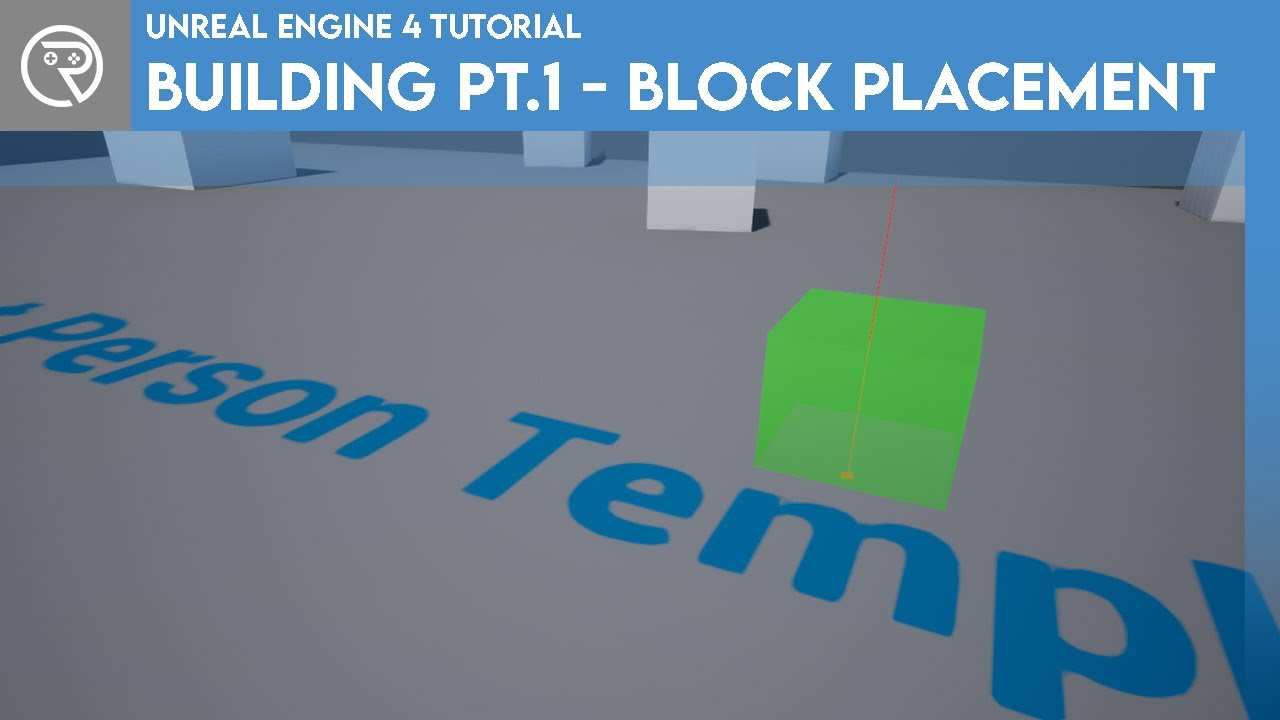
In this series we will be explaining how to add a building mechanic to your game as seen in such games as Fortnite and Rust. In our series we will be using it to build automation machines and a factory as seen in games such as Satisfactory and Factorio.
In Part 1 we build the functionality to click and add a block to the world, snapping it to a...
that's what you want
turbid magnet
That was my first system, but i thought for some reason that timelines are really ram and cpu consuming, is it?
runic parrot
you are gonna need to hange it a little bit so it works with "interact" but it's pretty much the same
wise plinth
turbid magnet
Hello guys! Does someone know a solution for interaction system? I want to make ...
In gamedev course they did just what you describe:
https://github.com/UnrealCourse/03_BuildingEscape

GitHub
A simple First Person game to learn level building, lighting, Unreal Editor, C++ game logic, basic Blueprint and more. (ref: BE_URC) http://gdev.tv/urcgithub - UnrealCourse/03_BuildingEscape
that's a working project
or you can do the course following videos
maiden wadi
Timelines are just prettied up tick gates. There's nothing inherently RAM or CPU consuming about them.
trim matrix
Hello, I create a PC with a widget, everything works well but after several weeks of development the computer decided not to work anymore, as you can see a part of the PC is not clickable no idea why, even with all the possible debugs I can't find a solution, anyone to help me? (ping me please)
https://i.imgur.com/H7qGW0q.mp4
 turbid magnet
ooh, sweet, I'll check it out rn
turbid magnet
maiden wadi
Timelines are just prettied up tick gates. There's nothing inherently RAM or CPU...
Oh okay, thank you a lot guys!
maiden wadi
@turbid magnet You're going to hear a lot that tick is a terrible demon that should be avoided at any and all costs. You should generally use it carefully, but it shouldn't be avoided so much as used correctly. It's worth pointing out that even in a single player game, the engine constantly checks on tick, whether it should split the screen for a second player.
turbid magnet
Yeah, it's like walking on thin ice
maiden wadi
@trim matrix Looks like there's something blocking the hit test of the button. The widget's cursor is still moving, so presumably the mouse is still registering on the widget. You're certain that widget doesn't have some sort of hit testable panel or something over the unclickable area?
@turbid magnet Nah. Seriously speaking, don't stress about performance unless you want to teach yourself or your target platform is a Mobile device. You will never get anything done if you're constantly looking for the best solution. The best code, is code that is easily readable and followable if you ever have to come back and change it, and it works. Performance is a secondary factor for once stuff is working and you're ready to start polishing.
turbid magnet
I got you, thank you for explanations, I'll do my best! I am just a perfectionist and I always trying to get rid of this annoying feelings when I'm making something, thank you again!
trim matrix
maiden wadi
<@456226577798135808> Looks like there's something blocking the hit test of the ...
The cursor is not waiting, it's just a test, no idea why there is the non clickable area
maiden wadi
I know that feeling. Don't get me wrong. Event driven is the best way for most things. But in your case you want the player to look at the object and hold a button to pick it up. Have to update often to make sure they're still looking at it.
wise plinth
maiden wadi
<@!332271692317458432> Nah. Seriously speaking, don't stress about performance u...
Well, it depends. I think you should always do your best.
Game devs, especially, lately, took the advice from leading programmers "Don't optimize for performance" to the heart and too seriously. That's how we get Witcher 3 and Cyberpunk and many other games with unacceptable performance.
Also this: https://youtu.be/SVRiktFlWxI?t=20982
09.00 Uncle Bob - Part 1
11.00 - Break
11.20 - Uncle Bob - Part 2
12.30 - Lunch
13.30 - Breakout sessions (NO LIVE STREAM)
15.30 - Uncle Bob - Part 3 - Including Livestream.
Tomorrow the programme will begin at 09.00 AMS
#codingwith #unclebobutrecht
Half the games on Steam now basically "Lmao it's alpha deal with it"
maiden wadi
You can get the same thing on Tick with some logic, but timelines will be more readable. I mean even in C++ I'd personally probably make a component that enables and disables it's tick based on inputs and use that for the logic.
 earnest tangle
Coding a Better World Together - Uncle Bob
Oh boy, not sure if Uncle Bob goes together with making a better world unless he's recently realized he's been a bit of a jerk lol
earnest tangle
Sexism and stuff, I don't really recall the specifics but it's just the usual
maiden wadi
Quite honestly, I'm not sure how I feel about the idea of comparing someone's personal project to that of larger development company. Performance dies for a lot of reasons, and we're currently talking about CPU bound small scopes here.
I haven't played either of those games, but I'm aware of Cyberpunk's terrible performance. Also aware that it was in development for nine some years.
Nine years is a long time for the one derp on the team to be throwing hard pointers around to assets that don't need to be loaded, or for the UI designer to bind to EVERYTHING in the fucking game to be updated while it's not even in use.
earnest tangle
The problem is that a lot of programmers tend to easily gravitate to the extremes :D
If you tell them to optimize perf, they'll spend all the time in pointless micro optimizations
(okay maybe it's a bit of an exaggeration, but you do see this a bit here and there)
I think the best example is the fear of On Tick to the point that people will rather use a timer at a short interval to effectively emulate On Tick because they've been told "on tick bad"
faint pasture
You just need to think about it. Does it, by definition, have to update on every frame? If so, a tick is involved somewhere.
dark crow
Thing is, 100 fps means 100 calls a second
Timer that loops every 0,01 seconds would be equivalent to 100 runs a second?
earnest tangle
Only if the framerate is high enough for that to happen
It might skip if the framerate drops
maiden wadi
Actually a 0.01 timer is more harmful.
faint pasture
If you find your time or getting anywhere close to your frame time, just use a damn tick. It'll probably perform better since you won't get aliasing
Or not perform, but actually look better
maiden wadi
0.01 timer on a machine that is running at 50FPS will run the timer code twice per frame.
earnest tangle
Does it actually do that? I thought I read somewhere it wouldn't
 supple dome
its does but its incredibly unreliable, theres even a comment in the code saying its kinda bugged
faint pasture
Like say you had a 60 FPS game and a 50 HZ timer, you would have almost the performance cost of a 60 HZ timer, but you would have some frames with one update per frame and some frames with no update per frame. It would look janky as all hell
turbid magnet
Unreal has fixed frame rate feature for physics based mechanics, such as a racing car
maiden wadi
I mean in the end it's just something else being ticked, that counts down a timer and calls a function if it's <=0
turbid magnet
so even if your fps is 30, physics will be calculated at 120 ticks per second, for example
faint pasture
turbid magnet
so even if your fps is 30, physics will be calculated at 120 ticks per second, f...
That's on a separate update though, or maybe even a separate thread. You can't directly reach into it with game code
turbid magnet
Actually you can through c++ as far as i know, I used one plugin to implement this second thread into blueprint, don't remember how plugin names, but it's pretty sick stuff
Ah yes, new Chaos Vehicle in last version of UE using second thread calculations, so this vehicles is frame rate independent, which is cool
trim matrix
Hey guys real quick How do I stop my character from attacking when he is fallign
turbid magnet
Check is he on the ground or not in attacking node chain
trim matrix
Ok thank you
tawdry ore
When i use the state machine and connect two different states, the transition rule takes a long while to appear, is there a way to fix this
trim matrix
how do I make my isinair Var Visible in the thirdpersoncharBP or do i have to make another one
 ornate terrace
Hello guys, i need some help, im getting this error even tho, i dont know what ive done wrong, thanks fir answering!


 last abyss
when ur hp goes < 10 the ui gets removed, then on the next tick ur hp is still <10 so it tries to remove the ui but it can't since it doesn't exist anymore
or sorry, if its >
last abyss
you can do an 'isvalid' node of the BLOODUI reference
before you remove it from parent
ornate terrace
Dude, u are the best! Thank you so much
trim matrix
Hey How do I ad like a little movement when I attack for example in some games when you punch your char moves forward a bit
trim matrix
trim matrix
Hey How do I ad like a little movement when I attack for example in some games w...
Anyone?
 vale pine
trim matrix
Hey How do I ad like a little movement when I attack for example in some games w...
vale pine
trim matrix
Hey How do I ad like a little movement when I attack for example in some games w...
I'm less familiar with root motion in unreal than in unity, but that's the first place I'd look:
https://docs.unrealengine.com/en-US/AnimatingObjects/SkeletalMeshAnimation/RootMotion/index.html
A look at how root-based animation is handled within Unreal Engine 4
trim matrix
Ok thank you
trim matrix
I have 2 custom collision channels, they are both set to "block" response in my character's capsule component, the character's capsule component response type to Pawn channel is ignore, why aren't my character's capsule component blocking each other if my custom channels are set to block in the component, they are just overlapping/ignoring each other?
maiden wadi
@trim matrix What is the Object Type of your Capsule?
flint vector
is there a way to make a post process volume only apply to one object class
round merlin
i feel like this might be a better place to ask, rather than in #ue4-general. right now i've got this dmg logic setup but i was wondering whether it was possible to create something more efficient? maybe i am doing this all wrong 🤷♂️
dawn gazelle
round merlin
i feel like this might be a better place to ask, rather than in <#22544844695640...
That's the right way of doing it and in my own opinion looks plenty efficient.
trim matrix
maiden wadi
<@456226577798135808> What is the Object Type of your Capsule?
ahh... it's pawn, thanks
 indigo bough
Any idea why I can't click on the child actor in the world outliner?
 runic parcel
npt sure this is the right place to ask, but is there a thing like the widgetswitcher but that just can change the images in a set box by buttons?
like an imageswitcher?
round merlin
dawn gazelle
That's the right way of doing it and in my own opinion looks plenty efficient.
i see. as for the actual firing, this is the logic. basically on event fire called, i have 2 branches that check for possible multishot, and spawn each individual projectile. would a for each loop hinder the performances or do i just use it? i feel like running loops on something the player willl do for all the time is not right
 dawn gazelle
round merlin
i see. as for the actual firing, this is the logic. basically on event fire call...
dawn gazelle
round merlin
i see. as for the actual firing, this is the logic. basically on event fire call...
If you're trying to get them to fire all at the same time, then a loop is ok to use.
What you may want to consider is using an asset pool if you're going to be spawning many of them rapidly. Instead of destroying the spawned projectile when it hits a target or reaches out of bounds, you hide it, disable its collision and "store" it somewhere out of bounds and then add it to an array of "Available Projectiles". When you go to fire, instead of immediately spawning the projectiles, you check to see if there are any available in the array, if there are, you move them into position, set them as visible, enable collision, remove them from the array and send them on the way. If there are no projectiles available in the array, only then do you spawn them.
flint vector
is there a way to make a post process volume only apply to one object class (yes i already asked this earlier)
round merlin
dawn gazelle
If you're trying to get them to fire all at the same time, then a loop is ok to ...
this makes a lot of sense, i've also done this many times in unity. essentially i preload a dozens of projectiles and enable them when needed. is there something that quite literally enables and disabled the whole actor? or do i have to manually set collision and hidden? i guess i am just more wary of calling for loops constantly for the projectiles, but i feel like that will make my workspace better and let me be more flexible with potential changes
dawn gazelle
There isn't, but you can create some functions that enable and disable them and then call those when needed.
sharp dew
Does anyone know why it's not letting me get the health number (text)? It's only letting me get the progress bar

 dawn gazelle
sharp dew
Does anyone know why it's not letting me get the health number (text)? It's only...
dawn gazelle
sharp dew
Does anyone know why it's not letting me get the health number (text)? It's only...
It's not set as a variable
 sharp dew
Thanks!
 dense bone
Hello, i want to clarify that i am completely new on unreal engine and i have 0 experience on creating games.
Now, here's my problem
I had a project in mind which is a simple tower defence game, like Bloons
I basically made a enemy spawner which spawns enemies that should move to a specific point, which is a Target Point. I also added a NavMesh for their floor. The issue is that, the enemies do spawn but they wont go to the Target Point. I think it's because they can't locate the Target Point, anyone that can help me out? idk what i did wrong
Enemy Spawner

Enemy

 gusty cypress
Hi, I have have different levels using level streaming, but they load too slow (blocking in or player spawns below map) should I instead just set their visibility. I dont use level streaming to save time but instead to hide other parts of level
or will this blocking in/slowly loading not be an issue when I package the game
maiden wadi
@dense bone In the AI's beginplay. Do an IsValid check on the Get's return value. Print something if it's false and something else if it's true.
If it prints true. Put more prints on the AIMoveTo. See what is happening, whether it's succeeding or failing.
 mellow stump
@dense bone In the AI Pawn area, under auto possess AI, change "Placed in World" to "Placed in World and Spawned"
 dense bone
this fixed it, thank you very much!
sharp dew
Why isn't the player able to deduct health from the king? It's printing "Casting", but the king's health stays the way it is.

The values of WATK Strength and SATK Strength are both above 0
Is this the issue? Does it only set the health at the beginning and not change?
 mellow stump
In the widget, heath will have to be bound to a function "Create Binding"
twilit heath
in which case, whats making you think you're not doing any damage?
mellow stump
 twilit heath
umg bindings are quite terrible
a UI adequate for a MOBA game done via bindings alone
is 6-7ms
half your budget for the entire game
 twilit heath
step #1
verify if its actually taking damage or not
and not by using a UI
either do a duration 0 print on Tick
or use breakpoints
if its taking damage, your UI is broken
sharp dew
It is taking damage
twilit heath
now there are several different versions why would that be
sharp dew
Here's what I was using to bind
 twilit heath
UI has a reference to wrong king, you have 2 widgets ontop of one another and only the bottom one is updated, your update code is broken...
twilit heath
2 widgets ontop of one another (unlikely from above screenshot)
happens when you run code that creates and adds a widget twice
sharp dew
Well I don't think that's the case since when I removed the EventBeginPlay the widget didn't show up
Also it does seem to be binding bc the original value I put where it says "10,000" was "0" (as a placeholder)

It's just not decreasing
twilit heath
i don't see you injecting a reference to the King
into the BossHUD widget
and that UMG binding function is using it
sharp dew
twilit heath
and that UMG binding function is using it
What is UMG?
Also, I pretty much did the same thing here in another project, and it works in this one
 twilit heath
that just sets the initial value
sharp dew
Ok, but I'm also binding it, so shouldn't it change the value here?
 dense bone
Hello, this blueprint should make something spawn, the thing is that if i put loopining on it will repeat it infinitely. is there a way to make it repeat only for example 5 times?

 narrow kelp
@dense bone make a variable to count
 lavish mica
@dense bone Run your Spawn Enemy event into a ForLoop, set the last index to 4, then feed the Loop Body output into the spawn node
gusty cypress
I have have different levels using level streaming, but they load too slow (blocking in or player spawns below map) should I instead just set their visibility. I dont use level streaming to save time but instead to hide other parts of level
or will this blocking in/slowly loading not be an issue when I package the game
dense bone
lavish mica
<@!360062813491822593> Run your Spawn Enemy event into a ForLoop, set the last i...
thank you, this works but how can i add a delay between each spawns, i tryed adding a Delay on the Loop Body exec of the ForLoop but it just makes it stop working
lavish mica
@dense bone
 dense bone
thank you very much i will try to understand it while i copy it on my own project
lavish mica
@dense bone
Set Timer by function name is doing the same thing as your Set Timer by Event, so you can use either. It's looping so it fires every 1s in my example image.
So, every second the following is happening:
- Check the value of the integer variable called 'Counter' is less than 5
- If less than 5, increase 'Counter' by 1, then perform the action needed (i.e. spawn your AI)
- Once 'Counter' is greater than / equal to 5, the timer gets paused so the checks are no longer happening
 sonic pine
Hiho i have a little question about minimaps.
I have created a little Arrow about the Player to show players on minimap. i have hide the Arrow for the owner, but i cant find a way to hide the arrwo for all players so only the minimap can see the arrow.

The arrow is a material on a plane, maybe there is a better way to do that?
vale pine
There's no Smoothstep in BP?
sonic pine
smoothstep?
vale pine
Sorry, that was an unrelated question.
sonic pine
ah ok ^^
dense bone
lavish mica
<@!360062813491822593>
Set Timer by function name is doing the same thing as yo...
thank you again, but how do i make the counter variable?
lavish mica
@dense bone In your blueprint, on the left, inside the My Blueprint panel, find where it says 'Variables' and press the + button next to it. Give the new variable a name (Counter in this case), then change the variable type in the details panel to Integer, and press compile.
maiden wadi
@sonic pine This is usually done with separate widgets in the minimap widget. Images rotated and moved around on the canvas above the minimap render, projected onto the 2d map based on their 3d world locations relative to the camera rendering the map.
sonic pine
@maiden wadi Hiho what do you mean exactly?
dense bone
lavish mica
<@!360062813491822593> In your blueprint, on the left, inside the My Blueprint p...
uhhhhh
 maiden wadi
Usually. What will happen is your have your minimap widget somewhere. And you have actors register to it with their pointers. Then your minimap can tick and update it's widgets based on these actors to place them in correct locations based on where they are in the world compared to the camera rendering the map.
So instead of having an arrow on the character, it would just be an image widget in the minimap.
lavish mica
@dense bone drag out from the variable, the list is context sensitive so will then only let you choose less than for the integer type. I'm happy to help, but I think you need to read some of the documentation and watch some introduction to blueprint videos if you're getting stuck with things like this. Keep it up, you'll get there
dense bone
i will, thank you for you time and for the help ❤️
lavish mica
you're welcome
sonic pine
@maiden wadi If im moving is the arrow also moving with left and right. If im wathing a tree at the left, the arrow will look at the tree too?
Arrow and me are looking to the "?"

or is the arrow static?
maiden wadi
You do that via rotating the image widget in it's render transforms. For instance, if you set up your arrow so that it points to the top of the screen, that will be your 0 rotation. Anything between 0 to -180 will rotate left, and 0 to positive 180 will rotate right. 180 and -180 are both facing straight down. 0 is up. 90 is right, -90 is left. You can transform that based on the actor's current rotation and the render target camera's rotation.
sonic pine
ok Thank you, i will try to create that ^^
Oh second question ^^ on the minimap this will not work ^^

The mesh is still on the camera...
maiden wadi
I haven't done a lot of work with render components. Make sure the mesh is valid, if it is, there may be some settings regarding whether or not it's even reading from the hidden list or not.
sonic pine
ok thanks ^^
trim matrix
Can someone tell me how to disable attacking while falling I get that i need to check is falling on my movement that i made to stop movement when atttacking but i dont see that var in anything but m,y animgraph area
maiden wadi
If you're using a character, just get it's CMC and call IsFalling I think is the function.

 maiden wadi
@trim matrix You need to scale by uhh... There's a library call for it. Like GetViewport...Scale?
trim matrix
maiden wadi
<@456226577798135808> You need to scale by uhh... There's a library call for it....
what ?

you mean this ?
Uhh authaer it didnt work i might have not done it right
maiden wadi
@trim matrix Nah. Just a sec.
@trim matrix What did you do exactly? Your branch check should be CharacterMovementComponent->IsFalling->Not->Branch
True, attack. False, don't attack.
trim matrix
in here?
 maiden wadi
If you attack with right mouse button, then ys.
trim matrix
maiden wadi
<@456226577798135808> Nah. Just a sec.
so ? 🙂
sonic pine
@maiden wadi Thanks for your help, its working very fine. There is only one little thing ^^ If im starting in Multiplayer, my second Player havnt any arrow about him on the minimap ^^

only the first client will get the arrow, all the others havnt the arrow on the minimap. The minimap of Client 1 and of his own Minimap too...

Oh an other error... by 6 Clients the arrow is rotating if im running with Client 1-4 and Client 6 but ohne Client 5 is able to move with the arrow...
 manic osprey
Yo!
I made a Damage system that a Actor (A Sword) deals damage if its collide with a Character.
The Character can pick up the Sword but the thing is if he picks Up the Weapon or collides with it while walking he takes the Damage. How do i fix that?


 sly finch
So i have a specific question about blueprints
I extracted a blueprint from a game and i want to take a look at how it's made, just to see how the blueprint is programmed and learn from it some useful things
I copied the uasset file to an existing project that i have but it never show up
Can i really open these blueprints in my project or are they encrypted?
last abyss
manic osprey
Yo!
I made a Damage system that a Actor (A Sword) deals damage if its collide w...
do a branch check to see if other actor == player character ?
manic osprey
good point lemme try that
flint vector
It doesn't print anything when i run into to it. Why?
 last abyss
flint vector
It doesn't print anything when i run into to it. Why?
last abyss
flint vector
It doesn't print anything when i run into to it. Why?
check the collision settings on the box
flint vector
the box is a box collider wdym
wise plinth
Begin Overlap event isn't happening on Box Collision if it spawns the player actor and this actor already overlapping:


Any ideas why, guys?
**
**
But if I spawn my character above this actor with the Box Collision, the event fires when actor enters
last abyss
flint vector
the box is a box collider wdym
did you change the collision settings to block on the box collision?
flint vector
no its overlap all dynamic
last abyss
right, so it can't hit the player it can only overlap the player.
 stray island
If i put (for loop) inside a functions end , will the output be completed or loop body
twilit mantle
hey is it possible to change the "pawn control rotation" for a camera manager? I want a true first person but I'm using the ALSIV and that use a Camera Manager
dawn gazelle
stray island
If i put (for loop) inside a functions end , will the output be completed or loo...
Depends on where you put the return node (if any). If you attach a return node somewhere on the loop body and your code reaches it, then it'll stop the function. If you have no return nodes then anything on the completed line should also be executed.
flint vector
i hate animations
stray island
I have nothing plugged to completed line and functions ends there
So if i plug the return node to completed then it wont loop outside of the function right?
dawn gazelle
It never would.
stray island
Oh
i need help with duplicating my mesh on two sides using for loop

Instead of one side
dawn gazelle
function bool myLoopFunction {
    for (i = 0; i<max; i++) {
        if (doSomething()) return true;
    }
    return false;
}
Use the above like an example. Your function is encapsulating the for loop. Adding a return within the for would stop the loop as you'd be returning from the function. Anything after the loop could be considered the "completed" path on a loop node. So the loop only does what it is supposed to do within the loop body, not outside of the function, but you can exit the loop if you have a return node in the loop body.
flint vector
how do i respawn the player?
dawn gazelle
stray island
Why do you need a loop to do something twice that isn't necessarily specifically in any order. (ie. -1 and 1 in your case)
If you have code already for duplicating to one side, copy that code and put it in a function with an input variable of some kind and have it do it positive or negative relative to the main mesh based on the input variable (like a boolean or even the value of where you want the object).
Then if you want to have many copies, you would do a loop and in that loop use the function you created and the offest can be the index of the loop * whatever distance you want, etc.
flint vector
flint vector
how do i respawn the player?
and stop the movement while playing the death animation
turbid magnet
Guys who helped me with my interaction system problem... you are awesome!!! Thank you so much, all code works like a charm!!!
https://youtu.be/m-htYZMcc9k

Guys from Unreal Slackers server, thank you a lot!!!!!
stray island
@dawn gazelle thanks alot i did similar solutions and i thought i am doing wrong duplicating a function was afraid a function would for loop the other function
 tulip yoke
hi! still having an issue in blueprints where if a client is higher (elevation-wise) than another client, they can't deal damage to them! https://www.youtube.com/watch?v=HsT4-Ai8ZyE

If another client is above another client, the "Apply Damage" just doesn't seem to be firing. I use a breakpoint and it never reaches that stage it seems. Quite odd!
 brave citrus
Is there a way to stop cable actors flinging around / stretching when you attach them to something before they settle?
 solemn briar
Can I use the same blueprint for two different units? e.g. if I have an archer and I have a swordsman and they can move different ways/ave different rules but same basic fnuctions do they need their own BP?
lone needle
solemn briar
Can I use the same blueprint for two different units? e.g. if I have an archer a...
Child blueprints !
solemn briar
lone needle
Child blueprints !
ty!
lone needle
np haha
 gentle urchin
@tulip yoke have you tried tried making ur trace visible for debuging?
It would also help to see ur code for debug purposes
 finite flax
hey so after this delay I want to check again if the player is still outside of the trigger or not, how would I go about this?
 tulip yoke
gentle urchin
<@333867333162369025> have you tried tried making ur trace visible for debuging?
tulip yoke
gentle urchin
<@333867333162369025> have you tried tried making ur trace visible for debuging?
It hits everytime, as in the video you can see that it does indeed notice the character im hitting; just never applies the damage if i'm on higher elevation. works in every other scenario. i'll try some other things
gentle urchin
It would suggest that you got it wrong in code imo
solemn briar
not sure what chto post this in but it has to do with my AI BP. I'm trying to set up a nav mesh agent for my AI auto move but nav mesh isn't showing green or red even when I press P, do I have to have the ground as a certain collision setting>?
sonic pine
Hiho why i dont should use "create binding"?
A lot of peapole said me not to use it but ini the multiplayer tab i get the information to create bindungs is better xD
Whats right, whats wrong? ^^
finite flax
does anyone know the answer for my above question?
lone needle
finite flax
does anyone know the answer for my above question?
i know how you can do
Make a boolean variable "PlayerIn?"
when the player go in the triger -> PlayerIn = True
when the player go out the triger -> PlayerIn = False
add a delay after the player go
and check if PlayerIn == True
finite flax
hmm okay will maybe try that out
have been messing with this method but it doesn't seem to print the string
 finite flax
lone needle
i know how you can do
finite flax
lone needle
i know how you can do
okay so this worked, I did get some Errors after closing the game
 lone needle
what kind of errors
 lone needle

here is the problem
your are calling an "instance" of the player
but its not on the same node
finite flax
lone needle
put the player in a variable
what sort of variable would that be?
 lone needle
np
finite flax
 finite flax
like so
 lone needle
yeah
finite flax
ait
 dusky harness
You can also convert that to a pure cast
lone needle
what is pure cast ?
 lone needle
yep
dusky harness
The cast node without the execution wires
finite flax
alright so now I can use the variable to call the event, right?
lone needle
yes
trim matrix
Hey I want my character to not be able to attack whilst falling and I know to get the isinair var and all that but I dont see the isinair var in my third person character bp I need a in depth tut on how shouldnt take to long
finite flax
now it's spamming the reloadLevel event
dusky harness
trim matrix
Hey I want my character to not be able to attack whilst falling and I know to ge...
The IsInAir variable is in the CharacterMovement component
trim matrix
Where do I find that @dusky harness
dusky harness
give me a sec
trim matrix
k
 lone needle
np 🙂
dusky harness
@trim matrix At the top left corner in your Character blueprint there's a CharacterMovement component. Drag that on your blueprint so you can have a reference to this

Then you can just do this

 dusky harness
First i want to know what exactly you need
trim matrix
For my character to not be able to attack when falling/midair
dusky harness
I guess you need a branch with that variable before your DoOnce node
Your branch output is False
 dusky harness
To nothing. This should work that way
trim matrix
ok imma test it
Uhh my character doesnt attack anymore
Like before I jump he attacks but after I jump he doesnt attack no more
trim matrix
Um well basically when the right mouse button is hit once It plays the anim because I dont want to just press like Q then It plays all the attacks you need to press it 3 times to play out all combos
dusky harness
Try putting your Branch before the DoOnce node, not after
dusky harness
Good. That's what i told you to do even in the first time
Anyway, i'm glad you made it
trim matrix
Thank you man
finite flax
hey, so I made two animations in the BPW_Hud and now I want to be able to call them from another blueprint but I have no Idea how...

how would I do that
dusky harness
@finite flax When you create a widget in your another blueprint you can save it as a variable and call your custom event from it
trim matrix
In one of your folders just make a widget in bp class
dusky harness
How do you set up your HUD in blueprints? Can you screenshot that?
finite flax
 dusky harness
What blueprint is this? Your character?
 dusky harness
So you need to add it to viewport of your PlayerCharacter
finite flax
I added it to the viewport of my topdowngamemode already
can I add it to mulitple things?
have this in my gamemode
 dusky harness
I am not sure about that. But here is your widget, the Return Value is your variable. You can call your events from there.
 upbeat smelt
What can I do to lerp player character's yaw so that it follows the shortest path to the target? For example, if the current yaw is 350 and target is 4, normally it would get reduced from 350 to 4. Is there a way so that it increases from 350 to 4(360+4)?
dusky harness
@upbeat smelt You can try a lerp from 350 to 364 in this case. But i have no idea on an absolute way to perform that
You can make a branch with 2 lerp ways. Increasing or decreasing the angle
Or maybe i do, just need to find out how to calculate that bool for the branch
Maybe the way is to compare the distance between both ways. That is your boolean
upbeat smelt
ok ill think about it
dusky harness
Try taking the current yaw minus target yaw and compare that with (360 - current yaw) + target yaw
This might actually work
finite flax
dusky harness
I am not sure about that. But here is your widget, the Return Value is your vari...
Why des this not work? (This is the ball blueprint)

this is the BPW_Vignette blueprint
 dusky harness
Have you checked that the cast is true?
dusky harness
yes
I am running out of ideas. Try checking if the variable is actually switching in the widget blueprint. Make a Print String there
finite flax
ok
yes the value changes
and now I found something
the vignette appears after I have been out of the trigger and go inside again
wich is very weird
dusky harness
Well, that makes sense
finite flax
lmao
now the vignette is turned on from the start tho
weird
and instead of slowly fading in, it just snaps to the final opacity value in the animation
dusky harness
Check the Default Value of your bool. I bet that it is turned to true. That's why it is turning from the start
 dawn gazelle
You might have an issue because you're trying to play an animation on tick. You really should not do that. If you can set the bool on the widget to true, you can just as easily call a function or event that plays the animation.
dusky harness
damm
finite flax
hmm, prolly just easier to set it to false at start of the game instead of trying to figure it out
dusky harness
dawn gazelle
You might have an issue because you're trying to play an animation on tick. You...
Yea, i agree with that guy
You can make a custom event in your widget blueprint that plays the animation with your bool branch
And call it in your other blueprint
finite flax
dawn gazelle
You might have an issue because you're trying to play an animation on tick. You...
isn't playanimation the function?
okay then
dawn gazelle
It is a node.
finite flax
yeah that was my first solution if you scroll way up but that didn't use to work
dusky harness
It is, but you can't call that from other blueprint. That's why you need custom events
finite flax
I'll try again

 dawn gazelle
No animations selected again.
finite flax
ignore the setting of the boolean
dusky harness
lol
dusky harness
that's an average UE being
 dusky harness
Great job mate, looks awesome
 arctic junco
why is my water showing only if i hover mouse on toolbar button?
 sonic pine
Hiho someone know something about EXP and LevelUpSystems?
I have created a clear function: EarnEXP Yes or No (later every Quest an Monster will give EXP into the Earn EXP variable, but now its perma Successed.

I also have a CheckEXP Event with output EarnEXP (true) and an InputAction Testkey (L) so if i press L the Variable EarnedEXP will get 10 EXP

But the CurrentEXP are only 0, normaly the CurrentEXP should grow up like 10,20,30,... if im pressing L
dusky harness
Are you calling the CheckEXP event somewhere? If not, put that on Tick event
 prisma iron
can someone tell me if this looks correct for a simple teleport what is using the coordinates of the actor? because if i walk in nothing happens
 sonic pine
@dusky harness oh no i didnt ^^
sonic pine
Event CheckEXP should be a TickNode?
For the tests ok, but later i want to call the function about Quests and killed Monsters
ok nice it is working ^^
 dusky harness
Good. Glad you made it
dusky harness
prisma iron
can someone tell me if this looks correct for a simple teleport what is using th...
First. Cast your Other Actor to your Player Character to make sure that the player is the one who walks into the volume. Second. Try using SetActorLocation instead of Teleport
prisma iron
dusky harness
First. Cast your Other Actor to your Player Character to make sure that the play...
thanks
 boreal tusk
I have a box collider & a simple mesh.
My issue, I want my collision to trigger against the box collider.
But the collision happens against the mesh. (even when specifically using component hit on the box collider.)

 keen wedge
Hi all, does anyone know if its possible to call a node in Blueprint to update/refresh a UI widget? (issue is here: #umg message)
earnest tangle
Not really sure, but if you changed the widget to require a manual render instead of having it automatically render, that could be causing it - in which case you need to call the render function on the widget (it might not be called render, but it's something like that)
actually not sure if that's an option on anything but widget components now that I think of it, so not sure if that applies to your case
keen wedge
Thanks for the reply. I'm utterly stuck on this one... can't quite work out what's going wrong... I'm basically updating the image used for a button but when the widget the button is on isnt currently Visible... I think that might be part of it, but not sure... the widget does "exist", its referenced via a variable... but its like when its not Visible its not updating itself...
looking at the screen shot from the reflector shows that my setting of the Style took place... but its like a redraw didnt... and doesn't when its set to visible again... really weird..
not sure what the "Widget Components" are... saw an option to Request Redraw but my widgets don't seem to be of the correct type for this..
earnest tangle
Maybe worth trying to update it after you toggle it visible just to see if it has any effect
yeah widget component is something you can put on an actor to display a widget in the world, so if you're using this in UI it doesn't matter :)
keen wedge
ahh, ok, thats makes sense, so I can stop looking at that as an option then, thanks.
My stuffs all event driven, so moving where the style gets applied is a bit of a pain but I can give that a try... it works fine when the game re-launches, the its just these "on-the-fly" changes that don't seem to work.. so the under-pinning style code is kinda ok I think... I tried Collapse instead of Hidden for the visibility but that made no difference either... its like the widget actually has to be "on-the-screen" etc..
Can't seem to find any diagrams online that indicate the "flow" of execution or anything like that for the UI stuff either, which might have helped..
earnest tangle
It seems like what you're doing should work as far as I can tell.. but if you can at least temporarily have it update after it's visible, it would give an idea on what could be causing it
eg. if it does update correctly after that or not
keen wedge
Its so frustrating,. hehe.. its basically just whether a button looks active or not when a player returns to the level select screen... all the functionality works, and really weird is that the style for the Hover and Pressed works exactly as it should, its just the Normal that is retaining the old "in-active" style...
Will give what you suggested a try... the only other thing I can think of is to have it dispose of its children on the level select and re-create them, but I was hoping to avoid that as it seems massively unnecessary..
 lament fox
Hello everyone. I ve just began to BP. I ve a very limited knowledge about coding, lets say i ve no idea about coding. Please may you say, if me or my team decided to make a game with BP, what am able to do or not. I read many comments which say “coding is better than BP etc” but i really need to know what can i do or what cant i do with BP. For example i want to make sidescroller arpg, which will be most challenging with BP?
keen wedge
lament fox
Hello everyone. I ve just began to BP. I ve a very limited knowledge about codin...
That's a very broad question. There are project templates within UE4 and there is a specific one for a side scroller, I have made a simple side scrolling platformer based on this template. The limitations I've experienced personally are sometimes around when there isn't a "node" for something you could do in C++, I can't think of an example off of the top of my head though. The other issue I typically experience is one of "architecture", I personally find BP quite frustrating to work with as I dont find it so obvious as written code to see what has access to what, and what shouldn't have access to what etc.
My best advice would probably be to try a few of the example projects and build a few simple mechanics around those, get a feel for it, and then go from there.
 ashen panther
is there a way to make the tangents longer? when I click on them I can rotate them around the keyframe but not enlongate/shorten them.
 lament fox
keen wedge
That's a *very* broad question. There are project templates within UE4 and ther...
lament fox
keen wedge
That's a *very* broad question. There are project templates within UE4 and ther...
Hi Rob, thank you for the reply. I was using Unity for one year and used its visual scripting tool named Bolt. It was awesome but i am tired of unity. I really like the templates you mantioned and i feel these templates solve tons of work. Maybe in a side scroller i need a detailed gama manager Bp that handles the interactions between characters or something else. Please tell me if you find me crazy or optimistic.
maiden wadi
@trim matrix Sorry, did you ever get the mouse in the widget thing sorted out?
keen wedge
lament fox
Hi Rob, thank you for the reply. I was using Unity for one year and used its vi...
UE4 has a GameMode which kinda does that... it has specific objects which you can use as base-classes to create your own, PlayerController, PlayerPawn, GameMode etc etc..
You might find this useful: https://docs.unrealengine.com/en-US/Basics/UnrealEngineForUnityDevs/index.html
Translate your Unity knowledge into UE4 so you can get up to speed quickly.
 meager spade
If I have multiple actor components added through the editor is there any way to know the order of creation?
lament fox
Yeah. I think level BP is doing the managment the scene. This is awesome. So i need to ask if i may, what do you suggest to create states. For example player character has a overlap and when it collides with enemy, player goes into a melee state. I think this can be handle with function or macro?
I can explain my self with an example. In a combat/melle state, (side scroller game) , when the enemy is right of screen but i press left input i want to character move backwards nor turning right. I think this can be modified from the component detail. I am new plase forgive me if i ask no sence questions 🙂
 summer bolt
If you had an actor for a item in an inventory system, how would you display a description and text for it (I don't have an inventory system just need to know how I would set up text for one)
 rich axle
Hello friends. Git user here, that is new to Perforce and UE4 SVC... I discovered the blueprint merge tool, but it doesn't seem to work properly or I haven't figured out, how to use it correctly. I would like to apply conflict resolution on every listed conflict manually, but the only options are "Accept Source" or "Accept Target" (which is equivalent to Replace my File with Remote revision or discard remote changes) which is like not doing a merge at all. Has anyone have experience with it or knows how to use it properly? Thanks a lot!
 azure bolt
Hey does anyone know how I can set this boolean value via get class defaults?
 torn kettleBOT
:triangular_flag_on_post: -----#9090 received strike 1. As a result, they were muted for 10 minutes.
meager spade
azure bolt
Hey does anyone know how I can set this boolean value via get class defaults?
I mean you would have to do it inside the class's default, you don't have an instance of it so you can't really set it during runtime AFAIK
azure bolt
Yeah I'm trying to get the boolean value from another widget, but it says it can't write to const now
sonic pine
Hiho somone know the Data Table in UE?
Is the Data table a way to config EXP and levelsystem, Character Stats System, Stats per LV settings and registed Player ???
meager spade
azure bolt
Yeah I'm trying to get the boolean value from another widget, but it says it can...
Yeah it's the class's defualt, if you in theory could change it it would then be changed for the other actors default that you spawn of that class and would make a mess
dark crow
sonic pine
Hiho somone know the Data Table in UE?
Is the Data table a way to config EXP and...
Data Table can't be changed at runtime, it's good for holding static Data tho, they're Read Only
meager spade
sonic pine
Hiho somone know the Data Table in UE?
Is the Data table a way to config EXP and...
DataTables are great for storing "static"/const data since they are read only
sonic pine
Ah ok so the current exp of a Player cant be stored
meager spade
No
sonic pine
ah ok
meager spade
I use them mostly to create actors that I need a bunch of different instances of, ie resources
sonic pine
a custom Database, do you mean MYSQL on the server?
dark crow
You could do anything really as long as it's on server
For example i have data in JSON files that the GameMode handles
In the end it's just about it being on a permanent storage, how you do it it's up to you
If you want to dictate some static data you can always use Curve Tables for the Server to have a reference point for levels and all
Driving gameplay elements using externally stored data.
sonic pine
My idea was to save the Current EXP so if you earned 100 Exp by MonsterFarming or Questing the Variable CurrentEXP+EarnEXP=CurrentEXP this will be saved at a DataTable like MYSQL, if you login again your Client will ask the DataTable für your CurrentEXP and gat the 100 EXP back, and a second DataTable is looking 100EXP = LV3
I hope i can explain my idea ^^
dark crow
Yeah no sadly DataTable can't be written on, you just use it if you need static info
Like the ammount of exp needed to level up to a certain level
 hushed pewter
How impactful is event tick too the overall performance. I keep being scared too use it saving it for something like an emergency situation
dark crow
hushed pewter
How impactful is event tick too the overall performance. I keep being scared too...
Don't be scared to use it, test your stuff on it if you need but be mindful, if you think it needs Event Tick, then it should use it
worthy frost
You can look into using JSon or SaveGame @sonic pine
hushed pewter
Is there a different event
Like Event tick if X is happening
Outside of just using a branch.
Or is using a branch there pretty much the same
Will an enumerator help?
dark crow
Well if you need something to tick only when X is happening, then a bool with a branch is not that bad, but this if it really requires the tick
So to be smooth
earnest tangle
You can also turn tick on and off at runtime
So if you know when you need it and when you don't, you can easily just toggle it
 bitter ingot
Is there a way to check if a vector is in a custom shape?
So I've got a rectangle like shape and want to check if the coordinate is inside the shape
 spark steppe
there's isPointInBox for non distorted "real" 3D rectangles
bitter ingot
spark steppe
there's `isPointInBox` for non distorted "real" 3D rectangles
But that would only apply to box shapes right?
spark steppe
yes
summer bolt
summer bolt
If you had an actor for a item in an inventory system, how would you display a d...
Sorry if my question dosent make sense
 neat stream
Hello any ideas on why would this only works on the host?

 frozen nimbus
Hello. I'm working on a 2.5D game. My character is 2D (Made in Spine) and the cape I have is 3D with cloth physics. I'm trying to have the upper 2 corners of my cape align with 2 different points on my 2d character. I can get the locations of the 2 "bones" on my Spine2D character, but I'm struggling with updating the 2 points on the cloth physics to line up. Right now I have a simple rig with bones on the cape's corners. I think I can use Modify Bone Transform on each bone to align it with the points on my 2D character, but the cape has to be in an animation to do it (still trying to get that working). Is there an easier way to get this cape working?
 dusty oxide
Hi, how can I change BP Spline tangents from the BP? I need sharp-ish corners but a small curve is necessary (that is why the linear type is not good for me unfortunately).
I found the "Set Tangent(s) at Spline Point" node, but I can't find a way to change tangent with it.
Does anyone have some idea what I am doing wrong?
That was the test BP for it:

Update, it kinda works, just the spline does not change its shape in the level, but the BP acts like the spline has sharp corners.
So update to my question : how can I change the spline in the viewport as well?
 worthy sun


That box collision is connected to a gate. Is there any reason why it wont go though it ?
That interact event is binded to 'E' and works in other Bps
dusty oxide
dusty oxide
Update, it kinda works, just the spline does not change its shape in the level, ...
I could solve it. I dropped the very same code to the Event Graph as a Custom Event and enabled the "Call in Editor" option, than I got a button in the Details and it refreshed the spline as well.
 severe geyser
hey folks, I am trying to save my options so that when the game is opened next, the values are already saved (resolution, shadow distance, etc). I am not finding good guidance online. I've found one link that might help but it's missing some information. Hoping someone here can fill in the blanks
 timid tusk
I see youtube devlogs and I get frustrated because I can't find a tutorial on how to make a character move in Blueprint
severe geyser
So, start off by creating a new Blueprint based on the SaveGame class. I'm going to call mine BP_SettingsSave. Now when you open this, all you have to do is add variables for each setting you want to save, no node work required. If using a single save for all of your settings, I recommend categorizing your variables by type. I usually do Graphics / Audio / Input / Gameplay. While you're here, you should go ahead and set default values for these variables for when the save file can't be loaded (either due to an error or fresh game install with no saved settings).
My question with this portion - inside the BP_SettingsSave, I've made my variable for Graphics, but what type of variable should it be?
and second to that, how would I set the default values?
trim matrix
Hey guys I already have attacking health system and stuff and I want to make an Ai that would attack me and deal damage same as me dealing damage to him anyone Kniow how to go about that
stray island
So
If i duplicate a hierarchical static mesh using for loop
Editing number of duplicates in editor , its smooth till like a certain number say 400 then the duplication starts to get slow
Is there a way i can continue this duplication with big numbers smoothly
The heck up happens when i drag the slider for numbers above 400 , but if i type 1000 it takes a second and get do it
 chrome rock
Does anyone have any experience using the Importance Sample node?
I can't get it to do anything
 spice shore
does anyone have ay idea how to cast a vairable to the hud as text?
night scarab
create a textbox on your HUD and click create binding , then in the function you want to cast to which ever class or actor holds your variable, get the variable, and you should just be able to drag that into the output node and a to-text will automatically be created. If you look up any HUD tutorial they will almost always show how to do it.
spice shore
ive got two blueprints for the vairable, one is -1 score and the other is +1 score, should i make another blueprint to combine the score
and cast from that
night scarab
wdym two blueprints, and you could do that as long as you can reference the blueprint from the widget graph
spice shore

pickup good is + point and pickup bad is - point
score would be where they would be combined and then casted from onto the hud
night scarab
gamemode is very easy to cast to, so if you made a score integer variable in your gamemode, and then had the pickups cast to the gamemode to increment or decrement the variable, then from your HUD you could cast to the gamemode without making any other blueprints
same would apply with the player character
meager spade
summer bolt
Sorry if my question dosent make sense
Dunno if anyone responded to you but I would have a base class for the items then gets stuff like description, text, icon etc from a data table. Depends on your usecase though
 heady rain
hello. how can i make this interpolation slower? the interp speed explanation says 0 is instant, but doesn't say if i should go positive or negative for a slower transition
 spice shore
add a delay
night scarab
I believe that a lower interp speed is slower
heady rain
and current speed is supposed to transition to it smoothly
night scarab
try it out though and see what you like
heady rain
but its almost instant right now
heady rain
i really dont notice any difference between 0 and 5
maybe i should use some other node?
like these?

(i dont know what these do...)
night scarab
it might have to do with you running in your current altitude
the closer you get the faster the interp
instead of going along a constant track
heady rain
as i swipe joystick left to right, it goes from -20 degrees roll to +20 degrees roll pretty much instantly
its way too fast...
night scarab
cause your current altitude is always changing you know what im saying?
heady rain
here is how i update roll of the helicopter. target rotation (rotator variable) is being updated by user input (using a joystick)

i'm using "FInterp To" node to make it feel smooth as roll is changing.. in other words i just need roll to change more slowly
it shouldnt be extremely responsive to the joystick
any ideas how i can achieve this? any help would be very appreciated
heady rain
night scarab
cause your current altitude is always changing you know what im saying?
i don't understand what you mean...
summer bolt
meager spade
Dunno if anyone responded to you but I would have a base class for the items the...
👍
 unique hollow
how would I apply force to a physics object using a linetrace
maiden wadi
@heady rain TargetRotation is coming from an input axis I assume?
heady rain
yes! :)
but that part is irrelevant
what i need is to be able to update the helicopter's roll more slowly for a more smooth feel
if you can help me i would really appreciate 🙏
maybe i need a different node than "FInterp To" ?
maiden wadi
The only reason I could see that being instant is if you're calling it a lot in one frame. Basically all that math does is TargetFloat - CurrentFloat So.. Say you have 0 and you input 10 in your case as your max is 10 out of that clamp. It'll do 10 - 0 = 10. Then it'll do DeltaTimeInterpSpeed. So at 3, this will just multiply your deltatime by 3 and clamp it between 0-1. This multiplier gets used on the previous math return of 10. So 10 * (DeltaTimeInterpSpeed). At 60 fps and 3 InterpSpeed, that's 0.01666 * 3. So 0.05. Now the formula is 10 * 0.05. Add that remainder to your current value for current being 0 when we started, and now it's 0 + 0.5. This means that it should take 20 frames, or 0.33 seconds from 0 roll to +10
This math is all assuming you're calling that function once per tick.
Well, technically it's a little more than 0.33 seconds to full roll. Likely closer to 0.5 seconds. You lose a little bit of roll each interp because it's closer to the target.
For instance, if you break the node up into simpler blueprint functions. This is what it would look like.
 faint pasture
@heady rain does your helicopter have a flight model or do you want it to be strictly on rails?
indigo bough
Hey folks, trying to break down a few parts of a sailing feature.
Wind shadows are stumping me. I figure maybe it's a case of line-tracing parallel to the wind vector from the ships sails, and determining how much of the sail is in 'shadow' / not receiving wind.
However, I don't want to be tracing 10+ lines per sail every tick. Are there perhaps better ways to determine this information?

Not too worried about the wind dynamics within the shadowed area, just that the main wind 'force' is reduced when something is within a shadowed area.
And to be sure I'm not confusing anyone, it's a wind shadows, not light shadows 😛
Although, does make me wonder if a dynamic directional light following the wind direction vector could work? And then use the light value to determine wind intensity?
Seems you can't grab lighting values at world locations, so that might not work 😦
maiden wadi
@indigo bough To be fair. I'm not sure if you need to check it every tick. Sailing mechanics can be fairly slow, so even a few times a second would be enough I think. But you could probably largely save on those traces with one larger trace first.
indigo bough
Ahh nice idea, so maybe trace from the center of the sail first, once per couple seconds, and if it finds something, trace from across the surface of the sail to see how much is covered?
I guess it might be better to trace from the corners/edges, as those would be 'covered' before the center was anyway
Something to think about though, most of the time I just get blocked on the theory of these things 😄
severe geyser
hey folks, racking my brain. In my options menu, once the button is clicked on and selected it disappears/goes black. When I hover over the button it still shows the hover colour. Any ideas?
I don't want it do disappear or go back. I've used Set Background Colour but it doesn't seem to help
dawn gazelle
So I have a flying character, and when in control of it I'm using "Use Controller Rotation Pitch = true" to allow the character to orient their pitch upwards and downwards based on the direction the camera is facing (or flat if facing forward). Now when I stop flying, I want to set "Use Controller Rotation Pitch = false" to return to a more standard camera where the pitch doesn't change the character's orientation but the character does not re-orient themselves, so I'm using a "Set Actor Rotation" node with the Roll and Yaw being set based on the actor's current rotation but the pitch being set to 0.
This works great for reorienting the character properly, however, there is a brief glitchy flash on the screen when this is done, as if the camera boom is very quickly rotating to the horizon and then back as I can see some of the terrain, and the severity of the flash is dependent upon how far up or down the camera is facing, so if it's near the horizon, it's not very visible, but pointing the camera straight up, it's very visible.
I've tried messing with all the settings on the camera springarm like the lag, pawn control, inherit pitch, etc. but nothing seems to be able to alleviate the issue of the quick flash on the screen. Does anyone know of a means of rotating the full actor while keeping the camera's position in place?
void cobalt
could anyone help me with the launch character node?
i want an enemy to be launched in the direction from where they were hit from
but i have no idea how to do it
how could i combine the velocity AND direction in which they get hit from?
zealous moth
@dawn gazellea jank solution: use another camera and blend in it for a brief moment.
Otherwise you could also somehow freeze the camera transform while doing the action
zealous moth
@void cobalt on hit event get hit normal. Then launch at that times -1. Maybe an extra z launch of 300 for that oomph factor
 rose girder
When i overlap with an enemy, i receive damage more than once each time. Does anybody know an easy fix to this?
zealous moth
@rose girder you have a double overlap. Fix that. Otherwise put a cooldown on your damage with a boolean and then turn it on/off
void cobalt
zealous moth
<@162876591087681536> on hit event get hit normal. Then launch at that times -1....
nvm found a fix
BlueprintUE
ironically this says the exact thing u said to do haha
rose girder
zealous moth
<@723345886305845248> you have a double overlap. Fix that. Otherwise put a coold...
ok thanks
void cobalt
thanks anyway ❤️
zealous moth
Np
 river wigeon
does anyone know why i cant open level by name anymore? only by asset reference... thats weird
dawn gazelle
Two different nodes?
