#blueprint
402296 messages · Page 589 of 403
 odd ember
crashes
add to that the fact that you've made it as a macro, which has its own issues within blueprints of getting properly evaluated
 tough halo
the macro is just to wrap the select so I can have one node instead of 2 (also, I wanted to try out a macro)
tough halo
the macro just "pastes" the nodes into the blueprint correct?
that's what I gathered from googling
odd ember
technically yes, but the macro "expansion" is buggy depending on how your blueprints are set up, so it's best to avoid them entirely
you can just as well create a pure function that does the same
in either case it's a moot point because what you've currently setup doesn't do anything
tough halo
so even if I have a macro defined directly in the blueprint it can bug out
odd ember
yes
 supple dome
whats the problem with checking is valid on both, is valid doesnt crash
tough halo
yeah Takain, it works as I expect it to, so I dont really see the problem.. I would like to understand if there is one tho
odd ember
supple dome
whats the problem with checking is valid on both, is valid doesnt crash
lazy eval doesn't exist in BP
tough halo
but the macros first.. there is a bunch of built in macros
odd ember
so both get evaluated
tough halo
can I not trust those either?
odd ember
I wouldn't if you can get away with it
I think the loops are generally safe
everything else, not so much
tough halo
I made a while loop and put a delay in the loop execution pin and it locked the editor 😄
odd ember
yeah that's another big no no
use timers if you want something done over time
loops are meant to be as close to instant as possible
supple dome
so both get evaluated
and whats the problem
tough halo
thats when I realised I can just loop the execution pin backwards instead of using a loop node
mind blown
odd ember
supple dome
> so both get evaluated
and whats the problem
at a bare minimum you'll get errors for your setup
tough halo
so if I'm guessing, what you are saying is I cant guarantee that what I get out of the select is not null?
odd ember
if A is not valid and A is being evaluated
tough halo
since both A and B can be null
tough halo
or are you saying that if A is null and B is an object it will still crash?
odd ember
is something like a validated get
supple dome
if you just Is Valid on A you are still evaluating A
supple dome
yeah theres no need for something different than just a is valid branch
tough halo
I would then need IsValid->Branch->Set variable (twice)->do whatever
odd ember
IsValid doesn't cause errors to evaluate the same way you don't crash for doing if (*) in cpp
odd ember
tough halo
I would then need IsValid->Branch->Set variable (twice)->do whatever
no you can just have two return pins, one for each branch exit
it's the same setup
and since functions allow you to use parameters as variables
you don't even need to set up extra variables
tough halo
you mean if I make a function instead of a macro?
odd ember
so if you convert your macro to a function you can write Get A in the context menu to bring up the A parameter
yeah
the branch on IsValid is the closest thing BP has to a true ternary operator
odd ember
at the top
tough halo
I dont understand why this supposedly wont work either
tough halo
odd ember
yes
tough halo
I like that better than my macro
odd ember
if you want to clean it up you can use the context menu to get the parameters as variables
tough halo
yeah, I was rushing to take the screenshot 😛
I hate the noodles that go under other nodes
odd ember
well you're in luck then
tough halo
can I do the cast inside the function somehow?
I'm guessing no, unless there is some sort of generic type parameter thing
 minor galleon
umm.... just came back to the project and all of the widgets I created last night are empty
 maiden wadi
That's odd. You might check the backup folder. See if you can revert a little.
tough halo
@odd ember I still dont understand how the select stuff will lead to problems. I went digging in the source to find out how it works
UClass* UKismetMathLibrary::SelectClass(UClass* A, UClass* B, bool bSelectA)
{
return bSelectA ? A : B;
}
I'm not sure what I'm misunderstanding here
odd ember
the problem is that the BP VM doesn't do lazy eval
it's the same with logical && or || nodes
tough halo
if I call the SelectClass I'm calling compiled cpp code? it doesnt run in the vm, it asks another layer for data?
odd ember
you are called wrapped cpp code that still has to go through the VM
likely before being parsed further down the hierarchy
a good question would be if nativization would "fix" this, but honestly I doubt it
minor galleon
@maiden wadi How do I stop unreal from auto removing the unused widget?
tough halo
I'm not lazy evaling anything tho, A and B are both variables, then it does isValid and sends the return bool into that function that will then decide wether we go forward with A or B.. if B is selected then A can be whatever, it wont be used
odd ember
you are if you are using it in BP
cross that
you are attempting something that would only work for lazy eval
you are banking on the assertion of IsValid being correct and the select node acting appropriate in that context
maiden wadi
@minor galleon Sorry man, never seen that before. You have something odd going on. #umg People in this channel can probably help more.
tough halo
the function is still relying on IsValid
odd ember
sure, you are just not asserting a lazy eval value like before
tough halo
and selectClass seems trustworthy given it's source
tough halo
ah okay, so there is something funky somewhere in how the bp stuff works
odd ember
I told you
the BP VM does not do lazy eval
any BP node is fully evaluated as it is parsed
likely because the VM possibly has a process of "unwrapping" the BP wrapper and as such everything has be to established
as in, all connections
tough halo
okay, maybe it will click as I get more familiar with the BP system
thank you for taking the time to answer questions, it really is helpful
minor galleon
@maiden wadi Thanks for your help, anyway
 olive sedge
how can I get the calling connection in a server custom event?
LogNet: Warning: UNetDriver::ProcessRemoteFunction: No owning connection for actor BP_Grim_C_0. Function execRequestAttack will not be processed.
Appearently I need to set a connection as an owner for the actor. How do I get the connection that called the RPC?
maiden wadi
That sounds like you're trying to ServerRPC from a client?
olive sedge
I call requestSpawnUnit from the client and execute on the server
then later I want to call an event on that unit from the client and execute it on the server but it's not owned by that client
I tried passing the player controller and do SetOwner but no cigar
 pulsar moss
This is really weird blueprint behavior. Is this known? A function without a return value is returning wrong information. Here, the function is returning with 0.45 unit max cover, which is wrong. The function executed without a return path.
if I explicitly add a return...
unit max cover correctly returns 0
 meager idol
How do i get a specific child component of an actor? I have an object refference to it and now need to get a position of pne of the child components but nothing seems to work
Probably did something work
Not gonne pretend i know BP well
tough halo
is it one of the components that you have in the list in the upper left corner?
you can just drag it into the bp
 trim matrix
meager idol
How do i get a specific child component of an actor? I have an object refference...
trim matrix
meager idol
How do i get a specific child component of an actor? I have an object refference...
When you say object reference do you literally mean an Object Class reference.
Like just a straight up Uobject?
meager idol
No, i spawned an object in a class, then saved that object refference and now i want to refference one of it's child components
Or bluepring actor class;
im not sure about the lingo here
trim matrix
Yea that’s making it hard to understand 
tough halo
can you screenshot the bp where you want to do something?
trim matrix
Yea that would be helpful
meager idol
This is how i spawn the objects
meager idol
Yes
odd ember
GetComponentByType
trim matrix
Ok so your spawning Actors, not objects
trim matrix
Yea Ik
odd ember
also UObjects can't have components
trim matrix
Yes ik that as well
odd ember
so they'd have to be actors
trim matrix
Was still just getting confused
meager idol
I do not have node called GetComponentByType in the contextual node creation
odd ember
ugh maybe it's called something different
tough halo
rightclick, type hand1, use get, then you have the actor
tough halo
you can pull of that and start typing the name of the component you want and it should come up
 untold girder
Am I cool to ask a question? I don't want to interrupt
untold girder
Not expecting a response from this because it's such a weird niche issue, but
I have a Function Library with a bunch of Data Assets in an array inside the function library. Every time I restart the engine the array inside the Function Library resets itself, and I have to go into the library and re-set the array. Do you guys have any idea why it would be doing this?
I've got a few work arounds in mind, so not looking for a solution, but I just wanna know why the hell it's acting like this
odd ember
or most of the time, even if the don't know 🙄
untold girder
Of course, such is the way of the internet
meager idol
But there i can't choose specific child i need, it just finds first component of type
odd ember
so which child do you need?
meager idol
I need the ShootingPoint child component
untold girder
@meager idol Most of the time In have the child set itself in a reference of the parent.
odd ember
untold girder
Not expecting a response from this because it's such a weird niche issue, but
...
don't use default values for arrays in BP. for some reason the values aren't properly saved and you can risk them resetting for no apparent reason
tough halo
drag off the hand1 variable and type shootingpoint Madeline
untold girder
tough halo
odd ember
yeah you have to use those iteration functions to find them
odd ember
meager idol
I tried doing that
do you have multiple of the same type of component?
meager idol
I have several sphere child components ye
odd ember
you'll have to loop through them
or you could get component by... name?
no that doesn't even exist
meh
tough halo
in your vid you are dragging the shootingpoint into the blueprint and setting it to itself
meager idol
Exactly x)
odd ember
well get by class, you'll have an array, then loop over the array to find the right name
tough halo
its already a variable
odd ember
not elegant but w/e
meager idol
Then i think i will just make the gauntlets child component of the player >.> will make things easier but harder in the end
odd ember
you could also just do it once and save them as variables
tough halo
if the actor variable you have is of the right type, which it should be since you are setting it from the spawn, you should be able to find the shootingpoint if the shootingpoint has been added to the actor in the designer (I dont know it would be if you do it at runtime, Cranz knows better prob)
odd ember
the general idea though with those get component type functions is that you'd want to just have one of the component that you reference, or all of them
meager idol
i know i should be able to see it, not even using cast to works
tough halo
your video doesnt make sense
odd ember
whose
odd ember
I don't think they posted a video
tough halo
oh yeah
that was mike
haha, no wonder its confusing
anyway, inside your scifi gauntlet blue print class, the component you are looking for exists right?
 dawn gazelle
I'm looking to do something similar to what Geeky Gek did by adding Impulse to an item, basically I want it to move outwards from its original spawn point, but I can't seem to get my object to move at all. I have the actor and its movement set to replicate. Any ideas as to what might be wrong?
Geeky Gek's example: https://discordapp.com/channels/187217643009212416/221798862938046464/788830503033634817
My code:
 wheat herald
Hey, so I got a "get velocity" going on and I would like to only take the Z value to create a condition later. How can i do that ?
odd ember
dawn gazelle
I'm looking to do something similar to what Geeky Gek did by adding Impulse to a...
physics enabled?
dawn gazelle
wheat herald
Hey, so I got a "get velocity" going on and I would like to only take the Z valu...
Right click on the pin and select the "split struct pin"
wheat herald
thanks
dawn gazelle
odd ember
physics enabled?
If this is what you mean, still no go :/
odd ember
yeah it was what I meant
dawn gazelle
hmmm appears to be replication issue... It does move when running as standalone
 orchid garden
dawn gazelle
I'm looking to do something similar to what Geeky Gek did by adding Impulse to a...
orchid garden
dawn gazelle
I'm looking to do something similar to what Geeky Gek did by adding Impulse to a...
mines using a actor as base blueprint
orchid garden
dedicated or client to client?
dawn gazelle
dedicated
orchid garden
for dedicated i fired event on server -> set lauch velocity vector, mutlcasted to clients (with vector) -> then did lauch
donno if that'll help
basically something like....
oops
there that one shows how the replication was set
course target would be the actor you want to launch
which you might want to pass from the server as well
 deft hawk
Does anyone know how weapon sway usually works in fps games? Is it done by animation or camera movement?
odd ember
camera is easier
so probably camera for most cases
although it's hard to tell
also because it is called head bobbing
deft hawk
Yea in the default FPP project the weapon sway in the animation makes aiming near impossible
odd ember
aiming should always be in the center of the screen though
 winged badge
i've asked this question on reddit, but anyone know why these nodes are available when the ps4 sdk is under lock and key?
odd ember
those nodes have nothing to do with the PS4 sdk
Sony themselves most likely exposed the functionality of the controller so this using the controller API, probably under directX or some such
winged badge
So they don't serve much purpose without the development kit then?
tough halo
you can use a ps4 controller in windows
winged badge
ive used it with ds4, so is there a native compatibility layer?
winged badge
got it. I'll give it a shot
trim matrix
Yo guys, I want my character to be unable to leave a specific collision box, anybody got any idea on how to achieve this?
winged badge
with blocking volumes, you can enable "hollow" to make a case of sorts
trim matrix
I'm using a static mesh, I don't believe you can add a blocking volume to one
Context: It's a wall mount. Once you mount the wall you shouldn't be able to move forward or backward
That is what I'm trying to achieve, however even if I disable forward/backward input. you can still move off the wall by turning your camera
winged badge
if its like a wall grab, you should probably make a system that changes your input functionality
so the W and A keys move up and down
trim matrix
That might be the best way to do this. But I was hoping I wouldn't have to haha
winged badge
probably will be better in the long run so you dont have players clinging to objects they shouldn't
trim matrix
Thanks for the suggestion. I'll just stoop being lazy and get to it
dawn gazelle
orchid garden
for dedicated i fired event on server -> set lauch velocity vector, mutlcasted...
Got it working... The item I was trying to spawn didn't have the component replicating that the impulse was being applied to. 😛
Didn't need to do any of the other launch stuff, it all shows up on the clients from the initial impulse as its run on server.
 chrome sundial
 autumn hawk
I hope this is a dead simple question - can anyone give me a tip on how would one go about converting a float that ranges from -90 to 90 into an output int of -1 or 1?
 twilit heath
well, you can just divide by 90, but this is a special case @autumn hawk
you have MapRangeClamped and MapRangeUnclamped nodes that easily handle more complex scenarios
like maping -30 to 90 into -1 to 1
ah output of Int
you pull SelectInt node
you put float > 0 as condition
into wildcard
and just put 1 and -1 into pick fields
autumn hawk
twilit heath
and just put 1 and -1 into pick fields
oh sweet! Thanks so much, the SelectInt works perfectly to convert a range into A or B.
 stray island
There was a toolbar where i click simulate in the actor
It dissapeared
Nothing on top
Nvm found
trim matrix
@subtle pulsar like the error says, it's accessing nonthing
in your case the third person character
so what ever you are casting is not referenced
stray island
How do i make a static mesh in a variable to be a variable in the editor again?
It was construbt or idk
 subtle pulsar
thank you i found a fix, i had to add a second return node
stray island
Sorry i think i didnt phrase it well
trim matrix
for the cast failed?
stray island
How do i make a static mesh inside an actor a public variable in the editor
subtle pulsar
also this code is bugging me i want it to pick up this object and make it add 50 ammo
but when i walk over the object it does nothing
trim matrix
test the collision first maybe
just do print string
also make sure the one that overlaps is the right casted type
@stray island
if u want to make variable/component public just click on the red box area
stray island
No u didnt get it
subtle pulsar
@trim matrix ive got it set to overlap all on the static mesh
trim matrix
static mesh?
your character is not static mesh tho
let me see your collision profile
both the character and the pickup actor
stray island
I want a mesh equipped in my actor to be edited in the editor following the public variable, it was via two steps expose on spawn and something else
trim matrix
@stray island I can't make sense of what you are trying to achieve
Public or not, why can't you edit the mesh equipped in your actor
you just need a reference to it and you can do anything to it
stray island
Not from the editor
subtle pulsar
trim matrix
from what then?
subtle pulsar
trim matrix
what do u mean by public
trim matrix
Public variable just means that it should be accessed somewhere else
Changing static mesh is ez job, you can do it on any blueprint so long u have reference to it
stray island
What im trying to achieve is changing static in the level directly without having to go to blueprint
trim matrix
sure, give me example?
even that is done in blueprint too
Do you want the player to press a button or something in the game and the static mesh change to something else?
 fringe geyser
Have two, identical Player Character actors in the scene. Need to switch possession between them back and forth. How do I achieve this, aside from referencing them in the level blueprint?
stray island
Not in the game , in the editor
trim matrix
Ok, then try construction script
stray island
Yes it’s constitutional script
That was the missing info
Construction*
Yes i just forgot the construction script thing , thanks sorry for the headache
stray island
fringe geyser
Have two, identical Player Character actors in the scene. Need to switch possess...
Cast to all actors of class and flip flop thier possessings
sorry get all actors of class*
subtle pulsar
@trim matrix all i had to do was add a box collision, how stupid of me
fringe geyser
@stray island I tried something like this but it crashes the editor. What am I doing wrong?
stray island
Movement? No
trim matrix
@subtle pulsar I see, so there was no collision to step on. That's why
@fringe geyser why are u pulling character movement for posession?
I mean it prob doesn't matter but you are extending the code
fringe geyser
Latest silly attempt to have it not crash
subtle pulsar
yeah haha probably just a bit too tired, 4am here
stray island
Yes its non completed still
trim matrix
Print string the get
Make sure that you get the right actor
Do that and show us what u have
in fact just do for each loop
and print string every actor
so u know how many are inside the game, from there you can see what's available to posses
fringe geyser
Tried that before, it got all actors as it should (2 of them), proper ones. However, feeding them into Possess crashed the editor, either of them. I don't know if I'm missing a cast or something in between Get and Possess.
stray island
U need to additional spawnactor
Then connect it to the class
Are the two players in the level
fringe geyser
Actors are already in the scene/spawned when this is run. Or did I misunderstand?
fringe geyser
Yes
stray island
Oh
Thats easy
Then
Remember the get thing
Ud connect get player controller to target in posses
Not (self)
trim matrix
Where did u nodes take place btw?
stray island
Whos nodes
fringe geyser
Using GetPlayerController instead of self fixed the crash 👍
stray island
Ya
fringe geyser
I'm calling it from PlayerController
trim matrix
Yea
trim matrix
wip 😦
stray island
Whats wip
stray island
I noticed adding height fog
trim matrix
yea there are fogs
trim matrix
sure thing, if u know this game called silent hill, the remaster remove the fog height. It was soo lame u can see the end of the world
 gusty cypress
Does anyone think they could help with material bp, im trying to make an emissive grid (working) but in-between instead of it being clear I want it to be a glass material, if I make the material type masked the emissive grid works but not glass and if I make it translucent the glass will work but not the grid
I've watched and understand tutorials on both but do not know how to merge them
stray island
Tried lerp?
stray island
This wot
 spark steppe
and returns true for the enum values that have a checked checkbox
 upper linden
the checkboxes ?
spark steppe
i think its pretty much self explaining?!
upper linden
for you maybe
spark steppe
so if the enum is 'relaxed' it will return true
if it's 'grenade' it will return false
upper linden
ah ok, it's clearer now, thank you very much
 sand shore
yeah that little situation is easier when you just fully understand a select node
upper linden
i've never had it like this
usually i return integers/floats/ vectors
to put them in a new variable
sand shore
it's all the same thing
spark steppe
yea it's also a case where one could use switch on enum value
would've been clearer
sand shore
depending on what the input is, which input should be passed through as the output
upper linden
ya, but i got this by accident, and i wanted to be sure of what it meant
sand shore
selects are kind of a wrapper to a switch, if you think about it
a pure function with an internal switch and a set of return values
if that helps you to visualize
upper linden
got it, i wasn't sure on the boolean part, is all
 rough thistle
Is there like a nothing component, I want this to mainly just organize things.
 worthy frost
just make an ActorComponent?
 late storm
So, I had ConvertMouseLocationToWorldSpace node working great in a small level to project mouse clicks with a LineTrace. But, I loaded up my character onto a large terrain and now it looks like the LineTrace direction is WAY off. Anyone know what might be going on?
late storm
nm, i fixed it, I forgot to add location to Direction before setting the End
 torn kettleBOT
:triangular_flag_on_post: Sheriff 99#2165 received strike 1. As a result, they were muted for 10 minutes.
 iron socket
 thin apex
can someone explain the triangles in create mesh section???
 past swan
Guys, if we want to check was some mesh in the actor BP was rendered we can use "Was recently rendered" node. But in will works for all meshes inside those Actor BP simultaneously. Is there a way to check "was rendered" only for specific mesh?
trim matrix
Hello everyone! I am new to unreal engine and I have a question... how do I check if a Boolean is true or false? Let me explain: I want to open a door only if I have the key, but how do I make the engine check if the key is in my inventory and change the variable from false to true? Thx
 stiff chasm
Is there a get image size node for textures
ive been looking but i cant find it
Have they removed it?
when i search up i get get image dimensions which doesent exist,
even with context sensitive off
thin apex
Im trying to procedurally generate a sphere. Does someone have time to check out my BP and explain what I could've done wrong? When Resolution is 3 no matter how big i make it its ok (image 1) but when i increase the resolution then something weird happens and when i scale it then, it scales but stays weird like that (image 2)
 frigid ether
Which is more efficient for performance:
A very large structure that references no other structures.
A short structure that references many other structures.
I'm making a master item that'll have probably up to 100 options inside.
Wouldn't the second option be worse, since the item then needs to fetch data from multiple structures, or would the first option be worse because an item that is probably only using like lets say 10 variables is loading 90 more variables than it needs
 solemn parcel
Hi, I'm trying to translate an effect from projectile } actor , to linetrace } actor. The 'Magnus Shot' is an event from the focused actor. When the projectile hits the actor, the effect works. When the line trace hits the actor, nothing happens, the actor doesn't register anything.
Any help ?
I could make the effect happen on the linetrace BP, but I want it to happen on the desired actor
maiden wadi
@solemn parcel You should put some prints in your bouncyball thing and see if they run when you linetrace. It should be running if you're hitting the ball with the trace. Otherwise you might have a collision issue with the trace.
solemn parcel
Just did as adviced
maiden wadi
@frigid ether Really depends on your data structure. The best case for that is almost always a simplified abstract struct that you can make a datatable out of. But mostly it just comes down to personal organizational preference.
maiden wadi
From the line trace? Cause that's a different event than you had on your last screenshot.
solemn parcel
sorry the second one was from the bouncyball
maiden wadi
I know, but up above you're calling MagnusShot, and here you're printing off of ImpulseShot.
solemn parcel
oh nv;
frigid ether
maiden wadi
<@!102532188100124672> Really depends on your data structure. The best case for ...
I imagine it can't be that much of a performance hit. I've found no forums or discussions of the topic, and I don't believe it was mentioned at all during Unreal's optimization live training/videos
solemn parcel
nvm yeah ill do it in order sec
From Character
From BouncyBall
Both prints works on hit
maiden wadi
@frigid ether It's likely not. Thirty years ago in a single core <600hz cpu maybe. Anymore that kind of stuff is mostly just organizational.
solemn parcel
But when I connect the ImpulseShot from the bouncy ball to the AddImpulse, nothing is hqpenning
maiden wadi
@solemn parcel Are you leaving the vector connected to the Event Hit? Cause if you are, that vector will be 0,0,0. So 0*2000=0
Try disconnecting the Vector*Float from the Event Hit and change the vector to 0,0,1. Then try the line trace. It should send the ball straight up.
solemn parcel
you are right
maiden wadi
Pass in the hit location from your line trace through ImulseShot. Copy the AddImpulse node and set it up so that the current 0,0,1 Vector is the UnitDirection from the passed in location to the center of the sphere, which is likely just GetActorLocation. It should have the same effect
 shadow saddle
can you change the color of border for button when hover
maiden wadi
@solemn parcel Ends up looking like this I think.
solemn parcel
wait, how do you pass the hit location from the linetrace without setting a variable ?
forget about it
Just found out, damn need to open my eyes sometimes
maiden wadi
Haha, learning curves.
solemn parcel
definitively works
@maiden wadi Thanks.
@maiden wadi I'll enjoy this to ask : When the projectile was hitting the Sphere, the Sphere with enabled physics was getting torqued in a natural way. The line trace does not give the Sphere that kind of rotation, it just pushes in one direction
Oh wait probably because it doesn4t add friction
maiden wadi
For that you'll need some extra math. The physics engine was doing the work for you with the physics simulation of something hitting the physics simulated object.
maiden wadi
Line traces aren't physical objects, so they can't directly apply force to something or affect them. They're like a laser pointer, just for querying.
solemn parcel
mmhh
I guess doing the physics mathematics will be way to complicated for me
especially if I want something organic and physics oriented
maiden wadi
Hmm. Maybe. I mean you could likely fake it pretty easy. You're only working from one side of the object.
solemn parcel
I'll check the different ways
maiden wadi
I think I have a fairly easy way to do that, but I need to set up a test case really quick.
solemn parcel
It will be a multiplayer game, 6 players and everything is around the physics of the main ball
I have no idea how this could impact the game, even performance wise
worthy frost
Rocket league like game? 😄
physics and multiplayer is not a simple thing
especially just in BP
maiden wadi
A single or maybe even a dozen physics stuff is okay. Just don't go nuts and need five hundred.
Actually hey Kaos, have you heard anything about Choas and whether it'll be bringing deterministic physics?
Someone was talking about that a few weeks ago.
worthy frost
urgh not really, but network prediction is likely to offer something like that
according to what i heard from Dave Ratti
so you can use physics over network with a bit more reliability
solemn parcel
@worthy frost Heard this a lot, but the core concept is simple
@worthy frost And well, it will need what it will need !
Even if I ain't got really an idea of what is gonna be needed in the future for the multiplayer part, but we'll see :p
 formal mango
Hey y'all sorry for posting this in 2 channels but figured I would
How do I give unreal pre-made inputs and have it select the output randomly
Especially in this scenario
trim matrix
that's get
thin apex
I used perlin noise to procedurally create the planet.....but why is it so pointy??
trim matrix
easy*
@formal mango get the array number randomly
So get array length -1. Then get the random in range node 0 to that max length-1
formal mango
@trim matrix alright I'm following so far, how do I get it back to something that can be put in goal location since now its an int
 tight schooner
@formal mango "Select" node also works. You can have it select data based on boolean, integer, enumerator etc

What is the Select Node in Unreal Engine 4
Source Files: https://github.com/MWadstein/wtf-hdi-files
 wild moth
You don't need a select, like @trim matrix said this is a simple random Index within the array
trim matrix
@formal mango Bro you are getting the index, it will return the vector location
wild moth
then get the item at that random index
trim matrix
So since u have 3 arrays there it will be either the first one second one or third array
[0] [1] [2]
Each of them are vector since its a vector array
i will open Ue4 brb
wild moth
@trim matrix Give him an example with an array of Points not locations. Just so that GetActorLocation gets called once, not for every point
formal mango
Yeah I get how to do this in c++ but not in blueprints
trim matrix
Hmm normally it would be the other way around
blueprint is visual scripting aka retarted version of programming
wild moth
😂
formal mango
Well I can just call it randomly in c++ with the sdl library
Makes it easy
I just don't know how to use c++ in relation to ue4
thin apex
I created a planet but my dude just falls through it. Why's that??
wild moth
it's just basic algorithmic, you have an array of elements to get a random one simply get a random index from 0 to max index
solemn parcel
Got two problems here. 1/ The green circled projectile is the first fired projectile, and it doesn't go in the straight line following the crosshair, like the LineTrace under does.
wild moth
solemn parcel
2/The blue projectile is the fast fired projectile after the first one, and it changes direction. Why ? I thaought about changing the spawn collision but it does not work.
wild moth
@formal mango
if you call this often, it would be better to store the references of these points in an array somewhere globally for all actors to use
instead of creating an array each time
formal mango
@wild moth thank you
 little cosmos
Hello dear smart people
I need to develop a way in my unreal project to read and load images from external folder on the computer and load them at runtime
without having said images in the packaged build
is this possible?
 earnest tangle
Has anyone seen a weird issue where a material on actor instances in a level defaults to a dynamic material instance?
I wonder if the level was somehow corrupted 🤔 There's no construction scripts or anything on those actors either
(it was causing a rendering problem but I replaced them with the actual material which fixed it)
 chrome quiver
little cosmos
is this possible?
chrome quiver
little cosmos
is this possible?
I've only done it in Unity, maybe using something like this?
https://isaratech.com/ue4-get-assets-by-path-in-blueprints-with-the-assetregistry/
there's some decent google results with "unreal get image from folder" that work, though they seem to use c++ more often then not

Using the AssetRegistry, we can programmatically get references to assets at runtime, allowing us to instantiate them at runtime. This tutorial shows how it's done.
little cosmos
chrome quiver
I've only done it in Unity, maybe using something like this?
https://isaratech.c...
Thanks!
chrome quiver
@little cosmos In the results people reference a few plugins that should work if it's not available through blueprints still
ex.
https://gamedev.stackexchange.com/questions/150059/ue4-image-asset-from-string

Game Development Stack Exchange
I have a custom widget with an image component. I want to change the image dynamically based on a string from a data table.
How do I do this?
little cosmos
chrome quiver
<@!459754093397803018> In the results people reference a few plugins that should...
Good stuff. I'll look into all of that.
chrome quiver
little cosmos
Good stuff. I'll look into all of that.
Here's another good one, Rama's plugin seems like the best bet from what I can find though, good luck 😉 🤘
https://answers.unrealengine.com/questions/205006/is-it-possible-to-load-an-image-at-runtime.html
spark steppe
theres actually a blueprint node to import an image from disk
which returns you an texture object
import image from file or something like that
trim matrix
If I have a first person mesh, visibile only to the owning player, and a third person mesh, visible only to others, can I attach an actor at a certain point for owner and in a different location for the other players or I have to create 2 Actors, one hidden to the owner and the other hidden to everyone else? How can I do that?
spark steppe
Import File as Texture 2D is the node name
 mild granite
Don't suppose anyone knows how to control a characters forward movement based on where the camera is? So If I hold W and turn right with the camera the chgaracter follows?
chrome quiver
@little cosmos Making sure you see Ben's answer too
wild moth
There is no get random item node in BP
wild moth
Those are probably from some plugin
spark steppe
don't mind that
but the first one is a thing, maybe got added lately
which version did you use to look it up?
wild moth
I'm on 4.25
 gritty elm
so i need your help
i want to detect the face of cube by line trace etc
i tried to get normal, but when i scale my cube, the normal value is changed like x=0.9534, y=0, z=0 instead of x=1, y=0, z=0
so it cause issues, what is the other way to detect face of cube
spark steppe
the normal is at which "angle" you hit the face
if it's the impact normal of a linetrace hitresult
gritty elm
is there any other solution to do that
like material hit face index
but my cube only have one material index slot
is there anyway to create six material slots in unreal for single cube, so i can detect face
 narrow bear
So here's an interesting one.
PickUpTypes is an empty array of enums, a local variable.
I F10 once to step through the breakpoint, and suddenly, seemingly without any cause, the local variable contains an item 🪄
(Even after restarting the editor)
Thankfully, after removing the local variable, and making a new one, things work fine.

😄
 rancid ocean
@dawn gazelle Can you share above the Parse? Im using the GetServerRealTime and parsing it but getting a 1970 Date.. (like string is 0)
 radiant rapids
What is a good work around for float precision problem for a looping counter? i tried using substring but then 2,7 is counted twice.
dawn gazelle
rancid ocean
<@!218956378654507008> Can you share above the Parse? Im using the GetServerReal...
solemn parcel
I'm trying to get the distance from an actor (ball) and the player (arms). The GetBallLocation is a simple GetWorldLocation as Collision Sphere. I don't get what i need to connect to the 'Object' or the Cast To.
dawn gazelle
 hollow drift
hey folks. i exported my project in 4.23 to html5 and got a black screen. my movement cursor which i build in as a widget shows still up but everything else does not. Any idea why?
radiant rapids
solemn parcel
I'm trying to get the distance from an actor (ball) and the player (arms). The G...
you need to put what object should do the thing, so if you have several it knows which one
solemn parcel
@radiant rapids What object should do the thing ?
rancid ocean
dawn gazelle
Thanks- I must be drawing a blank as the number i get from GetServerREalTime is a Int and is number of seconds since 1970/1/1 - I need to convert that into a date... Im close but still stuck! I cant use UTC as I need to make sure everyone is using the same global clock (stop cheating and make the thing sync) - We are doing Weekly Leaderboards that will roll over from week to week.
radiant rapids
solemn parcel
<@!186937773956005888> What object should do the thing ?
poorly formulated from me, basically if you have several bouncy balls and want one specific to do a thing you need to tell which one. For example if you would do something similar in the actual bouncy ball BP you could just put "target" as "self" but since you casting it from another BP it need to know which one your telling what to do
so if you have 5 bouncy balls out, it needs to know which bouncy ball you telling commands to
solemn parcel
@radiant rapids Oh okay
dawn gazelle
rancid ocean
Thanks- I must be drawing a blank as the number i get from GetServerREalTime is ...
That's not what the GetServerRealTime says it does.
dawn gazelle
rancid ocean
Thanks- I must be drawing a blank as the number i get from GetServerREalTime is ...
If you want the current time as it is now, then use UTCNow then right click its pin and break the struct
rancid ocean
dawn gazelle
That's not what the GetServerRealTime says it does.
I am using GetServerRealTime - UTCNow uses the Local Time. For me ITs bring back a gloabl UTC.
dawn gazelle
GetServerRealTime is number of seconds the server has been up.
Oh woops
I don't see GetServerRealTime on my side, I only have GetServerWorldTimeSeconds
Didn't realize I had the wrong node XD
rancid ocean
Its part of a Pluigin for Steam- Sorry man - my fault.
 fleet cedar
Anyone have any links or resources for how I could learn to record user inputs? I want to make like a loop pedal effect for a music toy
rancid ocean
I need a way to convert Unix Seconds (Epoch) to a Date
chrome quiver
little cosmos
Trying to load texture from path
Did you see Ben's answer?
dawn gazelle
rancid ocean
I need a way to convert Unix Seconds (Epoch) to a Date
Thats what this should do: Just pin your INT into the String input and it'll convert.
rancid ocean
I tried that but the INT is Seconds not a Date/TimeStamp
dawn gazelle
That's fine. If it's seconds from Unix Epoch, it'll convert.
Unless I think I missing something XD
Milliseconds...
rancid ocean
Let me screen cap what I have... (need to figure out how to screen cap on discord)
fleet cedar
Maybe you guys can start a dm chat
rancid ocean
dawn gazelle
So then multiply your int by 1000
chrome quiver
dawn gazelle
Windows Shift + S
I was doing ctrl alt printscreen and pasting into a photo editor, lmao
maiden wadi
@solemn parcel Thanks to @atomic salmon pointing me in the right direction, this should probably solve your rotational issue from earlier with the line trace. If I understood how this function works, this should find the point in relation to where you've hit the ball, and spin it more the further the line trace is from the center of the ball. You'd only want to run this if your line trace hit the ball though. Fairly simple usage in the end.
dawn gazelle
Yea, multiply the int coming off from your GetServerRealTime by 1000, then feed it into this. It should work just fine.
the unix time stamp is normally milliseconds from epoch. You right now have seconds from epoch. Only thing you'll be missing is the Millisecond accuracy which I can't imagine is super important.
solemn parcel
@maiden wadi Damn. Thanks to both of you.
@maiden wadi @atomic salmon I'll put it into work 😉
rancid ocean
dawn gazelle
Yea, multiply the int coming off from your GetServerRealTime by 1000, then feed ...
The ParseStringIntoLong is retuning a 0 so its not converting.. This is from the log above (after * 1000) - -2135733000LowEntryLong_0Month:196912
rancid ocean
Its expecting Timestamp not a 10 digit Int
dawn gazelle
No, the issue is that you're converting a number that cannot fit into an int. Maximum signed int value is 2147483647. You're multiplying into a number that is currently above 1608477229000 (just now)
That's the whole reason that library uses a long object to represent the timestamp
Is there a reason why you couldn't use UTC Now? It returns the timestamp in GMT +0:00 and you can convert that value to local time.
 deep warren
Does anyone know why Pickup sometimes is null, and why witouth the delay 99% of times is null? With higher delays I have noticed that I have greater chances of having pickup not null
chrome quiver
@deep warren Isn't it setting to null when there's no pickup to set?
chrome quiver
haha
thin apex
How can I make something my character falls through not fall through???
deep warren
chrome quiver
Does it set right on begin overlap?
chrome quiver
thin apex
How can I make something my character falls through not fall through???
add a blockall collision to the object you want to collide with
thin apex
I do have block all set @chrome quiver
chrome quiver
check what the collision looks like @thin apex
Is there a way to see what nodes make up a function node?
little cosmos
Can't package with victory plugin?
chrome quiver
little cosmos
Can't package with victory plugin?
It sees something referencing to it, but can't find the plugin within your project
thin apex
@chrome quiver I procedurally generated a sphere. So I dont think it has collision. How can I add some to it?
chrome quiver
@thin apex Uh, what do you mean procedurally generated a sphere?
chrome quiver
little cosmos
what can i do?
right-click your project executable and 'Generate visual studio project files' and then try again?
thin apex
@chrome quiver Made it through BP. Made a square then transformed it into a sphere.
dawn gazelle
rancid ocean
Its expecting Timestamp not a 10 digit Int
Got a solution for you... quite the conversions to do so in blueprint...
Have your int value multiply into an int64, convert that to text, feed that into the string 😛
little cosmos
chrome quiver
right-click your project executable and 'Generate visual studio project files' a...
it's a BP only
chrome quiver
little cosmos
it's a BP only
Your whole project
little cosmos
btw the plugin is only installed in my project files in a Plugins folder as I read on how to install it. is this right?
chrome quiver
thin apex
<@!172857295292727296> Made it through BP. Made a square then transformed it int...
there is sphere collision component and box collision component you can just switch out on the bp 🤷
deep warren
chrome quiver
Does it set right on begin overlap?
If I print the name I get it right, but sometimes I have a null reference and other times I have it, I'm very confused because it's not a networking issue, playing as server, client or offline gives the same issues, I was thinking to use a raycast instead, but idk
thin apex
@chrome quiver The square didnt have collision either. I made it from scratch. By taking vertices and little small triangles
chrome quiver
little cosmos
btw the plugin is only installed in my project files in a Plugins folder as I re...
Maybe just watch a vid on how to install custom plugins, also did you see Ben's answer earlier on using Import File as Texture 2D?
little cosmos
I now read it needs to be installed in the engine folder not in project. although I read eralier that it needs to go in the project folder
things have changed and I read the wrong guide
looking into it now
chrome quiver
deep warren
If I print the name I get it right, but sometimes I have a null reference and ot...
So in the print it never shows null?
What about in a print for end overlap?
deep warren
If I print the overlapped actor it's never null, if I print pickup in my character sometimes it is
deep warren
chrome quiver
What about in a print for end overlap?
I'll try that later, if I'll not solve it I think I'll search and find another way to do it
chrome quiver
If the print is in the actor of the pickup it will only print when not null @deep warren
rancid ocean
dawn gazelle
Got a solution for you... quite the conversions to do so in blueprint...
I will give it a try - Thanks!!
dawn gazelle
Make sure to untick the "use grouping" option on the to text otherwise it probably won't work.
chrome quiver
thin apex
<@!172857295292727296> The square didnt have collision either. I made it from sc...
I don't quite know how that bp would work, does it create the shapes as their own world objects or as part of the same bp they are created in?
No wait you should be able to add sphere collision either way I think
thin apex
@chrome quiver I create a new empty Actor Bp and then I add a Procedural Mesh Component which I then use to create the shapes
I can add sphere collision but when I make mountains by deforming the sphere, my character just passes thorugh them coz only the sphere got deformed and not the sphere collision.
chrome quiver
Ah, so it's like a world terrain thing
I think you just gotta use a landscape @thin apex You are trying to create procedural planets right?
thin apex
@chrome quiver Yes Planets. Wait. I can wrap a landscape around a sphere?
chrome quiver
You can! @thin apex

In this tutorial we will create a planet and add a surface to this planet and animate between the surface of the planet and space in Unreal Engine. We will also go over how you can implement this as a gameplay feature within your Unreal Engine 4 projects! We are using Earth textures but feel free to create your own.
Link to Assets:
https://gumr...
thin apex
@chrome quiver Thats something different. I can't wrap a landscape around the WHOLE planet
chrome quiver
You can make the landscape into the sphere, I see the diff you mean
rancid ocean
dawn gazelle
Got a solution for you... quite the conversions to do so in blueprint...
Genius Worked Thanks - Wanna Job? 🙂
chrome quiver
@thin apex I dunno, lol, I'd look at how other people make procedural planets for reference
thin apex
@chrome quiver Ok thanks
chrome quiver
The procedural sphere thing for me seems like a strange setup, neat though
thin apex
It is. But it seems like a better option that making loads of planets by hand. Complete full planets by hand. @chrome quiver
chrome quiver
You can make procedural landscape though
I'm pretty sure procedural planets are a common thing to see in ue4
should be some straightforward ways
thin apex
Yeh procedural landscapes are easier..but i have a dream...a dream thats gonna kill me.....wanna make a space exploration kinda game
chrome quiver
You can..
thin apex
I can what?? die XDDD
chrome quiver
😆 no lmao
@thin apex This guy seems to have done it using procedural meshes if that's still what you want to go for, tut in that description, they made it material based and gave that the collision I think

reddit
18 votes and 3 comments so far on Reddit
Does your current generated one have a mat on it actually?
But also there seems to be lots of other ways to explore
Unreal Engine Forums
Hi all, I just wanted to share what I'm working on. It's a procedural planet mesh which subdivides/simplifies at run-time giving a good amount of geometry
 dusk basin
Any Reason Why my ThirdPersonCharacter is not moving? its getting stuck on something and im not sure what
thin apex
@chrome quiver Wow thats amazing. Thank you so much
chrome quiver
@thin apex I'd just look up UE4 Procedural Planet Generation and see what other people are doing, explore the options before diving all the way in
I would think you can just use multiple landscape based planets
thin apex
@chrome quiver yeh but there's another prblem. I'm really new and usually don't understand whats going so yeh. Can't usually understand from just people showing wt they've done. yeh im dumb
fleet cedar
Does anyone know how I can record user inputs and timing (like a replay system)
chrome quiver
@thin apex Check out both vids here

Kevin Bikhazi shared a video on how to generate a fully playable planet in Unreal Engine using the new volumetric clouds and Voxel Plugin.
 zealous moth
@fleet cedar On Any Key Down -> get key -> add to array
thin apex
@chrome quiver yeh i've seen the voxel tutorails. but i wanted to create on my own coz if i can't, I won't learn procedural generation
fleet cedar
Thanks Zanet... how does it save spacing though?
zealous moth
spacing?
fleet cedar
delays between key presses
zealous moth
probably not. Then do a map instead and in the key of the map add the current time while the value is the key
fleet cedar
Okay thanks, something to research, I'm very green so I don't fully understand but I can read from there
chrome quiver
Could save the amount of time between to an array, lol, starting a timer between each input. Doesn't sound the most efficient though, haha
fleet cedar
Well it might work well since these are very short recordings that are only done whilst holding a key for example
I'm imagining like 2-10 second loops at most
chrome quiver
Sounds simple enough to setup just using arrays for each 🤷 probably worth a try
fleet cedar
Thanks, I will give it a try!
chrome quiver
thin apex
<@!172857295292727296> yeh i've seen the voxel tutorails. but i wanted to create...
do yo thang my man ⭐
solemn parcel
Is there a node that can help for 1 exec input and 2 or more exec ouputs ?
solemn parcel
@dawn gazelle Thanks
dawn gazelle
Just be aware, it does whatever is in the first line first, then the second line, etc.
solemn parcel
@dawn gazelle yeah thats perfect thanks !
 grizzled garden
im working on my 4th turret, it will be a tesla.
its logic is that when it hit 1 enemy the hit will be chained to the next 2 enemies nearby it.
what i worked on right now is, when the turret shoot a bullet, a new bullet will be spawned from the location of that bullet which overlapped the turret
so that is x2 chain
but it is so messy
idk where to start
u got an ideas on how or where should i start?
anyone
dusk basin
im trying to use a timeline to shrink this circles scale but for whatever reason im getting this behavior any ideas?
 fleet crest
Any idea why the left / right border overlaps and the last one is cut off?
(it's a single slot widget getting added 11 times into a grid panel)
wheat herald
Hey, so i started with the fps template, and i'd like to change the sphere that the gun's shooting with a personal mesh i made. How can i do that ? I've looked in the bp of the projectile and the bp of character, tried to mess around, changed the name of the sphere in the content folder .... but cannot find a solution
dawn gazelle
wheat herald
Hey, so i started with the fps template, and i'd like to change the sphere that ...
In the projectile blueprint, click on the Sphere component, and then change the static mesh on the right side.
grizzled garden
help
meager idol
Hi, is there node that is like a branch but selects from multiple exec pats? I know there is select but that is more for selecting variables, not for branching, Am wondering because i do not want to use sequence of branch nodes like this
 frigid anvil
Switch on Int should work for you @meager idol
meager idol
Oh! Thanks
deep warren
I solved my problem by using raycast, thank you @chrome quiver for trying to help
odd ember
meager idol
Hi, is there node that is like a branch but selects from multiple exec pats? I k...
it does look like you could be using a select node though
chrome quiver
deep warren
I solved my problem by using raycast, thank you <@172857295292727296> for trying...
👽 Np, haha. Glad you got it working 👍
meager idol
odd ember
it does look like you could be using a select node though
In the way it currently is, maybe, but i ppan to expand on this some so switch on int seems to be good for me
odd ember
one doesn't exclude the other, and in terms of readability it'll go a long way
meager idol
Yeah that's true
orchid garden
dusk basin
Any Reason Why my ThirdPersonCharacter is not moving? its getting stuck on somet...
@dusk basin looks like your question kept getting ignored, that looks like a multiplayer replication issue, like your setting the speed on the client side but not setting it on the server side.
if your going to change the clients move speed you need to be sure to set it on the server, else you'll look like your running in place at walk speed, or depending on your walk speed, doing a jerk like your catching something and getting bounced back.
dusk basin
@orchid garden i fixed it it was my floor for whatever reason had to actually make a terrain
orchid garden
@dusk basin there is a 'starter content' floor plane that doesn't properly scale its collision when used, I ran across a issue with it, after replacing it with a simple cube object and scaling it to the size i wanted the floor, it didn't give me any issues anymore. I donno why but that one 'starter content' floor has issues with its collision box, you look at it and it looks all proper even though its not.
dusk basin
yeah while your still here im curious why im getting this werid behavior when trying to animate a shapes scale via a timeline @orchid garden
orchid garden
not sure what im looking at there, which wierd behavior?
dusk basin
the circle in the video goes from really big scale of 500 to a scale of 1 instantly when using a timeline to animate it @orchid garden
when in the timeline im telling it to gradually decrease by 100
orchid garden
scale is on a 0 to 1.0
dusk basin
it cant go bigger?
orchid garden
1.0 bascally is 100%
dusk basin
ok then how would i make the circle big with a scale of 1.0
dusk basin
ok but 500 is the size im looking for
orchid garden
well 50,000%
dusk basin
so in the timeline i would put 50.000?
orchid garden
whatever percentage you want divide by 100.
dusk basin
ok
gritty elm
i attached actor to second actor
orchid garden
so if you want 500 % it would be from 0.0 - 5.0
gritty elm
when i try to scale the actor, it also effect and apply scale to second actor
how to prevent that
gritty elm
i just set the actor of above parent actor
this also changes the scale of attached actor, i want prevent that
orchid garden
if you scale a parent like that, any childern attached to it are effected by the scale far as i know.
so if you scale basecube your mycubeactorbasetest should be effected by its scale as well sense its a child of basecube
gritty elm
is there a way to prevent
dusk basin
@orchid garden im using a float track for the scale i still dont completley understand what i have to put in considering a starting value of 500 causes the circle to shrink to 1 instantly
orchid garden
you doing something like...
dusk basin
what about the timeline?
orchid garden
without seeing how your doing it, its kinda hard to tell you were the problem is
dawn gazelle
Are you running that on tick?
little cosmos
Is there a difference between the drawcalls seen in stat rhi and stat scenerendering?
dusk basin
technically yes
little cosmos
DrawPrimitiveCalls vs Mesh Drawcalls?
orchid garden
its a timeline, you shouldn't need to run it on a tick
odd ember
yeah the timeline handles its own time
dusk basin
i guess ill need to setup a do once
odd ember
what for
dusk basin
for the timeline
dusk basin
yes its supposed to only shrink to certain value once after its done it goes and shrinks smaller and smaller
orchid garden
self looping timeline
odd ember
so why don't you just account for that in your timeline float?
you have full control over that
orchid garden
my little blink timeline is self looping and autoplay:
odd ember
and the smaller and smaller is because you had it on a timer
if you remove the timer
it'll run once (to completion)
orchid garden
with a tick your instantly setting it to 500 every tick
dusk basin
ok im assuming i would use bools to check if its currently running
odd ember
the timeline has internal functions you can use
but even so
you wouldn't need to
if you set the value correctly
the timeline stops once it reaches that value
the only reason it didn't was because you had it on a timer
like you're way overthinking this
dusk basin
lemme try it on event begin play shrinking it
cause im not sure if its the tick thats causing it
odd ember
it is
other than that, your control is what size you end up at inside the timeline with the float
or vector or what have you
orchid garden
i found a solution for my problem with the physics on my pickups and them launching the player into the sky lol.... i turned off player collision for the physics model, then added a collision sphere to the pickup item master with no physics, and set its collision to only interact with the player:
dusk basin
i added a check so hopefully this fixes it
odd ember
did you add that without testing?
orchid garden
if your going to use a boolean for that you might want to reset the boolean off the finished node
dusk basin
yes thats what im going to do
odd ember
or just use the direction
anyway this seems like really hacky, did you test whether it only shrank it once or not?
dusk basin
im testing rn
odd ember
why are you not testing it without
orchid garden
if you were asking me if I did that without testing, i tested (the collision thing) and it seems to be working good, he's moving things around and everything else is still effecting the pickup items like they should:
dusk basin
still dont understand why it jumps from one size to another but either way it shrinks
orchid garden
i think i know what your attempting to do @dusk basin here watch this:
https://www.youtube.com/watch?v=wVyS2LBpW2k
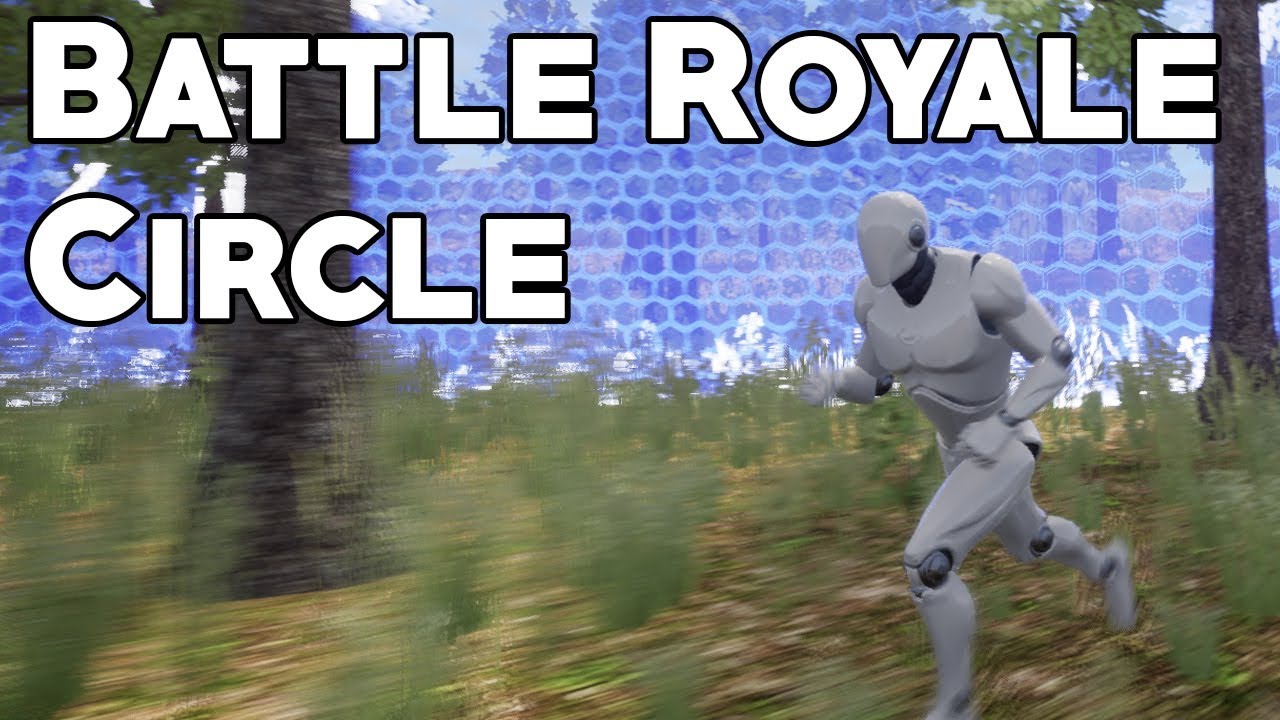
This video demonstrates how to create the playzone or 'circle' from games such as Player Unknown's Battlegrounds, Fortnite and ARK: Survival of the Fittest, and as requested by rj on Discord. Topics covered: Material graphs, material instances, fresnel shading, panners, world position, camera position, blueprint scripting, getting and setting va...
dusk basin
thats what i watched @orchid garden and these are my issues with it
orchid garden
o.o hrm wierd... i got it working before, um.... engine version maybe?
dusk basin
4.26
orchid garden
i did it on 4.24, wonder if its some difference between the two
dusk basin
thats what im thinking
orchid garden
idk Cranz i ran into some issues going from 4.24 to 4.25
odd ember
such as
orchid garden
bah hell if i remember lol my projects been fully converted now, but i know i had issues.
odd ember
it's unlikely to be anything but a setup error, especially given how hacky the setup is
orchid garden
hacky?
dusk basin
im convinced that the size or scale of something in the world is diffrent then in the timeline reason being is its behaving as if the input i put in the timeline is not the same
scale wise
zealous moth
@odd ember I can't speak for .24 to .25 but from .22 to .23, retargetting had a slew of bugs and crashes. It was fixed in 4.24.
orchid garden
setup a printstring off your tick, on the printstring uncheck log, and set delay to 0.0, then attach your scale to the printstring as the string, this will show you the scale in the top left corner of the screen.
odd ember
zealous moth
<@!224571781862653952> I can't speak for .24 to .25 but from .22 to .23, retarge...
not saying going between versions can't cause issues, but I doubt it's the case here
zealous moth
oh, most probably not the issue
dusk basin
seems to be working fine
so must be a visual bug
yeah im convinced theres a diffrence between scales here
dawn gazelle
Your actor (BP_Storm) and your Mesh within it both have their own scales. While setting your BP_Storm to 9999, your Mesh will still read as 1. In your timeline, you're setting the Mesh to 500 (or whatever number) then scaling it back down.
So if you set your timeline to just go from 1 to .1 or whatever you'll probably get the desired appearance.
orchid garden
@dusk basin just did it in 4.25 with no issues:
dusk basin
yeah its a scale issue like @dawn gazelle said fixing now
orchid garden
ah you set the scale of the physical mesh in the actor?
dusk basin
@orchid garden indeed it works now @dawn gazelle thank you a million 🙂
 violet wagon
Is there any way to tell how much performance a node takes so i can optimize my game better?
stray island
How do i get the total time of a montage
stray island
dawn gazelle
How do i select the montage without making it a variable
dawn gazelle
However you want to reference the montage.
stray island
Play montage outputs doesnt give me
A reference to it
I will just make it a variable, thanks DATURA
stray island
dawn gazelle
However you want to reference the montage.
Do you have any idea what chunk is?
dawn gazelle
Joke 80s movie reference aside, based on what I've found on google, it has to do with breaking game assets into parts.
stray island
Ya its that in my mind till I figure out what is its problem, its a plugin thats failing on me for packaging
Chunk downloaded
Downloader*
 mellow vigil
Is saving structs with the save game to slot node not possible?
I'm having an issue where structs reset back to their original state on startup
deft hawk
Isn't GameInstance kind of pointless in a multiplayer game?
Anything that needs to be persistent with a player could just be saved on server and sent to the client.
dawn gazelle
deft hawk
Isn't GameInstance kind of pointless in a multiplayer game?
Anything that needs ...
If the server changes maps, the only place data would be safe is in GameInstance. Players can also store local settings or even UI elements in GameInstance.
dawn gazelle
mellow vigil
Is saving structs with the save game to slot node not possible?
Works on my end.
mellow vigil
I must be making some mistake then
deft hawk
Ah, so the server itself needs to utilize GameInstance. And by UI elements you mean created widgets, correct?
dawn gazelle
yep
deft hawk
Awesome. Thanks for the help
mellow vigil
saving multiple structs within a save game object should work right
mellow vigil
dawn gazelle
Works on my end.
Does it work with arrays?
odd ember
dawn gazelle
If the server changes maps, the only place data would be safe is in GameInstance...
you could change maps in game mode. but if you wanted to change game mode, that would require game instance
dawn gazelle
mellow vigil
Does it work with arrays?
Yep
 exotic cradle
Why would my buttons in the UI be doing this with how I have this setup? The top Hull COmponents row is fine as I was able to make 8 objects and it created a new row and move the icons closed to one another than it is now but the other two are not how I want them at all. The more objects I add in the other two categories the further vertically the slots go.
mellow vigil
@dawn gazelle Thank you
Still haven't figured it out but ended up fixing it anyhow, I'll have to go back and see where I screwed up
dawn gazelle
exotic cradle
Why would my buttons in the UI be doing this with how I have this setup? The top...
Probably a better question for #umg, but it's probably all in how you've laid out your widget.
exotic cradle
Ahh okay. Thank you @dawn gazelle
 rough jay
a cube has front, back, up, bottom, find look at rotation would get its front side to look at wherever, what if i wanted its top side?
dusk basin
Any idea what is causing this bug btw this happens 9 out of 10 times im a bit lost whats causing this behavour or if its even a pawn issue
thats my logic when jumping out the location is an arrow attached to the ship
 rough wing
bruh i hate it when my character turns into a spaceship
 ruby garnet
Hey guys! I am trying to have a piston object push a player, but the player is sticking to the piston instead of being launched off
Any help you guys can give?
 faint pasture
@ruby garnet The CharacterMovementComponent is kinematic so it doesn't really have momentum outside of it's own calculation. Just call LaunchCharacter when the piston has reached full extension.
deft hawk
How can i set visibilty for a component only on self?
 plush apex
noob here.. can someone tell me how id go about making it so i cant pick it up if my char is at full hp?
 elfin inlet
plush apex
noob here.. can someone tell me how id go about making it so i cant pick it up i...
elfin inlet
plush apex
noob here.. can someone tell me how id go about making it so i cant pick it up i...
add a branch after the cast
and the condition will be
health != maxhealth then true
or health < maxhealth then true
i've modified the buildingstruct now the event dispatcher is complaining about the signature, refreshing nodes didn't help :/
is there a way to solve this without recreating the dispatchers
oh nvm, seems like a compilation sequence problem
it works now that i recompiled HudRef
 jolly oriole
Hey everyone, I'm looking at creating a choose your own adventure FMV game similar to Late Shift. What I'm struggling with is the choice tree design and implementation - I'm not sure where I should start with designing the logic for it. Any advice is appreciated, I've hit a brick wall on this one.
 crimson saddle
Hey I'm having a problem where my material instance isn't working on a procedural mesh. It seems like it just has the default material for some reason
 tiny meteor
you need to set the material by the mesh segment ID
crimson saddle
How do I do that?
tiny meteor
@jolly oriole the branch logic is pretty simple, just a set of booleans stored for each descision, check google for how to design the tree
crimson saddle
Not sure why it doesn't simply work here but it definitely doesn't
 shrewd condor
Guys, do you know if it is possible to append animations in level sequencer. Not blend, but add an animation after another has been played.
Sorry, not in level sequencer, but in animation blueprint
 fading raptor
Anyone know how to make it so when a bullet hits a bone that is in ragdoll, it pushes the bone back?
Basically my problem is when the character ragdolls because of a bullet impact, he just flops to the floor
I want him to feel the impact
This is the bp for setting specific bones to simulate physics based on bullet hit location
Any ideas?
 atomic salmon
@fading raptor you can use Add Impulse to make the hit bone (actually the physics body associated to it) move backward because of the impact. It is not a good idea to do it from the projectile though, you should rather do it from the Skeletal Mesh BP of the character that has been hit.
atomic salmon
@fading raptor pass back to the hit character the Normal Impulse vector out of the Hit Event, then Negate it. This is the direction/entity of the Impulse you need to apply to the hit bone.
fading raptor
What do you mean by negate it?
atomic salmon
@fading raptor means you need to invert the impulse vector (the function to do it is called Negate Vector) because that impulse direction is the one felt by the projectile while the one felt by the bone is exactly the opposite (Newton's Third Law).
fading raptor
Oooh, okay I got the negate vector. But I dont think I hooked it up right, give me a sec to send a sc
This doesn't feel right
atomic salmon
What happens?
fading raptor
Nothing different
atomic salmon
It doesn't feel right by direction or by the amount of the impulse?
fading raptor
Ok
It slightly works, now the only problem is the impulse is set to the enemy movement.
So if I shoot an enemy moving to the right, he falls to the right
Should i cast to the bullet and get the forward vector?
fading raptor
Ok ill try that
atomic salmon
That is the direction of the impulse
fading raptor
im having trouble finding the velocity vector
I dont want to take up too much of your time debugging, im sure if I google it Ill be able to find it
You solved my main problem, and I thank you!
Oh! I did it, all i did was move the link from impact normal to impact point and it works!!!
atomic salmon
The impact point is a location vector not a direction vector
fading raptor
yeah i know, i just plugged it in on accident because i accidentally unplugged the normal and wasnt paying attention
atomic salmon
From the Projectile Movement Component you should be able to Get Velocity
fading raptor
I dont want to use the velocity in my projectile because its too fast
atomic salmon
Try with your character somewhere else in the world, it may not work as expected
fading raptor
Good idea
atomic salmon
Sure but you can always normalize the velocity vector and then multiply by a hit factor of your choice
fading raptor
Yeah, i think i might change it back to impact normal and just go off of there
for some reason the impact point doesn't register every shot, im not sure if it has to do with my bullet collision settings or what, but the impact normal registers them
Now it somehow magically works, strange. I'm going to figure out what caused it to work, but again, thank you so much for the help!
atomic salmon
fading raptor
Now it somehow magically works, strange. I'm going to figure out what caused it ...
you are welcome!
 vapid ibex
Does anybody knows if it is possible to select by string or something along that fashion? I have model with a bunch of sockets named like "Building_x_01", and I'm building a blueprint that would populate these sockets with static meshes of, well, buildings. For that I need to set the model of the static mesh component to the corresponding building based on the socket's "x" part of the name (it's letters like A, B, C and so on). Any ideas?
chrome quiver
I don't know why the second sequence doesn't trigger .-.
maiden wadi
@chrome quiver First sequence ends the function.
olive sedge
Hello!
I have an event dispatcher in my Character and I want to bind to this event in my animation blueprint but it doesn't seem to be possible to multicast this event, is it?
Also: it doesn't seem to replicate a variable to the clients, should it?
maiden wadi
@vapid ibex Initial thought is to create a map of strings. A, B, C, D, E etc. Link those to an integer. 0, 1, 2, 3, 4 etc. And have yourself a function that parses for the first _, gets the A after that, converts that to an integer, and you can use that to switch off of.
chrome quiver
Huh, is there a better way I should do one after the other in a function?
maiden wadi
@chrome quiver Return will always end the function. So if you want the second one to work, the first line will need to return false on that last branch somehow.
@olive sedge Usually you do things the other way around. Your AnimBlueprints poll for information every tick in the mesh they're assigned to. In multiplayer this allows you to simple set replicated state variables that the anim blueprint picks up on and does what it needs to with them.
vapid ibex
maiden wadi
<@!165539945526722561> Initial thought is to create a map of strings. A, B, C, D...
Oh, thanks
olive sedge
@maiden wadi I mostly did it this way but I wanted to bind to the "IsAttacking" event.
now I just set IsAttacking to "WeaponCooldown" on the character
maiden wadi
I don't know enough to know what I'm talking about with this, but I've seen people mention that doing things differently than the usual polling method causes the AnimBP to run on the gamethread. Supposedly it usually runs in a separate thread which is why it allows such good performance. So I've pretty much stayed with simply setting variables and letting the AnimBp pick it up. If I recall correctly 4.26 even made some changes to how the AnimBP works to emphasize that even more. 🤷♂️
olive sedge
Alright, thanks @maiden wadi
olive sedge
If I have a variable in a base class and I use it in a blueprint, then I overwrite it in a descending class, will the overriding one be used in the base class blueprint?
 hallow nebula
Quick math problem.
hallow nebula
olive sedge
If I have a variable in a base class and I use it in a blueprint, then I overwri...
Also, no.
olive sedge
so then use a getter and override it?
hallow nebula
Yes.
olive sedge
ok
hallow nebula
Otherwise you're only affecting the child class.
hallow nebula
olive sedge
ok
Now stick around, I've got a question for you.
olive sedge
shoot
hallow nebula
There's a slider between a min and max where MIN < User Value < MAX.
When it's at Min, the output should be 0. At Max, it's 1.
How to put this in mathematical operations?
olive sedge
You want to "scale" the value
hallow nebula
Yeah.
olive sedge
haven't done this in unreal yet
hallow nebula
It's not engine-specific. It's math, not coding.
For 0 and 100, it's easy. X/100 = Output.
olive sedge
Yea, I wouldn't reinvent this
atomic salmon
And Map Range Clamped
atomic salmon
It linearly maps any value in a range to another range
olive sedge
put your min and max in range a and b and 0 and 1 in out range a and b
or the other way around, not sure
atomic salmon
For example, In Range A = 0, In Range B = 100