#blueprint
402296 messages · Page 572 of 403
 trim matrix
If also like to implement some parameters tho for cooking time etc
Maybe im asking to much 😣
 maiden wadi
How do you mean? Like cook length differences, or?
 charred mango
Wouldn't there be better debbug visualiser to see table of 256x256 variables ?
trim matrix
@maiden wadi yea
maiden wadi
@charred mango Print it to screen and use the log.
trim matrix
So id like it to be cooked by 10 20 or 30 seconds
charred mango
@maiden wadi Ok, would there be a way to see it in a 2D way ?
trim matrix
Problem is the cookingtimer is plugged into the scalarparameter but it only goes up to 1
maiden wadi
@charred mango
trim matrix
So every second it ads .1 value to the parameter
maiden wadi
Open that up. For loop over the array and print what you need. It'll be unreadable in the game screen. But it'll show up in a neat list in that Output Log window.
charred mango
this data type isn't printable
maiden wadi
That's odd. What is in the struct?
charred mango
maiden wadi
The DSIntArr though. What kind of struct is that? What properties does it have?
charred mango
It's just array of int
maiden wadi
Ah. So for a 2D integer array?
charred mango
It come from this basic addon https://www.unrealengine.com/marketplace/en-US/product/two-dimensional-array-operations-in-blueprints-2d
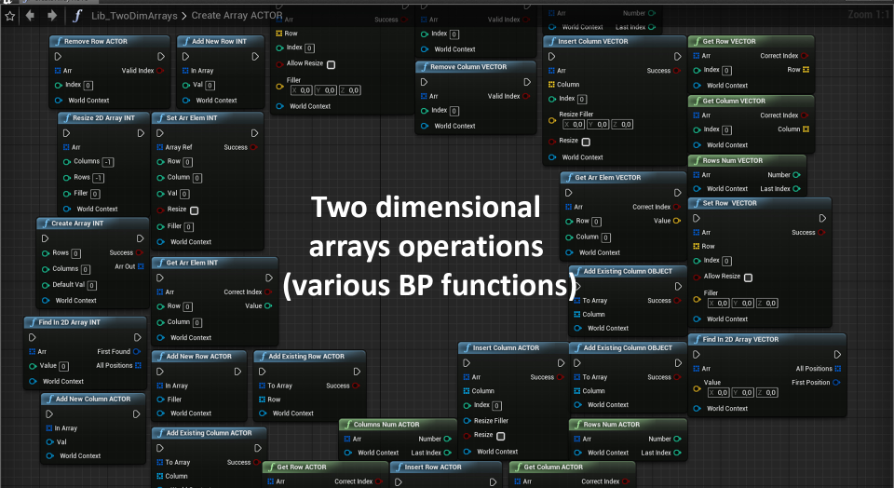
Unreal Engine
BP functions library for working with two-dimensional arrays (int, float, vector, objects, actors). Can be used for both working and studying BP
 alpine terrace
I am working on a multiplayer game and I added name tags. I also added spheres to actors and when these spheres overlap the name is displayed. However the names will be displayed for all players even the ones who are far away. Is there any option to show it only to the actor who started the overlap?
maiden wadi
@charred mango Can you do this really quick, and show me what the Break of the struct looks like?
maiden wadi
Drag off of the array like you are and type Get. Should have Ref or Copy. Doesn't matter which. Drag off of the Get's right pin and type Break.
maiden wadi
Yeah, that one. Okay. So it's as I expected.
Since you're doing things a little differently, you're going to need to create a function for that.
charred mango
oh, ok
maiden wadi
Just a sec.
@charred mango This is how you'd print. ForEach loop over your struct array and call that function, which you'll need to set up yourself which is...
Just this.
Basically append all of the integers together after converting them to string, and print that string once for each entry of your struct array.
@alpine terrace It sounds like you're looking to basically create a client only actor or component that'll trigger something only on that client. Instead, right now you're either replicating the thing to happen, or all clients are simulating a version on their own that would all trigger from replicated values.
alpine terrace
First sentence is correct. The name plate should only be visible for the actor who entered the sphere. But I guess the actor is replicated and also the added widget (nameplate)
 spring flax
I'm struggling the change the variable of a blueprint from my widget. Is there something I'm missing?
maiden wadi
It's more likely that you simply spawned it on all versions of the character and everyone is simulating it.
spring flax
alpine terrace
So I have to run it on two different computers and check if this works?
maiden wadi
@alpine terrace For example. Say you spawn a non replicated actor in your player character's Beginplay. There are three connected players so there are nine total characters, three on each machine. If you do this, there will also be nine of the actor spawned even though it's not replicated. But if you change that to only run on beginplay, and then check if the character IsLocallyControlled, it will only spawn that actor on the client's own character, so only three characters, one per machine would have that actor spawned.
You can test it in editor too.
 rugged walrus
can someone help me?
maiden wadi
@spring flax Presuming that your Bool actor exists, that will never be true. You're setting it to false on both sides of the flipflop.
spring flax
maiden wadi
<@!341682695069237268> Presuming that your Bool actor exists, that will never be...
really? one is ticked?
maiden wadi
@spring flax Check the white lines.
trim matrix
So I have added a bool as a key in my blackboard but how do I check if it is true or not in my dialog tree?
rugged walrus
i need help
 static charm
Noobkilla, click view or window
and there should be a option to open the blueprint/graph
rugged walrus
lemme check
static charm
i forget the wording
maiden wadi
@trim matrix I think that composites work for that, let me check.
Hmm. Maybe not. I know one of them does it. I made my own. Hated the naming conventions in that.
trim matrix
@maiden wadi Did you make your own composite?
alpine terrace
If I control player 1 and run into an enemy the name is only displayed for player 1 (server)
Player 2 will not see the name
But if Player 2 runs towards the enemy, Player 1 will also see the nam although he is far away 😭
maiden wadi
No, just my own decorator.
trim matrix
@maiden wadi Is that something you can make with blueprints or is it only c++?
trim matrix
Ohhh ok
maiden wadi
You can create one by going up to the top and doing NewDecorator. You'll want to rename it in the content browser.
trim matrix
How would I go about creating a bool in it?
maiden wadi
Do you have the Decorator thing open to it's Event Graph?
trim matrix
can i savely move around assets and bp's around in my content browser?
Yeah
safely*
maiden wadi
Create a new variable, and make it a type BlackboardKeySelector.
Make sure it's exposed with the little eye icon too.
Then just do that inside of that function.
InstancedEditable, not ExposeOnSpawn.
Then you can put that decorator on your nodes like any other decorator, and select a blackboard key after clicking on it. I believe it defaults to false for anything that isn't a boolean.
trim matrix
Ohh thank you!!
But is there a way so I can select if it is true or false that is supposed to continue it?
For example instead of checking if the boolean is true I can check if the boolean is false?
@maiden wadi Or is it just easier creating another decorator checking for that?
trim matrix
Yeah exactly
maiden wadi
Checkbox underneath of where you selected the blackboard key. InverseCondition.
trim matrix
Ohh thanks!!
 open skiff
hey how to damage like hit react from front or back
rugged walrus
when i shoot the bullet randomly starts rotating and is very big even though I made it a lot smaller and it slopes up. What am I doing wrong?
 river seal
hey folks, small questions on function calling with blueprint spwaned actors:
i have three different actors with a rotation component. each one as a function to toggle the rotation: "toggle rotation"
i am spawning/destroying these actors with another actor, so i can't call the "toggle rotation" directly on the actor because in the blueprint, i don't know yet which actor/function will be called. how can I do this procedurally?
do I need to create a kind of function array or switch on int?
rugged walrus
ok so split it into 2 pins?
trim matrix
3 pins
and set the scale like that
that way you could evenmake a parameter
or a random size projectle
rugged walrus
ok
trim matrix
or have it scale on time or distance traveled or speed
rugged walrus
but it doesn't really matter cuz the scene isn't visible
trim matrix
Yea but this way you have more control
its good practice
maybe 3 weeks from now you wanna change the size of your projectle
and you cant figure out why its so small
😜
river seal
(never mind i figured out a workaround...) 🙂
trim matrix
could lock the Z axis but then theyd never fall
rugged walrus
how exactly can i do that? can you elaborate?
trim matrix
no idea just thinking out loud haha
trim matrix
I am having problem with my decorator where if the bool isn´t true when it needs to for a task. The entire dialog tree fails instead and doesn't continue with the other tasks
maiden wadi
What does the tree look like? If the decorator doesn't pass, it should move to the next nodes
trim matrix
maiden wadi
Yeah, none of that will run if that decorator stops it. You need a Selector in place of the sequence
 sand shore
Selector should probably be the very next node after root for most BTs
trim matrix
But what is weird is that the add name task happens but not the speak
sand shore
maybe it's true for a single frame and it gets updated after the decision happens?
trim matrix
But now the speak task repeats when it is supposed to move over to reply after clicking finished
Are bools false by default in the behavior tree?
 golden tulip
I switched from unity (I know C# basics). Is it good to play with blueprints before I will learn C++?
Or I should learn C++ by creating scripts?
trim matrix
@golden tulip I switched to unreal from unity too
I think that the u should learn blueprints first so u can have a good understanding of the software
golden tulip
OK I will try it. I hope I will finish Stephen Prata book before 2021
trim matrix
@maiden wadi I had to cheat it a little lol
golden tulip
It is very likely that bool value is false by default @trim matrix because in Java and C# bool is false by default (in C++ there is no default value)
trim matrix
Yeah the bool was false by default thx
 long smelt
guis.
I'm trying to make a lean/peek ability for the character. I'm a programmer, so I've given up for now on getting any animation for it, and I'm just gonna get the camera to work.
Should I use CameraAnims, or make an independent camera actor that I can do shiz with
 sudden spear
Hey Guys!
I wanted to know if there is a way to tell a line trace (or sth. else) to avoid collision till it reaches the desired location? Check my beautiful example art ^^
maiden wadi
Not really. You can trace at angles until it misses the wall. But regardless, your use cases are going to be very particular.
I did something like that once to find the semi quickest sound path. Basically it involved tracing towards the object, tracing many times fanning outwards until one of the traces got past the same 'wall'. Then it would trace along that trace line from the closest point on that line in angled increments back towards the original trace location to find. If any of them worked, it would use the closest one it can find.
 odd ember
@sudden spear usually you'd want to use navmesh queries for stuff like this
sudden spear
long smelt
guis.
I'm trying to make a lean/peek ability for the character. I'm a programme...
You could do it with "move component to"
just be sure that your camera has a spring arm attached to it so that "Use pawn control rotation" doesnt block your mouse view
maiden wadi
@sudden spear If you do that kind of thing with line traces, you end up doing things like this. And this is the simple specific case version.
long smelt
sudden spear
You could do it with "move component to"
just be sure that your camera has a sp...
I was thinking just moving the camera might work
Thanks!
sudden spear
@maiden wadi thats interesting! I actually was looking for a way to propagate sound 🙂 thank you!
@odd ember also thanks for your help 😉
odd ember
you can find navmesh query nodes in BP too
 paper rampart
@maiden wadi You can also try doing some binary search
odd ember
to find the shortest path etc.
I've used them personally for sound occlusion in the past
sudden spear
odd ember
you can find navmesh query nodes in BP too
where can I find them ?
odd ember
they're called something like "find path", turn off context sensitivity
 valid garnet
Is there anyway in unreal that i can launch a and get back to the app with a return on that url with a message. the current Launch url only takes me to OIDC i cant return from it, the web browser widget doesn't support OIDC
sudden spear
@odd ember that looks interesting! thanks!
odd ember
yeah exactly
trim matrix
Is there a good way to get NPC character variables and store them for later use in a behavior tree?
maiden wadi
Blackboards mainly.
 high frost
Is there a way to branch on variables and not execution paths? I.e. I want to call a component's function in an event graph with some input pin depending on a condition just before that. But I don't want to define a global event graph variable for the function parameter to pass into the pin
high frost
perhaps. thx
 stable fjord
How to centralize LineTraceByChannel to Crosshair at HUD?
odd ember
project world to screen?
trim matrix
And this checks if Blackboard key Boolean is the same value as the other Boolean right?
trim matrix
Just wanted to check because it isn´t working and just wanted to know if any blueprint was wrong
trim matrix
It seems this doesn't happen
It just skips it
I have put this print node here but it doesn´t print anything
maiden wadi
@trim matrix If it does the AddName, it won't do the ChangeBool in the same pass.
maiden wadi
You want it to add the name and then change the key?
trim matrix
Yeah exactly
maiden wadi
Yeah. Just sequence it then. Put them both in a Sequence and Decorate that.
trim matrix
Now that problem is solved another one pops up smh
Does the behavior tree remember variables after leaving?
maiden wadi
Define leaving?
maiden wadi
Not sure. Possibly. The Blackboard is not tied to behavior trees, but I'm not sure if that clears it to default or just simply stops the tree from running.
maiden wadi
HI GEORGE
trim matrix
dream ref?
maiden wadi
Nah. I'm just brain fried after staring at Niagara all day.
maiden wadi
I really should have just done this math in blueprint and translated it. I'm comfortable with math nodes in blueprint. Niagara's are mostly the same, but it throws me off a little.
trim matrix
Every time I go online I see you helping people
maiden wadi
To be fair. I started just over a year ago, and to be quite frank, people having problems in this channel is what helped me learn. I didn't talk much for a while, but I'd go searching to solve some of the problems that people had. Someone else usually answered it before I found it, but it was a hell of a way to learn a lot of things before I even ran into the problem myself.
trim matrix
I switched from unity about 5 months ago and I had been hearing lots of people saying that the community of unreal was dead but when I first looked into unreal I saw how many people that want to help the community
Maybe dead was a hard word. I meant not so big
maiden wadi
Eh. Unreal Community isn't dead. It's a bad misconception. Most people that know how to use Unreal work in a professional capacity. Bear in mind that Unreal has only been free to use for the last five years. That's not long when you consider that some college degrees go longer than that. Most of the community is just busy working in offices and don't really have the time or will to participate in forum or chat discourse. Couple with the fact that Unity has been out for the last fifteen years, it's not surprising that there's a lot more solo/hobbyists/peoplewhowanttolearngamedesignwithnomoney who went to Unity instead.
trim matrix
I still don´t understand Niagara
It seems so complex at first glance but I guess when you get into it, it gets easier to understand
maiden wadi
I honestly thought the same. Truthfully it's incredibly simple. It's no more complex than material shaders really. Shaders work per pixel in the shader. Niagara works per particle in it's updates/spawning. Just a fancy way of wrapping a modularly programmed continual loop that runs on tick.
Having said that. I feel like I need a degree in wizardry sometimes just to figure out some of the math involved.
trim matrix
I have seen the unreal showcase of Niagara and holy it can run massive things with great performance
Is there a big difference in how the default particle system and the Niagara particle handle things?
maiden wadi
I don't know the real difference between Cascade and Niagara. In general they're more or less the same thing. I imagine it's probably just programming updates. Built better from the ground up sort of performance to work better with modern technology rather than optimization hacks to make old software sort of work better.
trim matrix
Btw have you made any games yet?
maiden wadi
Nada. Closest I've gotten was a neat little merchant game sort of like ShoppeKeep. Planned on a sort of magicky steampunk game where the planet had been smogged to death and people float in air fortresses, and the player had to continually expand their little floating platform to do things like farm, set up a shop, landing pads for vehicles to land on. AI would run into the store and buy things and return to their ship before it would take off and another would land.
Right now I'm working on something akin to BattleBrothers meets realtime XCom. We'll see in a year how far it gets.
trim matrix
It is so easy to create a project and never finish it lol. I have probably been working on games as a hobby for 2.5 years and I have never put out a game
I have a game in the unity engine that is really close to completion but I just lost the will wo continue with it
maiden wadi
I think one major problem with design is that you have to keep in mind that the end product has to be fun to play. I often have great ideas that would be fun to design. Start making them, have a blast with the setting up everything, but halfway through, I start picturing actually playing it for more than five minutes in my head.
Guy made a video about that not too long ago too. Said be basically scrapped half of his project after two years because it just wasn't fun. Spent another three years rebuilding it into something he never even considered to begin with and it was so much more fun to play and work on.
trim matrix
Yeah many games sounds really good theoretically but when you actually have made a prototype it doesn't seem fun at all to play
static charm
well personally i don't find many games fun. which led me to making mods, which then led me to learning ue4
maiden wadi
Anthem ran into that. Publicity had it on track as one of the next GameOfTheyYear games. A podcaster I follow called it "A 'pretty', pretty bad game." Nice to look at, but boring to play.
I'm about to hard code this Niagara emitter's particle points. >.< I cannot brain my way into morphing this array of floats into what I need.
trim matrix
Good luck I know it isn't easy lol
maiden wadi
I have this array, basically, but I need to change the NewFloat values to read 1, 0.75, 0.5, 0.75, 1, 0.75, 0.5, 0.75, 1
static charm
two arrays, then lerp first array to the second array
or even just a array of 2d vectors and use x y as the two values
maiden wadi
Unfortunately, I'm working on a per index basis. Creating the array at runtime more or less.
static charm
yeah im saying lerp them at runtime
maiden wadi
Aha. Cause I already have my alpha.
static charm
i mean not sure what you meant, but you made it sound like you already have A and B values
 tight schooner
@trim matrix re: differences between Cascade and Niagara... Cascade lacks a scripting language and it's otherwise pretty rigid. It makes a lot of assumptions about what one does with a particle system, where Niagara is open-ended to an absurd degree.
Sometimes I make stuff in BP then I'm like, man, I should've done this in Niagara
It's almost BP that runs on a GPU
static charm
i was turned off by niagra because when they first launched it was just a more confusing version of cascade at first
and then i heard they were changing it again/not done with it. so im like okay ill just wait until they are done
i guess its ready now
maiden wadi
I had a very different reaction. I started using Niagara first. Someone made mention that Cascade was easier, so I decided to make some 'simple' things in Cascade... I'll never touch it again.
tight schooner
I started with Cascade, which I hated... It felt like a bunch of hacks put together
Niagara is confusing but at least it has an ethos
 twin chasm
cascade versus niagara is an extremely moot conversation because cascade is being deprecated and removed
maiden wadi
Yes! Fire! Burn it ded!
tight schooner
Does that coincide with UE5?
static charm
well ue5 is supposed to be upgrade ready from ue4 projects, so it's either gonna die before ue5 or shortly after
twin chasm
i wouldn't be surprised if UE5 just removes everything deprecated during UE4 dev
like straight up deletes anything that is
it feels like a really good time to rip off the band aid
maiden wadi
My only severe hope is that it doesn't breed laziness with the art optimization. If I have to download a game the size of Ark at 100 gigs, just to play a five hour game, I'm going to be really sour.
maiden wadi
Nah, I mean Nanite.
static charm
oh yea
tight schooner
I wonder how big that demo was
static charm
i mean while models do take up space
probably not that much extra
i doubt devs will be using billions of polys
maybe in the total scene
then again i have no idea what im talking about lol
but like a 1 million poly model is what around 90-200mb as an fbx.
trim matrix
biggest one is sound and textures
 fleet quail
Hi. I have a question involving Character Movement via this tutorial: https://docs.unrealengine.com/en-US/Gameplay/HowTo/CharacterMovement/Blueprints/index.html
A How To Guide for Setting Up Character Movement in Blueprints.
It tells me to create a new event after setting up input binds for movement, but i am unsure whether it is the Character BluePrint or the Character Animation BP
and in the event i should select Default Pawn Class and set it to the Char or Char Anim BP
sry, i don't typo much while BP'ing, i just am chewing some nicotine gum trying to quit
during UDK's (UE3) release, they were estimating 500,000 tri's in view at once
fleet quail
ok ty much m8
 rough jay
isnt this how you do it?
static charm
yeah sure
depending on what you want to do
although u already have the array
also
wait
fleet quail
right, i should have read on further, it says in the tutorial to assign the Char Anim BP to the Character, but they gave it names i did not use
static charm
it's only returning the last enemies health
maiden wadi
Ouch. GetAllActrosOfClass in a binding.
rough jay
idk bruh i dont know a vid on yt explaining how to do this stuff to duplicated actors i just took my knowledge on ai and tried to do same for widgets
 golden wren
Yeah. Erm.. You cannot really do stuff like that in bindings either way cos it will only show one health Either the first or the last.. You can do this in a custom event. And anyway... A widget can be seperate for each enemy so no need to get all actors of class.
rough jay
oh ok
golden wren
You can do this in your enemy class.. Set your current health to the enemy widget text in enemy class
fleet quail
Also, i am so new to BP i need help with this one: Open the MyCharacter Blueprint.
In the graph, Right-click and add the InputAxis MoveForward and InputAxis MoveRight Events.
Hold Control and drag in the DisableMovement variable and connect it to the Condition on a Branch on each Event.
Set the rest of node network up as shown below.
i don't even know how ot add an event, i see Event Dispatcher though
golden wren
@rough jay
rough jay
uhhh
fleet quail
well, upon right-click in graph, how do you add an event you setup in BP(s)
nvm i found typing in the name of the event is not the same as adding an event unless it is custom
golden wren
rough jay
uhhh
Ok I will take slow 😄
 celest oar
if there any artist in here willing to lend me a hand? graphics section didnt answer
golden wren
Here or in Dms. @rough jay
fleet quail
sure
rough jay
d,ms
fleet quail
yes, feel free to DM me and i will see if i know the answer
 amber marsh
anyone here know the basic steps needed to get a day night cycle? Are there any blueprint examples out there for how to rotate the sun around the clock?
This would be for multiplayer
golden wren
@amber marsh This https://youtu.be/tsrwI-6FUB8

Check out my BRAND NEW Souls-Like Action RPG course: https://devaddict.teachable.com/p/souls-like-action-rpg-game-with-multiplayer
In this video, you'll quickly learn how to make a Day/Night cycle that's replicated for multiplayer in Unreal Engine 4. We'll make a simple blueprint actor that sits in your levels. It will grab the directional ligh...
A multiplayer day night cycle as you requested
maiden wadi
You could probably just replicate a single float once a minute or so, and set your client's rotator based on that with a local lerp. The rest is just settings for the server's replication and updating the skysphere.
maiden wadi
Well. It's definitely not perfect. But I am also definitely done working on it for a day or three. It's close enough for testing gameplay! I definitely need to come up with a better way than this, but I think I'm going to spend the next couple of days working on something less intricate. Specifically something that doesn't involve faking orbital paths.
amber marsh
Is that to line up sun rotation with time of day?
maiden wadi
Nah. simulating orbit of a planet around the sun based on it's Periapsis and Apoapsis distances. I did the same thing in Niagara to make an orbit lane marker.
amber marsh
Do you know if there is a good way to manually specify the rotation of a light source based on time of day variable struct?
maiden wadi
Probably break it down into an alpha/modifier float. 0-1. Multiply 360 by that, set the rotation based on that since you'd only need one rotational axis.
amber marsh
oh the tutorial explains this it seems
maiden wadi
If you want varying times of day, like longer days and shorter nights, it gets a bit more complex, but not much.
amber marsh
it would be really cool if all I did was replicate the time of day as a percentage. Then just have all clients figure the rest out automatically.
hmm I actually think I want to do my day night cycles in a more simple way.
I there a simple way to get a 180 degree rotation based on a 0.0-1.0 percentage?
I guess its this but me grug not understand math
maiden wadi
180*mod
amber marsh
hmm what nodes is that?
maiden wadi
float*float I think
high frost
Is it safe to destroy parent actor in my custom component? I've created a few and attached them all to an actor. One of them destroys actor on interraction and others are doing their things. Can I be sure that the destroying component won't interrupt other components? So far everything seems to work just fine
maiden wadi
You might want to clarify. Are you destroying the component or the actor? Because both are safe, but if you're destroying the actor the component is on, all of it's other components will cease to work.
high frost
Yeah I am destroying the actor that holds the components.
 earnest tangle
components get destroyed if their parent actor is destroyed
high frost
I was just wondering if there's a way to set an order of components or something like that to enforce non-destructive components to execute first
earnest tangle
Why do you need for certain logic to run before destroy logic?
maiden wadi
Work how? Like their tick function?
Cause it's all logic based. It just depends on which functions you call first, in which order.
As for tick, if you need a specialized version of it, disable component tick and create a custom function in the components that the actor itself can call on it's tick.
static charm
there's an event you can use, OnComponent/Actor destroyed
but any latent actions called from that event won't function
so Destroy Actor, then the Actor Destroyed event starts
although doesn't sound like thats what you're looking for
high frost
If getting into details, I have 3+1 components (bounce, give coins, destroy + base) which do certain things when the character lands on the actor's static mesh. So I want to be sure that when I attach all 3 components to a single actor, all 3 are executed.
Base component gets a static mesh component if one exists and binds a on component hit event where I firstly check that character landed on a SMC and not just touched it and then call a virtual function which I override on all the other components
So I don't use tick functions in components
I just don't want to implement this logic via inheritance as I think this is rather behavior than logic and all possible combinations just don't belong to a single base class
maiden wadi
@high frost And it's the overrides you're calling in like a loop?
static charm
well if you really want to do it that way. then just add logic to the destroy component to only destroy once all others have executed
but that probably wont work for you either, if destroy component gets added before the other components or if the only other component executes first and another component gets added after destroy is added.
high frost
Not like a loop. Base component binds an event handler to on component hit and calls a virtual function. Then virtual function overrides are just called
There are no loops in there
maiden wadi
Yeah, that's tricky.
high frost
@static charm > if destroy component gets added before the other components or if the only other component executes first and another component gets added after destroy is added.
so the order of adding components matters?
static charm
if its dynamically added as the base moves in the game
high frost
I mean when I was adding them I saw that they are being reordered alphabetically
static charm
yeah
high frost
hmm I was just planning to set up all the components in actor blueprints
maiden wadi
I'm still not sure I'd rely on the logic flow, honestly. If I were you, I'd consider making the components do checks themselves with some variables or something at the end of their logic to see if all of them are done, if so, destroy.
high frost
That means that components must be aware of each others
static charm
well im not sure how your gameplay works for these components but the logic would be in the Destroy component. For example Bounce is done executing and then tells Destroy, I am one component done. Destroy has a count of all components.
high frost
That is something I'd like to avoid
static charm
when count = total executed then destroy logic starts
earnest tangle
If the idea is to run these actions when the actor dies, then just using the on destroy event should work?
maiden wadi
They don't really need to be aware of each other. Do you always have the other three before it gets destroyed?
high frost
No, that's the point. Any combination is possible
And there will probably be more actor-agnostic behavioral components
static charm
if all components are added before destroy gets called, then my logic would work
high frost
@earnest tangle it's not about when actor dies. A death of the parent actor is one of the attachable behavior. It is not obligative
earnest tangle
Right
maiden wadi
It's probable the order might work like Gallon says. I don't know why the idea of relying on a delegate binding's order just bothers me a little.
earnest tangle
Yeah you'd probably be able to do this via just using the events 🤔
high frost
I mean imagine crash bandicoot's bounceable apple boxes
earnest tangle
I think something like overlap should run even if destroy was called on the same frame... not 100% sure but it should be easy enough to check
high frost
a bounce behavior is common between crates and enemies
@earnest tangle you mean like I should make event dispatchers in my character BP so that other actors would call them once the character lands on them?
earnest tangle
I mean if you have those components in there, they should be able to just get the overlaps from their parent actor
or whatever other events they need to get
and I think if the event is triggered, it might still get sent to everything even if destroy was called by one earlier in the chain
not 100% sure if it will but you could check it pretty easily by just having several components which print if they get the event
 flint igloo
Hey guys, I'm sorry this is a stupidly easy question, I just think my head's a little fried. Need to replicate a door opening when a player interacts with a separate keypad actor. I've tried a number of different "has authority" varieties in both the keypad and the door, and I just can't get the client to replicate over to the server. Anyone have any idea?
sand shore
client -> server only happens with an explicit RPC
maiden wadi
@flint igloo I do this through interfaces. Clientside inputs key. Key event does trace and calls interface on the client version of the keypad. Client version of the keypad cannot RPC because it's not client owned, so instead it sends itself back through the local player character, and has the local player character RPC to the server version of itself. Once in the server version of the player character, you can have that call the same interface function as before, but now on the server version of the actor, it does something different, like tell the door to open.
flint igloo
Sorry, may be because I'm tired, but can this be put into laymen's terms for me? 😫
I basically have player character interacts with bp_keypad which interacts with bp_door. So what you're saying is that my trace should pick up the keypad and return it to the player, where I can then reference that to run an RPC through to the server?
Apologies 😂
sand shore
You could do that, you could also set up an event for the server to run the interact logic itself instead of routing calls back through the pawn
flint igloo
Damn, you wouldn't think I've been working in unreal for 3 years. 😂
sand shore
So it looks like InputAction Interact -> ROS_Interact -> Client Simulate Interact
and the the server has ROS_Interact -> Actual Interact
And if you have a listen server that setup should work too
flint igloo
And I put that on the door, right?
flint igloo
Yah got it
sand shore
You don't wanna do Pawn [CLIENT] -> Door [CLIENT] -> Pawn [CLIENT] -> Pawn [Server] -> Door [Server]
you can do
Pawn [CLIENT]
  (sequence 1) -> Door [CLIENT]
  (sequence 2) -> Pawn [Server] -> Door [Server]
ugh that's not as clear as I had hoped; I dislike attempting to notate concepts for BP usage via only text
maiden wadi
I only do that because not everything interactable is RPCed. Some things are client only.
sand shore
This is true
But then that can be handled without having to do the server routing for every item
maiden wadi
How do you mean?
sand shore
Like you shouldn't ever be doing Pawn -> Item -> Pawn -> RPC -> Item
I'd just do the interact RPC anyway regardless, even if the server doesn't need to do anything
But if you didn't wanna do that, you could only RPC if the interaction was towards specific things that have a tag or something
Otherwise every type of interactable provides it's own mechanism to use the pawn's channel
even though that might be using the same shared event to just do an interact trace on the server
maiden wadi
Fair. Will consider that next time I start up a multiplayer project.
sand shore
Another thing you could do is have the interact function return a status-
enum class EInteractionResult : uint8
{
  Success,
  SuccessClientOnly,
  PendingLong,
  Failure
};```Success results in payloading the interact action (or a direct RPC), Pending does nothing else but maybe you want to push a widget, Failure would maybe push a toast?
Easy mechanism to control whether to RPC at all
trim matrix
Hello. I would like to know why my clear timer by handle doesn't reset my timer? In ue4 docs it says that it will reset. My will just stop.
earnest tangle
I think they just use the word reset to mean it stops it
static charm
yeah
earnest tangle
if you want to reset, as in restart, then you have to start a new timer
 icy saddle
Has anyone seen this BP compile error?
Internal compiler error inside CreateExecutionSchedule (site 2); there is an issue with node/pin manipulation that was performed in this graph, please contact the Blueprints team!
All I did was add some rewiring nodes to my BP a bit to make it look cleaner
static charm
lol
icy saddle
now I think the whole thing is corrupt or something cause deleting the rewiring nodes is not fixing it D:
static charm
i'd copy the bare minium into a fresh blueprint
icy saddle
I see
static charm
but not the offending part
remake that in the new blueprint from scratch
ive personally never seen the error
and googling doesnt say exactly what causes it
icy saddle
I see, thanks I'll try that
static charm
otherwise if it still persists show a screen shot of your code
might be an actual bug or you just plugged some things wrong. either way there's probably a 'workaround' by not doing what you did
amber marsh
Have any idea how I can make this day night cycle system actually have night time?
right now as soon as it reaches the end the day starts over instantly.
I guess I need some kind of way to clamp the suns rotation
I am stumped on this but it should be fairly simple I think
Nevermind I got it. was just a bit of maths ><
rough jay
why the hell am i getting access errors
static charm
well the is valid isn't connected to anything
should be an error right there in the blueprint though for that is valid
rough jay
ur saying the is not valid is not connected?
static charm
the blue input pin
oh
you manually selected an object
to want to connect the blue pin to the blue pin
rough jay
problem is when i have more than 3 objects colliding then that problem occurs
idk why this shit is happening thats why i made their hitbox 10x the size of them
static charm
are the colliding at the same time
rough jay
yeah the hitboxes of them are huge
how do i enable to see the collision boxes while simulating
that would prob help
rough jay
yeh? fisxed problem
 undone wing
I'm able to change Post Process Settings for a camera but not for a Scene Capture 2D Component. Can anyone please guide me on what I'm doing wrong?
static charm
are you trying to change the settings during play?
otherwise no clue it should work
maybe make a new blank blueprint and add the component there and test again
undone wing
static charm
are you trying to change the settings during play?
yes
static charm
undone wing
yes
yeah you can't
undone wing
Oh, so I can change the settings of only the camera and not the scene capture 2D component during play?
static charm
well actually you can
if you select the actor in the level
and then navigate to it's scene capture
undone wing
That's exactly what I was doing at first. Kept an actor in the scene with a scene capture component, got the reference and got a live feed into a plane kept in the scene. Now, when I'm trying to change any settings through a key press, e.g. bloom intensity of the sun, it's not being reflected in the plane.
undone wing
It was never working with the scene capture
static charm
does bloom change if u adjust it not during play
undone wing
Just checked it out, again, not working for the scene capture
static charm
"I had to change "Capture Source" setting of my Scene Capture 2D from "Scene Color (HDR)" to "Final Color (LDR with post process)"."
is ur scene capture set to that?
undone wing
It's working now. Thanks a lot! @static charm
static charm
ive used it a few times and i always forget how to use it and i always have to google it
undone wing
Also, can we get the image from the scene capture into a .jpg or .png file?
static charm
there's a node i think for png
undone wing
I know about high res screenshots but it takes the screenshot of the viewport ig
static charm
yeah its called Export Render Target
 somber quail
hey i need some help this happeneds when i try and open my game:
modules are missing or built with a different engine version:
and when i press yes to compile it or what ever it is it dosnt work
is there anyway to fix this
static charm
did it ever work
somber quail
it used to work
static charm
and what did u change if it did work
somber quail
ight
static charm
to be sure
somber quail
nope
static charm
and if not, then right click and edit the uproject file
with notepad
and see if it lists any plugins
somber quail
nothing about plugins
static charm
or modules
somber quail
not in the full thing
{
"FileVersion": 3,
"EngineAssociation": "4.25",
"Category": "",
"Description": "",
"Modules": [
{
"Name": "MyProject11",
"Type": "Runtime",
"LoadingPhase": "Default",
"AdditionalDependencies": [
"Engine"
]
}
]
}
this is in the project
WAIT
the version rn in ue4 is 4.24.4
but there it says 4.25
wth is with that
static charm
u mean 4.24.3 is the only engine u have installed
somber quail
so
do you know a way to fix or something i should try
because i am not loosing like 6 months of work
static charm
yeah we can try editing the uproject
or switch engine versions by right click uproject and switch engine
but do u have a project back up?
somber quail
nope
static charm
but u can right click and try that
somber quail
what do i switch to
it just comes up with 4.25
and that is all that it says
there is no other options
static charm
ok
undone wing
I'm having trouble opening the .png file saved using Export Render Target but will look into it later on, looks useful. Thanks again!
somber quail
should i install 2.26.0 preview 7
static charm
no
static charm
try editing the uproject to look like this
without that additonal part
save a copy before editing
somber quail
ok
i just did ctrl a - ctrl c
{
"FileVersion": 3,
"EngineAssociation": "4.25",
"Category": "",
"Description": "",
"Modules": [
{
"Name": "MyProject11",
"Type": "Runtime",
"LoadingPhase": "Default",
"AdditionalDependencies": [
"Engine"
]
}
]
}
ima just put it here to copy
ok
i have made it so it looks like that
static charm
{
"FileVersion": 3,
"EngineAssociation": "4.25",
"Category": "",
"Description": "",
"Modules": [
{
"Name": "MyProject11",
"Type": "Runtime",
"LoadingPhase": "Default"
}
]
}
like that
somber quail
yea
static charm
try opening the project now
somber quail
yes
static charm
open it and then open another folder Logs
static charm
no i only mean the uproject file i guess
somber quail
no
not a single one
well
i did enter the config files
and turn off raytracing
but i went back in the editor after that and it was fine
so it aint that
static charm
Launching UnrealBuildTool... [D:/Programes/UE_4.25/Engine/Binaries/DotNET/UnrealBuildTool.exe -Mode=QueryTargets -Project="D:/Unreal Projects/MyProject11/MyProject11.uproject" -Output="D:/Unreal Projects/MyProject11/Intermediate/TargetInfo.json"] LogInit: Warning: Incompatible or missing module: MyProject11 Running D:/Programes/UE_4.25/Engine/Binaries/DotNET/UnrealBuildTool.exe Development Win64 -Project="D:/Unreal Projects/MyProject11/MyProject11.uproject" -TargetType=Editor -Progress -NoEngineChanges -NoHotReloadFromIDE ERROR: Could not find NetFxSDK install dir; this will prevent SwarmInterface from installing. Install a version of .NET Framework SDK at 4.6.0 or higher. LogInit: Warning: Still incompatible or missing module: MyProject11 LogCore: Engine exit requested (reason: EngineExit() was called) LogExit: Preparing to exit.
somber quail
ok
 quasi frost
So I am working on an old school rpg and I am about to work on the combat history box. How do you guys think is the best way to go about a "chat" box which prints out what is happening in the battle? Should I just make a chat box and print things to it? Or is there a better way to go about this?
somber quail
static charm
i mean thats more a design/theory discussion, not a blueprint progrmaming question
Unreal Engine Forums
Below is the error I am getting, Though I just tried to install .NET framework SDK and it told me I was up to date with 4.8.0 This is on 4.24 on a project that I could make builds on before moving over. Any help would be extremely appreciated thank you!
Packaging (Windows (64-bit)): ERROR: Could not find NetFxSDK install dir;
i mean one of the errors your getting is about .Net
the guy in the link is saying to download the Dev version of it
somber quail
tf is .net
static charm
microsoft development tools
somber quail
how do i download it
static charm

Microsoft
Free downloads for building and running .NET apps on Linux, macOS, and Windows. Runtimes, SDKs, and developer packs for .NET Framework, .NET Core, and ASP.NET.
download the Dev Pack on the right
somber quail
ok
somber quail
i hope it does
static charm
the only other thing i can think is delete the config folder
which will auto generate back as defaults
somber quail
ok
somber quail
yea
static charm
id probably copy ur whole project to somewhere safe
somber quail
ima just copy the hole project
static charm
in case ur harddrive is crapping out
somber quail
i have 2 harddrives
c/d
c:
ppboi(d:)
ight .net is done
just making the backup now
ok op-
it broke
ok rebuilding
so far the rebuild hasnt broken
static charm
i dont even know why its rebuilding
somber quail
witch is different by now it would say its broken
static charm
blueprint only projects have nothing to rebuild
static charm
lol
static charm
okay we can fix that now
somber quail
oh and the build is working
we shall do it after the build
IT WORKED
OH MY GOD
THANK YOU SO MUCH
IM IN
static charm
wats a vb
somber quail
its a australian beer
static charm
yeah source is the c++ source
somber quail
oh
 vivid aurora
what does this message mean
static charm
i thought that said eating this value in a class in not allowed
tight schooner
Is it an object reference i.e. it expects something spawned in a level?
static charm
yeah u cant edit it because you set it to be Instanced editable
which means the reference is for instances only
which is what seanny is saying it has to be spawned
 true yew
( @static charm did you... just tell @somber quail he can safely delete his Source folder? )
true yew
Ahh ok, was making sure that wasn't a brainfart mixing it up with Saved 😂
static charm
u can safely delete that too
u can pretty much delete any folder
except content
obviously gonna lose settings though if u have any
annoyingly ue4's Zip Up project feature doesn't include the saved folder
which has per project editor settings
very dumb
true yew
You generally never actually have to delete Saved (or Intermediate for that matter) but yeah. Anyway, all good
static charm
yeah only to save space
if you're like me and too cheap to get more harddrive space
 sharp zealot
someone knows how to rotate the character where i click on terrain?
 wicked vale
i have satisfied my ocd
sharp zealot
wicked vale
i have satisfied my ocd
it is about character rotation?
 surreal peak
Until you realize that this could have been 2 functions with some input parameters.
By the looks of it, it's actually just one function
wicked vale
@sharp zealot its on a level select screen
 last walrus
wicked vale
i have satisfied my ocd
last walrus
wicked vale
i have satisfied my ocd
you should really make a function for this lol
trim matrix
can someone tell me whats wrong with this?? The Error text says that the Target pin has to be connected.... it is connected with the sound i want to stop. so why does it not understand it. is it an bug?
 spring sandal
Guys, need some help... when I "Set view target with blend" my pawn can't rotate any more, like that camera is locking it's movement and makes it totally static. I have clicked "Use pawn control rotation" in camera settings but it does nothing for me, and also I have "enable input" node after blending for any case...
@trim matrix Maybe because "Add audio component" node is not connected to anything?
maiden wadi
@spring sandal SetViewTargetWithBlend doesn't do anything more than change cameras. It shouldn't disable anything or change functionality unless you have multiple cameras on your pawn that you're setting the view target as and it's selecting the wrong camera.
 olive sedge
I sthere a way to visually group nodes in the blueprint editor?
or maybe have multiple named event graphs?
maiden wadi
@olive sedge Most people use Comment sections for that. But you can also have multiple Event Graphs.
Check the + sign in the top right here. It'll create a new graph for you.
olive sedge
@maiden wadi perfect, thank you
 spark bridge
Hello everyone! I would like to have abit of your time about a problem I am facing, and it's memory management.
I realized that having Casting nodes everywhere ain't good for memory, who could have guessed!
So I am trying ways to avoid it by using Blueprint Interfaces.
Here is we have both Casts and Interfaces.
So to prevent Cast to Character Core, I made a Blueprint Interface that needs "Input" actor and then outputs "Character Core".
Here is the interface:
I was just wondering if I am on the right direction about this.
Thank you in advance!
olive sedge
I want to do multiple things in a function but can only pull one thread from the initial node.. I tried Multigate but it only executes the first pin. What would be the right node type for this? Edit: sequence :>
maiden wadi
@spark bridge Have you been watching Youtube videos about casting or something?
spark bridge
Yeah. I got a really big project that's taking A LOT of RAM on startup. I really want to reduce it.
I just made this by the way as an Interface.
Just wondering if I am in right direction
Since I didn't know about how casting could go on ram usage, I am now making a big change on everything. ^-^
1.5GB size project shouldn't take 5.7GB to run in my humble opinion..
olive sedge
Trying to use the UE4 scene camera controls is the most confused I've ever been in my life :>
Is there a way to set that to WASD + freelook?
maiden wadi
@spark bridge Okay. First off. Casting has nothing to do with your memory problem. Lets break down blueprint casting first off. There is the normal cast node like what you have in your first image. The second one is called Pure Cast. You can get it by right clicking on the node and selecting "Convert to pure cast". I want to point both of these out, because it's important to understand what's going on. The pure cast simply tells the compiler to treat one pointer as a different type so that you can attempt to call functions or get variables from that pointer as the new type. The normal cast does the exact same thing, but then it also checks if the new casted to pointer is a valid object. This is important because you can cast a valid pointer to a new class and then that new pointer can be invalid if the cast type failed. You can also cast a null pointer to anything and it can fail. Having said all of this, none of it has anything to do with ram, except for the validity check in the end to make sure that the new pointer is a valid and correct type of object. Which will in no way increase your project ram usage.
If you're having a ram problem, it's because you're loading too many things at once. We're talking about in a packaged game, while it's running, or are we talking Editor ram usage while playing in PIE?
spark bridge
Thank you for your input Authaer, we are talking about Editor right now.
The reason I decided to go towards this journey is that, there is this general accepted idea that "if a blueprint has a Cast to X in it", that means X will be loaded and everything within it.
Thats what I am trying to prevent.
I can understand that the RAM usage goes up when the game actually starts in Editor because everything start to get used eventually.
But for example I got a blueprint as Character and another as Projectile. Projectile is NOT supposed to be in memory until either the gamestart or the the file open up in Editor ^-^'
maiden wadi
Where are you checking your ram usage?
 hushed spire
anyone here familiar with generating terrain like Minecraft?
 twilit heath
@spark bridge every loaded asset will automatically load every asset it has a hard reference to
and then those will load their dependencies
spark bridge
I am checking Size Map and Reference Viewer. My game is meant to be a pure empty Map that everything is loaded after pressing Start. So when I check those, there are references that are NOT even supposed to be around! Because I got SO MANY hard references and Casting around
twilit heath
also, editor leaks, badly, so checking RAM while the editor is running is pointless
every blueprint Cast is a hard reference
you can't avoid loading the asset you tried to Cast to when you load the asset that used the Cast
spark bridge
Thanks for your time too for explaining Zlo, I understand that part. But I am trying to sneakily get away from this massive ram usage at startup.
In this case, an Interface returning a hard reference means nothing performance wise?
twilit heath
interface helps for the loading, yes
but the way you used the interface is wrong
you can just implement interface to react to end overlap
and send an interface message from that end overlap without even checking if the OtherActor implements it
and it will be fine
if the return value is of your CharacterType
you have a hard reference again, and loading is done, again
spark bridge
Yeah, I was scratching my head about that. Thank you for clarifying.
Because it kinda felt like doing the same thing.
twilit heath
the only way to really avoid it
is c++
code module is entirely loaded always, and its not a memory hog like BP assets
so Casting to AMyCharacterNativeBase
won't load anything
nor will AMyCharacterNativeBase pin or variable
trim matrix
how do i remove/stop an sound correctly?
twilit heath
In this presentation from Unreal Fest Europe 2019, Epic's Sjoerd de Jong offers an in-depth look into Blueprints. Best practices, dos and dont's, and recommendations on how to utilize Blueprints to its full potential.
During this advanced class we will go into how to use Blueprints in a future proof and scalable way. We will look into how to c...
In part 2 of Blueprints in-depth, Epic Games' Senior Engine Evangelist Sjoerd de Jong goes over crucial, but rarely covered topics, with a goal to level up a range of viewers - from those with a working knowledge of Blueprints to users that are fully and professionally proficient in our unique scripting language and all of its finer details.
Le...
he actually went to explain the issue somewhere in there, using his past fails for an example
(loading issue, not sound issue)
spark bridge
Thank you @twilit heath , I will check them out.
One last question if I may.
Since you suggest that I shouldn't return an output as hard reference because it gets loaded anyway
What about this way?
twilit heath
that helps, yes
spark bridge
The thing is, End Overlap need to do something in both Targets.
Hm, so having self as Hard Reference Input is okay?
twilit heath
you can't avoid blueprints having references to each other completely
you can just prune the ones that can be avoided
this would cause every class that implements the interface
to have a hard ref to the blueprint you just screened
which is often not a problem
if you load a level with that actor in it, its loaded
you really want to avoid nightmare chains like
you have a main menu where you select your character class
as a result your main menu has references to all your character classes
your character has references and code to react to 15 different triggers on a level in it
spark bridge
Exactly, there are really absurd refereces in the ref viewer in my project that could kill any C++ programmer out there T_T
twilit heath
so those triggers get loaded with the main menu
those triggers do have some extra references of their own, so that gets loaded as well...
and so on
spark bridge
Ya, thats why I got 6 GB RAM usage while the map is EMPTY.
A small question again Mr Zlo, how about this?
Excuse me if its really stupid, I am just trying to get my head around it all ^^
So what if I have the Self as Soft Reference?
Please note that I am trying to kill the "huge startup Ram usage" in editor.
twilit heath
soft references are there mostly to avoid static datatables and dataassets from loading half the game
maiden wadi
What about blueprint classes higher up the chain? If you cast to an emptyish parent for most of the calls, but the children have all of the large assets like meshes and materials set. Would that stop the child classes from being directly loaded by things referencing the parent?
twilit heath
it would
spark bridge
The problem is Zlo, I am making a Template for people to use and make their own games.
So I want it to be accessable as much as it is possible for people with at least 8GB RAM in their computers.
twilit heath
if i do in editor testing for a few hours
my editor will take 30GB of RAM without any map loaded
twilit heath
its not that great at releasing memory
so RAM usage while editor is runnign is not a reliable indicator of anything
spark bridge
So let me ask this. When I start editor, it starts at 6GB RAM usage. But then it goes LOWER, even to a point of 2GB Ram.
Isn't this an indication of assets being referenced for no reason? -_O
twilit heath
editor needs to load all the assets in content folder at startup
no matter whats referencing them
spark bridge
Oh dayum..
twilit heath
it gets significantly worse in situations where your default map is a large game map
and your tech artist played with material functions or parameter collections
spark bridge
I understand.
I also got really intrigued about the subject after reading this:
reddit
59 votes and 40 comments so far on Reddit
Would you like to give me your input whenever you have time Zlo?
dont worry about the topic, he is just angry ❤️
twilit heath
he is correct tho, most of the unnecessary hard references are using Casts instead of Interfaces and breaking encapulation
which are bad not just for emmory footprint
but also make the game much much harder to debug and maintain
sjoerd went into the concrete examples in those 2 videos i linked
spark bridge
Thank you once again, I am watching those two as we speak.
undone wing
I'm using Export Render Target to export HDR images of a scene using Scene Capture 2D Component. The issue is that the exported image is darker. Any leads on how to fix this?
 last jetty
Can anyone explain why my while loop is throwing infinite loop errors? This test setup is meant to just toggle a bool every 2 seconds, I'm not sure what the problem is and how to correctly use a While node
spark bridge
@twilit heath apologizes for bothering you for one more question if I may!
About the same topic again. If we got a hard reference to an object, does ALSO casting to that object in somewhere of the blueprint would increase the asset load?
Or having just one hard reference is enough to trigger it to get loaded alongside with all the references etc? ^-^
"most of the unnecessary hard references are using Casts"
This is why I am asking the question.
I assume if you got an Actor Reference (not a Character, lets say), you can blindshot via Interfaces so the actor reference won't need to load Character reference at least at startup. ^-^
olive sedge
is there a blueprint or something to apply a rotation to a vector? So for example when my baseline is +x is 1 and when x is rotated by 180 degress it's -1
twilit heath
most infamous version of that is
if (Cast<A>(Object)) { ... }
else if (Cast<B>(Object)) { ... }
else if (Cast<C>(Object)) { ... }
...
casting from a superclass into its subclasses from the superclass itself is just as bad
above is clear use case for an interface
the second one for proper polymorphism
spark bridge
I got it. Thanks for your time once again Zlo!
tight schooner
@last jetty you can't use a delay in a loop. The loop executes everything at once, and because the condition change is delayed, the loop runs infinitely when it's called
What you want probably is to run that on a looping timer (set timer by event) or tick or something
@olive sedge Rotate Vector
last jetty
@tight schooner Thanks for the help!
olive sedge
@tight schooner well, that's pretty straight forward, thanks!
trim matrix
Hey guys when making a ladder climbing system, are you meant to make all of a ladders bars the same distance from each other or is there are way to dynamically target the animation?
spark bridge
If you make them the same distance, you can loop the animation.
but I believe there are IK solutions for what you need.
In -most- games I have watched/played, the entire worlds got the same distance between the ladder bars 😛
olive sedge
Is there an easy way to set the properties of an object (here: a component)
I want to set camera location / rotation but so far I've only found AddControllerYwaInput
maiden wadi
@olive sedge At runtime or in editor?
olive sedge
in editor
maiden wadi
You should be able to do it in the viewport of the actor that the camera is in?
olive sedge
I found GetWorldLocation/..Rotation now but intuitively I would expect the Camera to be an object and that I could set its properties
maiden wadi
Are you trying to change these in the construction script?
olive sedge
no, I have a camera pawn
maiden wadi
And what are you attempting to do to the camera on it?
olive sedge
what I'm trying is WASD to move around (only the camera), mousewheel to zoom in/out and middle mouse button click to enable free look
maiden wadi
But you want these keys to work at runtime, in game?
olive sedge
I have that working but it feels dirty. for example in free look horizontal I do Add Controller Yaw Input and what I would rather do is get rotation, add/subtract X value, set rotation
yes
RTS camera basically
maiden wadi
Gotcha, just got confused with the editor part. You should be able to get your camera component directly on the pawn itself. Get it's relative rotation and set relative rotation.
olive sedge
yes, this is what I would like to do.. Unfortunately had something come up right now, will bbl
vivid aurora
static charm
yeah u cant edit it because you set it to be Instanced editable
i took it off instance editable and it still wont work
static charm
sorry didn't explain fully
also dont know what your goal was other than setting a reference
you'll have to either place both actors in the level and then u can select the object to be the reference, or use other bp communication methods.
olive sedge
@maiden wadi back.. So what I would expect is some way to access Transform/Rotation/Z of the Camera object but I don't know how
static charm
drag the camera component into the blueprint graph
and it will make a reference
then drag from that and u can see more options
without searching
olive sedge
yes, but in those options I can't find what I'm looking for
olive sedge
I just want to access the properties of objects
static charm
there's no way around looking through the list of nodes when u bring the search up
also turn off context sensitive sometimes to find stuff
olive sedge
and in this case, get the camera object, get its transform object, get its rotation object, edit the Z property of that object
trim matrix
Then you just want to get the rotation?
olive sedge
in pseudo: camera.getTransform().getRotation().z -= 5
trim matrix
You want to set the rotation of the camera object
static charm
he wants get and set
olive sedge
I want to understand how the system works..
trim matrix
@static charm ur right
olive sedge
so that I don't have to scroll through lists not knowing what I look for
static charm
either way u just drag off the camera component and type in get transform
at the bottom there
vivid aurora
static charm
you'll have to either place both actors in the level and then u can select the o...
wym other bp communication methods
olive sedge
just weird that I can't split the rotation pin
static charm
u should be able to
olive sedge
it's greyed out
static charm
dont know, but u can use Break in that case
Riverson, there's about 4-6 different main methods of BP communication
blueprints don't have any easy way of getting references from one another with doing Bp communication
vivid aurora
what methods
static charm
there's a full tutorial on bp commuication pinned at the top of the channel, it's good to watch that. otherwise i can show u basic methods
static charm
yup
vivid aurora
what i asked anyway was what this message even means
static charm
its just a fancy way of staying you can't set that value there
vivid aurora
oh
static charm
you can set in the level editor
or in the blueprint during play
or during construction, etc
vivid aurora
static charm
you can set in the level editor
huh?
static charm
if you but that bp into the level
and then select the blueprint, you can then set the value
static charm
because now that the blueprint is in the level, it's now an Instance
vivid aurora
wouldn't everyone just fight for the same object to reference?
static charm
depends on what you're doing, but generally no they'd be different intances
vivid aurora
static charm
because now that the blueprint is in the level, it's now an Instance
but i didn't set it to instance editable so why would it be instance based anyway?
vivid aurora
static charm
depends on what you're doing, but generally no they'd be different intances
oh
static charm
good point. i dunno you just can't set references like that
vivid aurora
oh
olive sedge
@static charm I would expect this to work, just like "addRelativeTransform" but it doesn't, the camera is not changing..
I suspect it might be the camera object, my horizontal works but it has target "self" (which works with Add Controller Pitch) but not with transform rotation
vivid aurora
and i gotta ask, is this even a good way to implement a weapon system or am i wasting my time trying my damnest to directly reference the asset?
static charm
i dont even know what you're doing or ur setup
vivid aurora
oh
static charm
mICON, not sure. you might not be adding enough to the z?
vivid aurora
well all the entire system is trying to be so far is three equip regions; one for melee, one for secondary, one for primary
this is all without an inventory
there's an actor for weapons to use as a base class for them all and that's all i got so far
oh wait
WAIT
its cause i set it to actor didnt i
static charm
i meant like the nuts and bolts of your setup. It's an actor and what you walk over the actor and you have a new weapon added to the player?
or you attach the actor to the player at the start?
vivid aurora
static charm
i meant like the nuts and bolts of your setup. It's an actor and what you walk o...
what does that sentence mean?
and it's supposed to be attached to the actor at the start
cause otherwise you all just have empty hands and have to rely pushing eachother
olive sedge
@static charm I just printed it and it does indeed change the value but on the next tick, it's back to 0
static charm
well it sounds like your general idea is fine. just the coding you need to keep going with
yeah thats expected, you'll have to keep adding to relative
vivid aurora
o
alright, so what should change about the coding if it's not simply not choosing "Actor", a class specifically meant to be placed in the world?
static charm
you can use mouse or other axis input to keep adding
olive sedge
static charm
yeah thats expected, you'll have to keep adding to relative
that's what I'm doing. I print the rotation before and after. in the before it's 0, in after it's 0+n
olive sedge
I can't debug it like this, meh. Is there a developer console?
I tried that before but couldn't find anything useful
static charm
there's third party tools but otherwise no
maiden wadi
@olive sedge What does your blueprint for the camera look like at the moment?
static charm
oh wait lol
olive sedge
to the right there is just another print
it's weird, it seems to be overriding itself somehow
like it's triggering the read again before the write is done or something
maiden wadi
Well, the before and after are going to print the same thing regardless because you're printing the addition not the rotation before the addition. Is the camera actually moving?
olive sedge
oh wait, have to read bottom to top..
@maiden wadi this is the after.. so it's actually setting it
maiden wadi
Is the camera moving?
static charm
i dunno you're doing something else.
olive sedge
no
static charm
this works as expected
in a fresh pawn class
with just a camera added
no settings changed
olive sedge
what is that first node coming from camera?
static charm
it was just a split relative rotation
i suspect u either have camera pawn control turned on
or have other code/axis inputs
also you're camera isnt the root component is it?
maiden wadi
Well, he's getting different prints, it looks like it's zeroing though. Like something else is correcting it.
olive sedge
I have scene -> springarm -> camera
static charm
oh
olive sedge
right. there is a lock to Hmd setting
static charm
thats fine, unless you are actually using hmd
olive sedge
And use Pawn Control Rotation
static charm
default settings are fine
olive sedge
that seems to be the issue
ez
with pawn control rotation turned off, it works
thanks fellas!
 exotic rose
hey guys, so this is my custom event, I will send the code here. I would like the Get player Hero to be the target but cant seem to connect it to the jetpack target
heres a better picture^
static charm
is the jetpack a component already attached to the player?
exotic rose
unfortunately no, this is for modding a video game